This product has been discontinued by the manufacturer. It's been replaced by the Garmin Forerunner 245, you may want to check out that review instead.
When the Forerunner 410 was introduced recently, the first question on everyone’s mind was: Has the touch bezel been improved? The second question was – how does this stack up against the current crop of GPS devices out there. Well, I set out to find out.
Like all my reviews, they tend to be pretty in depth (perhaps overly so) – but that’s just my trademark DC Rainmaker way of doing things. Think of them more like reference guides than quick and easy summaries. I try and cover every conceivable thing you might do with the device and then poke at it a bit more. My goal is to leave no stone unturned – both the good and the bad.
Because I want to be transparent about my reviews, as I mentioned when I first got the device – Garmin sent me this FR410 for a period of 60 days as a trial unit. Once that period has elapsed, I send the whole beaten box back to the folks in Kansas. Simple as that. Sorta like hiking in wilderness trails – leave only footprints. If you find my review useful, you can use any of the Amazon links from this page to help support future reviews.
Lastly, at the end of the day keep in mind I’m just like any other regular triathlete out there. I write these reviews because I’m inherently a curious person with a technology background (my day job), and thus I try and be as complete as I can. But, if I’ve missed something or if you spot something that doesn’t quite jive – just let me know and I’ll be happy to get it all sorted out. Also, because the technology world constantly changes, I try and go back and update these reviews as new features and functionality are added – or if bugs are fixed.
While Garmin Forerunner 410 is the latest version of the touch bezel lineup, how does it stand up to real world pounding? For that…onto the review…
Unboxing
When the FR410 first arrives in your hands – here’s what it’ll initially look like – before ya rip it all open:
From there, I pulled all the parts out and placed them on a flat surface. You can choose a non-flat surface, but then it won’t look pretty like my photo:
Of course, the little plastic baggies have to go – so here’s what we’ve got left:
We’ll go piece by piece in the box. First up – the least exciting – the power adapters. The box comes with ones that cover US, UK, and most European countries:
Next, we have a soft strap, which allows you to swap out the harder wrist strap for a softer version, and it includes a little handy tool to help you make the swap:
Now we have the new 2010 premium edition soft heart rate strap, but we’ll get into this a bit more later on:
Then we’ve got the USB charging cable. Note, this doesn’t transfer data – just charges. Also note, it’ll actually work with the FR110 and FR210 if you need to charge those in a pinch (but not transfer data).
Next we’ve got the ANT+ USB stick. This is where the magical wireless device downloading happens:
And finally, last but certainly not least – what you’ve all been waiting for – the actual watch itself – the Garmin FR410:
With that, let’s see just how big this thing is.
Size Comparisons:
Of course, now that we’ve got it out of the packaging, let’s compare it to some of the other common GPS watches on the market today. We’ll be using my tried and true kitchen rolling pin for this…oh – and yes, this did come along for the last two weeks of international travelling with me. Why I didn’t just take these shots prior to departing is beyond me…
(Left to right: FR60, FR405, FR410, FR310XT, Timex Global Trainer)
And here’s a top view:
As you can see, it’s a little bit larger than the FR60, and slightly smaller than the FR305/310XT and Timex Global Trainer.
Running
Let there be no mistake that running is the primary domain of the FR410. While the watch is certainly ‘multisport’ in the generic sense that it can be used across any sport, its origins come from a runners standpoint, and as such, really excels in that arena – primarily due to its size.
When you first go to run with the device, you’ll tap ‘Start’ to wake it up (upper right button). Then it’s as simple as holding down the ‘Training’ portion of the bezel for a brief moment. This is akin to pressing power to turn on your computer, and tells the watch you want to do something other than look at the time/clock. As you hold ‘Training’ down, it’ll start to initiate a satellite acquisition process:
Typically I’ve found that this completes and finds its space friends in as little at 10-15 seconds for places you’ve been to frequently, or up to a minute if you’ve travelled a great distance. The FR410 uses Hotfix technology, which basically means it remembers where you were last, and thus, which satellites it can contact and where they were. If you wander too far (such as fly across the pond), it’ll have to re-acquire those satellites.
After the watch has acquired satellites you’re ready to run. To start the time, you’ll use the Start/Stop button, which is not on the touch bezel, but rather a physical push button. This is a good design decision, as otherwise it’d be too easy to start/stop the watch with accidental touches.
Once you’ve started the run, you’ll be displaying your default training page. We’ll talk more about data pages in a moment, but first, let’s just get to the running piece.
Like most GPS watches, once you start running you quickly forget it’s attached to your wrist. The goal of course being that you can focus on running, and it can assist you. For me, that means that it does its job of recording data, and I utilize lap button presses to record the different portions of the workout I may want to later analyze.
When I’m running, I typically use heart rate, pace, lap distance, and lap time, spread over a few fields. Each person will of course utilize different fields dependent on what they find most valuable. But that’s one of the cool things about a GPS watch like the FR410, complete customization of data fields. That’s why you pay more for the FR410, than the minimally customizable FR110 or FR210.
Looking at the customization of data fields, you can three ‘Training Pages’, plus as separate one that’s dedicated to HR-related items (though, strangely, while it’s labeled HR, it actually allows you to choose any data fields, thus effectively giving you four pages). Each of those three/four pages allows you to customize up to 3 fields.
These fields allow you to choose dozens of different data parameters to be displayed in real-time. Some of these are instant-type data fields, such as ‘Pace’, while others are averages or lap averages. Here’s the full data set of available fields you can choose as of Jan 20th, 2011.
You can also change your data fields mid-activity, should you need to. It’ll display your actual workout stats as you change the data fields, which is useful if you’re trying to figure out what field you want:
Once running, you can choose to manually change the data fields by tapping the ‘Training’ area of the bezel. The watch will iterate through each page you’ve enabled sequentially.
Auto Scroll
Additionally, you can turn on Auto Scroll. Auto Scroll will automatically scroll through the different training pages one after another. You can select three different speeds – Slow, Medium and Fast, as well as simply ‘Off’.
I tend to leave it off as I want to control which field I see, and what that field to be dependably there when I look down at my watch – but different strokes for different folks.
Auto Pause:
If you frequently run (or bike) in the city, or other places where you’re stopping/starting often – you may want to enable Auto Pause. Auto Pause will automatically pause the watch timer if you drop below a certain pace/speed. This speed is customizable, should you find it produces false positives.
While I’m lucky in that many of my rides are generally uninterrupted except a rare stopsign/light, I do find that when I do city runs/rides, I enable it. This allows me to completely forget about the watch and just run/stop/start as I see fit to avoid getting hit by busses.
Auto Lap:
For many, Auto Lap is one of the most favored features. Auto Lap will automatically call out splits for you, based on a predefined distance or position. By default, this will occur every 1 Mile, but you can both customize the distance length – as well as the metric (to kilometers). For example, some folks want to record splits/laps every 5 miles if cycling, rather than every mile.
In addition to utilizing a pre-defined distance to trigger laps, you can also use a set position. Say for example you run around a pond or lake that’s 1.25 miles. You may prefer that each lap be recorded as you pass a specific tree or point that you call your start line. By using position triggers, you can tell it to mark a lap each time you pass your start point, or previous lap point.
I personally prefer not to use auto lap, as I use the splits recorded for later analysis of my workout. Because my workouts have specific chunks dedicated to various goals (i.e. heart rate zones, intervals, etc…), I like to be able to divide up my workout based on those components. If I were to use auto lap, then it would be difficult to see, for example, what my average pace was for the 15 minute Z4A segment was. Whereas by using manual splits, I can simply create a lap encompassing the entire 15 minute segment, and then it only takes a glance to see my average pace, cadence, etc…
But again, like many features of the watch – you’re able to turn them on/off based on whether or not you want them enabled. It’s purely a personal preference thing.
Virtual Partner
Perhaps one of the most motivating features of the FR410 is the virtual partner function. This feature allows you to set a specific pace – such as 8:10/mile – and then ‘race’ a little man shown on a display. The little man will run a constant pace, meanwhile, you run yours. It’ll show you how far ahead/behind of him you are, both in distance, as well as time.
I find this really useful for races or pacing where I’m trying to hit a very specific pace over a longer period of time. By utilizing this instead of lap splits, I’m able to focus on the pace I’m running – not the potentially inaccurate race splits that are posted along the side of the road.
Cycling
While the FR410 isn’t really aimed at the cycling crowd, it does fit the bill for runners who occasionally cycle – or triathletes looking for a minimal watch with more features than the FR110/210.
The reason I say it’s not aimed at the cycling crowd is that when you look at the data field size being displayed, the numbers can get rather small depending on where you mount it. For some, that’s not an issue. For others, it can be. Further, it doesn’t support some of the more advanced cycling features or metrics – such as power meters, or barometric altimeters.
That said however, for the occasional cyclist, the FR410 makes a fine bike computer, and certainly far more advanced and capable than not having one at all.
The FR410 doesn’t include a bike mounting kit, so you’d need to pick up one. I have the generic Garmin Forerunner rubber mount, which works well. This essentially wraps around your handlebar at a location of your choosing, and provides a ‘fake wrist’ for your FR410. It also works with virtually every other watch ever created on the planet. I originally bought it years ago for the FR405.
The FR410 supports switching to a speed-driven mode, where the pace/speed metric is shown in MPH (or KPH), instead of the usual running standard of ‘minutes/mile’.
Once in this mode, the functions all related to speed, rather than pace. Though, you’re still able to choose all the data fields you’d like, per the previous section.
All of the normal functions, such as Auto Lap, Auto Scroll, Virtual Partner, etc… continue to work in this mode, and work identically as if in running mode.
It should be noted that you don’t need to place the unit on your handlebars, as you can keep it just fine on your wrist if you want. I just happen to use the handlebar mount because I find it easier to view than looking at my wrist – especially if I was mountain biking or cycling in an area where concentration was of high value.
In my case, I have a triathlon bike, but it works equally as well on a road bike, or a mountain bike, or really, any other type of bike.
Finally, the FR410 supports the speed/cadence accessory kit. This ANT+ enabled kit costs about $35, and allows you to measure speed and distance while indoors on a trainer, as well as cycling cadence. Cadence is how often you rotate the cranks, and is measured in RPM – revolutions per minute. Many folks monitor cadence as a way to meet specific objectives in racing or training, though, there’s unending debate on whether high cadence, low cadence, or self-selected cadence is ideal.
We’ll skip that biblical cadence discussion for now, and merely discuss the fact that the FR410 works with any ANT+ speed/cadence sensor. It does not however appear to allow you to pair with speed-only, or cadence-only sensors. Only the combo sensors, which are the most common today (though, that does tend to cause problems for folks with recumbent bikes).
Here’s a look at a speed/cadence sensor on my bike indoors.
And you can see below how it displays my speed/distance indoors. Note of course that speed and distance on a trainer are merely a function of gearing and resistance, and can be easily manipulated – so you should be wary of using them as your sole indoor metric (time is better).
Swimming
The FR410 is ‘sorta waterproofed’. By that, I mean that from a pure technicality standpoint it passes IPX7 waterproofing standards, which means that it’ll support being kept at 1 meter for up to 30 minutes. This does not however mean that it’ll be happy about it. Nor does it mean that it’ll be happy about being strapped to your wrist for 30 minutes whacking the water every 1.2 seconds during the water entry portion of your stroke.
What it does mean though is that it’s generally safe to have around water, and more than fine for rain. Rain isn’t a problem, as it isn’t subjecting pressure on the components. It’s water depth that causes issues. You can stay in the rain all day with it (as I have), just don’t stay in the pool all day with it. It’s also fine in the shower, as I’ve been doing that every day for over a month now – no issues.
That said, you can indeed utilize the swim cap method for measuring distance outdoors while swimming (indoors wouldn’t measure anything). To do so, you’ll want to follow my instructions here, which walk you through the steps.
I did this for a recent swim in the Seychelles, which lasted about half an hour, and crossed a bay. In my case, I didn’t place the watch in a plastic baggie, but rather just in my swimcap. In general though, I’d recommend a plastic Ziploc bag under the swim cap just to be safe.
Once done, it recorded this little trek across the lagoon.
Regrettably, the satellite imagery in this area of the world from both Google and Bing Maps is slim, so it’s not quite as cool as some of my other swims, such as this one:
In summary, with water submersion – just be cautious. Rain and showers are not a problem (and you can far exceed the 30 minutes, as that only applies to submersion), it’s swimming specifically that’s a concern.
Calorie Based Metrics:
The Garmin Forerunner 410 will utilize one of three different calorie calculation methods, depending on how much information you provide to it. The most accurate of the three requires external testing, however, the second most accurate requires nothing more than a heart rate strap. And finally, the third method using simple speed/distance/weight provides rudimentary calorie calculations.
These three methods are outlined below:
1) New Leaf VO2 Test Profile: This method requires testing at one of a number of New Leaf testing centers around the country. New Leaf is actually a 3rd party company that’s developed a pretty comprehensive way to determine calorie burn based on VO2 tests that are done. The tests are not terribly unlike your common VO2 max test, and involve you being hooked up to tubes and wires. The tests though are sport-specific, meaning you complete a running test to allow the Forerunner to determine running activity calories.
2) Firstbeat Algorithm (Current – 2nd Generation): The Firstbeat algorithm is the most accurate Garmin device calorie measurement that can be done without external testing. The calculation uses user inputted variables including gender, height, weight and fitness class. It then combines this data with heart rate information from the ANT+ heart rate strap. Specifically, it evaluates the time between heart beats (beat to beat) to determine estimated MET (Metabolic Equivalent), which in turn is used determine actual work expenditure. Finally, this metric also ‘learns’ you as an athlete on a given device. Meaning, over time it has a weighted algorithm to note changes in your fitness level and adjust calorie burn accordingly.
3) Speed/Distance Algorithm: This is the most basic method of determining calories, as it is only used when a heart rate strap is not enabled/used (default). Given the lack of heart rate data, the unit will simply use speed/distance, as well as the weight you entered in the device setup. The reason this is less accurate (65-80% accurate) is that it can’t differentiate how much effort you’re expending to travel a given distance – which while less important for running, is quite important for cycling. For example, if you’re coasting down a 7 mile descent, you’ll burn virtually no calories compared to ascending the same mountain.
I recently put together a fairly comprehensive look at the different calorie calculation methods that Garmin has made available on their fitness devices. This post can be found here, and includes information directly from the Garmin engineering team during conference calls regarding the subject.
At Night/Backlight:
The Forerunner 410 includes a easily readable backlight, giving you a way to still see your watch in the dark. The backlight can be activated via a two-finger touch on the bezel.
The light stays on for 10 seconds by default, before fading back to darkness. However, you can configure how long you’d like the light to stay on for – including ‘forever’. This is useful if you’re running at night and don’t want to enable the light each time, but rather always want it visible if you look down at your wrist (like I prefer).
Device GPS Accuracy
I’ve had a lot of questions around sport device GPS accuracy – and how well they perform. In my testing with the unit, it’s been on par with the Forerunner 310XT – which was one of the units I recently did a comprehensive two part GPS test with. During almost all of my FR410 day to day run and bike testing I had a FR310XT ‘along for the ride’, and they usually were within a few hundredths of a mile of each other.
To read more about those tests, and how GPS units designed for sports handle, check out the two parts:
Indoor Training (Running Treadmill & Bike Trainer):
Unlike the other two slim line Garmin GPS watches (the FR110/210), the FR410 supports both the foot pod and the speed/cadence sensor. The FR210 only supports the foot pod. This enables you to a winter full of fun training in your basement or at the local gym.
First up is the foot pod. The foot pod is a small accelerometer device not much larger than a quarter, which attaches to your show and allows you to track pace, distance and foot cadence while indoors – or outdoors (if you want to disable GPS). Additionally, it’ll track cadence while outdoors using GPS.
Indoors on a treadmill after uploading, you’ll be able to see all the data you’d come to expect when outdoors with a GPS – including laps, distance, pace, etc… The only item you won’t see is a map of where you went…mostly…because you went nowhere. Below is an example of the cadence data it’ll product, in particular – while on a treadmill.
You can read more about the foot pod on my recent post that explains pretty much everything ever known to mankind about it.
Next up is the speed/cadence sensor. This three part accessory contains two magnets which attach to your crank arm (near your pedal) and a spoke (on your rear wheel), where they pass by a small pod unit attached to your bike frame near the rear wheel. This in turn wirelessly transmits speed and cadence data to your Garmin FR410, allowing it to compute distance.
From there, you can use this information when indoors on a trainer to determine speed and distance. Additionally, some folks use this in mountain bike scenarios to get more accurate distance on trails where GPS signal may be problematic.
The Touch Bezel
I covered the FR410 touch bezel in full detail in a separate post here. I’d highly encourage you to visit that post to get the lowdown on what is arguably the most controversial and loved/hated feature of the FR410.
In summary however, it’s important to note that the FR410 uses a touch bezel system that replaces traditional buttons for most functions. Only Stop/Start and Lap/Reset have physical press buttons. The remainder of the functions are activated or manipulated by swiping or tapping the outer edge of the watch. The touch bezel in the FR410 has been improved over the previous generations. This was accomplished by breaking the underlying technology that controls the bezel down into four separate quadrants, allowing it to better recognize false positives.
The below video I put together shows that that looks like for simple operations:
FR410–Generic Touch Bezel Test
However, the touch bezel isn’t without its issues. While I find it’s generally about 90% accurate in simple dry summer conditions, I find that if you layer in other factors such as gloves – it gets ugly.
FR410–Winter Glove Test for Touch Bezel
During my touch bezel post I show what happens with glove usage, as the device becomes practically unusable except for the most basic of operations. By the same token though – for most, once you start running, you really only need to press Stop/Start/Lap anyway – which are all physical buttons. Changing training pages generally works, as it’s just a simple one-touch operation
Finally, water related issues have been significantly improved in the FR410, compared to the previous FR405/FR405CX. I found for example that I was able to easily use it in the rain, as well as simulated rain (a shower). I demonstrate this in the following video:
Touch Bezel Water tests
So while there have been improvements made here, I find it still to be a major stumbling block for me being able to recommend this watch to more people.
Advanced Features
The major differentiator between the FR410, and the other slim watches such as the FR110 and FR210 (aside from the bezel), is the advanced feature set included in the FR410. For example, the FR410 has highly customizable data fields, along with the ability to setup complex workouts with near unending iterations. It also supports the ability to follow courses, and create on-watch intervals.
Workouts
The FR410 allows you to create workouts on your computer, and then download them to the device. I’ve used workouts in the past to create complex training or race plans, where the watch then walks me through each component step by step.
Workouts can include components such as heart rate zones, speed, distance and time – all allowing you to create otherwise difficult to scribble down workout plans.
You can create workouts using Garmin Training Center (included), as well as Sport Tracks – and then download them to the watch.
The FR410 supports the ability to create ‘courses’, allowing you to follow a breadcrumb trail of points that effectively make up a route. You can download a course from Garmin Connect, or create your own via a variety of tools out there (including Garmin Training Center, or places like MapMyRun/MapMyRide).
It should be noted though that the running devices such as the FR410 don’t understand or support the concepts of streets. Meaning, they don’t route on streets in the same way your car GPS would. Instead, they follow a ton (hundreds or thousands) of predefined points, merely directing you to the next point. Think of it more like following drips of paint coming from a leaky bucket on the back of a car, than a real routable system.
While this actually does work for most situations, in some cases it can lead to confusion if there are two similar choices. In that case, the watch will tell you once you’re off-track, and you can work to get back on track.
On-Watch Intervals
In addition to creating interval workouts via the Workouts function, you can also just great a quick interval workout on the watch itself – without any preprogramming required. In this mode, you set basic information such as work and rest intervals (Time/Distance), as well as repetitions, warm-up and cool-down.
While I rarely use this feature, when I do need it, in a pinch it works pretty well. Super simple to use with predictable results.
Other Uses:
I always make it a point to show off other features that GPS watches can accomplish in my review. I do this because I want to make folks aware that perhaps the coolest feature of a GPS watch…is the GPS itself. This may sound silly, but once you remember that you have a simple GPS recording device in the watch – you can record and track anything you can dream up – anywhere in the world. Garmin supports exporting out simple GPX & KML files, which are effectively the international standards for exchanging GPS data. As such, your activity doesn’t have anything to do with typical Bike/Run activities at all.
For example, I used it to track where I was going on a recent safari in Africa, and then geotag the photos later:
I’ve used it to see where I’ve flown, such as this recent flight from Istanbul to Athens:
And here, you can see the exported track:
As you can see, the options are limited purely by your imagination. I’ve personally used GPS fitness device to track hikes, runs, camel rides, parachuting, flights, kayaking across the South Pacific, and just plain figuring out where on earth I was (latitude/longitude).
History View:
While the majority of folks by a GPS enabled and computer-connectable watch in order to be able to download the data later to their computer, some also like to be able to check quick history stats on the watch itself.
The FR410 supports a basic history view that allows you to view summary data, as well as detailed information about each activity. At the top, you can view total activity time and mileage:
From there you can then dig into individual recorded activities:
This enables you to also view laps and averages/paces per each lap. It’s a handy way to view your run total when you’re sitting there at the Krispy Kreme shop after that long run…and to figure out exactly how many doughnuts you can eat based on calories burned.
Software:
The FR410 uses an ANT+ USB stick to wirelessly download workouts over the ANT+ protocol. In addition to the USB stick, your computer will need to install the Garmin ANT Agent, which is the software that pulls the data from the FR410 and copies it to your computer (as well as uploads it to Garmin Connect).
When you’re ready to download your workouts, you need only be in range of the USB stick for it to automatically start downloading completed works. Typically anywhere within a room or two’s distance will suffice.
After the watch shows that it’s downloading workouts, you’ll see the ANT Agent copying the files to your computer:
From there, the files are available locally in .TCX file format, as well as copied to Garmin Connect where you can view your activity and complete workout history.
For those tech savvy folks, the .TCX files are XML variants which are used to store data including GPS, and other ANT+ metrics. These files are copied locally on your computer, and are available for you to export to other applications should you need to:
Of note to some is that the FR410 doesn’t export out the newer more compressed FIT files, like the rest of the new Forerunner and Edge line, it instead simply utilizes the older FR405/405CX firmware which also exports only .TCX files.
Garmin Connect
Once you’ve successfully uploaded the data, you have a few options for software suites. The default (and free) option is Garmin Connect, which I’ll cover here first before going onto 3rd party options.
Garmin Connect is Garmin’s web based software suite which allows basis analysis of your workout, as well as overall day to day activity management. The site enables you to setup calendars, track history and even set goals.
From a per activity basis, it allows you to see basic information such as pace, speed, altitude and maps of where you went. Here’s an example of a recent run:
You can see the main detail components along the right/middle side, whereas summary information is displayed on the left hand side.
Additionally, you can drill into splits if you’d like as well, via the splits function:
Finally, you can also replay back your run – allowing you to map exact heart rates, speed and other metrics against a moving map of where you were at that exact time.
In general Garmin Connect is a good solution for the average athlete looking to track information about their workouts. It does not however cater well to the advanced athlete looking to get more analysis out of their workouts. For that, you’ll need to turn to some alternate solutions (all of which below have free versions). The next three pieces of software are simply ones that I like – though there are plenty more out there that do similar things. Garmin Connect supports both PC and Mac.
Sport Tracks
Sport Tracks is a great alternative that allows far more in depth analysis. It’s also the only piece of software in the sports application world that allows community plug-ins – and they have a ton of them.
You can read more about Sport Tracks in my 3.0 review, as well as my Top 10 Sport Tracks Tips. Sport Tracks has two flavors – one for $35, and one for free. The free version is limited to 2 plug-ins, and also limits some reporting functionality. The $35 one has no such limitations. Note that Sport Tracks is only available on PC.
Training Peaks
I use Training Peaks on a day to day basis to upload workouts from my devices to the online site. From there, my coach is able to analyze the workouts in depth and provide commentary.
Uploading is super easy using the Training Peaks device agent, which simply scans the folders that the FR410 ANT+ Agent dropped files in.
From there, it’ll upload them to the TrainingPeaks.com site. After uploaded you can drill quite deep into individual workouts, looking at everything from maps, to ‘Bests’ such as your 30s fastest pace, or your highest cadence.
Training Peaks has a free variant, and a paid variant on a subscription basis. I use the paid variant, but most of the features that FR410 would be able to take advantage of are offered in the free variant. Many of the more advanced features such as in depth power analysis aren’t really relevant to the FR410 since it doesn’t include power meter support. Training Peaks supports PC and Mac.
Golden Cheetah:
Last but not least – is Golden Cheetah. This is actually the first time I’ve featured them in a product review before. But with their recent release this past December, I feel they’re too the point that a larger group of folks can start to look at them as a realistic option.
Golden Cheetah is an open sourced based software application that runs on PC’s, Mac’s and everything in between. It’s primarily geared at the cycling crowd though, so understand that for runners, it’s probably not a great fit. But for those cyclists that want to analyze their workouts – this is an amazingly detailed piece of (free) software.
I’ll be talking about Golden Cheetah more in the coming weeks in its own post, but for now – consider taking a peak at it if you want to delve into more detailed analysis of your workouts, especially cycling ones.
Accessories:
The Forerunner 410 has a number of compatible accessories that you can either buy individually, or with one of the bundled packages.
Heart Rate Strap
Ok…hold onto your seats – this is gonna get messy!
Garmin introduced a slightly new heart rate strap with the Edge 800 – and that same strap is being carried through to the Forerunner 210 and the FR410. This new strap aims to reduce many of the spiking/dropout problems of some of the previous straps. And based on my testing – it does a pretty good job of this. It’s reduced those problems for me by about 95%. There’s still an occasional spike – but mostly they’re gone.
This new strap looks like this:
However, be aware – there are still two older (more common) types out there, which compared, look like this:
The new 2010 edition of the premium soft strap is currently only available with the bundled FR210, FR410 and Edge 800 units, however, Garmin has confirmed will eventually be sold separately as well. It’s also made it into some of the FR310XT boxes out there as well.
There are a slew of different ANT+ foot pods out there, and all of them will work with the Garmin FR410. However, none of the FR410 packages include a foot pod – so if you want that, you’ll have to pick it up separately. Personally, I love it – since it allows me to easily record workouts while in a gym on a treadmill:
Out of all the foot pods I’ve tested, you can’t beat this tiny little foot pod, about the size of a quarter. Plus, the battery lasts forever (at least a year).
Perhaps one of the best priced accessories out there, the rubber bike mount is great for when you want to mount the watch to your bike’s handlebars (or any similarly sized object).
I wanted to briefly call out two items that aren’t supported, just to reduce any confusion – ANT+ power meters are not supported on the FR410. No ANT+ power meters are compatible with the FR410, since it’s primarily aimed at runners and not cyclists.
Here’s a quick comparison chart I drew up with some of the top features with the most common watches out there. You’ll probably need to exercise that click button on your mouse to get a bigger view:
The FR410 represents an update to the previous generation FR405 and FR405CX. The primary selling point of this series of device was the slim ‘watch-like’ design – effectively reducing the wrist footprint of the larger (and more capable) FR305 and FR310XT. At the time the FR405 and FR405CX originally came out, there were simply no other options in this form factor or size. If you wanted a slim GPS watch – the FR405 was it.
However, with the introduction of the FR110 and the FR210 over the past 10 months, the number of GPS watches that ‘look normal’ has expanded. And as such, the reason for purchasing the FR410/405/405CX has declined. Further, the FR410 didn’t really see a significant number of features added over the previous FR405, aside from an improved bezel.
However, the FR110 and FR210 lack in feature depth compared to the FR410 – and as such, aren’t direct replacements. Those FR110/FR210 watches are aimed at the majority of casual runners – not the runners that want lots of options and configuration tweaks. That’s where the FR410 differentiates itself – in an expanded and more configurable feature set.
At the end of the day, all three watches record the same data (though the FR110 doesn’t support the footpod or bike accessories) – so it’s just a matter of how much configuration you want while your actually running/cycling.
Which, in a long winded manner brings me around to my principal issue with the FR410 – the touch bezel. While I was optimistic it would be flawless in the FR410 compared to the FR405…it isn’t. And to some degree, I’m not sure if it would matter if it was to be honest. To date – after nearly two years of using touch-bezel watches, I personally don’t see why I want a touch-bezel device on my wrist in its current implementation. I think capacitive touch (similar to an iPhone/iPod) will undoubtedly be the future – but that’s very different from how the touch bezel works on the FR410/405/405CX. As such, I found that in general the touch bezel simply adds more complexity than is needed. Buttons in my opinion work just fine here for this purpose at this time.
As such, I want to be very clear on exactly who I’d recommend this watch to:
1) The Triathlete: No, go pickup the FR305 or FR310XT. Both watches are just as capable (actually, more capable). Yes, they’re not as sexy – but they get the job done…every.single.time.
2) The Casual Runner: Check out the FR210. It now supports the footpod,
3) The Advanced Runner: The FR310XT is the way to go here. If you’re looking for a slim-line watch, then take a look at the FR60 – no, it’s not GPS based, but it’s accuracy matches GPS in my testing.
4) The Cyclist: You want the Edge series of devices, check out the Edge 500 – it’s the best bet here. If you want a crossover device, than go with the FR305 or FR310XT.
5) The Person who wants the touch bezel: The FR410.
That’s not to say that some folks don’t love their FR410’s (or FR405’s) – I know they do. And I’ve had no general issues in the day to day use of it for the past five weeks. It’s just that given the other options on the market (primarily those by Garmin themselves), I see those offerings as a better option – both for the money, and for the features – when looking at a sports watch.
Pros and Cons:
Finally, no review would be complete without the infamous pros and cons chart:
Pros:
– A GPS watch…that looks like a regular watch
– Accurately tracks distance, heart rate, pace and a ton of other metrics
– Improvements with water with touch bezel over previous versions
– Connects to ANT+ foot pods and speed/cadence sensors for indoor workouts
– Works as a normal watch (time/date/alarms) when not being used for fitness
– Wirelessly downloads workouts via ANT+ to computer
– Comes with soft strap
Cons:
– Touch Bezel can be rather frustrating at times
– Doesn’t work well with gloves
– Doesn’t support ANT+ power meters
– Doesn’t support ANT+ weight scales (i.e. BC-1000)
– Not fully waterproofed
As always, thanks for reading, I appreciate it. If you have any questions – feel free to post them below, I try to answer as often as possible. Thanks!
Found this review useful? Here’s how you can help support future reviews with just a single click! Read on…
Hopefully you found this review useful. At the end of the day, I’m an athlete just like you looking for the most detail possible on a new purchase – so my review is written from the standpoint of how I used the device. The reviews generally take a lot of hours to put together, so it’s a fair bit of work (and labor of love). As you probably noticed by looking below, I also take time to answer all the questions posted in the comments – and there’s quite a bit of detail in there as well.
I’ve partnered with Clever Training to offer all DC Rainmaker readers an exclusive 10% discount across the board on all products (except clearance items). Because the FR410 has been discontinued, you won’t be able to get the unit from them – but you can get accessories. Then receive 10% off of everything in your cart by adding code DCR10BTF at checkout. By doing so, you not only support the site (and all the work I do here) – but you also get a sweet discount. And if you spend more than $75, you get free US shipping as well.
Note: As of June 11th, 2013, the FR410 has been discontinued, any remaining inventory is simply that – leftover inventory.
Additionally, you can also use Amazon to purchase the unit (all colors shown after clicking through to the left) or accessories (though, no discount). Or, anything else you pickup on Amazon helps support the site as well (socks, laundry detergent, cowbells). If you’re outside the US, I’ve got links to all of the major individual country Amazon stores on the sidebar towards the top. Though, Clever Training also ships there too and you get the 10% discount.
As you’ve seen throughout the review there are numerous compatible accessories for the unit. I’ve consolidated them all into the below chart, with additional information (full posts) available on some of the accessories to the far right. Also, everything here is verified by me – so if it’s on the list, you’ll know it’ll work. And as you can see, I mix and match accessories based on compatibility – so if a compatible accessory is available at a lower price below, you can grab that instead.
Thanks for reading! And as always, feel free to post comments or questions in the comments section below, I’ll be happy to try and answer them as quickly as possible. And lastly, if you felt this review was useful – I always appreciate feedback in the comments below. Thanks!
Finally, I’ve written up a ton of helpful guides around using most of the major fitness devices, which you may find useful in getting started with the devices. These guides are all listed on this page here.
Thank you for this helpful and thorough review. I had thought maybe Garmin 410 was what I was looking for but now reading about the touch bezel perhaps that is too much of a pain. I have not had a GPS watch before. I am trying to figure out which device to get that does the following when I run:
-I can customize the display to tell me current pace, average pace, distance, time elapsed–all on one screen. Would also love it to tell me HR and actual time on that screen but that may be asking for too much at once.
-It looks like a normal watch.
-It uploads data wirelessly.
-It has virtual partner.
There are also other features I’d like (waterproof, for instance, but it sounds like I only get waterproof with multiple features if I get a huge watch, and I don’t want a huge one).
Epic review Ray, thanks. In the end, glad I went with the 310XT. I agree with you – I just don’t see the point of having a touch bezel, especially on a device that doesn’t offer every last bit of functionality Garmin has ever programmed into a watch.
As an aside, and something I also asked you on Twitter, do you have any thoughts on the recently announced Nike+ w/ TomTom GPS watch that debuted at CES? It looks pretty sharp. I would think it would be a nice challenge to the FR210, but I don’t see it having the same functionality as the 310XT or FR410.
Thanks for a nice&long review! I couldn’t see any mention of recording interval. Does this one only have the “smart recording” function of the 405, or can it be set up to record one position every second like the 305? For orienteering it is good to have 1 second recording interval if to be used for analysis, and as far as I know only the 205/305 have had 1 second recording option until now?
Great review as always Ray. I’m curious. What’s your device of choice if running a marathon only? I’m guessing it’s the 310. Or maybe it’s just a regular running watch?
Great review as usual! I just picked up the FR60 (in part due to your review) and was surprised to find it contained the new HR strap as well! They must have just started bundling it with the FR60, the manual still describes the older premium strap.
thanks for the review, I got rid of my 405 recently and now plan to upgrade to 410. Two things that I was frustrated with in case of 405 was quite long satellite pick up – sometimes up to two minutes and secondly touch besel behaviour in wet conditions and I am hoping for some improvement within these two issues. Paul
The “in the shower” test was exactly what I wanted to see in a test. Excellent!
I’m in between a casual and serious runner, but am addicted to the “virtual partner” for my longer runs and races. So while I’d really really prefer a 210 for the size, I think I’ll be upgrading to the 410.
I want to seriously thank you for the reviews of the garmin fitness watches. I am very new to getting back to exercising and my heart rate monitor which was state of the art 12 years ago died and I’m finding I really miss having it as a motivational aid. I’ve been looking at reviews for so many and I got all confused, but your reviews are fantastic. The only one i hadn’t heard enough about was the 410, so ti was a great surprise to find your review today. Now I know I’ll be very happy with the 210 bundle and can save myself a little bundle. or, if I cheap out, the 305 will be good enough. Again, thanks for such thorough reviews.
Ok, have to share this becaus it just blew my mind. So, by a bizarre set of freak circumstances I ended up with a FR410 and 310XT yesterday (don’t ask). One of them is going back, but I’ll test them out to see which I stick with.
The one thing I did want to mention has to do with the GPS lock-on. I had the FR410 open yesterday and, on a lark, I tried to see if I could get satellites through my office window (I work in downtown DC). I had heard some folks had acquired signals in their house, so I thought I’d give it a shot. Well, it didn’t work. But, when I took it outside, it still didn’t work. Couldn’t acquire signals, perhaps because it was surrounded by tall buildings. So I walked to a wide open metro entrance area and… it took a while. I’d say it took about 60 seconds, at least.
So, this morning I opened the 310XT and was just fussing around with it, charging it, syncing it to the computer, etc. I’m sitting at my computer desk and what should happen, it acquires signals! Like, in less than 15 seconds, while indoors!!! Insane. I turned it off, walked into my bedroom (at least 8 feet away from any windows) and it acquired signals again!!! Instantly! I couldn’t believe it so I ran the lap counter for a bit and saved it, then synced it to my Garmin connect account and… BAM! the map showed my EXACT location. This seriously blows my mind.
So, like I said, I haven’t actually exercised with either device yet (that will come tomorrow), but I did want to say that if you are concerned about the 310XT signal acquisition capabilities, don’t be. Out of the box, it was faster than the 410 (although under slightly different conditions, i.e. no tall buildings for the 310XT). Now, I don’t think the 310XT has the HotFix tech that allows the 410 to remember the satellites in a specific location, so maybe the 410 will get better over time, but I was seriously impressed with the 310XT’s GPS chip.
I have the 405 myself and im dissapointed to see that the 410 basically is just the same watch, with just the same flaws. However, as long as the 110/210 leaves no room for customization or advanced work outs (i.e intervals in specific HR zones) they are no option for more advanced users (the 405 is great for cross country skiing, except for the bezel of course).
I think the bezel design is a clever way of navigating the menues, however if Garmin could just swap the touch bezel with a turning style bezel like the suunto core has it would have been some much better for outdoors. Why didn’t they?!
Speaking of the suunto core; imagine a suunto core style watch (big screen, turning bezel, barometer, 50atm waterproofing) paired with garmin gps+hrm technology. It would have been the ultimate watch!
Hi Ray! Can you please tell me if you think the 410 is worth an extra $165 over the cost of the 405? Are the differences between the two really that great?
I definitely want one of them, but I’m having trouble evaluating whether or not the 410 is worth the extra expense. Thank you so much!
Actually, scratch that. I re-read your recommendations a couple of times, and your arguments persuaded me to opt for the 305 (I can’t afford the 310… yet!). Thank you so much for your blog! :)
Hi Ray. Is the sensor part of the HR strap the same as the current 2010 Premium strap or are both the sensor and strap different? Is it worth waiting for the bundled strap to be available separately?
Would you still suggest the Polar Wearlink strap, over the newer bundled Garmin strap, with the Garmin sensor, as per your ‘A solution to heart rate dropouts/spikes with Garmin HR Soft Straps’ post?
They’re replacing all the premium HR straps in all new units being bought now, with the 2010 version.
Hi Paul- RE: Sat pickup
Unfortunately the FR410 uses the same chip as the FR405 for satellites, based on my conversations with the Garmin Engineers.
Hi Steve- Thanks!
Hi Melissa- Thanks!
Hi Stu- RE: Sat Lock
The FR310XT contains a newer satellite chip than the FR410 (since it shares it with the older FR405)
Hi Ulrich- RE: Notes
I agree with you entirely.
Hi Juliet- RE: Extra cost for 410 vs 405
I don’t believe so. Looks like you went FR305 – good choice!
Hi Ash- RE: Bundled strap for 2010 edition
The new strap is now available seperately on Garmin.com. Between the Wearlink and the 2010 edition, they’re honestly a wash – I’ve been using both back and forth and they perform equally as well.
Wow, I can’t thank you enough for your review. You helped me chose between the 210 and 410 (410 won!) and then your detailed review helped me set it up.
I’ll be taking it on it’s christening run tomorrow.
Thanks for taking the time to post ALL of your reviews. I want a GPS watch that I can turn on and forget about while I’m running and then have the data on my computer at home. I read a lot of negative reviews about some of the Garmin watches elsewhere, but none of them were in depth as yours. I’m sure that, using your reviews, I can find a product that is right for me.
I’m a trail biker and casual runner. Currently confused between Edge 800 and the Forerunner 410. Which option is better considering the ruggedness (and occasional falls) on the trail? I’m afraid of wrecking the stuff, or losing the sensors.
Thanx for all your great reviews. In this one I was wandering why you recommend the FR60 for the advanced runner. According to the Garmin site the FR60 does not have the advanced workout feature (link to buy.garmin.com), however in your comparison chart you entered a “yes”. So has there been a firmware update “unlocking” this feature? Cause this would make the FR60 far more interesting for runners who are not only training by fixed time interval workouts.
You mention the “secret” GPS function, using the FR410 as a simple GPS, could you elaborate on this?
It’s not clear to me if it will only do tracking or if it can show the current position. And how about direction? Does it have a compas or can it show the direction only when you’re running – or at all?
Those functions would be great if you like to do orienteering and geocaching, I understand from the specs you can encode 100 waypoints.
So, I’ve got a question…I’m on the fence about either the 410 or the 310xt. I’d be getting it at cost so price isn’t a deal. It’s coming down to sports watch, 8hr battery life and touch bezel vs. no touch bezel, no sports watch and longer 20 hr battery life. Remembering the east coast gets HOT & HUMID in the summer months ( I life in Philly ) and like most guys I sweat a lot. Witch model would you go for? I’m only using it for trail races & training, won’t be using it for swimming or cycling with it. Any and all feed back would really appreciated by all. Cheers & Happy Trails
Thanx a bunch for terrific reviews on the Garmin watches!
Since I don’t want a ugly “brick” on my wrist have I decided on the 405 or the 410. Do you think that the 410 i worth the extra buck compared to the 405?
I have the 410. I like it. I will be using it during an IM for the run portion which will last about 4 hours 30 minutes. If I use GPS I think it will die about 4 hours into the run. Do you have any info on full discharge time?
Hmm, that’s tough – very different. I’d probably go neither and go with the FR310XT actually. More of what you’re looking for.
Hi Harald- RE: FR60 advanced workouts
You can create workouts using Garmin Training Center and download them to the watch. And as of Thursday, you can also do it on Garmin Connect (well, before it got pulled, but that’ll be back shortly).
Hi Erik- RE: Compass/GPS Function
You can simply tap to go into a mode to show you current position and compass. It does show your direction of travel while standing still, but it’s basically just based on where you were going.
Hi Capt Thor- RE: FR310XT vs FR410
No question whatsoever, the FR310XT – easily. Enjoy!
Hi Anon- RE: Extra for FR410 vs FR405
That’s tough, I’d really recommend looking at the FR610 instead, much cleaner/better watch.
Hi Josh/Lederman- RE: GPS Battery
It’s roughly 8-10 hours. So if you use it for just the run portion you’ll be more than fine. If you use it for bike+run, you’ll probably be a bit tight.
Thanks all, and sorry for the delay here – been a bit of a crazy few months with wedding and honeymoon, just getting a chance to catchup on all the past comments.
Nice review, really informative :D I have read on the garmin forums and saw a lot about unreliable battery life and I was wondering if you have any issues with it. Thanks beforehand.
I think that the FR410 would meet your needs, but I just generally prefer the FR610’s touch screen over the FR410’s touch bezel, simply due to ease of use.
Hi Anon- RE: Battery
I haven’t seen any issues myself, though, they may exist and I’ve just been lucky. But in general I find that people who don’t have issues don’t post issues on a forum. So I’d always take that with a grain of salt. Enjoy!
Hi Rainmaker, I have a question – can you upload a course to the watch GPS? I am thinking to also use it for Hiking. If you cannot, what can be used? can i set a destination coordinate and use the compass to guide me ?
Your review is awesome! Thanks for the help. I have been using my Forerunner 410 for a about three weeks now and I love it! Also I found a relatively inexpensive fix for the difficulty of using the bezel while wearing gloves. I bought a pair of Head Multi-Sport Gloves with SensaTEC finger tips from Costco for about $10.00. They are thin, and great for running, but the finger tips have a piece of polymer on them that allows them to work with touch screen technology on smart phones… AND the bezel on my Garmin. Just an idea! Sorry if you already mentioned this as an idea in your review, I read the aspects of it that were most important to me more carefully.
I can even begin to tell you how impressed I was with your review, how thorough it was, and how clear your information was. I found this very helpful and helped me make my decision of which watch to get. Thank you!
exothroHey Rainmaker, I’ve had this Garmin 410 watch thingy for about a year now and never thought I would like it. I always hate running with guys that think that they can leave the house for a 16 mile run with no plan because they have a Garmin. But because it was a gift I have used it dutifully and although my eyes are not useful enough anymore to actually read any data during a run, I do enjoy having the data to ponder post-run. So now my company came up with this plan to give me some money back just for doing what I always do: run and bike (had less than 4% body fat until I was into my 40s so for a lack of bouyancy I never really learned how to swim). The rub is the technology they use. You can either use their Virgin Pedometer or upload your data from polarpersonal trainer.com. So after scowering the web for 20 minutes I gave up and thought I would ask a disinterested someone who might be able to tell me this: Can I upload data from my Garmin to polarpersonaltrainer.com
See, in theory you’d be able to export out the GPX file from Garmin Connect, and then upload that to PPT. But PPT doesn’t support the ability to upload a GPX file on the side, essentially leaving you without a solution.
Does just manually enterting in the activity details on PolarPersonalTrainer.com work, or does it have to be automatically entered?
Thanks for the great review! My wife started running half-marathons about a year ago, and now runs 4 times a week. I need to buy her a Garmin watch for Christmas and I was clueless as to which one. Since she is not a serious competitor, and not a techy by any means, it looks like the 210 is the watch for us. I hugely appreciate your input. cb
I’ve decided that the tracking features are worth the bezel issues; especially since I can disable the touch-bezel during workouts.
I have an odd question: I’m looking at a few units and some have the “3” on the box (like the image of yours) and others have a “2”. Do you know what that numbe means?
Excellent review. Even though they specs state that the 410 does not calculate recovery heartrate, I am surprised. Does the review data show recovery anywhere?
When searching the internet for product reviews, I came across your review; they were very detailed; thank you. I am trying to decide between the FR410, FR41, or FR210. I will be starting a new adventure, running and cycling in order to lose weight and get my health in check as per doctor’s order. My question to you, for a newbie at both sports, which FRs would you recommend. I got the FR410 as a Christmas gift that I can exchange and I want something with a GPS in order to measure distance and time, as I will be doing my first ½ marathon later this year and I will using this gadget for training. Your feedback is most welcome. Thank you.
Great review. Very useful and I ended up buying the 410.
I ran my first race with a watch this week-end (10K) and was pleasantly surprised by the precision of the GPS. However, when I uploaded my data to Garmin Connect, I was unable to see my course on a map.
Are there any features / training options that need to be turned on so the data can be uploaded to a map afterwards?
New guy here looking at gps watches. Ive recently started running cross country and im torn between the forerunner 410 for the added features and the forerunner 210 for the smaller size (my wrists arent exactly big). I was wondering if you could give me your opinion on the two. Thx
Thanks for the thorough review. I just returned my Polar RS300x SD because of the poor quality, dark screen, dim back light, aftermarket FlowLink, having to calibrate big foot pod, etc. I’m looking for another device that offers the same robust heart rate training options as a Polar. Is this the only device that offers 5 heart rate based training options or does the old 305 as well? I always hear Garmins offer heart rate info but are best for mapping & Polars do heart rate better. Do any Forerunners measure up to Polar’s heart rate program? PLEASE answer me. I’ve been running for two years. Ran a marathon after one. I’ve been stuck with the same slow run ever since and I need something to work to, to see progress, to keep on going. Thanks
I love reading your reviews rainmaker – I only wish I had before I bought the 410! The bezel drives me insane… I feel like such a Gen-Xer, but seriously WHAT’S WRONG WITH BUTTONS!!! I find the screens change with a small bump from clothing or even my wrist and then I get all confused before I realise the data is different. I hate having to touch the screen in two places simultaneously to get the light to come on when running in the dark – I frequently don’t quite get it right and then have to cycle through all my screen again and then try to get the light to come on again. I also didn’t realise that I couldn’t swim in it, so it’s unwearable when racing triathlons. I am thinking of selling this one and going back to a 310XT or waiting for the next gen 910 to see if it’s smaller than the current one.
Great review. Wish I’d read it before buying the 410. I didn’t realize Garmin altered the wireless functionality on the 400 series from the 210, only to restore it on the 610. As a result the 410 can’t upload training data to an iOS device, or use devices like the wireless scale. I’ve yet to get a straight answer from Garmin about why they hobbled the ant+ functionality on this watch, and why they aren’t clear upfront about that change.
Great review. Wish I’d read it before buying the 410. I didn’t realize Garmin altered the wireless functionality on the 400 series from the 210, only to restore it on the 610. As a result the 410 can’t upload training data to an iOS device, or use devices like the wireless scale. I’ve yet to get a straight answer from Garmin about why they hobbled the ant+ functionality on this watch, and why they aren’t clear upfront about that change.
Have you heard of any issues with downloading workouts with 410 with Windows 7? I can not get the information to download from the ANT+ and my garmin into training peaks.
When I change my 410 to Bike mode it changes the Speed Units to Speed in the Options screen. However, on my actual data screens, it only changes the VP screen to speed. My other screens still display pace. Shouldn’t these all switch to speed?
Nice review, appreciate you putting up so much information. I’m also in the DC Metro area, and I’ve ran a lot of the trails you list on your site.
In the end, I went with the 410. Got it for $235 shipped, a lot less than what it was when you wrote this review. My decision was made because the 3XX series are clunky and don’t have GPS. The 60 and other models don’t have the functionality and detail. The 610 is way more than I need, and much more than I want to spend. The 410 is a nice mix of features and value, plus it feels like a normal watch.
Over a year later and the 410 is still going strong. Great battery life, I haven’t noticed any degradation. The bezel has been reliable and problem-free, perhaps because I don’t fiddle with settings too often it isn’t an issue. The only time I really switch is when I go from running to biking, and it does that in only a few strokes and then I’m back to the activity. I don’t spend much time fiddling with menus. It has also survived a few open water swims without any sign of slowing down.
All in all, I have to disagree with your assessment that the 410 is only for the person who wants the touch bezel. It is a perfect fit for the recreational (i.e. isn’t sponsored, in which case get the best available) athlete who wants a rich feature set for running and biking, doesn’t want to spend a lot (again I paid $235 in mid-2012, plus another $40 for the bike sensor), and wants a watch not a computer on their arm.
By comparison, a training buddy bought the 310XT not long before I got the 410 and his unit takes twice as long to find a GPS signal, has intermittent issues with the lap button being non-responsive, and the case is beat to crap because it is so large and catches on everything.
Hi Rainmaker, I had read your reviews about Garmin 410 and Timex Run Trainer. I use an old Garmin forerunner 310 and now I have to change it. The bezel and umidity sensibility of the Garmin, compensates the poor customizability of the Timex RT in special way for the advanced training program. What do you believe? What do you suggest me to buy? I’m runner that plan every training on my gps watch. thanks Stefano Rome Italy
Enjoy your reviews a lot. I have had the 410 for about a year and latley when i snap on the heart rate monitor it shows a very high heart rate onghe watch >200 bpm. Sometimes it slowly creaps down to my normal heart rate but sometimes I just say screw it and go for my run. Do u think it is time already to replace it? Thanks for any insight.
I have a brand new FR410 that has the exact same HRM issue that all of my Garmin GPS platforms have shared… irratic heart rate readings until you get a little sweaty and conduct electricity a little better. I have found that a mild saline solution improves the initial performance. Also, some of the tech-weaves that shirts are made from now also excite the little device until they are damp.
Anonymous, sounds like you just need to replace the heart monitor battery. They are usually good for about a year, so that is probably why you are getting sporadic results.
DC, thanks for your reviews on the 410. Although I feel your dislike for the bevel biased your review when it came to suggesting this watch for the casual runner who might want to grow with it into the next level of customization.
I just picked up the 410 with HRM on Amazon for $219, shipped. At that price point, considering all the customizable features you get, I feel that for the casual runner who wants to do some custom workouts or mix it up with a bike, it’s entirely worth trying it out.
Perhaps I am behind the times on these reviews. I have become heavily hooked on running. I just ran my first half in May, my first 5k in April and have several paid for over the summer and am in a marathon run camp now. I am looking for a garmin. I have spoken with my favorite run store in my home town as well as my former run camp buddies- I have heard that the Garmin 210 is the way to go. Given the the 410 and 610 are out. Is the 210 still the way to go? Obviously I know that these watches are fairly pricy, but if I am going to make this kind of investment, I want to make it worth it and if it means a higher sticker- I wouldn’t be opposed.
I have just purchased the 410 and learning how to use its features. One question on the GPS navigation options, how can i enter GPS coordinates on a point and then use the navigation feature to follow these points to a final goal. I would like to use this for hiking. THank you ver much Pavel
Well, I was going back and forth between the Garmin 210 and the Timex Race Trainer for my 1st. GPS watch.
Seeing the Timex had a lot more features, and was a bit less expensive, I almost bought it. The only reason I had put the 410 aside was the Bezel issues people were describing.
In any case, I saw it at Costco, at only 10$ more than the Garmin 110 and, around 60$ less than both the 210 and TRT.
I thought that, with the store’s customer satisfaction guarantee, I could at least give it a shot and, boy, am I happy I did!
Used it for 2 weeks now and very happy with it. As a beginning runner, it does more than I need right now but, since I intend to try to get better, it’s feature will come handy.
Creating/managing user profile and training on the PC and, uploading it to the watch is, almost, a breeze. The only issue is that, to upload more than 1 training on the watch, you need to do a “cut/paste” little trick.
I’m sharing the watch with my wife and, the fact we are both beginners and run separately makes it easy to share: we created different Garmin connect accounts amd we simply need to upload our profile before our individual run. That way, we have our specific heart rate zones. The fact it’s wireless makes it painless.
As for the touch bezel, yes, it’s sometime frustrating to activate menu simply by holding the watch. Yes, it doesn’t always respond accurately and, yes, it’s summer and it might be different come fall… Still, I now got tha hang of it and, yesterday, I tried the auto scroll and it worked fine.
Now, I would love to kick the butt of the person who came up with how you close this watch! It takes forever!
Hi, I have a super question… In the specs of the product it says that this product doesn’t have a barometric altimeter… so I guessed it won’t show the elevation… but then I am watching your review (Wonderful by the way, thanks for that) and I see elevation… how do the FR410 measures the elevation? I love hiking and that would be an super extra in my training watch!
It uses a GPS based altimeter. For most uses, that’s fine, however barometric tends to be better in the mountains or with very quick changes in altitude.
On the bright side, Garmin Connect now includes elevation correction – so afterwards it’ll correct it anyways.
I bought this clock despite your recommodation “not to buy it”….
From my point of view: You don´t get a better clock for that price at the moment. First Time when I tried the Bezel I was a little bit surprised – or should I better say “shocked”? But after 1/2 hour I got an idea how to use the clock.
From my point of view there are 4 secrets how to do: (1) The Bezel is not made to change the settings when you are training….I think,thats´s impossible…(who does create a workout or change default settings during a workout ?)
the joke is…you have to do it before, so that you can use your clock with a minimum of effort, when you are training
(2)Therefore it´s seems not to be a bad idea to to program your 410 before starting the exercise. If you do so, it´s enough to control the hole workout with on (!) button and a small *dip* on the Bezel. Means: You start your workout with the “start” button, change the views of the 410 by using the Bezel with a little *dip* and stop the exercise with the start button again…(If it´s wet outside, and you are not shure, if the Bezel is going to do it´s work, simply use “auto scroll”). (a) It´s unimportant, if you use “auto lap” oder anything else. You can adjust the settings (the 410 allows “customizing” !)
(3) Give that Bezel a moment to start working. I think, if you are entering a program mode, the softare needs 1 or 2 seconds to load up. During this time the Bezel doesn´t work fine (or even not). (4)Keep cool with the Bezel….soft and smooth movements…(that´s for me the reason, why it´s not a good idea to use the “wiping” function during running…)
You…rule. Great write up, and thanks so much for all the thought and time to put it together. Calling this a review is a disservice. It’s in fact a great adjunct to the user manual.
great review, I have been looking at the Garmin watches and had a question. can you use them as just a heart rate monitor with the GPS turned off and no footpod? I’d like to have this facility for gym sessions.
I got this watch in the end and your review has been very helpful in getting up and running with it. I don’t have a footpod yet but have used it to just measure HR in the gym and it’s really helped on treadmill runs.
I have a different take on the bezel to you. I’ve found it easy to use (I know this is a while after your review so maybe firmware updates have helped) and I think that it’s a better idea than the capacitive type screen you mention. while a capacitive screen maybe be more friendly, on a watch this size it would be very difficult to implement. your finger would cover the screen every time you pressed it so you’d have to do one press or one slight movement and lift it off to see what was going on. Even if they use a capacitive bezel, the angle of the current bezel keeps your finger away from the screen, whereas a flat bezel would allow your finger to again obscure it. I don’t know if they are close to capacitive plastics for screens but until then I can’t see a watch having an angled glass bezel.
As such I think the bezel is a very good way of coping with having many features on a small watch without having a large number of buttons on. I feel I could pick this up and easily access menus, even if I hadn’t used it for a while, whereas with buttons I’d be constantly looking to see which one did what.
I’ve not used the 610 so maybe the touch-screen works really well, but I’m a big fan of the bezel so far.
Just a different take on it. Thanks for the reviews, they really help.
Many thanks for your amazingly thorough reviews, which have been very helpful as guidance for which watch I should buy! However, what remains unclear to me are the navigation capabilities of this and other watches.
Thus far, I have been happy with a simple heartrate-stopwatch as I mostly run routes that I know well and/or that are signed (there is a plethora of those around here in Zürich so I never get bored :). Then, since over a year I regularly join a Sunday morning running group as every time we go somewhere new, which is a great way to get to know the area! But also meaning, I spend half of my valuable Sunday afternoons tracking those routes on Runmap.net… Moreover, there are a few long but beautiful hill runs through the forests and fields that require me to bring along a map lest I get lost. Which made me look out for a GPS watch that can point me in the right direction.
Obviously, many devices meet my 1st need by allowing to save the workout route (although I don’t want to think of all the hours I will likely spend digging through their additional stats… ;-). IMHO, my 2nd need should be the primary target of GPS, yet it seems that most running watches offer no or very limited navigational features. Confusingly, your table above states that even the non-GPS FR60 can follow a GPS track while in the FR60 review you state it cannot (sorry, I don’t mean to rub in any mistakes but I just want to be sure to spend my well-earned money on a watch that’s worth it). Anyways, from your and other sites I understood that the FR410 does allow following a breadcrumb path, but does it simultaneously record the workout? And how about the bezel-less FR610: am I right that its virtual racer feature does not offer e.g. a direction pointer? Or can it alert me to e.g. turn left/right at pre-defined points? And will the GPS be accurate enough in the forest in the first place? What other affordable devices of reliable brands offer a suitable navigation feature? For example, I spotted the Multi Nav-2 (rebranded as Mapjack Watch IQ and various other names) for half the price of the FR410, admittedly with fewer training functions (that I haven’t felt the need for thus far anyways), but I am afraid that cheap will turn out to be expensive…
I would greatly appreciate some good advice! Thanks so much,
Thanks, I just purchased a 410 and you said that the accuracy is on par with the 310. Are you still finding this to be true. I had some problems today on a run and the pace was jumpy and the mapping didn’t seem to be as accurate as I would have thought.
Is there a way to smooth the pace reading? Would you change any of your opinions on how the 410 performs, apart from the bezel?
I have trouble with my FR410 on the interval side. I have followed every single step correctly and when I hit DO WORKOUT, my FR410 went totally blank for few seconds then the time appears on screen. What is wrong with it? Please help. Many thanks. May
Debating between the 310 XT and the 410. Mostly for running, some bike and, on the rare occasion, duathlon. I can get the 410 quite a bit cheaper I think. If you leave the bezel out of the equation, is the 310xt still far superior for my uses than the 410?
I am so frustrated with the Garmin selection right now. My wife has the 406cx, which I generally like, and am looking at getting something for myself.
The 210 looks nice, and has a new GPS chipset that is really fast, but it lacks several features and I really don’t want to use USB to sync my data.
The 410 has all the features I need, and though a bit thick, could still pass for a normal watch. It is also often cheaper than the 210. The only problem is that I know my wife is often frustrated with how long it takes her 405 to acquire satellites and a position, and the 410 uses the same chipset.
Finally, the 610, the best by far. All the features, smallest size, new GPS etc, but it is way to expensive.
I need a cheaper version of the 610, a 410 with a new GPS chip, or a 210 with the Ant+ stick. Any gouge on the next update to the lineup?
Hello There, What a great blog you have! I really like the way you present your review of the nice toys you have a chance to play with.
I’m considering 2 GPS watch with HR monitor function. The Timex Run Trainer and the Garmin 410. The Timex is simply too big for me for the kind of training I’m doing and it doesn`t have the cycling cadence compatibility. So the 410, but my concern was about the Bezel, of course :)!!! from your test it seams to work nicely except with gloves.
So my question is, and some anonymous poster seam to have answered it (see comment #34), would it work better with Capacitive Touch Screen Gloves? Many of the most recent long fingers bike gloves have such capacitive material on some fingers. Thanks for your answer.
Thanks for the great review. I just purchased a refurbished fr410 a couple of weeks ago and have been really enjoying it.
The last few runs though, it has shown my start position consistently off by a couple hundred yards it seems like. The track stays pretty far off but slowly comes back to my known course after about the first mile.
Any ideas or recommendations? Your thoughts would be greatly appreciated!
Many thanks for the detailed reviews. I ordered a Garmin 410 today as it is on sale for about $100 less than the 210 which you recommend for the not too serious runner. Hopefully it will meet my wife’s needs. (I think it will.) I’m using a Timex Marathon GPS and will comment on it on that page.
I’ve set up a “Heart Rate” “Workout” (beneath Menu on bezel) that has upper and lower bpm and a duration. Heart issues preclude exceeding upper limit. So it’s all set and I “Do workout”. Merrily we run and when workout is over all is well except… my route is not being mapped for the workout. I’d like to see my route.
The basic goal is to run for a distance (or duration) and have a route recorded and to be warned if/when I exceed my upper limit bpm. Any suggestions?
does the 410 have a countdown timer… For instance, I like to set a timer to remind me to take a gel or nutrition during a race. I just purchased the 410 and cant find the countdown time. I only find alarm times…
Great review!!! Very detailed. I really like the summary review and breakdown recommendations. I am a wannabe triathlete. Recovering at the moment from an injury but I’m looking for a watch that I can wear everyday. Use it to count/track laps in the pool, track distance/mileage on foot and maybe distance/speed on the bike although I have a GPS attached to the bike already. Also, track distance/speed indoors? I am a consistent 5k occasional 10k runner and want to train for one marathon. Do you stand by this breakdown recommendation or do you have an updated one. A little birdie told me Santa wants to bring me a watch for Xmas.
Hi there – I have a question. What’s the easiest way to switch between bike mode and run mode during a tri? It seems to take me forever to navigate through all the screens and my T2 times are slow enough as it is. :) Any suggestions?
I have a question. I am a beginner runner. I wonder how the 210 and 410 as it is warn out of training zone, above or below. It is an alarm, the display blinks, how do I know I left my training zone without looking at the clock? As the clock warns me?
Hi, great review, I am a newbie to this site and I will definitely be using it more often. I’ve recently bought the 410 and find it to be a great watch. One thing I cannot seem to do is get an average pace setting – I have reviewed themanuals and asked friends if they can help, but to no avail.
Do you know, or have you worked out if this is possible.
I would be very grateful if you know how to do this, you could let me know,
I bought this device based on your review, and will be using it for the first time today. The setup and ANT connection procedure was simple and straightforward, and I’m satisfied so far except for one thing. The device is HUGE!!!! The rigid face part is so wide that there’s a lot of empty space around my wrist even when the strap is buckled as tightly as it will go. The thing is simply too wide for a normal woman’s arm. I will have to use a thick filler wristband under it, keep it in my pocket, or hang it from a string around my neck. It actually fits on my ankle, albeit still with a little extra width, but that doesn’t seem like a good solution. Even if I were to switch to the soft wristband, the rigid molded plastic assembly would still be way too wide. Just to put this comment in perspective, I am average sized, not unusually small or thin.
Thank you so much for this in depth review – I see your point on this being to much of an in between, but I just got one on boxing day sale at 30% less the regular price of the 210, and it seems to me that the advanced features are fully capable as the the 310 – which compared to my bargain was over 60% more expensive.
I just played with it for a few moments, but the touch bezel has its own rules, so I have to follow them – which I am fine with – it actually doesnt seem that bad. I have the edge 800 for mountainbiking and I don’t do swimtraining, so this is great for me. All in all your review made me accept my choice, with the ups and downs :-)
I have had this for about a month, and I like it very much. One day after a workout, the screen just went blank. It seems to be working, ie. the bezle responds to touch, and the buttons beep when pressed and I can lock the bezel and do a soft reboot, but the screen is still blank. Any Ideas?
Thanks for the very good review. I currently own a forerunner 210 that I’ve only just purchased in August. But, it is a long enough time to annoy me with how difficult it is to upload the data with the clip. That’s why I was interested to get the forerunner 410. But, I’m not sure about how I would like the bezel now.
I bought a 410 after looking at all of the Garmin watches & their features, This one had everything I wanted, and it is on Amazon right now for $177 with the heart rate strap included. I understand that the bezel is a possible go/no-go feature for many people & I considered that in my decision. I like touch features, but I am a tech nerd. Also, like one of the Anon posters above said very well, you should have your watch setup before you run. If you are trying to create or modify on the run, while still trying to maintain pace, you are asking for issues. Just remember the 7 Ps: proper prior planning prevents piss poor performance. That even includes knowing that if it is raining, don’t wear long sleeves that could impact the bezel or go buy running gloves that you know will work with the watch.
My watch gets delivered tomorrow, and while this review gave me some initial buyer remorse, I doubt that I will return it for another watch that either does not have all of the features I want or one that is overkill for my needs.
Thanks for the great review Ray. I just found your site & I plan to read through all the great info you have here.
Just an update on the 410. I love it, enormous size and all. To solve the size problem, I cut a section off of the ankle portion of a very thick sock and use it as a wristband under the device. I’ve made my peace with always having to wear a big wrist pad, although I wonder if it will affect any of the functions if/when it gets really sweaty in summer. Everything so far has worked without a hitch, and the data seem quite accurate based on old fashioned timing/mapping checks. The stored workout info is really useful!
Any word on why the Garmin 410 has been discontinued (according to the Garmin website)? I see no other watches in the 400 series. Perhaps they have thrown in the towel on the bezel?
My local running store had a Garmin rep on site last night for their Wednesday run. I asked her why the 410 was discontinued & she told me that they were focusing on the 610 & 910 as their upper level watches for runners & triathletes. She did acknowledge that the bezel takes some getting used to, but once you know your way around the watch, it’s pretty easy (and after a month & a half of use, she’s right).
I’ve logged 19 activities & 90 miles with the 410 since 2/3. I really like it, despite a couple software bugs & limitations I have found. However, once I saw the 610, I started having watch envy. I am going to run with the 410 for the rest of this year & maybe pick up a 610 for myself at Christmas. In the meantime, I think the 410 is a great watch & I have seen a ton of other runners in my area who have it & love it as well.
If you want a high end watch & you don’t want to drop the coin on the 610, you can find the 410 really cheep all over the internet right now, especially since it has now been discontinued.
I have the 410 brilliant in many ways but as far as i can see it has one massive flaw , its not water proof at all , i mean even shower or light rain will make it go haywire .
I have been caught out by showers on long distance runs such as marathons ,where it may be fine when you set off but only to change halfway round. I have sent my own watch back to Garmin for repair after such events twice now at a cost of £80:00 each time to be repaired after such events.
When you consider this is a watch for out door pursuits i find this a huge problem . its like having a car with no wheels pointless !!
I would have thought the brains at Garmin would have seen this major oversight.
It depends. Some watches, like the FR410 or FR210 go under just fine (ignoring the waterproofing issues). Whereas the FR310XT due to the blockiness of it, less so. The FR910XT has edging specifically designed to make it easier to slide on/off (I included a video of that in my review).
How can I store (automatically) the time spent in a specific heart zone? 15min in zone #1 (say, 120 / 140), 45 min in zone #2 (145 / 160) etc. …. – thanks !!!
No, it doesn’t show the total time per zone. You could use something like Training Peaks to do that online, as well as Strava and a few others. Never quite understood why Garmin Connect doesn’t show it, as it’s a common request.
Thanks Ray, for an excellent and in-depth review of Forerunner 410.
When i download my workouts on Garmin connect, there’s a heading, “Weather”, which says, “Sorry we do not have weather for this activity”.
I would like to know, if some feature in the instrument needs to be turned on or does it require an additional accessory, for it to record and display the weather information.
Thanks for an excellent review. In fact I decided to buy the forerunner because of your nice work with the review.
Part of my research in the university is about Heart Rate Variability, so I wonder if there is a way to extract heart rate data (better if raw data) from the forerunner 410. May be there exist some software to do that?
I bought a Garmin f410, used it for a 15 days … and returned it …
– Bezel was not really working well
– GPS was not working well (in fact I when for a quick 2hrs bike ride with the GPS on and it never recorded anything) however it has record my time, cal, etc. … weird …
– does not store the total time spent by HR zone nor the avg HR by zone. I do trained using HR zone …
I have read you review on the new Timex trainner 2.0 … HR zone does not exist either and lap functionally does not seem to be really working well
I am looking for a watch that work well for cycling, that has a reliable GPS and for which I can used the HR zone – what would you recommend?
BTW: I have an old timex ironman that has the HR zone feature but it has no GPS ..
Thanks for your time and thanks a lot for all your super-good-details review … !!!
I can’t think of any offhand (except the Polar’s) which show time in zone on the watch itself. Most apps do show that online, and work with a wide variety of watches. It’s almost better to focus the analytics off-watch and onto a computer, rather than on-watch.
As long as you buy it listed as new from Amazon or others, it should be new. However, I really wouldn’t recommend buying the FR410 at this point. You can find watches like the FR310XT and others on sale for nearly the same price (or cheaper) these days.
Hi Ray, I’ve recently really got into running (5k to 10k) and I’m looking to improve upon my times and was wondering what you’d recommend from the Garmin range? I really like the look and sound of the 610 but I’m slightly worried about the poor reviews regarding charging issues and was just wondering if this problem still exists? Budget is about max £250.
Thanks in advance and cheers for the great reviews albeit I still can’t make a decision!
I have to say, while I’ve liked the functionality of my 410, I’ve had a ton of frustration. My first one just stopped working at about 11 months. I was sent a replacement and after 6 months I’m having the same problems. It started with freezing up as I was setting up a run. After several reboots I can usually get it to work but as soon as I hit “start workout” it congratulates me on finishing my workout. Both have had identical problems. If the pattern continues my replacement will be dead in a few weeks.
Got the same issue Megan … mine froze after 2 weeks of usage … got it back to Cosco to get a new one … then made a couple run with the GPS on, went back home with no GSP data being recorded …. Happen twice. All the miles, laps, etc was recorder but not the GSP data.
Also, the breezier thing made me crazy … It made the Watch froze a couple time, i had to reset to factory to make it work again…. Finlay, returned the 2nd Watch back to Cosco …
i still have my old timex ironman and for GPS, i use an apps on my android phone call Runstastic
Thank you so much for your super helpful product reviews. After spending way too long sifting though everything, and comparing prices, I decided I could learn to love the touch bezel and I bought the 410. It’s my first gps watch…
I am indeed learning to love the touch bezel and am pretty satisfied with the watch.
I came across one problem that I can’t get to the bottom of, can anyone help? (I couldn’t find a section where you can ask questions on the garmin website). I’ve been on three runs >60min with the watch. I’ve had it on simple training mode, not any work out mode. When I reach a workout duration of 61:07-61:09, the time counting display stops counting time and the time section freezes. Its the display that you select as “time” from the data options and it counts the duration of the workout. Meanwhile the pace section keeps working and using the clock time (ie time of day not “time”- as in workout duration) I figured all the other work out data continued working pretty accurately. Over a few minutes it might tick another second or two along in the”time” display.. It’s really annoying because I like displaying my workout time and I’m doing a half Mara next week which I bought the watch to train for.
I just paired my 410 with the ANT+ stick and everything worked well. And all of my runs have been uploaded to Garmin Connect. I must admit it is very cool to see a map of each of my runs and the roads I have run on. My rookie question is this: Now that all of my runs have been uploaded to Garmin Connect (this is the first time I did this since I got my watch for Father’s Day from the family), how does my next run upload to Garmin Connect? Do I need to keep the ANT+ stick plugged into my USB port whenever I want my new workouts to download from the 410 to Garmin Connect?
Yup, exactly. Just keep the ANT+ stick hanging out in your computer, and then post-run when you get within about 10-15 feet of it it’ll start downloading automatically (and then upload to Garmin Connect automatically).
I finally decided to buy it (super promotion). I am very satisfied.
I just do not get to set the time at which the power saving mode is activated.
Is that possible? If so, how?
Thank you ;-)
Desperately need your advice… I’m oscillating between a new FR10 and a used FR410 and used FR405CX… all for about the same price… (I’m getting the 410 and 405CX with HRM included in the price)
Which do you recommend? I’m a fairly regular runner but still a novice… but I do enjoy having some basic workouts… however 130 USD is pretty much what I can afford to spend
Please reply soon! Your advice is the final deciding factor for me!
Hi,
I’m undecided between the 310XT, the 410 and the 610. My question is whether the 410 was finally upgraded by firmware to have 1s + Smart GPS update or it was left on Smart only?
Thanks in advance!
No, I’d look at either the FR610 or the FR310XT, dependent primarily on whether you plan to use it for triathlons (FR310XT), or just pure running (FR610).
At current prices, the 410 isn’t worth it, it’s old tech and the units vary in lifespan. I was lucky to get one when they were priced very low compared to the other models, I didn’t get a lemon, and the only better models were the 6-series at more than thrice the price. The 410 and its bezel control will go the way of the Dodo and not be supported, if Garmin is even supporting them now.
Thank you both!
Finally I went for the 310xt sacrificing the day-to-day watchability for the battery life, ruggedness, etc…
Please note that if by accident I become a triathlete or Ironman finisher it will be on your conscience! (o:
For now, it’s Barcelona Maraton.
Cheers,
Axel
While I agree that the 620 or 910 is a better option, if you can get a 310 or 410 for cheap, it’s not a bad deal. The 410 is discontinued, so keep that in mind.
I have had my 410 for a year & it has never given me a problem. I have seen people with 910s that have multiple problems & have had multiple replacements, so I don’t think it’s fair to say the 410 is more problematic than others. I am replacing my 410 with a 620 for Christmas because I have outgrown the functionality, but I will keep it because it is a very solid backup.
Has anyone experienced a problem with getting the Forerunner 410 to take a charge. I’ve used mine only a few times and it’s dead and I can’t get any response.
Hi Rainmaker, Great Review!! I only have one question. I have recently purchased a turbo trainer and will be using my forerunner 410 for that. Do you know if there is anyway the forerunner 410 can sync via ant+ to any software to give realtime data on any particular cycling software? thanks
I have had a Forerunner 410 for about two years. I bought it primarily for the HR monitor but it has never worked very well for me, so use of it has been sporadic. I thought I had a faulty one so I returned my first purchase after a few weeks and bought a second one. Same problems. Lots of spiking and erratic readings that are way off the mark. Tech support seems to feel that a new battery will solve any problem but I have tried that several times with no improvement. Has anyone else experienced this and found a fix? I have tried gel, wetting the whole strap, placing it differently on my body (female). If there is no fix, what other HR monitor would you recommend? I’m shy about trying another Garmin, although the syncing feature and the software are very appealing features. Appreciate your in depth reviews and any help you can provide.
I have had this watch for some time. I have always felt like it is shorting my distance. And doing so consistently. I compare to measured courses, other running companions with Garmin devices and I am usually short. On average about .2 miles over 8 miles. This is getting frustrating. I have updated firmware and have done a hard reset. Any other suggestions?
.2 miles over that distance is a touch bit on the high side, but just barely (2% would be .16 miles). Updating the firmware and a hard reset is exactly what I would do. I wish I had a better option for you. have you tried ringing up support?
Thanks. I have called Garmin. They recommended testing distance at a track for 4 laps. Or they will replace with another 410 for $89. I bought this watch at Costco and could actually still return it. Costco is currently selling the 610.
That’s funny they’d recommend using a track to test accuracy. That’s actually the very worst place to test accuracy. It’s like telling kids to go play in traffic – it’s going to result in fail.
In any case, I’d go the Costco route, especially if you can convince them to swap it out for the 610 instead.
Funny. I kind of thought the same thing. Plus a track is 1600m which is not equal to one mile. So Costco has a 610 bundle for $350. I bought the 410 there with a coupon for $210. So it would be a refund and purchase. I already have everything in the bundle. Fortunately I found the 610 with no bundle on clearance at REI for $240. Feels like a no brainer even if the accuracy is the same.
Hello,
I am very disappointed that it is not possible to have more than one training advanced mode (sent from Garmin Connect).
I thought the FR410 could contain several trainings in the “Advanced” menu?
It’s the same on your equipment?
Merci ;-)
Thank you for your informative review. Can you please tell new when I’m running can I see what speed I’m running at. I’ve noticed that at the end of the run it shows lap1,2,3 etc. is this visible during the run?
Also, I have set my Virtual Partener time, but cannot change it from km to miles. Can I change this?
Comprei em agosto/13 FR410 e vinha funcionando bem até que em dezembro começou a acontecer anomalias:
– Os treinos avançados e intervalados não consigo mais utilizar, pois após programar eles, ao dar o start o FR410 reinicia…
Já tentei seguir os passos para dar um reset, mas não consegui até agora solucionar.
Se alguém tiver alguma dica, por favor escreva.
Grato
Beto
I’ve had the 410 for 16 months and it has died. is this normal for this watch or Garmins in general?
Now what to replace it with, something that will last a lot longer I hope, 310, 220, 610?
I mainly run but do commute by bike so could do with a watch for the bike as well, any suggestions?
Does Garmin connect permit you to manually enter a run? I occassionally run on a treadmill and would like to enter my run information. Thus far, I’ve not figured out how to do this.
Seems only the old Connect has the manual activity button available (it’s on the Activities page top right) as I can’t see it anywhere on the Modern one :-(
One of the things I am looking for is my total workout time at each km when I am reviewing the workout. I want to be able to look back and see how long it took me to get to 10km but instead all I am seeing is my lap time at that specific km. is there a way to see the total time at each km when reviewing a workout??
I’ve got Forerunner 410 but was not using it. Now I want to learn an interval running and would like to set up my device for that. In order to read the data I need to use reading glasses which is highly uncomfortable during the interval training. Does Forerunner 410 have different sound signals for faster-slower-rest segments of interval training? Could not find that feature.
1. While running today, i got a message on my Garmin 410, “Laps database full. Delete oldest laps”.
It kept on flashing all through the run.
Now on garmin connect site, i see the details of only the 1st Km (when the message started flashing), but on the map and player, it shows the complete distance.
How do i delete old laps?
2. After logging onto the Garmin connect site, i get to see a message about “Firmware update being available”.
Should i go for it?
I have my apprehensions about updating because it also mentions that in case of a problem during update, the device may have to be taken to the seller/dealer.
Wondering if anyone has had the same problem as me. I went running with a group the other day and ran just over 6km. My watch read 5.9km while my friends read 6.4. I thought this was quite a big difference. So yesterday I used mapmyrun.com and mapped out a 13km run and my watch ended up reading 12.2km, another big difference. Anyone else having this problem? How do I fix this? I re set it after my 12km but haven’t run since so I am hoping when I reset and relocate satellites in an open area it should correct.
Thank you for your indepth review. I bought the forerunner 410 about 3 years ago based on your insight! Thanks! It’s been a great watch all these years, but recently it stopped recording my laps while on the indoor cycle trainer. I know “distance” doesn’t mean much on the trainer, but I now can’t see any information about my pace over the ride. I had the GPS off, but wasn’t wearing my heart rate monitor lately. Could that be the cause? I can’t find anything in the owner’s manual…
Hmm, did it stop recording distance – or stop recording laps? If distance – did you have a speed/cadence sensor? And any chance the magnet (or sensor) got bumped slightly out of alignment?
It stopped recording total distance and laps. Now it only records total time and average cadence for the whole ride. I have a garmin speed cadence sensor, which is the same I have used pre and post this problem (it still records fine outdoors). The alignment looks OK on magnet and sensor. So, I am really stumped. Unless there is a mysterious setting I may have activated trying to blindly change screens when the bevel wasn’t locked.
This link is probably long obsolete, but I just bought a remanufactured 410 am struggling to make it perform. I want to be able to see the screen while I run but I am unable to see anything but the time until my workout is over.
Hi.
I’m facing a problem with my 2 year old Garmin forerunner 410.
If a don’t transfer my data to Garmin Connect after a run, and then try to reset my Garmin on a subsequent run, the “reset” function doesn’t work.
I mean, nothing happens!!
Could it be a problem with the reset button or something else?
Thanks.
The watch is losing hr data on the bike at higher speed (35+kmh), I simply see 230-260 bpm. While flaterring, not at all correct. The moment I slow down to lower 30ies, hr is back no problem. Any thoughts?
Last summer, in the middle of training for my first marathon, my Forerunner 410 stopped syncing custom workouts and courses from Garmin Connect. After several calls and email exchanges with customer service, who told me to uninstall and re-install the software and device, a customer service representative acknowledged that Garmin is no longer supporting advanced features for the Forerunner 410 in order to concentrate on new products. In my opinion, this is consumer fraud. I do not expect my Forerunner 410 to be upgraded, but I expect Garmin to continue to provide the software supporting the features as advertised and sold. Garmin continues to advertise these advanced features and connectivity with respect to the Forerunner 410, and they are included on its new top of the line models. I relied on Garmin’s representations and would have to spend at least $450 to get a new device with these features. I have not seen anything in Garmin’s licensing agreement which allows it to unilaterally disable connected features. Customer service has offered me 20% off a new device, but why would I purchase a new device if it is Garmin’s position that it can unilaterally modify the software supporting those features? Customer service has been totally unhelpful in further resolving this issue. I attempted to contact executive management, but have not received a response. I am wondering if you have any insights into Garmin’s strategy with respect to maintaining Connect for discontinued models. Thanks.
pity not to have understood the great advantage of durability of a touch ring with respect to physical buttons subject to deterioration / wear of their parts and materials … the limit of models such as 205/305 – 310xt – 910xt was revealed to be the rubber which constituted the buttons, with the time it deteriorated and the buttons were touched making the terminus fully functional in fact unusable and subject to serious infiltration of moisture.
The real big limit of these models actually lies in the limited training functions, in the very little internal memory (you can only have one run and should be imported from Coonect) and in the absence of fundamental software parts such as the graphic display of the maps. structurally and durability in my opinion are the best Forerunner ever.
Quite a few years after the above review came out, I’m still the happy owner of a Forerunner 410. I haven’t seen a training watch with a nicer design, so I fear the alternatives when I some day have to say goodbye to me beloved 410.
I have used it for running as well as cycling. Although I have a mount, I have been satisfied with just keeping the watch on my wrist during cycling and receiving a notification by each lap (set to 1 kilometer).
There are many good things to mention about this great little piece of hardware, but in a nutshell, I’m just glad to have something that I can rely on and know how to use most effectively. Since 2009 I’ve had a Forerunner 405 and after that my present Forerunner 410 – that’s it.
We really should create a fan club for Forerunner 400 enthusiasts. ;)
I swim, bike and run. Then, I come here and write about my adventures. It’s as simple as that. Most of the time. If you’re new around these parts, here’s the long version of my story.
You'll support the site, and get ad-free DCR! Plus, you'll be more awesome. Click above for all the details. Oh, and you can sign-up for the newsletter here!
Here’s how to save!
Wanna save some cash and support the site? These companies help support the site! With Backcountry.com or Competitive Cyclist with either the coupon code DCRAINMAKER for first time users saving 15% on applicable products.
You can also pick-up tons of gear at REI via these links, which is a long-time supporter as well:
Alternatively, for everything else on the planet, simply buy your goods from Amazon via the link below and I get a tiny bit back as an Amazon Associate. No cost to you, easy as pie!
You can use the above link for any Amazon country and it (should) automatically redirect to your local Amazon site.
While I don't partner with many companies, there's a few that I love, and support the site. Full details!
Want to compare the features of each product, down to the nitty-gritty? No problem, the product comparison data is constantly updated with new products and new features added to old products!
Wanna create comparison chart graphs just like I do for GPS, heart rate, power meters and more? No problem, here's the platform I use - you can too!
Think my written reviews are deep? You should check out my videos. I take things to a whole new level of interactive depth!
Smart Trainers Buyers Guide: Looking at a smart trainer this winter? I cover all the units to buy (and avoid) for indoor training. The good, the bad, and the ugly.
Check out
my weekly podcast - with DesFit, which is packed with both gadget and non-gadget goodness!
Get all your awesome DC Rainmaker gear here!
FAQ’s
I have built an extensive list of my most frequently asked questions. Below are the most popular.
You probably stumbled upon here looking for a review of a sports gadget. If you’re trying to decide which unit to buy – check out my in-depth reviews section. Some reviews are over 60 pages long when printed out, with hundreds of photos! I aim to leave no stone unturned.
I travel a fair bit, both for work and for fun. Here’s a bunch of random trip reports and daily trip-logs that I’ve put together and posted. I’ve sorted it all by world geography, in an attempt to make it easy to figure out where I’ve been.
The most common question I receive outside of the “what’s the best GPS watch for me” variant, are photography-esq based. So in efforts to combat the amount of emails I need to sort through on a daily basis, I’ve complied this “My Photography Gear” post for your curious minds (including drones & action cams!)! It’s a nice break from the day-to-day sports-tech talk, and I hope you get something out of it!
Many readers stumble into my website in search of information on the latest and greatest sports tech products. But at the end of the day, you might just be wondering “What does Ray use when not testing new products?”. So here is the most up to date list of products I like and fit the bill for me and my training needs best! DC Rainmaker 2024 swim, bike, run, and general gear list. But wait, are you a female and feel like these things might not apply to you? If that’s the case (but certainly not saying my choices aren’t good for women), and you just want to see a different gear junkies “picks”, check out The Girl’s Gear Guide too.



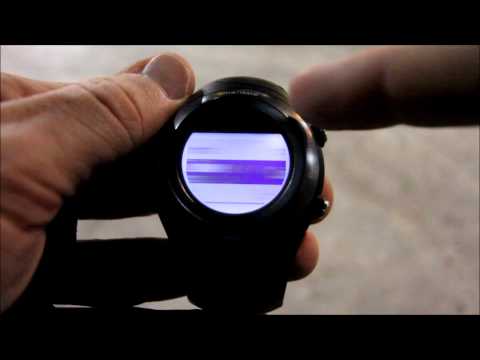
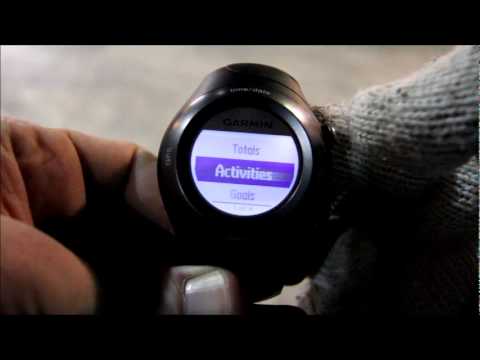
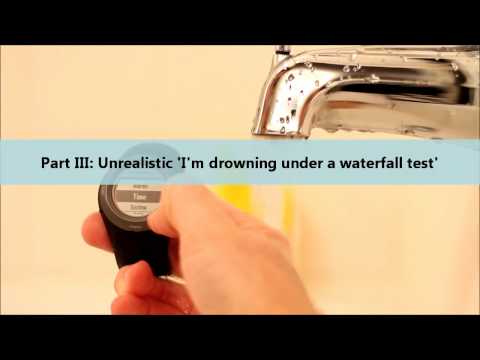


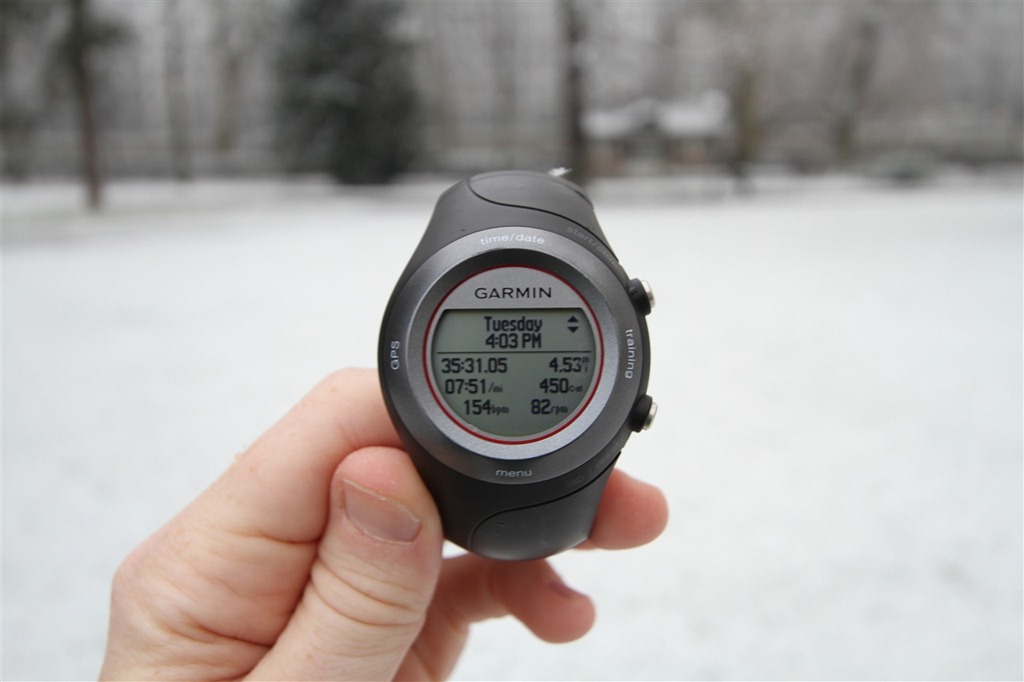


![IMG_9568A[8]](http://media.dcrainmaker.com/images/2011/01/garmin-forerunner-410-in-depth-review-128.jpg "IMG_9568A[8]")
![IMG_9570A[5]](http://media.dcrainmaker.com/images/2011/01/garmin-forerunner-410-in-depth-review-130.jpg "IMG_9570A[5]")


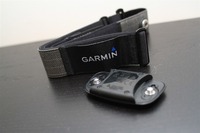
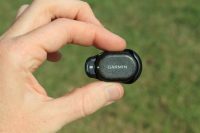
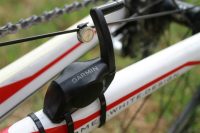
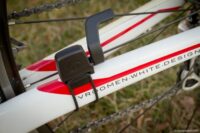
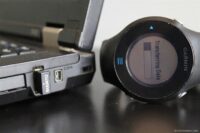



















Again very complete ! and certainly not to much ;)
the lack of “workout” in other products is definitly a major gap or runners who need to follow a training plan !
Thank you for the comparaison chart. My old 305 is still up tu date, and cheap (and ugly, i admit!)
Thank you for this helpful and thorough review. I had thought maybe Garmin 410 was what I was looking for but now reading about the touch bezel perhaps that is too much of a pain. I have not had a GPS watch before. I am trying to figure out which device to get that does the following when I run:
-I can customize the display to tell me current pace, average pace, distance, time elapsed–all on one screen. Would also love it to tell me HR and actual time on that screen but that may be asking for too much at once.
-It looks like a normal watch.
-It uploads data wirelessly.
-It has virtual partner.
There are also other features I’d like (waterproof, for instance, but it sounds like I only get waterproof with multiple features if I get a huge watch, and I don’t want a huge one).
Thank you!
also from me a “thanks”.. it’s nice..
one question left, what about the power of the battery if not used for gps? how long is then the duration?
g
Epic review Ray, thanks. In the end, glad I went with the 310XT. I agree with you – I just don’t see the point of having a touch bezel, especially on a device that doesn’t offer every last bit of functionality Garmin has ever programmed into a watch.
As an aside, and something I also asked you on Twitter, do you have any thoughts on the recently announced Nike+ w/ TomTom GPS watch that debuted at CES? It looks pretty sharp. I would think it would be a nice challenge to the FR210, but I don’t see it having the same functionality as the 310XT or FR410.
Thanks again for the review!
Stu
Thanks for a nice&long review! I couldn’t see any mention of recording interval. Does this one only have the “smart recording” function of the 405, or can it be set up to record one position every second like the 305? For orienteering it is good to have 1 second recording interval if to be used for analysis, and as far as I know only the 205/305 have had 1 second recording option until now?
I want a 410 without the bezel. Or a 310XT shaped like a 410…
I want the newer HR strap. It would be psychologically useful to have the “latest” GPS technology.
Can I live with the bezel…
Thanks for another awesome review. Message to Garmin – read these reviews!!!
Great review as always Ray. I’m curious. What’s your device of choice if running a marathon only? I’m guessing it’s the 310. Or maybe it’s just a regular running watch?
410 – records 8 hours of data
310 – records 20 hour of data
which is a huge difference!
Great review as usual! I just picked up the FR60 (in part due to your review) and was surprised to find it contained the new HR strap as well! They must have just started bundling it with the FR60, the manual still describes the older premium strap.
thanks for the review, I got rid of my 405 recently and now plan to upgrade to 410. Two things that I was frustrated with in case of 405 was quite long satellite pick up – sometimes up to two minutes and secondly touch besel behaviour in wet conditions and I am hoping for some improvement within these two issues.
Paul
Hey Ray,
Always enjoy reading these.
The “in the shower” test was exactly what I wanted to see in a test. Excellent!
I’m in between a casual and serious runner, but am addicted to the “virtual partner” for my longer runs and races. So while I’d really really prefer a 210 for the size, I think I’ll be upgrading to the 410.
I want to seriously thank you for the reviews of the garmin fitness watches. I am very new to getting back to exercising and my heart rate monitor which was state of the art 12 years ago died and I’m finding I really miss having it as a motivational aid. I’ve been looking at reviews for so many and I got all confused, but your reviews are fantastic. The only one i hadn’t heard enough about was the 410, so ti was a great surprise to find your review today. Now I know I’ll be very happy with the 210 bundle and can save myself a little bundle. or, if I cheap out, the 305 will be good enough. Again, thanks for such thorough reviews.
Ok, have to share this becaus it just blew my mind. So, by a bizarre set of freak circumstances I ended up with a FR410 and 310XT yesterday (don’t ask). One of them is going back, but I’ll test them out to see which I stick with.
The one thing I did want to mention has to do with the GPS lock-on. I had the FR410 open yesterday and, on a lark, I tried to see if I could get satellites through my office window (I work in downtown DC). I had heard some folks had acquired signals in their house, so I thought I’d give it a shot. Well, it didn’t work. But, when I took it outside, it still didn’t work. Couldn’t acquire signals, perhaps because it was surrounded by tall buildings. So I walked to a wide open metro entrance area and… it took a while. I’d say it took about 60 seconds, at least.
So, this morning I opened the 310XT and was just fussing around with it, charging it, syncing it to the computer, etc. I’m sitting at my computer desk and what should happen, it acquires signals! Like, in less than 15 seconds, while indoors!!! Insane. I turned it off, walked into my bedroom (at least 8 feet away from any windows) and it acquired signals again!!! Instantly! I couldn’t believe it so I ran the lap counter for a bit and saved it, then synced it to my Garmin connect account and… BAM! the map showed my EXACT location. This seriously blows my mind.
So, like I said, I haven’t actually exercised with either device yet (that will come tomorrow), but I did want to say that if you are concerned about the 310XT signal acquisition capabilities, don’t be. Out of the box, it was faster than the 410 (although under slightly different conditions, i.e. no tall buildings for the 310XT). Now, I don’t think the 310XT has the HotFix tech that allows the 410 to remember the satellites in a specific location, so maybe the 410 will get better over time, but I was seriously impressed with the 310XT’s GPS chip.
Stu
Great review, love your in depth style!
I have the 405 myself and im dissapointed to see that the 410 basically is just the same watch, with just the same flaws. However, as long as the 110/210 leaves no room for customization or advanced work outs (i.e intervals in specific HR zones) they are no option for more advanced users (the 405 is great for cross country skiing, except for the bezel of course).
I think the bezel design is a clever way of navigating the menues, however if Garmin could just swap the touch bezel with a turning style bezel like the suunto core has it would have been some much better for outdoors. Why didn’t they?!
Speaking of the suunto core; imagine a suunto core style watch (big screen, turning bezel, barometer, 50atm waterproofing) paired with garmin gps+hrm technology. It would have been the ultimate watch!
Hi Ray! Can you please tell me if you think the 410 is worth an extra $165 over the cost of the 405? Are the differences between the two really that great?
I definitely want one of them, but I’m having trouble evaluating whether or not the 410 is worth the extra expense. Thank you so much!
Actually, scratch that. I re-read your recommendations a couple of times, and your arguments persuaded me to opt for the 305 (I can’t afford the 310… yet!). Thank you so much for your blog! :)
Hi Ray. Is the sensor part of the HR strap the same as the current 2010 Premium strap or are both the sensor and strap different? Is it worth waiting for the bundled strap to be available separately?
Would you still suggest the Polar Wearlink strap, over the newer bundled Garmin strap, with the Garmin sensor, as per your ‘A solution to heart rate dropouts/spikes with Garmin HR Soft Straps’ post?
Thanks.
Just a post to get the notifications, as I forgot to tick the box!
Absolutely outstanding review. Your review was very informative & easy to follow along. Keep up the Great work!
Hi JohnyR-
RE: Battery w/o GPS
In my experiance – roughly a week or so.
Hi Jan-
RE: Recording Interval
The FR410 uses smart recording only
Hi Anon-
RE: Wants
Me too!
Hi Brian-
RE: Marathon only
I’d go with the FR210 or the 310XT
Hi Noah-
RE: New HR strap in FR60
They’re replacing all the premium HR straps in all new units being bought now, with the 2010 version.
Hi Paul-
RE: Sat pickup
Unfortunately the FR410 uses the same chip as the FR405 for satellites, based on my conversations with the Garmin Engineers.
Hi Steve-
Thanks!
Hi Melissa-
Thanks!
Hi Stu-
RE: Sat Lock
The FR310XT contains a newer satellite chip than the FR410 (since it shares it with the older FR405)
Hi Ulrich-
RE: Notes
I agree with you entirely.
Hi Juliet-
RE: Extra cost for 410 vs 405
I don’t believe so. Looks like you went FR305 – good choice!
Hi Ash-
RE: Bundled strap for 2010 edition
The new strap is now available seperately on Garmin.com. Between the Wearlink and the 2010 edition, they’re honestly a wash – I’ve been using both back and forth and they perform equally as well.
Hi David-
Thanks!
Thanks all!
Wow, I can’t thank you enough for your review. You helped me chose between the 210 and 410 (410 won!) and then your detailed review helped me set it up.
I’ll be taking it on it’s christening run tomorrow.
Thanks again!
Samantha
Thanks for taking the time to post ALL of your reviews. I want a GPS watch that I can turn on and forget about while I’m running and then have the data on my computer at home. I read a lot of negative reviews about some of the Garmin watches elsewhere, but none of them were in depth as yours. I’m sure that, using your reviews, I can find a product that is right for me.
Thanks again,
Tim
Great review!
Do you have any plans to review the Nike+ Sports Watch GPS when it comes out?
Hi Ray,
I’m a trail biker and casual runner. Currently confused between Edge 800 and the Forerunner 410. Which option is better considering the ruggedness (and occasional falls) on the trail? I’m afraid of wrecking the stuff, or losing the sensors.
Ray
Hi there,
Thanx for all your great reviews. In this one I was wandering why you recommend the FR60 for the advanced runner. According to the Garmin site the FR60 does not have the advanced workout feature (link to buy.garmin.com), however in your comparison chart you entered a “yes”. So has there been a firmware update “unlocking” this feature? Cause this would make the FR60 far more interesting for runners who are not only training by fixed time interval workouts.
Harald
Hi, thanks for a great review!
You mention the “secret” GPS function, using the FR410 as a simple GPS, could you elaborate on this?
It’s not clear to me if it will only do tracking or if it can show the current position. And how about direction? Does it have a compas or can it show the direction only when you’re running – or at all?
Those functions would be great if you like to do orienteering and geocaching, I understand from the specs you can encode 100 waypoints.
Thanks, Erik
So, I’ve got a question…I’m on the fence about either the 410 or the 310xt. I’d be getting it at cost so price isn’t a deal. It’s coming down to sports watch, 8hr battery life and touch bezel vs. no touch bezel, no sports watch and longer 20 hr battery life. Remembering the east coast gets HOT & HUMID in the summer months ( I life in Philly ) and like most guys I sweat a lot. Witch model would you go for? I’m only using it for trail races & training, won’t be using it for swimming or cycling with it.
Any and all feed back would really appreciated by all. Cheers & Happy Trails
Thanx a bunch for terrific reviews on the Garmin watches!
Since I don’t want a ugly “brick” on my wrist have I decided on the 405 or the 410. Do you think that the 410 i worth the extra buck compared to the 405?
once again, thanx!
/Carl
Thank you for the great information.
I have the 410. I like it. I will be using it during an IM for the run portion which will last about 4 hours 30 minutes. If I use GPS I think it will die about 4 hours into the run. Do you have any info on full discharge time?
Thanks again for your awesome reviews.
Josh
Hi Samantha-
Thanks! Hope it’s working out well!
Hi Tim-
Thanks!
Hi YoungDudeOldBody-
RE: Nike+ Watch
Yup, check out my in depth review here:
link to dcrainmaker.com
Hi Anon-
RE: Edge 800 vs FR410
Hmm, that’s tough – very different. I’d probably go neither and go with the FR310XT actually. More of what you’re looking for.
Hi Harald-
RE: FR60 advanced workouts
You can create workouts using Garmin Training Center and download them to the watch. And as of Thursday, you can also do it on Garmin Connect (well, before it got pulled, but that’ll be back shortly).
Hi Erik-
RE: Compass/GPS Function
You can simply tap to go into a mode to show you current position and compass. It does show your direction of travel while standing still, but it’s basically just based on where you were going.
Hi Capt Thor-
RE: FR310XT vs FR410
No question whatsoever, the FR310XT – easily. Enjoy!
Hi Anon-
RE: Extra for FR410 vs FR405
That’s tough, I’d really recommend looking at the FR610 instead, much cleaner/better watch.
Hi Josh/Lederman-
RE: GPS Battery
It’s roughly 8-10 hours. So if you use it for just the run portion you’ll be more than fine. If you use it for bike+run, you’ll probably be a bit tight.
Thanks all, and sorry for the delay here – been a bit of a crazy few months with wedding and honeymoon, just getting a chance to catchup on all the past comments.
awsome i need help witch better 410 or 610 please to me 10k amateur runner
Nice review, really informative :D
I have read on the garmin forums and saw a lot about unreliable battery life and I was wondering if you have any issues with it.
Thanks beforehand.
Hi Dr-
RE: FR410 or FR610
I think that the FR410 would meet your needs, but I just generally prefer the FR610’s touch screen over the FR410’s touch bezel, simply due to ease of use.
Hi Anon-
RE: Battery
I haven’t seen any issues myself, though, they may exist and I’ve just been lucky. But in general I find that people who don’t have issues don’t post issues on a forum. So I’d always take that with a grain of salt. Enjoy!
Hi Rainmaker,
I have a question – can you upload a course to the watch GPS? I am thinking to also use it for Hiking. If you cannot, what can be used? can i set a destination coordinate and use the compass to guide me ?
Your review is awesome! Thanks for the help. I have been using my Forerunner 410 for a about three weeks now and I love it! Also I found a relatively inexpensive fix for the difficulty of using the bezel while wearing gloves. I bought a pair of Head Multi-Sport Gloves with SensaTEC finger tips from Costco for about $10.00. They are thin, and great for running, but the finger tips have a piece of polymer on them that allows them to work with touch screen technology on smart phones… AND the bezel on my Garmin. Just an idea! Sorry if you already mentioned this as an idea in your review, I read the aspects of it that were most important to me more carefully.
I can even begin to tell you how impressed I was with your review, how thorough it was, and how clear your information was. I found this very helpful and helped me make my decision of which watch to get. Thank you!
Thanks for all your hard work. The 410 is my first GPS watch and your review has been a big help.
Dick A
exothroHey Rainmaker, I’ve had this Garmin 410 watch thingy for about a year now and never thought I would like it. I always hate running with guys that think that they can leave the house for a 16 mile run with no plan because they have a Garmin. But because it was a gift I have used it dutifully and although my eyes are not useful enough anymore to actually read any data during a run, I do enjoy having the data to ponder post-run. So now my company came up with this plan to give me some money back just for doing what I always do: run and bike (had less than 4% body fat until I was into my 40s so for a lack of bouyancy I never really learned how to swim). The rub is the technology they use. You can either use their Virgin Pedometer or upload your data from polarpersonal trainer.com. So after scowering the web for 20 minutes I gave up and thought I would ask a disinterested someone who might be able to tell me this: Can I upload data from my Garmin to polarpersonaltrainer.com
Thanks,
T
That’s a tough one on uploading to Polar site.
See, in theory you’d be able to export out the GPX file from Garmin Connect, and then upload that to PPT. But PPT doesn’t support the ability to upload a GPX file on the side, essentially leaving you without a solution.
Does just manually enterting in the activity details on PolarPersonalTrainer.com work, or does it have to be automatically entered?
Thanks for the great review! My wife started running half-marathons about a year ago, and now runs 4 times a week. I need to buy her a Garmin watch for Christmas and I was clueless as to which one. Since she is not a serious competitor, and not a techy by any means, it looks like the 210 is the watch for us. I hugely appreciate your input.
cb
Great review. Very helpful in my decision making.
I’ve decided that the tracking features are worth the bezel issues; especially since I can disable the touch-bezel during workouts.
I have an odd question: I’m looking at a few units and some have the “3” on the box (like the image of yours) and others have a “2”. Do you know what that numbe means?
Excellent review. Even though they specs state that the 410 does not calculate recovery heartrate, I am surprised. Does the review data show recovery anywhere?
When searching the internet for product reviews, I came across your review; they were very detailed; thank you. I am trying to decide between the FR410, FR41, or FR210. I will be starting a new adventure, running and cycling in order to lose weight and get my health in check as per doctor’s order. My question to you, for a newbie at both sports, which FRs would you recommend. I got the FR410 as a Christmas gift that I can exchange and I want something with a GPS in order to measure distance and time, as I will be doing my first ½ marathon later this year and I will using this gadget for training. Your feedback is most welcome. Thank you.
Great review. Very useful and I ended up buying the 410.
I ran my first race with a watch this week-end (10K) and was pleasantly surprised by the precision of the GPS. However, when I uploaded my data to Garmin Connect, I was unable to see my course on a map.
Are there any features / training options that need to be turned on so the data can be uploaded to a map afterwards?
Thanks
New guy here looking at gps watches. Ive recently started running cross country and im torn between the forerunner 410 for the added features and the forerunner 210 for the smaller size (my wrists arent exactly big). I was wondering if you could give me your opinion on the two. Thx
Thanks for the thorough review. I just returned my Polar RS300x SD because of the poor quality, dark screen, dim back light, aftermarket FlowLink, having to calibrate big foot pod, etc. I’m looking for another device that offers the same robust heart rate training options as a Polar. Is this the only device that offers 5 heart rate based training options or does the old 305 as well? I always hear Garmins offer heart rate info but are best for mapping & Polars do heart rate better. Do any Forerunners measure up to Polar’s heart rate program? PLEASE answer me. I’ve been running for two years. Ran a marathon after one. I’ve been stuck with the same slow run ever since and I need something to work to, to see progress, to keep on going. Thanks
When you said In Depth you really meant it! Incredible post, just ordered one of these babies and I’m very excited to ditch my phone for GPS tracking.
I love reading your reviews rainmaker – I only wish I had before I bought the 410! The bezel drives me insane… I feel like such a Gen-Xer, but seriously WHAT’S WRONG WITH BUTTONS!!! I find the screens change with a small bump from clothing or even my wrist and then I get all confused before I realise the data is different. I hate having to touch the screen in two places simultaneously to get the light to come on when running in the dark – I frequently don’t quite get it right and then have to cycle through all my screen again and then try to get the light to come on again. I also didn’t realise that I couldn’t swim in it, so it’s unwearable when racing triathlons. I am thinking of selling this one and going back to a 310XT or waiting for the next gen 910 to see if it’s smaller than the current one.
Currently the pricedifference between the 210 and 410 is minimal.
Would that change your recommendation?
Hi Taan-
Not entirely to be honest. For me, I just find the bezel so frustrating that I’d take the slightly less advanced FR210 over the FR410 any day.
Great review. Wish I’d read it before buying the 410. I didn’t realize Garmin altered the wireless functionality on the 400 series from the 210, only to restore it on the 610. As a result the 410 can’t upload training data to an iOS device, or use devices like the wireless scale. I’ve yet to get a straight answer from Garmin about why they hobbled the ant+ functionality on this watch, and why they aren’t clear upfront about that change.
Great review. Wish I’d read it before buying the 410. I didn’t realize Garmin altered the wireless functionality on the 400 series from the 210, only to restore it on the 610. As a result the 410 can’t upload training data to an iOS device, or use devices like the wireless scale. I’ve yet to get a straight answer from Garmin about why they hobbled the ant+ functionality on this watch, and why they aren’t clear upfront about that change.
Have you heard of any issues with downloading workouts with 410 with Windows 7? I can not get the information to download from the ANT+ and my garmin into training peaks.
When I change my 410 to Bike mode it changes the Speed Units to Speed in the Options screen. However, on my actual data screens, it only changes the VP screen to speed. My other screens still display pace. Shouldn’t these all switch to speed?
Nice review, appreciate you putting up so much information. I’m also in the DC Metro area, and I’ve ran a lot of the trails you list on your site.
In the end, I went with the 410. Got it for $235 shipped, a lot less than what it was when you wrote this review. My decision was made because the 3XX series are clunky and don’t have GPS. The 60 and other models don’t have the functionality and detail. The 610 is way more than I need, and much more than I want to spend. The 410 is a nice mix of features and value, plus it feels like a normal watch.
Thanks again!
Over a year later and the 410 is still going strong. Great battery life, I haven’t noticed any degradation. The bezel has been reliable and problem-free, perhaps because I don’t fiddle with settings too often it isn’t an issue. The only time I really switch is when I go from running to biking, and it does that in only a few strokes and then I’m back to the activity. I don’t spend much time fiddling with menus. It has also survived a few open water swims without any sign of slowing down.
All in all, I have to disagree with your assessment that the 410 is only for the person who wants the touch bezel. It is a perfect fit for the recreational (i.e. isn’t sponsored, in which case get the best available) athlete who wants a rich feature set for running and biking, doesn’t want to spend a lot (again I paid $235 in mid-2012, plus another $40 for the bike sensor), and wants a watch not a computer on their arm.
By comparison, a training buddy bought the 310XT not long before I got the 410 and his unit takes twice as long to find a GPS signal, has intermittent issues with the lap button being non-responsive, and the case is beat to crap because it is so large and catches on everything.
Wow. I wish you would review every product I will ever purchase. Outstanding work.
Hi Rainmaker,
I had read your reviews about Garmin 410 and Timex Run Trainer. I use an old Garmin forerunner 310 and now I have to change it.
The bezel and umidity sensibility of the Garmin, compensates the poor customizability of the Timex RT in special way for the advanced training program. What do you believe? What do you suggest me to buy? I’m runner that plan every training on my gps watch.
thanks
Stefano
Rome Italy
Enjoy your reviews a lot. I have had the 410 for about a year and latley when i snap on the heart rate monitor it shows a very high heart rate onghe watch >200 bpm. Sometimes it slowly creaps down to my normal heart rate but sometimes I just say screw it and go for my run. Do u think it is time already to replace it? Thanks for any insight.
I have a brand new FR410 that has the exact same HRM issue that all of my Garmin GPS platforms have shared… irratic heart rate readings until you get a little sweaty and conduct electricity a little better. I have found that a mild saline solution improves the initial performance. Also, some of the tech-weaves that shirts are made from now also excite the little device until they are damp.
Anonymous, sounds like you just need to replace the heart monitor battery. They are usually good for about a year, so that is probably why you are getting sporadic results.
DC, thanks for your reviews on the 410. Although I feel your dislike for the bevel biased your review when it came to suggesting this watch for the casual runner who might want to grow with it into the next level of customization.
I just picked up the 410 with HRM on Amazon for $219, shipped. At that price point, considering all the customizable features you get, I feel that for the casual runner who wants to do some custom workouts or mix it up with a bike, it’s entirely worth trying it out.
Perhaps I am behind the times on these reviews. I have become heavily hooked on running. I just ran my first half in May, my first 5k in April and have several paid for over the summer and am in a marathon run camp now. I am looking for a garmin. I have spoken with my favorite run store in my home town as well as my former run camp buddies- I have heard that the Garmin 210 is the way to go. Given the the 410 and 610 are out. Is the 210 still the way to go? Obviously I know that these watches are fairly pricy, but if I am going to make this kind of investment, I want to make it worth it and if it means a higher sticker- I wouldn’t be opposed.
Hi
great reviews.
I have just purchased the 410 and learning how to use its features. One question on the GPS navigation options, how can i enter GPS coordinates on a point and then use the navigation feature to follow these points to a final goal. I would like to use this for hiking. THank you ver much
Pavel
Well, I was going back and forth between the Garmin 210 and the Timex Race Trainer for my 1st. GPS watch.
Seeing the Timex had a lot more features, and was a bit less expensive, I almost bought it. The only reason I had put the 410 aside was the Bezel issues people were describing.
In any case, I saw it at Costco, at only 10$ more than the Garmin 110 and, around 60$ less than both the 210 and TRT.
I thought that, with the store’s customer satisfaction guarantee, I could at least give it a shot and, boy, am I happy I did!
Used it for 2 weeks now and very happy with it. As a beginning runner, it does more than I need right now but, since I intend to try to get better, it’s feature will come handy.
Creating/managing user profile and training on the PC and, uploading it to the watch is, almost, a breeze. The only issue is that, to upload more than 1 training on the watch, you need to do a “cut/paste” little trick.
I’m sharing the watch with my wife and, the fact we are both beginners and run separately makes it easy to share: we created different Garmin connect accounts amd we simply need to upload our profile before our individual run. That way, we have our specific heart rate zones. The fact it’s wireless makes it painless.
As for the touch bezel, yes, it’s sometime frustrating to activate menu simply by holding the watch. Yes, it doesn’t always respond accurately and, yes, it’s summer and it might be different come fall… Still, I now got tha hang of it and, yesterday, I tried the auto scroll and it worked fine.
Now, I would love to kick the butt of the person who came up with how you close this watch! It takes forever!
Hi,
Great post and blog!
Any idea how long the 410 records data with the GPS off and just the footpad and HRM enabled?
Thanks!
Rob
Hi, I have a super question… In the specs of the product it says that this product doesn’t have a barometric altimeter… so I guessed it won’t show the elevation… but then I am watching your review (Wonderful by the way, thanks for that) and I see elevation… how do the FR410 measures the elevation? I love hiking and that would be an super extra in my training watch!
Thanks!
Hello!
It uses a GPS based altimeter. For most uses, that’s fine, however barometric tends to be better in the mountains or with very quick changes in altitude.
On the bright side, Garmin Connect now includes elevation correction – so afterwards it’ll correct it anyways.
Hope it helps, enjoy!
Hi,
I bought this clock despite your recommodation “not to buy it”….
From my point of view: You don´t get a better clock for that price at the moment. First Time when I tried the Bezel I was a little bit surprised – or should I better say “shocked”? But after 1/2 hour I got an idea how to use the clock.
From my point of view there are 4 secrets how to do:
(1) The Bezel is not made to change the settings when you are training….I think,thats´s impossible…(who does create a workout or change default settings during a workout ?)
the joke is…you have to do it before, so that you can use your clock with a minimum of effort, when you are training
(2)Therefore it´s seems not to be a bad idea to to program your 410 before starting the exercise. If you do so, it´s enough to control the hole workout with on (!) button and a small *dip* on the Bezel. Means: You start your workout with the “start” button, change the views of the 410 by using the Bezel with a little *dip* and stop the exercise with the start button again…(If it´s wet outside, and you are not shure, if the Bezel is going to do it´s work, simply use “auto scroll”).
(a) It´s unimportant, if you use “auto lap” oder anything else. You can adjust the settings (the 410 allows “customizing” !)
(3) Give that Bezel a moment to start working. I think, if you are entering a program mode, the softare needs 1 or 2 seconds to load up. During this time the Bezel doesn´t work fine (or even not).
(4)Keep cool with the Bezel….soft and smooth movements…(that´s for me the reason, why it´s not a good idea to use the “wiping” function during running…)
In result, I´m satisfied so far.
You…rule. Great write up, and thanks so much for all the thought and time to put it together. Calling this a review is a disservice. It’s in fact a great adjunct to the user manual.
Hi, may I know if the speed/cadence sensor can be used outdoors? Or is it only designed (durability) for indoors?
Thanks
Hi,
great review, I have been looking at the Garmin watches and had a question. can you use them as just a heart rate monitor with the GPS turned off and no footpod? I’d like to have this facility for gym sessions.
thanks,
Gavin.
Hi Ray,
I got this watch in the end and your review has been very helpful in getting up and running with it. I don’t have a footpod yet but have used it to just measure HR in the gym and it’s really helped on treadmill runs.
I have a different take on the bezel to you. I’ve found it easy to use (I know this is a while after your review so maybe firmware updates have helped) and I think that it’s a better idea than the capacitive type screen you mention. while a capacitive screen maybe be more friendly, on a watch this size it would be very difficult to implement. your finger would cover the screen every time you pressed it so you’d have to do one press or one slight movement and lift it off to see what was going on. Even if they use a capacitive bezel, the angle of the current bezel keeps your finger away from the screen, whereas a flat bezel would allow your finger to again obscure it. I don’t know if they are close to capacitive plastics for screens but until then I can’t see a watch having an angled glass bezel.
As such I think the bezel is a very good way of coping with having many features on a small watch without having a large number of buttons on. I feel I could pick this up and easily access menus, even if I hadn’t used it for a while, whereas with buttons I’d be constantly looking to see which one did what.
I’ve not used the 610 so maybe the touch-screen works really well, but I’m a big fan of the bezel so far.
Just a different take on it. Thanks for the reviews, they really help.
Hi Rainmaker,
Many thanks for your amazingly thorough reviews, which have been very helpful as guidance for which watch I should buy! However, what remains unclear to me are the navigation capabilities of this and other watches.
Thus far, I have been happy with a simple heartrate-stopwatch as I mostly run routes that I know well and/or that are signed (there is a plethora of those around here in Zürich so I never get bored :). Then, since over a year I regularly join a Sunday morning running group as every time we go somewhere new, which is a great way to get to know the area! But also meaning, I spend half of my valuable Sunday afternoons tracking those routes on Runmap.net… Moreover, there are a few long but beautiful hill runs through the forests and fields that require me to bring along a map lest I get lost. Which made me look out for a GPS watch that can point me in the right direction.
Obviously, many devices meet my 1st need by allowing to save the workout route (although I don’t want to think of all the hours I will likely spend digging through their additional stats… ;-). IMHO, my 2nd need should be the primary target of GPS, yet it seems that most running watches offer no or very limited navigational features. Confusingly, your table above states that even the non-GPS FR60 can follow a GPS track while in the FR60 review you state it cannot (sorry, I don’t mean to rub in any mistakes but I just want to be sure to spend my well-earned money on a watch that’s worth it).
Anyways, from your and other sites I understood that the FR410 does allow following a breadcrumb path, but does it simultaneously record the workout? And how about the bezel-less FR610: am I right that its virtual racer feature does not offer e.g. a direction pointer? Or can it alert me to e.g. turn left/right at pre-defined points? And will the GPS be accurate enough in the forest in the first place?
What other affordable devices of reliable brands offer a suitable navigation feature? For example, I spotted the Multi Nav-2 (rebranded as Mapjack Watch IQ and various other names) for half the price of the FR410, admittedly with fewer training functions (that I haven’t felt the need for thus far anyways), but I am afraid that cheap will turn out to be expensive…
I would greatly appreciate some good advice!
Thanks so much,
EPAC
Thanks,
I just purchased a 410 and you said that the accuracy is on par with the 310. Are you still finding this to be true. I had some problems today on a run and the pace was jumpy and the mapping didn’t seem to be as accurate as I would have thought.
Is there a way to smooth the pace reading?
Would you change any of your opinions on how the 410 performs, apart from the bezel?
Thanks, Daniel
I have trouble with my FR410 on the interval side. I have followed every single step correctly and when I hit DO WORKOUT, my FR410 went totally blank for few seconds then the time appears on screen. What is wrong with it? Please help.
Many thanks. May
Mat said…
Thanks for the great reviews!
Debating between the 310 XT and the 410. Mostly for running, some bike and, on the rare occasion, duathlon. I can get the 410 quite a bit cheaper I think. If you leave the bezel out of the equation, is the 310xt still far superior for my uses than the 410?
Thanks.
I am so frustrated with the Garmin selection right now. My wife has the 406cx, which I generally like, and am looking at getting something for myself.
The 210 looks nice, and has a new GPS chipset that is really fast, but it lacks several features and I really don’t want to use USB to sync my data.
The 410 has all the features I need, and though a bit thick, could still pass for a normal watch. It is also often cheaper than the 210. The only problem is that I know my wife is often frustrated with how long it takes her 405 to acquire satellites and a position, and the 410 uses the same chipset.
Finally, the 610, the best by far. All the features, smallest size, new GPS etc, but it is way to expensive.
I need a cheaper version of the 610, a 410 with a new GPS chip, or a 210 with the Ant+ stick. Any gouge on the next update to the lineup?
Hello There,
What a great blog you have! I really like the way you present your review of the nice toys you have a chance to play with.
I’m considering 2 GPS watch with HR monitor function. The Timex Run Trainer and the Garmin 410. The Timex is simply too big for me for the kind of training I’m doing and it doesn`t have the cycling cadence compatibility. So the 410, but my concern was about the Bezel, of course :)!!! from your test it seams to work nicely except with gloves.
So my question is, and some anonymous poster seam to have answered it (see comment #34), would it work better with Capacitive Touch Screen Gloves? Many of the most recent long fingers bike gloves have such capacitive material on some fingers.
Thanks for your answer.
Thanks for the great review. I just purchased a refurbished fr410 a couple of weeks ago and have been really enjoying it.
The last few runs though, it has shown my start position consistently off by a couple hundred yards it seems like. The track stays pretty far off but slowly comes back to my known course after about the first mile.
Any ideas or recommendations? Your thoughts would be greatly appreciated!
@ Garvin
surely you can use the clock as a heart rate monitor only. Please take a brief look into the settings and you’ll find a button to turn the GPS off.
I have benn using this clock for a few months now and I’m still happy with it.
Many thanks for the detailed reviews. I ordered a Garmin 410 today as it is on sale for about $100 less than the 210 which you recommend for the not too serious runner. Hopefully it will meet my wife’s needs. (I think it will.) I’m using a Timex Marathon GPS and will comment on it on that page.
I’ve set up a “Heart Rate” “Workout” (beneath Menu on bezel) that has upper and lower bpm and a duration. Heart issues preclude exceeding upper limit. So it’s all set and I “Do workout”. Merrily we run and when workout is over all is well except… my route is not being mapped for the workout. I’d like to see my route.
The basic goal is to run for a distance (or duration) and have a route recorded and to be warned if/when I exceed my upper limit bpm. Any suggestions?
does the 410 have a countdown timer… For instance, I like to set a timer to remind me to take a gel or nutrition during a race. I just purchased the 410 and cant find the countdown time. I only find alarm times…
Great review!!! Very detailed. I really like the summary review and breakdown recommendations. I am a wannabe triathlete. Recovering at the moment from an injury but I’m looking for a watch that I can wear everyday. Use it to count/track laps in the pool, track distance/mileage on foot and maybe distance/speed on the bike although I have a GPS attached to the bike already. Also, track distance/speed indoors? I am a consistent 5k occasional 10k runner and want to train for one marathon. Do you stand by this breakdown recommendation or do you have an updated one. A little birdie told me Santa wants to bring me a watch for Xmas.
Thanks for the review. I was looking at the 110 with HRM. Your review has persuaded me the 410 is the better option.
Hi there – I have a question. What’s the easiest way to switch between bike mode and run mode during a tri? It seems to take me forever to navigate through all the screens and my T2 times are slow enough as it is. :) Any suggestions?
Unfortunately not. The mode you’re looking for is the “multisport mode”, which is only on the FR305, FR310XT, and FR910XT.
As for suggestions, practice makes perfect? ;)
Hello!
I have a question. I am a beginner runner. I wonder how the 210 and 410 as it is warn out of training zone, above or below. It is an alarm, the display blinks, how do I know I left my training zone without looking at the clock? As the clock warns me?
Tank You!
Hi, great review, I am a newbie to this site and I will definitely be using it more often. I’ve recently bought the 410 and find it to be a great watch. One thing I cannot seem to do is get an average pace setting – I have reviewed themanuals and asked friends if they can help, but to no avail.
Do you know, or have you worked out if this is possible.
I would be very grateful if you know how to do this, you could let me know,
Cheers
David
I found your review very helpful…
However, you should look up the correct use of the word “utilize”… It’s not a fancy word for “use”…
Does this watch track fat % of calories burned like the polar watches do?
I bought this device based on your review, and will be using it for the first time today. The setup and ANT connection procedure was simple and straightforward, and I’m satisfied so far except for one thing. The device is HUGE!!!! The rigid face part is so wide that there’s a lot of empty space around my wrist even when the strap is buckled as tightly as it will go. The thing is simply too wide for a normal woman’s arm. I will have to use a thick filler wristband under it, keep it in my pocket, or hang it from a string around my neck. It actually fits on my ankle, albeit still with a little extra width, but that doesn’t seem like a good solution. Even if I were to switch to the soft wristband, the rigid molded plastic assembly would still be way too wide. Just to put this comment in perspective, I am average sized, not unusually small or thin.
Thank you so much for this in depth review – I see your point on this being to much of an in between, but I just got one on boxing day sale at 30% less the regular price of the 210, and it seems to me that the advanced features are fully capable as the the 310 – which compared to my bargain was over 60% more expensive.
I just played with it for a few moments, but the touch bezel has its own rules, so I have to follow them – which I am fine with – it actually doesnt seem that bad. I have the edge 800 for mountainbiking and I don’t do swimtraining, so this is great for me. All in all your review made me accept my choice, with the ups and downs :-)
I have had this for about a month, and I like it very much. One day after a workout, the screen just went blank. It seems to be working, ie. the bezle responds to touch, and the buttons beep when pressed and I can lock the bezel and do a soft reboot, but the screen is still blank. Any Ideas?
Thanks for the very good review. I currently own a forerunner 210 that I’ve only just purchased in August. But, it is a long enough time to annoy me with how difficult it is to upload the data with the clip. That’s why I was interested to get the forerunner 410. But, I’m not sure about how I would like the bezel now.
Any other recommendations? Thanks!
I bought a 410 after looking at all of the Garmin watches & their features, This one had everything I wanted, and it is on Amazon right now for $177 with the heart rate strap included. I understand that the bezel is a possible go/no-go feature for many people & I considered that in my decision. I like touch features, but I am a tech nerd. Also, like one of the Anon posters above said very well, you should have your watch setup before you run. If you are trying to create or modify on the run, while still trying to maintain pace, you are asking for issues. Just remember the 7 Ps: proper prior planning prevents piss poor performance. That even includes knowing that if it is raining, don’t wear long sleeves that could impact the bezel or go buy running gloves that you know will work with the watch.
My watch gets delivered tomorrow, and while this review gave me some initial buyer remorse, I doubt that I will return it for another watch that either does not have all of the features I want or one that is overkill for my needs.
Thanks for the great review Ray. I just found your site & I plan to read through all the great info you have here.
Just an update on the 410. I love it, enormous size and all. To solve the size problem, I cut a section off of the ankle portion of a very thick sock and use it as a wristband under the device. I’ve made my peace with always having to wear a big wrist pad, although I wonder if it will affect any of the functions if/when it gets really sweaty in summer. Everything so far has worked without a hitch, and the data seem quite accurate based on old fashioned timing/mapping checks. The stored workout info is really useful!
Any word on why the Garmin 410 has been discontinued (according to the Garmin website)? I see no other watches in the 400 series. Perhaps they have thrown in the towel on the bezel?
My local running store had a Garmin rep on site last night for their Wednesday run. I asked her why the 410 was discontinued & she told me that they were focusing on the 610 & 910 as their upper level watches for runners & triathletes. She did acknowledge that the bezel takes some getting used to, but once you know your way around the watch, it’s pretty easy (and after a month & a half of use, she’s right).
I’ve logged 19 activities & 90 miles with the 410 since 2/3. I really like it, despite a couple software bugs & limitations I have found. However, once I saw the 610, I started having watch envy. I am going to run with the 410 for the rest of this year & maybe pick up a 610 for myself at Christmas. In the meantime, I think the 410 is a great watch & I have seen a ton of other runners in my area who have it & love it as well.
If you want a high end watch & you don’t want to drop the coin on the 610, you can find the 410 really cheep all over the internet right now, especially since it has now been discontinued.
I have the 410 brilliant in many ways but as far as i can see it has one massive flaw , its not water proof at all , i mean even shower or light rain will make it go haywire .
I have been caught out by showers on long distance runs such as marathons ,where it may be fine when you set off but only to change halfway round. I have sent my own watch back to Garmin for repair after such events twice now at a cost of £80:00 each time to be repaired after such events.
When you consider this is a watch for out door pursuits i find this a huge problem . its like having a car with no wheels pointless !!
I would have thought the brains at Garmin would have seen this major oversight.
That’s really cool!
But, is it safe to use GPS in plane? I really want to know this because the cell phone’s airplane mode is not allowed in plane.
Most airlines allow it. For example, in many airlines inflight magazines it’ll specifically call out GPS units as alright.
How do you think the Garmin watches (not swim specific) would go under a wetsuit in a triathlon?
It depends. Some watches, like the FR410 or FR210 go under just fine (ignoring the waterproofing issues). Whereas the FR310XT due to the blockiness of it, less so. The FR910XT has edging specifically designed to make it easier to slide on/off (I included a video of that in my review).
Quick question ;-)
How can I store (automatically) the time spent in a specific heart zone? 15min in zone #1 (say, 120 / 140), 45 min in zone #2 (145 / 160) etc. …. – thanks !!!
No, it doesn’t show the total time per zone. You could use something like Training Peaks to do that online, as well as Strava and a few others. Never quite understood why Garmin Connect doesn’t show it, as it’s a common request.
Thanks Ray, for an excellent and in-depth review of Forerunner 410.
When i download my workouts on Garmin connect, there’s a heading, “Weather”, which says, “Sorry we do not have weather for this activity”.
I would like to know, if some feature in the instrument needs to be turned on or does it require an additional accessory, for it to record and display the weather information.
Thanks :)
It’s a location thing. It automatically happens for some locations, based on the activity location. I’ll find out where the coverage is good for.
Thanks for an excellent review. In fact I decided to buy the forerunner because of your nice work with the review.
Part of my research in the university is about Heart Rate Variability, so I wonder if there is a way to extract heart rate data (better if raw data) from the forerunner 410. May be there exist some software to do that?
Best Regards
Hi Ray :
Quick question ;-)
I bought a Garmin f410, used it for a 15 days … and returned it …
– Bezel was not really working well
– GPS was not working well (in fact I when for a quick 2hrs bike ride with the GPS on and it never recorded anything) however it has record my time, cal, etc. … weird …
– does not store the total time spent by HR zone nor the avg HR by zone. I do trained using HR zone …
I have read you review on the new Timex trainner 2.0 … HR zone does not exist either and lap functionally does not seem to be really working well
I am looking for a watch that work well for cycling, that has a reliable GPS and for which I can used the HR zone – what would you recommend?
BTW: I have an old timex ironman that has the HR zone feature but it has no GPS ..
Thanks for your time and thanks a lot for all your super-good-details review … !!!
I can’t think of any offhand (except the Polar’s) which show time in zone on the watch itself. Most apps do show that online, and work with a wide variety of watches. It’s almost better to focus the analytics off-watch and onto a computer, rather than on-watch.
Just wanna say thanks for this incredible review, read thoroughly, followed the amazon link, bought the watch, use the watch, love the watch…..
What a fantastic review. Really helped my buying decision. Keep up the good work.
If I buy this watch today (Garmin say it discontinued) do you have any idea when it was manufacture?
It will be new watch or something 1-2 years old?
As long as you buy it listed as new from Amazon or others, it should be new. However, I really wouldn’t recommend buying the FR410 at this point. You can find watches like the FR310XT and others on sale for nearly the same price (or cheaper) these days.
Hi Ray, I’ve recently really got into running (5k to 10k) and I’m looking to improve upon my times and was wondering what you’d recommend from the Garmin range? I really like the look and sound of the 610 but I’m slightly worried about the poor reviews regarding charging issues and was just wondering if this problem still exists? Budget is about max £250.
Thanks in advance and cheers for the great reviews albeit I still can’t make a decision!
I have to say, while I’ve liked the functionality of my 410, I’ve had a ton of frustration. My first one just stopped working at about 11 months. I was sent a replacement and after 6 months I’m having the same problems. It started with freezing up as I was setting up a run. After several reboots I can usually get it to work but as soon as I hit “start workout” it congratulates me on finishing my workout. Both have had identical problems. If the pattern continues my replacement will be dead in a few weeks.
Moving on to something else.
Got the same issue Megan … mine froze after 2 weeks of usage … got it back to Cosco to get a new one … then made a couple run with the GPS on, went back home with no GSP data being recorded …. Happen twice. All the miles, laps, etc was recorder but not the GSP data.
Also, the breezier thing made me crazy … It made the Watch froze a couple time, i had to reset to factory to make it work again…. Finlay, returned the 2nd Watch back to Cosco …
i still have my old timex ironman and for GPS, i use an apps on my android phone call Runstastic
A+
Dear Rainmaker,
Thank you so much for your super helpful product reviews. After spending way too long sifting though everything, and comparing prices, I decided I could learn to love the touch bezel and I bought the 410. It’s my first gps watch…
I am indeed learning to love the touch bezel and am pretty satisfied with the watch.
I came across one problem that I can’t get to the bottom of, can anyone help? (I couldn’t find a section where you can ask questions on the garmin website). I’ve been on three runs >60min with the watch. I’ve had it on simple training mode, not any work out mode. When I reach a workout duration of 61:07-61:09, the time counting display stops counting time and the time section freezes. Its the display that you select as “time” from the data options and it counts the duration of the workout. Meanwhile the pace section keeps working and using the clock time (ie time of day not “time”- as in workout duration) I figured all the other work out data continued working pretty accurately. Over a few minutes it might tick another second or two along in the”time” display.. It’s really annoying because I like displaying my workout time and I’m doing a half Mara next week which I bought the watch to train for.
Help??
Thanks, Lou.
Am I crazy or is there no way to get data off this thing without the ANT+ stick?
Not crazy. Requires ANT+ stick as that’s how it transmits wirelessly.
If you lost yours, you can pickup a replacement for about $30US (and the bonus is the new ones are itty-bitty).
I just paired my 410 with the ANT+ stick and everything worked well. And all of my runs have been uploaded to Garmin Connect. I must admit it is very cool to see a map of each of my runs and the roads I have run on. My rookie question is this: Now that all of my runs have been uploaded to Garmin Connect (this is the first time I did this since I got my watch for Father’s Day from the family), how does my next run upload to Garmin Connect? Do I need to keep the ANT+ stick plugged into my USB port whenever I want my new workouts to download from the 410 to Garmin Connect?
Thank you.
Yup, exactly. Just keep the ANT+ stick hanging out in your computer, and then post-run when you get within about 10-15 feet of it it’ll start downloading automatically (and then upload to Garmin Connect automatically).
Enjoy!
I finally decided to buy it (super promotion). I am very satisfied.
I just do not get to set the time at which the power saving mode is activated.
Is that possible? If so, how?
Thank you ;-)
You can’t modify it unfortunately.
Awesome review ! Thanks !
Hi Ray!
Writing from Delhi
Desperately need your advice… I’m oscillating between a new FR10 and a used FR410 and used FR405CX… all for about the same price… (I’m getting the 410 and 405CX with HRM included in the price)
Which do you recommend? I’m a fairly regular runner but still a novice… but I do enjoy having some basic workouts… however 130 USD is pretty much what I can afford to spend
Please reply soon! Your advice is the final deciding factor for me!
Cheers!
I wouldn’t recommend a used 410. Chances are the battery is worn out or the bezel doesn’t work properly.
I got the FR410 used. looks as new. It’s a risk but it could pay off.
Hi,
I’m undecided between the 310XT, the 410 and the 610. My question is whether the 410 was finally upgraded by firmware to have 1s + Smart GPS update or it was left on Smart only?
Thanks in advance!
Cheers,
Axel
No, I’d look at either the FR610 or the FR310XT, dependent primarily on whether you plan to use it for triathlons (FR310XT), or just pure running (FR610).
At current prices, the 410 isn’t worth it, it’s old tech and the units vary in lifespan. I was lucky to get one when they were priced very low compared to the other models, I didn’t get a lemon, and the only better models were the 6-series at more than thrice the price. The 410 and its bezel control will go the way of the Dodo and not be supported, if Garmin is even supporting them now.
Thank you both!
Finally I went for the 310xt sacrificing the day-to-day watchability for the battery life, ruggedness, etc…
Please note that if by accident I become a triathlete or Ironman finisher it will be on your conscience! (o:
For now, it’s Barcelona Maraton.
Cheers,
Axel
While I agree that the 620 or 910 is a better option, if you can get a 310 or 410 for cheap, it’s not a bad deal. The 410 is discontinued, so keep that in mind.
I have had my 410 for a year & it has never given me a problem. I have seen people with 910s that have multiple problems & have had multiple replacements, so I don’t think it’s fair to say the 410 is more problematic than others. I am replacing my 410 with a 620 for Christmas because I have outgrown the functionality, but I will keep it because it is a very solid backup.
Has anyone experienced a problem with getting the Forerunner 410 to take a charge. I’ve used mine only a few times and it’s dead and I can’t get any response.
Hi Rainmaker, Great Review!! I only have one question. I have recently purchased a turbo trainer and will be using my forerunner 410 for that. Do you know if there is anyway the forerunner 410 can sync via ant+ to any software to give realtime data on any particular cycling software? thanks
No, unfortunately not. You can however use some of the same sensors (like the SPD/CAD sensor or the HR strap) though.
I have had a Forerunner 410 for about two years. I bought it primarily for the HR monitor but it has never worked very well for me, so use of it has been sporadic. I thought I had a faulty one so I returned my first purchase after a few weeks and bought a second one. Same problems. Lots of spiking and erratic readings that are way off the mark. Tech support seems to feel that a new battery will solve any problem but I have tried that several times with no improvement. Has anyone else experienced this and found a fix? I have tried gel, wetting the whole strap, placing it differently on my body (female). If there is no fix, what other HR monitor would you recommend? I’m shy about trying another Garmin, although the syncing feature and the software are very appealing features. Appreciate your in depth reviews and any help you can provide.
This: link to dcrainmaker.com. Buying the Polar strap fixed the problem for me.
I have had this watch for some time. I have always felt like it is shorting my distance. And doing so consistently. I compare to measured courses, other running companions with Garmin devices and I am usually short. On average about .2 miles over 8 miles. This is getting frustrating. I have updated firmware and have done a hard reset. Any other suggestions?
.2 miles over that distance is a touch bit on the high side, but just barely (2% would be .16 miles). Updating the firmware and a hard reset is exactly what I would do. I wish I had a better option for you. have you tried ringing up support?
Thanks. I have called Garmin. They recommended testing distance at a track for 4 laps. Or they will replace with another 410 for $89. I bought this watch at Costco and could actually still return it. Costco is currently selling the 610.
That’s funny they’d recommend using a track to test accuracy. That’s actually the very worst place to test accuracy. It’s like telling kids to go play in traffic – it’s going to result in fail.
In any case, I’d go the Costco route, especially if you can convince them to swap it out for the 610 instead.
Funny. I kind of thought the same thing. Plus a track is 1600m which is not equal to one mile. So Costco has a 610 bundle for $350. I bought the 410 there with a coupon for $210. So it would be a refund and purchase. I already have everything in the bundle. Fortunately I found the 610 with no bundle on clearance at REI for $240. Feels like a no brainer even if the accuracy is the same.
That’s kinda pricey for the FR610 actually. It was much cheaper a few weeks ago, and I’ve gotta believe we’ll see it cheaper again at some point.
Good to know. I’ll keep my eye out for better deals.
how can i change the time. because when i activated it it show a different time and date although i set it up to the proper time zone??? thanks
Once you head outside and search for GPS satellites it’ll find the correct time.
I have had this watch for some time, and I would like to konw if there is any app to connect it to my iphone and trak my workouts?
Not the FR410 unfortunately. See here for more details: link to dcrainmaker.com
Hello,
I am very disappointed that it is not possible to have more than one training advanced mode (sent from Garmin Connect).
I thought the FR410 could contain several trainings in the “Advanced” menu?
It’s the same on your equipment?
Merci ;-)
Hi there,
Thank you for your informative review. Can you please tell new when I’m running can I see what speed I’m running at. I’ve noticed that at the end of the run it shows lap1,2,3 etc. is this visible during the run?
Also, I have set my Virtual Partener time, but cannot change it from km to miles. Can I change this?
Many thanks
Karen
Yes, you can simply customize the data fields to show either pace, or speed.
To change the Virtual Partner, you need to change the overall system settings from Metric to Statute.
Comprei em agosto/13 FR410 e vinha funcionando bem até que em dezembro começou a acontecer anomalias:
– Os treinos avançados e intervalados não consigo mais utilizar, pois após programar eles, ao dar o start o FR410 reinicia…
Já tentei seguir os passos para dar um reset, mas não consegui até agora solucionar.
Se alguém tiver alguma dica, por favor escreva.
Grato
Beto
Hello all.
I’ve had the 410 for 16 months and it has died. is this normal for this watch or Garmins in general?
Now what to replace it with, something that will last a lot longer I hope, 310, 220, 610?
I mainly run but do commute by bike so could do with a watch for the bike as well, any suggestions?
Cheers.
Matt.
Does Garmin connect permit you to manually enter a run? I occassionally run on a treadmill and would like to enter my run information. Thus far, I’ve not figured out how to do this.
Thank you.
Seems only the old Connect has the manual activity button available (it’s on the Activities page top right) as I can’t see it anywhere on the Modern one :-(
One of the things I am looking for is my total workout time at each km when I am reviewing the workout. I want to be able to look back and see how long it took me to get to 10km but instead all I am seeing is my lap time at that specific km. is there a way to see the total time at each km when reviewing a workout??
No, not really unfortunately. Online at Garmin Connect you could see it via the Player view, but not on the watch itself.
I’ve got Forerunner 410 but was not using it. Now I want to learn an interval running and would like to set up my device for that. In order to read the data I need to use reading glasses which is highly uncomfortable during the interval training. Does Forerunner 410 have different sound signals for faster-slower-rest segments of interval training? Could not find that feature.
1. While running today, i got a message on my Garmin 410, “Laps database full. Delete oldest laps”.
It kept on flashing all through the run.
Now on garmin connect site, i see the details of only the 1st Km (when the message started flashing), but on the map and player, it shows the complete distance.
How do i delete old laps?
2. After logging onto the Garmin connect site, i get to see a message about “Firmware update being available”.
Should i go for it?
I have my apprehensions about updating because it also mentions that in case of a problem during update, the device may have to be taken to the seller/dealer.
Wondering if anyone has had the same problem as me. I went running with a group the other day and ran just over 6km. My watch read 5.9km while my friends read 6.4. I thought this was quite a big difference. So yesterday I used mapmyrun.com and mapped out a 13km run and my watch ended up reading 12.2km, another big difference. Anyone else having this problem? How do I fix this? I re set it after my 12km but haven’t run since so I am hoping when I reset and relocate satellites in an open area it should correct.
HI DC,
Thank you for your indepth review. I bought the forerunner 410 about 3 years ago based on your insight! Thanks! It’s been a great watch all these years, but recently it stopped recording my laps while on the indoor cycle trainer. I know “distance” doesn’t mean much on the trainer, but I now can’t see any information about my pace over the ride. I had the GPS off, but wasn’t wearing my heart rate monitor lately. Could that be the cause? I can’t find anything in the owner’s manual…
Thanks for any advice!
Rebecca
Hmm, did it stop recording distance – or stop recording laps? If distance – did you have a speed/cadence sensor? And any chance the magnet (or sensor) got bumped slightly out of alignment?
Thanks for the reply DC,
It stopped recording total distance and laps. Now it only records total time and average cadence for the whole ride. I have a garmin speed cadence sensor, which is the same I have used pre and post this problem (it still records fine outdoors). The alignment looks OK on magnet and sensor. So, I am really stumped. Unless there is a mysterious setting I may have activated trying to blindly change screens when the bevel wasn’t locked.
This link is probably long obsolete, but I just bought a remanufactured 410 am struggling to make it perform. I want to be able to see the screen while I run but I am unable to see anything but the time until my workout is over.
Hi.
I’m facing a problem with my 2 year old Garmin forerunner 410.
If a don’t transfer my data to Garmin Connect after a run, and then try to reset my Garmin on a subsequent run, the “reset” function doesn’t work.
I mean, nothing happens!!
Could it be a problem with the reset button or something else?
Thanks.
The watch is losing hr data on the bike at higher speed (35+kmh), I simply see 230-260 bpm. While flaterring, not at all correct. The moment I slow down to lower 30ies, hr is back no problem. Any thoughts?
Thanks!
Last summer, in the middle of training for my first marathon, my Forerunner 410 stopped syncing custom workouts and courses from Garmin Connect. After several calls and email exchanges with customer service, who told me to uninstall and re-install the software and device, a customer service representative acknowledged that Garmin is no longer supporting advanced features for the Forerunner 410 in order to concentrate on new products. In my opinion, this is consumer fraud. I do not expect my Forerunner 410 to be upgraded, but I expect Garmin to continue to provide the software supporting the features as advertised and sold. Garmin continues to advertise these advanced features and connectivity with respect to the Forerunner 410, and they are included on its new top of the line models. I relied on Garmin’s representations and would have to spend at least $450 to get a new device with these features. I have not seen anything in Garmin’s licensing agreement which allows it to unilaterally disable connected features. Customer service has offered me 20% off a new device, but why would I purchase a new device if it is Garmin’s position that it can unilaterally modify the software supporting those features? Customer service has been totally unhelpful in further resolving this issue. I attempted to contact executive management, but have not received a response. I am wondering if you have any insights into Garmin’s strategy with respect to maintaining Connect for discontinued models. Thanks.
pity not to have understood the great advantage of durability of a touch ring with respect to physical buttons subject to deterioration / wear of their parts and materials … the limit of models such as 205/305 – 310xt – 910xt was revealed to be the rubber which constituted the buttons, with the time it deteriorated and the buttons were touched making the terminus fully functional in fact unusable and subject to serious infiltration of moisture.
The real big limit of these models actually lies in the limited training functions, in the very little internal memory (you can only have one run and should be imported from Coonect) and in the absence of fundamental software parts such as the graphic display of the maps. structurally and durability in my opinion are the best Forerunner ever.
Quite a few years after the above review came out, I’m still the happy owner of a Forerunner 410. I haven’t seen a training watch with a nicer design, so I fear the alternatives when I some day have to say goodbye to me beloved 410.
I have used it for running as well as cycling. Although I have a mount, I have been satisfied with just keeping the watch on my wrist during cycling and receiving a notification by each lap (set to 1 kilometer).
There are many good things to mention about this great little piece of hardware, but in a nutshell, I’m just glad to have something that I can rely on and know how to use most effectively. Since 2009 I’ve had a Forerunner 405 and after that my present Forerunner 410 – that’s it.
We really should create a fan club for Forerunner 400 enthusiasts. ;)