
Heads up – Massive Sports Tech Holiday Deals List is Live!!! The Garmin Fenix 8 is $250 off (even the Fenix 8 Pro is $100 off!), the Apple Watch Ultra 3 is on sale, the Garmin inReach Mini 2 is $249, the GoPro Hero 13 Black, DJI NEO, and a ton of other brands/deals, including Wahoo, Oura, Whoop, Polar, Samsung, Google, and more than 100 sports tech deals here!


I’m DC RAINMAKER…


Here’s how to save!
Wanna save some cash and support the site? These companies help support the site! With Backcountry.com or Competitive Cyclist with either the coupon code DCRAINMAKER for first time users saving 15% on applicable products.
You can also pick-up tons of gear at REI via these links, which is a long-time supporter as well:
Alternatively, for everything else on the planet, simply buy your goods from Amazon via the link below and I get a tiny bit back as an Amazon Associate. No cost to you, easy as pie!
You can use the above link for any Amazon country and it (should) automatically redirect to your local Amazon site.


-

Check out my weekly podcast - with DesFit, which is packed with both gadget and non-gadget goodness!

-
5 Easy Steps To The Site
1
In Depth Product Reviews
You probably stumbled upon here looking for a review of a sports gadget. If you’re trying to decide which unit to buy – check out my in-depth reviews section. Some reviews are over 60 pages long when printed out, with hundreds of photos! I aim to leave no stone unturned.
2
Read My Sports Gadget Recommendations.
Here’s my most recent GPS watch guide here, and cycling GPS computers here. Plus there are smart trainers here, all in these guides cover almost every category of sports gadgets out there. Looking for the equipment I use day-to-day? I also just put together my complete ‘Gear I Use’ equipment list, from swim to bike to run and everything in between (plus a few extra things). And to compliment that, here’s The Girl’s (my wife’s) list. Enjoy, and thanks for stopping by!
3
Have some fun in the travel section.
I travel a fair bit, both for work and for fun. Here’s a bunch of random trip reports and daily trip-logs that I’ve put together and posted. I’ve sorted it all by world geography, in an attempt to make it easy to figure out where I’ve been.
4
My Photography Gear: The Cameras/Drones/Action Cams I Use Daily
The most common question I receive outside of the “what’s the best GPS watch for me” variant, are photography-esq based. So in efforts to combat the amount of emails I need to sort through on a daily basis, I’ve complied this “My Photography Gear” post for your curious minds (including drones & action cams!)! It’s a nice break from the day-to-day sports-tech talk, and I hope you get something out of it!
5
The Swim/Bike/Run Gear I Use List
Many readers stumble into my website in search of information on the latest and greatest sports tech products. But at the end of the day, you might just be wondering “What does Ray use when not testing new products?”. So here is the most up to date list of products I like and fit the bill for me and my training needs best! DC Rainmaker 2024 swim, bike, run, and general gear list. But wait, are you a female and feel like these things might not apply to you? If that’s the case (but certainly not saying my choices aren’t good for women), and you just want to see a different gear junkies “picks”, check out The Girl’s Gear Guide too.

















This comment has been removed by the author.
So I have a question for you: I don’t know very much about the whole Garmin series, but I was looking at possibly picking one up as I start into Ironman training, just so I can have a visual of my progression. I’m leaning towards the 405 currently. I noticed on the Garmin site it says the battery is good for about 8 hours in “training mode”. Did you use any of your Garmins during ironman, or stick to a simple HRM?
I still don’t have a Garmin. I must be the last person on planet Tri not to own one.
I still go back and forth between getting one. Maybe I’ll ask my parents for one as a Christmas present. It seems so OVERWHELMING, though!
Easy peasy lemon squeezy!
I was thinking about a MB post but it dies in 3 months ;-(
i don’t have no fancy garmin electronics…but hey, thanks for the info!
Can you create a workout using SportTracks?
Hi there, I followed these steps. I went out to do my run and selected “do workout”. The screen changed to just two items. Both showing a bpm. The top one not getting above 11, the bottom appeared to by my current HR.
My step “go until my HR gets above 170 BPM. Try to keep my HR in Zone 2”.
All that was recorded was 43 seconds of .02km.
I have no idea what else I need to do, or what I missed, or what I don’t understand.
I came back and checked the manual and it seems I did everything correctly.
Any clues?
Cheers
Anita
I tried everything to get the .crs file to show up on the import menu of the garmin training center. I finally found a solution using the old website. When you export the route and get to the box that says “download crs” there is little dropdown menu above it that has the .tcx as well as .crs. I chose .tcx and then selected “download crs” and the .tcx finally appeared in my import and i was able to select the course. I am using a MAC and as mentioned before there is definitely a glitch with the garmin training center.
This comment has been removed by the author.
Ray,
I am about to compete in my first 1/2 Iron in a few weeks and am concerned about remembering to take in enough nutrition on the bike. I know what I need to take the concern is remembering to take it, is there a good way to get either the 310XT or Edge800 to remind me? I have read all of your reviews and know you have messed around with every little feature so figured you might be the best person to ask. Thank you for all of your great posts, they have been a big help in my first year competing in this crazy world of Triathlon.
Chris.
Hi Chris-
Yup, add a time or mileage alert on the FR310XT or 800, which will repeat itself every X minutes and remind you to do something. I use one today on my FR610 for reminding me to drink.
I seem to be stuck with the default running speed zones on the Garmin 310XT. When I customize them with Training Center, the custom zones do not transfer to the device. Do you know of a workaround? All I want are simple plans on the 310XT like 4 miles at 11:10-11:40min/mile pace, then 3miles @ 10:45-11:15 min/mile pace then 1 mile @ 11:10-11:40min/mi. Your Indepth Review of the 310XT implies that you got this to work for you.
Hi Ray,
Before few days I bought EDGE 500 in team bundle.
I was very happy to be able create interval workout on GC, but instantly I notice that only 20 steps can be created in one workout.
I was planning to create workouts based on Chris Carmichaels book The Time-Crunched Cyclist, and there are several interval workouts with more than 20 steps.
Is there some work around for this? Something like merging two workouts?
Please if you have any idea please help.
Br,
Kreso
I like the data that the FR610 produces, when I’m running and afterwards. But the version of Garmin Training Centre that is available for Mac is awful. I have not been able to upload training schedules to the watch. Looking at the screenshots in this review, the Mac version does not have a fraction of the options of the PC version.
For such an expensive watch, this is very disappointing.
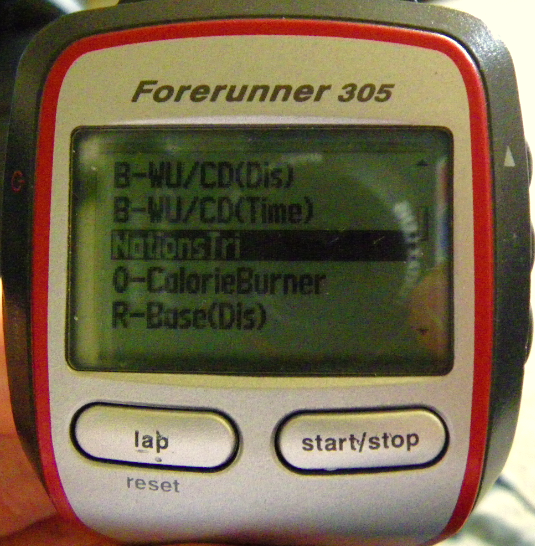
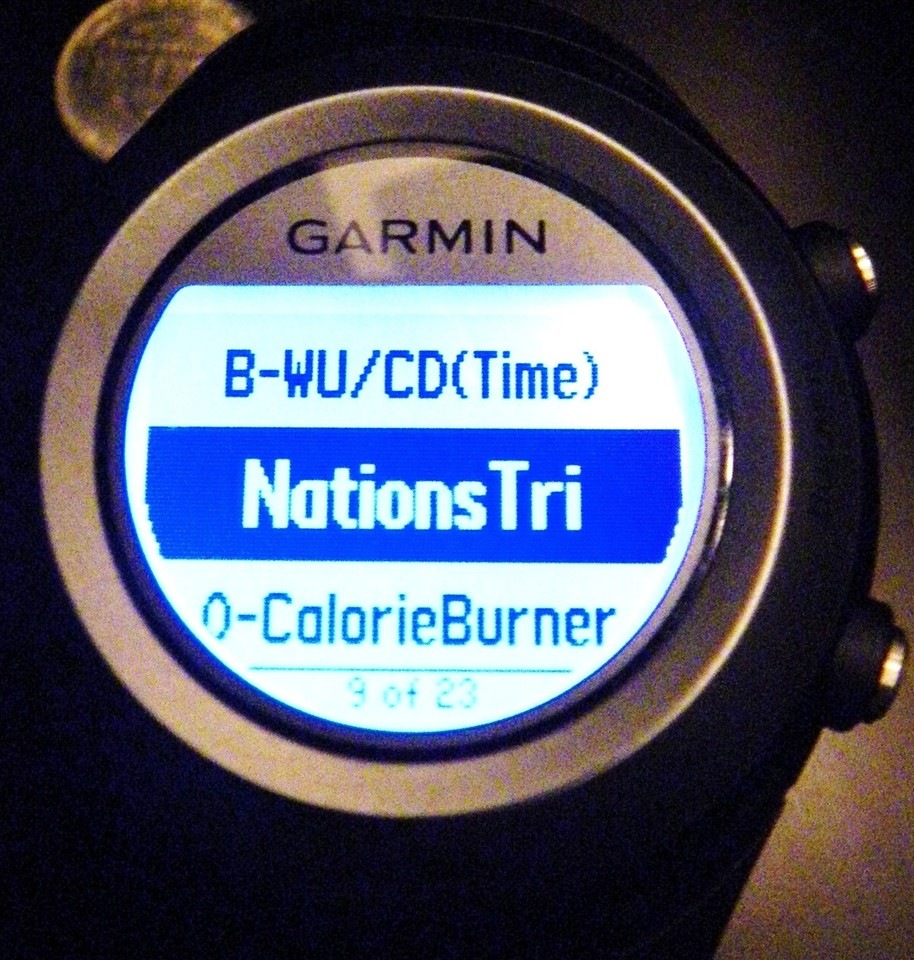
First of all, thanks for all your articles. I’ve appreciated reading them. Just purchased a FR 405 and trying to determine if I’m going to keep it or upgrade to something else. So far it’s meeting my simple running needs. One thing I’ve notice about workouts is that it appears that I can only download one workout to my 405 from GC. It that correct? Does the 610 or other FRs allow you to hold more than 1 custom workout within the unit?
Thanks for such an informative blog! I have a new FR410 and seem to have the same issue as James. I can only send one custom workout at a time to my device. I assume Garmin has limited this ability/functionality for some reason?
Hello DC Rainmaker,
Thank you so much for the great reviews you’ve given us. I have a question about creating a workout on Garmin Training Center: When I add a new step with repetition (++), i.e,Repeat step until I go a certain distance(3mi)–>Go for 4:00 RUN, Go for 1:00 WALK, it displays to my Garmin FR410>Menu>Training>Workouts>Advanced>3mi-RUN>Preview Steps
1. 4:00 RUN
2. 1:00 WALK
3. Repeat 1 to 2 x2
What I want to do is to RUN 4min and WALK 1min continuously until I go a certain distance which is 3miles. But in my FR410, the steps above are the only things that happen. Do you have any solutions for these? Thank you very much.
Sincerely,
Michael
I see that a couple others have ask the same thing I was wondering about but didn’t see any answer. I have created several custom workouts on connect garmin and sent to my FR410 but it will only show the last one that I sent, I thought there was a way to save several. I have searched the Forum and the user manuals but haven’t had any luck.
As for the question above about the FR410 custom workouts only showing one workout, I emailed Garmin and here is the reply I received:
“Thank you for contacting Garmin International. I am happy to support this product.
When a workout is sent to the ForeRunner 410, any previously transferred workout will be replaced. This is normal function of the device.
I am sorry for the inconvenience this may cause.
Please feel free to contact us for further support if needed “
Hi,
I am having the same issue as Michael. If I create a workout in GTC with a two-step repeat with “Repeat until I go a certain distance” (10.15km), what gets downloaded to my FR405CX is
1. 4:00 No Target
2. 1:00 No Target
3. Repeat 1 to 2 x2
I went ahead and tried it and sure enough the workout was complete after just 2 reps.
Has anyone else seen this?
I have the same issues on the advanced workouts as Byron and the man before him has. I just don’t seem to make it work properly.After the first interval it says run until you press the lapkey or sth and I just can’t make it work. Any input from the rainmaker would be welcome. Also found out by trial and error that my 410 only stores one custom workout and discrds the others.
Bottom line:should have gone for the 110 and save myself 100euros
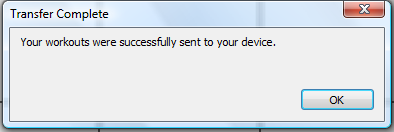
I am having dramas transferring info from Garmin Connect to my Forerunner 310XT device. No problems transferring from the 310XT to Garmin Connect, but when I create a workout in Garmin Connect and send it, it tells me it has been sent successfully but I can’t find it in “Workouts” on the 310XT.
I am using a Mac with Safari and haven’t had any other issues with it using the Garmin software.
Any suggestions out there please?????
Having the same issues as Louise. Got my new 610, and workout transfer is very iffy at the moment; it took me a few tries to get data to/from the Forerunner, and new workouts won’t show up. Also, the watch keeps sending/receiving data, but I’m not sure what it is, as no new workouts have been created on both Garmin Connect and the watch.
Does this work with the Garmin Forerunner 110?
No, the FR110 doesn’t support ‘workouts’. Sorry!
Does 210 support this?
No, it does not.
Regarding the single workout on Garmin FR410, I found this in some other site (sorry, don’t remember which one):
1) Without closing Ant Agent, remove your ant usb device;
2) Send workout to device;
3) Your workout is stored, ready to be uploaded to the watch, in %APPDATA%\Garmin\Devices\3851502625\Workouts (of course, the ID will be different – this one is mine)
4) Remove that recently created file to somewhere else;
5) Repeat from step 2) with another workout until you have all the desired workouts;
6) Place all the files in folder %APPDATA%\Garmin\Devices\3851502625\Workouts
7) Insert USB Ant device and let nature do its job.
For those of you having trouble with multiple workouts, I have the 410 and I’m able to send multiple workouts by scheduling them in the calendar and then clicking the ‘send workouts to device’.
Does anyone know on here if when I set up an advanced workout (like a race plan) whether the virtual partner will run that race plan or does the VP simply run the one pace at which I set him (i.e 7:15 mile). I’d like to have a race plan with different paces during different parts of the race and have the VP also run those same different splits. Does that happen?
Anyone knows if FR210 supports this?
I have a 310XT. I created a workout, and I have clicked on Send to Device. It just sits there saying “preparing…” with a status bar that doesn’t move. I let it go for over 20 minutes to see if it is just taking time, and still it doesn’t do anything. It will not send it to my device. I have everything connected as it should be. Any help would be great.
Thanks!
for many years I ran (without any questions/problems/syncing issues) a FR 405. A few, in fact—until they stopped grabbing satellite data and I finally bought a FR220; if there were a class to teach me how to use it I actually might take it, that’s how pathetic I am at ‘working’ what used to seem intuitive. This entry, since garminconnect is now longer applicable—correct? Is the function still available? For a Mac? SOS, (for example, how do I reload a previous years course/data for Philadelphia Marathon? Thank you! (I love that Garmin sends you the gal colors—which were too ‘girly’ for me). Have fun in Philly!
You can actually still do this, though, it’s far easier/cleaner to do so on Garmin Connect via the web site.
Ray – Isn’t there a blog post you did on how to do this using Garmin Connect? I could’ve sworn I read that one time but I haven’t been able to find it by searching.
hi,
I have a FR410. Had it for 2 years now. I used to program it using the tiny screen of the watch itself, and i did good doing so. But at one point, i decided to program it through the garmin website. And it seems that all the program i set up on the web site can’t be transferred on the watch.
Have you heard about glitches or bugs occurring in thoses instances?
Thanx!
Benoit
There’s no issues there, just try grabbing the Garmin Express software instead.
hi! I have the same issue with my FR410. First the changes to Garmin Connect did not allow sending multiple workouts to the watch and now it is not possible to edit or create workouts as the widget cannot be accessed (“Sorry there was an error rendering the widget”) :/
I have no info from Garmin (first time I contacted them was more than a month ago…) but I was wondering about alternatives to program advanced workouts. Do you have any recommendation?
Thanks in advance for your help!
There was a change with the transfer of workouts option for 405/405cx/410 devices awhile back. Basically it would still let you transfer workouts (using Garmin Connect, and the ANT+ transfer – NOT Garmin Express), but it would only allow one workout to transfer, and it would overwrite all other workouts on the watch.
This was no big deal, as I would just follow the process, do the workout and then upload another the next time I needed to use it.
But it sounds like from Benoit and Diana’s comments above that that process might’ve changed again? This would be very disconcerting to me personally as I still use my 405 for workouts because it is soooooooo MUCH better at it than my Fenix is.
Is the Garmin Training Connect still available?
I am a new user of Garmin and do not have the legacy software, only Garmin Connect. Thanks
Hey Ray!
I am a big fan – love the reviews and the site.
This is a bit old, and for some reason the new GarminConnect website doesnt seem to have retained one essential function in my view: sending your Training Plan to your device… I have looked everywhere, and there are no buttons or links or anything – neither on the site, nor in the desktop app…
Are you thinking of doing a “everything you want (or need) to know about…” of the new GarminConnect?
Cheers,
Sudan
Hey DC, maybe this the wrong place to ask this question but I will ask it anyway – what should I go for Garmin edge 25 or the Garmin edge 200. Both look equally capable and good. What’s your choice?
I would definitely go with the Edge 25 these days.
part