



I test a lot of devices. Most of them, are frankly, kinda forgettable. Not that there’s anything wrong with them, they’re great. But they aren’t game-changers in my workflow or sports life. Instead, they are typically an iteration of an existing item I have. One watch for a newer watch. A new trainer for an older trainer. Or a slightly tweaked action cam replacing an older one.
So when I first heard about the Oakley/Meta Vanguards, frankly, I figured it was going to be yet another smart glasses product that would end up in the bin of blah. I’ve tried countless ones over the years, from Recon Snow (2012+), Recon Jet (2013+), Google Glass (2014), Recon Jet (2013+), Garmin Varia Vision (2016), to the SOLOS glasses (2018), Everysight Raptor (2018), FORM Swim Goggles (2019+), and many more I never got around to writing about. And that ignores products like the Apple Vision Pro (2024), and making that work in sports too.
When it came to the Oakley Meta Vanguard glasses, I was wrong.
These are astoundingly good. They will absolutely replace a GoPro in a lot of cycling and even running action cam scenarios. But it’s more interesting to understand *why* and *how* they will do that. And beyond that, all the things that annoy me about them. Because, being (sorta) a 1st gen product, there are still some quirks.
So, let’s dig into it.
In the Box:
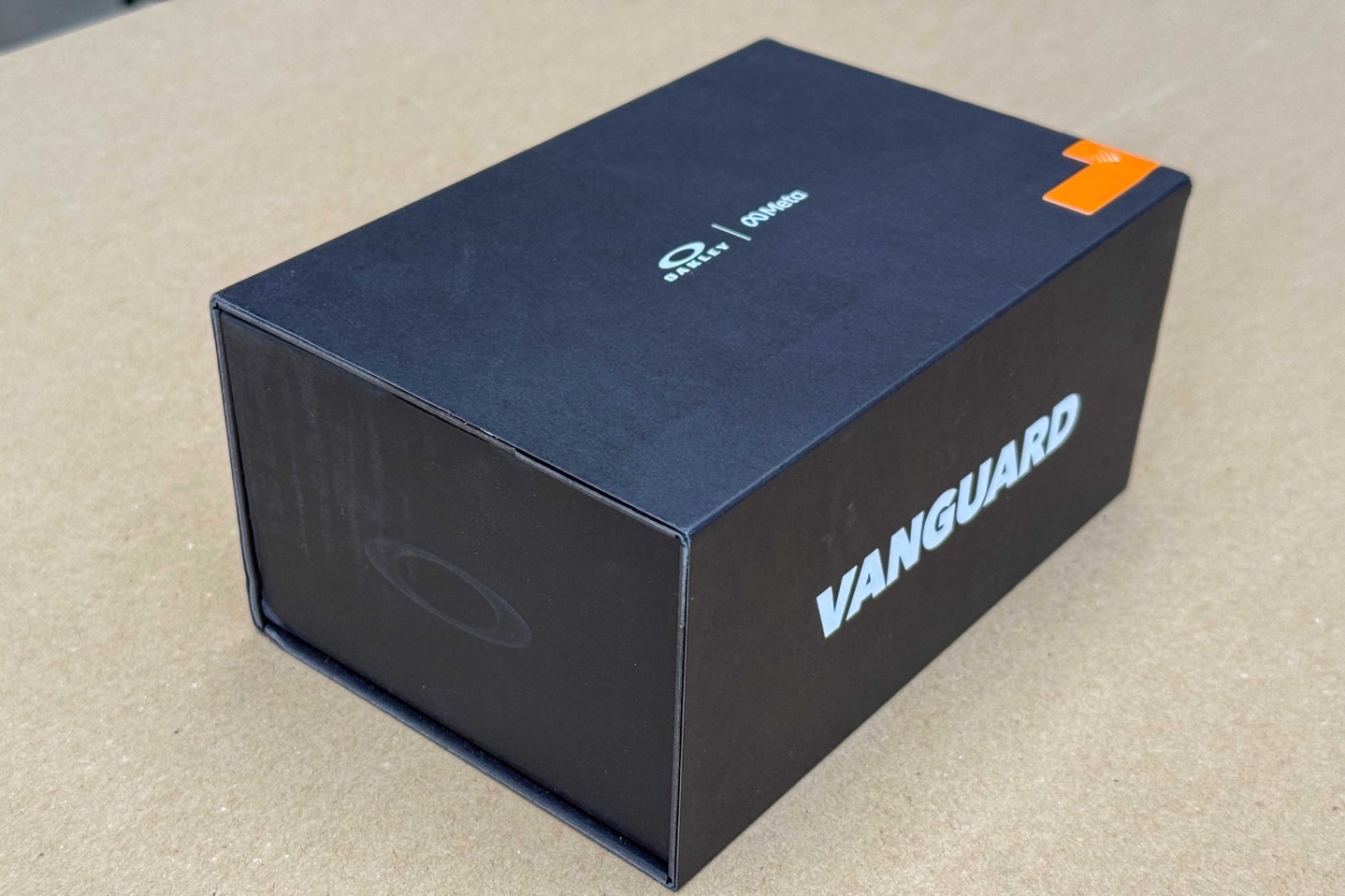
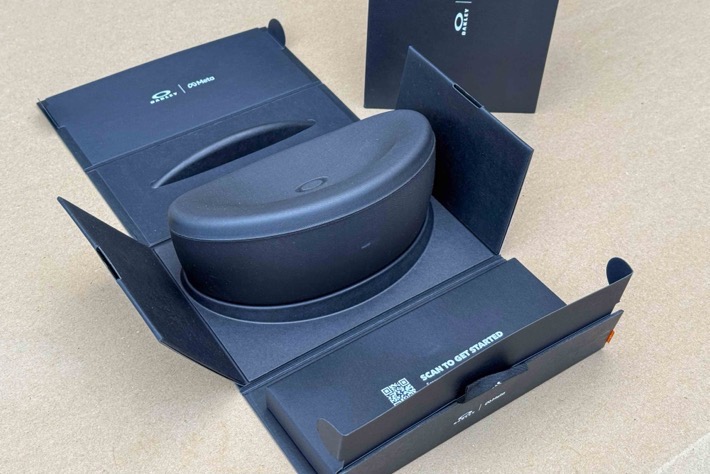
Inside the box, things are pretty straightforward. You’ve got packaging that wraps around the sunglass case, and inside the case are the Oakley Vanguards. Below it is a polishing cloth, as well as two extra nose bridges.
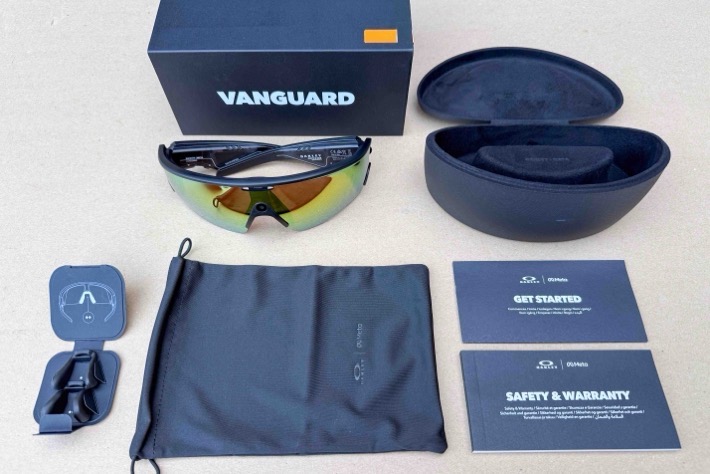
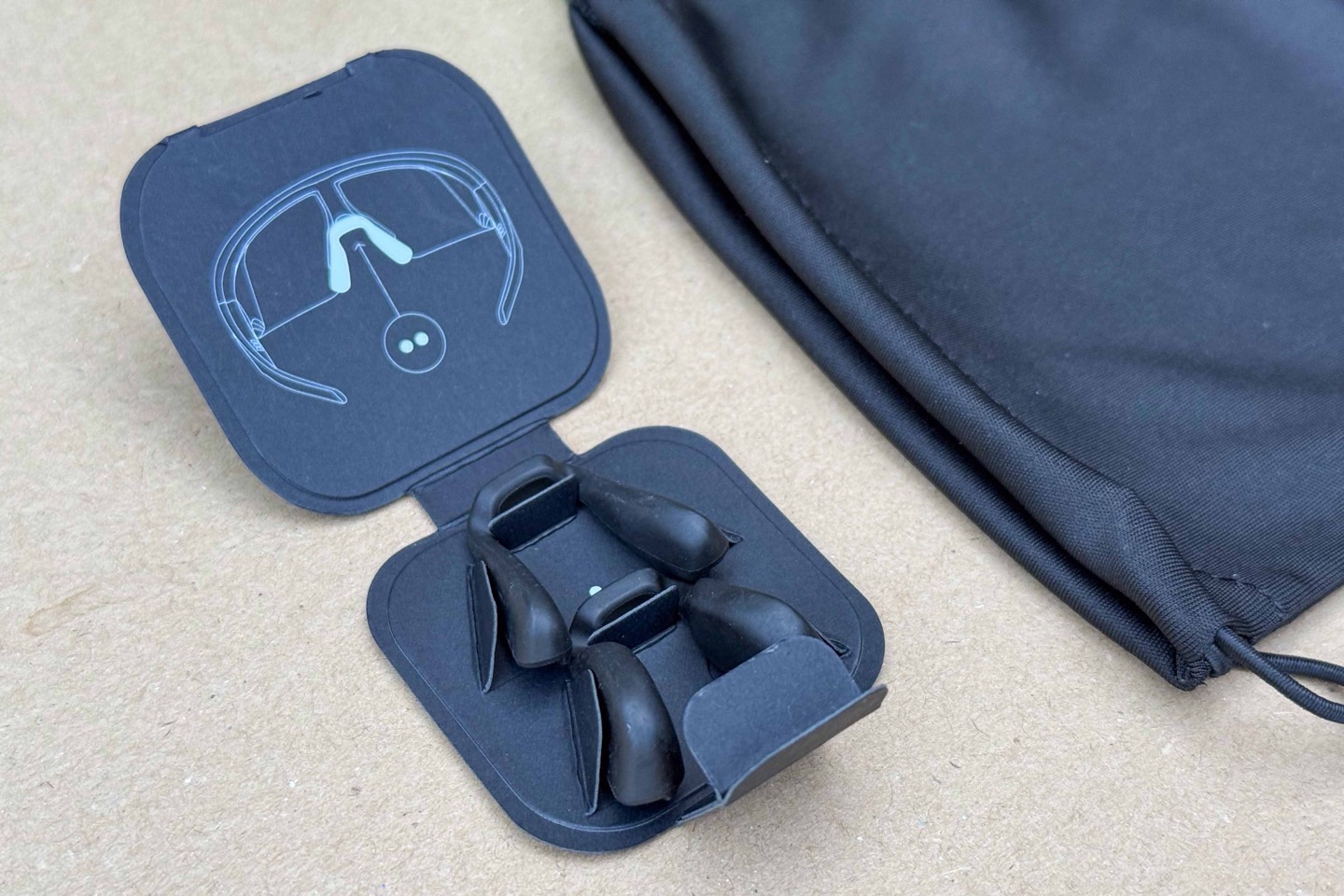
The extra nose bridges are for both higher and lower nose bridges, to improve fit.
The case itself acts as both a protective case as well as a charging dock. You cannot charge the glasses without the case, there’s no USB-C port on the glasses themselves.
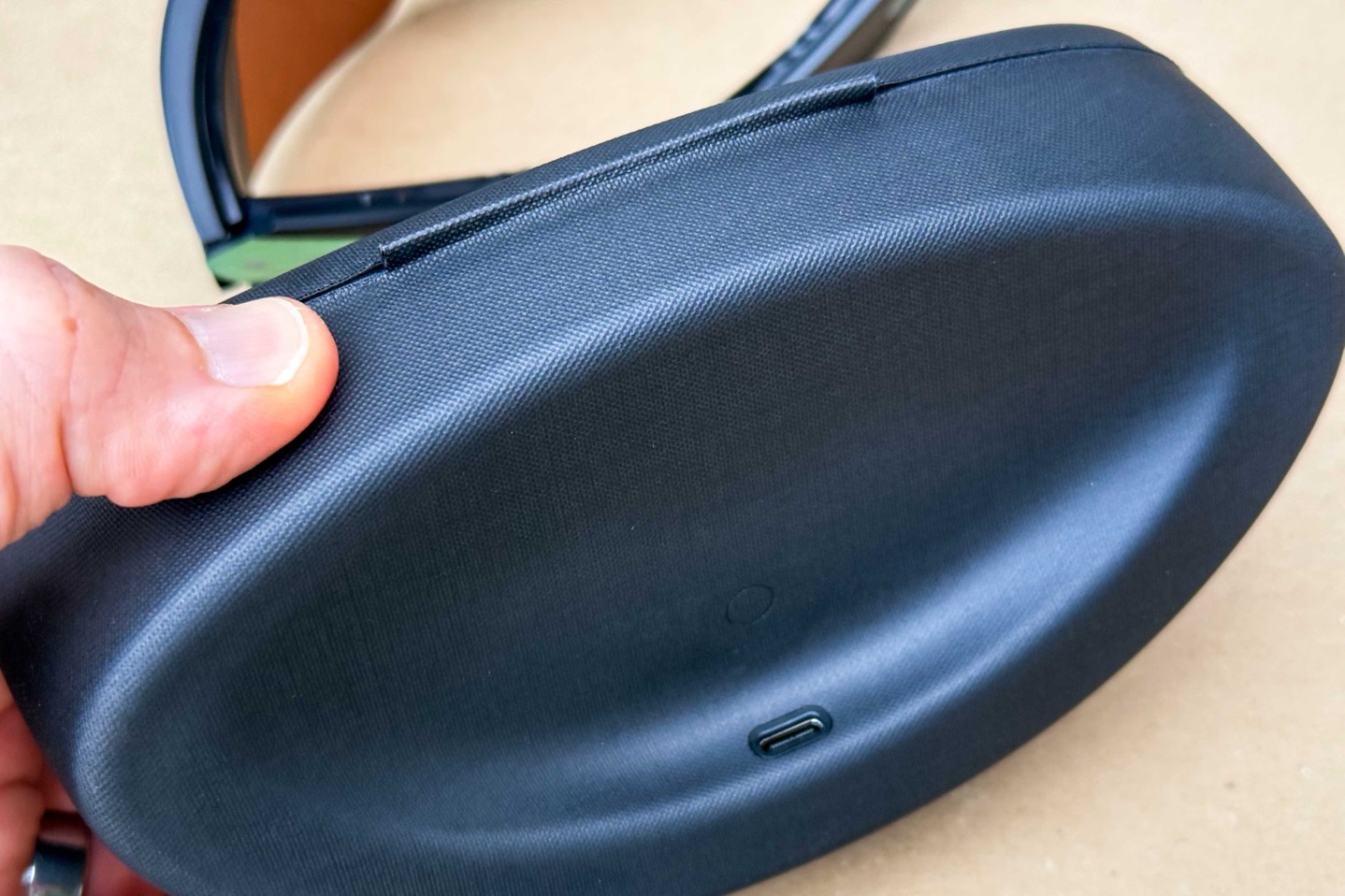
Instead, you’ll find the USB-C port on the underside of the case. Further, the case also acts as a battery bank for the glasses, getting it extra charge on the go.
The Hardware:
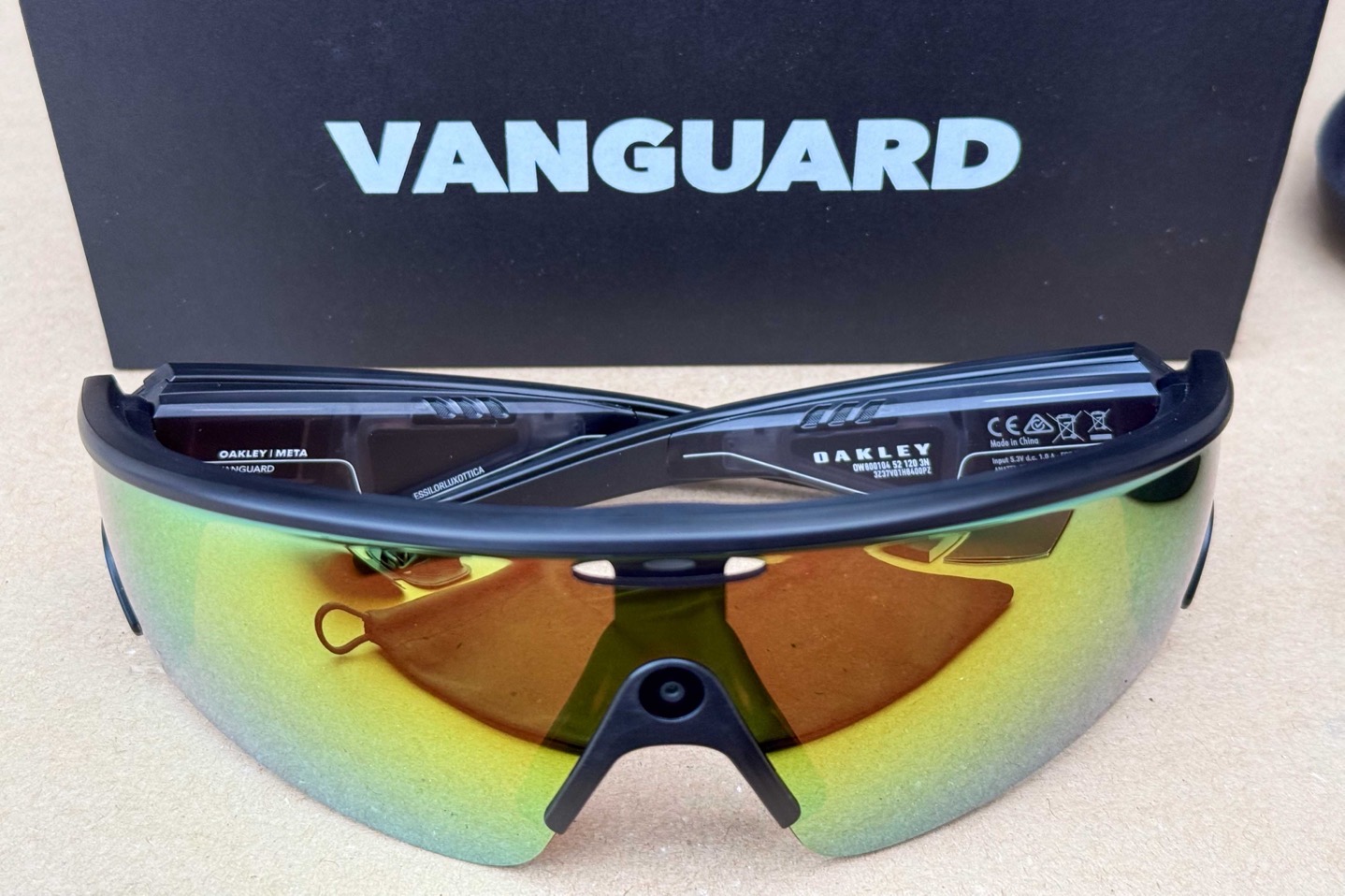
The first thing to understand about the Vanguards is that there is no display inside the glasses. This is a common misconception, given the long history of other smart glasses having displays. But as you’ll see in this review, I’d argue this is a feature, not a gap.
In fact, it’s why I like them so much. They are, in effect, just sunglasses with a camera, speaker, and mic. That’s kinda it. But in the best possible way (well, mostly the best possible way). The weight is 66g, so a bit heavier than traditional sunglasses, but not so much that you really notice it. The charging case is a bit heavier/bulkier, at 258g.
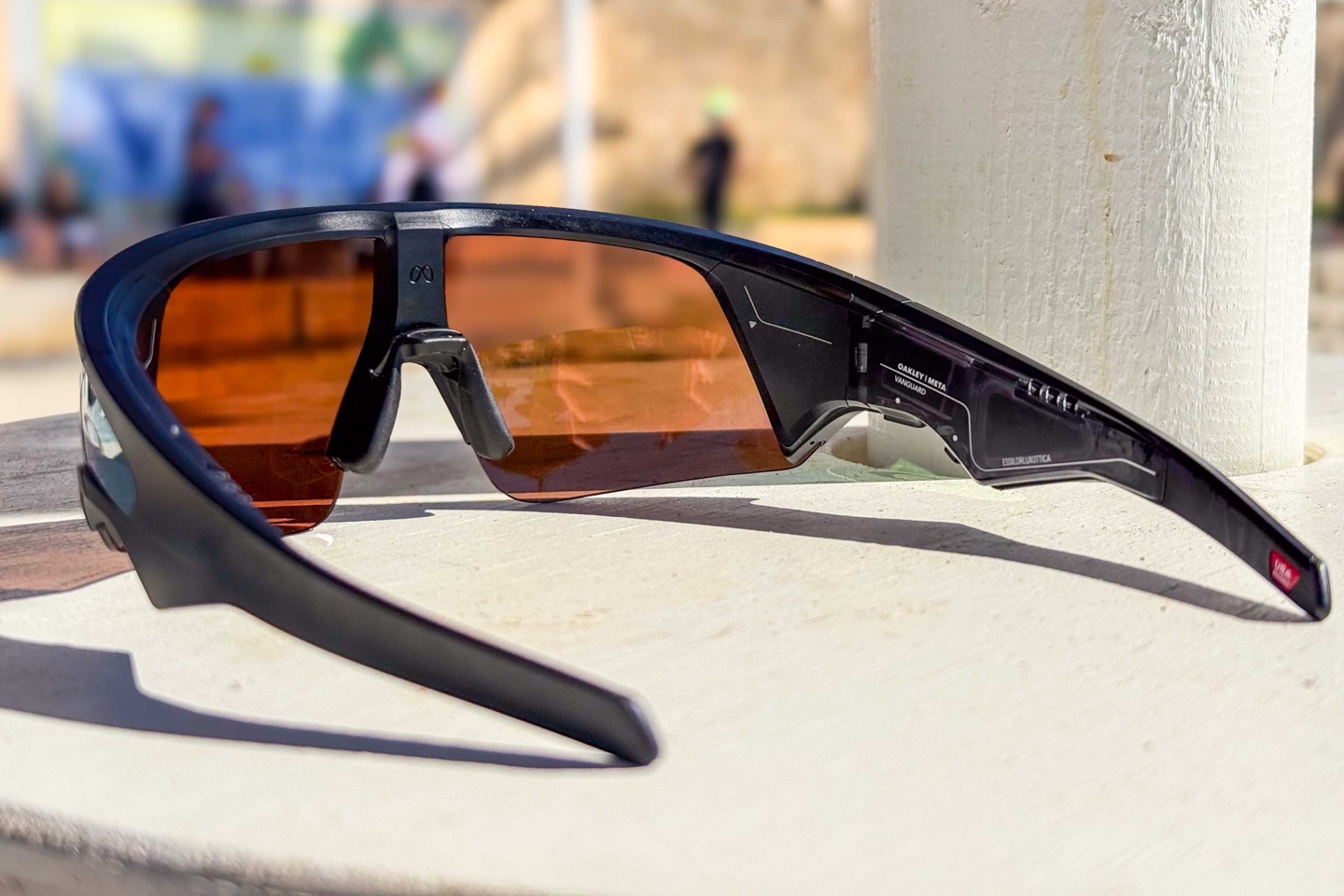
So, looking at things from the right side first, there’s basically three controls here. The first two are the best ones, two physical buttons on the underside. The bigger button is for taking photos, or long-pressing to take a video.
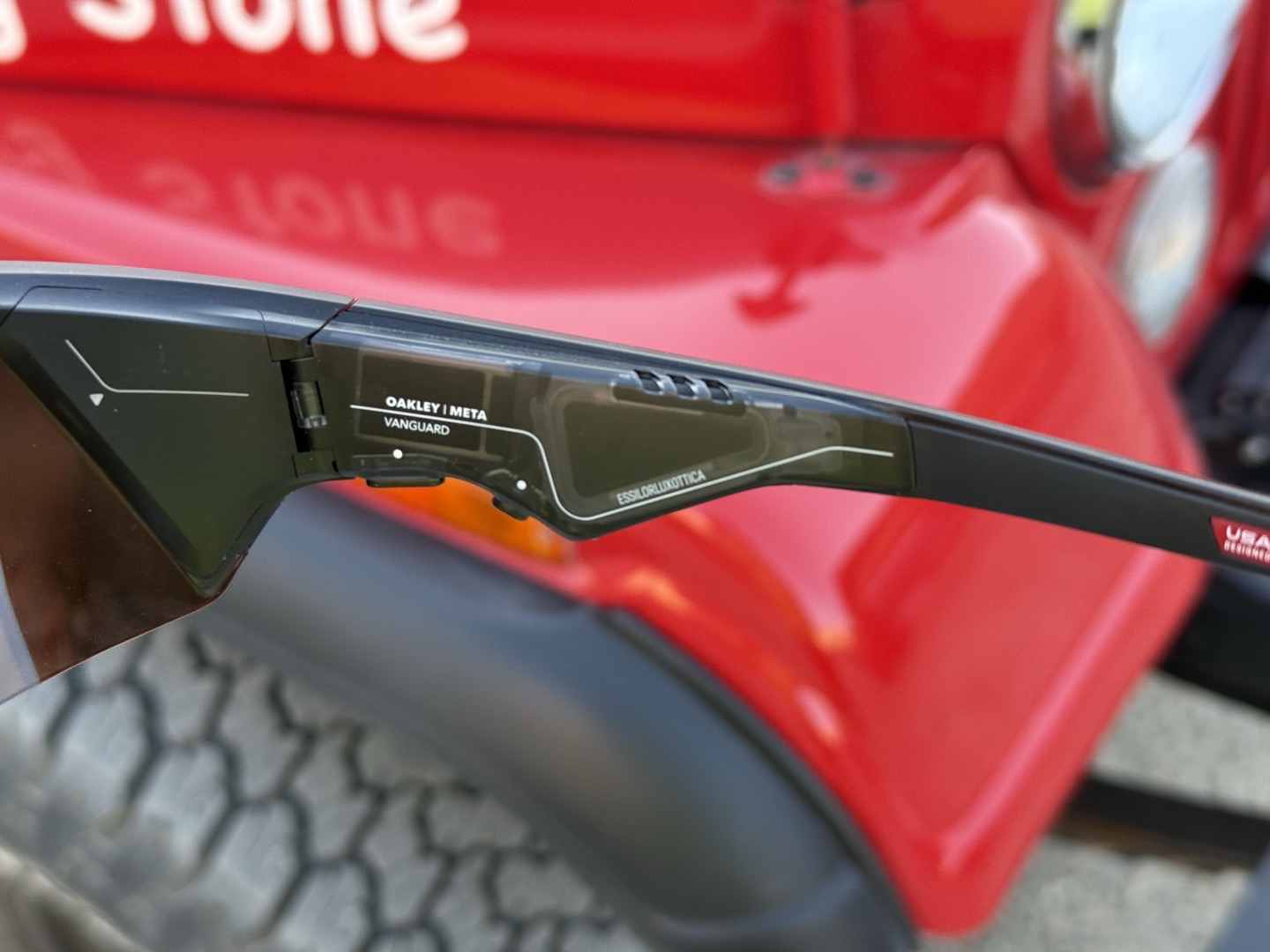
Then, on the side of the glasses there’s a touchpad of sorts. You can tap it once to start playing music, and then swipe forward/back to increase/decrease volume.
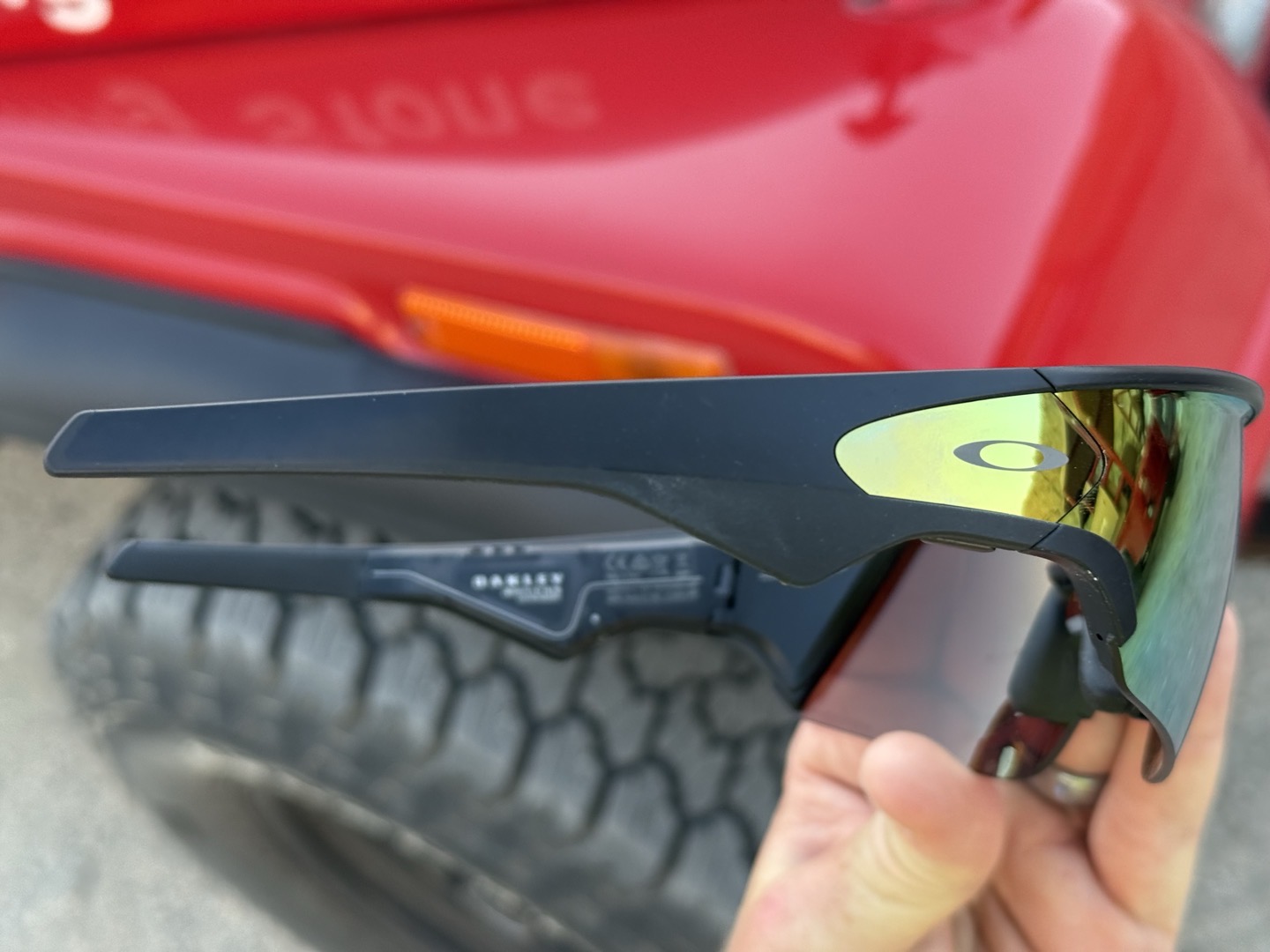
You’ll accidentally start playing music countless times when you put on or take off the glasses. Which is made even more fun because there’s about a 1-2 second delay in most cases, so you tap it again thinking it didn’t register, only to have it start playing again (delayed). Rinse, repeat.
Next, there are speakers on both sides. The speakers are quite loud. I’ve had zero issues hearing music playing while descending at upwards of 60KPH (40MPH). The speakers are not jawbone induction speakers though, so others around you can hear the music, depending on how loud you have it. Meaning, you wouldn’t play the music while sitting on an airplane.
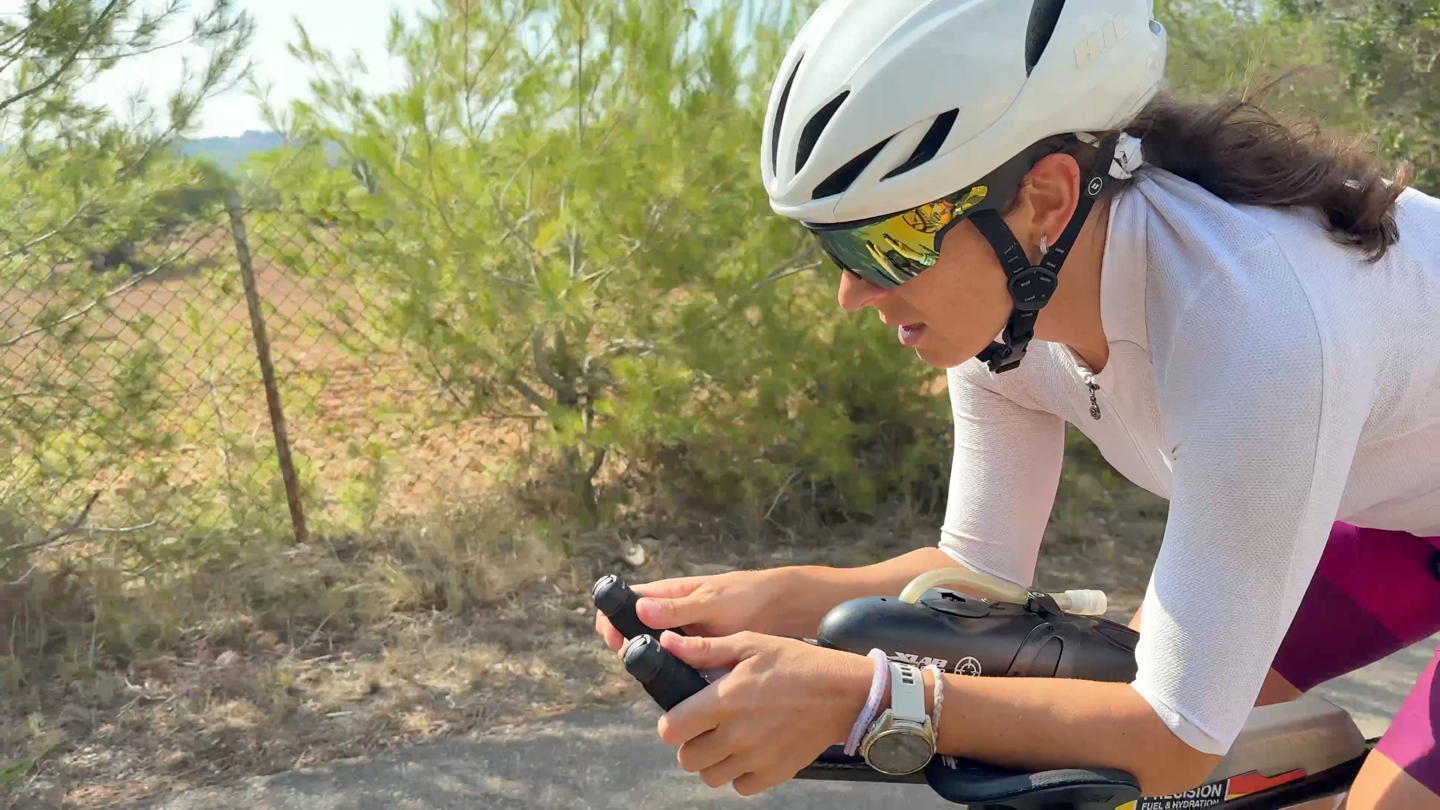
While it’s great that the speakers are loud and aren’t actually in your ears, the downside is that they essentially block out all other audio. I simply could not hear any overtaking cars when music was playing. Perhaps I was rocking out a bit too loud, but even in lesser volume settings, the music totally overpowered any other outside sounds (including my wife at times).
Next is the mic. Simply put, the microphone (well, five microphones to be precise) is designed to capture your requests, mostly starting with “Hey Meta”, followed by whatever you’re asking for. But it can also be used for taking phone calls, both from the native phone app, as well as Meta’s calling apps (Messenger, Instagram, and WhatsApp).
Meta says the microphone is rated to handle requests at up to 30MPH/50KPH, though I find it starts to struggle pretty heavily after about 20-22MPH (~30KPH). Again, for ‘Hey Meta’ requests specifically. However, the actual voice audio quality itself at those speeds was fine, as I show in some of my examples.
Next up is the camera. This is placed front and center, and depending on lighting, kinda disappears into the glasses. The light is on in the image below:

Above it is the status LED, which lets others know you’re filming. This will blink once when a photo is taken, and then it will blink slowly when a video is actively being recorded. However, a ‘clever’ hardware tweak they made here is the air gaps on either side of it, which basically show your face (rather than the frame/lens). The effect here is that the status light isn’t so prominent to others, and instead somewhat fades a bit. Certainly, someone will notice the light, but it doesn’t scream “HELLLOOOOO!!!!!!”.
From a camera specs standpoint, you have a 12 MP ultra-wide 122° FOV camera, which can record up to 3K (3024 x 4032 pixels) at 30FPS, or 1080p at 60FPS, or 720p at 120FPS.
When it comes to the lenses (and styles), there are currently four lenses (which are replaceable for $80), as seen below:
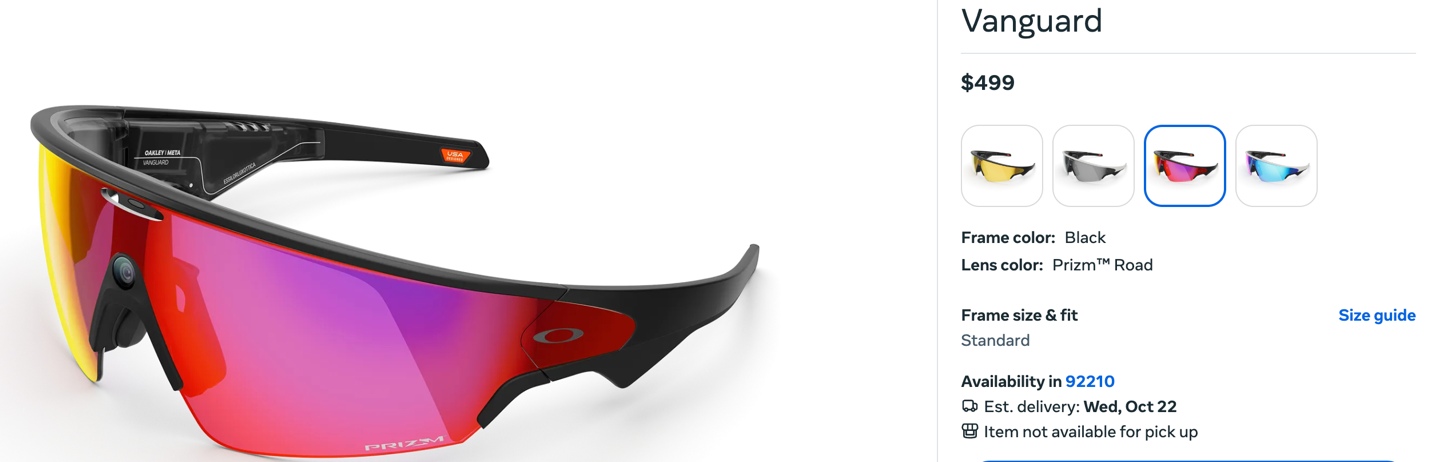
Meta says there’s a low-light option coming soon, but there aren’t any prescription options at this time, which will definitely be a bummer for those who need prescription lenses.
Finally, there’s the case. As noted earlier, it’s where you stick your glasses to charge, and it’s the only place you can put them to charge.
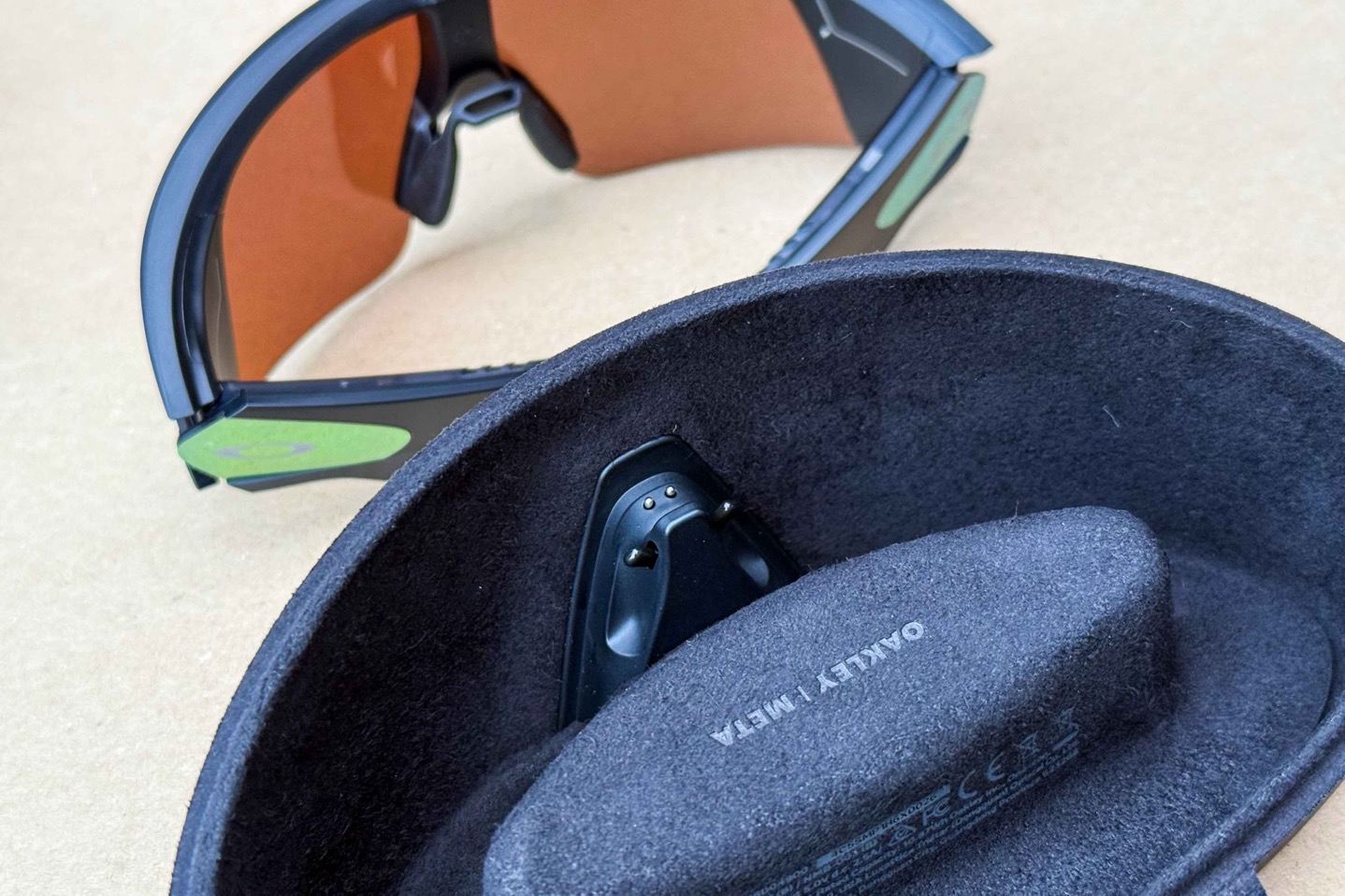
It’s also designed to automatically start uploading your photos/videos once they’re placed into the case, to the cloud via WiFi. So the rough idea is kinda similar to the GoPro cloud, in that you plug your device in, and it goes off and syncs all your content to the cloud, which you can then view in the Meta app on your phone.
That obviously means that your content is in Meta’s cloud platform (the owner of Facebook/Instagram/WhatsApp/etc…). There isn’t any way around this, you cannot simply plug the glasses into your computer and download the footage (partially because a bunch of the stabilization happens within the app, akin to what GoPro does on their smaller GoPro Hero 4k/4K Lit cameras).
Basic Usage:
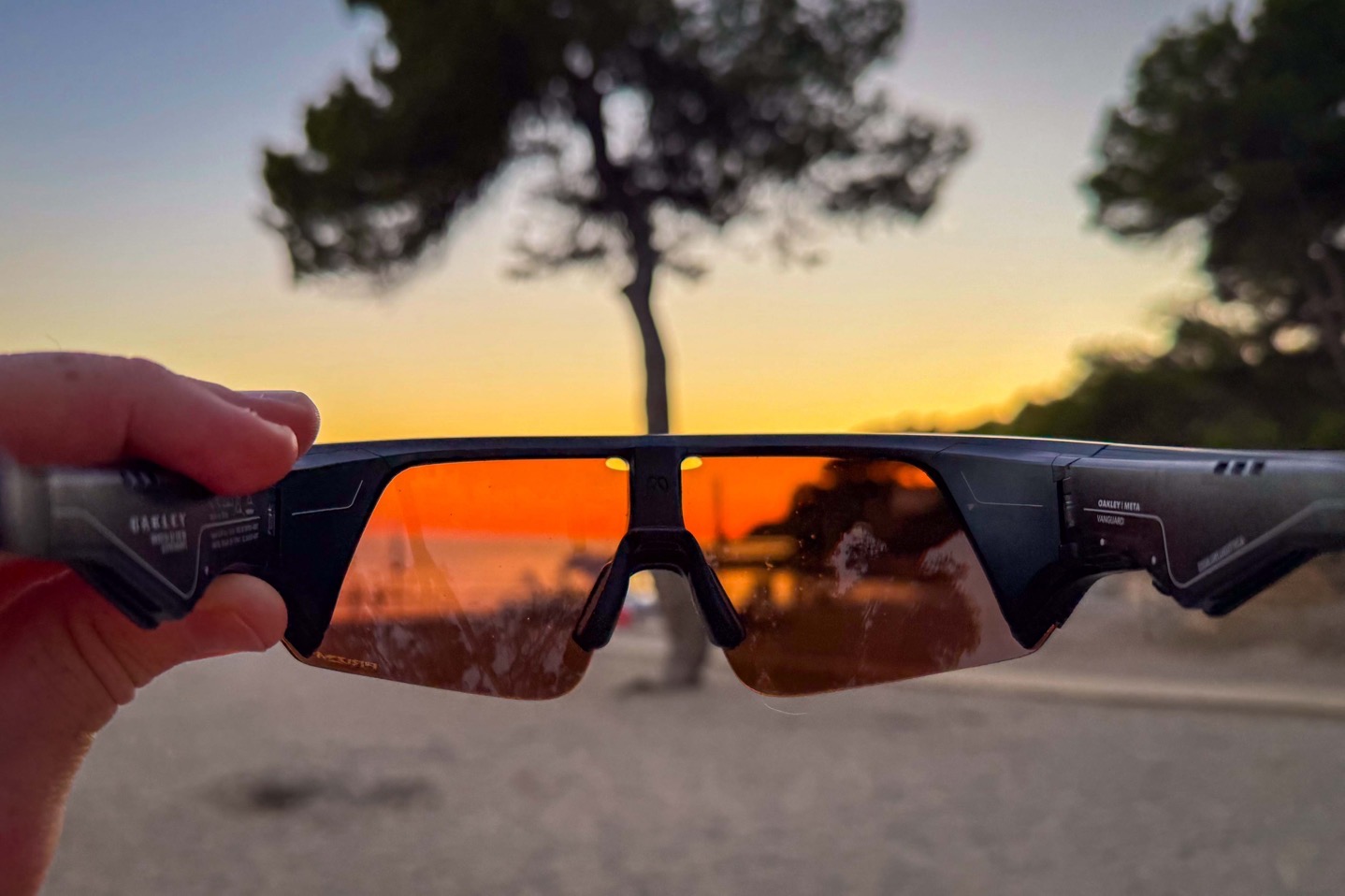
In this section I’m going to go over a number of the basics of the glasses and app, without trying to duplicate other sections around Garmin/Strava integration, as well as the hardware.
So, starting with the app bits, there’s the Meta AI app, which is an app you’ll need to install on your smartphone to get the glasses setup/configured, as well as manage them. This is where you change settings, as well as view your gallery of photos/videos, and enable partner integrations.
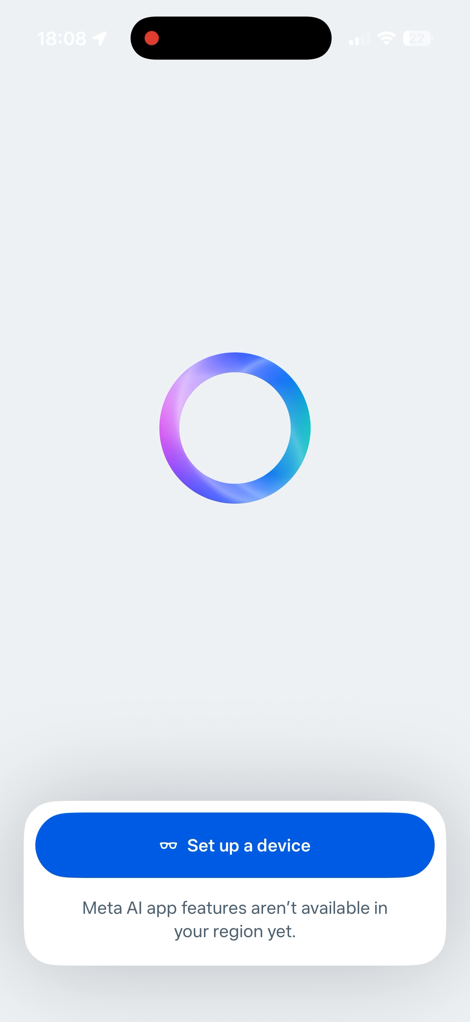
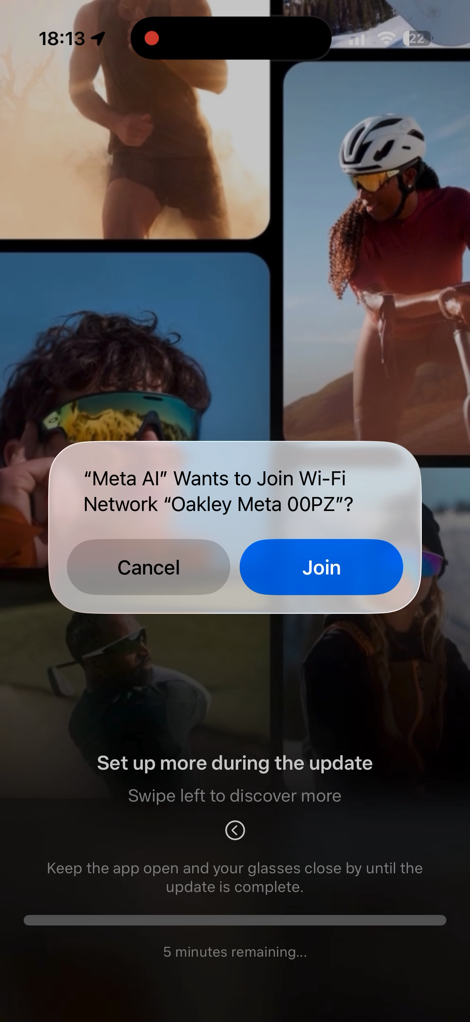

Probably the most important thing you’ll do in the app initially (aside from updating the firmware) is to configure the WiFi of your home/etc network. This is key because when you put the glasses in the case, it’l automatically start both charging, but upload all your content to the cloud, so you can access it via the app quickly.
If you don’t do that, you can still manually connect from the app to your glasses directly via WiFi (similar to a GoPro), but, that can be a bit clunky, and means you have to keep the app open in the foreground. And I’ve found that direct connection isn’t super fast for whatever reason. Note that the device has 32GB of storage within it.
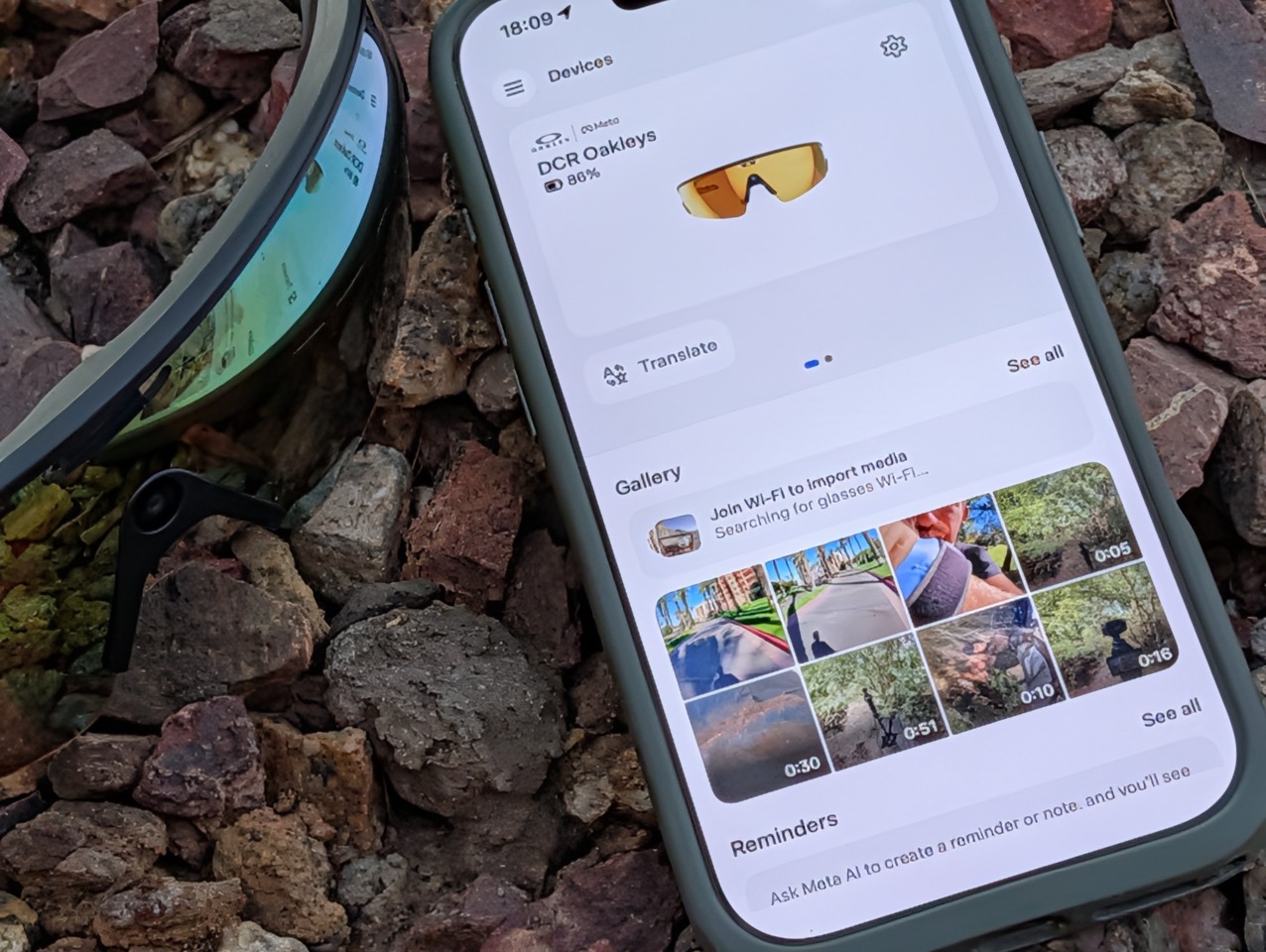
In any event, starting off on the audio side, the two key pieces here are listening to music from various providers, as well as using Meta’s AI assistant (which can answer various questions, like most other AI chatbots). Additionally, there’s the ability to do live translations, more on that in a second.
For music, you can connect the glasses to Amazon Music, Apple Music, Audible, Shazam, and Spotify. In my case, I linked it up to Spotify, and it worked super well. I just said “Hey Meta”, and then asked for whatever album/artist/etc that I wanted. It almost never got it wrong.
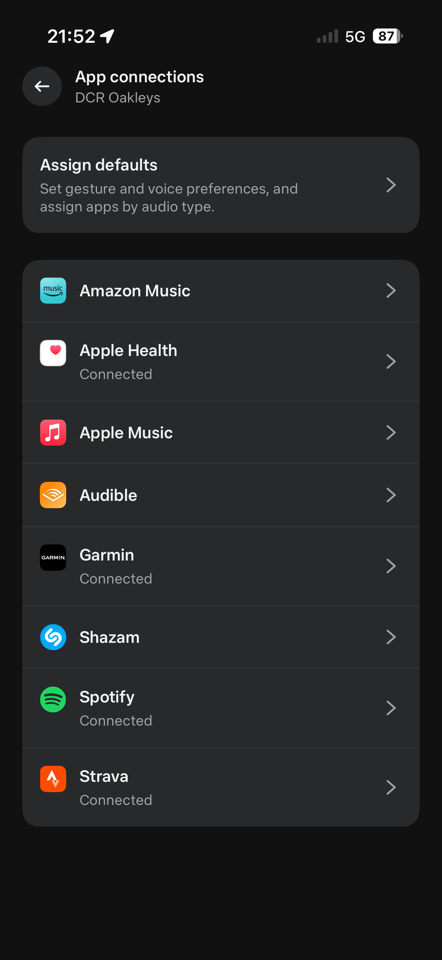
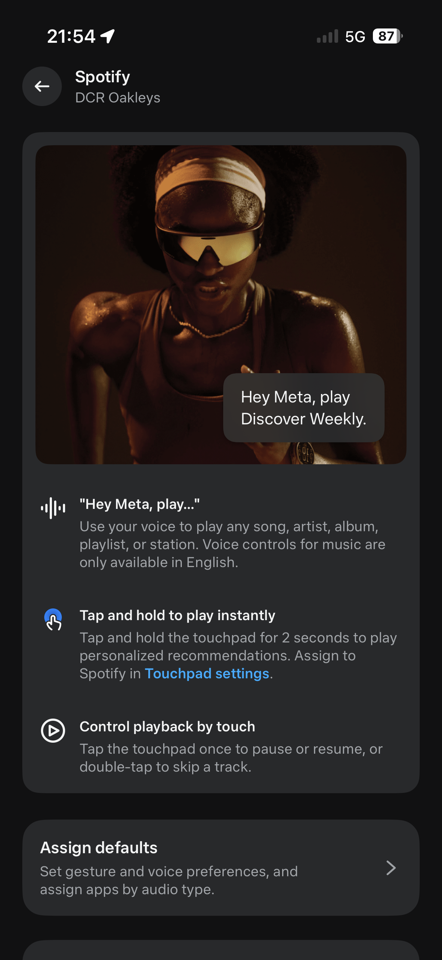
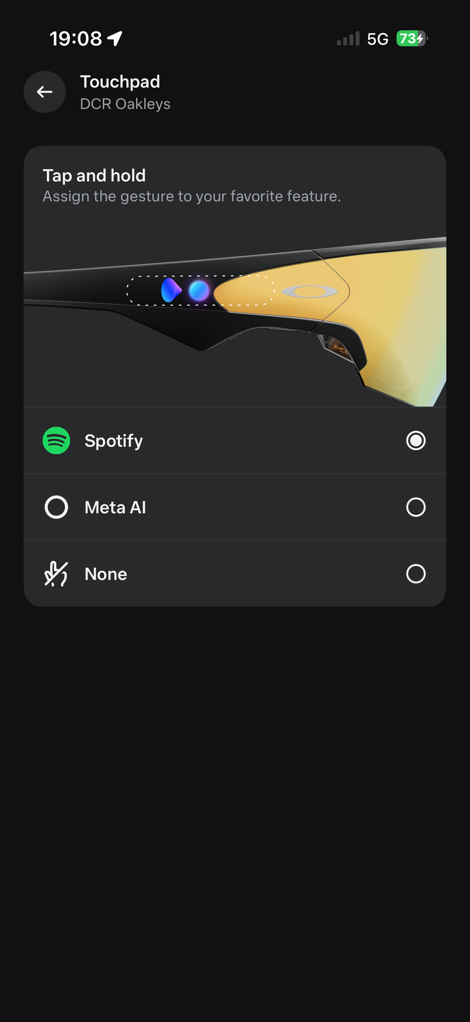
It would generally take about 3-5 seconds before it started playing, but then it just played as expected. You can increase/decrease volume by swiping forward/back on the side Touch Bar.
Next, there’s Live Translations. This was super cool, because it’s pretty much transparent to those around you (versus wearing headphones, which gives the impression you’re not paying attention). The other night I was at an awards ceremony/event, and given I live in Spain, a lot of it was in Spanish. I was able to simply turn on live translation and listen to the translation in English. It was slightly delayed, but generally pretty good. My Spanish friends were very impressed with it, especially watching the app also translate in real-time:
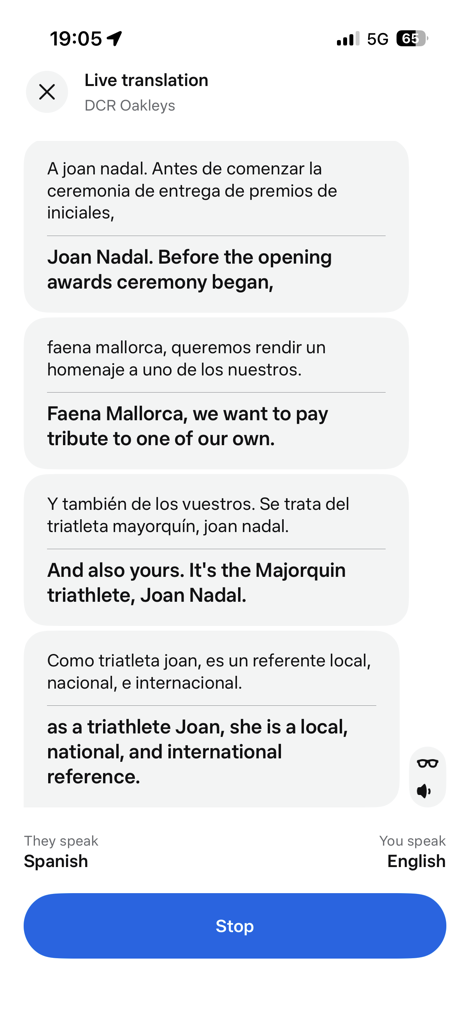
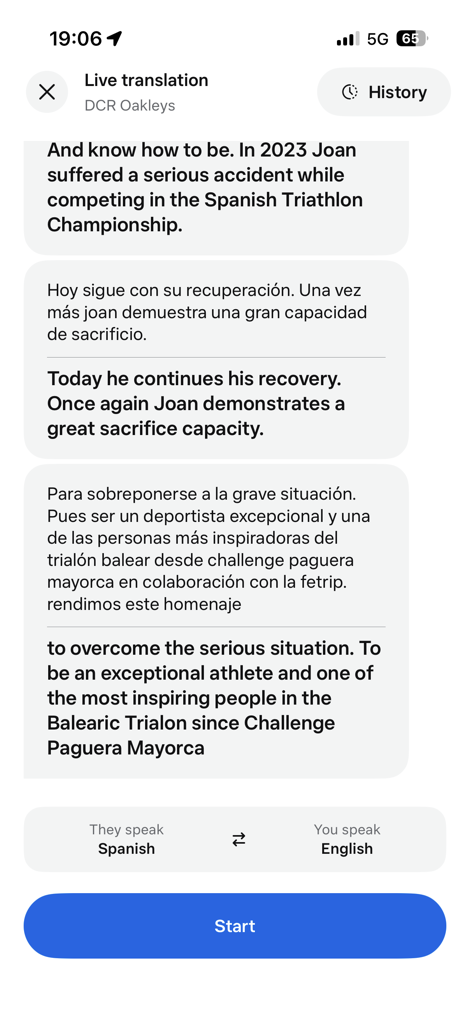
Given that the speaker would repeat some of the phrases back in English, I could double-check some of the translations as well. The only downside, though, is that I needed to have the phone/app open; once I closed the screen, the translations stopped. :(
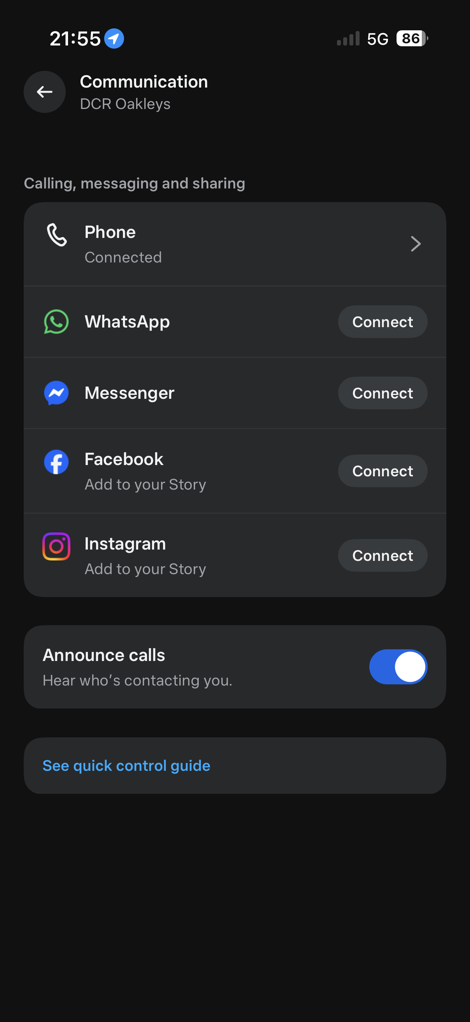
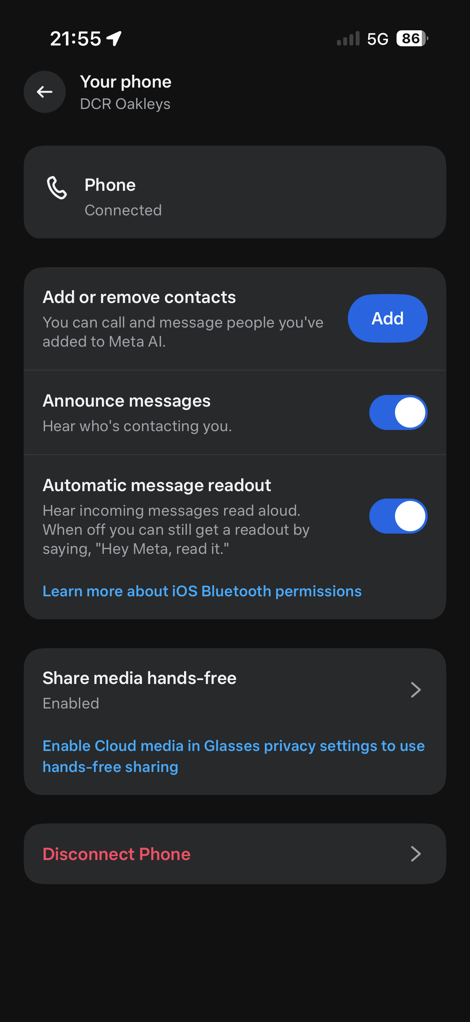
Lastly, on audio bits, you can take phone calls from the glasses in the same way you would with any other headphones. This is true of both the phone’s native calling capabilities, as well as Meta apps, including WhatsApp, Facebook Messenger, and Instagram. Audio quality was pretty good for both sides of the equation, audio quality for me to listen to, and the other person receiving the audio call listening to me. No issues there.
Next, there’s taking photos and videos, which is probably the key part of the Vanguards. To take a photo, you can simply say “Hey Meta, take a photo”, and about 1-3 seconds later, it’ll do so. Same goes for video, “Hey Meta, start capturing”.
Alternatively, you can just tap the bigger of the two buttons on the right side. Pressing it once takes a photo, and then long-pressing it starts video recording. By default, it’ll record 1080p/30FPS video for 60 seconds. However, you can change this to 3K video, up to 5 minutes. The setting allows you to choose 1/3/5 minutes. You can always stop the video at any time, too. There are also stabilization options for the 1080p option.
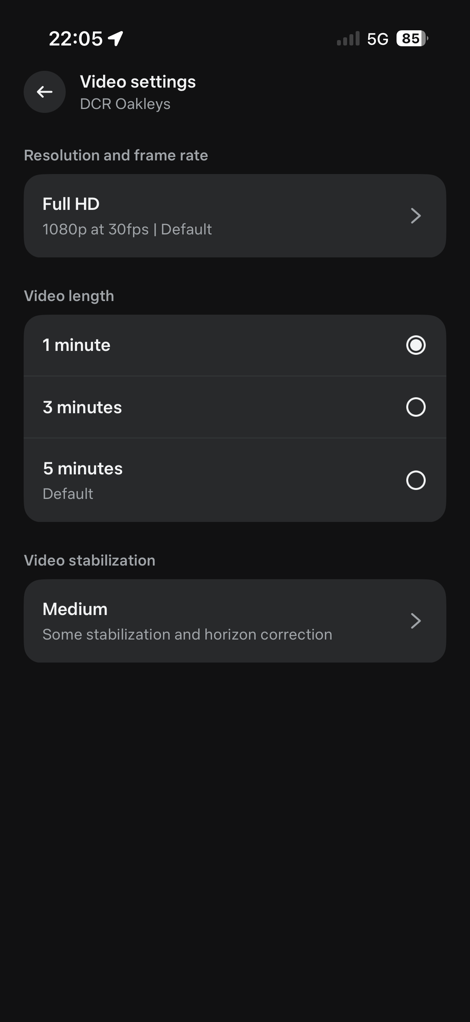
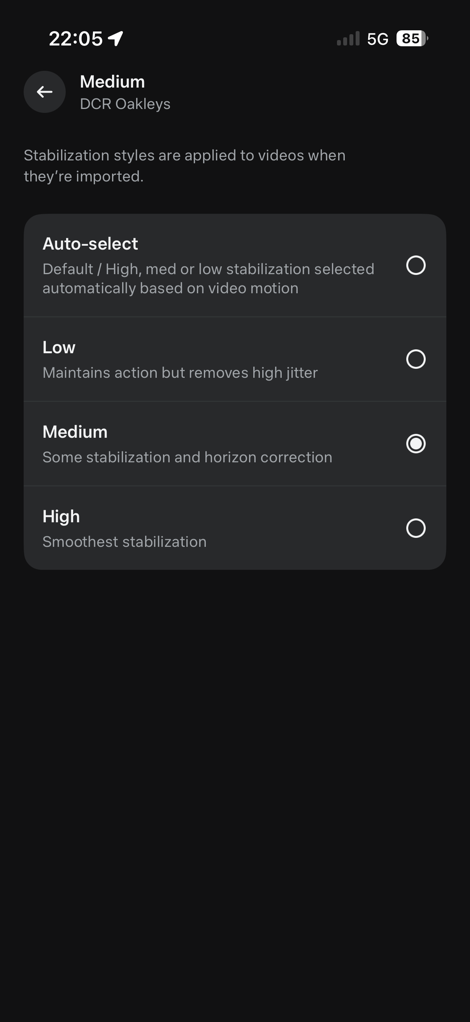
I kept it on the 3-minute setting, after I found the 1-minute setting came a bit too fast. Sometimes I’ll remember to stop it before it reaches 3 minutes; otherwise, it just stops automatically. It’ll make a little be-boop sound when it starts (and stops), and both are unique/different, so you can figure out which one it just did.
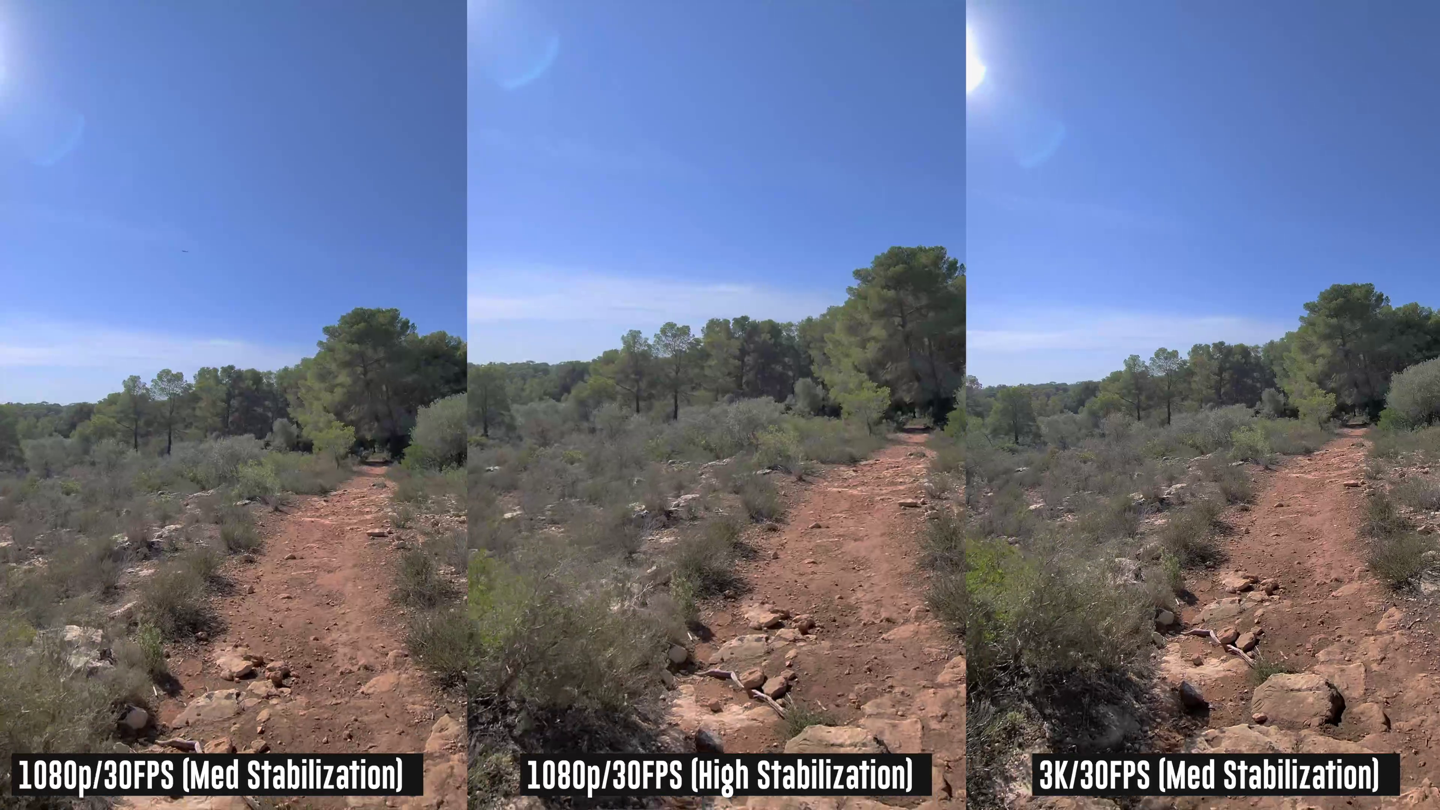
As for those stabilization options, frankly, I saw almost no differences. In my video up above, you can see a scenario where I ran through three different stabilization settings on a trail run, and saw virtually no difference. And the options only seem available at 1080p, not 3K. And since I saw no difference between 1080p stabilization options, or 1080p vs 3K stabilization, I just kept it at 3K across the board.
In my main video, you can also see pretty rough/chunky gravel at 50KPH, as well as various other MTB-like terrain, without any issues. It’s super impressive. Granted, they are doing most of the stabilization in post-processing. But frankly, I don’t really care, since it has to be offloaded to the app anyway, and they just do it behind the scenes.
That said, I did have a single cycling video (road cycling of all things), where their algorithms went all wonky, and then applied some sort of 10x zoom to the video, rendering it useless (though, a very solid view of the pavement for 3 minutes). But out of the piles and piles of video clips I have, that’s the only one it’s done it on.
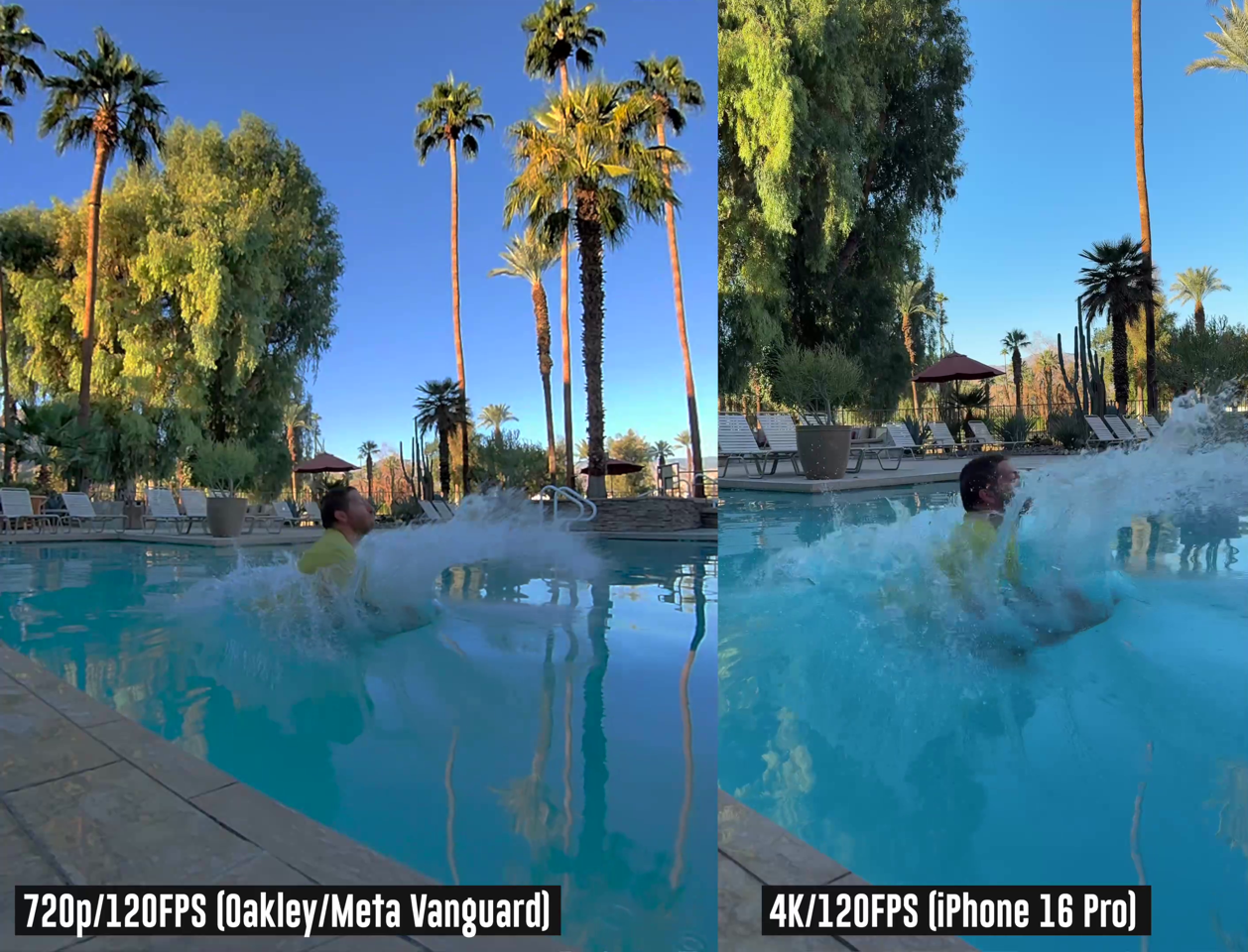
Finally, on video, there’s also the ability to do a HyperLapse (where it stitches a bunch of photos together for a moving Timelapse of sorts), as well as 120FPS (frames per second) slow-motion at…umm…720p. Which is OK, and probably looks fine in the example below (full video in the main video above), but it is still pretty low resolution compared to most action cams on the market.
For the Hyperlapse, I tried a few both cycling and driving. The cycling one was OK, though you can’t adjust the speed. Likewise, on the driving one, it seemed a bit tilty at times, not quite as good as I’d expect. And then atop that, it just wasn’t anywhere as smooth as we’ve come to expect from GoPro and others. I’d say the HyperLapse is the mode that needs the most work, out of everything on the glasses. After all, the trademark element of Hyperlapse is incredible smoothness, and this feels more like late-night drunk-but-still-happy uncle camera work. But hey [Meta], can’t win them all.
Lastly, to briefly touch on battery life. Meta claims 9 hours of battery, with the case holding an additional 36 hours of battery charge (sorta like a battery bank). It notes that you can charge from 0 to 50% in 20 minutes, which is true, and cool. As for the 9-hour battery claim, though, that seems pretty darn optimistic in my testing. Officially, here’s the claim:
“Battery life varies by use, configuration, settings and many other factors. All battery life claims are approximate and were measured using pre-production hardware based on a mixed-use scenario, which included 30 Meta AI interactions, 13 photo captures and transfers, 5 video captures (90 seconds each) and transfers, 10 minute hyperlapse, 30 minute autocatpure session, 17 messages, 30 notifications, 120 minutes of audio playback, and 5 minutes of voice calling.”
In my testing, admittedly, I would often take a bunch of photos and videos, and do so on the 3K setting with 3-minutes as the default. In doing so, I’d make it about 90 minutes through a ride or run, sometimes with music, but usually not, before the battery died. Also, with auto capture enabled. I don’t see how on earth you could possibly get the above tested specs. That said, in other activities where I toned down the quantity of videos and the resolution/duration of them, I was getting battery life that meant I could likely do a 4-5hr ride with them. Again, you really have a lot of variability into which features you use, and how that impacts battery life.
With that, let’s dive into the real goodness, sports bits!
Garmin Integration:

For Garmin device users, I’d argue that the Garmin integration basically makes the Oakley glasses complete. In fact, more critically, I’d argue that it’s the fact that Meta/Oakley didn’t try and re-invent the wheel here, and just let Garmin do the heavy data-connectivity lifting.
This might sound counterintuitive at first, but having tested so many devices in the past, it’s the display that ultimately ends up annoying you. From limited field of view, to distractions, to fit issues, and more. Here, the real-time data either comes from the speaker if you ask for it, or you just look at your watch/bike computer like you always did.
This is a *critical* thing to understand, if we harken all the way back to the Recon Jet from ages ago: They failed because people still needed to wear a GPS watch or GPS bike computer for all their data needs. Adding to that, they failed because battery and component tech of yesteryear meant the size ballooned to be really heavy. By killing off a display, GPS, and other bits, the glasses just feel like…well…sunglasses.
In any case, let’s not get distracted. As for the Garmin integration. It has basically three purposes:
1) Let’s you get real-time stats during a workout from the speaker on your pace, heart rate, etc…
2) Overlay data (e.g., speed/distance/etc…) from your device onto the videos, post-workout
3) See videos from your workout in a grouped collection from the Meta AI app on your smartphone
First up is getting it set up. This is sorta a two-parter. First, is linking the Meta AI app to your Garmin Connect account. If you’ve previously linked your Garmin account to other platforms, then you’ll find it familiar. It’s a few quick steps, and you’re good to go.
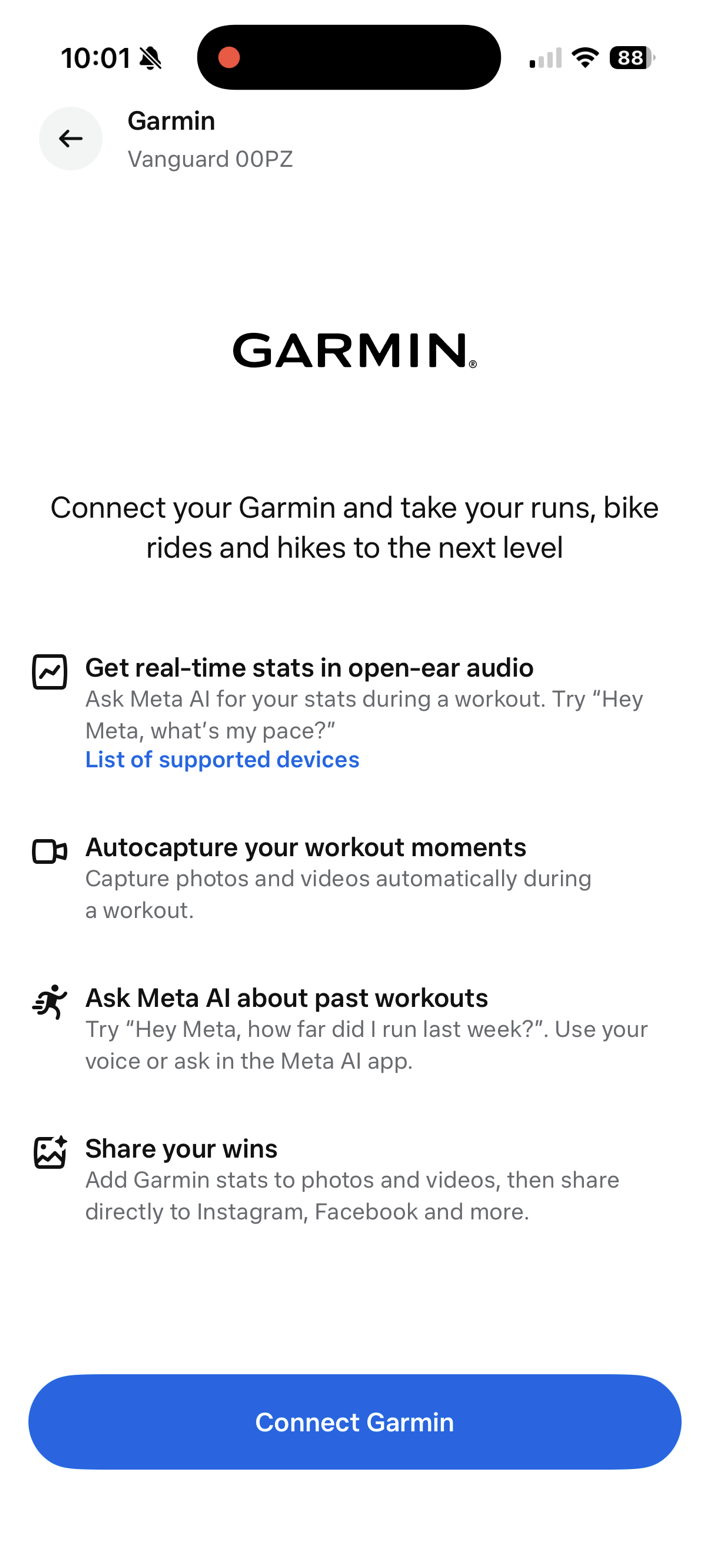
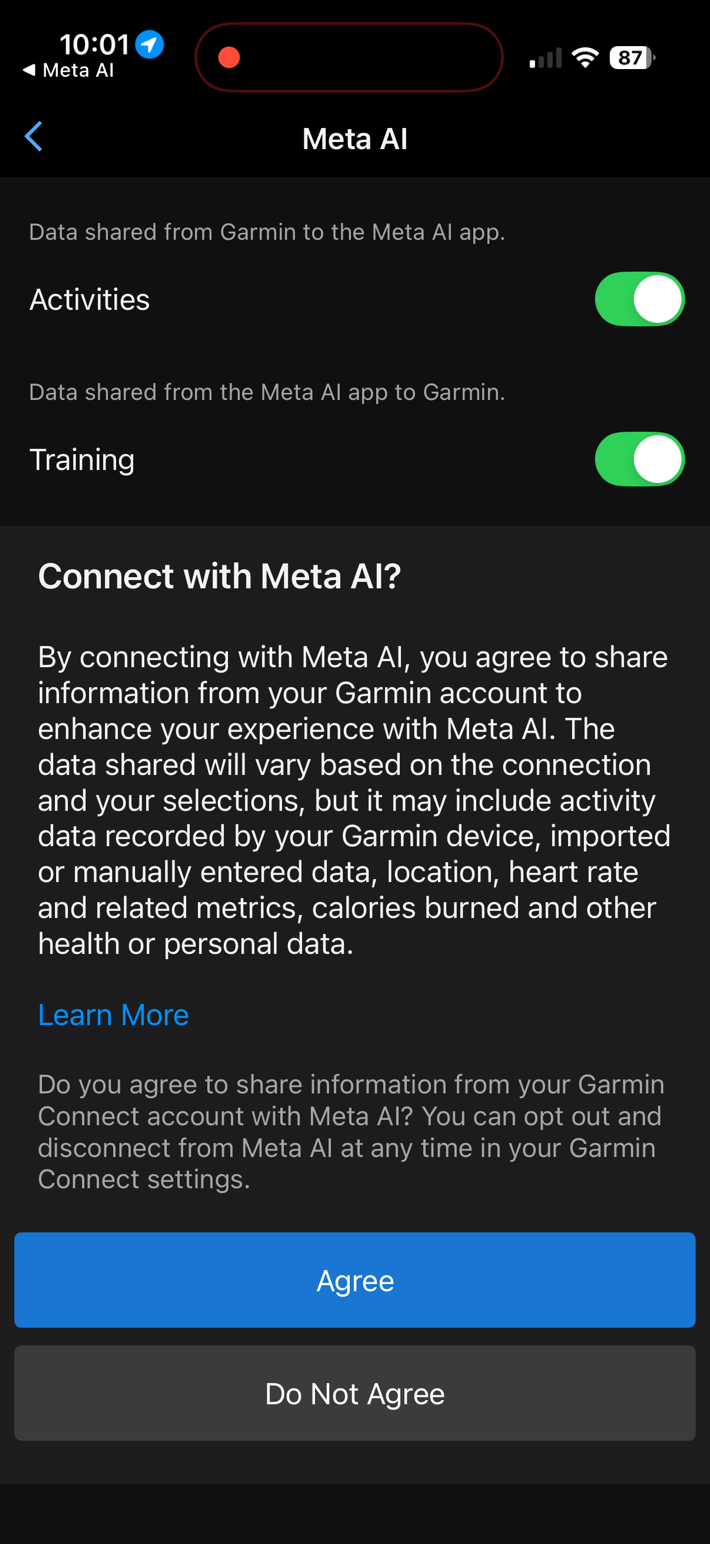
Next, you’ll need to install the Meta Connect IQ app on your Garmin device (watch/bike computer). This is the piece that holds the whole thing together. Basically, the Meta app on the watch is talking to your phone, which in turn talks to the glasses. The glasses aren’t directly talking to the watch, because the phone still needs to be involved anyway for Meta to process the voices/AI bits (remember, the glasses are basically just headphones/speaker/mic with a camera).
Meta & Garmin have the app available on a number of watches/devices. You can see the current/full list here. I assume it’ll change/expand over time, like it usually does. Roughly speaking, it’s most watches/bike computers announced in the last 4 years (since ~Jan 2022). You’ll select to agree to install it on your device, and it’ll go off and install it.
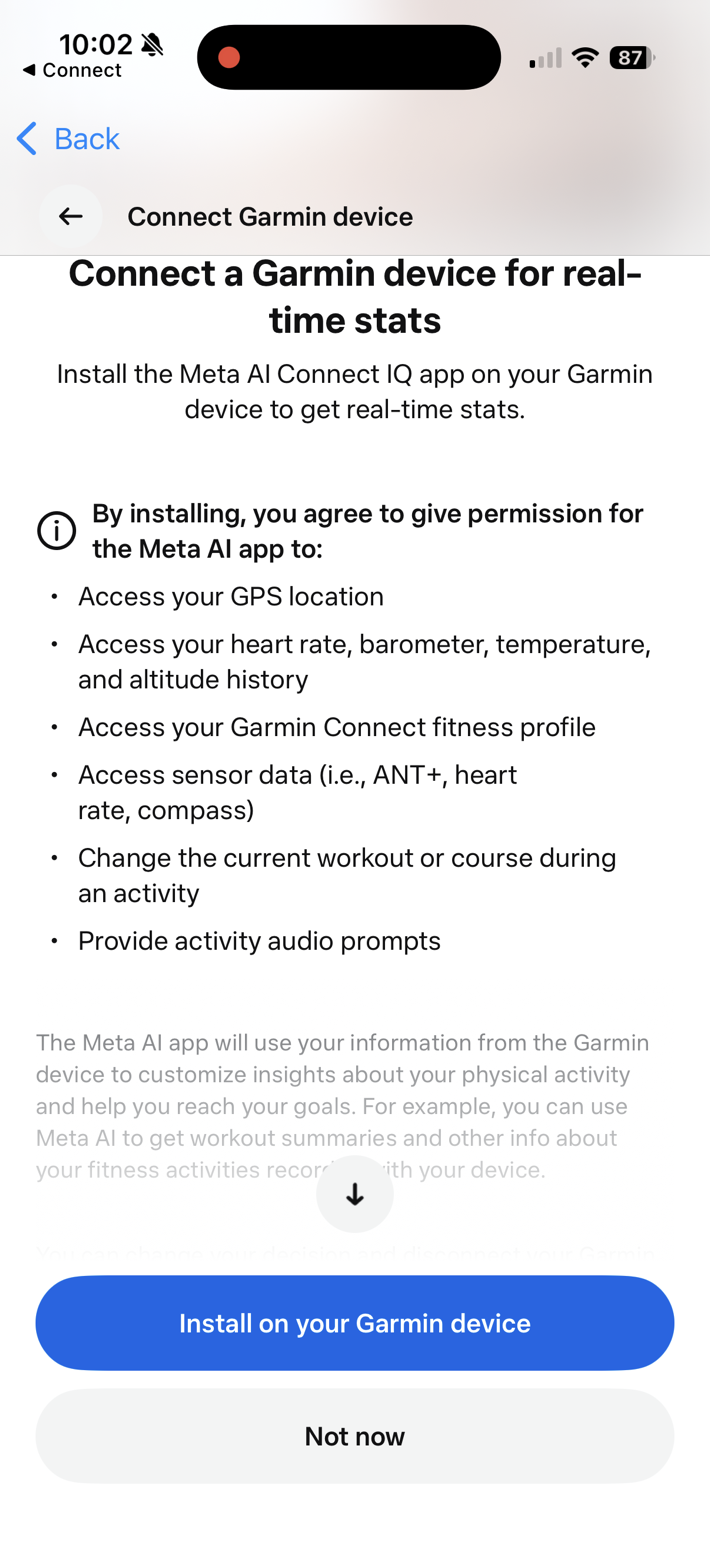
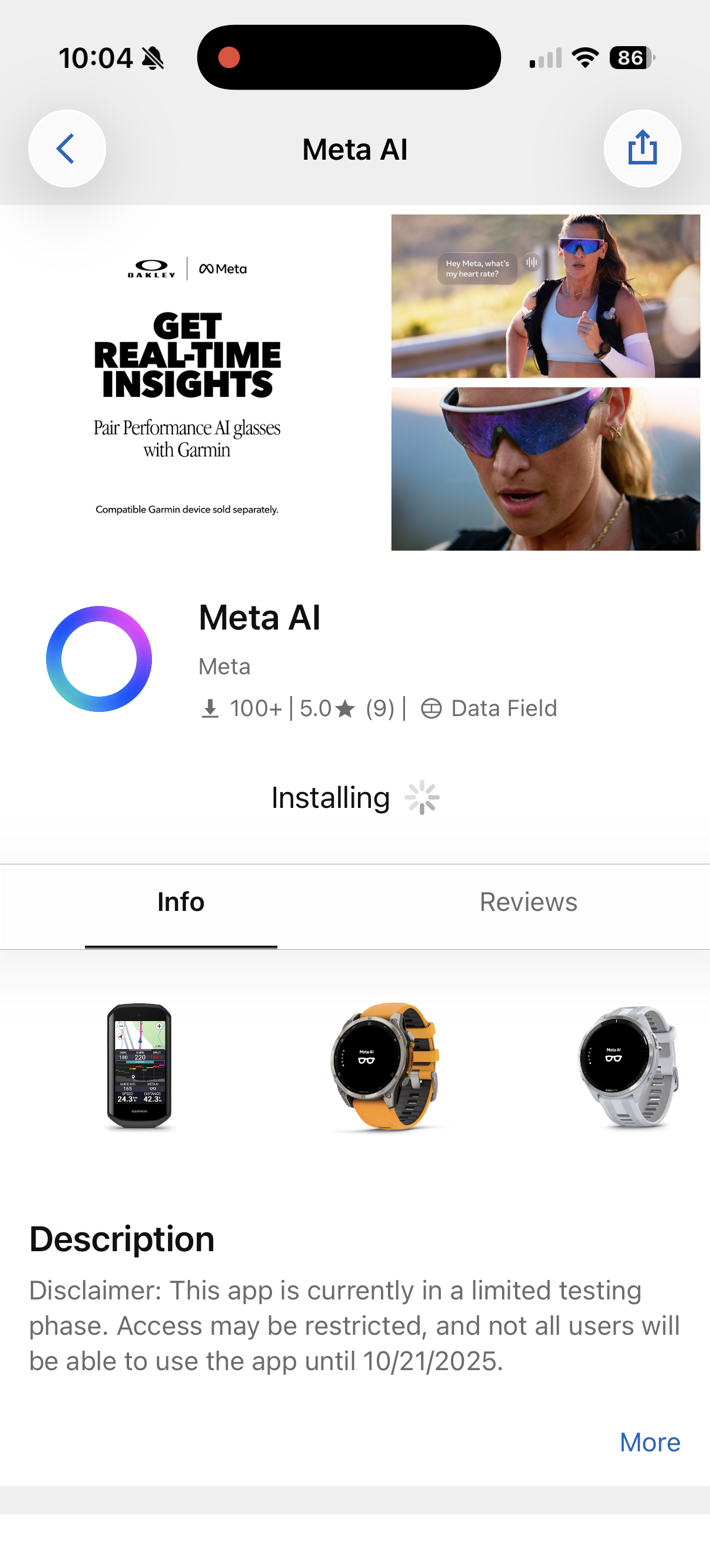
Once this is done, it’ll add the Meta data field to your activity profile. However, super interestingly, it actually offered to add it to all my activity/sport profiles, which is @#$(# awesome. If you’ve ever dealt with installing CIQ data fields before (e.g. the CORE data field), you’ll know that it’s always just installed the CIQ app to your watch, but then you have to painstakingly go into every single sport profile, add a new data page, then find the CIQ data field, add that, back out, save, blah, blah, blah. Then one day, you go for a “Trail Run” instead of a “Run”, and realize it’s not on that profile, and you are missing the data.
However, this time, it literally asked if I just wanted to add the data field to everything. Or, I could select which profiles I wanted. Obviously, I said “Yes, all the things!”. Heck, if I ever go scuba diving with it, I’m ready for it!
I went back to Garmin on this one, as I’ve never seen this before (and again, it’s awesome). Turns out there are two things new here. First, the ability to add to specific activity profiles is part of CIQ API level 5.2. The second bit is the ability for a third-party phone app to trigger installations of a Connect IQ app directly. Meta is the first to do this, and will then be coming to other Garmin partners in Q1 2026. They noted that this will be super useful for many companies, but in particular sensor companies (such as eBike companies) that have been looking for this functionality.
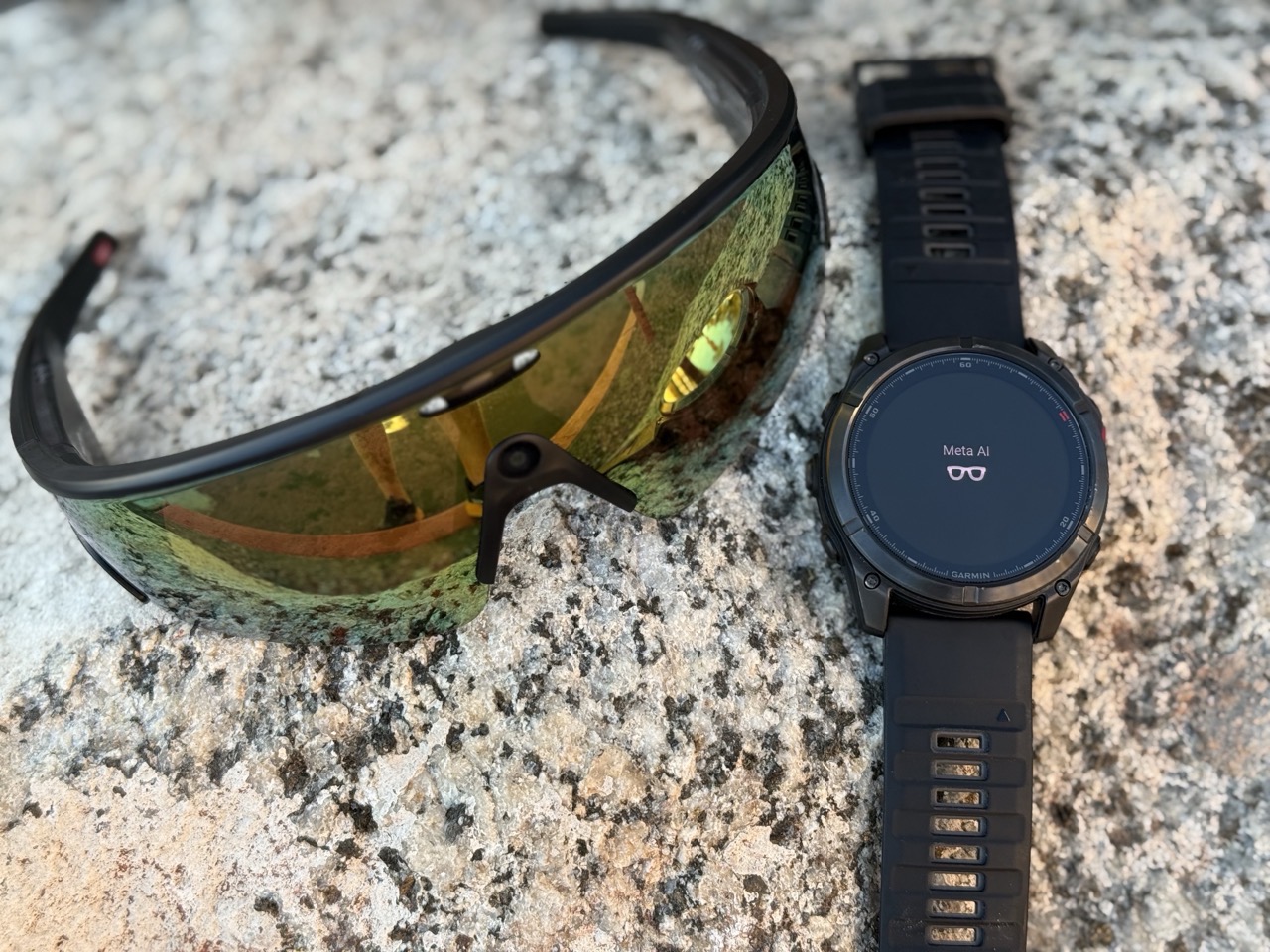
Ok, geekery aside, the thing is installed, now open up that sport profile on your watch. You’ll see the Meta data field, and it’ll also say it’s connected:
As soon as you press start, it’ll then audibly tell you that “Auto Capture” is enabled, and it’ll automatically capture various moments from your activity that it deems notable. This is various splits, moments of high heart rate, and other things that nobody from either company seems to be able to confirm what exactly they are. As cool as this concept is, all it really seemed do is to take a bunch of random pictures at non-exciting times, filling my gallery. Like, next to parked cars on a boring suburban street.
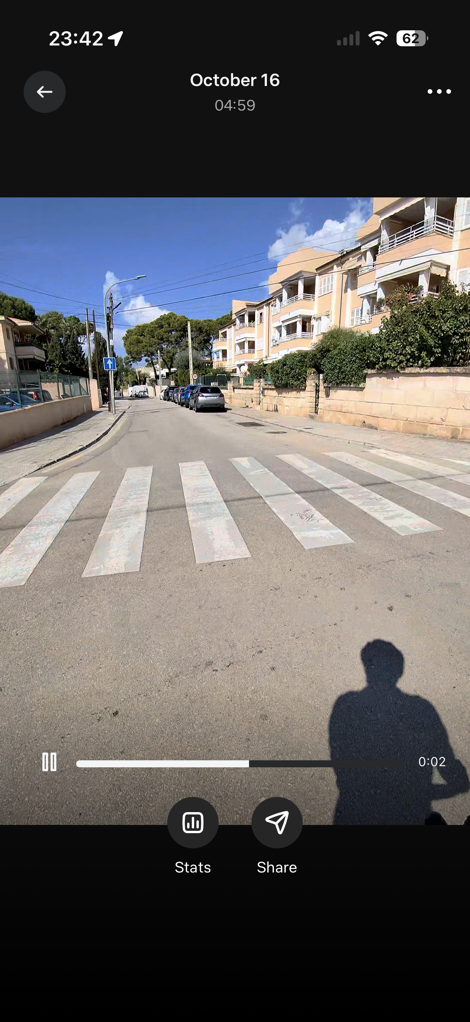
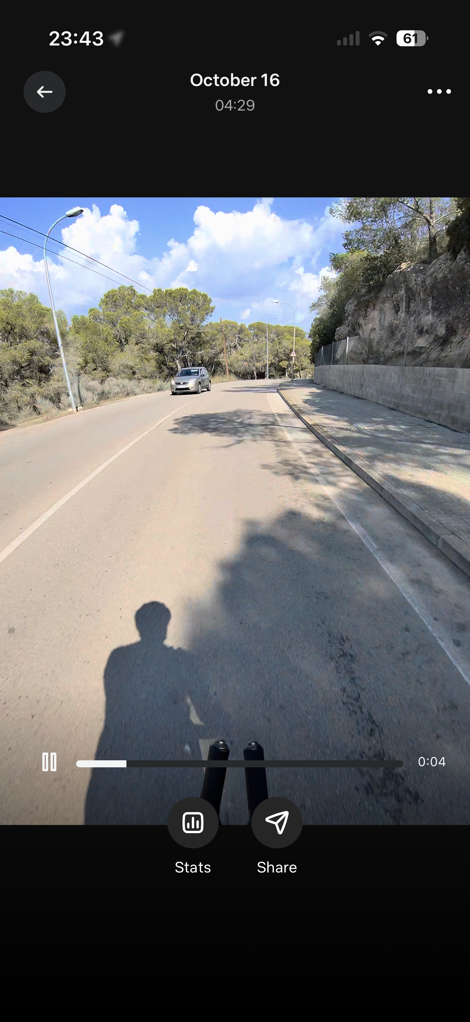

You can disable auto capture, and I probably will after this. I think the concept has tons of potential, so maybe the two companies will figure it out. I feel like in order for it to reach ‘peak awesome’, it’d have to operate more like a TiVo, and be constantly recording, and then go back and only save the snippets that were interesting after the fact (like an impromptu sprint, or maybe a bear ran out in front of you, etc…). Of course, that’d slaughter the already limited battery, but hey, one day?
Now, when it comes to the real-time metrics, you can at any time simply ask Meta for stats. You’d literally just say “Hey Meta, what’s my heart rate?”. Or, “Hey Meta, how many miles/kilometers have I gone?” Which it always answered for me quite well. Again, perhaps this could be more compelling down the road, but most of us who have Garmin devices are pretty capable of glancing at them already. But I’m sure there’s plenty of interesting use cases here, such as accessibility.
There is also the ability to see intensity zones on the inside of the glasses, where it’ll use the color LED on the inside right side of the Vanguard. Now, once your workout is done, you just save your workout like normal. Nothing much changes there.
But finally, we get to my favorite part: The post-workout stats on videos (or photos). First, it’ll automatically group all your photos/videos from that ride together, since it’s imported in the completed workout file from Garmin, it knows the exact start/end times of the activity.
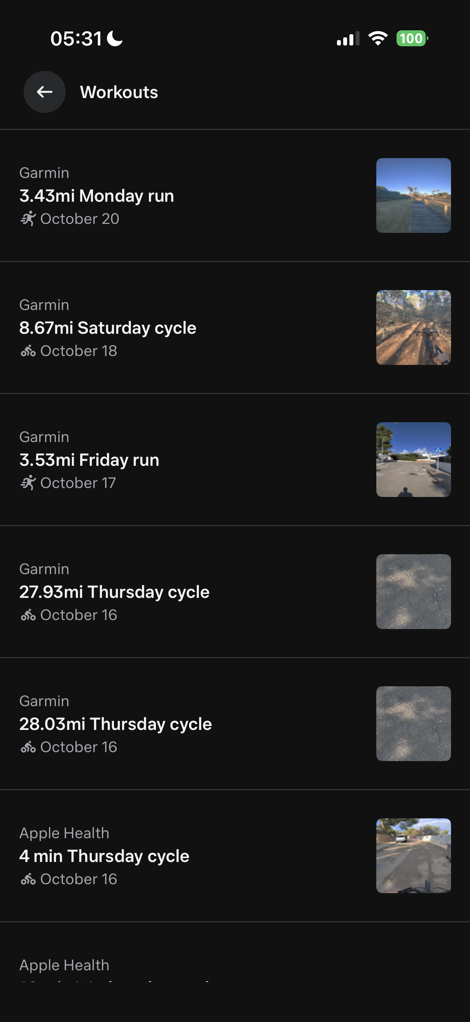
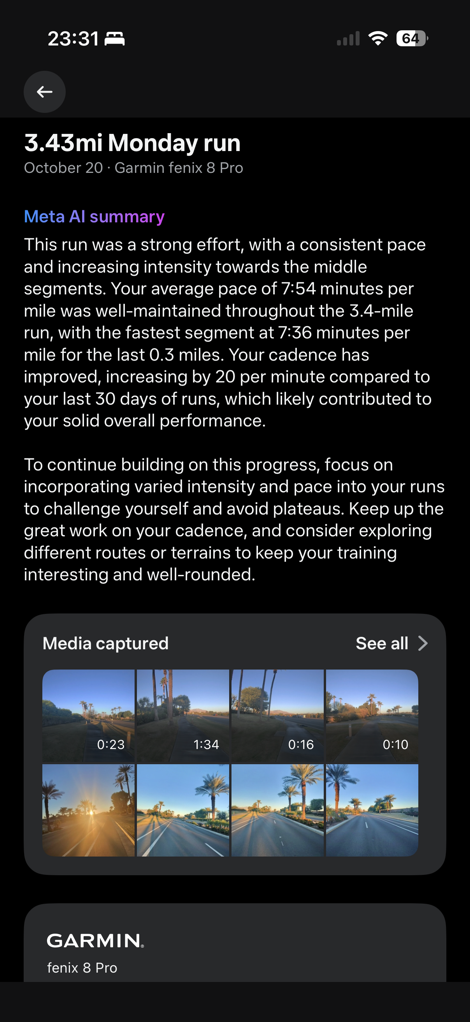
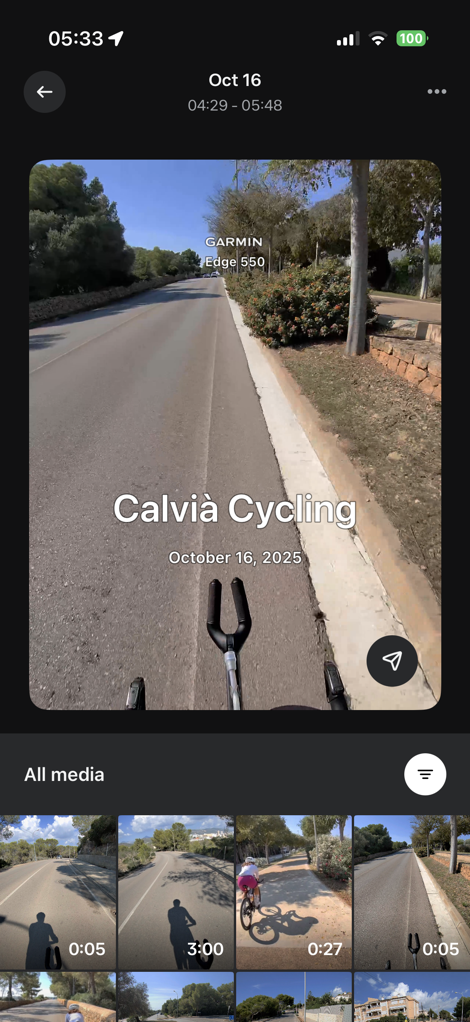
From there, you can choose anything from your gallery, and then select which stats you want overlaid on it. There’s a number of stats here to choose from, and for each one you can select instant or total average stats:
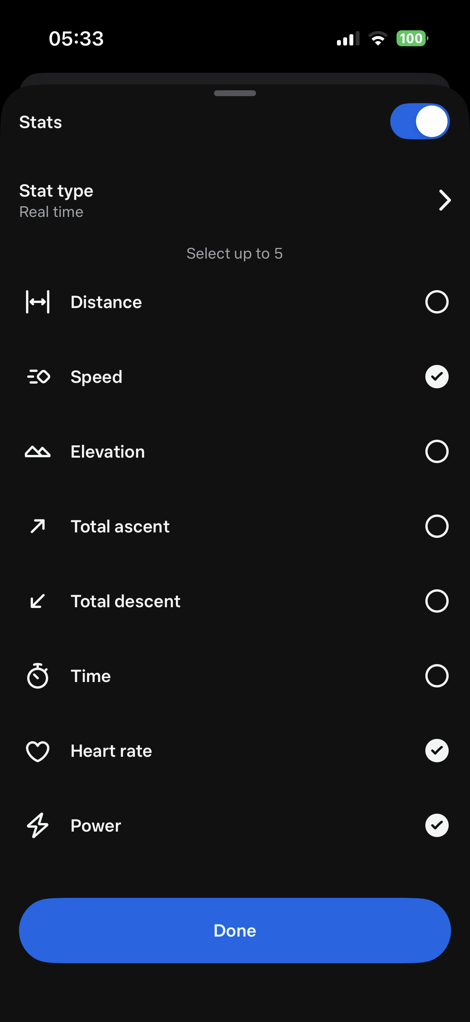
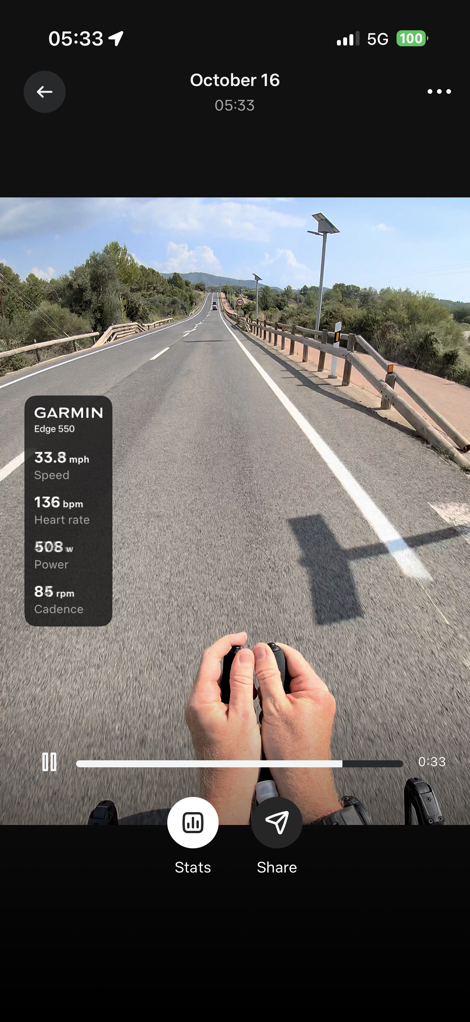
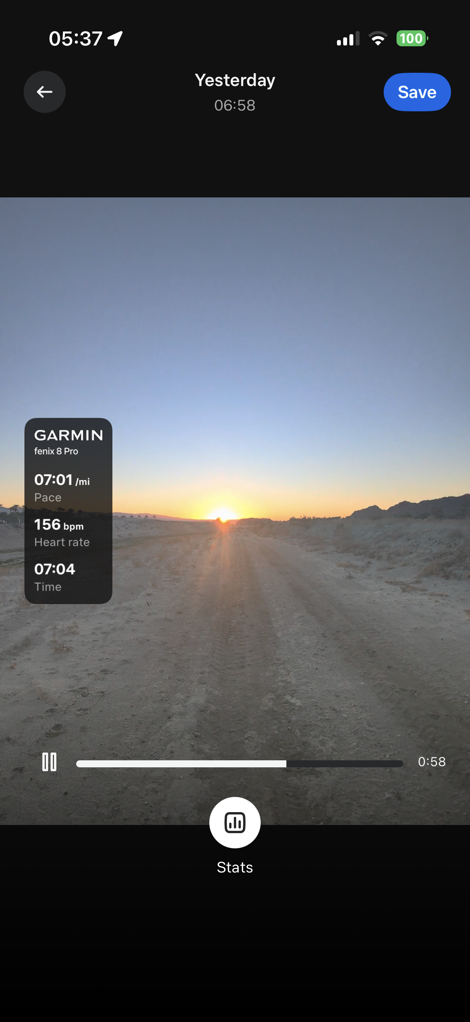
Sure, it doesn’t quite have all the crazy stats the good ol’ VIRB Edit app used to have (like Garmin Cycling Dynamics or such), but this is a good start. I’d encourage Meta/Garmin to lean into this more. Have an expando option at the bottom of the list that says “Advanced” or “Geek Mode”, and then just dump a boatload of stats in there. Like, everything and anything. Become the de facto way people show all the crazy Garmin workout stats that it collects. As they say, if you’ve got it, flaunt it. Seriously, flaunt it.
Flaunting it in this realm drives cult-like adoption. For a product like the Vanguard, you drive mainstream adoption by first exciting the geeks. And the best way to do that is by giving them all the flexibility they want to show/do interesting and unexpected things.
One trouble I ran into, though, is that I can’t get it to show my stats in metric (e.g., kilometers, including speed and pace). Only miles-related metrics. Meta said they do support metric, but equally, despite lots of back and forths, can’t figure out how to actually get it in metric. We’ve tried changing my region settings, changing my country settings, and plenty more – none of which has worked. They did confirm, though, that they are working on figuring out how to make this simpler. This is definitely a Meta AI App problem, and not a Garmin one, as it’s about the presentation layer in the Meta app. It seems like somewhere, someone, way overcomplicated this by trying to deduce how you might want the data displayed, by using some maybe-workable trigger in your phone, rather than just having a simple metric/statute toggle in the settings.
In any event, once you’ve picked the stats you want, you can simply save it to your phone/gallery, or share it out to various Meta platforms, as well as Strava.
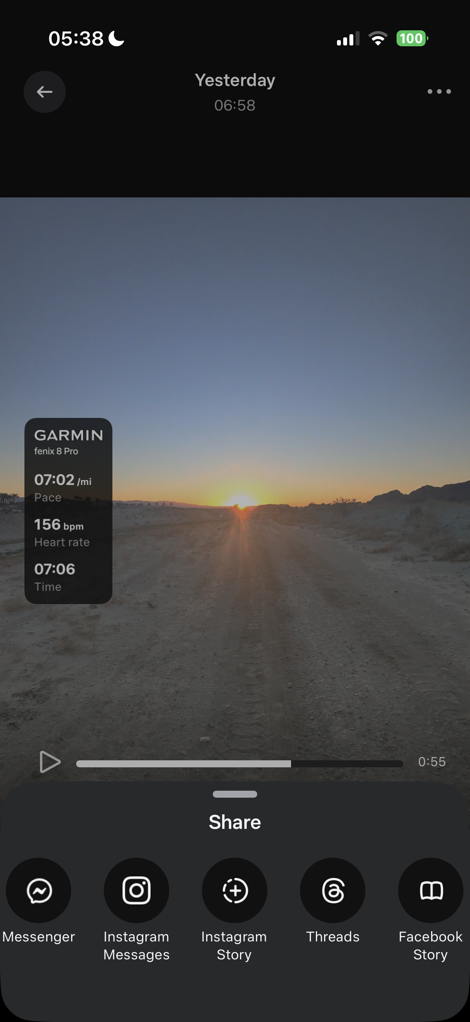
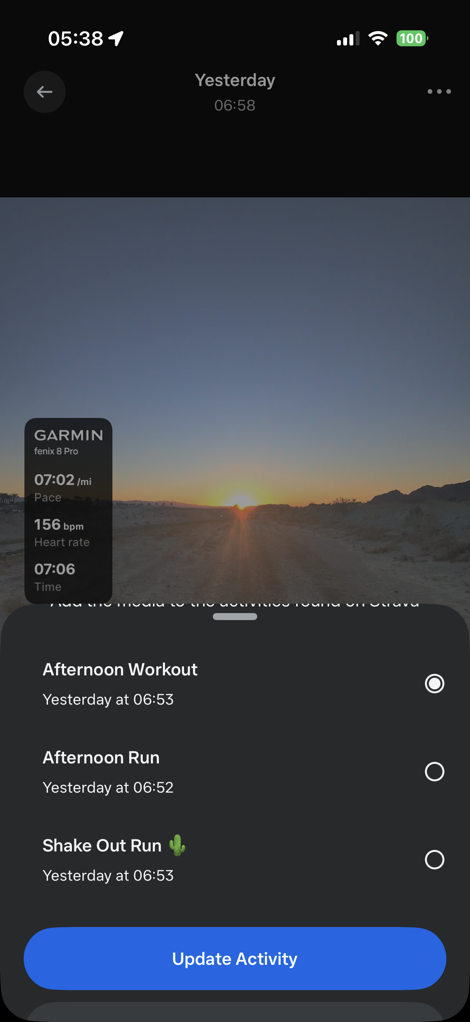
The only downside here is that you can’t trim videos within the Meta AI app. Most times, you’re just going to start the video, and it’ll auto-end in 1/3/5 minutes. Thus, I tend to have lots of extra on a video clip that I need to trim (start or beginning). I just wish there was a super-quick way to do that in the Meta AI app, so I could then go direct to Instagram/etc, without first having to edit it in my phone’s photo app/gallery.
Either way, this integration is super well done overall. This seems to be on a totally different level of integration than I’ve ever seen Garmin do with partners in the past. Historically speaking, we’ve seen CIQ implementations that were good, but rarely amazing. And further, it always felt like Garmin did their half, but the partner either didn’t really commit to it, or Garmin also did the partner’s half too. This time, it’s very clear that Meta spent the time doing their half (the Meta AI app) to a solid level, and likewise, Garmin did their half in ensuring the on-device and Connect pieces were seamless.
Strava Integration:
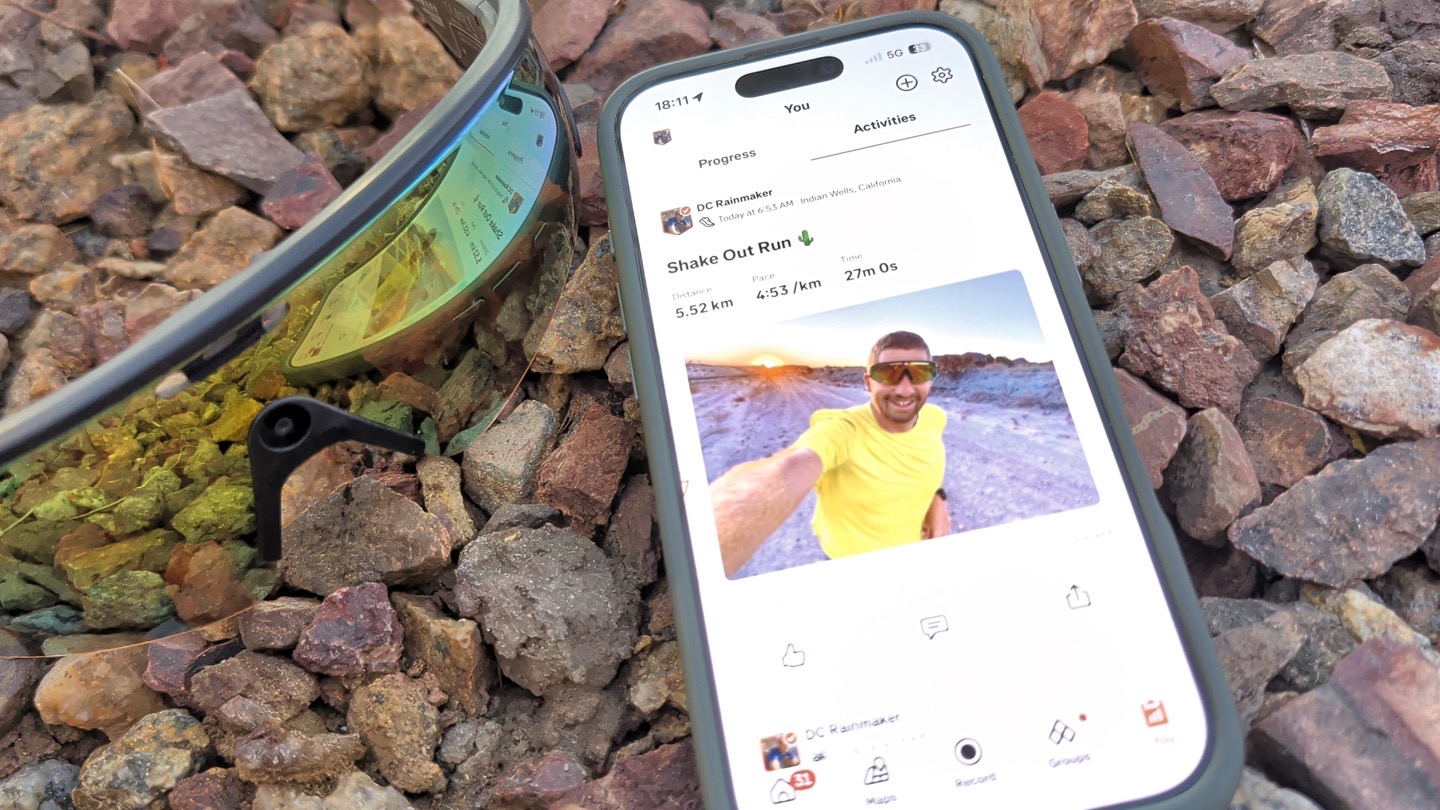
Next up is the Strava integration. This one isn’t as deep as the Garmin integration (notably lacking the real-time integration, as well as many post-workout metrics), but it covers the gap for folks using other devices beyond Garmin. For example, if you use an Apple Watch, Pixel Watch, Suunto, COROS, or any other device you want, then you can at least get the data from that, via Strava, for the overlays.
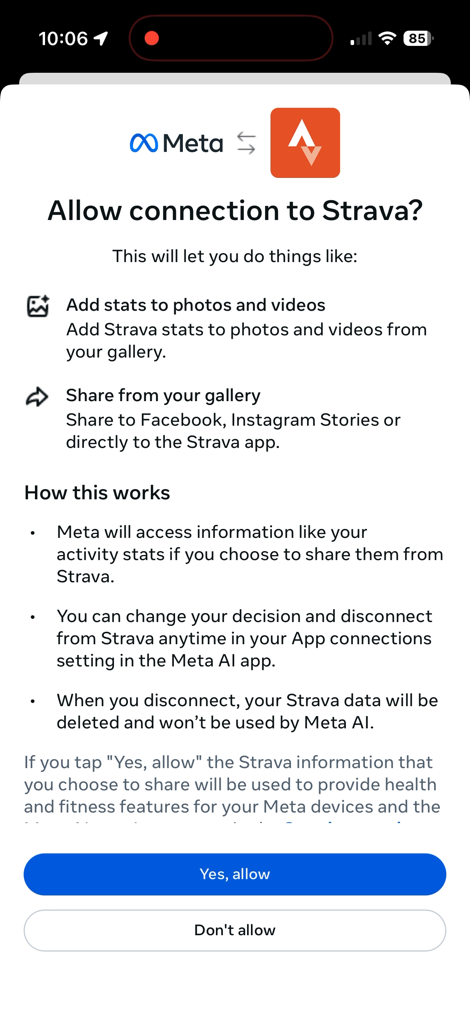
First up is connecting to your Strava account. If you’ve done that before for other apps, it’s basically the same here.
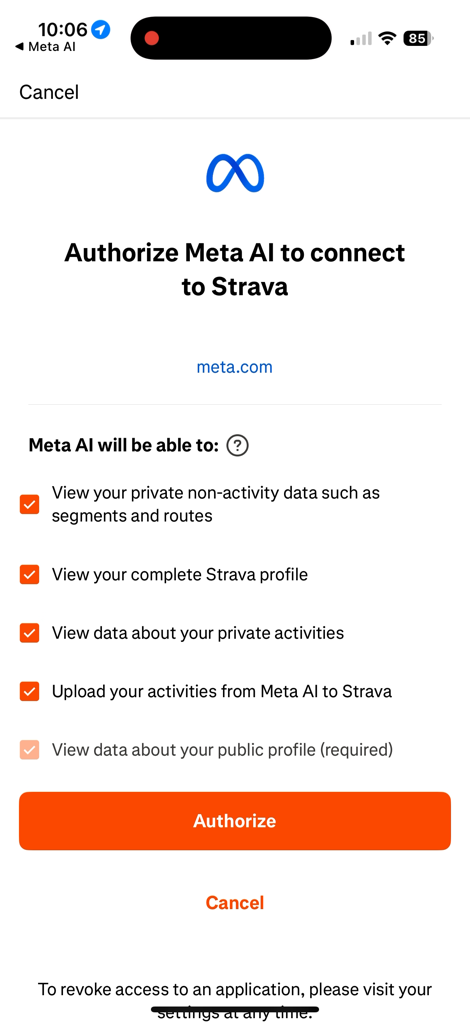
Next, go out and do an activity, and record it on whatever device or app you want. Meaning, record it on the Strava app, or your Suunto, or Apple Watch, or anything you want, as long as the data ends up in Strava. Of course, also critically, take some photos/video along the way with the Meta AI glasses.
Next, open up the gallery and choose that particular clip. You’ll then see the ‘Share’ option at the bottom. From there, choose ‘Strava’. When you do so, it’ll open up an option to choose which workout file you want to use (in my case, I have plenty of concurrent devices to choose from)
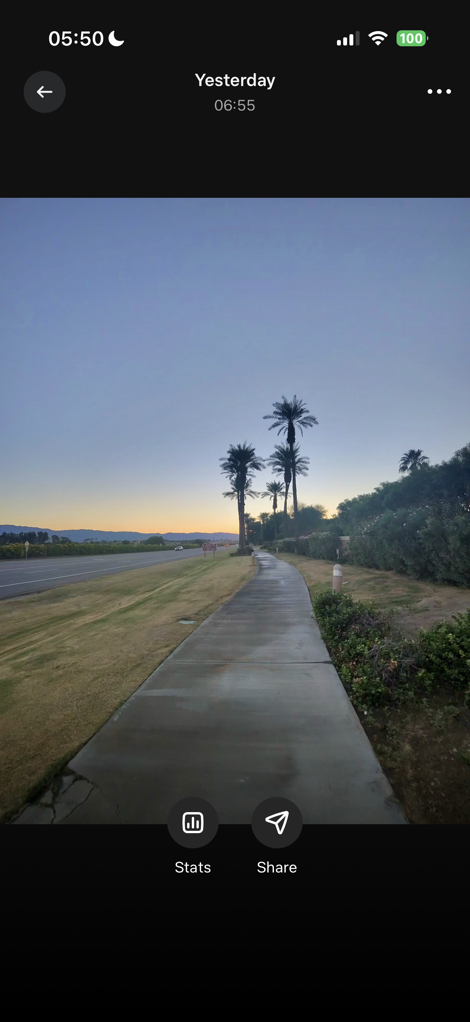
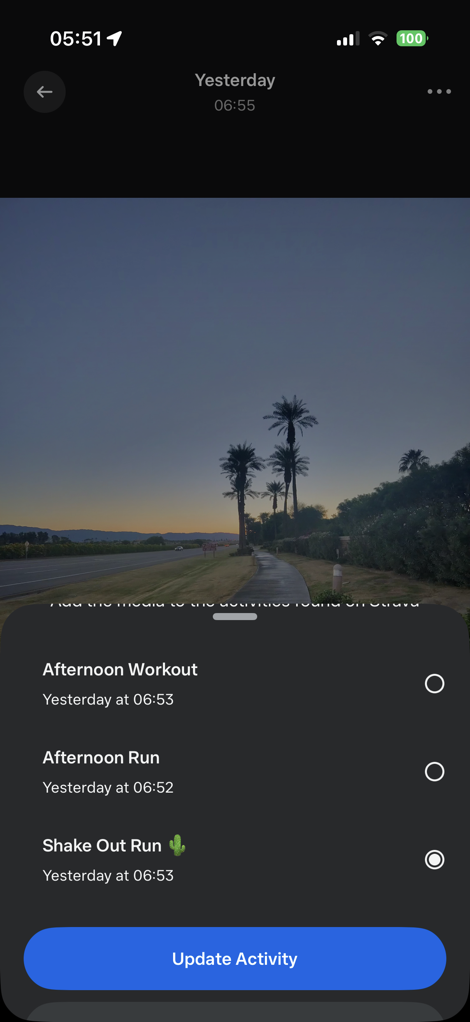
In addition, you can overlay stats on them as well, though I found that at times they had a somewhat limited selection compared to the Garmin stats. Nonetheless, this works fine, though it’s not quite as streamlined as the Garmin integration, which clearly is pre-populating the workout data behind the scenes before you get around to manually selecting the data. Not a huge deal, but some workflow differences.
Apple Health Integration:
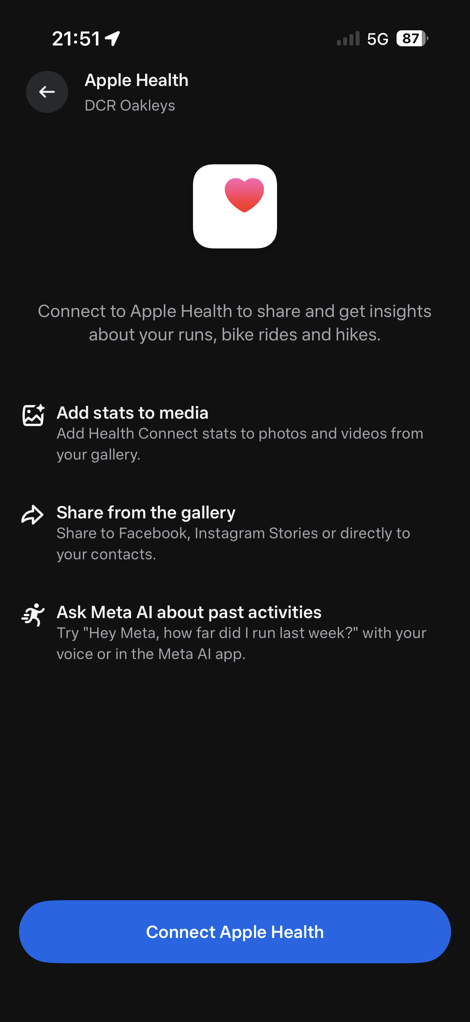
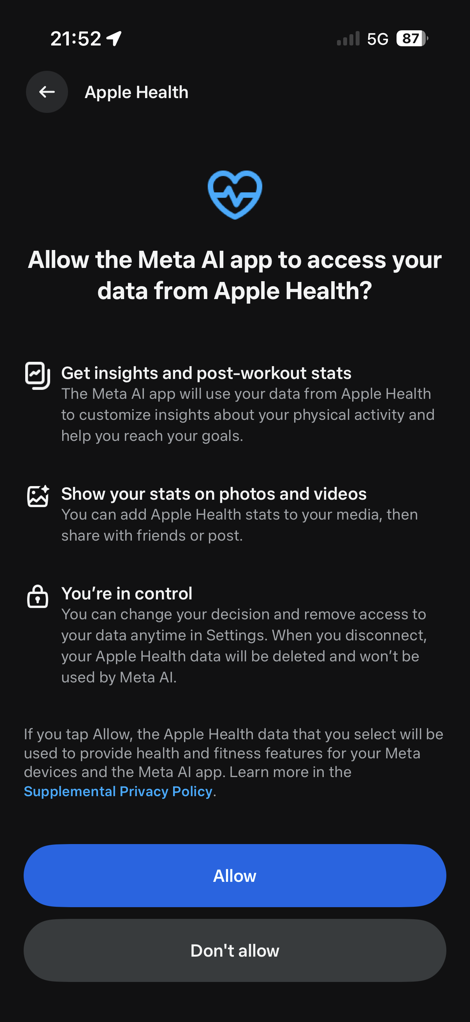
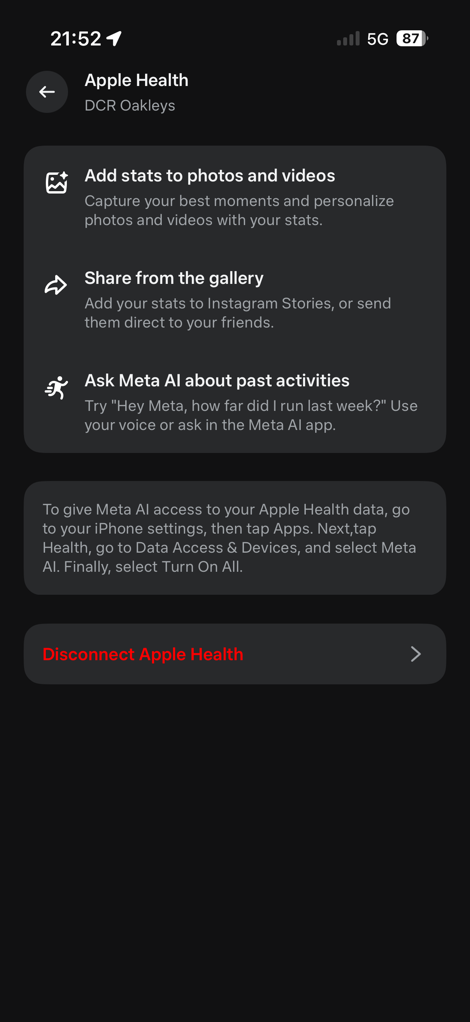
I just want to super quickly note that in addition to Garmin & Strava integration, there’s also roughly the same level of integration as Strava, but for data coming from Apple Health. This can include Apple Watch workouts, as well as other watches/devices that stick data into Apple Health.
I only tried it briefly, but because I already had the Garmin integration, it seems to always prefer to pull data from the Garmin device on a given workout, rather than the Apple Watch (which was also recording).
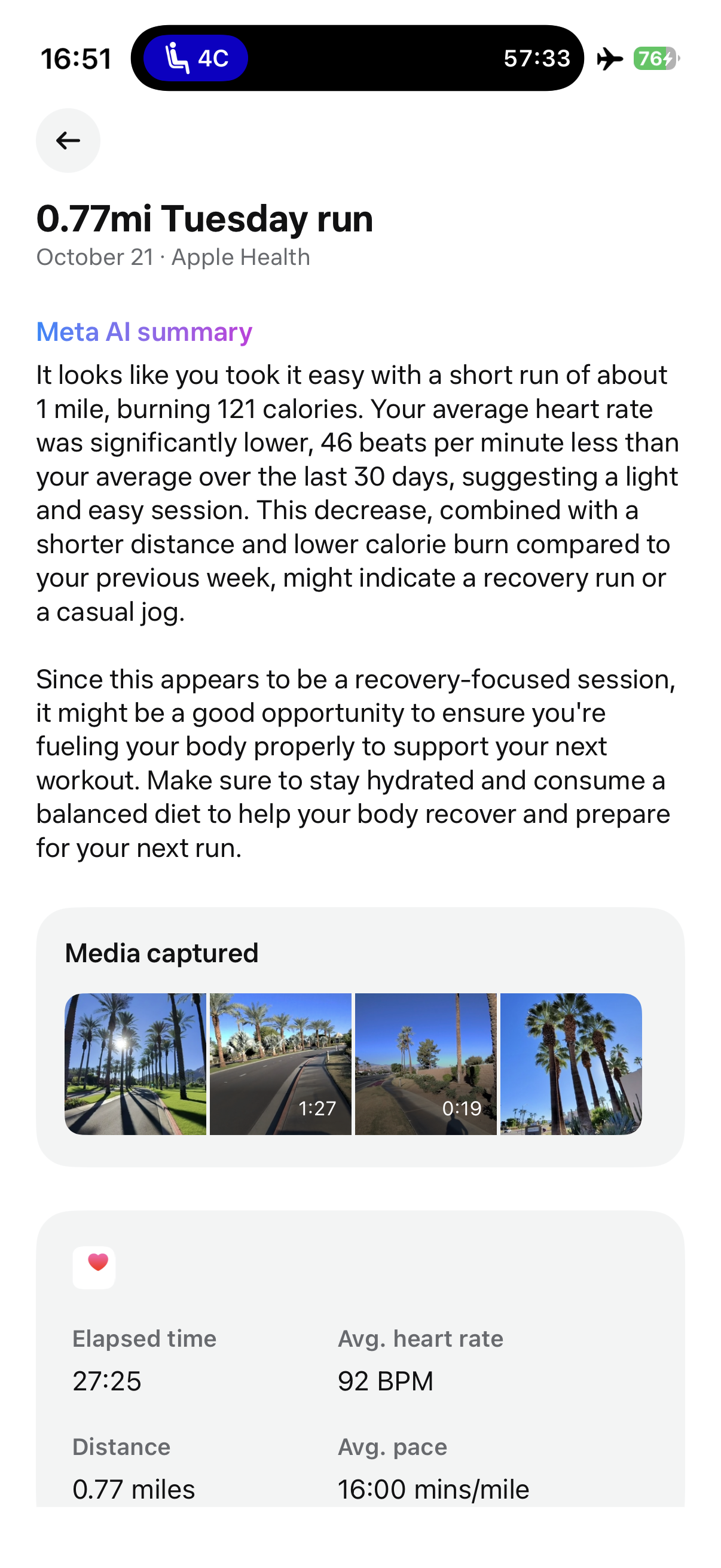
However, I did a quick test where I took only the Apple Watch Ultra 3, and ran for a bit, and took some photos & videos. As you can see below, it pulls it into a gallery (just like Garmin), and includes some Meta AI snippets. However, when it came to doing the overlays, it’s far more limited. Like, just two data fields.
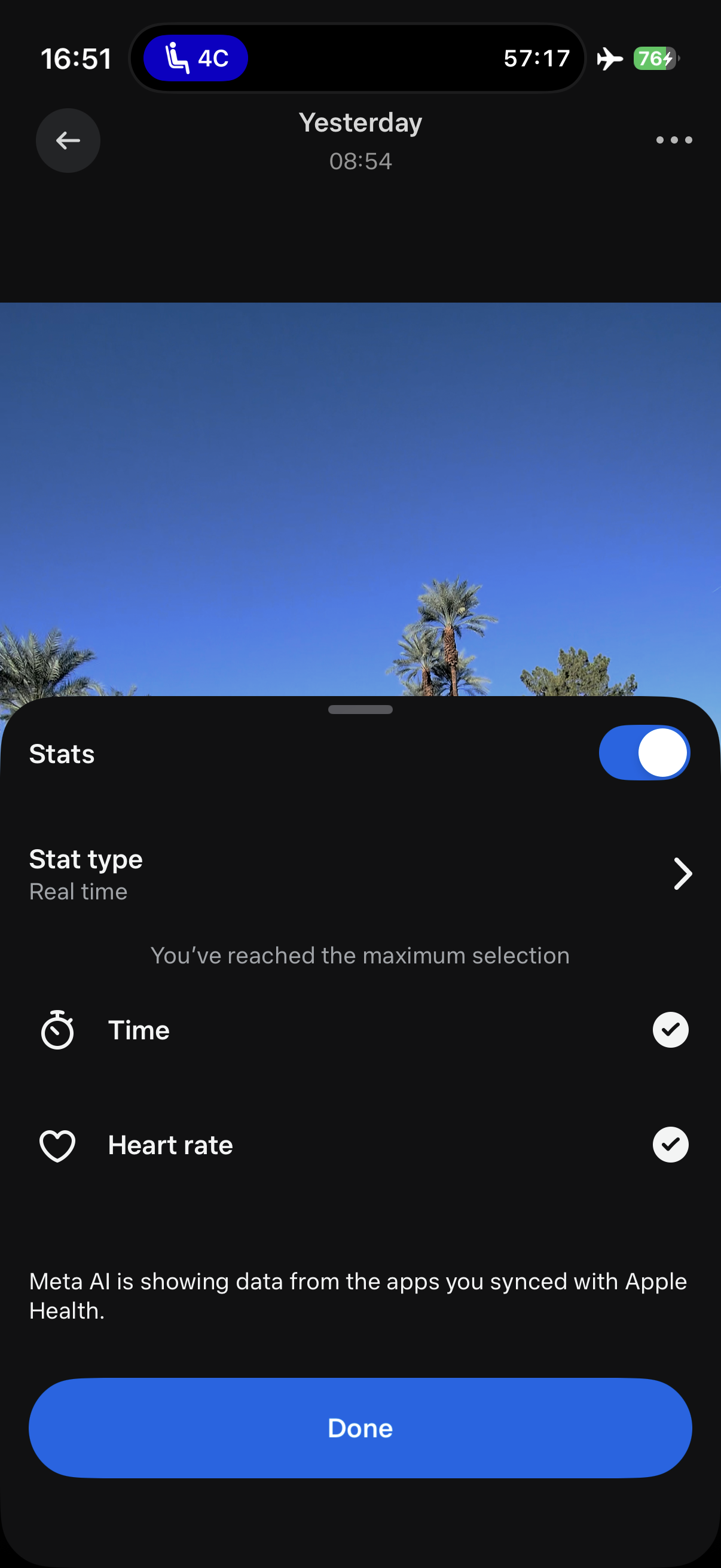
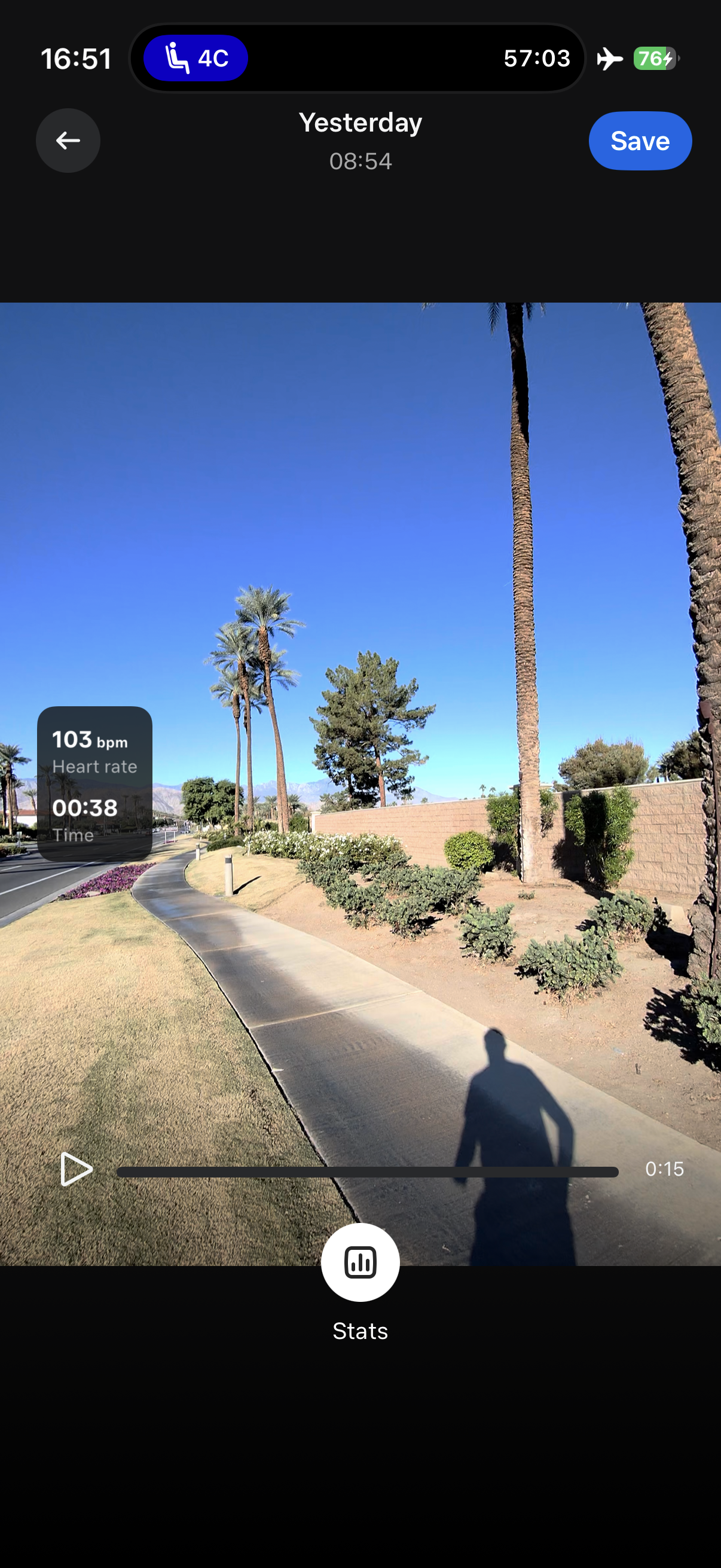
I’ve reached out to Meta to figure out if that’s by design, or if things are coming to expand that.
Wrap-Up:
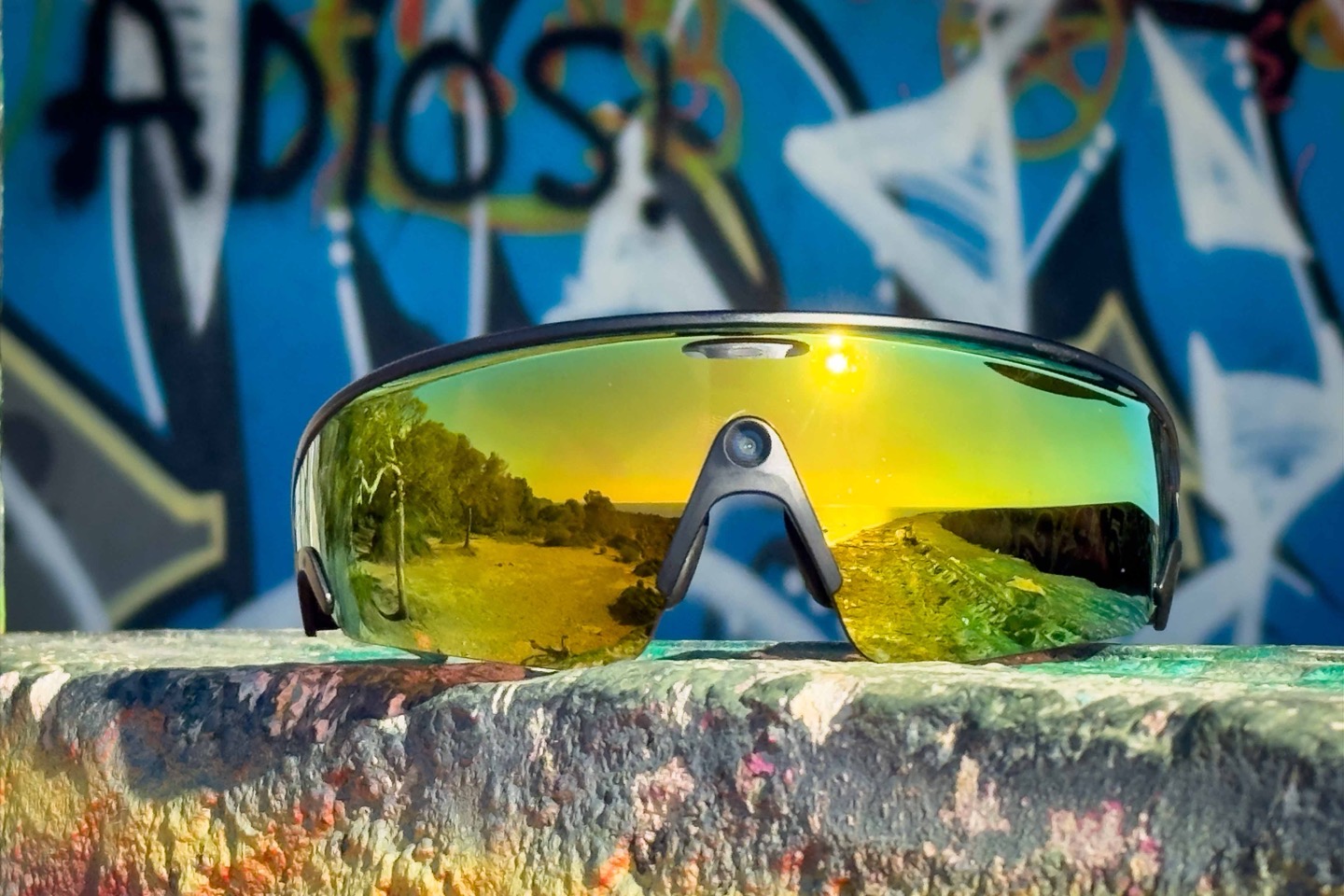
In a world where pushing out half-baked products seems to be becoming the norm, it’s rare to get a product that not only works well, but actually makes me want to use it after I review it. This is the seemingly rare exception of one that largely works as advertised, and even exceeded my expectations repeatedly.
So much so that I’ve already ordered my own pair with my own money to keep using as my de facto sunglasses for sports and outdoor life. I just love the flexibility of it, and the ease of use of getting the footage to Instagram and other social media tidbits. Or, just sharing that picture of the goat cutting me off again on my ride, with my wife. All hands-free.
Sure, there’s plenty of little things I’d love to see changed. But critically, none of them are showstoppers for me. Nice to haves, not need to haves.
After more than a decade of trying smart glasses, we finally have one that doesn’t suck. I have one that I actually want to use, and actually have a use case for beyond finishing the review. And while it’d be easy to dismiss all the attempts before it, the reality is that all of those devices had to exist, to fail, to learn from, to figure out what works. And then hopefully from here, Meta, Oakley, and others (competitors and partners) can advance the idea further yet again.
Until then, I’m pretty darn happy.
With that, thanks for reading!
Found This Post Useful? Support The Site!
Hopefully you found this review/post useful. At the end of the day, I’m an athlete just like you looking for the most detail possible on a new purchase – so my review is written from the standpoint of how I used the device. The reviews generally take a lot of hours to put together, so it’s a fair bit of work (and labor of love). As you probably noticed by looking below, I also take time to answer all the questions posted in the comments – and there’s quite a bit of detail in there as well.
If you're shopping for the Oakley Meta Vanguard Smart Glasses or any other accessory items, please consider using the affiliate links below! As an Amazon Associate I earn from qualifying purchases. It doesn’t cost you anything extra, but your purchases help support this website a lot.
Here's a few other variants or sibling products that are worth considering:
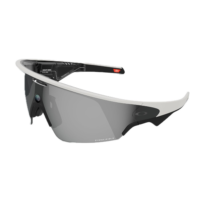
Oakley Meta Vanguard (Black Lens)
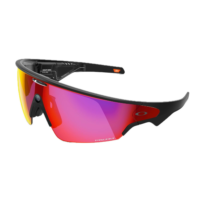
Oakley Meta Vanguard (Red Lens)
And of course – you can always sign-up to be a DCR Supporter! That gets you an ad-free DCR, access to the DCR Shed Talkin' video series packed with behind the scenes tidbits...and it also makes you awesome. And being awesome is what it’s all about!
Thanks for reading! And as always, feel free to post comments or questions in the comments section below, I’ll be happy to try and answer them as quickly as possible. And lastly, if you felt this review was useful – I always appreciate feedback in the comments below. Thanks!

















Do I understand correctly that by setting this up with the Garmin integration, you basically give Meta all access to your health and training data? With the shady thing they do with data to train Meta AI, this is basically the showstopper right there…
The data from your workout files, specifically, not your other health data. Meaning, they get your completed run data, but they don’t get your daily step data, health data, etc… (Garmin’s API specifically separates these out, and you can see from the screenshot in the review, which toggle is enabled).
Essentially, they’re getting the exact same data that you’d send to Strava or Komoot, but actually less data than you’d send to TrainingPeaks (which can include some of that health data). That would have a seperate toggle titled “Daily Health Stats”
Pretty cool. Maybe next gen will support prescription options. Or I try contacts again.
Also, minor typo I think. Should be “heavy” lifting?
“let Garmin do the heaving data-connectivity lifting.”
Thanks!
We can only hope that prescription lenses will soon be available, either from Oakley or a third-party company.
It would be a shame to miss out on a whole segment of potential users.
It’s not physically possible with a shield-style lens like this. Some manufacturers have faux shield lenses where the middle of the lens is RX and the rest is not, but even those are typically limited to fairly weak prescriptions.
The standard Ray Ban Metas have essentially the same functionality minus the workout overlays, and they will accept any prescription.
I’m nearsighted, astigmatic, and farsighted. I had my Oakley Sphaera glasses fitted with progressive and photochromic prescription lenses by the French company MetaOptics. They’re absolutely perfect.
I hope they will look into the Meta Vanguard.
hmm. I would have liked something like an Heads-up display frankly, more than anything else. Speaking to meta is not good. the leds for zones are good. also I would have liked to be able to use them for taking videos of potentially possible accidents with cars. In Romania, where I live, the drivers pass you by extremely close and this would have been useful. Also I own 5 pair of oakleys (4 polarized and 1 not) and they all started after a while to lose the thin layer that is overs the lenses. Especially if you let them with some perspiration on (and it is impossible not to) in time, it seems like the salt causes this issue.
So it seems they are more for some kind of fun thing, not a tool. at least from my perspective.
Yeah, I really don’t see the point in these glasses if they can’t provide metrics on a HUD.
With the number of times I wanted to make a picture in my workout and not having the time or ability (Gloves) to grab my phone, this really looks like an excellent product! I do have some questions for @ray if you can help.
1. How is the fit for smaller faces? I vaquely recall that your wife usually uses smaller oakleys right? Did she think the size of the frame was acceptable or was it too big for her?
2. Can you press the buttons on the frame with thick winter gloves? Not everyone lives in spain unfortunately :(
And lastly thanks for the thorough review!!
My wife, who has a smaller face, didn’t have any problems. The very first thing she thought when she put them on was “these feel tight”, but we didn’t adjust the nose tips for her, and after riding for a bit, she didn’t have any complaints.
You could with medium gloves, but thicker gloves (like winter gloves), would be tricky. So like normal late fall/early winter running gloves, or cycling gloves – no problems. But something akin to skiing gloves would be tough.
Petty but early on you say classes when you mean glasses.
Thanks!
So many questions.
1. Do you think good sports sunglasses with HUD is doable or is HUD inherently flawed?
2. Which features, if any, work without a phone? Record video for syncing later? Connect the speakers/mic over Bluetooth to a smartwatch?
3. Does it save media to Garmin Connect or would you have to save to your camera roll then add it within GC if that’s what you want to do?
4. If we’re already syncing activities from GC to Strava, would pushing from Meta AI to Strava create double entries? If so, best to disconnect Strava from GC?
1) It’s doable, but not with technology anytime in the coming nearby years.
2) You can record photos/videos without a phone. But I don’t think you can connect them a just BT headphones to a smartwatch, but I’ll check (currently on a flight).
3) It saves it to your camera roll. So if you wanted it in GC, you’d need to addit there.
4) Meta doesn’t push a workout to Strava. It just updates existing workouts on Strava.
I’m hoping that I just set something up wrong but on my first run today with these and my Fénix 8 Pro – nothing except the video / picture functionality worked. I purposely didn’t (and prefer not to run with my phone). The could see the Meta data screen with the glasses crossed out. None of the pictures / videos I took had any of the overlay with stats. It was a 5K distance for 28 minutes. I took 3 3K videos of 3 min length and 7 pictures and the battery drained 31% from that. Pleasantly happy with the feel of the glasses and the picture and video quality is good.
Please tell me I don’t need my phone for any of the Garmin stuff to work!
I also really hope they enable the ability for the glasses to have audio sent to them from another source like an Apple Watch. Although I’m not sure the battery will be able to handle that after today.
Did you ever get this resolved? Like you, the whole reason I upgraded to the F8P was so I can workout without my phone.
I encountered the same problem as you did…only photo/video ability worked, and it did not integrate with the Garmin workout metrics. However, I got it to work “accidentally” once. I *think* you need to be connected to your phone initially when you start your workout. Then, auto capture will work as intended as you move out of connectivity range of your phone. On my run this morning, I was already out of phone range when I hit the start button. When I asked Meta to start auto-capture, it told me to connect to my phone. On my 2 days ago, I happened to start my watch at the foot of my driveway…just barely within range of my phone inside my house. I’m going to experiment with this approach.
Auto capture definitely won’t work without a phone. That’s because the CIQ app is talking to the glasses via the phone.
Meaning, without a phone, you’ll need to manually capture photos/videos (which frankly, I think is better anyway, because approximately 100% of my auto capture content was totally junk anyway).
Whereas, the sync of the workout file happens after the fact, regardless of phone.
No – I hadn’t been able to get the Garmin metrics to overlay any of the media I had taken with the glasses. I have tried running with my phone and without, with auto-capture enabled and disabled.
However, I recently did a swap with Garmin due to an issue I was experiencing with the watch restarting mid-run (not cool) and upon setting up the Garmin integration again it looks like it’s working?
As soon as we get heads-up display ofr my Garmin data I’m in!
One day!
Pretty well done, with one fatal flaw:
I don’t want anything to do with Meta knowing any more about my life than they already do.
Zuck has shown the depths to which he will sink to satisfy Trump and co, and how little he cares about his customers, their privacy, and their well-being.
I’ll wait for Google or Garmin to build something similar.
No tech company is perfect in this regard, but they are certainly much better than Meta (and Amazon), and marginally better than Apple.
Meta business practices are the very definition of “ick”, but you seem to be misunderstanding exactly who Zuck’s actual customers really are. You and I are the actual product- his customers are advertisers and analytics companies.
There’s no head-up display integrated?
Seems like a camera and headphones?
I can’t imagine doing a gps activity without a display … at a minimum for navigation and profile info.
Can you use them as bluetooth headphones with an LTE Watch? Like, you go running with just your apple watch and the glasses, can you listen to the music you stream over the apple watch in the glasses?
Too bad there isn’t an OTG – Over The Glasses version.
I wear glasses and Rudy Project sport glasses give me 3 options on the web site for adding a prescription.
I personally prefer the Rx Shield were the entire lens is made in your prescription.
If you contact customer service you can order INSET where the lens is cut out and the prescription lens glued in.
RP offers a really wide range Photochromatic neutral gray – 91% dark to 26% dark. So I can wear them from full sun to full shade. Polarizing is an optional finish – unpolarized work much better with phone, digital device, screens. ImpactX Photochromic 2 Black LTV: 9% – 74% Light Transmission Visible
Do you know if RP supports progressives prescriptions with Rx Shield? On the wbsite they are not clear on this and for progressives want you to fill out a form so they can send you to a local optician partner, but not clear whether they would onl;y end up recommending the other options.
Thanks.
—-
Saad
I use RP Rayons with a progressive RX photochromatic lens. I use clear to black lenses so I can use them in all weather and at night,
I had the Recon Jet 10 years ago. I used it exclusively to get metrics like speed, distance and power in the heads up display. It took video and photos. I never bothered. The value proposition was: I did not look at my head unit as often. I thought that was enough to make the device useful.
On the downside, it was sweat that killed my Recon Jet. The batteries started oozing electrolytes after about a year.
I just bought the Vanguard on Amazon. That’s an average of one set of smart glasses every decade. That’s a lower replacement rate than my iPhone or Garmin bike computer (a good rationalization if you ask me 🤣).
This may be a really dumb question, but I’ll ask it anyway.
Do these require a facebook account? Or can they be used entirely independent of facebook/meta resources?
Yes, they require a Meta account (Meta being the parent company of Facebook/Instagram and others).
In addition to the concerns about Meta, Oakley is a Luxottica company, which has taken advantage of a virtual monopoly to make prescription glasses ludicrously expensive here in the United States. These are a no-sell for me, at any price and any feature set.
Spot on.
Not remotely worth handing over your data to bad actors.
If you use these glasses with Apple health and the Apple Watch, do they get your heart rate from Apple health?
Historically Apple has closed this off, requiring a dongle to get realtime heart rate data from the Apple Watch.
Cheers Ian
I also want to know how well the glasses work with Apple.
Looking at the Garmin website, there’s only support for watches from 2022 onward. Somehow, Garmin managed to do worse than Apple on holding pricing constant and long term support.
Yes, you can. I just expanded the Apple Health section with some screenshots/examples.
Once integrated with a Garmin Edge, will the glasses announce the alerts from the Edge? For example, will you hear the Drink alert, or the workouts alerts for time/distance & power of the upcoming interval, or the turn alerts during route navigation? I’d find that to be much more useful than asking Meta what my speed is at the moment.
I got alerts for distance/time, but I don’t remember drink alerts (which I have configured every 20 mins).
I’ll do a structured workout and report back.
Thanks. Would be awesome if they did this.
Cool product but wish for HUD (using Garmin/Apple Watch data) and prescription lens, not bothered by the camera but I’m sure it will sell well
Maybe a dumb question, but can they work without a phone? Don’t love to run with my phone!
This is exactly my question. If you don’t have your phone, how does that limit things?
I always ride with my phone, but I almost always leave it at home when I run.
It can do everything, including the things on the Garmin side, that do not require being online (e.g. it can take photos, videos, etc) but it won’t do things that need the phone or data connectivity like phone calls, AI integration, etc.
Very interested in these. How is the audio volume if you are wearing something like a winter hat underneath them? would be great to get rid of the ear buds under a winter hat.
Hmm, they’re pretty stupid loud (like, borderline hurt on loudest volume setting). So I don’t think a hat would stand a chance to be honest, it’ll blow right through that.
I wore a winter hat on my run this morning as it was ~35 degrees F (~1.6 degrees C). I had ZERO problems hearing my music and alerts. However, the volume of my music would sometimes adjust up/down, presumably from my hat rubbing against the touchpad. In theory, it shouldn’t be affected…but maybe with my perspiration on the fabric, it interpreted finger touches. Historically I’ve used in ear buds (like Jabras). I much prefer wearing the Oakleys.
Ray is right in his write-up though. The speakers are loud and basically drown out everything around you. I was hoping not having anything in my ears canals would allow me to hear more sounds around me, but I had to adjust the volume down significantly in order to do so. When using my buds, I could simply use the “Hear Through” option. It will take some adjustment to get used to.
Hi Ray, great review, i may have missed it but do you discuss the cost of them at all eg value for money?
Thanks. No worries, I do in the video a bit.
In short, here’s how I look at it:
Sunglasses: Assuuming a pair of Oakley’s or equiv, you’re looking at a price point in roughly the $120-$170 range, generally speaking.
Headphones: Looking at open-ear headphones, you’re talking $150-$180, for the Shokz, but obviously you can find them a bit cheaper
Camera: This is where things get wonky, because the camera here I’d class as a sub-$200 camera (at best), in terms of capabilities. So like a GoPro Hero 4K basically, which is $179-$199 depending on tidal/moon patterns.
All of that is roughly the cost of these glasses. Obviously, there are tons of nuances there, but I think these are priced super well.
For me, this solves the problem of basically three things at once, and replaced a GoPro on my casual rides where I don’t need super fancy/good footage. For example, my weekday type 90min ride goes up to the top of a mountain and bike, and has tons of switchbacks on the way back down. It’s tricky (and not super safe) to try and hold a GoPro and do braking on this section. Which means I need a chest mount, but that’s just sorta a pain to deal with for a quick casual Instagram/Strava shot. Whereas this, I just simply say ‘Hey Meta, start recording”, and boom, grab it later. Or not, if I don’t feel likt it was worth it.
I love it.
I think these fit your needs Ray, but I don’t think they fit the needs of joe public. First off we already have glasses and headphones (Oakley and Shokz in my case) and the headphones don’t work like Shokz do to allow me to hear cars. So then it’s just a camera + AI assistant. It is cool to be able to take quick photos and videos, but unless I’m and influencer (not), how often do I really need to do that, compared with you needing to do it all the time? I’m now also stuck with a combo of glasses and headphones and camera, rather than three separate but better options. That is the combo downfall that has befallen many products. Then there is the Meta data sharing… hmm I think that they will sell a few thousand and then they will be gone in a year or two.
Fully agree. I understand that it is handy for Ray, to take footage for videos, for instagramm, … but honestly: People don’t need to see videos of me riding my bike (or, even worse, running), and I don’t want to look at videos from people riding theirs…
For me, the only usecase would be: easier to grab a scenic photo while riding (but I am pretty sure stopping and taking a “real” picture, taking a few seconds to find the right angle, maybe have something in the foreground to make the picture of the landscape more interesting, … will result in better pictures).
I don’t talk to any digital assistant… never did… not for starting music playback, not asking for the weather, and DEFINITELY not mid workout for my stats.
I do not have a Facebook or Instagram account (and never will).
I might sound old (but actually, I am not). Maybe I am not the target audience for this (considering the amount of comments here).
And honestly, I think it looks a bit stupid (but that’s just my personal opinion).
(Combining answers for both Bradley & Thomas)
I don’t know. I think the fact that action cams exist, shows that there’s far more than just people like me that need them. Anyone who has an action cam and a pair of sunglasses would be a potential customer here (setting price aside). Which, is basically everyone with an action cam.
Further, I think given this is sorta the 2nd slate/iteration for Meta on glasses like this, if they weren’t working, Meta wouldn’t have continued forward. There’s clearly interest here. Obviously time will tell.
As someone who needs a moderate progressive prescription, I feel so left out of all these whiz-bang sunglasses. Not even the tech ones, it is so expensive to even get any regular ones that are cycling specific, with imperfect solutions at best for prescriptions. Anyone who comes up with a decent convenient and affordable solution will be nominated for a Nobel Price (by me).
…and they scratch easily. Like all Oakley products. Can’t back them anymore, too many day one scratches on new 500 dollar eyewear to keep using the brand anymore. Better keep a vacuum sealed microfiber towel that gets cleaned daily and inspect it for the slightest spec of dirt
BECAUSE IT’S GONNA SCRATCH.
link to reddit.com
Moved onto luxotica’s more adult glasses, costa. GLASS LENSES THAT DONT SCRATCH! On year two, no scratches and I wipe them with my shirt :D
Thanks!
I stopped reading when you said it wasn’t available in Rx. Hopefully, that will change soon enough.
All of my sunglasses are Oakley Rx, so if that becomes available I will definitely re-engage.
Not thrilled tbh that this is a Meta product. Will hopefully see other vendors make use of Garmin’s support. But hard pass for me on Meta.
Are they worth it if you use Wahoo as gps unit? Or do they lack the intégration to really make it worth it?
There’s no integration there. Well, at least not realtime.
Post workout though, it’ll pull in your Wahoo stats just fine. And if you’re on an iPhone, I can’t remember off-hand if the Wahoo app pushes all the data to Apple Health, but if so, then it’ll pull that data post-workout too.
Will it provide directions from the Garmin? Asking pace isn’t super helpful but giving heads up direction (turn left in 300 meters etc.) or to auto announce when you hit a new top speed or above a threshold (ie when cycling on a descent) etc. would be useful, especially if you can customize it.
Likewise Strava integration and announcing post a segment live would be awesome.
Bro, you didn’t report on the most important question: can you place these glasses in your helmets vent holes without them falling out?
Agreeing that this is a very important point I checked it out with various helmets from Specialized, Giro and Uvex. Turns out that since the temples of these glasses are much bigger/higher than regular ones, they won’t fit into most vent holes unless these are really big. Cheers!
Agree that the temples don’t fit into the vent holes, in three different helmets I have. I bought granny strings for when I take the glasses off. Too expensive to risk dropping.
Nice!
I think a typo? playing vs. paying music?
Then, on the side of the glasses there’s a touchpad of sorts.You can tap it once to start ***paying*** music, and then swipe forward/back to increase/decrease volume.
I think this is a neat demonstration of capability in some respects. But functionally, for me, there are some deal breakers to purchasing this.
1) The audio is wide open. Just like I don’t want to hear anyone else’s music, no one wants to hear mine.
2) I don’t see a situation where I would ever ask it to give me metrics verbally. I live in a city with a lot of people always around and would feel really weird doing so, and rightly so.
3) $499 for a camera that takes snippets of video seems like a lot of money. Yeah one could argue that when you add the cost of sunglasses and a camera and headphones it’s close to $499. But I can say that my $35 goodrs and my airpods that I wear for everything render that a bit of a stretch. This is really just super expensive unitasker.
4) Facebook
If I was Ray with his job, hell yeah it’s great. I don’t see a truly big market though.
agreed.
If you’re out riding/running, people aren’t going to hear your music with either wind noise, or just being far enough from other people running (unless you’re running in a group with music, which is kinda odd to me anyway).
I totally agree with not much use case for asking metrics, not my cup of tea, but maybe it’s someone’s.
Cool, but not selling my soul. Read “Careless People: A Cautionary Tale of Power, Greed, and Lost Idealism” by
Sarah Wynn-Williams and you’ll think twice about Meta. Zero faith that they won’t find a way to abuse your data.
PS. I have never commented, but visit your site and watch your content almost daily. Love all that DCR offers!
I’m confused … They have the ray bans with a neat in lens hud and the finger/wrist band, so why didn’t they put that in this model? Or is that in the next revision or too hard with the lens shape? That would make this great with in route mapping, overlays etc…
What would be fantastic for Garmin to do – if not already – is allow a Garmin Varia to integrate. Audio cues, camera on for high speed incoming cars, etc.
That’s a use case justifying heads up display.
Thanks Ray. Can you please expand on this part:
There is also the ability to see intensity zones on the inside of the glasses, where it’ll use the color LED on the inside right side of the Vanguard’s.
Can you please share what options are available for the Status LED. If you could share a screenshot of the option in the app, that would be great.
I’m hoping I can use this to stay in zone 2
Yeah I can’t seem to work out how to set the intensity zones
It’s specifically for structured workouts. I’ll get some better photos when I land.
Any idea when a “low light” or “photochromic” version will be released? or at least swappable lenses?
So it’s a really fancy camera and some headphones.
In your professional gig, you probably need to take lots of pictures and video. I don’t.
I also never listen to music when I ride.
Add to it that it’s a Zuckerberg product and even if it had a compelling use case for me rather than zero, I would never buy it.
It’s very annoying that even for the metric announcements the phone needs to be nearby and glasses can’t just connect to the watch / bike computer directly like ENGO and others. Surely receiving numerical data from the watch and synthesizing the voice wouldn’t be too hard to do on the glasses themselves.
Meta…
100% absolutly no go.
Next.
So is there no way to use these on a run without taking your phone with you?
I usually run with just my Apple Watch Ultra 2, and leave my phone at home.
Si, yo las he conectado al 8 pro como unos auriculares normales y puedes tomar fotos y vídeo dándole a los botones. Solo pierdes a Meta IA, no es un gran problema.
I wonder how much of the stability comes from how the human body keeps the head still? Rather than bouncing on handlebars etc, it’s on your face that your body tries to modulate movement. Thoughts?
Probably a fair bit, but equally, I’ve tried other head-mounted camera things, and these are just so much better.
Something that may be relevant to you, seems those also popped up around the same time, saw a review on a french site :
link to bleequp.com
You didn’t show the video in motion. I know my videos were unwatchable with the glasses on. I move my head too often to keep an eye on what’s happening around me. I usually place the camera on my bike or chest.
However, I see them as a running camera. I don’t move my head side to side that much while running.
The price, however, is a killer. Something that’s for everything is useless.
I prefer to have the glasses, bone conduction headphones, and camera separately. But who’s going to stop a rich person? ;P
I’ve got a dumb question that you’ll har the kit to answer: Does the Garmin Varia Vision fit to the frame?
If you were to listen to music via Spotify etc., what amount of data would be used per hour from your phone?
I do realize how annoying a heads-up display can be, especially if not done well. That said, the other functions of these glasses point the way to the solution: a HUD that pops up on verbal cue, and then can be shut down. Similar to looking down at your computer.
I just dont see video recording my rides as important at all, and def not important enough to pay for new glasses, keep the battery charged etc nor would …. I dunno, 96 percent of riders? ….
But huge numbers use and look at their computers on every ride.
So once again with smart glasses, we are only part the way there.
These things may be a boon to Youtubers etc, especially those like Dylan Johnson who may want to record video but not give up 2-7 watts or whatever with the lumpy-ass action cams outy there now. But thats about it.
I have lost so much in the financial market and was really devastated, I almost gave up until I was directed to DENISE EXPERT RECOVERY. professional trader and their Recovery company and Foundation that helped me to recover 90% of the money I had lost. It was really worth it. I will be happy to share my experience with anybody, you can also connect with them for help and assistance for a successful and secured trading with consistent profits.
You can reach out to them now via these details:
WhatsApp: +1 (559) 563-7327
Email: deniseexpertrecovery@gmail.com
Great review, written and YouTube. How’s the low-light performance? Any examples?
So, basically, it is a headset that is not even bone conduction and an action cam integrated into sunglasses that do not even have prescription options and still need to change glasses when the light changes (as opposed to, say, the Chamelo glasses)? So, why are they called smart again?
What does the audio do that my Mojawa doesn’t do better? I can swim and windsurf with my Mojawa, or even dive, if I am careful not to exceed the maximum depth, but it’s not much.
What does it do that any smaller action cam mounted on my bike does not do? Except run out of batteries really fast, I imagine, because I don’t think that a 60 g device holds a lot of juice. Don’t get me wrong, I like the camera on the glasses actually as an idea, in the long run, I would like to be able to record my rides like the Cycliq Fly12n(which doesn’t get my money as long as it doesn’t double as a powerbank / buffer for whichever other gadget I want to hook up to it in an emergency), but I am aware that this is sort of a pipe dream and I am perfectly oK with it being a very light POV cam.
But, again, no screen – what’s this thing really do that a combination of action cam / bone conduction headset and self-tinting sunglasses doesn’t do better? If it’s called smart, I want it to do what my xreal air2 does, only better, without a cable and while being able to look at the world. For cycling I only need an overlay with text information and arrows for navigation, but in the train I want to be able to look at content while the glasses themselves are dimmed to the max, in order to not let outside stuff interfere with the watching experience. “smart” glasses for me need to function in my life, not just on the bike. There is still no silver bullet for smart glasses, the Vanguard are glorified Snaps, nothing more.
When it comes to video and audio especially, I will always advocate for a separation of concerns: Let my glasses do visual things, and my headset audio things.
Great post Ray! These glasses have to two HUGE negatives. 1. META. I am a consumer and NOT a META product which is how META treats everyone by FREE (no such thing as free). 2. No HUD. Which is something everyone would benefit from instead of having to put your head down while cycling or head to the side, wrist up while running just to get a peek at your current stats. IMO, Everysight Raptors, got it right on their first version with the HUD. Only negatives, glasses to bulky and only built for the cycling community. Everysight’s second version missed the target and got it completely wrong (I already own a hangout glasses and GoPros). Solos came in at a close second after Everysight. Oakley and META can enjoy their stocked shelves of the glasses. Thank you!
The challenge to HUD’s, aside from technology itself being rough at the moment, is that all of these companies effectively have to recreate a Garmin watch/bike computer/etc.. Or whatever other company you want to say (recreate a Wahoo, recreate a Suunto, etc…).
And doing so, realistically, takes a decade+. Thus, until that happens, every consumer of these devices is dual-recording because of that fact. As a result, it lessens the value prop massively. Especially when the companies themselves will position it as ‘adjacent’ to your existing bike computer, rather than a replacement.
Add to that the cost of many of those HUD’s, and the potential market shrinks faster than an ice cube in Death Valley.
Is there a reason why you don’t review brands like Huawei? They seem to have leapfrogged ahead of Garmin and yet not a single article?
Frankly, because almost nobody asks for it.
Part of that challenge is that Huawei products arent available in the US, and inversely, neither my site or YouTube is available in China.
I understand.
I don’t know what your target audience is,or where your main audience is from (I assume USA), In Europe Huawei has gained traction in the wearable sector, you could appeal to this potential audience.
Anyways just for your own knowledge, the ultimate range they have, ultimate 2 seems to be very appealing, great futures, offline mapping, sports tracking, esim, diving features. And they don’t use a processor from a ten year old electric toothbrush 🙂
Thanks,
Andrew
If I only want to see the data from my Garmin watch or Edge on the inside of the (sun)glasses, so no integration with any platform, no unnecessary videos, etc., which glasses would be useful?
It seems the new RayBan Meta Display glasses do all that. They have a monocular colour display. And a neural wristband, which I am particularly excited about, because I loved the promise of the Myo wristband and was sad when it was discontinued – imagine playing the piano without needing a keyboard; or typing on a keyboard without actually having one.
They also seem to have prescription insets. They just don’t look like cycling glasses. But at 60 g they are definitely wearable. They look a bit dorky, but not dorky a way that makes hiring a Sherpa advisable for carrying all the additional gear.
They’re not IP rated for sweat. I would use them at your own risk.
Hey. What is the rating i should look for to be IP rated for sweat?
I’m honestly surprised by all the comments complaining about the lack of a HUD. I have been using these sunglasses for the last 3 days, and the biggest reason I have been enjoying them is because of the LACK of a HUD.
I still have the original Garmin Varia Vision module that you can attach to any pair of glasses, and still use it from time to time. While it worked well in theory, having that in my line of sight was a bit cumbersome outside of the few seconds here and there that I wanted to view a metric…not to mention how bulky and heavy it made wearing glasses.
Although it’s a bit geeky (and maybe socially awkward), asking Meta for your metrics has worked really well…and let’s be real. Unless you’re running or riding in a group within earshot of you, no one is going to hear you…or it’s not that big of a deal IMO as you’re passing someone.
Loved the video and my question is will my gen 2 ray ban meta have the same features etc. they are not the newest version from a. Few months ago. Apologies if you’re ready to address this also do they come in different sizes for a narrow face?
They’re not IP rated for sweat. I would use them at your own risk.
I have done a couple of mountainbike rides now with the Vanguards connected to my Garmin Tactix watch. While I am getting the correct distance in my Garmin app, Meta is pulling some insane amount of miles from somewhere. (Like 240,000 miles in one ride! Yes, that isn’t a typo!). At least my distance is correct in Garmin and Strava. But the Meta workout AI summary is useless given this insane distance. Also, on the ride, if I ask for distance traveled it reads out similar insane numbers. Wish I knew where it was pulling this from. It’s crazy.
First cyclist to ever complain about riding quarter of a million miles…
That said, out of curiosity, what does the distance say on your actual watch (in the watch histroy for the activity)?
For the ride I showed in the picture, it was 8.4 miles. Proper distance in Connect and Strava.
May be a dumb question, but can you listen to a podcast on the Apple Podcast app using these glasses? I saw Spotify, but EscapeCollective doesn’t have their member podcast on Spotify. Thanks!
Anything that’s on your phone, can be listened to in the headphones as well. Basically, it just acts as a BT audio device.
Perfect, thanks. I figured, but just wanted to make sure.
Feature-wise, aren’t these the same as the Ray Ban Meta sunglasses?
I thought this was a brand new product.
pretty much. But then there are the Ray Ban Meta Display, that have a HUD in the right side. And are also substantially more expensive (to the tune of 799 USD).
The display ones also need the whole wristband thing too. I haven’t played with those though, and I’m not sure how much of the Garmin integration (if any) works there.
Can you add Stats over lay on the video if you are using this with Wahoo? If it does not capture GPS info not sure how it would be able to align clips with the data from the computer
Via Strava, yes.
Battery life is horrendous and not at all to their advertised spec.
Agreed, battery life is absolutely dire, did a 1 hour run with music, took 3 short video clips of approximately 1 minute each and a few photos, battery was at 68% when I got home. We’re talking maybe 3.5 hours at that level of usage, far from the advertised 9 hours. I’ve read that disabling the ‘hey Meta’ function dramatically improves battery life but I’m not happy to have to start disabling what are advertised as basic functions….
Agree on the battery life. I’ve been unable to get a 4 hour ride in, even with the most basic settings. Music doesn’t seem to drain the battery too much, in my experience. I did one test where I had it capture a 3K video for 3 minutes and battery dropped from 79% to 54%. Similar tests at 1080P 30FPS and 60FPS were better of course, but still well over 10 percent for a 3 minute video. On another ride I turned on auto capture with 1080P 30FPS and had music playing, and did nothing else, and I was at 70% after an hour. Also to note, I also have the Oakley HSTN, and I did a 3K test on those (not while riding 23MPH, just casually filming my dog on a walk), and it only dropped a few percent after the 3 minute video.
It’s pretty annoying that you can’t use auto capture with your Garmin unless you’re also tethered to your phone. The simple metrics overlay on photos/videos can be done post activity via processing similar to what Stryd does when marrying it’s data capture with an activity. Am I oversimplifying this, Ray?
Anyway, I’m just venting. I upgraded from my Epix Pro 2 to a F8P for the specific reason of being able to leave my phone at home on a ride or run. While I know I can still take pics or vids manually on my run, I can’t overlay the real time metrics on those captures in the Meta AI app after the fact (unless I’m doing something wrong?). I want to be able to have visuals and metrics together so that I can look at how to run or ride different courses. For example, on a trail run this morning, I did a few loops of a tough climb in the middle of the 5k course. I tried to attack the climb with some different approaches. It would be nice to see and compare those different approaches visually with my HR and power to determine what might be optimal for me during a race.
Just to add, did a 90 minute bike ride today, music on continuously, 3x 90 second videos and 4 photos taken, battery at 30% when I finished. Return submitted, sending them back as battery life nowhere near what I will need. On the plus side the video and photo quality are excellent, but what I estimate at just over 2 hours battery life with music and a few videos is no good.
Auto Capture on, or off?
In doing more and more battery testing, it really seems like Auto Capture is actually what’s causing the issues here. Not music, not photos/videos, but specifically Auto Capture.
For example, today, I went sailing. Had Garmin watch attached (with phone/etc), but purposefully turned off auto capture. I was out there for 3 hours, and the at the end, burned just 20% battery (down to from 98% to 78%), and I took 20+ photos and videos.
This would start to make sense as to why Meta was claiming higher specs I’d never come close to, but in looking at those specs more carefully, they never had Garmin Auto Capture. Instead, they had everything else on.
I’m going to do a few more tests, but would be curious on others without Auto Capture (since at this point I’ve well-past established Auto Capture enabled definitely fries the battery).
And turning it off doesn’t bother me, because frankly, it kinda sucked. All I got was a gazillion random photos/videos of meaningless points on my ride/run. It wasn’t triggered on anything except kilometer markers, best I could tell.
I did another 4 hour ride today, and was able to have it last the entire ride. In my experience, it isn’t necessarily auto-capture, but capturing video at fast speeds. To get it to last the four hours (I started the ride with them at 100%, ended with them at 2%), the only manual captures I did were photos. With auto capture, It took a decent number of 5 second clips (36), and a few photos (12). I tried turning “hey meta” off – that made no difference (I would check the battery every 30 minutes). The volume of my music was pretty low, but fine. The video capture settings were set to 1080P 30 FPS, and 1 minute (but again, I didn’t take any manual videos). Again, with my tests, video capture at high speeds (20 MPH+) is the biggest drain. Maybe the processing is more intensive, because the items in the frame are constantly changing? Regardless, I don’t think this is enough for me to return them – I do like them. Ideally they optimize auto-capture and figure out how to not drain the battery on high speed videos? I do agree the auto-capture videos aren’t really great – just weird times they capture. Here is the compilation with my ride if anyone wants to look at the type of auto-capture videos it did. link to strava.com
Auto capture off, music on for 90 minutes, full volume. 3 videos of approx 90 seconds taken at 40-70kph, 1080/60fps and battery at 30% when I got home. If you’re only burning 20% in 3 hours there’s something not right at my end, although that may not be with music?
Hmm. so I don’t think music is a battery killer either. It’s odd.
Des and I were talking about it last night, and earlier in the day he turned off auto capture, did a 5hr ride with music the entire time, and took 15 minutes worth of videos @ 3K (manual clips). Lasted full ride. Had Garmin connected, but again, no auto capture.
I got a pair and I like them but I’m massively conflicted about keeping or returning them as I’ve not made it through 2 hours of a ride yet. I went mountain biking with my kid in Bike Park Wales and the trail we used takes about 20 mins to descend. I got 2 runs in with some extra video taken before they were dead. Spoke to the retailer who are happy to return/refund if I decide that.
– Music on 75% volume
– Hey meta on, which every time works at start of ride then stops working. Wind/battery/mics who knows?
– Connected to Garmin 1050 and auto capture on.
I’ve not even attempted to film in 3K yet. I did try a test last night where I just put them on and listened to music for 3 hours. Battery went from 100% to 47% simply listening to music.
I’m going to try one more ride (weather permitting) without auto capture and see how they fare. I need them to last 4 hours. If not I’ll be returning them. I like everything about them apart from the battery drain.
This is so odd, still. On 3 different sets of Vanguards, I can replicate major battery drain on a bike ride, recording 3K video. I’ve done dozens and dozens of rides with every combination of settings, and without fail, it’s only the vide capture at high speeds that kills the battery abnormally. On average, on a bike ride moving at a fairly high speed, 3K video drains the battery about 20-23% per MINUTE. I experienced this again yesterday when I mistakingly took a route on my bike ride that went right in the middle of the town 5K Turkey Trot. So, I wanted to record the predicament I was in. My battery was at 90% when I started the three minute 3K video capture, and 15% at the end of the three minutes. 75% in 3 minutes?! Now, there were hundreds of people I was riding through, tons of noise talking, etc. So, I CAN’T get more than 5 minutes of 3K on a single battery charge on a ride. IF I record 3K in my living room, it’s 1-3% per minute. If I go outside on a walk, similar. It’s only high speeds on a bicycle recording at 3K. (1080P 30 and 60 fps also take up more battery at high speeds, but at least don’t drain the battery as fast. I’ll reiterate again, I thought maybe I had a battery issue – but this is the same on 3 different pairs. No way I got three lemons.
I’m “managing” it, because I have fun with these, and they do most things really well. I change the settings to 1080P 30 fps, and can stretch out a four hour ride listening to music at 50% volume (hey meta on, Garmin auto capture, etc). I’ve reached out to Oakley and Meta on their official support sites, through the Meta AI app, and their social media sites. I have been able to get a response in over a month. That’s VERY disappointing for a $500 product. I’ll continue to keep my fingers crossed that this is firmware and gets resolved to improve, otherwise I’ll just manage what I have. However, I’m so curious how Des did a 5 hour ride with 15 minutes of video at 3K.
Yeah, that’s bonkers.
But I’ve also had no problems with 15 minute at 3K either. I’ve been using it a ton the last few days as a backup camera in some of my drone review videos, and easily doing that 15 minutes.
That said, the key thing for me (and him) has been turning off Garmin Auto Capture. Which, you noted was off.
Just out of curiosity, what’s considered ‘high-speed’ in terms of MPH/KPH? Most of my descents are in the 40-50KPH range, occasionally up to 60KPH, but zero difference in any of my descents in terms of battery drain.
20-30 MPH. Nothing crazy. I can put on the glasses (all three pair) and go for a walk and record three minute 3K video segments all day long with a reasonable battery drain. Go on the bike, and it’s a non-starter. I did some ChatGPT research, and my hypothesis of it having to do with all of the frame changes at high speed (or getting stuck on the route of a thanksgiving 5K and having hundreds of people around and noise – video here: link to icloud.com and this was NOT going very fast at all, but lots going on in frame), thus tons more processing, didn’t come back with a ton of support. The conclusion is it could add some additional battery drain, but not what I’m seeing. So, what else? Cold weather (it was 35F during the ride yesterday where it drained from 90 to 15 in 3 minutes with the video link above). Final thought – there are a few threads on reddit where people are having the same exact challenges. Like me, they just record in 1080P 30fps and hope it gets resolved at some point. It blows my mind I can’t get any response from Oakley nor Meta. They should be embarrassed.
Hi, 1. Is this good catching license plates on a bike and occasional stills with a button press? Would need 3 hr recording time at a decent resolution (overwrite okay) and stabilization.
2. I only use a Garmin 840 with Connect pushing Strava. No watch, no buds and my phone is always off. I don’t run.
3. Have no instagram, no facebook or the like. Don’t want music (if I did would want 1 ear only), don’t want Meta, dont want Findmy, etc. Assuming you must register to make the device work and recordings must be “processed” then what’s the least interfacing possible to make it work?
Was considering the DJI nano. Won’t sacrifice my aero profile with a gopro brick or similar. Thank you.
1) Assuming you take it quick enough, zero problems with license plate quality. You can see some of that in my video samples.
2) If you push to Strava, no problems there not using phone.
3) You do have to have a Meta account of some sort, but there’s very little interaction with it otherwise. I used my Instagram account, which interestingly seems to have less features/ties than a Facebook account.
As for DJI Nano, that’s honestly a totally different beast. Sorta like comparing an airplane to a car. I guess, literally.
A three-minute looping safety cam for commuting, with accident detection from the Garmin or Apple Watch, would be wonderful. I imagine battery life will never get near this for an hour or more commute though (and I’d need the case for charging for the ride home). A three-minute velodrome video would make sense, however.
Can the glasses function as regular old headphones that you connect to a Garmin watch? I ask because I prefer to run w/o a phone but would still like to listen to music. (Sorry if this has been answered already; if so, I missed it).
Thanks. Great review….you are always going to be my go-to before I invest in any product!
Purchased the Vanguard’s. The couple of points of contention are:
– Garmin and Starva integration NOT available in NZ. No timelines and/or commitment to when they will be.
– limited if not non-existent customer support from Garmin and Oakley. The experience from Garmin is not overly surprising.
Either way your review is very useful as always.
Thanks
Thanks for being a supporter!
Can you clarify what you mean that the integrations aren’t available in New Zealand? Do they not show up at all in the Meta app, or are missing the Garmin Connect IQ app, or?
That’s super interesting.
Thanks
The meta app has all the music integrations i.e. Spotify and Apple Music.
The Garmin IQ app is not available for Meta in NZ i.e you cannot down load it and it doesn’t show up in the available apps. Essentially that means the Vanguards can only be used for photo/video and music integration.
Query with Garmin and Oakley has resulted in a less than ideal response. i.e. not us but you, Meta app is not available in Garmin IQ store for NZ so you need to create an Australian account.
Huh, that’s super weird. I’ll ask what the deal is.
Thanks..legend
it is not even for Bosnia and Herzegovina, how to solve it, there is no Garmin or Strava in the app conec.
Sorry, I did ask about this, but forgot to post back here. In short, this is at Meta’s request.
Here’s what they said:
“The Meta team shared that the expectation is that the Garmin integration is enabled in countries where Meta AI on wearables is supported. Currently that’s 21 markets (US, CA, UK, AU, FR, IT, ES, IE, AT, BE, SE, DK,NO, FI, DE, IN, MX, UAE, CH, NL, BR). If the user is in an unsupported country (eg. NZ or Middle East other than UAE) then they wouldn’t see Garmin (or any other fitness integrations) as an option to connect in the Meta AI app. We also only have those 21 countries enabled in the CIQ store to make sure things are consistent. If they purchased in a supported country and move to an unsupported country, we’d expect their Meta AI and Garmin integration to eventually get disabled. The amount of time that takes depends on how long they spent in a supported country before moving to an unsupported country.”
Yup, I agree, it’s not ideal. Especially the post-disability piece.
Portrait only shooting is a dealbreaker for me. Hopefully the 2nd gen will have that option.
Has oakley / Strava planned to implement the strava live segments? that would be a nice feature..
Nothing yet, but it would be cool.
Do they provide enough ventilation for cycling in hot weather?
Zero issues there, either in Mallorca where I live (on hot days), or in Palma Springs on hot days where some of the footage was from.
Really great review of this fascinating product! If “Hey Meta” is outside one’s comfort zone, maybe there’s an option. Wouldn’t a Garmin 1050 with a full SRAM group with Blips be a means to snapping pictures? If you can assign a Blip to ring a Garmin “Bell”, why not a snapshot, or video. Maybe I am too much of an optimist…
I welcome your thoughts.
Yeah, I keeping hoping they extend it to Blips as well. They already allow control of other functions via the Blips, so hopefully it happens (same for Shimano buttons, or Garmin’s dedicated remote).
Would be great.
Maybe buying sunglasses in winter in Scotland means I deserve what I get, but a chilly headwind nuked the battery today.
First long run with them – ‘hey meta’ enabled, wear detection enabled. Auto capture off. Using a Garmin profile without the metaAI data field.
Playing music the entire time, after 60mins battery down to 54%, the 20mins later after running into a cold (1C) headwind they died. Only 3:30 60FPS video taken.
Thanks Ray.
Can you clarify with Meta when to expect Garmin integration in the rest of the world? I bought my pair from Amsterdam, and upon using it in the Middle East, the app notified me of region change and the Garmin integration no longer shows up on the app, and neither does the smart AI features.
Very disappointing.
DC how could you I think forget to mention not all Garmin devices are compatible. I have a edge 830 and went out and bought the meta then to my surprise after trying several times I found it was not compatible. Big detail not to mention!
Hi Scott,
I included that detail in this section:
“Meta & Garmin have the app available on a number of watches/devices. You can see the current/full list here. I assume it’ll change/expand over time, like it usually does. Roughly speaking, it’s most watches/bike computers announced in the last 4 years (since ~Jan 2022). You’ll select to agree to install it on your device, and it’ll go off and install it.”
And then the ‘here’ word was linked to the full list here: link to apps.garmin.com
Cheers!
Open-Ear Speakers
Bone-conduction headphones have been around for years, but I’ve always stuck with classic earbuds, so this was my first long-term experience with the open speakers. Instead of blasting sound, this type of tech vibrates to allow you to hear both whatever you’re playing and what’s happening around you. Consider me a convert.
Typically on my runs—especially if I’m planning to jog along a road—I grab one earbud and leave the other at home to make sure I can hear any approaching cars or bikes. But with the Vanguard’s speakers, I can hear what was going on near me and still listen to my playlist or podcast. Plus, the sound quality is just as good as with my usual running earbuds.
The above is copied from a review on Outisdeonline.com Have the speakers been changed to a bone-conduction style since your review?
It’s not actually bone conduction. There’s a lot of AI slop re-writing things, and misunderstanding things. But Meta themselves note they are not bone-conduction.
Also, Meta’s engineering, PR, and marketing teams all read my review after publishing, and didn’t note any technical inaccuracies (I always ask companies to send me anything technically inaccurate, after I publish, and I’m happy to correct). No issues there.
Awesome, thanks!
I thought these would be great for an upcoming trip to Mallorca that I’d like to memorialize with photos and videos. And I think I’m right. Set up was pretty easy for my maiden test yesterday.
Total elapsed time was over 4 hours with auto capture on and music all most all the time. Took some manual photos and videos but nothing really extraordinary. Probably 70 total captures. Average temp was 52ºF, ranging from 44º to 60º. End of ride battery was 37%, so IMO opinion, plenty, and I think I’ll get even more now that I’ve turned off auto capture. As Ray said, at speeds over 25mph, “Hey, Meta” didn’t work; I assume because of wind noise. I did use it one time to check elapsed time because I did not want to look at my head unit… I don’t think I’d use it often, but it was handy at the time. Auto capture was super annoying, particularly trying to sort through all the captures. The music was plenty loud enough for me to hear, but no one around me heard anything. I have three helmets from three different manufacturers; the glasses stems did not fit in any of those helmets. I kind of anticipated this so I bought “granny strings” to hold the stems… too expensive to risk dropping.
I totally understand some folks reluctance to engage with Meta, but I’m with Scott McNealy that I have no privacy, and I’m over that. My data is already out there… I doubt Meta will increase my vulnerability. As far as HUD, I’ve tried it and found it irritating to have numbers flashing by all the time. It will come someday, I’m sure, but the ones I’ve tried just made me feel irritable.
Personally, I think this is a winner, but it fits my use case. So I’m quite happy. YMMV. Thanks for the review, Ray!
Thanks for the great review as always Ray.
To get the stats to display in metric you will need to have Garmin set up as metric AND your phone set to the metric measurement system also.
On iPhone this is in Settings-General-Language & Region-Measurement System.
Hope this helps anyone wondering the same thing as it took me a while!
Yeah, they’ve added some better enumeration of the OS settings since my review, back then, it was mostly ignoring those settings. These days, it seems to mostly honor them. Usually. ;)
After using these about a week, I have to admit I really like them. I only wish there was a Meta or CIQ app that would tie the radar info to the camera for short videos of vehicle passes. The glasses often don’t “hear” capture instructions if you’re going fast, there is a lot of ambient noise, or the vehicle is loud (think idiots in diesel pickups). Taking a hand off the bar during a close pass is not really safe although I’m getting good at sensing fast moving vehicles coming up behind me. Seems like this would be a great use case app to me!