

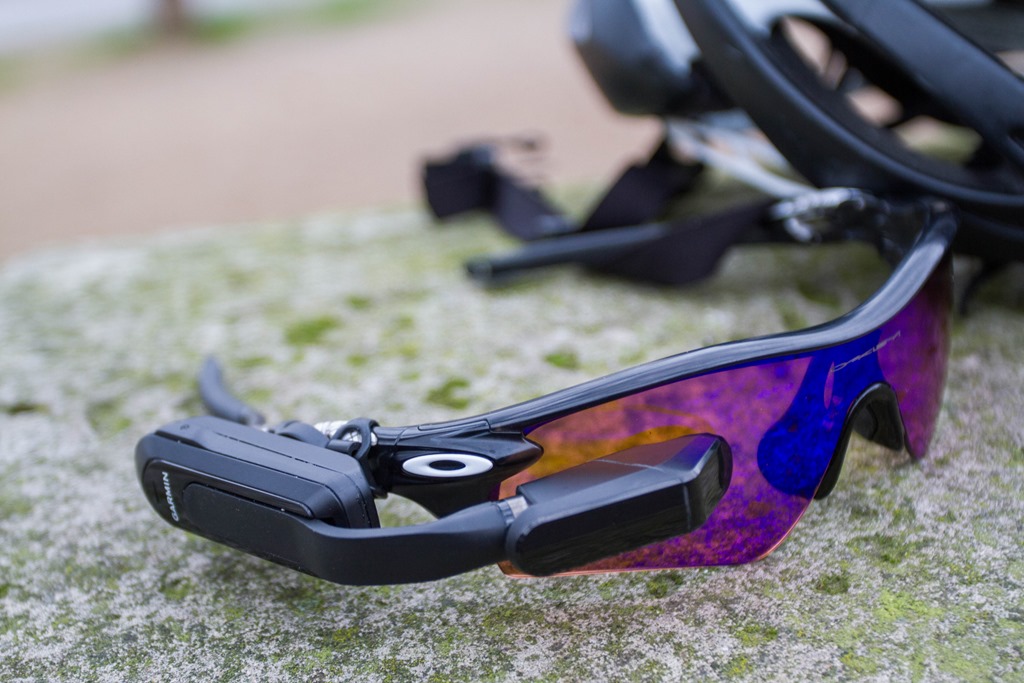
Today Garmin introduced their first heads up display, the Varia Vision. The $399 heads up display takes data such as speed, power, and even approaching cars from the Varia Radar – and plops it up on a small screen at the upper edge of your existing sunglasses. This is the first fitness HUD that Garmin has developed, joining what is quickly becoming a more and more crowded marketplace of heads up displays.
I’ve spent a bit of time with the unit (but certainly not enough to call this a ‘review’), so let’s go ahead and talk through things.
How it works:
The first thing to know about the Varia Vision is that it’s more accurately described as a ‘remote display’ than a standalone unit. It is essentially a secondary monitor for your Garmin Edge. Said differently: It doesn’t have GPS in it, nor does it have the ability to directly talk to all your existing sensors.
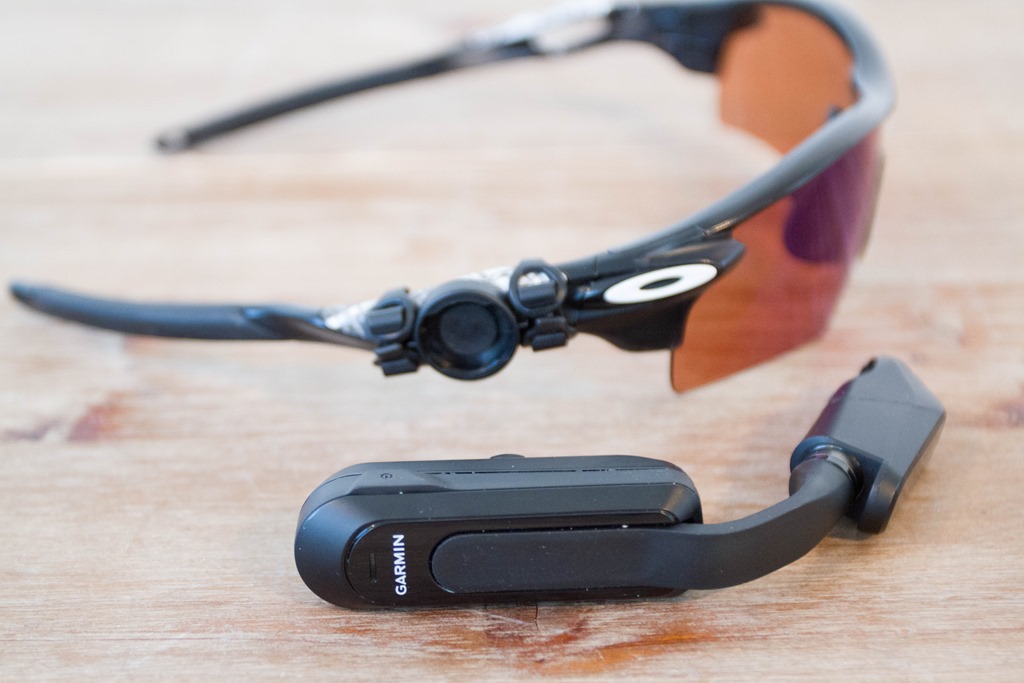
But before we get to those pieces, let’s talk about the physical form factor. First up, it attaches to any sunglasses you already have using a quick release style mount.
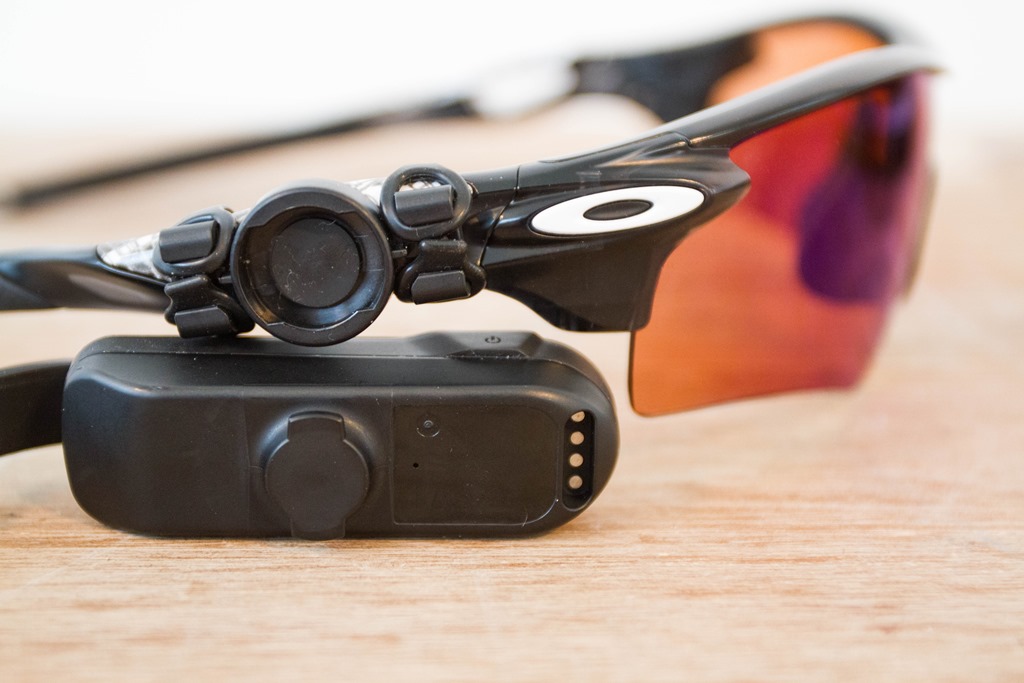
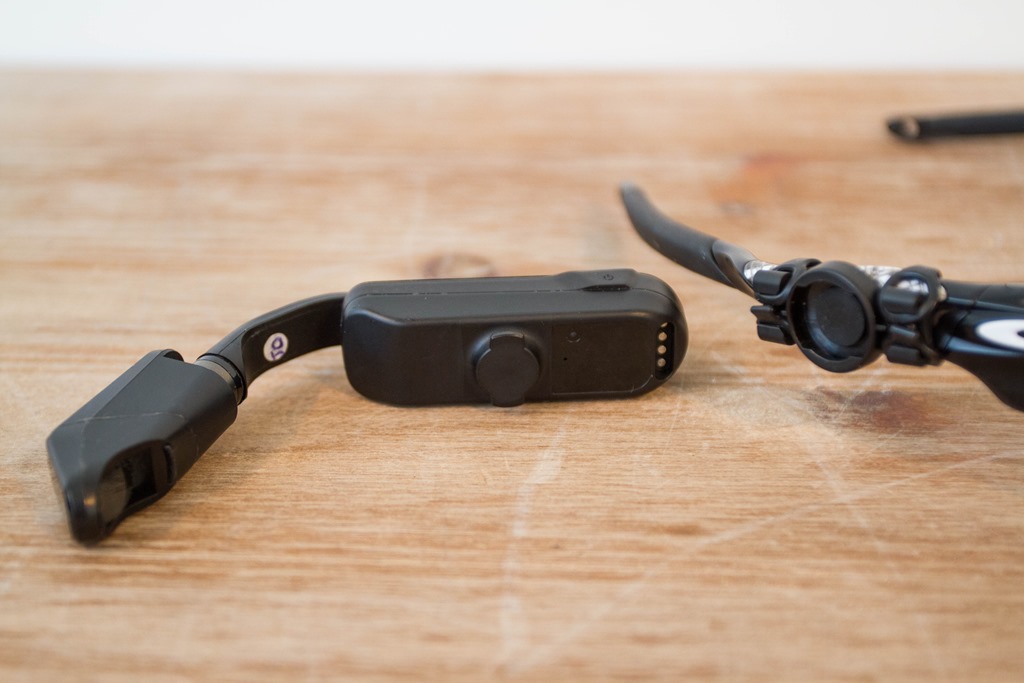
You simply rotate the pod up/down 90° to detach the pod from the glasses. The mount on your glasses is barely noticed depending on the style of your glasses. But you can quickly remove it via the rubber bands. No zip-ties required.
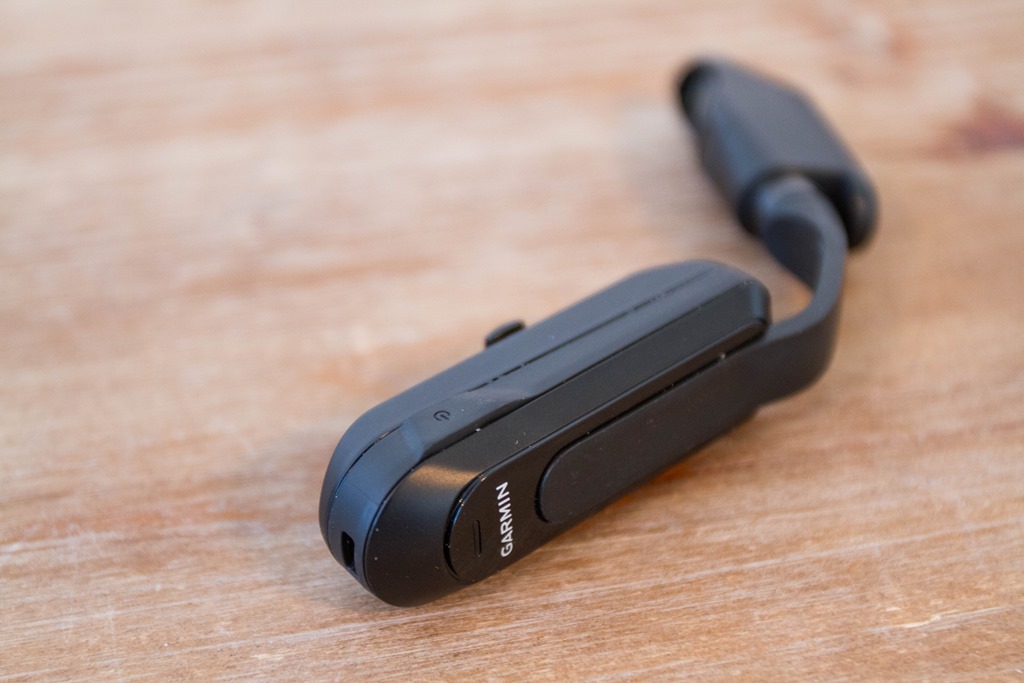
As for the pod itself, it has only a little bit of flexibility. This isn’t like a flexible arm that you can move around wherever you’d like. The main arm can bend very slightly a few millimeters in the forward/backward direction. Compare these two photos (look at the crack in the table):
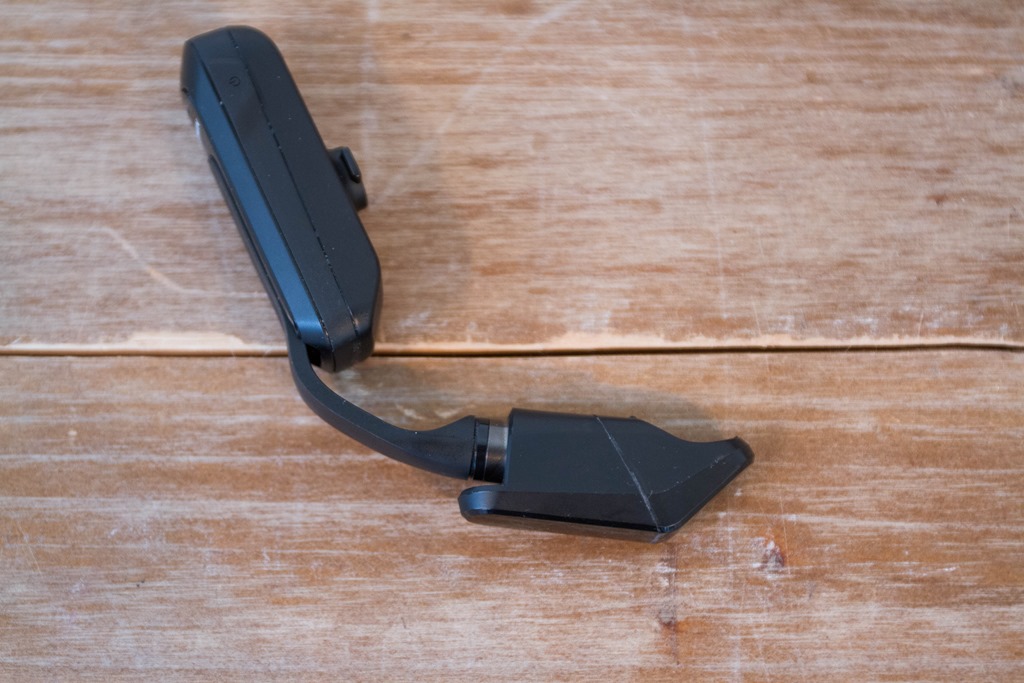
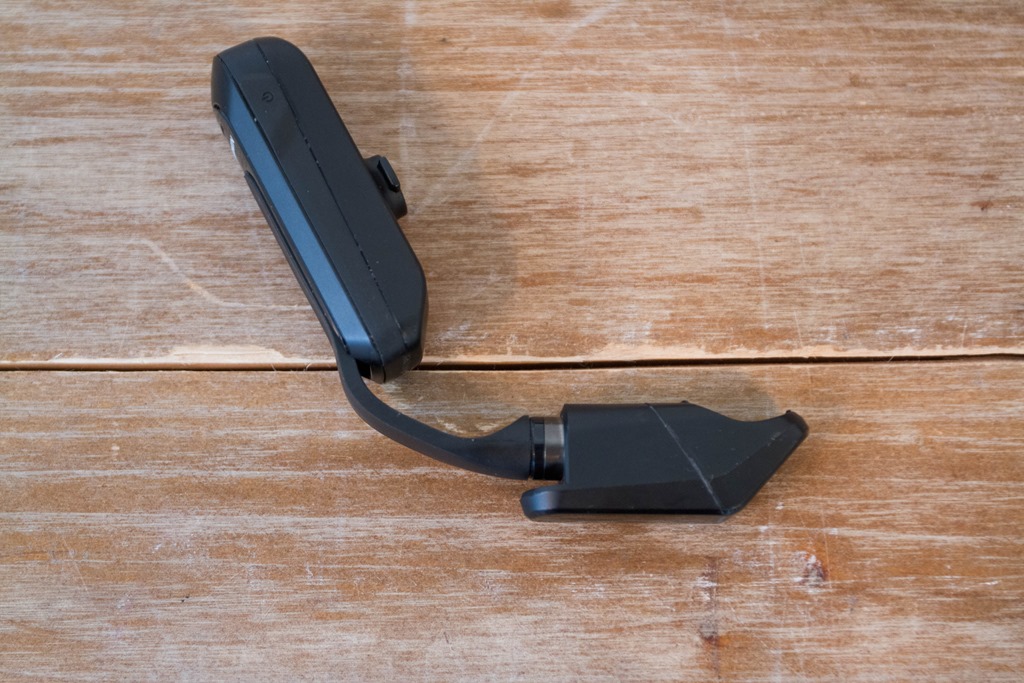
Additionally, the display portion of the pod can also rotate a few millimeters up/down to get a slightly better angle (again, compare these two from a pod rotation standpoint). But the thing is, you don’t need any more than this. Remember you control how and where you attach the mount, so you have more flexibility there too.
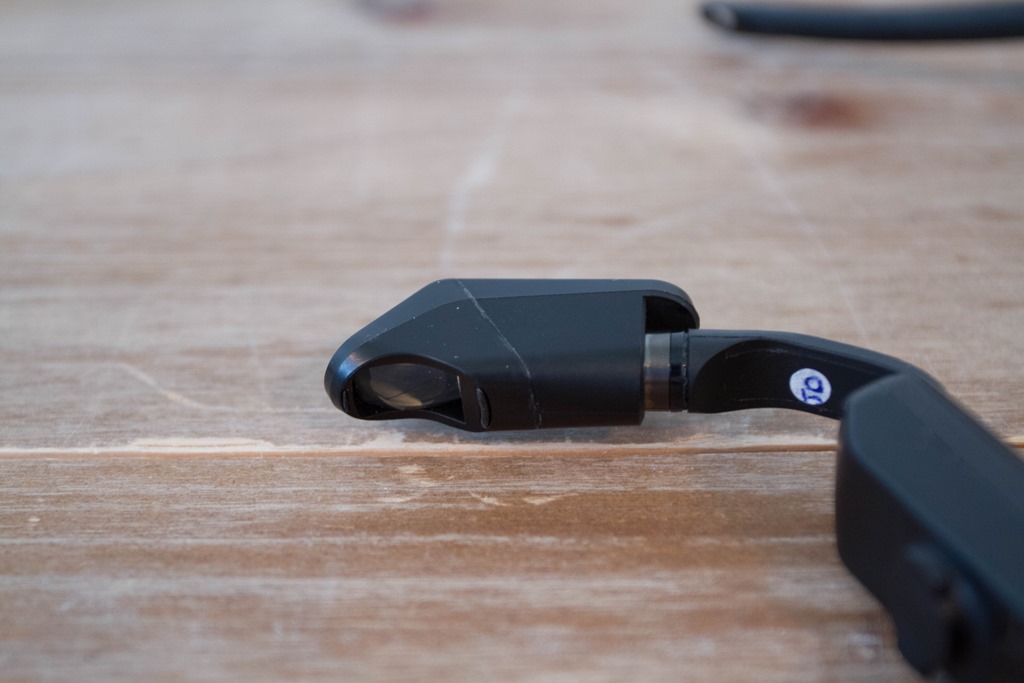
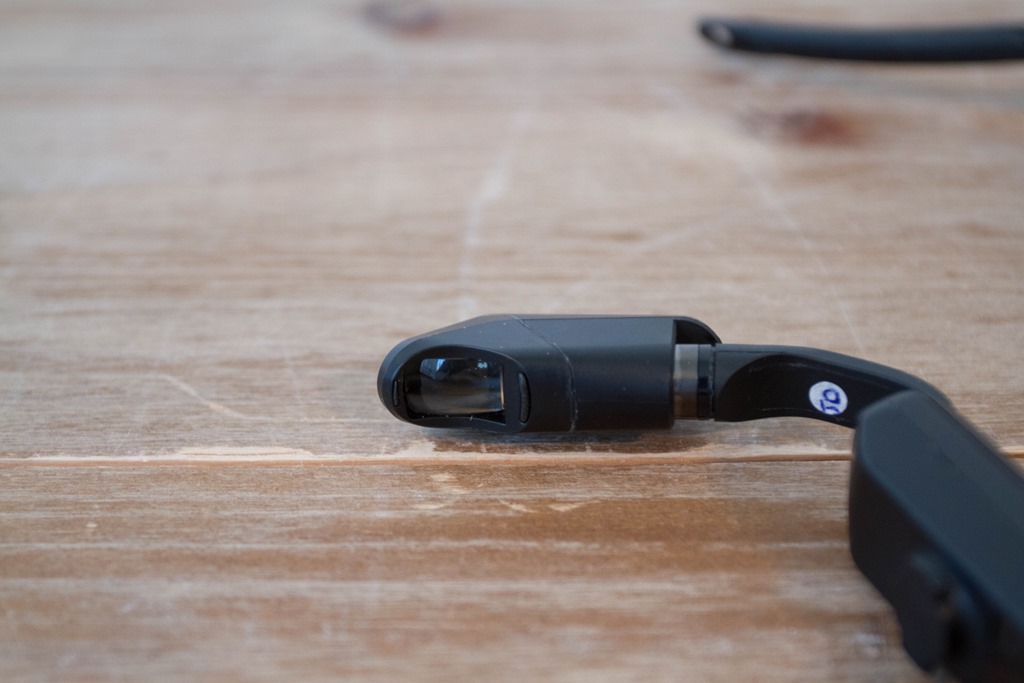
Meanwhile the pod has two methods of control. First is the power button on the top:
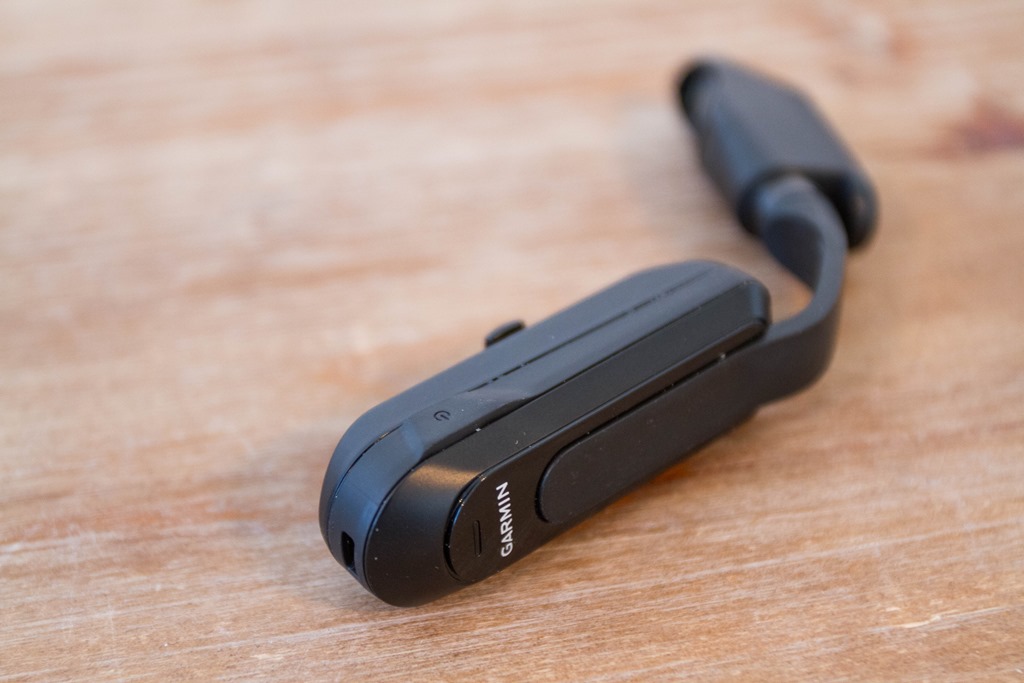
Then along the side you can swipe forward/back, very similar to the Recon Jet.
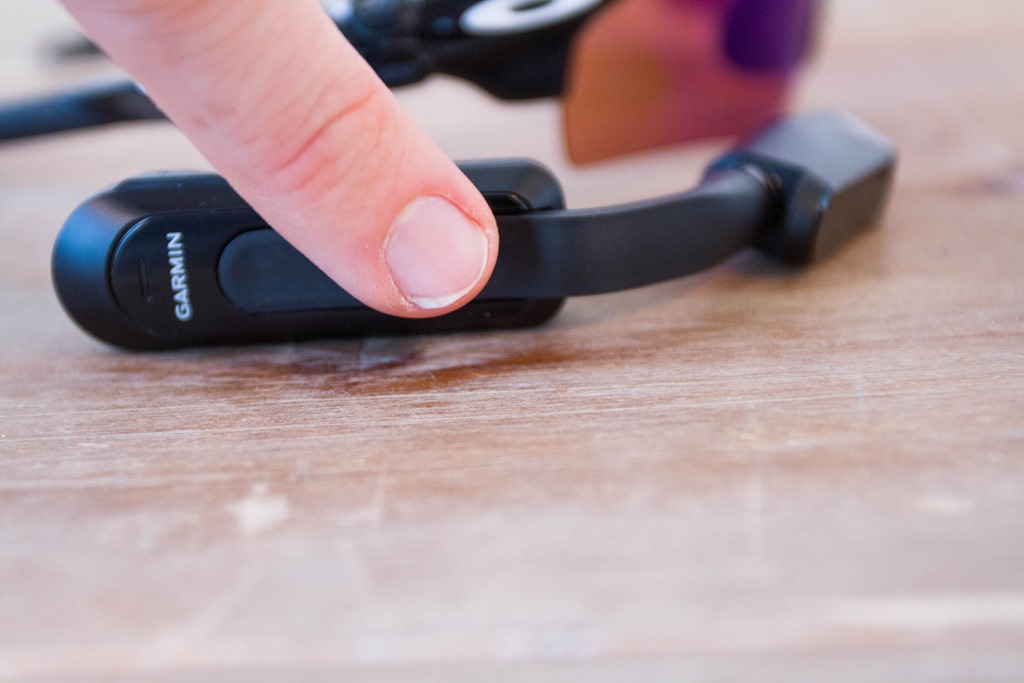
The unit includes vibration alerts, for letting you know about various events, such as incoming text messages. It does not however have audio alerts.
Note that you can place the Varia Vision on either your left or right side, it’ll automatically flip the image for the correct side. Alternatively, if you flip over your handlebars and are upside-down on the ground looking at the sky, it’ll correctly re-orient the display for your new position (just in case you were wondering…).
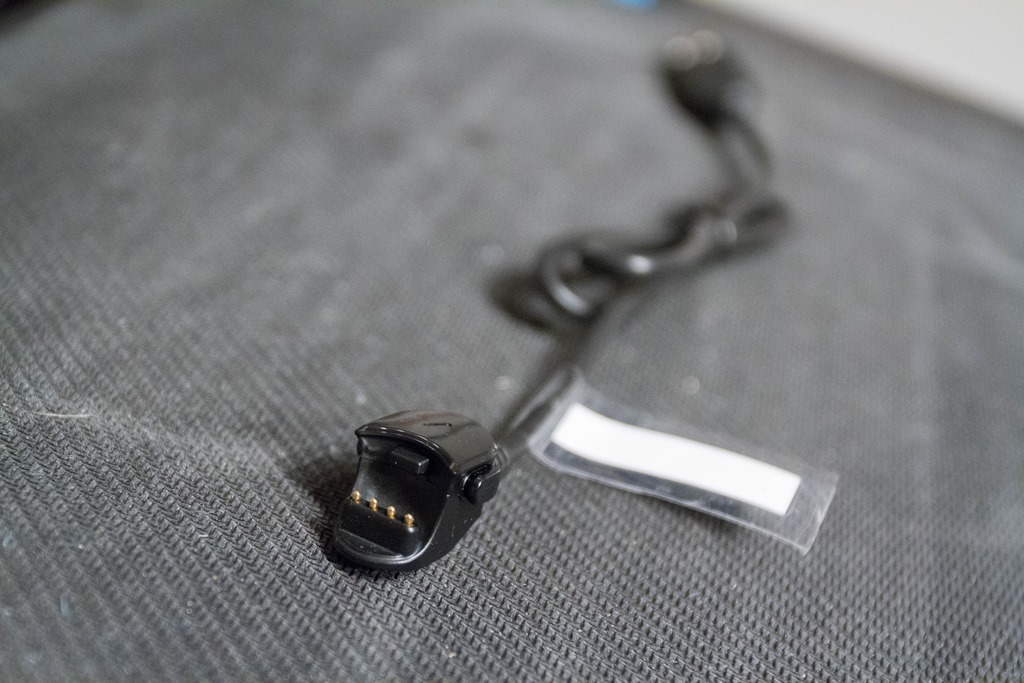
As for charging, the unit claims 8 hours of battery life (I haven’t tested that yet). And charges via this custom charging cable.
Now that we’ve talked about the outsides, let’s go inside the display (since that’s the whole purpose).
The display:
Because the unit relies upon your Edge 520 or Edge 1000 to display data, we’ll first need to pair it up to the Edge. To do that, we’ll go into my Edge 1000’s sensor menu, and select ‘Remote Display’:
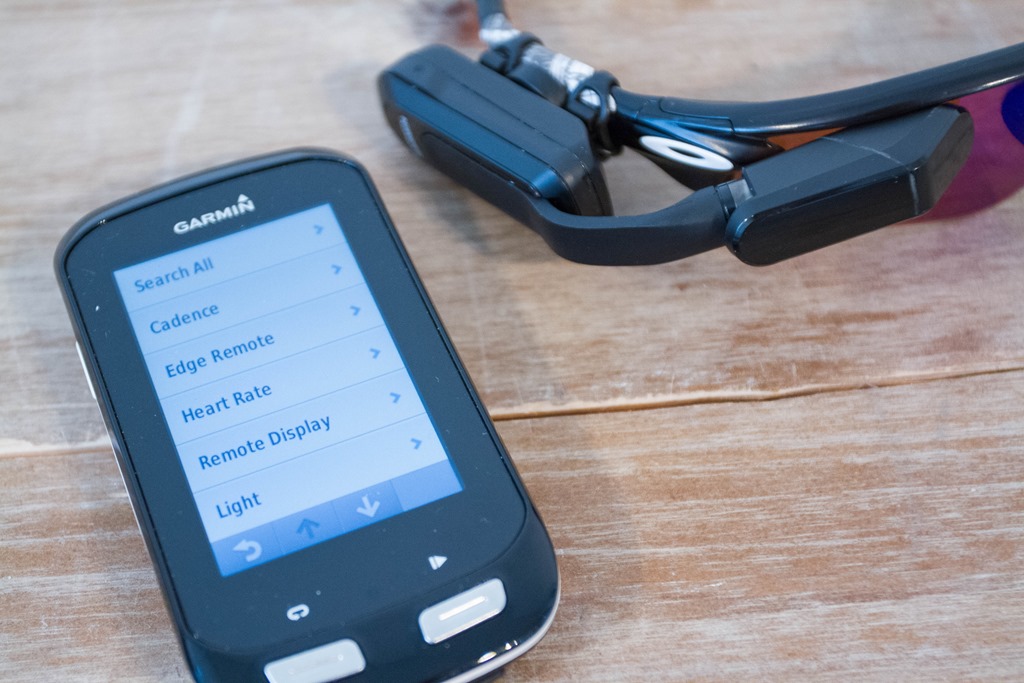
At this point, it should find the Varia Vision and you’ll be good to go.
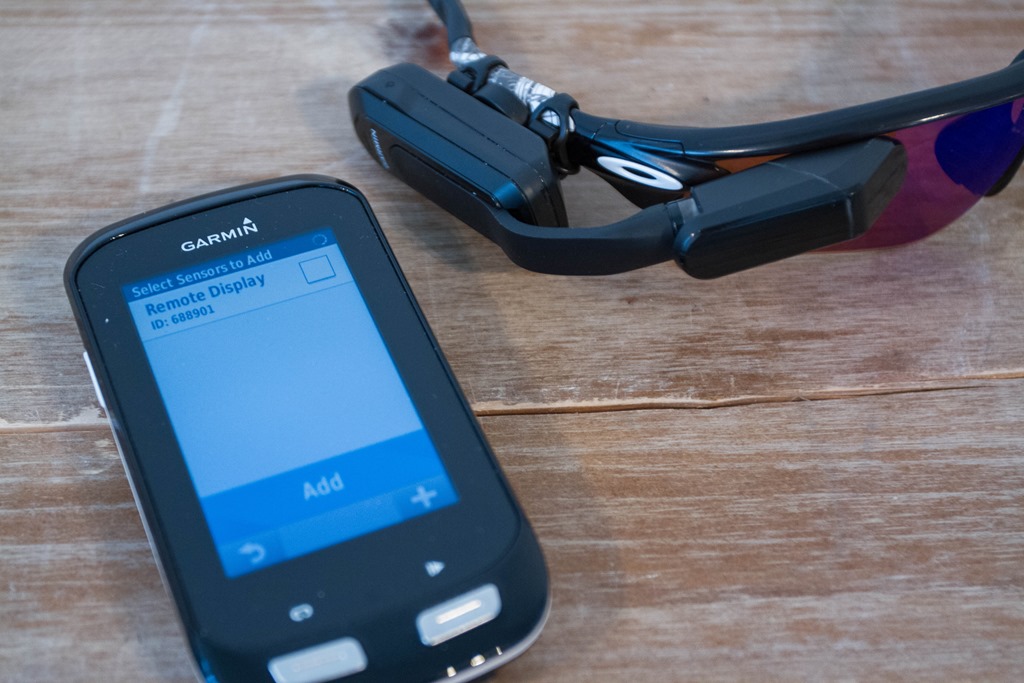
You’ll see the nifty icon of the sunglasses for Varia Vision:
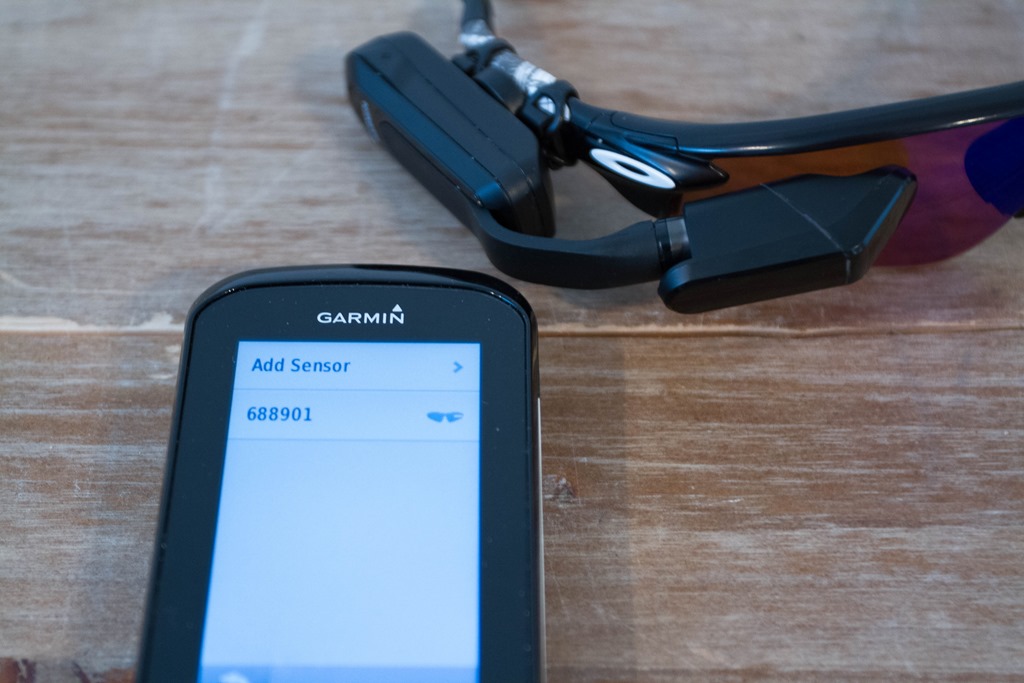
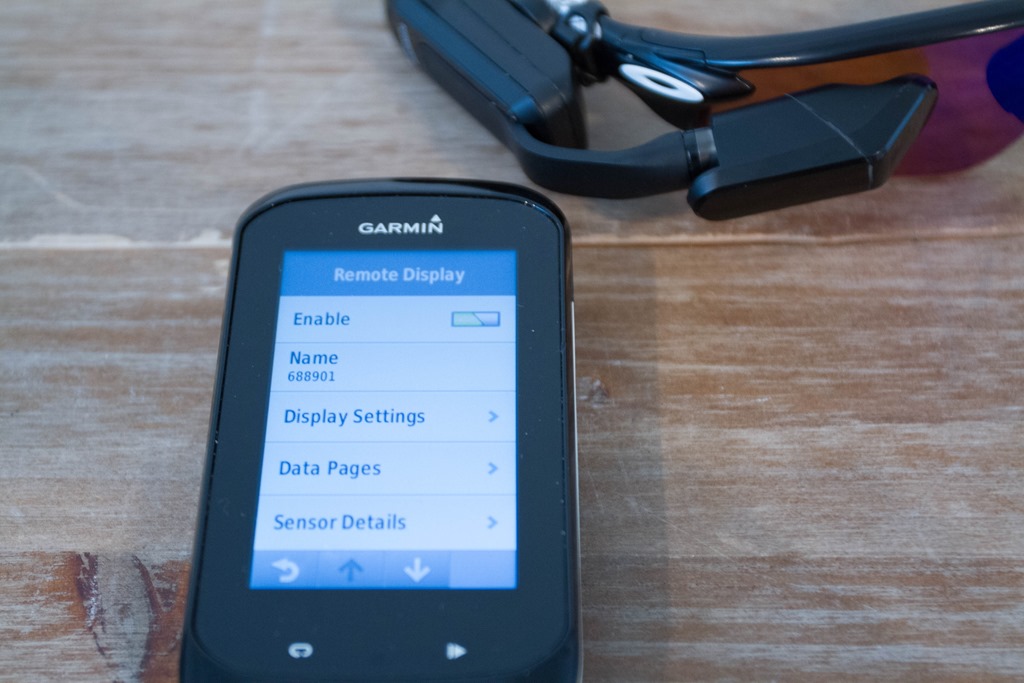
With that, if we open that sensor, we’ll get a number of options. It’s sorta like having an entirely separate unit to configure:
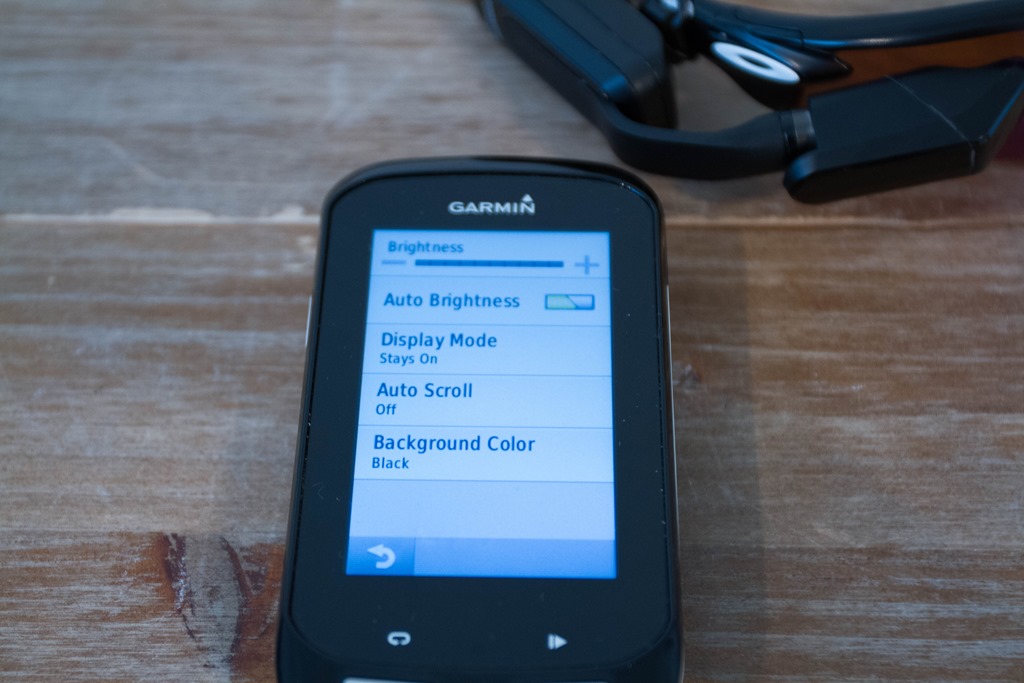
Under the Display Settings, we can adjust the brightness of the unit, as well as auto-scroll and the background color.
Then we’ve got a separate set of Data Pages. Just like on your other Garmin fitness device, these control what you see. I love this. That’s because I very much want different items on my heads up display than my main unit. Essentially, I want more concise information on the HUD for a quick glance.
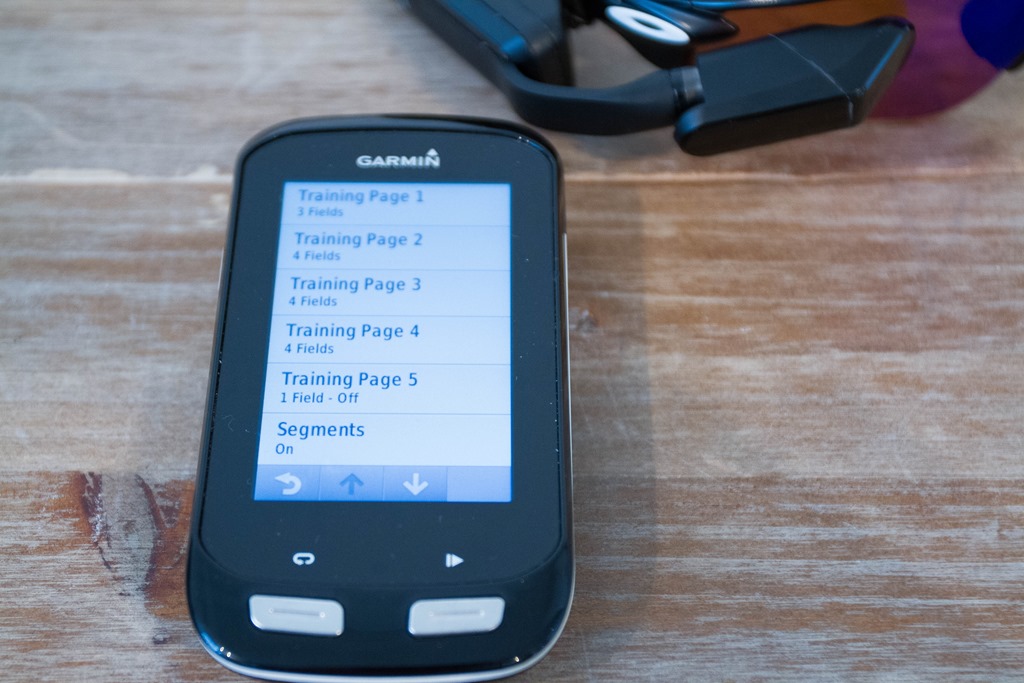
You can configure:
– 5 Custom Pages (up to 4 data fields per page)
– Strava Segments (On/Off)
– Navigation (On/Off)
– Virtual Partner (On/Off)
Here’s a random collection of photos of some (ok, most) data pages I put together:
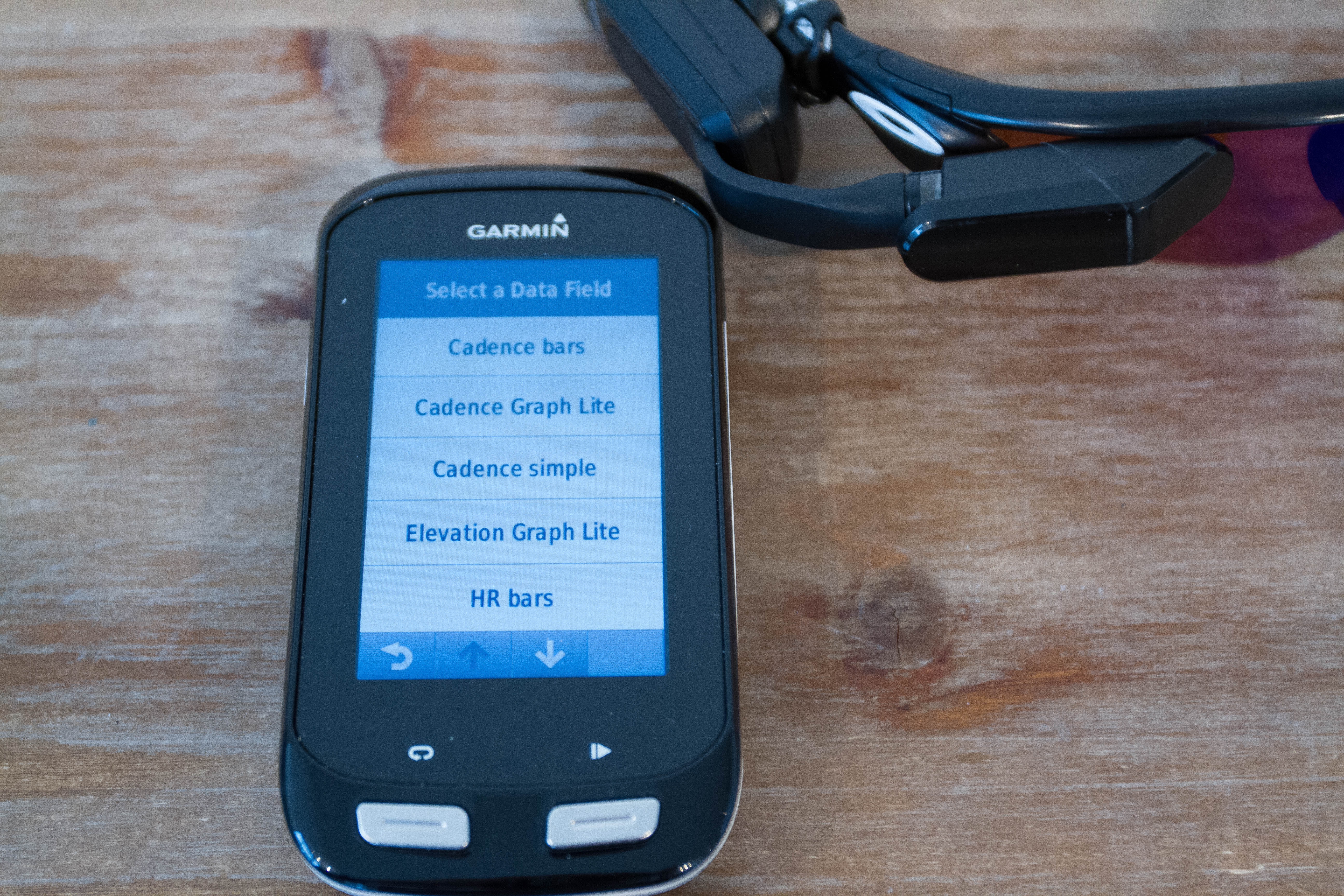
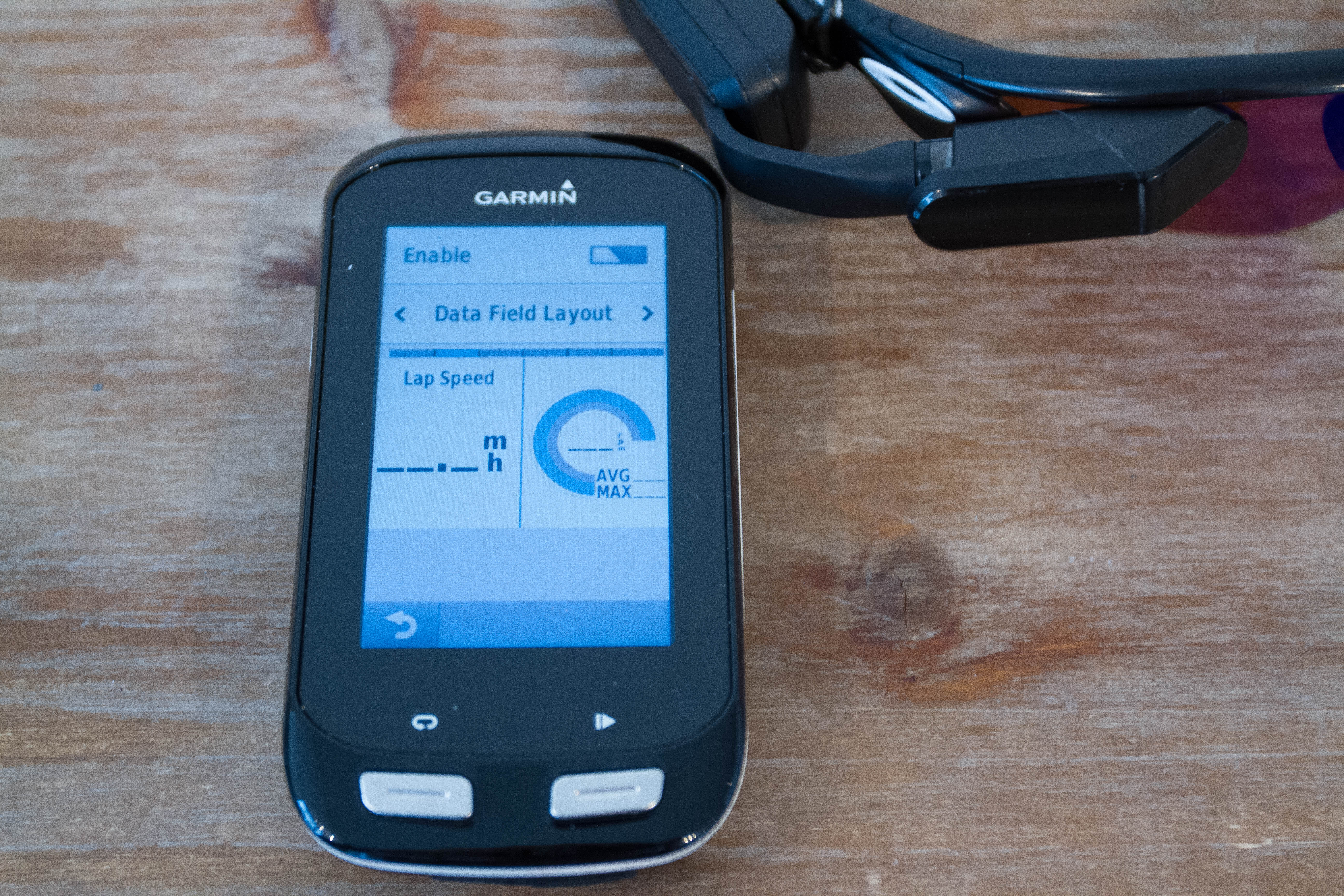
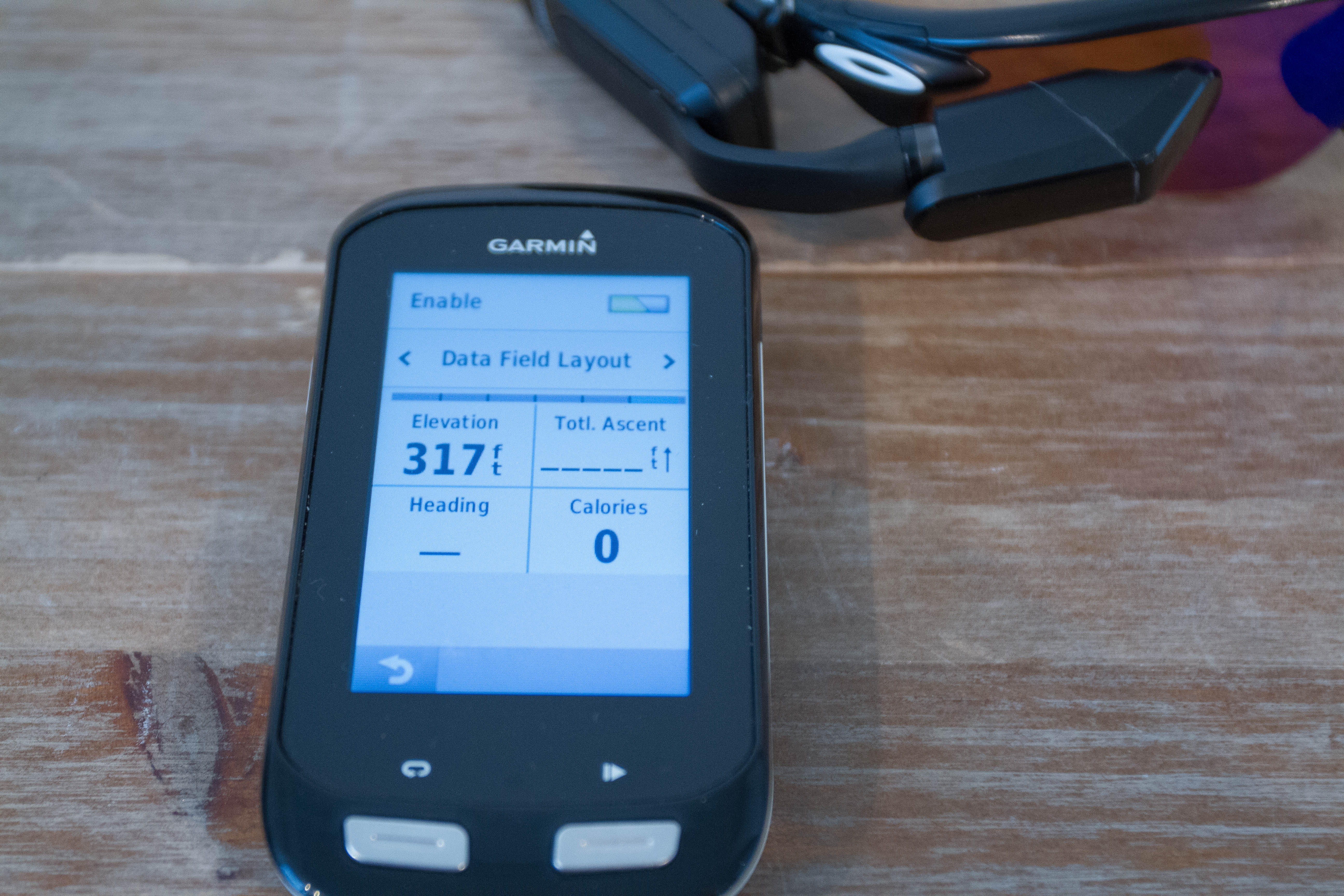
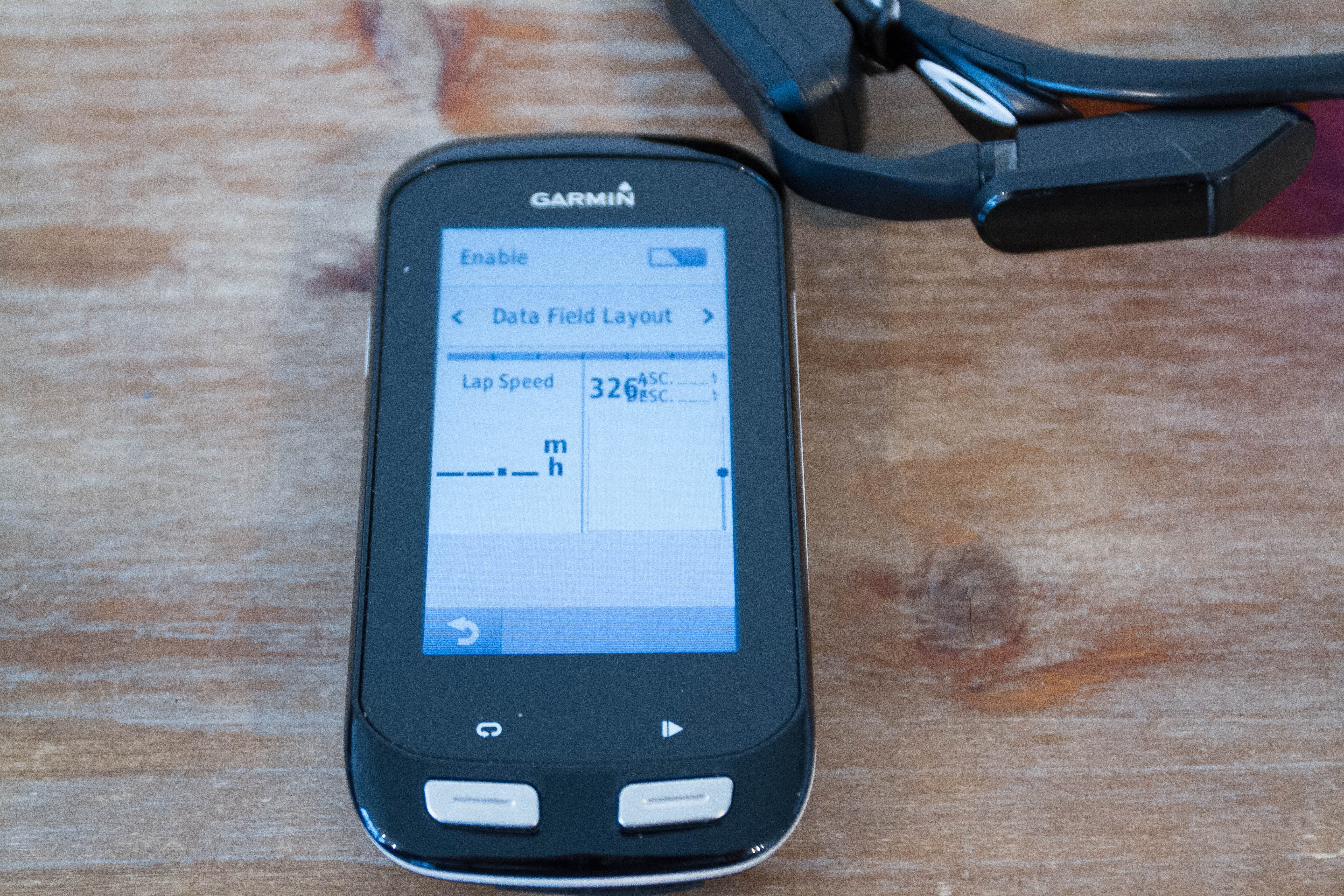
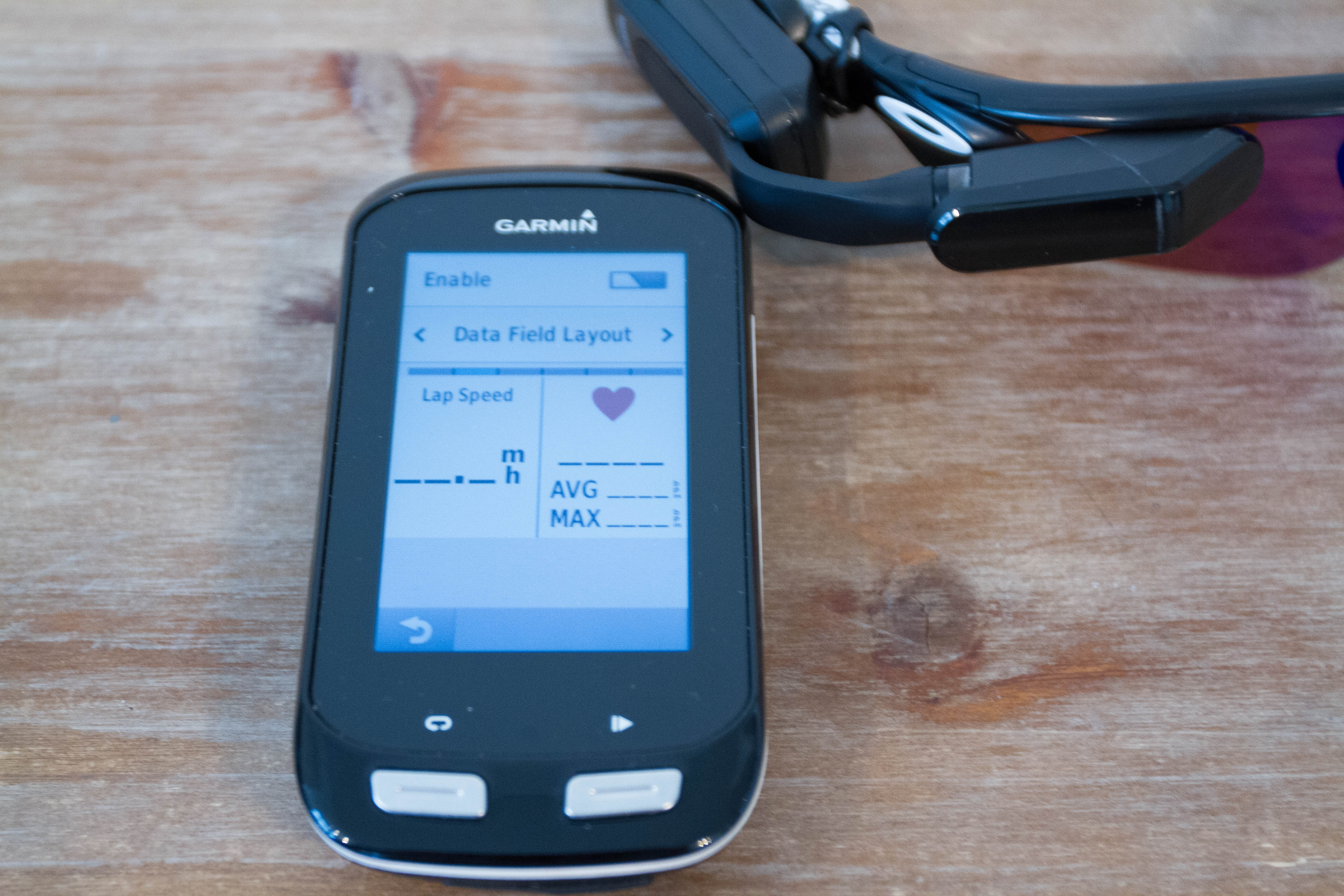
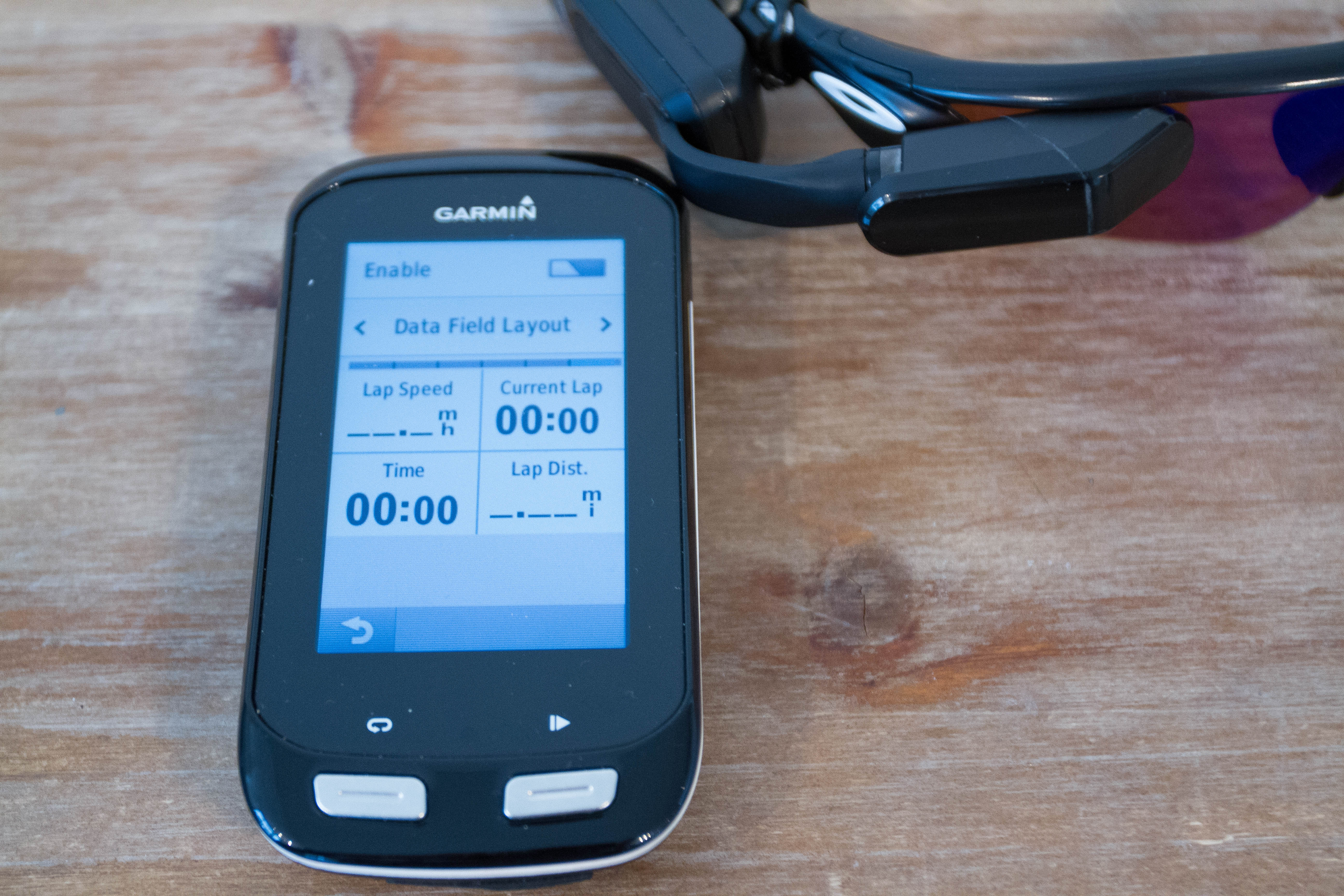
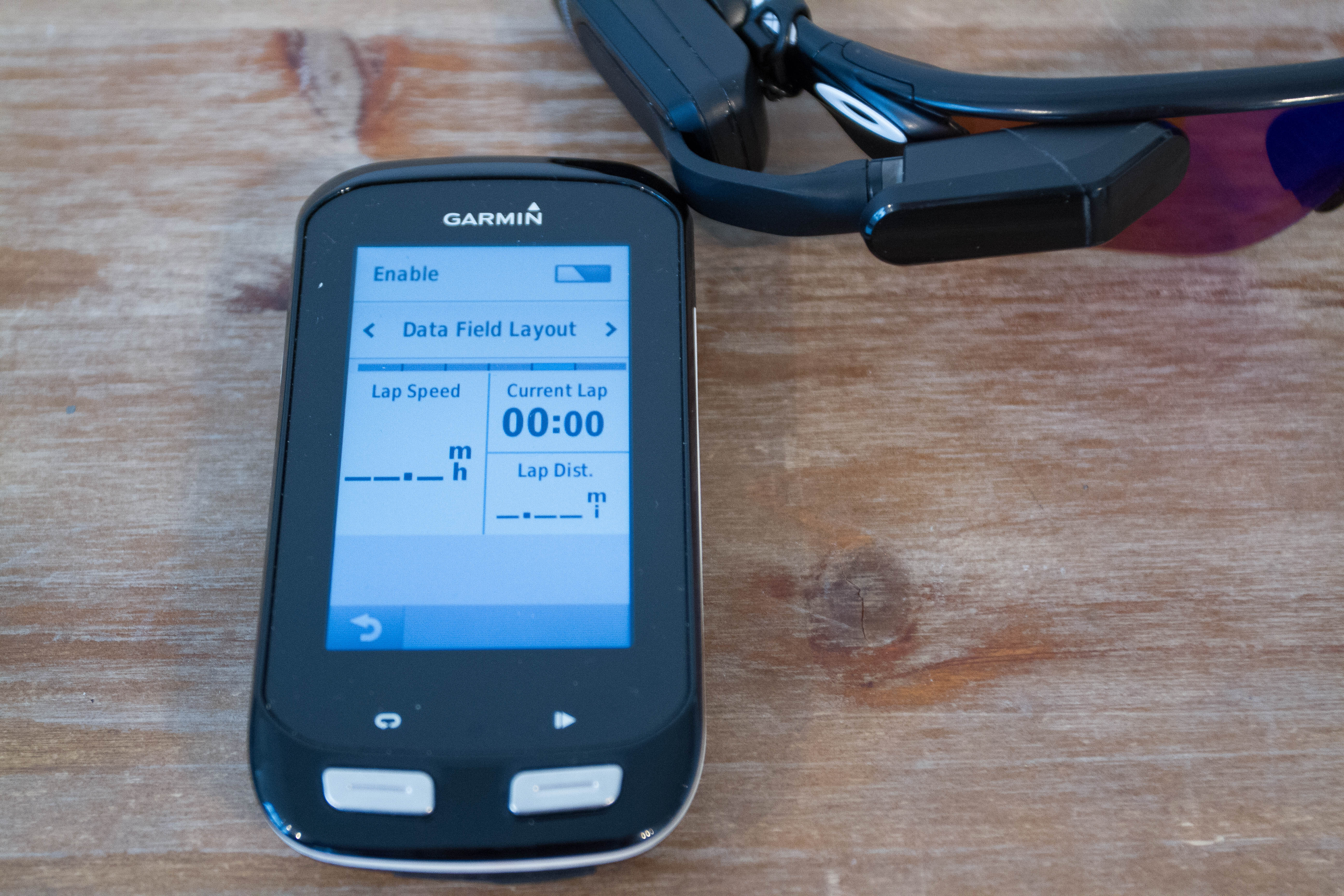
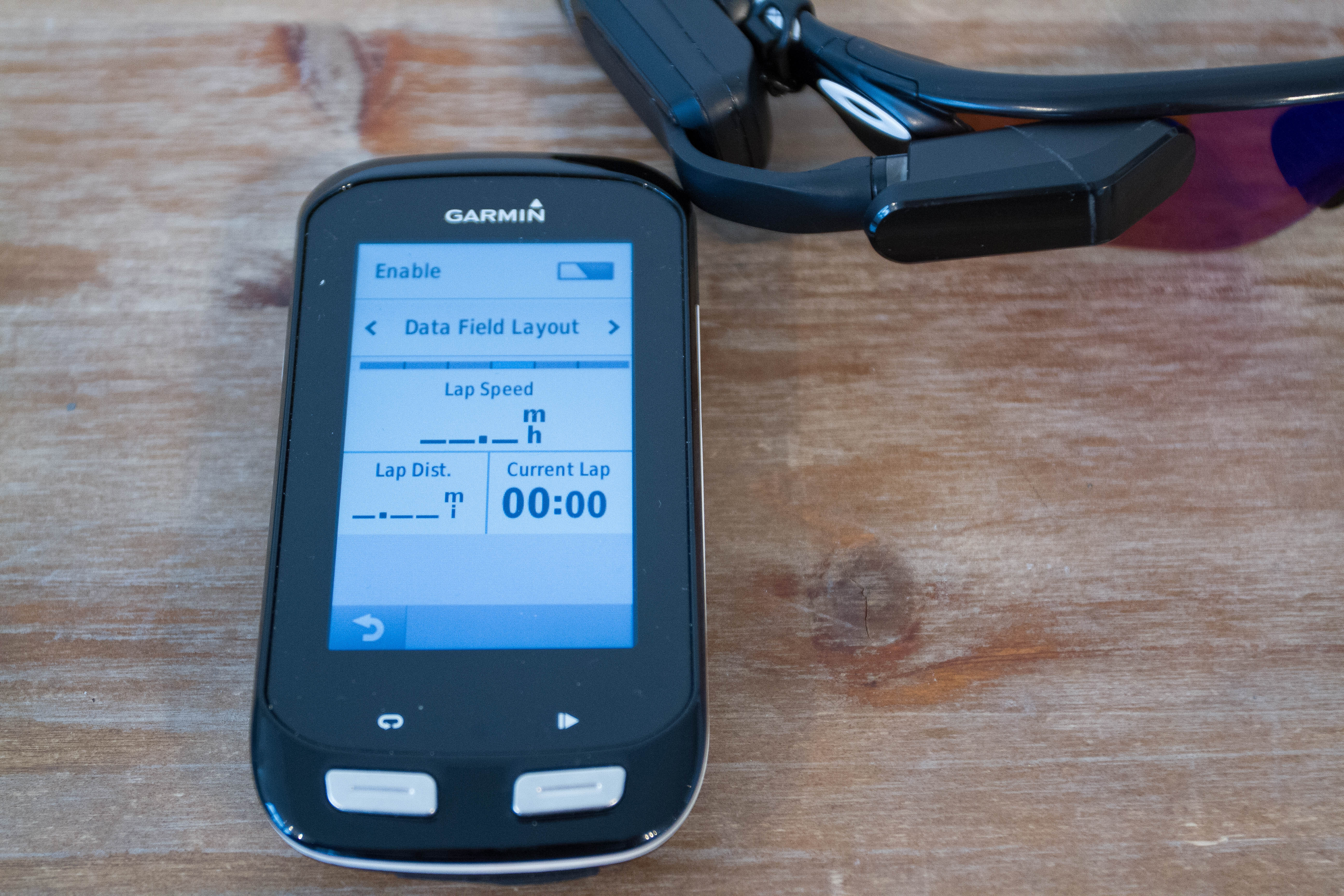
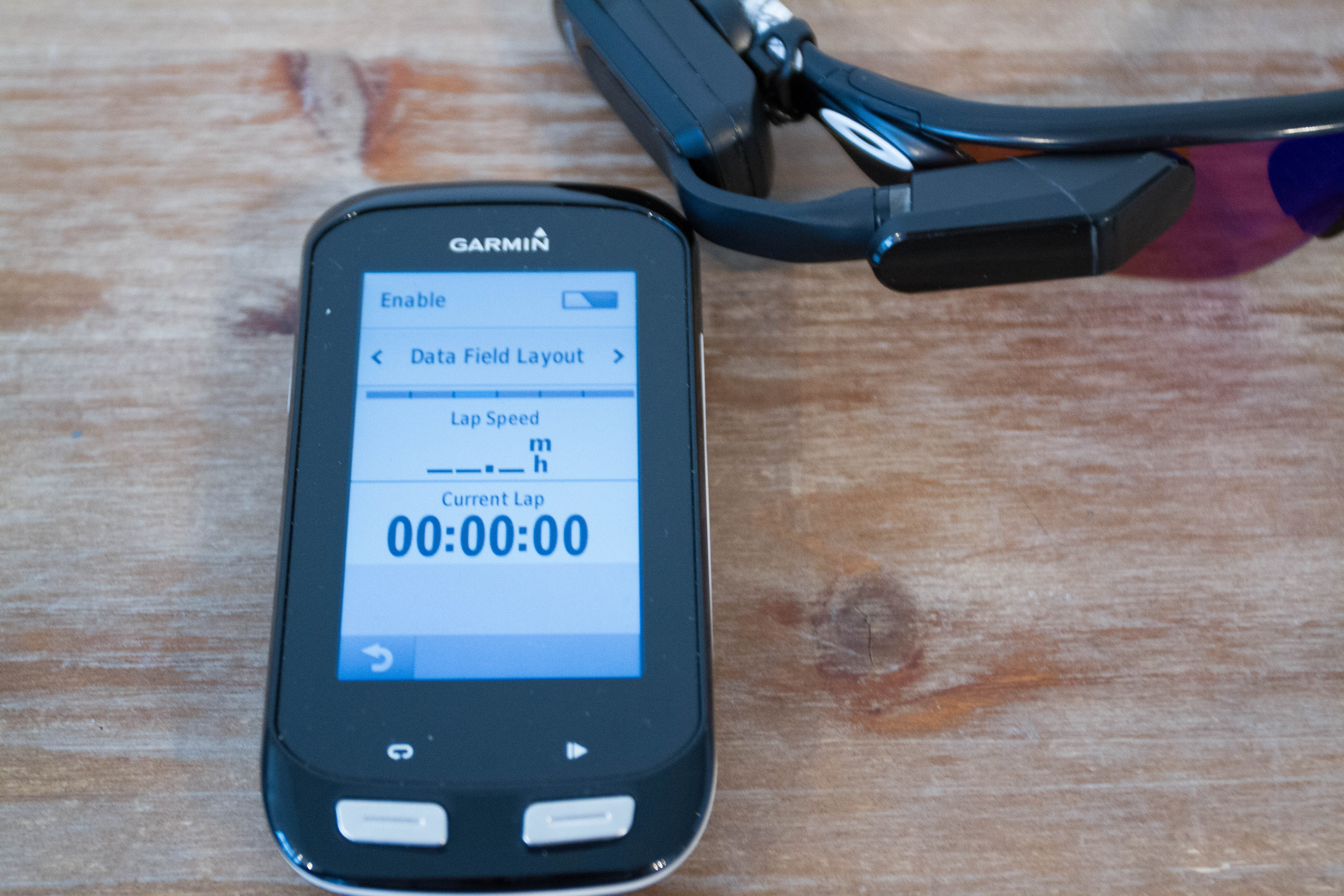
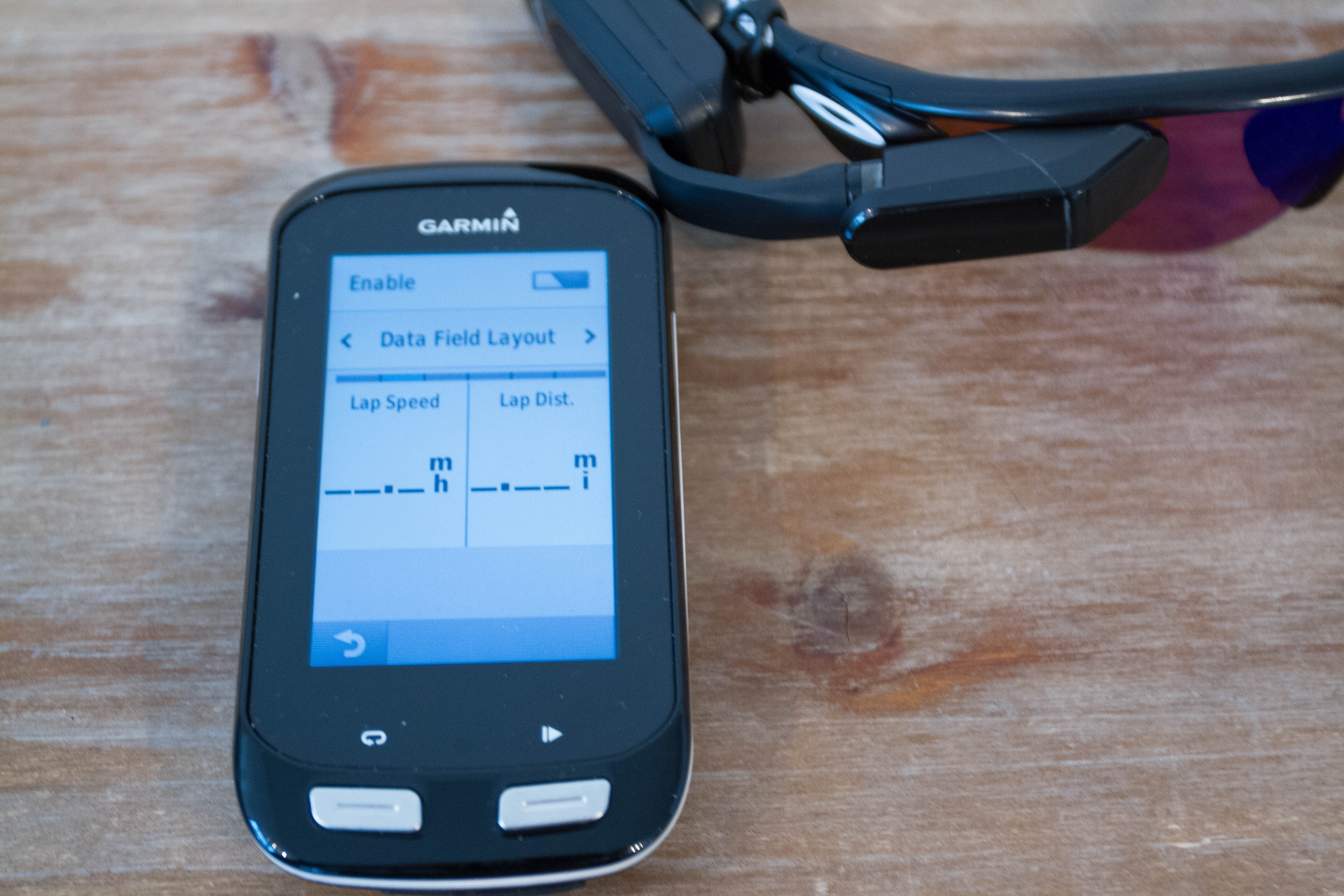
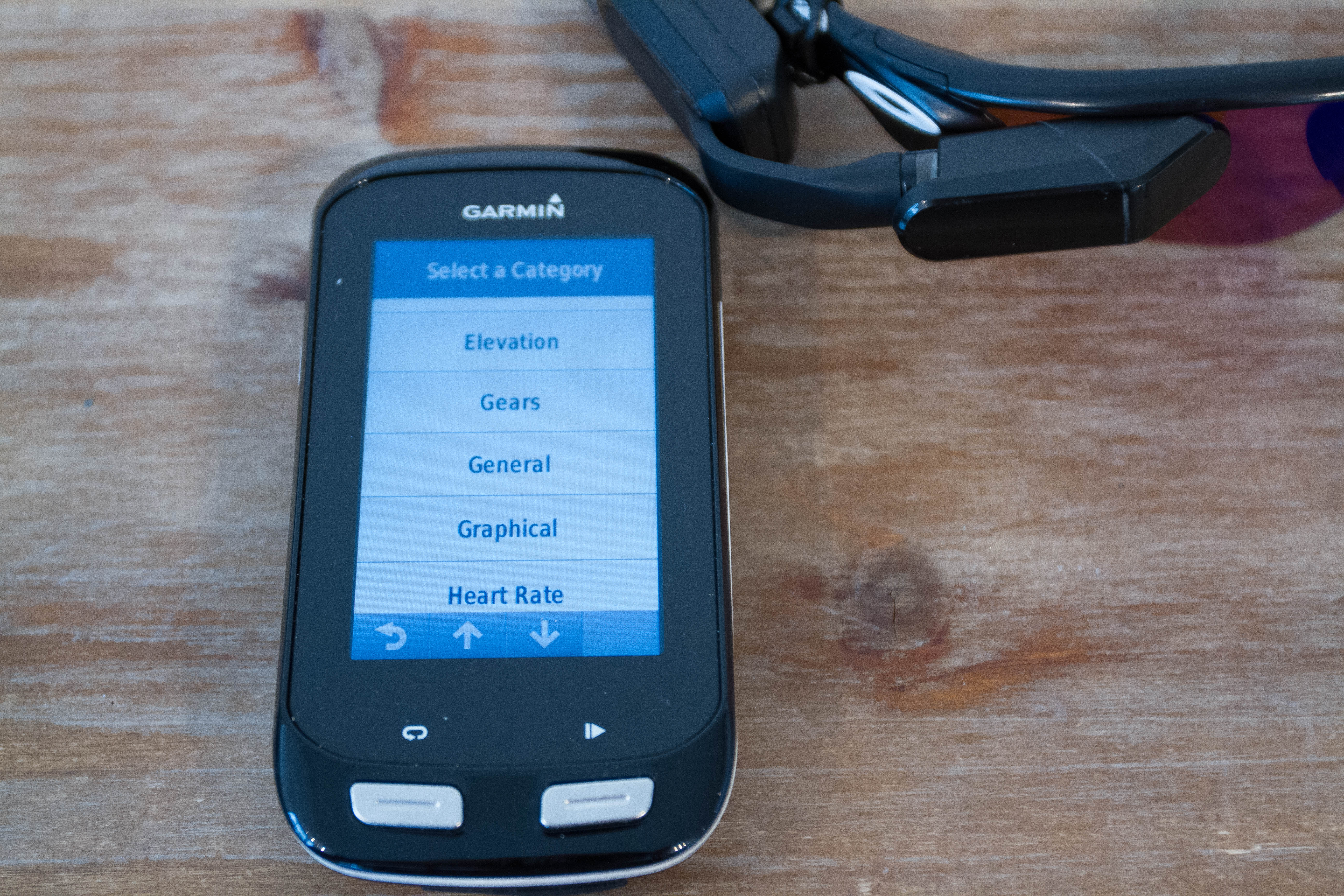
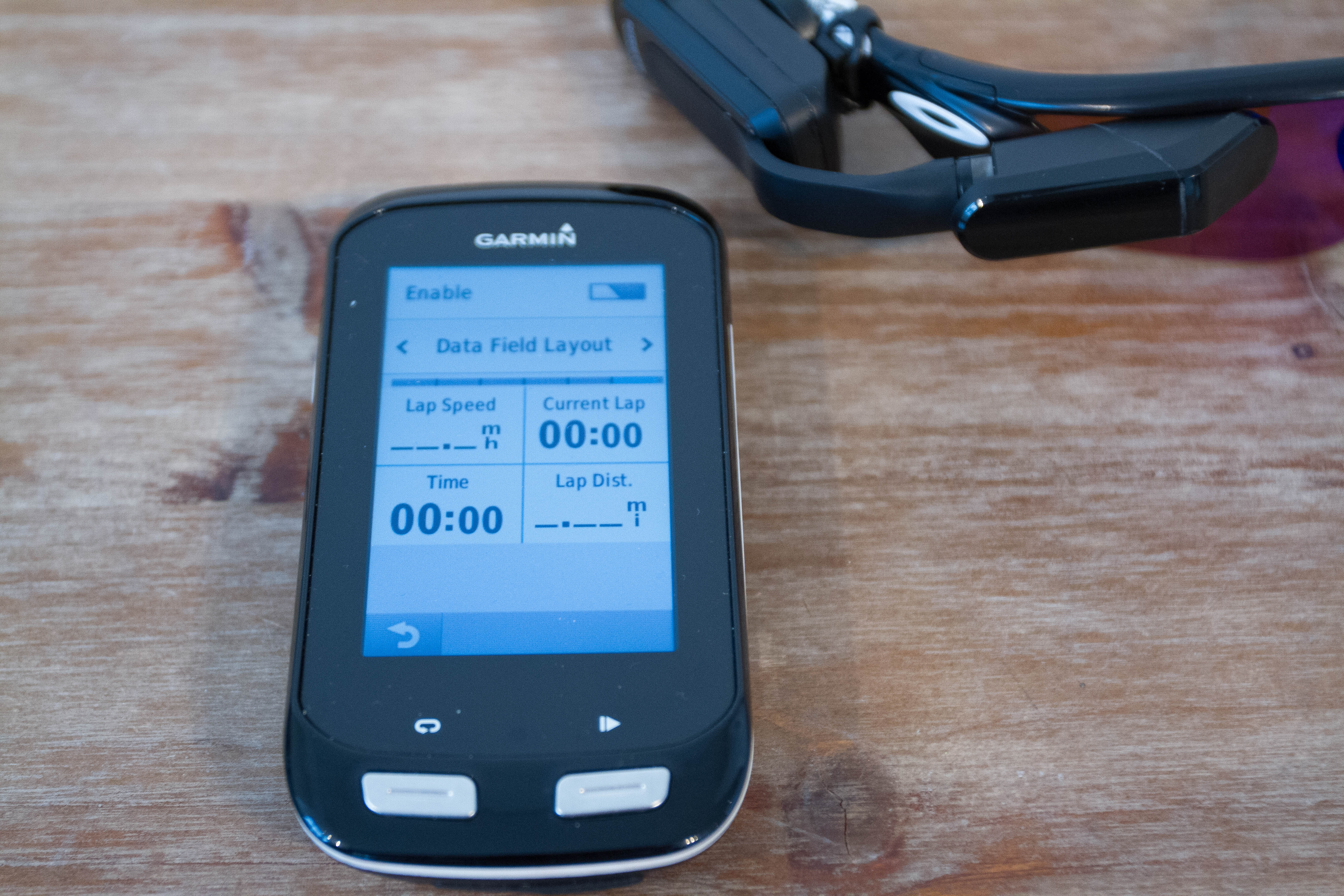
Most of these data fields are what you’ve seen before. But you’ll note a new chunk of data fields called ‘Graphical’, which are rather pretty layouts of mostly existing metrics:
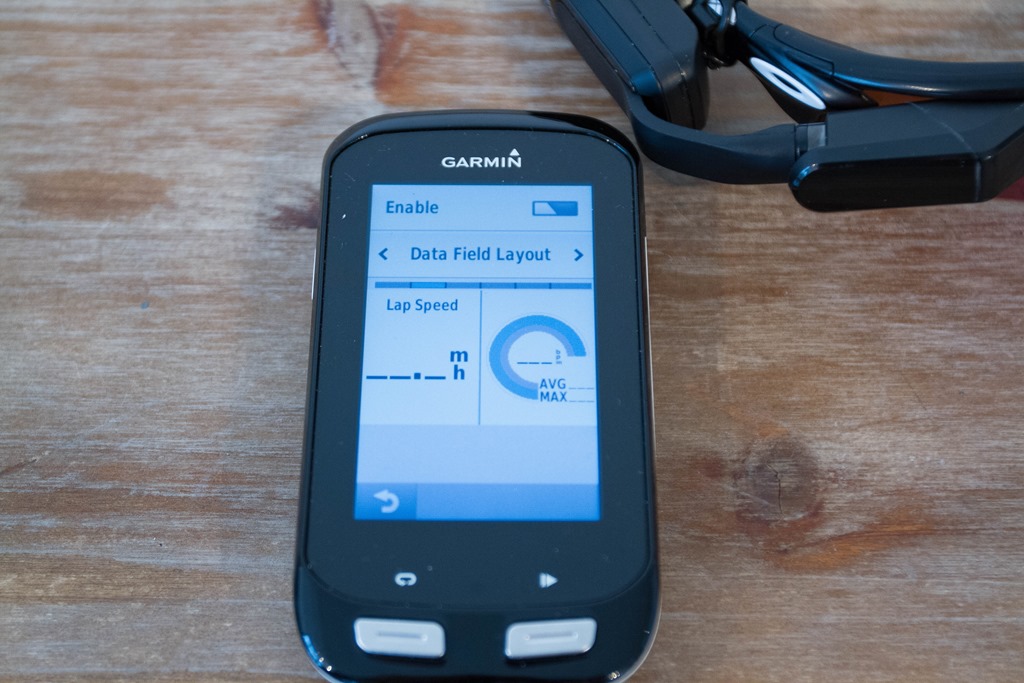
With that, we’re ready to roll. Note that the other menu options under ‘Remote Display’ were just ‘Sensor Details’ (just lists ANT+ ID and current firmware version), as well as the ability to remove the device or rename the device.
Now, I’ll point out that like all heads-up displays, it’s rather difficult to photograph. I basically can stick my cell phone camera in there, like this:
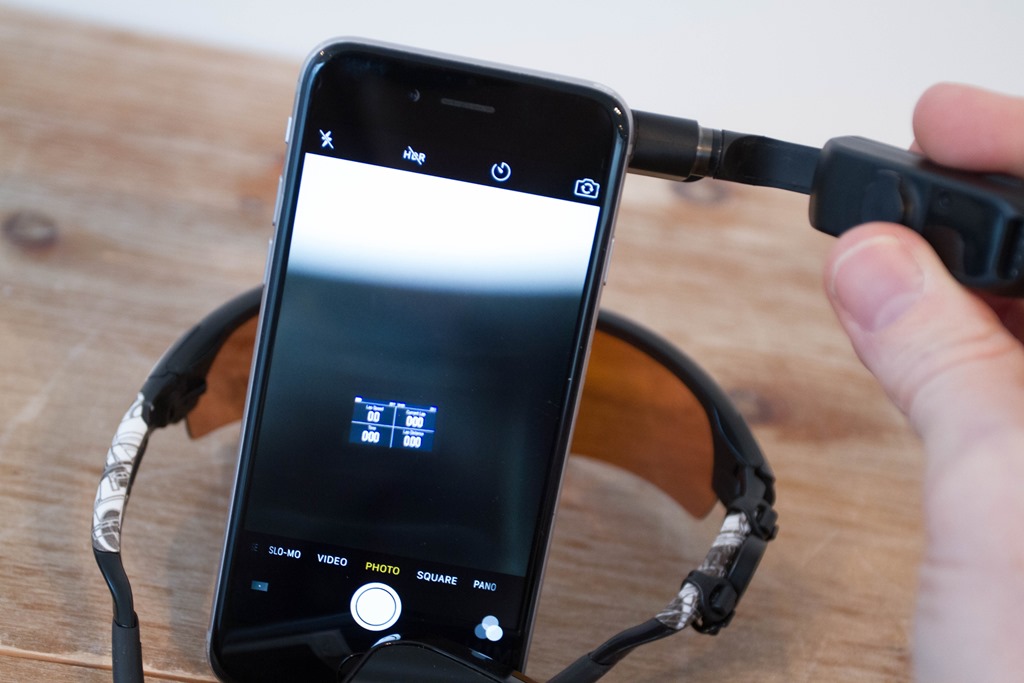
But that just gets me photos like this:
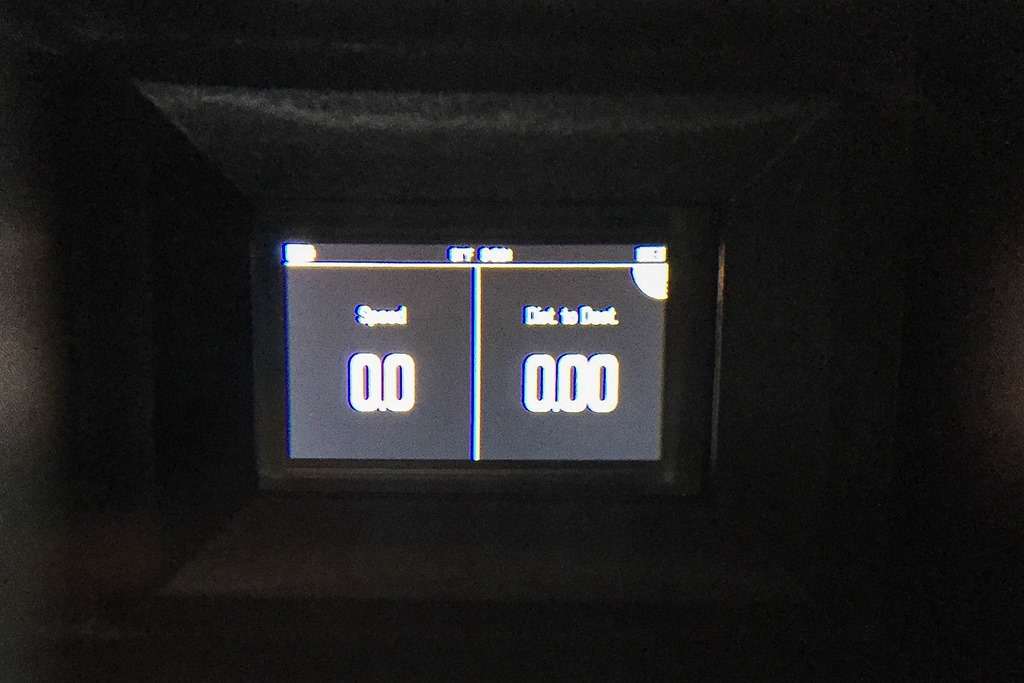
Which…aren’t that awesome. Ultimately, the displays are designed for your eye to see, not a camera lens. However, eventually I figured out some secret camera tricks to getting pretty pics from the unit. Persistence and creativity paid off!
At the top of the screen, you’ll always see the battery status, temperature (from Edge), time of day. Down lower you’ll see the various metrics I’ve configured.
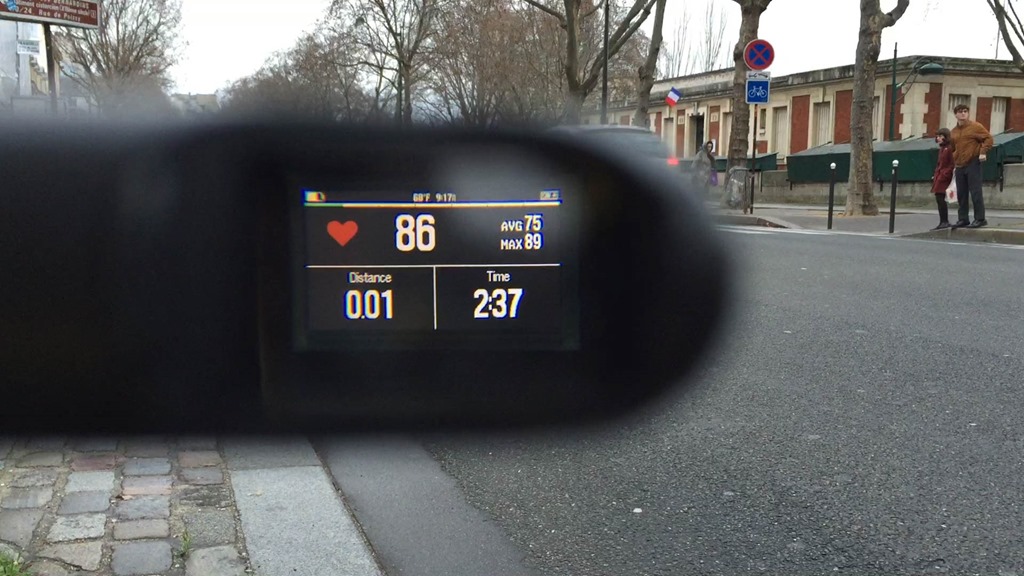
The fields update constantly as you’re riding, automatically from your Edge.
If you have enabled Auto Scroll, then the page will automatically scroll. Otherwise, you can swipe forward/backwards to change them.
Further, within the ‘Display Mode’ settings, you can also specify whether the unit stays on, or only displays data when there’s a message (such as a navigational prompt). The unit will automatically adjust the brightness just like your Edge does (but you can override that too).
First ride with it:
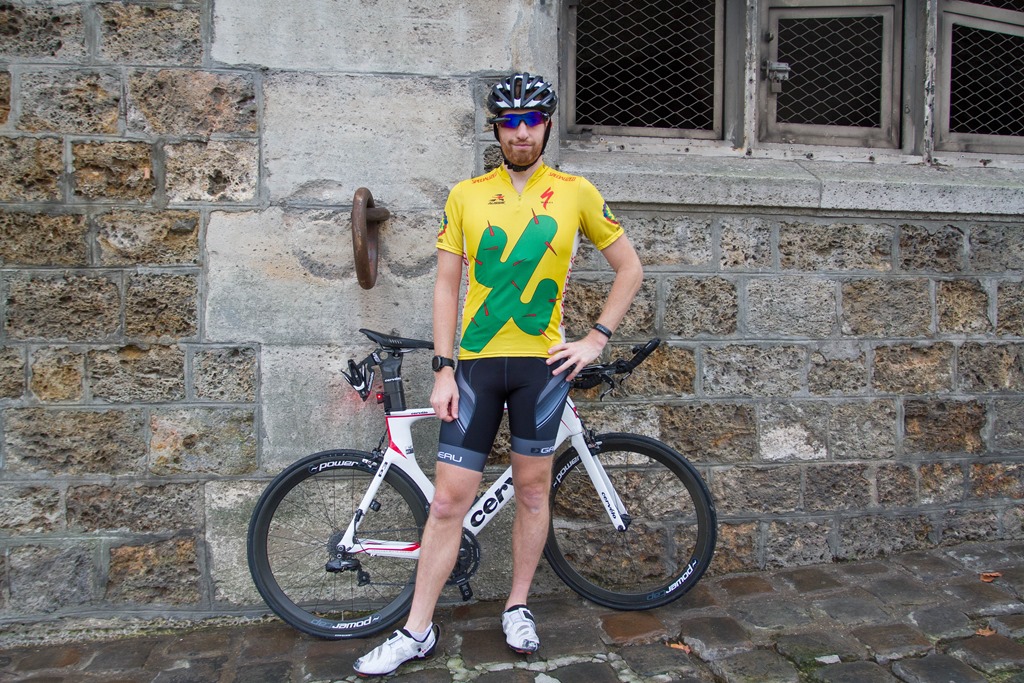
So – how does it handle? Well, out for a bit of a test ride I went. I figured if there’s any use case that makes the most sense it’s city riding where you want to avoid looking down at your handlebars constantly. So, out I went across the heart of Paris.

The first thing I noticed is that it doesn’t block your side peripheral vision. This may sound like an obvious item, until you realize that other heads up display units do block your view on one side (substantially in some cases).
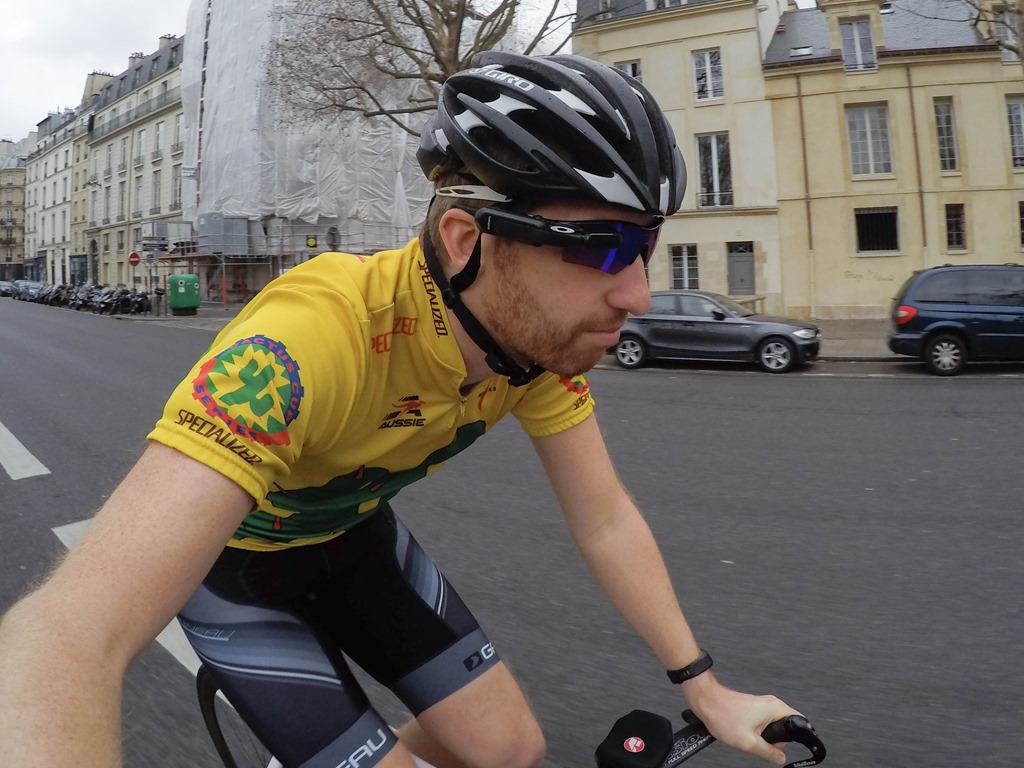
Next, while I could have swiped to change the data fields, I actually set it to Auto Scroll, which worked really well (fast mode). So the data was simply scrolling by and always there.
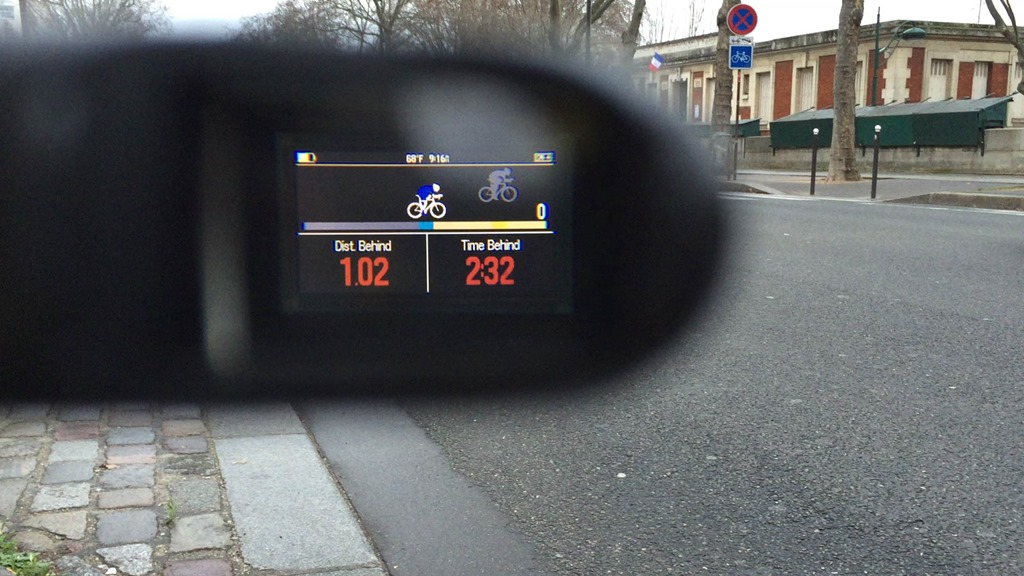
The other thing I found impressive was just how sharp the colors were. Having seen the pretty video that Garmin put together, I figured the colors would be 1/4th of what they showed. After all, that’s the way it usually works as they’ve historically promised beautiful HD colors, and it ends up looking like an image sent via fax machine. But in this case, it’s legit – the colors were incredibly sharp and clear.
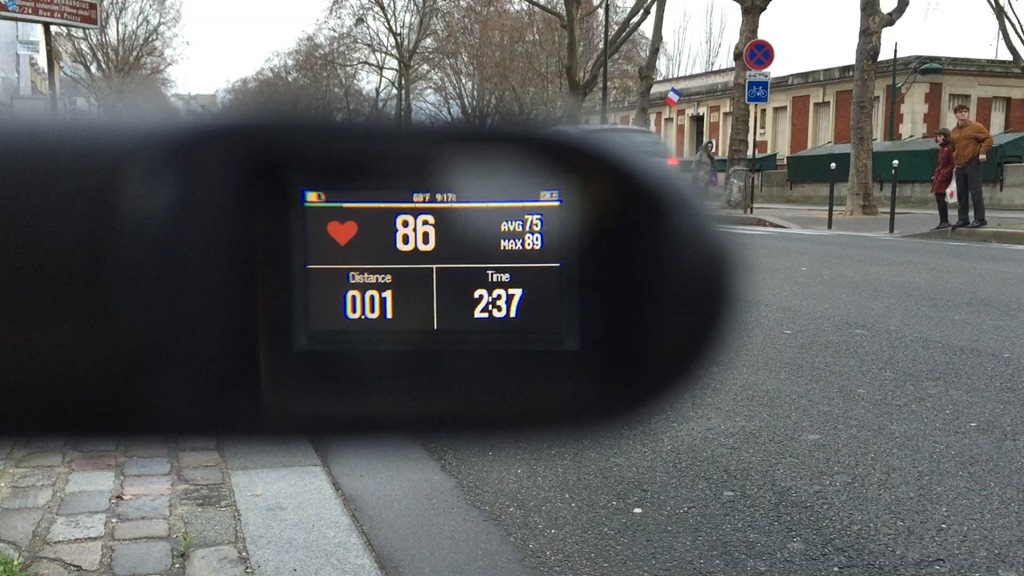
Here’s a totally unedited video I shot of the display scrolling through fields:

I didn’t think to have anyone text me during my ride, though, did later on and it notified me of a text message via vibration, in the same general format the Edge 1000 does (tells you of an incoming message).
Overall, I’m reasonably impressed with how well it works (even if it’s a wee bit pricey). On one hand it’s rather feature-limited compared to the Recon Jet. On the other hand, the simplicity in it makes it a super-clean experience.
Use with Varia Radar:
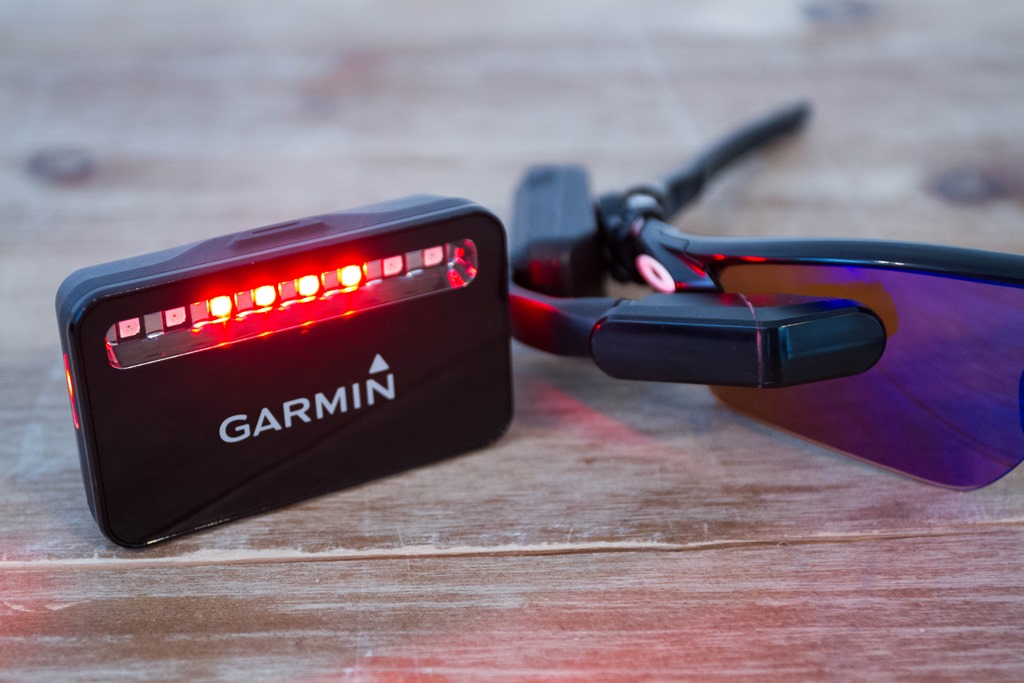
Now there is one case where you can use the Varia Vision without an Edge computer – and that’s with the Varia Radar. You’ll remember that the Varia Radar alerts you to cars approaching from behind your bike, overtaking you. The Varia Vision allows direct integration with Varia Radar – no Edge unit required. You can also still use the Edge with Varia Radar too though.
To integrate the two, you’ll simply turn on the Varia Vision, and it’ll ask you to pair directly to it. Pretty straightforward.
At this point, the unit will only talk to the Varia radar until the radar is disconnected. It’s effectively a TV screen for your Varia Radar. And quite frankly – it works really darn well. You can see the dots representing cars below. And then it goes clear when there’s no more cars.
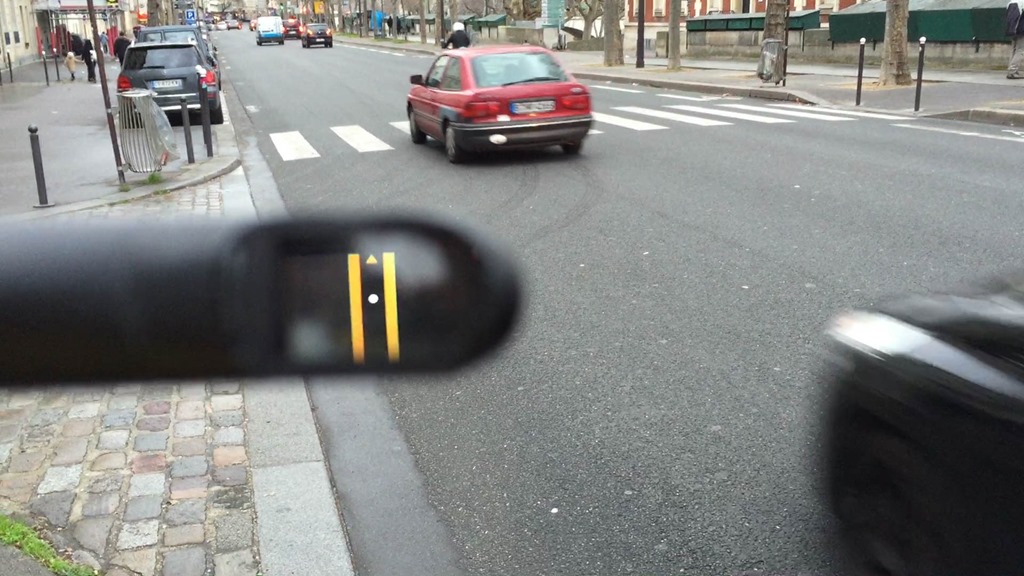
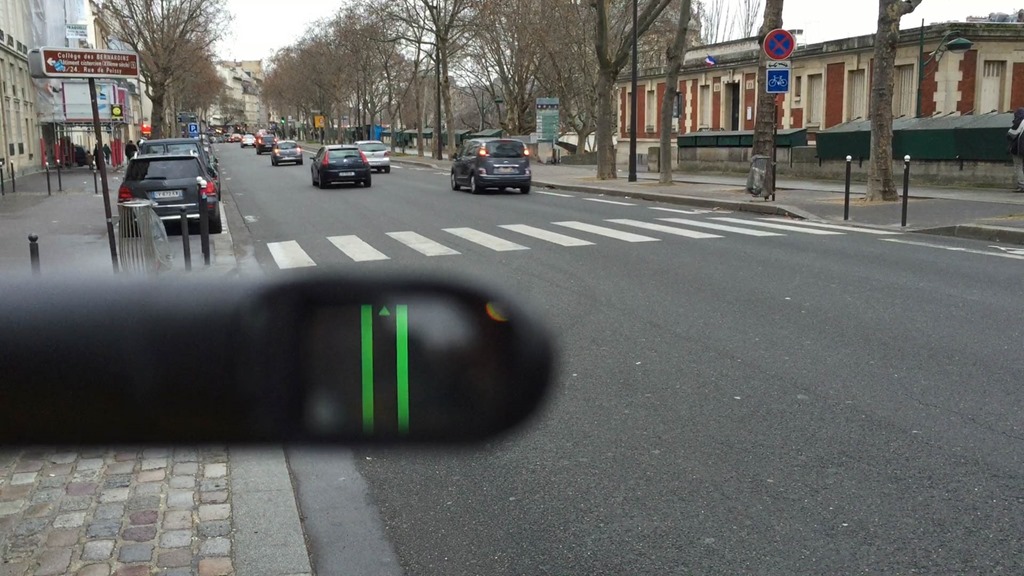
Here’s another fun little video I shot showing the cars going by and being displayed on the screen:

I’d like to say there’s a ton more to talk about in this section, but it’s rather straightforward. It’s just like having the Varia portion of the display you’d see on an Edge device, but on your glasses instead. Albeit, this is a super-expensive way to display that data given the Edge 25 can do it for 1/3rd the price. But, to each their own.
Size and weight comparisons:
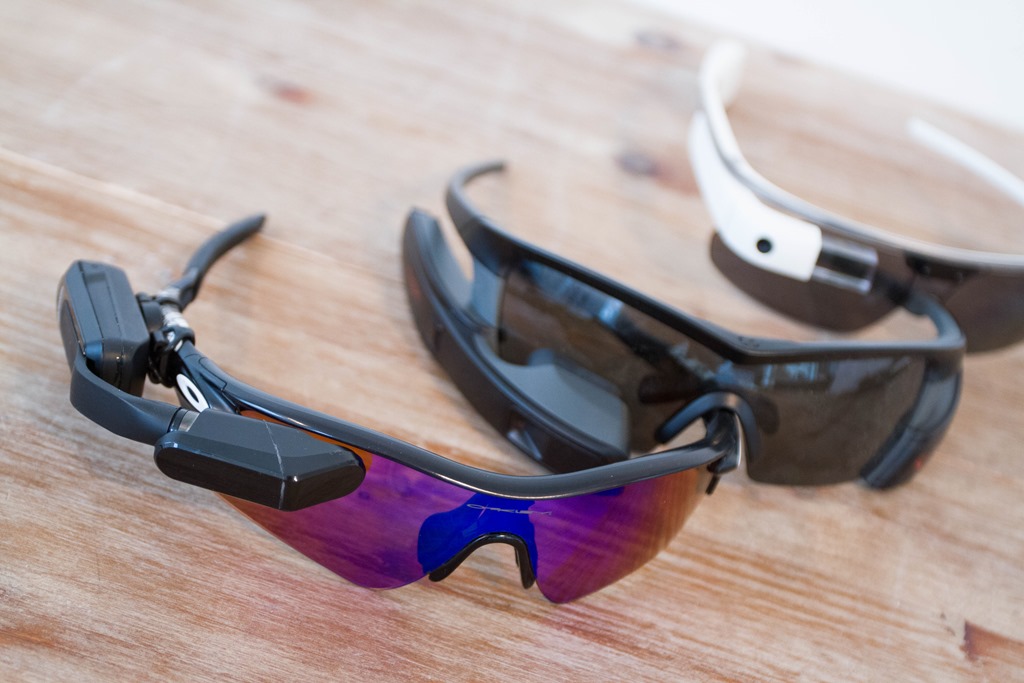
It’s probably no surprise that Garmin is getting into the heads up display market. The category is still quite young, especially on the sport side of things. Right now the only released competitors in sport are the Recon Jet and 4iiii units. However, there are upcoming sport options like the Solos and Everysight. And then of course we have the mostly non-sport focused Google Glass (albeit now off-market).
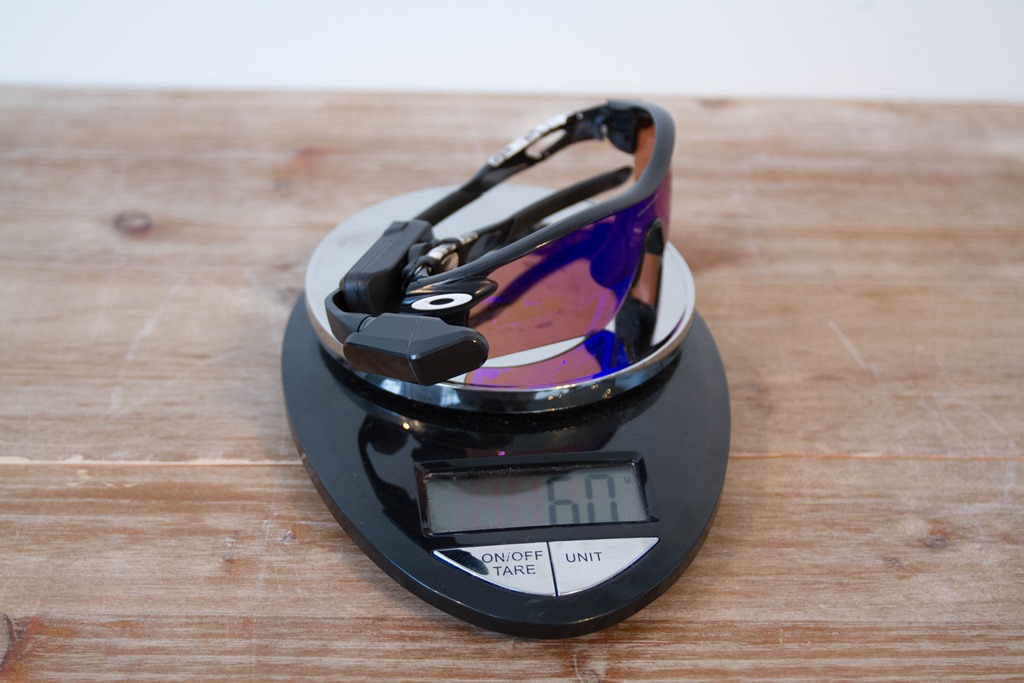
From a weight standpoint, the Varia Vision comes in at 29g (excluding the mount, which can’t be more than 1-2g).

If you use these glasses as a baseline, then you’re looking at 60g all-in:
Compare that to the Recon Jet, which is 85g:
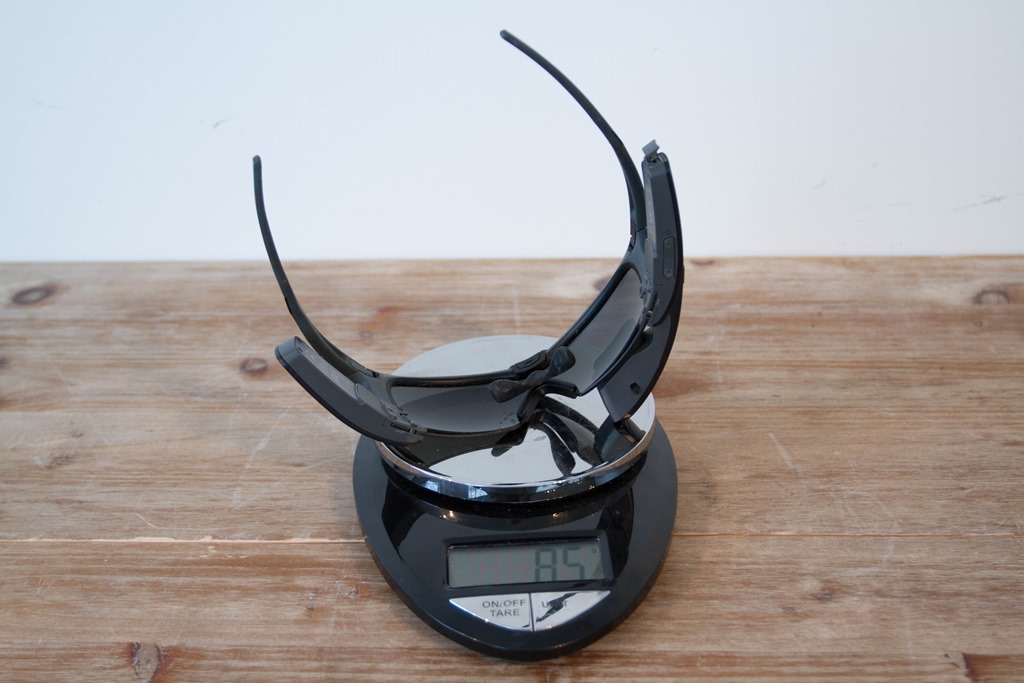
But that’s not really a fair comparison. The Recon Jet has a full GPS system in it, as well as an HD video/photo camera, storage, and a bunch of other capabilities. It effectively replaces your Garmin Edge, while the Varia Vision just supplements it.
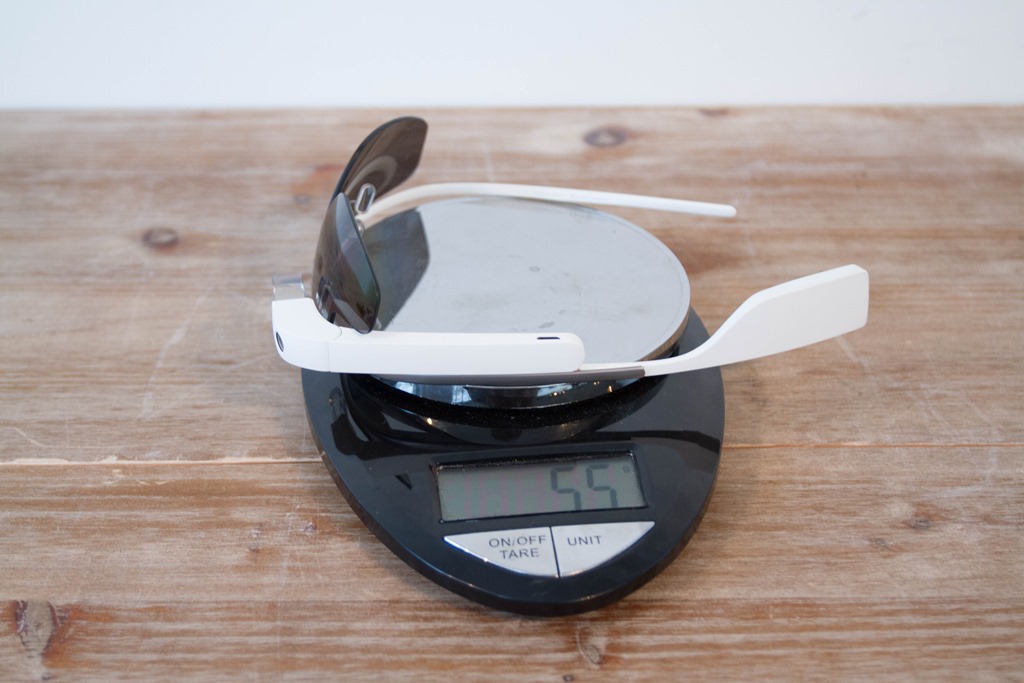
As for weight on Glass (which doesn’t include GPS), it’s at 55g:
Ultimately, this market segment is just getting warmed up (even if that), so expect lots of competition here shortly.
Wrap-up:
When I got the press materials ahead of hands-on time and my first ride, I was kinda thinking to myself “well then, this looks lame”, but in reality – I came away somewhat impressed with the implementation. A few things stood out to me:
– The mount system is awesome: If nothing else, Garmin can usually be trusted to come out with brilliantly simple mounts that just work. This would be one of them. It’s super tiny, yet seems remarkably stable. If the display pod fell off this mount, it’s likely because you’ve face planted into a shrubbery.
– The crispness and contrast of the display: Having tried every heads up display on and not yet on the market, I’m more than familiar with many having washed out colors. This doesn’t. It’s surprisingly sharp.
– Out of the way yet still visible: A key aspect that some other HUD’s struggle with.
Of course, it’s just one (sorta rainy) ride. It’s entirely possible I could do a second ride and the thing causes me to run into a Metro bus. But not everything sticks out to me as positive, notably two specific items:
– It’s expensive: As well as the technical execution on this product, it’s rather pricey at $399, as that’s in the ballpark of what most other fully capable GPS-inclusive HUD’s cost.
– It still requires a compatible Garmin Edge: So you’re already down $329 (or $199 for Varia Radar) I think $399 is asking a bit much. If it were $199, I think the Varia Vision would be selling like hotcakes. Further, why not have integration with the Fenix3/FR920XT/Epix – ideal for triathletes that want to keep focused ahead in aero position.
Now no doubt each person values different things differently. So for some, it’ll be worth it to have a fully integrated Garmin solution – just like some people pay the extra $50 for the Garmin Index WiFi Weight Scale simply to be in a single ecosystem. With the Varia Vision, you’re in a relatively seamless ecosystem of Garmin stuff that integrates well.
FYI: You can pre-order the Garmin Varia Vision from Clever Training using this link here. In doing so you support the blog, and you can also save a bunch with the CT/DCR VIP program. Or, you can also buy on Amazon. Enjoy!
With that – thanks for reading!
–
Don’t forget to check out all of the DCR CES 2016 coverage, as well as a slew of updates that were only seen on Twitter. It was a crazy busy week!

















IMO, this is not what is usually meant by “Heads Up Display”. Historically, in the military and now in some cars, HUDs project a transparent display that does not obscure your view. Google Glass would fall into this category. If it obscures your view, similar what putting a GPS on the dash of your car would do, it’s not a HUD.
Totally agree, the recon jet was obtrusive enough to take away from the overall experience. Skully has managed to create a transparent display for motorcycle helmets. I’ll wait to get a similar product on the bike.
Agreed, a HUD by definition would overlay the image on the real world scenery.
That aside, my concern would be with parallax.
Ray, when riding did you experience any delay in eye focus between gazing into the distance, interpretation of the display information, and back to the distance.
Correction for parallax would float the image where both the distance and nearness of the image appear at the same point in space. Since the image is doesn’t directly overlay the outside world, some people may experience a slight disorientation going through the two different focal points.
What I’ve found with riding with a bunch of HUD products (using the term broadly here), is that all of them take a small adjustment period to getting used to changing focus. I’d say most are about 30-45 minutes before it happens so naturally and quickly you don’t notice it.
The difference comes down to how clear that image is, and how ‘big’ that image appears. All of which is often driven by how flexible the positioning system is. So if it’s trickier to get that positioned perfectly, I find that sometimes you get slight alignment issues so that your eye (or even head) has to re-correct. Whereas of a mount is super-flexible and you can really dial-down the location, then I find it easier to use and quicker to adapt to.
The optics of the display unit place the image at infinity, so your eye does not need to adapt its focus between the road ahead and the projected image from the Varia Vision.
Would this work with navigation?
+1 Ray, how is the navigation part of the edge units implemented in the display? You mentioned the well-known in-traffic-oh-god-I-have-look-down-for-directions situation
I believe one USP, compared to Recon and others, is the fact it can be mounted on prescription glasses.
Re. the Fenix3, do you know if that’s in their roadmap? As well as displaying other non-cycling data (ski, run, etc.). That would justify the high price a bit better IMO
Can this display directions if you’re following a course with turn-by-turn indicators? If not, I’d say Garmin are missing a trick there.
Yep it does that just seem the official Garmin video
Awesome. Now I want one and I don’t even own an Edge.
@Dom : The article says it displays navigation. And if you have a peek at Garmins promo video on their website it shows how the navigation displays.
being one of the few UK people to try a recon jet, and return it because of the right side only feature obscuring my view and the slightly ridiculous look, this really does look much better 2 reasons I have expensive oakleys that I like and the option to mount to my left eye, Im not interested in taking pictures etc so this tick the boxes for me, thanks for the quick and thorough walk through.
In your opinion could it be mounted to the right eye for UK roads without obscuring the view (its my best eye LOL!)
The way it mounts, it’s basically above the eye-line, so it doesn’t obscure vision on either side, works well.
Is it above the eyeline, or below?
Appears to be above while standing, but below while riding in a tucked biking position.
Above. Though, you could situate it below with some mount creativity.
Hi and thank you for an interesting post.
I assume there is no way of showing a map via Varia Vison?
And if so, have you heard anything about an future upgrade to include the availability to show maps?
Best regards,
//Peter
What about use with plain old prescription (non sun) glasses?
It works with any sunglasses.
Totally agree on price and device integration: if that will be $199 and will work with a 920XT I would line up to buy it.
Hi Ray,
Thanks for your reviews as usual. The glasses seems tilted towards the right in the pictures… is it always like this? Does it feel like this?
For pictures on a table/flat surface, they are, simply because that side is slightly heavier and the pair of sunglasses I was using were super-light, and so they just tilted that way by nature of weight distribution.
Insofar as on my head, probably just a case of my helmet being tilted. ;)
I definitely didn’t feel anything, crazy light.
Wonder how well this will work for those of us needing reading glasses. All my sunglasses have bifocal reading lenses, but this seems to attach in a way to provide the view at the top of the glasses.
Hi – I too wear Bi-focals and have found that you don’t need to look through your reading lens of the bi-focal to read the screen. I wear +2.00 reading glasses and have no problem with the reading the Varia through the clear glass part of my Bi-focal sun glasses.
Could you just clarify what you say about the radar display please.
You say that until the radar was disconnected it only talks to the radar.
Are you saying that information from the edge – power, speed et cetera can’t be displayed while it is connected with the Varia radar?
Thanks
Varia Vision can connect to either device (Edge or Varia Radar), but only one device at a time. However, you can simply configure the Varia Radar to talk to your Edge, and then the Varia Vision will display the Radar data too.
Okay Ta. It wasn’t clear to me.
Do you happen to know if the radar warnings will simply cut across the standard information display as it does with the edge, or do you have to wait for it to take its turn to scroll across the screen?
Maybe you haven’t tested it yet at that level of detail.
It just overlays on top, pretty much like it does on the Edge 520/1000 today. I didn’t think to take video of that.
Actually I just watch the official video and I can see that you do get radar reports on the information screen exactly the same way as it is displayed on the edge.
This has seemingly changed since the review. I’ve had mine for at least 2-3 years and always had both connections working simultaneously (Edge and Radar). And the radar connection is independent from the radar connection to your Edge device (meaning it does not go through it).
Absolutely. I am even connecting my RTL-810 radar directly to the Varia display simultaneously with my Fenix 5, letting me use the radar for non-cycling activities like rollerblading (which the Fenix doesn’t support). So the Varia display can recieve data from the Fenix 5 and directly from the RTL-810 at the same time.
I can also confirm that the radar connects to my Edge 520 Plus and directly to the Varia display at the same time (the display gives separate messages that the Edge and radar connects or disconnects).
How annoying is it when it dark outside?
You can invert the colors, as well as dim the display. I didn’t ride outside at night with it though, during the time I had it.
From an entirely pointless aspect, if something vibrates when connected to your glasses, which press on the bones by your ear does it also not create a sound?
I can’t quite see why you would want both sound and vibration, when they are effectively the same thing.
And to add to my spirit of pointlessness, I would like to suggest a Head-Down-Display. Having to raise your head negatively impacts your CdA. Tensing neck muscles wastes oxygen. Glasses make 3D vision simple (just send a different image to each eye). Two cameras in the top of your bike helme, each connected to a screen on each glass. A gap at the top of the glasses to see our if you want, eg. for tight turns.
Not only is this a brilliant idea, but it would make the exit/entrance to transition zone so much more fun.
Although they are of the same nature, the difference in frequency makes sound convey much more info – same as in phones – vibration vs. plethora of ringtones (or even speech). If it had audio, it could read you your SMS. Do that with a vibration.
And still they persist with the completely useless bicycle graphics on the virtual partner screen, taking up half the space. I will never understand this.
Agreed. I would much rather be able to see power and/or HR in addition to the virtual partner or Live Segment (Strava data) instead of the rider graphic on Virtual Partner, or the map graphic on Live Segments.
I can’t believe anyone at Garmin uses the live segments because the display is so awful. Why can’t we customise that screen!?
Garmin should incorporate rear camera, projector with helmet. I see it like this: battery is placed in helmet, camera mounted on its back, and projector on its front.
$399 for Vision + $199 for Radar (or some camera variant) vs. $10 for a clip-on-your-glasses mirror. Not a bad idea, but they need to bring the price waaaayy down for that.
Except invariably clip on glasses are horrendously poor at doing what they are supposed to.
$10 helmet clip-on mirror works fine
Yeah but that’s just so analogue…
Ray, have you seen the Raptor from Everysight yet? So far this is the only true ‘HUD’ implementation (they make HUD components for fighter jets as their main business. If you have, any thoughts on it?
Yes, I’ve ridden with it and it’s impressive.
However, they wanted me to publish a post, and thus I disagreed. So while there’s an entire post written and done (with lots of great imagery), it’s not going to be published as I’m not going to hide significant aspects of the product to appease any company or their marketing strategy.
And THIS is why I come here for reviews!! Thanks for this!!!
I noticed there were restrictions with the Under Armor Healthbox post as well. What’s the difference between UA’s and Everysight’s?
At the end of the day, UA basically said I couldn’t talk about current beta battery life, and couldn’t call it a ‘Review’ or ‘In-depth’ (if you boil it all down).
Everysight wouldn’t permit me to use any of my photos (well, only wanted to allow three of them, shot at about 30 yards away), and didn’t really want me discussing much of the product at all in terms of specifications.
To me, this blog is about being visual, and descriptive. Lacking the type of information I wanted to provide, it’s just free marketing. Ironically, it was/is a piece that’s incredibly positive towards their technology. Shrug.
Thanks Ray.
Thank you for being honest and not allowing those kind of shenanigans on your site.
It is just for cycling, no Running or else (Fenix 3)?
The vision should be able to pair to any garmin watch so you don’t need an edge. This could obviate the need for a quick release in a race. Should be 199 for the glasses. 299 bundled with varia radar. Since 90% of my riding is commuting, I would jump on the bundle – perfect commuter solution, especially if the watch integration comes into place.
Thanks for all the great info Ray!
+1!
Just recently got a TT bike and I feel like I need the Varia to improve safety and loss of visibility on the new bike. I have the 920xt already; I shouldn’t need an Edge, too, if I can get a few extra data screens in my face along with traffic alerts.
But, then Garmin wouldn’t get another Edge sale, so… screw the customer!
Good stuff Ray.
Is this a possibility for the 810 with a firmware update? I also want to use radar with 810 is this in the pipeline as if not the heads up may not make it either?
As a triathlete this would only make sense for me for 920xt integration. I don’t own an edge as my 920 with quick release does everything I NEED (yes better maps and varia radar are nice but not necessary for me). At the moment triathletes have two imperfect solutions for race day needs: (1) they bend all out of shape to check their watch on the bike; or (2) they bulk out their 920 with the QR and do the QR dance in T1 and T2 (I have inadvertently messed data recording with clumsy cold hands on that QR) and fight with the extra bulk to clear the wetsuit. Garmin had the perfect chance for option 3 – Varia Vision strapped to sunnies/clear lenses (I have interchangeable lenses similar to Ray) which syncs up as you pull off your wetsuit and bob’s your uncle – all my race info, where I need without any faff…
Also – whilst you’re unlikely to sell a lot of these to pure runners, surely there’s an argument that this doesn’t hurt runners and, whilst not as gadget geeky as most cyclists surely there is some sales potential there?
Well said; the watch quick releases are mediocre solutions. The HUD is a much better approach (assuming it fits under an aero helmet.)
Needs 920xt/Fenix 3 integration…
There’s the third *imperfect option: keep your 920xt on your wrist and also get an Edge 500/520 for your bike. It’s what I do. No quick release fiddling and the computer sits right between your aero bars.
* It’s actually a perfect, it just costs some extra $ and creates a double entry when you import into Garmin Express. Not a big deal.
*and doesn’t give you “race time” on your bike (and obviously the 520 weights more than this so think of all the extra weight up those hills, jokes) – I know this is being picky – it just seems that if I have to spend the extra this would, if done properly, give more benefit than an edge
I second Joe E’s comment/question — for us older dogs that have a harder time seeing up close without cheaters (or taking our glasses/contacts off), I can’t imagine this working all that well for us. :^\
Have you seen these – link to amazon.com
Brilliant stick on lenses which you fix to the insides of your riding glasses, dicing glasses, sun glasses or what have you.
Maybe they would help. Even cheaper if you get then=m on eBay
diving glasses
Hm, when you look at Ray’s images showing the screen, you can see that it’s in as sharp focus as the distant objects in the photos, while the frame of the display is massively out of focus. It looks as though there are lenses in there to make the image appear at a distance (much like the lenses on some car dashboards which let you read them without refocusing from distance vision), so it might not be too bad. I think we need to persuade Ray to test them on his dad :)
I was at CES and for me the screen was definitely NOT in focus while I was looking at cycling-distance and cycling-distance was not in focus when I was looking at the screen. I had the same issue with Google glass and the fact that the screen is so far right – pulling my eyes from what’s in front of me and now focusing close – makes this a pretty dangerous device for me personally.
It’s possible this would work for people that can read it out of the corner of their eye but after using it, it’s a hard pass for me. Way safer for me to glance down at my Edge that sits between my aero bars.
Again, YMMV.
Thanks for sharing your thoughts Patrick after trying it!
Just one thought on usage. In general, I find with most HUD-type products it takes a bit of time to get used to how to use it and your eyes to adjust (as well as to adjust the unit to the best possible spot). On average I’d be looking at about 30 or so minutes of a ride. Sometimes more, sometimes less. Just depends on the product.
This is correct. The unit’s optics place the screen image at infinity, so presbyopia (look it up!), which all of us old folk have, is not a problem.
Wow, I can’t believe it isn’t being introduced for Fenix3 and 920xt. Like you stated, seems like that would be a large market for them.
Ray –
Any idea about Di2 / D-Fly integration?
Also, what about live Strava segment tracking?
Then I will be the first to ask :)
Will there be in future plans for video streaming from a virb camera as the smartphone app can do?
Then you can even see behind rather than a radar.
Video takes serious bandwidth. Smartphones connect to cameras using WiFi, not something lower bandwidth like ANT+ or Bluetooth. So the cost would have to go up, and there’d be additional setup to do.
Hi there! Thank you so much for yet another awesome and useful review! Do they have a release date for this baby? Thanks!
Dumb question. I apologize. Just checked their website. :-D
Ray,
When riding your eyes are focused far down the road. Do you need to change your eye focus in order to see the display clearly?
To clarify my question – are the display optics focused at infinity so that you can simultaneously see the display and the distant road without changing eye focus?
I was at CES and tested this out. For me it was not projected to infinity. I had to focus close while looking at the screen, which caused me to lose focus far away. I also had to focus right instead of focus front.
Caveat: that may just be me and my eyes. I was never good at keeping both eyes open when looking through a one-eye microscope, so YMMV.
Spot on Ray: $200 and integrate with Fenix3/920XT and triathletes will be snapping this up. I’ve been wanting to be able to see my heart rate whilst running (without looking at my watch and tripping over on the trails) for years. So close.
Cool gadget.
Do you know if it also works with optical correction glasses?
Best
Claude
+1 on the support for F3/920XT. Perfect for Tri’s.
I’m not even that offended by the price, but more by the need to buy a new Edge to go with it.
Plus 1 on the virb integration, being able to switch to a rear view if something is coming up has an appeal.
It seems like a horrible idea to obstruct one’s vision by putting an object in front of the eye. It should be really transparent. I would not allow such solutions in traffic. Could be good for training in closed areas or indoor trainers, perhaps…
Read the piece and the comments from Ray above. It apparently does not obstruct one’s view.
I tested it, and it doesn’t obstruct at all. In fact, my main issue with it is that I had to look to the side to see it (which means I wasn’t looking in front of me). Same problem though – you can’t pay attention to what’s in front of you.
I would love something like this for running. Being 40+ I find it a bit hard to read my watch while running. It would be nice to see info out of the corner of your eye.
Presumably the Edge 1000 will need a firmware update for this. I don’t see a “remote display” option anywhere in sensor options and I have the latest firmware I think (v5.2).
Correct, you’ll need a firmware update (my unit was/is running a beta firmware to see it).
Do I gather correctly that to use the Varia Vision you need an edge 1000 or an edge 520 – and this means that those devices are transmitting signals to the Vision rather than the Vision receiving the signals directly from the sensors?
If that’s right, then how does this affect battery life with the 1000 and the 520?
Already, my 1000 using an HRM, an Inpower and a Varia frequently comes up with a low battery warning after 4 1/2 hours.
If it now has also to transmit data to the Varia Vision, this have to have a significant effect on battery drain.
… or maybe I’ve got it all wrong?
The Varia Radar impacts Edge performance primarily because of the display aspects, not because of ANT+ (those little dots).
So I’d suspect there’s very little impact on battery life to the Edge 1000 for the ANT transmission to Varia Vision. Essentially it’s just giving it a super-low-bandwidth stream of 1-4 data fields at a time. No different than a HR strap with Running Dynamics for example (which we know has virtually no impact on battery).
Can ConnectIQ Data Fields be shown on this display when the Edge gets ConnectIQ or is it only for native data fields? I haven’t noticed the option to simulate the Varia Vision in the CIQ SDK yet.
Good question. The Edge 1000 beta version I used didn’t have any CIQ fields on it, so I’m actually not sure if it would have shown up. I’ll ask the CIQ guys tomorrow when I see them in person.
Fair to assume integration with forerunner for triathletes will come with the next generation (FR930xt?)? That way they can get us to upgrade from our 920xt AND buy these. Seems like standard procedure for Garmin.
I wouldn’t think so to be honest. In talking with Garmin about it today, they’re exploring which platforms they can add it to. Like Varia lights/radar, I suspect we’ll see it rolled out to various other units.
wow this is awesome for triathletes. Nice write up Ray!
Definitely hope they offer integration with the fenix/920/garmin edge 810s/etc.
What do you think triathletes? Ray did you find riding in aero the headsup display more comfortable? Also how much does tint effect the view? I also have the Oakley Radarlock Paths.
Tired of how difficult the visibility is with a hydration system/computer mount.
On the tint side, I only tried it with that particular pair, so not quite sure there to be honest.
I wouldn’t expect an Edge 810 update, but would honestly be surprised if we don’t see a FR920XT/Fenix3/Epix update, given the target market really makes sense there.
You expect it for the epix? Really? There have been no fw updates for the epix for over 2 month (none of the existing bugs (and there are lots of them!) has been fixed since then) – the epix seems to be a “lame duck” for garmin and the (few remaining) users get the feeling, that garmin has sorted out and ended the epix experiment.
You have other (positive) informations for the remaining epix users?
We talked a bit about that lack of updates this morning. It’s something they’re looking to address going into the next few months (whether or not they do…).
“…in the next few months” sounds frustrating. Until then it will no longer give epix users (but maybe this is their plan?)
That would be something which would be appreciated by everyone.
Bravo.
…And I’m talking about the Garmin product range generally.
Hey Luke (from Garmin fw team),
if you are reading this:
I am really disappointed by the treatment of epix users! (:
I’m planning a longer discussion with them about it on Thursday. Just simply some brief comments this morning.
just think of the applications that can be used during a run!
so cool.
OK so in that case I will not ask about the Edge 510… Anyway, if they update the 920xt for this, my 510 will become instantly redundant.
Hi Ray,
any news about your “garmin epix fw talk”???
regards
Volker
No, we missed crossing paths a bit on Thursday before they left :(. I’m going to try and arrange a chat next week via phone call.
Any news about that?????
Just added in the details in the Epix post comments section:
link to dcrainmaker.com
I trust you did update the Epix “Discussion” but there appears to be a limit on the comments shown to 500 and I can’t find a way to get to the next 500, so I can’t see the new info. Any help with that? (Tried on Win10/Chrome and iOS 8.1.1/Safari)
Weird, the link should take you directly to that comment (on my W10/Chrome it does anyway).
No worries, here’s what I wrote:
/////
Yes. Sorry, was waiting for the follow-up question to be answered, but in the meantime…
The question was around Epix getting an update to equal the recent Fenix3 updates with new features like LT testing, Gen2 running dynamics, golf, SUP, etc…
“Due to resources and royalty expenses of the new features in FR920/F3, we are not planning on updating Epix [with the above new features]. Additionally, our Garmin Connect user data shows that there are more people wanting to use F3/FR920 for golf, SUP, rowing and advanced running dynamics than the Epix.
That said, we are continuing to support Epix and release periodic updated and bug fixes to existing functionality. Epix customers still have a significant benefit over Fenix and FR920 users when it comes to cartography support. The mapping capabilities of Epix is something that Fenix and FR920 will never be able to support because of hardware limitations, and is a huge differentiator for Epix.”
Note, my follow-up question was around getting a more specific timeframe for the next Epix update that would include bug fixes (and whatever else ends up being in there). They were working to get a more specific date as of yesterday. Will post back once I have one.
What ANT Profile does it implement or is it private?
Real HUD will be from company Everysight. And if the reality will be same as in video, it will be gamechanger. link to youtube.com
For us older guys with presbyopia (far sighted), anything up close is really hard to read. How big is the “virtual” font on the display. And does/will Garmin offer a lens to adjust the view?
I’m 57, have been myopic since about age 10 so have both myopia and presbyopia. With my glasses on, the display is perfectly sharp. Without them (not an option for much besides sleeping…) the display is illegible. As far as I can tell, it is optically at infinity.
I am hoping for future support for 510
Most importantly, it doesn’t obscure that O on the side of your sunglasses.
For the navigation prompts, does this only work with Edge navigation? I assume so. But would be great if there was a way to use with Google or similar navigation from your cell phone.
If they made this work with the Fenix 3/920XT then you could use the Connect IQ application for Navigon (Navigon companion) to do turn-by-turn without having to make the investment in the pricier Edge devices. If Connect IQ comes to the 520 then that might work there as well.
Can you configure the Varia to change displays via the Shimano DA9000 Di2 buttons on the hoods like you can with the Garmin 1000? That way you could make this a completely hands free operation without having to resort to auto-scrollling or removing your hands from the bike to swipe the Varia.
How did you manage those action shots of the display?
Magic. :)
Hi Ray,
Does it works in connection with garmin fenix3 or it works only with the edge series?
If not, do you think it would in the next future?
Thanks,
Luca
You mentioned vibration alerts. Do they work with the Varia taillight? Vibrate upon car detection?
Also, is there a projected release quarter?
Thanks!
Ray,
Few already asked and I may have missed the answer.
For older riders or corrective lens, does it have a diopter range of adjustment?
I wear single focal contacts when I ride, although normal glasses bi-focal. Stem mount Edge is in focus, but question if something on glasses would be focused without a dioptics adjustment. The Recon Jet had dioptics but just not a good fit for me.
If no dioptics adjustment, do you vary the mount to perform dioptics adjustment.
Going over cracks or bumps, do you find the weight pulling glasses down a lot more than normal nose slide creep.
As mentioned by others this is not a heads up display. More like an obtrusive display that is distracting. What is really needed is something with a display like google glass but can also provide a mini screen block showing the traffic (as video) as it comes up on you and record it in case something bad happens. This varia thing is interesting but it looks like the rider is getting run over by the cars. Not exactly a warm and fuzzy. It’s nice to know the cars are present but I get the same effect from my 9 dollar mirror. I think this needs more to it to be really attractive, like integration with the 360fly.
I was talking to one HUD maker today about the video element, and they had some interesting perspective. They noted that they did a test with cyclists and streaming video, versus using a mirror.
They said they every cyclist before the test thought they’d want the video, but once they tried it out, they found (to their surprise) that 100% of the cyclists found the video distracting. 100%. All preferred the mirror for looking at actual cars.
Note, it was not tested as to how something like Varia imagery would compare.
I get the distinction between true HUD and this HMD (head-mounted display).
However, given the nature of human binocular vision, it is quite easy (I assume it’s not just some special ability I have), when each eye is presenting incompatible imagery, to choose which to attend to and hence seamlessly switch between which you actually “see” and which you ignore.
Similarly, even when you’re attending to the Varia Vision display, you are only a few degrees off of forward and should something appear / occur in front of you, you’d be aware of it and be able to quickly switch your attention back to the “outside world” and take appropriate action.
I’m interested in this, but wonder if the edge remote or varia remote would be able to switch data screens on the vision device. This would then avoid the need to take hands off the handlebar (I realize it can automatically scroll).
Does this work on Polarized lenses which cut off light from certain angles?
WHat if I wear a prescription for reading but don’t wear hat when riding the bike. If I set my garmin to say 4 fields I can pretty much read that. DOes the varia allow me to change the focus to accomodate my eye’s shortcomings in the same way that a pair of binoculars does or is it fixed and thus un readable to those need ing a prescripton for reading. If the lens is only a few cms form the eye then it would be a pretty hard read anyways or does it ‘throw’ the image into the distance?
Why not something like this: link to solos-wearables.com
They appear to connect to existing sensors, cost $499 (includes the glasses) and integrates a number of other features through your smartphone.
Ya’ gotta’ love the generic road bike and wheels with a left-side drive train!
I am genuinely impressed with the display capabilities of this device based on this first look. I actually love the fact that it’s just a secondary display, I only want time, distance and HR to be measured and stored in one device and that shouldn’t be the HUD on my glasses!
But…
There is a few things wrong with the Garmin offering for triathletes from what I see. I would be prepared to go all in on Garmin if they were better positioned with their products and they do seem to have just about all the necessary hardware technology developed now.
I want HR and GPS data to track my effort in relation to the course. I’d rather not have the HR-band on my chest for a few reasons, I prefer one around my wrist or better yet, integrated in a “watch”. I also can’t safely look at my watch while biking so I need another display, preferably a HUD like the Garmin Varia Vision but could settle for a bike computer.
For HR I would much prefer that the multisport watch would have built in optical HR. I’m very happy with my Mio Link optical HR except that it’s a separate device that brings some drawbacks. So if Garmin would incorporate a Mio-like quality optical HR sensor in the next version of “930XT” I would see that as the other half of the solution.
If Garmin still wants me to buy a bike computer (as well) they could have one with a good (GPS-) mapping option and ability to stream HR and GPS related (sensor)data from the watch. I don’t want both the watch and the bike computer to separately collect and store time, HR and GPS-data, only the watch. Cell phone notifications like text and caller ID would be useful as well, but that could just as well be provided through the GVV.
I also think the GVV would benefit from having a separate wireless controller that could be mounted on the handlebar so I don’t have to let go of the handlebar to press/swipe buttons on the GVV on my head.
My dream combination of items for the next generation of Garmin triathlete products would be:
1. 930XT with built in optical HR and ability to stream out (processed sensor-)data to other Garmin displays like GVV and new/existing bike computers.
2. GVV with an optional remote for controlling it so I don’t have to lift my hands of the handlebar.
3. Possibly combined with a Garmin Bike computer for mapping and displaying of incoming calls and text so I don’t have to take out the phone more than necessary during the ride. I would propably not use the bike computer for race-day.
Action-points for Garmin:
1. Develop 910/920XT firmware so GVV can be used as secondary display just like in Ray’s description above.
2. Develop 930XT with optical HR and support for GVV. Optionally scrap the quick release kits!
3. Update firmware for existing bike computer(s) to support acting as secondary display for 910/920/930XT. Or develop a new bike computer specialised for this task and mapping.
4. Brag about having the best triathlon solution in the world :-)
Sure 399 is rather pricey for GVV but with the right integration it could be worth it. Currently it isn’t for me, but could be if I was just a biker and didn’t do longer rides than 8 hours (battery-limit on GVV).
you are aware the the HRM is now built into the fenix 3?
expect a 920xt HRM out soon.
Thanks for the quick reply Gabe.
I wasn’t really aware as I didn’t think of Fenix 3 as a triathlon watch, plus it was just announced (and released). It’s a really interesting alternative to the plastic looking 920XT for stylish everyday use. I’ll have to read up if the Fenix 3 is useful enough for triathlon use. (Or you can spill the beans here ;-) )
Fenix 3 HRM and 920XT HRM sounds great, if there is GVV support. Otherwise GVV is still only for cycling the way I see it. And that would be a shame.
Please bring the request for a remote controller to Garmin if possible. Something along the lines of the VIRB Remote Control.
I have owned the 920xt and currently the fenix 3.
legibility i prefer the 920xt hands down. bigger text , etc.
As far as an every day watch it’s the fenix 3. it looks good and it comes with different straps that would look good in any occasion.
Regarding triathlon useage. I’ve used the fenix 3 in many tri’s last year – several 1/2s, olympics, and a full ironman.
Why did i return the 920xt you may ask? because it’s very ugly to wear as a daily.
Keep in mind about the HR built in the fenix 3 is the same as the forerunner 235. It’s not proven at all in intense workouts. There is HR lag, drops, etc. So if accuracy is a big thing for you then keep that in mind. If youre an casual user then it should be sufficient.
about the virb remote – the watches will control the virb cameras. I’ve used it last week :)
good luck.
My solution? Keep the 920xt as my fitness watch and use the vivosmart HR as my every day tracker. Way less ugly than the 920xt (which my boss called me out on one day – “wow. get a new watch? That’s… bright.”)
eh reviews are bad for the Vivosmart HR – what are your thoughts?
It’s all about expectations. I only really care about accuracy when working out, so I use my 920xt and a Scosche when training. The scosche so far seems as accurate enough and is WAY more comfortable than a chest strap.
I got the Vivosmart to *roughly* track steps, sleep, and general activity so I haven’t tested it for accuracy as an HRM. I’ve probably read the same stuff you have, so I’m not expecting great results and haven’t tried it as a replacement for the Scosche. Maybe in a couple software iterations it’ll get there, but I’m not inclined to deal with the frustration in the meantime.
@High Five: curious if you also are a runner. If you are, how do you find the HR tracking while running with your Mio Link? I found my Mio products ok for biking but once I ran with any significant intensity, some interaction between increasing cadence (arm swing) and heart-rate produced nonsense HR values that were very difficult to bring back to reality (had to run with no left arm swing at all for a while, very difficult). Bottom line, I don’t find Mio a reliable HR indicator while running.
Su-Chong Lim, I have used it for running as well as biking. I feel it’s very similar to the values I got with a chest band. Except the few times the chest band got a poor connection and values spiked impossibly high (215-220 I think). I have not hade any drop outs that I know of. Maybe because I wear my Mio Link next to my Garmin 910XT. I think I may have hade issues like yours when I had them on separate arms. Then the torso is just in the way too much of the time in my opinion.
Yeah, it’s clear in my case that the dropouts or run cadence matching was due to insufficient pulse signal intensity differentiation from other noise, particularly arm swing derived, rather than ANT+ signal blocking or attenuation. I had the Mio right next to the Garmin and still couldn’t get a correct HR once I started running and swinging my arms. I’m Chinese, and my skin pigment is likely a factor.
Since my last comment I bought a large strap for my Mio Link and wear it just above my elbow, on the inside of my distal biceps, really tightly, and it now works when I run, possibly because the amplitude of arm swing closer to my body is now acceptable comparable to the pulse flow signal. Above the elbow makes aero bar leaning acceptable (which is uncomfortable with the Mio just below the elbow).
Question about the actual display screen. Can you see through the screen. In other words, Is the screen transparent so that you can see the display characters and through to whatever is in front of the display? I use the varia radar with a garmin 520 and am sold on the concept. This unit will solve some of the missing pieces for me like not having to look down at the 520 or rely on hearing a beep which I can’t always hear. Thanks for a great review, as always.
No, it is a solid screen (I was at CES).
For me, it doesn’t solve the looking down problem, it just replaces it with a looking right problem. I prefer the looking down option because the focus shift from the road to the aero bars to the road isn’t as drastic as with the Vision – from the road to REALLY close up (and to the right) back to the road.
It’s not close up, actually. The focus is adjusted to infinity by the optics in front of the display. When you shift your gaze to the display you do not have to adjust your focus.
As for whether it’s transparent or not, well, of course it is not literally. But for anyone with ordinary binocular vision, our brains can easily choose which eye’s input to “see” and which to ignore when they conflict. When you look in the direction of the display, you can choose to either see what’s beyond or what’s on the display.
And as for the aero bar position, that may be so—I don’t use them—but there is another, arguably more common situation, and that is out of the saddle. In that case the head-mounted display is definitely advantaged.
Ray,
Any input on how it adjusts for dioptic range?
Does it have a little adj within hardware or do you adj via mount on glasses?
Would be interesting to see how well this works with progressive Rx sunglasses. I use some Adidas sport frames which are designed to have Rx lenses replace the original ones (no funky add-on inserts), but they are 8-base curve which means they have quite a bit of wrap. I’ve found high quality progressives can work with my Rx and this curvature, but the outer edges still aren’t as clear as the center. Would have to try it out to see if it works.
all this hmd’s, obviously, a palliative solutions.
sadly it’s too soon to contact lens embedded screens,
so it need to be glasses with screen which utilises almost all field of vision, and have eye tracking.
so all information can be conviently distributed and always shown, or only when needed (with rear radar, when car is near, it would looks like red flash in the left\right side of vision and if you look there and slightly tilt head it shows rearview from camera :)
working as screen to bike unit or smartphone is good, but i think
standalone ability to speak with ant+\ble sensor’s is mandatory.
as well as working as headset, with nosepad microphone and bone conducting headphones.
augmented reality features is very welcomed :)
everysight’s looks almost that needed, but comments about their behavior is alarming.
i suggest that Ray proposed the microsoft to make a proper solution from their hololens [instead of all this impractical stuff that they shows in videos..] :)
Ray, can you compare the screen size and readability of Vision to Google Glass? I had Google Glass and Google says it was like viewing 25-inch TV from eight feet away. I found that to be about right.
I am interested in Vision as I liked Google Glass well enough (aside from it’s limitations and issues) so my main concern is screen size and readability. Since you have both Google Glass and Varia Vision can you give me a comparison of the screen sizes and general readability of the 2?
Thanks in advance!
It’s honestly been a while since I’ve worn Glass (about a year), so hard to think off-hand there. I’ll do some more comparisons down the road though.
Ray: Can you rotate the Vision screen 180°? Also, how does it feel on your glasses while running? I’m thinking the extra weight will cause extra bounce while running (which would be negligible while riding).
I use an aero helmet with a fixed visor (no sunglasses for riding). I would want to attach this to the inside of my helmet. Based on the current attachment method, the screen would have to rotate 180° for this to work.
For triathletes, since this doesn’t work with 920xt (etc), wearing the Vision while running is useless. Triathletes are going to have to deal with this non-functional attachment with extra weight on their glasses bouncing around while running, or will need a second pair of glasses just for the running & switch out at T2. If I keep it attached to the inside of my helmet would keep me from having 2 pairs of glasses at least.
You can’t invert it, it’ll automatically flip over (though, perhaps there’s an option I didn’t see that doesn’t auto-rotate).
I didn’t try running, since honestly it only works with Edge today which isn’t so much running focused.
Hey Ray! Now that the 735XT is out, could you add a section commenting on how the Varia Vision works during running? Does it make the glasses bounce or tip to one side?
Ray,
Can you think of any hardware limitations that would prevent this from working the 920XT or Fenix 3? I’d pre-order it now if I knew it was possible/probable.
Thanks!
Hardware limitations, no, definitely not.
The question is just whether they will. I think they’d have good reason to. A $400 accessory is nothing to sneeze about for them (and I’m guessing their profit margins are extremely good on this item too). Thus, I’d be very surprised if we didn’t see it available by the start of the tri season (compatibility).
Thanks Ray for a nice preview.
It is germane for me since we have been using and marketing our View-Speed Cyclops head down solution for several years.
link to shop.view-speed.com.jpg
I will be pre ordering via Clever Training.
Cheers,
Neal
+1 mph Faster
Does this work with the 810 now? Varia Radar does now, with the last updates, so will this as well?
thanks for an amazing site!
It now works with the 810??????
When did this happen because there doesn’t seem to be any mention on the Garmin forums
wow that’s great news. Now i dont have to upgrade :)
hah Marc slow down. He’s asking if it works with the 810.
He seems to be saying that Varia radar is now working with the 810. Have I misunderstood him?
It’s schedule to work with it (the radar), but that beta release hasn’t been made public yet.
Ray, how do we regular Joes get on Garmin’s beta program? Thanks.
They’ve been doing a good job in releasing to beta many device firmware updates about 2-4 weeks ahead of general release. It just hasn’t happened yet for that specific FW.
(And to be clear, I don’t have the Edge 810 Varia Radar firmware beta either).
I am sorry if I caused any confusion. I do not have the Varia Radar / 810 combo to test, (only a 810 at this point) but I did see that the radar / 810 combo was to work with a firmware update of the 810 on a Garmin site (US I believe, but maybe Canada). So my question was if they are supporting the Varia Radar on the 810, does that mean will they also be supporting the Varia Vision on the 810 as well.
I don’t believe there is a plan to support Varia Vision, but I’ll double-check.
I hope they do as SURELY it will open up to more customers like me. If the Radar is compatible surely that was the harder bit?
Hi Ray,
Any update on an official release date?
Garmin did a good job with this first effort. The packaging could use a little bit of refinement, but seems very functional. The mount is great in that you are able to use it on your existing sunglasses. The Varia radar integration is great too. Would be nice to have a camera function built in to allow you to take shots on your ride. Maybe the next evolution. And I agree on the price being a bit high, but isn’t that always the case for new tech?
Hi Alan,
So do you have one of these already?
Hi Chuck,
No, I am just commenting on what I have read and seen online. I’m an industrial designer, so have sensitivity to the design/usability execution. The Garmin unit seems functional, but needs refinement. Probably best to wait until the next gen of this unit so the bugs are worked out. I think HUD’s have a lot of potential in cycling, so I’m sure we will see a lot more in this category soon…
Hi,I’ve been using the Recon Jet and just sold it when I saw the Garmin Vision at the Vegas show.
I pre-ordered the Recon and waited almost 2 years and was looking forward for the glasses but after using the Recon gasses last summer,I was very disappointed of the battery life that lasted barely 2hrs and the software always had problems even shutting off in the middle of my ride.
The Garmin Varia looks like a much better unit,definitely with 8hrs battery life.
Also the graphics were not as sharp as The Garmin from what I can see on your video.
Great detailed review.
This is great to hear Rafy,
I was getting impatient waiting and was also thinking about the Jet, but I just wait it out. I ordered the Varia five weeks ago.
HI again.
This seems very similar to the “Nautix” display they have started to advertise, although slightly cheaper in Canada at least. I suspect the are identical except for software, but it may be that they had to add an additional radio for the nautical solution.
Two passions of mine are sailing and cycling so to be able to use a heads up display for both situations would be wonderful and help to justify the (high) cost.
Could you use your connections to probe if it would be possible to use these interchangeably or flash them to be used in both situations? IE: if there are any plans to allow these displays to work with both edge (cycling gps) and boating gps hardware.
A dream answer would be that they will out of the box pair with either the Edge or the GPSMAP marine Gps.
Finally, if there is a difference in hardware, would one of the displays be better to buy to allow both uses someday?
thanks!
Yeah, they announced it Tuesday I believe. Garmin almost always re-uses a physical hardware product in different groups (marine, golf, fitness, aviation, etc…). This is another example of that.
It’s rare that you see a piece of hardware though in one group, be fully capable with software features in another. Meaning, you don’t tend to get a bunch of marine features on the fitness variant. Sometimes there’s some minor cross-over (we see that with the Fenix3), but I’m guessing we won’t see major features moved/copied. I’ll ask at MWC next week though.
Ray, any updates on the Everysight Raptor progress? Last I read, was due in 1-2 Q 2016. Any plans to review in near future?
Nothing new from them.
Apparently their demo tour is imminent (at least in CA), and they’re taking (pre?) orders.
Any ETA for an in-depth review against their latest hw?
Yeah, honestly, I’ll believe it when I see them ship an order to an actual customer.
They’ve been doing demo tours for 2-3 years now, and been announcing plans to take orders on and off for almost as long.
At this point, till they ship a unit to a normal non-media/non-sponsored consumers…I’m going to wait. I’m usually pretty excited about new tech from startups, but at this point they’ve burned that bulb out for taking years of trying to milk it.
I’m waiting for these true HUD glasses; if they’re close to their advertisements they’ll exceed the current market offering easily. I’ve followed it and as Ray indicated they’ve been vague & sparse on the info over the last 2+ years (2015).
The development & design went through several versions and has been progressing and recently (Jul ~ Oct) many media writers & riders have been evaluating the products, more than just their own personal media hype. link to everysight.com
Although no one has done an in-depth review that Ray normally provides on products.
I’ve noticed a major improvement in the web site, including listing prices and several accessory products: Rx Adapter, Remote Controller, optional lenses… all with listed prices.
This is a good indicator product is soon to delivery, currently scheduled to begin delivery Jan/Feb. They’re accepting pre-orders on a controlled invitation list. I’m on that list somewhere in the middle and excited to see these later this Winter. I was also on the Brim Brothers power meter list, and that had quality & production issues that weren’t resolved and took them out of market. The Everysight company has a major parent company in military HUD, so I doubt they’ll fail to deliver.
Looks like there is a compatibility to the new Vivoactive HR, hopefully coming to the Fenix as well.
Since my eyesight is not the best anymore ( due to the unavoidable fact of aging), does this affect the readability of the display ? Do I need to wear my reading glass ;) ?
Many Thanks!
Hello Shiva,
Even in old age eyesight correction is available in many forms without glasses including lasik and lens implants, and others.
You might consider an eye exam to provide you with options.
I use Dr. Boxer-Wachler link to boxerwachler.com but there are many good doctors out there.
As you may know both with modern implanted lens, lasik, and other corrections near and far vision can be ‘built in’ to each eye now rather than the older technology of mono vision.
Good luck
I have the same problem and would suspect that you will have a problem with the Varia or any of the heads-up sunglasses displays without reading glasses which would not work well in this situation, e. g. behind cycling sunglasses. I wear contacts and even if I had bifocal lenses (which I don’t), I don’t think they would work because of the wrong viewing angle to read the Varia display through the bifocal.
Older age eyesight is more associated with the aging muscles of eye affecting flexibility to adjust to near sight. A dioptics adjustment provides a method to adjust the near sighted focus. Haven’t seen any info on if there is a dioptics adjustment on Varia or if dioptic adjustment is sliding the mount.
Has anyone read or used the Varia and applied any dioptic adjustment built into the Varia. If so, is there ample adjustment similar to DSLR cameras?
Regarding Near sighted differences for older less flexible vision and if there was an dioptics adjustment. I requested a reply from Garmin and the following received:
Thank you for contacting Garmin International.
In regards to the Varia Vision. This device is able to be moved forwards and backwards on your glasses frame, thus being adjustable for various degrees of vision. Please let us know if you have any additional questions.
Thank you for the info and getting back to me.
I just came back from the second Triathlon Convention in Langen, Germany and spoke to the Garmin folks. Also I tried the Vision on site. Here is the answer: Yes, by adjusting the distance to the glasses I was very well being able to read the display, so NO PROBLEM if your eyesight needs correction but you do not want to sawer your reading glasses. I have + 2,0. The system works super, fabulous display and the radar is amazing! Where and when can I order ;) ?!!
I got and loaded the Edge 1000 version 6.0 software last night, this now has the support for the Varia Vision. I would think that it should start shipping soon!
The most recent email I got from Clever Training about my pre-order was they were delayed and are now expected the 2nd week of March..
That aligns with the shipping expectations I heard last week at MWC, of attempting to send out from Garmin the first units the first week of March.
Delayed again.. Here is an email I got from Clever training today.
“Thank you for your pre-order for the Garmin Varia Vision. Based on information available from the manufacturer the original anticipated receipt date has been pushed back slightly and is expected to be received the week of March 21st”
Clever Training originally said Feb, but every other web page said mid March. I should have guessed that it would be late. Pre-ordering sucks, I’m to use to having the product ship 1 or 2 hours after I order it.
I don’t mind one delay but this is # 2 so far.. Having flashbacks of the Recon Jet…. I was on that pre-order list for over a year before I’d had enough and cancelled it.. LOL
If it gets delayed again, I’ll prob just cancel and call it a day.. Not interested in doing the whole recon jet thing again..
Now looking like the end of March, the latest update from Clever Training:
Thank you for your recent pre-order for the Garmin Varia Vision. Based on information available from the manufacturer we are still on track to receive units near the end of March. Unfortunately at this time we do not have confirmation regarding quantity available on the first shipment and cannot guarantee how many orders will be fulfilled with the first shipment. We will continue to keep you up to date regarding any new information that we receive from Garmin.
Yeah, think I am just going to cancel it.. I am not interested in doing the whole recon jet thing all over again….
If it’s not shipped by the 25th I’ll cancel and call it a day..
810 info?
Just as a heads up to folks that have pre-ordered Varia Vision from Clever Training. I heard yesterday that the first batch arrived, accounting for approximately 75% of pre-orders. It sounds like they’re expecting the remainder to arrive sometime next week.
Those that were in that 75% likely would have received shipping confirmations yesterday afternoon/evening. But you can always check your order status online, in case the SPAM folder caught something.
Thanks for the support!
Full review coming soon?
I’m hearing now that Garmin will infact make some compatibility with the garmin 810 – truth or rumour?
Think of the sales if they opened it up to the fenix/forerunner watches as well.
The latest update from CT:
Thank you for your pre-order for the Garmin Varia Vision. We will be receiving our first shipment from Garmin the end of this week. This shipment will contain enough units to fulfill all orders that were placed on or before January 7th. Our second shipment is scheduled to arrive the very end of March and will contain enough units to fulfill all remaining orders.
Once each shipment arrives we will work quickly to fulfill orders as fast as possible and provide tracking for each order, once processed. We appreciate your patience and look forward to fulfilling your order.
If you have any specific questions regarding your pre-order please feel free to email our customer support team directly at sales@clevertraining.com. Please do not respond to this message since this mailbox is not monitored and your response will not be received.
Ok, I got mine today! First impression it work real good. I got use to view easily, but I did feel a bit heavy on my right ear. First off, the segment screen only tells you how far to the segment, and what your time at the end of the segment was. You need to have auto scroll off, and have the virtual partner screen up just before your Strava segment. Was easy to configure and re-configure the data screens. Worked great with Edge 1000, with the Rader connected to the Edge, that way it over-lays like the 1000 does.
chuck – thanks for the mini review.
so it’s uncomfortable to wear?
are you finding it useful or intrusive?
Hi Gabe,
I just using my same sunglasses that i use for my car. At one point i was thinking that the helmet was pressing down on the display adding to the addition pressure on the right ear.
When i stand up on the petals, i normally can not see the Edge 1000, but you easily can see the Varia Vision.
We know that basically it’s the first public release, so there will be improvements. I really like it so far, but only did a 12 mile ride so far. Going to play with it more tonight.
Do you expect a TT Mounts to appear on the market?. I think this would be a excellent product but for racing I would be using a TT Helmet which wouldn’t seem to fit the current mount model.
I just got mine a couple of days ago. All working fine with my Edge 1000, but I cannot get Garmin Express running on my Windows PC to recognise it. GE has no problem with my myriad other Garmin devices. Anyone else had this problem? Thanks.
Is there a way to adjust focus in case I use prescribed lenses for reading, but my sunglasses have no prescription?
Anyone else received theirs yet? I ordered on through REI last week and just curious if anyone other than the CleverTraining folks are receiving their unit. I just got my Rear Radar and I am really looking forward to pairing it with the Vision.
REI received their shipments on Wednesday, April 13, and I received mine, which was preordered, delivered to San Francisco, on Monday, April 18.
Amazon and B&H Photo Video had them in stock a few days before REI. Hopefully, you’ll get yours by the time you read this!
Garmin previously showed the vivoactive HR as compatible with the varia vision on the web sites product description. I see now it is gone and only the 2 top end edge computers and the radar are compatible. Any idea why this changed or if they will in fact work together? Seems odd that they wouldn’t allow the display to accept the ANT data feed from their other products.
Just got an April 11th arrival date for my Vision from Amazon-US
Ray,
I just received my Varia Vision and have a few questions. I set it up and the display is a little to the side so I have to move my eyes to the side to see it. Is that normal or should it be more center.
Also is there a preference for safety on one side or the other
Thanks
Some impressions after my first ride with Varia Vision (using a 520 and Varia radar, and navigating with a TCX course):
Usability
– Vision is heavier than my glasses and the weight was very noticeable when I was setting it up. It wasn’t so bad when I was riding, but my glasses were tilted down on that side for the entire ride. I might look at adding a counterweight
– It was hard to get the arm in a place where the entire display was in sharp focus. Generally one edge or the other would be a little blurry. But I could still make out all four numbers with a 2×2 data field layout
– I definitely had to shift my focus to the Vision to read the numbers, though the time with eyes off of the road was half or less what it would have been with a glance down at the head unit. I might try setting up a screen with a single big number (3s power) to see whether I can monitor it without shifting my focus
Data fields – the ones I cared the most about were
– 3s power, lap power, lap time – no issues with these
– Distance to next (turn) – okay here. Ideally I’d want the “Course pt dist” version with an arrow showing the turn direction, but Vision only offered the distance to next field
– Navigation screen – pretty useless. This screen had three rows with compass directions and numbers; I think they were the next few breadcrumbs on the TCX course. I don’t expect a map like I can get on the 520 screen, but I don’t know why they even included this. Maybe it works differently with the 1000
– Navigation alerts – I don’t think I got any alerts of upcoming turns (though they did appear on the 520)
– Elevation screen – also not very useful. I like the screen on the 520 that shows where you are AND what is coming up (so you know how close you are to the top of a hill or start of a climb), but the Vision version only shows where you have been
– Radar alerts – for some reason these were not showing up on Vision, though they did on the 520
Both Varia Vision and the 520 were running the latest firmware (2.30 and 5.20).
Thanks for sharing your review.
Sounds like this device needs more refinement.
Are you keeping it?
I’m keeping it for now to give it a few more rides, hoping Garmin fixes the data field issues. I’ll reevaluate in a month or so. It has promise if Garmin can fix things like the navigation and elevation data. But still a question of whether the safety benefit is worth $360.
One thing I didn’t mention is the mount; it works much better if the arms of your sunglasses have flat sides. Unfortunately my Rudy Rydons have sharply angles sides, so the mount is a little tricky to position. I saw on the Garmin forums that someone designed an adapter for these glasses to be 3D printed ( link to thingiverse.com); I might try it out.
If you do make one, please make 2, I’ll gladly buy one from you. Thanks.
Yesterday’s Edge 520 update added some new options for Varia Vision (it also reset all of my Vision settings…grrr). I now see “Course Pt Dist” as a data field. I’ll try to test it out this weekend to see whether any other issues have been fixed.
The last two 520 updates reset my HR zones, too… I hate Garmin. I really wish there was more competition.
Wednesday’s software updates improved some of the issues I found earlier:
– Distance to next (turn) – “Course pt dist” is now an option and works as it should
– Navigation screen – shows what I think are the next 3 breadcrumbs on the TCX course, now with arrows where the direction changes. It would be more helpful if instead it showed the upcoming course alerts (turns). Strangely I thought I did see a different screen a few times that shows the turns instead, but it didn’t show up very often
– Navigation alerts – now working
– Radar alerts – now working
There are still two areas I’d like to see improved:
– Elevation screen – to show upcoming elevation changes on the course, like the version the Edge shows
– Navigation screen – to show upcoming turns, or even better, a map
Following up after five weeks using Vision. It has grown on me and I’m using it for every ride now outside races. I use it mostly to track 3s power during my intervals. There is a few seconds’ lag from what the Edge 520 shows but it isn’t too bad. Secondarily I watch lap power, lap time, and next turn on the course I’m following. Also Varia Radar alerts. That’s it. I’ve disabled the other screens (navigation, elevation) as they weren’t helpful for me.
I’m still fiddling with the positioning. I have to readjust between rides, and often during the first hour of a ride, to keep it where I can see the screen. I haven’t gotten around yet to making the 3D printed adapter for my Rudy sunglasses, which I think would help with this. Initially I was keeping the Vision display near the very top of my glasses. Now I have it a little lower, where I don’t have to shift my vision as much to see the screen. The peripheral vision blocking is still pretty minimal. Comfort-wise the weight is still noticeable, but I forget about it once I’m on my ride.
Battery life has been fine on rides up to 5 hours (as opposed to the radar which died once at the 4:40 mark).
Overall I feel Vision does have a safety benefit. I can monitor power much more often without looking down, and I only end up looking at the Edge every 5 minutes or so when I want to see something that isn’t on the Vision display.
I have the same Rudy Project glasses and would sure like to have the part which will allow attachment by the Garmin – so make that three
Any updates on this? Specifically, has Garmin added 920xt integration?
Thanks
I have my Varia now and I like it …… but have not done a ride with it yet. Until or unless a software fix is available for the Fenix 3 ….. I will have to buy an Edge 520 or 1000.
We manufacture and market the head down View-Speed Cyclops Glasses (www.view-speed.com) and the Varia works great (walking around) with them as they have a very flat side to mount against and contour close to the eyes.
[We will sell the glasses only without the prism for $40 if anyone is interested.] They are slightly tinted, about 1/3 thicker in the lens than Oakleys, hydrophobic coated, UV resistant, and very light.
I received this answer to my Fenix 3 question:
“Thank you for contacting Garmin International. I’d be glad to assist.
Currently, the fenix 3 does not support the Varia Vision. Currently, the Varia Vision is compatible with the Edge 520, Edge 1000, and the Varia Rearview Radar. A software update may bring support for the fenix 3. However, we cannot guarantee that this will be the case.
Please reply back if you have any further questions or need further assistance. You may also call 1-800-800-1020 Monday-Thursday 8:00AM-6:00PM CST Friday 8:00AM-5:00PM CST where an agent can assist you over the phone.
With Best Regards,
Jay”
I just spoke with garmin CS and they said the new vivoactive HR will be compatible with the vision. I saw an icon in the vivoactive HR manual for the vision and assumed it would be eventually. CS double checked with tech support and they confirmed the watch will ship with the software to connect and provide data. He said it would be the first device outside of the Edge computer family to work. He said it is not on the compatibility list for the web site because it is not shipping yet.
Went for my first ride this morning with the vision and my radar light. My first impressions:
I like it! More than I thought I would.
Here are the things that I like:
– this makes the radar light useful; when the radar is connected to a bike computer on your handlebars then there is no vibration when it detects a car and apparently even with the Edge 1000, the sound is not loud enough to hear so you have to keep glancing down at your handlebars to see if a car is coming; being on your glasses you just feel it regardless of where you are looking
– the screen is very clear; I wear reading glasses, but had no problem with my “non-prescription” sunglasses
– the mount design is excellent; you can pretty much put it anywhere on your sunglass lens—top, bottom, middle, whatever you prefer; there are 3 adjustments that allow pretty much whatever fit you want; 1. you can swivel the mount—it doesn’t lock in (of course if you go to 90 degrees then you will unlatch it from the mount, but that would be either on top of your head or on your chin!) 2. the arm between the main part of the unit and the screen module bends a bit and finally the screen unit itself rotates enough to get the ideal fit
– the unit vibrates when it first detects a car behind you which is your cue to glance at the screen; this may be the most valuable part of the safety feature. If you are on a busy road then you know there are constant cars and it probably isn’t necessary, but if you go stretches where there are none then this lets you know a bunch may be coming; like if a light turned green and now you have multiple cars behind you
– you have to switch focus when you glance, but I found it less intrusive than glancing down at my phone on a handlebar mount or glancing in my helmet mirror (which also usually requires moving my head somewhat to see the road and then it often has too much shaking from the road to be able to see clearly); note that others have commented that the shift in focus was a problem and it may be for some, but I found it very comfortable even though it seemed a bit disorienting when I played with it in the house—you really need to ride with it before judging this
– if you change from a road to a bike path, you can just push it up a bit and it will be completely out of your field of vision and you can just pull it back down again if needed
Here are my concerns:
– mine disconnected randomly from the radar several times when I was on the bike; neither the radar nor the vision moved; it re-connected within 10-20 sec, but still it shouldn’t do this—note the initial connection is very quick when you power on both units
– the vibration alert needs to be a bit more “vigorous”; it is faint enough to be missed routinely; I found that I noticed it more when I was just cruising along, but not so much when I was pushing or “busy”; hopefully they can increase this with a software update—I realize they may have done this for battery life, but I don’t think that should be a concern. I assume most people will charge it after each ride and my battery gauge barely moved off full after about 2 hours of riding
– it is not going to fit well if your sunglass arms are small and round; my Smith’s are flat and 1/4” wide and it fits great—very solid feel and the mount is very discreet
I am looking forward to getting my vivoactive HR so I can also have some key data on the screen in addition to the radar. It is not cheap by any means, but it will be a very nice safety addition to the ultra cautious and/or the gadget freaks among us.
I find with non-flat glasses I can still get Vision in a good position, and it won’t move around too much during the ride, but I have to readjust the position each time. I found a position today that worked pretty well for me, a little below the top of my sunglasses. I had to shift focus to go back and forth but I didn’t have to move my head and it was much faster and safer than looking down at the computer.
On the radar alerts is there a volume adjustment? Mine is pretty loud (Edge 520), and the sound is almost always my first cue that a car is coming.
I haven’t had any disconnection issues yet, across 7 hours of rides.
I have Oakley M2s that have “wings” and the Varia Vision didn’t sit in a very useful spot but my wife was kind enough to fashion some small high density foam wedges that work perfectly. Not a hard fix and could really be used for any glasses that don’t sit flush.
Martin, great write up and thanks for sharing… Many useful points.
Been on the fence for both radar & Varia vision, neat technology & very cool to utilize and the safety is a big plus.
Ray, as Normal… Super write up and full scope coverage!!
Not meant to minimize, but does any one use mirrors? I use small bar end mirrors on my drops, easy to glance down and see rear view. How much more helpful or in what manor does the radar improve compared to 2 sm mirrors? Up until the Vision with it’s vibrate alert, I questioned if checking the Edge 1000 for radar was any better than mirrors. I like the vibrate alert… Normally the only time a vehicle sneaks up on me is when I’m focused on a personal challenge or side tracked in deep thought. The vibrate would be helpful in these situations to get my attention.
The other nice feature… Great tool to have watts, cadence while looking up. I find it difficult to look down at Edge when off saddle climbing or standing sprint workouts, but would like to see wattage to help in training and motivating.
The extra gear attached to bike & glasses is my question… Cool Toy or added extended benefit and useful tools. A lot of gear on bike, have a mobios mini video under saddle (road safety) between rear bottles, strap on serfas lights on seat stays, Virb XE on ft, forward lights, Vector or P1 pedals, Di2… Getting a lot of batteries to track and charge.
Enjoy the tools and the associated data, sort of a gear tech junky so I question the overal value… are these tools you see using each ride? I’m justifying the need to have these tools, but I question the long term use or daily value.
But, they really are cool techie toys… Ah, Tools!!
I think the radar has an advantage over mirrors in a few areas:
– Don’t have to constantly look down to check for cars. A few times I’ve hit potholes during a brief look down
– Audible (and with Vision, vibrating) alert that a car is approaching, in case you have zoned out
– Detection range is probably further than you can see back easily with mirrors
– Finding multiple cars that may be hard to see with mirrors
For me the radar is now in the indispensable category; I will use it for all of my rides other than races. Vision is still TBD as the software could use some improvement. It does make my rides safer as I am looking down less often, but $400 (less discounts) is a steep price.
Mike, good points and I agree… Although my mirror check is about as distracting as an Edge check and focus on screen.
The vibrate and tone alerts are strong positives.
The audio alert seems to be high or low. I’d prefer high but most with Edge1000 (Garmin Forum) indicate low volume. You indicate high on E520.
Question, I do a lot of night riding. Haven’t read any posts on how vision hud works at night. Is it a distracting light or low enough not to be a problem?
Weight, any use long enough to feel it gets heavier or more distracting on longer rides… 50-75 miles? I recall 1 earlier post that indicated it was heavier than assumed, that may have been with light weight glasses.
Great to hear so many are enjoying the Varia Vision, it’s a good indicator more tools and updated models will be released in future for HUB systems.
For myself, after using both Varia Vision & Radar for several weeks, I found the varia vision not a useful tool. It pulled attention off the road and felt like it required more attention to adjust vision to screen compared to quick glance to forward mounted Edge. I’ve tried both Recon Jet & Varia Vision, differences but similarities in vision adaption with neither meeting expectations. I’m anxious for a true HUD that casts the image onto the road, a product not released yet (maybe vapor hardware) by Everysight called the Raptor provides such a HUD.
On the other product, the Varia Radar is exceptional! The audio beep and attention alerting graphic is very functional to provide a early warning of approaching vehicle. I thought this would not be very useful prior to using and now find it almost comforting. I still check my bar-end mirror but depend more on the radar.
There’s no difference in the Everysight product either – it still requires adjustment of focal point of your eyes (as does Recon and Garmin). Yes, I’ve tried it.
While the projection onto the glass is nice, I didn’t find it a hugely different experience.
Hi Ray/all
Ive got my Varia Vision it is really great, but I cent seem to get it to display deg Celcius always shows Deg F even though my 520 displays in deg C can anybody help?
Cheers Darren
Hmm, that sounds like a bug.
Typical bug resolution would be to change the setting twice. So on your Garmin Edge change it to *F, then save the setting. Then change it back to *C.
Failing that, i’d log a ticket to Garmin support and post on the Garmin forums. I suspect that’ll get it fixed for the next firmware version. Or, just become American and it’s all solved. ;)
I have the same temperature issue since firmware version 2.4.
However, as soon as I have temperature as part of an active training page, the temperature on the upper side flips from F to C.
In case you deactivate it, it switches to F again :-(.
But I have more issues since using 2.4.
1) The heart rate on the varia vision jumps up and down, although on the Edge it is fine.
2) Cycling without a power meter it still shows strange wattage inbetween, sometimes up to 3500 Watt. But most of the time it is on zero. The Edge however is always on zero.
3) Same applies to heart rate. Without a belt, it still shows randomly hf every now and then.
2) and 3) still happen if absolutely no other sensors are around in the house or while cycling alone on the road.
Hi Ray
I just saw this morning about the new EXD ANT+ profile that seems it will allow the use of Varia Vision with other devices in the near future. Any thoughts?
This is where I saw it: link to correrunamaraton.com
Sorry, for those not fluent in Spanish, they can read it translated through this link: link to translate.googleusercontent.com
In theory it could. And in fact, in theory someone could write a Connect IQ app to do it – since it’s technically open-ANT+ device profile.
I have had the varia vision for a week now and had a heap of problems from not connecting to Garmin 1000e [left it for an hour and came back and it some how connected], not displaying speeds greater than 55km/hr, not connecting or communicating with rear varia radar tail light… have upgraded all software and persisted with device and hit walls. I need to wait for software upgrade maybe?
Hello Ray:
You have written in one of your comments that Varia Vision can connect to either device (Edge or Varia Radar), but only one device at a time.
Unfortunately I connected Vision and Radar with the Edge 1000. Now navigation is not working. Do you have any idea how to reconnect / reinstall Edge, Vision and Radar as Garmin Support is not answering my request?
Thank you for your help.
Regards,
Markus
I had connection problems too, the only solution is to do a factory reset of Edge 1000 and it seemed to work. It was a pain because I lost all my edge 1000 settings.
Hello Ray,
What does the DC in DC Rainmaker stand for?
Any further word about adding Fenix3 connection capability to Varia?
Cheers,
Neal
+1 mph Faster
I was living in Washington DC at the time. When I went to sign-up for Blogspot way back when, rainmaker was already taken. So I just stuck a ‘dc’ on the front of it. :)
As for Fenix3 to Varia, nothing new there. :(
I had guessed that the “DC” was a reference to ‘direct current’, which the batteries put out that powers all [most] of devices you review. I like my version!
Garmin is great at launching new and innovative products but it seems they don’t ever think about how these new products will integrate with other devices especially their own. I would be all over this device if they would integrate it with the FR920. Just seems like an obvious integration step. The FR920 is not that old of a product and I still think has benefits over the recently released FR735. (Why get rid of the altimeter for example). It’s almost like Garmin is forcing you to upgrade all your devices if you want to use any of their add on devices. Between that thinking and their lack of support for Stryd I am considering looking at other products that will fill my training needs.
Assuming no hardware limitation, the lack of 920XT support seems like a move to avoid cannibalizing Edge sales that instead will take a big chunk of the market for Vision. The 735XT battery life (even shorter using Vision) and missing altimeter will keep some people away from the 735XT + Vision combo.
Having recently gone from using a 310XT or 920XT on the bike to an Edge 520, there are some advantages to the dedicated bike computer. It’s much easier to read, and I can get 10 data fields on a screen so less switching pages and more time with eyes on the road. I can keep my Vision screens focused on what matters most (mostly 3s power). And I don’t have to use the bulky quick release kit for the watch that increases the chances of losing the watch in open water.
I’m also frustrated about support for Stryd / power while running.
I wonder what’s coming first. The Edge 520 review or the Varia Vision review…
Varia Vision likely.
Note, with Garmin at near-weekly releases lately, there will be products I just can’t review. I’ll try and pick and choose.
Ray, any update or have you received any test product from the Everysight Raptor yet? That one should be getting close to release, they’re past the projected release date. After using both Recon & Varia Vision, looking forward to trying a true HUD style.
Nope, haven’t heard from them at all in a long while. Though, Solos just launched on Kickstarter today. They also don’t have anything to demo in person though for me (they seem incredibly hesitant). I did play with it at CES, but that was a long time ago and certainly nowhere near shipping status.
I am really hesitant to pull the trigger on this without getting the in depth comments from you…
I’ve been using Vision for almost every ride for a couple of months. It keeps growing on me. Just having the big metrics (for me, 3s power, lap power, lap time, distance to turn) and Varia radar alerts up front feels safer. I do have to fiddle with the position each time, and the weight causes my sunglasses to sit unevenly. But riding in traffic and on rough roads, the advantages are worth it.
Has anyone tried these out while wearing an aero lid with a visor?
I am yet to figure out how to attach the HUD to the helmet directly but I did manage to ride with an Air Attack shield with Wiggle-sponsored dhb sunglass frames without optics and the HUD arm coming in front of the visor. Feels stupid but I can confirm that this particular combination works. The concoction does feel a bit unbalanced to the right since there is no counterweight from lenses.
I am thinking of ripping the gooey part out of a VIRB adhesive base or actually buy some double-sided tape and then remove the rubber pads from the Varia quad turn base and stick it to the side of the helmet.
I just recently got one of these…the price was right. I found that my glasses were too light and I was continually trying to straighten them out. I tried mounting them on my GIRO visor and ot works really well. The weight of the helmet counteracts the asymmetrical weight. For now it’s with double sided tape and a tether…..when I find a small enough rivet…I permanently affix the mount.
When a car comes within radar range, will it automatically change your current display, or vibrate the Varia to tell you of an approaching vehicle? Or do you have to leave that screen up?
Similar to the Edge, the data fields will continue to be displayed but you’ll get dots on the right hand side showing the vehicles. The Edge will also beep. I don’t remember a vibration.
Hi Ray. It would seem that for TT riders a heads-up display would be a bigger sell than for normal roadie riding. Does the form factor of the varia vision allow you to wear it on sunglasses with an aero TT helmet on – these are very snug fit (I’m thinking my s-works TT).
The diameter of the mounting adapter is just under 18 mm, so it extends 9 mm above and below the centerline of your glasses’ bow. The adaptor mounting plate extends to 6 mm beyond the outer edge of the glasses’ bow. The body of the Varia Vision extends about 16 mm beyond the top of the adapter mounting plate and it’s outer surface is about 23 mm out from the edge of the glasses’ bow. The body of the Varia Vision is 20 mm tall at the largest point–the power switch–which is raised above the rest of the top edge by a mm or so.
I don’t do TT and don’t have an aero helmet, but perhaps these measurements can help you determine whether there’d be any fitting issues with the Varia Vision.
Thanks that will definitely help
As you may see from the picture I posted above, it is wearable with sunglasses under the visor which is a strange thing to do and the arm will be in front of the visor. Mounting it on the outside with some adhesive under the quarter turn base will reach the corner of my eye with the Air Attack Shield. So it is all about the width of your visor.
Thanks for the review, I got one this week and like yourself, I was surprised that it works pretty here. I had some comments I had that you didn’t bring up. I should mention that I have always been a “ride by instrument” guy, and I do most of my riding checking my power meter every few seconds, so this gadget seemed useful to me.
1. This allows you to see your data while out of the saddle. This was pretty much the first time I’ve been able to do this. This is very useful to keep power in the right range for out the saddle efforts.
2. This could be useful for mountain biking, I was able for the first time to check my power on single track. However, I’m not sure how useful that is, since those sections may not be long enough to require monitoring.
3. Bizarrely, default top line of display, which is always there, has temperature in Fahrenheit despite the Edge being set for metric units.
4. There is a lag between the Edge and the display, I estimate the display is about 2 seconds late.
5. The data have fairly useless descriptions in their data field, since you should know what the data is. This is most annoying when it is worn on the right eye, because the data definition text is on the left and pushes the data farther out of the visual field.
6. The display worked with Forerunner 735XT and I used it for skating. However, it was disconnecting all the time when I put my watch arm (left arm) behind my back with the watch pointing towards body. That was a bit annoying, I will check if it works with watch pointing out of body.
Thanks for the review!
-ilan
P.S. How can you stand being a cyclist in Paris? I did it for 10 years and hate it. I was there 2 weeks ago and freaked out the Longchamp cyclists by doing laps on a Velib, you should have seen their faces when I passed them on the Velib at 40kph (speed verified by Forerunner)!
In my experience, the lag between a display change on the Edge 1000 and the corresponding change on the Varia Vision is about a half a second. I have heart rate on (a screen of) both of them and while at home, I put on my heart rate strap, got all electronics up, paired and running and watched the BPM on the Edge 1000 until it ticked up or down then immediately shifted my gaze to the Varia Vision. The delay was never anywhere near two seconds and was always well under one second.
I have enough paired devices that the temperature display has disappeared from my Edge home screen (or the overlay you get when tapping a profile page display), so having the temperature in the Varia Vision is welcome to me.
I’m not sure what you refer to when you say the field labels are on the left. For me (with every screen in 4-value layout) the labels are above the values and nothing is displaced further to the right. I cycled through the available layouts and in every case the labels were above the values, never to the right or left of them.
One thing I’m curious about is the icon on the right of the narrow top segment (with the battery indicator, temperature and time of day). So far the only thing I can recall seeing there is a box surrounding the characters “ON +” … What does it mean? Clearly I know it’s on! And ‘+’? What does that signify
OK, thanks for the reply. I’m not sure how you estimated seconds, I know I can’t do it accurately. However, when looking at power, it took a couple of reading changes before the display adjusted to the Edge.
I have included pictures showing how the text pushes data way out of the visual field.
I also forgot to mention that the Garmin manual isn’t so great. It says that the first thing you should do is to charge the the display fully, but doesn’t explain how you would know that.
Another unexplained phenomenon. When the display connects, there is a check mark prompting you to “Acknowledge”, but there is no indication how to do that.
-ilan
Yeah, as ever, the documentation is kinda’ thin…
As I gather you’ve noticed, if you don’t “acknowledge” the pairing of the head unit it will time out and go to the data display. If you want to dismiss the acknowledgement screen immediately, tap the control surface on the Varia Vision pod. When you do this, you get to see the little check mark in the circle turn green briefly.
The delay in updating the display may be greater for the Forerunner 735XT than for the Edge 1000.
As for my sense of what a second is, it’s pretty good (when I was a kid I’d actually listen to WWV for extended periods of time… If you want to know how exciting that is, here’s a recording: link to youtube.com – interestingly enough, it sounds exactly the same now as it did in the 1970s…).
In my experience (and I have a boatload of gadgets) all rechargeable devices suggest that you charge them up before first using them. Of course, since this device is essentially fully powered while charging, I’m not sure it makes much of a difference whether you operate with external power or wait for it to charge fully then set it up on battery power alone.
Let Me Tees You
On sale until the 23rd. Page in danish, but google translate is your friend. It’s about 310€.
link to cykelpartner.dk
Radar on sale too.
Hi. Just unpacked my mew toy and trying to decide which side to mount it. Do I go with my dominant eye (left) or put on the right side, to keep it away from the traffic side. But I guess, the chance on getting hit by a car from left is just as high.
What are y’all thoughts??
I’m in a ride-on-the-right place (the U.S.)…
I have a rear-view, mirror (mounted on my glasses) on the left (naturally), so right is the obvious and only choice for the Varia Vision.
I’ve found that it is completely unobtrusive and you can “see through it,” in the sense that if you happen to look “out there” in the direction that makes your right eye look at the display (which is usually going to be sky anyway…), your brain just brings the “outside world” to the front. When you want to see the display, that’s what you see.
However, I am right-eye dominant, so it does not match your circumstance. Unless you ride on the left, which it seems you do not.
Yes, Denmark is no old English colony, so we drive on the proper side of the road :-)
But I have found it works best, if I have it on my left/dominant eye. If not, it’s mostly like the display is not even there, and I have to try a lot harder to get “focus” on it. Or tell the brain, that’s what it should process. On the left eye, it’s just there.
Did anyone figure out, how to make it do metric units?? The temp in the top bar is in F, and the numbers on the speed graph, seems to be fixed to MPH….
Varia is very cool!!
Working on fitment with tight fitting ear flaps of aero helmets …
Display visibility is excellent …
Very thorough, as always! Love the vintage Cactus Cup jersey!
I just returned my purchase of this product. Though the Varia Vision is abt 30g, but its weight is enough to cause your sunglasses to slant to one side. You can also see it in the picture that Ray’s sunglass is tilted to one side.
You may not notice it when you just wear it. But after 1min of walking it’all start to weigh down your glasses to one side.
Were you using them for riding, running, walking?
I find that walking/running it’s kinda wonky, but riding is fine.
I don’t have this problem when cycling. There are two possible reasons:
1) I have a mirror on the left with the Varia Vision on the right.
2) I wear my helmet straps over by glass bows. (I know, it’s a rule violation…)
I do find that my glasses slip a bit down my nose, but only a little and then it stops. They don’t slide off. The worst part of this (and it’s not a big deal) is that the ideal angle for the VV display is not quite the same when I push them back as when they slip forward.
Is there any sort of “remote display” that could mount in the place of an Edge in a handlebar mount, instead of a “HUD”?
Use case: Garmin Forerunner 735XT being used in a Triathlon. So the FR is obviously using to track the bike portion instead of using my Edge. Is there a display that can be mounted on the bike where the Edge would normally go, that would act like the Varia HUD?
I think an Edge 500/520 is the closest you’re going to get. There are non-Garmin devices that will display metrics from your phone, but none that repeat what is on a Garmin. The Edge won’t show metrics from the 735XT, but it will get you all of your cycling numbers.
I use my Edge 520 for this during races — just turn on auto pause and start it before the race, so that you don’t have to push any buttons during the race.
I know it’s a bit late, but the Bontrager Node computers work as an ant+ screen on the bars.
I have a forerunner 910xt on my wrist, and the Node on the bars to display without having to keep looking at the watch.
Hi, I am a Yoga Teacher and Yoga is about breath control and also about heart rate control. I m using two Forerunner 235 for 24/7 heart rate monitoring, one is always carging and the other is monitoring.
I would really apreceate if garmin had a firmware upate to support the varia vision for the forerunner 235. The varia vision could be a helpful and unobtrustive tool for 24/7 monitoring and controlling your heart rate while practising Yoga or Meditation. The Forerunner 235 was not released too long ago, so I suggest Garmin should do tis firmware update.
Does anyone know if the varia vision can be used while it is charging?
It’s difficult for me to imagine the need for unobtrusiveness where the Varia would be a significant advantage over a wrist based display of HR. How specific would the numbers need to be, and how rapidly do you need an update of changing HR? Bear in mind that you would need to wear a mildly unsightly device on your glasses or glasses frame.
One possibility you might consider is 4iiii Innovations similarly mounted Sunglasses/Spectacles mounted Sportiiiis Heads Up Display. It displays ranges of data, in your case Heart Rate as seven LED light positions that you have preconfigured corresponding to HR ranges. This is not as intuitive as actual digital numbers (72, 76, 70, 71 etc) displaying successively in real time like the Varia, but depending on the range, you can make it work well for your purpose, and maybe simpler. For instance, I use mine to report my current foot strike cadence in real time, which I find very valuable in training and especially during races. I have set mine up for races where I have a very narrow range of desirable cadence. I set the middle LED for 97 strides per minute, and I colour it green. There are 3 LEDs to the left of this and 3 to the right, which I designate (left) 94spm-red, 95spm-orange, 96spm-yellow, and to the right 98spm-yellow, 99spm-orange and 100spm-red, and they update every 10 seconds or so (the data coming via ANT+ from my foot-pod). There is also an audio speaker voice in my ear telling me every 30 seconds or so “cadence — 97 strides per minute” which you can turn off or leave on according to what you want, and it can also display and announce Heart Rate and pace in real time (in addition to cadence), or you can turn that off too.
So, depending on how narrow your range of HR that you are following, and how specific the rate you want to know, you would set the middle LED for the middle of the range. For instance from LEDs left to right 1) Purple HR 50-52 2)Light Blue HR 52-53 3) Deep Blue HR 54-55 4) Green HR 55-56 5)Yellow HR 57-58 6)Orange HR 59-60 7) Red HR 61-62, plus announcements spoken into your ear every 30 seconds or so if you want. The data comes from the HR ANT+ signals sent by your FR235 on your wrist — the Sportiiiis is set up to receive this, or any other ANT+ signal from other physiological metrics should you need to have it displayed to you.
The Sportiiiis should be cheaper than the Varia, but still expensive; but it’s already set up to receive and display any ANT+ signal accurately (which your FR235 sends), and has been out since 2013, so all the quirks have been well worked out.
Su-Chong Lim
thank you for your answer, thats inspiring. I’m looking for a monitor mainly for practising Samatha Meditation for Inner Peace which we can practise any time at any place. I currently use a Forerunner 220 connected to my Forerunner 235 as a monitor for heart rate which is always in sight.
An audio signal for heart rate would also be sufficent. But the problem is I often practice it in public transportation where it is noisy and I m wearing a Monster Beats Noise Cancelling heatset for it, so I don`t know if these two work together, the Monster Beats and the 4iii Sportiiii. A visual monitor would be better for this purpuse.
When practising Samatha Meditation, we fix our eyes to a single point, and we center ourselfes to our breath. In my view, an optical monitor for heart rate attached to the ear whould be the best solution for this purpose, so we can practise Samatha Meditation at any time at any place in any postion, and we are in control of our breath and our heart rate.
Forerunner 735XT does support VARIA VISION, but not Forerunner 235. I would be very interested in a firmware uprade for Forerunner 235 to support VARIA VISION. Are there any other Forerunner 235 users interested in that?
I’m not sure i fully understood the section on use with radar, which I am also interested in. How does the varia vision work when paired with radar and a computer head unit- will a data screen be automatically replaced with the radar screen when a vehicle is detected, or does the rider need to ride dataless if they always want to be aware of aft traffic?
Hi Ray,
Could I use this HUD for running. I have trouble seeing my watch an just want to maintain PACE.
Sorry if this is a silly question but as you get older, devices seem less helpful.
Thanks in advance
Geoff
Varia Vision was more intended for biking and running is less of a good fit. If you have trouble seeing pace metrics on the fly on your Garmin running watch (even if you set it up as the only single field??) on your wrist you might consider the Sportiiiis sunglasses mounted unit made by 4iiii Innovations Inc. Read DCRainmaker’s review of it. Briefly, it essentially is an adjustable flexible horizontal bar or boom suspended below your line of sight in front of your right sunglass lens. Built into this bar is a series of 7 LEDs that can be programmed to respond to various conditions corresponding to running metrics of your choice. If you are fixated on keeping your running pace between 5:45 and 6:00 per kilometer, for instance, you can set up the centre LED (number 4) to blink green when you are in this zone. (Sportiiiis gets its info by reading ANT+ data from your Garmin foot pod, or in the case of Heart Rate Data, from your Garmin or other brand ANT+ Heart Rate strap or optical Heart Rate ANT+ wrist device). For example if you drop below this pace into the 6:01 to 6:15 zone you can program the next LED over to the left, i.e. LED number 3 to blink light blue, and slower than that in the 6:16 to 6:30 zone, LED number 2 to blink dark blue, and even slower than that, in the 6:31 to 6:45 zone for LED number 1 to blink purple. Conversely on the faster than 5:45 to 6:00 zones you can set up LEDs numbers 5, 6, 7 to blink in yellow orange and red respectively for whatever faster zones you want to configure.
Meanwhile you can get voice announcements in your ear every 30 seconds or whatever telling you what your pace, cadence and/or heart rate is, according to what you want or don’t want to hear.
Bit of a hassle to set it up at first, but then you don’t have to do anything else to it if that’s what you want.
Got to see it to get a really good feel of how useful this can be.
The VV would be great for running, since if you already have one for your Edge computer, then if it were enabled for the fenix 3 / 5, that would be best.
Thanks guys for taking your valuable time – helpful comments – that’s two replies from an add. My previous best by far – I’ve had a lot of blanks on Rays site – was wondering what words get you “in the club”!
You have made my day
Thanks
Geoff
The only problem I found with running with the Varia Vision was that it tends to bounce a fair bit. It’s a lot heavier than something like the 4iiii solution (which I wouldn’t really recommend these days, it’s incredibly old).
Thanks Ray,
I’ve got the 4iiii traffic lights, 920XT, and about an hour ago got my Fenix 5x.
Although I’m a gadget freak, I’m 65, bit deaf and dodgy peepers. But I’ve got my last go at the Great North Run this year and I’d like to PB it. My training or race strategy simply is to try to stay “on pace”. And the best I’ve done is on 920Xt, get my screens BIG, so screen 1 (2 fields) = PACE and AV PACE. Screen 2 (2 fields) PACE and DISTANCE and screen 3 (1 field) = PACE (and if I cant see one field I might as well go home. I do 5k on Saturday (Park Run) and I usually set my little man (VP) at my PB. So can you think of anything else? Just took the 5X out of box – hope the graphics can be made as big.
I have been trying a few apps (iPhone6) that might scream in my ear when I’m off pace – but not found one any good yet.
Thanks for you help Ray
Hey Geoff: How did Great North Run go?
Why “last go”? I’m tuning 70 next year and am extra motivated for entering all the races, if only because of the added guarantee of collecting prizes in the new age category!
Interesting write-up and overall it is accurate. However, I disagree totally with one point: It is nearly impossible to get this unit mounted for maximum vision of the whole screen. I use Tifosi glasses (wrap-around style) with a raised “T” logo on the side. Because of this the mounting boss will not lay flat on the glasses and requires many in-ride adjustments. The biggest issue here it that the radar display runs up the right side of the screen (I mounted it on the right side of the glasses). Most of the time the radar indication of an approaching car is just out of sight on the right side. If I fiddle with it enough I can get it to where I can see it clearly….but after a few hundred meters it slips back again and is not fully readable….. It would be nice to have the ability to adjust the placement of that display. Also, if the extender arm were just a MM or two longer the adjustment problem would be minimized greatly.
I recommend this unit but if you decide to spring for it just be aware that the type of sunglasses you use will have a direct effect on the visibility …… I strongly recommend buying this unit at a physical store and ask to see it mounted on your particular sunglasses….. You may find yourself springing for $399(USD) for the unit and another $150 for new glasses!!!!! Garmin needs to extend the arm a bit ….. If you have big logos on the side of your riding glasses just be aware that it may cause an issue…It certainly has for me….. but I do like the unit.
Regards
Bill
Bill,
Others have pointed out here another brand of glasses (Project Rudy, search this page for “Rudy” to find the posts) had stems with a triangular cross section that did not work well with the Varia Vision mount. Someone crafted a 3D-printable adaptor that allowed the Varia Vision to mount soundly on those glasses. There are now commercially available versions of these adaptors (if you search the Web for “Project Rudy Varia Vision” you will find them.
The same approach should be feasible for your Tifosi glasses.
How do you see the future of this? Will Garmin release a V2? I see the Firmware has been updated in March 2017, but I don’t see many devices “in the wild” and I wonder if it’s considered a success, worth investing in
I noticed that some of the other Garmin head units/wearable devices actually got Varia Vision related firmware updates just this past week. So it seems they are investing in it.
Ray,
I just got the 5x and the vision. Unfortunately it appears like the vision will not display the TBT popups while following a course. Do you know or have any idea if that is something that will be coming soon or any additional info would be appreciated?
when using the Varia Radar does the Vision beep when it detects a car or does it just turn on in the vision portion when the first car approaches
Thanks
RIch – AKA Newly
Just noticed a bug: using speed in km, it goes back to 0 every 65km/h or so then goes up again.
Currently in a high speed train (French TGV), I got a reset at about 65, 130, 196 and 261km/h.
I have a vivoactive HR as GPS unit. Both are firmware up to date.
Anyone ever seen such behavior ?
Thanks
Nico
Yup. I sent a bug report last summer after reaching 72.7 km/h which was reported as 8.7 km/h.
Hi,
Great review, thanks.
What would I see in a Varia Vision with just a Varia Rear Light Radar and no Garmin Edge?
I just did something stupid and bought the Varia Vision to go with my 820 and varia radar, which I’ve had for quite some time. I was hoping the Varia Vision would vibrate when detecting a threat via the radar but alas no such luck. I tend to get tunnel vision when I see a fast evolving threat down the road and sometimes don’t have time to look in my mirror when avoiding someone pulling out in front of me. Was hoping the Varia Vision would vibrate when detecting an approaching car. Is anyone aware if this is possible? I called tech support, read the manual but no luck so far. I do like the concept and most likely will keep it as I get attention when walking into Starbucks so it’s good for something. BTW I have Rudy Project Rydon glasses and ordered one of the commercially available 3d crafted wedges for the stem. I also made one from a piece of hard rubber which works very well. Please let me know if it’s possible to get it to vibrate when detecting a new threat level from the varia radar. Thanks .
Returned Item: I spent considerable time mounting this on my Rudy Project Rydon Glasses so they were mounted securely. Measured fore and aft to get the perfect fit. I rode a few non challenging short rides in my local area to get familiar with the product. Then went on a challenging ride following the Sea Otter Classic Course this weekend. Once my focus was on climbing and descending it became a real safety issue. What I found was the field of vision was so narrow that as my glasses slid down it became useless. Constantly pushing up your glasses on a 12% climb just so I could look at the display changed my mind about the usefulness. Going downhill in turns I found it was much easier to glance down at my 820. Just returned today. I may buy the 1030 as it has a larger screen.
Thanks for posting that, I’ve been on the fence for a while with this, but as my Rudy Magsters with corrective inserts are already a bit heavy and tend to slide down, I think the added weight of the Varia would be an even greater problem.
Like you said, bigger screen.
This thread is a long one but I felt it was time to post my thoughts on this. This is all about cycling. I have an Edge 1000 paired with a Rear Radar and Varia Vision mounted on the right side of a pair of Oakley’s, down low along the lower edge of the lens. I have a mirror mounted on the left side of my helmet. This has been my config for well over a year now, along with high viz clothing. There is zero obstruction from the VV. More so with the mirror. I can see all data on the VV with no distortion. My data screens do not scroll to limit distractions. My primary concern is the threat from behind. Secondarily, I see some data points that I like to track so that I don’t have to refer to the 1000. I can say that I have about 7500 miles on this setup and it has likely saved my life 2 or 3 times. I will absolutely not ride on roads without it. When it alerts me to a threat, I instinctively begin a scan that rolls like this – VV, road in front, mirror, road in front, VV, and so on. During this scan, if I do not see that the oncoming car is signalling a lane change or otherwise slowing down or moving to my left, I look for a bailout spot. It is the inattentive driver that I am looking for. Likely texting or on the phone. I have not yet seen anything on the market that gives me all that this combination has to offer.
Steve I too am paranoid about safety after being smoked 3 years ago by an oncoming car turning across my path without warning. I too have a Rear Radar, but no rear mirror or VariaVision, rather, picking up the Rear Radar warning alerts on my Garmin 520 head unit. “When it alerts me to a threat” — your scan includes the road ahead. Did I misunderstand something, or does your set up include an indicator of threats ahead?
Are you going to review the Everysight Raptor and give us a comparison? They would be awesome.
Likely, but they haven’t started shipping yet I don’t think.
I got a pre-order invitation today from Raptor. I am not exercising it until I hear Ray’s review, however.
I’ve had my Everysight Raptor glasses for 2 weeks now. There are somethings I would like to see implemented in future firmware but overall I am pretty happy with them.
I really hope that now that they have been release and shipping that Ray will post his review.
***a little out of topic but still related***
i wish garmin could at least give us the option to enable/disable the auto-scroll animation when using multiple data screens. my 510 used to instantly show the next page without wasting time animating the transition. but now, glancing on my 520 during page transtition makes me stare at the screen a few split second longer (safety issue?) before i could read the data.
I just received an offer from Garmin for the Varia Vision at 50% discount. That would suggest to me that a new version is nearing release. Has anyone heard anything?
Hope not, since that price drop from $399 to $199 caused me to pull the trigger :-)
Just got the email from Garmin advertising the $199 price. This is more viable and reasonable than the $399 original price.
im wondering the same. I’m certain they haven’t given up on improving this tech so to answer your question yes there is a new one around the corner.
Good chance Ray is wearing it now ;)
well im going to test it and dump it if i dont like it.
I tired it and returned it after pretty exhaustive tests. One thought I had was for Garmin to put the weight directly over the ear so as to counterbalance the video display. This would solve the weighty tilting on the gasses. Another suggestion would be to expand the field of view. What I found was that if the eyepiece wasn’t centered exactly right you just couldn’t see anything. I had ordered and used a 3D printed clip/mount for my Rudy Rydon gasses to be sure and get a solid fit but still no luck. It became a distraction rather than a safety device so had to return it.
david – i returned it as well. just wasn’t working with the 1030
Hi, can this attach to a TT helmet with a shield/visor?
great in theory sure it could but it doesn’t work well.
not to crush your hopes and dreams.
Chris,
To directly answer your, I do not think it would work with a TT helmet with a shield/visor. It is meant to be connected to the temple of a pair of sunglasses. I understand there have been a lot of problems with the Garmin 1030, but it has worked reasonable well with my 520. It has certainly had glitches and it has limitations, but have steadily used it from when it was introduced. All of that being said, if a new version is around the corner, it might be worth waiting.
Thanks a lot. I didn’t think so either, if I had one in my hand I could probably figure something out, but that’s an expensive experiment.
Ray,
Do u know if Garmin intends to refresh the varia vision.
I use it all the time.
Jim
I don’t know, but I wouldn’t expect anything near-term.
I am thinking the same here. This product is in its third year now, and at this time and age thats a long run.
But by all means, the Vision is very good as it is, but I would love to see a new model soon.
Maybe they can make it lighter and with a see through glass display or something like that.
Any thought here?
Also, it’s been a year since the last firmware update. Do you know if they stopped supporting it, Ray? If I buy it now, do I buy an obsolete device? Or is it still worth buying? The cheapest price here in Norway is about 300€.
Anyhow, it seems to be the only solution available for using my Varia RTL 511 radar for other activities than cycling. (Rollerskiing, inlineskating, running, skiing etc.)
Another question: Can it be connected directly to the radar and Fenix 5 simultaneously? Showing both the radar dots and also the data from the Fenix 5? Since the Fenix 5 is not showing the dots for any non-cycling activity, so connecting it throught the watch would not work.
I was never a huge fan of it, so I’m probably not the right person to ask on whether it’s worth buying.
Personally, I think the radar is a much better investment (which can be connected to many Garmin wearables).
I have mine connected to radar and my recently bought Fenix 5. It works fine.
Today I found in garmin express a new firmware 3.60 released just november 30th. Interesting, garmin express listed two updates available 3.60 and 3.90 I clicked on install all but it updated to 3.60 and 3.90 just was gone. It seems to me a refresh product is coming since 3.90 mentioned ant+/BLE and current version as far as I know is just ANT+ not BLE.
Did you buy it ?
My old 520 just died and i m wondering if i should buy the new 530 or the Varia Vision since I already own a Fenix 5S / Radar RTL510 and i love “geek gadget” :)
We can find it at 250€ now and i’m wondering Garmin will launch a version 2 of the Vision this year ?
No, didn’t buy it. Apparently it can’t connect to the Fenix 5 and the Varia radar at the same time, which is a huge shame. If it had, I’d buy it, but if I have to still look at my watch while rollerskiing/rollerblading and use the Vision only as a radar display, it’s not worth the money.
Check here :
link to forums.garmin.com
It seem F5 + Vision + Radar is possible
Possible if you connect the radar to the watch and the watch to the Vision. So for cycling it will work, the Vision showing both radar and other metrics from the Fenix. But when doing an activity other than cycling on the watch, like rollerskiing, the radar is deactivated. And connecting both the radar and watch directly to the Vision doesn’t work.
Oh ok i see, it’s just for cycling in my case.
You can launch a cycling activity on the watch (to have the radar on the Vision) and then change the type of your activity in Garmin Connect after.
Hi again,
I have now got a Varia Vision, (they dropped the price from €300 to €200 here suddenly), and for me it actually does work, having the watch and radar connected directly to the Vision and running the XC skiing activity on the watch (which doesn’t show the radar dots or warnings on the watch). No disconnects here, and could see both radar dots and Fenix data fields on the Vision :-)
I was able to mount this to a Visor and it works very well. The magnets are strong enough to hold the unit and the visor securely. The added bonus is that my glasses dont go wonky on me with the asymmetrical weight. I have very light glasses so it doesn’t work too well .
I was not happy with Varia Vision as an Insight Display for practising Yoga and Meditation, because:
– not compatible to my forerunner 235 watches
– Varia Vision can not be used during charging
– Varia Vision paired for instance to a Vivoactive HR does not have all the graphs, for instance it does not have a graph which is similar to the heart rate widget. And this graph is very helpful for practising Meditation.
So I bought Vufine Vearable Display
link to store.vufine.com
After a first test, I was very happy with it. You need for instance a smartphone and a HDMI adapter. I used it with the ant+ heart rate grapher application, and my first impression was very positive. The picture is sharp and clear and i love it. I did not test it yet, but you can use it for instance with the application a training tracker, which is very flexible for choosing different fields. I am not sure if this is something for bikers, because of the smartphone and the cables, but for practising Yoga and Meditation, my first impression is convincing.
Correction:
I don’ t know, wheater the vufine display is a convincing device for training yoga and meditation, since I did not test it for it. But the vufine display does not has the following limitations which Varia Vision has:
1.
Varia Vision can only be paired to devices with firmware support for Varia Vision. Vufine display does not depend on a firmware support for it.
2.
Varia Vision cannot be used during charging. Vufine display can be used during charging.
3.
When the Varia Vision is paired for instance to the Vivoactive HR, there are certain graphs missing, for instance a graph which is similar to the heart rate widget, which can be found on the Vivoactive HR.
In reviews of the Varia Vision, this graph is there. Paired to the Vivoactive HR, this graph is not there. This graph is helpful for training Yoga and Meditation.
With the Vufine Display, we can overcome this limitation by installing for instance the ant+ heart rate grapher application on the smartphone to which the vufine display is connected to. The ant+ heart rate grapher is a repacement for the missing graph.
Does this work well with the Edge 1030?
I see a few people in this thread stating it didn’t work for them.
I see a few people in the Edge1030 Garmin forums stating it disconnects.
The Edge 1030 does *NOT* stay connected to the Remote *IF* a cell phone (ios or android) are connected. The remote becomes hit or miss on connectivity and is basically useless. Garmin has been 100% unable to say anything more than that they are ‘looking into it’ for well over a year, so it’s an obvious hardware issue on the 1030 side that they cannot fix and refuse to admit to.
Given those details, I’m reluctant to get the Varia Vision for fear that it will do the same thing. Does anyone here use the 1030 while connected to both a phone *and* the Varia Vision without issue? I’m also a bit nervous that the Vision firmware hasn’t been updated since 2017.
My reason for getting this would be to swipe through data screens since the remote does not allow me to do this. I’m unable to swipe through data screens all winter with full finger gloves on UNLESS I disconnect my phone and use the remote.
So does the Varia Vision have any of the following issues that any of you could comment on?
1. Connectivity with Edge 1030 and during phone connectivity
2. Can you swipe data screens with non conductive full finger gloves
3. Does that battery life go *kaplunk* in cold weather? (15 degrees F) – The battery must be small so I’d assume so.
4. Is this worth using for mountain biking, or will it go lopsided and bounce around in the rough terrain?
5. Can I still connect Varia Radar to the Edge head unit and send car warnings *and* data screens to the Varia Vision? Or is the Varia vision all or nothing with a direct connection to:
*a. Only the radar and no head unit data
*b. Only the head unit WITHOUT radar data
*c. Head unit with both data fields and radar warnings
I took a leap of faith and have one on the way. I’m going to see if I can rig a mount on my helmet (for mountain biking) to keep the weight off my glasses. Hopefully it has the proper adjustments to allow for that.
If anyone does have experience in cold weather I’d like to hear how the battery holds up.
So to answer my own questions in case anyone else is wondering.
-The Varia Vision works great with the Edge 1030 *ONLY* after updating the software to 3.6, and the Bluetooth/ANT firmware to 3.9 through Garmin Express. This took care of any issues I initially had with connectivity and rendering on the 1030.
-With the glasses I’m using (somewhat snug) they don’t seem to fall down the side of my face (I can see one side sits slightly lower) – but nothing that has bothered me, or that I can notice without looking in the mirror. So they should work well off-road as long as I’m not trying to read while bombing down a deadly rock garden. :)
-Radar will work stand-alone with the Vision, or through the Edge computer so that I can use data fields and get radar warnings.
-I have yet to test in cold weather. When it’s extremely cold (single digits) I normally wear ski goggles and may not be using this anyway.
-I might eventually look for a way to mount directly on a helmet but the one I currently wear isn’t big enough to do this…plus that might cause unwanted movement on the screen. I’d be curious if anyone else has done this.
Also, in response to my initial post above, the Remote Control issues are now fixed in the Edge 1030 (latest beta).
Hi Ray,
Glad to hear (from the podcast) that you are feeling better.
Garmin now lists the Varia Vision in the previous products section of its website.
Do you know if this is the end of the line for the the Varia Vision or whether there will be a new model.
I use it all the time and I’m very happy with it.
If it is now dead, do you know of another heads up display that I can use while cycling.
Thanks,
Jim
Thanks!
I don’t see much future for that product line at this point. At least near-term. I think it’s just not really caught on, and ultimately I can’t decide if it’s too early for it’s time, or too late. Or maybe just not executed right.
There’s really nothing else on the market I’d recommend at this point. All of them make far too many sacrifices, especially for their price points.
Thanks Ray for the info.
It is to bad that Garmin so over-priced the Varia Vision given that the screen was merely an adjunct one.
Had Garmin priced it lower it might have been able to find a constituency.
Jim
I can really recommend it if you can get one at a good price. I paid €200 for it here in Norway (and even got €15 back because they ran a sale right after i bought it), which is just under half of the price at launch. In my opinion that’s a fair price. Not having to look down at the screen on my Edge 520 Plus is just a different world, especially since I also have a RTL-510 radar. Had no issues with it so far, except for that it doesn’t show Connect IQ data fields. Also using it with my Fenix 5, although you don’t get all the configuration options that’s on the Edge, it just mirrors the data fields of the watch.
If you’re mostly looking at your metrics after your ride instead of while riding, and you don’t use the navigation much, I guess it’s not so necessary though.
I guess it’s possible that some next generation bike computer like an Edge 540 won’t support it, but since it uses a standard Ant+ Extended Display Profile, it shouldn’t be so hard for Garmin supporting it even future computers and watches. Technically anyone with a phone with Ant+ support and some programming skills could make an app which sends data to it, if the phone supports the Ant+ Extended Display Profile.
For quite some time it was very difficult to even find this product on their website. It did not come up with “varia”. Today (6/19/2020) I was checking to see if it was on sale at the Garmin website, and it said it was discontinued.
link to buy.garmin.com
For a simple person like me, this sound very complicated. I miss a new designed VARIA VISION from GARMIN. An insight display with all the features of a full watch. I miss such a device for meditation training, which is easy to handle.
I bought a Varia Vision displays on ebay, and tested it with a Forerunner 735. Unfortunately, it was not satisfying. Not all the graphs are there, for instance a graph similar to the heart rate widget. I use instead a computer monitor with a mini android pc stick and ANT+ heart rate grapher to meditate.
I also tested Vufine display. For me personally to meditate, it is a Varia Vision alternative which is superior to the Varia Vision.
I m also interested in an insight display which can be controlled fully by the user. But I m not an android developer. Rather I would choose a windows 10 mini PC stick to control the Varia Vision:
link to eevblog.com
But to realize such a project takes a lot of time.
Wondering if this is the future: link to futurism.com
Google Glass has been discontinued, Varia Vision has been discontinued, Vufine display is currently unavailable, Adafruit has an insight display based on Rasperri PI:
link to youtube.com
Insight displays struggle to survive. I miss a strong and simple survivor of the fittest which can be used for all purposes, and especially for mediation training. To the chinese have to to the job? On Aliexpress or Alibaba you can find almost any product sooner or later.
Also my Garmin forum account is not healthy. I can t login anymore. Many of my posts where deleted. Was it the misterous garmin forum moderator trux? Was it a Garmin internal hacker wo had a problem with people who confront and are clear, for instance concerning the Varia Vision? Not critisism lowers sales figures, but people who are not open to critisism and developement.
Forum was migrated to a new system and posts were moved around for the new categories. Many didn’t seem to make it to the new system.
Migration was ca 9 month ago. A whole thread was lost during the migration. Individual posts can be brought back by Garmin. Who asks Garmin for every post to bring it back? I complained at the Garmin support about deletion of posts which happened recently to me. Garmin support says they are generally relaxed about links to non Garmin products. But not Garmin moderator Trux. I compained also about Trux at the Garmin support for harrassing me. I hope someone stops this crazy post deleter with the diving glasses. Moderator Trux should be banned.
Threaten to delete posts in the Garmin forum because of links to the open source adnroid application a training tracker, arguing with the terms and conditions. Is this not harrassing?
link to forums.garmin.com
Following Trux terms and conditions, a huge number of posts should be deleted in the Garmin forum.
The Garmin forum is not attractive for open minded persons seeking for the truth and publishing the truth. I write this here since I can t login to the Garmin forum anymore. Is Garmin moderator Trux responsible for this? I wrote a view feature requests about the Varia Vision, but I was stopped, with arguments, the Varia Vision is/was a high end device for bikers. New features would only be added when I could convince Garmin with sales numbers. But Garmin has to convince with a product which is woth buying, which the Varia Vision was not. I more simpler device, for instance an insight display which is only a mirror of a Garmin watch at a lower price would have been an is still sufficent. No high end device with bike radar support necessary, which dies a view years after release. Does Garmin not also have products which are very specialized, from which it is not possible to make money out of it, but they still survive as a sort of service to the sports community?
Vufine insight display can still be ordered directly from Vufine in the Vufine store:
link to store.vufine.com
Happy I am. But Vufine insight display needs a smartphone and a smartphone application like a training tracker. The holy Vufine display survived. Shame on Garmin.
I checked the availability of the Vufine insight display at the Vufine support. According the the Vufine support, Vufine+ is currently available at amazon.com (US) as well in the Vufine online store.
You are right
So, all time later, those of you who bought this: what do you think? Are you still using it? I loved having my navigation prompts visible without having to look down at the Edge approaching intersections in heavy traffic. I also liked seeing my elevation gain without having to change screens on the Edge, as my main screen is crowded with too many basic stats to add it. Problem was the Varia would stop updating the Gain after about 500 ft. even though the Edge was showing it properly. And after a certain point the Nav prompts stopped showing in the Varia as well. I worked with Garmin Support over a 6-month period, resetting it, sending them all sorts of data, and finally shipping it back for repair–but as soon as it came back, it had the same issues. Those of you using it for the Radar, is it still working? Anyone seeing issues like mine? I might try it with my Edge 1030 Plus just to see if the problem is still there.
All THIS TIME later. Ugh, wish we could edit comments
All THIS TIME later. Ugh, wish we could edit comments
This is now listed as ‘discontinued’ on Garmin’s website.
Does this mean it’s gone for good, or will there be an updated replacement I wonder?
Sadly, I suspect that’s the end of the road. I haven’t heard even the slightest hint there. Or honestly, any interest there.
Just doesn’t seem to be enough interest in it. My initial experience was identical to Ray’s. At first, it was really cool. But, as time wore on, it just seemed cumbersome and distracting. I thought I would love it like I did the varia radar. Despite how crisp and usable the display was, I continued to look down at my computer. As a gadget freak, it was really fun and seemed wonderfully high-tech to have a tiny screen on your glasses. The newness just wore off and I wasn’t in love with her anymore and kinda dumped her. Well, it’s still sitting in my electronics bin. Watch ebay, it may end up there soon and is in excellent condition.
Did you ever get one after you sent back the review unit?
Cheers,
Audun
Thanks for that. I kept thinking it would be nice to try one out for things like power intervals on the bike.
Interesting comment, thanks. I was always a bit interested, but the extra complications, charging, fitting, fussing, etc kept me away!
I like mine. I don’t need to look down at the display of the main unit. I miss it when I don’t have on.
I still use mine almost every outdoor ride. I’m just hoping it continues being able to charge (I had to replace one for charging issues) and I don’t break the mount.
I got a Vision and radar a couple years ago and always use them when riding outside.
Recently, I rode my brother’s bike which didn’t have a Garmin mount. I just fired up my 1030, put it in my jersey pocket, and monitored my data on the Vision.
The only glitch I’ve found is the data format for Total Ascent. It’s like distance in that it starts out displaying in feet until I reach 528 feet of climbing and then displays in miles but without the decimal places!!! It displays fine on the head unit.
@JAF now that’s interesting.
I kind of gave up on my Vision, as I noted above, when I ran into the Total Ascent glitch you mention. I worked with Garmin and they had me ship it back for them to tinker with, but when they returned it to me….same issue. If you are right that it suddenly starts showing elevation in miles…that’s kind of bizarre, not useful, and not matching what’s on the head unit. But it’s also kind of strange that Garmin themselves seemed unaware of the glitch or what was happening.
IIRC I also occasionally had issues with navigation prompts not updating…and that’s a deal-breaker for me, as I often plan and ride long new routes with my Edge’s navigation.
It is a pitty that Varia Vision is not available anymore. We did some tests using the Varia Vision for practicing meditation, and we found that it could be a helpful tool for that purpose. Usually eyes are closed during practicing meditation. But there are meditaton practices like the Tratak meditation, where the concentration is focused on a single point. This single point could also be a Varia Vision display, and it could be a helpful meditation practice to use a Varia Vision as a tool to reach certain normal physiological target values .
I know this is an old thread but do you have any thoughts on newer heads up display tech? Like ENGO eyewear or activelook?
Interesting that Garmin is killing support for varia vision in new devices. A cursory look at ebay shows these things are selling like hot cakes and bringing near original prices. Apparently those who love them, really love them.
Yes, it’s a pity that Garmin no longer sells this device (and doesn’t appear to be releasing a successor for it either) and that it is no longer compatible with newer devices. Small, weighs little and could also easy be used on glasses with dioptres.