



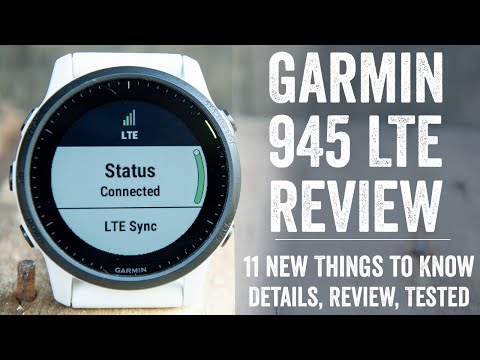
I know, I can hear the screams already ‘But…but…but…Forerunner 955!’. So no, this is not a (or the) Forerunner 955 – at least in name. But in spirit, it mostly is. So much so that Garmin themselves even long debated about calling it the Forerunner 955, as they did plenty more than just adding LTE. It’s got new internals, new optical HR sensors, and a pile of new features that have nothing to do with LTE, and a lightly refreshed user interface. But ultimately, Garmin said they decided against calling it the Forerunner 955 LTE as it didn’t quite meet the bar for a complete next gen product (or name). In essence, it’s effectively a Forerunner 945 Plus. But don’t worry, I’ll touch on this later in the post again.
Still, with those gel-infused FR955 closet screams out of the way, the Forerunner 945 LTE is all about cellular connected sports adventures, both tracking and safety-wise. Which, sounds obvious yes – but less obvious is that you won’t get regular text messages via LTE on it. Nor will you stream Spotify wirelessly in real-time via cellular networks. Instead, those work just like before – text messages require your phone, and Spotify music syncs ahead of time via WiFi. Garmin’s entire focus on the FR945 LTE is about athletic connected features, not general smartwatch features.
Your workouts will LiveTrack via cellular automatically, and your friends and family can send both text and audio messages to you in real-time. All while also watching you suffer as a blue dot across the landscape. And if you get yourself in a serious pickle, you can contact Garmin’s international emergency response center, and they’ll save your bacon. The same emergency response center that has historically handled stranded boats in the ocean, crashed planes in Alaska, and stranded hikers on Mt. Everest, is now also handing emergency calls from your watch during your ill-fated trail run.
Now, I’ll dive into Garmin’s entire line of thinking on this in a separate post coming up tomorrow, as it’s pretty interesting – and clearly sets the stage for a much broader push of products in the future. Instead, we’ll focus on the Forerunner 945 LTE specifically today and get cookin’ on this review.
Note that Garmin sent over a Forerunner 945 LTE media loaner, which I’ve been using for a while now to put through its paces. Once this review is done, I’ll get it boxed back up and sent back to them. After which I’ll likely go out and buy my own for future use. If you found this review useful, you can use the links at the bottom, or consider becoming a DCR Supporter which makes the site ad-free, while also getting access to a mostly weekly video series behind the scenes of the DCR Cave. And of course, it makes you awesome.
With that, let’s get into it.
What’s New:

As noted, the Forerunner 945 LTE is more than just cellular. Though undoubtedly, that’s a huge part of it. So sure, it shares the name with the Forerunner 945, but as Garmin themselves said, the Forerunner 945 LTE is “built from the ground up” different. Here’s a quick list of how it differs from the base Forerunner 945 (which, Garmin says stays in the lineup):
– Added LTE cellular connectivity (via LTE-M network in certain countries, list below)
– Added Assistance Plus – Direct Emergency Response center (International Emergency Response Coordination Centre (IERCC)) assistance
– Added LiveTracking via cellular
– Added Live Event Tracking via cellular
– Added Spectator text messages via cellular
– Added Spectator Voice Messages via cellular
– New Optical Heart Rate Sensor (same as Garmin Venu 2)
– Slightly smaller than FR945 – 2mm smaller in diameter
– Slightly thinner bezel dead-space than FR945
– Added new automated interval categorization
– Added new ‘open repeats’ interval concept
– Stays as Connect IQ 3.2 Support (aka ‘System 4’)
– New user interface elements (not drastic, but noticeable here and there)
– New rotary-style keyboard (such as adding WiFi, or typing emergency messages in)
– Price is $649USD ($50 more than official non-LTE FR945 list price)
Some people have speculated that the FR945 LTE is based atop the Garmin Enduro internals, which have bat-crap-crazy battery life. However, that’s not the case. In talking to Garmin about that point, they chuckled (borderline laughed) at the question, because they said that was a “special child”. Instead, they noted it’s actually far more similar to the new Venu 2. Obviously, not the display, but in terms of other components internally. Hence why we don’t see crazy new battery specs on the FR945 LTE.
Now the main piece here is the LTE connectivity, and I’ve got an entire section on that. However, briefly, it’s worth noting that the LTE connectivity has *zero* dependency on your existing carrier, or whatever carrier you want. Instead, it’s run totally behind the scenes by Garmin, akin to how Amazon’s Kindle cellular connectivity works. You don’t think or care about it, you just pay Garmin $5.99/month (with an annual plan, or $6.99/month without), and then everything is included.
As I’ll explain in more detail later, this is a dramatic shift for the company, but in more ways than one. Not only does it mean you don’t have to deal with your phone company for things like setting up a secondary plan, but at the same time it means you won’t be getting your normal text messages via cellular signals. But at the same time, countries are more limited than popping a SIM card (or eSIM) into the unit, similar to how Apple’s cellular Apple Watches are limited in certain countries. Ironically, I can’t get a cellular Apple Watch in the Netherlands, but I can get a cellular-connected Garmin Watch (well, later this summer anyway). Inversely, those in Australia can’t get a cellular connected Garmin watch, but can get an Apple Watch.
The list of countries *will change*, as it’s largely dependent on firming up carrier contracts (the behind-the-scenes pieces). So don’t assume this means Australians (or Italians) are hosed forever. Some changes will happen very quickly, others less so.
Finally, note that the FR945LTE keeps *EVERYTHING* the FR945 had, yes, including maps and music.
Anyway, with that – let’s get into the basics. If you’re familiar with recent Garmin watches, you can skip this section and just hit up the sport and LTE sections. There are changes I discuss in the sport section around the intervals pieces, and then of course the vast newness that is LTE.
The Basics:
Before we get too far into this, if you’re looking for a complete end to end tour of all the FR945 LTE menus and user interface aspects, simply hit that ‘Play’ button on the video above. I go step by step through tons of features and how it works.
Now, for those of you familiar with the Garmin lineup, you’ll find virtually everything in this section as old-hat. Not much here has changed, except a slate of minor user interface styling changes. You’ll notice them throughout the watch, often matching what you see on the new Garmin Venu 2, especially in many of the widget areas. That said, this section is all about the basic operation of the watch, while the next section is focused on the sport features, and then we’ve got the LTE features in their own section.
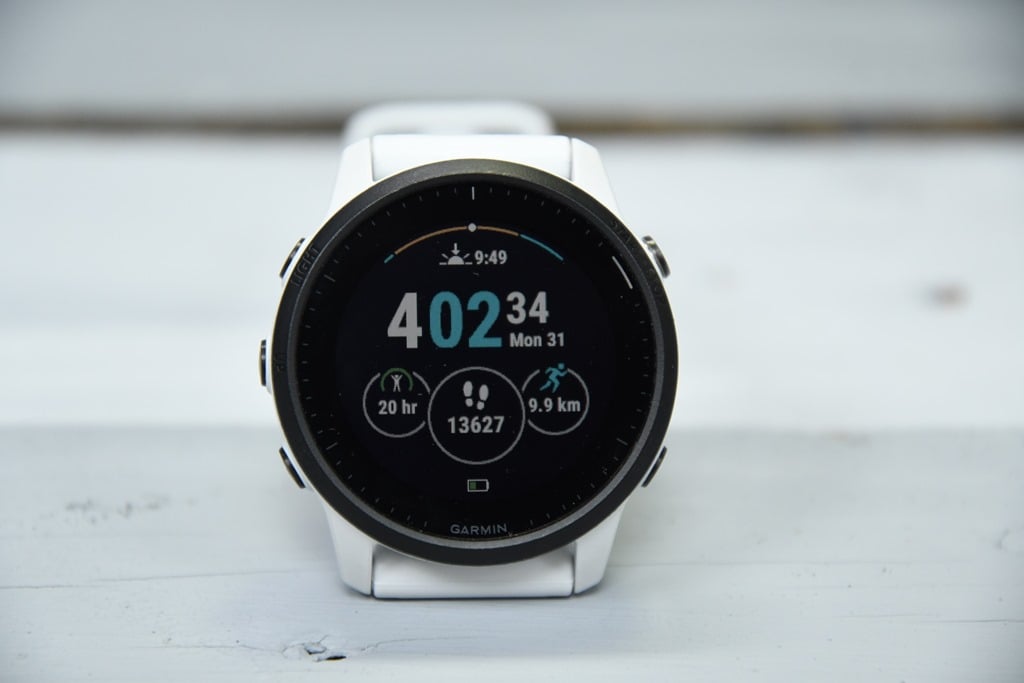
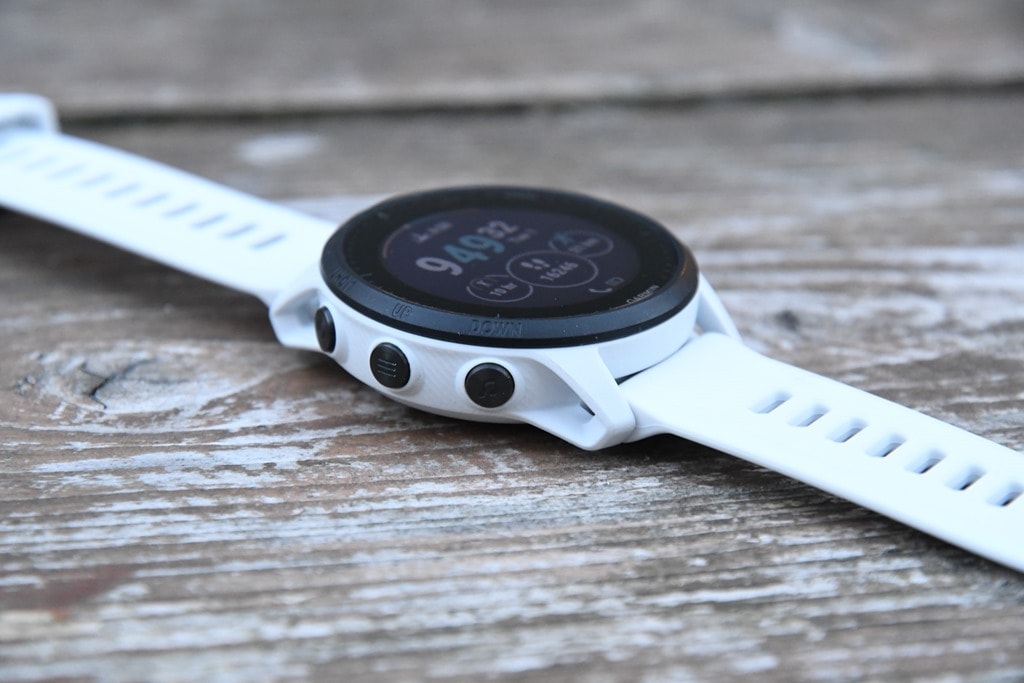
To begin, the unit uses buttons for navigation. There’s no touch-screen here, which, follows what the original FR945 had. The FR945 LTE has five buttons that you use for familiar confirmation/escape/up/down/controls type actions, making it efficient to navigate when on a trail run or from a bike. Meanwhile, on the underside of the watch is the new optical heart rate sensor – in this case the Garmin Elevate V4, the same sensor found on the also-new Venu 2. This is the first ‘serious’ Garmin watch to include this sensor, as the most recent launch (the Garmin Enduro) used the older V3 sensor.
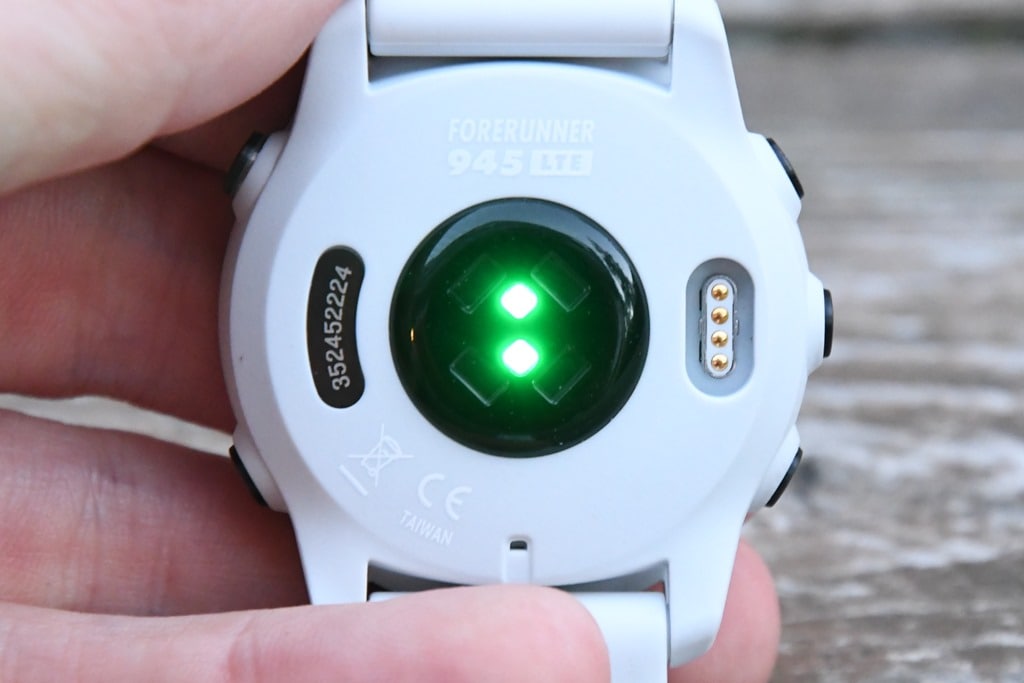
Practically speaking, I haven’t seen much of a difference there – both seem largely accurate and inaccurate in the same rough areas as before. But more on that later in the accuracy section.
As with other Garmin watches, you can customize the watch face either using stock watch faces, or 3rd party ones. That includes tweaking all the exact specifics on the screen like data metrics such as steps, recovery time, distances by sport, and so on. It’s pretty much endless – and that’s before you look at the Connect IQ app store.
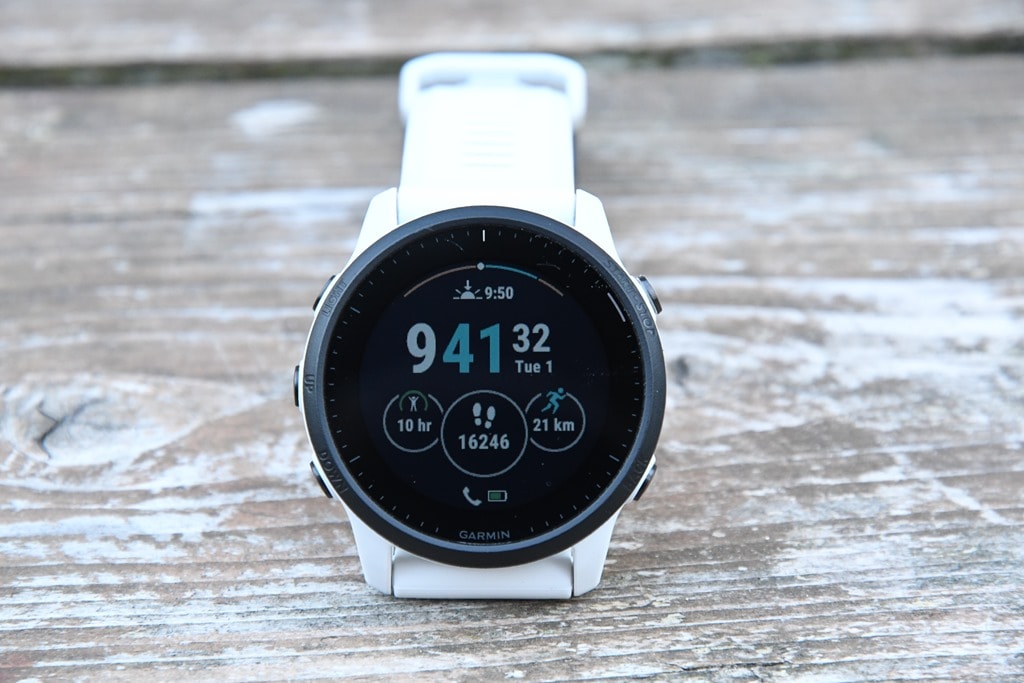
As you depart the watch face you’ll scroll down through the glanceable widgets. These are largely the same as before on the FR945, except now with new styling, primarily once you tap into a given widget. If you’re coming from an older watch like the FR935, you’ve likely never seen these before. Essentially it takes the full-screen widgets and condenses the key information down to a 1/3rd size widget, which you can then tap into for the full screen. Here’s a glance:
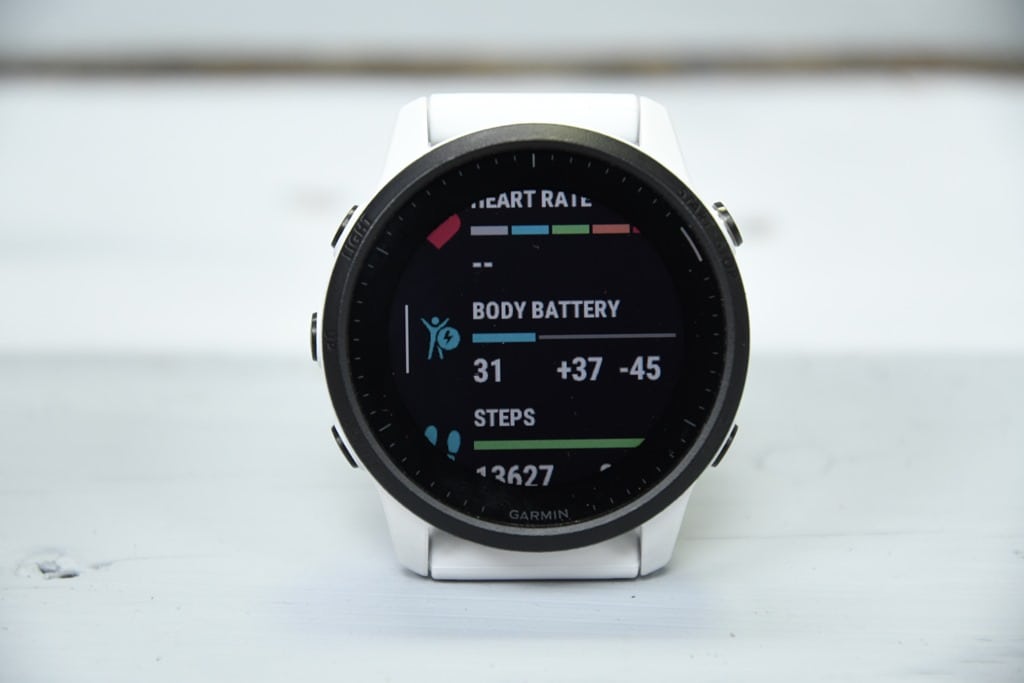
And then here’s a full-size widget of that once I tap into it. Many widgets then have multiple data pages shown within them too.

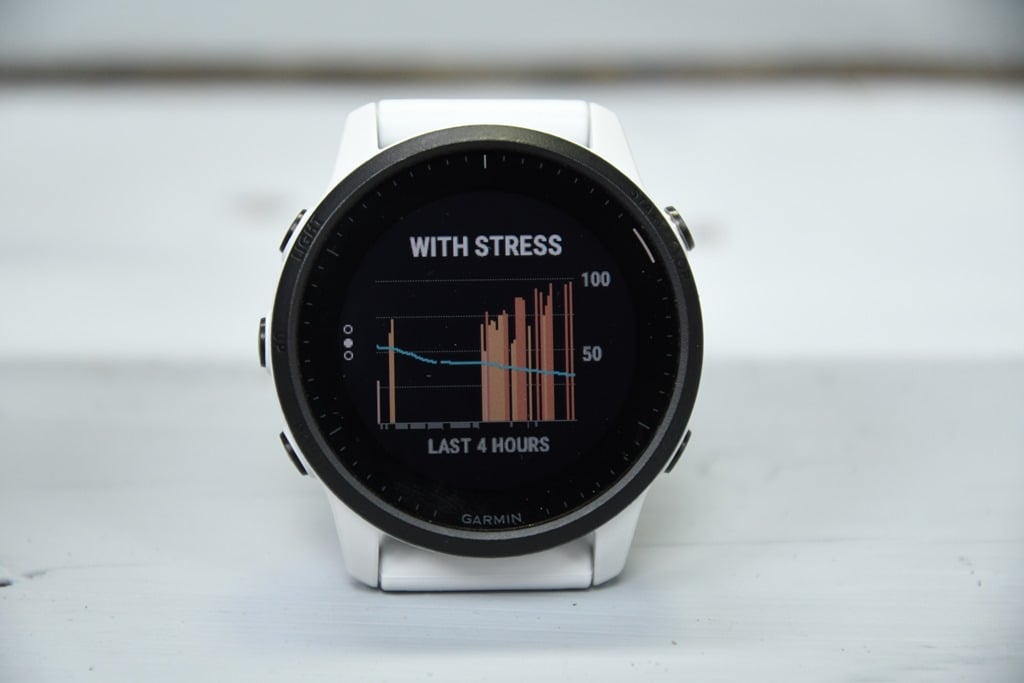
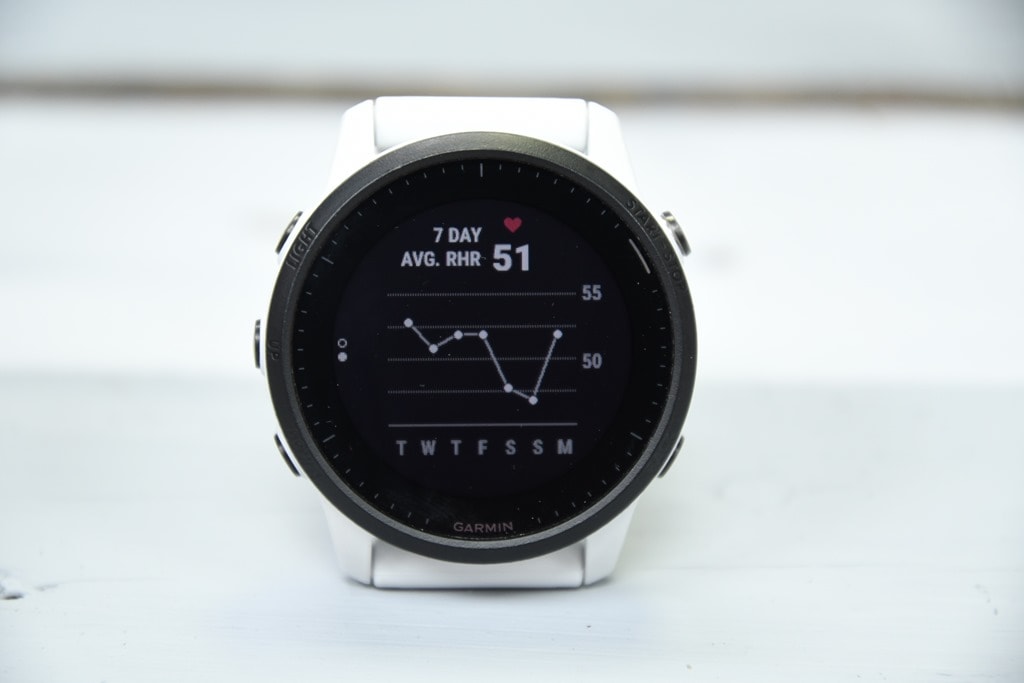
Of course, these widgets are surfacing tons of underlying daily activity data. Some of that’s more common metrics – like steps or calories, whereas others can be more advanced, like respiration rate or PulseOx. Each of us value those metrics differently. And sometimes, you might be aiming to increase a given metric, while other times decrease it.
One of the ones I personally tend to watch is my training status level. Since I’m not on a coached plan right now, I’m mostly using that as a general guideline for how much training intensity I get each week – aiming to keep my numbers vaguely in the same band. Some weeks higher if aiming to make gains, some weeks lower for recovery. Similarly, I’m also looking at resting HR & respiration rate as indicators of potential sickness or fatigue.
Ultimately, all of this data is tracked within Garmin Connect and via Garmin Connect Mobile too (the smartphone app). For example, I can see my respiration rate and resting HR data. Or I can dive into the day-by-day metrics of these stats too – looking at how my heart rate ebbed and flowed throughout the day.

![clip_image001[4]](https://media.dcrainmaker.com/images/2021/06/clip_image0014.png "clip_image001[4]")
And then you can layer in more data like stress and/or Body Battery. The Body Battery metric is similar to the old school Street Fighter game in terms of measuring how much energy it thinks you have. So in a theoretical perfect blue-sky day without toddlers interrupting your sleep, you wake up at 100%, and then over the course of the day aspects like stress, workouts, and activity decrease from that. Meanwhile, things like sitting on the couch watching a TV show can re-gain energy. This is viewable on both the watch and the app.
![clip_image001[6]](https://media.dcrainmaker.com/images/2021/06/clip_image0016.png "clip_image001[6]")
![clip_image001[8]](https://media.dcrainmaker.com/images/2021/06/clip_image0018.png "clip_image001[8]")
In general, I find Body Battery a pretty good proxy for how I feel. It’s not perfect; for example, if I pull an all-nighter I find it gets all tripped up and starts going into the looney bin. At the same time, so do I. But overall, if I get a poor night of sleep it won’t show me as fully recovered to 100%, which is logical. Note that it takes a few weeks for this sort of data to settle down and become accurate, so don’t judge it on Day 0.
Of course, tied into this are sleep metrics. The FR945LTE uses the same advanced sleep metrics that have rolled out in Beta on the FR945 for the past…umm…year. My understanding is that finally goes live to production here now. Of course, these metrics have also been on the Fenix 6 series, Enduro, and a few other watches too. So this isn’t all new stuff.
The main benefit of the new sleep metrics, which are Firstbeat algorithms now, is that you’ve got a handy widget to see your sleep directly on the watch itself:
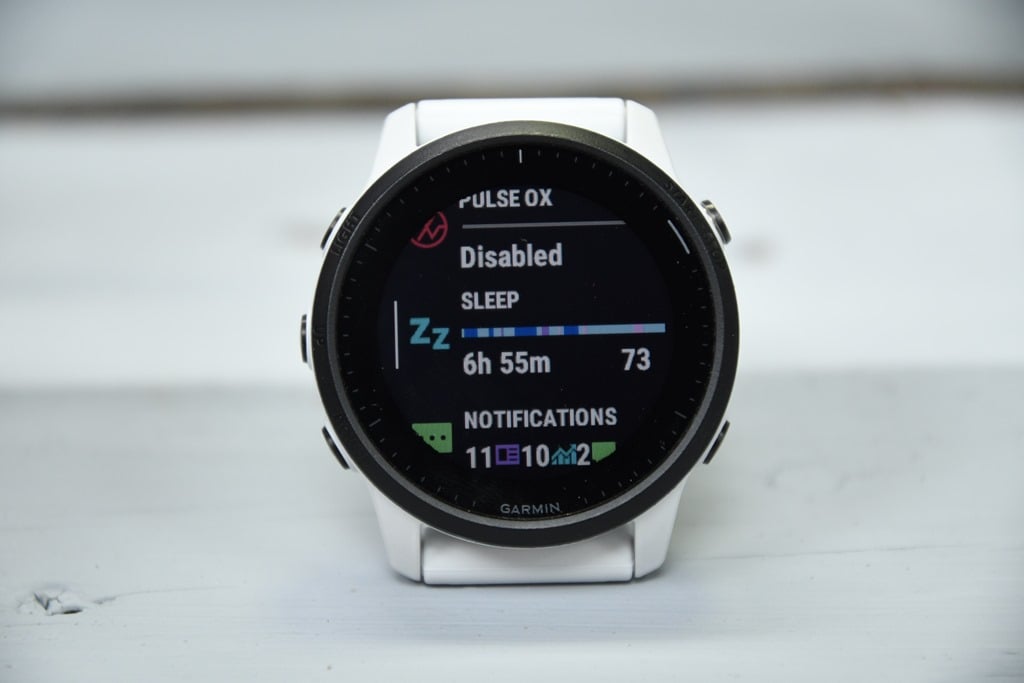
You can then tap into that glanceable widget to get more data and some general thoughts on your sleep that night. I can’t validate data points like sleep phases, and honestly, I don’t really care about them too much here. I’m mainly interested in whether or not it tracks my sleep-start and end times, as well as awake time – and thus far, it’s quite good at that – usually within a minute or two.
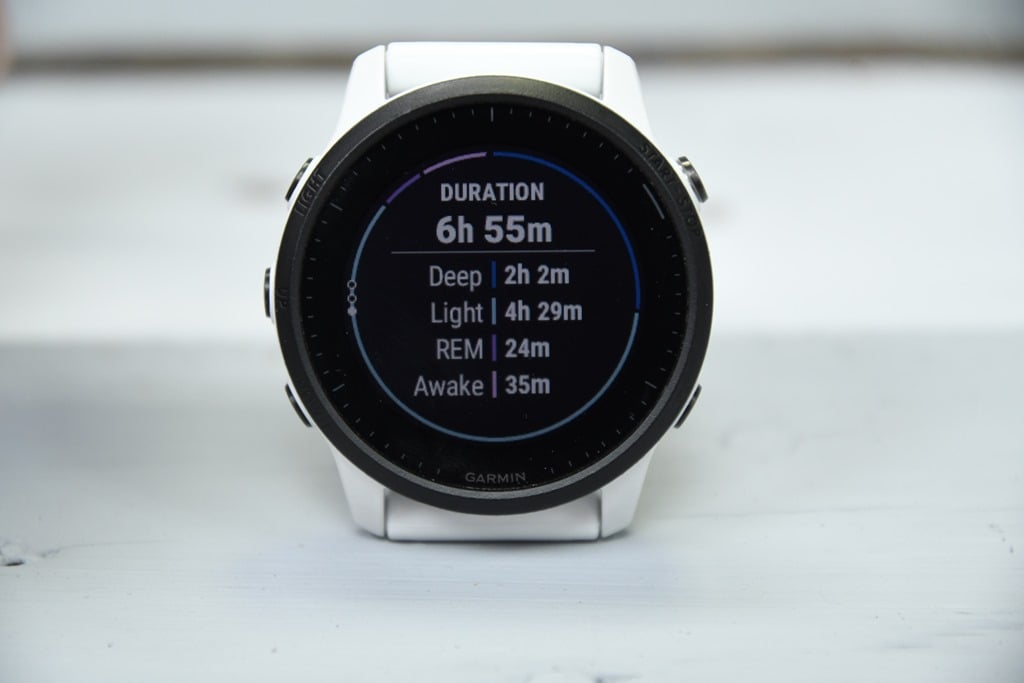
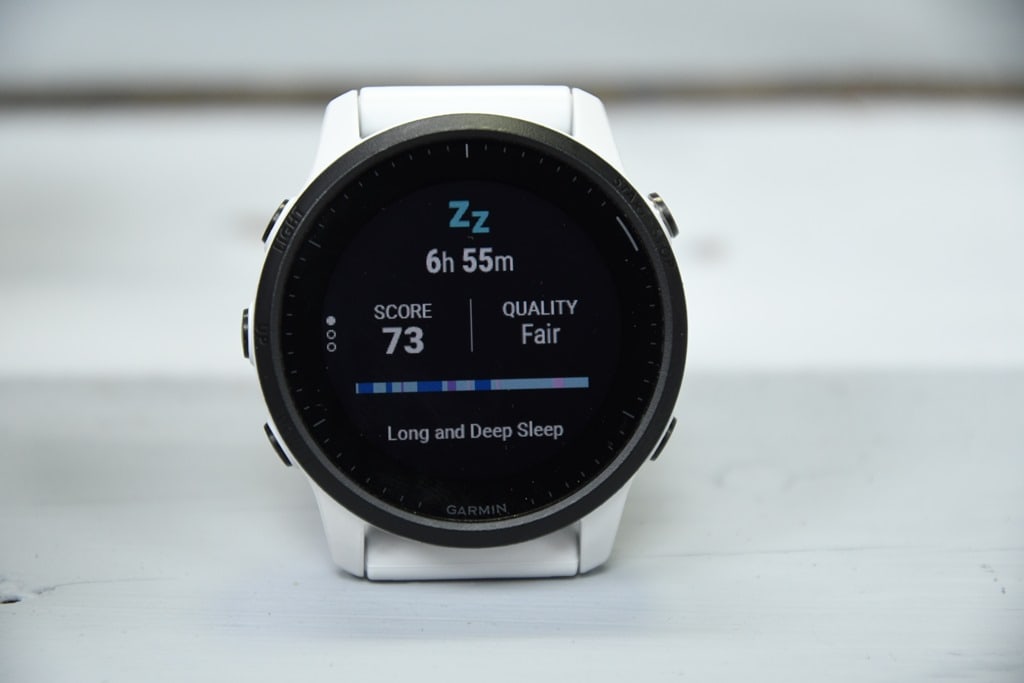
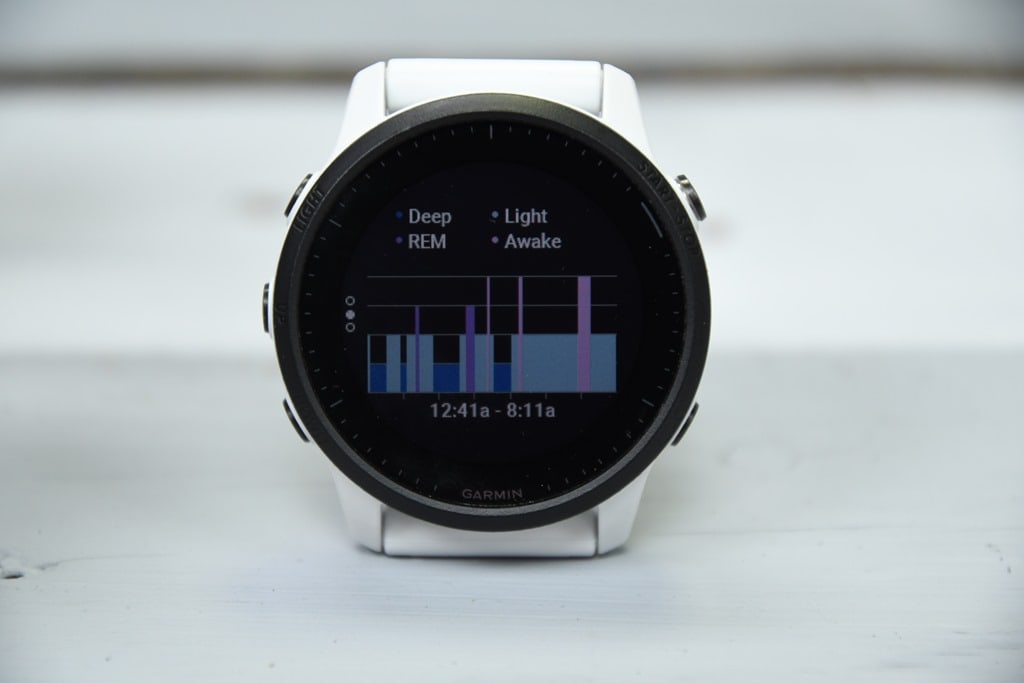
Remember that with the new sleep updates, this means sleep data drives quite a bit more behind the scenes than just sleep stats. For example, the Daily Suggested workouts will be impacted if you get a poor night’s sleep – even up to the point of canceling your planned workout. These are the workouts it suggests for running and cycling, based on your recent intensity, and adding slightly more intensity and/or duration with structured workouts in what is essentially a never-ending build phase. But more on that later.
Do note that naps (still) aren’t supported on Garmin wearables. So you don’t get any direct sleep credit for that, though you do get Body Battery increased points credit.
In addition, on the FR945 you can enable PulseOx, for SpO2 measurement. There’s two options here when enabled – one to only measure at sleep, and one to measure 24×7. Which in turn map to the two main purposes on how it’s used, one is around sleep (as potentially an indicator of sleep or health-related issues), and two in high altitude environments as an indicator that something is about to go horribly wrong. Two totally different use cases (note: medical folks and such also monitor blood oxygen levels too for other reasons). For the first one – sleep – you can track your PulseOx readings each night. It’s the red light that’ll light up on the back of the watch. This data is then plotted on the watch and on GCM.

I didn’t use it at all this go-around, since I just don’t have much use for it right now, living at (or technically below) sea level with no sleep issues, and I’ve covered it extensively in the past. As usual, I’d caution though that enabling PulseOx for sleep alone is basically halving your battery. Seriously. It’s a battery blowtorch. I do however find it fairly accurate if you follow a set testing protocol of sitting and being still, in which case it measures just fine and identical to certified medical devices I have. So, my suggestion is that you use it if you have a specific purpose for it, but otherwise don’t destroy all that new battery life you got with a fancy red light.
Finally, wrapping things up in the basics region, you’ve got smartphone notifications. These are fairly basic compared to something like an Apple Watch, in that it just shows text and emoji, but not photos or the ability to respond (if on iOS). You can simply clear them or cancel them (or open them to get more info). The inability for iOS users to respond to them is a limitation of Apple’s, in not allowing 3rd party apps to respond to text messages specifically. They’ve kept that ability on iOS for Apple Watch, which does allow the watch to respond to texts. I don’t expect Apple to change that.
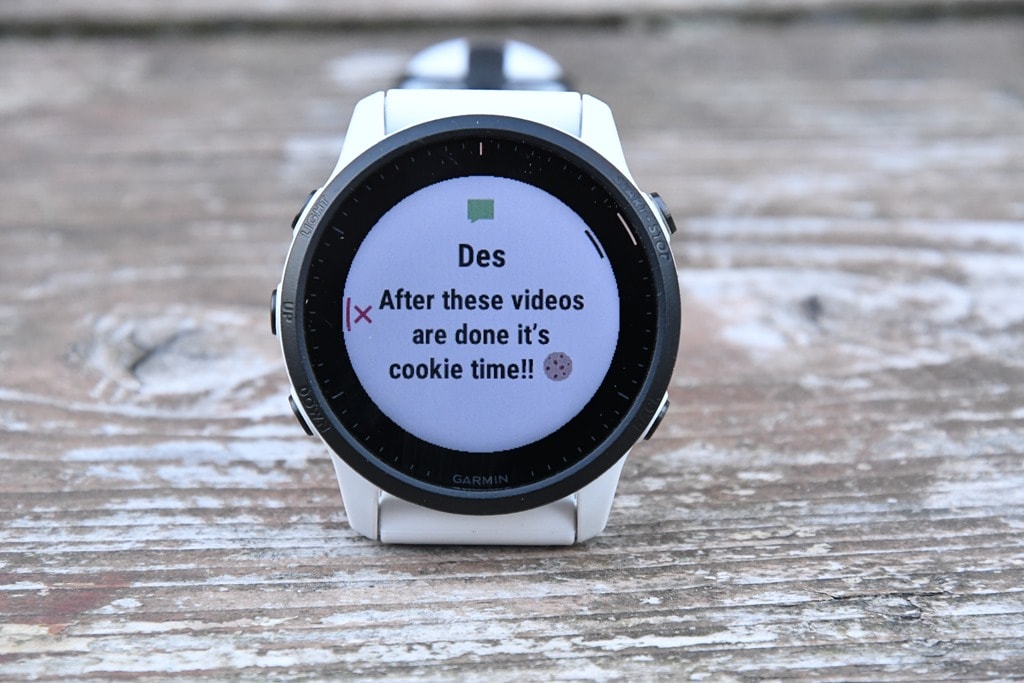
Garmin has steadily increased the number of emojis they support here, to the point where there’s a pretty good chance the emoji will come through on the watch too. At least for all the common ones our friends use.
Sports Features:
To start tracking a workout on the FR945 LTE, you’ll tap the upper right button, which then cracks open all the sport modes. These sport modes haven’t changed from the original FR945, however, since the original FR945 launched, there’s plenty more added. Things like indoor climbing, track workouts, bouldering, and more.
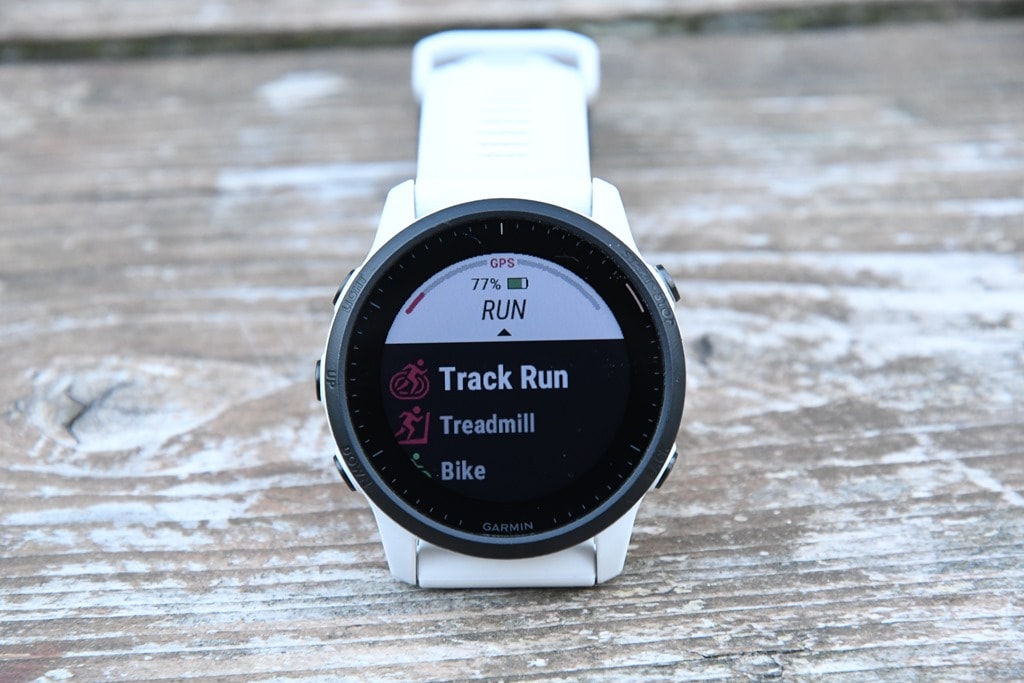
The FR945 LTE also will very shortly get the Ultra Run, eBike, and eMTB profiles. Technically speaking, the regular FR945 gets the Trail Run & Ultra Run profiles (and all the trail-specific things that come with that) in the production firmware that started going live yesterday. However, the FR945 is very slightly out of sync at the moment, so it’ll get that in the next firmware update (I already have it on a beta version). As is common in software development, you split out products for release, and the timing just happened to get the LTE variant firm on a slightly different branch, before rolling those in on the next update. Expect that very shortly.
In any event, here’s the total FR945 LTE list of sport modes:
Run,Track Run, Treadmill, Bike, Bike Indoor, Pool Swim, Open Water, Triathlon, HRV Stress, Climb Indoor, Multisport (custom), Virtual Run, Indoor Track, Hula-hooping with Fire & Knives, Trail Run, MTB, SwimRun, Hike, Climb, Ski, Snowboard, XC Classic Ski, XC Classic Skate, SUP, Kayak, Row, Row Indoor, Golf, Project Waypoint, Map, Navigate, Track Me, Walk, Strength, Cardio, Bouldering, Yoga, Pilates, Breathwork, Floor Climb, Elliptical, Stair Stepper, Clocks, Ultra Run, eBike, eMTB, Other.
For realz, it’s that long.
In any case, after tapping the sport mode of choice, you’ll get a new layout page that’s where you wait for satellite connections or for sensors to pair:
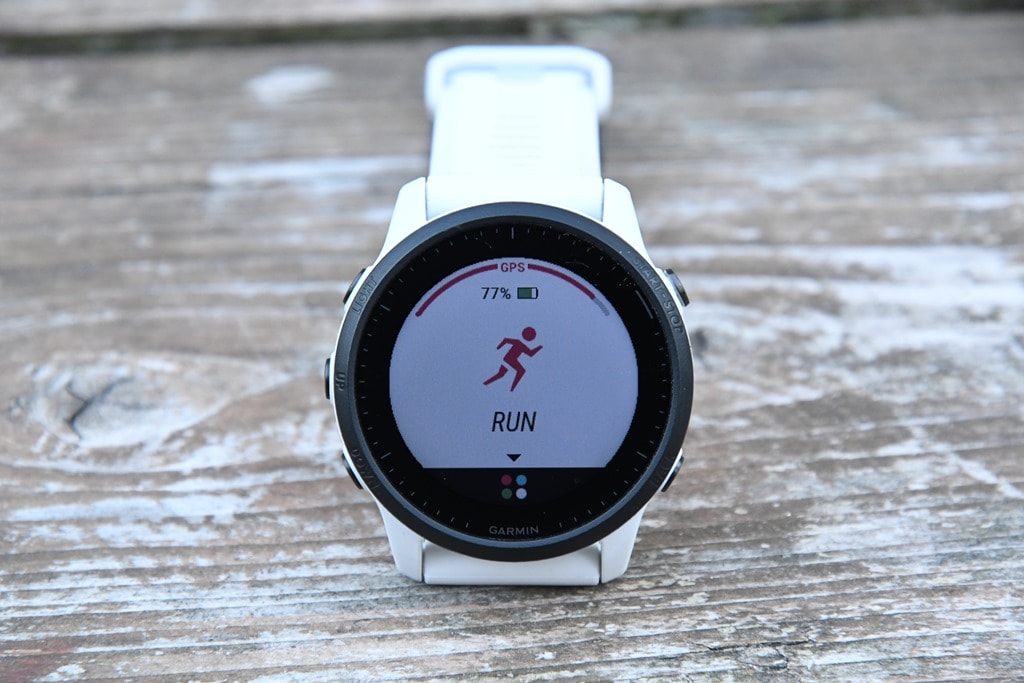
From a sensor pairing standpoint, you’ve got a boatload to choose from. More specifically, the following:
Headphones, External Heart Rate (ANT+/Bluetooth Smart), Speed/Cadence (ANT+/Bluetooth Smart), Cycling Power Meters (ANT+/Bluetooth Smart), Footpods (ANT+/Bluetooth Smart), VIRB Action Camera (ANT+), Tempe temperature sensor (ANT+), Shimano Di2 (private-ANT), Cycling Gear Shifting (ANT+), Cycling Lights (ANT+), Cycling Radar (ANT+), Frozen Slushy (Blue Flavor Only), Extended Display (ANT+), RD Pod (ANT+), Muscle O2 (ANT+), Garmin inReach (ANT+), Trainers (ANT+ FE-C).
As always, you can pair multiple sensor types (such as from multiple bikes), and save them with unique names and it’ll automatically connect to them when it comes within range.
Back on the ready to run (or any other sport) page, you’ll see not only the sensor status up top, but also whether or not LTE is connected and whether LiveTrack is ready to roll:

Once you’ve found GPS and heart rate, you can go ahead and start the workout and be brought to your data pages. Like past Garmin watches, you still (for now) have to configure these on the watch itself and not via a smartphone app. You can configure up to 6 data fields per page, or as few as one data field per page (with simply bigger text). And you can have more custom pages than I can think to create, each with their own data fields.
You’ve also got a slate of default pages you can add, things like Running Dynamics pages, Virtual Partner, Compass, Elevation Page, Map Page, plus a time page. Yet more pages show up for structured workouts or if navigating a course. This expands to features like ClimbPro, which automatically segments all the climbs on your run/ride course, including the downhill descents too (for runs). Note that you do have to have a predefined course loaded for this to work.
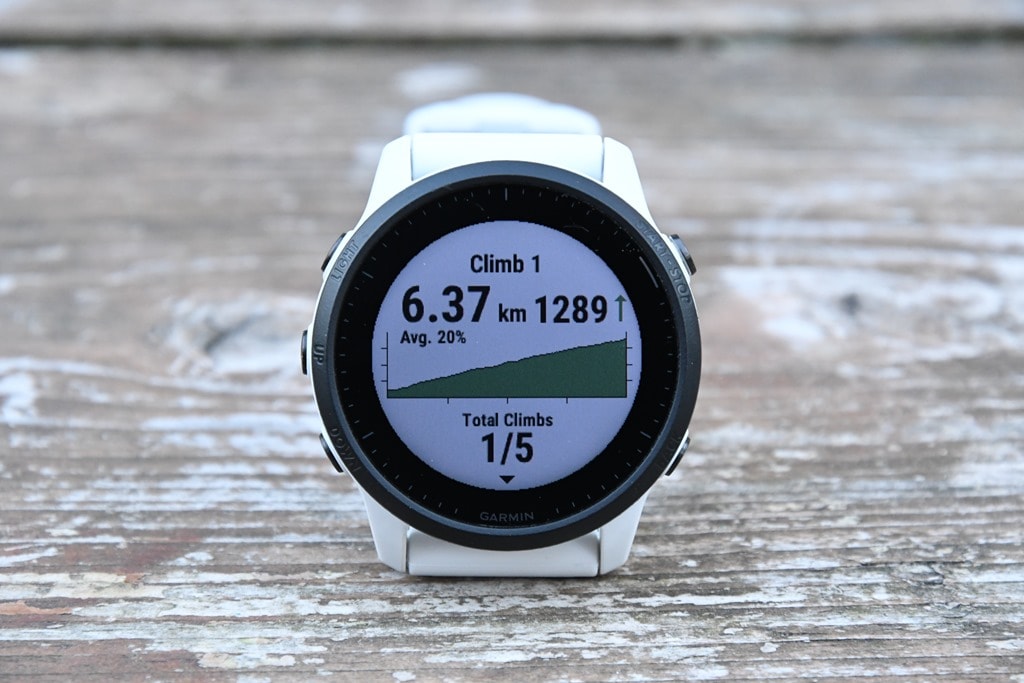
Speaking of which, you’ll see full mapping data for the region you bought. So in North America this includes North America maps, and in Europe this includes European maps, and so on. This allows you to go free-style on routing, without having a course if you want to. I find this super useful in the mountains, both for freestyle trail runs, but also just for figuring out where I should be going on a course.
Speaking of trail runs, the watch supports all of the new Ultra Run & Trail Run features, like rest timers and VO2Max stat disablement for certain activities. I dive into how all these features work on my recent Garmin Enduro post in the sports section, so I won’t rehash them here.
Instead, we’ll focus on something new for the FR945LTE, the new interval features. There’s essentially two new features here:
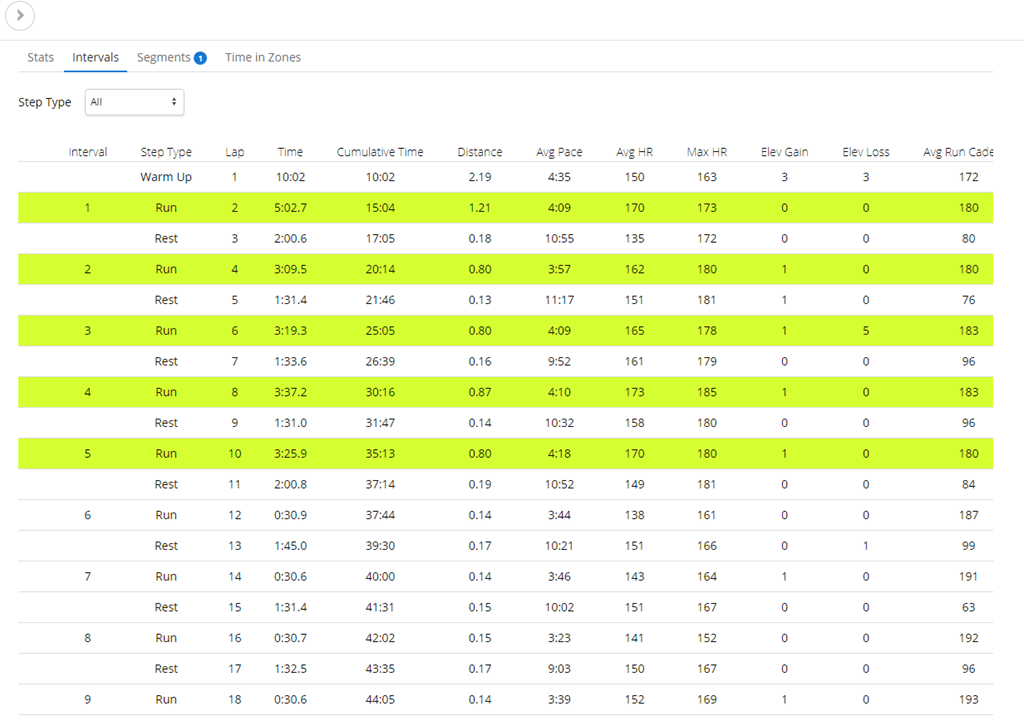
A) Automatic categorization of interval segments afterwards in Garmin Connect (if you simply press the lap button in the regular run modes)
B) A new data page/categorization of interval segments mid-workout, if you press the lap button using ‘Open Repeats’ mode
So for the first one, this is super simple. Let’s say you go out for a run (like I did yesterday) and don’t load a structured workout in. Instead, you just run what you want to run interval-wise or fartlek wise and hit the lap button each time you start and end an interval. It’ll then automatically categorize all these sections after the fact on Garmin Connect. For example today I did a track workout, and I just simply hit the lap button as I went along for my 800’s and 200’s. No structured workout loaded, just lazy me pressing the buttons. This is what I see afterwards, notice the fact that it automatically figures out what is each section is:
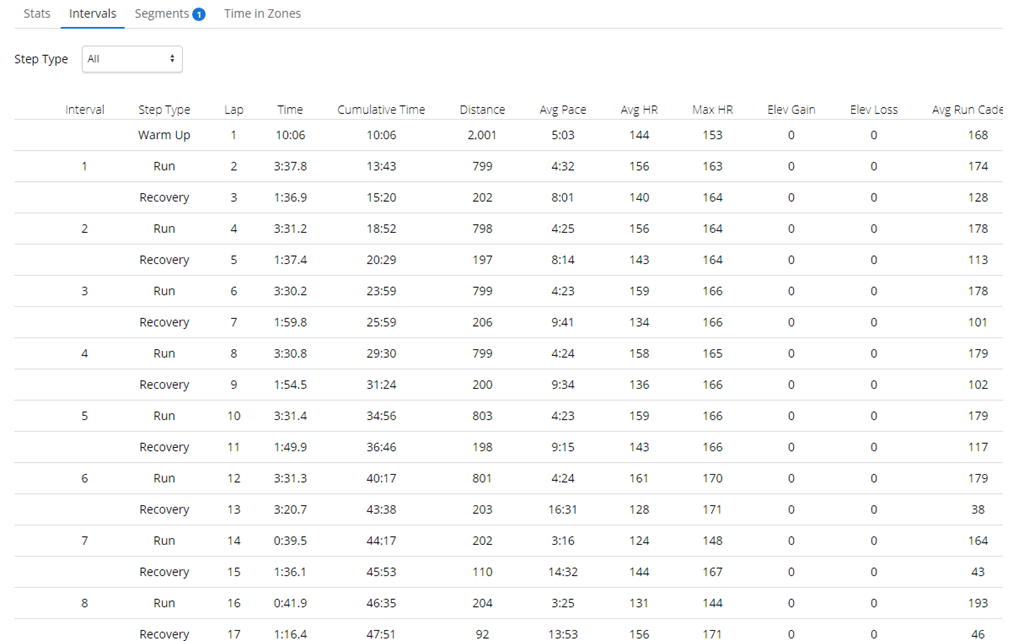
Make sense? Good. Basically, just use the lap button and after the fact on Garmin Connect you get nifty labels.
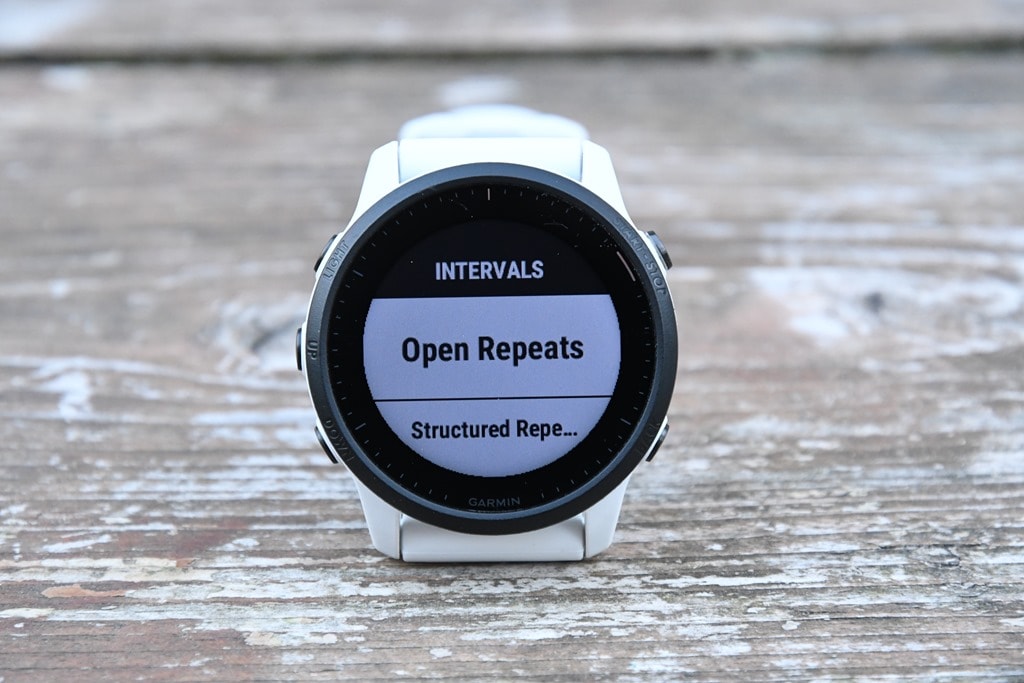
Now, the second bit takes that to being live on the watch. To do that, you go into the Run, and choose Training > Intervals > Open Repeats:
At this point it’ll ask if you want a Warm-Up or not:
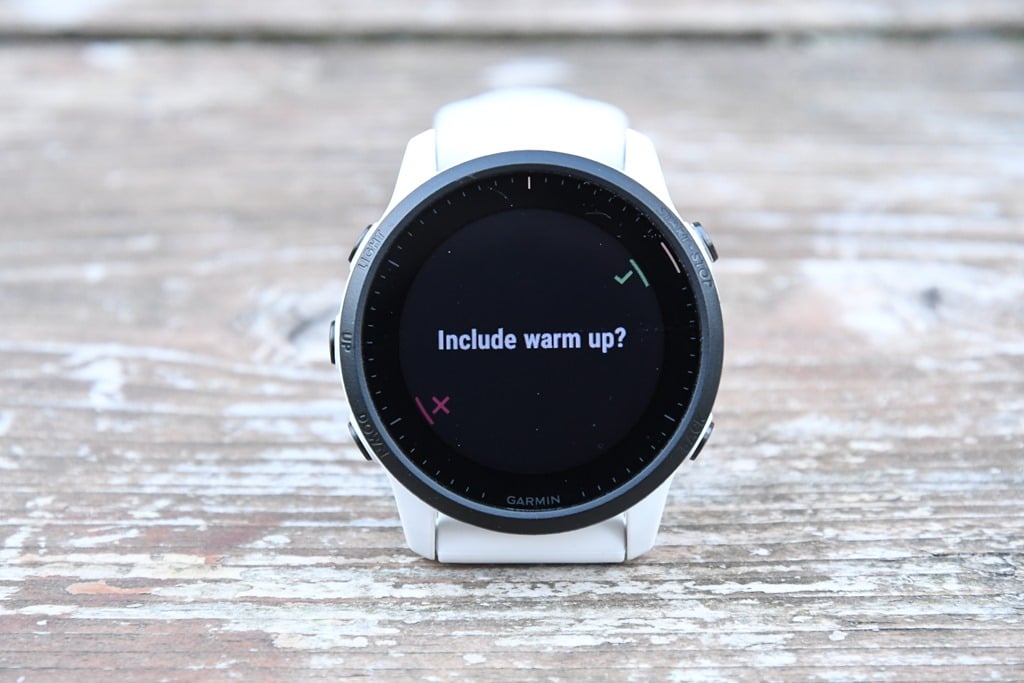
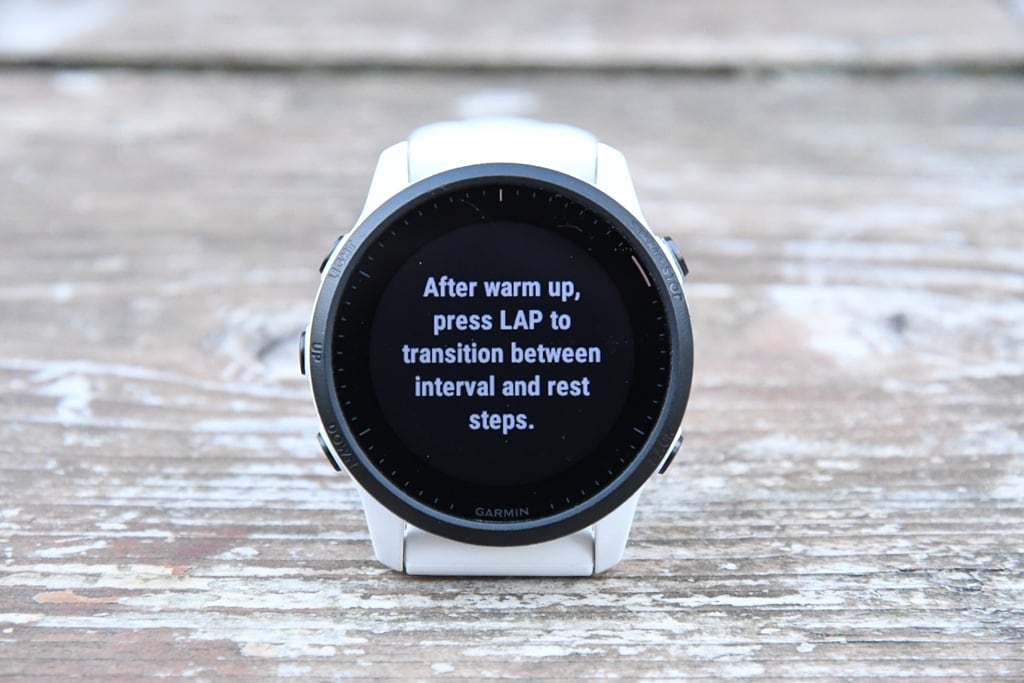
And that’s it. You don’t tell it how long a warm-up, it just knows that you’ll press the lap button afterwards. And that’s literally all you need to do, you’ll simply hit the lap button at the start/end of each interval, and it’ll figure out on the watch itself whether you’re in a work or recovery portion of each interval. It does this by looking at the paces and HR’s and figures it all out. The value of that is this new data page that shows up:
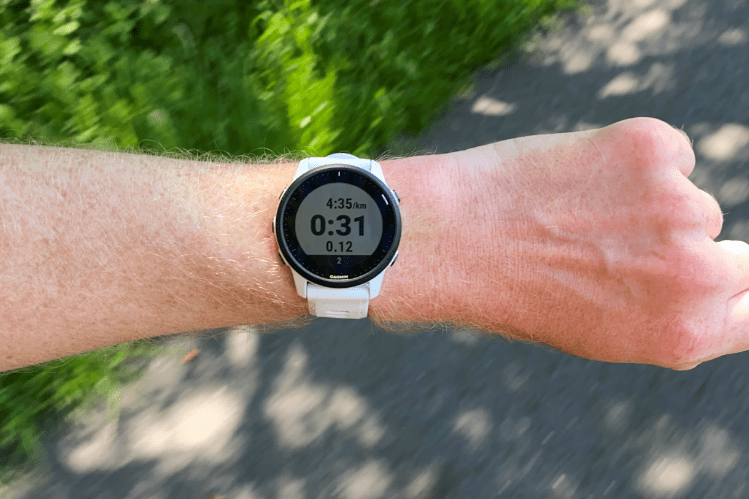
This is a per-interval page that dynamically shows you your current interval number (skipping any recovery chunks automatically), and the pacing for it. Additionally, you’ll get a lap summary page that also skips showing the recovery portions, because nobody cares about those stats. They just want to know their lap details for the work portions:
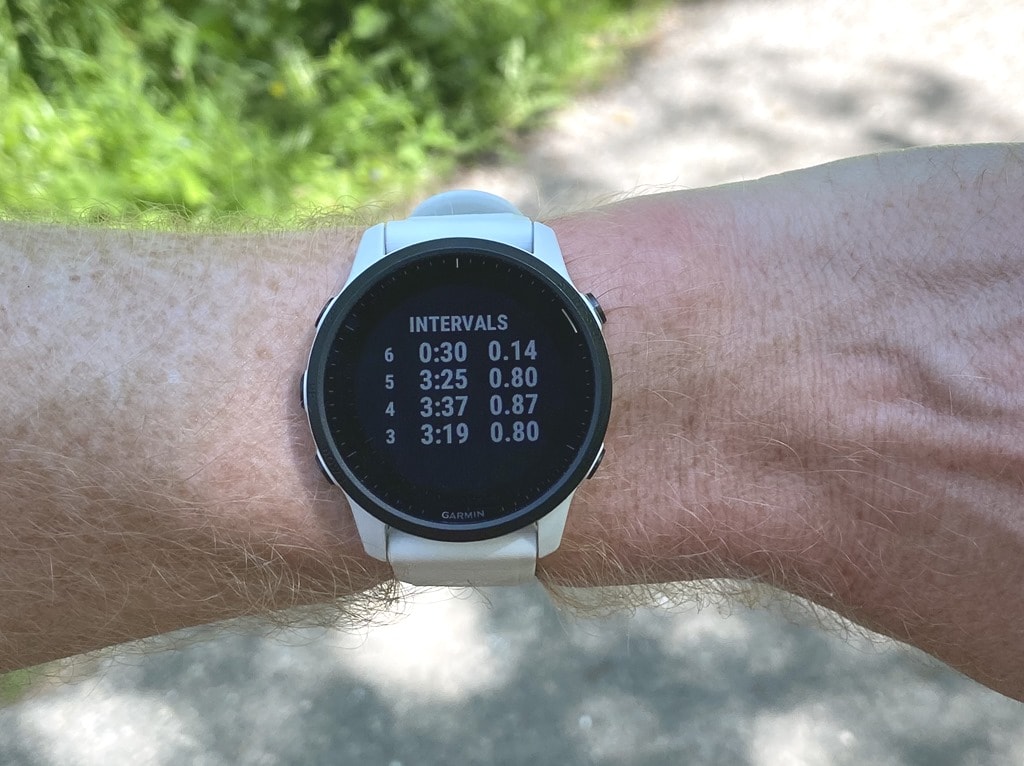
Again, you don’t have to tell it how long you’re running or anything, you just run and hit the lap button like you probably already do. The only downside is that you can’t customize this lap summary page with a different metric if you wanted to. But still, it’s great to *finally* have a lap summary page on Garmin’s wearables, even if it’s a bit wonky to get in and enable it.
Then again, afterwards, you’ll also get the automatic categorization on Garmin Connect. Here’s what that looked like for a run yesterday through the forest using this feature:
Ok, with all that said and done, we’ll wrap up our run. Of course, there’s literally a million sport features I could dive into and talk about – but I feel like I’d be repeating myself. Granted, I do that a lot. But hey, time’s a tickin’.
At the end of the run you’ll get stats from the run, including your training status, which shows the direction your fitness level and load levels are trending.
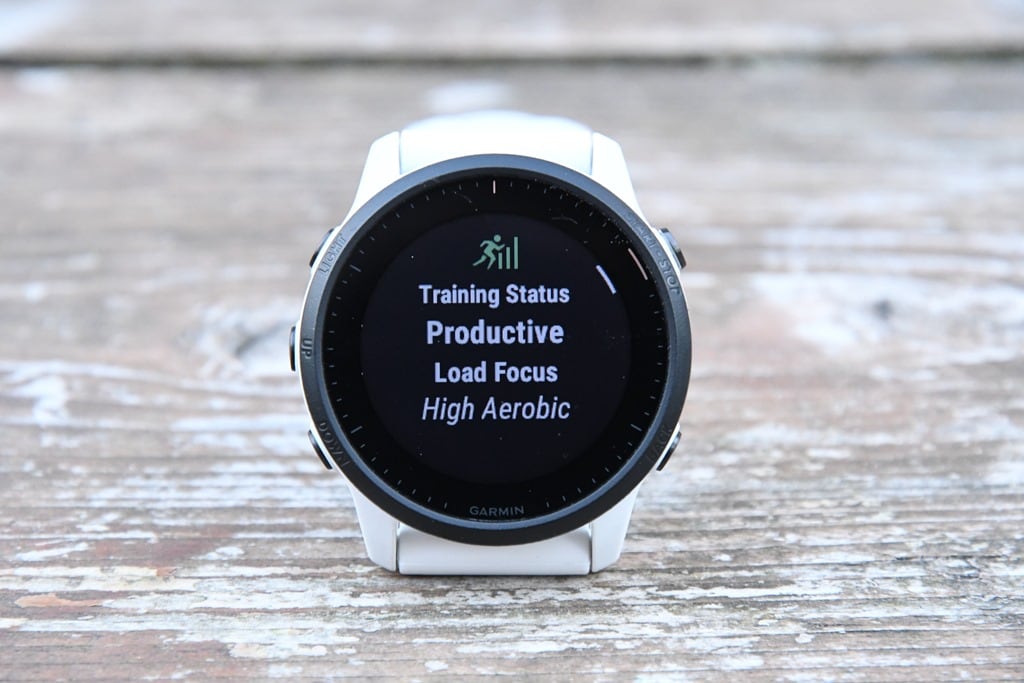
If we hit down (once past VO2Max) and you’ll see the 7-day load listed. This is color-coded by the type of load that you’ve gathered, as well as the total load values:
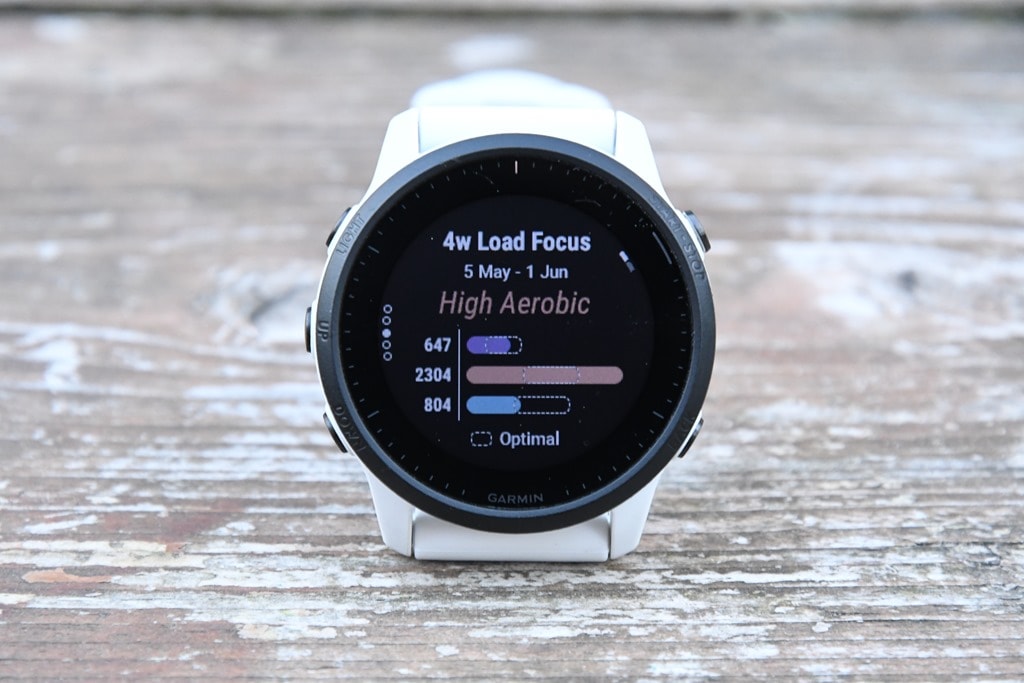
Tap down again and you’ve got your 4-week Load Focus. This basically consolidates all the training you’ve been doing into three specific buckets: Anaerobic, Aerobic High, and Aerobic Low, and then gives you specific target zones to be within (little pill boxes):

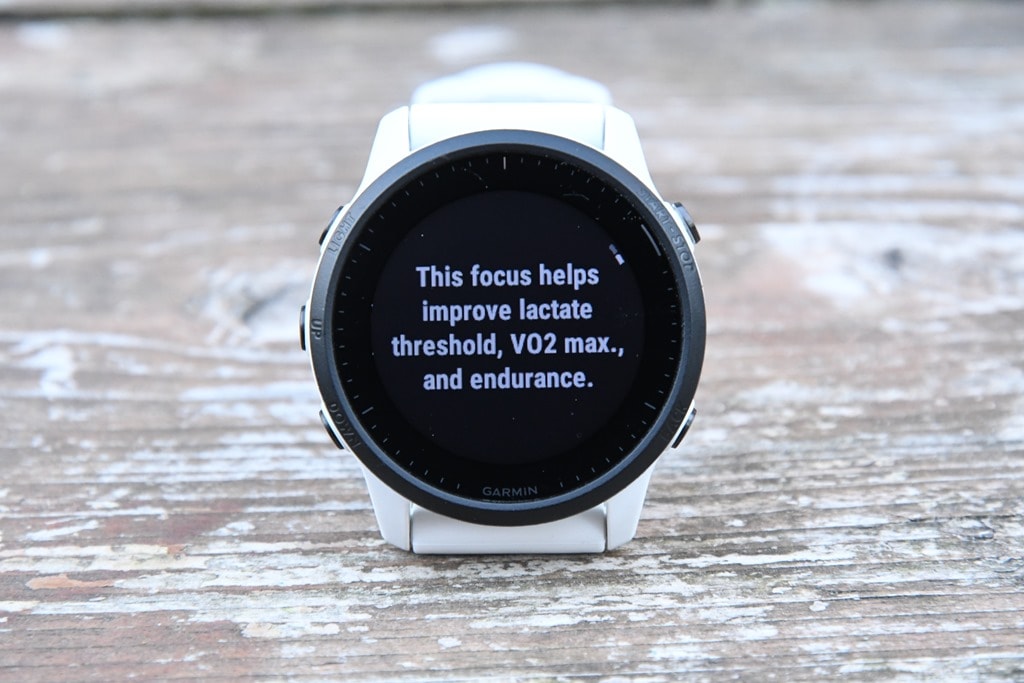
As you can see, I’ve filled up my ‘High Aerobic’ target. If I’m short in a given area, then it’ll tell me what to do. Or, in my case, since I’m somehow not short in any areas, it’ll tell me what my training has been doing lately in terms of benefit:
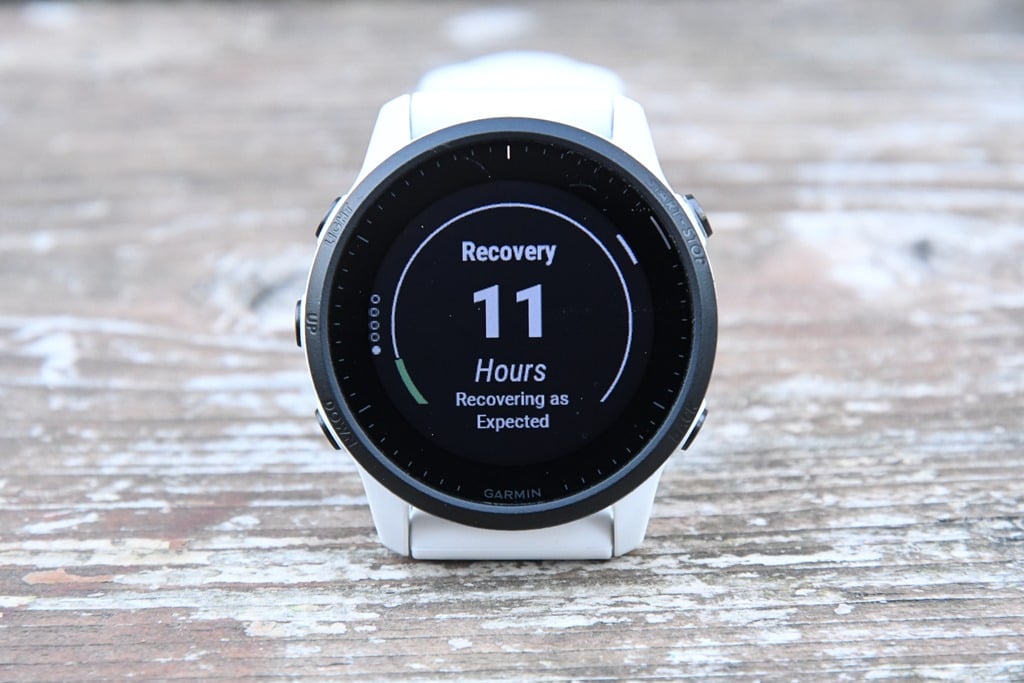
If I go down again, I’ll get Recovery Time until my next hard workout:
If I was somewhere with altitude or heat, I’d get either (or both) heat or altitude acclimation. The goal behind both altitude and heat acclimation metrics is to figure out whether or not you’re acclimated to a given temperature or altitude. Obviously, both can significantly impact performance. Unfortunately, I’m neither hot nor high right now. But you can read my past Garmin Fenix 6 review for how those pieces work – it’s all the same.
All of this information is also accessible within the Training Status pages on your Garmin Connect Mobile app too – allowing you to dig in much deeper and further back.
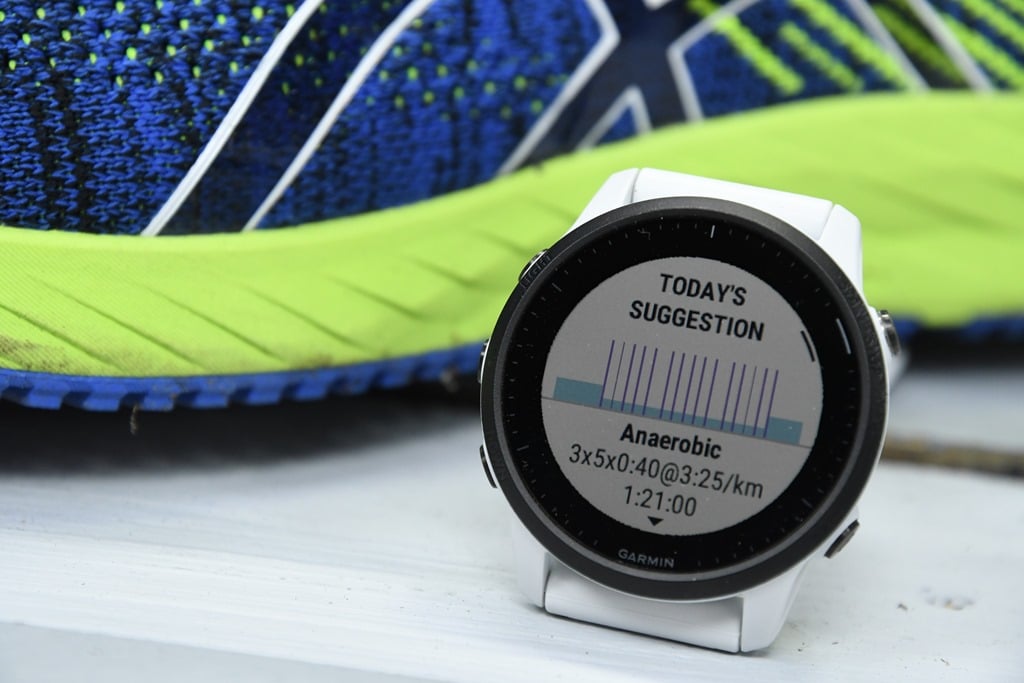
All of this then feeds into the suggested workout pieces for cycling and running. This works by offering you a new workout each day. The goal here is essentially to provide a training load stimulus, but also not to overdo it. For example, if you get poor sleep, it’ll literally say to take a recovery day due to the poor sleep. If you’ve had too much intensity, it’ll offer a recovery workout. It’s reasonably impressive in my testing over the last 6-8 months in other Garmin devices they’ve previously introduced it in.
Here you can see it offering me a structured run workout late last week. As you can see, this ain’t no slouch of a workout.

You can tap to get more information about the workout, and why specifically it’s recommending this one to you. Additionally, it’ll detail which areas it’s targeting. Once you’ve selected the workout, it’ll iterate through like any other structured workout on the watch. Including the fact that afterward, on Garmin Connect, you’ll get to see the targets overlaid on your actual data, so you can see what the goal was versus your execution.
Finally, no matter what you do for a workout, once it’s done it’ll save that to Garmin Connect, and then sync it off to various 3rd party sites (like Strava, TrainingPeaks, etc…). Or, you can just view it on Garmin Connect Mobile or the Garmin Connect site.
- Phew, got all that? Good, by and large, aside from the interval pieces, it’s all the same as the FR945, such as I didn’t cover music or contactless payments this time around, because they’re identical to what’s on the FR945 today. This includes loading your bank cards onto the watch for contactless payments, as well as accessing music on Spotify, Amazon Music, Deezer, and more. I did use both, notably Spotify to check battery life burn (more down in the accuracy section).
LTE Connectivity:
So, the first thing to understand about ‘Garmin LTE Club’ (not actually called that), is that it’s a sports and safety club only. You won’t be getting your texts or Twitter updates via LTE. Instead, Garmin has decided to (at least temporarily) ditch that idea and focus on the things their customer base appears to want most: cellular connectivity for sport tracking, races/events, and safety-related features tied to sport tracking.
The second thing to know about Garmin LTE Club is that it doesn’t care who your cell phone carrier is. Got ATT or Verizon? Great, Garmin doesn’t care, because Garmin deals with the carrier on your behalf. You won’t be walking into a phone carrier store asking to set this up on your existing billing plan. Instead, you pay Garmin $5.99/month and they give you magical LTE connectivity. Easy and simple (well, except when it’s not).
The reasons behind this newfound strategy are many, but is likely heavily influenced by Apple’s policy around disallowing 3rd party watches/devices from responding to text messages directly via cellular, or from participating with iMessages via cellular…Unless of course it’s an Apple Watch, in which case it works flawlessly. And thus, Garmin is effectively blocked from making a viable cellular watch for Apple users, which undoubtedly make up the majority of their userbase (yes, I know, Android OS makes up the majority of phones worldwide, but not this market segment of customers). Without iMessage, it’s dead in the water.
Next, is to understand the cellular coverage areas. Garmin has two versions of the FR945 LTE. One for mainly the North America (+ NZ), and one for everywhere else. This is inline with how other watch makers handle it, due to frequency differences. While you can use your watch’s normal functions in the wrong region, the cellular functions won’t work out of region. Additionally, they’re launching *today* with the US and Canada, however, later this summer they’ll go more global. Here’s the tentative country list for each model, though note this will likely change over the coming months as Garmin formalizes additional carriers (and thus, additional countries):

Looking into the details of what Garmin has done, it effectively plops into two main categories for LTE: Safety features and spectator features. In total, here are the cellular features on the Garmin FR945LTE:
– Sync completed workouts and related data via LTE (including 24×7 data, workouts, courses, and so on)
– LiveTrack via LTE
– LiveTrack Spectator Text Messages via LTE
– LiveTrack Spectator Audio Messages via LTE (to your headphones)
– Emergency assistance via Assistance Plus and the Garmin emergency response center – via LTE
– Emergency assistance via your predefined contacts (via LTE)
– Crash detection triggers via LTE, to the emergency response center
– Safety alerts (aka stalker alerts) trigger via LTE, to the emergency response center
Meanwhile, here’s a list of things it won’t do via internal LTE:
– It won’t sync your music/Spotify/etc via LTE (still requires WiFi)
– It won’t receive your text messages or missed phone calls (unless your phone is connected nearby)
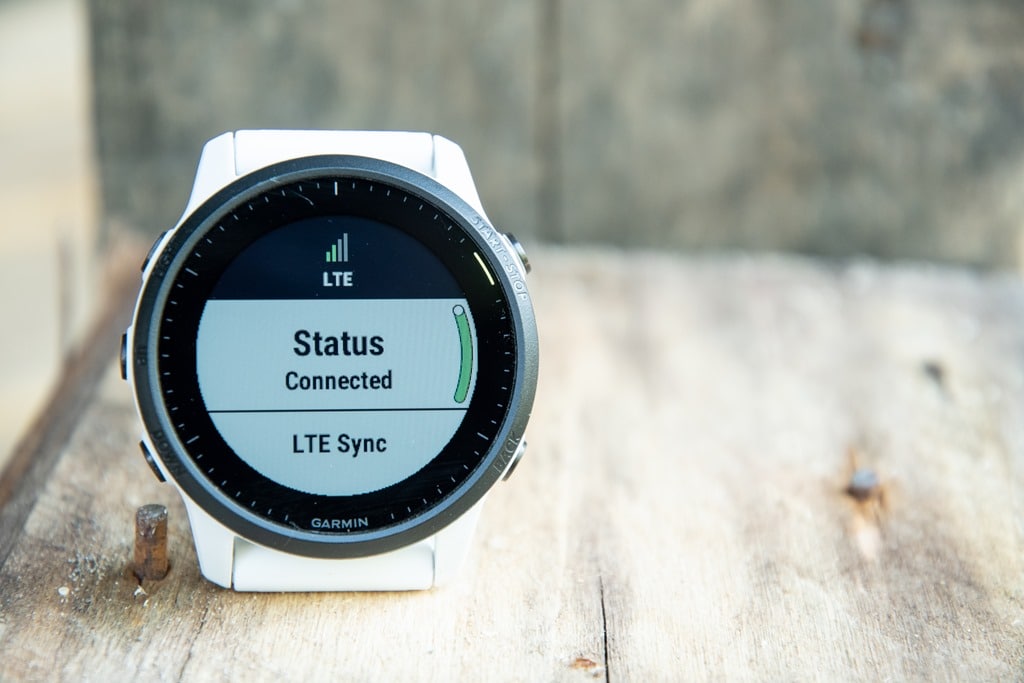
So, let’s just dive through all these features, one by one – by laying them atop each other until we get to the point of having to interact with the emergency assistance center (for real). First up, I’ve setup my watch to automatically trigger a LiveTrack event each time I go out for a workout. You don’t need to do that, but it makes it easier. This then sends a small group of people my track details. So as I land on the sport mode ready screen, you’ll see a new signal icon there, showing my current signal status, and then after a few seconds, it’ll say LiveTrack Ready:
(Also, to demonstrate all this, I’ve disabled the phone connection from my watch to phone, forcing it onto LTE.)
![clip_image001[7]](https://media.dcrainmaker.com/images/2021/06/clip_image0017.jpg "clip_image001[7]")
When it says ‘LiveTrack Ready’ it means it’s communicated with Garmin’s servers and has established a live connection. You can technically start without this, it’ll catch-up later if you’re in an area of bad reception. And, it’ll backfill the data.
Once we start rolling, it’ll send out your LiveTrack session just as it normally would on any other Garmin device over the past half decade or so. Friends and family will receive an e-mail link, and they can click on it to see your current position, past track, and if you’ve got a course loaded they’ll see that too. They’ll also see your pace/HR/power/elevation data:
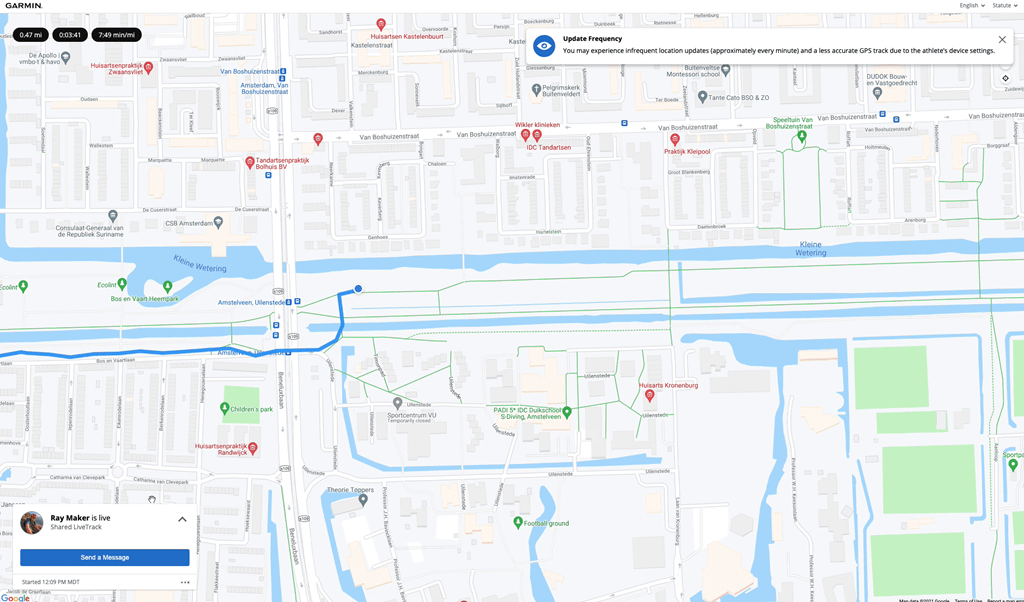
Via LTE, this data updates once per minute, but backfills your actual GPS track within that minute. Meaning, it’s giving the full minute’s worth of data when it connects each time, not just a point every minute. In fact, that’s why you see the little warning above to the viewer that the data updates slightly less frequently.
If you want to save more battery, you can toggle on a low-update LTE option in the LiveTrack settings on the watch, which switches the LTE to update every 5 minutes instead. This still backfills the data within that 5 minute span to the LiveTrack servers, but just does it every 5 minutes instead.
Now, this is all similar, but different than Live Event Sharing. In that case, your friends and family get a text message at predefined intervals, such every lap or mile/kilometer split. You can customize this in the Garmin Connect Mobile settings. This is the same Live Event Sharing as launched a few years ago, but now via LTE. So if you’re running a marathon, you don’t need your phone anymore, your friends will get your split/position updates automatically.
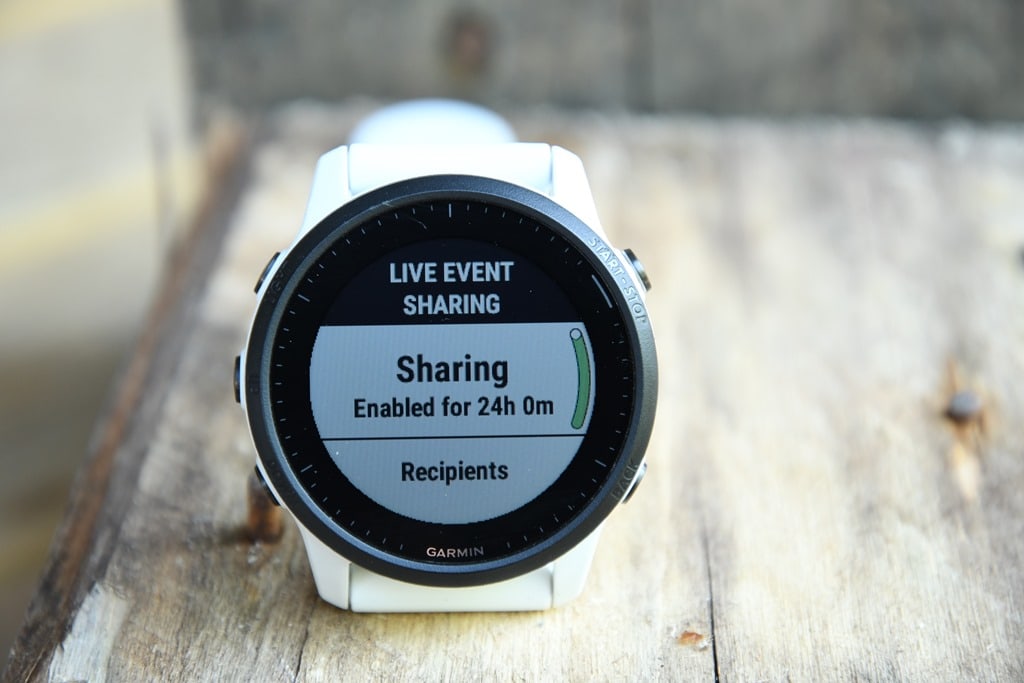
By default, Live Event Sharing turns off after 24 hours, mainly to keep you from spamming your friends with text messages when you go do an interval workout and have it send a message each time you press the lap button.
Ok, so going back to regular LiveTrack (via LTE), we’re going to step it up a notch. At this point your friends have decided to send you a text message. To do that, they’ll use Spectator messaging, from the LiveTrack page. Fear not, you can turn this off too (such as if you post a LiveTrack link to Twitter, and don’t want the entire world spamming you). Within this window they enter the name they want it to show up as, and then the short message.
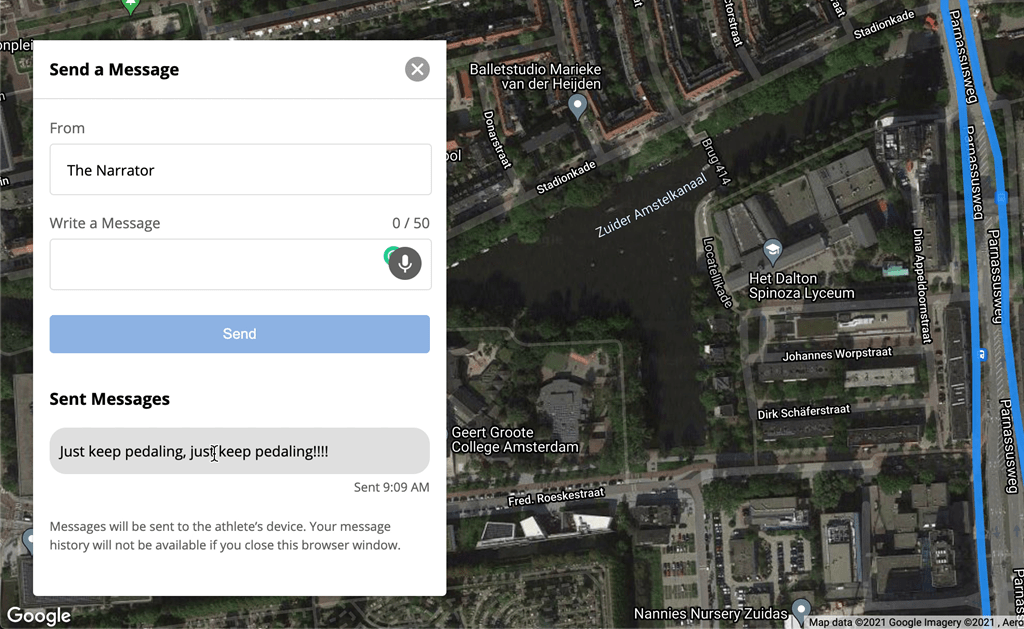
About 10 seconds later, it shows up on your watch. Sometimes faster, sometimes slower. It’s pretty darn quick:
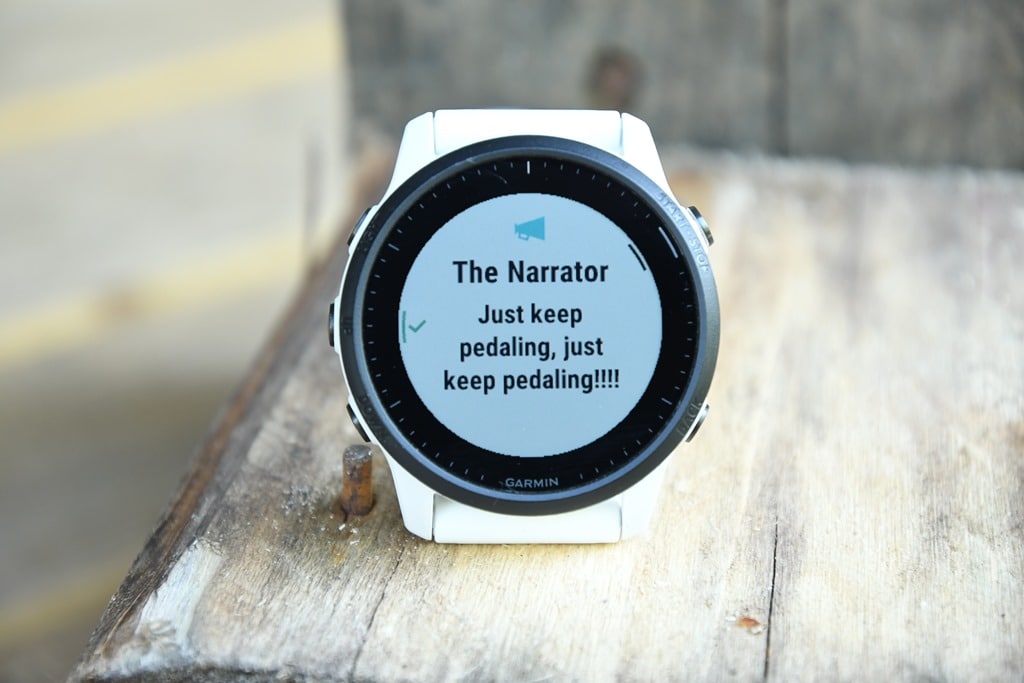
The only downside here is that the message disappears pretty quickly, and there’s no way to go back and see messages you might have missed. Like a fart in the wind, once they’re gone – they’re gone (especially if you’re mountain biking or anywhere you might not be able to look instantly at the watch). I brought this up to Garmin and it sounds like they’ve heard this from other folks, and are considering a way to access messages beyond just those few seconds.
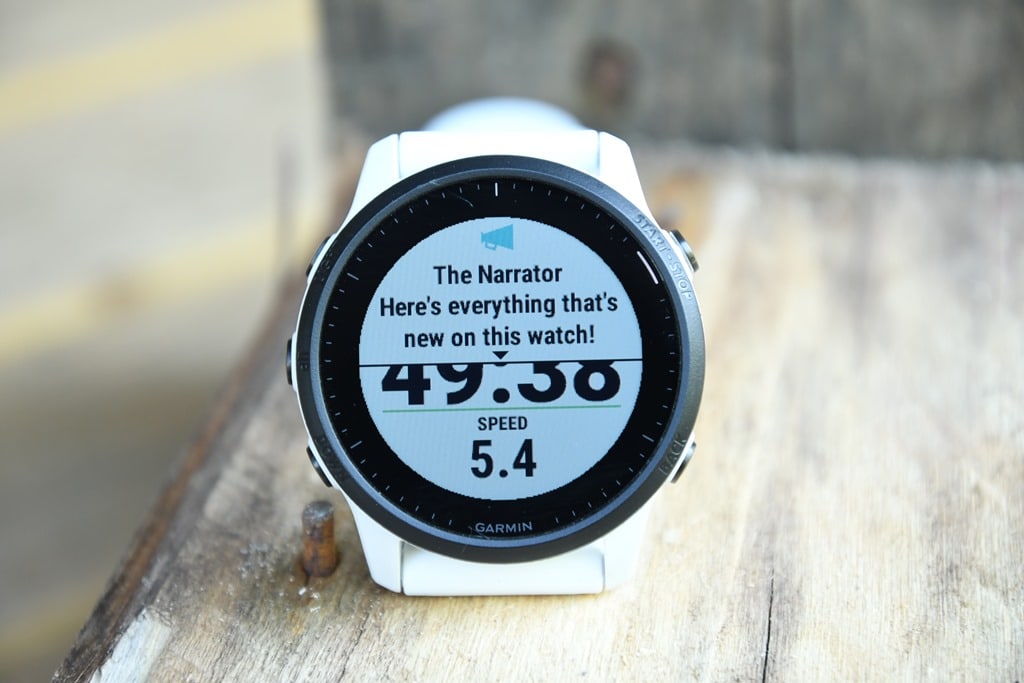
Ok, so we got the text message. Now, let’s step it up a notch and do an audio message. In this case, you’ll need your FR945LTE to have headphones paired (or technically, just any Bluetooth audio device). As long as it has, then your friends/family will have the option to leave you an audio message. On the webpage, there’s the toggle to switch over to that, and then they can just use their microphone to record an audio message:

The main caveat I found with this though is that I can’t send audio messages from iOS on Safari (web browser) at this time. Garmin says they’re working on some kinks here for browser compatibility, but they don’t anticipate a workaround for iOS Safari and audio messages. That’s sorta moderately annoying, as most of my friends/family are on iOS, and most of them won’t be loading alternate browsers. In any case, once they send the message, a few seconds later it’ll just automatically play in your headphones. Like a voice from above – it instantly plays when it arrives, additionally, it shows who the message is from on your watch:
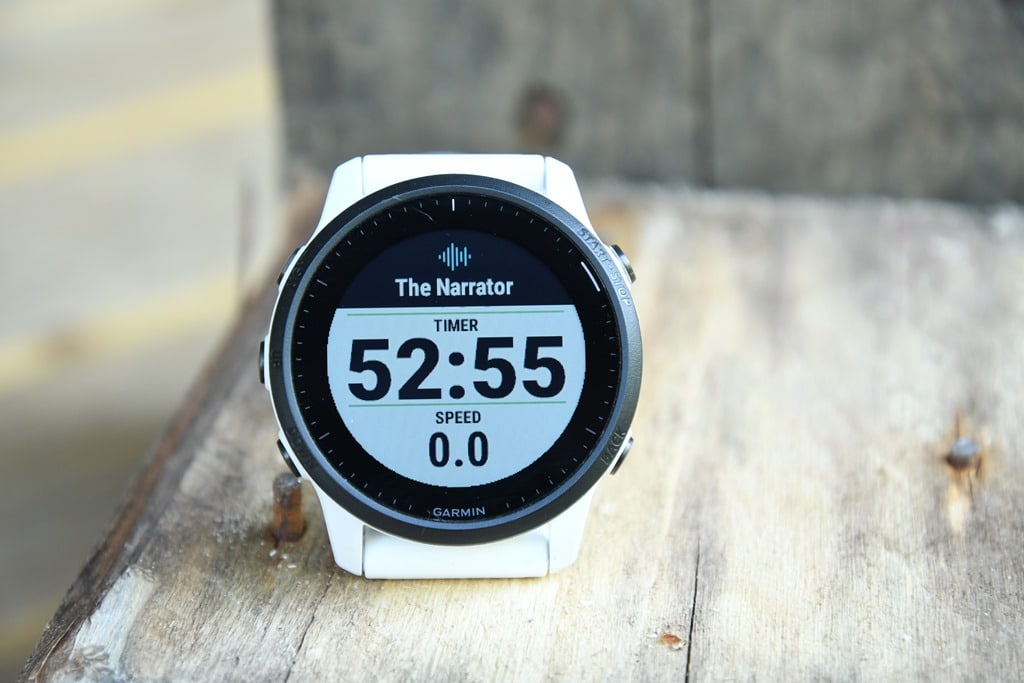
The insta-play aspects make sense, because you don’t want to fumble around trying to press play during a race. It’s just like someone cheering at your from the sidelines. Boom, they cheer…you hear.
Ok, at this point we’re halfway through the LTE features, and now going to shift towards safety related ones. And it’s a big ticket item. Essentially, the FR945 LTE not only can notify your friends and family that you’re in trouble, but now will directly notify Garmin’s International Emergency Response Coordination Center (IERCC), which they acquired just a bit earlier this year from GEOS. This is the same emergency response center responsible for Garmin’s inReach devices, should something go wrong there. Historically speaking this response center handles anything from plane crashes, to hikers on Mt. Everest, to boats adrift in the ocean, and mountain bikers in Africa.
They’re claim to fame is being able to coordinate an emergency response anywhere on earth, and by and large, they’ve got a long track record of demonstrating that, touting thousands of lives saved, and countless stories up in various places on Garmin’s site.
But this is the first time someone can just hold a button down on their watch for a few seconds and trigger a response. So, things might get interesting. Here, let me show you what actually happens.
[***Note: Please do NOT test this feature yourself for fun, except in an actual emergency. This is literally like calling 911, the second this connects it starts a chain reaction of sending emergency people to your location. For realz, don’t do it for fun. In my case, I had a pre-defined test timeslot and nearly half a dozen people on a Skype call to ensure I wasn’t about to get helicopters sent to rescue me and my mountain bike.***]
So, there’s a few ways you can trigger the IERCC:
A) Via the controls menu (upper left button), and choosing Assistance Plus, then Emergency, and then 10 seconds to cancel it
B) Long-holding the upper left button until it starts a countdown, and then 10 seconds later it’ll notify them (or you can cancel too)
C) Crashing your bike, after which you’ve got 10 seconds to cancel it
D) Leaving it in your gym bag and managing to long-hold the upper left button, after which it’ll give you 30 seconds of horrendously loud alarming to cancel it (seriously, who knew your watch could be this loud?)
The reason for the 10s vs 30s times, is that for the accidental gym bag scenario, it detects the watch is off-wrist, and gives you extra time to dig it out. Versus if it’s on-wrist, it’s shorter.
Ok, so here’s that button option from the controls menu:

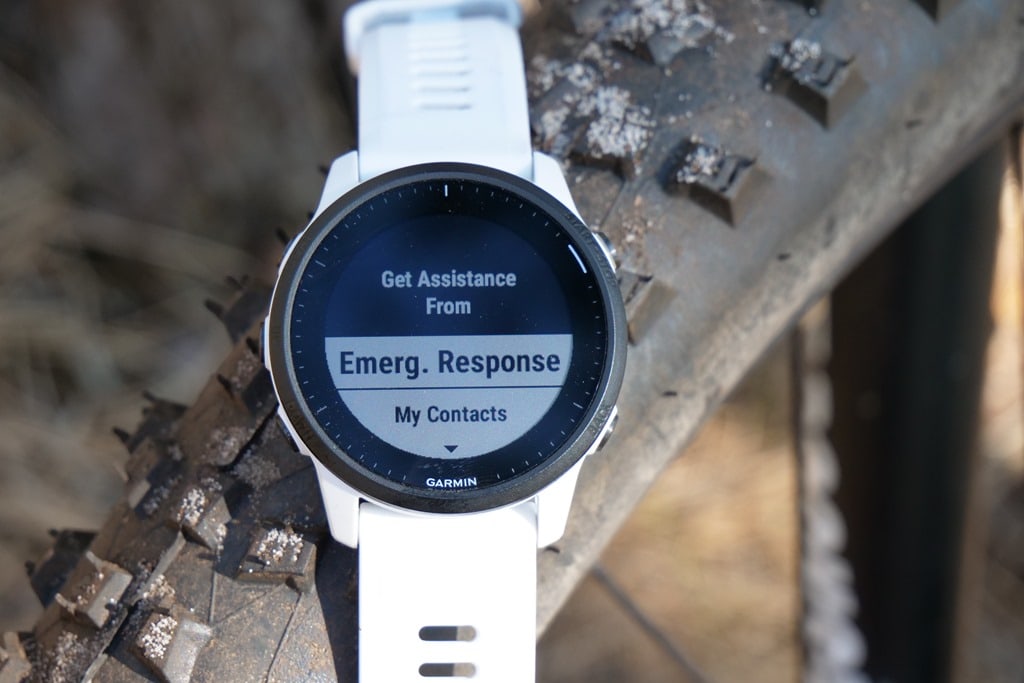
And here’s what happens when you press it. It gives you that 10-second count-down:
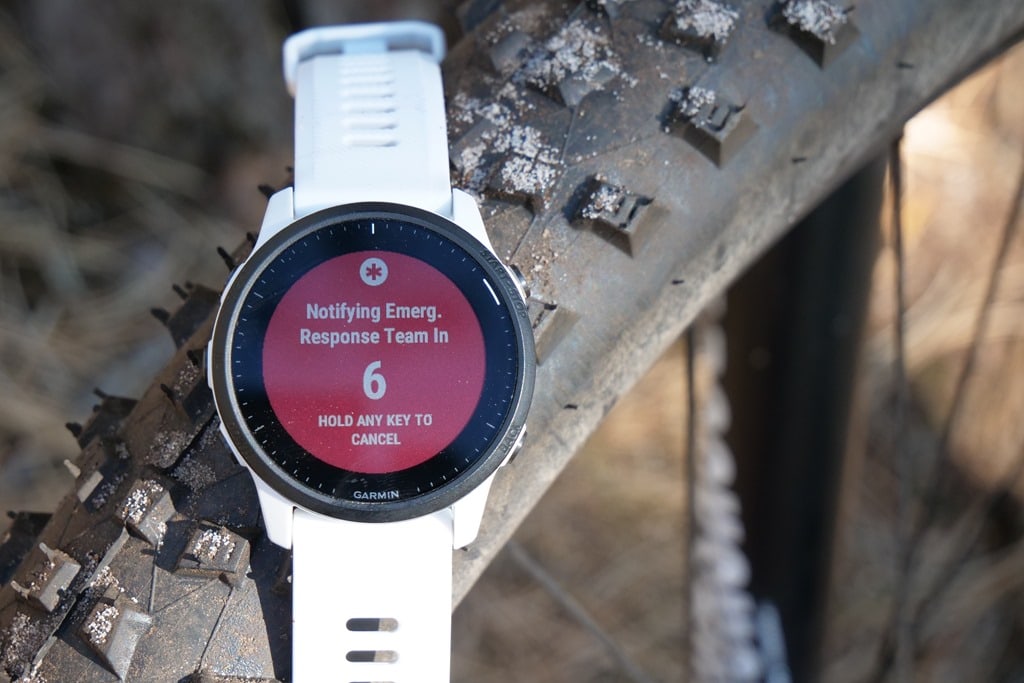
After which it connects you to the emergency response center, immediately.

When I demoed this out in the woods by the ocean amidst tall trees, dunes, and everything else, the entire process end to end was 40 seconds by time the ‘How can I help you’ message arrived on my watch after pressing to trigger an emergency.
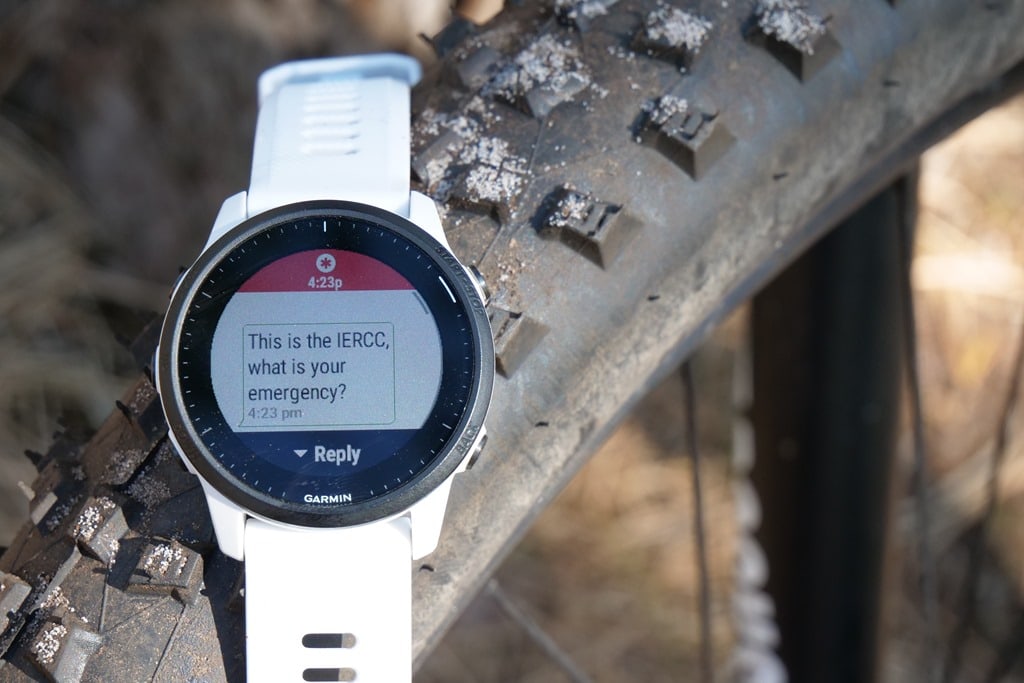
Behind the scenes, in their command center, you’ll hear an emergency sound ring – sorta like an alarm going off at a fire station, indicating a new emergency has come in to triage. I could hear this on my call, not only for my own test messages, but for real life emergencies coming in.
At this point, you’ll respond using a set of predefined quick-access messages, or, you can type out your own message:
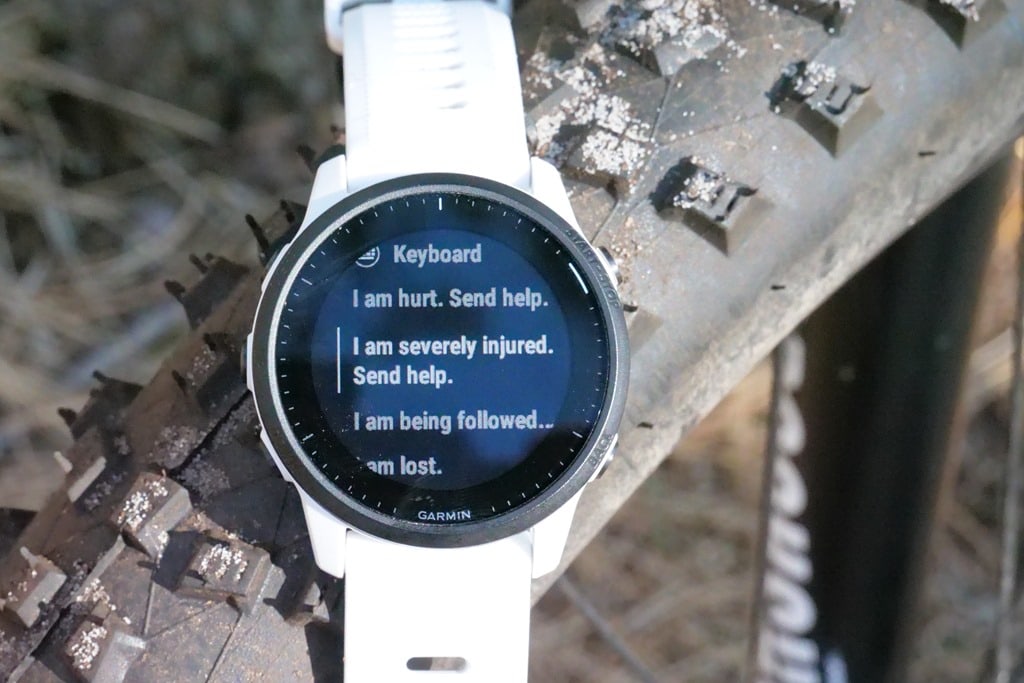
And this is where you get to see the new handy rotary-style text messaging option on the FR945LTE. It’s a super slick way of typing out a reasonably long text message on a watch:
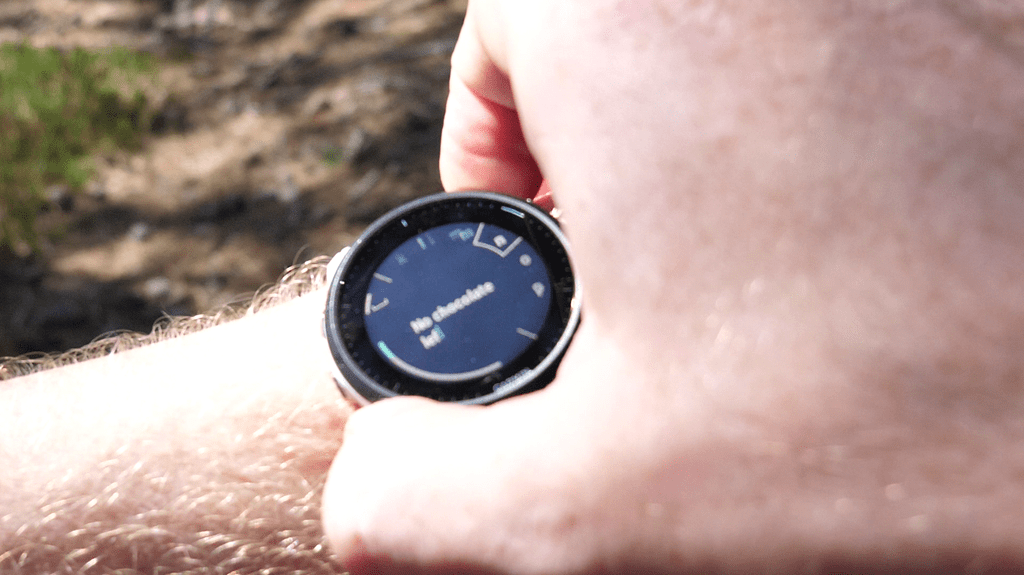
Here’s a better picture of it, when not in the trees:
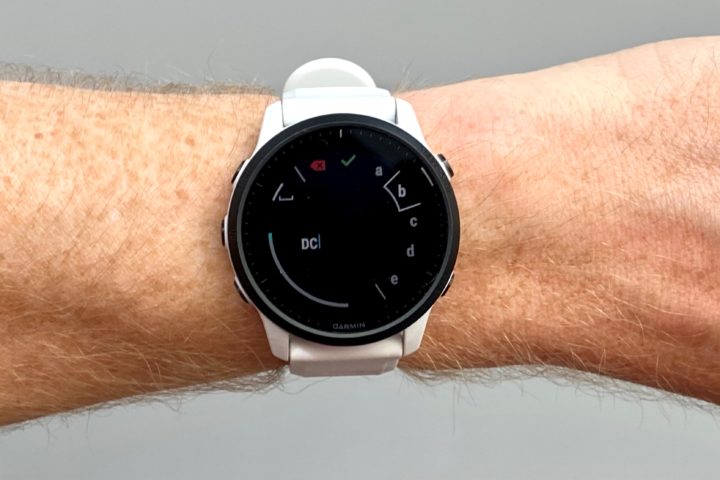
Each time you send a message, it’ll show near-instantly that they’ve received it. Listening on the phone they told me each time a message came in, and it was almost instant. Again, this will vary on LTE signal, but the place I stopped in only had 1-2 bars. Also, interesting side note: If you happened to have disabled the phone/Bluetooth connection on your watch, it’ll silently re-enable it during an emergency trigger. This is to give any and all avenues of connectivity a better shot. I could watch this happen in real-time (and then watch as I disabled it again). Kinda clever.
When the emergency center person responds with their next volley, the pre-canned answers also change too, becoming somewhat adaptive. Again, you can also type your own message.
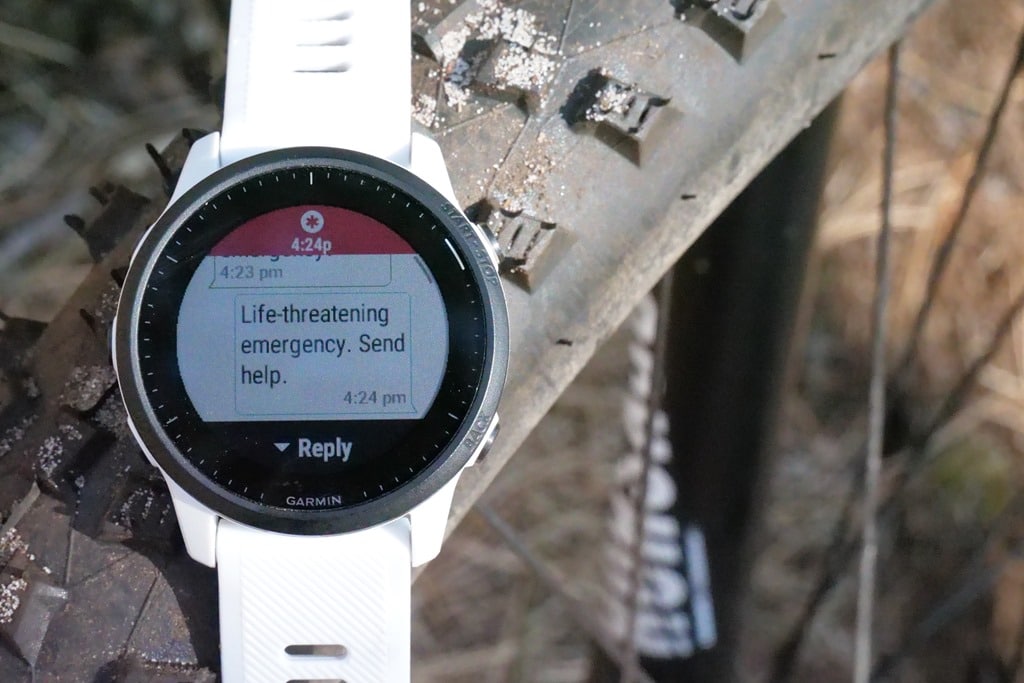
Now from the moment your first message arrived, they’ve already begun finding the correct coordination point around the world for your location. Essentially the IERCC will funnel things down starting at the country level, with liaisons for each country to figure out which emergency services need dispatching. For example whether they need to dispatch Coast Guard support, or helicopters to a mountain, or police into a city. That’s all handled by them, and handled in seconds to minutes, not hours.
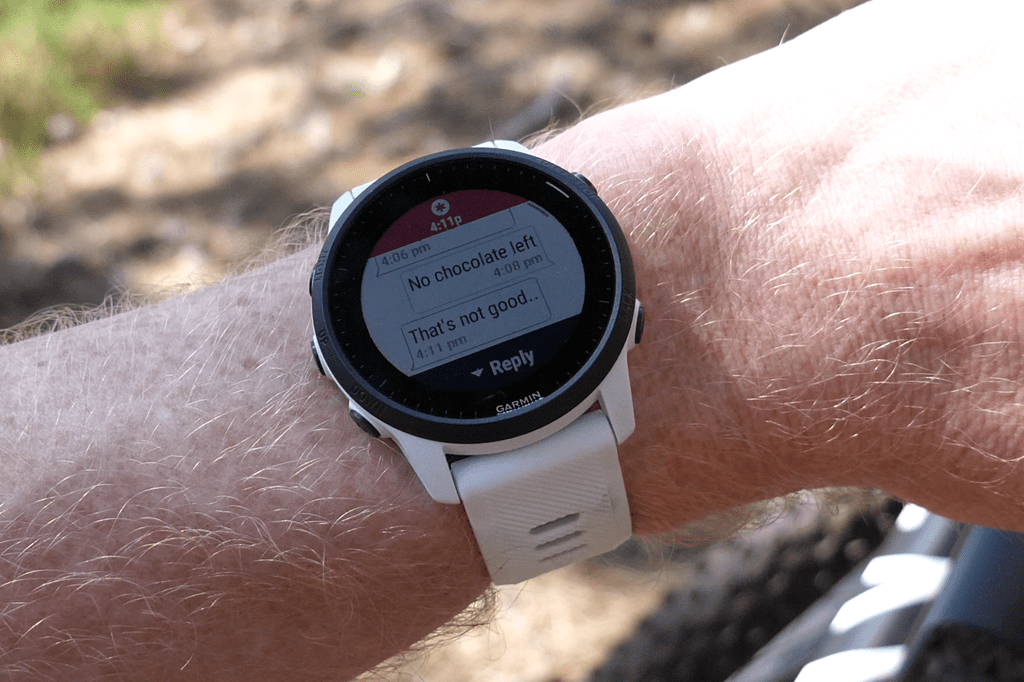
They’ll ‘stay on the line’, until they’ve received confirmation that rescuers (or police) have arrived at your location and have taken care of you, this includes your constant position tracking too. When I connected, the woman on the other end knew exactly where I was, and that I was on the edge of a tree-line against the sand dunes near the ocean (by looking at maps). If you move positions, they’ll see that too in real-time.

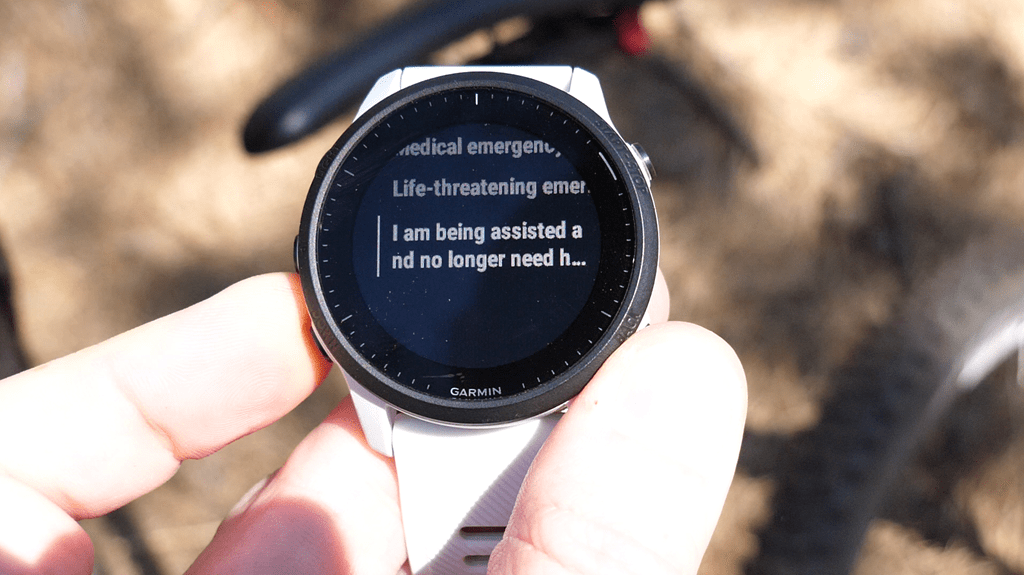
Eventually, you can end the assistance session through a series of steps. This requires a bit of a two-way confirmation, both multi-step from you, but also then it’ll confirm that they’ve received the end-session command. Meaning, you’ll know that they know it’s over.
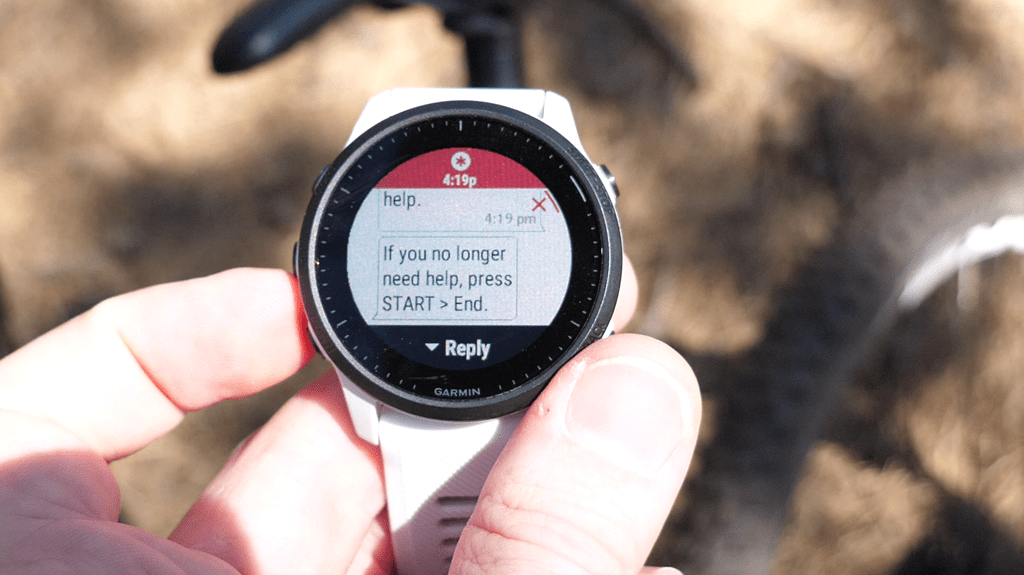

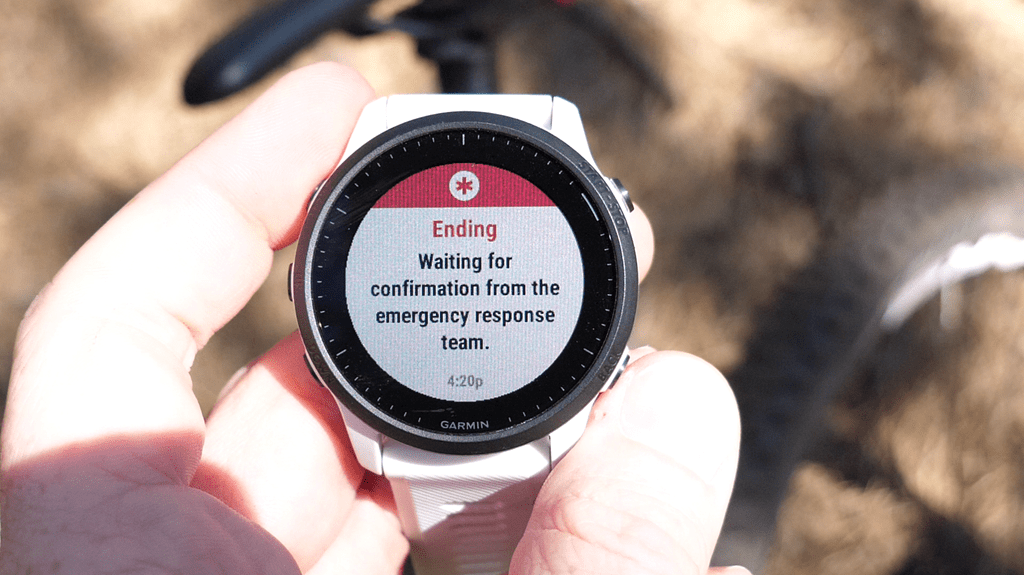
Ok, got all that?
Good, the exact same thing happens if you do a stalking alert, except in that case it won’t make any sounds on the watch itself. If you just long-hold down the upper left button, it’ll quietly activate it, and notify them.
Note that you can always choose to manually notify your friends/family emergency contacts instead, for non-automated triggers. Go to the controls menu (brief-hold upper left button), and then under Assistance Plus, choose either ‘My Contacts’ or the exact contact you want’ – skipping over ‘Emergency Response’:
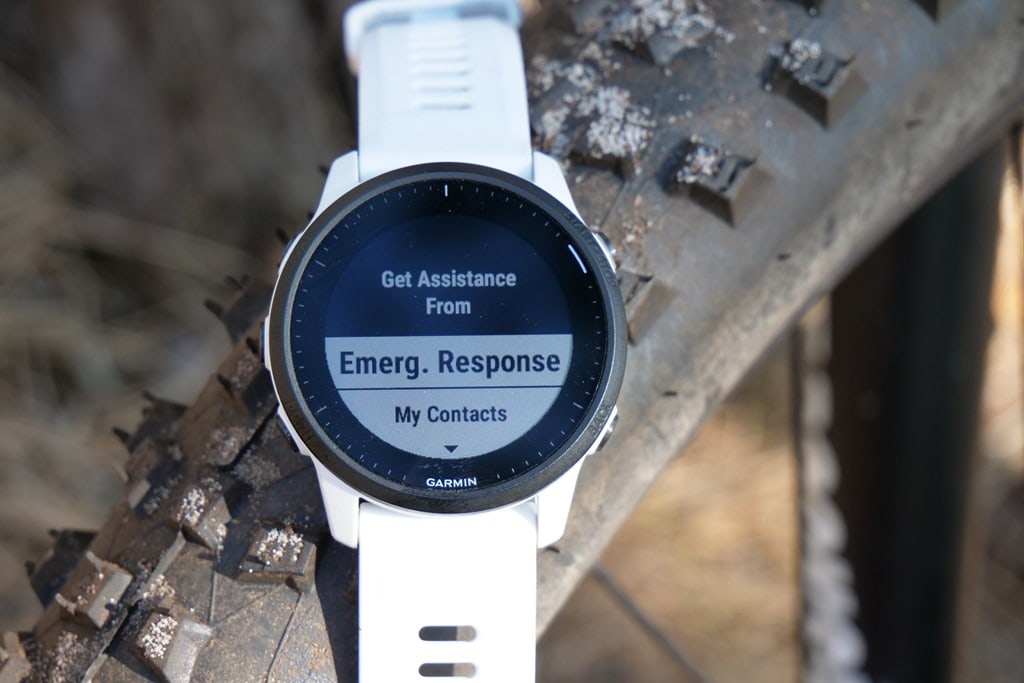
Now, this probably gets to some key questions, notably, around crash detection. Right now as it’s configured, crash detections notifies the emergency response center, not your friends/family contacts. And if you’ve been around the Garmin block long enough with crash detection, you know it can eventually trigger false positives. Though, typically far less on your wrist than on a bike computer. Still, it seems to happen once or twice a year for me.
As of right now, you can’t disable this notifying emergency services. So you’ve got 10 seconds to cancel it. But, as anyone will also tell you, that 10 seconds can go by at lightening speed if you’re cycling in traffic and it false-triggers, or mountain biking downhill. And that assumes you even heard it to begin with.
Garmin doesn’t really have a good answer there. My guess though is that’s going to be a self-solving problem for them. Meaning, they’re going to pretty quickly realize crash detection shouldn’t auto-trigger a helicopter saving me, and they’re going to tweak that in software. Either way, the load and effort from that is on them to solve.
The next item that’s worth of discussion, but without an answer, is whether or not various sport federations will allow this. For example, both the UCI and Ironman prohibit two-way communication devices while making forward progress. Thus, in theory, this is prohibited in a race scenario. I asked Garmin if they’ve had any conversations there, and they said not yet.
Frankly, this is probably the best time ever to have those conversations. What better solution to allowing fans to cheer on their Ironman athletes virtually, since many can’t travel to races to spectate themselves? This would seem like a win-win for the sport. But then again, most things seem like that when the UCI or Ironman is involved, only to have it fizzle. Either way, we’ll see.
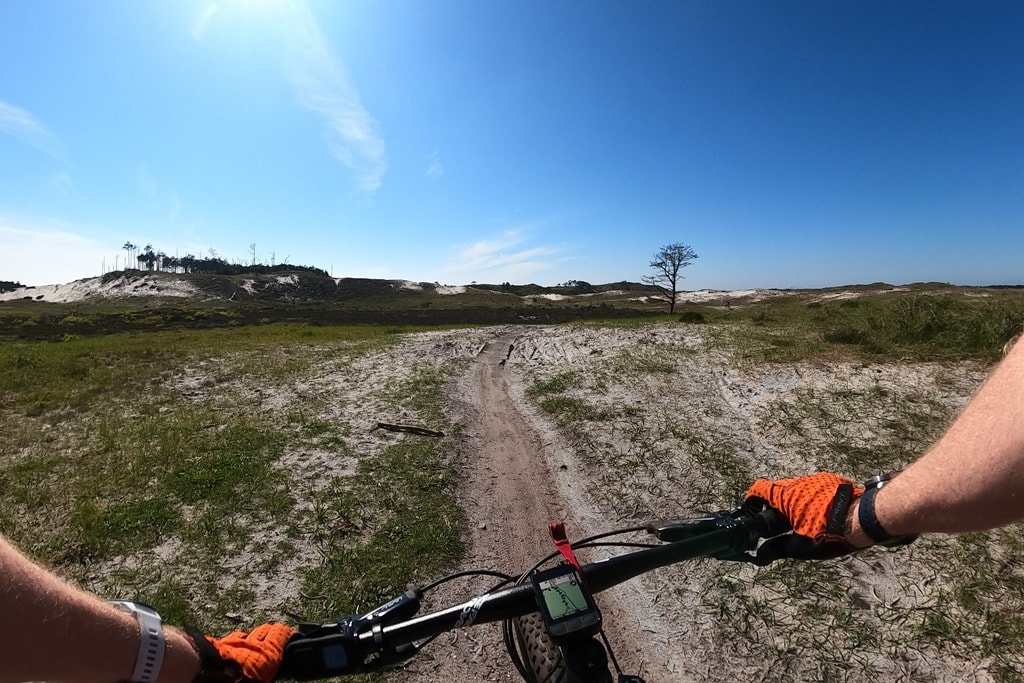
Ultimately, I’m impressed with what Garmin did for LTE connectivity here. Prior to digging into all the details, I presumed they’d try another half-baked Vivoactive 3 LTE variant, but in reality, ditching that concept for a sport-focused one is arguably the best decision they’ve made in years. Sure, there’s still some mostly minor kinks to work out here, but I’ve gotta believe we’ll see this very quickly rolled out across product lines going forward. It’s a no-brainer for Garmin – get a $50+ upsell on hardware, and get $72/year+ in recurring revenue. Or $216-$288+ over a typical 3-4 year-lifespan of a product. You take something like an Edge 530 (which is $299) and add cellular, and you’ve literally doubled your revenue just from subscription fees alone
Now, rollout per countries will be the longer pole in the tent, and the nuances that go along with it. There’s no doubt that my experience getting onboarded and working properly here in the Netherlands has played a part in delaying the launch of this globally. Getting that first session to work was ‘challenging’, to put it mildly. Once I’ve got it working, it’s been flawless. But like launching Garmin Pay in various countries, it’s still a house to house (or, country to country) fire fighting exercise to figure it all out. Still, at this point, I’m super happy with its performance.
GPS & HR Accuracy:
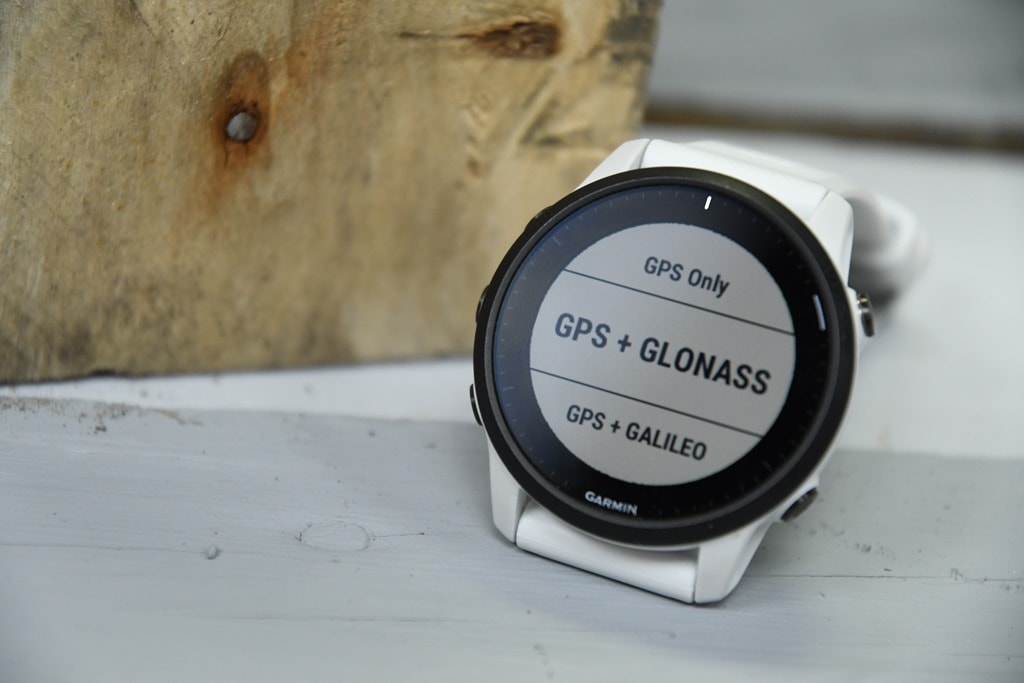
There’s likely no topic that stirs as much discussion and passion as GPS or heart rate accuracy. A watch could fall apart and give you dire electrical shocks while doing so, but if it shows you on the wrong side of the road? Oh hell no, bring on the fury of the internet!
GPS accuracy can be looked at in a number of different ways, but I prefer to look at it using a number of devices in real-world scenarios across a vast number of activities. I use 2-6 other devices at once, trying to get a clear picture of how a given set of devices handles conditions on a certain day. Conditions include everything from tree/building cover to weather.
Over the years, I’ve continued to tweak my GPS testing methodology. For example, I don’t place two units next to each other on my wrists, as that can impact signal. If I do so, I’ll put a thin fabric spacer of about 1”/3cm between them (I didn’t do that on any of my FR945 LTE activities however, all workouts only had a single device per wrist). But often I’ll simply carry other units by the straps, or attach them to the shoulder straps of my hydration backpack. Plus, wearing multiple watches on the same wrist is well known to impact optical HR accuracy.
Meanwhile, for HR accuracy testing I’m typically wearing a chest strap (either the Polar H10 or the Garmin HRM-PRO, but also a bit of Wahoo TICKR/TICKR X too in this post) as well as another optical HR sensor watch on the bicep (mostly a blend of the Polar OH1 Plus & Polar Verity Sense, as well as the Scosche Rhythm+ 2.0, with a few Whoop 3.0 band sessions tossed in for fun). Note that the numbers you see in the upper right corner are *not* the averages, but rather just the exact point my mouse is sitting over. Note all this data is analyzed using the DCR Analyzer, details here.
First up we’ve got a track workout from yesterday. Seems as good a place as any to look at optical HR, and then a quick look at GPS. For the optical HR side we’re comparing the FR945 LTE on one wrist, the FR55 on the other, and then against a Wahoo TICKR X chest strap and a Polar Verity Sense armband. Here’s that data set:
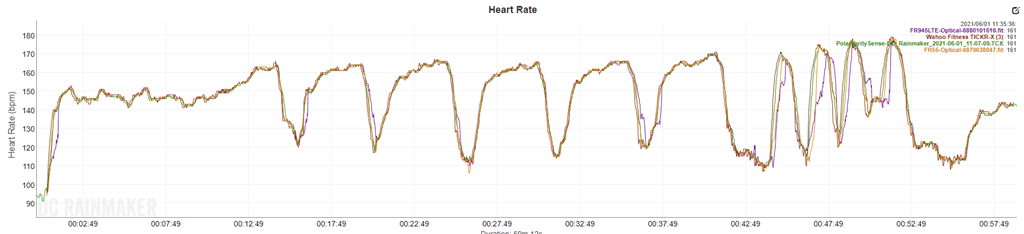
This was a warm-up, followed by a slate of 800’s, and then some 200m sprints. You can see that looking at the 800’s, it’s darn near perfect. Like, nothing of real concern here. These weren’t quite as high intensity as some of my 800’s (hang tight for that in a second), but more than enough to cause difficulties in sensors if need be. On the 200’s, these were shorter, only 30-seconds long, and thus you can see the FR945LTE with its newer ELEVATE v4 sensor seemed to struggle slightly, whereas the FR55 with it’s older ELEVATE V3 sensor did better. Of course, this could also just be quirks of left vs right hand too.
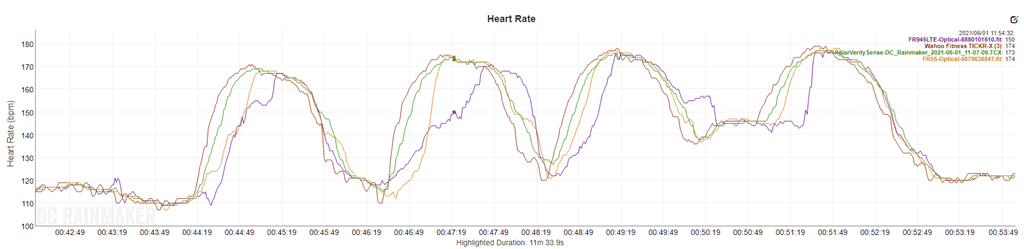
That said, even the FR55 was a bit latent on some of these, though did get the gist of it. Whereas the FR945LTE was latent on all of them. Again though, keep in mind these were 30-second all-out sprints, versus more measured intervals.
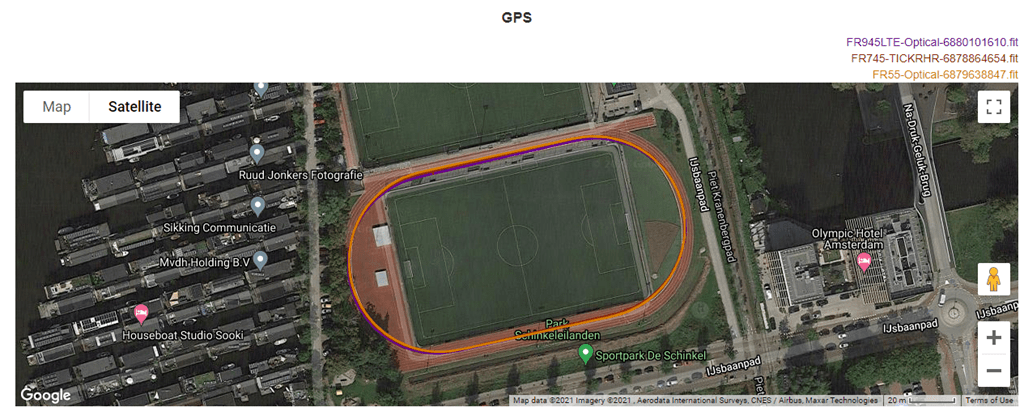
If we switch to look at the GPS tracks, all of the Garmin watches were in track mode, which means they snapped perfectly to the track after a quick one-time calibration set (3 loops around the track):
For comparison, I also had with me the Suunto 9 Peak, which doesn’t have a track mode. As a result, here’s what that looks like when added in:
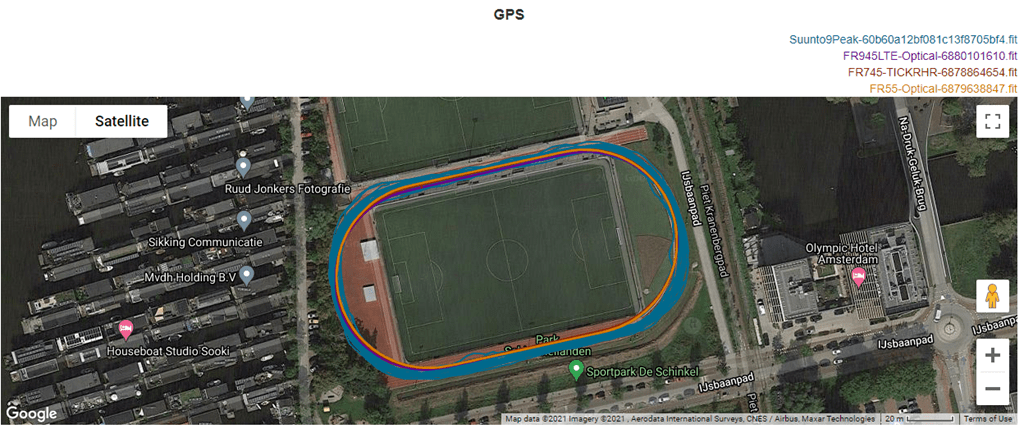
While the GPS track isn’t horrible, you can see it’s essentially all over the track (and beyond). Mind you, I stayed in Lane 1 virtually the entire time. This isn’t to poke fun at Suunto’s track here, but to show the power of track mode for watches from Garmin, Wahoo, and COROS that have it.
Next, let’s take a look at a forest run from yesterday. For this I had the FR945LTE, FR55, FR745, and the Suunto 9 Peak. You can see that overall, at a high level, there’s no crazy pants ones here. Everyone is roughly in line:
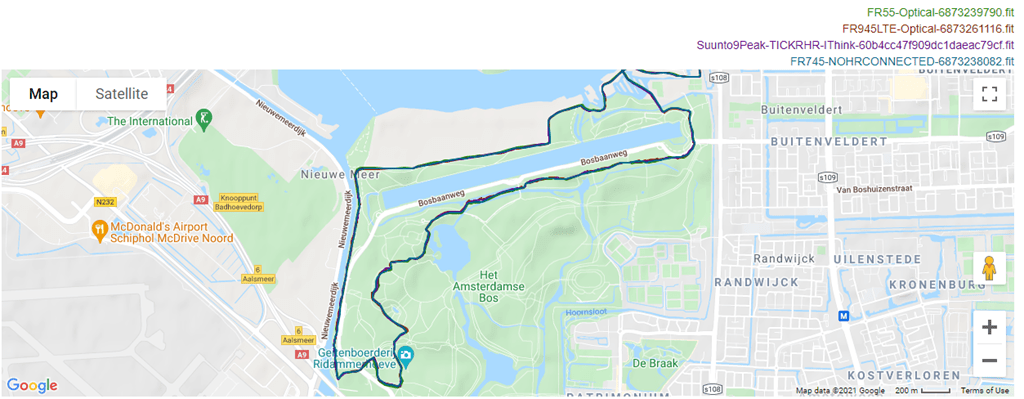
Now despite all four of the watches using the Sony GPS chipset, you can still see nuanced differences. Some of it may be left side vs right side (body-wise), but I suspect it’s also just differing internal aspects too. Here’s a more dense forest section, leading out to some fields:
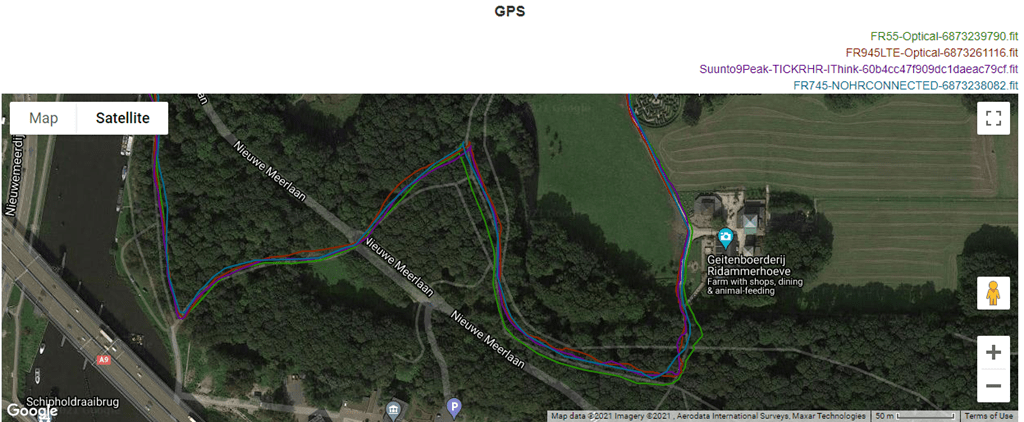
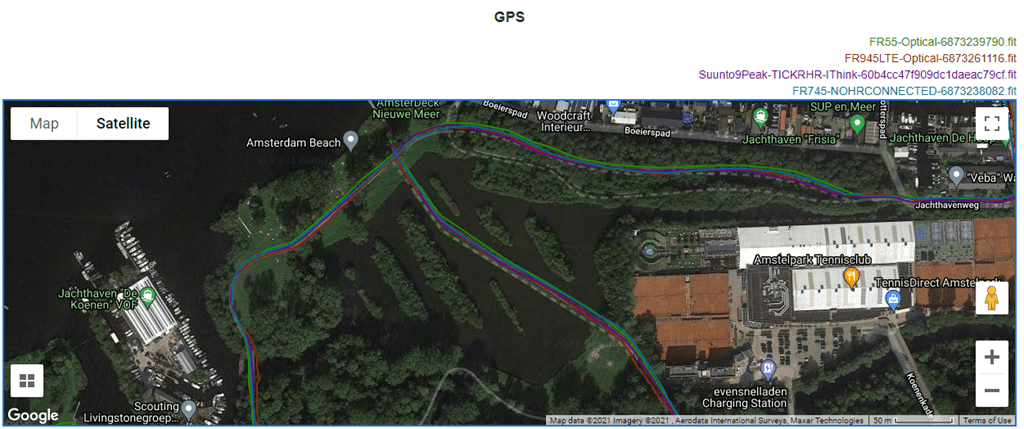
You can see that for most of it, all four watches are within a few meters, though there were a few times towards the bottom section that we saw more separation from some of them, including the FR55 a bit. Of course, fast forward a few seconds and it’s the FR945LTE contemplating a different path:
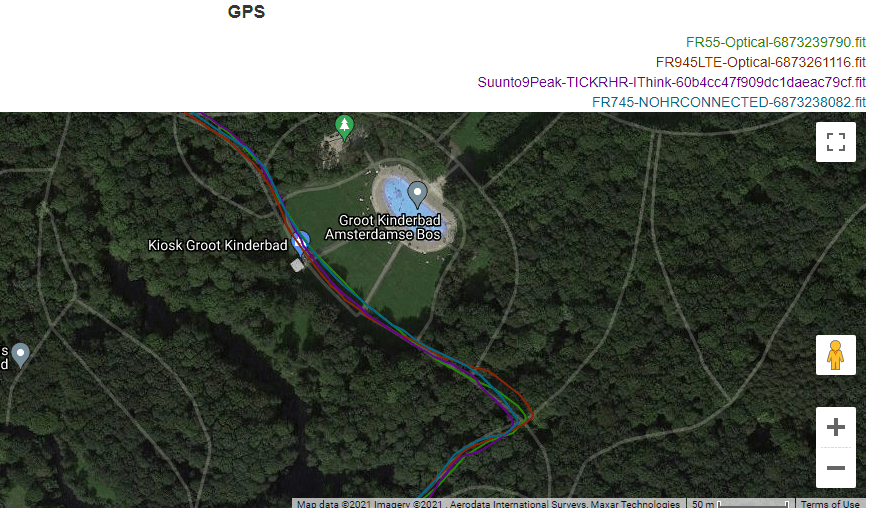
And then it’s the Suunto 9 Peak considering alternate facts:
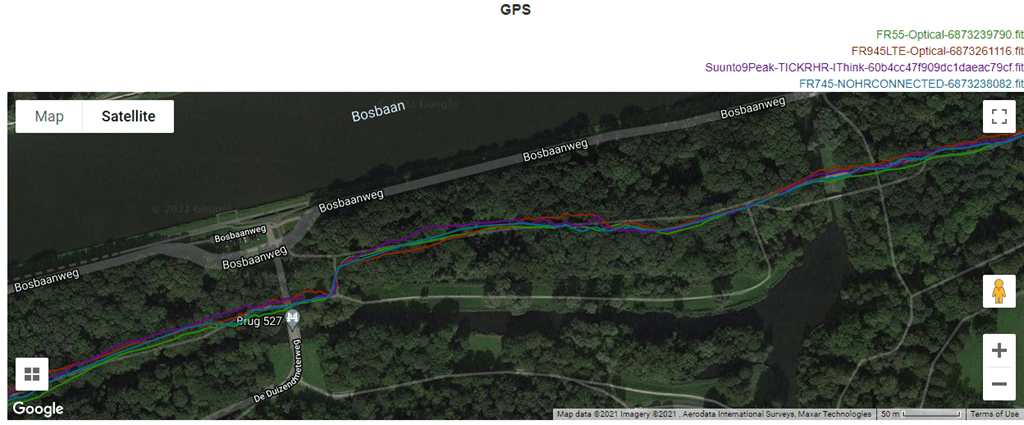
The point being, none of them are perfect (though, the FR745 comes darn close), but for most people the data will be similar enough, even in the woods. Once I exit the woods, they’re virtually identical.
Meanwhile, looking at the heart rate on this run, I made this forest run an interval run too. 800’s followed by 200’s, but of course with the complexities of not tripping on roots and such. Overall, things were pretty good:
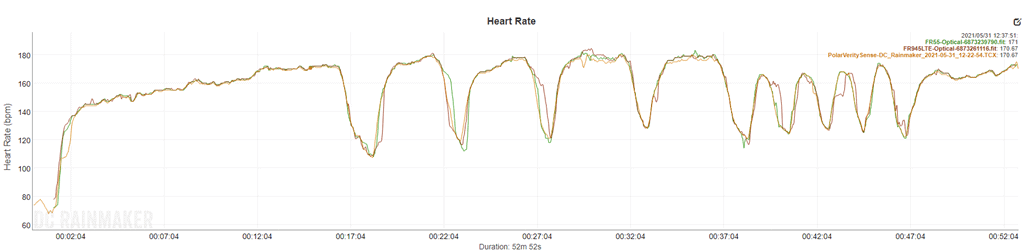
Again you see some minor wobbles (more minor this time than last time) on the FR945 LTE during the 200’s (shorter ones at the end), but the FR55 was really solid here. The Polar Verity Sense was solid as always.
Next, let’s look at an outdoor ride. I realize there’s a lot to take in here, with a lot of lines and a lot of data. Like trying to find Waldo in Where’s Waldo, it’s best to just squint and focus on one thing – or here, one color. The FR945LTE is in yellow, and the FR55 is in red. What I’d consider references would be the TICKR in Blue, and the Polar Verity Sense in green. And if you want to move around the graphs, go here.
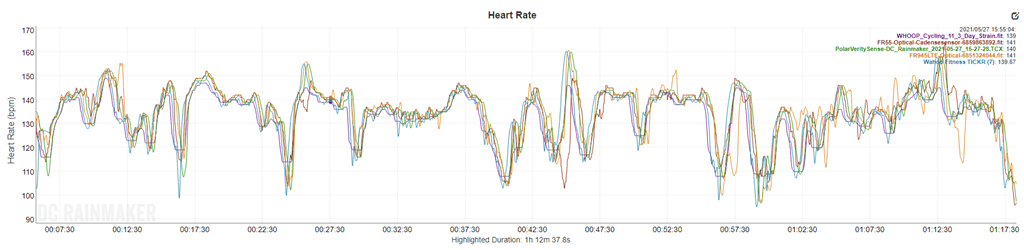
Now, the main thing you’ll notice is that the FR945LTE seems to have a few more drops and spikes than the FR55 does. In general, I don’t find many wrist-based optical HR sensors that do well road cycling, especially with any intensity changes. The FR55 actually does relatively well here compared to the FR945LTE. It’s not that the FR945LTE is horrible or anything, rather, it’s just what I tend to see sometimes variability-wise. Meanwhile, the FR55 seems to have lucked out more on this ride.
As for GPS? Zero issues road cycling. Here’s the high level:
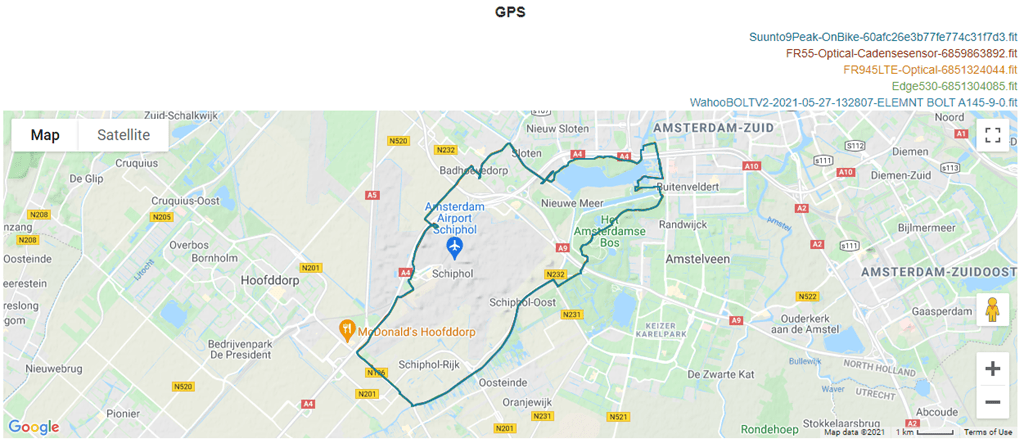
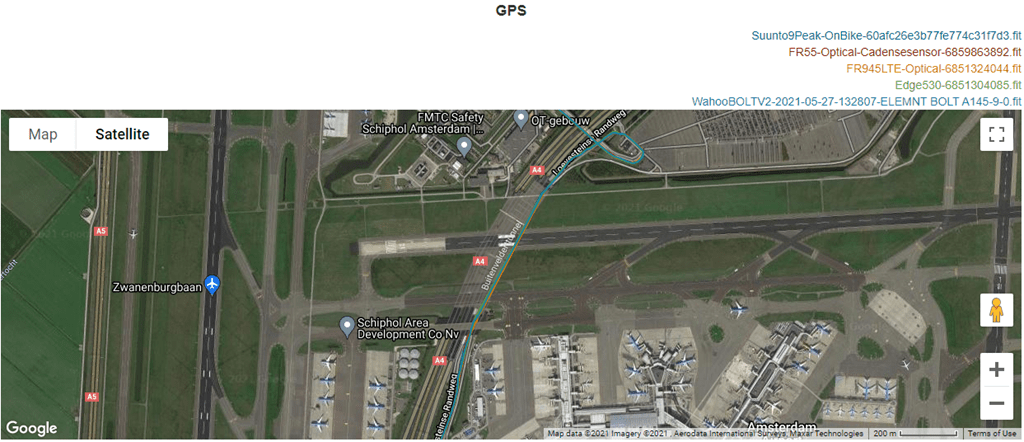
And here’s some tough tunnel sections under the airport runways. Mind you, you’re not getting GPS underground. But rather, I’m interested to see that it properly disengages and re-engages without throwing crazy spikes here and there. And it does that perfectly.
I’ve also got some mountain bike GPS data I’ll pull in here shortly, as well as an openwater swim I hope to get in later this afternoon.
On the battery front, things look solid per spec. For example, here are the battery rates for a run with the FR945LTE I did with music playing the entire time (and LTE on the entire time):
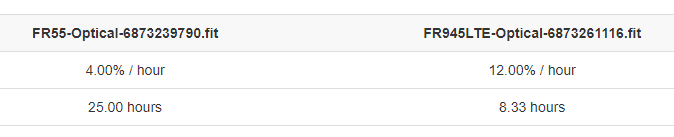
Versus if we take off the music and just go with pure LTE, I was seeing battery burn rates that projected about a 10-12 hour time.
Overall though, for GPS accuracy things seem largely pretty good. Nothing sticking out as problematic, beyond the usual minor GPS quirks most devices have. For heart rate, it’s largely good for steady-state and medium to longer duration running intervals, however it struggles with both short-duration intervals of high intensity, and outdoor cycling.
(Note: All of the charts in these accuracy portions were created using the DCR Analyzer tool. It allows you to compare power meters/trainers, heart rate, cadence, speed/pace, GPS tracks and plenty more. You can use it as well for your own gadget comparisons, more details here.)
Wrap-Up:
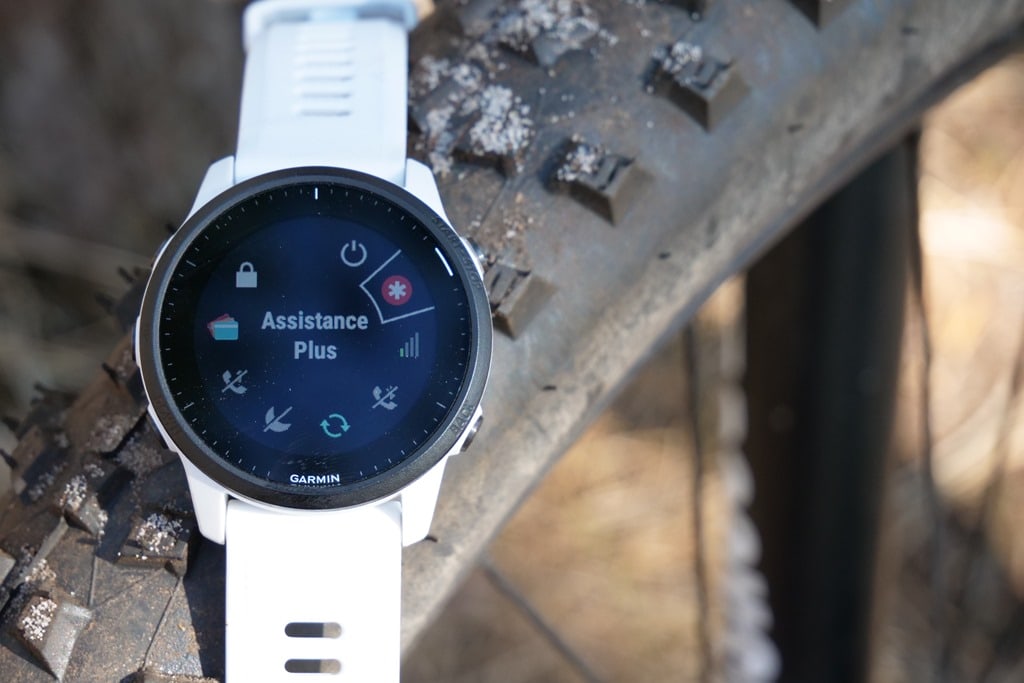
Ultimately, I came away more impressed than I expected to with the LTE features. Had Garmin continued down the path they did for the Vivoactive 3 LTE, this would have been a dumpster fire. But they didn’t. They instead focused on an athlete-first solution, and overall it works pretty darn well. I like the fact that I don’t have to take my phone with me for my wife to see my current spot on the map, while out for workouts. And I appreciate the idea of the emergency response center, albeit, I’m half-afraid of accidentally triggering it unintentionally. This morning I literally woke up with the watch controls menu open somehow and it hovering above the emergency response button (seen above). It didn’t fire, but I quickly checked my phone to see if perhaps it had!
Still, these are minor things that for a first iteration will be sorted out in time. And once I got the LTE up and working in my country, things have been smooth sailing since. Connectivity appears to be quite good both in the city and out in the middle of nowhere, and if there are dropouts of coverage, it properly resumes without any issues.
Of course, many will ask whether or not this is a middle-child watch. Something that fits a temporary gap until a Forerunner 955 comes along, whereby they’ll ditch updates for it. And that’s definitely a super valid question. As noted earlier, Garmin says no, it’s not – and they plan plenty of updates going forward. Again, we’ll have to see whether that holds true. The company has a long history of middle-child watches being promptly ignored 6-8 months later when the proper sibling comes along.
Ultimately though, I’m more excited about the tech and where Garmin sticks this next. I’ve gotta believe we’ll see them very quickly run this across their product lines, because it’s both an easy-button for consumers, inexpensive, and an easy-button for them for revenue.
With that, thanks for reading!
Found This Post Useful? Support The Site!
Hopefully you found this review/post useful. At the end of the day, I’m an athlete just like you looking for the most detail possible on a new purchase – so my review is written from the standpoint of how I used the device. The reviews generally take a lot of hours to put together, so it’s a fair bit of work (and labor of love). As you probably noticed by looking below, I also take time to answer all the questions posted in the comments – and there’s quite a bit of detail in there as well.
If you're shopping for the Garmin Forerunner 945 LTE or any other accessory items, please consider using the affiliate links below! As an Amazon Associate I earn from qualifying purchases. It doesn’t cost you anything extra, but your purchases help support this website a lot.
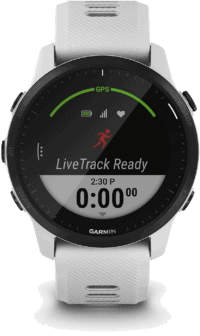
And finally, here’s a handy list of accessories that work well with this unit (and some that I showed in the review). Given the unit pairs with ANT+ & Bluetooth Smart sensors, you can use just about anything though.
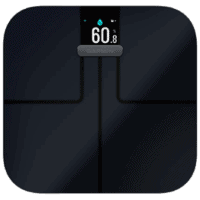
This wifi-connected scale will track your weight and related metrics both on the scale display and in Garmin Connect (plus 3rd party apps like TrainingPeaks). It'll also then sync your weight to your watch/bike computer, to ensure accurate calorie data.
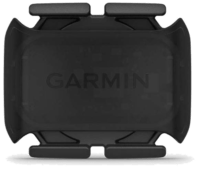
This is a dual ANT+/Bluetooth Smart cycling cadence sensor that you strap to your crank arm, but also does dual Bluetooth Smart, so you can pair it both to Zwift and another Bluetooth Smart app at once if you want.
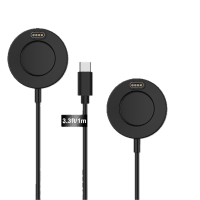
Seriously, this will change your life. $9 for a two-pack of these puck Garmin chargers that stay put and stay connected. One for the office, one for your bedside, another for your bag, and one for your dog's house. Just in case.
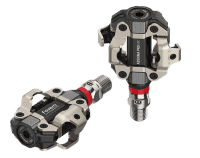
These are one of my favorite power meters, due to both cost and accuracy. These have mostly become my defacto gravel pedals, and also get used on a lot of other comparison testing.
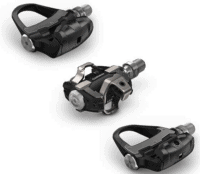
The Garmin Rally series is effectively 3 power meters in one, for three pedal types. I use these often in accuracy testing. While they're a bit more expensive than the Favero pedals, they offer the ability to swap pedal types easily.
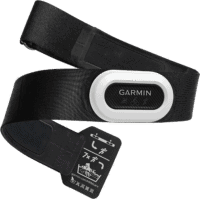
The HRM-PRO Plus is Garmin's top-end chest strap. It transmits dual ANT+/Bluetooth Smart, but also transmits Running Dynamics & Running Pace/Distance metrics, stores HR data during a swim, and can be used without a watch for other sports. Also, it can transmit XC Skiing Dynamics as well.
And of course – you can always sign-up to be a DCR Supporter! That gets you an ad-free DCR, access to the DCR Shed Talkin' video series packed with behind the scenes tidbits...and it also makes you awesome. And being awesome is what it’s all about!
Thanks for reading! And as always, feel free to post comments or questions in the comments section below, I’ll be happy to try and answer them as quickly as possible. And lastly, if you felt this review was useful – I always appreciate feedback in the comments below. Thanks!

















Let’s hope that for new Fenix, Garmin will bring more functions. At this moment there will not be any upgrade from my side
Thanks for the review!
Does it have the same watch Face as the 745 that shows 7 day load?
Sadly not. My fav.
Great review as always, Ray! I also saw DesFit’s review on YouTube. At 1:57 into the review, that screen shot appears to be the 7 day load. However, I still have the red-headed stepchild 645M. So, I’m not positive. Thanks!
This LTE feature looks quite cool, but knowing Garmin I‘m gonna buy the second generation.
No but in all seriousness, no need to upgrade from my trusty 945, but it‘s cool that they push the boundary a bit.
Hi Ray – thanks for the review! A few random questions:
– Does the “Sync completed workouts and related data via LTE (including 24×7 data, workouts, courses, and so on)” work automatically, on a certain interval or do you need to manually trigger it? AKA, If I do a workout *without* LTE live tracking, at the end of the run, will it just automatically upload via LTE wherever I am?
– Can you use LTE live tracking while the watch is charging? (I would assume so.. but who knows)
– In your conversations with Garmin, had they mentioned considering an “ultra” or “IM” version of the live tracking where it could extend the battery life out longer (every 5 or 10 minute update)?
Yeah, it’ll force on to sync at the end of the run. It’s always in ‘Standby’ and then syncs as need be.
I haven’t tried LTE Live Tracking with charging, but I don’t see why it wouldn’t. I’ll try and remember on the commute today to plug it in (which, it looks like I need to do soon anyway).
Yes, there is an every 5-minute option. I think I talk about it up there somewhere. Or, maybe I got distracted.
Not sure if it was there and *I* got distracted, but it is there now. Any idea how much that expands the battery life?
I don’t have an exact number, I’ll see if I can get one.
Somewhat interesting but not compelling enough to buy and have to pay a monthly fee. Still waiting for a new watch from Garmin or Coros for ultra running to replace my Garmin Forerunner 935. I used to do triathlons.
There is a new Ultra Watch from Garmin on the market, why don’t you pick That?
They have hula hooping with fire and knives?!?!? But not disc golf. Ugh. I feel like they already have the infrastructure for it, but don’t care enough to do it.
You’re telling me. Still no dedicated surfing!
Yeah, would like disc golf too. Was hoping for an a CIQ app.
There’s a couple of CIQ apps already for disc golf.
I use one called DiscGolf Pro. One of the very few CIQ apps installed.
Works well and provides a GPS of the course.
Thanks for pointing out those. I wanted course info like they have for ball golf, but I’ll give one or two a try next time. Not sure how I missed them, but Connect IQ search does kind of suck, can’t even force phase search with quotes. Probably why the author left out the space for DiscGolf Pro
Any word on if CIQ apps can utilize the LTE feature when not connected to a phone?
Got clarity back from Garmin on the CIQ apps and LTE: “Currently, no. CIQ apps cannot access the LTE connection.”
That is the biggest disappointment for me :(, that is the one thing that might keep me away from the watch. I hope they introduce an update for it in the future but not sure.
I suspect they are buying a package of data and want to limit what goes over the LTE. Opening to CIQ would be less predictable data use.
That’s a bummer. Would have loved it for things like WindField, weather updates, and garage door openers.
Great review thanks Ray! Tell me in comes in more then just white ;-)
Garmin’s website shows all black as well.
Garmins website is not up to date yet, it may show LTE but has no details at all of it
A few lingering questions:
10-12 hours with LTE isn’t great. Does the battery life significantly improve with LTE disabled?
Is this the exact same form factor as the 745?
Are any of the new non-LTE features coming to other watches? (particularly the lap functions for the 745)
My 945 died a few weeks ago and I’ve been using an old fr230 waiting hopefully for a 955 with some features like fenix 6-sized screen, and solar charging, so this is a bit of a bummer. I’m sure some will appreciate the LTE stuff, but it’s something I can realistically only see myself using during a big race. So now the question is whether to buy this and not use the LTE features, buy another 2 years old 945, go with the 745 (I’d miss maps :( ), or just stick with the 230.
Battery life is 35 hours without LTE.
Not identical to 745
44.4 x 44.4 x 13.9 mm – 945LTE
43.8 x 43.8 x 13.3 mm – 745
Ray only asked about OG 945 getting those features (it was “maybe”). I would bet they go to F6 series, Enduro, maybe 745.
I’d also reach out to Garmin about the dead 945 – they may hook you up with a good deal on replacing it.
I am in a similar boat. My FR935 kicked the can a month or so ago. I didn’t want to run out and buy a 945 because it is a 2 year old watch. I knew the new forerunners were coming up, and since Garmin released the FR745 last year, I figured the FR955 was on the docket for this year. I was excited and ready to buy one on launch day.
Now they release this… not that it is bad. But if you aren’t using the LTE features, then this is all too similar to the 2-year-old FR945. The body seems to be slightly smaller. The screen is the same, but the smaller body, means more of the watch is screen. Garmin seems to have also put the 945 (non-lte) on sale so it is only $50 more than the FR745 right now.
So it’s kind of an awkward position to be in. The 745 is a stripped-down 945. So it doesn’t really make sense to buy the 745 when the 945 is only $50 more (right now at least, but I suspect that becomes the new normal). Then at that rate do I want to spend that kind of money on a watch that is already 2 years old? So sure, I spend a little bit more for the “new” watch, but its almost the same as the 2 year old one. It just really is a weird position to be in. Waiting 2 more years isn’t really an option for me, I need one now. I was ready to buy the new Venu 2 because it looks really nice. But then I realized it doesn’t do training load, anaerobic/aerobic stress, no open water swim, the pool swim is stripped down to basics, no running dynamics, etc. So that puts me back into the Forerunner line. But honestly, it looks like I will be getting the FR945 LTE anyway. When you are already spending $550-$600, it makes sense to spend the extra $50 to get the newest one, even if it isn’t a huge leap.
If I was a betting man, I would guess that this watch is replaced with the 955 next year. This breaks Garmin’s 2 year cycle. But that is probably why they didn’t release the 955 this year. I bet they wanted a more noteworthy feature on the FR955 to make it stand out and hold up to its 2 year lifecycle. My guess is either solar charging or AMOLED screen. The fact that this is internally similar to the Venu makes me suspect they are moving to the AMOLED screen, which will really make the 955 stand out. Of course they could easily run into battery life problems with that. The 935/945/955 requires high battery life because it is used by Ironman athletes, ultra runners, and other endurance sports. I bet they had something else planned and couldn’t meet the deadline, so it got pushed back a year and they gave us LTE on the older model to create a stop-gap product. I know that Ray addressed that to Garmin in the video and they claim that isn’t the case. But any company would say that. They aren’t going to come out and say, “yeah this is only for 8 months until the REALLY cool one comes out”.
if you still have your 935 and are in the US, i believe you can get a refurbished replacement for $99. that seems to be a good bet if you want to wait for next year’s 955. (at least that’s my thought: i don’t think they would release a 955 in the autumn but i think in a year’s time, they might release an 955 with solar and running power. i honestly don’t think they will go OLED. that is counter to the battery life they hope to achieve in their flagship triath watch.)
Did you contact Garmin about the 945 that died? That’s… kinda not good that the 945 already died on you. It’s so new!
@Alex C-
Im in a bit same situation as you, been waiting for this new iteration. I think the 945 is still excellent though and would be an upgrade already for me with my fenix 5. I think the addition of LTE looks nice enough, so Im considering the upgrade.
When it comes to “two year cycle”, I don’t think you should look to hard on that. When you look at the releases 10-15 years back you can see it varies. Since the 910 (which was excellent) came out in fall 2011, it was 3 full years till the 920 came, and then another 2,5 years till the 935. It’s actually only the 945 which came after 2 years. Maybe the 955 will come before christmas, maybe next year or even later. I thnk the incentives for Garmin to push the envelope are relatively small as they no matter what seems to be ahead of the competition.
Thanks Ray. I’m wanting a lighter watch than my current F6 Pro. Would this be a downgrade or do you see this as an upgrade with the Elevate v4 sensor and the venu like internals?
I likely would only use the LTE on a monthly basis if I had a race.
Completely depends on what activities you want to do. Fenix 6 build materials are better than the 945 LTE and there’s certainly a few more outdoor-ish activities, but if you’re looking for a good all-round tri-watch, you’ve got a good deal. I’d use the comparison tool on the Garmin website (like under the running section, upper left) – helped me pick out my 945LTE.
I assume there won’t be long to wait to see if it’s a middle child. With the next Fenix probably dropping this summer it’ll either be really similar to this or really not similar to this, and then we’ll know :)
The one thing I’ll be really REALLY interested in knowing on the next Fenix is headphone support (be nice to know here too, of course, but I’m not planning to buy this one!). The current range don’t properly support fully wireless Bluetooth 5 headphones when the headphones use dual channel bluetooth (i.e. one connection per ear). The music skips as soon as you start an activity. This used to be fine when such connectivity was rare, but as more and more headphones adopt this, fewer and fewer are working with Garmin watches properly. I can’t tell if it’s a processor speed issue, or a Bluetooth antenna issue, but it’s repeatable on different hardware and there seems to be a very clear link. It’s definitely not interference or weak signal, and given how myopic Garmin are they can’t see past signal problems so no apparent investigation, possibly this is because they know it’s a hard limitation so can’t fix it. In case you’re bored enough to test this, any Sony true wireless after the WF-SP700N doesn’t work properly, but the 700N does, being the last time they used the retransmit version of Bluetooth. I’m told Airpods also don’t work properly but have not tested those.
That was my take too Dave. Especially given all the Firstbeat features Garmin dropped this morning on the Forerunner 55. That watch is almost at (running) feature parity with Fenix 6 at this point. New Fenix must be coming by Aug/Sept.
Don’t hold your breath for a new Fenix this summer! In time for the holiday season if you’re lucky, 2022 otherwise.
I wasn’t aware of the Bluetooth 5.0 issue. I’d also like to know if the 945 LTE is an improvement on that front as when I run with music, I use Sennheiser MTW2 earphones.
Same here.
I contacted support about the headphone problem and they came back with instructions to wear the watch on the right wrist. I kind of mentally gave up at that point.
Now, after the recent update, I’ve twice had to restart the Fenix to get it to even recognize the headphones.
My headphones are the incredibly rare, and technological relics known as “Air Pods Pro”.
AirPods are a little better than the standard Bluetooth headphone in regards to Apple devices, but I don’t think they’re any different for third party devices: if they’re actively paired with your iPhone, like my AirPod Pros do when I take them out of the case and put them in my ears, they won’t pair with a 3rd party device. (With Apple devices they do a somewhat decent try at playing the audio from the device you’re paying attention to, but sometimes even with Apple devices you have trouble getting them to play what you want.) Put your iPhone down, walk well away from it and any other Apple device, take the AirPods out and try pairing them then.
Because of the stupid way that Bluetooth works, I have separate headphones paired to my Apple TV, MacBook Pro and iPhone (for when wearing the AirPod Pros isn’t advisable, like in the snow). It’s just easier that way.
They paired fine until 16.6, since then I’ve had trouble connecting them. The bigger problem is that I have to switch the watch to the right wrist or it drops after 10 to 20 minutes of use. The latter is, I imagine, the same problem everyone else is having with the headphones.
Any details on the rotary keyboard? Didn’t see it here or in your video.
Are the new interval functions expected to roll out to the 945/745/Fenix6?
Oops, I’ll add a picture in.
As for the intervals going to the FR945 (I didn’t ask on the others), they said: “Possibly. We’re still looking into this one, so we can keep you updated.”
Thanks for the extra photo. Still not clear how it’s better for entering text than past watches. Do you scroll up/down A->Z still? Or is there something to improve this? Maybe best to wait for your UI walkthrough video?
Thanks! All in all no upgrade needed from the FR945… Only wondering, is there anything changed regarding cpu? (Significantly better responsiveness could be worthwhile wrt maps and general usage).
Hey Ray,
Do you know if it Is planned a 945 with the same size without LTE or no word on that?
Nothing planned there.
I own a 935 and am not sure to upgrade yet or not. I am excited about the new features, but my 935 does it’s job. Any recommendations?
Same boat as me. I’ve started thinking it’s time for an upgrade but it still does its job.
Might be worthwhile waiting another 8-10 months and seeing if they bring out a 955. I expect by then we’ll have a new Fenix too.
I’ve been holding out with a 935 as well, last year was close to jumping to something newer (Fenix 6x or 945 considered) but didn’t want to upgrade when something newer was likely coming soon.
This is interesting, but the discussion about the “middle child” watch is a real concern. Ray noting he asked Garmin about it is good and makes me hopeful, but I wonder what else they could really say? “Yup, we plan to abandon it in 6 months”? They may not have a specific plan for its longevity (maybe support is based on sales) and if they did they wouldn’t admit it at launch.
I am likely going to upgrade to the 945 LTE and hope when the Fenix 7 / 955 come I can skip that upgrade or upgrade and not lose too much in reselling.
My main reason to upgrade is probably open water swim GPS tracking – I consistently see my wife’s fenix 6 dramatically outperform my 935 for distance / tracking in the water. Secondarily I want the improved UI (i.e. things like widget glances) body battery, improved optical sensor etc… features of the newer watches (mostly not new here, but newer than 935).
Maybe the debate is if the 945 LTE will get any new updates the 945 will not (in the future) as I think 945 refurbished units can be had for < $500, which makes me wonder if LTE is worth $150 + subscription.
I am in the same boat. The 945 has music and HR while swimming. But I have plenty of other, easier-to-maintain music sources and the HR readings are not too accurate. The new Sony GPS chipset is not as good as the one in the 935 although it uses less power. The 945 with LTE can notify during an emergency but it will most likely cause more false alarms.
Running and biking (and even swimming) with a phone is a way of life for some. It makes it easier to look for places when lost, call people, send messages, pay for things, browse the web, play music, take pictures, check the weather, etc. without having to pay yet another monthly bill for LTE. One can live track, invoke SOS manually or through safety fall apps, provide voice feedback, even replace the Garmin watch if it has ANT+. The 935 is ideal and good enough to track swim workouts, transitions during triathlons, provide simple course navigation, cadence, and optical HR.
For me, the ‘track mode’ would be useful, and maybe the HR during swimming. If my 935 were to die I would definitely go for the 945 with or without LTE. But in the meantime, I think I’ll stay with the 935 for another year and continue to enjoy the better GPS accuracy. If the LTE version allows for live tracking while open water swimming (for some reason the Garmin app doesn’t do this even though my phone is with me inside a buoy) i would consider it for Christmas.
If my phone is in my buoy I always see the shared live track e-mail but have never checked that it works. Does the live track link / data in OWS not make it to the cloud (short time with watch out of water?) or do you not even see the live track start? (I am also using a 935 at this time).
Interesting about GPS accuracy, maybe Sony is worse for Run/Bike (or overall) but I think most of the Sony devices from Garmin offer superior GPS tracks for OWS – perhaps somehow a software effort on Garmin’s side or improved speed to acquire (while losing some accuracy?)
Wondering just how many DCR Easter eggs are in this review. Do we get a prize if we find them all? Frozen slushy (Blue flavor only). Heh.
Yeah, but he doesn’t say. Is that BLE or ANT+? And do you have to be drinking the slushy for it to pair, or does it pair if you’re just holding it?
I was more interested to see a DCR Hoola Hoop with Fire and Knives activity for a change, instead of running and cycling again
:)
Do the spectator messages show on your Edge cycling unit (more likely looking at that during the bike leg….)
You’d have to buy the Edge with LTE enabled and get a second subscription.
(comment is a little bit of a joke as such device does not exist yet and we don’t know how multiple devices would work in the system simultaneously, but I suspect something like this is how it would work out, at least initially)
I think he is using the extended display mode.
Good point, I totally forgot about the feature as I tend to dual-record (I think extended display does not record an activity on the Edge?).
but can’t you echo your 945 display on the edge as a dumb terminal?
Any hope of watch to watch live tracking? Ie to know my buddy is 250m from me in which direction?
Basically asking… Does “Group Track” work over LTE?
Can the emergency communication stuff be used with contacts for “normal” two way communication? Aka – “hey beautiful, loving, supportive wife, the weather is perfect and I’m staying out for an extra hour, don’t get worried”
From what I am reading on the Garmin site it does not appear to be the case that you can send a “regular” message:
“NOTICE: No text messaging, calls or voice functionality. LTE connectivity (monthly service plan required) enables phone-free safety and tracking features, spectator messaging and live event sharing.”
I have been waiting on an LTE version of a Garmin triathlon watch for a long time now but currently I use an Apple Watch plus a cheap Polar watch for triathlons – and I think that may continue to be the best solution for me. If I need to, I can use the Apple Watch to send texts or make phone calls to whoever I want. Without the ability to at least send a regular text message to someone, this just seems like it would be a big step backward.
This is my question too (in a way). As in, can I just send a notification to my emergency contact to say “come and pick me up” or any manually entered text. I’m thinking, for example, if I get a puncture or mechanical failure that I’m unable to fix by the side of the road. That would be useful – I wouldn’t want my wife to think that I was potentially injured by the side of the road, but would still want to be picked up.
Never mind, found it.
Garmin site does only say: When an incident is detected or you request assistance from your device, Garmin Connect will send your name and location to your emergency contacts.
So, no messaging, it will just send your location.
And then you could get the reply- “Hey, annoying, obsessive, husband- another hour? No problem! In fact, don’t even bother to come home at all”
So I currently have the Garmin inReach Mini and it does exactly what you are asking for. I know that isn’t a solution, because carrying that thing around on a run or bike is impractical. But what is practical is for Garmin to add this feature to the FR945LTE. Because they are already doing this on the inReach devices. The “Assistance Plus” features seems to be a nearly identical mapping of the inReach functionality onto the watch as it is. For anyone who has an InReach, you can see that the FR945LTE is very similar to the inReach with how it works.
The inReach is the same way where you don’t actually get a phone number for your device, so in order for loved ones to send you messages, you have to first send them a message. Then they can reply to the message and you will get the message. So it is useful to have messages saved up that are easy to send that are not “alarm-inducing”.
On the InReach you can write 5 different messages that are saved into the device so they are just one-click away. I think they are called “quick messages”. You can make them anything you want, but you set them up ahead of time and load them on the device. I have one for “Can You Pick Me Up”, “Everything is fine, but I am running late”, and “Checking In”. These messages are good to send to partners so they know you are ok without sending an emergency message. Plus since they are on-click messages they are easy to send from the inReach.. or a Watch. It is also good because as I mentioned earlier, your loved ones can’t communicate with you unless you initiate a conversation with them first. Then they have to reply back within an hour I think it is, to keep the thread open. So that is why I have a simple “Checking In” message. I just send it every hour or so because it not only sends my current location to her, but it also keeps the thread active so she can reply to me. She knows what it means if I send the check-in message too, so if she is busy she doesn’t need to immediately reply. It is just a simple update.
Garmin is doing all of this already. It looks like there is a lot of similarity between the LTE abilities of this watch the inReach. So I hope to see these features move over to the watch. Because I think it would make the LTE features a lot more attractive for more people if they send normal messages to loved ones.
Yes, you can send a “text” to your wife (or whoever is/are your emergency contact/s) using the emergency assistance function. I just tested this with my wife. It comes with three canned responses when you go to Assistance Plus>My Contacts (or pick an individual contact): “It’s an emergency. Please get help.”; “Not an emergency, but please pick me up.”; and “I need help. Follow my location to find me.” But at the very top of the list is “Keyboard,” and you can manually type (albeit painfully) any text you would like. I would not regularly use this for two-way text, but if you are just sending one text that you will be out an extra hour, it would work fine.
Not correct, please see my post below… you can tell them to come pick you up.
Did you hear anything about ebike profile for FR945? I use sometimes “other” profile for riding ebike but i need to switch it then in strava and i cant switch to ebike in garmin connect. In addition i think it is impacting my biking training load stats in bad way.
Yes, officially on Garmin’s website it shows that the FR 945 LTE comes with both “eBike” and “eBike for Trail Riding” profiles.
Look’s like you are about to spend $650!
Yup, it’s in there. Somewhere up above in this giant wall of comments text someone asked for it, and I showed a screen screenshot of what it looks like in Strava using the profile. Just search for ‘Ebike’ and it’ll come up. :)
Was the decision not allowing music streaming a technical implementation issue, battery issue, or cost of LTE issue? It seems like aside from the safety concerns addressed by LTE, live streaming of music would be the most wanted addition to a watch that LTE could solve.
Almost assuredly battery and LTE service issue. Probably equal parts both. LTE 1/min just to send track updates has significantly less battery impact than constant music streaming of multi MBs. And that’s way cheaper to workout with LTE carriers around the world.
Can you explain the Apple blocking messaging thing again? I don’t understand, non-Apple phones can text back and forth with Apple phones. Why couldn’t a Garmin watch just send and receive messages as if it were a non-Apple phone? What am I missing?
As I understand it, Apple doesn’t allow third party apps to send messages. So for example, Garmin (Connect) isn’t allowed to send messages using iMessage.
Thijs is correct
Apple doesn’t allow 3rd parties to send via text messaging services outbound via iMessage. So, for an Apple user, that’s basically everything. Without that, it’s just a hot mess of messaged marked read vs not read, duplicate delivery, and split existances. It’s like the old school days of having a pager.
Thanks for the reply, but I still don’t get it. Why can’t the Garmin watch simply act as a phone, independent of the iMessage ecosystem? Could it not simply send and receive via SMS? I get SMS messages all the time from my (unfortunate) Android friends. I don’t see the difference.
Not having to take a phone with me would be a game changer. But I don’t want to switch to Apple Watch and give up all the other functionality, would rather schlep my phone…
This watch doesn’t support SMS (it doesn’t get a unique phone number). It uses LTE for live tracking and to receive messages from Garmin servers using some proprietary protocol. I haven’t read how spectators can send messages but I suspect it will be through the Garmin map in the url they get when a live session is in progress.
It could and that’s how the Vivoactive 3 LTE worked but it would have to have a different phone number. If you’re an iPhone user, anyone who sends you a text sends it through iMessage so it would never make it to the watch. Anyone who has ever switched from iOS to Android without remembering to turn off iMessage can tell you how much it sucks to all the sudden just stop being able to receive message from your iPhone contacts.
Access to the SMS network is enabled by the various carrier networks and their infrastructure. They charge for outside access to these networks, a cost that is included in your normal monthly cell bill.
Your carrier provides a phone number to you, which associates to their SIM ICCID located inside your phone (either replaceable card, or onboard “permanently coded”). This is what enables the world to “find you” and vice-versa, that ID is what identifies your phone on the network to the carrier, and the carrier (for instant Verizon) translates that for messages to/from your device, to the world. (This is all setup when you activate your phone, tying it to your phone number on their service).
Garmin is paying the carrier(s) a fee to access that SMS network (and a pretty low one given a $5.99/user/month rate)… I remember the “old days” when carriers began adding SMS plans, it was something like $2/user/month, with a limit of “x” 160-character messages per month originally (like 50, or 100, something like that, been too long now)…
Part of the reason for limited functions, is it’s a contract-bandwidth-limited medium (again, wasn’t intended for mass data usage in the first place, but for small text-based notifications, and has grown/expanded in usage since someone first realized “hey, we can sell this to users”)
So why is this different? You don’t have a SIM card, and/or a phone number, the hardware ID is “built-in” to the phone as an LTE-based hardware ID. This means it can’t (or if it can, Garmin hasn’t said so) be changed/modified. And there is no specific carrier, Garmin IS the carrier for your watch on any random LTE backbone. This means it will (potentially, once all the agreements are sorted out) work anywhere that LTE is available worldwide (versus a “Verizon-LTE” device, that will only work on Verizon networks (or will incur extra fees to the service bill, for access to non-VZE carrier networks).
Now, why Garmin can’t (as implemented) offer unrestricted SMS implementations like you’d get on your cell phone (or full-blown cellular voice services especially) is 2-fold:
1- The fee (to increase functionality, would require increasing bandwidth/access costs to carriers, all of which would come back to you, the subscriber, as a higher bill monthly)
2- Frequencies and carrier services – Carriers use different frequencies for some of their base services (voice and data) and also, many still use GSM or CDMA for many of these services. Assuming the 945-LTE does not have variable frequency capabilities AND doesn’t support either GSM or CDMA (as that would require more chips, and knowing which carrier they need to support)… it’s pretty straightforward. Expanding to support various carriers requires “more stuff” in the device. It also requires (if allowing multiple carriers) the ability to change SIM cards for registration on the various networks…
3- Can’t remove/change the LTE SIM (LTE requires changing SIM cards for different carriers).
With the Garmin service on this device, T-Mobile, AT&T, etc, have no idea who you are (no published phone number, I would assume that Garmin does have a SIM/ICCID that points back to them specifically as the “service provider”).
In fact GARMIN is effectively the actual carrier in this instance, handling the routing/translation to/from your device via the SMS backbone over LTE, and their applications that handle the front-end features. Thus, no phone number, or SIM card, is needed, just the LTE hardware address burned into the watch. BUT that means you have to use the Garmin-provided services/applications to use anything, no one can simply “send you an SMS (or receive one) because phones (and their applications that you use for SMS features) depend on a phone number to initiate/terminate communications.
For the spectator feedback, the spectator has to use the Garmin-provided link and site, to send you a message, etc… because the Garmin infrastructure is the only system in the world that knows exactly what your device is (hardware ID) and how to route those messages to “find you” and vice-versa.
So basically the summary is:
– This watch has no SIM card slot like many cell phones do (to allow cell carriers to add it to whichever network you’d want by identifying the SIM to your hardware address)
– It currently has no customizable SIM-related phone network identification built-in to the firmware (at least not enabled if it has the capabilities, Garmin isn’t saying of course) and isn’t carrier-specifically burned-in, such as the Vivoactive LTE that is Verizon specific
COULD Garmin do a full featured “phone replacement” option with this watch? Possibly (if the chipset is fully capable and the ICCID is a “flashable SIM” onboard)… but it would cost a lot more for your monthly service subscription. If the ICCID is hard-coded (I suspect it is), then Garmin is permanently your LTE provider, and would have to scale their infrastructure up (and pass those costs to you) to be able to handle the increased volume/requirements. They also would have to add CDMA/GSM capabilities with multiple frequency support to allow flexibility for the various standards that are still in use today.
Hopefully that answers why, in this implementation, they haven’t, maybe can’t, make it a “cell phone replacement”… it’s not the goal, target, and if done that way, would cause regional/carrier limitations and/or increased costs, to provide the base services they are featuring on this model (might even make the rescue features somewhat impossible, at least as a “globally capable” unit, due to all the different carrier standards).
Meant to add but lost in edits, that $5.99/month fee is “low” because its’ probably majority of it going to Garmin’s actual InReach server center costs, the carrier-access SMS portion is probably $1-2/month of that total cost if even that much.
Hi and thanks, as always for those pretty damn cool insights,
I am impressed too by the way connectivity value was thought by garmin.
Adding monthly fees for connectivity + assistance completely make sense as well. Since Garmin is handling the provisioning of the connectivity per country, do you get worldwide connectivity when you travel or do you have to pay something else if you happen to travel abroad. I guess getting “worldwide” connectivity would be of big value to help people justify paying 6 USD per month
Also from a technical standpoint, you mention LTE-M connectivity. Do you have more technical stuff to put here. Is it a sequans or altair LTE only modem, which frequency bands are supported, does it support 3G/2G (and i guess it would not make that much sense)
Thanks anyway,
Bebaile
Speaking of middle children – who remembers the 645Music?
Let’s not forget all the children…FR225 and Epix too
Sadly, I do. I’d love to upgrade from my 645M but Garmin taught me that whatever I pick will get 2 updates then they shut off the lights and hide behind the couch when I stop by.
I’ve been going pretty strong with my F3 that I bought the week before the F3HR launched at CES. Really debating this, or the F6Pro – so rest assured if I order something the F6 will come out the next week.
They dropped the ball here. They added enough functionality to spark interest but not enough for anyone to upgrade. A couple cool first beat features probably would have tipped the balance. The personal safety features are impressive, but for the everyday athlete with a wife and baby at home, I was more interested in how LTE can be utilized to contact me in an emergency at home.This seems far to cumbersome and doesn’t solve the ultimate issue. Can I take this for a run and leave my phone behind? Unfortunately no. So the LTE functions fall flat for me and as badly as I love to upgrade I have no reason to
Ray- Do you prefer your forerunner over polar vantage v? I’ve been debating a switch to the polar universe for a while.Do you find the overall accuracy of metrics comparable? I wish we could get a device with the precision of Apple optical sensors but it seems like every device keeps getting less accurate with HR. It would be nice to just strap on a watch and go without a chest or arm band, phone etc. not much is discussed about resting HR. Garmin is fairly accurate but can get locked in from time to time. Thanks for the review as always, even though I’m passing on this on this one. Any speculation of polar or garmin releasing something more groundbreaking this year?
“So the LTE functions fall flat for me and as badly as I love to upgrade I have no reason to”
Well, to be fair if you simply enable Auto-LiveTrack like I do, your wife can use the Spectator Messaging to one-way message you that way. Works just fine. You won’t be able to respond however.
That’s the issue, she has no way to know you got the message – gotta be home to take kids to practice vs…just pretending to not see it and keep running lol
Erm, Frozen Slushy sensor?? Haha, now you got my mind running off on all kinds of tangents in what/how!!
Hula-hooping with fire and knives? Eep, I’ll pass on trying that one out :-D :-D
Trying to see if folks are reading the lists or just skimming? :-D
Great article as always! You’re still my go-to for any new equipment, even shoes, but definitely my Garmin!
Well I for one will NOT be getting one until they add RED flavour slushy support. Amateurs!
Seriously, though, I don’t think 10 seconds is very long to recover your senses after coming off your bike. I fell off a stationary skateboard the other day, winded myself and lay there for about 5 minutes recovering, in quite a bit of pain even though I knew I’d be fine eventually. It wouldn’t do any harm to make that delay a little longer.
Is the Fenix 6 still the only watch with XC ski power?
You need to read Ray more religiously!
copied from Ray’s post on ski power
1) A Garmin HRM-PRO chest strap
2) A Garmin FR945, Fenix 6 Series, Quatix 6 Series, Tactix Delta series, or MARQ Series watch (on a semi-recent firmware version)
3) Snow & Skis
Wonder when native running power is coming to the 945
Is the LTE sub a per device cost or per user (multiple devices when available)?
I too want to know this one… (I’d assume it’s per device)
But… if I buy an annual sub and upgrade watches can the subscription be transferred to a new device?
Thanks for the review
Give me a 945 enduro! I want the enduro battery life in a 945 package, no need for LTE (and get rid of that bezel!). I get the race athletes wanting the LTE, but I just think the average user either wants a full LTE package so they can ditch the phone or are going to carry their phone regardless and have no need for LTE. So this is a middle ground device that I don’t see very useful for the average athlete. Just my thoughts.
Hi Ray,
thanks for the review!
So this is essentially a 945 with InReach Mini functionality for “the normal people” (i.e. people who do sports within a network coverage region)?
The fonts look very nice, way nicer than on a current 945 / Fenix 6. Sad that it will stay like that :(
Comment from Garmin regarding Enduro being a special child kinda reminds me of Forerunner 645 watch, that was also “special” with its own platform and lack of updates.
P.S. “Frozen Slushy (Blue Flavor Only)” I wonder if it only supports the temperature or the state (Frozen, Partially melted etc) as well.
I knew that there would almost definitely not be voice on this but I’m really bummed about the lack of 2 way texting. I think the tracking and safety features are awesome but I think but being able to send texts would make me buy this today. I already get live tracking when I bike and while running would be good, that’s not enough for buying this
That’s not Garmin’s fault, blame Apple. It’s the same for any Garmin device that connects to an iPhone — receiving notifications and messages, check; replying to them, no way.
Allow it in the app at least? Or in the live track link? They could do this via the web very easily
Being able to read a message would already be a world’s difference. That way you know if you need to come back to the house for example. My wife’s water broke during my first 0.5 miles of a run and she texted me to come back.
And Garmin’s reply works great on Android phones. Even if there are a lot of iPhones in the US, they could fully support Android, and support viewing notifications for iPhones.
I was very excited for an LTE device, but this makes me consider an Apple Watch :(
She could text you via spectator messaging though. It’d be one-way, but you’d get it. I just have LiveTrack set to always e-mail my wife anytime I start an outdoor workout. That way she can now just text me via spectator messaging. Simple!
One way anyway…
Its not Apple’s fault the way I understand how this works. This is a design decision to not have people get a separate phone number for this. I can actually send a text message (sorta) today from my watch or bike computer if someone calls me and I decline. It’ll send a pre-canned SMS if I choose to.
If this device had its own phone #, it could absolutely send messages without relying on a phone app which would take away the Apple dependency. I honestly was hoping more for voice so I could take a meeting on the watch 8)
There’s definitely some good value in what this provides but I’m just not sure if its enough.
Correct, Garmin could have gone the same route as the VA3 LTE and required people to get separate numbers and carrier contracts, etc… But it’d have failed. Just like that failed (maybe Garmin doesn’t see it as a failure in terms of swallowing it as a technology learning experience, but ultimately, as a product…not so much).
This way, they can relatively easily negotiate bulk carrier type deals behind the scenes. It’s trivial compared to trying to negotiate consumer-facing deals country by country.
If its eSIM was registered with your carrier as a data-only device you wouldn’t need a phone number. Just like we can already do with tablets and computers that have the cellular hardware. You’d still miss out on text messaging but there are other ways to send and receive messages. Maybe later models will have this as an option.
I think if they made the spectator message have some permanence, I would see more value. You’re right, I mostly want to see messages from my wife rather than be able to send a message. I think she’d love to be able to track me during the swim leg of the race as well since that always makes her nervous. I always have livetrack on anyway.
I think if I think about it more I see the value especially given the cost.
Thanks for this review!
I think Garmin hit just the right balance with the LTE, and especially that you can receive txt and voice support during a race event.
Will the watch be able to use audio to read the lap times and pace info over BT?
Very curious to see how Ironman handles this. It’s one thing to have your kids send you a message about how great you’re doing. It’s another thing to have coaches sending real-time race information to professional athletes.
I don’t see how they could possibly police this for athletes. People already wear the apple watch which lets you send real messages anyway. The limited messaging on this isn’t that meaningful for coaching an age grouper
Yeah, not so much thinking about age groupers, but about pros. I could imagine it could be quite useful for a pro triathlete to get updates on the bike about how far back or ahead the competition is. Or, say, if a competitor has received a penalty. I agree that this is going to be very hard to police, which is why I’m curious if IM will even touch it or just cover their eyes and pretend it’s not happening.
This is the big question for me as well- what will Ironman do. I love getting updates like “you’re 2 minutes behind the next person in your age group” – also, the tracking for my family spectating is huge. Especially for more local races that don’t have a tracker app.
It’s not an issue for full distance racing as it only lasts 7 hours, once it’s a few months old that would be more like 6+.
Keep in mind the 7 hours figure is for LTE+Music, not just pure LTE (and you wouldn’t be listening to music in an IM race). The stats I’m seeing for non-Music LTE predict about a 10-12 hour battery duration. But I haven’t tried 5-minute intervals yet. On the list.
That’s a pretty tricky number though – plenty of folk in the 10 – 11 hour category and it looks like the watch won’t be reliable enough for its most obvious use (tracking your family member over an IM). For Olympic it is so short you can just tolerate the standing/sitting around so it isn’t really necessary. They really need to get the LTE plus GPS battery life out to the cut off time….
I’m wondering, can an app use LTE?
I could potentially build a widget, that uses LTE to mirror all notifications from the phone, without necessarily Garmin doing so. Or even build a full messaging app. But again not sure what this allows or not. 6$ a month seems slightly high for something to be only used during activities. I’ll still probably order one :/. But I’d rather pay 10$ a month and have a full LTE set.
Can the LTE functionality also be used to recover the position of a lost/stolen watch?
I’d like to know this as well. :)
How does the spectator messaging work from someone’s phone? If my wife is watching me run a race and wants to tell me “I am at mile 6 on the left” is that possible from her garmin connect app and/or garmin’s mobile site?
The one thing I’d like to see is a way to reply to messages on livetrack or some way to send outbound messages. Even just an “ok” or preset messages to a preset contact.
It’d be nice for the not quite “call an ambulance” emergencies… rather, the “get home right now” emergencies. I’d imagine the Emergency response center wouldn’t be pleased to be asked to just pass a message to the SO.
But I really like the focus. Very tempted to order one…
Doh. I see now that there is an option for friends and family emergency contact. All good, nothing to see here :)
Without the ability to text apart from the tracking feature I find it not worth the hit to the wallet or the battery life. That’s a feature id regularly use vs tracking. The sos feature is nice but I never would have used it running in fairly populated areas as a man. I could see how many women would appreciate the feature for peace of mind.
Thanks again for a great in-depth review. The one thing I miss is native power, so I can use Stryd without IQ-apps. In that regard. Is the 945LTE able to use more than 2 IQ-apps at once?
I don´t like the 1.2 ” Display and the big bezels. I don´t understand why garmin don´t uses at least the 1.3″ from Fenix 6 Pro. The same like in the venu 2, i don´t like it. So i have to wait for a light weight watch which has at least the display size of my Fenix 6 Pro (hopeful bigger, also biggest bezels ever like 10 years before ;) ).
Strangely, it’s not appeared on the Garmin UK website today (although the 55 has) so it’s difficult to know if it will be available in the UK. Any ideas?
At the moment UK is not included in any of the countries with LTE, so it makes sense not to release it before they have negotiated the carrier plans.
Hopefully they will sort that out soon and release the watch
Nearly 12 months after your post, and still no LTE option in the UK.
I wonder what happens if a person decides to send you a voice message but you don’t have headphones connected / paired with the watch. Will Garmin transcribe the message automatically? Will it prohibit sending the message in the first place (I assume Garmin can get the information from the watch on the bluetooth audio connection status)?
No, they don’t even get the option to send you a voice message until your headphones are connected. You can see the slight differences in the screenshots above between the Des one and the ‘Narrator’ one. For the Des one I had no headphones attached, versus for the Narrator one I did, and there’s a red recording icon.
Ray – i think you might be wrong about no “direct” messaging.
It appears that if you use “Assistance”, you can select a contact to send an “emergency” message to and then use the “keyboard” to type out whatever message you want. So, as i understand, there is a way to send a direct message – but it would be a pain in the butt and obviously not useful for general txting. But – as a soon to be 40 year old runner – i am looking for the ability to txt my wife and say “hey, knees are hurting can you pick me up”. Or if my wife txts and says “hey kid got hurt, can you come home”, you can respond (through assistance) with a “yes”.
I don’t give two hoots about the ability tweet or txt for fun while i am out for a run – I out for a run for goodness sake! But it seems like “assistance” could be used for non-emergency txts if you really wanted to. Perhaps Garmin will make this a standard feature rather than a work around in the future.
So, sorta. You sacrifice your workout to do it. For fun I tried it on the commute home tonight, and you trigger an assistance to a specific contact as you noted, but when you do that, it kills off your workout and then starts an assistance session.
You *CAN* though text whatever you want to that person, and then they can, using the spectator text feature, text back to you. They also get your position and a constant livetrack link.
But you can’t actually then send a follow-up message. So you can one volley to them, and they get unlimited volleys back to you. Or, you can end the session and do another volley. But it’s super cumbersome.
I agree though, I’d like a ‘non-crazy-emergency-ass’ text option for quick things to my wife for exactly what you described. Essentially taking the options to go back and forth like for the emergency assistance center, but with a defined contact.
Thanks for the confirmation! Sacrificing the workout sucks, but makes sense for how the system is supposed to be used. I like everything about the 945 LTE except for the inability to do some basic txting for situations we discussed. Clearly, the ability to do that is there in Garmin’s infrastructure (as evidenced by the workaround we discussed). Perhaps they are concerned about their network being overwhelmed at the start. But for $650, the lack of that feature is keeping me from pulling the trigger as with little kids – i know i will need it at somepoint. I am going to wait and see what happens over the next few months. Maybe Garmin will “open up” the txting options down the road – maybe you could ask?
What if you pause the workout and choose “Resume Later” could you then restart the workout after sending an “emergency” message to your contact?
LiveTrack but no music streaming via LTE? Is Garmin feeling hard for the data bill associated with music streaming?
No activity/hr syncs via LTE? This is strange, those file transfers are usually tiny.
This bodes well for 745/945 updates?
Activity/HR/step sync via LTE – Ray confirmed above.
Thanks, missed that.
Hula-hooping with Fire & Knives?
I would like to choose this activity!
But to get update notification
Are you able to take size and thickness comparison photo of 745, 945 and 945 LTE?
I’ve been toying with the idea to try the 745 due to its size, but have been holding off due to battery.
Hello, excellent review. I have 2 questions:
1) Does the Venu 2 have the function to see your HRV? Health Snapshot
2) Recovery, Training Load works well if you are not running, cycling or swimming? I would like to see my progress in HIT, crossfit and boxing
Garmin is the most infuriating company when it comes to how they make their device models.
Most companies offer a base level product with the fewest features. Then as you move up the product line you get more features as you pay more money.
But no, Garmin has to do stuff like this. A cheaper watch has HIIT, Bouldering, Health Snapshot, and cool features like that. But then a top-of-the-line model, doesn’t have some of those basic things. There is nothing in the Venu 2 that the Forerunner 945 LTE doesn’t have. So I don’t see why Health Snapshot is unique only to their mid-tier device. It isn’t a demographic problem, because Forerunner users would enjoy activities like HIIT or metrics like Health Snapshots. Likewise, HIIT and Bouldering are unique to that watch. But aren’t on their top-line watches. Usually they do propagate stuff through with software updates as time goes on, but there is no guarantee.
I like the idea of these activities, but they aren’t the main reasons I would get the watch. But the Bouldering I would use once a week (my rec center has a bouldering area and I use it as part of my workout once a week). For right now I just use a custom activity. I’d also like the HIIT activity. It can mostly be done on the F945 as a strength workout with stopwatch data field app installed. But it just seems silly to restrict it off a newer watch that is higher up the line.
Just a tiny note, that Bouldering is on the FR945 LTE. In fact, Bouldering first started off on the Fenix series last summer and was rolled out after that to other units.
That said, I do agree things like Health Snapshot should be rolled out to ‘more capable’ devices, and the tick-tock nature of Garmin’s releases between different business units (Vivo stuff is a different group than Forerunner) creates consumer confusion and frustration.
Any thoughts on when intervals will come to the Fenix 6 as an update?
Hey Ray!
Can you say anything about the availability of the 945 LTE? Garmin says “available this summer”. You apparently can already buy it in the US but for the German Garmin webshop I can’t choose to buy it.
That’s so sad. I’ve waited so long for this watch and last week the HR sensor of my 4 year old 935 died. Now it seems like I have to buy the regular 945 anyways :(
Garmin is correct. Last second changes shifted the other region availability dates to ‘this summer’. I think they want to see some stuff settle based on an upcoming firmware, and honestly, things that I stumbled into getting it up and running initially here.
Thanks Ray!
Do you think it’s a matter of days, weeks or months?
I suspect we’re talking mid-summer.
Hey Ray! I would appreciate your time and opinion again:
I now tried the regular 945 as well as the Fenix 6s Pro in the meantime… and things just got more difficult ;) I really like the compact design of the Fenix and the smaller bezel just looks so much better and more modern compared to the 945! The screen looks better as well – the 945 has kind of a blue tint compared to the Fenix. BUT the Fenix just burned through 33% of it’s battery within just 24h – normal use, with one longer track workout. I think that’s a no-go for me. I wore my 4 year old 935 on the other arm and it just took 15% in the exact same time and use case. Therefore the 945 is obviously the better choice for me, but it looks SO old in comparison. Now I need to somehow justify the over 200€ price-difference between 945 and 945LTE.
Can you say something in regards to the screen quality of the 945LTE compared to the regular 945 and maybe the Fenix 6s Pro? Other than that – the 945LTE is still not available in Germany. I have the possibility to order it through a Danish shop – do you think that one will work here in Germany as well?
Too bad. I like the emergency notification capability but won’t settle for screen size and battery life less than the Fenix 6X. Hope that the FR 955 offers that.
Why not do two way messaging in the live track link page or via the Garmin app? At least that’s a place to easily allow two ways comms. It’s not I message but it’s a hell of allot better than nothing.
Wife could bring up live track link and have chat box, or do it via garmin app.
Total missed opportunity and makes it’s worthless for me otherwise
Unless it’s just choosing preset messages like now when using connected phone, you’d have to use that rotary keyboard configuration so you’re not going to be having long conversations.
Will there be an update to the review for swim? Most interested to hear about open water accuracy and whether there is wrist based HR in the pool.
Yup! I’ll be headed to the lake tomorrow morning first thing.
I was going to go today, but I just went over there and due to being the hottest day of the year, it’s packed with partying boats right now (5PM), and honestly, kinda dangerous. But tomorrow morning I’m jazzed to get out!
The FR945 already supports optical HR in both pool and openwater. Accuracy varies as always in the water.
Awesome. Looking forward to hearing all about it. I appreciate your deep, experience-based reviews!
Also thanks for the info on swim HR. I lost track of this and didn’t realize the Garmin had finally followed the competition and made this available. Hopefully this means that swims are no longer essentially a “zero effort” with respect to training effect and recovery.
Very interested to hear if there is improved accuracy over the regular 945.
Do you know if the 945LTE is the same Sony GPS chipset as the Non-LTE 945?
6$/month for what boils down to an emergency message forwarder with hardly any utility outside of emergencies sounds kind of ambitious? That’s more than what many people pay for the insurance that would cover the actual helicopter operation.
But the helicopter can only get to you if it knows where you to find you, or that you need help. ;)
Ultimately though, you’re paying for more than the emergency stuff. You’re paying for the ability to use LiveTrack via LTE for day to day use, such as going out for runs w/o carrying a phone.
If you might need a helicopter, than I would carry an in-reach mini.
I have trained the wife to judiciously use the inreach to get me. And it only costs 10cents/hr which I can live with.
Which brings me to my question: I often carry my inreach mini on cycling and surfski (and skiiing etc) bc cell coverage is spotty where I am. If I pair an inreach, will it preferential use that for SOS and crash detection?
does it autosave workouts after a certain amount of time? The venu 2 had this feature that you couldnt turn off and it was super frustrating on rides where i would break for coffee!
On my FR645 I can choose “Resume Later” when a workout has been paused for a long break. This might be what you need to try in such situations.
Considering this vs the standard 945, if I don’t want to do the LTE plan, does this basically function like a standard 945? I’m tempted to just get onto the latest hardware available rather than invest similar money on 2+ year old hardware.
Hey ray.
LTE is a step in the right direction but any hints and when inreach will be baked into the Fenix series?
That would be a slam dunk for me…!
Since I believe many race ban headphones, at least for biking, the audio messaging or pace information would be unusable, right? I thought they might consider sound from watch, but it must add too much weight or complexity
Audio messaging would be unusable without headphones (or a BT speaker). Same goes for audio pace alerts. But display pace alerts is there.
In the UK bone conducting headphones, such as Aftershokz, are allowed for races as they do not block your ears. I feel a lot safer using those in trafic compared to in-ear headphones
Too bad this one doesn’t have a speaker like the Venu 2 Plus (or that the Venu doesn’t have LTE).
I currently leave my phone at home and run with a Fenix on one wrist and an Apple Watch on the other to stream music and let me make an emergency call/receive messages etc and have thought it would be cool if LiveTrack could work via the Apple Watch connection.
Nice solution that means I don‘t need to worry about what to sacrifice on my mobile contract that allows 3 devices and has an iPhone, iPad and Apple Watch on it, if I decide to use this.
I think you‘re right that it will get pushed out on the next generation of devices pretty rapidly. Is there any indication from Garmin whether the subscription would cover multiple devices i.e. this or the next Fenix and the next gen Edge? $6 across multiple devices doesn’t seem unreasonable, $6 per device would be excessive.
Maybe a setting like the “Preferred Activity Tracker” could be implemented, in case you have multiple LTE devices in the future and you have to decide which one is using the LTE contract at a certain time. Otherwise it would be way to expensive or people would abuse it and have one contract for the entire family.
This is amazing!
Garmin has stepped it up, once again.
When cycling, I always bring my phone (stays in the back pocket of my jersey) — I take it out for the same reasons everyone else does; to take pictures, look at maps, or text/call in case you need help/emergency.
I don’t bring my phone on a run.
If I wanted Notifications on my watch, text messages, Twitter, etc; I would turn Notifications on; but I don’t. Maybe this makes me different than others, but I don’t use my Garmin watch for Notifications. If I want to check my text messages, Twitter, Email or Work Chat; I use my phone.
My Garmin is my watch (to tell time) and my primary health device and activity recorder; it is not my notifications center or my communications device. I don’t want my wife texting my during a ride or run asking when I will be back, or my mom asking me how my day was, or someone else. However, i do want my wife to text me during an emergency at home. And equally (maybe more) important, I want my device to take care of me when I am in an emergency; I want my primary contact to know but I want REAL immediate help in the event I really need that help. I’ll pay $6/mon for this.
Garmin has created something that is not just a notifications center connected to LTE – it is an extension and enhancement of the Garmin platform we use every day but now with connectivity for true real life sport relate d context. A connected Garmin platform — using their own connectivity — imagine the potential.
My guess is, Garmin saw that all the competitors (not much left after Garmin acquired Firstbeat) have very weak updates and decided not to release 955, instead they did facelift for 945. It is such “huge” upgrade, that Garmin even not putting post about it in Facebook, perhaps they don’t want to see user comments which will follow it. Don’t expect new Fenix with new features anytime soon, the best you can expect is facelifted Fenix.
Good point. It would be only logic if Garmin would issue a Fenix 6 LTE, with a couple more upgrades like the 945 LTE and then offer the new MARQ 2 with all the new bells and whistles before getting the 955 and F7 out to the public.
You guys do realize that the development cycles for these things are several months, if not years, right? I think there’s a limit to how responsive they are to others in the market, especially when you are Garmin and dominate the particular market.
I live roughly equally in two different countries that aren’t in the same common-antenna regions. So 1) the LTE stuff is pretty useless for me, right? Unless I bought two watches, one in each region? 2) Assuming that’s right, there probably isn’t a great reason to switch to this over the regular 945 (I have a 935 now) right?
Yeah, you’re hosed. Sorta like me. Living in the EU, but often in the states (on a normal year anyway). Would have to decide which one you like more.
Thanks, Ray. Super helpful as always. Maybe you are going to get at this in tomorrow’s post you referenced, but I would be curious to know what features might be looming on the horizon that we should weigh when considering an upgrade. I am still rocking a 935 and the 945LTE is a solid step up. Is there a feature set on your wish list that you are dying to see Garmin roll out? Not asking you to give away state secrets, but I don’t even know what else they could pack onto a FR that make me want to hold out for the next cycle. I am only using a fraction of all the available features – just seems unlikely that there is a game changing feature that would make me regret purchasing now.
I would’ve liked to see more fully-featured LTE stuff but ultimately, I want a watch that lets me leave my phone at home but still be able to send my wife a message that says “I’m hurt come get me” in an emergency and it seems like this can do that. Think I’m going to upgrade from my 245.
Correct, it will do exactly that, and in fact, there’s literally a pre-canned option for that. Or you can manually type it. She is then given the option to respond too.
Does it have to be a medical emergency… or could it be a be something like a bike mechanical 20 miles from the house in the middle of no where.
It doesn’t happen super often but when it does and I don’t have my phone with me… that would be amazing.
I know it’s not the same thing, but I have a couple of Connect IQ data fields which give you a lap summary during your activity. (One of them doubles as a 6-field “single run data field”, so you don’t have to waste 1 of your 2 precious Connect IQ slots on an app that only shows you a lap summary.
Lap+: link to apps.garmin.com
Lap Viewer: link to apps.garmin.com
Glad to hear Garmin finally added this as native functionality, although it would be nice to see it in all modes, and with customizable columns.
Has the display size remained the same compared to the original F945? How about the display resolution?
I would upgrade in a heartbeat if the display was upgraded to that of the F6.
Display size (1,2″) and resolution (240x240px) are exactly the same as the FR945
Bummer!
Thanks for confirming.
So when I mentioned the upcoming 945 LTE release in a comment a couple of weeks ago (after someone from Garmin told me about it and didn’t act like it was a secret) and you responded that you don’t see why that would be a thing, you already had one to do the testing?
Yup, that was back on April 20th (seems like just a few weeks ago, but was nearly 6 weeks ago). I didn’t have it then, and got it in early May.
FWIW, I was just genuinely curious. Would have totally understood your position if you had the watch already.
Release is perfectly timed for Father’s Day, already dropped a hint to my wife :)
>>Frozen Slushy (Blue Flavor Only)
This is blatant cherry flavor discrimination and I will not stand for it. Industry-wide slushy standards or bust!
Great review as always!
LTE is neat, but besides using a lot of power I wonder if some of the LTE functionality could be illegal to use in a lot of competitions according to current race rules and regulations. Especially the complication part. This is probably the case with similar watches as well.
It might be a case of tech evolving faster than the rules.
I meant communication not complication
Yup, I talk about that towards the end of the LTE section.
I’m left with the exact same problem I had before that release. My 935s altimeter is broke since ages. I sweared myself last year that I won’t head into the alps again without a functioning one. Now my HRM seems to give up as well as I just have straight lines all day – besides when I’m into a workout. So it’s really time for a replacement.
I really like the updated HRM and the smaller formfactor of the 945 LTE, but “summer” could be August which leaves me another mountain season with the broken altimeter. Additionally I probably would never use the LTE features, but pay a premium for them.
The solution could be either the regular 945 or the Fenix 6S Pro. They have maps, advanced sleep metrics and trail vo2 max – all features I’m looking forward to. Fenix has the smaller form factor and I would have something different looking on my wrist – for the cost of 11h GPS time (25 vs 36). 945 would be the same size and looks as my 935 but with the better battery. There isn’t a bad choice, right? But I can’t help myself: buying a 6S Pro or regular 945 leaves me with the feeling to pay good money for an old product.
Do you have any opinion / suggestion on my first world “problem”?
Fenix 6 has some very extended battery modes, though I’m not sure what features they may impact:.
From Garmin F6S page specs:
Max Battery GPS Mode: Up to 50 hours
Expedition GPS Activity: Up to 20 days
Just to clarify does the 945LTE not have the HIIT profile that the Venu 2 does have?
Oddly, it does not. I just triple-checked my unit again, and no HIIT. I’ll ask if that’s expected.
Thank you for checking on that. I thought it was odd too when I didn’t see that activity listed in your review, especially when the nearly $300 dollar less Venu 2 has it. That’s definitely one of the features that has me thinking of moving up from my vivoactive 4 and while there are a couple Connect apps that mimic it, Garmin’s built in option looks much more user friendly.
Piggy backing off the HIIT profile not being on the 945LTE it seems like the health snapshot option from the Venu 2 isn’t there either.
I checked on HIIT for the FR945LTE, and they said it’s coming. It’s currently scheduled for a maintenance firmware release in the fall, but as usual, things can slide around.
Thank you for the update!
between this and the 55, does that mean we can expect feature roll outs to the Fenix 6/945/745/245… to stop? I’ve had the 945 since release, so no actual cause for complaint, but I have enjoyed some of the recent improvements
I don’t expect so, at least for some features. Unknown on everything. Obviously, according to typical Garmin timeframes we’re beyond that two-year window, but there’s also not a true successor to any of them yet.
How long will the battery last with GPS/LTE without music? On the face of it the livetrack is brilliant for letting spectators know where you are for a 70.3 or Ironman where you won’t have a phone or headphones – but unless you are super speedy, is it possible to get round the course before the battery gives out?
Without music the stats I have seem to be in the 10-12 hour range, using normal LTE update rates. I’ll test other rates.
I had this question about the battery with the 5 minute update us
ah.. there’s a claim of 18 hours on p95 of the pdf manual which would be ideal for full IM spectator tracking
“Battery life, activity mode and LTE LiveTrack power save
Up to 18 hr. in GPS mode with wrist-based heart rate”
any update on this? ideally i think it would be awesome if you could load up a course map for an IM and use 5′ update, and still get 12 hours of out of it. think that is possible?
actually come to think of it, i have never done a livetrack during an IM. is there a way to load the bike course and then load the run course all while in a triathlon activity?
How many races have live tracking with your timing chip already? Did one last weekend with SportsStat app that predicted locations for spectators based on pace. Maybe only bigger races can support that.
Livetrack overall seems best for when you are on your own anyhow
Thanks for the review, Ray!
Do you expect a new Edge anytime soon and with LTE? I noticed a price drop in the past few days, not sure whether it’s sales or sign of an update.
Wouldn’t that be cool? I know Edge units can pair with inReach, but something like this built in could be good too. Probably wouldn’t help in the backcountry, but everywhere else.
Sounds great but how would the LTE hold up when traveling countries. If I ride in a different country would I have to get a sub for that country or could I use my existing one?
Check out the chart in the LTE section. In short, if you stay within the same column you’re good. If you wander beyond that column, no go. Same as Apple Watch.
Ugh, I just bought the Fenix 6X Pro. I feel like the 7 will be out tomorrow. I love all these little details on the widgets. Does everyone with a Forerunner have an extremely scratched screen? I have to have the sapphire. Does no one fall on the trails or out on the road?
Why do you want to spent 100 bucks more for Saphire wich is breaking faster when you can get screen protectors for 2-4 bucks per piece?
If it is scratched (doesn’t happen) or shattered, you peel it of and put a new one on.
Nice review.
I’m concerned about the display brightness. I’ve used the Samsung Gear S3 Frontier and the ONLY thing good about that watch is the display brightness making it very easy to read. I currently have the FR 235 and I don’t like the brightness on that display. How does the displays compare between the FR235 and FR945?
I like the Wahoo unit in the bike pic.
Just keepin’ it real, got testing to do!
That bezel is so disappointing. They have the tech for a smaller bezel in the Fenix 6, so why change it without matching that? If they’d done that, I would have bought for sure, but now I guess it’s the F6 or wait for F6LTE or maybe F7. Obviously the 955 with small bezel isn’t going to happen this year now :(
I don’t have a Fenix 6 in front of me, but looking at my own pictures, I’d be pretty surprised if the bezel is technically any smaller there. Seems about the same, will check tomorrow at Cave.
You had me wanting to sell my Fenix 6x until
Not the same phone number (or any phone number at all)
Messages disappear instantly
No streaming music (I could have managed without this one)
Oh well – maybe next year….
Does the LTE work in areas where there is no cell (Verizon, AT&T, etc) service for when you’re hiking/trail running in the mountains? I usually carry an inReach Mini in case of emergency but would love to not have to carry an extra device with me if my watch could do the same thing.
No, unfortunately requires cell service (LTE) for this to work (the emergency/LTE features). You can still pair an inReach Mini to this if you want too, but you’ll ultimately have to carry that with you if you go out of cell range.
Thanks for the in depth write up. As always you’ve covered in more depth than anyone.
I have one follow up question regarding the assistance plus feature.
This feature will only in areas with LTE coverage?
This does not use two-way satellite communication like SPOT or inReach? I’m assuming a satellite transmitter is just too bulky to fit in a watch at this time?
Correct, only in LTE coverage areas.
As much as I’d love to see a satellite transmitter fit in a watch, I think at present the tech simply isn’t there yet for wearables (at least in the consumer realm, perhaps in some military applications).
Can you say a bit about EBike modes? Does it connect to them?
Will Garmin get the finger out their … and give as the possibility to mark such rides with our Edges as EBike rides? I mean, we are asking since years for it.
I hadn’t poked at it much, but in some quick poking now, it doesn’t have any pairing options (like some Edge units do, though those are only to certain motors).
Instead, it looks like a profile thing that tells Strava the correct type. So when I did a quick test one, it marked it as an eBike ride in Garmin Connect, and also automatically on Strava. See attached pic.
Thanks, half the work is done (in finally creating eBike profiles). Now they only have to spread it through devices (and allow us to change older activities).
Biggest joke is that i can connect the Edge to the Shimano display but it still is shown as a bike ride.
Thanks, Ray!
I’m guessing you received this unit after your comment here =)
link to dcrainmaker.com
– LTE offering not particularly compelling in that the places where I would most want the emergency features are places less likely to have LTE coverage (I would consider paying for extending that coverage but get that it’s not feasible to have inReach satellite communication in a reasonable watch form factor at this point)
– Beyond that, I’m most disappointed in the absence of wrist-based running power (are those winds still blowing?)
– As a Fenix owner, I (perhaps too optimistically) wonder whether this release being the 945 LTE and not the 955 signals a shift to the Fenix being the first to get all new flagship features (whereas, in the past the 935, 945 got them first with the Fenix to follow) and not that we still have to wait for a 955 to get an F7
– Also interesting they didn’t add solar
I was thinking about that exact post while watching the review! lol. Probably since he gets the units to test ahead of time he can’t also give out clues or discuss leaks like other sites. Funny to call “a waste” what they eventually came out with.
Is this launch unique in that Garmin.com seems to have 1-3 day shipping right now while common retailers (with Ray affiliate links in some cases – REI) haven’t listed it yet? I feel like past products were launched at Resellers and Garmin.com took the backseat.
Really want to get my 10% dividend and throw Ray some referral cash here but not seeing it listed yet makes me wonder.
I think the only site I noted it on was Trisports.com for an expected ~3 week delay. Checked: REI, Clever Training (no product page noted yet in either).
Should I be calling local tri/bike shops or is Garmin holding is semi-exclusive for now for some reason?
I appreciate the support!
Yeah, it’s ultimately up to the retailers to be on top of things, unfortunately. Some have really solid crews onboard to ensure listings are there at Day 0, Time 0. Others, seem to place less emphasis on it. Always funny to me.
In any event, I’m not aware of any exclusives there. I suspect by tomorrow the others will have it onboard.
Hi Tim (and others interested)-
REI did list the FR945 LTE last night, and you can pick it up using this link here, which helps support the site (and gets your usual REI points credit): link to avantlink.com
Cheers!
Thanks for the detailed review! Currently rocking a 935 and while an upgrade would be nice, I assume that this won’t/can’t replace a Garmin Inreach on my backpacking trips due to the use of cell networks instead of satellites. Did you happen to ask Garmin about their LTE network and what we can expect in terms of Backcountry coverage?
Correct, if there’s no cell coverage, there’s no luck here. For that you’d still need inReach or such.
Very nice article, always look forward to your in depth reviews. Once question I don’t see answered is what is the firmware on the 945 LTE? I imagine the 945 and LTE have different hardware, which begs the question will the 945 not get “feature parity” at some point? Some of this already shows with some of the UI enhancements show on the LTE. Is that coming in a future update to the 945?
There are not current plans to update the UI on the existing FR945.
However, as we saw, that didn’t stop the long-awaited new features from hitting the FR245/745/945 yesterday.
Currently, the firmware is split between them (FR945/945LTE), though it sounded like they’re trying to get them back in sync by mid-summer. As usual, when you release a product you pretty much have to draw a line in the sand at some point to get that out the door while other things keep moving. So they did that, which is why there’s actually some FR945 features not on the LTE variant (prod build) for a short period till things catchup (like Ultra Run mode). They are currently already on 945LTE beta builds.
This is not gonna take over as the fitness go to watch and not at all what most people were hoping it would be. I’ll wait and see what’s next from Garmin. Until then I’ll stick with the old 935 and my Apple watch.
LTE will work in new Zealand but not in Australia hmmmm
Intervals… Is it possible to look at pace on the lap summary screen? My 945 only shows lap time – and that’s pointless if I’m running time based intervals!
Great safety concept. However it’s actual usefulness is limited if the emergency call center is only going to be reachable by LTE, and only in the country or list of countries you bought it in. I’m more worried about getting in trouble and no one seeing me while traveling or on a trail somewhere foreign then on the street corner of my local city. I also most likely wouldn’t need a helicopter to come get me in most places with LTE coverage.
Obviously it’s not a satellite communicator but they should have added dual or global LTE antennas to make it more practical and attractive for traveling.
Hey Ray, does the 945LTE support the new Advanced Strength Training Profile as seen on the Venu2?
I have a Edge 530 and really looking to get a new Garmin for body battery, recovery estimates, workout recommendations and strength training. Should I get the 745, 945LTE or wait for some months to get the 955/755?
I’d get the Venu2 but it doesn’t have workout recommendations or the smart recovery. But maybe I should get that and then upgrade to the Edge 1040 when it eventually becomes available to get my workout recommendations where I need them most – on my bike mount.
What is the button quality like? The same/better/worse?
My 935 took 3-4 exchanges to get OK buttons.
(And right now the upper left button is not functional which is a shame for such an expensive watch)
My 945 also took 3-4 exchanges to get OK buttons.
I hope it’s buttons don’t degrade like the 935 buttons.
Why? Did you buy them second hand? Never had a problem with the buttons on a Garmin watch before. My 935 still works like a charm.
No. Brand new. The garmin forums have long threads on this complaint.
This watch looks a lot like a Fenix 5 Plus from a product line perspective.
Garmin gets to try out certain things while getting paid. And then there will be a 955 in a year or two that will be the real product. In the meantime, 945 LTE customers will get left by the wayside.
Thanks for the great review Ray.
Silly question, but can you use all these features at the same time? Eg: can I load a course for an ultra so I can use pacing and time to check points etc and also be using LiveTracking so friends can monitor my progress and send messages and also use all the pace pro climb pro stuff? If all this works seamlessly at the same time, it’s hard to think of anything missing except maybe a bigger screen. Amazing how far these watches have come.
If someone sends a message over LTE to the watch, would they know if the message was received (and perhaps read)? Also, how does the “My Contacts” selection work below the Emergency Response selection? Does it allow us to send a text to My Contacts and have a two way dialog? Can one of the “My Contacts” be another 945 LTE watch user running elsewhere? Can a two way dialog be established between 945 LTE watches over LTE? If one 945-LTE watch wearer contacts Emergency Response center, is there a way for his buddy to be notified via his 945-LTE watch since he/she may be the quickest help out there? I hope Garmin works out these scenarios to have a robust triage and collaboration system. The watch to watch system is something they can capitalize on.
OK, what’s going on with Garmin and this watch, no emails, no tweets about it, yet they tweet and email about the Forerunner 55, no “New” tag on their website, no website update it still has all the 945 details, its like they were caught off guard or they don’t care about promoting this watch?
I don’t know why they didn’t tweet about it, but they did send out e-mails about it (attached). One went out yesterday, and it’s on their homepage in the ‘new’ section as I look at it now.
However, my guess would be that if you were outside the US, and in particular, in a country that’s not on the launch list (like the UK), then they probably simply didn’t send e-mails to those folks, and the Garmin.com UK auto-redirect probably doesn’t auto-show it either.
Ah yes that maybe it, thanks Ray, I am in Ireland but same thing ;-(
Great and detailed review as always. Thanks! i guess this intro pretty much confirms there is no 955 on the horizon anytime soon. It would seem like a giant marketing fail to introduce this and then a 955 close together. I understand this is an upgrade from the 945 beyond the LTE, but I wonder if the LTE would be that compelling to most if you carry a cellphone anyway when you run or bike. Not sure.
Agreed! I always have my phone with me during running and cycling (to be able to make a call in case of an emergency) so the LTE is not really needed for me (it could be handy during a race though, but I’m not doing many races). I’m looking for a watch to replace my Polar Vantage M, but the high price you’re paying for the LTE functionalities of this watch is not worth it for me I guess. As long as my Vantage M works well, I’m patiently waiting for a Fenix 7(S) or a Forerunner 955.
So, with a LTE watch you don’t need to carry your phone anymore ;)
But I carry my phone with me, in case something happens. Imagine, for example, I see an accident happen between other cyclists. Then I’m able to call the emergency number
I wear an Apple Watch with LTE on one arm and the Garmin watch on the other while running. The first few months it felt awkward but now I expect wearing them both (along with Garmin’s chest strap). This serves well as I do not carry a phone when running. The Apple Watch is primarily for emergency use, play music (Apple Music) and respond to occasional text messages from family. Now I am debating whether to get the 945 LTE and how it would change my setup. After reading the review here, looks like Apple Music and text responses still requires an Apple Watch. Lately, I am finding the Apple Watch (series 3 LTE model) completely shuts down mid run due to some software glitch (when LTE is on and playing locally stored music). This unreliability has got me looking at the Garmin 945 LTE for both an emergency SOS device and to collect running dynamics. I currently have the 745 so the barometer and additional metrics is a plus. On the flip side, the Apple Watch series 6 has always on display and may be more reliable than the older model. So, undecided now. I do admit that the Garmin 945 LTE excites me a bit more than the Apple Watch series.
Bummer!
This leaves me sad. Gadgets & Wearables did have an article in April about the 955 and there they said that before will come an 945 LTE version, end May, beginning June. I hoped that this is a wrong understanding. But bam, here we go, the 945 LTE comes. Pritty much spot on.
Now I am in no man’s land, nothing really new but still a bit and LTE which I was looking for. The worst case would be to buy this watch and in a view months they going to release the 955.
And that’s exactly what Gadgets & Wearables are saying. Maybe in September at the IFA, which is canceled, so I guess this is not going to happen. The second release they mention could be at the CES 2022 in January.
Either way, I don’t feel good to buy this watch. I guess I have to stick to my Ionic and carry a charger for long races longer than 8h.
What I am wondering on the LTE side:
– is it taking any provider it can find?
– when no LTE it will not connect to Edge?
– what will happen when I get a contract in Germany and race in Austria, Italy or Swiss, does LTE work?
Thanks for the great review and your great work.
Keep it up.
Thomas
Cheers.
A) No, it connects to specific providers they have contracts with
B) Not sure I understand the question, but it by default connects to your phone, and then if that’s not available it goes to LTE. LTE is in ‘Standby’ though.
C) If looking at the table in the LTE section, as long as you stay within either the left side or the right side, then your coverage is for anything there (since that’s anything on that antenna). Thus, if you buy in Germany, you can race in France, Spain, etc… (the countries on that list, which will expand over time).
Cheers!
Oh, and of note, a publication guessing that a Garmin watch will be released at IFA or CES is somewhat like me guessing the sun will rise in the morning, or set in the evening. For years, Garmin has released watches timed to those events. ;)
Do smart notifications work over LTE?
You leave your phone at home and you still get your phone notifications (like iMessages or facebook messenger) to watch (delivered by LTE)?
Or you get them only when you have the phone with you (delivered by bluetooth as usual)?
I do understand that you cannot reply, yes.
No, only via phone with connected via Bluetooth as usual.
Why would anyone want LTE on the watch? This is next step to be constantly tracked. What is so urgent in your runs/bikes/swims that need constant update? 99.99% of us so so slow and stuck at this sport it is not even funny.
By collecting data from those LTE devices they can see real time where people run, who and why, if you witness anything, where do you like to stop and pee or if you stopped and chat with someone. This is inane invasion of privacy. Did you pass anyone of interest? Also your watch will work as BLE hardware snitch. It will collect data about every BLE device (but not LTE) on the way and upload to cloud. This could be used to “track” Cov. lockdown violators. You stopped and talk with wrong person you might have to explain yourself before your digital wallet will lets you buy ice cream. In today’s world information is more valuable than gold and oli, yet we are giving it up for free like Indians were giving gold for glass beds. Today’s man does not understand value of information, and if you use devices like this you might never truly discover it.
Awesome watch
You realize that everyone already carries a device with LTE and GPS around with them at all times, right?
link to garmin.com
I know man, it’s completely insane. I can’t believe anyone would want to have a device that could be used to track them. I would NEVER buy something like that.
Oops, almost left the house without my cell phone. That would’ve been a disaster.
Don’t worry Tom, the 5G in your vaccine shot already covers all of that.
If you care about getting tracked, why do you even read articles about GPS tracking devices wich only reason to exist is to track somebody and upload the data to a more or less secure online service?
Take your money and buy a nice, analog watch with a good stopwatch functionality. That’s the way to stay safe.
Not sure if the 945 LTE has the ability to turn off LTE while keeping the ANT on. If it does, then LTE could be turned off until you need help. It also probably saves battery life. During races, keep the LTE on if tracking is desired (so your ride back home knows when and where to come pick you up).
Not directly related to the 945 LTE launch, but tangentially.. do you expect Garmin to fix Running Power within their ecosystem?
The fact that Stryd is so clunky (and doesn’t map to their power field, doesn’t map in GC, doesn’t go to Strava – although that could theoretically be solved by strava..) and power uses CIQ apps vs integration like HR or cadence. Perhaps it just isn’t popular enough for them to care? I would have figured Coros making it so simple would have pushed them, but it clearly isn’t a priority. Perhaps you have some better insights.
They need a LTE coverage map. I would hate to buy the watch and find the LTE features do not work where I run.
Garmin has a coverage map (for US and Canada at least) on their website.
Thanks. I found it here: link to garmin.com
This means that if I live in the US and travel to Germany or to Italy, it won’t work, just for the country of origin or in all areas where they have a lte contract?
That’s exactly my problem too. I value those safety features the most when I travel abroad and in places I don’t know. So this separation between US / Europe is pretty unfortunate. ASFAIK Amazon Whispernet works everywhere right?
Pretty expensive features for what it is. I understand each company would like a kind of subscription but 5 US$ each month atop of the other subscriptions, it’s not worth it. Il will keep my (old) 945 so far.
Ray,
Did Garmin comment on why a Tri Bundle was not announced for the US market at launch? As of today, European sites have leaked photos of the 945 LTE Tri Bundle which appears to include:
– Forerunner 945 GPS watch
– 1 extra set bands (black)
– HRM-Pro™ monitor
– HRM-Swim™ monitor
– Charging/Data Cable
– Documentation
Interestingly, the 945 LTE bundle does not include a Quick release kit and its worth noting the yellow band is unique in that it has a black buckle in place of silver. From the official images that have been leaked, the watch itself doesn’t appear to have any yellow details like the blue accents on the 945 Tri Bundle.
Looks like the exact band in the bundle got listed at the same time as the watch, which is why no one has it in stock yet. The part number is 010-11251-2V. There’s also an older Amp Yellow band with a black buckle, part number 010-12863-04.
How many Connect IQ data fields does it allow? Still only two?
What would you expect of battery life with LTE on at 5 min intervals and no music? I am considering having a friend use it for a full Ironman, which would take her about 13.5 hours. Mainly to time our support, at different places, on course. I assume your 10-12 hours is with an update rate at 1 min intervals.
Pretty easy to get basic two-way communication.
“I’m stuck at work. Can you pick up the kids at 5PM? Double back on your track for 100 meters for yes.”
Or “left for yes, right for no”.
Or “unhook your heart rate strap for a minute for yes.”
Or… plenty of other ‘out of band’ options with all the metrics going to LiveTrack 🙂
Clever ideas. Maybe can figure out a way to create Morse code from your movement? lol
Update: The 945 LTE Tri Bundle is now showing on some regional websites:
link to buy.garmin.com
Struggling with a decision here… have 935 and skipped 945 feeling it was not a big enough upgrade and I wanted to save cash at the time. Normally I am the epitome of an Early Adopter.
My 935 is now frustratingly old but I was holding out for the 955 (even if I almost bought a 945 or F6 on the last year or so).
If the 945 LTE is supported as long as the 945 has been with notable improvements etc… I’d be happy, but the back of my mind is truly worried about a Vivoactive LTE or 645 Music level of support.
I think I’m ok knowing an F7 may come in 3-6 months and even a 955 within 12 months (with the assumption it doesn’t cause support for 945 LTE to fall away).
No one can truly predict the future, even Garmin probably doesn’t know for certain, but what say you all (or Ray)? Should I make the jump?
I’d guess if I had a 945 I’d skip it, but from a 935 it’s more enticing.
I am coming from a 235 so it’s a big upgrade for me. I am worried about it kind of getting dropped by the wayside but this is their flagship; not a “new” product like the 645M and it seems like the VA3LTE wasn’t well liked. I wish there was a “read receipt” or some canned “roger” response but this is roughly the level of interaction I wanted. There is always a new watch coming over the horizon some months away so my decision came down to have I extracted enough “value” from my current unit (watches aint cheap) and do the new features excite me enough. I am very excited for track mode, phone-less tracking and mapping, I am also looking forward to more activity modes that I won’t use often but definitely want as well as pace and climb pro.
I ended up ordering one FWIW.
I agree with critics who say to base decisions on what it has “now” without a promise of anything new ever coming was possibly good enough.
Probably see you in the comments when the Fenix 7 launches and I’m aching to buy that :)
I do wonder how the cellular commitment will work – if an annual commitment is non-transferrable to device upgrades I may “eat” the $1 / month by going monthly for my inevitable upgrade?
I am not a garmin rep, but it seems to me that the LTE contract is with garmin so if you or I were to buy a 2nd lte device adding it to the contract should be allowed? Or maybe replacing it?
My 945L showed up Saturday and after one hike and one run I am enjoying it. I don’t know how Ray sets up 20 watches a year, it has been a huge pain.
Support ended up providing an answer to transferring a subscription to a new device (at least 945 to 945, maybe from 945 to future devices?)
If you have gotten a new or replacement Forerunner 945 LTE you can transfer your subscription service in the Account Manager on Garmin.com. To transfer the subscription:
Pair the new/replacement device to the Garmin Connect app
Log in to the Subscription Portal
Click Manage on the device you want to change
Click Change Device on the subscription you want to change
Click the replacement device
Click Confirm
You have now transferred your Forerunner 945 LTE subscription.
I’ve been reporting software bugs to a support person with quite the thread going (maybe 10 nuanced issues so far, I believe all firmware and minor), but today they asked to replace the device – this feels weird to me because the issue they seem to want to see it for I really believe must be in the firmware and in all devices:
1. Review History on the Watch
2. Find an Activity with more than 5-6 laps / intervals
3. Review the Laps / Intervals of that activity
4. Scroll down in the lap / interval review screen to interval 7-8 or beyond
5. (issue) Scroll up once. If interval 8 had been selected, 7 should now be selected (and I think it is) but my watch scrolls to the top so the selection is basically off the bottom of the screen unless you scroll down again.
I rarely actually review this level of detail on the watch and assume they can fix it with a software update, but I guess if they want to exchange the watch I’ll let them have it back.
Other issues:
– Live Track seems a little intermittent. My watch seemed stuck unable to do live track for awhile until I noticed and gave it a full power off / on.
– Some UI screens draw text strange. Sometimes different font sizes, sometimes wrapped weird. It seems related to how fast you scroll to/through pages. Try scrolling through the SW version page and notice the font sizes change and, for example, the FCC ID sometimes not fully show.
– OWS seems to have a weird offset in the fit file (noticed in DCR Analyzer tool and I think side effect is bad yards in synced activity to strava)
– Some activities that don’t have “Settings” list a settings page and it takes you to another app’s settings
– The Event Share settings in the App vs Watch don’t seem to sync well, I edit them and often they still don’t match.
– Alarms are sorted by creation (I think) vs time order
… I feel like I have more, but they’re all pretty little actually. The OWS strava sync issue may be the biggest annoyance.
In another review it mentioned that “Garmin’s upgraded LiveTrack feature does enable chosen contacts to receive text message updates on your runs (new to iPhones).”
Is LiveTrack with the 945 LTE upgraded to send out the tracking link via text, or is it still only limited to email?
I think LiveTrack itself it still only to e-mail people, however you may be able to use a minimally configured Event Share session to send a notice by text instead.
I haven’t tried it yet like this, but I suspect these settings may get what you want:
Event Share Recipient – added by phone number
Event Share Options:
Content – Turn off all boxes (Cumulative Time, Pace or Speed, Last Lap, and Estimated Completion Time)
Triggers – Only Enable “Start”, set during event to something really big (Based on distance – 200 miles?).
This assumes you want a live track link sent to someone via SMS but do not want the other features of live track (i.e. continuous texts with additional data at some interval) I hoped you could even turn off all checks in the “during event” list but it seems to make you select one of: Lap, Based on Distance, Based on Time.
Oh man, such a pet peeve of mine that Live Track doesn’t use SMS. My wife doesn’t check her email so misses those. I suppose if she’s worried she can go to email though.
I can’t believe Garmin replaced the boating profile (which I used to use all the time on my 935 and 945), with “Hula-hooping with Fire & Knives“ (which I’ll likely never use!). Ridiculous.
I just noticed the other day when I tried to record a jet boat trip on a river that the “boating” profile had disappeared from the options on my FR945, even though I swear I remember using it last summer many times. Instead, I had to use the kayak profile which then synced to Strava 🙄. I’d really like to see Garmin provide better support for motorized activities such as ATV, snowmobiling, boating, and flying on their sports watches. If they did that, maybe Strava could automatically skip syncing activities marked as those activities! I have to remember to go and delete motorized activities on Strava right after I’m done, and then also go into Garmin Connect and change the activity type from whatever I used.
This release strikes me as a little tone deaf by Garmin’s Marketing dept. When every carrier announced 5G in the last 12 months, Garmin launches a watch with yesterday’s tech. Maybe we can get “Garmin 945 8-Track” soon?
That would be expensive.
There are two existing rolled out technologies for this type of low bandwidth IOT (Internet of Things) communication: LTE-M and NB-IOT. These take advantage of unused LTE bandwidth which keeps the cost down. There are 5G IOT technologies, but why pay for what you don’t need?
I think Garmin delivered a solution to a problem their customers wanted solved and did so for a reasonable price. We will see if there are enough customers to make it a viable business.
Coverage and battery life currently make 5G a difficult proposition.
There were so many naming convention options here rather than LTE, still strikes me as odd in 2021.
Hi Ray,
If the HW is similar to Venu 2, will the 945LTE support Garmin’s Connect IQ 4.0 app platform?
Sean
Interesting question, I almost replied with “of course, Ray noted it in the added list” but when I look back it says Connect IQ 3.2 “System 4” was added as a new item (from original 945).
I wonder if I mis-read it initially, but looking at the Connect IQ 3.2 page it notes the 945 (original) being “new” to support Connect IQ 3.2 8/27 which seems to imply it has had it for awhile (so not added to the 945LTE?)
Yes, I was wondering if the “new” listed was a typo and it really should have been CIQ 4 app. However, the IQ developer site lists it as the same CIQ 3.2 as the 945. link to developer.garmin.com
So if the 945LTE does in fact have the newer ARM SoC/memory (but it won’t because the display is the same as the 945 and won’t need the extra memory) of the Venu2 then it could potentially support the CIQ 4 app platform. However, it may be a bit of a hodgepodge of component parts, with some shared with the Venu2 for overall efficiency in parts/production. Regardless, Garmin Marketing will likely use the CIQ 4 app platform as an additional differentiator for the 955. That being said there is a chip shortage even for Garmin’s smaller fry CPU orders from TSMC. It’s not just about server chips. So that is also a big factor in how they are planning both features and new products.
It seems likely that the 945LTE is truly just a special child for Garmin, otherwise it would have gotten CIQ 4 app platform support to be viable once the 955 lands in less than a year. But you can also look at the 945LTE as a ‘filler’ because of chip shortages that are delaying the 955 and other products. Garmin has a target feature plan and component plan for what will become a 955 and with the chip delays they are in turn delayed. So 945LTE with a bit here and there from Venu2 and 945 fills the ‘gap’ so to speak.
Garmin has a menu of options when creating spin off products that product marketing and hardware/software engineering can shape.
Anyway, that’s my take.
Sean
Sorry for the circle confusion. TLDR: I asked Garmin what CIQ version, they sent back 4.0, then after it went live someone internal realized that answer was incorrectly confusing, because it was 3.2, but that’s known as System 4. I fixed the header to “3.2 aka System 4”. But, didn’t yank it from the ‘New’ section, as sleep hadn’t caught up yet. :)
Once again, serving as a good reminder about why the new naming scheme sucks. There, I said, it sucks. A lot.
Ray, I was waiting for a 955 and now have a 945LTE. I know you love the 745, so here is my question.
745 or 945 LTE which would you say is most future proof?
I likely will not use LTE and have a Fenix 6 Pro and rarely use maps. I wonder if CIQ 4.0 is important for future proofing upgrades over the 745.
Also, can the 745 or 945LTE broadcast HR via BT?
Yes, the 945 and 945 LTE can do this, but only with the Virtual Run activity. Annoyingly, there’s no Virtual Ride activity to do the same thing, so if you want to broadcast while using Zwift, say, you need to do a Virtual Run. But then the data fields are for running, not biking.
I really wish they would add BT HR broadcasting for the indoor bike trainer activity. That seems like a no-brainer, and clearly not a difficult thing for Garmin to add.
I wonder if they’ll add a microphone for the 2nd generation.
In an emergency, being able to send audio seems useful.
I agree, in an accident where you can’t use your hands or the screen has shattered, you won’t be able to send distress messages. A mic would be very helpful, but I wonder if there would be a tradeoff with waterproofing not being as good.
As usual, really helpful review. i didn’t see the link in the corner of the video to go the general interface video so i’m not sure if that is forthcoming or i somehow missed it.
anyway, this is a weird question but hopefully an easy one to answer: does the built in analog watch face have the ability to display real time (ie, 1hz) heart rate data?
i’m currently sitting on a 4 year old 935 which i have loved and am trying to justify the potential of going up to this new model for maps and if there is the possibility of an analog watch face that does 1hz HR. as far as i know, there are no Connect IQ watch faces that do this (digital ones galore) because of how the API works and limitations on CPU hit for updating but a second sweep and the HR display.
This release leaves me with a bit of a dilemma. I’m currently using a 935 that I’ve absolutely loved, but I’m planning for a 100 mile ultra early next year and the 935 battery just won’t last long enough for that. I was hoping for a 955 release so I could choose between the 955, 945 and Fenix 6, but it looks like it’s going to be more of a choice between 945.5, 945 and Fenix. Is it safe to assume the 945 LTE has similar battery life to the 945? I don’t really have any use for the new LTE features as I double wrist with a cellular Apple Watch for books/music/safety. Do I default to the 945, take an incremental improvement with the 945 LTE, look harder at the Fenix 6 or even wait to see what happens with a 955 at this point?
I don’t understand why you don’t look at the Enduro? If not people able to run 100 miles are the target group, who should be?
The Enduro would be an option, but I’m not at all enthusiastic about the extra size and additional $200-250 over the 945 to support 1-2 races a year. The same factors are working against the Fenix 6.
The Venu 2 has “Health Snapshot”, but noticed that the FR 945 LTE doesn’t have this feature. Is there any plan to add this feature to this newer watch (it’s newer than the Venu 2)? It’s always weird how Garmin has features in some watches but not others. I really like the idea of taking Health Snapshots each day for record-keeping.
My Forerunner 935 is getting outdated but still working 4+ years later after daily use. Considering I use it for 3 swims a week and 3 runs a week. Plus various strength/cycle/walk/ and other activities. I am impressed at how well it has lasted.
But time to replace it. In the world of technology, 4 years is like 4 decades. I was planning on buying a 955, but Garmin had other plans. I am worried this is a stop-gap product. Garmin claims otherwise (as Ray asked them in the video), but of course they have to say that. They can’t say “yeah this was just a quick money grab since the 955 was behind schedule”.
The 935 was the last watch before Garmin started adding music to all their watches. I really wish I had the Music function and Garmin Pay so that I could leave my phone at home for short runs. The plan was always to take my phone if I was running over 10km, just in case of emergency farther from home, but leave my phone at home if I was just running a short 5km or so. But now that this LTE feature is out, it actually means I could completely leave my phone at home. With music I can be entertained, with Garmin Pay I can buy things from a gas station or food truck, and with messaging I can get help or get a ride if something happens. I really like that idea. I had considered an Apple Watch with LTE for a while, but the Apple Watch just can’t compare to a Forerunner in terms of metrics and data. I still might take my phone cycling, but that’s less of an inconvenience since it fits in your back jersey pocket nicely.
Anyway, any word on the Health Snapshot feature?
Been waiting a while to upgrade from my 645 and was really hoping for a 955. This really seems like just a stopgap. Would have been nice if they had at least included CIQ 4.0. Without it, doesn’t seem like this watch has a long future ahead of it. I’ve been going back and forth on it and right now I’m leaning towards waiting for the 955. I’ll probably kick myself 6 months from now when I’m still waiting.
I’m curious what CIQ 4.0 offers. Maybe I can find with searching. CIQ apps are such a mixed bag and Garmin seems to have put no effort into improving the CIQ mobile app, for searching or other capabilities to help discover
I take it they cannot upgrade firm ware to enable CIQ 4?
There is a certain irony about the fact that users are still wondering about which workout modes (ebikes, eMTB, Ultra Run, HIIT, etc) are supported with which watch. Connect IQ was supposed to address the conflict that each Garmin OS build is compile time set to the targeted hardware of the particular watch platform*. However, not all of Garmin’s workout modes are independent from the OS build. So you can’t just get the Garmin HIIT workout app from the Connect IQ Store. They need some consistency there that would help them in the long run.
*Though in the past some marine/etrex/etc product lines did have shared images between two or more products that adapted to the given platform at runtime.
Thank you Ray for another very helpful review!
To me it would be perfect if Garmin offers a combination contract for inReach AND LTE devices. As an inReach mini user I will not pay another 6$ per month for my watch. Otherwise I will not carry the inReach anymore while LTE delivers in areas I am doing my daily workout. So if I have a contract for the inReach it would be fair to use the LTE watch with that…
No combo at this point. Though, I’ve gotta believe they’ll evolve there.
Also, because I can’t figure out where the question was – someone asked if it was a per device or per account thing (in the event you had two watches). Garmin confirmed it’s a per-device thing.
But I’ve gotta believe that eventually as this undoubtedly rolls into other devices (perhaps Edge series devices) that they’d offer some sort of bundled package for multi-device users.
There was this one time I was on a bike holiday in Girona.
At the beginning of the ride we went on the cobblestone bridge and stopped there. The watch thought it was a crash emergency and sent the alert SMS to my parents.
It was morning in winter and I had a lot of clothes, I had no idea. We kept cycling and my parents were absolutely terrified hours until somehow my sister managed to do find the phone number of the bike leader to ask if I was fine.
With the 945 LTE would I have gotten a full helicopter rescue service for nothing?
I think they would notice you continuing to ride. Of course, they might assume you were mugged and someone stole your watch and rode away with your watch and bike. In that case, they might send an ambulance and police.
In that case, a few things.
A) When it contacts the emergency response center, you’re basically starting a text messaging session with them. My guess is that you probably would have actually noticed the messages coming in (eventually). Additionally, they’ll start contacting your emergency contacts, which is something you define within the setup process. That also includes your own phone number. Now, for holidays, that might do no good.
But it would be an interesting question to ask Garmin in a few weeks, as to what they do when they see someone still cycling. Things like having a power meter or cadence sensor is useful because they can clearly see you’re pedaling. Versus without that, it’s effectively no different than a kidnapping type event, which is something they would want to respond to.
Of course, it’s up to the local emergency response for how to respond specifically. Meaning, they’re not going to send a helicopter if they can reach you by vehicle easily.
Just received my 945 LTE yesterday. First impression is quite positive, it feels like a more substantial upgrade from the 935 than I expected — I know my expectations were quite low.
I’m still heart broken that Garmin choose to put a 1.2 inch size display whereas even the Vivoactive 4 at half the price has a 1.3 inch display!
Still the smaller case helps making the dead-space bezel feel smaller. And the screen has much better quality than the one on the 935: lighter whites with backlight off, darker blacks with backlight on and much higher quality and smoother glass.
The watch itself looks great with a quite classy matte black finish which is a huge improvement compared to the cheap-looking semi-gloss finish of the 935.
Finally, the software feels like a huge improvement: much better thought out UI, much more responsive and much better looking. A pleasure in use.
Enjoy!
I’d be curious to hear any experiences on the LTE onboarding/setup process and how that goes.
Cheers!
glad to hear there are “surprise upgrades” such as the screen from the 935. i guess i should wait to see if i can view one in person at REI. i don’t really need the LTE feature (it would be great for backpacking but since it doesn’t do satellite, that’s not going to help me) but my 935 is showing its age.
I bought the 945 LTE at Fleet Feet. Registration for the LTE feature was easy. I paired the watch with my phone. Eventually, near the end of that process it asked about setting up LTE. I needed to select the plan (annual vs. monthly) and then enter a credit card. The LTE Las set up seconds later. I tested by going for a run in my car (I had already run today). I was able to track myself live (via on my iPhone’s browser) and send myself a text that showed up in seconds.
I am eager to go trail running and have my wife text me when I am in a more remote location.
The LTE onboarding was quite smooth: select a plan, enter billing information and LTE gets activated seconds later.
Ray, i read elsewhere that they changed the way the watch band mounts and are using a more standard “push-pin”? that sounds more convenient than the hex head bolt on the older watches, but seems less secure. do you know about compatibility with the quick fit 22mm bands?
I don’t believe there’s any change there, but the Garmin site shows the 22mm quickfit bands as still compatible.
Interestingly, if you check out the recently added bands, starting with 010-11251- and ending with 2R, 2S, or 2V depending on colour, they’re clearly pictured with pins sticking out and still branded QuickFit. Under compatible devices for these three bands, only the 945 LTE is listed.
There are spring pins now, but beefier than a normal spring pin. Old band mounts are gone. Quick fit bands do still work. The watch doesn’t work with the 945 bike mount though–the lug to lug distance is a hair too short.
Upon further inspection, the 945 LTE bands look just like the 745 bands on Garmin’s site. The funny thing is that there’s an overlap in colours, with both watches having respective black and whitestone bands. If they are exactly the same, why would they recieve different part numbers – updated packaging?
945 LTE bands (745 also listed as compatible):
010-11251-2R (black)
010-11251-2S (whitestone)
010-11251-2V (amp yellow)
745 bands (945 LTE not listed as compatible):
010-11251-9B (black)
010-11251-9E (whitestone)
010-11251-9C (magma red)
010-11251-9D (neo tropic)
If the bands are interchangeable, we’ve got more push-pin colour options.
They are identical. Prior to having a 745 band in-hand, I contacted Garmin. They said the width and attachment mechanisms are the same, while the lengths are different. Having both two 945 LTE bands and a 745 band now, I can say that the lengths aren’t actually any different either.
Does anyone know what diameter or Rotherham Garmin watch screen protectors will fit the 945 LTE?
Not sure, although my 945 LTE face (including dead bezel space) measures very close to 38mm. I ordered a set of generic round 38mm tempered glass protectors and will see how it works out.
Is there any way to see just straight-up GPS coordinates? I like doing like bushwacking sometimes and that’s come in handy with other watches I have when paired with a map
Is the weather widget on the 945 LTE updated automatically over LTE or does it still get the weather info from the mobile app when you have location services on?
Great review as always, thanks!
Bob
Hi DC. You mentioned the new watch is smaller than the original one. But I failed to find any photo in the article with both of them side by side. Did you not take any? That was the first thing I wanted to see. :) Thanks.
And btw it would be very interesting if you asked Garmin about differences between Elevate 3 and 4 heart rate sensors. I’d expect the new tech to have better results, yet in this review as well as in a previous one (new Venu iirc) you wrote the new sensor actually produced worse results. What’s the point then? Thanks.
Weird, I guess somehow the photo didn’t make it into the review on launch day, odd, since I took them. Or maybe I took the video. Either way, I know it’s in the video. I’ll get it added here.
I haven’t asked Garmin on why my results suck more on V4 than V3 (including on Venu 2). I’ll add it to my list.
Is this still the case or fixed with new firmware? Some other reviewers point out that the elevate V4 is on par now with the apple watch.
Only my personal experience, but i find the Elevate V4 sensor is significantly better than the Elevate2/3 (?) that was in my 935 watch. it’s not that the 935 was awful, but i did encounter spurious peaks, and worse, spurious valleys in my OHR record with the 935. i have not encountered any such cases with the 945LTE thus far both in activities, and just walking around. it’s been excellent.
I have an old 745 that was my entree into farming watches I don’t love it, but I tolerate it. My 1030 is better, so I am thinking about upgrading the watch. Does Garmin allow you to make different workout screens where you can change units? I.e., sometimes I want to run in km, but other times in miles (because America). And I want to just go seamlessly between the two. Would you recommend this watch vs a fenix 6?
I have a 945 LTE. The workouts feature lets you design workouts in both metric and miles at the same time. You choose a unit for each step that you give a distance. On my watch all metric units get converted to miles in my case. That follows the units selection in the Settings menu.
If I choose to go a few months without paying for the LTE subscription, do the majority of the core functions still work fine? Like GPS for runs, bikes, transfer of data to the phone, etc etc.
Would there be annoying notifications about “Please click here to restart your LTE plan” that would pop up all the time?
I’m thinking the LTE functionality might be cool for big races but it might not make sense to pay the monthly $6 when I’m usually carrying my phone anyway for extended months of training
I picked up a 945LTE today. The low power 5min update setting is a bit buried in the menus. It’s not actually in LTE settings as was mentioned in this article, but actually under Settings->Safety&Tracking->LiveTrack->Power Save. I even looked in the online manual but couldn’t find reference to it. When I have to go through these menus to find things I realize Garmin UI is what it is, never change Garmin. Anyway, I signed up for the monthly to experiment with the safety&tracking. It’s essentially a 945. I own a Fenix 6 Pro Solar already but have never been happy with the size for running or cycling, not to mention the bulkiness of the watch for the sleep tracking. I feel like the size is nice, and the UI responsiveness of the supposed new SoC/processor changes is noticeable, but I’m not enamored so far with the UI awkwardness of the LTE/Safety&Tracking. But I’ll annoy the wife a bit by sending her some notifications of my runs this week and see how it fares.
Thanks, good menu catch!
Yep, it’s a keeper. Returned the loaner and looked to order one through an affiliate link but I’m kind of partial to the Whitestone model. Ended up ordering from Garmin direct. Thanks again for your thorough review Ray!
Hi,
I just used the comparison tool for this watch and think there might be a few mistakes.
First for data transfer, should LTE not be added?
For “EMERGENCY/SOS MESSAGE NOTIFICATION (FROM WATCH TO CONTACTS)”, it states that a phone is needed, should it not say yes (requires phone or subscription) instead?
Great work
Good catch, removed the phone wording. Thanks!
I could not find the answer and am a little new to these higher end garmin watches. If I am carrying my phone with me with say a garmin 745 do I still have access to the emergency response center? Or is that access part of the monthly subscription?
No.
At this time the emergency response center is *ONLY* accessible when initiated from a FR945 LTE (or, from a Garmin inReach device, among a few other similar connected devices). No other Garmin watches except the FR945 LTE support access to the emergency response center.
Cheers!
Thanks! Is that with a subscription? If I purchase a 945 lte but not the subscription and hav my phone with me would I be able to access emergency response?
Correct, that’s with a subscription (access to the emergency center). Without a subscription, but with a phone nearby, the FR945LTE will still send alerts to your friends and family emergency contacts, but won’t notify/talk to the IERCC.
Cheers!
Coming late to the party but after seeing more 945LTE available second hand now that the 955 is out, I have a question regarding the LTE subscription.
Without the subscription and without a phone, will any of the live track, assistance to contacts (not IERCC), etc. still work?
Not without a phone. With a phone, you can use Live Track, assistance to contacts, etc…
Essentially, the subscription covers both the LTE portion as well as the emergency response center portion.
Hi Ray,
Amazing review as always. Hope this isn’t a repeat but would the LTE spectator tracking work in countries other than where the LTE contract was set up? For instance I’m in the UK and so would be registered to a carrier there(when available) but raced a Tri in Mallorca. Would it still send that spectator tracking data?
Many thanks
Darren
Thanks!
It’ll work within countries in the same ‘column’ on the table in the LTE section. Meaning, as long as it’s of the same antenna grouping (there are only two, basically US/Canada/New Zealand – and then everyone else), then it’ll work.
However, that does require Garmin to be offering it in that country. I expect that list will grow reasonably quickly, especially within Europe. In other words, I expect you’ll see more countries by end of summer than on that list now.
The review says “You can configure up to 8 data fields per page” but my 945 LTE seems to max out at 6. Is that a mistake or am I missing a setting or something?
No, apparently my inability to count to 6. To be fair, there’s a funny bug in the current beta firmware that shows attached. My broke my brain.
Thanks!
As I upgrade to the 945 LTE from the 935 I am pained by the setup process.
I recall (but have never used yet) a feature to ease upgrades within the Edge series (auto bringing over sensors, maybe other items)?
Is there an allowed / working / approved way to transfer settings between FR devices? I’m thinking of something like the settings.fit and activities files on the device?
Biggest “pains” were: Sensor Pairing (+ naming), Setting desired data screens on each activity type.
this would be good to know.
as a fellow 935 owner, can you comment on whether the display is any different/better on the 945LTE. i saw in one other place where someone said that the contrast on the 945LTE was better, especially with less light bleed on the backlight. (ie, darker blacks and less of a washed look). would appreciate your data point.
I saw the same comment somewhere, but honestly I’m not sure I personally notice a big difference. If I get a chance to literally look side by side with similar backlight levels (and different room conditions) I may have an opinion but in my little over a day normal usage it seems equivalent to me.
I think the fonts are an upgrade from the 935, especially for larger data field items.
I feel like the vibration motor may be harder to notice, but maybe it’s just me – several times I’ve noticed a notification on the screen but didn’t recall feeling anything. I can’t say I remember that happening so much on my nearly 4 yrs with the 935, but I’ll see how it plays out.
My main hope remaining is improved OWS GPS tracking and will see how that looks within a week or so.
thanks for the follow-up. based on the pictures i’ve seen, i agree that the fonts appear more readable (not that i’ve had any problems with my 935)
keep us posted on the OWS tracking.
I’ve been meaning to post my OWS from a week ago, but keep getting sidetracked. In any case, to tide people over, here’s the link to the set for the FR945LTE on one wrist, the Suunto 9 Peak on the other, and a FR945 (regular, in run mode) on the swim buoy as reference.
Obviously, something went horribly wrong with the Suunto 9 Peak. They’re looking into it. For the FR945LTE, it was ok. Large fine. Not as good as some of the Swim 2 tracks I saw, but for most people probably totally good.
Set: link to analyze.dcrainmaker.com
Oh, and as for automatic conversion of profiles/data fields/sensors like the Edge units, nope, nuttin yet on watches.
Thanks for the swim data Ray. I have done a few swims also and find it head and shoulders above the 935 usage (at least for me in my first 3-4 swims). I did have a few questions for you though:
One of my swims: link to analyze.dcrainmaker.com
1- I see a weird offset in the 945LTE recording here. Garmin Connect seemed to show accurate distance with this fit file, but Strava did not (it showed nearly 4k yards). I suspect something weird in their fit recording? I think this is the only 1 of 3-4 swims with the 945 that I saw this.
2- I also see the battery burn rate on the above activity is really high estimating a capacity of 3.85 hours. Clearly I did not have bluetooth headphones and music playing, I may have had LTE on (although my phone was in my swim buoy). Normally my 935 seemed to do livetrack via bluetooth like this so would have assumed the 945LTE would rely on bluetooth here too and have a more normal battery life). Your battery burn looks more expected, maybe something was going on with my recording that day.
I note, it looks like your TickrX is notably less than the optical sensor recording, bummer. I hoped for better numbers :)
Do you have a feeling yet for how well received (by the public) this watch is compared to the launches of others in the series (935, 945, fenix6?). I’d imagine traffic and comment numbers in the early days would give some indication. Looking at the garmin forums seems to imply a really slow launch or lack of interest so far, but maybe I’m not well calibrated to the norm.
Interesting!
1) Strava and distance can sometimes be funky, but I don’t think they apply anything to swims. As for the DCR Analyzer, for the value noted at the end, we just read it straight from the summary section of the .FIT file (so, it’s self-described).
2) I agree, that’s a crazy-high batter burn rate. Now, normally I’d say I wouldn’t use a 30-minute activity for battery burn rates, as you normally just doesn’t get enough data plotted points on most Garmin devices for it to kick in (battery points are only plotted each time the battery changes %-level). However, in your case your unit started off semi-normal for a few mins, then nose-dived. I’ve honestly rarely looked at battery levels during openwater swims, so I have no idea if that’s normal or not. I suppose that Garmin likely ramps up the GPS battery power, and then it wouldn’t surprise me if additional power is sent to the BT and LTE stacks when they don’t detect signal (which is how it works on GPS).
As far as reception for the watch goes – tons of interest (if judge by comments/views/etc…). Less of course than a straight-up new model, but far more than I’d have expected. That doesn’t mean people will buy it though. And the lack of concurrent international rollout from Day 0, means it’ll fall off peoples minds till at least later this summer. So that won’t help more general discussion forums, but people are very much reading/watching about it.
Cheers!
Good comments Ray, thanks.
I’ve never noticed it or used it before, but for the weird distance swim Strava actually offered to correct the value for me (a little “?” click near the distance on the web). I chose it and it brought the ~4k yd swim down to what I consider to be accurate (or within 10% an closer to 1850 yds).
The starting distance in the Analyzer is what also looked so wrong to me – the 945LTE seemed to start at ~2k yards and roughly match the slope / distance accumulation of my Vivoactive HR in my buoy.
I’ve had a handful of minor bugs with the 945 LTE so far, mostly slight quirks in the UI and been working to keep Garmin Support informed. From a sport recording perspective this distance offset maybe the weirdest.
LiveTrack / Event Share has acted just a little weird in a few cases. I suspect the Event Share settings (enable/disable) on the phone don’t always make it to the watch because turning it on with my phone never caused it to start with my watch. Then later turning it off on my phone yet my watch warned me it was still active starting an activity 12 hrs later (plenty of time to sync the change down)
Ray,
I saw an article referencing Garmin and Lumen partnership. I was wondering what your take on this is. Is more of a software integration, hardware integration, or a little bit of both? Where do you see this going in the future?
The way I’ve read the press release is that it’s basically just a Lumen CIQ article, and then Lumen also leveraging the Garmin Health API (so they can get non-workout stats, like 24×7 heart rate, etc…). Meaning, I don’t get the impression there’s anything that Garmin is doing with the Lumen data, rather, just Lumen making it sounds like some partnership exists that’s no different than any other app doing a CIQ app+health API.
I just shot over some notes though for clarification.
Will, or when will, the Fenix 6 get the eMTB / eBike modes?
Thanks again for the excellent review. What is the best Affordable tracking device for safety reasons? I like the 945 LTE but it is just too expensive…and my Fenix 6 is only 6 months old. Second try at comment
Guess I asked this question in the wrong review. I am assuming the 945 is about our best live track option unless we carry our cell phone.
I just had my crash detection go off two days ago (745) doing the bike dismount in a duathlon. It told me my phone wasn’t in range. That’s going to be risky. I always have a problem on my edge 520 knowing what the cancel button is, one lights up in color and the other white and after years of use I still don’t remember if the selection is white or color. I bet there are a lot of these false alarms that they’ll get.
Hey DCRainmaker, since you have this watch and have extensively tested it, can you confirm if you see the new “Self-Evaluation” options (i.e. Perceived Effort, etc.) on-device for the 945 LTE? I saw Garmin released a press statement yesterday stating that they were rolling out the new “self-evaluation” on-device options for the Forerunners (which was previously only available in beta) to the public. However, I’ve double-checked and my 945 LTE seems to be up-to-date with the latest software, but I do not see these self-evaluation features as Garmin stated would be rolled out to the 945. Do you also see this functionality missing on your 945 LTE? Thanks for any help/insight you can provide!
Yeah, it was one of the handful of features that got pushed to the next firmware update. In short, they branched the LTE firmware temporarily to get it launched out the door, so it didn’t get a handful of the just-launched base FR945 features.
That said, the current plan the first week or two of July. I’m already on that firmware though, and things are looking pretty good there.
Also in that same bucket of splintered stuff is:
• Ultra Run profile
• RPE and Feel (“Self Evaluation” – Defaults to “Workouts Only”)
• Ability to enable/disable VO2max for Trail Run
• eBike, eMTB
Once that firmware happens, the two will be back together again.
Cheers!
Thanks so much for the insight DC! This is super helpful!! Really glad we’ll see these features on the 945 LTE. Wish Garmin would’ve clarified this in their press release. They got my hopes up a little prematurely! haha
I’m pretty sure that track mode is also missing in the first release. Either that or it is broken.
Suggested workouts. I have a 645 and bought the wife a 745. She’s just starting to use that function for her runs. I also know if you have a power meter on your bike it will do suggested workouts for the rides. I’m looking to upgrade, but wondering about something. I also lift (heavy) for strength. How does one go about using both the ride and run suggested workouts with a strength training program? I’m looking for all-round fitness and like the idea of the watch just telling me what to do on a run and bike without having to set up a workout program that might not take into account how hard my last workouts have been.
Right now I lift every other day and alternate a run and a bike on the “off” days.
Thanks!
Would be nice to add some design options like silver or other color bezel like other watches. Nicer for everyday wear
Ray Any word if Garmin might include different sizes for their tri-watch line like on most others now? I know several women who bemoan the giant face
Is anyone using this paired with an InReach? I paired mine, and I get “InReach Connected” alerts like every 20-30 seconds. It’s super annoying. (I’m not getting disconnect messages in-between.)
Specifically, I paired it initially, while sitting at my desk and the inReach was on the charger. I was also testing listening to music from the watch. I thought it might be related to one of those things.
a) stopped the music, still happening.
b) unpaired the headphones, still happening.
c) stopped charging the InReach, still happening.
d) went for a walk outside with the InReach tracking, and watch not recording an activity. Worked OK, until I cam back inside.
[At this point, I figure it is an issue if the InReach cannot reach the satellites. So I did not investigate any further.]
e) went for a MTB ride with the InReach tracking and 945 LTE recording, happened again.
I have not attempted other combinations, except that when I showered after my bike ride, the InReach and watch were charging mere inches from each other inside, and I did not hear any beeping. So I think they were ok.
I’ve noted that if you have a paired ANT sensor that is awake and in range (maybe BLE as well, I don’t have any) you will see the “connected” alert at several places in the UI even when you are not in an activity or about to start an activity. I see it most with my kickr since it’s powered.
Basically anytime I get a notification from my phone or sit for awhile on a widget review (or within a timer or stop watch) it pops up. I can also trigger it to happen by walking up to my Stryd and shaking it to wake it up.
I reported to Support, they didn’t seem to fully understand at first, then told me to turn off the sensor to stop the notification, but I think now they may understand that’s not acceptable and it shouldn’t be showing the alert in all of the places that it is.
I feel like the fenix 3 did this early on but it stopped after a firmware update to the watch or sensor stack (or both). From my recollection the 935 never did this, it certainly did not in recent history.
I wonder if this is ultimately causing the alerts you are seeing too.
Tim – I’m seeing this as well. It happens when I leave my Wahoo Kickr plugged in. The UI gives me a status update even though I’m not in a workout.
Hi Ray, was doing comparision of this and some other watches with your database, and noticed Fenix 6S Pro Solar comes up blank for all categories. I realize it may have mostly the same features as other Fenix 6 models, but thought you might want to know.
Hi Ray,
I bought one through Clever Training. I thought it would come from Europe but came from the US with the TopoActive Americas North installed. So I took the hit and purchased TopoActive Europe from Garmin yet cannot seem to get it onto the watch. The email said it would sync with Garmin Express yet nothing.
Any idea how you get the TopoActive map onto the watch?
I noted that in the supported list of maps the 945 was there but not the LTE. I wonder if because it is not listed by Garmin yet it will not install?
Any thoughts appreciated.
Yeah, Clever only does US sales these days (I don’t have a relationship with them anymore). So all US units.
Typically with map installs you use Garmin Basecamp, but I haven’t done that in a long while: link to garmin.com
I’d hit up Garmin support. If it’s not showing the FR945 LTE as a valid install unit, my guess is someone behind the scenes simply forgot to whitelist that SKU.
It’s been a long time since you used Basecamp to install new maps bought from Garmin, primarily because you no longer get a copy of the map to install. A couple of years ago I bought maps for Britain for my Fenix 5+ (or maybe the Epix, but I think I had the 5+ by then). Buy the map from Garmin, and then they show up in Express as an option for installation (it’s been so long that I no longer remember where or what it looked like). Tell Express you want to install the map and it does. (This was on a Mac, so you have the additional problem of needing Android File Transfer to actually see the file system, but Express deals with that by itself.) You’re probably right in the 945LTE isn’t in the “approved” list yet. At no point do you ever actually have a copy of the map to do what you want with. I don’t know if Garmin still limits maps to a single device.
Yeah, like I said, long…long time! :)
I did actually try and find instructions on Garmin’s site for it, but it’s a graveyard of old instructions, stretching all the way back to Mapsource too! I gave up trying to find the correct information. Needs a serious clean-up and redirection pages.
Thanks Ray.
Its a bit convoluted to find the place in Garmin express to request if there are maps associated with your account. Once you do that it shows and downloads ok – if you have enough space. An added complication is that deleting maps on there already is tricky on a Mac as the device doesn’t show up in the Finder list (you need to download an Android tool to see it). After that it works.
However I have seen conversations around whether a UK model will be a different hardware model to be compatable with UK LTE. If so my US purchase may not have been a great buy!
Not sure if you have any info relating to that from Garmin? Thx
Just look above. Ray goes into that, there’s a table. Even though you’ve left the EU, I think you’re hosed. You’re probably using the same cellular arraingement as the EU. In one box much of the Anglosphere, in the other much of the EU or countries surrounded/bordering the EU plus a couple of Asian countries.
Thanks, I’d missed that in the review. Appreciated.
Anyone know if we will get the backcountry ski profile on here? Just picked up the watch and was surprised to see that not as an option
I hope you will review the accuracy in open water swimming soon
Hi Klaus-
Check out this comment here where I did one test thus far: link to dcrainmaker.com
I need to roll it into the review, but will probably get back out on the water on Wednesday or Thursday this week.
Cheers!
I’ve done a handful of open water swims with my 945 LTE and feel like with distance / tracking it is clearly far improved over the 935. I’d say similar performance to my wife’s fenix 6s pro.
That said, I’ve been seeing a really weird FIT file “distance” field logging in OWS mode which seems to cause Strava to record crazy wrong distance in the file it receives. Garmin Connect seems to use the session data or lap data for distance (and ignored the distance data logged to the fit records) as it is not showing the problem – and perhaps how it slipped by?
I don’t have the breadth of devices or experience as Ray but I’m happy with what I’m seeing in the first 5+ swims or so.
@Ray – I’m curious if you’ve tried any test multi-sport with the watch? The distance item I note above in the FIT file seem to show up also within my multi-sport file in the bike leg. I wonder if it was due to starting with OWS mode… then transitioning to bike…. or what else somehow triggered the weird distance logging.
I’ll try to attach an image explaining what my fit file is showing (using fitfileviewer.com). Hopefully the image will be scaled smaller than the resolution I created it in… :)
Hi Ray,
how does pace/distance work on the 945LTE compared for example the Fenix 6 Pro? The latter has apparently always been not very good at getting pace/distance right, but a recent firmware update sees differences of up to 10%, usually slower. Personally, my worst pace compared to another device was 0:30min/km slower, but others have seen larger numbers. Seems to happen especially when obstructions are present. In my own experience, a single tree might cause pace to slow down, when I’m past the tree pace still goes down, and a while later it finally picks up again while I’m running at constant speed.Thus how does the 945LTE compare?
My 945 LTE is constantly connecting / disconnecting and notifying me about it:
1. Sensors – Kickr or really any BT or ANT+ sensor that happens to be active, it will notify me even when it is not in an active/sport mode.
2. Phone – It’s constantly connecting/disconnecting from my phone.
Hmm, that’s odd. To me, given it’s happening across both sensor types (phone + workout sensors), that implies either a hardware issue, or some sort of software failure. Assuming you’ve done a full reboot on of it, I’d definitely hit up Garmin support.
You can turn off the phone notifications in the menus (should actually be set to off by default for phone connectivity notifications, so you don’t get notified every time you move between rooms in a non-RF friendly home), leaving your phone briefly elsewhere.
Ray, does your watch not do sensor notices randomly in the UI (looking at widgets or during a phone notification)?
I see it especially with my Kickr since it’s generally within range and awake, but if I go to my sleep widget glance and shake my Stryd I will also see a notice that it connected. Annoying because I am not trying to start a run.
It happened with my first 945LTE and the replacement (at least on 2.07 and 2.10).
I have the latest beta (3.04) installed now and will check again, maybe this fix is in the other minor improvement bullet.
I don’t do phone connection alerts so can’t speak to that.
I think the beta 3.04 may have resolved the random sensor connected alerts. Before my trainer session I stood next to my Kickr on a widget glance page and didn’t see a notice while I waited. Maybe I did t wait long enough but from past experiences I think I did…
Again, I don’t use phone connected alerts so can’t speak for that.
Anybody having any issues with workouts syncing over LTE? I’ve had the 945 LTE for a little over a week now. I’m subscribed to the LTE service. The watch tries to sync the workout over LTE when I finish the workout (I can see the little wheel turning on the watch), but after a while, it reports that it failed. I’m in a pretty big metro area, so I doubt not having a signal is the problem. It’d be nice if this feature worked, but I’m also concerned now that the LTE won’t work when I really need it.
Mine syncs over LTE most of the time. It even synced over LTE when I ran on a mountain that had 0-1 bars of LTE depending on where I was standing.
Interesting. I noticed that there’s a thread in the Garmin forums with a couple of people reporting similar LTE connectivity issues as mine. Currently in a chat with Garmin support, and they seem stumped.
I am on that Garmin Forum. When I first got my watch the LTE wasn’t working right. It wouldn’t start a LiveTrack session when I went for a run (or started other activities). I turned the phone off and back on and it has worked ever since.
Your phone or your watch?
My watch. My phone is not with me when I run.
Hmm. Thanks. I’ve now started and restarted everything multiple times. Still not working, and the Garmin CS people had to kick it up to a higher level.
I am one with LTE that seems to not work and support is also fairly stumped. My watch matches the forum thread where it is a replacement and I moved the subscription over. I almost wonder if there is some weird broken step in moving a subscription to a new device vs initially signing up / activating the subscription on a device?
Is your non-working LTE an initial watch or one that had a subscription moved to it?
The only advice I got from support was to do a wifi sync “several times” to get proper certificates loaded down, but I’ve now done that 5-10 times and still LTE only searching.
For what it’s worth my original watch worked fine for LTE connection. I only swapped it because support wanted to do so from a handful of reported issues that are almost certainly all software… should have kept the original :)
Mine is an initial watch. It kinda sorta worked this morning. I waited for the LiveTrack Ready indication on the watch before I went for a run (without my phone so definitely LTE). That appeared fairly quickly, and I went for my run. On the one hand, I never got an email with the LiveTrack and the workout didn’t automatically sync via LTE. On the other hand, I was eventually able to force an LTE sync. I had both BT and Wifi turned off, so I know that the only way it could have synced was LTE.
My new problem is Spotify. A hot mess. I tried setting it up yesterday. It finds the wifi to download my music, but then it gets stuck after downloading 8-10%. And when I uninstall Spotify (the first thing customer support suggests), it borks the watch. Screen turns black, and I have to completely shut it down and restart it. Can’t download anything.
So, I now have two open tickets with Garmin. . .
Spotify sync has never worked for me over wifi with my Fenix 6 Solar Pro, and just now trying it on my 945 LTE, times out as well. I have quite good mesh network at home supporting a diverse range of Wifi frequency/standards. I also minimize interference with devices / ANT+ / BLE. Yeah, Spotify wifi has always been a hot mess for my attempts to get it to work.
Any chance you’ve got something odd on the DNS side there?
I’ve never really seen any Spotify sync issues over the years using a large multitude of random WiFi open networks out there. So to me, if you’re seeing it consistently fail on different Garmin devices over multiple years, I’d guess that’s far less likely to be a specific software bug per se, but maybe more of a network issue. That said, Garmin should be able to walk you through looking at the network logs that it can general to see what the cause is.
Now, for David’s straight-up crash issue, that’s clearly different and something probably entirely different causing that.
Thanks Ray. Yes, it’s odd because since the time I got the Fenix 6 Pro Solar I’ve even changed routers from an Asus Mesh to a Linksys Velop Mesh. So I’ve seen issues with both. Yet, I have no issues with my local network when it comes to any other device connections. Obviously, the issue could be with Spotify as well, and I’ve seen reports of issues with AppleWatch downloads (newly supported by Spotify). Nothing special about my DNS. I’ve since given up on Garmin’s Spotify support and transfer music manually or just run with my phone.
Fwiw, I seem to have gotten Spotify to work using the password-free guest wifi at our local neighborhood swimming pool. I tried taking the password of our password at home to see if that was somehow the issue, but that didn’t work and the same problem remains. So, there seems to be something about our home wifi that is not allowing Spotify to sync (but is allowing Garmin Connect to sync over wifi). But what that thing might be is beyond my technical knowledge. Maybe one of the IT geeks on here has an idea. . .
Does anyone know if you can set some kind of vibration when you get a spectator message? Can’t really look at the watch all the time, as you sometimes have to look where you are going ….
Yes, it chirps and vibrates and the same time when it comes in. The problem though is that it only lasts like 5 seconds or something, and then it goes away. Maybe it’s 8-10 seconds. Either way, I’ve now apparently missed many clever/witty/who-knows-what messages from my wife mid-ride, with no way to see them once they disappear.
Hmm – apparently my arm is not sensitive enough then, as I’ve also missed my wife’s encouragement (or the added items to the shopping list ;-)
my 945LTE just arrived yesterday. coming from a 935, i was skeptical it was going to a tangible upgrade, but i really wanted to get maps for my backpacking trip this year, so i took the plunge.
the good:
– the reduction of diameter by 2.5mm is noticeable. i sort of wish they could have save it all in the “dead glass” rather than the plastic bezel, but it is certainly an improvement from the 935.
– the backlight is noticeably better. as i saw in the arstechnica review, i do see a huge difference. the black are much deeper (not OLED mind you) and less washed than my 935. this was a pleasant surprise
– with less than 24 hours, i already think the optical HR is better. when i go walking with my 935 in the evening, i sometimes get wonky numbers, but it was solid last night. (running/cycling were always pretty good for me on the 935)
– the fonts look cleaner and crisper than the 935, but some of the smaller fonts are hard for these 52 year old eyes.
– GPS track for a typical walk route was within 0.03mi of the 935 so i think that’s decent enough.
bad/ugly:
– the buttons feel awful on this unit. the best way to describe it is not smooth when i depress any of the 5 buttons. they feel like they are on rusty/unlubricated springs. there’s certainly tactile feedback…but it’s just rough and very unrefined for a $650 watch. i contacted Garmin Support and they are sending me a replacement as they want to inspect this unit. fingers crossed that the 2nd unit will have better buttons. my 935 for the most part has a satisfying single click tactile feedback for each button push…only when i several pushes in a row do i get an occasional “mushy” feel with no tactile feedback.
I just got the regular Fenix 6S on fathers day sale. I like the device enough but GPS been off for me by .1 miles in the multiple walks I did, which both were 1 mile each. I am not a runner by a off-road cyclist & like to ride at least 30 miles on my day off so accuracy would be key. Is the 945 LTE accuracy & mapping capabilities make it worth it over the Fenix 6? Is that gps actually more accurate?
Here’s the thing about GPS: the slower you go, the less accurate things like total distance will be. There’s error in every GPS measurement, and if the distance between recorded points is the same order of magnitude as the error, then the total distance will be off. If you stop during your walk, even if you’re standing still, you’ll accumulate distance. There’s not much you can do except walk faster. If you’re walking in places challenging for GPS (mountains, forests, cities) the problem will be worse.
As for cycling, using a watch is simply a poor way to record; you’re better off with a cycling head unit mounted on the bike, which you can actually see while riding. Since you mention off road, which around here means riding in a forest, the best thing you can do is to get a “speed sensor” (which actually measures the rotation of a wheel, although generally they work better on the front wheel). Then you’re no longer relying on GPS for things like speed and distance.
For MTBing & price isn’t a factor, which would you say is the better device Fenix 6S, Venu 2 745 or 945 lte? Like which has the more reliable & accurate gps(km/mi) & altemeter?
Edge 1030+. You don’t want a watch for cycling.
Well I do need a watch for my everyday and gym workouts as my apple watch 3 died on me and it’s time to get myself a new watch. I don’t want another apple watch as it wasn’t good for cycling and acceptable for the gym. I want something more sports oriented.
It’s not just the Apple Watch that isn’t good for cycling, though. Even a Garmin watch (I have a Fenix 5+) isn’t great. Watches are smaller than dedicated cycling head units, and if you wear it on your wrist, they’re in the wrong place and hard to see. So it depends, do you spend more time on the bike or more time in the gym? If it has to be a watch and with the choices you’ve listed, personally I’d get the 6s, It can do cycling, just not as good as an Edge, and it can’t do everything an Edge can do. You won’t have “MTB metrics”, for example (which I personally find pretty useless, but someone must like them).
I work so technically I spend 3 hours a week at the gym(3 nights a week 1 hour each) vs 3-6 hours for cycling depending on the day. I care more about as close to accurate tracking & metrics than maps & routing(what my phone is for). I also walk almost daily for work so it be a nice to be able to get metrics there too. I thought the Apple Watch would be it, but it’s okay. Garmin seems to offer more of what I want, ie more info about my rides & exercising. Any reason you suggest the 6 line up over the newer hardware of the 945 LTE? Is durability that much better? Would it even matter if I am using a protector for the front? thanks
durability: I think it depends on how hard you are on your watch and what kind of durability you are looking for.
FWIW, I feel I’m pretty hard on my watches. I bang them into things when I’m working on the car or doing things in the lab at work. for that reason, I bought a tempered glass protector for my 935 which has served me well for over 4 years. I’ve cracked a couple protectors in that time but just slapped on a new one and was good to go. the rest of the watch held up very well too with a few micro scratches if I stare closely, but to me, it still looks good.
from what I surmise, the plastic body of the Forerunner watches allow potentially better GPS accuracy over the Fenix line. moreover, the F945LTE is lighter than any of the fenixes.
I have a fairly small wrist, yet I wore the 935 without too much difficulty. yet, the 2.5mm smaller diameter 945LTE does in fact look better on my arm than the 935.
Simply a long standing aversion, based on experience, for getting a brand new Garmin device. Garmin has a long standing reputation (although these days it’s probably not deserved) of having buggy firmware in new devices. I usually find it better to wait 6 months or so and let others be the beta testers. I violate that rule, though, if there’s something compelling about the new device. I bought the Edge 830 that I use based on ClimbPro, Trailforks, and the MTB metrics (which as I said I found useless) when it came out and had very little trouble with it from the beginning.
Since I don’t care about LTE (I’m wearing an Apple Watch 5LTE, so I’m covered) and there’s nothing else compelling about this, I’d personally go with the Fenix (or maybe even the 945 without LTE, since it’s essentially a plastic Fenix).
Thank you for the reply. I went to my local retailer & they had a 945 LTE on sale since it was a return or demo unit & purchased that to test. I saved 20%. The newer gps, cpu, & hr unit was part of the reason why I was swayed. Now if the Fenix 6 had the newer Sony GPS unit then I probably would have gone that route.
So….
I use suunto 9 baro. Its a great watch but Suunto have made a weird turn. They simply stopped support basic training features like ”complex intervalls”. As im also using Stryd Pod it feels right to move on to Garmin.
I was hoping for a forerunner 955 and ready to buy. Now i don’t know what to do? Wait for 955? Grab a regular 945 or 945 LTE?
Im so confused ;)
Just so I understand correctly, there is no way to turn crash detection off on the watch? Even if I never ever want it enabled in any way?
Trying to call SAR every time the watch detects a crash seems extremely excessive. While I really like the ability to call for rescue on those runs/rides where I leave my phone at home (most times really), this would completely ruin the watch for me. Mountain biking around here means I have something that could be called a crash most rides, often multiple times, and having to make sure to check my watch every time so that SAR don’t show up would get very annoying very quickly. Even running I wonder how much this would register crashes when jumping over/off rocks and things on technical trails?
You can easily turn off crash detection by sport. To do so:
Hold middle left button for settings menu > Safety & Tracking > Incident Detection > [Choose Sport] > On/Off.
The sport modes that have it, and thus, have it to enable/disable are: Run, Trail Run, Bike, Hike, Walk.
I’ve never managed to false-positive trigger any Garmin watch running/walking for crash detection. I’ve only ever done it cycling. In all of my cycling cases, it’s when I’ve stopped exceptionally quick, in conjunction with a large bump. So for example, last summer I was cruising along, and stopped abruptly at a light in the city, but as I stopped at the light I dropped off the edge of the grade-seperated bike-lane into the roadway (on purpose). So basically, like dropping off a sidewalk. No biggie, but those two factors triggered it. You’ve got the time to cancel it though, if you hear it.
As a simple rule of thumb for the way it works, Garmin is looking for three main things in the bike profile for a crash:
A) Speed quickly drops to essentially zero
B) A high-impact g-force event (dropping off a ledge, etc…)
C) You no longer making forward progress (I believe now they also look at power/cadence data to ensure you’re not pedaling still)
It’s not perfect, but in the grand scheme of things, given much weird stuff I do on a yearly basis with my bike, 1-2 false positives a year isn’t horrible.
Cheers!
> You can easily turn off crash detection by sport. To do so:
>
> Hold middle left button for settings menu > Safety & Tracking > Incident Detection > [Choose Sport] > On/Off.
Oh great! That makes a LOT more sense. I must have misread the above, I guess you mean you can’t disable crash detection notifying emergency services and still have it notifying your emergency contacts, but you can disable it altogether? Thanks for the detailed reply, that makes the watch far far more interesting for me.
As a bit of an update for this, I realized my current 245 had crash detection so turned it on the other day. In my first three activities (one bike ride across town, and two trail runs) it went off erroneously once every activity! Then on a fourth trail run when I glissaded a significant slope at ~30km/h with a sudden stop at the end (i.e. about as close to a serious fall as I could ever simulate) it didn’t go off. I’ll be leaving it off in future :)
The wait is almost over for those of us in Europe! I got an email from Garmin today, notifying me that the 945 LTE is now available to purchase from their online store as well as from dealers. However, it isn’t actually in stock yet.
I stopped by one of the best local running gear stores, and they said a batch was en route to them and should arrive on Monday or Tuesday. They further elaborated on why the FR945 LTE had been delayed in most countries, stating it was due to privacy concerns over the LTE features. One exception has been Denmark, where it was approved instantly. A Danish online retailer, Løbeshop, actually shipped some watches to customers in Norway early on, where it hadn’t been approved yet. The result was a few people got the watch early, but couldn’t activate the LTE. The concerns have now been addressed, hence Garmin’s notification email.
Looks like some kind of not really finished developing product. Very limited operability due to engineering constraints. Guess management pushed engineering to come up with any product. Will stick with my Fenix and a Spot3 satellite emergency transponder when running alone in the wild for the time being.
Yeah, it doesn’t seem like a watch that’s worth upgrading to for most Garmin users. I’m buying it as an entrance into the ecosystem.
When I figured a Forerunner would be a much better fit for me than my current smartwatch, the 945 was almost 2 years old. I don’t like buying hardware when it’s due for a refresh. While only the improved interval options interest me feature-wise, the newer internals, size reduction and slightly improved menus do appease me somewhat. A dual-frequency GNSS chipset is what I was hoping for and Connect IQ 4.0 would have been icing on the cake. Still, I don’t want to prolong my move to Garmin any longer.
As for the LTE emergency features, I’m not sure I’ll subscribe. I can only see myself getting seriously injured on a bicycle, not when I’m out running without my phone. My Google Pixel already has crash detection and is set up to notify my emergency contacts and local emergency services.
I thought I would not fall but I did on a trail run.
After that I started looking for safety devices. I have a new Fenix 6 and cannot afford a 945LTE even if I loved it. I considered a Spot, but instead I bought a refurbished Galaxy Active LTE and it supposedly has fall protection notifications. I am just now starting to use it, and I hope I never give it an actual test!
Hi,
Apologies if this has been asked. Can you confirm that the IERCC access would not work in the backcountry where there is no cell phone / LTE signal?
I’m trying to understand if I can use the 945 LTE in place of a dedicated In-Reach device which I believe relies on satellite/GPS.
The 945LTE “LTE” features will not work outside of LTE service regions.
Very disapointed at Garmin – more or less new FR945 cracks with no obivous reason.
No warranty nor goodwill – just pay to get repaired as no damages small or big is covered
in their warranty. Flagship watch for 500USD – boosting that i has Gorilla Glass etc should handle more than “chess”.
Anyway it is a simple trick to put all the responsibillity on me as a user to prove that something is wrong.
From a happy satisfied user to deeply dispapointed in 2 phone calls …
Do you have a picture of it?
Hi ,
Here is a picture. Garmin Support said in one breath that it doesn´t matter how the crack looks like as the warranty don´t cover ANY damage at all and in the next they said they can see a tiny mark indicating that the glass has been hit by something.
From my recollation of this morning I did nothing that was more exiting than when it registers my sleep … I guess that you theoretically can hit the bedpost in an exciting REM sleep :-)
I can send you pictures of a long line of watches that I have had in my life without cracking glass … (yes , I know I´m strange but it is difficult to get rid of stuff you once liked and used …).
If I don´t things that risk my watches – I take it off. I don´t want paint , scratches etc. I do take care
of my watches for sure.
Anyway – Garmin have refused my claim and I felt forced to pay the 150USD repair as I spent 600USD on FR and HRM that else would be total waste.
Another funny thing is that when I ask Garmin if they recommend use if glass protection of silicone sleves etc to counter possible fragililty in the design – they dont want to answer as they don´t sell this type of assessories.
Again – sad that I , who was so happy about this watch and the corresponding system, now so dissapointed … It got me back on my x-country skis after heart attack in october 20 and I really wanted the best to encourage me recover and make it possible to once more go endurance skiing.
Garmin can most likely correctly point att warranty rules but I think it became my last Garmin product. My boat will not get a new Garmin plotter but a Lowrance …
man, that is really a bummer. i’m really sorry to hear this. Garmin has been wonderful to me in the past, and yet, their policies are probably set in stone as they probably aren’t willing to trust you that you didn’t crash on your bike.
i fortunately haven’t encountered this issue, and i personally have used tempered glass protectors on my 935 and now my 945 LTE. on the former, i broke a few protectors which may have meant a cracked screen without them.
this doesn’t solve your beef with Garmin, but moving forward, i would recommend buying tempered glass protector. it’s cheap insurance even if you are more careful than i am (i’m clumsy and bang my watch when working on the car, etc.)
Hi Derek ,
I have bought glass protectors now :-( Will look at silicone covers as well.
But why can´t Garmin Support have any advice around these type of extra protection ???
I asked VERY specific if they had any recommendations but the just said they will not comment 3PPs.
i agree it’s lame. i can only speculate that they think that suggesting extra precautionary measures would be an admission that their Gorilla Glass watch face isn’t as bulletproof as they would want the users to think they are. (just like Apple, Samsung, etc. who tout the durability of their latest and greatest smartphones against drops/collisions/etc.)
i don’t have any recommendations for silicon covers. the tempered glass protectors were more than enough to keep my 4+ year old 935 working fine for me and looking like the picture attached. and i’m pretty hard on my watches, but the usual disclaimer: YMMV.
Hi Derek ,
Do you have any recommendation on brand for glass protector ? I just ordered a pair that is said to be for 945 but have no clue if its a good one or not.
Funny you mention smartphones. Both from personal experience and professional I have seen the difference between Iphones and most Androids. Iphones cracks similar to my watch and the android often really suprise you not breaking when dropped on hardest possible surface … Working for one of the leading 5G companies – do you think I have an Iphone ? :-)
Anyway – i should really clean out my drawers … how many cracked watches do you see in my collection of retired watches ? Even the fakes from Hong Kong don´t have a scratch (but stopped working pretty soon after my bargain buy …)
Anyway – I will soon get the repaired (replaced) FR945 back. Need it to monitor that I train for the comming winters long distance ski-races in a moderate way. Doctors told me exercise was the best cure after a heart attack but difficult to do more than I already did. The watch helps me monitor my cardiac training an place it on a balanced level.
Hi Jan-Olof Furehed-
Thanks for the clarity. Odd indeed.
However, just as a minor point of clarification – that’s not a FR945 LTE. But rather, a FR945. I know it probably doesn’t matter much to your situation, but, just for others following along, that’s not the same watch as this review/post. (You can tell by the bezel size).
RE: Others/screen protectors
One of the reasons watch companies are hesitant to recommend screen protectors, especially in the endurance watch space, is that if sand gets under the screen protector, things get ugly really quick scratch-wise. And since an endurance athlete is far more likely to get sand in there, followed by lots of water, and rinse/repeat, it can cause legit issues scratch-wise.
When it comes to screen protectors, for watches like these, they aren’t generally going to help against breakage. If something is gonna break your watch, then frankly, the impact was high enough that it was gonna break it anyway. Instead, they tend to protect against scratches. Which, is debatable. Up to each person.
As for why this particular one cracked in the middle of the night, not sure. Typically if you see something like that, it may have been a previous drop (or whack or whatever) that caused a hairline crack somewhere in the screen or casing, and then water got inside, and got forced up/expanded/etc, causing the crack. Just to give some context. The same sometimes happens when folks don’t often swim with it, but have dropped it weeks prior at just the right angle, then go for a week, and the watch dies the next day.
Fwiw – for myself, I treat watches like crap. I bonk/whack/etc them constantly, all without a screen protector. The DCR Cave is legit entirely unfinished concrete, and I’m often pumping against sharp walls and such. It’s very rare for me to scratch something. And I’ve *NEVER* once broken a watch screen in all these years. Watches that I’m not wearing are often in my backpack front pocket, along with keys and a slew of sharp objects. TSA hates me.
Anyway, not sure what happened here. But as others have said, usually Garmin is pretty flexible on this stuff, especially within the warranty period. :-/
Cheers!
Unfortunately, i don’t have a recommended brand. i bought two different brands for my 935, and another for my new 945LTE and they have all worked fine for me.
Hi ,
Yes sorry about LTE – did not really understand the difference.
Just a clarification – i did not break during night but during a nice morning but from what a recalled I was approx as active as during sleep ( at least during active REM :-) ).
My endurance sport i x-country skiing – no that much sand involved there. I try not to swim with it as other watches – even pro-diving types tends to get condense sooner or later. However it is a watch that monitors 24/7 so it is intended to be on the wrist 24/7. I remove my watched when I do stuff that can harm it.
Let hope that Garmin just made an exemption in my case to even up their previous flexible customer care. Their flexibility this time was written in bold – “We will not change our mind … “
It looks like the 945 LTE does not broadcast Heart Rate over Bluetooth. Just ANT+.
Purchased the LTE as I want my family to be able to LiveTrack me in an Ironman race this season.
Unlike the 945 beta, I’m not able to broadcast 945 LTE HR to Rouvy or Zwift. Confirmed with very informed and helpful Garmin support.
I like the wrist based HR feature for the comfort and convenience v. the accuracy of the less comfortable strap.
Does anyone know if 945 LTE ever will be supported by Garmin Explore app?
That’s a great question. The compatible devices list on the Garmin website lists it as compatible.
Devices Compatible With the Garmin Explore App
Alpha 200i
D2 Charlie
D2 Delta series
Descent Mk1
Descent Mk2 series
Enduro
fenix 5 series
fenix 5 Plus series
fenix 6 series
fenix Chronos
Forerunner 935
Forerunner 945/945 LTE
GPSMAP 64s/sc/st/sx/csx
NOTE: You need to download and pair with the Garmin Connect app first before adding the device to the Garmin Explore app: Pairing the GPSMAP Series with a Phone or Tablet
GPSMAP 65 series
GPSMAP 66 series
GPSMAP 86 series
Instinct series
MARQ collection
Montana 700 series
Overlander
NOTE: Overlander comes pre-installed with an onboard Garmin Explore app, but cannot be paired directly to the Garmin Explore smartphone app. You can still use the Garmin Explore smartphone app to manage your data and the Overlander will sync the Explore data when connected to Wi-Fi
Pro 550 Plus
quatix 5
quatix 6
tactix Charlie
tactix Delta series
Tread
NOTE: Tread comes pre-installed with Garmin Explore information. It is not compatible with the Garmin Explore smartphone app. Explore data is synced with the Tread smartphone app
zumo XT
NOTE: zumo XT comes pre-installed with Garmin Explore information. It is not compatible with the Garmin Explore smartphone app. Explore data is synced with the Garmin Drive smartphone app
That is strange, because in that app you are not able to connect to Garmin explore. Hopefully Garmin will fix this soon.
I just checked today and the 945 LTE is not listed anymore! I saw it listed when the 945 LTE was first released.
I’ve had the 945 LTE for a few weeks now, and there’s 3 quirks that are worth calling out (in hopes Garmin fixes them).
– If you turn on the hourly alert, it will beep on the hour even through the night when you’re sleeping. 945 wouldn’t beep at night
-The Flashlight function only shows a white screen at your current screen brightness – not at 100% screen brightness like the previous 945. So if your screen is set to 10% brightness, the flashlight doesn’t work too well
-The 945 LTE doesn’t have the “Rate your workout” function that the 945 has
Those were the big 3 that jumped out at me.
1) Odd. I’ve never used that, but did you enable the do not disturb window when setting up the watch?
2) Interesting
3) That’s coming in the next firmware update. It was part of a set of updates the FR945 (main series) got in late May/early June that basically Garmin deferred on the FR945 LTE while they kept that product on its release schedule. They’re already rolled into the beta update I’m using though.
My old 630 is slowly dying on me, battery wise and I’m really looking forward to buying the 945 LTE. I live in The Netherlands and the LTE version is not yet available here. In all the neighboring countries though I could buy one online.
My question: will I be able to use the LTE functions after it is released in The Netherlands if I’ll wait with registration for the LTE function till after that moment or is the LTE chip country-connected and can it only be used in that specific country?
Yes, it’s the same hardware across the board in Europe.
The reason for the delay in the Netherlands is some continued mobile carrier-related troubleshooting specific to the networks here.
I promise I’m not (entirely) to blame there. Ok, maybe a little.
Got my 945 LTE in Switzerland last week (mid July). Coming from a 920XT and have been waiting for a 955.
The wife has a 745 in white and likes it a lot, and the form factor of this 945 LTE is very similar.
I decided I couldn’t wait any longer for a 955, which might be more than a year away. Watch feels like a great upgrade, super happy so far.
Will be using it this weekend at the Davos Swissalpine K43.
Hi Ray, I just picked up one of these and am finding that Spectator Messaging button isn’t showing up as an option from the LiveTrack page that gets sent to my recipients, even when I re-assert that it’s on during my workout by going to Spectator Messaging > On on the watch. I’m in touch with Garmin about it, sending over logs etc., but am curious if you’ve ever encountered this in your uses?
Teddy
Hi Ray,
Thanks for the review. The information was very useful!
I just got my FR945LTE coming from years of having Apple Watch and I have two questions:
1. I live in Mexico and there still doesn’t seem to be an agreement to contract the LTE plan. Do you think it is viable in the near future?
2. If there is a software update in the future that allows making and receiving calls without having the phone with you, will the FR945LTE support this update or will it be exclusive to the new models?
Hi Samuel-
1) Viable, definitely. But when I honestly have no idea. Obviously Garmin would know that roaming into Mexico would be extremely common for Americans on vacation, so I’ve gotta imagine it’s relatively high up the list to do. But I’ve got no insight into when that might occur.
2) I wouldn’t expect that to be honest.
Thanks Ray!
Ray,
with your vast experience with Garmin watches, i’m hoping you can weigh in on something. i bought the 945LTE and i’ve been surprised by what i thought was a bug — when i use a hotkey to go to my widgets/watch face during an activity, the GPS stops logging and recording position (and hence, pace/speed/etc). i recall that with my 935, i could use a hotkey exit to look at my widgets and the GPS would continue recording. i have no way to check, but i’m 99% sure that this worked properly. Garmin claims that the behavior i see with my 945LTE is working as designed, and moreover they have a 935 in house which they replicated the same stopping of GPS logging when the hotkey is activated.
what is your experience? (935, 945, Fenix, etc.)
i’m perplexed by the response i’ve received because it doesn’t mesh with my experience/recollection (i’ve sold my 935). i have a couple anecdotes from the garmin forums which suggest i’m not misremembering because their 945 works the way i recall my 935 worked.
thanks for any thoughts/insights/experiences.
Hmm, I haven’t programmed hotkeys in years on a Garmin. Definitely know some people love them, but just something I don’t use personally.
That said, my memory matches yours – I can’t imagine any logical reason why you’d want to stop GPS, nor do I remember any people saying it did. Since the entire point of hotkeys was quick access to something to minimize button pushing while you were presumably doing something else (such as trail running).
thanks Ray.
Garmin has chosen to go silent on my ticket conversation after i provided evidence of some people having this working on other watches (945, Fenix 5)
their response to this issue of saying “it’s working as designed” (as well as a couple other issues like alarm sorting that other owners have brought up) for problems that historically did not exist on other watches, has me a bit concerned that this watch will become an orphaned watch. But, i try to be optimistic and realistic that the 945LTE for the most part functions in the way i want it to and does what i purchased it for, no matter what the 955 ultimately looks like and how long they provide updates for this one.
I upgraded to the FR945 LTE from an FR935.
On the old FR935 the HR sensor worked fine on my tattooed wrist and now on the FR945 LTE it does not work anymore.
This is especially disappointing because you’d think that a newer product would work better.
It seems as if the sensor has a shorter timeout to try and find a pulse, it stops blinking immediately as soon as I move the watch onto the tattooed part on my wrist. I’m sure this could be solved via software. I searched the internet and found a solution by sticking an epoxy sticker on the sensor. This works quite well and I get accurate BPMs until the sticker gets too sweaty and slides off, which means the sensor turns off immediately.
It would be interesting to see which watches work best on tattoos, but that’s probably impossible to test accurately because of how different tattoos can be.
Thanks for this review! I really like the idea of activity tracking and safety features working without bringing my phone. I currently have the 945 and love it, so I’m looking forward to it breaking so I can I upgrade to the 945 LTE or possibly something newer that Garmin may come out with.
I had to chuckle on your comment about body batter accuracy. “It’s not perfect; for example, if I pull an all-nighter I find it gets all tripped up and starts going into the looney bin. At the same time, so do I.”
I’ve experience the same thing. It can sometimes be way off but for the most part it correlates to my energy level much better than I expected it to.
By the way, I recently searched YouTube for videos on how well the DJI Mini 2 drone handled windy conditions, and low and behold the top video that came back had this guy on it that looked just like you. Then I realized it was you. You truly are a man of many gadgets!
Keep up the awesome work!
I purchased a 945 LTE at the end of June and still have not been able to get the LTE service activated. It looks like I’m not the only one according to some Garmin forums. Garmin has attempted to troubleshoot by sending a new unit and updating my account, neither of which have made a difference. I’m now waiting to have the engineering team continue to dig into what is happening. On more than one occasion the support person I’ve spoken with referenced how this is a new product for them and they’re still learning how to support it. I have generally been happy with Garmin’s support and their devices but this has been a really disappointing experience. I would be really interested to get an ‘inside scoop’ on what’s going on with the troubleshooting of this issue that is impacting more than myself.
That’s odd. Based on what I see you’re in the US, where things are pretty vanilla in terms of Garmin’s rollout there. I know they continue to work through various European countries (it’s available in some, and not in others).
Yes – I agree, it is odd. I am in the US and it should be straight forward but this has been the status in Connect for a month and a half now. From the looks of it online I am not the only one and so far support / engineering team members are completely stumped.
Garmin was finally able to solve the issue. The support contact I was working with didn’t give many details but did say they were hoping to figure out what would need to be done to prevent this from happening to others.
I tried to set it up about 15 hours ago here in NZ and I have the same screen. I wonder how long it will take to resolve itself. I’ll reach out to support early next week if nothing changes.
Thanks for the great review. Over the past 5 years I have bought no new tech without first turning to your reviews. Thank you. I was almost ready to purchase until I saw on the Garmin site that the live tracking via LTE with GPS only gave a 7 hour battery life. As an Ironman athlete this won’t work for me. I find it odd they would make a multi sport specific watch that won’t allow for Ironman racers.
A few options may exist here…
Under LiveTrack you can turn on a “Power Save” option which I think Ray confirmed got you closer to 20 hrs of GPS + LTE tracking. The update rate on the LiveTrack changes from once a minute to once per 15 minutes if I recall.
Second, maybe you could use a hotkey in T1 to turn on LTE to save some time/battery. I only say this because I see a crazy battery burn in OWS (like…100% battery usage estimated at 3-4 hours). So even if you are ok with the 15 minute rate (above) the OWS drain may still kill it’s use for a Full Distance Race.
Personally I wish they’d look at an improved algorithm where it may check-in more-or-less often based on speed or distance covered. Or further reduce based on battery remaining in hopes that you could at least not lose your activity if getting near the end and running out :)
I’m curious. How does the 945 LTE compare to the Fenix 5X Pus on GPS accuracy?
Is this watch compatible with the GARMIN FENIX 6 SERIES QUARTER TURN BIKE MOUNT SET? I want to use it as a dedicated bike computer as well, without having to look at my wrist all the time.
Fyi, that thing does not support hrv. At least not without an additional chest strap, and it must be the right one. It was a bummer when I found out. New model, new sensor, way behind competition.
Hi Ray,
Please hurry up in finishing the Fenix 7 review so Garmin is able to launch it! (just kidding)
BTW: Thank you for your reviews. They are really great :-)
Greetings from Spain
Any suggestions of an upcoming 955 or 755?
I was excited about the LTE feature at first, but just to check: there’s no plan to extend the features of inReach to say the Fenix 7?
Safety tracking and automatic activation is great but it requires cell signal (ok, so at least Garmin have ensured *any* signal).
However there are plenty of places deep in mountainous areas where there is zero signal. I guess for those time the solution would be a paired inReach, for the foreseeable future?
The Garmin 945 (and most of Garmin products) are great devices for training monitoring in general.
But the PulseOx technology from Garmin can not be trusted at this point, and must NOT be used at high altitude to anticipate potential acute mountain sickness :
link to thieme-connect.com
Great review as always, thanks. I went to the Amazon link and it ships from the US. I presume I would get the US version for LTE? (I live in the UK and I am worried the full LTE functionality won’t work). Do you have any intel about a UK launch? thanks. 29/09/2021.
Yeah, I wouldn’t touch that. I don’t know what the current UK plan is there, unfortunately. :(
Ok thanks for coming back to me so quickly. I was wondering whether they would do it by upgrade if I had the US version when it came out in the UK but probably an unknown. I need to pick something up fairly soon so I might go for the 945 (or would you suggest the 745?). Could do with something I could load music onto. I am a triathlete and lost my 735 in a swim at the weekend. Thanks
Great write up as always Ray! Regards all of the latest Sony chipset offerings, do you have an opinion as to which Garmin has the greatest running GPS accuracy to date? I know you were a fan of the 935 for a long time, but given the reviews are done over a long time period it can be difficult to compare. I’m guessing that perhaps the 745 is looking to be the closest competitor in that regard judging from your multiple videos and commentary?
I’ve been using the Power Save option for LTE LiveTrack lately for my runs and feel like I notice a much more rough track being shown online. You noted it backfills the time between the scarce updates, but I wonder if the backfilling is also at a much more rough scale than the norm?
I think I see points at roughly once per minute, but the plot cuts massive corners which I never notice in the normal live track use case (even though I think the normal update rate is once per minute). Maybe the normal once per minute also “backfills” data at a once per 10sec frequency (or something) while the power save only results in a point per minute being plotted?
Probably not a huge deal, but curious nonetheless.
Hey Ray
Great review as always. I decided to jump from the 945 LTE from the 935 for the LiveTrack and messaging over LTE. I have a newborn so I want to be sure my family knows where I am and is able to communicate if needed. Couple of questions:
Is it possible to create custom canned messages for the personal emergency notification? I love to be able to program additional quick messages for the fam. (reach the turn around, dinner in 30 please, etc)
Is there a bike mount that would allow the watch to be visible and charged? During an ironman I’d like to be able to charge my watch while on the bike. The battery life is pretty short with livetrack on. For now I plan to keep it charging in my bento, but if my wife has an emergency I wont be able to see the message.
I wear both the Garmin 945 and a Whoop 4.0. Has anybody else noticed that the Garmin Body Battery score and the Whoop Recovery Score are now often identical (I’d estimate 80% of the time)? I’m wondering if Garmin changed their algorithm to more closely match and compete with Whoop. Also, has anybody been able to figure out if there is a dependable mathematical relationship between the Whoop Strain Score and Garmin Body Battery drain throughout the day?
I suspect neither company would make an adjustment from their science to make their estimate more like anyone else’s. They would certainly fix known issues with their science though. I would hope they would let the marketing departments duel over which number should be more trusted. The UX people are probably where the competition is being won or lost.
As far as the math goes, one reliable source of “heart rate variability, stress, and activity” measurements would be needed and either company’s estimate could then be compared with regression analysis independently from what the manufacturers already did internally. You would really have to dig regression analysis to do it for fun though. With no company promising to keep their algorithms stable you would have to re-run comparisons after every software update.
Any number under 25% carries a very similar message. At some point they’ll probably switch over from listing a very small number to just listing “LOW”.
Is it possible to see side by side photos of 945 lte and 745?
I have a small wrist, I am concern about the size. I like the size oh the Fénix 6S Plus. It has lowered the price, making it attractive to get it but I want something with the latest functions. Wherever release a Fénix 7S, I expect it will be full price and be out of budget.
Here ya go. Note you can ignore the time on the 945LTE, it’s been taking a nap for a few weeks. I tried to position them as similar/flat as possible, but obviously the FR945LTE is higher up my arm than the FR745, which affects visual perspective.
Cheers!
Ray, thanks for the great review as always. I’m interested in the Forerunner 945 LTE primarily for the live tracking for me to race without needing to carry a phone and enable my family to follow my progress. But this would include for Ironman distance tri’s, and it looked like the battery life was limited to 10-12 hours with live tracking enabled. I’d likely be finishing a little past that time- Do you have any thoughts on a workaround here or what to do about that, for example is it easy enough to turn on live tracking after the swim segment, or are there any alternate devices on the market that would work for this length of time? Thanks! -Rob
Hi- I want to preface by saying this is an incredible resource, and probably my most trusted site for reviews and suggestions. Question: I’ve been running with the 945 LTE for about two weeks now after upgrading from the Instinct. It’s great having music without having to carry a phone, and the HR monitor is spot on. *But*: the initial GPS location is horrible. And I mean horrible. To the point where I generally have to ignore my 1st mile run times. Sometimes a 1/2 mile off. I live in a city, but not one with skyscrapers everywhere. After the recovery from the initial blip the GPS is perfect, including when I get back to my starting point. So miles 2-X are accurate. I always wait for notification that GPS is picked up before starting my run, though I sometimes have to wait 3-4 cycles of bouncing back and forth from red to green. Are other people having this problem? Am I missing something obvious?
Do you wait until you have GPS lock before starting? I’ve seen something like “super lock” mentioned where you wait longer to be sure it captures satellites, but I don’t know how to confirm when that happens
Thanks- that lead me the solution, I think. I don’t get the fundamentals of it, but yesterday I walked to my typical start point, selected “run”, and then waited 20 minutes in the same pace after GPS locked on. Picked up faster this morning, and completely accurate.
Glad it helped, though 20 minutes is a drag. Hope you were able to warm up or something during that time. Starting from home I’ve set my old watch on a table outside for 5 or 10 minutes to get a fix. Good luck.
Will Garmin ever support Swim structured workout sync with Training Peaks? This is an unfortunate gap.
Sean
Any chance the 945 LTE has the autolap by GPS feature? I would like to use this for XC skiing so I don’t have to keep hitting the lap with my gloves on.
Also, I assume it will still provide the skiing power with the Pro strap?
I’ve been doing some diving into training status and zwift and came across this interesting nugget which I wasn’t aware of.
Certain Garmin watches can calculate a “Multisport” VO2 Max estimate. Weird thing is that the compatible watches are all Fenix derivatives, and not the specific multisport watches, being the FR945/945LTE or 935.
link to support.garmin.com
On my morning dog walk, my 945LTE did not accumulate any distance. The map showed where I was, real time. But did not show my track. Live tracking showed where I was. When I finished the summary screen showed a path of my walk. GC show no distance, but a map. Strava, Map My Run and Training peaks each have their own distance (I assume they each calculated it from the map data points, since there was no summary distance in the file. Not a huge deal for this walk. But an annoying possible bug that might come up later at a more in opportune time.
That’s definitely bizarre, for sure. I’d restart your unit, but certainly, problematic for future bits becoming an issue.
Any chance you have a footpod paired or such?
I own/the watch is paired to two foot pods. But I was not wearing either on my “walking shoes”. Those foot pods were in the garage when I started my walk, just outside my garage. I guess it’s possible that the watch picked one of them up as I walked away.
Hey Ray – any news on when Australia can expect the LTE version? This has been out in other countries for a while but I have yet to see it on the Garmin Aus website.
Appreciate any thoughts.
Sadly, haven’t heard anything there. Sorry!
It looks like Garmin may have (very quietly) launched in Aus? 945LTE now available via their online retail, and they have updated the below website in the last week or two to include Australia in the list of countries with “LTE Coverage with Assistance Plus” for the US/Canada/New Zealand (and now Australia) model. No change to the coverage map though.
link to garmin.com
Thanks. Thinking of buying one. There are a lot of discussion about elevation data from 945. If the altimeter is good enough and if the rear hole affects accuracy during long excessive sweaty mountain trainings. The rear hole I think is for washing. There are 2 more holes under the strap.
Any thoughts on elevation data (absolut height and ascent)? Can 945 with DEM and altimeter design (sweat) catch up with Suunto, which I currently use. FusedAlti is for me highly accurate.
I just traveled to the UK with my 945 LTE (from US). Interesting to note that other than not having assistance plus, it works. I got a notification when I arrived saying that assistance plus was not available and only my emergency contacts would be notified if I request assistance. Livetrack also works. I wasn’t expecting that at all because the Garmin site seems to suggest it wouldn’t work.
I wrote before that my normal heart rates on the slow running I do (14:00 or slower pace) usually around a 105 average with a max around 120. I have confirmed that using a chest strap at times. Today, my run was normal – a 14:06 pace but the average heart rate was shown as 73 average and 94 max. Now, I am not worried about this unless I wear a chest strap and get the same result, but I wonder if others just get a bad day with their watch. I wore it on my wrist in the same location with the same degree of tightness as usual.
So, do others get a bad day at times that is way off heart rate wise from the usual? Attached are screenshots showing my hr is moving around a lot more than my pace and the other showing how low it was.
Yes. I’ve found that the wrist HR on a replacement 945 LTE that I got has been way off from a Garmin Pro chest strap that I have. I’ve been meaning to open a ticket with Garmin.
Yes. I’ve found that the wrist HR on a replacement 945 LTE that I got has been way off from a Garmin Pro chest strap that I have. I’ve been meaning to open a ticket with Garmin.
I know the chest strap is more accurate. What I wanted to know, however, if the 945 lte has weird individual days. Usually, the 945 and a chest strap- connected to an old 645 are fairly close. Today, they were very different on a slow, steady state run. It was also reading much lower than my hr could have been. Is this an occurrence others have seen too?
I have the Garmin fr945 lte with 4.1.6 software. My question has to do with health snapshots and hrv. THis morning I took two health snapshots , one right after the other. I was lying in bed on my back. While Ave SPO2, Ave ressp, and ave stress were the same, hrv (the one I am interested in) varied greatly. It was 61 and then 89 3 minutes later.
Does this mean, measuring hrv on the garmin is useless or something strange happened on the one reading?
Below is a screenshot from the app.
It’s useless. I’ve run similar tests, including simultaneous measurements with the 945LTE and and HRV-specific tool, and found basically no relationship, not even a correlation. Good analysis of this issue is on link to hrv4t.com.
I think the only way to get any sort of valuable measurement from your watch would be to supplement it with a heart rate strap.
What do you use Adam? I have had trouble with inconsistency on all night trackers, but the Garmin was pretty good till this morning. I like how easy it is to use when you wear your watch to bed as opposed to a chest or bicep band or the corsense.
I’m pretty sure the watch is fine for measuring sleep quality, but HRV is a different animal. I use the HRV4 app from my phone for a daily morning measurement. That team has some great write-ups on how to use HRV and what works for measuring.
In addition to the stalker alert, I would like to be able to call a cab if I get a flat tire. Is there any hope?