Let’s just get this out of the way upfront: There’s precisely one reason – and ONLY one reason to buy the Garmin Enduro: You want really long battery life, and are OK with that at the expense of any other feature. Be it GPS battery life or daily watch use battery life, there’s no Garmin watch that goes as long as the Enduro. And Garmin is betting that you’ll pay extra for that feature over and above a normal base Garmin Fenix 6 unit.
Which isn’t to say the watch is bad – far from it. It’s even got new features that Garmin has formally introduced here (yes, they’re coming to existing watches, more on that in the next section). At first glance you might think this is merely another variant of the Fenix 6 series, and in many ways you’d be right. When the dust has settled this week – the Fenix 6 & Enduro watches will have virtually identical software.
But that hides what’s actually happening under the covers. The Enduro’s baseline battery claims start off at 80 hours of normal GPS-on time with solar enabled (and optical HR enabled too), but then soar up to 300 hours of GPS battery life in certain configurations. That kind of battery life wasn’t just Garmin stuffing a bigger battery into it. Rather, Garmin says the Enduro is a new underlying platform – one that enables them to boast what I suspect is the longest GPS battery life of any device out there.
Beyond the battery though, it adds in Rest Timers and proper trail running VO2 max metrics, both focused on trail and ultra runners. These metrics are also now available for Fenix 6 and FR945 users too, thus giving credence to Garmin sometimes offering features to ‘older’ watches. Plus there’s a lightly updated version of ClimbPro, which now tracks/displays descents, and can trigger alerts before the climb starts. But we’ll dive into all that in a second.
First note that I’ve had this watch for a while now, putting it through its paces in all manner of workouts and winter meanderings – long and short. But once I’m done with this loaner device for this review, I’ll box it up and send it back to Garmin. Just the way I roll. If you found this post useful, consider becoming a DCR Supporter which makes the site ad-free, while also getting access to a mostly weekly video series behind the scenes of the DCR Cave. And of course, it makes you awesome.
How Enduro Differs:
Now, I’m going to harp on the fact that this is feature-wise identical to a Fenix 6 base unit, except just with solar, a bigger battery, and a nylon strap. However, for those that haven’t yet updated their firmware to get these new features on your Fenix 6, the Enduro more visibly introduces these new software features:
– Climb Pro 2.0 Descents: This adds descents to ClimbPro for non-cycling activities. So you’ll now see the same per-climb data while going downhill too – Climb Pro 2.0 Alerts: You can now set up an alert banner to notify you at the start of the climb, or a configurable distance prior to it – Trail Run VO2Max: You’ll now get more accurate VO2Max estimates for trail running specifically, versus previously these would often underreport – Ultra Run Rest Timer: This allows you to track break durations at aide stations and see those in the analytics afterwards
And yes, the Fenix 6 & MARQ get those feature updates today in a firmware update (well, they were in public beta a few weeks ago too). Additionally, the Forerunner 945 & Forerunner 745 will also get all those updates. The Forerunner 245/245 Music will get the Trail Running VO2Max enhancements. The timing however on the Forerunner series is less clear, with Garmin saying likely more spring.
However, the real core difference of the Enduro is actually the battery life – clocking in at 70 hours of full GPS on-time without solar, and 80 hours if you’ve got some sunny solar time. Here’s the official battery stats from Garmin on this:
Smartwatch mode: Up to 50 days/65 days with solar* Battery Saver Watch Mode: Up to 130 days/1 year with solar* GPS Workout Mode (with optical HR): Up to 70 hours/80 hours with solar** Max Battery GPS Mode: Up to 200 hours/300 hours with solar** Expedition GPS Activity: Up to 65 days/95 days with solar* *Solar charging, assuming all-day wear with 3 hours per day outside in 50,000 lux conditions
**Solar charging, assuming use in 50,000 lux conditions
As a reminder of where some other watches currently stand, here’s their official battery stats for normal GPS mode with 1-second recording modes (meaning, no reduction in recording or sampling rates):
Garmin Enduro with Solar GPS Workout Mode (with optical HR): 70/80 hours with solar Garmin Fenix 6X Pro Solar GPS Workout Mode (with optical HR): 60/66 hours with solar Suunto 9 Ultra Mode Profile: 25 hours COROS Vertix UltraMax GPS mode: 60 hours Polar Vantage V2 GPS Workout Mode: 40 hours Casio HBD-1000 GPS Workout Mode: 14 hours
But the real kicker is the max battery modes that every company offers. With all these companies, they basically reduce the GPS track points to a handful per minute (varies between brands). Some, like Suunto, then try and draw/update the GPS track using other internal sensors, and it usually works fairly well.
Garmin Enduro with Solar Max Battery Mode: 200 hours/300 hours with solar Garmin Fenix 6X Pro Solar Max Battery Mode: 120 hours/148 hours with solar Suunto 9 GPS Workout Mode: 120 hours COROS Vertix GPS Workout Mode: 150 hours Polar Vantage V2 Power Saving Mode: 100 hours Casio HBD-1000 Intermittent GPS Mode: 18 hours (for real, someone would ask if I didn’t list it in this table again)
As you can see – it’s a massive jump up. And that technically ignores Garmin’s ‘Expedition mode’, which gets you 65 days of GPS track points, or 95 days with Solar. In the event you’re very determined to cross the entirety of Africa by foot…without bringing along a portable battery pack. But don’t worry, we’ll discuss some of these battery claims down below in that battery section.
First though, you need to decide whether you want to sacrifice non-battery features for battery life. Remember, this isn’t a Fenix 6 Pro series watch, and as such, you lose all the following features:
– No Maps (nor Trendline/heatmap routing)
– No Music
– No WiFi sync
– No ClimbPro on the fly (since that requires maps), but you can do ClimbPro based on a course
– PacePro based on a round-trip course created on the watch itself (but otherwise PacePro works fine with downloaded courses, or ahead of time via the app)
And then you’ve finally gotta decide if you’ll want to buy into this price point. The Enduro is $799 for the base model, or $899 for the lighter titanium one. Both are identical features-wise. Just paying for a different shell. And both include the nylon band.
Got all that? Good, let’s get it unboxed.
Unboxing:
Now, I don’t have a final box. More specifically, the imagery on the boxes I have isn’t final. It’s missing the watch face itself. For many companies, getting the final boxes printed is literally the last thing they do (in case last second specs/features/etc change). So, we’ll just skip to what’s inside, which is indeed final, and now on final firmware too.
Inside the box you’ve got the watch, the standard Garmin charging cable everyone hates, and some paper manual stuff.
And then a closer look at that riveting cable you’ll want to replace. Though, on the bright side, you won’t have to use it anywhere near as often with the Enduro’s battery life.
Followed by the paper pile:
Now there’s actually two variants here. The black one is the more expensive version (and lighter), which is the DLC coated titanium bezel ($899), whereas the silver one is stainless steel ($799).
As you can see looking at the weights, they come in at 61g and 71g respectively. Unlike many of Garmin’s Fenix 6 series watches where you actually pay more for a heavier watch with a heavier/fancier band, here you’re paying more for a lighter unit.
Speaking of sizing, the Enduro watch is identical in sizing to the Fenix 6X Pro series units, best I can tell from both visual and measurement tool inspection it’s the exact same shell. Here it is side by side with the Fenix 6X Pro Solar Titanium and a Garmin FR945:
The weight of that watch is 83g. And of course, the 6X is Garmin’s biggest watch width and thickness wise. So the Enduro is definitely a larger watch, but yet, despite that, it doesn’t feel it, because the weight is so much less. The plastic FR945 comes in at 50g, so only about 11g less than the Enduro. Though, it’s a significantly smaller watch.
Now, here’s some side by side rolling pin comparison shots. Note that the angle to each watch is slightly different since they’re all spaced out – thus reflections will vary slightly based mostly on pure luck. In the real world, there’s no meaningful difference there on reflections specifically.
Left to right: Suunto 9, Polar Grit X, COROS Vertix, Garmin Enduro, Garmin Fenix 6X Pro Solar, Garmin Fenix 6 Pro Solar, Garmin FR945.
And again, the same set in the same order, this time showing the thickness. Note that technically speaking this is two rolling pins glued together, thus there’s about a 1mm bump up at the centerline below the Enduro, from the left pin to the right pin.
To demonstrate that the Enduro & Fenix 6X Pro Solar are identical, here’s the two laid flat on the table (Enduro left, Fenix 6X Pro Solar right):
And then those same two again, with the Enduro strap merely undone on one side, otherwise the design of the loop strap would of course sit under the watch in a photo.
Ok, with all that set, let’s dive into the watch itself.
The Basics:
If you want a complete user interface tour, simply whack the red play button above, and I talk through most of the Basics & Sports section in one go.
This first section is all about the non-sport aspects of the watch. Things like the user interface, daily activity, and sleep tracking, and all those related metrics. After this section we’ll dig into all the sport stuff, then hit up battery life and solar bits, before eventually moving on to GPS & heart rate accuracy. Point being, if you’re already very familiar with the Garmin watch realm, you can skip this section and head down to either the Sports & Battery/Solar sections. Though realistically everything new was probably already covered in the previous ‘How it differs’ section prior.
To begin, we’ve got the buttons to talk about. The Enduro watch has five buttons, and no touchscreen (just like the rest of the Garmin Fenix 6 series). Meanwhile, on the bottom, you’ll find the Garmin Elevate optical HR sensor, which is used for both 24×7 heart rate readings, but also workout HR readings. In addition, it records SpO2 information.
Once all set up, you’ll land on the watch face, listing Enduro at the top and the solar levels along the bottom. It’ll also show the current battery days remaining and altitude + sunset/sunrise time. But this is all completely changeable, to either other stock watch faces, or custom Connect IQ ones.
The exact specifics shown on the screen can also be customized, such as changing out the elevation for steps, or any other metric you want.
As you press down, you’ll land yourself in the glanceable widgets. This was introduced in the Fenix 6 series, and essentially consolidates the full-page widgets into 1/3rd sized ones. But you can still select a given widget to expand it to full-screen and then get more details. Widgets are effectively mini-apps, and cover a broad range of data from weather to steps, training status to sleep, and music control on your phone (since Enduro doesn’t have music on it). There’s dozens of stock widgets from Garmin, and you can re-order them as you see fit.
For example, we can select to highlight the sunset/sunrise widget, which then shows more data about sunrise/sunset times.
As I’ve said before – glanceable widgets are arguably one of my favorite Garmin features in the last few years. Or more specifically, most appreciated improvements. It’s a minor thing that to new Garmin users they’d never think twice about, but for long-time users, you’re like ‘Duh, that makes so much more sense!’.
In any case, here’s a smattering of data points from my widget roll. Right now it’s the middle of winter with freezing rain, so long-sleeves and indoors time are limiting my usage of the solar and thus that little graph, except when I specifically wear it on the outside of my coat.
Of course, these widgets are surfacing tons of underlying daily activity data. Some of that’s more common metrics – like steps or calories, whereas others can be more advanced, like respiration rate or PulseOx. Each of us value those metrics differently. And sometimes, you might be aiming to increase a given metric, while other times decrease it. For example – in the middle of a random day in winter, you may want to keep your step-count high. Whereas the day before starting a 50KM trail race, you’ll want to keep that step-count as low as possible.
Up until 2020, I think most of us had little use for respiration data in day to day training. And frankly, for the training side of life, that probably hasn’t changed much. However, since COVID-19 came onto the scene I’ve casually watched my respiration rate numbers. There’s plenty of data showing a relationship there for a big spike in respiration rate, though that certainly doesn’t mean you’ve got COVID. You can equally have some other terrible or non-terrible illness.
Similarly, I and many other athletes often track 24×7 HR as a good proxy for fatigue. When my resting HR spikes, that’s usually an indicator for me that I’m about to get sick (about 1-2 days out), or, that I’m simply over-trained and under-slept. Point being, you can track that data here too in widgets:
But all of this data is ultimately tracked in Garmin Connect and via Garmin Connect Mobile too (the smartphone app). For example, I can see my respiration rate and resting HR data. Or I can dive into the day by day metrics of these stats too – looking at how my heart rate ebbed and flowed throughout the day.
And then you can layer in aspects like stress or Body Battery. The Body Battery metric is similar to the old school Street Fighter game in terms of measuring how much energy it thinks you have. So in a theoretical perfect day, you wake up at 100%, and then over the course of the day aspects like stress, workouts, and activity decrease from that. Meanwhile, things like sitting on the couch watching a TV show can re-gain energy. Red Bull doesn’t appear to have any impact one way or the other. This is viewable on both the watch and app.
While not perfect, I find it a surprisingly good proxy. For example, if my night’s sleep is cut short, I won’t get to 100% ‘regeneration’. And a hard workout impacts it more than an easy workout. Same goes for a stressful day versus a relaxing day. Note that it does take a few weeks for these stats to stabilize, but once they do, most people over the last few years seem to find them a good approximation for things.
Next we’ve got sleep metrics. Now, the Enduro does include the newer Firstbeat driven advanced sleep metrics that were initially rolled out to the Fenix 6 last summer, and then got tangled up and stalled over the fall before they had planned to roll out to other Garmin watches. Garmin says they’ve largely untangled that situation (based on testing feedback from real users on the Fenix 6 rollout), and expect that to continue soonish to the previously planned watches, such as the FR945 and FR745.
In the meantime, Enduro starts off out of the gate with these metrics, which means you can check your sleep stats in the morning directly on the watch itself (versus other watches where you have to confer with the app).
It’s viewable both as a widget glance (above), but also a boatload more data once you tap to open it. Now, I can’t validate things like sleep phases, and frankly, I don’t tend to care too much about that. I’m mostly looking at the total sleep values, and in turn, what it thinks about the restoration aspects.
Remember the Enduro follows the Fenix 6 series updates, which means this new sleep section drives quite a bit more behind the scenes than just sleep stats. For example, the Daily Suggested workouts will be impacted if you get a poor night’s sleep – even up to the point of canceling your planned workout. These are the workouts it suggests for running and cycling, based on your recent intensity, and adding slightly more intensity and/or duration with structured workouts in what is essentially a never-ending build phase. But more on that later.
In addition, on the Enduro you can enable PulseOx, for SpO2 measurement. There’s two options here when enabled – one to only measure at sleep, and one to measure 24×7. Which in turn map to the two main purposes on how it’s used, one is around sleep (as potentially an indicator of sleep or health-related issues), and two in high altitude environments as an indicator that something is about to go horribly wrong. Two totally different use cases (note: medical folks and such also monitor blood oxygen levels too for other reasons). For the first one – sleep – you can track your PulseOx readings each night. It’s the red light that’ll light up on the back of the watch. This data is then plotted on the watch and on GCM.
I’d caution though that enabling PulseOx for sleep alone is basically halving your battery. Seriously. It’s a battery blowtorch. And in my testing, I don’t find it super accurate during sleep. I do however find it fairly accurate if you follow a set testing protocol of sitting and being still, in which case it measures just fine and identical to certified medical devices I have. So, my suggestion is that you use it if you have a specific purpose for it, but otherwise don’t destroy all that new battery life you got with a fancy red light.
Last but not least on the basic features we’ve got smartphone notifications. These are fairly basic compared to something like an Apple Watch, in that it just shows text and emoji, but not photos or the ability to respond (if on iOS). You can simply clear them or cancel them (or open them to get more info). The inability for iOS users to respond to them is a limitation of Apple’s, in not allowing 3rd party apps to respond to text messages specifically. They’ve kept that ability on iOS for Apple Watch, which does allow the watch to respond to texts. I don’t expect Apple to change that.
With all the day to day basics covered, let’s dive into the sports side.
Sports Usage:
To get started with a workout you’ll tap the upper right button, which accesses all the sport modes. There’s tons of them (all the same as on the Fenix 6 series), but notably for Enduro, there are two that you care about – Trail Run & Ultra Run. The Ultra Run is the new one, and is the only sport mode that supports the new rest timer. Whereas both Trail Run & Ultra Run support the VO2Max enhancements (more on that in a second).
Going back to the sport modes, there’s tons of them in there to choose from. Like, more sports that you never knew even existed. Here’s the full list as of this very moment:
After you’ve spent half your allotted workout time trying to decide which sport to do, you’ll select the sport and then it’ll show you the status of GPS & heart rate acquisition (via the optical HR sensor). If you’ve got any sensors paired, then it’ll connect to those at this point.
The Enduro supports all of the following both ANT+ & Bluetooth Smart standardized sensor types:
Up top, you’ve got the current battery remaining based on that specific battery profile. So if that’s not enough battery for what you need to do, you can tweak the settings to get the battery life you need.
Once you’ve found GPS and heart rate, you can go ahead and start the workout and be brought to your data pages. Like past Garmin watches, you still (for now) have to configure these on the watch itself and not via a smartphone app. The configurability mirrors that of the Fenix 6 series, which means you can configure up to 8 data fields per page (or as little as one), and there’s no limit I know of as to how many data pages you can configure.
There’s also a pile of default pages too, some with charts or graphs like heart rates or zones, or breadcrumb trails if navigating a course.
In fact, if we want to use the ClimbPro features, we’ll need to load a course onto the watch. You can create courses on numerous platforms (Strava, Komoot, Garmin Connect itself, etc…). It’s these courses that allow the Enduro watch to generate the climbs, using the known elevation data in the course.
For example, here’s one of my favorite hiking/trail running routes down in Switzerland (basically the route of the upper portion of the Jungfrau Marathon in the Swiss Alps). Notably in that course, you can also see the climbs listed. So rather than someone simply saying ‘The top is another 2,500ft of climbing’, it divides it up into the actual ascents, as most mountain climbs tend to be a series of climbs with some small descents or flats along the way. But even more importantly, now with the new ClimbPro 2.0 you can see the descents too. Not big descents, since it’s mostly a one-way course up, but descents nonetheless:
Previously it’d only track ascents, now it tracks both, segmenting out your planned course.
Further, the next new feature in this realm is ClimbPro alerts. Basically you can now set one of two alerts, either an alert at the start of the climb, or an alert prior to the climb, at a configurable distance ahead of it – for example, .25 miles or .50 kilometers (configurable in whichever system you use).
Now fast forward to being out on the course, and you can see how ClimbPro enumerates on my actual trail run mid-way through the biggest climb in all of Amsterdam…in the rain:
It shows me my current vertical ascent rate, the duration of the climb remaining, the average gradient of the climb remaining, as well as ascent remaining. Oh, and the climb number. The same is also true while descending. Except, by then it was dark, and my photo is hideous. I’ll go out and take a prettier photo later today.
Now since you’ve got course enabled, you’ll also get turn notifications. These will show up as you approach a turn, chirping to let you know of the direction of the turn. Ultimately though, this is just a breadcrumb trail. There’s no underlying map here on this.
It will give you off-course warnings, which were in full effect on my run last night. For that run, I purposefully just plotted a semi-random route through the denser parts of the forest, with no particular regard for a logical direction of travel for 17km of trails. Then I made it my goal to follow this path per whatever directions the Enduro gave me…in the snow…also kinda dark.
And frankly, this is where I’m not really sold on Enduro as a watch. See, I know this area well – but I purposefully pretended not to know it, and instead only follow the breadcrumb trail directions. Except, without underlying maps like you have on a Fenix 6 Pro or Forerunner 945, you lose a lot of context at intersections on which way is which. On those watches I can see lakes/ponds/terrain features that make it really quick and easy to figure out which way you’re going. Heck, it’ll even re-route you while screwing up.
Of course, plenty of people have been navigating without map data for years, but that doesn’t mean it’s not valuable. Given I’m certainly not going to be doing a 70-hour trail run anytime soon, I’ll happily take a lesser battery life unit with maps, and top it off if I really needed to. And ironically, having that layer of snow over the trails at dusk helped to solidify that thinking even more. But to each their own.
Moving along to other new features, there’s the new rest timers. The way this works is that it repurposes your lap button as a rest timer. The idea being you can track how much time you spend at aid stations or resting, without using the pause functionality. That’s because the rest timer still keeps GPS tracking running in the background – so if you forget to end the rest on the watch, your data is still all good.
When you hit that lap button in the Ultra Run mode, you’ll see this black screen (versus the previously white-background screens):
It simply shows your rest time for this stop. You can set exactly what the lap button does in Ultra Run mode to be:
1) Lap + rest timer start
2) Just rest timer start
3) Just lap
Since I prefer to have auto-laps, I’d go with #2 above, so it’s just controlling the rest timer. At the end of your run, you’ve got a new data tab on Garmin Connect, which shows you the rest information, both total and individual. And you can filter it however you see fit:
But again – it *never stops* the activity tracking/recording. It just simply makes markers in the file. That’s the core difference from hitting pause, and then realizing later on you forgot to start it.
Speaking of wrapping things up – once you’re done with the run, you’ll get your summary screen as normal (and tons more data accessible within the detail pages):
This allows you to dive into all your stats, including the updated VO2Max stat. Previous to this, your VO2Max on trail runs would generally be lower than it should be since it wouldn’t account for the aerobic impact of having to deal with poor terrain that slows you down (but still takes an aerobic/HR toll). Now – before we disregard the value of VO2Max, the thing to remember here is that this data is driving other calculations – most notably Training Status. So if the VO2Max values are low/incorrect, then it drives the other values lower too.
Before we talk training status, note that you can still toggle off the VO2Max recording for trail run and ultra run profiles if you want – it’s in the settings of those profiles. Also note, this won’t create a new ‘trail running’ VO2Max. Rather, it just feeds (now properly) into the general running VO2Max bucket.
I asked Garmin’s Herman Bonner (who is/was part of their Firstbeat team until Garmin acquired them, which is the team that does the algorithms) to explain a bit more on the nuanced differences here and what exactly has changed:
“At the most basic level, the analysis used to calculate VO2max compares how fast you are running compared to how hard your body works to maintain that pace. Given that we are using heart rate as the key input to determine your effort, it’s important to understand that there are times when your current HR accurately reflects your current speed and there are times when it does not.
So, there has always been a lot of filtering and prioritizing happening in the background to sort out things like uphill/downhill, stops/starts, intervals and naturally occurring changes in intensity, etc… all in pursuit of identifying when relationship between and internal and external workloads reflects your fitness level (VO2max) and when it doesn’t. For all the obvious reasons, trail running adds a substantial layer of complexity to this problem. Changes in elevation have been incorporated into the analysis for many years now and that remains the case for trail running-based VO2max – but only to the degree to which it has been previously used.
The new element in the mix here is how accelerometer data is being used. We are basically looking for and identifying patterns in how you are running to recognize when more energy than normal is being used to keep pace. In other words, it’s about attributing the fact that your body is working harder due to the ruggedness and changes of the trail instead of simply assuming you’re working harder than normal because of inadequate recovery or a drop in fitness. Without taking this perspective into account, your VO2 max would almost always be underestimated during trail runs. Getting a VO2max estimate from your trail runs is kind of neat but I think the ultimate value here is probably that it also means you are getting more data fed into things like Training Status. Perhaps it’s worth noting that there isn’t a separate “trail running VO2max analysis.” The developments that make estimating VO2 max during trail runs possible are baked into the normal VO2 max calculation, making the whole shebang more robust.
From a user perspective, there is a setting that still allows a user to disable Trail Run VO2max calculations in the Trail Run profile. A big benefit of the Trail Run profile in the past is that users could effectively use it to “screen out” trail runs so they wouldn’t affect their VO2max, Training Status, etc. If users still want to exercise caution with VO2max on trail runs (especially, say, if they are wearing a pack), they can use this setting to still “disqualify” a run from generating a VO2max so it doesn’t mess with their other features.”
Make sense? Good.
Now whether or not you get accurate numbers is an entirely different beast. In general, I find that when I do proper high-intensity workouts, my Garmin/Firstbeat numbers are where they should be from a tested standpoint. Versus, if I’m doing more mid-range/easy workouts, it’ll tend to underreport it. This isn’t terribly different than Polar, for example, but it’s something to keep in mind.
The other point to keep in mind is his mention that you can still toggle off the setting to remove a run from your VO2Max stats if you think it’ll dork with it. For example, his pack comment is a semi-subtle nod to some Fenix 6 testing I did two summers prior, where I was trail running/hiking up the side of the (steep) French alps with a gigantic backpack of camera & drone gear with tripods and all. Probably 25-30lbs of gear. As such, it was artificially increasing my intensity, which in turn also artificially decreases my VO2Max values.
Anyway, we’re well past tangent territory here. Moving along to Training Stats.
All this data gets fed into the Training Status functionality/widget, which shows the direction your fitness level and load levels are trending.
If we hit down (once past VO2Max) and you’ll see the 7-day load listed. This is color-coded by the type of load that you’ve gathered, as well as the total load values:
Tap down again and you’ve got your 4-week Load Focus. This basically consolidates all the training you’ve been doing into three specific buckets: Anaerobic, Aerobic High, and Aerobic Low, and then gives you specific target zones to be within (little pill boxes):
As you can see, I’ve filled up my ‘High Aerobic’ target. If I’m short in a given area, then it’ll tell me what to do. Or, in my case, since I’m somehow not short in any areas, it’ll tell me what my training has been doing lately in terms of benefit:
If I go down again, I’ll get Recovery Time until my next hard workout:
If I was somewhere with altitude or heat, I’d get either (or both) heat or altitude acclimation. The goal behind both altitude and heat acclimation metrics is to figure out whether or not you’re acclimated to a given temperature or altitude. Obviously, both can significantly impact performance.
Unfortunately, I’m neither hot nor high right now. But you can read my past Garmin Fenix 6 review for how those pieces work.
All of this information is also accessible within the Training Status pages on your Garmin Connect mobile app too – allowing you to dig in much deeper and further back:
All of this then feeds into the suggested workout pieces for cycling and running. This works by offering you a new workout each day. The goal here is essentially to provide a training load stimulus, but also not to overdo it. For example, if you get poor sleep, it’ll literally say to take a recovery day due to the poor sleep. If you’ve had too much intensity, it’ll offer a recovery workout. It’s reasonably impressive in my testing over the last 6-8 months in other Garmin devices they’ve first introduced it in.
Here you can see it offering me a structured workout for the bike, using my power meter. As you can see, this ain’t no slouch of a workout.
You can tap to get more information about the workout, and why specifically it’s recommending this one to you. Additionally, it’ll detail which areas it’s targeting.
Once you’ve selected the workout, it’ll iterate through like any other structured workout on the watch. Including the fact that afterward, on Garmin Connect, you’ll get to see the targets overlaid on your actual data, so you can see what the goal was versus your execution.
Oh, and circling back to my workout we started 87 paragraphs ago, once done it’ll save that to Garmin Connect, and then sync it off to various 3rd party sites (like Strava, TrainingPeaks, etc…). Or, you can just view it on Garmin Connect Mobile or the Garmin Connect site.
Finally, remember from before that the VO2Max updates for trail running will be accounted for in the Forerunner 245, 745, 945, Fenix 6, and MARQ series watches. With the rest timer and ClimbPro descent/alert updates coming to the FR745/945/MARQ/Fenix 6 units.
Solar & Battery:
There’s pretty much exactly one reason you’re buying the Garmin Enduro: The battery life.
Seriously, there’s no other reason to buy it except that. I mean, unless you *really* like that neon yellow inset trim color. But otherwise, you want to go long. And to its credit – it does deliver. Now first though, let’s talk the official specs from Garmin on Enduro:
Smartwatch mode: Up to 50 days/65 days with solar*
Battery Saver Watch Mode: Up to 130 days/1 year with solar*
GPS Workout Mode (with optical HR): Up to 70 hours/80 hours with solar**
Max Battery GPS Mode: Up to 200 hours/300 hours with solar**
Expedition GPS Activity: Up to 65 days/95 days with solar*
*Solar charging, assuming all-day wear with 3 hours per day outside in 50,000 lux conditions
**Solar charging, assuming use in 50,000 lux conditions
For realz – it actually says 300 hours of GPS usage in the Max Battery mode, which is a blend of UltraTrac and other battery-saving measures like killing off the optical HR sensor and other accessories, among other things.
But focusing on the main GPS battery life claim, I was skeptical on this at first, namely because at first glance it looked basically like a slightly larger Fenix 6X to accommodate a bigger battery, and instead with a fabric strap. But in talking with Garmin, that’s not entirely 100% true. And in particular, they noted one important tidbit during our conversations, saying:
“The Enduro is built on a different platform and larger battery. Combined, these are the features that lead to a longer battery life.”
Which, explains why the battery burn rates I see are *so much* better than a typical Fenix 6, setting solar aside. Just wait till we get into the recorded burn rates – it’s crazy – even better than their seemingly conservative published specs.
But first, let’s do a quick refresher on Garmin’s solar technology, which they call Power Glass. There’s two components to it. To begin, you’ll notice a very thin 1mm wide strip just on the inside of the bezel. This thin strip has 100% photovoltaic levels, meaning, it’s receiving 100% of the sun’s goodness and turning that into solar power.
This thin edge is clearly visible in bright light, though you’d just assume it was a bezel design element. Inside without bright light, this strip almost disappears and blends into the bezel.
However, there’s a second solar panel you can’t see – despite being the entire display face. Under the display is another solar panel that has a 10% photovoltaic level. This panel is of course far larger than that of the thin bezel strip, but is also getting 10% of the sun’s rays, due to the display blocking much of it. Importantly though, both panels are fully under a single sheet of Gorilla Glass (specifically Corning Gorilla Glass 3 with DX Coating). Meaning, you won’t accidentally scratch the bezel solar panel any more than you’d normally scratch your watch face.
On the main watch face, you’ll notice there’s that little sun looking icon, along with a squiggly line. That’s showing the current and historical solar intensity level. Around the edge of the little sun are 10 pieces, each indicating 10% of full intensity. So below it’s at full intensity in the sun (versus above at 0% intensity).
Now all their stats are based on 50,000 lux sun conditions. So…. what’s 50,000 lux you ask? It’s a pretty sunny day, though, not living in the Sahara desert in summer kinda sunny. Here’s what Wikipedia says about it:
At this point, the goal for solar in the Enduro isn’t to fully power the watch forever. Instead the main aim is providing incremental power. How much incremental power will depend on how much sun you’ve got. Garmin’s sun assumption across all their watches is 3 hours per day of solar light at a pretty high intensity (full sun basically). That goes both ways though. If you’re mid-summer and spending the day at the beach (or work outside), then you’ll way overachieve here. Versus if it’s mid-winter and you’re indoors…then not so much.
Now in the case of the Instinct Solar released last summer, the panel is *FAR* larger, and thus you could actually quite likely pull off ‘forever power’ in the summer with limited GPS activities (easily with no GPS activities). But for the Enduro, the solar panel simply isn’t big enough to do that.
In any case, despite it having been a blizzard the last few weeks here, with downright miserable weather (and no ability to travel to nicer spots, I’ve got a few longer workouts in to get some really fascinating battery burn stats. Almost most of them involve little amounts of sun, since it was either busy snowing, or busy keeping the watch under my coat (to optically measure HR).
To start, let’s look at a 1hr 45min workout I did yesterday – ice skating on canals. In this workout I had full optical HR sensor enabled, and occasionally the unit had visibility to a bright sunny winter day, in between the crack of my jacket/gloves. Still, a battery burn rate here of 1.14% (equaling 87.7hrs) is well above spec.
By the way, these battery charts are with the DCR Analyzer. We plot battery life for devices that support writing it to the files, including Garmin, Wahoo, and Stages. That said, battery bun rates are an imperfect science. Companies do record these values into the .FIT file, and we read them. In general this doesn’t work well for activities under about 60-75 mins, as the batteries often need some time to stabilize exactly how much capacity they have. Thus why I’m largely sticking to the longer activities.
Next, we’ve got last night’s trail run. For this one I loaded a course onto the Enduro, and largely left the unit on the course/map data page (which constantly turns based on the compass direction – thus, it eats up more battery life). But, optical HR was enabled here, and GPS+GLONASS. So in this case, the battery burn rate is lower – at 1.89%/hour, equaling 52 hours.
Meanwhile, here’s a shorter workout, and you can see why it’s not quite as good to use as a reference point. That’s because the way the battery logging works, it only records the value when the value changes. So there’s nothing initially, and then it kicks in a few minutes later. In this case, it was a blend of between my coat and glove, so occasionally seeing sun, but mostly not. The burn rate here was 1.20%/hour, or spec’d for 83 hours.
Here’s another with similar positioning and duration – and also identical battery burn rates across both devices, with the Enduro again being 1.20%/hour for 83 hours.
Now, let’s dig into what’s really possible here. This was a 4hr 47min ride (seriously), where I had the Enduro using an HRM-PRO chest strap, while a FR745 was also using the same HRM-PRO chest strap. They were both configured identically otherwise, including both units having phone notifications via Bluetooth Smart enabled for the duration (and I get a lot of notifications). The FR745 was on my handlebars, so it was more exposed to the cold temps (26°F/-3°C), while the Enduro was under my coat. Both were configured with GPS+GLONASS (which burns more battery than GPS alone).
Yes, that’s for real – a 1.07% battery burn rate in that configuration – which would put it at 93 hours, but even then you could optimize that a bit more if you wanted to. For example, you could disable alerts, disable the backlight automatically turning on when I raised my wrist, switch to GPS only, and so on. And, to save you from doing the math – the FR745 is showing 14.4hrs, a bit lower than spec of 16, but again, in a non-optimized situation and exposed at cold temps, which hurts battery life.
So at this point, what’s clear here is that this is very much indeed a different platform. Garmin says that the GPS chipset is the same as the Fenix 6 series, but includes new enhancements in concert with the underlying platform shifts to achieve these battery burn rates. Given Garmin is a company that heavily re-utilizes their watch hardware across multiple watches and segments, one has to wonder if this is less a recycled Fenix 6, and in reality, more a sneak peek of what’s to come.
GPS & HR Accuracy:
There’s likely no topic that stirs as much discussion and passion as GPS or heart rate accuracy. A watch could fall apart and give you dire electrical shocks while doing so, but if it shows you on the wrong side of the road? Oh hell no, bring on the fury of the internet!
GPS accuracy can be looked at in a number of different ways, but I prefer to look at it using a number of devices in real-world scenarios across a vast number of activities. I use 2-6 other devices at once, trying to get a clear picture of how a given set of devices handles conditions on a certain day. Conditions include everything from tree/building cover to weather.
Over the years, I’ve continued to tweak my GPS testing methodology. For example, I don’t place two units next to each other on my wrists, as that can impact signal. If I do so, I’ll put a thin fabric spacer of about 1”/3cm between them (I didn’t do that on any of my Enduro activities however, all workouts only had a single device per wrist). But often I’ll simply carry other units by the straps, or attach them to the shoulder straps of my hydration backpack. Plus, wearing multiple watches on the same wrist is well known to impact optical HR accuracy.
Meanwhile, for HR accuracy testing I’m typically wearing a chest strap (either the Polar H10 or the Garmin HRM-PRO) as well as another optical HR sensor watch on the bicep (mostly a blend of the Polar OH1 Plus & Polar Verity Sense, as well as the Scosche Rhythm+ 2.0, with a few Mio Pod and Whoop 3.0 band sessions tossed in for fun). Note that the numbers you see in the upper right corner are *not* the averages, but rather just the exact point my mouse is sitting over. Note all this data is analyzed using the DCR Analyzer, details here.
First up we’ve got a bit of a city run. Don’t worry, we’ll get into the trails in a second – but in general, cities are more challenging for GPS accuracy than all but the most rugged of trails. Here it is compared against a COROS Vertix, Polar Grit X, and a Garmin FR745. That data set is here:
As you can see, from a high level, they look virtually identical. However, let’s dig into the park areas a bit more first. And it’s here we see the first slight bit of offset from the Enduro, somewhat interestingly matching the iPhone GPS track.
Though it does seem to recover a short bit later, being all within a cluster:
And once we hit some of the tighter canals, it’s essentially a wash:
The same is true later in the run too:
And it correctly handles loss of GPS and recovery signal when it goes under the gigantic museum building too (whereas the iPhone interestingly did not):
The rest of that run was boringly fine – with all the units basically a wash. And in fact, the same is largely true for the optical HR on this mostly steady-state run. There’s two little moments where it’s imperfect, but otherwise it was the same as the chest straps and other optical HR sensors. While the Polar Grit X did perform worse on this particular run – you can see the larger dip there around the mid-point.
So let’s increase the complexity here. Let’s do an interval workout…in the cold, with wrists mostly exposed. So the worst possible situation for optical HR. Here on my left wrist I had the Enduro, while on my right wrist I had the COROS Vertix. I also had a chest strap and some other optical HR sensors. And you can see for the warm-up, build, and then 800’s, the Enduro (and Vertix) are both essentially flawless. Spot on!
Whereas I then do 200m sprints, and that’s where the Enduro (in red) struggled a little bit on the first one, and then a lot-bit on the 4th one. The COROS Vertix (in brown) struggled on all the ones except the first.
And then from a GPS track standpoint, I used the newer track running mode. This was the first time this unit had been to this track, so I did two loops first, to get it to recognize the track. Whereas the FR745 has been here many times, as has the COROS Vertix. You can see the COROS Vertix still incorrectly recognized this track, whereas the Garmin Enduro was very very close, but realistically probably needs one more session to nail it. The FR745 knew and loved this track, and was perfect (the more times it does the track, the better it gets).
Speaking of circles. Here’s another interval workout – this time around a stadium. The track was filled with snow, so I made a make-shift track around the entire stadium, which is super challenging from GPS since I’m running alongside a gigantic building. Yet both the Enduro and FR745 seemed to nail it. The Apple Watch SE using my iPhone’s GPS really struggled.
Next, let’s dive into an 18km trail run from last night. This is compared against a COROS Vertix, a Polar Grit X, and an FR945 – as well as a Polar Verity Sense optical sensor and a HRM-PRO chest strap. Here’s that data set:
So at a high level, things look sorta close – but we see some colors dipping. But let’s zoom into some of the deeper forest sections here. And you can see, nobody is really that hot here. Literally from one section to the next each of the four watches took turns meandering off the trail. Not significant amounts, but maybe 5-8 meters offset. The weather was dense fog with rain, so perhaps that contributed.
In fact, it was almost as if the watches needed to stabilize a bit. As the run went on, the accuracy notably improved, to the point where all units were basically identical and properly on the trail:
There’s no meaningful differences here, and all units are on-point:
In this section here I doubled back up a skinny trail, and the Grit X was having none of that, but all the other units basically plotted within a meter or two of where I went:
Switching back to the heart rate plot here – we do see a few solid variances, namely out of the gate – it’s like it didn’t quite get the HR lock it wanted to for some reason. There were two points later on. It’s plausible in those two later points I was filming (as I filmed a lot during this run), which would impact the optical HR. Given the optical HR has been fine for all my much harder runs, I’m going to guess those later spikes were due to that. Though, the first spike isn’t good (but goes away shortly).
And lastly, we’ve got a gigantic circle around the countryside with some occasional tree-cover while riding in heavy snow – and this too is basically perfect, compared against the COROS Vertix and FR745:
From a GPS accuracy standpoint, this is super boring as all three units are perfect the entire five hours. Which honestly isn’t surprising.
Overall, the accuracy seems mostly good. Though, there does seem to be a few cases where early-run GPS signal isn’t as strong or well locked at mid to later on. Though, to be fair, I saw that across a number of units on those runs – so it wasn’t just limited to the Enduro.
Ultimately, I don’t think the GPS accuracy is any different than what I’m seeing on any of the other units (good or bad) in this category, be it from COROS, Suunto, Polar, or Wahoo. After all, they’re all using the exact same GPS chipset. So it’s really down to any individual customizations/tweaks from a given manufacturer.
(Note: All of the charts in these accuracy portions were created using the DCR Analyzer tool. It allows you to compare power meters/trainers, heart rate, cadence, speed/pace, GPS tracks and plenty more. You can use it as well for your own gadget comparisons, more details here.)
Product Comparison Tool:
I’ve added the Garmin Enduro into the product comparison tool. For the chart below I’ve compared it against the Garmin Fenix 6 Solar, the Polar Vantage V2, and the COROS Vertix. I wanted to add in the Suunto 9, but it got a bit busy (and it’s a year older than everything else). Of course, you can make your own charts here in the product comparison calculator.
And again, don’t forget you can make your own product comparison charts here with all the products in the database.
Summary:
One has to look at the Garmin Enduro from two perspectives. The first is from the obvious battery-life perspective. Best I know, there’s no other GPS sports watch out there that gets anywhere near these numbers for GPS-on time, either in a full configuration or a reduced tracking configuration (not from COROS, Casio, Suunto, or Polar, or anyone else). And certainly not in the ultra-low battery modes – 300 hours is insane. That is a significant jump for GPS battery life in the marketplace. Of course, most people will probably never use that. But this does at least reduce how often you have to charge it even if you aren’t doing an ultra. Plus, it gives you more padding for when you do forget to charge.
In fact, for perspective, I’ve literally never re-charged the Enduro since starting this review cycle last month. I briefly connected it for a few seconds to grab some files off it once, but otherwise it’s just chugging away. Granted, being in the middle of a lot of snow I’ve got slightly less GPS outside time than normal, but not substantially so. Averaging 8-10hrs/week outside with GPS activities, since I’ve also been recording various bike commutes too.
But all that’s somewhat besides my main point – which is the same point I started off this post with: If you don’t care about battery life, then likely Enduro makes little sense for you. You’re paying more for less features than a Fenix 6 Pro. The nylon strap is very nice, but, you can get plenty of those today from 3rd party resellers, or soon even Garmin themselves – since the Enduro strap is the same size as the Fenix 6X strap.
The good news is that this battery life doesn’t appear to have come at the expense of either GPS or heart rate accuracy, as those remain mostly quite good in my testing and in-line with the other units I was testing (though, also including their collective ability to struggle on one run early-on), and while I did see a couple of HR oddities on one run, I mostly didn’t see those on repeated interval workouts.
Still, setting aside the battery life on Enduro specifically – I think what’s the most interesting thing to me is the tweaked underlying platform. This seems to represent the first major jump for Garmin in that realm since the MARQ/FR945/Fenix 6 sweep kicked off that generation of devices two years ago this March. And to me – whatever’s inside probably signals the start of the next generation of devices, all of which would be up for refresh this year following a typical Garmin refresh cycle. Whether or not that happens given COVID, who knows. But, if Enduro’s battery life is a hint at what’s to come – it may indeed be an interesting year for watches.
With that – thanks for reading!
Found This Post Useful? Support The Site!
Hopefully you found this review/post useful. At the end of the day, I’m an athlete just like you looking for the most detail possible on a new purchase – so my review is written from the standpoint of how I used the device. The reviews generally take a lot of hours to put together, so it’s a fair bit of work (and labor of love). As you probably noticed by looking below, I also take time to answer all the questions posted in the comments – and there’s quite a bit of detail in there as well.
If you're shopping for the Garmin Enduro or any other accessory items, please consider using the affiliate links below! As an Amazon Associate I earn from qualifying purchases. It doesn’t cost you anything extra, but your purchases help support this website a lot.
And finally, here’s a handy list of accessories that work well with this unit (and some that I showed in the review). Given the unit pairs with ANT+ & Bluetooth Smart sensors, you can use just about anything though.
This wifi-connected scale will track your weight and related metrics both on the scale display and in Garmin Connect (plus 3rd party apps like TrainingPeaks). It'll also then sync your weight to your watch/bike computer, to ensure accurate calorie data.
This is a dual ANT+/Bluetooth Smart cycling cadence sensor that you strap to your crank arm, but also does dual Bluetooth Smart, so you can pair it both to Zwift and another Bluetooth Smart app at once if you want.
Seriously, this will change your life. $9 for a two-pack of these puck Garmin chargers that stay put and stay connected. One for the office, one for your bedside, another for your bag, and one for your dog's house. Just in case.
These are one of my favorite power meters, due to both cost and accuracy. These have mostly become my defacto gravel pedals, and also get used on a lot of other comparison testing.
The Garmin Rally series is effectively 3 power meters in one, for three pedal types. I use these often in accuracy testing. While they're a bit more expensive than the Favero pedals, they offer the ability to swap pedal types easily.
The HRM-PRO Plus is Garmin's top-end chest strap. It transmits dual ANT+/Bluetooth Smart, but also transmits Running Dynamics & Running Pace/Distance metrics, stores HR data during a swim, and can be used without a watch for other sports. Also, it can transmit XC Skiing Dynamics as well.
And of course – you can always sign-up to be a DCR Supporter! That gets you an ad-free DCR, access to the DCR Shed Talkin' video series packed with behind the scenes tidbits...and it also makes you awesome. And being awesome is what it’s all about!
Thanks for reading! And as always, feel free to post comments or questions in the comments section below, I’ll be happy to try and answer them as quickly as possible. And lastly, if you felt this review was useful – I always appreciate feedback in the comments below. Thanks!
I don’t know, I show them in this review if you were to read it. But…given your comment was posted less than 120 seconds after the review was published, it seems unlikely you read through it yet. ;)
Per the October developer conference, devices with CIQ 3 won’t get CIQ 4, and the only devices with CIQ will be devices that start with CIQ 4.
The videos from the conference are online in the Garmin developer forum.
Jim, your sure about that? I heard them hint that only devices in 2021 would get 4. But I didn’t ever hear them say that nothing that gets 3.X will ever get 4. Can you share a specific video and timestamp? I’ve watched a lot of those videos and like I said, never heard that.
Ok, circling back on the CIQ4/Enduro question, I got an answer today. Or more specifically, I managed to unlock the rare “no answer” achievement: “We can’t address that question right now, but if anything changes, we’ll let you know.”
Coming up! Had to cut a few things out to make the deadline, but you’ll see the feature comparison charts here in a moment, and a few more comparison pictures.
The body of the Enduro has a weight of 52 gramms, the body of a F6xPS has (only) 54 gramms. So, with the lighter Enduro strap attached, almost the same weight, correct?
ClimpPro with descents and ClimpPro alerts have been added already to the F6 series via beta update.
No maps, no music. Ok, a better solar charging hardware/sw as the normal Fenix 6 solar models.
Yup, I noted that these features were already in beta. And, as noted, everyone else gets the features too. So really just a case of how much ones values battery life.
Yes, I’ve checked with 15.20 beta, all the features are here (climbpro descents, lap rest, Ultra trail mode)… But it seems they are not at all described in the release note (link to www8.garmin.com). Actually I discovered this features after reading this review !!
Do you confirm ? Will Garmin document (or identify) this features ?
I checked on the 22mm, and the answer: “No formal plans to make them in other sizes just yet! As you know, we like to introduce out new things/features and see how they’re perceived before rolling it out across the board.”
Hello,
regarding the armband, is it magnetic, or does it close with velcro?
Does it stay secure? What about when swimming, or having the watch while riding MTB…?
So far the strap is the highlight for me (that strap on my Fenix 3 would be coool)
I haven’t had it fall off yet, in any situations. I haven’t been swimming – since the water was frozen lately, and the pools all closed due to a combination of COVID and the winter conditions.
“The new element in the mix here is how accelerometer data is being used. We are basically looking for and identifying patterns in how you are running to recognize when more energy than normal is being used to keep pace. ”
Does it use only the watch’s internal accelerometer or would it also feed in data from a compatible HR strap (e.g. HRM-Run, Tri, Pro) and further increase the accuracy of the estimation?
Any idea which Bluetooth version this has? The F5+ and F6 with 4.1 seem to struggle with Bluetooth 5 truly wireless headphones. Can’t see this detail listed on their specs page but hoping they have updated it
To be fair I’m only assuming that F6 is the same issue based on forum posts, but the symptoms are identical.
Do your Aftershokz do simultaneous transmission to each ear? There’s a very clear pattern of problems and some very clear demonstrations of the issue such as using a single bud. It only starts to be an issue when an activity is started but it’s pretty consistent
Doh! That’ll teach me :) I skimmed the article based on the only if you need a bigger battery, basically a F6 and missed the bit about no music! Sorry Ray, I promise to read it all in future…
I’m not sure where the improvements come from exactly on the GPS side. When I asked yesterday, they said (in addition to the other underling platform quote):
“It is the same GPS chipset as the Fenix 6 series. However, there have been platform optimizations for longer Max Battery mode battery life.”
I’m not seeing any difference in speed anywhere (positive or negative), but I don’t know where exactly the optimizations are stemming from. You figure that it’s basically been two years since the MARQ/FR945/Fenix 6 components, and those would have been in the pipeline for a number of months prior. So a lot of tech moves on in that timeframe from a battery optimization standpoint.
The specs suggest that the board must draw significantly less peak power and maybe half the idle power when under low demand. My suspicion is manufacturing process improvements for the main ARM CPU making it a smaller feature size and thus more energy efficient.
Maybe a BIG-little core dual core arrangement? I think the current Kinetis K28F system on a chip is a single core.
I also suspected maybe 20% more milliamp-hour battery capacity.
I’m assuming the solar glass generates the same power as before, so for example, 10 extra hours vs 6 attributed to the solar glass during normal “GPS activity” means the “GPS activity” draws ballpark half the power.
Is it actually thicker? It looks like it’s exactly a fenix 6X pro solar case. This seems like a new generation platform.
Another good review, as a Fenix 6 Pro owner I’m delighted that Garmin continue to distribute updates across their platforms, this is the main reason to moved away from Polar after many years of loyal custom (that and the terrible Vantage V battery life in GPS mode).
To be brutally honest, a lot of the features cut out are ones which I do not give two hoots about. I actually wish they’d sell a watch without pay, music etc, at a cheaper price as I don’t want to pay for them. At the price they are charging though it’s a very tough sell indeed, even to someone who doesn’t care about those features being lost.
Yes it could be, been seriously considering an Instinct Solar, the only catch is that it doesn’t allow you to connect external sensors (Stryd for example).
Agreed, the instinct solar seems really great they just miss a few pieces that I would like. External sensors, not a fan of the small screen, etc. A 945 solar or a 235 solar with enduro life would be great.
The screen is not that small.. I love my Instinct Solar.
I don’t need all those extra’s, but the instinct solar is not perfect either…
-Gps connection is great, but sometimes it takes a while to find it
-I don’t mind the navigation with breadcrumbles, but I would love a instinct solar with great map!
Does garmin ever state how long they will support a device. Worried that the fenix 6 will become un-supported soon like my buddies 5x.
I also wonder about garmin’s release cycle, it seems like all watches are so good now that people will not abandon ship for the next model. Eg. The 235 is still going very strong, maybe considered the best gps watch ever. Would love to see your list! What could a 955 realistically have that sets it apart from the 945
My Garmin 2014 Garmin 920 got a minor update not so long ago.
The biggest area of redundancy as I see it is CIQ. Currently they are CIQ3, with talk of moving to CIQ4.
Which watches will be upgraded to CIQ4 I wonder.
Kind of depends what you mean by “support”. If mean will it still work with say Garmin Connect and generally do what it did what you first got it then, it seems, pretty much forever. If by “support” will it get new features that you did not know might be available when you got it then clearly a different story. I think, in many cases, the older hardware cannot take some new features and/or much, if any, more codebase. That’s aside from the obvious commercial questions companies need to wrestle with to strike the right balance between giving good customers a good deal and having no real reason to buy their latest products.
I agree. It’s a major omission to me. The watch is all about adventures for long durations. When I was a boy that would mean a paper map and compass at least. But Garmin don’t agree.
Maybe the weight would be too high with 32 GB of memory and maps :)
Who really need maps for trail running, if you are running in an unknown enviorement? (j/k).
I doubt this particular model is intended as a one-watch-does-all offering. Map navigation is not missing, it isn’t one of the intended purposes of the device.
People that want to go on an extended adventure will need to include ~10 oz worth of Topo mapping capability in paper or in the form of another device. Not a big ask, and I suspect most already were carrying reasonable self-rescue supplies.
Exactly. I bought my Garmin Epix, years ago now, exactly because lost on a mountainside in the rain with a waterlogged mobile phone I needed those maps to get back to civilization again. How can they sell a premium watch for folks that run in the wilderness without maps? What were they thinking? My Epix is at the end of its life now, and I need a replacement.
Nothing current does. There was a single photo that apparently some media organizations (or just one I think) had/used, but I didn’t see that in the press pack. So clearly just an error
Either way, it really doesn’t have maps on the watch, and simply has no storage for it anyway at only 64MB.
what is the real benefit for you if you compare a Fenix 6xPS with the Enduro?
Only the better solar hardware/sw for better battery consumption? Almost all features are already available for the F6xPS (and other devices). The weight? If you spend 50€/$ for the new ultra leight nylon strap, you have almost the same weigh. If you take a look at all the missing parts (maps/music/wifi…), why should one buy the Enduro except longer battery life?
None. That’s the point I tried to make many times in this post.
Now, if that changes long term and we find out the Enduro is really sorta a next gen device, then it might differ. In the same way when MARQ came out, we didn’t know until many months later it would mirror all the features of the Fenix 6/FR945 series, whereas the then top-dog Fenix 5 Plus had reached end of the status).
But I’m less convinced that’s the case here. I think this is just mostly Garmin looking at an easy target from a dev standpoint, and doing what they always do: Build slightly different variations that attract a potential niche, and then grow it from there. Or just roll the tech to other watches they’d have done anyway.
Yeah, I don’t really understand the pricing either, but I think at this point it’s fair to say Garmin does. And, given their earnings and market dominance, they seem to have that part (mostly) figured out.
They falter now and again – for example the Venu/Vivoactive 4 pricing at launch wasn’t really ideal, and we saw them adjust. But for the most part, it’s pretty rare.
Ultimately, for people that want it, they’ll buy it. Else, they’ll buy something else.
Really can’t understand why they removed maps for that price…. I was almost ready to pay right here 700$ to upgrade my 945…. Without maps – it’s no go :-(
Except from a reduces change your watch is out of power when you want to go out for a long run/bike there is an other important issue with batterylife: batterydegeneration.
The battery will degenerate over time (my forerunner 935 is down from 20+ gps hours to about 10 in 4 years time)
If you start with a huge battery life, you end up with a decent battery life after many years of use.
Second, batterylife is degenerated by charge cycles. A huge battery life means less charge cycles means less battery degeratetion.
I have to say none of my smartwatches have done this so far and I’ve had lots and charged them all regularly. My 935 is as good as when I bought it and my Fenix 5 still surprises me how long it lasts. Polar and Suunto similar results. Have you contacted Garmin? It could be that you have a defective unit.
Same here. I purchased the 935 shortly after it was released and never take it off. In December I did an 18 hour run and finished with plenty of battery life left. I normally turn the heart rate monitor and activity tracking off for these very long runs, and have GPS set to just GPS rather than GPS+GLONASS. It’s still a fantastic watch!
My replacement (for optical sensor cracking) 935 has been going strong for the last 1.5 years. I am somewhat tempted by the Enduro for the extra battery life, new features and bigger screen. OTOH, I definitely use course navigation from time to time, so would probably get some benefit from maps.
One thing I wonder: what about barometric altimeter? I assume there is any, right? If so, was it level during runs without to much ups and downs? The results of my Instinct are really disappointing in that regard…
Yes, it has a baro altimeter. You can look at the data in all the comparison sets if you want – but, it at most fluxtuates 1-2m across the entire activity (save the few I went over bridges or such). Around these parts, there’s not much room for hills. And normally I’d zip down to the Alps to do more testing.
I had considered going to the south of the Netherlands, where there are a couple hills, but the recent snowstorm totally killed the viability of that.
1-2m on flat runs sounds awesome. Last cross-country skiing I started about +8m and ended at -111m, according to my Instinct. The activity ended at the same spot and was slightly more than 5km…
That was probably the result of a weather change (pressure) during the workout. Usually the watches are good at picking up if the barometric difference is the result of an altitude or weather change, but now and then you get stuff like that. Not sure about the Instinct, but on a Fenix you can change the priority of the barometer (auto/altitude/weather). If for example you live in a mostly flat place, it makes sense to give priority to weather changes.
The behavior of the barometer is a known one for instinct users and I have yet to see a plausible height-profile on various hikes, cross-country-ski or bike trips. Nice to know the Fenix 6 has that functionality. Does the Enduro has that function as well? The manual doesn’t seem to be online yet…
Does the rest timer have to be started as well as stopped? It looks like in your description layout, all options were in relation to a ‘start’ but I assume the button has to be pressed again to end the rest period.
Also, for those that use lap pace, lap hr, etc. What does the rest timer do to the laps? If I have autolap set for every mile, but the rest time occurs within the mile, will the rest period be ignored in those lap calculations?
From using it in the F6 beta, yes it must be both started and stopped, and no the time won’t be ignored in lap calculations, and nor will any distance you move during the rest.
During the rest phase, time and distance keep accumulating, so your lap time will go on increasing.
The advantage of using the lap key for lap and rest would be separating out the aid station time completely, letting you see just how much distance you accumulated faffing there as you move on, and keeping the lap paces representing your moving pace, at the expense of irregular lengths and occasional unintended laps if your focus drifts as much as mine does on longer races.
Thanks for a great review again :-).
I can live without wifi and I can live without music on the watch. The big showstopper for are that there are no maps. Use that all the time. Is it possible to download maps on the device. For instance topographic maps over Norway (cost a fortune at Garmin) but just wondered.
Havent they never thought about mounting a Solar Cell at the upper (and lower) fixing side of the band (not on top). Think this would also be safe enough because its behind the strap fixing, and when the display gets (in)direct light, also this part gets (in)direct light, but the potential surface for sunrays is much bigger.
I think maybe I am oddball in this sector. I have a 935 that I use for some runs, maybe 1 to 2 per week but mostly bought it as a step/sleep tracker with great standby battery life. I primarily bike and thus use my 1030 plus.
I would love to see a 645/945 with the enduro battery life platform. I guess I would even love a 235 with the enduro battery life.
I want a step/sleep tracker with really long standby batter life that I can use as a 1030 plus back up when traveling and track a few runs.
Sure wish they’d develop a product that would drop the onboard HRM to save both space/size as well as battery life. Any serious athlete that I know of uses an external HRM anyway.
Ray has indicated elsewhere he doesn’t think that’s an avenue they’ll pursue either.
They’re trying to get us to wear these devices 24/7, so in that sense having oHR makes sense. But, I would rather wear a separate device (like an Oura ring) than a watch anyway myself.
For Garmin that probably doesn’t make sense, as all their calculations for training load, body battery, stress and advanced training and recovery metrics from FirstBeat that differentiate their higher end products all require as an entry input 24 x 7 heart rate. That might be a good product for Coros, though, I would think.
Good point, but with TrueUp it’s possible to leverage another device for all the non-activity HR metrics (I currently wear a Vivosmart for that reason – but I’d rather it were smaller, like a ring).
I guess the hope is that oHR becomes smaller and less obtrusive to the design and battery life.
Totally agree! I wish they would have made a complete sports-only-watch and smashed out everything of the non-sport overhead! All firstbeat-metrics that are based on training are enough to plan and look at progress. The hrv-stress-test gives the insight for readiness on top. So no need for steps, breath, stress and the rest of the fitness tracker crap. That pure sports-watch would be my favorite device for a price of max. 500 $!!!
My feeling is there are ALOT of us with this same mindset. I’d even take a non-OHR device that’s slimmer and gets better battery life for say even a $50 discount off their normal price.
Unfortunately I don’t think taking out the OHR would lead to that kind of price reduction, it wouldn’t be worth it to them to have 2 avenues in their production stream for example.
But if a true successor to the 920xt came out, purely focused on sports, I’d be all over it and I think alot of others would be too.
In relation to that, is it a mistake that the watch can connect to bluetooth headphones to the watch if it cannot play music? Or is there some other use of headphones on the watch?
Headphones is the very first item you have listed in the box following: “The Enduro supports all of the following both ANT+ & Bluetooth Smart standardized sensor types:”
And the OS, I suspect. The Apple Watch is running almost the same OS as on the iPhone (on a very similar chip). That is why adding apps to the Watch is so much simpler. For Garmin, Connect IQ is more of an add on.
Impressive figures! The benefits of longer battery life aren’t limited for extremely long outdoor sessions, but are also available to the “average” user – it simply means less times you have to charge the watch – and I like it. Battery life is already a huge advantage for Garmin over Apple/Samsung watches, which you have to charge basically daily…
totally agree. I wouldn’t buy this because of that yellow ring alone. Not sure who at Garmin thought that was a good idea. I want my watch to be invisible on my arm not stand out.
Even further, the area occupied by the yellow ring seems like missed opportunity for a bigger PV panel (extending from current PV panel all the way to the metal bezel)
acousticbiker said: “Even further, the area occupied by the yellow ring seems like missed opportunity for a bigger PV panel (extending from current PV panel all the way to the metal bezel)”
I’m guessing it’s a supply chain efficiency consideration in that they have the same PV rings they use for the 6X they need to use up and that hopefully a bigger one will be included in the F7.
On a separate but related note, I hope we see solar integrated into the next round of Edge updates given the much larger surface area never under a sleeve.
While I know this is not a hiking site (of course, many runners also use poles), Garmin watches have a major problem accurately counting steps while using trekking poles (currently using the Instinct but the Fenix and others all suffer from this).
Do you happen to know if this product accurately counts steps while using trekking poles? I plan to hike major trails such as the PCT and Colorado Trail and will use poles for those adventures often and want correct step data.
Thanks, Niklas. I did not but on numerous Garmin forums, folks have and did not get the same result.
Not getting correct steps when hiking between five to 12 hours a day can be pretty frustrating. Never a problem if you are not using trekking poles (easy terrain) but a major bummer when you’re going vast distances with poles. The only solution is to put the device in your pocket (which many thru-hikers have not pockets wearing runner’s shorts).
I would remove the HR and add maps. I do understand the trend of SpO and getting all those metrics but for ultra trail I don’t see the benefit of having an optical HR on the wrist.
Having started with Fenix 2 and had F3, skipped F3HR, F5X, F5Xplus and currently with Fenix 6X I cannot see any reason for getting the Enduro. Maybe a Enduro Plus with Maps and without HR, bringing back the charging cradle to allow charging on the go. If one disables the unnecessary gismos for ultra run or ultra trail the battery duration is pretty good on the F6X.
I think all of the people who are voting for the removal of optical HR on the wrist are forgetting the value of heart rate and even more importantly heart rate variability to the rest and recovery metrics.
Probably nobody is forgetting that. They may be like me. I don’t care about “rest and recovery metrics”, and ignore whatever my devices say. Like me, they may not wear their Garmin watch all the time; I have an Apple Watch 5 for daily wear. In my specific case, I want a watch for cross country skiing. I use a Fenix 5+ currently, which works great, but since I wear it on the outside of my clothing so I can see it the HR hardware in the watch does me no good at all (I get HR from either a chest belt or a Rhythm24). But since the HR detector seems to be a cheap part of the watch, Garmin will probably never make a Fenix without it. Leaving it out in a separate line probably costs them more than leaving it in all of their watches.
Ron, if you are really care for HR then just use a belt HR, it is the accurate, OHR are not the gold standard, and depending on a lot of conditions 10bpm off the real HR.
I have no interest at all in this watch, yet I still watched the video and read the review…. I’m sure this makes me some sort of sad DCRainMaker Junkie
+ Is it fair to assume this means a Fenix 7 release is not imminent (and more likely in the fall, 2 years from the F6 release)?
+ No native running power (of which ‘winds were blowing’ a while back) – fair to say this might be pushed to the F7?
+ The Garmin website description says this about Backcountry Skiing – does this mean no more manually indicating ‘climbing’ or ‘descending’?
Stay informed when you’re in the snow. This preloaded profile can distinguish between skiing and climbing. It automatically shows metrics specific to either ascent or descent.
+ You included these features as ones Enduro users would lose out on compared to the F6 but PacePro and ClimbPro are not available on the fly (without a course) on the F6 either, right?
No PacePro on the fly (since that requires maps), but you can do PacePro based on a course
No ClimbPro on the fly (since that requires maps), but you can do ClimbPro based on a course
Sticking to my 935 (still an excellent watch) waiting for a Garmin watch with maps AND native running power support (including using external devices like Stryd – don’t say this is a crazy request, since this has been the situation for cycling power meters for ages now)…
One) I think the chief in-Garmin competition, specially considering features, is Instinct Solar, not the Garmin 6.
2) The Music and WiFi Sync eat battery like kids eats candies, so I think they have no place on a battery saving watch.
c) My problem with UltraTrac (the battery saving on other Garmin watches) is that it gives you awful GPS plots… It looks like a kangaroo, jumping over the path instead of following it.
Do you feel that the boost in battery life (at the expense of the Maps, Music , WiFi sync, PacePro and Climbpro warrants the pricetag? The price tag creates(?) this assumption that battery life the most important feature overall for a smartwatch, do you believe this to actually be the case ?
Why would they create this other than a proof of concept? I don’t get who would use this outside the military or some guy who lives in the middle of no where Alaska with few power sources?
This almost assuredly aimed at the Coros fanatics, who (for unexplained reasons) ONLY value battery life, and not any other features whatsoever. Don’t get me started on the fact that most of the Coros Cult members are there because they get free stuff if they shout at others that Coros changed their lives. Use my code for a FREE band omg.
I could see this being useful for a serious ultra runner or triathlete who is looking for fewer charges on their watch and more general up-time. It also serves as a way to get all these new features in front of eyeballs. I won’t necessarily click on an ad about the new climbpro features but I will read about it here.
Will the rest timer be coming to other types of running than “ultra run”? As I understand it, this feature would be perfect for doing interval training without pre-programming the training session (for example the number of intervals).
“ And yes, the Fenix 6 & MARQ get those feature updates today in a firmware update (well, they were in public beta a few weeks ago too), as will the Forerunner 945 & Forerunner 745.”
How do I read this sentence?
1) Today the F6, MARQ, FR945, and FR745 will get Trail Run VO2Max.
2) Today the F6 and MARQ will get Trail Run VO2Max. FR745/945 will get them at some point in the future.
The F6 and Marq have a beta that’s available with those features.
The 245/745/945 will get them at some point in the future. Might be a long wait, as these devices are also waiting for the sleep update that was promised in November 2020.
Maps consume lots of power. When I want long battery life – I usually disable the map layers on Fenix 6x pro so that I just have a breadcrumb trail. I suspect that is how they are prolonging the battery life. I disable pretty most of the junk – like HRM, pulse ox wifi, BT etc. I actually like that Fenix 6x pro allows one to disable pretty much everything compared to say a Coros Vertix which doesn’t (can’t disable HRM during non-activity mode or BT etc). So, it seems like Enduro has achieved higher battery life by just hard disable of certain features which can be done on Fenix 6x anyways. My point is you can get the same battery life with Fenix 6x pro or solar by going into the max battery mode during activity mode. Perhaps there is a bigger battery which helps as well. But with Fenix 6x pro I can get almost 66 to 80 hours if I look at breadcrumb trail every 0.25 miles or so in max battery mode during activity mode.
Yes maps consume a lot of power and the heuristic I use is to not display the map unless I’m actively in need of navigation.
But I don’t think that is the story here. Garmin entirely disregards map and navigation in their burn rate estimates. The enduro incidentally has the non-pro feature set but also at baseline consumes a lot less power.
Ray is spelling this out in the video. The Enduro has different platform (processor) and a larger battery, that is how it gets much longer battery life. I would assume there will eventually be a fenix7 with that hardware. Put I am perfectly happy with the current fenix 6X to be honnest.
If the underlying platform changed can you run one of the connect iq benchmark apps on it to see if you performance changed? Does the amount of memory the different app types have access to have different values from other watches?
Hey Ray. You have an error in your review regarding the case materials. I know you’re more focused on the tech vs. the materials/design, but it’s important to get those correct as well for people looking for a nicer all-metal watch.
The Enduro watch cases are not stainless or titanium. Per the Garmin specs, the CASE MATERIAL is “fiber-reinforced polymer with metal rear cover”. The BEZEL MATERIALS are stainless steel or Diamond-Like Carbon (DLC) coated titanium.
If someone wants a Garmin watch with a metal case, the Marq watched (and Chronos before it) are the only options.
True…I am using it with my Cncept2 indoor rower (with the PM5). Works like a charm with the Garmin indoor rowing app. All necessary data are exchanged.
Hi Ray! Thanks for a nice review. In your comparision chart, you say tyst Fenix 6 pro has not trainer support, bit I think thats is wrong now a days… link to dcrainmaker.com
Great review. Could you ad weight in the comparisson list/tool. It’s a key factor in comfort and a major point of considering in selecting a watch you want to wear 24/7.
I think it specifically needs to be a Trail Run activity. But I wonder if one can use Trail Run and then just walk uphill or do a stair climb and still get VO2max estimations.
This is mentioned in the review, in the section quoting Herman from Firstbeat/Garmin. The calculation is the same for any run type, it’s just a lot more sophisticated than it used to be to pick up on surface variations from the accelerometers.
(…) note that you can still toggle off the VO2Max recording for trail run and ultra run profiles if you want – it’s in the settings of those profiles.”
I’m assuming the VO2Max algorithm changes are only in the Train Run and Ultra Run profiles.
To get VO2 Max estimates you need GPS so unless your uphill was outside can’t see that it would work. Also believe you need to “run” for a reasonable amount of time (min 10 mins I think) and have a vaguely high enough HR. I doubt walking would get your HR high enough to be a reasonable measure.
If you are using a footpod (Stryd for example) you can get away with doing this kind of activity indoors, as long as you use pace/distance from the sensor and don’t select indoor profile (Select Cycling instead of Indoor Cycling for example). I’ve fooled Garmin system by doing this, because if it thinks it’s you’re inside then it wouldn’t calculate VO2Max.
I’m assuming the VO2Max algorithm changes are only in the Train Run and Ultra Run profiles
No need to assume anything. The part of the review I pointed you to above – the paragraphs directly below what you’ve quoted there – explicitly says Perhaps it’s worth noting that there isn’t a separate “trail running VO2max analysis.” The developments that make estimating VO2 max during trail runs possible are baked into the normal VO2 max calculation
and there is a setting that still allows a user to disable Trail Run VO2max calculations in the Trail Run profile. A big benefit of the Trail Run profile in the past is that users could effectively use it to “screen out” trail runs so they wouldn’t affect their VO2max, Training Status, etc. If users still want to exercise caution with VO2max on trail runs (especially, say, if they are wearing a pack), they can use this setting
Someday – you seem like the guy – you should investigate the well known issue with optical heart rate sensors on people with full sleeve tattoos. I have full sleeves and chest on both arms and I’ve never seen an optical heart rate sensor that can read through tattoos reliably.
KG- That is great point actually. I had same issue full selves and Chest . I have found that the Marq is as accurate [+ or – 1% to + or – 2% margin for error] .
My resting heart rate is verifiable at 49 per minute. The Marq has it consistently at 48-51.
I think that is pretty accurate for a wrist device… Curious if there is bio engineers that could shed light on margin for error?
I have been using Garmin since Forerunner101, I currently wear Marq Athlete [2019]
The battery life is amazing but as you said almost nobody needs that type of battery life.
My biggest complaint is continued over appearance of garmin watches. They area all our morphing into Casio Plastic Ville.
I love and wear the Marq because it is steel case and you can wear into a board room, You cannot wear a plastic into business setting.
I want Garmin to start using Steel cases on future Fenix’s because I want a bigger watch in the 51mm range…
I have no urgent need for a new device, I have one that does the job but is ageing and given this “I think what’s the most interesting thing to me is the tweaked underlying platform” would you recommend hanging on and seeing if anything else is announced in the next few months?
Good point, didn’t talk a lot about it. I like it, but oddly, find it somewhat cumbersome to get on and off my wrist, which is admittedly more of a me problem than not.
That’s because typically undoing one strap won’t usually be enough to easily slide it over my wrist without a bit of finaglying, so I have to undo both, and then try and not have the straps slide out. It’s plausible with much more time it’ll loosen up a bit.
That said, I do like it, just not 100% sold on it yet as my long term preference. Ultimately though, I just like how light the watch is.
Definitely not stretchy. At least, not my definition of stretchy. I wouldn’t say I’m a nylon band expert. I can talk all day about silicone straps in watches, but I’ve only used half a dozen or so nylon ones.
The ends don’t instantly go through the bars, but they don’t have a full catch either. Instead, the little Garmin tag kinda catches, and you have to needle it out to fully remove the strap. Takes like 1-2 seconds, but it’s enough that it won’t just fall-off per se.
There’s just so much “watch” isn’t there? But it’s still the same boring looking Fenix repackaged. Garmin make awesome gear, but they needed to make this beast something special and disappointingly (for me anyway) it’s a fail. The Polar GritX/Coros Apex Pro mightn’t stack up but at least they look special (imho) Plus Garmin over here in Australia have got outlandishly expensive compared to other brands such as Polar, Suunto and Coros. A great watch for sure, but I’ll never buy it. Sometimes less is more. As far as Garmin goes (I have Garmin, Polar and Coros), I’ll hang with my Instinct cause it just looks badass and is feature packed for a great price. Great review by the way too!
I need a new watch for a multi-day ultra this summer. I currently have the 910xt. Is it worth waiting for the 955 (any idea of a release date?) or get this watch now because of the battery life? Any chance the Enduro would later be updated to include Maps?
Did you notice any performance differences (faster route creation or re-routing, snappier interface) that would indicate an updated processor is part of the new platform?
100% sure it can’t. I looked in the PR share (the same share that Road.cc got), and I don’t see that image in there. I also don’t see it in the copy of PR stuffs I downloaded over the weekend. My guess is it was in there when it was first sent out a few weeks ago – but I rarely bother looking at the PR images, and certainly didn’t then.
Either way, my guess was that someone in graphics just thought it was another Fenix. But yeah, there’s zero storage in there for maps. So just a photoshop fail.
Seems to me like this is just another step by Garmin in building the foundation of a next gen watch. That foundation needs to support coming battery intensive features like a fancier screen, dual band GPS, and LTE. So, first they introduce solar to expand battery a year or so ago, now they make updates to the underlying platform to further extend the battery. Both of these advancements will be needed to maintain good/great battery life once the futures features (dual band GPS, fancy display, LTE) become a reality.
I think you have nailed it with this observation. For me, this is likely to be an important building block for the watch I will wait for. I don’t need a battery to last that long between charges but I would like greater fitness and training information and insights. This lays the foundation for that watch.
Garmin what’s with the silly colour accents? Total deal breaker. In my eyes the best looking garmin watch is the marq adventurer but that’s an insane price for what ultimately is throwaway technology. The next best looking watch is the first avenger watch, I can live with the branding at 12 as all my “desk divers” have a pip at 12, the problem with that watch is a lack of metrics. Please make a great looking watch that I can wear 24/7 with all the running metrics, that I can wear whilst in a suit or jeans between the £1599 and £349 price points. And I may come back into the ecosystem. As it is I sold all my Garmin gear, grabbed a coros pace 2 which I wear for workouts and then wear one of my automatic/haq watches the rest of the time. In wrapping up try and get something that doesn’t look quirky for less than £800 but being as I’m only a runner £500 would be preferable.
As noted in their forums post 10 hours ago, the production roll-out has begun. It can take a number of days (usually 5) for them to reach 100% of watches (they stagger it on purpose).
It’s super interesting that it’s the same version number as Fenix/MARQ line – implying maybe the “platform” changes aren’t as big as Garmin has described. Also good news from a beta firmware perspective (whereas FR945 is on entirely different version numbers).
If some/most of the updates to the “platform” are software, is there a possibility of seeing an software update to the fenix 6 line that improves battery life a little? Sure it wont have the bigger battery, but if there are new methods of saving battery in relation to GPS, it would be great to get them in the fenix 6.
I don’t know that I agree this is a hint at what’s to come from the perspective of the underlying platform. Given what they revealed about CIQ 4 at the developer summit, I’d expect more power from an SoC/memory standpoint. The battery life (and lack of things like maps) on these hints at the opposite.
I’d be interested to see a benchmark of the underlying system (and a teardown to see what’s inside). This is probably the most interested I’ll ever be in a Garmin device that I have absolutely no desire to actually own.
Unfortunately this model just hints there’s nothing really interesting in the pipeline for serious athletes, seems more focused on check listing batterywise above the competition, without fundamental changes to the watch. Even if there are slight hardware changes, you can get to those battery figures just by fiddling with some options with current Fenix models (jacket mode or smart recording for example), while still getting a great GPS track for 3 full days (72 hours+). Meanwhile you’ll lose maps and music (even if you don’t use it, it was always there as an option if needed), and just gain things that will be in every other Fenix model (besides a yellow/greenish ring in the screen), while paying a price premium.
Possibly. Another perspective is that this one product team in Garmin (fan) felt that ultra endurance sports were now popular enough to make a specialized offering for. They more than likely have other teams working on other products that aren’t waiting to see what the customer response to the Enduro line will be.
I don’t know that I would fault any company in the fitness space for being conservative during the pandemic. Whether the uptake of fitness products at all price ranges continues multiple years or whether it tapers off is an open question. It is an excellent time for companies to focus on manufacturing & supply line efficiency. Lacking in depth knowledge of what was involved in the “new platform” for Enduro I don’t know that I would characterize this offering as conservative to begin with. Yes, Ray did get them to explain a good amount about it which is certainly appreciated.
Others can disagree but I think the battery improvements are an awesome addition. The people that weren’t loving expedition mode now have a more responsive option. I hope they all continue to lug around their eTrex as a backup out in the wilderness, and they probably always should even when this all rolls into a future Fenix that has Topo mapping built in.
Any word from Garmin when the trail run VO2 Max function and Ultrarun activity will be available on the FR945? I’m not finding it in v6.20, which according to Garmin Express is the current software version.
Ray you will be probably know this, is this a signal from Garmin that it is this the end of the fenix x series and these will become the enduro going towards?
Where we will have
Instinct – basic outdoor
Fenix – mainstream
Enduro – ultra battery
Specialist -dive/sailing/etc?
Nah, I doubt it. The Fenix is quickly becoming Garmin’s most valuable ‘brand’, aside from Forerunner. They’re going to wait to maintain that. Also, at the top end there’s the MARQ.
Still, as I’ve said before – I do think Garmin continues to run the risk of product confusion at the expense of a million models. The problem is that’s a hard case to make against blockbuster earnings each quarter.
Before this watch was launched I wondered if the Enduro was a move to slightly segment the Fenix brand. The Enduro becomes a dedicated Ultra/Endurance watch, allowing the Fenix line to continue to pile on features that allow it to be the glossy top-end watch (ignoring the Marq) that might come at the expense of battery life – ie. AMOLED screen or LTE without losing the Ultra crowd. ‘Serious’ endurance athletes go for the Enduro; the mass market wanting ‘the best’ still go for the Fenix.
Pricing (and therefore no maps) seems odd though – but what do we know!
I think the enduro more likely to be a part of that “specialist” category derived from the fenix, assuming it sells well enough to justify its existence:
– tactix
– quatix
– D2
– descent
– enduro
There is no fenix 6X non-pro, which is essentially what an enduro is. Enduro is a “fenix 6X non-pro solar”, except that the it has some new “ultra-efficient processor”.
I expect the next fenix generation to have the same processor so a fenix 7X pro solar will likely get similar burn time.
Actually there is a lot of “dead” bezel under the glass that could be 100% solar pixels. I hope we see a 2nd generation of solar glass that generates more power in the fenix range because prior to the enduro, the effect was de minimis.
Soonish. They’re hesitant to give an exact week/month, but it sounds like the issues they saw with the new metrics has finally cleared the bars they wanted, and now it’s back in the hopper to get it out on the FR745/945. I suspect that might happen on/about the same time as the Enduro-related feature ports too.
Again, they were hesitant to give exact dates, but don’t expect it next week (for either), but you won’t be waiting till summer either (unless something goes horribly wrong).
Thanks. I guess it makes sense why they wouldn’t dip down as far as Mar 2017. Garmin is getting way too many options and in doing so is getting way too expensive. It will be interesting to see how Apple proceeds. Maybe the competition will not only improve the options, but keep prices in check, and maybe even reduce the number of options from Garmin. I guess time will tell. In the meantime, many thanks to you for helping the rest of us stay on top of what Garmin and Apple as well as the other smartwatch makers are giving us.
Will the new sleep metrics and other new things eventually be added to the older ‘everyday’ models? I’m close to caving in on the Vivoactive 4s as it’s the only smaller watch with most of the tech I want. Thanks a .lot.
Not sure there. I suspect going forward the Vivo lineup will get it, but I also suspect the delay in rollout probably has impacted the math on whether or not Garmin will update the Vivoactive 4 or Venu. I haven’t asked there on sleep specifically, but when I asked on whether Bluetooth broadcasting would come to those, they basically said the ship had sailed on re-working for those watches for that feature.
Thanks a lot. That’s pretty much what I was expecting. It’s a shame, but it is what it is. I just wish that
a) Garmin would offer a smaller watch with all the tech instead of the ‘lets get the lap dog and handbag and walk around the block because it’s so sporty’ Lily watch (sorry to all users)
b) I could look at what’s stuck on your wrist at the moment and will come out soon (no worries, I’m not stalking you even though you seem to run around my office ever so often [working from home, in another town anyway])
I’ve never quite got this.
Spend £££ on a watch with a load of cool features and then have to turn them off (or degrade them to the point of being useless) if you wnat a good battery life. If that’s all you need then just buy a casio with no features for £20.
It’s really no hardship to charge a watch battery, just as you do a mobile phone. All most people want is something that can go 72 hours or so with constant use.
Did i get that right, the VO2max thing for trail should be integrated in the new update for the FR945… cause in my updatet to 6.20 it’s not included… any sugestion
Correct, it’ll be in an upcoming update. Not the current one. Garmin confirmed that again last night in e-mails, but won’t commit to an exact timeframe. It sounds like it’ll be as the weather gets beyond snow, but not yet swimsuit weather. At least here in the Netherlands.
Then again, the Dutch will undoubtedly be out in bikinis or less on Saturday when the temps spike at 17*C/63*F…despite ice still floating in the canals. :)
:-) thank you for your answer. i should have read your comments above… in switzerland it’s also not bikini weather…. trails are nice these days in the jura mountains….
The really disappointing thing for me is that this signals that the next gen Forerunner Tri watch (955) will come in at an even higher price point than the 945. I am a Garmin fan, but am really hoping Coros can build in maps so that they put pressure on the ridiculous pricing (the Pace 2 really shows what can be done at a lower price point). I take the point that the Garmin strategy is working for them: but the value proposition shouldn’t be sustainable.
Garmin has decided to release the Enduro without maps (and music and WiFi) functionality. This product is not for the masses (of course if you want it, you can buy it), but for long distance use for a special group of athletes. For example, the Fenix6xPS got via fw update all Enduro features; only the larger battery and new solar hardware/sw and processor are mising. If your 6xPS is to heavy, you can buy the ultra fit nylon strap and get almost the Enduro weight.
I really don´t understand, why so many cry here. Nobody is forced to buy the Enduro!
What’s the on board storage on the watch? I can see an argument for lack of mapping if they didn’t have to include a lot of internal storage. I want to give them the benefit of the doubt and attribute the bigger battery to a sacrifice in some other components like storage, however, I think the lack of maps also has to do with protecting the fenix brand. Since the fenix line up remains Garmins top money maker and is so valuable, the enduro lineup could risk cannibalizing the sales of fenix if it had maps. I would of settled with maps and a lack of music storage or a few other fenix specific features. I hardly use music storage because I don’t feel comfortable leaving without my phone on the trails. They could of probably put at least a few gigs worth of memory in here like the fenix 5x series had for maps. I think the enduro hits its marketing well with the class leading battery life, but, I think it will not steal the fenix x users because of the lack of maps. 66 hours with GPS 1 second recording and solar vs 80 isn’t a worlds difference for a lot of people. Its the other modes that make the difference. I guess choice is good though.
I also have the strong feeling that this was a business decision (to not include maps), not a technical one. More storage most likely won‘t have any perceptible difference to battery consumption and i assume that the processor is also the same as in F6. Of course we cannot know for sure – maybe they deactivated some higher power states or chipset features which are needed for map drawing.
While it’s completely possible that it was a business decision, I actually think it is equally likely that part of how they are eeking out more battery life is a less power hungry SoC and memory. That might mean that they don’t have the horsepower to handle mapping.
Time will tell, but if Enduro is built on the basis for the next series of five button products then the platform itself will have the capability for map based navigation. If Ray’s analysis is correct this particular instance made from the new platform has an abbreviated feature set.
Until someone is brave enough to break open a F6XPS & Enduro to examine the PCB, only Garmin knows how much more new space for goodies exists inside an Enduro-sized case with the new platform.
Just to be clear, I’m definitely not saying the future has an abbreviated feature set. Rather, that this new platform has better better life. One can simply compare it against the existing Fenix 6 base units to validate that.
As I’ve said before, and as Garmin has overwhelmingly hinted with the CIQ4 pieces – I expect that we’ll see them roll ‘pretty’ displays to the higher end unit. One can define ‘pretty’ as AMOLED/LED type screens. But I expect they’ll do it in a way that offers more than enough day to day battery life and GPS battery life for 95% of the people here.
Since Garmin finally adapted VO2 max to trail running, they may also consider to make „performance condition“ more meaningful. This metric has been never revised since it’s inception (i think 2014 with FR 920) and still only takes pace/HR/HRV into account. So whenever you start your run with some ascent, you are guaranteed to get a bad result.
I am gearing up to replace my current watch, was looking at the Enduro or the Fenix 6 Pro, but after reading this am back to the Fenix. With that do you think enough might change with the Fenix series per the upcoming refresh cycle to warrant postponing my purchase.
The part where Garmin’s Herman Bonner talks about how they implemented VO2 Max calculation for trail running sounds like they have actually implemented running power calculation.
Hi, thanks for your reviews. Are you sure the 945 is also having the new VO2Max calculation with the last update, 6.2? Mine has been updated but I do not see anything in the settings. I see the other things, descents, distance to descents, etc but nothing on the VO2Max.
Cheers,
David
Yup, 100% sure it’s coming. But not this week. The Fenix 6/MARQ units got it this week, but the FR945 is behind that (alongside the FR245/FR745). Garmin is a bit fuzzy on the exact date, but expect more spring-time than winter.
Just a super quick note to folks, I added a selection of roller pin comparison photos against a pile of other watches in this category, showing the front-facing and depth sizes. Additionally, some close-ups versus the Fenix 6X Pro.
Further, I’ve added in a handful of photos and explainers on how Daily Suggested workouts work, at the end of the Sports Usage section, as well as how a complete activity looks in a gallery of screenshots of the Garmin Connect Mobile app (including the rest timer bits) – also at the end of the Sports Usage section: link to dcrainmaker.com
Hi Ray, how much do you think this watch is also a response/attack on Suunto? I recall you talking to Shane about how Garmin has really made inroads in ultra running and I can’t help but think some of the omissions on the Enduro are things Suunto doesn’t have on any of their endurance watches to date (music,maps) and so it allows Garmin to really go after battery life where Suunto made a splash with the 9 oh so long ago.
I’m not sure that Garmin views Suunto as a real competitor anymore. I’d suggest that they’d probably think that COROS is a more concerning competitor than Suunto these days.
Sure, in name Suunto is seen as a competitor – but not in product functionality/accuracy/features these days. Most people buying Suunto are there from a brand-stickiness factor, especially after the Movescount shifts. After all, we’re coming up on three years since their flagship product was last released (Suunto 9).
Which isn’t to say Suunto can’t re-invent itself, I think it can. I think it needs to double/triple down on the WearOS side with their Suunto 7, and basically discard the Suunto 9-type watches. I think it should take the Suunto 5 and take those features into a Suunto 7 WearOS watch – then they could compete with Garmin at the $400 tri watch realm for people that want a different slate of apps.
But between COROS’s ability to spend money on lots of ultra & trail influencers/ambassadors, and Garmin’s ability to fill the rest of the market with ads/marketing, it’s going to be a challenging run to compete at the top-end, despite Suunto’s long-standing legacy in this area.
What are your thoughts in what to expect over time from the battery life? (In real life situations)
Did you do or come across some battery life or energy consumption data from your older units (like the fenix 6x you seem to use as your standard go-to gadget :-) ) .
I primarily ask since over the years I tend to expect not much more than half to 3/4 of the claimed battery life in gps tracking. After the edge 702, fenix 1, 3, edge 820 , fenix 5x and now 6x it seems a similar pattern. The edge 820 had a hardware problem (just 4 hours of life after 2 years of use and was eventually replaced by Garmin but with the brand new unit I did not get beyond 11 hour and on everage 8-10 instead of the claimed 15.
For the 6x : that generally uses between 2,5 and 3% /hour so 30 to 40 hours instead of the claimed 60. Across different activities and settings, (I experimented with that a lot , tried all Garmins recommendations and then some). From hiking or skiing in the alps to running in the overcrowded City all the same..
Since I began to see a pattern with the different units which seem to match what friends and familie with other units experienced (edge 1000, edge 820, 830, FR235 of my girl)
I more or less excepted it even though the 6x battery predictions that are based solely on the battery percentage and not the actual power use sill are annoying…
There is one expection: if I leave the unit stationary on in the open air (garden) just recording for a few hours. Then it’s battery consumption is on par with the claimed or even better.
So what is your experience? (And your thoughts on what to expect with this new sibling in the Garmin family)
I think it’s useful to mention that this strap makes the Enduro (or Fenix 6X) no longer convenient to use with the Garmin QuickFit Quarter-turn Bike Mount.
Thank you for the review Ray. Your reviews are the gold standard for sports tech.
Hi Ray, as always an excellent review.
I would really like to buy the watch, but Garmin’s answer: “We can’t address that question right now, but if anything changes, we’ll let you know.” to the CIQ4 / Enduro question actually says it all. Shut up and give me your money for this outdated watch. As if they didn’t already know, very sad. In addition, the same firmware version as the Fenix 6 does not make me confident.
On the map topic. I don’t actually need a fully routable map on the watch. It would be helpful if you had an additional map layer for the planned route. Then you could see the route better when navigating and you would be better able to recognize junctions. For this only a graphic close-up around the track would be sufficient. The clock’s memory / processor should also be sufficient for this.
Could this be an option?
As an ultrarunner (primarily trails), the Enduro is pretty much exactly what I’m looking for. Aside from the basics of GPS (time, pace, distance, elevation), all I’m really looking for in a watch is battery life with minimal size/weight (~50 g). So, just to provide the other perspective, I have zero issues with not having maps. On a run, I do like knowing the basics – but otherwise want to be left alone by technology.
But the price (currently $900 for the lightest weight) is not something I’m willing to pay as long as my 935 keeps working. I don’t enjoy charging the 935 during longer ultras, but like most runners have a workable method I’m used to by now. I’d like to see the price point come down to ~$650. Now if my 935 stopped working today, I probably would suck it up and pay for the Enduro – but definitely not going to upgrade voluntarily. I will say though that seeing this kind of battery technology on a Garmin watch makes the competing options (previously with more battery) way less tempting. I’ve been a Garmin user for over 10 years (110, 620, 935), and there’s so many little details on Garmin watches that I never thought I’d want but now have a hard time imagining a watch without (button layout, physical geometry of the case, widgets like sunset/sunrise, continuity with how the software works, etc).
I’ll eventually get the Enduro (or a future similar offering from Garmin), but – like running an ultra – am happy to be patient and wait a little while for the price to come down.
I think you are pretty close to the mark on your perspective.
I would say that having had maps and not, maps is better, but comes at a significant cost in terms of power drain.
Ray doesn’t really describe the “Power Manager” feature which is a huge upgrade in the fenix 6 series (and enduro). You can create profiles that increase your burn time by many hours without affecting the core GPS quality and you can have it switch to a more conservative profile automatically when the power gets down to some threshold remaining to ensure you will make it to the next aid station / finish. The f5/935 had some of this you could do by fiddling with various settings but Power Manager is comprehensive and centralized (and copied from the Suunto 9).
I already have a f6X, so like you, I don’t see this as a worthwhile upgrade, but I’m glad they are making the effort. I think I will eventually benefit in a future watch.
Does the 945 have the Power Manager feature? I think Garmin’s stated battery life on the 945 is 36 hours (no music, 1 sec GPS). If that can also be increased by tweaking settings (like heart rate), that closes the gap with the Enduro some – and in a slightly smaller, lighter package (4mm smaller, 9g lighter). I’m tempted by the Enduro, but the size/weight compared to the 935/945 does cause some hesitation (in addition to the price tag hesitation). It will be interesting to compare the successor to the 945 with the Enduro. We’ll see.
The one scenario I can see using/enjoying maps is when traveling and exploring somewhere new. Unless it’s a place I’m familiar with, my runs are typically out and back – or only have turns at memorable locations. Maps could be a fun and helpful option in those scenarios. But I’d never use maps near my house, which is where I’m doing 97% of my runs. So, not sure the tradeoff with battery efficiency will ever be worth it for runners like me.
The 945 does not have the battery power manager feature. In my use of my Tactix Delta, I rarely use mapping, but it’s handy when I go on trips to places I’m not familiar with.
Thanks for the feedback re: Power Manager feature on the 945.
I’m curious to see if the Enduro is the beginning of a new line/category for Garmin. I think there’s definitely room in the Garmin lineup to create an option that’s significantly less weight (<40 g) and possibly even more battery than the Enduro. Why stop with removing maps? What if you removed heart rate, pulse ox, etc.? Basically maintain the core GPS (with altimeter), but remove everything else to maximize battery AND reduce weight?
From a manufacturing perspective, I understand the desire to standardize across the product line as much as possible – but from the consumer side, I'd love to see more distinct offerings like this from Garmin. I realize you're just going to have to spend $600+ with Garmin for the performance end of their watches – but it'd be really nice to feel like you're paying for exactly what you want, and will continue to want in 5-10 years. But maybe the Enduro is just the start and will become, like the Fenix, it's own line within which there will be room for future "reduced feature" offerings that prioritize the basics of GPS performance while providing premiums on battery life AND size/weight.
I agree with your assessment. No need for HRM, pulse ox, wifi etc etc.
But, one thing I would like on the breadcrumb trail is waypoints (course points in Garmin lingo) on the trail map. This will make Enduro so much more useful and attractive for endurance events like 100 mile (or more) runs and multi-day backpacking adventures. Sure one can buy Fenix for that. But, if I am looking to buy a Fenix right now, Enduro has to be considered. And in all cases Enduro would have won for me if this darn thing had waypoints on the trail map.
They have said they will fix it as per DC Rainmaker. Lets see how soon they fix it. Looks like they have gone backwards. Coros introduced their version of waypoints on the trail recently – as this is something everyone typically wants. Suunto has it.
One of the problems with having a large feature matrix is testing the whole feature surface is difficult. It’s clear the waypoint flags being missing in the non-pro version of the fenix 6 family firmware is a bug and an embarrassing one tied to a high profile hardware release. They clearly weren’t testing that. (It makes one wonder if they weren’t testing the breadcrumb navigation as opposed to the TOPO map very hard period.) It’s unfortunate and shouldn’t happen, but there it is.
The alternative is possibly the sluggish pace of features rolled out on the Descent series where they have liability concerns for much more careful testing. This is a balance that they have not found yet, and to be fair is difficult to find across the industry.
Garmin has had a lot of high profile bugs and systemic failures in the last year and I hope they are working hard internally to improve their processes.
You can use the Power Manager to turn off Bluetooth, ANT+ accessories, pulse ox, oHR, maps, music, and WiFi (on the pro series), and enable display timeout as well as choosing GNSS modes that trade precision for power consumption. You can add more than 50% more burn time by adjusting these options and disabling features that you don’t need.
I think you were suggesting a cheaper device might a priori not have these features and also have the concomitant enormous burn time, but I don’t quite think that is Garmin’s strategy.
So, with Power Manager turning off Bluetooth, ANT+ accessories, pulse ox, oHR, maps, music, and WiFi – but keeping keeping 1 sec GPS on, you’re saying the following battery increases are currently possible on the Fenix 6 Series?
I have a fenix 6X and have only used it and not every model. I expressed it in terms of percent because I expect it to be proportional to battery size, but I haven’t tested it.
I have created some custom modes on the f6X for reference:
– “Ultra Race” mode that projects 71 hours (by turning off pulse ox, music, wifi, ant+, and Bluetooth).
– “Ultra Extra” projects 90 hours by also changing to GPS-only and enabling display timeout.
– “Ultra Max” projects 102 hours by additionally disabling oHR entirely.
– “Max Battery” projects 120 hours by additionally switching to UltraTrac mode
These burn time estimates are overly optimistic if you are using navigation — even without course points for turns. Navigation burns more power. Using the TOPO map screen burns a *lot* more power, so don’t sit on it if you don’t need it but you need long battery life.
I don’t have a solar model. I have some friends who do but the last ultra event we did in December, it rained the entire time. You can’t really rely on solar charging in extremis. If you are at the margin where solar makes the difference you need to have a battery pack to recharge. You can charge while recording the activity.
Realistically in difficult navigation conditions in the wilderness using a pre-defined course and the map screen as necessary, I would project about 45 hours (rather than 71) safe burn time using the “ultra race” mode I described, based on extrapolation of my experience in those conditions. I think the estimate number is probably accurate if you aren’t navigating a course.
Your mileage may vary. The enduro will be more consistent because it doesn’t have as many high watt features that can throw your estimate out of whack. It means you can have success while thinking about it a lot less. I would say the majority of people have trouble wrapping their heads around all the fenix features including power manager — especially in a race context.
The display timeout saves a lot of battery. It’s quite noticeable but also kind of annoying. I have practiced long training runs with it but would not use it unless I really was concerned about battery life.
I use 1sec recording. I don’t think 1s vs smart recording changes the battery consumption. Smart recording is a lit saving space for the resulting .fit files. I think the default of “smart” makes no sense anymore. Actually, “smart” probably saves Garmin money on their cloud infrastructure at scale, as I think about it.
When you set your power mode to max battery mode – where it turns off the screen (timeout), does the screen wake up using gesture? I had a 6x pro which did that. I returned it to get a 6x pro solar for various reasons. Anyhow, this one doesn’t wake up on a gesture. I think this is a pretty cool feature – to put the display to sleep and then wake up on a gesture. Can you test yours and let me know if it wakes up using gesture or do you have to press a button to wake up the blank screen. Thanks!
I have f6X sapphire. I can confirm that it does wake up from “display timeout” on gesture. It is exactly as reliable as the backlight gesture after dark during an activity.
Which is to say, it works 90% of the time like you would expect. Sometimes you have to shake your wrist. The backlight button will also wake it up.
So, I might just have a buggy part. I asked support and they said – it will not wake up on gesture.
The support is not very good at knowing how something should work. If they had documentation that said how it should work, it would help everybody – customers, support.
No. Sorry, I spoke too soon from memory. You are correct. It requires the light button now.
I was so sure it was waking on gesture when I last tested it. It definitely is not now on 15.20. It’s possibly my memory is faulty and I conflated it with the backlight after dark gesture.
I haven’t used this option in quite a while after testing it extensively because the battery life without it was good enough for my needs. I remember it being annoying but workable. We were doing every long run with the timeout mode enabled for a couple of months to be sure it was a practical mode. I wasn’t using poles so I could totally have activated it with the backlight button easily without thinking too much about it.
My training partner who tested the “display timeout” feature with me also recalls that the display would come on with a gesture. And further he mentioned recalling it would come on when it shouldn’t sometimes.
It’s a slightly annoying feature to use. I would only use it when I’m really concerned about battery life. I don’t really have a problem with Garmin having disabled the “wake gesture” in favor of the light button (if that is what happened). I would want to get the maximum benefit from display timeout if I was going to use it and wouldn’t want it coming on when it shouldn’t. It defeats the purpose.
I might normally say they should have made an option but there are really too many options already and for the intended purpose of maximizing battery, turning on the display manually makes sense.
For me when I set the power mode to max battery and once I start navigation, the screen will go blank.
Gestures woke up the screen in one device – this was pre 15.20 firmware. I liked this as if I was using hiking poles in both hands, I can do a gesture, look at screen, make sure I am on track and go back to hiking. I never had any accidental wakeup’s.
In another device that is now at 15.30 firmware, the gesture doesn’t work anymore. Screen goes blank and then when I need to see the screen, I have to press a button.
I actually like the gesture wakeup better than pressing a button.
Maybe this is an unintentional bug and the gesture is still supposed to work. You should try the 15.71 beta and if it’s still an issue send an email to Outdoor.Beta@garmin.com
Thanks for the feedback, Brian. The Power Manager feature definitely adds a wrinkle in the discussion and the decision matrix – especially assuming it gets added to the 945 successor (hopefully later this year!). For day to day use, no doubt you’re significantly extended with the Enduro. But for races, even the 6S could likely get you through a 100 without charging and without having to compromise on core GPS.
The more I think about the Enduro, the more the hesitation is the size (and still, price). To me, the 935/945 is the sweet spot for many ultrarunners – very light watch that can still comfortably get you 30+ hours. At first glance, the Enduro seems relatively light (~60g) – and I guess it is compared to a 6X – but some of the weight reduction is also coming from the nylon strap update rather than the part of the watch the sits on your wrist.
The Enduro is still an intriguing offering. There’s definitely an appeal to not having to worry about battery life, day to day or racing. But unless your watch completely dies before the next round of Fenix and 945 updates, it’s hard to see the rationale for an upgrade prior to those releases – if for no other reason than simply to compare options.
The difference in weight between the enduro and the fenix 6X is (almost) entirely the band. The fenix 6X pro solar titanium is only 2g more without the band than the enduro titanium. The fenix 6X sapphire weighs exactly the same as the enduro steel without the band.
Maybe the fenix 6S does what you need and you will be happy. I have the strong intuition (bias) that the 47mm and 42mm (even more so) make engineering compromises to reduce the size. In my experience the 51mm case models work the best.
The forerunner 945 was released after the Marq but before the fenix 6 and shares the same internals. The Marq has the Power Manager and the f945 doesn’t. I think that is a strong indication that the feature differentiation between the fenix (and Marq) is meant to include the Power Manager. If it hasn’t shown up by now, maybe it never will.
I think Garmin intends the f9xx series to primarily appeal to triathletes to have enough power to complete an Iron Man. The fenix series is meant to appeal to trail runners, skyrun, ultra runners, hikers, mountaineering, and “extreme sport”. The enduro is a specialty fenix that is tuned for maximum battery life for ultra running — but maybe slightly less favorable for adventure racing where the advanced maps have more utility. Certainly less favorable for listening to music during training runs or buying a coffee with tap-to-pay.
I think the ideal target for the enduro is well-marked ultra running events that are over 100km in length.
I don’t know if you have see the Garmin Foretrex 601. It has a 2.2 inch screen – a little bulky because it uses 2 AAA batteries – but can be strapped on the wrist. It has a breadcrumb trail and it displays custom waypoints. No Step counters or wifi or HTM or pulseox or Maps etc. It has ANT for a external HRM. It provides 48 hours of GPS. You can carry extra pair of AAA batteries (lesser than half an ounce) for 96 hours of GPS.
I wish they will get rid of the AAA batteries and put in a Li-ion (which can easily then get 100 hours) to reduce the depth or height of the watch and clean up some of the interfaces – it will be a pretty compelling navigation device.
Currently it sells for $200 bucks. I was seriously considering it – only thing is it is not very fashionable to wear it as a watch 24×7. It will have to be a dedicated navigation device.
@Brian Reiter; Very interesting info on weight. Suddenly by taking a Fenix 6X pro and changing the strap for that of the enduro, we can have the mapping, an autonomy between 60 and 80 hours in recording 1 sec depending on the settings and a watch at the same weight.
All this for 150 € less than enduro!
Navigating using only turn-by-turn directions on trails (without a map) is quite frustrating for the following reasons:
1) Directions aren’t based on actual trail intersections but rather on the shape of the course.
2) As a result of #1 the watch often misses real turns. For example you go on a main trail, and you are supposed to take a side trail, but it goes out at let say 30 degree turn, which isn’t sharp enough to produce a turn waypoint, so there is no notification in that case.
3) Similarly if there is more than one trail forks in the same direction, it is nearly impossible to tell which one you need to go by looking only at turn-by-turn directions or the shape of the course.
4) At the same time the watch produces a notification for every sharp bend of a trail even when there is no real turn. I remember cases when I’d get notifications every 30-100 meters continuously while going through a series of switchback. The watch vibrating every time at every sharp bend of trail is so annoying that I just switch turn notification off. But without that it gets even easier to miss real turns.
So basically, unless there is a way for a user to make their own turn directions or at least preview and edit Garmin generated direction, I don’t see how that can be useful when running on trails.
You can manually make turn “course points” using Basecamp. But it is useless for technical trails. There is a hard limit of 200 turns per course for the fenix. If you exceed that, it will warn you when you load the course and what happens is the turn by turn alerts just stop after the 200th.
Your choices are to break your run into detailed turn by turn courses with 200 or less course points each. Where I do trail running, most of the paths are quite wild and twisty: turn by turn is just hopeless. I only use it for road running.
What I do is use a GPX “track” for a course on trail. It will give you a line to follow on the map and off course warnings but no turn by turn directions. Usually these are based on tracing satellite images in Google Earth or someone else’s previous run — or a combination.
Yes, of course I use course (track) navigation too rather than a dynamic routing. All my comments above apply to GPX courses loaded to the watch via Garmin Connect or, for example, by syncing a Strava route. That is the only mode of navigation available on Enduro as it doesn’t have maps for the routing mode.
Yes, it is possible to side load the course and avoid Garmin Connect auto-generating turns, and have your own custom turns or custom waypoints, but that is much less convenient.
I got the Enduro. I am not able to see the waypoints I have defined on the map. Were you able to see them while navigating? I could see them on the Fenix6x with the same “fit” files I used.
I have contacted Garmin – but was just curious if you had defined waypoints and if you were able to see them on the map.
I don’t tend to use waypoint too much to be honest. I did just try some static waypoints on the watch created on the watch (with unique icons/etc), and those did show up.
For your Fenix 6X, is that on the latest firmware – which is effectively the Enduro firmware? Meaning, if they broke something, it’d undoubtedly show up on both since they’re effectively the same.
I was with Garmin support. They said Enduro doesn’t support waypoints on trail created by user. I have to return Enduro. This doesn’t make sense. When I am on a multi-day backpacking trip, I would like to know what lake I am encountering on the trail, the camp spot I want to camp at, the peak I am standing on – especially without maps.
I asked the support person – are you sure? they said they confirmed with the technical team just to be sure.
Can you please highlight this feature not being there in your review?
When you say way points, do you mean course points you’ve added to a course? Courses with waypoints do work. I don’t believe they get displayed on the map, but you will get alerts as you approach them, and they “dist to next” will show at the bottom of the map. However if you download from GC, it’ll insert additional turns for every switch back etc, so you quickly run out of the 200 point limit. An easy workaround is to tell GC to Export To PC, and then copy the course it downloads into the New Files folder on the device. That will then only contain the custom Course Points you added.
“They said Enduro doesn’t support waypoints on trail created by user.”
That shows how clueless Garmin is about what ultrarunners need. In ultra races having waypoints on courses is super helpful to track distance remaining to each aid station. I used that multiple times with Fenix 6 and before with Suunto 9.
Yeah…..it seems bizarre. A bad oversight or miss on the part of Garmin. It is very lightweight. Or maybe tech folks have it wrong…..that is why I asked to re-confirm and she said she talked to tech team. (Coros Vertix which didn’t have waypoint feature introduced it recently like a month or two back).
They do have custom data fields – “Next Waypoint” and “Distance to next” which can tell you the distance to next say feed station etc. And the “Distance to Next” will keep counting down the distance to 0 as you approach that waypoint. But you have to now look at two screens – map screen to make sure you are on track and then switch it to other screen which shows “Next Waypoint” and “Distance to Next”.
But if you go past or miss the waypoint or feed station1 you wanted to stop at, the “Next Waypoint” data will switch to aid feed station2 or your next waypoint. Then there is no way to go back and see how far you are off from the previous one if you wanted to turn back (as your next feed station is far away etc). If you can see the waypoints on the trail, then you know visually if you are close by or far away etc.
Anyway – I feel now that the Fenix 6x pro solar at $950 (vs Enduro at $900) is more compelling as it can do 66 hours (has waypoints and maps) vs 80 hours. Of course Fenix 6x pro at 60 hours and $700 is the most compelling price wise as you extra 6 hours on 6x pro solar costs $250 more!
Even I didn’t believe it. Because, chat support is hit or miss sometimes based on who you get. The same “fit” file works on 6x pro. And it doesn’t show waypoints on Enduro. I use “fit” file as opposed to “gps” file as “fit” file shows the “next waypoint” and “distance to next” correctly while “gps” file doesn’t show these fields.
I called them up just now and have given them the “fit” file – lets see what they come up with. The guy said he is going to test it on various devices and get back to me after talking to tech team.
I used caltopo software to create the route with waypoints and created a “gps” file. I then used plotaroute software to save it as a “fit” file. Using this “fit” file, I can see waypoints on F6X Pro. I disabled the topo layers on F6X Pro to save power. I can still see the trail with waypoints.
The same “fit” file doesn’t show waypoints on Enduro – just a line drawing of the trail.
I have enclosed the file if you want to try it. I don’t use Garmin Connect as it has its own issues. I usually connect my device to computer using USB, then copy the “fit” file to Garmin/Courses directory which I can then see when I choose the “hike” activity. Once you select the course, you can just see the map and you can see the trail with waypoints on F6X Pro while you will not see it on Enduro.
Yeah, I actually just tried it with Garmin Connect, and while I can see the waypoint information for next waypoint/etc, it’s not showing the GC waypoints on the map, just the device waypoints.
Though, I’d be frankly very surprised if this is an Enduro-specific issue, and not a more general one with this firmware version. I only brought home the Enduro tonight, so will have to try a F6 model in morning.
What I have noticed is that if you create a trail with waypoints on Connect and download it to watch, you will lose the waypoints. So, I don’t use Connect. Caltopo, gaiaGPS etc are great tools for creating backpacking routes with waypoints and gps files. I use “fit” file as that is the only format that shows “Next Waypoint” and “Distance to Next”. (gps file will not display these fields correctly while “fit” file will). I create fit file using plotaroute software:-) I know it is painful with all the limitations. But, i have figured out a way to make these things work! That is why I manually copy the “fit” file to Garmin/Courses.
Garmin support has now confirmed that Enduro will NOT show user defined waypoints on the trail – through chat who confirmed with their tech team, phone support person on phone who actually played with the various devices and talked with their development team and called me back after a few hours of trying. Bummer. He said he can ask for feature request – but no guarantee that it will be implemented in Enduro.
I don’t think it is the latest firmware that is the problem.
There multiple treads on Garmin Forum about Garmin Connect overwriting custom user waypoints because internally turn-by-turn directions use exactly the same format. So even though this feature exists in Garmin Connect course editor, for all practical reasons it is broken, and has been broken for awhile.
Furthermore, if you upload a course via Garmin Connect, Distance to Next and Next Waypoint show distance to next autogenerated turn and next turn name.
PlotARoute is the only viable workaround as far as I know. I am pretty sure Garmin has been aware of this issue for years, but they do nothing about it.
Enduro just further highlights of how broken that is because it is targeted at ultra-runners and long distance hikers who need custom on-course waypoints the most.
While a few of us think we need user defined waypoints on the trail, how do others feel? Is this a limitation that is not a big deal? Just curious as to what ultrarunners etc think – which is the target audience of this watch.
I confirmed with Garmin engineering last night that the above is indeed a bug, and they also confirmed it will be fixed. They don’t have an exact ETA on it at this point, though I’d be surprised if it’s anything long, since the Fenix 6 series shows it currently using the same firmware build codebase.
Thanks a lot for all the help and this update. Now, I am wondering if I should get the Enduro back:-)
It seems like the support and engineering teams are not all aligned properly. Anyways, it is good news that Enduro will have waypoints.
Please let us know when the fix is released. I have a late June backpacking trip and I am not sure if it will get fixed by then. So, perhaps I may just have to hold on to my F6X Pro.
Actually I had a question…..when you said you tried it on a Fenix 6 and you can see the waypoints on a breadcrumb trail – was this on a Fenix 6 version that doesn’t have mapping features? Because, if that supports it, then I agree Enduro’s is a bug. Otherwise, it may take some work to get that functionality. What I was told was, that Instinct and some versions of Fenix 6 that do have have mapping functionality do not support waypoints on a breadcrumb trail.
As mentioned a little higher up, I don’t think course points ever get shown on the garmin bread crumb maps. I just checked my FR745 and they don’t show up there. But course points will still give you distance to next and alerts as you approach.
If you are creating a course with custom way points using Garmin Connect, I’d highly recommend “Export to PC” rather than sending them to your device directly. GC behaves differently in these two scenarios. Export To PC will only include your custom course points, where as it is device dependent what it does with course points when sending to a device. For example, you’ll get wildly different set of course points if you Send to your Edge 1030+ vs your Fenix 6.
My perspective on Garmin Connect: it’s a.post mortem.toolnto see how you did on a course…hear rate, average speed etc etc. Not for creating maps.
I use caltopo for creating maps and lots of waypoints (aka course points). I then save it as a gpx.file. I import this box file into plotaroute software and save it as a “fit” file. I then manually copy this “fit” file into courses directory on Fenix 6x pro. Then when I navigate, I can see all the custom waypoints on the map screen. “Next waypoint” and “distance to next” will get displayed properly.
When I tried the same “fit” file on Enduro, I could not see the waypoints in the trail. Enduro does not have mapping. Just a line of your custom trail.
This is what I think:
So there are two firmwares: 1) premium devices which has mapping,.music which can show custom waypoints like 6x pro 2) non premium which does not have mapping, music like Enduro, some f6 versions, 745 perhaps.
That said,.I think it should be easy to add waypoints to breadcrumb trail.
Using this relationship, an estimation of VO2 max can be made at moderate work loads. Several formula are available to derive a VO2 max form either sub or maximal efforts or even the resting/maximal heart rate ratio.
There is a relationship between heart rate, work load (running speed, cycling power) and oxygen consumption.
Astrand and Ryhming’s nomogram for cycling power (or steps) was published in the 1950’s and is notable for it’s ability to measure a VO2 max from submaximal data.
The Storer equation seems the most accurate for cycling, incorporating power, age, weight. This formula uses a ramp protocol but evidence indicates that a 4 minute maximal interval power will be equivalent.
Respiratory rate can be derived from ECG signals by multiple means. Only HRV related methods are possible with a chest belt.
Firstbeat claims to have superior HRV data filtering and algorithms to derive both a continuous VO2, a VO2 max as well as ECG derived respiration rates.
Objective and personal data do not show equivalency in Firstbeat respiratory rate metrics compared to true physical measurements (Hexoskin). However, there is a loose correlation in pattern between the two methods that may or may not have value in exercise training.
VO2 max estimation by Firstbeat systems depends on accurate heart rate and power measurements. For running, a clear GPS signal must be obtained. For both running and cycling, heart rate should be measured by chest belt for both optimal precision in rate and HRV.
There is a lack of published, peer reviewed data on the correlation and error range of the Firstbeat VO2 max estimates when compared to gas exchange. Hopefully, outside groups will be able to repeat and corroborate their findings
Using the VO2 max estimate to compute a maximal aerobic power value (MAP) for training purposes is problematic. If one is interested in a MAP value for training purposes, using a continuous 3 to 5 minute cycling interval is recommended.
The number to remember is 1kw/m^2, or .1w/cm^2. That’s roughly the “solar constant”, the amount of energy arriving from the sun on a sunny day (perpendicular to the sun). Now you need to figure out how much power the Enduro (or any watch you want to run this way) uses. Clearly the built in solar panels aren’t enough to run it in a useful (for people who buy this type of watch) mode entirely on solar power. I doubt that a watch band would change that since the area is just too small and only a small portion would be oriented towards the sun at any time. If you were really serious about running on solar power probably the best way would be to buy one of the charging pucks that Ray recommends (a thinner one would be nice), strap it to your wrist with the watch, and run the cable to a solar panel vest that you wear. Then you might be able to run the watch entirely on solar power. Area is king when it comes to solar power.
Because Garmin removed the sleep widget feature for 745 because in the release description it was there. Do you know any news about this because the promise was dec / 2020. So it discourages me to buy new equipment from Garmin.
Yup, it’s coming back shortly. Very shortly. They feel confident they’ve stabilized things there to the point where they can re-introduce it.
With the Fenix 6/Enduro code bases, they’re a bit tighter than the Forerunner ones (in terms of product groups/etc…), so logistically it was more challenging for them to rip it out of that, than the Forerunner ones, at the point they realized it needed more time to bake.
I have one of these on pre-order right now here in Canada. I feel like it’s probably overpriced for what it is but I’m a sucker for long battery life I do a lot of multiday stuff in the backcountry.
One thing I can’t figure out is the navigation. I know there are no maps but can I upload a detailed track and follow it? (Typical GPX file with hundreds or thousands of track points?) Or is it some kind of really simplified route/waypoint navigation?
Assuming that the Enduro navigation features derive from the fenix 6, track points should be uncapped and limited only by storage.
I have used fenix “courses” from tracks with tens of thousands of track points on multiple occasions with a fenix 5, 5X and 6X.
Limits:
– there should be a limit of 200 “course points” which are turn by turn directions. These are usually in a GPX route but Garmin Connect inserts them on its own and will exceed the limit causing a warning “200 course points exceeded” when you load such a course. In this case there will be 200 turn by turn alerts and then it stops. BaseCamp does not do this. In rugged terrain, I find course points and turn by turn useless.
– I think there is a limit of 10,000 waypoints. Waypoints are essentially custom point of interest. They can have different icons. There is a label length limit which will be truncated.
You can change courses during an activity without stopping. This can be a workaround to the 200 course point limit by breaking your journey into segments.
A very large course with tens of thousands of track points takes a while to load but will work once loaded.
Copying a GPX to /NewFiles or sending from BaseCamp over usb will cause the GPX to be imported and converted to native .fit format after ejecting from the computer. This will take a little while.
I believe you need elevation data on your track points in order for the ClimbPro feature to work, since there is no onboard map elevation data. You can add elevation data to a GPX with BaseCamp.
Thanks for that detailed and helpful reply Brian. It sounds like it will do just what I need in my case. I certainly don’t need the course points feature. Now if only Gaia GPS could export directly to the watch it would be a perfect world, I’m not a fan of Garmin’s mapping apps.
Coros just announced the Pace 3 Solar for $300 with identical battery life to the Enduro and still weighs 29 grams. Well, not really, but they might. Garmin would cry.
With many of the first beat metrics based on hrv I wonder if there is much impact on the metrics between using the watch with us built in hr sensor, using the watch paired to a chest strap (non optical) over ant, using the watch paired with a chest strap (non optical) over Bluetooth. Ant can drop packets causing signal artifacts while Bluetooth will retransmit packets not received so give better data.
The hr accuracy test doesn’t mean much here in that ant can recover a dropped packet from just heart rate if you look at the protocol while losing the hrv number. Also if it’s even more than just one packet causing a drop in one number of heart rate that could be easily ignored too in looking at heart rate but very bad for hrv measurements
Yes I think your second point nails it.
ANT+ can lose packets and that adversely affects HRV.
With HR that doesn’t normally matter.
I recently had a dialog with Marco Altini (HRV4 Training, HRV Logger iOS app, STRAVA Relative Effort, etc) when I looked into his work on AeT detection using DFA Alpha 1 and he and others in the field specifically support your point.
While dropouts with other ANT+/BLE accessories are more common – I can’t remember the time I saw any meaningful (or even non-meaningful for that matter) HR sensor dropout to a watch or bike computer. They’re just so close together that’s so rare.
Meanwhile, the impact of incorrect data from some optical HR sensor in certain workout types can for some people happen the entire workout.
Hoping to see the VO2 updates soon in the 945.
I do the majority of my easy running on trails. I’m coming back from injury, so only doing ~30-40 miles a week at the moment. My watch has now stopped showing training status as I havent done a road run for a while! Hopefully this inclusion of trails into the algorithm fixes this? Or will it just add to the VO2 max and not the training status? Any idea Ray?
What I don’t understand is who this is being marketed to. I have the Fenix 6X Pro Solar (with the optional rally-fun pack) and it can get me through a trail 100 miler with heart rate, music and GPS. The Enduro adds additional hours but IMO not enough to, say, get through a 200 mile race. No maps is not ideal, no music is no deal. I don’t understand the target audience here.
I have one on order. For my weekly activities and the occasional race it’s way more battery life than needed. In my case I like the extra juice for multi-day trips where I can reduce or eliminate recharging. I don’t want music on my watch and I use my phone for maps when needed.
I feel like it’s probably overpriced but I was ready to move on from my current watch (Casio GBD-H1000) so I figured what the heck. Really all I care about is long battery life and a solid GPS track. The workout metrics and stuff will be nice to have but so far I’ve had terrible results with wrist based HR (4-5 different devices over the years) so I’m not expecting much from the Garmin in that area.
I’m in agreement with Hollis. I’m still using the 935, but as I consider upgrading I keep wondering if there’s enough differentiation with the Fenix 6X Pro in terms of battery to choose it over the 6X Pro – even if you assumed the cost and feature set was equal for argument purposes.
The only factor I can think of is how the Power Management feature might project the battery life out much further on the Enduro. With the 6X Pro, it seems like the battery life can be increased by 50% by turning off certain settings while still keeping core GPS features and get 90 hours. If you assumed the same 50% increase on the Enduro, that’d put it at 120 hours. But the Enduro also doesn’t have Wifi, music, or maps to begin with, so maybe the percentage increase is less with the Enduro since there’s less that can be turned off. Or maybe it’s still around 50% if the processor is more efficient.
I’d personally love to see Garmin create a smaller, much lighter version of the Enduro. Something that’s still in the 60+ hour range, but only weighs ~30g. Battery life is important, but weight also makes a big difference for day-to-day wear and racing scenarios. I’m sure I could get used to the bulk of the 6X/Enduro, but I’d like to not have to.
It is always cheaper to buy a battery bank for extending battery than a new watch – as long as the battery lasts past your activity without recharging – like for example, you don’t want to stop to re-charge while running a 100 miler etc.
I have a 5.5 year old Garmin Epix (released with Fenix 3 I think) which can do 24 hours of GPS. But, the battery is losing its charge (can no longer do 24 hours) and it takes 2 to 3 minutes to lock on to GPS. The last backpacking trip – I had to recharge every day and once the battery died for no reason in the morning when I got up. That is the only reason I am in the market for a new watch.
If you already have a 6X, then there is no need to upgrade. But, if you are in the market for a new watch, then does one want to get a 6X Pro solar or the Enduro? I think if you are going to spend the similar amounts on either watch and want 60 or so hours, then Enduro is pretty attractive. Cheapest 6x Pro is 700 and cheapest Enduro is 800. 6X pro Solar is more expensive. Of course you can buy a 6 or 6s for less price and use a battery bank to re-charge. But, since I am making a big investment that is going to last (for me at least 5 to 7 years), I would like to buy the best watch with the longest battery life. If I look at my use case – biking or backpacking, I will always have my phone with me. Therefore not having maps or music is not a problem for me. I suspect everyone carries the phone with them all the time. So, in the rare occasion you need to look at maps, you can take a look at it on the phone and use your watch just for navigating by looking at the bread crumb trail.
Coros Vertix at 60 hours is another compelling choice at 550 bucks (you can get 10% off most of the time). So Coros Vertix at 550 or Enduro at 800? I guess this is where you have to make a judgement call about the better ecosystem Garmin has plus some may not like the dial on Vertix etc.
If you care about weight, absolutely. I’ve actually been finding it to be the most comfortable band I’ve used. Just the right amount of stretch. And you can adjust to pretty much any length. Seems to hold surprisingly well.
Got the new band and put it on my Fenix 3hr. Wow! I have numerous bands and this is the most comfortable for everyday wear but especially running. Why didn’t Garmin do this sooner? If you have a 3hr, 5x, 6x, etc., you should do yourself a favor and get this band.
Hi, just a quick question about sport modes on garmin in general. Is there some table to compare the basics. Like what type recording interval on gps, heart rates and other features of specific mode? There are couple of different bike related ones how do they compare and if you don’t have specific ant/bluetooth sensors attached how will they be like?
For example if I go on a bikepacking ride for 3-5 days and don’t need navigation (bike computer available) but as secondary recorder and source for heart rate monitoring what profile would be best?
Hmm, I don’t have a table there. But basically, all Garmin units support two modes:
– Smart recording (don’t use it, it’s the default, but really, don’t use it)
– 1-second recording
Smart recording records at 1-7s intervals, but is usually in the 3-7s range. It doesn’t save you battery, just file size. In 2021, nobody cares about that anymore. I’m still blown away Garmin even bothers to keep it, since all it does is increase support calls with people wondering why their GPS tracks look poor (in theory it compensates for that, in reality of course, it doesn’t always).
Notably, if you have a power meter on a Garmin device, it’ll auto-force it to 1-second recording.
Now, for your case, you should be good with 3-4 days worth of GPS time (assuming 6-8hrs a day) on Enduro as-is. I’d use an external HR strap to buy you a bit more battery time, over the optical sensor. Also, ensure PulseOx is off. Use GPS or GPS+GLONASS, and not Galileo, as that burns about 10% more battery. But Garmin’s power manager system actually does a pretty good/reliable job at estimating battery burn for you as you tweak settings.
Is it true that the ANT+ HRM uses less power than the optical HRM? On the fenix 6X, disabling pulseox projects +1 hours, disabling the optical HRM projects +7 hours, and disabling Accessories projects + 8 hours.
If the Enduro burns more power on the optical sensor than the ANT+ radio, that’s an interesting difference and implies the radio is different electronics than the fenix 6X.
Oh yeah, leagues more battery for the optical HR sensor. You can actually see it in the battery burn charts I did above (as well as even longer ones Des did in his review comparing side by side HRM vs optical). And this makes sense and falls inline with all past products.
As Garmin once noted to me, the battery burn of ANT+ accessories is “near negligible”. Bluetooth burns more typically if talking phone connectivity. I suspect the accessories projections are accounting for a broad range of accessories (for example, radar which is far more intense).
For PulseOx, it’s basically half the Enduro battery life – this is both shown in the projections of remaining days left, as well as actual test. If I have a full Enduro battery, with PulseOx off, it’ll project just shy of 60 days. Whereas if I have PulseOx enabled, it’ll project just shy of 30 days. In testing both of these variants for months, these figures held up pretty well (accounting for GPS battery burn time of course).
Does the Enduro transmit HR via bluetooth in a virtual run, like 245 and 945?
Such a great feature for ugly weather Zwifting, allows the 245 to punch above its weight.
Hey Ray. I‘ve been switching devices between Garmin an Suunto since the Ambit 2/ Fenix 3 era. Ever since that I noticed that Garmin has a tremendous problem with the accuracy of the „current pace“ during running, especially as soon as you enter a park or some sort of alley with trees alongside every Garmin watch suddenly showed a pace of at least 30 sec. slower than you are actually running. The realistic pace appears again as soon as you run out of that „alley“ (I do not mean a trail deep in the jungle). Sunnto does not have this issue, maybe die to additional Sensors the User during an Acrobats. Any experience wether the Enduro has fixed this bug? Thanks a lot in advance and keep up with the good work!
In general though, I don’t see any meaningful difference these days between Suunto/Polar/Garmin in terms of pace stability on the watch in both steady-state and more challenging GPS conditions. All seems like a wash.
The issue is really pace and distance over the time span of seconds to a minute or two. KM splits are reasonable in terms of average pace and distance.
I’m not convinced that or any foot pod is better over large(ish) distances — especially with varied terrain (e.g. substantial hills) and/or workouts with highly variable paces. (Assuming open sky.) Also shoes with different stack heights noticeably change cumulative distance with a given foot pod calibration. With a foot pod, errors are cumulative while with GNSS each point has an error but they should be in error in a random direction and large numbers of points correct the error. That’s why KM pace and distance work out but small samples of points for current pace can be flaky and why 1sec recording is better.
I think that is the state of the technology today. There is no panacea. It you want a stable “current pace” field you need a foot pod. If you live in a place with urban canyons or other GPS interference you may need a foot pod for reasonable distance and pace numbers generally.
The pace accuracy is the biggest complaint I have with Fenix 6X. I too have been using Suunto watches before, including Ambit, Ambit3, and Suunto 9. While pace accuracy wasn’t perfect with Suunto watches either, it was never obviously too bad, at least not enough for me to pay attention to that. I thought pace was accurate enough on Suunto watches to be useful for training and racing purposes.
With Fenix 6X pace accuracy is horrendous – I can’t find another word. It gets me constantly annoyed and discouraged when I am running on a trail and I know I cannot be possibly slower than e.g. 10 min/mile, but the watch shows 13+ min/mile pace. Just yesterday, when I was pushing hard on a twisty trail, at some point it was showing me something like 16 min/mile. That is simply ridiculous because I can walk somewhat comfortably at 13 min/mile.
And yes, running into a tree covered area from an open area or back into a tree covered area magically changes the pace by 1:30-2:00/mile within 15-20 seconds. I observe that very regularly. Obviously, whatever Garmin does with its pace algorithm seems to be terribly wrong.
Hey Ray, thank you as always. Obviously catering to the Ultra Endurance crowd, but for Triathlon (70.3 and above, is this the replacement for FR945? Product comparison say “Yes” to Triathlon, but wondering if I just wait for the FR955 in due course, or does Garmin expand upon the Enduro line and phase out FR955 and beyond?
Currently I’m driving FR 935. I have it almost 2 years and since then it was replaced 2 times (broken resin sensor cover and then altimeter/barometer readings went crazy). Now, my replacement unit falls into bootloop every time I try to race my activity. Crazy :/ I want to ditch this watch and get a new one. Now, there are two options on a table: Enduro (because it’s newest offering in Garmin’s high end) and F6xPro (because its a bit cheaper – currently in EU ~550€). I don’t care about batter battery that much – anything better than FR will do the trick. 1.4″ screen is a must though.
My main question is: After my countless problems with FR935 software how do you see Enduro software-wise? It’s a new platform, probably dozen(s) software updates will be released in a future. From your experience: is it better to get mature product like F6xPro with possible next 2 yrs of software updates, or pay a bit more and get the newest option and risk a lot of errors but in exchange next 4 yrs of software updates?
Enduro is a fenix 6X non-pro Solar with different branding and a special lower-watt processor. It gets firmware updates in lock step with the fenix 6 series.
It’s essentially one of a number of specialty market fenix 6 SKUs with minor differentiation like the Tactix, Quatix, and D2. It’s possible that the enduro extra low power hardware platform tweaks are a test bed for larger volumes of production of derivative hardware in a fenix 7 to come later (2022?).
I think that when the fenix 6 stops getting regular firmware updates the enduro will too. The fenix 5 plus and fenix 5 series are still getting software updates, so the end of support for the fenix 6 and it’s offshoots should be well into the future, too.
If you don’t need the extreme battery life, go for the 6X Pro. It has battery life as good or better than anything except the enduro (and maybe the Coros Vertix edges it out a bit). The Power Manager feature is great for eking out more life if you need that. While solar is very meaningful on the Instinct and somewhat useful on enduro, the solar charging feature is de minimus on the fenix 6 range.
This difference in hardware is all it’s bugging me. Enduro and F6 most likely have different hardware. Question (to which only Garmin has an answer) is: how different it is from next watches. If it’s a proof of concept and they’ll stick to it for next few releases – that’s great. This means a lot of debugging and reliable software updates. On the other hand if they’ll change something, for whatever reason, it might mean that update frequency will be reduced. Obviously they need to shuffle software devs around to support different variants of watches, but the more watches share the same hardware the easier is to support it. I wish Garmin was more transparent and explicitly say that for example this watch lineup is our priority and we will keep it alive for next 5yrs or so. This will never happen, but it would make my decision much easier.
But you get a point. I need to make a little bit more research and define more precisely my requirements :)
And that’s the thing we won’t know for some time. We know Enduro is different. It’s substantially different compared to the current crop of watches, but also different than the FR945LTE too, which features Garmin’s newest OHR sensor (unlike Enduro). It’s definitely ‘special’.
The question is: Is it hints at Fenix 7-special, or simply a random sparkly-special thing? If it’s hints at Fenix 7-special, then we’ll likely see longer term updates (akin to what we typically see from Garmin). But if it’s a complete one-off, then we’ll probably just see it match Fenix 6 updates (for however long that happens.
I read the comments with considerable interest and was a bit surprised by the large number of negative references in relation to the absence of mapping capability.
I’ve purchased an Enduro (upgrading from Fenix 5) essentially motivated by the battery life. Four reasons:
(1) pre COVID I was a frequent traveller, typically between 2 and 3 weeks at a time, overseas. Fenix 5 (certainly) and 6 (very likely) wouldn’t have had sufficient autonomy. Carrying a battery pack or having access to the power grid isn’t the issue, but not forgetting Garmin’s proprietary connector (and not losing it somewhere) is a bummer.
(2) I regularly sail solo and need an alarm every 20 mins, 24hrs/day, to take a look around (while the autopilot does its thing). Fenix 5 and 6 would do that, but would not allow me to track progress, whereas the Enduro can. Saves me a trip to the boat’s console (mapping is useless in open seas, and reading charts on a watch close to shore is probably risky).
(3) Every now and then I tour on a bike. I use my watch attached to the stem instead of a dedicated bike computer. My Fenix 5 could easily handle a day, often two, between charges. I am used to breadcrumb navigation. I rarely fire up my phone to map and plot an alternate course and do not think that watch mapping would be an effective alternative. Enduro’s battery life might mean that, for shorter trips up to a couple of weeks, there is no need to worry about recharging. And for trans-continental, charging will be less frequent. (annoying to wake up and realise that my watch needs charging before I can get under way).
(4) Day-to-day, I expect to be able to do my thing on a single monthly charge. Somehow, it feels liberating, and the feeling is worth the price. (obviously, otherwise I’d still be using my F5).
For the record, Googling [Fenix 6 (Enduro) reviews] returns an average score of 4.6 for the F6, vs 4.8 for the Enduro, albeit based on thousands of reviews for the Fenix vs less than 30 when I looked up the Enduro. Clearly a niche, but with very satisfied customers.
I understand that for some, mapping + onboard music are cool features. In the trade-off between autonomy vs these features, I prefer autonomy.
These are my thoughts on the Garmin Enduro. First I feel it is best compared to the Fenix 6X Pro Solar, where the price tag more correctly reflects the lack of the “Pro” features, but that is somewhat made up for by the extra battery life. I think they sacrificed the memory for more battery space and to keep it in the same case size.
I suspect that all us Enduro owners are essentially Beta testers for the underlying power/battery structure of the next iteration of the Fenix line. Whether that includes a version with a Venu SQ like touch screen or maybe just a Fenix 7X Pro with Enduro battery life remains to be seen. Or some combination thereof in the ever expanding Fenix line. Maybe a 7Xt pro Solar, with the “t” being a touchscreen version??
Garmin has to be paying attention to what Coro is doing with the Pace 2 arguably the best value in a running specific watch and then the Vertix 2 with the battery life and touch screen. Even if it’s still not quite “there” yet in terms of what it can do in terms of features and accuracy the Vertix 2 is something that Garmin needs to answer and you have to believe that the “Vertix 3” will pose even more challenges.
Strong agree. I think the next Fenix will be this, with the missing features added back in, plus solar and LTE…that’s what I’m hoping for, anyway! I’d like to see this strap format too.
Isn’t the fenix 7X sapphire solar already an improvement over enduro in 1.4x battery range, 1.5x power generation, and the maps and goodies?
What would an enduro 2 even be in this context unless they just rebrand the fenix #X size as enduro?
The enduro always seemed a bit like a stop gap product and brand. I’m surprised Garmin are continuing to offer the enduro for $800 or $900 with the 7X ranging from $700 to $1000. The key enduro selling feature is range and the 80 hours with solar is less than the 7X 89 hours without solar glass for $100 less than the cheaper enduro. The essential reason for the product is not there anymore. It’s obsoleted by the 7X.
I have to admit that I do now regret purchasing the Enduro last year, back when the 7X was still the upgrade that never seemed to be arriving. I was deep down hoping it wouldn’t be a temptation, but the more I think about it, the more I want it. Even that damn gimmicky torch is going to come in useful sometime. Gah!
Still, at least on paper, the Enduro has 50 days smartwatch use to the 7x Solar’s 28 days, without solar for either. Not sure about all the metrics but it still appears the Enduro is not in danger of losing it’s status of Garmin King of Battery Life. With the Enduro now as cheap as $700, is it worth $300 for music, maps, and the torch? Guess it depends on your use.
King of standby battery life while not dining anything, but not even close to the battery range for activity tracking? It’s a little odd but hardly compelling.
I think this set of facts tells us that Garmin has probably underclocked the Enduro processor while the 7X has a generational process node shrink processor that is inherently more efficient and zippy to support touch interaction. You can see this by things like the time to eject a CIQ watch face VM and switch modes in the Enduro vs 7X. People also note that the Enduro is slightly sluggish relative to its sibling 6X. Again likely underclocking of the CPU for power savings above all. Garmin may have also tuned a lower background sampling frequency from the oHR unit than the 7X. (Coros Vertix 2 100% does sample much less frequently to achieve longer standby range than the Enduro or 7X and you can change the settings to demonstrate it.)
It seems clear the Enduro was an intermediate, stop-gap product to fill a niche for ultra-endurance. I don’t understand why Garmin continues to sell it new at the same price without heavy discounting. I mean the base 7X solar has more range and features than the Enduro for the same price.
The Enduro is obsoleted by the 7X as a new purchase today.
I have a feeling Garmin will release Enduro 2: there is still a market for it.
They can tweak the Fenix 7X Sapphire, squeeze into it a 20% battery efficiency increase, drop multi-band, sapphire glass, music, only 16GB with downloadable maps, keep the flashlight and there you have it. Those who need max battery life will go for it, even more so if you can save $100 from the corresponding Fenix 7X and don’t care about all the extra features.
Ray, You indicated the phone configuration ability of the Fenix 7 would come to the 945 lte later this year. Any chance it will come to the Enduro being it’s only a year old?
Looks like a Venu2, with features of multi sports.
Virtual run (broadcast HR over BT to Zwift) and triathlon recording matter to me, didn’t see HR broadcast in the features.
I’ve not used the 945 mapping.
I’m a new subscriber (love your reviews!) with a new Enduro, but have used other Garmin watches (Forerunner 610, Fenix 2, Fenix 3) and Garmin Connect (only on computer until iPhone 13 Pro Max with app) for ten years. My sport is hiking, and I also use my watch for urban walks. I am observing a major issue with the Enduro “Pace” data: multiple long dropouts from the moving time, even though the GPS trace and HR data are continuous. After I consulted with Garmin Product Support, I returned my first Enduro because the rep agreed that its Pace data was erroneous, and could find no record of other reports of similar data dropout. Second Enduro has now been received, configured to my liking (just using on-watch options), and tested: same Pace issue. This time I tested not only in hike mode, but in Run and Trail Run modes, thinking that they might have more frequent GPS data point logging. To my surprise, these 1-mile tests (at walking pace) were even worse. For example, on my 1-mile “Trail Run,” no Pace data was recorded until 12 minutes into the total of 18 minutes. First 9-mile hike yesterday with the second Enduro, and it “arbitrarily” decided that I was not moving for 100 minutes out of 243 minutes. Honestly, the group I hike with does make stops for “wardrobe adjustments” and “bio breaks” but nothing close to the Enduro logs. I always check my “Average Moving Pace” as a better metric for my activities than the “Average Pace” and have never had an notable issue with my Forerunner or Fenix watches. One addtional comparison: I recently purchased a Venu Sq watch for everyday/all day use. The Venu Sq does not have a Hike mode, so I used first its Walk mode, and then Run. The pace data was a little sluggish with Walk, but kicked in at 1 minute. The pace data started up within about 10 seconds in Run mode, which suggests that GPS logging occurs at shorter intervals in this mode, but not enough trials for a conclusion. I wore my Fenix 3 in Hike mode for comparison (one watch each wrist) to the first two Venu Sq short trials and was satisfied with the stats comparison between Venu Run and Fenix 3 Hike. Then I strapped on the Enduro instead of Fenix 3 and used Run on both Venu Sq and Enduro. The Venu Run stats were as before, and satifactory. The Enduro did not record any pace data for the first 9 minutes! Total bummer! All other Enduro measurements look normal, but of course the calculations based on moving time are useless. I skimmed through the previous Enduro comments to your in-depth review, and noted only a few Pace Accuracy complaints (Replies #334-338) that seemed quite different from what I have observed with two new Enduro units. Can you think of anything that I might have “customized” on each Enduro that would result in such very large moving pace errors? I have done most of my trials with “GPS only,” but did revert back to “GPS + GLONASS” (the Enduro default) for one test, with no improvement. It seems like this must be either a firmware or software issue, but it’s hard for me to imagine that no other users have reported it. I could submit pictures of some strange “Pace” data examples if that would be helpful. Meanwhile, if I can’t find a quick solution, I fear that my second Enduro will also have to go back to Garmin. I have read your Epix and Fenix 7 Series reviews also and found them very helpful in considering options to Enduro.
This pace issue is well known and has been widely discussed on Garmin Forum for Fenix 6 series. Enduro is basically a variant of Fenix 6. It shares the same firmware and inherits most of the same Fenix 6 issues including the pace issue.
Thanks for your feedback Stanislav. Alas, it sounds like Garmin has not, and may not plan to fix the Pace issue for Fenix 6 or Enduro. Very disappointing indeed.
I wonder if I can just use Trail Run for obstacle course training? I’ve been doing that for about 2 months now on my Fenix 7 and my VO2Max sticks to a nice 50 (male, 40-44yo). In fact, I hardly ever use the normal running since I never run on pavement (due to a weak back) and when I run on track it’s usually part of the obstacle course training warming-up routine.
Reading back the part in this review on the Trail Run VO2Max estimates, I think I should be good though?
So came back to this watch after trying a Fenix 7x. 7x was amazing, don’t get me wrong and I loved the touch screen but I was able to pick up a like new Enduro for $450 on ebay. I don’t use maps or music so I don’t miss those and I do like like seeing 50 days of battery remaining when fully charged. If only there was a way to cover that annoying neon green ring.
As I posted in the In-depth analysis of Enduro 2, I was fully pleased with Enduro (1). Mainly with its battery and altitude cal. Let me add that my observation was that its gps accuracy neither worse, nor better than that of Fenix 6X.
Since then I used Enduro without a HRM strap for multiple occasions and found that its OHR accuracy is worse than that of Fenix 6X. Frankly speaking I was surprised because I had read at many places that the lighter watch of the same family had bigger accuracy due to the fact that a lighter watch was not moving so easily on one’s wrist.
I have a steel version of Enduro, so not the titanium one, but even this one a bit lighter than the robust F6X.
I posted it not with the aim of denying other users’s findings, I just want to show that there is no such thing as a fully reliable sports watch.
But I still love my Enduro, because I use OHR only for low HR activities like weightlifting or light walks.
I experienced similarly poor OHR values from my Enduro in the beginning. However, putting my watch to the _inside_ of my wrist (instead of the more natural outside) seems to give far better measurements. Small trick, but works for me.
Btw just 5-10 minutes ago I detailed my findings in Garmin forums and let me copy here what I have observed exactly:
“ I have right now a Fenix 6X and an Enduro. I observed that my Enduro has a tendency to read lower OHR /WHR than real. Certainly I swapped the watches between my wrists setting properly the wrist option (left or right) in their settings always. And I played a lot with the strap of Enduro, made it loose, made it tight, made it semi-tight.
Of course, before some of my comparison tests I cleaned both watches on the bottom just in case….
Note: I also compared the reading of OHR / WHR to the HR number coming from my Garmin HRM-3 strap, and used the latter as a reference apart from my own “HR opinion”.
Let me not that both watches use the same, latest software versions.
Sub-cases, HR ranges:
1) I can say that during sleep the difference is tiny, just 1-2 bpm, 55 bpm, vs 56 bpm
2) if I stand up the difference can be 5-7 bpm immediately. like 75 bpm vs 81 bpm
Note: assuming that Enduro is slower than F6X in terms of CPU speed and/or has a less frequent data sampling I can justify this difference, but only for 15-30 seconds, not constantly.
3) doing upper body-related repeats (eg. leaning back and pushing back the chair-back with extra weights to be applied) in gym lasting 1-5 minutes results in an error of 10-15 bpm.
In other words if my real HR is above 110 my Enduro tends to be capped at the level of 100-110, while my Fenix 6X reads properly in the range of 110-130, although sometimes the latter also has a lag, but I consider it to be normal and acceptable..
4) the same is true as desctibed in point 3 when I walk either on flat or on climbing paved streets.
Some sort of conclusion is that the higher my real HR, the higher the error in absolute terms, and it is always on lower side.
Final note: I have not tested the OHR / WHR of Enduro while runnning, because I did not want to ruin the data of my activities”
Indeed, it seems to work. I made some fast tests and I can say that it improved. I will use it for a week or so, and I will make a final judgement.
And it is quite interesting, because I had shaved both of my wrists earlier just to “clear” it, but it had no positive effect. So Enduro needs the other side of our wrists where there are thicker arteries.
Thanks for spending some time and sharing your idea.
I swim, bike and run. Then, I come here and write about my adventures. It’s as simple as that. Most of the time. If you’re new around these parts, here’s the long version of my story.
You'll support the site, and get ad-free DCR! Plus, you'll be more awesome. Click above for all the details. Oh, and you can sign-up for the newsletter here!
Here’s how to save!
Wanna save some cash and support the site? These companies help support the site! With Backcountry.com or Competitive Cyclist with either the coupon code DCRAINMAKER for first time users saving 15% on applicable products.
You can also pick-up tons of gear at REI via these links, which is a long-time supporter as well:
Alternatively, for everything else on the planet, simply buy your goods from Amazon via the link below and I get a tiny bit back as an Amazon Associate. No cost to you, easy as pie!
You can use the above link for any Amazon country and it (should) automatically redirect to your local Amazon site.
While I don't partner with many companies, there's a few that I love, and support the site. Full details!
Want to compare the features of each product, down to the nitty-gritty? No problem, the product comparison data is constantly updated with new products and new features added to old products!
Wanna create comparison chart graphs just like I do for GPS, heart rate, power meters and more? No problem, here's the platform I use - you can too!
Think my written reviews are deep? You should check out my videos. I take things to a whole new level of interactive depth!
Smart Trainers Buyers Guide: Looking at a smart trainer this winter? I cover all the units to buy (and avoid) for indoor training. The good, the bad, and the ugly.
Check out
my weekly podcast - with DesFit, which is packed with both gadget and non-gadget goodness!
Get all your awesome DC Rainmaker gear here!
FAQ’s
I have built an extensive list of my most frequently asked questions. Below are the most popular.
You probably stumbled upon here looking for a review of a sports gadget. If you’re trying to decide which unit to buy – check out my in-depth reviews section. Some reviews are over 60 pages long when printed out, with hundreds of photos! I aim to leave no stone unturned.
I travel a fair bit, both for work and for fun. Here’s a bunch of random trip reports and daily trip-logs that I’ve put together and posted. I’ve sorted it all by world geography, in an attempt to make it easy to figure out where I’ve been.
The most common question I receive outside of the “what’s the best GPS watch for me” variant, are photography-esq based. So in efforts to combat the amount of emails I need to sort through on a daily basis, I’ve complied this “My Photography Gear” post for your curious minds (including drones & action cams!)! It’s a nice break from the day-to-day sports-tech talk, and I hope you get something out of it!
Many readers stumble into my website in search of information on the latest and greatest sports tech products. But at the end of the day, you might just be wondering “What does Ray use when not testing new products?”. So here is the most up to date list of products I like and fit the bill for me and my training needs best! DC Rainmaker 2024 swim, bike, run, and general gear list. But wait, are you a female and feel like these things might not apply to you? If that’s the case (but certainly not saying my choices aren’t good for women), and you just want to see a different gear junkies “picks”, check out The Girl’s Gear Guide too.



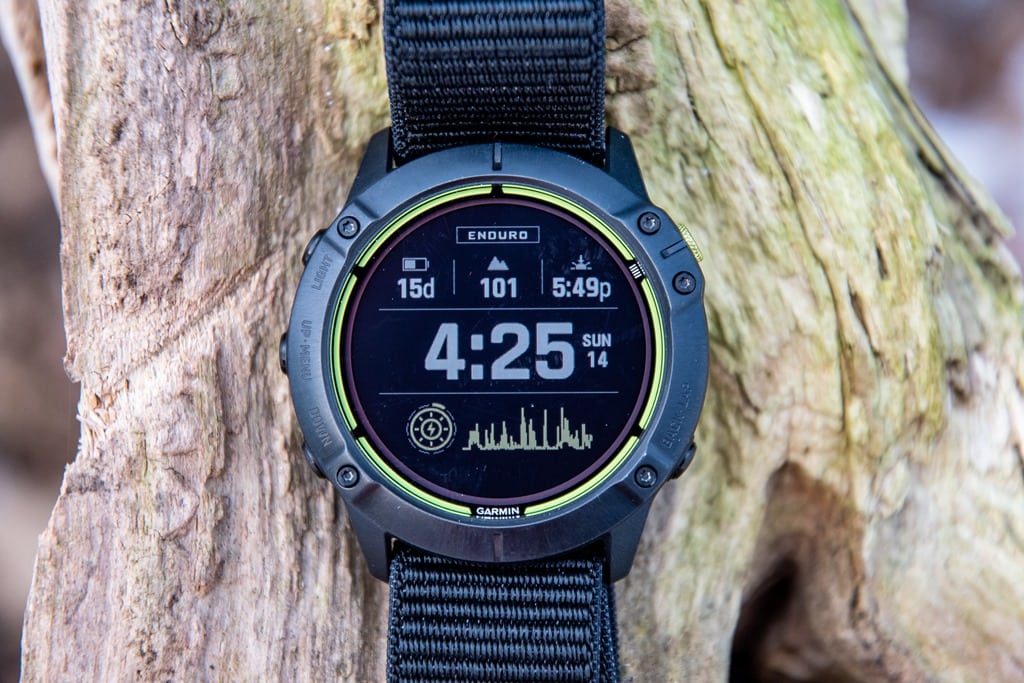
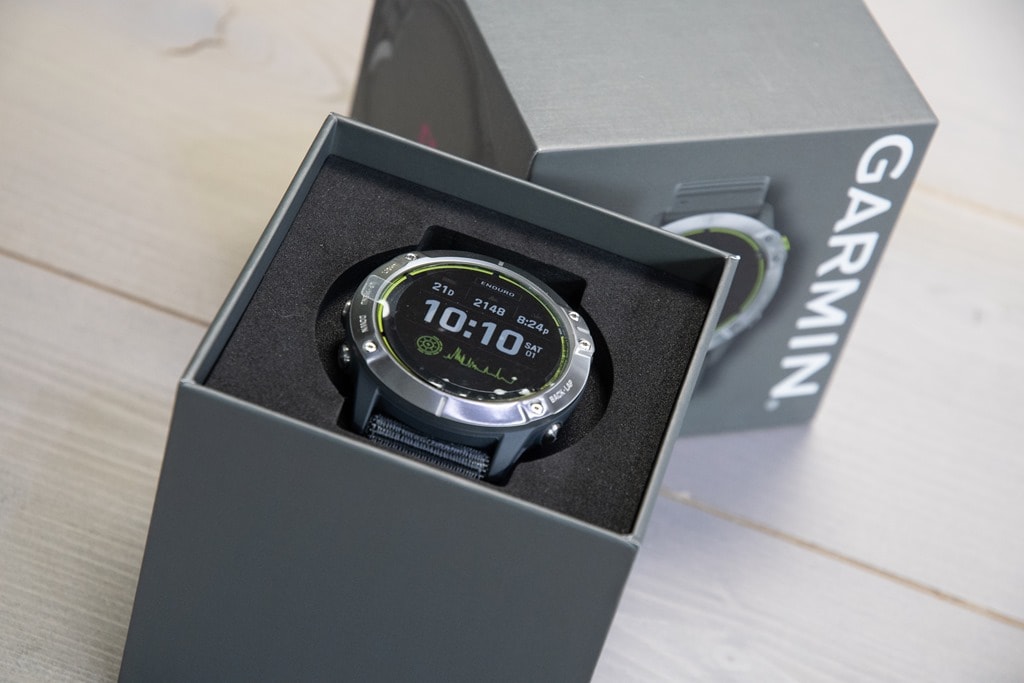
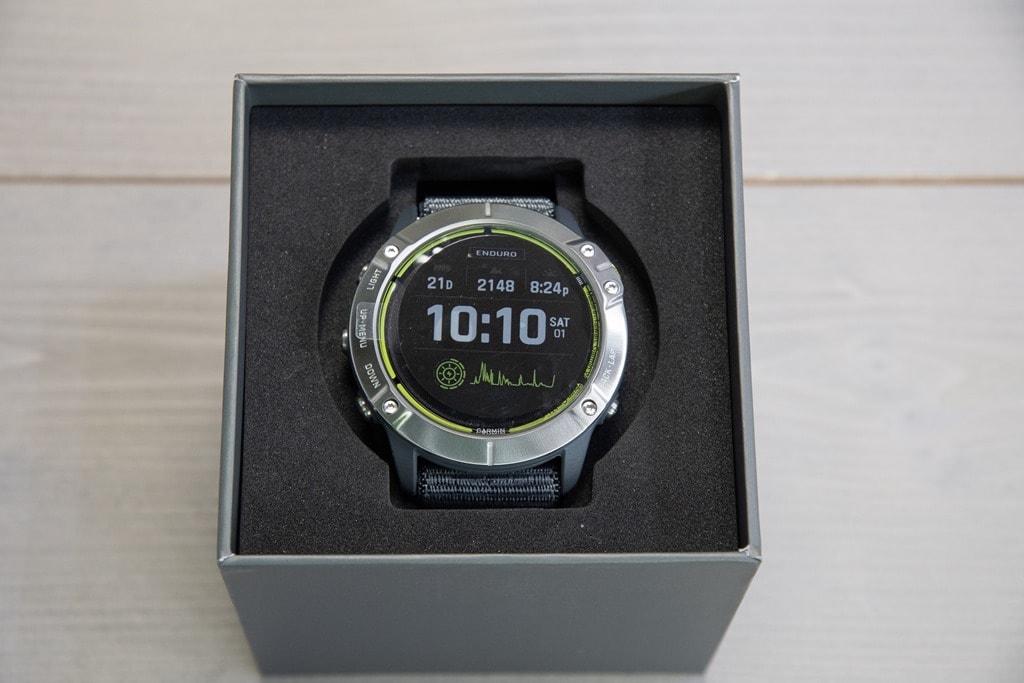
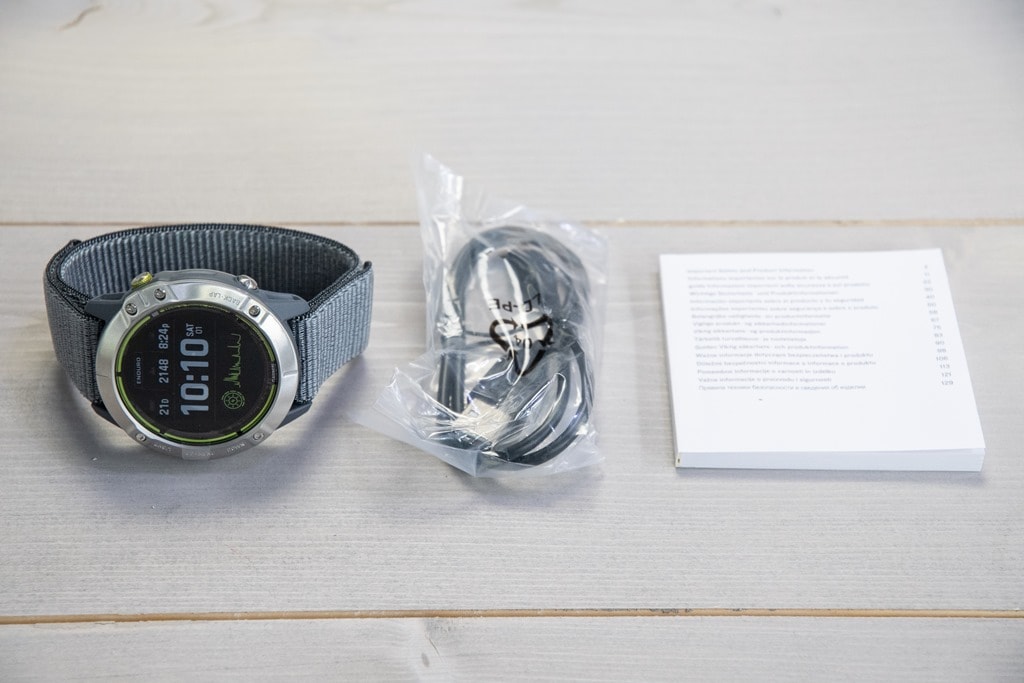
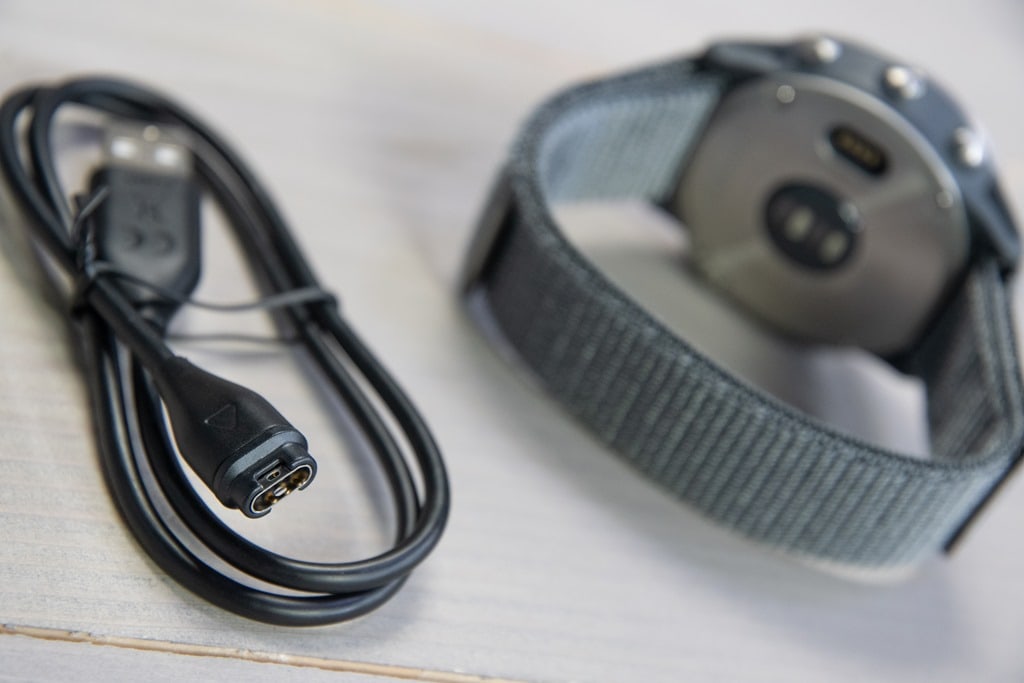
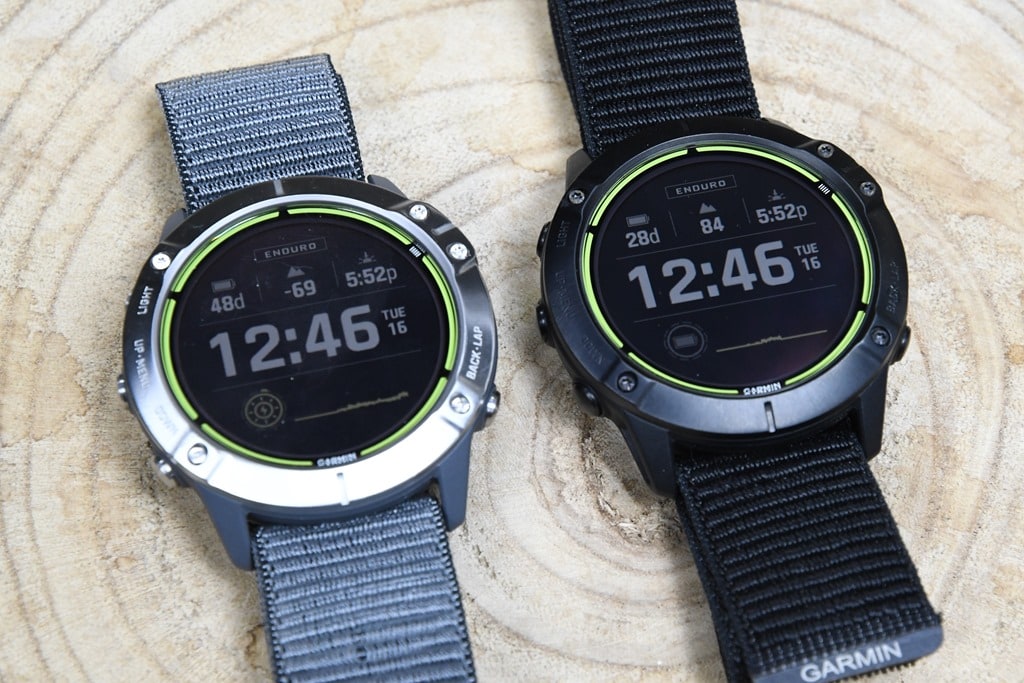
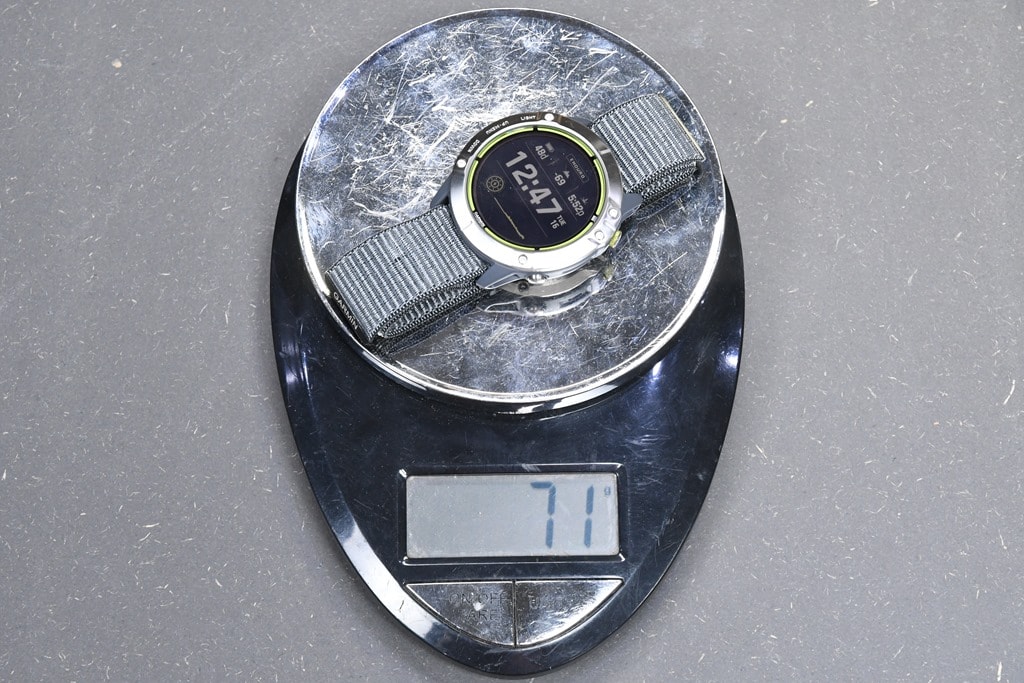
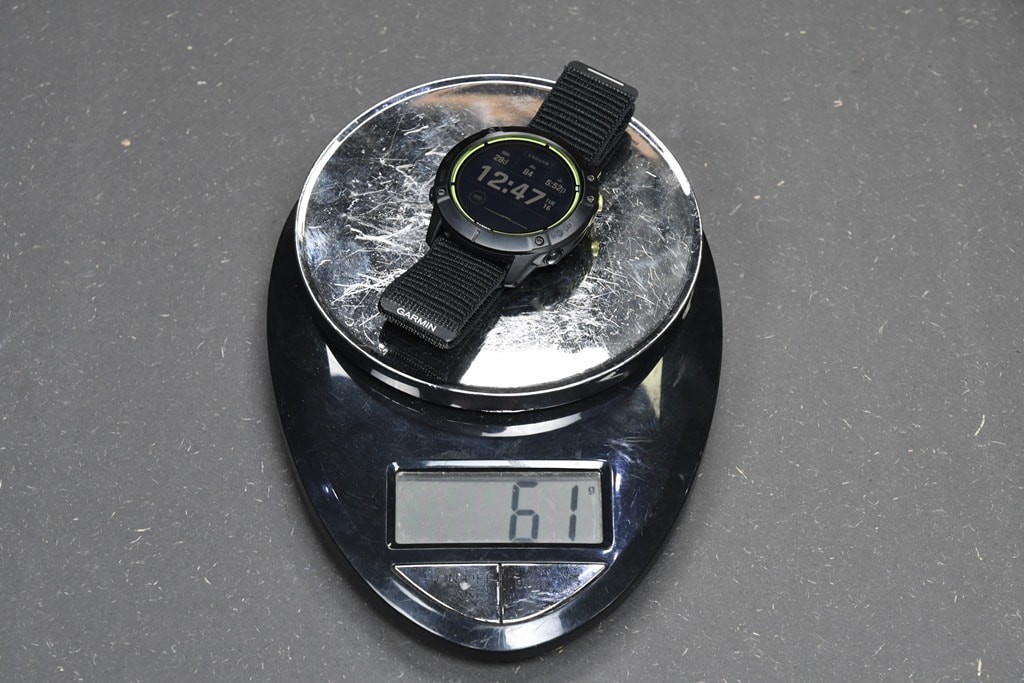
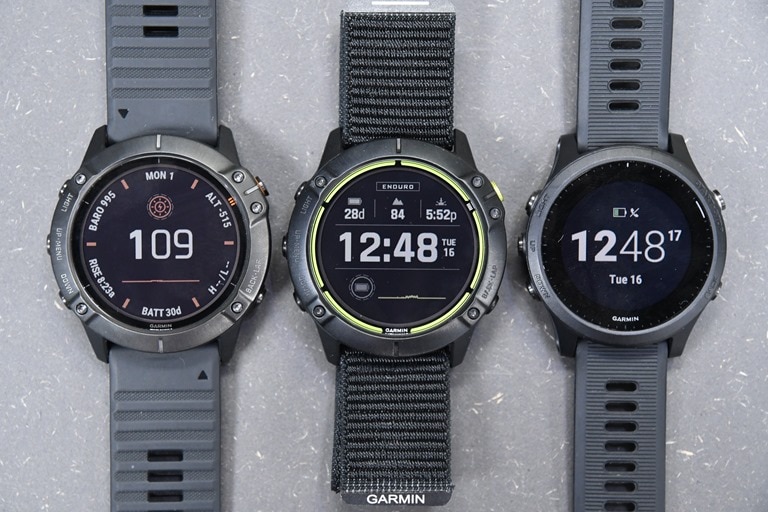
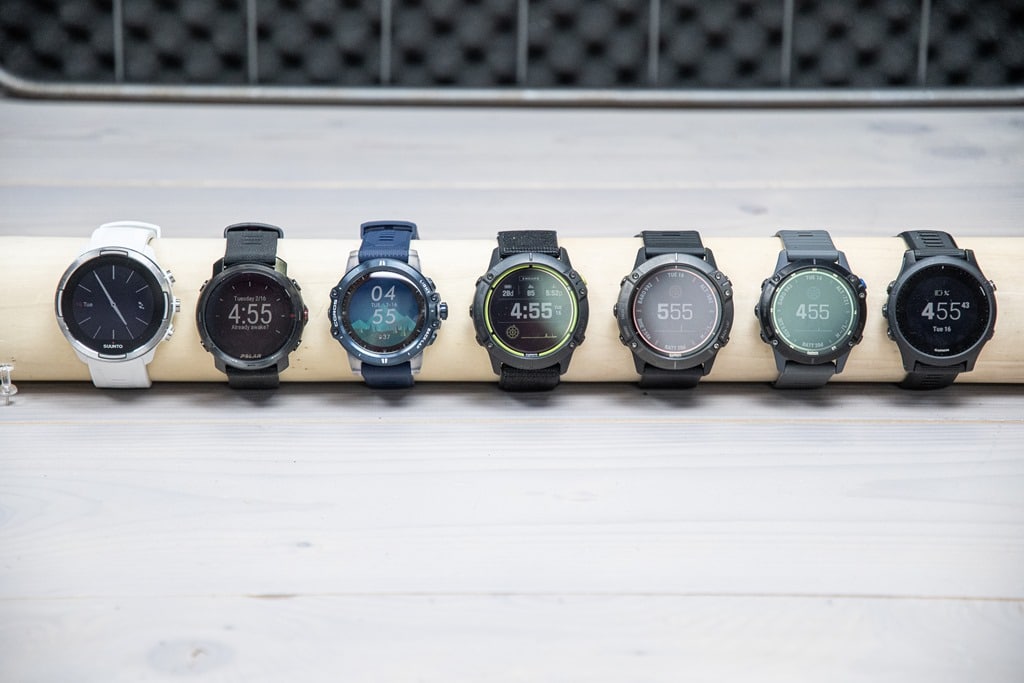

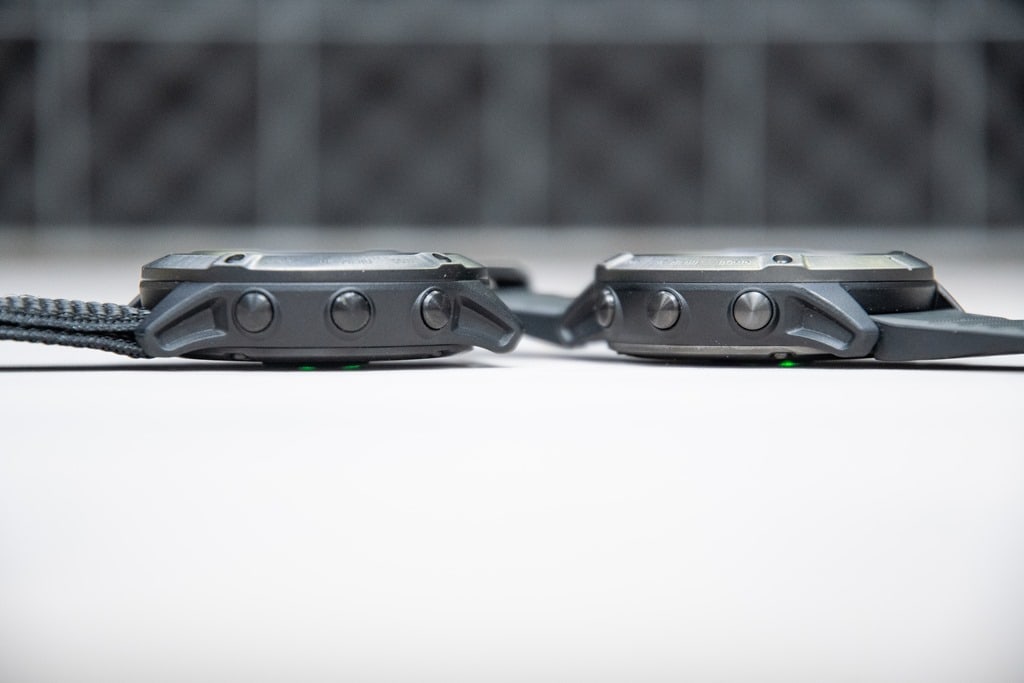
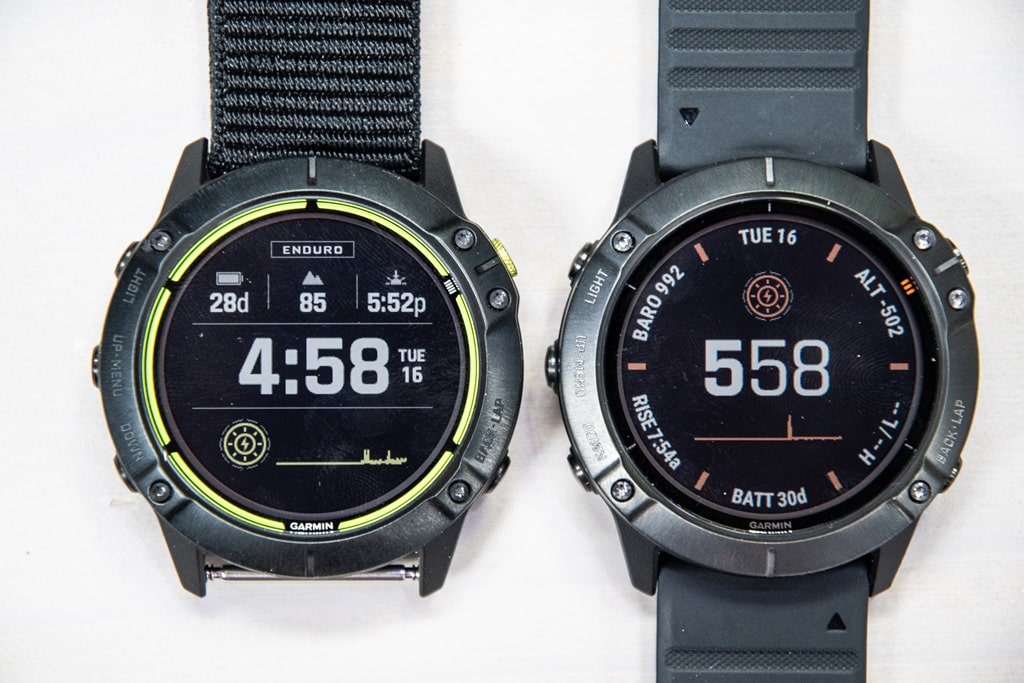


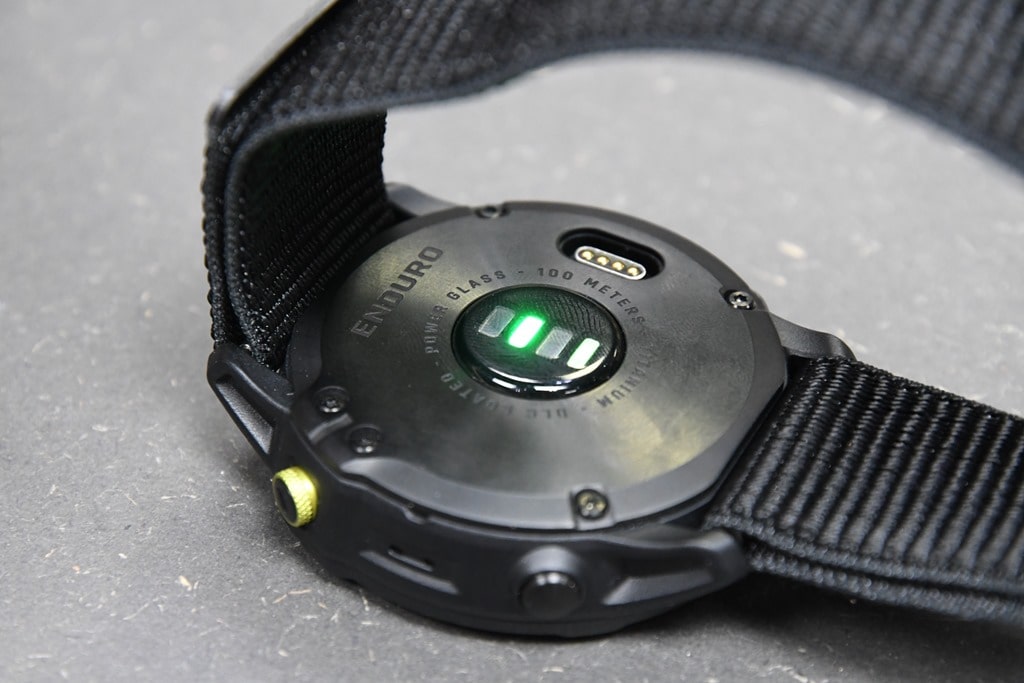
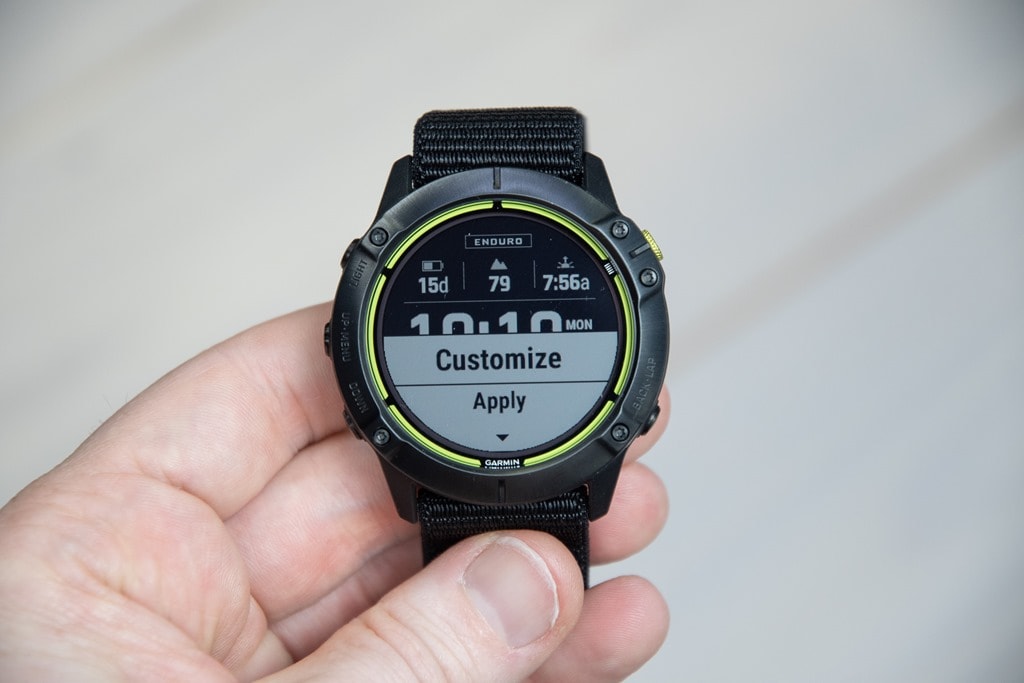

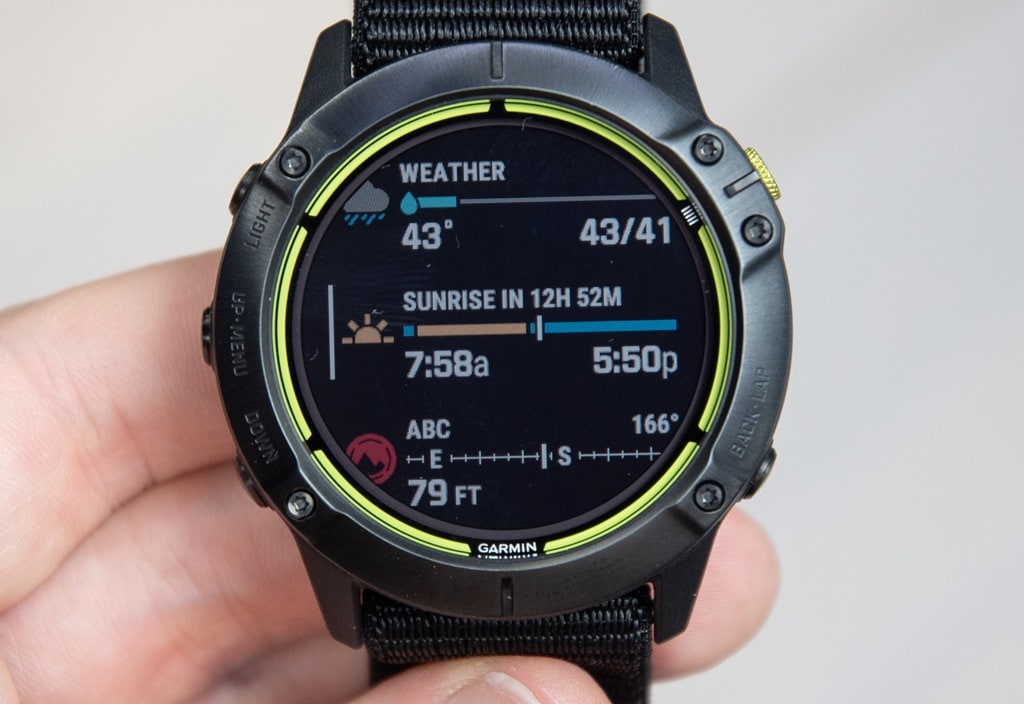
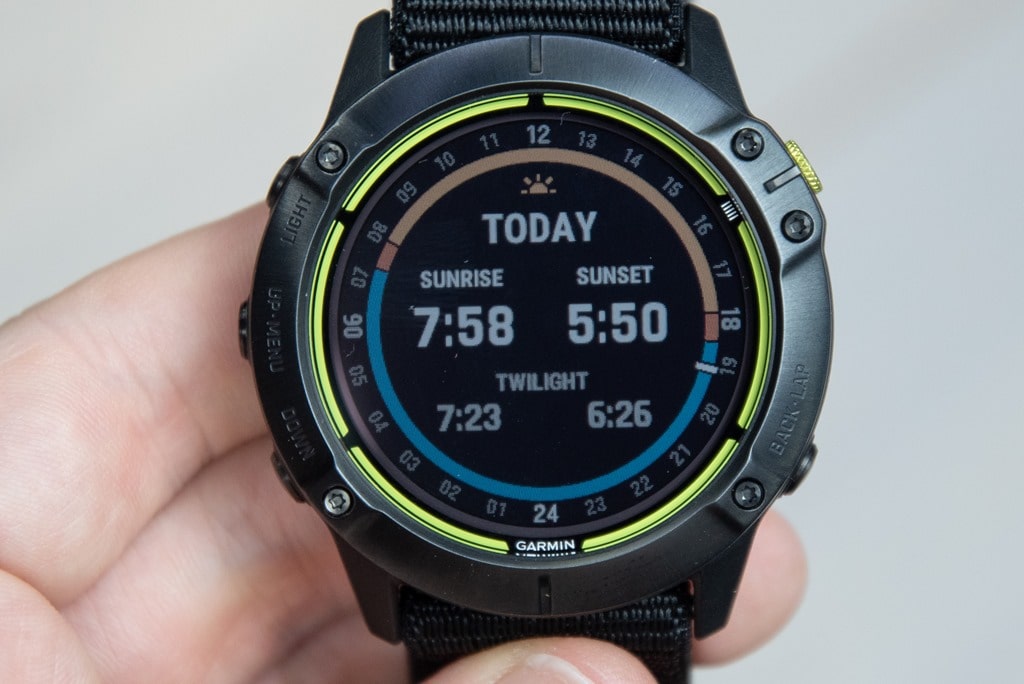
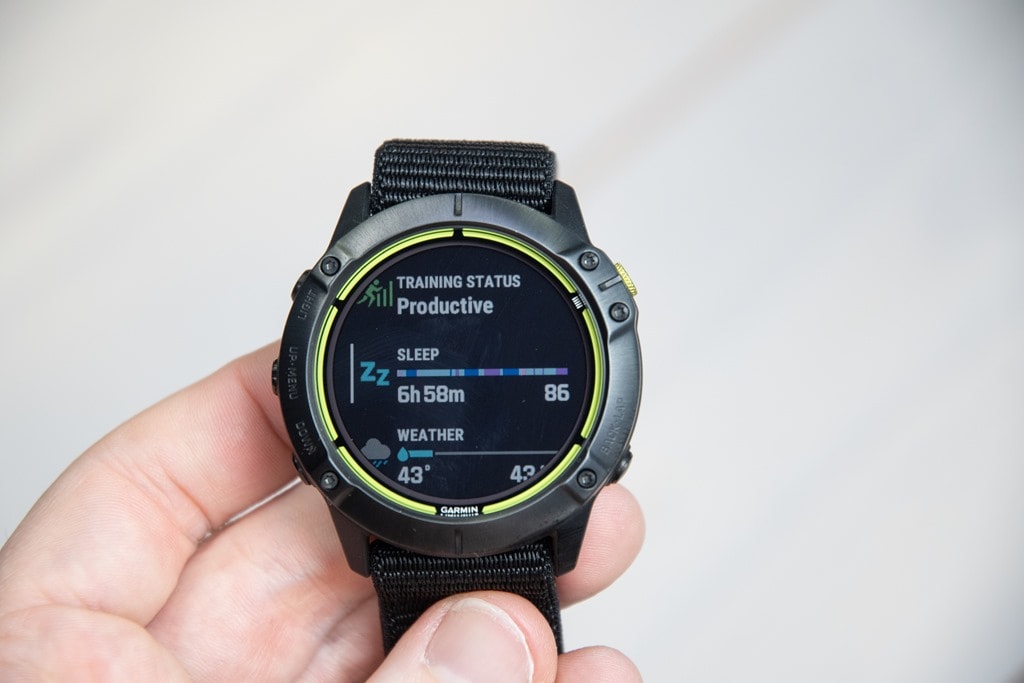
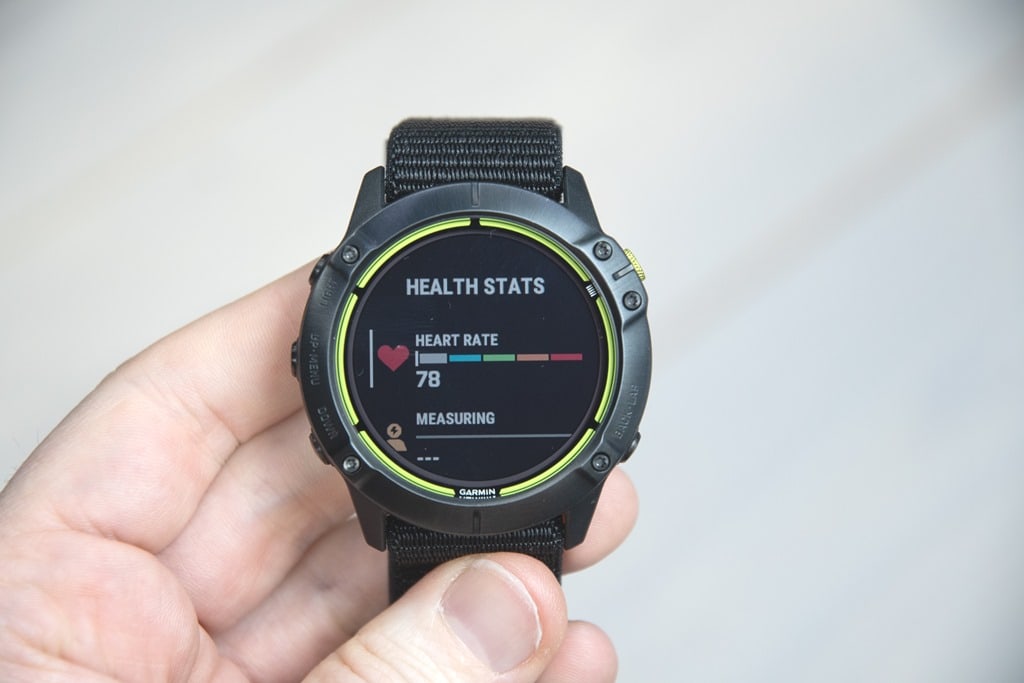

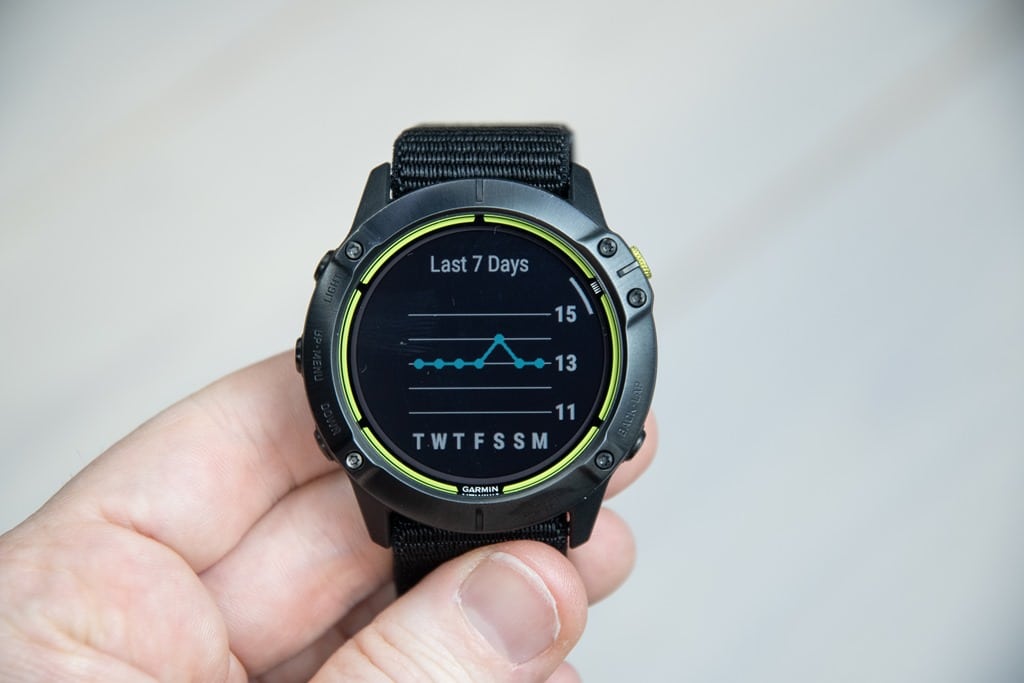


![clip_image001[8]](https://media.dcrainmaker.com/images/2021/02/clip_image0018.png "clip_image001[8]")
![clip_image001[6]](https://media.dcrainmaker.com/images/2021/02/clip_image0016.png "clip_image001[6]")
![clip_image001[10]](https://media.dcrainmaker.com/images/2021/02/clip_image00110.png "clip_image001[10]")
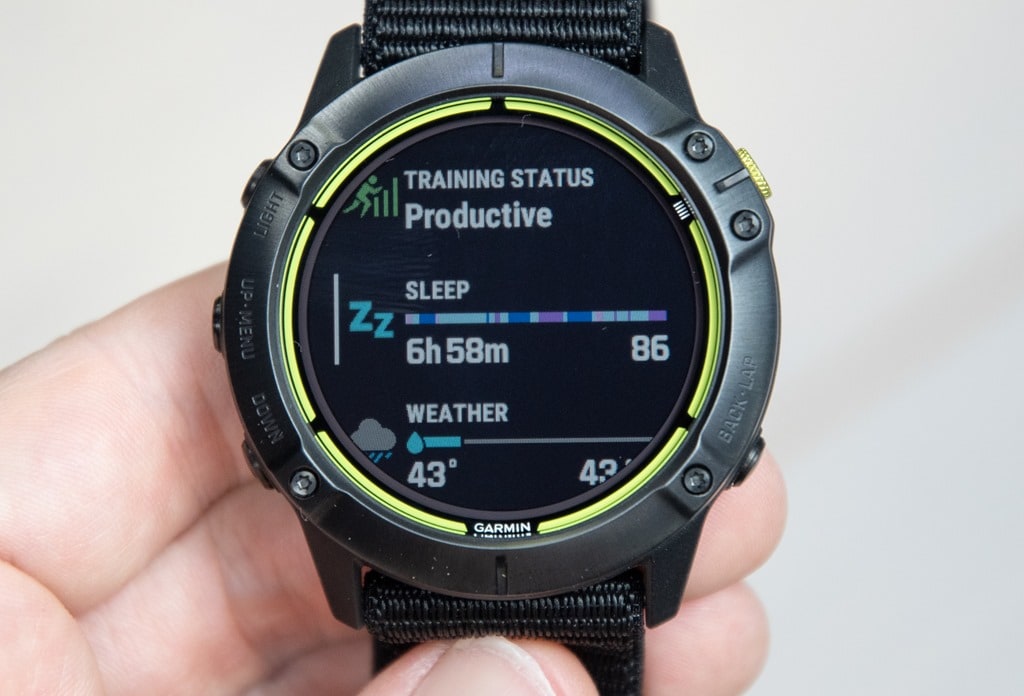
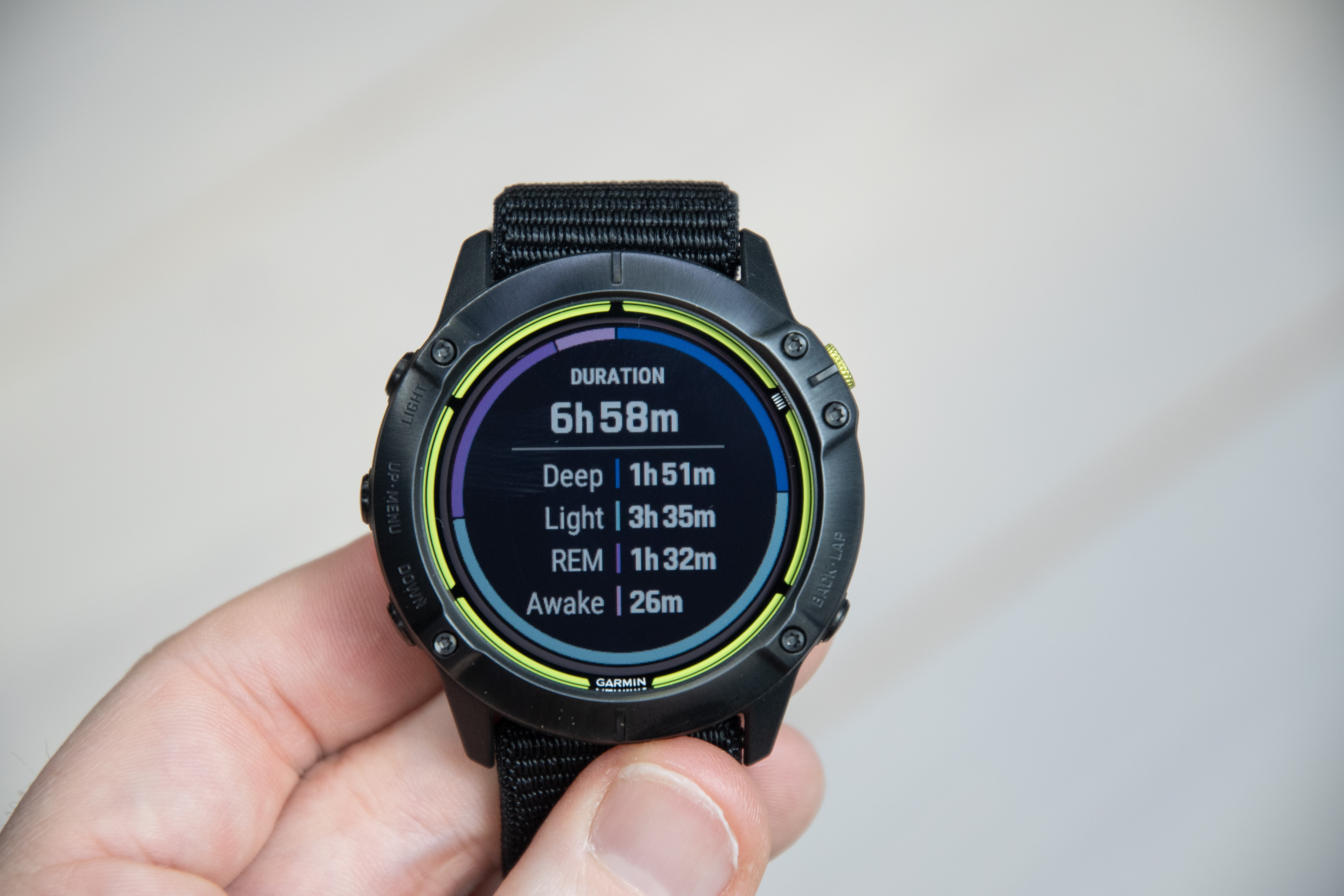
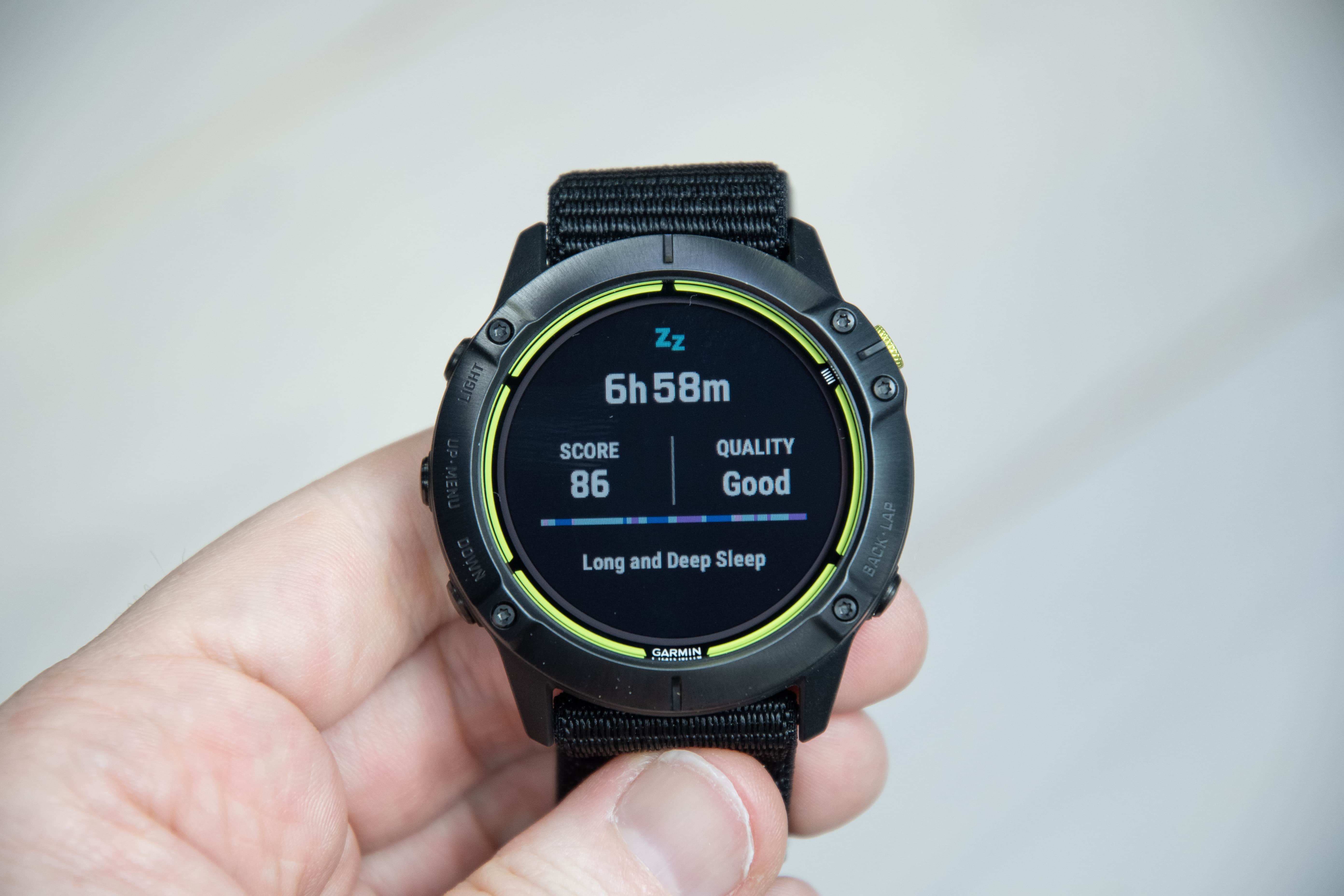
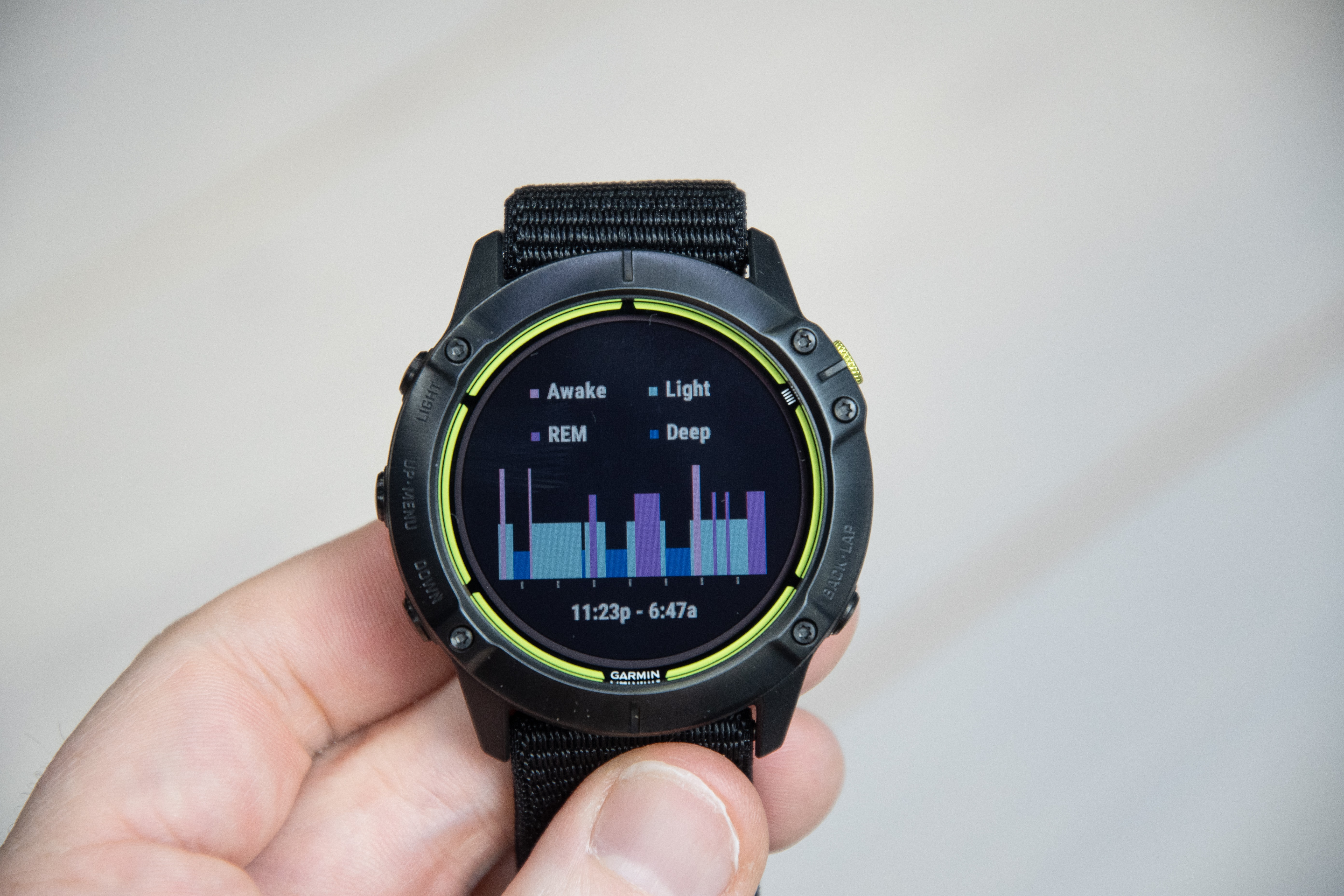
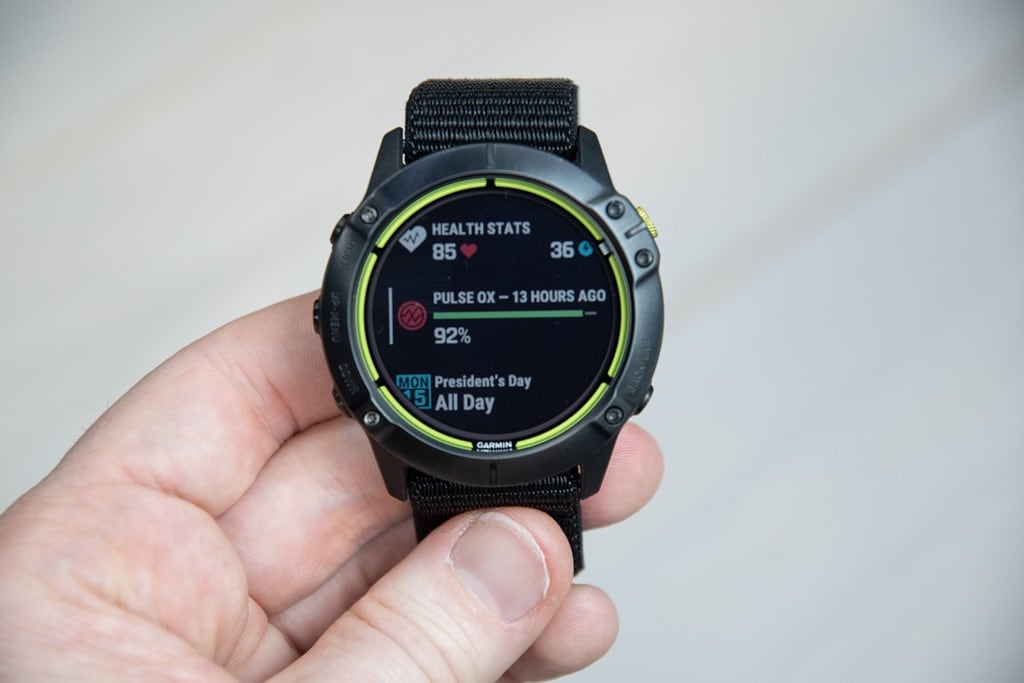
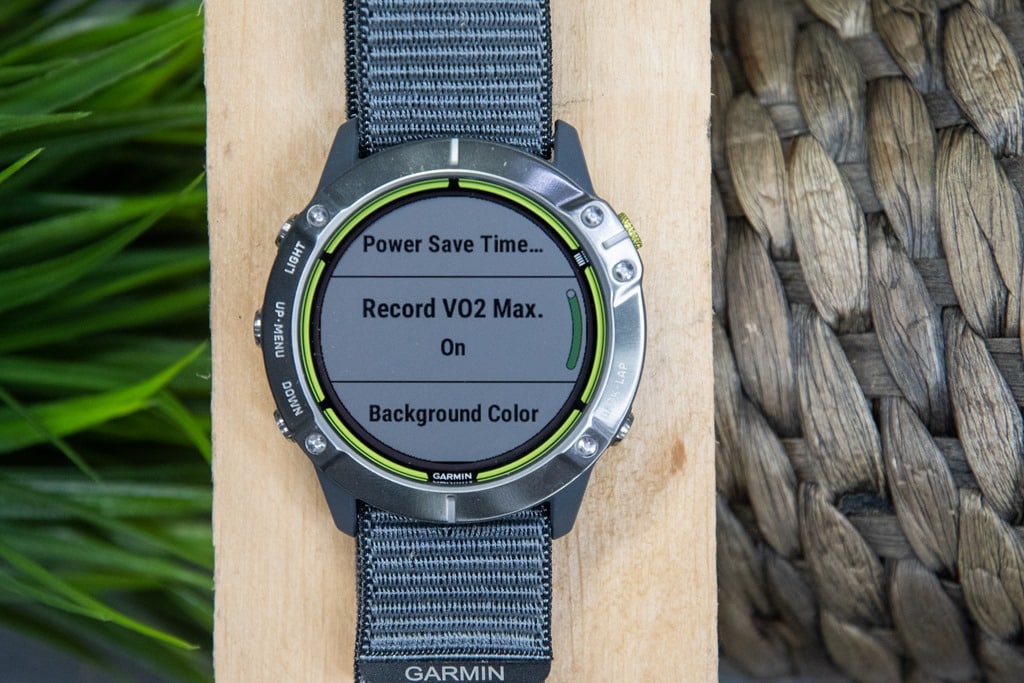
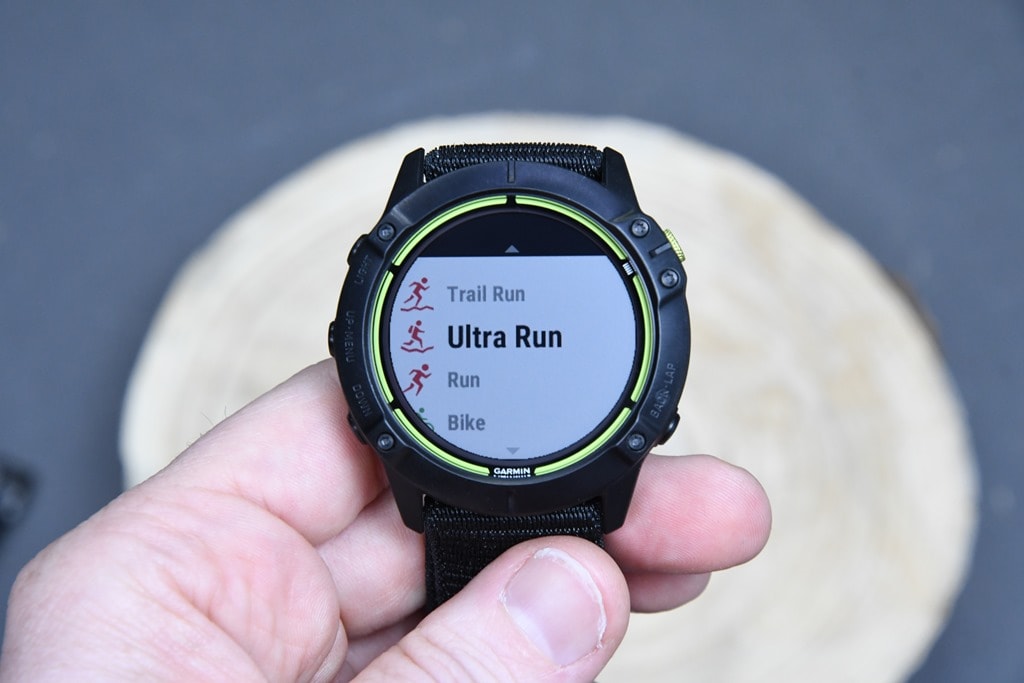
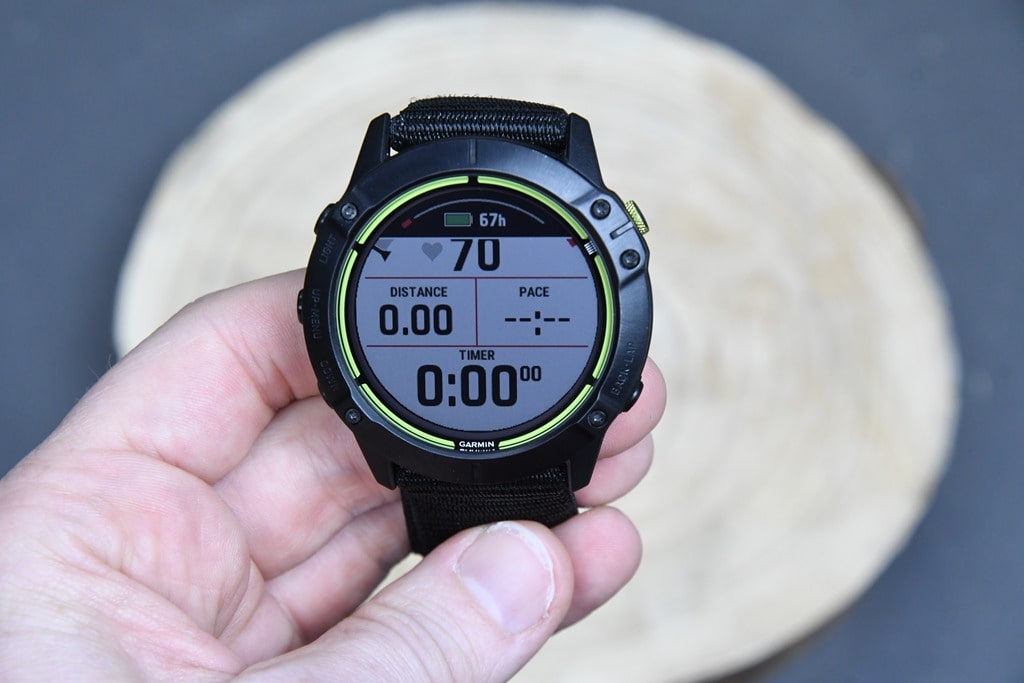

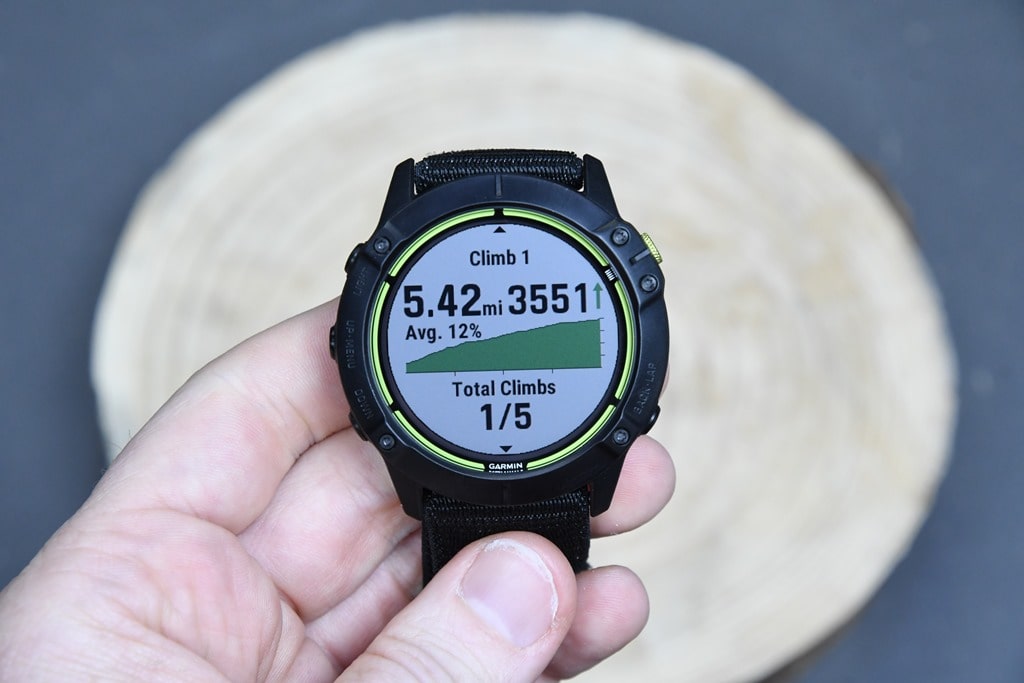

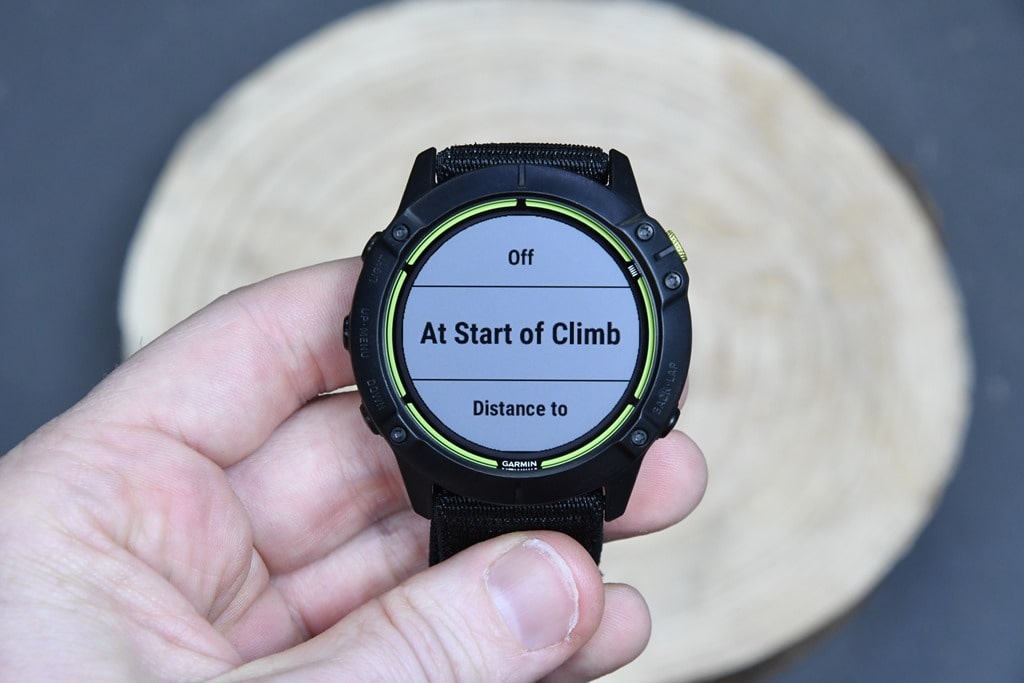
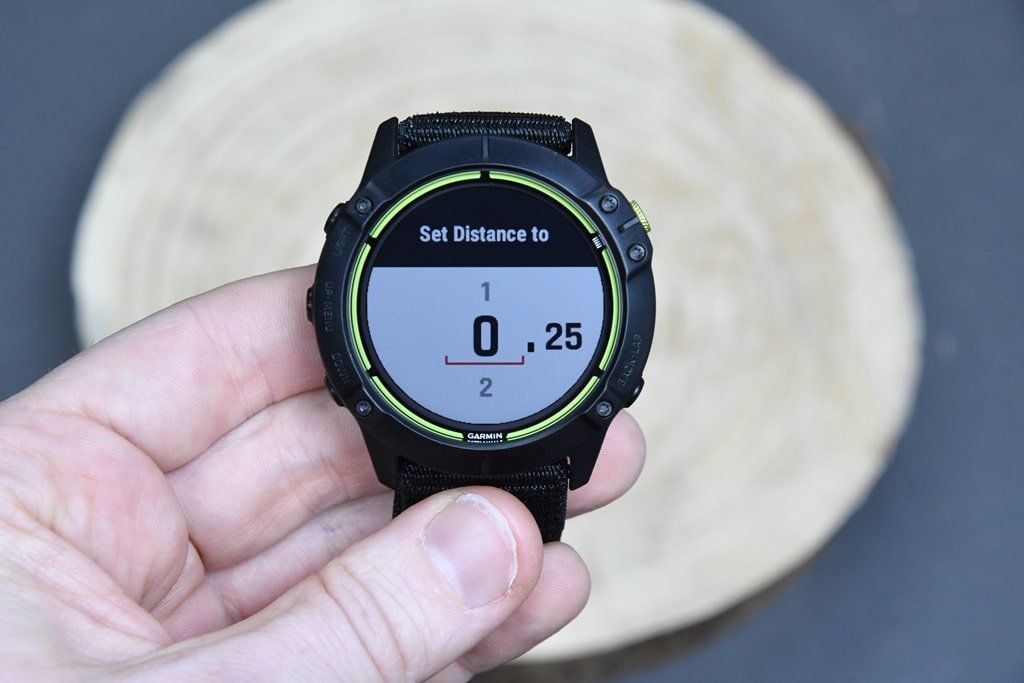
![clip_image001[12]](https://media.dcrainmaker.com/images/2021/02/clip_image00112.png "clip_image001[12]")

![clip_image001[6]](https://media.dcrainmaker.com/images/2021/02/clip_image0016.jpg "clip_image001[6]")

![clip_image001[8]](https://media.dcrainmaker.com/images/2021/02/clip_image0018.jpg "clip_image001[8]")

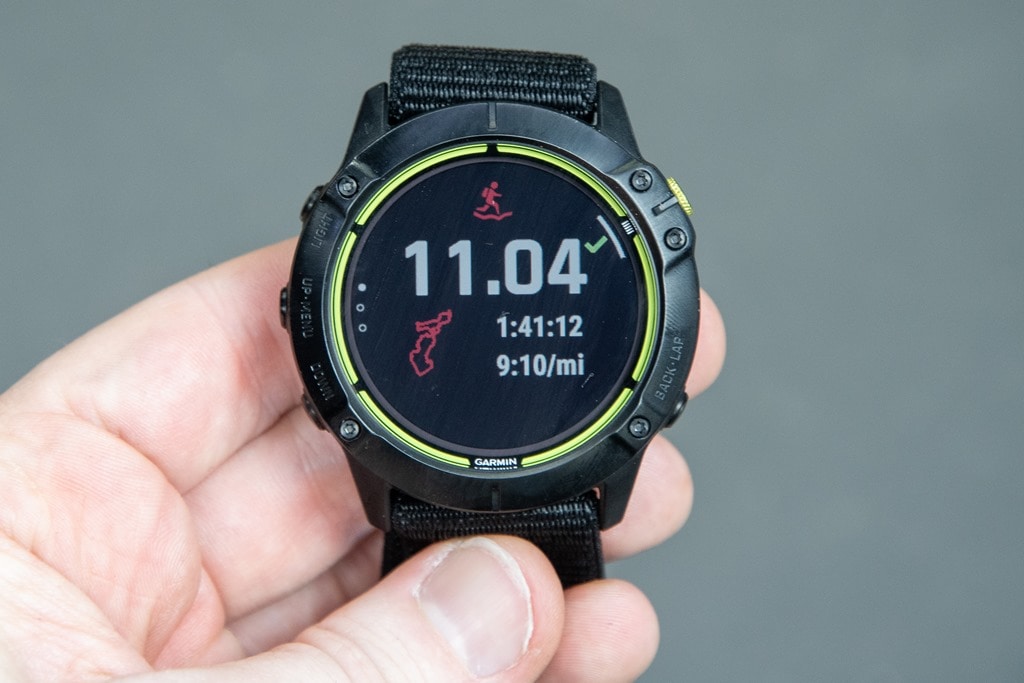
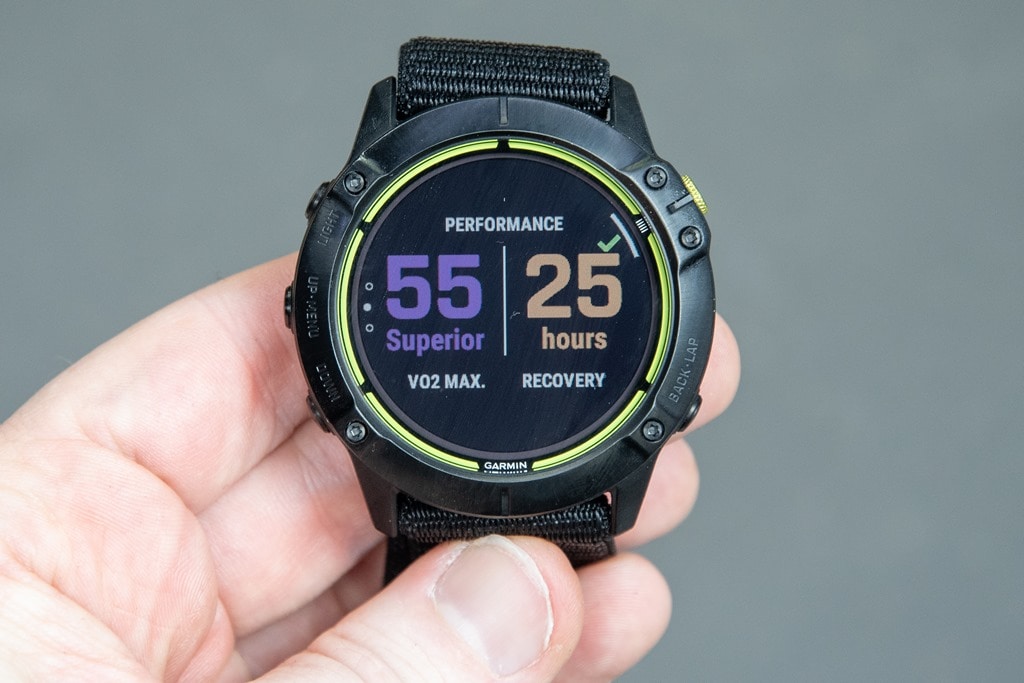
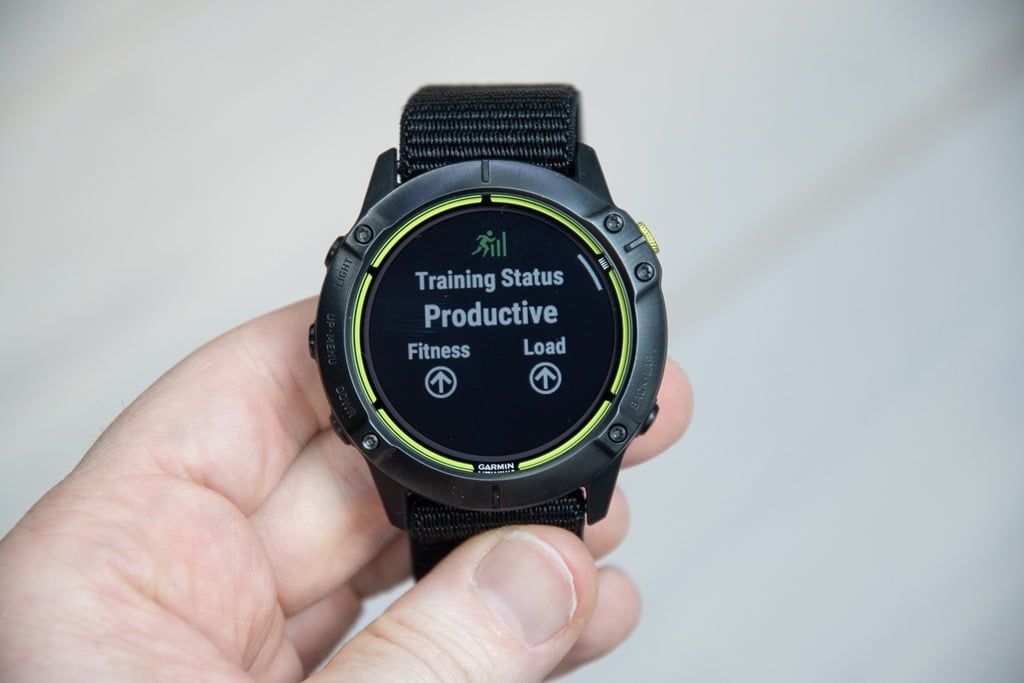
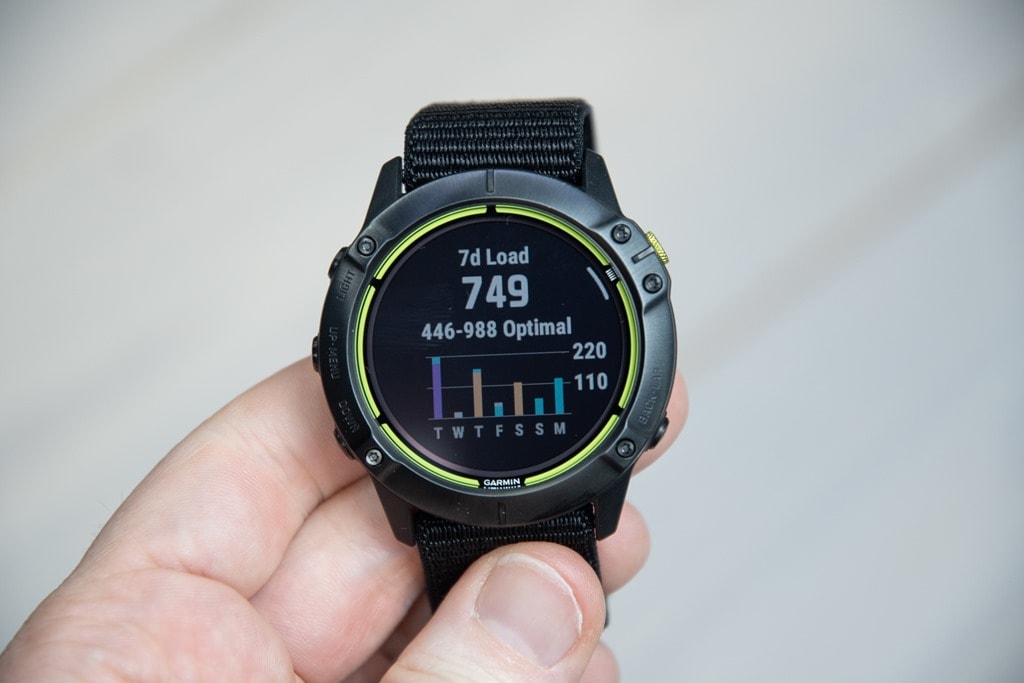
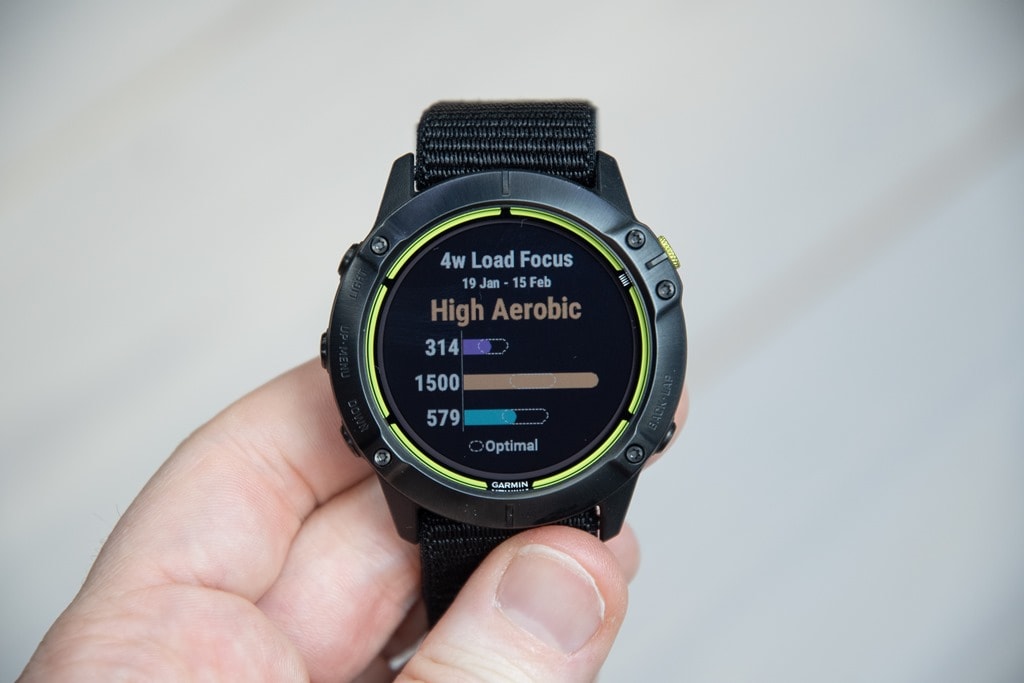
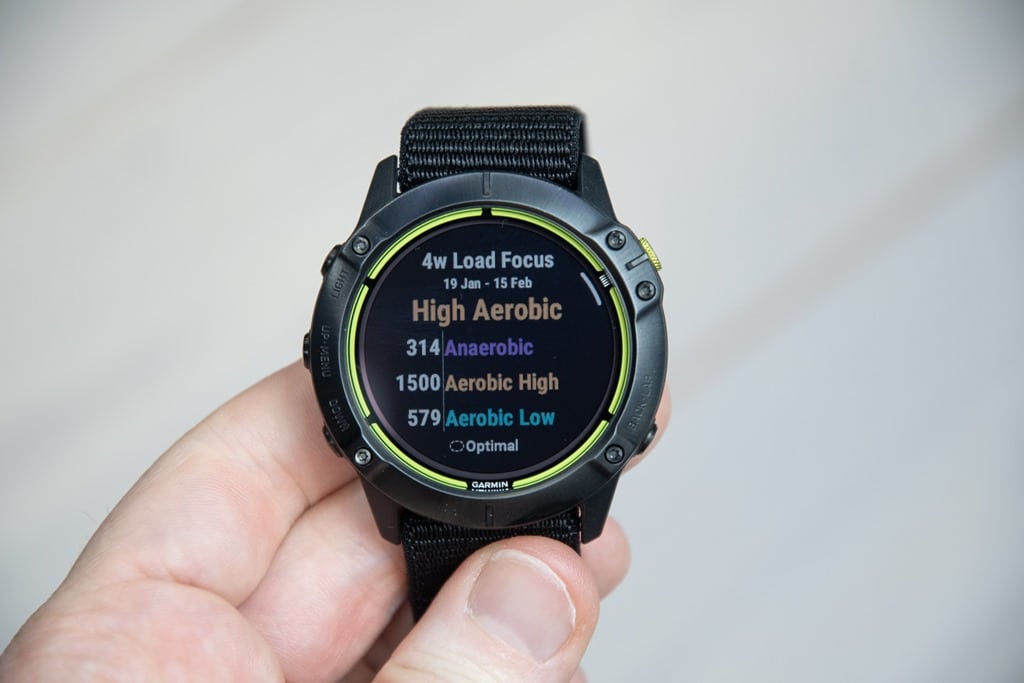
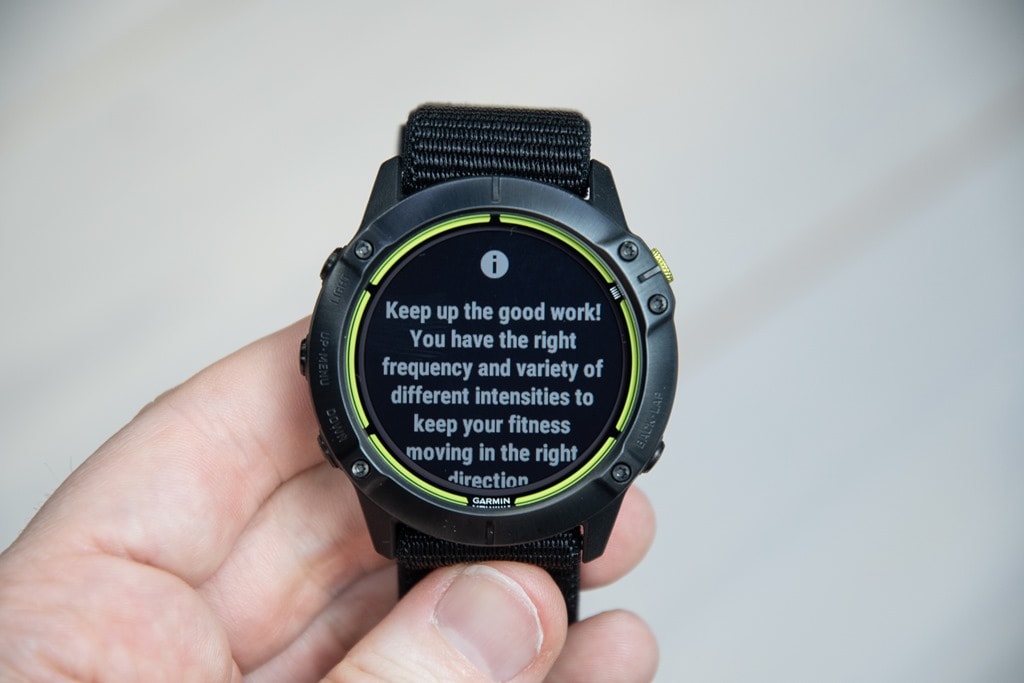
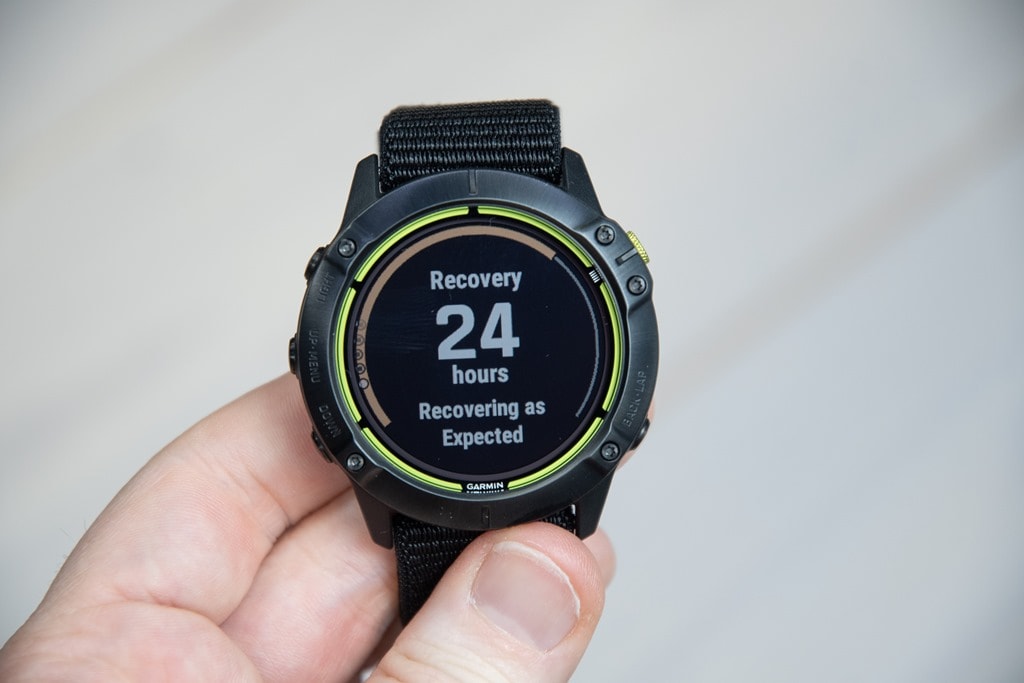
![clip_image001[14]](https://media.dcrainmaker.com/images/2021/02/clip_image00114.png "clip_image001[14]")
![clip_image001[16]](https://media.dcrainmaker.com/images/2021/02/clip_image00116.png "clip_image001[16]")
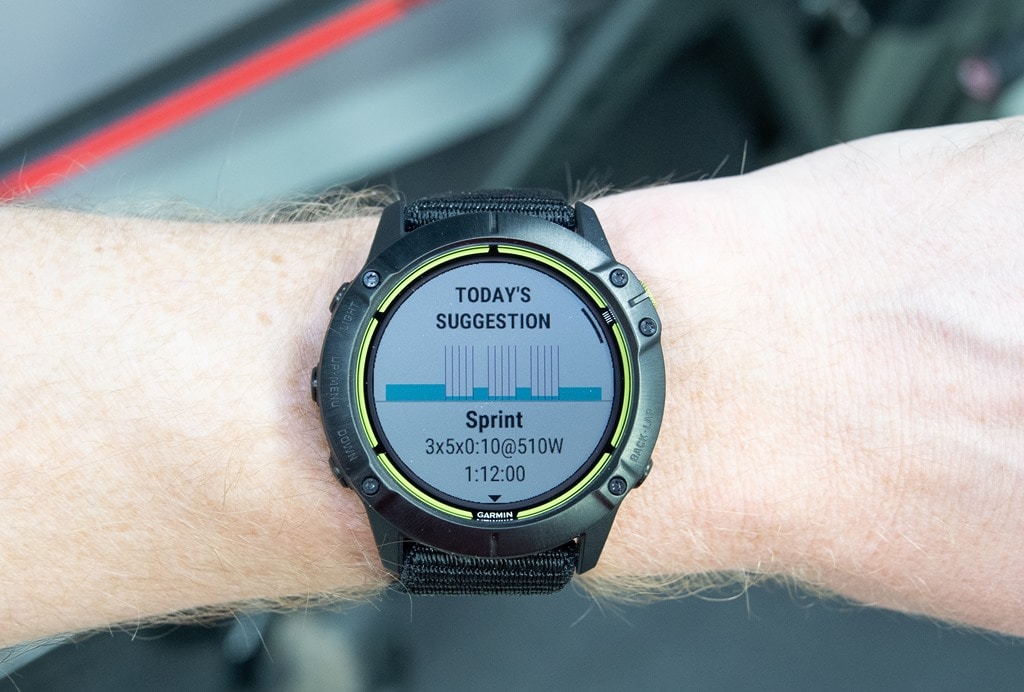
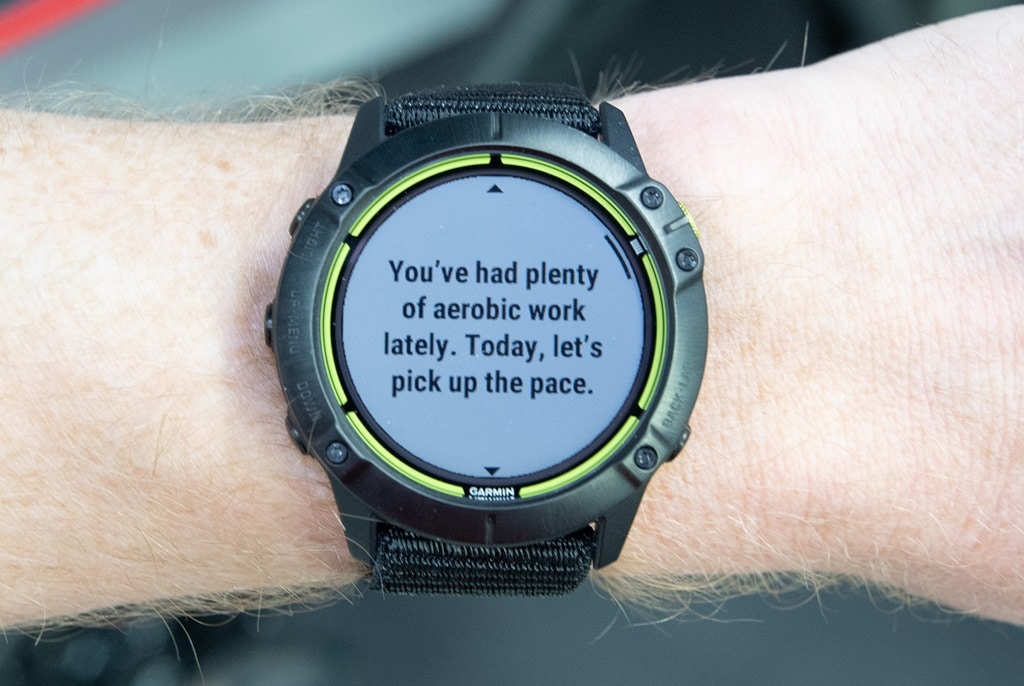
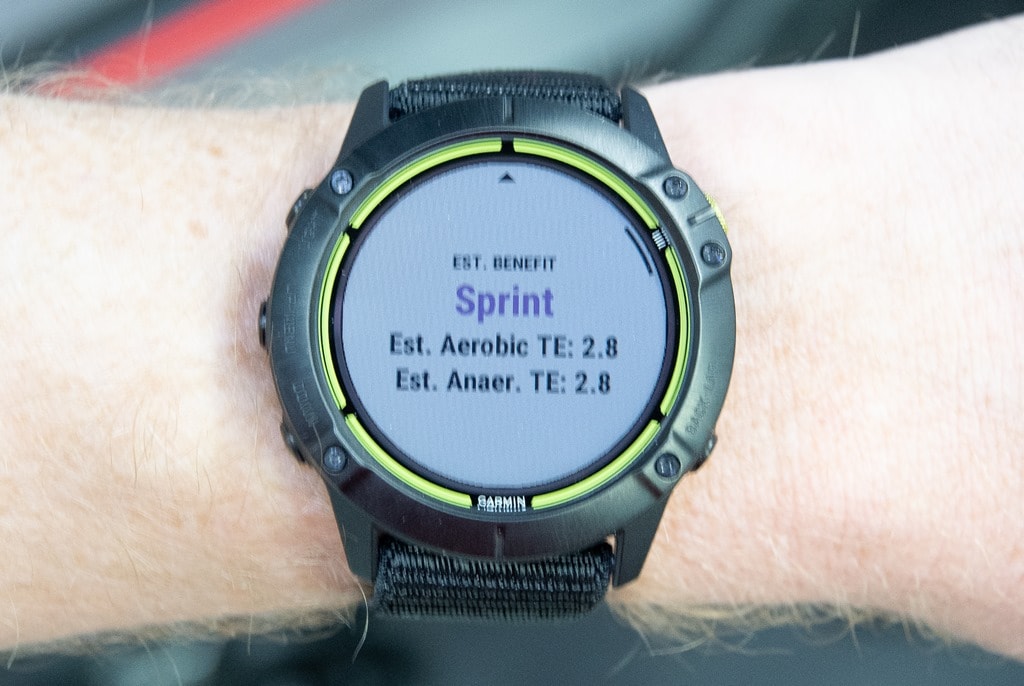
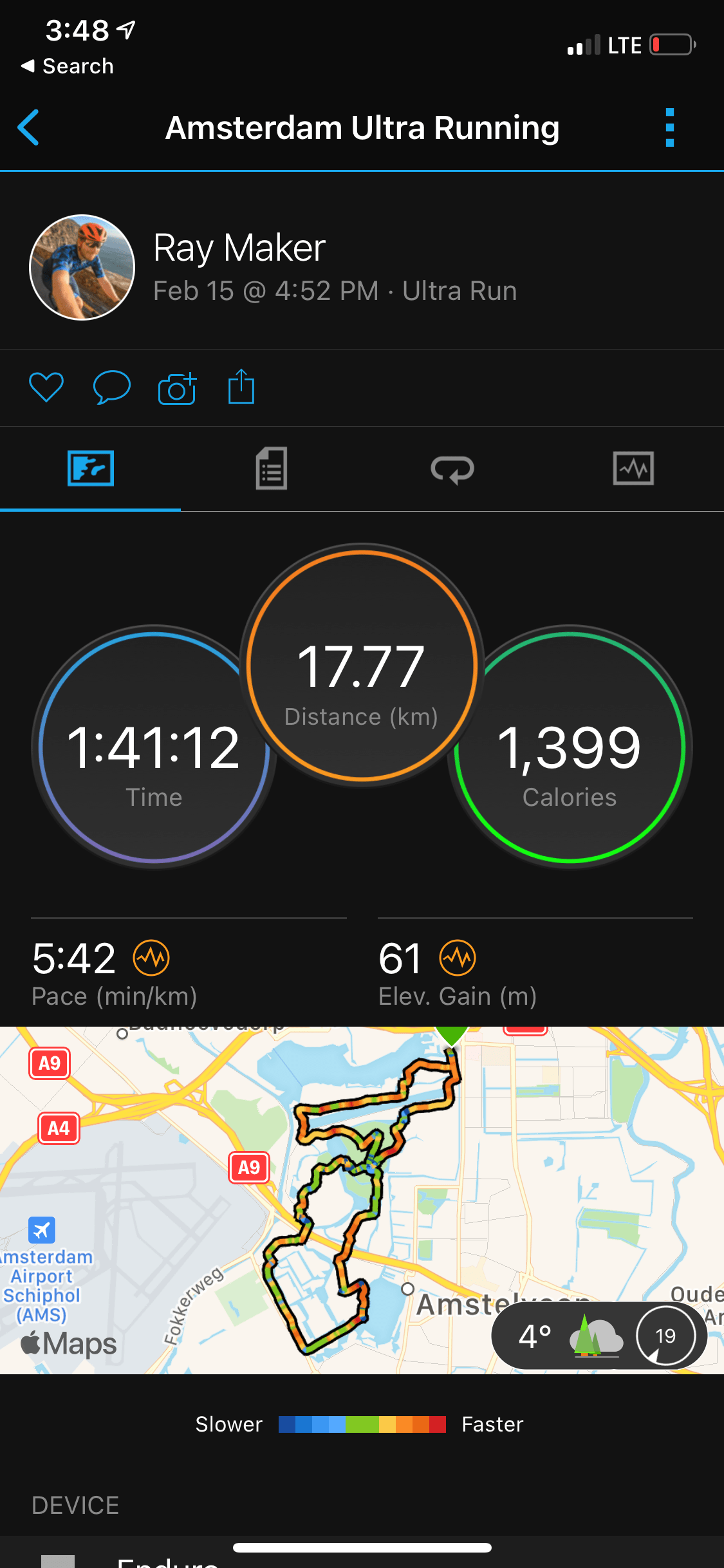
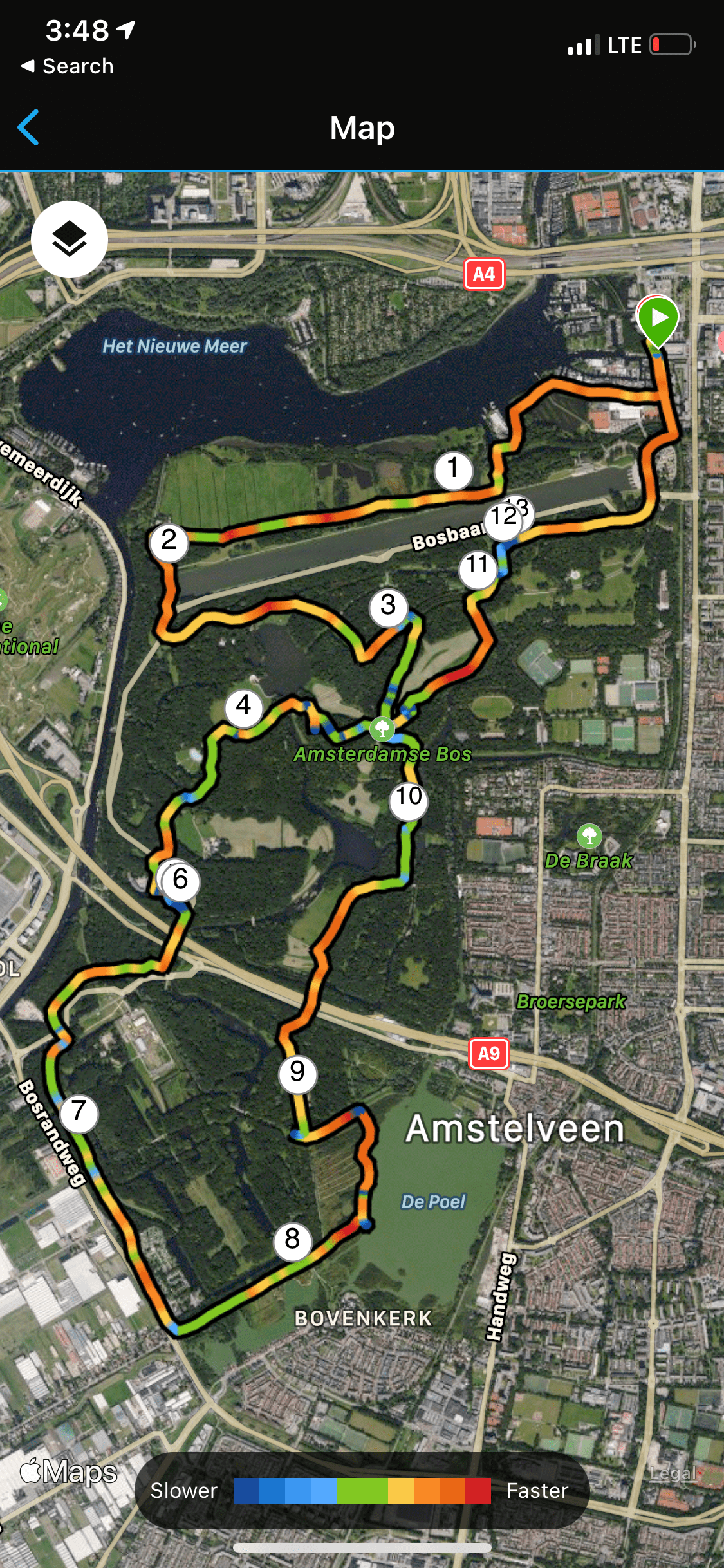


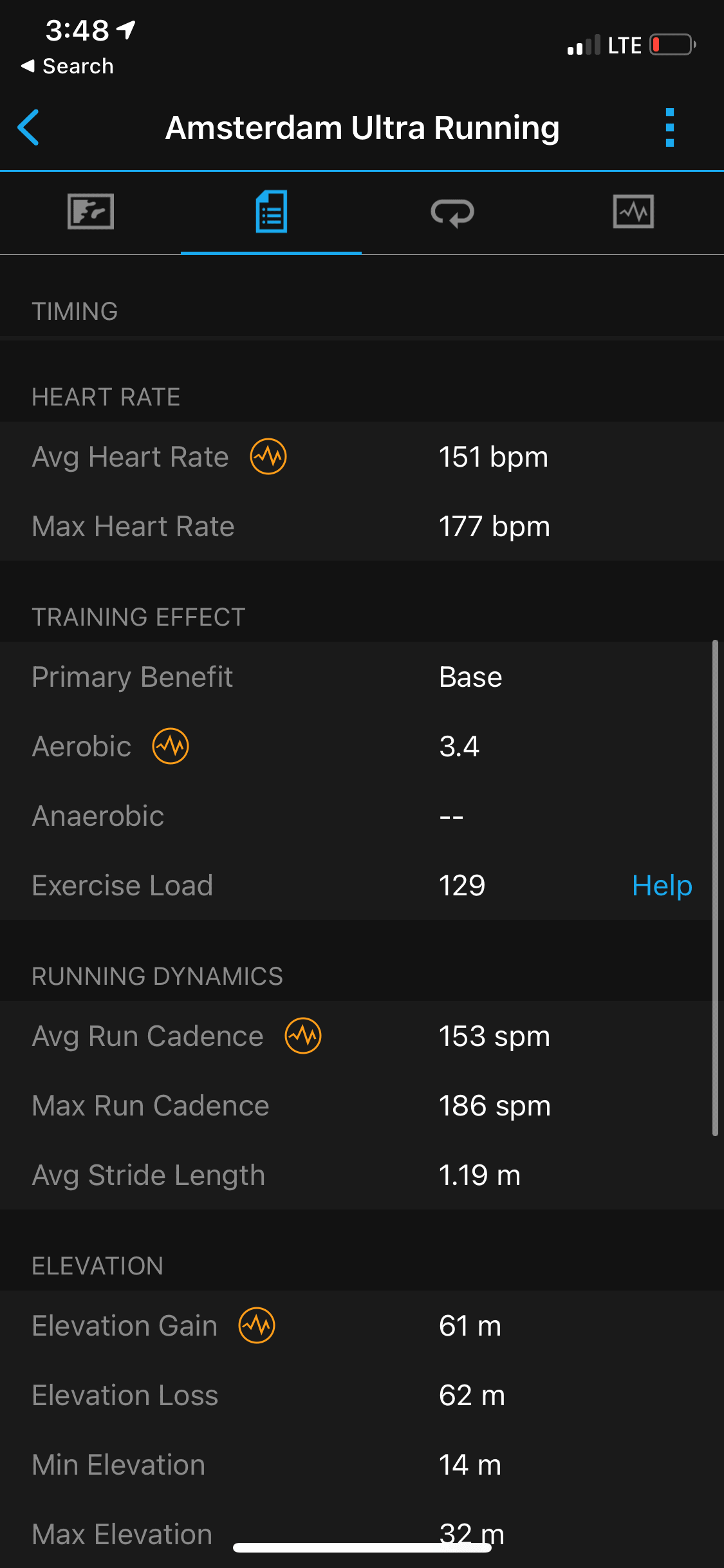
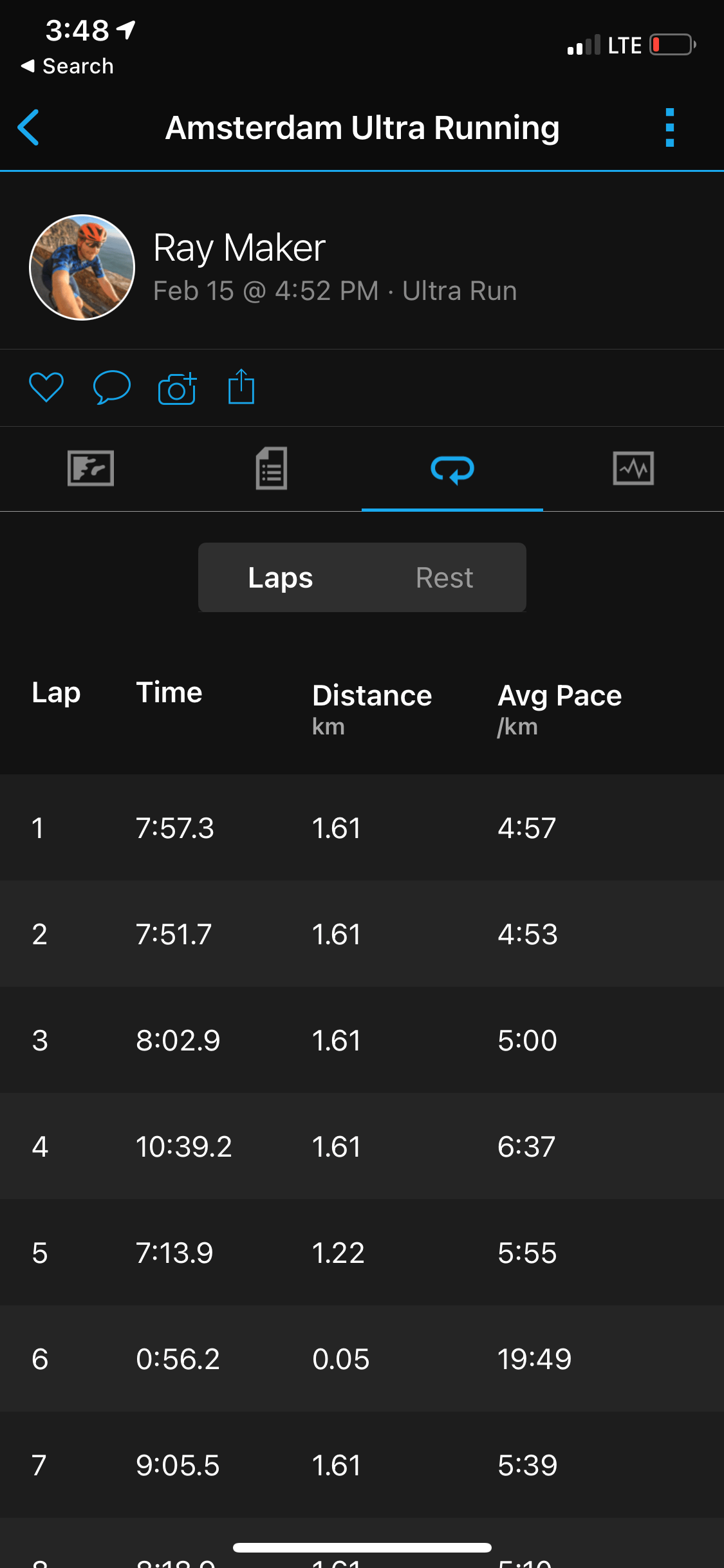

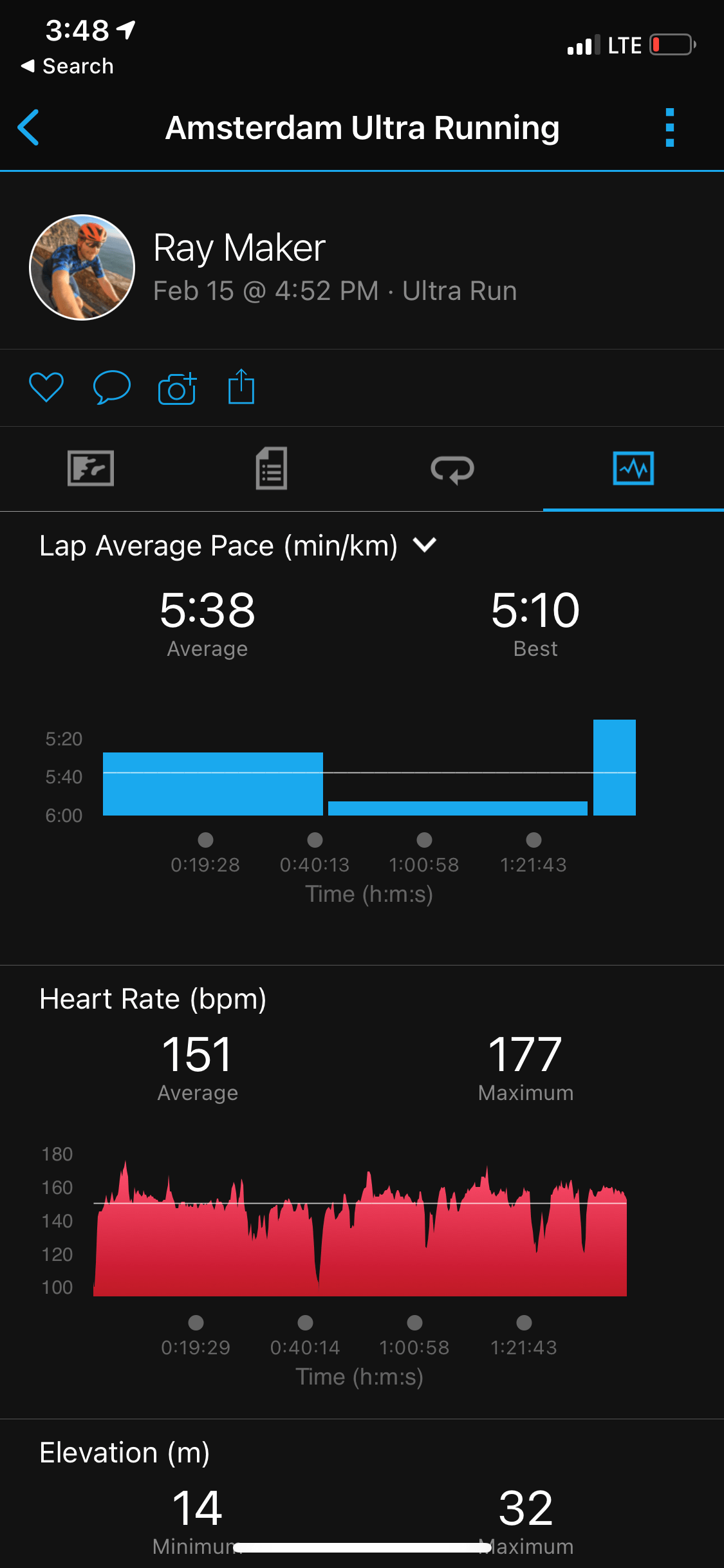
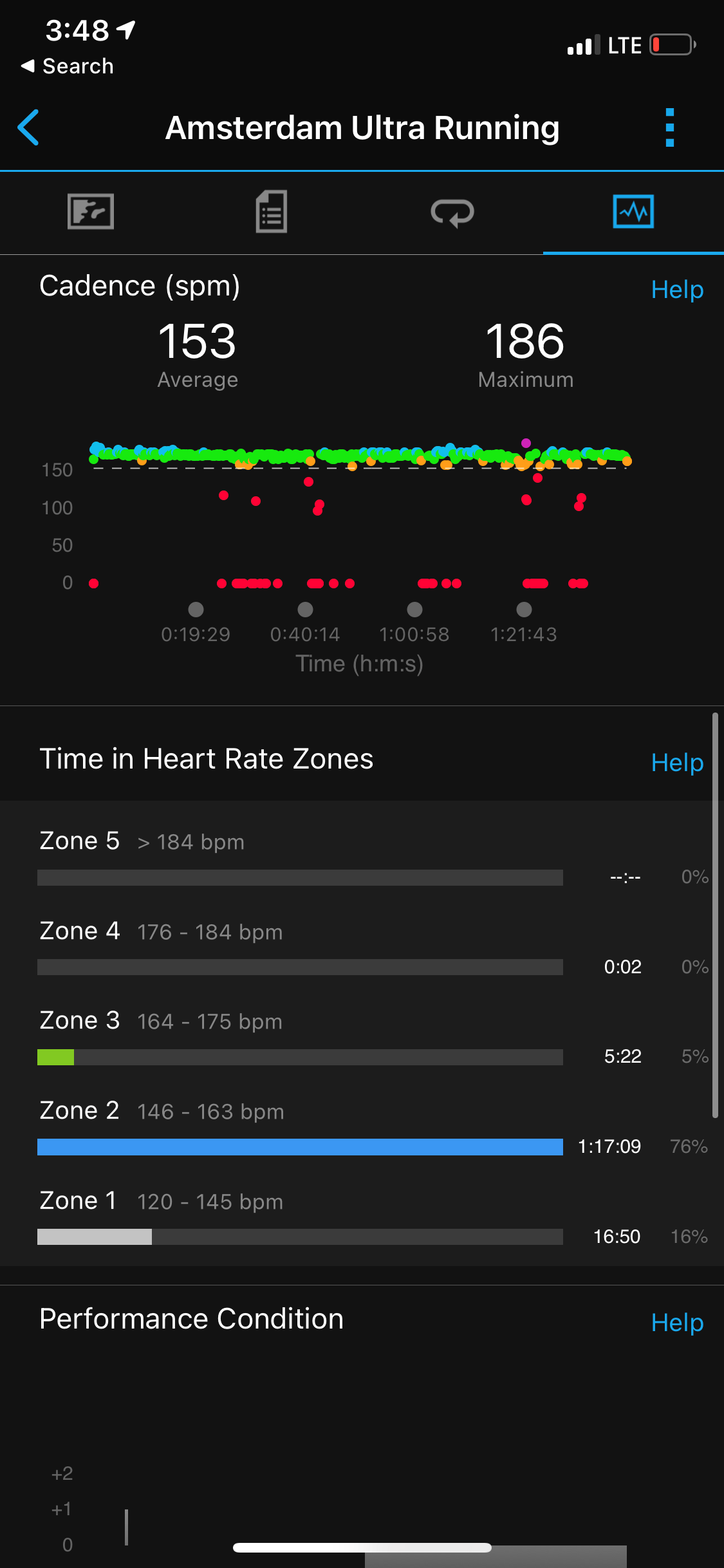
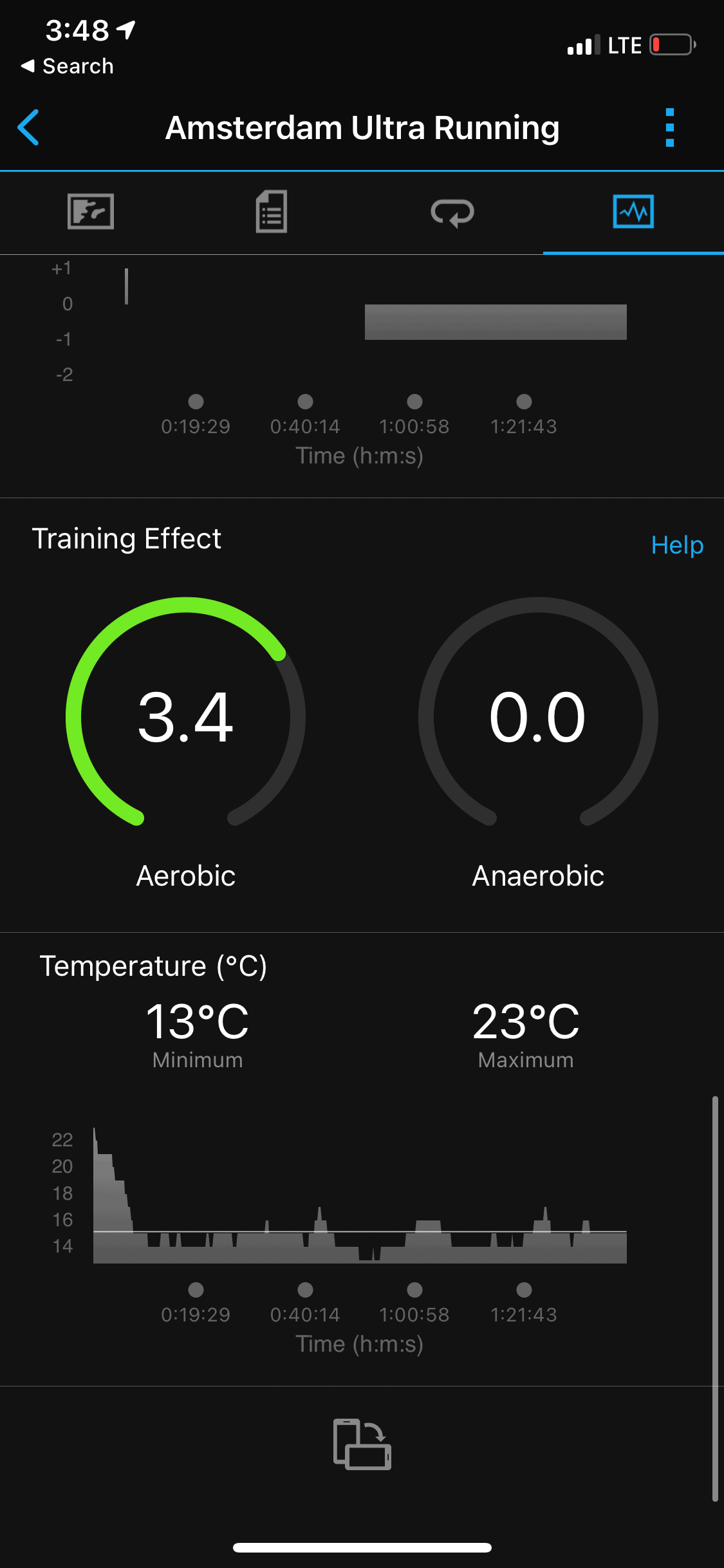
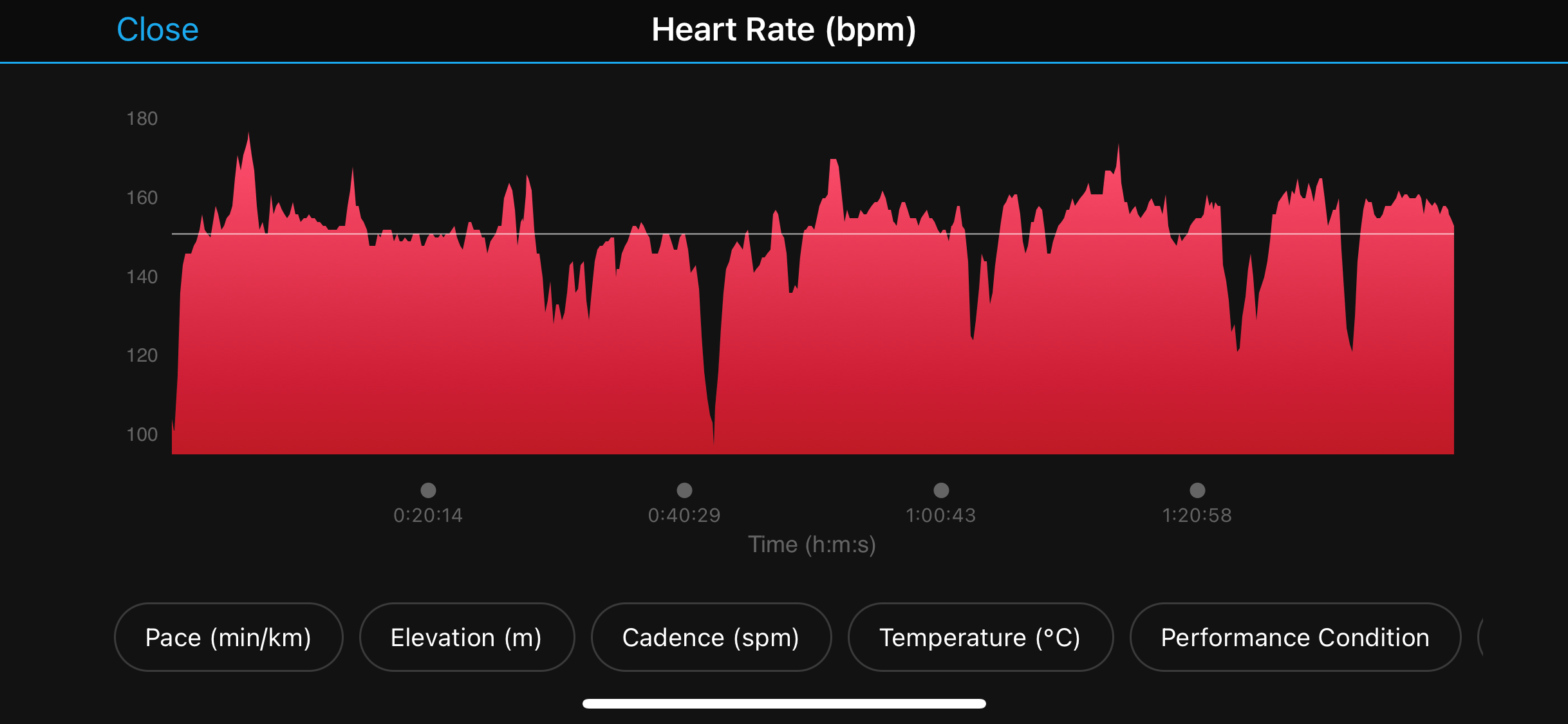
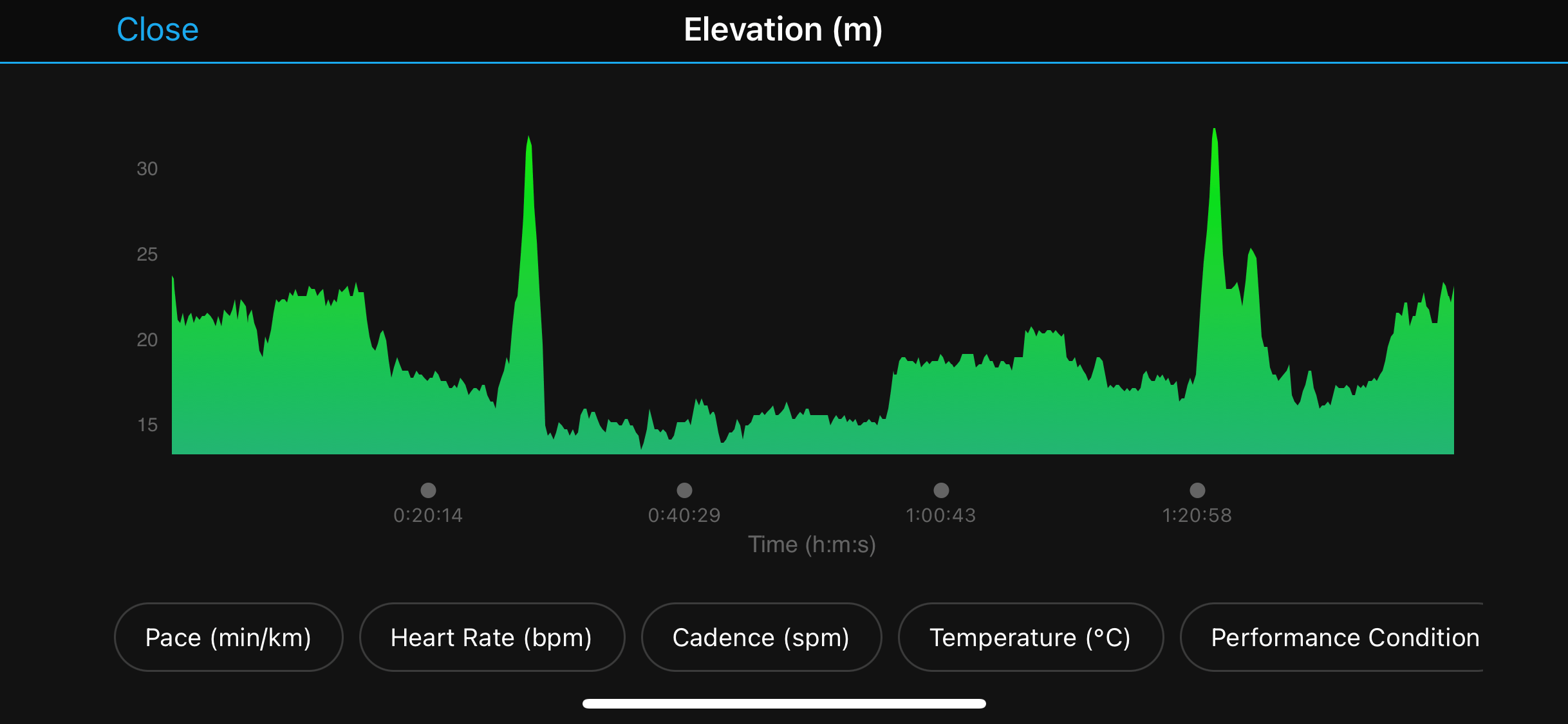
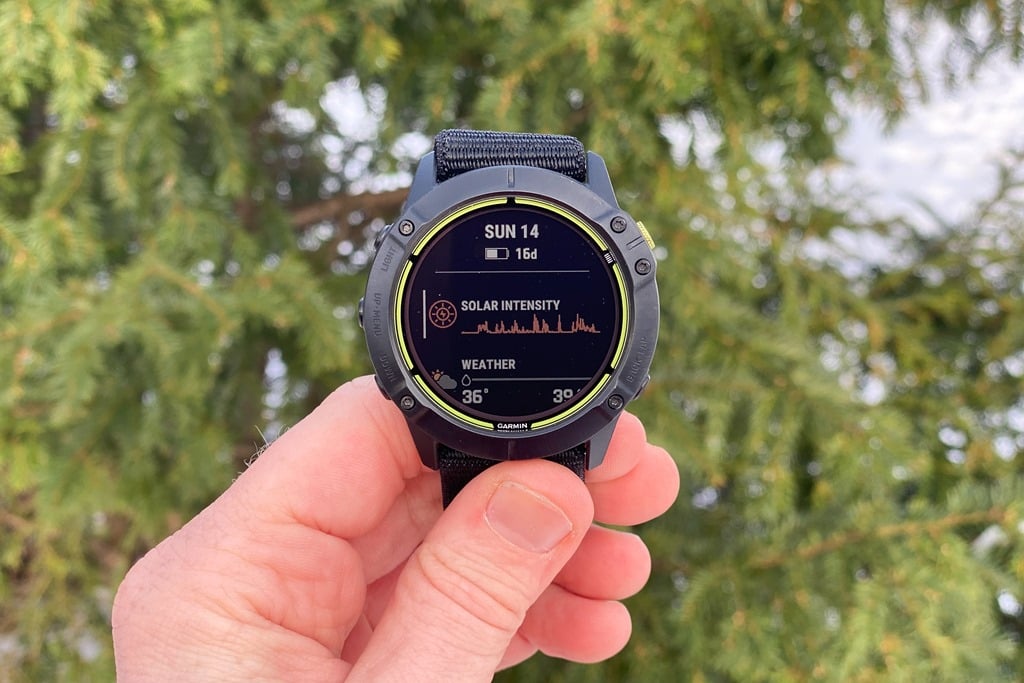
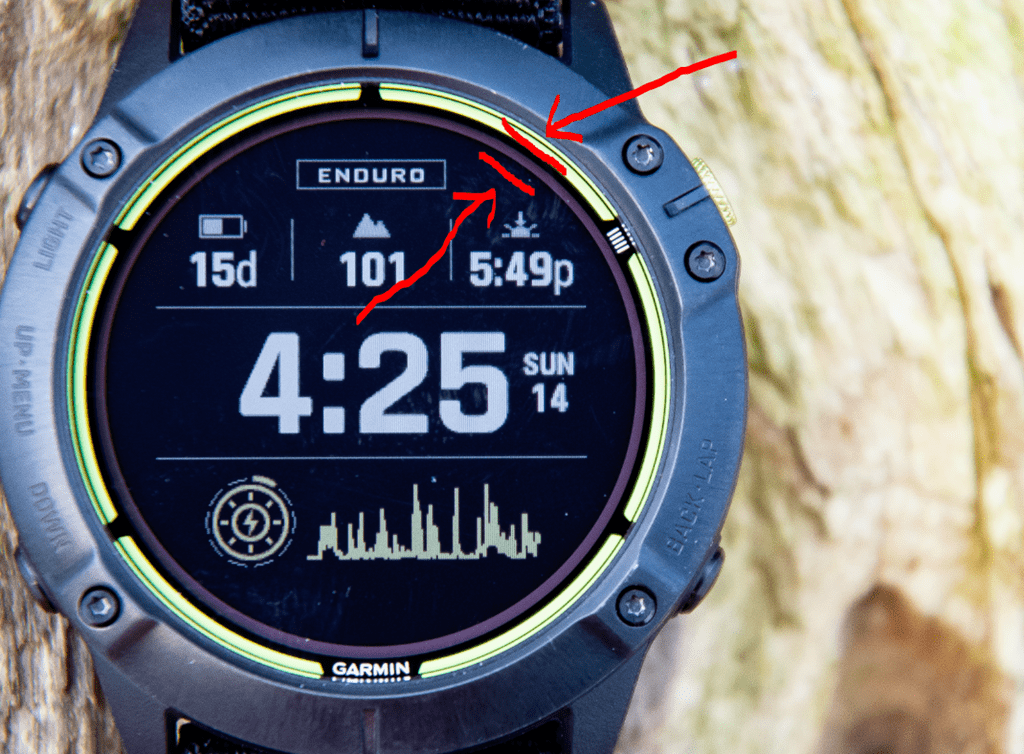
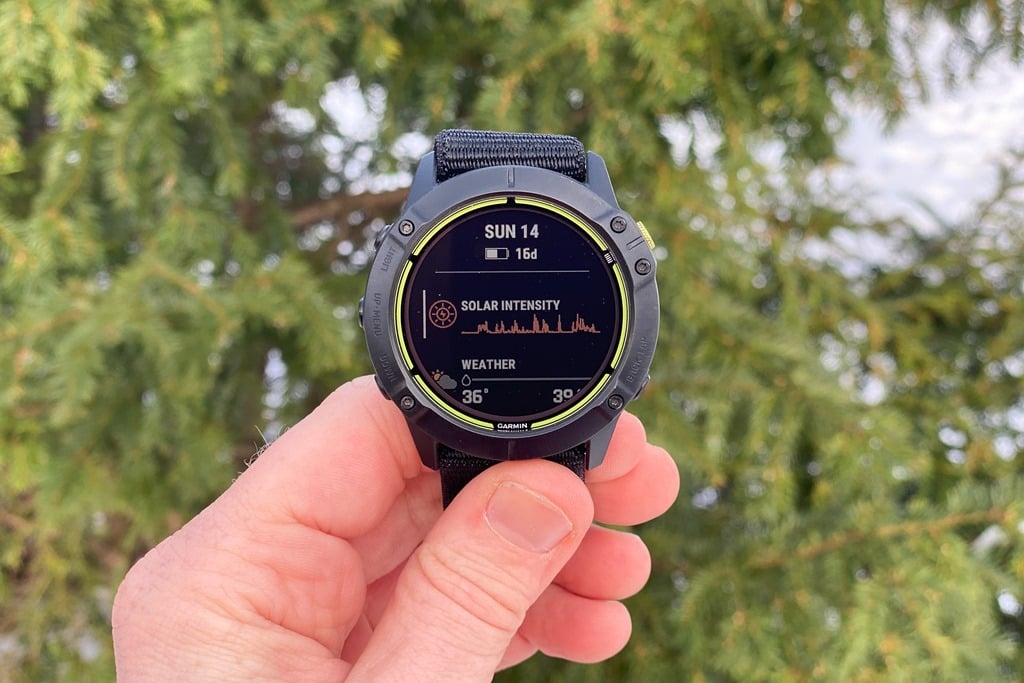
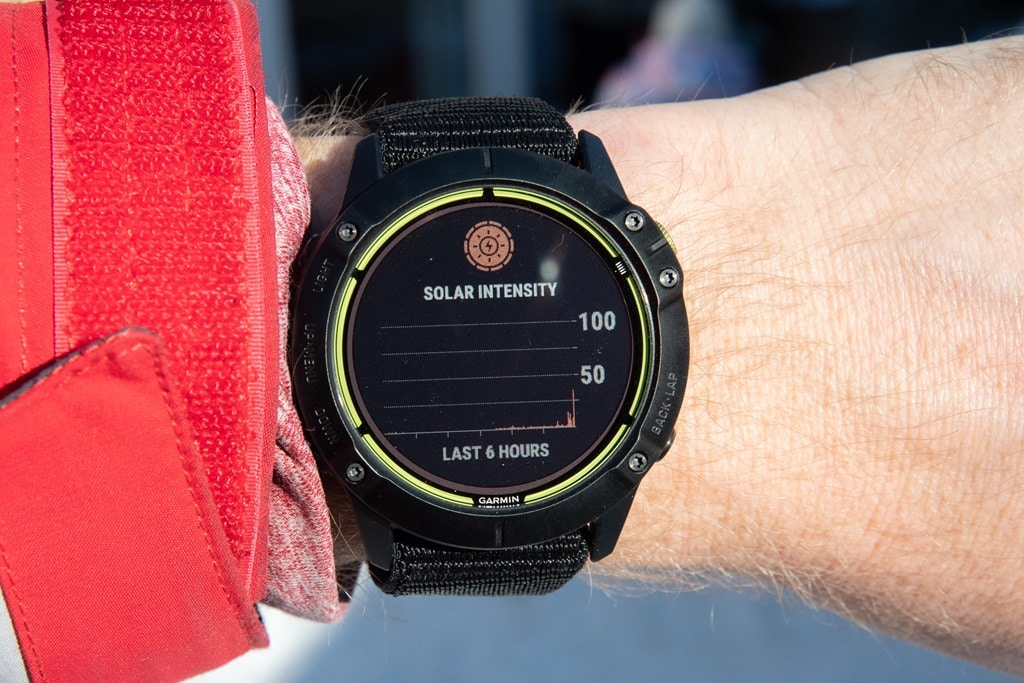
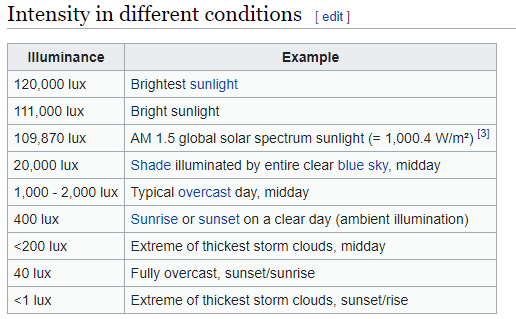
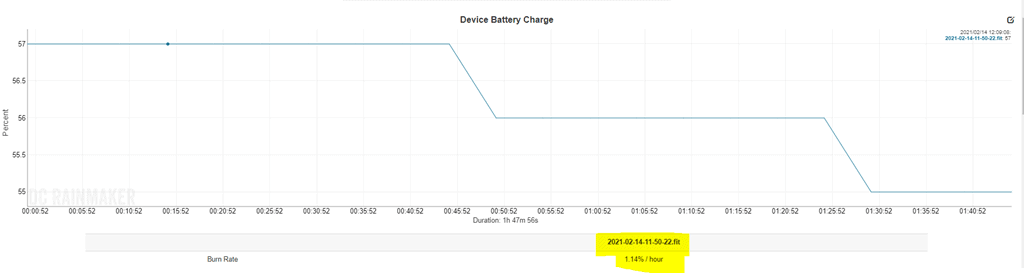

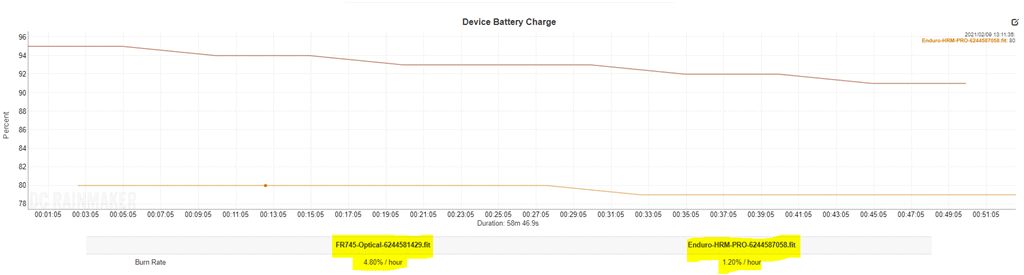
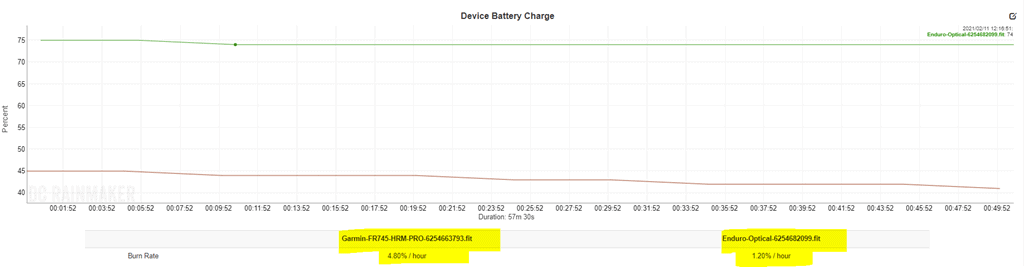
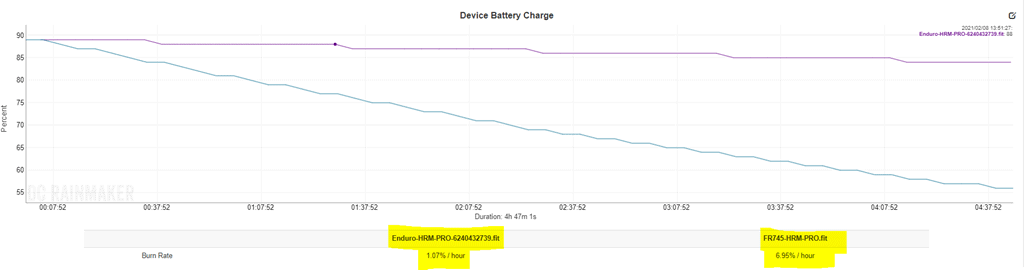
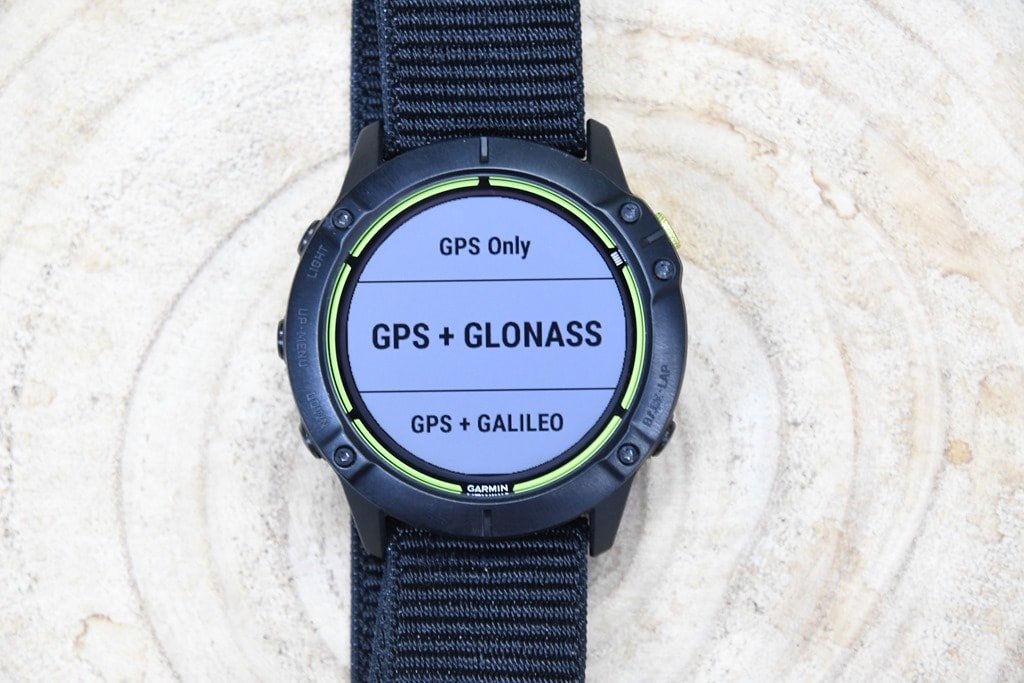
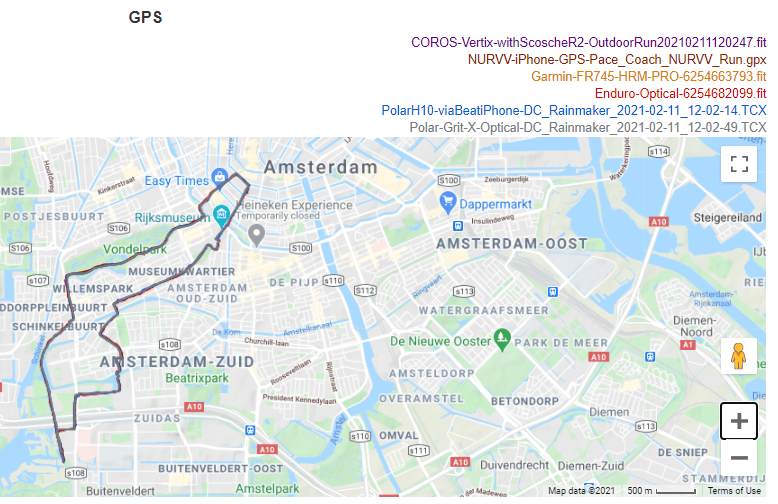
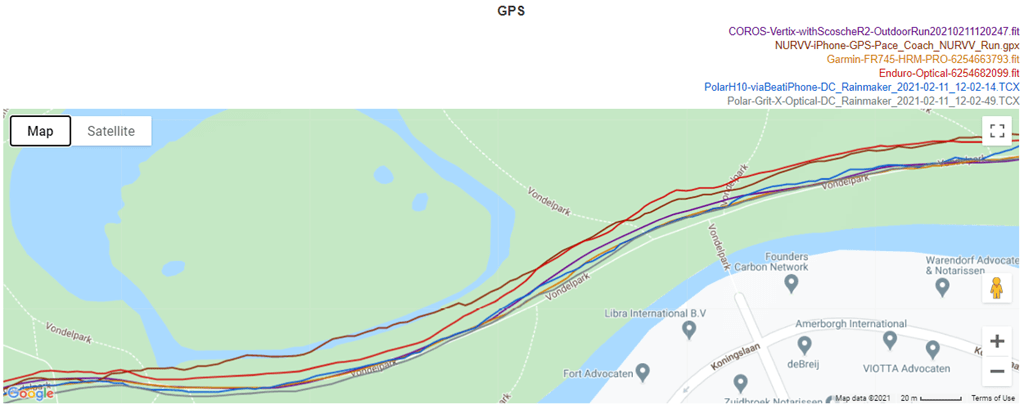
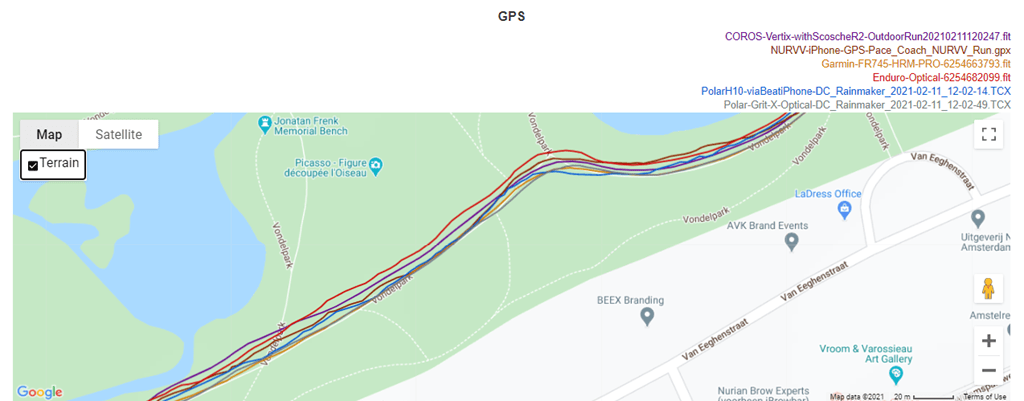

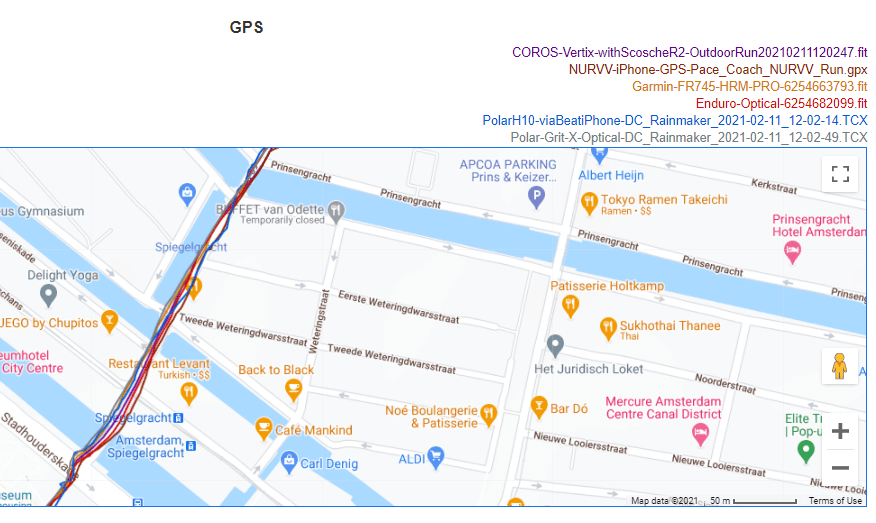
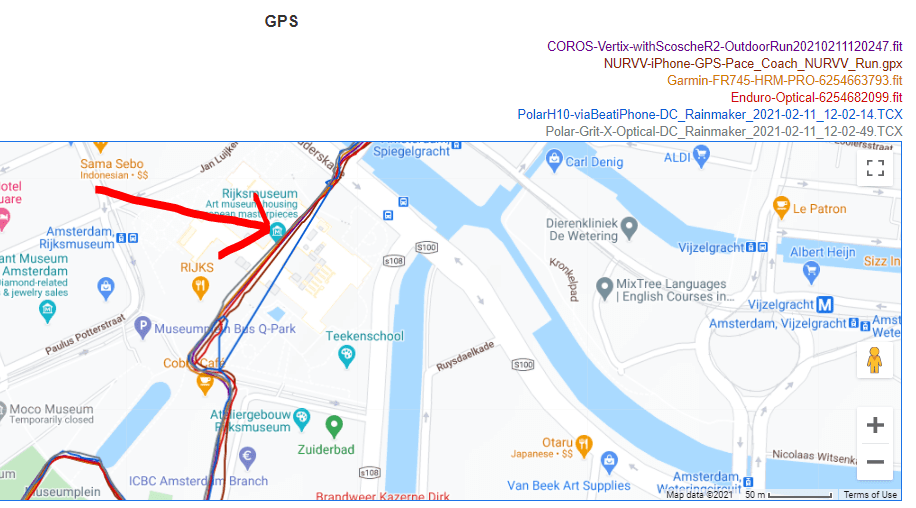
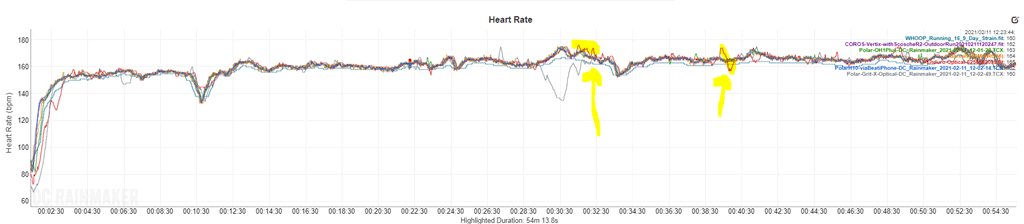
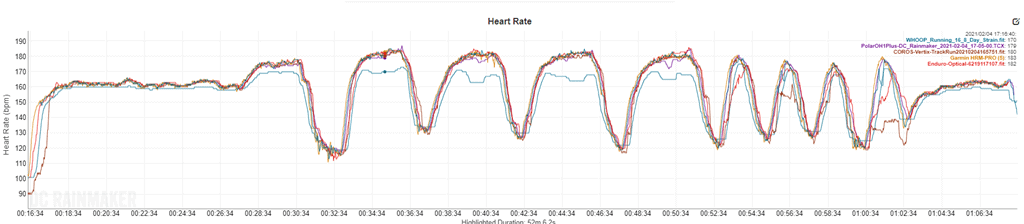
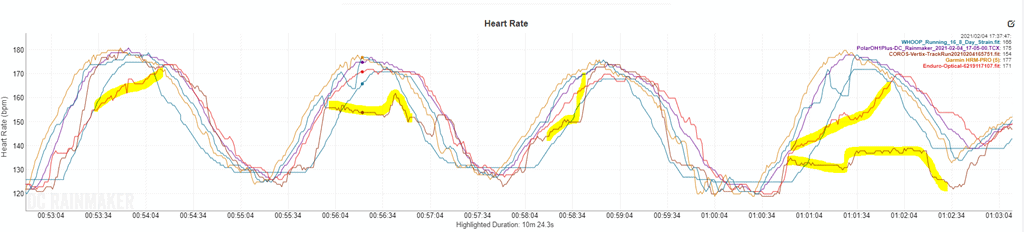
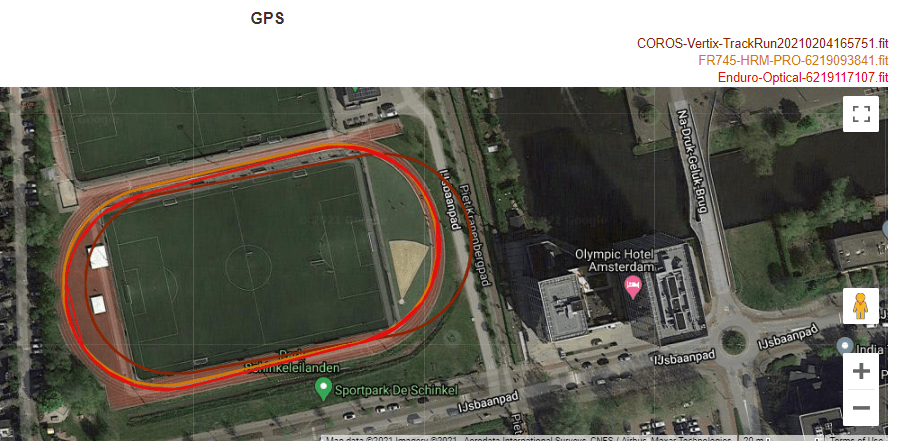
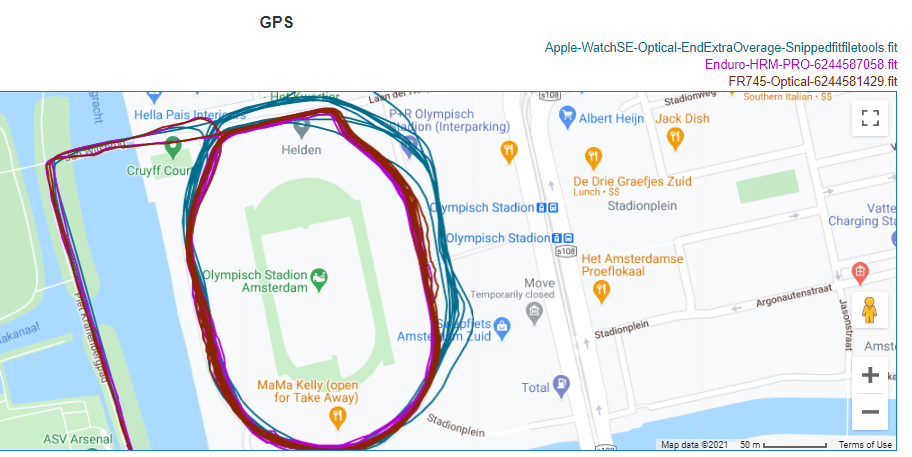
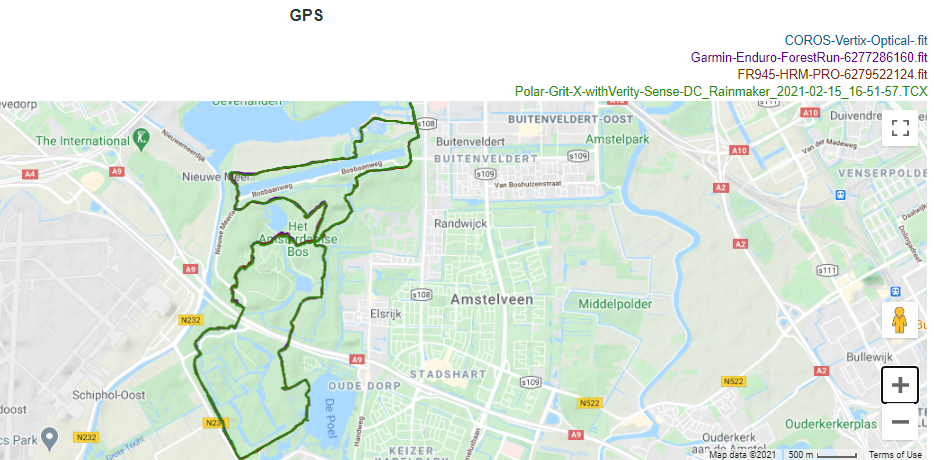
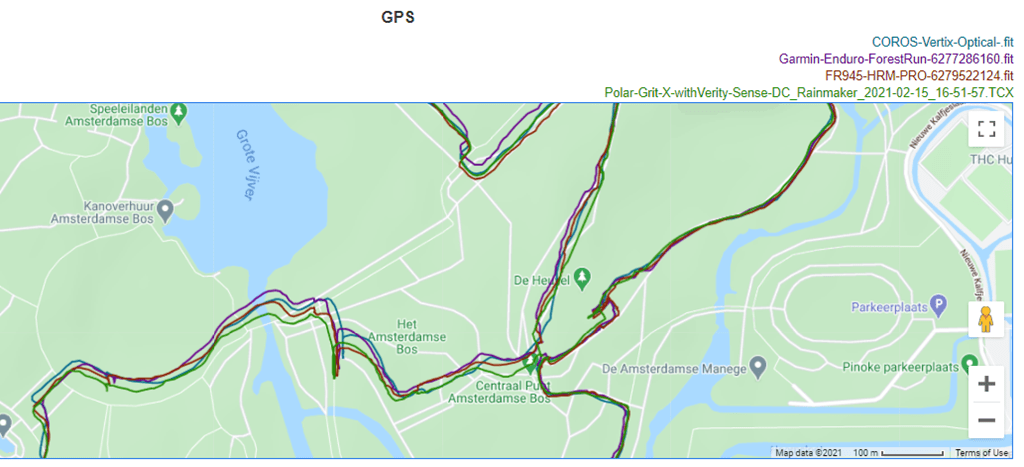
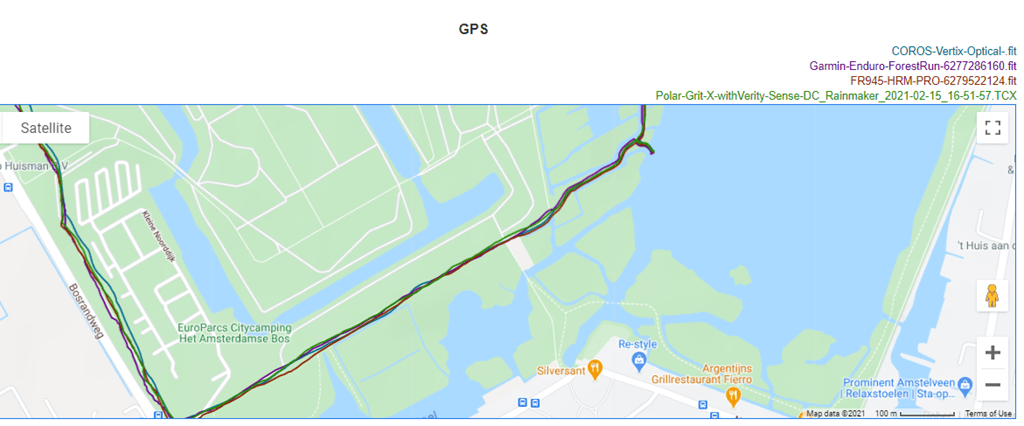
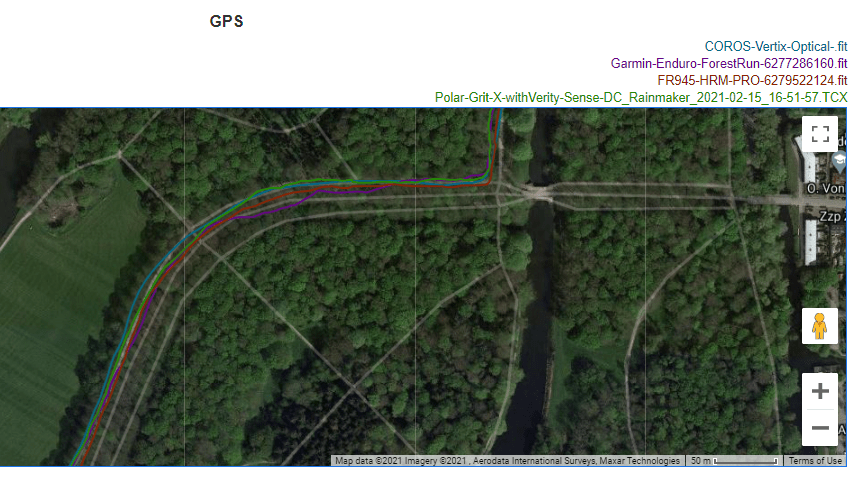

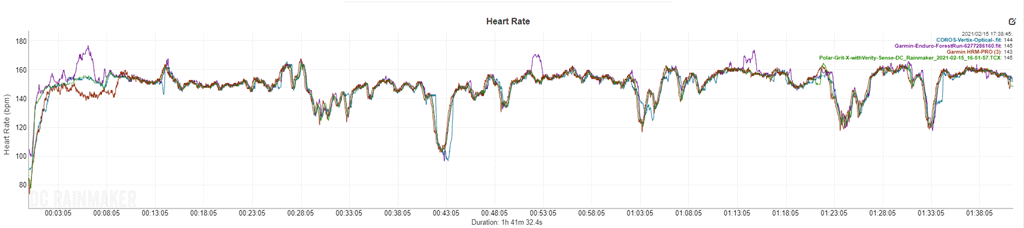
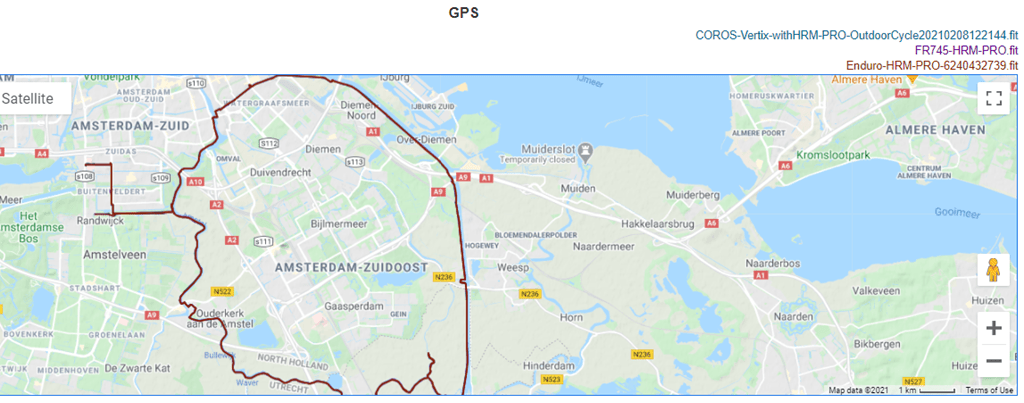
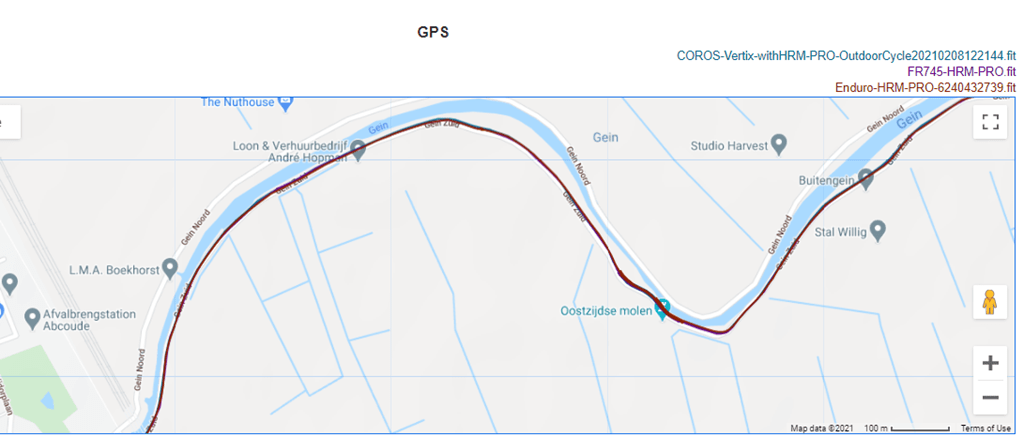
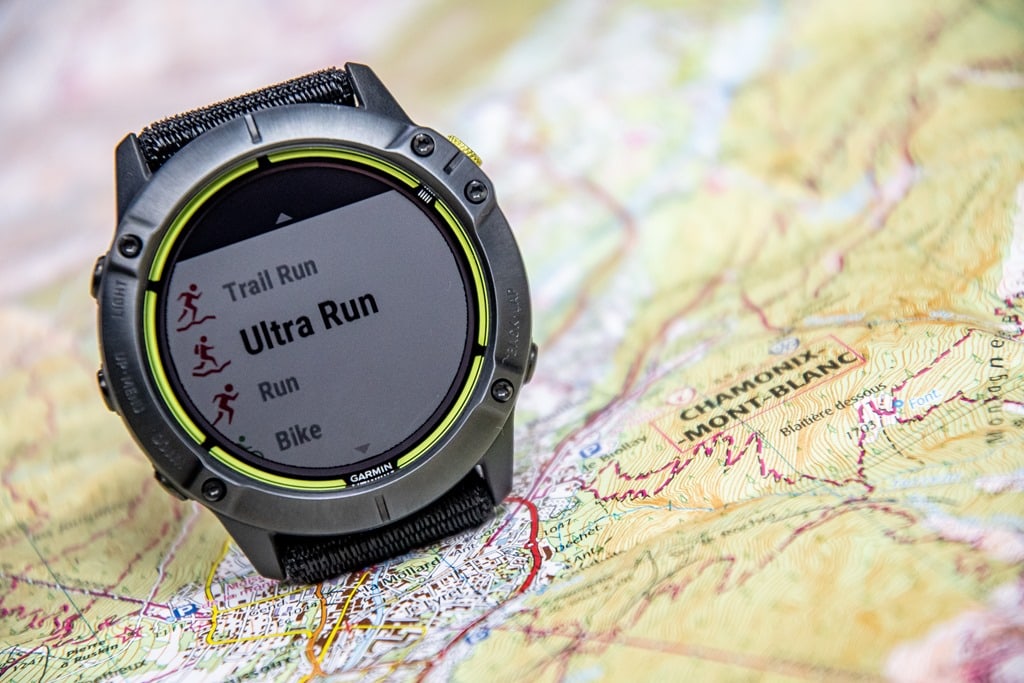
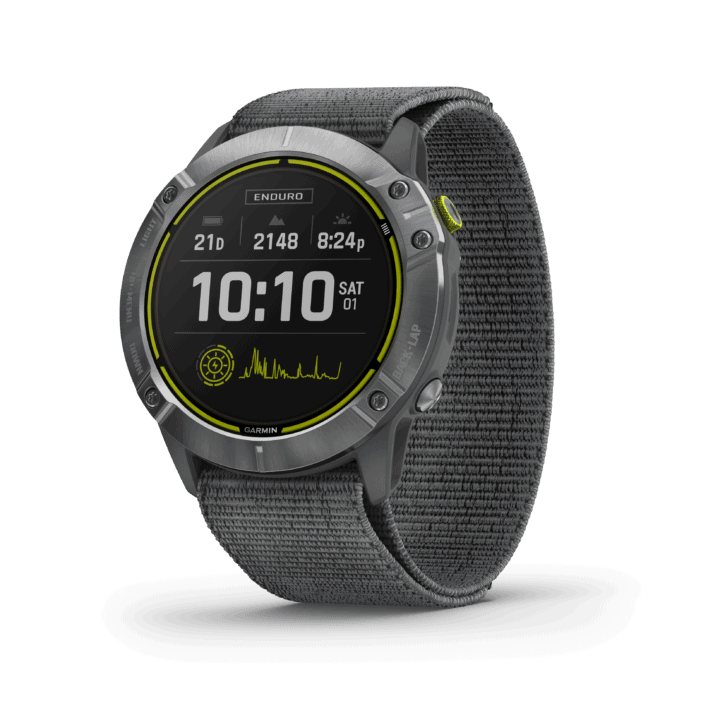
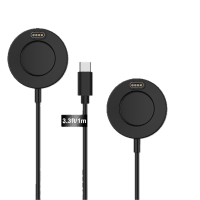
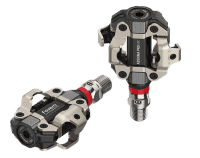
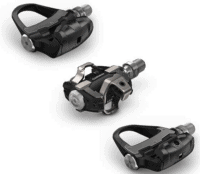
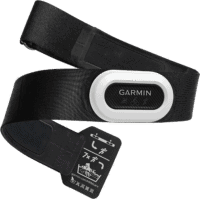
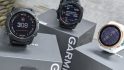
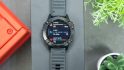
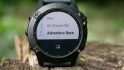
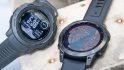



















How much does Garmin pay to hide bugs? :)))
I don’t know, I show them in this review if you were to read it. But…given your comment was posted less than 120 seconds after the review was published, it seems unlikely you read through it yet. ;)
I have already tested in beta Fenix 6
Ok!
Do you know if this or other existing Garmin watches be CIQ4 compliant?
Good question, I’ll ask.
Per the October developer conference, devices with CIQ 3 won’t get CIQ 4, and the only devices with CIQ will be devices that start with CIQ 4.
The videos from the conference are online in the Garmin developer forum.
Jim, your sure about that? I heard them hint that only devices in 2021 would get 4. But I didn’t ever hear them say that nothing that gets 3.X will ever get 4. Can you share a specific video and timestamp? I’ve watched a lot of those videos and like I said, never heard that.
Ok, circling back on the CIQ4/Enduro question, I got an answer today. Or more specifically, I managed to unlock the rare “no answer” achievement: “We can’t address that question right now, but if anything changes, we’ll let you know.”
Many thanks for getting back with their reply. Even if it’s not a meaningful reply from Garmin.
So I guess as ever, if you make a purchase today you buy it for the features it has today, not what it might have tomorrow.
It seems we got an answer
link to twitter.com
It seems we got an answer, on Twitter
Rolling pin for scale?
Coming up! Had to cut a few things out to make the deadline, but you’ll see the feature comparison charts here in a moment, and a few more comparison pictures.
Or more… thickness difference
The body of the Enduro has a weight of 52 gramms, the body of a F6xPS has (only) 54 gramms. So, with the lighter Enduro strap attached, almost the same weight, correct?
ClimpPro with descents and ClimpPro alerts have been added already to the F6 series via beta update.
No maps, no music. Ok, a better solar charging hardware/sw as the normal Fenix 6 solar models.
But people decide, what they will buy…
Yup, I noted that these features were already in beta. And, as noted, everyone else gets the features too. So really just a case of how much ones values battery life.
Btw- not the new Sony multi gnss chip for L1+L5 signal?
Thanks.
If you have a F6xPS in your drawer, can you put the Enduro ultrag light strap on it and and can you weigh that, please?
A Fenix 6X is compatible, and in fact you can already buy the new Nylon straps for it on Garmin’s site….for $50: link to buy.garmin.com
Yes, I’ve checked with 15.20 beta, all the features are here (climbpro descents, lap rest, Ultra trail mode)… But it seems they are not at all described in the release note (link to www8.garmin.com). Actually I discovered this features after reading this review !!
Do you confirm ? Will Garmin document (or identify) this features ?
Any idea if Garmin plans to make the Nylon straps in 22mm?
Ray – any idea if these features are coming to the Fenix-based devices like the Descent Mk2?
I checked on the 22mm, and the answer: “No formal plans to make them in other sizes just yet! As you know, we like to introduce out new things/features and see how they’re perceived before rolling it out across the board.”
I sure hope they make a 22mm version of this strap.
Hello,
regarding the armband, is it magnetic, or does it close with velcro?
Does it stay secure? What about when swimming, or having the watch while riding MTB…?
So far the strap is the highlight for me (that strap on my Fenix 3 would be coool)
Just velcro.
I haven’t had it fall off yet, in any situations. I haven’t been swimming – since the water was frozen lately, and the pools all closed due to a combination of COVID and the winter conditions.
Ray – any more insight into the “underlying platform” change? Does this imply CPU/GPS chipset as well?
I asked about GPS, and Garmin explicitly confirmed it’s the same GPS chipset as the Fenix 6.
“The new element in the mix here is how accelerometer data is being used. We are basically looking for and identifying patterns in how you are running to recognize when more energy than normal is being used to keep pace. ”
Does it use only the watch’s internal accelerometer or would it also feed in data from a compatible HR strap (e.g. HRM-Run, Tri, Pro) and further increase the accuracy of the estimation?
Awww I was hoping for a F6+ or F7!
Any idea which Bluetooth version this has? The F5+ and F6 with 4.1 seem to struggle with Bluetooth 5 truly wireless headphones. Can’t see this detail listed on their specs page but hoping they have updated it
Odd… I regularly use my Aftershokz Openmove headphones with my F6, and it’s been 100%
To be fair I’m only assuming that F6 is the same issue based on forum posts, but the symptoms are identical.
Do your Aftershokz do simultaneous transmission to each ear? There’s a very clear pattern of problems and some very clear demonstrations of the issue such as using a single bud. It only starts to be an issue when an activity is started but it’s pretty consistent
Never mind, I looked them up and they aren’t true wireless buds so I wouldn’t expect them to have the issue.
Doh! That’ll teach me :) I skimmed the article based on the only if you need a bigger battery, basically a F6 and missed the bit about no music! Sorry Ray, I promise to read it all in future…
thanks Ray
we’ve been speculating on where this battery life comes from.
I guess new battery tech is one option but the likelihood of it coming from extra available space inside the shell in UNlikely.
so it probably comes from better-performing components?
we (+@BR) assumed a better board or CPU as the best candidates.
do you have any thoughts or intel on that?
without a new generation of ELEVATE nor the latest Sony multi-frequency GNSS chip do you think it’s too much of a push to call this a Fenix 6.5?
I’m not sure where the improvements come from exactly on the GPS side. When I asked yesterday, they said (in addition to the other underling platform quote):
“It is the same GPS chipset as the Fenix 6 series. However, there have been platform optimizations for longer Max Battery mode battery life.”
I’m not seeing any difference in speed anywhere (positive or negative), but I don’t know where exactly the optimizations are stemming from. You figure that it’s basically been two years since the MARQ/FR945/Fenix 6 components, and those would have been in the pipeline for a number of months prior. So a lot of tech moves on in that timeframe from a battery optimization standpoint.
Garmin talks specifically about “an ultra-efficient processor”. So maybe that’s the platform change they’ve done here, a CPU update
Does it feel slower compared to Fenix 6? Maybe it doesn’t support maps / music also due to a slower processor?
The specs suggest that the board must draw significantly less peak power and maybe half the idle power when under low demand. My suspicion is manufacturing process improvements for the main ARM CPU making it a smaller feature size and thus more energy efficient.
Maybe a BIG-little core dual core arrangement? I think the current Kinetis K28F system on a chip is a single core.
I also suspected maybe 20% more milliamp-hour battery capacity.
I’m assuming the solar glass generates the same power as before, so for example, 10 extra hours vs 6 attributed to the solar glass during normal “GPS activity” means the “GPS activity” draws ballpark half the power.
Is it actually thicker? It looks like it’s exactly a fenix 6X pro solar case. This seems like a new generation platform.
Another good review, as a Fenix 6 Pro owner I’m delighted that Garmin continue to distribute updates across their platforms, this is the main reason to moved away from Polar after many years of loyal custom (that and the terrible Vantage V battery life in GPS mode).
Garmin thought that everyone would now use Trail Run and Ultra Run for regular running. :D
To be brutally honest, a lot of the features cut out are ones which I do not give two hoots about. I actually wish they’d sell a watch without pay, music etc, at a cheaper price as I don’t want to pay for them. At the price they are charging though it’s a very tough sell indeed, even to someone who doesn’t care about those features being lost.
Does the Instinct cover that base?
Yes it could be, been seriously considering an Instinct Solar, the only catch is that it doesn’t allow you to connect external sensors (Stryd for example).
Agreed, the instinct solar seems really great they just miss a few pieces that I would like. External sensors, not a fan of the small screen, etc. A 945 solar or a 235 solar with enduro life would be great.
The screen is not that small.. I love my Instinct Solar.
I don’t need all those extra’s, but the instinct solar is not perfect either…
-Gps connection is great, but sometimes it takes a while to find it
-I don’t mind the navigation with breadcrumbles, but I would love a instinct solar with great map!
So… You should go for it ;)
I thought the Instinct could connect to sensors. I have mine paired with my inReach, for example. ANT+ and BT I thought?
I gather the Instinct can connect to some sensors, but does not have CIQ, which is needed for Stryd footpod – or at least to get the most out of it.
“Nacho Cheese Machines (Blue Cheese Smart)” is an interesting thing to connect to, huh? :D
I wondered how long it’d take for someone to find it.
Does garmin ever state how long they will support a device. Worried that the fenix 6 will become un-supported soon like my buddies 5x.
I also wonder about garmin’s release cycle, it seems like all watches are so good now that people will not abandon ship for the next model. Eg. The 235 is still going very strong, maybe considered the best gps watch ever. Would love to see your list! What could a 955 realistically have that sets it apart from the 945
My Garmin 2014 Garmin 920 got a minor update not so long ago.
The biggest area of redundancy as I see it is CIQ. Currently they are CIQ3, with talk of moving to CIQ4.
Which watches will be upgraded to CIQ4 I wonder.
Kind of depends what you mean by “support”. If mean will it still work with say Garmin Connect and generally do what it did what you first got it then, it seems, pretty much forever. If by “support” will it get new features that you did not know might be available when you got it then clearly a different story. I think, in many cases, the older hardware cannot take some new features and/or much, if any, more codebase. That’s aside from the obvious commercial questions companies need to wrestle with to strike the right balance between giving good customers a good deal and having no real reason to buy their latest products.
I almost stopped at “no maps”… read the rest just for fun though. But for me this is a deal killer.
I agree. It’s a major omission to me. The watch is all about adventures for long durations. When I was a boy that would mean a paper map and compass at least. But Garmin don’t agree.
Maybe the weight would be too high with 32 GB of memory and maps :)
Who really need maps for trail running, if you are running in an unknown enviorement? (j/k).
I doubt this particular model is intended as a one-watch-does-all offering. Map navigation is not missing, it isn’t one of the intended purposes of the device.
People that want to go on an extended adventure will need to include ~10 oz worth of Topo mapping capability in paper or in the form of another device. Not a big ask, and I suspect most already were carrying reasonable self-rescue supplies.
If it has all the hardware, it should certainly be an option. And it costs $900.
Maps is a huge loss….
Who’s using a watch like this?
People who are on trails/mountains/ultras etc….
They need the maps the most!
Exactly. I bought my Garmin Epix, years ago now, exactly because lost on a mountainside in the rain with a waterlogged mobile phone I needed those maps to get back to civilization again. How can they sell a premium watch for folks that run in the wilderness without maps? What were they thinking? My Epix is at the end of its life now, and I need a replacement.
It still has route navigation, that’s what ultras are using.
The marketing photos of the Enduro show maps on the watch.
Nothing current does. There was a single photo that apparently some media organizations (or just one I think) had/used, but I didn’t see that in the press pack. So clearly just an error
Either way, it really doesn’t have maps on the watch, and simply has no storage for it anyway at only 64MB.
Hi Ray,
what is the real benefit for you if you compare a Fenix 6xPS with the Enduro?
Only the better solar hardware/sw for better battery consumption? Almost all features are already available for the F6xPS (and other devices). The weight? If you spend 50€/$ for the new ultra leight nylon strap, you have almost the same weigh. If you take a look at all the missing parts (maps/music/wifi…), why should one buy the Enduro except longer battery life?
None. That’s the point I tried to make many times in this post.
Now, if that changes long term and we find out the Enduro is really sorta a next gen device, then it might differ. In the same way when MARQ came out, we didn’t know until many months later it would mirror all the features of the Fenix 6/FR945 series, whereas the then top-dog Fenix 5 Plus had reached end of the status).
But I’m less convinced that’s the case here. I think this is just mostly Garmin looking at an easy target from a dev standpoint, and doing what they always do: Build slightly different variations that attract a potential niche, and then grow it from there. Or just roll the tech to other watches they’d have done anyway.
For a pricing from 499/599$/€, ok, but..
Yeah, I don’t really understand the pricing either, but I think at this point it’s fair to say Garmin does. And, given their earnings and market dominance, they seem to have that part (mostly) figured out.
They falter now and again – for example the Venu/Vivoactive 4 pricing at launch wasn’t really ideal, and we saw them adjust. But for the most part, it’s pretty rare.
Ultimately, for people that want it, they’ll buy it. Else, they’ll buy something else.
Really can’t understand why they removed maps for that price…. I was almost ready to pay right here 700$ to upgrade my 945…. Without maps – it’s no go :-(
Except from a reduces change your watch is out of power when you want to go out for a long run/bike there is an other important issue with batterylife: batterydegeneration.
The battery will degenerate over time (my forerunner 935 is down from 20+ gps hours to about 10 in 4 years time)
If you start with a huge battery life, you end up with a decent battery life after many years of use.
Second, batterylife is degenerated by charge cycles. A huge battery life means less charge cycles means less battery degeratetion.
I have to say none of my smartwatches have done this so far and I’ve had lots and charged them all regularly. My 935 is as good as when I bought it and my Fenix 5 still surprises me how long it lasts. Polar and Suunto similar results. Have you contacted Garmin? It could be that you have a defective unit.
Same here. I purchased the 935 shortly after it was released and never take it off. In December I did an 18 hour run and finished with plenty of battery life left. I normally turn the heart rate monitor and activity tracking off for these very long runs, and have GPS set to just GPS rather than GPS+GLONASS. It’s still a fantastic watch!
My replacement (for optical sensor cracking) 935 has been going strong for the last 1.5 years. I am somewhat tempted by the Enduro for the extra battery life, new features and bigger screen. OTOH, I definitely use course navigation from time to time, so would probably get some benefit from maps.
Hello, excellent review, as always!
One thing I wonder: what about barometric altimeter? I assume there is any, right? If so, was it level during runs without to much ups and downs? The results of my Instinct are really disappointing in that regard…
Yes, it has a baro altimeter. You can look at the data in all the comparison sets if you want – but, it at most fluxtuates 1-2m across the entire activity (save the few I went over bridges or such). Around these parts, there’s not much room for hills. And normally I’d zip down to the Alps to do more testing.
I had considered going to the south of the Netherlands, where there are a couple hills, but the recent snowstorm totally killed the viability of that.
1-2m on flat runs sounds awesome. Last cross-country skiing I started about +8m and ended at -111m, according to my Instinct. The activity ended at the same spot and was slightly more than 5km…
That was probably the result of a weather change (pressure) during the workout. Usually the watches are good at picking up if the barometric difference is the result of an altitude or weather change, but now and then you get stuff like that. Not sure about the Instinct, but on a Fenix you can change the priority of the barometer (auto/altitude/weather). If for example you live in a mostly flat place, it makes sense to give priority to weather changes.
The behavior of the barometer is a known one for instinct users and I have yet to see a plausible height-profile on various hikes, cross-country-ski or bike trips. Nice to know the Fenix 6 has that functionality. Does the Enduro has that function as well? The manual doesn’t seem to be online yet…
Does the rest timer have to be started as well as stopped? It looks like in your description layout, all options were in relation to a ‘start’ but I assume the button has to be pressed again to end the rest period.
Also, for those that use lap pace, lap hr, etc. What does the rest timer do to the laps? If I have autolap set for every mile, but the rest time occurs within the mile, will the rest period be ignored in those lap calculations?
From using it in the F6 beta, yes it must be both started and stopped, and no the time won’t be ignored in lap calculations, and nor will any distance you move during the rest.
During the rest phase, time and distance keep accumulating, so your lap time will go on increasing.
The advantage of using the lap key for lap and rest would be separating out the aid station time completely, letting you see just how much distance you accumulated faffing there as you move on, and keeping the lap paces representing your moving pace, at the expense of irregular lengths and occasional unintended laps if your focus drifts as much as mine does on longer races.
I see, thanks.
Tought they were going to add wrist-based power and also support for native run power :(
Hi Ray,
you have swapped in battery duration modes description of Coros Ultramax and Std.GPS Workout mode.
Cheers
Mike
Thanks for a great review again :-).
I can live without wifi and I can live without music on the watch. The big showstopper for are that there are no maps. Use that all the time. Is it possible to download maps on the device. For instance topographic maps over Norway (cost a fortune at Garmin) but just wondered.
Havent they never thought about mounting a Solar Cell at the upper (and lower) fixing side of the band (not on top). Think this would also be safe enough because its behind the strap fixing, and when the display gets (in)direct light, also this part gets (in)direct light, but the potential surface for sunrays is much bigger.
I think maybe I am oddball in this sector. I have a 935 that I use for some runs, maybe 1 to 2 per week but mostly bought it as a step/sleep tracker with great standby battery life. I primarily bike and thus use my 1030 plus.
I would love to see a 645/945 with the enduro battery life platform. I guess I would even love a 235 with the enduro battery life.
I want a step/sleep tracker with really long standby batter life that I can use as a 1030 plus back up when traveling and track a few runs.
Sure wish they’d develop a product that would drop the onboard HRM to save both space/size as well as battery life. Any serious athlete that I know of uses an external HRM anyway.
I entirely agree.
I guess their customer research has come to a differebt conclusion though. Shame.
The 920 was the last of the great non-hrm watches.
Ray has indicated elsewhere he doesn’t think that’s an avenue they’ll pursue either.
They’re trying to get us to wear these devices 24/7, so in that sense having oHR makes sense. But, I would rather wear a separate device (like an Oura ring) than a watch anyway myself.
For Garmin that probably doesn’t make sense, as all their calculations for training load, body battery, stress and advanced training and recovery metrics from FirstBeat that differentiate their higher end products all require as an entry input 24 x 7 heart rate. That might be a good product for Coros, though, I would think.
Good point, but with TrueUp it’s possible to leverage another device for all the non-activity HR metrics (I currently wear a Vivosmart for that reason – but I’d rather it were smaller, like a ring).
I guess the hope is that oHR becomes smaller and less obtrusive to the design and battery life.
Totally agree! I wish they would have made a complete sports-only-watch and smashed out everything of the non-sport overhead! All firstbeat-metrics that are based on training are enough to plan and look at progress. The hrv-stress-test gives the insight for readiness on top. So no need for steps, breath, stress and the rest of the fitness tracker crap. That pure sports-watch would be my favorite device for a price of max. 500 $!!!
My feeling is there are ALOT of us with this same mindset. I’d even take a non-OHR device that’s slimmer and gets better battery life for say even a $50 discount off their normal price.
Unfortunately I don’t think taking out the OHR would lead to that kind of price reduction, it wouldn’t be worth it to them to have 2 avenues in their production stream for example.
But if a true successor to the 920xt came out, purely focused on sports, I’d be all over it and I think alot of others would be too.
Hi DC – awesome review.
But I think there is a mistake – music is supposed to be on the watch as mentioned on Garmin’s website. Could you clarify this?
Thanks and sporty regards,
Paul
Just music control, not music onboard.
In relation to that, is it a mistake that the watch can connect to bluetooth headphones to the watch if it cannot play music? Or is there some other use of headphones on the watch?
Where do you see in Garmin’s website that? There’s no method to pair it on the watch.
Headphones is the very first item you have listed in the box following: “The Enduro supports all of the following both ANT+ & Bluetooth Smart standardized sensor types:”
Ahh, gotchya. Thanks. Fixed!
With only 64MB memory on board , the music part gets thrown out pretty fast
Excellent reviews!
So what does Garmin do differently than Apple to have their batteries last magnitudes longer?
It’s all about the screen. Mostly.
And the OS, I suspect. The Apple Watch is running almost the same OS as on the iPhone (on a very similar chip). That is why adding apps to the Watch is so much simpler. For Garmin, Connect IQ is more of an add on.
Impressive figures! The benefits of longer battery life aren’t limited for extremely long outdoor sessions, but are also available to the “average” user – it simply means less times you have to charge the watch – and I like it. Battery life is already a huge advantage for Garmin over Apple/Samsung watches, which you have to charge basically daily…
The UltraFit-Nylon strap is nice. Will there be a 22mm version.
Do i read your reviews?
Well…there is this gem hidden in plain sight!
“Nacho Cheese Machines (Blue Cheese Smart),”
Perfect!
Just wondering, how/where do you get the information from, that the beta, containing the new features for the F6, will be released to production? :)
I asked Garmin.
Makes sense, thanks for the feedback! :) Looking forward to install it on my F6X.
I don’t get the yellow ring. People that love it will love it. But I believe the number of no-love-for-you-yellows is bigger.
totally agree. I wouldn’t buy this because of that yellow ring alone. Not sure who at Garmin thought that was a good idea. I want my watch to be invisible on my arm not stand out.
I agree there too – I didn’t like it on the MARQ, and it’s less than optimal here too.
Even further, the area occupied by the yellow ring seems like missed opportunity for a bigger PV panel (extending from current PV panel all the way to the metal bezel)
Exactly!!! And it would actually look better.
acousticbiker said: “Even further, the area occupied by the yellow ring seems like missed opportunity for a bigger PV panel (extending from current PV panel all the way to the metal bezel)”
I’m guessing it’s a supply chain efficiency consideration in that they have the same PV rings they use for the 6X they need to use up and that hopefully a bigger one will be included in the F7.
On a separate but related note, I hope we see solar integrated into the next round of Edge updates given the much larger surface area never under a sleeve.
+1 on this one. It looks terrible
Hi –
Thank you for this info.
While I know this is not a hiking site (of course, many runners also use poles), Garmin watches have a major problem accurately counting steps while using trekking poles (currently using the Instinct but the Fenix and others all suffer from this).
Do you happen to know if this product accurately counts steps while using trekking poles? I plan to hike major trails such as the PCT and Colorado Trail and will use poles for those adventures often and want correct step data.
Thanks again.
Ever tried a foot pod?
Thanks, Niklas. I did not but on numerous Garmin forums, folks have and did not get the same result.
Not getting correct steps when hiking between five to 12 hours a day can be pretty frustrating. Never a problem if you are not using trekking poles (easy terrain) but a major bummer when you’re going vast distances with poles. The only solution is to put the device in your pocket (which many thru-hikers have not pockets wearing runner’s shorts).
There also some chest straps, like HRM TRI, HRM RUN and HRM PRO, that should give you steps.
Hi Niklas, but how do you setup the Garmin to get steps from the heart rate monitor instead of from the watch it self?
off topic, but youre the gold standard of reviews!
thanks
I would remove the HR and add maps. I do understand the trend of SpO and getting all those metrics but for ultra trail I don’t see the benefit of having an optical HR on the wrist.
Having started with Fenix 2 and had F3, skipped F3HR, F5X, F5Xplus and currently with Fenix 6X I cannot see any reason for getting the Enduro. Maybe a Enduro Plus with Maps and without HR, bringing back the charging cradle to allow charging on the go. If one disables the unnecessary gismos for ultra run or ultra trail the battery duration is pretty good on the F6X.
I think all of the people who are voting for the removal of optical HR on the wrist are forgetting the value of heart rate and even more importantly heart rate variability to the rest and recovery metrics.
Probably nobody is forgetting that. They may be like me. I don’t care about “rest and recovery metrics”, and ignore whatever my devices say. Like me, they may not wear their Garmin watch all the time; I have an Apple Watch 5 for daily wear. In my specific case, I want a watch for cross country skiing. I use a Fenix 5+ currently, which works great, but since I wear it on the outside of my clothing so I can see it the HR hardware in the watch does me no good at all (I get HR from either a chest belt or a Rhythm24). But since the HR detector seems to be a cheap part of the watch, Garmin will probably never make a Fenix without it. Leaving it out in a separate line probably costs them more than leaving it in all of their watches.
During the activity a HRM will use its own battery. After the activity another device with OHR will cover 24H HR tracking.
Not everyone has two Garmin devices, but some do.
Not only that but it would make the device thinner and presumably lighter. Look at the original Vivoactive, that device was amazingly small and light.
Ron, if you are really care for HR then just use a belt HR, it is the accurate, OHR are not the gold standard, and depending on a lot of conditions 10bpm off the real HR.
Ray – do you know if the new features (esp. trail run vo2 max) are coming to the Descent MK2? Thanks!
I have no interest at all in this watch, yet I still watched the video and read the review…. I’m sure this makes me some sort of sad DCRainMaker Junkie
Thanks as always, Ray! A few questions:
+ Is it fair to assume this means a Fenix 7 release is not imminent (and more likely in the fall, 2 years from the F6 release)?
+ No native running power (of which ‘winds were blowing’ a while back) – fair to say this might be pushed to the F7?
+ The Garmin website description says this about Backcountry Skiing – does this mean no more manually indicating ‘climbing’ or ‘descending’?
Stay informed when you’re in the snow. This preloaded profile can distinguish between skiing and climbing. It automatically shows metrics specific to either ascent or descent.
+ You included these features as ones Enduro users would lose out on compared to the F6 but PacePro and ClimbPro are not available on the fly (without a course) on the F6 either, right?
No PacePro on the fly (since that requires maps), but you can do PacePro based on a course
No ClimbPro on the fly (since that requires maps), but you can do ClimbPro based on a course
These are good question. Did you get answers ?
Sticking to my 935 (still an excellent watch) waiting for a Garmin watch with maps AND native running power support (including using external devices like Stryd – don’t say this is a crazy request, since this has been the situation for cycling power meters for ages now)…
Running power is still in very beta version, Stryd had already said that they their power running is not real power.
One) I think the chief in-Garmin competition, specially considering features, is Instinct Solar, not the Garmin 6.
2) The Music and WiFi Sync eat battery like kids eats candies, so I think they have no place on a battery saving watch.
c) My problem with UltraTrac (the battery saving on other Garmin watches) is that it gives you awful GPS plots… It looks like a kangaroo, jumping over the path instead of following it.
“Unfortunately, I’m neither hot nor high right now.” ?
Do you feel that the boost in battery life (at the expense of the Maps, Music , WiFi sync, PacePro and Climbpro warrants the pricetag? The price tag creates(?) this assumption that battery life the most important feature overall for a smartwatch, do you believe this to actually be the case ?
Why would they create this other than a proof of concept? I don’t get who would use this outside the military or some guy who lives in the middle of no where Alaska with few power sources?
They are aiming at the people you said, but also for those who wants to go someday to Nowhere Alaska
This almost assuredly aimed at the Coros fanatics, who (for unexplained reasons) ONLY value battery life, and not any other features whatsoever. Don’t get me started on the fact that most of the Coros Cult members are there because they get free stuff if they shout at others that Coros changed their lives. Use my code for a FREE band omg.
I could see this being useful for a serious ultra runner or triathlete who is looking for fewer charges on their watch and more general up-time. It also serves as a way to get all these new features in front of eyeballs. I won’t necessarily click on an ad about the new climbpro features but I will read about it here.
Hi,
Great review!
Will the rest timer be coming to other types of running than “ultra run”? As I understand it, this feature would be perfect for doing interval training without pre-programming the training session (for example the number of intervals).
Best,
Martin
“ And yes, the Fenix 6 & MARQ get those feature updates today in a firmware update (well, they were in public beta a few weeks ago too), as will the Forerunner 945 & Forerunner 745.”
How do I read this sentence?
1) Today the F6, MARQ, FR945, and FR745 will get Trail Run VO2Max.
2) Today the F6 and MARQ will get Trail Run VO2Max. FR745/945 will get them at some point in the future.
The F6 and Marq have a beta that’s available with those features.
The 245/745/945 will get them at some point in the future. Might be a long wait, as these devices are also waiting for the sleep update that was promised in November 2020.
Maps consume lots of power. When I want long battery life – I usually disable the map layers on Fenix 6x pro so that I just have a breadcrumb trail. I suspect that is how they are prolonging the battery life. I disable pretty most of the junk – like HRM, pulse ox wifi, BT etc. I actually like that Fenix 6x pro allows one to disable pretty much everything compared to say a Coros Vertix which doesn’t (can’t disable HRM during non-activity mode or BT etc). So, it seems like Enduro has achieved higher battery life by just hard disable of certain features which can be done on Fenix 6x anyways. My point is you can get the same battery life with Fenix 6x pro or solar by going into the max battery mode during activity mode. Perhaps there is a bigger battery which helps as well. But with Fenix 6x pro I can get almost 66 to 80 hours if I look at breadcrumb trail every 0.25 miles or so in max battery mode during activity mode.
Yes maps consume a lot of power and the heuristic I use is to not display the map unless I’m actively in need of navigation.
But I don’t think that is the story here. Garmin entirely disregards map and navigation in their burn rate estimates. The enduro incidentally has the non-pro feature set but also at baseline consumes a lot less power.
Ray is spelling this out in the video. The Enduro has different platform (processor) and a larger battery, that is how it gets much longer battery life. I would assume there will eventually be a fenix7 with that hardware. Put I am perfectly happy with the current fenix 6X to be honnest.
If the underlying platform changed can you run one of the connect iq benchmark apps on it to see if you performance changed? Does the amount of memory the different app types have access to have different values from other watches?
Hey Ray. You have an error in your review regarding the case materials. I know you’re more focused on the tech vs. the materials/design, but it’s important to get those correct as well for people looking for a nicer all-metal watch.
The Enduro watch cases are not stainless or titanium. Per the Garmin specs, the CASE MATERIAL is “fiber-reinforced polymer with metal rear cover”. The BEZEL MATERIALS are stainless steel or Diamond-Like Carbon (DLC) coated titanium.
If someone wants a Garmin watch with a metal case, the Marq watched (and Chronos before it) are the only options.
Thanks – tweaked to bezel vs case!
Hi Ray,
The Felix pro (solar) have ANT+ TRAINER CONTROL (FE-C) capability
I’m using mine very often
Thanks – yup, database now updated (and thus ,the tables). Thanks!
True…I am using it with my Cncept2 indoor rower (with the PM5). Works like a charm with the Garmin indoor rowing app. All necessary data are exchanged.
Hi Ray! Thanks for a nice review. In your comparision chart, you say tyst Fenix 6 pro has not trainer support, bit I think thats is wrong now a days… link to dcrainmaker.com
Thanks – yup indeed, database now updated (and thus, the tables). Thanks!
One thing I just don’t understand. Why dobbel the storage of it can’t have maps or music? Possible add on for the future?
Enduro has 64 MEGAbytes vs F6X 32 GIGAbytes. This swap likely allowed for the reportedly larger battery (and thus no music or maps).
Wish the new features also Come to the 935, but apparently only in the 945. Or am I missing something ?
Blue Cheese Smart, eh? Do you get one of those at Sharper Image?
Hi Ray,
Great review. Could you ad weight in the comparisson list/tool. It’s a key factor in comfort and a major point of considering in selecting a watch you want to wear 24/7.
Thanks.
To take advantage of Trail Run VO2Max, is it necessary to use the “trail run” activity or is it ok to just use “Run” for everything?
I think it specifically needs to be a Trail Run activity. But I wonder if one can use Trail Run and then just walk uphill or do a stair climb and still get VO2max estimations.
This is mentioned in the review, in the section quoting Herman from Firstbeat/Garmin. The calculation is the same for any run type, it’s just a lot more sophisticated than it used to be to pick up on surface variations from the accelerometers.
(…) note that you can still toggle off the VO2Max recording for trail run and ultra run profiles if you want – it’s in the settings of those profiles.”
I’m assuming the VO2Max algorithm changes are only in the Train Run and Ultra Run profiles.
They’re in all profiles. Only those two profiles disable the VO2Max aspects entirely.
Cool, thanks for the clarification.
To get VO2 Max estimates you need GPS so unless your uphill was outside can’t see that it would work. Also believe you need to “run” for a reasonable amount of time (min 10 mins I think) and have a vaguely high enough HR. I doubt walking would get your HR high enough to be a reasonable measure.
If you are using a footpod (Stryd for example) you can get away with doing this kind of activity indoors, as long as you use pace/distance from the sensor and don’t select indoor profile (Select Cycling instead of Indoor Cycling for example). I’ve fooled Garmin system by doing this, because if it thinks it’s you’re inside then it wouldn’t calculate VO2Max.
I’m assuming the VO2Max algorithm changes are only in the Train Run and Ultra Run profiles
No need to assume anything. The part of the review I pointed you to above – the paragraphs directly below what you’ve quoted there – explicitly says
Perhaps it’s worth noting that there isn’t a separate “trail running VO2max analysis.” The developments that make estimating VO2 max during trail runs possible are baked into the normal VO2 max calculation
and
there is a setting that still allows a user to disable Trail Run VO2max calculations in the Trail Run profile. A big benefit of the Trail Run profile in the past is that users could effectively use it to “screen out” trail runs so they wouldn’t affect their VO2max, Training Status, etc. If users still want to exercise caution with VO2max on trail runs (especially, say, if they are wearing a pack), they can use this setting
Someday – you seem like the guy – you should investigate the well known issue with optical heart rate sensors on people with full sleeve tattoos. I have full sleeves and chest on both arms and I’ve never seen an optical heart rate sensor that can read through tattoos reliably.
Which sensors have you tried?
KG- That is great point actually. I had same issue full selves and Chest . I have found that the Marq is as accurate [+ or – 1% to + or – 2% margin for error] .
My resting heart rate is verifiable at 49 per minute. The Marq has it consistently at 48-51.
I think that is pretty accurate for a wrist device… Curious if there is bio engineers that could shed light on margin for error?
I have been using Garmin since Forerunner101, I currently wear Marq Athlete [2019]
The battery life is amazing but as you said almost nobody needs that type of battery life.
My biggest complaint is continued over appearance of garmin watches. They area all our morphing into Casio Plastic Ville.
I love and wear the Marq because it is steel case and you can wear into a board room, You cannot wear a plastic into business setting.
I want Garmin to start using Steel cases on future Fenix’s because I want a bigger watch in the 51mm range…
I know wish full thinking and Plastic is cheaper…
Nazarene Runner [ Former US Track Team Member]
“I love and wear the Marq because it is steel case and you can wear into a board room, You cannot wear a plastic into business setting.”
Depends on the business.
Ha Ha – Correct in “Millennial Corporations” yes but In a traditional companies no!.
You have stated that you don’t like the G Shock look you don’t think they like similar ?
I think all the new garmin Fenix’s , and this version are ugly and similar to G Shock .
I work for a bank and half our senior staff have plastic garmins on their wrists. We are very much a ‘traditional’ company…
I have no urgent need for a new device, I have one that does the job but is ageing and given this “I think what’s the most interesting thing to me is the tweaked underlying platform” would you recommend hanging on and seeing if anything else is announced in the next few months?
How do you find the new strap?
Good point, didn’t talk a lot about it. I like it, but oddly, find it somewhat cumbersome to get on and off my wrist, which is admittedly more of a me problem than not.
That’s because typically undoing one strap won’t usually be enough to easily slide it over my wrist without a bit of finaglying, so I have to undo both, and then try and not have the straps slide out. It’s plausible with much more time it’ll loosen up a bit.
That said, I do like it, just not 100% sold on it yet as my long term preference. Ultimately though, I just like how light the watch is.
So I’m guessing it’s not very stretchy? When it’s undone, do the ends just go through where the spring bars are, or does it catch them?
I’ve got a Feniciërs 6X Sapphire but the silicone straps irritate my wrist so I use a Nick Mankey band at the moment.
Definitely not stretchy. At least, not my definition of stretchy. I wouldn’t say I’m a nylon band expert. I can talk all day about silicone straps in watches, but I’ve only used half a dozen or so nylon ones.
The ends don’t instantly go through the bars, but they don’t have a full catch either. Instead, the little Garmin tag kinda catches, and you have to needle it out to fully remove the strap. Takes like 1-2 seconds, but it’s enough that it won’t just fall-off per se.
There’s just so much “watch” isn’t there? But it’s still the same boring looking Fenix repackaged. Garmin make awesome gear, but they needed to make this beast something special and disappointingly (for me anyway) it’s a fail. The Polar GritX/Coros Apex Pro mightn’t stack up but at least they look special (imho) Plus Garmin over here in Australia have got outlandishly expensive compared to other brands such as Polar, Suunto and Coros. A great watch for sure, but I’ll never buy it. Sometimes less is more. As far as Garmin goes (I have Garmin, Polar and Coros), I’ll hang with my Instinct cause it just looks badass and is feature packed for a great price. Great review by the way too!
I need a new watch for a multi-day ultra this summer. I currently have the 910xt. Is it worth waiting for the 955 (any idea of a release date?) or get this watch now because of the battery life? Any chance the Enduro would later be updated to include Maps?
Did you notice any performance differences (faster route creation or re-routing, snappier interface) that would indicate an updated processor is part of the new platform?
No performance changes at all. Seemed basically the same to me.
Some of the marketing shots from Garmin show the Enduro displaying topographic maps. See for example: link to road.cc
Are we sure it can’t do maps?
I noticed the same thing
100% sure it can’t. I looked in the PR share (the same share that Road.cc got), and I don’t see that image in there. I also don’t see it in the copy of PR stuffs I downloaded over the weekend. My guess is it was in there when it was first sent out a few weeks ago – but I rarely bother looking at the PR images, and certainly didn’t then.
Either way, my guess was that someone in graphics just thought it was another Fenix. But yeah, there’s zero storage in there for maps. So just a photoshop fail.
So, an ultra/endurance watch with no maps…? Honestly, as an ultra runner, I don’t get it.
I’ll keep my 6X.
Seems to me like this is just another step by Garmin in building the foundation of a next gen watch. That foundation needs to support coming battery intensive features like a fancier screen, dual band GPS, and LTE. So, first they introduce solar to expand battery a year or so ago, now they make updates to the underlying platform to further extend the battery. Both of these advancements will be needed to maintain good/great battery life once the futures features (dual band GPS, fancy display, LTE) become a reality.
I think you have nailed it with this observation. For me, this is likely to be an important building block for the watch I will wait for. I don’t need a battery to last that long between charges but I would like greater fitness and training information and insights. This lays the foundation for that watch.
Typo – ” XC Classic Ski, XS Skate Ski, ” should be ” XC Classic Ski, XC Skate Ski, “
Nice catch!
A Fenix 6 watch for ultrarunners without maps? That’s ridiculous. Fail!
Thanks for the great review.
Garmin what’s with the silly colour accents? Total deal breaker. In my eyes the best looking garmin watch is the marq adventurer but that’s an insane price for what ultimately is throwaway technology. The next best looking watch is the first avenger watch, I can live with the branding at 12 as all my “desk divers” have a pip at 12, the problem with that watch is a lack of metrics. Please make a great looking watch that I can wear 24/7 with all the running metrics, that I can wear whilst in a suit or jeans between the £1599 and £349 price points. And I may come back into the ecosystem. As it is I sold all my Garmin gear, grabbed a coros pace 2 which I wear for workouts and then wear one of my automatic/haq watches the rest of the time. In wrapping up try and get something that doesn’t look quirky for less than £800 but being as I’m only a runner £500 would be preferable.
Hi. I’m not seeing the update yet.
Is this a beta update or official update.
The latest official version is 13.10
beta is 15.20
As noted in their forums post 10 hours ago, the production roll-out has begun. It can take a number of days (usually 5) for them to reach 100% of watches (they stagger it on purpose).
https://forums.garmin.com/outdoor-recreation/outdoor-recreation/f/fenix-6-series/254729/software-15-20-gps-5-00—rollout
That beta (15.20) is the release candidate version that’s going to be rolled out as production, so you can grab that now instead if you want: https://forums.garmin.com/outdoor-recreation/outdoor-recreation/f/fenix-6-series/254310/fenix-6-series—15-20-public-release-candidate
Thank you.
It’s super interesting that it’s the same version number as Fenix/MARQ line – implying maybe the “platform” changes aren’t as big as Garmin has described. Also good news from a beta firmware perspective (whereas FR945 is on entirely different version numbers).
For a watch targeting among others trail runners, it is kind of strange that there’s no maps.
If some/most of the updates to the “platform” are software, is there a possibility of seeing an software update to the fenix 6 line that improves battery life a little? Sure it wont have the bigger battery, but if there are new methods of saving battery in relation to GPS, it would be great to get them in the fenix 6.
Does the watch broadcast heartrate over bluetooth?
Yup!
Will the revised ClimbPro features be coming to the Edge devices? Be nice to have the Decent details
I don’t know that I agree this is a hint at what’s to come from the perspective of the underlying platform. Given what they revealed about CIQ 4 at the developer summit, I’d expect more power from an SoC/memory standpoint. The battery life (and lack of things like maps) on these hints at the opposite.
I’d be interested to see a benchmark of the underlying system (and a teardown to see what’s inside). This is probably the most interested I’ll ever be in a Garmin device that I have absolutely no desire to actually own.
Unfortunately this model just hints there’s nothing really interesting in the pipeline for serious athletes, seems more focused on check listing batterywise above the competition, without fundamental changes to the watch. Even if there are slight hardware changes, you can get to those battery figures just by fiddling with some options with current Fenix models (jacket mode or smart recording for example), while still getting a great GPS track for 3 full days (72 hours+). Meanwhile you’ll lose maps and music (even if you don’t use it, it was always there as an option if needed), and just gain things that will be in every other Fenix model (besides a yellow/greenish ring in the screen), while paying a price premium.
Possibly. Another perspective is that this one product team in Garmin (fan) felt that ultra endurance sports were now popular enough to make a specialized offering for. They more than likely have other teams working on other products that aren’t waiting to see what the customer response to the Enduro line will be.
I don’t know that I would fault any company in the fitness space for being conservative during the pandemic. Whether the uptake of fitness products at all price ranges continues multiple years or whether it tapers off is an open question. It is an excellent time for companies to focus on manufacturing & supply line efficiency. Lacking in depth knowledge of what was involved in the “new platform” for Enduro I don’t know that I would characterize this offering as conservative to begin with. Yes, Ray did get them to explain a good amount about it which is certainly appreciated.
Others can disagree but I think the battery improvements are an awesome addition. The people that weren’t loving expedition mode now have a more responsive option. I hope they all continue to lug around their eTrex as a backup out in the wilderness, and they probably always should even when this all rolls into a future Fenix that has Topo mapping built in.
I wonder if they have a new processor tucked away inside. Just look at Apple with their new stuff.
Very underwhelming for the price and considering the lack of maps for Ultra runners. Seriously, it seems more like a marketing sku than a new platform
Any word from Garmin when the trail run VO2 Max function and Ultrarun activity will be available on the FR945? I’m not finding it in v6.20, which according to Garmin Express is the current software version.
I’m waiting back for a few minor clarifications on the FR745/etc, so if that’s not included in that clarification update, I’ll enquire.
Ray you will be probably know this, is this a signal from Garmin that it is this the end of the fenix x series and these will become the enduro going towards?
Where we will have
Instinct – basic outdoor
Fenix – mainstream
Enduro – ultra battery
Specialist -dive/sailing/etc?
Nah, I doubt it. The Fenix is quickly becoming Garmin’s most valuable ‘brand’, aside from Forerunner. They’re going to wait to maintain that. Also, at the top end there’s the MARQ.
Still, as I’ve said before – I do think Garmin continues to run the risk of product confusion at the expense of a million models. The problem is that’s a hard case to make against blockbuster earnings each quarter.
Before this watch was launched I wondered if the Enduro was a move to slightly segment the Fenix brand. The Enduro becomes a dedicated Ultra/Endurance watch, allowing the Fenix line to continue to pile on features that allow it to be the glossy top-end watch (ignoring the Marq) that might come at the expense of battery life – ie. AMOLED screen or LTE without losing the Ultra crowd. ‘Serious’ endurance athletes go for the Enduro; the mass market wanting ‘the best’ still go for the Fenix.
Pricing (and therefore no maps) seems odd though – but what do we know!
I think the enduro more likely to be a part of that “specialist” category derived from the fenix, assuming it sells well enough to justify its existence:
– tactix
– quatix
– D2
– descent
– enduro
There is no fenix 6X non-pro, which is essentially what an enduro is. Enduro is a “fenix 6X non-pro solar”, except that the it has some new “ultra-efficient processor”.
I expect the next fenix generation to have the same processor so a fenix 7X pro solar will likely get similar burn time.
Actually there is a lot of “dead” bezel under the glass that could be 100% solar pixels. I hope we see a 2nd generation of solar glass that generates more power in the fenix range because prior to the enduro, the effect was de minimis.
Will any of the features roll down to the 935?
No, no plans there. That watch isn’t getting any new features at this point. :(
Thanks for this review. Any more information about when sleep tracking will land on FR945?
Soonish. They’re hesitant to give an exact week/month, but it sounds like the issues they saw with the new metrics has finally cleared the bars they wanted, and now it’s back in the hopper to get it out on the FR745/945. I suspect that might happen on/about the same time as the Enduro-related feature ports too.
Again, they were hesitant to give exact dates, but don’t expect it next week (for either), but you won’t be waiting till summer either (unless something goes horribly wrong).
But, why the FR745/945 and not the 935? Wasn’t the 935 a step up from the 745?
The order is:
March 2017: FR935 announced/ships
April 2019: FR945 announced/ships
Sept 2020: FR745 announced/ships
The FR745 was a replacement for the FR735, which itself was originally announced June 2016.
Thanks. I guess it makes sense why they wouldn’t dip down as far as Mar 2017. Garmin is getting way too many options and in doing so is getting way too expensive. It will be interesting to see how Apple proceeds. Maybe the competition will not only improve the options, but keep prices in check, and maybe even reduce the number of options from Garmin. I guess time will tell. In the meantime, many thanks to you for helping the rest of us stay on top of what Garmin and Apple as well as the other smartwatch makers are giving us.
Will the new sleep metrics and other new things eventually be added to the older ‘everyday’ models? I’m close to caving in on the Vivoactive 4s as it’s the only smaller watch with most of the tech I want. Thanks a .lot.
Not sure there. I suspect going forward the Vivo lineup will get it, but I also suspect the delay in rollout probably has impacted the math on whether or not Garmin will update the Vivoactive 4 or Venu. I haven’t asked there on sleep specifically, but when I asked on whether Bluetooth broadcasting would come to those, they basically said the ship had sailed on re-working for those watches for that feature.
Thanks a lot. That’s pretty much what I was expecting. It’s a shame, but it is what it is. I just wish that
a) Garmin would offer a smaller watch with all the tech instead of the ‘lets get the lap dog and handbag and walk around the block because it’s so sporty’ Lily watch (sorry to all users)
b) I could look at what’s stuck on your wrist at the moment and will come out soon (no worries, I’m not stalking you even though you seem to run around my office ever so often [working from home, in another town anyway])
I’ve never quite got this.
Spend £££ on a watch with a load of cool features and then have to turn them off (or degrade them to the point of being useless) if you wnat a good battery life. If that’s all you need then just buy a casio with no features for £20.
It’s really no hardship to charge a watch battery, just as you do a mobile phone. All most people want is something that can go 72 hours or so with constant use.
I think of this watch as UTMB or multi-day event watch – that helps in rationalising it a bit.
Did i get that right, the VO2max thing for trail should be integrated in the new update for the FR945… cause in my updatet to 6.20 it’s not included… any sugestion
Correct, it’ll be in an upcoming update. Not the current one. Garmin confirmed that again last night in e-mails, but won’t commit to an exact timeframe. It sounds like it’ll be as the weather gets beyond snow, but not yet swimsuit weather. At least here in the Netherlands.
Then again, the Dutch will undoubtedly be out in bikinis or less on Saturday when the temps spike at 17*C/63*F…despite ice still floating in the canals. :)
Sorry forget my question…. i apologiese…. should have read….
:-) thank you for your answer. i should have read your comments above… in switzerland it’s also not bikini weather…. trails are nice these days in the jura mountains….
The really disappointing thing for me is that this signals that the next gen Forerunner Tri watch (955) will come in at an even higher price point than the 945. I am a Garmin fan, but am really hoping Coros can build in maps so that they put pressure on the ridiculous pricing (the Pace 2 really shows what can be done at a lower price point). I take the point that the Garmin strategy is working for them: but the value proposition shouldn’t be sustainable.
Agree, the pricing on this Enduro is insane to me.
Garmin has decided to release the Enduro without maps (and music and WiFi) functionality. This product is not for the masses (of course if you want it, you can buy it), but for long distance use for a special group of athletes. For example, the Fenix6xPS got via fw update all Enduro features; only the larger battery and new solar hardware/sw and processor are mising. If your 6xPS is to heavy, you can buy the ultra fit nylon strap and get almost the Enduro weight.
I really don´t understand, why so many cry here. Nobody is forced to buy the Enduro!
What’s the on board storage on the watch? I can see an argument for lack of mapping if they didn’t have to include a lot of internal storage. I want to give them the benefit of the doubt and attribute the bigger battery to a sacrifice in some other components like storage, however, I think the lack of maps also has to do with protecting the fenix brand. Since the fenix line up remains Garmins top money maker and is so valuable, the enduro lineup could risk cannibalizing the sales of fenix if it had maps. I would of settled with maps and a lack of music storage or a few other fenix specific features. I hardly use music storage because I don’t feel comfortable leaving without my phone on the trails. They could of probably put at least a few gigs worth of memory in here like the fenix 5x series had for maps. I think the enduro hits its marketing well with the class leading battery life, but, I think it will not steal the fenix x users because of the lack of maps. 66 hours with GPS 1 second recording and solar vs 80 isn’t a worlds difference for a lot of people. Its the other modes that make the difference. I guess choice is good though.
I also have the strong feeling that this was a business decision (to not include maps), not a technical one. More storage most likely won‘t have any perceptible difference to battery consumption and i assume that the processor is also the same as in F6. Of course we cannot know for sure – maybe they deactivated some higher power states or chipset features which are needed for map drawing.
While it’s completely possible that it was a business decision, I actually think it is equally likely that part of how they are eeking out more battery life is a less power hungry SoC and memory. That might mean that they don’t have the horsepower to handle mapping.
Time will tell, but if Enduro is built on the basis for the next series of five button products then the platform itself will have the capability for map based navigation. If Ray’s analysis is correct this particular instance made from the new platform has an abbreviated feature set.
Until someone is brave enough to break open a F6XPS & Enduro to examine the PCB, only Garmin knows how much more new space for goodies exists inside an Enduro-sized case with the new platform.
Just to be clear, I’m definitely not saying the future has an abbreviated feature set. Rather, that this new platform has better better life. One can simply compare it against the existing Fenix 6 base units to validate that.
As I’ve said before, and as Garmin has overwhelmingly hinted with the CIQ4 pieces – I expect that we’ll see them roll ‘pretty’ displays to the higher end unit. One can define ‘pretty’ as AMOLED/LED type screens. But I expect they’ll do it in a way that offers more than enough day to day battery life and GPS battery life for 95% of the people here.
Time will tell…
Since Garmin finally adapted VO2 max to trail running, they may also consider to make „performance condition“ more meaningful. This metric has been never revised since it’s inception (i think 2014 with FR 920) and still only takes pace/HR/HRV into account. So whenever you start your run with some ascent, you are guaranteed to get a bad result.
Great review as always!
I am gearing up to replace my current watch, was looking at the Enduro or the Fenix 6 Pro, but after reading this am back to the Fenix. With that do you think enough might change with the Fenix series per the upcoming refresh cycle to warrant postponing my purchase.
Thank you,
The5krunner has written an interesting piece on what might appear in the Fenix 7.
Version 15 update landed on my Fenix 6 this afternoon, got Ultra Run profile now.
The part where Garmin’s Herman Bonner talks about how they implemented VO2 Max calculation for trail running sounds like they have actually implemented running power calculation.
Hi, thanks for your reviews. Are you sure the 945 is also having the new VO2Max calculation with the last update, 6.2? Mine has been updated but I do not see anything in the settings. I see the other things, descents, distance to descents, etc but nothing on the VO2Max.
Cheers,
David
Yup, 100% sure it’s coming. But not this week. The Fenix 6/MARQ units got it this week, but the FR945 is behind that (alongside the FR245/FR745). Garmin is a bit fuzzy on the exact date, but expect more spring-time than winter.
Just a super quick note to folks, I added a selection of roller pin comparison photos against a pile of other watches in this category, showing the front-facing and depth sizes. Additionally, some close-ups versus the Fenix 6X Pro.
You’ll find those at the end of the ‘Unboxing’ section: link to dcrainmaker.com
Further, I’ve added in a handful of photos and explainers on how Daily Suggested workouts work, at the end of the Sports Usage section, as well as how a complete activity looks in a gallery of screenshots of the Garmin Connect Mobile app (including the rest timer bits) – also at the end of the Sports Usage section: link to dcrainmaker.com
Enjoy!
Hi Ray, how much do you think this watch is also a response/attack on Suunto? I recall you talking to Shane about how Garmin has really made inroads in ultra running and I can’t help but think some of the omissions on the Enduro are things Suunto doesn’t have on any of their endurance watches to date (music,maps) and so it allows Garmin to really go after battery life where Suunto made a splash with the 9 oh so long ago.
I’m not sure that Garmin views Suunto as a real competitor anymore. I’d suggest that they’d probably think that COROS is a more concerning competitor than Suunto these days.
Sure, in name Suunto is seen as a competitor – but not in product functionality/accuracy/features these days. Most people buying Suunto are there from a brand-stickiness factor, especially after the Movescount shifts. After all, we’re coming up on three years since their flagship product was last released (Suunto 9).
Which isn’t to say Suunto can’t re-invent itself, I think it can. I think it needs to double/triple down on the WearOS side with their Suunto 7, and basically discard the Suunto 9-type watches. I think it should take the Suunto 5 and take those features into a Suunto 7 WearOS watch – then they could compete with Garmin at the $400 tri watch realm for people that want a different slate of apps.
But between COROS’s ability to spend money on lots of ultra & trail influencers/ambassadors, and Garmin’s ability to fill the rest of the market with ads/marketing, it’s going to be a challenging run to compete at the top-end, despite Suunto’s long-standing legacy in this area.
It’s funny you keep recommending the puck chargers. Both of mine died after only a month or two. Good thing they’re on,y ten bucks.
Mine have lasted forever. Far longer than the crappy Garmin charging cables which easily fall out.
Hi ray
Thanks for the review as always great to read.
What are your thoughts in what to expect over time from the battery life? (In real life situations)
Did you do or come across some battery life or energy consumption data from your older units (like the fenix 6x you seem to use as your standard go-to gadget :-) ) .
I primarily ask since over the years I tend to expect not much more than half to 3/4 of the claimed battery life in gps tracking. After the edge 702, fenix 1, 3, edge 820 , fenix 5x and now 6x it seems a similar pattern. The edge 820 had a hardware problem (just 4 hours of life after 2 years of use and was eventually replaced by Garmin but with the brand new unit I did not get beyond 11 hour and on everage 8-10 instead of the claimed 15.
For the 6x : that generally uses between 2,5 and 3% /hour so 30 to 40 hours instead of the claimed 60. Across different activities and settings, (I experimented with that a lot , tried all Garmins recommendations and then some). From hiking or skiing in the alps to running in the overcrowded City all the same..
Since I began to see a pattern with the different units which seem to match what friends and familie with other units experienced (edge 1000, edge 820, 830, FR235 of my girl)
I more or less excepted it even though the 6x battery predictions that are based solely on the battery percentage and not the actual power use sill are annoying…
There is one expection: if I leave the unit stationary on in the open air (garden) just recording for a few hours. Then it’s battery consumption is on par with the claimed or even better.
So what is your experience? (And your thoughts on what to expect with this new sibling in the Garmin family)
I think it’s useful to mention that this strap makes the Enduro (or Fenix 6X) no longer convenient to use with the Garmin QuickFit Quarter-turn Bike Mount.
Thank you for the review Ray. Your reviews are the gold standard for sports tech.
Hi Ray, as always an excellent review.
I would really like to buy the watch, but Garmin’s answer: “We can’t address that question right now, but if anything changes, we’ll let you know.” to the CIQ4 / Enduro question actually says it all. Shut up and give me your money for this outdated watch. As if they didn’t already know, very sad. In addition, the same firmware version as the Fenix 6 does not make me confident.
On the map topic. I don’t actually need a fully routable map on the watch. It would be helpful if you had an additional map layer for the planned route. Then you could see the route better when navigating and you would be better able to recognize junctions. For this only a graphic close-up around the track would be sufficient. The clock’s memory / processor should also be sufficient for this.
Could this be an option?
As an ultrarunner (primarily trails), the Enduro is pretty much exactly what I’m looking for. Aside from the basics of GPS (time, pace, distance, elevation), all I’m really looking for in a watch is battery life with minimal size/weight (~50 g). So, just to provide the other perspective, I have zero issues with not having maps. On a run, I do like knowing the basics – but otherwise want to be left alone by technology.
But the price (currently $900 for the lightest weight) is not something I’m willing to pay as long as my 935 keeps working. I don’t enjoy charging the 935 during longer ultras, but like most runners have a workable method I’m used to by now. I’d like to see the price point come down to ~$650. Now if my 935 stopped working today, I probably would suck it up and pay for the Enduro – but definitely not going to upgrade voluntarily. I will say though that seeing this kind of battery technology on a Garmin watch makes the competing options (previously with more battery) way less tempting. I’ve been a Garmin user for over 10 years (110, 620, 935), and there’s so many little details on Garmin watches that I never thought I’d want but now have a hard time imagining a watch without (button layout, physical geometry of the case, widgets like sunset/sunrise, continuity with how the software works, etc).
I’ll eventually get the Enduro (or a future similar offering from Garmin), but – like running an ultra – am happy to be patient and wait a little while for the price to come down.
I think you are pretty close to the mark on your perspective.
I would say that having had maps and not, maps is better, but comes at a significant cost in terms of power drain.
Ray doesn’t really describe the “Power Manager” feature which is a huge upgrade in the fenix 6 series (and enduro). You can create profiles that increase your burn time by many hours without affecting the core GPS quality and you can have it switch to a more conservative profile automatically when the power gets down to some threshold remaining to ensure you will make it to the next aid station / finish. The f5/935 had some of this you could do by fiddling with various settings but Power Manager is comprehensive and centralized (and copied from the Suunto 9).
I already have a f6X, so like you, I don’t see this as a worthwhile upgrade, but I’m glad they are making the effort. I think I will eventually benefit in a future watch.
Does the 945 have the Power Manager feature? I think Garmin’s stated battery life on the 945 is 36 hours (no music, 1 sec GPS). If that can also be increased by tweaking settings (like heart rate), that closes the gap with the Enduro some – and in a slightly smaller, lighter package (4mm smaller, 9g lighter). I’m tempted by the Enduro, but the size/weight compared to the 935/945 does cause some hesitation (in addition to the price tag hesitation). It will be interesting to compare the successor to the 945 with the Enduro. We’ll see.
The one scenario I can see using/enjoying maps is when traveling and exploring somewhere new. Unless it’s a place I’m familiar with, my runs are typically out and back – or only have turns at memorable locations. Maps could be a fun and helpful option in those scenarios. But I’d never use maps near my house, which is where I’m doing 97% of my runs. So, not sure the tradeoff with battery efficiency will ever be worth it for runners like me.
The 945 does not have the battery power manager feature. In my use of my Tactix Delta, I rarely use mapping, but it’s handy when I go on trips to places I’m not familiar with.
Thanks for the feedback re: Power Manager feature on the 945.
I’m curious to see if the Enduro is the beginning of a new line/category for Garmin. I think there’s definitely room in the Garmin lineup to create an option that’s significantly less weight (<40 g) and possibly even more battery than the Enduro. Why stop with removing maps? What if you removed heart rate, pulse ox, etc.? Basically maintain the core GPS (with altimeter), but remove everything else to maximize battery AND reduce weight?
From a manufacturing perspective, I understand the desire to standardize across the product line as much as possible – but from the consumer side, I'd love to see more distinct offerings like this from Garmin. I realize you're just going to have to spend $600+ with Garmin for the performance end of their watches – but it'd be really nice to feel like you're paying for exactly what you want, and will continue to want in 5-10 years. But maybe the Enduro is just the start and will become, like the Fenix, it's own line within which there will be room for future "reduced feature" offerings that prioritize the basics of GPS performance while providing premiums on battery life AND size/weight.
I agree with your assessment. No need for HRM, pulse ox, wifi etc etc.
But, one thing I would like on the breadcrumb trail is waypoints (course points in Garmin lingo) on the trail map. This will make Enduro so much more useful and attractive for endurance events like 100 mile (or more) runs and multi-day backpacking adventures. Sure one can buy Fenix for that. But, if I am looking to buy a Fenix right now, Enduro has to be considered. And in all cases Enduro would have won for me if this darn thing had waypoints on the trail map.
They have said they will fix it as per DC Rainmaker. Lets see how soon they fix it. Looks like they have gone backwards. Coros introduced their version of waypoints on the trail recently – as this is something everyone typically wants. Suunto has it.
One of the problems with having a large feature matrix is testing the whole feature surface is difficult. It’s clear the waypoint flags being missing in the non-pro version of the fenix 6 family firmware is a bug and an embarrassing one tied to a high profile hardware release. They clearly weren’t testing that. (It makes one wonder if they weren’t testing the breadcrumb navigation as opposed to the TOPO map very hard period.) It’s unfortunate and shouldn’t happen, but there it is.
The alternative is possibly the sluggish pace of features rolled out on the Descent series where they have liability concerns for much more careful testing. This is a balance that they have not found yet, and to be fair is difficult to find across the industry.
Garmin has had a lot of high profile bugs and systemic failures in the last year and I hope they are working hard internally to improve their processes.
You can use the Power Manager to turn off Bluetooth, ANT+ accessories, pulse ox, oHR, maps, music, and WiFi (on the pro series), and enable display timeout as well as choosing GNSS modes that trade precision for power consumption. You can add more than 50% more burn time by adjusting these options and disabling features that you don’t need.
I think you were suggesting a cheaper device might a priori not have these features and also have the concomitant enormous burn time, but I don’t quite think that is Garmin’s strategy.
So, with Power Manager turning off Bluetooth, ANT+ accessories, pulse ox, oHR, maps, music, and WiFi – but keeping keeping 1 sec GPS on, you’re saying the following battery increases are currently possible on the Fenix 6 Series?
6S (Standard): 25 hours —> 37 hours (+50%)
6S (Solar): 28 hours —> 42 hours (+50%)
6 (Standard): 36 hours —> 54 hours (+50%)
6 (Solar): 40 hours —> 60 hours (+50%)
6X: 60 hours —> 90 hours (+50%)
6X (Solar): 66 hours —> 99 hours (+50%)
I have a fenix 6X and have only used it and not every model. I expressed it in terms of percent because I expect it to be proportional to battery size, but I haven’t tested it.
I have created some custom modes on the f6X for reference:
– “Ultra Race” mode that projects 71 hours (by turning off pulse ox, music, wifi, ant+, and Bluetooth).
– “Ultra Extra” projects 90 hours by also changing to GPS-only and enabling display timeout.
– “Ultra Max” projects 102 hours by additionally disabling oHR entirely.
– “Max Battery” projects 120 hours by additionally switching to UltraTrac mode
These burn time estimates are overly optimistic if you are using navigation — even without course points for turns. Navigation burns more power. Using the TOPO map screen burns a *lot* more power, so don’t sit on it if you don’t need it but you need long battery life.
I don’t have a solar model. I have some friends who do but the last ultra event we did in December, it rained the entire time. You can’t really rely on solar charging in extremis. If you are at the margin where solar makes the difference you need to have a battery pack to recharge. You can charge while recording the activity.
Realistically in difficult navigation conditions in the wilderness using a pre-defined course and the map screen as necessary, I would project about 45 hours (rather than 71) safe burn time using the “ultra race” mode I described, based on extrapolation of my experience in those conditions. I think the estimate number is probably accurate if you aren’t navigating a course.
Your mileage may vary. The enduro will be more consistent because it doesn’t have as many high watt features that can throw your estimate out of whack. It means you can have success while thinking about it a lot less. I would say the majority of people have trouble wrapping their heads around all the fenix features including power manager — especially in a race context.
The display timeout saves a lot of battery. It’s quite noticeable but also kind of annoying. I have practiced long training runs with it but would not use it unless I really was concerned about battery life.
I use 1sec recording. I don’t think 1s vs smart recording changes the battery consumption. Smart recording is a lit saving space for the resulting .fit files. I think the default of “smart” makes no sense anymore. Actually, “smart” probably saves Garmin money on their cloud infrastructure at scale, as I think about it.
Hey Brian – I have a question for you.
When you set your power mode to max battery mode – where it turns off the screen (timeout), does the screen wake up using gesture? I had a 6x pro which did that. I returned it to get a 6x pro solar for various reasons. Anyhow, this one doesn’t wake up on a gesture. I think this is a pretty cool feature – to put the display to sleep and then wake up on a gesture. Can you test yours and let me know if it wakes up using gesture or do you have to press a button to wake up the blank screen. Thanks!
I have f6X sapphire. I can confirm that it does wake up from “display timeout” on gesture. It is exactly as reliable as the backlight gesture after dark during an activity.
Which is to say, it works 90% of the time like you would expect. Sometimes you have to shake your wrist. The backlight button will also wake it up.
Cool – thanks.
So, I might just have a buggy part. I asked support and they said – it will not wake up on gesture.
The support is not very good at knowing how something should work. If they had documentation that said how it should work, it would help everybody – customers, support.
No. Sorry, I spoke too soon from memory. You are correct. It requires the light button now.
I was so sure it was waking on gesture when I last tested it. It definitely is not now on 15.20. It’s possibly my memory is faulty and I conflated it with the backlight after dark gesture.
I haven’t used this option in quite a while after testing it extensively because the battery life without it was good enough for my needs. I remember it being annoying but workable. We were doing every long run with the timeout mode enabled for a couple of months to be sure it was a practical mode. I wasn’t using poles so I could totally have activated it with the backlight button easily without thinking too much about it.
My training partner who tested the “display timeout” feature with me also recalls that the display would come on with a gesture. And further he mentioned recalling it would come on when it shouldn’t sometimes.
It’s a slightly annoying feature to use. I would only use it when I’m really concerned about battery life. I don’t really have a problem with Garmin having disabled the “wake gesture” in favor of the light button (if that is what happened). I would want to get the maximum benefit from display timeout if I was going to use it and wouldn’t want it coming on when it shouldn’t. It defeats the purpose.
I might normally say they should have made an option but there are really too many options already and for the intended purpose of maximizing battery, turning on the display manually makes sense.
Thanks Brian.
For me when I set the power mode to max battery and once I start navigation, the screen will go blank.
Gestures woke up the screen in one device – this was pre 15.20 firmware. I liked this as if I was using hiking poles in both hands, I can do a gesture, look at screen, make sure I am on track and go back to hiking. I never had any accidental wakeup’s.
In another device that is now at 15.30 firmware, the gesture doesn’t work anymore. Screen goes blank and then when I need to see the screen, I have to press a button.
I actually like the gesture wakeup better than pressing a button.
15.20 firmware – not 15.30 – sorry.
Maybe this is an unintentional bug and the gesture is still supposed to work. You should try the 15.71 beta and if it’s still an issue send an email to Outdoor.Beta@garmin.com
Thanks for the feedback, Brian. The Power Manager feature definitely adds a wrinkle in the discussion and the decision matrix – especially assuming it gets added to the 945 successor (hopefully later this year!). For day to day use, no doubt you’re significantly extended with the Enduro. But for races, even the 6S could likely get you through a 100 without charging and without having to compromise on core GPS.
The more I think about the Enduro, the more the hesitation is the size (and still, price). To me, the 935/945 is the sweet spot for many ultrarunners – very light watch that can still comfortably get you 30+ hours. At first glance, the Enduro seems relatively light (~60g) – and I guess it is compared to a 6X – but some of the weight reduction is also coming from the nylon strap update rather than the part of the watch the sits on your wrist.
The Enduro is still an intriguing offering. There’s definitely an appeal to not having to worry about battery life, day to day or racing. But unless your watch completely dies before the next round of Fenix and 945 updates, it’s hard to see the rationale for an upgrade prior to those releases – if for no other reason than simply to compare options.
The difference in weight between the enduro and the fenix 6X is (almost) entirely the band. The fenix 6X pro solar titanium is only 2g more without the band than the enduro titanium. The fenix 6X sapphire weighs exactly the same as the enduro steel without the band.
Maybe the fenix 6S does what you need and you will be happy. I have the strong intuition (bias) that the 47mm and 42mm (even more so) make engineering compromises to reduce the size. In my experience the 51mm case models work the best.
The forerunner 945 was released after the Marq but before the fenix 6 and shares the same internals. The Marq has the Power Manager and the f945 doesn’t. I think that is a strong indication that the feature differentiation between the fenix (and Marq) is meant to include the Power Manager. If it hasn’t shown up by now, maybe it never will.
I think Garmin intends the f9xx series to primarily appeal to triathletes to have enough power to complete an Iron Man. The fenix series is meant to appeal to trail runners, skyrun, ultra runners, hikers, mountaineering, and “extreme sport”. The enduro is a specialty fenix that is tuned for maximum battery life for ultra running — but maybe slightly less favorable for adventure racing where the advanced maps have more utility. Certainly less favorable for listening to music during training runs or buying a coffee with tap-to-pay.
I think the ideal target for the enduro is well-marked ultra running events that are over 100km in length.
I don’t know if you have see the Garmin Foretrex 601. It has a 2.2 inch screen – a little bulky because it uses 2 AAA batteries – but can be strapped on the wrist. It has a breadcrumb trail and it displays custom waypoints. No Step counters or wifi or HTM or pulseox or Maps etc. It has ANT for a external HRM. It provides 48 hours of GPS. You can carry extra pair of AAA batteries (lesser than half an ounce) for 96 hours of GPS.
I wish they will get rid of the AAA batteries and put in a Li-ion (which can easily then get 100 hours) to reduce the depth or height of the watch and clean up some of the interfaces – it will be a pretty compelling navigation device.
Currently it sells for $200 bucks. I was seriously considering it – only thing is it is not very fashionable to wear it as a watch 24×7. It will have to be a dedicated navigation device.
@Brian Reiter; Very interesting info on weight. Suddenly by taking a Fenix 6X pro and changing the strap for that of the enduro, we can have the mapping, an autonomy between 60 and 80 hours in recording 1 sec depending on the settings and a watch at the same weight.
All this for 150 € less than enduro!
Navigating using only turn-by-turn directions on trails (without a map) is quite frustrating for the following reasons:
1) Directions aren’t based on actual trail intersections but rather on the shape of the course.
2) As a result of #1 the watch often misses real turns. For example you go on a main trail, and you are supposed to take a side trail, but it goes out at let say 30 degree turn, which isn’t sharp enough to produce a turn waypoint, so there is no notification in that case.
3) Similarly if there is more than one trail forks in the same direction, it is nearly impossible to tell which one you need to go by looking only at turn-by-turn directions or the shape of the course.
4) At the same time the watch produces a notification for every sharp bend of a trail even when there is no real turn. I remember cases when I’d get notifications every 30-100 meters continuously while going through a series of switchback. The watch vibrating every time at every sharp bend of trail is so annoying that I just switch turn notification off. But without that it gets even easier to miss real turns.
So basically, unless there is a way for a user to make their own turn directions or at least preview and edit Garmin generated direction, I don’t see how that can be useful when running on trails.
You can manually make turn “course points” using Basecamp. But it is useless for technical trails. There is a hard limit of 200 turns per course for the fenix. If you exceed that, it will warn you when you load the course and what happens is the turn by turn alerts just stop after the 200th.
Your choices are to break your run into detailed turn by turn courses with 200 or less course points each. Where I do trail running, most of the paths are quite wild and twisty: turn by turn is just hopeless. I only use it for road running.
What I do is use a GPX “track” for a course on trail. It will give you a line to follow on the map and off course warnings but no turn by turn directions. Usually these are based on tracing satellite images in Google Earth or someone else’s previous run — or a combination.
Yes, of course I use course (track) navigation too rather than a dynamic routing. All my comments above apply to GPX courses loaded to the watch via Garmin Connect or, for example, by syncing a Strava route. That is the only mode of navigation available on Enduro as it doesn’t have maps for the routing mode.
Yes, it is possible to side load the course and avoid Garmin Connect auto-generating turns, and have your own custom turns or custom waypoints, but that is much less convenient.
I got the Enduro. I am not able to see the waypoints I have defined on the map. Were you able to see them while navigating? I could see them on the Fenix6x with the same “fit” files I used.
I have contacted Garmin – but was just curious if you had defined waypoints and if you were able to see them on the map.
thanks!
I don’t tend to use waypoint too much to be honest. I did just try some static waypoints on the watch created on the watch (with unique icons/etc), and those did show up.
For your Fenix 6X, is that on the latest firmware – which is effectively the Enduro firmware? Meaning, if they broke something, it’d undoubtedly show up on both since they’re effectively the same.
This was pre-Enduro firmware on F6X. Unfortunately I returned F6X (otherwise I would have tried it) to get the Enduro. Will wait for Garmin to answer.
I was with Garmin support. They said Enduro doesn’t support waypoints on trail created by user. I have to return Enduro. This doesn’t make sense. When I am on a multi-day backpacking trip, I would like to know what lake I am encountering on the trail, the camp spot I want to camp at, the peak I am standing on – especially without maps.
I asked the support person – are you sure? they said they confirmed with the technical team just to be sure.
Can you please highlight this feature not being there in your review?
thanks!
When you say way points, do you mean course points you’ve added to a course? Courses with waypoints do work. I don’t believe they get displayed on the map, but you will get alerts as you approach them, and they “dist to next” will show at the bottom of the map. However if you download from GC, it’ll insert additional turns for every switch back etc, so you quickly run out of the 200 point limit. An easy workaround is to tell GC to Export To PC, and then copy the course it downloads into the New Files folder on the device. That will then only contain the custom Course Points you added.
“They said Enduro doesn’t support waypoints on trail created by user.”
That shows how clueless Garmin is about what ultrarunners need. In ultra races having waypoints on courses is super helpful to track distance remaining to each aid station. I used that multiple times with Fenix 6 and before with Suunto 9.
Both Suunto and Coros support this feature well.
Yeah…..it seems bizarre. A bad oversight or miss on the part of Garmin. It is very lightweight. Or maybe tech folks have it wrong…..that is why I asked to re-confirm and she said she talked to tech team. (Coros Vertix which didn’t have waypoint feature introduced it recently like a month or two back).
They do have custom data fields – “Next Waypoint” and “Distance to next” which can tell you the distance to next say feed station etc. And the “Distance to Next” will keep counting down the distance to 0 as you approach that waypoint. But you have to now look at two screens – map screen to make sure you are on track and then switch it to other screen which shows “Next Waypoint” and “Distance to Next”.
But if you go past or miss the waypoint or feed station1 you wanted to stop at, the “Next Waypoint” data will switch to aid feed station2 or your next waypoint. Then there is no way to go back and see how far you are off from the previous one if you wanted to turn back (as your next feed station is far away etc). If you can see the waypoints on the trail, then you know visually if you are close by or far away etc.
Anyway – I feel now that the Fenix 6x pro solar at $950 (vs Enduro at $900) is more compelling as it can do 66 hours (has waypoints and maps) vs 80 hours. Of course Fenix 6x pro at 60 hours and $700 is the most compelling price wise as you extra 6 hours on 6x pro solar costs $250 more!
I can scarcely believe this is true. The fenix 3 and 5 supported waypoint flags on a breadcrumb path.
Surely this is a mistake or communication confusion.
Even I didn’t believe it. Because, chat support is hit or miss sometimes based on who you get. The same “fit” file works on 6x pro. And it doesn’t show waypoints on Enduro. I use “fit” file as opposed to “gps” file as “fit” file shows the “next waypoint” and “distance to next” correctly while “gps” file doesn’t show these fields.
I called them up just now and have given them the “fit” file – lets see what they come up with. The guy said he is going to test it on various devices and get back to me after talking to tech team.
What program/platform are you using to create the waypoints in the file such that it’s not finding it?
I used caltopo software to create the route with waypoints and created a “gps” file. I then used plotaroute software to save it as a “fit” file. Using this “fit” file, I can see waypoints on F6X Pro. I disabled the topo layers on F6X Pro to save power. I can still see the trail with waypoints.
The same “fit” file doesn’t show waypoints on Enduro – just a line drawing of the trail.
I have enclosed the file if you want to try it. I don’t use Garmin Connect as it has its own issues. I usually connect my device to computer using USB, then copy the “fit” file to Garmin/Courses directory which I can then see when I choose the “hike” activity. Once you select the course, you can just see the map and you can see the trail with waypoints on F6X Pro while you will not see it on Enduro.
Gotchya.
Yeah, I actually just tried it with Garmin Connect, and while I can see the waypoint information for next waypoint/etc, it’s not showing the GC waypoints on the map, just the device waypoints.
Though, I’d be frankly very surprised if this is an Enduro-specific issue, and not a more general one with this firmware version. I only brought home the Enduro tonight, so will have to try a F6 model in morning.
Okay. Thanks!
What I have noticed is that if you create a trail with waypoints on Connect and download it to watch, you will lose the waypoints. So, I don’t use Connect. Caltopo, gaiaGPS etc are great tools for creating backpacking routes with waypoints and gps files. I use “fit” file as that is the only format that shows “Next Waypoint” and “Distance to Next”. (gps file will not display these fields correctly while “fit” file will). I create fit file using plotaroute software:-) I know it is painful with all the limitations. But, i have figured out a way to make these things work! That is why I manually copy the “fit” file to Garmin/Courses.
Garmin support has now confirmed that Enduro will NOT show user defined waypoints on the trail – through chat who confirmed with their tech team, phone support person on phone who actually played with the various devices and talked with their development team and called me back after a few hours of trying. Bummer. He said he can ask for feature request – but no guarantee that it will be implemented in Enduro.
I don’t think it is the latest firmware that is the problem.
There multiple treads on Garmin Forum about Garmin Connect overwriting custom user waypoints because internally turn-by-turn directions use exactly the same format. So even though this feature exists in Garmin Connect course editor, for all practical reasons it is broken, and has been broken for awhile.
Furthermore, if you upload a course via Garmin Connect, Distance to Next and Next Waypoint show distance to next autogenerated turn and next turn name.
PlotARoute is the only viable workaround as far as I know. I am pretty sure Garmin has been aware of this issue for years, but they do nothing about it.
Enduro just further highlights of how broken that is because it is targeted at ultra-runners and long distance hikers who need custom on-course waypoints the most.
I’ve sent out a note to confirm this with the engineering folks.
While a few of us think we need user defined waypoints on the trail, how do others feel? Is this a limitation that is not a big deal? Just curious as to what ultrarunners etc think – which is the target audience of this watch.
I confirmed with Garmin engineering last night that the above is indeed a bug, and they also confirmed it will be fixed. They don’t have an exact ETA on it at this point, though I’d be surprised if it’s anything long, since the Fenix 6 series shows it currently using the same firmware build codebase.
Thanks a lot for all the help and this update. Now, I am wondering if I should get the Enduro back:-)
It seems like the support and engineering teams are not all aligned properly. Anyways, it is good news that Enduro will have waypoints.
Please let us know when the fix is released. I have a late June backpacking trip and I am not sure if it will get fixed by then. So, perhaps I may just have to hold on to my F6X Pro.
Actually I had a question…..when you said you tried it on a Fenix 6 and you can see the waypoints on a breadcrumb trail – was this on a Fenix 6 version that doesn’t have mapping features? Because, if that supports it, then I agree Enduro’s is a bug. Otherwise, it may take some work to get that functionality. What I was told was, that Instinct and some versions of Fenix 6 that do have have mapping functionality do not support waypoints on a breadcrumb trail.
As mentioned a little higher up, I don’t think course points ever get shown on the garmin bread crumb maps. I just checked my FR745 and they don’t show up there. But course points will still give you distance to next and alerts as you approach.
If you are creating a course with custom way points using Garmin Connect, I’d highly recommend “Export to PC” rather than sending them to your device directly. GC behaves differently in these two scenarios. Export To PC will only include your custom course points, where as it is device dependent what it does with course points when sending to a device. For example, you’ll get wildly different set of course points if you Send to your Edge 1030+ vs your Fenix 6.
Does 745 have mapping?
My perspective on Garmin Connect: it’s a.post mortem.toolnto see how you did on a course…hear rate, average speed etc etc. Not for creating maps.
I use caltopo for creating maps and lots of waypoints (aka course points). I then save it as a gpx.file. I import this box file into plotaroute software and save it as a “fit” file. I then manually copy this “fit” file into courses directory on Fenix 6x pro. Then when I navigate, I can see all the custom waypoints on the map screen. “Next waypoint” and “distance to next” will get displayed properly.
When I tried the same “fit” file on Enduro, I could not see the waypoints in the trail. Enduro does not have mapping. Just a line of your custom trail.
This is what I think:
So there are two firmwares: 1) premium devices which has mapping,.music which can show custom waypoints like 6x pro 2) non premium which does not have mapping, music like Enduro, some f6 versions, 745 perhaps.
That said,.I think it should be easy to add waypoints to breadcrumb trail.
Garmin’s/Firstbeat metrics – it’s a dесeption
link to muscleoxygentraining.com
Summary:
Using this relationship, an estimation of VO2 max can be made at moderate work loads. Several formula are available to derive a VO2 max form either sub or maximal efforts or even the resting/maximal heart rate ratio.
There is a relationship between heart rate, work load (running speed, cycling power) and oxygen consumption.
Astrand and Ryhming’s nomogram for cycling power (or steps) was published in the 1950’s and is notable for it’s ability to measure a VO2 max from submaximal data.
The Storer equation seems the most accurate for cycling, incorporating power, age, weight. This formula uses a ramp protocol but evidence indicates that a 4 minute maximal interval power will be equivalent.
Respiratory rate can be derived from ECG signals by multiple means. Only HRV related methods are possible with a chest belt.
Firstbeat claims to have superior HRV data filtering and algorithms to derive both a continuous VO2, a VO2 max as well as ECG derived respiration rates.
Objective and personal data do not show equivalency in Firstbeat respiratory rate metrics compared to true physical measurements (Hexoskin). However, there is a loose correlation in pattern between the two methods that may or may not have value in exercise training.
VO2 max estimation by Firstbeat systems depends on accurate heart rate and power measurements. For running, a clear GPS signal must be obtained. For both running and cycling, heart rate should be measured by chest belt for both optimal precision in rate and HRV.
There is a lack of published, peer reviewed data on the correlation and error range of the Firstbeat VO2 max estimates when compared to gas exchange. Hopefully, outside groups will be able to repeat and corroborate their findings
Using the VO2 max estimate to compute a maximal aerobic power value (MAP) for training purposes is problematic. If one is interested in a MAP value for training purposes, using a continuous 3 to 5 minute cycling interval is recommended.
How about a solar cell (flexible film) integrated on the wrist strap? Can it lead to an order of magnitude improvement in battery efficiency? Thanks
Plausible, though, I suspect also more prone to damage.
The number to remember is 1kw/m^2, or .1w/cm^2. That’s roughly the “solar constant”, the amount of energy arriving from the sun on a sunny day (perpendicular to the sun). Now you need to figure out how much power the Enduro (or any watch you want to run this way) uses. Clearly the built in solar panels aren’t enough to run it in a useful (for people who buy this type of watch) mode entirely on solar power. I doubt that a watch band would change that since the area is just too small and only a small portion would be oriented towards the sun at any time. If you were really serious about running on solar power probably the best way would be to buy one of the charging pucks that Ray recommends (a thinner one would be nice), strap it to your wrist with the watch, and run the cable to a solar panel vest that you wear. Then you might be able to run the watch entirely on solar power. Area is king when it comes to solar power.
Because Garmin removed the sleep widget feature for 745 because in the release description it was there. Do you know any news about this because the promise was dec / 2020. So it discourages me to buy new equipment from Garmin.
Yup, it’s coming back shortly. Very shortly. They feel confident they’ve stabilized things there to the point where they can re-introduce it.
With the Fenix 6/Enduro code bases, they’re a bit tighter than the Forerunner ones (in terms of product groups/etc…), so logistically it was more challenging for them to rip it out of that, than the Forerunner ones, at the point they realized it needed more time to bake.
I have one of these on pre-order right now here in Canada. I feel like it’s probably overpriced for what it is but I’m a sucker for long battery life I do a lot of multiday stuff in the backcountry.
One thing I can’t figure out is the navigation. I know there are no maps but can I upload a detailed track and follow it? (Typical GPX file with hundreds or thousands of track points?) Or is it some kind of really simplified route/waypoint navigation?
Assuming that the Enduro navigation features derive from the fenix 6, track points should be uncapped and limited only by storage.
I have used fenix “courses” from tracks with tens of thousands of track points on multiple occasions with a fenix 5, 5X and 6X.
Limits:
– there should be a limit of 200 “course points” which are turn by turn directions. These are usually in a GPX route but Garmin Connect inserts them on its own and will exceed the limit causing a warning “200 course points exceeded” when you load such a course. In this case there will be 200 turn by turn alerts and then it stops. BaseCamp does not do this. In rugged terrain, I find course points and turn by turn useless.
– I think there is a limit of 10,000 waypoints. Waypoints are essentially custom point of interest. They can have different icons. There is a label length limit which will be truncated.
You can change courses during an activity without stopping. This can be a workaround to the 200 course point limit by breaking your journey into segments.
A very large course with tens of thousands of track points takes a while to load but will work once loaded.
Copying a GPX to /NewFiles or sending from BaseCamp over usb will cause the GPX to be imported and converted to native .fit format after ejecting from the computer. This will take a little while.
I believe you need elevation data on your track points in order for the ClimbPro feature to work, since there is no onboard map elevation data. You can add elevation data to a GPX with BaseCamp.
Thanks for that detailed and helpful reply Brian. It sounds like it will do just what I need in my case. I certainly don’t need the course points feature. Now if only Gaia GPS could export directly to the watch it would be a perfect world, I’m not a fan of Garmin’s mapping apps.
Coros just announced the Pace 3 Solar for $300 with identical battery life to the Enduro and still weighs 29 grams. Well, not really, but they might. Garmin would cry.
I’d be all over that 😊
With many of the first beat metrics based on hrv I wonder if there is much impact on the metrics between using the watch with us built in hr sensor, using the watch paired to a chest strap (non optical) over ant, using the watch paired with a chest strap (non optical) over Bluetooth. Ant can drop packets causing signal artifacts while Bluetooth will retransmit packets not received so give better data.
The hr accuracy test doesn’t mean much here in that ant can recover a dropped packet from just heart rate if you look at the protocol while losing the hrv number. Also if it’s even more than just one packet causing a drop in one number of heart rate that could be easily ignored too in looking at heart rate but very bad for hrv measurements
Yes I think your second point nails it.
ANT+ can lose packets and that adversely affects HRV.
With HR that doesn’t normally matter.
I recently had a dialog with Marco Altini (HRV4 Training, HRV Logger iOS app, STRAVA Relative Effort, etc) when I looked into his work on AeT detection using DFA Alpha 1 and he and others in the field specifically support your point.
While dropouts with other ANT+/BLE accessories are more common – I can’t remember the time I saw any meaningful (or even non-meaningful for that matter) HR sensor dropout to a watch or bike computer. They’re just so close together that’s so rare.
Meanwhile, the impact of incorrect data from some optical HR sensor in certain workout types can for some people happen the entire workout.
Is there still any chance to how some of these features in 945?
Cause I cant see any new update.
Hoping to see the VO2 updates soon in the 945.
I do the majority of my easy running on trails. I’m coming back from injury, so only doing ~30-40 miles a week at the moment. My watch has now stopped showing training status as I havent done a road run for a while! Hopefully this inclusion of trails into the algorithm fixes this? Or will it just add to the VO2 max and not the training status? Any idea Ray?
Hi All, and DCRainmaker as well.
I am in a bit of a dilemma right now and would love your opinion on it. Question is – Wait for Fenix 7, or go for Fenix 6X now.
I had the fenix 5. Lost it in Thailand while jumping off of a boat, back in 2018. Had a fenix 3 before that.
Been using an apple watch since then. But i really miss the fenix watches, their versatility, their sturdiness and sports fitness capabilities.
I am into Crossfit primarily and additionally do 10k m runs. I do hikes and bicycling and other sports stuff for fun.
Do i wait for the fenix 7 series, or do I buy the Fenix 6X Sapphire now? (Because that is a nearly 2 year old watch now)
I would buy a Fenix 6X Sapphire. Fenix 7 may include cell connection or bigger battery – doesn’t seem like you need either from your activities.
What I don’t understand is who this is being marketed to. I have the Fenix 6X Pro Solar (with the optional rally-fun pack) and it can get me through a trail 100 miler with heart rate, music and GPS. The Enduro adds additional hours but IMO not enough to, say, get through a 200 mile race. No maps is not ideal, no music is no deal. I don’t understand the target audience here.
I have one on order. For my weekly activities and the occasional race it’s way more battery life than needed. In my case I like the extra juice for multi-day trips where I can reduce or eliminate recharging. I don’t want music on my watch and I use my phone for maps when needed.
I feel like it’s probably overpriced but I was ready to move on from my current watch (Casio GBD-H1000) so I figured what the heck. Really all I care about is long battery life and a solid GPS track. The workout metrics and stuff will be nice to have but so far I’ve had terrible results with wrist based HR (4-5 different devices over the years) so I’m not expecting much from the Garmin in that area.
I’m in agreement with Hollis. I’m still using the 935, but as I consider upgrading I keep wondering if there’s enough differentiation with the Fenix 6X Pro in terms of battery to choose it over the 6X Pro – even if you assumed the cost and feature set was equal for argument purposes.
The only factor I can think of is how the Power Management feature might project the battery life out much further on the Enduro. With the 6X Pro, it seems like the battery life can be increased by 50% by turning off certain settings while still keeping core GPS features and get 90 hours. If you assumed the same 50% increase on the Enduro, that’d put it at 120 hours. But the Enduro also doesn’t have Wifi, music, or maps to begin with, so maybe the percentage increase is less with the Enduro since there’s less that can be turned off. Or maybe it’s still around 50% if the processor is more efficient.
I’d personally love to see Garmin create a smaller, much lighter version of the Enduro. Something that’s still in the 60+ hour range, but only weighs ~30g. Battery life is important, but weight also makes a big difference for day-to-day wear and racing scenarios. I’m sure I could get used to the bulk of the 6X/Enduro, but I’d like to not have to.
It is always cheaper to buy a battery bank for extending battery than a new watch – as long as the battery lasts past your activity without recharging – like for example, you don’t want to stop to re-charge while running a 100 miler etc.
I have a 5.5 year old Garmin Epix (released with Fenix 3 I think) which can do 24 hours of GPS. But, the battery is losing its charge (can no longer do 24 hours) and it takes 2 to 3 minutes to lock on to GPS. The last backpacking trip – I had to recharge every day and once the battery died for no reason in the morning when I got up. That is the only reason I am in the market for a new watch.
If you already have a 6X, then there is no need to upgrade. But, if you are in the market for a new watch, then does one want to get a 6X Pro solar or the Enduro? I think if you are going to spend the similar amounts on either watch and want 60 or so hours, then Enduro is pretty attractive. Cheapest 6x Pro is 700 and cheapest Enduro is 800. 6X pro Solar is more expensive. Of course you can buy a 6 or 6s for less price and use a battery bank to re-charge. But, since I am making a big investment that is going to last (for me at least 5 to 7 years), I would like to buy the best watch with the longest battery life. If I look at my use case – biking or backpacking, I will always have my phone with me. Therefore not having maps or music is not a problem for me. I suspect everyone carries the phone with them all the time. So, in the rare occasion you need to look at maps, you can take a look at it on the phone and use your watch just for navigating by looking at the bread crumb trail.
Coros Vertix at 60 hours is another compelling choice at 550 bucks (you can get 10% off most of the time). So Coros Vertix at 550 or Enduro at 800? I guess this is where you have to make a judgement call about the better ecosystem Garmin has plus some may not like the dial on Vertix etc.
Not interested in the Enduro but really keen on that new band. Anyone who has it wish to comment on if it’s worth the $50 to buy it separately?
If you care about weight, absolutely. I’ve actually been finding it to be the most comfortable band I’ve used. Just the right amount of stretch. And you can adjust to pretty much any length. Seems to hold surprisingly well.
Got the new band and put it on my Fenix 3hr. Wow! I have numerous bands and this is the most comfortable for everyday wear but especially running. Why didn’t Garmin do this sooner? If you have a 3hr, 5x, 6x, etc., you should do yourself a favor and get this band.
Hi, just a quick question about sport modes on garmin in general. Is there some table to compare the basics. Like what type recording interval on gps, heart rates and other features of specific mode? There are couple of different bike related ones how do they compare and if you don’t have specific ant/bluetooth sensors attached how will they be like?
For example if I go on a bikepacking ride for 3-5 days and don’t need navigation (bike computer available) but as secondary recorder and source for heart rate monitoring what profile would be best?
Hmm, I don’t have a table there. But basically, all Garmin units support two modes:
– Smart recording (don’t use it, it’s the default, but really, don’t use it)
– 1-second recording
Smart recording records at 1-7s intervals, but is usually in the 3-7s range. It doesn’t save you battery, just file size. In 2021, nobody cares about that anymore. I’m still blown away Garmin even bothers to keep it, since all it does is increase support calls with people wondering why their GPS tracks look poor (in theory it compensates for that, in reality of course, it doesn’t always).
Notably, if you have a power meter on a Garmin device, it’ll auto-force it to 1-second recording.
Now, for your case, you should be good with 3-4 days worth of GPS time (assuming 6-8hrs a day) on Enduro as-is. I’d use an external HR strap to buy you a bit more battery time, over the optical sensor. Also, ensure PulseOx is off. Use GPS or GPS+GLONASS, and not Galileo, as that burns about 10% more battery. But Garmin’s power manager system actually does a pretty good/reliable job at estimating battery burn for you as you tweak settings.
Is it true that the ANT+ HRM uses less power than the optical HRM? On the fenix 6X, disabling pulseox projects +1 hours, disabling the optical HRM projects +7 hours, and disabling Accessories projects + 8 hours.
If the Enduro burns more power on the optical sensor than the ANT+ radio, that’s an interesting difference and implies the radio is different electronics than the fenix 6X.
Oh yeah, leagues more battery for the optical HR sensor. You can actually see it in the battery burn charts I did above (as well as even longer ones Des did in his review comparing side by side HRM vs optical). And this makes sense and falls inline with all past products.
As Garmin once noted to me, the battery burn of ANT+ accessories is “near negligible”. Bluetooth burns more typically if talking phone connectivity. I suspect the accessories projections are accounting for a broad range of accessories (for example, radar which is far more intense).
For PulseOx, it’s basically half the Enduro battery life – this is both shown in the projections of remaining days left, as well as actual test. If I have a full Enduro battery, with PulseOx off, it’ll project just shy of 60 days. Whereas if I have PulseOx enabled, it’ll project just shy of 30 days. In testing both of these variants for months, these figures held up pretty well (accounting for GPS battery burn time of course).
Does the Enduro transmit HR via bluetooth in a virtual run, like 245 and 945?
Such a great feature for ugly weather Zwifting, allows the 245 to punch above its weight.
Yup. It’s also on the FR745, Fenix 6 Series, MARQ, and some Tactix Delta (plus the FR245/945 you mentioned).
Hey Ray. I‘ve been switching devices between Garmin an Suunto since the Ambit 2/ Fenix 3 era. Ever since that I noticed that Garmin has a tremendous problem with the accuracy of the „current pace“ during running, especially as soon as you enter a park or some sort of alley with trees alongside every Garmin watch suddenly showed a pace of at least 30 sec. slower than you are actually running. The realistic pace appears again as soon as you run out of that „alley“ (I do not mean a trail deep in the jungle). Sunnto does not have this issue, maybe die to additional Sensors the User during an Acrobats. Any experience wether the Enduro has fixed this bug? Thanks a lot in advance and keep up with the good work!
I’ve seen that broad type of current pace error on garmin and other devices too for many years. it was there on the enduro a while back too.
In general though, I don’t see any meaningful difference these days between Suunto/Polar/Garmin in terms of pace stability on the watch in both steady-state and more challenging GPS conditions. All seems like a wash.
The issue is really pace and distance over the time span of seconds to a minute or two. KM splits are reasonable in terms of average pace and distance.
I’m not convinced that or any foot pod is better over large(ish) distances — especially with varied terrain (e.g. substantial hills) and/or workouts with highly variable paces. (Assuming open sky.) Also shoes with different stack heights noticeably change cumulative distance with a given foot pod calibration. With a foot pod, errors are cumulative while with GNSS each point has an error but they should be in error in a random direction and large numbers of points correct the error. That’s why KM pace and distance work out but small samples of points for current pace can be flaky and why 1sec recording is better.
I think that is the state of the technology today. There is no panacea. It you want a stable “current pace” field you need a foot pod. If you live in a place with urban canyons or other GPS interference you may need a foot pod for reasonable distance and pace numbers generally.
The pace accuracy is the biggest complaint I have with Fenix 6X. I too have been using Suunto watches before, including Ambit, Ambit3, and Suunto 9. While pace accuracy wasn’t perfect with Suunto watches either, it was never obviously too bad, at least not enough for me to pay attention to that. I thought pace was accurate enough on Suunto watches to be useful for training and racing purposes.
With Fenix 6X pace accuracy is horrendous – I can’t find another word. It gets me constantly annoyed and discouraged when I am running on a trail and I know I cannot be possibly slower than e.g. 10 min/mile, but the watch shows 13+ min/mile pace. Just yesterday, when I was pushing hard on a twisty trail, at some point it was showing me something like 16 min/mile. That is simply ridiculous because I can walk somewhat comfortably at 13 min/mile.
And yes, running into a tree covered area from an open area or back into a tree covered area magically changes the pace by 1:30-2:00/mile within 15-20 seconds. I observe that very regularly. Obviously, whatever Garmin does with its pace algorithm seems to be terribly wrong.
Hey Ray, thank you as always. Obviously catering to the Ultra Endurance crowd, but for Triathlon (70.3 and above, is this the replacement for FR945? Product comparison say “Yes” to Triathlon, but wondering if I just wait for the FR955 in due course, or does Garmin expand upon the Enduro line and phase out FR955 and beyond?
Nah, the Enduro is seen as a different/additional product line to the Forerunner line.
Ray, awesome review!
Currently I’m driving FR 935. I have it almost 2 years and since then it was replaced 2 times (broken resin sensor cover and then altimeter/barometer readings went crazy). Now, my replacement unit falls into bootloop every time I try to race my activity. Crazy :/ I want to ditch this watch and get a new one. Now, there are two options on a table: Enduro (because it’s newest offering in Garmin’s high end) and F6xPro (because its a bit cheaper – currently in EU ~550€). I don’t care about batter battery that much – anything better than FR will do the trick. 1.4″ screen is a must though.
My main question is: After my countless problems with FR935 software how do you see Enduro software-wise? It’s a new platform, probably dozen(s) software updates will be released in a future. From your experience: is it better to get mature product like F6xPro with possible next 2 yrs of software updates, or pay a bit more and get the newest option and risk a lot of errors but in exchange next 4 yrs of software updates?
Enduro is a fenix 6X non-pro Solar with different branding and a special lower-watt processor. It gets firmware updates in lock step with the fenix 6 series.
It’s essentially one of a number of specialty market fenix 6 SKUs with minor differentiation like the Tactix, Quatix, and D2. It’s possible that the enduro extra low power hardware platform tweaks are a test bed for larger volumes of production of derivative hardware in a fenix 7 to come later (2022?).
I think that when the fenix 6 stops getting regular firmware updates the enduro will too. The fenix 5 plus and fenix 5 series are still getting software updates, so the end of support for the fenix 6 and it’s offshoots should be well into the future, too.
If you don’t need the extreme battery life, go for the 6X Pro. It has battery life as good or better than anything except the enduro (and maybe the Coros Vertix edges it out a bit). The Power Manager feature is great for eking out more life if you need that. While solar is very meaningful on the Instinct and somewhat useful on enduro, the solar charging feature is de minimus on the fenix 6 range.
This difference in hardware is all it’s bugging me. Enduro and F6 most likely have different hardware. Question (to which only Garmin has an answer) is: how different it is from next watches. If it’s a proof of concept and they’ll stick to it for next few releases – that’s great. This means a lot of debugging and reliable software updates. On the other hand if they’ll change something, for whatever reason, it might mean that update frequency will be reduced. Obviously they need to shuffle software devs around to support different variants of watches, but the more watches share the same hardware the easier is to support it. I wish Garmin was more transparent and explicitly say that for example this watch lineup is our priority and we will keep it alive for next 5yrs or so. This will never happen, but it would make my decision much easier.
But you get a point. I need to make a little bit more research and define more precisely my requirements :)
“how different it is from next watches.”
And that’s the thing we won’t know for some time. We know Enduro is different. It’s substantially different compared to the current crop of watches, but also different than the FR945LTE too, which features Garmin’s newest OHR sensor (unlike Enduro). It’s definitely ‘special’.
The question is: Is it hints at Fenix 7-special, or simply a random sparkly-special thing? If it’s hints at Fenix 7-special, then we’ll likely see longer term updates (akin to what we typically see from Garmin). But if it’s a complete one-off, then we’ll probably just see it match Fenix 6 updates (for however long that happens.
I read the comments with considerable interest and was a bit surprised by the large number of negative references in relation to the absence of mapping capability.
I’ve purchased an Enduro (upgrading from Fenix 5) essentially motivated by the battery life. Four reasons:
(1) pre COVID I was a frequent traveller, typically between 2 and 3 weeks at a time, overseas. Fenix 5 (certainly) and 6 (very likely) wouldn’t have had sufficient autonomy. Carrying a battery pack or having access to the power grid isn’t the issue, but not forgetting Garmin’s proprietary connector (and not losing it somewhere) is a bummer.
(2) I regularly sail solo and need an alarm every 20 mins, 24hrs/day, to take a look around (while the autopilot does its thing). Fenix 5 and 6 would do that, but would not allow me to track progress, whereas the Enduro can. Saves me a trip to the boat’s console (mapping is useless in open seas, and reading charts on a watch close to shore is probably risky).
(3) Every now and then I tour on a bike. I use my watch attached to the stem instead of a dedicated bike computer. My Fenix 5 could easily handle a day, often two, between charges. I am used to breadcrumb navigation. I rarely fire up my phone to map and plot an alternate course and do not think that watch mapping would be an effective alternative. Enduro’s battery life might mean that, for shorter trips up to a couple of weeks, there is no need to worry about recharging. And for trans-continental, charging will be less frequent. (annoying to wake up and realise that my watch needs charging before I can get under way).
(4) Day-to-day, I expect to be able to do my thing on a single monthly charge. Somehow, it feels liberating, and the feeling is worth the price. (obviously, otherwise I’d still be using my F5).
For the record, Googling [Fenix 6 (Enduro) reviews] returns an average score of 4.6 for the F6, vs 4.8 for the Enduro, albeit based on thousands of reviews for the Fenix vs less than 30 when I looked up the Enduro. Clearly a niche, but with very satisfied customers.
I understand that for some, mapping + onboard music are cool features. In the trade-off between autonomy vs these features, I prefer autonomy.
These are my thoughts on the Garmin Enduro. First I feel it is best compared to the Fenix 6X Pro Solar, where the price tag more correctly reflects the lack of the “Pro” features, but that is somewhat made up for by the extra battery life. I think they sacrificed the memory for more battery space and to keep it in the same case size.
I suspect that all us Enduro owners are essentially Beta testers for the underlying power/battery structure of the next iteration of the Fenix line. Whether that includes a version with a Venu SQ like touch screen or maybe just a Fenix 7X Pro with Enduro battery life remains to be seen. Or some combination thereof in the ever expanding Fenix line. Maybe a 7Xt pro Solar, with the “t” being a touchscreen version??
Garmin has to be paying attention to what Coro is doing with the Pace 2 arguably the best value in a running specific watch and then the Vertix 2 with the battery life and touch screen. Even if it’s still not quite “there” yet in terms of what it can do in terms of features and accuracy the Vertix 2 is something that Garmin needs to answer and you have to believe that the “Vertix 3” will pose even more challenges.
Strong agree. I think the next Fenix will be this, with the missing features added back in, plus solar and LTE…that’s what I’m hoping for, anyway! I’d like to see this strap format too.
Will the Enduro get the same updates as Fenix 6 that were launched with the Fenix 7?
Yes. It’s beta for the Enduro at the moment.
Would love to see an Enduro 2 with the Fenix 7 solar tweaks and maps added back in. Any chance of that in the near future?
I wouldn’t expect near-term, given that unit is only a year old (in a few weeks).
Isn’t the fenix 7X sapphire solar already an improvement over enduro in 1.4x battery range, 1.5x power generation, and the maps and goodies?
What would an enduro 2 even be in this context unless they just rebrand the fenix #X size as enduro?
The enduro always seemed a bit like a stop gap product and brand. I’m surprised Garmin are continuing to offer the enduro for $800 or $900 with the 7X ranging from $700 to $1000. The key enduro selling feature is range and the 80 hours with solar is less than the 7X 89 hours without solar glass for $100 less than the cheaper enduro. The essential reason for the product is not there anymore. It’s obsoleted by the 7X.
I have to admit that I do now regret purchasing the Enduro last year, back when the 7X was still the upgrade that never seemed to be arriving. I was deep down hoping it wouldn’t be a temptation, but the more I think about it, the more I want it. Even that damn gimmicky torch is going to come in useful sometime. Gah!
Still, at least on paper, the Enduro has 50 days smartwatch use to the 7x Solar’s 28 days, without solar for either. Not sure about all the metrics but it still appears the Enduro is not in danger of losing it’s status of Garmin King of Battery Life. With the Enduro now as cheap as $700, is it worth $300 for music, maps, and the torch? Guess it depends on your use.
King of standby battery life while not dining anything, but not even close to the battery range for activity tracking? It’s a little odd but hardly compelling.
I think this set of facts tells us that Garmin has probably underclocked the Enduro processor while the 7X has a generational process node shrink processor that is inherently more efficient and zippy to support touch interaction. You can see this by things like the time to eject a CIQ watch face VM and switch modes in the Enduro vs 7X. People also note that the Enduro is slightly sluggish relative to its sibling 6X. Again likely underclocking of the CPU for power savings above all. Garmin may have also tuned a lower background sampling frequency from the oHR unit than the 7X. (Coros Vertix 2 100% does sample much less frequently to achieve longer standby range than the Enduro or 7X and you can change the settings to demonstrate it.)
It seems clear the Enduro was an intermediate, stop-gap product to fill a niche for ultra-endurance. I don’t understand why Garmin continues to sell it new at the same price without heavy discounting. I mean the base 7X solar has more range and features than the Enduro for the same price.
The Enduro is obsoleted by the 7X as a new purchase today.
I have a feeling Garmin will release Enduro 2: there is still a market for it.
They can tweak the Fenix 7X Sapphire, squeeze into it a 20% battery efficiency increase, drop multi-band, sapphire glass, music, only 16GB with downloadable maps, keep the flashlight and there you have it. Those who need max battery life will go for it, even more so if you can save $100 from the corresponding Fenix 7X and don’t care about all the extra features.
Ray, You indicated the phone configuration ability of the Fenix 7 would come to the 945 lte later this year. Any chance it will come to the Enduro being it’s only a year old?
I haven’t heard on anything there, but I’ll ask on the next volley over.
Thoughts on the D2 Air X10?
Looks like a Venu2, with features of multi sports.
Virtual run (broadcast HR over BT to Zwift) and triathlon recording matter to me, didn’t see HR broadcast in the features.
I’ve not used the 945 mapping.
I’m a new subscriber (love your reviews!) with a new Enduro, but have used other Garmin watches (Forerunner 610, Fenix 2, Fenix 3) and Garmin Connect (only on computer until iPhone 13 Pro Max with app) for ten years. My sport is hiking, and I also use my watch for urban walks. I am observing a major issue with the Enduro “Pace” data: multiple long dropouts from the moving time, even though the GPS trace and HR data are continuous. After I consulted with Garmin Product Support, I returned my first Enduro because the rep agreed that its Pace data was erroneous, and could find no record of other reports of similar data dropout. Second Enduro has now been received, configured to my liking (just using on-watch options), and tested: same Pace issue. This time I tested not only in hike mode, but in Run and Trail Run modes, thinking that they might have more frequent GPS data point logging. To my surprise, these 1-mile tests (at walking pace) were even worse. For example, on my 1-mile “Trail Run,” no Pace data was recorded until 12 minutes into the total of 18 minutes. First 9-mile hike yesterday with the second Enduro, and it “arbitrarily” decided that I was not moving for 100 minutes out of 243 minutes. Honestly, the group I hike with does make stops for “wardrobe adjustments” and “bio breaks” but nothing close to the Enduro logs. I always check my “Average Moving Pace” as a better metric for my activities than the “Average Pace” and have never had an notable issue with my Forerunner or Fenix watches. One addtional comparison: I recently purchased a Venu Sq watch for everyday/all day use. The Venu Sq does not have a Hike mode, so I used first its Walk mode, and then Run. The pace data was a little sluggish with Walk, but kicked in at 1 minute. The pace data started up within about 10 seconds in Run mode, which suggests that GPS logging occurs at shorter intervals in this mode, but not enough trials for a conclusion. I wore my Fenix 3 in Hike mode for comparison (one watch each wrist) to the first two Venu Sq short trials and was satisfied with the stats comparison between Venu Run and Fenix 3 Hike. Then I strapped on the Enduro instead of Fenix 3 and used Run on both Venu Sq and Enduro. The Venu Run stats were as before, and satifactory. The Enduro did not record any pace data for the first 9 minutes! Total bummer! All other Enduro measurements look normal, but of course the calculations based on moving time are useless. I skimmed through the previous Enduro comments to your in-depth review, and noted only a few Pace Accuracy complaints (Replies #334-338) that seemed quite different from what I have observed with two new Enduro units. Can you think of anything that I might have “customized” on each Enduro that would result in such very large moving pace errors? I have done most of my trials with “GPS only,” but did revert back to “GPS + GLONASS” (the Enduro default) for one test, with no improvement. It seems like this must be either a firmware or software issue, but it’s hard for me to imagine that no other users have reported it. I could submit pictures of some strange “Pace” data examples if that would be helpful. Meanwhile, if I can’t find a quick solution, I fear that my second Enduro will also have to go back to Garmin. I have read your Epix and Fenix 7 Series reviews also and found them very helpful in considering options to Enduro.
This pace issue is well known and has been widely discussed on Garmin Forum for Fenix 6 series. Enduro is basically a variant of Fenix 6. It shares the same firmware and inherits most of the same Fenix 6 issues including the pace issue.
Do you know if this pace issue has been reported for the Fenix 7 series or the Epix?
Thanks for your feedback Stanislav. Alas, it sounds like Garmin has not, and may not plan to fix the Pace issue for Fenix 6 or Enduro. Very disappointing indeed.
I wonder if I can just use Trail Run for obstacle course training? I’ve been doing that for about 2 months now on my Fenix 7 and my VO2Max sticks to a nice 50 (male, 40-44yo). In fact, I hardly ever use the normal running since I never run on pavement (due to a weak back) and when I run on track it’s usually part of the obstacle course training warming-up routine.
Reading back the part in this review on the Trail Run VO2Max estimates, I think I should be good though?
So came back to this watch after trying a Fenix 7x. 7x was amazing, don’t get me wrong and I loved the touch screen but I was able to pick up a like new Enduro for $450 on ebay. I don’t use maps or music so I don’t miss those and I do like like seeing 50 days of battery remaining when fully charged. If only there was a way to cover that annoying neon green ring.
Great article, thanks! Do you know if I can get fitness age estimates on my Enduro without buying a smart scale?
As I posted in the In-depth analysis of Enduro 2, I was fully pleased with Enduro (1). Mainly with its battery and altitude cal. Let me add that my observation was that its gps accuracy neither worse, nor better than that of Fenix 6X.
Since then I used Enduro without a HRM strap for multiple occasions and found that its OHR accuracy is worse than that of Fenix 6X. Frankly speaking I was surprised because I had read at many places that the lighter watch of the same family had bigger accuracy due to the fact that a lighter watch was not moving so easily on one’s wrist.
I have a steel version of Enduro, so not the titanium one, but even this one a bit lighter than the robust F6X.
I posted it not with the aim of denying other users’s findings, I just want to show that there is no such thing as a fully reliable sports watch.
But I still love my Enduro, because I use OHR only for low HR activities like weightlifting or light walks.
I found more people with that conclusion: link to roadtrailrun.com
Not Just the reviewer, but another comment maker confirmed that OHR of Enduro was one of the poorest among Garmin recent (>=2019) outdoor watches
I experienced similarly poor OHR values from my Enduro in the beginning. However, putting my watch to the _inside_ of my wrist (instead of the more natural outside) seems to give far better measurements. Small trick, but works for me.
Nice idea Ola-Peter, I will test it.
Btw just 5-10 minutes ago I detailed my findings in Garmin forums and let me copy here what I have observed exactly:
“ I have right now a Fenix 6X and an Enduro. I observed that my Enduro has a tendency to read lower OHR /WHR than real. Certainly I swapped the watches between my wrists setting properly the wrist option (left or right) in their settings always. And I played a lot with the strap of Enduro, made it loose, made it tight, made it semi-tight.
Of course, before some of my comparison tests I cleaned both watches on the bottom just in case….
Note: I also compared the reading of OHR / WHR to the HR number coming from my Garmin HRM-3 strap, and used the latter as a reference apart from my own “HR opinion”.
Let me not that both watches use the same, latest software versions.
Sub-cases, HR ranges:
1) I can say that during sleep the difference is tiny, just 1-2 bpm, 55 bpm, vs 56 bpm
2) if I stand up the difference can be 5-7 bpm immediately. like 75 bpm vs 81 bpm
Note: assuming that Enduro is slower than F6X in terms of CPU speed and/or has a less frequent data sampling I can justify this difference, but only for 15-30 seconds, not constantly.
3) doing upper body-related repeats (eg. leaning back and pushing back the chair-back with extra weights to be applied) in gym lasting 1-5 minutes results in an error of 10-15 bpm.
In other words if my real HR is above 110 my Enduro tends to be capped at the level of 100-110, while my Fenix 6X reads properly in the range of 110-130, although sometimes the latter also has a lag, but I consider it to be normal and acceptable..
4) the same is true as desctibed in point 3 when I walk either on flat or on climbing paved streets.
Some sort of conclusion is that the higher my real HR, the higher the error in absolute terms, and it is always on lower side.
Final note: I have not tested the OHR / WHR of Enduro while runnning, because I did not want to ruin the data of my activities”
Indeed, it seems to work. I made some fast tests and I can say that it improved. I will use it for a week or so, and I will make a final judgement.
And it is quite interesting, because I had shaved both of my wrists earlier just to “clear” it, but it had no positive effect. So Enduro needs the other side of our wrists where there are thicker arteries.
Thanks for spending some time and sharing your idea.