


The Mio Alpha unit may represent the longest I’ve ever actually tested something before writing a review. I initially got the chance to use a unit back in July for a quick test run as they were in the midst of their Kickstarter campaign. Then in September, I received some early prototype units to try out. Finally, in December I received the final production units. During this time I’ve been collecting mounds of data. Large stockpiles of it really. I’ve got a crystal clear understanding of how well the product works, and where it falters. So, how is it? Well, read on to find out.
In doing so, I’ve got a pretty good grasp on how the unit works, as well as all the inside and out details. In the case of the Alpha watch, I bought and paid for the Bluetooth Smart version, but Mio (company behind Alpha) also sent over two units (ANT+ and Bluetooth Smart) to test ahead of them being publically available. These will be going back to them shortly. Simple as that. Sorta like hiking in wilderness trails – leave only footprints.
Lastly, at the end of the day keep in mind I’m just like any other regular triathlete out there. I write these reviews because I’m inherently a curious person with a technology background (my day job), and thus I try and be as complete as I can. But, if I’ve missed something or if you spot something that doesn’t quite jive – just let me know and I’ll be happy to get it all sorted out. Also, because the technology world constantly changes, I try and go back and update these reviews as new features and functionality are added – or if bugs are fixed.
Unboxing:
There are actually two variants of the Mio Alpha unit, one is Bluetooth Smart enabled, and the other ANT+ enabled. For those who bought-in via Kickstarter, they had the choice of either Bluetooth Smart, or ANT+. However, these days, they are also selling the Bluetooth Smart variant.
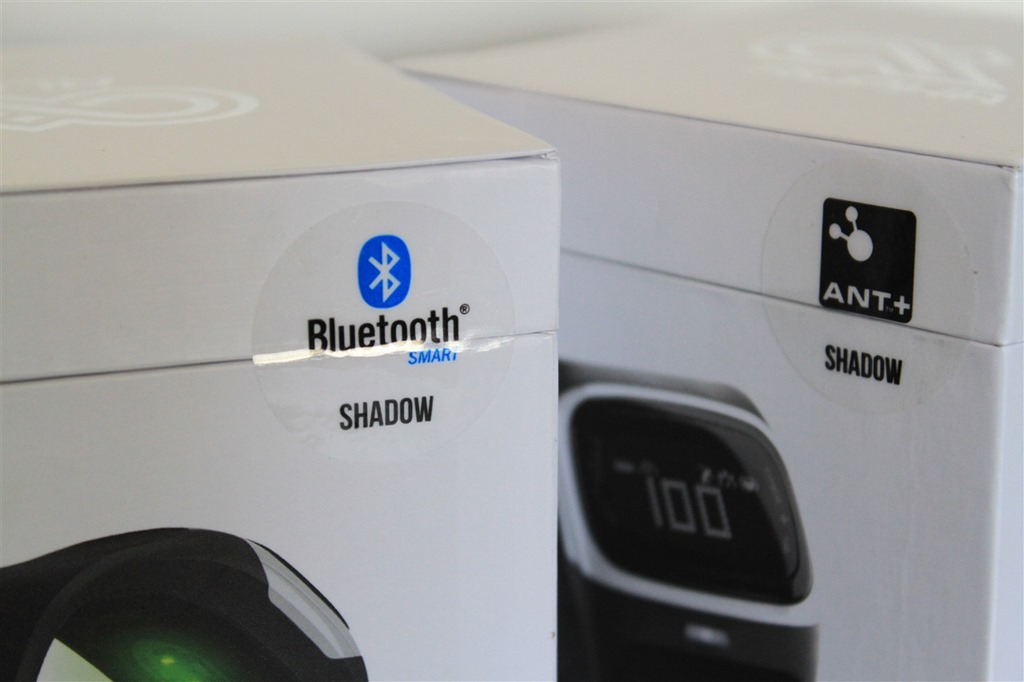
That said, the packaging is identical on both. With the only difference between the two being the tiny little sticker on the outside, and then the little logo on the back of the band itself. Thus, I’m only going to unbox one, rather than just duplicate it twice.
Each unit comes in a small square box. Slightly larger than a Rubik’s cube.
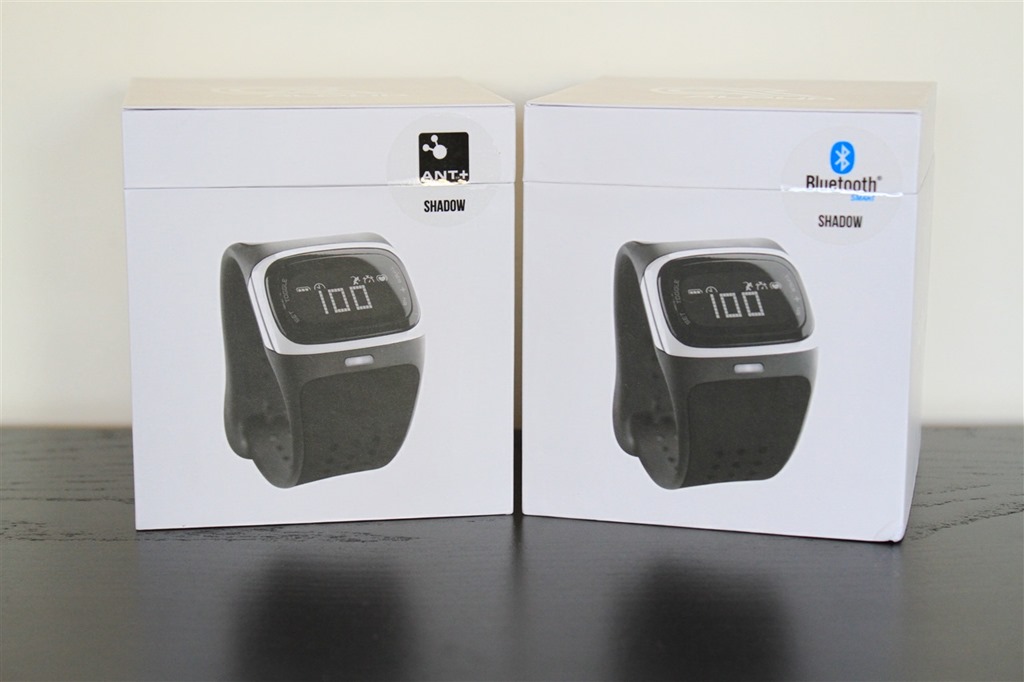
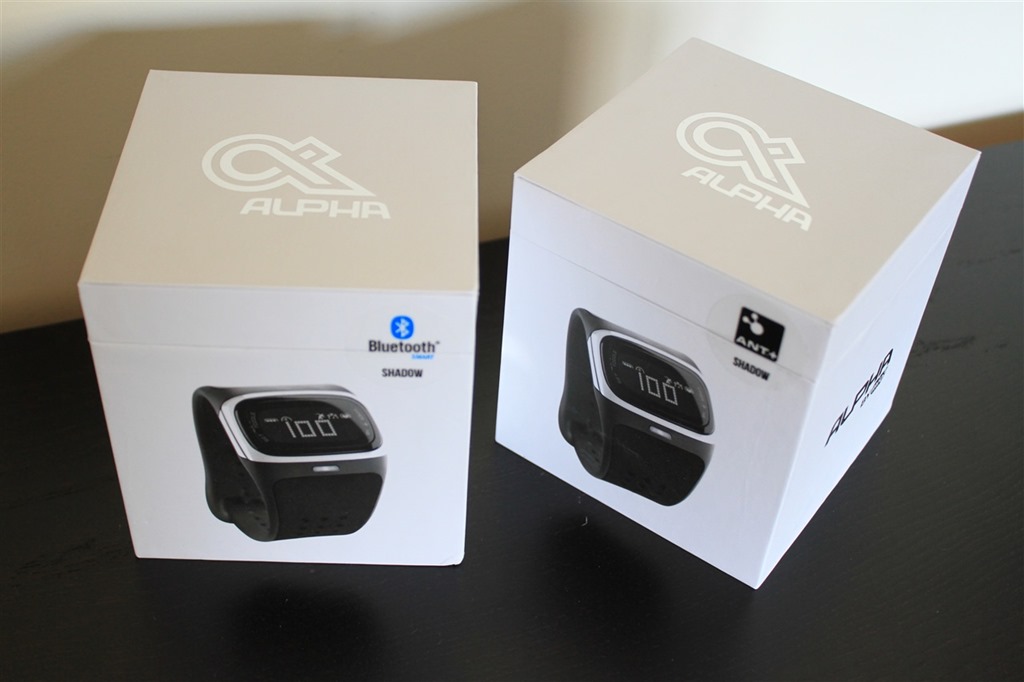
As I noted earlier, the only difference between the two variants from a visual standpoint is the little ANT+ or Bluetooth Smart logo. In this case, both units are the color ‘Shadow’ (read: Black).
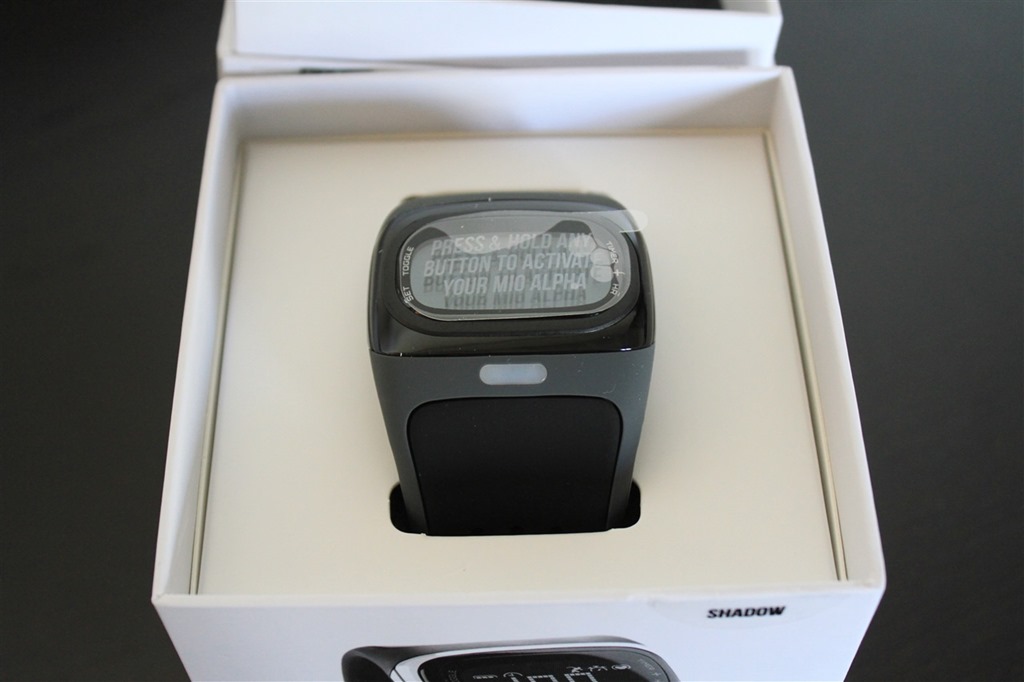
As you crack open the boxes you’ll find the heart rate watch staring back up at ya:

Here, a closer look:
Removing the inner watch box you’ll find a small packet of instructional stuffs, and the charger.
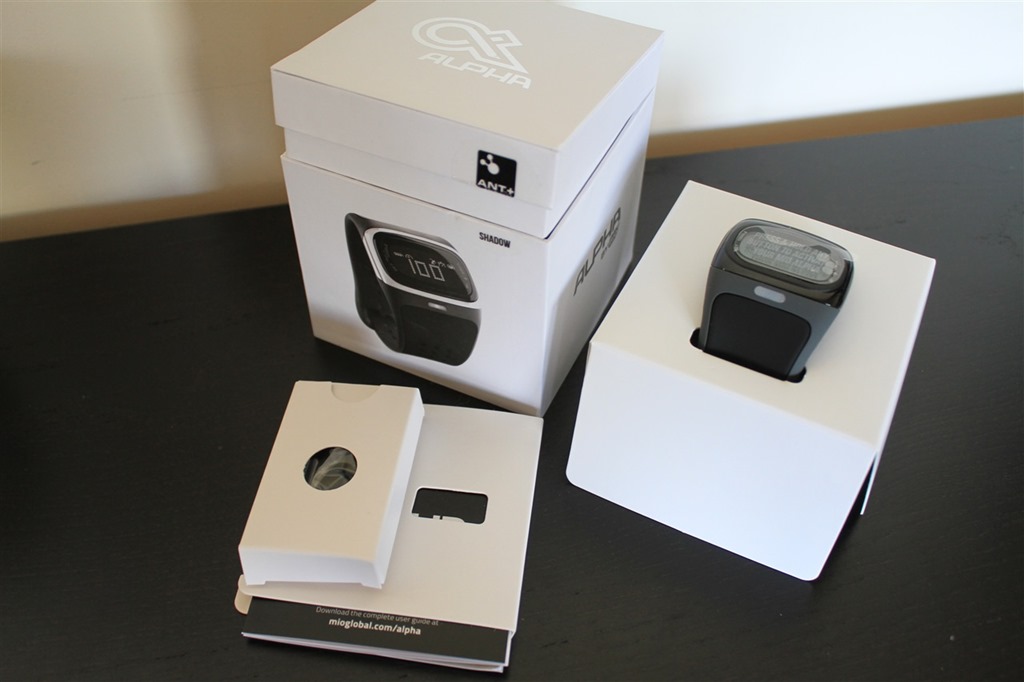
Here’s the charger:
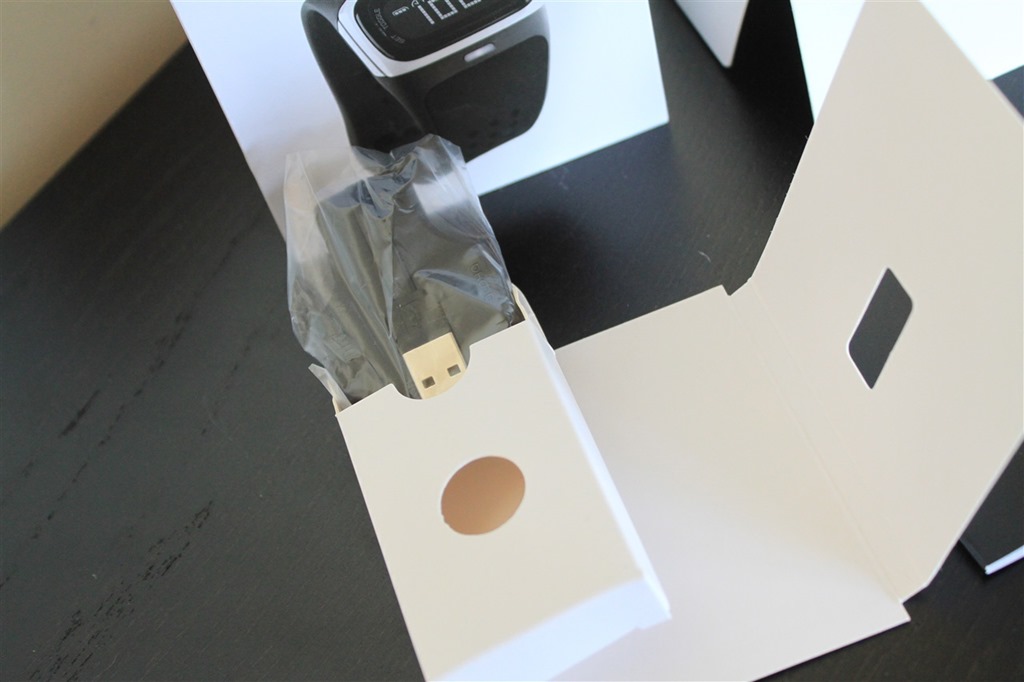
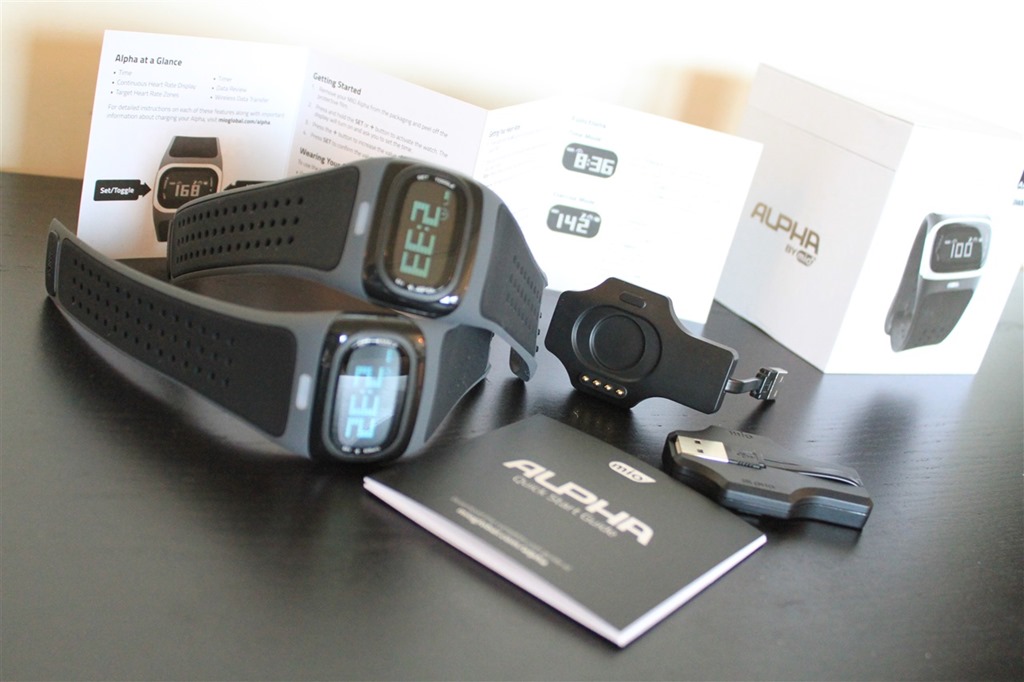
And the whole kit unboxed:
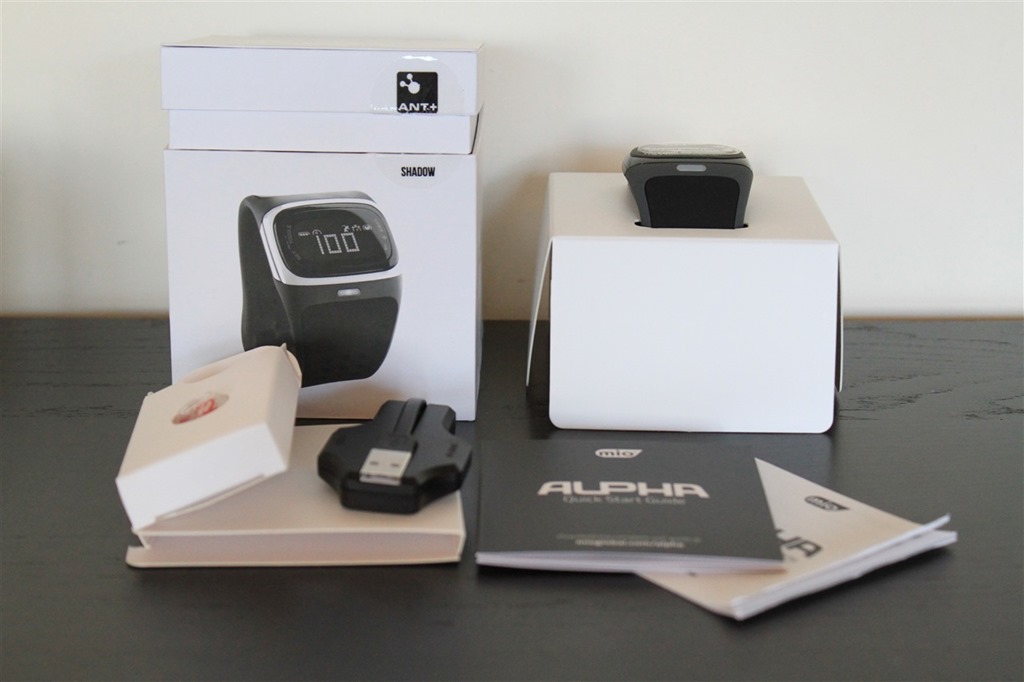
The charger is actually pretty cool. Probably one of the more ingenious chargers I’ve seen around. The (albeit rather short) USB cable folds back onto the plastic unit itself, keepings things nice and tidy.
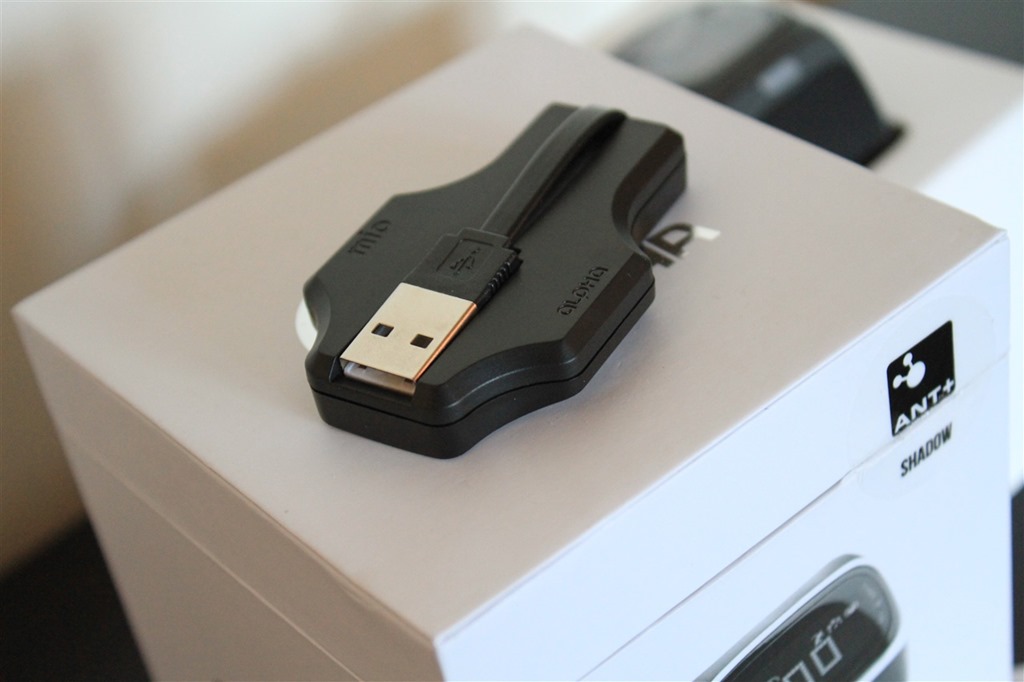
And to plug the USB cable in, you just pull it up. It’ll twist around as you see fit, it’s just like any other cable.
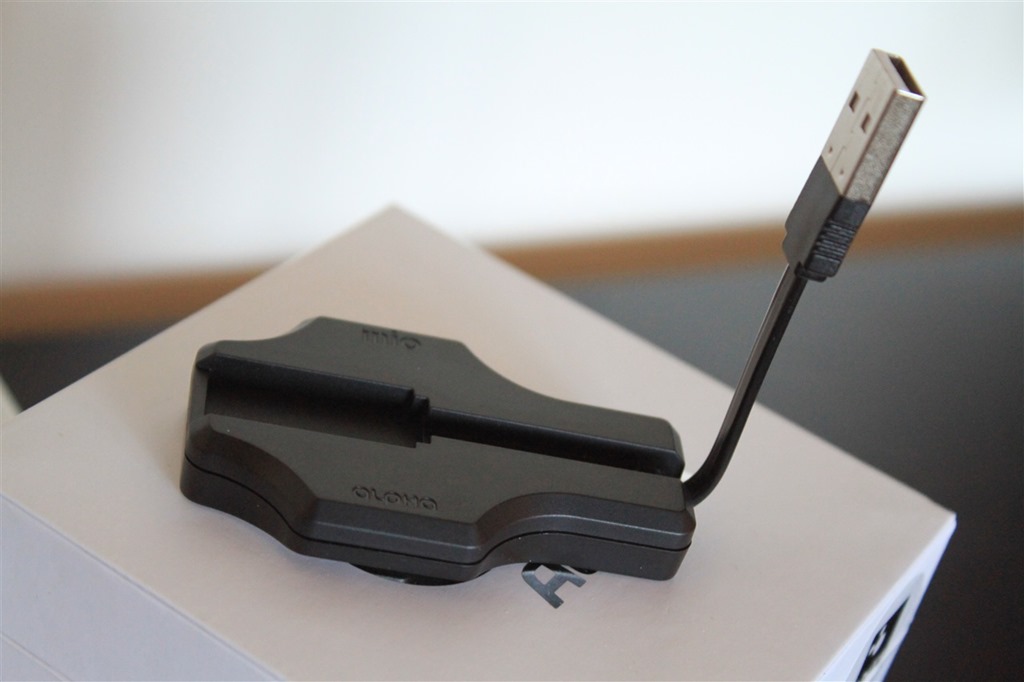
Flipping it over, the unit features a small magnetic clip that holds it tightly to the watch:
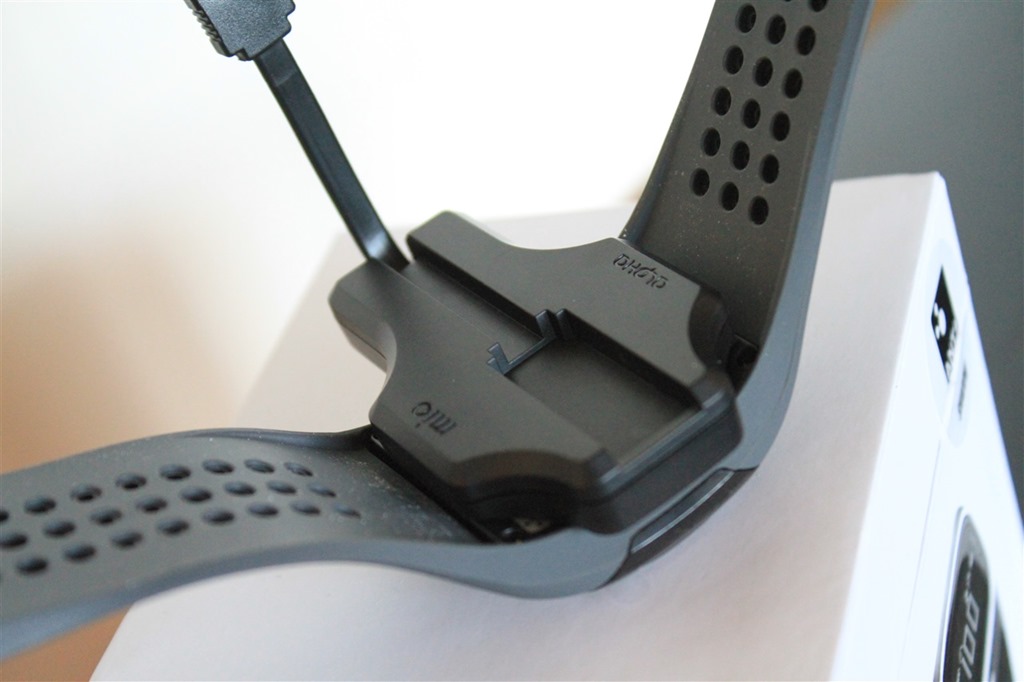
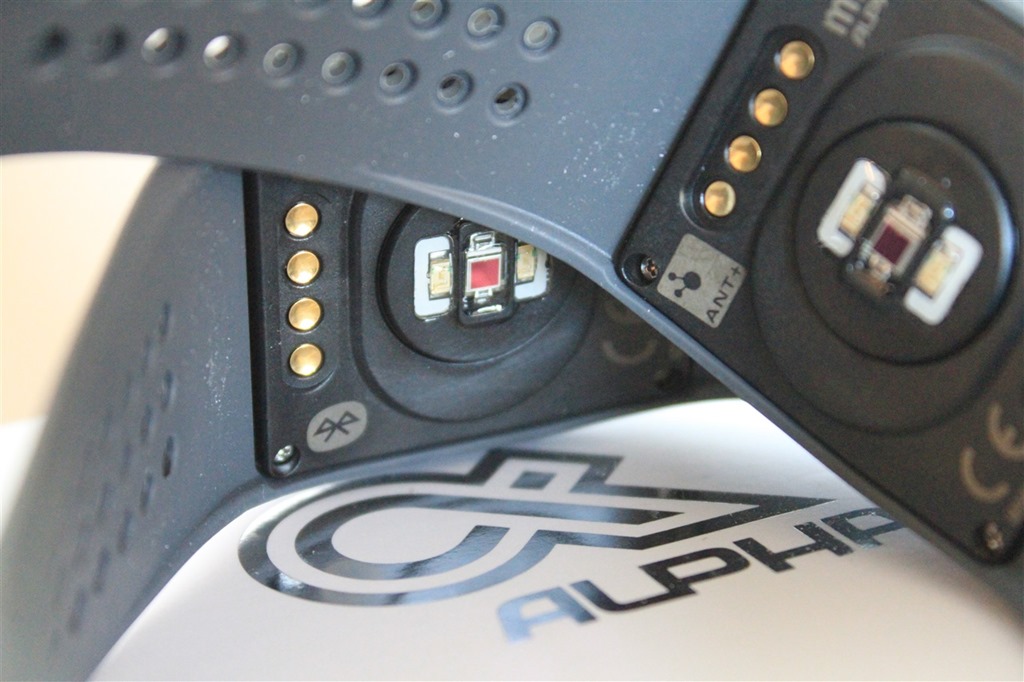
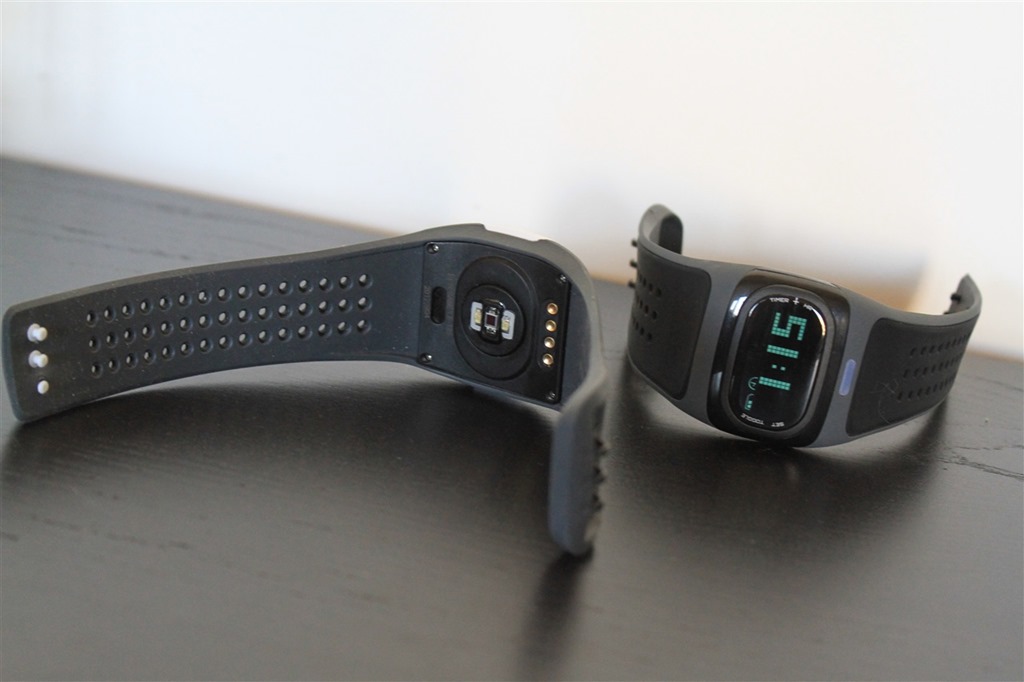
Speaking of the underside, here’s what that looks like. We’ll dive into it more in a section or two.
With that, we’ve got everything unboxed and ready to start using it.
Unit comparisons:
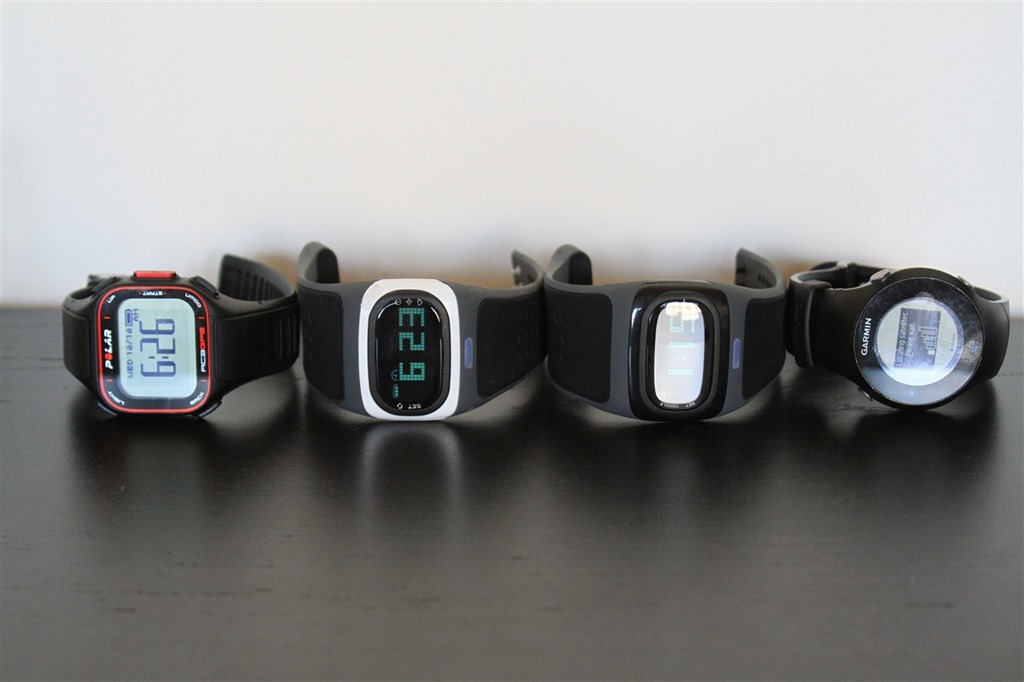
When looking at the size of the unit, it’s about the same as most wrist watches:
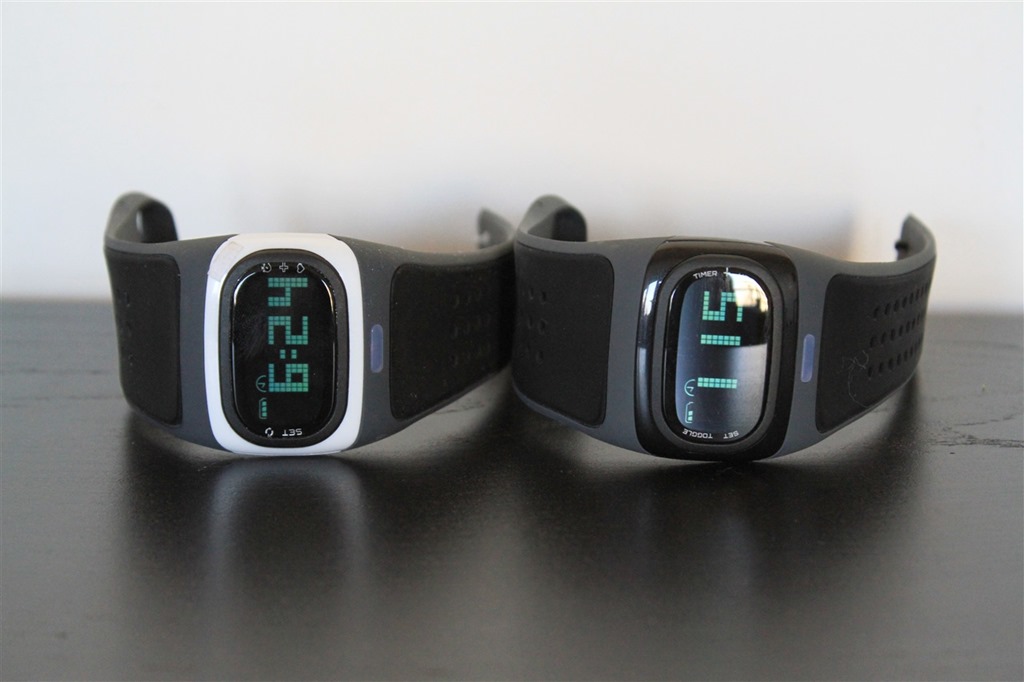
You can see this a bit more clearly when compared against the Polar RC3 GPS watch, and the Garmin FR610 GPS watch. The Alpha is perhaps a touch bit longer in the watch face itself, but is about the same width and height. Plus, some of that length in the face watch is actually the band portion.
Initial Setup:
Setup on the Mio Alpha is pretty straight forward and basic. There’s not much to do really, beyond removing the sticker and setting the time. So with that, remove the sticker:
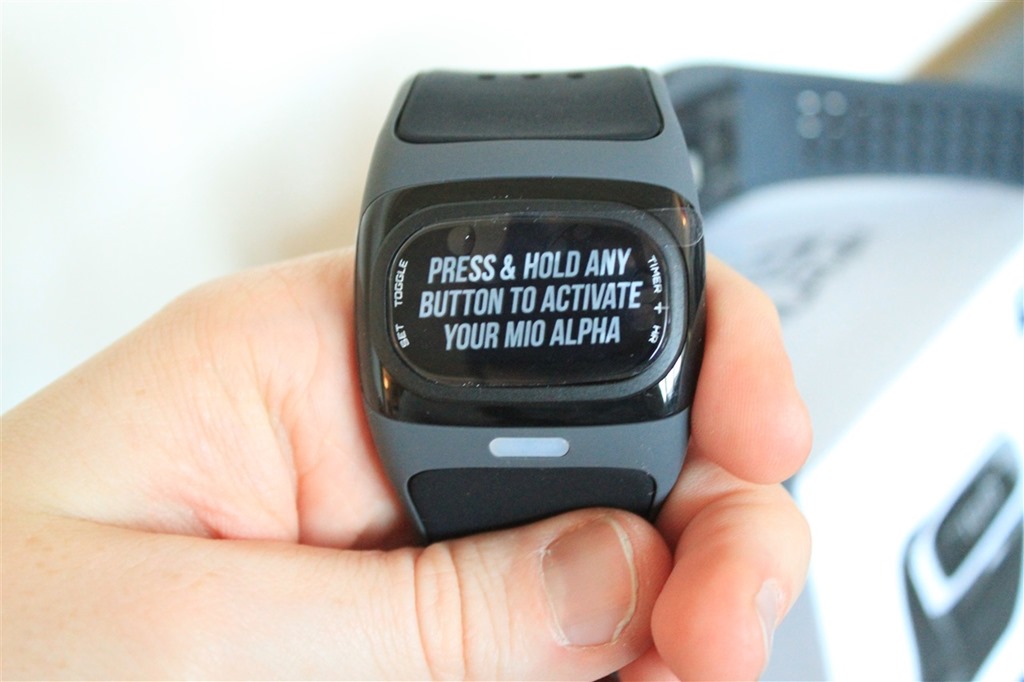
Once you’ve removed the sticker, you’ll go ahead and turn on the unit by holding the right button down.

Upon startup it’ll show you the Mio logo:
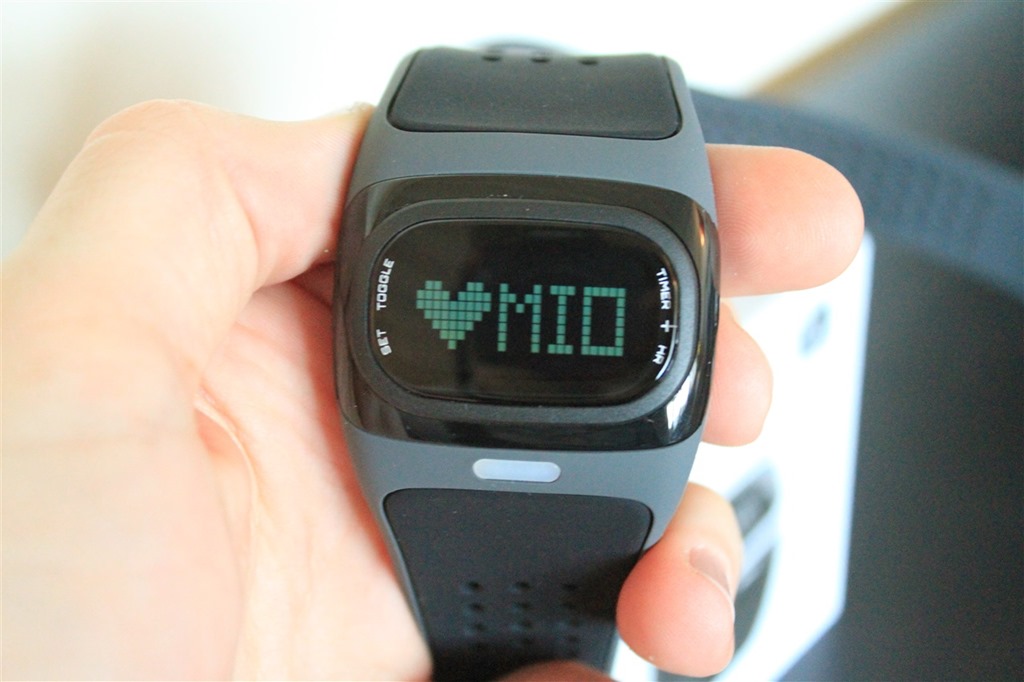
Then, you can go ahead and set the local time. The time isn’t actually used for anything beyond just telling you what time it is.
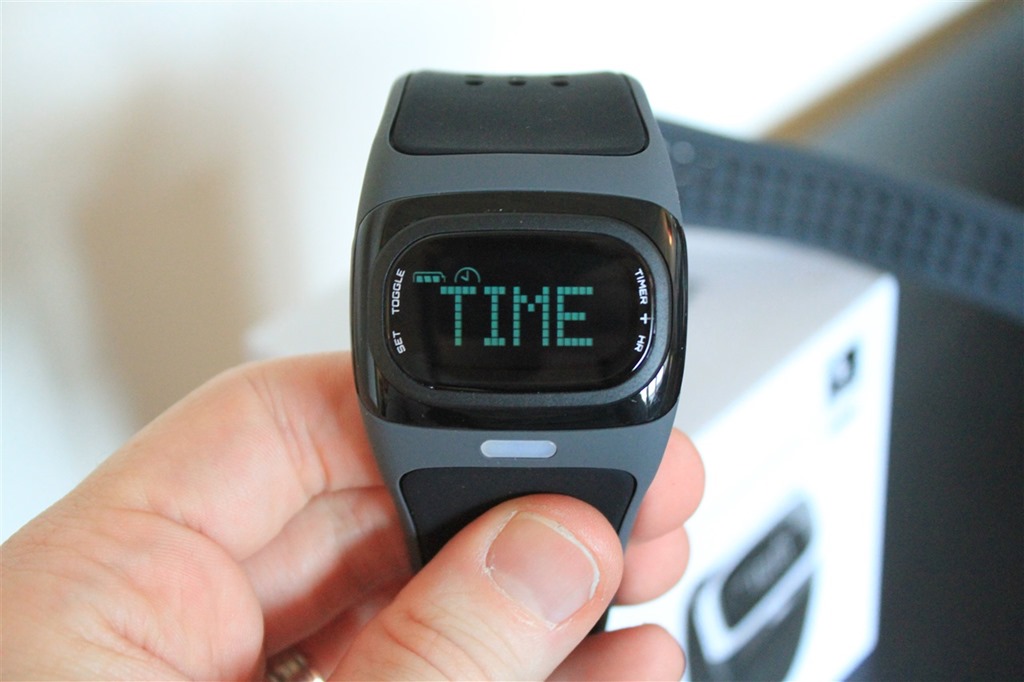
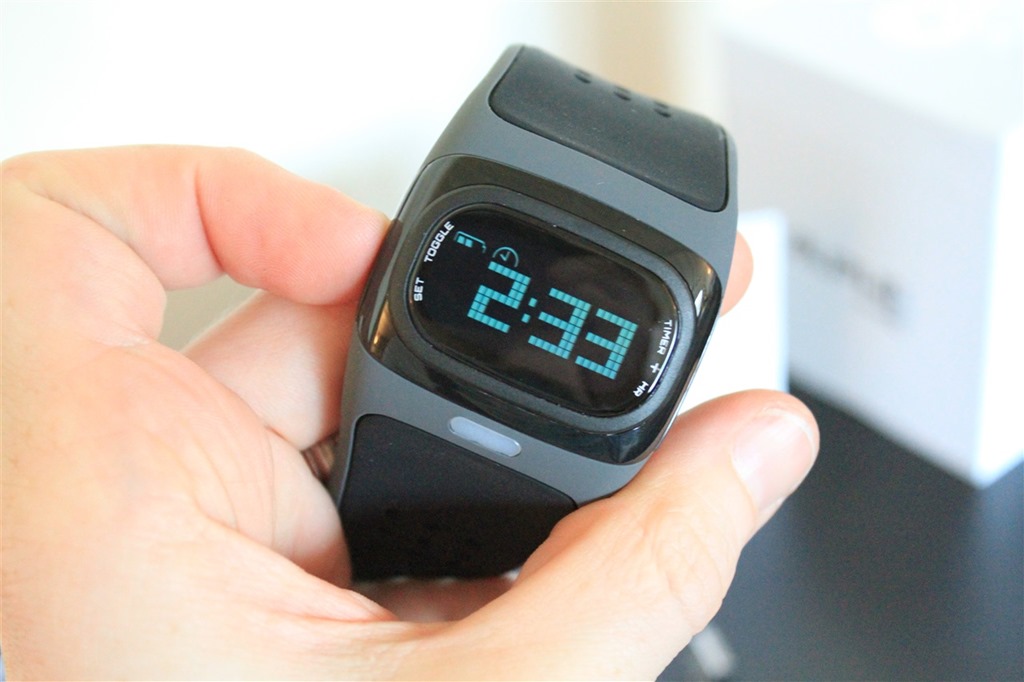
The reason the time isn’t used for anything is that the unit doesn’t record anything. It’s just like a heart rate strap in that respect – it just displays your heart rate and transmits it. And, beyond a basic timer that you can start/stop, there’s NO other functionality on the watch. You turn it on, it transmits your HR and displays it, and then you turn it off and it shows you the current time. End of story.
A bit of background on the technology and the strap:
Unlike traditional heart rate straps, the Alpha isn’t placed around ones chest. Instead, it measures heart rate at your wrist. You can use either left or right wrist, it doesn’t really matter. Whichever is most comfortable for you.
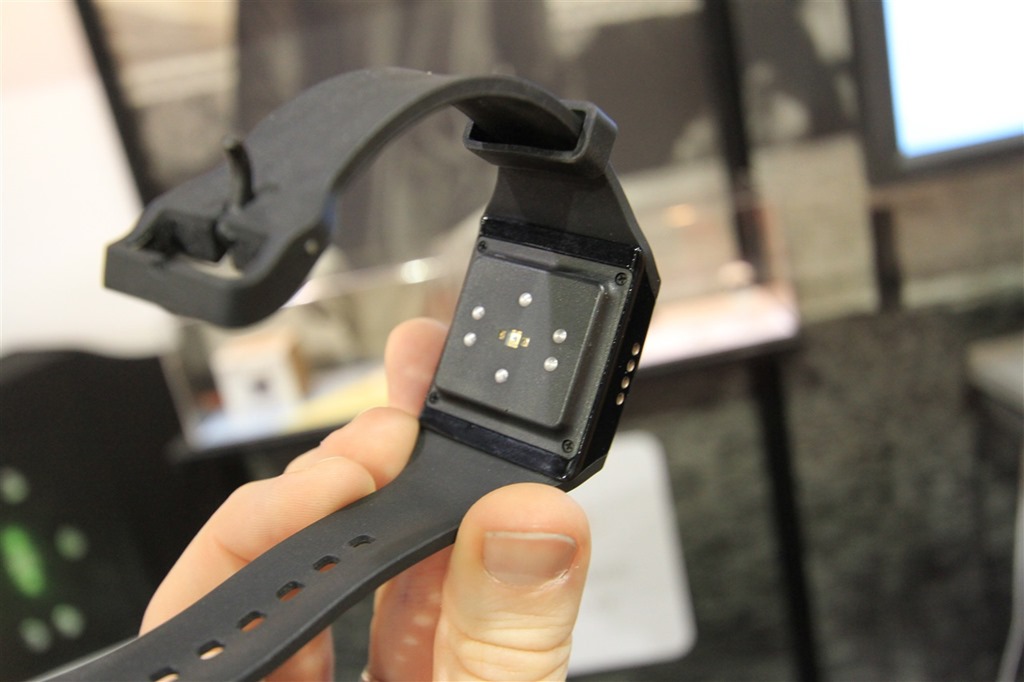
The unit uses an optical sensor to measure your pulse. It does this by emitting a green light into your skin, which allows the unit to then more clearly read your pulse. You can see the green light below:

Unlike other watches such as the Basis unit, this doesn’t measure any other attributes (such as skin temperature). It only does heart rate. But, it does it really darn well. And in particular, it does it with a focus on athletics. That’s an area that the Basis folks themselves will admit their unit isn’t focused on. Their core area is 24×7 monitoring, rather than higher performance running (or really, any running). You can see a photo I took of the Basis watch below. As you can see, it looks relatively similar. But of course, looks are deceiving.
Some of this come down to technology. If you think about what’s going on, the sensor has to optically measure your heart rate while your running. That running often includes significant jostling, bumping, and just in a general a non-smooth ride. The technology is the Alpha is specifically optimized for that, whereas the Basis isn’t. And, when it comes to the technology behind the sensor – it isn’t something that Alpha just plopped out one night. In fact, the technology was exclusively licensed from Philips Medical (the company that makes hospital level stuff). The ‘exclusive’ part means that Mio has full rights to the technology, and can sub-license it if they wish to other companies (i.e. they could sub-license the optical portion to Garmin, and Garmin could build it into a watch).
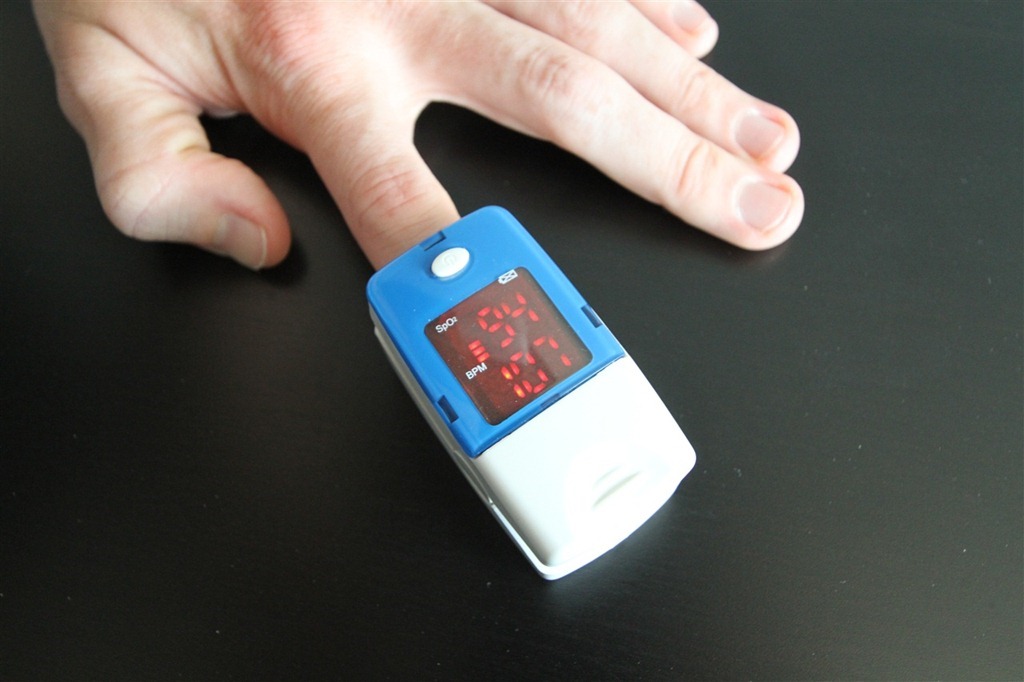
Which, brings me to my next point. None of this optical technology is new. In fact, hospitals have been using it for years. Typically in devices like the one below. What’s new is taking it into a functional sports watch form factor. And by functional, I mean one that can work while you run.
When it comes to tightness, many folks presume it must be boa constrictor tight. But I’ve found that usually isn’t the case. I can get good solid readings in most cases without it being annoying tight. Just snug, but not super-tight. In fact, as you’ll see later on, I’ve worn it for some stretches up to 30 hours at a time gathering data, with no issues when it comes to the wrist.
(Side note for those curious about Basis: As soon as a unit actually shows up on my doorstep, I’ll start using it for a review. Note that comparing Basis to Alpha is like comparing a fighter jet to a business jet. Yes, they both fly (optical HR), but one carries guns, missiles and bombs, and the other carries passengers and champagne. Totally different purposes. In the case of Alpha, it’s all about athletic HR without a heart rate strap. Whereas Basis is all about 24×7 health monitoring beyond just heart rate…but not for athletics.)
Day to day usage:
As I noted above, the unit is pretty basic in that it only transmits your HR and displays it. It doesn’t record it. When you start to ask yourself what functionality the unit might have, the easiest way to obtain the answer is to ask yourself if the same functionality is found in a heart rate strap. Here, let me give you example:
Q: Does the unit record your distance?
A: Does a heart rate strap record your distance? No. Neither does Alpha.Q: Does the unit display your location like GPS?
A: Does a heart rate strap display your location like distance? No. Neither does Alpha.Q: Does the unit transmit your current heart rate?
A: Does a heart rate strap transmit your heart rate? Yes. So does Alpha.Q: Does the unit record your heart rate for downloading later?
A: Does a heart rate strap record your heart rate for downloading later? No*. Neither does Alpha. (*Ok, one strap does, the Suunto Memory Belt).Q: Will the Q&A continue like this?
A: No, I think my point has been made.
Make sense? Good.
Of course, there are some exceptions to my tongue in cheek rule.
Now unlike a heart rate strap, you do have to turn this on. To do so, simply hold the button on the right again for about 2 seconds, and it’ll start searching for your heart rate. It’s best to ensure the unit is already snugly on your wrist before you begin the search process.
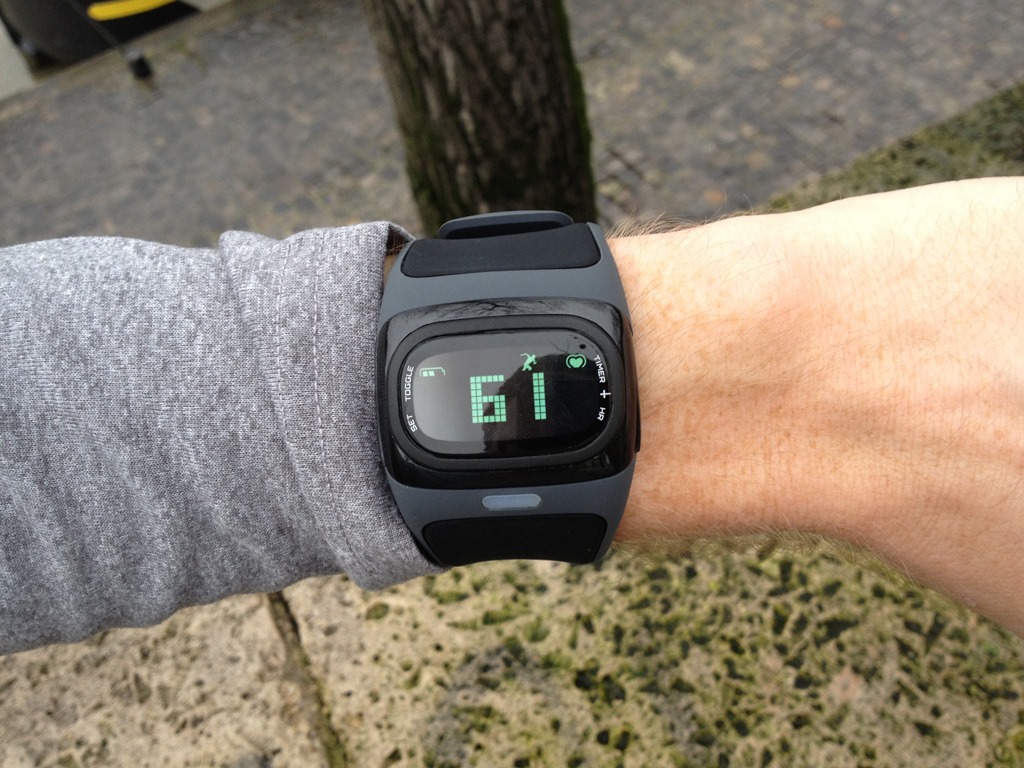
Once it’s found your heart rate, it’ll display your current heart rate value on the unit. It’s at this point that the unit will start transmitting that value over ANT+ or Bluetooth Smart (depending on version you bought). It will NOT start transmitting any value (zero, null or otherwise) until a heart rate is found. Meaning, if you’re doing pairing, you’ll need to get a heart rate value first, then it will pair. Zero or null doesn’t count.
From a pairing standpoint, the unit works exactly the same way as any ANT+ heart rate strap (if you bought the ANT+ version). You’ll simply go into the ANT+ settings on the unit and then pair it.
And, when using a phone app, it also works the same way. You’ll go into any Bluetooth Smart compatible app and dive into the pairing menu. From there the unit will pair with the app. Note that unlike ANT+, you cannot pair the Alpha to more than one Bluetooth Smart device concurrently. Meaning, say you had a Motoactv (which has BT Smart connectivity), you couldn’t pair it to both the Motoactv and your cell phone at once. That’s because Bluetooth Smart has a 1:1 relationship, whereas ANT+ has a 1:Many relationship. Again, not a big deal for most people (especially today with virtually no Bluetooth Smart watches out), but worthwhile mentioning.
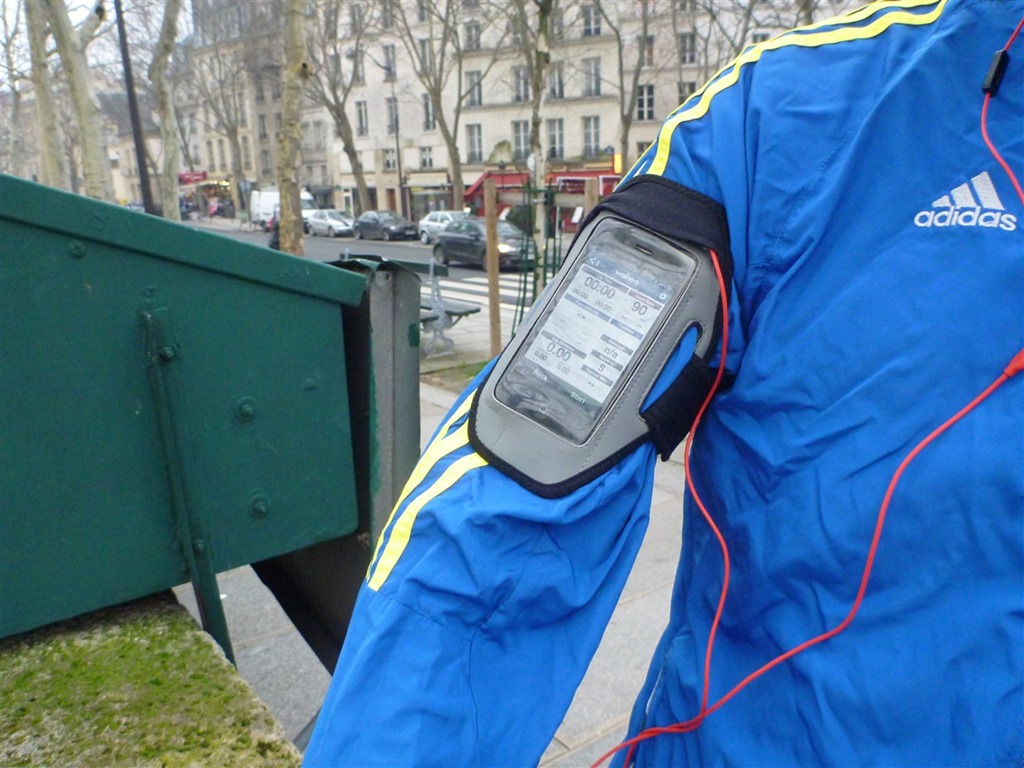
You can see above that I’ve got it paired to my phone, and via the Wahoo Fitness app. It’s the app I tend to use for just about everything. The reason being that it’s free, uploads to a bunch of different services, and has tons of options for data export. Oh, and it’s free. And it ‘just works’.
Above, you can see the 90BPM coming from the Alpha.
Now, what’s important here is that I’ve seen a LOT of reviewers (for really big tech companies) not understand that Alpha is Bluetooth Smart. This means that your phone has to be Bluetooth Smart compatible, which means it has to have Bluetooth 4.0. Today, that’s any iPhone from the 4s and later. And some Android phones and some Windows Phones.
However – and this is the REALLY important part – you MUST ALSO have a Bluetooth Smart Heart Rate Strap compatible app. Let me repeat that again. The app has to be specifically written to communicate with Bluetooth Smart.
And today the number of apps that do that is decidedly thin. All of the biggies do, and most of them actually use the underlying Wahoo Fitness API’s to do so (developer stuffs). So, as a general rule you can use the Wahoo Fitness site to lookup apps that are compatible with their Wahoo Blue HR strap. If it works with the Blue HR strap, it’ll work with Alpha.
With me so far?
Ok, now, when it comes to the ANT+ variant, it’ll work with any ANT+ device you have that supports heart rate (heart rate device profile). Which is pretty much every ANT+ watch/bike computer/hiking unit ever made on earth. Garmin, Timex, Magellan, CycleOps, Mio, etc… Pretty much as long as you don’t have a Polar or Nike unit, you’re good to go.

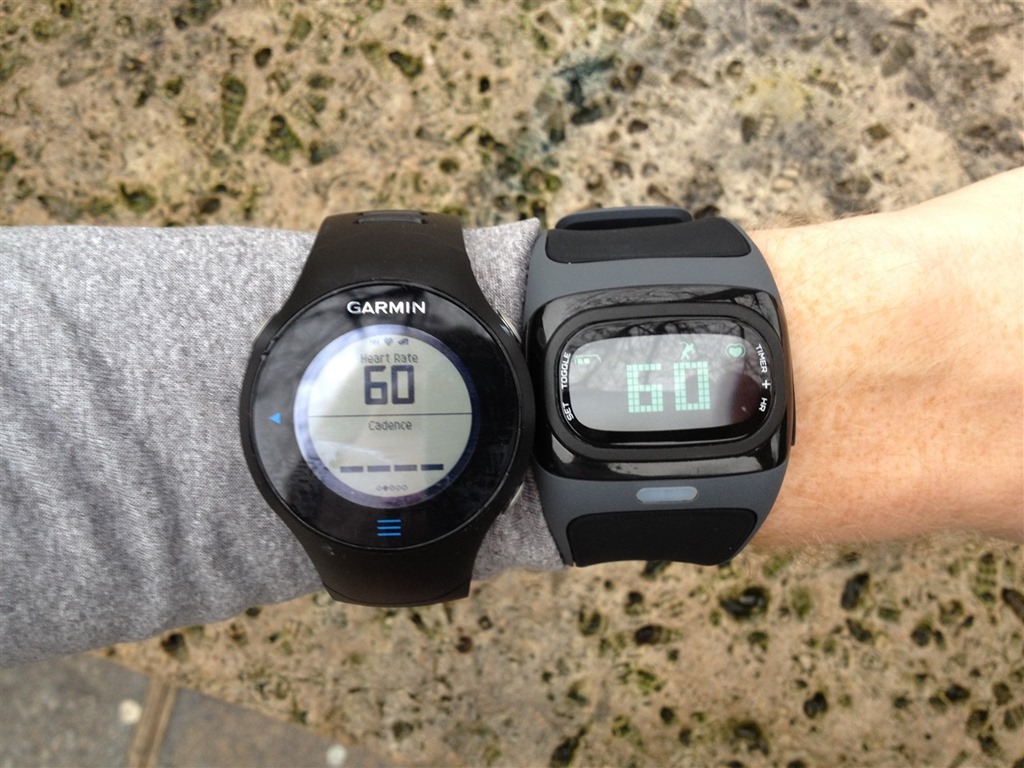
When it comes to data display, you’ll see the two track fairly closely. Usually within about 1-2 seconds of each other. For example, in the below picture you can see that the data from my heart rate strap (fed into the FR610 on the left) is off by two beats from the Alpha unit. Which one is correct? Well, hard to know.
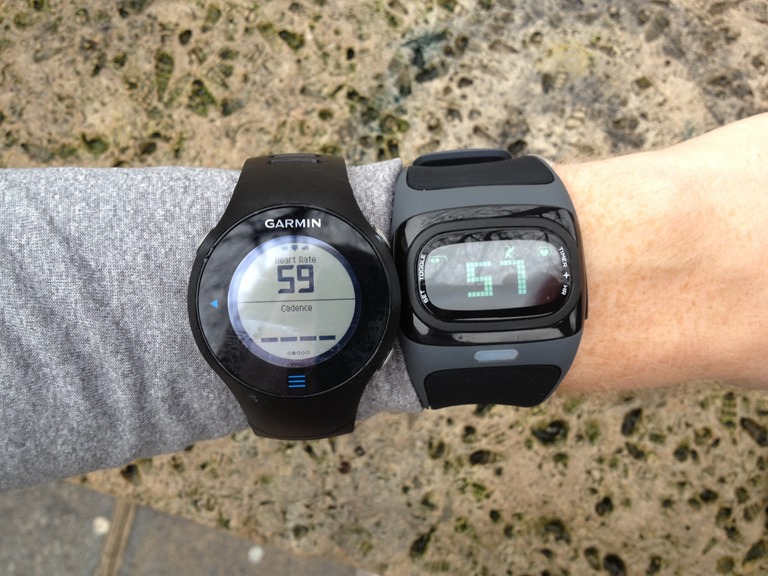
But, within 1-2 seconds they matched again (actually, the below was taken 1-2 seconds prior):
It’s worth pointing out that the unit doesn’t always find my heart rate on the first attempt. I find that about 1:4 times I’ll have to tell it to ‘retry’ and have it search for my heart rate again. I’ve found that if I then just move it slightly up my wrist (direction towards my elbow), perhaps 1-3cm (.5-1in) it usually solves it. It’s not a huge deal, but it can be an annoyance at times. On the flip side, once it does find it, I never have any issues with HR dropouts or spikes. It just works…the entire run.
Now, that’s for me. For The Girl, her wrists are too small, and it doesn’t work for her with any high intensity runs. The reason being is that on lower-intensity runs the watch basically stays put. But on higher intensity runs with more jostling, it ends up sliding down her arm towards her wrist (she has to start it up higher, because the band is too big). Once it gets to her wrist though, the band is just far too big and it won’t get any useful HR values. Below you can see a heart rate chart from one of her runs.
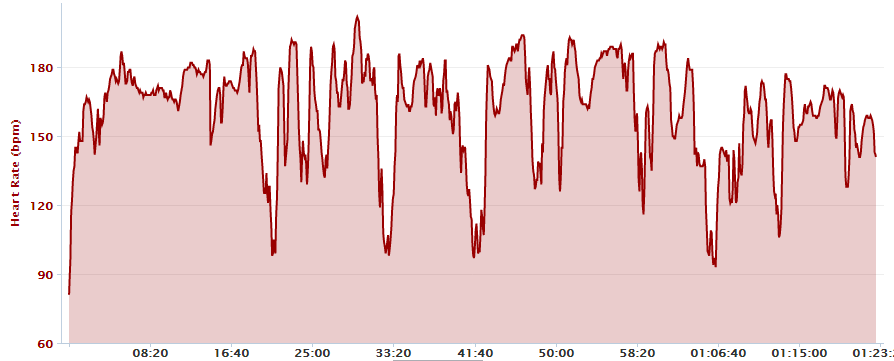
It’s probably hard to see what she’s doing, so let me slice it up a bit. Then you can see why it’s so bad. She’s doing mile repeats, but it’s really hard to see because the data is all over the map. In reality, her pace is preset, and thus her heart rate would ‘stabilize’ within the first 45-75 seconds, and then slowly rise for the remainder of the interval. You can see how earlier on in the run the HR values weren’t horribly off, but once she started the harder running sets, things got messy.
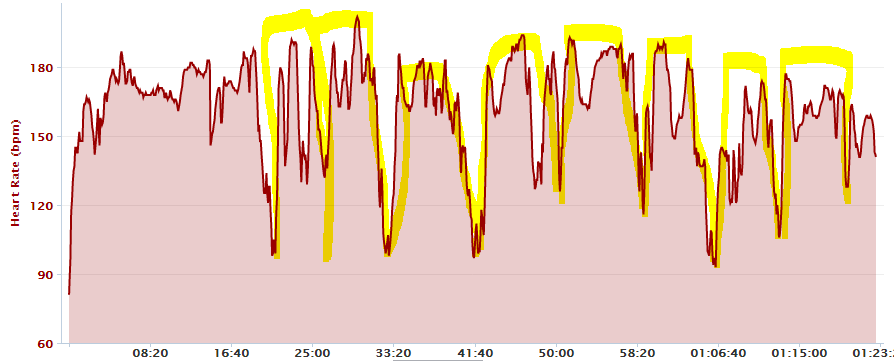
So while it ‘works’ up higher on her arm, it doesn’t stay there. Simply put, the band is too big. For reference, she’s 5’2” with tiny wrists. Though, I don’t have a photo handy with her wrists and the watch on it (travelling at the moment). I’ll try and get one added this week.
Update: Here are the photos on her wrist. As you can see, even on the very tightest setting, there’s still a fairly significant gap on her wrists under the strap:


Unlike a traditional watch, you’ll need to have this placed below your coat in cold weather. You can’t have it over the top of the coat as it won’t correctly pickup your heart rate through the fabric.
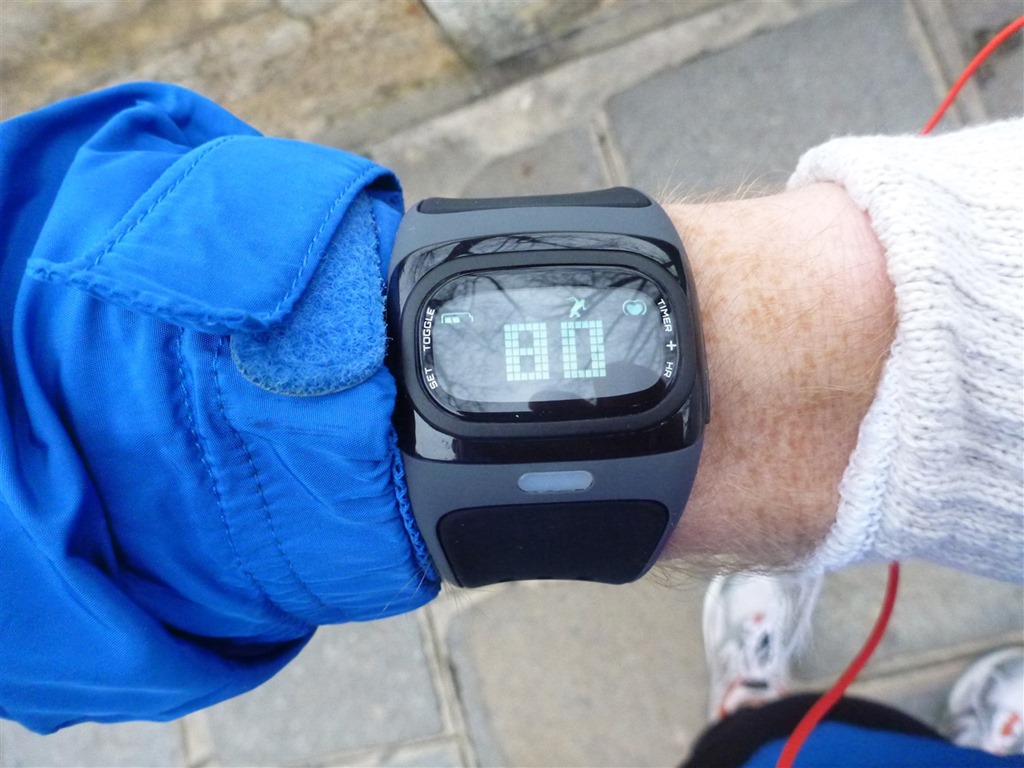
In looking at a few small features the unit has that a traditional HR strap doesn’t, I’ll first note that you can set a high and low heart rate alert. This will give you a beeping alarm when you’re outside of the target range. It’ll also change the LED color on the unit itself:
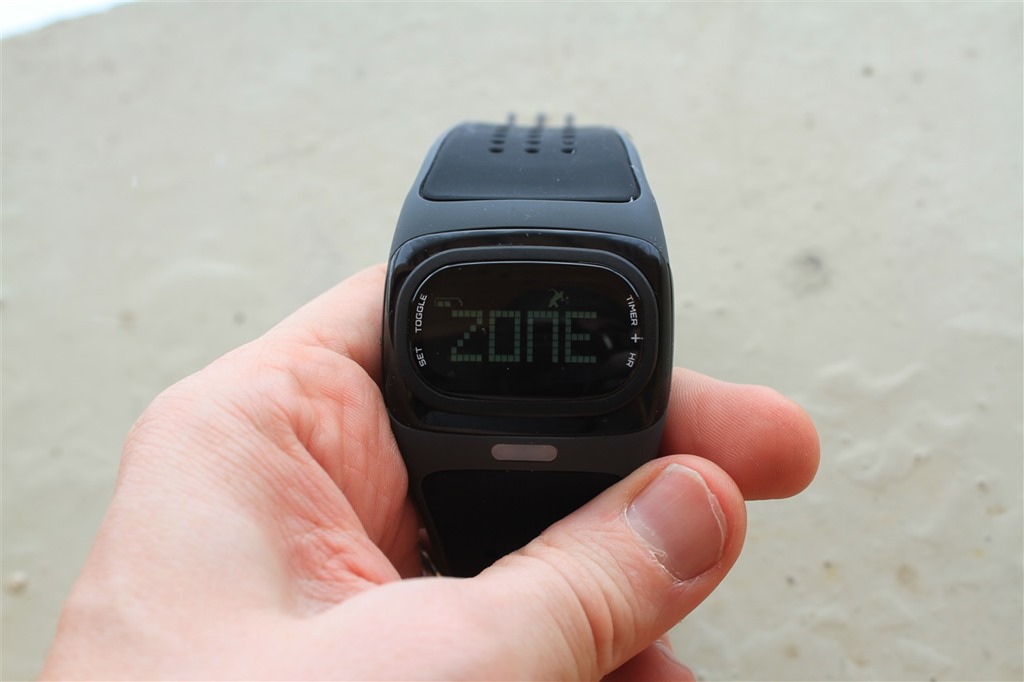
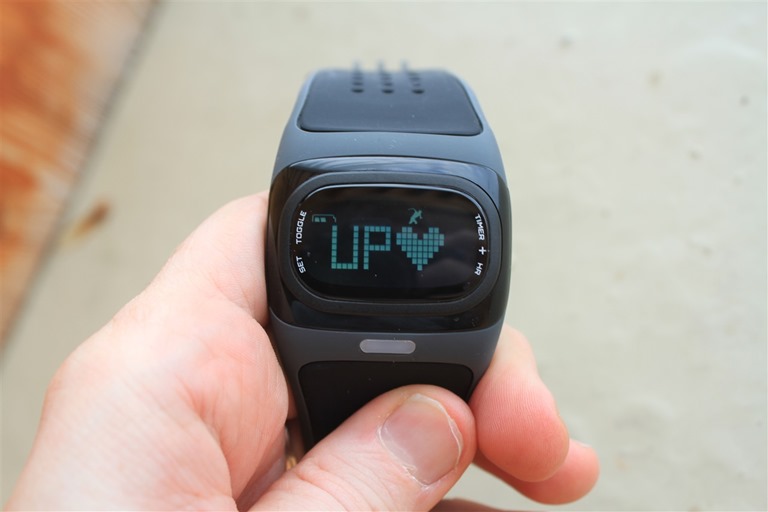
You can also start the timer that I mentioned above. This gives you a simple total time display while the unit is running.
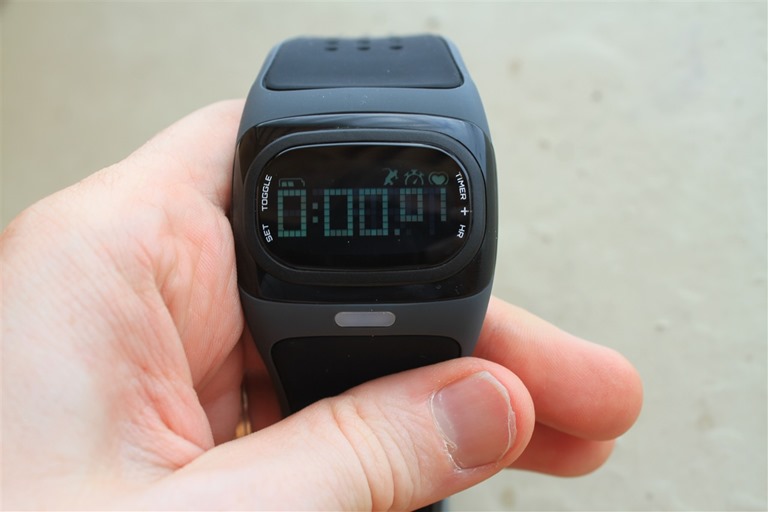
Additionally, at the end of a run, it’ll display the average HR value for your run, based on the last run that the timer was used.

Beyond that, it’s all about data transmission.
Data comparison with normal HR straps:
I’ve used the Alpha indoors, outdoors, running, cycling, walking and just about everything in between. From easy workouts to hard workouts, short intervals to long runs. You name, I’ve done it. And by and large, it works just fine and records generally accurate data. I can mix and match data from either heart rate strap or Alpha, and there’s very little visible difference. I see an occasional dropout (1-3 per run), but I don’t see the large spikes/drops that I often see on Garmin and other straps. And typically, those spikes last for prolonged periods of times (i.e. 5-10 minutes or longer). Versus a 1-second drop on the Alpha.
Of course, seeing is believing. So, I’ve taken a ton of random runs below to show what it looks like. In the four examples below, the data was recorded in parallel between a Garmin unit (varied) using ANT+, and an iPhone connected to Bluetooth Smart. There’s no data accuracy difference between ANT+ and Bluetooth Smart Alpha Models, so either model will act identically (I’ve done some casual trainer tests with two on at once). It’s just the communications chip that’s different in the two units.
With that, let’s dive into the data.
Run #1: 80 Minute Run
Weather just about freezing level, dry and slightly breezy.
Figure 1: Garmin FR610 + standard Garmin HR strap (soft strap) (run file linked)

Standard Strap Avg HR: 157 bpm
Standard Strap Max HR: 174 bpm
Figure 2: Alpha Bluetooth Smart + Wahoo Fitness app (run file linked)
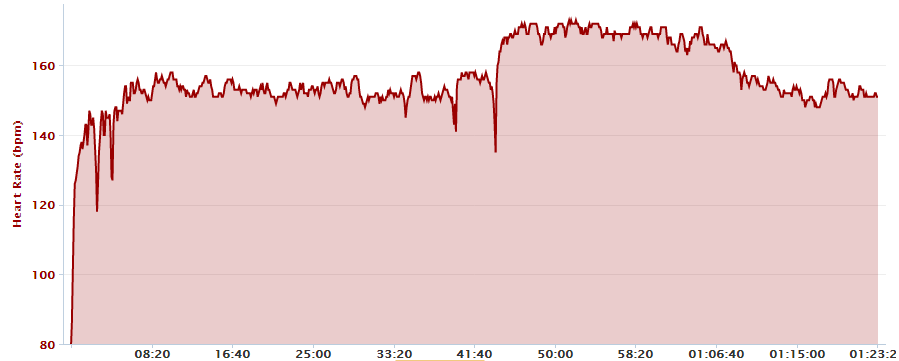
Alpha Avg HR: 157 bpm
Alpha Strap Max HR: 173 bpm
This follows pretty close, though I do see a few drops that aren’t visible on the Garmin file. Beyond that, the units track fairly well against each other.
Run #2: Short Lunch Run (40 minutes at Z2 HR)
Just below freezing, sunny and dry.
Figure 1: Garmin FR610 + standard Garmin HR strap (soft strap) (run file linked)

Standard Strap Avg HR: 158 bpm
Standard Strap Max HR: 182 bpm
Figure 2: Alpha Bluetooth Smart + Wahoo Fitness app (run file linked)

Alpha Avg HR: 156 bpm
Alpha Strap Max HR: 164 bpm
This is probably one of the clearest example of the Alpha unit performing perfectly, compared to a typical HR strap doing initial spikes on a cold day. Note all the wonkiness at the start with the chest strap, then compare it to the Alpha which mirrors what my HR would have been. It was an easy run, just starting off easy and then holding a steady heart rate.
Run #3: Tempo Run (90 minute at two separate paces)
Weather about 40-45*F, overcast and dry.
Figure 1: Garmin FR610 + standard Garmin HR strap (soft strap) (run file linked)
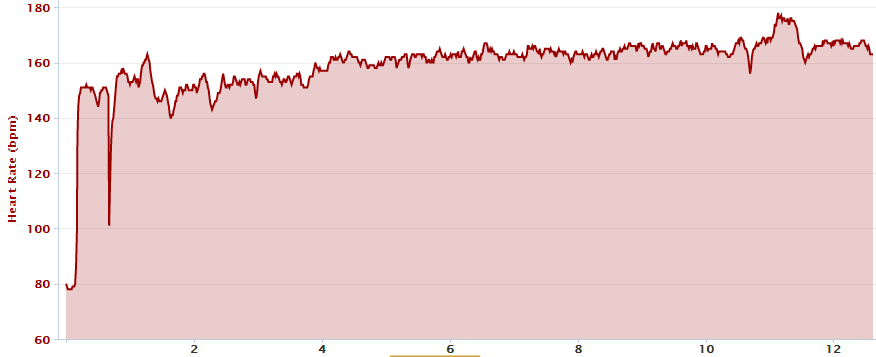
Standard Strap Avg HR: 159 bpm
Standard Strap Max HR: 178 bpm
Figure 2: Alpha Bluetooth Smart + Wahoo Fitness app (run file linked)
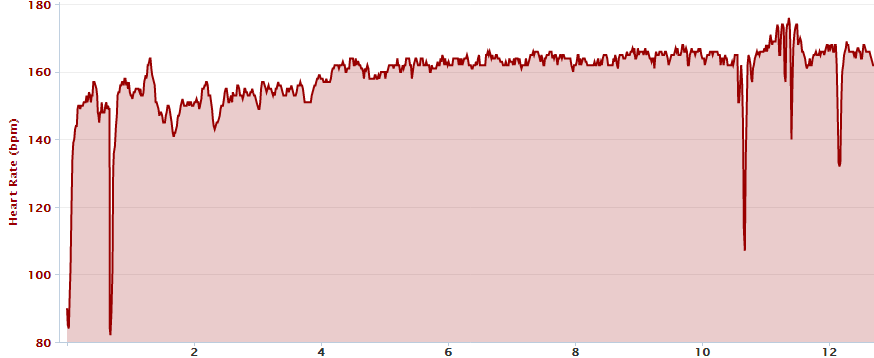
In this case, you see that the Alpha did a better job getting the initial heart rate, whereas the Garmin strap lagged initially. They both tracked quite well, though it looks like the Alpha had three drops towards the end. Given I never stopped on my way back (out and back course), these seem a bit odd.
Alpha Avg HR: 159 bpm
Alpha Strap Max HR: 177 bpm
Run #4: Long Run (2hr 10 minutes)
Weather was generally miserable. Part snow, part rain, and running in a mix of snow/ice/slush, on and offroad. Rather unpleasant.
Figure 1: Garmin FR610 + standard Garmin HR strap (soft strap) (run file linked)
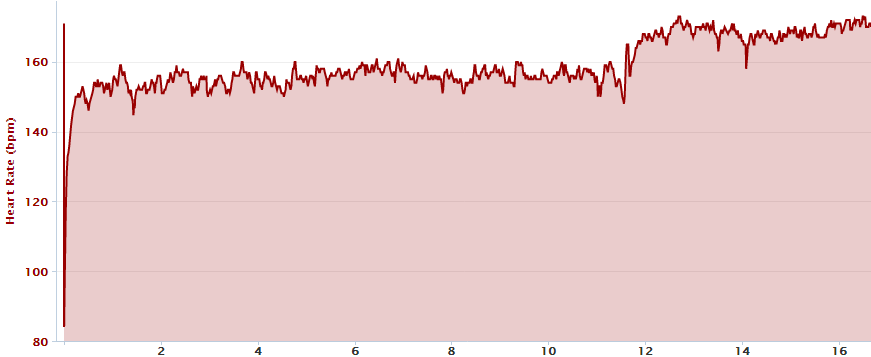
Standard Strap Avg HR: 159 bpm
Standard Strap Max HR: 180 bpm
Figure 2: Alpha Bluetooth Smart + Wahoo Fitness app (run file linked)
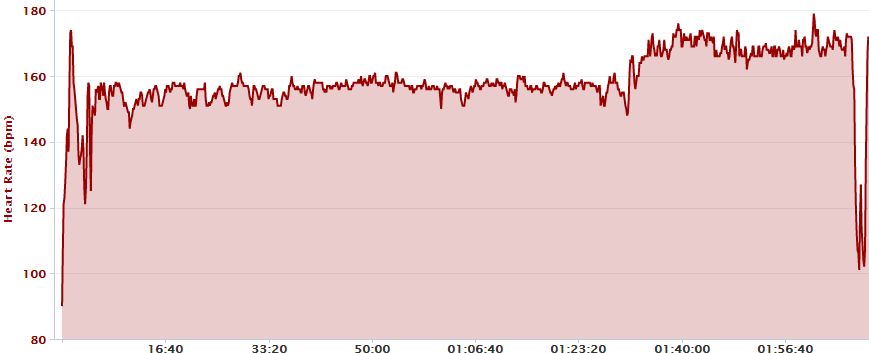
Alpha Avg HR: 159 bpm
Alpha Strap Max HR: 177 bpm
In this example, you see a single errant point sorta towards the beginning a couple minutes in. Things then track fairly well until the last couple minutes. It’s unclear on why the Alpha became happy towards the last few minutes, as the other unit did fine.
Indoor Trainer Ride
This was just a 50 minute indoor trainer test. I was doing a lot of other data gathering on power meters, so I decided to knock out two birds with one stone in this test.
Figure 1: Bluetooth Smart HR Strap (chest strap) paired to the Wahoo Fitness app (bike file linked)
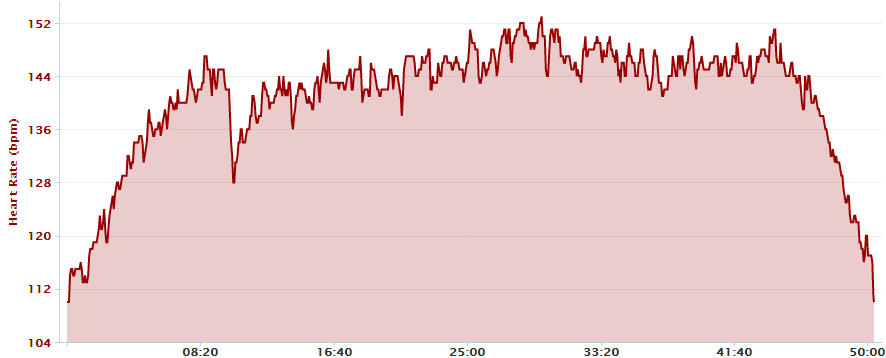
Standard Strap Avg HR: 141 bpm
Standard Strap Max HR: 154 bpm
Figure 2: Alpha ANT+ variant paired to the Wahoo Fitness App (bike file linked)
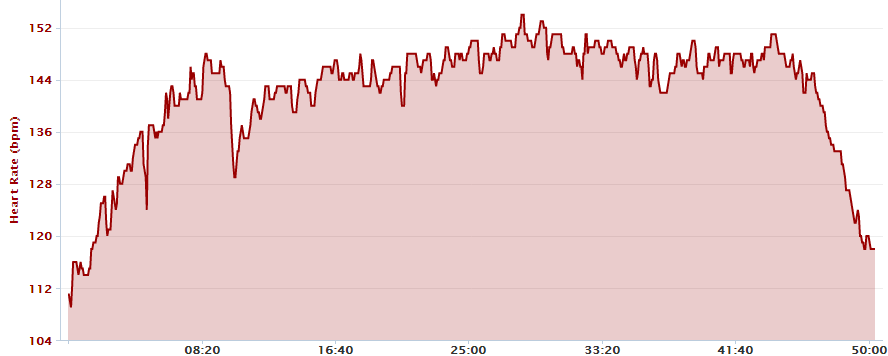
Alpha Avg HR: 142 bpm
Alpha Strap Max HR: 155 bpm
In this sample, things look about as good as you’re going to get similarity-wise. I see one tiny blip around the 5-minute marker with Alpha, but otherwise spot-on.
Randomness: Continuous HR monitoring (all day long)
Just to briefly point out that in addition to doing athletic monitoring, the unit works pretty darn well for doing continuous HR monitoring. I wrote a fun post up on it back a couple months ago, showing some of the capabilities, where I recorded my heart rate from waking up to falling asleep – which included a full day trip for work on the high speed train and back. Fun stuff. You can dig into it here.
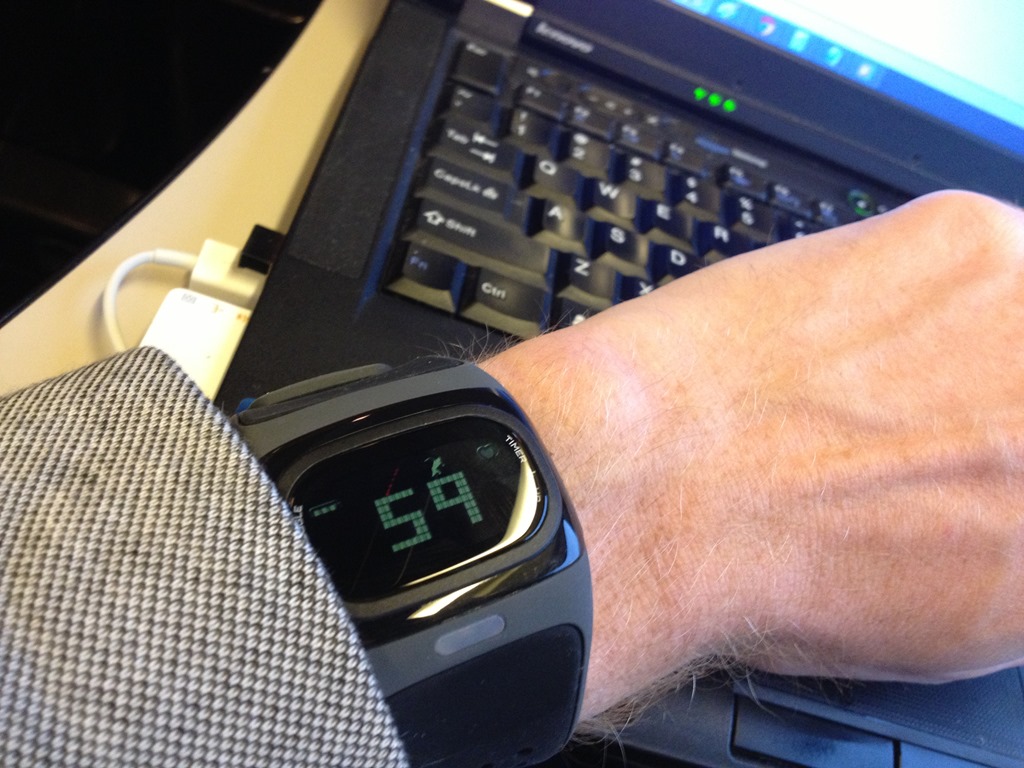
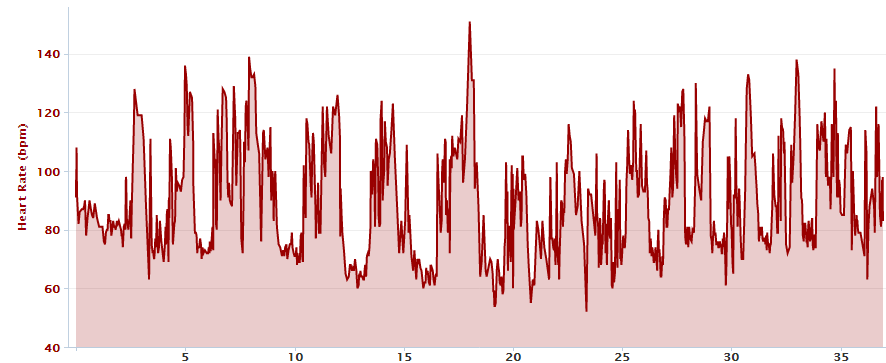
In addition to simple all day tracking of non-athletic endeavors, just today I also did one all-day tracking while skiing. I paired the Alpha unit via ANT+ to the Garmin Fenix (which is ideal for longer term tests), and then went about my day. In my case, I had stashed the Fenix in my backpack instead – since I didn’t really need/care to see it (just wanted tracking for later reference).
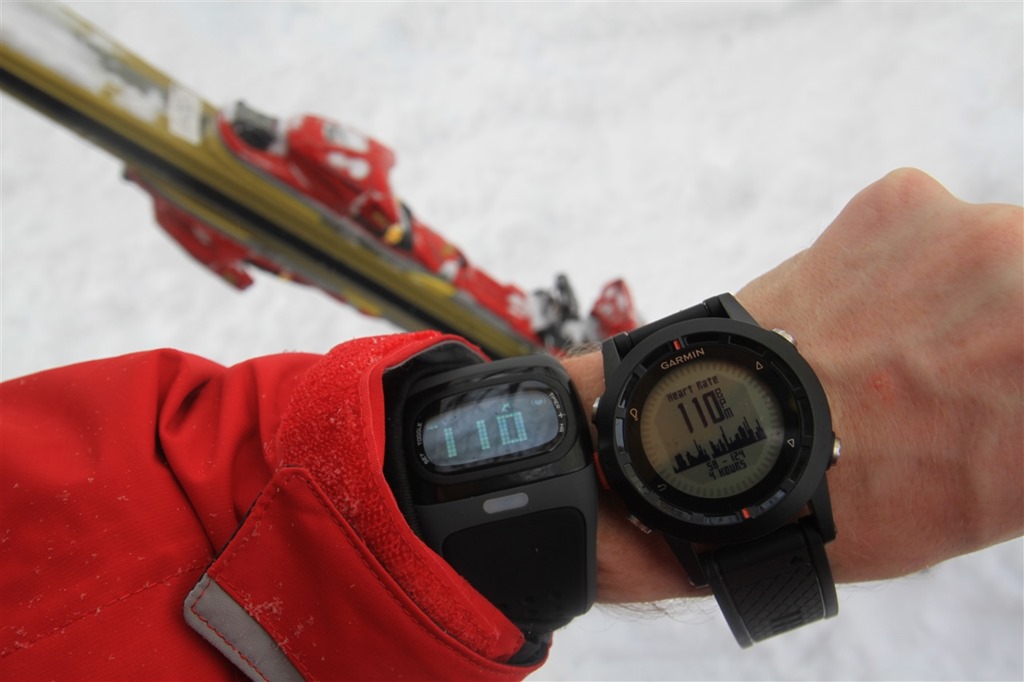
Worked great. It’s funny to clearly see sitting on a chairlift versus powder skiing.
Summary:
At the end of the day, I really like the Alpha from the standpoint of accuracy, functionality and ease of use. As a product, it does execute on exactly what it claims to do. No more, no less. It transmits your heart rate via one of two standards, and displays it – and it does it really well, bug free, without a heart rate strap around your chest.
Where I’m conflicted is the price point. At $200, it’s just really darn expensive for something that doesn’t even record data or otherwise have any functionality of even a basic $15 Target/Walmart watch. Yes, I understand that it has multi-million dollar optical HR sensing technology. But that isn’t any of the functionality commonly found in sports watches these days even half its price.
Thus, from my overall recommendation standpoint, it comes down to your own cost-basis determination. Is the cost worth it to you? For those that hate heart rate straps (be it for comfort, or due to spikes/dropouts), then this is probably worth the cost. For those that don’t mind the heart rate strap, then I suspect you’ll see little value in this.
Long term, I think this technology is FAR more valuable licensed out to other companies. For example, seeing this built into the back of a GPS sports watch. Or perhaps, with the display removed entirely and just as a sleek heart rate watch wrist band that simply transmits (just like your heart rate chest strap, but for your wrist).
Please note that at this time, Mio is not offering the Alpha in the ANT+ variant. ONLY folks who paid last July as part of the Kickstarter campaign and specifically ordered the ANT+ version will receive theirs. Today, only the Bluetooth Smart version is available for purchase.
Pros:
– Just works
– Both ANT+ and Bluetooth Smart versions made
– Data is generally quite accurate, even while running (hard)
– Battery is very solid, I can get about 30hrs of battery life before recharge
– Strap isn’t uncomfortable when worn, doesn’t need to be super-tight
Cons:
– Unit is REALLY expensive
– Virtually no functionality on watch, just HR display
– Doesn’t record data, requires another device (only displays avg HR for last run)
– Band too large for small wrists
Found this review useful? Here’s how you can help support future reviews with just a single click! Read on…
Hopefully you found this review useful. At the end of the day, I’m an athlete just like you looking for the most detail possible on a new purchase – so my review is written from the standpoint of how I used the device. The reviews generally take a lot of hours to put together, so it’s a fair bit of work (and labor of love). As you probably noticed by looking below, I also take time to answer all the questions posted in the comments – and there’s quite a bit of detail in there as well.
I’ve partnered with Clever Training to offer all DC Rainmaker readers an exclusive 10% discount across the board on all products (except clearance items). You can pickup the Mio Alpha unit below. Then receive 10% off of everything in your cart by adding code DCR10BTF at checkout. By doing so, you not only support the site (and all the work I do here) – but you also get a sweet discount. And, since this item is more than $75, you get free US shipping as well.
– Mio Alpha Bluetooth Smart Watch Heart Rate Monitor Black Trim
– Mio Alpha Bluetooth Smart Watch Heart Rate Monitor White Trim
Additionally, you can also use Amazon to purchase the unit or accessories (though, no discount on either from Amazon). Or, anything else you pickup on Amazon helps support the site as well (socks, laundry detergent, cowbells). If you’re outside the US, I’ve got links to all of the major individual country Amazon stores on the sidebar towards the top. Though, Clever Training also ships most places too and you get the 10% discount. Thanks for reading!
And as always, feel free to post comments or questions in the comments section below, I’ll be happy to try and answer them as quickly as possible. And lastly, if you felt this review was useful – I always appreciate feedback in the comments below. Finally, I’ve written up a ton of helpful guides around using most of the major fitness devices, which you may find useful in getting started with the devices. These guides are all listed on this page here.

















The thing that would stop me from buying this is the fact that deciding between ANT+ and BT is a $200 decision. If they had one product that supported both, I might well give it a go. But this is a luxury – its replacing a HR strap that I already have. And its expensive. $200 for a one-time future proof luxury is one thing. $200 for a one-time decision that might be the fitness equivalent of buying HD-DVD? No thanks, I’d rather sit on the sidelines instead.
Love the comparison. I use it all the time, but very few people understand what I mean by HD DVD. Point proven. Anyways, I completely agree. If it had both, I might actually consider buying but having to choose makes it seem like a waste of $200, especially since I can buy a Bluetooth smart strap and an ANT+ strap for less than half of an alpha.
Does the unit work for swimming? I recognize that the watch requires a device to record the data, but suppose one wanted to just have the instant read capability and was less concerned about being able to recover the data later.
I know the kickstarter backers who paid for ANT+ were going to get them… but I thought otherwise they were not going to be selling ANT+ models? Any update on that story?
Yup, that’s correct as it stands right now. I think they are monitoring whether or not folks want ANT+, and could do another production run if so.
I talked about that a bit above, but it’s probably good to make it more clear here.
Honestly for the cost I just don’t see it.
HRM straps are a pain in the bum, especially if you’re a woman (if I was a guy I don’t think I’d be tempted by this at all, but the PITA of wrestling an HRM strap + sports bra is enough to at least tempt me), but this doesn’t seem like enough of an improvement over them to justify the cost.
The need to chose up front between Bluetooth and Ant+ is problematic for the cost, IMHO, especially as I’ll bet money both versions are using the same modem asic (granted, antenna or other details may vary, but I’m betting not by much, if at all), and I’m not sure that trying to make it into a watch wasn’t a bad idea. Or, at least, a bad idea if it was going to be a half-arsed sub-standard watch. Better to have saved the cost/space/power of the display and drivers if making a dumb-sensor.
Does make me wonder how it’ll stack up against the Amiigo, which, if I understand things correctly, will do heart rate, oximetry, and motion detection in one unit that costs half what the Alpha is going for.
Assuming the Amiigo isn’t over-promising — granted, a big assumption at this point.
I do hope things move more in the Amiigo direction, regardless. I think wearable sensor platforms that focus on more than just BPM for tracking workouts have a lot of potential. I can see oximetry, GSR, thermal (both skin and external), among others, all having uses.
I think the only challenge with Amiigo that I see is the inability to clearly segment portions of a workout. Meaning, today, I can’t (without the corresponding app at the same time) segment pieces of my run or bike or swim. It’s all or nothing.
The example I just gave to someone a short bit ago that asked was where they talk about swimming and showing data from that. Which is cool. Except, in order to add any sort of start/stop points (or lap points) you need your phone. But nobody takes their expensive iPhone out onto a pool deck, let alone into the pool. So it’s good for simple (‘I swam for 30 minutes’, ‘I played tennis for 1hr’) type statements, but less good for accuracy like you’d get from something like a GPS running watch, or a swim-specific thing.
That said, I think it’s really cool, I just wish there was a bit more flexibility there.
I agree with you. Too little features for a big amount of $
There is however a “does it all” solution. The NewWell HeartRateCell by Koutadesign
This strapless hr monitor “does it all”
Gps, Hr bpm, kcal consumption, timepiece, stopwatch and phone.
It also comunicates with several training apps.
Pros:
Does it all and strapless.
Cons:
Batterylife
Price
I must admit some bias. This is a Finnish product an I’m from finland .. so some patriotism drives me to get this product. Eventhoug I have not seen any reviews
I think this will be my first not positive only comment on your reviews…
Sometime back I noted if the unit would work for a swim when placed on the wrist right next to a 910XT (or 310XT).
In theory it should as the unit was supposed to be waterproof and the 310XT’s only reason for non swim HR data is the lack of range of ANT+ under-water.
So please, can you amend your review (or send me a ANT+ alpha and I will test it myself).
Sorry, just haven’t had a chance to go to the pool with both yet and try it out. Just a lot of irons in the fire (work, life, blog, run-bike focused training).
I’m hoping to head over tomorrow while here on vacation since there’s a pool nearby.
Have you taken it to the pool yet?
Ray, how do you explain the significant difference in avg. HR on your Run #2 example? After the Garmin stabilized around the 1 mi mark the two plots seem to match fairly well, EXCEPT the Garmin data is shifted higher by about 10 bpm the entire time. That’s a huge difference. Thoughts as to why that would be?
Grr…I pasted in the wrong file on that. Changing…
Ok, fixed!
I purchased the ant + for ease of connection to many devices for cycling. In addition, I can make my ant+ bt enabled w a dongle for my phone so it was a Homerum for me
Id like the ability to turn off the alarm beeping and just keep the led lights so when I’m riding or in spin class, I can see by color if I’m working too hard or not enough
Also would like a backlight so when I’m indoors in spin I can see my numbers if I need
But I’m generally satisfied w the product :)
If you don’t start the timer, the alarm will never beep. :)
I don’t use the timer mode 99% of the time, and instead just turn it on, and then just leave it in transmit mode until down with workout. That way I never have to hear the HR zone beeps. Works perfectly.
Though, I can see how that would break the colored LED side of things though. :-/
Which phone and app do you use?
I got a ANT+ dongle and can connect my ANT+ equipment to my S3. Nevertheless I have not yet found an App that supports the devices (Neither Endomono nor RuntasticPro does).
In the review, I was using the Wahoo Fitness iPhone app with the iPhone 4s.
I’ll be talking more about the ANT+ OTG adapter for selected Android phones (including the S3), once that releases (the software side, not the hardware side).
Your wife should try wearing a sweatband around her wrist. That might keep the watch from slipping down to her hand when she is running.
*ant + dongle enabled so phone can read the ant+ data
Sorry for the confusion. Still a Homerum for me….
Oh, forgot to ask.
Any comparison of the Mio to a Garmin with a Polar Soft-Strap?
The latter config solved all of my reading/spike issues (as per your recommendation)
No comparison to that. Generally though, either a person sees or doesn’t see spiking issues – and they are super easy to spot in HR files, especially if you train by HR zones and know that you didn’t randomly spike on a steady-state run.
So, from a comparison standpoint, as long as it’s not spiking (and I know when that is), it’s easy to compare
I’ve been eyeing this since the Kickstarter project. (didn’t invest because I seem to have really, really bad luck with Kickstarter projects and now I just wait until they go to market.)
I don’t mind HR straps until my runs head over the 2 hour mark. I’m scarred for life due to the straps ripping me to shreds. Sports bra + heat + salt + HR strap = bad.
This device is a great idea except that if I use another watch to track my workouts (like a 910), where does this thing go? On the other wrist? If they could give you the option to use it as a HR strap only and put it on an ankle I think it would be a FAR better and more useful device for some people.
Still waiting for a the solution to my attack HR Strap issues.
Thanks for another informative review!
I have the same issues as you, Denise. Ugh. I got the ANT+ through the kickstarter campaign and so far While biking or running outside, I have been wearing the alpha on one wrist and the 910XT on the other wrist. Super nerdy look, but works fine. I have, however, been too embarrassed to do it at the gym! ;-P
Ray, I look forward to seeing your review in the pool…I’m a bit cautious as I understand that most watches are not waterproofed for the continuous impact in and out of swimming, and I was worried that since the watch wasn’t designed to be swim specific it might affect its longevity…given its cost.
P.S. Meant to add (at the risk of jinxing things) that the pairing with my 910XT is pretty instantaneous – much quicker and more consistent than e.g. the Garmin soft strap HR or my Garmin cadence sensor. That, I have been very pleased with.
I received one shortly after shipping. I train for marathons using the Maffetone Method (aerobic training). I gave up on Garmin due to inconsistencies. Tried various straps with Garmin. I moved to Polar RC3 as soon as it was available. Love the consistency but it doesn’t do a good job with alerts if you are out of your training zone.
It is easy to set up a training zone with Mio and relatively easy to stay in zone while running. With Polar I have to look at watch far too often and closely. A glance at Mio serves purpose.
I’ve tested Mio against Polar RC3, Polar and Wahoo Bluetooth HR straps and found good consistency.
I have the same problem as your review with occasional drops with longer mileage. The Mio will suddenly show heart rates to 170-180 then drop down to 80-85 then slowly correct itself to my training heart rate of 135. This will happen over a minute or two. This has happened on several occasions. I’ve been also been running with Polar and it had no variance.
I don’t like running with iPhone: problem..
It is cold now so I can’t use.
I often run on known routes so won’t be a problem with mileage when not training hard. Really needs GPS.
Not a bad investment. I will use during off season during warmer weather. I’ve recommended to friend that they pass on current model.
Ray – most serious runners that I know don’t run with their iPhone/Android. (Well you don’t count because you’re running with 10 devices!) Most serious runners I know have a garmin of one sort or another. Considering that Garmin’s don’t do Bluetooth Smart, is Mio missing the mark here by only doing Bluetooth? I agree with you that I think their best options are 1) sub-license the technology to Garmin, etc and make $$ through licensing and 2) make it cheaper/more heart rate strapish (maybe just green/yellow/red lights only) and cater to the people that like their Garmin but just want to get rid of the heart rate strap. I’m thinking they’re missing a lot of their target audience by doing BLE only and ignoring the ANT+ users. I would buy one now, but I need it to work with a Garmin.
They aren’t ignoring ANT+. There is an ANT+ version – Ray shows it in the first 2 unboxing photos. You just have to chose which version when buying. Either the unit isn’t big enough for both onboard (unlikely) or it would be even more expensive with both chipsets. So, you just have to chose.
They aren’t building any further ANT+ variants. So, if you go out and buy a new unit today, the only choice is Bluetooth Smart. In order to get the ANT+ variant, you’d have to have specifically selected that model last July as part of the Kickstarter campaign.
I would buy this technology if:
1. It was just a lightweight,as small as possible, displayless ANT+ watch that cost ~$100. (actually, I’d buy it as is for $100).
or
2. I would replace my 910XT for another that had this technology even if it cost ~$100 more.
I can’t imagine Garmin not jumping on this.
Excellent review as always Ray. Thanks for all the great information you provide.
I actually own an Alpha, and I am somewhat ambivalent in my assessment of it at this stage. I got an ANT+ model through the Kickstarter campaign, and it pairs and functions just as well as any HR strap. Unfortunately, I have noticed multiple occasions in which my indicated heart rate dropped by 1/3 to 1/2 of what it had been moments earlier. Perhaps it’s a software bug or a dodgy unit, or perhaps I’d doing something wrong. I just haven’t been able to contact Mio to discuss the matter yet.
Beyond the above, it’s worth noting that the $200 watch doesn’t have a $0.02 backlight, at least not one that I’ve been able to turn on. This, I must say, is rather frustrating.
I picked up the ANT version via Kickstarter as a an alternative to a HR strap for my partner who doesn’t get on with them. Paired with my Edge 800 for cycling I’ve found it doesn’t seem to cope well with rapidly dropping heartrates. A few times I’ve climbed a hill for 2-3 minutes at 160bpm, and within two minutes of rolling over the top the Mio can be reporting a heartrate of 50-60bpm and slowly climb back up to something sensible (the watch was well tightened down). For steady-state efforts its seems to track much more accurately.
I can see people using this if they hate HR straps.
For me personally there is no use for a 200$ ANT+ OR BT Smart transmitting-only-device. Will go for the 4iiii Viiiiva HR strap which supports ANT+ AND BT for less than half the price.
You mention that “some” Android devices are BT Smart compatible. I’m afraid that’s not accurate. Some Android devices are BT Smart _ready_, but this feature is not implemented in the Android operating system yet, i.e. does not work.
Not quite.
The feature is there in (certain) Android OS versions on certain models to connect to Bluetooth Smart devices, and in fact, some devices already do. Take for example, the Fitbit. They just released their Android app in the last two days, to connect via Bluetooth Smart to the Fitbit.
What’s challenging however is the lack of the Android support for the published Bluetooth Smart device profiles (i.e. heart rate straps). That’s coming, it’s just taking time because the handset companies are holding back on updates (much of this work was done months ago).
I demo’d the Wahoo Fitness app back at CES last month running on Android connect via Bluetooth Smart to devices (as well as ANT+ support via the micro-USB OTG dongle).
Hi,
I have had the alpha watch for approx 1 month now, and I have also been comparing training with my garmin watch. But I have noticed that the alpha gives lower heartbeats than cheststrap does. (I use the bluetooth version) I used the runkeeper app for recording the alpha, and I also have a program that converts the garmin to runkeeper. alpha had an average on 136bpm and garmin had 157bpm. Also been trying the wahoo fitness app. but that also gives the wrong picture.
Im impressed by the alpha “strap” it stays on the wrist without feeling its there. I also have the basis watch. Id wish they could use the strap from alpha on the basis, that would have been nice :)
thanks for a great review of the watch, we’ve come to the same conclusion in pros and cons, another pro is when you dont use HR readings, the watch would “live” for a long time. But then its just a 200$ watch that shows time :)
Andre, you actually have a MyBasis watch? I was starting to think they were just a myth even though they claim they had shipped some. I had placed an order but canceled it when I couldn’t get more info on time frame or just exactly what functionality was even supported. The technical info on their site is very weak. What do you think? Does it work as expected?
I’ve received e-mails from a few folks who have received them. And seen images from folks as well. A few units went out in late December. Then in theory a few more back in January. They were supposed to send all media folks theirs the 2nd/3rd week of January. It’s now almost the 3rd week of February…none here.
yes, I was ordernumber 478 I think. it was recived december 26th, but then reshipped to norway and I received it 9th january I think.
It works great, I wear it everyday :)
Despite trying Glide, Band-aids and everything else I get a huge abrasion on my chest after any lengthy run with a chest strap. Those showers afterwards just hurt, and the blood stains on the shirts are a little too dramatic for group runs.
I’ve ordered one of these (hope it was the ANT – I’m not sure I realized that from the ordering page) to use with the Garmin.
I expect that I’ll sell it in a year or two after the Garmin unit comes out with this integrated, or they have a “display-less” thinner lighter band unit, but for that time it will be easily worth $200 to me.
If you ordered it today (and not back in July), it will be Bluetooth Smart, and not ANT+. They are not currently offering ANT+ models.
I’ll be interested to see where this heads, because it’s a fantastic idea. I would LOVE an alternative to a HR strap, especially for a long event like IM. And I have clients that just plain cannot get their HR strap to work (usually females). However, this appears to be one of those cases where a good idea has gone off track – in 2 very important areas: 1) price point: $200 is just way too expensive for a HR strap alternative, no matter how cool it is; and 2) Not supporting Ant+. As someone pointed out above, the market of Garmin (and other ANT) users out there is huge; so to cut them all out of the equation is leaving money on the table.
Im guessing they are already some way down the road of licensing with Garmin and the product will not compete with Garmin product which will feature the optical HRM. They obviously have the capacity to produce Ant+ devices for the market if they supplied them to the kick starters so why not produce more unless a deal is being done with Garmin.
How does it look in the dark?
If you are training by heart rate zone then the dark is no problem. It blinks Blue if you are below your target zone, Red if you are above your heart zone, and Green if you are in your zone.
I will also say that the battery life is phenomenal.
When Garmin gets their hands on this technology and incorporates it into their fitness watches, such as 910 or 405, I would be very happy to burn my HR strap and pay extra for the watch. Just like few women above already mentioned, I too have salt+sweat+friction+sports bra on a petite frame equal bad irritation and even broken skin (HypaFlex tape or silicone patches can be very helpful during long runs). Needless to say, if the entire unit was also waterproof (swimming) and consistently accurate we may have a near perfect sport watch!
I’m really interested in a ANT+ CycleOps Powercal chest strap (the poor man’s power device! Arf!), so I guess the Mio Alpha watch isn’t for me, BUT…
1- the design is sleek
2- the idea is great, and i’d like to see it being developped as either a full watch with all the functionalities a wrist watch has or as a simple wrist band blindly transmitting data to an ANT+ device (in my case a 910XT). Under water use would be a great bonus and worth the 200€ price tag, IMO.
With the chest strap is the only way to go. The watches that rely on wrist or other measurements are very inaccurate. Reading directly at the chest is the gold standard in HRM’s.
Not mentioning they are much more accurate and convenient, using them with smartphones gives you access to functionality provided by dozens apps on appstore and google play.
Moreover, I recommend using HRM with Bluetooth Smart. It uses the most reliable and energy-saving technology available at the moment.
There are plenty sensors on the market, but the most cool are Polar H7, Wahoo Blue HR and Beets BLU Heart Rate monitor
Polar H7 is the oldest one, and costs a lot (and as for me it’s strap lock system is not comfortable). I used to run with Wahoo Blue HR, but few months ago changed it to Beets BLU, cause it’s the newest one, and what is really cool – it’s compatible almost with every app on appstore. You can find out more on their site:
link to beetsblu.com
John, sure you don’t work for BeetsBlu? Is it anything other than a re-branded wahoo fitness strap? It claims it works in the water. But with what device?
Sounds like the wrist based sensors have there own issues but most people interested in them have had real issues with the chest straps. So trying to convince people that “the chest strap is the only way to go” isn’t going to work here.
If they can incorporate the wrist technology in the sports watch that doesn’t have more issues than the chest straps, that would easily be worth $200. Then Ant+ vs Bluetooth becomes a non issue.
Besides that it sounds like spam the details are also not correct.
For instance, the Wahoo Blue HR was released before the Polar H7.
Hi John-
A couple of quick items:
Bluetooth Smart is only really useful today if you have an iPhone 4s or 5. That’s it. No other platforms support them – even Android – yet.
On the iPhone side, it’s actually really limited for Bluetooth Smart. There are major apps that support them, but not everything.
On looking at the BLU, H7 and BlueHR, they’re all Bluetooth Smart. And they’d thus all follow the standard Bluetooth Smart Heart Rate device profile. So they’d all work exactly the same. The H7 includes legacy transmissions, the Wahoo Blue HR includes additional work around reducing dropouts/spikes. The BLUE meanwhile…includes…well, neither.
I’m not saying there is anything wrong with the BLU (it is essentially just a rebranded Dayton strap), but I wouldn’t advice buying it given the alternatives.
“Besides that it sounds like spam the details are also not correct.
For instance, the Wahoo Blue HR was released before the Polar H7.”
Sorry, for me polar was the first so i thought it’s the oldest one) maybe they have better marketing)
Yes, there is a problem that they don’t work normally with android (But I saw posts of people who used the with samsung galaxy 3). But I prefer iOS so it’s not problem for me)
Oh how I miss the Alps!This is where I learned to ski when I was 18 and since I moved to Canada I never managed to duplicate the experience. Just magical, cette poudreuse!! :-)
Oops, wrong post. I meant to leave this comment on the Alps post, not sure what happened.
Can you only charge it with the USB cable plugged into a computer? What if I am traveling and don’t have a laptop with me? How would I charge it? Also, what’s the battery life – how long does one charge last? Thanks for the great review! ( I wonder if they are working on a smaller women’s model?)
Mindy, you can buy a separate converter for connecting a usb to an electrical socket. Most phones (iPhone, GSIII for example) come with one that works just fine, or you can buy one separately. I’ve used them both in NA and Europe. That said, I’m not an electronics/IT person, so maybe in some cases not using a charger/converter dedicated to the device will cause a problem, but so far (touch wood!) I have been fine travelling sans laptop.
You can also charge it via wall outlet (just pickup a couple dollar standard USB wall adapter, like those used for an iPhone).
It lasts about 30 hours on a charge (with transmitter on), lasts about forever with it just in watch mode.
I believe you said it in the article, but just to clarify. The IPhone 4 is not bluetooth smart capable? So the this HR monitor won’t be pair with my IPhone 4?
Correct, the original iPhone 4 is NOT Bluetooth Smart compatible (not Bluetooth 4.0). The iPhone 4s is compatible however, as it has the newer Bluetooth 4.0 chipset in it.
Hope this helps!
Thanks Ray. It certainly does help. I currently have an Iphone 4 and won’t be upgrading in the near future. If I would not be able to sync to a bluetooth device on my workouts, would this even be an appropriate purchase right? Or is it a better idea to buy a HR monitor that is less expensive?
Thanks for your help. Hope this question makes sense.
Correct, it wouldn’t make sense to purchase it. For you, I’d suggest either going with a standard Bluetooth HR strap (if you want connectivity to the phone). Or, going with an ANT+ strap and then the Wahoo ANT+ iPhone Adapter. Overall, that’s more expensive though (but if you had cycling sensors, then it would make sense).
Enjoy!
Hello Rainmaker!
congratulations for your works (and works out!)
i will normaly soon receive the mioalpha at home (in france via my Boston cousin) but my wrist size is only 16cm.
what is yours and hers?
do you think 16cm will be enough?
The Girl’s wrist size is 14cm (or 5.5 inches)
My wrist size is 17cm (or about 6.5 inches).
So yup, 16cm is good!
thank you Ray…
we’re talking about wrist size and nothing else! isn’t it?
Thanks for the great in – depth review…and the discount! My wrist is 6 inches. Do you think I will have any issues? Thanks.
You’re right in the middle of the zone for the small wrist band, so you should be good.
Ray,
I am an Electrical Engineer and hate wearing a heart rate strap. That said, I am a very data-driven person, so several years ago I designed and built from scratch a prototype of a reflective pulse oximeter heart rate watch (like the Alpha, but before they were on the scene). What I found in my research was that when I was completely still, it was quite easy to see the heart rate signal and to accurately measure the heart rate. When you start moving, however, the interference can be quite large (even when the watch is boa-constrictor tight or adhered to the skin so that it does not move in relation to the arm). For random movements while walking around, that is not a problem. Even though the interference is 10x larger than the heart rate signal, it is uncorrelated and thus it is easy to separate the interference from the heart rate signal.
The problems for my prototype, however, came when a multiple of my running cadence was near my heart rate. For me personally, this does not happen very often. For example, when my heart rate is at 160bpm, the interference from my running cadence is above my heart rate, so my algorithms could correctly pick out my heart rate. I spent quite a bit of time developing the sensor technology to help me separate the interference from the signal. So my prototype worked quite well for all of my workouts. When I had my wife try it, though, it was a disaster because her typical long run cadence and heart rate are very close to each other. Despite my efforts, I could not come up with any decent algorithms to find and track the heart rate signal as it moved in and out of the huge interference signal that was being generated by her cadence. This is even with the watch being adhered to arm so that it could not move in relation to her skin.
I have no connections with Mio and cannot speak directly to the issues with their technology, but in reading your review and the various comments, I see a lot of similarities with their issues and mine. Your wife’s issues at high intensity maybe related to her cadence and heart rate coming into sync. Another reviewer sees her heart rate drop in half at times. I would see similar issues when my algorithm would get confused and lock onto a harmonic that was not the correct heart rate signal as well. If your wife is willing, have her try using athletic tape or an additional wrist sweat band over the watch to try and eliminate watch movement as an issue to see if that really solves her issues. If not, then I would guess it is a heart rate coming into sync with her cadence issue.
I have been waiting for reviews of the Mio watch since I learned about it to see if they have come up with some secret sauce to eliminate interference issues that plagued my efforts in this space. So far it seems like their efforts have some similarities to mine in that it works great for some people but not very well for others. If you have connections with Mio, I would be curious to hear what they say on how they separate the heart rate signal from the interference.
Hi,
I’ve had mine (Bluetooth) for a few runs now.
One issue you mentioned but I think is important for folks to realize (I kind of glossed over it – my bad) is that Bluetooth Smart is only on the iPhone 4s and 5.
Wahoo makes a bluetooth footpod that can be made to work with the 4s, but currently don’t have production plans for one for the iPhone 5. (This from emails with them.)
So if you want to do treadmill workouts with a Mio HR monitor and a footpod I think the 4s is the only option currently. If there are others that folks can think of I’m all ears. This is an issue for me being an iPhone 5 owner.
While Wahoo won’t be making an iPhone 5 ANT+ dongle, their current iPhone ANT+ dongle does work with the iPhone 5 Lightening adapter. Though, it’s a bit of a clunky solution.
Ideally, the Viiiiva ANT+ to BLE bridge will address this.
Rainmaker,
Good write up. I’m primarily concerned with its ability to track my HR while cycling (road), which is in general much smoother than the impacts from running. More specifiically, I’m interested in how well it keeps you updated with your zones.
Does it do a good job of letting you know what zone you’re in?
Was there any percieved lag in updating your HR?
No problems tracking on cycling (both indoors and out) for me. There’s slight lag, but very slight. It seems they have a small smoothing algorithm in there to help a bit. Zone-wise it works to the degree that they offer zones (which is minimal).
I ended up returning the Mio Alpha because bluetooth does not work for Android devices. The Galaxy S3 is a bluetooth smart device and it would not detect nor did it detect on several other android devices. Also Tried: Galaxy S2, S3, Tab 2 7.0, Nexus 4, Nexus 7. As a very tech savvy individual, I’m surprised Mio would drop the ball on bluetooth functionality. And I’m not even going to get into the headaches on getting a refund with them… it was pretty ridiculous. I ended up having to write a message on their facebook page to even get a response via email. I think I’m going to give MyBasis a go once they restock.
Here is a pic of me testing: link to pbs.twimg.com
Source (Galaxy S3 listed as Bluetooth Smart): link to bluetooth.com
Unfortunately, there’s nothing that Mio could do here. This is fully an Android problem.
While the S3 is Bluetooth Smart, there ultimately are no Bluetooth Smart Heart Rate Profiles in existence today on ANY Android devices. It’s the same story for every HR strap make of Bluetooth Smart straps (Polar, Wahoo, Mio and many more). All hamstrung by lack of platform support for it.
This will be changing. Latest I heard looks like about 4 weeks away until Samsung decides to release support on their BT Smart devices.
Again, I’m not really sure Mio can be at fault here.
I can agree that this partially Android’s fault in some ways but…. Mio doesn’t tell you anywhere on their site about the android related issues which ultimately wasted my time with buying and paying to ship it back. A heads up would’ve been nice. On their support page, it said it would work with Runtastic for Android Devices. I’m not sure how that even possible if it can’t even pair. I don’t even think there are any other mentions of Android issues on their support page aside from the “Will the Alpha work with my Android or iPhone?” thread. And if you think it’s purely just a profile issue, Mio should’ve developed an Android app that pairs the watch properly. And why no backwards compatibility? ( The Bluetooth 4.0 specification effectively imposes 2 types of devices: a dual mode device which is able to support Bluetooth LE in addition to the regular Bluetooth BR/EDR and a single mode device, which supports only Bluetooth LE protocol.) I know that Mio is currently developing their own app but I doubt that’s going to be the ‘end all’ of this bluetooth issue. The only app that has *some* success at detecting BT4.0 devices is the NRF utility by Nordic Semiconductors. The issue isn’t that these android devices don’t have BT4.0. Having disassembled a few android devices in the past, they do physically have the BT4.0 chips. The problem due to the fact that there’s no universal driver to support the different chips by different manufacturers like Qualcomm, Broadcom, Motorolla, etc.
And you might be speaking of this firmware update which got leaked early and still doesn’t have working BT4.0 (I’d imagine a Nexus 4 phone would get the fix before the S3): link to sammobile.com
It’s important to remember that on Bluetooth Smart you typically don’t pair devices through the control panel.
Now, on Runtastic – I do agree with. I just tested it out on my S3 and it definitely doesn’t know anything about Bluetooth Smart, let alone how to pair with it.
Ultimately though, I think your last comment pretty well outlines the challenges companies have today on Android when it comes to Bluetooth Smart. It’s one thing to develop a one-off application, but it’s virtually impossible right now to develop an app that conforms to a spec that the baseline OS doesn’t support (the various sport device profiles).
I have been using a heart rate monitor from Scosche called the Rhythm. It seems to use the same technology except that the light is blue rather than green (should be more aesthetic than anything). Instead of a watch strap, it uses an adjustable elastic band that straps midway up the forearm. This way, the fit is more consistent. Have been happy with the performance so far and to me is far more comfortable and convenient than a chest strap.
I received the Scosche Rhythm as a present for Christmas. From the outset although I liked the device itself I really disliked how hard it was to snap it into the charger as well as how difficult it was to get it back out again. After about 6 weeks the struggle to get it into and out of the charger managed to snap one of the charging pins so it is now completely useless.
I now have a Mio Alpha and am quite happy with it
great, in-depth review dc! i was wondering, have you tested the bluetooth model using an android device? i’m interested to see how the device works with an android device.
No, it doesn’t work on Android today. The Android platform doesn’t support the Bluetooth Smart Heart Rate Profile today. It’s supposed to happen ‘Any day now’, based primarily on some work from Samsung with Wahoo Fitness. But I’ve been hearing that since early January.
I have some Android devices, and have tested them just to be sure – and no love as expected.
See my comments up a bit higher for more detail.
I am looking for a simple strapless HRM for tennis. All I need is my heart rate, nothing fancy. Looks like Mio will work for me, but is there a cheap gadget? Anything can fit on my hand or wrist, but still report an accurate heart rate (up to 200/min) with all that motion? Thanks :)
Nothing else on the cheaper side, and especially if you want to transmit it to some other platform.
I don’t think you’ll see any issues with movement and the Alpha unit, at least, I didn’t – even during hard sprints (which have just as much, if not more movement as Tennis). Enjoy!
Thanks for the reply. I will get get this one then. I have a small wrist. I am think of using a sweat band to stop it from sliding down. Hope it will work well for me.
at last a device for cyclers!
link to indiegogo.com
the Smart helmet is state of the art in terms of accuracy and is both ant+ and BT 4.0.
“mio alpha” + android phone = garbage. DOES NOT WORK.
hypothetically, it should work with Android phones using the android app Runtastic with BTLE HR Profile,
but in the hard fact world of reality, it does not.
MIO can F’ off.
I think that’s pretty well covered in the review, and in the comments about 18 different times and ways.
Hello, thanks for the in-depth review.
Can the heart rate of the mio alpha be connected or displayed in an iPhone 5 using Nike+ app?
Many thanks.
Great blog, always my first choice for HRM gear reviews.
I received my Alpha last week and have to say it’s the most excited I’ve been for a gadget for quite a while… however my initial delight has turned to dismay… it just doesn’t work my BT4 Android phone (G Note 2) or the 6 apps listed that I tried.
I guess my main gripe has been that there is zero mention on their site about any potential for incompatibilities, in fact quite the opposite, touting compatibility with “all smartphones featuring Bluetooth 4.0” and how they are also compatible with the top apps available… Their customer services gave quite a different perspective on how ready the watch was and how ‘compatible’ it really was.
I would be very interested to hear what feedback they might give you around compatibility with Android BT4 phones…
Anyways, thanks for the blog.
That’s fair, I’ll poke them again on it. I understand the issues really well, but it’s definitely valid to understand why it’s being marketed one way versus the reality.
Thank you for the review Rainmaker! I’ve got good news for Android users, Google will officially support Bluetooth 4.0 and its profiles in the next Android update, here’s a rundown of why it is very likely to be seen very soon:
link to theverge.com
Nice link, and good rundown of the issues – appreciate the sharing!
Now, if only I’d believe the ‘when’ part. I’d be early summer if I had to take a guess. Perhaps late-May. Hopefully i’m wrong. :-/
Thanks for the review. I’d also be interested to hear about how it performs in the pool.
In short, no love. I’ve gotta update the post with my photos and stuff I took last week. But basically it connnected with the device (I used a FR910XT) in running mode, and held the ANT+ connection while right next to it on the same wrist.
However, the HR data that the Alpha was gathered wasn’t consistant and was highly laggy and inaccurate. I’d be doing hard intervals and it would say I was at 90BPM. And then I’d stop and it’d jump up to 140bpm while at the wall. Not at all a functional solution, and the accuracy was non-existent once I added movement (standing at wall was fine with watch underwater).
Mio Alpha is totally at fault! They DO NOT EXPLICITLY SAY THE MIO ALPHA DOES NOT WORK WITH ANDROID. Which is entirely the truth. In fact they intentionally misguide people into believing it does work with Android if you use the Android app they recommend on their company website. In fact, it does not. MIO Alpha can go to hell.
I’ve noticed that since I bought mine a few weeks ago they have very much re-worded their site. I got my Galaxy S4 last week, hoping that maybe the latest Android 4.2.2 might have solved the BLE issue…no! I also tried the runtastic app they claim works with Android, £4.92… still no.
I share your sentiments it really feels like they’ve been dishonest here. As was stated in an earlier post Android just doesn’t support BLE yet, the hardware of your phone might but that is entirely not the point. I can’t believe even the most basic of pre-lease testing wouldn’t have brought this out.
DC, did your poke elicit a response?
Hi Rocky- No, I didn’t hear anything back on that topic.
Looking at their company site today (not the Kickstarter one), I actually don’t see mention of Android (and in fact, they clarify iPhone 4S/5). I don’t disagree it wasn’t there originally, but I’m not seeing it now.
Got a test app to work with my wife’s Mio Alpha on her Galaxy Note 2: link to plus.google.com
I just bought one and can’t for the life of me get it to pair with my Samsung Galaxy S4. My understanding is the S4 came with BTLE support (unlike the S3 or previous versions). I purposely upgraded from my old Note just so my phone would have bluetooth 4.0 hardware… then I find out it doesn’t even work with this HRM. Very disappointed.
Hi RM,
Your review is great! But three suggestions as below.
1. “They’re” core area is 24×7 monitoring” should be
“Their core area is 24×7 monitoring”
2. “Which, brings me to my next point. None of this optical technology is new. In fact, hospitals have been using it for years. Typically in devices like the one below. What’s new is taking it into a functional sports watch form factor. And by functional, I mean one that can work while you run.”
There is a significant difference between Alpha and “devices like the one below”.
Alpha use the reflective type technology, which is brand new technology.
“devices like the one below” use the transmission type technology, which have being used for years.
It is the reflective technology that make Alpha so slim, which is new and innovative. It is impossible to make such a portable watch with the traditional mainstream transmission type technology.
So “None of this optical technology is new” in RM’s review is not accurate.
3. “Though, I don’t have a photo handy with her wrists and the watch on it (travelling at the moment). I’ll try and get one added this week.”
Please EITHER get one photo and added, OR delete above promise, which make the review more reliable.
Hi Rainmaker,
Can you respond to my thread?
Hi Ivynet-
I was travelling last week (yes, really, every week), and had flagged it for when I returned. I’ve corrected the spelling error and added in the photos of it on her wrist within that section.
I don’t have the expertise to dive into reflective vs transmission type technology of the optical sensor. Instead, I’m relying a bit there on my discussion with the founder, and their licensing of the technology from Phillips.
My point in that section however was more to compare it to the optical nature of the technology, which hasn’t been used in athletic settings previously. But optical technology has been alive and well in medical settings for years.
Thanks.
The Mio Alpha can connect to the HTC One, HTC DNA, and HTC One X+ using this Android app: link to play.google.com. I’m working on updating it to support the Galaxy S4 and hope to have an update out soon. I’ve gotten it to connect and show heart rate data on the S4 but it has issues disconnecting and reconnecting. Once those are fixed, I’ll post it to the Play store.
Cool! Definitely post back here when you’ve got it published!
I just updated my app to work with the Samsung Galaxy S4 and it’s available in the Play store now: link to play.google.com.
Since the company has no plans to reintroduce an ANT+ model, is there anything else out there similar for ANT+? I have the worst time with HR straps and I would seriously consider dropping the cash for this if it were ANT+, but I will not for Bluetooth. It’s very disappointing.
Not at this time. The only other unit is the Basis one, but that doesn’t transmit anything to other devices. And beyond that, it’s all Bluetooth/Bluetooth smart.
Ray, have you heard anything about this watch-like device from Foxconn? link to appleinsider.com
Nuttin.
Ray,
A crossdevice question, from poor Android user:
Should new Tomtom watch support Mioalpha in terms of BT support? Thanks
Yup, I tested it last night. Works no problem!
I am 74 years old, just had major open heart Cabg X 1 surgery. All I want is a simple device that will talk to me through my I phone speaker. Set up enter 117 , start running then hear 60% 65% 90% etc. 117being the goal of max heart rate for a 74 year old man. Why does it take so damn long searching. I don’t much care where they stick the input. Let’s get something going and don’t spend so much time telling why you can’t do it.
@Tom Braid – don’t ever change.
This has the potential to be a tailormade solution for me – though I’m admittedly a niche user. I started training a few months ago with the Pear app. For me, Pear is a killer app because it combines training plans with active feedback. Using heart rate zones you customize, the recorded audio tells you what to do and how hard you should be working (as well as yelling at you while you’re working above or below your target zone). Heart rate is information is spoken audibly and always available on the app screen. This works well for longer distance runs, as the app perodically checks in and gives you heart rate feedback. However for any sort of interval training (even on a treadmill) it’s very clumsy because you need feedback almost instantly and the only way to get it is to keep the app up and prevent the phone from locking. Beyond that, I’ve already killed one Dayon strap in just a few months.
The Alpha may kill two birds with one stone. I get a wristwatch-based readout so I can more easily track my increases and decreases in heart rate, and I sidestep the peaks, valleys and cutouts that seem to accompany soft straps sooner or later. While the $199 (or $179 though the link + discount) pricetag seems way too high especially given the limited features, I apprecite what it does offer enough to give it a try. If it’s as accurate (without drops and spikes) for me as it was for you, I think it’s a winner. Certainly, compared to the price of the Armour39 ($350!) and other HRMs, it’s still a moderate value.
Hi,
i have to questions about this watch as i’m balancing between this one and the basis.
you talk about 30 hours for the battery life, is it with the heart rate monitor on or is it the longest you have tested so far ? do i have to recharge every day even if i do not use the heart monitor ?
second question is about the transmission range with a smartphone, how far can i be from the smartphone ? because i want to use it when i play volleyball but do not wnat to wear my smartphone on me while i’m playing.
I can leave it near the net mast but at some points that represents about 10 meters easily.
thanks
That was with HR monitoring on. It was starting the morning of a long day from Calgary to Europe, via the US, ending at home 30 hours later.
10 meters would generally be beyond the range, you’re looking at about 1-3m generally. ANT+ is a fair bit better though.
and so what about the battery life in normal (no heart rate monitor) conditions ?
or may be i misread and this feature cannot be turned off ?
thanks
Weeks…months. I went a long time with one test unit sitting on my desk without a charge. Heck, there’s one unit sitting off to my side here in a pile of watches, there’s no way I’ve charged that since sometime this spring.
I love my alpha watch only one thing i just got a garmin and need it in a ANT+ version which i can not find anywhere on the net its all the bluetooth model.. please help me find the Ant+ version.. do they make it still?
They don’t make it. They only made the single ANT+ batch for the Kickstarter launch, and have no plans to make any further ANT+ batches.
I do have similar problem, there is no ANT+ anymore,need to buy BT watch/recorder. Maybe TomTom, or the successor of the 910xt.-)
What program are you using to get those charts out of wahoo?
That’s just exported/uploaded to Garmin Connect, and then the charts are from there.
Hi, since the mio alpha can now only be bought in the bluetooth smart version , does it actually pair to or work with ANY brand of sports watch at the moment? Motorola Motoactv (i know it has been discontinued but you can stilk find them)? I tried garmin fenix and it doesnt work.
The Fenix doesn’t pair to any Bluetooth sensors, only uploading to Bluetooth phone devices.
The Mio does however pair with the TomTom watch, I tried and validated that it works successfully.
I’ve been using my mio alpha for 3 days. Readings were accurate on the first two days but not so today. Is it possible that a fresh slathering of sunscreen under the watch interfered with readings?
Yes, gunk on your skin (more likely residual on the underside of the watch) can be a problem. I have a few hundred hours of HRM use of my mio alpha, and found that I have to keep the watch itself clean (just wiping it off seems to help a lot). I also found that moving it from my left wrist to my right wrist gets much more reliable measurements — so try moving it around to see what works best.
Once you get in the groove, the thing just keeps on working and working and ….
How do you get the wahoo fitness app to display those Graphs?
I connected it to a (free) Garmin Connect account. The graphs are from there.
How do you up load or share with that app
After installing the Wahoo Fitness app, you’ll find the option within the sharing option to link your account.
You’ll need to create an account on Garmin Connect first though (connect.garmin.com).
Got it thank you
Ray, have you had to change to talk with Mio at Interbike, on plans for firmware updates, or roadmap for more feature-rich (alpha) watches?
Furthermore, seems Mio did not make it on your main menu under “product reviews”.-)
No, I didn’t catch up with them there. Typically they’re at the ANT+ Symposium, so probably next week.
I general I don’t place a product in the main menu unless they’ve got two or more products reviewed (or, if I see significant demand for it), currently they’re down in the “Everything Else…” section. Otherwise, the menu would take up the entire page upon pop-out.
I came here after reading your other review before the Alpha one came out – and at least they didn’t go with their projected $250 pricing.
But my question is this:
All i really Need is: A Continuos Heart Rate Monitor in a Watch. – and tell the time.
will give me a glance at Heart Rate and same for the actual Time if desired. nothing more nothing less.
My Father had a heart attcak and now has a device implanted in his chest to keep it at a certain rate – i Know he’d feel better if he could simply look down and SEE what his HR is at while he’ll playing ‘pickle ball’ or whatever. Is there Another Watch with those TWO Factors? – which would You Chose out of the ones out there?
thanks.
For what you’re describing, this is pretty much your best bet.
I’m a very active but very amateur triathlete. My weakness is my swim – it lags way behind my bike and run capabilities and has started to hamper my progress.
The key issue was that i was getting out of the swim leg and by the time i’d done the slow transition including heart monitor then mounted my bike, my heart rate was way up towards my max. this meant i had to work on slowing down my heart rate during the bike and / or run.
My swim coach is great but i just couldn’t slow me down – or at least, when left on my own i automatically went to fast. The mio has helped me pace my swim drills much better simply because i can check my heart rate between sets. So i’ve slowed down and the constant beep beep has been like a cattle prod to remind me to slow down. I wasn’t hooked up to anything to test the levels / spikes, but it appeared to work perfectly well.
I’ve also done a few ocean swims wearing the watch and can hear the beeps telling me to slow down accordingly through the waves too. It’s great. In fact, i might actually be able to speed up again.
So for those swimmers who want to know heart rate instead of stroke count, this does the trick. It works in the pool and in open water for me
I have a Shine, which does an admirable job of tracking activity in the water (I swim), but I’ve been looking for a waterpoof device that would give calories burned based on heart rate. The Polar Loop looks interesting, but requires an additional heartrate monitor.
Your response above indicates this is not necessarily a good choice. Are you aware of anything out there that transmits reliably underwater and is (preferably) not a chest strap?
No, not much in the UW category that transmits as well. For example, the FINIS ear unit does a good job, but doesn’t transmit.
With the Mio Alpha Heart rate monitor can you monitor your heart rate and sync it to your phone later on, or do you have to have your phone connected to the device via Bluetooth (or Ant) continuously in order to record your workout?
You have to have your phone (or an ANT+ device) connected to record your workout. The Alpha doesn’t include any recording capabilities in it. Think of it just like a typical HR strap – transmit only.
please, talk about this in the future (as soon as posible)
great job!!
link to koutadesign.fi
Still really wish they had an ANT+ variant of this…
Just bought my mio alpha today and tested on my s4, can only found an app that can transmit data to s4, its called BLE heart rate, guys you can test.
Hi i was just wondering does the heart rate sensor work on the back of the hand? would someone be so kind to test it for me? i am doing research on the kind of sensor and different location it might work and don’t want to buy a watch just for that but want a alpha though looks like a sick watch to have!!!! Great review by the way!!!
Hi,
I was wondering if the sensor was affected by having hairy wrists ?
I haven’t heard of any complaints/issues there.
Too bad they don’t have the Ant+ version any more :(
Is there any alternative available?
I would like to pair a strapless HRM with my 910XT
No, nothing else out there currently.
Ditching the Ant+ is a massive oversight and one they do not look like doing anything about according to the replies I have had from MIO global:
We appreciate your inquiry. Unfortunately the Alpha ANT+ model was only offered during our Kickstarter program before the product launch. We have since then decided to focus primarily on the Bluetooth Low Energy model, based on high demand from our consumers. The ANT+ model is no longer available, and we presently do not have intentions of re-releasing the model in the future. That being said, anything can happen, so please sign up for our newsletter on http://www.mioglobal.com to be sure you receive the latest updates regarding the Alpha.
&
We understand your concern and we are really sorry we cannot help you more for Ant+.
Ant+ is a great technology but it’s going to be replace by BLE in the future, we hope you can understand our point of view
Thanks @Rainmaker for the comprehensive review.
I am looking for a hear rate monitor to use 24/7? I am interested to see how many heart beats in a day, specifically to get a more accurate idea of calories burned. Ultimately I am hoping someone will come out with a fitbit or a jawbone up that also has heart rate? Am I on the right track here? Is the Mio a good start?
many thanks in advance.
Unlikely to see either from either of those companies in the next 10-12 months, perhaps longer than that.
The best bet for 24×7 tracking is really the Basis watch (see review section). For sport optical tracking, it’s definitely the Mio.
Hi Ray and others
Ray – great review as always – THanks!!!
I have trouble with traditional HRM straps because I have frequent premature ventricular contractions and the HRM straps get confused by the extra beats
I bought a Mio Alpha and it seems to track my heart rate much better
Unfortunately I have an Edge 500/Edge 705 and multiple speed/cadence sensors and power meters that are ANT+
Also I am not sure I really want to use my iPhone 5 on my bike as a bike computer
If I stick with the Mio Alpha bluetooth HRM what are my options?
Possible options:
Use a Viiiiva HRM strap as a bridge to Edge 500 – not sure that this would work to retransmit a bluetooth signal as ANT+
Use a Viiiiva HRM strap as a bridge to the iPhone – not sure that this would work as can’t pair the iPhone 5 to more than one bluetooth device and I am not sure that the Viiiiva could integrate the Bluetooth HR signal from the Mio Alpha and the ANT+ signals from other sensors and transmit as a single signal
Use an iPhone 5 with an ANT+ dongle – but not sure there are dongles for the new port
Use an iPhone 5 and an RFKLT computer – this may be able to consolidate both data streams but not sure
Any thoughts are appreciated!! For instance are there other “bridge” products out there??
I agree with the other comments that Mio is missing a big market segment by discontinuing the ANT+ version
No, Viiiiva won’t re-transmit Bluetooth Smart as ANT+ unfortunately.
You could use Viiiiva to capture your other ANT+ sensors to the iPhone, but I don’t believe you can disable the HR pass through, so you’d be in a bit of a tricky bind there.
With the iPhone 5, you can use the Lightening adapter with the Wahoo ANT+ adapter, that works. The RFLKT would also work, and the RFLKT+ includes ANT+, so if you had anything there, it would pass it through just fine.
Hello
as alternative to Garmin heart rate soft strap , do you suggest Mio Alpha ANT+ or the
cheaper Wtek HS-2+ ( link to wtek.it ),
and why ?
Thank you
Graziano
At present you can’t buy the Mio Alpha ANT+ variant. I’ve tried (and have) the WTEK unit, and just haven’t been too impressed with it.
Just as an FYI to anyone still pining for the ANT+ version, I had set up an eBay search for Mio Alpha ANT+ and actually got a legit hit on it just over a month ago from a reseller who had a couple of them from the Kickstarter campaign. I’ve been enjoying accurate HR readings that work with my Garmin for the last month! I don’t know if there are any more out there, but it’s worth setting up a search.
Thank you Rainmaker, I hope to see a WTEK review a day, I understood currently it’s the only strapless ANT+ unit .
I tried to find one on ebay without success :(
If anyone find one, let me know by replying to this comment.
I had set up my eBay search in September and didn’t get a legit hit until November. It’s still a longshot, but there’s still an off-chance that something will pop up.
Review was VERY helpful! I enjoyed the in depth info!
great Review mate, really helpful!!!.
Brought one for the wife and the guy who sold it to me told me how good it was and said i could track kcals too.. must of been lying I live in australia and he said it won health watch of then year is this true??
It doesn’t on the unit itself. Though, if you pair to a phone app, almost all apps do. I included some example apps in the review.
Although I suspect I will be unsuccessful, I am going to try to pair an Alpha with my Droid Maxx running Android 4.2.2. Any suggestions for what program I should download that will give me the best chance of success? My primary use will be in the gym and on a bike. And, of course, if its absolutely hopeless with Android, feel free to say so. Thanks
to respond to my own comment – no possibility of pairing with a Droid Maxx. Must have Android 4.3 (which is not available) or 4.4 (which is not yet available). Of course, there are other ways that involve “rooting” and other things that void your warranty. Too bad, as the Alpha itself was great – wore it for two workouts, very comfortable and tracked my chest strap well. Any suggestions of any way to store the Alpha data – even just getting it on the computer somehow – without buying an iPhone ?
I don’t do well with HR straps, and am looking at the Garmin F220 for running. What about pairing an ANT+ version of this with the 220? Just trying to think outside the box ;) Any chances it will work?
If you can find an ANT+ version of it, it should pair with any Garmin. I’m using it with a 305 – but I was lucky enough to find a reseller on eBay that was selling an ANT+ model from the original Kickstarter campaign. The question is not whether it will work, but if you can find the ANT+ model.
Ray, in how far is the lack of drops/spikes due to heavy data pruning/averaging?
Recently, I got to try this piece and was shocked to find that it still “detected” my heartbeat well over 30 seconds after I had taken it off and put it aside! Needless to say that this is physically impossible…
So, what are your experiences with regard to responsiveness of the unit?
Rainmaker, big thanx for a very good review of Mio Alpha. All these comments speak of different alternatives which is a very resourceful read. I have a Galaxy Note II, with latest Verizon updates (as of Jan 11, 2014). Today I saw this MIO at a camping/hiking store and found I could indeed pair it with my phone, took just a few seconds. The app I use is for hiking; called OruxMap. It has Bluetooth smart support and paired with no problem. I did NOT get it to pair using Bluetooth settings in the phone; only within the app. Oruxmaps might still be free and is nothing short of excellent for hiking. Not sure what other uses it has but you can set a dashboard of indicators to tell you GPS info, speed and heartrate.
Is it possible to pair Mio Alpha with Fenix through bluetooth? I am asking, because there is no longer Mio Alpha ANT+ edition avalible :( and i am searching for strapless hr monitoring since i have problem with my skin :(
Best regards
Mike
No, unfortunately not as the Fenix doesn’t pair with Bluetooth Sensors (HR/etc..). However, the new Mio Link coming out in a month or so would work with the Fenix, as it’s dual ANT+/Bluetooth. Details here: link to dcrainmaker.com
Oh, and that’s half the price…
Thank you for your reply. I read your review (as all of them :) ) and I look forward to get this equipment.
Best regards and congrats of the best site about gadgets on the internet :)
Mike
Ray,
Congrats on the photo credit on Mac Rumors (link to macrumors.com).
I bet there is something going on in the background with the iWatch.
If you are advising them . . . please Apple listen and act on the advice Ray gives you.
Steve T.
Not advising them (for better or worse). Though, many in the industry do listen to what I say (also, for better or worse).
Neat to see the credit, especially after yesterday’s Gizmodo debacle.
Ray,
Well I listen and value your comprehensive, honest appraisals for informed tech-savy active individuals, especially to make purchase decisions.
I’m glad to see your website’s approach gaining more and more recognition too.
Steve T.
Thanks Steve – I appreciate it!
does anybody (garmin, mio, magellan, etc) make a cycle computer that will pair with the Mio Alpha?
Not with the Bluetooth Smart side, but with the ANT+ version. That said, with the new Mio Link coming out any week now, that’s dual ANT+/Bluetooth Smart, so it’ll work with any cycling computer on the market except Polar (well, it will work with the new Polar V650/V800 later this spring).
Thanks – kind of bummed that I got the Alpha last month with Link on the way. Early adopter penalty.
This piece of equipment is driving me nuts. Ive been wanting to find an all you can eat, heart rate monitor/pedometer for those treadmill runs and gps watch. The obvious choice is the Adidas Smart run, however its dammed expensive. So, I was thinking is there any GPS watch that has an inbuilt decent acceleromoter that can be paired with the Mio Alpha/link(when it comes out) However I am not wanting to have y arms covered in devices. Im not a fan of having my mobile on my arm. Hard to change tracks and generally heavy. Any thoughts?
Not at the moment unfortunately.
How long does it take to charge it to full from drained?
Thank you DC R for your wonderful reviews! I particularly like how your pictures give one the virtual experience of the pleasure of unwrapping something new.
I’ve been using the Mio for a month now, and I think it’s an extraordinary device with uses that go well beyond athletic training:
1) I did an all-night monitor. It was intriguing to see how my pulse fell from a typical daytime resting of 52 through a series of sleep cycles (when it hit lows of 43 repeatedly) and then up through dreaming. A quick way of verifying that although I snore a little I don’t have sleep apnea.
2) It works as a terrific biofeedback device. I drive, use sign language for work, and type–my shoulders get tense and I can carry around a subtle anger. When I look down and see a heart rate over 60, I quickly notice what i’m doing, and can relax, breathe, and lower it to 52 again. I’m a calmer person!
3) It DOES work while swimming and on arms that are both skinny and hairy (mine). It’s been terrific for me finally to have a sense of what my heart’s doing while swimming. Running, I cruise at 140-160. Swimming currently I only hit 133. So that shows me I need to re-develop a lot of swimming muscle (I used to do kayak racing, and was a much better swimmer 10-20 years ago than now) in order to take full advantage of my cardiorespiratory capacity.
To answer some questions from above–mine charges in less than an hour. I’ve been using it all day, every day, and recharging it about every two days. I’m sure this performance will decline over time as the battery accumulates cycles.
Wishing everyone here happiness and health,
Sanjay
(Harvard, Mass.)
am competitive swimmer. sprinter. contemplate device solely for interval work, that: hypo: 10×50 – at end each 50 what is hr and then wait til hr has dropped down to a go again specific rate
Measuring HR at side of pool (either under or above water) isn’t a problem. Getting accurate HR while actively swimming (stroking) is a bit more challenging with the Alpha in my experience (others may differ).
iCardio on my droid (4.4) no longer gets a reading from my alpha. worked fine for over a month. I’ve unpaired and paired – and the droid recognizes and pairs with the alpha but the BPM won’t show up – under the “test” or in use. Alpha otherwise working fine and iCardio otherwise working fine.
Any suggestions?
Thanks
Hello Ray and everybody.
I have trouble with this Mio Alpha. That I review for my blog High-Tech Out ( link to wp.me ) . The review is in french. But I will try to explain you my problem. The Mio Alpha often takes time to get my heart rate. And, as I showed it in High-Tech Out, the differences of the rates given by an ordinary heart rate monitor (Polar RC3 GPS) and the Mio Alpha are too big (tens) ! So, I wonder if that technology using light is working propely with darker skins! And from what I saw in pictures and video on Internet, the one rewiewed the Mio Alpha semt to have light or lighter skins. Sorry to ask that in this way, but are there, among you, persons with dark skin who succeed to get good results with that Mio Alpha, please?
One more thing, I’m revieuwing since few days the TomTom Cardio (using the Mio Alpha technology). It seems to give better results than Mio Alpha watch. But it takes minutes before the heart rate is close to what gives an ordinary heart rate monitor (Garmin Forerunner 620).
So, as we say in french, if you can “éclairer ma lanterne” (light my lamp), I would appreciate. Thanks.
Moctar.
PS : congrats Ray for your blog, awesome.
Hello again.
The video showing the difference between Mio Alpha and Polar RC3 GPS is here : link to youtube.com .
Thanks.
Moctar.
Looking at the placement of the Alpha in that video, I’d try moving it away from your wrist-bone. I suspect that’s letting in light, and thus causing the sensor troubles. Darker skin is tougher for optical units, because it has to shine brighter. So if there’s additional ambient light coming in as it appears on that video via the edges, it’ll impact it.
Ray.
Thanks for your reply. I have tried it in other conditions, even in seating position (look please at the pictures taken while in that way in blog) : there are still big differencies between the Mio Alpha and an ordinary heart rate monitor.
I tried trough you readers as I can guess some are from US. Are people with darker skin satisfied in terms of accuracy with Mio Alpha?
But, you know what, as the watch seems to be more light proof with TomTom Cardio (and perhaps the technology would have been improved since then), the results seem to be better. Even if it still take me minutes before getting more accurate heart rate. But I’m just at the beginning of that review (TomTom Cardio).
Anyway, if ever someone notices the same things with Mio Alpha, I would appreciate to be informed.
Thanks.
Moctar.
I have one and during a rowing session on a couple of occasions has spent a long time registering 45-60 BPM which is really really low (especially when my resting HR is 75-80). So I suspect there’s a reading problem. Have you heard of this before?
Cam
Can the time be displayed while capturing/transmitting heart rate? I have no interest to see my rate on my wrist as it will display on my Cyclo 505 but I do wear a watch and look at the time while riding. I’d love to be able to get rid of my HR strap which has been intermittently working and be able to combine two “devices”.
I think there is one thing to think if you ‘ll buy these device.
Is the lifetime battery. I contact with mio supports and the battery with two charges every week the cycle is about two years.
The battery is also not replaceable so when you h pulsometer have two years you’ll have a problem
Great review.
This product seems to be the only current alternative to a chest strap heart rate monitor for athletic pursuits. I was originally put off by the lack of data storage capability. However, the more I thought about it, the less that bothered me as it’s not particularly difficult to run with a small form factor smartphone to record heart rate data and GPS coordinates when desired.
For those folks who don’t want to run with their fancy/expensive smartphone – – – don’t. Buy a cheap (off-contract) Android phone and use it sans-SIM card purely as a fitness data tracking device. Data can be uploaded via WiFi or Bluetooth to a PC or a Cloud application.
I would love to have a wrist device this size that measured and stored heart rate and GPS data. However, I think maintaining a relatively small form factor will be difficult with that combined functionality. And I don’t enjoy running with a brick on my wrist.
This device does raise the question of alternative form factors for measuring heart rate using similar technology. For example, heart rate sensors integrated in a headband, cap, ankle band, or maybe glasses with a small ear clip. These could be coupled to one of the Garmin GPS watches (or a similar device) that feature remote heart rate measurement and data storage. Of course, only wrist and ankle mounted heart rate sensors would accommodate unobtrusive, all day heart rate measurements.
Is anyone aware of a similar sized, wrist device that features heart rate measurement + GPS data acquisition and storage? If I knew something like that was coming out within the next 6-12 months I would be tempted to wait on pulling the trigger on an Alpha.
Have you ever tried connecting a bluetooth headset while using mio alpha? Or do you have similar experience with other hr monitors?
Thanks
You can use the two at the same time without issue.
Is there any way to get an accurate calorie count from this watch? I feel like that’s the only missing feature. I really like the idea of the watch but may have to go back to Polar for the calorie count.
Thanks!
Sarah
is the strap made of rubber? I have a latex allergy and could not find anything on the composition of the watch
hi
does this count calories.
and i you copare it (performance /price) with the adidaa heartrate strapless watch which is better.?
thank you very much
Adidas makes two units, the Smart Run GPS, and then the fitness band. I assume you’re talking about the band.
The sensor is actually licensed from Mio – so it’s the exact same sensor. :)
The Adidas has far more functionality than the Alpha does, so you’ll probably want to look at that for functionality purposes. But if you want to use it just as a HR sensor paired to a phone app, then I’d actually look at the Mio Link instead (see my review there), as that’s half the price and much smaller.
Thank you for addressing the smaller female wrists in your review. The fact that you information was diverse and straight forward was great! As a small woman, I am looking for something as simple as the Alpha. I knew the sensors would be an issue. I train in workouts where jostling is a factor, and I don’t want a chest strap. A good old fashioned sweep second hand watch has been fail safe thus far. In 6 seconds I can take my heart rate. Guess I shall stick to the basics! Thanks again
Is it compatible with the iPhone 5s?
Yes, the Bluetooth Smart version is.
Thank you for all your advice, just what I was looking for. As a geriatric, former ‘serious’ athlete, I believe in “use it or lose it”, but elective heart valve surgery didn’t go quite to plan, resulting in a Pacemaker being fitted. However I am assured by my surgeon that I can resume my active life style. After consulting various sources I became concerned about the effect, on the pm, of wearing an HRM strap. The advice is conflicting, so I decided to investigate an alternative. I found your review of the Alpha just in time, as I was becoming punch drunk trawling the web for answers and on the point of settling for shuffling or rather then running.
The web, by the way, is full of examples of athletes having the same surgery and doing amazing athletic performance in all sports including ultra marathons.
Thank you again. I have just placed an order for the Alpha
Just on the Mio site and if I’m reading the specs correctly the Velo model is heart rate only but transmittes to both Bluetooth Smart and Ant + devices. Retail $129. link to mioglobal.com
Alpha: HR with display, transmits HR on Bluetooth Smart only (ANT+ separate for Kickstarter only)
Link: HR with no display, transmits HR dual on ANT+/BLE
Velo: HR with no display, bridging from ANT+ to BLE for bike sensors, transmits HR dual on ANT+/BLE
Fuse: HR with display, transmits HR dual on ANT+/BLE
I’ve found my Mio over 4 months use to be very accurate for road cycling and walking when Garmin and Polar straps were completely useless for me. Definitely worth the money to me because it is, as the original review says, just works. I now use it as my everyday timepiece in spite of having thin wrists for a male. Works and looks fine.
My experience with this unit, while wearing a pulse oximeter, and walking, this thing can’t handle movement, at all. The heart rate has varied by as much as 75 bpm, between the Mio and the pulse oximeter. It does work fine when sitting still, and the numbers match up if I come to a halt, and stand there for 30 seconds. Not exactly what they claim.
Unfortunately, after reading all the good reviews, I chucked the box right after opening, or it would have gone back swiftly.
You might want to try a few different locations, everyone seems to be different (such as on the inside of your arm). Also, ensure that you have it relatively snug.
Also note that most pulse oximeters aren’t made for movement….
Hi Ray,
first of all I whish to thank you a lot for your blog, it really entertains me and gives me a lot of useful tips. I’m wondering if you know of other watches using the same sensor used by Mio Alpha and TomTom Cardio.
Best whishes,
Patrizio
In use today:
Mio Link
Mio Alpha
Mio Alpha2
Mio Fuse
Mio Velo
TomTom Cardio (Runner & Multisport)
Adidas Smartrun GPS
Adidas Fit
I bought this watch (used) couple weeks ago and would like to say that battery life is rather impressive.
It did 3 weeks with around 24 hrs of measurement (2 X 8 hrs over night + 8 X 1 hour running measurements) but it is not dead yet! I just lost 2 bars (of 3) and the last one is blinking so I will recharge it. Maybe it would do few more runs.
The only thing I would like to change is faster or even continuous LED notification light and maybe vibration alert of your out of zones heart rates.
Woot! has the Mio Alpha today onyly (18 Apr 15) for $130. New, BT Smart.
link to sport.woot.com
hi rainmaker !
great review keep up the good work
i have a problem with the alpha
im going along with a pulse rate of say 115 (i am 8o years old) resting pulse rate around 40 most of the time due to lots of long runs for over 50 years,
the watch starts to count up and goes to 250bpm or more so i have to reset it
this happens a couple of times in a 40 mins jog
the manufactures cant help so i have wasted a lot of money and would not reommend the product and will stick with the polar cheap and cheerful
kind regards jon
regards jon
Prices are dropping fast, since the V.2 alpha was released. I got my v.1 for $56! It was an open-box return and it does EVERYTHING I need it for…no more, no less. Great blog and review, Ray!
I was wondering how the Mio Alpha 2 tracks distance? Does it get the data from the phone app for example RunKeeper?
Does this mean whenever RunKeeper says it’s for example gone: 1,5 mile the watch would be completely in sync with the phone?
Thanks!
My heart goes out of rythum when my heart rate goes above 110. So I am looking for a device that I can set to alert me when my heart rate goes to 100. I can take it off and charge it at night. I do not mind if it requires one device to monitor my heart and another to alert me. Kindly advise if you know of any devices. With 10k people turning 65 every day the need for such a device will only increase for the likely hood of getting afib increases with age. Thanks
Hi, I know this is an old-ish product, and this question might have already been covered, but I can’t find an answer on it – do you know if the Mio Alpha can pair with a Suunto Ambit3 using BT?
Yup, I haven’t heard of any problems on recent firmware.
Great thanks! I’ve just got an Alpha on ebay (which after a brief play tonight looks good) as my chest strap was giving me a rash – I’ll have a lookout for an Ambit3 now.
I don’t understand why review sites devote nineteen pages to unboxing. Who cares? If the product doesn’t work properly or sucks butt or isn’t accurate, would i care if it comes in a stainless steel marble recycled neat inner casing outer shadow strap-on box with ponies on top?
No. I wouldn’t.
Odd, I don’t understand why it bothers people to have extra information. And then even take the time to be upset that extra information was provided.
And, since it appears your reading skills were limited, this product actually does work well. Ponies and all.
Cause scrolling past the parts that don’t interest me is hard.
BTW how do you shave off the hair for the optical sensor to work? I didn’t see a razor in the unboxing. (Ponies having thicker fur….) :-p
I am looking for some help. My Mio Alpha watch/HR will not go into excerise mode.It searches for a heart rate, but it can not find one. Then it exits the exerise mode. I have tried moving the watch up my arm and pulling the strap as tight as it will go. I have talked to MIO and they were no help, other than to say, buy a new one. I like the watch. But if they will not support their product, I will not buy another one. Has anybody experienced this problem? If so, what action did you take to solve it??
Clean sensor with alcohol and force blood to your hands, by vigorously shaking them.
Thanks for the reply, Zachary. I cleaned the sensor wilth alcohol and forced blood to my hands by vigorously shaking them. It still is unable to find a pulse, and therefore goes out of excerise mode. It was working fine one day, and then the next day it could not find a pulse. I am at a lost as to why.
I use sfirmware to download the Stock Samsung Firmware it’s way faster than sammobile. Here’s the link to the sfirmware https://sfirmware.com
eBay sells this for $35/shipped. The app is long gone as MIO went MIA years ago.
I found my original Mio Alpha (BT) in an old gym bag – still works perfectly. But I can’t figure out how to connect it to any existing app. Anybody know whether it will connect and download info to any existing app? thanks
When MIO went belly up, all Application support dried up. Just use it as a standalone HR device, until it no longer continues to charge.
thanks Zach – I was able to pair it to the Wahoo iPhone app. But it doesn’t appear that I can view the Wahoo data on my computer without paying. Any apps for iPhone that I can view on the computer that will keep a history of my workouts (simple stuff like Avg HR, Max Hr, date/time, maybe distance)? Thanks