


Finally, it’s here. Polar’s first integrated GPS product. After years of waiting and hoping, Polar released their first fully integrated GPS product – the RC3. Previously, Polar watches connected to a separate GPS pod (about the size of a thin pack of gum) to get GPS information. But the RC3 pulls it into a small and slim package – a very solid first release at an all-in-one unit.
The RC3 isn’t a brand new watch model unto itself though. In fact, it’s very similar to its sibling, the RCX3, which is the non-integrated GPS version that released this past spring. That watch connected to the G3 and G5 GPS pods to get GPS information.
But with GPS included, how does it stack up against the competition? And with the extra electronics, how well does it work for day to day running as well as normal use in daily life? Well, I set to find out. Polar sent out an early prototype unit in July, which I used until late August. At which point they refreshed that unit with the final production version, that I’ve been using since. In fact, I’ve largely been using it as my primary running watch.
Because I want to be transparent about my reviews – Polar sent me two units to try out. One an early prototype, and one a final production unit. Once units are available in retail shops I send them back to Polar and then go out and buy my own (to be able to support y’all in the comments section down the road). Simple as that. Sorta like hiking in wilderness trails – leave only footprints. If you find my review useful, you can use any of the Amazon links from this page to help support future reviews.
Lastly, at the end of the day keep in mind I’m just like any other regular athlete out there. I write these reviews because I’m inherently a curious person with a technology background, and thus I try and be as complete as I can. But, if I’ve missed something or if you spot something that doesn’t quite jive – just let me know and I’ll be happy to get it all sorted out. Also, because the technology world constantly changes, I try and go back and update these reviews as new features and functionality are added – or if bugs are fixed.
So – with that intro, let’s get into things.
Unboxing:
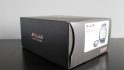
The Polar RC3 comes in the standard all-black box that virtually every Polar unit before it has come in.

Inside, you’ll find the watch and the heart rate strap transmitter pod sitting atop a cardboard riser, as well as a gigantic ‘Stop’ sign that you’ll likely ignore.

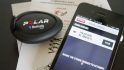
Once you’ve removed all the pieces, you’re looking at a fairly straightforward pile of components. You’ve got the watch itself, the H3 heart rate strap transmitter pod (seen below the watch), the heart rate strap itself, the micro-USB connector, and the paper manual.

We’ll dive into each of the parts. First up is the heart rate strap. Like most digital straps these days, you have a transmitter pod and a separate heart rate strap. These two snap together and transmit your heart rate. You can keep them stored together. The strap runs on a simple coin cell battery that typically lasts about a year.

Those familiar with the Polar straps will notice a few things, first, this little transmitter pod is a bit sleeker than previous models. And secondly, you’ll notice the rubber shielding around heart rate strap connectors. This is in theory to reduce HR strap false spikes Though, I’ve also heard of folks that had interference, sliced this off with an Xacto blade and been gloriously spike-free since. You’re mileage may vary here. For me, in the last two months, I’ve had no issues.


Seen above, the Polar H3 heart rate strap.
Below, is the unit itself.

On the back you’ll notice the waterproofing specified (IPX7), as well as the flap for the micro-USB connector (up top). We’ll dive into that a bit more later.

When you first turn it on, you’ll go through a typical Monty Python style questioning asking for language, age, weight, airspeed velocity of an unladen swallow and more.

Moving on to other pieces in the box, you’ve got the standard micro-USB connector. This is the same as most cell phones these days (iPhone excluded).

And finally, if you finish this post, and are still curious about anything, there’s a chance it might be covered in the manual, which is thicker than most competitors.

With the unboxing complete, let’s see how it sizes up (literally) to the competition.
Size Comparisons:
I try and compare the watch against like watches in the same category – primarily price. In this case, I went with a Garmin FR210, a Garmin FR610 (a bit higher end), the Polar RC3 (middle), the Polar RCX5 (slightly higher end), and the Timex Run Trainer. I figured that offered a good sampler. Note that the FR110 is not pictured, though it’s the same casing as the FR210, just different firmware.
From a height/thickness perspective, they’re pretty similar, only the Timex unit rising above.

Here’s the back of the bands as well, same order as above.

And the front. You can see that size-wise they’re all pretty similar. Really only the Timex Run Trainer sticks out again in size.


Running:
Once you’re ready to start using the watch, you’ll head outdoors and let it acquire satellite. The first time it acquires satellite in an area, it may take a minute or two. But after that, I found it picks up satellites fairly quickly.
You can see the status of the satellite by the little dots shown below on the photo. One is for connectivity to the heart rate strap, while the other is for the GPS signal. In the below example, the HR strap is paired, but the GPS satellite is still being acquired.

Once acquired, the circles will all turn to checkmarks:

From there, you’ll go ahead and hit the red start button to begin recording:

There are seven pages of data fields shown on the RC3, which I dive into later in the data fields/pages section. Each page has a numerical Training Pages number associated with it, that can be turned on/off as you cycle through the available pages.
As I run, I can rotate through the pages by pressing the Up/Down buttons on the right side. In the below photo, I’ve selected to show my current pace (7:30/mile), my current lap distance (.49 miles), and the current lap time (4 minutes and 1 second).

As I change data fields, you can see the heart rate being displayed below, as well as the average pace, and lap distance.

You can pause recording at any time by pressing the bottom left ‘Back’ button, which will bring you to the below screen. Note that in this screen you cannot see the current state of your run. This is one area I wish Polar would change – as I find it useful to be able to pause (such as at a stoplight), and see my current stats.

Once I’m ready to go again, I simply hit the red button. Note that if you hit the back button again, it’ll end your activity. It can be somewhat easy to accidentally double-tap the back-button when trying to pause, which has caused me to accidentally end a run a few times.

The unit supports auto-lap functionality, which will automatically demark a lap at set intervals. By default, this is set as every 1KM, however you can customize that across either metric or statue, as well as the distances you wish. It does not have a time-based autolap feature.

Note that you can specify autolap settings in either run or cycling view, independently.
I’m going to dive into many of the specific watch features in separate sections (such as data views, heart rate training, zone optimizer, etc..). But I wanted to note that when you’re complete with your run, you’ll go ahead and press the back button twice.
Upon ending the run you’ll be shown a summary screen with activity total information. There’s actually a handful of screens, which can be scrolled through. I’ve included two of them below, which highlight the run summary stats, as well as the HR zone stats:


With that, let’s get into a brief overview of the cycling functionality.
Cycling:

In addition to the main focus or running, the unit can easily be used for cycling. The unit includes two default sport modes – running and cycling – as well and optional modes that you can customize how you see fit.

The primary difference between running and cycling modes is the display of distance and speed metrics shifts from pace (i.e. minutes/mile) to speed (i.e. MPH). Both of those show in metrics (kilometers) if you have that specified.

Additionally, while in cycling mode you can connect to Polar WIND cycling sensors, such as the Polar WIND speed sensor and Polar WIND cadence sensor. The unit will not connect to either of their power meters.


Within the cycling menu you’ll configure the applicable sensors. You can do this both on the device, as well as on the computer – which is pretty cool. Note that you can specify two distinct bikes, within the cycling mode.

When you head out for a ride, it’ll start the search for all specified paired devices, such as HR, speed and cadence sensors (as well as the included GPS sensor).
Once on the ride, the unit will display the same data fields as while running, but again, just in formats applicable to cycling.

One gotchya to be aware of is that while cycling outdoors, you’ll want to ensure that you specify if you want the speed sensor or GPS used for data. By default, the GPS is used. But if you were indoors and specified the speed sensor, that data will automatically override any GPS data. I got slightly bit by this on one ride when my wheel sensor got bumped slightly. Given it was an outdoor ride I didn’t think anything of it, since I presumed data would just come from GPS. In reality, I ended up getting virtually no speed/distance data for that ride.
Ultimately, the RC3 makes for a functional cycling computer, but if you’re into cycling, I’d suggest going with a dedicated cycling unit rather than a running watch that also does cycling. If you’re primarily a runner that occasionally cycles – then this will work fine.
Heart Rate Training:
Given Polar’s history with heart rate measurement, it should come as no surprise that there are elements in the watch geared towards heart rate training.
The first thing to understand is that the RC3 has two heart rate (HR) training modes. The first is in a feature called Zone Optimizer. In this mode, before you start each run, it’ll automatically adjust your heart rate zones for that given day, based on the data provided by the heart rate strap in heart rate variability. This means that one day your Zone 2 could be 135-145, whereas the next it could be 125-135. You can turn this feature on or off.
Personally, I turn this off, because I’d rather assign a different zone to my workouts (i.e. Z2 instead of Z4), than shift my zones. As that makes it difficult to compare workouts in similar zones if the workouts are shifting.
But, it can be useful for folks not as familiar with heart rate zones and intensity levels and how to setup a training plan based on those.

When displaying your heart rate in data fields across unit, you can configure the data to be displayed in either beats per minute or percentage of HR maximum.

The HR maximum is defined within user profile settings for yourself.

The second method of HR zone training is a ‘BYOZ’ (Bring Your Own Zone – and yes, I just made that up). In this circumstance you need to first ensure that Zone Optimizer is turned off:

From there you’ll go ahead and define your HR zones for the specified levels – i.e. Zone 1, Zone 2, etc…

When defining them it shows you both HR specific numbers (i.e. 135bpm), as well as percentages (i.e. 71%), as you can see below. You first set the lower limit, then the upper limit – effectively creating a range.

Finally, one last really cool HR-related feature of the watch is the ability to specify a VO2Max value. You have two choices here. First is that you can complete a fitness test within the watch to establish what Polar calls their OwnIndex. Alternatively, if you have a VO2Max number, you can use that instead. For most folks, this number will range between about 45 and 65, with higher/more elite athletes going well into the low 90’s.
So in my case, I do have VO2Max test data, and went ahead and entered that in.

The end resultant of this is that you can get more accurate calorie burn data from it, when using the heart rate strap.
Data Screens:
In a bit of an ironic twist, the most frustrating and yet most expansive parts of the RC3 are actually its data screens. Like most competitive watches in this price and size range, you are unable to truly customize the data fields. Meaning that the unit offers a preset number of data pages, with each page having a preset number of data fields. The RC3 is unique though in that it offers far more preset data pages than it’s primary competitor the Garmin FR210. Seven pages in total, with either 2 or 3 data fields per page (of your choosing).
I had taken individual photos of all these dates pages while running, but they were a bit fuzzy. Then I realized they had a pretty table in the manual, which lists them out more clearly in a much more readable format. I’ve copied and pasted them below for your viewing pleasure.
Oh, one quick thing – read the chart moving downwards. In other words, if you have just the heart rate sensor, you’d only get the data pages shown below that column. If you added GPS, then those fields (vertically shown below).
Running Data Fields:


Cycling Data Fields:


As noted earlier, you can easily change from metric (kilometers) to statue (miles), depending on your persuasion.
However, this is where its strength is its downfall: You can’t turn any of those pages off. Take for example my weekly interval workouts. For these workouts, I like data shown on page 3 and an page 6. However, in order to see those different fields (because they aren’t customizable), I have to scroll through each one to get to the right page. And, I have to do this while pushing a hard interval. Sometimes you miss the page and have to go back. I just wish I could disable/enable the given data pages altogether (even if I couldn’t customize them).

The big elephant in the room though is the lack of lap pace. I love lap pace, primarily for intervals – so having it missing is a big bummer for me. Lap distance and lap time are offered, but that’s really not the same, nor terribly using for short-distance pacing (again, intervals).
Within the settings for each sport profile, you have an option in the menu to change from two fields per page, to three fields per page:

Additionally, you can turn on the ‘direction to start’ option. This option enables a simple arrow pointing in the direction you started your run at, with the distance between you and that point. This is ‘as the crow flies’, and not a ‘trackback’ style feature.

For me personally, I actually prefer this. I know that sounds odd – but hear me out. In virtually every running case that I frequent, I can retrace my own steps pretty easily. For example, running in the city (even ones I don’t know), I prefer to explore, and then at the required time, I like to head back. By having an eye on the arrow and distance remaining, I can wander a bit more freely as long as I’m headed in the right direction. I’ve been using it a lot lately actually to explore Paris. This way I can spend the entire run in new territory, eventually ending up back home successfully each time.
Where this of course fails is trail type scenarios where you want to know you’re going back the same way you came in. For that, this watch doesn’t offer an option to follow the outbound track back home.
Backlight:
I’d put the RC3 light in the category of ‘functional’, but not terribly bright. When the upper left button is pressed, the backlight will illuminate and stay on for 8 seconds. After which, it automatically shuts off.

The backlight cannot be configured for a longer duration, nor brightness.
Waterproofing/Swimming:
The RC3 is waterproofed to IPX7 standards, which is the lowest (read: cheapest) waterproofing standard that offers minimal protection against water submersion. Technically the specification states it can go 1 meter deep (3 feet) for 30 minutes. Of course, rain and the like aren’t an issue.

I’ve confirmed with Polar that they do not recommend you swim laps with the device, as the pressure of the water will likely cause a water incursion. This is inline with a similar watch, the Garmin FR110/FR210, which also is not recommended for swimming laps. Note that I state ‘laps’, but I’m implying any stroke-like activity that causes the watch to whack against the surface. Simply floating around a pool in the Caribbean drinking Mojito’s is fine.
I’ve been pretty hard on companies for not including proper waterproofing on their sports GPS watches, and I will continue to be here.
The fact that I’m buying a $200US+ watch that can’t be waterproofed properly is frustrating. As I often note, I can walk into Wal-Mart and get a watch for $15 with better waterproofing. The cost of waterproofing these watches is minimal – as both Garmin and Polar have product lines at cheaper price points with better waterproofing protection. Ultimately, companies have to make decisions around dock and charging connectors in waterproofing decisions, and in my view – they need to consider that consumers don’t want their devices dying on them, be it due to swimming – or just because water seeped in (fairly common for IPX7 devices).
Use as a day to day watch:
Over the past two months, I’ve actually turned to using the Polar RC3 as my day to day watch – likely in part because it’s slimmer (or at least feels slimmer) than every other GPS integrated watch I have. And secondly, because it doesn’t stand out like most GPS watches. I’ve also used it while walking around, just to check out how far I’ve gone:

The unit in day to day mode gets about 120 days of battery life (no activity), or a claimed 12 days with about an hour a day of activity. Meanwhile, in GPS active mode, it’ll max out at 12 hours of battery. And since we’re throwing out stats, the unit will go for a mind-bogglingly long 1,200 hours with GPS-off in training mode. Though interestingly, I’ve recorded some activities significantly longer than the 12 hours noted on accident (had it in my bag and it got bumped on). I suspect the GPS data turned off eventually. You can see that below:

Within the watch settings, you can specify both alarms as well as time of day. The unit supports two time settings (Time 1 and Time 2), where the second time is merely an offset of the first (i.e. time zone shift).

From a time standpoint you can set a single alarm, and configure it as repeating across either specific days of the week, or all days.

Additionally, on the face of the watch you can specify whether or not you want the Polar RC3 logo to display, or just the time.

What’s kinda cool is that you can do all of this either on the watch itself, or via the WebSync desktop agent software, which allows you to change any device settings on the watch while connected via USB.

GPS Accuracy and Stability:
When looking at GPS accuracy and stability I focus on two areas. First, is the ability for a given GPS unit to generally agree with other GPS units in distance measurement. The second, is for the GPS unit to have a instant pace metric useful for a human.
On the GPS measurement, it’s important to understand that the GPS units I review here typically have a stated accuracy level of +/- 2%. Meaning that one might measure 1.02 miles, while another .98 miles (for a known mile segment). I do very detailed annual GPS tests around known tracks (typically in November), however, for individual product reviews I focus on ensuring that multiple runs results with multiple GPS units are giving me a consistent number.
In other words, the units agree within the stated levels of accuracy. Additionally, I look to ensure that a specific unit isn’t consistently measuring higher or lower. For example, there was one unit recently that consistently measured .02 miles short every.single.time. Ideally, we’d see one unit slightly higher one right, and then them different (lower) the next run.
With that bit of background, from a GPS accuracy standpoint I’ve found the final production units to be quite accuracy and very consistent with other units (FR910XT, FR310XT, Fenix, FR10 and Suunto Ambit, primarily). There were some initial issues with the prototype unit and underpasses/tunnels not being accounted for, but those were resolved in the final unit from my testing.
Here’s a quick look at a few photos showing end of run stats:


The next part is looking at how stable the instant pace is (GPS pace stability). If your instant pace isn’t stable, it’s useless for pacing. Yes, there are always ‘workarounds’ such as using averages, but ultimately, you want consistent data. In the last 12-18 months we’ve seen a noticeable dip in the quality of GPS pace stability, across a broad number of manufactures. In response to that, I’m now holding peoples feet to the fire and posting videos of exactly what the GPS stability looks like. I know that this is a major part of your decision making, and in doing so – I make it clear to companies that lackluster GPS pace measurements just aren’t good enough.
With that background, I filmed the below short video while running along a path with little tree cover. Note that the numbers can be a bit tough to read, simply because I am indeed actually running and holding the camera. And glare is very tough with the RC3 screen. But, you should be able to get the gist of things. The number you’re looking at is the middle line, which is pace.
You’ll see it fluctuates only barely between 7:24/mile and 7:19/mile, which is very consistent.

Overall, I’m pretty happy with GPS instant pace on the RC3.
Uploading Data to Polar Personal Trainer:
In order to get your data from the watch to the online site where you can analyze it, you’ll need to dig up that micro-USB charging cable it came with, as well install their Polar WebSync software. The software only takes a second to install (it’s free) and is available for Windows and Mac. I even tried it on Windows 8, and it works fine (in fact, everything you see below was done on Windows 8).
After connecting the cable, you’ll click in the tray to get the WebSync looking for your watch.

It’ll ask for your PolarPersonalTrainer.com (PPT.com for short) username and password, which you can select to have it remember. Once that’s done, it’ll start looking for any changes that need to be made to the device, and then move onto uploading any non-uploaded workouts. It knows which ones are already uploaded, and skips those.


Once it’s complete, it’ll show you the final upload count, and automatically open up PolarPersonalTrainer.com (if you selected that). Regrettably, it doesn’t pass authentication as well, which would be a nice touch.

The Polar Personal Trainer Site:
Once logged into the site, you’ll be brought to a general dashboard view, which shows you’re most recently uploaded activities. Additionally, it’ll also show the products you’re using on the left side. If you happen to be using two Polar products, note that the activity feed shows most recently uploaded, but not most recent by date (meaning if you upload from a device with older files, it’ll show up instead of newer files). No worries though, just click ‘Training’ on the main toolbar to access all files.

Within the Training tab you can see all of your activities across all sports. In short, anything you’ve recorded. On the left-side are some general stats and summary information, while the right side is a calendar view. You can change the view to week view, as well as month and list. I prefer month.

We’ll go ahead and dig into a single activity. I’m going to show an interval run I did with The Girl back a few weeks ago, mostly because it illustrates the most extensive number of features at once (HR, lap data, map data, etc…).
Below is the main activity overview, which gives you summary information about the activity, as well as a graph, lap, zone, and map of where you went.

You can either click to expand the map right there, or select the map tab. Either way, the result is the same. Within that, you’ll see the lap markers added to the map. In my case, I had set the unit for manual laps, which corresponded with various portions of the workout.

If we click on the Curve tab, it’ll show you your graph. I have no idea why they don’t just call this the graph tab. Within the graph, it’ll show a line for each data type collected. In my case, that’s HR and pace data. Had I also had the footpod on, it would have gathered cadence data too.

Along the bottom you can see the time spent in each of the zones, as defined by the lower and upper limits listed. In this case, I hadn’t correctly re-aligned my zones to my actual HR zones that I personally use.
Next up is the data tab, which simply summarizes all of your metrics about the run, things like pace, totals, calories, etc…

Note that in the above workout, the max pace is incorrect. This was an earlier prototype bug, but has since been resolved. I wanted to use this workout in the screenshots because it’s better with the interval data included.
Lastly, is the Benefit tab. This gives you an overview of time spent in zones, and how that correlates to the different Polar Sport Zones. Ultimately, this data is fed into the Training Load portion of PPT.com

The Training Load feature of PPT.com can be accessed from the top toolbar. This helps you understand what your overall load looks like, and allows you to plan for races. There’s tons of information out there on the various Training Load type programs (like TSS), so I won’t dive into it here. Note that only data with a heart rate strap is shown. You can see that from above, where data on my calendar is missing, as I didn’t have the HR strap on.

In addition to activity data from your workouts, PPT.com also features some basic workout plans. To my knowledge, Polar is the only device company to offer free plans integrated with their online activity platform. Garmin did offer a limited set of plans this past summer for various activities (i.e. triathlons, 5K’s, etc..), but none were truly integrated, and were a bit one-off.
With PPT.com’s feature, you can create a calendar to hit a goal race, and then have the website track your planned workouts against your actual workouts. It’s a bit like having a coach, minus the feedback aspect.

Note that as of today Polar doesn’t offer any integration with 3rd party hardware services on their site, such as the Withings WiFi scale or other weight scales – so any holistic health tracking would need to be consolidated elsewhere.
In talking with Polar, there are some updates planned for PPT.com, however, I’m not convinced they’re drastic enough to really bring the site into this decade.
Ultimately, PPT.com as a site needs a full refresh, primarily from a graphical user interface standpoint, but also from the ability to integrate with other companies data. Consumers today want that integration (both data in and data out), and PPT.com is a bit of a black box in that respect.
From a functionality standpoint, it’s sufficient for its purposes, but I’d generally suggest you store your data with another online training log site that gives more analytics and a better graphical interface, and one that has phone app access to your data.
3rd Party Software Compatibility:
Polar has not changed their formats, structures or file types with the release of the RC3, which means that any programs previously compatible with Polar GPS-enabled devices are compatible with the RC3.
When you connect the watch and download your workouts to the Polar agent software, by default it uploads that data to the web (PPT.com). However, you can also select to manually export out any given workout (or bunches of workouts). You access this by right-clicking on the little Polar icon, and selecting Training Computer. When you do this, you’ll get the following:

From here, you can select (multi if you wish) the applicable workouts to export. Once you export, the program will spit out two files for each workout – a .HRM file and a .GPX file. The .HRM file contains the workout data (HR, splits, time, distance, sensors, etc…), while the GPX file contains the GPS overlay.

This is a bit different from how the rest of the world operates when it comes to fitness files, as most solutions place them in a single file. Nonetheless, it’s how Polar does it, and most apps that are Polar compatible understand how to glue the two pieces together. Ultimately, I’d like to see Polar export out a single cohesive file. Even better would be if they’d do it in .TCX or .FIT – which I recognize are somewhat Garmin focused, but it’s also what many other Garmin competitors are moving to. They are standards based, and by moving that way, companies can ensure the widest applicable compatibility.
In fact, in recent discussions with both Strava and RunKeeper development teams, both are pushing device companies heavily towards those formats. Not variations of those formats (no hokey pokey here), but those exact formats per the specs. Ultimately, companies like those two simply can’t keep up with the numerous formats out there, and using a single standard makes it easy. If device companies don’t adhere to widely adopted formats, their devises simply won’t have widespread 3rd party support.
At any rate, back to getting the data to apps.
Once you have the data, you can import it into any app of your choosing. For example, below I’ve uploaded a workout to TrainingPeaks. It pulls the two pieces together, and then presents a cohesive workout picture.

Accessories:
The Polar RC3 is compatible with a slew of accessories. Here’s the quick lineup:
Heart Rate Straps:
Navigating the waters of Polar’s heart rate strap lineup can be challenging. So here’s the lowdown. The unit can ONLY read those heart rate straps which are WIND based, and not the older straps compatible with treadmills and the like.

This means that looking at the new straps, anything with “WIND” on it is good, and specifically, the H2 and H3 straps. Here’s the key differences between the new ‘H’ straps:
Polar H1: Old school only (5khz signal)
Polar H2: Dual broadcast, old school (5khz) and new school (WIND @ 2.4ghz)
Polar H3: New school only (WIND @ 2.4ghz only)
Polar H7: Bluetooth Smart/Bluetooth Low Energy + Old School (5khz)
Got it? Again, RC3 is only only compatible with WIND. That’s the H2 and H3 straps. There’s a million other Polar straps out there, but these are pretty much the standards going forward. Look for ‘WIND’ on the strap to be 100% sure.
Cycling Speed Sensor:
The RC3 is compatible with Polar’s WIND based speed sensors, which means the CS WIND Speed Sensor. Unlike the heart rate straps, the speed sensor is simple and straight forward – only one variant out there.

The speed sensor allows you to gather speed data while indoors, as well as outdoors (perhaps for higher accuracy in situations such as mountain biking). Indoors is primarily suited for trainer or track use. If you have a Polar speed sensor already, it should work just fine.
Cycling Cadence Sensor:
The story for the cadence sensors is the same as the speed sensors. Simple and straight forward. Polar makes the CS WIND Cadence Sensor, which, as the name implies is WIND based.

The sensor will track your cycling cadence – which is how many times per minute you rotate your crank arm. This is displayed and recorded in revolutions per minute (RPM), as seen by the left crank arm. On average, most folks are between 80 and 95RPM. There’s plenty of cycling religion about cadence and what the ‘right’ range should be, but I’ll save you the political discussion here.
Running Speed and Cadence Sensor:
Similar to the speed and cadence sensors seen for cycling, Polar also offers one for running, the S3+ Stride Sensor. This footpod based sensor is also WIND based and allows you to record pace, cadence and distance when the GPS on the unit is turned off. This is primarily useful for treadmill running. Though, you can also use it outdoors in mountain/trail running to increase battery life of the unit.


The s3+ sensor is a wee bit big by todays standards, but it does the trick. Note that like the cycling speed sensors, you’ll need to be aware that it’s one or the other when it comes to GPS. Meaning that if you use the stride sensor, it’ll override the GPS data – and vice versa. In general while outdoors, I’d suggest GPS data over stride data, as I find that in most cases the accuracy surpasses that of footpod data. The only bummer here is that compared to the ANT+ equivalent, the stride sensor is pretty expensive – $100US, whereas the ANT+ ones (not compatible here) are closer to $40US.
Polar Power Meters:
I wanted to call this out specifically, simply to ensure there’s no confusion. The Polar RC3 does not accept/read data from either of the two Polar branded power meter. Neither the chain based unit nor the new Polar/Look Keo pedal based unit is compatible with the RC3. And, since we’re at it – no ANT+ devices can be read by the RC3 (or any Polar unit), thus, no ANT+ power meters are compatible.
Bluetooth Low Energy (Bluetooth Smart):
Speaking of reduction in confusion – I also want to call this one out too. The RC3 does not have a Bluetooth Low Energy chip in it, and thus, is not Bluetooth Smart/BTLE compatible. Frankly, this came as quite a surprise to me when the watch was first announced.
Given the focus Polar has on moving to Bluetooth Smart (and their leadership on the Bluetooth SIG), I thought this would be a great platform to start with. With the lack of Bluetooth Smart though, I feel that Polar has effectively pushed BTLE devices out past Christmas and into next spring – from a ‘sports masses’ standpoint. It’s somewhat ironic, given that Polar sells a Bluetooth Smart HR strap (the H7), yet there’s no Polar head units to use with it.
With the long sales cycle of athletic units like Polar’s and Garmin’s, I feel that this decision may cost them quite a bit competitively once we hit CES (January) and the offerings for next spring.
Comparison Table:
Here’s a comparison chart of the major competitors in the price range of the Polar RC3:
| Function/Feature | Polar RC3 | Apple Watch SE3 | Garmin Vivoactive 6 | COROS APEX 4 | Garmin Forerunner 570 | |
|---|---|---|---|---|---|---|
| Copyright DC Rainmaker - Updated December 30th, 2025 @ 5:46 am New Window | ||||||
| Price | $215.00 | $249/$299 (cellular) | $299 | $429 | $549 | |
| Product Announcement Date | AUG 13, 2012 | Sept 9th, 2025 | April 1st, 2025 | Oct 15th, 2025 | May 15th, 2025 | |
| Actual Availability/Shipping Date | SEPT 2012 | Sept 19th, 2025 | April 1st, 2025 | Oct 15th, 2025 | May 21st, 2025 | |
| Case Size | 40mm/44mm | 42mm | 42mm/45mm | 42mm/47mm | ||
| Display/Scren Size | 1.2" | 1.2"/1.3" | 1.2"/1.4" | |||
| Display Type | AMOLED | AMOLED | MIPS | AMOLED | ||
| GPS Recording Functionality | Yes | Yes | Yes | Yes | Yes | |
| Data Transfer | USB | Bluetooth Smart | USB, BLUETOOTH SMART, WiFi | Bluetooth Smart (smartphone) | USB, Bluetooth Smart, WiFi | |
| Waterproofing | IPX7 | 50m | 50 meters | 50m | 50 Meters | |
| Dive/Snorkel Feature | No | No | Sorta | No | ||
| Battery Life (GPS) | 12 Hours | 7 hours GPS | 21 hrs (just GPS) | Up to 65 hours | Up to 18 hours | |
| Battery Life (Daily Smartwatch | 18 hours | 11 Days | Up to 30 days | Up to 11 days | ||
| Solar Charging | No | No | No | No | ||
| Recording Interval | 1-Second | Varies | 1s or Smart Recording | 1-second | 1-second, Smart, UltraTrac | |
| Dual-Frequency GNSS | No | No | Yes | Yes | ||
| Alerts | Sound/Visual | Vibration/Audio/Visual | Vibrate/Visual | Audio/Visual/Vibration | VIBRATE/SOUND/VISUAL | |
| Ability to download custom apps to unit/device | No | Yes | Yes | No | Yes | |
| Flashlight | Display Only | No | No | No | Voice Integration | Polar RC3 | Apple Watch SE3 | Garmin Vivoactive 6 | COROS APEX 4 | Garmin Forerunner 570 |
| Has Mic/Speaker | Yes | No | Yes | No | ||
| Can make/receive calls | Non-cellular editions with phone/Cellular Editions without phone | No | Yes | No | ||
| Voice Assistant | Apple Siri | No | No | No | Music | Polar RC3 | Apple Watch SE3 | Garmin Vivoactive 6 | COROS APEX 4 | Garmin Forerunner 570 |
| Can control phone music | Yes | Yes | Yes | Yes | ||
| Has offline music storage and playback | Yes | Yes | Yes | Yes | ||
| Streaming Services | Apple Music | Spotify, Amazon Music, Deezer | No (MP3 files only) | Spotify, Amazon Music, Deezer | Storage | Polar RC3 | Apple Watch SE3 | Garmin Vivoactive 6 | COROS APEX 4 | Garmin Forerunner 570 |
| Total Size | 32GB | 8GB | Payments | Polar RC3 | Apple Watch SE3 | Garmin Vivoactive 6 | COROS APEX 4 | Garmin Forerunner 570 |
| Contactless-NFC Payments | Yes | Yes | No | Yes | Connectivity | Polar RC3 | Apple Watch SE3 | Garmin Vivoactive 6 | COROS APEX 4 | Garmin Forerunner 570 |
| Bluetooth Smart to Phone Uploading | No | Yes | Yes | Yes | Yes | |
| Phone Notifications to unit (i.e. texts/calls/etc...) | No | Yes | Yes | Yes | Yes (with connected phone) | |
| Live Tracking (streaming location to website) | No | With 3rd party apps | Yes | Yes | Yes (with connected phone) | |
| Group tracking | No | No | No | Yes (with connected phone) | ||
| Emergency/SOS Message Notification (from watch to contacts) | No | Yes | Yes | Yes | Yes (with connected phone) | |
| Built-in cellular chip (no phone required) | No | Yes (with cellular version) | No | No | No | Cycling | Polar RC3 | Apple Watch SE3 | Garmin Vivoactive 6 | COROS APEX 4 | Garmin Forerunner 570 |
| Designed for cycling | Yes | Yes | Yes | Yes | Yes | |
| Power Meter Capable | No | Yes | No | Yes | Yes | |
| Power Meter Configuration/Calibration Options | N/A | N/A | No | Yes | ||
| Power Meter TSS/NP/IF | N/A | No | N/A | NP only | Yes | |
| Speed/Cadence Sensor Capable | Yes | No | Yes | Yes | Yes | |
| Strava segments live on device | No | No | No | No | ||
| Crash detection | Yes | Yes | No | Yes | Running | Polar RC3 | Apple Watch SE3 | Garmin Vivoactive 6 | COROS APEX 4 | Garmin Forerunner 570 |
| Designed for running | Yes | Yes | Yes | Yes | Yes | |
| Footpod Capable (For treadmills) | Yes | With 3rd party apps | Yes | Yes | YES (Also has INTERNAL ACCELEROMETER) | |
| Running Dynamics (vertical oscillation, ground contact time, etc...) | No | Yes | YEs | Yes | Yes | |
| Running Power | Yes | YEs | Yes (Built-in) | Yes | ||
| VO2Max Estimation | Yes | Yes | Yes | Yes | Yes | |
| Race Predictor | No | No | No | Yes | Yes | |
| Recovery Advisor | Yes | No | Yes | Yes | Yes | |
| Run/Walk Mode | No | With 3rd party apps | Yes | No | Yes | |
| Track Recognition Mode | Yes | No | Yes | Yes | Swimming | Polar RC3 | Apple Watch SE3 | Garmin Vivoactive 6 | COROS APEX 4 | Garmin Forerunner 570 |
| Designed for swimming | No | Yes | Yes | Yes | Yes | |
| Openwater swimming mode | N/A | YEs | Yes | Yes | Yes | |
| Lap/Indoor Distance Tracking | N/A | Yes | Yes | Yes | Yes | |
| Record HR underwater | No | Yes | Yes | Yes | Yes | |
| Openwater Metrics (Stroke/etc.) | N/A | Basic stroke type only | Yes | Yes | Yes | |
| Indoor Metrics (Stroke/etc.) | N/A | Basic stroke type only | Yes | Yes | Yes | |
| Indoor Drill Mode | N/A | No | No | No | Yes | |
| Indoor auto-pause feature | N/A | Yes | No | - | No | |
| Change pool size | N/A | Yes | Yes | Yes | Yes | |
| Indoor Min/Max Pool Lengths | N/A | 1y/m to 1,500y/m+ | 13M/15Y TO 150Y/M | 15y/m-300y/m | 14M/15Y TO 150Y/M | |
| Ability to customize data fields | N/A | Yes | Yes | Yes | Yes | |
| Captures per length data - indoors | N/A | Yes | Yes | Yes | ||
| Indoor Alerts | N/A | Yes (goals) | Yes | Yes | Yes | Triathlon | Polar RC3 | Apple Watch SE3 | Garmin Vivoactive 6 | COROS APEX 4 | Garmin Forerunner 570 |
| Designed for triathlon | No | Yes | No | Yes | Yes | |
| Multisport mode | No | Yes | No | Yes | Yes | Workouts | Polar RC3 | Apple Watch SE3 | Garmin Vivoactive 6 | COROS APEX 4 | Garmin Forerunner 570 |
| Create/Follow custom workouts | No | Yes | Yes | Yes | Yes | |
| On-unit interval Feature | Yes with firmware upate | Yes | Yes | Yes | Yes | |
| Training Calendar Functionality | No | Yes | Yes | Yes | Yes | Functions | Polar RC3 | Apple Watch SE3 | Garmin Vivoactive 6 | COROS APEX 4 | Garmin Forerunner 570 |
| Auto Start/Stop | No | Yes | Yes | Yes | Yes | |
| Virtual Partner Feature | No | Yes | No | No | Yes | |
| Virtual Racer Feature | No | Yes | No | No | Yes | |
| Records PR's - Personal Records (diff than history) | No | No | Yes | No | Yes | |
| Tidal Tables (Tide Information) | No | No | No | No | No | |
| Weather Display (live data) | No | Yes | Yes | No | YEs | Navigate | Polar RC3 | Apple Watch SE3 | Garmin Vivoactive 6 | COROS APEX 4 | Garmin Forerunner 570 |
| Follow GPS Track (Courses/Waypoints) | No | Yes | Yes | Yes | Yes | |
| Markers/Waypoint Direction | No | Yes (Backtrack) | No | Yes | Yes (Up Ahead support) | |
| Offline Maps | No | Yes | No | Maps but not routable | No | |
| Back to start | Yes | Yes (Backtrack) | Yes | Reverse course | Yes | |
| Impromptu Round Trip Route Creation | No | With 3rd party apps | No | No | No | |
| Download courses/routes from phone to unit | No | Yes | Yes | Yes | Yes | Sensors | Polar RC3 | Apple Watch SE3 | Garmin Vivoactive 6 | COROS APEX 4 | Garmin Forerunner 570 |
| Altimeter Type | GPS | Barometric with real-time watch face | GPS | Barometric | Barometric | |
| Compass Type | GPS | Magnetic | - | Magnetic | Magnetic | |
| Optical Heart Rate Sensor internally | Yes | Yes | Yes | YEs | ||
| SpO2 (aka Pulse Oximetry) | Yes | Yes | Yes | Yes | ||
| ECG Functionality | No | No | Not Medically Certified | No | ||
| HRV Recording | Yes | Yes | Yes (Manual) | Yes (nightly and on-demand) | ||
| Heart Rate Strap Compatible | Yes | Yes | Yes | Yes | Yes | |
| ANT+ Heart Rate Strap Capable | No | No | YEs | No | Yes | |
| ANT+ Speed/Cadence Capable | No | no | Yes | No | Yes | |
| ANT+ Footpod Capable | No | No | Yes | No | Yes | |
| ANT+ Power Meter Capable | No | No | No | No | Yes | |
| ANT+ Lighting Control | No | Yes | No | Yes | ||
| ANT+ Bike Radar Integration | No | Yes | No | Yes | ||
| ANT+ Trainer Control (FE-C) | No | No | FTMS (Bluetooth) only | Yes | ||
| ANT+ Remote Control | No | No | No | No | No | |
| ANT+ eBike Compatibility | No | No | Yes | No | Yes | |
| ANT+ Gear Shifting (i.e. SRAM ETAP) | No | No | No | No | ||
| Shimano Di2 Shifting | No | No | No | No | ||
| Bluetooth Smart HR Strap Capable | No | Yes | YEs | Yes | Yes | |
| Bluetooth Smart Speed/Cadence Capable | No | No | Yes | Yes | Yes | |
| Bluetooth Smart Footpod Capable | No | No | Yes | Yes | Yes | |
| Bluetooth Smart Power Meter Capable | No | No | No | Yes | Yes | |
| Temp Recording (internal sensor) | No | No | No | Yes | Yes | |
| Temp Recording (external sensor) | No | No | Yes | No | YES (TEMPE) | Software | Polar RC3 | Apple Watch SE3 | Garmin Vivoactive 6 | COROS APEX 4 | Garmin Forerunner 570 |
| Desktop Application | PPT/Websync | None | Garmin Express | No | Garmin Express | |
| Web Application | PPT.com | None | Garmin Connect | No | Garmin Connect | |
| Phone App | Polar Beats | iOS only | iOS/Android/Windows | iOS/Android | iOS/Android | |
| Ability to Export Settings | No | No | No | No | No | Purchase | Polar RC3 | Apple Watch SE3 | Garmin Vivoactive 6 | COROS APEX 4 | Garmin Forerunner 570 |
| Amazon | Link | Link | Link | Link | Link | |
| REI | Link | Link | Link | DCRainmaker | Polar RC3 | Apple Watch SE3 | Garmin Vivoactive 6 | COROS APEX 4 | Garmin Forerunner 570 |
| Review Link | Link | Link | Link | Link | ||
When looking at who I ‘d recommend this watch for, I’d focus on runners, rather than triathletes. This is primary due to the lack of waterproofing, and the Polar recommendation to avoid openwater/lap swimming with the unit.
If you’re primarily a cyclist, I’d focus on other units first. While the RC3 does cycling just fine, it’s not really it’s forte, and in that range there are better cycling-specific bike computers, as well as better cross-over units (for those cyclists that want to dabble in running). For runners that dabble in cycling, this works well enough.
Pros and Cons:
As always, if you’re looking at this watch, there’s a lot to consider (as evidenced by all the black text above). I’ve tried to distill it all down to just a few short bullets below, but keep in mind there’s a ton of detail above that might help you with your decision:
Pros:
– Small form factor, super-slim
– Easy to use, simple and clean menu system
– Longer battery life than most competitors in same category , especially with GPS off
– Can be used as day to day watch
– GPS accuracy tracks well, consistent with other units
– GPS stability tracks well
– Standard charging connection (micro-USB), though limited waterproofing
Cons:
– Data Page system can be overwhelming (can’ turn them off)
– Polar Personal Trainer website lags behind competitors
– No lap average pace
– Unit doesn’t include Bluetooth Smart, so accessories limited to WIND only
– The overall unit price is a bit higher than most competitive offerings
Summary:
The Polar RC3 is a very solid first entrant into the GPS market by Polar. And one that’d I’d largely be happy with as my primary running watch. It’s slim, easy to use, and accurate. In short, in my opinion Polar has finally made a GPS compatible watch that stands up to a Garmin unit (the FR110/210).
My singular technical complaint with the device being that it doesn’t have lap pace on it. Beyond that, the device performs well and give more data pages/fields than most of the competitors (even if as noted you can’t turn them off). Price-wise, the RC3 is still a bit higher than the competition, but, I suspect that’ll come down over time.
When looking at competitors in the field, you’ll have to make a choice as to which features you value more. For example, if you value training plans and more specified training options around HR – the Polar units are hard to beat. If however, you prefer a better online portal and interoperability with other non-Polar devices, they lag behind in those area.
Ultimately though, I’m excited about the watch, and even more excited to see the GPS technology moved into their other offerings as well.
—
Found this review useful? Here’s how you can help support future reviews with just a single click! Read on…
Hopefully you found this review useful. At the end of the day, I’m an athlete just like you looking for the most detail possible on a new purchase – so my review is written from the standpoint of how I used the device. The reviews generally take a lot of hours to put together, so it’s a fair bit of work (and labor of love). As you probably noticed by looking below, I also take time to answer all the questions posted in the comments – and there’s quite a bit of detail in there as well.
I’ve partnered with Clever Training to offer all DC Rainmaker readers an exclusive 10% discount across the board on all products (except clearance items). You can pickup the RC3 below (with HR strap). Then receive 10% off of everything in your cart by adding code DCR10BTF at checkout. By doing so, you not only support the site (and all the work I do here) – but you also get a sweet discount. And, since this item is more than $75, you get free US shipping as well.
Polar RC3 GPS (no HR strap)
Polar RC3 GPS (with HR strap)
Polar RC3 GPS (with bike pod)
Additionally, you can also use Amazon to purchase the unit (all colors shown after clicking through to the left) or accessories (though, no discount). Or, anything else you pickup on Amazon helps support the site as well (socks, laundry detergent, cowbells). If you’re outside the US, I’ve got links to all of the major individual country Amazon stores on the sidebar towards the top. Though, Clever Training also ships there too and you get the 10% discount.
As you’ve seen throughout the review there are numerous compatible accessories for the unit. I’ve consolidated them all into the below chart, with additional information (full posts) available on some of the accessories to the far right. Also, everything here is verified by me – so if it’s on the list, you’ll know it’ll work. And as you can see, I mix and match accessories based on compatibility – so if a compatible accessory is available at a lower price below, you can grab that instead.
| Product | Street Price | Amazon | |
|---|---|---|---|
| H2 Heart Rate Strap (Polar W.I.N.D. units, Analog + Gym Equipment) $60.00 | $60.00 | Amazon | |
| H3 Heart Rate Strap (Polar W.I.N.D. units only) TBA | TBA | TBA | |
| Polar Bike Mount Kit (for mounting any watch onto handlebars) $12.00 | $12.00 | Amazon | |
| S3+ Running Footpod (Polar units only) $101.00 | $101.00 | Amazon | |
| W.I.N.D. Bike Cadence Sensor $46.00 | $46.00 | Amazon | |
| W.I.N.D. Bike Speed Sensor $33.00 | $33.00 | Amazon |
Thanks for reading! And as always, feel free to post comments or questions in the comments section below, I’ll be happy to try and answer them as quickly as possible. And lastly, if you felt this review was useful – I always appreciate feedback in the comments below. Thanks!
Finally, I’ve written up a ton of helpful guides around using most of the major fitness devices, which you may find useful in getting started with the devices. These guides are all listed on this page here.

















Waiting for the same review for the Garmin Fenix ;-)
Thanks
Waiting for the same review for the Garmin Fenix ;-)
Thanks
Excluding any unexpected anythings, should be next week for Fenix. :)
Sweet review Ray. Got my unit yesterday, and found the lack of display customization as an immediate annoyance.. As a loyal Polar user of many years, I revel in the fact that they finally released an integrated GPS watch. I also really like analyzing my training in PPT5, and was hoping to be able to continue doing just that.. Like the RCX5 you have to attach files in your diary, no worries. Unlike the RCX5, PPT5 does not collect the time spent in individual sports zones when the training files are made with the RC3. Have you had any issues with this in your testing of the watch?
Best regards Dag
Well I am very disapointed by this review! What happened to the new, bigger and better, big rolling pin??
:)
C’mon no bluetooth this time also? I think that it’s polar’s politic to limit users ability to add custom sensors to cheaper models. Like power sensor, only available for the top range models…
Ray i have a problem with Polar speed sensors (bike) you cant change the battery… (p.s. I own a rcx5) any work around you can recommend please? avoq50@dsl.pipex.com
Hi,
I noticed in the comparison charge you noted the Nike Sportwatch can do miles/hr. Is it now able to do that?
Thanks!
Does this new polar fabric strap work with Garmin heart rate sensors as well? The spacing of the snaps on the old one allowed this, and the polar strap seemed to be more comfortable than the Garmin strap.
Hi.
On the Instant Pace topic, it’s pretty easy to achieve a steady display pace just by averaging some number of seconds. Do you think that’s what is being implemented by default? (vs. the old ‘option’ of more/less smoothing). Or do you think it’s better raw track points?
The downside is that it takes away from the instant part of Instant somewhat. But probably the right trade-off from most runners. I like to check it with the old basketball jump stop manuever.
As always, great review.
I run with a FR410, while two my teammates run with a RCX3.
I find the gps accuracy of their units (with gps in a separate pod) better than my garmin.
If I would buy a Polar, I’d prefer the RCX3 (the belt clip is confortable)
Hi
Can PPT.com draw elevaation chart? Elevatin is usefull information for cyclists.
Excellent review! Thanks for pointing out the little quirks (like the bad pause screen).
About that swallow; African or European?
In the middle of buying a GPS watch, go thru most of your review. Very details and comprehensive. Thanks
With that rolling pin with all the watches on – would you mind baking us a cake or make a pizza? Then test for which unit makes the best flavour!
;)
(great stuff, thanks!)
Hi, thanks for all the reviews, great.
I want to start using a GPS watch, I’m not sure about the comparison between the RC3 and the “Timex GPS Run Trainer”. If I look on the table of facts in your review, the Timex is equal or better and cheaper. Am I right or is there any I don’t have in mind?
So, what do you (or all others out there) think?
i would like to know the same!!!
This comment has been removed by the author.
As always, a great and very thorough review, but… No ANT+, no deal
Am I the only one to think Polar would double their sales if they supported ANT+ ?
@Jerc
PPT.com has no elevation chart
@ Rodrigo , ANT is a subsidiary of Garmin…criticizing Polar for not adopting it is like criticizing Chevy for not making Fords & vice-versa.
FYI, insider knowledge: POLAR will NEVER, EVER adopt ANT+…so don’t bother waiting…but then again, ANT+ is on its way out…so is that really a bad thing Polar not adopting it?
From years back I was a Polar man. My last one was the Polar 625x….. then Garmin came along and stole my heart. Am Garmin 610 all the way now!
@anon:
Ray repeatedly has noted that Garmin invented ANT+. But he’s also mentioned, which you do not, that ANT+ is generally an open standard, and is the de facto industry standard. Heck — lots of industry “Ford’s” are using “Chevy’s” product. A more accurate analogy would be to suggest that what’s happening here is that Ford isn’t including headlights in a car because Chevy had them first.
Ray’s also repeatedly noted that Bluetooth Smart looks like the future, but that the future isn’t coming for a while. So for now, the most user-friendly option is ANT+. At a minimum, current gen products should have Bluetooth Smart; Ray even notes in this review that one shock to him is that Polar didn’t include Bluetooth Smart in this watch, which at least would have opened the door to use of the watch with some non-Polar accessories.
In sum, Polar had more than one chance to be user-friendly here and chose not to take any of them. That’s on them, and has nothing to do with your Chevy-Ford analogy.
“Ray repeatedly has noted that Garmin invented ANT+” This has already been clarified.
“But he’s also mentioned, which you do not, that ANT+ is generally an open standard.” Ehhhh….not really…sure, anyone can use it…but only Garmin/Dynastream really know the nitty-gritty details of the code.
“Ray’s also repeatedly noted that…” Stop telling me what ‘Ray Know’s & start telling me what ‘You Know’.
Polar will never, ever use ANT+…period. Trust me, my contacts are better than yours.
@ Chase
I’d agree that at this point, it doesn’t make sense for them to use it. They’re going the way of BLE – eventually (they have yet to actually produce any display device for it). That said, there’s no question it cost them significantly in market share over the last 2-4 years. If they had ANT+ device and support, they’d be much further along. They lost a lot of customers.
As for being open. It’s as open as anything else. Members can submit spec requests, etc, which are then turned into device profiles. Same structure as Bluetooth (roughly), which Polar sits on the BT Consortium (they actually lead the health/fitness side). As you said, ‘Trust me, my contacts are better than yours’. ;)
Hi Ray – I discovered your site a couple of weeks ago while looking for watch reviews and I’ve been hooked since!
I’ve had a RS300X for a couple of years now but only started using the GPS function recently. VERY frustrated at the G1’s performance (works 1 out of 5 times for me and only with fresh batteries) I’ve been looking for a watch upgrade.
Since I’m an inspiring triathlete :) I’ve been looking at the RCX5. Do you think we can expect a RC5 GPS watch soonish? It seems to me like a logical (next?) move for Polar and I’d happily wait for this one to come out if it does in the next few months.
~fmd
p.s. I live in France and would happily support your reviewing efforts on Amazon. Is there any way to link back to you on the french version of the store?
Hello,
First of all, thanks for the great site. I based a few of my purchases based on your reviews or I learnt about a few cool products from your site.
I have a suggestion and a request to make from you: As a newbie to HRM training, I was wondering if you could make a post about how to make HRM data useful. How do you analyze the information you have? What do you look at? For me, it’s there to see how I’m progressing (i.e. how my heart responds to the same part of the forest I run/bike, and see if my heart rate drops lower over time). Also I use it to track and log my data to motivate myself (mostly for weekly and monthly distance, time, calories, etc kind of things)
I’m a Polar user and I use Polar ProTrainer 5 and PPT, and I must admit I’m kind of lost in all that information. I’m sure a lot of other readers would be grateful if you share such a post.
Thanks!
Can the data be uploaded onto a Mac? My previous old RS200 can’t do it..
thanks, great review, i think i’m going to get this watch…
Thanks for the great report. I’m thinking of buying this one.
But one small question. When I do a fitness test I have different Zones for cycling and running. Can I set my running zones in the running profile and my cycling zones in the cycling profile? or do I need to chance the zones before every running and cycling training?
Greets,
Lieven
On elevation charts , do you know if Polar intends to upgrade PPT to include elevation charts based on gps data? I ride the corcovado mountain and surroundings in Rio once a week and elevation is key for me. Should I have bought a Garmin 910 or a Rcx5 ?
Luc
One small mistake on the review :”In addition to activity data from your workouts, PPT.com also features some basic workout plans. To my knowledge, Polar is the only device company to offer free plans integrated with their online activity platform. “
Suunto has been offering plans for few years in Movescount.com. Over 1000 plans available. Few of those made by suunto, but mainly by members of the site.
Hi
I have a question regarding the use of a stride sensor.
If I pair the watch with a stride sensor you say that the sensor overrides the GPS.
Does it work like the Garmin 405 where the GPS is still working and you can see the workout on the map afterwords or does the GPS switch of when connected to a stride sensor?
I know that on the 405 you can see your actual speed and cadence transmitted from the sensor but the GPS is still logging your distance as usual. How does it work on the RC3?
Thanks a bunch for a great webbside.
Thank you for that nice review. I have some questions:
– Can I use the RC3 GPS with the Polar Pro Trainer 5 Software? I don’t want to upload my data on the Internet…
– Is it easy to transfer the .gpx file on a Garmin GPS device?
Thank you and best regards!
:)
Hi Ray, thanks for the review, it’s exceedingly detailed ;)
How can I do to overlay the altitude in my workout tracks. I’ve searched on the PPT website but I can’t find this option. I remember you said it was going to be set up on beginning September?
I’m quite glad with my Polar RC3 but I think this (lack of altitude information based on GPS) is one of its worst drawbacks… :(
Good work!
Hi,
Same question as José.
I want this watch but i’m interesting by altitude. this feature should be implemented in September. Is it the case ?
Thanks
Unfortunately, it doesn’t look like it yet. I just checked in on my account with my RC3 activities and I don’t see anything.
I’ll hit up the Polar folks and find out what’s up.
thanks ;-)
…indeed!
Ok, checked with the Polar folks.
They ran into a few bugs, and the feature got delayed. It’s currently scheduled for the first week of December.
Hope that helps!
Perfect! I’ll wait patiently ;)
“first week of December”
Just before Christmas :-)
I’ll become for news
Thanks
My RC3 is on the way, and this review definitely helped my purchase decision, thanks DC Rainmaker!
Also, it seems like Polar has updated PPT.com to include elevation data in the GPS maps, just in time. Plus the ability to transfer programs and targets to the RC3 (and RCX3) via WebSync.
Can anybody confirm the consideration of the height on the graphic interface?
Thanks !
Going through the manual and found out the rechargeable battery lifespan is 300 charge and the battery cannot be replace. so mean after 300 charge time for new watch?
Thanks – really great review and useful comparative information.
I am trying to decide between the Polar RC3 GPS with HRM and the Garmin 110 with HRM and I was wondering from your experience of both which you would recommend? I run and cycle but already have an odometer on my bike so am less fussed about having a duel purposed watch. Based on your reviews my main concern with the 110 is that it does not display current pace however I understand that the Polar RC3 GPS does not have an average lap time which also sounds a little annoying.
This will be my first GPS watch so I am not too fussed by having huge amounts of data but just want something that provide me with a useful distance, time, elevation, heart rate, calorie read out post runs…
Thanks
They are a bit different. A more even match would be RC3 vs FR210. That said, comparing RC3 GPS vs FR110, I’d go RC3 GPS.
Hey guys – loving the RC3 GPS… especially after the recent software update brought the enhanced training features.
I have x2 minor moans about and otherwise mighty fine piece of kit:
1. Satellite acquisition takes an age (>90 secs) every time I use the watch. Pretty much all my runs start in the same spot (lots of clear sky above, not crowded by overly tall buildings – a problem in Hong Kong)
2. Running at night is a pain as there is no option to keep the backlight on. I do most of my training in the dark and could do with a ‘always on’ option or an auto ‘light up’ on laps, training phase transitions etc.
Finally, a huge thank you to DCR for another first class review and Q&A.
Cheers
Phil
Hi, Ray!
Yet another great review.
I have just one question, does the RC3 have the same great feature as the RCX5; both auto-lap AND manual lap, witch I can view in PPT.com?
Best regards,
Mikael Klingbjer
ad Phil: which features came with new firmware update? Does rc3 supports any form of interval training?
I used to use a polar watch before I switched to a Forerunner and I am still using it. But what I liked about the Polar it was a feature that you could, by touching the heart belt with the watch, switch from one screen to another or add a lap or do whatever you wanted (you could configure it). Does the new Polar RC3 still have this feature?
Thank you.
Just wondering if anyone else has experienced any problems with the audio levels on the watch? I have set to ‘Very Loud’ and have all the sound set to ‘on’ as required. Only audible response I have managed to get from the watch so far is when I set the alarm and even then in order to hear the alarm I need to take the watch off of my wrist and press the back of it very close to my ear!
Thanks.
Thanks for a great review, I bought one of these few days ago. I have a problem though. In Bike mode, the watch shows the cadence and the data is stored in the hrm files but the cadence data doesn’t show up on ppt.com and not either when I’m reviewing the workouts on the watch. Any ideas what I could be doing wrong?
Thank you.
Hi,
I recently bought the RC3 GPS and the s3+ stride sensor. I can’t believe you can’t watch the cadence on the watch so you have to wait to sync to ppt.com. I hope polar will fix this problem in the next firmware update.
Does anyone know when is it planned to be?
Unfortunately, I wouldn’t expect to see a firmware update for it. They aren’t too big on firmware updates in general.
Hi there
Firstly, can I say a big well done for the RC3 GPS review – it must have taken a lot of time and effort – much appreciated. I am seriously thinking of buying this watch (thanks to your review) and have a few questions. Any help would be very much appreciated. Here goes…
1. I like the idea of setting up a training programme on the polar.com website and sticking with that and using that for training. My question here, is that the website will detail what each training session consists of. Is this information transferred to the watch, so on Monday (for example) it know that my session needs to be 60 minutes with 10 minutes warming up at X bmp HR and then for the 45 minutes my HR needs to increase to whatever? What I don’t want is to have to write down my workout details on a yellow sticky and attach it to the running machine.
2. Whilst most of my training will be on the treadmill, I do walk the dogs and find it useful to know how far we have all walked. I would like to store this information, so over an 8 week period for example, I know how far we’ve walked and the calories (for example) we’ve burned. BUT, I don’t want this data to pollute the running data that I upload to the polar website (or to pollute the running data on the watch). So, is it possible to store this walking data on the watch only or if it has to be upload, can it be stored separately from my running data?
Thanks for your help, much appreciated.
Regards, Stirling
Is Rainmaker going to actually reply to this latest post or not? Perhaps try Polar for a response, couldn’t be any slower.
Hi John-
I try my best to response to questions. As I’m sure you know, this isn’t my full time job, and rather, I have one that takes quite a bit of time. The last two weeks I’ve been travelling (for work and non-work), so things have been somewhat quiet. In addition, on the average day I get about 100-200 questions and comments to respond to. Again, I respond to the vast majority of questions that aren’t already covered somewhere else. Thanks for understanding.
Hi Stirling-
Happy to help!
1) Yes, you can create your own sports. I talked about this a bit above in the section about sport profiles where I say “you can customize how you see fit”.
2) You can seperate it out by calling them different sports, and you could recategorize them online as such, and then pull totals from that.
Enjoy!
@Rainmaker, is this watch useful for interval training? E.g. setting alternating intervals of a couple of minutes each, with a heartrate target zone for each interval. I understand that the RS300X provides guidance required for this kind of training.
No, it does not.
can anybody help me? which is better, the Timex Run Trainer or the new Polar RC3? I want buy one in these days and i dont know which one. Thanks
The TRT is far more customization than the RC3. But the RC3 is much slimmer/cleaner than the TRT. The new TRT 2.0 was just announced last week, and a test unit was supposed to arrive to me yesterday (though DHL shows it out for delivery, but it still hasn’t shown up). The new TRT comes in a smaller form factor than the original TRT. I would expect to have a review in March, around the time they finish the software on it.
Brand new RC3 “lost” one of its buttons during a plain vanilla running training. Quickly googled the issue, and discovered that this seems to be a known issue. Has anybody gone through the repair process with Polar – what about the turnaround time of the repair and recurrancy of the problem?
I had the same problem, but firstly only half button got lost, after it finished…
Got my RC3 back from Polar Tech Service Center quite quickly.. well kind of. As a matter of fact, they sent me a brand new watch including all accessories. Conclusion: 10 out of 10 for the support, but sub-zero for the robustness of the watch.
Myself and someone I know had also a button cracked. And i purchased the watch from eBay and therefore had to pay for the repair. They couldn’t replace s single button and and had to replace the whole case which cost me 39 Eur.
Otherwise it works fine – 5.5hrs of cross country skiing in -15C with both HR and GPS working and there were no signs of battery dying (my smartphone was already dead in my pocket). And the monitor was on the jacket sleeve.
Hi,
I was proud to receive mine about a month ago. Now there are a few things I’m dissapointed in. 1) why can’t I just see my heartbeat, without having to start a training session? Each time I do this, I have to delete this “session” and if I forget it before synchronising, I have to delete it twice. 2) when I want to log in on polarpersonaltrainer, each time I have to fill in my email and password. Should be better if I was able to choose “remind me” for use on my own PC. Don’t you agree? Maybe I’m overlooking something and you can help me, but I’m sure these functions don’t exist. I already passed these remarks to Polar through there contact form, I hope they read it…
Just an update that really is’nt one after all these months. I went for an upgrade to our Polar service department and got height measurement on my watch. But also there I did not get any good respons on my question 1) the possibillity for just showing heart rate and 2) sign-up memory on my personal computer. I really hate it when such a simple questions are not thourougly investigated or treated when people ask for it. It’s not that I asked to walk the the other side of the moon…
Hi Rainmaker!
Awesome review, thanks a lot your time to explain it all.
By the way I love the duck in your tub and the RC3 looks fantastic right beside it;).
By the way…have you heard about a small company called BB Runner? They sent me a great watch to write a review about…
Anyways…cheers from cold and freezing Germany!
Keno
Interesting, hadn’t seen that BB Runner watch before. Doesn’t remind me of any other OEM’d watch (meaning, a watch by a different name, just re-branded). Cool.
Also have a comment regarding the waterproofing. I train in a kayak and occasionally swim (not intentionally). The watch is attached to my boat and does not go into the water that much but the port has become corroded due to the salt water and cannot connect to the computer any more…. I’m speaking with polar australia in order to see whether something can be done about this.
Also, I must say that I’m disappointed in the build quality of the watch – have had it for 4 months and the rubber on the face is beginning to come off and a button has broken off. Having had a FT7 for around 4 years and finding the build to be excellent, i have to say that the build quality is not great, however the features are excellent
Great review – my sister and i bought two of these…and both had buttons fall from the watch… so basically the plastic cover just breaks into two pieces and falls off. the button now shows the actual mechanism…still operational but for a watch that expensive this should not happen. I just wanted to share this with everyone and Polar. Very disappointing yet again…to see quality issues…which I think all owners will eventually get hit with this…
Thanks for the review!
Big disappointment the data fields cannot be adjusted!
Still a good looking watch with integrated GPS!
Thanks for the great review !
Than you for the review!!
Which one do you recommend to me? RC3 VS FR210 VS FR410?
I can get them for the same price..
thank you!
I would focus on the RC3 or FR210 between those two. You can see some of the pros and cons above in the charts/sections. It depends a little bit on which features matter more to you.
Thank you for this review!
I have question about Polar sportzones. I recently did lab tests where my heart rate zones were determined (aerobic and anaerobic threshold). Now I would like to use those limits to follow my training intensity. Polar own max.HR based zones seems to be inaccurate for me.
How do you understand polar sportzones and how do polar understand them? for me polar zones seems to be controversial comparing to joe friel’ zones. I would like to find correct zones to be able to use training load function.
Possibly this can help (polar support):
If you have tested your actual thresholds, such as anaerobic and aerobic thresholds, or upper and lower lactate thresholds, you can adjust the zones based on your individual speed or pace thresholds. We recommend that you set your anaerobic threshold speed and pace as the minimum for zone 5. If you also use aerobic threshold, set that as the minimum of zone 3. The minimum of zone 4 is halfway between zones 3 and 5.
link to support.polar.com
I can’t believe it… is it Polar really going to charge a fee for the firmware that adds the altitude feature?? how can they be so miserable?? i’ve heard that the fee is about 20€… can’t believe it… (link to polar.com)
New revision which shows gps altitude data:
link to polarusa.com
Very nice review, because of that I bought today this watch.
When I opened the box and tried to start it for the first time, nothing happened. I charged it for 2 hours but again nothing happened…….
I do not know if this watch is broken…….can you give me some adivce?
Thnaks
Eek, at this point if it’s not responding the best bet is hitting up Polar support. Also, Chris and Wayne are on Slowtwitch and can help there via posts/DM’s as well (just search for Wayne and Polar on the Slowtwitch forums).
Hi am a beginner but looking for a good running watch. If you compare Polar’s RC3 GPS vs Garmin’s FR610 which one would you go for?
If you’re a beginner, the RC3 is probably sufficient for what you’re looking for. The FR610 is probably the most advanced running-specific GPS-integrated watch out there today.
Very nice review(s) here. Thanks. Having peviously used the RS800cx I must say I was surprised to find a lack of functionality on the RC3 in terms of programming the watch for workouts (either timed intervals or distances) and having used and enjoyed the PolarProTrainer5 with the RS800cx, the PPT is a big step down. Any knowledge if Polar plan to release an RC”x” with increased watch functions such are found in the RS800?
Cheers.
Hi DrT-
See my note a few comments below regarding the interval firmware update.
Enjoy!
BUTTONS KEEP FALLING OFF
I bought this watch in November 2012. By January the plastic cover started to peel off – but that was easy to glue. But then the bottom left button
suddenly broke and fell off. I went to the retail store where i bought it and got a new watch without any fuzz. After about two weeks the upper left button fell off. Again, I returned the watch and got a new one. This time, after only two days the bottom left button fell off. Returning to the store they did not have more and they shipped me a new one, hoping this problem was limited to their batch. But no! USPS delivered the watch today and paying extra attention when unpacking it I noticed that the upper right button was loose. I am returning the watch, and claiming my money back. I really like the watch, but this simply is not good enough. I am not buying a new Polar again.
Great review. Wondering if the RC3 can do interval workout ie distance and rest time?
thanks
There’s been an update made around interval training from Polar, though it does require you to send in your unit. I’m looking at getting my unit updated so I can post about it. In the meantime, here’s some info from Polar about it. link to youtube.com
Hi Rainmaker, I have read two of your reviews this one and the one of the FR310XT. I am a runner from 10K to Marathons looking for a first GPS watch.
and I have a doubt about the RC3 Polar:
does it allows to do interval training? like beeping and telling me that I must start running faster, or does it show me the speed that I have defined previously before the training, and the speed that I am running at the moment? I couldn’t find it in the review.
I think this is a crucial feature, and if the RC3 does not have it I think I will go for the FR310XT. But I didn’t want to go for a more expensive watch if the feature is already on the RC3.
Hi Filipe, see my previous comment for a bit more there.
Hi Ray,
Which model is better to you? The one with the “classical” screen or the new one with the high contrast screen?
Thank you!!!
I assume your talking about the orange one? I haven’t had a chance to check it out quite yet. Probably in about two weeks.
Yes, I’m referring to that one. I’m in doubt between that and the TRT2.
Wating for your thoughts ;)
Thank you!!
They’re very similar. Check out my thoughts at the end of the TRT2 review as to which one is a better fit, depending on what you’re most interested in. A few folks have also tagged along similar questions in the TRT2 comments that are worthwhile reading.
Cheers!
Hi Ray!!
Thanks for your reviews!!!
Are you planning to do a new full review for the orange rc3 or an update in this page?
Thanks!
I’ll likely just update this page. It’s not terribly different, and the updates are also available to existing RC3 units for those that send in their units.
Thanks ;)
I´m in doubt between that and the TRT2, so waiting for your update ;)
Have you thought about a NEW RC3 VS TRT2 review?? just like the TRT VS FR210 you did.
Hi Ray!
Great website, the best in its genere imho…
I’m about to buy this Polar or the fr210: since i won’t use the heart monitor much, i was thinking about going with the 210. Could you please make a little deeper comparison between these two? Thanks and again, great work!
Excelent post man.
I have a RC3GPS with the podometer and I used it only for running, and I this is my opinion.
PROS.
– The watch looks great, excellent size.
– The HR band is really confortable.
– The battery is really good.
CONS:
– I don’t know why but when I use the podometer the distance is measured different, (not the real distance).
– Maybe more training views, I know it have 7 training views (for running) but any ajust for my needs.
– You have 5 training profiles (running, bike1, bike2, other sport1, other sport2) but you can’t change the names of the profiles.
– HR doesn’t work on treadmill machines.
– The podometer is bigger than other ones (nike, garmin).
– The page http://www.polarpersonaltrainer.com is really ugly in compare with the garmin, I hope they put some money on the page, more user friendly, compare with other friends, something like that.
– Ok, no water resistance, but everyone knows that.
– The backlight is like the old watches, not really a good backlight.
IMO is a good watch, but I think there are better ones, more configurable.
I have just purchased the RC3 …it does not “see” the heart rate sensor ” heart rate sensor cannot be found” yet it there and its battery is new . please assist
Is it hard to switch back and forth between the run and bike modes? In other words, I don’t care about the swim part of a tri – could I slap the watch on in T1 and switch over to the run mode in T2 on the fly? Thx!
I’ve been looking into purchasing an RC3, but have used Sports Tracks 3.0 with a Garmin 410 for many years now.
Can’t seem to find a direct plug in on the website.
Looks like I wouldn’t be able to use the RC3 in Sports Tracks or lose some of the data.
Am I correct ?
Please let me know.
Juan
I don’t see or know of any way to do that at this time. Just poked through some forum threads on the Sport Tracks site and don’t see anything there.
You could manually import the GPX file in, but it won’t be connecting directly to the RC3.
You algo can merge the .hrm and .gpx files into a .tcx file and them import to the garmin page or sport track site
I’m not sure whether to gat a Polar RC3 of a Garmin FR610. What would be the best choice? What commenly used options / functions are better on the Garmin and at what functions of the Polar are better?
Just for a random person, what would you recommend (from the abovementioned models) if money isn’t an issue?
The FR610 has more features than the RC3 (see the chart above, but click to expand it). It’s more flexible and more customization.
But, it’s also twice the cost of the RC3. The RC3 is a mid-range watch designed to compete with the other mid-range watches like the FR210. Whereas the FR610 is a high end watch in a different price and functionality bracket.
Enjoy!
Thanks!
Polar RC3 is € 220
Garmin 610 is € 280
I think I’ll take the Garmin, since it has more options and the difference in price is acceptable.
@Nicole
I have the same problem with waterproofing issues and i am going to get a refund.
Previously i had the Polar F7 (which was waterproof) for 3 years with few issues of the watch itself.
I just returned my unit to Polar in Australia.
I only use this watch for running and gym.
After 3 months the screen fogged up with mist and fine drops of water and then the screen went blank.
I think this watch has waterproofing issues.
How can this device not be waterproof?, I am a heavy sweater and i jog intensely, unfortunately even my heavy sweating is enough to destroy the watch.
Maybe i pressed the pause button to get a drink from the water fountain and this could be a problem. I have been reading about some of the Garmins and note they have an auto pause function which sounds good.
Since then I was focused on looking for a watch with waterproofing only and GPS built in.
I was left with almost no choices.
As a result, I have bought a Garmin 910XT which unfortunately i don’t think i can use as a regular watch. Does anyone know if it displays the time including the seconds (as i like to stretch for 30 seconds for each stretch but i don’t think i can do this with the Garmin?)
I was really impressed with the Polar up until this point and how easy it is to press the buttons, how simple it is to navigate the menus until i came across waterproofing issues.
Under the USB port there is corrosion so the screws. So i’m not sure how the technician will be able to remove the screws?
Hi Ray,
thanks for the accurate review!
I’d like to ask you a few more questions. I’m sorry, but my English is limited. Maybe I’ll ask some of the questions you’ve already answered.
I want to upgrade my old HRM watch for new ones. My favorites are Garmin 310 XT or Polar RC3 GPS, better ones are out of my budget. What would you recommended?
I’m cyclist/runner, during the winter I do cross country and about once a week I swimm in the pool (as part of the regeneration).
1) I spend most of the time on a mountain bike in the woods, so I need a more sensitive GPS sensor (when I use my smart phone for tracking, so often lose the signal)
2) Do they have the ability to set interval training (for circuit training / Tabata etc)?
3) I like things logically organized with an intuitive interface.
Thank you for your help.
Tade
0) the FR310XT definitely has the most features, but lacks the day to day watch style. So it depends on whether you want functionality or form. Neither option is bad.
1) Both are pretty sensitive, you won’t see any differences there when it comes to trails.
2) The FR310XT has interval + workout functionality, the RC3 has interval functionality (new units as of last month). The RC3 interval is a bit more basic than the potential of the FR310XT, but it gets the job done.
3) Both have a logical interface that is easy to use. The RC3 is probably easier to use simply because it has less features though.
“2) The FR310XT has interval + workout functionality, the RC3 has interval functionality (new units as of last month). The RC3 interval is a bit more basic than the potential of the FR310XT, but it gets the job done.”
I assume these features can be added to older units with firmware update?
Yup…but the catch is you do have to send it in to Polar for the upgrade. The good news is that it’s free.
The interval functionality was added months ago via websync update. If you want the in-watch altitude, THEN you have to send the watch in. I think Ray has misunderstood something along the way?
Hello!
Great review! I’m planning to purchase a RC3 GPS HR Tour de France version and I have a few question about it:
You have mentioned in the review, that the watch does not have a Lap Pace functionality. Is it possible to view lap paces after the workout at the PPT website?
You have also mentioned, that the PPT website is user UN-Friendly, so you would urge everyone to use 3rd party softwares. Can you recommend some 3rd party software or website? It would be great if the software had an iPad app too, so I could upload the data on my PC, than analise it on my iPad.
Thank you for the answer, I wish you good health to accomplish the goals you want to achieve!
You’ll get lap Duration, Distance, and Avg HR. That’s it.
For sites, I’d recommend Sport Tracks, Strava, and Training Peaks as solid options. Sport Tracks has a new online variant that may also work on the iPad.
Yes, you can view lap pace in ppt.com.
Ahh, I see, you’re right, if you go under the ‘Curve’, and then change to lap view below the curve, you’ll also get the avg speed/pace. Nice catch!
Hi,
That’s a nice review, one thing bothers me, though. The current pace is said to be stable, than on the chart from the ppt.com one can see huge differences in the current pace. I bought the watch recently and I can say that trying to keep the constant pace using this watch simply cannot be done. Unless the average pace is display on the screen the gps featue is completely useless during the training sesssion.
Anyone else noticed the same?
Hi Ray,
Any idea of whether there would ever be an upgrade to the RC3 GPS firmware/software to include the “Race Pace” functionality that the RCX5 has? Or am I missing something and there are actually pace alerts that allow you to set a minimum pace and get an audio alert when your pace drops below that? This seems like a pretty big blank spot given the comparable devices.
Thanks!
Ben
We could see it happen (like we saw interval & altitude support added), but I don’t get the feeling we’ll see it. Primarily because any major features require sending the unit in for firmware updates.
Just to be clear on your comments Rainmaker; Polar added intervals (that were missing at the time of reviewing)? In the meanwhile, how about the data pages issue, has this been changed?
Correct, intervals weren’t there when I originally reviewed.
Nothing has changed on general data pages.
Thanks for the quick comment Rainmaker! Good to see your commitment to the website.
Nice watch, excellent review, but do you have informations about a high end polar gps watch (i.e. rc5 or rc7) coming soon? I would need some features about intervals that are available on the rs800 but not on the rc3. Thank you.
No info there. I wouldn’t expect anything this summer though. Likely more of a fall thing if we see anything new.
Waoh, thank you for such a quick answer…So you are not biking-running-swimming now! I think after reading all your super reviews that I’m going to purchase the garmin 910 to prepare my next xc-skiing season… I need long time battery life due to cold temperatures, and advanced interval capacities. I hope it will be the right choice…
Hello Rai,
Between the Garmin Forerruner 210 and Polar RC3 GPS, which is best for you?
And you think it’s important to purchase the watch with HRM?
Thank you.
They are both good watches. Check out my reviews/recommendations page to help you figure out which one might be the better based on your requirements: link to dcrainmaker.com
You should be aware of that every time you sync with ppt.com, the heart rate zones get reset to default values based on HRmax. This makes it impossible to use the eundurance programs with customised zones.
They have no intention of fixing it either.
Hi Rainmaker,
Really like your reviews. I bought the Polar RC3 based on a quite positive review that you did on it. Now I realised that the display has a dark background with light digits rather than what was shown on the photos in your reviews (light background with dark digits). I struggle reading it while running, especially in morning twilight when I do most of my runs. Any idea how to switch the display. I thought I have been through all menus but could not find it for my life.
Thanks for any help, any keep going mate.
Doc from Australia
Very odd. I’ve been poking at my watch, and at the manual, and I can’t figure out how on earth to swap into that mode using either (or, out of it in your situation). Nor any way using the device agent software. :-/
Any chance you purchased the Tour de France, or the Orange training watch? Those come with the high contrast white numbers w/black screen – no ability to flip it. I just picked up the RC3 Orange – it’s red and orange – not the ‘dark’ orange that appears on the website.
db from Long Island
Great review, thanks! I’m not so much interested about pace stability, but in the opposite thing: my girlfriend’s FR210 needs ages to notice pace changes. When doing a 300m interval I won’t see pace change on the display before the interval is over. Can you tell me how the RC3 performs in this matter? Does the FR610 any better?
Thanks! Dietmar
Any chance on your FR210 she has it set for lap avg (default)? That would explain that behavior. ;)
Normally, it’s pretty much instant.
still debating between brand name Polar and Garmin….
Any chance Polar is working to reduce the size of their foot pod, and ease of installation (shoe still tied), to mirror Garmin? I am switching from Garmin to Polar, but admit not super happy about the size of the footpod. Sorry Garmin, your HRM’s just won’t register on me no matter what I try.
Great site! Nice reviews.
Nothing indicates that’s in the nearterm plans. I would have expected when they released their Bluetooth Smart footpod they would have done it then, but instead stuck with the larger Twinkie sized unit.
Great detailed review. I’m in the market for a GPS multistory watch – was going to pull trigger on the Polar BUT reading that it is not waterproof ( 1m , 30mins only, no swimming = not waterproof for sports exercise ) is big disappointment . I will wait until they get it. Thanks again.
I’m a bit of a rookie with HRMs so I can’t really comment about some of the detail on this one (I’m looking to replace my Polar RS400 which has given good service but had a hard life) …. but thank you for the comprehensive, systematic, unbiased review! You are a champion!
As usual a very thorough review! Thanks a lot for your efforts on that!
You mentioned that if you mainly bike, it’s probably better to go for a bike focused device.
I’m training for a sprint triatlon and wonder what you would recommend.
I have a Timex Ironman Run (1st model I believe).
However my heartrate seems to be very jumpy(132 for example while top of zone is 137, so I increase speed very slightly and all of a sudden it’s at 143, …) and I can’t connect it with a cadence sensor.
I use this for biking as well.
I wonder if I’d rather look for another watch as this one is annoying me a lot.
And it takes a long time before GPS is found (unless I disable it right in front of the frontdoor, and activate it next time on the front door again). Is this with a lot of these devices?
My max is about 300 euros I want to spend on it.
Thanks for your advice !
Given you’ve got an ANT+ HR strap and presumably an ANT+ speed/cadence sensor, you may want to look at ANT+ compatible models. For example, the FR310XT is down to $170ish these days, and is very solid for triathletes.
I am hoping someone can answer a question that is likely already answered in the review. I am looking for a GPS watch for my husband and the most important feature for his is the ability to take and recover splits. Does the Polar RC3 do that?
Yes, you can use the lap button to create splits. Those splits will then be visible upon downloading (as well as in the watch itself).
Thanks so much!
Hi, I’ve been using the RC3GPS for about 2 months. I want to customise the heart rate zones. I have tried following your review and polar manuel, but when I select Zone 1 rate limits I get “to modify zones, delete programme in service”. What does that mean, I have delete all training files on the watch and that hasn’t made any difference. The message appears which ever zone I try.
Thank you for an excellent review!
However, I did not quite get what happens if I for instance have a speed sensor on my bike activated, will I still be able to record my track with the GPS and review it afterwards or will that not be recorded while using the speed sensor? I am thinking of replacing my old Suunto t6 since I want to be able to review my track on a map afterwards but thought maybe only using the GPS in the woods on my MTB might not be enough to get an accurate distance if the GPS-signal is lost every now and then.
Thanks,
Fredrik
It records the GPS track and then the speed sensor track separately. So you basically get two files.
Nice, the way it shold be… :-)
Thanks for a quick reply!
Now all I have to decied is whether I should go for this one or the Garmin Forerunner 910XT… :-o
They’re a bit different products. The RC3 is really aimed more at the runner, or to some degree a cyclist. It’s not as much a triathlon watch (and Polar doesn’t advertise it as such). It doesn’t offer as much customization as other Polar units, nor, the FR910XT.
If you’re looking for a triathlon watch, the FR910XT is definitely a better option. But it’s not a day to day watch either. If you don’t need the power meter or indoor swimming functions of the FR910XT, consider the FR310Xt at half the price.
Hi,
Does it has a standalone stopwatch?
Thanks for the input! :-)
Actually I do mostly biking and inline skating and some running every now and then. No swimming at all. I am not going to use it as a day to day watch at all. What got me into thinking about the FR910XT was that is seems to have all the functions needed (and some more) for my main activities, biking. But maybe it’s a bit of an overkill buying it when I am not into triathlon?
Given what you’re saying, I’d focus on the RC3 or the FR310XT, not the FR910XT. The FR310XT is cheaper and more capable, but also not a day to day watch. Given what you’re saying, the FR310XT seems like the better fit for your situation.
Thank you for all your answers!
Will go and have a look and squeeze at the FR310XT, it sure seems to fit most of my needs. Even more than the RC3, even though the TdF edition is really nice looking and includes a cadence sensor for almost the same price.
Thanks again, and great articles by the way! Have kept me busy reading all your reviews and stuff during my spare time the last couple of days! :-)
Hi Ray!!!
I recently purchased the FR610, but may return and am considering the RC3. Since you’re the best resource I can find, I want to pick your brain.
I NEED to be able to use a watch for running/GPS/pace, etc while running, but also solely for HRM during cardio workouts (calorie burn.) it appears I cannot do the HRM/calories only on the FR610. Can the Polar do it?
Thx!
The FR610 computes calories just fine indoors with the GPS off, as long as there’s a HR monitor attached. Same as the Polar.
I have just bought this watch and found this review very helpful. Overall I am very pleased with the watch after previously had the Cateye Q3A which was a disaster.
One problem I have had with the RC3, however, is connecting and downloading data from the watch to the Polar Personal trainer. I successfully installed the Polar WebSync software but if I connect the watch via the USB with the computer running I don’t get beyond “1.connect” – the first line on the synchronise screen. However, if I reboot the computer with the watch connected via the USB cable the Polar WebSync screen opens then automatically runs through to “6.synchronise” successfully. Then the polar personal trainer screens open up. Any explanations/suggestions?
Does the RC3 measure GPS every second? Will be using for running but also for field sports and interested to know if it will track pitch movement etc.
Great review, thanks very much.
I have two questions about the RC3.
1) Are you able to create a workout on ppt.com and upload it to the watch or do all workouts have to be created on the watch?
2) Does the RC3 have a ‘virtual partner’ type of function? The ability to run a distance within a set time and see if you are ahead or behind.
Again, thank you for the review
Craig
Have been training for my first half marathon which is this weekend and started the training with my old Polar FT40 which really didnt cut it and stopped wearing it (Selling it on now) and then borrowed a friends garmin FR110 just to see what a Garmin was like. Really need something more and thinking of getting into triathlons (nothing huge a few local enticers/sprints) and more swimming and just bought a second hand road bike to keep me active through our hot summer. Anyhoo I need a new watch and still not really sure about whether to go for the Polar RC3 or the Garmin 310xt. I really want an integrated GPS as dont really like the idea of a whole lot more extra gadgets to wear/attach but also dont want a huge chunky watch either. Would appreciate any suggestions.
If you’re looking for a triathlon focused watch, the RC3 really isn’t it – especially due to lack of proper waterproofing. The FR310XT is sub-$200 these days (so cheaper than the RC3), and is your best bet. While it may seem clunky – I promise you after using it about 3 minutes you won’t notice it. Good luck on the first half-marathon!
I know people have asked you the same question over, and over, again. And I have looked at all the tables and your recommendations.
Pretty much I’ve always been a casual runner but want to get fit etc.
I’m tossing up between the Garmin FR 210 ($255AUD), Polar RC3 ($295AUD) and Garmin FR 610 (388AUD).
Should I pay the extra $40 for the Polar? Or should I just go all out, over my budget and get the 610?
I’m a 22 yo girl (little wrists), I’d like to wear it daily if I can, I’m happy to spend $300. I don’t think I’ll ever get serious enough to need all the functions of 610 either, but it’s the best looking and best laid out.
Help if you can! Thank you!
If you’re a casual runner I’d focus on the RC3 and FR210 (or the Timex Run Trainer 2.0).
Between those units, I prefer the online site of the Garmin side more than the Polar side (by far). On the flip side, the Polar unit shows more information while running (more data pages).
Does the rc3 GPS have a race pace monitor while running like the rcx5 has ? i can’t find this information on the polar site
or something like a target time goal wich will let you know if you need to go faster while running to reach your goal ?
Does the Garmin connect website show % fat calories burned like polar? thanks!
No, just straight calories.
I’m interested on any comments on the accuracy of the altitude data from the RC3 GPS or other GPS watches. I compared altitude output with reference data from OS maps and from sat nav readings and data from my old Garmin e-trex the RC3 GPS data was consistantly on the high side ( up to 10%). In the manual I could only find the spec for GPS accuracy on speed and distance.
I contacted Polar to check if the altitude could be recalibrated by the user but they indicated this was not possible and advised returning the watch to them for checking and repair. As my watch was less than 2 weeks oId this was done FOC. They provided a very rapid turn around with a report of the work undertaken with the returned watch. However, the watch still gave the same altitude reading errors. Polar then agreed to provide a new watch in exchange but I had to pay for the postage for the return of old one. I am not pleased to report that I am getting similar altitude readings with the replacement unit so my feeling is that this may be a general problem.
Keep in mind that the RC3 doesn’t have a barometric altimeter, instead it uses a GPS altimeter. Depending on which eTrex model you have, it may (or may not) have a barometric altimeter.
Thus, you’re likely to see differences. Without comparing them against known elevations (as in, measured from outside either of those two devices), I wouldn’t necessarily say that the RC3 was wrong. Nor, more importantly, would I depend on it for altitude since it’s not using a barometric altimeter that can be calibrated.
Thanks for your review! I’ve done some systematic comparisons of the altitude function of the RC3 GPS, a Garmin 310XT and a Garmin 62st (which has a barometer). My most recent run was a 5 km run on gravel roads in a forest, and my Garmins both gave me around 80 to 90m m climbing and descent, while the RC3 read 180 m ascent and 188 m descent (on the topo map it’s about 80 m for both). The “altitude data” function on the Polar software doesn’t seem to be very accurate (perhaps because I live in Switzerland and they apparently use Google Maps to correct the altitude). Above the treeline the Polar still tends to grossly overestimate the change of altitude, although the difference is less extreme than in this example. A friend I run with sometimes has much more accurate altitude data from her RC3 GPS, so I should send mine back for repair.
Unfortunately the heart rate monitor on my Garmin 310 XT rarely works properly (even when I use the Polar strap with the Garmin HR transmitter, proper moistening, fresh batteries, etc.; my older Garmin 305 was even worse, it stopped receiving HR data after about 50 runs), so if I want accurate elevation and heart rate data on a run or ride then I still have to wear or carry two devices.
Problem with Synchronisation of RC3GPS to Polar Trainer.
This might be of interest to users.I have an HP Pavilion computer running Windows 7 and had problems connecting/syncing the RC3 GPS – to the polarwebsync software. I could only get the software to work with the watch plugged in prior to computer startup. Polar advice was to check the startup menu as a program might be interfering with Daemon software. I checked the startup menu in msconfig and by a process of elimination found that the program preventing the RC3GPS from connecting and syncing was “LaunchHPOSIAPP”. I think this HP program relates to the keyboard and gives an icon on the bottom RHS of the screen indicating status of Caps Lock. I disabled this in the restart menu and after rebooting found that the watch now connects/syncs via Polarwebsync when plugged in via the USB even with other programs running. I have disabled the HP application on the startup menu as I don’t think it is critical.
Hi Ray,
any clue/inside about when Polar will update the website? I am pretty happy with my RC3 except I stilli upload my files to strava/endomondo because i found the interface unfriendly and some basics features are missing from my point of view (like personnal records etc)
There’s a bit of a new website coming with the new Polar Loop fitness unit. The plan long-term is to utilize that site going forward.
Which currently made devices they plan to support on the new platform they haven’t released yet.
Hi ! Ray, any idea when will Polar launch next GPS included watch?
No idea. I’d guess next spring is logical at this point (certainly not before end of year).
Is it possible to switch the distance unit from MILES to KILOMETRES?
Yes, via the settings.
Just found this (great) blog while looking for users’ feedback on the Polar RC3 GPS which I was thinking of buying BUT as for James above, reading that it is not waterproof is real big disappointment. I will not buy it not because I cannot swim with it, but because I am not sure that I can use under “wet” conditions like running/biking while raining, sweat on my arms, etc. Congratulations again for your blog which I am now rss following !
To be clear, the RC3 is more than waterproofed for rain/shower/etc…, it’s just not waterproofed for swimming. The waterproof rating is IPX7, which means that it can be submerged in water 1m deep (3ft) for up to 30 minutes.
Having lost one IPX7 watch to “forgetting” I am still wondering if Polar will ever either upgrade this watch or release an RC5 ( integrated GPS) to a more “appropriate” waterproof standard?
The Loop shows how easy it can be done and how little it costs. If only Polar listened to the Rainmaker……more sun would shine on their products.
My husband recently purchased this RC3 for me. I am not much of a runner or a cyclist however I do a lot of horseback riding. He purchased mainly for the GPS capabilities for when I ride in the mts as well as knowing my altitude. However, we are not finding any attitude capabilities and was wondering if this is some kind of add on feature.
Do you know how to obtain this feature for this watch?
Hi
Can you please write a few words about workouts training which is added to the newer watches.
Just bought the Polar RC3 and have 2 major concerns that might already be known issues with the watch. However I’m not able to find them discussed above.
1) The training sound, even when set on “Very loud” is barely audible. That is very annoying as you would have to look at the watch all the time to check your km/mile lap. Is there no way you can update that?
2) Having set the computer to automatic lap every 1 km, you are not able to stop the training right at the moment the lap is being recorded, but you will have to wait a couple of seconds until the lap recording is over and first then you can end the recording by pressing 2 times at the left back button. Is that really the case, that you can’t stop the training at exactly, i.e. 10 km, because the automatoiic lap is being recorded?
Is it possible to have Current Pace, Average Pace and Distance on the same screen? If not, are these data available separately on different screens? Thank you.
I have been using this watch for the last month or so am I am terribly disappointed in this product.
The training web portal is merely adequate at best, no where near as comprehensive as Garmin’s. There is little in the way of customizing information views on the watch while running so to check time elapsed, you have to press button down whilst running just to see how long you have run. This is a step backward from my £10 digital casio watch.
There is also no way to keep backlight on so if you are running at night, you are constantly fiddling with the watch to see your pace. Good luck trying to see running time while running at night.
The sound alarm volume is also terribly terribly low. I have almost never heard the watch beep when running in an urban environment. As runners will know, audible alarms are really useful to alert you as to distance run, etc. For eg, I set auto-lap at 1 mile and want to be alerted when I have run a mile so I can track when to turn back. The volume on this contraption is so low as to make the feature useless.
However, the worst problem affecting this watch is the useless GPS seeking. It often takes about 10 minutes just to get a GPS lock with clear skies, even if I have not moved location. Sometimes, it simply refuses to lock onto a GPS signal. I have spent over 30 minutes waiting for it to get a GPS lock just this evening. Of course, it sometimes works well, getting a signal under a minute. But then consistency is the by word here. It is not good enough to work sometimes, it needs to work practically all the time, especially as integrated GPS is touted as the unique selling point of the watch.
Polar clearly knows about this problem since it has been constantly brought up on its official forums, but have kept silent over the issue. It either needs a firmware fix, or an admission that the hardware is defective so it can be recalled and/or if not, so that users and potential buyers can move on. There is no news on either. Since Polar has shown an inability to do their job in this regard, I hope this email will serve to warn people from a poor purchase – caveat emptor and all that.
I will be happy to amend my review when Polar issues a firmware fix to make the watch competitive in this segment. Up to then, I suggest looking at Garmin, which has tried and tested products to suit your price range. With Garmin, you are not a beta tester, like with Polar, who seems to me to still be trying to figure out GPS watches.
Yep I couldn’t agree more… it takes forever to get a gps signal not only that as soon as I get light tree cover the current pace feature gets kinda useless since it’s just bouncing up and down.
Also once or twice the gps signal drops completely and doesn’t come back on…. maybe I have a faulty unit?
Hello,
I wanna get myself the RC3 GPS, but prefer the look of the orange or tour de france one. After reading the comments I got worried about the visibility of the screen due to the difference of black background & white letter and the other way around. Are there any problems related to this? Does it make a difference in the day and nighttime?
Oh and is there any difference between the tour de france version and the orange\black version besides the colour?
Thank you for your help!!
Carolina
Identical at this point from a feature standpoint
The pre-December 2012 units needed a firmware update to get the altimeter and interval support. But these days they’re the same.
I haven’t seen many folks recently have opinions one way or the other regarding inverse vs non-inverse screens.
I just bought the RC3 GPS the 30th of nov. I see now that I did not do enough research on it , before the purchase. Disappointed is the word , when it comes to visibility of the small letters and numbers. The pixels are so big that it looks like something from the first computer games ! If you don’t look strait down on it , the letters is casting shadows on the background , and makes it worse to read. Black background / white letter is bad , due to that effect, In the dark it’s terrible , even with the light on.
“Come on Polar , you launched this watch in 2012 , better screens have been around for at least a decade”
I’m agreeing with Steen below here. I was in a store, eager to get a watch and I knew which blogs to check for some reviews (wink wink). The Polar RC3 GPS and a Garmin Forerunner 15 were the two I was looking at, and in the end it was probably that I thought the Polar looked better. Their display model was a black one with red trimmings, and the display was black on white background (positive screen?)
The model they had left was a black with blue trimmings, but I didn’t notice or think much of it that the screen pictured on the box was negative (white on black background). I immediately noticed that it was hard to read the text and I’m worried that contrast is lost. There is an “explanation for why this is the case at stefanv.com (link to stefanv.com). I will complain to the shop I purchased the watch at (1 day ago) and see if I can get the watch replaced with the positive display model. When the display readability is so important (we’re talking outdoor high activity afterall), Polar should not hide the fact that positive and negative display models have a significantly different contrast ratio.
After a prudent time after rc3 released seems there are so many reports of units with integrity problems (buttons detached, gps stopped working, the same with hr…). Look user comments in this and other popular sites.
A pity as, in the paper, seemed to be a perfect watch…
i just got a RC3 GPS and so far so good. the locking of gps is a disaster on first try, it took me more than 5 mins to lock on after moving around my place (outoor certainly) to get a good signal.
Having read the manual subsequently, it take me at fastest of 17 secs to lock on, and on average of 1min< to get it work. The theory goes by stretching the arm that the watch was worn and stay parallel to our chest but away, refrained from drastic mmovements or the best keep still. That's it,locked on. The basic requirements is to stay away standing near tree and buildings upon the initial lock on.
Hi..
Which do you recommend…The Polar RC3 GPS or the Garmin FR220 (both with the HRM) and why?
Thanks!
I think that at this point the Polar RC3 while a great product, is no longer a realistic competitor to the FR220 (it was to the FR210). Check out the comparison chart for all the details as to why, but much of it comes down to full customization, ability to build out complete workouts, ability to upload via phone, amongst others.
I’ve got a question regarding use/reliability issues.
In the 6 months i’ve owned a RC3 unit i’ve used it for running and rollerskiing. After 3 months the GPS failed and Polar sent me a new unit. 2 months later and the same thing has happened, GPS is down. Is anyone else subject to this? Im getting the feeling that rollerskiing is somehow knocking out the GPS..
Hi!
First off all, congratulations for the review. It’s amazing.
I bought the rc3 gps bike. I feel disapointed with the small capacity for waterproff.
The money they coast is enough to have atm5 in minimal.
I’d like you give me other alternatives.
Hallo Rainmaker,
Thanks for great reviews especially this one. You’ve mentioned that the RC3 isn’t a real competitor yet for the Forerunner 220. I’m looking for a watch to help my training get better and more efficient. So Polar has OwnZone, ZoneOptimizer en Fitnesstest who can help me to get info about my fitness level. I can’t find that Garmin has such issues for their watches.
When I want a watch who helps with getting better trainings, test my fitness level and heartrate improvements is the Polar a better option or has Garmin comparable options (forerunner 220 and 610)?
Thanks!
The FR220/620 has training programs you can download for a given event (i.e. Olympic Distance triathlon, 5K, marathon, etc… at different levels). So that’s helpful. The VO2max max piece is essentially giving you what the Fitness test gives you, so that’s a wash. Zone optimizer is interesting, if you use it. It’s hard. There’s a lot of interesting pieces in what Polar provides, but I don’t believe that they stick all the pieces together yet. Now, the problem is somewhat similar on the Garmin side though. They provide you with better training plans, and provide you with Vo2Max, but fail to provide you with the glue (zones) to stick it all together.
Thanks for the interesting point of view, indeed Polar and Garmin has both their own interesting pieces, now it’s waiting for a watch that integrate all that information in their trainingsapproach! Good newyear!
Hi Ray, this site is pretty impressive. I was almost decided to buy this Polar watch, but after reading this review and digging a bit further in the site, it seems the Garmin 310XT is indeed a superior option. One of the things I hadn’t got yet is that the Garmin also includes the HR strap, I though I had to buy one separately, adding 25% to the cost. In essence both watches cost about the same: 200 €. I’ll be happy to buy my new multi-sports watch through one of the links you provide.
One bit of information I miss in your reviews is computer interaction with Linux. Do manufacturers compile their software for Linux? Or are there alternative (open source?) programmes one can use? Perhaps this is a question worthy of a post on its own.
Thanks and an happy 2014.
Most (none?) don’t compile for Linux. However, the important part is whether or not that’s needed. For example, on the Garmin FR10/110/210/220/620 it’s simply a USB mass storage device and you can upload to Garmin Connect just fine from any OS.
Meanwhile, on the FR310XT/910XT/610/405/410 it requires the ANT Agent software. Of which, doesn’t by default work on Linux. However, there’s some Garmin Forums posts on an open source solution to get around that.
Finally, on the RC3, I’m not aware of any method to get it to work on Linux. Hope this helps!
I decided on the 310xt, mostly because I think it’s still the superior gadget – it has a virtual partner, which the rc3 doesnt and this was one of the main reasons for me to favor the 310xt.
Great review DC
I have a 5 year old Garmin FR60 with HRM, A close friend purchased the Polar RC3 for me as a Christmas present because I was always complaining about having to re-calibrate my footpod, so far I am very very disappointed with the polar, not sure if the model I have is set up for intervals still haven’t discovered it, it does show altitude so maybe it is the revised model.
Comparing the RC3 with the FR60 the main problems I have are
Can’t edit the pages e.g. I have to scroll down to view the time elapsed, a crazy situation
Impossible to read the running pace especially at night
No virtual partner
GPS lock on is a joke can take 10-15 minutes i.e. two miles into my run
The GPS pace is very slow to change, I may have to use average pace which I don’t want to use.
The pages should change automatically like the Garmin FR60
The RC3 cost €300 the FR60 (5 years old and still going strong) cost €150, I will continue to use the RC3 because it was a present, if it was own money I would seek a refund and buy a Garmin FR610
The Garmin is by far a better more user friendly running watch than the Polar. I will continue to use the watch
Has anyone had problems with the USB port on the RC3 watch? Unlike my mobile phone it is quite fiddly connecting the cable plug to the port on the watch and I have now found that I can no longer get a connection via the port for either charging the watch or linking to the computer. I’ve returned the watch to Polar for repair. Simply not sufficiently robust for long term use.
What a great Review!
I have a question regarding custom workouts:
You mention in the comparison chart that you cannot create personal workouts – can’t you do that over polarpersonaltrainer.com? or?
Hi, One quick question which I dont know if anyone did it before I havent read all the questions.
If you had to pick only one GPS watch for running (I have specific bike GPS), which would you pick ?
thanks
Hi Gabriel. There’s a lot of factors. See my recent GPS recommendations guide: link to dcrainmaker.com
I’m undecided on buying a watch. I ride a bike and run and do not know if it’s better Polar RC3 or if the TOMTOM Multisport. I need help …
Given the recent advancements in the TomTom unit with phone connectivity, I’d definitely go with the TomTom over the RC3.
Seriously? I have both the TomTom Multisport and the RC3 and I find the TomTom unusable
and I’m not the only one link to discussions.tomtom.com
I don’t know why any somewhat serious athlete would ever recommend the TomTom Multisport and I’m baffled why Ray still has such a high opinion of this watch.
I’ve really never had any problems there. For a more advanced user I’ve never recommended it. As for linking to a forum for people trouble shooting, one could do that for any and every watch on the market, including the RC3.
Eloha could you please assist me….my gps wont pick up any signals…..it worked and a week later it stopped working…….please help as I enjoy this watch allot
Thanks for the in depth review! Highly disappointed in the waterproofing rating! In fact it’s not waterproof it’s splash proof… How difficult is it to just create contact points at the back like most late Garmin models and magically all waterproofing issues are something of the past! Basically this watch can not be used by any triathlete! DISAPPOINTING!!!
Have you ever experienced the HR blinking and beeping? Thx, – JR.
My watch is beeping and the HR is blinking. It just started doing this after a year.
Has anyone experienced this?
The HR still works, and records fine, but it is making a beep and blink every second.
Thoughts?
Thx,
– JR.
This was a symptom of the training zones, which when I turned off, it stopped. Thanks, – Ratz.
“Meaning that if you use the stride sensor, it’ll override the GPS data – and vice versa.” Is this still the case? I though I’d read something about it doing both, where gps would only be used to track your route on a map. Or was this the case with Garmin watches?
That’s Garmin watches. Polar still overrides.
Somehow I’ve used the blokquote wrong. The response was on this:
“I’m using the RC3 GPS & S3+ Stride sensor together for quite a while. My experience is:
a) It has to be calibrated for your running style and shoes!!!. If you change this, you have to recalibrate it. I do the calibration for mine during my 60% of the training typical runs (Basic Run, one hour, 8k ,75% HRmax). Once calibrated it works fine.
b) I’m doing my runs in quite different terrains (forrest, dirt roads, flat street, hilly terrain). I upload all my run to PPT and to Strava. In PPT the distance is calculated from the Stride-Sensor, in STRAVA from GPS data. The difference between the values is normally somewhere around a 100 meters for a 10k run. But keep in mind GPS measured tracks have an error, too (calculation is taking “shortcuts” between two waypoints). When I run the same tracks (with different paces, intervals etc.) the stride sensor distance is consistently the same (within a range) whereas the GPS distance is not so consistent.
c) recently I did a 10k run on a officially measured track, the GPS calculated distance was 9700, the “Stride-Sensor” distance was 10.050m. (And I did no recalibration of the stride sensor for my race pace)
d) From my view the advantages of using Stride-Sensor data over the GPS data (and that’s why it the chosen default behaviour of Polar, I think):
– its more reliable, GPS Signals often get inaccurate if running in cities with high building or dense forest.
– You get instant pace & speed data. When I only had the GPS pace it was quite hard to run for a specific pace because it was always quite jumpy, with the stride sensor the pace reacts more instantly.
– If you do for example track session (400m circles) GPS distance will be completely messed up, while stride sensor distance is still ok.
e) And finally, yes I am missing the instant cadence view during the training, too.
Hope this helps!” Link: link to forum.polar.fi
Whereas my response was as followed (somehow it was taken off this comment section):
“Thanks for your extensive explanation. Of course both methods have a error-rate that should be within expectation (as is). Though the bulkiness of the sensor opposed to that of other brands, the fact that I’m using 2 shoes for running (and 1. have to spend an additional amount of money on buying another sensors’ clip, 2. having to calibrate the sensor every run I’m going to do), and the fact that I can’t see my actual stride while running makes me somewhat aloot to using it. So the only positive things are that it does count my stride as well as gives a more direct feedback on my pace. Both of which I don’t know will justify the costs of it.
On a different note, and thus off-topic: While I’m loving the simplicity of the RC3 GPS, it also disappoints me. I would’ve loved to see i.e. the ability to configure data-screens. Also that you can’t see your lap pace is mad. Now I have to recalculate my trainings to get to know at what pace per KM I should focus on.
Since I’m a Mac user and prefer the Sportracks (mobi)-interface over PPT I’m highly dependent on third party hobby-programmers in order to get my data correctly transferred to ST. A while back the service was down and I wasn’t able to upload my data for two weeks (well, that sucked). Next to this, the Websync-software (from Polar) crashes each time I’m performing a synchronization. As I need to upload the data both to PTT, extract it to my MBP (I need both the .gpx and .hrm-files) I have to restart the software.
So in short: I’m disappointed by the possibilities the RC3 GPS has (considering it costs) and the (current) system offered by Polar. Although I love the accuracy of the hem-strap, recently it gives some spikes when I’m riding my bike.
So I’ve started to figure (ok, I know that all the competitors got their own similar problems) I might be better off buying another brand.” Link: link to forum.polar.fi
I am having problems with the sensor battery. It lasts as long as 7 hours and then its conpletely drained.
I have had the RC3 for about 18 months and am on my second unit. The first one failed after 9 months pretty much from sweat getting inside the unit. It was replaced by Polar and now the second unit is heading the same way. Noticed. condensation inside the face a couple of weeks ago and since then the unit is not being recognised by the PC. One day it charged but wasnt picked up by the software to upload results and now it does not charge. The mini usb connector inside the unit is showing signs of corrosion. I only use the Polar for running and not even in the rain. so highly dissappointed with it and would not recommend it. to anyone.
I have the same problem here. I’m already on my second replacement and now the watch is starting to act up again (WebSync won’t recognise that the watch is connected).
Waterproofing is really poor on this model and the USB port is placed in the worst possible position.
Wouldn’t recommend this watch or buy it again.
Hi Ray,
I am also searching which GPS device is best for me. I ride bike from March to November and I run from November to March. Primarily I am a biker.
Which device is best for me – sport watch or bike computer? I cannot decide between Polar RC3 GPS Bike edition and Garmin Edge 500 red bundle. What would you suggest, maybe something else?
The budget is about 300 EUR.
I’d go with a multisport watch. Something like the FR310XT would be in your budget and allow you to move it easily from a running watch to a handlebar mounted bike computer (with the quick release kit).
Hi! Quick question. If I want to use the Polar RC3 integrated GPS watch for cycling, all I should need to buy is a cadence sensor since the GPS calculates speed already, right? I guess my question is why Polar sells cadence and speed sensor separately? Thanks.
Yup, correct. They sell them separately because they always have – and not really because it makes the most sense. There’s very few bikes that position wise require separate sensors (compared to a combo unit).
Hello, my name is Joseph and I need some help … I recently bought a Polar RC3 GPS. I bought it without the heart rate sensor, as already had one of my old RS300 clock.
The problem is that it does not recognize my Heart Rate sensor (which is compatible with WIND). Now I have to buy another?
I’m waiting. thank you
Hello!
First sorry for my bad English!
I want to buy my first gps watch. I am looking for that TomTom Runner watch and Polar RC3. I need watch with good gps receiver and accuracy because I am often running in forest. I read that Polar watch had problems with buttons, but I am curious about TomTom Runner accuracy. So which watch do you recommended?
Hi, what are the menu directions to change recording interval in RCX3? I can’t find it. Thanks.
Hi. I´ve had my RC3 for two years now. Like the watch in many ways, but a couple of cons:
5 buttons, 1 almost completely broken and extremely difficult to use, luckily the least important button, and 1 button has cracked and will maybe(hopefully not) soon be useless as well.
The rubbered squares on top of the band fell of the first month, without the rubber the watch is almost as pretty as when it was new, but anyway this makes a feeling of not being a solid product…
I´ve been using this product as a day-to-day watch, but it has been well treated, so to sum up: I feel this is not a quality product worth the money.
This week I sent in my watch to Polar and maybe they would fix the button problem mentioned above, free of charge(guarantee issue?). Yesterday I got a comlete new RC3GPS in return, no charge. Impressive service from Polar. In two weeks the watch would´ve been two yrs, and guarantee time exceeded, so if you have a problem use your guarantee opportunity. Maybe I´ve to stick to Polar in the future now…:)
Great customer service from polar. How is the new one wearing?
Ray, Polar will continue to sell the RC series or they will move to V series?
I found an offer for the RC3 with heart rate at $200 similar to the new Forerunner 15. I know this polar is almost 2 years old and I really don’t need all the metrics (fr 15) but in a way they are the cheapest Gps with HR. Wath do you think?
They’ll likely continue to sell them, but I wouldn’t expect any updates of course.
Hell,
does the Polar RC3 GPS has the functionality to export your training data to .gpx and .hrm files?
Yes, I discuss it in this section of the review: link to dcrainmaker.com
Hi!
Great review as usual :-)
I really like the heart (sport) zone, showing the avg HB and time spent in each of every of the five zones.
After reading the comments, the rc3 watch serum to be a bit fragile :-)
It’s that any other brand that would have the heart zones ‘features’ and obviouslky the GPS ?
Thanks!!!
Not so much time in zone. All of the others do heart rate zones however (current).
Hey!
Firstly – I love the reviews. However I am now not 100% sure what to buy now, if its worth spending the extra Eur, etc.
I am looking at the 310XT, RC3, FR15. Like your story, I am starting out after well over a decade of doing very little, I too work in IT and thus many hours behind a desk/screen. So I want something which can help me train in a ‘smart’ way.
HR is very important due to somewhat of a heart problem, the ability to use it to run and cycle is too import.
I want to train ‘smart’ and was hoping a watch would help me with this, when to push, when to take things easy – recovery times, intensity, etc.
Looking at the Polar line, the smart training features are more apparent, on the Garmins less so – fair comment?
Because I know next to nothing and want to start training now, a watch which gives me more feedback is what I am after and then with experience I can get a watch with more data where I can manually figure out and plan stuff.
It may well be I have completely missed the smart training on the Garmin devices, hence why I thought I’d ask.
I think it depends. I’d be hesitant to recommend the RC3 these days simply because it’s getting a bit long in the tooth and price-wise it isn’t as competitive. The training smart features are compelling, though I’m not sure I’d specifically choose that watch over others due to it. Meaning that they don’t give as crisp of guidance in terms of training plans (that’s coming later this fall from Polar, but unclear if for RC3, it’ll be there for V800).
Thanks for the reply.
I’d take the plunge and go for the V800 or similar, but I run/ride with my iPhone 4 and I’d rather go Ant+ so I can log at least the HR to Strava.
Locally the FR310XT is coming out at around 140EUR, If I went for the 910 it’d be around 100EUR more, so I think I’ll go back over your review and weigh them both up.
It’d be good to get ‘something’ sooner as at the moment I am running with Strava (not ant+ dongle either for HR) and carrying my Giant cycle computer to monitor HR.
Maybe I am obsessing over the Polar smart features too much – If I was more into sports science, I’d knock something up and put my coding skills to good use. Even though I notice some of the sports labs publish their formulas and papers so it may not be that hard, or am I kidding myself, or entering a crazy law suite game.
I’d love to know what sort of Network consultancy you do too – I started off doing that, but I got stuck in just about every dingy small UK city you can think of, nothing as elaborate as the places you seem to visit.
Hi Ray, I have both the ambit2 and 620 however, concerning pace I always see the Garmin FR 620 too high when I look at this in speed? I’m a walker and I see speeds way too high.
Hi Rainman, superb review.
I am a novice and just bought a boardman bike hybrid as a commuter bike primarily and will also use it for fitness.
When in Halfords they had the RC3 for £100. In the box was also the cadence sensor.
I am a fairly big bloke who is about to go through a life change (new job in new area) and would like to record my workouts. Running is not for me at this time due to my size but I would like to when I start losing weight.
Is this watch the right one for me?
Mainly , I need something fairly simplistic which I can download and understand my performances.
Thank you
Marcus
Chris if you go online to said site and click and reserve the watch and a £1 drinks bottle or any cycling accessory for the same ammount, you’ll see their currently offering £10 off £100 orders making it £90 sweet. In your own words your just starting out so in my opionion this is a great way to do it. Further down the line if you get really serious you may want to export data here there and everywhere and for that i get the impression polar are not the best. If i wasn’t already invested in Garmin compatible devices I’d be first in line to buy it, still might as a backup device i the cars mot test today does not wipe me out
Who is Chris? Sorry Marcus, got a meeting with someone called that later today
Hi Ray, are you testing the rc4 yet? I’m just fishing! as i’ve alluded to in the past the UK is damn dear for electronics and the rc3 with cs is still on polar’s uk site for £269 yet available on the high street for £99 or less if you combine items to make the invoice total £100 or more.
The way i see it theres a new product about to lauch or there being trounced in the market by Garmin and Suunto
Hi rainmaker,
I’m looking to buy a GPS watch, but I’m more of a sportsman, not an athlete or runner. I play cricket and football and would just like basic things such as distance covered in my games, my average speed and my top speed during sprints or my run ups, to see how much ground I cover and how fast I cover it.
The problem I’m finding is that when GPS watches refer to speed or pace, it’s how fast a lap or circuit is complete, not just general speed.
Is there an affordable watch out there that can just give me my true top speed average speed as well as distance covered?
Many thanks in advance if you can help me out!
I’d start with my recommendations guide – so that you’re looking at the more recent models: link to dcrainmaker.com
Next, within that, you’re going to want something with a footpod. The reason is that GPS won’t be accurate enough for the short distances you’re looking at. Though, that can cause issues (the footpod itself) in football/soccer since it sits on the shoe.
If you’re OK with the accuracy being slightly off, then GPS is OK. Garmin GPS watches (as with Polar) allow you to show both pace and speed, both instant and lap or total average.
Great review, but a there were a couple of items that you didn’t cover, unless they are just simply not a capability. I know Im a little behind. I have just gotten my Polar RC3.
First, can you, either on the watch itself, or via the websync program, set a particular run, in terms of mapping it out, or say for a certain distance, or do you simply have to look at the device while running and look at when you’ve acheived your predetermined distance? If mapping a run is possible, will the watch show arrows of where to go?
Given the above, as I scrolled through the settings, I noticed that there is a “sounds – on/off” function. What do the sounds correspond to? For example, is there a sound the device makes when you’ve hit your predetermined distance/HR/ etc.?
Lastly, I know that the device has altitude capabilites, does that mean it will calculate calories and such based on running uphill, compared to say trail running, and can it display the altitude? (I am also asking this because I am moving to a city with much higher elevation than where I currently live).
Thanks for your help, I can’t wait to use it!
Just wanted to make a comment, I have had this watch since it was first released, I got it recently replaced due to the magnets that keep the Ian door closed getting rusty and then the door failed to close and then water got inside and it went a little wacky.
Polar replaced it within a week and the new watch had a newer firmware that allows the foot pod to work at the same time as the gps!
This had been a gripe of mine that I couldn’t use both at the same time. Infact, it is so good now that I don’t need to wait for gps lock before running, I just step outside and start running, the foot pod measures the distance and pace for the time the gps is connecting. Once connected, they both work together perfectly.
Now after over 2 years with this watch, I am still very happy, just looking forward to getting moved over to Polar Flow. The PPP website is a bit old and awkward.
Does anyone know if I can set my account to have the watch sync new training sessions with that instead of the PPP site?
The current thinking is that some devices will eventually upload to Polar Flow as well. Polar however has not released which devices yet.
I bought this watch about a year ago, after reading your review. Thanks, as always it was a very detailed one. I love it, it helped me train for my first marathon.
The only thing which I do miss is a simple stopwatch/countdown timer function.
Love those Polar watches. Especial when iam in running season
Ray, do you think that M400 was an little downgrade beside RC3? I was a owner of a problematic Polar RC3 and I am thinking to move to M400, but my main sport is cyclism, with sometimes running trainings.
There is an better product to me, who wants a watch to use with cyclism 80% and running 20%?
Thank you.
For cyclists, yes, a bit because it doesn’t connect to sensors. But for runners, definitely a big upgrade.
If you’re primarily a cyclist, i’d go with the M450. Of course, that doesn’t really do running – so that might not solve your problem.
Ray, thank you to reply my question. Since Polar gave me back my money, I purchased an Suunto Ambit2 S in a great promotional price by your reviews and thoughts about it!
The problem I’m finding is that when GPS watches refer to speed or pace, it’s how fast a lap or circuit is complete, not just general speed
Virtually all GPS watches show instant pace/speed. Some also show Lap and total average metrics too.
Hi. I really like this watch I had it for over a year, helped me with two marathons. Unfortunately recently the buttons seem to freeze. It feels more like a software(firmware) issue rather than a mechanical fault. It only lasts up to 10 seconds maybe. Have you heard this happening? If there is a firmware update, how would one install it.
I had a look at other watches(Tomtom runner2 is a big contender) however it seems that only Polar does a training program which you can upload to the watch. Is that right or am I missing something? I love this feature in my RC3.
Hello there, wanted to share some thoughts regarding an annoying inaccurate mileage in the RC3 GPS watch, I train for a marathon and always use the GPS during the runs, my friends are using Suunto and Garmin watches, at the end of Long distance runs we compare and observe that my Polar RC3GPS always reduces the distance reached in ~0.5KM per 30KM runs, Is there any update I’m missing? Is there anyone facing this behavior as well? Thanks for the co-op
Hi all,
Have been using Polar RC3GPS for 3 years now, which means it is the 1st generation watch. And overall great watch but when I bought it, the market for gps watches weren’t that full of choices. Although I don’t regret anything. Had the watch twice for official service, once to update firmware for the possibility to view altitude and second time to replace the back cap as the little pins which are magnetic had rusted. As per official polar representatives this is a standard issue for these watches, so I suggest to change the cap, before your watch “goes mad”. I waited too long and got humidity in the watch which meant that it couldn’t function as the watch face just showed various errors all the time. As this is a factory production error, Polar changed it for free although it was after my guarantee had ended.
Had to return my watch due to faulty usb socket. Polar repaired free of charge. Great service . Happy with the watch after 3 yrs.
I have been very disappointed with mine. It is not very robust and now will not charge. I have had two heart rate straps both were of poor quality and only lasted a few months, eventually gave up with them. A lot of money for a product that frankly was not up to the job.
Dear Rainmaker, I am a keen Marathon runner. Before my last Marathon (completed yesterday in Melbourne) when I started the training I have purchased this watch based on the very accurate reviews of your website. Earlier on I found those reliable. BUT THIS WATCH IS A DISGRACE! Here go my issues with it in order of importance:
1) On Marathon day yesterday shows I have run for 43,2km! I have never checked the accuracy during training since I am used to 200-300m gap at the end but not 1km!
2) the HR strap started giving random numbers earlier on and I put it in the dark corner of my drawer and left it there, much for the fact that Polar is typically good with HR monitoring;
3) on race morning while until the night before it showed battery fully charged, when I put it on charge for the final top up of (I thought) 1 minute, it wouldn’t stop charging sending me into panic mode and maranoia!
4) the software is dated,
5) the alert sound can hardly be heard inside a silent room let alone on the road…
RUNNERS NEVER BUY THIS DISGRACE WATCH!!
Massimo
Congrats on the marathon.
1) You should read this post to understand why your 1KM difference is quite normal (really, it’s 100% the norm): link to dcrainmaker.com
2) There’s lots of reasons the HR strap could give you random of numbers, I’ve discussed many of them.
3) Not sure what to say there, sounds like it all worked out just fine though.
4) You bought a dated watch, it’s over 4 years old now. So yes, the software is dated.
5) Most folks don’t have a problem with alerts.
I’d agree with you not to buy the watch at this point though, it’s over 4 years old.
DO NOT BUY THIS WATCH NOW! Even if its dirt cheap, you will be throwing money away! I just received an email saying that polar personal trainer will be discontinued in May of 2018 which means this watch will not be capable of uploading data to the web next year. The rc3 is not compatible with polar new Flow service.
Just had my RC3 GPS repaired at a cost of £118 so I am gutted that this watch will be redundant. Could have binned it and bought a compatible watch
You can still download gpx and hrm traces from watch, join them with this tool ( link to jwhgt.worldwidehome.de ) and upload where you want to
after Polar PersonalTrainer closes end 2019, does anyone know of a way in which it will still be possible to download gpx files off a Polar RC3 ?
No, and that’s a shame. Polar would just have to give away or free some websync code, so that our watches would be saved and synced to Flow (what they didn’t do themselves on purpose, I guess).
I ‘m horrified to throw away a still working (and loyal) device.
It is still possible to download files using polar windows app