After over three years, Garmin has updated its flagship GPS navigation computer with a new edition – the Edge 1030. This new large-screen style unit features a longer battery life along with a new external battery pack option. Not only that, it adds in Bluetooth Smart sensor support, FirstBeat Training load metrics, Rider to Rider messaging, and more.
I’ve been riding with the unit for quite a while now and have a pretty good grasp on all these features, so much that it’s definitely in-depth review time. Also, the unit starts shipping today (yes, really). The question is – is the new Edge 1030 worth the price? And more importantly, how well are all these new features implemented? I set out to answer these questions.
As always, once I’m done with this media loaner unit I’ll send it back to the Garmin folks in Olathe, Kansas. After which I’ll head out and get my own unit via normal retail channels. If you found the post useful, feel free to hit up the links at the bottom – I appreciate it.
What’s new:
Let’s dive right into things with what’s new on the Edge 1030. And what you’ll see is that in many cases it’s more of an evolutionary upgrade than it is a revolutionary one. Which isn’t to say that’s bad – in fact, in many ways that’s good, as it minimizes the amount of issues you see at the outset. In any case, in usual DCR style, bulleted list here we come:
– Totally revamped main user dashboard: This is pretty apparent from pretty much any photo you see here. – New FirstBeat Recovery and Training Status metrics: We saw these introduced on FR935/Fenix 5 earlier this year, they mirror the same here. – New External Battery Pack Option: You can now attach a secondary battery pack to the bottom using a locking mechanism. – Longer battery life: Claimed at up to 20 hours internally, and then you can stack on another 24 hours with the battery pack. – Trendline popularity routing: When creating routes, it’ll leverage all the data from Garmin Connect to find the best cycling routes across road, mountain, and gravel categories, meaning that it’s going to leverage where people actually ride. – Support for Bluetooth Smart sensors: Like the Fenix 5 and FR935, you can now pair to Bluetooth Smart heart rate straps, speed, cadence, and power meter sensors. – New Garmin Connect Mobile Course Creator: You’ll see improvements here in conjunction with the new Garmin Connect Mobile (GCM) that allows route creation more easily from the phone. – New Garmin Connect Mobile Workout Creator: As part of the new GCM release, you can now create structured workouts on the phone (finally!). – Rider to Rider Messaging: You can send/receive canned messages to other Edge 1030 users in your friends list. – Real-time Strava Segment listings: The unit will now use your phone to show you actual Strava segments nearby as you ride along (not just pre-loaded ones), along with real-time data on those segments. – New Strava Routes Connect IQ App (pre-loaded): This app allows you to pull your saved Strava Routes directly to your Edge 1030 (this will be released for all Edge Connect IQ compatible units). – TrainingPeaks & Best Bike Split Connect IQ apps pre-loaded: These will automatically be on your unit to begin with. Simple as that. – Updated Workout Functionality: Software now lets you restart a structured workout step, such as if outside and stuck at a red light. – Display handles rain a lot better: The display is far better than before in wet conditions. Check out my video on this below. – New protected microSD card slot: While it comes pre-loaded with maps, you can add more maps on microSD card and this new slot design is much more waterproof/weatherproof – Incident Detection: This was introduced on the Edge 1000 Explore (but not regular Edge 1000, and then the Edge 820 – but it’s here now on the Edge 1030. It’ll notify friends/family when you crash. – New out-front mount: Places unit level with handlebars, instead of above it. – Slightly uglier white external case design: Just my two cents. I like the black look of the Edge 1000. – Landscape mode is gone: It’s dead, Jim. Nobody used it, and it Garmin cut it to focus on other product areas.
Phew!
And the kicker is I’m sure I’m still missing some minor nuance items. Things like when you pick out which data fields to add it’ll show you in tiny text the data fields in the listings you’ve already selected. Or the new controls menu that consolidates mid-ride actions like calibration, live track, and so on. Oh, and for lack of anywhere else to stash it – the price is $599USD.
If you want to see what all this looks like, I’ve put together a simple video that walks through the entire user interface from start to end. It’s just one simple camera angle and me going through the menus – nuttin’ fancy.
So with all that out of the way, let’s dive into the box and more.
Unboxing:
You’re in luck – you get a twofer unboxing in this one! First up is the Edge 1030, and then I’ve got the external battery pack. Note that this is the non-bundle version of the Edge 1030. The bundle version does NOT include the battery pack, but rather the speed/cadence/HR sensors.
Ok, first up the Edge 1030. After cracking open the box seen above, you’ve got the below situation:
And then if you flip that pile over, here’s everything spread out on a table:
Running through each piece individually, first up we’ve got the out-front mount. There’s some notable changes, in that it now puts the Edge 1030 flush with the handlebars. Also, it has a new bottom piece that allows connectivity with the external battery pack.
Here’s the bits that make the mount attach to your handlebars, plus the lanyard.
If you want to use the rubber band mounts instead, there’s a small stash of them and extra bands:
Finally, the Edge itself:
On the bottom, in between the two buttons (which are annoyingly still side-facing), you’ll find the micro-USB charging port. Meanwhile, on the back, you’ll find the charging contacts for the external battery, as well as the microSD card slot:
And finally, for comparison purposes, here’s how it stacks up in size against the Edge 1000:
Now, I’ve got plenty more size and weight comparisons in my video than I show here, which is the total unboxing video including the battery pack. I also got into detail on how the battery pack works as well.
With everything out of the box, let’s talk about the basics.
The Basics:
As part of my general life goal to not reiterate the same basic GPS bike computer things in every review, I’m going to mostly focus on what’s different/unique here Still, I’ll talk a few quick paragraphs on the basics to bring folks up to speed.
First, we’ve got the new dashboard on the Edge 1030. In many ways there’s really only two core sections that are different here (control center and dashboard) in the user interface. Everything else will feel pretty similar. This may remind a lot of folks of the Edge Touring units.
To start an activity you’d tap the button that currently says ‘Road’ on my screen. This is because I’ve got it set up to use an activity profile called ‘Road’. You can create your own activity profiles, which customize things like data pages, how maps work, whether or not Segments show up and many more options. Think of these as your preferences for that ride. You can have numerous profiles.
Once you’ve selected an activity profile, you’ll be ready to ride. It’ll find any paired sensors automatically as well as GPS (if outdoors). These are all visible along the top of the unit in the status line:
If you swipe down you’ll dive into the new controls area, which acts like a quick-access center for various mid-ride things you might want to tweak or do. Previously on the Edge 1000 this was a single page, now you can swipe left/right. Here’s a small gallery of what you can swipe to. They include notifications center, mid-ride control of live tracking, calibration, weather, live Segment explore, general system configuration, and more.
Once riding, you’ll get data as normal – all of which is recorded to a .FIT file. This is the standard that almost all sites use for sport and fitness data. Later on within Garmin Connect, you can also download other file formats like .GPX and .TCX. Further, you can sync to 3rd party apps automatically such as Strava, TrainingPeaks, and more. Here’s an example of a ride recorded with the Garmin Edge 1030:
With those basics out of the way, let’s talk the newer stuff. Specifically starting with the ‘My Stats’ page you’ll have seen back on the main dashboard. This consolidates all of your health/performance related metrics into one place, as well new metrics not seen on the Edge series before.
Up top is the new Training Status including fitness load and stress. This comes from FirstBeat and is the same tech seen on the Fenix 5 and FR935 earlier this year. I talk about it in-depth in this post. Like those devices, you need about a week of training on the unit for these stats to show, and then from there it really takes about four weeks of training for things to really stabilize and be at the peak of their accuracy. Below all that you’ll find your current VO2Max as well as fitness load.
Next, we’ve got current recovery numbers below that, which will decrease over time as you recover. This again comes from FirstBeat and is based on heart rate strap data. And then below that, your FTP. You can either have that automatically determine your FTP, or you can have it manually set.
Now one big bummer here is that while all of this was introduced on the Fenix 5 and FR935, none that data carries over here. I’m a perfect example of why this matters. I generally ride with a separate Edge unit, but I run with a FR935. So all my recovery metrics wouldn’t really be complete on either device (especially the Edge, sans-running data). Ideally, we’d see Garmin carry these metrics across behind the scenes with Garmin Connect, like they do for steps via TrueUp. Hopefully, that happens sooner rather than later.
Next on the new features piece is the rider to rider messaging. This allows you to select canned replies/messages that you can, in turn, send to other Edge 1030 riders on your friends list. This functionality leverages that of Live Tracking, which has been around for many years. Now though you’ve got a dedicated control panel for it that you can initiate messages directly from. You’ll see below one of my contacts that’s riding at that time. I’ve configured this page not to show up if nobody else on my list is riding:
Next, I can see his location on the map, in comparison to my location:
And at the bottom, I can go ahead and select to message him. There’s about 20 or so canned messages I can send to him.
And then he can reply accordingly:
I demonstrate how this all works in this short 5-minute video. Super easy to do.
Note that at this point you can’t customize any of these messages, nor can you simply type out a response. These are what you get. I’d love to be able to customize some of these in the app and then have them available to use. For example, to have canned messages to taunt friends that are slackin’, or messages to say meet at specific/favorite cafes.
One more area I want to very briefly note is the new ability to create workouts on Garmin Connect Mobile. This used to require Garmin Connect desktop, or a 3rd party service. Now you can do it from your mobile app:
Last but not least, before we dive into navigation and other areas, let’s talk about the display. It’s definitely different/improved upon the Edge 820. Certainly there were lots of comments on the Edge 820 touch screen display. For some it worked great. For others it sucked. For yet more people (most), it may have sucked for about half the year, and then got better with various firmware updates. I suspect most of those that still reside in the ‘suck’ camp probably actually have hardware issues more so than anything else. And I suspect it’s mostly a display manufacturing issue, hence the variability people see.
In any event, at this point, I’ve only got a sample size of one (me). But I can say that even side by side the Edge 1030 display is incredibly good in rain. During a recent random-ass thunderstorm I went outside and filmed this simple segment to show how well it works. This was a one-take wonder. No other takes, just this one shot:
That behavior seems to mirror what I’ve seen during other rainy rides as well. Again though, I’m interested in seeing how things work longer term with other people’s units now that this is on the market.
Mapping & Navigation:
Of course, the main reason you’d buy the Edge 1030 over other units is really the navigation components. It differs from most mid-range units that may have maps in that the Edge 1030 can act as a standalone unit when it comes to routing to points of interest locales, addresses, and really anywhere you want to go. Whereas units like the Edge 520, Wahoo ELEMNT/BOLT, and more all require some sort of computer or phone to do any routing. I talk a lot about the nuances here when it comes to routing in my recent ‘Best Bike Computer’ post.
With that, if we tap on Navigation on the pretty home screen we’ll get to a less exciting navigation menu. It’s here we can do normal stuff like browse the map and search for places to route to.
It’s this search piece that sets the Edge 820/1000/1030 in a different category than other units, as you can do this all on the unit itself without cellular connectivity. So I can search for restaurants, hotels, etc… In other words – it’s what you expect from a touring computer where you may be somewhere without data service.
All that works fine and dandy, and I actually just used it on Saturday to route to a random hotel near the top of a mountain while biking. Super quick and easy.
However, what I want to focus on is the new course creation bit. Garmin has always had the ability to do course creation from the unit itself, often under the ‘Round Trip Routing’ piece, but equally true of just routing somewhere one way (or a selection of waypoints). But now with the Edge 1030, you’ve got what’s called ‘Trendline Popularity Routing’, which means that it leverages Garmin Connect data to determine these routes. As you might image, there are millions upon millions of activities uploaded to Garmin Connect (my guess is probably upwards of a million per day). And most times people ride in places that have the best and most efficient routes. So by applying a heatmap-like concept to that, you get better Edge routes.
Now you won’t really see much different on the Edge 1030 itself. It’s just that the underlying data is better. And in my testing in doing a couple of random-ass routes from Paris (where it normally sucks on round trip routing), I got some really solid ones. For example, this ride I did a few weekends ago was driven by the Edge 1030.
Interestingly, on the Garmin Connect Mobile app you can also create routes as well now. These options are purely focused on round-trip routes, so you can’t just quickly tap out a new route with waypoints yet. But still, it’s cool to create routes there and be off and cookin’:
Once out riding, navigation works pretty much as you’d expect. It’ll overlay the route you’re on, as well as notify you as you approach turns:
I had no issues with any routing, and almost all of my rides actually had routes on them – even if just silly routes. The only time I didn’t get notified of a turn was when the auto-generated popularity route had me on a bike path that paralleled the road. I ignored this and stayed on the road, so when we got to a traffic circle and the bike path didn’t have said circle, I didn’t get a turn notification. But that’s my bad.
More importantly – I didn’t have any issues with re-routing. This is an area that some folks have seen trouble with in the past, such as when they go off-course. My suspicion is that this was typically related to routes created by 3rd party apps (.TCX/.GPX) that were more challenging on re-routing. Garmin said they’ve worked on this a bit in not only the Edge 1030, but also a recent update sent out for the Edge 820 that focuses on re-routing scenarios for courses.
In my case, I often used the Strava Routes functionality, which in effect does exactly the same thing as you’d do manually – exporting a route from Strava and plopping it on the Edge 1030. No issues with re-routing there either.
Also – and perhaps most notable is that it doesn’t take forever to calculate a route like the Edge 820 does. This was one of my chief complaints with the Edge 820 in that it was roughly 1 minute per 20 miles of course. So you’re talking a number of minutes just standing there waiting.
Sensors & Battery Pack:
When it comes to sensors, the Edge 1030 carries through all of the existing sensor compatibility we’ve seen in the past from an ANT+ perspective, but it also adds in new sensors as well from the Bluetooth Smart side. This is the first Edge unit to support Bluetooth Smart sensors, following Garmin adding that functionality into the Fenix 5 and FR935 earlier this year.
In total, here’s all the the sensor types the Edge 1030 supports:
ANT+ Cadence only sensors
ANT+ Edge Remote
ANT+ eBike
ANT+ Heart Rate
ANT+ Bike Lighting Control
ANT+ Power Meters
ANT+ Radar
ANT+ Gear Shifting (SRAM RED eTAP, Campagnolo EPS)
ANT Shimano DI2
ANT+ Speed/Cadence combo sensors
ANT+ Speed only sensors
ANT+ Varia Vision (aka remote displays)
ANT VIRB Action Cam
Bluetooth Smart Cadence only sensors
Bluetooth Smart Heart Rate
Bluetooth Smart Power Meters
Bluetooth Smart Speed/Cadence Combo
Bluetooth Smart Speed-only sensors
Phew, got all that? Good.
Oh, and then you’ve got 3rd party pieces like Muscle Oxygen sensor support via Connect IQ apps as well (for Moxy, and now discontinued BSX devices). Plus other 3rd parties have done other private-ANT implementations via Connect IQ too.
I’ve tested a bunch of sensors with the Edge 1030 and haven’t noticed any issues. I’ve largely done ANT+, but I have done some Bluetooth Smart rides on specific sensors as well. As an aside, you can see here how a BLE sensor shows up within the Edge 1030:
Ok, but what you were all waiting for was the battery pack piece. I may do a separate post on this, but for now we’ll keep it here (since it’s only compatible with the Edge 1030 at this point). The Edge 1030 has connectors on the bottom for the new external battery pack. These connectors allow you to mount the external battery pack via the included out-front mount and then power your Edge 1030 further. In total the battery pack is said to give an additional 24 hours of battery life (which puts you in the 44 hour range in total):
The battery pack itself charges via micro-USB, like most battery packs out there today. It has a 3,300mAh capacity, so it’s on the lower end of USB battery packs its size. Though, it’s also designed to be waterproof (IPX7 so up to 1m for up to 30 mins) and snap onto the front of a bike computer at speed. Obviously, there are tradeoffs here compared to a simple USB lipstick charger.
The unit has battery status indicators on the edge of it, allowing you to see current battery status. Unfortunately there isn’t anything clever like Apple’s own iPhone case where it shows battery status of the battery within the Edge unit, though that’d be cool.
On the bottom of the unit near the micro-USB charging port you’ll also find a regular USB charging port so you can charge your phone or other device.
As a pro tip, I take along this simple and cheap charging cable with me if I’m headed out for a long ride. It allows me to charge my phone via it (has Micro-USB, USB-C, Apple Lightning, mini-USB connectors), and I can even plug the battery pack into a USB port at a café or such. It’s like my most favorite $8 cable ever.
Finally, this whole thing locks in place using a locking system on the out-front mount that you swap out. I show how this works in the unboxing video up above – so take a look at that for more details on it all (sometimes it’s easier to explain in a video).
The thing is pretty stable though, so I don’t expect any issues. Nor have I had any issues in terms of cobbles or the like. It’s a rock solid locking system, very similar to that of the Garmin UT-800 lights.
Of course – some of you might say that for the price ($130USD) you could buy a boatload of USB battery packs. And that’s absolutely true, you can. But you can’t buy ones that are waterproof and sit seamlessly below the Edge unit on the same mount. If you’re ‘just’ doing day touring, then honestly I’d just get a cheap USB battery pack too. Whereas if you’re doing 24-hour style rides, then I’d probably go with something like this.
Lastly, I regret to inform you have I haven’t gone out for a 40-44 hour non-stop ride, so I can’t vouch for whether or not it holds up to that much pounding. But if any DCR readers do so down the road with it – I’d love to hear about it!
Strava & 3rd Party Apps:
The Edge 1030 carries through support for Garmin Connect IQ apps, like the Edge 1000 had (as does the Edge 520 and 820). This means that 3rd party apps can be developed for the Edge series like before. I talk extensively about this in all these posts.
What’s notable here though is that with the Edge 1030 they’re pre-loading apps from Strava, TrainingPeaks and Best Bike Split. I’ve talked about the TrainingPeaks one previously. It’s this new Strava app though that’s most interesting to me, and is something I’ve actually been testing most of the summer. This new app allows you to pull Strava Routes from your Strava account, straight to your Edge for navigation. You’ll do a quick one-time activation via Garmin Connect Mobile, and then from there the Edge 1030 will pull your Strava routes from your account:
You can tap on any given route to see high-level stats about it (no map on this page yet):
And then you can hit ‘Navigate route’, which will download the route to your Edge 1030. At which point it’ll ask which activity profile to use.
It’s at this juncture that the Strava route hands off the course package to the native Edge 1030 routing engine and it does its job as normal. Still, you can see the ride route and so on from this page:
All of this works really well, as I discussed in the navigation section.
But here’s the best thing: it’s coming to the other Edge units via Connect IQ app. You should be able to download this app for the Edge 520, 820, and 1000 as of now (these are the only Connect IQ capable Edge units). In fact, I’ve been using it on the Edge 820 for much of the summer and it works great.
Finally, on the Strava front, you’ve got some new functionality that’s not quite as obvious. First is that while you’re out riding you’ve got a new Strava controls page that shows you nearby Strava Segments. This control panel is actually pulling live segments via your phone for the roads around you:
So you can tap on any of these and then go off and compete on that Segment. As part of that, they’re now calculating leaders and related data live, in real-time, using the phone connection. Previously this was cached from whenever it was the last time you synced. This also goes for people who are closest to you (friends) on the leaderboards. Pretty neat.
While these two items may sound minor, they’re part of the larger play from Strava to get you to sign up for their Premium membership, as all of these Strava related features do require a Premium membership.
GPS & Elevation Accuracy:
When it comes to GPS accuracy, in general you see bike computers do pretty well on road conditions. This is because in most cases you’re travelling pretty quick and there’s not a lot of random movement like you would be when running. Still, we’ll take a look at things as well as at barometric altimeter accuracy, which is an area that sometime varies on units.
I’m going to dive straight into analyzing the first set, which is a mountain ride. This ride was this past weekend in the Swiss Alps with the 1030, two other Edge 520’s, and a Fitbit Ionic. All have barometric altimeters. Here’s the link to the DCR Analyzer set if you want to poke around yourself. Here’s the altimeter track on that ride:
These are displayed in meters. Note that on the right side that’s the point in time the little dots are at. So you’ll see, as is typical, that there’s a pretty even offset between the units. Picking this point you see that the elevation is reported as:
In all these cases I simply let GPS acquire it automatically. I wasn’t interested in setting a specific GPS elevation point, since quite frankly I didn’t know what that point was at my starting location. I don’t generally care whether or not there are a dozen meters of offset between the actual and reported location. What I care about instead is the ups and downs – the ascent and descent. Check out this small climb in the middle of the descent:
This only lasted about 30 seconds, but you can see that all Edge units tracked nicely. Whereas the Fitbit was a bit wobbly through here (it’s still beta though). Also of note is that you’ll see the same ordering exists from start to finish on the altimeter readings – meaning that they’re staying consistent.
Looking at the GPS track, things look very good throughout this ride, but especially at the start where I’m in a partial tunnel (a snow shed, where one side is open, but otherwise under a cliff), against a mountain. One of the Edge 520 units struggled a bit here, but everyone else was happy:
For this, it’s easier for you to zoom around the set yourself, which you can do here. Note on the distances, these were pretty close by the end of it:
There’s a spread of less than 100 meters between the three Edge units after 40,000 meters. And the Fitbit was only another 200 meters out from there. Note that since the PowerTap hub has a speed sensor in it, that distance would be considered the ‘true’ distance.
Next, we’ve got a more city-focused set, where I start inside of Paris and then head outside. On this ride, I had a crapton of devices (2xEdge 520, Edge 820, FR935, Suunto Spartan Trainer, FR935, Lezyne Mini GPS). Most of these have barometric altimeters.
So there’s a lot going on here, but of note is that while there is again a slight offset spread between the units of about +/-10 meters, that offset stays the same the entire time, even through the rollers and such (some other units do have variations though). Again, it’s probably easier for you to zoom in on the different tracks in the Analyzer file here.
What about distance? Well again – very close between them. Almost all of them are within about 100m, on over 60,000 meters of riding. And in fact, most are within a small 35-50 meter spread. Note that aside from the PowerTap G3 unit, none of the others had a speed sensor attached.
Now, what if I recorded the same power meter on three units? Would that look the same? Let’s look:
You can see the three units recorded the same Assioma power meter data almost identically. You’ll see very slight differences in average power, mostly due to how transmission and recording works at the sub-1 second layer. But otherwise, things are very solid here.
Now I’ll be uploading the rest of my sets later today into a table to check out, though at the moment a bit slammed with slow WiFi at Eurobike. Still, I can say that the rest of the sets are pretty boring, in that they all show the same thing over and over again: Good GPS accuracy, and consistent barometric altimeter accuracy.
Note that in most of my Paris rides I also had tunnels I’d go through – and there were no issues of weird entry/exit issues on the tunnels.
(Note: All of the charts in these accuracy sections were created using the DCR Analyzer tool. It allows you to compare power meters/trainers, heart rate, cadence, speed/pace, GPS tracks and plenty more. You can use it as well, more details here.)
Summary:
Overall the new Edge 1030 is fairly impressive. It fills in many of the minor gaps that people looking at this type of unit have complained about. Be it longer battery life or battery extender options, or better Strava Routing integration. Not to mention the touch screen definitely improves upon the Edge 820 (though, I don’t see much difference compared to the Edge 1000). Next, the new training load pieces are a nice addition, and on other Garmin devices they’ve been introduced to – they’re generally well received.
Of course, there are still some minor quirks I wish were different. The first being those very same training load/recovery pieces, those should really be integrated across the Garmin platform seamlessly. After all – it’s in Garmin’s interest financially to drive you to buy other devices. Then there’s the buttons on the front instead of the top, which can be tricky in some out-front mounts, especially with gloves. And finally, a personal annoyance is the white bezel. I know, it’s nit-picking, but seriously, it just looks ugly and reminds me of the Touring units. But the core of the unit works well – especially in navigation.
Still, ignoring those nitpick items – it’s a really solid unit for those that need the extra battery life, or want the larger display. The display quality is brilliant – both in bright daylight as well as dusk and night – and the new dashboard startup screen is a much cleaner way to start each workout from.
With that – thanks for reading, and feel free to drop any questions down below.
Found this review useful? Support the site!
Found This Post Useful? Support The Site!
Hopefully you found this review/post useful. At the end of the day, I’m an athlete just like you looking for the most detail possible on a new purchase – so my review is written from the standpoint of how I used the device. The reviews generally take a lot of hours to put together, so it’s a fair bit of work (and labor of love). As you probably noticed by looking below, I also take time to answer all the questions posted in the comments – and there’s quite a bit of detail in there as well.
If you're shopping for the Garmin Edge 1030 or any other accessory items, please consider using the affiliate links below! As an Amazon Associate I earn from qualifying purchases. It doesn’t cost you anything extra, but your purchases help support this website a lot.
Since the Garmin Edge 1030 is no longer sold, I recommend looking at :
And of course – you can always sign-up to be a DCR Supporter! That gets you an ad-free DCR, access to the DCR Shed Talkin' video series packed with behind the scenes tidbits...and it also makes you awesome. And being awesome is what it’s all about!
Thanks for reading! And as always, feel free to post comments or questions in the comments section below, I’ll be happy to try and answer them as quickly as possible. And lastly, if you felt this review was useful – I always appreciate feedback in the comments below. Thanks!
Temperature has started dipping into the 40s here in Northern NJ and I wore gloves for the 1st time with the 1030 in my last ride. They are Castelli Gaga midweight gloves with wind stopper tech and could not use the 1030 at all. The screen wouldn’t register my fingerprint at all to swipe or tap.
I don’t recall if the gloves worked w/ my 810 but I want to say that they did. That would be absurd though so maybe I’m wrong.
Same over here with Castelli and GribGrab gloves, both equiped with “touch-screen-fingerprints”. Doesn’t work at all. Happy with my Garmin remote……. however, use with gloves should be no problem in my opinion……..
Hi, picked up my 1030 today, upgraded from 810. I am trying to figure out how to load my different bikes (3) onto the profile for selection at start of ride as with the 810.
Are you able to give me some pointers?
Paul (South Africa)
Garmin has done away with bike profiles (as of a number of years ago). Instead, you’ve got activity profiles, and sensor pools. So basically, you’ll add in all the sensors from all your bikes. You can specify odometers there as well, and tweak as need be.
Activity profiles are aligned to things like road riding, racing, training, trainer, etc… Whatever you want them to be. You can customize those, and then you choose that based on the activity type. It’ll automatically find your bike based on the sensors on that bike as soon as you activate those sensors.
It’s a little quirky at first – but once you get the hang of it it’s much more flexible.
Is there any data to provide insight to AXS Red and Garmin 1030 capabilities? I’m trying to display my gears on my Garmin 1030 and have been struggling to make it work. Is this not possible for SRAM AXS Red and Garmin 1030?
Any updates regarding Garmin integrating its advanced training metrics across its platform? It seems to me that this is a no-brainer as isolated metrics may present a misleading picture of fitness, recovery, etc. and thus are potentially harmful. Will Garmin ever integrate the advanced metrics into its older devices (for example, the Edge 820) or will they be limited to the 1030 and future models?
Obrigado pela excelente analise ao produto, antes de comprar li atentamente e deu muito jeito.
Quando recebo uma chama telefonica e vejo quem me liga, ou recebo sms, não consigo responder.
Será que esta funcionalidade só dá para quem também tem um Edge 1030?
Agradeço comentários da vossa experiência.
Obrigado,
Luís
i’ve just bought 1030 mostly for touring. Following your instructions for downloading open street maps to 1000, I think I’ve managed to put some maps of Chile & Argentina onto an SD card, via my Mac. But I can’t see anything on the 1030 or tell whether the maps are readable on the Garmin – how do I find the map ( once I’ve put SD card in the 1030) on to the garmin? Do I need to be in the location ( I’m in the UK)?
Also the map does not appear to be readable on my Mac, once I’ve downloaded via the email link from open street. I get message “gmapsupp.im g……no mountable file systems”
It is really a pity to see how Garmin products just suck from the software question. My point is… when the software is so buggy, then can the metrics about recovery time, ftp, etc. be considered as reliable?
8n the video below, I have noticed how the Bluetooth connection issue depends on the status of the Garmin Connect application on the phone: when it is open, then 1030 is connected, when it is closed, n9 way. However, you cannot keep the application open dur8ng a ride, as there must be some infinite loop in the code that makes the battery drain fast (and transforms the phone in a portable heater).
However, it is reall6 8nterest8ng to see that the connection issue is a bug solely related to the connection protocol of 1030, in fact if I switch on my 820 – and it will connect even witHout the application being open -, then even the 1030 connects!!!
Minor FYI, since it looks like you’re on iOS11…it’s crapped the bed across BT devices and connectivity across the board – not just limited to Garmin. The very latest version (11.2 on public beta) is much better, but I still get random drop-outs across any number of different vendors. May worth trying the beta to see if that solves your issue.
As for why the Edge 820 might stay connected but the Edge 1030 not? Again, the oddity with the iOS11 BT issues is that it’ll drop some connections but not others. I suspect there’s some very subtle things behind the scenes on how connections are coded that dictate that – but that’s beyond me. I can two watches and one drops connect and one doesn’t, and then later in the day they invert. :-/
I think it is all explained here: link to developer.apple.com
Most probably, the background handler which is awakened by the phone on the BLE connection supports the 820 but not the 1030 (yet). I believe this is an issue of Garmin Connect app, and not the 1030 itself…
As a developer – however – i’m Really shocked b6 the immaturity of the Garmin ecosystem. Also the IQ App Store reminds me the Symbian times.
The only trick is that for everyone else, the Edge 1030 connectivity does seem to work for tracking and such. For example, in the video demo you see up there about the friend tracking feature, I did that ride for over 2 hours with it tracking in my back pocket and not opened up. :/
After Apple’s newest iOS update last week, 11.1.1, I don’t have an issue keeping connection any longer. Well, at least not on the 2 rides I’ve done since. 11.1.2 is out now also.
The Edge 1030 would accept the Apple Watch, but alas, the Apple Watch doesn’t actually re-broadcast HR over Bluetooth Smart unfortunately as a standard BLE HR device.
I’d love to upgrade from my ancient Edge 800 to a 1030, but am wondering if the 1030 eliminates these 2 horrible design flaws that existed in the 800: (1) needing to set Turn Guidance ON for EVERY course downloaded into the unit, rather than having Turn Guidance as a settable global default, and (2) allowing changing the color of the course line that’s displayed during navigation, which is the awful magenta that is close to the color of many of the roads in the maps, thus creating much confusion.
I think if you’re happy with the Edge 1000 – then you probably don’t need to upgrade unless there’s specific features on the Edge 1030 that are of significant value to you.
You have the best connections to Garmin and Strava…
Any indication that Strava /Garmin will lift their maximum amount of Strava Live Segments you’re able to copy on an Edge device?
A maximum of 100 Live Segments – sorry my language – sucks ‘solid spheres’!!
Thanks for the review. My question is around the integration of PowerTap P1 and the Edge 1030. Is it possible to get the detailed pedal metrics for the P1 Pedals as you can now connect them via BLE? or will it still be standard power metrics
Nah, it’s the same on either (no fancy metrics). PowerTap doesn’t transmit those in any standard format yet. See this for more though: link to dcrainmaker.com
Does anyone actually have a Garmin Charge Power Pack? (I asked on the forum a couple of days ago, and there have been no responses.)
I ordered the Edge 1030 & Power Pack at the same time, around announcement day. The Edge arrived on September 30, and has been in almost daily service since. The shop originally said the Power Pack was expected in a couple of weeks. After that couple of weeks, they said “in November”. Now November is 3/4 over, and there is no news on the Power Pack. Garmin’s Web site says it has a 5 – 8 week availablility. An email to Garmin Support a couple of weeks ago got the reply, “We know of no production problems; if you ordered today, it should arrive by January 18.”
I’m wondering if DCRainmaker’s unit is the only one Garmin ever produced, and whether this is a real product.
As always thanks for the great review which encouraged me to get the 1030 and I’m enjoying the new features. Hoping you or someone may be able to help me with the following. I don’t always want to show the lap screen and with the Edge 1000 you could enable or disable a specific data screen. With the 1030, I only see “remove” which means that you have to recreate it each time. Am I missing a step? Or do I have to now create a new profile for these instances?
The Garmin Edge 1000 is a dog. The older Garmin 500 series were pretty solid but Garmin have gone downhill WRT quality big time. I went through a couple of 800s and then switched to a 1000. The features and functionality are amazing that all comes to nought because it’s a shockingly bad device. The touch screen either does not operate or, m ore likely, becomes so sensitive that drops of sweat or rain select things on the screen or cause it to detect to many touches so the screen locks. The two buttons at the bottom of the devices are ill-fitting and so rattle around even on the smoothest road (the only damn thing that rattles on my bike and I can’t do anything about it!). It’s also prone to software glitches where it will not start up or freezes on a certain screen. No amount of resetting will work, the only fix is to leave it and let the battery run dead.
I have had it “fixed” previously but the old issues eventually return. I was a massive Garmin fan and always thought that the premium price was worth it but no more. A cheap device will provide the functionality that you need at a fraction of the cost and with the reliability. For a little more money there are a stack of other devices that have almost all the functionality but are a stack more reliable.
I’d love to go out and confidently purchase the 1030 for myself for Christmas but these quality issues are making me think more than twice. After being a Garmin fan-boy for a long time, I think my next device (I am battling to reset my frozen Garmin again at the moment) may have to be a Wahoo or a Bryton.
Dave, It’s hard to imagine a more different evaluation of the Edge 1000 than yours and mine. I used the Edge 1000 for over 1400 activities, with very few problems. The cover over the On/Off button cracked, exposing the innards of the unit to dust or moisture, and I let that be my excuse to buy an Edge 1030 (heck, I would have bought it anyway). I let the hard drive fill up with rides, and started getting “corrupt” .FIT files, where dates and times were invalid – two or three years in the future. Removing my history regularly seems to have solved that glitch. I don’t have any issues with the Lap and Start buttons – no loose, not rattling, etc.
The Edge 1030 has over 50 activities on it already, and it has worked very well for me. I ran the battery for 20 hours and a few seconds, using Battery Save Mode, and had 17% battery life left. I’ve used Nav – no problems. I have Garmin Vector 2 pedals and Varia lights – both work fine. I did have to connect the power pedals a time or two – now, I turn the cranks three times as I turn the Edge on, and all is well.
I read on the forum that updating the software could cause settings to get lost, so I updated the software before doing anything else when I first got my Edge. I skipped from version 3.20 to 3.50, because I read that some issues weren’t fixed in 3.40.
I still can’t get my Edge 1000 and Edge 1030 to share files – I tried to copy a course over to the 1030, and I tried going the other direction, too. I never could get my Edge 1000 to share with a friend’s 1000 either, so I suspect my Edge 1000 of being the problem.
So, premium price aside, I think you could get an Edge 1030 and be happy with it. Either way, Merry Christmas!
Very much so. The last stable software I had was Edge 810 version 3.6, so 3 years ago??? 1030 issues are creeping up, and since they have yet to resolve prev model issues, and it is the same team, the best word that could describe their R&D is amateurism. My assessment is that they will never fix the issues because they lack the skillset to do so. Having users redo folders after loosing an nth ride data is silly.
In your opinion is the 1030 worth the extra over the 820?
Is the touchscreen on the 820 as bad as some people say it is, or does it seem to vary from unit to unit?
I would be using it mainly for tracking but also navigation leading club rides and for sportives.
First, the Edge 820 touch screen. Commentary on it roughly falls into three camps:
A) Comments pre-Jan 2017: Discard these comments on issues seen, too much has changed since then in firmware updates.
B) Comments post-Jan 2017: Most peoples issues were fixed around then by software updates, with the exception of people that just had poor manuf displays, in which case they’re still finicky. Beyond that, I think some issues are legit, and some are more perception. People keep comparing it to a phone. But this isn’t a phone, the battery life is dramatically different and the conditions for usability are dramatically different. Sure, we’d love iPhone X touchability, but that’s not realistic for a handlebar device at this point.
C) Overall: I think the screen touchability is functional. Not fantastic, but pretty solid for a device that size. Still, over time I realize I do just prefer buttons on the Edge 520 – but that’s not really the same type of device.
RE: Edge 1030 vs 820
Totally depends on what you want the features for. For navigation and stuff there isn’t massive differences if you do planning prior to departing. If you do tracking of others mid-ride, then there’s more differences. Personally, I don’t much care on a day to day basis which device is on my handlebars, they both do the trick.
My Edge 1030 works just fine with gloves on. It’s important to set the touch sensitivity to high. Before I did that, it was “touch and go”, or “touchy” – well anyway, it only worked about half the time.
I posted this in the Garmin forums too, but wanted to post here, since I was one of the early complainers.
Things seem to have been updated and at least for me, are working well so far.
I got out for some 4 hour rides over the weekend with my 1030 on Firmware 3.6 and the early issues I encountered in October seem to be fixed.
I upgraded to fw 3.6 and then did a system reset (just because).
1. Phone connection – hasn’t disconnected from my Google Pixel Android phone once yet.
2. Grade ( incline / decline ) – seems to be working fine now. Matched the readings on my 1000. (I read from -3 to 10%)
3. Using a speed sensor, the distance matched exactly with my 1000, no dropouts.
4. Remote stayed connected the entire 4 hours.
-Note: When I FIRST connected it (to both the 1000 and 1030) the 1030 gave it a different deviceID and disconnected once. I removed it from the list and re-added it and the deviceID matched and stayed connected). I think this might depend on which two buttons you hold on the remote to sync it? I used the two non-blue buttons last time.
5. Battery life – with ant+ sensors and phone connected, and backlight set to 15 second timeout (would view it now and then) – I got almost 5% per hour, compared to 10% with the Edge 1000.
6. Touch screen with gloves. I wore some light winter gloves (not touch compatible) – they worked fine on the 1000 and sometimes took a few swipes on the 1030. If I pressed a little harder it was fine. However the 1030 has a ‘sensitivity’ setting that I didn’t see until afterward. I set it to high, and didn’t notice much difference between the 1000 and 1030.
7. Screen – I head initially complained big time about this. However, I was running completely custom maps and the shaded background I’d used did not work well in the woods. This was partially my own fault. This time I used the built in OSM, then used free topo maps from gpsfiledepot, both looked fine in the woods, even with shaded relief turned on. I then overlaid a custom transparent map of my trails, and ran both the Edge 1000 and 1030 through a day / night ride in the woods. They both looked nearly the same and both read fine. I had an easier time reading the 1030 this time around. The little bit of extra size actually makes the trails easier to distinguish.
The only difference from my Edge 1000 and Vivoactive is, where they estimated 1950 calories burned, the 1030 showed 1500. I don’t pay a lot of attention to that. Maybe there’s a setting somewhere (I thought I’d synced them) – or a difference in the logic used.
In all, everything seemed to work great.
I have mainly one question, is it worth upgrading from 1000? – just recently upgraded my 910XT to 935 and like the new metrics with recovery, race paces and VO2 max values. However, I like a bigger screen for cycling. Do talk “communicate” through Garmin Connect so that my cycling vo2 max is updated on my 935 when using the 1030 for cycling?
I have a question regarding the navigation and, as a Garmin 810 user with Garmin’s maps, I’ve been ‘ticked off’ with Garmin’s inability to navigate a route that has a loop in it, say like a figure 8. I even entered these routes into the 810 via Garmin Connect on the PC and uploaded to the unit. The issue was that it wouldn’t correctly navigate the route until you’d passed the final part of the route that had the loop in it.
Do you know if Garmin changed how they handle routing in situations like this?
New 1030 user coming from a 820. The difference in screen quality is huge. Much brighter and of course easier to see thanks to its size. For the moment only a couple of rides but more than happy with the change.
Thanks for the great review. As always, the deepest one available covering all aspects.
Unfortunately a comparison table to edge 1000, 820 is missing, which would be useful for me.
Plus:
How does the battery life behaves in cold weather (0 to 15 degrees celsius ) or when routing is on? Is it possible to charge the battery while the device is running via a standard usb powerbank?
I rather want to use a solid versatile applicable usb-powerbank, than a specific and expensive Garmin battery.
Ray, one small correction to your table: 1000 has crash detection (Cycling section says it doesn’t).
Also, two questions:
Question 1: In the Connectivity section of your table, what do you mean by “Emergency/SOS Message Notification (From Watch To Contacts)” ?
Question 2: In the 1030, did Garmin fix the font size problem they introduced sometime after the 810? (Not complaining about data labels, but the data that is generated / displayed under the label, in the data field.) With my old 810, they used decently large fonts in data fields, though they truncated the data if it exceeded the available space. After that (or at least, with the 1000), they started using much smaller fonts in data fields.
For me, this problem is particularly bothersome when one chooses to display “Navigation / Location at Next” — on the 1000, even if the Location (course point) name is short, the data font is TINY, regardless of how short or long the Location name is. The text is too small for my post-40 eyes.
Karl is correct, the Edge 1000 lacks the hardware in it. The other variants do, as they came out a year later.
The Emergency/SOS feature was related to some units that are no longer available (Bia primarily) that had cellular connectivity in it. Actually, Apple Watch has that now too.
I’m not sure I entirely understand the issue, but I haven’t seen anything truncated on the 1030.
My error re crash detection: I was thinking of the 1000 Explore, which is what I bought when my 810 died.
Re truncating: let me re-phrase: The issue is that when one customizes a Data Screen to include a parameter that is text, the 1000 Explore displays that text in a VERY small font — hard to read for post-40 eyes. I’m guessing Garmin chose a small font in order to fit a long text string into the space provided.
They had a better solution on my prior Garmin (810): the text was much larger than on the 1000 Explore, and if the text string was too long, the 810 truncated it to fit in the space. Even if you didn’t see the whole string, old guys like me could at least read the text — vs. not being able to read a long (or short) text string on the 1000 Explore.
So my question is: how does the 1030 display text data? (The data field I’m most interested in is “Navigation / Location at Next” — which is labeled “Next Point” when it is included on a Data Screen. It shows the name of the course point that is coming up next on a course you have downloaded to the device.)
I am still having trouble with my 1030 and BT_Edge 1030. iPhone X. Latest iOS and Edge software. No problem pairing but have to manually force the connection. Doesn’t want to stay connected and won’t sync with Garmin Connect via the iPhone at the end of a ride unless I manually force the connection again. Whether Garmin Connect is open or not doesn’t seem to make any difference. Are others still having this problem?
Fwiw, I use it with an iPhone X, and though I haven’t done any live tracking lately with it, I haven’t seen any post-ride upload issues either.
Have you tried totally resetting everything Bluetooth-wise? There’s a little paragraph I wrote somewhere up early (like, early September) in the comments section on how to do it. There’s a bit more nuance than it might seem, so doing all the steps usually seems to help.
I remember the little paragraph, but have been trying to avoid going that route for several reasons. First I thought it related more to getting the iPhone and the 1030 paired, which hasn’t been a problem; second, I thought with all of us Garmin beta testers out there ? that Garmin might finally come up with a solution to the problem so that my 1030 would upload, etc. just like my 810; and third, I wasn’t sure what other things I would have to reset if I went that route. Not too worried about this last now, but just got a new version of the 1030 system software, which seems to hold the BT_Edge connection better, but still no automatic connect. I’m going to try it out a bit longer and see what happens. If uploading remains a problem, I’ll try the instructions in the little paragraph. Many thanks for the quick response.
i have the Edge 1000 now and will soon get the 1030 so the review was very helpful. I also have the Garmin Radar unit which works fine except the beep on the 1000 when traffic is approaching is barely audible and is even less audible in windy conditions. I have tried a different mount (the old one that does not extend or anything) which helps a bit but not much. Any suggestions that you have other than Garmin increasing the volume on the Edge–they say the speaker is directly above the mount which reduces the volume
I also just got the Varia taillight unit and it works fine with the 1030, but haven’t really paid attention to the beep, preferring to watch the display instead. In that regard, the out front mount is a huge improvement over the old one for me from a visibility standpoint. So no suggestions on how to improve the beep. I did notice that it sometimes loses track of vehicles that are up really close so it’s not a substitute for looking over your shoulder. It also had a nervous breakdown when I crossed the Golden Gate Bridge on the sidewalk–too many cars passing too quickly. Froze but was able to fix by just stopping the ride on the other side of bridge and starting it again.
I am also now running the latest software version (3.70.0.0), and it seems it may have addressed my BT_Edge 1030 connection issues. But not sure yet. Need some more “beta” testing.
Follow up to last post. It appears that the latest update to the 1030 software has corrected the bluetooth connection/upload issues. Last two rides connection worked fine. Keeping my fingers crossed.
I ski in winter and bike/climb in summer. Do you think I could use 1030 for my ski touring and mountaineering trips? I mean, I know it is expensive but I hope I could have one unit for my whole year activities.
You can certainly use it, but it’s not designed for that, so it won’t be ideal. I used an Edge 705 for a while when cross country skiing. The biggest problem was where to keep it. I think there are Garmin quarter turn wrist mounts that can be used with a 1030, but it’s really to big and clunky to mount on your wrist. (I’d be afraid of catching it on something.) I kept my 705 in a pocket in my anorak or in my Camelbak, and if I wanted to see it, I’d have to stop go through the trouble of taking it out. It certainly recorded the data and the track without any problem, it was just not an ideal form factor for the purpose. Nowadays I use an Epix for skiing. It’s mounted on my wrist outside my clothing and immediately visible without stopping, and I have an Edge 1000 for cycling.
Before you decide on that, you should take a look at the Fenix 5X, its successor. The Epix wasn’t supported well by Garmin and was effectively abandoned 6 months after they released it. There are still some problems with altitude display and navigation. They don’t bother me that much, but you may feel differently about it. The 5X is still actively supported and is from what I’ve read is more capable than the Epix. There’s not enough new for me to go out and buy one to replace my Epix, but if my Epix ever breaks, I’d buy a 5X immediately.
You did not mention integration with the Varia Rear Radar. One problem with the Edge 820 is it shows the Radar data but no audible, either from the unit or through headphones via bluetooth Connect to phone, which a Gamin rep claimed this unit now does.
My audible settings are on. It has never worked. I’m glad yours does, but the Garmin rep as much as said it would not provide an audible signal for the Varia. I would need the 1030 for that. Are you saying yours is audible and loud enough to be heard while riding?
Hi. I’ve been searching everywhere without finding an answer. Hope someone here can help.
I have two bikes. A roadbike and an mtb. Both have their own ant sensors.
Is it possible to set up the mountain bike profile to match with its sensors, and then know that its this equipment that is used.
All my rides in connect are registered with my road bike, no matter what profile and sensors used.
Best regards.
Lard5
I have two road bikes that I ride all the time. Both have Garmin Vector power pedals. When I ride Bike 1, the Edge 1030 senses the power meter for the first bike. When I ride Bike 2, it senses the power meter for the second bike. I have seen it sense both power meters in my garage, but only when I’ve “activiated” both by turning the pedals a few times. I use the same heart rate monitor strap all the time, so that is no problem. I also have Garmin Varia lights. I only use the lights on Bike 2, but If I mounted them on Bike 1, there’s no doubt in my mind that the Edge 1030 would work with them just fine.
Since the range of ANT+ sensors is about 3 meters (10 ft), there’s little chance of having a problem with the sensors from the “other” bike.
Hi Colin.
Thank You. :-) This is my experience with my 1030 and two bikes too, and my ant+ speed/cadance sensors.
But when it comes to what bike I’ve been using, it always choses my road bike. Then I later has to change bike under equipment in garmin connect. What I’m looking for is how to get my edge to know what bike I have been using, as they have different sensors.
I think I misunderstood your question! I don’t think Garmin Connect has the information to determine which bike you were riding for an activity. If you look at your “Gear”, one of your bikes is the “default” for cycling activities. I have had my Colnago as the default; today, I changed it to my Cannondale while experimenting.
It would be nice if the profile name from the Edge 1030 was included in the .FIT file. I name my profiles “Colnago17”, “Cdale17”, and “Trek17” for the bike and year. (So it’s time to add three new profiles. I’ll delete the 2017 profiles after January 1.)
I first wrote Danish support who thought it to be a great idea, so they refered me to Garmin ideas (link to www8.garmin.com)
So I wrote them my idea. Lets se if they¨ll do anything about it.
This is what I wrote:I have an edge 1030, an MTB and a road bike. On each of the bikes I have speed and cadence sensors that are set up and work. That is, the 1030s find them and register the correct speed, etc. But regardless of whether I have chosen. MTB profile or Road, everything will be recorded in connect as if I have driven my road bike. Is it not possible to get the two sets of ANT + sensors set up to detect which equipment / bike is used? I think it’s a lot of trouble that I always have get into Garmin connect to change equipment. I use equipment data to record how long each cycle has run between service, replacement of parts, etc. So it’s a good info to get automatic. And I do not move around on the sensors. Thanks in advance.
I think they could just use the profile used to record the ride. Tying it to the sensors would only work for some (for example on some of my bikes I have no sensors at all).
Hi Ray,
exhausting rewiev… ;) but/and detailed.. :D
I have the Garmin 1030 and had the Garmin 1000 until resently.
In the map settings I have four (4) different maps activated. Do they need to be activatet all of them? Do the unit choose between the maps according to the choosen activityprofile? Does it matter if they are all activated?
Are there any drawbacks by having them all activated?
Thank you if you have a couple of minuts to adress this question..
kind regards
/Sören
For the past 2-3 years, I’ve enjoyed the partnership of an Edge 1000 and S-Works Roubaix SL4 (Dura-Ace Di2). In order to display shifting data I had to add the Shimano “D-Fly module.”
In October, my house and everything in it, save me, my wife, our cat, and two cars were lost in the Sonoma County, CA wildfires. The very first thing I purchased with our first insurance check was a 2018 Specialized S-Works Roubaix with the newest Dura-Ace groupo, but my life has been so crazy because of the fires that THIS week (almost 3 months later) was my very first chance to ride it. I bought the Edge 1030. When I tried to pair sensors from the Di2, all that the computer recognized was the battery charge!
Now I read that there’s a Bluetooth module (EW-WU111) that makes more sensor data available to the 1030. Will that restore the experience I had previously? I don’t think it can completely, because on the previous generation Di2 the shifters had buttons on the lateral sides and top of the hoods, whereas there are only top buttons now.
The bike is a dream, by the way. My first experience with discs, which confounded me because the S-works bike has through axle forks rather than Quick Release, and that makes me REALLY nervous about mounting the bike on my Sea-Sucker rack!
Ray,
I just bought the new 1030 as my 1000 was starting to flake out (more like a year). I was wondering can I load all my data from my 1000 into my 1030 or am I starting anew? On my first ride I noticed the calorie counts was way high, like 1000 calories too high. Is this just a bug to be worked out or are others suffering too? BTW too bad Garmin did not create camera with the same form factor so one could sandwich/stack below the 1030 (use the mount to attach). I saw there is a 3rd party light coming out that does just that.
Since my bikes are an assemblage of various components from various sources which power meter would you recommend knowing that I use Campy or “other” cranks?
Thanks, I subscribe because your info is so valuable it has saved me tons avoiding mistakes. Happy New Year
The 1030 is like the 1000, in that you cannot set the totals to a certain number. I guess you could load activities that were done with the 1000 onto the 1030, but you probably have those saved on your computer and your Garmin Connect account, etc. You can, and would probably like to, load courses.
Theoretically, you can send files from the 1000 to the 1030, but I have never been able to get the 1000 to “discover” another 1000 or the 1030. Other people have told me this works for them.
You’ll have to set up your data screens manually, as far as I know.
For a power meter, consider the pedal based units, because that’s all you’d have to change. I also use Campy components, and I have Garmin Vector pedals, both v1 and V2. The Vector V3 model, just out, looks much more like a simple pedal (no “pods” to tell the world you’re a power freak).
They seem to have fixed the “it will only connect with Stages when mounted on top of the stem” issue I had with a circa 2016 520. Works fine on the front mount.
That’s key for me and its about time.
If you move from a 520 size to this size its also very noticeable how much easier it is to see the data. As a result it seems the actual amount of time spent looking at it (and not at the road) goes way down.
Finally, the touchscreen works and makes the 520 button-based selection process seem immediately dated.
Has anyone had trouble with the Emergency Contact list for Incident Detection? I had the Edge 1030 paired to my previous phone no problem, but it just screwed up big time with my new phone (Pixel 2).
I click to add my wife as emergency contact, but then the emergency contact list shows a different name from my phone’s contact list. Turns out, the Edge 1030 also sent messages to my entire list of contacts on my phone that they were added as an emergency contact. I’m pissed off that I’m having to reply to everyone asking why they got a message about being added as an emergency contact.
Software on Edge 1030 is 3.70. Phone app is 4.1.11. How can I trust turning incident detection back on? This is absolutely bizarre that it can message every number stored on my phone.
Update: Garmin hasn’t been able to duplicate it, so they requested a video. Since the app will crash without a data connection, I spammed my entire contacts list again trying to set a single emergency contact while filming. I hope Garmin can figure out a fix, because I’ll just have to leave emergency contacts and incident detection turned off.
Does anyone use wrist heart rate detection with the Edge 1030. It seems that Garmin’s own wrist-worn devices only sync with Garmin Mobile Connect and don’t sync realtime with the Edge. If the reviews were better, I’d try the Mio Link, but the reviews are sketchy, bordering on negative. Is the absence of BLE pairing between the Apple Watch and the Edge 1030 a battle about winning marketshare between the two companies rather than a true technical issues?
My wife once used a Mio wrist device with her Garmin Edge 1000 without any problems. You have to pair the Mio with the Garmin which is no problem. Problem with wrist devices is they are not that accurate and at one moment they seem stop working……. she had problems with the TomTom wrist device and her Mio wrist device. Now she also have a chest belt.
I use a Wahoo chest belt, paired with the Edge 1030 without any problems. In my opinion it should be strange a wrist device of another brand won’t work while a chest device of another brand will work well.
I just don’t like the constrictive feeling of the chest straps. I think it’s interesting that Garmin’s own wrist monitors won’t pair with the 1030. I have no idea why that is, unless they also think the wrist devices aren’t as accurate, but if that’s the case, why would they sell them. Perhaps the real-time continuous communication requires too much power. The only wrist-monitored heart rate monitoring I’ve experienced has come from the Apple Watch.
I don’t think the assertion is true. Garmin’s wrist based monitors should pair with Edges with ANT+ just like any other ANT+ strap. Some of the older Garmin’s with OHR had to be put into transmit mode and then couldn’t function independently, but from what I understand that’s no longer necessary with the latest models.
The AW has been measured to be the most accurate of the popular OHR’s compared to medical grade EKG’s (around 90%), but no where near the accuracy of a chest strap (99%).
As Paul said, all of Garmin’s wrist based optical HR sensors (save the very first one), pair with the Edge series just fine.
As for the Mio Link, it’s actually very good/accurate – but the company let itself down with the app, which is likely where some feelings come from. Though realistically, you don’t need the app for anything.
Thanks to you and Paul for correcting my misunderstanding of the Garmin wrist HR Sensors. I didn’t see that capability mentioned on Garmin’s website. Perhaps Garmin considers using a wrist-located activity monitor and a cycling computer simultaneously as redundant. I did not know that no wrist located monitor could match the accuracy of a chest strap, nor that the “AW” (which I assume means Apple Watch) was the most accurate of the wrist devices. Too bad Apple won’t (or perhaps can’t—I’m not sure which is the case) let it connect to other BLE devices like cycling computers. Do you have a favorite among wrist based devices?
I DO have an Apple watch, which I wear all the time, so I don’t need yet another device telling me the time of day. That’s one of the things that attracted me to the Mio Link (essentially no user interface; just an accurate source of information to be recorded by the Edge.
One thing that would be nice for Garman to add is some type of automated start to HR broadcasting, where when waking up the Edge or starting a bike ride your watch begins automatically broadcasting heart rate.
Unless I’m mistaken you need to manually switch the watch over to broadcast HR at the start of a ride, or just leave it in permanent broadcast mode which it sounds like significantly diminishes battery life?
Also permanent broadcasting HR may have some privacy risks.
After a few months of not so intensive use I must say tha, in spite of some initial doubts, I am really really happy with my Edge 1030, I think it is really fantastic and almost perfect for me. Today I discovered a weird thing: I seem to be able to pair it only with one iPhone. Once it’s paired with one device, the button to pair disappears, and I can’t add other phones. How’s that possible? It seem to me that it’s a huge design flaw. Or maybe a bug?
That doesn’t surprise me at all. There’s a master/slave concept in Bluetooth. One master can have many slaves, but a slave can only have one master. So only one iPhone. But that makes sense for this purpose, since most people only have one phone, and sharing an Edge among several users is problematic. If you were pairing Bluetooth sensors, where the 1030 would be master, you could probably pair as many as you want to the 1030, but those sensors couldn’t pair with any other device.
For the same reason, I always have to go through the trouble of unpairing one of my Bluetooth headphones from my iPhone whenever I want to switch it to my iPad. They can’t both share it like they could if ANT+ were being used.
I have two iPhones and an iPad. I don’t want to pair them all simultaneously, neither to share the Edge with other users, I just want to sync to Garmin Connect with whatever device I have handy. I can do that with the Vivoactive HR but I understand that in this case the phones are the masters. I suppose the Edge 1030 works the other way round for the other connected features as showing SMS. Incidentally, I don’t care too much about those, but such is life I guess.
Not necessarily. It would depend on the chipset the Apple Watch has in it, as it could also be in central mode. My guess is that since they are doing audio, they’d likely be using a full BT stack, allowing them to connect outbound to multiple devices.
But either way, that’d require Apple to actually care enough to allow HR broadcasting.
I believe that’s because the Apple Watch does not transmit HR using the Bluetooth HR profile in the way a Bluetooth HR strap would. I don’t know how it moves data back and forth to the iPhone, but I’d guess it’s all data packets, maybe proprietary formats or just TCP/IP over Bluetooth. I think they do prevent an AW from pairing with more than one iPhone at a time, although an iPhone can be paired with more than one AW.
Apple itself gets around this Bluetooth limitation with the AirPods somehow. As I understand it (I don’t have them because I don’t like in ear headphones), you can pair AirPods to any number of iOS or AW head units, and they seamlessly move between whatever you’re using at the moment. The Bluetooth standards people have been saying for years that they’re going to do something about the master/slave stuff, but they haven’t so far (or at least whatever they’ve created hasn’t been widely implemented). It’s there for security; you don’t want someone secretly pairing with your keyboard and reading your keystrokes, for example.
“you can pair AirPods to any number of iOS or AW head units, and they seamlessly move between whatever you’re using at the moment. ”
I don’t have AirPods (I can’t get the left one to stay in my ear), but I have the Beats X in-ear wireless phones which I’m told share the same chipset. My main gripe is that if I leave the headphones at home and later make or receive a call on my iPhone 7 Plus, the phone’s CPU still thinks it’s talking to the Beats device and I don’t hear that the call has wrung and connected. Usually I figure this out by looking at the iPhone screen and seeing the tiny headphone icon in the upper right corner of its screen, but that usually takes a few iterations of dead silence at both ends of the call.
Tom, I have the 820 and now also the 1030 – the 820 is now on my son’s bike…..so that’s my input. I would go for the 1030 for sure – the 820 is very nice though too, the 1030 is just better in every way I needed it to be.
My debate is between the 1000 on sale now for $299.99 or the 520 or Wahoo bolt at $249.99. Give me some opinions. Been using a fenix 3hr for awhile and want to upgrade my head unit to something I can see easier and with some mapping. Thanks for any opinions.
Hi Ray, thanks for this review.
I’m coming from Edge 820 in which I’ve 4 bikes linked with 4 different powermeters (2 road + 2 MTB). Now I’ve the brand new 1030 and I don’t know how to “pre-set” my 4 bikes in this new device. I really appreciate how to do that.
Thanks a lot in advance!
I’m not entirely sure I understand, but if you’re asking what I think, in short you have to re-pair/re-build all those bikes. Garmin doesn’t have any sort of backend device migration goodness. :(
Thanks Ray,
My point is the following: in the older device (edge 810), you can link (and memorize) differents bikes (each one with different powermeter) forever. I have 4 different bikes linked at the same time so, when switching, all the issue is to change the “Bike Profile” (the device memorize each bike activity in these 4 different “silos”)
Where is the “bike profile” setting in the new 1030? (or how I can link my 4 different bikes (and powermeters) in this new device?
Thanks a lot
Garmin changed this from the 1000 forward. There are activity profiles which store settings such as map settings, but no “bike” profiles. I’ve been trying to request bike profiles since the 1000 first came out (as have others), but it’s not going to happen.
So each time I change bikes, I manually select which ANT / BLE devices I want, and have to manually set the wheel size since I swap the same wheel sensor between bikes. It’s a bit of a pain, but I installed some type of notepad app from Connect and have a text file telling me the wheel size for each bike.
How does the 1030 estimates Calories Burned without heart rate data?
Probably not fair to the device, because I’m still on the fence regarding how I should ask the 1030 to measure my heart rate (I SO want to be freed from chest straps), but now that I’ve taken a few (flat) rides using the 1030, I’ve noticed that it claims I’m using twice the Calories i think is true (based on the results I used to get with my 1000 when it was assisted by heart rate data from a Garmin Strap (both the 1000 and the strap were lost, along with their and my home during the Sonoma County October firestorm, and I’m waiting for someone to rave about their wrist based heart monitor that DOES provide data to the 1030.
Does anyone know if I use the iOS Strava app on my iPhone 7 Plus whether it will use the iPhone’s internal heart rate monitor to calculate Caloric consumption
OOPS! I asked:
“Does anyone know if I use the iOS Strava app on my iPhone 7 Plus…”
I MEANT to ask
“Does anyone know if I use the iOS Strava app on my Gen 1 Apple WATCH” whether it will use the WATCH’s internal heart rate monitor to calculate Caloric consumption?
Jim, the 1030 doesn’t have bike profiles, it memorizes all your sensors and when you start riding it hooks up to any sensors it has saved that are transmitting. If you have someone riding one of your bikes while you are riding another, just make sure you activate the ones you are going to be using first with the 1030 powered up, and it should stay hooked up to those an not the second bike’s sensors. I personally find this much better than the old method because I can ride any of my bikes and it automatically hooks up without having to go choose a bike. This same method that is used in the 820 as well.
Has anyone else noted those embedded adds for the Motiv heart rate/sleep/activity tracker while following Garmin 1030 comments? Is that ad placement a teaser for future capabilities of the Motiv ring (currently, it connects ONLY to iOS devices and does not broadcast real-time heart rates (only averages per 60 second interval). I’d jump at truly accurate ring-based heart rate detection and broadcasting to my Garmin 1030, so long as the device wasn’t the size of an Imelda Marcos diamond (or a large walnut).
So I had been having problems with ride syncing. Here was my likely issue. I was using the 1030 on the indoor trainer for some time and I turned of the GPS. I had been trying to sync and it stopped working. Looking at a recent ride I notice the time and date of the ride was 14 days prior and hours off. Yesterday I finally went on a ride outside. I didn’t do anything special except use my outdoor profile which of course has GPS enabled. Recorded my ride from home to the BART and amazingly the ride showed up in Garmin connect.
No amount of resets worked. And when it started working on the ride yesterday, I didn’t connect the second BT connection at least not manually. Also during the ride I know it didn’t disconnect from the Garmin app because I kept getting crash notices when I stopped and tilted my bike slightly and my contact were getting able to follow my ride.
So I’m curious if there are some time bounds around which the data must be uploaded. Just throwing that out there in case someone it might help someone.
Only things I’m still having problems with are the Garmin remote dropping offline and unexpected pausing under trees cover with the Garmin speed sensor.
I have a Fenix 3HR and it works perfectly all the time. Been wearing it non-stop for a year and 3 months except when charging for a few hours once a week. It never has a problem syncing which is why it was a mystery about the 1030. But now with the corrected time, it uploads after ride completion without a hitch, even indoor rides.
The most interesting part is that the BT_Edge 1030 connection is not showing Connected. I am not sure of the purpose for that connection serves. I can still pretty reliably make the Garmin Connect app hang but at least the it uploads. I think there should be some messaging stating the need to turn on the GPS to update the time if it is off from the Garmin Connect app. There is obviously an issue there.
Hope this helped someone. And sorry for the bad grammar in the original post. Went to way to far into the red and it affected me mentally the entire next day. Next time I’ll wait 2 days to post.
have you heard anything from Garmin if they intend to change the stupid software glitch they have made in the edge 1030 that makes it impossible to choose to delete an activity after more than 13 km ??
for now the only way is to disable automatic upload :(
well i hate that design because i use my fenix 5X to track all activities and track VO2 max and so on because edge and fenix doesnt sync with eachother,so if i cannot discard the activity on my edge and it force uploads then i get 2 different activities in connect and all ather platforms linked to connect as well as a 2 different vo2 max values..
i love the edge 1030 but because of that stupid designed save only feature i allmost tend to leave the freakin thing at home
on all other devices you can allways select if you want to save or discard
It was reported back within the Garmin Forums that this is functioning by design (I’m not sure if the individual worked for Garmin or not). Unfortunately I don’t think it’s going to change. I’ve set Strava to ‘not public’ by default because of this and manually delete / mark public activities as needed.
I can confirm this is by design. The implementation was done to prevent users from accidentally deleting rides. I have passed on customers experience with the design and continue to report feedback to the Edge team.
might very well make me sell my edge 1030 and get something else :( one thing is they dont make their devices sync with eachother but they sure cant tell me that i am not allowed to delete/discard an activity
i want to have the choice myself
Shawn that is probably the most stupid decision garmin has made !!
if it was really needed then they should have just made two settings one with the discard/save setting and one without the discard setting
Totally disagree! Nice upgrade to me, so I won’t delete my ride accidentally when coming home and shutting down the device.
Why should you delete your ride after riding for over 13 km!?!? If so, you will be able to delete it afterwards in Garmin Connect and/or Strava. So don’t see the problem with this.
Which other device maker made their devices sync? As far as I know no one.
However it should be very handy indeed. But to sell my Garmin Edge for that reason?
Also of note is that VO2Max actually doesn’t sync across devices at this point. It can upload to Garmin Connect, but isn’t (yet) back-synced to other devices.
This is something I note since every new device I get I go through a few weeks of the VO2Max slowly rising.
Simply deleting the duplicate activity afterwards would remove the secondary VO2Max value. Note, as someone who records almost every ride on 2-3 Garmin devices for power meter comparison testing…it’s something I’m really familiar with. ;)
Hello Ray. Huge fan of your work. Have been using Garmin edge product for a long time. and most recently upgraded to the 1030. Very happy with the unit and its features. No problems at all. Using full sensors and communication options etc. Only concern has been my Edge remote, which presents the issues mentioned in the garmin forum page:
I don’t know if this will work for you, but you might try pairing it by using different combinations of 2 of the 3 remote buttons to enter pairing mode. Mine seemed to have some issues and I tried different buttons for pairing until it worked (I think it was the two non-programmable buttons). The remote did show different IDs upon pairing this way.
This might not have had anything to do with it at all, but would be worth testing since mine has magically stayed connected afterward.
wow OMG, somebody butchered that battery pack design…If you have few bikes you need to change the mounts…How about designing the pack so it seats in the mount and then you twist Garmin 1030 in to the battery pack, it would be compatible with all the mounts. I think I’m gonna design and print that on my 3D printer.
My Power Pack is supposed to arrive at my bike shop later today. I’m in Southern California. I ordered the battery pack at the same time as my Edge 1030, which I received on September 30.
Garmin has been saying that since the Power Pack contains a lithium ion battery, they cannot be shipped by air, so delivery times have slipped. (One wonders how big a surprise this could have been, and why the same doesn’t apply to the computers as well, since their battery is supposedly the same size as the Power Pack.)
The Garmin web site says the delivery time of the Power Pack is still 3 – 5 weeks as of this morning.
BikeTiresDirect also has the Charge Pack in stock. I ordered one yesterday. I was told earlier this month by my dealer they wouldn’t have them until February, but apparently they shipped and will now have it today.
I agree with @sebo that the mounting design is flawed and shortsighted. The charge pack should go between the 1030 and the mount. I use Barfly Garmin mounts with GoPro attachments below for lights (like the UT800, etc). Now I have to choose between using a battery or a light, or adding a second mount for the light (Ugh!).
They didn’t even have the foresight to think it thru for this of us who have their own UT800 light. You can use one or the other but not both. Doh!
But think about it. Garmin lights don’t have anything like the burn time they’d need if you were doing a 24 hour or longer ride. You would most likely want a different lighting solution for a ride where the Power Pack would keep your Edge going without interruption.
I also own the UT800 and two tail lights. Maybe I’ll try the headlight with a Jackery Mini feeding it, and see how long the head light lasts.
I have other lights too, including one that mounts to the rear of the UT800 body and feeds a cable into a half-frame bag for connection to a battery pack. The real point is I want to retain my GoPro mounting solution and not have to reconfigure my bike(s) when I decide to carry the charge pack.
I know this was posted 4 months ago but I have a question about the bluetooth smart on the unit. Did you test a power meter through bluetooth and how did it work? I paired my P1 pedals and it no longer shows torque effectiveness or pedal smoothness post ride. I’m not sure if I’m doing something wrong. Info would be greatly appreciated.
That’s because Torque Effectiveness and Pedal Smoothness are ANT+ metrics, not BLE metrics. BLE doesn’t have a exact mirror of those metrics at this point that companies have adopted.
In general, unless something is broken you should pretty much always pair power meters specifically via ANT+ rather than Bluetooth Smart. At least for another year or two, until companies get a bit more standardized on stuff.
Thanks for these great reviews. I recently added a powertap to my road bike, and more recently upgraded to a G3. I’m still rocking my 705 and it still does great. But with the new hub and me using strava more. How much better is the 810/820/1000/1030 world than my works great 705? I like the idea that the new stuff will pay attention to segment starts/stops and the whole crash alert thing is cool. But in terms of tracking my PT metrics, does it matter?
In terms of your PT hub metrics, honestly, no, there’s zero difference there.
It’ll do stuff like calculate power zones and FTP better, as well as some training load aspects. And it’ll actually integrate with Strava (for Live Segments, as well as downloading routes from Strava to the unit directly). But if neither of those matter, then… buy a lot of ice cream instead?
The beta claimed to fix serious problems with the Garmin Remote essentially not working at all. It didn’t fix it. The temperature problem did get fixed.
I’m doing a first ride with 3.80 tomorrow. I hope it fixes the Remote problem, but I’m not all that hopeful, given they haven’t been able to make it very stable on the 1000 either in the years since it came out.
Now that Karoo v1.0 is a bust I’m back looking at alternatives.
Having read through all the posts here along with the Garmin forum and some scathing reviews elsewhere it is apparent there is a honeymoon phase with the 1030 followed by levels of disenchantment. Too many users have reported too many problems. That is ridiculous in a flagship product. While some issues are addressed in recent firmware updates (6 months later), I can’t see spending $600 for a flawed GPS. Perhaps Karoo 2 with mature software in 2019 or a future Garmin product will finally get things right. Until then it looks like the Wahoo BOLT offers the most bang for the buck with the least problems.
Every Garmin cycle computer has an extended teething period for its software. Not 6 months…longer! A future Garmin product will not get it right; rather, that will be more of a rinse and repeat scenario. After a while expect that the 1030 will more-or-less get it right…mostly (and expect old bugs to get reintroduced here and there). That is the nature of the Garmin universe. As a software engineer, I question their QA process (and wonder sometimes whether they even have a QA process).
I once had a Garmin Nuvi for my car that wouldn’t hold a charge for more than about 20 mins (out of 5 hrs claimed). Garmin customer support told me that’s because I had GPS turned on. Seriously. LOL
@Gabe “people come on the forums to complain not to praise.”
That’s not a bad thing? I think it’s great that people have a place to voice their criticisms and complaints, when the device they paid $600 for doesn’t work as advertised. I applaud Garmin for standing up a forum where such complaints can be made, and that they solicit and monitor that feedback.
I bought new a 810, 820, 1000 and 1030, as well as ANT+ accessories for each. Not one of the Edge worked out of the box as advertised, and Garmin needed some time to stabilize the software.
depends if you have the newest groupset that has the di2 controllers in the hoods. My bike which is a 2019 sworks tarmac has the dura ace hoods and buttons. Works really well – and supports double taps, single taps, long presses, etc.
I use the di2 controller in the hood and I can only use it to make the Garmin screen advance. I could go either direction with the remote. Is their a programming function I’m not taking advantage of?
funny thing is i havent seen a single problem with my edge 1030 AT ALL
i continued the routine from my edge 1000 where i allways take a backup off settings and files before i update the unit and after the update i make a master reset and then put the backup back on it and since i started doing that on all my garmin devices i have seen no bugs at all
only issue ive had with the 1030 is the missing discard feature but thats not a bug rather than a design by Garmin and they have confirmed they will put back the discard feature again in a soon update
I was thinking the exact same thing – the 1030 has been perhaps one of the best if not the best cycle computer I have owned from the first use – I haven’t had any issues with it. There are a few bugs here and there for various users, but overall it seems like one of the best launches i have seen from any company so far.
Just because you don’t experience issues doesn’t mean they don’t exist for others. Maybe you use it differently. Maybe you don’t use the features considered problematic, or use them with different parameters. There are issues, and they plague enough users to warrant complaint, and they have been duplicated and acknowledged by Garmin.
I for one had issues with the temperature reading 10ºF too high. That was acknowledged and fixed. Also, there have been ongoing connectivity issues with the Garmin Remote that render it effectively useless. There is plenty of discussion about it on the Garmin user forums, and it affects me as well. The Remote always been flakey with the 1000, but it’s even worse with the 1030. Garmin acknowledges that as well. It’s supposed to be corrected with the recent 3.80 update, but I haven’t confirmed it on my own device.
One shouldn’t have to do a master rest after an update and reconfigure the device. If that’s necessary then consider that a significant software defect. That is not how updates are supposed to work.
Definitely not saying others aren’t seeing issues, there always are, just that i haven’t. I have a Garmin remote and it hasn’t had any issues with the 1030 oddly. I don’t use I-phones so can’t comment on those issues either.
On a more focused point, I have heard very very few concerns that I would call critical from a usability standpoint, more inconveniences. That’s a much better start than most would say about early versions of any other brand of computer I have seen in the last couple years.
I consider the Remote issue critical. If I’m riding in sub-zero temps and I can’t switch to or from the map because the Remote doesn’t work and the screen won’t respond to gloves, then it’s pretty bad if I have to stop and take my gloves off. Ditto, if a notification pops up on the screen, blocking the display, and I can’t dismiss it. These aren’t just inconveniences. They are serious usability problems.
Agree on that one. I have the same problems. The remote will work, however it takes some time and pressing the button(s) over and over. First I get the red light several times, than after some efforts it works. Like the device (or the remote) will do their things when they want to :-).
The usability with gloves is miserable, so you need the remote to use the 1030 when using gloves (or you have to emigrate to a country with nice temperatures………).
Agree with you both on the remote issue. What’s really crazy though is that I loaded 3.77 beta software and the remote worked great for me. I updated to 3.80 and it is not even connecting. I’m building a new bike with DA 9170 with remote buttons on top of the hoods (Ultegra Di2 has them too). I hope they work.
The same over here. With the 3.70 software the remote worked reasonable.
Now with the 3.80 software it is terrible. You can push the buttons what you want, however winning the jackpot seems easier than getting a green light on the remote…….
I noticed today there is a public beta 3.82. Here are the release notes:
• Improved device stability.
• Fixed Round-Trip Course issue where ferries and tolls avoidances were being ignored.
• Fixed bike light controls on the bike lights widget to send the appropriate light mode to any light.
• Improved elevation profile scrolling.
• Added the ability to add up to 10 custom data screens.
• Added CIQ 2.4.2 support.
• Fixed CIQ system fonts.
Edzo,
You probably know how welcoming the United States is to immigrants now that Trump is President (as long as you aren’t from a sh_thole country).
Just bring your bike, your Edge 1030, and a million dollars, and come ride in California, where it has been 27C (80F) nearly every day so far this year. I’m sure this isn’t a result of global warming, since the President doesn’t believe in it.
(Important Note: This was meant to be a humorous reply.)
Hi Colin, I like the humor……. :-).
– I’m not living in a sh..thole country (however you never know whether Trump would find The Netherlands also a sh..thole country……it is also possible he is not even aware of any country named The Netherlands :-)……..)
– I have a bike.
– I have a 1030.
– Think the million dollars will be a problem………. :-(
However, when I would have a million dollar, Switzerland could also be a nice alternative. They have nice mountains to climb.
My remote successfully stayed paired for a 2 hour ride. I haven’t made any changes but before it wouldn’t pair with firmware 3.80 and now it does and stays paired. Odd.
someone got the battery pack already?
I’ve received mine a week ago and took it for a ride today.
I does work fine, however some ideas:
1. The 1030 is charged directly when it it is loosing power. So the battery pack will charge the 1030 right from the beginning of the ride. In my opinion it could be useful when you would be able to set this on (for example) charging when the 1030 will get to 50%. So you will be able to use the battery pack for charging the radar or light during your ride, before it looses it’s power by charging the 1030. When not, you will be stuck with a 100% loaded 1030 and an empty battery pack somewhere half your ride and an empty radar/light.
2. The connection of the 1030 on the mount is rather difficult. I have tried my wife’s 1000 to connect, and it seems easier to switch the connection of the 1000 than the 1030.
3. I have also bought the connection cable. Very good, because Garmin also put some extra rubber seals to put on the USB-cable, so you will be able to use the battery pack with other devices in rainy conditions. So my wife also has the new extended mount for her Edge 1000 and she will be able to use the battery pack with the additional USB-cable on longer rides.
I have the battery pack:
1. Hold the device key for five seconds to stop charging a connected Edge device. You can select the device key again to continue charging.
2. Now that I have done it a few times, I don’t have any trouble. I prefer it since it’s a more secure attachment. I also have a Varia UT800. The charge pack and the Varia are interchangeable on the mount. I just wish Garmin had designed it so the light could mount to the bottom of the charge pack.
3. I just have a 3rd party USB charge cable that has microUSB, USB-C and Lighting connectors.
I’ve been using the Edge 1030 for a few weeks. My S Works Roubaix was built with the current Dura Ace Di2
1070 Compact Groupo, (50/11) with the 11-32 rear cluster.When I set up my 1030, it seemed to self configure to a 53-11 setup, and I cannot figure out how to change this.
There’s a data field for “Di2 battery” and another for “Gear Battery.” I didn’t know there were separate batteries.
I don’t like heart rate straps. Any votes for favorite wrist strap sensors (Mio, Fitbit, Garmin) that might connect to the 1030?
You can change the settings to your 50/34 x 11-32 setup in the sensor setting for Di2. Go to Settings->Sensors and select your paired Di2 sensor. From there you can configure it.
I have Ultegra 6800 Di2 with 52/36 x 11-32 and had to do the same things.
I have Ultegra Di2 with 52/36 x 11-32 and I run the 52-32 all the time. Cross chaining big-big is not such a big deal – I do big ring climbs all the time. I’ve never worn our a chainring, and I replace the chain about every 3000 miles. It’s cross-chaining small-small (e.g 36-11) that you want to avoid.
The D-A 9170 would normally be 50/34 x 11-30 for a compact setup, but I wouldn’t;t be surprised if the derailleur can be tweaked to work with 11-32.
I run 50/34 x 11-32 on Ultegra Di2 now. Since I am building a new bike I am interested in going to 11-34 but wanted to see if I could swap an Ultegra 8000 series cage for the DA 9150 cage. I have read that people are doing 11-32 on an unmodified DA 9150, but no solid references yet on swapping cages and getting to the 11-34. The ceramic speed RD says it will go up to 11-32 on DA, so I am thinking of trying the Ultegra cage on DA.
Sorry for asking as I cannot find an real answer on my battery question.
I own a Edge 1000 and I make use of the following sensors:
Powemeter
Heartband
Di2 D-fly
Cadanse sensor
Speed sensor
Bothe GPS signals
Livetrack
Turn by turn navigation
Backlight is low
Now the question. After 3 to 4 hours the battery is empty.
When I disable bluetooth / lifetrack and disable navigation and the second gps signal I can bearly do an 6 hour cycle ride.
Better even is charge with external battery during koffie/ lunch breaks.
How does this works on Edge 1030. Would I at least have 7/9 hours or same strugle…. anybodey some news/ update?
How much drain in battery per extra sensor…….?
Stefan,
I think you are getting unusually low battery life on your Edge 1000. I had one, and it was good for 8 hours or so. I have Garmin Vector power meter pedals and a heart rate strap.
I kept the backlight turned off, and used only GPS (no GLONASS). I used Navigation from time to time, including on some of my very long rides.
I don’t have Di2 or the speed sensor; the power pedals take care of cadence for me.
I believe you could get longer life if you use only GPS and turn off the backlight (when you ride in sunny conditions).
I tested the 1000 with a Jackery Mini battery plugged into it; I got about 13 hours of life before the Edge 1000 battery began to drain. A friend who rides 24 hour time trials uses the Jackery Mini and carries a spare to ensure she can get through 24 hours.
=====
Now I have the 1030, and battery life is amazing! I have run the 1030 in battery save mode for 20 hours (including some Navigation), and had 17% battery life left. I have run the 1030 two or three times in normal usage (screen always visible, some Nav, backlight off) for over 18 hours.
I recently received the external battery pack, which is supposed to double battery life (so 40 hours total). So far, my tests show that it will easily add the claimed 20 hours to the Edge 1030. Right now, I’ve used the external battery for 15 hours, and it shows more than a half charge, while the Edge 1030 is at 100%. I have run the battery pack for 24 hours, and the Edge started at 60%, and ended at 88%!
I use the same GPS and backlight settings on the Edge 1030 as I did on the Edge 1000.
@Stephan…your battery life of 3-4 hours is likely correct, for the very simple reason that you have the backlight on. That is the single biggest source of battery drain. Low setting for it just means it won’t drain as fast. Turn it off and set it to time out after 15 or 30 seconds when it comes on.
I had a 1000 with all the same sensors you have and got 7-8 hours out of a full charge all the time. The 1030 will give you longer battery life, but if you expect to keep the backlight on and want 8 hours f life you better add the charge pack to it as well.
How about a Laser LifeBEAM helmet mounted HRM? I love mine in a Laser Z1 helmet. It will also fit in the new Laser Bullet helmet for the aero crowd.
I used a Mio wrist HRM strap for a while. I found it preferable to a chest strap and just as annoying as a watch without the benefit of being able to see any information on my wrist.
The LifeBEAM just disappears in the helmet. If it didn’t have a power switch and need to be recharged about every 3rd to 4th ride I wouldn’t know it was there. The Laser Z1 is the best fitting helmet I’ve ever used and the ventilation is right with the best of the others.
I didn’t even know the helmet-mounter HRM existed. I just bought a new Giro with “HIMS” head protection (I think that’s the acronym). I like it a LOT (very comfortable for me, and I’m not eager to retire it.
I take it you’d go for a chest strap if the Mio wrist strap were the only alternative. How about Garmin writs devices. My problem with them is I already have an Apple Watch and I think there would be a great deal of duplicated information. All I need is an accurate HRM that can feed info to the 1030.
Well backlite ON is the problem. Turn the backlite off over the day you dont need it. In case of a nigt ride use 10-15 seconds backlite. .. = when there is turn etc.. backlite will go on to show the turn and than after 10-15 sec it automatically shut off. Also I have a standard powerfull light placed on the other side of the bars and when i put my palm on the side of the lightbeam (while riding) I can see even the screen of edge 1030 littlebit , not really clear but enought to make sure I am still on the right path. I use 1030 for aprx 2 years now. Without backlite + all on (sensors , live track etc.. ) 10 hours is 100% sure. 12-14 hours most probably depends on conditions….points etc.. But when driving in the night and tried to use backlite allways on (30%) I got like 4 hours and not even this is 100% sure.. So for night rides (and I love night rides:) I set 15seconds back lite as soon as the night arrive and try to touch the screen as less as possible. Last night ride was little over 4 hours and I had still 50% battery.
Found it for 15% off today.
Anyone with last minute words of advice (pro or con) before I place an order?
Am interested how well Trend-line routes will work to locate rides while traveling this summer.
I see mixed results on the Garmin HR strap which can purchased with the unit along with cadence/speed sensors. Will my BT Polar HR and cadence/speed sensors work just fine with the 1030?
As usual, Ray provides great, very insightful reviews. Thank you! I still can’t decide what GPS computer I should get. I’m constantly debating between the 520, 820 and 1030. Here are my pro and cons and use cases. Maybe someone can help me overcome some of the cons.
Bikes: Road (out-front mount) and MTB (base mount on stem)
Manufacturer: Garmin as my Canyon Aeroad H11 cockpit has only a Garmin mount (I could order a new mount from Raceware Direct)
Use: Navigation 4-5 times a year
Maximum utilization: 12 hours without navigation (Leadville 100)
520
++ Price
+ easy of use (no finicky touchscreen)
+ fits mount on Canyon cockpit
– limited navigation (no turn by turn and street, required 3rd party maps)
– No Garmin VIRB camera control; I’m not really sure what that means, but I have a Garmin Virb
820
+ Navigation with turn-by-turn and street
+ fits mount on Canyon
+Garmin Virb camera remote
– Apparently horrible touchscreen
– Calculation for routes takes long
1030
+More battery life (20 hours)
+better tochscreen
– Steep price
– Unsure about Canyon mount (Canyon said it “should” fit); maybe too big on MTB stem?
“I’m not really sure what that means, but I have a Garmin Virb”
Basically it means you can control the VIRB from the Edge. The controls are very basic; start, stop, take a still photo. On my Edge 1000 there’s a control panel on the pull down screen which I use to start recording. When I’m finished with a ride and I stop the track the camera is also stopped automatically, so I don’t have to do that separately. (It’s possible it also starts recording when you hit the button to start the ride, but I don’t do it that way.) How useful this is depends on what kind of VIRB you have and where you mount it. I mounted my VIRB Elite on my handlebars so it was easier just to use the slider button on the VIRB itself. I mount my VIRB 360 on the top of my helmet, so it’s easier to control the VIRB from my Edge (or my Epix if I’m skiing).
I just cracked the screen on my Edge 1000. Garmin charges $200 for a refurb. I guess the question is whether my money is spent better upgrading to an 820 or 1030?
My wife has a 820. It is not a downgrade from the 1000 (which I had before getting a 1030), IMHO.
The only advantage of the 1000 that I can think of is the larger screen. I thought our host hilighted the differences when he reviewed the 820. You might check that article.
What do you mean by slower maps? They haven’t been an issue when my wife and I ride together, her with 820, me with 1030. The 820 did have touchscreen issues, but that seems to have been resolved with the last update in December.
Disappointed to see they are still relying on a micro usb for a connector. I’ve had so much trouble with these in almost every device I’ve owned. Either the cables them selves don’t make a proper connection or the tab inside the device gets bent. Just completely unreliable over time.
There’s a mention of Livetrack being available on the Control Panel but I don’t see it nor a setting to enable it there. If it actually is a feature, how do I go about enabling it? I’d much rather use the device to toggle Livetrack.
You’ll need to ensure your phone is paired up (both via regular bluetooth and bluetooth Smart). Then you can configure the settings within Garmin Connect Mobile app.
I have mine configured to automatically start a LiveTrack setting anytime I press start on my device. That way I don’t need to fiddle with the app each time.
I’ve used an Edge 1030 for the past several years. I have it set up to feed LiveTrack info to my spouse at home, and since I’m now less than 3 weeks away from the first anniversary of what could have been a fatal crash, she’s much more concerned about how that works. On my last two rides, she received an email more than an hour after I finished my ride, and I really couldn’t figure out WHAT to do with that email, which offered her the chance to “review” my ride only after I was back at home (AND, I couldn’t use it to link it even to a retrospective of my ride. I have the latest firmware and both standard and smart pairing set up. I didn’t scroll all the way through the review, but searches for “LiveTrack” yielded only a few questions in the review comments.
When I finish and save a ride miles from home and then turn the 1030 OFF when I get home the ride is uploaded to Strava. This happens without me turning the 1030 on when I get home.
Please explain how this is possible.
Thanks,
Robin
Do you carry your phone with you, and is it paired to the 1030? If so, it’s probably uploading via Bluetooth through your phone right after you save it. The files aren’t that big so it doesn’t take much time.
Great review as always, Ray. Two questions if anyone happens to know the answer. I have an Enve stem with their integrated GPS mount. Can anyone verify if this new 1030 fits? My 1000 is a pretty snug fit on there now.
Secondly – I also have aero bars (which is why I use the enve mount) so I can’t use Garmin’s out front mount. Is there any way to get the external battery pack snugged up like that on non-Garmin mounts?
The Garmin battery pack uses a proprietary mounting system, specific to the official 1030 out-front mount. You can, however, tether the battery pack to your 1030 (or other things like phones) using a USB charge cable. You might store the battery pack in a top tube back and run the cable to the 1030 sitting out front. I have done that in the past with a regular USB charger and my 1000. I might also do that with my 1030 and battery pack since I also use the out front mount to attach a Cycliq Fly12CE light where the battery pack would go otherwise.
I can’t say whether or not your Enve mount will work, but I think the size for mounting purposes is close enough. DC Rainmaker says in his review that he discusses the size differences in his video review.
If you can’t use the external battery pack with the Garmin out front mount, then in my opinion, there is little point in buying it. You can instead buy a “lipstick” battery, like the Jackery Mini, and use the USB connection solution. I have one that I used with my Edge 1000, and I used electrical tape to secure it to my stem. That setup may not work for you, but there are other ways to hook them up (see Dean Wette’s post). And they only cost about $11 or $12, so you could buy ten of them for the price of the Garmin external battery pack.
The external battery pack works brilliantly. I have gotten 45 hours in one test, and in a second test, I’m at 47 hours with some charge left in the Edge. My next test is going to be with the Jackery in place of the Garmin battery.
Two queries;
First; bike profiles. I have powertap pedals that I swop across several bikes inc Road, track and TT bikes. The crank length is different from one to another, (TT / Track are 165, Road bikes 170). if the new head devices have done away with bike profiles and just search for devices, how can it get the crank length correct as it wont know which bike the pedals are on?
Second; are the figures on screen larger than on my 800 when comparing 3 lines / page for each device. (Eyesight aint what it used to be at 67 yo).
How do you take screenshots and save them with the 1030, I can’t find that in the manual other than how to enable screen capture – but not what buttons to use to capture the screen.
I currently have a edge 510 which im looking to replace with a larger unit due to aging process and needing a larger display for my eyes. I use a 935 for recording my workouts but considering getting either the edge 1000 (with sensors pack) for £299 or the 1030 (without sensors) for around £435. My question is is the 1030 worth the extra money for the general functionality (build, touchscreen etc)
It was worth the extra money to me, but depends on what you need in features. The longer battery life was of particular interest to me because I do rides of up to 15 hours on occasion. Based on my experience with the 1030 it will probably be pretty close to the claimed 20 hour life. I just got done riding a 4.5 hour course with navigation on and the backlight all the way up all the time and it showed 72% charge when I was done.
Yes, but the upper portion of a Li Ion battery discharge is the slowest, and following the exponential curve, 0-50 could be as fast as 80-100. It is also generally bad for Li Ion to be run below 40%, but 50-100% is the sweet spot. Constant 40-10% running reduces the life endurance of the device very fast, from hundreds/thousands of cycles to sub hundred.
Can anyone tell me if the Edge 1030 is compatible with the Garmin Virb Ultra 30 cam? I’m looking at Garmin’s website and Edge 1030 is not listed as compatible? I’m wondering if it is that Garmin didn’t update their website. The Edge 1030 came out few months after the Garmin Virb Ultra 30 cam.
There is a VIRB option under Sensors. When I went there, it said to power the VIRB on, and then connect the two devices. So I am going to guess that you can use the Edge 1030 with a VIRB camera. (I don’t own a VIRB.)
Thank you for your response. I believe the option is for the older version of the Garmin Virb, which is the Virb Elite. The newer version is the Virb Ultra 30. If I look at items compatible with the 1030, the Virb Elite comes up but not the Virb Ultra 30. It just doesn’t make sense that an item as expensive as the 1030 wouldn’t be compatible with a newer product (i.e. the Virb 30) which was release 1/2 a year later. Hoping someone has this combination and can share some light into my question.
Probably too late to answer your question but perhaps it can help someone else. Just confirming that I use VIRB Ultra 30 with Edge 1030 and haven’t encountered any issues related to this.
POWERTAP PEDALS.
Ray great review and I have now purchased this on the strength of it. However, I have asked this before but no reply. I have Powertap P1 pedals that I swop across several bikes inc Road, track and TT bikes. The crank length is different from one to another, (TT / Track are 165, Road bikes 170). if the new head devices have done away with bike profiles and just search for devices, how can it get the crank length correct as it wont know which bike the pedals are on? How do you tell the head unit what crank length (and wheel size) you are using? Getting frustrated as I cant find any info. What am I missing?
It won’t know, you’ll unfortunately have to remember to change the crank length in the settings on your Edge unit each time you move it between bikes.
To tell the unit, you need to ensure the pedals are powered on and ‘Connected’ in the sensors menu. Then tap on the details within that, and you’ll see a crank length option.
Thanks for the reply Ray, that all makes simple sense now that you have spelled it out for me. It is a shame that this somewhat defeats the object of simplicity for which pedals are the epitome of bike swop convenience. I change from road to TT to track several times / week and sometimes more than one bike / day. I am a track rider, 165 mm crank, my Road bike is 170 mm and TT bike 165. So a bit of a pain but hey ho. Typical bike PM movement for me is; Yesterday training at Derby velo, today AM, hill intervals and tonight club TT.
I’ve been using a 1030 for a few weeks now. Bought it when the power button on my Edge 1000 wore through and I had to start using a tiny plunger for on/off. The 1030 is really impressive! All of the little niggling crap about the 1000 is just simply gone. The buttons are more responsive and better positioned, the menu system is more intuitive, the screen is more viewable in all light conditions and more touch responsive, more than 10 hours of battery life, phone pairing and WiFi are more reliable, faster response to input, yada, yada. Everything about it is improved over the Edge 1000. Love that it automatically notifies before turns without programming that into TCX files.
My initial impressions of the unit’s size and weight still hold and remain my gripe about the Edge 1030. I really wish they had reduced the bezel to screen ratio to near zero. Even if they needed to make the unit thicker in order to maintain battery life, I’d like it better. It’s a really solid unit and feels heavy in hand. I don’t know that I’d give up battery life to save weight. However, I would love for them to put the same features in a unit that is thinner and lighter with shorter battery life and an external battery option that mounts between the unit and bike mount.
Really appreciate that Ray was able to release his review on the same day that the 1030 dropped. That was very cool!
Regarding the firmware update on May 1, 2018 —
After the 4.0 install I noticed Garmin Express recommended a 2+ hour map update. After some false starts that update ran. I next checked Round-trip Course suggestions around 50 miles to see if any changes. I got three new ones.
How does Trendline Maps decide what to recommend or does refreshing result in three new suggestions each time?
When you find a suggested course you want to keep what’s the trick to moving it to Saved Courses?
Based on your recommendation “Still ignoring those nitpick items – it’s a really solid unit for those that need the extra battery life, or want the larger display. The display quality is brilliant.” I purchased a 1030, updated the firmware to the latest 4.0 and went for my first ride. Half an hour into my ride I lost all of my sensors and had to do a hard reboot to get them back. Going to the Garmin forum I found an amazing number of issues with the unit including my issue of loosing sensors and locking up.
What happened? Your review doesn’t mention any of these issues. Do you still use your 1030? Have you updated your firmware? Do all the features you described in your review still work?
On the Garmin forum some users are reverting back to older firmware to get the unit to work. Which firmware version did you use for your review? I would like to try it.
Release 4.0 of the 1030 is really pretty unstable and unusable. I have had it lock up completely on the last two long rides I have done. Sadly, they were timed events and I lost some data (Strava segments didn’t record) I wanted to compare to prior efforts. The unit has not been solid since I bought it in December ’17 (e.g. the Remote has never worked), but v4.0 is by far the worst of the ilk.
Many of these issues are newer, as each firmware release seems to add more bugs.
The only recommendation I can give on the Garmin Edge 1030 is to not connect your phone to it. The device is pretty much issue-free for me as long as I keep my phone disconnected. Anything Bluetooth makes this device unstable. The remote will work flawlessly the moment you disconnect your phone. (This is confirmed by several people in the Garmin forums). It’s been a known issue since the beginning in which Garmin is ‘working on a fix’ – but after all this time I can only assume it will never be fixed. Version 4.0 has introduced a lot of new issues. You can’t use BLE sensors or they will beging disconnecting, or a BLE heart rate monitor will just get stuck on a random number. Even still, with 4.0 I’m also finding I sometimes have to ‘forget’ my power meters and add them back to the sensor pool before some rides. I’ve never had a crash or reset with my phone disconnected. For now I rely on pairing my phone with my Vivoactive watch for notifications but I really hope these kinks are worked out soon. For one reason, I can’t rely on my watch during the cold months when it’s covered, and second, Garmin is the only device like this that supports custom maps.
Since the 4.0 firmware the 1030 is very unstable, it doesn’t upload anymore to Garmin Connect or Strava without using an USB cable (like the old days…..), my expensive Power Pack seems completely useless, etc. On the Garmin forum it is rather quiet from Garmin’s side last week. I’m getting rather disappointed about Garmin.
Got a Fenix 5X for my birthday last week, works fine, however won’t update the Europe map 4.0. Yes, I’m living in Europe……… :-(.
It’s odd there appears to be no link to the Garmin forums from their main website or support page.
I had to use a web search to find it — link to forums.garmin.com
“The Garmin Forums have recently been upgraded and we are receiving reports of a variety of issues.”
Guess that describes the 4.0 firmware upgrade as well. :->
Still searching for the steps to revert to 3.9 if required.
Anyone running the 4.x beta?
Why are you recommending the 1030 in your review when most of the functions you describe don’t work. I bought the unit based on your review and now I really regret it. If I would have consulted the Garmin forum instead of your review I would not have bought it.
What happened to the old DC Rainmaker, the guy who actively uses the items he reviews and gives us good insight into how the units actually perform, bugs and all. There is no mention of any bugs in your review and no updates to warn buyers. Why?
I’m curious Joe – what smartphone do you have? Any chance it’s an iPhone? Or perhaps it’s a Samsung phone.
Have you visited those companies forums? If so – you’d probably never buy another phone again. Full of people with issues. But ultimately, those issues don’t impact everyone. The entire point of manufacturer forums is for people to troubleshoot issues. It’s like going to a hospital, all you’ll find there are sick/broken people and people trying to the help.
I discussed issues I had in my review and have updated it over time as issues have been resolved. For example the early elevation issues I saw (which have been addressed) were a big problem.
But even some of the well-meaning comments here in this sub-thread aren’t true. I’ve had no issues using BLE for power meters and HR sensors for example (it was said it’s never worked) – and in fact did so all winter long on an Edge 1030 with a Stages unit and a TICKR-X. Plenty of people do.
Here’s a ride on the Edge 1030 from just a few days ago, no dropouts across any channels (HR, Power, Cadence, etc…). It was also synced to my phone as well via Bluetooth. link to connect.garmin.com
It’s on 3.90 and not 4.00 which only came out May 1st – for no particular reason other than it hadn’t been updated. I’ll update it when I get back from my current trip.
I’m with you on 4.0 and 4.11 – the team at Garmin have made the product unusable. @Ray, take a look at the dramatically higher volumes of feedback on Garmin’s forum. This is not the isolated people with issues your describing, the problems are clearly more significant in their reach. We’re not talking Vector3 here – this is on a much bigger scale. Don’t worry, you’ll experience the problems soon. Your voice with Garmin would help us all. Its bad!
We appreciate and understand some of you have posted concerns about the last firmware update to the Edge 1030. I want to encourage those of you who have issues to make sure you reach out to our support teams for assistance if you haven’t already. We value the feedback posted here and it does get passed on to our teams for investigation but having more details from a support contact will help us identify what might be causing specific issues.
Hi Shawn, really good to come back to us via Ray’s “forum”!!
I already posted my Power Pack issue on the Garmin forum, and send an email to Dutch Garmin support. Strange you told me there seems no issue at all with the Power Pack, while Dutch support team told me there is an issue (however without mentioning which issue this should be, or when it will be solved).
This keeps me stuck with a completely useless and rather expensive Power Pack…… :-(
The new 4.0 firmware is absolutely horrible. I can’t believe Garmin realease such a piece of crap (sorry for my words). Did they even bother testing it? Garmin’s forum is now flooded by people having issues.
It’s been 18 days since the release of 4.0, they haven’t even done a quick hotfix.
I really like the hardware of the device. Hopefully one day Garmin will hire some actuall software devs, and the device ill be fabulous.
I’ve now managed to downgrade to 3.9 without losing any data, and eveything is fine again.
Never had any significant problems with my 1030 until the latest 4.0 FW update. Two days ago I had my first total 1030 lockup during a ride and had to stop and force a power cycle to get it back. Today my 1030 battery level was reading 100% after a 4 hour ride even after several power on/offs. The charge level changed to 80% when I started charging it. So it goes.
Well, I haven’t had any issues with it locking up since the 4.0 upgrade, just got back from a 7 hour ride, had bluetooth connection to an Android phone, rear radar light, and navigation running some of the time. The only issue I had is the external battery pack was not recognized and wouldn’t keep it charged. Not a biggie on this ride as I came back with 70% battery anyway, but will need it in a couple weeks for a 16 hour event probably, so guess I’ll go back to 3.9 until its fixed
Your external battery pack probably just shut itself off because your Edge 1030 was powered up when you connected them. I’ve had this happen. Just press the power button on the side, and you’re back in business.
I think the battery is most efficient when you let the Edge run its battery down for awhile, then use the external to charge it back up rapidly. I have run the Edge 1030 a total of 51h, 57m using this technique (roughly 27 hours from the external battery and 24 hours from the Edge). The backlight was always off to get this much life. When the battery is detected, the Edge changes the backlight to 100%, so I have to turn it off manually.
I had been riding for a while before I attached the battery pack (several hours), and I tried pushing the button on the battery pack several times and it just cycled through the blue lights, showed it was full and stopped never triggering the charge lightning bolt on the 1030 power level screen. Oddly when i tried to replicate it at home after saving the ride, it hooked right up so not sure what happened. Anyway, it’s back on 3.9 again now until after the race in a couple weeks, can’t afford to have issues with it on that one. This was only the second time I had tried the battery pack for a longer ride, so perhaps it’s not the 4.0 firmware. Otherwise I haven’t had any other issue that ‘might’ be related to 4.0, not sure why other are, perhaps it’s something unique to the way they have screens set up or IQ apps or i-phone issues.
I don’t know what might happen if I updated to 4.0, but having read the forum, and seeing the posts here, I have been avoiding the update like the plague!
I sure haven’t seen a problem with the battery and Edge hooking up. Seems like the out front mount and the levers on the mount and battery just about guarantee the two units will make a firm contact. You didn’t have dirt on the gold contacts of the Edge, did you?
Its definitely possible I had dirt on the contacts, the road I was on was damp and had dew and spring flower / pollen residue all over it which made a nice mess out of my bike for the day. I had removed the Garmin, attached the battery to the mount, and then reinstalled the Garmin and didn’t notice anything on the contacts but it’s certainly possible there was dampness or residue preventing contact. I guess I assumed it was the 4.0 upgrade because I had read another comment about battery pack problems after 4.0 on the Garmin Forum (or somewhere), which was part of the reason I did part of the ride without, then added it on later to see if there were issues with stability, functionality of the firmware under normal use for me on a longer ride and see if the battery pack created any issues separately. Not enough data unfortunately to fully confirm the test due to the conditions, and I’m tapering now for the long event so won’t have a chance again for a while to see. For me, it’s no biggie using 3.90 as it’s not given me any issues at all so I am not in a hurry to update the firmware.
Overall, I am very very happy with the 1030 despite this unfortunately problematic firmware release since it’s fairly easy to go back to the previous release/version.
As a side note, I’m very curious where you had a chance to do your 51 hour ride, that’s huge!!!
The 51 hours was over several rides. I had a knee replacement last year, and am trying to get back to “full bore” riding, but it’s slow going. In 2016, I rode nearly 16,000 miles. Last year, I didn’t quite make 5,000. This year is somewhat better than last….
I have a friend who does 24 hour races, and I have taken on the task of testing battery life (and extenders) for her. She now has an Edge 1000, and uses a Jackery Mini to charge it. That combo just barely works for 24 hours. She’s moving up to the 1030 this week.
Colin, I have never approached 16,000 miles in a year, that’s really really big mileage. I average about 9000/year. Maybe when I retire I can increase my annual riding and will get close to yours.
My long event coming up is June 2nd, in Emporia Kansas. It’s a Gravel Race called Dirty Kanza which is 207 miles with about 11,000 feet of climbing. I’ve done it the last 2 years, once with a Garmin 510, and once with an 820 both having to use a lipstick type battery tether with USB to finish the ride. It will be a good test of the robustness of the Garmin battery mount as it has some pretty rough descents which at speed really pound the equipment. I lost a saddle mounted bottle holder last year when the heavy metal cage fatigued and tore off. Hopefully the battery will still be attached when I cross the finish line!
Don’t worry the Power Pack attachment on the Garmin flush-mount: I did Paris-Roubaix this year (145 km of which 33 km cobbles) and no problems with the attachment of the PowerPack.
My only problem was the PowerPack was not working with the Garmin 1030 (with old firmware). The Power Pack switched the 1030 to auto-pause mode every 5 seconds, so I lost the first part of the ride and drained the battery life of the 1030 to only 40% half way…….. At the end tried it again with the PowerPack mounted “the other way around” as indicated in the manual, and that seemed to work.
I’ve read about the Dirty Kanza – that’s a serious ride / race! But you already know you can do it, barring some unrecoverable disaster, like a broken bike. Best of luck to you!
I agree with Edzo – the out-front mount seems robust, and the connection of the battery pack and the Edge are quite positive with the levers that secure them to the mount. I’d check that you have the mount screwed down tightly enough that the weight of the Edge and pack don’t cause the mount to rotate on your handlebars. After that, I can’t think what could possibly go wrong….
Edzo, I’ve seen your posts about the battery pack not working for you. Do you have it sorted out and working now? I haven’t had any problems at all, but my riding is on the road (no cobbles, no gravel, etc.).
Edzo and Collin, that’s great to hear the battery pack and mount are robust, and it sounds like you certainly put it through the wringer on Paris Roubaix! I did have the battery pack oriented opposite the directions in the manual on my test ride, perhaps that was the issue. At home though i did try it both ways and it seemed to work fine regardless of orientation, although admittedly it was for only a 1 minute or lest test to make sure it was functioning.
Colin, Dirty Kanza is seriously draining but it a tremendous event with great support from the community in Emporia and the people that live along the route, and the scenery is quite spectacular – I’m definitely looking forward to it again. I’ll report on how the battery pack worked out there where i get back.
Well the Garmin mount survived DK 200 2018 without any issues carrying the 1030 and the Garmin battery for the first 3 legs, after which I removed the battery to make room for a big headlight on my bars. Version 3.9 worked fine, with the only issue being not recognizing the battery pack after a while, – I got a warning a 9 percent charge (had the screen turned full brightness)- pushed the button on the pack and the lights strobed but didn’t connect. Removed and reinstalled the battery pack and it recognized the battery and started charging again. The 2 minute stop didn’t cost me a position in my age group (still finished 10th of 51) but probably a couple positions overall. My remote button worked the whole time, 17 hours. Overall, in this application the 1030 rocks – it did exactly what I wanted it for and very well, and I saw quite a few riders running them.
I traded in my 510 for a 1030. It lasted a day before it locked up just setting it up. I now have the 2nd one a week later. I tried to download a course from ridewithgps and it seems fine until you view it through “Summary”. Then all the stats of the course are dramatically wrong. It seems to hesitate so I have removed the wifi as that seemed to confuse it. That caused me to look at the forums and now this site. I am considering sending it back. If you need another hint go to the REI outdoor site and look at the number of reviews on Wahoo and Garmin. The 1030 had a total of one review and the Wahoo Bolt had 300 plus a higher rating. This is a real shame since people have paid a large premium for a defective device.
Haha…after watching all the crapstorm over the last few days? Hell’s no, not now. Happily still on 3.90 until I screw-up and hit the wrong button each time it asks if I want to update.
As a note for others, you can downgrade firmware pretty easily. link to gawisp.com (that site has firmware for most devices out there, and has long been ‘trusted’ by many)
I will actually probably update for my next ride though. I was trying to test some power meter stuff the last few days, and honestly didn’t have the time to find out that one of the ride data sets was useless because of new dropouts or something. But that’s past now, so I don’t have any specific pressing power meter thing that I ‘need’ correct data for.
Great video and review, I finally understood why stages appeared to provide you with accurate data, the hilly nature of your surroundings. In a thousands of kms flat rolling never had three seconds of accurate RPM or wattage despite trying three Stage units.
Regarding the 1030, are you one of the luckiest riders I know? Because Garmin has never resolved crash-prone firmware in ANY of their products I own(ed) – the last stable version I knew was the 3.60 on the edge 810- so one crash every few thousand miles. As the 1030 has been out quite a bit, online posts regarding freezes and crashes are creeping up- a known deja-vous. Asking two riders that have it, same story. And why am not buying it. At 700+$ it looks hardly acceptable because one lost 40-100+ km good ride, quite frankly, would rive us bonkers.
It appears that cycling accessory and parts maker are frequently pushing products out the door with very little R&D, to maximize revenue. In my opinion, fidgeting on a freezing cycling computer is the most hazardous thing we can do, even if stopping.
Have you had a chance to press this question to Garmin, as you carry far more weight than the average user?
Chris, what you may be seeing is the impact of more people owning the 1030 vs more issues on a percentage basis. People that have no problems with a product don’t normally complain, or even comment. if 3% of all users have issues, and the number of users doubles so does the number of complaints. from what I have read, a substantial portion of the of the problems being reported are from people using iphones.
Normally I’d agree, but the volume of input/comments across multiple boards has been significant and the bugs have been simplistic. The primary bugs are not iPhone related, they are crashes, sensor loss, Garmin Express linkage, remote and more.
I use an Android phone and the problem is the 1030, not the phone. My friend’s 520 has had missing and odd readings too. Just this weekend my Stages power readings show less than 5 percent of my century ride and for the last three weekends my cadence readings have been “on” for miles then suddenly go away for miles and then come back again for miles. My power readings missed 95% of the ride. All of my batteries are fresh and my Stages is zeroed and all the sensors are live on the 1030. With my Garmin 510 it all worked fine, every time. The data should be recorded and be accurate since the 1030 is reading their own Garmin sensors. Your phone doesn’t matter in my case. Garmin is not putting their available resources into the Edge computers and software and are using advertising to hold onto their customers instead.
Anyone got a suggestion for a small DRL (daylight running light) to mount under the 1030?
The Garmin UT800 is too heavy and it’s overkill for daylight-only use on the road.
I don’t care if the light is Varia-Smart but it should be half the size and weight of the UT800.
I will source a mount adapter on Shapeways as necessary.
Thanks for any suggestions.
This recently crossed my radar- the Fabric Lumaray recently. No personal experience but seems a neat little unit from a “known” brand. It has a Garmin 1/4 turn mount top & bottom so fits between your Garmin mount & the GPS unit itself.
I used a Light & Motion Urban 800 mounted under my Garmin Edge 100 on a K-Edge XL combo mount as my daytime running light for years. On low output it was about 200 lumens which is about the lowest output that can be visible during the daytime. Also, on low output it has a very good runtime.
I don’t know about the lights you mention. Suspect the weights are similar but the L&M Urban should have smaller frontal area.
For the past year I stepped away from out front mounts to run a DiNotte Quad Amber front light. Even at the low 150 lumen output I found better results when it comes to drivers left hooking me with it than a brighter white light. However, the runtime is too short. So, I just found a way to rig up a DiNotte XPL-3 Amber on an out front mount with a K-Edge Go Pro adaptor and screws from my hardware store – not supported by K-Edge but it physically works. The XPL-3 is heaver and has more frontal area than I’d prefer for that application but I want an internal battery, long runtime amber light near 200 lumens and that light completely fits the bill on low output.
Fabric Lumaray is a clever idea but at 30 lumens it’s a safety light for night-time visibility. If they offered a similar model with higher lumens for daytime use it could be a good solution for anyone with a quarter-turn GPS mount.
Lezyne products are well made but I did not find the size, weight, and mount combination I was looking for.
I did purchase their Zecto front & rear lights for my wife’s bike and they work well.
It’s only 30 grams, provides 200-250 lumens, and includes automatic operation.
Like their other models you can switch out the strap to an optional GoPro mount then clip that underneath the 1030 Forward Mount with addition of Garmin’s Quarter-turn to Friction Flange Mount Adapter. link to buy.garmin.com
The Vibe won’t meet everyone lighting needs but it looks perfect as a daytime running light coupled with L&M’s GoPro adapter and Garmin’s 1030 mount adapter.
Specs list a 6 hour runtime in Safe-Pulse mode with intermittent strobe. That’s longer than any of my rides.
The Vibe is basically Smart without the need to pair it or push any buttons. Insert to turn on and an ambient light sensor triggers daytime mode. Light turns off when you remove it or park your bike (motion sensor).
I am currently waiting for the Garmin adapter. If I run into any issues I will post an update.
I did run into an issue with the Vibe Pro HL configuration with the GoPro adapter.
The Vibe Pro (now called Vya Pro) won’t last anywhere near 6 hours because you are mounting it upside down and the daylight sensor is facing down instead of up. That causes the unit to run in steady highbeam mode (250 lumens) much of the time lowering runtime to 2 hrs max (I rarely got that).
So… I switched to L&M’s Vya Smart light which runs in SafePulse mode only (150 lumens) for up to 10 hours. This works great but the light is on one side of the unit not on the end like the Pro model. You have to flip and rotate the adapter to make it work underneath the 1030.
Beta 4.36 was just released 2 days ago and many users are reporting that live tracking now works with the 1030, as well as BLE sensors.
I don’t personally use this feature but just installed the beta and will see if it does anything for the Remote Control disconnects.
I’m not keeping my fingers crossed as the Remote has never stayed connected while a mobile phone is paired.
I just installed 4.36 so I’ll see how it works this week. Meanwhile, my wife and I rode together today and discussed the Garmin software problems. She has a 820 with FW9.00 and I have a 1030 with FW4.00. Both are problematic, and don’t work as advertised. We agreed that we are stuck with over a $1000 worth of Garmin garbage, and now we’re pretty close to just cutting our losses (i.e. selling the 820 and 1030, a Varia Radar and UT800, all the mounts, and two utterly useless Remotes) and getting two Wahoo Elemnt computers. We have a couple friends with the Elemnt who love the devices and have zero issues with it.
Garmin has great and cool hardware, but the software is just plain piss poor quality and doesn’t work right. It never gets sorted out completely either, and with each upgrade comes the risk of regression of prior issues. I’m a software engineer/architect, and am baffled by the abysmal level of software QA that allows this &*%$ to be unleashed upon us paying customers. I don’t have a single device with embedded software anywhere in my life that functionas as badly. Between my home appliances, cars, TV, Hifi equipment, computers, phones, tablets, wearables, etc, the Garmin Edge 820 and 1030 stand alone for how much the software just doesn’t work as advertised and becomes a regretfull frustration as a result.
I’ll bet anything Garmin have good software people, but bad software engineering management. I have seen it before. It’s rarely a problem with developers and almost always a problem with management.
I’ve been hard on Garmin in their forums over and over (and here at times), but I truely think they deserve it. I can’t think of any other company that treats their customers so poorly and so dishonestly by selling product with software that is clearly not ready for public consumption. It’s pretty clear to me the 1030 was probably released a year or so too early. Personally, I think Garmin should have shame for it, but I suspect profit takes priority and they will continue along these lines.
All I would say is that I’d keep the Garmin stuff until I had thoroughly tested the replacement units.
I temporarily have two Edge 1030’s, so I updated the software to 4.00 on the new unit (the older one is staying on 3.90 for now). I have Garmin Vector 1 & 2 power meters on two bikes, and Varia lights. I use an iPhone 6. I don’t have problems with either software level – the iPhone is displaying texts on the 4.00 Edge. It used to on the 3.90 Edge, and I’m sure if I invested some time, I’d get there again. But I don’t have to be in contact with much of anyone at all times,and my phone is in my pocket in vibrate mode, so I know when I get a text or call.
I don’t really have much opportunity to use Grouptrack, and I think Livetrack bores my contacts, so I seldom use it.
I’m not sure why others have problems and I don’t. To me, the Edge 1030 is quite acceptable, after Edge 705, 800, and 1000 experiences that were largely positive as well.
As I started my ride yesterday, my 1030 told me that new firmware 5.0 was ready to be installed. Naturally I postponed it until AFTER the ride, then allowed it to proceed since almost all the changes seemed to be bug fixes. Amazing that a new integer firmware release (4 -> 5) comes so soon after the jump from 3.89 to 4.0.
I wouldn’t read too much into it being a major point release. Garmin’s approach to versioning seems rather baffling to me, and doesn’t follow any conventions I’m aware of (I’m a software engineer and deal with software version management on a daily basis). Personally, I think they went straight to 5 for no other reason than to move away from the embarrassing disaster that is v4.00.
OK. That may make more sense. I’m just used to Garmin using stange revisioning on the Edge devices. You may have observed I’m not very impressed by their software engineering and QA. Sometimes, not even double face palms can express the fail. LOL The Remote debacle is a good example (and that is really messed up).
Well…the remote still disconnects on beta 4.36 until the phone is disconnected. It does seem to work more often and reconnects after a few minutes. But that obviously is not good enough if you need to change screens with gloves on.
1. You are not able to change the data screens on the Training Peaks workout screen. Not a big issue since I can set up my own custom screen, but still annoying. I would rather have power-30 or power-10 than actual power during my intervals.
2. I like the audible in and out of zone alerts. But the text comes on and blocks about 20% of the screen. I would rather have the background change to green or yellow when below the power zone and red when above the zone.
DCR – What does it means when you post a reply and it cycles thru and puts you pack at the top of the article, but the reply didn’t post?
I have tried different browsers with the same results.
It means that somehow you managed to get yourself into the worst bucket of SPAM control here. :)
The levels are:
1) Pending (stuff that’s likely fine but just needs approval)
2) Junk (stuff that’s probably problematic, but is worth a glance every few days)
3) Trash (stuff that’s always crap, and I never both to look at)
Unfortunately, you got nestled in between Nigerian Prince scams and Russian diamond-studded handbags.
I’ve fished out one of the comments (appeared to be dups). Which is odd, because there were no obvious triggers on the message, and you have ‘history’ on the site, so you’re highly unlikely to get caught in the filters, let alone the ‘Trash’ once you’ve got a bit of history.
Just found out about your web site. Love your detailed analysis. Will save me a lot of time going forward when I need to research bike related products.
Hi Ray – Thanks for your thoughtful thorough commentary. Is the turn-by-turn navigation on the Edge 1030 more reliable than the Edge Touring Plus? I have long used Garmin outdoor series units for multi-day bicycle tours. About 3 years ago I got an Edge Touring Plus to use RideWithGPS .tcx files being exchanged by local ride leaders (Seattle, Cascade Bicycle Club) and a touring club (Bicycle Adventure Club). It has been frustrating because of numerous “Route calculation error” messages, and only inconsistently being able to resume TBT navigation when rebooting a course part way through the ride. It also turns off unexpectedly at times. Completed day rides with out problems occur less than 50% of the time. I have experimented with various background maps in the device and various sources of .gpx, .tcx and .fit files.
I bought the E. Touring because I assumed the navigation functions should be identical to the 800 and 1000 series models and I did not need the training features. I now think that assumption is wrong. Do you think th Edge 1030 software or hardware is different enough to provide more reliable navigation?
-Chuck Jackson
I have the ability to upgrade to the 1030 but currently have the 820. Is it worth it to upgrade? The biggest difference seems to be the screen size and the battery life.
All you have to do is decide whether the long battery life, the ability to add an external battery pack, the larger, clearer screen, and all the other features are worth the money you have to spend. I have owned the 705, the 800, and the 1000 previously. I like the 1030 better than the units that I have owned before.
Does anyone know how to get the Virtual Racer (a/k/a Race against an Activity?) feature to work? I’d like to be able race against my actual effort on a saved course, but not just against a virtual partner that merely paces off of an average speed (for example, it knows I’m not going 30MPH up a hill).
I’ve done this previously with older Garmin devices, and just bought a 1030 (after being told by Garmin support that it has this capability), and I’m now told by Garmin support that it doesn’t (even though previous edge devices could do it).
Thanks for the reply JD. I’d like to do this independently from Strava since Strava has trouble with long segments, and I’m trying to pace myself on a course that will take 6-8 hours to complete.
Sorry for the confusion Fritz Steven. I will have someone from our support team reach out to you. I think we might need to get an activity from your Edge 1030 and have a look at what is going on. The Race an Activity feature should do what you are wanting to achieve.
SF, Did you ever get resolution on the “race an activity” function? I have 2 new 1030 units and they both work awful for this feature. Compared to my 5 year old Edge 1000 and my Fenix 5x watch which also have this feature and work pretty well, I find the 1030 to be inaccurate and inconsistent when using. The “time ahead” is simply wrong and does not reflect the work I am putting in compared to the last ride.
Curious if you ever found any resolution, I am talking to Garmin about this now. Thanks,
i have been reading with great interest some of the comments with respect to big problems with the 1030. I have had mine for two months and with one exception with the maps mine has functioned extremely well. I may not be as sophisticated rider as some of you and don;t have all the bells and whistles such as power meter etc but i do have the varia radar, headlight, and camera. The map issue seems to be resolved with the 5.0 software update. I have also found that anytime i have any issue of any type which i cannot solve myself a call to Garmin Customer Service takes care of any issue. IN my opinion they are always professional,. courteous and very knowledgeable. IN summary I am very happy with my unit and now that the map issues seems much better I am a happy camper
I searched the entire review and the comments looking for a problem with the 1030 that I just discovered (actually, I discovered it earlier but didn’t really NEED to use what wasn’t working then, so I forgot it. The issue is that I cannot connect the Edge 1030 to any of my Mac computers to transfer tcx files to the device for use in Navigation in places I’ve not ridden previously, or when I serving as a Marshal for an organized ride, which was the case today. I tried last night and could NEVER get the 1030 to mount as an external USB storage device on my 2017 USB-c “Touch Bar” 15 inch MacBook Pro. I did get pointed to a discussion on the MyGarmin user forums, where about a half-dozen users reported the issue, one Garmin rep responded with the very helpful declaration that the issue didn’t exist and that Garmin had never been made aware of it, and some users reported success with the magic incantation of powering down the Edge 1030, the pressing and holding the LAP/RESET button for 30 or more seconds after plugging the device into the computer (one respondent said that sometimes his Garmin device will mount on his Mac only after about 10 MINUTES of waiting.
I didn’t find this discussed here, but I”m wondering if any others have uncovered this issue, or even better, discovered the issue AND a solution.
My quest wasn’t made any easier when I awoke early to take one more crack at the problem, only to discover that my Edge had chosen today of all days to “speak” Swedish (imagine trying to change the device language when the datafield label is in the language that’s now active on the device. I DID stumble on a solution to this on the Garmin Connect website.
With my 1000 I’ve discovered that it works best with the USB cable it came with. Other cables are more problematic, although they do work at times. As far as I know there’s no way to force a 1000 into mass storage mode, and I’m guessing that that’s also true of the 1030. You have the extra problem of the USB-C converter. I’d buy a few different converters and see which combination of converter/cable works best.
Two votes for the problem lying with my USB cable.
My understanding is that Garmin’s spec for the 1030 is USB 2.2. If there’s something unique to the standard to micro-USB cable they supply, one would think that they’d be aware of this and make a recommendation that only the cable they supply should be used (and they should label it as such). Even Apple is guilty of not describing their cables in the detail they should (their first USB-standard to USBc cable was power only, not power or data, and not labeled as such, but at least it was clearly labeled as an Apple product. I have a plethora of USB and USB3 to mini and micro and USBc cables, and only ONE Of them besides those from Apple bears a label that tells me the supplier, and that’s for the charger for the battery on my Away Luggage carry-on that TSA no longer allows me to take on a plane UNLESS I carry it separate from the luggage in the passenger compartment.
I do have a Thunderbolt-3/USBc hub from OWC that provides more reliable power to all its ports. I can try plugging my garmin into that rather than directly into my laptop to see if it helps, but each of the standards for USB is supposed to COMPLY with that standard – else what good ARE standards. – and if a device manufacturer KNOWS that it’s connectology requires use of its own proprietary cable, there should be words to that effect in a giant font right in front of the noses of its purchasers!
One thing that usually gets me on USB cables (primarily MicroUSB cables) is that many are power only, and not data+power. As such, it won’t work for transferring data.
Since I have a box of about 100 micro-USB cables, when I find a power-only one, I throw them away. That way I’m not grabbing power-only ones for a trip when I need dual.
At first your suggestion (regarding identical-looking USB to micro-USB power only and power+data cables) and my experience with apparently identical appearing cables that would not allow the 1030 to mount on my Mac desktop reminded me of a bad joke about a little boy at school asked by his teacher to suggest what he thought was the most intelligent non-living thing in his household. He responded immediately “a Thermos.”
The teacher asked why.
The boy responded “because it keeps hot things hot, and cold things cold.”
The teacher asked “what’s so intelligent about that?”
The boy replied with conviction “but, how do it KNOW?”
(sort of encapsulates my feeling about identical appearing but differently performing cables).
However, your report suggested I look at those cables more carefully, and when I did, I found one that had GARMIN embossed on the USB end (curiously it also contained the blue spacing block that marks USB3 capability in the USB standard connector: I thought the 1030 was a USB 2.2 device.
I substituted that cable for the one I’ve used most recently (and actually, probably all the time since I replaced my prior Garmin device with the 1030 after losing its predecessor along with everything else I owned save the clothes on my back and the contents of what was in my car at the time of the Sonoma County wildfires last October). One of the things in my car, fortunately, was my laptop carrying case, and inside IT was a cable that worked to charge my 1030, so I never took the cable that was enclosed in the box with the Garmin 1030 out of the box. So, I just tried it. When I plugged it in to my laptop, as the 1030 came to life, a series of messages appeared in a tiny white font at the bottom of a black screen. One of them was “transferring to mass storage…” However, the device didn’t mount. So, I tried again, this time pressing and holding the LAP/RESET button, and, sure enough, at just about 30 seconds after being connected, the device mounted as an external USB device on my Mac’s desktop. I transferred the tcx file to the “New Files” folder on the Garmin with no difficulty, and some time this week I’ll ride the course again to see how well it does turn-by-turn!
Having experienced success in mounting the 1030 on my 2017 MacBook Pro (with the Garmin USB3MicroUSB cable and an intervening Apple Multiport (USB, lightning, and HDMI to USBc/Thunderbolt3) dongle, I was able to load last weekend’s published tcx map onto my 1030 (after the ride, of course, meaning I couldn’t really test it without doing the same ride again.
So, I decided to create a route involving a bit of Sonoma Mountain Road on my laptop, download IT to the Garmin device, and check that out this morning. However, I encountered 3 issues:
1. The same cable chain and button-press incantations that worked last week refused to work today to allow the Garmin to mount as a mass storage device on my laptop.
2. I discovered that Strava STILL has no generally released interface for creating a route on a computer, then transferring it to the device.
3. I WAS able to create a route on MapMyRide.com and save it as a tcx file, but issue (1) above prevented me from transferring it to the Garmin. It’s only a few turns, so I’ll try RIDING it and saving the ride .
My guess is that the cables and connectors between laptop and Garmin device are somehow responsible for the fickle connection capability, but I have no clue why it worked last week and not this week.
Every Garmin device I’ve had (810, 820, 1000, 1030) has been flakey about USB connections on my MacBook Pros (currently mid-2014), whereas no other USB devices have any issue. I blame Garmin since they seem to have a pretty low bar for software QA.
Regarding frustrating attempts to mount the Edge 1030 as an external USB volume on my MacBook Pro:
A few more experiments: a few more clues:
Plugging the same cable chain (Garmin’s own USB 3 (blue spacer)/USB Micro cable, plugged into Apple’s USB-C Digital AV Multiport Adapter, plugged into either of the USBc ports on my wife’s 12 or 13 inch USBc/TB3 MacBook Pro doesn’t mount the Garmin 1030 on her desktop.
HOWEVER, plugging the device directly into one of the USB3 (standard) ports of my 2017 21 inch iMac via Garmin’s own branded cable DOES allow the device to mount as a USB mass storage device on the iMac (most of the time). I’m not sure which link in the chain this exonerates or implicates. I don’t have the power brick for my OWC TB3 multiport dock at the moment, but I’ll test that with the laptops once I retrieve its transformer block. I do think the iMac result suggests I”m not likely to get a better laptop USB external volume mounting experience just by resetting the Garmin Device either to its defaults or by purging all its data. It’s curious that occasionally I can get the Edge 1030 to mount as a mass storage device on my 2015 MacBook Pro, but that happens extremely rarely, and Garmin’s advice to press and hold the 1030’s lap/reset button while inserting the Garmin Cable/Apple Multiport adapter combo into one of the laptop’s USBc ports does not increase the odds of a mounting attempt’s success.
The practical result for now seems to be a direct connection to an a/c powered computer with no cable/adapter “chain”. That may help some cyclists who have both a laptop and desktop computer, and suggests the weak link in the chain may be Apple’s multiport adapter.
Thanks as always for the great review. I base all my ourchase decisions relating to bike equipment on your expertise :-)
I have a question for you or others: I have switched from the Edge 1000 to the Edge 1030. The one thing I dislike is the new extended out holder. It actually looks much nicer and the Edge is better placed, BUT: how can I actually manage to attach my Virb or any gopro equipment underneath it? The old holder was available with a fix gopro adapter and there have been a number of adapters around on Ebay etc. Have you or has anyone else found a solution to this? As most people do not use the battery pack I think it would be extremely clever to develop a gopro adapter that fits into the holder for the battery pack.
Many thanks,
Christian
If you look under Accessories on the UT800 product page you’ll find the mount you need. I have 3 1030 mounts with the GoPro adapters. I use them for a Cyclic 12CE.
Do you mean like the K-Edge Combo mount? It has a Garmin mount on top and a GoPro-style piece on the bottom (I think). I use it for my Garmin Edge 1000 and Bontrager Ion 800 RT.
No, the Garmin GoPro adapter that comes with the UT800 and available as a separate accessory works with the Varia and 1030 out front mounts. It won’t mount on K-Edge or BarFly mounts. I have some K-Efge and BarFly mounts and no longer use them for thst reason.
That‘s intresting. I have never noticed this adapter in the Germin shop.However, what I am looking for is an adapter that goes underneath the new Garmin Holder (where the extra battery can be fixed)
The adapter attaches in place of the external charge pack. You can use either the charge pack or the adapter with GoPro mount but not both simultaneously.
Here’s the Garmin Friction Flange adapter connected to the bottom of the 1030 forward mount with a L&M GoPro mount adapter connected to their VibePro HL.
Any GoPro style two-prong device will hang the same way.
Many thanks – this is exactely the setup I was looking for!
I am sorry, but I am not so familar with all abreviations you mention. Which parts do I have to buy from the Garmin Shop:
Quarter-turn to Friction Flange Mount Adapter (PART NUMBER: 010-12494-00) Anything else or will this work with the Flush Out-Front Mounnt (PART NUMBER: 010-12563-00)?
Yes, you have the correct ones. I have three sets. A mount on each of three bikes, and three different lights I use at various times (although lately I just use my Cycliq Fly 12CE).
You only need the Garmin Friction Flange Mount Adapter.
That in turn connects to any GoPro style two-prong device you have.
In my case I wanted to mount a Light & Motion VibePro head light underneath the 1030 forward mount. The headlight normally mounts on your handlebar, but Light & Motion offers an optional GoPro adapter.
So my sandwich is a Garmin 1030 + Garmin 1030 forward mount + Garmin friction flange adapter + L&M GoPro adapter + L&M VibePro head light.
Do you know if there is any particular reason Garmin did not put the Auto Elevation Alert feature on the Edge 1030? I also have a Fenix 3 and I have set to get alerted whenever I hit 500m in climbing. The Edge 1030 only had alerts by distance or time.
If its omission is not due to a technical limitation can you kindly whisper in their ear to have this added to a future firmware?
My apologies if this has been asked somewhere in the thread, I have tried going through but have not seen anything.
Have held off on updating the software on my 1030 after reading some of the nightmares the previous version caused. Is 5.0 stable and worth upgrading to from 3.9?
Additional experimentation regarding attempts to mount the Garmin Edge 1030 on a contemporary (USBc/Thunderbolt 3 “limited”) Mac laptop:
The practical route for success for now seems to be making a direct connection between the Edge 1030 and an a/c powered desktop computer with “standard” USB ports with no USBc cable/adapter “chain”. That may help some cyclists who have both a laptop and desktop computer, and suggests the weak link in the chain may be Apple’s multiport adapter.
I’ve now retrieved my OWC Thunderbolt 3 13 port Dock (which is a/c powered and has a “high powered USB3 3.1″ port on the front). Plugging Garmin’s cable into that, then expecting the computer to transfer TB3 (or USB 3) ***DATA*** signals to my laptop (15 inch late 2016 Touch Bar model with 4 TB3/USBc ports) doesn’t work. The Garmin 1030 powers up immediately but cannot be “forced” into what Garmin calls “mass storage mode” by pressing/holding the reset/lap button (as Garmin recommends).
I no longer have any portable Mac computers with “standard” USB ports, but the fact that I can get the device to mount as an external drive by plugging it (using Garmin’s own data/charging cable) directly in to one of my 2017 iMac’s s standard USB ports suggests that either the presence of any 2-cable “chain,” an intervening dock, or perhaps any use of a USBc port is the cause of the problem.
The Apple Adapter (USB-C Digital AV Multiport Adapter) has an average rating of 2 of 5 stars on the Apple Store website, and many of those poor ratings complain about its inability to pass data. Apple’s own USBc to USB 3 (presumably 3.1) dongle was not a data cable either, but NEITHER of these products (I know, I have more than one of each of these) was labeled clearly to say “use this for charging only, not for data transmission.” They do both carry a warning that they are “not compatible with the G-Tech G-DRIVE mobile USB 3.0 Hard Drive (Apple part number HF4F2VC/A).”
Still, the fact that even when the intervening device between Garmin’s own data/charging cable (Micro USB to USB 3 3.1) and the laptop is an a/c powered device (the OWC 13 Port Dock) I cannot enable “Mass storage mode” (mount the bike computer on the laptop’s desktop) tells me there’s something “special” (in the disappointing sense of the word) about Apple’s own four USBc/TB3 ports on the laptop itself. It’s my belief that Apple did an absolutely miserable job labeling its dongles honestly when they first foisted the USBc/TB3 ports on us, and of course the same was true about connecting MiniDisplayPort monitors (whose connectors looked identical to TB2 connectors), but NONE of the dongles Apple marketed on release of Apple’s first USBc/TB3 laptops could connect to and carry MiniDisplayport signals to those monitors, even those sold by Apple itself. For many months there were dongles available from China and sold on amazon that promised to connect those monitors to the new Apple laptops, but most of them were just garbage.
One other interesting bit of information: I purchased my laptop in late 2016, and at the time I was using an Edge 1000. I don’t recall any difficulties connecting IT to my laptop. My Edge 1000 died in the Sonoma County Fires last October, hence my purchase of the Edge 1030. Although it’s hard to scroll through nearly 1000 messages every time I hit another bump in the data road, I don’t recall this issue being reported by other 1000 users, either.
One of the members of a Mac listserv where I’ve been complaining bitterly about this issue asked an obvious question, to wit: “what about a direction connection, using a USB 3.1 to Micro USB cable?”
Must admit that I didn’t even know those existed! While I’m not crazy about adding still more residents to my dongle collection,amazon’s adapters are cheap, and some of those listed on amazon are pretty explicit about their ability to carry both data and charging current. As of now, I remain in the dark regarding whether Apple or Garmin should be blamed for this mess, but I do think some have had similar difficulties with Windows PCs that are cursed with TB3/USBc ports.
In my tortured attempts to mount my 1030 on my Touch Bar 15″ (4 USBc-TB3 ports) MacBook Pro, not much has made sense. Occasionally I could get it to mount, but < 10% of the time, even when I followed Ray's advice to use only a USB(a) to USB-micro cable that has a "Garmin" imprint on the larger male end. All of my machinations left it unclear whether the need to do a two-step connection (with a cursed Apple-branded or 3rd party "dongle" between the computer's USBc port and the 1030's micro-USB port was the problem, or perhaps the USBc ports on the computer itself, or perhaps power instability created by the chain of adapter and cable between computer and 1030.
Two days ago, a member of an Apple email discussion group (MacSupportCentral, on yahoo) suggested that perhaps I just needed a direct connect MicroUSB to USBc cable that was certified or claimed capable of carrying data and charging current. I'd never seen such on Apple's online or brick/mortar store, but a quick click to amazon.com introduced me to several, one, labeled as amazon's own, for only $7. I jumped on that and ordered my cable.
My local rural post office did not inform me it had arrived there because I put only the street address for delivery, not my local PO Box, in my amazon order request (because in the past , amazon's delivery partners had delivered items addressed to my street address on my porch. This time, however, they bequeathed the item to my local post office, and because I'd not received any delivery attempt notification by email on today's promised delivery date, I checked the order status online, which said that amazon's unnamed delivery partner had bequeathed it to the USPS, which had "attempted" unsuccessfully to deliver it. In fact, what my local US Post Office does is NEVER deliver to my street address, save things delivered to them by UPS or FedEx for me to pick up so long as I've put the PO box on my address info, but too often they RETURN things as "addressee unknown" if the item just bears the Street Address (because street addresses with 1/4 mile of the Post Office don't have any delivery available, and those Street Addresses aren't in the publicly available USPS delivery database)! The consequence of THAT is that if I JUST put the PO box number on the shipping instructions, delivery services that demand a street address won't ever ship; delivery services that demand a signature (for example, wine clubs) won't ship either because the post office won't help with those shipments. amazon doesn't disclose how they're shipping, but most of the time their chosen shipping company will put items on my porch. So, I strolled down to the Post Office, asked if they might possibly have my cable (I recognize the Postmistress on sight, as she does me). She replied that they did, but that they were preparing to ship it back as "addressee not found" (why not "addressee not looked for!!!!!!!!!??).
I took it home, powered off my sleeping Edge 1030, plugged the USBc end of my cable into my laptop, then pressed/held the lap/reset button on the Edge 1030. At about 20 seconds into this attempt, a "transfer to mass storage" mode message appeared at the bottom of the edge's screen, then a shadowy icon of an external volume, and then the device mounted on the desktop!!!!!!!!!
So long as I start with the computer running and the Edge powered off, this pattern appears to work reliably. It the Edge is sleeping, it seems I need to hold down the LAP/RESET key as I plug in the Edge, and if I don't, the Edge will start up as though it's ready to monitor me on a ride. In Apple's "System Report" utilty, the Garmin Device is reported to be a composite USB 2 device on the computer's USB 3 bus. If the Edge starts up or wakes up "running its own shop" when plugged into the laptop, it does not appear in the System Report utility.
So $7 for a six inch cable and it looks as though I'm in business. This sort of makes sense, because I can also get the Garmin to show up on the Mac's desktop when the computer is an iMac and the connection is a single USBa 3 to microUSB cable. Intersperce any of Apple's dongle's, and the result is a cramp shoot that doesn't yield the desired result well over half the time I try it.
Have you tried connecting amazon support and moving up the chain. The first person you talk to will generally be of no help, the person above them too, but you may be able to have your request sent to the right group that deals with the weird addresses. Most likely this will require a very large amount of patience on your end as you have to describe the problem, get them to admit they can’t do anything and get them to move you up the chain. (USPS is generally more of a pain to work with but Amazon may be able to force things)
“addressee not found” and not “Undeliverable as Addressed”?
UPS and FedEx deliveries all go through USPS for the final leg? (not just smartpost) And there isn’t normal rural mail delivery except for those that came from UPS or FedEX?
I too often included too much information in my posts when I’m frustrated. The real issue here, of course, is getting the 1030 to show up on the USBc-port-constrained Mac desktop, and with help here and elsewhere I’ve gotten that figured out. (Busy readers should stop right here :-)
Address and delivery issues have been a challenge for me and many others since the Oct 2017 Sonoma County Fires. Early on, our local newspaper documented a USPS delivery person actually inserting mail into a mailbox at an address where the mailbox at the street was the only thing left recognizable at the address. For a few months, critical mail would be MIA, held at one or another postal substation. My particular problem is that the USPS is an enormous bureaucracy. Good people work there, but stories like mine are all too frequent.
When we found our temporary rental home (a full 8 weeks after the fire, with 4 temporary landing places in between), we were unaware of this consequence of living in a “Census Designated Place” where the USPS ignores street addresses. It took more than a month for Comcast to provide us cable service, because they use the USPS delivery database to find their customers. My house is one of 3 built on the main street (named Main Street) of our little town. The Post Office has normal hours, looks like a regular post office, but I should have known there would be issues the first time I walked in and the postmistress greeted me with “welcome to the adventure.”
Comcast trucks would drive by our shared driveway for weeks even AFTER I told them to use Google Maps rather than the USPS database to find our house, even though our address was prominently displayed both at the street and on the house itself. I would call Comcast after each failed service appointment, always being told “you gave us the wrong address” or “there is no such address” or something similar. I’m not what stimulated them finally to succeed, but in one call I reminded them that my address contained 4 digits, ended in “4”, that there were 3 drops to a shared service manifold for PGE, Cable, and ATT easily accessible at that point, that my neighbors whose addresses end in “2” and “6” and share the other 3 digits had service drops from the main Comcast cable at that manifold, so Comcast must have found them SOMEHOW, and perhaps they’d have a bit less difficulty finding my location if they suddenly had to come for repair service at those other two addresses. Of course, even after they began providing me service they sent the bills to my old address for two months, then threatened to disconnect me because I didn’t pay the bills that had not reached me!
Is anyone using the 1030 with a FR935 (or similar)? I’m interested in the FirstBeat algorithms, specifically as it relates to Physio TrueUp. I currently have a 520 Plus which is fine, for the most part, however, it does not have fully loaded FirstBeat tracking (which is crazy to me but whatever). I know this has been and continues to be a hot topic with Garmin users but I am just wondering if having 2 fully loaded devices will be better.
I am also toying around with just using my FR935 to record my rides using power meter and HR-Tri strap, but I really dislike riding with a watch.
I have recently swapped from an Edge 1000 to an Edge 1030. I also own a Garmin Virb elite which I managed to pair from the Sensors configuration. However, my question is, what screen or software support is there in the 1030. I cannot find any reference to it in the documentation and searching the web brings up nothing either. Have I lost a point here somewhere or doesn’t anything exist ?
Thanks
Pete
You’re not expecting to see an image from the camera on the screen of the 1030, are you? I really doubt either the processor or the screen are capable of that, not to mention the lack of bandwidth using ANT+.
What you can do from the 1030 is control the camera. You can start it, you can stop it, you can take a still while it’s recording video. You can see if the camera is still recording and maybe (I haven’t used my Elite in a while) see how long it’s been recording. I use a 1000 and now have a VIRB 360, and I use the controls in the pull down menu when I want to start/stop/check on things. (The 360 actually starts and stops recording when the 1000 starts/stops recording an activity, but I don’t know if the Elite does that.) I always use the slider on the Elite to control it, since I handlebar mount it, but I helmet mount my 360 so controlling it from the Edge works much better than trying to reach up and feel the controls.
Searching the Garmin.com web site, I found that the Edge 1030 is listed as a compatible device for the Virb Elite. For the two current action cameras (Virb Ultra 30 and Virb 360), the 1030 is not listed, only the Edge 1000.
No No not looking to see an image, just use the basic remote functions, start, stop still picture. Its not in the drop down anymore, but does connect to it as a sensor and finds it ok. I know the original control screen from the 810 was dropped at the 1000. I’m just puzzled because everything I read, says it should work. The manual makes no mention of it at all. I helmet mount the Virb and use the edge as a remote normally.
Guys thanks for your help I found it. When the Virb is connected, if you use the pull down menu, you can then side swipe through a list of screens. A new screen appears with the control functionality for the Virb when connected. It is basic just like it was in the 1000 pull down, but at least on its own screen.
Would someone here perhaps know how to get a view of the map while competing on a Live Segment? I tried the different available page layouts for the live segments page but strangely, a map wasn’t one of the layout options.
While it is possible to switch between screen and go to the map viewer, this makes you loose the convenient “distance/time to go” fields associated with the segments.
Just got an Edge 1030. After figuring out the differences between it and my 820, I put it on my bike. Next thing I did was take it off my bike and colour all the white plastic with a black Sharpie, and then put it back on the bike. I hope the Sharpie ink lasts:)
You didn’t need to do that with a sharpie. You can buy form-fitted Garmin rubber bumpers in different colors, including black. They fit perfectly, look good, and protect the unit from bumps and drops, etc.
BTW: I don’t recomment the cheap Chinese knockoff bumpers you can buy on Amazon, etc. The fit and finish are not very good. You’ll pay more for the Gramin ones, but they really are much better (looks and fit).
Hi all,
It’s time to replace my Edge810. First I thought of the new Edge Explore, but I want a bigger screen. I’m getting older and for me it’s getting harder to see the planned route on such a small screen.
I really wished Garmin made that tiny blue Arrow that represents ones location much better visible.
So, for a bigger screen the 1030 comes mind. But I read on the Garmin forum lots of frustration about faulty screen (halo’s) and still a lot of annoying software errors.
Which makes me doubting if the 1030, as replacement for my 810, is a wise decision. What the concensus here on the 1030?
I’ve had the 1030 since September of last year. I’ve used it for over 200 rides. Yes, mine has the halo around the screen, but it hasn’t interfered with using it. (It can obscure the distance to next turn when using navigation, but that’s all I’ve noticed.) Yes, some software errors got out into the field (erroneous climbing grade among others).
But it is Garmin’s best effort so far. I have had the 705, 800, and 1000 previously. I’m also aging, and need the larger screen. I recommend this unit.
I’m going to be calling Garmin Support soon about the screen halo. I have read that they replace the unit in response to this problem.
Like Colin, I have been very happy with the 1030 which I’ve had since mid Dec ’17 and have just shy of 200 rides with it. Previously have had and used the 500, 510, and 820 and while I was happy with them also, the 1030 has been the least buggy solidest unit of all of these. Also being an older 60+ cyclist, I love the larger screen as it really helps with both typical screen visibility and the use of navigation which I put to use in ultra distance races. I don’t have any issues with the Halo on mine, but if I did I would be very confident Garmin would take care of it. I’ve had to contact them about using the Fenix 5X watch when I didn’t understand how to get it to do something and I had not problem getting through to a very knowledge person about the product who spent an hour working through the operational issue I had on it with me and solved it in the end (not software or hardware but a set up issue on my phone). If you took away my 1030 and forced me to buy a replacement or use one of previous Garmins or anything else on the market for free, I would repurchase the 1030 in a Nano second!
I’ll go one step further than Steve: as a user of successive Garmin products over the years, I can tell you that the 1030 does a far better job of displaying info largely and clearly, taking advantage of however much space you allot to the data field by adjusting the layout of the Data Screen.
And this includes data fields that are text (e.g., “Navigation / Location at Next” — which is labeled “Next Point” when it is included on a Data Screen. It shows the name of the course point that is coming up next on a course you have downloaded to the device.)
Many models ago, the Garmin would display the info in big font but truncate that field if the number of characters were too many — not great, but at least one could some of the text. With the Explore 1000, the text size was small no matter how long the text string and regardless of how much space you allowed to that data field.
On the 1030, if you give a data field more space, the text will show up larger, with text wrap (ie, second line) rather than truncation. Much better for older eyes :-)
For an even bigger screen perhaps the Mio Magellan Cyclo 405/605 comes in mind, with their 4″ screen (same resolution). No idea if these Cyclo models have good GPS routing information and functions. Unfortunately no reviews of Mio/Magellan on this site.
But for keeping track of my bicycle rides and sports/activities info I want to stay with Garmin Connect. When moving to Mio/Magellan I can keep track when upgrading my Vivosport for a Vivoactive3. The Vivoactive3 also records bicycle GPS and connects to sensors (cadans and heartrate), including upload to Garmin Connect. With the Vivoactive3 I get roughly the same info as with my 810 in the way I use it.
Actual the Edge Explore would be sufficient for me, but the screen I find to small.
So, it’s keeping my Vivosport and adding the Edge 1030 or replacement Vivoactive3 + using the Mio/Magellan Cyclo 405/605.
Got this 1030 on the 20% off offer for turning in your old Garmin. Since then multiple freezes. Garmin had me delete my courses file and said only to use Garmin Connect to create maps. I did. Today the maps in the program are showing 2000 and 4000 feet of elevation differences from what is being shown on my 1030 after saving them as courses. Just two maps. From program direct to meter created large errors and speed averages even though I had not ridden the route. I had just created them and saved them to my 1030.
I tried one of them on a Wahoo Kickr trainier following the Garmin recommended procedure for loading the program. Most stats worked but the elevation profile and listing while riding where flat as a pancake and zero. I had a mac laptop in the room so maybe that confused the signals. At this point I know I was lied to by the sales staff from questions I asked and believe support is hamstrung by an often non-functioning product, a very expensive product at that. I tried chat today and after a misleading comment from them, I further explained the issue, map transfer, and he disappeared, gone! I am grateful I don’t own a plane with their instruments.
After owning the 1030 just shy of one year, I read here that the blue halo I sometimes saw was not normal. I did the Chat with Garmin support and they agreed to send me a new unit and I’m to return the old one. Does anyone have a list of all the files I need to copy from old to new so I don’t have to reconfigure the new one and keep my ride history. I can figure out most of them but don’t want to miss any. Thanks Bill.
Thank you for this indepth review. I’ve read many of them and looked on garmins own webpage but could not find any information on this, so here I am asking for adivice in your community or maybe you yourself can answer this question: When planning a multi-day-ride I’d like to plan the whole thing in one go: One route, multiple stages. Is there a way to plan a route from A to B to C to … F and display the distance and elevation gain of the segment (not strava segments) you’re currently riding on? Much like the App OsmAndMaps. I’d really appreciate an answer. Thanks
In the past month or so, I’ve found that quite frequently (and pretty much in exactly the same locations, the screen that displays (for me) distance traveled, average and current speed, and time elapsed freezes. I have DuraAce Di2 shifters, and if I click the button on the top of the right, then the left hood the 1030 begins updating properly, but may stop again within a few seconds.
Often when this happens I’m on flat level ground with no tree canopy or nearby buildings to obscure GPS. Is this a known issue? Is there a fix? I don’t recall seeing this before I moved after my home was destroyed in last fall’s Sonoma County, CA firestorm; and there’s not much overlap between the rides I used to take north of Santa Rosa and those I now do just north of Petaluma, but I suspect it’s the device and not where I am that is the issue.
Just purchased the 1030 after updating the firmware it worked fine. One disappointment is the screen or at least the low contrast colors they chose. When I am in the menus black text on grey background is hard to read especially indoors. With Auto brightness on it is worse and the yellow on the switches on the options settings are impossible to see.
Normally I would say it is my old eyes but my 520 has nice clear white background with black text.
Outside in the sunlight it is readable not so sure at dawn or dusk how easy it will be. Maybe the non white backgrounds help with the battery they just don’t help seeing it.
I noticed the same issue when I first purchased the device. Out of the box (indoors) the screen looks dimmed and greyed compared to photos in the review. Initially I thought something was wrong with the brightness control and auto setting. Once taken outdoors it becomes obvious there’s some type of transflective display at work. The screen looks best in full sunlight.
The Auto setting has worked fine for me including riding at dawn. Howwver, stopping in the shade on a sunny day the difference can be annoying.
DCR — Has there been any change to the screen display since the 1030 was originally introduced?
I used landscape mode during some ultra races when I needed to plug the Garmin into an external battery pack and there wasn’t room to fit the cable into the unit between the bars in portrait mode.
I just got sent one of these as a warranty replacement for my 1000 where the power button rubber perished.
It crashed and restarted 3 times while I was setting it up. Garmin should focus on reliability before adding all the bells and whistles. Very tempted to simply sell this unit on and buy a Wahoo Element
Try fully charging the 1030, doing a reset on the unit, then upgrade the unit to the latest software. Then do your setup.
I didn’t have any setup problems, except that I had to recreate my Edge 1000 settings on the 1030 (which took a few minutes).
The 1030 dropped the landscape mode. But the 1030’s out front mount should give you access to the USB port for an external battery. And Garmin offers the outrageously overpriced External Battery Pack, which attaches under the 1030. I have gotten over the 20 hours battery life promised by Garmin several times. And with either a Jackery Mini or the Garmin battery pack, I have gotten 45 to 52 hours total use time, with a few percent of the battery life remaining.
So I tried the navigation today on a route I have done many times. I have a 6 mile commute on surface roads to work and/or a 9 mile commute on a bike rail trail which is 50/50 gravel/pavement. When I fired up the Nav it navigated me via the surface roads. I guess I expected this as it is technically shorter but much busier.
What I didn’t expect is that when on the rail trail which leads directly to work it kept on trying to send me on the surface roads and off the rail trail even when the shortest route was the rail trail. I even stopped and start when I was on the rail trail and still it kept on trying to send me on pavement.
I went so far as trying to set the activity to MTB thinking that would change the routing algorithms. It almost seems like it thinks I am a car and a formal bike trail used by thousands is not a viable route.
Am I expecting to much out of the navigation or do I just not understand the routing?
Go into your Activity Profiles, pick the one you’re using, and select Navigation. Then select Routing. Look at your setting for “Lock on Road”. If that is “On”, try setting it to “Off”. Also look at your Calculation Method. That should be “Minimize Distance”. Then, look at “Avoidance Setup”. You might be avoiding unpaved roads and/or narrow trails. Either of these could have the Nav trying to send you off the trail you are using.
I’m kind of guessing that you are trying to avoid unpaved roads.
any rumors of an update of the 1030…. ? I just lost it on the top of my car and i don’t want to spend on a 1030 if the 1100 is going out in a couple of months…
Very doubtful. The 1030 has been out for only a year. The 1000 was out for 3 1/2 years before the 1030 came out. I would expect no new model to replace the 1030 for another two years, give or take.
My 1030’s screen is freezing much more often than it did even a month ago. It’s not because of non-visibility of the GPS satellites. Sometimes I can “unlock” the screen by double-tapping it, sometimes by using the switches on my Di2 brake hoods (swiping the screen does NOT work). And, the “radar” rear light sometimes doesn’t display upcoming traffic even though the icon in the upper right corner of the screen is still visible.
AND, I now have the Blue halo edging my screen. Should I be asking for a replacement unit? I’m approaching a year’s ownership
The blue halo is a screen delmanination problem and it will get worse. 820s have the issue too. Yes, get it replaced. I’ve already had mine replaced and Garmin is going to do it again when they change production to new screens that will correct the problem.
Thanks so much for explaining the origin of the “Blue Halo.” I’m in the middle of a 2 week exploration of Montana, but I’ll contact Garmin about swapping my unit when I get home.
Do you (or anyone) have comments about the screen freezes? When it happens, the unit is still recording my ride, because if I can jar it loose from its virtual coma it’s clear that it’s recorded what happened while the screen was not updating.
Screen freezes can be caused by numerous things. A buggy version of the software, something courrupted in your installation, etc.
The first thing I would try is to delete all your sensor pairings (HRM, power, speed, cadence, etc) and add them back again. Also, make sure you have the latest version installed. v5.00 was really bad. The latest v6.00 is much more stable. Lastly, you might have to do a full factory reset, but that means reconfiguring the unit all over again.
I’m a week away from being reconnected with my 1030, but I’ll try those things, as well as what Ray suggests. Of course, if Garmin agrees that what I really need is a new device (because of the blue haze), I’ll forgo all of that until I get my replacement unit.
Why does the display screen not timeout when the garmin external battery is connected…..
defeats the purpose of battery management.
is this something you can bring up with garmin
So it’s actually kinda funny and nuanced. Here’s how it works:
Using default Garmin cable (so basically any micro-USB cable WITH the data side):
– Plug into computer: Loads as USB drive, can’t access Edge 1030 screen
– Plug into battery pack: Goes into standby charging-only mode, can’t access 1030 screen
Using a non-Garmin power-only cable (so no data in this cable):
– Plug into a computer: Goes into display-on charging mode, can-access menus
– Plug into battery pack: Goes into display-on charging mode, can access menus
– Hold power button for a second: Goes into standby charging mode
Obviously, if you’re recording a workout using a battery pack, it’ll have the display recording the entire time. I’m not sure why one would want anything different.
I would of thought the idea of a battery pack is to extend the life of the garmin
Why use power for the back light to be on permanently when if it timed out im saving power by not having the light on full time and if i want to see the screen i tap it for it to light up then it goes back off when the timeout setting is reached….. surely having that option makes sence
Without the garmin battery pack connected it times out obviously to save power
Imagine the life you eould get it this was an option with the battery pack connected
I saw the question asked here above in another comment but I couldn’t find the reply, so I’ll ask again and add something:
You did not mention about FE-C connectivity to smart trainers. I actually connected the Direto yesterday so I assume it’s only missing in the list.
However I would like to better undertsand:
1) does it support also BTLE protocol for controllable trainers? I could find how to connect to the Direto via BTLE
2) the Direto is not listed among the sensor as it happened with the 520-820. And it seems like when I connect the Stages power meter it ends the connection to the Direto. Is that normal or am I doing something wrong?
3) Seems like it is not keeping memory of the Direto: each time I want to do a workout on the trainer I have to go through the search and connection again (loosing for example the name if I renamed the trainer). Is this something wrong I’m doing or is it really working like that?
I saw no mention of the ability to set up odometers for different bikes and the unit will keep track of miles ridden in perpetuity. I like this feature to keep track of maintenance intervals and just to pat myself on the back once in a while. Why did garmin do away with this on the edge????
It’s tied to sensors now. So when you add a speed sensor you can associate it with. Unfortunately more general tracking isn’t there anymore (it disappeared probably 3-4 years ago).
Known issue. Garmin replaces the unit without any questions.
Changed mine last week (The Netherlands).
Only the first batch seems to have this issue.
The 1030 from my wife doesn’t have this issue.
Hello Ray, Have you heard about the blue Halo Trouble on Garmin 820 and 1030 screens. I have the 3rd 1030 with this problem. All my folks with a 1030 with the same problem. Last Garmin unit for me.
Garmin is changing production on those Garmin’s to correct the screen delamination issues. They alrready gave me a replacement for my 1030, and promised another replacement when the new units ship.
Known issue. Garmin replaces the unit without any questions.
Changed mine last week (The Netherlands).
Only the first batch seems to have this issue.
The 1030 from my wife doesn’t have this issue.
It’s not limited top first batch of products. I bought mine 4 months after release. People who have bought theirs a l,ot more recently also have the problem. As I stated, Garmin is changing the display hardware to resolve it, so any current 1030 or 820 device is prone to this failure until the revised units ship.
Ray,
It would be great if you had any insight into this issue. I’m on my second 1030 which Garmin sent me because th first had the halo. The second was replaced about 4-6 months ago. My questions: 1. If there is no halo now, does it sometimes develop later. 2. If so, then I suppose I should try and get one of the new production units reported by Enzo. 3. Ray, can you confirm Garmin is now producing a fixed 1030? Thanks Ray
I can say that my Edge 1030 from last fall was just fine display-wise until I killed it back in August (died due to some sort of disagreement with a USB cable I used, causing the port to break). I haven’t gotten around to calling support on it yet.
After a lot of doubt between the 820 and the 1030, I finally decided to get my hands on the 1030 and I must say that I am not disappointed. Alot of features, GPS and a colourfull touchscreen make me convinced that what I read on it not only here but also in my own language: link to wielrenner.eu was right, for me this is the best option out there at the moment, thanks DCrainmaker! :-)
I recently was testing my 1030 in my car to check that turn by turn nav. was working correctly. I was pleasantly surprised to hear a voice from my phone also give me the turns by street name. Is this recently added or have I not heard it because my phone is in my back pocket? Also why have it com from the phone and not the 1030.
Was thinking of purchasing Aftershok Air so I can now hear the voice while riding.
I cant seem to find any out front mounts that are compatible with the charge pack. Anyone find something compatible? Would love something that attaches directly to the stem bolts.
The 1030 is supplied with a compatible out front mount. Do you have a situation that keeps you from using that one? Once you have the battery pack, you’ll find that the remaining parts to convert the 1030 mount are supplied with the battery.
If you want or need additional out front mounts, the “Extended Out-Front Mount” product number 010-12563-00 on the Garmin.com web site, is complete and ready to go. They are awfully expensive at $40 for a piece of plastic, but I was able to find them at a lower cost at Competitive Cyclist.
I’ve actually done some Galileo comparisons in other Garmin device reviews, and honestly haven’t seen much in the way of differences for the most part (the Fenix 5 Plus was a bit better, but not generally massively so). Was also in the FR935 now, and Edge 130 too.
What has changed though over the past 6 or so months is more Galileo satellites being lit up (enabled) in the constellation, specifically in the last two months, which may start of have a meaningful impact on things. So I’ll probably do some more adhoc comparisons here and there for fun.
Thanks for a good review – very helpful when buying :-)
I bought a unit, and I am happy with it, except the problems I have with Garmin connect. I am able to set it up easily, and it will work perfectly for a couple of days, then the behaviour will change.
Instead of connecting right away, the connect app has to be open on the phone for the Garmin to connect. It will keep working like that untill I unpair it, and go through the pairing process again. Then it will work again for a couple of days…
Am I missing I something here? The back of the out-of-the-box I received with my 1030 is rock (plastic) solid, with or without the quarter turn adapter removed. There is no gap to feed the Garmin Charge through to the alternative quarter turn mount supplied.
Is there a difference between the “flush out-front mount” and the supplied out-front mount? Should ybe supplied 1030 mount be different from the several year old one I received with the 1000? And if so. why not include the correct one with the overpriced battery?
As a randonneur and bikepacker, it would be useful to take advantage of the extended runtime with some extra water resistence…
My Battery pack came with the adapter – it’s not quarter turn, there is a lever to latch the head unit on the 1030 mount, and there is one on the battery to latch it on. I believe my 1030 came with the mount and the adapter also, but could be mistaken – my second adapter might have come with the additional 1030 mount I ordered separately for another bike.
The Edge 1030 comes with an out-front mount, but it is NOT ready for the battery pack. The battery pack comes with the adapter to “fix” that out-front mount.
If you purchase an out-front mount for the Edge 1030 as a separate item, it comes with the adapter. You still have to remove two screws, put the adapter piece into the mount, and replace the two screws.
I think they do it that way because most people are used to the quarter-turn mount and like it that way.
I bought the battery pack but almost never use it. The 1030 battery life is so much better than the 1000 ever was. I do however, use the adapted version of the mounts. Instead of the battery pack I use it to mount a front light underneath the 1030, currently a Cycliq 12E. The GoPro-like mounts for it are available from Garmin as an accessory.
Definitely received the wrong mount in the 1030 box. Nothing like the one in the unboxing above but my bike does more work than Garmin support on weekends ;).
With the latest Garmin Connect Mobile update you need to allow Garmin to upload your contacts to their server or LiveTrack will be disabled. It’s not clear if they will upload only the emergency contacts you entered or all the contacts on your phone. Does anyone know which it is?
The Edge 1030 is my second Garmin computer after the 1000. But I have had it after a year. This idiot device refuses to stay connected with Garmin Connect on my iPhone. In 2019, this is ridiculous. DO NOT BUY THIS PRODUCT! IT IS A RIPOFF.
For those who use the Remote Control while a phone is paired, the Remote connectivity issues seem to have been addressed in the Beta 7.07 -Myself and one other have tested so far and it’s looking good.
Can you connect the battery pack during an activity without resetting the activity? Can you charge the 1030 and use the USB charge port at the same time? If you have a second Garmin for backup can you plug it in during an activity without resetting the unit? We have a 22 hour event planned where you must have a complete GPS file or you are not counted. Seems like having the battery pack would satisfy the 1030 for 22 hours, but as a backup having a 130 or 520 also plugged in via USB port would be great to give it 22 hours. Anyone try this? What is the weight of battery pack? If this was covered apologies. But there are 33 pages of comments, I could not make it to the end.
Don’t know the answers but in case this helps —
Browsers support text search by pressing Ctrl+F or Command+F or using the unified search bar.
You can search for “battery pack” to narrow things down using Next or > to move through each occurrence. There’s a LOT of them. ;->
I have run the battery pack with the Edge 1030 multiple times for over 50 hours. I have run the Edge 1030 in battery save mode with the battery pack for 46 hours, with 85% battery level remaining. I know for certain you can turn the battery pack on and off at will without affecting the operation of the Edge 1030. Note: I haven’t done any marathon rides – I did my testing over several separate rides.
I have run the Edge 1030 with the back light off for as long as 24h 35m, with about 7% battery remaining.
I have not tried charging two devices at once from the battery pack, but I think it would work without problems – it’s just sending to juice to whatever it’s plugged into. Of course, if it were charging two devices, that would reduce the total time you could expect to run before exhausting the batteries.
I also tested charging my old Edge 1000 from a Jackery Mini. That works just fine, and those battery packs only cost $12 – $13. You could carry your backup Edge and the Jackery Mini in your pocket, connecting them with a nice short USB cable to save weight.
The weight of the battery pack is not listed in the manual or on the Garmin web site. It is somewhat heavier than the Edge 1030.
I’ve been waiting to retire my Edge 500 for some time now. The question is, do I get the 1030, which is almost two years old, or hold out a bit more to see if there’s an updated 10xx on the market soon.
All signs point to an Edge 830 soon. Big 820 sales, the news that Garmin has updated all their other devices for the latest connect iq store thing except the 820. It seems quite unlikely that they would release an 830 and a new 1000 model in the same summer. My best guess would be to wait a little bit for the 830 and then evaluate your options.
I like riding following Strava Routes on my Garmin 1030 I like riding Strava Segments But when I am following a route the Segment page does not pop up like when I am not following a route Is there a solution/trick to have both Routes and Segments at the same time please ?
Really torn between the 830 and 1030. The larger screen for my aging eyes is tempting but do you think the functionality of the 830 is superior to the 1030? Or is it true that the features of the 830mwill be available on a software update to the 1030? ….. want to decide soon…. plus help!
The Edge 830 functionality is superior today for sure. However, Garmin states the Edge 1030 will get firmware update(s) to bring it in line with the Edge 830, except for the Trailforks trail data bits, due to licensing. The question is when though – that’s unknown.
You need to ask yourself what functionality of the 830 is superior and really needed for you. Nothing that I read on 830 review makes me change the big screen for those list of functionalities. I am coming from a 1000, and I am not disappointed with the 1030, specially because mine as be flawless. I ride road and MTB, trailforks is useless in the Netherlands, by the way, unfortunately for me….
E1030 has been very solid performer for me riding 3-5 times per week. Looking forward to the firmware update to bring up some of the E530/E830 features.
One minor point to consider is that the E1030 may flop around too much if used in a regular quarter turn mount on the handlebars. Using quarter turn mount on the stem may suffice, but the for-purpose flush out-front mount & mountain bike mounts are the only mounts I trust using w/ the E1030 at this point.
How would one ride a previous ride/course if all one had were power meter and a non-smart trainer?
I’m waiting for my medical restrictions to be lifted, and thought I may at least start a bit more informed if I had some input from you guys. I also have ANT+ HR and speed sensors in addition to the power meter, so I’m not sure what I’m hoping to achieve can be done without anything else, or if need an app/subscription to other services.
I’ve had an Edge 1030 since my 1000 was consumed in the Sonoma County Oct 2017 wildfires, and for the most part, it’s been “good enough.” I see the blue halo on the screen from time to time, and every once in a while the display stops showing my progress (none of the field values change, although clearly the unit continues to record the data, because a repetitive tap on the screen will sometimes cause it to update.
Today, I encountered a new oddity. I did my usual 20.5 mile no time for anything else ride. Usually the last little bit is a lowest gear grind up my short but steep driveway, but today there was too much oncoming traffic so I stopped on the shoulder roadway shoulder, pressed the button to finish the ride and confirmed with the “Save Ride” checkmark on the screen. However, when I did that, the screen scrambled, with probably the bottom 80% of it showing random scan lines.
By pressing and holding the power button for a LONG time, I was able to get the 1030 to reboot, and once that finished, it was clear my ride had not been stored (odometer back to where it was when I began the ride. However, before crashing it either had transmitted my data to the Strata Servers, or the iOS Strava app itself had independently recorded my ride, which my iPhone screen reported as “ready to view”
(I don’t think it’s the latter, because when I open the Strata iOS app on the phone, it displays a different ride that is paused but still in progress (I don’t know how to tell what date that recording began).
Has anyone seen a crash like this on their 1030, where it looks as though the unit just managed to transmit it’s information to the servers before the meltdown?
Just picked up a unit each for my wife and myself. They are on FW 6.3, and latest it says is 7.3. Safe to upgrade. Bit vary about FW upgrades without confirming with others.
Just got them, and the 1030 is by far the best bike computer I have seen. Ticks all the boxes.
Touchscreen not absolutely great, like a good phone, but certainly usable. The mapping with elevation is great, and FINALLY Garmin made the change that I have been asking from the days of the 305 or 500. Making the elevation page adjustable on both axes.
Also, while the Wahoo still beats Garmin in initial set up, this is not that bad with a touchscreen, as against the earlier ones where changing data fields with buttons, which was a PITA.
Strange issue with my new 1030. Am on a hiking vacation, and I had these delivered here in France. We are staying at a village which is at 270 meters, and the edge shows the village as 270 meters spot on.
Did a hike today, and reached 1300 meters, and the edge showed the altitude at that point to be 1600 meters. We crossed come cols, and it always over read by 300 meters. Back at our cottage in the village, it is showing 275 meters on the first floor.
I was carrying it in my pocket. Could that be the cause? Any idea what the issue is? My old 520 which I had 2 years ago would work fine for hikes.
Any chance you have more than one device uploading activities to the Strava servers? (For example, and iOS app on a phone or watch?). I’m not claiming to know how that would produce changing data, but just trying to cover the baes.
Garmin Connect and Strava will display separate activities for each device. So you end up with duplicate activities. It is likely that the details of each activity e.g. distance will be slightly different for each device – see. attached photo
Duplicate activities is actually interesting. It doesn’t always do it. As one who uploads 2-4 activities for every workout I do, there’s some nuance to whether or not an activity gets rejected by Strava as a duplicate.
As for why different uploads from the same workout have different values, or, why they have different values between Strava & GC, that gets to the altimeter type. Strava has a database of ‘known barometric altimeter units’. If the device is on that list (such as the Edge 1030), then it won’t correct the elevation data. However, if a device isn’t on the list (such as the FR735XT), then it’ll use the backend mapping data instead for elevation.
If an app is used (such as HealthFit+ for Apple Watches), and that app isn’t on the list, even though the device (the Apple Watch) has baro data, because Strava doesn’t know/confirm that, it’ll treat it as not having such data and overwrite it.
Let me clear of the confusion as for what strava considers duplicates. If the activity start time is within 30 seconds of the activity start time of an existing activity it will be rejected as a duplicate. Otherwise it will be accepted. So if you want strava to not reject your activities just make sure to wait 30 seconds between pressing start on your different devices.
Strava is not particular smart even about the start time. Some formats have a field for start time (some variant of tcx or gpx I forget which exactly) separate from the gps points (along with their associated time stamp). If you change that start time field but otherwise leave the file alone (including the gps point time stamps) then strava will happily accept it and not detect it as a duplicate.
Hi,
I’m very curious about your experience with the Edge 1030 for hiking.
Looking out for a GPS for both cycling (not sports (MTB/fast road), rather travelling and touring) ànd hiking, I’m hesitating between the Oregon 700 (less cycling oriented) and the Edge 1030 (more cycling oriented). I know there are cheaper eTrex/Edge devices, especially for me not needing extra sports oriented sensors, but I want the option to load routes/tracks from my (Android) smartphone via bluetooth when on holiday without laptop.
Could you share your experience using the Edge 1030 for hiking?
Does it find and routes via small walking paths that aren’t cycling paths (e.g. in mountains/forests)?
I’ve read somewhere that some Edge-units aren’t good for hiking as you move too slowly, making the Edge think you’re pausing and making it go into sleep mode or so. Is that an issue with the 1030?
Do you have any experience with uploading tracks or routes directly from your smartphone via bluetooth (without laptop)?
I has a knee replacement a couple of years ago. When I started rehabbing, I would go walking with my wife. I decided to carry my Edge (a 1000 at that time). The first hike measured poorly, because, as you noted, the speed was low enough that the Edge thought I was stopping. I was able to adjust the minimum speed down a to a very small figure, and the Edge seemed to work just fine afterwards.
On the 1030, I have it down to 1.8km/h (1.1mph), but I haven’t taken it on a hike.
thank you for the info!
I hoped the Edge 1030 would have dedicated hiking/mountainering and a pedestrian routing mode options. The following online webpage states that some(!) Edge’s have that and that it should be reported in the manual, but I couldn’t find anything about it in the Edge 1030’s manual: link to support.garmin.com Are those routing mode options available on your Edge 1030?
Did you ever try to upload routes or tracks via bluetooth from a smartphone?
It is really not clear for me if the Edge 1030 or the Oregon 700 would be better for combining those different use cases (hiking/mountainering, pedestrian, but also cycling holidays/bike travelling), even not considering their different prices and battery options, but purely based on their routing/tracking capabilities for those uses and the possibility to upload routes/tracks via smartphone when on holiday.
I only use the Edge 1030 for riding. I create routes on Garmin Connect and download the routes to my Edge. I don’t see why you couldn’t map out a hiking route – it’s probably just shorter than a cycling route.
It’s possible to use other web sites (Strava, MapMyRide, RideWithGPS, etc.). Some of them require you to be a premium (ie, paying) member in order to easily download to your Edge.
I don’t know anything about specifically using a Garmin unit for hiking.
Thank you for the info!
My main issue is that I won’t have a computer on holiday and want to be able to create new routes on the go (e.g. ‘navigate me to …’) directly on the GPS or potentially via the smartphone (preferably without internet!), also for occasional walking/hiking, taking into account small pedestrian paths in e.g. woods/mountains.
I know that the Oregon 700 can do that, using the different modes (if you have the right maps), but was wondering about the Edge Explore (or any other Edge less expensive than the Ede 1030 :-))
Does anyone have any experience or knowledge about that?
Thank you for the info!
My main issue is that I won’t have a computer on holiday and want to be able to create new routes on the go (e.g. ‘navigate me to …’) directly on the GPS or potentially via the smartphone (preferably without internet!), also for occasional walking/hiking, taking into account small pedestrian paths in e.g. woods/mountains.
I know that the Oregon 700 can do that, using the different modes (if you have the right maps), but was wondering about the Edge Explore (or any other Edge less expensive than the Ede 1030 :-))
Does anyone have any experience or knowledge about that, or could anyone see if the menu on the Edge Explore has a ‘hiking’ or ‘walking/pedestrian’ option?
The edge 1030 doesn’t have a magnetic compass, so it determines the direction from the movement (direction in which you moved in the last seconds). It’s thus not effective in providing directions when walking since the speed is too low. There are other devices (like the ones in the etrex line) that have a magnetic compass and are a good choice for hiking and biking.
OK, 830 seems great but my eyes still prefer (and tip the scale to) the 1030…question is, will they be releasing the “1040” the day after I buy the two year old 1030? Any insight/rumors out there?
I have exactly the same issue, it appears that the 1030 is going to get the software updates that the 830 has and from what I have read online it will be around October, but then you have to consider that the 1030 replacement may follow a few months later, but then will it be like the 1030 whereby it takes 18 months or so to get most of the issues sorted. Decisions decisions :)
Is it possible to Associate Sensors with my Profiles. I have a road bike and have paired its speed and cadence sensors and I have a gravel bike and have paired its speed and cadence sensors. What I would like to do is when I select my Road Bike profile, it will only enable and search for my road bike sensors. When I select my Gravel Bike profile, it will only enable and search for my gravel bike sensors. Can I do this?
I don’t want the Garmin Edge 1030 to spend the entire ride searching for a sensor that isn’t present. Does it use more battery because of this or does it give up after a few minutes?
I’ve tried to wade through the comments on this, but haven’t quite seen the answer.
It doesn’t use anymore battery, and best we can tell it does seem to go into some form of sleep mode after a few minutes, or at least reduced search pattern. Said differently, no issue there.
I have three bikes, with Vector 1, 2, and 3 pedals. When I select one for the day’s ride, the Edge 1030 finds the sensors that are on that bike. (I usually activate “wake up” the pedals by tuning the cranks backward three revolutions.)
Other sensors in the pool are not found – so I don’t see a problem. I can’t be certain the Edge isn’t looking for more sensors, but I cannot see that in battery life. I don’t have the speed and cadence sensors on any of my bikes, but Garmin videos show the process is the same.
Following….I am looking at possibly trading my Edge 1000 into Garmin for an Edge 1030 or purchasing an Edge 830 from Clever Training. I like my Edge 100 but am ready to upgrade here soon. I also wear and use a fenix5 if that matters at all.
Do you think the Edge 1030 with 20% trade-in discount thru Garmin (I own an Edge 1000) is worthwhile or a better move than perhaps trying to sell my Edge 1000 (which works fine) and perhaps purchase an Edge 830 (Garmin does not offer the 20% trade-in on the newer Edge 530 & 830.)
Excellent review, as usual; many thanks. I have one question: can I transfer to a brand new Edge1030 the “.fit” files (totals, acitvity profiles, settings, etc.) from my old Edge1000? Or do I need to input the data manually all over again? Many thanks in advance.
When I swipe down from the top, the menu has 5 screens left or right. I would use weather, missed notifications. I have no need for Controls or Segment Explorer. Is there a way to turn these off?
I have a K-Edge Go Pro adaptor. Can I attach this adaptor to the stock Garmin Edge 1030 mount or do I need to buy a K-Edge mount too. I’d much rather use the Garmin Edge mount.
Hi, thanks for the review. I have yet to follow the links you provided. As a very recreational cyclist (30-60km/week) i have been trying to synch my new Garmin Fenix 5 Plus with my iphone for voice/turn by turn navigation. Finally got it sorted by creating Route with Ride with GPS / downloading/importing etc etc, but obviously using the phone for navigation is extremely heavy on battery use. So i would like to consider the 1030 instead of iphone. 1. i read where the 1030 is the largest screen size and I do need clarity/boldness with having bad eyesight. 2. does this unit actually have voice navigation or not? 3) can i use it as a general map without having a route activated? Disappointed with my watch tbh after reading what i think are misleading ads. I was under the impression i could create a route of my choice, either online with Garmin Connect or watch then use garmin connect on phone but this only shows location following a blue line. Any thoughts you would like to comment on, happy for feedback. thank you Mr Rainmaker
1) Certainly the largest Garmin. Possibly other manufacturers have bigger screens. 2) If it’s like my Edge 830 (and I think it is), the voice is done by your phone via the Connect app, not the 1030 itself. (Not sure if the 5+ can do that; I’ll have to try it with mine sometime. I eventually turned it off on the 830 because I found it more annoying than useful.) 3) Yes, of course. There’s a map page that’s independent of whether you’re navigating or not. But that’s the same on your 5+; you can put the map page up independently of whether you’re navigating. An Edge is much, much better for cycling than a Fenix, though.
Feedback/questions since new firmware update below.
Had a few crashes which have never happened before. Nothing fatal though.
The strava live segment screen now only let’s you have max 4 data fields with the time ahead visual graph thing (don’t now the actual name). Previously I had this set up with 6 fields. Now I can only get 6 fields with the visual representation of the gradient screen. Can this please be restored! Seeing time ahead/behind for var ious markers (kom/pr) concurrently is way more useful than knowing the gradient profile. I like to have the 6 fields at same time too.
The lap summary page now incudes the grit and hangtime metrics. This is useless for me as a roady. Is there a way to remove these? It’s quite annoying scrolling through useless metrics.
Ok so I’m trying to get a garmin for marathon and endurance MTB events. Wondering if I get the 530 or 830 or give the 1030 a try, is it worth it? Would a replacement come out soon for the 1030?
Thanks
If Garmin’s past cycles are anything to go by, I guess one would say they’re due to come out with new flagship edge unit (1040 perhaps?) next August/fall.
I have the 820 and love it, but my eyes aren’t what they used to be, and struggling to read it, so I’m thinking about getting this one hoping I can read it better
Hi
Nice review as always I just miss the battery time you experienced on the 1030 unit without the battery pack. That number is a big question for me. Back home (and i presume in every country) we have rides which runs for many hours. If it can handle 15, 17, 20 hours is a big difference.
Did you get a number on the 1030 battery capacity?
I have ridden with my Edge 1030 for over 22 hours before I had to recharge it. The main requirement is that you turn off background lighting, which, for me, isn’t a problem in the daytime.
I also own the battery pack, and have ridden the Edge 1030 down to about 10%, then started using the battery pack to recharge the Edge as I ride. In this mode, I’ve reached 48 hours with some few percent charge still available on the Edge (the battery pack was fully discharged).
Even more life can be eked out if you ride with “Battery Save Mode”. This means the screen is blank until you stop, or tap the screen, or need a navigation direction, or are nearing a sharp turn (if you have that feature turned on).
I am a cyclist for over 30 years. I know bike computers. Garmin 1030 is IMPOSSIBLE to program. The layout and organization of the options available is poorly designed and very difficult to navigate. After watching 5 videos and reading the “scant” instruction booklet twice i was unable to program my device to simply track my cadence. Unless you have a computer program as a spouse I wouldn’t waste time on this device. ANY OTHER brand will deliver great information without the frustration, headaches and aggravation. Garmin tried so hard to make this device “fancy” that they overlooked “ease of use” and don’t care if you understand their logic.
Sorry, but there’s either something wrong with your device or there’s a user fault because I’ve used a 1030 for over a year now (A 1000 before that and an 800 before the 1000) and setting it up and using it is far from impossible and for a bike computer with that level of features it’s pretty typical. The 1030 is far from perfect, but there’s still not much else on the market that compares feature-wise and stating that it’s unusable and impossible to “program” is just hyperbolic and untrue.
Fwiw: With the Edge 1030, as soon as you pair a cadence sensor it’ll actually ask you if you’d like to add the cadence fields to your data fields/pages.
I would agree with Krispy2009, it’s got to be a user problem or a defect. I’ve had Garmin 500, 510, 820 and now the 1030 and it’s so easy to program I’ve found I don’t need any documentation really because its so intuitive. It really is by far the easiest cycling computer I’ve used to program hands down and I’m an old guy that is technology challenged regularly.
Ray, it’s time you start “garmin leaks” twitter account..
I can find anything on the new highly anticipated samsung s20+, but nothing on the next flagship garmin.
I’ve been nursing 2 garmin’s 1030 (on different bikes, broken connector points so they are glued on). It’s time for new stuff.. C’mon Garmin..
DC: Do you know if the Garmin Charge Power Battery Pack’s insert for the mount can be bought separately anywhere. I have some custom mounts for my gravel bikes that I want to change the inner portion to support using the battery pack…Does the garmin version fit other mounts…Notice you had the BarFly…
So if I’m remembering correctly, the battery pack mount is basically the same, it’s that little inner piece that’s hard to find. It doesn’t support any 3rd party mounts, because that’s the piece that’s unique/custom.
However, my bet is that if you’re looking for the extra inner pieces, that if you hit up Garmin support via phone, that they’ll probably just send one to you. Usually they’re pretty good about small parts like that. I would again though specifically recommend phone on this one, that’s usually where it works best.
Thanks for the quick reply! I will contact them straight away. As I have three different bikes, and two of them have the Redshift Stem Mount, I need two more…I am hoping they can help! Garmin support has been good to me in the past, so there is hope!
Hi ray
The colours that garmin use on there maps blend in to each other . In night mode trying to get through a strange city without mistakes is impossible.
I’ve emailed garmin and asked for the trail to be a ? red dotted and the blow up Arrow to be red .
To look at the map sat at home is ok , but on the move in the dark and rain with busy traffic all around you it very hard to not go the wrong way
Please ask garmin to improve it as a safety precaution
Great, thanks.
Now a minor question in the midst of all this data….how does one increase the display as I did on a 820 by increasing 70 to 80 to 90 or 100%.
Already newsletter subscriber…definitely great.
Hi!!
Question what would be your recommendation between Garmin 1030, Garmin 830 or Wahoo Roam today 3/20/20 knowing that the 1030 price has been dropped (due to new model coming up). Is still worth it getting into a 2017 model with the newer versions 830 or Roam available?
Thanks much!
That entirely depends on what’s important to you. The main difference between Wahoo and Garmin is that Garmin has real navigation and maps and Wahoo doesn’t. The 1030 has been firmware upgraded so that it has almost everything the 830 does; I don’t think the 1030 has an accelerometer (so no jump detection) and if I remember Ray’s review right the 830 has the Sony GPS chip while the 1030 has the older Mediatek chip, a difference that’s probably insignificant. The big difference between the 830 and the 1030 is the screen size. (I previously used a 1000 and don’t mind the smaller screen on my 830.) If you want maps with street/road names and points of interest then the only choice is Garmin. If navigation doesn’t matter to you I’ve heard a lot of good things about the Wahoo units. I have an 830, have had it since it was released, and it’s given me little trouble, but Garmin has a reputation for firmware instability that Wahoo doesn’t, so that might factor into your decision, too.
Hi, From the links on this page, here in the UK I can purchase a 1030 unit for a reduced price of £300 and a 530 for £260. Is the 1030 worth an extra £40?
I would be most interested in your thoughts.
Thanks,
Tony.
Hi Tony. As always, the answer depends on your needs.
The key differences between the 530 and the 1030 (for me) are:
1. The 1030 has a touchscreen while the 530 uses buttons
2. The 1030 has a significantly larger screen – 3.5in vs 2.6in for the 530
3. The 1030 can navigate to specific addresses entered on the device. The 530 doesn’t support POI’s (points of interest; like monuments or hotels) nor the ability to on the device itself type in a street address.
I find it easier to use a touchscreen to scroll through menu options rather than pressing a button multiple times.
The larger 1030 screen is the biggest plus for my 60+-year-old eyes.
I usually navigate via saved courses, but when necessary, being able to route to a location “entered on the fly” is a nice to have.
The other essential thing is battery life. The 530 and 1030 can both run for about 20 hours on a single charge. There is an option to double the battery life of both units by adding an external battery pack.
Finally, the 530 runs on a faster processor than the 1030. I can’t tell you if this makes a noticeable difference.
If it were me, I would spend the extra GBP40 for the 1030. It takes up more space on my bar, but I want the bigger screen.
In the US, Garmin has dropped the price of the 1030 to $399, which matches the price of the 830. The 530 is $299.
Like Johan, I like / need the larger screen. The 1030 has nearly every feature that Garmin has designed into their cycling computers. Battery life is exceptional, and the screen is easy to read. The price drop would seem to imply that a replacement for the 1030 is coming soon.
But if you’re ready to buy, I’d advise going for the best Garmin computer that is available today, at a very nice price.
So I know this review is old, not sure where this question fits. Basically is the 1030 getting too long in the tooth? For a 3 year old computer, it’s gotten a lot of updates, including most of the 530 features. I think I can add the Trailforks app for equivalency. Not sure it has sensors for things like jump metrics, but I’m not an airborne rider.
At $400 is this a worthwhile upgrade from the 530? I’m not going to wait to spend $600 on whatever the 1030 Plus will add.
I can only say I have been very very happy with the 1030 – it leaves nothing that I would want so can’t imagine how the next version will be an improvement that’s significant enough to warrant an upgrade. I would not hesitate to buy it at the current discount if I needed a replacement for some reason.
FWIW, I just ordered one from Amazon at the sale price plus $50 off using 1 American Express reward point. So far much prefer it to my Edge 1000 except for the excess amount of white plastic. Would’ve preferred just black. The screen size seems huge compared to my Edge 1000. I am just pairing up sensors today.
Before buying the 1030 I would advise anyone to make certain they ride both towards and away from the sun. For me, it’s virtually unreadable while wearing sunglasses with the sunlight coming from over my shoulder. I have quibbles about the stability of carefully arranged data screens, but the interface is complex enough that rearranging them serves as a beneficial periodic review of that complexity.
Remember there is the Bontrager version that is all black. That is identical hardware and marked down to same $400 on Trek site. Ray did review a while back about the extra software features. I would have gone for that except I had REI member dividend to put towards it.
I considered that, but didn’t see the 1030 on REI and I had the Amex points on Amazon. In any case I’d have put a basic case on it anyway. Good call though. I like Bontrager lights.
Hi!
Thanks a lot for the review
In 2020, is it still as good as it was in 2017 or is there better now?
Also, least but not last, are the stats still device-specific, or has Garmin got them syncing yet?
Any one else have issues with the “race an activity” function? Compared to my Edge 1000 and my Fenix 5x, this feature does not work accurately at all on the 1030. I have two brand new units now with the exact same results. The “time ahead” is wrong and inconsistent and the programming seems to be lacking against the Fenix 5x watch that tells me how far I am ahead and what my differing finish time was upon completion of the route. It is like they changed the code to something dysfunctional on these units. No response from Garmin just yet. This is why I bought the unit so a non-starter for me.
Do you feel the need to use a screen saver on the Edge 1030? They make tempered glass screen savers for this device. If anyone has used them, do they cut down on the touch sensitivity?
I hope you can help me with my new Edge 1030.
How do I set up a timer so that I have the elapsed riding time (only when moving) at the end of my ride? Any time I set the “auto pause” to ON (when stopped) then only my speed and the timer registers and nothing else works (including distance traveled). I want everything to work, but the elapsed time of the ride to stop when I am stopped at a red light or stop sign.
On my Edge 1000 I set this up with a field called “current lap” with auto pause on and auto lap off, but I don’t even see a “current lap” field on the the Edge 1030 or even on the Edge 1000 anymore.
I like to see the actual “moving elapsed time” of my rides at the end of the rides – not overall time including stops.
If I use “auto pause” then which “time” field should I use with it?
I am not sure how your screens are set up but with my 1030 I have it set to auto pause and when i stop for whatever reason, I can scroll through the screens and get all of my data–speed, distance, time, cadence, HR etc
My problem is that any time I turn on the auto pause (when stopped) then my distance and elevation no longer work. Also any timers I have in data fields keep going even though I am stopped. Only my speed and the timers work. It is supposed to stop the timers when no movement is detected.
Any time I turn on auto pause when stopped, regardless of any other data screens or settings I have made, then my distance does not work. I have to turn off auto pause to make the distance data screen work.
After more experimenting and the factory reset, I now have the auto pause on “when stopped” and the “Lap Time” data field set. The Auto Lap features are disabled. For some reason, now the Lap Time does not move when I am stopped. Plus, I learned that, even though the speed works, the distance will not register unless you are moving at 4.5 mph or faster. I was testing these settings by walking around in my driveway. I found that when I walked faster (over 4.5 mph), then the distance suddenly came on and worked. If I slowed down and it stopped and then sped up again, the distance registered the true distance, even the part when I was walking slowly and it did not register. Hooray!
You can tweak the minimum speed. Under your chosen profile, select Auto Features. Then select Auto Pause. Then select Auto Pause Mode, and choose Custom Speed. Then select Auto Pause Speed to set the speed. I think the default might be 5 kph. Choose a speed that is more suitable for walking – maybe 3.0 kph (just under 2 mph).
Go for a walk to test it out.
You may register a few more seconds as moving time on a bike ride, because the timer will keep going until it sees you have gotten down to 3 kph, and it will start a bit sooner when you resume moving.
I think I have it working now. I just need to try it out on the road. But your suggestion is a good one. I will keep in mind if I need to make any changes. Thanks!
– Mike
Ciao, ho appena preso il 1030 e possiedo una Specialized E-Bike Turbo Levo 2019 Carbon. Mi puoi suggerire una serie di campi dati adatto alla e-bike per il mio uso solamente su sentieri di montagna? Non sono interessato a tutte le funzioni e statistiche personali come chi usa bici da strada, mi interessa principalmente seguire tracciati .gpx di sentieri di montagna ed avere tutti i dati del funzionamento della Turbo Levo sul 1030, oltre alla traccia e dati collegati. Non ho fascia cardio né sensori di velocità vari. Eventualmente mi puoi suggerire qualche app o widget o altro da scaricare tramite Connect IQ che mi possa aiutare? Grazie per la risposta e COMPLIMENTI PER LA OTTIMA RECENSIONE, saluti Oscar
Hi, I just took the 1030 and I own a Specialized E-Bike Turbo Levo 2019 Carbon. Can you suggest me a series of data fields suitable for e-bikes for my use only on mountain trails? I’m not interested in all the functions and personal statistics such as those who use road bikes, I’m mainly interested in following .gpx tracks of mountain trails and having all the data of the operation of the Turbo Levo on 1030, in addition to the track and related data. I have no heart rate monitor or various speed sensors. Can you possibly suggest me some app or widget or something else to download via Connect IQ that can help me? Thanks for the reply and CONGRATULATIONS FOR THE EXCELLENT REVIEW, greetings Oscar
Overly complicated techno gadgets like this take ALL the fun OUT of cycling . They are exactly what I ride my bike to GET AWAY FROM. Lol I’m never wasting my $ on this. Just reading this review made me so depressed. Ride the bike, watch the road, leave the computer at home for Christ sakez. Cycling is not that complicated and shouldnt be. Spend your $ on good food and a better saddle if you want to improve and your phone has all the maps you’ll ever need.
For me, I like to know how fast I am riding and how far I have gone. Long before any of these digital, GPS driven, “techno gadgets” existed (I mean in the early 70s), we only had analog, gear driven cycling odometers that only had speed and distance. In fact, I still have one that connected to the front hub and is driven by a worm gear. Now days, I also like having a clock, thermometer (it gets hot here in Arizona), and the ability to see the gradient of the climb I am doing. I do not like the idea of using my cell phone. I want my cell phone ready in case of an emergency, not nearly dead from running GPS, WiFi, Bluetooth, and the like during my ride.
For me the 1030 adds to the fun of cycling and causes zero stress. It just works. When I ride I want to see how fast I am going, how far I have gone and my heart rate. The battery lasts forever which cannot be said about the Iphone in my jersey pocket. The data also posts to Strava and I use cumulative miles to determine when to next wax my chain. I can also view the status of my Di2 battery. “Techno gadgets”are great tools and fun. To each his own!
Map issue with Edge 1030 (and 1000):
My new Edge 1030 often displays the streets, but no street names. I have tried all the built-in maps that come with the unit from Garmin. In the past, with my Edge 1000, I had better luck with the Arizona topo map downloaded from GPSfiledepot. Now it does not work on either Garmin. And I am having the same problem with the street names not showing on both units also. I have tried a combination of one, only the other, and both. Sometimes the names are there, but most of the time they are not. Just lines for streets.
Anyone have the same issue and know of a solution? Thanks.
In the settings for each profile, deep down in the Map section, there’s a setting for how much “clutter” you want to show on the map. You might want to play with it. Generally on my Edge 830, which is set on “Normal”, I don’t see road names where it doesn’t matter (riding on a road that’s the only one on the map), but they show up where it might make a difference when multiple roads appear. Anyway, you should have some control over how much shows on the map.
I have a somewhat different problem with the maps on the 1030. The bar across the top of the maps used to tell me what street was ahead such as XYZ Street ahead on left. Now for some unexplained reason all it says is riding on XYZ Road which any fool should be able to figure out. I do not use a course when i am doing most of my riding and conversations with Garmin have produced nothing other than they are “working on it” Any suggestions would be appreciated
Hi, I’m looking to upgrade from my 520 & was about to pull the trigger on the 530 for sale at €249, then I saw the 1030 on sale from €599 down to €399. I’m happy with the price but I don’t like the principle of buying previous generation equipment. Any thoughts? Obviously I’d like the 1030+ & all it’s features but I’m not stretching my budget to €599
Well, the 1030 is SO much more than the 520 and is every bit as good as it was the day before the 1030+ was announced.
My only issues are that the display is sometimes hard to read with the sun at the wrong angle, and on my unit the temperature display is off (typically reading about 12°F too high.
High temperature readings are pretty common with these things. My 830 does the same, and every time I stop there’s a temperature spike. They are, after all, little greenhouses. I wish Garmin let Edges pair with the Tempe.
Still no street names on map. No luck! On my Edge 1030 I changed the map detail from normal to “most” (the greatest detail) and the map text size from normal to large. No change. I have lines for streets and no street names. This has been going on for several months. I get the same results on my Edge 1000, too. I have tried all the maps that came with the units and the Arizona topo map from GPSfileDepot; either one or the other or both. It used to work. I even got more detail with the Arizona topo map. Now nothing works on either unit.
Has anyone got street names to appear? If so, please advise what your settings are.
Weird, but sometimes I would set either of the above maps on the unit and step outside. I would see street names in my neighborhood. But during the next ride I would scroll to the map page and, again, no street names – for the remainder of the ride.
Since this is definitely a you thing, I’ve got to ask. On my 830, since it’s still plugged in, I see 20 “gmap” files, including some that look like hashes and/or checksums (there’s a binary .sum for each type, and a .unl containing what looks to be an ASCII hash for all but the bmap). Do you plug your 1030 into a computer regularly? Does this computer have software on it that “helpfully” removes files with the “wrong” extension/type on any volume that’s plugged in? Given that it’s Garmin with it’s riduculous attitude towards maps, I wouldn’t be surprised that if something like a checksum is missing they won’t work. I’m thinking that maybe street names/POI’s are kept in a separate database from the line art, and that you aren’t allowed to read the database for some reason.
Hi,
Should they get any “Today’s training suggestion” feature on the Garmin Edge 1030 this year or next year?
As they are now in the new device Garmin Edge 1030 plus.
Have not found any information about this or I have missed it.
Do you know anything about this Ray or anyone else who is informed?
1. I want to get battery pack however my bike, Cervelo Caledonia 5, comes with an integrated Garmin mount so using the Garmin out front mount makes no sense, any suggestions?
2. My other option is to use a small USB battery pack with a cable running to the 1030 from my frame bag. Problem is that I can’t plug the connector into the 1030 because the connector hits the handlebar thus I have to point the mount down it order for it to fit. I’m was thinking of a spacer that would go between the 1030 and the mount, raising it up a bit so it can plug in the cable keeping the 1030 level. Haven’t found anything of the sort. Again, any suggestion?
There are USB plugs available with a 90 degree angle for tight spots like that – you might be able to use one of those, plug it in first then put the head unit on the mount.
Well what I plane to do … Under normal conditions with 1030 I get 10-11 hours without external battery pack (summer 25C 13-14 hours … cold 5C like todays ride 10 hours..) Now I want to do longer rides. For longer rides (in fact for any ride longer than 9 hours to play safe ) I ll take with me small powerbank with cable. I usually have 2 little longer stops (15-20 mints) during 8 hours ride – so during these stops I ll plug powerbank to the 1030 and let it charge.. It charges pretty quick. I tried at home and 15 min charging gives + 25-30% battery = 3 stops increase former 10 hours to 20 hours and so on… (also I can charge my phone on the go with the same powerbank…as phone battery may be also problem on extra long rides )
Hey! I had a question regarding the normal edge 1030. I know the new plus version gives you multiple rerouting options, but I was wondering what the default option of the ‘normal’ edge 1030 is. I know that people complained in the past that the rerouting option only gave you instructions to get to the exact point from where you deviated from the course and even if you re-joined the course a little down the road it first directed you to go back to the point where you left of before it continued to guide you trough the rest of the course. Is this still the case? If so I will opt for the plus model. Thanks in advance.
I have 3 working pages on my Garmin Edge 1030. The last page is maps. I used to get beautiful maps showing the streets around me. In fact, the map that worked the best was the Arizona Topo map from GPSFileDepot.com. About a year ago, after a Garmin update, I no longer can get any useful maps to work.
None of them work. I only see lines for the streets with no street names unless I zoom way in close, too close to be of any help. I have tried everything, including disabling all but one map and even going back to only the Garmin maps that they supply and deleting everything else. I have the same problem with my wife’s Edge 1000.
Do you have working maps on your Garmin? If so, can you tell me which maps you have enabled and disabled and which map is your favorite? Also, what zoom level do you have your unit set on when you switch to the map page? Am I missing some important setting?
Your help is greatly appreciated! Thanks. – Mike (in Arizona, USA)
Need help with turn by turn notifications.
When I follow a course/route, I get the turn by turn notifications but I have to ride about 150 yards from the last turn before the upcoming turn is displayed. This has nothing to do with how the GPX route file that I put in the Garmin was made as it happens with all of them from several sources.
I understand that Garmin has set the turns to be displayed 0.1 miles from the upcoming turn. However, I have seen many circumstances when a turn that is over 2 miles away is displayed long before 0.1 miles from the actual turn. Is there any way to change the turn notifications so that the next upcoming turn is displayed right after making the last turn instead of riding 150 yards down the road before it is displayed? If I am zig-zagging through a neighborhood I will be 3 turns ahead of the turn notifications. Thanks.
PSA: If you’re not already on edge 12.x software, you might want to consider avoiding it for now. Lots of users are having issues with sensors disconnecting during rides, random lockups that require you to connect via usb to delete NewFiles to resolve and navigation issues. Hopefully they’ll revert to 11.x or get all the issues resolved very soon!
I realise this is a very old review now so apologies for the very late comment!
I’ve had my Edge 1030 for basically 5 years now and it’s mostly been great. I am now getting issues with it. Sensors randomly disconnect. Yesterday all the sensors disconnected several times meaning that I was not getting power data or heart data recording. I could reconnect by going into the sensor and hitting connect but that’s not great having to fiddle with that when cycling!
I did actually buy an Edge 1040 but there were too many bugs so I returned it. I am hoping to get a refurbished Edge 1030 instead. My worry is that if it’s the same age as my Edge I might get the same issues soon after I buy it.
Has anyone else had issues like this? I can’t really see how age of the device would make this happen… (I have done factory reset and re-paired all my sensors and so on).
I experience issue with HR or Varia disconnecting from my 1030, but that’s not very frequent and in any case the disconnection lasts short enough that they reconnect by their own, without me needing to do anything.
This never happened with the power meter (or if it happened, that was just behind the scene and I didn’t notice, but I suspect it never happened).
Total disconnection of all sensors happened once or twice, I suspect after a specific update, and only way to solve the issue (it was not reconnecting manually) was to make a hard re-start of the device (keeping the on-off button pressed for 10 seconds).
I know this likely is wishful thinking, but I have three comments/questions:
1. I have the dreaded “Blue Ring” (not that awful, actually, which is why I didn’t send it in for replacement when the ring first appeared). However, now, after a broken bike/broken neck, I have a gorgeous new S-works Roubaix 2022 and I’d like to bling it a bit with a new computer. Anyone ever have any luck getting Garmin to replace a defective Edge 1030 with a discounted 1040? (I know that’s likely wishful thinking).
2. Does anyone have any idea whether the Connect IQ ecosystem could be leveraged to make a 1030 or 1040 detectable by Apple’s “Find My” iOS app? A weak alternative would be sticking an Apple AirTag to the device, but that would be so obvious to thieves as to be useless.
3. If you were trying to hide an AirTag on an S-Works Roubaix, what are accessible hiding places (under the saddle is probably too obvious, as is in a toolkit saddle bag).
Maybe inside the seat post? Put it inside the handlebars? In the downtube if you can make sure it doesn’t fall down it into the bottom bracket? I’m not sure if any of these would actually work since the signal might get too attenuated depending on what the tubes are made of (but I assume it’s all carbon?), or the AirTag might not even fit in any of these places, but that’s what I’d try if I wanted to hide it. Personally I’m just going to get one or more of the Knog devices Ray reviewed a little while ago once they come out.
1. I’m just guessing, but I think Garmin will still replace a 1030 that has the blue halo problem. They replaced mine, but it’s quite a while ago. I had to replace a 1030 Plus in June after an accident. I had it tethered, but the Edge broke the out-front mount, and the force seemingly broke the case of the Edge near where the tether connects. They still had refurbished 1030 Plus units at that time, and I got one for a fair price. (My accident happened on the day that the 1040 was announced.) So again, I’m guessing, but I think Garmin might replace your 1030 with a 1030 Plus. And that would be a pretty nice exchange.
Garmin offered me a refurbished 1030 (not 1030 plus) for $150.00 plus shipping. I’ve put up with the blue ring for about 3 years. I think I’ll just keep doing so until something else goes wrong, then just upgrade to the 1040 or whatever else is current then.
On one of the Apple forums a developer told me that he didn’t think that Connect IQ could talk to Apple’s Find My stuff, so, if I’m serious about finding my 1030 underneath a pile of paper that masquerades as a todo list in my house, I’ll just have to either (a) never power off the 1030 or (b) glue an AirTag to it. The former may not be realistic because I think the 1030 powers ITSELF off after a period of inactivity. The latter is unrealistic because there’s no surface on the 1030 to which I can glue the AirTag other than directly over the serial number.
I didn’t read Ray’s’ Review of “Knog” devices. I’ll try to track that down. However, I’ve found an AirTag under-the saddle mount for the Air Tag which disguises itself as part of the saddle (even displaying the word “Specialized” just below the back of the Seat. It even pretty much mimics Specialized’s stylized “S” logo. Sounds like possible copyright infringement to me, so I’ll go ahead and buy one quickly (or not).
Ray’s review is here. They’re listed as sold out at the US Knog store website, so I don’t know when they’ll become available. Not exactly hidden, especially the yellow one, but bike theft isn’t much of a problem around here.
There are some mounts that hide AirTag under the water bottle mount I’ve seen. I gave not seen an Airbag so not sure if they would fit in handle bars behind cap. What about under handle bar tape at some point that doesn’t interfere with grip?
I just measured the AirTag attached to my keys, and it’s about 3 cm (using the ruler inscribed on one of the tools on my Swiss Army knife). I’m not sure it would fit inside handlebars either; I suppose it would depend on the handlebars. Under the bar tape is a good idea. It’d be noticeable, but it doesn’t advertise what it is.
The trouble with the bottle cage mounts is that they are widely known about (I see web ads for the things all the time) and cages are easy to remove so a thief could just remove it and leave it behind. Maybe the manufacturers could provide bolts like the ones that came with my car top ski rack which have “security” star drive bolts. But of course, you can easily buy the necessary wrenches from Amazon (which is exactly what I did). The Knog device is the same; the only reason I want one is to see how well it works, especially since I have 4 AirTags paired to my iPhone already. (Not for anti-theft reasons, but to be able to find the things they’re attached to when I misplace them.) Under the saddle is obvious, and I’m personally reserving under the saddle for Tempe’s when finally Garmin releases a high end Edge that speaks Tempe.
I’ve had my 1030 for about 4 years. I bought it when my previous S-Works Roubaix melted in the Santa Rosa, CA Tubbs wildfire, and I had it set up pretty much the way I wanted.
3 months ago, that bike died and I ALMOST died when I was hit by a motorist who decided to initiate a “right turn on red” before looking to her own right as I headed into the painted crosswalk from the intersecting bike path. Initially I was told I’d need to have a C1 to C5 cervical vertebral fusion because BOTH C2 and C3 were fractured, but exploring other options famous neurosurgeons pointed out that I already HAD a C2 to C3 fusion (they were basically one structural element, a variant known as “Klippel Feil Syndrome,” and that being born with that may have saved my life. So, I survived, and even better, I didn’t need surgery, could begin riding again as soon as my neck range of motion was sufficient.
Although my Edge 1030 survived (it long ago developed the blue border anomaly, but I didn’t want to be without it so I never replaced it and I’ve just lived with that), but when my new crash-replacement 2022 S-Works Roubaix Di2 Dura-Ace arrived, I reset and reconfigured the computer.
My memory is that I had to configure front and rear gear groupo settings manually (counting teeth on every sprocket and chain ring), but at some point in the configuration I discovered that there’s now a choice among several default ranges (my bike has a 12 speed rear cluster that ranges from 11-34 teeth, and big/little 50/34 compact crank up front. But, I’ve never been able to get that information stored in the 1030. For one thing, I can’t even FIND the screen that permits me to choose from the many options, and I’ve not EVER been able to set up the bike so that the displays that show the gears in use graphically or numerically, the actual number of teeth on the front OR rear gear in use is never displayed (I can get 1/2 or 2/2 for Front Gears, or x/12 for the rears, but never 2/2 and 11/11 or 34/50 and 34/34, respectively. Can anyone help my select the options that create screens showing that information?
Adding to my question in hopes of stimulating additional discussion. I THINK that my 2018 S-Works Roubaix needed Garmin’s D-fly transmitter to put some Di2 data on the 1030 screen. Is it possible that my inability to get actual cog-number displays on the 1030 with my 2022 S-Works Roubaix is because I still need to add that module? I’m assuming the Garmin 1030’s firmware updates enable the 1030 configuration to choose from a range of default gear combo setups, and apparently those show only if I disable “automatic” config in the Di2 setup menu, but even though I can choose my 50/34 and 11/34 ranges, I cannot get those to display as anything but x of 2 and y of 12 for the actual gear settings (where x = 1 or 2 for the chain ring and 7 = something in the 11-34 range on the rear cluster?
Thanks. I opened a chat on Garmin Support. Not ideal; the first person to discuss it with me said he didn’t know but would contact others on his team. He did not commit to getting back to me, but I’m hopeful that he will.
How Can I install A custom to the SD card in my Garmin 1030? Garmin says I can’t do it. I DID IT MANY TIMES ON MY 1030 EDGE EXPLORER 1000.
I FIND IN THE GARMIN FOLDER I I can create, it is all empty. There is none of the standard Jarmin file sets that you see on the main drive. I just create a Jarmin folder and drop the Gmapsupp image file in there and hope it all works.
I swim, bike and run. Then, I come here and write about my adventures. It’s as simple as that. Most of the time. If you’re new around these parts, here’s the long version of my story.
You'll support the site, and get ad-free DCR! Plus, you'll be more awesome. Click above for all the details. Oh, and you can sign-up for the newsletter here!
Here’s how to save!
Wanna save some cash and support the site? These companies help support the site! With Backcountry.com or Competitive Cyclist with either the coupon code DCRAINMAKER for first time users saving 15% on applicable products.
You can also pick-up tons of gear at REI via these links, which is a long-time supporter as well:
Alternatively, for everything else on the planet, simply buy your goods from Amazon via the link below and I get a tiny bit back as an Amazon Associate. No cost to you, easy as pie!
You can use the above link for any Amazon country and it (should) automatically redirect to your local Amazon site.
While I don't partner with many companies, there's a few that I love, and support the site. Full details!
Want to compare the features of each product, down to the nitty-gritty? No problem, the product comparison data is constantly updated with new products and new features added to old products!
Wanna create comparison chart graphs just like I do for GPS, heart rate, power meters and more? No problem, here's the platform I use - you can too!
Think my written reviews are deep? You should check out my videos. I take things to a whole new level of interactive depth!
Smart Trainers Buyers Guide: Looking at a smart trainer this winter? I cover all the units to buy (and avoid) for indoor training. The good, the bad, and the ugly.
Check out
my weekly podcast - with DesFit, which is packed with both gadget and non-gadget goodness!
Get all your awesome DC Rainmaker gear here!
FAQ’s
I have built an extensive list of my most frequently asked questions. Below are the most popular.
You probably stumbled upon here looking for a review of a sports gadget. If you’re trying to decide which unit to buy – check out my in-depth reviews section. Some reviews are over 60 pages long when printed out, with hundreds of photos! I aim to leave no stone unturned.
I travel a fair bit, both for work and for fun. Here’s a bunch of random trip reports and daily trip-logs that I’ve put together and posted. I’ve sorted it all by world geography, in an attempt to make it easy to figure out where I’ve been.
The most common question I receive outside of the “what’s the best GPS watch for me” variant, are photography-esq based. So in efforts to combat the amount of emails I need to sort through on a daily basis, I’ve complied this “My Photography Gear” post for your curious minds (including drones & action cams!)! It’s a nice break from the day-to-day sports-tech talk, and I hope you get something out of it!
Many readers stumble into my website in search of information on the latest and greatest sports tech products. But at the end of the day, you might just be wondering “What does Ray use when not testing new products?”. So here is the most up to date list of products I like and fit the bill for me and my training needs best! DC Rainmaker 2024 swim, bike, run, and general gear list. But wait, are you a female and feel like these things might not apply to you? If that’s the case (but certainly not saying my choices aren’t good for women), and you just want to see a different gear junkies “picks”, check out The Girl’s Gear Guide too.




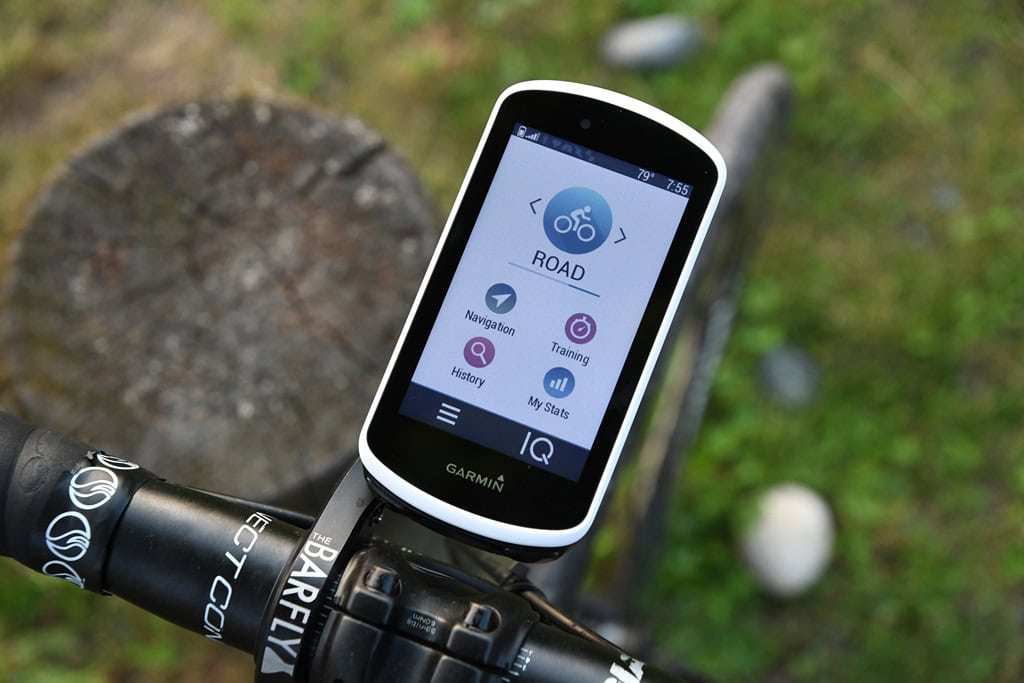


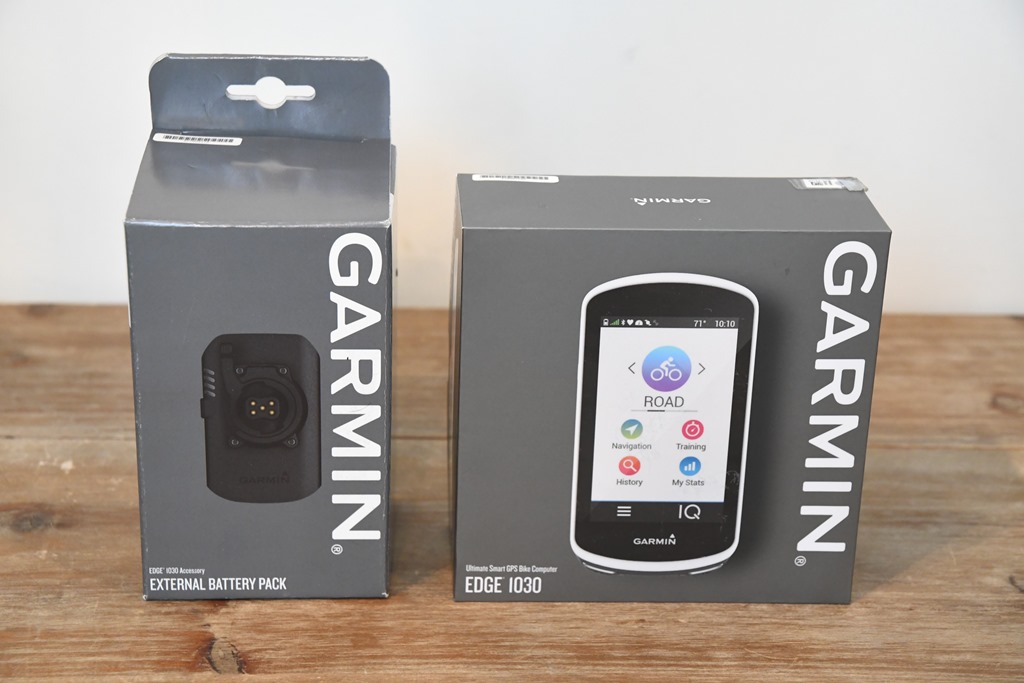
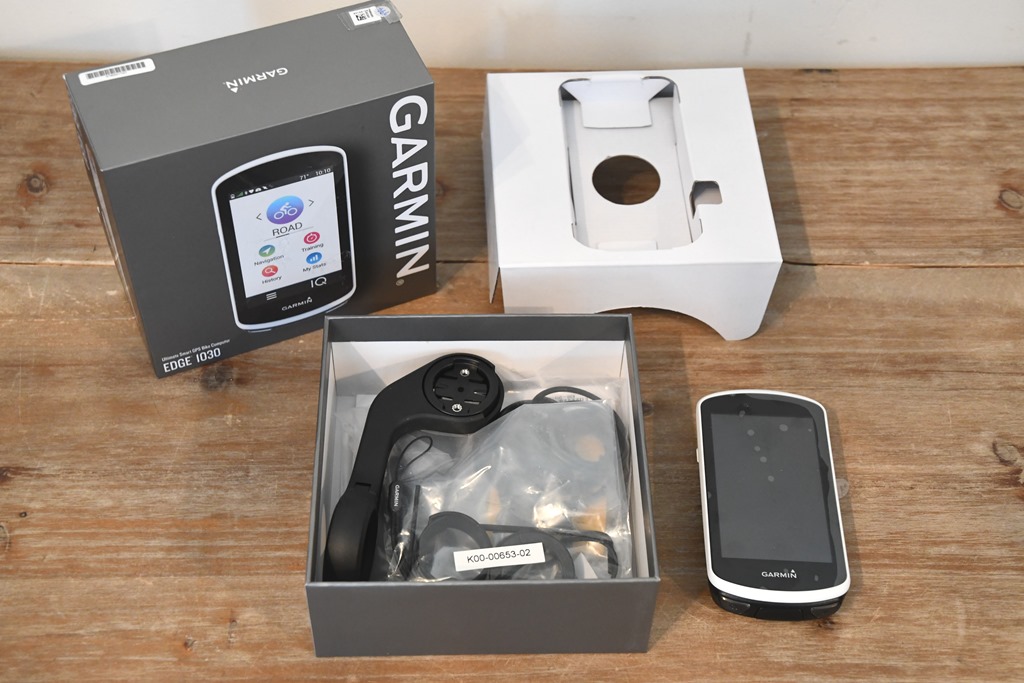
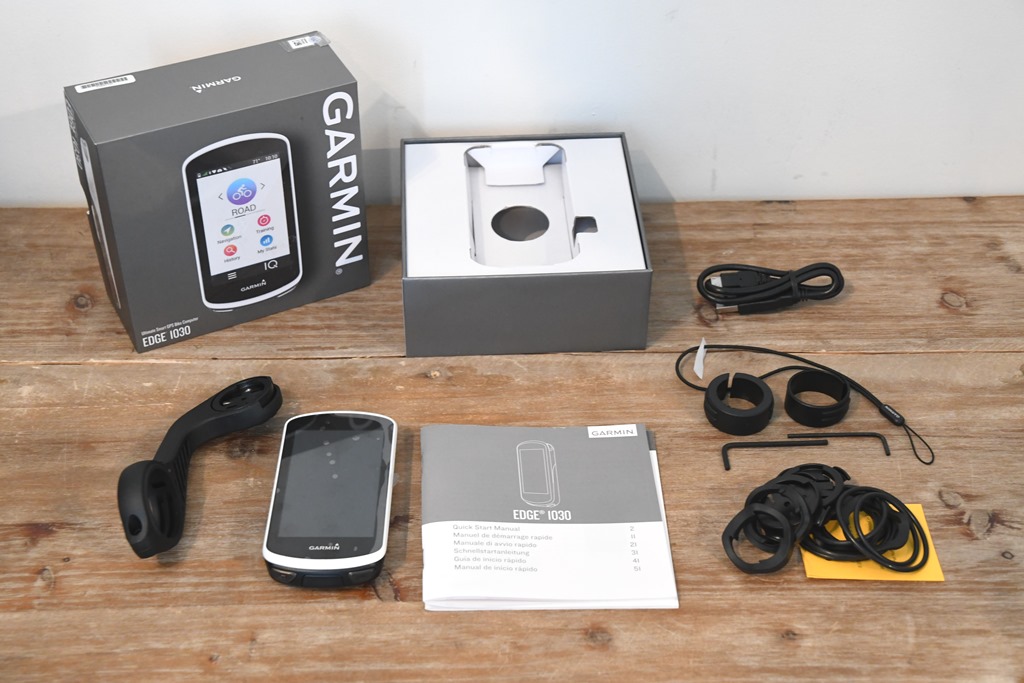

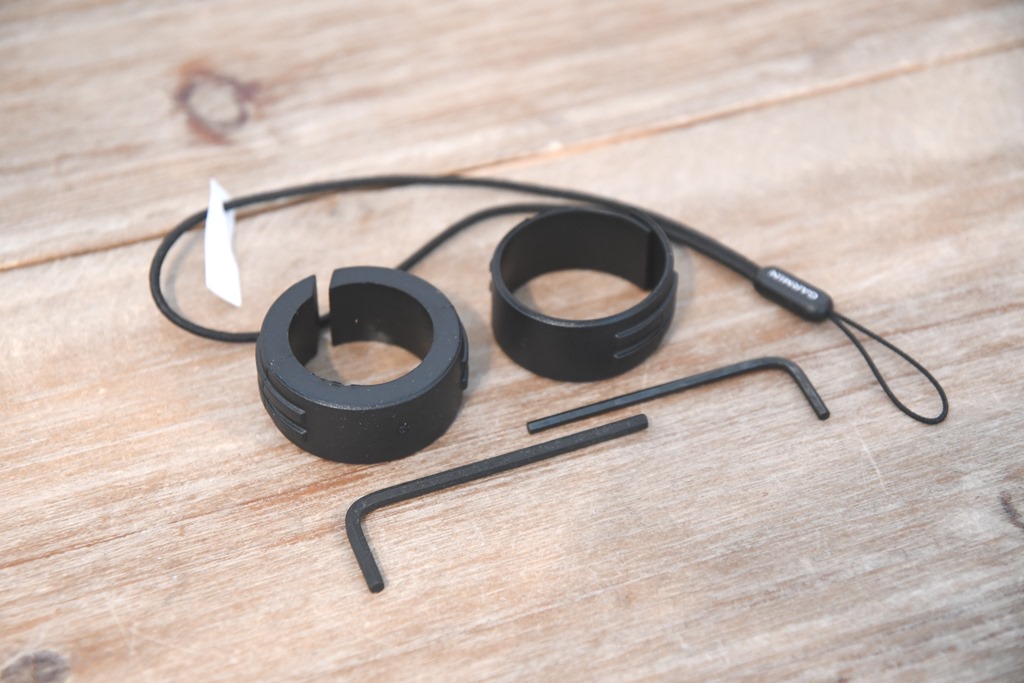

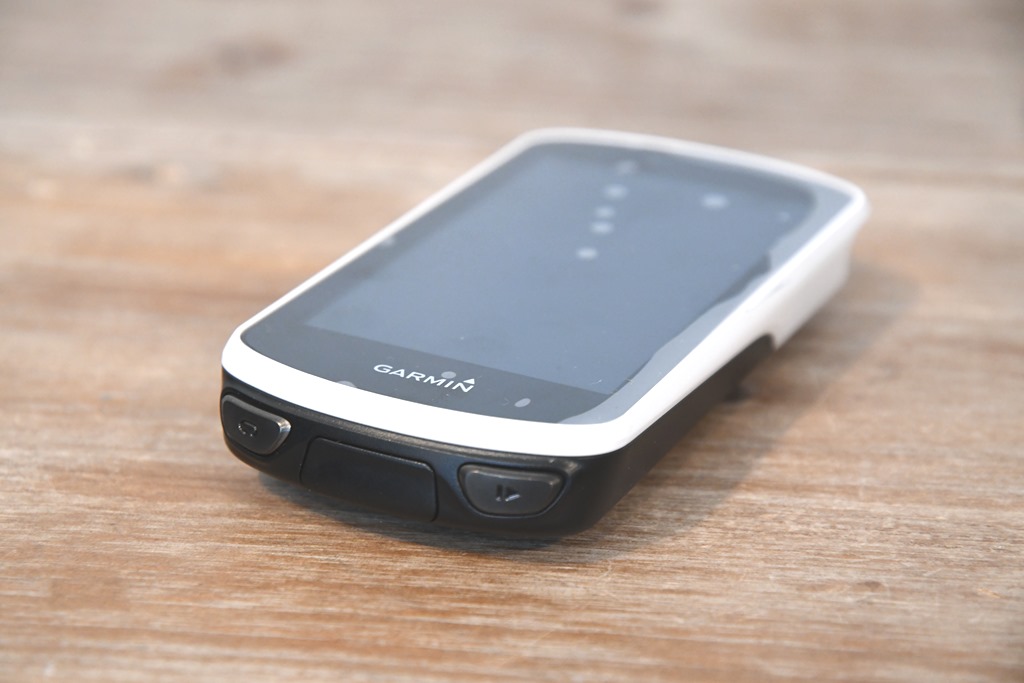
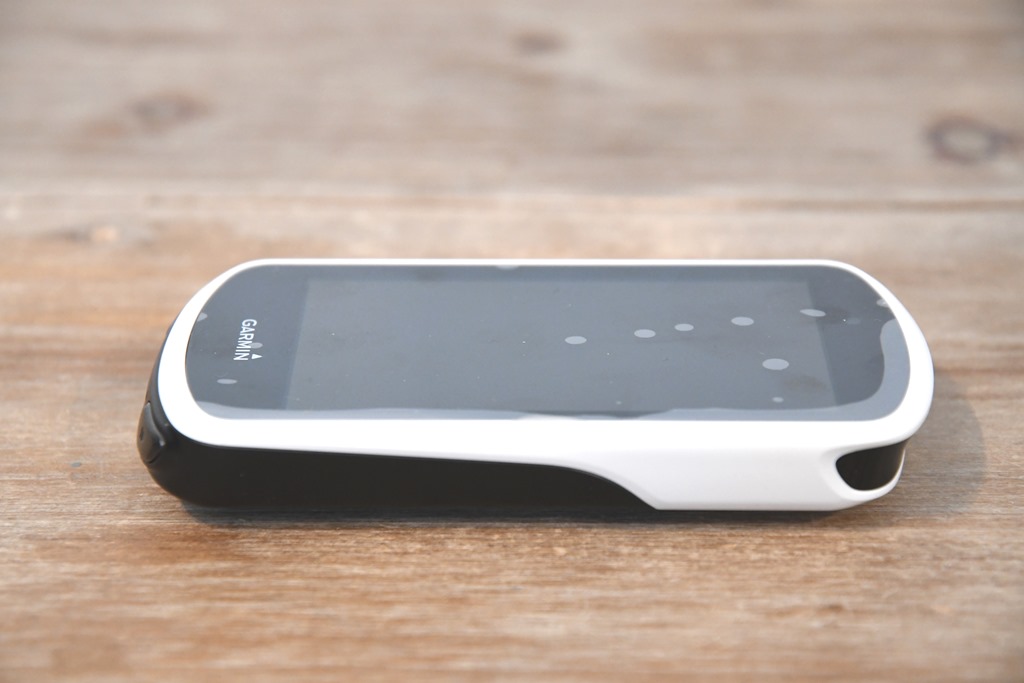

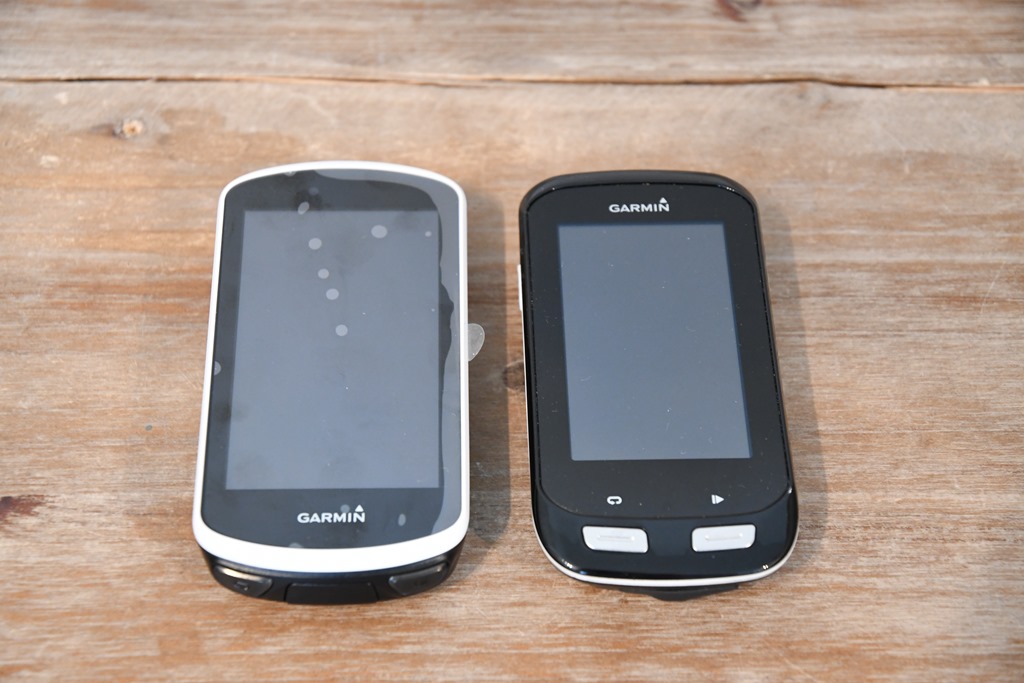

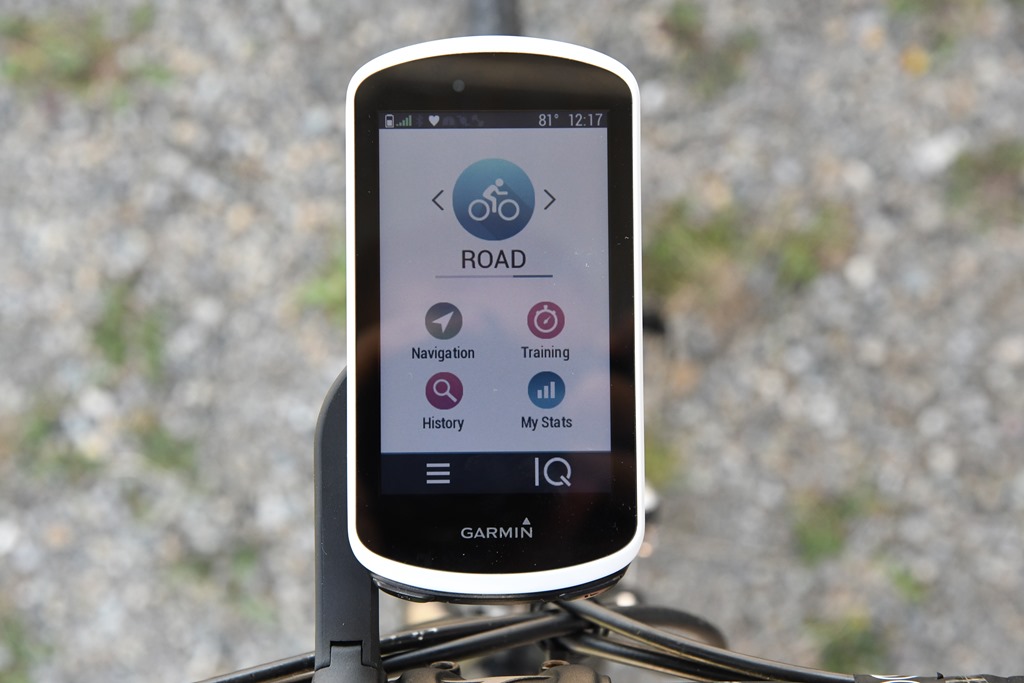
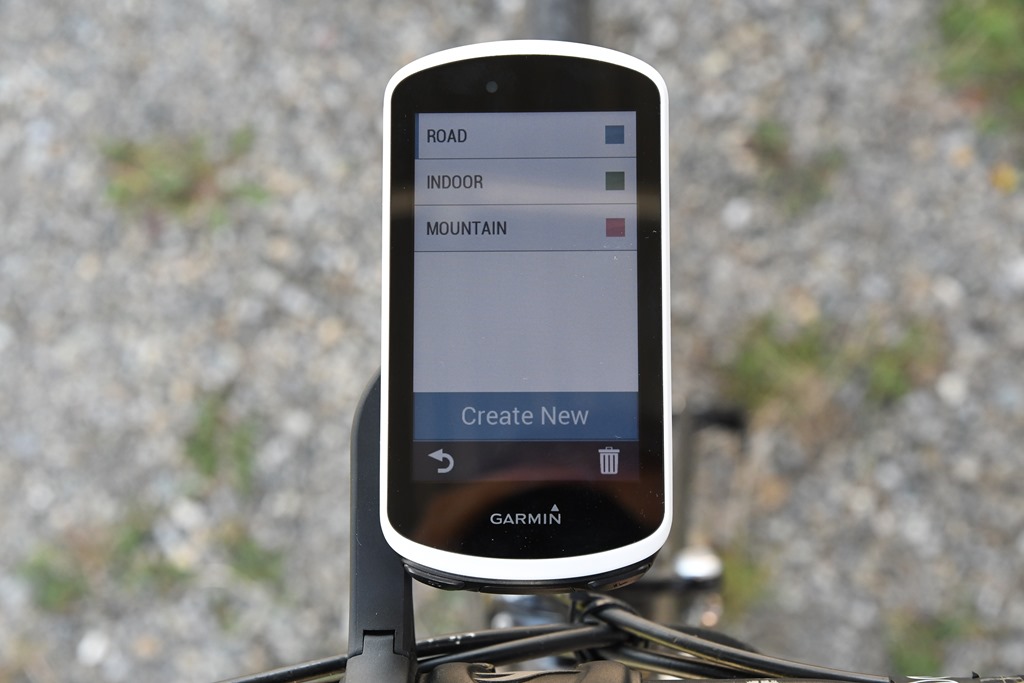
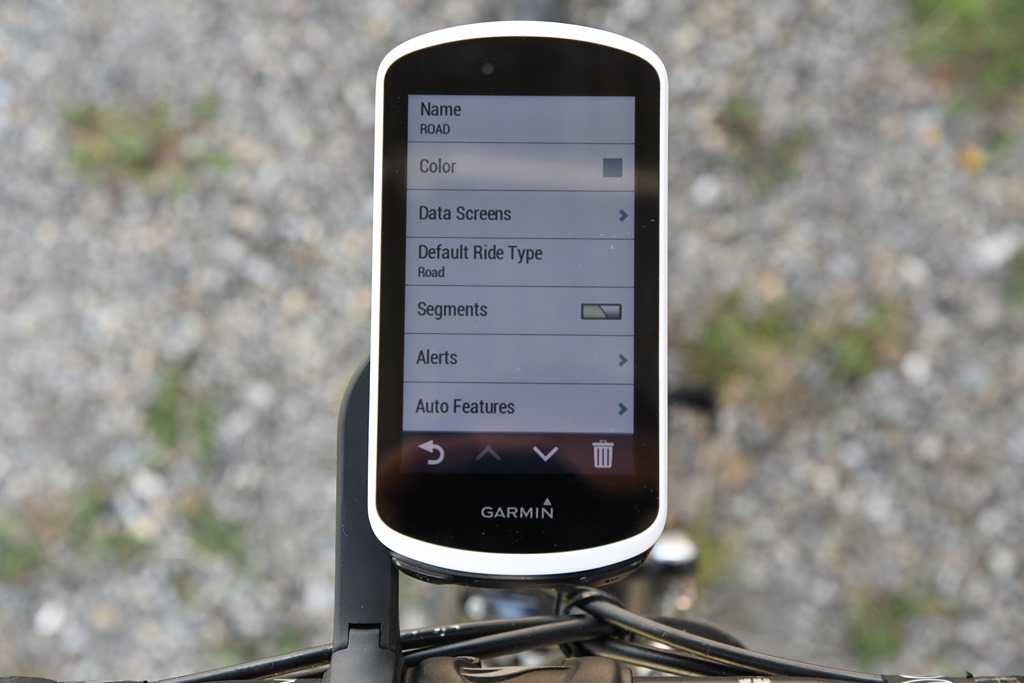
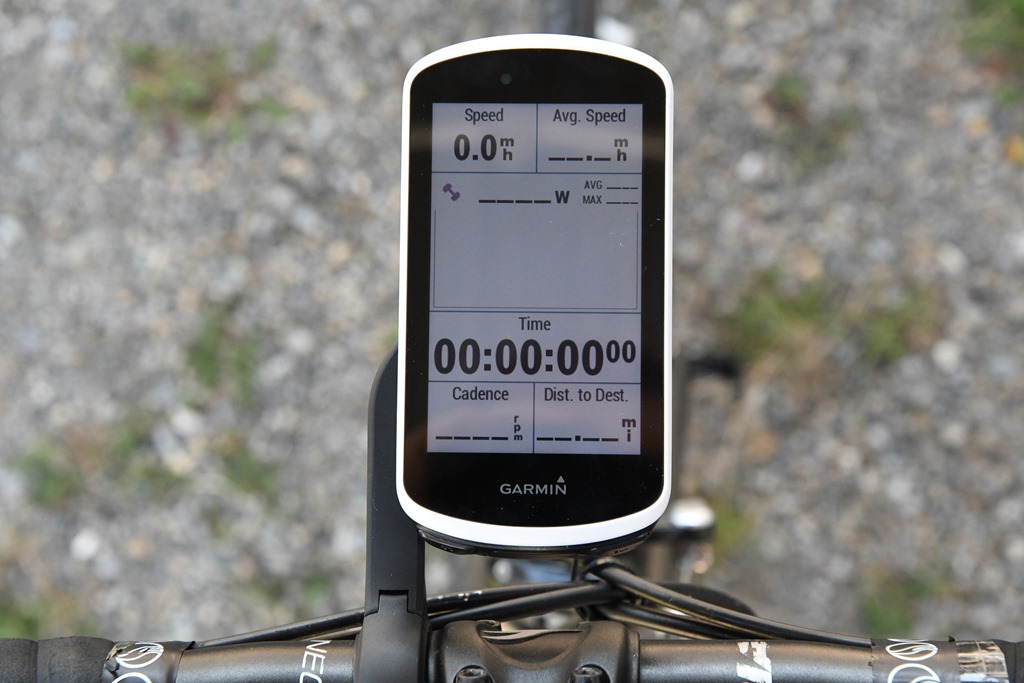
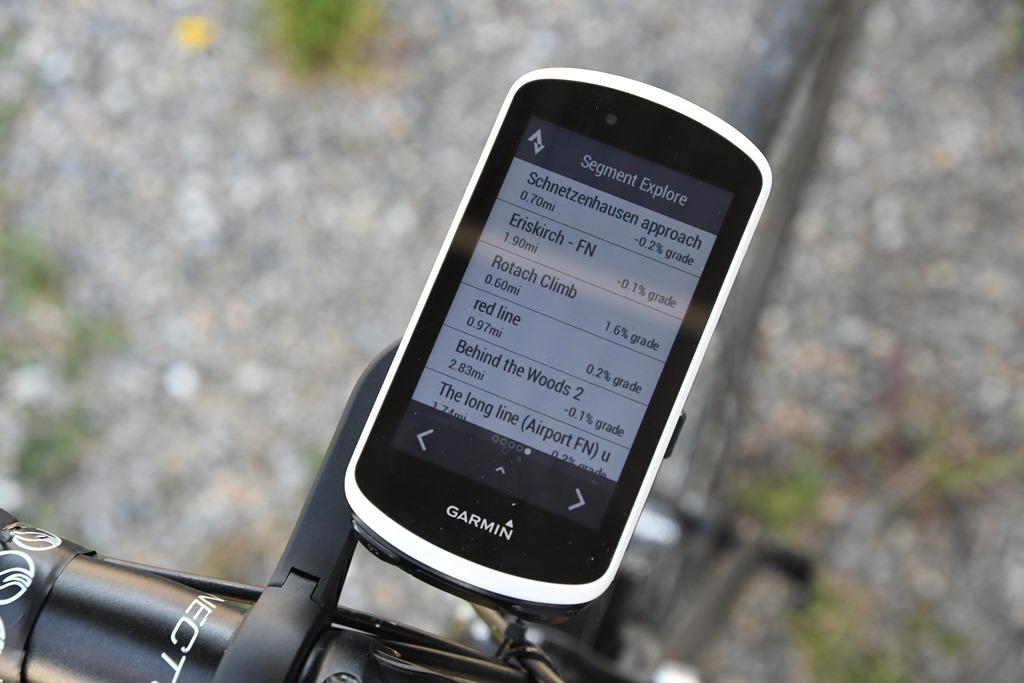
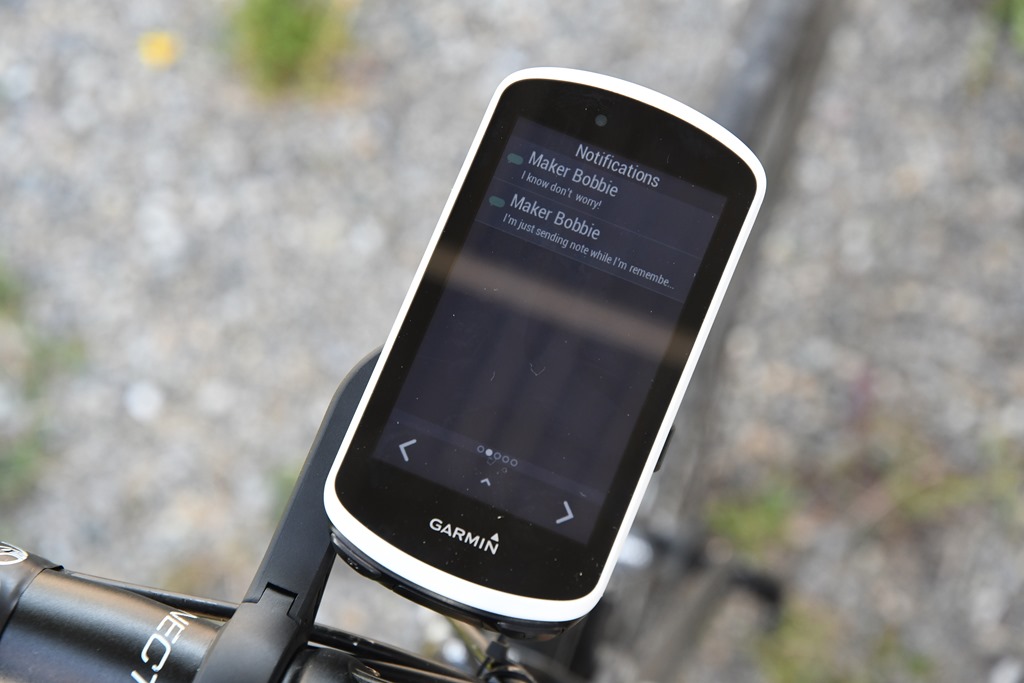
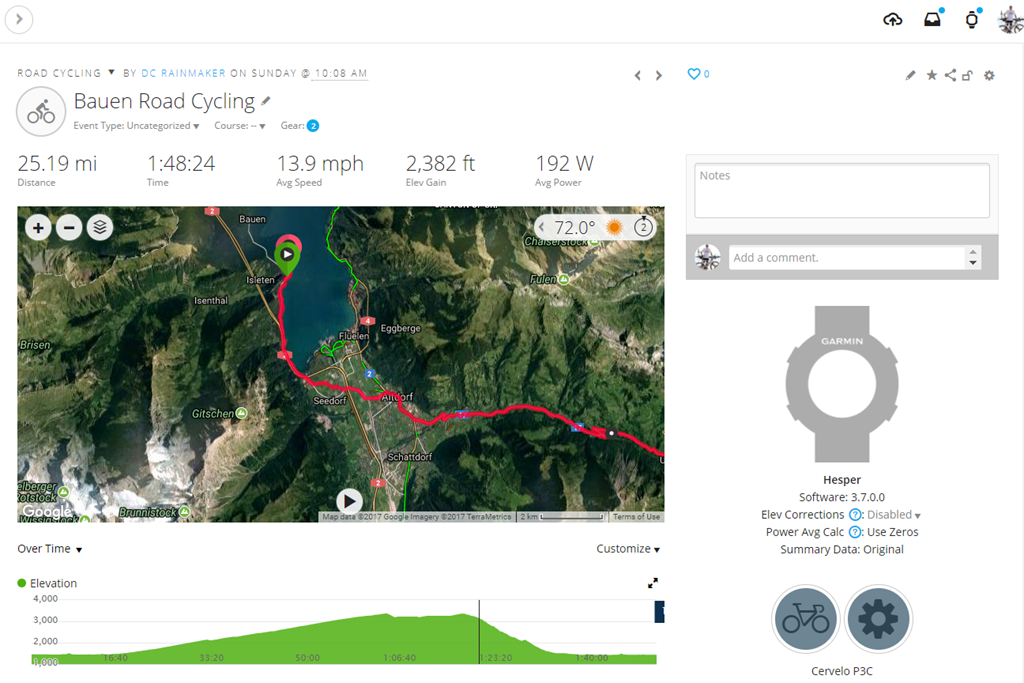
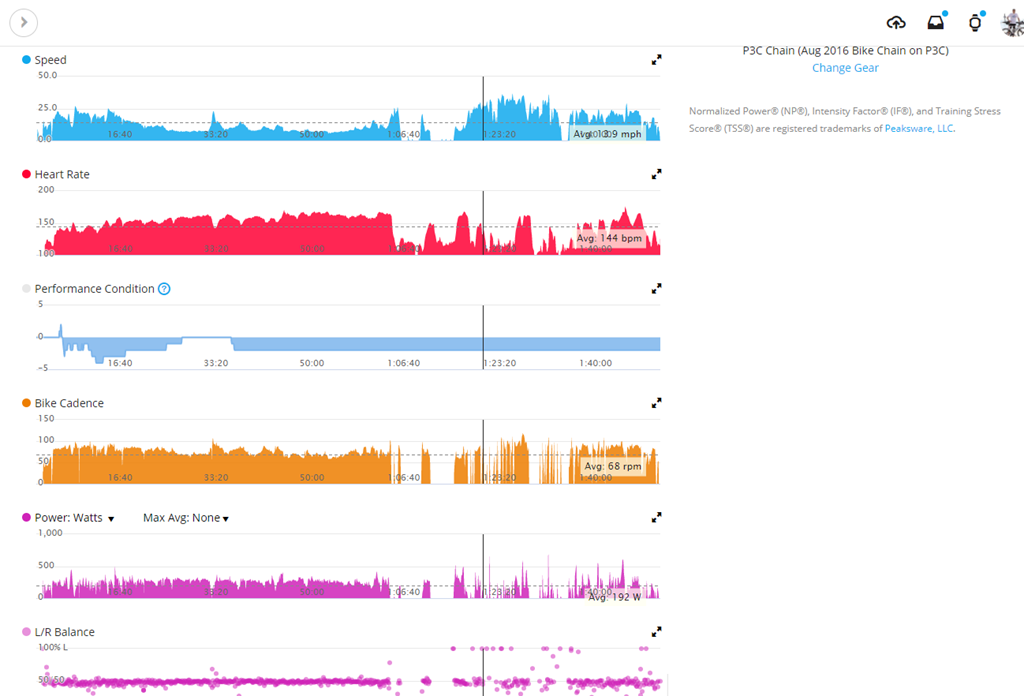
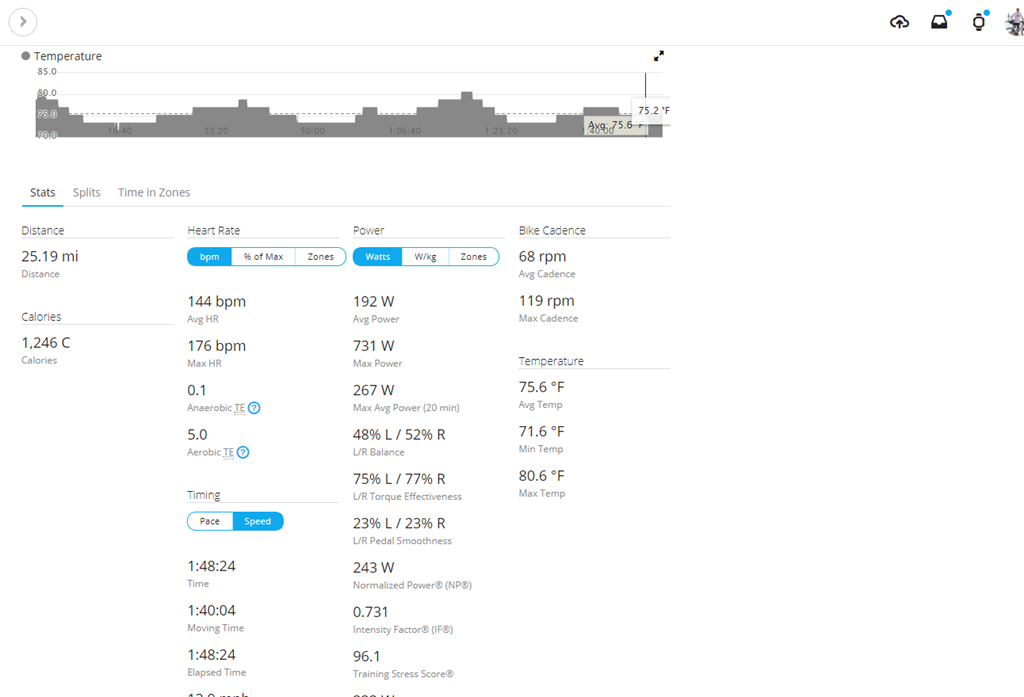
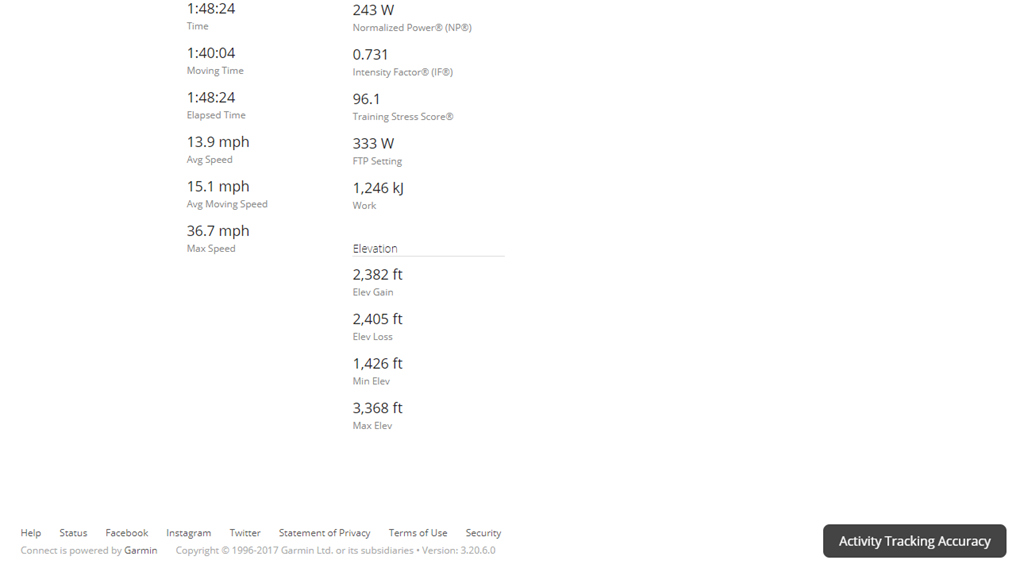
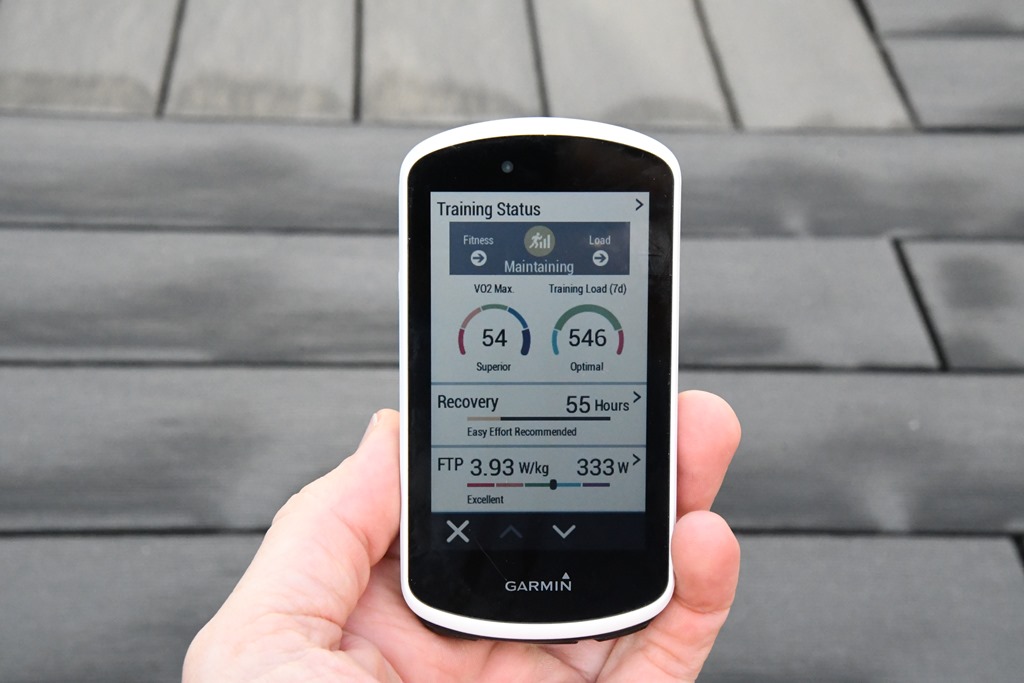
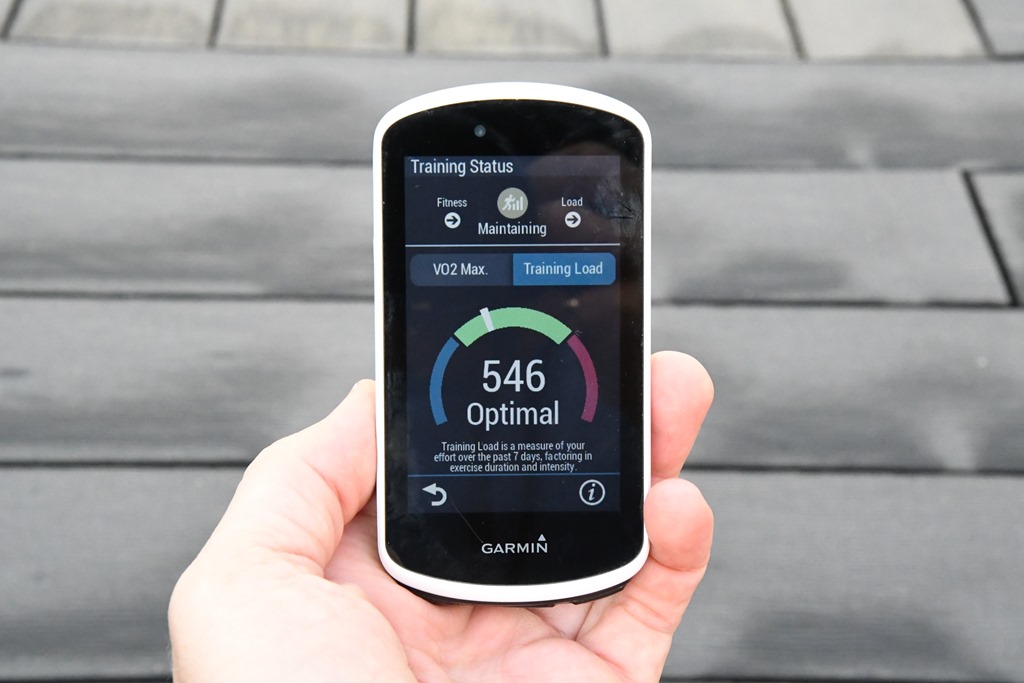
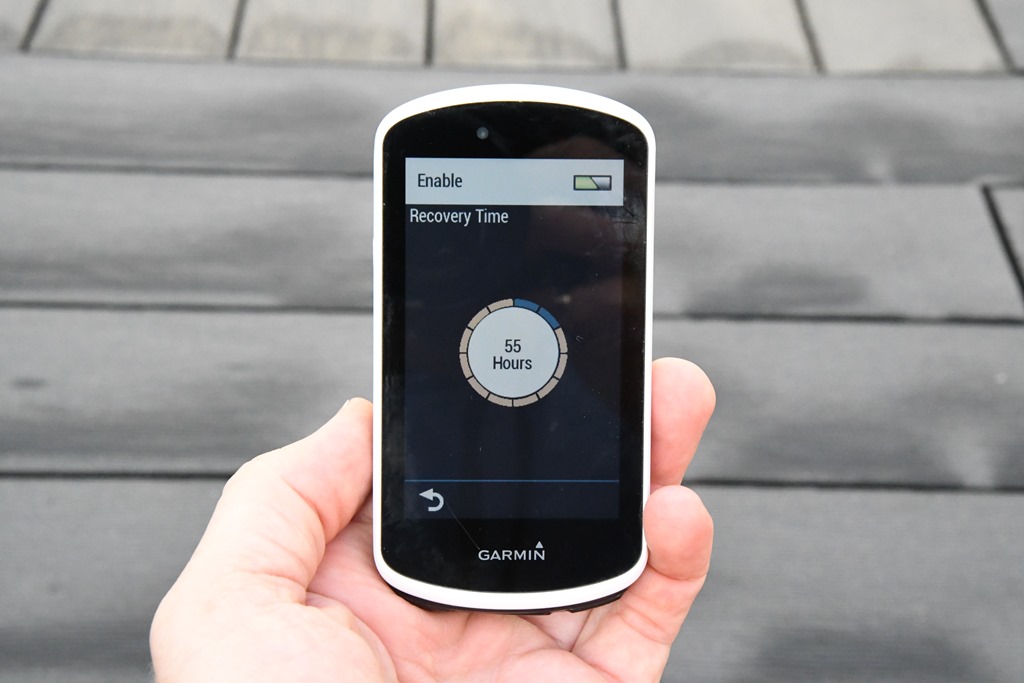
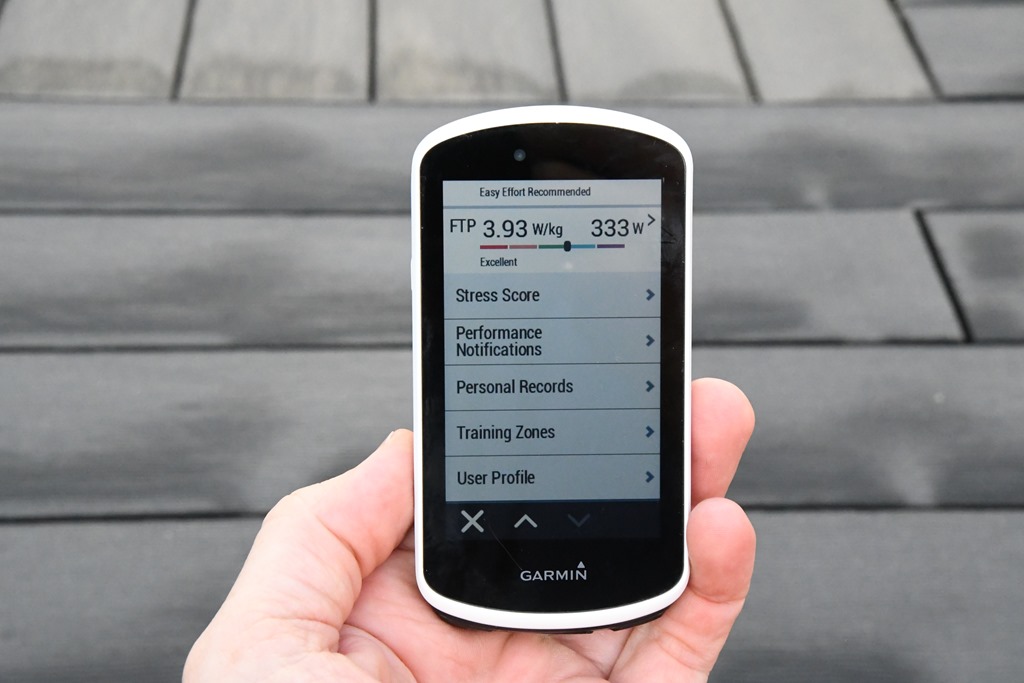
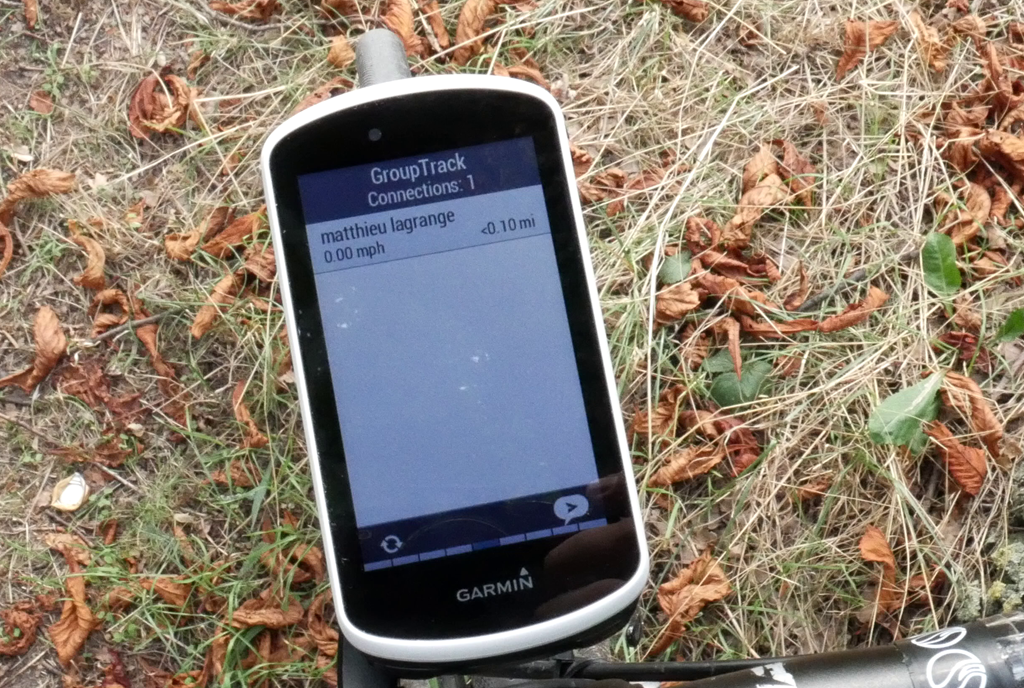

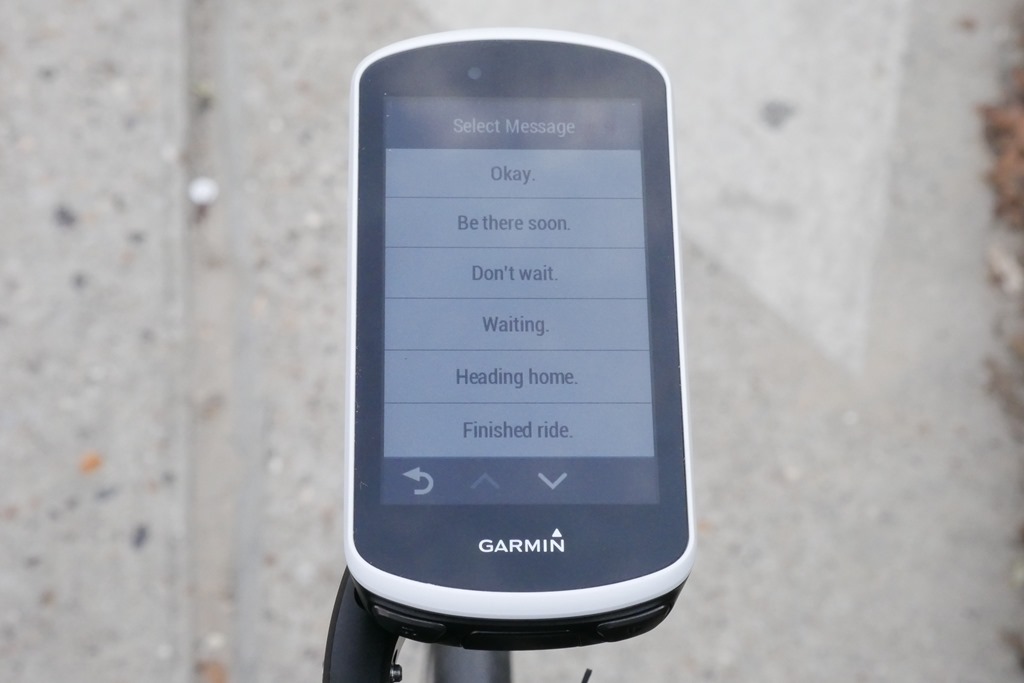


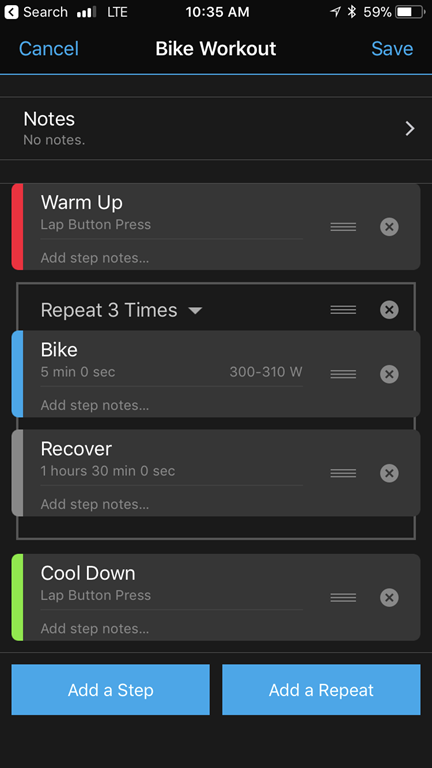
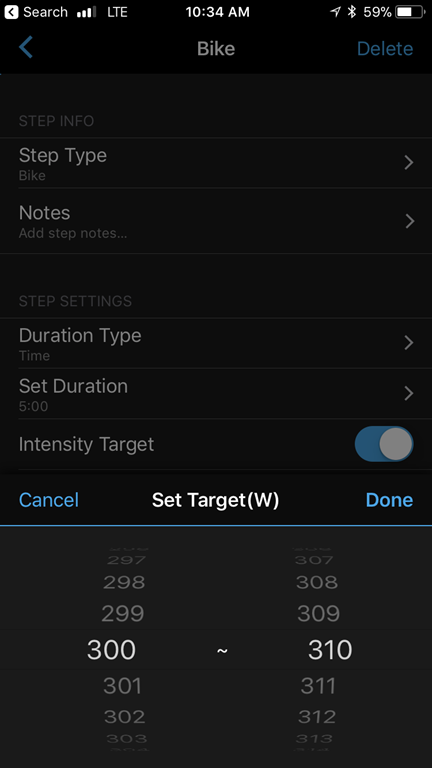

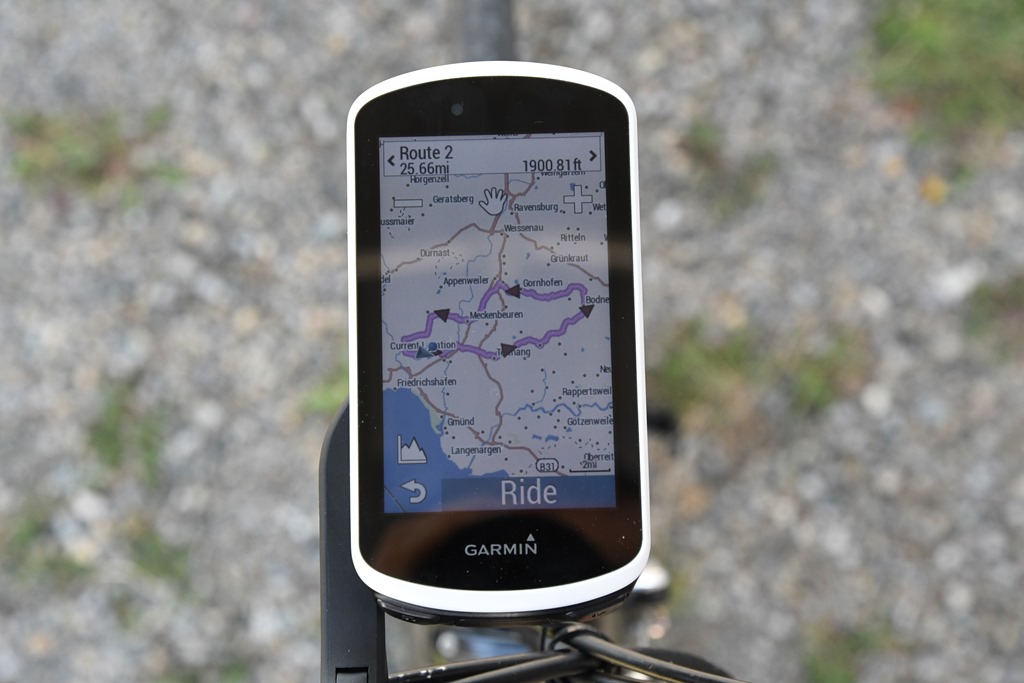

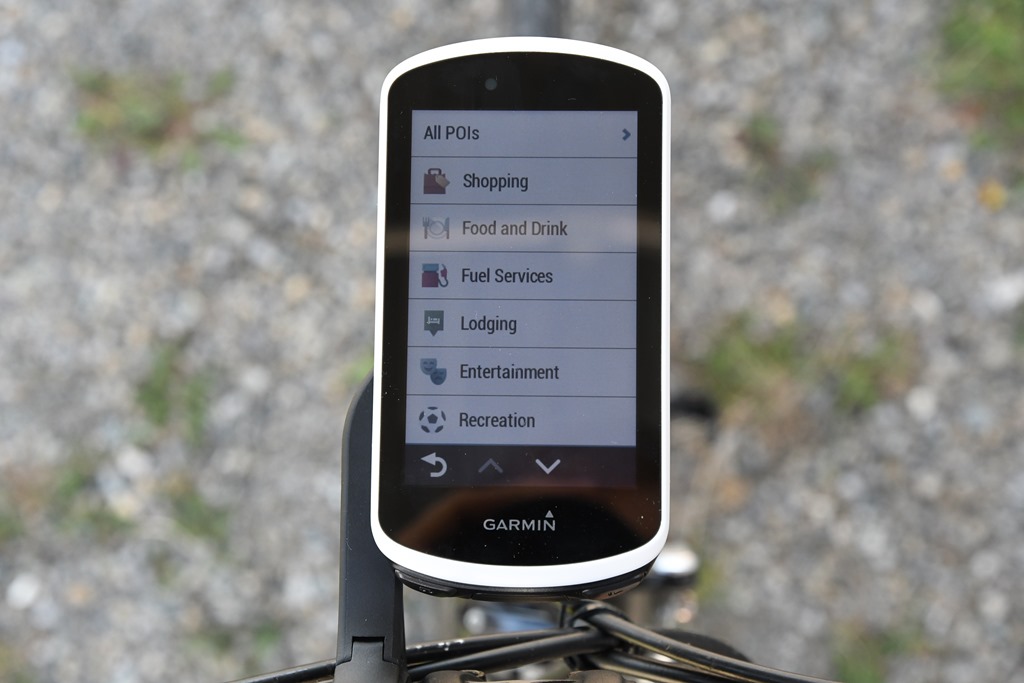
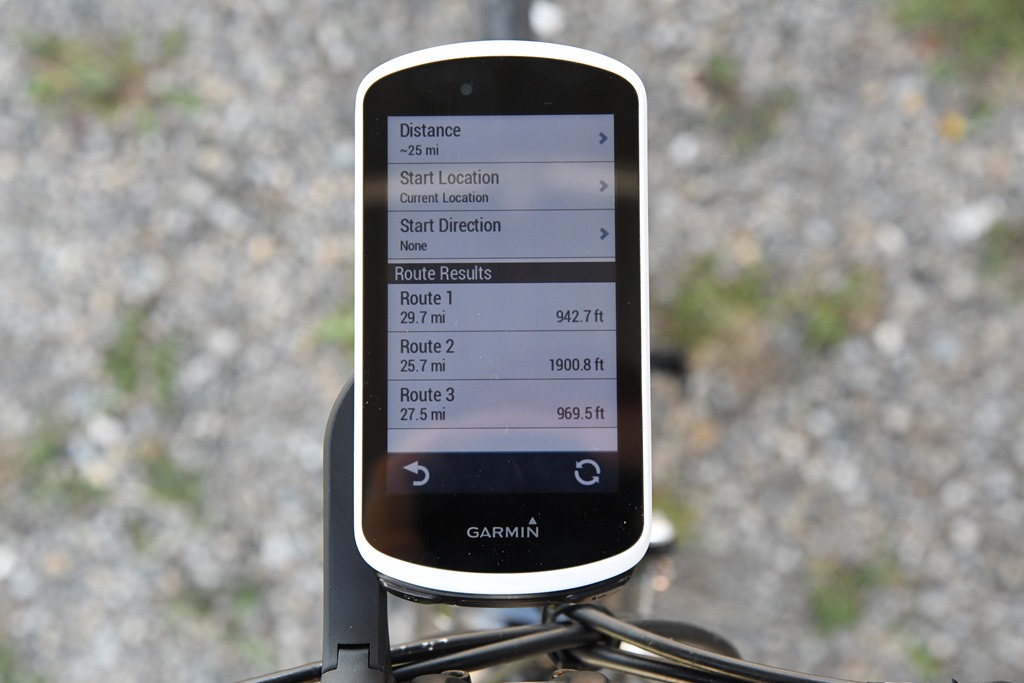
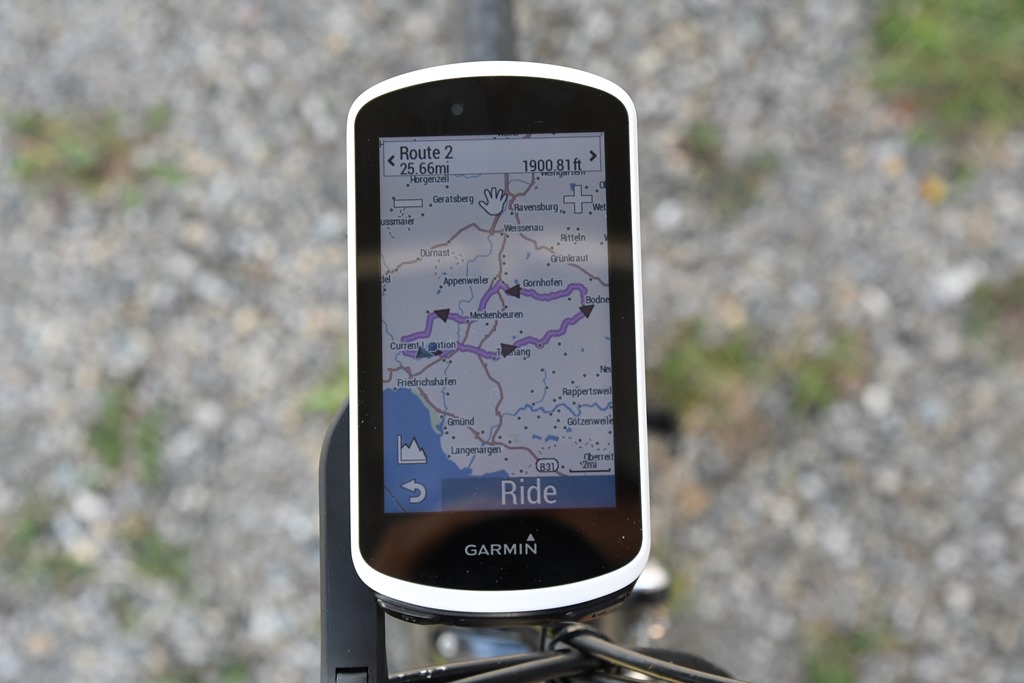
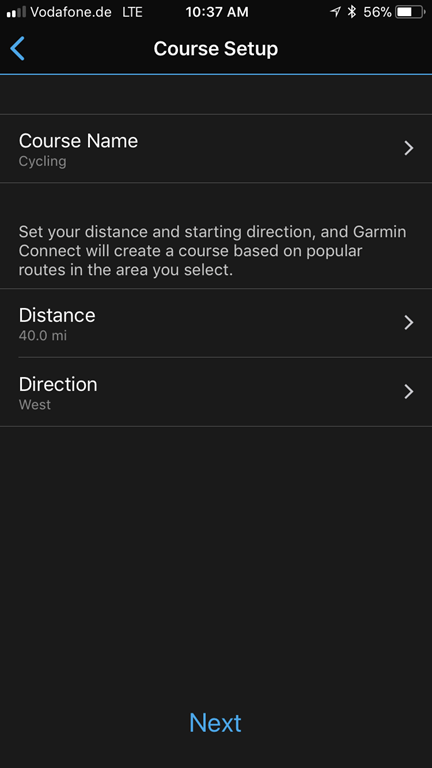

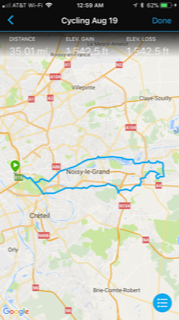
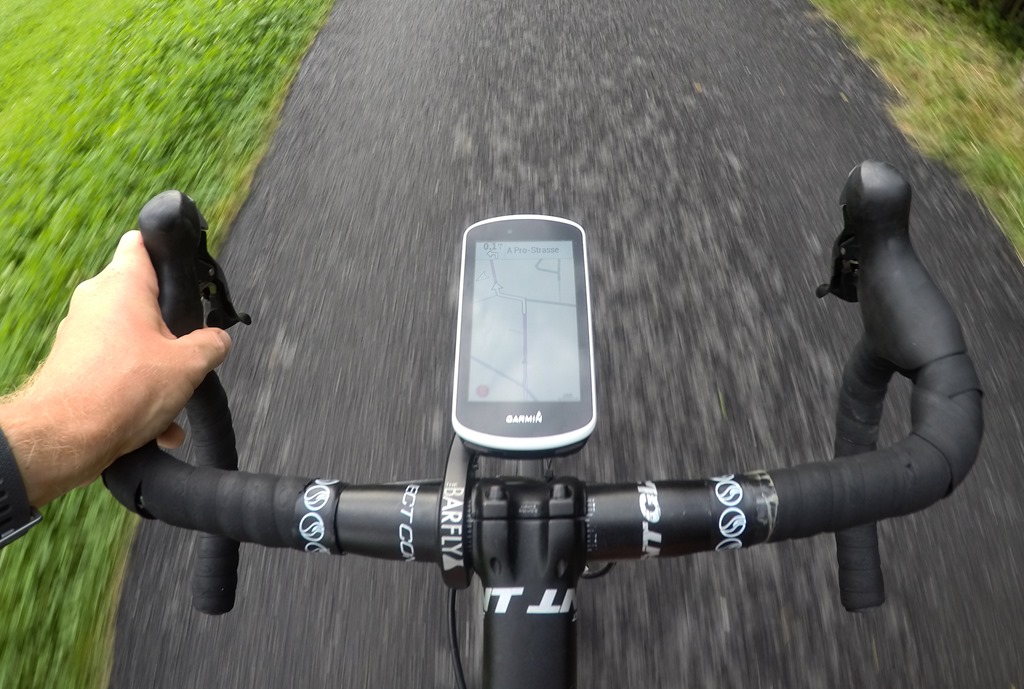
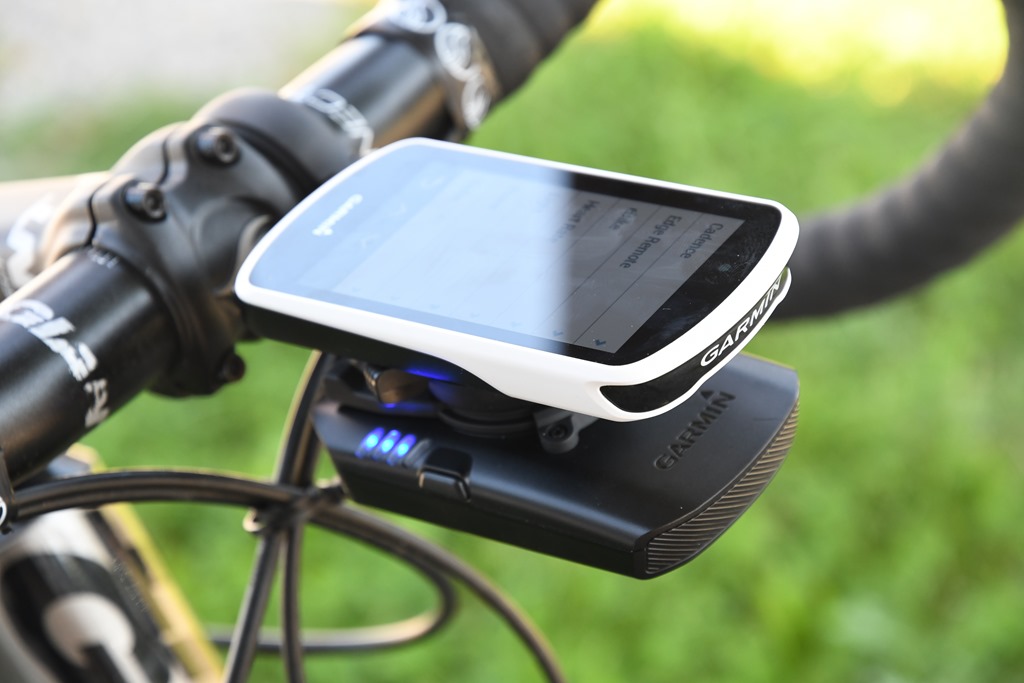
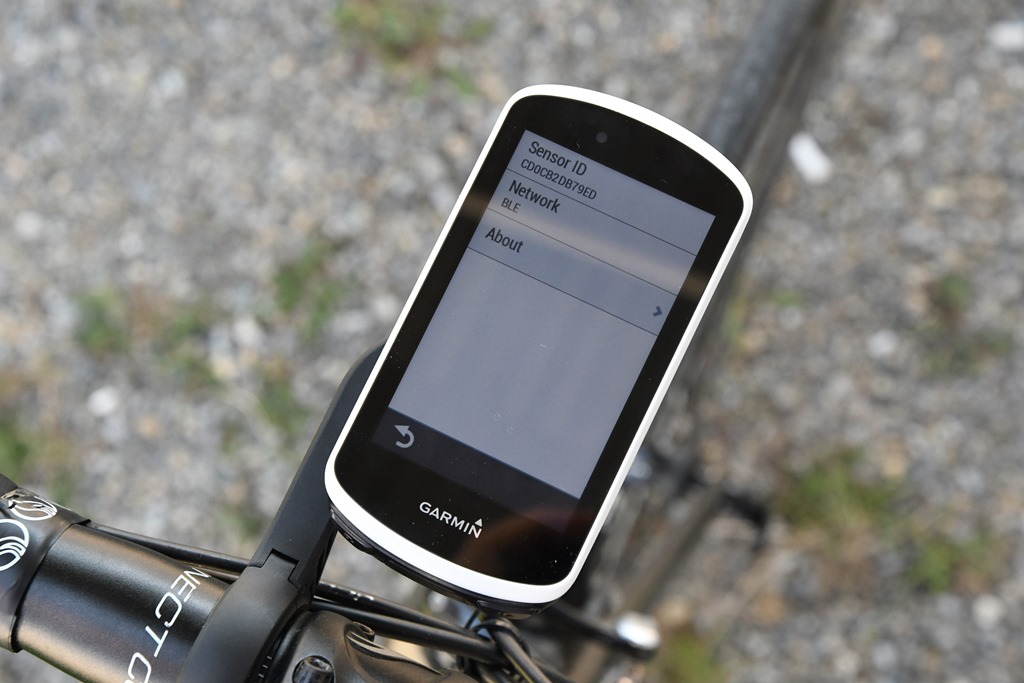
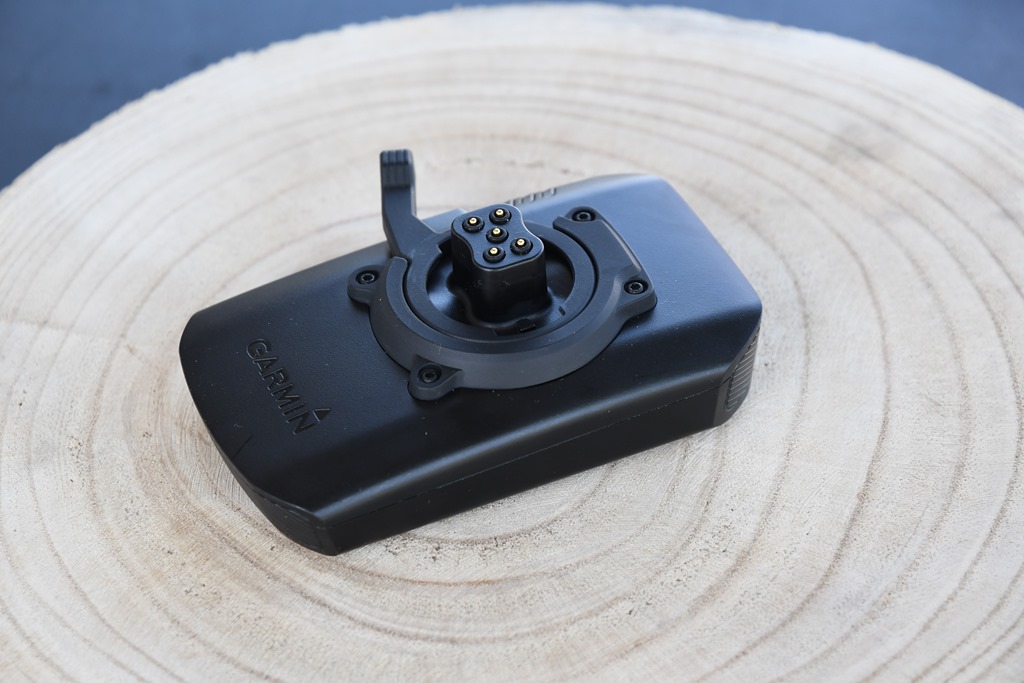

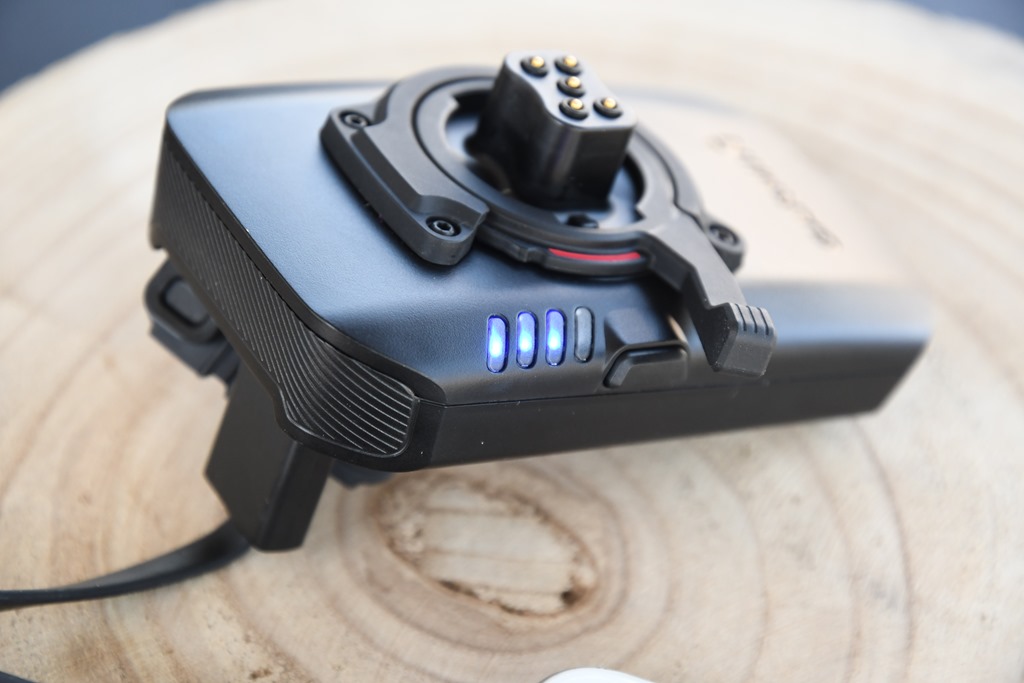
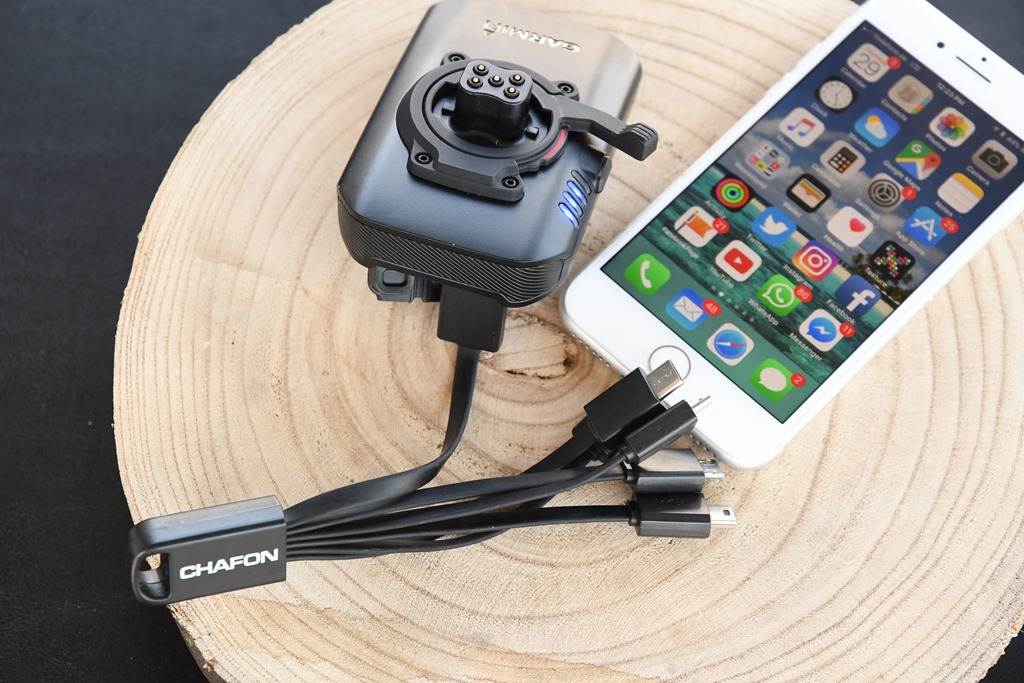

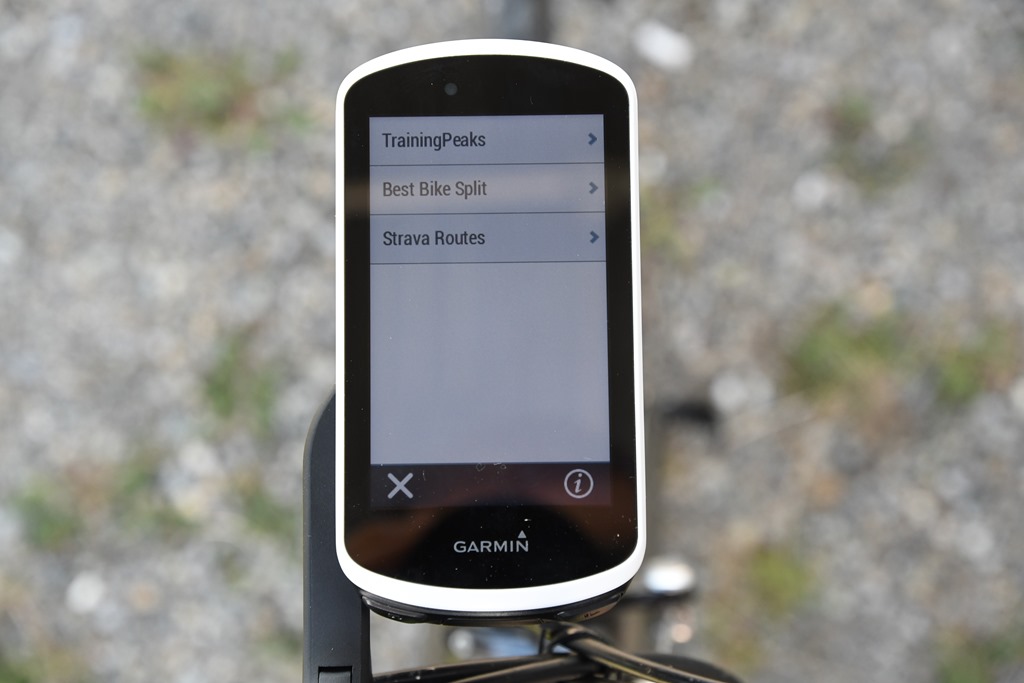



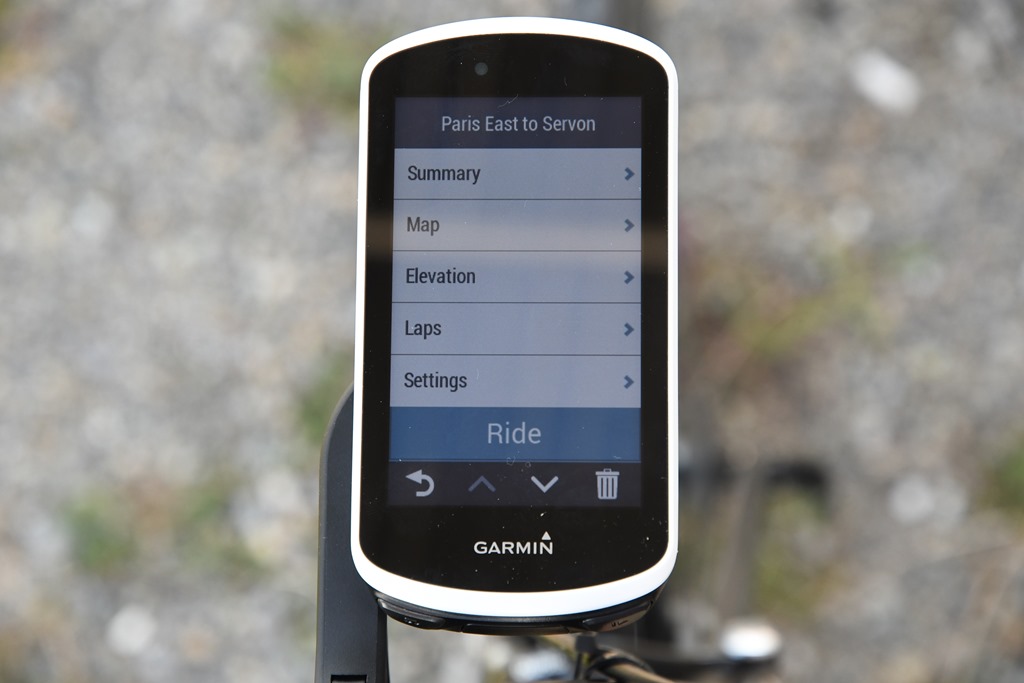
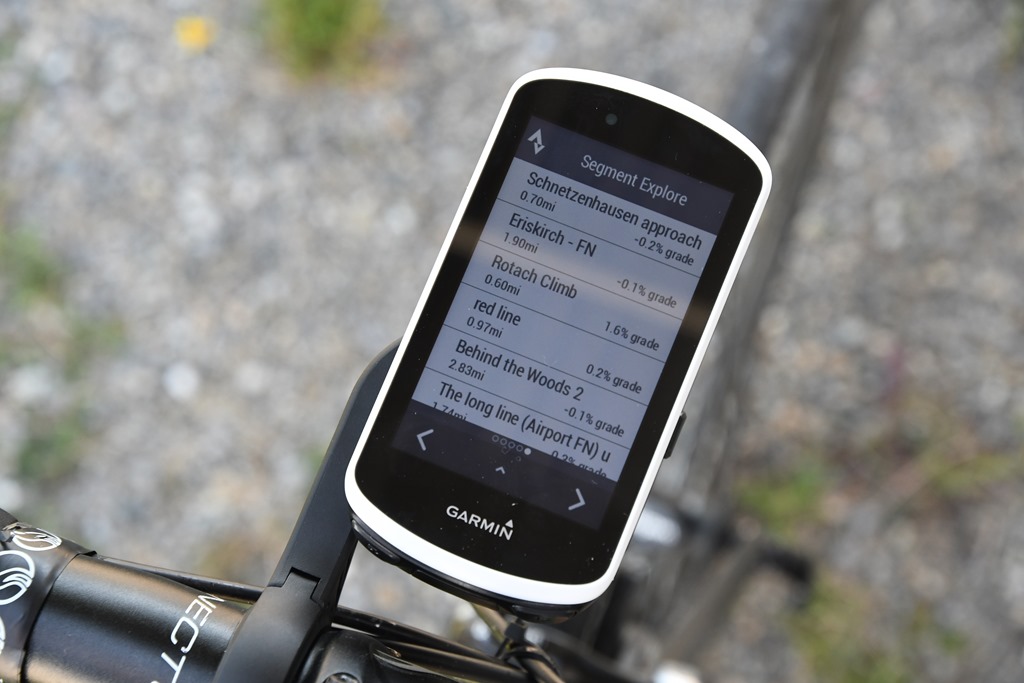
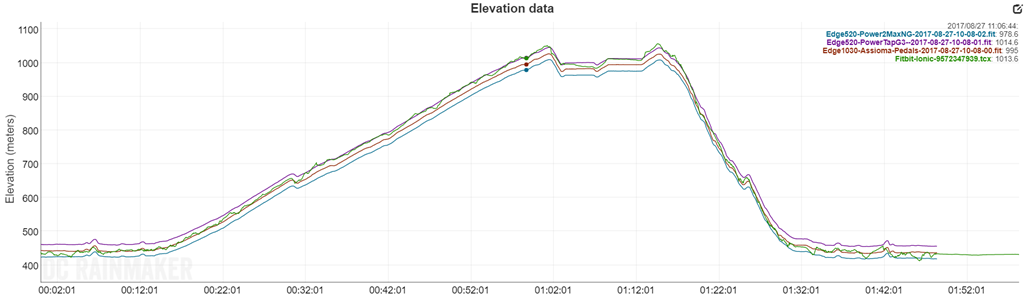

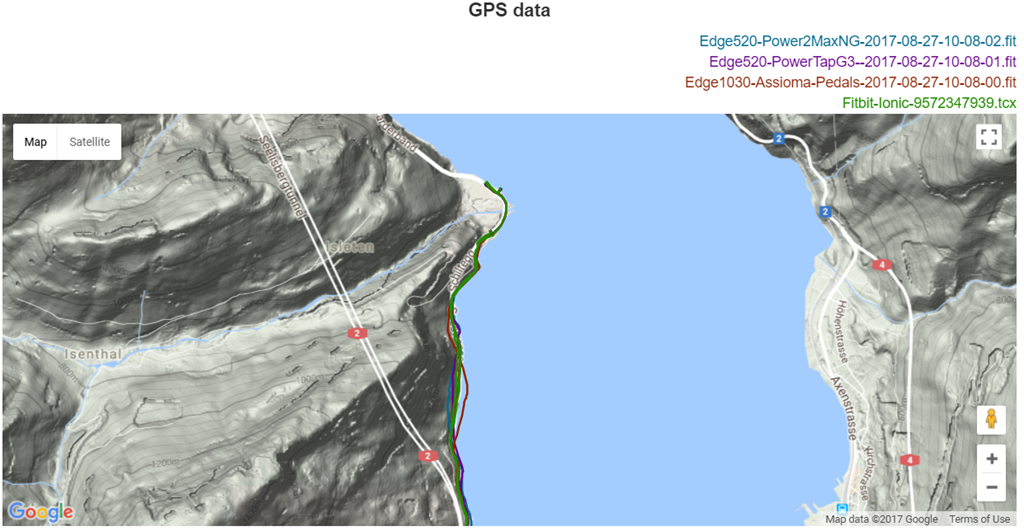

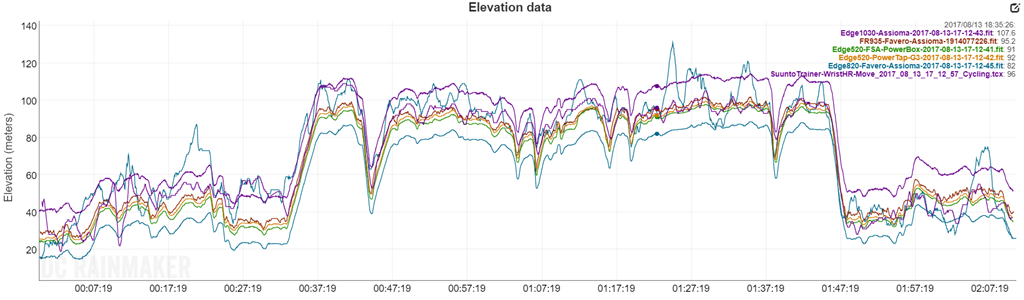
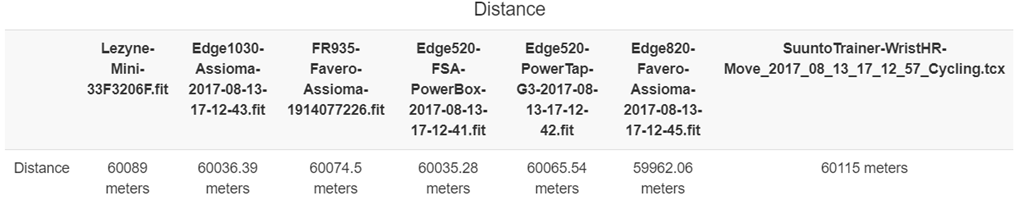
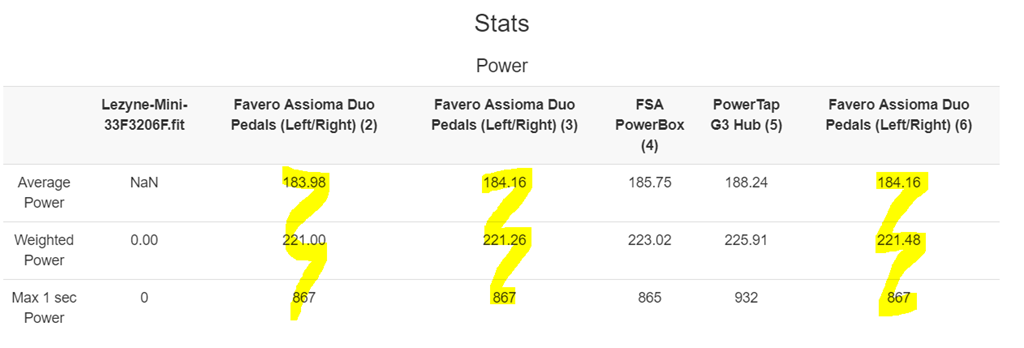
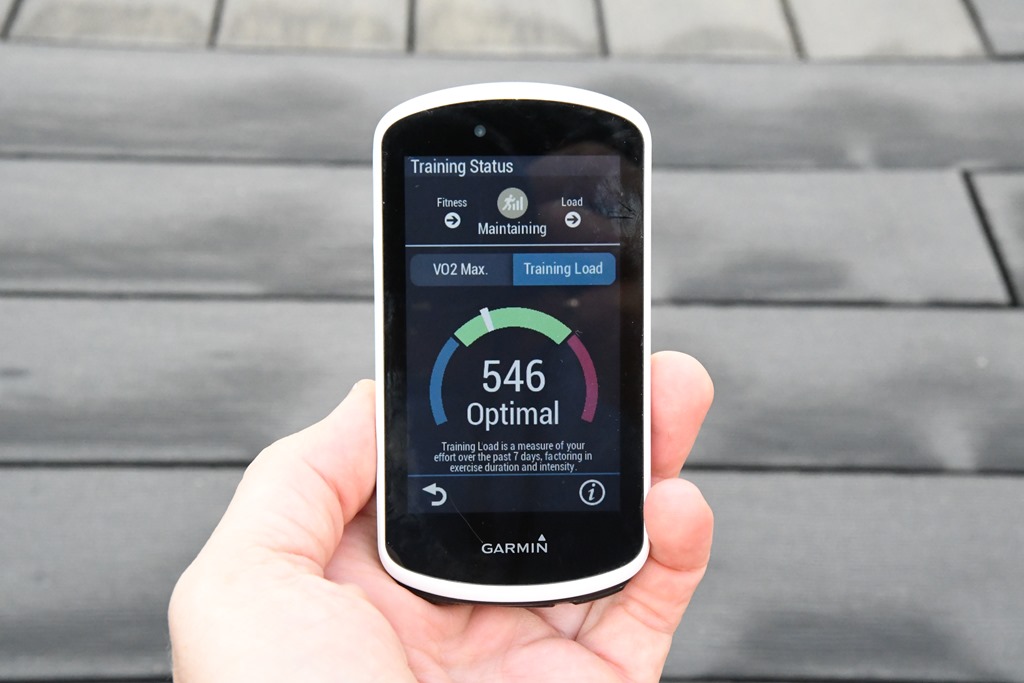
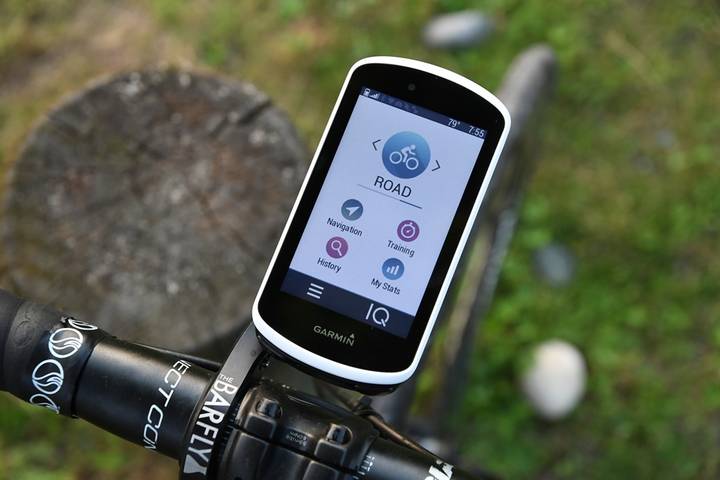




















Edge1030,Use the phone’s backlighting mode, brighter when lit, darker when dark
Temperature has started dipping into the 40s here in Northern NJ and I wore gloves for the 1st time with the 1030 in my last ride. They are Castelli Gaga midweight gloves with wind stopper tech and could not use the 1030 at all. The screen wouldn’t register my fingerprint at all to swipe or tap.
I don’t recall if the gloves worked w/ my 810 but I want to say that they did. That would be absurd though so maybe I’m wrong.
Same over here with Castelli and GribGrab gloves, both equiped with “touch-screen-fingerprints”. Doesn’t work at all. Happy with my Garmin remote……. however, use with gloves should be no problem in my opinion……..
Hi, picked up my 1030 today, upgraded from 810. I am trying to figure out how to load my different bikes (3) onto the profile for selection at start of ride as with the 810.
Are you able to give me some pointers?
Paul (South Africa)
Ahh, welcome to more recent devices!
Garmin has done away with bike profiles (as of a number of years ago). Instead, you’ve got activity profiles, and sensor pools. So basically, you’ll add in all the sensors from all your bikes. You can specify odometers there as well, and tweak as need be.
Activity profiles are aligned to things like road riding, racing, training, trainer, etc… Whatever you want them to be. You can customize those, and then you choose that based on the activity type. It’ll automatically find your bike based on the sensors on that bike as soon as you activate those sensors.
It’s a little quirky at first – but once you get the hang of it it’s much more flexible.
Is there any data to provide insight to AXS Red and Garmin 1030 capabilities? I’m trying to display my gears on my Garmin 1030 and have been struggling to make it work. Is this not possible for SRAM AXS Red and Garmin 1030?
link to sram.com
Any updates regarding Garmin integrating its advanced training metrics across its platform? It seems to me that this is a no-brainer as isolated metrics may present a misleading picture of fitness, recovery, etc. and thus are potentially harmful. Will Garmin ever integrate the advanced metrics into its older devices (for example, the Edge 820) or will they be limited to the 1030 and future models?
Need to get a remote if you want to use the device in the winter. Plus notifications can’t go away without touch
Obrigado pela excelente analise ao produto, antes de comprar li atentamente e deu muito jeito.
Quando recebo uma chama telefonica e vejo quem me liga, ou recebo sms, não consigo responder.
Será que esta funcionalidade só dá para quem também tem um Edge 1030?
Agradeço comentários da vossa experiência.
Obrigado,
Luís
Hi
i’ve just bought 1030 mostly for touring. Following your instructions for downloading open street maps to 1000, I think I’ve managed to put some maps of Chile & Argentina onto an SD card, via my Mac. But I can’t see anything on the 1030 or tell whether the maps are readable on the Garmin – how do I find the map ( once I’ve put SD card in the 1030) on to the garmin? Do I need to be in the location ( I’m in the UK)?
Also the map does not appear to be readable on my Mac, once I’ve downloaded via the email link from open street. I get message “gmapsupp.im g……no mountable file systems”
Any suggestions?
Thanks
Hi,
It is really a pity to see how Garmin products just suck from the software question. My point is… when the software is so buggy, then can the metrics about recovery time, ftp, etc. be considered as reliable?
8n the video below, I have noticed how the Bluetooth connection issue depends on the status of the Garmin Connect application on the phone: when it is open, then 1030 is connected, when it is closed, n9 way. However, you cannot keep the application open dur8ng a ride, as there must be some infinite loop in the code that makes the battery drain fast (and transforms the phone in a portable heater).
However, it is reall6 8nterest8ng to see that the connection issue is a bug solely related to the connection protocol of 1030, in fact if I switch on my 820 – and it will connect even witHout the application being open -, then even the 1030 connects!!!
link to youtu.be
Minor FYI, since it looks like you’re on iOS11…it’s crapped the bed across BT devices and connectivity across the board – not just limited to Garmin. The very latest version (11.2 on public beta) is much better, but I still get random drop-outs across any number of different vendors. May worth trying the beta to see if that solves your issue.
As for why the Edge 820 might stay connected but the Edge 1030 not? Again, the oddity with the iOS11 BT issues is that it’ll drop some connections but not others. I suspect there’s some very subtle things behind the scenes on how connections are coded that dictate that – but that’s beyond me. I can two watches and one drops connect and one doesn’t, and then later in the day they invert. :-/
I think it is all explained here: link to developer.apple.com
Most probably, the background handler which is awakened by the phone on the BLE connection supports the 820 but not the 1030 (yet). I believe this is an issue of Garmin Connect app, and not the 1030 itself…
As a developer – however – i’m Really shocked b6 the immaturity of the Garmin ecosystem. Also the IQ App Store reminds me the Symbian times.
Cheers,
Marco
The only trick is that for everyone else, the Edge 1030 connectivity does seem to work for tracking and such. For example, in the video demo you see up there about the friend tracking feature, I did that ride for over 2 hours with it tracking in my back pocket and not opened up. :/
After Apple’s newest iOS update last week, 11.1.1, I don’t have an issue keeping connection any longer. Well, at least not on the 2 rides I’ve done since. 11.1.2 is out now also.
Bonjour,
L’apple Watch 3 can pair with edge 1030 Like a Bluetooth sensor?
Thanks
The Edge 1030 would accept the Apple Watch, but alas, the Apple Watch doesn’t actually re-broadcast HR over Bluetooth Smart unfortunately as a standard BLE HR device.
Thanks. I Write to apple. :-)
I’d love to upgrade from my ancient Edge 800 to a 1030, but am wondering if the 1030 eliminates these 2 horrible design flaws that existed in the 800: (1) needing to set Turn Guidance ON for EVERY course downloaded into the unit, rather than having Turn Guidance as a settable global default, and (2) allowing changing the color of the course line that’s displayed during navigation, which is the awful magenta that is close to the color of many of the roads in the maps, thus creating much confusion.
Great review wonder if it is worth the buck seems that the Edge 1000 is god enough?
I think if you’re happy with the Edge 1000 – then you probably don’t need to upgrade unless there’s specific features on the Edge 1030 that are of significant value to you.
You have the best connections to Garmin and Strava…
Any indication that Strava /Garmin will lift their maximum amount of Strava Live Segments you’re able to copy on an Edge device?
A maximum of 100 Live Segments – sorry my language – sucks ‘solid spheres’!!
Without that change, need to stay with the Bolt.
Hi Ray,
Thanks for the review. My question is around the integration of PowerTap P1 and the Edge 1030. Is it possible to get the detailed pedal metrics for the P1 Pedals as you can now connect them via BLE? or will it still be standard power metrics
Thanks and keep up the great work,
Tim
Nah, it’s the same on either (no fancy metrics). PowerTap doesn’t transmit those in any standard format yet. See this for more though: link to dcrainmaker.com
Does anyone actually have a Garmin Charge Power Pack? (I asked on the forum a couple of days ago, and there have been no responses.)
I ordered the Edge 1030 & Power Pack at the same time, around announcement day. The Edge arrived on September 30, and has been in almost daily service since. The shop originally said the Power Pack was expected in a couple of weeks. After that couple of weeks, they said “in November”. Now November is 3/4 over, and there is no news on the Power Pack. Garmin’s Web site says it has a 5 – 8 week availablility. An email to Garmin Support a couple of weeks ago got the reply, “We know of no production problems; if you ordered today, it should arrive by January 18.”
I’m wondering if DCRainmaker’s unit is the only one Garmin ever produced, and whether this is a real product.
Weird. I’ll poke them and see what’s up.
As always thanks for the great review which encouraged me to get the 1030 and I’m enjoying the new features. Hoping you or someone may be able to help me with the following. I don’t always want to show the lap screen and with the Edge 1000 you could enable or disable a specific data screen. With the 1030, I only see “remove” which means that you have to recreate it each time. Am I missing a step? Or do I have to now create a new profile for these instances?
Congrats on the new addition to the family!
The Garmin Edge 1000 is a dog. The older Garmin 500 series were pretty solid but Garmin have gone downhill WRT quality big time. I went through a couple of 800s and then switched to a 1000. The features and functionality are amazing that all comes to nought because it’s a shockingly bad device. The touch screen either does not operate or, m ore likely, becomes so sensitive that drops of sweat or rain select things on the screen or cause it to detect to many touches so the screen locks. The two buttons at the bottom of the devices are ill-fitting and so rattle around even on the smoothest road (the only damn thing that rattles on my bike and I can’t do anything about it!). It’s also prone to software glitches where it will not start up or freezes on a certain screen. No amount of resetting will work, the only fix is to leave it and let the battery run dead.
I have had it “fixed” previously but the old issues eventually return. I was a massive Garmin fan and always thought that the premium price was worth it but no more. A cheap device will provide the functionality that you need at a fraction of the cost and with the reliability. For a little more money there are a stack of other devices that have almost all the functionality but are a stack more reliable.
I’d love to go out and confidently purchase the 1030 for myself for Christmas but these quality issues are making me think more than twice. After being a Garmin fan-boy for a long time, I think my next device (I am battling to reset my frozen Garmin again at the moment) may have to be a Wahoo or a Bryton.
Dave, It’s hard to imagine a more different evaluation of the Edge 1000 than yours and mine. I used the Edge 1000 for over 1400 activities, with very few problems. The cover over the On/Off button cracked, exposing the innards of the unit to dust or moisture, and I let that be my excuse to buy an Edge 1030 (heck, I would have bought it anyway). I let the hard drive fill up with rides, and started getting “corrupt” .FIT files, where dates and times were invalid – two or three years in the future. Removing my history regularly seems to have solved that glitch. I don’t have any issues with the Lap and Start buttons – no loose, not rattling, etc.
The Edge 1030 has over 50 activities on it already, and it has worked very well for me. I ran the battery for 20 hours and a few seconds, using Battery Save Mode, and had 17% battery life left. I’ve used Nav – no problems. I have Garmin Vector 2 pedals and Varia lights – both work fine. I did have to connect the power pedals a time or two – now, I turn the cranks three times as I turn the Edge on, and all is well.
I read on the forum that updating the software could cause settings to get lost, so I updated the software before doing anything else when I first got my Edge. I skipped from version 3.20 to 3.50, because I read that some issues weren’t fixed in 3.40.
I still can’t get my Edge 1000 and Edge 1030 to share files – I tried to copy a course over to the 1030, and I tried going the other direction, too. I never could get my Edge 1000 to share with a friend’s 1000 either, so I suspect my Edge 1000 of being the problem.
So, premium price aside, I think you could get an Edge 1030 and be happy with it. Either way, Merry Christmas!
Very much so. The last stable software I had was Edge 810 version 3.6, so 3 years ago??? 1030 issues are creeping up, and since they have yet to resolve prev model issues, and it is the same team, the best word that could describe their R&D is amateurism. My assessment is that they will never fix the issues because they lack the skillset to do so. Having users redo folders after loosing an nth ride data is silly.
Hello Ray, At firmware 3.50 is it stable already? Got to get this before Christmas….
I use it daily without much problem. The elevation bug was fixed back about a month ago.
In your opinion is the 1030 worth the extra over the 820?
Is the touchscreen on the 820 as bad as some people say it is, or does it seem to vary from unit to unit?
I would be using it mainly for tracking but also navigation leading club rides and for sportives.
Thanks in advance.
First, the Edge 820 touch screen. Commentary on it roughly falls into three camps:
A) Comments pre-Jan 2017: Discard these comments on issues seen, too much has changed since then in firmware updates.
B) Comments post-Jan 2017: Most peoples issues were fixed around then by software updates, with the exception of people that just had poor manuf displays, in which case they’re still finicky. Beyond that, I think some issues are legit, and some are more perception. People keep comparing it to a phone. But this isn’t a phone, the battery life is dramatically different and the conditions for usability are dramatically different. Sure, we’d love iPhone X touchability, but that’s not realistic for a handlebar device at this point.
C) Overall: I think the screen touchability is functional. Not fantastic, but pretty solid for a device that size. Still, over time I realize I do just prefer buttons on the Edge 520 – but that’s not really the same type of device.
RE: Edge 1030 vs 820
Totally depends on what you want the features for. For navigation and stuff there isn’t massive differences if you do planning prior to departing. If you do tracking of others mid-ride, then there’s more differences. Personally, I don’t much care on a day to day basis which device is on my handlebars, they both do the trick.
Just my two cents.
The 1030 touch screen doesn’t work with full finger gloves but no issue with bare skin
My Edge 1030 works just fine with gloves on. It’s important to set the touch sensitivity to high. Before I did that, it was “touch and go”, or “touchy” – well anyway, it only worked about half the time.
Excellent review!
I posted this in the Garmin forums too, but wanted to post here, since I was one of the early complainers.
Things seem to have been updated and at least for me, are working well so far.
I got out for some 4 hour rides over the weekend with my 1030 on Firmware 3.6 and the early issues I encountered in October seem to be fixed.
I upgraded to fw 3.6 and then did a system reset (just because).
1. Phone connection – hasn’t disconnected from my Google Pixel Android phone once yet.
2. Grade ( incline / decline ) – seems to be working fine now. Matched the readings on my 1000. (I read from -3 to 10%)
3. Using a speed sensor, the distance matched exactly with my 1000, no dropouts.
4. Remote stayed connected the entire 4 hours.
-Note: When I FIRST connected it (to both the 1000 and 1030) the 1030 gave it a different deviceID and disconnected once. I removed it from the list and re-added it and the deviceID matched and stayed connected). I think this might depend on which two buttons you hold on the remote to sync it? I used the two non-blue buttons last time.
5. Battery life – with ant+ sensors and phone connected, and backlight set to 15 second timeout (would view it now and then) – I got almost 5% per hour, compared to 10% with the Edge 1000.
6. Touch screen with gloves. I wore some light winter gloves (not touch compatible) – they worked fine on the 1000 and sometimes took a few swipes on the 1030. If I pressed a little harder it was fine. However the 1030 has a ‘sensitivity’ setting that I didn’t see until afterward. I set it to high, and didn’t notice much difference between the 1000 and 1030.
7. Screen – I head initially complained big time about this. However, I was running completely custom maps and the shaded background I’d used did not work well in the woods. This was partially my own fault. This time I used the built in OSM, then used free topo maps from gpsfiledepot, both looked fine in the woods, even with shaded relief turned on. I then overlaid a custom transparent map of my trails, and ran both the Edge 1000 and 1030 through a day / night ride in the woods. They both looked nearly the same and both read fine. I had an easier time reading the 1030 this time around. The little bit of extra size actually makes the trails easier to distinguish.
The only difference from my Edge 1000 and Vivoactive is, where they estimated 1950 calories burned, the 1030 showed 1500. I don’t pay a lot of attention to that. Maybe there’s a setting somewhere (I thought I’d synced them) – or a difference in the logic used.
In all, everything seemed to work great.
I have mainly one question, is it worth upgrading from 1000? – just recently upgraded my 910XT to 935 and like the new metrics with recovery, race paces and VO2 max values. However, I like a bigger screen for cycling. Do talk “communicate” through Garmin Connect so that my cycling vo2 max is updated on my 935 when using the 1030 for cycling?
yes/no to answer your questions.
Thanks for posting the very nice indepth review.
I have a question regarding the navigation and, as a Garmin 810 user with Garmin’s maps, I’ve been ‘ticked off’ with Garmin’s inability to navigate a route that has a loop in it, say like a figure 8. I even entered these routes into the 810 via Garmin Connect on the PC and uploaded to the unit. The issue was that it wouldn’t correctly navigate the route until you’d passed the final part of the route that had the loop in it.
Do you know if Garmin changed how they handle routing in situations like this?
New 1030 user coming from a 820. The difference in screen quality is huge. Much brighter and of course easier to see thanks to its size. For the moment only a couple of rides but more than happy with the change.
Thanks for the great review. As always, the deepest one available covering all aspects.
Unfortunately a comparison table to edge 1000, 820 is missing, which would be useful for me.
Plus:
How does the battery life behaves in cold weather (0 to 15 degrees celsius ) or when routing is on? Is it possible to charge the battery while the device is running via a standard usb powerbank?
I rather want to use a solid versatile applicable usb-powerbank, than a specific and expensive Garmin battery.
Hmm, no idea why I don’t have a table up there…but in any case, here’s a table: link to dcrainmaker.com
You can charge the battery mid-ride with any standard USB battery pack – no issues there.
Ray, one small correction to your table: 1000 has crash detection (Cycling section says it doesn’t).
Also, two questions:
Question 1: In the Connectivity section of your table, what do you mean by “Emergency/SOS Message Notification (From Watch To Contacts)” ?
Question 2: In the 1030, did Garmin fix the font size problem they introduced sometime after the 810? (Not complaining about data labels, but the data that is generated / displayed under the label, in the data field.) With my old 810, they used decently large fonts in data fields, though they truncated the data if it exceeded the available space. After that (or at least, with the 1000), they started using much smaller fonts in data fields.
For me, this problem is particularly bothersome when one chooses to display “Navigation / Location at Next” — on the 1000, even if the Location (course point) name is short, the data font is TINY, regardless of how short or long the Location name is. The text is too small for my post-40 eyes.
Thanks,
Gary
> Ray, one small correction to your table: 1000 has crash detection (Cycling section says it doesn’t).
I think you’ll find the Edge 1000 doesn’t have the hardware for it. I believe the Edge Touring and Edge Explore 1000 do.
Karl is correct, the Edge 1000 lacks the hardware in it. The other variants do, as they came out a year later.
The Emergency/SOS feature was related to some units that are no longer available (Bia primarily) that had cellular connectivity in it. Actually, Apple Watch has that now too.
I’m not sure I entirely understand the issue, but I haven’t seen anything truncated on the 1030.
My error re crash detection: I was thinking of the 1000 Explore, which is what I bought when my 810 died.
Re truncating: let me re-phrase: The issue is that when one customizes a Data Screen to include a parameter that is text, the 1000 Explore displays that text in a VERY small font — hard to read for post-40 eyes. I’m guessing Garmin chose a small font in order to fit a long text string into the space provided.
They had a better solution on my prior Garmin (810): the text was much larger than on the 1000 Explore, and if the text string was too long, the 810 truncated it to fit in the space. Even if you didn’t see the whole string, old guys like me could at least read the text — vs. not being able to read a long (or short) text string on the 1000 Explore.
So my question is: how does the 1030 display text data? (The data field I’m most interested in is “Navigation / Location at Next” — which is labeled “Next Point” when it is included on a Data Screen. It shows the name of the course point that is coming up next on a course you have downloaded to the device.)
Is it possible to enable ClimbPro WITHOUT loading a course first? Like the 1040’s etc? Or a workaround et
No, sadly not – only the x40 series (540/840/1040).
For those out there that own a 820 I will tell you some bad news.
This is the device that you should have purchased.
IMO the 820 was one of the worst executed hardware by Garmin. That was the touch screen and the size of the screen and calling it an 800 series.
So i will advise you folks to sell your 520s.
The 1030 has been solid. It does have some faults but it’s a great purchase over the 820. aka 520.
I am still having trouble with my 1030 and BT_Edge 1030. iPhone X. Latest iOS and Edge software. No problem pairing but have to manually force the connection. Doesn’t want to stay connected and won’t sync with Garmin Connect via the iPhone at the end of a ride unless I manually force the connection again. Whether Garmin Connect is open or not doesn’t seem to make any difference. Are others still having this problem?
Fwiw, I use it with an iPhone X, and though I haven’t done any live tracking lately with it, I haven’t seen any post-ride upload issues either.
Have you tried totally resetting everything Bluetooth-wise? There’s a little paragraph I wrote somewhere up early (like, early September) in the comments section on how to do it. There’s a bit more nuance than it might seem, so doing all the steps usually seems to help.
I remember the little paragraph, but have been trying to avoid going that route for several reasons. First I thought it related more to getting the iPhone and the 1030 paired, which hasn’t been a problem; second, I thought with all of us Garmin beta testers out there ? that Garmin might finally come up with a solution to the problem so that my 1030 would upload, etc. just like my 810; and third, I wasn’t sure what other things I would have to reset if I went that route. Not too worried about this last now, but just got a new version of the 1030 system software, which seems to hold the BT_Edge connection better, but still no automatic connect. I’m going to try it out a bit longer and see what happens. If uploading remains a problem, I’ll try the instructions in the little paragraph. Many thanks for the quick response.
i have the Edge 1000 now and will soon get the 1030 so the review was very helpful. I also have the Garmin Radar unit which works fine except the beep on the 1000 when traffic is approaching is barely audible and is even less audible in windy conditions. I have tried a different mount (the old one that does not extend or anything) which helps a bit but not much. Any suggestions that you have other than Garmin increasing the volume on the Edge–they say the speaker is directly above the mount which reduces the volume
I also just got the Varia taillight unit and it works fine with the 1030, but haven’t really paid attention to the beep, preferring to watch the display instead. In that regard, the out front mount is a huge improvement over the old one for me from a visibility standpoint. So no suggestions on how to improve the beep. I did notice that it sometimes loses track of vehicles that are up really close so it’s not a substitute for looking over your shoulder. It also had a nervous breakdown when I crossed the Golden Gate Bridge on the sidewalk–too many cars passing too quickly. Froze but was able to fix by just stopping the ride on the other side of bridge and starting it again.
I am also now running the latest software version (3.70.0.0), and it seems it may have addressed my BT_Edge 1030 connection issues. But not sure yet. Need some more “beta” testing.
Follow up to last post. It appears that the latest update to the 1030 software has corrected the bluetooth connection/upload issues. Last two rides connection worked fine. Keeping my fingers crossed.
Further followup. BT_Edge 1030 still not connecting unless manually. Would be nice if Garmin fixed this.
I ski in winter and bike/climb in summer. Do you think I could use 1030 for my ski touring and mountaineering trips? I mean, I know it is expensive but I hope I could have one unit for my whole year activities.
You can certainly use it, but it’s not designed for that, so it won’t be ideal. I used an Edge 705 for a while when cross country skiing. The biggest problem was where to keep it. I think there are Garmin quarter turn wrist mounts that can be used with a 1030, but it’s really to big and clunky to mount on your wrist. (I’d be afraid of catching it on something.) I kept my 705 in a pocket in my anorak or in my Camelbak, and if I wanted to see it, I’d have to stop go through the trouble of taking it out. It certainly recorded the data and the track without any problem, it was just not an ideal form factor for the purpose. Nowadays I use an Epix for skiing. It’s mounted on my wrist outside my clothing and immediately visible without stopping, and I have an Edge 1000 for cycling.
Than you Paul. Epix looks fantastic!
Before you decide on that, you should take a look at the Fenix 5X, its successor. The Epix wasn’t supported well by Garmin and was effectively abandoned 6 months after they released it. There are still some problems with altitude display and navigation. They don’t bother me that much, but you may feel differently about it. The 5X is still actively supported and is from what I’ve read is more capable than the Epix. There’s not enough new for me to go out and buy one to replace my Epix, but if my Epix ever breaks, I’d buy a 5X immediately.
You did not mention integration with the Varia Rear Radar. One problem with the Edge 820 is it shows the Radar data but no audible, either from the unit or through headphones via bluetooth Connect to phone, which a Gamin rep claimed this unit now does.
My 820 has an audible alarm for the rear Varia Radar – if your’s doesn’t it’s probably turned off in settings.
My audible settings are on. It has never worked. I’m glad yours does, but the Garmin rep as much as said it would not provide an audible signal for the Varia. I would need the 1030 for that. Are you saying yours is audible and loud enough to be heard while riding?
Yes, loud enough for other riders in front / behind or on my side to hear also
Hi. I’ve been searching everywhere without finding an answer. Hope someone here can help.
I have two bikes. A roadbike and an mtb. Both have their own ant sensors.
Is it possible to set up the mountain bike profile to match with its sensors, and then know that its this equipment that is used.
All my rides in connect are registered with my road bike, no matter what profile and sensors used.
Best regards.
Lard5
I have two road bikes that I ride all the time. Both have Garmin Vector power pedals. When I ride Bike 1, the Edge 1030 senses the power meter for the first bike. When I ride Bike 2, it senses the power meter for the second bike. I have seen it sense both power meters in my garage, but only when I’ve “activiated” both by turning the pedals a few times. I use the same heart rate monitor strap all the time, so that is no problem. I also have Garmin Varia lights. I only use the lights on Bike 2, but If I mounted them on Bike 1, there’s no doubt in my mind that the Edge 1030 would work with them just fine.
Since the range of ANT+ sensors is about 3 meters (10 ft), there’s little chance of having a problem with the sensors from the “other” bike.
Hi Colin.
Thank You. :-) This is my experience with my 1030 and two bikes too, and my ant+ speed/cadance sensors.
But when it comes to what bike I’ve been using, it always choses my road bike. Then I later has to change bike under equipment in garmin connect. What I’m looking for is how to get my edge to know what bike I have been using, as they have different sensors.
I think I misunderstood your question! I don’t think Garmin Connect has the information to determine which bike you were riding for an activity. If you look at your “Gear”, one of your bikes is the “default” for cycling activities. I have had my Colnago as the default; today, I changed it to my Cannondale while experimenting.
It would be nice if the profile name from the Edge 1030 was included in the .FIT file. I name my profiles “Colnago17”, “Cdale17”, and “Trek17” for the bike and year. (So it’s time to add three new profiles. I’ll delete the 2017 profiles after January 1.)
I first wrote Danish support who thought it to be a great idea, so they refered me to Garmin ideas (link to www8.garmin.com)
So I wrote them my idea. Lets se if they¨ll do anything about it.
This is what I wrote:I have an edge 1030, an MTB and a road bike. On each of the bikes I have speed and cadence sensors that are set up and work. That is, the 1030s find them and register the correct speed, etc. But regardless of whether I have chosen. MTB profile or Road, everything will be recorded in connect as if I have driven my road bike. Is it not possible to get the two sets of ANT + sensors set up to detect which equipment / bike is used? I think it’s a lot of trouble that I always have get into Garmin connect to change equipment. I use equipment data to record how long each cycle has run between service, replacement of parts, etc. So it’s a good info to get automatic. And I do not move around on the sensors. Thanks in advance.
I think they could just use the profile used to record the ride. Tying it to the sensors would only work for some (for example on some of my bikes I have no sensors at all).
Hi Ray,
exhausting rewiev… ;) but/and detailed.. :D
I have the Garmin 1030 and had the Garmin 1000 until resently.
In the map settings I have four (4) different maps activated. Do they need to be activatet all of them? Do the unit choose between the maps according to the choosen activityprofile? Does it matter if they are all activated?
Are there any drawbacks by having them all activated?
Thank you if you have a couple of minuts to adress this question..
kind regards
/Sören
For the past 2-3 years, I’ve enjoyed the partnership of an Edge 1000 and S-Works Roubaix SL4 (Dura-Ace Di2). In order to display shifting data I had to add the Shimano “D-Fly module.”
In October, my house and everything in it, save me, my wife, our cat, and two cars were lost in the Sonoma County, CA wildfires. The very first thing I purchased with our first insurance check was a 2018 Specialized S-Works Roubaix with the newest Dura-Ace groupo, but my life has been so crazy because of the fires that THIS week (almost 3 months later) was my very first chance to ride it. I bought the Edge 1030. When I tried to pair sensors from the Di2, all that the computer recognized was the battery charge!
Now I read that there’s a Bluetooth module (EW-WU111) that makes more sensor data available to the 1030. Will that restore the experience I had previously? I don’t think it can completely, because on the previous generation Di2 the shifters had buttons on the lateral sides and top of the hoods, whereas there are only top buttons now.
The bike is a dream, by the way. My first experience with discs, which confounded me because the S-works bike has through axle forks rather than Quick Release, and that makes me REALLY nervous about mounting the bike on my Sea-Sucker rack!
Thanks so much.
Ray,
I just bought the new 1030 as my 1000 was starting to flake out (more like a year). I was wondering can I load all my data from my 1000 into my 1030 or am I starting anew? On my first ride I noticed the calorie counts was way high, like 1000 calories too high. Is this just a bug to be worked out or are others suffering too? BTW too bad Garmin did not create camera with the same form factor so one could sandwich/stack below the 1030 (use the mount to attach). I saw there is a 3rd party light coming out that does just that.
Since my bikes are an assemblage of various components from various sources which power meter would you recommend knowing that I use Campy or “other” cranks?
Thanks, I subscribe because your info is so valuable it has saved me tons avoiding mistakes. Happy New Year
The 1030 is like the 1000, in that you cannot set the totals to a certain number. I guess you could load activities that were done with the 1000 onto the 1030, but you probably have those saved on your computer and your Garmin Connect account, etc. You can, and would probably like to, load courses.
Theoretically, you can send files from the 1000 to the 1030, but I have never been able to get the 1000 to “discover” another 1000 or the 1030. Other people have told me this works for them.
You’ll have to set up your data screens manually, as far as I know.
For a power meter, consider the pedal based units, because that’s all you’d have to change. I also use Campy components, and I have Garmin Vector pedals, both v1 and V2. The Vector V3 model, just out, looks much more like a simple pedal (no “pods” to tell the world you’re a power freak).
They seem to have fixed the “it will only connect with Stages when mounted on top of the stem” issue I had with a circa 2016 520. Works fine on the front mount.
That’s key for me and its about time.
If you move from a 520 size to this size its also very noticeable how much easier it is to see the data. As a result it seems the actual amount of time spent looking at it (and not at the road) goes way down.
Finally, the touchscreen works and makes the 520 button-based selection process seem immediately dated.
Has anyone had trouble with the Emergency Contact list for Incident Detection? I had the Edge 1030 paired to my previous phone no problem, but it just screwed up big time with my new phone (Pixel 2).
I click to add my wife as emergency contact, but then the emergency contact list shows a different name from my phone’s contact list. Turns out, the Edge 1030 also sent messages to my entire list of contacts on my phone that they were added as an emergency contact. I’m pissed off that I’m having to reply to everyone asking why they got a message about being added as an emergency contact.
Software on Edge 1030 is 3.70. Phone app is 4.1.11. How can I trust turning incident detection back on? This is absolutely bizarre that it can message every number stored on my phone.
Update: Garmin hasn’t been able to duplicate it, so they requested a video. Since the app will crash without a data connection, I spammed my entire contacts list again trying to set a single emergency contact while filming. I hope Garmin can figure out a fix, because I’ll just have to leave emergency contacts and incident detection turned off.
Does anyone use wrist heart rate detection with the Edge 1030. It seems that Garmin’s own wrist-worn devices only sync with Garmin Mobile Connect and don’t sync realtime with the Edge. If the reviews were better, I’d try the Mio Link, but the reviews are sketchy, bordering on negative. Is the absence of BLE pairing between the Apple Watch and the Edge 1030 a battle about winning marketshare between the two companies rather than a true technical issues?
My wife once used a Mio wrist device with her Garmin Edge 1000 without any problems. You have to pair the Mio with the Garmin which is no problem. Problem with wrist devices is they are not that accurate and at one moment they seem stop working……. she had problems with the TomTom wrist device and her Mio wrist device. Now she also have a chest belt.
I use a Wahoo chest belt, paired with the Edge 1030 without any problems. In my opinion it should be strange a wrist device of another brand won’t work while a chest device of another brand will work well.
I just don’t like the constrictive feeling of the chest straps. I think it’s interesting that Garmin’s own wrist monitors won’t pair with the 1030. I have no idea why that is, unless they also think the wrist devices aren’t as accurate, but if that’s the case, why would they sell them. Perhaps the real-time continuous communication requires too much power. The only wrist-monitored heart rate monitoring I’ve experienced has come from the Apple Watch.
I don’t think the assertion is true. Garmin’s wrist based monitors should pair with Edges with ANT+ just like any other ANT+ strap. Some of the older Garmin’s with OHR had to be put into transmit mode and then couldn’t function independently, but from what I understand that’s no longer necessary with the latest models.
The AW has been measured to be the most accurate of the popular OHR’s compared to medical grade EKG’s (around 90%), but no where near the accuracy of a chest strap (99%).
As Paul said, all of Garmin’s wrist based optical HR sensors (save the very first one), pair with the Edge series just fine.
As for the Mio Link, it’s actually very good/accurate – but the company let itself down with the app, which is likely where some feelings come from. Though realistically, you don’t need the app for anything.
Thanks to you and Paul for correcting my misunderstanding of the Garmin wrist HR Sensors. I didn’t see that capability mentioned on Garmin’s website. Perhaps Garmin considers using a wrist-located activity monitor and a cycling computer simultaneously as redundant. I did not know that no wrist located monitor could match the accuracy of a chest strap, nor that the “AW” (which I assume means Apple Watch) was the most accurate of the wrist devices. Too bad Apple won’t (or perhaps can’t—I’m not sure which is the case) let it connect to other BLE devices like cycling computers. Do you have a favorite among wrist based devices?
I DO have an Apple watch, which I wear all the time, so I don’t need yet another device telling me the time of day. That’s one of the things that attracted me to the Mio Link (essentially no user interface; just an accurate source of information to be recorded by the Edge.
One thing that would be nice for Garman to add is some type of automated start to HR broadcasting, where when waking up the Edge or starting a bike ride your watch begins automatically broadcasting heart rate.
Unless I’m mistaken you need to manually switch the watch over to broadcast HR at the start of a ride, or just leave it in permanent broadcast mode which it sounds like significantly diminishes battery life?
Also permanent broadcasting HR may have some privacy risks.
After a few months of not so intensive use I must say tha, in spite of some initial doubts, I am really really happy with my Edge 1030, I think it is really fantastic and almost perfect for me. Today I discovered a weird thing: I seem to be able to pair it only with one iPhone. Once it’s paired with one device, the button to pair disappears, and I can’t add other phones. How’s that possible? It seem to me that it’s a huge design flaw. Or maybe a bug?
cheers
Gennaro
That doesn’t surprise me at all. There’s a master/slave concept in Bluetooth. One master can have many slaves, but a slave can only have one master. So only one iPhone. But that makes sense for this purpose, since most people only have one phone, and sharing an Edge among several users is problematic. If you were pairing Bluetooth sensors, where the 1030 would be master, you could probably pair as many as you want to the 1030, but those sensors couldn’t pair with any other device.
For the same reason, I always have to go through the trouble of unpairing one of my Bluetooth headphones from my iPhone whenever I want to switch it to my iPad. They can’t both share it like they could if ANT+ were being used.
I have two iPhones and an iPad. I don’t want to pair them all simultaneously, neither to share the Edge with other users, I just want to sync to Garmin Connect with whatever device I have handy. I can do that with the Vivoactive HR but I understand that in this case the phones are the masters. I suppose the Edge 1030 works the other way round for the other connected features as showing SMS. Incidentally, I don’t care too much about those, but such is life I guess.
Paul S. wrote:
“There’s a master/slave concept in Bluetooth. One master can have many slaves, but a slave can only have one master. So only one iPhone.”
Is THAT the fundamental reason Apple says the Apple Watch cannot transmit heart rate to devices such as the 1030?
Jim Robertson
Not necessarily. It would depend on the chipset the Apple Watch has in it, as it could also be in central mode. My guess is that since they are doing audio, they’d likely be using a full BT stack, allowing them to connect outbound to multiple devices.
But either way, that’d require Apple to actually care enough to allow HR broadcasting.
I believe that’s because the Apple Watch does not transmit HR using the Bluetooth HR profile in the way a Bluetooth HR strap would. I don’t know how it moves data back and forth to the iPhone, but I’d guess it’s all data packets, maybe proprietary formats or just TCP/IP over Bluetooth. I think they do prevent an AW from pairing with more than one iPhone at a time, although an iPhone can be paired with more than one AW.
Apple itself gets around this Bluetooth limitation with the AirPods somehow. As I understand it (I don’t have them because I don’t like in ear headphones), you can pair AirPods to any number of iOS or AW head units, and they seamlessly move between whatever you’re using at the moment. The Bluetooth standards people have been saying for years that they’re going to do something about the master/slave stuff, but they haven’t so far (or at least whatever they’ve created hasn’t been widely implemented). It’s there for security; you don’t want someone secretly pairing with your keyboard and reading your keystrokes, for example.
Paul S stated
“you can pair AirPods to any number of iOS or AW head units, and they seamlessly move between whatever you’re using at the moment. ”
I don’t have AirPods (I can’t get the left one to stay in my ear), but I have the Beats X in-ear wireless phones which I’m told share the same chipset. My main gripe is that if I leave the headphones at home and later make or receive a call on my iPhone 7 Plus, the phone’s CPU still thinks it’s talking to the Beats device and I don’t hear that the call has wrung and connected. Usually I figure this out by looking at the iPhone screen and seeing the tiny headphone icon in the upper right corner of its screen, but that usually takes a few iterations of dead silence at both ends of the call.
I need an advice. I want to buy garmin edge 820 or 1030. I know about the devices. What would you buy and what is your recommendation?
Thank you
Tom, I have the 820 and now also the 1030 – the 820 is now on my son’s bike…..so that’s my input. I would go for the 1030 for sure – the 820 is very nice though too, the 1030 is just better in every way I needed it to be.
I would by the 1030.
Tom, now I have given you as much information as you have given us about what your needs are.
My debate is between the 1000 on sale now for $299.99 or the 520 or Wahoo bolt at $249.99. Give me some opinions. Been using a fenix 3hr for awhile and want to upgrade my head unit to something I can see easier and with some mapping. Thanks for any opinions.
Hi Ray, thanks for this review.
I’m coming from Edge 820 in which I’ve 4 bikes linked with 4 different powermeters (2 road + 2 MTB). Now I’ve the brand new 1030 and I don’t know how to “pre-set” my 4 bikes in this new device. I really appreciate how to do that.
Thanks a lot in advance!
Josemaria
Hi Jose-
I’m not entirely sure I understand, but if you’re asking what I think, in short you have to re-pair/re-build all those bikes. Garmin doesn’t have any sort of backend device migration goodness. :(
Thanks Ray,
My point is the following: in the older device (edge 810), you can link (and memorize) differents bikes (each one with different powermeter) forever. I have 4 different bikes linked at the same time so, when switching, all the issue is to change the “Bike Profile” (the device memorize each bike activity in these 4 different “silos”)
Where is the “bike profile” setting in the new 1030? (or how I can link my 4 different bikes (and powermeters) in this new device?
Thanks a lot
Garmin changed this from the 1000 forward. There are activity profiles which store settings such as map settings, but no “bike” profiles. I’ve been trying to request bike profiles since the 1000 first came out (as have others), but it’s not going to happen.
So each time I change bikes, I manually select which ANT / BLE devices I want, and have to manually set the wheel size since I swap the same wheel sensor between bikes. It’s a bit of a pain, but I installed some type of notepad app from Connect and have a text file telling me the wheel size for each bike.
Thx a lot Zach !!
Appreciated
It’s a pity this kind of step back…
:-(
How does the 1030 estimates Calories Burned without heart rate data?
Probably not fair to the device, because I’m still on the fence regarding how I should ask the 1030 to measure my heart rate (I SO want to be freed from chest straps), but now that I’ve taken a few (flat) rides using the 1030, I’ve noticed that it claims I’m using twice the Calories i think is true (based on the results I used to get with my 1000 when it was assisted by heart rate data from a Garmin Strap (both the 1000 and the strap were lost, along with their and my home during the Sonoma County October firestorm, and I’m waiting for someone to rave about their wrist based heart monitor that DOES provide data to the 1030.
Does anyone know if I use the iOS Strava app on my iPhone 7 Plus whether it will use the iPhone’s internal heart rate monitor to calculate Caloric consumption
I use the Scosche monitor on my arm with the 1030 and 1000 before that. Works great as heart monitor. I don’t follow the calories metric.
OOPS! I asked:
“Does anyone know if I use the iOS Strava app on my iPhone 7 Plus…”
I MEANT to ask
“Does anyone know if I use the iOS Strava app on my Gen 1 Apple WATCH” whether it will use the WATCH’s internal heart rate monitor to calculate Caloric consumption?
Jim, the 1030 doesn’t have bike profiles, it memorizes all your sensors and when you start riding it hooks up to any sensors it has saved that are transmitting. If you have someone riding one of your bikes while you are riding another, just make sure you activate the ones you are going to be using first with the 1030 powered up, and it should stay hooked up to those an not the second bike’s sensors. I personally find this much better than the old method because I can ride any of my bikes and it automatically hooks up without having to go choose a bike. This same method that is used in the 820 as well.
Has anyone else noted those embedded adds for the Motiv heart rate/sleep/activity tracker while following Garmin 1030 comments? Is that ad placement a teaser for future capabilities of the Motiv ring (currently, it connects ONLY to iOS devices and does not broadcast real-time heart rates (only averages per 60 second interval). I’d jump at truly accurate ring-based heart rate detection and broadcasting to my Garmin 1030, so long as the device wasn’t the size of an Imelda Marcos diamond (or a large walnut).
So I had been having problems with ride syncing. Here was my likely issue. I was using the 1030 on the indoor trainer for some time and I turned of the GPS. I had been trying to sync and it stopped working. Looking at a recent ride I notice the time and date of the ride was 14 days prior and hours off. Yesterday I finally went on a ride outside. I didn’t do anything special except use my outdoor profile which of course has GPS enabled. Recorded my ride from home to the BART and amazingly the ride showed up in Garmin connect.
No amount of resets worked. And when it started working on the ride yesterday, I didn’t connect the second BT connection at least not manually. Also during the ride I know it didn’t disconnect from the Garmin app because I kept getting crash notices when I stopped and tilted my bike slightly and my contact were getting able to follow my ride.
So I’m curious if there are some time bounds around which the data must be uploaded. Just throwing that out there in case someone it might help someone.
Only things I’m still having problems with are the Garmin remote dropping offline and unexpected pausing under trees cover with the Garmin speed sensor.
i confirm i’m experiencing the same issue uploading.
are you also using another garmin unit by chance? i’m wondering if there is a conflict..
It will upload if you plug it to the computer.
I have a Fenix 3HR and it works perfectly all the time. Been wearing it non-stop for a year and 3 months except when charging for a few hours once a week. It never has a problem syncing which is why it was a mystery about the 1030. But now with the corrected time, it uploads after ride completion without a hitch, even indoor rides.
The most interesting part is that the BT_Edge 1030 connection is not showing Connected. I am not sure of the purpose for that connection serves. I can still pretty reliably make the Garmin Connect app hang but at least the it uploads. I think there should be some messaging stating the need to turn on the GPS to update the time if it is off from the Garmin Connect app. There is obviously an issue there.
Hope this helped someone. And sorry for the bad grammar in the original post. Went to way to far into the red and it affected me mentally the entire next day. Next time I’ll wait 2 days to post.
Hi Ray
have you heard anything from Garmin if they intend to change the stupid software glitch they have made in the edge 1030 that makes it impossible to choose to delete an activity after more than 13 km ??
for now the only way is to disable automatic upload :(
Hmm, I’ve never tried to discard an activity that long to be honest, so not really sure.
To be fair, I kinda like that ‘bug’, if so.
well i hate that design because i use my fenix 5X to track all activities and track VO2 max and so on because edge and fenix doesnt sync with eachother,so if i cannot discard the activity on my edge and it force uploads then i get 2 different activities in connect and all ather platforms linked to connect as well as a 2 different vo2 max values..
i love the edge 1030 but because of that stupid designed save only feature i allmost tend to leave the freakin thing at home
on all other devices you can allways select if you want to save or discard
It was reported back within the Garmin Forums that this is functioning by design (I’m not sure if the individual worked for Garmin or not). Unfortunately I don’t think it’s going to change. I’ve set Strava to ‘not public’ by default because of this and manually delete / mark public activities as needed.
I can confirm this is by design. The implementation was done to prevent users from accidentally deleting rides. I have passed on customers experience with the design and continue to report feedback to the Edge team.
might very well make me sell my edge 1030 and get something else :( one thing is they dont make their devices sync with eachother but they sure cant tell me that i am not allowed to delete/discard an activity
i want to have the choice myself
Shawn that is probably the most stupid decision garmin has made !!
if it was really needed then they should have just made two settings one with the discard/save setting and one without the discard setting
Totally disagree! Nice upgrade to me, so I won’t delete my ride accidentally when coming home and shutting down the device.
Why should you delete your ride after riding for over 13 km!?!? If so, you will be able to delete it afterwards in Garmin Connect and/or Strava. So don’t see the problem with this.
Which other device maker made their devices sync? As far as I know no one.
However it should be very handy indeed. But to sell my Garmin Edge for that reason?
Also of note is that VO2Max actually doesn’t sync across devices at this point. It can upload to Garmin Connect, but isn’t (yet) back-synced to other devices.
This is something I note since every new device I get I go through a few weeks of the VO2Max slowly rising.
Simply deleting the duplicate activity afterwards would remove the secondary VO2Max value. Note, as someone who records almost every ride on 2-3 Garmin devices for power meter comparison testing…it’s something I’m really familiar with. ;)
For sure a show stopper – Thanks to Frank Andreasen for making me aware.
I was told a couple weeks ago the plan was early April for this integration to occur. I’ll check later this week and see if that’s the case.
Hello Ray. Huge fan of your work. Have been using Garmin edge product for a long time. and most recently upgraded to the 1030. Very happy with the unit and its features. No problems at all. Using full sensors and communication options etc. Only concern has been my Edge remote, which presents the issues mentioned in the garmin forum page:
link to forums.garmin.com
garmin did respond back on mid Nov 17 but it has not been addressed yet in the most recent update 3.7.
Do you have an inside scoop on this issues being resolve in an upcoming update? Need my remote in our Nova Scotian winters.
Thx
I don’t know if this will work for you, but you might try pairing it by using different combinations of 2 of the 3 remote buttons to enter pairing mode. Mine seemed to have some issues and I tried different buttons for pairing until it worked (I think it was the two non-programmable buttons). The remote did show different IDs upon pairing this way.
This might not have had anything to do with it at all, but would be worth testing since mine has magically stayed connected afterward.
I also have the remote and it works fine with the 1030……..
wow OMG, somebody butchered that battery pack design…If you have few bikes you need to change the mounts…How about designing the pack so it seats in the mount and then you twist Garmin 1030 in to the battery pack, it would be compatible with all the mounts. I think I’m gonna design and print that on my 3D printer.
Wouldn’t someone with multiple bikes simply get multiple mounts?
Someone knows when the battery pack will be available? In The Netherlands they now say it will be available somewhere mid February……..
My Power Pack is supposed to arrive at my bike shop later today. I’m in Southern California. I ordered the battery pack at the same time as my Edge 1030, which I received on September 30.
Garmin has been saying that since the Power Pack contains a lithium ion battery, they cannot be shipped by air, so delivery times have slipped. (One wonders how big a surprise this could have been, and why the same doesn’t apply to the computers as well, since their battery is supposedly the same size as the Power Pack.)
The Garmin web site says the delivery time of the Power Pack is still 3 – 5 weeks as of this morning.
BikeTiresDirect also has the Charge Pack in stock. I ordered one yesterday. I was told earlier this month by my dealer they wouldn’t have them until February, but apparently they shipped and will now have it today.
I agree with @sebo that the mounting design is flawed and shortsighted. The charge pack should go between the 1030 and the mount. I use Barfly Garmin mounts with GoPro attachments below for lights (like the UT800, etc). Now I have to choose between using a battery or a light, or adding a second mount for the light (Ugh!).
They didn’t even have the foresight to think it thru for this of us who have their own UT800 light. You can use one or the other but not both. Doh!
But think about it. Garmin lights don’t have anything like the burn time they’d need if you were doing a 24 hour or longer ride. You would most likely want a different lighting solution for a ride where the Power Pack would keep your Edge going without interruption.
I also own the UT800 and two tail lights. Maybe I’ll try the headlight with a Jackery Mini feeding it, and see how long the head light lasts.
I have other lights too, including one that mounts to the rear of the UT800 body and feeds a cable into a half-frame bag for connection to a battery pack. The real point is I want to retain my GoPro mounting solution and not have to reconfigure my bike(s) when I decide to carry the charge pack.
I know this was posted 4 months ago but I have a question about the bluetooth smart on the unit. Did you test a power meter through bluetooth and how did it work? I paired my P1 pedals and it no longer shows torque effectiveness or pedal smoothness post ride. I’m not sure if I’m doing something wrong. Info would be greatly appreciated.
Hi Bram-
That’s because Torque Effectiveness and Pedal Smoothness are ANT+ metrics, not BLE metrics. BLE doesn’t have a exact mirror of those metrics at this point that companies have adopted.
In general, unless something is broken you should pretty much always pair power meters specifically via ANT+ rather than Bluetooth Smart. At least for another year or two, until companies get a bit more standardized on stuff.
Cheers.
Do you know if it’s possible to get an alternative route if using “navigate back to start”, if there’s a roadblock or flood in the way of your route?
Thanks for these great reviews. I recently added a powertap to my road bike, and more recently upgraded to a G3. I’m still rocking my 705 and it still does great. But with the new hub and me using strava more. How much better is the 810/820/1000/1030 world than my works great 705? I like the idea that the new stuff will pay attention to segment starts/stops and the whole crash alert thing is cool. But in terms of tracking my PT metrics, does it matter?
In terms of your PT hub metrics, honestly, no, there’s zero difference there.
It’ll do stuff like calculate power zones and FTP better, as well as some training load aspects. And it’ll actually integrate with Strava (for Live Segments, as well as downloading routes from Strava to the unit directly). But if neither of those matter, then… buy a lot of ice cream instead?
Good news, Garmin released the new firmware 3.8 to fix incorrect temperature and many other issue.
The beta claimed to fix serious problems with the Garmin Remote essentially not working at all. It didn’t fix it. The temperature problem did get fixed.
I’m doing a first ride with 3.80 tomorrow. I hope it fixes the Remote problem, but I’m not all that hopeful, given they haven’t been able to make it very stable on the 1000 either in the years since it came out.
Now that Karoo v1.0 is a bust I’m back looking at alternatives.
Having read through all the posts here along with the Garmin forum and some scathing reviews elsewhere it is apparent there is a honeymoon phase with the 1030 followed by levels of disenchantment. Too many users have reported too many problems. That is ridiculous in a flagship product. While some issues are addressed in recent firmware updates (6 months later), I can’t see spending $600 for a flawed GPS. Perhaps Karoo 2 with mature software in 2019 or a future Garmin product will finally get things right. Until then it looks like the Wahoo BOLT offers the most bang for the buck with the least problems.
Every Garmin cycle computer has an extended teething period for its software. Not 6 months…longer! A future Garmin product will not get it right; rather, that will be more of a rinse and repeat scenario. After a while expect that the 1030 will more-or-less get it right…mostly (and expect old bugs to get reintroduced here and there). That is the nature of the Garmin universe. As a software engineer, I question their QA process (and wonder sometimes whether they even have a QA process).
I once had a Garmin Nuvi for my car that wouldn’t hold a charge for more than about 20 mins (out of 5 hrs claimed). Garmin customer support told me that’s because I had GPS turned on. Seriously. LOL
people come on the forums to complain not to praise.
i have the 1030 edge and it’s a great unit.
it’s been solid. works with di2, edge remote, power meters from my pedals (Powertap) and my trainer.
@Gabe “people come on the forums to complain not to praise.”
That’s not a bad thing? I think it’s great that people have a place to voice their criticisms and complaints, when the device they paid $600 for doesn’t work as advertised. I applaud Garmin for standing up a forum where such complaints can be made, and that they solicit and monitor that feedback.
I bought new a 810, 820, 1000 and 1030, as well as ANT+ accessories for each. Not one of the Edge worked out of the box as advertised, and Garmin needed some time to stabilize the software.
If you have Di2, is there any advantage to having the Edge remote? You can control the Edge with the Di2 right?
depends if you have the newest groupset that has the di2 controllers in the hoods. My bike which is a 2019 sworks tarmac has the dura ace hoods and buttons. Works really well – and supports double taps, single taps, long presses, etc.
MUCH better than the edge remote.
I use the di2 controller in the hood and I can only use it to make the Garmin screen advance. I could go either direction with the remote. Is their a programming function I’m not taking advantage of?
funny thing is i havent seen a single problem with my edge 1030 AT ALL
i continued the routine from my edge 1000 where i allways take a backup off settings and files before i update the unit and after the update i make a master reset and then put the backup back on it and since i started doing that on all my garmin devices i have seen no bugs at all
only issue ive had with the 1030 is the missing discard feature but thats not a bug rather than a design by Garmin and they have confirmed they will put back the discard feature again in a soon update
I was thinking the exact same thing – the 1030 has been perhaps one of the best if not the best cycle computer I have owned from the first use – I haven’t had any issues with it. There are a few bugs here and there for various users, but overall it seems like one of the best launches i have seen from any company so far.
Just because you don’t experience issues doesn’t mean they don’t exist for others. Maybe you use it differently. Maybe you don’t use the features considered problematic, or use them with different parameters. There are issues, and they plague enough users to warrant complaint, and they have been duplicated and acknowledged by Garmin.
I for one had issues with the temperature reading 10ºF too high. That was acknowledged and fixed. Also, there have been ongoing connectivity issues with the Garmin Remote that render it effectively useless. There is plenty of discussion about it on the Garmin user forums, and it affects me as well. The Remote always been flakey with the 1000, but it’s even worse with the 1030. Garmin acknowledges that as well. It’s supposed to be corrected with the recent 3.80 update, but I haven’t confirmed it on my own device.
One shouldn’t have to do a master rest after an update and reconfigure the device. If that’s necessary then consider that a significant software defect. That is not how updates are supposed to work.
Definitely not saying others aren’t seeing issues, there always are, just that i haven’t. I have a Garmin remote and it hasn’t had any issues with the 1030 oddly. I don’t use I-phones so can’t comment on those issues either.
On a more focused point, I have heard very very few concerns that I would call critical from a usability standpoint, more inconveniences. That’s a much better start than most would say about early versions of any other brand of computer I have seen in the last couple years.
I consider the Remote issue critical. If I’m riding in sub-zero temps and I can’t switch to or from the map because the Remote doesn’t work and the screen won’t respond to gloves, then it’s pretty bad if I have to stop and take my gloves off. Ditto, if a notification pops up on the screen, blocking the display, and I can’t dismiss it. These aren’t just inconveniences. They are serious usability problems.
Agree on that one. I have the same problems. The remote will work, however it takes some time and pressing the button(s) over and over. First I get the red light several times, than after some efforts it works. Like the device (or the remote) will do their things when they want to :-).
The usability with gloves is miserable, so you need the remote to use the 1030 when using gloves (or you have to emigrate to a country with nice temperatures………).
Agree with you both on the remote issue. What’s really crazy though is that I loaded 3.77 beta software and the remote worked great for me. I updated to 3.80 and it is not even connecting. I’m building a new bike with DA 9170 with remote buttons on top of the hoods (Ultegra Di2 has them too). I hope they work.
The same over here. With the 3.70 software the remote worked reasonable.
Now with the 3.80 software it is terrible. You can push the buttons what you want, however winning the jackpot seems easier than getting a green light on the remote…….
I noticed today there is a public beta 3.82. Here are the release notes:
• Improved device stability.
• Fixed Round-Trip Course issue where ferries and tolls avoidances were being ignored.
• Fixed bike light controls on the bike lights widget to send the appropriate light mode to any light.
• Improved elevation profile scrolling.
• Added the ability to add up to 10 custom data screens.
• Added CIQ 2.4.2 support.
• Fixed CIQ system fonts.
Note there is nothing about the Remote.
Edzo,
You probably know how welcoming the United States is to immigrants now that Trump is President (as long as you aren’t from a sh_thole country).
Just bring your bike, your Edge 1030, and a million dollars, and come ride in California, where it has been 27C (80F) nearly every day so far this year. I’m sure this isn’t a result of global warming, since the President doesn’t believe in it.
(Important Note: This was meant to be a humorous reply.)
Hi Colin, I like the humor……. :-).
– I’m not living in a sh..thole country (however you never know whether Trump would find The Netherlands also a sh..thole country……it is also possible he is not even aware of any country named The Netherlands :-)……..)
– I have a bike.
– I have a 1030.
– Think the million dollars will be a problem………. :-(
However, when I would have a million dollar, Switzerland could also be a nice alternative. They have nice mountains to climb.
My remote successfully stayed paired for a 2 hour ride. I haven’t made any changes but before it wouldn’t pair with firmware 3.80 and now it does and stays paired. Odd.
someone got the battery pack already?
I’ve received mine a week ago and took it for a ride today.
I does work fine, however some ideas:
1. The 1030 is charged directly when it it is loosing power. So the battery pack will charge the 1030 right from the beginning of the ride. In my opinion it could be useful when you would be able to set this on (for example) charging when the 1030 will get to 50%. So you will be able to use the battery pack for charging the radar or light during your ride, before it looses it’s power by charging the 1030. When not, you will be stuck with a 100% loaded 1030 and an empty battery pack somewhere half your ride and an empty radar/light.
2. The connection of the 1030 on the mount is rather difficult. I have tried my wife’s 1000 to connect, and it seems easier to switch the connection of the 1000 than the 1030.
3. I have also bought the connection cable. Very good, because Garmin also put some extra rubber seals to put on the USB-cable, so you will be able to use the battery pack with other devices in rainy conditions. So my wife also has the new extended mount for her Edge 1000 and she will be able to use the battery pack with the additional USB-cable on longer rides.
I have the battery pack:
1. Hold the device key for five seconds to stop charging a connected Edge device. You can select the device key again to continue charging.
2. Now that I have done it a few times, I don’t have any trouble. I prefer it since it’s a more secure attachment. I also have a Varia UT800. The charge pack and the Varia are interchangeable on the mount. I just wish Garmin had designed it so the light could mount to the bottom of the charge pack.
3. I just have a 3rd party USB charge cable that has microUSB, USB-C and Lighting connectors.
I’ve been using the Edge 1030 for a few weeks. My S Works Roubaix was built with the current Dura Ace Di2
1070 Compact Groupo, (50/11) with the 11-32 rear cluster.When I set up my 1030, it seemed to self configure to a 53-11 setup, and I cannot figure out how to change this.
There’s a data field for “Di2 battery” and another for “Gear Battery.” I didn’t know there were separate batteries.
I don’t like heart rate straps. Any votes for favorite wrist strap sensors (Mio, Fitbit, Garmin) that might connect to the 1030?
Thanks so much,
Jim Robertson
You can change the settings to your 50/34 x 11-32 setup in the sensor setting for Di2. Go to Settings->Sensors and select your paired Di2 sensor. From there you can configure it.
I have Ultegra 6800 Di2 with 52/36 x 11-32 and had to do the same things.
Someone built you a bike with DA 9170 with an 11×32 cassette? I know it’s cross chaining but how does the 50×32 work?
Gear battery is for eTAP.
I have a Garmin Fenix 3HR as backup but it’s just not as accurate as a strap.
@Darryl Taylor
I have Ultegra Di2 with 52/36 x 11-32 and I run the 52-32 all the time. Cross chaining big-big is not such a big deal – I do big ring climbs all the time. I’ve never worn our a chainring, and I replace the chain about every 3000 miles. It’s cross-chaining small-small (e.g 36-11) that you want to avoid.
The D-A 9170 would normally be 50/34 x 11-30 for a compact setup, but I wouldn’t;t be surprised if the derailleur can be tweaked to work with 11-32.
@Dean Wette
I run 50/34 x 11-32 on Ultegra Di2 now. Since I am building a new bike I am interested in going to 11-34 but wanted to see if I could swap an Ultegra 8000 series cage for the DA 9150 cage. I have read that people are doing 11-32 on an unmodified DA 9150, but no solid references yet on swapping cages and getting to the 11-34. The ceramic speed RD says it will go up to 11-32 on DA, so I am thinking of trying the Ultegra cage on DA.
Sorry for asking as I cannot find an real answer on my battery question.
I own a Edge 1000 and I make use of the following sensors:
Powemeter
Heartband
Di2 D-fly
Cadanse sensor
Speed sensor
Bothe GPS signals
Livetrack
Turn by turn navigation
Backlight is low
Now the question. After 3 to 4 hours the battery is empty.
When I disable bluetooth / lifetrack and disable navigation and the second gps signal I can bearly do an 6 hour cycle ride.
Better even is charge with external battery during koffie/ lunch breaks.
How does this works on Edge 1030. Would I at least have 7/9 hours or same strugle…. anybodey some news/ update?
How much drain in battery per extra sensor…….?
Thsnks
Stefan
yes to all
Stefan,
I think you are getting unusually low battery life on your Edge 1000. I had one, and it was good for 8 hours or so. I have Garmin Vector power meter pedals and a heart rate strap.
I kept the backlight turned off, and used only GPS (no GLONASS). I used Navigation from time to time, including on some of my very long rides.
I don’t have Di2 or the speed sensor; the power pedals take care of cadence for me.
I believe you could get longer life if you use only GPS and turn off the backlight (when you ride in sunny conditions).
I tested the 1000 with a Jackery Mini battery plugged into it; I got about 13 hours of life before the Edge 1000 battery began to drain. A friend who rides 24 hour time trials uses the Jackery Mini and carries a spare to ensure she can get through 24 hours.
=====
Now I have the 1030, and battery life is amazing! I have run the 1030 in battery save mode for 20 hours (including some Navigation), and had 17% battery life left. I have run the 1030 two or three times in normal usage (screen always visible, some Nav, backlight off) for over 18 hours.
I recently received the external battery pack, which is supposed to double battery life (so 40 hours total). So far, my tests show that it will easily add the claimed 20 hours to the Edge 1030. Right now, I’ve used the external battery for 15 hours, and it shows more than a half charge, while the Edge 1030 is at 100%. I have run the battery pack for 24 hours, and the Edge started at 60%, and ended at 88%!
I use the same GPS and backlight settings on the Edge 1030 as I did on the Edge 1000.
@Stephan…your battery life of 3-4 hours is likely correct, for the very simple reason that you have the backlight on. That is the single biggest source of battery drain. Low setting for it just means it won’t drain as fast. Turn it off and set it to time out after 15 or 30 seconds when it comes on.
I had a 1000 with all the same sensors you have and got 7-8 hours out of a full charge all the time. The 1030 will give you longer battery life, but if you expect to keep the backlight on and want 8 hours f life you better add the charge pack to it as well.
Thanks guys
I will switch it off completly to see if this works.
Thanks
How about a Laser LifeBEAM helmet mounted HRM? I love mine in a Laser Z1 helmet. It will also fit in the new Laser Bullet helmet for the aero crowd.
I used a Mio wrist HRM strap for a while. I found it preferable to a chest strap and just as annoying as a watch without the benefit of being able to see any information on my wrist.
The LifeBEAM just disappears in the helmet. If it didn’t have a power switch and need to be recharged about every 3rd to 4th ride I wouldn’t know it was there. The Laser Z1 is the best fitting helmet I’ve ever used and the ventilation is right with the best of the others.
I didn’t even know the helmet-mounter HRM existed. I just bought a new Giro with “HIMS” head protection (I think that’s the acronym). I like it a LOT (very comfortable for me, and I’m not eager to retire it.
I take it you’d go for a chest strap if the Mio wrist strap were the only alternative. How about Garmin writs devices. My problem with them is I already have an Apple Watch and I think there would be a great deal of duplicated information. All I need is an accurate HRM that can feed info to the 1030.
Jim Robertson
Well backlite ON is the problem. Turn the backlite off over the day you dont need it. In case of a nigt ride use 10-15 seconds backlite. .. = when there is turn etc.. backlite will go on to show the turn and than after 10-15 sec it automatically shut off. Also I have a standard powerfull light placed on the other side of the bars and when i put my palm on the side of the lightbeam (while riding) I can see even the screen of edge 1030 littlebit , not really clear but enought to make sure I am still on the right path. I use 1030 for aprx 2 years now. Without backlite + all on (sensors , live track etc.. ) 10 hours is 100% sure. 12-14 hours most probably depends on conditions….points etc.. But when driving in the night and tried to use backlite allways on (30%) I got like 4 hours and not even this is 100% sure.. So for night rides (and I love night rides:) I set 15seconds back lite as soon as the night arrive and try to touch the screen as less as possible. Last night ride was little over 4 hours and I had still 50% battery.
Found it for 15% off today.
Anyone with last minute words of advice (pro or con) before I place an order?
Am interested how well Trend-line routes will work to locate rides while traveling this summer.
I see mixed results on the Garmin HR strap which can purchased with the unit along with cadence/speed sensors. Will my BT Polar HR and cadence/speed sensors work just fine with the 1030?
Thanks.
As usual, Ray provides great, very insightful reviews. Thank you! I still can’t decide what GPS computer I should get. I’m constantly debating between the 520, 820 and 1030. Here are my pro and cons and use cases. Maybe someone can help me overcome some of the cons.
Bikes: Road (out-front mount) and MTB (base mount on stem)
Manufacturer: Garmin as my Canyon Aeroad H11 cockpit has only a Garmin mount (I could order a new mount from Raceware Direct)
Use: Navigation 4-5 times a year
Maximum utilization: 12 hours without navigation (Leadville 100)
520
++ Price
+ easy of use (no finicky touchscreen)
+ fits mount on Canyon cockpit
– limited navigation (no turn by turn and street, required 3rd party maps)
– No Garmin VIRB camera control; I’m not really sure what that means, but I have a Garmin Virb
820
+ Navigation with turn-by-turn and street
+ fits mount on Canyon
+Garmin Virb camera remote
– Apparently horrible touchscreen
– Calculation for routes takes long
1030
+More battery life (20 hours)
+better tochscreen
– Steep price
– Unsure about Canyon mount (Canyon said it “should” fit); maybe too big on MTB stem?
“I’m not really sure what that means, but I have a Garmin Virb”
Basically it means you can control the VIRB from the Edge. The controls are very basic; start, stop, take a still photo. On my Edge 1000 there’s a control panel on the pull down screen which I use to start recording. When I’m finished with a ride and I stop the track the camera is also stopped automatically, so I don’t have to do that separately. (It’s possible it also starts recording when you hit the button to start the ride, but I don’t do it that way.) How useful this is depends on what kind of VIRB you have and where you mount it. I mounted my VIRB Elite on my handlebars so it was easier just to use the slider button on the VIRB itself. I mount my VIRB 360 on the top of my helmet, so it’s easier to control the VIRB from my Edge (or my Epix if I’m skiing).
You’re not considering the best option, the Garmin 1000.
+ price
+ faster than the 820
+ fits on Canyon
+ Garmin Virb camera remote
+ Decent touchscreen
+ Navigation with turn by turn and street
I just cracked the screen on my Edge 1000. Garmin charges $200 for a refurb. I guess the question is whether my money is spent better upgrading to an 820 or 1030?
Thoughts?
the 820 sounds a downgrade to me.
My wife has a 820. It is not a downgrade from the 1000 (which I had before getting a 1030), IMHO.
The only advantage of the 1000 that I can think of is the larger screen. I thought our host hilighted the differences when he reviewed the 820. You might check that article.
No SD card, slower maps, smaller screen, unfortunately quite buggy still and no additional features. I still consider it a downgrade.
Well, the 1030 is a lot buggier than the 820.
What do you mean by slower maps? They haven’t been an issue when my wife and I ride together, her with 820, me with 1030. The 820 did have touchscreen issues, but that seems to have been resolved with the last update in December.
having owned an 810, 820, a 1000, and a 1030 i will say
that the 820 was one was the worst devices Garmin ever released.
First and foremost it’s not an 800 series. it’s really a pumped up 520.
The touch screen after the update still doesn’t work well.
The navigation was slow to start up. The beat goes on..
Don’t ever consider the 820. I like the 1030 but honestly if youre not using garmin connect apps I’d stick with a refurb unit.
ditto
All great points. I am leaning toward the $200 refurb. I can get an 820 from Garmin with a 20% discount but I am thinking cheapest solution for now.
Cheers,
Tim
Gabe–so if interested in connect iq apps–it’s 1030 or hope a new 520 comes out with mapping at least equivalent to Wahoo Bolt?
ditto2
820 sucks so much. Don’t waste time on it.
Done. I went with the $200 refurb option. The 1000 has been a solid platrform for me. No reason to reinvent the wheel.
Thanks.
Replacement screens for edge 1000’s run between £30 and £40. Takes about 5 minutes to swap out.
Disappointed to see they are still relying on a micro usb for a connector. I’ve had so much trouble with these in almost every device I’ve owned. Either the cables them selves don’t make a proper connection or the tab inside the device gets bent. Just completely unreliable over time.
David
True, on the positive side I’ve owned an edge 1000 for four years now and the connector still works flawlessly.
Thanks for the review, great as usual!
There’s a mention of Livetrack being available on the Control Panel but I don’t see it nor a setting to enable it there. If it actually is a feature, how do I go about enabling it? I’d much rather use the device to toggle Livetrack.
You’ll need to ensure your phone is paired up (both via regular bluetooth and bluetooth Smart). Then you can configure the settings within Garmin Connect Mobile app.
I have mine configured to automatically start a LiveTrack setting anytime I press start on my device. That way I don’t need to fiddle with the app each time.
Hey Ray,
thx for your feedback.
You’re testing so many devices… But what’s the device you’re using for your own (if ever possible, because you’re always testing ;-) ).
But maybe you do have a favorite? Looks like it is a Garmin device instead of Hammerhead or Wahoo?
Cheers Mac
Ray,
I’ve used an Edge 1030 for the past several years. I have it set up to feed LiveTrack info to my spouse at home, and since I’m now less than 3 weeks away from the first anniversary of what could have been a fatal crash, she’s much more concerned about how that works. On my last two rides, she received an email more than an hour after I finished my ride, and I really couldn’t figure out WHAT to do with that email, which offered her the chance to “review” my ride only after I was back at home (AND, I couldn’t use it to link it even to a retrospective of my ride. I have the latest firmware and both standard and smart pairing set up. I didn’t scroll all the way through the review, but searches for “LiveTrack” yielded only a few questions in the review comments.
Thanks so much
When I finish and save a ride miles from home and then turn the 1030 OFF when I get home the ride is uploaded to Strava. This happens without me turning the 1030 on when I get home.
Please explain how this is possible.
Thanks,
Robin
Do you carry your phone with you, and is it paired to the 1030? If so, it’s probably uploading via Bluetooth through your phone right after you save it. The files aren’t that big so it doesn’t take much time.
Great review as always, Ray. Two questions if anyone happens to know the answer. I have an Enve stem with their integrated GPS mount. Can anyone verify if this new 1030 fits? My 1000 is a pretty snug fit on there now.
Secondly – I also have aero bars (which is why I use the enve mount) so I can’t use Garmin’s out front mount. Is there any way to get the external battery pack snugged up like that on non-Garmin mounts?
Cheers!
The Garmin battery pack uses a proprietary mounting system, specific to the official 1030 out-front mount. You can, however, tether the battery pack to your 1030 (or other things like phones) using a USB charge cable. You might store the battery pack in a top tube back and run the cable to the 1030 sitting out front. I have done that in the past with a regular USB charger and my 1000. I might also do that with my 1030 and battery pack since I also use the out front mount to attach a Cycliq Fly12CE light where the battery pack would go otherwise.
I can’t say whether or not your Enve mount will work, but I think the size for mounting purposes is close enough. DC Rainmaker says in his review that he discusses the size differences in his video review.
If you can’t use the external battery pack with the Garmin out front mount, then in my opinion, there is little point in buying it. You can instead buy a “lipstick” battery, like the Jackery Mini, and use the USB connection solution. I have one that I used with my Edge 1000, and I used electrical tape to secure it to my stem. That setup may not work for you, but there are other ways to hook them up (see Dean Wette’s post). And they only cost about $11 or $12, so you could buy ten of them for the price of the Garmin external battery pack.
The external battery pack works brilliantly. I have gotten 45 hours in one test, and in a second test, I’m at 47 hours with some charge left in the Edge. My next test is going to be with the Jackery in place of the Garmin battery.
Two queries;
First; bike profiles. I have powertap pedals that I swop across several bikes inc Road, track and TT bikes. The crank length is different from one to another, (TT / Track are 165, Road bikes 170). if the new head devices have done away with bike profiles and just search for devices, how can it get the crank length correct as it wont know which bike the pedals are on?
Second; are the figures on screen larger than on my 800 when comparing 3 lines / page for each device. (Eyesight aint what it used to be at 67 yo).
How do you take screenshots and save them with the 1030, I can’t find that in the manual other than how to enable screen capture – but not what buttons to use to capture the screen.
I currently have a edge 510 which im looking to replace with a larger unit due to aging process and needing a larger display for my eyes. I use a 935 for recording my workouts but considering getting either the edge 1000 (with sensors pack) for £299 or the 1030 (without sensors) for around £435. My question is is the 1030 worth the extra money for the general functionality (build, touchscreen etc)
It was worth the extra money to me, but depends on what you need in features. The longer battery life was of particular interest to me because I do rides of up to 15 hours on occasion. Based on my experience with the 1030 it will probably be pretty close to the claimed 20 hour life. I just got done riding a 4.5 hour course with navigation on and the backlight all the way up all the time and it showed 72% charge when I was done.
Yes, but the upper portion of a Li Ion battery discharge is the slowest, and following the exponential curve, 0-50 could be as fast as 80-100. It is also generally bad for Li Ion to be run below 40%, but 50-100% is the sweet spot. Constant 40-10% running reduces the life endurance of the device very fast, from hundreds/thousands of cycles to sub hundred.
Hello,
Can anyone tell me if the Edge 1030 is compatible with the Garmin Virb Ultra 30 cam? I’m looking at Garmin’s website and Edge 1030 is not listed as compatible? I’m wondering if it is that Garmin didn’t update their website. The Edge 1030 came out few months after the Garmin Virb Ultra 30 cam.
Thanks,
Jorge
There is a VIRB option under Sensors. When I went there, it said to power the VIRB on, and then connect the two devices. So I am going to guess that you can use the Edge 1030 with a VIRB camera. (I don’t own a VIRB.)
Colin,
Thank you for your response. I believe the option is for the older version of the Garmin Virb, which is the Virb Elite. The newer version is the Virb Ultra 30. If I look at items compatible with the 1030, the Virb Elite comes up but not the Virb Ultra 30. It just doesn’t make sense that an item as expensive as the 1030 wouldn’t be compatible with a newer product (i.e. the Virb 30) which was release 1/2 a year later. Hoping someone has this combination and can share some light into my question.
Hi Jorge,
Probably too late to answer your question but perhaps it can help someone else. Just confirming that I use VIRB Ultra 30 with Edge 1030 and haven’t encountered any issues related to this.
POWERTAP PEDALS.
Ray great review and I have now purchased this on the strength of it. However, I have asked this before but no reply. I have Powertap P1 pedals that I swop across several bikes inc Road, track and TT bikes. The crank length is different from one to another, (TT / Track are 165, Road bikes 170). if the new head devices have done away with bike profiles and just search for devices, how can it get the crank length correct as it wont know which bike the pedals are on? How do you tell the head unit what crank length (and wheel size) you are using? Getting frustrated as I cant find any info. What am I missing?
It won’t know, you’ll unfortunately have to remember to change the crank length in the settings on your Edge unit each time you move it between bikes.
To tell the unit, you need to ensure the pedals are powered on and ‘Connected’ in the sensors menu. Then tap on the details within that, and you’ll see a crank length option.
Thanks for the reply Ray, that all makes simple sense now that you have spelled it out for me. It is a shame that this somewhat defeats the object of simplicity for which pedals are the epitome of bike swop convenience. I change from road to TT to track several times / week and sometimes more than one bike / day. I am a track rider, 165 mm crank, my Road bike is 170 mm and TT bike 165. So a bit of a pain but hey ho. Typical bike PM movement for me is; Yesterday training at Derby velo, today AM, hill intervals and tonight club TT.
I’ve been using a 1030 for a few weeks now. Bought it when the power button on my Edge 1000 wore through and I had to start using a tiny plunger for on/off. The 1030 is really impressive! All of the little niggling crap about the 1000 is just simply gone. The buttons are more responsive and better positioned, the menu system is more intuitive, the screen is more viewable in all light conditions and more touch responsive, more than 10 hours of battery life, phone pairing and WiFi are more reliable, faster response to input, yada, yada. Everything about it is improved over the Edge 1000. Love that it automatically notifies before turns without programming that into TCX files.
My initial impressions of the unit’s size and weight still hold and remain my gripe about the Edge 1030. I really wish they had reduced the bezel to screen ratio to near zero. Even if they needed to make the unit thicker in order to maintain battery life, I’d like it better. It’s a really solid unit and feels heavy in hand. I don’t know that I’d give up battery life to save weight. However, I would love for them to put the same features in a unit that is thinner and lighter with shorter battery life and an external battery option that mounts between the unit and bike mount.
Really appreciate that Ray was able to release his review on the same day that the 1030 dropped. That was very cool!
Can you comment on battery life? How does it hold up on long rides while either displaying a map with a static track, or while active routing?
Regarding the firmware update on May 1, 2018 —
After the 4.0 install I noticed Garmin Express recommended a 2+ hour map update. After some false starts that update ran. I next checked Round-trip Course suggestions around 50 miles to see if any changes. I got three new ones.
How does Trendline Maps decide what to recommend or does refreshing result in three new suggestions each time?
When you find a suggested course you want to keep what’s the trick to moving it to Saved Courses?
Hi Ray,
Based on your recommendation “Still ignoring those nitpick items – it’s a really solid unit for those that need the extra battery life, or want the larger display. The display quality is brilliant.” I purchased a 1030, updated the firmware to the latest 4.0 and went for my first ride. Half an hour into my ride I lost all of my sensors and had to do a hard reboot to get them back. Going to the Garmin forum I found an amazing number of issues with the unit including my issue of loosing sensors and locking up.
What happened? Your review doesn’t mention any of these issues. Do you still use your 1030? Have you updated your firmware? Do all the features you described in your review still work?
On the Garmin forum some users are reverting back to older firmware to get the unit to work. Which firmware version did you use for your review? I would like to try it.
Release 4.0 of the 1030 is really pretty unstable and unusable. I have had it lock up completely on the last two long rides I have done. Sadly, they were timed events and I lost some data (Strava segments didn’t record) I wanted to compare to prior efforts. The unit has not been solid since I bought it in December ’17 (e.g. the Remote has never worked), but v4.0 is by far the worst of the ilk.
Many of these issues are newer, as each firmware release seems to add more bugs.
The only recommendation I can give on the Garmin Edge 1030 is to not connect your phone to it. The device is pretty much issue-free for me as long as I keep my phone disconnected. Anything Bluetooth makes this device unstable. The remote will work flawlessly the moment you disconnect your phone. (This is confirmed by several people in the Garmin forums). It’s been a known issue since the beginning in which Garmin is ‘working on a fix’ – but after all this time I can only assume it will never be fixed. Version 4.0 has introduced a lot of new issues. You can’t use BLE sensors or they will beging disconnecting, or a BLE heart rate monitor will just get stuck on a random number. Even still, with 4.0 I’m also finding I sometimes have to ‘forget’ my power meters and add them back to the sensor pool before some rides. I’ve never had a crash or reset with my phone disconnected. For now I rely on pairing my phone with my Vivoactive watch for notifications but I really hope these kinks are worked out soon. For one reason, I can’t rely on my watch during the cold months when it’s covered, and second, Garmin is the only device like this that supports custom maps.
Since the 4.0 firmware the 1030 is very unstable, it doesn’t upload anymore to Garmin Connect or Strava without using an USB cable (like the old days…..), my expensive Power Pack seems completely useless, etc. On the Garmin forum it is rather quiet from Garmin’s side last week. I’m getting rather disappointed about Garmin.
Got a Fenix 5X for my birthday last week, works fine, however won’t update the Europe map 4.0. Yes, I’m living in Europe……… :-(.
It’s odd there appears to be no link to the Garmin forums from their main website or support page.
I had to use a web search to find it —
link to forums.garmin.com
“The Garmin Forums have recently been upgraded and we are receiving reports of a variety of issues.”
Guess that describes the 4.0 firmware upgrade as well. :->
Still searching for the steps to revert to 3.9 if required.
Anyone running the 4.x beta?
Ray,
What happened?
Why are you recommending the 1030 in your review when most of the functions you describe don’t work. I bought the unit based on your review and now I really regret it. If I would have consulted the Garmin forum instead of your review I would not have bought it.
What happened to the old DC Rainmaker, the guy who actively uses the items he reviews and gives us good insight into how the units actually perform, bugs and all. There is no mention of any bugs in your review and no updates to warn buyers. Why?
I’m curious Joe – what smartphone do you have? Any chance it’s an iPhone? Or perhaps it’s a Samsung phone.
Have you visited those companies forums? If so – you’d probably never buy another phone again. Full of people with issues. But ultimately, those issues don’t impact everyone. The entire point of manufacturer forums is for people to troubleshoot issues. It’s like going to a hospital, all you’ll find there are sick/broken people and people trying to the help.
I discussed issues I had in my review and have updated it over time as issues have been resolved. For example the early elevation issues I saw (which have been addressed) were a big problem.
But even some of the well-meaning comments here in this sub-thread aren’t true. I’ve had no issues using BLE for power meters and HR sensors for example (it was said it’s never worked) – and in fact did so all winter long on an Edge 1030 with a Stages unit and a TICKR-X. Plenty of people do.
Here’s a ride on the Edge 1030 from just a few days ago, no dropouts across any channels (HR, Power, Cadence, etc…). It was also synced to my phone as well via Bluetooth. link to connect.garmin.com
It’s on 3.90 and not 4.00 which only came out May 1st – for no particular reason other than it hadn’t been updated. I’ll update it when I get back from my current trip.
Thanks for looking into it Ray. Let me know how 4.0 works for you. I can downgrade to 3.90 if this will solve the issues.
I’m with you on 4.0 and 4.11 – the team at Garmin have made the product unusable. @Ray, take a look at the dramatically higher volumes of feedback on Garmin’s forum. This is not the isolated people with issues your describing, the problems are clearly more significant in their reach. We’re not talking Vector3 here – this is on a much bigger scale. Don’t worry, you’ll experience the problems soon. Your voice with Garmin would help us all. Its bad!
We appreciate and understand some of you have posted concerns about the last firmware update to the Edge 1030. I want to encourage those of you who have issues to make sure you reach out to our support teams for assistance if you haven’t already. We value the feedback posted here and it does get passed on to our teams for investigation but having more details from a support contact will help us identify what might be causing specific issues.
Hi Shawn, really good to come back to us via Ray’s “forum”!!
I already posted my Power Pack issue on the Garmin forum, and send an email to Dutch Garmin support. Strange you told me there seems no issue at all with the Power Pack, while Dutch support team told me there is an issue (however without mentioning which issue this should be, or when it will be solved).
This keeps me stuck with a completely useless and rather expensive Power Pack…… :-(
The new 4.0 firmware is absolutely horrible. I can’t believe Garmin realease such a piece of crap (sorry for my words). Did they even bother testing it? Garmin’s forum is now flooded by people having issues.
It’s been 18 days since the release of 4.0, they haven’t even done a quick hotfix.
I really like the hardware of the device. Hopefully one day Garmin will hire some actuall software devs, and the device ill be fabulous.
I’ve now managed to downgrade to 3.9 without losing any data, and eveything is fine again.
Garmin, get you shit together.
Never had any significant problems with my 1030 until the latest 4.0 FW update. Two days ago I had my first total 1030 lockup during a ride and had to stop and force a power cycle to get it back. Today my 1030 battery level was reading 100% after a 4 hour ride even after several power on/offs. The charge level changed to 80% when I started charging it. So it goes.
My 1030 4.00 locks up and crashes, forcing a mid-ride hard reboot on *every ride* now.
Well, I haven’t had any issues with it locking up since the 4.0 upgrade, just got back from a 7 hour ride, had bluetooth connection to an Android phone, rear radar light, and navigation running some of the time. The only issue I had is the external battery pack was not recognized and wouldn’t keep it charged. Not a biggie on this ride as I came back with 70% battery anyway, but will need it in a couple weeks for a 16 hour event probably, so guess I’ll go back to 3.9 until its fixed
Your external battery pack probably just shut itself off because your Edge 1030 was powered up when you connected them. I’ve had this happen. Just press the power button on the side, and you’re back in business.
I think the battery is most efficient when you let the Edge run its battery down for awhile, then use the external to charge it back up rapidly. I have run the Edge 1030 a total of 51h, 57m using this technique (roughly 27 hours from the external battery and 24 hours from the Edge). The backlight was always off to get this much life. When the battery is detected, the Edge changes the backlight to 100%, so I have to turn it off manually.
Thanks Colin,
I had been riding for a while before I attached the battery pack (several hours), and I tried pushing the button on the battery pack several times and it just cycled through the blue lights, showed it was full and stopped never triggering the charge lightning bolt on the 1030 power level screen. Oddly when i tried to replicate it at home after saving the ride, it hooked right up so not sure what happened. Anyway, it’s back on 3.9 again now until after the race in a couple weeks, can’t afford to have issues with it on that one. This was only the second time I had tried the battery pack for a longer ride, so perhaps it’s not the 4.0 firmware. Otherwise I haven’t had any other issue that ‘might’ be related to 4.0, not sure why other are, perhaps it’s something unique to the way they have screens set up or IQ apps or i-phone issues.
I don’t know what might happen if I updated to 4.0, but having read the forum, and seeing the posts here, I have been avoiding the update like the plague!
I sure haven’t seen a problem with the battery and Edge hooking up. Seems like the out front mount and the levers on the mount and battery just about guarantee the two units will make a firm contact. You didn’t have dirt on the gold contacts of the Edge, did you?
Its definitely possible I had dirt on the contacts, the road I was on was damp and had dew and spring flower / pollen residue all over it which made a nice mess out of my bike for the day. I had removed the Garmin, attached the battery to the mount, and then reinstalled the Garmin and didn’t notice anything on the contacts but it’s certainly possible there was dampness or residue preventing contact. I guess I assumed it was the 4.0 upgrade because I had read another comment about battery pack problems after 4.0 on the Garmin Forum (or somewhere), which was part of the reason I did part of the ride without, then added it on later to see if there were issues with stability, functionality of the firmware under normal use for me on a longer ride and see if the battery pack created any issues separately. Not enough data unfortunately to fully confirm the test due to the conditions, and I’m tapering now for the long event so won’t have a chance again for a while to see. For me, it’s no biggie using 3.90 as it’s not given me any issues at all so I am not in a hurry to update the firmware.
Overall, I am very very happy with the 1030 despite this unfortunately problematic firmware release since it’s fairly easy to go back to the previous release/version.
As a side note, I’m very curious where you had a chance to do your 51 hour ride, that’s huge!!!
The 51 hours was over several rides. I had a knee replacement last year, and am trying to get back to “full bore” riding, but it’s slow going. In 2016, I rode nearly 16,000 miles. Last year, I didn’t quite make 5,000. This year is somewhat better than last….
I have a friend who does 24 hour races, and I have taken on the task of testing battery life (and extenders) for her. She now has an Edge 1000, and uses a Jackery Mini to charge it. That combo just barely works for 24 hours. She’s moving up to the 1030 this week.
Where and when is your upcoming big ride?
Colin, I have never approached 16,000 miles in a year, that’s really really big mileage. I average about 9000/year. Maybe when I retire I can increase my annual riding and will get close to yours.
My long event coming up is June 2nd, in Emporia Kansas. It’s a Gravel Race called Dirty Kanza which is 207 miles with about 11,000 feet of climbing. I’ve done it the last 2 years, once with a Garmin 510, and once with an 820 both having to use a lipstick type battery tether with USB to finish the ride. It will be a good test of the robustness of the Garmin battery mount as it has some pretty rough descents which at speed really pound the equipment. I lost a saddle mounted bottle holder last year when the heavy metal cage fatigued and tore off. Hopefully the battery will still be attached when I cross the finish line!
Hi Steve,
Don’t worry the Power Pack attachment on the Garmin flush-mount: I did Paris-Roubaix this year (145 km of which 33 km cobbles) and no problems with the attachment of the PowerPack.
My only problem was the PowerPack was not working with the Garmin 1030 (with old firmware). The Power Pack switched the 1030 to auto-pause mode every 5 seconds, so I lost the first part of the ride and drained the battery life of the 1030 to only 40% half way…….. At the end tried it again with the PowerPack mounted “the other way around” as indicated in the manual, and that seemed to work.
I’ve read about the Dirty Kanza – that’s a serious ride / race! But you already know you can do it, barring some unrecoverable disaster, like a broken bike. Best of luck to you!
I agree with Edzo – the out-front mount seems robust, and the connection of the battery pack and the Edge are quite positive with the levers that secure them to the mount. I’d check that you have the mount screwed down tightly enough that the weight of the Edge and pack don’t cause the mount to rotate on your handlebars. After that, I can’t think what could possibly go wrong….
Edzo, I’ve seen your posts about the battery pack not working for you. Do you have it sorted out and working now? I haven’t had any problems at all, but my riding is on the road (no cobbles, no gravel, etc.).
Edzo and Collin, that’s great to hear the battery pack and mount are robust, and it sounds like you certainly put it through the wringer on Paris Roubaix! I did have the battery pack oriented opposite the directions in the manual on my test ride, perhaps that was the issue. At home though i did try it both ways and it seemed to work fine regardless of orientation, although admittedly it was for only a 1 minute or lest test to make sure it was functioning.
Colin, Dirty Kanza is seriously draining but it a tremendous event with great support from the community in Emporia and the people that live along the route, and the scenery is quite spectacular – I’m definitely looking forward to it again. I’ll report on how the battery pack worked out there where i get back.
Well the Garmin mount survived DK 200 2018 without any issues carrying the 1030 and the Garmin battery for the first 3 legs, after which I removed the battery to make room for a big headlight on my bars. Version 3.9 worked fine, with the only issue being not recognizing the battery pack after a while, – I got a warning a 9 percent charge (had the screen turned full brightness)- pushed the button on the pack and the lights strobed but didn’t connect. Removed and reinstalled the battery pack and it recognized the battery and started charging again. The 2 minute stop didn’t cost me a position in my age group (still finished 10th of 51) but probably a couple positions overall. My remote button worked the whole time, 17 hours. Overall, in this application the 1030 rocks – it did exactly what I wanted it for and very well, and I saw quite a few riders running them.
Nice! Glad you had a good ride, and finished well.
I traded in my 510 for a 1030. It lasted a day before it locked up just setting it up. I now have the 2nd one a week later. I tried to download a course from ridewithgps and it seems fine until you view it through “Summary”. Then all the stats of the course are dramatically wrong. It seems to hesitate so I have removed the wifi as that seemed to confuse it. That caused me to look at the forums and now this site. I am considering sending it back. If you need another hint go to the REI outdoor site and look at the number of reviews on Wahoo and Garmin. The 1030 had a total of one review and the Wahoo Bolt had 300 plus a higher rating. This is a real shame since people have paid a large premium for a defective device.
Ray,
Did you have a chance to try version 4.0 firmware?
Haha…after watching all the crapstorm over the last few days? Hell’s no, not now. Happily still on 3.90 until I screw-up and hit the wrong button each time it asks if I want to update.
As a note for others, you can downgrade firmware pretty easily. link to gawisp.com (that site has firmware for most devices out there, and has long been ‘trusted’ by many)
I will actually probably update for my next ride though. I was trying to test some power meter stuff the last few days, and honestly didn’t have the time to find out that one of the ride data sets was useless because of new dropouts or something. But that’s past now, so I don’t have any specific pressing power meter thing that I ‘need’ correct data for.
I don’t see a 3.9 general release on the gawisp site. Closest is 3.97 beta.
Indeed, however, inside the 3.97 beta one there’s also the 3.90 one in case you have to revert from the beta. :)
(Source: link to forums.garmin.com)
Also – that thread notes some of the downsides to downgrading if you’re on 4.00 already, and how to avoid some of those downsides.
Great video and review, I finally understood why stages appeared to provide you with accurate data, the hilly nature of your surroundings. In a thousands of kms flat rolling never had three seconds of accurate RPM or wattage despite trying three Stage units.
Regarding the 1030, are you one of the luckiest riders I know? Because Garmin has never resolved crash-prone firmware in ANY of their products I own(ed) – the last stable version I knew was the 3.60 on the edge 810- so one crash every few thousand miles. As the 1030 has been out quite a bit, online posts regarding freezes and crashes are creeping up- a known deja-vous. Asking two riders that have it, same story. And why am not buying it. At 700+$ it looks hardly acceptable because one lost 40-100+ km good ride, quite frankly, would rive us bonkers.
It appears that cycling accessory and parts maker are frequently pushing products out the door with very little R&D, to maximize revenue. In my opinion, fidgeting on a freezing cycling computer is the most hazardous thing we can do, even if stopping.
Have you had a chance to press this question to Garmin, as you carry far more weight than the average user?
Thank you for the review!
Chris, what you may be seeing is the impact of more people owning the 1030 vs more issues on a percentage basis. People that have no problems with a product don’t normally complain, or even comment. if 3% of all users have issues, and the number of users doubles so does the number of complaints. from what I have read, a substantial portion of the of the problems being reported are from people using iphones.
Normally I’d agree, but the volume of input/comments across multiple boards has been significant and the bugs have been simplistic. The primary bugs are not iPhone related, they are crashes, sensor loss, Garmin Express linkage, remote and more.
I use an Android phone and the problem is the 1030, not the phone. My friend’s 520 has had missing and odd readings too. Just this weekend my Stages power readings show less than 5 percent of my century ride and for the last three weekends my cadence readings have been “on” for miles then suddenly go away for miles and then come back again for miles. My power readings missed 95% of the ride. All of my batteries are fresh and my Stages is zeroed and all the sensors are live on the 1030. With my Garmin 510 it all worked fine, every time. The data should be recorded and be accurate since the 1030 is reading their own Garmin sensors. Your phone doesn’t matter in my case. Garmin is not putting their available resources into the Edge computers and software and are using advertising to hold onto their customers instead.
How will you start the edge between the cables on the bar? You will need very small fingers.
Anyone got a suggestion for a small DRL (daylight running light) to mount under the 1030?
The Garmin UT800 is too heavy and it’s overkill for daylight-only use on the road.
I don’t care if the light is Varia-Smart but it should be half the size and weight of the UT800.
I will source a mount adapter on Shapeways as necessary.
Thanks for any suggestions.
I have usd the Lezyne Zecto lights.
link to lezyne.com
This recently crossed my radar- the Fabric Lumaray recently. No personal experience but seems a neat little unit from a “known” brand. It has a Garmin 1/4 turn mount top & bottom so fits between your Garmin mount & the GPS unit itself.
Link – link to fabric.cc
I used a Light & Motion Urban 800 mounted under my Garmin Edge 100 on a K-Edge XL combo mount as my daytime running light for years. On low output it was about 200 lumens which is about the lowest output that can be visible during the daytime. Also, on low output it has a very good runtime.
I don’t know about the lights you mention. Suspect the weights are similar but the L&M Urban should have smaller frontal area.
For the past year I stepped away from out front mounts to run a DiNotte Quad Amber front light. Even at the low 150 lumen output I found better results when it comes to drivers left hooking me with it than a brighter white light. However, the runtime is too short. So, I just found a way to rig up a DiNotte XPL-3 Amber on an out front mount with a K-Edge Go Pro adaptor and screws from my hardware store – not supported by K-Edge but it physically works. The XPL-3 is heaver and has more frontal area than I’d prefer for that application but I want an internal battery, long runtime amber light near 200 lumens and that light completely fits the bill on low output.
Thanks to all who responded.
Fabric Lumaray is a clever idea but at 30 lumens it’s a safety light for night-time visibility. If they offered a similar model with higher lumens for daytime use it could be a good solution for anyone with a quarter-turn GPS mount.
Lezyne products are well made but I did not find the size, weight, and mount combination I was looking for.
I did purchase their Zecto front & rear lights for my wife’s bike and they work well.
While researching Light & Motion models I discovered their Vibe Pro HL. link to lightandmotion.com
It’s only 30 grams, provides 200-250 lumens, and includes automatic operation.
Like their other models you can switch out the strap to an optional GoPro mount then clip that underneath the 1030 Forward Mount with addition of Garmin’s Quarter-turn to Friction Flange Mount Adapter.
link to buy.garmin.com
The Vibe won’t meet everyone lighting needs but it looks perfect as a daytime running light coupled with L&M’s GoPro adapter and Garmin’s 1030 mount adapter.
Specs list a 6 hour runtime in Safe-Pulse mode with intermittent strobe. That’s longer than any of my rides.
The Vibe is basically Smart without the need to pair it or push any buttons. Insert to turn on and an ambient light sensor triggers daytime mode. Light turns off when you remove it or park your bike (motion sensor).
I am currently waiting for the Garmin adapter. If I run into any issues I will post an update.
I did run into an issue with the Vibe Pro HL configuration with the GoPro adapter.
The Vibe Pro (now called Vya Pro) won’t last anywhere near 6 hours because you are mounting it upside down and the daylight sensor is facing down instead of up. That causes the unit to run in steady highbeam mode (250 lumens) much of the time lowering runtime to 2 hrs max (I rarely got that).
So… I switched to L&M’s Vya Smart light which runs in SafePulse mode only (150 lumens) for up to 10 hours. This works great but the light is on one side of the unit not on the end like the Pro model. You have to flip and rotate the adapter to make it work underneath the 1030.
Edge 1000 Livetrack has never been reliable. I can’t seem to find any info on a fix. Wondering if the Edge 1030 has solved this.
Thanks!
Beta 4.36 was just released 2 days ago and many users are reporting that live tracking now works with the 1030, as well as BLE sensors.
I don’t personally use this feature but just installed the beta and will see if it does anything for the Remote Control disconnects.
I’m not keeping my fingers crossed as the Remote has never stayed connected while a mobile phone is paired.
I just installed 4.36 so I’ll see how it works this week. Meanwhile, my wife and I rode together today and discussed the Garmin software problems. She has a 820 with FW9.00 and I have a 1030 with FW4.00. Both are problematic, and don’t work as advertised. We agreed that we are stuck with over a $1000 worth of Garmin garbage, and now we’re pretty close to just cutting our losses (i.e. selling the 820 and 1030, a Varia Radar and UT800, all the mounts, and two utterly useless Remotes) and getting two Wahoo Elemnt computers. We have a couple friends with the Elemnt who love the devices and have zero issues with it.
Garmin has great and cool hardware, but the software is just plain piss poor quality and doesn’t work right. It never gets sorted out completely either, and with each upgrade comes the risk of regression of prior issues. I’m a software engineer/architect, and am baffled by the abysmal level of software QA that allows this &*%$ to be unleashed upon us paying customers. I don’t have a single device with embedded software anywhere in my life that functionas as badly. Between my home appliances, cars, TV, Hifi equipment, computers, phones, tablets, wearables, etc, the Garmin Edge 820 and 1030 stand alone for how much the software just doesn’t work as advertised and becomes a regretfull frustration as a result.
I’ll bet anything Garmin have good software people, but bad software engineering management. I have seen it before. It’s rarely a problem with developers and almost always a problem with management.
I’ve been hard on Garmin in their forums over and over (and here at times), but I truely think they deserve it. I can’t think of any other company that treats their customers so poorly and so dishonestly by selling product with software that is clearly not ready for public consumption. It’s pretty clear to me the 1030 was probably released a year or so too early. Personally, I think Garmin should have shame for it, but I suspect profit takes priority and they will continue along these lines.
All I would say is that I’d keep the Garmin stuff until I had thoroughly tested the replacement units.
I temporarily have two Edge 1030’s, so I updated the software to 4.00 on the new unit (the older one is staying on 3.90 for now). I have Garmin Vector 1 & 2 power meters on two bikes, and Varia lights. I use an iPhone 6. I don’t have problems with either software level – the iPhone is displaying texts on the 4.00 Edge. It used to on the 3.90 Edge, and I’m sure if I invested some time, I’d get there again. But I don’t have to be in contact with much of anyone at all times,and my phone is in my pocket in vibrate mode, so I know when I get a text or call.
I don’t really have much opportunity to use Grouptrack, and I think Livetrack bores my contacts, so I seldom use it.
I’m not sure why others have problems and I don’t. To me, the Edge 1030 is quite acceptable, after Edge 705, 800, and 1000 experiences that were largely positive as well.
As I started my ride yesterday, my 1030 told me that new firmware 5.0 was ready to be installed. Naturally I postponed it until AFTER the ride, then allowed it to proceed since almost all the changes seemed to be bug fixes. Amazing that a new integer firmware release (4 -> 5) comes so soon after the jump from 3.89 to 4.0.
Jim Robertson
I wouldn’t read too much into it being a major point release. Garmin’s approach to versioning seems rather baffling to me, and doesn’t follow any conventions I’m aware of (I’m a software engineer and deal with software version management on a daily basis). Personally, I think they went straight to 5 for no other reason than to move away from the embarrassing disaster that is v4.00.
I may have to do with Physio TrueUp, where they bumped major rev a bunch of firmware versions on different units.
OK. That may make more sense. I’m just used to Garmin using stange revisioning on the Edge devices. You may have observed I’m not very impressed by their software engineering and QA. Sometimes, not even double face palms can express the fail. LOL The Remote debacle is a good example (and that is really messed up).
Well…the remote still disconnects on beta 4.36 until the phone is disconnected. It does seem to work more often and reconnects after a few minutes. But that obviously is not good enough if you need to change screens with gloves on.
I have a few things that drive me crazy.
1. You are not able to change the data screens on the Training Peaks workout screen. Not a big issue since I can set up my own custom screen, but still annoying. I would rather have power-30 or power-10 than actual power during my intervals.
2. I like the audible in and out of zone alerts. But the text comes on and blocks about 20% of the screen. I would rather have the background change to green or yellow when below the power zone and red when above the zone.
DCR – What does it means when you post a reply and it cycles thru and puts you pack at the top of the article, but the reply didn’t post?
I have tried different browsers with the same results.
Hi JD-
It means that somehow you managed to get yourself into the worst bucket of SPAM control here. :)
The levels are:
1) Pending (stuff that’s likely fine but just needs approval)
2) Junk (stuff that’s probably problematic, but is worth a glance every few days)
3) Trash (stuff that’s always crap, and I never both to look at)
Unfortunately, you got nestled in between Nigerian Prince scams and Russian diamond-studded handbags.
I’ve fished out one of the comments (appeared to be dups). Which is odd, because there were no obvious triggers on the message, and you have ‘history’ on the site, so you’re highly unlikely to get caught in the filters, let alone the ‘Trash’ once you’ve got a bit of history.
Sorry!
Just found out about your web site. Love your detailed analysis. Will save me a lot of time going forward when I need to research bike related products.
Hi Ray – Thanks for your thoughtful thorough commentary. Is the turn-by-turn navigation on the Edge 1030 more reliable than the Edge Touring Plus? I have long used Garmin outdoor series units for multi-day bicycle tours. About 3 years ago I got an Edge Touring Plus to use RideWithGPS .tcx files being exchanged by local ride leaders (Seattle, Cascade Bicycle Club) and a touring club (Bicycle Adventure Club). It has been frustrating because of numerous “Route calculation error” messages, and only inconsistently being able to resume TBT navigation when rebooting a course part way through the ride. It also turns off unexpectedly at times. Completed day rides with out problems occur less than 50% of the time. I have experimented with various background maps in the device and various sources of .gpx, .tcx and .fit files.
I bought the E. Touring because I assumed the navigation functions should be identical to the 800 and 1000 series models and I did not need the training features. I now think that assumption is wrong. Do you think th Edge 1030 software or hardware is different enough to provide more reliable navigation?
-Chuck Jackson
Hi all,
I have the ability to upgrade to the 1030 but currently have the 820. Is it worth it to upgrade? The biggest difference seems to be the screen size and the battery life.
Thanks,
All you have to do is decide whether the long battery life, the ability to add an external battery pack, the larger, clearer screen, and all the other features are worth the money you have to spend. I have owned the 705, the 800, and the 1000 previously. I like the 1030 better than the units that I have owned before.
Does anyone know how to get the Virtual Racer (a/k/a Race against an Activity?) feature to work? I’d like to be able race against my actual effort on a saved course, but not just against a virtual partner that merely paces off of an average speed (for example, it knows I’m not going 30MPH up a hill).
I’ve done this previously with older Garmin devices, and just bought a 1030 (after being told by Garmin support that it has this capability), and I’m now told by Garmin support that it doesn’t (even though previous edge devices could do it).
Any help would be appreciated!
I believe you want segments: link to www8.garmin.com
Also: link to www8.garmin.com
Thanks for the reply JD. I’d like to do this independently from Strava since Strava has trouble with long segments, and I’m trying to pace myself on a course that will take 6-8 hours to complete.
Sorry for the confusion Fritz Steven. I will have someone from our support team reach out to you. I think we might need to get an activity from your Edge 1030 and have a look at what is going on. The Race an Activity feature should do what you are wanting to achieve.
Hi Sawn. I hope so. I’ve spent at least an hour on the phone with Garmin support each of the last 4 days.
SF, Did you ever get resolution on the “race an activity” function? I have 2 new 1030 units and they both work awful for this feature. Compared to my 5 year old Edge 1000 and my Fenix 5x watch which also have this feature and work pretty well, I find the 1030 to be inaccurate and inconsistent when using. The “time ahead” is simply wrong and does not reflect the work I am putting in compared to the last ride.
Curious if you ever found any resolution, I am talking to Garmin about this now. Thanks,
AS
i have been reading with great interest some of the comments with respect to big problems with the 1030. I have had mine for two months and with one exception with the maps mine has functioned extremely well. I may not be as sophisticated rider as some of you and don;t have all the bells and whistles such as power meter etc but i do have the varia radar, headlight, and camera. The map issue seems to be resolved with the 5.0 software update. I have also found that anytime i have any issue of any type which i cannot solve myself a call to Garmin Customer Service takes care of any issue. IN my opinion they are always professional,. courteous and very knowledgeable. IN summary I am very happy with my unit and now that the map issues seems much better I am a happy camper
I searched the entire review and the comments looking for a problem with the 1030 that I just discovered (actually, I discovered it earlier but didn’t really NEED to use what wasn’t working then, so I forgot it. The issue is that I cannot connect the Edge 1030 to any of my Mac computers to transfer tcx files to the device for use in Navigation in places I’ve not ridden previously, or when I serving as a Marshal for an organized ride, which was the case today. I tried last night and could NEVER get the 1030 to mount as an external USB storage device on my 2017 USB-c “Touch Bar” 15 inch MacBook Pro. I did get pointed to a discussion on the MyGarmin user forums, where about a half-dozen users reported the issue, one Garmin rep responded with the very helpful declaration that the issue didn’t exist and that Garmin had never been made aware of it, and some users reported success with the magic incantation of powering down the Edge 1030, the pressing and holding the LAP/RESET button for 30 or more seconds after plugging the device into the computer (one respondent said that sometimes his Garmin device will mount on his Mac only after about 10 MINUTES of waiting.
I didn’t find this discussed here, but I”m wondering if any others have uncovered this issue, or even better, discovered the issue AND a solution.
My quest wasn’t made any easier when I awoke early to take one more crack at the problem, only to discover that my Edge had chosen today of all days to “speak” Swedish (imagine trying to change the device language when the datafield label is in the language that’s now active on the device. I DID stumble on a solution to this on the Garmin Connect website.
With my 1000 I’ve discovered that it works best with the USB cable it came with. Other cables are more problematic, although they do work at times. As far as I know there’s no way to force a 1000 into mass storage mode, and I’m guessing that that’s also true of the 1030. You have the extra problem of the USB-C converter. I’d buy a few different converters and see which combination of converter/cable works best.
Jim – you probably have a the incorrect USB cable. Works fine for my macbook pro 2017
Two votes for the problem lying with my USB cable.
My understanding is that Garmin’s spec for the 1030 is USB 2.2. If there’s something unique to the standard to micro-USB cable they supply, one would think that they’d be aware of this and make a recommendation that only the cable they supply should be used (and they should label it as such). Even Apple is guilty of not describing their cables in the detail they should (their first USB-standard to USBc cable was power only, not power or data, and not labeled as such, but at least it was clearly labeled as an Apple product. I have a plethora of USB and USB3 to mini and micro and USBc cables, and only ONE Of them besides those from Apple bears a label that tells me the supplier, and that’s for the charger for the battery on my Away Luggage carry-on that TSA no longer allows me to take on a plane UNLESS I carry it separate from the luggage in the passenger compartment.
I do have a Thunderbolt-3/USBc hub from OWC that provides more reliable power to all its ports. I can try plugging my garmin into that rather than directly into my laptop to see if it helps, but each of the standards for USB is supposed to COMPLY with that standard – else what good ARE standards. – and if a device manufacturer KNOWS that it’s connectology requires use of its own proprietary cable, there should be words to that effect in a giant font right in front of the noses of its purchasers!
One thing that usually gets me on USB cables (primarily MicroUSB cables) is that many are power only, and not data+power. As such, it won’t work for transferring data.
Since I have a box of about 100 micro-USB cables, when I find a power-only one, I throw them away. That way I’m not grabbing power-only ones for a trip when I need dual.
Mea culpa; mea culpa; mea maxima culpa!
At first your suggestion (regarding identical-looking USB to micro-USB power only and power+data cables) and my experience with apparently identical appearing cables that would not allow the 1030 to mount on my Mac desktop reminded me of a bad joke about a little boy at school asked by his teacher to suggest what he thought was the most intelligent non-living thing in his household. He responded immediately “a Thermos.”
The teacher asked why.
The boy responded “because it keeps hot things hot, and cold things cold.”
The teacher asked “what’s so intelligent about that?”
The boy replied with conviction “but, how do it KNOW?”
(sort of encapsulates my feeling about identical appearing but differently performing cables).
However, your report suggested I look at those cables more carefully, and when I did, I found one that had GARMIN embossed on the USB end (curiously it also contained the blue spacing block that marks USB3 capability in the USB standard connector: I thought the 1030 was a USB 2.2 device.
I substituted that cable for the one I’ve used most recently (and actually, probably all the time since I replaced my prior Garmin device with the 1030 after losing its predecessor along with everything else I owned save the clothes on my back and the contents of what was in my car at the time of the Sonoma County wildfires last October). One of the things in my car, fortunately, was my laptop carrying case, and inside IT was a cable that worked to charge my 1030, so I never took the cable that was enclosed in the box with the Garmin 1030 out of the box. So, I just tried it. When I plugged it in to my laptop, as the 1030 came to life, a series of messages appeared in a tiny white font at the bottom of a black screen. One of them was “transferring to mass storage…” However, the device didn’t mount. So, I tried again, this time pressing and holding the LAP/RESET button, and, sure enough, at just about 30 seconds after being connected, the device mounted as an external USB device on my Mac’s desktop. I transferred the tcx file to the “New Files” folder on the Garmin with no difficulty, and some time this week I’ll ride the course again to see how well it does turn-by-turn!
Not so fast, Jim:
Having experienced success in mounting the 1030 on my 2017 MacBook Pro (with the Garmin USB3MicroUSB cable and an intervening Apple Multiport (USB, lightning, and HDMI to USBc/Thunderbolt3) dongle, I was able to load last weekend’s published tcx map onto my 1030 (after the ride, of course, meaning I couldn’t really test it without doing the same ride again.
So, I decided to create a route involving a bit of Sonoma Mountain Road on my laptop, download IT to the Garmin device, and check that out this morning. However, I encountered 3 issues:
1. The same cable chain and button-press incantations that worked last week refused to work today to allow the Garmin to mount as a mass storage device on my laptop.
2. I discovered that Strava STILL has no generally released interface for creating a route on a computer, then transferring it to the device.
3. I WAS able to create a route on MapMyRide.com and save it as a tcx file, but issue (1) above prevented me from transferring it to the Garmin. It’s only a few turns, so I’ll try RIDING it and saving the ride .
My guess is that the cables and connectors between laptop and Garmin device are somehow responsible for the fickle connection capability, but I have no clue why it worked last week and not this week.
Every Garmin device I’ve had (810, 820, 1000, 1030) has been flakey about USB connections on my MacBook Pros (currently mid-2014), whereas no other USB devices have any issue. I blame Garmin since they seem to have a pretty low bar for software QA.
Regarding frustrating attempts to mount the Edge 1030 as an external USB volume on my MacBook Pro:
A few more experiments: a few more clues:
Plugging the same cable chain (Garmin’s own USB 3 (blue spacer)/USB Micro cable, plugged into Apple’s USB-C Digital AV Multiport Adapter, plugged into either of the USBc ports on my wife’s 12 or 13 inch USBc/TB3 MacBook Pro doesn’t mount the Garmin 1030 on her desktop.
HOWEVER, plugging the device directly into one of the USB3 (standard) ports of my 2017 21 inch iMac via Garmin’s own branded cable DOES allow the device to mount as a USB mass storage device on the iMac (most of the time). I’m not sure which link in the chain this exonerates or implicates. I don’t have the power brick for my OWC TB3 multiport dock at the moment, but I’ll test that with the laptops once I retrieve its transformer block. I do think the iMac result suggests I”m not likely to get a better laptop USB external volume mounting experience just by resetting the Garmin Device either to its defaults or by purging all its data. It’s curious that occasionally I can get the Edge 1030 to mount as a mass storage device on my 2015 MacBook Pro, but that happens extremely rarely, and Garmin’s advice to press and hold the 1030’s lap/reset button while inserting the Garmin Cable/Apple Multiport adapter combo into one of the laptop’s USBc ports does not increase the odds of a mounting attempt’s success.
The practical result for now seems to be a direct connection to an a/c powered computer with no cable/adapter “chain”. That may help some cyclists who have both a laptop and desktop computer, and suggests the weak link in the chain may be Apple’s multiport adapter.
Jim Robertson
Hi there
Thanks as always for the great review. I base all my ourchase decisions relating to bike equipment on your expertise :-)
I have a question for you or others: I have switched from the Edge 1000 to the Edge 1030. The one thing I dislike is the new extended out holder. It actually looks much nicer and the Edge is better placed, BUT: how can I actually manage to attach my Virb or any gopro equipment underneath it? The old holder was available with a fix gopro adapter and there have been a number of adapters around on Ebay etc. Have you or has anyone else found a solution to this? As most people do not use the battery pack I think it would be extremely clever to develop a gopro adapter that fits into the holder for the battery pack.
Many thanks,
Christian
This GoPro style adapter is included with the Varia UT800 Urban model (not Trail) –
link to buy.garmin.com
Curiously you won’t find it on Garmin’s website unless you search for “friction” or “flange” (one word only).
If you look under Accessories on the UT800 product page you’ll find the mount you need. I have 3 1030 mounts with the GoPro adapters. I use them for a Cyclic 12CE.
Do you mean like the K-Edge Combo mount? It has a Garmin mount on top and a GoPro-style piece on the bottom (I think). I use it for my Garmin Edge 1000 and Bontrager Ion 800 RT.
No, the Garmin GoPro adapter that comes with the UT800 and available as a separate accessory works with the Varia and 1030 out front mounts. It won’t mount on K-Edge or BarFly mounts. I have some K-Efge and BarFly mounts and no longer use them for thst reason.
Hi
That‘s intresting. I have never noticed this adapter in the Germin shop.However, what I am looking for is an adapter that goes underneath the new Garmin Holder (where the extra battery can be fixed)
Thanks,
Christian
@Dean: or das this actually sit underneath the Aero Holder?
The adapter attaches in place of the external charge pack. You can use either the charge pack or the adapter with GoPro mount but not both simultaneously.
Here’s the Garmin Friction Flange adapter connected to the bottom of the 1030 forward mount with a L&M GoPro mount adapter connected to their VibePro HL.
Any GoPro style two-prong device will hang the same way.
Hi JD
Many thanks – this is exactely the setup I was looking for!
I am sorry, but I am not so familar with all abreviations you mention. Which parts do I have to buy from the Garmin Shop:
Quarter-turn to Friction Flange Mount Adapter (PART NUMBER: 010-12494-00) Anything else or will this work with the Flush Out-Front Mounnt (PART NUMBER: 010-12563-00)?
Many thanks,
Christian
Yes, you have the correct ones. I have three sets. A mount on each of three bikes, and three different lights I use at various times (although lately I just use my Cycliq Fly 12CE).
You only need the Garmin Friction Flange Mount Adapter.
That in turn connects to any GoPro style two-prong device you have.
In my case I wanted to mount a Light & Motion VibePro head light underneath the 1030 forward mount. The headlight normally mounts on your handlebar, but Light & Motion offers an optional GoPro adapter.
So my sandwich is a Garmin 1030 + Garmin 1030 forward mount + Garmin friction flange adapter + L&M GoPro adapter + L&M VibePro head light.
Hi Ray,
Do you know if there is any particular reason Garmin did not put the Auto Elevation Alert feature on the Edge 1030? I also have a Fenix 3 and I have set to get alerted whenever I hit 500m in climbing. The Edge 1030 only had alerts by distance or time.
If its omission is not due to a technical limitation can you kindly whisper in their ear to have this added to a future firmware?
My apologies if this has been asked somewhere in the thread, I have tried going through but have not seen anything.
Alex
Have held off on updating the software on my 1030 after reading some of the nightmares the previous version caused. Is 5.0 stable and worth upgrading to from 3.9?
i did the 5.0 update and have had zero issue and the maps are much better
Thanks, Jim.
Additional experimentation regarding attempts to mount the Garmin Edge 1030 on a contemporary (USBc/Thunderbolt 3 “limited”) Mac laptop:
The practical route for success for now seems to be making a direct connection between the Edge 1030 and an a/c powered desktop computer with “standard” USB ports with no USBc cable/adapter “chain”. That may help some cyclists who have both a laptop and desktop computer, and suggests the weak link in the chain may be Apple’s multiport adapter.
I’ve now retrieved my OWC Thunderbolt 3 13 port Dock (which is a/c powered and has a “high powered USB3 3.1″ port on the front). Plugging Garmin’s cable into that, then expecting the computer to transfer TB3 (or USB 3) ***DATA*** signals to my laptop (15 inch late 2016 Touch Bar model with 4 TB3/USBc ports) doesn’t work. The Garmin 1030 powers up immediately but cannot be “forced” into what Garmin calls “mass storage mode” by pressing/holding the reset/lap button (as Garmin recommends).
I no longer have any portable Mac computers with “standard” USB ports, but the fact that I can get the device to mount as an external drive by plugging it (using Garmin’s own data/charging cable) directly in to one of my 2017 iMac’s s standard USB ports suggests that either the presence of any 2-cable “chain,” an intervening dock, or perhaps any use of a USBc port is the cause of the problem.
The Apple Adapter (USB-C Digital AV Multiport Adapter) has an average rating of 2 of 5 stars on the Apple Store website, and many of those poor ratings complain about its inability to pass data. Apple’s own USBc to USB 3 (presumably 3.1) dongle was not a data cable either, but NEITHER of these products (I know, I have more than one of each of these) was labeled clearly to say “use this for charging only, not for data transmission.” They do both carry a warning that they are “not compatible with the G-Tech G-DRIVE mobile USB 3.0 Hard Drive (Apple part number HF4F2VC/A).”
Still, the fact that even when the intervening device between Garmin’s own data/charging cable (Micro USB to USB 3 3.1) and the laptop is an a/c powered device (the OWC 13 Port Dock) I cannot enable “Mass storage mode” (mount the bike computer on the laptop’s desktop) tells me there’s something “special” (in the disappointing sense of the word) about Apple’s own four USBc/TB3 ports on the laptop itself. It’s my belief that Apple did an absolutely miserable job labeling its dongles honestly when they first foisted the USBc/TB3 ports on us, and of course the same was true about connecting MiniDisplayPort monitors (whose connectors looked identical to TB2 connectors), but NONE of the dongles Apple marketed on release of Apple’s first USBc/TB3 laptops could connect to and carry MiniDisplayport signals to those monitors, even those sold by Apple itself. For many months there were dongles available from China and sold on amazon that promised to connect those monitors to the new Apple laptops, but most of them were just garbage.
One other interesting bit of information: I purchased my laptop in late 2016, and at the time I was using an Edge 1000. I don’t recall any difficulties connecting IT to my laptop. My Edge 1000 died in the Sonoma County Fires last October, hence my purchase of the Edge 1030. Although it’s hard to scroll through nearly 1000 messages every time I hit another bump in the data road, I don’t recall this issue being reported by other 1000 users, either.
One of the members of a Mac listserv where I’ve been complaining bitterly about this issue asked an obvious question, to wit: “what about a direction connection, using a USB 3.1 to Micro USB cable?”
Must admit that I didn’t even know those existed! While I’m not crazy about adding still more residents to my dongle collection,amazon’s adapters are cheap, and some of those listed on amazon are pretty explicit about their ability to carry both data and charging current. As of now, I remain in the dark regarding whether Apple or Garmin should be blamed for this mess, but I do think some have had similar difficulties with Windows PCs that are cursed with TB3/USBc ports.
Jim Robertson
FINALLY, SOME CONSISTENCY
In my tortured attempts to mount my 1030 on my Touch Bar 15″ (4 USBc-TB3 ports) MacBook Pro, not much has made sense. Occasionally I could get it to mount, but < 10% of the time, even when I followed Ray's advice to use only a USB(a) to USB-micro cable that has a "Garmin" imprint on the larger male end. All of my machinations left it unclear whether the need to do a two-step connection (with a cursed Apple-branded or 3rd party "dongle" between the computer's USBc port and the 1030's micro-USB port was the problem, or perhaps the USBc ports on the computer itself, or perhaps power instability created by the chain of adapter and cable between computer and 1030.
Two days ago, a member of an Apple email discussion group (MacSupportCentral, on yahoo) suggested that perhaps I just needed a direct connect MicroUSB to USBc cable that was certified or claimed capable of carrying data and charging current. I'd never seen such on Apple's online or brick/mortar store, but a quick click to amazon.com introduced me to several, one, labeled as amazon's own, for only $7. I jumped on that and ordered my cable.
My local rural post office did not inform me it had arrived there because I put only the street address for delivery, not my local PO Box, in my amazon order request (because in the past , amazon's delivery partners had delivered items addressed to my street address on my porch. This time, however, they bequeathed the item to my local post office, and because I'd not received any delivery attempt notification by email on today's promised delivery date, I checked the order status online, which said that amazon's unnamed delivery partner had bequeathed it to the USPS, which had "attempted" unsuccessfully to deliver it. In fact, what my local US Post Office does is NEVER deliver to my street address, save things delivered to them by UPS or FedEx for me to pick up so long as I've put the PO box on my address info, but too often they RETURN things as "addressee unknown" if the item just bears the Street Address (because street addresses with 1/4 mile of the Post Office don't have any delivery available, and those Street Addresses aren't in the publicly available USPS delivery database)! The consequence of THAT is that if I JUST put the PO box number on the shipping instructions, delivery services that demand a street address won't ever ship; delivery services that demand a signature (for example, wine clubs) won't ship either because the post office won't help with those shipments. amazon doesn't disclose how they're shipping, but most of the time their chosen shipping company will put items on my porch. So, I strolled down to the Post Office, asked if they might possibly have my cable (I recognize the Postmistress on sight, as she does me). She replied that they did, but that they were preparing to ship it back as "addressee not found" (why not "addressee not looked for!!!!!!!!!??).
I took it home, powered off my sleeping Edge 1030, plugged the USBc end of my cable into my laptop, then pressed/held the lap/reset button on the Edge 1030. At about 20 seconds into this attempt, a "transfer to mass storage" mode message appeared at the bottom of the edge's screen, then a shadowy icon of an external volume, and then the device mounted on the desktop!!!!!!!!!
So long as I start with the computer running and the Edge powered off, this pattern appears to work reliably. It the Edge is sleeping, it seems I need to hold down the LAP/RESET key as I plug in the Edge, and if I don't, the Edge will start up as though it's ready to monitor me on a ride. In Apple's "System Report" utilty, the Garmin Device is reported to be a composite USB 2 device on the computer's USB 3 bus. If the Edge starts up or wakes up "running its own shop" when plugged into the laptop, it does not appear in the System Report utility.
So $7 for a six inch cable and it looks as though I'm in business. This sort of makes sense, because I can also get the Garmin to show up on the Mac's desktop when the computer is an iMac and the connection is a single USBa 3 to microUSB cable. Intersperce any of Apple's dongle's, and the result is a cramp shoot that doesn't yield the desired result well over half the time I try it.
Have you tried connecting amazon support and moving up the chain. The first person you talk to will generally be of no help, the person above them too, but you may be able to have your request sent to the right group that deals with the weird addresses. Most likely this will require a very large amount of patience on your end as you have to describe the problem, get them to admit they can’t do anything and get them to move you up the chain. (USPS is generally more of a pain to work with but Amazon may be able to force things)
“addressee not found” and not “Undeliverable as Addressed”?
UPS and FedEx deliveries all go through USPS for the final leg? (not just smartpost) And there isn’t normal rural mail delivery except for those that came from UPS or FedEX?
I too often included too much information in my posts when I’m frustrated. The real issue here, of course, is getting the 1030 to show up on the USBc-port-constrained Mac desktop, and with help here and elsewhere I’ve gotten that figured out. (Busy readers should stop right here :-)
Address and delivery issues have been a challenge for me and many others since the Oct 2017 Sonoma County Fires. Early on, our local newspaper documented a USPS delivery person actually inserting mail into a mailbox at an address where the mailbox at the street was the only thing left recognizable at the address. For a few months, critical mail would be MIA, held at one or another postal substation. My particular problem is that the USPS is an enormous bureaucracy. Good people work there, but stories like mine are all too frequent.
When we found our temporary rental home (a full 8 weeks after the fire, with 4 temporary landing places in between), we were unaware of this consequence of living in a “Census Designated Place” where the USPS ignores street addresses. It took more than a month for Comcast to provide us cable service, because they use the USPS delivery database to find their customers. My house is one of 3 built on the main street (named Main Street) of our little town. The Post Office has normal hours, looks like a regular post office, but I should have known there would be issues the first time I walked in and the postmistress greeted me with “welcome to the adventure.”
Comcast trucks would drive by our shared driveway for weeks even AFTER I told them to use Google Maps rather than the USPS database to find our house, even though our address was prominently displayed both at the street and on the house itself. I would call Comcast after each failed service appointment, always being told “you gave us the wrong address” or “there is no such address” or something similar. I’m not what stimulated them finally to succeed, but in one call I reminded them that my address contained 4 digits, ended in “4”, that there were 3 drops to a shared service manifold for PGE, Cable, and ATT easily accessible at that point, that my neighbors whose addresses end in “2” and “6” and share the other 3 digits had service drops from the main Comcast cable at that manifold, so Comcast must have found them SOMEHOW, and perhaps they’d have a bit less difficulty finding my location if they suddenly had to come for repair service at those other two addresses. Of course, even after they began providing me service they sent the bills to my old address for two months, then threatened to disconnect me because I didn’t pay the bills that had not reached me!
Is anyone using the 1030 with a FR935 (or similar)? I’m interested in the FirstBeat algorithms, specifically as it relates to Physio TrueUp. I currently have a 520 Plus which is fine, for the most part, however, it does not have fully loaded FirstBeat tracking (which is crazy to me but whatever). I know this has been and continues to be a hot topic with Garmin users but I am just wondering if having 2 fully loaded devices will be better.
I am also toying around with just using my FR935 to record my rides using power meter and HR-Tri strap, but I really dislike riding with a watch.
Thanks for any input/experiences anyone may have!
I bought an EDGE 1030 in Canada. Bought the European Maps from garmin. The gps does not want to “unlock” them.
Have any idea?
Karl
Hmm, I haven’t tried that before. It’s why I use the free maps. :)
I’d recommend ringing up Wahoo support, they’ll get you all settled quickly.
Late night, Ray? Garmin support might be a better choice…
Definitely a late night…link to twitter.com
I have recently swapped from an Edge 1000 to an Edge 1030. I also own a Garmin Virb elite which I managed to pair from the Sensors configuration. However, my question is, what screen or software support is there in the 1030. I cannot find any reference to it in the documentation and searching the web brings up nothing either. Have I lost a point here somewhere or doesn’t anything exist ?
Thanks
Pete
You’re not expecting to see an image from the camera on the screen of the 1030, are you? I really doubt either the processor or the screen are capable of that, not to mention the lack of bandwidth using ANT+.
What you can do from the 1030 is control the camera. You can start it, you can stop it, you can take a still while it’s recording video. You can see if the camera is still recording and maybe (I haven’t used my Elite in a while) see how long it’s been recording. I use a 1000 and now have a VIRB 360, and I use the controls in the pull down menu when I want to start/stop/check on things. (The 360 actually starts and stops recording when the 1000 starts/stops recording an activity, but I don’t know if the Elite does that.) I always use the slider on the Elite to control it, since I handlebar mount it, but I helmet mount my 360 so controlling it from the Edge works much better than trying to reach up and feel the controls.
Searching the Garmin.com web site, I found that the Edge 1030 is listed as a compatible device for the Virb Elite. For the two current action cameras (Virb Ultra 30 and Virb 360), the 1030 is not listed, only the Edge 1000.
No No not looking to see an image, just use the basic remote functions, start, stop still picture. Its not in the drop down anymore, but does connect to it as a sensor and finds it ok. I know the original control screen from the 810 was dropped at the 1000. I’m just puzzled because everything I read, says it should work. The manual makes no mention of it at all. I helmet mount the Virb and use the edge as a remote normally.
Guys thanks for your help I found it. When the Virb is connected, if you use the pull down menu, you can then side swipe through a list of screens. A new screen appears with the control functionality for the Virb when connected. It is basic just like it was in the 1000 pull down, but at least on its own screen.
Hi!
Would someone here perhaps know how to get a view of the map while competing on a Live Segment? I tried the different available page layouts for the live segments page but strangely, a map wasn’t one of the layout options.
While it is possible to switch between screen and go to the map viewer, this makes you loose the convenient “distance/time to go” fields associated with the segments.
Ray, any update on a firmware update to enable Galileo GPS on the Edge 1030?
Only 17 satellites in operation:
link to gsc-europa.eu
Not so sure they are rushing
What has a better brighter easier to see screen The 1030 or new edge explore?
Just got an Edge 1030. After figuring out the differences between it and my 820, I put it on my bike. Next thing I did was take it off my bike and colour all the white plastic with a black Sharpie, and then put it back on the bike. I hope the Sharpie ink lasts:)
You didn’t need to do that with a sharpie. You can buy form-fitted Garmin rubber bumpers in different colors, including black. They fit perfectly, look good, and protect the unit from bumps and drops, etc.
BTW: I don’t recomment the cheap Chinese knockoff bumpers you can buy on Amazon, etc. The fit and finish are not very good. You’ll pay more for the Gramin ones, but they really are much better (looks and fit).
How many Connect IQ data fields can the 1030 have active at once? My old 520 can only do 4, which I’ve hit with the various Xert fields.
Hi all,
It’s time to replace my Edge810. First I thought of the new Edge Explore, but I want a bigger screen. I’m getting older and for me it’s getting harder to see the planned route on such a small screen.
I really wished Garmin made that tiny blue Arrow that represents ones location much better visible.
So, for a bigger screen the 1030 comes mind. But I read on the Garmin forum lots of frustration about faulty screen (halo’s) and still a lot of annoying software errors.
Which makes me doubting if the 1030, as replacement for my 810, is a wise decision. What the concensus here on the 1030?
I’ve had the 1030 since September of last year. I’ve used it for over 200 rides. Yes, mine has the halo around the screen, but it hasn’t interfered with using it. (It can obscure the distance to next turn when using navigation, but that’s all I’ve noticed.) Yes, some software errors got out into the field (erroneous climbing grade among others).
But it is Garmin’s best effort so far. I have had the 705, 800, and 1000 previously. I’m also aging, and need the larger screen. I recommend this unit.
I’m going to be calling Garmin Support soon about the screen halo. I have read that they replace the unit in response to this problem.
Like Colin, I have been very happy with the 1030 which I’ve had since mid Dec ’17 and have just shy of 200 rides with it. Previously have had and used the 500, 510, and 820 and while I was happy with them also, the 1030 has been the least buggy solidest unit of all of these. Also being an older 60+ cyclist, I love the larger screen as it really helps with both typical screen visibility and the use of navigation which I put to use in ultra distance races. I don’t have any issues with the Halo on mine, but if I did I would be very confident Garmin would take care of it. I’ve had to contact them about using the Fenix 5X watch when I didn’t understand how to get it to do something and I had not problem getting through to a very knowledge person about the product who spent an hour working through the operational issue I had on it with me and solved it in the end (not software or hardware but a set up issue on my phone). If you took away my 1030 and forced me to buy a replacement or use one of previous Garmins or anything else on the market for free, I would repurchase the 1030 in a Nano second!
I’ll go one step further than Steve: as a user of successive Garmin products over the years, I can tell you that the 1030 does a far better job of displaying info largely and clearly, taking advantage of however much space you allot to the data field by adjusting the layout of the Data Screen.
And this includes data fields that are text (e.g., “Navigation / Location at Next” — which is labeled “Next Point” when it is included on a Data Screen. It shows the name of the course point that is coming up next on a course you have downloaded to the device.)
Many models ago, the Garmin would display the info in big font but truncate that field if the number of characters were too many — not great, but at least one could some of the text. With the Explore 1000, the text size was small no matter how long the text string and regardless of how much space you allowed to that data field.
On the 1030, if you give a data field more space, the text will show up larger, with text wrap (ie, second line) rather than truncation. Much better for older eyes :-)
Thanks for your replies.
For an even bigger screen perhaps the Mio Magellan Cyclo 405/605 comes in mind, with their 4″ screen (same resolution). No idea if these Cyclo models have good GPS routing information and functions. Unfortunately no reviews of Mio/Magellan on this site.
But for keeping track of my bicycle rides and sports/activities info I want to stay with Garmin Connect. When moving to Mio/Magellan I can keep track when upgrading my Vivosport for a Vivoactive3. The Vivoactive3 also records bicycle GPS and connects to sensors (cadans and heartrate), including upload to Garmin Connect. With the Vivoactive3 I get roughly the same info as with my 810 in the way I use it.
Actual the Edge Explore would be sufficient for me, but the screen I find to small.
So, it’s keeping my Vivosport and adding the Edge 1030 or replacement Vivoactive3 + using the Mio/Magellan Cyclo 405/605.
Got this 1030 on the 20% off offer for turning in your old Garmin. Since then multiple freezes. Garmin had me delete my courses file and said only to use Garmin Connect to create maps. I did. Today the maps in the program are showing 2000 and 4000 feet of elevation differences from what is being shown on my 1030 after saving them as courses. Just two maps. From program direct to meter created large errors and speed averages even though I had not ridden the route. I had just created them and saved them to my 1030.
I tried one of them on a Wahoo Kickr trainier following the Garmin recommended procedure for loading the program. Most stats worked but the elevation profile and listing while riding where flat as a pancake and zero. I had a mac laptop in the room so maybe that confused the signals. At this point I know I was lied to by the sales staff from questions I asked and believe support is hamstrung by an often non-functioning product, a very expensive product at that. I tried chat today and after a misleading comment from them, I further explained the issue, map transfer, and he disappeared, gone! I am grateful I don’t own a plane with their instruments.
After owning the 1030 just shy of one year, I read here that the blue halo I sometimes saw was not normal. I did the Chat with Garmin support and they agreed to send me a new unit and I’m to return the old one. Does anyone have a list of all the files I need to copy from old to new so I don’t have to reconfigure the new one and keep my ride history. I can figure out most of them but don’t want to miss any. Thanks Bill.
Thank you for this indepth review. I’ve read many of them and looked on garmins own webpage but could not find any information on this, so here I am asking for adivice in your community or maybe you yourself can answer this question: When planning a multi-day-ride I’d like to plan the whole thing in one go: One route, multiple stages. Is there a way to plan a route from A to B to C to … F and display the distance and elevation gain of the segment (not strava segments) you’re currently riding on? Much like the App OsmAndMaps. I’d really appreciate an answer. Thanks
In the past month or so, I’ve found that quite frequently (and pretty much in exactly the same locations, the screen that displays (for me) distance traveled, average and current speed, and time elapsed freezes. I have DuraAce Di2 shifters, and if I click the button on the top of the right, then the left hood the 1030 begins updating properly, but may stop again within a few seconds.
Often when this happens I’m on flat level ground with no tree canopy or nearby buildings to obscure GPS. Is this a known issue? Is there a fix? I don’t recall seeing this before I moved after my home was destroyed in last fall’s Sonoma County, CA firestorm; and there’s not much overlap between the rides I used to take north of Santa Rosa and those I now do just north of Petaluma, but I suspect it’s the device and not where I am that is the issue.
Just purchased the 1030 after updating the firmware it worked fine. One disappointment is the screen or at least the low contrast colors they chose. When I am in the menus black text on grey background is hard to read especially indoors. With Auto brightness on it is worse and the yellow on the switches on the options settings are impossible to see.
Normally I would say it is my old eyes but my 520 has nice clear white background with black text.
Outside in the sunlight it is readable not so sure at dawn or dusk how easy it will be. Maybe the non white backgrounds help with the battery they just don’t help seeing it.
I noticed the same issue when I first purchased the device. Out of the box (indoors) the screen looks dimmed and greyed compared to photos in the review. Initially I thought something was wrong with the brightness control and auto setting. Once taken outdoors it becomes obvious there’s some type of transflective display at work. The screen looks best in full sunlight.
The Auto setting has worked fine for me including riding at dawn. Howwver, stopping in the shade on a sunny day the difference can be annoying.
DCR — Has there been any change to the screen display since the 1030 was originally introduced?
I’m not aware of any changes. But some sort of behind the scenes manufacturing changes to a single component wouldn’t be unheard of.
I used landscape mode during some ultra races when I needed to plug the Garmin into an external battery pack and there wasn’t room to fit the cable into the unit between the bars in portrait mode.
I just got sent one of these as a warranty replacement for my 1000 where the power button rubber perished.
It crashed and restarted 3 times while I was setting it up. Garmin should focus on reliability before adding all the bells and whistles. Very tempted to simply sell this unit on and buy a Wahoo Element
Try fully charging the 1030, doing a reset on the unit, then upgrade the unit to the latest software. Then do your setup.
I didn’t have any setup problems, except that I had to recreate my Edge 1000 settings on the 1030 (which took a few minutes).
The 1030 dropped the landscape mode. But the 1030’s out front mount should give you access to the USB port for an external battery. And Garmin offers the outrageously overpriced External Battery Pack, which attaches under the 1030. I have gotten over the 20 hours battery life promised by Garmin several times. And with either a Jackery Mini or the Garmin battery pack, I have gotten 45 to 52 hours total use time, with a few percent of the battery life remaining.
So I tried the navigation today on a route I have done many times. I have a 6 mile commute on surface roads to work and/or a 9 mile commute on a bike rail trail which is 50/50 gravel/pavement. When I fired up the Nav it navigated me via the surface roads. I guess I expected this as it is technically shorter but much busier.
What I didn’t expect is that when on the rail trail which leads directly to work it kept on trying to send me on the surface roads and off the rail trail even when the shortest route was the rail trail. I even stopped and start when I was on the rail trail and still it kept on trying to send me on pavement.
I went so far as trying to set the activity to MTB thinking that would change the routing algorithms. It almost seems like it thinks I am a car and a formal bike trail used by thousands is not a viable route.
Am I expecting to much out of the navigation or do I just not understand the routing?
Go into your Activity Profiles, pick the one you’re using, and select Navigation. Then select Routing. Look at your setting for “Lock on Road”. If that is “On”, try setting it to “Off”. Also look at your Calculation Method. That should be “Minimize Distance”. Then, look at “Avoidance Setup”. You might be avoiding unpaved roads and/or narrow trails. Either of these could have the Nav trying to send you off the trail you are using.
I’m kind of guessing that you are trying to avoid unpaved roads.
Does anyone know whether the Apple Watch 3 can broadcast its Heart Rate to the Edge 1030
The Apple watch is managed by its associated iPhone. It cannot be paired as a BT transmitter to other devices.
Thanks!
Hi Ray or anyone ?
any rumors of an update of the 1030…. ? I just lost it on the top of my car and i don’t want to spend on a 1030 if the 1100 is going out in a couple of months…
Thanks
Very doubtful. The 1030 has been out for only a year. The 1000 was out for 3 1/2 years before the 1030 came out. I would expect no new model to replace the 1030 for another two years, give or take.
My 1030’s screen is freezing much more often than it did even a month ago. It’s not because of non-visibility of the GPS satellites. Sometimes I can “unlock” the screen by double-tapping it, sometimes by using the switches on my Di2 brake hoods (swiping the screen does NOT work). And, the “radar” rear light sometimes doesn’t display upcoming traffic even though the icon in the upper right corner of the screen is still visible.
AND, I now have the Blue halo edging my screen. Should I be asking for a replacement unit? I’m approaching a year’s ownership
The blue halo is a screen delmanination problem and it will get worse. 820s have the issue too. Yes, get it replaced. I’ve already had mine replaced and Garmin is going to do it again when they change production to new screens that will correct the problem.
err…screen “delamination”
Thanks so much for explaining the origin of the “Blue Halo.” I’m in the middle of a 2 week exploration of Montana, but I’ll contact Garmin about swapping my unit when I get home.
Do you (or anyone) have comments about the screen freezes? When it happens, the unit is still recording my ride, because if I can jar it loose from its virtual coma it’s clear that it’s recorded what happened while the screen was not updating.
Thanks again!
Screen freezes can be caused by numerous things. A buggy version of the software, something courrupted in your installation, etc.
The first thing I would try is to delete all your sensor pairings (HRM, power, speed, cadence, etc) and add them back again. Also, make sure you have the latest version installed. v5.00 was really bad. The latest v6.00 is much more stable. Lastly, you might have to do a full factory reset, but that means reconfiguring the unit all over again.
While I don’t know what to say about the blue halo, most screen freezes on most Garmin devices are due to a corrupted file.
Top suspects are usually:
A) Something in the activities folder
B) Something in the courses folder
C) Something in the workouts folder (rare)
D) A 3rd party map file
Generally speaking if I’m seeing a freezeup and I move the contents of those folders to a drive on my computer for safe-keeping, all will be well.
You can then re-sync courses/workouts if from Garmin connect and that usually solves it.
I’m a week away from being reconnected with my 1030, but I’ll try those things, as well as what Ray suggests. Of course, if Garmin agrees that what I really need is a new device (because of the blue haze), I’ll forgo all of that until I get my replacement unit.
Thanks for the specifics!!!!!!
Why does the display screen not timeout when the garmin external battery is connected…..
defeats the purpose of battery management.
is this something you can bring up with garmin
You mean when recording, or?
Or do you mean when you just plug it into a battery charger and it turns on?
Both
When recording or not the light stays constantly on when connected to the garmin external battery pack
It doesn’t timeout as per setting
So it’s actually kinda funny and nuanced. Here’s how it works:
Using default Garmin cable (so basically any micro-USB cable WITH the data side):
– Plug into computer: Loads as USB drive, can’t access Edge 1030 screen
– Plug into battery pack: Goes into standby charging-only mode, can’t access 1030 screen
Using a non-Garmin power-only cable (so no data in this cable):
– Plug into a computer: Goes into display-on charging mode, can-access menus
– Plug into battery pack: Goes into display-on charging mode, can access menus
– Hold power button for a second: Goes into standby charging mode
Obviously, if you’re recording a workout using a battery pack, it’ll have the display recording the entire time. I’m not sure why one would want anything different.
I would of thought the idea of a battery pack is to extend the life of the garmin
Why use power for the back light to be on permanently when if it timed out im saving power by not having the light on full time and if i want to see the screen i tap it for it to light up then it goes back off when the timeout setting is reached….. surely having that option makes sence
Without the garmin battery pack connected it times out obviously to save power
Imagine the life you eould get it this was an option with the battery pack connected
But it’s not permanently on. You can simply turn it off by swiping from the top and sliding the backlight icon all the way to the left.
I saw the question asked here above in another comment but I couldn’t find the reply, so I’ll ask again and add something:
You did not mention about FE-C connectivity to smart trainers. I actually connected the Direto yesterday so I assume it’s only missing in the list.
However I would like to better undertsand:
1) does it support also BTLE protocol for controllable trainers? I could find how to connect to the Direto via BTLE
2) the Direto is not listed among the sensor as it happened with the 520-820. And it seems like when I connect the Stages power meter it ends the connection to the Direto. Is that normal or am I doing something wrong?
3) Seems like it is not keeping memory of the Direto: each time I want to do a workout on the trainer I have to go through the search and connection again (loosing for example the name if I renamed the trainer). Is this something wrong I’m doing or is it really working like that?
thanks
Luca
I saw no mention of the ability to set up odometers for different bikes and the unit will keep track of miles ridden in perpetuity. I like this feature to keep track of maintenance intervals and just to pat myself on the back once in a while. Why did garmin do away with this on the edge????
It’s tied to sensors now. So when you add a speed sensor you can associate it with. Unfortunately more general tracking isn’t there anymore (it disappeared probably 3-4 years ago).
Here’s some other good info on it: link to forums.garmin.com
Known issue. Garmin replaces the unit without any questions.
Changed mine last week (The Netherlands).
Only the first batch seems to have this issue.
The 1030 from my wife doesn’t have this issue.
Hello Ray, Have you heard about the blue Halo Trouble on Garmin 820 and 1030 screens. I have the 3rd 1030 with this problem. All my folks with a 1030 with the same problem. Last Garmin unit for me.
I had the blue ring as well.
Questionable quality coming out of Garmin.
I’m on the replacement unit now.
Garmin is changing production on those Garmin’s to correct the screen delamination issues. They alrready gave me a replacement for my 1030, and promised another replacement when the new units ship.
Known issue. Garmin replaces the unit without any questions.
Changed mine last week (The Netherlands).
Only the first batch seems to have this issue.
The 1030 from my wife doesn’t have this issue.
It’s not limited top first batch of products. I bought mine 4 months after release. People who have bought theirs a l,ot more recently also have the problem. As I stated, Garmin is changing the display hardware to resolve it, so any current 1030 or 820 device is prone to this failure until the revised units ship.
Ray,
It would be great if you had any insight into this issue. I’m on my second 1030 which Garmin sent me because th first had the halo. The second was replaced about 4-6 months ago. My questions: 1. If there is no halo now, does it sometimes develop later. 2. If so, then I suppose I should try and get one of the new production units reported by Enzo. 3. Ray, can you confirm Garmin is now producing a fixed 1030? Thanks Ray
I’ll try and get some clarity in the coming days.
I can say that my Edge 1030 from last fall was just fine display-wise until I killed it back in August (died due to some sort of disagreement with a USB cable I used, causing the port to break). I haven’t gotten around to calling support on it yet.
After a lot of doubt between the 820 and the 1030, I finally decided to get my hands on the 1030 and I must say that I am not disappointed. Alot of features, GPS and a colourfull touchscreen make me convinced that what I read on it not only here but also in my own language: link to wielrenner.eu was right, for me this is the best option out there at the moment, thanks DCrainmaker! :-)
I recently was testing my 1030 in my car to check that turn by turn nav. was working correctly. I was pleasantly surprised to hear a voice from my phone also give me the turns by street name. Is this recently added or have I not heard it because my phone is in my back pocket? Also why have it com from the phone and not the 1030.
Was thinking of purchasing Aftershok Air so I can now hear the voice while riding.
Text to speech requires more cpu power and a sound system. The 1030 can beep. So the phone is where it has to happen
I cant seem to find any out front mounts that are compatible with the charge pack. Anyone find something compatible? Would love something that attaches directly to the stem bolts.
The 1030 is supplied with a compatible out front mount. Do you have a situation that keeps you from using that one? Once you have the battery pack, you’ll find that the remaining parts to convert the 1030 mount are supplied with the battery.
If you want or need additional out front mounts, the “Extended Out-Front Mount” product number 010-12563-00 on the Garmin.com web site, is complete and ready to go. They are awfully expensive at $40 for a piece of plastic, but I was able to find them at a lower cost at Competitive Cyclist.
Thank you!!! Please know your diligent reviews are appreciated, sir. All the best.
Hey Ray,
Galileo is now available in FW 7.0. Can we expect some GPS + Glonass vs GPS + Galileo accuracy comparison from you anytime soon?
I’ve actually done some Galileo comparisons in other Garmin device reviews, and honestly haven’t seen much in the way of differences for the most part (the Fenix 5 Plus was a bit better, but not generally massively so). Was also in the FR935 now, and Edge 130 too.
What has changed though over the past 6 or so months is more Galileo satellites being lit up (enabled) in the constellation, specifically in the last two months, which may start of have a meaningful impact on things. So I’ll probably do some more adhoc comparisons here and there for fun.
Thanks you for the review.
Haven’t read this entire thread but noticed several comments about the screen halo issue.
Any update on this display hardware issue?
call customer service – they’ll send you a refurb’d unit.
Going to see them on Monday. Had 2 units both with exact same issue.
2nd unit is about a month out of warranty!!
Thanks for a good review – very helpful when buying :-)
I bought a unit, and I am happy with it, except the problems I have with Garmin connect. I am able to set it up easily, and it will work perfectly for a couple of days, then the behaviour will change.
Instead of connecting right away, the connect app has to be open on the phone for the Garmin to connect. It will keep working like that untill I unpair it, and go through the pairing process again. Then it will work again for a couple of days…
Anyone else seeing a similar behaviour?
Thanks,
René
Garmin Charge Mounting
Am I missing I something here? The back of the out-of-the-box I received with my 1030 is rock (plastic) solid, with or without the quarter turn adapter removed. There is no gap to feed the Garmin Charge through to the alternative quarter turn mount supplied.
Is there a difference between the “flush out-front mount” and the supplied out-front mount? Should ybe supplied 1030 mount be different from the several year old one I received with the 1000? And if so. why not include the correct one with the overpriced battery?
As a randonneur and bikepacker, it would be useful to take advantage of the extended runtime with some extra water resistence…
My Battery pack came with the adapter – it’s not quarter turn, there is a lever to latch the head unit on the 1030 mount, and there is one on the battery to latch it on. I believe my 1030 came with the mount and the adapter also, but could be mistaken – my second adapter might have come with the additional 1030 mount I ordered separately for another bike.
The Edge 1030 comes with an out-front mount, but it is NOT ready for the battery pack. The battery pack comes with the adapter to “fix” that out-front mount.
If you purchase an out-front mount for the Edge 1030 as a separate item, it comes with the adapter. You still have to remove two screws, put the adapter piece into the mount, and replace the two screws.
Seems like a funny way of doing things….
I think they do it that way because most people are used to the quarter-turn mount and like it that way.
I bought the battery pack but almost never use it. The 1030 battery life is so much better than the 1000 ever was. I do however, use the adapted version of the mounts. Instead of the battery pack I use it to mount a front light underneath the 1030, currently a Cycliq 12E. The GoPro-like mounts for it are available from Garmin as an accessory.
Definitely received the wrong mount in the 1030 box. Nothing like the one in the unboxing above but my bike does more work than Garmin support on weekends ;).
With the latest Garmin Connect Mobile update you need to allow Garmin to upload your contacts to their server or LiveTrack will be disabled. It’s not clear if they will upload only the emergency contacts you entered or all the contacts on your phone. Does anyone know which it is?
This is clarified on the Garmin forum in post #11 – link to forums.garmin.com.
Garmin will only store contacts on their server which you select, not all the contacts on your phone.
When you approve the next screen will show you only the contacts currently configured for Incident Detection notifications.
The Edge 1030 is my second Garmin computer after the 1000. But I have had it after a year. This idiot device refuses to stay connected with Garmin Connect on my iPhone. In 2019, this is ridiculous. DO NOT BUY THIS PRODUCT! IT IS A RIPOFF.
Have you reached out to Garmin support? They’d be able to tell you the cause of the issue pretty easily.
Bullshit.
No worries, banned.
Though, given your response to this simple question, seems pretty clear where the issue probably is. Just a hunch.
For those who use the Remote Control while a phone is paired, the Remote connectivity issues seem to have been addressed in the Beta 7.07 -Myself and one other have tested so far and it’s looking good.
Can you connect the battery pack during an activity without resetting the activity? Can you charge the 1030 and use the USB charge port at the same time? If you have a second Garmin for backup can you plug it in during an activity without resetting the unit? We have a 22 hour event planned where you must have a complete GPS file or you are not counted. Seems like having the battery pack would satisfy the 1030 for 22 hours, but as a backup having a 130 or 520 also plugged in via USB port would be great to give it 22 hours. Anyone try this? What is the weight of battery pack? If this was covered apologies. But there are 33 pages of comments, I could not make it to the end.
Don’t know the answers but in case this helps —
Browsers support text search by pressing Ctrl+F or Command+F or using the unified search bar.
You can search for “battery pack” to narrow things down using Next or > to move through each occurrence. There’s a LOT of them. ;->
I have run the battery pack with the Edge 1030 multiple times for over 50 hours. I have run the Edge 1030 in battery save mode with the battery pack for 46 hours, with 85% battery level remaining. I know for certain you can turn the battery pack on and off at will without affecting the operation of the Edge 1030. Note: I haven’t done any marathon rides – I did my testing over several separate rides.
I have run the Edge 1030 with the back light off for as long as 24h 35m, with about 7% battery remaining.
I have not tried charging two devices at once from the battery pack, but I think it would work without problems – it’s just sending to juice to whatever it’s plugged into. Of course, if it were charging two devices, that would reduce the total time you could expect to run before exhausting the batteries.
I also tested charging my old Edge 1000 from a Jackery Mini. That works just fine, and those battery packs only cost $12 – $13. You could carry your backup Edge and the Jackery Mini in your pocket, connecting them with a nice short USB cable to save weight.
The weight of the battery pack is not listed in the manual or on the Garmin web site. It is somewhat heavier than the Edge 1030.
Thank you!
Hello,
Can you display a gpx-track (not a calculated route) over the map and just follow the trail?
Wow , very nice description ihave a GARMIN Edge 820 for 3 months now and I am interested in the 1030, thank you , Christian
I’ve been waiting to retire my Edge 500 for some time now. The question is, do I get the 1030, which is almost two years old, or hold out a bit more to see if there’s an updated 10xx on the market soon.
Any insight anyone?
All signs point to an Edge 830 soon. Big 820 sales, the news that Garmin has updated all their other devices for the latest connect iq store thing except the 820. It seems quite unlikely that they would release an 830 and a new 1000 model in the same summer. My best guess would be to wait a little bit for the 830 and then evaluate your options.
Thanks, that makes sense.
I like riding following Strava Routes on my Garmin 1030 I like riding Strava Segments But when I am following a route the Segment page does not pop up like when I am not following a route Is there a solution/trick to have both Routes and Segments at the same time please ?
Hey all,
Just wondering how many other metrics can be added to the map view, would like to be able to add 10 sec power, lap power, lap time?
Cheers
Jon
Any discount prices on the Garmin Edge 1030? The Clever Training link gives 10%, but not on the 1030?
WHAT A GREAT SITE!!
THIS WAS THE EXACT INFO I WANTED TO SEE ON THE EDGE 1030 ANF THE BATTERY PACK.
THANKS FOR YOUR GREAT WEB SITE.
T MO
Really torn between the 830 and 1030. The larger screen for my aging eyes is tempting but do you think the functionality of the 830 is superior to the 1030? Or is it true that the features of the 830mwill be available on a software update to the 1030? ….. want to decide soon…. plus help!
The Edge 830 functionality is superior today for sure. However, Garmin states the Edge 1030 will get firmware update(s) to bring it in line with the Edge 830, except for the Trailforks trail data bits, due to licensing. The question is when though – that’s unknown.
The answer is yes!
You need to ask yourself what functionality of the 830 is superior and really needed for you. Nothing that I read on 830 review makes me change the big screen for those list of functionalities. I am coming from a 1000, and I am not disappointed with the 1030, specially because mine as be flawless. I ride road and MTB, trailforks is useless in the Netherlands, by the way, unfortunately for me….
E1030 has been very solid performer for me riding 3-5 times per week. Looking forward to the firmware update to bring up some of the E530/E830 features.
One minor point to consider is that the E1030 may flop around too much if used in a regular quarter turn mount on the handlebars. Using quarter turn mount on the stem may suffice, but the for-purpose flush out-front mount & mountain bike mounts are the only mounts I trust using w/ the E1030 at this point.
Guys,
How would one ride a previous ride/course if all one had were power meter and a non-smart trainer?
I’m waiting for my medical restrictions to be lifted, and thought I may at least start a bit more informed if I had some input from you guys. I also have ANT+ HR and speed sensors in addition to the power meter, so I’m not sure what I’m hoping to achieve can be done without anything else, or if need an app/subscription to other services.
Thanks,
hello, how can I move charts from the memory to the sd-card?
grts,
Dirk
How do I attach the lanyard to the device. I don’t see this in the instructions.
Pop off the micros-USB connector cover and thread the lanyard rataining loop thru the small hole provided,
I’ve had an Edge 1030 since my 1000 was consumed in the Sonoma County Oct 2017 wildfires, and for the most part, it’s been “good enough.” I see the blue halo on the screen from time to time, and every once in a while the display stops showing my progress (none of the field values change, although clearly the unit continues to record the data, because a repetitive tap on the screen will sometimes cause it to update.
Today, I encountered a new oddity. I did my usual 20.5 mile no time for anything else ride. Usually the last little bit is a lowest gear grind up my short but steep driveway, but today there was too much oncoming traffic so I stopped on the shoulder roadway shoulder, pressed the button to finish the ride and confirmed with the “Save Ride” checkmark on the screen. However, when I did that, the screen scrambled, with probably the bottom 80% of it showing random scan lines.
By pressing and holding the power button for a LONG time, I was able to get the 1030 to reboot, and once that finished, it was clear my ride had not been stored (odometer back to where it was when I began the ride. However, before crashing it either had transmitted my data to the Strata Servers, or the iOS Strava app itself had independently recorded my ride, which my iPhone screen reported as “ready to view”
(I don’t think it’s the latter, because when I open the Strata iOS app on the phone, it displays a different ride that is paused but still in progress (I don’t know how to tell what date that recording began).
Has anyone seen a crash like this on their 1030, where it looks as though the unit just managed to transmit it’s information to the servers before the meltdown?
Guys,
Just picked up a unit each for my wife and myself. They are on FW 6.3, and latest it says is 7.3. Safe to upgrade. Bit vary about FW upgrades without confirming with others.
Yeah, definitely safe. 6.30 is pretty old (last fall I think). 7.3 is over a month old – nothing I’m aware of issue-wise.
Thanks Ray.
Just got them, and the 1030 is by far the best bike computer I have seen. Ticks all the boxes.
Touchscreen not absolutely great, like a good phone, but certainly usable. The mapping with elevation is great, and FINALLY Garmin made the change that I have been asking from the days of the 305 or 500. Making the elevation page adjustable on both axes.
Also, while the Wahoo still beats Garmin in initial set up, this is not that bad with a touchscreen, as against the earlier ones where changing data fields with buttons, which was a PITA.
Hi Guys,
Strange issue with my new 1030. Am on a hiking vacation, and I had these delivered here in France. We are staying at a village which is at 270 meters, and the edge shows the village as 270 meters spot on.
Did a hike today, and reached 1300 meters, and the edge showed the altitude at that point to be 1600 meters. We crossed come cols, and it always over read by 300 meters. Back at our cottage in the village, it is showing 275 meters on the first floor.
I was carrying it in my pocket. Could that be the cause? Any idea what the issue is? My old 520 which I had 2 years ago would work fine for hikes.
Strangely, the file uploaded to Strava and Todays Plan, shows the correct altitude.
Any chance you have more than one device uploading activities to the Strava servers? (For example, and iOS app on a phone or watch?). I’m not claiming to know how that would produce changing data, but just trying to cover the baes.
Garmin Connect and Strava will display separate activities for each device. So you end up with duplicate activities. It is likely that the details of each activity e.g. distance will be slightly different for each device – see. attached photo
Duplicate activities is actually interesting. It doesn’t always do it. As one who uploads 2-4 activities for every workout I do, there’s some nuance to whether or not an activity gets rejected by Strava as a duplicate.
As for why different uploads from the same workout have different values, or, why they have different values between Strava & GC, that gets to the altimeter type. Strava has a database of ‘known barometric altimeter units’. If the device is on that list (such as the Edge 1030), then it won’t correct the elevation data. However, if a device isn’t on the list (such as the FR735XT), then it’ll use the backend mapping data instead for elevation.
If an app is used (such as HealthFit+ for Apple Watches), and that app isn’t on the list, even though the device (the Apple Watch) has baro data, because Strava doesn’t know/confirm that, it’ll treat it as not having such data and overwrite it.
Let me clear of the confusion as for what strava considers duplicates. If the activity start time is within 30 seconds of the activity start time of an existing activity it will be rejected as a duplicate. Otherwise it will be accepted. So if you want strava to not reject your activities just make sure to wait 30 seconds between pressing start on your different devices.
Strava is not particular smart even about the start time. Some formats have a field for start time (some variant of tcx or gpx I forget which exactly) separate from the gps points (along with their associated time stamp). If you change that start time field but otherwise leave the file alone (including the gps point time stamps) then strava will happily accept it and not detect it as a duplicate.
Now you know, I hope this helps you.
Hi,
I’m very curious about your experience with the Edge 1030 for hiking.
Looking out for a GPS for both cycling (not sports (MTB/fast road), rather travelling and touring) ànd hiking, I’m hesitating between the Oregon 700 (less cycling oriented) and the Edge 1030 (more cycling oriented). I know there are cheaper eTrex/Edge devices, especially for me not needing extra sports oriented sensors, but I want the option to load routes/tracks from my (Android) smartphone via bluetooth when on holiday without laptop.
Could you share your experience using the Edge 1030 for hiking?
Does it find and routes via small walking paths that aren’t cycling paths (e.g. in mountains/forests)?
I’ve read somewhere that some Edge-units aren’t good for hiking as you move too slowly, making the Edge think you’re pausing and making it go into sleep mode or so. Is that an issue with the 1030?
Do you have any experience with uploading tracks or routes directly from your smartphone via bluetooth (without laptop)?
I has a knee replacement a couple of years ago. When I started rehabbing, I would go walking with my wife. I decided to carry my Edge (a 1000 at that time). The first hike measured poorly, because, as you noted, the speed was low enough that the Edge thought I was stopping. I was able to adjust the minimum speed down a to a very small figure, and the Edge seemed to work just fine afterwards.
On the 1030, I have it down to 1.8km/h (1.1mph), but I haven’t taken it on a hike.
thank you for the info!
I hoped the Edge 1030 would have dedicated hiking/mountainering and a pedestrian routing mode options. The following online webpage states that some(!) Edge’s have that and that it should be reported in the manual, but I couldn’t find anything about it in the Edge 1030’s manual: link to support.garmin.com Are those routing mode options available on your Edge 1030?
Did you ever try to upload routes or tracks via bluetooth from a smartphone?
It is really not clear for me if the Edge 1030 or the Oregon 700 would be better for combining those different use cases (hiking/mountainering, pedestrian, but also cycling holidays/bike travelling), even not considering their different prices and battery options, but purely based on their routing/tracking capabilities for those uses and the possibility to upload routes/tracks via smartphone when on holiday.
I only use the Edge 1030 for riding. I create routes on Garmin Connect and download the routes to my Edge. I don’t see why you couldn’t map out a hiking route – it’s probably just shorter than a cycling route.
It’s possible to use other web sites (Strava, MapMyRide, RideWithGPS, etc.). Some of them require you to be a premium (ie, paying) member in order to easily download to your Edge.
I don’t know anything about specifically using a Garmin unit for hiking.
Thank you for the info!
My main issue is that I won’t have a computer on holiday and want to be able to create new routes on the go (e.g. ‘navigate me to …’) directly on the GPS or potentially via the smartphone (preferably without internet!), also for occasional walking/hiking, taking into account small pedestrian paths in e.g. woods/mountains.
I know that the Oregon 700 can do that, using the different modes (if you have the right maps), but was wondering about the Edge Explore (or any other Edge less expensive than the Ede 1030 :-))
Does anyone have any experience or knowledge about that?
Thank you for the info!
My main issue is that I won’t have a computer on holiday and want to be able to create new routes on the go (e.g. ‘navigate me to …’) directly on the GPS or potentially via the smartphone (preferably without internet!), also for occasional walking/hiking, taking into account small pedestrian paths in e.g. woods/mountains.
I know that the Oregon 700 can do that, using the different modes (if you have the right maps), but was wondering about the Edge Explore (or any other Edge less expensive than the Ede 1030 :-))
Does anyone have any experience or knowledge about that, or could anyone see if the menu on the Edge Explore has a ‘hiking’ or ‘walking/pedestrian’ option?
The edge 1030 doesn’t have a magnetic compass, so it determines the direction from the movement (direction in which you moved in the last seconds). It’s thus not effective in providing directions when walking since the speed is too low. There are other devices (like the ones in the etrex line) that have a magnetic compass and are a good choice for hiking and biking.
OK, 830 seems great but my eyes still prefer (and tip the scale to) the 1030…question is, will they be releasing the “1040” the day after I buy the two year old 1030? Any insight/rumors out there?
I have exactly the same issue, it appears that the 1030 is going to get the software updates that the 830 has and from what I have read online it will be around October, but then you have to consider that the 1030 replacement may follow a few months later, but then will it be like the 1030 whereby it takes 18 months or so to get most of the issues sorted. Decisions decisions :)
Is it possible to Associate Sensors with my Profiles. I have a road bike and have paired its speed and cadence sensors and I have a gravel bike and have paired its speed and cadence sensors. What I would like to do is when I select my Road Bike profile, it will only enable and search for my road bike sensors. When I select my Gravel Bike profile, it will only enable and search for my gravel bike sensors. Can I do this?
I don’t want the Garmin Edge 1030 to spend the entire ride searching for a sensor that isn’t present. Does it use more battery because of this or does it give up after a few minutes?
I’ve tried to wade through the comments on this, but haven’t quite seen the answer.
No, it’s just a pure sensor pool.
It doesn’t use anymore battery, and best we can tell it does seem to go into some form of sleep mode after a few minutes, or at least reduced search pattern. Said differently, no issue there.
I have three bikes, with Vector 1, 2, and 3 pedals. When I select one for the day’s ride, the Edge 1030 finds the sensors that are on that bike. (I usually activate “wake up” the pedals by tuning the cranks backward three revolutions.)
Other sensors in the pool are not found – so I don’t see a problem. I can’t be certain the Edge isn’t looking for more sensors, but I cannot see that in battery life. I don’t have the speed and cadence sensors on any of my bikes, but Garmin videos show the process is the same.
Following….I am looking at possibly trading my Edge 1000 into Garmin for an Edge 1030 or purchasing an Edge 830 from Clever Training. I like my Edge 100 but am ready to upgrade here soon. I also wear and use a fenix5 if that matters at all.
Do you think the Edge 1030 with 20% trade-in discount thru Garmin (I own an Edge 1000) is worthwhile or a better move than perhaps trying to sell my Edge 1000 (which works fine) and perhaps purchase an Edge 830 (Garmin does not offer the 20% trade-in on the newer Edge 530 & 830.)
Excellent review, as usual; many thanks. I have one question: can I transfer to a brand new Edge1030 the “.fit” files (totals, acitvity profiles, settings, etc.) from my old Edge1000? Or do I need to input the data manually all over again? Many thanks in advance.
When I swipe down from the top, the menu has 5 screens left or right. I would use weather, missed notifications. I have no need for Controls or Segment Explorer. Is there a way to turn these off?
Question: I have the 1030 and an using OpenStreet Maps.
I have an Garmin Mapupdate waiting for installation. If I update will it remove my OpenStreet Maps?
Hi Ray,
any news on when the 1030 should recieve the updates that will bring the new functionalities seen on the 530/830?
thanks
Luca
Same question overhere. Hoped I could use climpro in june. I am afraid it will take a year.
Garmin is saying in the next few weeks.
Thank you Ray, hope to get it soon
Today we pushed out a public beta that has the features added from the Edge 530/830.
Details can be found in the link below:
link to forums.garmin.com
I have a K-Edge Go Pro adaptor. Can I attach this adaptor to the stock Garmin Edge 1030 mount or do I need to buy a K-Edge mount too. I’d much rather use the Garmin Edge mount.
Good review but,
link to media.dcrainmaker.com
On this picture, it’s clearly the Edge 1030’s gps route that is cracking up. It literally goes in water
Hi, thanks for the review. I have yet to follow the links you provided. As a very recreational cyclist (30-60km/week) i have been trying to synch my new Garmin Fenix 5 Plus with my iphone for voice/turn by turn navigation. Finally got it sorted by creating Route with Ride with GPS / downloading/importing etc etc, but obviously using the phone for navigation is extremely heavy on battery use. So i would like to consider the 1030 instead of iphone. 1. i read where the 1030 is the largest screen size and I do need clarity/boldness with having bad eyesight. 2. does this unit actually have voice navigation or not? 3) can i use it as a general map without having a route activated? Disappointed with my watch tbh after reading what i think are misleading ads. I was under the impression i could create a route of my choice, either online with Garmin Connect or watch then use garmin connect on phone but this only shows location following a blue line. Any thoughts you would like to comment on, happy for feedback. thank you Mr Rainmaker
1) Certainly the largest Garmin. Possibly other manufacturers have bigger screens. 2) If it’s like my Edge 830 (and I think it is), the voice is done by your phone via the Connect app, not the 1030 itself. (Not sure if the 5+ can do that; I’ll have to try it with mine sometime. I eventually turned it off on the 830 because I found it more annoying than useful.) 3) Yes, of course. There’s a map page that’s independent of whether you’re navigating or not. But that’s the same on your 5+; you can put the map page up independently of whether you’re navigating. An Edge is much, much better for cycling than a Fenix, though.
Feedback/questions since new firmware update below.
Had a few crashes which have never happened before. Nothing fatal though.
The strava live segment screen now only let’s you have max 4 data fields with the time ahead visual graph thing (don’t now the actual name). Previously I had this set up with 6 fields. Now I can only get 6 fields with the visual representation of the gradient screen. Can this please be restored! Seeing time ahead/behind for var ious markers (kom/pr) concurrently is way more useful than knowing the gradient profile. I like to have the 6 fields at same time too.
The lap summary page now incudes the grit and hangtime metrics. This is useless for me as a roady. Is there a way to remove these? It’s quite annoying scrolling through useless metrics.
Ok so I’m trying to get a garmin for marathon and endurance MTB events. Wondering if I get the 530 or 830 or give the 1030 a try, is it worth it? Would a replacement come out soon for the 1030?
Thanks
If Garmin’s past cycles are anything to go by, I guess one would say they’re due to come out with new flagship edge unit (1040 perhaps?) next August/fall.
How long will battery last when navigating and map is on,
after optimizing and eliminates unnecessary functions ?
I have the 820 and love it, but my eyes aren’t what they used to be, and struggling to read it, so I’m thinking about getting this one hoping I can read it better
Hi
Nice review as always I just miss the battery time you experienced on the 1030 unit without the battery pack. That number is a big question for me. Back home (and i presume in every country) we have rides which runs for many hours. If it can handle 15, 17, 20 hours is a big difference.
Did you get a number on the 1030 battery capacity?
I have ridden with my Edge 1030 for over 22 hours before I had to recharge it. The main requirement is that you turn off background lighting, which, for me, isn’t a problem in the daytime.
I also own the battery pack, and have ridden the Edge 1030 down to about 10%, then started using the battery pack to recharge the Edge as I ride. In this mode, I’ve reached 48 hours with some few percent charge still available on the Edge (the battery pack was fully discharged).
Even more life can be eked out if you ride with “Battery Save Mode”. This means the screen is blank until you stop, or tap the screen, or need a navigation direction, or are nearing a sharp turn (if you have that feature turned on).
The current EU cyclemap North-East 2019.20 seems to be faulty. You cannot calculate routes on this map anymore… see
link to forums.garmin.com
I am a cyclist for over 30 years. I know bike computers. Garmin 1030 is IMPOSSIBLE to program. The layout and organization of the options available is poorly designed and very difficult to navigate. After watching 5 videos and reading the “scant” instruction booklet twice i was unable to program my device to simply track my cadence. Unless you have a computer program as a spouse I wouldn’t waste time on this device. ANY OTHER brand will deliver great information without the frustration, headaches and aggravation. Garmin tried so hard to make this device “fancy” that they overlooked “ease of use” and don’t care if you understand their logic.
Sorry, but there’s either something wrong with your device or there’s a user fault because I’ve used a 1030 for over a year now (A 1000 before that and an 800 before the 1000) and setting it up and using it is far from impossible and for a bike computer with that level of features it’s pretty typical. The 1030 is far from perfect, but there’s still not much else on the market that compares feature-wise and stating that it’s unusable and impossible to “program” is just hyperbolic and untrue.
Fwiw: With the Edge 1030, as soon as you pair a cadence sensor it’ll actually ask you if you’d like to add the cadence fields to your data fields/pages.
I would agree with Krispy2009, it’s got to be a user problem or a defect. I’ve had Garmin 500, 510, 820 and now the 1030 and it’s so easy to program I’ve found I don’t need any documentation really because its so intuitive. It really is by far the easiest cycling computer I’ve used to program hands down and I’m an old guy that is technology challenged regularly.
Ray, it’s time you start “garmin leaks” twitter account..
I can find anything on the new highly anticipated samsung s20+, but nothing on the next flagship garmin.
I’ve been nursing 2 garmin’s 1030 (on different bikes, broken connector points so they are glued on). It’s time for new stuff.. C’mon Garmin..
I second this! It would be awesome.
DC: Do you know if the Garmin Charge Power Battery Pack’s insert for the mount can be bought separately anywhere. I have some custom mounts for my gravel bikes that I want to change the inner portion to support using the battery pack…Does the garmin version fit other mounts…Notice you had the BarFly…
So if I’m remembering correctly, the battery pack mount is basically the same, it’s that little inner piece that’s hard to find. It doesn’t support any 3rd party mounts, because that’s the piece that’s unique/custom.
However, my bet is that if you’re looking for the extra inner pieces, that if you hit up Garmin support via phone, that they’ll probably just send one to you. Usually they’re pretty good about small parts like that. I would again though specifically recommend phone on this one, that’s usually where it works best.
Thanks for the quick reply! I will contact them straight away. As I have three different bikes, and two of them have the Redshift Stem Mount, I need two more…I am hoping they can help! Garmin support has been good to me in the past, so there is hope!
Hi ray
The colours that garmin use on there maps blend in to each other . In night mode trying to get through a strange city without mistakes is impossible.
I’ve emailed garmin and asked for the trail to be a ? red dotted and the blow up Arrow to be red .
To look at the map sat at home is ok , but on the move in the dark and rain with busy traffic all around you it very hard to not go the wrong way
Please ask garmin to improve it as a safety precaution
Thanks, always great.
Great, thanks.
Now a minor question in the midst of all this data….how does one increase the display as I did on a 820 by increasing 70 to 80 to 90 or 100%.
Already newsletter subscriber…definitely great.
Hi!!
Question what would be your recommendation between Garmin 1030, Garmin 830 or Wahoo Roam today 3/20/20 knowing that the 1030 price has been dropped (due to new model coming up). Is still worth it getting into a 2017 model with the newer versions 830 or Roam available?
Thanks much!
That entirely depends on what’s important to you. The main difference between Wahoo and Garmin is that Garmin has real navigation and maps and Wahoo doesn’t. The 1030 has been firmware upgraded so that it has almost everything the 830 does; I don’t think the 1030 has an accelerometer (so no jump detection) and if I remember Ray’s review right the 830 has the Sony GPS chip while the 1030 has the older Mediatek chip, a difference that’s probably insignificant. The big difference between the 830 and the 1030 is the screen size. (I previously used a 1000 and don’t mind the smaller screen on my 830.) If you want maps with street/road names and points of interest then the only choice is Garmin. If navigation doesn’t matter to you I’ve heard a lot of good things about the Wahoo units. I have an 830, have had it since it was released, and it’s given me little trouble, but Garmin has a reputation for firmware instability that Wahoo doesn’t, so that might factor into your decision, too.
Thanks so much Paul for such a detailed response, appreciate it!!
Hi, From the links on this page, here in the UK I can purchase a 1030 unit for a reduced price of £300 and a 530 for £260. Is the 1030 worth an extra £40?
I would be most interested in your thoughts.
Thanks,
Tony.
Hi Tony. As always, the answer depends on your needs.
The key differences between the 530 and the 1030 (for me) are:
1. The 1030 has a touchscreen while the 530 uses buttons
2. The 1030 has a significantly larger screen – 3.5in vs 2.6in for the 530
3. The 1030 can navigate to specific addresses entered on the device. The 530 doesn’t support POI’s (points of interest; like monuments or hotels) nor the ability to on the device itself type in a street address.
I find it easier to use a touchscreen to scroll through menu options rather than pressing a button multiple times.
The larger 1030 screen is the biggest plus for my 60+-year-old eyes.
I usually navigate via saved courses, but when necessary, being able to route to a location “entered on the fly” is a nice to have.
The other essential thing is battery life. The 530 and 1030 can both run for about 20 hours on a single charge. There is an option to double the battery life of both units by adding an external battery pack.
Finally, the 530 runs on a faster processor than the 1030. I can’t tell you if this makes a noticeable difference.
If it were me, I would spend the extra GBP40 for the 1030. It takes up more space on my bar, but I want the bigger screen.
In the US, Garmin has dropped the price of the 1030 to $399, which matches the price of the 830. The 530 is $299.
Like Johan, I like / need the larger screen. The 1030 has nearly every feature that Garmin has designed into their cycling computers. Battery life is exceptional, and the screen is easy to read. The price drop would seem to imply that a replacement for the 1030 is coming soon.
But if you’re ready to buy, I’d advise going for the best Garmin computer that is available today, at a very nice price.
So I know this review is old, not sure where this question fits. Basically is the 1030 getting too long in the tooth? For a 3 year old computer, it’s gotten a lot of updates, including most of the 530 features. I think I can add the Trailforks app for equivalency. Not sure it has sensors for things like jump metrics, but I’m not an airborne rider.
At $400 is this a worthwhile upgrade from the 530? I’m not going to wait to spend $600 on whatever the 1030 Plus will add.
It does do the mtb metrics. It might not be as speedy as the new models. Still very a very good computer.
I can only say I have been very very happy with the 1030 – it leaves nothing that I would want so can’t imagine how the next version will be an improvement that’s significant enough to warrant an upgrade. I would not hesitate to buy it at the current discount if I needed a replacement for some reason.
Thanks and apologies for not realizing others had asked same question. Guess I looked at wrong end of comment list.
FWIW, I just ordered one from Amazon at the sale price plus $50 off using 1 American Express reward point. So far much prefer it to my Edge 1000 except for the excess amount of white plastic. Would’ve preferred just black. The screen size seems huge compared to my Edge 1000. I am just pairing up sensors today.
You can always get a cover to hide the white bits.
Already ordered it. ?
I got a blue cover from Garmin and it works great. I had the 1000 and the 1030 is much better and the screen size is a big help to an old man like me
Before buying the 1030 I would advise anyone to make certain they ride both towards and away from the sun. For me, it’s virtually unreadable while wearing sunglasses with the sunlight coming from over my shoulder. I have quibbles about the stability of carefully arranged data screens, but the interface is complex enough that rearranging them serves as a beneficial periodic review of that complexity.
Remember there is the Bontrager version that is all black. That is identical hardware and marked down to same $400 on Trek site. Ray did review a while back about the extra software features. I would have gone for that except I had REI member dividend to put towards it.
I considered that, but didn’t see the 1030 on REI and I had the Amex points on Amazon. In any case I’d have put a basic case on it anyway. Good call though. I like Bontrager lights.
Hi!
Thanks a lot for the review
In 2020, is it still as good as it was in 2017 or is there better now?
Also, least but not last, are the stats still device-specific, or has Garmin got them syncing yet?
Any one else have issues with the “race an activity” function? Compared to my Edge 1000 and my Fenix 5x, this feature does not work accurately at all on the 1030. I have two brand new units now with the exact same results. The “time ahead” is wrong and inconsistent and the programming seems to be lacking against the Fenix 5x watch that tells me how far I am ahead and what my differing finish time was upon completion of the route. It is like they changed the code to something dysfunctional on these units. No response from Garmin just yet. This is why I bought the unit so a non-starter for me.
Do you feel the need to use a screen saver on the Edge 1030? They make tempered glass screen savers for this device. If anyone has used them, do they cut down on the touch sensitivity?
I bought one when I first got my 1030. I see no difference in touch sensitivity.
Well done and thanks .If you had the option of an 830 or 1030 and cost was not an issue,which would you chose?
The 1030 because of the larger screen. My 62-year-old eyes need all the help they can get. ?
I hope you can help me with my new Edge 1030.
How do I set up a timer so that I have the elapsed riding time (only when moving) at the end of my ride? Any time I set the “auto pause” to ON (when stopped) then only my speed and the timer registers and nothing else works (including distance traveled). I want everything to work, but the elapsed time of the ride to stop when I am stopped at a red light or stop sign.
On my Edge 1000 I set this up with a field called “current lap” with auto pause on and auto lap off, but I don’t even see a “current lap” field on the the Edge 1030 or even on the Edge 1000 anymore.
I like to see the actual “moving elapsed time” of my rides at the end of the rides – not overall time including stops.
If I use “auto pause” then which “time” field should I use with it?
Thanks.
I am not sure how your screens are set up but with my 1030 I have it set to auto pause and when i stop for whatever reason, I can scroll through the screens and get all of my data–speed, distance, time, cadence, HR etc
Jim,
My problem is that any time I turn on the auto pause (when stopped) then my distance and elevation no longer work. Also any timers I have in data fields keep going even though I am stopped. Only my speed and the timers work. It is supposed to stop the timers when no movement is detected.
Ideas? I will try a factory reset.
– Mike
Nope, a factory reset did not work.
Any time I turn on auto pause when stopped, regardless of any other data screens or settings I have made, then my distance does not work. I have to turn off auto pause to make the distance data screen work.
What settings are you using?
I think I got it to work!
After more experimenting and the factory reset, I now have the auto pause on “when stopped” and the “Lap Time” data field set. The Auto Lap features are disabled. For some reason, now the Lap Time does not move when I am stopped. Plus, I learned that, even though the speed works, the distance will not register unless you are moving at 4.5 mph or faster. I was testing these settings by walking around in my driveway. I found that when I walked faster (over 4.5 mph), then the distance suddenly came on and worked. If I slowed down and it stopped and then sped up again, the distance registered the true distance, even the part when I was walking slowly and it did not register. Hooray!
You can tweak the minimum speed. Under your chosen profile, select Auto Features. Then select Auto Pause. Then select Auto Pause Mode, and choose Custom Speed. Then select Auto Pause Speed to set the speed. I think the default might be 5 kph. Choose a speed that is more suitable for walking – maybe 3.0 kph (just under 2 mph).
Go for a walk to test it out.
You may register a few more seconds as moving time on a bike ride, because the timer will keep going until it sees you have gotten down to 3 kph, and it will start a bit sooner when you resume moving.
Colin,
I think I have it working now. I just need to try it out on the road. But your suggestion is a good one. I will keep in mind if I need to make any changes. Thanks!
– Mike
Ciao, ho appena preso il 1030 e possiedo una Specialized E-Bike Turbo Levo 2019 Carbon. Mi puoi suggerire una serie di campi dati adatto alla e-bike per il mio uso solamente su sentieri di montagna? Non sono interessato a tutte le funzioni e statistiche personali come chi usa bici da strada, mi interessa principalmente seguire tracciati .gpx di sentieri di montagna ed avere tutti i dati del funzionamento della Turbo Levo sul 1030, oltre alla traccia e dati collegati. Non ho fascia cardio né sensori di velocità vari. Eventualmente mi puoi suggerire qualche app o widget o altro da scaricare tramite Connect IQ che mi possa aiutare? Grazie per la risposta e COMPLIMENTI PER LA OTTIMA RECENSIONE, saluti Oscar
Hi, I just took the 1030 and I own a Specialized E-Bike Turbo Levo 2019 Carbon. Can you suggest me a series of data fields suitable for e-bikes for my use only on mountain trails? I’m not interested in all the functions and personal statistics such as those who use road bikes, I’m mainly interested in following .gpx tracks of mountain trails and having all the data of the operation of the Turbo Levo on 1030, in addition to the track and related data. I have no heart rate monitor or various speed sensors. Can you possibly suggest me some app or widget or something else to download via Connect IQ that can help me? Thanks for the reply and CONGRATULATIONS FOR THE EXCELLENT REVIEW, greetings Oscar
Overly complicated techno gadgets like this take ALL the fun OUT of cycling . They are exactly what I ride my bike to GET AWAY FROM. Lol I’m never wasting my $ on this. Just reading this review made me so depressed. Ride the bike, watch the road, leave the computer at home for Christ sakez. Cycling is not that complicated and shouldnt be. Spend your $ on good food and a better saddle if you want to improve and your phone has all the maps you’ll ever need.
For me, I like to know how fast I am riding and how far I have gone. Long before any of these digital, GPS driven, “techno gadgets” existed (I mean in the early 70s), we only had analog, gear driven cycling odometers that only had speed and distance. In fact, I still have one that connected to the front hub and is driven by a worm gear. Now days, I also like having a clock, thermometer (it gets hot here in Arizona), and the ability to see the gradient of the climb I am doing. I do not like the idea of using my cell phone. I want my cell phone ready in case of an emergency, not nearly dead from running GPS, WiFi, Bluetooth, and the like during my ride.
For me the 1030 adds to the fun of cycling and causes zero stress. It just works. When I ride I want to see how fast I am going, how far I have gone and my heart rate. The battery lasts forever which cannot be said about the Iphone in my jersey pocket. The data also posts to Strava and I use cumulative miles to determine when to next wax my chain. I can also view the status of my Di2 battery. “Techno gadgets”are great tools and fun. To each his own!
Map issue with Edge 1030 (and 1000):
My new Edge 1030 often displays the streets, but no street names. I have tried all the built-in maps that come with the unit from Garmin. In the past, with my Edge 1000, I had better luck with the Arizona topo map downloaded from GPSfiledepot. Now it does not work on either Garmin. And I am having the same problem with the street names not showing on both units also. I have tried a combination of one, only the other, and both. Sometimes the names are there, but most of the time they are not. Just lines for streets.
Anyone have the same issue and know of a solution? Thanks.
In the settings for each profile, deep down in the Map section, there’s a setting for how much “clutter” you want to show on the map. You might want to play with it. Generally on my Edge 830, which is set on “Normal”, I don’t see road names where it doesn’t matter (riding on a road that’s the only one on the map), but they show up where it might make a difference when multiple roads appear. Anyway, you should have some control over how much shows on the map.
Paul,
Good idea. My detail was set to normal. I will try it on most.
I also set the street text size to large.
Thanks.
I have a somewhat different problem with the maps on the 1030. The bar across the top of the maps used to tell me what street was ahead such as XYZ Street ahead on left. Now for some unexplained reason all it says is riding on XYZ Road which any fool should be able to figure out. I do not use a course when i am doing most of my riding and conversations with Garmin have produced nothing other than they are “working on it” Any suggestions would be appreciated
Jim,
That’s all I see, too.
Let’s see if it changes now that I set my map detail to most.
Mike
Hi, I’m looking to upgrade from my 520 & was about to pull the trigger on the 530 for sale at €249, then I saw the 1030 on sale from €599 down to €399. I’m happy with the price but I don’t like the principle of buying previous generation equipment. Any thoughts? Obviously I’d like the 1030+ & all it’s features but I’m not stretching my budget to €599
Well, the 1030 is SO much more than the 520 and is every bit as good as it was the day before the 1030+ was announced.
My only issues are that the display is sometimes hard to read with the sun at the wrong angle, and on my unit the temperature display is off (typically reading about 12°F too high.
High temperature readings are pretty common with these things. My 830 does the same, and every time I stop there’s a temperature spike. They are, after all, little greenhouses. I wish Garmin let Edges pair with the Tempe.
Still no street names on map. No luck! On my Edge 1030 I changed the map detail from normal to “most” (the greatest detail) and the map text size from normal to large. No change. I have lines for streets and no street names. This has been going on for several months. I get the same results on my Edge 1000, too. I have tried all the maps that came with the units and the Arizona topo map from GPSfileDepot; either one or the other or both. It used to work. I even got more detail with the Arizona topo map. Now nothing works on either unit.
Has anyone got street names to appear? If so, please advise what your settings are.
Weird, but sometimes I would set either of the above maps on the unit and step outside. I would see street names in my neighborhood. But during the next ride I would scroll to the map page and, again, no street names – for the remainder of the ride.
Since this is definitely a you thing, I’ve got to ask. On my 830, since it’s still plugged in, I see 20 “gmap” files, including some that look like hashes and/or checksums (there’s a binary .sum for each type, and a .unl containing what looks to be an ASCII hash for all but the bmap). Do you plug your 1030 into a computer regularly? Does this computer have software on it that “helpfully” removes files with the “wrong” extension/type on any volume that’s plugged in? Given that it’s Garmin with it’s riduculous attitude towards maps, I wouldn’t be surprised that if something like a checksum is missing they won’t work. I’m thinking that maybe street names/POI’s are kept in a separate database from the line art, and that you aren’t allowed to read the database for some reason.
Thanks for the Garmin 1030 tour. Lot’s to learn.
Hi,
Should they get any “Today’s training suggestion” feature on the Garmin Edge 1030 this year or next year?
As they are now in the new device Garmin Edge 1030 plus.
Have not found any information about this or I have missed it.
Do you know anything about this Ray or anyone else who is informed?
2 Questions:
1. I want to get battery pack however my bike, Cervelo Caledonia 5, comes with an integrated Garmin mount so using the Garmin out front mount makes no sense, any suggestions?
2. My other option is to use a small USB battery pack with a cable running to the 1030 from my frame bag. Problem is that I can’t plug the connector into the 1030 because the connector hits the handlebar thus I have to point the mount down it order for it to fit. I’m was thinking of a spacer that would go between the 1030 and the mount, raising it up a bit so it can plug in the cable keeping the 1030 level. Haven’t found anything of the sort. Again, any suggestion?
Best,
Peter
There are USB plugs available with a 90 degree angle for tight spots like that – you might be able to use one of those, plug it in first then put the head unit on the mount.
Well what I plane to do … Under normal conditions with 1030 I get 10-11 hours without external battery pack (summer 25C 13-14 hours … cold 5C like todays ride 10 hours..) Now I want to do longer rides. For longer rides (in fact for any ride longer than 9 hours to play safe ) I ll take with me small powerbank with cable. I usually have 2 little longer stops (15-20 mints) during 8 hours ride – so during these stops I ll plug powerbank to the 1030 and let it charge.. It charges pretty quick. I tried at home and 15 min charging gives + 25-30% battery = 3 stops increase former 10 hours to 20 hours and so on… (also I can charge my phone on the go with the same powerbank…as phone battery may be also problem on extra long rides )
Is Garmin gonna release a new Edge in 2021(e.g. Edge 1040)? If so, what and when can we expect a new release? Any news?
Hey! I had a question regarding the normal edge 1030. I know the new plus version gives you multiple rerouting options, but I was wondering what the default option of the ‘normal’ edge 1030 is. I know that people complained in the past that the rerouting option only gave you instructions to get to the exact point from where you deviated from the course and even if you re-joined the course a little down the road it first directed you to go back to the point where you left of before it continued to guide you trough the rest of the course. Is this still the case? If so I will opt for the plus model. Thanks in advance.
Help needed with maps.
I have 3 working pages on my Garmin Edge 1030. The last page is maps. I used to get beautiful maps showing the streets around me. In fact, the map that worked the best was the Arizona Topo map from GPSFileDepot.com. About a year ago, after a Garmin update, I no longer can get any useful maps to work.
None of them work. I only see lines for the streets with no street names unless I zoom way in close, too close to be of any help. I have tried everything, including disabling all but one map and even going back to only the Garmin maps that they supply and deleting everything else. I have the same problem with my wife’s Edge 1000.
Do you have working maps on your Garmin? If so, can you tell me which maps you have enabled and disabled and which map is your favorite? Also, what zoom level do you have your unit set on when you switch to the map page? Am I missing some important setting?
Your help is greatly appreciated! Thanks. – Mike (in Arizona, USA)
Need help with turn by turn notifications.
When I follow a course/route, I get the turn by turn notifications but I have to ride about 150 yards from the last turn before the upcoming turn is displayed. This has nothing to do with how the GPX route file that I put in the Garmin was made as it happens with all of them from several sources.
I understand that Garmin has set the turns to be displayed 0.1 miles from the upcoming turn. However, I have seen many circumstances when a turn that is over 2 miles away is displayed long before 0.1 miles from the actual turn. Is there any way to change the turn notifications so that the next upcoming turn is displayed right after making the last turn instead of riding 150 yards down the road before it is displayed? If I am zig-zagging through a neighborhood I will be 3 turns ahead of the turn notifications. Thanks.
Thorough review as always.
I’m wondering if Garmin 1030, or any other bike computer can display map and route profile on sam page?
I use Wahoo Bolt, where I switch pages manually to see profile of my route, or map…But love to have them on on page. Like in attachment I posted
Yes of course. By default, you can configure the Edge map screen this way. Even in color. Surprised?
PSA: If you’re not already on edge 12.x software, you might want to consider avoiding it for now. Lots of users are having issues with sensors disconnecting during rides, random lockups that require you to connect via usb to delete NewFiles to resolve and navigation issues. Hopefully they’ll revert to 11.x or get all the issues resolved very soon!
I realise this is a very old review now so apologies for the very late comment!
I’ve had my Edge 1030 for basically 5 years now and it’s mostly been great. I am now getting issues with it. Sensors randomly disconnect. Yesterday all the sensors disconnected several times meaning that I was not getting power data or heart data recording. I could reconnect by going into the sensor and hitting connect but that’s not great having to fiddle with that when cycling!
I did actually buy an Edge 1040 but there were too many bugs so I returned it. I am hoping to get a refurbished Edge 1030 instead. My worry is that if it’s the same age as my Edge I might get the same issues soon after I buy it.
Has anyone else had issues like this? I can’t really see how age of the device would make this happen… (I have done factory reset and re-paired all my sensors and so on).
I experience issue with HR or Varia disconnecting from my 1030, but that’s not very frequent and in any case the disconnection lasts short enough that they reconnect by their own, without me needing to do anything.
This never happened with the power meter (or if it happened, that was just behind the scene and I didn’t notice, but I suspect it never happened).
Total disconnection of all sensors happened once or twice, I suspect after a specific update, and only way to solve the issue (it was not reconnecting manually) was to make a hard re-start of the device (keeping the on-off button pressed for 10 seconds).
ciao
Luca
Great 1030 review Thanks!
I know this likely is wishful thinking, but I have three comments/questions:
1. I have the dreaded “Blue Ring” (not that awful, actually, which is why I didn’t send it in for replacement when the ring first appeared). However, now, after a broken bike/broken neck, I have a gorgeous new S-works Roubaix 2022 and I’d like to bling it a bit with a new computer. Anyone ever have any luck getting Garmin to replace a defective Edge 1030 with a discounted 1040? (I know that’s likely wishful thinking).
2. Does anyone have any idea whether the Connect IQ ecosystem could be leveraged to make a 1030 or 1040 detectable by Apple’s “Find My” iOS app? A weak alternative would be sticking an Apple AirTag to the device, but that would be so obvious to thieves as to be useless.
3. If you were trying to hide an AirTag on an S-Works Roubaix, what are accessible hiding places (under the saddle is probably too obvious, as is in a toolkit saddle bag).
Maybe inside the seat post? Put it inside the handlebars? In the downtube if you can make sure it doesn’t fall down it into the bottom bracket? I’m not sure if any of these would actually work since the signal might get too attenuated depending on what the tubes are made of (but I assume it’s all carbon?), or the AirTag might not even fit in any of these places, but that’s what I’d try if I wanted to hide it. Personally I’m just going to get one or more of the Knog devices Ray reviewed a little while ago once they come out.
1. I’m just guessing, but I think Garmin will still replace a 1030 that has the blue halo problem. They replaced mine, but it’s quite a while ago. I had to replace a 1030 Plus in June after an accident. I had it tethered, but the Edge broke the out-front mount, and the force seemingly broke the case of the Edge near where the tether connects. They still had refurbished 1030 Plus units at that time, and I got one for a fair price. (My accident happened on the day that the 1040 was announced.) So again, I’m guessing, but I think Garmin might replace your 1030 with a 1030 Plus. And that would be a pretty nice exchange.
I have no idea about items 2 and 3.
Garmin offered me a refurbished 1030 (not 1030 plus) for $150.00 plus shipping. I’ve put up with the blue ring for about 3 years. I think I’ll just keep doing so until something else goes wrong, then just upgrade to the 1040 or whatever else is current then.
On one of the Apple forums a developer told me that he didn’t think that Connect IQ could talk to Apple’s Find My stuff, so, if I’m serious about finding my 1030 underneath a pile of paper that masquerades as a todo list in my house, I’ll just have to either (a) never power off the 1030 or (b) glue an AirTag to it. The former may not be realistic because I think the 1030 powers ITSELF off after a period of inactivity. The latter is unrealistic because there’s no surface on the 1030 to which I can glue the AirTag other than directly over the serial number.
I didn’t read Ray’s’ Review of “Knog” devices. I’ll try to track that down. However, I’ve found an AirTag under-the saddle mount for the Air Tag which disguises itself as part of the saddle (even displaying the word “Specialized” just below the back of the Seat. It even pretty much mimics Specialized’s stylized “S” logo. Sounds like possible copyright infringement to me, so I’ll go ahead and buy one quickly (or not).
Ray’s review is here. They’re listed as sold out at the US Knog store website, so I don’t know when they’ll become available. Not exactly hidden, especially the yellow one, but bike theft isn’t much of a problem around here.
There are some mounts that hide AirTag under the water bottle mount I’ve seen. I gave not seen an Airbag so not sure if they would fit in handle bars behind cap. What about under handle bar tape at some point that doesn’t interfere with grip?
I just measured the AirTag attached to my keys, and it’s about 3 cm (using the ruler inscribed on one of the tools on my Swiss Army knife). I’m not sure it would fit inside handlebars either; I suppose it would depend on the handlebars. Under the bar tape is a good idea. It’d be noticeable, but it doesn’t advertise what it is.
The trouble with the bottle cage mounts is that they are widely known about (I see web ads for the things all the time) and cages are easy to remove so a thief could just remove it and leave it behind. Maybe the manufacturers could provide bolts like the ones that came with my car top ski rack which have “security” star drive bolts. But of course, you can easily buy the necessary wrenches from Amazon (which is exactly what I did). The Knog device is the same; the only reason I want one is to see how well it works, especially since I have 4 AirTags paired to my iPhone already. (Not for anti-theft reasons, but to be able to find the things they’re attached to when I misplace them.) Under the saddle is obvious, and I’m personally reserving under the saddle for Tempe’s when finally Garmin releases a high end Edge that speaks Tempe.
You could put a “hexlox” on top of the bolt to prevent removal. Did this on wheel axles a few years ago and touching woods so far so good.
Claude
GPLama has a bunch of AirTag videos. He shows different places you can put them and how effective they are.
I’ve had my 1030 for about 4 years. I bought it when my previous S-Works Roubaix melted in the Santa Rosa, CA Tubbs wildfire, and I had it set up pretty much the way I wanted.
3 months ago, that bike died and I ALMOST died when I was hit by a motorist who decided to initiate a “right turn on red” before looking to her own right as I headed into the painted crosswalk from the intersecting bike path. Initially I was told I’d need to have a C1 to C5 cervical vertebral fusion because BOTH C2 and C3 were fractured, but exploring other options famous neurosurgeons pointed out that I already HAD a C2 to C3 fusion (they were basically one structural element, a variant known as “Klippel Feil Syndrome,” and that being born with that may have saved my life. So, I survived, and even better, I didn’t need surgery, could begin riding again as soon as my neck range of motion was sufficient.
Although my Edge 1030 survived (it long ago developed the blue border anomaly, but I didn’t want to be without it so I never replaced it and I’ve just lived with that), but when my new crash-replacement 2022 S-Works Roubaix Di2 Dura-Ace arrived, I reset and reconfigured the computer.
My memory is that I had to configure front and rear gear groupo settings manually (counting teeth on every sprocket and chain ring), but at some point in the configuration I discovered that there’s now a choice among several default ranges (my bike has a 12 speed rear cluster that ranges from 11-34 teeth, and big/little 50/34 compact crank up front. But, I’ve never been able to get that information stored in the 1030. For one thing, I can’t even FIND the screen that permits me to choose from the many options, and I’ve not EVER been able to set up the bike so that the displays that show the gears in use graphically or numerically, the actual number of teeth on the front OR rear gear in use is never displayed (I can get 1/2 or 2/2 for Front Gears, or x/12 for the rears, but never 2/2 and 11/11 or 34/50 and 34/34, respectively. Can anyone help my select the options that create screens showing that information?
Thanks so much.
Jim Robertson
Adding to my question in hopes of stimulating additional discussion. I THINK that my 2018 S-Works Roubaix needed Garmin’s D-fly transmitter to put some Di2 data on the 1030 screen. Is it possible that my inability to get actual cog-number displays on the 1030 with my 2022 S-Works Roubaix is because I still need to add that module? I’m assuming the Garmin 1030’s firmware updates enable the 1030 configuration to choose from a range of default gear combo setups, and apparently those show only if I disable “automatic” config in the Di2 setup menu, but even though I can choose my 50/34 and 11/34 ranges, I cannot get those to display as anything but x of 2 and y of 12 for the actual gear settings (where x = 1 or 2 for the chain ring and 7 = something in the 11-34 range on the rear cluster?
You might get more help if you posted in forums.garmin.com.
Thanks. I opened a chat on Garmin Support. Not ideal; the first person to discuss it with me said he didn’t know but would contact others on his team. He did not commit to getting back to me, but I’m hopeful that he will.
Anyone having pairing issues since the 13.75 update a month ago? I’m having pairing issues with my phone, radar, and Powercal heart rate strap.
The Garmin Forums are a better place to ask questions like this
How Can I install A custom to the SD card in my Garmin 1030? Garmin says I can’t do it. I DID IT MANY TIMES ON MY 1030 EDGE EXPLORER 1000.
I FIND IN THE GARMIN FOLDER I I can create, it is all empty. There is none of the standard Jarmin file sets that you see on the main drive. I just create a Jarmin folder and drop the Gmapsupp image file in there and hope it all works.