Yesterday the Edge 200 was announced as Garmin’s latest cycling computer in the Edge lineup. Unlike past Edge series devices though, this one took a notable departure from the pattern of adding new features, and instead choose the route of reducing features while also reducing the price by nearly half. This matches their moves on the running watch lineup to offer different levels of products at very different price points for very different audiences. But would this unit cut too far, or would it be in the perfect sweet spot for new users? Stick around to find out!
Like all my reviews, they tend to be pretty in depth (perhaps overly so) – but that’s just my trademark DC Rainmaker way of doing things. Think of them more like reference guides than quick and easy summaries. I try and cover every conceivable thing you might do with the device and then poke at it a bit more. My goal is to leave no stone unturned – both the good and the bad.
Because I want to be transparent about my reviews, Garmin sent me this Edge 200 for a period of 60 days as a trial unit. Once that period has elapsed, I send the whole messed up box back to the folks in Kansas. Simple as that. Sorta like hiking in wilderness trails – leave only footprints. If you find my review useful, you can use any of the Amazon links from this page to help support future reviews.
Lastly, at the end of the day keep in mind I’m just like any other regular triathlete out there. I write these reviews because I’m inherently a curious person with a technology background (my day job), and thus I try and be as complete as I can. But, if I’ve missed something or if you spot something that doesn’t quite jive – just let me know and I’ll be happy to get it all sorted out. Also, because the technology world constantly changes, I try and go back and update these reviews as new features and functionality are added – or if bugs are fixed.
Packaging/Unboxing:
The unit is packaged in Garmin’s standard sports device box packaging which includes a plastic window on the front that allows you to see the product you’re about to lay the cash out for.
Once you’ve opened up the box you’ll find a small assortment of plastic bags – each containing a different part:
After clearing the scene of plastic, you’re left with the following:
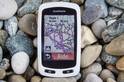
Here’s the skinny on the different pieces. First up is the unit itself – which is slightly bigger than a standard Costco chicken nugget:
Once you’re done admiring the unit you’ve got the quarter turn quick release mounting system. This system uses industrial strength rubber bands that you can easily move from bike to bike. It’s the same system that both the Edge 500 and Edge 800 utilize. In my experience with the Edge 500 for almost two years now – I have yet to find a way to break these bands.
Then we’ve got the AC adapter that charges via USB. It actually comes in two parts – first the block itself, and then the country specific wall socket component.
From there we have the standard mini-USB cable – the same as all your other gadgets like digital cameras and the like.
And finally, there’s the warranty card and a little software redirection card that tells you to swing over to Garmin Connect to signup for your included/free account and how to download data from the Edge 200.
Now that we’ve got it all unpacked, let’s get to some comparisons to give you an idea on the size…
Size & Unit Comparisons:
If you’re familiar with the blue (or gray scale) Edge 500 unit, you’ll find this one virtually identical. In fact, there’s almost no differences between the two from a dimensions or weight standpoint. But let’s go ahead and compare it to some of the other more popular units in the cycling world today.
I’ve got it lined up next to its larger cousin the Edge 800, the Polar CS500, and the CycleOps Joule.
You can see it’s the smallest of the bunch. And even when looking at the new CycleOps Joule GPS units that were announced back in June, it remains smaller than those since the size is identical to the Edge 500.
From a height standpoint, the units are all pretty similar:
Because it’s logical you don’t have all those units sitting in a stash of sports gadgets, I’ve gone ahead and compared it to something that you do probably have handy: A standard business card.
You can see it barely takes up 2/3rds of the length of the card, and is roughly the same width:
I previously weighed the Edge 500 which has the same form factor and found it weighed less than an egg (Egg was 2.20 ounces). Curious to see if the weight changed, I went ahead and stuck this on a scale too – and low and behold…still less than an egg (or I started buying bigger eggs).
While you’re deciding whether the Edge or the Egg came first, I’m going to go ahead and move onto initial power on.
Initial Setup:
When you first power on the unit, it’ll go through asking a few questions. The primary purpose of these questions is to ensure that the settings you have are appropriate for your country and language. The secondary purpose is to assist in basic calorie calculations. First up – determining language and unit format.
You can change the unit format to Miles, Kilometers and Statue UK.
Then you’ve got the selection of 12 hours or 24 hours for time display.
Once you’ve given the Edge 200 a rough idea of how you want information displayed, it’s time to enter in your personal details so that it can make some calorie calculations. This will include gender, weight, height and age.
So why does it need this? Well, in order to do basic calorie math it’ll use your specific information combined with simple distance calculations to determine calories. Of course, out of all the methods of calorie burn that the different Garmin units offer, this is the most basic. More advanced methods move to heart rate based options, and then heart rate based options with a New Leaf test. But since the Edge 200 is unable to connect to a heart rate strap, the more basic “Weight multiplied by Distance” type calculations are used here. I previously wrote up a pretty detailed post on all the options available on all Garmin units today from a calorie measurement standpoint. I encourage you to hit it up if calorie burn is of importance to you.
The Quick Release Mount System:
The Edge 200 uses the same quick mount system that its brothers the Edge 500 and 800 use. I’ve found this system to be hands down the best mount platform out there. Instead of the pain in the butt zip ties that others use, this goes the way of industrial strength rubber bands. The bands come in two sizes – smallish and largeish.
Each Edge 200 unit includes two mounts, and enough rubber bands to mount 7 units (in other words, you can lose 10 rubber bands before you have to buy more). Each mount requires two bands. I’ve yet to find a bike that these don’t fit on, and I’ve yet to find a way to break them – and we’re talking thousands and thousands of miles of riding each year.
The Edge 200 simply slides onto the mount, and then with a quarter turn it’s locked in place. I will point out that when I got hit by a car, my Edge 500 using the same mount system stayed on my bike just fine. The same can’t be said of either me or other pieces on my bike.
If I’m riding my road bike, I just mount it on the handlebar, and for my triathlon bike I prefer the aerobars. You’ll find that in most cases your arm will actually wrap around the Edge – so it really isn’t in the way. On my mountain bike, it’s back on the handlebars. And for my two turtles, I can hook four rubber mounts together and make it all the way around their shells (they aren’t as slow as people think!).
Now let’s get to the good stuff – actually using the unit! The primary goal of the Edge 200 is to track where you’ve gone and your speed and lap information. Essentially ‘where and how fast’. Additionally, it can also provide directions on getting where you want to go. When you first power on the Edge 200 it’ll bring you to this main menu screen with four options. We’ll talk about courses, history and settings in a bit – but for now, let’s just ride.
Once satellite acquisition is complete, you’ll be ready to go. I found this to be the fastest acquiring Garmin unit I’ve ever tested it. Every time I turned it on – including the first time, it acquired within 3-5 seconds. Really astounding.
As you ride you’ll find that the display has four main areas. The 3/4ths of the screen is dedicated to your current speed, your total distance and your total time. These are non-configurable.
The bottom quarter of the screen is changeable by pressing the page button (lower left button) and this controls a scrolling data field that displays: Average Speed, Ascent (total), and calories.
Additionally, the bottom field will display your lap time and lap distance once you press the lap button – though it will not display it until the button is pressed.
The lap button is used to demark portions of the ride. For example, if you have a 10 minute warm-up, followed by 10 minutes of moderately hard, and then 10 minutes of very hard – you may want to separate those out later on for better analysis online. By pressing the lap button (lower right button), it’ll take care of the separation for you. Everything will still be part of a single ride file with total length/time/etc, but those different chunks will show up as subsets available.
You can pause your ride at any time by pressing the upper right button, which temporarily stops recording. You can then either resume the ride, or end it by pressing Save or Discard (to save or trash the data). Also, you can press ‘Back to Start’ to get routing information back to where you started from.
Auto Lap:
Pretend for a second that you don’t like pressing buttons – say you’re just not comfortable taking your hands off the handlebar to press the lap button. Instead, you’d rather the computer automatically create laps every mile or ten. Well, auto lap does exactly that. It will automatically create a lap within your file for the set distance you’ve configured. For example most running folks use 1 mile (or kilometer), but for cycling, every 5 miles seems to be more popular. Either way, however you configure it – it’s up to you.
In addition to just using a set repeating mileage – you can also do it based on position. This is useful if you have a circuit route that you’re doing repeatedly and you want to demark each time you pass a certain point (like a starting line or a random tree).
By setting the Edge 200 to automatically create a lap marker on each lap past your driveway, you can avoid any embarrassing crashes into the neighbors trash can in front of their Saturday morning yard sale as you try to press the lap button while doing circuits around your neighborhood.
Alerts:
In the same vein as automatic lap configuration, you can also setup alerts. Alerts are different in that they won’t make any sort of marker in the file, but rather just ding (actually, a very loud twirly ding sound) and display a message instead. You can setup alerts of time, distance or calorie burn.
I use alerts to remind me that I should be taking nutrition – especially on longer training efforts. I do this using the time alert function.
By simply setting up a repeating 20 minute alert timer, I’m easily reminded that I’m due for taking in some gel.
GPS Log Route Overview:
One of the biggest reasons one would buy the Edge 200 over a standard non-GPS based cycling computer is to have information about exactly where one went after their ride. With the GPS data constantly recording, that data is easily displayed once uploaded to Garmin Connect. I’ll talk more about Garmin Connect later, but the key areas that you’re probably looking for is the map of where you went, and your total speeds – both of these are provided on Garmin Connect. For example, here’s what the map looks like:
You can see it shows you where you’ve been and where you started and stopped. The major difference when comparing something like the Edge 200 and a generic cycling computer from a distance measurement perspective is that while both will measure distance – the Edge 200 doesn’t require any wires or sensors to do so. Because it relies purely on GPS for determining distance, you don’t have to configure a wheel sensor like a typical non-GPS bike computer. You just need to be able to successfully rubber band the mount to your handlebar…which I’m fairly confident you’ll be able to handle (especially if you have experience with shooting rubber bands at your little brother like I do).
Courses:
I was happy to see the Edge 200 included courses. This was a feature that was cut recently on one of the running watches (FR610) – so I was a bit concerned we might not see it make an appearance here on this lower end cycling computer. Courses allows one to create a predefined route to follow using a variety of sites, such as MapMyRide.com. From there you then simply export out the course and copy it to the Edge 200 for routing while out on your ride. This is ideal for bike rides that may be covering new territory, or if you suspect your friends will attempt to ditch you.
To create a route, you just wander over to a site like MapMyRide and create a course by simply dragging and dropping markers:
Once done, you choose to export out the course and save the file to your Garmin device once you’ve plugged it in – just like saving files on a USB hard drive (they go in the GarminNewFiles folder).
Note that in the near future Garmin Connect will be introducing this functionality directly onto Garmin Connect itself. It made a brief appearance back a few weeks ago but due to some bugs was temporarily pulled. You can see my write-up on it here though in the meantime. [Update: Garmin has since added the Course Creation feature]
Once you start up your Edge 200 and you’ll find the names of each course available for you to select.
After you’ve selected the course it’ll show a route of the course (breadcrumb style) and give you status information about your progress on the course.
Unlike a traditional car GPS though, this unit won’t give you street by street directions – but instead gives a breadcrumb trail to follow. For street by street and turn-by-turn directions with a map, you’ll need the Edge 800.
Altimeter (GPS Based):
Unlike the rest of the Edge cycling computers, the Edge 200 uses a GPS based altimeter instead of a barometric based altimeter. This means that the data isn’t quite as accurate during the ride, but in some ways that’s probably of less importance to you if you’re looking at this unit instead of something like the Edge 500 ($50-100 more). The good news though is that once you upload to Garmin Connect, it’ll automatically correct the data using known elevation data for the GPS line that you have. In other words, it uses data provided by mapping providers with painfully exact elevation measurements, which in turn is substituted over the less accurate GPS based measurements from the Edge 200.
You can turn this feature on or off per ride by simply clicking the little button on Garmin Connect for that particular ride. By default, it’s turned on.
Start Notice:
You know when you stop in the middle of a ride to eat ice cream and then you forget to start your bike computer again when you leave the ice cream place? You remember how annoying that is (forgetting to start it again, not the mere act of leaving Dairy Queen behind)? Well, Start Notice attempts to solve that for you. If it thinks that you’re trying to make a getaway without actually starting the timer, it’ll let you know.
You can configure start notice to alert you once, alert you repeatedly, or not alert you at all (tough guy, ehh?). I personally leave it set for just alerting me once – and I’ve found it’s saved my behind more than once over the years.
Auto Pause:
Now take the start notice concept and kick it up a notch. Say you’ve just got a personal policy against any button pressing at all (I have a personal policy against falling off my bike, but that’s different). You just want the computer to simply start the timer when you go forward, and stop the timer when you stop. Well, that’s what Auto Pause does. The unit will automatically start and pause dependent on whether or not the GPS detects movement.
You can configure it though based on your preferences. For example if you want to increase or lower the threshold of the speed which triggers a start or stop.
I find this great for city riding where you may have a lot of stoplights or stop signs to deal with (you do stop a stop signs, right?) For longer country roads with few stops I don’t tend to use this but instead just do it manually.
Water & Weather Resistance:
Despite having a little USB port on the back, the Edge 200 is fully waterproofed to IPX7 standards. This means that it can hang out in water 1 meter deep (3 feet) for up to 30 minutes. If you have your bike constantly submerged in water that deep for more than 30 minutes…I suspect you have other issues.
The USB port is internally waterproofed, so no concerns about water getting in through the backdoor, even if the flap is open.
For fun, I tossed it in a pot of water while I proofed this review and just let is sit there. No issues.
And if you find dunking of computing electronics fun, then here’s some of my previous water bound tests that I’ve done with other Garmin units – complete with a rubber ducky.
Backlight & Night Riding:
The Edge 200 includes a LCD backlight that easily illuminates the entire screen for night riding. This means you can very clearly see the display from your bike seat even on the darkest of commuter days. It does not however mean you should use it as a replacement for a front headlight.
You can configure the backlight timeout such that it automatically goes off to save battery, or stays on indefinitely to provide you with a clear understanding of your ride. I personally prefer to just leave the backlight on, as I’ve never really found a case where I really needed the full 14 hours of battery for a single ride, especially since I usually charge it back up between rides when I download the data.
You can also change the contrast levels as well, with a selection from 1-4.
Again, I prefer to just leave the contrast and backlight up all the way – but that’s certainly not required either.
Perhaps the biggest item of note with the Edge 200 is that it is not compatible with any ANT+ sensors such as a heart rate sensor, speed/cadence sensor or ANT+ power meter. The Edge 200 actually contains no ANT+ chip in it at all, thus there is no hope for eventually getting a firmware update to enable those. If you’re looking for data from one of those categories, I’d suggest looking at the Edge 500 instead. The Edge 500 is essentially the grown-up version of the Edge 200, but for about $50 more (common price), or $100 more (official retail price).
If you plan to train indoors, the Edge 200 does have an indoor training mode, but given it accepts no ANT+ sensors to track speed indoors (ANT+ speed sensor), this mode is essentially just limited to using the timer function.
Included Software Options:
The Edge 200 connects to your computer using a simple mini-USB cable. This cable plugs into the back of the unit using the USB port, under the rubber cover.
Once plugged into your computer, the unit acts like a USB hard drive (or a thumb drive, officially termed ‘USB Mass Storage Device’) and will enumerate its contents on any modern computing platform – PC or Mac.
The Garmin unit has a simple file structure, but you’ll realistically never need to worry about it if you use any of the other software applications.
In short though, your history is saved in the ‘Activities’ folder, and in the .FIT file format – like all newer Garmin devices made in the last two years. The Courses folder holds courses, and the NewFiles folder is where you stash new stuff that you want the device to pickup and consume. The other file folders contain files that you’ll never touch.
Once you have it plugged in, you’re ready to use it with any of the below applications – let’s go ahead and dive into Garmin Connect, which is free of charge for any Garmin customer (well, actually, it’s free for everyone).
Garmin Connect:
After you’ve arrived at the main Garmin Connect screen, you’ll go ahead and choose to upload your data. The Garmin Connect site will have loaded a small control in your browser which allows it to enumerate any Garmin devices you have attached. From there it’ll notice that you’ve got the Edge 200 hooked up to it:
You can choose to upload selected activities (manually picking them), or you can simply just upload everything new that it finds. Because I’m lazy, I just let it do the work and find the new stuff. Once you click that magical button, it’ll go to work and grab anything it doesn’t already have. This process takes a few seconds per file.
Once you’ve got the activities uploaded, they’ll appear in your activities list. You can also display them on a calendar instead.
After you’ve selected the activity, you can bring it up to view more detail:
(Ok, not my fastest effort – I was busy!)
Garmin Connect also has a slew of other functionality, including both reporting and health pieces. For example, you can pull reports on all your past activities, or just specific time slices:
Garmin Connect is a great overall solution for when folks are just getting into the sport. It doesn’t have the super advanced analytic capabilities of a program like TrainingPeaks – but then again, if you’re looking at the Edge 200, that type of software is probably overkill, especially given the lack of ANT+ sensors for areas such as heart rate, cadence or power.
3rd Party Software Compatibility:
Just to very briefly cover 3rd party compatibility of the Edge 200 and other services, it is fully compatible with any service or software application that supports the .FIT file format – which is the same format as the Edge 500/800 and newer Forerunner running watches.
TrainingPeaks:
In the case of TrainingPeaks, from the current device agent version you can simply select Edge 500 or Edge 800 from the dropdown menu to access the Edge 200 unit’s activity files:
Once this is done, you can select the files as normal and upload to Training Peaks as normal:
Final Summary:
Comparison between models:
If you’re looking at all the options out there on the Garmin Edge lineup, I put together this handy little chart to try and sift through some of the relevant features from the ‘marketing features’.
As you can see, the major differences between its closest sibling – the Edge 500 – is the lack of ANT+ functionality and advanced workout features. If you’re looking for car-navigation style GPS maps, then you’ll want to focus on the Edge 705 or Edge 800 instead (I’d highly recommend the Edge 800 instead). Also, the other Edge units have a full fledged Virtual Partner feature, while the Edge 200 is limited to only displaying when in courses mode. Virtual Partner allows you to race against a little virtual cyclist that keeps a given speed (i.e. 16MPH) – and you can see how far ahead or behind him you are.
Pro’s/Con’s:
There’s a lot of reasons to buy the Edge 200, and there are also some gotchya’s, so let’s boil them down to the always present Pro’s and Con’s list:
Pro’s:
– Small and lightweight. Slightly larger than a chicken nugget and lighter than an egg.
– Super easy to use. There’s no confusion here with this unit, it’s impossible to get yourself into any sort of menu trouble – it just works.
– Allows you to see where you went, and for how long and how fast. Both on the unit, and on the computer.
– Fully downloadable and compatible with both Garmin Connect as well as 3rd party applications.
– Super fast satellite acquisition times – fastest of any Garmin sports unit to date.
– Cheap at sub-$150 [10/29/12 Edit: Now $129].
Con’s:
– The lack of ANT+ accessories is a bummer, primarily for the indoor speed sensor if you want to train in the winter, or if you want heart rate data.
– Calorie burn is best guestimate and uses fairly rudimentary assumptions, due to lack of heart rate sensor.
– GPS based altimeter instead of barometric. Given the product line goals, I understand the choice made – but would have preferred all Edge units keep barometric altimeter.
– Unable to customize data fields. While the fields shown are logical, a little customization would have been nice.
Conclusion:
If you’ve made it this far and are trying to decide which unit to get, I offer the following thoughts:
A) If you’re just getting into cycling and aren’t sure what you want from the sport yet – this is the unit for you. It’ll tell you exactly where you went and all the goodness that comes with it. It’s cheap, easy to setup and fairly indestructible. This is also a great unit for bike commuters that don’t care much about ANT+ data like heart rate or power on their commute to work- but that still want the total mileage data consolidated into their Garmin Connect accounts, or training logs.
B) If you’re into cycling a fair bit, then you really should look at the Edge 500 instead. That’s the same form factor but has tons of additional features like intervals, advanced workouts and most importantly: ANT+ sensor data compatibility. Combine that with the new power meter features being added to it in the next month and you’ve got probably the best small cycling computer on the market.
C) If you’re into cycling and looking for mapping and navigational capabilities, then check out the Edge 800. It’s got pretty maps (even satellite imagery!) and the ability to do on street routing. It’s got everything the Edge 500 does, but adds a whole bunch more than you’d come to expect from a car GPS unit.
D) If you’re a triathlete, then you’ll want to be checking out either the Garmin FR305 or the Garmin FR310XT – both of which are geared towards the multisport crowd.
Make sense? Good.
Overall, I absolutely see the value in a device at this price point and understand the cuts that Garmin made to shave off $100 from the Edge 500. I see this is an ideal starter device that’s easy to move between bikes because of the mount system – making it ideal for sharing within a family. While one could make the argument that the FR305 does virtually everything this unit does at the same price, it can’t be said that the FR305 is as clean as this device from a user interface standpoint, nor does it have the quarter-turn mount system. If you’re looking for a great starter GPS device – this is probably the best product out there for the money. It’ll just work every time without complications or setup requirements.
Found this review useful? Or just want a sweet deal?
Hopefully you found this review useful. At the end of the day, I’m an athlete just like you looking for the most detail possible on a new purchase – so my review is written from the standpoint of how I used the device. The reviews generally take a lot of hours to put together, so it’s a fair bit of work (and labor of love). As you probably noticed by looking below, I also take time to answer all the questions posted in the comments – and there’s quite a bit of detail in there as well.
I’ve partnered with Clever Training to offer all DC Rainmaker readers exclusive benefits on all products purchased. You can read more about the benefits of this partnership here. You can pickup the Edge 200 through Clever Training using the link below. By doing so, you not only support the site (and all the work I do here) – but you also get to enjoy the significant partnership benefits that are just for DC Rainmaker readers. And, since this item is more than $75, you get free US shipping as well.
Additionally, you can also use Amazon to purchase the unit or accessories (though, no discount on either from Amazon). Or, anything else you pickup on Amazon helps support the site as well (socks, laundry detergent, cowbells). If you’re outside the US, I’ve got links to all of the major individual country Amazon stores on the sidebar towards the top.
As you’ve seen throughout the review there are numerous compatible accessories for the unit. I’ve consolidated them all into the below chart, with additional information (full posts) available on some of the accessories to the far right. Also, everything here is verified by me – so if it’s on the list, you’ll know it’ll work. And as you can see, I mix and match accessories based on compatibility – so if a compatible accessory is available at a lower price below, you can grab that instead.
K-Edge Garmin Handlebar Mount X-Large for Edge units (including Edge 1000) $45.00
$45.00
N/A
Thanks for reading! And as always, feel free to post comments or questions in the comments section below, I’ll be happy to try and answer them as quickly as possible. And lastly, if you felt this review was useful – I always appreciate feedback in the comments below. Thanks!
Finally, I’ve written up a ton of helpful guides around using most of the major fitness devices, which you may find useful in getting started with the devices. These guides are all listed on this page here.
I have just a question about all of that. I am originally a runner. I have a forerunner 405CX HRM and I am very happy with it. I am moving to cross train now (to avoid injuries mainly) and ev. to race a triathlon in the beginning of 2012.
My question is very simple: the 405 is performing almost the same as a bike GPS unit. As a beginner in the cycling sport, do I really need to buy, even a cheap Edge 200? More generally what is the point to have a GPS watch, a GPS bike unit… that are almost performing the same things (except the 800 with its map capabilities)? Are the cadence and power REALLY necessary when training at a level that is compatible with a family life (I run 4 times a week and swim 2 times. I plan to commute cycling as much as possible)?
Hi Rainmaker, I am pretty much like #Baptiste. I`m a runner moving to swim and in the next year moving to Triathlon. I have a nike sportband with no GPS, but is very usefull for running, including marathons. Now I need to buy some watch for multsports like FR310xt, but this is very outfashion. Do you know if Garmin is preparing a substitute for him? I`m from Brasil and really enjoy your reviews. Great Job. Congrats!
I’m most impressed with your comparison of the unit to a Costco chicken nugget. But when was that last time someone who is seriously training ever saw one of those in real life? Fantastic write-up, Ray. Chapeau!
Let me check if I read this right: There’s no headrate monitoring capability. Is this right? Why would they do that? Ever the FR60 has a HR monitor. Otherwise, it looks good. I’m currently strapping my FR610 to my hand bars and would love an inexpensive cycling device. But HR is essential as an option.
The other day I was offered a slightly elderly still box fresh Foreunner 201 for the price of a couple of beers.
I agree that the chip technology might be a little slower, but the advantage that it has over this new edge 200 is at least it has:- all the same functions, along with being able to switch to pace for running and a rinky-dink fabric strap with no concerns of of the rubber band snapping.
Fantastic review! Your reviews are clearly the best out there; it’s not even close. I’m perhaps most interested in the acquisition time. My Edge 500 is at least a minute in San Francisco, and even then only when in a favorable area. Using my 500 for a run, it can easily take a mile before I get signal. My HTC Incredible phone, on the other hand, with the benefit of hints from the local cellular network, acquires much closer to the 3 seconds you claim for the 200: I almost never lose ride/run data due to delays. So obviously Garmin is doing something smarter now then they were before, even though you label both the 200 and 500 as “awesome”. I’d like to see a head-to-head comparison of data quality between the Edge 200 and 500. They have a similar sized antenna and a similar battery life. This unit is likely a nice clue to what we’ll see in the Edge 500 successor, likely next year, I’d expect.
No, unlike the Edge 500/800 – it does ot contain a temperature sensor.
Hi Wes: RE: Why this over simple bike computer
The biggest reason is the ability to have a map of where you’ve been (downloadable data), and the ability to route on courses. Of course, a lack of sensors is handy for those who don’t want to deal with it.
Hi DJ- RE: Acquisition Time
Yes, I did try and get clarification on the exact GPS chip in the Edge 200, and was given a fairly evasive answer. Nonetheless, every day I’m blown away by the few seconds it takes. I think I’ll do a little video of it and append this review. Really amazing.
Note that on your Edge 500 – if you’re moving before it gets signal, that’s actually making the situation worse. It’s best to just wait it out. Typically for me, my Edge 500 takes less than 30 seconds.
Nice detailed review! Two questions on courses. First, it looks like TCX files from ridewithgps.com should have cues in them. Do the cues display in proximity to the turn when following a course? And if you’re following a course, can you also record your ride and see the standard display (speed/time/distance)? Thanks!
I have a question, can you actually “create” a course on the go? I mean, can you start your ride on any given Sunday and create and save that course? like to riding it again next Sunday??
1) How does one go about making a course to follow? Is there a limit to the number of ‘breadcrumbs’?
2) When following a course, what does the screen look like? Ie, is it possible to see speed/distance/calories at the same time as a course? If not (understandable on a screen that size!) how easy is it to switch between course and information screens?
Let me double-check that tomorrow on my ride, I can’t remember.
RE: Record ride and see standard display
Yes, no issues there, it’s just one of the pages you can alternate through.
Hi Martin- RE: Re-riding saved courses
Sorta. You have to redownload it from Garmin Connect to be able to ride it again, but that only takes a second (albeit requiring a computer).
Hi Paul- RE: Making Course
The best bet is MapMyRide, which automatically creates the breadcrumbs. It usually ends up with a hundreds or thousands of little dots. You just specify the big points and it puts in the middle ones (every few dozen meters roughly).
RE: Seeing other data when following a course
Yes, no issues seeing speed/distance/calories, albeit on a seperate page. So it’s not shown at the same time, but you just hit the page button and it’ll show the regular screen with speed/distance/etc…
Wow, thanks for the amazingly detailed review, just what I need as I search for my first bike gps. You’re efforts are very very helpful to us all, and make me want to bike more. I commute by bike instead of car, and these gadgets make that more fun (so more motivated to continue) so, thanks!
Great review – thanks! What a great product. I was about to buy a Cateye Wireless with cadence for not much less money. It would’ve costed the same if I wanted two bike mounts (I race MTB and road) and the overall weight would’ve been over double this. And as I have a Polar HRM with downloadable/graphable data (including temp), I’ve cycled long enough to know what cadence I’m doing withing 5-10revs, and can do without the demotivation of knowing how little wattage I’m putting out, this unit is perfect for me! :) Cheers Morgan
I have a Garmin Forerunner 201 which I have had since 2003. It does all the basic bike computer stuff plus running pace and stuff plus the display is programmable. The only thing I don’t like about it is that it often takes forever for the gps to lock in. It cost me $125.
Really Strange it doesn’t have the clock included in the scrolling data at the bottom of the screen. How are we to know that we are home late and in return get an ear bashing from the missis. Hopefully they rectify this in the next firmware release. Even the most basic cycle computers have a time of day!
Recording tracks is fine, but what about taking a gpx file and loading it onto the 200 to follow? For mountain bike use it would be nice to have a simple compact stem/bar mounted GPS unit that could display a track that I can follow. I don’t necessarily need a topo base or anything else to show on the screen.
Any idea on how long of a course that can be stored and downloaded. I have read on the Garmin support forum that the course feature is not working well on the Edge 500. This is one of the primary reasons I want to use a GPS based computer. Before buying I want to make sure that the 200 works as advertised.
Hi DC Rainmaker, GREAT review. I go to the shore (Ocean City) on summers and I ride on the boardwalk every morning, and I ride on the bike trail later in the day. This is going to be my first bike GPS. Review helped me so much, thank you. Email is rollothebeast32@aol.com.
Hello DC Rainmaker, If you know anyone who owned a edge 200 please tell them to tell me how they like it. Or if anyone reading this owns a edge 200 please give me your opinion. Contact me from my email, rollothebeast32@aol.com. Thank you.
Got a question on the breadcrumb view. I heard that there is an auto zoom function for this view. Is there any way to disable this auto function and manually zoom in or out? and what is the largest zoom in achievable?
Great review, thanks! I am a motor biker and like to ride on race tracks. I want to use the Edge 200 for “marking” the start point in advance and telling me after each lap on its display the lap time. Would this work or doues it just show the elapsed time of the current lap?
Is there an odometer feature on this, or is it just a daily trip meter, and is there a ‘reset’ button of some sort? If there is an odometer, is there a way to add miles to it in case you rode some miles on a different bike that the Garmin was not attached to?
Hi great review ,i bought it two weeks ago and i know more now than reading the user’s manual! but i still have an open issue :downloading tracks frm garminconnect is easy but how to download a .gpx track into the device ? i am still troubling with it… thanks Giancarlo (frm Italy)
I have purchased an Edge 200 and I’m really impressed with it. Only problem I’ve got is I can’t seem to find the ‘Challenge me’ feature which is your virtual partner. Anybody got any idea how to activate this. I try to challenge a previous course and it records my new ride details to upload later but the only picture I get is a breadcrumb route instead of the two bikes competing against each other. Garmin email helpline have not been helpful. Many thanks Darren.
Nice review, like all the pics with the write ups. I have been biking for 25 years and raced heavily up until just a few years ago and I would have to say this is a great GPS computer. It has just the bottom line I am going for a ride and when I get home can look at where I have been and how high I climbed. If I was still racing and needed all the extra data I would move up to a higher end GPS. Keep up the great work on all your reviews. KC Deer Slayer
Very good detailed reviews. I have just bought a Garmin Edge 200. The only thing I couldn’t find in the reviews is the best way to connect the rubber bands to the bracket. The photos seem to have the bands crossed over under the stem or bar, thereby connecting to the diagonally opposite clips at the sides of the bracket. However I think it is better to have one band attached to the two top clips on the bracket and the other band connected to the two bottom clips. The bands do no therefore crossover each other under the stem, which looks more tidy and they even seem to be hooked more securely over each clip doing it that way.
Thank you so much for the review. You seemed to have really put a lot of time into it and I appreciate it. Your comments led me into getting one – thanks!
Thank you for your very informative web site. I noted your review of the Garmin Edge 200 and my wife purchased one for me recently. I have 12 bicycles that are set up differently and with the Garmin Edge 200, I can use on any of the bikes in the fleet. I am going to have to find something else for my wife to do now that she no longer has to keep my cycling computers set up and keep up with my training log.
Great Review, as usual. I bought a FR60 via your review and link and am wondering if there is any method to merge FR60 data (HR/Cadence) with data from the Edge 200 on Garmin Connect. I checked the Garmin Connect site, and it appears as if they would upload as two different workouts on the same date and time. Thanks in advance for your reply!
Good review. It is appears to be a quality product, easy to install and easy to use. Surely to provide gradient within garmin-connect is some very simple mathematics given it already calculates elevation and ascent etc. Do I really have to do my own spreadsheet for these calculations?
96 hours post purchase I know I purchased the wrong thing. I want gradient I want cadence. Anyone questioning if you want cadence, YES YOU DO!
re: my post #43 – on merging Edge 200 and FR60 HR monitor output on Garmin Connect – Garmin support staff got back to me – the answer is NO, they cannot be merged on the site.
Hi DC and congratulations for yhe review. Do you know if there is a mapmyride for europe? This one asks for my zipcode, which I enter but it does not work… thanks
Rainmaker: I have read many of your review over the years, and just wanted to give you a big thanks!! for a job well done.
I am sure there are many like me, that benefit from your reviews, but remain anonymous.
I’ll probably be buying the Edge 200, as I just need an entry level unit (recreational rider), and would like one that easily transfers bike to bike (OK, I have about a dozen in the fleet, as I am a bit of a collector).
I am suffering from buyer’s remorse and this is why… This weekend I rode a mtn bike trail with several of my friends and all three of their bike computers all had the same distances (14.1 miles) and my Garmin Edge 200 read 11.8 miles.
I was told by one of the guys in my group that a GPS can not measure the distances in some of the repeating switchbacks correctly therefore I have incorrect mileage. Is this true? I hate that my new GPS is giving me the wrong measurements.
What an absolutely brilliant review of the Garmin 200. I’m considering getting the Garmin 200! I so enjoyed reading through your review; and user friendly guide.
This is an excellent review – it answers all the questions that Garmin’s site and marketing doesn’t seem to bother with. I can go ahead and buy this now, knowing it does what I want it to. Garmin should pay you commission.
Indeed this is a good review. But to me I don’t care about cadence, sensors, and all that other crap that the 500 offers. In your conclusion, you state that if you are new to biking this is a good entry level device. Well, I’m not new to biking and this totally fits the bill. I like the idea of being able to go on my long bike rides and post my route and basic stats online to my social networking site. In fact, the automatic mapping feature + a semi-decent altimeter is about the only gain I get from using this and is what your review failed to emphasize. The downsize is you have to charge the damn battery — something you don’t have to do with non-GPS devices. I’m not new to riding nor am i a triathlete in training, but if I got one — it would be for those 2 reasons alone — something non-GPS devices fail to do. You’re conclusion badly missed this and assumes all seasoned bikers want all that other crap.
If GPS signal is lost during a ride, eg when in a tunnel, distance does not update while there is no signal and is not updated by the difference in position between when signal was lost and regained when the signal is regained.
Is there a way to make the device correct for periods of no signal ?
Also can you select odometer1 or odometer2 to keep data for different bikes ?
It helped me FAR beyond the information that the manual had to offer (although the techs were helpful once I could contact them).
When I got my device, I thought it was defective, simply because it wasn’t obvious to me that there was a film to peel off! Perhaps I’m a bit dim (now and then), but I couldn’t figure it out for about one day…then it hit me, and I noticed that there was a ~ 1/8 inch “crescent” that would allow you to peel off the front film. In the meantime I’d been pressing buttons here and there, and never saw the initial prompts.
After looking at the device (with the language in German), I did a master reset, and I was in business again.
The diagram in the manual fell short considerably when describing how to set the mount. Looking at a youTube, it almost seemed slight-of-hand. I couldn’t follow how he set the rubber part so easily into the plastic part of the mount. Then, just idly playing with it and half-paying attention, it fit just like a hand in a glove. Sheesh!
Okay…maybe I tend to “over-think”, but still, the manual could use some improvement.
My current issue is: how do you unplug the device SAFELY? Last time I got a message after unplugging the Garmin 200 telling me that I had to “eject” the device properly (like when a flashdrive flashes and when it stops, it’s safe to remove…).
Once I resolve this, I think that I finally will be comfortable with the device.
Hi, im about to buy this Edge 200 my question is that will this unit fit the Garmin 310XT quick release kit? I was thinking of using this unit for my weekend runs.
No worries on ejecting. I’ve always just pullled the unit out, and never ejected. The whole safely ejecting thing is a bit of a legacy mindset leftover from earlier last decade. No more need these days.
Hi Anon- RE: Quick release compat
Yup, no problems at all. One minor note is that the FR310XT and FR910XT have their quick releases rotated 90* from each other. Meaning that if you simply mount the Edge 200 on the same quick release as the FR310/910XT, it’ll be sideways 90*. Kinda annoying.
Edge 200 seems to be simple enough for the mind-numb (like me). I do like it. the flaw is the battery life. I tour for multiple days. Having to worry about plugging this thing in every night is more annoying that cell phones. Does the accessory battery work to add 20 hours run time? Does the photocell charger work? Can it be used on a rolling bike? Thanks, ADC
i use my garmin for my mountain and road bike. Is it possible to get odometer 1 to measure my mountain bike km’s. And odometer 2 to measure my road bike km’s?
LOVE your blog–this has all been so helpful for me settling on a GPS system for my bike that worked best for me at my pricepoint.
However, my Edge 200 quit working after a month and a half. I’ve spent literally HOURS on the phone with Garmin (most of that time being on hold for 45+ minutes at a stretch before getting disconnected) and after a month and a half, they STILL haven’t even come close to resolving the problem. I won’t bore anyone with the entire precise timeline (though I would be happy to provide it if people actually care), but I’m beyond upset that I spent $150 PLUS having to shell out extra money to mail it back to them and the thing still doesn’t work.
They are horrible about getting back to me when they promise and every single time I talk to them, I’m back to square one. I’m VERY dis-satisfied with the product and the absolutely abysmal customer service.
Any tips for actually getting the Garmin company to fix my problem, rather than piddle around seemingly waiting for my warranty to run out? $150 is a LOT of money to spend on something that only worked for 1.5 months. Thank you!
Sorry to hear about the support fails. Normally they’re pretty good (at least the US Kansas folks are).
Try shooting an e-mail to social.support@garmin.com – this is the social media team that can help out in cases like this.
Give a clear description of timelines, etc, and see if they can get it untangled for you quickly. Feel free to mention you read the review here – it might help your case…maybe.
Thanks so much for the suggestion! After I complained about this on Twitter, they did tweet me with that same address and told me to contact them. I did email them a non-emotional, polite, detailed timeline but still can’t seem to get them on the ball with resolving the issue. I’m pretty much at my wit’s end with how to get this fixed!
Got one for my birthday and its great. Works brilliantly and it was £109 in the uk with £30 cash back from Garmin. its a no brainer for £79 in the UK. Offer runs out in 2 days so hurry up.
Hi again, I’m the “Unknown” who originally posted a comment on the horrible customer service I received. After I posted that, the Garmin folks got in contact with me and apologized for the lengthy delay. They upgraded me to a Garmin 500 computer at no charge, and it works GREAT with my system! I’m thrilled by the final outcome (and love the 500 way more than I did the 200), but thought I would just update about the happy ending :).
My Shimano equipped cyclometer SC 6500 has some great features, but, GPS is the only real system anymore. I have more garmin products than a person should have. And, to this date I still do not have a Garmin Edge bicycle product. I admit to having an Etrex, Colorado (Not a good Garmin product and discontinued) A Zumo for my motorcycle and a GPS 62. I should have pulled the trigger and purchased an 800 for $209 when I had the chance. But, I am BUYING the Edge 200 with confidence. I do not need the bluetooth cadence and HRM. My GPSMAP 62S will do all that. I want GPS accuracy on miles, averages AND vertical ascent. I am averaging 100-150 miles per week right now and RARELY do I need a gps to get me where I am going. So for the$$$, the 200 does it all and you can still play on basecamp if you want to. I have my 62S mount on my MTBs and Road bikes. I like the mapping of that. But for road bikes — ascent, miles and averages are all that is needed for non-TDF riders. Thanks. Great review
I’m thinking of doing a cross country trip (via transamerica trial). I’m assuming it would not connect in a lot of the areas along the way, right? I like this device because I can download trials, but ultimately for the cross country trip I want to be able to track my daily/overall distance. Would the only option be to go with a wired computer?
I am an avid “casual” rider. I like to ride a lot and often participate in group rides and charity events. I do not race. I do not care what my heart rate is unless it is zero .This is a great review. I read it before I purchased my Edge 200 in May of 2012. This device meets all my needs and has always worked flawlessly. My favorite function is the alert function. I used it last summer in the Hotter N Hell to remind me to drink something ever 5 minutes. It is real easy on a long ride to kind of “Zombie out” and forget to drink often enough. I plan to use the virtual ride function this year at Hotter N Hell to make sure I keep my pace up high enough to make the time cut off. The route function works well but i rarely use it.The Garmin connect software is very easy to use and provides useful data. This device suits me to a TEE.
This is a great review. I’ve been using the Forerunner 201 for years and the thing works as well as the day I bought it. I use it mostly for running, so don’t mind that 5 min+ satellite acquisition time. But I wanted something specific for biking, and a fast acquisition time, and the Garmin Edge 200 at $130 seemed ideal. The 500 model seemed really nice, but at $329 a little outside the GPS budget. But for what I want, speed, distance, and the ability to upload the data, this seemed perfect. I’m a recreational biker. Not clear on the differences in accuracy on altitude. That was the one thing that might have steered me toward the 500. But this review was exceptionally helpful in making that decision.
I wonder if the reviewer actually did a few rides with the Edge 200 or not. I have one and am extremely disappointed with accuracy of the track record. The Edge 200 uses a smart algorithm to save memory. It only creates a track waypoint when the velocity changes appreciably. Other units use a fixed time interval for waypoint marking. The result is that the edge 200 track is very inaccurate at high zoom levels. I have seen cheaper units easily outperform the Edge 200 on this aspect. Let’s face it, if the track marking is not accurate, what is the point of the rest. Would not recommend this unit at any price.
Just out of curiosity, what cheaper units are you referring to?
The Smart Recording used in the Edge 200 is the same as the Smart Recording used in other Garmin products, which drops a point roughly every 4-7 seconds. Typically speaking this is really only a problem for ANT+ data and in some cases trails/switchbacks (i.e. some mountain biking).
The cheaper unit I have compared the Edge 200 to is the NAVIG8R BIKE GPS COMPUTER available for $85 AUD.
You are incorrect when you say a waypoint is created every 4 – 7 seconds. My tracks uploaded to Garmin connect show more than a minute between some waypoints. I have rarely seen points every 4 -7 seconds.
I am happy to share a Garmin track on Garmin connect if you want to see what I am talking about. However I suggest you do a ride with the Edge 200, upload the data to Google Earth or Garmin connect and then zoom right in. The Navig8r units will show your track in great detail because it marks a way point every second or so without fail. If you steer around a manhole cover it will be shown. The Edge 200 has you cutting corners as it draws straight lines between it’s too infrequent way-points. If all Garmins are the same as the Edge 200, they are rubbish in my humble opinion.
If you’re seeing 60s between waypoints, then something is wrong with your unit. Garmin units all have Smart Recording, but the more expensive units also have 1s recording as an option. Generally speaking, you’re going to see a point plotted every 4-7s. Keeping in mind that consumer GPS units across the board only have GPS accuracy generally rated at 3-5 meters.
If you’re seeing 60s, you should consider doing a reset of the unit and see if that solves it. Or you should consider ringing up support. Given that the unit’s been out two years, and I’ve never seen a single person complain about the Smart Recording doing what you describe – either here, or in the online forums, seems to me that something is probably up with your unit.
Finally, you’re welcome to look at rides from my Edge 200, here’s one that illustrates things quite well – it’s a looped ride where if it was recording every 60s, it clearly wouldn’t record much of anything in that arrangement. You can see it tracks rather well the entire time, over and over and over again (18 loops).
Thanks for the ideas but I’m quite certain my unit is working as designed. Yours is not much better judging from the track you sent me which is indicating 20 to 40 seconds per waypoint. I suspect if you went for a ride on a road and compared the track to the streets on Google Earth or G Connect, you’d be getting the same results as me. Load a track into G Connect, go to “player” and advance one position. Watch the times….. then zoom in and see how poorly it follows the roads. The Navig8r is spot on. I wish I had bought it instead of the Garmin.
Actually I just looked at the track you sent me in the ‘Aerial”view so I can see where you are riding. Your Edge 200 shows you cutting corners and riding in straight lines too. I’d be willing to bet the track shown is not what you actually rode.
Outside of a single line on a small portion of one of the 18 loops, it’s pretty much spot on with what I rode. A simple look at the GPS view would tell you that. It’s a park, there’s only one road.
As for the Garmin Connect “Player” view – you do realize that they lower the resolution/sampling in that view, right? Compare the same lines to the non-Player view (“Detail” tab), and you’ll see it’s quite different. Or, zoom in on the charts in the detail view, you’ll see the same.
As for why they change it in that view, I’m not quite clear (though, I suspect it’s smoothed because it’s designed to playback the run in fast-forward), but in any case it has nothing to do with the unit itself. You need to clearly differentiate where your issue is.
Well I compared tonight’s ride track in details view and player view. There is no discernible difference between the two. As for needing to clearly differentiate where my issues is….please re read my posts. I have been clear and consistent on the issue of waypoints, Garmin’s (not so) smart algorithm and poor track accuracy. I suggest you read my post with a less defensive mindset.
Compare any Garmin to the Navig8r for track accuracy ( not extra features ) and you will be surprised. Garmin bike GPS units are very average. Are you on the Garmn payroll?
Again, did you compare the track I provided you on both tabs? If so, can you please point out where the 40s gaps are on the detail tab? Alternatively, can you provide a link to your track with clarification on where the 40s gaps are.
But as I do for about 1.7 million on people a month, I’m happy to help provide clarification and troubleshooting on how products work. At present, you’re not really providing any detail other than promoting the Navig8r brand – which actually isn’t made by Navig8r, but is rather an OEM’d unit that’s sold under have a dozen different brandings. For example, the running watches are sold as Soleus, New Balance, Timex, and others. With cycling sold by Soleus. I’m really well versed in how the software works there. My point being, I know how all these units work, and if you don’t want to call support, then you can either provide detailed information here so I can help you, or find some other spot on the internet to air your complaints. It’s really that simple.
DC. Again I reiterate that I have compared the tracks on both tabs for your circles and many of my rides.
Also, I am not promoting the Navig8r. in fact I did not mention it until you asked me for the details.
The unit is working as designed, so support is not going to be able to help me.
You write a blog and ask people to post comments. That’s what I did – but I have no more time to waste on this now.
Thanks.
I like your reviews. They are very thorough and information covered is consistent from review to review.
I have a choice between the Garmin Edge 200/510/810. I currently had an ant+ speed and heartrate sensors. I lost the bike computer somewhere rattleing on the road. Looked two times but falling leaves and black case did not help find. In addition to heartrate & speed, I would like cadence, but not wattage/power. I have already have baselined my heart rate and pace with the old bike computer. I ride for exercise and normally download the ride info directly to a desktop at the end of my cool down period.
If cost is not a factor, and you could select either the Garmin Edge 200, 510, or 810 models, what would you recommend? Not sure if I should go back to basic speed & time information or go forward to that plus cadence. Thanks.
Given the Edge 200 won’t connect to your ANT+ units, then you’ll probably want to cross that off.
Instead, I’d go with the 510 or 810. The simple question to ask if whether or not you want turn by turn mapping while riding (during the ride). If so, go with Edge 810, if not, go with Edge 510. Both units of course still record and display your route on maps afterwards.
Hi. very amazing review, helped me to make up my mind for buying this device. I just want to know is this device accurate with speed display?? coz i am very particular regarding speed accuracy, as i am into road cycling. Thanks.
Excellent write-up! Well written, witty and full of useful info, especially a pic of the device in course mode (which the Garmin manual doesn’t show).
I’d like to add another reason why this GPS device would be better than a conventional wireless computer; modern LED lights interfere with the computers. Sometimes they drop out, other times can just freeze up.
Personally, I have a Garmin 205 which shows course elevation, and I will run the 2 GPS devices to show me what I want without many button presses (with the 200 replacing my normal cycle computer). 2 GPS devices ….. that’s me. :)
Good review and I purchased the Edge 200; it cannot be beat for the price. One feature Garmin could provide when plugged in to their website, is the ability to print out the summary, details, laps or map separately from the analyze screen. This information can then be viewed on a hard copy anywhere without a computer/electronic device.
Thorough piece. I am about to upgrade road bikes and am considering a Trek Madone 4.3 with the built in cavity to sync to such a unit. I am not quite the gearhead that others are but can see the benefit. Multiple mounts–nice.
NAVIGATING TURN BY TURN on the EDGE 200 : According to your comparison table, the Gramin 200 doesn’t support navigation by waypoints, but this is not the case. Check out link to velogps.com. Basically you create a course using say the GPSies track creator (remember to include waypoints) and export the route as a TCX file straight to the Garmin Edge – works like a dream !
That’s cool stuff, but unfortunately, it’s not actually Turn by Turn navigation as defined within the industry. Turn by Turn means that it tells you to ‘Turn left on Maple Street’, and if you miss said turn, it can tell you to instead ‘Turn left on Oak Street, then turn left on Pine, and right back onto Maple’.
The track following is more breadcrumb style with turn waypoints, and is common across most of the Garmin fitness lineup. In the comparison table, it’s called ‘Courses’.
I am new to garmin cycle products.
I might use my bicycle in different countries.
So is it needed that a map is downloaded to the map depending on which country you use it?
For example a map for Spain, another for Germany and so on, or does it just pick up gps coordinates and put it on the map?
No, the Edge 200 doesn’t contain a map. For that, you’ll want to look at the Edge 800 or Edge 810. Typically, you can find the Edge 800 a bit cheaper these days. Then, you can download maps for it. See this post on that: link to dcrainmaker.com
I have been using my Samsung Infuse (Android-based) smartphone to track my rides. I have found that the GPS in this device is easily confused while I’m riding on roads that go through hills or canyons. For example, when using Strava’s Android app, the GPS trace often shows my position as varying way off the road and up on to the sides of the hills. I am thinking about buying a device like the Edge 200 to get more accurate traces. But I’m wondering if the same problem might exist with the Edge 200 device. Can any experienced climbers comment on the accuracy of the GPS in the Edge 200?
I’m a review junkie before I buy anything. This was one of the best reviews I’ve come across. Very thorough hitting all aspects of the device. Thank you for taking the time to write up this review.
Just bought the Garmin Edge 200 unit and loving the simplicity, even if it doesn’t do everything. Much better than using a standard bike computer and tells you alot more.
Display is clear and easy to see all the relevant metrics at a glance.
Thank you for this very thorough review. I have been using the Garmin Edge 200 for about three weeks now, and am very happy with it, except that I am getting divergent elevation change readings on identical rides — the same route can vary by up to 200 feet (from, say, 700 to 900). I have the elevation change correction enabled. Any thoughts on this? Thanks.
Not that taken with the product. .. Was looking for something more mapping to stop getting last the whole time. .. But great kudos for a great review job well done!
I set my edge 200 to read in Kilometers per hour witch in did while I was out riding but when I downloaded
all my info onto the computer it was all in MPH can I change this ?
Is the body identical to the Edge 500 body? I’m seeing the four dots on the back (which in 500 have holes for pressure measurement probably, but have no holes and no function in Edge 200) which makes me think that they are identical.
Asking, because I’m In a need to find a new lower body piece for my 2010 Edge 500 – the wings holding the Edge in the mount broke of a few months ago – and looking for the cheapest possible option.
The body is identical, though, the holes would be different (for the barometric altimeter as noted).
That said, wouldn’t it cost less to just use Garmin warranty support? The most I’ve ever heard it be was $80 for a replacement unit (for out of warranty).
Hi, I already have a garmin 200 , i use it with strava and i find the timings on segments to be very erratic especially on the mountain bike , do you think the 200 is good enough for accurate timings on strava? I am thinking of getting one for my strava mad son but i worry it will be no better than his I phone 5s. I did read that it only reads signals at 10 second intervals? is this correct? if so what would recommend ? Thanks
Hmm, in mountain biking it might be tough to be honest, due to the smart recording – which is probably what you’re seeing.
Typically smart recording drops a point every 3-7 seconds. But it can be longer – such as 10 or even 15 seconds, or it can be every second. In theory it’s smart enough to do so based on changes in routes. But in reality…it varies. :-/
thanks for your reply,is there a device you would recommend,as i said his phone seems worse.I dont understand that i can have several attempts at a segment and on some it can seem accurate and others at walking pace ! they are never faster ? sometimes when you look at the leaderboards ,they are a joke , impossibly fast times. The worst was done at 168 mph!
That’s the challenge with some Strava segments, they have bad data. If you see ones like that, just click to flag it, it’s easy and only takes a second.
As for accuracy with devices, in general devices that record 1-second will record more accurately than most phones.
Ray: wanted to let you know that I used the Clever Training link and discount today to get an Edge 200. Debated on the 500, but I just don’t need the sensor support. Your reviews always make tech decisions easy. :)
Wow, what a brilliant review. I’m bookmarking this link for when the device actually arrives. I currently use Mapmyride and or Endomondo on my iPhone and both of them are awful in the way that the autopause works. I have noticed that mapmyride will run for about 10 seconds before it auto pauses (but it sure starts up fast when you start to move). So, in a suburban environment with traffic lights, a half hour ride typically adds 2 minutes because of the auto pause function. I read your section on this and I get that you can set speeds for when it kicks on and off. Have you found Autopause to be more accurate than what I describe? Will mapmyride recognize this device the same way it would use my phone? I would rather gather my data there instead of in Garmin Connect. Thanks
Great review and it’s gone along way to deciding which unit I need. Just one question, I can’t find a silicone case for the Edge 200, but as it’s basically the 500 unit will a case fit the 200?
Kepp up the great work we really appreciate it all.
No, unfortunately not on the Edge 200. However, one thing to consider is that the Edge 500 is on sale right now for $149US, so basically $20 or so more. It’s a gazillion times more capable. Here’s the deals link: link to dcrainmaker.com
Also, it does come in a black/grey color now (not shown in my review), in case you’re not a fan of the blue. Cheers.
Yes, the Garmin 200 does have a clock and the time is updated automatically via satellite. However, one annoying thing (to me) is that the clock is not visible while a ride is in progress. To see the clock, you have to press a button to get to the home screen. Although this does not interrupt tracking of the ride in progress, it is inconvenient. It would have been much better if the time-of-day was one of the statistics that is rotated on the display during a ride.
Just by chance I found your site and I would like to say what a brilliant review. How I wish more people, ie journalists, could write and give such a detailed analyis.
However I would like to point out one small spelling error, it is Statute Miles, yes you know I’m a Brit.
Sorry to be so picky.
Thanks for your reviews. They are the best I’ve seen. It’s a pleasure to read them.
A quick question : I’m looking for a gps for mountain biking and the Edge 200 fits the bills except for the fact that I cannot display the actual time on the first page. Do you know if Garmin ever plan on changing the firmware to accommodate such a tiny feature ?
If not what other unit can I go to ? I’m simply looking for a GPS that records my route, my elevation, altitude and also one that displays on the “main” page, time of day, ride duration and distance. No other fancy gadget needed. (I have my phone with the Swiss topo maps for directions) So far I’ve looked at the Edge 200, Edge 500, Magellan Switch UP, Polar M400. Any recommandation or another product I might have overlooked ?
Does anyone know of a protective case for the 200 that allows the USB cable to be plugged in without removing the case (has some kind of cut-out or port for the cable)?
I was given an edge 200 as a present. My one gripe is that it records data at random time intervals instead of every second which produces some bizarre results on short segments when you’re going for a KOM. For example I manually timed myself on a certain segment twice at 47sec but was given 51sec the first time and 39sec the second time, Oh for a 500!
I swim, bike and run. Then, I come here and write about my adventures. It’s as simple as that. Most of the time. If you’re new around these parts, here’s the long version of my story.
You'll support the site, and get ad-free DCR! Plus, you'll be more awesome. Click above for all the details. Oh, and you can sign-up for the newsletter here!
Here’s how to save!
Wanna save some cash and support the site? These companies help support the site! With Backcountry.com or Competitive Cyclist with either the coupon code DCRAINMAKER for first time users saving 15% on applicable products.
You can also pick-up tons of gear at REI via these links, which is a long-time supporter as well:
Alternatively, for everything else on the planet, simply buy your goods from Amazon via the link below and I get a tiny bit back as an Amazon Associate. No cost to you, easy as pie!
You can use the above link for any Amazon country and it (should) automatically redirect to your local Amazon site.
While I don't partner with many companies, there's a few that I love, and support the site. Full details!
Want to compare the features of each product, down to the nitty-gritty? No problem, the product comparison data is constantly updated with new products and new features added to old products!
Wanna create comparison chart graphs just like I do for GPS, heart rate, power meters and more? No problem, here's the platform I use - you can too!
Think my written reviews are deep? You should check out my videos. I take things to a whole new level of interactive depth!
Smart Trainers Buyers Guide: Looking at a smart trainer this winter? I cover all the units to buy (and avoid) for indoor training. The good, the bad, and the ugly.
Check out
my weekly podcast - with DesFit, which is packed with both gadget and non-gadget goodness!
Get all your awesome DC Rainmaker gear here!
FAQ’s
I have built an extensive list of my most frequently asked questions. Below are the most popular.
You probably stumbled upon here looking for a review of a sports gadget. If you’re trying to decide which unit to buy – check out my in-depth reviews section. Some reviews are over 60 pages long when printed out, with hundreds of photos! I aim to leave no stone unturned.
I travel a fair bit, both for work and for fun. Here’s a bunch of random trip reports and daily trip-logs that I’ve put together and posted. I’ve sorted it all by world geography, in an attempt to make it easy to figure out where I’ve been.
The most common question I receive outside of the “what’s the best GPS watch for me” variant, are photography-esq based. So in efforts to combat the amount of emails I need to sort through on a daily basis, I’ve complied this “My Photography Gear” post for your curious minds (including drones & action cams!)! It’s a nice break from the day-to-day sports-tech talk, and I hope you get something out of it!
Many readers stumble into my website in search of information on the latest and greatest sports tech products. But at the end of the day, you might just be wondering “What does Ray use when not testing new products?”. So here is the most up to date list of products I like and fit the bill for me and my training needs best! DC Rainmaker 2024 swim, bike, run, and general gear list. But wait, are you a female and feel like these things might not apply to you? If that’s the case (but certainly not saying my choices aren’t good for women), and you just want to see a different gear junkies “picks”, check out The Girl’s Gear Guide too.























Hi everybody,
Like your review as always!!
I have just a question about all of that.
I am originally a runner. I have a forerunner 405CX HRM and I am very happy with it.
I am moving to cross train now (to avoid injuries mainly) and ev. to race a triathlon in the beginning of 2012.
My question is very simple:
the 405 is performing almost the same as a bike GPS unit. As a beginner in the cycling sport, do I really need to buy, even a cheap Edge 200?
More generally what is the point to have a GPS watch, a GPS bike unit… that are almost performing the same things (except the 800 with its map capabilities)? Are the cadence and power REALLY necessary when training at a level that is compatible with a family life (I run 4 times a week and swim 2 times. I plan to commute cycling as much as possible)?
Thanks for your comments. Thanks for reading ;-)
baptiste
Yes, it is really (nearly) impossible to break the rubber band, but the little wings on the edge can break:
link to velodramatic.com
link to forums.garmin.com
I wonder, if this is more probably if one also uses the 310xt quick release kit for the edge or if riding on the mountainbike (where it happend to me)
Thanks for your great blog!
Hannes
At last: Where is the turtle In Depth Review?
Again, Great review as always!
Question on the Summary, you list Virtual Parnter and Yes for the Edge 500. Has that feature been added to the 500 and if so how do I access it?
Thanks
Dan
Hi Rainmaker,
I am pretty much like #Baptiste.
I`m a runner moving to swim and in the next year moving to Triathlon. I have a nike sportband with no GPS, but is very usefull for running, including marathons. Now I need to buy some watch for multsports like FR310xt, but this is very outfashion.
Do you know if Garmin is preparing a substitute for him?
I`m from Brasil and really enjoy your reviews. Great Job. Congrats!
I’m most impressed with your comparison of the unit to a Costco chicken nugget. But when was that last time someone who is seriously training ever saw one of those in real life? Fantastic write-up, Ray. Chapeau!
Excellent review – is there temperature measurement on the 200? Is there odometer functionality on the unit itself or is that shown in Garmin Connect?
thanks
D
Does the 200 have an odometer to track cumulative mileage?
Thank you
Let me check if I read this right: There’s no headrate monitoring capability. Is this right? Why would they do that? Ever the FR60 has a HR monitor. Otherwise, it looks good. I’m currently strapping my FR610 to my hand bars and would love an inexpensive cycling device. But HR is essential as an option.
lack of cadence is a no go for me. why pay this much for a GPS based device when a device that uses wheel size is just as accurate?
why pay this much for a GPS based device when a device that uses wheel size is just as accurate?
Elevation data?
The other day I was offered a slightly elderly still box fresh Foreunner 201 for the price of a couple of beers.
I agree that the chip technology might be a little slower, but the advantage that it has over this new edge 200 is at least it has:-
all the same functions,
along with being able to switch to pace for running and a rinky-dink fabric strap with no concerns of of the rubber band snapping.
Hi dbosler (Dan)
The Virtual Partner on the Edge 500 is only when using Courses.
Check out link to static.garmincdn.com from page 13.
Nathan
Fantastic review! Your reviews are clearly the best out there; it’s not even close. I’m perhaps most interested in the acquisition time. My Edge 500 is at least a minute in San Francisco, and even then only when in a favorable area. Using my 500 for a run, it can easily take a mile before I get signal. My HTC Incredible phone, on the other hand, with the benefit of hints from the local cellular network, acquires much closer to the 3 seconds you claim for the 200: I almost never lose ride/run data due to delays. So obviously Garmin is doing something smarter now then they were before, even though you label both the 200 and 500 as “awesome”.
I’d like to see a head-to-head comparison of data quality between the Edge 200 and 500. They have a similar sized antenna and a similar battery life. This unit is likely a nice clue to what we’ll see in the Edge 500 successor, likely next year, I’d expect.
Hi DB-
RE: Temperature guage
No, unlike the Edge 500/800 – it does ot contain a temperature sensor.
Hi Wes:
RE: Why this over simple bike computer
The biggest reason is the ability to have a map of where you’ve been (downloadable data), and the ability to route on courses. Of course, a lack of sensors is handy for those who don’t want to deal with it.
Hi DJ-
RE: Acquisition Time
Yes, I did try and get clarification on the exact GPS chip in the Edge 200, and was given a fairly evasive answer. Nonetheless, every day I’m blown away by the few seconds it takes. I think I’ll do a little video of it and append this review. Really amazing.
Note that on your Edge 500 – if you’re moving before it gets signal, that’s actually making the situation worse. It’s best to just wait it out. Typically for me, my Edge 500 takes less than 30 seconds.
Thanks all!
Hi DC,
Nice review.
Does it have a clock (time of day)?
Thanks,
DB
Yes – In the top LH Corner
Hi DB:
RE: Clock
Yes, it does in the main menu – but not in either active or paused mode.
Nice detailed review! Two questions on courses. First, it looks like TCX files from ridewithgps.com should have cues in them. Do the cues display in proximity to the turn when following a course? And if you’re following a course, can you also record your ride and see the standard display (speed/time/distance)? Thanks!
Excellent review!
I have a question, can you actually “create” a course on the go? I mean, can you start your ride on any given Sunday and create and save that course? like to riding it again next Sunday??
Hi
2 questions please:-
1) How does one go about making a course to follow? Is there a limit to the number of ‘breadcrumbs’?
2) When following a course, what does the screen look like? Ie, is it possible to see speed/distance/calories at the same time as a course? If not (understandable on a screen that size!) how easy is it to switch between course and information screens?
Superb review, thanks!
Hi Jenn-
RE: TCX Files with Cueues
Let me double-check that tomorrow on my ride, I can’t remember.
RE: Record ride and see standard display
Yes, no issues there, it’s just one of the pages you can alternate through.
Hi Martin-
RE: Re-riding saved courses
Sorta. You have to redownload it from Garmin Connect to be able to ride it again, but that only takes a second (albeit requiring a computer).
Hi Paul-
RE: Making Course
The best bet is MapMyRide, which automatically creates the breadcrumbs. It usually ends up with a hundreds or thousands of little dots. You just specify the big points and it puts in the middle ones (every few dozen meters roughly).
RE: Seeing other data when following a course
Yes, no issues seeing speed/distance/calories, albeit on a seperate page. So it’s not shown at the same time, but you just hit the page button and it’ll show the regular screen with speed/distance/etc…
Hi DC Rainmaker,
Wow, thanks for the amazingly detailed review, just what I need as I search for my first bike gps. You’re efforts are very very helpful to us all, and make me want to bike more. I commute by bike instead of car, and these gadgets make that more fun (so more motivated to continue) so, thanks!
Andrew
Great review – thanks! What a great product. I was about to buy a Cateye Wireless with cadence for not much less money. It would’ve costed the same if I wanted two bike mounts (I race MTB and road) and the overall weight would’ve been over double this. And as I have a Polar HRM with downloadable/graphable data (including temp), I’ve cycled long enough to know what cadence I’m doing withing 5-10revs, and can do without the demotivation of knowing how little wattage I’m putting out, this unit is perfect for me! :)
Cheers
Morgan
I have a Garmin Forerunner 201 which I have had since 2003. It does all the basic bike computer stuff plus running pace and stuff plus the display is programmable. The only thing I don’t like about it is that it often takes forever for the gps to lock in. It cost me $125.
Really Strange it doesn’t have the clock included in the scrolling data at the bottom of the screen. How are we to know that we are home late and in return get an ear bashing from the missis. Hopefully they rectify this in the next firmware release. Even the most basic cycle computers have a time of day!
UPDATE
You can indead view the clock when a ride has started.
Press and hold the Page Button (bottom left) and the clock will be displayed in the top left screen – tho hard to read while cycling!
it will also show elapsed? time in the centre of the screen.
to go back press ride (top right hand button
Cheers Rob.
Recording tracks is fine, but what about taking a gpx file and loading it onto the 200 to follow? For mountain bike use it would be nice to have a simple compact stem/bar mounted GPS unit that could display a track that I can follow. I don’t necessarily need a topo base or anything else to show on the screen.
Nice review
Solid Review.
How inaccurate do you think the GPS based elevation is (as recorded on the LCD in real-time)?
I’m a bit odd in that I race (Ultra XC Mtb) but do not care for heart rate or power meters… But tracking my climbing is essential to me…
Your thoughts would be greatly appreciated.
Many thanks,
JV
Any idea on how long of a course that can be stored and downloaded. I have read on the Garmin support forum that the course feature is not working well on the Edge 500. This is one of the primary reasons I want to use a GPS based computer. Before buying I want to make sure that the 200 works as advertised.
Alan
Hi DC Rainmaker,
GREAT review. I go to the shore (Ocean City) on summers and I ride on the boardwalk every morning, and I ride on the bike trail later in the day. This is going to be my first bike GPS. Review helped me so much, thank you. Email is rollothebeast32@aol.com.
From,
Gavin
Hello DC Rainmaker,
If you know anyone who owned a edge 200 please tell them to tell me how they like it. Or if anyone reading this owns a edge 200 please give me your opinion. Contact me from my email, rollothebeast32@aol.com. Thank you.
From,
Gavin
Got a question on the breadcrumb view. I heard that there is an auto zoom function for this view. Is there any way to disable this auto function and manually zoom in or out? and what is the largest zoom in achievable?
Thanks
Arthur
Hi Rainmaker,
Great review, thanks!
I am a motor biker and like to ride on race tracks. I want to use the Edge 200 for “marking” the start point in advance and telling me after each lap on its display the lap time. Would this work or doues it just show the elapsed time of the current lap?
Kind regards, Hartmut
Is there an odometer feature on this, or is it just a daily trip meter, and is there a ‘reset’ button of some sort? If there is an odometer, is there a way to add miles to it in case you rode some miles on a different bike that the Garmin was not attached to?
Hi great review ,i bought it two weeks ago and i know more now than reading the user’s manual! but i still have an open issue :downloading tracks frm garminconnect is easy but how to download a .gpx track into the device ? i am still troubling with it…
thanks
Giancarlo (frm Italy)
Great review, I’ve now ordered an Edge 200 which I feel pretty sure will cover my needs – thanx!
Hi from the UK.
I have purchased an Edge 200 and I’m really impressed with it. Only problem I’ve got is I can’t seem to find the ‘Challenge me’ feature which is your virtual partner. Anybody got any idea how to activate this. I try to challenge a previous course and it records my new ride details to upload later but the only picture I get is a breadcrumb route instead of the two bikes competing against each other. Garmin email helpline have not been helpful.
Many thanks
Darren.
Nice review, like all the pics with the write ups. I have been biking for 25 years and raced heavily up until just a few years ago and I would have to say this is a great GPS computer. It has just the bottom line I am going for a ride and when I get home can look at where I have been and how high I climbed. If I was still racing and needed all the extra data I would move up to a higher end GPS. Keep up the great work on all your reviews.
KC Deer Slayer
Very good detailed reviews. I have just bought a Garmin Edge 200. The only thing I couldn’t find in the reviews is the best way to connect the rubber bands to the bracket. The photos seem to have the bands crossed over under the stem or bar, thereby connecting to the diagonally opposite clips at the sides of the bracket. However I think it is better to have one band attached to the two top clips on the bracket and the other band connected to the two bottom clips. The bands do no therefore crossover each other under the stem, which looks more tidy and they even seem to be hooked more securely over each clip doing it that way.
Thank you so much for the review. You seemed to have really put a lot of time into it and I appreciate it. Your comments led me into getting one – thanks!
read nyour reviews for the first time. Not a lt of reviews in Portugal and the one that we can find are not the most reliable.
will be in my favorits.
thanks
Thank you for your very informative web site. I noted your review of the Garmin Edge 200 and my wife purchased one for me recently. I have 12 bicycles that are set up differently and with the Garmin Edge 200, I can use on any of the bikes in the fleet. I am going to have to find something else for my wife to do now that she no longer has to keep my cycling computers set up and keep up with my training log.
You forgot option
E: SingleSpeed mtb’r who doesn’t want to know how hard his heart is beating after that beer.
Great unit for the ss, simple and unobtrusive.
Cheers
Great Review, as usual. I bought a FR60 via your review and link and am wondering if there is any method to merge FR60 data (HR/Cadence) with data from the Edge 200 on Garmin Connect. I checked the Garmin Connect site, and it appears as if they would upload as two different workouts on the same date and time. Thanks in advance for your reply!
Good review. It is appears to be a quality product, easy to install and easy to use. Surely to provide gradient within garmin-connect is some very simple mathematics given it already calculates elevation and ascent etc. Do I really have to do my own spreadsheet for these calculations?
96 hours post purchase I know I purchased the wrong thing. I want gradient I want cadence. Anyone questioning if you want cadence, YES YOU DO!
re: my post #43 – on merging Edge 200 and FR60 HR monitor output on Garmin Connect – Garmin support staff got back to me – the answer is NO, they cannot be merged on the site.
Thank you for a very informative & thorough review.
Hi, thanks for the great review. Does the 200 have the capability to save total distance – say for the year?
Hi DC and congratulations for yhe review.
Do you know if there is a mapmyride for europe? This one asks for my zipcode, which I enter but it does not work…
thanks
Rainmaker: I have read many of your review over the years, and just wanted to give you a big thanks!! for a job well done.
I am sure there are many like me, that benefit from your reviews, but remain anonymous.
I’ll probably be buying the Edge 200, as I just need an entry level unit (recreational rider), and would like one that easily transfers bike to bike (OK, I have about a dozen in the fleet, as I am a bit of a collector).
Keep up the great work!
I am suffering from buyer’s remorse and this is why… This weekend I rode a mtn bike trail with several of my friends and all three of their bike computers all had the same distances (14.1 miles) and my Garmin Edge 200 read 11.8 miles.
I was told by one of the guys in my group that a GPS can not measure the distances in some of the repeating switchbacks correctly therefore I have incorrect mileage. Is this true? I hate that my new GPS is giving me the wrong measurements.
Please advise.
What an absolutely brilliant review of the Garmin 200. I’m considering getting the Garmin 200! I so enjoyed reading through your review; and user friendly guide.
Thank you so much for posting it!
Regards
Mostyn
Great Review/Reviewer. Received as a birthday present and cant wait to start using it now.
Thanks
This is an excellent review – it answers all the questions that Garmin’s site and marketing doesn’t seem to bother with. I can go ahead and buy this now, knowing it does what I want it to. Garmin should pay you commission.
Thanks
CF
I have a Garmin E-Trex H hiking GPS specificailly to obtain a map grid reference.
I was tired of the old bicycle computers and their complex set up so I got a Garmin Edge 200.
It works just fine but I note if I go cycling or walking to 2 devices come up with different distances.
If I walk or ride along a near flat route the difference might only be 1% today and if I repeat that tomorrow it can be 65 difference.
Strange!
.
.
Fantastic review! I’ve been using mine for about 2 weeks now but learned a few gems that I didn’t know about, after reading your review.
Fantastic review! The most thorough and well organized product review I’ve ever read!
I’ve been using mine for about 2 weeks now but learned a few gems that I didn’t know about, after reading your review.
Hi
I have one more question:
Can you (in garmin connect) change the type of activity? (swim, run, bike, …)? or it’s not possible?
Thank you
Hi
I have one more question:
Can you (in garmin connect) change the type of activity? (swim, run, bike, …)? or it’s not possible?
Thank you
That the most complete, yet easy to read and enjoyable review of anything that I’ve ever read.
How accurate is the GPS altimeter feature of the 200 as compared to the barometric altimeter of the 500?
A great review. I got enough info to feel confident in buying one. I am quite pleased with the unit. it meets my needs perfectly.
Indeed this is a good review. But to me I don’t care about cadence, sensors, and all that other crap that the 500 offers. In your conclusion, you state that if you are new to biking this is a good entry level device. Well, I’m not new to biking and this totally fits the bill. I like the idea of being able to go on my long bike rides and post my route and basic stats online to my social networking site. In fact, the automatic mapping feature + a semi-decent altimeter is about the only gain I get from using this and is what your review failed to emphasize. The downsize is you have to charge the damn battery — something you don’t have to do with non-GPS devices. I’m not new to riding nor am i a triathlete in training, but if I got one — it would be for those 2 reasons alone — something non-GPS devices fail to do. You’re conclusion badly missed this and assumes all seasoned bikers want all that other crap.
If GPS signal is lost during a ride, eg when in a tunnel, distance does not update while there
is no signal and is not updated by the difference in position between when signal was lost and regained when the signal is regained.
Is there a way to make the device correct for periods of no signal ?
Also can you select odometer1 or odometer2 to keep data for different bikes ?
David S
Greetings, and THANKS for your in-depth review.
It helped me FAR beyond the information that the manual had to offer (although the techs were helpful once I could contact them).
When I got my device, I thought it was defective, simply because it wasn’t obvious to me that there was a film to peel off! Perhaps I’m a bit dim (now and then), but I couldn’t figure it out for about one day…then it hit me, and I noticed that there was a ~ 1/8 inch “crescent” that would allow you to peel off the front film. In the meantime I’d been pressing buttons here and there, and never saw the initial prompts.
After looking at the device (with the language in German), I did a master reset, and I was in business again.
The diagram in the manual fell short considerably when describing how to set the mount. Looking at a youTube, it almost seemed slight-of-hand. I couldn’t follow how he set the rubber part so easily into the plastic part of the mount. Then, just idly playing with it and half-paying attention, it fit just like a hand in a glove. Sheesh!
Okay…maybe I tend to “over-think”, but still, the manual could use some improvement.
My current issue is: how do you unplug the device SAFELY? Last time I got a message after unplugging the Garmin 200 telling me that I had to “eject” the device properly (like when a flashdrive flashes and when it stops, it’s safe to remove…).
Once I resolve this, I think that I finally will be comfortable with the device.
Great job, DC!
Hi, im about to buy this Edge 200 my question is that will this unit fit the Garmin 310XT quick release kit? I was thinking of using this unit for my weekend runs.
Thx
Hi Anon-
RE: Eject
No worries on ejecting. I’ve always just pullled the unit out, and never ejected. The whole safely ejecting thing is a bit of a legacy mindset leftover from earlier last decade. No more need these days.
Hi Anon-
RE: Quick release compat
Yup, no problems at all. One minor note is that the FR310XT and FR910XT have their quick releases rotated 90* from each other. Meaning that if you simply mount the Edge 200 on the same quick release as the FR310/910XT, it’ll be sideways 90*. Kinda annoying.
which gramin edge models can you enter a post code into to get directions?(if any)
The Edge 800 is the only one.
Edge 200 seems to be simple enough for the mind-numb (like me). I do like it. the flaw is the battery life. I tour for multiple days. Having to worry about plugging this thing in every night is more annoying that cell phones. Does the accessory battery work to add 20 hours run time? Does the photocell charger work? Can it be used on a rolling bike? Thanks, ADC
hi,
i use my garmin for my mountain and road bike.
Is it possible to get odometer 1 to measure my mountain bike km’s. And odometer 2 to measure my road bike km’s?
thanks,
hugh
LOVE your blog–this has all been so helpful for me settling on a GPS system for my bike that worked best for me at my pricepoint.
However, my Edge 200 quit working after a month and a half. I’ve spent literally HOURS on the phone with Garmin (most of that time being on hold for 45+ minutes at a stretch before getting disconnected) and after a month and a half, they STILL haven’t even come close to resolving the problem. I won’t bore anyone with the entire precise timeline (though I would be happy to provide it if people actually care), but I’m beyond upset that I spent $150 PLUS having to shell out extra money to mail it back to them and the thing still doesn’t work.
They are horrible about getting back to me when they promise and every single time I talk to them, I’m back to square one. I’m VERY dis-satisfied with the product and the absolutely abysmal customer service.
Any tips for actually getting the Garmin company to fix my problem, rather than piddle around seemingly waiting for my warranty to run out? $150 is a LOT of money to spend on something that only worked for 1.5 months. Thank you!
Hi Unknown!
Sorry to hear about the support fails. Normally they’re pretty good (at least the US Kansas folks are).
Try shooting an e-mail to social.support@garmin.com – this is the social media team that can help out in cases like this.
Give a clear description of timelines, etc, and see if they can get it untangled for you quickly. Feel free to mention you read the review here – it might help your case…maybe.
Hope this helps some!
Thanks so much for the suggestion! After I complained about this on Twitter, they did tweet me with that same address and told me to contact them. I did email them a non-emotional, polite, detailed timeline but still can’t seem to get them on the ball with resolving the issue. I’m pretty much at my wit’s end with how to get this fixed!
Thanks again, Sara H.
Got one for my birthday and its great. Works brilliantly and it was £109 in the uk with £30 cash back from Garmin. its a no brainer for £79 in the UK. Offer runs out in 2 days so hurry up.
great review with good detail and helpful info. Thanks
Great review and very helpful in making a decision to grab a 200. Thanks heaps
Hi again, I’m the “Unknown” who originally posted a comment on the horrible customer service I received. After I posted that, the Garmin folks got in contact with me and apologized for the lengthy delay. They upgraded me to a Garmin 500 computer at no charge, and it works GREAT with my system! I’m thrilled by the final outcome (and love the 500 way more than I did the 200), but thought I would just update about the happy ending :).
Thanks for the review, helped me to decide between this and the 500.
Went for the 200 in the end, thanks again.
Fantastically helpful review.
Top marks !
Great review! I loved the humor in it :) Looks like I found my next bike computer!! YAY!
My Shimano equipped cyclometer SC 6500 has some great features, but, GPS is the only real system anymore. I have more garmin products than a person should have. And, to this date I still do not have a Garmin Edge bicycle product. I admit to having an Etrex, Colorado (Not a good Garmin product and discontinued) A Zumo for my motorcycle and a GPS 62. I should have pulled the trigger and purchased an 800 for $209 when I had the chance. But, I am BUYING the Edge 200 with confidence. I do not need the bluetooth cadence and HRM. My GPSMAP 62S will do all that. I want GPS accuracy on miles, averages AND vertical ascent. I am averaging 100-150 miles per week right now and RARELY do I need a gps to get me where I am going. So for the$$$, the 200 does it all and you can still play on basecamp if you want to. I have my 62S mount on my MTBs and Road bikes. I like the mapping of that. But for road bikes — ascent, miles and averages are all that is needed for non-TDF riders. Thanks. Great review
re Garmin Edge 200. If I go of course does the Garmin have the ability to redirect me
Many thanks
I’m thinking of doing a cross country trip (via transamerica trial). I’m assuming it would not connect in a lot of the areas along the way, right? I like this device because I can download trials, but ultimately for the cross country trip I want to be able to track my daily/overall distance. Would the only option be to go with a wired computer?
It’ll connect just fine anywhere in the world (except a few spots in Antarctica).
And yup, you can download here and there as you’re able to. Enjoy the trip!
I am an avid “casual” rider. I like to ride a lot and often participate in group rides and charity events. I do not race. I do not care what my heart rate is unless it is zero .This is a great review. I read it before I purchased my Edge 200 in May of 2012. This device meets all my needs and has always worked flawlessly. My favorite function is the alert function. I used it last summer in the Hotter N Hell to remind me to drink something ever 5 minutes. It is real easy on a long ride to kind of “Zombie out” and forget to drink often enough. I plan to use the virtual ride function this year at Hotter N Hell to make sure I keep my pace up high enough to make the time cut off. The route function works well but i rarely use it.The Garmin connect software is very easy to use and provides useful data. This device suits me to a TEE.
This is a great review. I’ve been using the Forerunner 201 for years and the thing works as well as the day I bought it. I use it mostly for running, so don’t mind that 5 min+ satellite acquisition time. But I wanted something specific for biking, and a fast acquisition time, and the Garmin Edge 200 at $130 seemed ideal. The 500 model seemed really nice, but at $329 a little outside the GPS budget. But for what I want, speed, distance, and the ability to upload the data, this seemed perfect. I’m a recreational biker. Not clear on the differences in accuracy on altitude. That was the one thing that might have steered me toward the 500. But this review was exceptionally helpful in making that decision.
Thanks for the review! I read the online manual and your review is so much better! I just purchased the unit and I am waiting for delivery.
I wonder if the reviewer actually did a few rides with the Edge 200 or not. I have one and am extremely disappointed with accuracy of the track record. The Edge 200 uses a smart algorithm to save memory. It only creates a track waypoint when the velocity changes appreciably. Other units use a fixed time interval for waypoint marking. The result is that the edge 200 track is very inaccurate at high zoom levels. I have seen cheaper units easily outperform the Edge 200 on this aspect. Let’s face it, if the track marking is not accurate, what is the point of the rest. Would not recommend this unit at any price.
Just out of curiosity, what cheaper units are you referring to?
The Smart Recording used in the Edge 200 is the same as the Smart Recording used in other Garmin products, which drops a point roughly every 4-7 seconds. Typically speaking this is really only a problem for ANT+ data and in some cases trails/switchbacks (i.e. some mountain biking).
The cheaper unit I have compared the Edge 200 to is the NAVIG8R BIKE GPS COMPUTER available for $85 AUD.
You are incorrect when you say a waypoint is created every 4 – 7 seconds. My tracks uploaded to Garmin connect show more than a minute between some waypoints. I have rarely seen points every 4 -7 seconds.
I am happy to share a Garmin track on Garmin connect if you want to see what I am talking about. However I suggest you do a ride with the Edge 200, upload the data to Google Earth or Garmin connect and then zoom right in. The Navig8r units will show your track in great detail because it marks a way point every second or so without fail. If you steer around a manhole cover it will be shown. The Edge 200 has you cutting corners as it draws straight lines between it’s too infrequent way-points. If all Garmins are the same as the Edge 200, they are rubbish in my humble opinion.
If you’re seeing 60s between waypoints, then something is wrong with your unit. Garmin units all have Smart Recording, but the more expensive units also have 1s recording as an option. Generally speaking, you’re going to see a point plotted every 4-7s. Keeping in mind that consumer GPS units across the board only have GPS accuracy generally rated at 3-5 meters.
If you’re seeing 60s, you should consider doing a reset of the unit and see if that solves it. Or you should consider ringing up support. Given that the unit’s been out two years, and I’ve never seen a single person complain about the Smart Recording doing what you describe – either here, or in the online forums, seems to me that something is probably up with your unit.
Finally, you’re welcome to look at rides from my Edge 200, here’s one that illustrates things quite well – it’s a looped ride where if it was recording every 60s, it clearly wouldn’t record much of anything in that arrangement. You can see it tracks rather well the entire time, over and over and over again (18 loops).
File here: link to connect.garmin.com
Thanks for the ideas but I’m quite certain my unit is working as designed. Yours is not much better judging from the track you sent me which is indicating 20 to 40 seconds per waypoint. I suspect if you went for a ride on a road and compared the track to the streets on Google Earth or G Connect, you’d be getting the same results as me. Load a track into G Connect, go to “player” and advance one position. Watch the times….. then zoom in and see how poorly it follows the roads. The Navig8r is spot on. I wish I had bought it instead of the Garmin.
Actually I just looked at the track you sent me in the ‘Aerial”view so I can see where you are riding. Your Edge 200 shows you cutting corners and riding in straight lines too. I’d be willing to bet the track shown is not what you actually rode.
Outside of a single line on a small portion of one of the 18 loops, it’s pretty much spot on with what I rode. A simple look at the GPS view would tell you that. It’s a park, there’s only one road.
As for the Garmin Connect “Player” view – you do realize that they lower the resolution/sampling in that view, right? Compare the same lines to the non-Player view (“Detail” tab), and you’ll see it’s quite different. Or, zoom in on the charts in the detail view, you’ll see the same.
As for why they change it in that view, I’m not quite clear (though, I suspect it’s smoothed because it’s designed to playback the run in fast-forward), but in any case it has nothing to do with the unit itself. You need to clearly differentiate where your issue is.
Well I compared tonight’s ride track in details view and player view. There is no discernible difference between the two. As for needing to clearly differentiate where my issues is….please re read my posts. I have been clear and consistent on the issue of waypoints, Garmin’s (not so) smart algorithm and poor track accuracy. I suggest you read my post with a less defensive mindset.
Compare any Garmin to the Navig8r for track accuracy ( not extra features ) and you will be surprised. Garmin bike GPS units are very average. Are you on the Garmn payroll?
Hi Mark-
Again, did you compare the track I provided you on both tabs? If so, can you please point out where the 40s gaps are on the detail tab? Alternatively, can you provide a link to your track with clarification on where the 40s gaps are.
But as I do for about 1.7 million on people a month, I’m happy to help provide clarification and troubleshooting on how products work. At present, you’re not really providing any detail other than promoting the Navig8r brand – which actually isn’t made by Navig8r, but is rather an OEM’d unit that’s sold under have a dozen different brandings. For example, the running watches are sold as Soleus, New Balance, Timex, and others. With cycling sold by Soleus. I’m really well versed in how the software works there. My point being, I know how all these units work, and if you don’t want to call support, then you can either provide detailed information here so I can help you, or find some other spot on the internet to air your complaints. It’s really that simple.
DC. Again I reiterate that I have compared the tracks on both tabs for your circles and many of my rides.
Also, I am not promoting the Navig8r. in fact I did not mention it until you asked me for the details.
The unit is working as designed, so support is not going to be able to help me.
You write a blog and ask people to post comments. That’s what I did – but I have no more time to waste on this now.
Thanks.
No problem. If/when you have more time I’d love to look at the tracks you’re getting. Cheers.
I like your reviews. They are very thorough and information covered is consistent from review to review.
I have a choice between the Garmin Edge 200/510/810. I currently had an ant+ speed and heartrate sensors. I lost the bike computer somewhere rattleing on the road. Looked two times but falling leaves and black case did not help find. In addition to heartrate & speed, I would like cadence, but not wattage/power. I have already have baselined my heart rate and pace with the old bike computer. I ride for exercise and normally download the ride info directly to a desktop at the end of my cool down period.
If cost is not a factor, and you could select either the Garmin Edge 200, 510, or 810 models, what would you recommend? Not sure if I should go back to basic speed & time information or go forward to that plus cadence. Thanks.
Given the Edge 200 won’t connect to your ANT+ units, then you’ll probably want to cross that off.
Instead, I’d go with the 510 or 810. The simple question to ask if whether or not you want turn by turn mapping while riding (during the ride). If so, go with Edge 810, if not, go with Edge 510. Both units of course still record and display your route on maps afterwards.
Hi. very amazing review, helped me to make up my mind for buying this device. I just want to know is this device accurate with speed display?? coz i am very particular regarding speed accuracy, as i am into road cycling. Thanks.
Excellent write-up! Well written, witty and full of useful info, especially a pic of the device in course mode (which the Garmin manual doesn’t show).
I’d like to add another reason why this GPS device would be better than a conventional wireless computer; modern LED lights interfere with the computers. Sometimes they drop out, other times can just freeze up.
Personally, I have a Garmin 205 which shows course elevation, and I will run the 2 GPS devices to show me what I want without many button presses (with the 200 replacing my normal cycle computer). 2 GPS devices ….. that’s me. :)
Regards,
Mark
Good review and I purchased the Edge 200; it cannot be beat for the price. One feature Garmin could provide when plugged in to their website, is the ability to print out the summary, details, laps or map separately from the analyze screen. This information can then be viewed on a hard copy anywhere without a computer/electronic device.
Thorough piece. I am about to upgrade road bikes and am considering a Trek Madone 4.3 with the built in cavity to sync to such a unit. I am not quite the gearhead that others are but can see the benefit. Multiple mounts–nice.
NAVIGATING TURN BY TURN on the EDGE 200 : According to your comparison table, the Gramin 200 doesn’t support navigation by waypoints, but this is not the case. Check out link to velogps.com. Basically you create a course using say the GPSies track creator (remember to include waypoints) and export the route as a TCX file straight to the Garmin Edge – works like a dream !
Thanks Ian-
That’s cool stuff, but unfortunately, it’s not actually Turn by Turn navigation as defined within the industry. Turn by Turn means that it tells you to ‘Turn left on Maple Street’, and if you miss said turn, it can tell you to instead ‘Turn left on Oak Street, then turn left on Pine, and right back onto Maple’.
The track following is more breadcrumb style with turn waypoints, and is common across most of the Garmin fitness lineup. In the comparison table, it’s called ‘Courses’.
Cheers!
Thanks for a detailed review.
I am new to garmin cycle products.
I might use my bicycle in different countries.
So is it needed that a map is downloaded to the map depending on which country you use it?
For example a map for Spain, another for Germany and so on, or does it just pick up gps coordinates and put it on the map?
Thanks
Montana
No, the Edge 200 doesn’t contain a map. For that, you’ll want to look at the Edge 800 or Edge 810. Typically, you can find the Edge 800 a bit cheaper these days. Then, you can download maps for it. See this post on that: link to dcrainmaker.com
Thanks Rainmaker.
Excelent link ;-)
I will give edge 200 a try and look into possibilities on combining openstreetmap and Garmin.
You can download maps to this?
I have been using my Samsung Infuse (Android-based) smartphone to track my rides. I have found that the GPS in this device is easily confused while I’m riding on roads that go through hills or canyons. For example, when using Strava’s Android app, the GPS trace often shows my position as varying way off the road and up on to the sides of the hills. I am thinking about buying a device like the Edge 200 to get more accurate traces. But I’m wondering if the same problem might exist with the Edge 200 device. Can any experienced climbers comment on the accuracy of the GPS in the Edge 200?
Yeah, the GPS accuracy is pretty solid in the Edge 200. It’s the same GPS chipset as the Edge 500, which rates quite well. Way better than phones.
Great Garmin Edge 200 Bike Computer Review – just ordered one. Thanks.
I’m a review junkie before I buy anything. This was one of the best reviews I’ve come across. Very thorough hitting all aspects of the device. Thank you for taking the time to write up this review.
A very comprehensive review, as usual.
Just bought the Garmin Edge 200 unit and loving the simplicity, even if it doesn’t do everything. Much better than using a standard bike computer and tells you alot more.
Display is clear and easy to see all the relevant metrics at a glance.
Setup is incredibly simple.
Thank you for this very thorough review. I have been using the Garmin Edge 200 for about three weeks now, and am very happy with it, except that I am getting divergent elevation change readings on identical rides — the same route can vary by up to 200 feet (from, say, 700 to 900). I have the elevation change correction enabled. Any thoughts on this? Thanks.
Not that taken with the product. .. Was looking for something more mapping to stop getting last the whole time. .. But great kudos for a great review job well done!
Thanks for the review, I really enjoyed reading it and it was even useful ;)
I agree.
I set my edge 200 to read in Kilometers per hour witch in did while I was out riding but when I downloaded
all my info onto the computer it was all in MPH can I change this ?
Yup, simply go into the Garmin Connect settings options and change your Garmin Connect profile to show Metric instead.
Is the body identical to the Edge 500 body? I’m seeing the four dots on the back (which in 500 have holes for pressure measurement probably, but have no holes and no function in Edge 200) which makes me think that they are identical.
Asking, because I’m In a need to find a new lower body piece for my 2010 Edge 500 – the wings holding the Edge in the mount broke of a few months ago – and looking for the cheapest possible option.
The body is identical, though, the holes would be different (for the barometric altimeter as noted).
That said, wouldn’t it cost less to just use Garmin warranty support? The most I’ve ever heard it be was $80 for a replacement unit (for out of warranty).
Unfortunately, Garmin Poland charges almost as much as a new Edge 500 costs in a shop.
Hi, I already have a garmin 200 , i use it with strava and i find the timings on segments to be very erratic especially on the mountain bike , do you think the 200 is good enough for accurate timings on strava? I am thinking of getting one for my strava mad son but i worry it will be no better than his I phone 5s. I did read that it only reads signals at 10 second intervals? is this correct? if so what would recommend ? Thanks
Hmm, in mountain biking it might be tough to be honest, due to the smart recording – which is probably what you’re seeing.
Typically smart recording drops a point every 3-7 seconds. But it can be longer – such as 10 or even 15 seconds, or it can be every second. In theory it’s smart enough to do so based on changes in routes. But in reality…it varies. :-/
Is there not an option to drop a point every couple seconds no matter what?
thanks for your reply,is there a device you would recommend,as i said his phone seems worse.I dont understand that i can have several attempts at a segment and on some it can seem accurate and others at walking pace ! they are never faster ? sometimes when you look at the leaderboards ,they are a joke , impossibly fast times. The worst was done at 168 mph!
That’s the challenge with some Strava segments, they have bad data. If you see ones like that, just click to flag it, it’s easy and only takes a second.
As for accuracy with devices, in general devices that record 1-second will record more accurately than most phones.
I use my cycle computers also as odometers for my bikes (3). How many bikes does this unit supports? How about the 500?
I’m travelling at the moment and don’t have a unit with me – but I’m 99.99% sure it only supports one bike profile.
Oh, and for the Edge 500, I believe it’s 5 profiles.
Ray: wanted to let you know that I used the Clever Training link and discount today to get an Edge 200. Debated on the 500, but I just don’t need the sensor support. Your reviews always make tech decisions easy. :)
Thanks!
Thanks for the support John, I appreciate it! Enjoy the 200!
Wow, what a brilliant review. I’m bookmarking this link for when the device actually arrives. I currently use Mapmyride and or Endomondo on my iPhone and both of them are awful in the way that the autopause works. I have noticed that mapmyride will run for about 10 seconds before it auto pauses (but it sure starts up fast when you start to move). So, in a suburban environment with traffic lights, a half hour ride typically adds 2 minutes because of the auto pause function. I read your section on this and I get that you can set speeds for when it kicks on and off. Have you found Autopause to be more accurate than what I describe? Will mapmyride recognize this device the same way it would use my phone? I would rather gather my data there instead of in Garmin Connect. Thanks
It’s generally quicker than 10 seconds. A couple of seconds typically at most.
Great review and it’s gone along way to deciding which unit I need. Just one question, I can’t find a silicone case for the Edge 200, but as it’s basically the 500 unit will a case fit the 200?
Kepp up the great work we really appreciate it all.
I’m thinking of purchasing the Garmin 200. Can you please tell me whether it has a clock feature.
I look forward to your response.
By the way, I like the information that you have provided.
Hi Brian-
No, unfortunately not on the Edge 200. However, one thing to consider is that the Edge 500 is on sale right now for $149US, so basically $20 or so more. It’s a gazillion times more capable. Here’s the deals link: link to dcrainmaker.com
Also, it does come in a black/grey color now (not shown in my review), in case you’re not a fan of the blue. Cheers.
Yes, the Garmin 200 does have a clock and the time is updated automatically via satellite. However, one annoying thing (to me) is that the clock is not visible while a ride is in progress. To see the clock, you have to press a button to get to the home screen. Although this does not interrupt tracking of the ride in progress, it is inconvenient. It would have been much better if the time-of-day was one of the statistics that is rotated on the display during a ride.
Just by chance I found your site and I would like to say what a brilliant review. How I wish more people, ie journalists, could write and give such a detailed analyis.
However I would like to point out one small spelling error, it is Statute Miles, yes you know I’m a Brit.
Sorry to be so picky.
A really great review. Have bookmarked as I have now bought one! Many thanks.
Wow. What a comprehensive review
Thanks for your reviews. They are the best I’ve seen. It’s a pleasure to read them.
A quick question : I’m looking for a gps for mountain biking and the Edge 200 fits the bills except for the fact that I cannot display the actual time on the first page. Do you know if Garmin ever plan on changing the firmware to accommodate such a tiny feature ?
If not what other unit can I go to ? I’m simply looking for a GPS that records my route, my elevation, altitude and also one that displays on the “main” page, time of day, ride duration and distance. No other fancy gadget needed. (I have my phone with the Swiss topo maps for directions) So far I’ve looked at the Edge 200, Edge 500, Magellan Switch UP, Polar M400. Any recommandation or another product I might have overlooked ?
Again thank you for your work and dedication.
Thanks for the review. Does this unit record GPX files or only .fit files.
It’ll record a .FIT file, but on Garmin Connect it’ll export a .GPX file.
Wow! I can’t wait to get this for my birthday! Just one question, how many routes does the GPS store?
Also, does it have a built in compass? Just looking for NE, N, NW, etc.
Another question (I know), does it have the ability to record a route as you ride? And, does it show your current elevation as you ride?
Does anyone know of a protective case for the 200 that allows the USB cable to be plugged in without removing the case (has some kind of cut-out or port for the cable)?
(The ones I find all cover the case.)
Thanks!
I was given an edge 200 as a present. My one gripe is that it records data at random time intervals instead of every second which produces some bizarre results on short segments when you’re going for a KOM. For example I manually timed myself on a certain segment twice at 47sec but was given 51sec the first time and 39sec the second time, Oh for a 500!
thank you for the step-by-step review, I found it, insightful and useful.