This product has been discontinued by the manufacturer. It's been replaced by the Garmin Forerunner 45/45S, you may want to check out that review instead.
A day or 13 ago, Garmin announced their new Forerunner 35 (FR35) GPS. But with Eurobike in full swing, I put it on the back burner a bit until the dust settled. Now that things have cleared out a bit, I figured I’d spend a few minutes to run through what’s new about Garmin’s 8th wearable launched this year. I’ll outline the nuances of the changes as well as how it stacks up against competitors. Let’s get rolling!
What’s new:
This is Garmin’s 4th edition of their budget GPS watch lineup, which has been refreshed each year. It started first with the FR10 a bit over four years ago. Then the FR15 added ANT+ HR compatibility and activity tracking. That followed last year with the FR25 adding Bluetooth Smart for wireless phone syncing. All of which brings us to now and the FR35.
So what’s new about it? Well, here’s the simplest differences:
– Added wrist optical (heart rate) HR sensor
– Uses new optical HR sensor for 24×7 HR
– Allows broadcasting of optical HR to other devices via ANT+
– Added specific sport profiles
– Added vibration alerts
– Added MoveIQ
– New higher resolution display
– Slightly changed wrist strap design
– 1-second recording mode standard now
– Increased the price by $70, to $199
Now, the two biggies there would obviously be the optical HR sensor and the price jump. Previously Garmin’s budget lineup has floated in the $129-$139 price bucket, with the option of adding an external HR strap bringing the price up to about $169USD. This time around though they went for broke with a $199 price point. The apparent idea there to compete with…well…I’m not sure. Maybe Fitbit? More on that in a moment.
So, that most obvious change is indeed the optical HR sensor. That uses Garmin’s Elevate optical HR sensor, but it appears the slightly newer version of it seen in the FR735XT and the Chronos units that is a bit slimmer than in the past and reduces the ‘bump’ a bit compared to other Garmin wearables.
That same optical HR sensor will give you 24×7 HR readings that are recorded to the device and then uploaded to Garmin Connect via your mobile phone (or USB if you prefer to your desktop computer). Those HR readings are recorded at a lower rate than those during workouts, which are every second in workout mode. Plus, Garmin does allow you to re-broadcast your optical HR values via ANT+ to other devices (such as an Edge cycling device or trainer apps like Zwift and TrainerRoad).
On the features-side you’ll see a number of tweaks here in terms of additional capabilities over previous models. For example, the ability to have specific sport profiles means that if you want to go for a ride or use it in the gym, then they don’t just all show up as runs. Previously, everything was a run. Even if it looked like a duck or a swan, it was still called a run.
Now you’ve got: Run Outdoor, Indoor Run (GPS turned off), Bike, Cardio, and Walk.
From a sensor standpoint, it supports both the ANT+ heart rate strap and ANT+ footpod. For those curious, it did not appear to pair to any of my ANT+ cycling sensors when I tried. Update: The manual says I should be able to do this, so not sure why it didn’t detect any of the 98 sensors on my bike.
In addition to those sport modes, you’ve also got MoveIQ, which will recognize sports automatically if you forget to turn on the GPS. It does this behind the scenes, and then the activities show up on Garmin Connect Mobile. It won’t turn on the GPS, but rather just uses the accelerometer for them to give you the basic gist of things.
When it comes to data fields, you’ve got two customizable pages. Each page has three metrics on it (not one, nor two…just three). Those metrics you can choose from specifically being: Time, Distance, Pace, Calories, Heart Rate, HR Zone, Lap Time, Lap Distance, Lap Pace, Avg. Pace, and Cadence.
(Note: This FAQ page is at odds with the current state of the product, which states four data pages, and that you can choose less than three metrics. I’ll circle up with Garmin and see which one is right.)
There’s also an interval mode, which is actually more customizable than I expected. You can tweak things like rest/work portions and quantities, as well as whether or not to do a warm-up/cool-down.
Said differently: They implemented it properly (most budget GPS watches will skimp on the interval function, and make it super-dumbed down and unusable, so this is a nice surprise):
Speaking of modes, you’ve got four modes to work with: Free (basically, open), Run/Walk, Virtual Pacer, and Intervals:
You’ve got the option of both a digital and analog watch face. Though honestly, the analog watch face looks sad. If for no other reason than the battery icon looks like it got lost during a hike across the screen and just sat down and gave up at some point.
Beyond that, the majority of the features are what we’ve seen in the past FR10/15/25 lineup. So you’ve got your activity tracking and Bluetooth Smart sync (as of the FR25), as well as basic customization of settings like pace vs speed, languages, and alerts. Oh, there’s even a do-not-disturb mode on the unit as well that you can set.
If you’re looking for the full home tour though, you can watch the below video. I walk through virtually every menu there is, giving you the most voyeuristic view of the FR35 you can get:
Finally, as you probably noticed by now, the screen definitely feels crisper and sharper than many other watches in this category. So if you’re looking for something that’s going to be easier to read – this may be one to consider.
What’s in the box:
What’s that? You wanna know what’s in the box? No problem – I did an impromptu unboxing on a pole video while at Eurobike. No, I wasn’t pole-dancing (nobody wants to see that), but rather just managed to unbox the whole thing outside the DCR Eurobike RV sitting on a random wooden post. It was either that or the table inside. And that was covered in gadgetry already. Go forth and enjoy:
My Thoughts:
So the FR35 is an interesting duck when it comes to price. On one hand it’s a significant jump in price from the usual $129-$139 range, which is odd to me. Overpriced even.
But on the other hand, it’s including optical HR. So at that price-point, they’re competing with the Fitbit Blaze at $199, but the Blaze lacks GPS. And in a pure features shoot-out, the FR35 has more features than the Fitbit Blaze (except the handful of structured gym workouts from Fitbit on the unit). They’re also sorta-but-not-really competing against Apple with the updated Series 1 units at $269USD (announced as part of the Apple Watch Series 2 launch). But realistically that’s just a different audience. Plus, if you’re gonna spend $269, you might as well just get the Garmin Vivoactive HR, which has boatloads more features. I guess I think this watch would have done a lot better at $169 than $199, which sounds obvious, but it may be tricky to compete later this fall at $199 with this.
And if Garmin keeps the FR25 in the line-up still, then in many ways they’ve just added a new price tier in between their lower end offering and the Vivoactive HR in the $250 ballpark. Some might say that Garmin’s product line is getting too confusing and hard to navigate (they’d be right, and major big box retailers say the same thing), but on the flip side – Garmin’s earnings and wearables placement in terms of units sold seem to show it’s working.
Ignoring the price though, it’s a really nice feature line-up from Garmin in terms of small but useful product additions to their budget GPS watch. It nicely targets the all around runner that just wants a simple and straightforward GPS watch that can still act as a daily activity tracker inclusive of continuous HR.
With that – thanks for reading!
Found This Post Useful? Support The Site!
Hopefully you found this review/post useful. At the end of the day, I’m an athlete just like you looking for the most detail possible on a new purchase – so my review is written from the standpoint of how I used the device. The reviews generally take a lot of hours to put together, so it’s a fair bit of work (and labor of love). As you probably noticed by looking below, I also take time to answer all the questions posted in the comments – and there’s quite a bit of detail in there as well.
If you're shopping for the Garmin Forerunner 35 or any other accessory items, please consider using the affiliate links below! As an Amazon Associate I earn from qualifying purchases. It doesn’t cost you anything extra, but your purchases help support this website a lot.
Since the Garmin Forerunner 35 is no longer sold, I recommend looking at Garmin Forerunner 45/45S:
And finally, here’s a handy list of accessories that work well with this unit (and some that I showed in the review). Given the unit pairs with ANT+ & Bluetooth Smart sensors, you can use just about anything though.
This wifi-connected scale will track your weight and related metrics both on the scale display and in Garmin Connect (plus 3rd party apps like TrainingPeaks). It'll also then sync your weight to your watch/bike computer, to ensure accurate calorie data.
This is a dual ANT+/Bluetooth Smart cycling cadence sensor that you strap to your crank arm, but also does dual Bluetooth Smart, so you can pair it both to Zwift and another Bluetooth Smart app at once if you want.
Seriously, this will change your life. $9 for a two-pack of these puck Garmin chargers that stay put and stay connected. One for the office, one for your bedside, another for your bag, and one for your dog's house. Just in case.
These are one of my favorite power meters, due to both cost and accuracy. These have mostly become my defacto gravel pedals, and also get used on a lot of other comparison testing.
The Garmin Rally series is effectively 3 power meters in one, for three pedal types. I use these often in accuracy testing. While they're a bit more expensive than the Favero pedals, they offer the ability to swap pedal types easily.
The HRM-PRO Plus is Garmin's top-end chest strap. It transmits dual ANT+/Bluetooth Smart, but also transmits Running Dynamics & Running Pace/Distance metrics, stores HR data during a swim, and can be used without a watch for other sports. Also, it can transmit XC Skiing Dynamics as well.
And of course – you can always sign-up to be a DCR Supporter! That gets you an ad-free DCR, access to the DCR Shed Talkin' video series packed with behind the scenes tidbits...and it also makes you awesome. And being awesome is what it’s all about!
Thanks for reading! And as always, feel free to post comments or questions in the comments section below, I’ll be happy to try and answer them as quickly as possible. And lastly, if you felt this review was useful – I always appreciate feedback in the comments below. Thanks!
Talking about Garmin’s confusing line-up any chance you can give an insight into Garmin’s upper range offerings and how you would go about making choices. Garmin seem to put every feature into every watch.
I’m currently using a FR630 for running and Fenix 3 for everything else apart from cycling for which I use an Edge1000.
If I were to have to replace this set-up its hard not to think of replacing the Fenix and FR630 with a FR735.
Depends on what sports you do – if you’re a long distance triathlete the FR735 may not be the right device as its battery life is a lot shorter than the Fenix and other higher end watches like the FR920.
…..but for anyone that does average amounts of running and swimming and wants an activity tracker what would you choose as the only difference appears to be the ‘package’ i.e. a wrist brick for the Fenix etc.
Why do you need/want to change? You already have the top running centric watch, the top ABC watch and the top cycling device.OK you could get a 735 but you are still going to want an Edge for cycling.
I’ve currently got an original Vivofit which I use for my step tracking, a Forerunner 25 which I use for runs (but I don’t like the look of it enough to wear as a day to day watch), a Forerunner 910xt which I bought second hand for a novice triathlon that I did, but I’m not a “triathlete”, and an Edge 520.
I’d like a device for tracking my day-to-day and runs, and I’ll use the Edge for my rides. I’m going to get rid of the fr910xt, fr25 and vivofit.
Can you see any reason to buy the Forerunner 35 over the VivoSmart HR+? Which appears to have the same feature-set as the fr35, but is more aesthetically pleasing for around the office.
What would be perfect would be if Garmin could make a *nice* cheap ANT+ head unit that was just a great screen, for people who already had a solid watch that can handle GPS duties. Sort of the opposite of the way that the Apple Watch v1 worked. If you’re a triathlete you’ve got your watch on all the time anyway, and what you really want is a good display (and if it could be cheap enough to not be a theft target, and dumb enough to run for weeks on a CR2032, those would be great bonuses).
I use my 520 for cycling and my 230 for everything else. IF they bumped up the specs on my 230 (keeping the battery life but adding all cycling support), I would strongly consider it if….if they made some remote screen as you mentioned.
Maybe garmin doesn’t want to lose the money of me buying the 520 though.
I’ve been thinking about this as well, I haven’t tried the vivosmart HR+ but a friend constantly tells me to get one. Now with the FR35 I’m considering this new model over the vivosmartHR+, for the aesthetics and the 24-hour HR monitoring.
Are they identical in functions?
I’m more of a runner combined with strength training and occasional swimming, maybe twice per week. I wanna be able to have one watch to wear all day long through these activities.
Thanks! :D
I had bought but subsequently returned the vivioactive HR+. While its features were great and ease of use it was not considering the baby boomer population. App font size is extremely small making it hard to read and select the appropriate app, Many reviews have mentioned brightness as an issue. The lack of brightness (even turned all the way up) does not accomodate baby boomer eyes. The watch visability was much better in natural outside light but not all activities take place in bright sunlight.
Arturo, I agree with you aesthetically the FR35 is way better, also the band is super comfortable and you can forget that you are wearing the device 24/7. It fits under dress shirts, and the screen is super crisp and easily viewable, not the same with the Vivoactive HR, I could not see it post daytime. And, the FR35 will do intervals, a biggie for a runner’s training. My .02, although they are both the same price on sale, so depends on the features you are looking for.
That’s a pretty nice feature update. HR (even 24/7), sports profiles (FINALLY) and around 200$. I don’t see the issue with the price, since every model that gets wrist HR costs more around 70$.
Basically now you would just pay extra for FR235 if you want smart phone notifications and (subjective) better look.
I only wonder what the battery life with 24/7 HR would be on FR30. Exciting times !
Watching the video and seeing the talk about DND mode, it seems it still has smart phone notifications ? That’s quite an upgrade then.
Regarding lower price, Garmin will still sell older models and probably discount FR25, instead of offering a FR30 without optical HR, so there’s something for every pocket.
I think the advantages of the FR235 over the FR35 include:
* Custom workouts
* Connect IQ
* Lots of data fields
* GPS + GLONASS
While those things might not seem super important to many, the ability to put 4 fields on a screen is super valuable. Plus, if you harness the powers of connect IQ, you can download data fields that include many more. Plus, custom workouts is a no-brainer for speed workouts. The built in intervals options are too limited and don’t allow you to do things like create a pyramid workout, or one that incorporates strides at the end of a run, or specify 3 miles of your long run at tempo pace. That capability is important to many, and those will be the people who shell out the extra $130 for the FR235.
I just got my FR235 last week (after considering the FR35) and am happy with the purchase so far.
FR35 can only display 3 data fields at one. For me this is a deal breaker because I want hr, pace, distance and time without switching.
For this reason I would prefer the 235 (or even Polar M400 if 235 is too expensive).
The M400 will give you more pages for data fields than the 235. The 235 limits you to only 2 customizable pages (maybe 3). The M400 lets you customize much more than that. That’s one thing I miss about the M400 when I upgraded to the 235.
Just had notification from somebody that knows that in fact it is every second recording and it does not do smart recording at all. Nice move to change the standard in this way!
Hi DC, speaking of new features… I have been wondering for a while now why our running/sports watches do not have a built in camera for taking pics along the way? This seems such an obvious feature to include that I’m baffled by its absence. Why do you think this has never happened? Or maybe, don’t you want to suggest it to your contacts in the industry or ask them what’s up with this missing feature? :-) Imagine automatically syncing a pic from a run with Strava… :-)
There have been a few cases of Android Wear watches that have done so, but, it’s never really panned out. I think long-term we’ll likely see it, but nothing too soon.
Manual link to static.garmin.com mentions bike cadence in the Appendix but seemingly no detail on how to actually pair one. So jury still out! Anyway good it has a bike profile whatever. I might not need to flag as many bike rides on Strava recorded as runs on a 10/15/25 which only have a run mode etc etc !
It seems to be missing the ability to set the tire size, so maybe it won’t work with speed or speed/cadence sensors and instead just cadence only. It does list bike cadence as an available data field.
Ray, any idea if the bike pairing worked itself out? I’m thinking of getting this watch for my wife but want to make sure it works with a cadence sensor first.
Thanks!
~ Sorry, posted as a reply to someone else’s question, rather than starting my own ~
Hi Ray,
I’ve currently got an original Vivofit which I use for my step tracking, a Forerunner 25 which I use for runs (but I don’t like the look of it enough to wear as a day to day watch), a Forerunner 910xt which I bought second hand for a novice triathlon that I did, but I’m not a “triathlete”, and an Edge 520.
I’d like a device for tracking my day-to-day and runs, and I’ll use the Edge for my rides. I’m going to get rid of the fr910xt, fr25 and vivofit.
Can you see any reason to buy the Forerunner 35 over the VivoSmart HR+? Which appears to have the same feature-set as the fr35, but is more aesthetically pleasing for around the office.
Guess it comes down to whether you want to save a bit of money as clearly the FR35 does less. Either looks OK to me. Mind you I wear both a 735 and a 630 in the office :)
No Move IQ on a 230/235. If you want to record an actual run or bike just start the timer – you are going to get far more detail anyway. link to www8.garmin.com says “The Move IQ feature automatically detects activity patterns, such as biking or running, for at least 10 minutes. You can view the event type and duration on your Garmin Connect™ timeline, but they do not appear in your activities list, snapshots, or newsfeed. For more detail and accuracy, you can record a timed activity on your device.”
I do a lot of pottering about on the bike, and walking long distances. Not the sort of thing that I want on Garmin Connect and Synced to Strava, but nice to keep a record of.
If I could only push runs/rides to Strava from Garmin Connect, then this wouldn’t be an issue.
So, Nathan, would you go for the FR35 over the HR+ then? I’m having trouble deciding whether to wait and get the FR35 or just get the HR+… Especially since I think it might be bulkier and maybe the first one more stylish given it’s a watch.
Now both Vivosmart HR+ and FR35 are in the same price range. Are form factor and ability to link with ANT+ device the only differentiating factors? Does Vivosmart HR+ have anything which this does not?
I’m thinking about getting the FR35 or the 230.
The 35 doesn’t have 1-second recording or GLONAS, right?
Are these features important for tracking accuracy?
The FR235 has pace alerts, which are more detailed than the Virtual Pacer on the FR35. All of which are less than the Virtual Partner feature on the higher end watches.
My wife just purchased the 235 for me for my birthday, and I was really looking forward to a “race previous activity” function.
For my wants/needs, this appears to be the only thing missing from the 235. I am considering swapping it for the 630, but then again, I would like to have to 24/7 HR monitoring, or to just have the option to not wear a strap.
With all the OHR updates garmin has been releasing lately, I am wondering if we could see an update to the 630 with OHR soon.
Thankfully wife bought the 235 at REI, so I have a year to swap it out if they release something that better suits my needs/wants in a couple of months.
Now to the decision of whether or not to swap the 235 for the 630 now, or just keep the 235 and wait for the 630 update.
Suggest get the 735 if you want the best of the 630 and the 235. It’s my main watch at the moment and I am mainly a runner who bikes a bit. Unless you really want touchscreen then the 735 is really the 630 update.
All these dang models/features muddy the water a lot.
I was not really considering the 735 since I likely wouldn’t be using the multi sport aspects.
I do like the additional activity profile options (plus custom profiles) that the 235 does not have, so that is a positive as well. And the 735 has the newer OHR…..
Just wondering if I am going to make use of enough of the extra features to justify the the extra $ though.
If you like “Race an Activity” then even better you can do it as a course or as a Strava segment and also see where you need to go as well. I followed a 10K Strava segment on a trail never done before and worked great – both navigation and performance! I’ve got a 235 and a 735 and can’t say have noticed any difference in OHR performance although I mostly use a strap anyway for running dynamics stuff.
Thanks for the tips. I pretty much decided to go ahead and swap for the 735XT HRM-Run Bundle. Planning to do that later today.
Aside from the Virtual Partner feature, I really like having the extra activity profiles available so I don’t have to go back and change them later.
Maybe the multi sport features will encourage me to take up the bike as well and do a du later on down the road.
The touch screen doesn’t really matter much to me. I am not advanced enough to care about the advanced running dynamics, but since I have them available I may end up finding a use for them.
This is the watch for me. I’ve been wearing an original vivofit since it came out 2 years ago and have added a FR10 for runs in the past year. This is a good combination of the two, plus the phone alerts. I also like the ability to set a workout as a walk for when I take the dog out (I really like data). Oh, and the color!
Ray- Any word on when Garmin will support combining activity tracking from multiple devices? Annoying to wear both my Vivosmart and 620 when running and just the Vivosmart the rest of the day. That feature alone will probably make me pull the trigger on replacing the 620 so only one device is required on runs…
I wonder whether this might be a worthwhile upgrade from my (non-HR) Vivoactive? It could take on the daily activity tracking duties with the addition of 24/7 HR, serve as my HR monitor to pair up with my Edge 520 when cycling, be my cycling computer in a pinch (when traveling, for example), and fill my rather basic requirements for a running watch for treadmill workouts, outdoor workouts and races (as I don’t really use my running watch to dictate my structured running workouts). One feature I really like when doing a running race is the time predictor data field available through Garmin Connect IQ. Will the FR35 be able to employ that? The price is a bit higher than ideal, but this does add an important feature (HR monitoring) that was absent from my $250 Vivoactive. I think I like the look of this watch as a daily wearer better than the Vivoactive HR.
Why may I ask? Like them or not they provide a variety of watches at a variety of price points. This particular model is not perhaps overly “exciting” but amazing how much more you get for your money at this price point than say 3 years ago.
Hi Ray on a completely different subject any inside info on strava reversing there ridiculous colour change on the IOS app. There is a lot of negative feedback about it but they appeared to have buried there heads in the sand.
I am still smarting about “Morning Run” and lack of Google maps (although there are workarounds). I love Strava but can’t say have noticed any problems with the app colour – perhaps because would use a device like this over the app as my primary device. Strava’s usual stance is to invite user feedback and then ignore it. Doesn’t seem to be effecting their popularity though.
Ray, regarding sport profiles, you mention the following:
“Now you’ve got: Run, Indoor Run (GPS turned off), Bike, and Cardio.”
In some of the videos I’ve seen a “walk” profile as well. Can you confirm? I do a lot of walking and hiking, so the addition of a walk profile would be nice.
I think it’s a dedicated walk sport activity. One of Garmin’s intro videos, when they press the upper right button, shows Run, Run Indoor, Bike, Cardio, and Walk. I’m assuming it’s a normal walk profile, when used will map as a walk activity to Connect. Ray, can you confirm? My purchase pretty much depends on that being there. But their videos and info don’t make it clear.
On the device. It’s just weird to have a disparity between what you can show on the device vs the phone app. The only devices that historically have that split is the Vivo bands, simply because configuring them via device is near impossible.
Just my two cents, but assuming the FAQ is correct when it reaches production, I think that having customization options in the app is a step forward.
Users that don’t pair with the app still have the basic data field customization. Not as much as the mid and top level devices but apparently more than the previous low end Garmin Forerunners.
And like all Garmin fitness devices that pair with the app, you unlock all device features and having the ability to set up data fields in the app and send them to the watch seems way quicker than using a device that only has a down button.
Totally agree on multi-point config being the best path forward. But, I also don’t want to see a scenario where things shift to the web/app for config ala Suunto and Polar. That’s just a PITA for tweaks out on the road.
The Garmin line-up is stupidly convoluted now. There just doesn’t seem to be any focus. They have 22 wearables on their site and 15 of them are apparently ideal for running.They should trim down the lineup to three specific price entry points with consistent aesthetic designs and logical numerical brand names in three categories – casual activity, running and multisport.
Right now you need a spreadsheet to figure out where the price/feature overlap is between models and to figure out what Garmin removes or adds for you particular activity when comparing two identically priced devices that kinda, might be, sort of the device you need.
And this is part of why apple and Google will take the entire mid segment in a year or two. When the hardware becomes a commodity, the better software wins. Garmin doesn’t know how to do software, and thus they need to revolutionize their business if they don’t want to lose most of their customers.
This is why we rely on people like Ray to guide us :)
Anyway not everybody wants to invest in an AW2 and iPhone and what best part of 1000 in either USD or GBP just to record a run round the block or similar. Watches like this FR35 seem to be targetted at those who want a decent set of functions but does not require a huge outlay.
Google? Seriously? Android Wear has minimal traction in this sector; your claim reminds me of the people who were arguing more than 5 years ago that the next ipod nano would have GPS, the same battery life as the current model, be the same size, and completely kill Garmin.
Think there’s probably a sweet spot between Apple’s hey! two models! and Garmin’s ‘actually, offhand we can’t remember how many models’ range, true.
It’s not just a software problem, it’s a marketing and hardware problem. Too many Garmin devices are being marketed to the same groups but a lot of those devices that supposedly make them ideal do not have feature parity.
So you have “running” watches without some features runners like and dedicated running watches that have those features but lack others found on the comparative “running” devices. So for example you have something like the Forerunners with VO2 and recovery features – but no barometric altimeter – and the Vivosmart with no running recovery features but does have an altimeter. At the same price or less.
So let me get this straight, we are complaining that we get more choices?
For me it was the 15th watch they made that almost met all of my specs. So many people want different things. I like that garmin is trying to find the market.
I personally want a 735, minus the heart rate monitor. the 230 is what I am wearing, because it was close enough. I know many people that wanted to the 235, etc.
But I do agree, it is confusing. Garmin just needs to classify their devices better.
We get more choices, but none of them perfect. I really want the feature set of the Fenix 3 but the size of the 735. The size of the F3 is a non starter for me as an every day watch. But I really want the BP altimeter and the Golf app. So I could get the VivoActive HR which has a great size, but is missing a ton of running and biking features.
When they came out with the 230/235/630, I could get the advanced features of the 630, or the optical HR of the 235. Now the 735 came out that has the best of all those, except the touch screen which I love. (but I realize many hate).
With so many models, you’d think they’d have one that is perfect. Instead, they have a bunch of watches but every single one of them is missing a feature I’d need to have a single watch. ConnectIQ is getting better but still can’t fill in all the holes.
So not really complaining that there are too many choices, it’s that every one of those choices has some serious compromises.
I am totally overwhelm about which watch to get. I want a simple GPS watch that measures HR without a strap. I think this is that watch? But it just sounds like there are so many options to choose.
– FR35: Simple GPS watch with optical HR + activity tracking + smartphone notifications. Button operated (no touch) .Could be your choice.
– Vivosmart HR+ : Similar to FR35, but more compact “wrist band” form factor and touch. Could also be your choice. My be preferred by wimmen or or by people who also want to wear a ‘nicer’ watch at the same time
– Vivoactive HR: Wristwatch with all features of FR35 + Color touch screen, downloadable Apps etc. If you want more customization than FR35
– FR235 : More advanced running watch than FR35, if you are into marathon training etc. Color screen, Downloadable Apps, button operation (no touch). The only one of the four devices that can display 4 data fields (for example heart rate, pace, distance and time) at the same time without scrolling.
All more expensive devices are interesting if you have specific needs like extreme battery life for ultra running, multi sport sessions (triathlon etc.), outdoor navigation etc.
What about the Tomtom Multi-sport cardio and Tomtom Spark Cardio?
Ray, I would like to check if users can create their own activity profiles such as weight-lifting, just to monitor the HR and activity level like in Polar watches?
I’m also hoping you could take the FR35 for a swim to see how the GPS works in the water, like what you did for the the FR220 in your full review .
Unfortunately no method to create new profiles in either of those two units.
We’ll see on a FR35 swim test, it’s getting a bit more limited in terms of where I can swim this time of year (and apparently, my destination next week already has a foot of snow!).
I just bought the Vivoactive HR but it looks ridiculous on me – I have small wrists, and it looks like I am wearing a home arrest bracelet! So I’m considering the FR35 or the Vivosmart HR+…does the FR35 display elevation as a data field? Or is it only something you can see after it’s uploaded to Garmin Connect? If I remember correctly, the Vivosmart HR+ does not display elevation, so this could be a deciding factor for me – I love to hike, so knowing the elevation is super helpful.
Thanks for the review! How does this screen compare to, say, the Vivoactive? I could live without a touchscreen if it means it’s pretty bright and easy to read indoors, like a run-of-the-mill digital watch.
Perhaps an odd question…but can this (or other Garmin wrist-based HR watches) detect HR from a chest strap? This relates to cold-weather running (or skiing) where the watch would sit either on a base layer, or potentially over the wrist of a jacket (so that it can be seen).
I know it’s counter-intuitive, but most of the time, the wrist-based HR detection is fine, but not always. So…could I pair a chest strap to this watch?
In some other situations a strap is still usefull as well. Some people have issues with the optical HR when riding a bike probably because blood flow in the wrist is limited in some riding positions.
I would not trust the optical HR if you want to do a max HR test or something else that requires precise results when HR is very high.
I’ve been tossing up between this and the Vivoactive or the FR235, I currently use an Vivofit 1 and HRM strap and want to upgrade but I’m unsure which is best for me. Here’s sort of what I’m after:
-Sport support: I run and want the metrics for that in the FR range, but I also do other stuff (ice hockey, footy and climbing, etc). At the moment I have to go into GC on my phone and rename all the ‘Other’ activities which show up when I use my HRM. Do any of these support adding custom sport/activity categories so I can just hit “Hockey” on my watch and have it record it that way to GC?
-HRM strap compatible is a must, I want the 24/7 of wrist, but watches go on the harness when climbing
-Decent wrist-based for RHR
-Interval Training (want not need)
-Timer/Stop Watch (mostly for resting in gym)
Does any one know if any of these watches cover those features? Especially the sports
(1) The Vivoactive HR does not have interva workout. The FR235 has complex interval capability (like a pyramid workout for example). The FR35 has simple interval capability (same distance intervals).
(2) The Vivoactive is the best one for the naming of your non-running sports.
It doesn’t sound like to me that the extra running based features are critical to you, so I would rule out the FR 235 based on what you wrote (it’s the most expensive and the alternate sport naming issue seems very important to you so it doesn’t have much advantage over the FR35 unless the connect IQ apps help this). That leaves the decision based on (1) and (2) above as well as the price difference between the FR35 and Vivoactive..
hi all.
I’d need to know if this FR 35 allow to do HR zone training WITHOUT an extra heart sensor belt.
I ask this because in the manual I read online, in the main page of HR sensor, it says that for some features you need that extra sensor.
while I’m looking for a product that don’t need it.
thanks for consideration of my question and thanks for the reply :)
The Forerunner® 35 has a wrist-based heart rate monitor and is compatible with ANT+® heart rate monitors. You must have a heart rate monitor to use the features described in this section.
An odd statement, for sure, but I think it is intended to mean that you need any compatible HR monitor (including the one built into the FR35), not necessarily an extra Ant+ monitor. It seems that the functions listed (which include, for example, simply viewing your HR) will work with just the onboard HR monitor.
As far as Garmin’s lineup, it is confusing. But, I’m not as convinced as you, Ray, that the pricing is off. I think it appears in line with Tom Tom which is the only other watch with heart rate and gps at that price point (Tom Tom’s model without music). You mentioned in another article that the sweet spot for gps watch sales on Amazon was $200. Looks like Garmin knows exactly what they are doing here.
I don’t expect to see any near-term replacements there. I think they’re going to ‘let it ride’ a bit, following the Fenix3 HR earlier this year, and the FR735XT a few months ago.
To be fair, it makes sense – there’s no real competitive pressure right now in that tri segment from either Suunto or Polar.
Thanks for another nice review, as always. Any other Garmin wearable updates on the horizon (in time for the holiday season)? May be an updated FR 235?
I haven’t used an optical HR GPS yet, mainly because of my concerns about how well it will perform on my wrist. I’m a male, but my wrists are really slim.I am wondering on how hard I would need to tighten the wrist strap of this watch in order to get reliable data.
I would very much appreciate it if someone would make a short video on how hard he has to tighten his/her wrist strap.
The cycling speed / cadence sensor support is a deal breaker for me if it doesn’t actually work? I assume it only supports ANT+ as well, not bluetooth? Any news from Garmin on the first point? Is it a beta release you have on test?
“The FR35 definitely uses cadence and speed sensors. While the manual doesn’t call them out specifically, I’ve tested them on the device myself. They’re also listed under the ‘Accessories’ on the product page as well: link to buy.garmin.com “
I second the request for pictures of the forerunner 35 on the wrist (and preferably on “the girl’s” wrist as well since I am a female with tiny wrists)!!
After reading a lot of blogs and posts on this awesome website I’m thinking of buying the Forerunner 235. Only question remaining for me is… does anyone think there is going to be an update / next model / version release soon? Cause that would be something I might want to wait a little longer for.
Ray, can you confirm if the forerunner 35 can have multiple alarms? I know that the vivosmart HR+ can only have one vibrating alarm. This is one of the few reasons why I’m considering the 35 instead of it.
Does anyone know when the FR35 is coming out ? I can only find mentions of end of Sept or Q3 2016 …. but hey the days are running out. I was leaning towards the FR235 – price holding me back; and then the review for the FR35 was posted and I’ve been on pins and needles waiting for it to come out. As this is will be my first running watch, thought the more budget friendly FR35 would be the way to go. Lots of bells and whistles for alot less cost.
Great review, thanks! I’m trying to decide between the FR 35 or 230/235. Can you tell me whether you are able to charge the FR35 while using it, like with a portable battery pack? I know you can with the 230/235.
I agree — recharge without ending an activity is much more important than original battery life if you do long (>12 hr) runs. This will literally be the decider for me between this and the FR235 which costs > $100 more.
I emailed Garmin Support on Friday and this was their response:
“Yes, the Forerunner 35 can be plugged into external power and is still able to operate and record running data. This was tested with Garmin devices only, so I cannot fully guarantee 100% compatibility with third party units, although I do not believe that you should have any issues.”
This would totally have been the deciding factor for me to get the 35, except that I just lucked into a friend selling her 235 just this week for super cheap (she wanted to upgrade to the 735xt). But I’m very glad that the 35 supports charging on the go, that makes it such a good deal!
I’ve just checked this on my FR35, and yes it does indeed charge whilst recording an activity.
The only small issue is that the charging pins are on the RHS, so the charging cable point towards your hand. Fortunately though, it doesn’t quite obstruct the buttons.
can you create workouts (like going to the track and running 4×800 with 2 minutes rest?)
it’s time to retire me forerunner 310xt and i want to combined my original vivofit and my running watch, i do a bit of cycling so it would be nice if it worked with that too.
it’s a full time job trying to figure out which watch is best (and i don’t want music controls, texting etc!)
THANK YOU for this article– it gave me the confidence to go out and buy it same day! Couldn’t find any other website/article that had this comprehensive information. Apologize that I didn’t use your links to purchase, I was too excited and didn’t want to wait for shipping.
My device requirements were constant HR, GPS, long battery life (enough for a 7-hour hike), smart notifications, and ability to use as a daily watch. For me, the Forerunner 35 is the only device that matched this profile. I’m a casual runner (half marathons once or twice a year and training runs), few times a week HIIT workout, few times a week weights– don’t need anything too fancy with the tracking but I do love data.
I’m a 5’5″ female with a wrist diameter of 6 inches, so the fitbit surge and vivosmart hr+ both look gigantic and wouldn’t work as a daily watch. The forerunner 35 watch face is still much bigger than my dumb watch– it’s about the 42mm Apple watch size– slightly shorter and a bit thicker.
Ray, I particularly like your site’s pictures of watches on a female wrist, helped me to make my decision. For reference, here’s a pic of it on my wrist (hopefully it will help other small wrist ladies out there).
Thank you so much for the pic with it on your wrist !!!! I am anxiously awaiting for mine to arrive (I really wanted the frost blue) – should be here Tuesday ! That was the one thing I was really worried about as I have a 5-1/2″ diameter wrist – although obviously not worried enough about it not to order it lol
I’ve been using my FR35 for the last 10 days and I’m very happy with it. This replace my FR610 and does everything that watch did but obviously the optical HR is a huge plus. I’ve used it paired to my Garmin 520 for HR and even though the watch kept broadcasting my HR it dropped off my 520 screen.
Speaking of screens the clarity is very good in both good and poor lighting conditions.
Smart notifications are comprehensive and battery life is fantastic.
I’ve only charged my watch twice in 10 days which included 2 runs and a 4 hour cycle.
All told, I would recommend this FR35.
I have the FR35 & there isn’t a way to lock the buttons (unless it’s a multiple button press hack). However, being able to customise the screens, I don’t find need to touch the buttons much (if at all) whilst running.
The FR35 does have notifications. It is rated for swimming, snorkelling & diving, so using cardio type activity should enable it to track indoor swimming (minus automatically recording laps).
FR35 has four buttons for control cf just two, 24×7 heart rate, many more screen customisation options.
Have a Forerunner 25 and looking at an upgrade for HR function. On the FR25 unit indicatiors are provided on the custom data pages e.g. “/mi” for Pace and “cal” for Calories as shown at link to dcrainmaker.com
Looking at the video preview of the FR35 these seem to be missing link to youtu.be I happen to like these and wonder if anybody can confirm whether they’re present, absent of configurable on the FR35.
Thanks for checking, so it does it display the units like shown on the FR25. In this example “/km” for pace and “km” for distance. Didn’t seem to be there on the video of the FR35.
– Went ahead and got the FR35, upgrading from FR25.
– Answering my previous question above, units are not displayed and not configurable that I can see. Guess we can only hope that may change in future firmware updates (feedback already logged at link to www8.garmin.com). Will have a better idea whether it’s really a problem when I take the FR35 for a run.
– Other observations:
– Buttons more recessed compared to FR25, looks tidy, not sure yet how it’ll impact functionality. First impression is that I prefer protruding FR25 buttons.
– “Watch” face when not running is a black background with “white” text, I can’t see a way to change it, I would prefer black on white similar to running mode.
– On FR25 the date on the “watch” faces shows the month e.g. “Oct 16”, on the FR35 it shows the day of the week e.g. “Sun 16” and no month information, subtle difference.
Can also reduce the number of data fields displayed using Garmin Connect as mentioned in the review and described in the FAQ at link to support.garmin.com
Garmin Support advise that it’s not possible to get unit symbols to display and suggested logging feedback via their ideas form link to www8.garmin.com
I just purhased the forerunner 35 and I have noticed some pretty extreme HR variabilty recordings while on a run. One day I’m doing a 9 minute mile and registering 165 HR which seems very high, the next I’m doing 7 minute miles with a 165 which seems right. Any thoughts? Is the HR not great on this?
I have FR235. First the optical HR was pretty good.
Until the weather got cold.
In cold weather it was just random data. For example I did a 10k easy(!) jog at ~7:00 min/km, I got an average HR of 189 and tha max was 210 and a recovery time of 4 days! This is nonsense. My max HR is 186 – well established by actual tests, not just “220-age”. I ran the Berlin Marathon 2 weeks before at much faster ~5:13 pace with an average hr of 161 and “only” 3 days of estimated recovery time.
This happened several times and caused my vo2max estimation to go down from 52 to 41 within a few days…..
Even in “nice” weather the optical sensor sometimes measures not HR but cadence.
I had to buy a hr strap to get meaningfull results in all conditions.
I was one of those the 235 optical HR just wouldnt work in. Garmin assessed/tried this and that. Admitted its just ‘that way’ on some folks, sent me a premium HR strap for free. Just got the Vivoactive HR– supposed to be a much better digital HR.
Nice review and vid, thanks. Like the fact that it’s got GPS and MoveIQ and that it turns on behind the scenes. Good that it has an interval function which can be customized further. Also, it’s great to see that the alarm time can be set on the watch and that I don’t have to go into the app on the phone.
I am curious: can you design workouts or runs as segments in the Garmin app and transfer them to the watch? Or can you design them on the watch itself? That would do it for me even for the price.
I have an upper wrist length of 40mm….am worried about the stiff straight length of the strap about 4mm from either side where to connects the watch face…it adds to the already 40.7mm height of the watch……You reckon it would be a good fit for me…
I,ve tried the forerunner 25 and it blows a hole around the wrist when it bends unlike the 235 where the strap bends immediately without any stiffness…
I have the watch. The closest the straps bend to is just under 50mm, and the strap keeper is ~2mm thick. So with your wrist width of 40mm, there will be ~4mm gap at each side of your wrist. I hope that helps?
So have had my FR35 for 3 days now and am wondering about whether I should purchase a screen protector for it. Does anyone know if this messes with the clarity of the screen ?
Hey Ray and any other knowledgeable people on this page,
I was hoping you can help me out. I currently have a FR15 and have been using it for the past two years. While I like the watch, I feel like it’s getting a bit long in the tooth and I would like to be able to get more metrics from my runs. However, I’m not sure what to do. For the past couple of years I’ve solely run, but now I’m starting to lift 2 – 3 times a week and I’m thinking of adding in biking 1 – 2 times a week as well. While the FR35 seems like it should suffice, I’m now unsure if it would be the best for all of that. So now I’m torn between the FR35, the Vivoactive HR, and, what I was originally looking at upgrading to, the FR235.
Mostly, I want a watch that will be able to give me accurate calorie usage from all of my exercises as well as my heart rate during my workouts.
I talked to Garmin and they said while MoveIQ wouldn’t register weightlifting, they said that you could log it under cardio with the GPS off and that it would give a good estimate of calories burned based off of heart rate
Great work as always, not only in the review, but the comments are helpful too.
As a workout warrior – runner looking to get faster and stronger, gym rat, spinner, boot camper, etc. – I would love to find that one watch I could wear all the time to track HR, etc. I have been torn on the FR 235 and, now, the FR 35…
Would anyone care to share any insights on the pros and cons of either or both for the above purposes?
The one thing I found lacking with the FR35 is that it does not show average heart rate (is this something that can be added with a firmware upgrade?) I tend to target certain avg heart rates during my exercise sessions.
Not a lot of cheap, small, slim, sort-of-stylish-wear-all-day watches that includes GPS & optical HR out there.
To your point Stefanus, that surprises me. In the end, I am not back to marathoning yet, but I do several different things for my grind. So to have something that does not cost me an arm and a leg (I am looking at you, Ambit and Fenix), would be nice.
Interesting, I don’t see that data field either. Odd.
There have been (rare) cases over the years were Garmin has added a random data field or two, to their budget watches, but those have been few and far between.
I would be grateful for your thoughts on the 2 or 3 best wrist-based cardio GPS watches for the all-around athlete who will be running, indoor cycling, strength work, etc. I don’t want to paint you into a corner, of course, but your thoughts are very welcome!
I have emailed Garmin asking if something can be done about it. Will post following their reply :)
Lets hold thumbs!
O..a little annoying thing in the FR35 is that you have to remember what your fields stand for. Easy enough if you memorize them and don’t change what you want to be looking at, but I miss the “%” or “m” – it makes it less user friendly in my opinion. That being said, I am using the FR910xt which has a big display etc. But that being said, I do believe the display on the FR35 is big enough to support that – 1 or 2 digits won’t break it.
Hi Stefanus, Agree with your comments about the units e.g. “km”, “/km” etc. They were there in the FR25 so don’t know why they’re gone on the FR35 (see pic in comment #150 above). Display on both is 128×128 pixels, FR35 is marginally bigger at 23.5 x 23.5mm versus 23.0 x 23.0mm for FR25. Response from Garmin support, when I asked about this discrepancy was “I can confirm that the Garmin Forerunner 35 does allow you to display the units of measurements when using the device within the data fields.” I’m awaiting a further update to explain how this is possible. To be honest I’m not confident that this is the case. Hoping that Garmin listen to feedback :-)
Kieran
Thanks for the reply, yeah I see now your reply sets it out very nicely. I have contacted Garmin now as well, so will see what their reply is on this. I think if this is possible, along with avg HR being added as data field, my biggest worries are out of the way. Only time will tell :)
Ray
1. What watches a person should be looking at link to findfitgear.com
The site above I found cool ito being able to drill down to watch options given what you are looking for in a watch.
Perhaps this is something you could incorporate going forward? It should cut down on the amounts of questions you receive (or at least make the questions more specific). I do believe you are best placed given your knowledge and the amount of data you have available to take this a step further. Then if a person cuts it down to 5 watches, they can read all the in-depth reviews of those 5 and focus on the features on each of them that are most important to them. It is becoming all the more difficult to know which watches all cover the features you are looking for, and this would cut it down to a great extent (and not just look at Garmin watches for instance).
2. Rolling pin comparison
Given that I had to shop around for my wife for a watch (which is why we bought the FR35), the size of the watch plays a big role for women (especially considering it as an all-day watch).
I have always loved your rolling pin comparisons to give an idea of the size of the watch. I was wondering, would it be possible to write something that would allow you to choose between different products which would then put both of these on a rolling pin?
This would allow users to compare older models to newer ones (which would not necessarily make it onto the rolling pins nowadays). To take this a step further, being able to replace the rolling pin with the arm of a male or female (this could be your arm used for every device, although I would think going digital here might prove better).
I would imagine pictures would need to be taken at many different angles before uploading it etc – or something 3D/4D – I don’t know :) The advantage of this would be that every watch would only need to be uploaded once, and then anyone can compare which ever watches they want. In addition, when doing a rolling pin comparison, you could just add the watches you compare and put in the in-depth review and voila. Any case, it is just a thought and I do realise a lot of people enjoy the “yes, that picture was actually taken and it is the real deal”
All the best and thanks again for what you are doing for the community of athletes out there!!
1) Filtering by features: Yeah, this has long been on my list to have the developer folks add in, just haven’t quite gotten there yet. There’s a few cases where I’ve gotta normalize the data a bit more. Sometimes in the database I have additional notes in a field if a given model is wonky, so I’ve gotta probably standardize on things a computer can better filter.
2) Rolling pin: I’ve thought about this as well. I’d almost need to have a specific rolling pin station to make this work with precisely the same light each time to make it look clean. I’ve got a few DSLR cameras now that I might consider doing something like this. Plus, lighting in the cave is relatively constant given there are no outside windows.
Garmin Support, on the second time of asking, advise logging an idea to ask for unit symbols link to www8.garmin.com Currently symbols not present or configurable. Would love to know why this changed, bit disappointing to be honest.
Points to add – you have mostly likely already thought these through, but who knows :)
1) Filtering by features
– I think the challenge here is to keep things simple enough for those who don’t know a lot about watches not to feel overwhelmed, but enough for those who seek the in-depth points. Simplicity = user friendly = good customer experience = happy face.
– a lot of self education is required when one starts out, so this tool could really play a big part from a top-down approach (instead of bottom up). All the different features could display a definition when toggling over it (or drop-down thingy) giving the reason why you want that feature and then the basics of it => at the end of the day, more informed and educated customers will be good for the industry
– yes the additional notes/detail definitely makes this more difficult. If it was me, I don’t know if I would necessarily have them in the features drop-down already, as this would involve a lot of normalization as you have already referred to. My thinking would be say you have already picked the features you have looked for and 5 watches remain. Then what I would have liked is if I click on the specific watch, it would give a drop-down of any issues found on the watch (per feature), with those features that you have selected on the top of the list and any other features that have issues listed below. Here is where the additional notes could come in handy? Again, to help the viewer, these could be drop-down as you require to go more in-depth to avoid filling up the screen instantly.
2) Rolling pin
– looking forward to this then :)
– imagine if you could customize the size of the rolling pin digitally (i.e. to accommodate different forearm sizes to see how it would fit. you input certain measurements and it adjusts accordingly)
This looks like a decent watch, and the option to finally choose specific sport profiles is one that is welcome, and long overdue.
One (almost) fatal flaw for me is the seemingly awful use of screen real estate in watch mode. There’s a huge, ugly battery icon, but no space for daily step count? Seems they really dropped the ball here, considering both the FR15 and 25 had this option.
I agree it could be prettier in watch mode. That being said, the only reason for the battery icon being there is because the watch is running low on battery, otherwise it is not there. When you receive a new watch, it comes partially charged which is the reason it would be on the video clip. Not sure how long one has left when that pops up, but I guess that it why it is done.
While not being in activity mode there are 6 screens to toggle between (i.e. when using it as daily tracker in other words)
1. time
2. heart rate
3. steps
4. calories
5. minutes of activity
6. last activity recorded
I have not tried configuring these yet (and not sure if this is possible yet) – would be great if these are customisable.
Imagine Garmin capability with the face of an Apple :) lol that being said, I don’t like to wear a watch all day, I just use it for training so no biggy for me.
Hi Steafanus, In my experience that battery icon appears on the watch face (set to “digital”) all of the time even when fully charged. With the FR25 when the watch face is set to “digital” the space at the bottom of the screen can be toggled between different pieces of information including step count by clicking “V”. On the FR35 clicking “V” cycles through the other screens you describe, which contain a lot more information than the FR25, but unfortunately you then move off the time screen. The intention of providing additional information is great, but may not appeal to everybody.
Been using the broadcast HR function on the Garmin Forerunner 35 and it drops on my 510 about twice every hour or so while riding. Anything I can do to prevent that. Otherwise, device is great.
My FR35 came 1/2 charged on a Tuesday around noon …. I wore it 24/7 so could have the HR going non-stop and did 5 work outs totaling 6.5 hrs and didn’t have to charge it until the following Thursday (9-1/2 days) During the workouts it was connected to my phone by bluetooth. Otherwise I only connected by bluetooth morning and night to update numbers.
Yes it was active. On my first run that first week I think I had everything you could possibly have on and going off during the workout (playing with all the things you can do lol) This is my first watch so I am by no means any kind of pro with it … but I am quite pleased with how it works and its price point. I myself was going to buy the FR235 but kept procrastinating because of the price, when I found out the FR35 was coming out. So glad I waited.
I’m looking at buying my first ever fitness watch as I want to get into running and eventually reach marathon level. I was looking at the Polar M400 originally due to it’s price and that it had a chest strap which was recommended for accuracy. I am now considering the FR35 as I have a Windows phone and there is no Polar compatible app, whereas Garmin do have an app. Which has the better metrics to help me track and improve my runs? I would purchase a foot pod for either so that I can log treadmill runs. The FR35 is £28 more than the M400 with chest strap.
I don’t think you need a foot pod for the FR35, so you can log treadmill runs just like a regular one. Something that makes me want to upgrade to the FR35 since most of the time during the week I only have time at night to do for a run on a treadmill.
I’ve read that accelerometres aren’t accurate for treadmill work though, so I would probably still purchase one anyway based on other people saying that their treadmill readings are inaccurate or random.
That’s fair. I just thought I read on Garmin’s website that the accelerometers get more accurate after a few runs using GPS. But to each their own, obviously. But I would go with the Garmin. Chest straps can get irritating, both physically and mentally.
They do get more accurate over time, and in general accuracy is pretty good in your core running paces. Where it tends to get rougher is at the fringes (i.e. hard sprints or slow jogging).
Hello, I have the Garmin 620 and when I do run/walk intervals it will show a really tiny man with a walking stick or a really tiny running man icon. Obviously this is really hard to see when running and with my older than 40 eyes. Does the Garmin Forerunner 35 show this larger or present it in a better way?
Kristy, I accidentally discovered the answer while scrolling through data screens on a run. In Run/Walk mode, press the lower right button to scroll through the different screens. After your data screens will appear another screen with “Run” or “Walk” and a countdown timer. It’s bold and fills the whole screen, great for MY 40+ eyes! I’m testing this watch and the 630, and after finding this feature on the 35 I checked and the 630 has it as well. There’s nowhere to configure it, it just shows up when using Run/Walk mode. I have not checked to see if it does the same in Interval Training mode (I prefer the more obvious “musical” tone cue of Run/Walk mode, not sure why it’s a different tone in Interval Training!). Best,
Audrey
Do you have any comments with regards to how long it runs on one battery charge, precision of HR and GPS for running, what kind of tracking method does it use (every x seconds?), and wither it can be paired with the Scosche HR sensor?
I must admit that this is probably the first sports watch I might be willing to wear for anything but sports: doesn’t look so plasticky and huge, and it seems to be fairly subtle as well. Thus looking for more opinions from you here.
Can you get all the Vo2Max/effort data from garmin connect even if the watch it’s self doesn’t calculate this value? It technically collects all of the data…
As I’m looking at this watch as a gift, I want to be clear on something. When I see that this watch does not do “custom workouts”, I assume this to mean you cannot design a workout in GC and then upload it to the watch?
IS there any way to swap the band out for a lower profile option? I had a chance to look at one on a small wrist, but unlike the fr25, where the band is on a pin (and thus can swing down to 90* from the watch face), the fr35 watch band is thick and integrated into the housing, making the face face essentially another cm or so wider/longer. Is there a way around this for smaller wrists?
hello
this watch looks awesome. given the fact that it knows how to mesure HR and it vibrates, to my opinion its a nice tool if your not into tri’s kind of sport.
Garmin recommendation: Hello, I’ve been looking at the Garmin watches and considered the Vioactive GPS HR smart. I bike mostly, lift several times a week, and swim 2-3 times per week and possibly exploring running once my feet heal from bursitis.
My current HR tracker system is five years old and wearing out. I would like a recommendation for one that I can grow into over time.
Hi Ray,
Do you think Garmin will produce a tracker with optical HR and no display? Like the Misfit Ray with an optical HR sensor? For people who like to track their activity and HR throughout the day and night, but also wear a different watch on the other wrist.
Have the a similar issue, makes me feel pretty vain… Would like to wear my “nice” watch, still have the activity tracker and optical HR (maybe even smart notifications), but don’t really want to wear the Vivosmart HR on my other wrist.
Montblanc have a solution, an activity tracker that you slip your Timewalker watch strap through. link to montblanc.com
Naturally it’s lacking integration with any other platform, ANT+, optical HR, value, etc. So not really an option. But it’s an aesthetically pleasing solution.
I can’t decide between the FR 35 or the vivosmart hr plus. I am looking to start running again and to wear it 24/7. With some casual biking mixed in. Thanks!
Is there any difference in the smart phone abilities ? I mainly wanted to check steps when I’m at work and my phone is in my locker but GPS shouldn’t be a problem for that right ? Is there any pro to getting the blaze over the Garmin? Besides color screen and style of course.
No difference in the steps realm, or how they show up on apps.
Aside from the color screen/style, there’s not a ton of benefits of the Fitbit Blaze over the FR35. I’d say that one aspect to be considered is which platform your friends/family are on. If you know lots of Fitbit users, that could well be a pro (since you can connect to them, etc…). Same goes for Garmin users.
I really wanted the Blaze because it seemed more stylish, but all of the information you posted really helped to sell me on the FR35. I just got it yesterday and the band is way more comfortable than the Blaze and I am enjoying the features it has as well. Thank you so much!
Do you know if all color options are the same size? Also are the band lengths the same across the colors. The black band is too big for my wife’s wrist.
Did I understand it right, that the Forerunner 35 can be paired with a HR strap? I have a Forerunner 220 with a HR strap, do you think I could pair my FR 220 HR strap to a FR 35? I have been switching between my FR 220 and a Vivofit, and I prefer the HR strap monitoring for my workouts but I love the activity tracking that the vivofit offers. And I want the GPS for when I go for a run, but I am a very simple runner and don’t really need all the running features in the FR 220. Love your reviews, I go to them for anything Garmin.
I’ll just add that my HRM1 wasn’t found initially, until I’ve put some water on the electrodes and then put it on. After that, putting the FR35 near the HRM1 resulted in recognizing the sensor and adding it.
Great reviews and info on this site! I’m looking to upgrade my vivoactive and can’t decide between fr35 & fr235. I mainly use it for running but also for biking to work daily and a bit of MTB now & then. Any thoughts much appreciated.
The Vivosmart is still an excellent fitness watch, the FR35 or FR235 would hardly be any upgrade (with the obvious exception of optical HR and thus HR through the day). I’d stick with the Vivosmart a while longer, until an upgrade is actually worth the effort
Just had to note this story here, since there are occasions noted online with people not being particularly satisfied with Garmin service :
after I sent my FR15 that was randomly shutting down to Garmin, they’ve pleasantly surprised me and sent me back a brand new FR35 and as an extra bonus, left the HR strap from FR15 in the box for those times where extra accuracy is needed (intervals, biking outdoors).
So major props to Garmin Slovenia service team, really appreciate this.
I received the Garmin FR 35 and the Garmin Vivoactive HR as gifts. I only need one. I like them both so far but can’t decide which one to keep. I am mostly an active runner with the occasional cycling. I like the idea that with the Vivoactive I could get into other sports and record them but I’m not sure I will utilize those features. I love the idea that I can do workouts with the FR 35. Can anyone give me advice on which one I should keep?
I just bought this watch, because I coudn’t stand the chafing of the hr strap. The reason of replacing my old garmin forerunner 610 was just the new optical hr sensor. The first two run I was very very happy, because I had the 610 with the hr chest strap and the 35 with the optical sensor and they were practically the same. The first run was 10 miles total, the first 6 miles easy at 8 min/mile pace, the last 4 miles at 7 min/miles pace, and the heart rate was the same, except the last mile where the heart rate grow a bit and the forerunner 35 showed 173 and the 610 with chest strap showed 178 (the chest strap was right, but the optical hr was very near). The second run was a 30minutes easy run at 9 min/mile pace and they were the same.
Today I run intervals, and the 35 was right just the warm up, then it was completely wrong (it showed 120, the chest strap showed 175). What has happened? Now I’m very sad because I think I can’t trust the 35 any more, if I run without the 610 and chest strap for comparison how can I know if the heart rate number are right?
If you’ll check out reviews of other Garmin devices with optical HR you’ll notice that it’s more or less a rule that heavy interval training isn’t accurate as steady pace runs. So I’d suggest you use the chest strap for intervals, which you can easily use with the FR35 as well, just add it as a sensor in Settings.
Thank you TR for your answer. I think that your advice is good, and in the future I will always do intervals with the chest strap. I run intervals just once a week, so if the forerunner35 is correct for steady run it would be OK and I can say I’m happy with my purchase. Today I did a tempo run of 6 miles at 7min/mile pace and the fr35 was good in comparison with the garmin610 with the chest strap, they were near and I can’t say which one was right. In the first half the fr35 was circa 170 hr, while the 610 was 165 hr. In the second half the fr 35 was always circa 170, while the 610 was 175. But they were very near. So I can say optical heart rate of forerunner35 was good in warm up and in the tempo run. Then I stopped for circa 2 minutes, I saved the activity and I started a new activity for the cool down. For the 10 minutes of the cool down the fr35 was completely wrong and showed always 170, while the chest strap of the 610 showed circa 140 heart beats per minute. It seems to me that the optical HR gets in trouble when I stop completely. When I start running again, it loses my pulse and it gets totally wrong. But if in steay pace run the forerunner 35 continues to be accurate with the optical hr I would be very happy, it’s not a problem if I must use the chest strap just once a week when I’m doing intervals. The GPS accuracy the forerunner35 is good (I would say the same accuracy of the forerunner 610), and is very easy to read because the number are very big, bigger and cleaner of the number of forerunner 610 (one problem of the forerunner 610 is that when you use autolap the number of the lap and the pace of the lap are very very small.).
Today I ran intervals again. I did 20 minutes warmup, then 2 miles, rest 3 minutes, 2x1mile rest 2 minutes, 2 x 500 m rest 2 minutes. The temperature was 40°F (circa 5°C) and I suspected that the cold weather and the wind could disturb the optical HR. So I decided to use the hr broadcast function and I put the Forerunner 35 under the clothes so it was always warm. I could read the HR broadcasted by the forerunner 35 on the old forerunner 610. For the entire run the heart rate was accurate and where expected to be. The only problem was that sometimes the forerunner 610 coudn’t read the value broadcasted by the forerunner 35, probably beacause the clothes disturbed the tranmission of data. So sometimes I could read the value of heart rate, sometimes no value (but better no value that wrong value). I think that in winter this is the best use of optical heart rate, because with clothes and gloves it is difficult to position the watch in the corret position. It is better to use the broadcast function and use it under the clothes.
Hi Ray, is the glass on the FR35 very fragile? I noticed on Amazon.com that there were multiple vendors selling screen protectors to protect the glass on this watch, much like there are screen protectors for smart phones. I have dropped watches many times, including the 910XT, but never shattered a screen. I like a simple lightweight watch, but I don’t want to be constantly worrying about cracking the screen. Thank you.
Been using the FR35 for 3 weeks and running into some interesting issues:
(1) Spike in “best pace” numbers when viewing in Garmin Connect. I’m trying out an FR35 and FR630 side by side in Run/Walk mode. The 630 displays a realistic best pace of 9-10 minutes but the FR35 has attributed me with best pace numbers of 4:55, 6:30, even 0:44 for the same run! This has happened on about a third of my workouts and on the graph always appears at the very start of the workout.
(2) High “max cadence” numbers as viewed in Garmin Connect. I’m running with a metronome set to 180, the 630 reports max cadence of 187, the FR35 reports 248! This has happened once with the 630, but happens about a third of the time with the FR35. The watch itself correctly displays cadence for the entire workout, I’m only seeing this after the fact in Garmin Connect.
(3) Watches unable to queue or stack alerts? At least once every 1-2 workouts the watch fails to give me the Autolap alert (set to 1 mile). The only explanation I can guess at for this is that the lap alert could be falling at the same moment that the watch is giving me a Run/Walk alert, so the watch prioritizes the Run/Walk alert. I’m also finding this if I set a time alert. E.g., I set a 30 minute timer, but when I press the start button both the timer and the Run/Walk timer start counting at the same moment; so when the 30 minutes are up, the watch prioritizes the Run/Walk alert and fails to give me the 30 minute timer. I’ve missed Autolap alerts on the 630 as well, so I’m wondering if this is common to all watch models?
I posted on the Garmin forums last week but received no answers. Other than these issues, the FR35 just WORKS. It’s simple and easy for my older eyes to read (I can read large data fields on the 630 while running, but can’t make out the tiny text in the workout summary when I’m done!). I was mostly only trying the 630 for the metronome, but it’s glitchy so I’m leaning towards keeping the FR35. Any insight on the above issues would be appreciated!
Is the charger on this watch the same as the FR235 charger? I just ordered a 235 off ebay for my husband and the charger looks almost identical to the one for the 35, but I know Garmin occasionally throws in odd small differences.
Excellent! He’d lose his head if it wasn’t attached while packing for travel so that is very convenient they are the same. He already forgets his phone charger and sometimes his headphones.
I’ve had the Garmin 35 for a couple months now. My big issue is that the HR data when working out is completely unreliable. Basically – if you want to train by HR at all, you can’t use the optical sensor. I had to get a strap – which defeats the main reason I wanted this watch in the first place. I’ve tried left and right wrist, tried placing it on different spots on my wrist, different levels of tension, different conditions (cold, wet, hot, indoors)… all with the same result. HRs are off consistently. Super disappointed with this watch.
I wanted the watch for the same reason and I am also a bit disappointed. I think that the forerunner 35 doesn’t have consistency with optical hr, sometimes it works well and sometimes it gives completely wrong values. But I couldn’t understand what is the problem: in some runs it is good for the entire run, in some runs it is good but two or three times it loses the correct heart rate for two or three minutes, in some runs it is just wrong. Today I run 35 minutes tempo run and it was good. Wednesday I did intervals and it was the worse run of all: when I watched after the race the graphic of the heart rate I couldn’t even understand when I began the intervals, because the heart rate was always the same, in the intervals and in the rest periods. I’m also disappointed when I begin an uphill, and the heart rate doesn’t grow, then I begin the downhill and the heart rate goes up.
I give you two advices:
1-I would suggest to wait to start the run until the heart rate symbol on the watch doesn’t blink anymore, after it finds the satellites, and to wait another minute without running so you are sure that the watch locks the heart rate and doesn’t confuse with your cadence. With this method the watch seems to function better (DC Rainmaker first gave this suggestion).
2- I train by HR and I think I can’t really trust the optical heart rate of the Garmin35. But I don’t want to train with the heart rate strap anymore because I have big problems of chafing. I just ordered by CLEVER TRAINING the Scosche Rhythm+ optical heart rate reader (with the code of DCrainmaker you get 10% discount) , and I hope it is better than the 35. I think I will go running with two watches, the garmin 35 with his optical heart rate and the old garmin 610 paired with the scosche optical heart rate. So when I’m running I can read two values, if they are the same is all ok. If they are very different, I know something is wrong and I’m aware I can’t trust these values. Now I’m running only with the garmin 35 with optical heart rate but I’m always wondering if it’s right or not. When I receive the scosche I will let you know, if it is good you can use the scosche with the garmin 35.
I received the scosche rhythm+ and I used it two times. I put it on the upper arm. I run with two heart rate monitor, the scosche rhythm+ and the optical heart rate of the garmin 35. At the beginning in the warm up the garmin 35 is always correct, but then it continues to behave strangely: in steady run is quite good, but when the effort is variable and the heart rate is not constant the optical heart rate of the garmin 35 struggles, especially if the heart rate is very high. The garmin 35 is very low to read changes in heart rate especially in intervals workout.
The scosche doesn’t have all this problems, it is consistent even in intervals. It reacts to changes in heart rate very quick and behaves like a normal chest strap.
If Garmin doesn’t change something in the firmware of the optical heart rate monitor of forerunner 35, I think that the scosche is much much better than the optical heart rate monitor of the forerunner 35. I wait this spring to see if with warm weather the optical heart rate of the garmin 35 is better. In these days I’m running with 5°C(40°F)
I did an easy run today with the optical heart rate of garmin forerunner 35 and the garmin 610 paired with a scosche rhythm+ optical heart rate sensor. For easy run the garmin 35 is very good and the values were the same of the scosche. In a easy run my heart rate is circa 130 and my cadence is circa 160 and the garmin is happy and doesn’t confuse. Only problem was in the middle of the run: in an uphill I pushed the pace. The scosche was right and at the top of the hill after 200 hundred meters showed heart rate 150, the garmin was very slow to understand that the heart rate was rapidly growing and at the top of the hill was 140. Then I slowed down and everything was good again.
Yesterday I did a tempo run: in tempo run my heart rate is circa 165 – 175, and the cadence is very similar (170). Today I analyzed the data of the run and I saw that the scosche was correct. The garmin 35 was good just the first 5 minutes, then it confused and it showed for the entire run the same value for heart rate and cadence.
At the end these is my review for optical heart rate of garmin 35:
– very good for easy run and slow long run
– very bad for intervals when the heart rate values change very quick. The 35 can only register changes in heart rate when they are very slow in time.
– very bad for quick steady run (tempo run) when the heart rate value is similar to cadence. The garmin 35 confuses and think that the cadence is the value of heart rate. The other optical heart rate reader, the scosche, didn’t fall in this error and in the charts I can see that heart rate values are always different than cadence values (heart rate was 165 circa, cadence 170 circa).
Optical heart rate of garmin 35 review update: I called garmin support and I explained the problem that in quick runs the optical heart rate locks with the cadence. They told me that after a firmware update is better to do a master reset. After the master reset, the optical heart rate of the garmin 35 seems to be better also in quick runs.
I did yesterday a half marathon.
I had the garmin 35 on the right wrist and tight, temperature was 10°C/50 F.
The garmin 35 locked with the cadence between the 4 and 6 km for circa 8 minutes. For the rest of the ran the optical heart rate of the garmin 35 was similar to the optical heart rate monitor of the scosche rhythm+.
I bought a Garmin Forerunner 35 and need to replace the strap. Have looked on almost every website but no-one seems to stock them. Does anyone know where I can get one.
Desperate to use my watch again …. please help
Honestly you’re best bet is just ringing Garmin support. They’ll likely send you one for free. After all, you’re still well within the warranty period (1-2 years, depending on country of purchase), and since the watch only came out last fall, that’s an easy one to prove.
Anyone else having problems with GPS accuracy on the Forerunner 35? I’ve owned many Forerunners and this one by far has the worst accuracy. Speed and location are not steady at all even when running at steady speeds. The 35 if my wife’s watch, I have the fenix 3 and when we run together (at a static pace for long straight distances) her results are a hot mess. Sure, I would expect the fenix 3 to be better, but not like this. She’s coming from a Forerunner 110 which was MUCH more accurate.
So the question is, does the Forerunner 35 have a bad GPS or do we just have a bad model and should replace it?
One thing to try is doing a soft reset. Sometimes the unit will get ‘stuck’ on a satellite that it can’t find any longer, causing issues with stability.
hi Ray i need your input please. i am physically challed i cannot use the fingers on my left hand to press buttons or swipe across a touchscreen. Blood flow is diminished across left arm and my doctor says optical hr reading will be lower on left wrist. Therefore i will wear whichever tracker i select on my right. My main exercise is an elliptical, left leg is 12 milimeters shorter than right. I walk 5-7 kms per week. My question is which HR wrist based hr tracker will offer (a) always on display (b) current hr and time -i prefer analog – day date and time? Garmin’s connect IQ apps eg Forerunner 235 have “first date type promises” but the reviews do not inspire confidence. i looked at two apps Superb and SR7 but the reviews are not great. Apple’s SIRI requires a data connection which is expensive and Apple is not 24/7. Garmin FR35 is a good bet in terms of budget but those custom data fields do not change the home or default screen.
Thanking you
Ronald
This watch seem to be the smallest for thin wrists. I would like to buy my wife a GPS watch that can do running, cycling and optionally cardio and would love to buy Vivoactive HR or FR235, but they both seem to be too clunky for thin wrists and wouldn’t fit too well. Is that correct? What would your “The Girl” recommend? I don’t care too much about price. It’s more important that the watch is simple, accurate in terms of HR and GPS (GPS+GLONASS desirable) and first thin wrist very well.
As a female, I have used both the FR35 and FR235 with no issues. My wrists are thin and the FR235 doesn’t look bulky or out of place. If she won’t use the extra features of the FR235 then the FR35 should be more than fine – it’s a capable watch
I have the FR35 – actually got it for 3 reasons: Price / features were almost exactly the same as FR235 / felt that the square shape looked less bulky than the round shape. As a female with a wrist diameter of 5-1/4″ I don’t think it looks bulky at all – I wear it 24/7…. my only “wish” is that the strap was shorter. It wraps all the way around back to the watch face (it is held securely by the free loop tho)
I haven’t tried the Vivo – I’m a runner so was only focussed on running features. I disagree with the above post that the features are similar on the FR35 to the FR235… FR35 has custom data fields, tracks pace, HR, etc, but it doesn’t have VO2 Max, Recovery Advisor, custom workouts, training plans, Connect IQ store, etc
Maybe that might be a bit over the top for my wife anyway as she’s never used a GPS cycling computer or running GPS watch. So maybe FR 235 could be a fit overwhelming to her and I might rather go with FR 35. I’ll have to check DC’s details reviews to see if there’re any features she might miss on the 35 but are there on the 235. I’l have to check. Or that she might like to use them in the future after she gets used to the device…
Yes I agree there are differences between the two. To have been more accurate I should have phrased it in that using the comparison tool on this site, I felt the differences – in my opinion and as a simple runner getting ready to do her first 1/2 marathon – were things that for the price difference I wouldn’t miss :-).
Hi Robert K.,
I’m a relatively novice runner (just finished first 10K and heading towards a half), and new to GPS watches (been using for 3 months). I tried the FR35 for about a month before switching to a refurbished FR235 on a friend’s recommendation. I think the only two things that bothered me on the 35 at the time were the lack of data field labels (I had to remember what fields I specified and in what order); and that the Run/Walk mode was only adjustable in increments of 30 seconds (however you can do 5 second increments if you set up a workout in Interval mode). Other than that, I loved it… so much that I just ordered an FR35 tonight when I found out they’re currently on sale for $169 at Clever Training!
Since switching to the 235 my main complaint has been font size and clarity of the display for my 46-year-old eyes. I have been pining for the large chunky font and crazy crisp display of the 35 since I switched. On the 235 my workaround is to specify only two data fields per screen, which automatically makes them display larger; but the 235 only has two customizable data screens (v. four on the 35) so that limits me considerably. And of course the workout summary still displays in the default tiny font I can’t read without glasses.
Other features: I miss the “Walk” activity option on the 35 (235 has “Other”). Other than downloading a couple of neat watch faces and a custom data field that turns red if I fall below cadence, I don’t use the Connect IQ apps and widgets like I thought I would. Finally, I found navigating the 35 to be more intuitive than the 235 (even after two months of running regularly with the 235). And while I wear large fashion watches, I don’t wear the 235 as a daily watch/activity tracker, but I’d wear the 35 as a casual watch.
To some of your earlier questions, I wore the 35 and 235 side by side for a couple of weeks and found they reported similar pace, HR, etc. Battery life on the 235, I run 3x/week (3-6 miles) and leave it in a drawer the rest of the week, only charge it once a week. When I had the 35 I plugged it in daily out of habit along with my phone, so I can’t comment there.
I got a good deal on the refurbished 235 so I’ll hang on to it in case I start programming custom workouts as I head towards my first half… but I think the 35 is going to be my quick-out-the-door running watch and activity tracker. Hope this helps!
Thanks for sharing Audrey and congratulations on the 10K. Like you my eyes challenge me and preferring to not run with glasses on, I need some font help on the watch. The TomTom Multisport had been doing that fairly well but I wanted something I could wear 24/7 to replace my TomTom and Fitbit Charge HR. I had decided when Ray posted the hands-on that the FR35 was pretty much what I wanted. The recent 15% price drop was the trigger I needed.
GeorgeH, thanks for the heads up on the sale! I missed the last one and was hoping it would go down again. I hopped right over to Clever Training and snagged one–was even able to apply my VIP points! I’ve been using a refurbished 235 but pining for the larger font and crisp display on the 35 since I last tried it.
I would like also to read an “In depth review” of the Garmin Forerunner 35. In particular I’m interested in the optical heart rate accuracy, in order to understand if accuracy of the garmin elevate sensor could also depend on the power and memory of the watch. I mean that I want to understand if more powerful watches like the Forerunner 735, Forerunner 935,Fenix3HR, Fenix5 could have better accuracy due to a better optical firmware. It could be that a simple watch like the Forerunner 35 with low processor power and few memory must have a different and simpler optical firmware, with less optical hr accuracy. Or it could be that Garmin makes a firmware for the Forerunner 35 good especially for slow runs (market target of the Forerunner 35 are beginner runners and recreational runners, who usually do only slow run and no intervals and tempo runs) and a firmware for the top of the line watch good especially for high intensity training and quick runs (market target of the other watches are advanced runners, who often do also quick runs and intentervals) .
Or is true that the optical firmware is the same for all the watches of the Garmin series and is updated accordingly at every new release of an optical firmware fo all watches with optical heart rate?
I JUST committed to a 235 — and now I see there is this watch. Ugh! I bought my 235 on Black Friday and waited until after CES just to make sure Garmin wasn’t introducing a new watch/next generation.
Here’s what I’d really like to know: Is the heart rate monitoring in the 35 likely to be just as accurate/inaccurate as in the 235. In other words, is Garmin they using the same technology (hardware/software)?
Ditto that question for pace. I had a 220 for years and recently ran several times with both the 235 and the 220 to compare results. I intended to establish the accuracy of the heart rate (using a strap with the 220). But I was really surprised to see huge differences in current pace readings.
Unlike with heart rate — where I could assume the strap reading was the more accurate one, I had no idea whether the 220 or the 235 was more accurate when it came to current pace.
On the heart rate front, I do seem to have better accuracy by moving the watch higher on my wrist (I am a rather petite female).
Do you recommend the “every second” setting for more accurate current pace readings? I didn’t find that that it made a difference during my runs.
Pleased to see that Garminconnect gives me a VO2max estimation.
I’m currently wearing a garmin forerunner 610 synced with a scosche optical heart rate monitor and a garmin forerunner 35 that uses his optical heart rate monitor in the steady runs and a chest strap monitor in the intervals.
I don’t know where the garminconnect takes the data for the VO2max estimation: from the FR610? from the FR35? From both? And it uses the data from optical heart rate monitor or from strap or from both?
But it’s nice that I can see this VO2max. By the way, I can see it only in Garminconnect and not in the watch directly.
HELP! I manage a running specialty store. I have a client that just bought a 35 from us. We are having trouble getting him to read the incoming text messages (wont tell you how I feel about that personally…i am a runner) on his watch. He will get a pop up on the watch saying he has a new text message…but we cant seem to access it.
Has anybody experienced this issue themselves…or perhaps knows how to fix? I am hunting around, including Garmin, but havent found a fix yet. If i do, I will post it too.
I’m wondering how well the FR35 tracks elevation. I’m currently using an old FR310XT for cycling and running. It works great, but when riding with others I see on Strava that my elevation is way less than their elevation results when others are using Garmin Edge 1000s and the FR920XT. The same goes for trail runs. For these two activities I think it is important to have better elevation results. I’m currently looking at the FR35, FR235 and possibly the Vivoactive HR (although it looks uncomfortable and has many features I would not use). I’d also like to see 4 datafields at once if possible (has FR35 updates allowed for this?). From time to time I do like the fact that I can upload a biking or running activity from Strava or Garmin and save it as a course to follow on the 310XT. It is really helpful when mountain biking at a new trail location. Any suggestions? I’m basically looking for something to do both running and cycling well in the low to middle price range.
The FR35 doesn’t have a barometric altimeter (neither does the FR235). The Edge 1000 and FR920XT do (as does Vivoactive HR). So without an altimeter, the elevation will be GPS based until corrected online after upload (Garmin Connect or Strava).
If you’re looking at routing on courses, neither the FR35 or Vivoactive HR does that. So you’d need something like the FR920/735/935/Fenix series.
I don’t see much of an elevation correction when I upload to Garmin and Strava. Garmin and Strava differ and I am still well below others I was riding or running with.
Without jumping up to the FR920/735/935/Fenix range of watches do you think the Vivoactive HR would be the better of the FR35/FR235/Vivo for an all around running and cycling watch? I might have to keep my 310XT on the bars for a better display and if I ever need to follow a course.
Yeah, that’s the challenge. For those with a baro altimeter, it’ll keep their values. Sometimes that’s more accurate that correction…sometimes not.
I’d generally go with the Vivoactive HR over the others you noted as a better all around watch. There’s some minor things that the FR235 has around custom workouts for example that the VAHR lacks.
I never circled back, but I found that you can select less than three data fields per page. Through the Garmin App, you can set the data fields and can select only one or two. It’s strange, but that’s how I’ve done it. Similarly, that’s how I accessed the fourth page of data fields whereas I couldn’t solely through the watch.
I bought a FR 35 this January and quite happy with a simple OHR watch (having used the Fenix 3 and 610 before that). I just have one issue with the watch – if for any reason, I need to pause the watch on any of my runs, after some time the watch auto saves the activity. I looked around on the menu to see if there was an option to disable autosave (due to non-recording/movement etc) but couldn’t find any.
Can you please help -if this option exists?
Thanks as always for your reviews and the blog. I have been following it for the last 8-10years and thoroughly enjoy reading it.
I am looking at the FR35 but I live in NYC and two previous GPS watches I tried a couple years ago (an inexpensive Garmin and a Nike Sportwatch GPS) had terrible problems picking up satellites (many minutes), even though my area does not have huge skyscrapers all around, and I went back to a simple foot pod, which worked fine for basics (pace/distance, consistently within 3 percent or better).
One of the reasons I am looking for a new GPS watch is for intervals as I’ve been stuck in place and want to try a new program (80/20, feel free to weigh in on that).
-Is the FR35 reliable picking up satellites (especially like to hear from urban dwellers)? What are your wait times like?
-Should I get a Garmin foot pod along with the watch or is the accelerometer in the watch sufficient for getting a quick start and tracking when I lose the signal in a building valley or have been waiting 3 minutes for a signal to begin running?
I went ahead and got the FR 35 from Clever Training and have been pleased. FYI: The watch does pick up satellites quickly, even in the city (better in clearer spaces obviously), in fact it takes just 5-10 seconds, which is a welcome surprise. It will lose the signal around big buildings at times, and whatever accelerometer is in the watch cannot pick up the slack, so there is no pace/distance info during that time (but the watch does retroactively adjusts when you are back in clear skies). The heart rate meter is also surprisingly good. Seems to me a reliable, well-made piece of gear.
I just got this watch and did my first run. The VO2 Max popped up as “new VO2 Max calculated” on the watch with the reading right after the run. It’s not stored with the data on the run when I checked back (anywhere I could find). Maybe it will only show on the watch if the VO2 Max estimate changes.
Yes, I think that beginning with the actual firmware (3.20) it will only show on the watch if the VO2 max estimate change. In the previous firmware it didn’t pop up a notification at the end of the run when the VO2max was changing, but you could just control it in Garminconnect after the run.
Now with the actual firmware in the watch you can see your actual VO2 max in Menu-Settings-UserProfile-VO2max.
I couldn’t find the VO2max in Garmin Connect Mobile, but in Garmin Connect on Windows PC you can visualize the graph of the VO2max and download (export) in a text file. I just did a reset of the watch and it seems that the watch needs about two-three weeks to report the correct VO2max (it begins a little lower and then updates itself two or three times, each time reporting the change at the end of the run, and finally finds the correct VO2max).
According to this post by a Garmin rep on the Garmin forums:
“We have have looked into this further and confirmed that the Forerunner 35 will pair with the separate Speed and Cadence sensor. The original GSC10 or other combination sensors are not compatible with the Forerunner 35.
In our further testing with separate Speed and Cadence Sensor we were able to get them to pair as expected. If you are using the separate sensors and are still having trouble pairing, reply in this thread so that we can investigate this further.”
Hey, thanks for the review. Do you know if the FR35 has an option for indoor cycling? Apparently it has an option for this after you’ve selected bike and then hit options but i’m not sure. I think it also supports the Garmin cadence and speed sensors but it is quite picky about which model you use.
Thinking of getting this primarily as a running watch but with a bit of casual cycling outdoors and on the turbo.
I have a Forerunner 35 with optical HR which I use when cycling.
However when the heart monitor gets to 81 it stops counting .
Any reason why this should happen ??
Dave, I have had trouble with it jamming too. I tried a few things and it’s better but I can’t be sure which one did the trick. 1) if you are syncing with a mac, make sure you eject it (it’s a disc on desktop) rather than just unplugging the adapter. 2) clean sensor on the watch 3) if it’s cold out, put the watch on a few minutes before you go out so it starts tracking heart rate before you hit the low temps. 4) factory reset.
I still have occasional problems with it hitting the ceiling at a certain HR, but less so now. Think it’s just endemic to the watch. Seen other complaints here and there.
bought one of these. 2weeks later BT stopped working. 2 weeks after that refuses to charge, just goes to sync mode when attached to computer but doesn’t charge. not impressed. will be going back under guarantee.
Hi DC,
Thanks for the review. I have an old Edge 800 and FR35. I am trying to use the FR35 as a replacement for my heart rate strap (far more comfy). It doesn’t pair and wonder if you know are these devices compatible as they don’t sync with each other. Maybe the Edge 500 is too old and I need to upgrade?
Cheers
Jim
Hi DC,
Thanks for the review. I have an old Edge 800 and FR35. I am trying to use the FR35 as a replacement for my heart rate strap (far more comfy). It doesn’t pair and wonder if you know are these devices compatible as they don’t sync with each other. Maybe the Edge 800 is too old and I need to upgrade?
Cheers
Jim
Good day, I am struggling to find a watch that is clean enough for day to day use and can record cycling rides including power files (without a phone connection).
Would you have any suggestions. I am hoping to get rid or my bike computer for CX and on more casual riding days.
All those new Garmins are great but they dont seemed to have the PM compatibility?.
Wanted to post this good experiece I had with Garmin Support today. Sunday night the small rubber keeper that holds the end of the watch strap from flapping around broke on my FR35. My fear was I would be required to purchase an entire strap vs. getting just the failed item. Fired up chat and within 5 minutes Support created and order to replace the failed part of the strap for free. Thank you Garmin.
Can anyone get the app to set the data fields on a FR35? I couldn’t on mine, so contacted garmin, after a few emails i sent them a error file. They replied and said the unit was faulty and needed to be replaced. In the mean time my wife decided she liked it so got one too. But her’s won’t do it either. Setting the displayed fields directly on the watch is slow and limits the number of data fields per page and the number of pages.
Have you tried doing it through Garmin Connect? Just takes a sec and I’ve not had a problem with it that way.
Click on the device icon in the upper right corner of the GC home page. Select your device. Click on Activity Profiles. Select an Activity (“run outdoor” or whatever), and you can select the data fields for up to 4 screens. Save and then sync the watch. Hope that helps.
Realized too late, Gavin, that my reply wasn’t really responsive to your question. For my part, I don’t use the app as I don’t run with a phone. Re: the data fields on the watch, if set-it-and-forget-it works for you, the GC website portal would do the job pretty quickly.
Till today I believed that it’s not possible to set data fields with the android app, but just with the computer.
I just tried with the phone and now I can set data field also with the phone and with the android app.
Follow this steps:
1- Try to update the android app, or even better reinstall it
2- Go to menu (three orizontal lines on the top left corner)
3- Scroll down and select “Garmin devices”
4- Select Forerunner 35
5- Select “Activity profiles”
6- Select a sport, for example “Outdoor run”
7- Scroll down and select “Data Fields”
8- It’s now possibile to choose the data fields (maximum 4 data fields + time page)
I think that Garmin added this with a recent update, because last year I could do this just with the computer. The app that is running now on my phone (Lenovo Moto G5plus with Android 7.1) is version 4.7
Has anyone managed to set the data fields with the iPhone app? I haven’t got an android device, so I can’t try this. It seems strange that this is a bug that Garmin haven’t realised and fixed. Thanks
Quick question: How to set multiple users? Is there with any Garmin device the possibility to set two user profiles (and I’m not talking about a Run and a Bike profile for the same user)?
If two people (e.g. Max and Sandra) want to share the same device (because they don’t go running together they could easily alternate in using the same device), is there the possibility to have two different user profiles with all the personal data (age, gender, weight, height, etc.) ?
I assume this is not interesting for Garmin as they would only sell one device where they could sell two…
Thanks for your thoughts.
Today I was surprised by the accuracy of the optical heart rate of my FR35 in an interval session 5x1km with 2min rest between each interval. The rest period was lagging behind and slow to react (typical for my watch), but during the interval the heart rate graph was very similar with the heart rate graph of a Scosche Rhythm+ sensor connected with another watch.
I had always problems with intervals with my FR35, I saw a similar run that I made last year in this period of the year and it was horrible.
Mystery of optical heart rate monitor, maybe they improved it with a firmware change.
My Polar M400 died today during my bike ride, so I have been thinking about getting this for running/hiking/cycling. I also found a good deal on the FR35. But could anyone tell me how accurate the HR sensor is? I read in a few places that it doesn’t really bode well with high-intensity activities. Thanks!
I swim, bike and run. Then, I come here and write about my adventures. It’s as simple as that. Most of the time. If you’re new around these parts, here’s the long version of my story.
You'll support the site, and get ad-free DCR! Plus, you'll be more awesome. Click above for all the details. Oh, and you can sign-up for the newsletter here!
Here’s how to save!
Wanna save some cash and support the site? These companies help support the site! With Backcountry.com or Competitive Cyclist with either the coupon code DCRAINMAKER for first time users saving 15% on applicable products.
You can also pick-up tons of gear at REI via these links, which is a long-time supporter as well:
Alternatively, for everything else on the planet, simply buy your goods from Amazon via the link below and I get a tiny bit back as an Amazon Associate. No cost to you, easy as pie!
You can use the above link for any Amazon country and it (should) automatically redirect to your local Amazon site.
While I don't partner with many companies, there's a few that I love, and support the site. Full details!
Want to compare the features of each product, down to the nitty-gritty? No problem, the product comparison data is constantly updated with new products and new features added to old products!
Wanna create comparison chart graphs just like I do for GPS, heart rate, power meters and more? No problem, here's the platform I use - you can too!
Think my written reviews are deep? You should check out my videos. I take things to a whole new level of interactive depth!
Smart Trainers Buyers Guide: Looking at a smart trainer this winter? I cover all the units to buy (and avoid) for indoor training. The good, the bad, and the ugly.
Check out
my weekly podcast - with DesFit, which is packed with both gadget and non-gadget goodness!
Get all your awesome DC Rainmaker gear here!
FAQ’s
I have built an extensive list of my most frequently asked questions. Below are the most popular.
You probably stumbled upon here looking for a review of a sports gadget. If you’re trying to decide which unit to buy – check out my in-depth reviews section. Some reviews are over 60 pages long when printed out, with hundreds of photos! I aim to leave no stone unturned.
I travel a fair bit, both for work and for fun. Here’s a bunch of random trip reports and daily trip-logs that I’ve put together and posted. I’ve sorted it all by world geography, in an attempt to make it easy to figure out where I’ve been.
The most common question I receive outside of the “what’s the best GPS watch for me” variant, are photography-esq based. So in efforts to combat the amount of emails I need to sort through on a daily basis, I’ve complied this “My Photography Gear” post for your curious minds (including drones & action cams!)! It’s a nice break from the day-to-day sports-tech talk, and I hope you get something out of it!
Many readers stumble into my website in search of information on the latest and greatest sports tech products. But at the end of the day, you might just be wondering “What does Ray use when not testing new products?”. So here is the most up to date list of products I like and fit the bill for me and my training needs best! DC Rainmaker 2024 swim, bike, run, and general gear list. But wait, are you a female and feel like these things might not apply to you? If that’s the case (but certainly not saying my choices aren’t good for women), and you just want to see a different gear junkies “picks”, check out The Girl’s Gear Guide too.


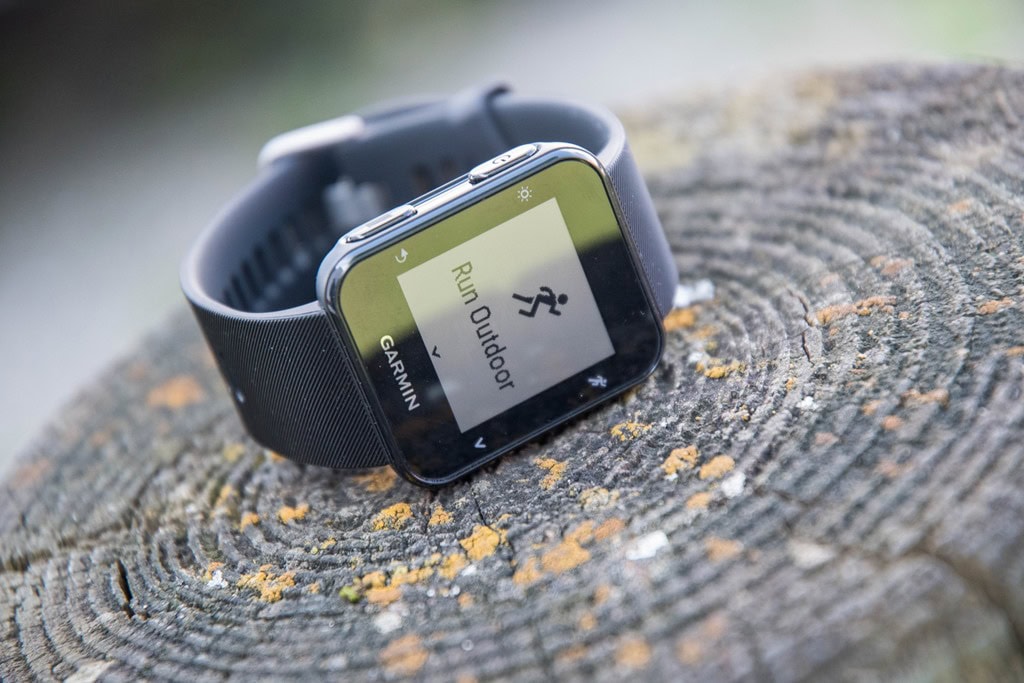
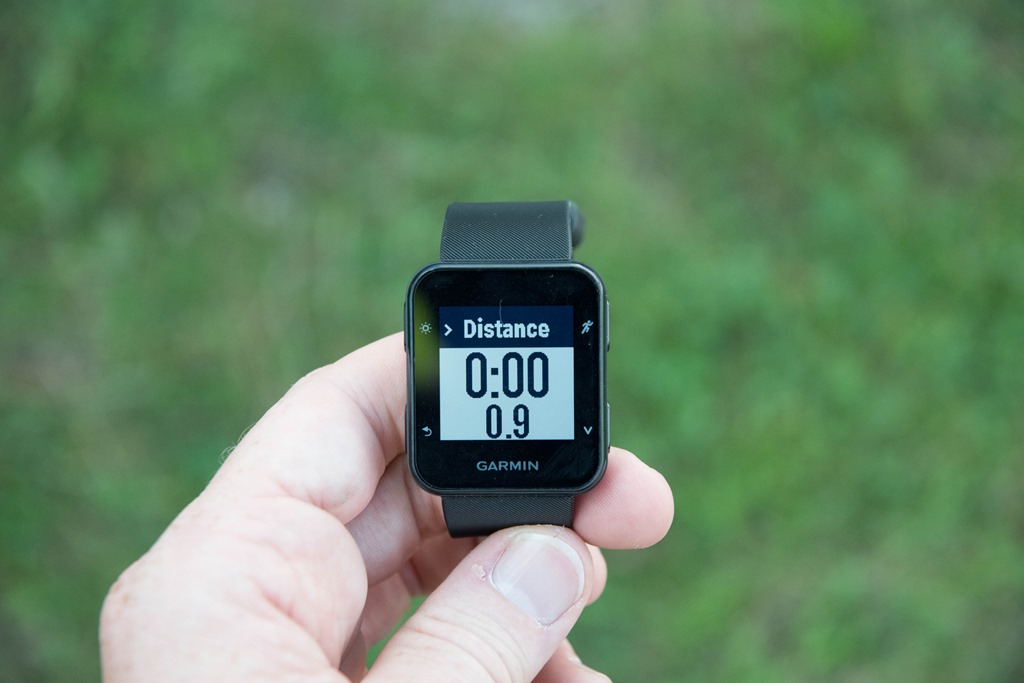
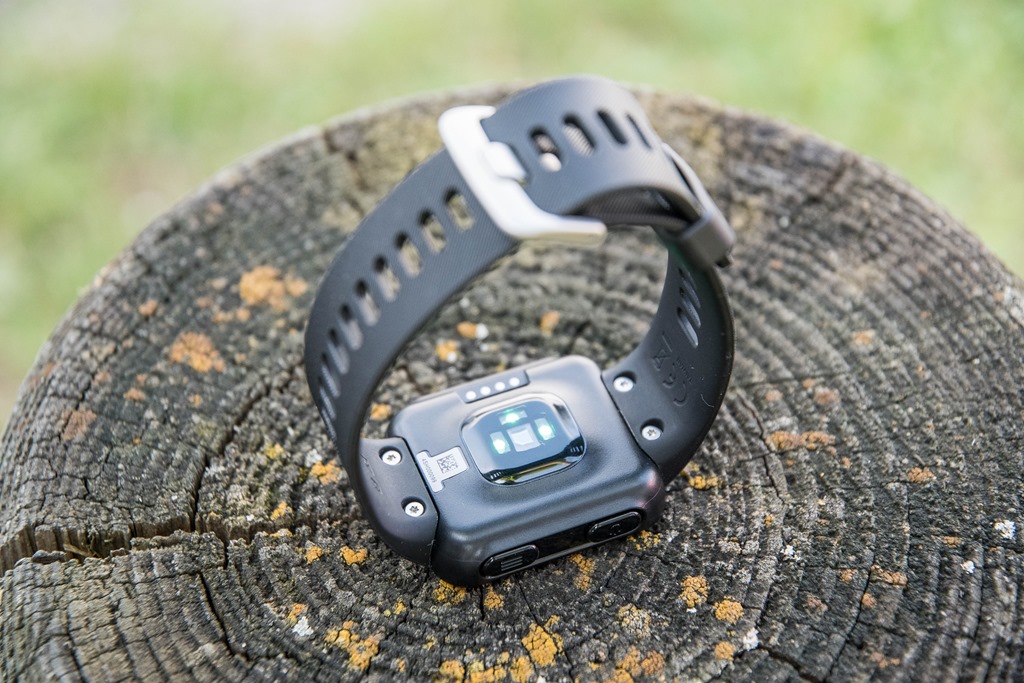
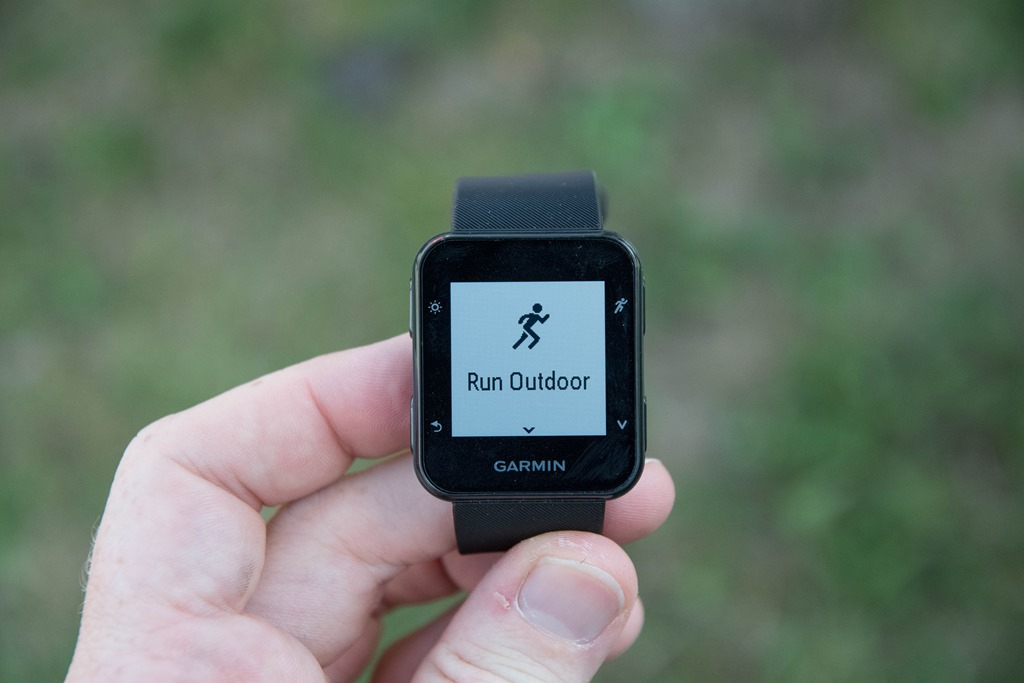
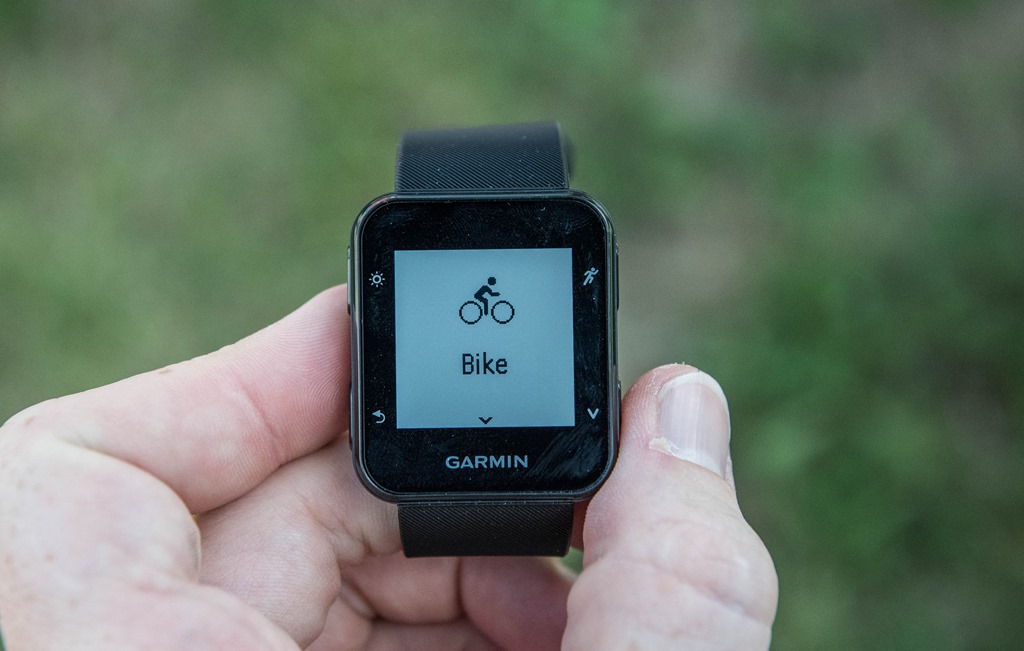
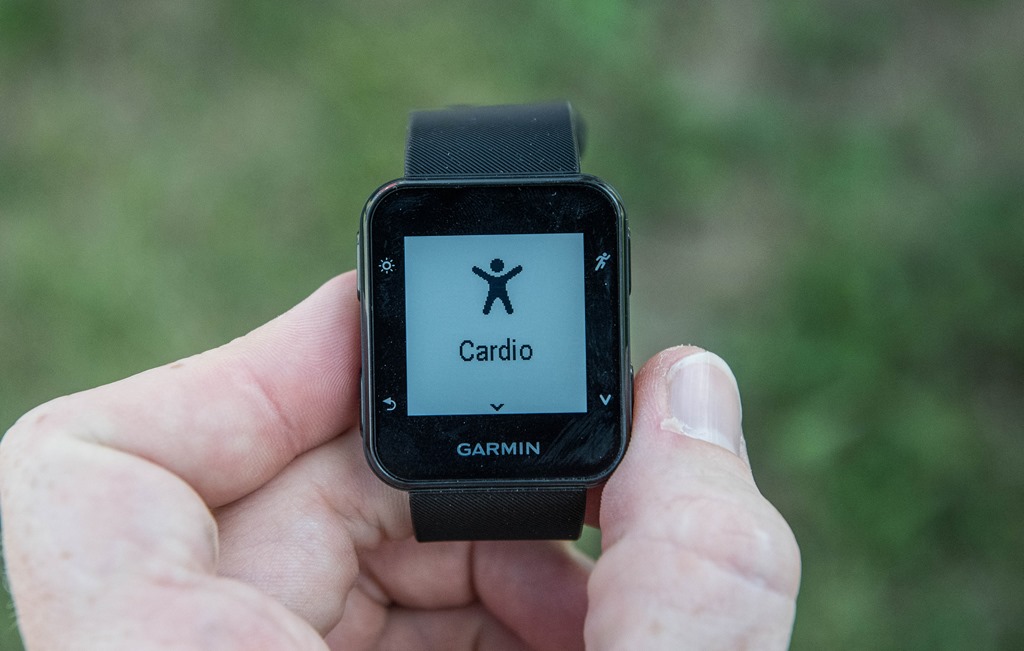
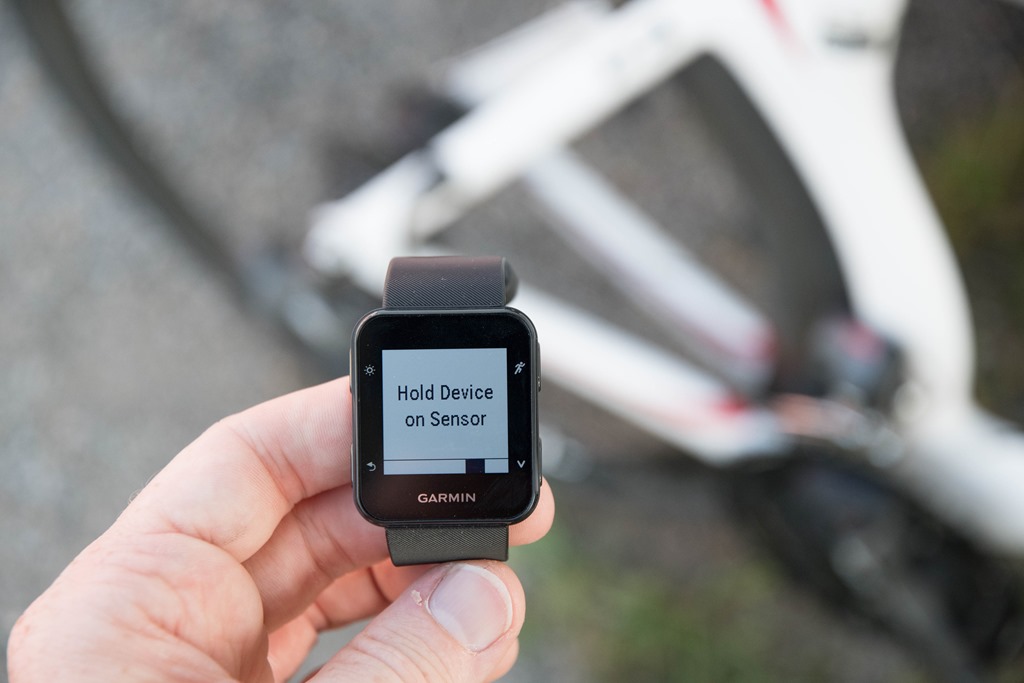
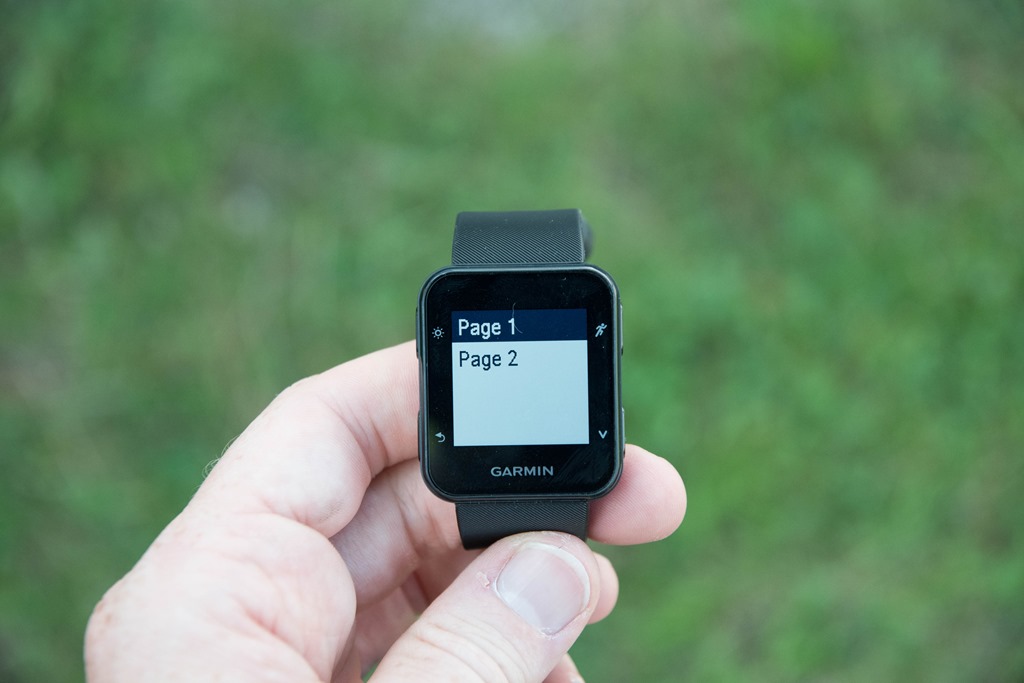
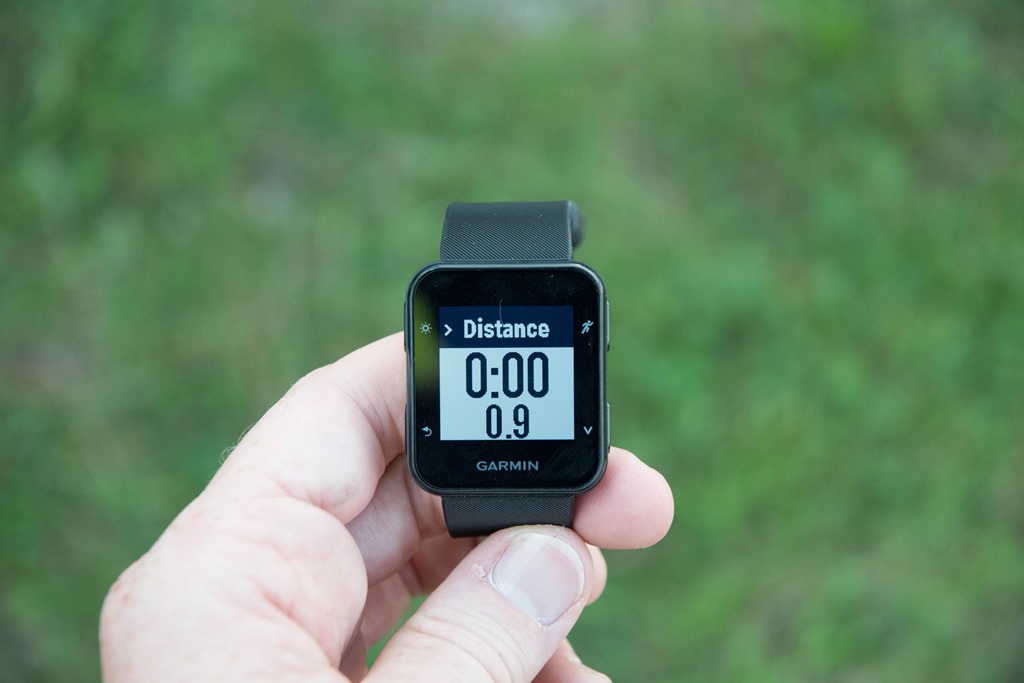
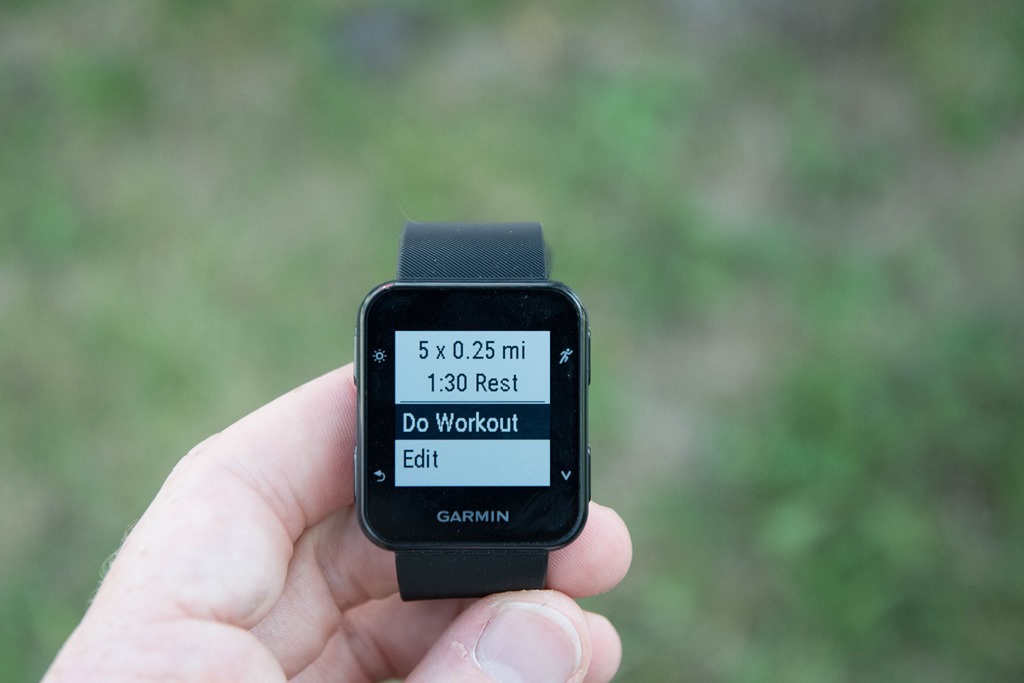
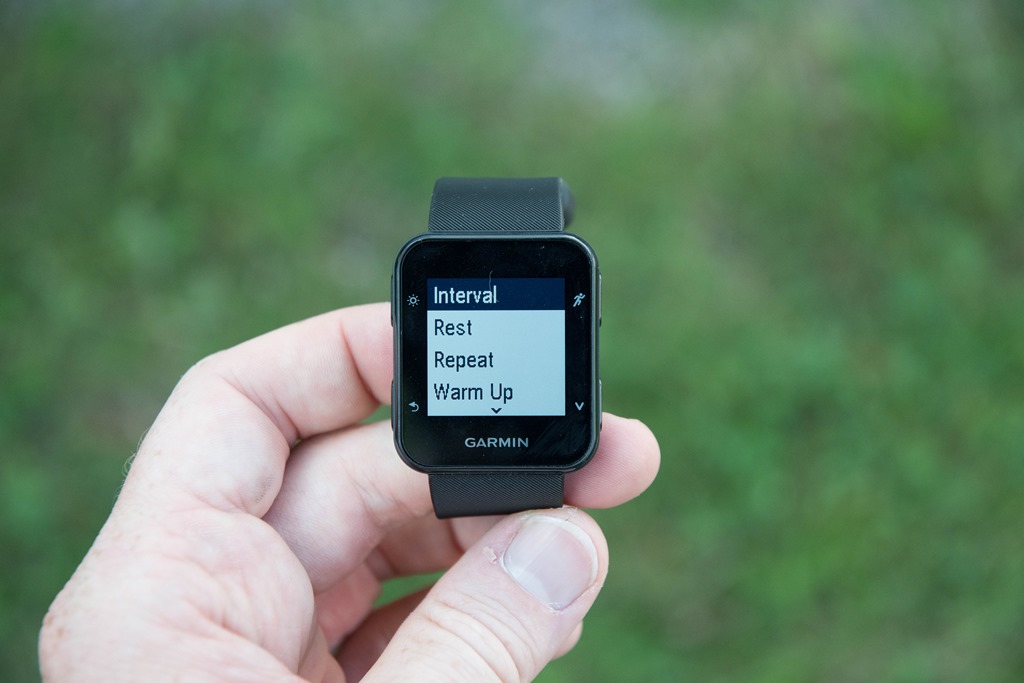
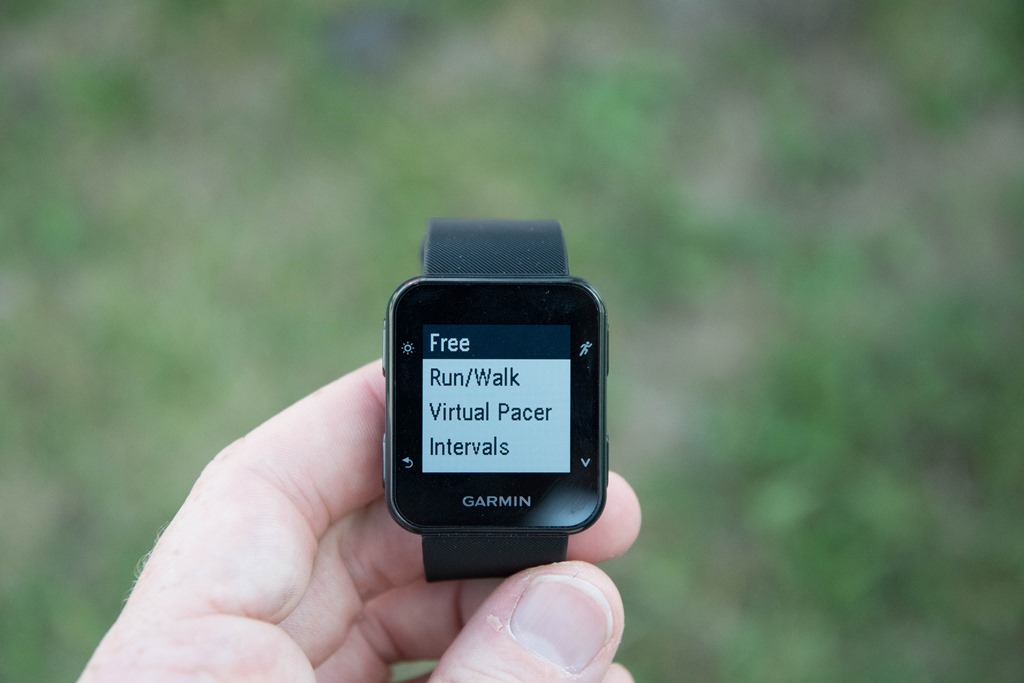
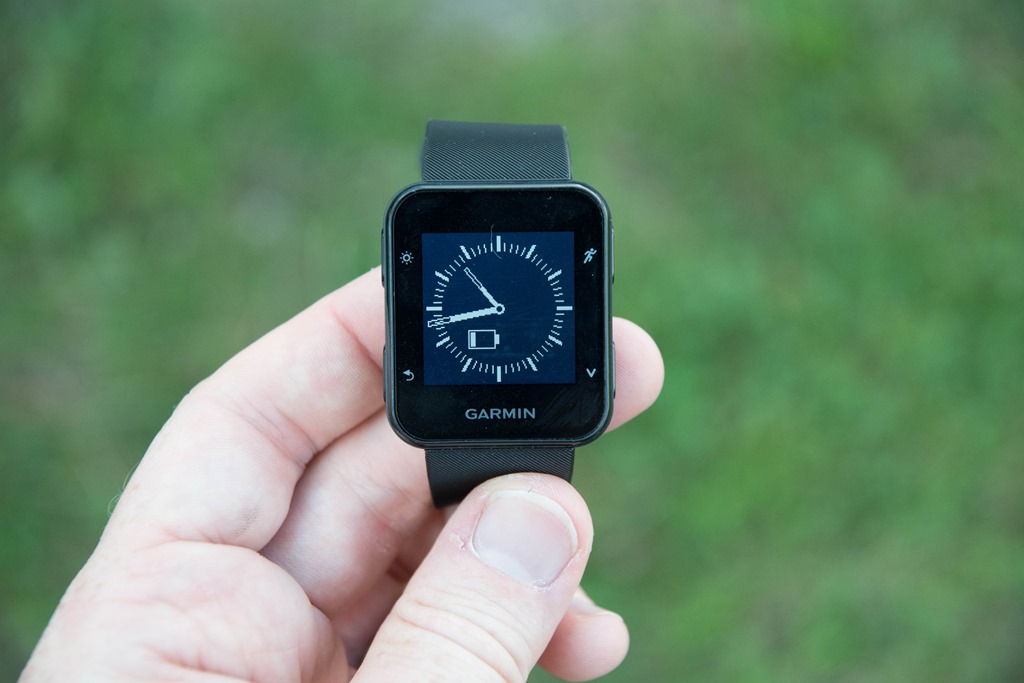
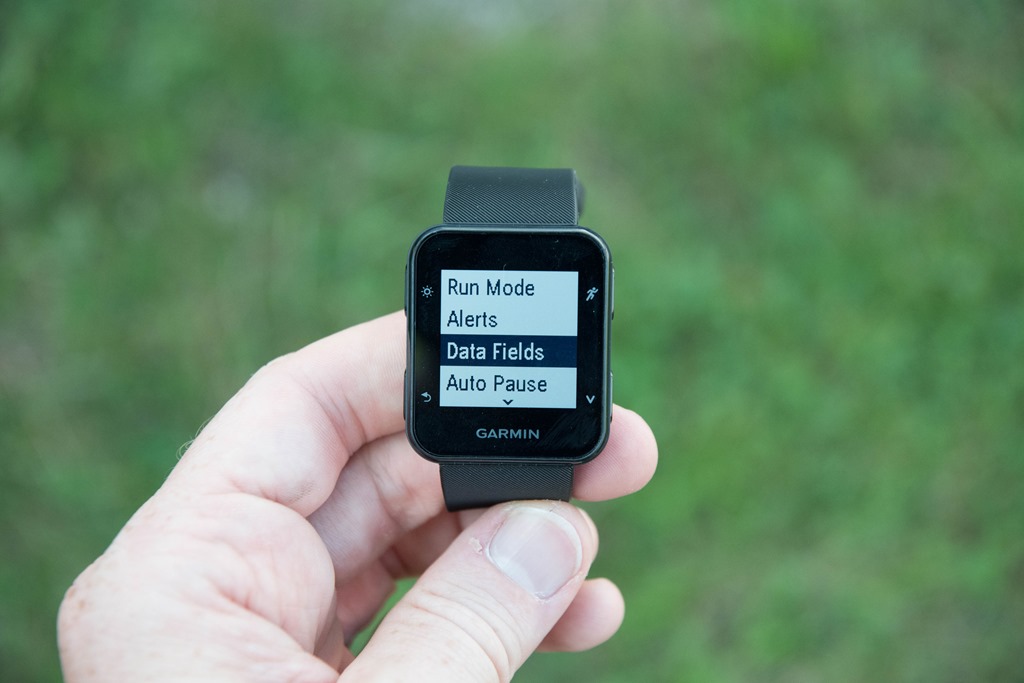
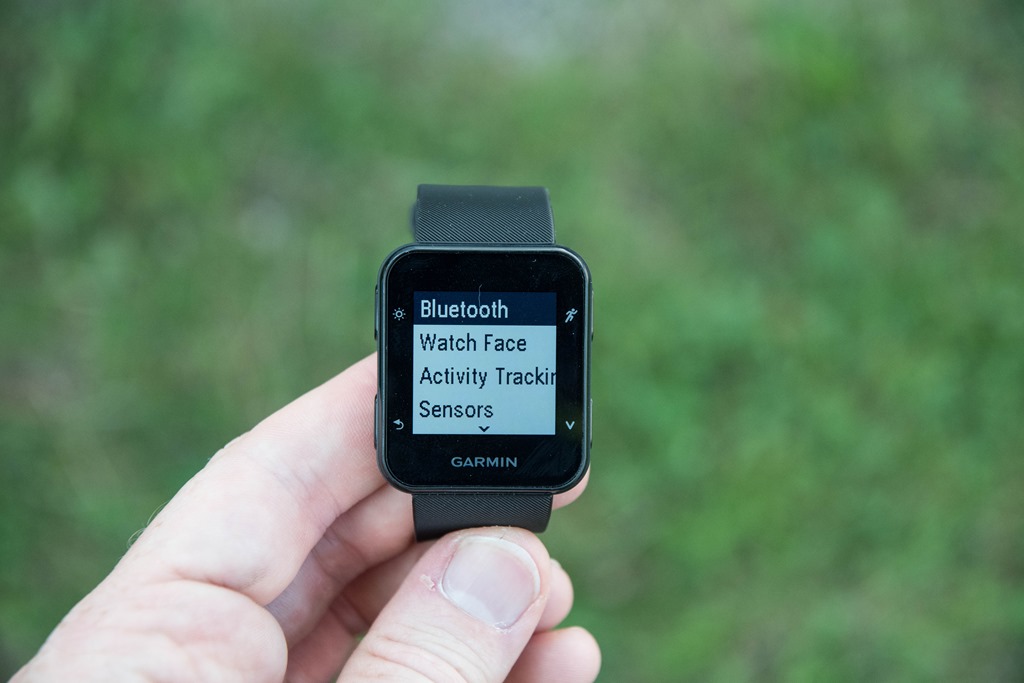

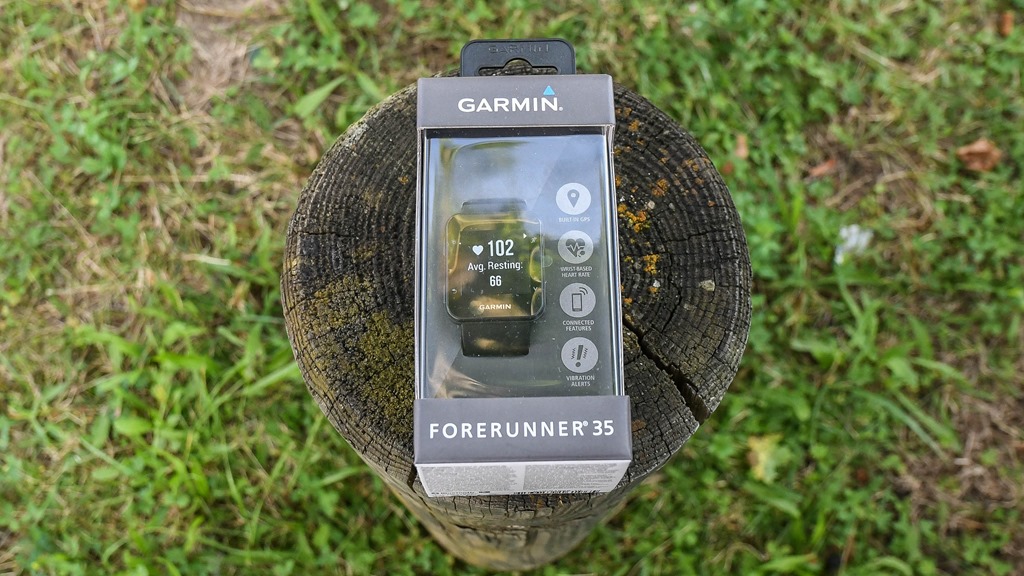

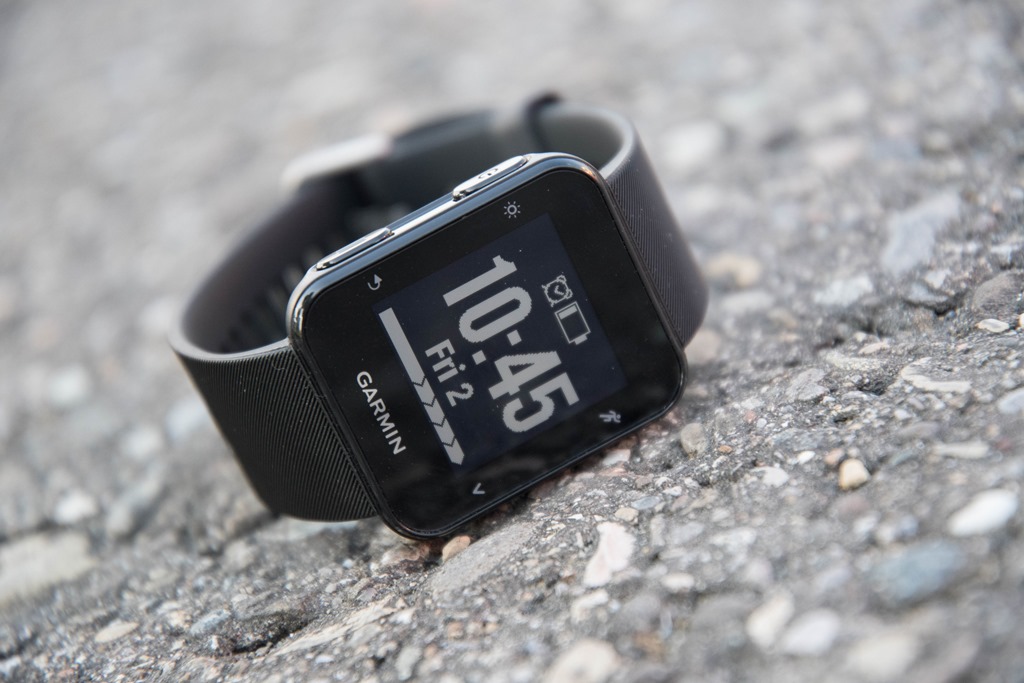
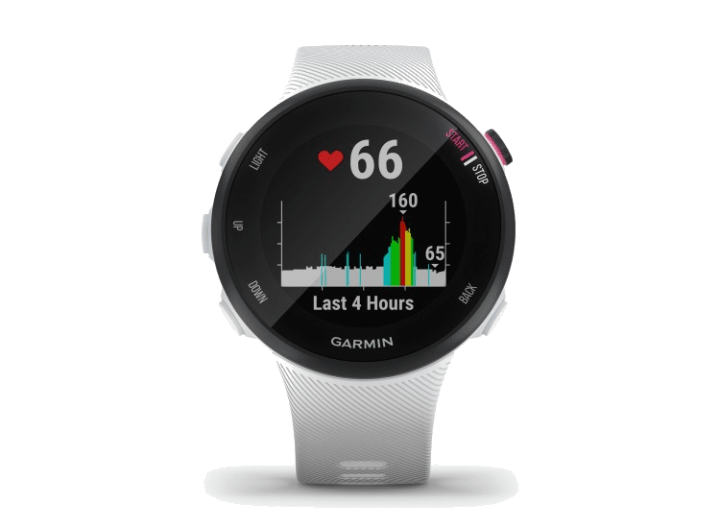
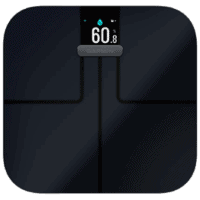
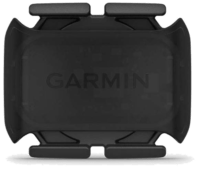
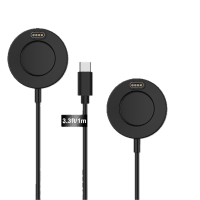
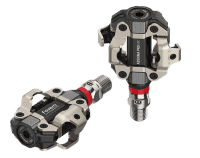
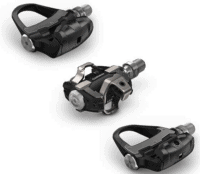
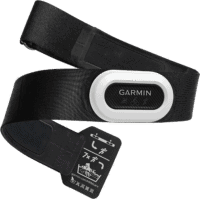



















Talking about Garmin’s confusing line-up any chance you can give an insight into Garmin’s upper range offerings and how you would go about making choices. Garmin seem to put every feature into every watch.
I’m currently using a FR630 for running and Fenix 3 for everything else apart from cycling for which I use an Edge1000.
If I were to have to replace this set-up its hard not to think of replacing the Fenix and FR630 with a FR735.
Depends on what sports you do – if you’re a long distance triathlete the FR735 may not be the right device as its battery life is a lot shorter than the Fenix and other higher end watches like the FR920.
…..but for anyone that does average amounts of running and swimming and wants an activity tracker what would you choose as the only difference appears to be the ‘package’ i.e. a wrist brick for the Fenix etc.
Why do you need/want to change? You already have the top running centric watch, the top ABC watch and the top cycling device.OK you could get a 735 but you are still going to want an Edge for cycling.
Hi Ray,
I’ve currently got an original Vivofit which I use for my step tracking, a Forerunner 25 which I use for runs (but I don’t like the look of it enough to wear as a day to day watch), a Forerunner 910xt which I bought second hand for a novice triathlon that I did, but I’m not a “triathlete”, and an Edge 520.
I’d like a device for tracking my day-to-day and runs, and I’ll use the Edge for my rides. I’m going to get rid of the fr910xt, fr25 and vivofit.
Can you see any reason to buy the Forerunner 35 over the VivoSmart HR+? Which appears to have the same feature-set as the fr35, but is more aesthetically pleasing for around the office.
What would be perfect would be if Garmin could make a *nice* cheap ANT+ head unit that was just a great screen, for people who already had a solid watch that can handle GPS duties. Sort of the opposite of the way that the Apple Watch v1 worked. If you’re a triathlete you’ve got your watch on all the time anyway, and what you really want is a good display (and if it could be cheap enough to not be a theft target, and dumb enough to run for weeks on a CR2032, those would be great bonuses).
Agree!
This!!!
I use my 520 for cycling and my 230 for everything else. IF they bumped up the specs on my 230 (keeping the battery life but adding all cycling support), I would strongly consider it if….if they made some remote screen as you mentioned.
Maybe garmin doesn’t want to lose the money of me buying the 520 though.
I’ve been thinking about this as well, I haven’t tried the vivosmart HR+ but a friend constantly tells me to get one. Now with the FR35 I’m considering this new model over the vivosmartHR+, for the aesthetics and the 24-hour HR monitoring.
Are they identical in functions?
I’m more of a runner combined with strength training and occasional swimming, maybe twice per week. I wanna be able to have one watch to wear all day long through these activities.
Thanks! :D
I had bought but subsequently returned the vivioactive HR+. While its features were great and ease of use it was not considering the baby boomer population. App font size is extremely small making it hard to read and select the appropriate app, Many reviews have mentioned brightness as an issue. The lack of brightness (even turned all the way up) does not accomodate baby boomer eyes. The watch visability was much better in natural outside light but not all activities take place in bright sunlight.
Great watch for those with young eyes!
Arturo, I agree with you aesthetically the FR35 is way better, also the band is super comfortable and you can forget that you are wearing the device 24/7. It fits under dress shirts, and the screen is super crisp and easily viewable, not the same with the Vivoactive HR, I could not see it post daytime. And, the FR35 will do intervals, a biggie for a runner’s training. My .02, although they are both the same price on sale, so depends on the features you are looking for.
Thanks for the review Ray, I’m guessing no but is there a rebroadcast of HR over ANT in the Forerunner 35?
Cheers.
You are in luck! See page 4 of the manual – link to static.garmin.com
Thanks Tim!
Looks like somebody had some time for posts on a plane to Vegas ;-)
Hello! And we all still waiting deep review of Sparta Ultra )))
Yup, and as I’ve noted a bunch of times, I’m waiting for that late September firmware update that Suunto hasn’t released yet.
That’s a pretty nice feature update. HR (even 24/7), sports profiles (FINALLY) and around 200$. I don’t see the issue with the price, since every model that gets wrist HR costs more around 70$.
Basically now you would just pay extra for FR235 if you want smart phone notifications and (subjective) better look.
I only wonder what the battery life with 24/7 HR would be on FR30. Exciting times !
Watching the video and seeing the talk about DND mode, it seems it still has smart phone notifications ? That’s quite an upgrade then.
Regarding lower price, Garmin will still sell older models and probably discount FR25, instead of offering a FR30 without optical HR, so there’s something for every pocket.
The FR25 had smartphone notifications as well.
I think the advantages of the FR235 over the FR35 include:
* Custom workouts
* Connect IQ
* Lots of data fields
* GPS + GLONASS
While those things might not seem super important to many, the ability to put 4 fields on a screen is super valuable. Plus, if you harness the powers of connect IQ, you can download data fields that include many more. Plus, custom workouts is a no-brainer for speed workouts. The built in intervals options are too limited and don’t allow you to do things like create a pyramid workout, or one that incorporates strides at the end of a run, or specify 3 miles of your long run at tempo pace. That capability is important to many, and those will be the people who shell out the extra $130 for the FR235.
I just got my FR235 last week (after considering the FR35) and am happy with the purchase so far.
Probably also a better battery life compared to FR30.
FR35 can only display 3 data fields at one. For me this is a deal breaker because I want hr, pace, distance and time without switching.
For this reason I would prefer the 235 (or even Polar M400 if 235 is too expensive).
Christian
The M400 will give you more pages for data fields than the 235. The 235 limits you to only 2 customizable pages (maybe 3). The M400 lets you customize much more than that. That’s one thing I miss about the M400 when I upgraded to the 235.
Presume, as is common in the lower end Garmin devices, there is no every second recording option and it is just smart recording?
Garmin have confirmed to me via Twitter that it’s only smart recording.
Just had notification from somebody that knows that in fact it is every second recording and it does not do smart recording at all. Nice move to change the standard in this way!
Yup, Garmin also just confirmed it directly to me as well. Great to see – and added it as a feature up in the new features section.
Awesome. Thanks for the update
Hi DC, speaking of new features… I have been wondering for a while now why our running/sports watches do not have a built in camera for taking pics along the way? This seems such an obvious feature to include that I’m baffled by its absence. Why do you think this has never happened? Or maybe, don’t you want to suggest it to your contacts in the industry or ask them what’s up with this missing feature? :-) Imagine automatically syncing a pic from a run with Strava… :-)
There have been a few cases of Android Wear watches that have done so, but, it’s never really panned out. I think long-term we’ll likely see it, but nothing too soon.
Just came here to verify that.
This info is missing from your awesome comparator. Still listed as “SMART RECORDING (VARIABLE)”
Cycling Features
Bike speed/cadence sensor Yes
Garmin states that the unit should be able to connect biked speed and cadence sensor. Strange. You think it is just a bug right now?
link to buy.garmin.com
Odd, I’ll circle back with them on it.
I tried pairing with a boatload of cycling sensors – and none of them showed up. Even tried twice.
Manual link to static.garmin.com mentions bike cadence in the Appendix but seemingly no detail on how to actually pair one. So jury still out! Anyway good it has a bike profile whatever. I might not need to flag as many bike rides on Strava recorded as runs on a 10/15/25 which only have a run mode etc etc !
It seems to be missing the ability to set the tire size, so maybe it won’t work with speed or speed/cadence sensors and instead just cadence only. It does list bike cadence as an available data field.
Any follow up on this issue?
Ray, any idea if the bike pairing worked itself out? I’m thinking of getting this watch for my wife but want to make sure it works with a cadence sensor first.
Thanks!
~ Sorry, posted as a reply to someone else’s question, rather than starting my own ~
Hi Ray,
I’ve currently got an original Vivofit which I use for my step tracking, a Forerunner 25 which I use for runs (but I don’t like the look of it enough to wear as a day to day watch), a Forerunner 910xt which I bought second hand for a novice triathlon that I did, but I’m not a “triathlete”, and an Edge 520.
I’d like a device for tracking my day-to-day and runs, and I’ll use the Edge for my rides. I’m going to get rid of the fr910xt, fr25 and vivofit.
Can you see any reason to buy the Forerunner 35 over the VivoSmart HR+? Which appears to have the same feature-set as the fr35, but is more aesthetically pleasing for around the office.
Guess it comes down to whether you want to save a bit of money as clearly the FR35 does less. Either looks OK to me. Mind you I wear both a 735 and a 630 in the office :)
You didn’t say anything about swimming – FR235 looks better IMHO with its circular design and can be found about 280€ now on Amazon.de.
I hadn’t considered the Forerunner 230/235! I think I’ll go for the 230, as it has activity tracking etc!
I think it has MoveIQ as well?
No Move IQ on a 230/235. If you want to record an actual run or bike just start the timer – you are going to get far more detail anyway. link to www8.garmin.com says “The Move IQ feature automatically detects activity patterns, such as biking or running, for at least 10 minutes. You can view the event type and duration on your Garmin Connect™ timeline, but they do not appear in your activities list, snapshots, or newsfeed. For more detail and accuracy, you can record a timed activity on your device.”
Mind you the FR35 seems to have Move IQ – it’s mentioned in the manual link to static.garmin.com
Ideally I want MoveIQ.
I do a lot of pottering about on the bike, and walking long distances. Not the sort of thing that I want on Garmin Connect and Synced to Strava, but nice to keep a record of.
If I could only push runs/rides to Strava from Garmin Connect, then this wouldn’t be an issue.
Looks like a VivoSmart HR+ it is then.
I’ve had it confirmed by the Garmin Twitter account that the 35 does have MoveIQ:
link to twitter.com
So, Nathan, would you go for the FR35 over the HR+ then? I’m having trouble deciding whether to wait and get the FR35 or just get the HR+… Especially since I think it might be bulkier and maybe the first one more stylish given it’s a watch.
I’m going to go with the HR+.
I don’t see anything that the Forerunner 35 does that the HR+ doesn’t, and I prefer the style of it.
Could we please get a shot on your wrist to see the size?
I know it’s just a first look post and not a full review, but it would be nice to get an idea of size.
Thanks.
Now both Vivosmart HR+ and FR35 are in the same price range. Are form factor and ability to link with ANT+ device the only differentiating factors? Does Vivosmart HR+ have anything which this does not?
I’m thinking about getting the FR35 or the 230.
The 35 doesn’t have 1-second recording or GLONAS, right?
Are these features important for tracking accuracy?
So the FR 35 gets a virtual pacer, but not the FR 235?
I just don’t get why there is no Virtual Pacer/Virtual Runner function on the FR 235.
The FR235 has pace alerts, which are more detailed than the Virtual Pacer on the FR35. All of which are less than the Virtual Partner feature on the higher end watches.
Thanks for the clarification.
My wife just purchased the 235 for me for my birthday, and I was really looking forward to a “race previous activity” function.
For my wants/needs, this appears to be the only thing missing from the 235. I am considering swapping it for the 630, but then again, I would like to have to 24/7 HR monitoring, or to just have the option to not wear a strap.
With all the OHR updates garmin has been releasing lately, I am wondering if we could see an update to the 630 with OHR soon.
Thankfully wife bought the 235 at REI, so I have a year to swap it out if they release something that better suits my needs/wants in a couple of months.
Now to the decision of whether or not to swap the 235 for the 630 now, or just keep the 235 and wait for the 630 update.
Suggest get the 735 if you want the best of the 630 and the 235. It’s my main watch at the moment and I am mainly a runner who bikes a bit. Unless you really want touchscreen then the 735 is really the 630 update.
Yeah. I suppose you are right.
All these dang models/features muddy the water a lot.
I was not really considering the 735 since I likely wouldn’t be using the multi sport aspects.
I do like the additional activity profile options (plus custom profiles) that the 235 does not have, so that is a positive as well. And the 735 has the newer OHR…..
Just wondering if I am going to make use of enough of the extra features to justify the the extra $ though.
If you like “Race an Activity” then even better you can do it as a course or as a Strava segment and also see where you need to go as well. I followed a 10K Strava segment on a trail never done before and worked great – both navigation and performance! I’ve got a 235 and a 735 and can’t say have noticed any difference in OHR performance although I mostly use a strap anyway for running dynamics stuff.
You can get a virtual partner like feature for free on the 235 via Connect IQ.
Thanks for the tips. I pretty much decided to go ahead and swap for the 735XT HRM-Run Bundle. Planning to do that later today.
Aside from the Virtual Partner feature, I really like having the extra activity profiles available so I don’t have to go back and change them later.
Maybe the multi sport features will encourage me to take up the bike as well and do a du later on down the road.
The touch screen doesn’t really matter much to me. I am not advanced enough to care about the advanced running dynamics, but since I have them available I may end up finding a use for them.
This is the watch for me. I’ve been wearing an original vivofit since it came out 2 years ago and have added a FR10 for runs in the past year. This is a good combination of the two, plus the phone alerts. I also like the ability to set a workout as a walk for when I take the dog out (I really like data). Oh, and the color!
Ray- Any word on when Garmin will support combining activity tracking from multiple devices? Annoying to wear both my Vivosmart and 620 when running and just the Vivosmart the rest of the day. That feature alone will probably make me pull the trigger on replacing the 620 so only one device is required on runs…
Thank you!
They had previously said by the end of the year. I’ll check in and see where that stands.
Have you heard of any updates on this timeline?
I wonder whether this might be a worthwhile upgrade from my (non-HR) Vivoactive? It could take on the daily activity tracking duties with the addition of 24/7 HR, serve as my HR monitor to pair up with my Edge 520 when cycling, be my cycling computer in a pinch (when traveling, for example), and fill my rather basic requirements for a running watch for treadmill workouts, outdoor workouts and races (as I don’t really use my running watch to dictate my structured running workouts). One feature I really like when doing a running race is the time predictor data field available through Garmin Connect IQ. Will the FR35 be able to employ that? The price is a bit higher than ideal, but this does add an important feature (HR monitoring) that was absent from my $250 Vivoactive. I think I like the look of this watch as a daily wearer better than the Vivoactive HR.
No Connect IQ on this device so you will be out of luck there.
Am I blind or is this not in the comparison chart yet?
I cannot see it on the product comparison calculator either
Ask and you shall receive! It’s there in the product comparison tool now. Enjoy!
Thanks Ray – I just bought the watch for my wife even without the comparison :-)
Thanks for adding that!
Any chance to add in the Polar M200? :) just out of curiosity more than anything else :)
I’ll try to get it added in over the next day. I happened to have the FR35 on my wrist at the moment, so it was easy to double-check a few things.
Garmin is loosing all appeal lately.
Why may I ask? Like them or not they provide a variety of watches at a variety of price points. This particular model is not perhaps overly “exciting” but amazing how much more you get for your money at this price point than say 3 years ago.
Hi Ray on a completely different subject any inside info on strava reversing there ridiculous colour change on the IOS app. There is a lot of negative feedback about it but they appeared to have buried there heads in the sand.
I am still smarting about “Morning Run” and lack of Google maps (although there are workarounds). I love Strava but can’t say have noticed any problems with the app colour – perhaps because would use a device like this over the app as my primary device. Strava’s usual stance is to invite user feedback and then ignore it. Doesn’t seem to be effecting their popularity though.
Ray, regarding sport profiles, you mention the following:
“Now you’ve got: Run, Indoor Run (GPS turned off), Bike, and Cardio.”
In some of the videos I’ve seen a “walk” profile as well. Can you confirm? I do a lot of walking and hiking, so the addition of a walk profile would be nice.
“Speaking of modes, you’ve got four modes to work with: Free (basically, open), Run/Walk, Virtual Pacer, and Intervals”
I’m wondering if it’s just set walk/run as all walk?
I think it’s a dedicated walk sport activity. One of Garmin’s intro videos, when they press the upper right button, shows Run, Run Indoor, Bike, Cardio, and Walk. I’m assuming it’s a normal walk profile, when used will map as a walk activity to Connect. Ray, can you confirm? My purchase pretty much depends on that being there. But their videos and info don’t make it clear.
I just re-watched my video. At 3:42, you can see the walk mode. Just added it to post as well. Enjoy!
Not completely on topic but does the competition (Polar etc.) have features that are comparable to the Virtual Pacer / Partner feature?
Polar V800 has this legit Race Pace feature: link to support.polar.com
M400 has finish time estiomator.
Thank you!
Garmin’s FAQ says that you can have up to 4 custom data pages and can decrease the number of data fields per page.
link to support.garmin.com
Which is odd, because I only see two in the display options, nor did I see ‘none’. But perhaps that’s coming down the line upon release.
Are you only seeing two in the display options on the watch or in the GCM app?
On the device. It’s just weird to have a disparity between what you can show on the device vs the phone app. The only devices that historically have that split is the Vivo bands, simply because configuring them via device is near impossible.
Just my two cents, but assuming the FAQ is correct when it reaches production, I think that having customization options in the app is a step forward.
Users that don’t pair with the app still have the basic data field customization. Not as much as the mid and top level devices but apparently more than the previous low end Garmin Forerunners.
And like all Garmin fitness devices that pair with the app, you unlock all device features and having the ability to set up data fields in the app and send them to the watch seems way quicker than using a device that only has a down button.
Thanks.
Totally agree on multi-point config being the best path forward. But, I also don’t want to see a scenario where things shift to the web/app for config ala Suunto and Polar. That’s just a PITA for tweaks out on the road.
Yes. FR35 allows for 4 pages of data, each with 1, 2 or 3 fields. You might be able to create 4 pages to suit 4 activities.
The Garmin line-up is stupidly convoluted now. There just doesn’t seem to be any focus. They have 22 wearables on their site and 15 of them are apparently ideal for running.They should trim down the lineup to three specific price entry points with consistent aesthetic designs and logical numerical brand names in three categories – casual activity, running and multisport.
Right now you need a spreadsheet to figure out where the price/feature overlap is between models and to figure out what Garmin removes or adds for you particular activity when comparing two identically priced devices that kinda, might be, sort of the device you need.
And this is part of why apple and Google will take the entire mid segment in a year or two. When the hardware becomes a commodity, the better software wins. Garmin doesn’t know how to do software, and thus they need to revolutionize their business if they don’t want to lose most of their customers.
Unless they’ll manage to squeeze out better battery life, no they wont.
This is why we rely on people like Ray to guide us :)
Anyway not everybody wants to invest in an AW2 and iPhone and what best part of 1000 in either USD or GBP just to record a run round the block or similar. Watches like this FR35 seem to be targetted at those who want a decent set of functions but does not require a huge outlay.
Google? Seriously? Android Wear has minimal traction in this sector; your claim reminds me of the people who were arguing more than 5 years ago that the next ipod nano would have GPS, the same battery life as the current model, be the same size, and completely kill Garmin.
Think there’s probably a sweet spot between Apple’s hey! two models! and Garmin’s ‘actually, offhand we can’t remember how many models’ range, true.
It’s not just a software problem, it’s a marketing and hardware problem. Too many Garmin devices are being marketed to the same groups but a lot of those devices that supposedly make them ideal do not have feature parity.
So you have “running” watches without some features runners like and dedicated running watches that have those features but lack others found on the comparative “running” devices. So for example you have something like the Forerunners with VO2 and recovery features – but no barometric altimeter – and the Vivosmart with no running recovery features but does have an altimeter. At the same price or less.
So let me get this straight, we are complaining that we get more choices?
For me it was the 15th watch they made that almost met all of my specs. So many people want different things. I like that garmin is trying to find the market.
I personally want a 735, minus the heart rate monitor. the 230 is what I am wearing, because it was close enough. I know many people that wanted to the 235, etc.
But I do agree, it is confusing. Garmin just needs to classify their devices better.
We get more choices, but none of them perfect. I really want the feature set of the Fenix 3 but the size of the 735. The size of the F3 is a non starter for me as an every day watch. But I really want the BP altimeter and the Golf app. So I could get the VivoActive HR which has a great size, but is missing a ton of running and biking features.
When they came out with the 230/235/630, I could get the advanced features of the 630, or the optical HR of the 235. Now the 735 came out that has the best of all those, except the touch screen which I love. (but I realize many hate).
With so many models, you’d think they’d have one that is perfect. Instead, they have a bunch of watches but every single one of them is missing a feature I’d need to have a single watch. ConnectIQ is getting better but still can’t fill in all the holes.
So not really complaining that there are too many choices, it’s that every one of those choices has some serious compromises.
I am totally overwhelm about which watch to get. I want a simple GPS watch that measures HR without a strap. I think this is that watch? But it just sounds like there are so many options to choose.
Which watch would The Girl buy ?
I don’t think it’s that complicated:
– FR35: Simple GPS watch with optical HR + activity tracking + smartphone notifications. Button operated (no touch) .Could be your choice.
– Vivosmart HR+ : Similar to FR35, but more compact “wrist band” form factor and touch. Could also be your choice. My be preferred by wimmen or or by people who also want to wear a ‘nicer’ watch at the same time
– Vivoactive HR: Wristwatch with all features of FR35 + Color touch screen, downloadable Apps etc. If you want more customization than FR35
– FR235 : More advanced running watch than FR35, if you are into marathon training etc. Color screen, Downloadable Apps, button operation (no touch). The only one of the four devices that can display 4 data fields (for example heart rate, pace, distance and time) at the same time without scrolling.
All more expensive devices are interesting if you have specific needs like extreme battery life for ultra running, multi sport sessions (triathlon etc.), outdoor navigation etc.
Christian
What about the Tomtom Multi-sport cardio and Tomtom Spark Cardio?
Ray, I would like to check if users can create their own activity profiles such as weight-lifting, just to monitor the HR and activity level like in Polar watches?
I’m also hoping you could take the FR35 for a swim to see how the GPS works in the water, like what you did for the the FR220 in your full review .
Unfortunately no method to create new profiles in either of those two units.
We’ll see on a FR35 swim test, it’s getting a bit more limited in terms of where I can swim this time of year (and apparently, my destination next week already has a foot of snow!).
Does it have live tracking? And only shows cadence as the only run metric, correct?
Yup, live tracking is there.
Not sure what you mean on the second part. It shows/displays/records cadence.
A photo with other devices comparing the size would be much appreciated!!
Thanks,
Pedro
Thanks for your review, Ray!
I just bought the Vivoactive HR but it looks ridiculous on me – I have small wrists, and it looks like I am wearing a home arrest bracelet! So I’m considering the FR35 or the Vivosmart HR+…does the FR35 display elevation as a data field? Or is it only something you can see after it’s uploaded to Garmin Connect? If I remember correctly, the Vivosmart HR+ does not display elevation, so this could be a deciding factor for me – I love to hike, so knowing the elevation is super helpful.
Thanks for the review! How does this screen compare to, say, the Vivoactive? I could live without a touchscreen if it means it’s pretty bright and easy to read indoors, like a run-of-the-mill digital watch.
Perhaps an odd question…but can this (or other Garmin wrist-based HR watches) detect HR from a chest strap? This relates to cold-weather running (or skiing) where the watch would sit either on a base layer, or potentially over the wrist of a jacket (so that it can be seen).
I know it’s counter-intuitive, but most of the time, the wrist-based HR detection is fine, but not always. So…could I pair a chest strap to this watch?
Thanks!
Yes you can with most models. This one certainly can – Ray notes so above and it is mentioned in the manual as well.
In some other situations a strap is still usefull as well. Some people have issues with the optical HR when riding a bike probably because blood flow in the wrist is limited in some riding positions.
I would not trust the optical HR if you want to do a max HR test or something else that requires precise results when HR is very high.
Christian
I’ve been tossing up between this and the Vivoactive or the FR235, I currently use an Vivofit 1 and HRM strap and want to upgrade but I’m unsure which is best for me. Here’s sort of what I’m after:
-Sport support: I run and want the metrics for that in the FR range, but I also do other stuff (ice hockey, footy and climbing, etc). At the moment I have to go into GC on my phone and rename all the ‘Other’ activities which show up when I use my HRM. Do any of these support adding custom sport/activity categories so I can just hit “Hockey” on my watch and have it record it that way to GC?
-HRM strap compatible is a must, I want the 24/7 of wrist, but watches go on the harness when climbing
-Decent wrist-based for RHR
-Interval Training (want not need)
-Timer/Stop Watch (mostly for resting in gym)
Does any one know if any of these watches cover those features? Especially the sports
Jessica,
(1) The Vivoactive HR does not have interva workout. The FR235 has complex interval capability (like a pyramid workout for example). The FR35 has simple interval capability (same distance intervals).
(2) The Vivoactive is the best one for the naming of your non-running sports.
It doesn’t sound like to me that the extra running based features are critical to you, so I would rule out the FR 235 based on what you wrote (it’s the most expensive and the alternate sport naming issue seems very important to you so it doesn’t have much advantage over the FR35 unless the connect IQ apps help this). That leaves the decision based on (1) and (2) above as well as the price difference between the FR35 and Vivoactive..
Hope that helps a little.
thank you for the information about the interval workout information
hi all.
I’d need to know if this FR 35 allow to do HR zone training WITHOUT an extra heart sensor belt.
I ask this because in the manual I read online, in the main page of HR sensor, it says that for some features you need that extra sensor.
while I’m looking for a product that don’t need it.
thanks for consideration of my question and thanks for the reply :)
ADD.
here the page that make me dubious
link to www8.garmin.com
The Forerunner® 35 has a wrist-based heart rate monitor and is compatible with ANT+® heart rate monitors. You must have a heart rate monitor to use the features described in this section.
An odd statement, for sure, but I think it is intended to mean that you need any compatible HR monitor (including the one built into the FR35), not necessarily an extra Ant+ monitor. It seems that the functions listed (which include, for example, simply viewing your HR) will work with just the onboard HR monitor.
thx for reply.
in fact, seems strange as it said.
maybe it’s a standard guide with variable for every model.
anyway, when someone will have it, I’d like to know how it works HR Zone training
bye :)
As far as Garmin’s lineup, it is confusing. But, I’m not as convinced as you, Ray, that the pricing is off. I think it appears in line with Tom Tom which is the only other watch with heart rate and gps at that price point (Tom Tom’s model without music). You mentioned in another article that the sweet spot for gps watch sales on Amazon was $200. Looks like Garmin knows exactly what they are doing here.
Ray – any comment how the beta testing is going for the 930xt?
I imagine we should see something at Kona. It’s been 2 years now.
BTW we are approaching 2 years now on the life cycle for the fenix 3.
I don’t expect to see any near-term replacements there. I think they’re going to ‘let it ride’ a bit, following the Fenix3 HR earlier this year, and the FR735XT a few months ago.
To be fair, it makes sense – there’s no real competitive pressure right now in that tri segment from either Suunto or Polar.
Is it possible to connect stryd power sensor/pod with the FR35?
Thanks.
No, unfortunately not. No Garmin products support running power today.
Both the current fenix and 920xt line do not support CIQ Biker 2.1 (future API)
It’s a strange move that Garmin is still pushing these watches that are semi dated.
fingers crossed for a kona announcement. Hopefully a 930xt that looks more attractive.
BTW did you see that the Chronos has different internals than the fenix 3? Ie supports CIQ Biker 2.1 link to developer.garmin.com neat
Thanks for another nice review, as always. Any other Garmin wearable updates on the horizon (in time for the holiday season)? May be an updated FR 235?
Does the alarm function have a snooze feature? Thanks.
Did you notice any HR spiking at the start/during of an activity?
I haven’t used an optical HR GPS yet, mainly because of my concerns about how well it will perform on my wrist. I’m a male, but my wrists are really slim.I am wondering on how hard I would need to tighten the wrist strap of this watch in order to get reliable data.
I would very much appreciate it if someone would make a short video on how hard he has to tighten his/her wrist strap.
The cycling speed / cadence sensor support is a deal breaker for me if it doesn’t actually work? I assume it only supports ANT+ as well, not bluetooth? Any news from Garmin on the first point? Is it a beta release you have on test?
Asked a Garmin contact on this and good news:
“The FR35 definitely uses cadence and speed sensors. While the manual doesn’t call them out specifically, I’ve tested them on the device myself. They’re also listed under the ‘Accessories’ on the product page as well: link to buy.garmin.com “
PS, as ever with Garmin, would only be ANT and not also BT.
Awesome news. Cheers for checking.
I second the request for pictures of the forerunner 35 on the wrist (and preferably on “the girl’s” wrist as well since I am a female with tiny wrists)!!
After reading a lot of blogs and posts on this awesome website I’m thinking of buying the Forerunner 235. Only question remaining for me is… does anyone think there is going to be an update / next model / version release soon? Cause that would be something I might want to wait a little longer for.
Ray, can you confirm if the forerunner 35 can have multiple alarms? I know that the vivosmart HR+ can only have one vibrating alarm. This is one of the few reasons why I’m considering the 35 instead of it.
Hello Ben,
Yes you can set multiple alarms ;)
Does anyone know when the FR35 is coming out ? I can only find mentions of end of Sept or Q3 2016 …. but hey the days are running out. I was leaning towards the FR235 – price holding me back; and then the review for the FR35 was posted and I’ve been on pins and needles waiting for it to come out. As this is will be my first running watch, thought the more budget friendly FR35 would be the way to go. Lots of bells and whistles for alot less cost.
It started shipping in the past week.
Great review, thanks! I’m trying to decide between the FR 35 or 230/235. Can you tell me whether you are able to charge the FR35 while using it, like with a portable battery pack? I know you can with the 230/235.
I agree — recharge without ending an activity is much more important than original battery life if you do long (>12 hr) runs. This will literally be the decider for me between this and the FR235 which costs > $100 more.
I emailed Garmin Support on Friday and this was their response:
“Yes, the Forerunner 35 can be plugged into external power and is still able to operate and record running data. This was tested with Garmin devices only, so I cannot fully guarantee 100% compatibility with third party units, although I do not believe that you should have any issues.”
This would totally have been the deciding factor for me to get the 35, except that I just lucked into a friend selling her 235 just this week for super cheap (she wanted to upgrade to the 735xt). But I’m very glad that the 35 supports charging on the go, that makes it such a good deal!
Thanks for this info!
I’ve just checked this on my FR35, and yes it does indeed charge whilst recording an activity.
The only small issue is that the charging pins are on the RHS, so the charging cable point towards your hand. Fortunately though, it doesn’t quite obstruct the buttons.
Wear it on your other wrist so the charge buttons are toward your elbow?
can you create workouts (like going to the track and running 4×800 with 2 minutes rest?)
it’s time to retire me forerunner 310xt and i want to combined my original vivofit and my running watch, i do a bit of cycling so it would be nice if it worked with that too.
it’s a full time job trying to figure out which watch is best (and i don’t want music controls, texting etc!)
Hi, yes you can create custom intervals trainings, you can add rest time (or distance), you could even abe (or disable) warm up and cool down at will.
One step forward, two steps…
Unfortunately, the strap for the 35 is screwed onto the watch. The 25 had straps that would be easier to replace.
But I’m not sure how many users would need to replace straps on these.
Can anybody tell me how much customizable the interval training mode is? Can I create any type of interval training and execute it? Please help!
Hi, yes you can create custom intervals trainings, you can add rest time (or distance), you could even abe (or disable) warm up and cool down at will.
THANK YOU for this article– it gave me the confidence to go out and buy it same day! Couldn’t find any other website/article that had this comprehensive information. Apologize that I didn’t use your links to purchase, I was too excited and didn’t want to wait for shipping.
My device requirements were constant HR, GPS, long battery life (enough for a 7-hour hike), smart notifications, and ability to use as a daily watch. For me, the Forerunner 35 is the only device that matched this profile. I’m a casual runner (half marathons once or twice a year and training runs), few times a week HIIT workout, few times a week weights– don’t need anything too fancy with the tracking but I do love data.
I’m a 5’5″ female with a wrist diameter of 6 inches, so the fitbit surge and vivosmart hr+ both look gigantic and wouldn’t work as a daily watch. The forerunner 35 watch face is still much bigger than my dumb watch– it’s about the 42mm Apple watch size– slightly shorter and a bit thicker.
Ray, I particularly like your site’s pictures of watches on a female wrist, helped me to make my decision. For reference, here’s a pic of it on my wrist (hopefully it will help other small wrist ladies out there).
And a pic with a ruler in case it helps
Thank you so much for the pic with it on your wrist !!!! I am anxiously awaiting for mine to arrive (I really wanted the frost blue) – should be here Tuesday ! That was the one thing I was really worried about as I have a 5-1/2″ diameter wrist – although obviously not worried enough about it not to order it lol
thank you for sharing, really helpful!
I’ve been using my FR35 for the last 10 days and I’m very happy with it. This replace my FR610 and does everything that watch did but obviously the optical HR is a huge plus. I’ve used it paired to my Garmin 520 for HR and even though the watch kept broadcasting my HR it dropped off my 520 screen.
Speaking of screens the clarity is very good in both good and poor lighting conditions.
Smart notifications are comprehensive and battery life is fantastic.
I’ve only charged my watch twice in 10 days which included 2 runs and a 4 hour cycle.
All told, I would recommend this FR35.
Hi Ray. Amazing review as always! I have a question that isn’t answered by the manual or forums so I’m hoping you know.
Does the device have the ability to lock the buttons. So they cannot be accidentally pressed and delete / pause / disrupt the activity being recorded?
This is a real pain with other garmins! Particularly the fr620. The amount of runs that have paused when I have knocked the buttons is unreal. :(
I have the FR35 & there isn’t a way to lock the buttons (unless it’s a multiple button press hack). However, being able to customise the screens, I don’t find need to touch the buttons much (if at all) whilst running.
In comparison to the Polar M200, the Polar wins on; price is much cheaper, has notifications, structured workouts and swimming HR!
The FR35 does have notifications. It is rated for swimming, snorkelling & diving, so using cardio type activity should enable it to track indoor swimming (minus automatically recording laps).
FR35 has four buttons for control cf just two, 24×7 heart rate, many more screen customisation options.
So, it’s not a clear win for the M200.
Have a Forerunner 25 and looking at an upgrade for HR function. On the FR25 unit indicatiors are provided on the custom data pages e.g. “/mi” for Pace and “cal” for Calories as shown at link to dcrainmaker.com
Looking at the video preview of the FR35 these seem to be missing link to youtu.be I happen to like these and wonder if anybody can confirm whether they’re present, absent of configurable on the FR35.
Thanks.
Yep, just checked on my FR35 and you can configure both.
Thanks for checking, so it does it display the units like shown on the FR25. In this example “/km” for pace and “km” for distance. Didn’t seem to be there on the video of the FR35.
Also interested in this answer. That’s basically the one thing I really did not like at all from what I saw.
Please can you tell how you get the units to show, as even after searching I cannot find how to do it.
Configuring the units is not the same as getting them to show during an activity.
– Went ahead and got the FR35, upgrading from FR25.
– Answering my previous question above, units are not displayed and not configurable that I can see. Guess we can only hope that may change in future firmware updates (feedback already logged at link to www8.garmin.com). Will have a better idea whether it’s really a problem when I take the FR35 for a run.
– Other observations:
– Buttons more recessed compared to FR25, looks tidy, not sure yet how it’ll impact functionality. First impression is that I prefer protruding FR25 buttons.
– “Watch” face when not running is a black background with “white” text, I can’t see a way to change it, I would prefer black on white similar to running mode.
– On FR25 the date on the “watch” faces shows the month e.g. “Oct 16”, on the FR35 it shows the day of the week e.g. “Sun 16” and no month information, subtle difference.
Can also reduce the number of data fields displayed using Garmin Connect as mentioned in the review and described in the FAQ at link to support.garmin.com
Garmin Support advise that it’s not possible to get unit symbols to display and suggested logging feedback via their ideas form link to www8.garmin.com
I just purhased the forerunner 35 and I have noticed some pretty extreme HR variabilty recordings while on a run. One day I’m doing a 9 minute mile and registering 165 HR which seems very high, the next I’m doing 7 minute miles with a 165 which seems right. Any thoughts? Is the HR not great on this?
I have FR235. First the optical HR was pretty good.
Until the weather got cold.
In cold weather it was just random data. For example I did a 10k easy(!) jog at ~7:00 min/km, I got an average HR of 189 and tha max was 210 and a recovery time of 4 days! This is nonsense. My max HR is 186 – well established by actual tests, not just “220-age”. I ran the Berlin Marathon 2 weeks before at much faster ~5:13 pace with an average hr of 161 and “only” 3 days of estimated recovery time.
This happened several times and caused my vo2max estimation to go down from 52 to 41 within a few days…..
Even in “nice” weather the optical sensor sometimes measures not HR but cadence.
I had to buy a hr strap to get meaningfull results in all conditions.
Christian
I was one of those the 235 optical HR just wouldnt work in. Garmin assessed/tried this and that. Admitted its just ‘that way’ on some folks, sent me a premium HR strap for free. Just got the Vivoactive HR– supposed to be a much better digital HR.
Nice review and vid, thanks. Like the fact that it’s got GPS and MoveIQ and that it turns on behind the scenes. Good that it has an interval function which can be customized further. Also, it’s great to see that the alarm time can be set on the watch and that I don’t have to go into the app on the phone.
I am curious: can you design workouts or runs as segments in the Garmin app and transfer them to the watch? Or can you design them on the watch itself? That would do it for me even for the price.
Hi DCR,
I have an upper wrist length of 40mm….am worried about the stiff straight length of the strap about 4mm from either side where to connects the watch face…it adds to the already 40.7mm height of the watch……You reckon it would be a good fit for me…
I,ve tried the forerunner 25 and it blows a hole around the wrist when it bends unlike the 235 where the strap bends immediately without any stiffness…
Hi,
I have the watch. The closest the straps bend to is just under 50mm, and the strap keeper is ~2mm thick. So with your wrist width of 40mm, there will be ~4mm gap at each side of your wrist. I hope that helps?
So have had my FR35 for 3 days now and am wondering about whether I should purchase a screen protector for it. Does anyone know if this messes with the clarity of the screen ?
Hey Ray and any other knowledgeable people on this page,
I was hoping you can help me out. I currently have a FR15 and have been using it for the past two years. While I like the watch, I feel like it’s getting a bit long in the tooth and I would like to be able to get more metrics from my runs. However, I’m not sure what to do. For the past couple of years I’ve solely run, but now I’m starting to lift 2 – 3 times a week and I’m thinking of adding in biking 1 – 2 times a week as well. While the FR35 seems like it should suffice, I’m now unsure if it would be the best for all of that. So now I’m torn between the FR35, the Vivoactive HR, and, what I was originally looking at upgrading to, the FR235.
Mostly, I want a watch that will be able to give me accurate calorie usage from all of my exercises as well as my heart rate during my workouts.
I talked to Garmin and they said while MoveIQ wouldn’t register weightlifting, they said that you could log it under cardio with the GPS off and that it would give a good estimate of calories burned based off of heart rate
Great work as always, not only in the review, but the comments are helpful too.
As a workout warrior – runner looking to get faster and stronger, gym rat, spinner, boot camper, etc. – I would love to find that one watch I could wear all the time to track HR, etc. I have been torn on the FR 235 and, now, the FR 35…
Would anyone care to share any insights on the pros and cons of either or both for the above purposes?
Cheers!
Hi Dan (&Ray)
The one thing I found lacking with the FR35 is that it does not show average heart rate (is this something that can be added with a firmware upgrade?) I tend to target certain avg heart rates during my exercise sessions.
Not a lot of cheap, small, slim, sort-of-stylish-wear-all-day watches that includes GPS & optical HR out there.
Hope to hear back from someone!
Regards
To your point Stefanus, that surprises me. In the end, I am not back to marathoning yet, but I do several different things for my grind. So to have something that does not cost me an arm and a leg (I am looking at you, Ambit and Fenix), would be nice.
Interesting, I don’t see that data field either. Odd.
There have been (rare) cases over the years were Garmin has added a random data field or two, to their budget watches, but those have been few and far between.
DCR,
I would be grateful for your thoughts on the 2 or 3 best wrist-based cardio GPS watches for the all-around athlete who will be running, indoor cycling, strength work, etc. I don’t want to paint you into a corner, of course, but your thoughts are very welcome!
Cheers!
Dan
Okay thanks for the response!
I have emailed Garmin asking if something can be done about it. Will post following their reply :)
Lets hold thumbs!
O..a little annoying thing in the FR35 is that you have to remember what your fields stand for. Easy enough if you memorize them and don’t change what you want to be looking at, but I miss the “%” or “m” – it makes it less user friendly in my opinion. That being said, I am using the FR910xt which has a big display etc. But that being said, I do believe the display on the FR35 is big enough to support that – 1 or 2 digits won’t break it.
Hi Stefanus, Agree with your comments about the units e.g. “km”, “/km” etc. They were there in the FR25 so don’t know why they’re gone on the FR35 (see pic in comment #150 above). Display on both is 128×128 pixels, FR35 is marginally bigger at 23.5 x 23.5mm versus 23.0 x 23.0mm for FR25. Response from Garmin support, when I asked about this discrepancy was “I can confirm that the Garmin Forerunner 35 does allow you to display the units of measurements when using the device within the data fields.” I’m awaiting a further update to explain how this is possible. To be honest I’m not confident that this is the case. Hoping that Garmin listen to feedback :-)
Hi Kieran (&Ray&Dan)
Kieran
Thanks for the reply, yeah I see now your reply sets it out very nicely. I have contacted Garmin now as well, so will see what their reply is on this. I think if this is possible, along with avg HR being added as data field, my biggest worries are out of the way. Only time will tell :)
Ray
1. What watches a person should be looking at
link to findfitgear.com
The site above I found cool ito being able to drill down to watch options given what you are looking for in a watch.
Perhaps this is something you could incorporate going forward? It should cut down on the amounts of questions you receive (or at least make the questions more specific). I do believe you are best placed given your knowledge and the amount of data you have available to take this a step further. Then if a person cuts it down to 5 watches, they can read all the in-depth reviews of those 5 and focus on the features on each of them that are most important to them. It is becoming all the more difficult to know which watches all cover the features you are looking for, and this would cut it down to a great extent (and not just look at Garmin watches for instance).
2. Rolling pin comparison
Given that I had to shop around for my wife for a watch (which is why we bought the FR35), the size of the watch plays a big role for women (especially considering it as an all-day watch).
I have always loved your rolling pin comparisons to give an idea of the size of the watch. I was wondering, would it be possible to write something that would allow you to choose between different products which would then put both of these on a rolling pin?
This would allow users to compare older models to newer ones (which would not necessarily make it onto the rolling pins nowadays). To take this a step further, being able to replace the rolling pin with the arm of a male or female (this could be your arm used for every device, although I would think going digital here might prove better).
I would imagine pictures would need to be taken at many different angles before uploading it etc – or something 3D/4D – I don’t know :) The advantage of this would be that every watch would only need to be uploaded once, and then anyone can compare which ever watches they want. In addition, when doing a rolling pin comparison, you could just add the watches you compare and put in the in-depth review and voila. Any case, it is just a thought and I do realise a lot of people enjoy the “yes, that picture was actually taken and it is the real deal”
All the best and thanks again for what you are doing for the community of athletes out there!!
1) Filtering by features: Yeah, this has long been on my list to have the developer folks add in, just haven’t quite gotten there yet. There’s a few cases where I’ve gotta normalize the data a bit more. Sometimes in the database I have additional notes in a field if a given model is wonky, so I’ve gotta probably standardize on things a computer can better filter.
2) Rolling pin: I’ve thought about this as well. I’d almost need to have a specific rolling pin station to make this work with precisely the same light each time to make it look clean. I’ve got a few DSLR cameras now that I might consider doing something like this. Plus, lighting in the cave is relatively constant given there are no outside windows.
Garmin Support, on the second time of asking, advise logging an idea to ask for unit symbols link to www8.garmin.com Currently symbols not present or configurable. Would love to know why this changed, bit disappointing to be honest.
Cool!
Points to add – you have mostly likely already thought these through, but who knows :)
1) Filtering by features
– I think the challenge here is to keep things simple enough for those who don’t know a lot about watches not to feel overwhelmed, but enough for those who seek the in-depth points. Simplicity = user friendly = good customer experience = happy face.
– a lot of self education is required when one starts out, so this tool could really play a big part from a top-down approach (instead of bottom up). All the different features could display a definition when toggling over it (or drop-down thingy) giving the reason why you want that feature and then the basics of it => at the end of the day, more informed and educated customers will be good for the industry
– yes the additional notes/detail definitely makes this more difficult. If it was me, I don’t know if I would necessarily have them in the features drop-down already, as this would involve a lot of normalization as you have already referred to. My thinking would be say you have already picked the features you have looked for and 5 watches remain. Then what I would have liked is if I click on the specific watch, it would give a drop-down of any issues found on the watch (per feature), with those features that you have selected on the top of the list and any other features that have issues listed below. Here is where the additional notes could come in handy? Again, to help the viewer, these could be drop-down as you require to go more in-depth to avoid filling up the screen instantly.
2) Rolling pin
– looking forward to this then :)
– imagine if you could customize the size of the rolling pin digitally (i.e. to accommodate different forearm sizes to see how it would fit. you input certain measurements and it adjusts accordingly)
This looks like a decent watch, and the option to finally choose specific sport profiles is one that is welcome, and long overdue.
One (almost) fatal flaw for me is the seemingly awful use of screen real estate in watch mode. There’s a huge, ugly battery icon, but no space for daily step count? Seems they really dropped the ball here, considering both the FR15 and 25 had this option.
Hi Matt
I agree it could be prettier in watch mode. That being said, the only reason for the battery icon being there is because the watch is running low on battery, otherwise it is not there. When you receive a new watch, it comes partially charged which is the reason it would be on the video clip. Not sure how long one has left when that pops up, but I guess that it why it is done.
While not being in activity mode there are 6 screens to toggle between (i.e. when using it as daily tracker in other words)
1. time
2. heart rate
3. steps
4. calories
5. minutes of activity
6. last activity recorded
I have not tried configuring these yet (and not sure if this is possible yet) – would be great if these are customisable.
Imagine Garmin capability with the face of an Apple :) lol that being said, I don’t like to wear a watch all day, I just use it for training so no biggy for me.
Hi Steafanus, In my experience that battery icon appears on the watch face (set to “digital”) all of the time even when fully charged. With the FR25 when the watch face is set to “digital” the space at the bottom of the screen can be toggled between different pieces of information including step count by clicking “V”. On the FR35 clicking “V” cycles through the other screens you describe, which contain a lot more information than the FR25, but unfortunately you then move off the time screen. The intention of providing additional information is great, but may not appeal to everybody.
Been using the broadcast HR function on the Garmin Forerunner 35 and it drops on my 510 about twice every hour or so while riding. Anything I can do to prevent that. Otherwise, device is great.
Does this watch offer Timer/Stop Watch option??? (mostly for resting in gym)
Can anyone tell me about real battery life with HR24x7 and 1-2h workout per day ?
And compared with 235 ?
Thanks
My FR35 came 1/2 charged on a Tuesday around noon …. I wore it 24/7 so could have the HR going non-stop and did 5 work outs totaling 6.5 hrs and didn’t have to charge it until the following Thursday (9-1/2 days) During the workouts it was connected to my phone by bluetooth. Otherwise I only connected by bluetooth morning and night to update numbers.
Ok, thanks.
Seem a great improvement over FR235
During the workout, the GPS was active?
Yes it was active. On my first run that first week I think I had everything you could possibly have on and going off during the workout (playing with all the things you can do lol) This is my first watch so I am by no means any kind of pro with it … but I am quite pleased with how it works and its price point. I myself was going to buy the FR235 but kept procrastinating because of the price, when I found out the FR35 was coming out. So glad I waited.
I’m looking at buying my first ever fitness watch as I want to get into running and eventually reach marathon level. I was looking at the Polar M400 originally due to it’s price and that it had a chest strap which was recommended for accuracy. I am now considering the FR35 as I have a Windows phone and there is no Polar compatible app, whereas Garmin do have an app. Which has the better metrics to help me track and improve my runs? I would purchase a foot pod for either so that I can log treadmill runs. The FR35 is £28 more than the M400 with chest strap.
I don’t think you need a foot pod for the FR35, so you can log treadmill runs just like a regular one. Something that makes me want to upgrade to the FR35 since most of the time during the week I only have time at night to do for a run on a treadmill.
I’ve read that accelerometres aren’t accurate for treadmill work though, so I would probably still purchase one anyway based on other people saying that their treadmill readings are inaccurate or random.
That’s fair. I just thought I read on Garmin’s website that the accelerometers get more accurate after a few runs using GPS. But to each their own, obviously. But I would go with the Garmin. Chest straps can get irritating, both physically and mentally.
They do get more accurate over time, and in general accuracy is pretty good in your core running paces. Where it tends to get rougher is at the fringes (i.e. hard sprints or slow jogging).
Are there any GYM functions on FR35 like timer (1 minute / 30 sec) for resting between excercises???
I don’t think on this watch. The Vivoactive HR probably has that though since it is like a catch all watch
I run/walk. Will the FR35 HRM be accurate or will it continually spike?
Hello, I have the Garmin 620 and when I do run/walk intervals it will show a really tiny man with a walking stick or a really tiny running man icon. Obviously this is really hard to see when running and with my older than 40 eyes. Does the Garmin Forerunner 35 show this larger or present it in a better way?
Thanks for your help,
Kristy
Kristy, I accidentally discovered the answer while scrolling through data screens on a run. In Run/Walk mode, press the lower right button to scroll through the different screens. After your data screens will appear another screen with “Run” or “Walk” and a countdown timer. It’s bold and fills the whole screen, great for MY 40+ eyes! I’m testing this watch and the 630, and after finding this feature on the 35 I checked and the 630 has it as well. There’s nowhere to configure it, it just shows up when using Run/Walk mode. I have not checked to see if it does the same in Interval Training mode (I prefer the more obvious “musical” tone cue of Run/Walk mode, not sure why it’s a different tone in Interval Training!). Best,
Audrey
Do you have any comments with regards to how long it runs on one battery charge, precision of HR and GPS for running, what kind of tracking method does it use (every x seconds?), and wither it can be paired with the Scosche HR sensor?
I must admit that this is probably the first sports watch I might be willing to wear for anything but sports: doesn’t look so plasticky and huge, and it seems to be fairly subtle as well. Thus looking for more opinions from you here.
Can you get all the Vo2Max/effort data from garmin connect even if the watch it’s self doesn’t calculate this value? It technically collects all of the data…
As I’m looking at this watch as a gift, I want to be clear on something. When I see that this watch does not do “custom workouts”, I assume this to mean you cannot design a workout in GC and then upload it to the watch?
Can someone please confirm?
IS there any way to swap the band out for a lower profile option? I had a chance to look at one on a small wrist, but unlike the fr25, where the band is on a pin (and thus can swing down to 90* from the watch face), the fr35 watch band is thick and integrated into the housing, making the face face essentially another cm or so wider/longer. Is there a way around this for smaller wrists?
hello
this watch looks awesome. given the fact that it knows how to mesure HR and it vibrates, to my opinion its a nice tool if your not into tri’s kind of sport.
Hi Ray,
Any chances for an in-depth review of this one before Christmas?
Thanks,
Garmin recommendation: Hello, I’ve been looking at the Garmin watches and considered the Vioactive GPS HR smart. I bike mostly, lift several times a week, and swim 2-3 times per week and possibly exploring running once my feet heal from bursitis.
My current HR tracker system is five years old and wearing out. I would like a recommendation for one that I can grow into over time.
Hi Ray,
Do you think Garmin will produce a tracker with optical HR and no display? Like the Misfit Ray with an optical HR sensor? For people who like to track their activity and HR throughout the day and night, but also wear a different watch on the other wrist.
Thanks Ray.
I’m not sure. I’ve noted the idea a few times, and they’re kinda wishy-washy on it.
Have the a similar issue, makes me feel pretty vain… Would like to wear my “nice” watch, still have the activity tracker and optical HR (maybe even smart notifications), but don’t really want to wear the Vivosmart HR on my other wrist.
Montblanc have a solution, an activity tracker that you slip your Timewalker watch strap through. link to montblanc.com
Naturally it’s lacking integration with any other platform, ANT+, optical HR, value, etc. So not really an option. But it’s an aesthetically pleasing solution.
Would love if Garmin could do something like this
I have a FR 405 that’s in it’s way out. Would this garmin be a good replacement or what took over for the 405 since it’s been discontinued.
I have a FR 405 that’s on it’s way out. Would this garmin be a good replacement or what took over for the 405 since it’s been discontinued.
Hey, when will you come up with a full review on FR35?
I can’t decide between the FR 35 or the vivosmart hr plus. I am looking to start running again and to wear it 24/7. With some casual biking mixed in. Thanks!
If you’ve got cycling mixed in, I’d probably go more FR35 than Vivosmart HR+, given the additional cycling support built-in.
How does the Garmin Forerunner 35 compare to the Fitbit Blaze? I want good smart notifications and then basic steps, heart rate and sleep tracking.
The most importance difference is that the Fitbit Blaze doesn’t have GPS, whereas the FR35 does.
Is there any difference in the smart phone abilities ? I mainly wanted to check steps when I’m at work and my phone is in my locker but GPS shouldn’t be a problem for that right ? Is there any pro to getting the blaze over the Garmin? Besides color screen and style of course.
No difference in the steps realm, or how they show up on apps.
Aside from the color screen/style, there’s not a ton of benefits of the Fitbit Blaze over the FR35. I’d say that one aspect to be considered is which platform your friends/family are on. If you know lots of Fitbit users, that could well be a pro (since you can connect to them, etc…). Same goes for Garmin users.
I really wanted the Blaze because it seemed more stylish, but all of the information you posted really helped to sell me on the FR35. I just got it yesterday and the band is way more comfortable than the Blaze and I am enjoying the features it has as well. Thank you so much!
Do you know if all color options are the same size? Also are the band lengths the same across the colors. The black band is too big for my wife’s wrist.
Did I understand it right, that the Forerunner 35 can be paired with a HR strap? I have a Forerunner 220 with a HR strap, do you think I could pair my FR 220 HR strap to a FR 35? I have been switching between my FR 220 and a Vivofit, and I prefer the HR strap monitoring for my workouts but I love the activity tracking that the vivofit offers. And I want the GPS for when I go for a run, but I am a very simple runner and don’t really need all the running features in the FR 220. Love your reviews, I go to them for anything Garmin.
Yes, you could. Enjoy!
Perfect, thank you for answering so quickly!!
I’ll just add that my HRM1 wasn’t found initially, until I’ve put some water on the electrodes and then put it on. After that, putting the FR35 near the HRM1 resulted in recognizing the sensor and adding it.
Great reviews and info on this site! I’m looking to upgrade my vivoactive and can’t decide between fr35 & fr235. I mainly use it for running but also for biking to work daily and a bit of MTB now & then. Any thoughts much appreciated.
The Vivosmart is still an excellent fitness watch, the FR35 or FR235 would hardly be any upgrade (with the obvious exception of optical HR and thus HR through the day). I’d stick with the Vivosmart a while longer, until an upgrade is actually worth the effort
Just had to note this story here, since there are occasions noted online with people not being particularly satisfied with Garmin service :
after I sent my FR15 that was randomly shutting down to Garmin, they’ve pleasantly surprised me and sent me back a brand new FR35 and as an extra bonus, left the HR strap from FR15 in the box for those times where extra accuracy is needed (intervals, biking outdoors).
So major props to Garmin Slovenia service team, really appreciate this.
The battery icon in analog only appears when the battery is less than 10%.
I received the Garmin FR 35 and the Garmin Vivoactive HR as gifts. I only need one. I like them both so far but can’t decide which one to keep. I am mostly an active runner with the occasional cycling. I like the idea that with the Vivoactive I could get into other sports and record them but I’m not sure I will utilize those features. I love the idea that I can do workouts with the FR 35. Can anyone give me advice on which one I should keep?
I just bought this watch, because I coudn’t stand the chafing of the hr strap. The reason of replacing my old garmin forerunner 610 was just the new optical hr sensor. The first two run I was very very happy, because I had the 610 with the hr chest strap and the 35 with the optical sensor and they were practically the same. The first run was 10 miles total, the first 6 miles easy at 8 min/mile pace, the last 4 miles at 7 min/miles pace, and the heart rate was the same, except the last mile where the heart rate grow a bit and the forerunner 35 showed 173 and the 610 with chest strap showed 178 (the chest strap was right, but the optical hr was very near). The second run was a 30minutes easy run at 9 min/mile pace and they were the same.
Today I run intervals, and the 35 was right just the warm up, then it was completely wrong (it showed 120, the chest strap showed 175). What has happened? Now I’m very sad because I think I can’t trust the 35 any more, if I run without the 610 and chest strap for comparison how can I know if the heart rate number are right?
If you’ll check out reviews of other Garmin devices with optical HR you’ll notice that it’s more or less a rule that heavy interval training isn’t accurate as steady pace runs. So I’d suggest you use the chest strap for intervals, which you can easily use with the FR35 as well, just add it as a sensor in Settings.
Thank you TR for your answer. I think that your advice is good, and in the future I will always do intervals with the chest strap. I run intervals just once a week, so if the forerunner35 is correct for steady run it would be OK and I can say I’m happy with my purchase. Today I did a tempo run of 6 miles at 7min/mile pace and the fr35 was good in comparison with the garmin610 with the chest strap, they were near and I can’t say which one was right. In the first half the fr35 was circa 170 hr, while the 610 was 165 hr. In the second half the fr 35 was always circa 170, while the 610 was 175. But they were very near. So I can say optical heart rate of forerunner35 was good in warm up and in the tempo run. Then I stopped for circa 2 minutes, I saved the activity and I started a new activity for the cool down. For the 10 minutes of the cool down the fr35 was completely wrong and showed always 170, while the chest strap of the 610 showed circa 140 heart beats per minute. It seems to me that the optical HR gets in trouble when I stop completely. When I start running again, it loses my pulse and it gets totally wrong. But if in steay pace run the forerunner 35 continues to be accurate with the optical hr I would be very happy, it’s not a problem if I must use the chest strap just once a week when I’m doing intervals. The GPS accuracy the forerunner35 is good (I would say the same accuracy of the forerunner 610), and is very easy to read because the number are very big, bigger and cleaner of the number of forerunner 610 (one problem of the forerunner 610 is that when you use autolap the number of the lap and the pace of the lap are very very small.).
Today I ran intervals again. I did 20 minutes warmup, then 2 miles, rest 3 minutes, 2x1mile rest 2 minutes, 2 x 500 m rest 2 minutes. The temperature was 40°F (circa 5°C) and I suspected that the cold weather and the wind could disturb the optical HR. So I decided to use the hr broadcast function and I put the Forerunner 35 under the clothes so it was always warm. I could read the HR broadcasted by the forerunner 35 on the old forerunner 610. For the entire run the heart rate was accurate and where expected to be. The only problem was that sometimes the forerunner 610 coudn’t read the value broadcasted by the forerunner 35, probably beacause the clothes disturbed the tranmission of data. So sometimes I could read the value of heart rate, sometimes no value (but better no value that wrong value). I think that in winter this is the best use of optical heart rate, because with clothes and gloves it is difficult to position the watch in the corret position. It is better to use the broadcast function and use it under the clothes.
Hi Ray, is the glass on the FR35 very fragile? I noticed on Amazon.com that there were multiple vendors selling screen protectors to protect the glass on this watch, much like there are screen protectors for smart phones. I have dropped watches many times, including the 910XT, but never shattered a screen. I like a simple lightweight watch, but I don’t want to be constantly worrying about cracking the screen. Thank you.
Been using the FR35 for 3 weeks and running into some interesting issues:
(1) Spike in “best pace” numbers when viewing in Garmin Connect. I’m trying out an FR35 and FR630 side by side in Run/Walk mode. The 630 displays a realistic best pace of 9-10 minutes but the FR35 has attributed me with best pace numbers of 4:55, 6:30, even 0:44 for the same run! This has happened on about a third of my workouts and on the graph always appears at the very start of the workout.
(2) High “max cadence” numbers as viewed in Garmin Connect. I’m running with a metronome set to 180, the 630 reports max cadence of 187, the FR35 reports 248! This has happened once with the 630, but happens about a third of the time with the FR35. The watch itself correctly displays cadence for the entire workout, I’m only seeing this after the fact in Garmin Connect.
(3) Watches unable to queue or stack alerts? At least once every 1-2 workouts the watch fails to give me the Autolap alert (set to 1 mile). The only explanation I can guess at for this is that the lap alert could be falling at the same moment that the watch is giving me a Run/Walk alert, so the watch prioritizes the Run/Walk alert. I’m also finding this if I set a time alert. E.g., I set a 30 minute timer, but when I press the start button both the timer and the Run/Walk timer start counting at the same moment; so when the 30 minutes are up, the watch prioritizes the Run/Walk alert and fails to give me the 30 minute timer. I’ve missed Autolap alerts on the 630 as well, so I’m wondering if this is common to all watch models?
I posted on the Garmin forums last week but received no answers. Other than these issues, the FR35 just WORKS. It’s simple and easy for my older eyes to read (I can read large data fields on the 630 while running, but can’t make out the tiny text in the workout summary when I’m done!). I was mostly only trying the 630 for the metronome, but it’s glitchy so I’m leaning towards keeping the FR35. Any insight on the above issues would be appreciated!
I’m trading emails with Garmin support now, if I learn anything useful I’ll come back and share.
Is the charger on this watch the same as the FR235 charger? I just ordered a 235 off ebay for my husband and the charger looks almost identical to the one for the 35, but I know Garmin occasionally throws in odd small differences.
Yup, it’s identical. I use them interchangeably.
Excellent! He’d lose his head if it wasn’t attached while packing for travel so that is very convenient they are the same. He already forgets his phone charger and sometimes his headphones.
FR35 – Battery Test – (firmware v2.90, Disabled ANT+, Bluetooth Disabled, Disabled Optical HR sensor, 1-second recording mode)
Score:
connect.garmin.com/modern/activity/1537103594
I am very happy with the battery life :)
I’ve had the Garmin 35 for a couple months now. My big issue is that the HR data when working out is completely unreliable. Basically – if you want to train by HR at all, you can’t use the optical sensor. I had to get a strap – which defeats the main reason I wanted this watch in the first place. I’ve tried left and right wrist, tried placing it on different spots on my wrist, different levels of tension, different conditions (cold, wet, hot, indoors)… all with the same result. HRs are off consistently. Super disappointed with this watch.
I wanted the watch for the same reason and I am also a bit disappointed. I think that the forerunner 35 doesn’t have consistency with optical hr, sometimes it works well and sometimes it gives completely wrong values. But I couldn’t understand what is the problem: in some runs it is good for the entire run, in some runs it is good but two or three times it loses the correct heart rate for two or three minutes, in some runs it is just wrong. Today I run 35 minutes tempo run and it was good. Wednesday I did intervals and it was the worse run of all: when I watched after the race the graphic of the heart rate I couldn’t even understand when I began the intervals, because the heart rate was always the same, in the intervals and in the rest periods. I’m also disappointed when I begin an uphill, and the heart rate doesn’t grow, then I begin the downhill and the heart rate goes up.
I give you two advices:
1-I would suggest to wait to start the run until the heart rate symbol on the watch doesn’t blink anymore, after it finds the satellites, and to wait another minute without running so you are sure that the watch locks the heart rate and doesn’t confuse with your cadence. With this method the watch seems to function better (DC Rainmaker first gave this suggestion).
2- I train by HR and I think I can’t really trust the optical heart rate of the Garmin35. But I don’t want to train with the heart rate strap anymore because I have big problems of chafing. I just ordered by CLEVER TRAINING the Scosche Rhythm+ optical heart rate reader (with the code of DCrainmaker you get 10% discount) , and I hope it is better than the 35. I think I will go running with two watches, the garmin 35 with his optical heart rate and the old garmin 610 paired with the scosche optical heart rate. So when I’m running I can read two values, if they are the same is all ok. If they are very different, I know something is wrong and I’m aware I can’t trust these values. Now I’m running only with the garmin 35 with optical heart rate but I’m always wondering if it’s right or not. When I receive the scosche I will let you know, if it is good you can use the scosche with the garmin 35.
I received the scosche rhythm+ and I used it two times. I put it on the upper arm. I run with two heart rate monitor, the scosche rhythm+ and the optical heart rate of the garmin 35. At the beginning in the warm up the garmin 35 is always correct, but then it continues to behave strangely: in steady run is quite good, but when the effort is variable and the heart rate is not constant the optical heart rate of the garmin 35 struggles, especially if the heart rate is very high. The garmin 35 is very low to read changes in heart rate especially in intervals workout.
The scosche doesn’t have all this problems, it is consistent even in intervals. It reacts to changes in heart rate very quick and behaves like a normal chest strap.
If Garmin doesn’t change something in the firmware of the optical heart rate monitor of forerunner 35, I think that the scosche is much much better than the optical heart rate monitor of the forerunner 35. I wait this spring to see if with warm weather the optical heart rate of the garmin 35 is better. In these days I’m running with 5°C(40°F)
I did an easy run today with the optical heart rate of garmin forerunner 35 and the garmin 610 paired with a scosche rhythm+ optical heart rate sensor. For easy run the garmin 35 is very good and the values were the same of the scosche. In a easy run my heart rate is circa 130 and my cadence is circa 160 and the garmin is happy and doesn’t confuse. Only problem was in the middle of the run: in an uphill I pushed the pace. The scosche was right and at the top of the hill after 200 hundred meters showed heart rate 150, the garmin was very slow to understand that the heart rate was rapidly growing and at the top of the hill was 140. Then I slowed down and everything was good again.
Yesterday I did a tempo run: in tempo run my heart rate is circa 165 – 175, and the cadence is very similar (170). Today I analyzed the data of the run and I saw that the scosche was correct. The garmin 35 was good just the first 5 minutes, then it confused and it showed for the entire run the same value for heart rate and cadence.
At the end these is my review for optical heart rate of garmin 35:
– very good for easy run and slow long run
– very bad for intervals when the heart rate values change very quick. The 35 can only register changes in heart rate when they are very slow in time.
– very bad for quick steady run (tempo run) when the heart rate value is similar to cadence. The garmin 35 confuses and think that the cadence is the value of heart rate. The other optical heart rate reader, the scosche, didn’t fall in this error and in the charts I can see that heart rate values are always different than cadence values (heart rate was 165 circa, cadence 170 circa).
Optical heart rate of garmin 35 review update: I called garmin support and I explained the problem that in quick runs the optical heart rate locks with the cadence. They told me that after a firmware update is better to do a master reset. After the master reset, the optical heart rate of the garmin 35 seems to be better also in quick runs.
I did yesterday a half marathon.
I had the garmin 35 on the right wrist and tight, temperature was 10°C/50 F.
The garmin 35 locked with the cadence between the 4 and 6 km for circa 8 minutes. For the rest of the ran the optical heart rate of the garmin 35 was similar to the optical heart rate monitor of the scosche rhythm+.
I bought a Garmin Forerunner 35 and need to replace the strap. Have looked on almost every website but no-one seems to stock them. Does anyone know where I can get one.
Desperate to use my watch again …. please help
Honestly you’re best bet is just ringing Garmin support. They’ll likely send you one for free. After all, you’re still well within the warranty period (1-2 years, depending on country of purchase), and since the watch only came out last fall, that’s an easy one to prove.
hi everybody,
anyone who tried to pair the GARMIN FR 35 to the WAHOO TICKR for better hr monitoring during activities?
thank you
Anyone else having problems with GPS accuracy on the Forerunner 35? I’ve owned many Forerunners and this one by far has the worst accuracy. Speed and location are not steady at all even when running at steady speeds. The 35 if my wife’s watch, I have the fenix 3 and when we run together (at a static pace for long straight distances) her results are a hot mess. Sure, I would expect the fenix 3 to be better, but not like this. She’s coming from a Forerunner 110 which was MUCH more accurate.
So the question is, does the Forerunner 35 have a bad GPS or do we just have a bad model and should replace it?
I haven’t seen that in my units.
One thing to try is doing a soft reset. Sometimes the unit will get ‘stuck’ on a satellite that it can’t find any longer, causing issues with stability.
hi Ray i need your input please. i am physically challed i cannot use the fingers on my left hand to press buttons or swipe across a touchscreen. Blood flow is diminished across left arm and my doctor says optical hr reading will be lower on left wrist. Therefore i will wear whichever tracker i select on my right. My main exercise is an elliptical, left leg is 12 milimeters shorter than right. I walk 5-7 kms per week. My question is which HR wrist based hr tracker will offer (a) always on display (b) current hr and time -i prefer analog – day date and time? Garmin’s connect IQ apps eg Forerunner 235 have “first date type promises” but the reviews do not inspire confidence. i looked at two apps Superb and SR7 but the reviews are not great. Apple’s SIRI requires a data connection which is expensive and Apple is not 24/7. Garmin FR35 is a good bet in terms of budget but those custom data fields do not change the home or default screen.
Thanking you
Ronald
Is there any other watch other than garmin, in the same or lower price range having similar features?
Polar m200
Also consider the M400 (no optical, but more features), as well as the TomTom Spark lineup (optical, plus music in certain editions).
M200 seems a bit too basic, doesn’t it? FR35 is quite a bit better in many ways except its ugly square shape…
This watch seem to be the smallest for thin wrists. I would like to buy my wife a GPS watch that can do running, cycling and optionally cardio and would love to buy Vivoactive HR or FR235, but they both seem to be too clunky for thin wrists and wouldn’t fit too well. Is that correct? What would your “The Girl” recommend? I don’t care too much about price. It’s more important that the watch is simple, accurate in terms of HR and GPS (GPS+GLONASS desirable) and first thin wrist very well.
As a female, I have used both the FR35 and FR235 with no issues. My wrists are thin and the FR235 doesn’t look bulky or out of place. If she won’t use the extra features of the FR235 then the FR35 should be more than fine – it’s a capable watch
Have you maybe also tried Vivoactive HR? Seems the third one I might consider although I’m not too big of a fan of non-round watches.
I have the FR35 – actually got it for 3 reasons: Price / features were almost exactly the same as FR235 / felt that the square shape looked less bulky than the round shape. As a female with a wrist diameter of 5-1/4″ I don’t think it looks bulky at all – I wear it 24/7…. my only “wish” is that the strap was shorter. It wraps all the way around back to the watch face (it is held securely by the free loop tho)
I haven’t tried the Vivo – I’m a runner so was only focussed on running features. I disagree with the above post that the features are similar on the FR35 to the FR235… FR35 has custom data fields, tracks pace, HR, etc, but it doesn’t have VO2 Max, Recovery Advisor, custom workouts, training plans, Connect IQ store, etc
Maybe that might be a bit over the top for my wife anyway as she’s never used a GPS cycling computer or running GPS watch. So maybe FR 235 could be a fit overwhelming to her and I might rather go with FR 35. I’ll have to check DC’s details reviews to see if there’re any features she might miss on the 35 but are there on the 235. I’l have to check. Or that she might like to use them in the future after she gets used to the device…
BTW: How’s battery life on these both devices?
Yes I agree there are differences between the two. To have been more accurate I should have phrased it in that using the comparison tool on this site, I felt the differences – in my opinion and as a simple runner getting ready to do her first 1/2 marathon – were things that for the price difference I wouldn’t miss :-).
Hi Robert K.,
I’m a relatively novice runner (just finished first 10K and heading towards a half), and new to GPS watches (been using for 3 months). I tried the FR35 for about a month before switching to a refurbished FR235 on a friend’s recommendation. I think the only two things that bothered me on the 35 at the time were the lack of data field labels (I had to remember what fields I specified and in what order); and that the Run/Walk mode was only adjustable in increments of 30 seconds (however you can do 5 second increments if you set up a workout in Interval mode). Other than that, I loved it… so much that I just ordered an FR35 tonight when I found out they’re currently on sale for $169 at Clever Training!
Since switching to the 235 my main complaint has been font size and clarity of the display for my 46-year-old eyes. I have been pining for the large chunky font and crazy crisp display of the 35 since I switched. On the 235 my workaround is to specify only two data fields per screen, which automatically makes them display larger; but the 235 only has two customizable data screens (v. four on the 35) so that limits me considerably. And of course the workout summary still displays in the default tiny font I can’t read without glasses.
Other features: I miss the “Walk” activity option on the 35 (235 has “Other”). Other than downloading a couple of neat watch faces and a custom data field that turns red if I fall below cadence, I don’t use the Connect IQ apps and widgets like I thought I would. Finally, I found navigating the 35 to be more intuitive than the 235 (even after two months of running regularly with the 235). And while I wear large fashion watches, I don’t wear the 235 as a daily watch/activity tracker, but I’d wear the 35 as a casual watch.
To some of your earlier questions, I wore the 35 and 235 side by side for a couple of weeks and found they reported similar pace, HR, etc. Battery life on the 235, I run 3x/week (3-6 miles) and leave it in a drawer the rest of the week, only charge it once a week. When I had the 35 I plugged it in daily out of habit along with my phone, so I can’t comment there.
I got a good deal on the refurbished 235 so I’ll hang on to it in case I start programming custom workouts as I head towards my first half… but I think the 35 is going to be my quick-out-the-door running watch and activity tracker. Hope this helps!
Thanks a lot for this.
Thanks for sharing Audrey and congratulations on the 10K. Like you my eyes challenge me and preferring to not run with glasses on, I need some font help on the watch. The TomTom Multisport had been doing that fairly well but I wanted something I could wear 24/7 to replace my TomTom and Fitbit Charge HR. I had decided when Ray posted the hands-on that the FR35 was pretty much what I wanted. The recent 15% price drop was the trigger I needed.
Is this the last and final review on the FR35?
Also noticed that the FR35 is on sale this week for $169 US at Clever Training.
GeorgeH, thanks for the heads up on the sale! I missed the last one and was hoping it would go down again. I hopped right over to Clever Training and snagged one–was even able to apply my VIP points! I’ve been using a refurbished 235 but pining for the larger font and crisp display on the 35 since I last tried it.
I would like also to read an “In depth review” of the Garmin Forerunner 35. In particular I’m interested in the optical heart rate accuracy, in order to understand if accuracy of the garmin elevate sensor could also depend on the power and memory of the watch. I mean that I want to understand if more powerful watches like the Forerunner 735, Forerunner 935,Fenix3HR, Fenix5 could have better accuracy due to a better optical firmware. It could be that a simple watch like the Forerunner 35 with low processor power and few memory must have a different and simpler optical firmware, with less optical hr accuracy. Or it could be that Garmin makes a firmware for the Forerunner 35 good especially for slow runs (market target of the Forerunner 35 are beginner runners and recreational runners, who usually do only slow run and no intervals and tempo runs) and a firmware for the top of the line watch good especially for high intensity training and quick runs (market target of the other watches are advanced runners, who often do also quick runs and intentervals) .
Or is true that the optical firmware is the same for all the watches of the Garmin series and is updated accordingly at every new release of an optical firmware fo all watches with optical heart rate?
Hey Ray:
I JUST committed to a 235 — and now I see there is this watch. Ugh! I bought my 235 on Black Friday and waited until after CES just to make sure Garmin wasn’t introducing a new watch/next generation.
Here’s what I’d really like to know: Is the heart rate monitoring in the 35 likely to be just as accurate/inaccurate as in the 235. In other words, is Garmin they using the same technology (hardware/software)?
Ditto that question for pace. I had a 220 for years and recently ran several times with both the 235 and the 220 to compare results. I intended to establish the accuracy of the heart rate (using a strap with the 220). But I was really surprised to see huge differences in current pace readings.
Unlike with heart rate — where I could assume the strap reading was the more accurate one, I had no idea whether the 220 or the 235 was more accurate when it came to current pace.
On the heart rate front, I do seem to have better accuracy by moving the watch higher on my wrist (I am a rather petite female).
Do you recommend the “every second” setting for more accurate current pace readings? I didn’t find that that it made a difference during my runs.
Thanks for all you do to keep us all informed!
Monica
Hi Ray,
Do you know if this watch will support the new running dynamics waist pod?
Thanks
No, the FR35 doesn’t support running dynamics, so it won’t do the RD pod either.
Pleased to see that Garminconnect gives me a VO2max estimation.
I’m currently wearing a garmin forerunner 610 synced with a scosche optical heart rate monitor and a garmin forerunner 35 that uses his optical heart rate monitor in the steady runs and a chest strap monitor in the intervals.
I don’t know where the garminconnect takes the data for the VO2max estimation: from the FR610? from the FR35? From both? And it uses the data from optical heart rate monitor or from strap or from both?
But it’s nice that I can see this VO2max. By the way, I can see it only in Garminconnect and not in the watch directly.
HELP! I manage a running specialty store. I have a client that just bought a 35 from us. We are having trouble getting him to read the incoming text messages (wont tell you how I feel about that personally…i am a runner) on his watch. He will get a pop up on the watch saying he has a new text message…but we cant seem to access it.
Has anybody experienced this issue themselves…or perhaps knows how to fix? I am hunting around, including Garmin, but havent found a fix yet. If i do, I will post it too.
I’m wondering how well the FR35 tracks elevation. I’m currently using an old FR310XT for cycling and running. It works great, but when riding with others I see on Strava that my elevation is way less than their elevation results when others are using Garmin Edge 1000s and the FR920XT. The same goes for trail runs. For these two activities I think it is important to have better elevation results. I’m currently looking at the FR35, FR235 and possibly the Vivoactive HR (although it looks uncomfortable and has many features I would not use). I’d also like to see 4 datafields at once if possible (has FR35 updates allowed for this?). From time to time I do like the fact that I can upload a biking or running activity from Strava or Garmin and save it as a course to follow on the 310XT. It is really helpful when mountain biking at a new trail location. Any suggestions? I’m basically looking for something to do both running and cycling well in the low to middle price range.
The FR35 doesn’t have a barometric altimeter (neither does the FR235). The Edge 1000 and FR920XT do (as does Vivoactive HR). So without an altimeter, the elevation will be GPS based until corrected online after upload (Garmin Connect or Strava).
If you’re looking at routing on courses, neither the FR35 or Vivoactive HR does that. So you’d need something like the FR920/735/935/Fenix series.
Thanks very much for the reply, Ray.
I don’t see much of an elevation correction when I upload to Garmin and Strava. Garmin and Strava differ and I am still well below others I was riding or running with.
Without jumping up to the FR920/735/935/Fenix range of watches do you think the Vivoactive HR would be the better of the FR35/FR235/Vivo for an all around running and cycling watch? I might have to keep my 310XT on the bars for a better display and if I ever need to follow a course.
Thanks again!
Rob
Yeah, that’s the challenge. For those with a baro altimeter, it’ll keep their values. Sometimes that’s more accurate that correction…sometimes not.
I’d generally go with the Vivoactive HR over the others you noted as a better all around watch. There’s some minor things that the FR235 has around custom workouts for example that the VAHR lacks.
Does this F35 works with Garmin tempe?
No, sorry.
Hi Ray! Congrats on P2! Will you have time to do an In-Depth review of the Forerunner 35?
Thanks!
I was really close to finishing one back this spring. I need to dig it up and see where it stands.
Oh – and thanks! :)
I never circled back, but I found that you can select less than three data fields per page. Through the Garmin App, you can set the data fields and can select only one or two. It’s strange, but that’s how I’ve done it. Similarly, that’s how I accessed the fourth page of data fields whereas I couldn’t solely through the watch.
I bought a FR 35 this January and quite happy with a simple OHR watch (having used the Fenix 3 and 610 before that). I just have one issue with the watch – if for any reason, I need to pause the watch on any of my runs, after some time the watch auto saves the activity. I looked around on the menu to see if there was an option to disable autosave (due to non-recording/movement etc) but couldn’t find any.
Can you please help -if this option exists?
Thanks as always for your reviews and the blog. I have been following it for the last 8-10years and thoroughly enjoy reading it.
Nice to see vo2max estimation now added with new firmware.
I am looking at the FR35 but I live in NYC and two previous GPS watches I tried a couple years ago (an inexpensive Garmin and a Nike Sportwatch GPS) had terrible problems picking up satellites (many minutes), even though my area does not have huge skyscrapers all around, and I went back to a simple foot pod, which worked fine for basics (pace/distance, consistently within 3 percent or better).
One of the reasons I am looking for a new GPS watch is for intervals as I’ve been stuck in place and want to try a new program (80/20, feel free to weigh in on that).
-Is the FR35 reliable picking up satellites (especially like to hear from urban dwellers)? What are your wait times like?
-Should I get a Garmin foot pod along with the watch or is the accelerometer in the watch sufficient for getting a quick start and tracking when I lose the signal in a building valley or have been waiting 3 minutes for a signal to begin running?
Thank you!
I went ahead and got the FR 35 from Clever Training and have been pleased. FYI: The watch does pick up satellites quickly, even in the city (better in clearer spaces obviously), in fact it takes just 5-10 seconds, which is a welcome surprise. It will lose the signal around big buildings at times, and whatever accelerometer is in the watch cannot pick up the slack, so there is no pace/distance info during that time (but the watch does retroactively adjusts when you are back in clear skies). The heart rate meter is also surprisingly good. Seems to me a reliable, well-made piece of gear.
Please also review the newly added VO2max estimator of forerunner 35 since software version 3.2. Thank you.
Where do you see the VO2 Max figure. I can’t see it in the activity summary on the watch or on the garmin connect app on the phone.
The software update did happen and my watch also says all software updated
Thanks
I’m only seeing VO2max on the desktop Garmin Connect. Not on the mobile version or my FR35.
I just got this watch and did my first run. The VO2 Max popped up as “new VO2 Max calculated” on the watch with the reading right after the run. It’s not stored with the data on the run when I checked back (anywhere I could find). Maybe it will only show on the watch if the VO2 Max estimate changes.
Yes, I think that beginning with the actual firmware (3.20) it will only show on the watch if the VO2 max estimate change. In the previous firmware it didn’t pop up a notification at the end of the run when the VO2max was changing, but you could just control it in Garminconnect after the run.
Now with the actual firmware in the watch you can see your actual VO2 max in Menu-Settings-UserProfile-VO2max.
I couldn’t find the VO2max in Garmin Connect Mobile, but in Garmin Connect on Windows PC you can visualize the graph of the VO2max and download (export) in a text file. I just did a reset of the watch and it seems that the watch needs about two-three weeks to report the correct VO2max (it begins a little lower and then updates itself two or three times, each time reporting the change at the end of the run, and finally finds the correct VO2max).
Some of my friends’ running watches can automatically add run files to strava via their phone post run. Would this watch be able to do so?
Yes – your watch will sync to Garmin Connect and Strava, works perfectly.
Does anyone know if the FR35 is able to pair with a speed/cadence sensor? I’m trying to spit with the Bontrager Duotrap. Thanks for any help!
According to this post by a Garmin rep on the Garmin forums:
“We have have looked into this further and confirmed that the Forerunner 35 will pair with the separate Speed and Cadence sensor. The original GSC10 or other combination sensors are not compatible with the Forerunner 35.
In our further testing with separate Speed and Cadence Sensor we were able to get them to pair as expected. If you are using the separate sensors and are still having trouble pairing, reply in this thread so that we can investigate this further.”
The sensors it works with are found here:
link to buy.garmin.com
Hey, thanks for the review. Do you know if the FR35 has an option for indoor cycling? Apparently it has an option for this after you’ve selected bike and then hit options but i’m not sure. I think it also supports the Garmin cadence and speed sensors but it is quite picky about which model you use.
Thinking of getting this primarily as a running watch but with a bit of casual cycling outdoors and on the turbo.
Ok
I have a Forerunner 35 with optical HR which I use when cycling.
However when the heart monitor gets to 81 it stops counting .
Any reason why this should happen ??
regards Dave
Dave, I have had trouble with it jamming too. I tried a few things and it’s better but I can’t be sure which one did the trick. 1) if you are syncing with a mac, make sure you eject it (it’s a disc on desktop) rather than just unplugging the adapter. 2) clean sensor on the watch 3) if it’s cold out, put the watch on a few minutes before you go out so it starts tracking heart rate before you hit the low temps. 4) factory reset.
I still have occasional problems with it hitting the ceiling at a certain HR, but less so now. Think it’s just endemic to the watch. Seen other complaints here and there.
firmware update also available as of today I think.
bought one of these. 2weeks later BT stopped working. 2 weeks after that refuses to charge, just goes to sync mode when attached to computer but doesn’t charge. not impressed. will be going back under guarantee.
Any chance you’ve tried another USB port (ideally not on that computer)?
That sounds a *lot* like the computer isn’t properly delivering power via that port (I see it a few times a year).
Hi DC,
Thanks for the review. I have an old Edge 800 and FR35. I am trying to use the FR35 as a replacement for my heart rate strap (far more comfy). It doesn’t pair and wonder if you know are these devices compatible as they don’t sync with each other. Maybe the Edge 500 is too old and I need to upgrade?
Cheers
Jim
Hi DC,
Thanks for the review. I have an old Edge 800 and FR35. I am trying to use the FR35 as a replacement for my heart rate strap (far more comfy). It doesn’t pair and wonder if you know are these devices compatible as they don’t sync with each other. Maybe the Edge 800 is too old and I need to upgrade?
Cheers
Jim
Good day, I am struggling to find a watch that is clean enough for day to day use and can record cycling rides including power files (without a phone connection).
Would you have any suggestions. I am hoping to get rid or my bike computer for CX and on more casual riding days.
All those new Garmins are great but they dont seemed to have the PM compatibility?.
Wanted to post this good experiece I had with Garmin Support today. Sunday night the small rubber keeper that holds the end of the watch strap from flapping around broke on my FR35. My fear was I would be required to purchase an entire strap vs. getting just the failed item. Fired up chat and within 5 minutes Support created and order to replace the failed part of the strap for free. Thank you Garmin.
Exact the same for me. I got the replacement part two days after the chat all for free. Garmin support thumbs-up
Can anyone get the app to set the data fields on a FR35? I couldn’t on mine, so contacted garmin, after a few emails i sent them a error file. They replied and said the unit was faulty and needed to be replaced. In the mean time my wife decided she liked it so got one too. But her’s won’t do it either. Setting the displayed fields directly on the watch is slow and limits the number of data fields per page and the number of pages.
Have you tried doing it through Garmin Connect? Just takes a sec and I’ve not had a problem with it that way.
Click on the device icon in the upper right corner of the GC home page. Select your device. Click on Activity Profiles. Select an Activity (“run outdoor” or whatever), and you can select the data fields for up to 4 screens. Save and then sync the watch. Hope that helps.
I haven’t tried that way, but why would you do it through a website, instead of using the App? Does the app method work for you too?
Realized too late, Gavin, that my reply wasn’t really responsive to your question. For my part, I don’t use the app as I don’t run with a phone. Re: the data fields on the watch, if set-it-and-forget-it works for you, the GC website portal would do the job pretty quickly.
Till today I believed that it’s not possible to set data fields with the android app, but just with the computer.
I just tried with the phone and now I can set data field also with the phone and with the android app.
Follow this steps:
1- Try to update the android app, or even better reinstall it
2- Go to menu (three orizontal lines on the top left corner)
3- Scroll down and select “Garmin devices”
4- Select Forerunner 35
5- Select “Activity profiles”
6- Select a sport, for example “Outdoor run”
7- Scroll down and select “Data Fields”
8- It’s now possibile to choose the data fields (maximum 4 data fields + time page)
I think that Garmin added this with a recent update, because last year I could do this just with the computer. The app that is running now on my phone (Lenovo Moto G5plus with Android 7.1) is version 4.7
Has anyone managed to set the data fields with the iPhone app? I haven’t got an android device, so I can’t try this. It seems strange that this is a bug that Garmin haven’t realised and fixed. Thanks
Quick question: How to set multiple users? Is there with any Garmin device the possibility to set two user profiles (and I’m not talking about a Run and a Bike profile for the same user)?
If two people (e.g. Max and Sandra) want to share the same device (because they don’t go running together they could easily alternate in using the same device), is there the possibility to have two different user profiles with all the personal data (age, gender, weight, height, etc.) ?
I assume this is not interesting for Garmin as they would only sell one device where they could sell two…
Thanks for your thoughts.
Hello Ray!
Can u plz tell whether the FR 35 had a Glonas tracker?
Today I was surprised by the accuracy of the optical heart rate of my FR35 in an interval session 5x1km with 2min rest between each interval. The rest period was lagging behind and slow to react (typical for my watch), but during the interval the heart rate graph was very similar with the heart rate graph of a Scosche Rhythm+ sensor connected with another watch.
I had always problems with intervals with my FR35, I saw a similar run that I made last year in this period of the year and it was horrible.
Mystery of optical heart rate monitor, maybe they improved it with a firmware change.
Does Garmin offer replacement bands for the FR35? I could not find any on their site (or Clever Training).
Thanks
David
My Polar M400 died today during my bike ride, so I have been thinking about getting this for running/hiking/cycling. I also found a good deal on the FR35. But could anyone tell me how accurate the HR sensor is? I read in a few places that it doesn’t really bode well with high-intensity activities. Thanks!
I just picked up a 35 ($99 great deal) – HR pairing works but I cant get the Garmin Running Dynamics Pod paired – I fear it isn’t supported?
How to pair up my watch (garmin forrunner 35) with Swift? Complète instructions please. Does it need an ant+ tout work.