
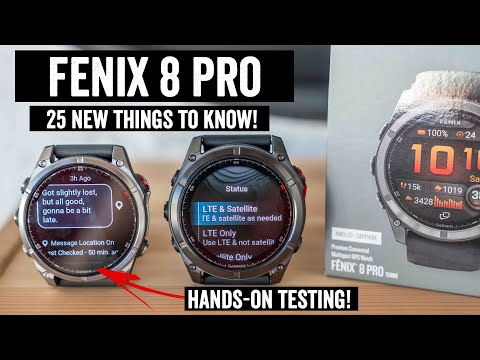
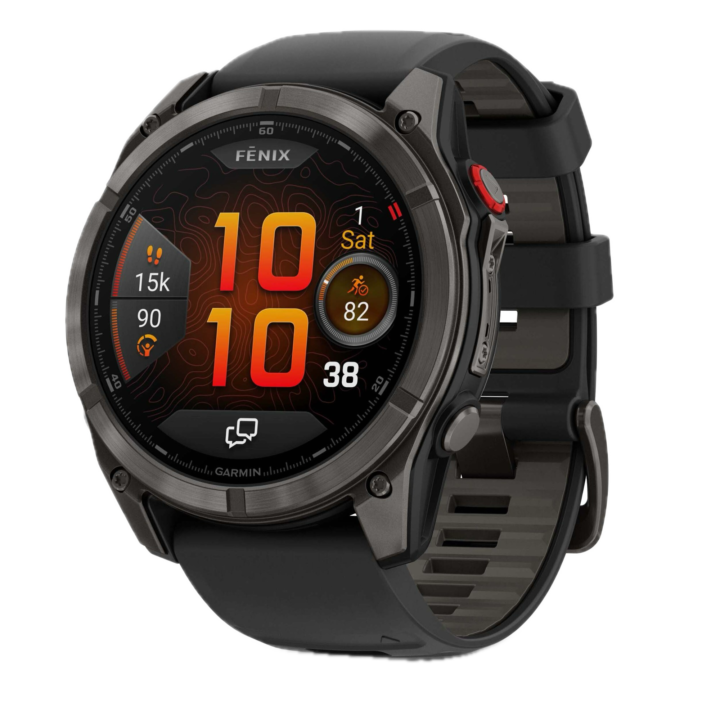
It’s here, the new Garmin Fenix 8 Pro & Fenix 8 Pro MicroLED. These two new watches add in both LTE & two-way satellite messaging connectivity, as well as brighter displays for both, including the first wearable to use a MicroLED display. But, there are some catches; most notably the disappearance of a smaller-sized Fenix unit, as well as the pricing jumping up another $200, to an entry point of $1,199 for the cheapest Fenix 8 Pro LTE model.
This release is all about connectivity (and displays). There are no additional new software features, aside from the gigantic boatload of features released a week or two ago that I outlined below.
Note, this is not a full in-depth review. That’ll come later-ish with a bit more time on the devices and cellular testing. Both my wife and I have units we’ve started testing, with me doing my best to find what works well and doesn’t. And her training for the Ironman 70.3 World Championships in 8 weeks.
With that, let’s get into it. Oh, and hang tight for a video, should be up in the next few hours!
What’s New:
Now, the first thing to remember about Garmin’s Fenix naming conventions is that the ‘Pro’ moniker doesn’t mean it’s some new level ‘above’ the existing Fenix watches. Instead, it means it’s the next iteration. That’s just the silly way Garmin works, which confuses buyers everywhere, especially first-time buyers. So yes, while it’s clearly a better watch, it’s not intended to be a second-tier Fenix, but rather, the next generation of Fenix.
With that, here’s how the Fenix 8 Pro LTE differs from a typical Fenix 8 unit:
– Increased display brightness to match that of Forerunner 970 & Venu X1 (roughly 2,000 nits is estimated)
– Increased speaker loudness compared to Fenix 8 (matches that of FR970 & Venu X1)
– Added LTE/Cellular Connectivity
– Added two-way Satellite connectivity (for messaging)
– Added LTE Live two-way voice calls
– Added LTE LiveTrack
– Added LTE Voice Messaging
– Added LTE Text Messaging
– Added LTE Weather
– Added LTE Location Check-Ins
– Added LTE incident detection
– Added LTE Emergency SOS
– Added Satellite Emergency SOS
– Added Satellite Text Messaging
– Added Satellite Check-in (Location)
– Only offered in 47mm & 51mm case sizes
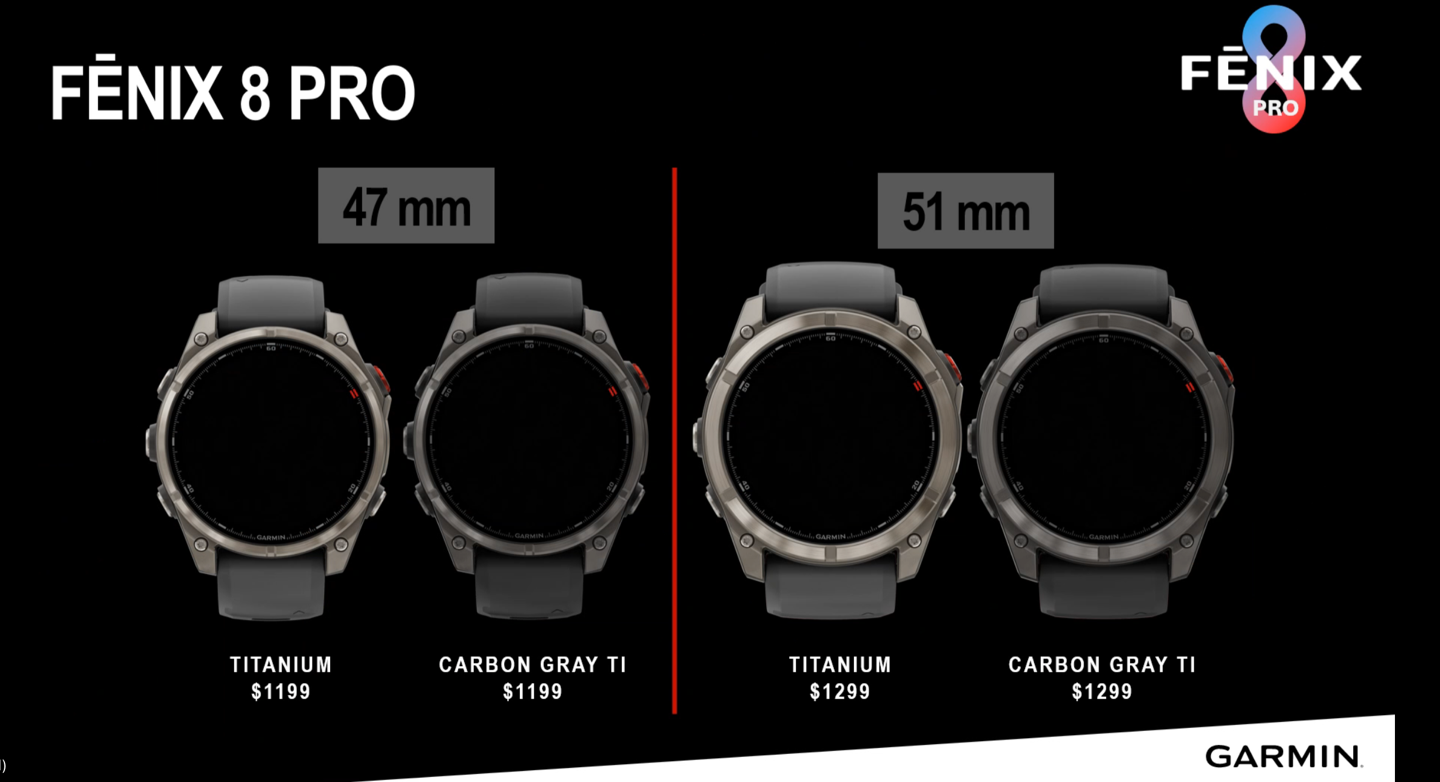
– Increased price by $200, from $999 to $1,199/€1,199 for the base 47mm Fenix 8 Pro, and $1,299 for the 51mm edition
You’ll notice, though, there’s no 43mm option. It’s gone. Garmin says that’s “Due to hardware limitations with integrating the LTE antenna.” Which, I mean, seriously?!? You’ve skipped the one size watch where the female audience wants LTE emergency features more than any other group probably?
Garmin went on to say that it’s “Not that we don’t believe in it, and not that we’re avoiding it longer term”, but that the engineering challenge right now of keeping things small, including all the antennas for satellites, wasn’t possible.
Meanwhile, for the Fenix 8 Pro MicroLED, it’s got everything above, except the following:
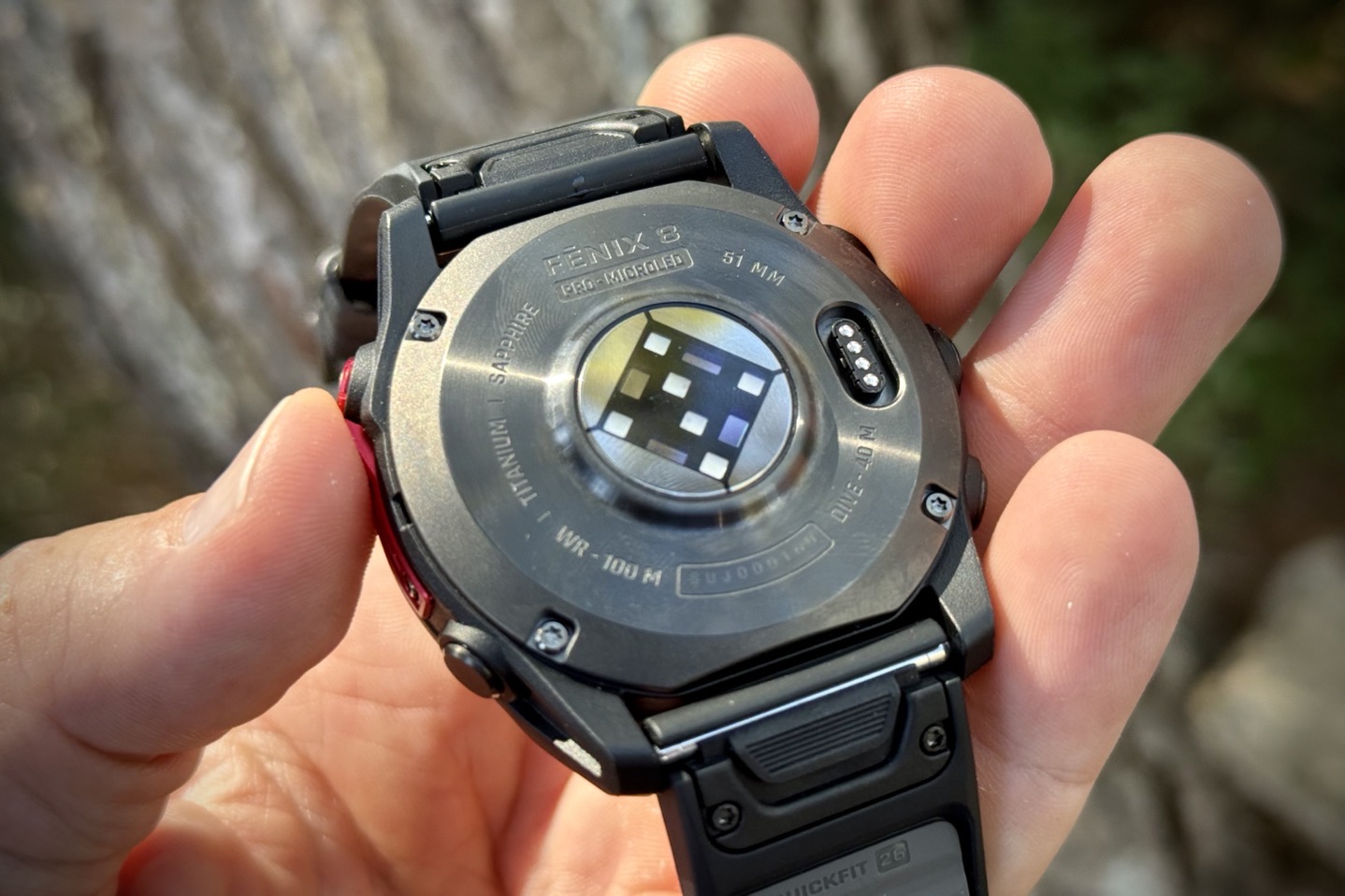
– Uses a new 1.4″ MicroLED display with 4,500 nits of brightness (454px by 454px)
– Display has 400,000 individual LEDs on it
– Battery life is 10 days claimed in smartwatch mode (but only 4 days in always-on mode)
– GPS battery life up to 44hrs GPS-only, or 17hrs LTE LiveTrack with Multi-band (see full chart below)
– Weight is 93g including band (case is only 68g)
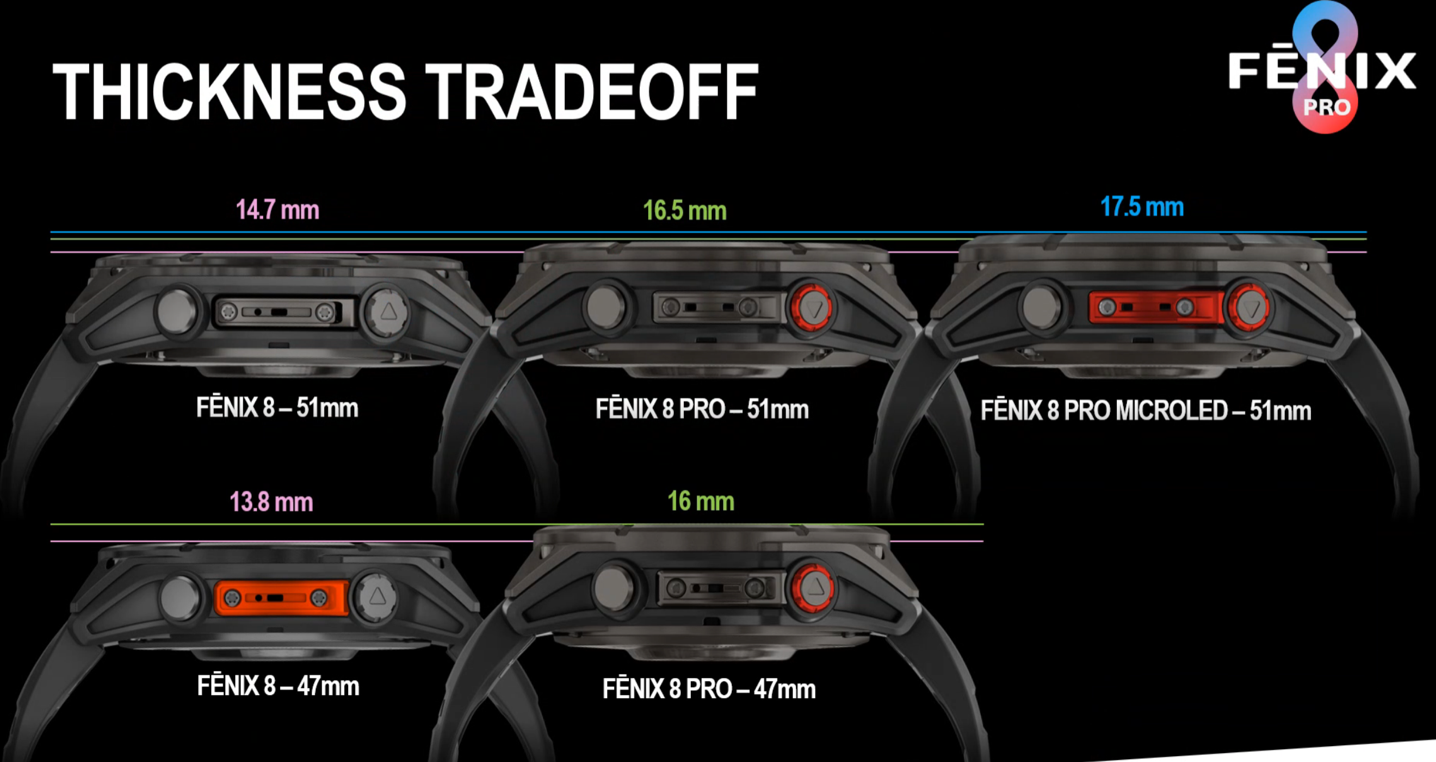
– Thickness is a beefcake
– Storage: 32GB
– Price is $1,999/€1,999 for the Fenix 8 Pro MicroLED unit, which is only offered in the larger 51mm case
Now, in addition to the above-noted items, it includes all the new features that the Fenix 8 got over the past few weeks (coming from the Venu X1, Forerunner 970, and other recent units), including:
Added Ability to Access Apps List by Swiping Left on the Watch Face: New to Garmin devices.
Added Calculator App: New to Garmin devices
Added Custom Focus Modes: Finally long-awaited expansion of this feature from when they launched it last summer
Added Editing for All Previous Sets in Strength: New to Garmin devices
Added Emoji Keyboard: Specifically for Android text/etc responses.
Added Evening Report Support: Launched on Forerunner 570/970
Added Expanded Morning Report Support: Launched on Forerunner 570/970
Added Garmin alerts to Notification Center: Launched on Forerunner 570/970
Added Golf Range Finder Settings Menu: Not applicable to my wheelhouse of miniature golf.
Added Japanese Kana Keyboard: New to Garmin devices
Added More QWERTY Keyboard Layouts.
Added Multisport Workout Support: Launched on Forerunner 570/970
Added Music Options to Music More Controls Page: New to Garmin devices
Added New Help Dialogs for Breathing Variations
Added Performance Glance Updates
Added Provisional Finish Point Support: Launched on Forerunner 570/970
Added Race Timer Data Field to Sail Race Activity
Added Running Economy Support: Launched on Forerunner 970
Added Running Power to the Lactate Threshold Page: Launched on Forerunner 570/970
Added Running Tolerance Support: Launched on Forerunner 970
Added Smart Wake Alarm: Launched on Vivoactive 6
Added Step Speed Loss Support: Launched on Forerunner 970
Added Support for Track/Road Display Transitions: New to Garmin devices
Added Tack Assist Data Page in Sailing Activities
Added Thai Keyboard
Added Track Run Option for Daily Suggested Workouts: New to Garmin devices
Added Triathlon Adaptive Training Plan Support: Launched on Forerunner 570/970
Added Triathlon Race Events Support: Launched on Forerunner 570/970
Beyond this, it includes all the Fenix 8 features found from a year ago, including the dive functionality, speaker/microphone, and more. What’s notable, though, is that as I said when the Fenix 8 launched, it was really lacking in new sports features (literally, it has none, at least if you don’t count diving). Whereas this time around, I’d argue the LTE/Satellite pieces are huge for sports/adventure, and that’s in addition to the massive list above that the Fenix 8 just got last week in production.
Now, you may notice MIP is gone. Rest in peace MIP. But, I wouldn’t say it’s gone forever. After all, Garmin still has their Enduro series of watches aimed at forever battery (including solar), which is really the logical branding destination for a MIP display longer-term.
When asked, Garmin’s program manager, Jon Hosler, said, “We still believe in MIP displays, we just don’t have the connected versions of them this generation”.
Finally, getting to thickness, things are definitely thicker and bulkier. Building a MicroLED watch is actually similar to MIP watches in that they have to bond a touchscreen layer on top of the display, whereas in AMOLED, it’s all built into a single panel. As for whether or not MicroLED will replace those screens, Garmin said, “We don’t think this is a replacement to AMOLED”, at least for now, and went on to say, “there are tradeoffs for each”.
All of these start shipping on September 8th.
Got all that? Good, let’s get into the connectivity bits.
LTE Cellular Connectivity:
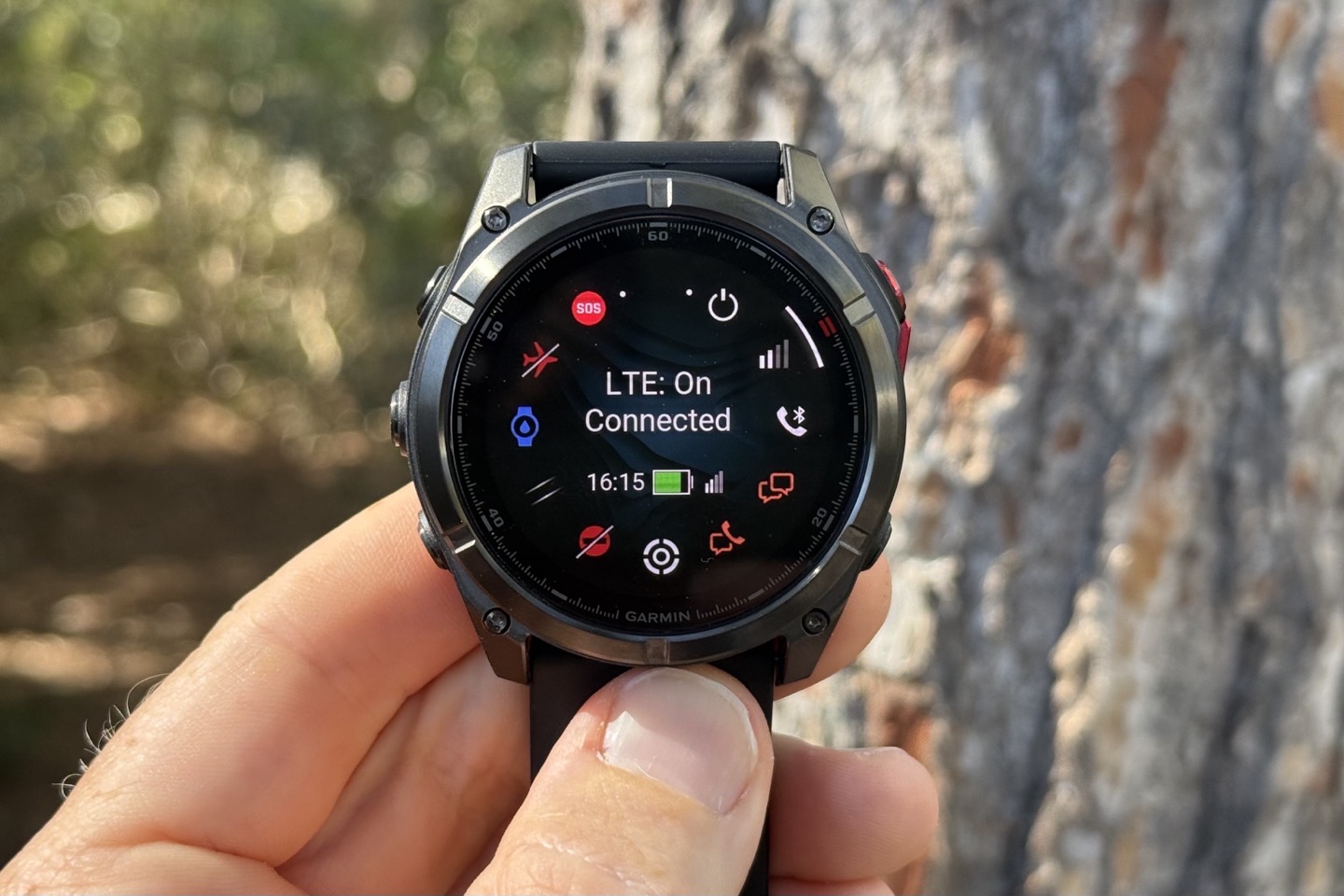
Next, Garmin has finally delivered on putting LTE in a Fenix watch. Up till now, it’s really been occasional forays by the Venu team (Vivoactive 3 Music Cellular in 2019), and then the Forerunner team (Forerunner 945 LTE in 2021), and most recently, the kids-focused Garmin Bounce watch in 2022, which my daughters love.
Finally, they’ve done it. Though it’ll ultimately be like you’d expect from other Garmin watches: Really a safety and basic messaging focused feature, rather than some full stack of cellular features like you might find on an Apple, Google, or Samsung watch. This is designed to cover the main athletic use cases of tracking and basic messaging to friends/family when out on a workout. For example, up till now, my wife would often do late-night runs after the kids went to bed…stealing one of their Garmin Bounce watches to use as a LTE run tracker (she hates bringing her phone). Given she already was wearing a Fenix, this now solves that.
When it comes to LTE features, Garmin offers the following features over their LTE network, via LTE-M (which requires lower power as an ecosystem, including voice calling over LTE-M):
– LTE Live two-way voice calls
– LTE LiveTrack (30-second sampling rate)
– LTE Voice Messaging
– LTE Text Messaging
– LTE Weather
– LTE & Satellite Emergency SOS
– LTE Location Check-Ins
– LTE Incident Detection & Assistance
In addition, they also offer satellite text messaging, more on that in a second. Notably, the watches are cross-region compatible due to LTE-M. Meaning, you can use your European model in the US for LTE-M (and satellite), and vice-versa.
As you can see, this is all about telling your friends/family where you are, and checking in with them. That said, the two-way voice calls is a good place to start, which isn’t really limited to being a workout feature.
To begin, getting things set up requires setting up an account within Garmin’s inReach platform. This gives you 30 days free, after which it is $9.99/month for unlimited LTE stuffs, and emergency-only Satellite bits. Beyond that, there are additional fees for satellite check-ins/texts that I’ll cover below (or, a higher-priced plan).
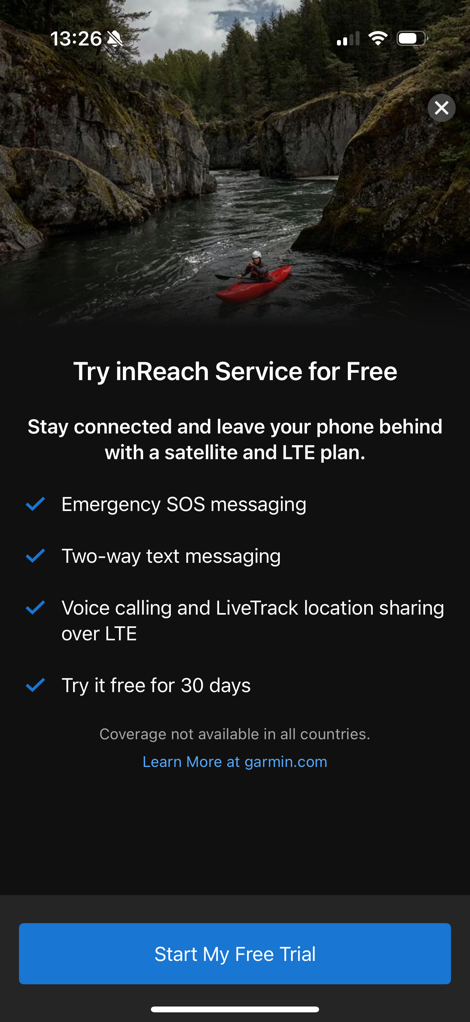
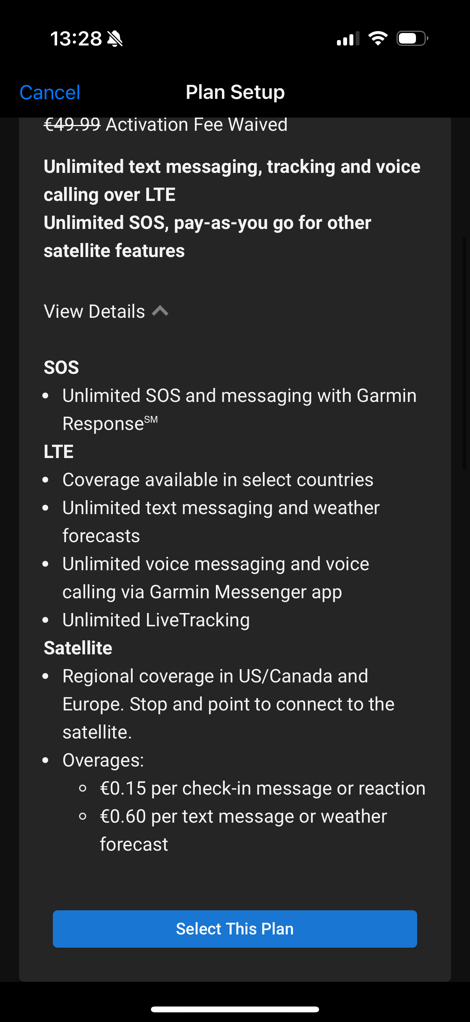
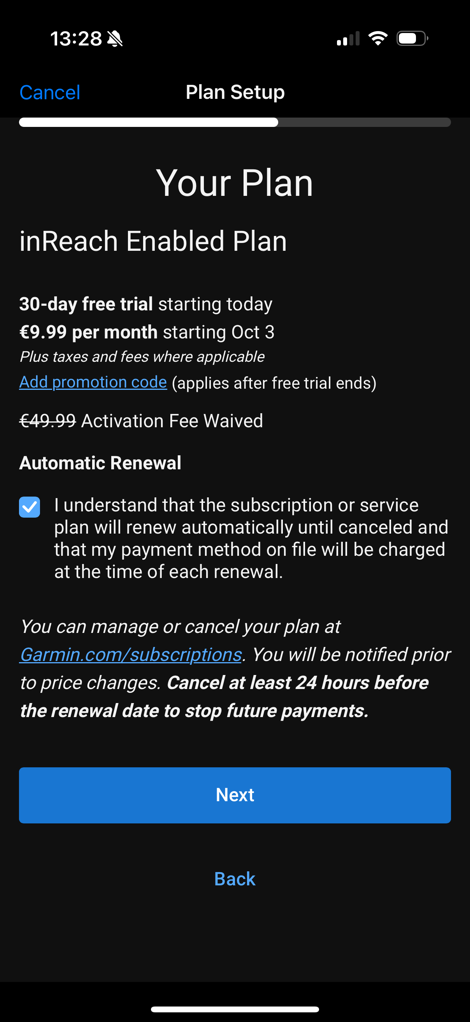
Once that’s all set up and activated (and seriously, it takes forever and is mostly a giant hot mess of different Garmin phone apps, switching, etc…), you’ll be ready to go.
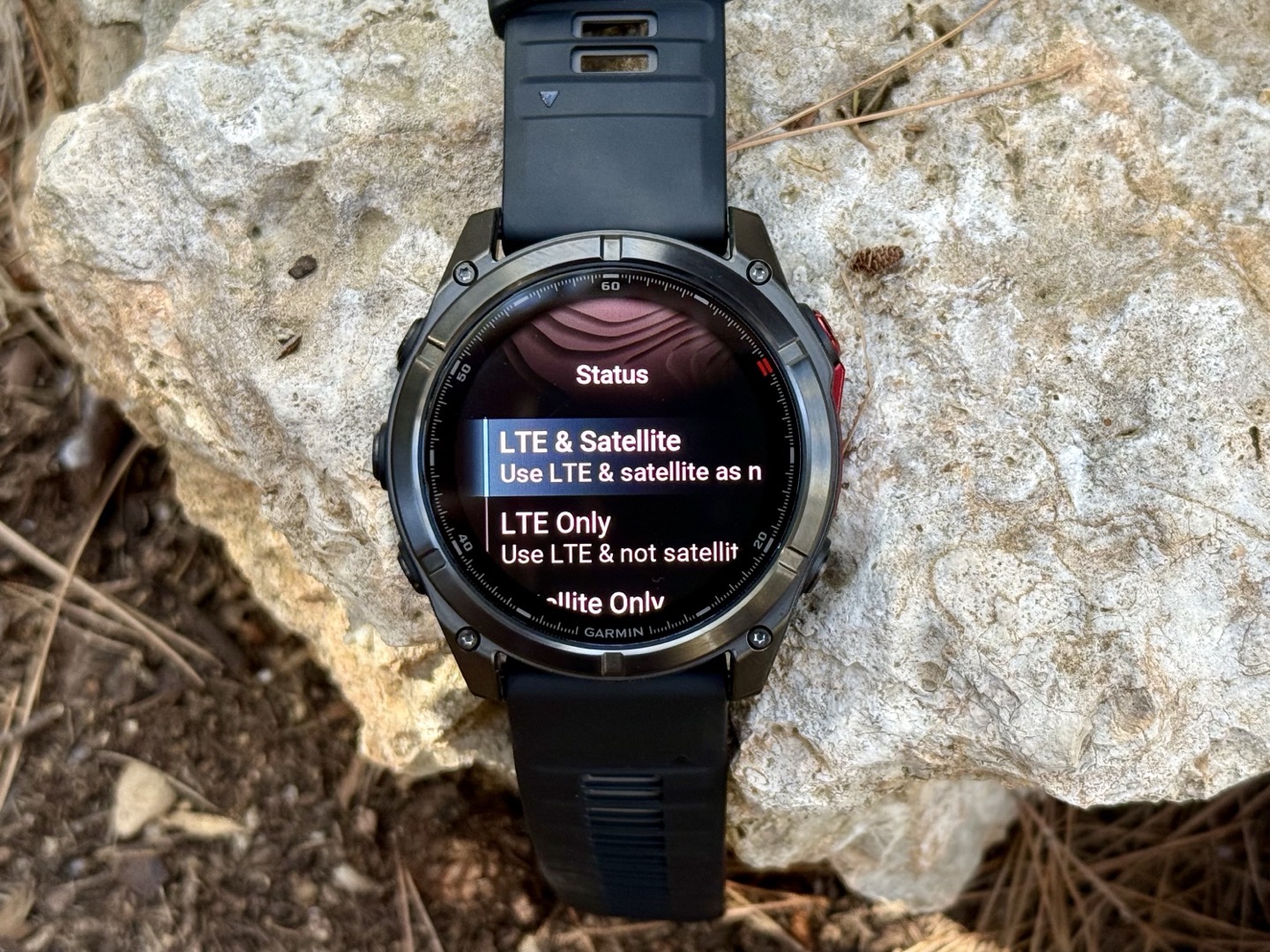
From there, you’ll see a menu option on your watch that shows the different connectivity status options, in terms of how and when it leverages both LTE & satellite. Essentially, you can leave it on Auto, force it off/on, and any number of combinations within that.
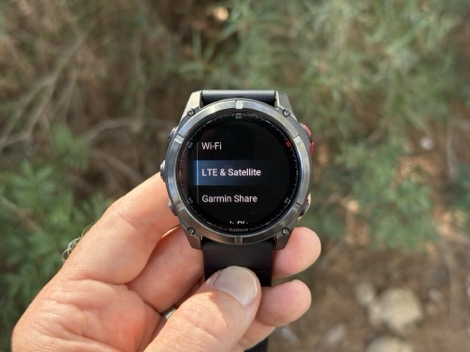
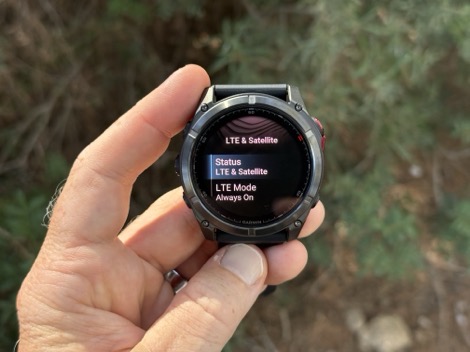
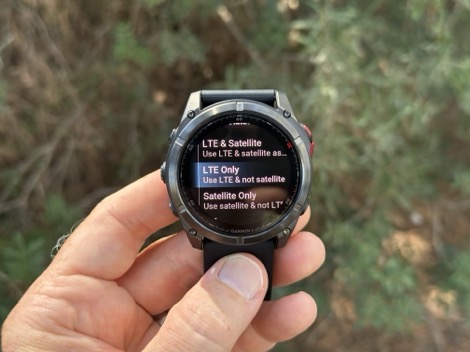
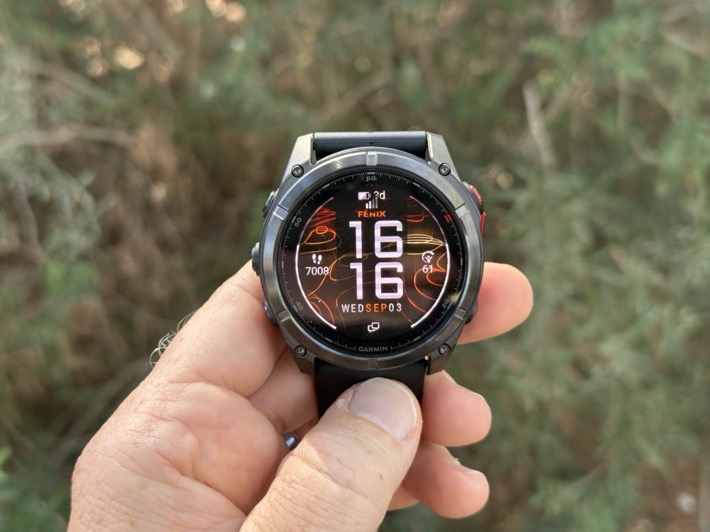
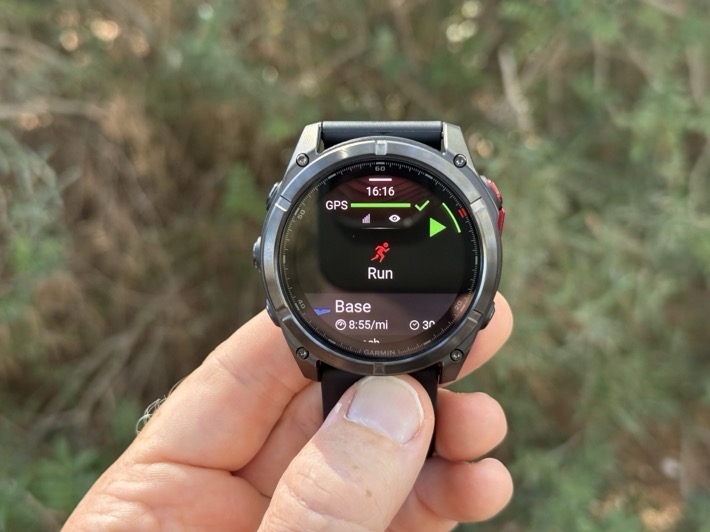
For LTE connectivity, if enabled, you’ll see the cellular signal strength on the watch face, as well as start of workout pages:
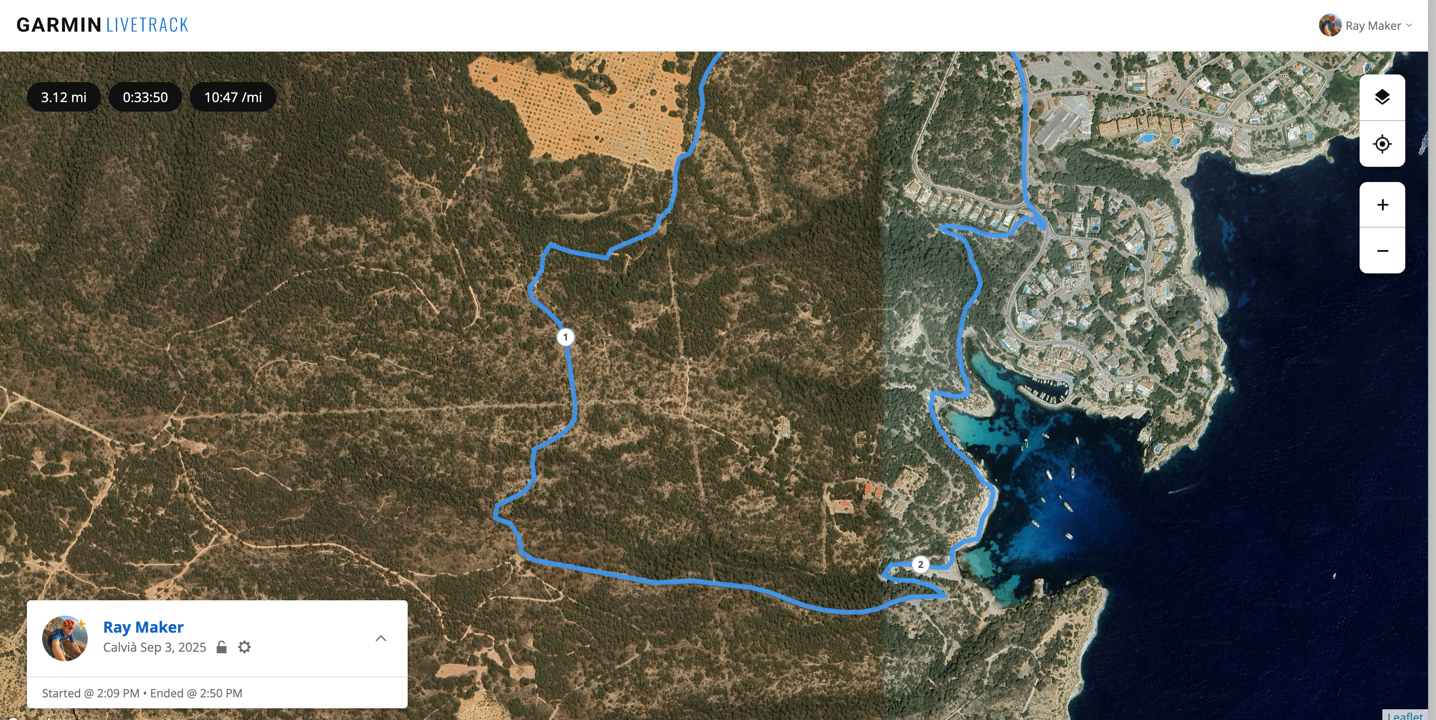
Next, looking at LTE LiveTrack, here’s an example of a run today I did with the LTE LiveTrack feature, sent to DesFit to follow along. In this case, a portion of the run goes through no-cellular ranges, though the rest is within cell service.
Meanwhile, out on the run with cellular range I could text Des, have him follow my live tracking, and dork send messages via LTE back and forth to my wife…running alongside me.
On the texting side, he was using the Garmin Messenger app on his phone, while I had just my watch with me. I could choose his name, and then send either manually typed-out messages, or pre-canned messages. I also have some pre-canned messages I’ve added to it, for use across my inReach devices.
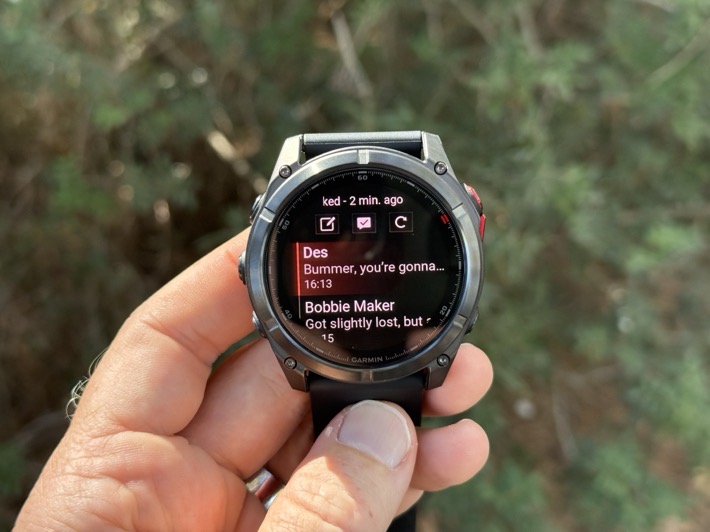
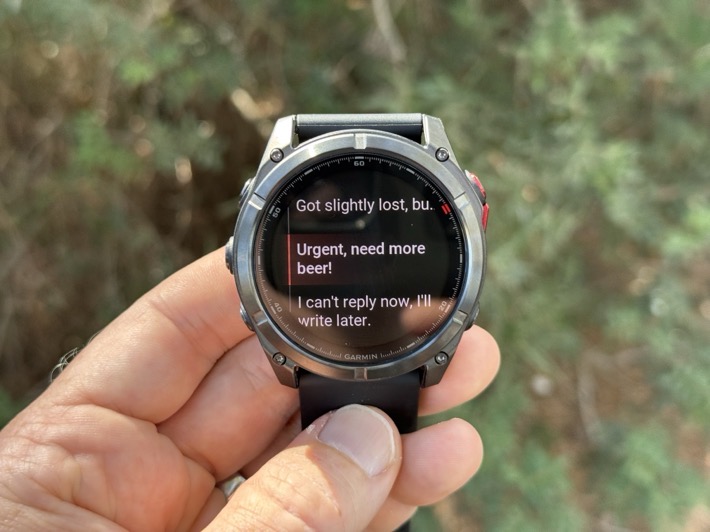
And back and forth we went:
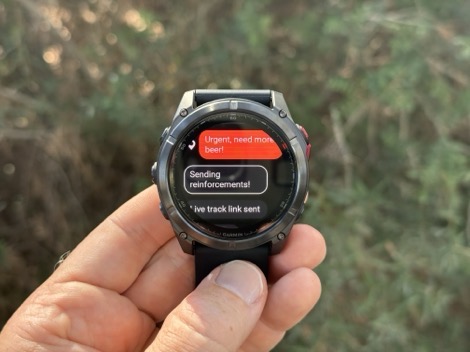
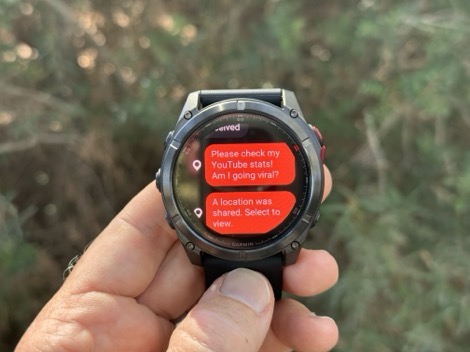
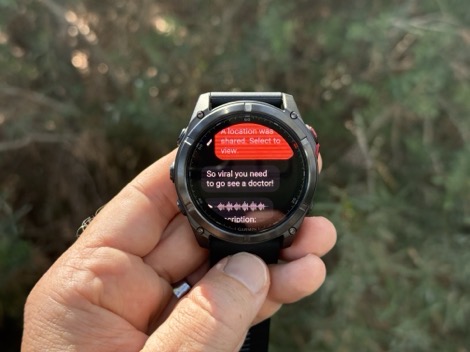
All of this worked great and within seconds when I had connectivity, and then was slightly delayed when I didn’t (but did send shortly thereafter). I was also able to text my wife, who was running alongside me, also on pure watch LTE (no cell phone).
To be really clear – the recipient does *NOT* need to have the Garmin Messenger app loaded. If they don’t, they’ll receive a text message from a random Garmin phone number, and when they reply, Garmin will correctly route it back to your watch. You do not get assigned a dedicated phone/text number. A recipient who just wants to text can do so without the Messenger app. However, if they want to send voice messages, they need the Garmin app.
Next, I can do 2-way voice calls. In that scenario, you find the contact within the Messenger app/menus on the watch, and select to call them:
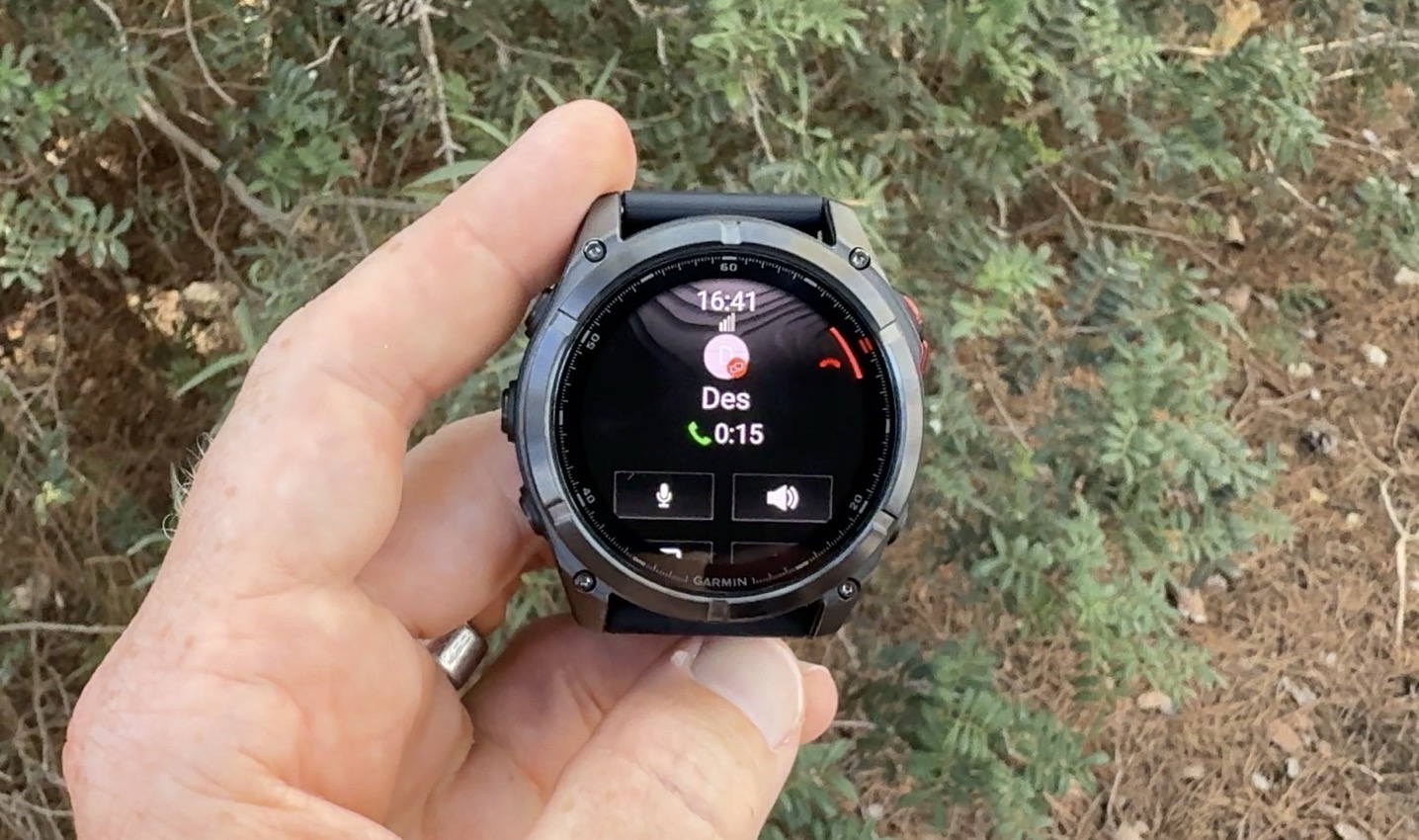
The call will then complete using the microphone/speaker on your watch, to their Messenger app. Unlike text messages, for calls, the other person needs to have the Messenger app on their phone. In this case, the voice call quality was good enough, even on 2/5 bars of LTE.
Finally, there are voice messages. This allows someone to send you short voice messages. When these come into you, they’ll actually show up initially as a transcribed message. In my case, out in the trails, it took maybe another 30-45 seconds (with poor LTE connectivity) before the full voice message was downloaded to the watch:
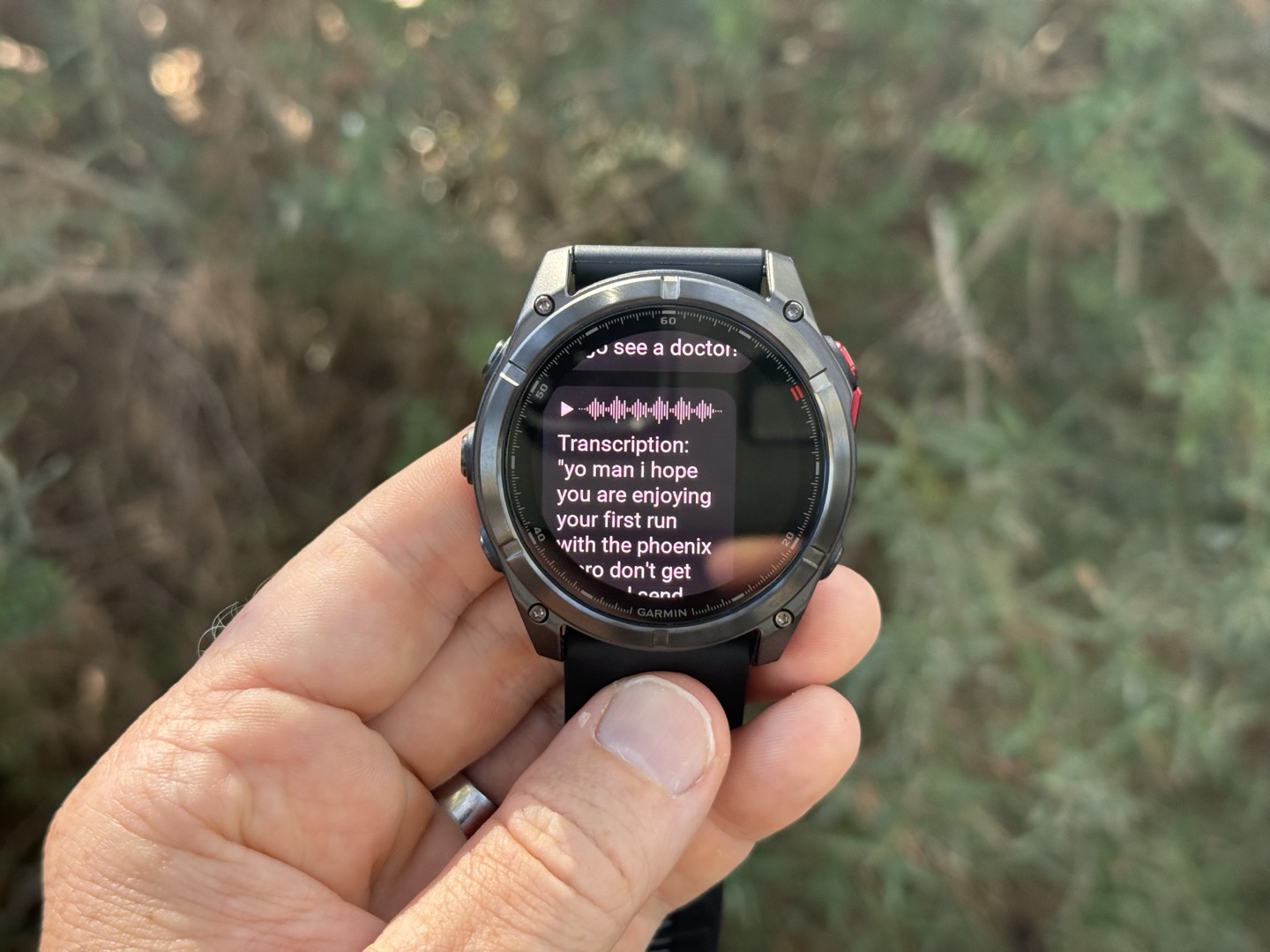
At which point I could simply tap it to play using the speaker on the watch (or headphones). Audio quality was so-so, like the Venu X1 and Garmin Forerunner 970. Functional, but nothing fantastic.
LTE connectivity requires a Garmin-specific plan, and costs $7.99/9.99EUR a month. That plan also covers the Garmin inReach satellite connectivity features I discuss next.
Satellite Connectivity Features:
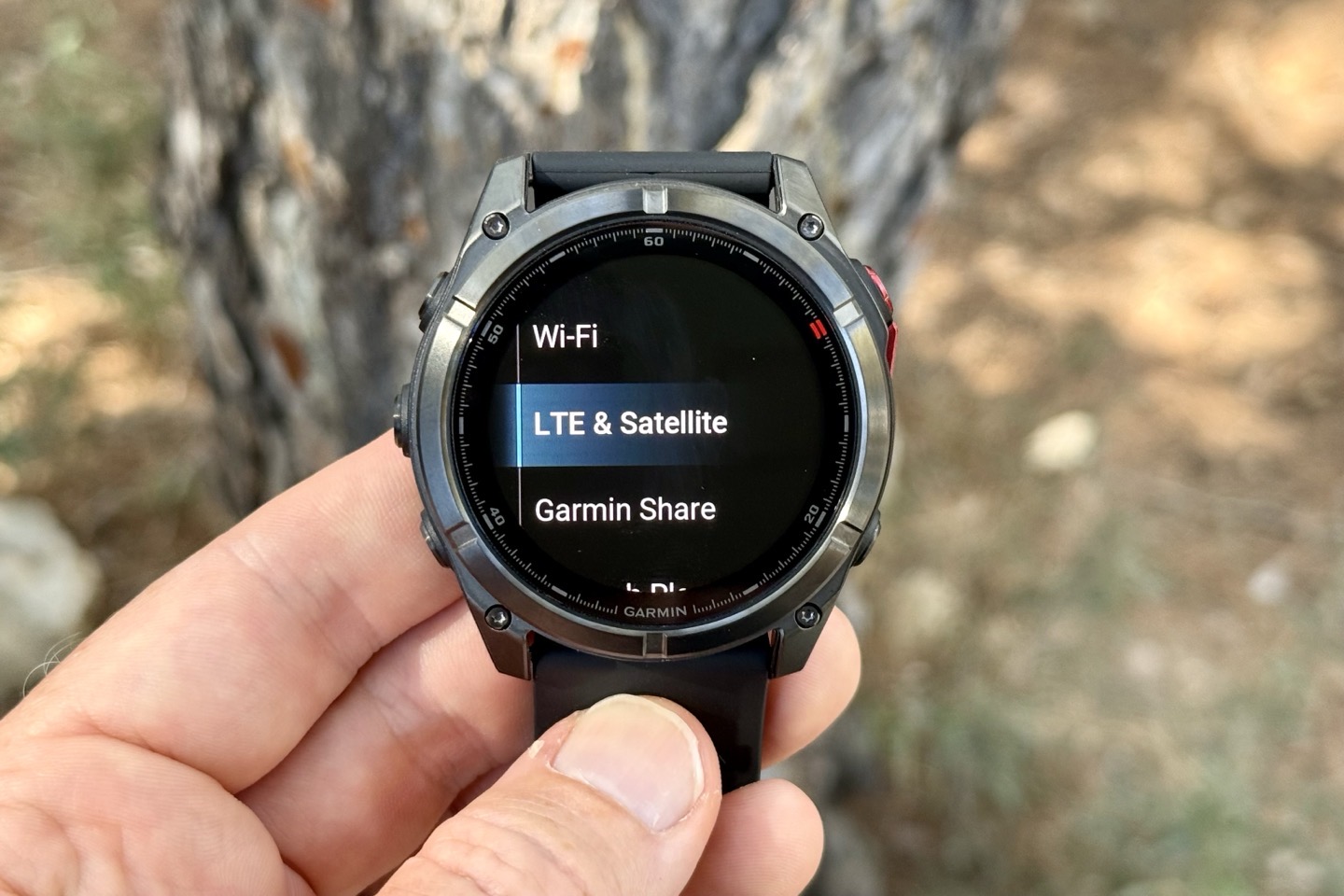
Next up, the next piece here is Satellite features via Garmin inReach-like functionality, when out of cellular range.
In Garmin’s case, this falls into a bucket of three core satellite features:
– Satellite Messaging (basic texting)
– Satellite position/location check-ins
– Satellite Emergency SOS (via Garmin Response)
This is more extensive than what Google launched two weeks ago with the Pixel Watch 4, since that was only for satellite emergency SOS (though ironically, it does use Garmin’s Response Center). Further, while these new features definitely have more capability than Google, they fall short of a traditional Garmin inReach device in that they aren’t continuous tracking features, or continuous messaging features, since they require you to position your arm in a specific way to send/receive messages.
With the Fenix 8, the antenna now allows for on-demand connectivity to GEO satellites, which is different than the much larger antenna form factor of a typical inReach device. This means that, unlike a typical inReach device, this will only send messages to the satellite when you position your arm in a specific orientation. That’s because it needs to point to an exact satellite, whereas a typical inReach device has a huge antenna to find the correct satellites in virtually every orientation. The traditional Garmin inReach Iridium devices use LEO satellites, about 66 of them, and much closer to earth. Whereas GEO is more limited in service areas: Covering a specific area of the earth, focused on a specific area of the earth, and thus, a specific coverage area.
Therefore, the coverage maps are essentially the Continental US/Canada (+ about 50 miles offshore) and the vast majority of Europe.
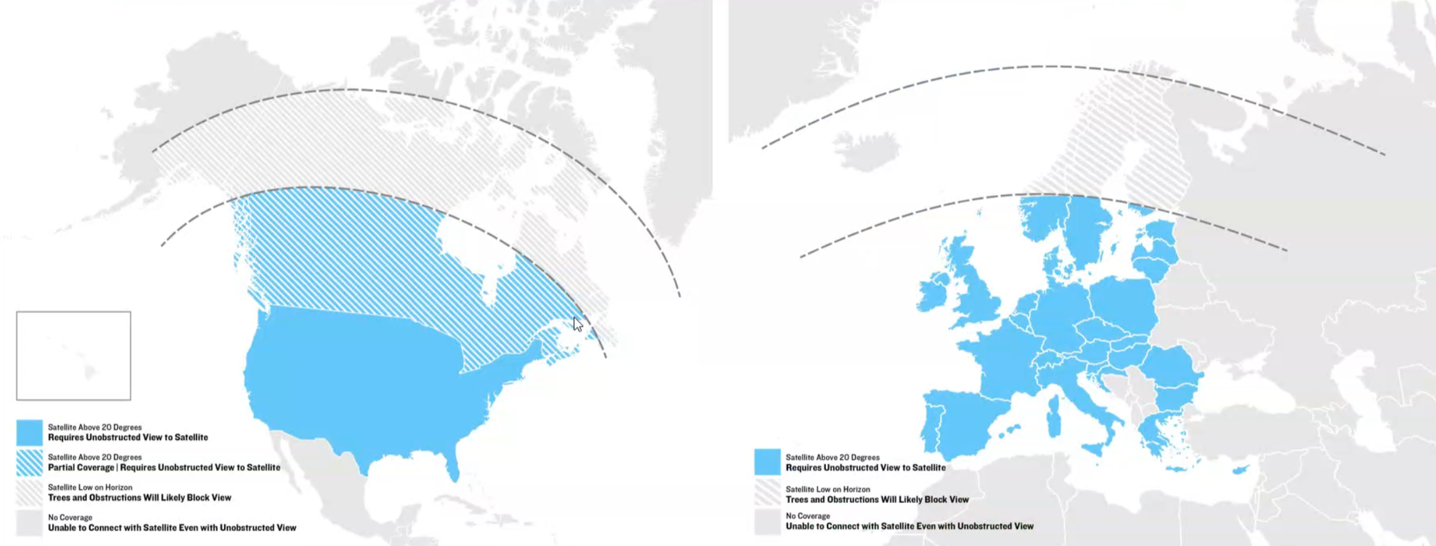
Garmin confirmed they’re using SkyLo as their network provider as well.
So, to show how this works. First up is a whole slate of activation stuff that takes forever. It’s super cumbersome, but once it’s sorted…well…it’s done.
Next, when it comes to satellite features, by default, everything will run over LTE if that’s available first. You can force it to a satellite if you need to, but there’s really no point if LTE is there.
Still, if you’re outside cellular range (or Bluetooth range to your phone), then when you go to send a text message from the watch, it’ll prompt you to go into satellite mode. This will first have you double-check the compass, which is then leveraged to point towards the right satellite location.
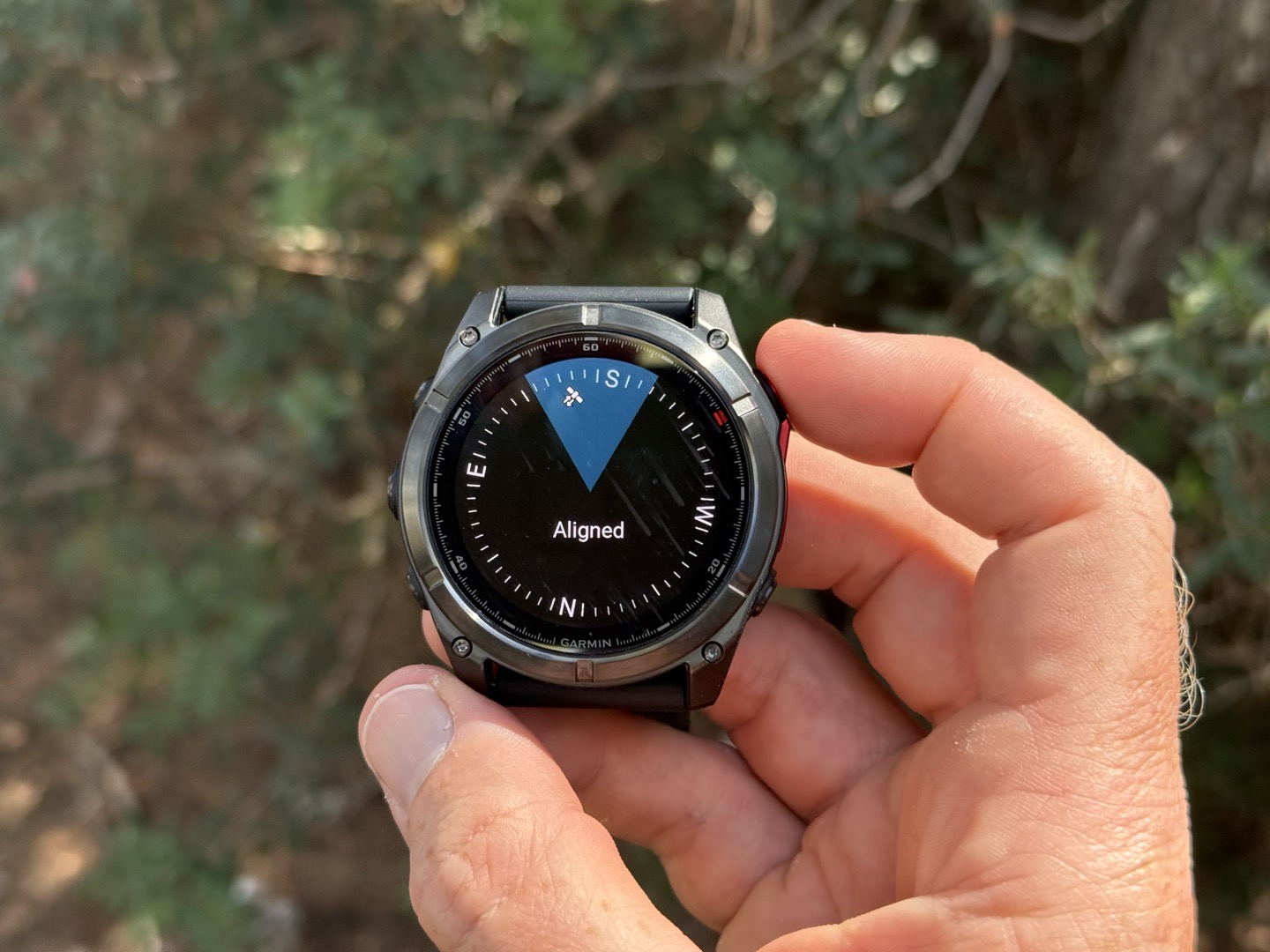
At which point, you’ll then get a further UI piece to refine connectivity towards that satellite. This piece seemed to take about 20-30 seconds to get a lock on the satellite.
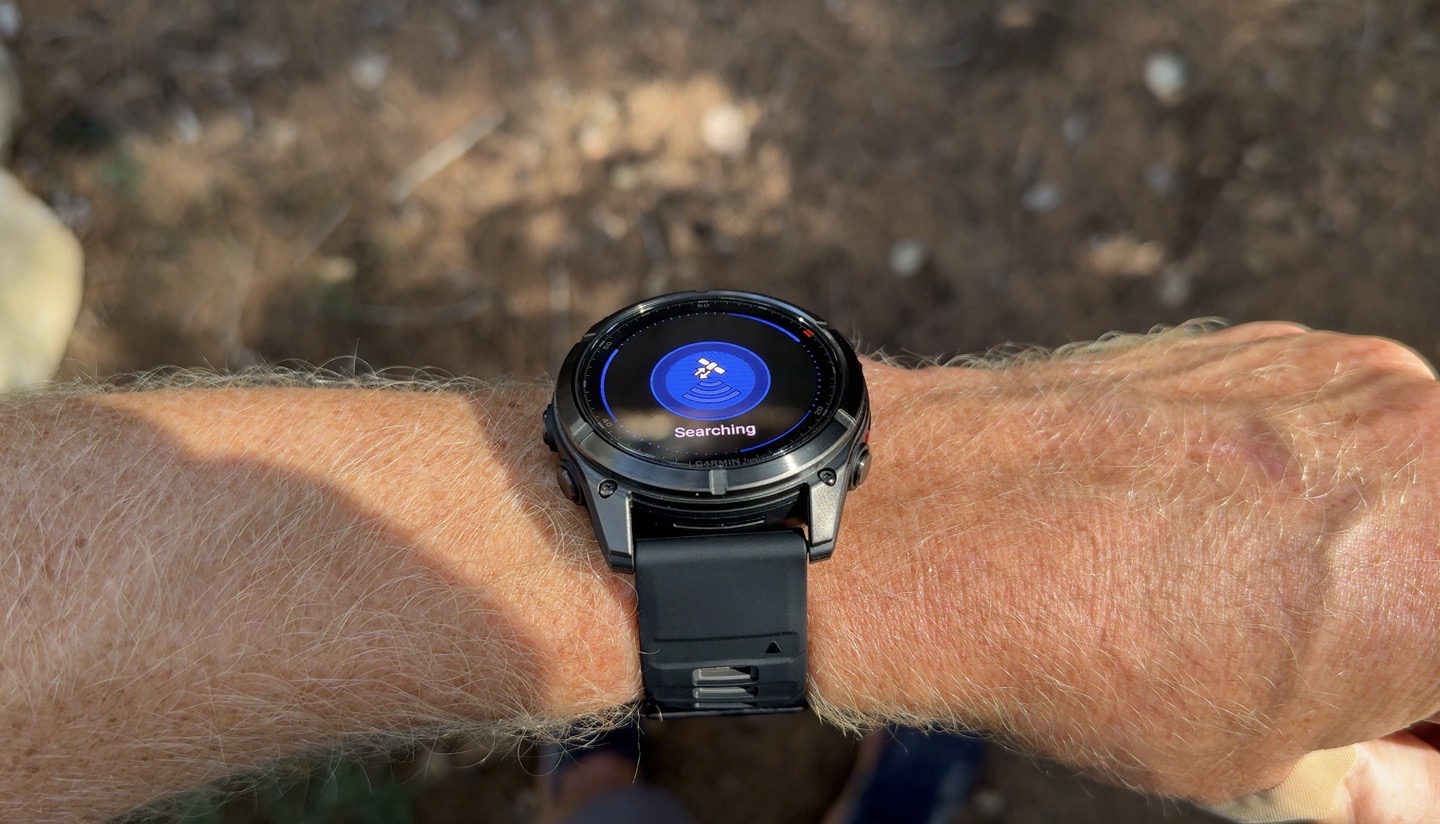
After that’s done, it’ll send the message, which is pretty quick (5-10 seconds). It’ll also receive any inbound messages.
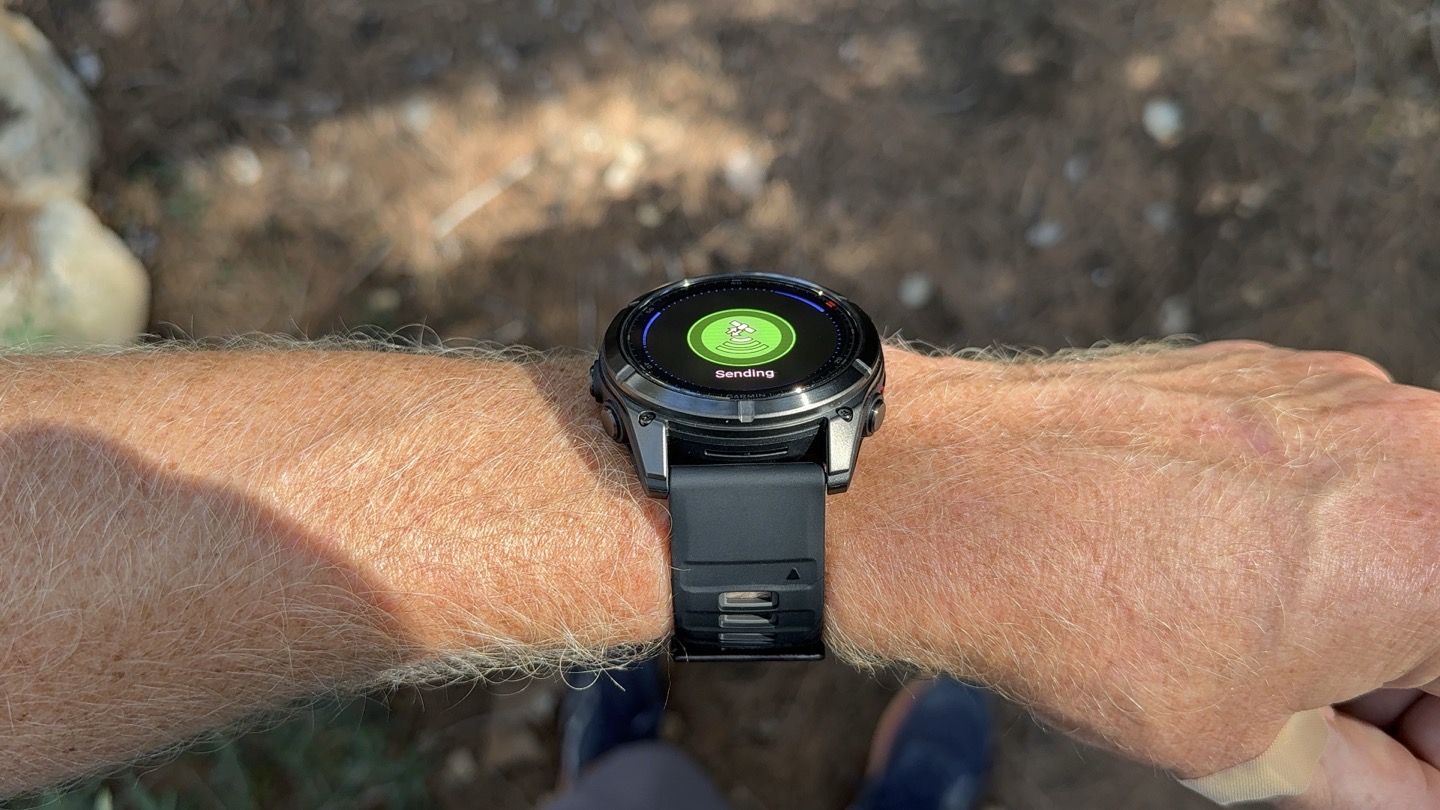
And then finally, confirms the message was sent:
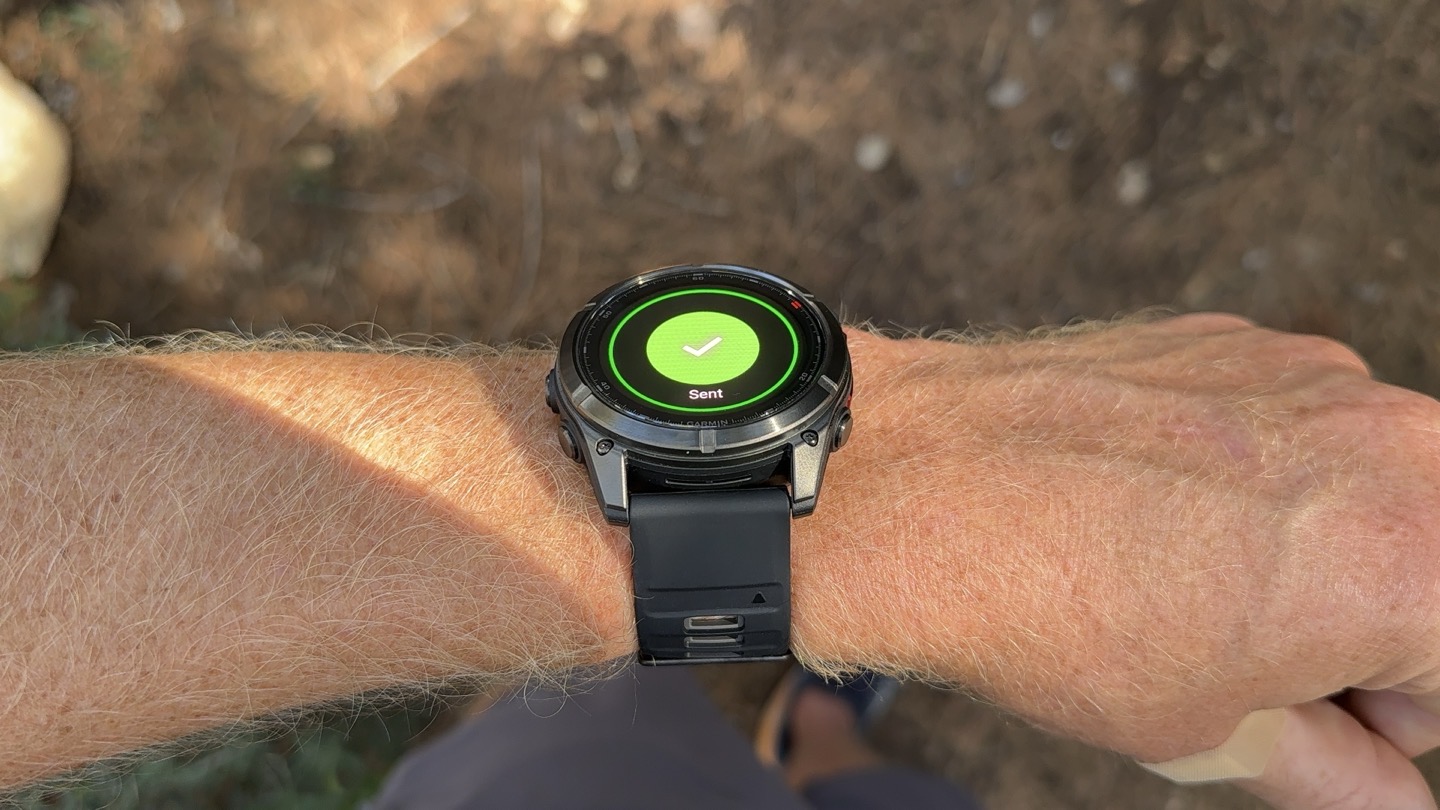
This same process happens if you want to send a position check-in message, which sends your current location to your BFF.
Finally, there’s the Garmin SOS features, leveraging Garmin’s Response Center, for emergencies. You can access that via the controls menu, which then gives you 10 seconds to cancel it, in case it accidentally does so. As with the other features, it’ll first try via LTE, then satellite.
Now, as you might expect, given Garmin’s hard push for increasing services revenue, there is a cost for this. Garmin’s plan is $7.99/9.99EUR/month, including both LTE & satellite inReach response pieces. This is a business-clever, but consumer-unfriendly approach. After all, Apple and Google are giving the Satellite SOS pieces for free on their devices (for at least 2 years, although Apple has long-since passed that deadline without charging anyone, and Google sounds like they plan to do the same). I’m not sure why Garmin couldn’t have followed a similar model, allowing the emergency piece for free, and then charging for non-emergency pieces.
Personally, I feel like the emergency satellite SOS piece should be included in the cost of a $1,999 watch, given that Google is doing so for watches that cost $449. After all, this piece of the service is leveraged very infrequently (hopefully never for you or anyone you know), yet the press/media ROI for Garmin’s marketing is massive (as both Apple and Google effectively acknowledge).
Here’s the full pricing bits, there is no annual plan option (Europe is 9.99/month for the base plan):
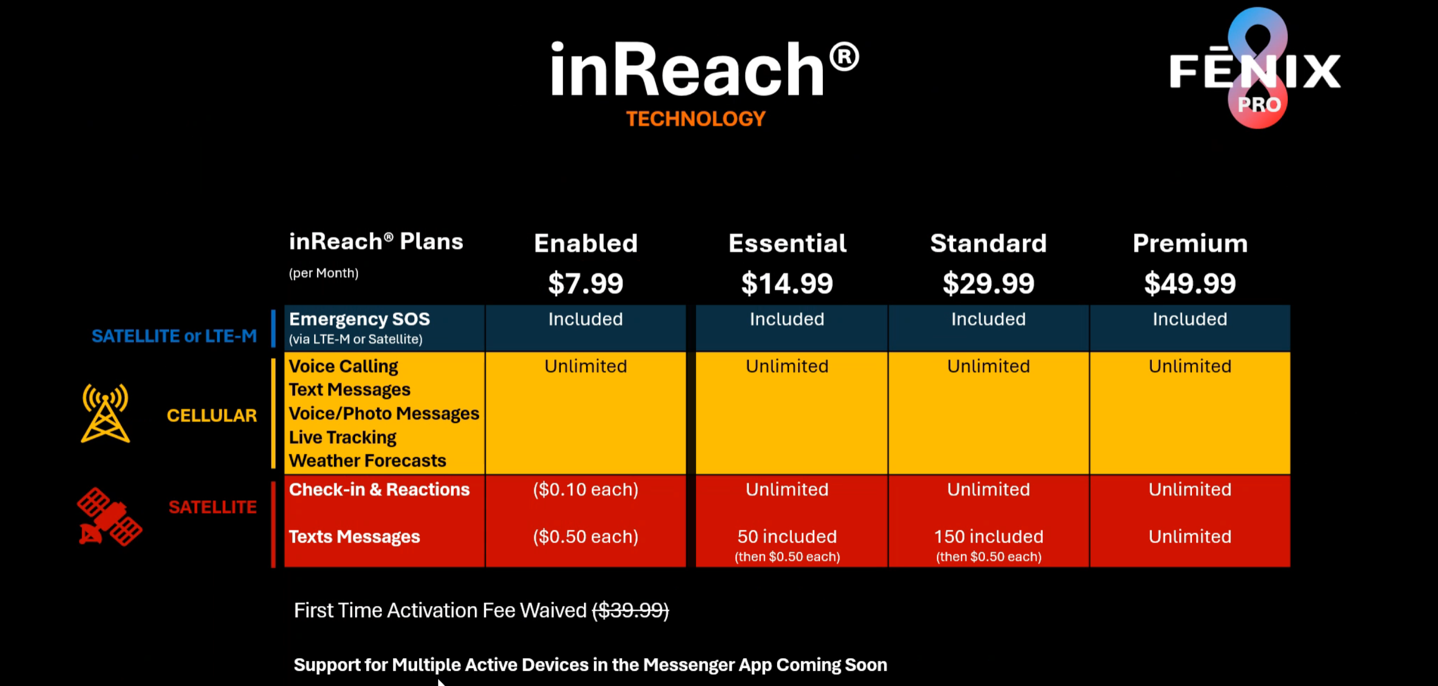
Note that at the moment, you can only have one inReach device associated to your account (meaning, if you already had an inReach standalone device, you literally can’t have both watch and device concurrently – it deactivates the other one). Garmin says by the end of the year, this will be solved.
Closer Look At The MicroLED Displays:
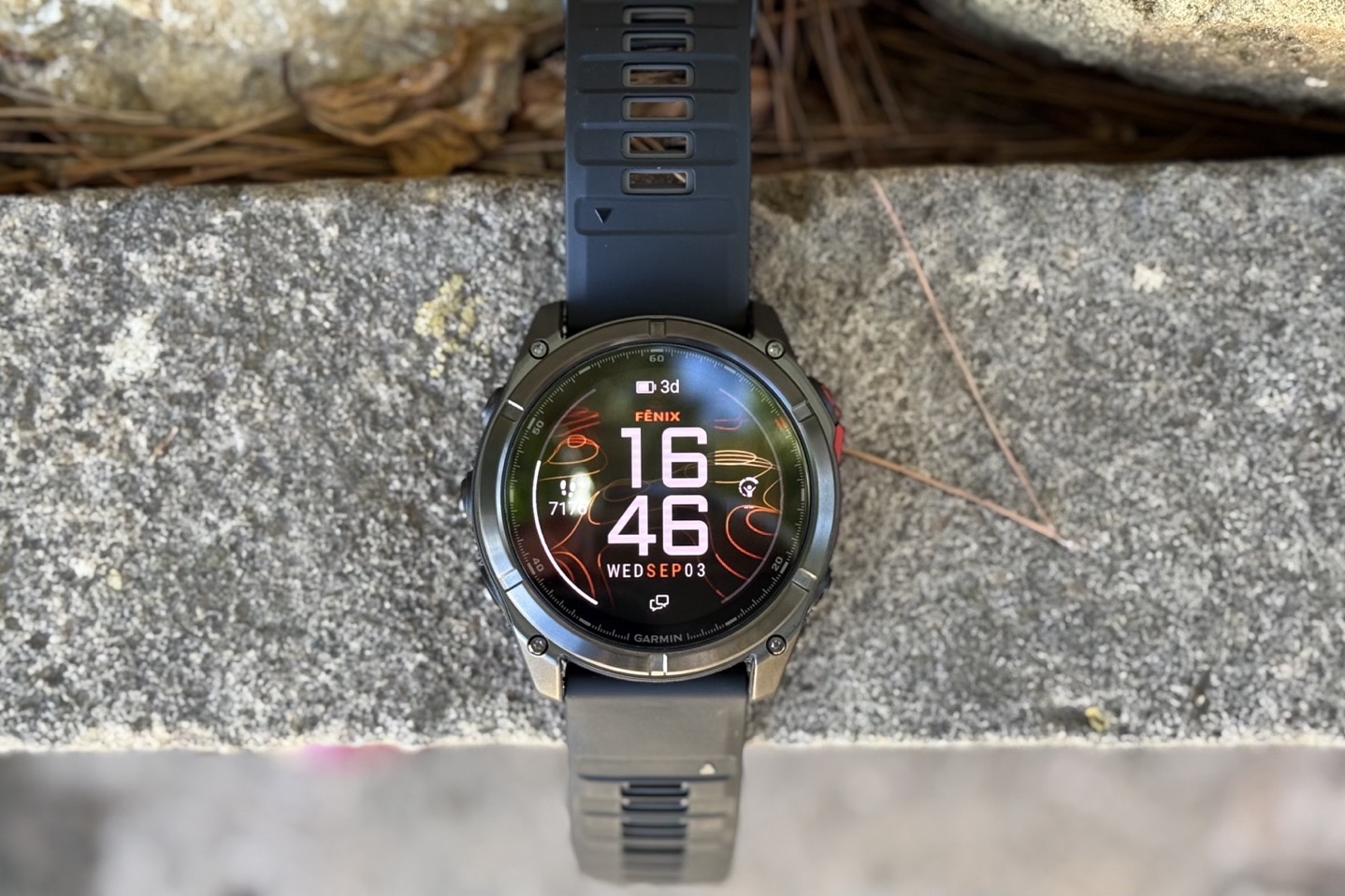
So what the heck is MicroLED? Well, in short, it’s a brighter display, but more importantly, one that has long been purported to use less battery life. More specifically, a crapton less battery life. It’s always been looked at as the display equivalent of dual-frequency GPS, in terms of ‘solving’ some of the AMOLED battery concerns. Except that doesn’t happen here. As we see at the end of this section, the battery life is actually worse than the previous-gen Fenix 8 models.
Nonetheless, with the Fenix 8, this is specifically coming to the model variant called “MicroLED”, and only in the 51mm variant. The Fenix 8 Pro edition still features an AMOLED display, one using Garmin’s latest gen displays seen on the Forerunner 970 & Venu X1 (thus, newer than the original Fenix 8 displays). Those displays are silly bright, but at least on those watches, Garmin is still burning far too much battery life due to a lack of brightness optimizations.
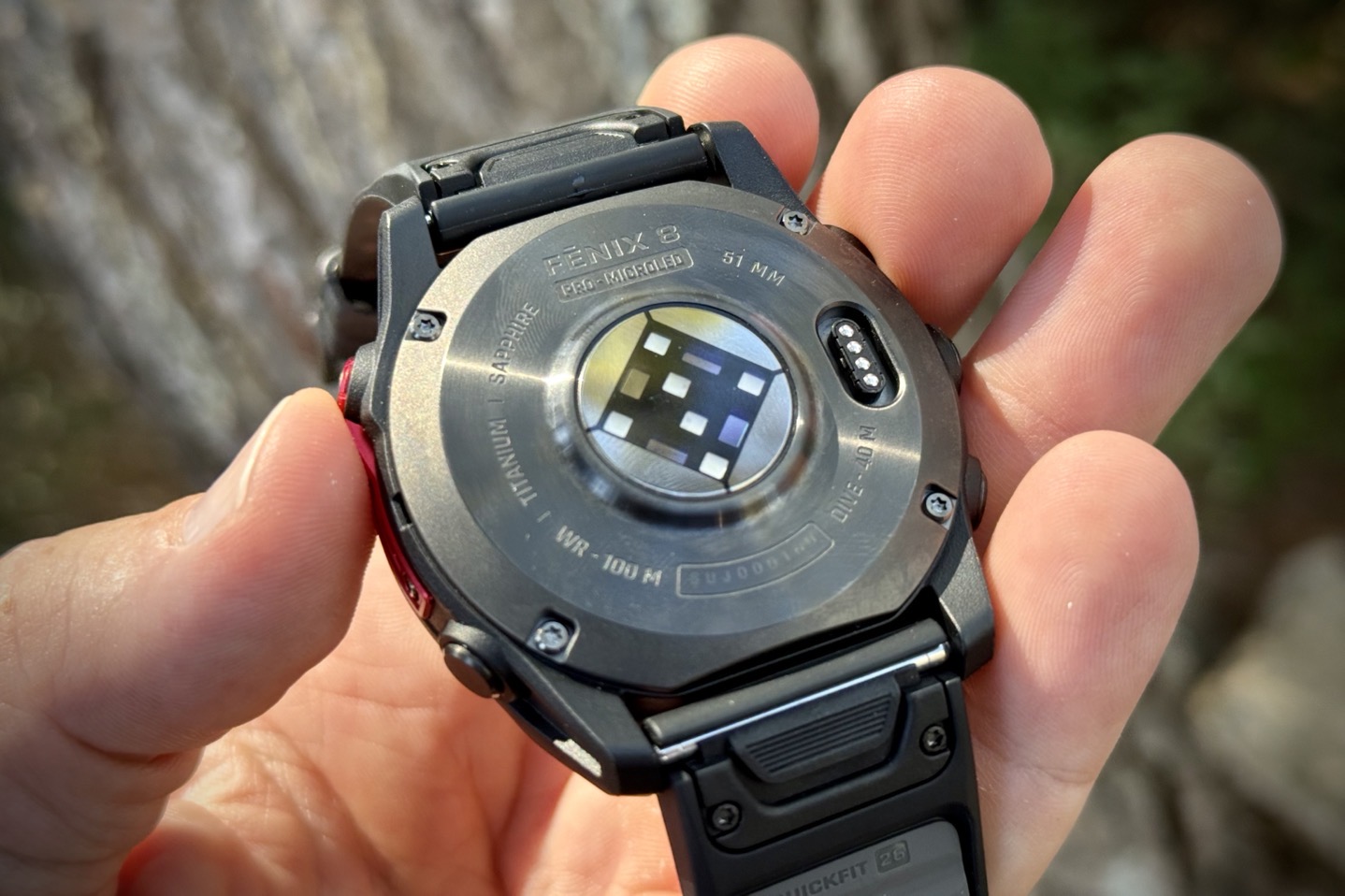
In any case, for the Fenix 8/Pro MicroLED variants, Garmin states that it’s the brightest display in a smartwatch anywhere. And that seems to be true. Well, at least for a few days anyway. The display has a peak brightness of 4,500 nits, which is well in excess of any other display out there today, the brightest AMOLED ones floating around 3,000 nits, and most of Garmin’s existing ones like the Fenix 8 are assumed to be 1,000-nit displays. The display is made by AUA, not Samsung as some had assumed might happen.
Here’s a Fenix 8 (last year’s), Fenix 8 Pro (this year’s), and Fenix 8 Pro MicroLED – all using default brightness settings (2/3rds):
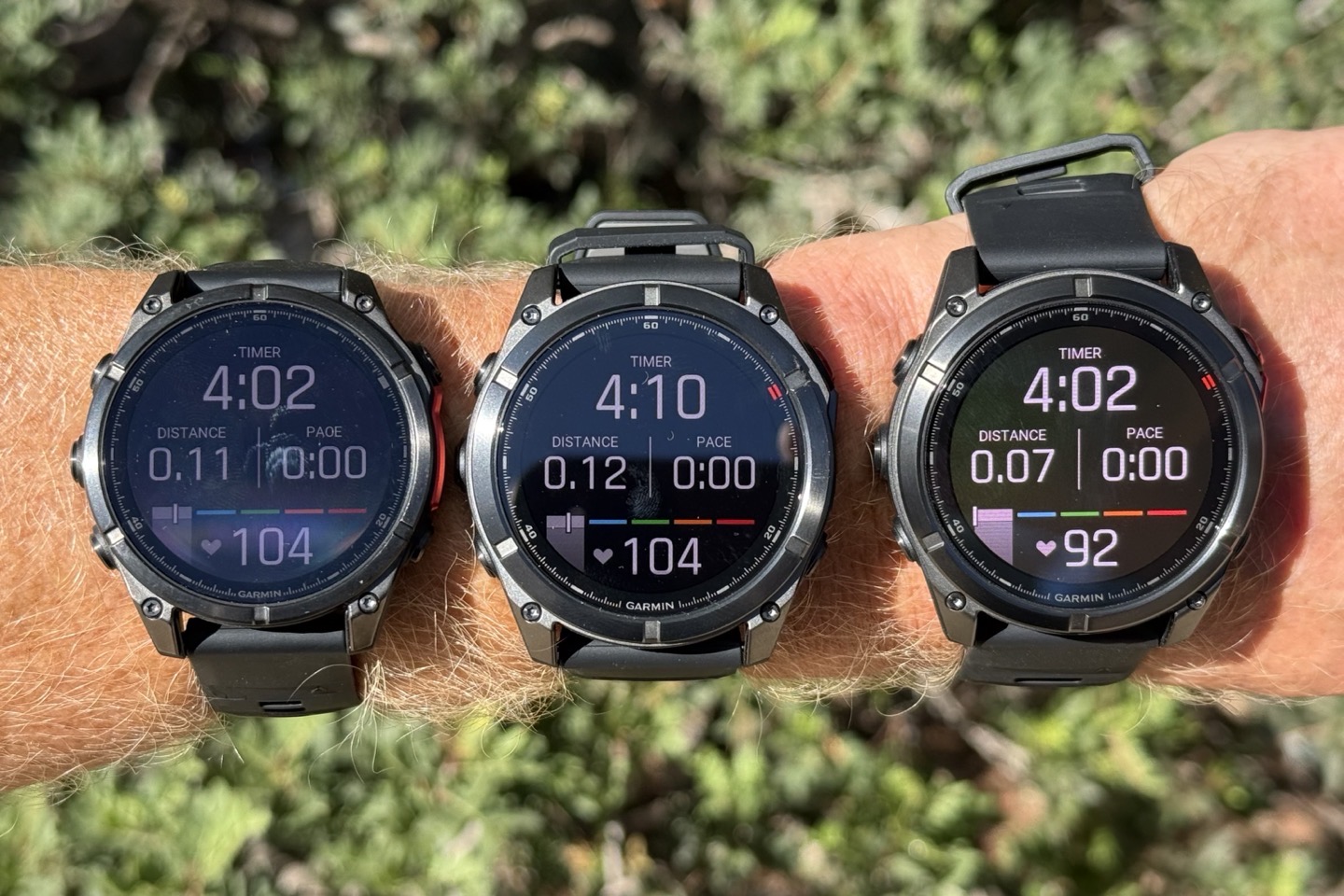
They noted that they really only use those peak periods for small portions of time. For example, they won’t turn it on at full 4,500 pixels on the map page, because it’d blow through the battery. Whereas it would really be more for data fields, because they only need to turn on those white pixels.
Now, what’s kinda funny about this is that despite what some MIP-loving people may say about AMOLED, the issue has never really been display brightness on sunny days. Seriously, the Epix Gen 2 display is perfectly visible on a sunny day, be it on top of a snowy mountain, the beach in summer, or anywhere else I’ve taken it.
Instead, it’s primarily been about off-angle viewing when your wrist is down (and the backlight isn’t activated). This aims to solve it, without smashing the battery. That’s sorta the goal here and is something Garmin heavily touts as being a big advantage. Here’s an example side-by-side:
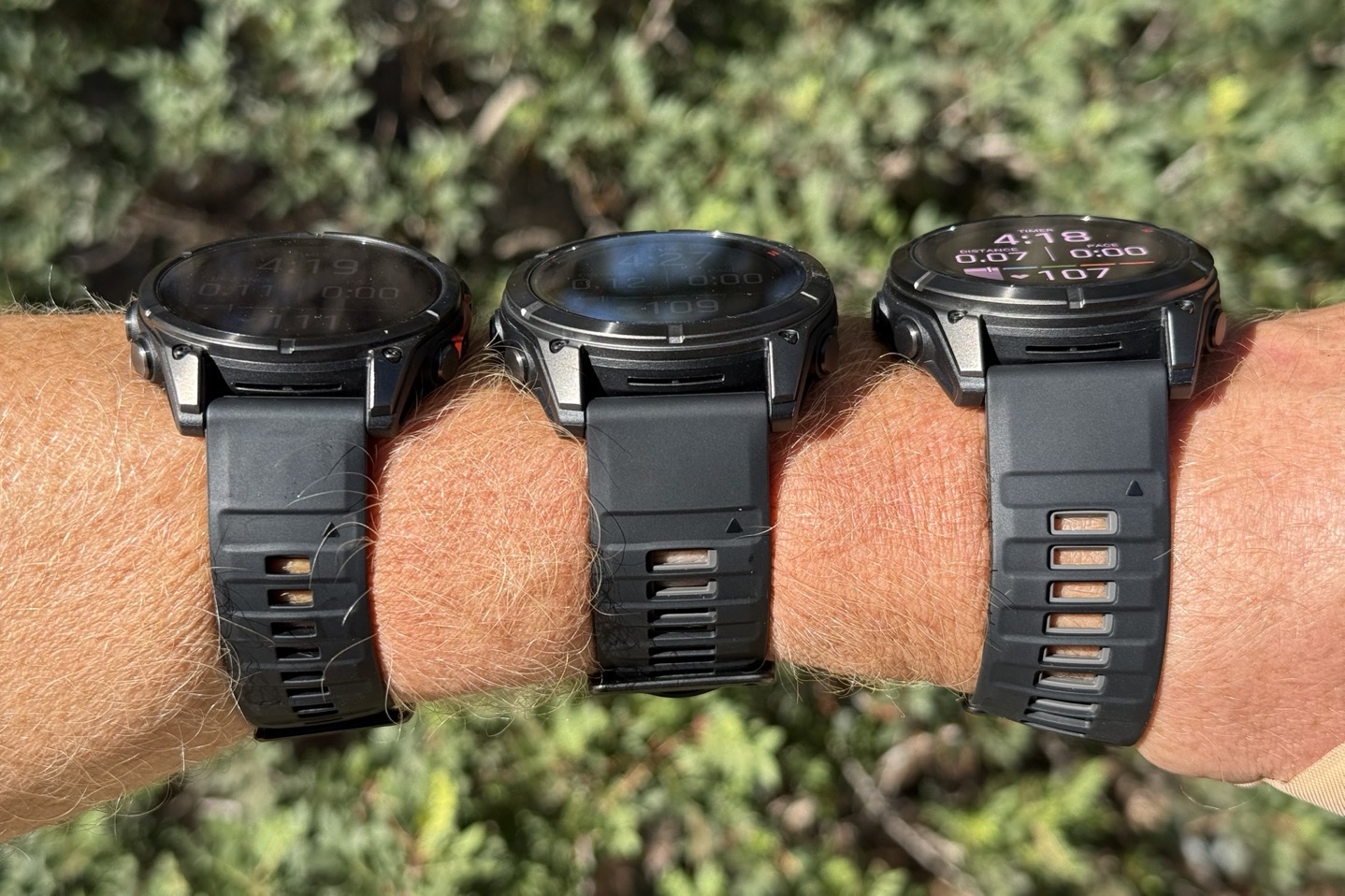
(Side-by-side: Fenix 8, Fenix 8 Pro, Fenix 8 Pro MicroLED)
As you can see, that’s a huge difference! Albeit, I’d be hard-pressed to spend $2,000 on such a difference. But hey, that’s just me.
However, just as important as peak brightness is minimum brightness. Being able to get super dim at night, ideally down to 1-nit. That way, you can still see the screen, but it doesn’t blind you at night. Garmin has been pretty good there on their own displays in recent years, though, I find the newer Venu X1/FR970/etc still a bit too bright (compared to say the Apple Watch Ultra 2 display). In fact, when I talk to Apple & Google, the key thing they often tout and are most proud of, is *not* the peak brightness, but the minimum brightness. Both companies have noted how hard it is to get that right. Blasting it full brightness is, by comparison, easy.
In any case, in real-world out on the trails on a sunny Mediterranean island day, it’s frankly hard to tell the difference head-on between the Fenix 8 Pro display and a Fenix 8 Pro MicroLED display to the naked eye. However, the camera definitely sees the MicroLED more. Again, this is part of the challenge of how cameras look at shadows and try and balance things out.
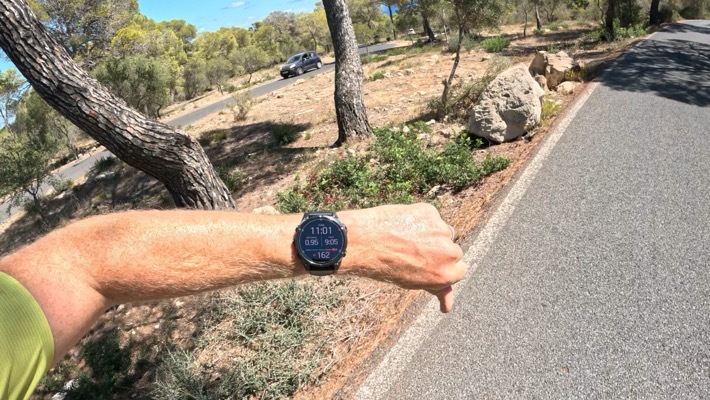
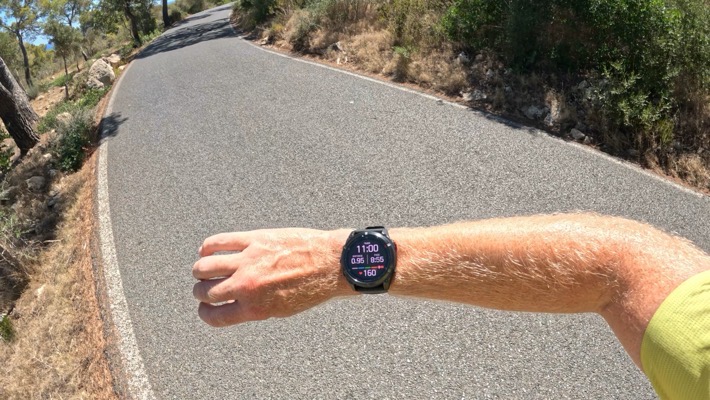
Instead, it’s really about those on-angle viewing differences that you definitely notice it. Though that was never really a big deal to me on previous AMOLED devices. Thus, this clearly isn’t worth it to me – especially with the battery hits. Speaking of which, here are those battery hits:
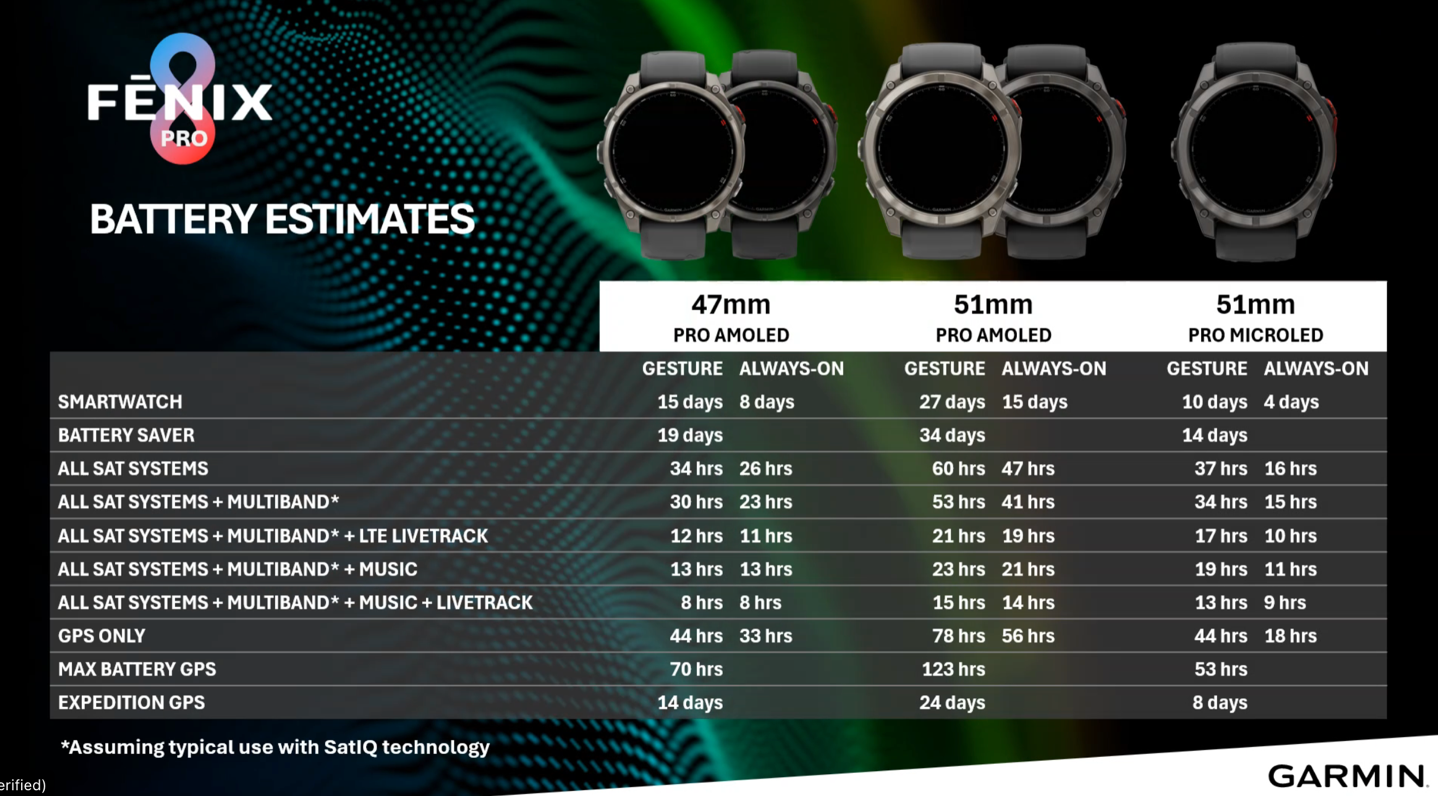
As you can see, it’s pretty substantial, which kinda seems like it defeated the entire point of MicroLED in having longer battery life.
Going Forward:
In terms of wearables, Garmin is making a massive stride forward for the industry. Sure, everyone else has had cellular connectivity for years, and now Garmin is finally joining that camp on their flagship devices. But more critically, Garmin is leading the way on satellite messaging & connectivity. Undoubtedly, we’ll see competitors expand their offerings (it’s widely expected Apple will join Google’s watch-based satellite SOS pieces next week), but I suspect with Garmin we’ll see Garmin’s deeper athletic focus here drive the cellular/satellite-focused features faster than the others.
The ability to not only have LTE live track sessions during workouts, but also have backup position check-ins when out of cellular range is huge, at least for me. Large chunks of the trail running routes directly out my front door don’t have cellular connectivity, and are rarely run/used, but if something were to happen, I’d probably be there a while. Meanwhile, for my wife, who mostly runs within cellular coverage, this solves the big tracking gaps for her (she hates taking her phone).
Yet, she’s pretty angry about these new sizes. This is not at all what she wants. She’s been a small-sized Fenix customer for years, and this entirely misses the boat in her opinion. Furthermore, she’d argue (correctly, I’d say) that the audience that wants LTE-onboard connectivity for safety reasons more than anyone else is probably the female audience. And these new watches won’t fit many of them.
As for pricing…yeah, that sucks. It sucks even more that Garmin is clearly aiming to deliver parity pricing to Europeans (e.g., both $1,199/EUR), despite the tariffs being US-driven. Setting that aside, there frankly isn’t much competition for what Garmin is offering, and as such, they can charge whatever they want.
In any case, I’ll be putting things through deeper testing over the coming weeks – so stay tuned for the full in-depth review!
Thanks for reading!
Found This Post Useful? Support The Site!
At the end of the day, I’m an athlete just like you looking for the most detail possible on a new purchase. These posts generally take a lot of time to put together, so if you're shopping for the Garmin Fenix 8 Pro Series or any other accessory items, please consider using the affiliate links below! As an Amazon Associate I earn from qualifying purchases. It doesn’t cost you anything extra, but your purchases help support this website a lot.
And of course – you can always sign-up to be a DCR Supporter! That gets you an ad-free DCR, access to the DCR Shed Talkin' video series packed with behind the scenes tidbits...and it also makes you awesome. And being awesome is what it’s all about!