

Update! My full long-term in-depth review of the Garmin Vivoactive 4/4S is over here, with tons of accuracy data and months of testing. Dive in!
Today Garmin announced the new Vivoactive 4 & 4S watches, within a pile of different color/material variants. The difference between the 4 & 4S is simply the size. They also announced the new AMOLED display Venu watch, which I cover in a different post. Ultimately though the Vivoactive 4 and Venu watches are *identical* in features and functionality. You could hold the two watches side by side and go through every button press the exact same way and achieve the same results. The only difference being the extra live watch faces on Venu (and of course, it’s a much prettier display that you pay for in battery life).
But this post is about the Vivoactive 4, not Venu. The VA4 takes the Vivoactive 3 of yesteryear and advanced it forward with a pile of new features, as well as including music as the baseline. Previously music was in a separate edition (the Vivoactive 3 Music), but now it’s part of both the VA4 and VA4S watches. Within both there’s the slate of new features primarily related to other workout types like yoga & Pilates with animated step by step workout move instructions, 24×7 respiration rate tracking, estimated sweat loss and finally hydration tracking. Plus the bringing in bits like PulseOx and the new Sony GPS chipset from other watches.
So with all that listed, let’s get straight into the newness. Note that I have had a unit for the last couple of weeks. And normally at this point I’d be doing an in-depth review, but simply put, this product isn’t ready to ship. So since it’s not ready yet – I’m waiting for final firmware and doing an in-depth review sometime in September. Also note that like the two Venu & Vivoactive 4 watches, my two posts on these watches at this point are incredibly similar. Art imitating life or something like that.
What’s new:
The first thing to know is that while previously there were separate editions of the Vivoactive lineup – one for music (e.g. Vivoactive 3 Music), and one for non-music (Vivoactive 3) – plus Venu, now that’s all under a single umbrella with all units having music onboard. On the flip-side, you’ve now got two different sized units, and things cost more. The pricing is as follows:
US Pricing:
Vivoactive 4/4S US Pricing: $349
Venu: $399
EU Pricing:
Vivoactive 4S: €279 & €299 depending on bezels/buttons
Vivoactive 4: €299 & €329 depending on bezels/buttons
Venu: €349 & €379 depending on bezels/buttons
With that, let’s talk all the new things in relation to the past model – the Vivoactive 3:
– Music now standard: Including Spotify, Amazon Music, Deezer, and iHeartRadio
– Vivoactive 4 is 45mm and includes a color touchscreen display
– Vivoactive 4S is 40mm and includes a color touchscreen display
– Added secondary button to side: Used for lap, back, menu access
– Added hydration tracking to manually track liquid intake with widget and app
– Added Estimated Sweat Loss post-workout
– Added Respiration Rate for all-day and sleep metrics (and certain workout types)
– Added Breathwork Exercises (way different than simple breathing stress features)
– Added Workout Animation functionality: For Strength, Cardio, Yoga, Pilates
– Added new Yoga and Pilates Built-in workouts: Includes step by step animations
– Added ability to design Yoga workouts in Garmin Connect: Complete with step by step pose animations
– Added ability to design Pilates workouts in Garmin Connect: Complete with step by step animations
– Added PulseOx for 24×7 blood oxygen tracking
– Revamped health stat widget akin to latest Fenix/Forerunner models
– Switched to Sony GPS chipset like remainder of Garmin 2019 unit lineup
– Switched to Garmin Elevate V3 optical HR sensor
– Battery life at 5 days standby, and 6 hours of GPS+Music
As you can see, the vast majority of new features on the watch are far less focused on the swim/bike/run athlete that’s more common in Garmin’s Forerunner and Fenix lineup, and instead focused on a bit more of the lifestyle athlete that may be more varied in their day to day activity – which to be fair, was always the strength/target of the Vivoactive lineup, as this is within that family.
For those not familiar with the Vivoactive lineup, here’s all the baseline features found on both the Venu & Vivoactive 4:
– GPS tracking of activities (no reliance on phone)
– Workout tracking of range of sports including running, cycling, pool swimming, skiing, golf, gym and many more (full list down below)
– Structured workout support via downloadable workouts
– Quick on the fly intervals
– Training calendar support
– Optical heart rate sensor in watch
– 24×7 tracking of steps, stairs, calories, and distance
– Smartphone notifications from iOS/Android
– Garmin Pay for contactless payments
Ok, with all that out of the way, we’ll dive into the details. But first, one more thing:
Yes, the Garmin Fenix 6 Series & Forerunner 945 will get *all* of the new features noted above. Yup, all of them. For the Fenix 6 series, that update is slated for here in September, whereas for the Forerunner 945, that update is expected this fall.
Hands-On Details:
For this post I’m mostly focusing on the new things. In my full in-depth review I’ll cover all the basics of using the watch that are more or less the same on every Garmin watch.
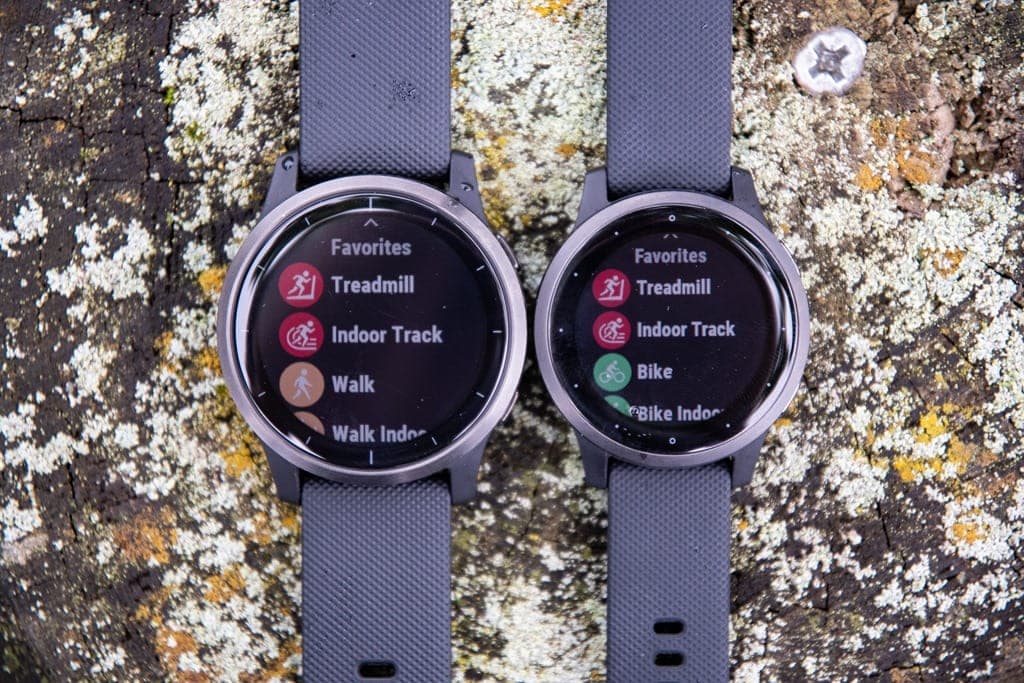
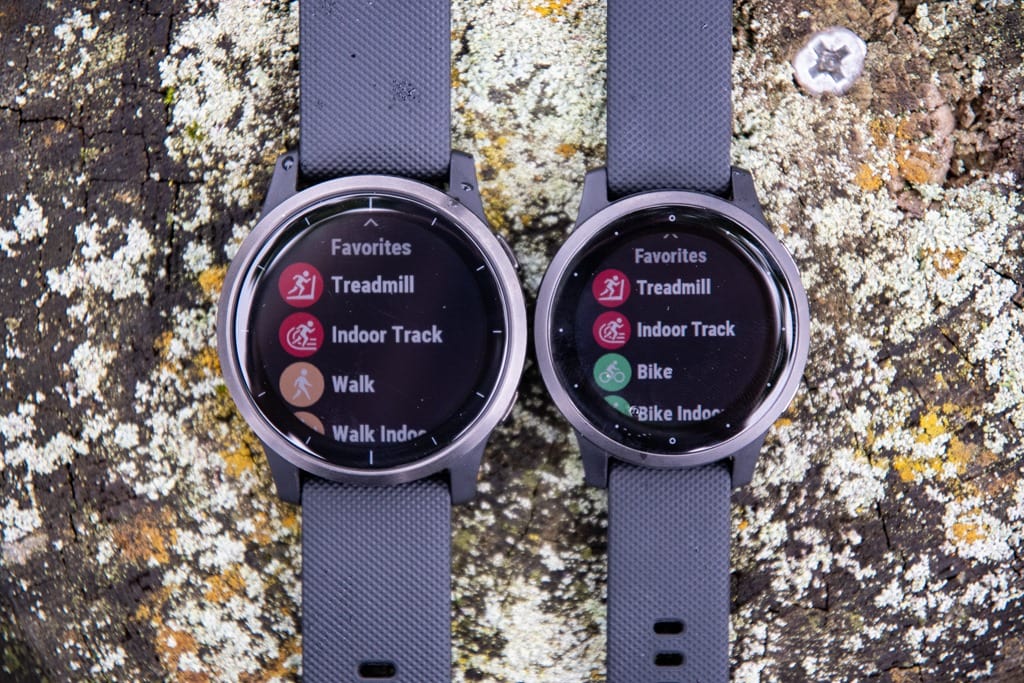
The first thing to note is that there are two sizes, the Vivoactive 4 and Vivoactive 4S. Feature-wise they’re identical.
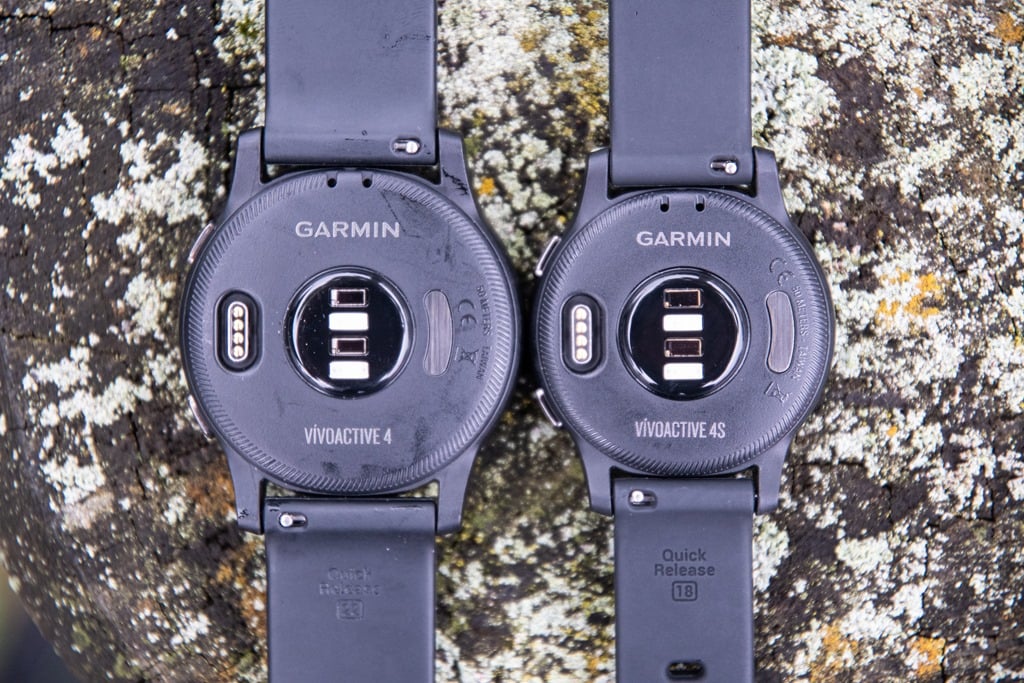
Though battery-wise there are some differences:
Smartwatch mode (no GPS): 8 days for the VA4, 7 days for the VA4S
GPS time (no-music on): 18 hours for the VA4, 15 hours for the VA4S
Music + Animations in Strength Workout + Workout: 4.5 hours on the VA4, 3.5hrs on the VA4S
Next on the list of new items list is the additional button. Previously there was one button – but now there’s two of them. It’s a nice touch, and really makes navigation so much more efficient. Folks coming from other Garmin watches will find it far more natural too:
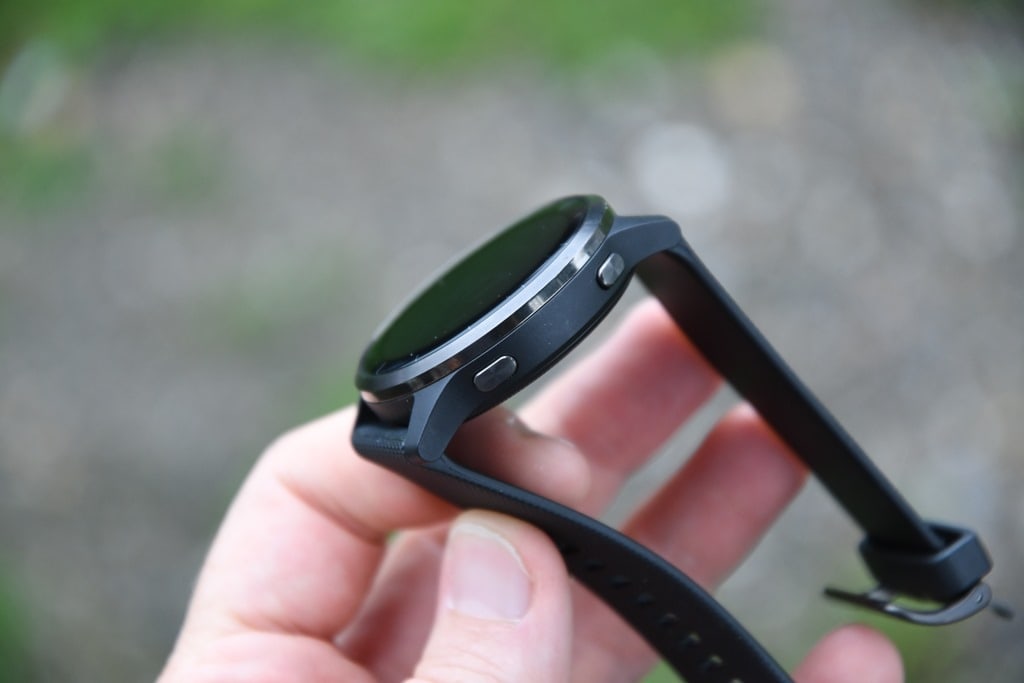
The upper right button is the start/stop/confirm/enter type button, whereas the lower right button acts like a back/lap/escape function. Again, works great.
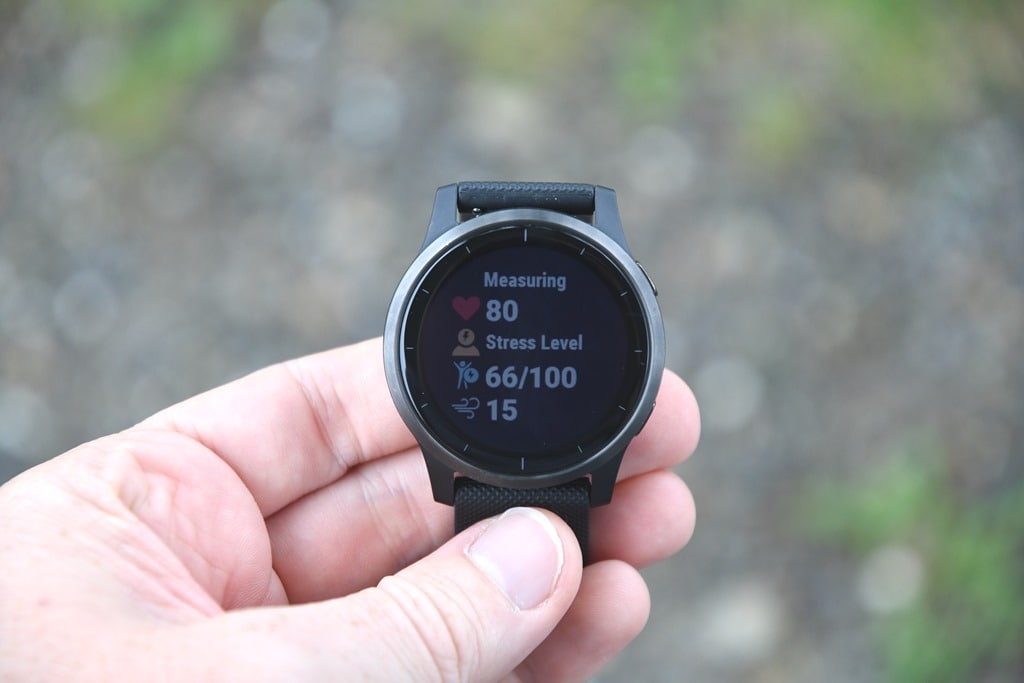
Next we’ll get into some of the new health features, starting off first with the refreshed health stats. This falls in line with other Garmin wearables and allows you to see things like heart rate, stress, breathing rate, and body battery in one quick glance:
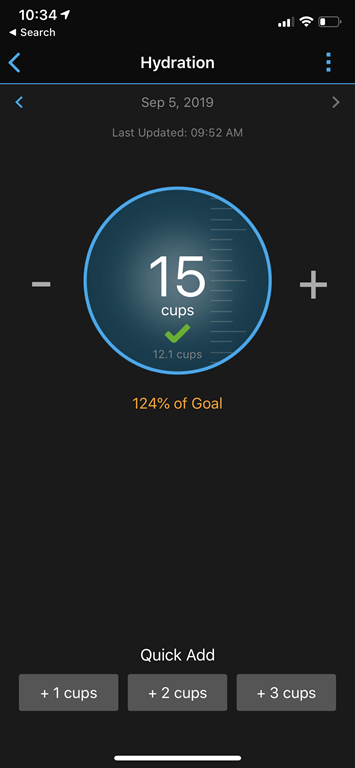
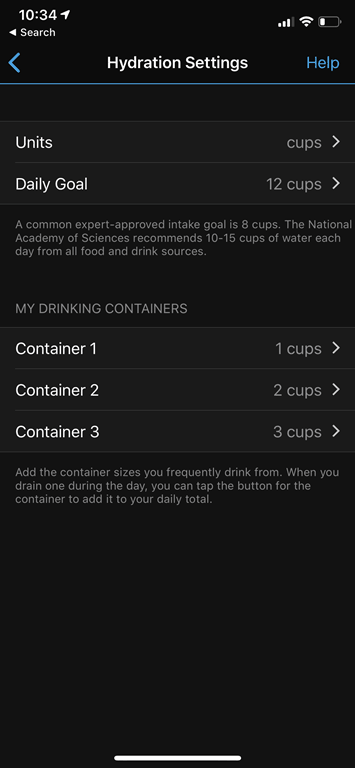
You’ll find yourself a new hydration tracker widget. The way this works is that you define three ‘vessels’ (or cups, as you see them), and each of these are basically custom containers. So Cup #1 could be an 18oz bottle, cup #2 could be an 8oz cup, and cup #3 could be whatever else you want. Anytime you tap on that cup it automatically adds the appropriate amount of tracked liquid. Presumably it’s water, but perhaps you’re going for a vintage wine bar hopping experience and really want to know how many glasses you’ve drank.
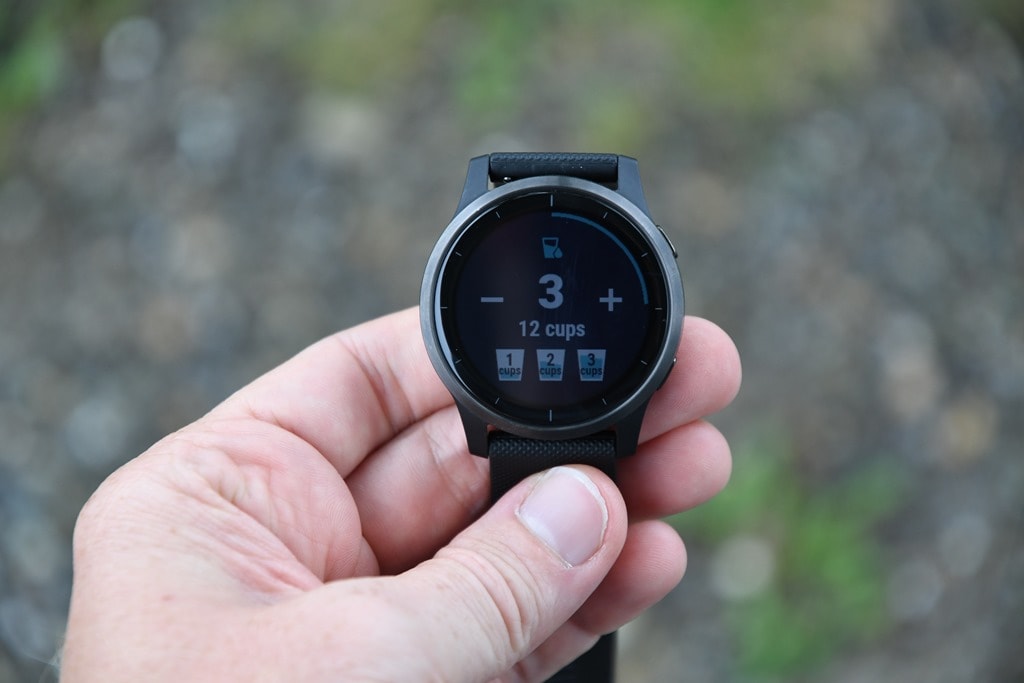
All of this can be customized to metric instead of cups, by the way. And you can add water within Garmin Connect Mobile and it should merge together (right now that’s not working for me). The whole point of this is largely water tracking. For those trying to lose weight, one of the best ways to support that is drinking lots of water (for a variety of reasons that Google can help on). You’ll see your goal progress (as defined in settings on the app) around the outside:
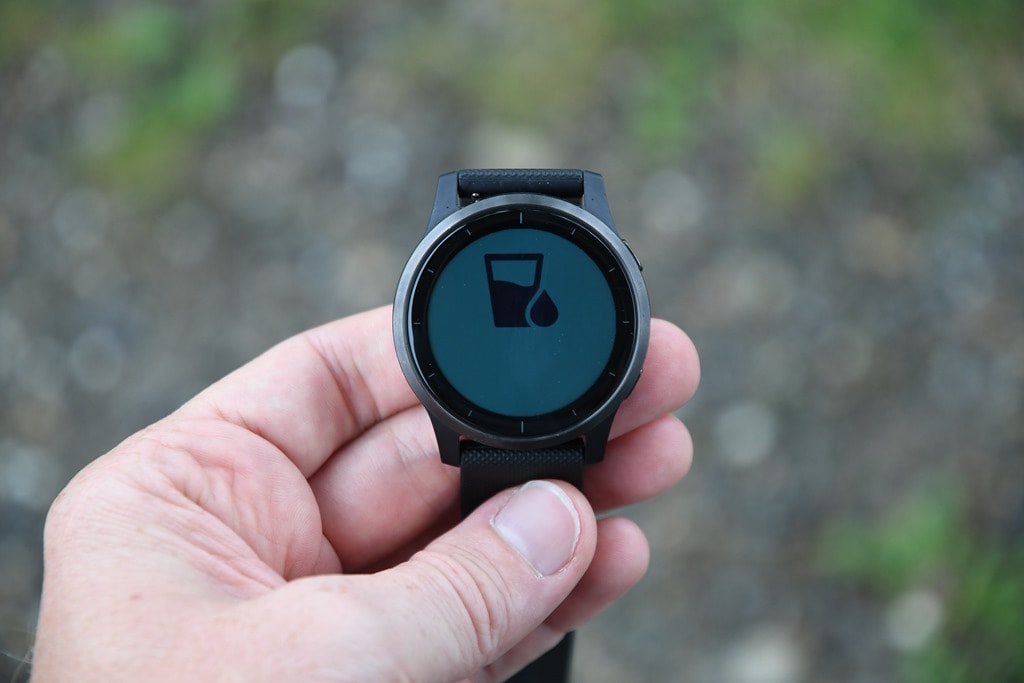
Garmin is looking at this feature much like the female menstrual tracking functionality they added the past spring across a number of watches in that it’s technically a Connect IQ widget that’s pre-loaded onto the Vivoactive 4 watches, but expect to see it expanded quickly beyond that.

Next, there’s the new breathwork features. Now unlike typically slowly breath in and out features we’ve seen on various watches, this is at an entirely different level of breathwork, often called mindful breathing. For you endurance athletes, think of this like the mother of all structured workouts. And in fact, you’ll find it under the workouts section:
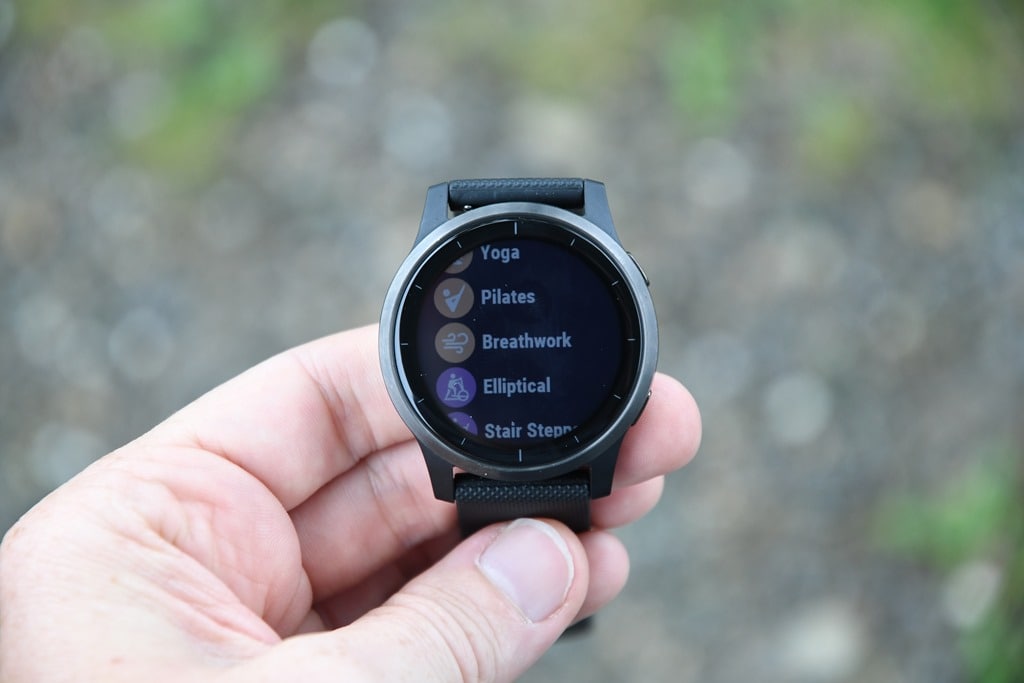
It’s here you can choose a specific breathing technique:
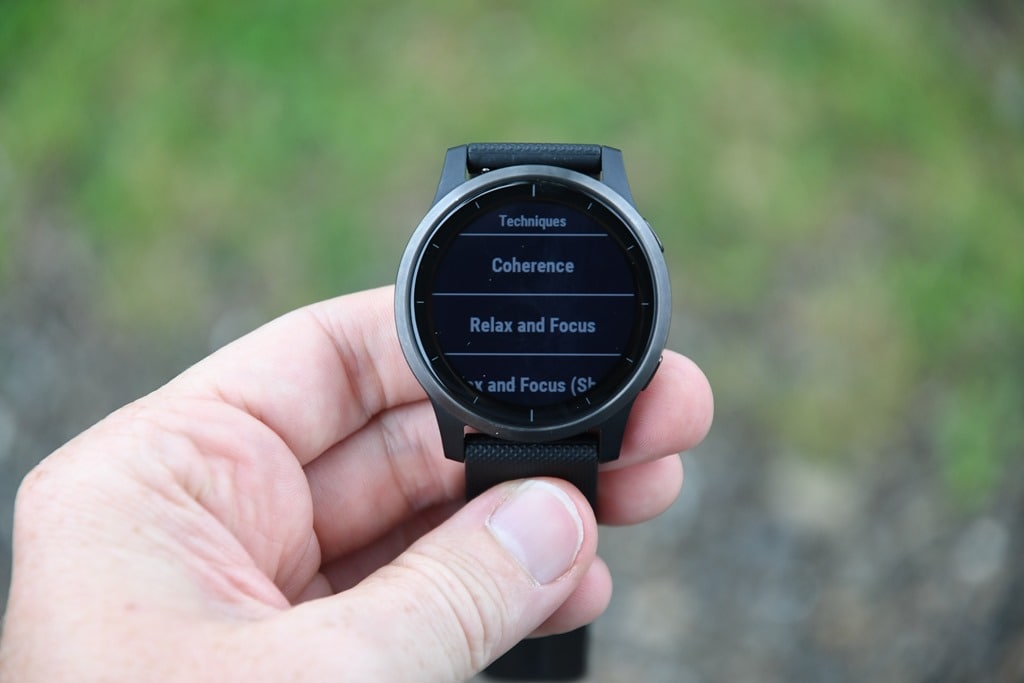
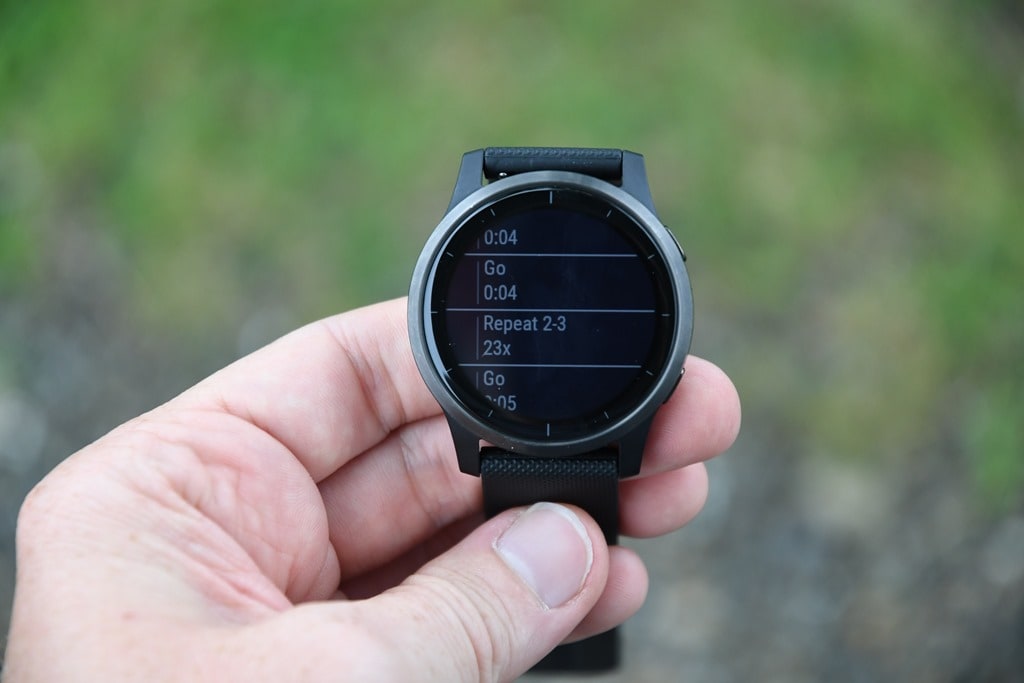
Once you’ve done that, it’s got all the steps listed. Seriously, some of these have repeats that list ‘23x’. Imagine if your swim workout said ‘Repeat set 23 times’. Yikes.
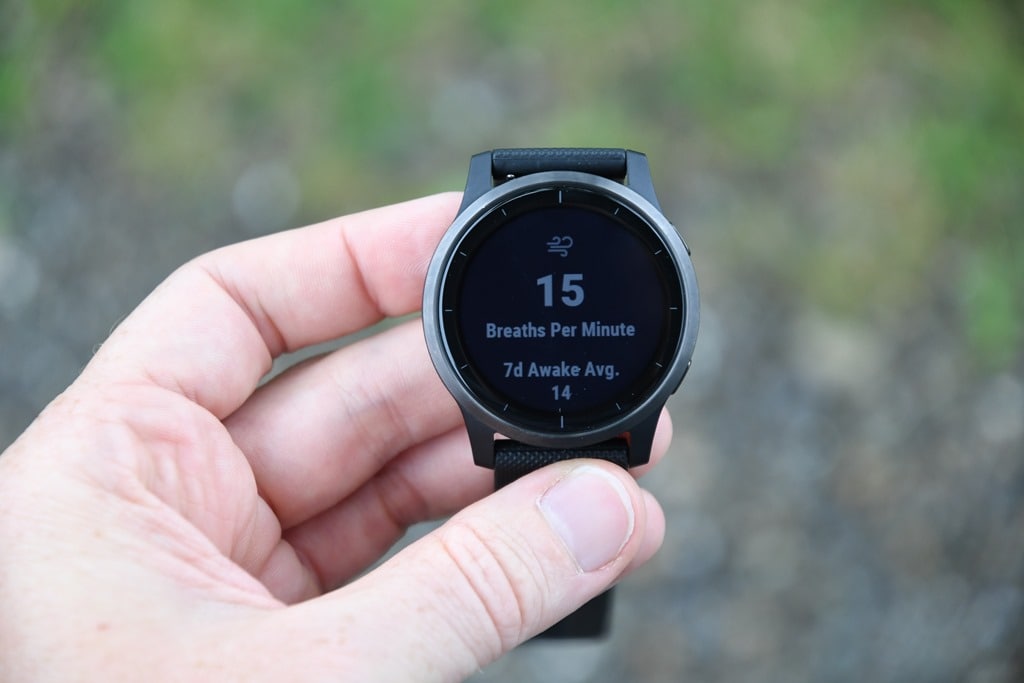
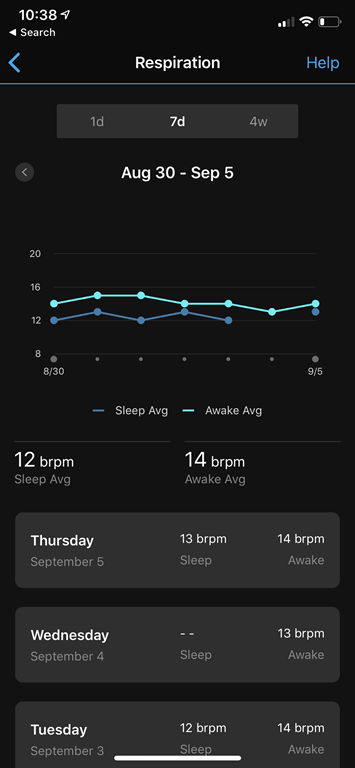
Within the breathing exercises you’ll also get respiration rate data. new respiration rate feature does not require a heart rate strap, and is working constantly behind the scenes within the optical HR sensor to measure respiration rate (basically, breathing rate). You can see it on a dedicated widget on the watch:
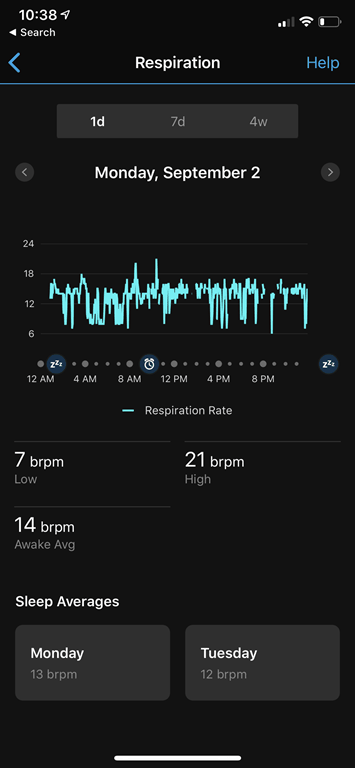
And then also see all the trending data on Garmin Connect Mobile within the respiration rate section under health stats. You can slice and dice by day or longer periods, and also get awake and asleep averages:
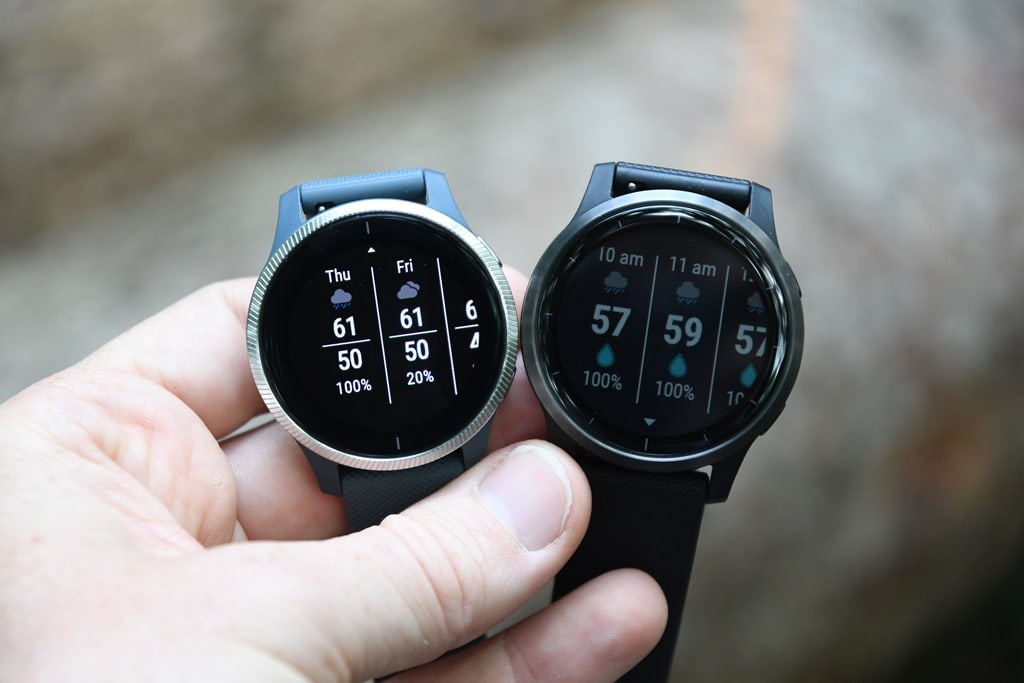
Now is a good time to talk about the display on the Vivoactive 4. As you’ve seen by the pictures, so far, it’s basically the same quality of display as past Vivoactive watches in terms of readability or such. However, the differences are most visible compared to the Venu when you put them side by side in some of the widgets. Here’s an example side by side of the weather widget on the Vivoactive 4 and the Venu.
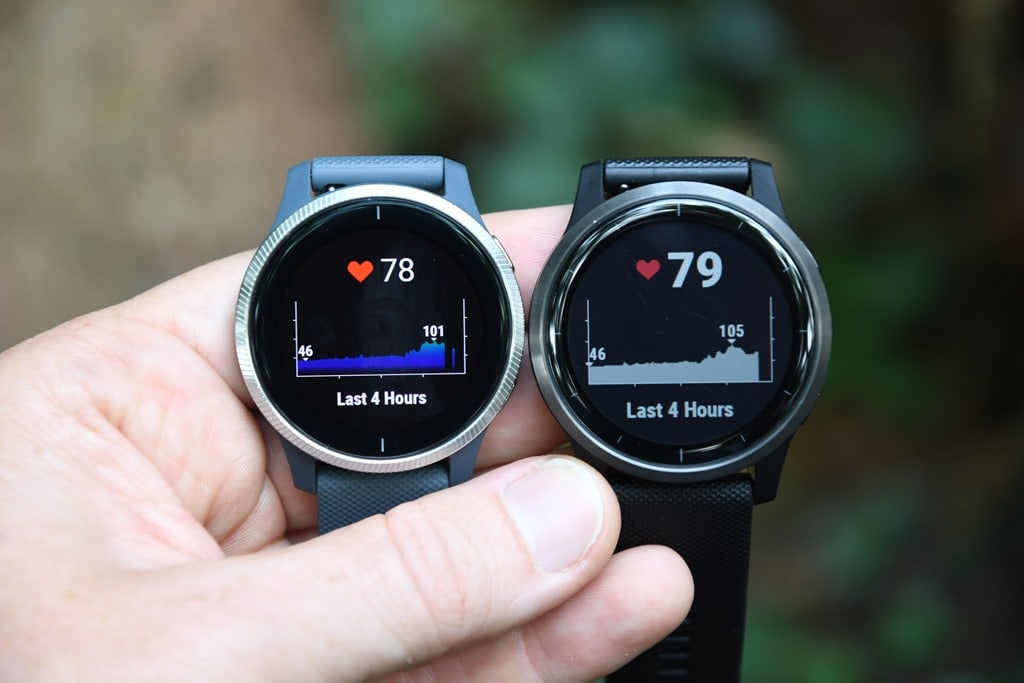
And again, this time for that heart rate graph. Note for all these photos in both posts, I’m using the default backlight settings.
Now finally, as I noted early on in this post, this isn’t a review. The reason isn’t because I haven’t compiled tons of workouts on it or worn it a bunch. It’s because at this juncture I don’t believe the firmware is final, and thus, it’s not representative of the units going to consumers. And in the case of both Venu and the Vivoactive 4, I’ve had a far rougher stability experience than I’d find acceptable at this point in time. I’m reasonably confident Garmin will be able to fix the issues I’ve stumbled on, but with an announcement today, they aren’t yet fixed and thus I don’t believe they’re going to be shipping on this specific firmware version. Once I’ve got a final firmware version (one they’re shipping to consumers with), then I’ll circle back with a typical full in-depth review. The point being, things will likely get better, but as always, it’s plausible they don’t.
Sports-Specific Details & Tests:
While many of the new features are within the general aspects of the watch (like hydration), a huge pile of them are technically under sports (including the breathing features I talked about in the previous section). We’ll first look at these new features, and then from there dive into a quick accuracy check-up on some runs and such.
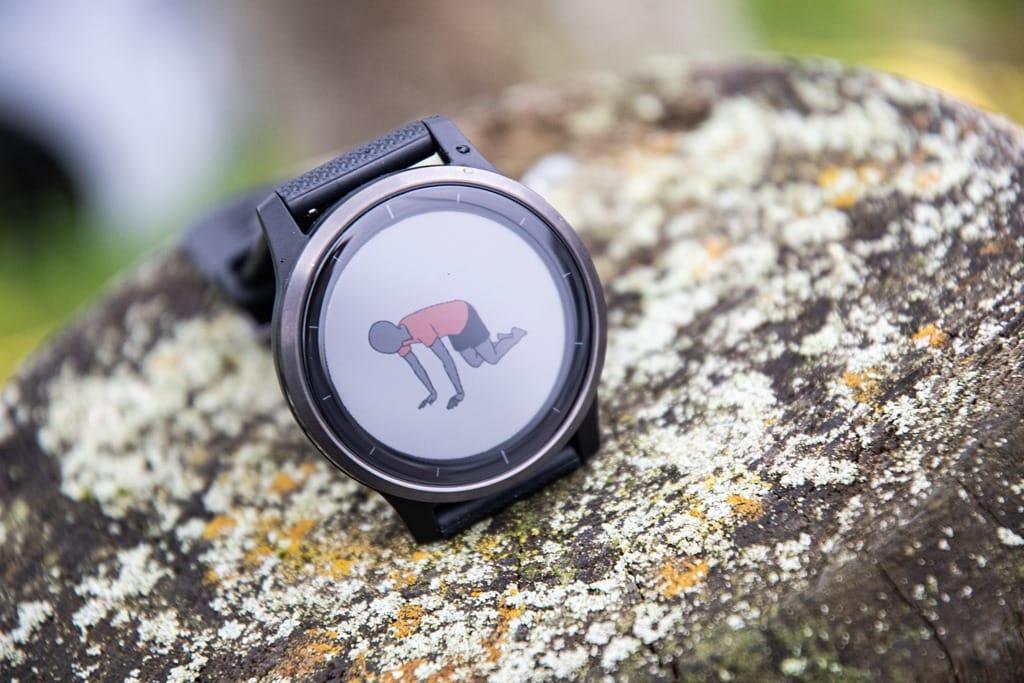
But first we’ve gotta talk animations. No, not like Dory and Nemo, but rather workout animations. Other watches, most notably Fitbit, have been doing this for years in the strength and core workout realm. But there have been plenty of others including Adidas and Polar that have tackled this. In Garmin’s case for four workout types (Strength, Cardio, Yoga, Pilates) with some 41 different structured workouts between them. Within that there are small little animated peoples that you can see the exact steps of the workout.
Here, let me show you. Let’s pick a Pilates workout, first by going to the sport menu and choosing Pilates:
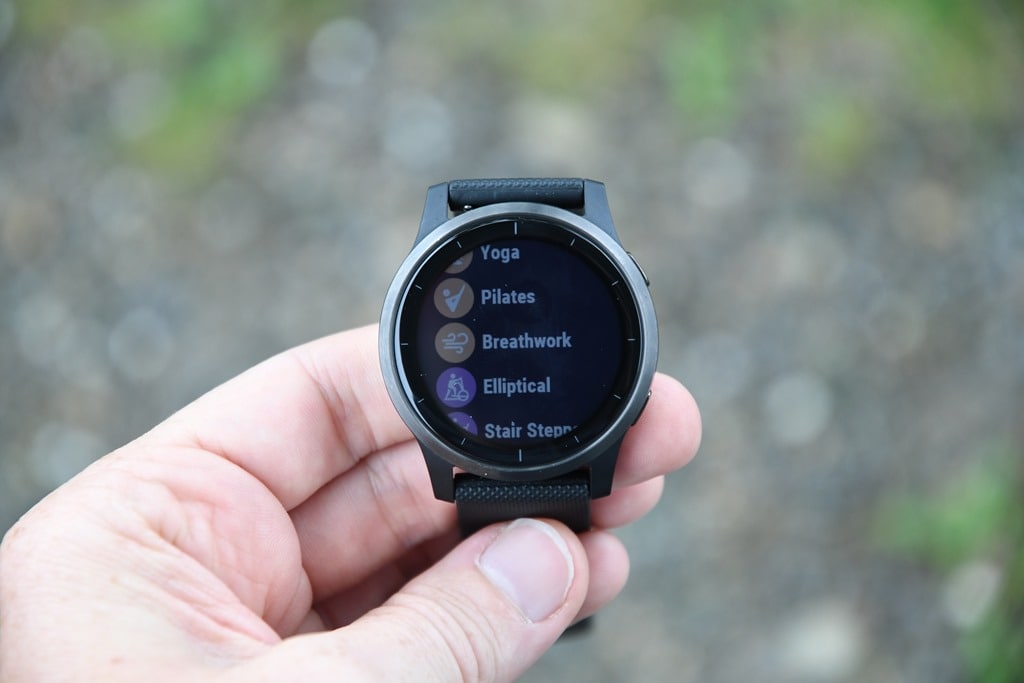
And then by swiping up to ‘Workouts’. It’s here that you’ve got a handful to choose from:

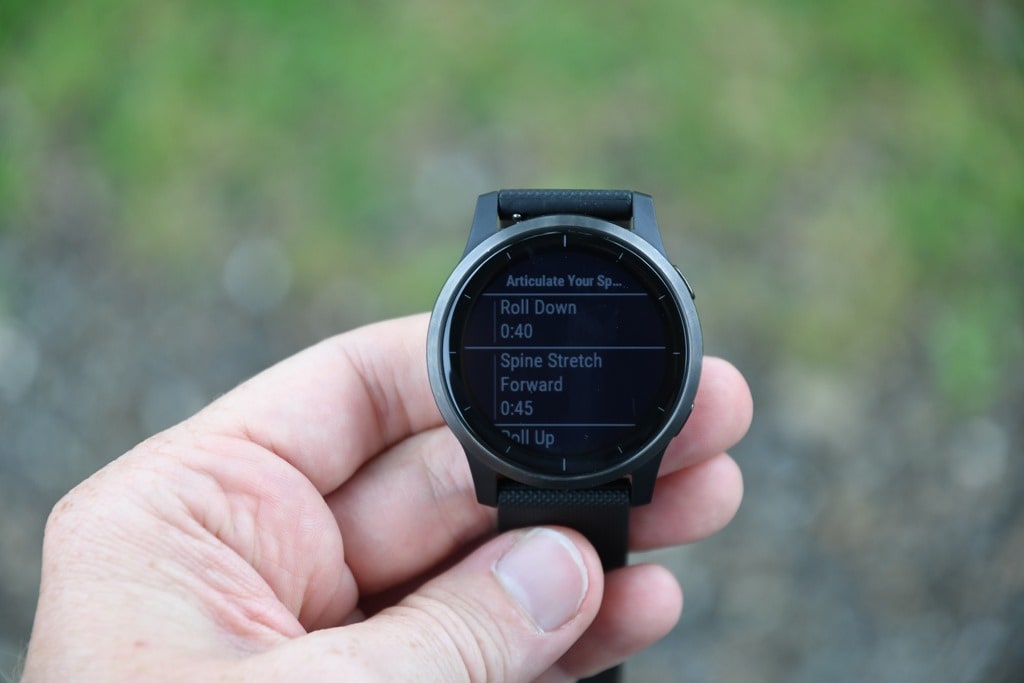
Pick one of them, Articulate Your Spine in our case because I’ve been sitting in front of this laptop now for countless hours. You’ll see each step listed with the number of seconds next to it:
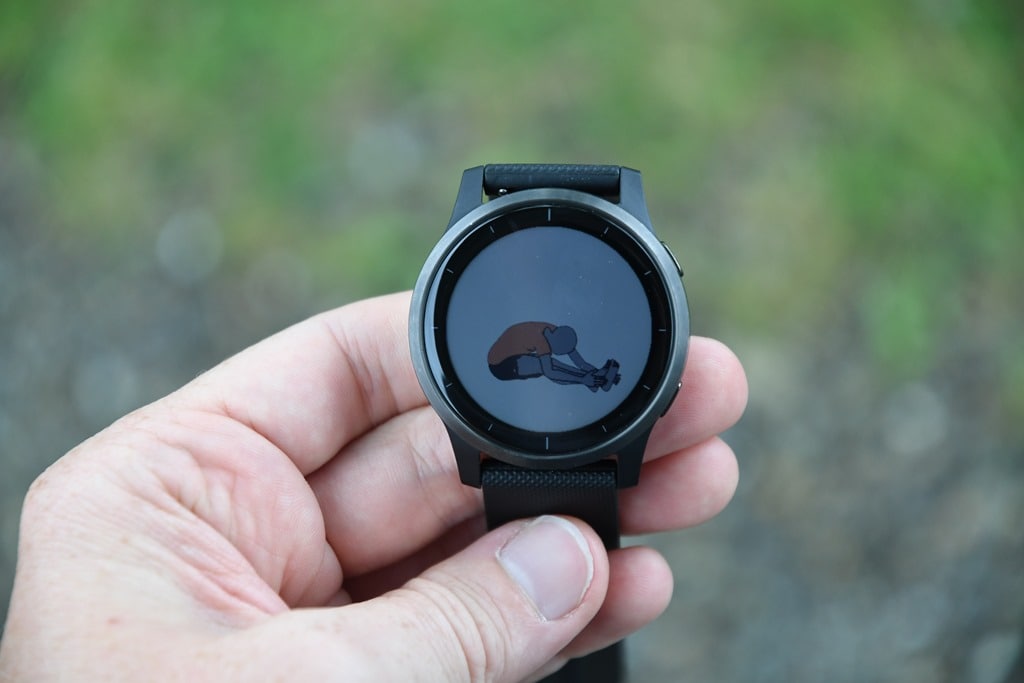
If you tap on a given item, it’ll go ahead and show you a short animation of that action:
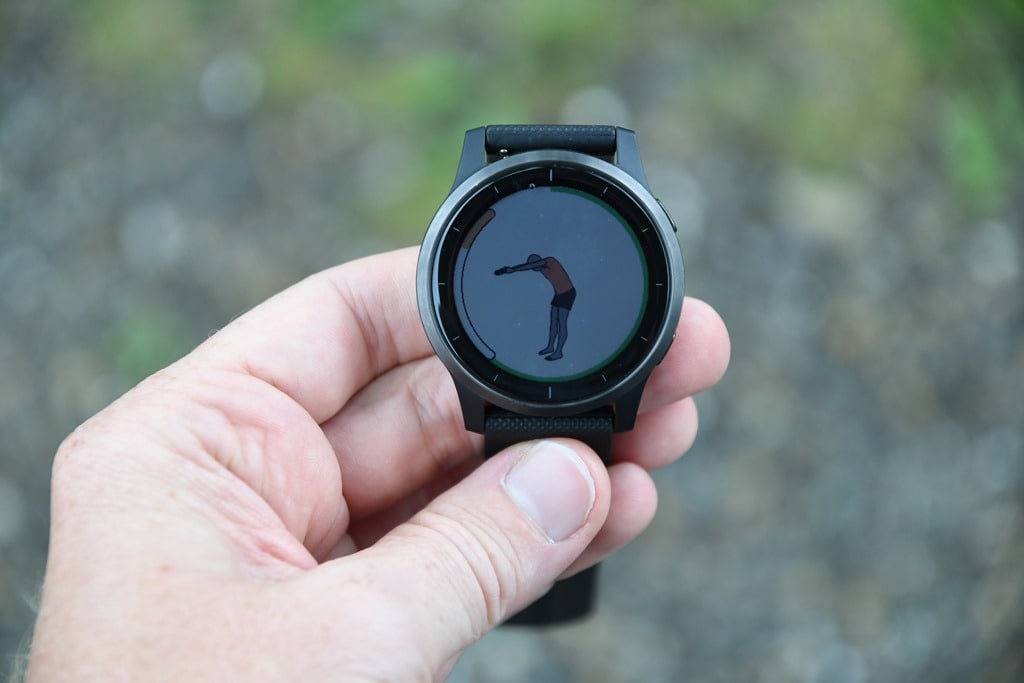
But let’s go ahead and actually start the workout. When you do that it’ll walk you through each step, with a timer around the outer edge of the step, and the inside for the pose itself:
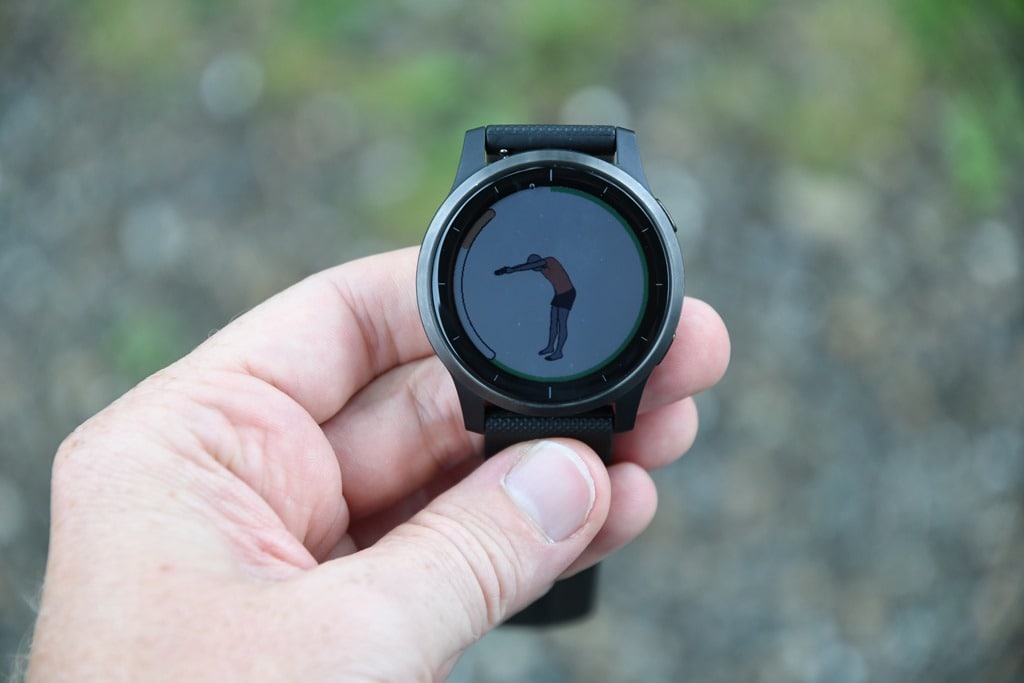
You can swipe down for a timer that’ll show you a count-down, or just wait for it to buzz for the next step instruction, with it giving the name of the move, and a pie-chart style countdown clock:

You can see your heart rate on that clock page above, but also within a regular data field you can set up on a data page:
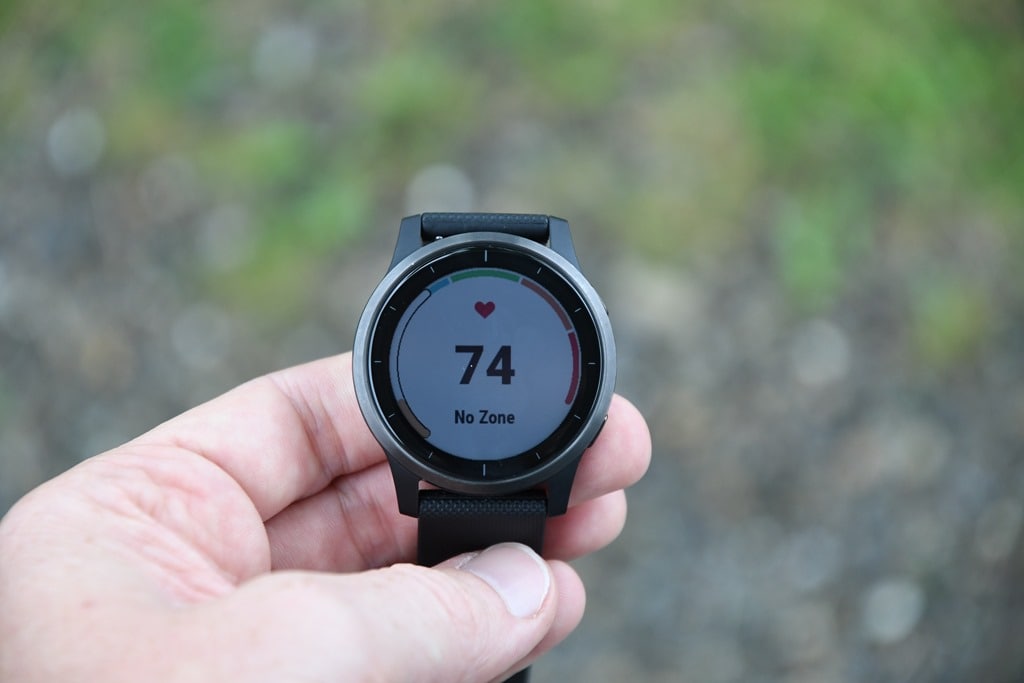
In fact, in the default Yoga data pages you’ll notice both the stress and respiration rate data fields are actually available there – something new on Garmin wearables.
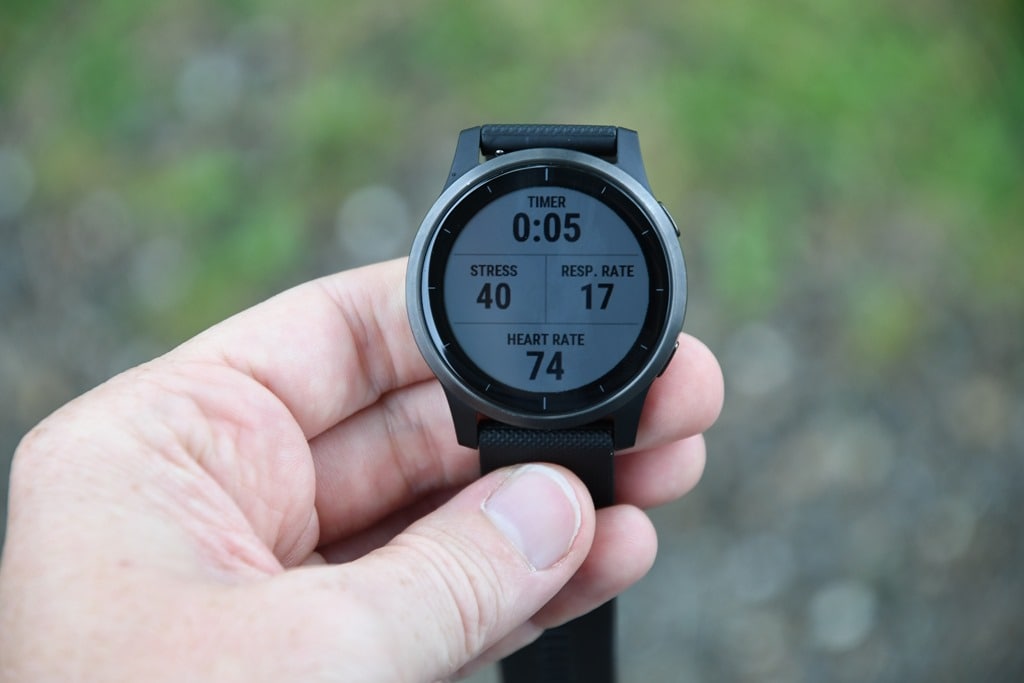
Now the overall poses/animations concepts are essentially the same whether you’re in yoga, Pilates, cardio, or strength. Obviously the specific for each workout are different, but the way the Garmin unit works is the same. With strength training you’re also getting rep-specific information too.
However where it really starts to get interesting is that you can create your own workout with Garmin Connect/Garmin Connect Mobile:
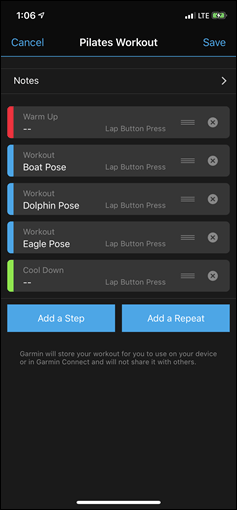
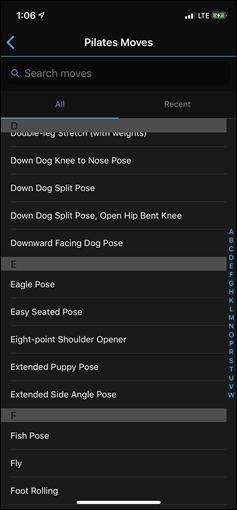
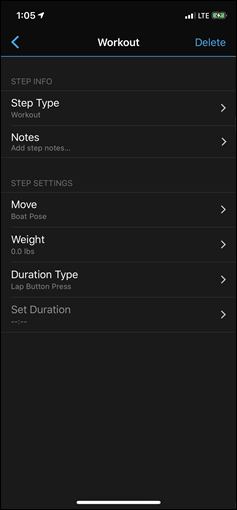
Though, at present you don’t see the animations on the Vivoactive – but hopefully that’s where things end up.
Let’s switch gears though and look at accuracy a bit as well as the new sweat loss functions, and no better way to do that than an interval workout. In my case, I just did a manual workout, though the Vivoactive 4 (like the Vivoactive 3) does support structured workouts. To start a run I simply tap the upper right button once, and select run from the list:
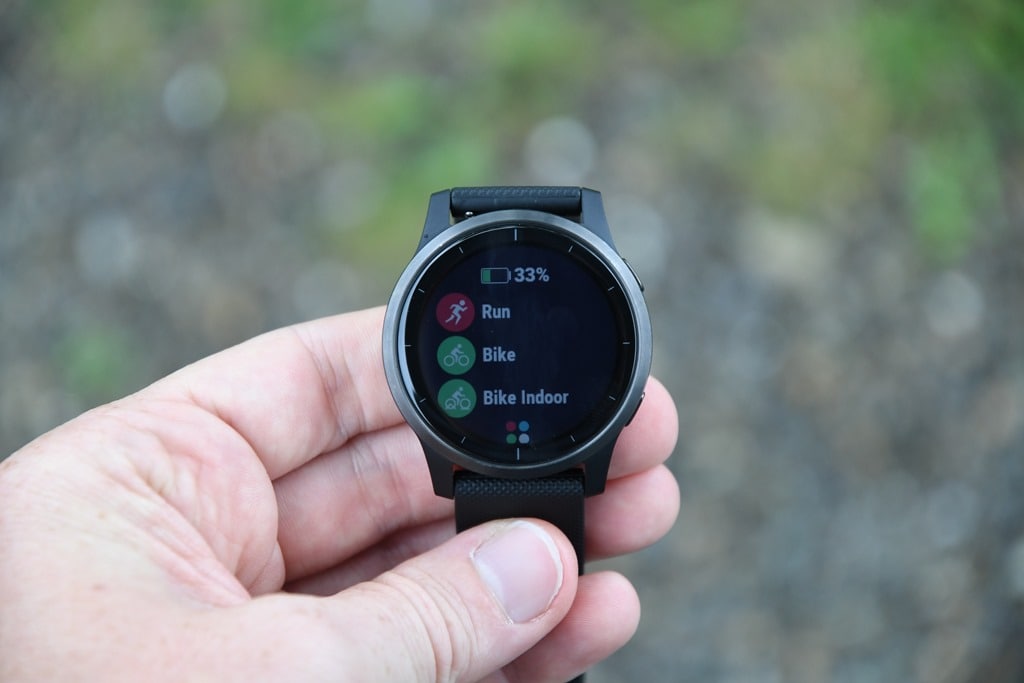
The GPS status and heart rate lock will also show up top:

You can also swipe up to choose a specific structured workout and do some ad-hoc intervals:

Then, it’s off I went on my run. In my case, just a couple of loops for a 5-6KM run after a long day driving to the convention halls. Nothing special. The display remains on the entire time I’m in my workout, so I don’t have to worry about waiting for it to illuminate when I glance at my wrist. Beyond that, it works just like any other Garmin watch in terms of showing you your running stats in customizable display pages:

Let’s start though by looking at GPS accuracy. In this case I’ve got it slated up against the Garmin Fenix 6 Pro (with the HRM-DUAL chest strap), the Suunto 9 (paired to the Polar OH1 Plus optical HR armband), and the Venu. Full data set:
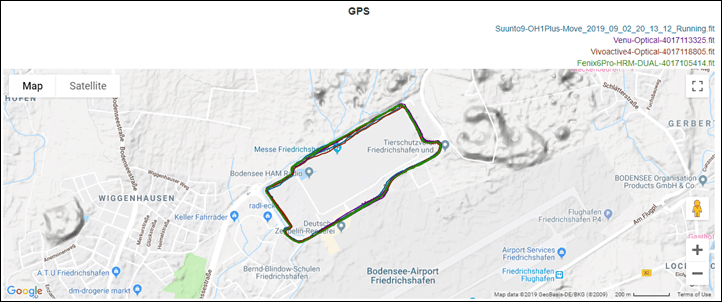
At a high level it looks mostly good, but let’s zoom in on one of those sections that looks a bit wobbly:
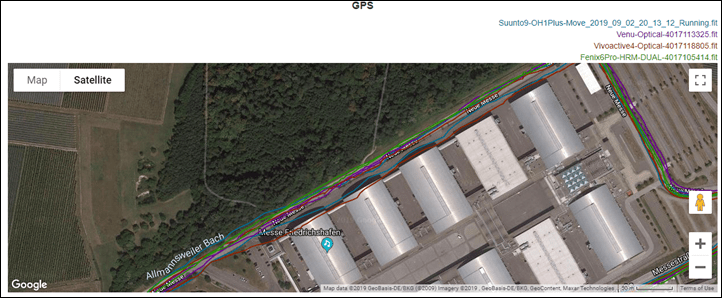
You can see in that on the upper side there that the Vivoactive 4 is doing some meandering into the convention halls. It did this on one pass, but not the secondary pass.
Beyond that one point however, it was pretty much spot-on the remainder of the time, matching where I ran each time.
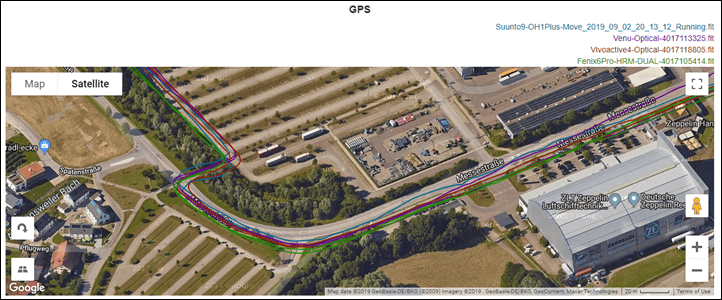
In general, the above run roughly matches what I see for the Vivoactive 4 in terms of GPS tracks. For the most part it’s good, but there’s also some runs where it’s a bit wobbly. Which I suppose is sorta the gist of things on the Sony chipset across the board, including Suunto and Polar (in fact, if you look at the linked data set, you’ll notice the Suunto 9 cuts a corner in the parking lot a bit too).
So what about heart rate accuracy? We’ll dig into that too – this compared against the HRM-DUAL chest strap and the Polar OH1 Plus optical HR sensor.
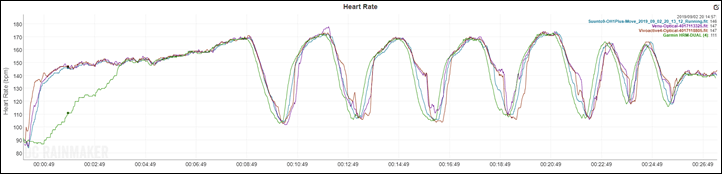
Ahh yes, the good ol’ classic evening fall run chest strap lack of connectivity (despite wetting it). It’s rare, but this night was more akin to a fall evening than a summer one, with cooler temps, and you can see that green line of the chest strap lagging. Though, from an optical heart rate standpoint, all the units were very close on the intervals.
If we zoom into one, we do see the laggyness of the Vivoactive 4 & Venu optical HR sensors though:

You can see the delay of both in comparison to the chest strap and Polar OH1, which more quickly adapt to the increased heart rate through each interval. But the delay isn’t horrible, at least compared to some. Keep in mind the graph directly above makes this look much longer than it really was, so be sure to look at the timescale.
Again, in my full review I’ll go through more data sets and dive into all the nuances. But the above dataset is largely representative of what I’m seeing across the board for accuracy (both good and bad).
Finally, the last new feature to touch on is sweat loss. After you upload an activity to Garmin Connect it’ll show you the estimated sweat loss leveraging the known outside temperature, your weight, humidity, and general black magic. You can see for this short 27 minute run, it was 163ml of liquid (lower right hand corner of right screenshot):
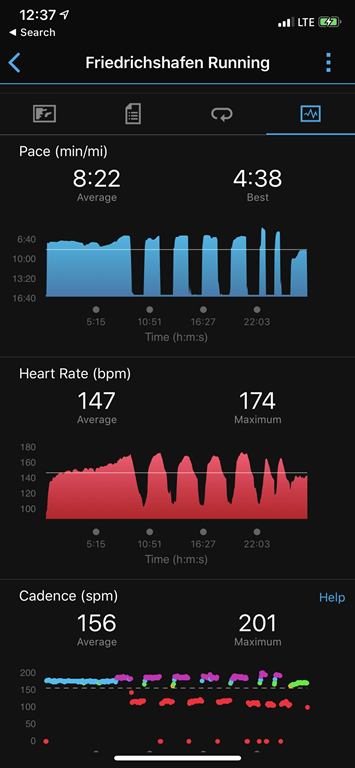
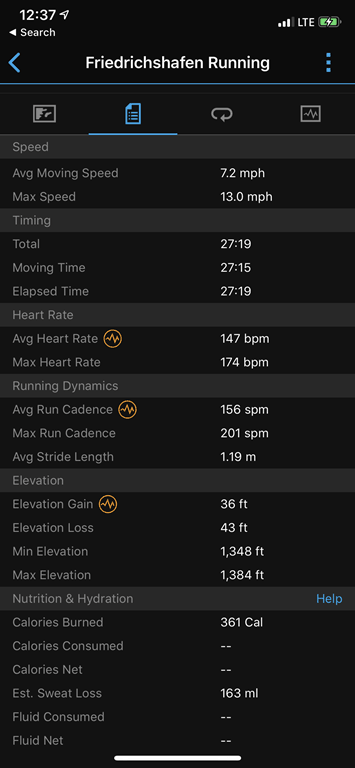
Ultimately, I suspect for most customers of the Vivoactive series units, this probably isn’t too much of a concern. But where it could be more interesting is on the higher end watches (which it’s coming to shortly) in terms of longer endurance workouts. At this point I haven’t done any weighing pre and post workout to validate this, but maybe if I get some nice warm days I will.
Wrap-Up:
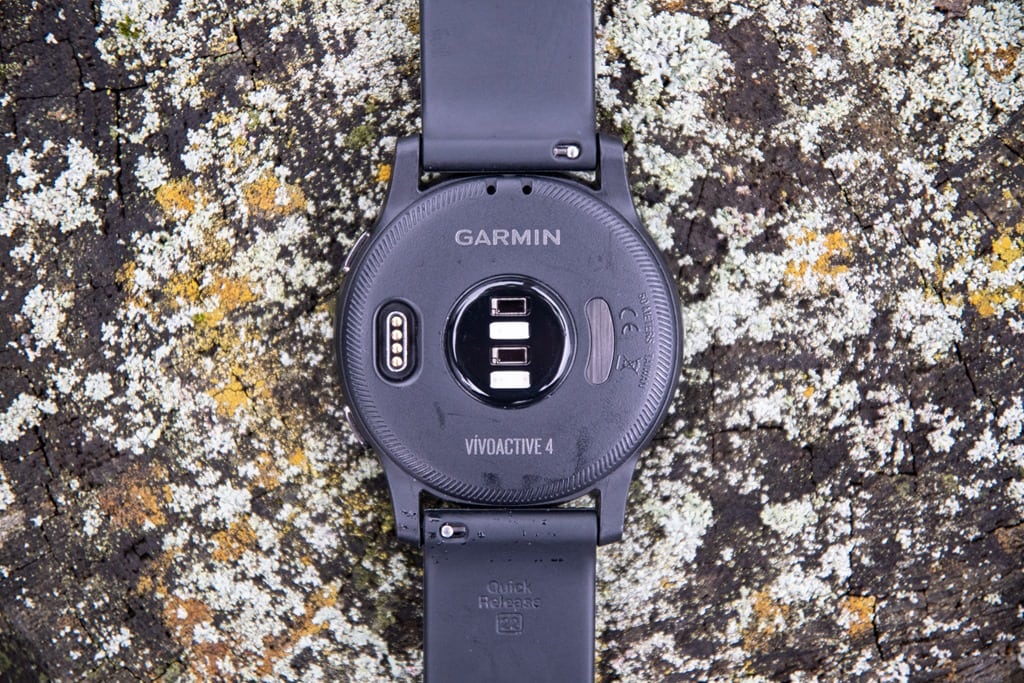
The Vivoactive 4 is a logical evolutionary update of the Vivoactive 3. It’s not as swanky looking of a display as the Venu is, but it fits the bill for many while saving you $50 compared to the Venu. The greater lifestyle and wellness features help round it out and give it more depth compared to Fitbit, and also compared to Apple Watch (ignoring 3rd party apps of course). And of course – having music be part of the baseline is somewhat expected in this day and age at this price point.
Speaking of which, that’s the only area that worries me a bit. At $349USD – that’s basically a $100 more than the Vivoactive 3 Music is going for these days. Sure, the Vivoactive 3 music started off around $300 when it first launched, but that was some 15 months ago. Here we are shifting towards later 2019 and the Vivoactive 3 Music along with various other music competitors are hanging out in that $250-$300 range (at most). Garmin says the more premium bezel materials is one reason it’s more expensive, but I’m not sure if that’s really going to help here. We’ll have to see what the market thinks.
In any event – stay tuned for my full in-depth review down the road once they finalize the firmware for production and flush out some of the bugs I saw. And of course, it’ll be interesting to see what the price does this fall, especially as we get closer to the holidays. After all – Garmin still has to compete against Fitbit, Samsung, and Apple.
With that – thanks for reading!
Found This Post Useful? Support The Site!
Hopefully you found this review/post useful. At the end of the day, I’m an athlete just like you looking for the most detail possible on a new purchase – so my review is written from the standpoint of how I used the device. The reviews generally take a lot of hours to put together, so it’s a fair bit of work (and labor of love). As you probably noticed by looking below, I also take time to answer all the questions posted in the comments – and there’s quite a bit of detail in there as well.
If you're shopping for the Garmin Vivoactive 4 or any other accessory items, please consider using the affiliate links below! As an Amazon Associate I earn from qualifying purchases. It doesn’t cost you anything extra, but your purchases help support this website a lot.
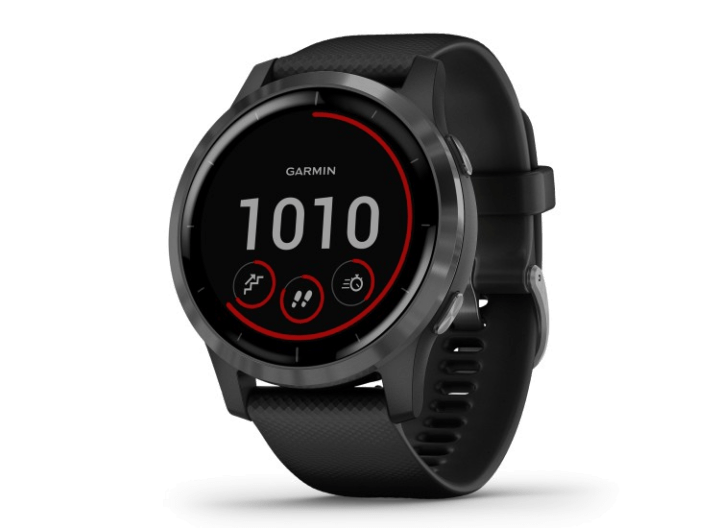
Here's a few other variants or sibling products that are worth considering:
Garmin Vivoactive 4S
Garmin Vivoactive 4 First Avenger Smartwatch
Garmin Vivoactive 4 Legacy Saga Darth Vader
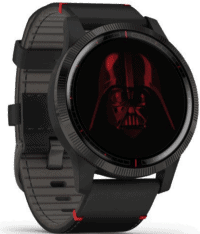
And finally, here’s a handy list of accessories that work well with this unit (and some that I showed in the review). Given the unit pairs with ANT+ & Bluetooth Smart sensors, you can use just about anything though.
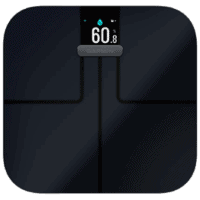
This wifi-connected scale will track your weight and related metrics both on the scale display and in Garmin Connect (plus 3rd party apps like TrainingPeaks). It'll also then sync your weight to your watch/bike computer, to ensure accurate calorie data.
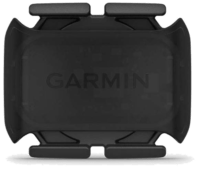
This is a dual ANT+/Bluetooth Smart cycling cadence sensor that you strap to your crank arm, but also does dual Bluetooth Smart, so you can pair it both to Zwift and another Bluetooth Smart app at once if you want.
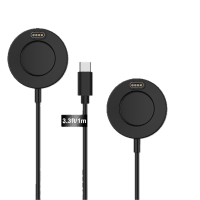
Seriously, this will change your life. $9 for a two-pack of these puck Garmin chargers that stay put and stay connected. One for the office, one for your bedside, another for your bag, and one for your dog's house. Just in case.
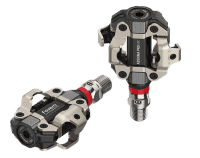
These are one of my favorite power meters, due to both cost and accuracy. These have mostly become my defacto gravel pedals, and also get used on a lot of other comparison testing.
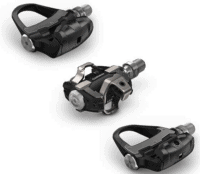
The Garmin Rally series is effectively 3 power meters in one, for three pedal types. I use these often in accuracy testing. While they're a bit more expensive than the Favero pedals, they offer the ability to swap pedal types easily.
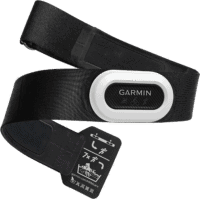
The HRM-PRO Plus is Garmin's top-end chest strap. It transmits dual ANT+/Bluetooth Smart, but also transmits Running Dynamics & Running Pace/Distance metrics, stores HR data during a swim, and can be used without a watch for other sports. Also, it can transmit XC Skiing Dynamics as well.
And of course – you can always sign-up to be a DCR Supporter! That gets you an ad-free DCR, access to the DCR Shed Talkin' video series packed with behind the scenes tidbits...and it also makes you awesome. And being awesome is what it’s all about!
Thanks for reading! And as always, feel free to post comments or questions in the comments section below, I’ll be happy to try and answer them as quickly as possible. And lastly, if you felt this review was useful – I always appreciate feedback in the comments below. Thanks!