Update – Jan 2021: Just for clarity, this hands-on post was from 2017, and about an older version of the product. It is not the latest ‘Gen 3’ variant that was announced mid-2020. They are substantially different products with substantially different features. However, what is not different is the underlying company. While their devices do work well for many people (including myself), one common strand is that if/when a device stops working, Cycliq customer service is often very slow to respond. While there are realistically no other similiar products on the market, do consider that customer service aspect.
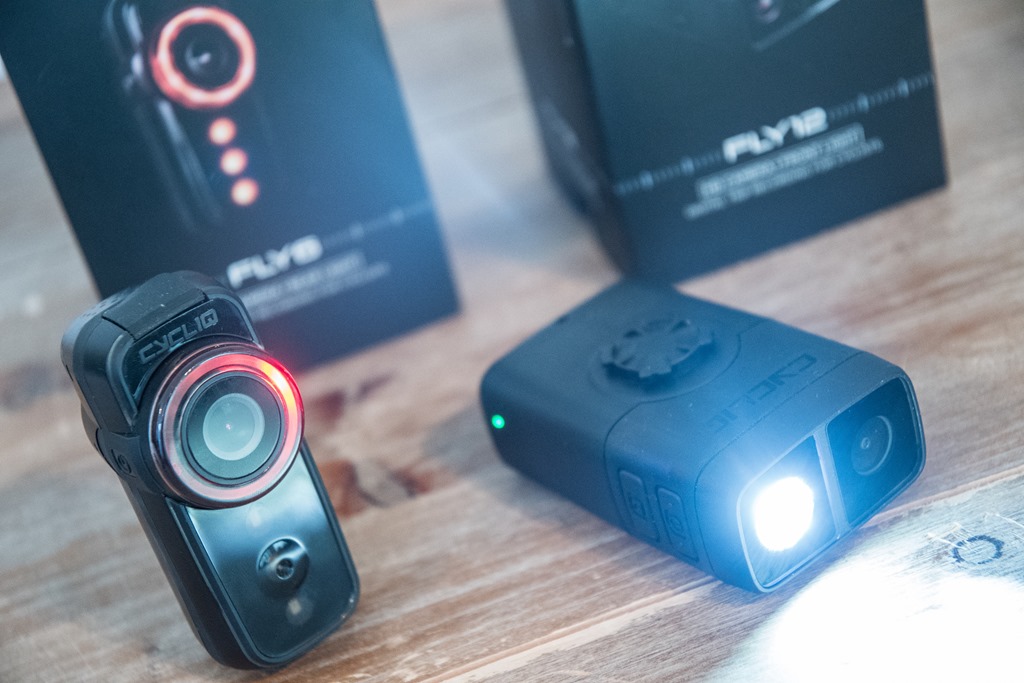
Today Cycliq announced their two latest products – the Fly6 CE and Fly12 CE (CE = Connected Edition). For those unfamiliar with the company’s past products, both of these units are combination bike lights and cameras. The Fly6 is the rear-facing unit, while the Fly12 is the front-facing unit. The name ‘Fly6’ originally came from the phrase ‘on your 6’, as in, behind you. Oh, and their ‘Duo Mount’ is their own custom mount designed for holding heavier objects with a Garmin atop it.
Since announcing their first product almost four years ago, the company has iterated with a bunch of minor enhancements, but this year they’ve pretty much totally overhauled the units inside and out. It’s cool to see this finally come to fruition, as it’s been something they’ve been working on for the better part of two years. The company first showed it more widely to journalists back at Interbike, though it’s not until today that things are being unwrapped. The unit meanwhile is set to start shipping in about 3-4 weeks.
Yesterday one of their staff swung by to drop off both units to try out. Given that just two days prior I had an unboxing of a different type, I haven’t been able to spend a ton of time with these yet. So this is a pretty limited first look, and then down the road, once all the software finalizes, I’ll dig into a deeper in-depth review. With that, let’s dive into this quick look.
The Tech Details:
Each of the units has had both minor and major changes to them since their previous generations. However, let’s start with the most common pieces first. These are changes/updates applicable to both units:
– Both units now have ANT+ Lighting profile support (so Garmin and other bike computers can control them)
– Both units can now connect to your smartphone via Bluetooth Smart (so you can configure settings)
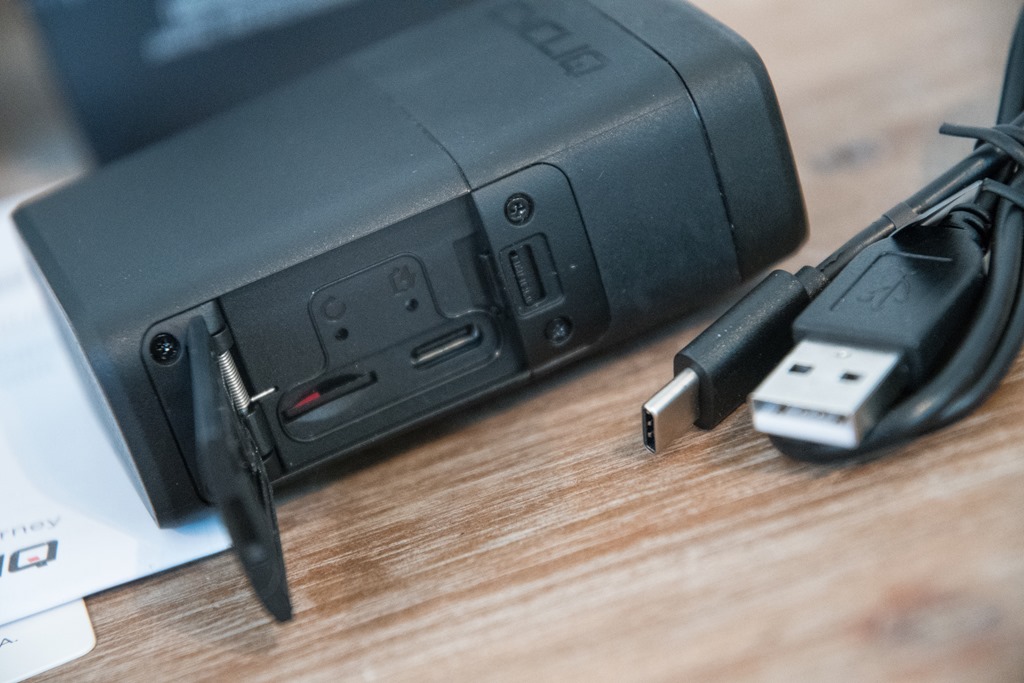
– Both units now use USB-C for fast charging (woot!)
– Both units can support constant-on battery power packs for super-long adventures
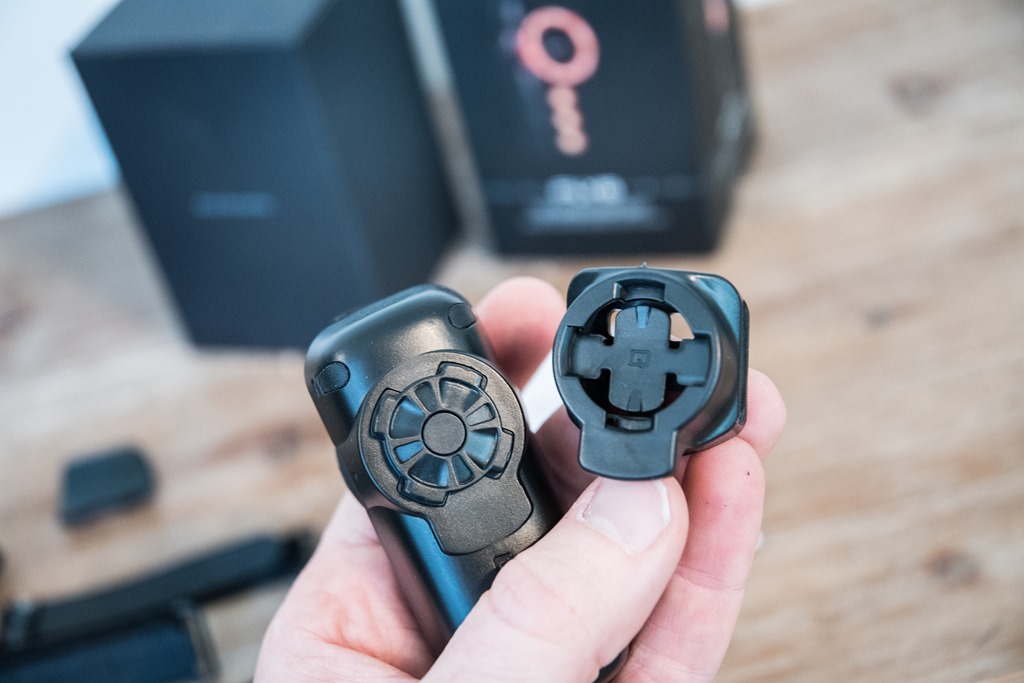
– Both units now use a new 1/8th turn locking mechanism so no tools are required to add/remove from bike
– Both units had their respective mounts re-done (each slightly differently)
– Both units have had an overhaul on the exterior look
– Both units can now record at 1080p at 60FPS
– Both units now have electronic image stabilization
– [Update] Neither unit includes WiFi anymore, meaning you can’t transfer footage to your phone, only via computer.
Phew, got all that? Good.
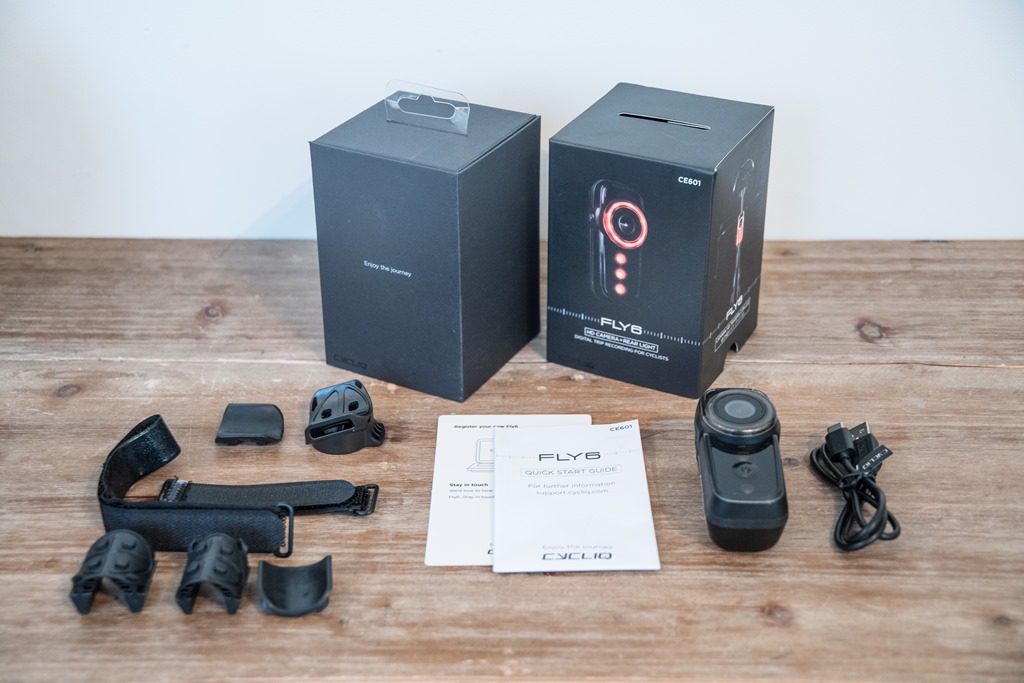
Now, there are some specific unique items for the front and rear pieces, primarily around battery life and such. Starting with the Fly6 CE:
– Fly6 CE Battery Life: This has been increased slightly from 6 hours to 7 hours of riding time. The battery has gone from 2600mAh to 3200mAh.
– Fly6 CE Weight: This has been decreased slightly, going from 127g to 110g
– Fly6 CE Lumens (Brightness): This has been increased from 60 lumens to 100 lumens. Note there are multiple dimming settings
– Fly 6CE Camera Angle: Increased from 100° to 135° of recording angle
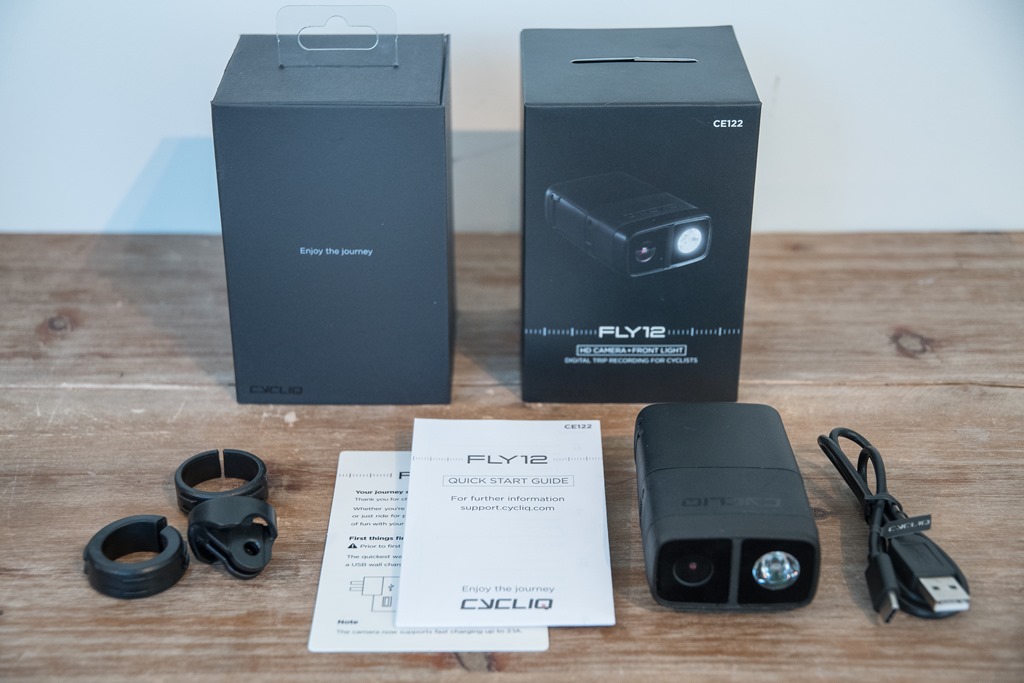
And here’s the Fly12 CE changes:
– Fly12 CE Battery Life: This has been decreased slightly, going from 10 hours to 8 hours. The battery went from 4400mAh to 4200mAh.
– Fly12 CE Weight: This has been decreased significantly, going from 244g to 195g.
– Fly12 CE Lumens (Brightness): This has been increased from 400 lumens to 600 lumens. Note there are multiple dimming settings.
– Fly12 CE Camera Angle: Remains the same at 135° of recording angle
You may be wondering why increase the battery life on the Fly6, but decrease it on the Fly12? Well, the company said they heard from their current customers that they valued a smaller size/package over the larger battery life. They said that 8 hours still seemed like the sweet spot, which allowed them to shrink the unit a fair bit in both size and weight. I can’t say I’d disagree with that. For me, if I was commuting each day, I’d probably charge it mid-week and on weekends anyway, so the extra 2 hours wouldn’t likely mean much to most people.
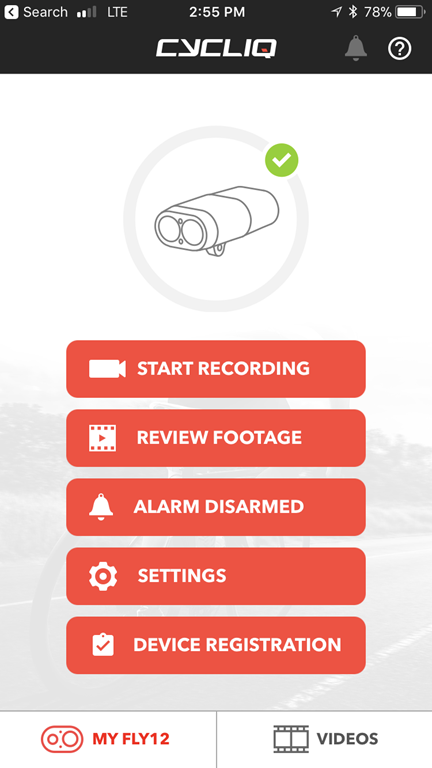
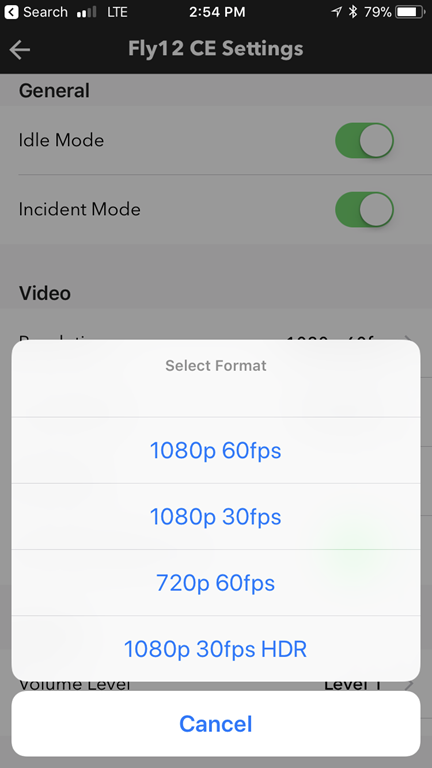
As noted up above, the unit automatically starts recording video as soon as it’s powered on. The light portion can be adjusted/enabled/disabled separately however. From a video standpoint, the two units standardize on 1080p60, but they also support 1080p30 and 720p60. In addition, the Fly12 CE can now do 1080p30 HDR, which should give things a bit more clarity in mixed light situations. All of these settings can be adjusted via the connected phone apps:

Next is probably the most interesting new feature – which is the addition of the ANT+ Lighting Control device profile. This is the same lighting control profile that Garmin, Bontrager, and now See Sense are supporting. This, in turn, allows head units and wearables to control the lights on your bike. At first this may sound silly, but the general idea here is such that it automatically does this. When I turn on my Garmin head unit, it’ll automatically turn on my lights. And inversely, when I turn off my head unit it’ll do the same for my lights.

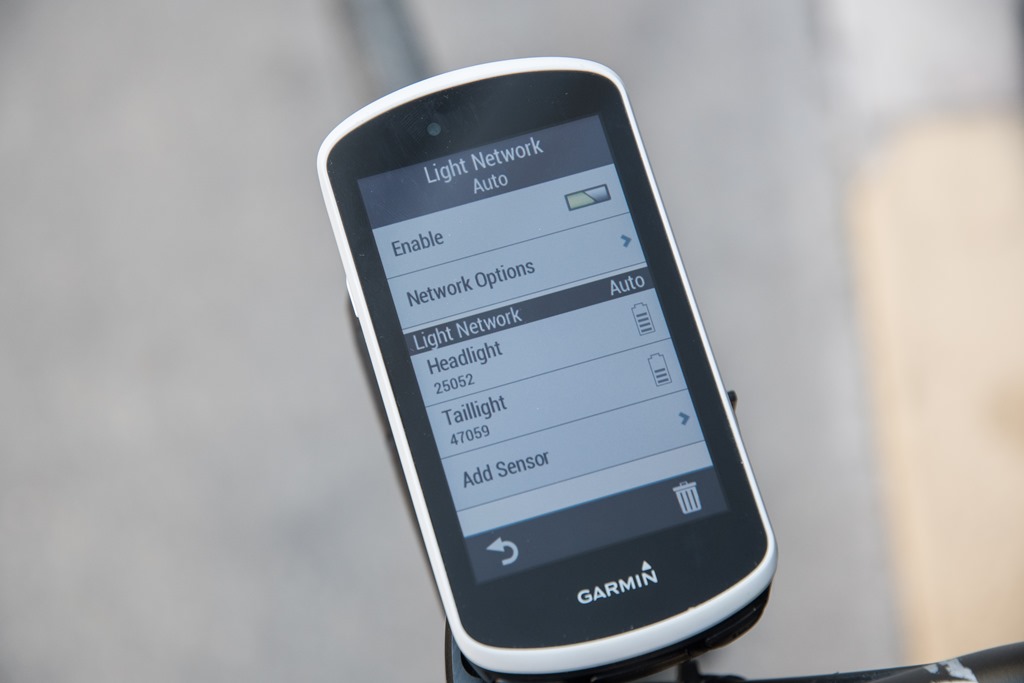
In addition, you can quickly control settings like whether the unit is set for flashing or solid lights, and see battery levels on your Garmin itself too. Note that basic ANT+ lighting control is available even on Garmin’s least expensive bike computers these days, which is kinda neat. The more expensive units have additional options like seen below.
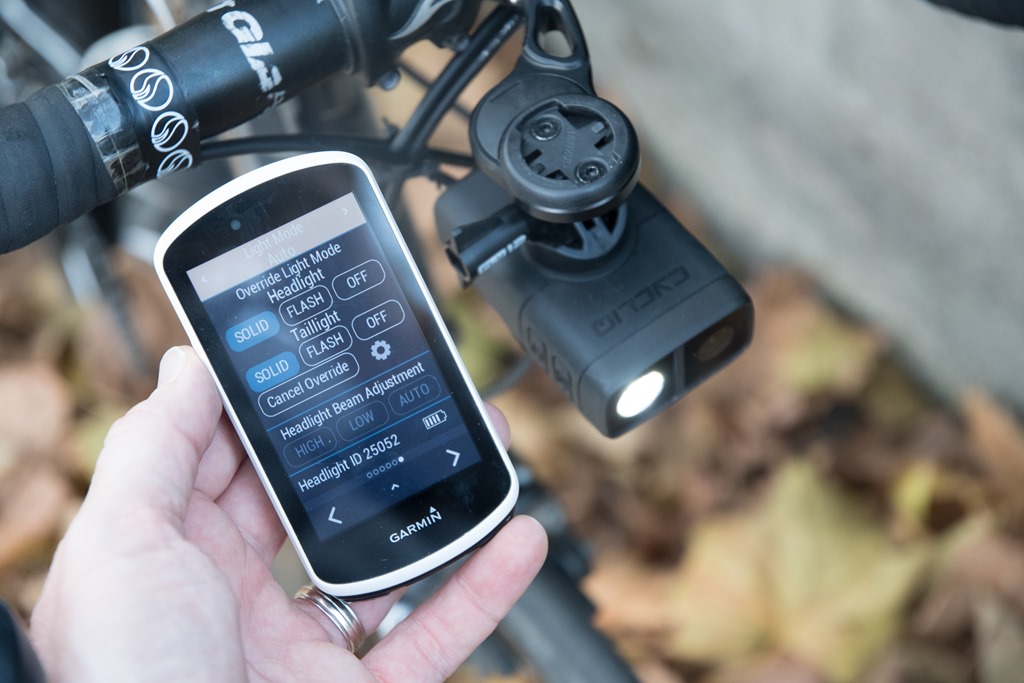
Still, even aside from the standard options, Cycliq says they’ll be releasing a Garmin Connect IQ app to allow even further control of the lights. This would mirror what Bontrager did as well, and lets them tap into areas like camera settings that aren’t natively supported by the ANT+ Lighting profile.
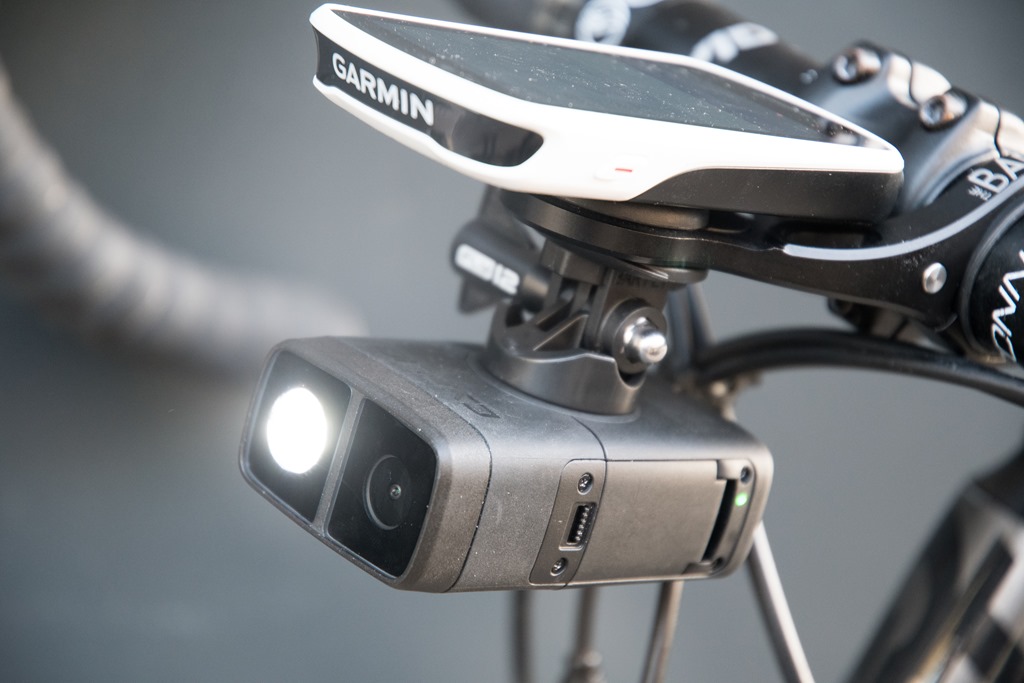
Previously the Fly6 didn’t have the ability to transfer footage to your smartphone, whereas the Fly12 did. Now both cameras do, and you can do overlays of data atop it. For example, you can connect to your Strava account, and then pull in your GPS data and overlay it atop your actual ride video.
Note that neither the Fly6 or Fly12 has GPS within it, instead, it uses the GPS track and data from within activities uploaded to Strava. Said differently: If you’re not using Strava, you won’t get data overlays. You will however get time/date stamp overlays.
Image Quality:
So, the big question is what about image quality. After all – that was one of the main complaints that people had about previous units – but really the Fly6 in particular. Well, keeping in mind that while we see a bump from 720p to 1080p for the Fly6 CE, the Fly12 CE doesn’t actually see an image quality bump in terms of straight resolution. Instead, it sees image stabilization as well as HDR mode (High Dynamic Range), which helps in under and over-exposed areas.
With image stabilization being done via EIS (Electronic Image Stabilization), it’s essentially using a larger sensor size and cropping a portion of the image to keep it nice and level. That’s why cameras like the GoPro Hero6 can shoot in 4K, but can’t provide image stabilization at the full 4K resolution. Instead, they leverage that 4K resolution and crop in slightly to keep the image stable.
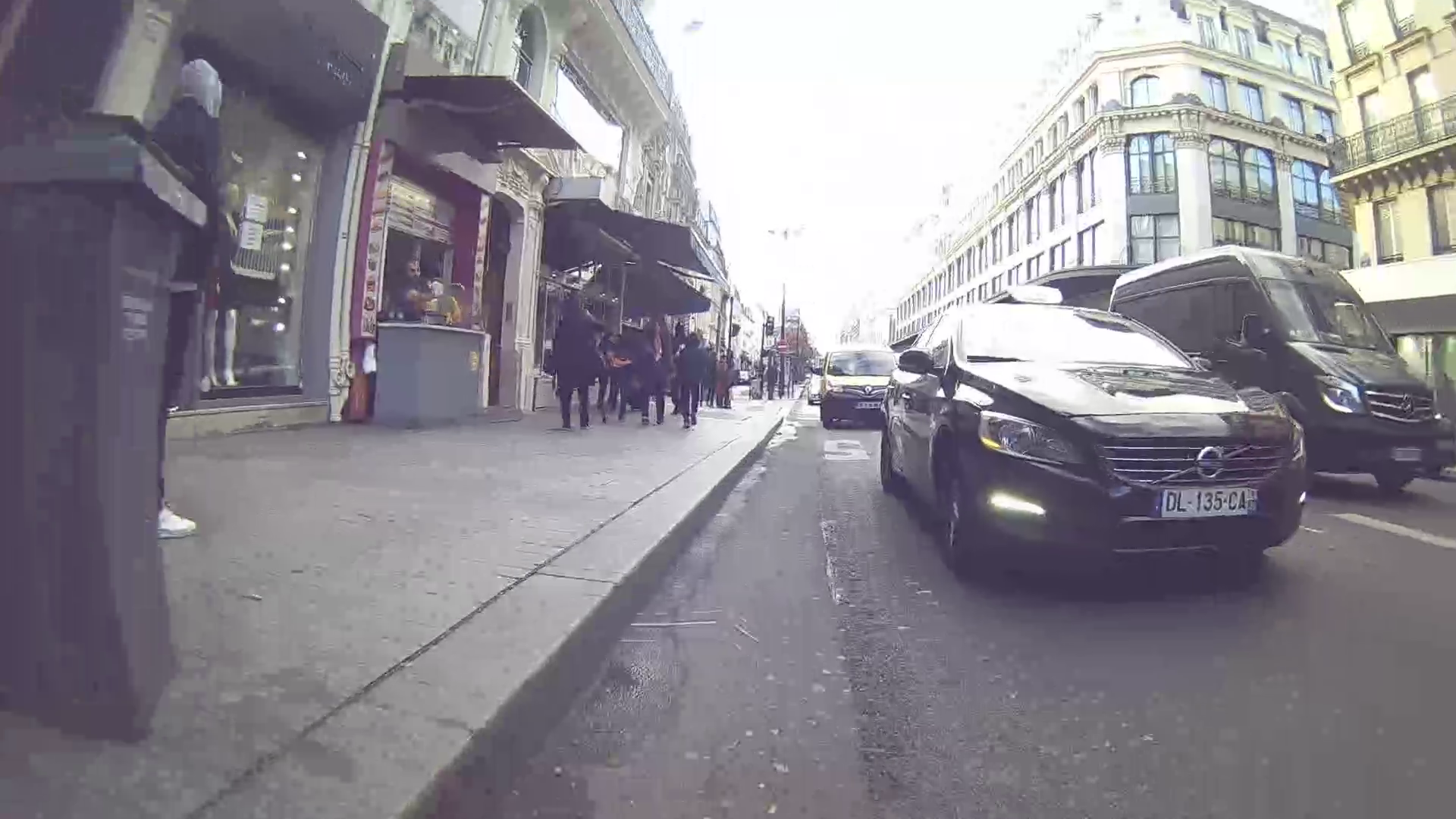
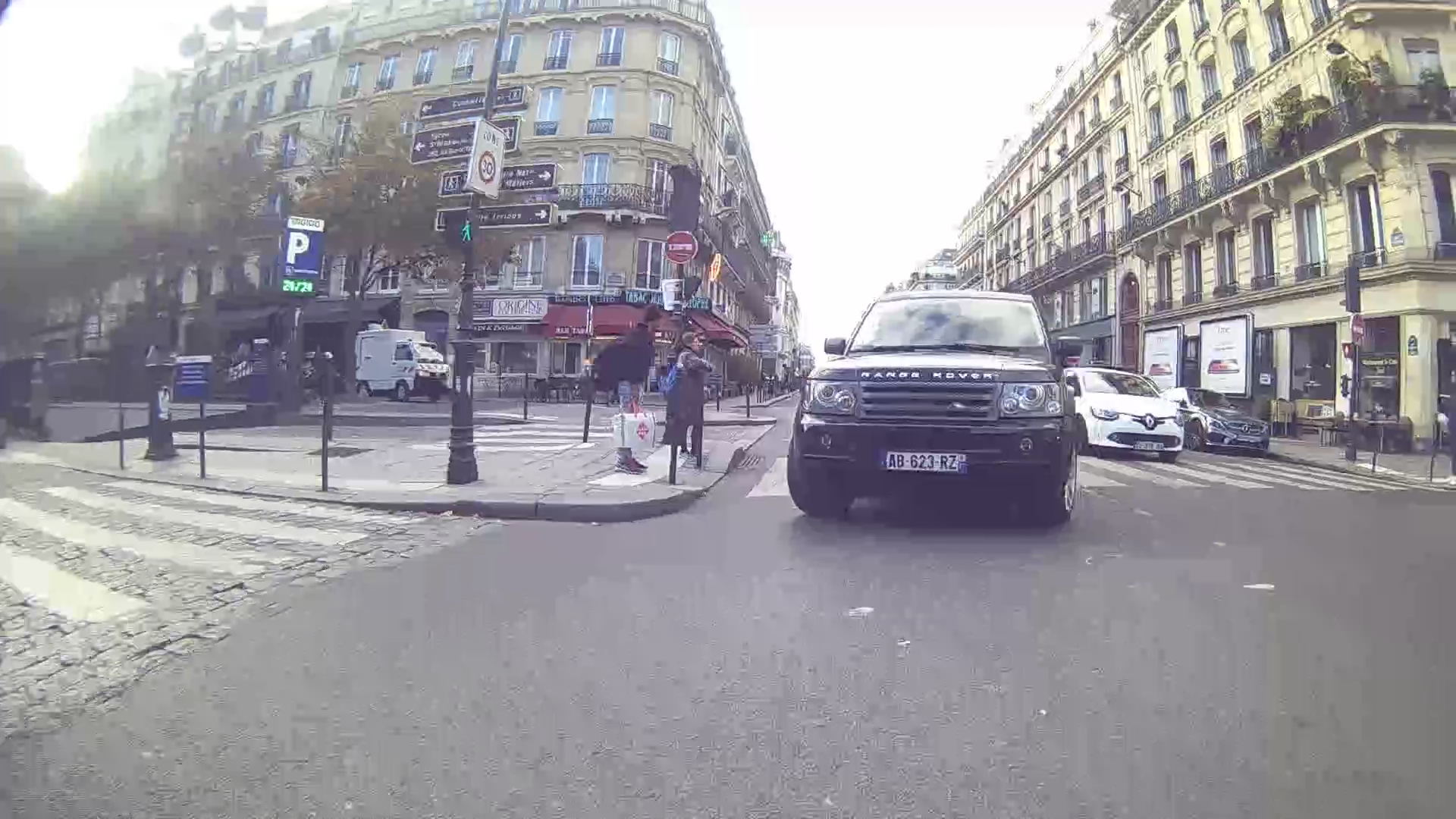
So first, let’s look at the resolution itself. First up we’ve got the forward-facing Fly12 CE. Below are some screen captures from it (don’t worry, the full videos are below too). I’ve picked some random places in traffic where you can see both directly next to me, as well as a car a lane or two away. As you can see, there’s no issues picking up license plate numbers here:
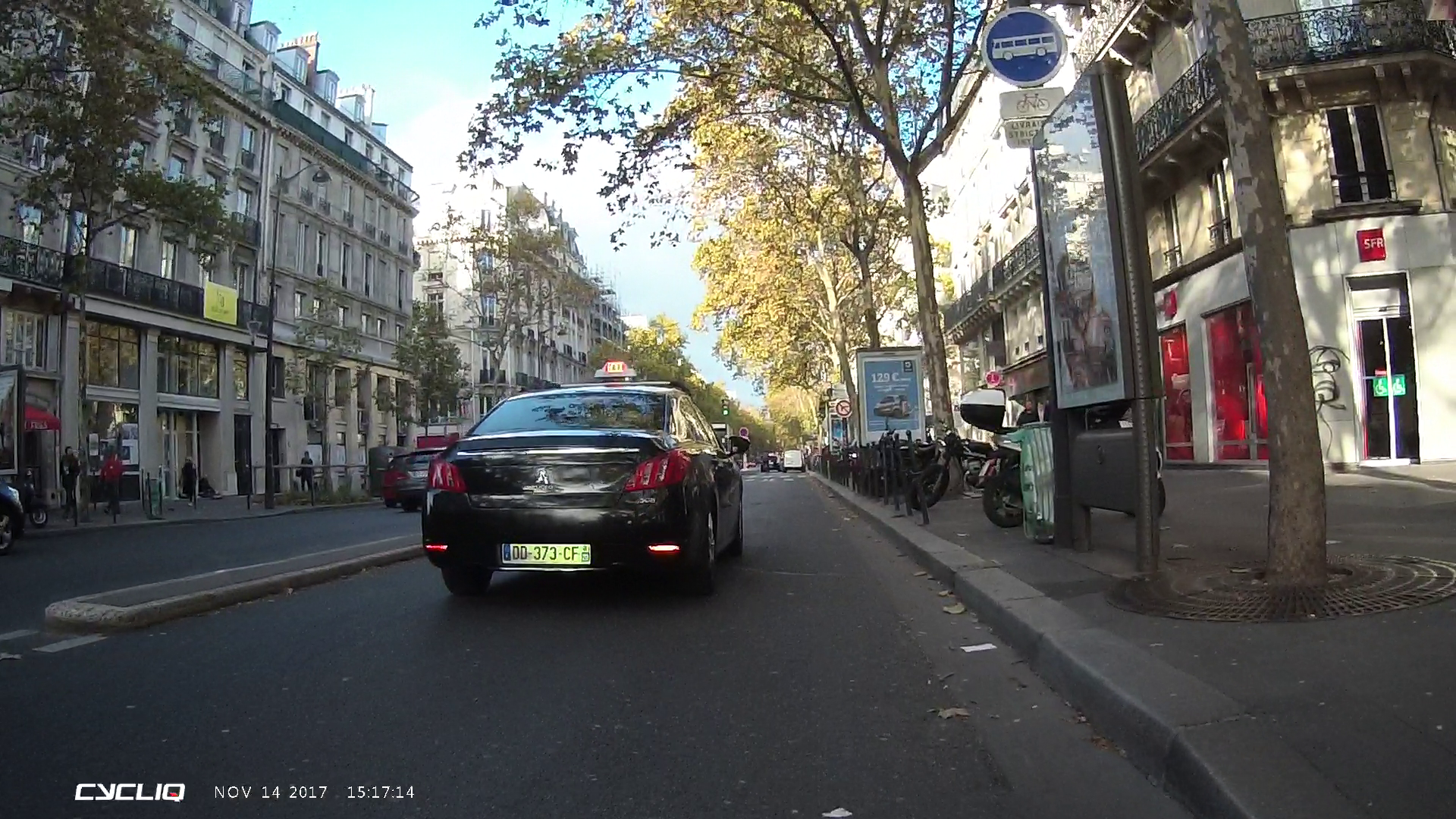
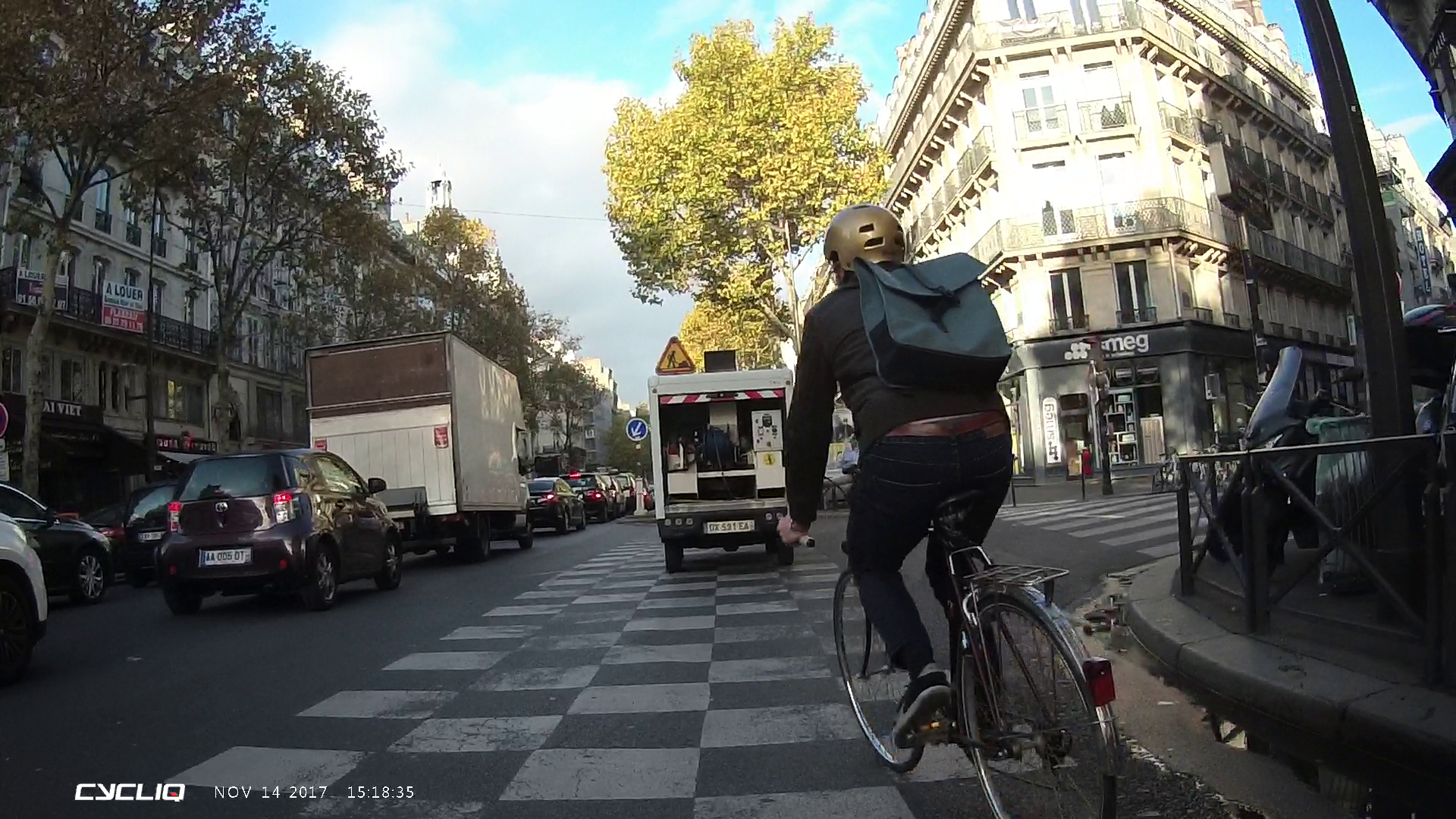
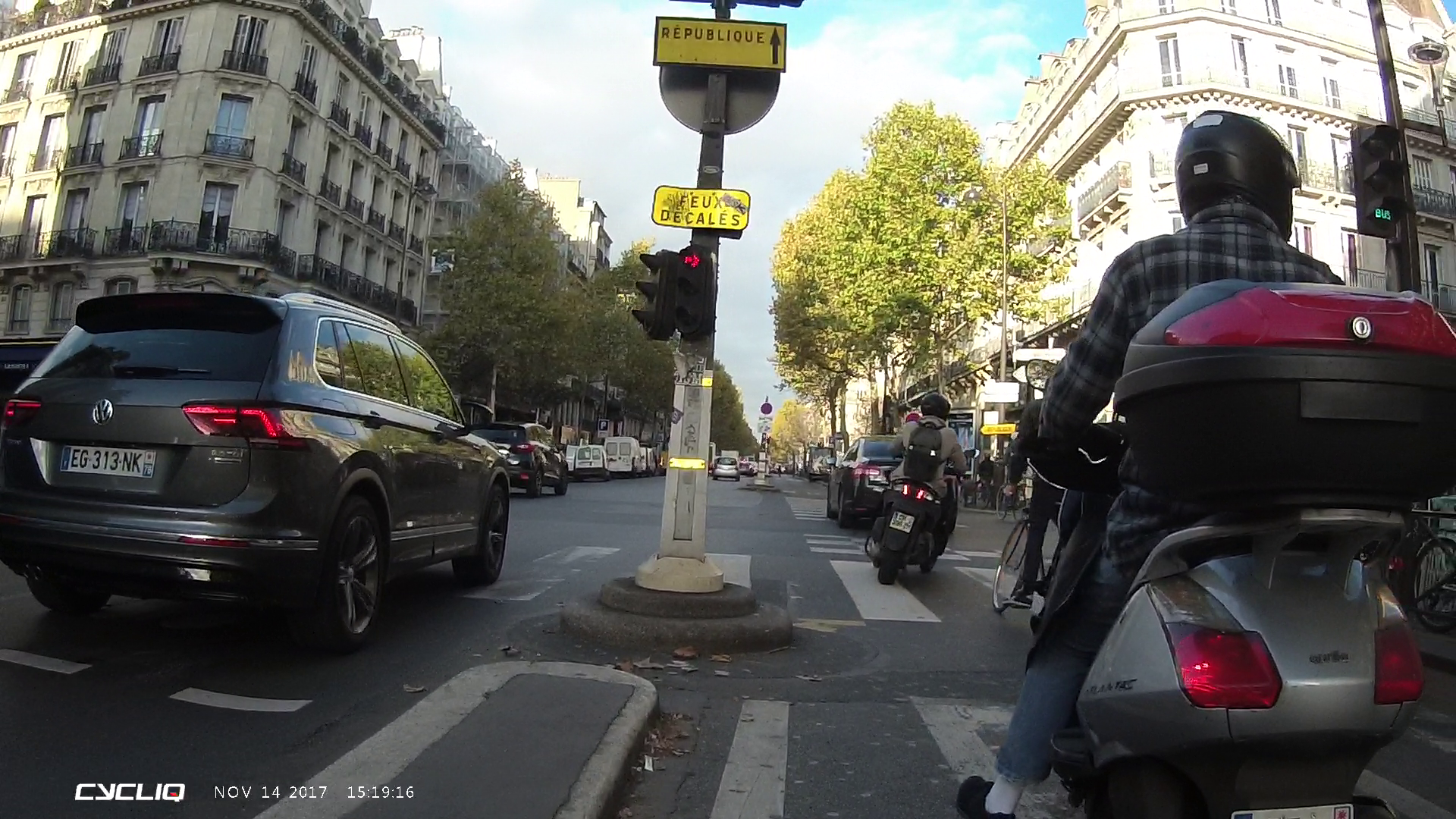
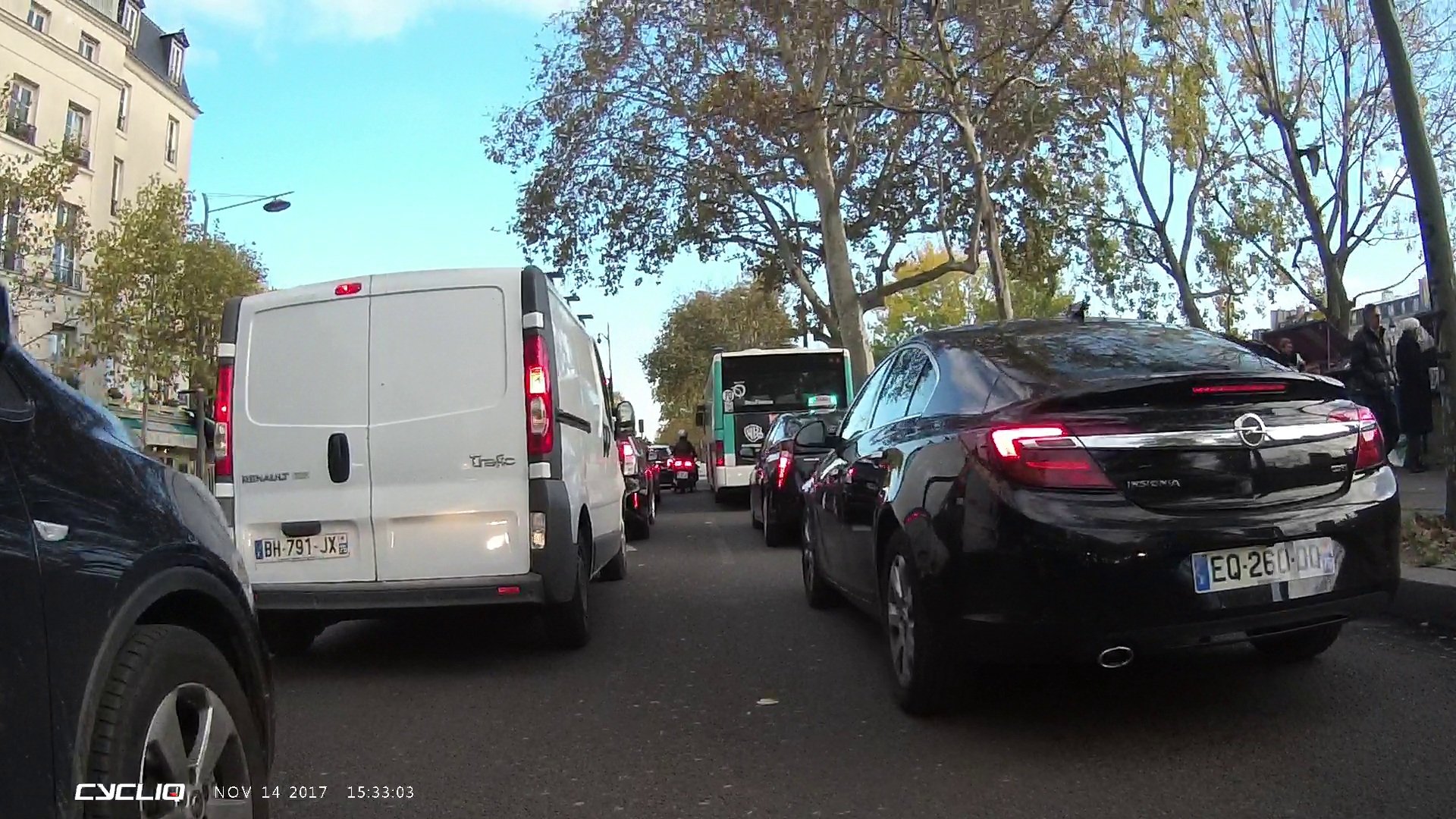
This was an overcast day, about 90 minutes or so before sunset. So not exactly ideal conditions for license plate pickups, but not exactly super hard either. Overall, that looks good.
Next, we’ve got the rear-facing Fly6 CE. You can see that because the rear light ring is around the actual camera lens, you get a bit of a reddish tone to it. Not ideal, but not horrible. As far as license plate readout, it’s still perfectly fine (again, none of these photos are edited, straight out of file), but it’s clear that it’s not as sharp as the Fly12 CE. I’d have a tough time saying this is on par with a GoPro at 1080p though, it’s just not as crisp. Readable yes, but super crisp no.
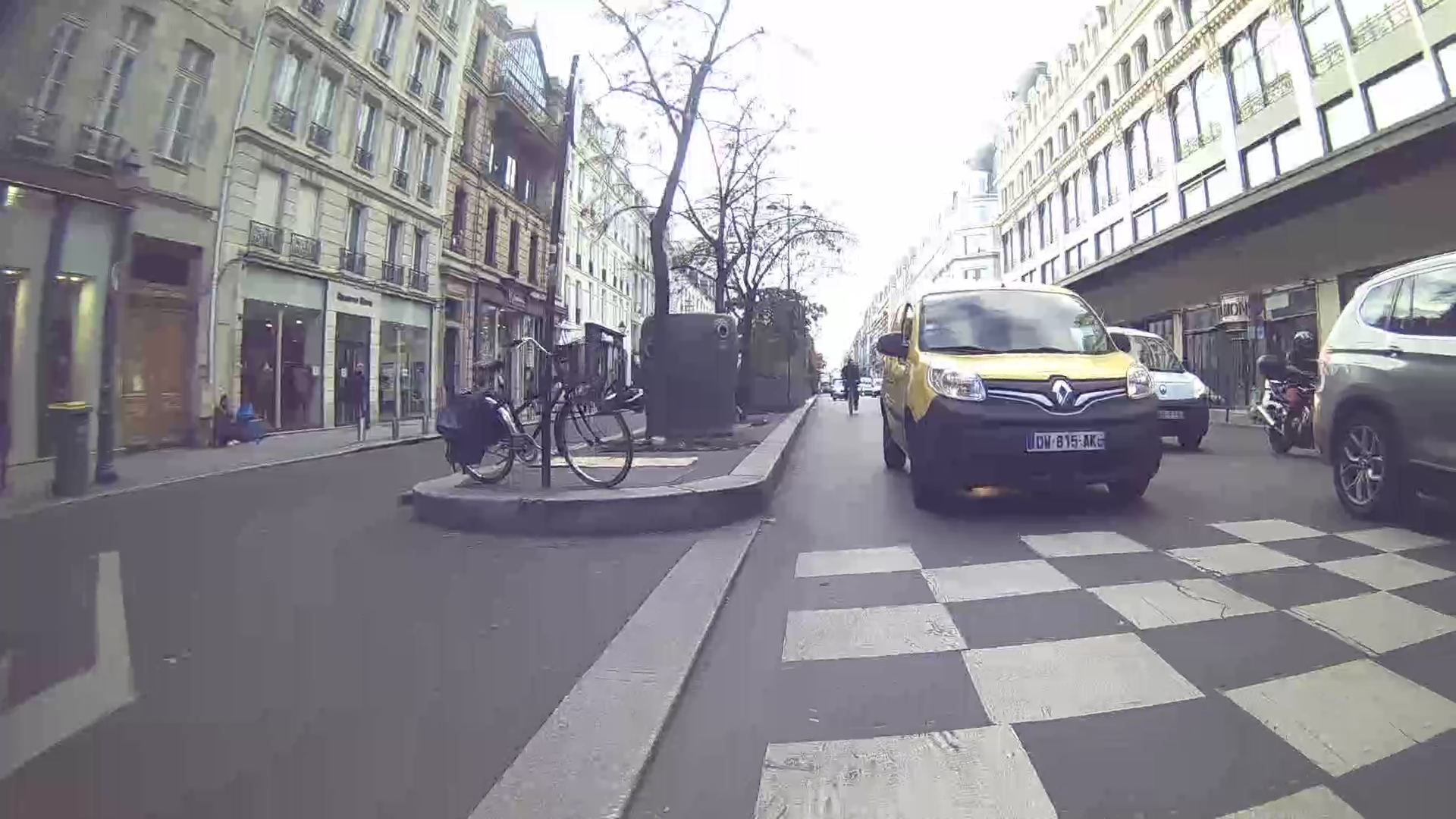

This difference in sharpness doesn’t surprise me, since the two units are clearly using different image sensors or processors.
So what about stabilization? Well, it didn’t seem to work on my unit. I suspect that even though the beta/prototype app I was using said it was enabled, it would often flash to showing it wasn’t enabled – and you can definitely see that in the sample (that it’s not super smooth). Additionally, the mount I had appeared to be 3D printed, and there was a tiny bit of play in there, making matters even worse. In any case, within the below video you’ll find everything:
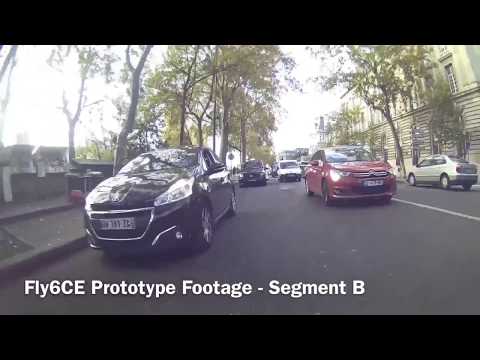
Once I get a final unit I’ll upload more samples. I think that once they enable the image stabilization things should be significantly different. And additionally, once they get a final mount, that should help a fair bit too (since there won’t be any wobble like I saw).
Summary:
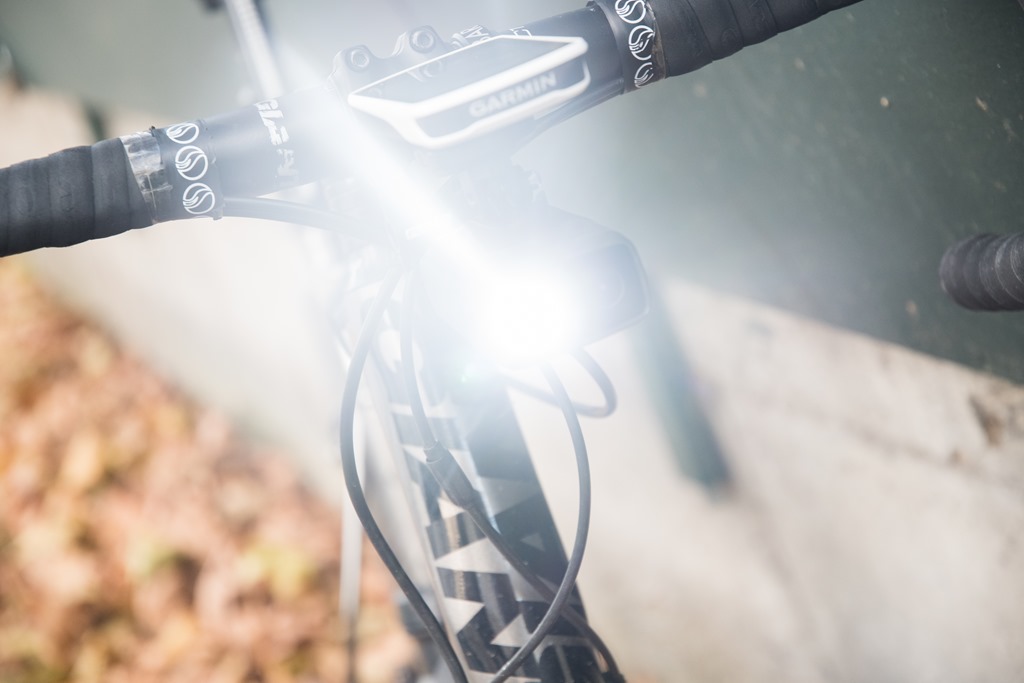
Overall I think these products are well thought through, and hit home the features that they needed to remain competitive in this market. The redesigned external looks make the units, especially the Fly12 CE, no longer look fugly, which is great. And the rear taillight’s newly tweaked rubberized strap + quick lock system seems to finally land on a design that looks like it might last (previous straps had longevity issues). And if nothing else, it’s at least quick to take on and off. Plus, the pricing for them is fairly competitive – $179USD for the Fly6 CE, and $279USD for the Fly12 CE (I’d say perhaps the Fly12 is a bit high in price, but not incredibly high).
When it comes to image quality, I’d say the jury is still out. Diving that into two pieces you have image resolution – which is clearly superior to their past attempts. The Fly12 CE being the most clear, with the Fly6 CE being good, but not as crispy. Then when it comes to stabilization, the settings options didn’t seem to be applying on my prototype/beta unit, since it clearly wasn’t stabilized. Thus, I’ll defer judgement there until they’ve had a chance to sort out those minor bugs with the app.
[Update/clarification] Note that while the app shows ‘review footage’, you can’t actually download that footage to your mobile phone like you could with the Fly12 unit, which means you need to download it to a computer. Cycliq says they did this to save costs, but that’s a pretty odd decision. Certainly the Fly12 wifi transfer was never all that awesome in terms of how well it worked (often finicky), but at least it was there. Now you need a computer to transfer the footage. Unfortunately, that app isn’t yet available.
While at present only Garmin on the head-unit side (to my knowledge) supports the ANT+ lighting standard, now that we have four different lighting vendors (Garmin, Bontrager, See Sense, Cycliq), perhaps we’ll see other companies start to support the lighting standard (cough, Wahoo, or, cough). But certainly companies like Sigma or Lezyne could also add support easily too.
Given the short timeframe between now and shipping (which is slated for about 3 weeks away at the start of December), some of these could make a pretty good present under the tree, especially as people have settled into largely dark commutes. Note, I will try and add some night time photography with these. It’s a bit tricky though because any photography of bike lights is really more of a function of camera technique than the light itself. Still, I’ll try.
Thanks for reading!
Found this post useful? Or just want to save 10%? Here’s how:
Hopefully you found this post useful. At the end of the day, I’m an athlete just like you looking for the most detail possible on a new purchase – so my review is written from the standpoint of how I used the device. The reviews generally take a lot of hours to put together, so it’s a fair bit of work (and labor of love). As you probably noticed by looking below, I also take time to answer all the questions posted in the comments – and there’s quite a bit of detail in there as well.I have partnered with the retailers on the left, and any shopping you do through those links or the ones below, helps support this website. Thanks!
Cycliq Fly6 CE – Amazon
Cycliq Fly12 CE – Amazon
For European/Australian/New Zealand readers, you can also pickup the unit via Wiggle at the links below, which helps support the site too! With Wiggle new customers get 10GBP (or equivalent in other currencies) off their first order for anything over 50GBP by using code NEWGB at check-out after clicking the links below.
Cycliq Fly6 (EU/UK/AU/NZ – Wiggle)
Cycliq Fly12 (EU/UK/AU/NZ – Wiggle)
Or, anything else you pick up on Amazon helps support the site as well (socks, laundry detergent, cowbells). If you’re outside the US, I’ve got links to all of the major individual country Amazon stores on the sidebar towards the top.
Thanks for reading! And as always, feel free to post comments or questions in the comments section below, I’ll be happy to try and answer them as quickly as possible.