
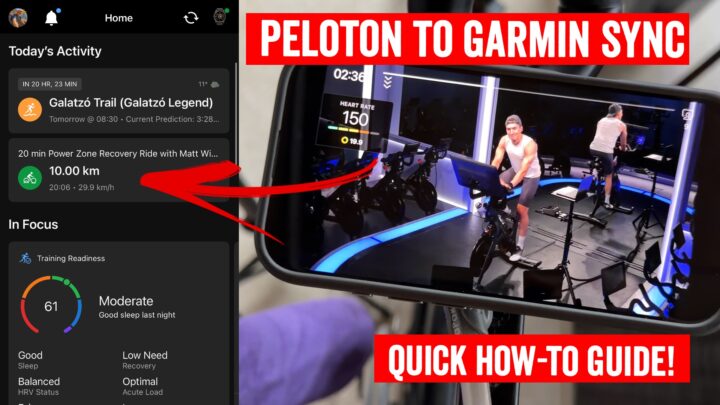
After a bunch of initial flirting and minimal integrations, Peloton and Garmin have finally enabled sync of your Peloton workouts to the Garmin Connect platform. This means that your completed Peloton workouts will now show up natively in Garmin Connect, as well as onwards to your watch, counting for Garmin metrics including Training Status, Recovery Time, and Training Load.
Previously, the integration was from Garmin to Peloton, which pushed your Garmin activity over to Peloton. While that might have been useful for some people, the far more interesting scenario for most was the opposite: Pushing Peloton into Garmin, allowing you to skip dual-starting a workout on your Garmin watch. Previously, if you didn’t concurrently start a workout, Garmin would mostly ignore that from a training standpoint. That’s now solved.
How to setup:
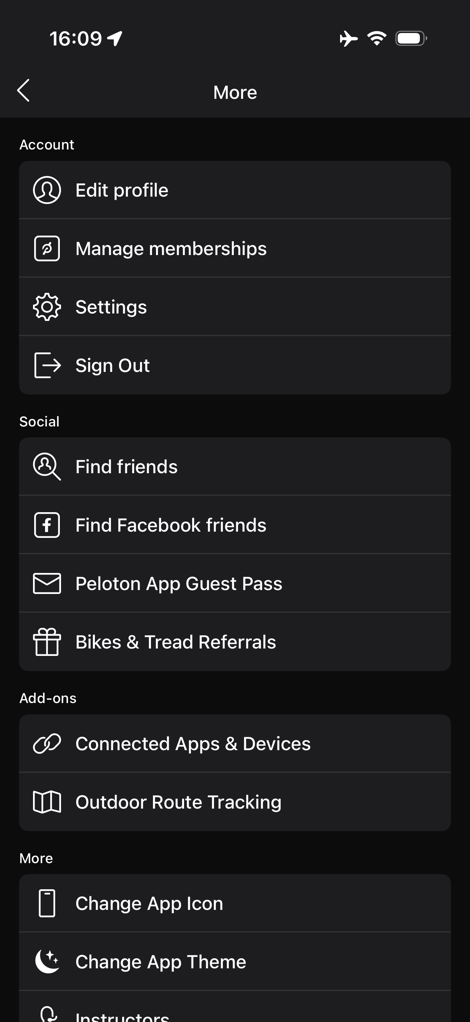
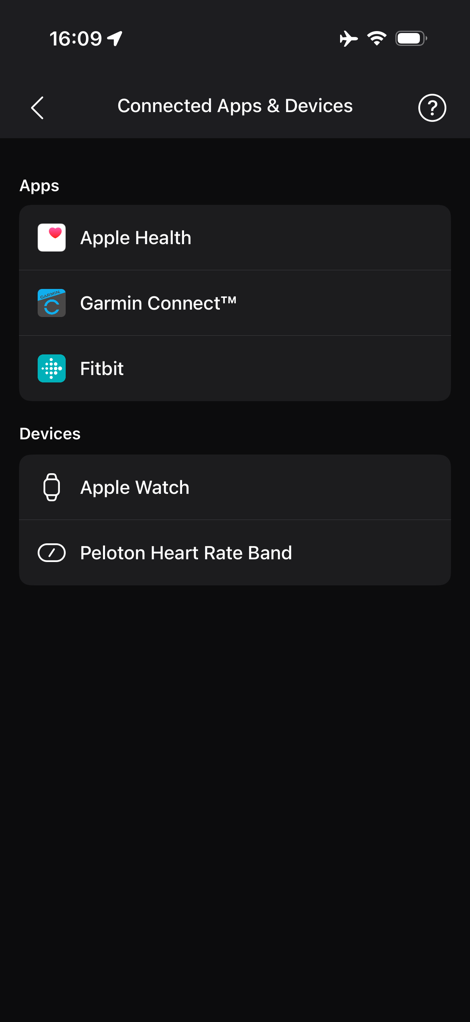
Setup is pretty easy, and can be done from within the Peloton app, under Settings > Connected Apps & Devices. From there, you’ll see the Garmin Connect option:
After clicking, it’ll redirect you to Connect to Garmin Connect:
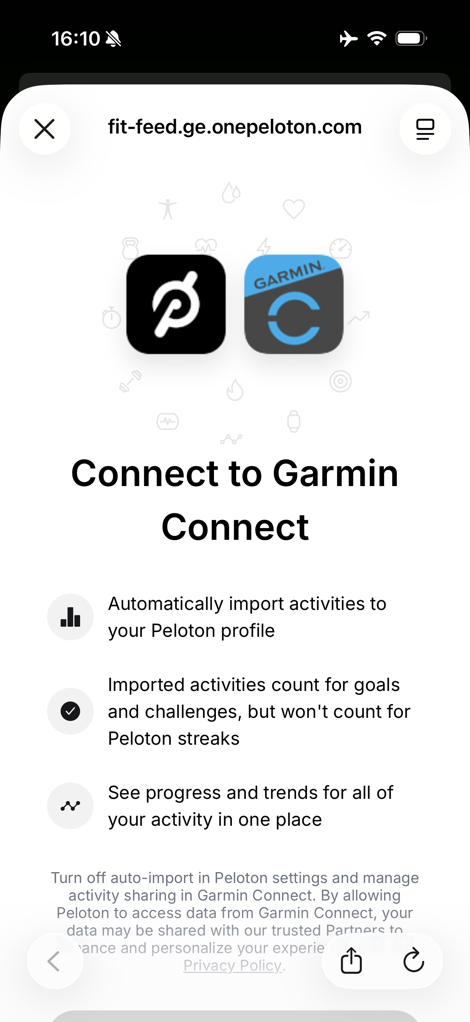
This is the piece that previously would have enabled enabled sync from Garmin to Peloton, including Historical Data (if you toggled it, it’s off by default), and then a new option that syncs from Peloton to Garmin.
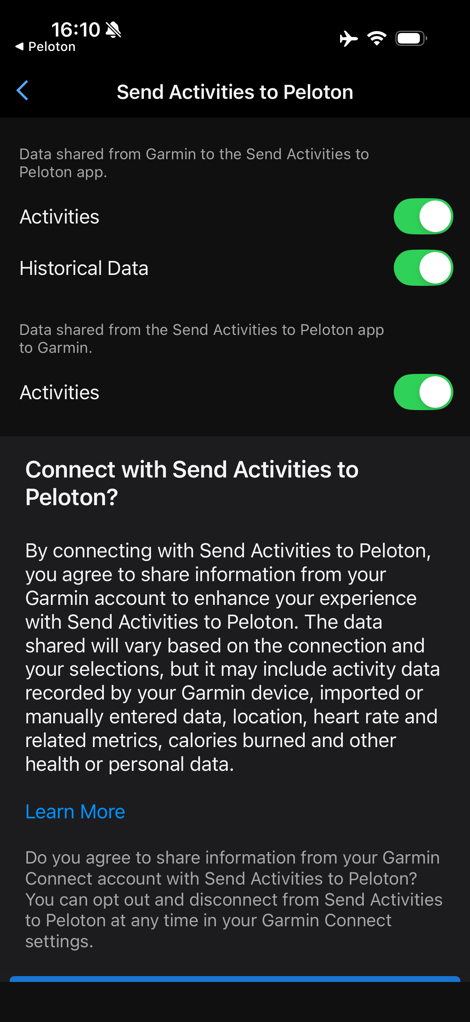
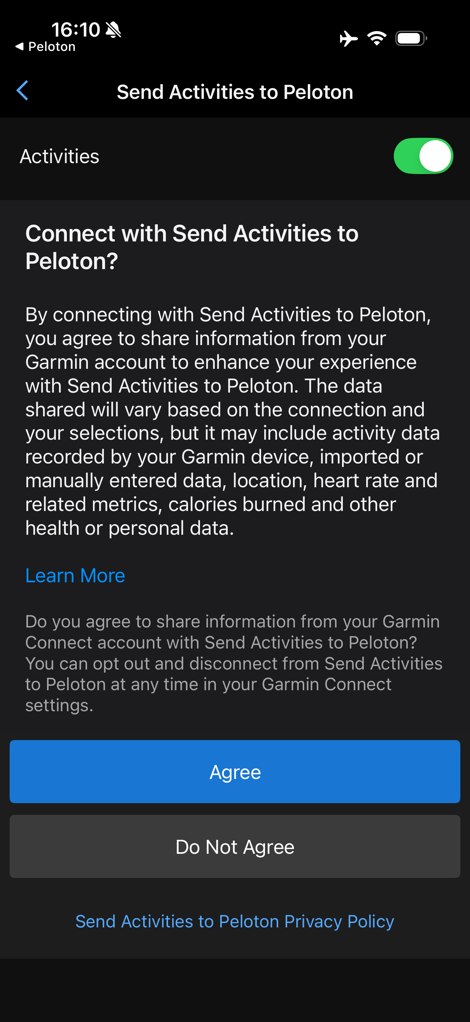
At that point, you’ll be back in the Peloton app to confirm everything and re-explain it to you:
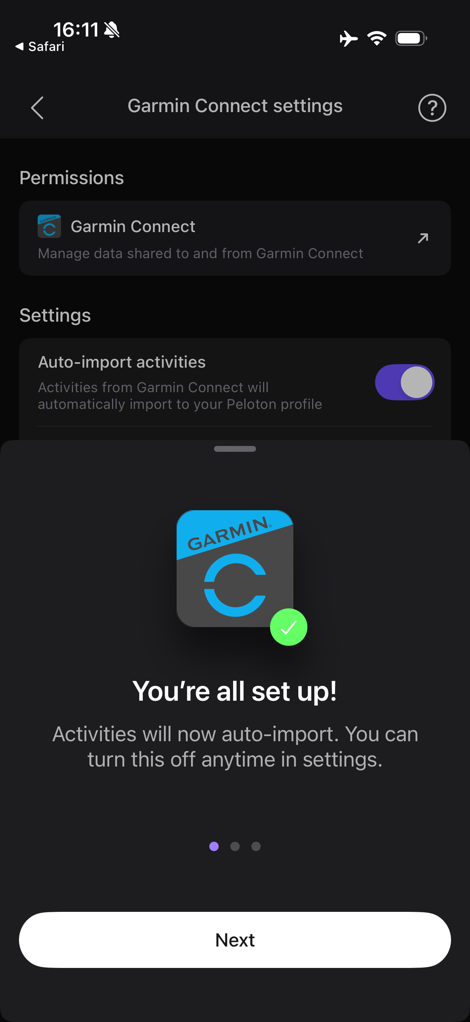
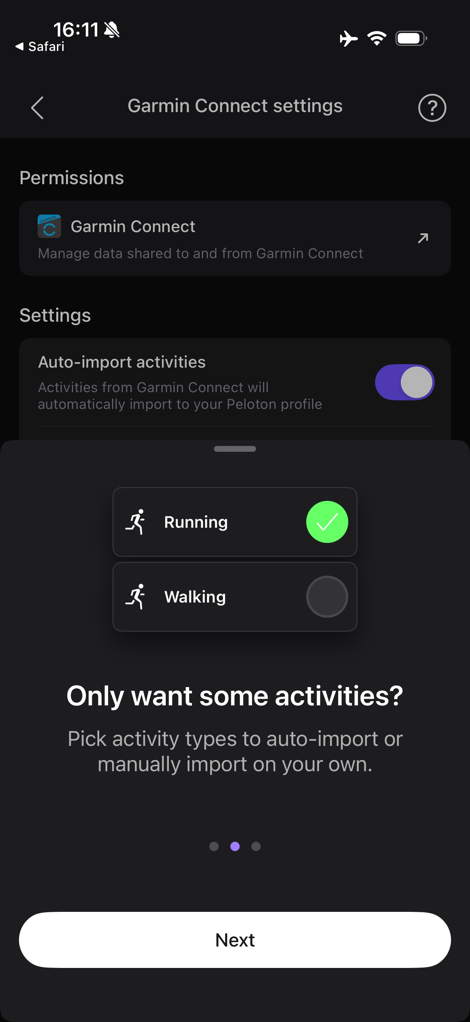
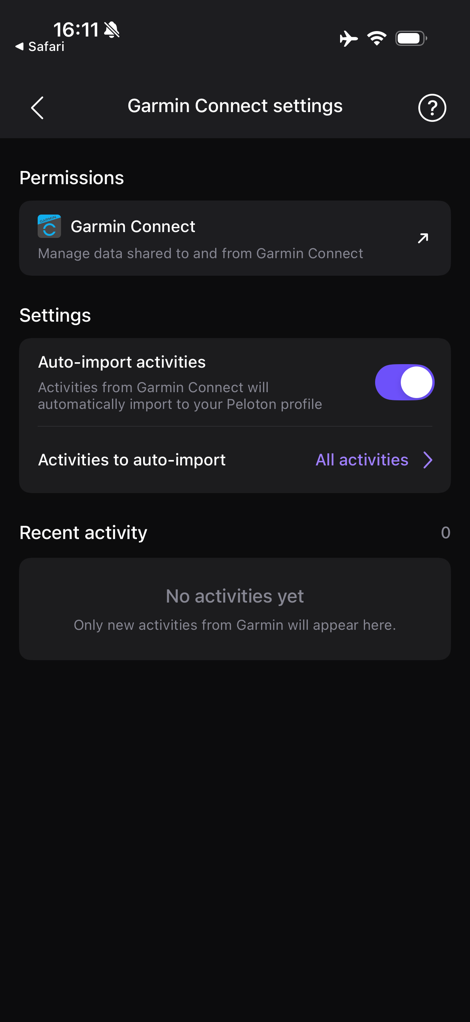
From here, you’re fully setup and ready to roll. It doesn’t matter whether you complete a workout on an app or Peloton equipment (e.g. Peloton Bike, Treadmill, etc…). The sync is setup on the backend at the Peloton platform level.
So, let’s go dow a workout.
The Workout & Sync:
Garmin says the feature covers all Peloton workout types, and will include all of the data from that Peloton workout that you have connected (e.g. if you have a heart rate sensor connected, that data will come over, same goes for cadence sensor, power if on a Peloton Bike, etc…).
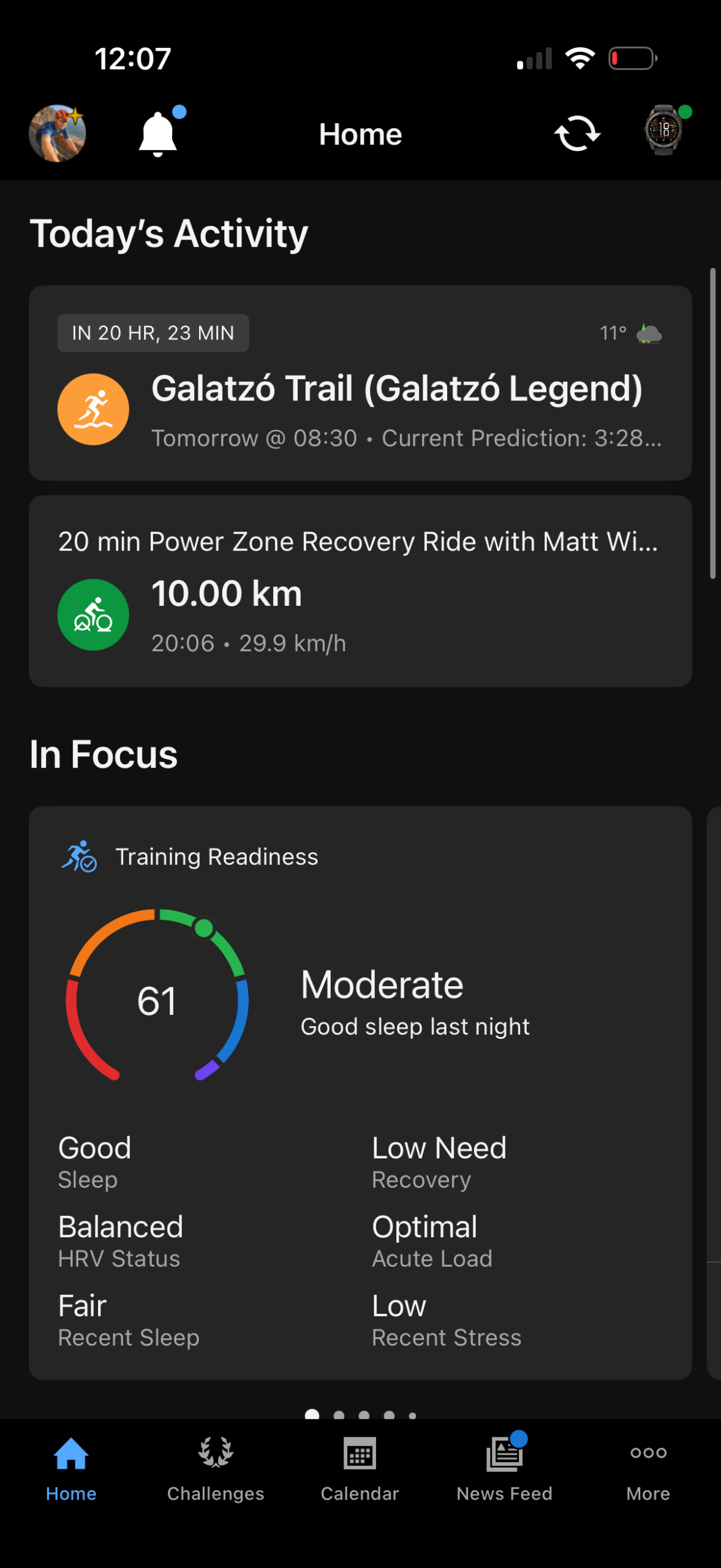
In my case, I’ve got a race tomorrow, so I just went with an easier 20-minute Matt Wilpers Recovery Ride, which has a few little sprints in there to loosen things up. Nothing crazy. I did this workout fully from the Peloton app, with *no* Garmin watch/device workout started, just to see the changes occur.
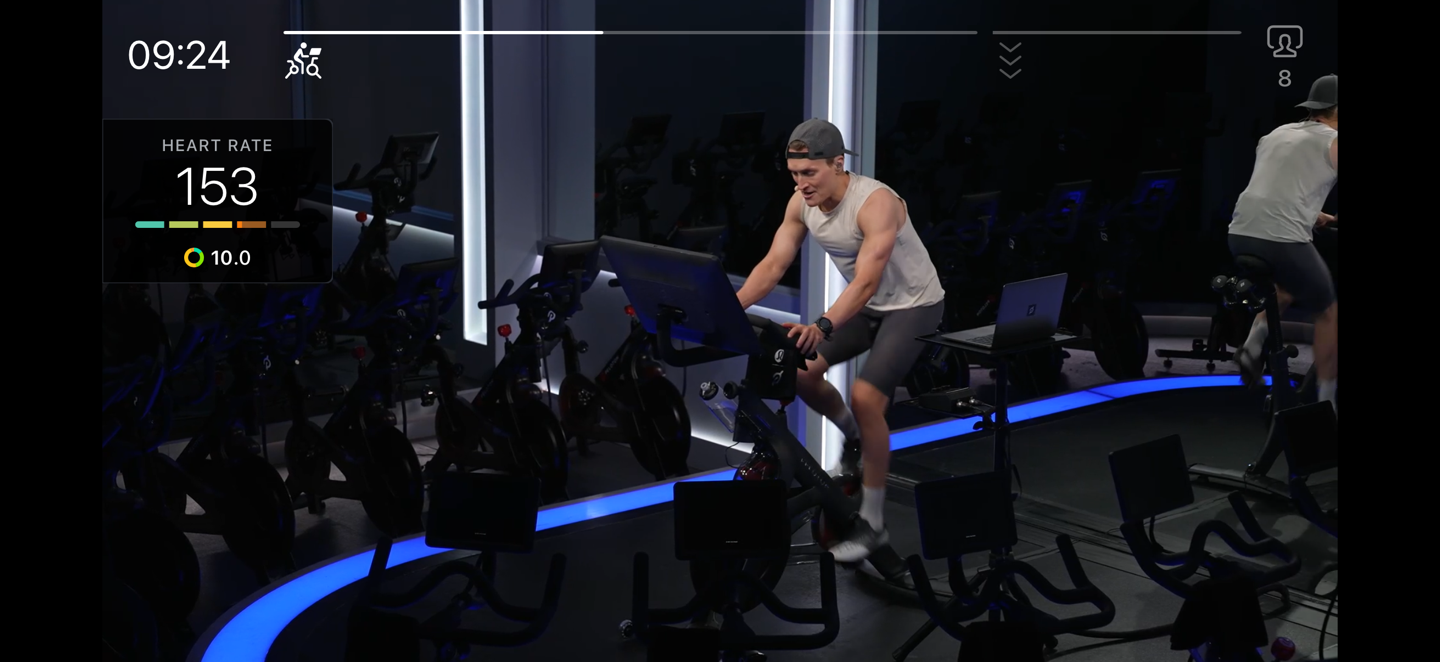
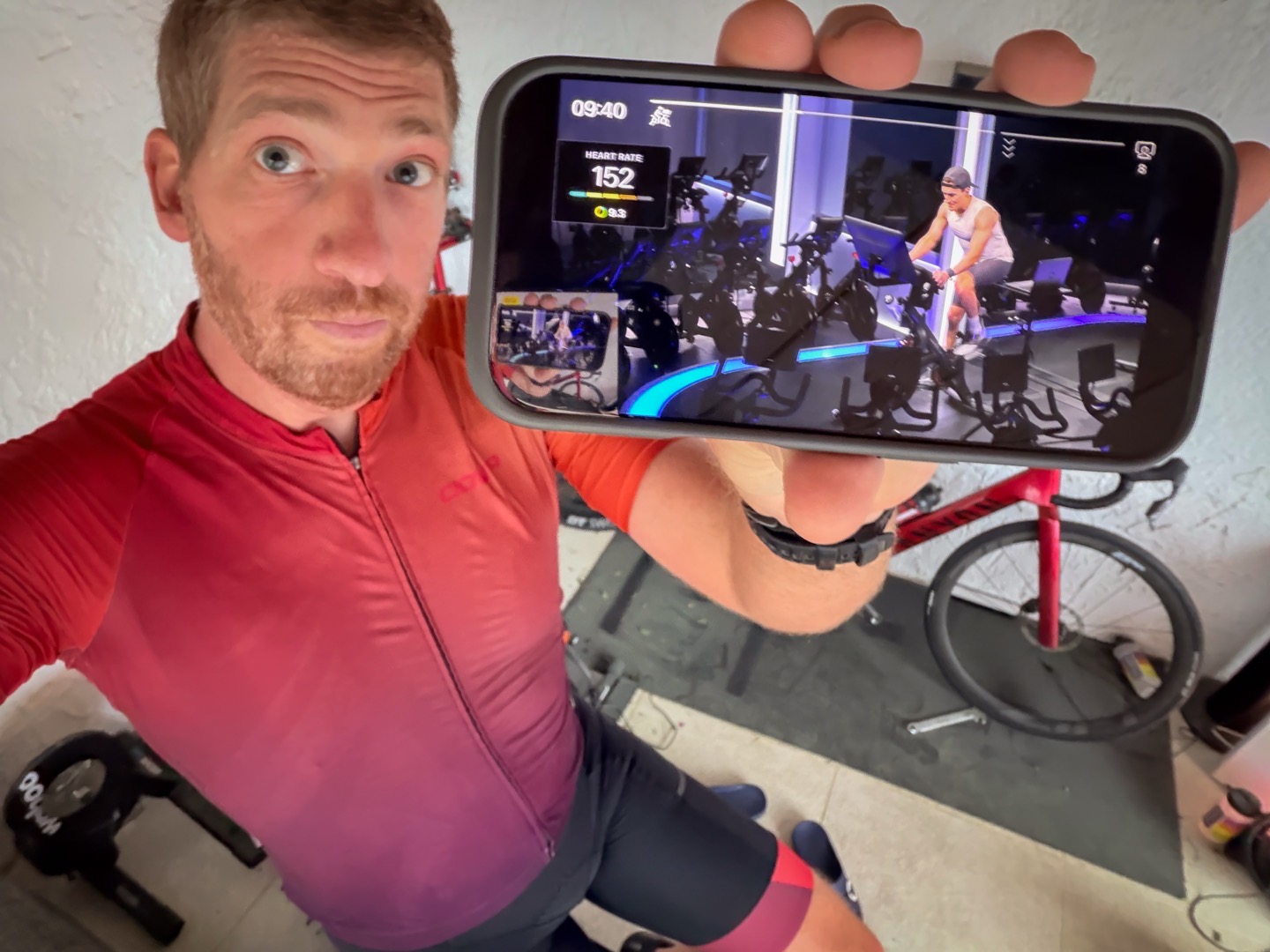
I used an Apple Watch as a Bluetooth heart rate monitor for the Peloton app, but was on a regular bike smart trainer. Because the Peloton app in cycling mode can only connect to heart rate sensors and cadence sensors (and not 3rd party power meters), no power data comes through here. But if I was on a Peloton Bike (any model), then power data would come through. Likewise, on a Peloton Treadmill, you’ll get the full data there, though the Peloton App can actually connect to treadmills via Bluetooth FTMS.
Once the workout is completed, it’ll automatically push and sync to Garmin Connect:
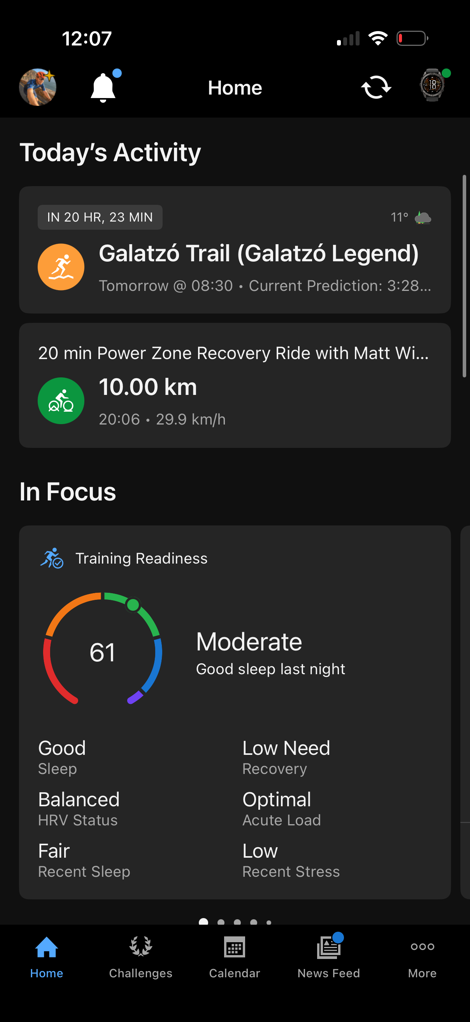
You can see the workout details here:
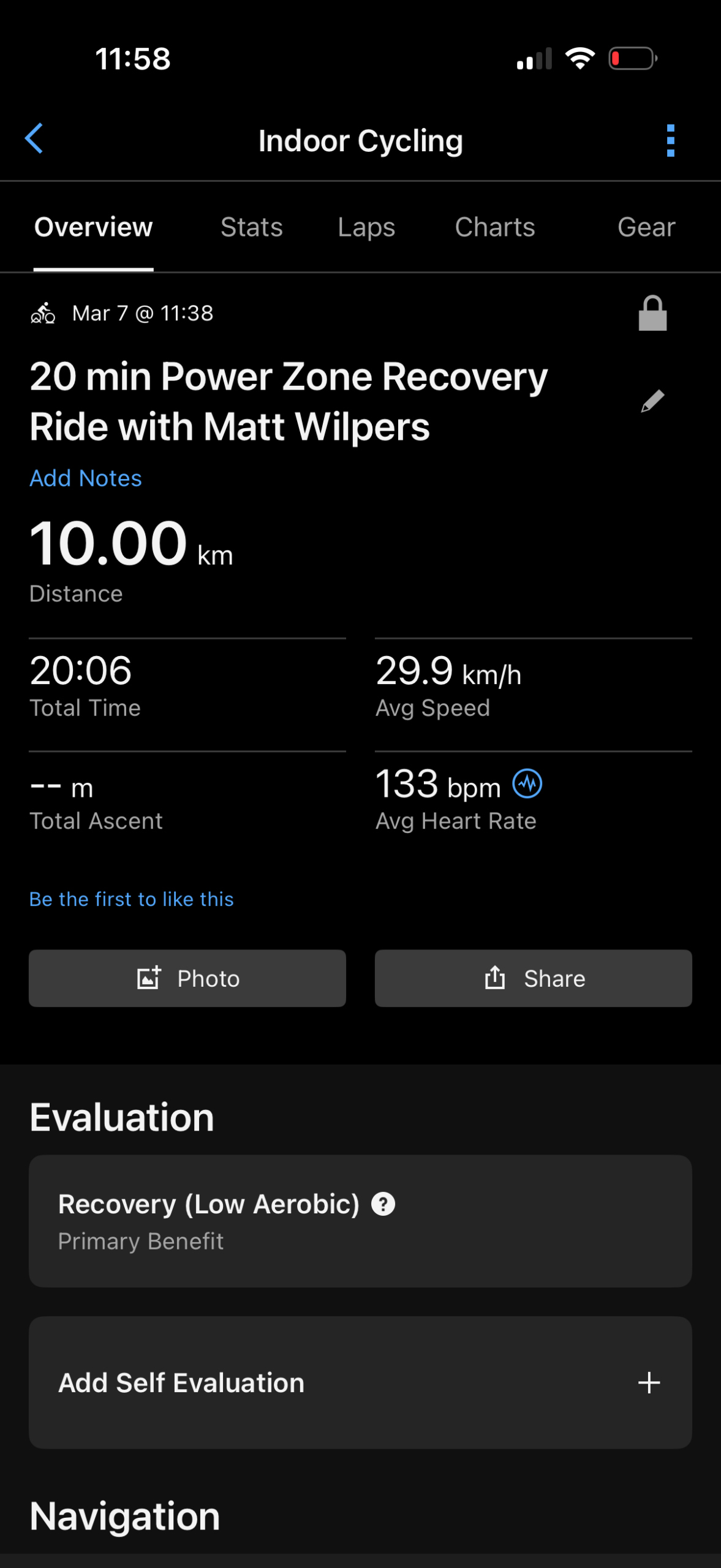
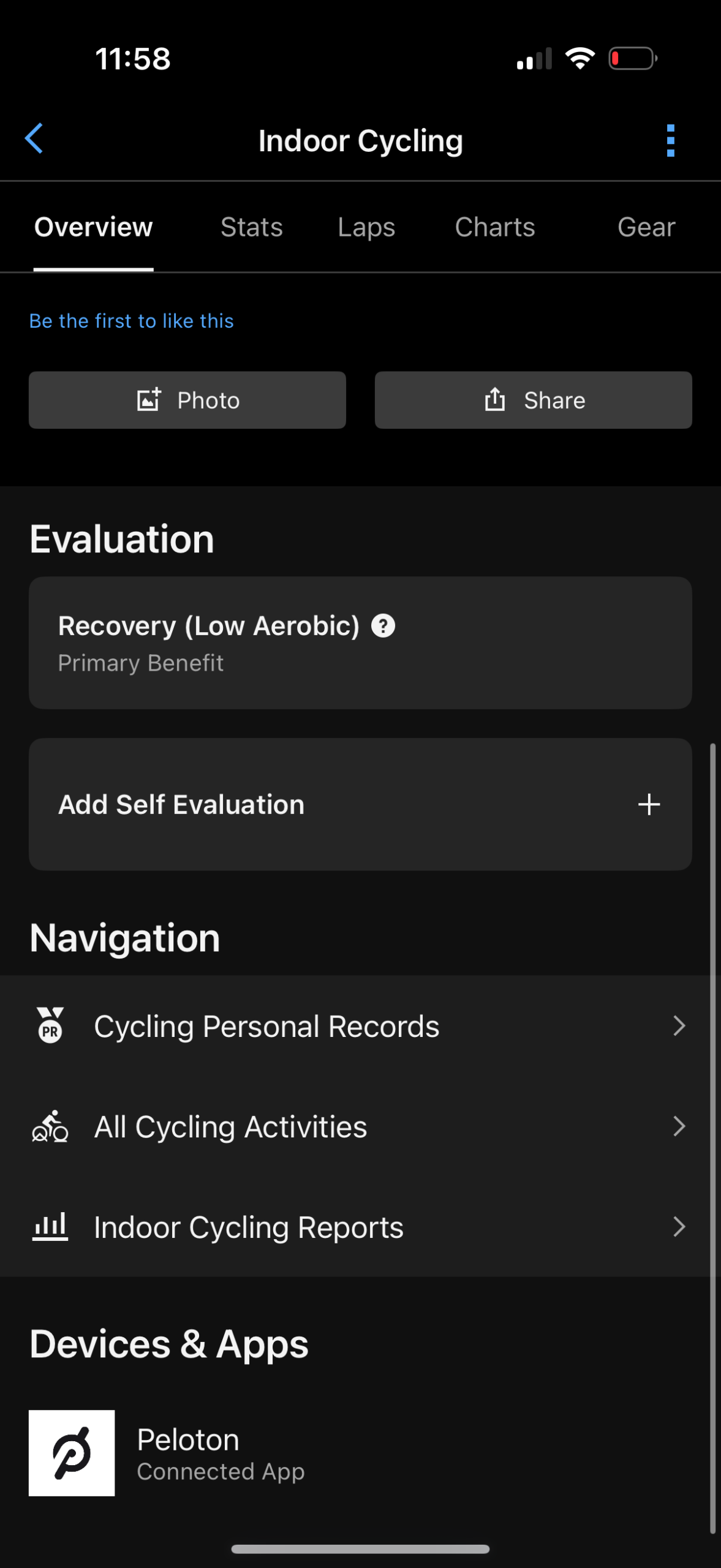
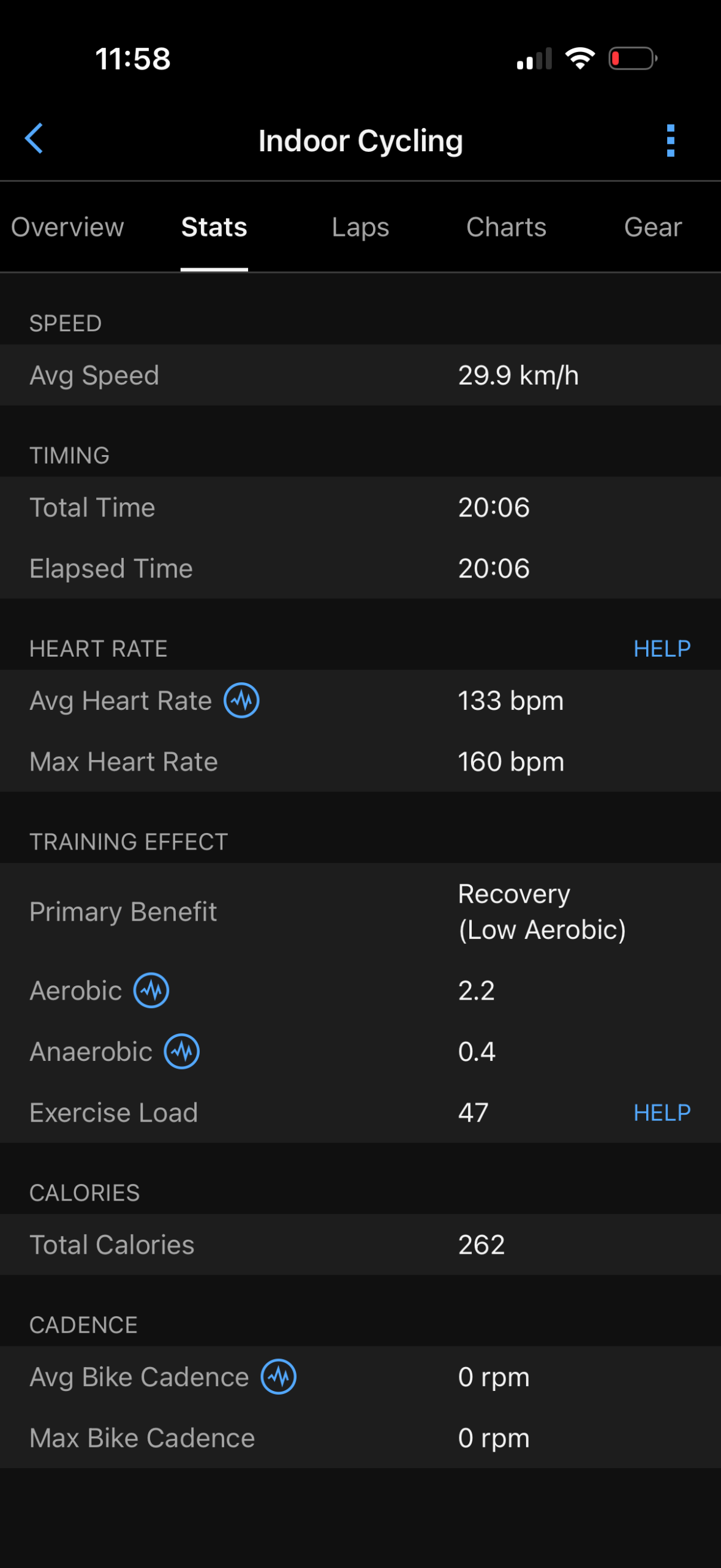
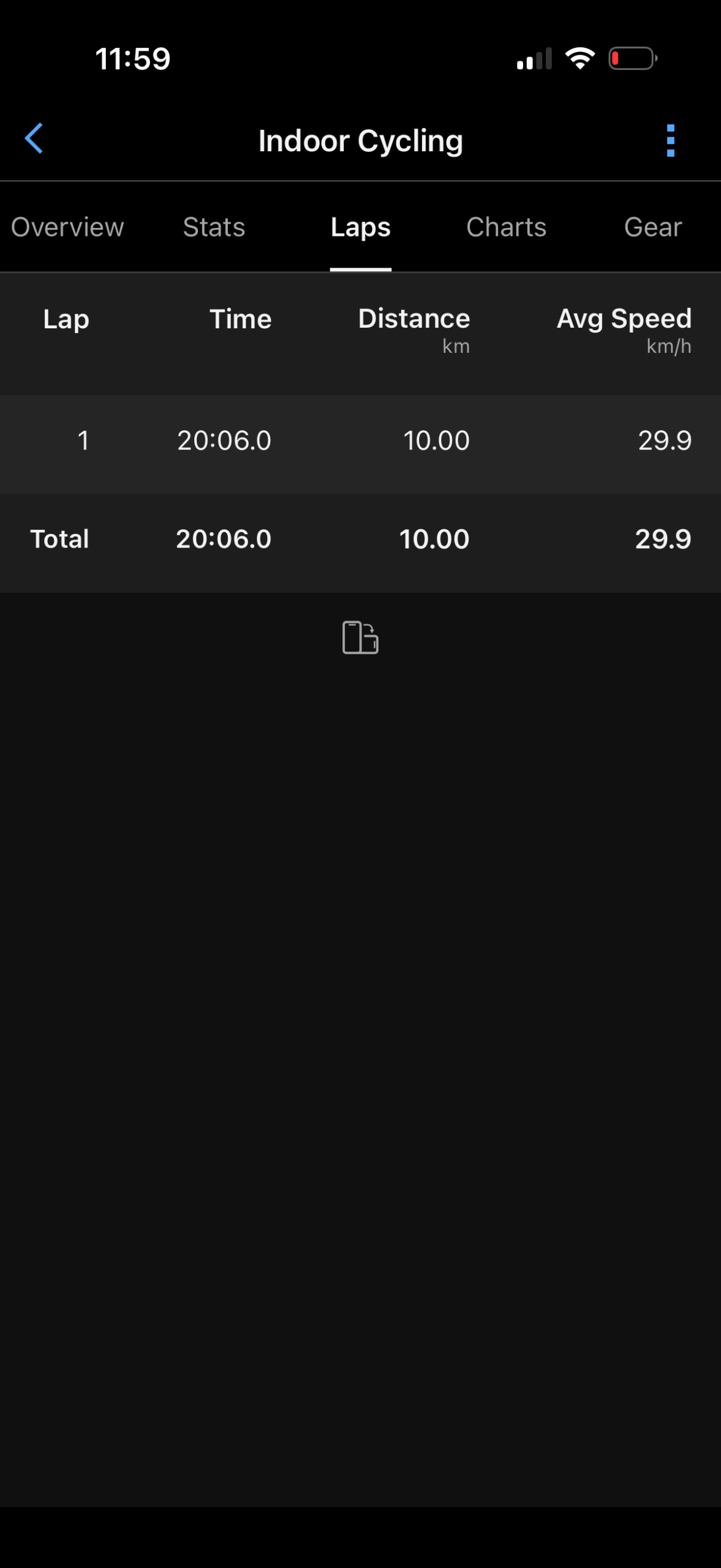
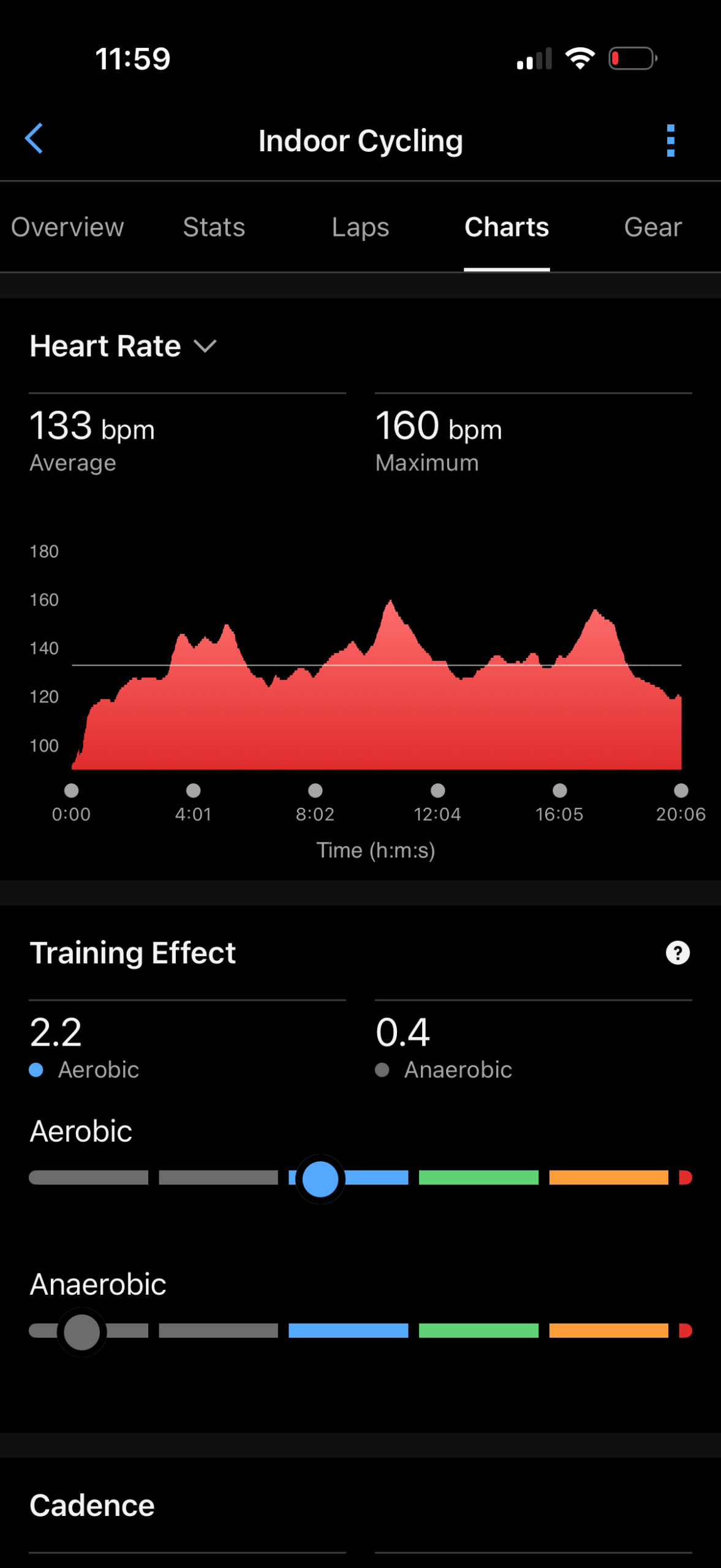
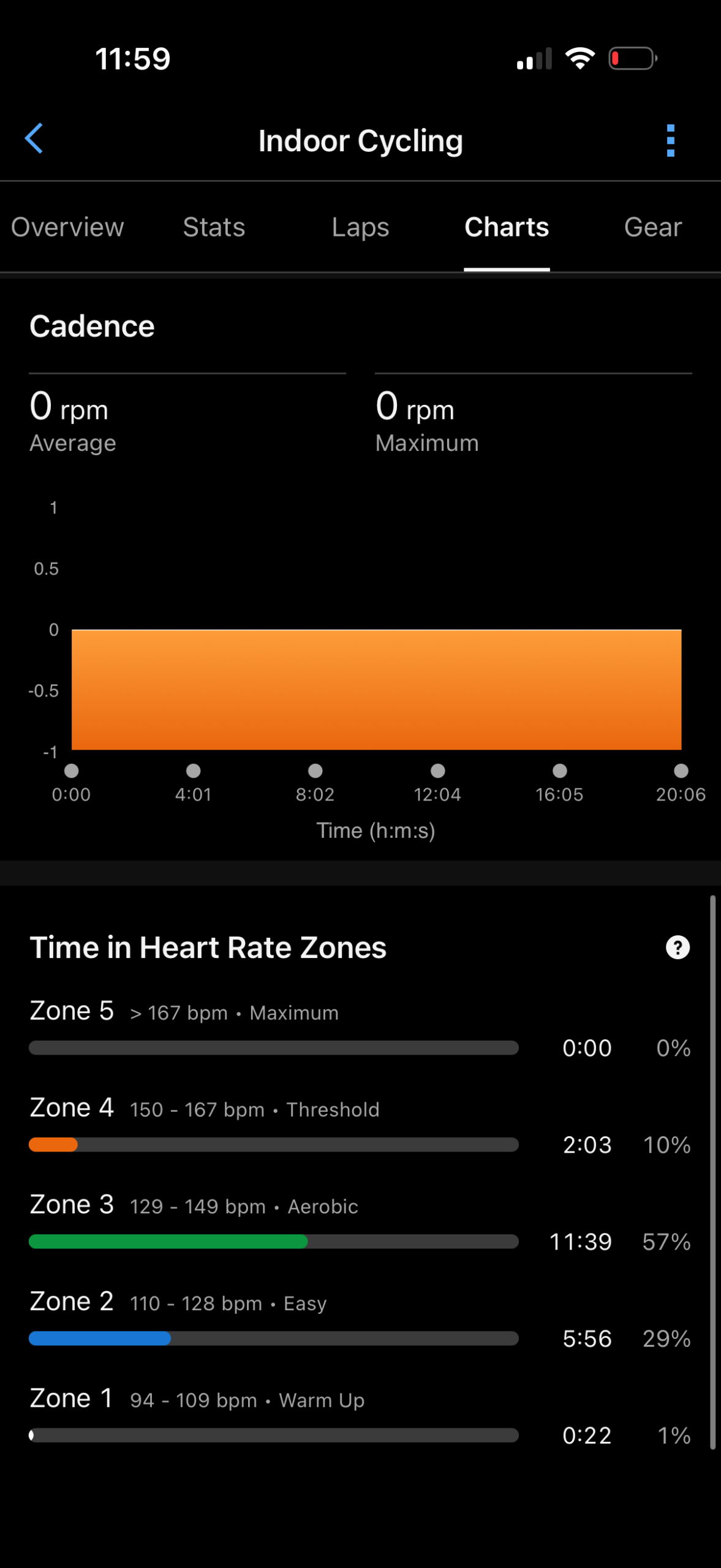
The following values were populated from this workout to the Garmin Connect file:
– Distance (as I specified in the Peloton App afterwards)
– Total Time
– Average Speed
– Average Heart Rate
– Full Heart Rate Data
– Time in Zone Data (HR)
– Training Effect (Including Aerobic and Anaerobic scores)
– Training Effect Primary Benefit (e.g. Recovery, etc…)
– Full Cadence Data (if cadence sensor paired, or on Peloton Bike)
– Full Power Data (if on Peloton Bike)
– Exercise Load (this is used for Acute Load, etc…)
– Total Calories
– Intensity Minutes (and classifications within that)
It’s also then pushed onwards to your watch. In fact, technically speaking this is the most critical part for updating all of the below metrics, because in the Garmin world, these metrics are calculated not by Garmin Connect, but by your ‘Primary Training Devices’ (as configured in Garmin Connect Mobile under Settings > Device Priority). So from a technical level, it does have to sync quickly to your watch and back in order for the below metrics to update. Normally, that happens in the seconds afterwards, but just a minor FYI.
Here are the values on the watch & Garmin Connect app before starting the Peloton-only workout:
Training Readiness (before): 70
Acute Load (Training Load – before): 569
Recovery Time (before): None
Training Status (before): Productive
Endurance Score (before): 7,246
Active Calories: 4
With that, here’s the values afterwards:
Training Readiness (after): 61 (-9pts)
Acute Load (Training Load – after): 629 (+60pts)
Recovery Time (after): 11 hours (+11hrs)
Training Status (after): Productive (same)
Endurance Score (after): 7,263 (+23pts)
Active Calories: 237
Everything above looks good to me, except, the only oddity here was that total calories appears to be ignored. The activity itself specified 262 total calories, but after my ride it was showing 237 calories from ‘Active’ calories. So there’s still a little deviation there that needs to be fixed (since I suspect this deviation would be higher in a longer workout with more intensity).
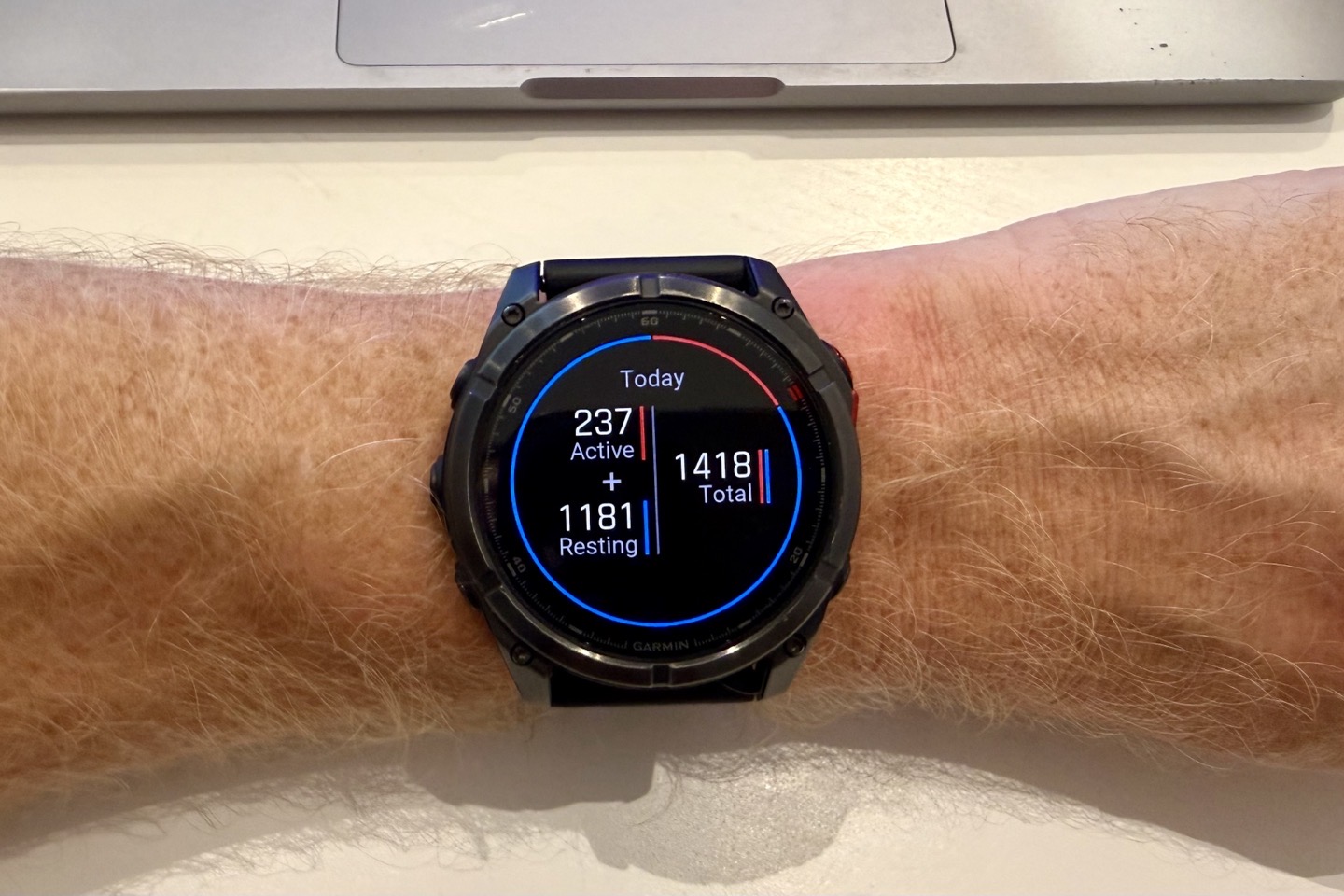
Still overall, it’s exactly what people have been asking for, finally delivered!
Wrap-Up:
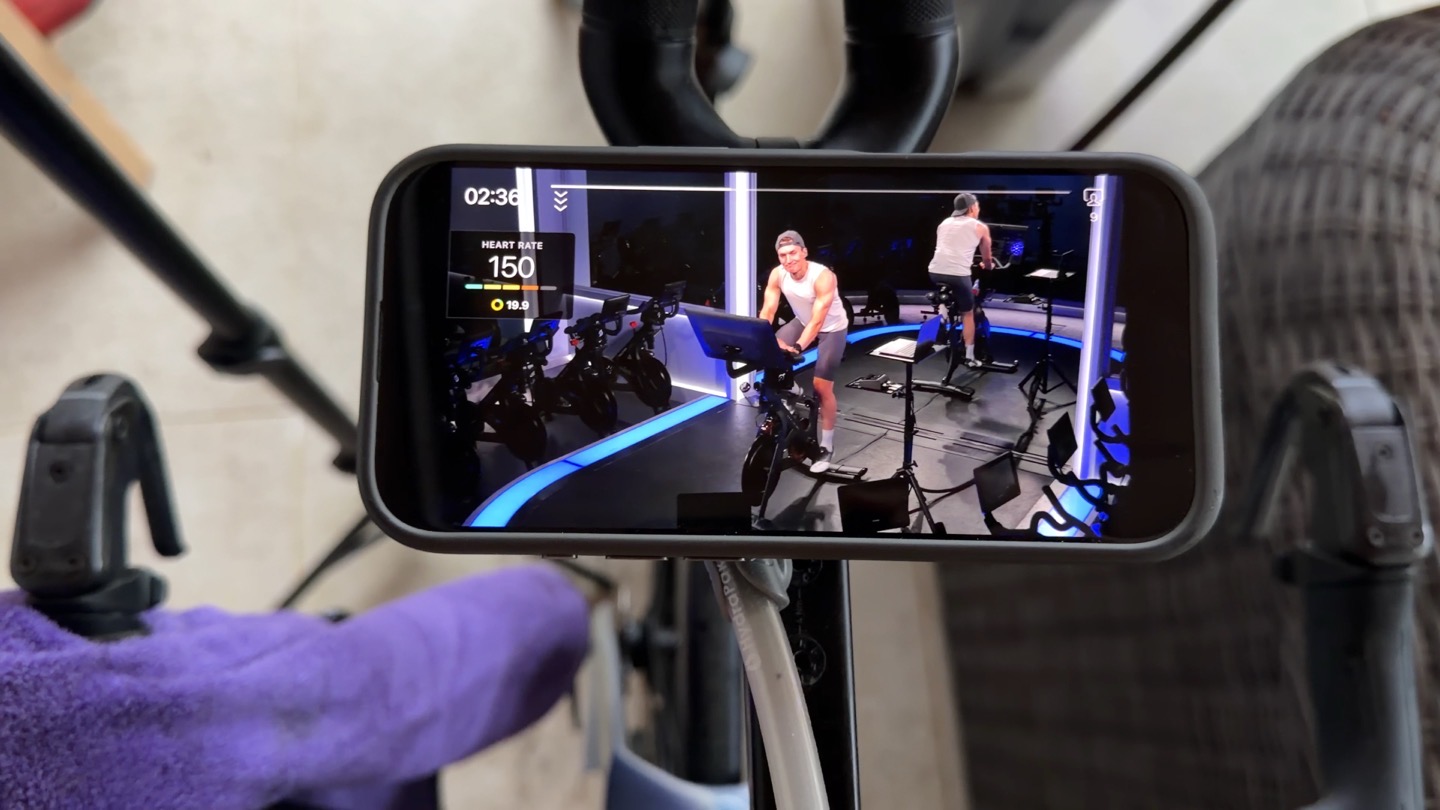
It’s kinda funny, this is something that Garmin folks (both Garmin execs and Garmin users alike), have been hoping for since last decade. While the two companies do have minor areas of competitive overlap, they are *far* better as partners than pretending to compete with each other. This finally makes life easy for Garmin+Peloton.
Certainly, there were some neat 3rd party options to sync data between the two platforms, but none of them were super awesome from a security standpoint, since they required sharing along your actual username/password. So this improves the security posture for both sides of the equation.
With that, go forth and link, it’s quick and easy!
Thanks for reading!
FOUND THIS POST USEFUL? SUPPORT THE SITE!
Hopefully, you found this post useful. The website is really a labor of love, so please consider becoming a DC RAINMAKER Supporter. This gets you an ad-free experience, and access to our (mostly) bi-monthly behind-the-scenes video series of “Shed Talkin’”.
Support DCRainMaker - Shop on Amazon
Otherwise, perhaps consider using the below link if shopping on Amazon. As an Amazon Associate, I earn from qualifying purchases. It doesn’t cost you anything extra, but your purchases help support this website a lot. It could simply be buying toilet paper, or this pizza oven we use and love.


















This is cool. When was the last time Garmin allowed a third-party to sync completed activities to Garmin Connect? Hopefully this is a sign they’re softening that posture (I’d love if my Form goggles could sync to Connect).
Also, what race are you doing tomorrow?
Yeah, previously, it was basically just Zwift/TrainerRoad/Rouvy that was allowed. That said, I wouldn’t be convinced it’s more than just Peloton. Garmin has long wanted Peloton to be part of that (I remember conversations from at least pre-COVID on this front).
In any case, tomorrow doing the Galatzo Ultra Trail Race.