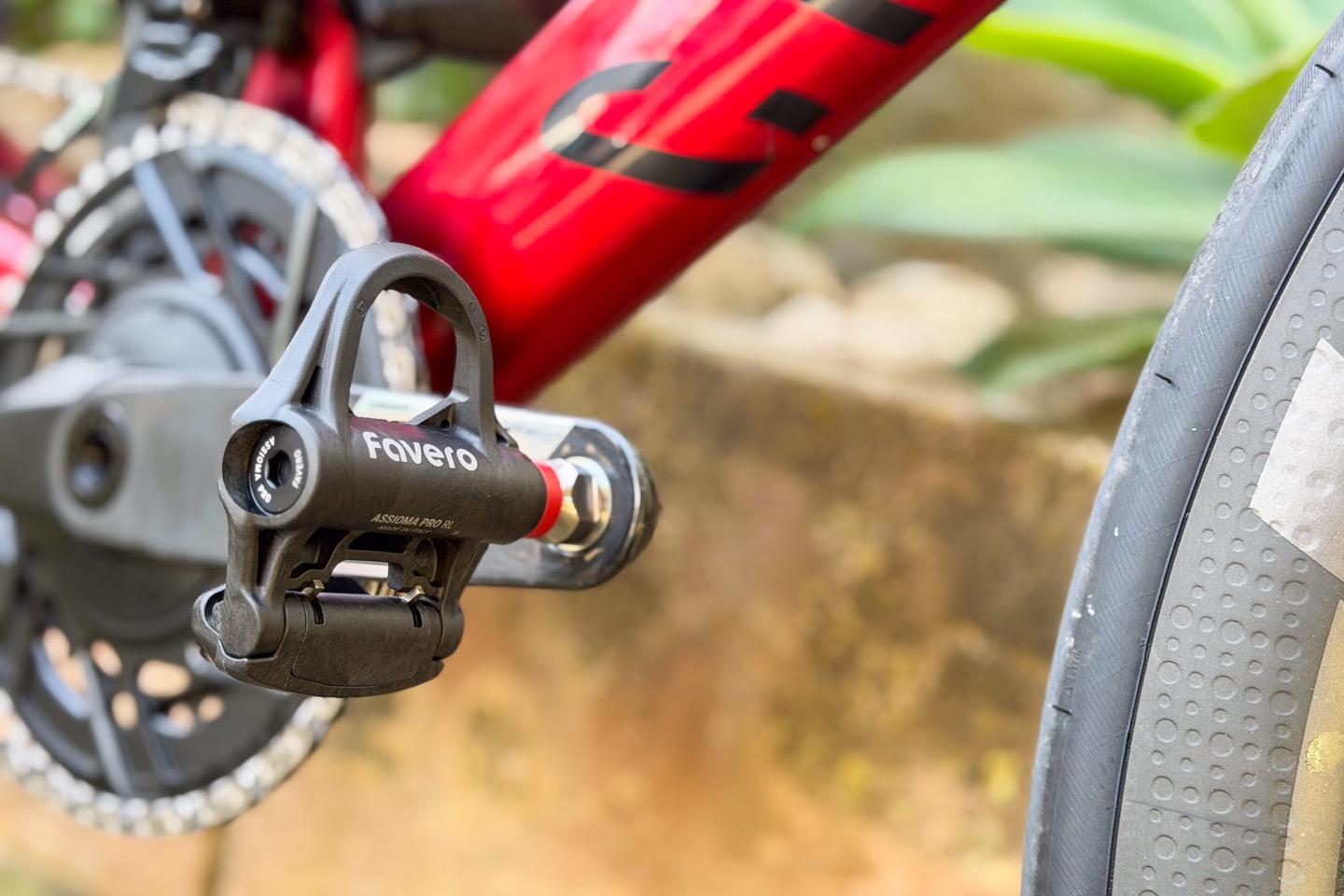
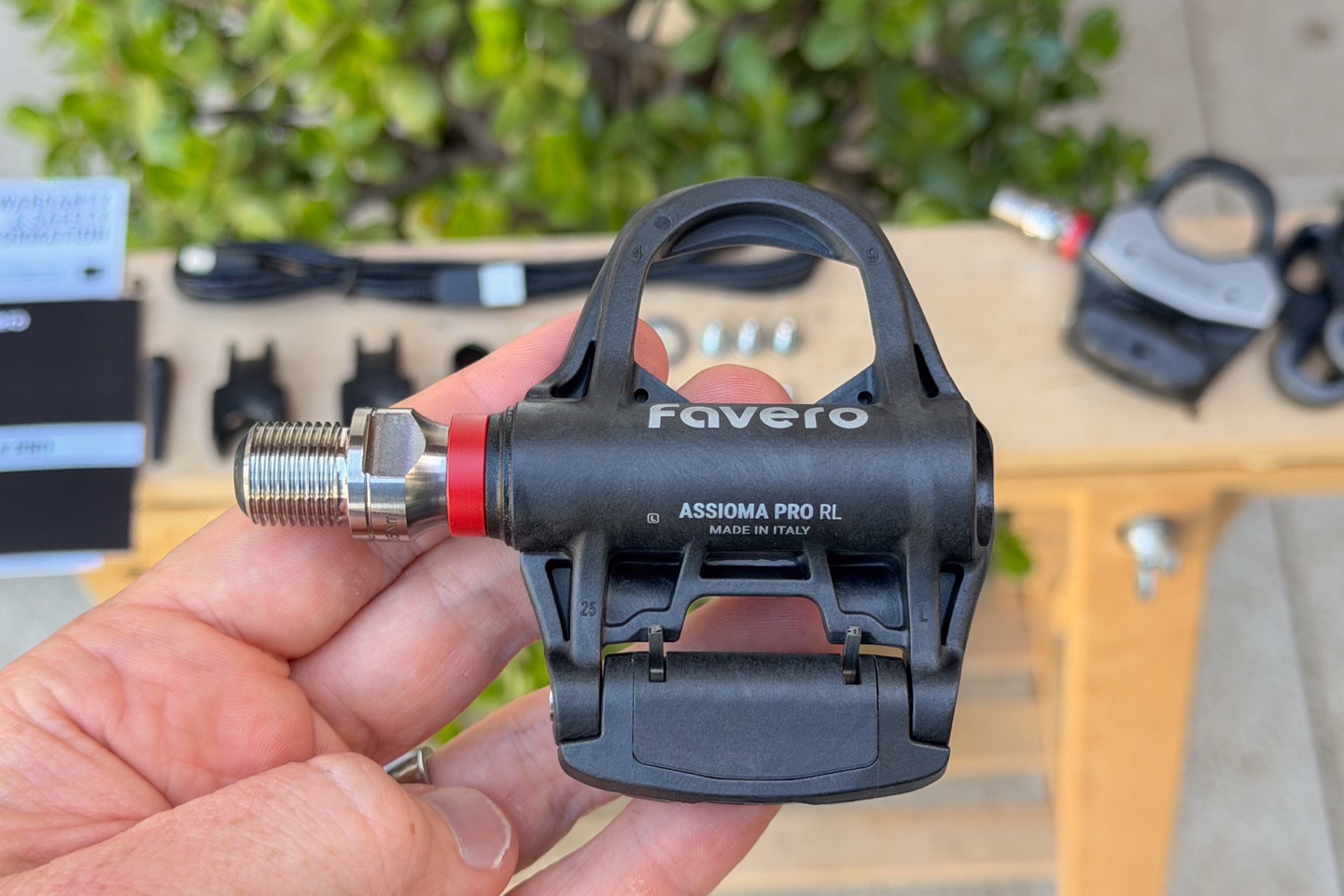
Now two years after Favero started their Pro lineup of power meters, they’ve completed the cleat type rollout, by announcing their Assioma Pro RL power meter pedal, with Look-compatiable cleats. This follows the PRO MX (off-road SPD) in 2024, then the PRO RS (road Shimano SPD-SL) in 2025, and now the PRO RL (Look-compatible) here in 2026.
All three pedals share an identical power meter spindle internally, and you can swap pedal body types between the different spindles. Meaning, you can move the internal spindle pretty easily from a RL/RS pedal body for road usage in the summer, to being an SPD pedal for winter off-road usage. As always with pedal spindle swaps, the procedure is not really designed for daily switching, but infrequent switching.
In any event, both myself and my wife have been riding the PRO RL pedals over the last while, on rides upwards of five hours, though realistically, it’s the exact same spindle as I’ve been riding for 2+ years on the MX & RS units. In other words, it’s just a different external pedal body. You can even buy that new body if you want to, for 95EUR (for the pair, for any pedal body cleat type actually).
Lastly, these pedals are media loaners from Favero. I’ll go out shortly and buy my own for long-term usage purposes, as I’ve continued to do with Favero power meters. As always, I don’t accept advertising from any company I review, and no company sees my reviews before you do. So, if you found this review useful, consider becoming a DCR Supporter, which gets you an ad-free site, plus the behind-the-scenes video series between both myself (and my wife) on everything that happens in the DCR Sports Tech Cave/universe.
What’s new:
Now again, this is the same exact internal spindle as the two previous PRO series power meter pedals from 2024/2025 (just with a new cleat type). Thus, it’s best to compare this to to the older Favero Assioma pedals from a long-time ago, since that’s what anyone looking to upgrade is coming from.
With that in mind, the key differences to the existing Favero Assioma Duo pedals are:
– Added SPD cleat type (previous was LOOK KEO and SPD-SL)
– Got rid of battery/communications/charging pod entirely. Everything is inside the spindle now
– Added Platform Center Offset (PCO) within the cycling dynamics suite of metrics (previously they couldn’t get that specific item, while already having other cycling dynamics metrics).
– Increased battery life to 160 hours (with new firmware update last month), from previously 50 hours with Favero Assioma Duo
– Includes dual USB-C cabled connectors for the charging cable (though, the actual charging port to plug into the wall is still unfortunately USB-A)
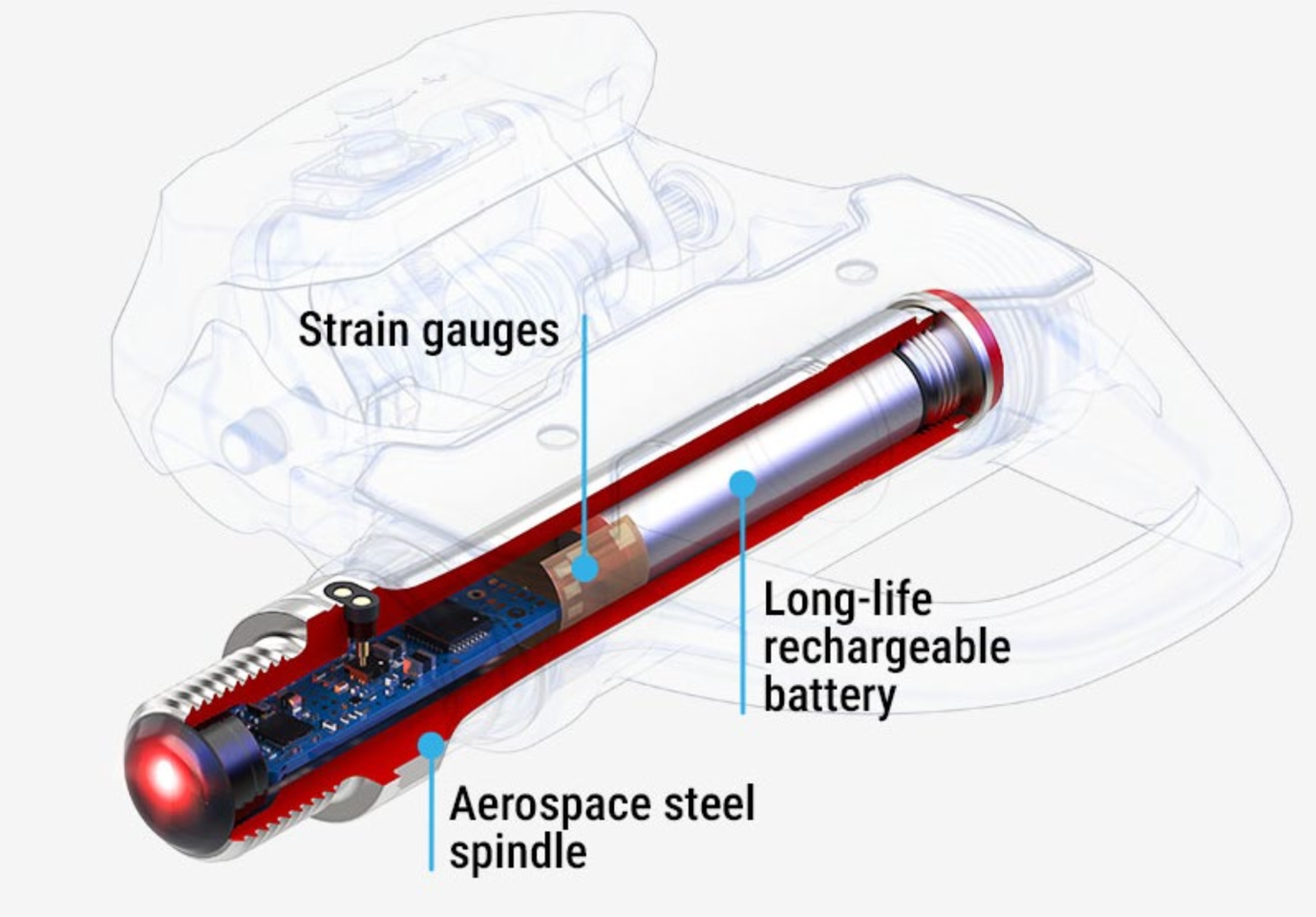
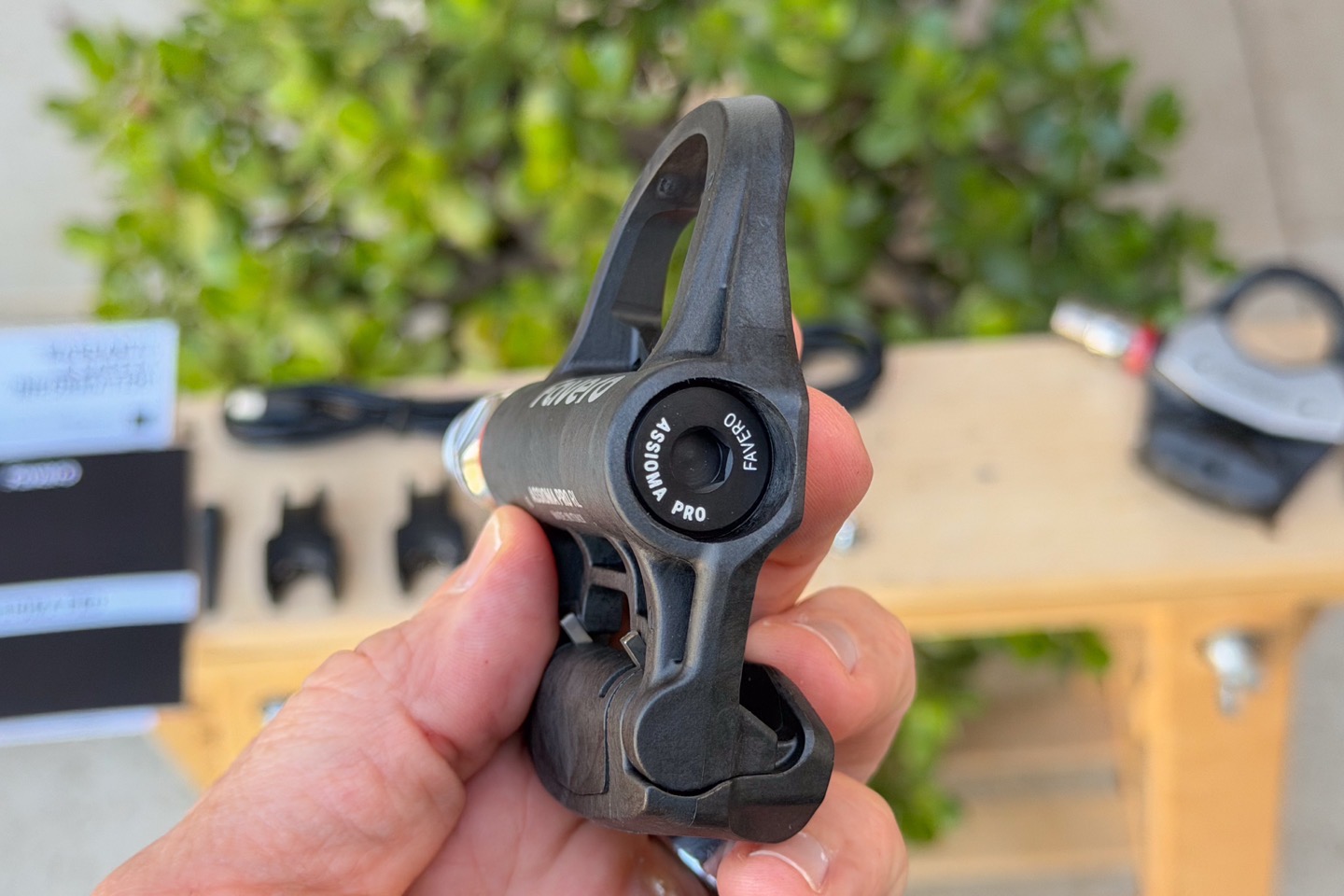
Next, is the spindle design. This spindle design changed from the Favero Assioma Duo to the MX/RS/RL pedals, and the spindle is the core of any power meter pedal, be it Garmin, Look, or Favero. Up until the Garmin Vector/Rally pedals, companies would build power meter pedals that couldn’t be swapped between pedal cleat types. Garmin changed that, and then Favero and Look followed suit in their more recent models (such as this one here). This is super useful to consumers because you can just swap pedal types if you want to move between different applications. Further, in other realms, it also means that in case the pedal body breaks (e.g. bad impact, especially off-road on rocks), usually the spindle is just fine. It’s exceptionally rare to manage to break a spindle.
Here’s the spindle inside the Favero PRO series:
When Favero announced the MX spindle, they talked a lot about how they changed the battery and communication pieces to be deeper into the spindle itself to protect it. Further, by staying with rechargeable batteries, it reduced coin-cell connection dropouts (we saw Garmin switch to rechargeable as well back in September 2025 with the Rally x10 series). But probably the biggest advancement for Favero was frankly the battery increase last month (Feb 2026 via firmware update) more than doubling the battery from 50-60 hours up to a claim of 160 hours. Up till then, Garmin was substantially higher than them, at roughly 90 hours on the newer rechargeable model. Plus, Garmin previously had all three pedal types (SPD/SPD-SL/Look), versus just the two for Favero.
But between the change to the battery via firmware, and now completing the lineup to Look, it basically extinguishes almost all scenarios that Garmin beats Favero. And of course, the big one that Favero beats Garmin on is simply price. Garmin is nearly double the price of Favero. About the only two minor technical area Garmin beats Favero in, is having secure Bluetooth connections (as required by upcoming EU regulations), which Favero somewhat oddly doesn’t comply with. I suspect Favero is taking the position that power meter data isn’t PII. And the other being the display of Force (vs Torque), which Garmin added in the x10 units. Frankly, not sure either are super compelling for most cyclists.
In any case, let’s look at the actual Favero Pro RL specs:
– Claimed accuracy: +/- 1% (0-3,000w)
– Temperature Compensation: Yes – active temperature compensation
– Auto-Zero Capability: Yes
– Manual Zero-Offset Capability: Yes
– Connectivity: ANT+ (unlimited concurrent connections), and Bluetooth Smart (three concurrent connections)
– Cadence Transmitted: Yes (10-250rpm)
– Left/right Balance Transmitted: Yes
– Cycling Dynamics (or similar): Yes, full suite
– Oval/Q Chainring Compatible: Yes
– Weight per pedal: 130.0g (per pedal)
– Battery type: Rechargeable
– Battery life: Claimed 160 hours
– Battery quick charge: 15 hours in 15 minutes
– Water Resistance: IP67
– Operating Temp Range: -10°C to +55°C
– Max Cyclist Weight: 120kg
– Q-Factor: +53mm
– Stack Height: 10.5mm
– Cleat Contact Surface: 755 mm2
I’ll cover comparison bits to Garmin a bit later in the review.
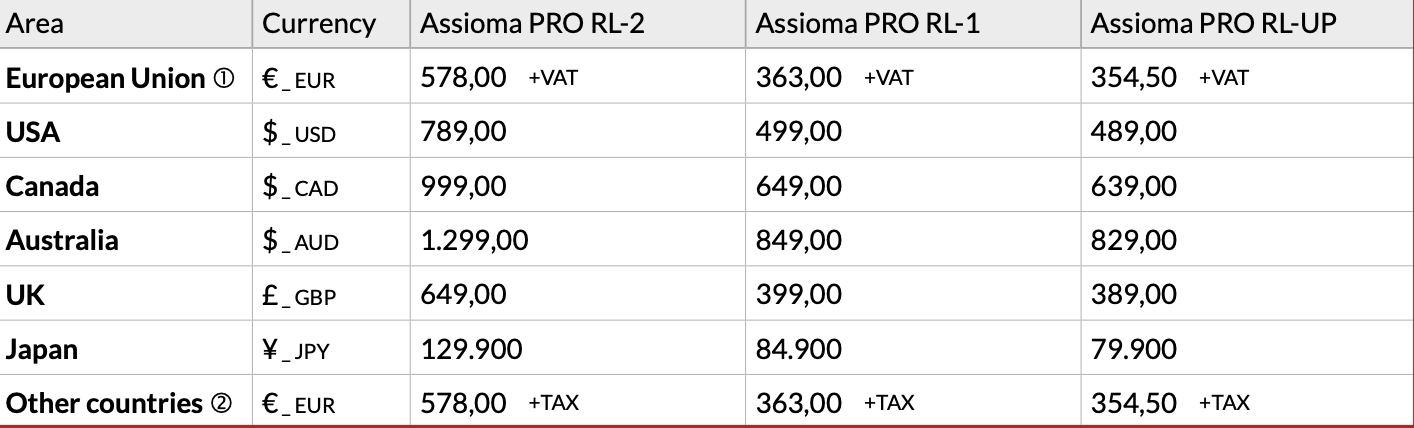
Last but not least, let’s talk pricing. Here’s the official chart of what pricing should be. Note that this is identical to the Favero Assioma Pro RS series, just with Look-compatible pedal bodies instead:
Got all that? Good.
In The Box:
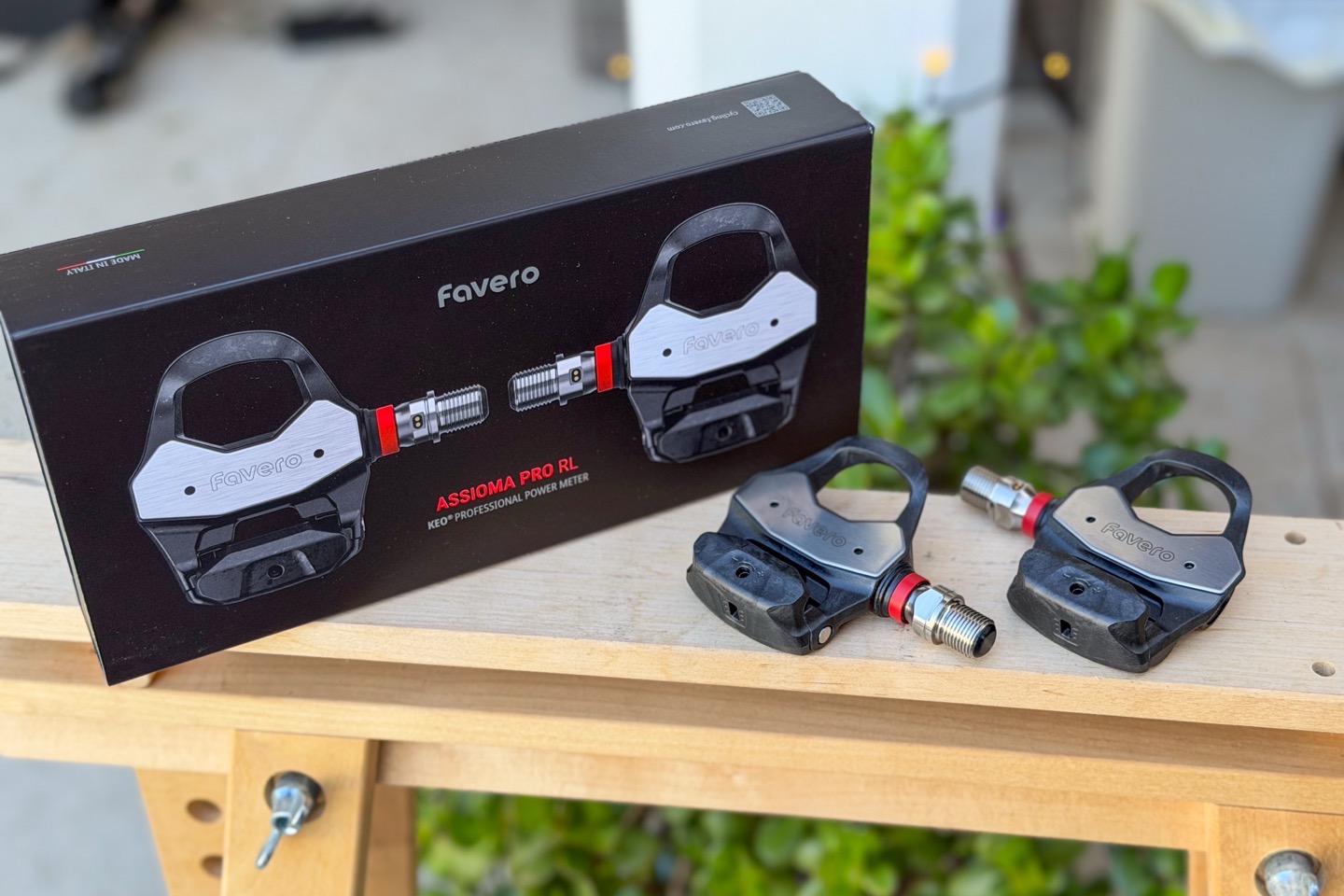
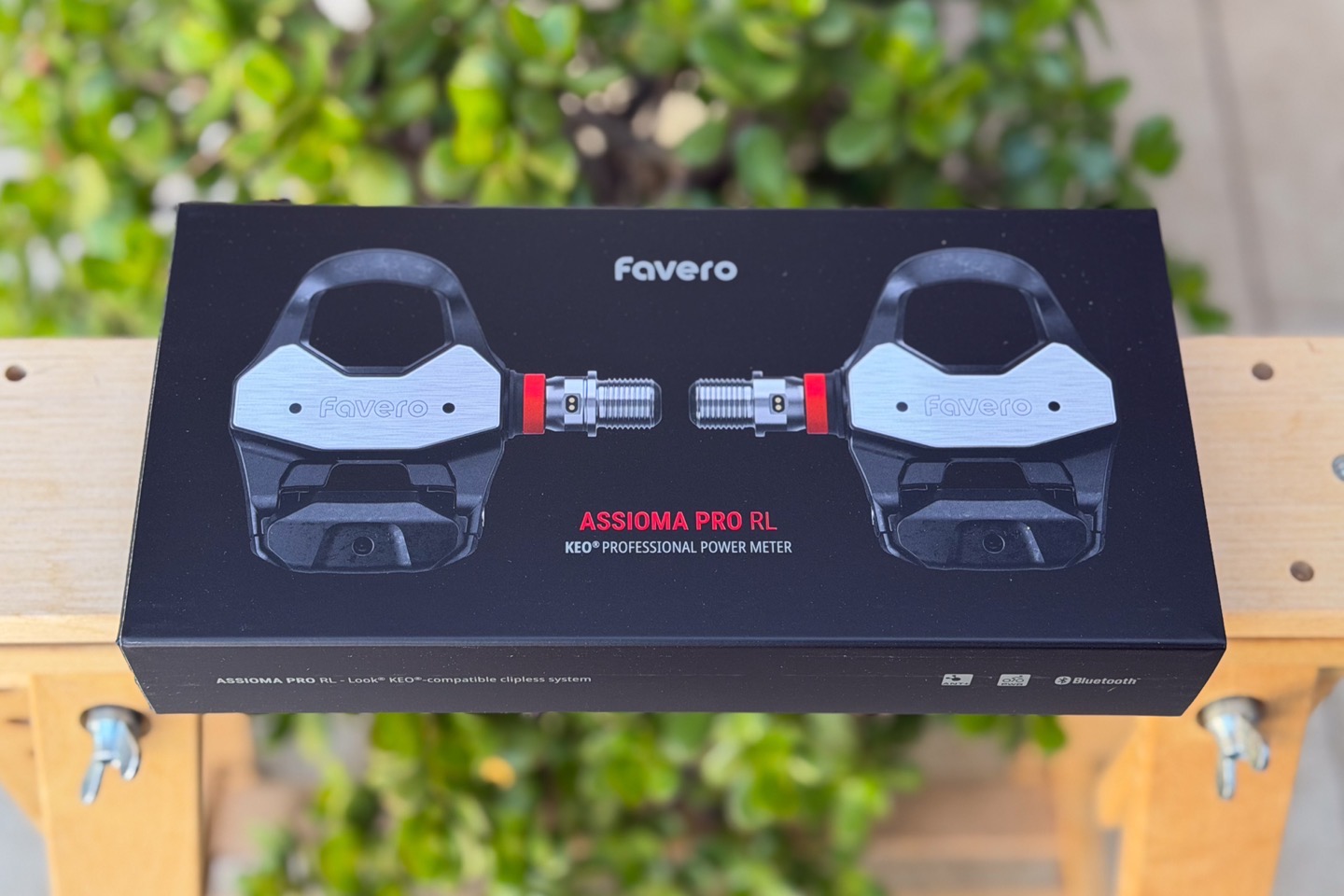
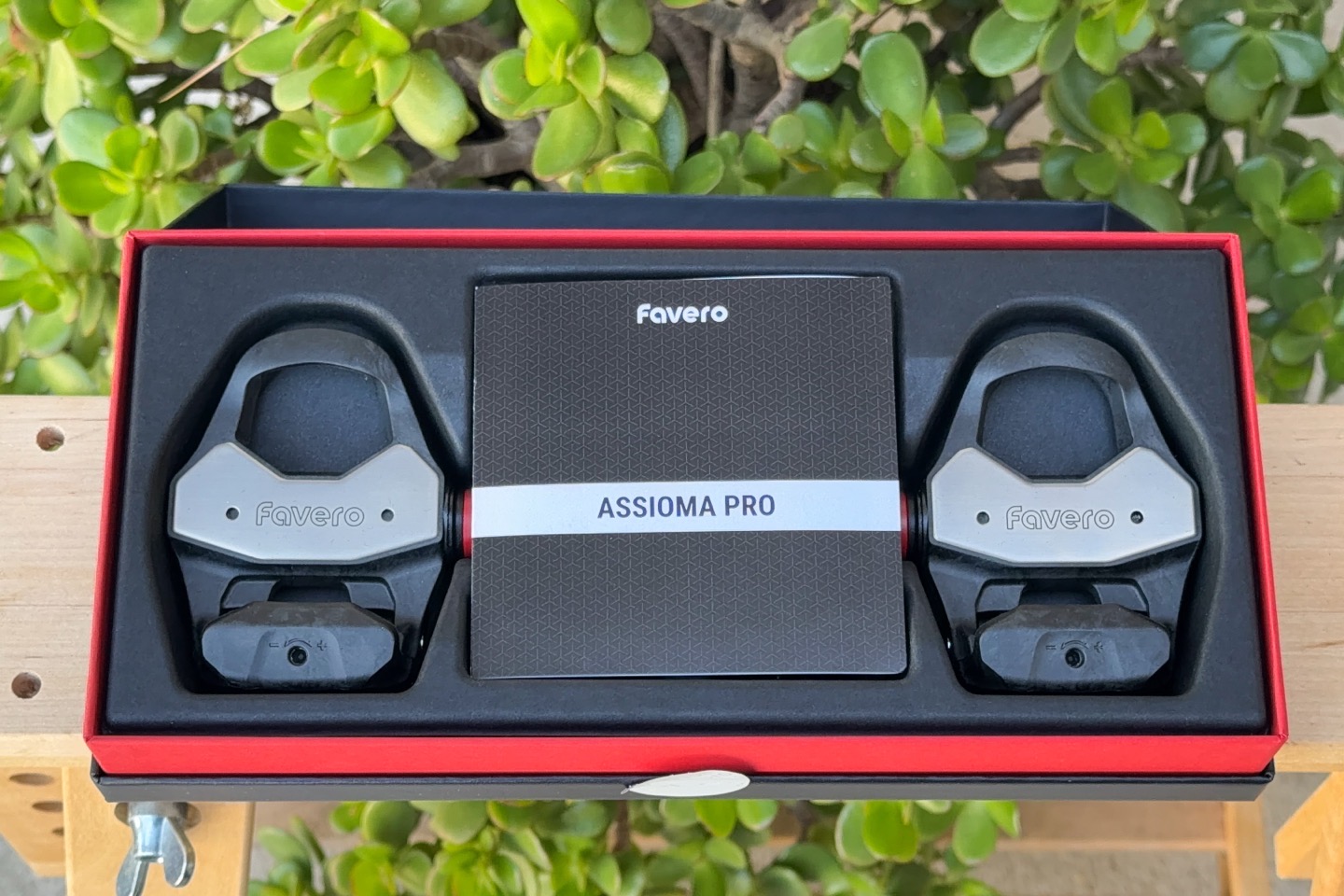
Above is the box, and below, is what’s inside the box:
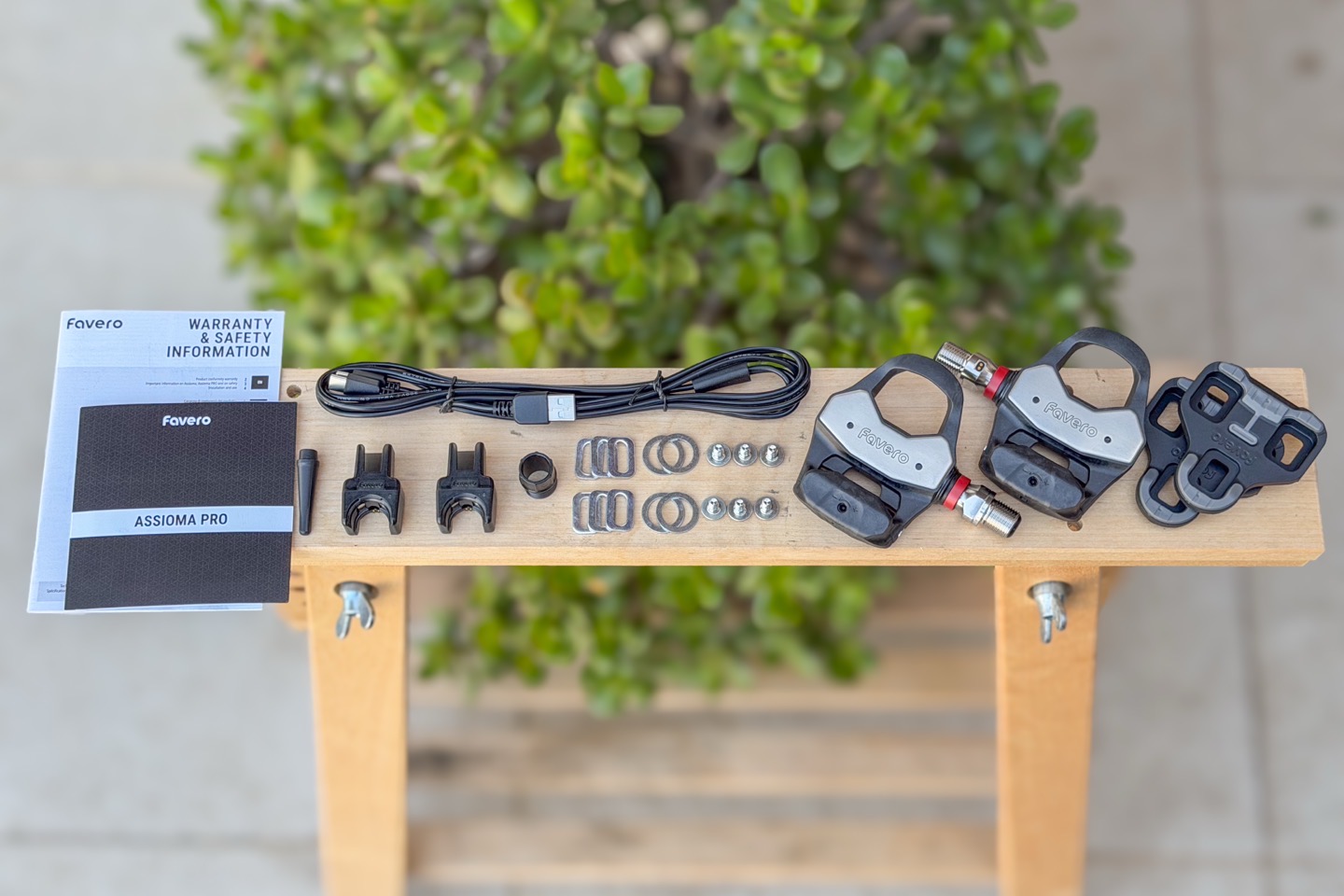
Of course, this is what you’re really looking for:
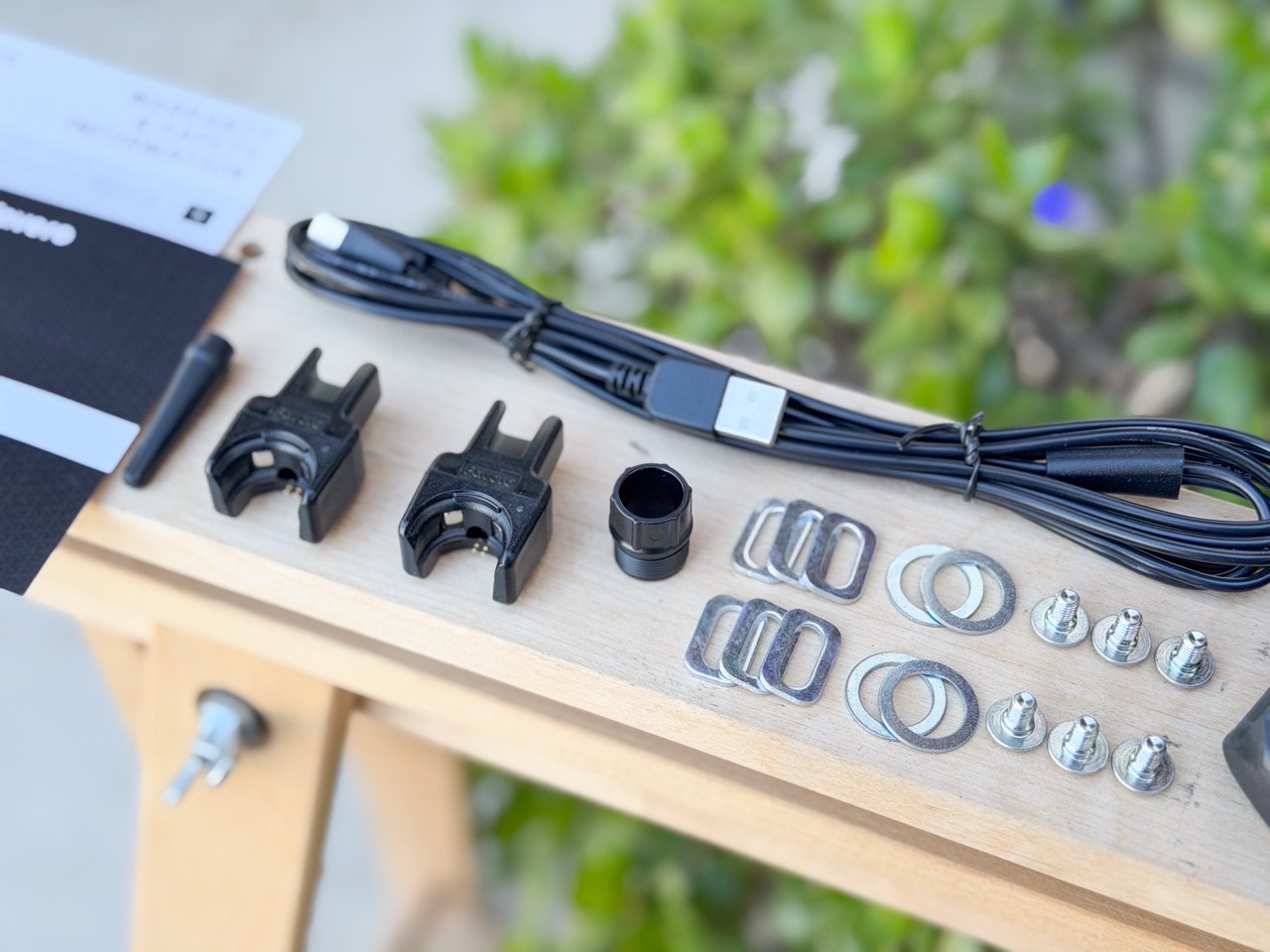
In a nutshell, you’ve got:
1) The power meter pedals (Pro RL)
2) Look-compatible cleats (Favero branded though)
3) The mounting hardware (to mount cleats to your shoes)
4) Dual USB-C charging cable (though, the charging block connector portion is USB-A)
5) Two charging clips (USB-C inside)
6) Grease application tool
7) Some paper stuff you probably won’t read
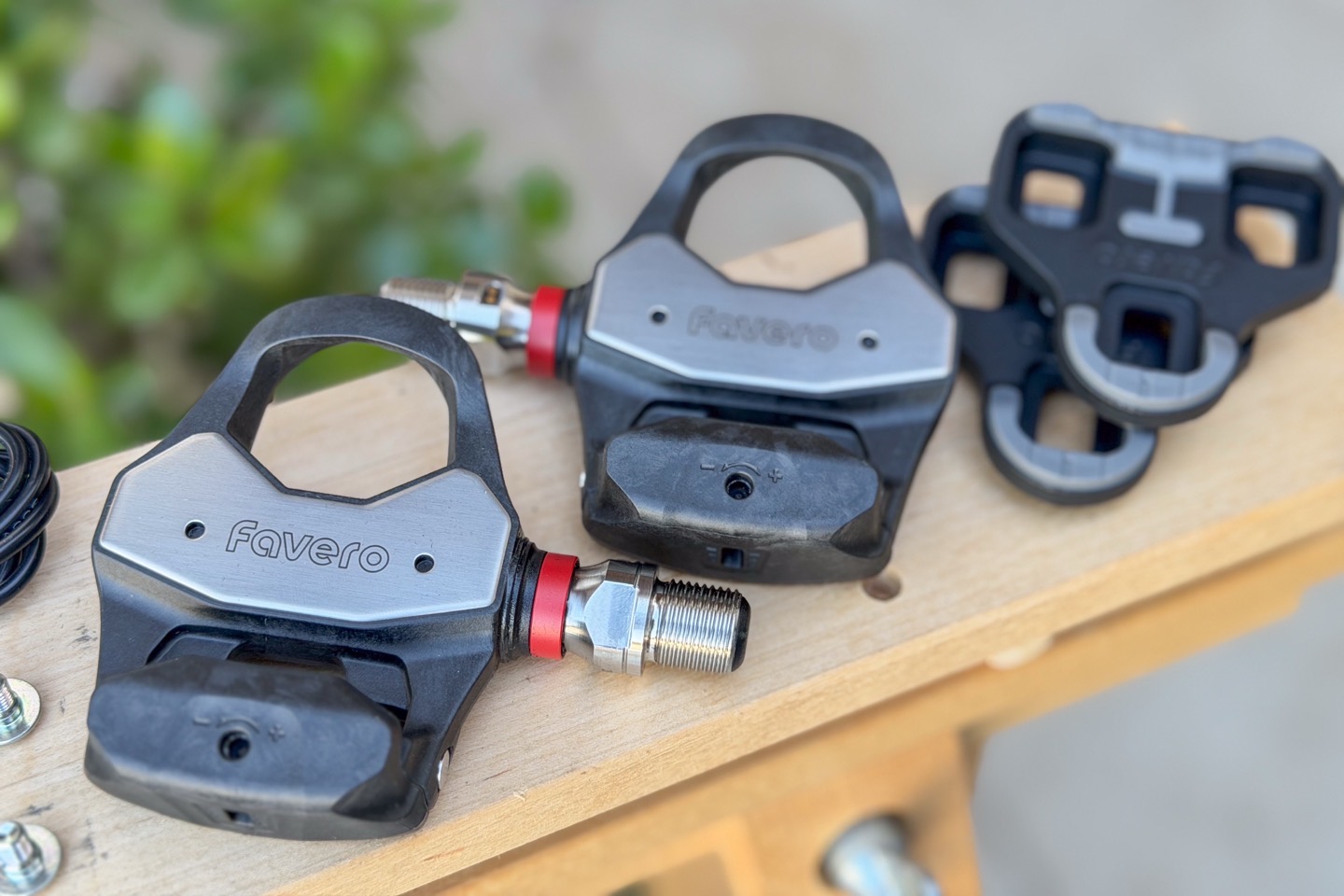
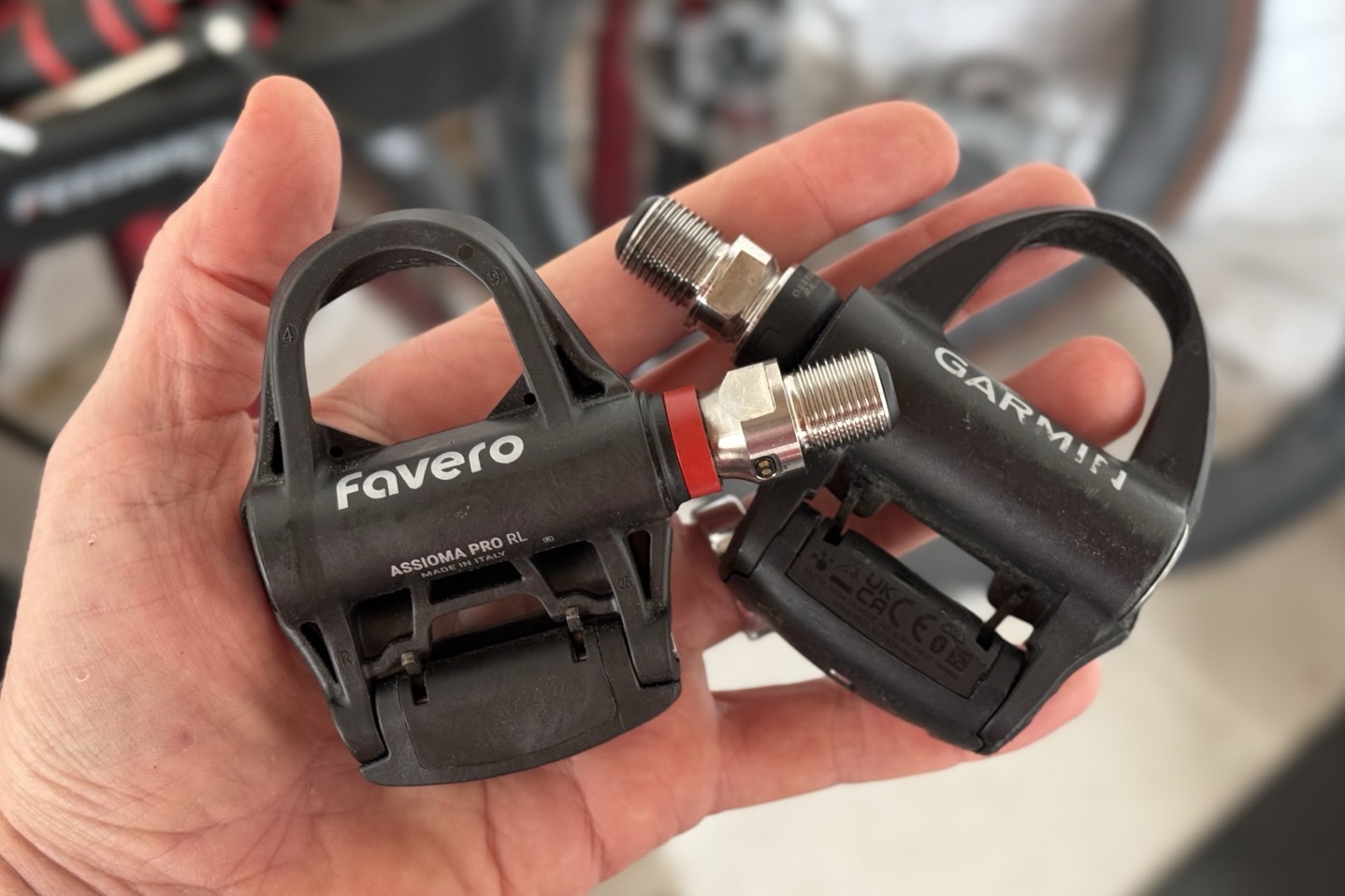
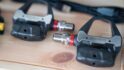
Here’s a closer look at the pedals:
And these are indeed made in Italy at Favero’s factory there.
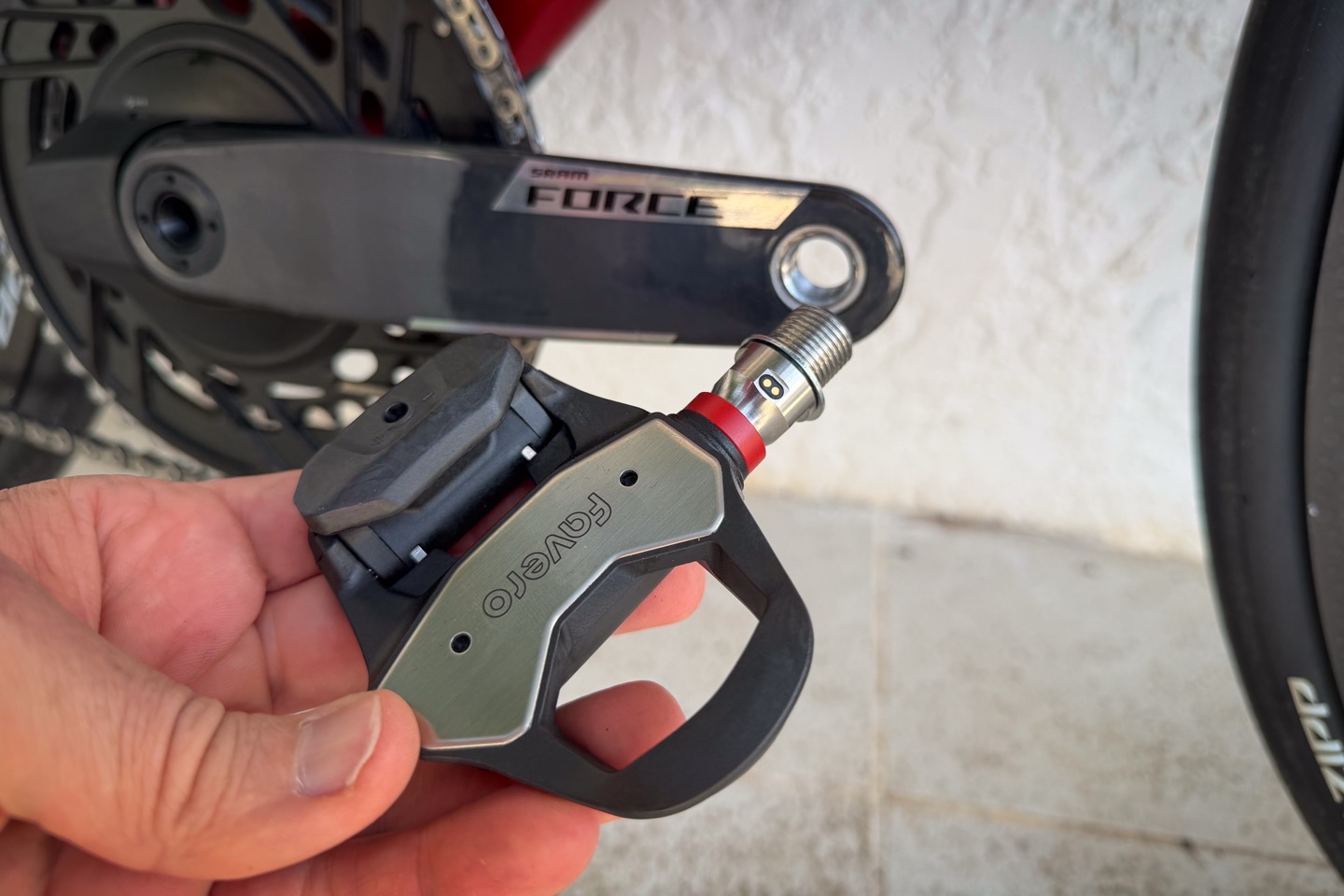
Here you can see how you’d access the spindle for swapping of pedal bodies:
Meanwhile, the charging cable is the same as on the Pro RS series, which has an internal USB-C connection for each connector, though oddly still has USB-A at the charging end.
The nice part, though about this dual-cable (aside from charging two pedals at once), is that it’s super long, so you an easily reach from. Nearby outlet, around your bike’s wheels/etc, to the pedals.
Install & Setup:
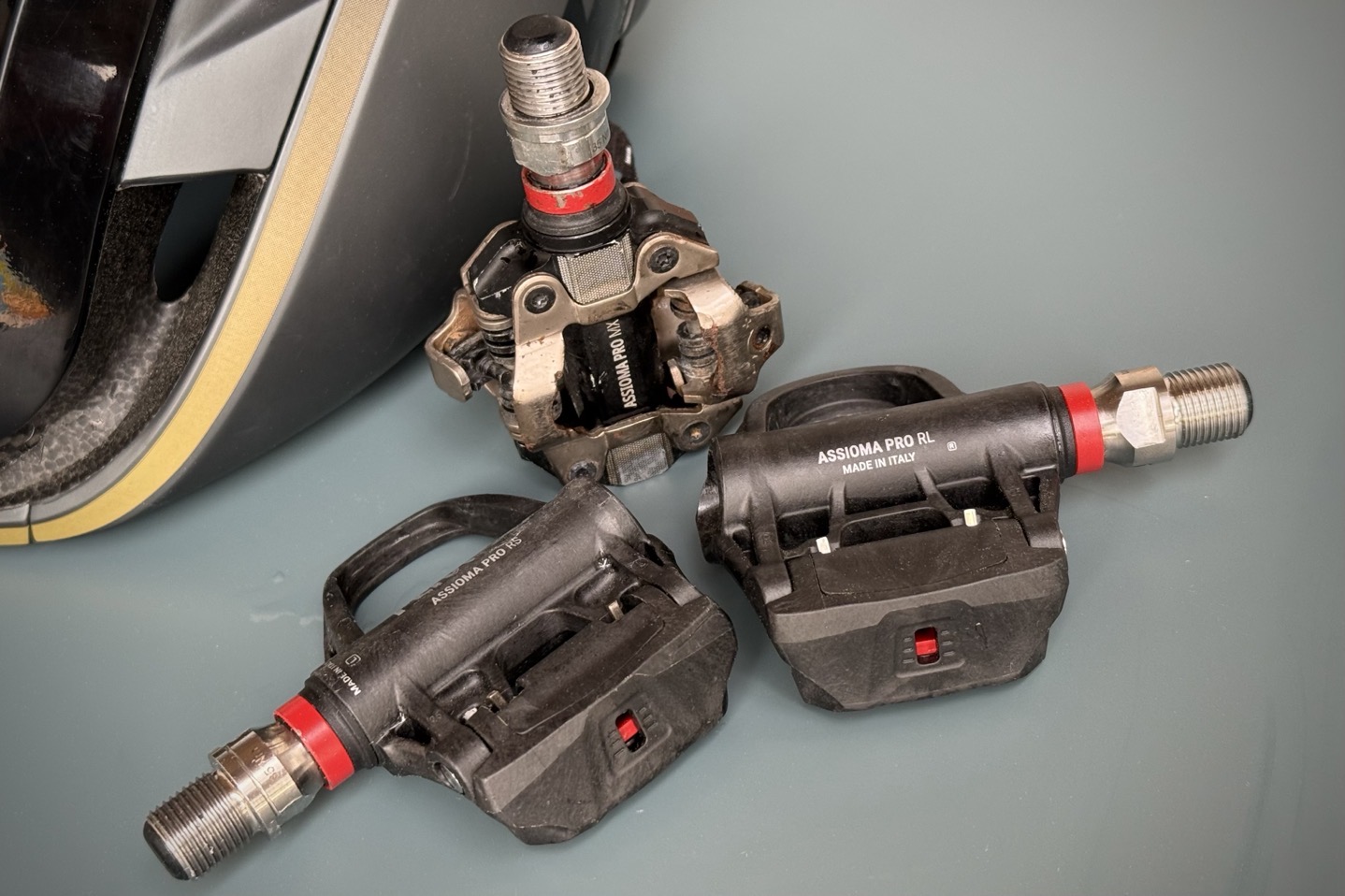
(Above: Favero Assioma Pro RS, MX, and RL pedals)
Getting the pedals installed is silly easy, just as with the past. It’ll take about 3 minutes, including the time it takes requires to download the free Favero app, which is required to activate the pedals. Without that activation, they won’t transmit power. Though, depending on when you buy these pedals, it may take a few minutes more to get the most recent firmware update downloaded to the pedals (then which unlocks all the big battery gains).
In my case, I decided to mount them on the bike first, and then did the app piece. The reason for that is that the calibration portion at the end of the activation steps requires it be on the bike. So, to install them you’ll grab a pedal wrench first, and then remove any pedals you’ve got on your bike already.
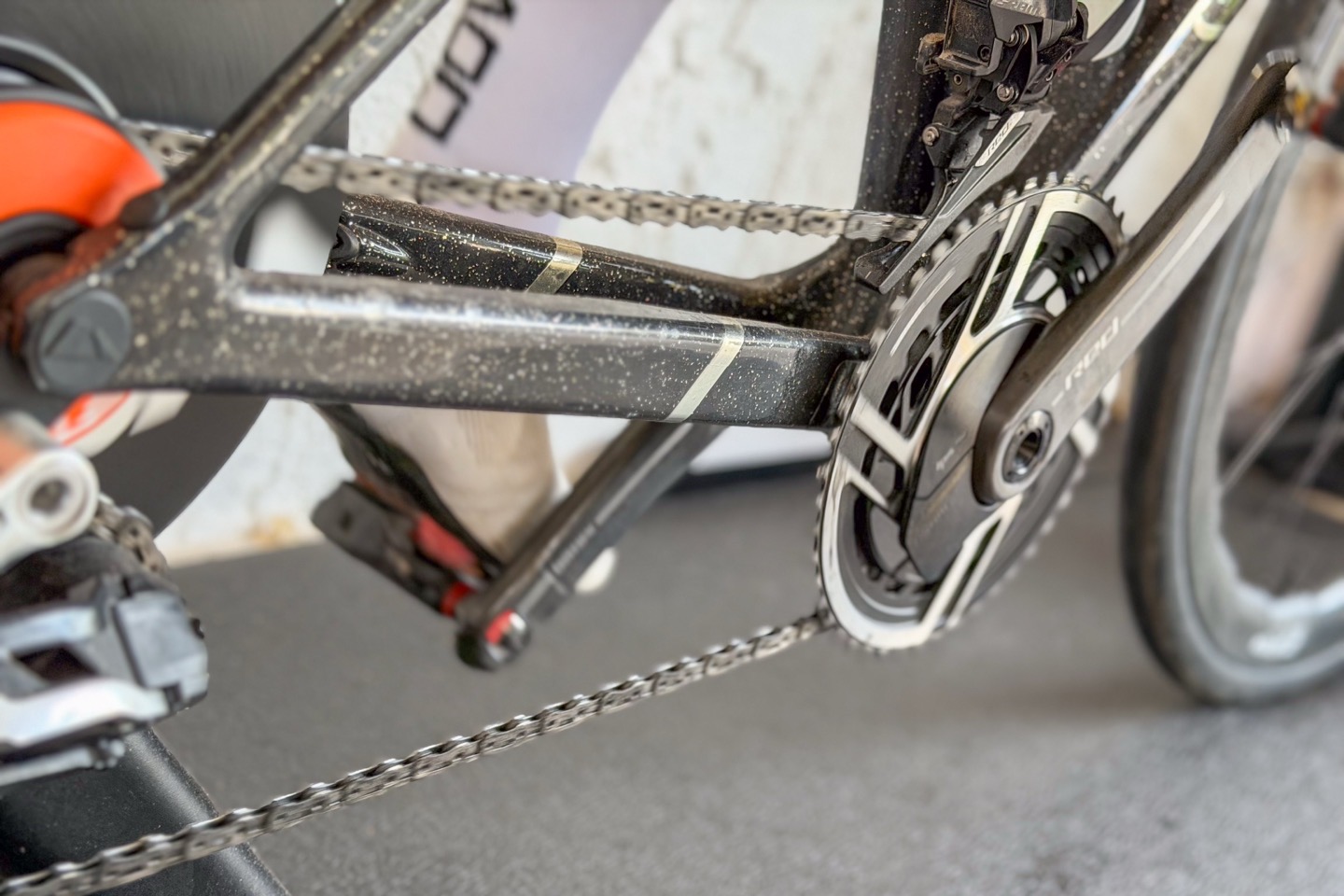
After that, you’ll add the spacer ring to each pedal spindle. This is to ensure that the spindle doesn’t clip your chain/chainstay, as well as to ensure no portion of the pedal is touching any carbon cranks sidewall.
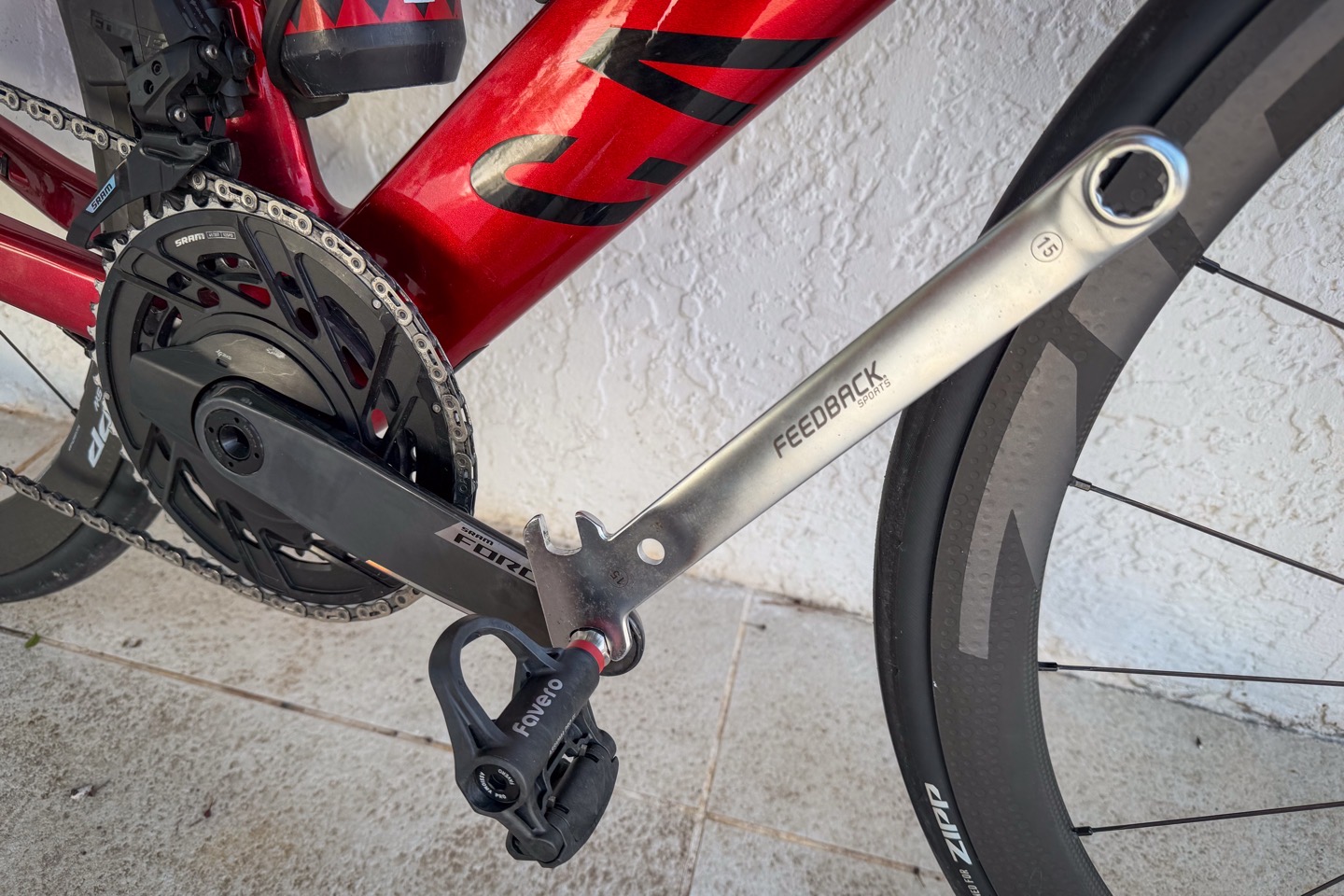
Then of course, grab that pedal wrench again to install the pedals onto your bike. As always, give it a fair bit of force, to ensure proper accuracy.
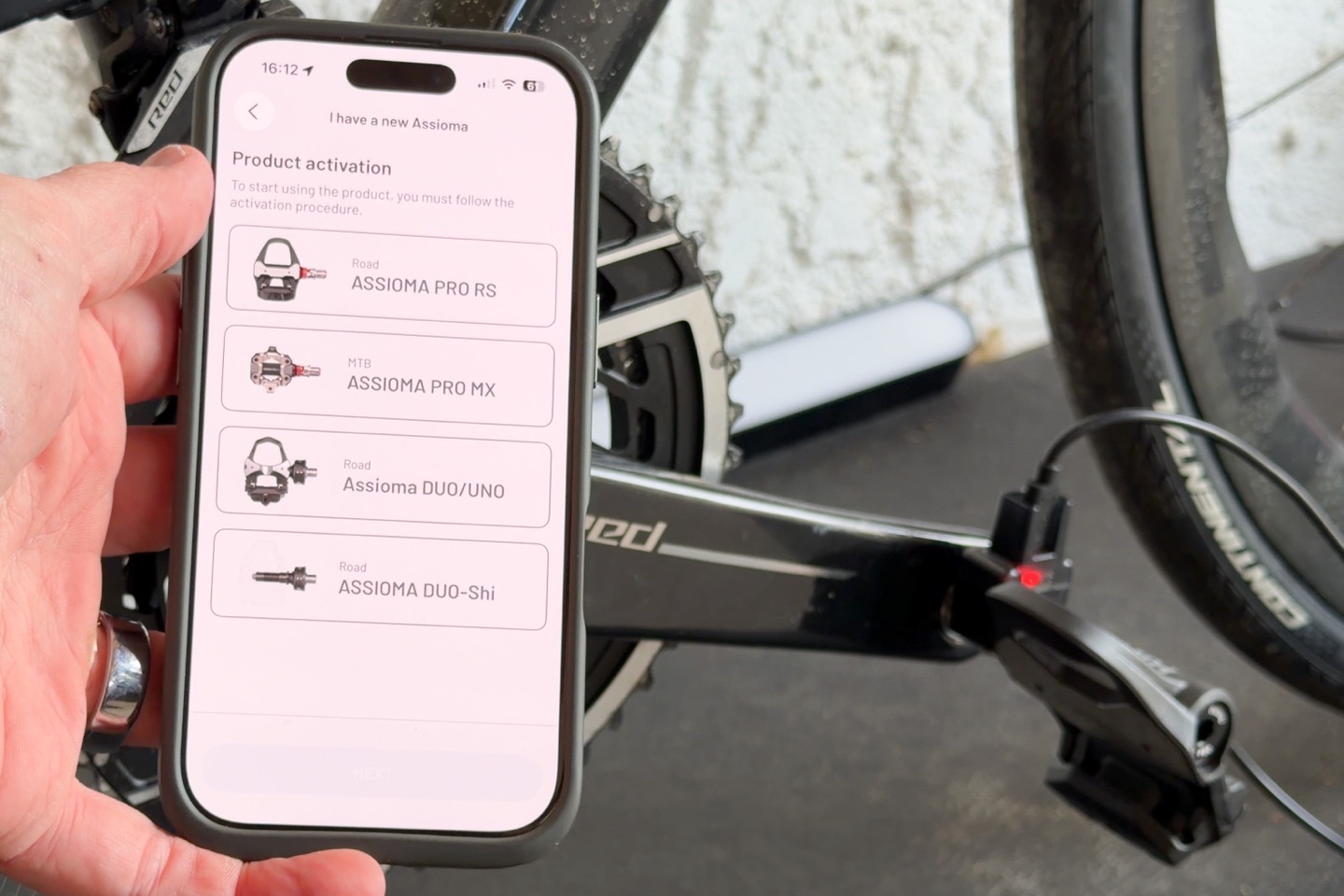
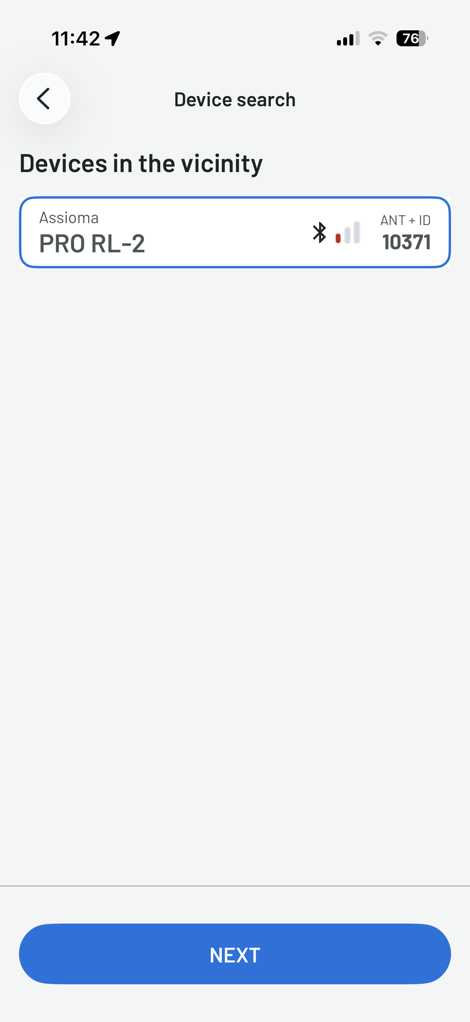
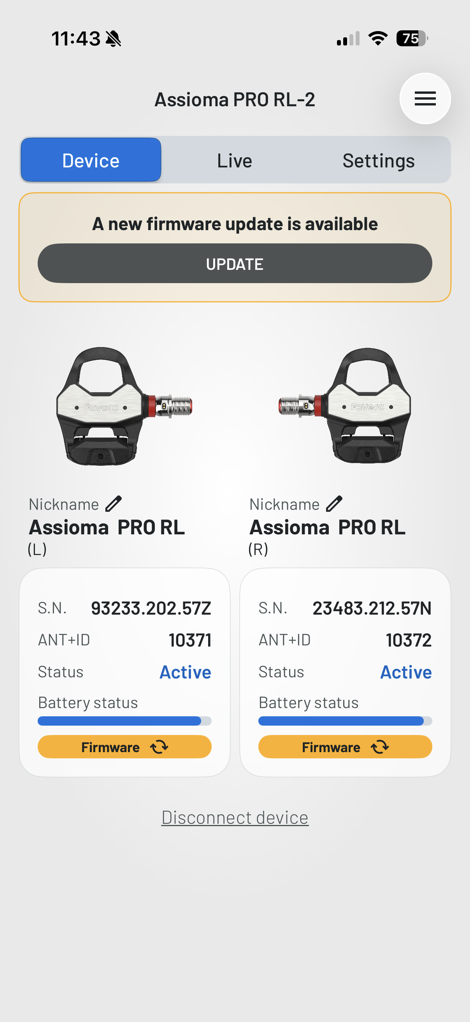
With that set, you’ll attach the charging cable to each pedal.This is required to wake-up the pedal from the factory sleep state. After that, crack open the Favero app, here you’ll search for nearby pedals to pair to:
Then walk through the quick wizard on installing it, as well as updating the firmware.
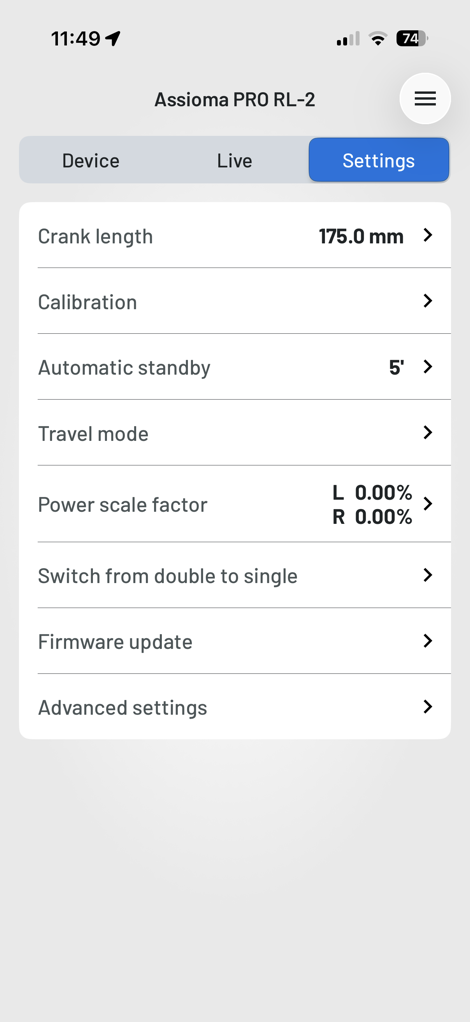
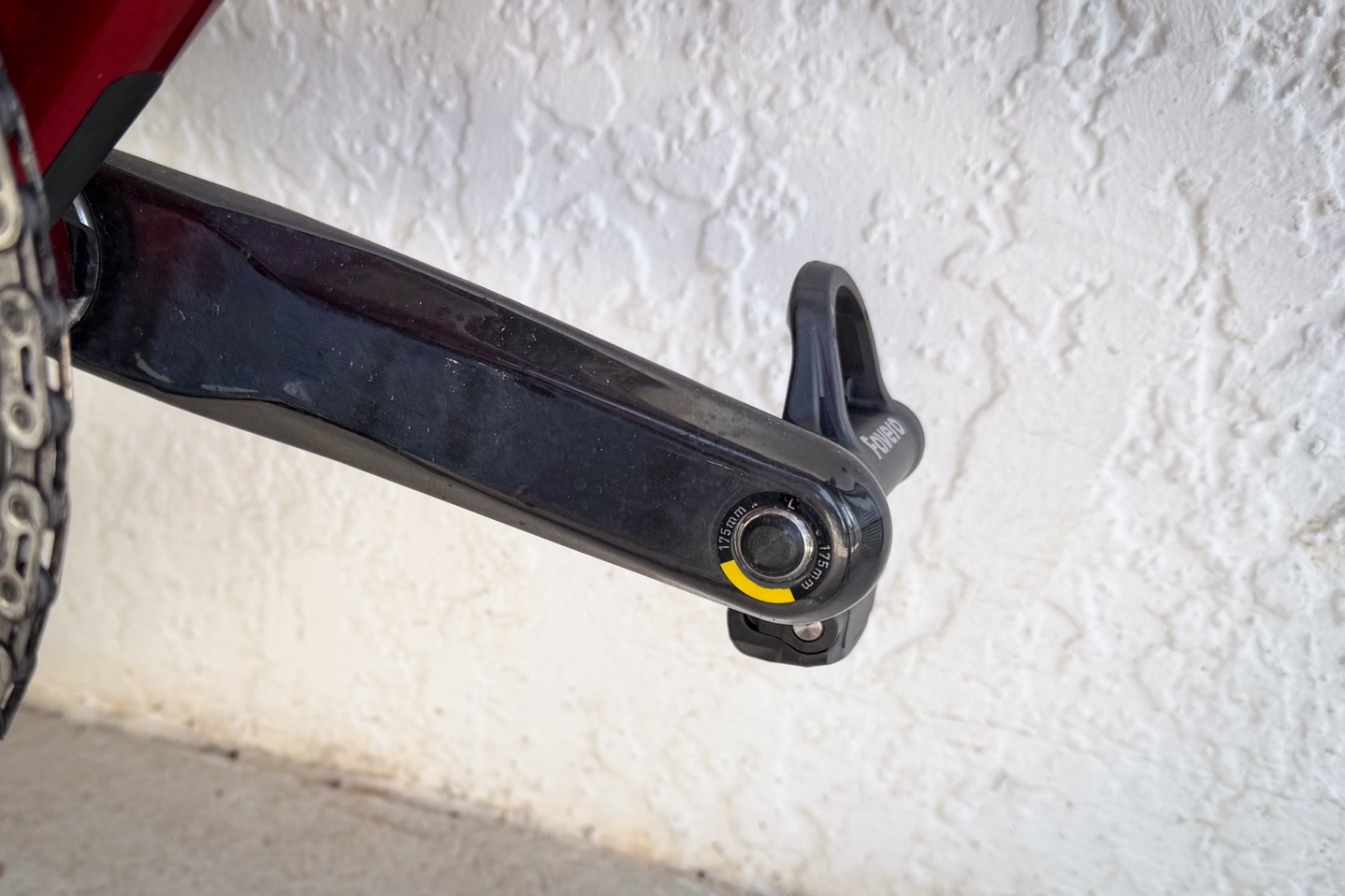
Probably the most important setting in here to ensure you’ve got correct is the crank length. This is etched/printed on the inside of your crank arm, right near where you attach the pedals. The most common crank length on bikes is 172.5mm, though most athletes that have custom ordered a bike probably have something different. Here I’ve set mine to 175mm, my wife’s is 165mm.
With all that set, you’re good to go. Note that I typically will do a few hard sprints on the bike (on a trainer) to ensure the pedals are full settled, before doing another zero offset (aka calibration). Technically that’s different than a static weighted calibration, but most bike computers just call it calibration.
Daily Ride Usage:
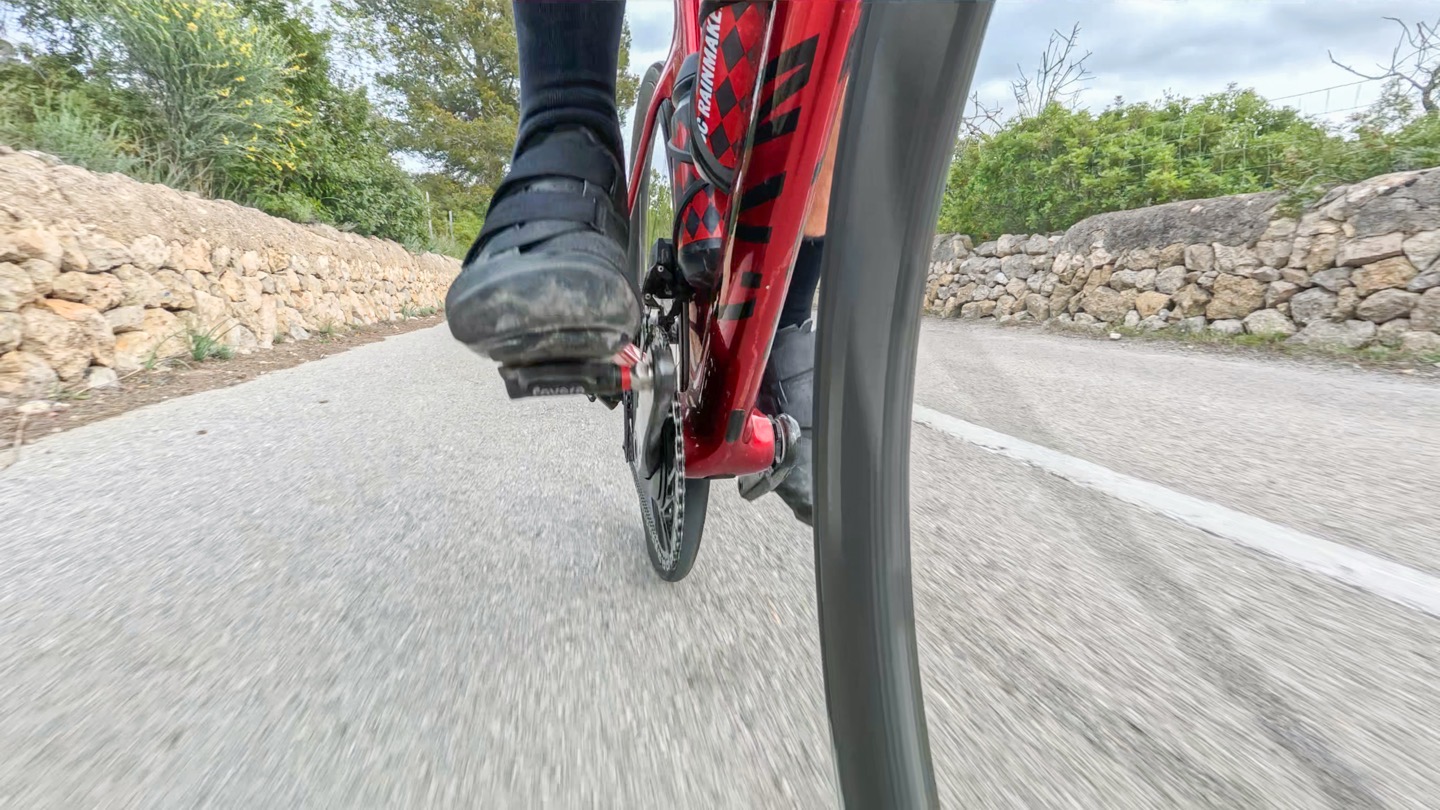
Both my wife and I have been riding the Pro RL (Look) pedals for a bit now, on all of our road rides. And of course prior to that, I’ve been riding both the Pro RS & Pro MX pedals for gravel/MTB/road riding for two years without issue. And again, that’s the exact same spindle, just a different pedal body on the outside.
When it comes to daily usage, the Pro RL like its siblings pairs up to any bike computer or watch that supports ANT+ or Bluetooth Smart power meters (which, is all of them). I’ve tested this with bike computers including Garmin, Wahoo, Hammerhead, COROS, and watches from Apple, Garmin, Suunto, Amazfit, and more. I’ve had no issues with display of data.
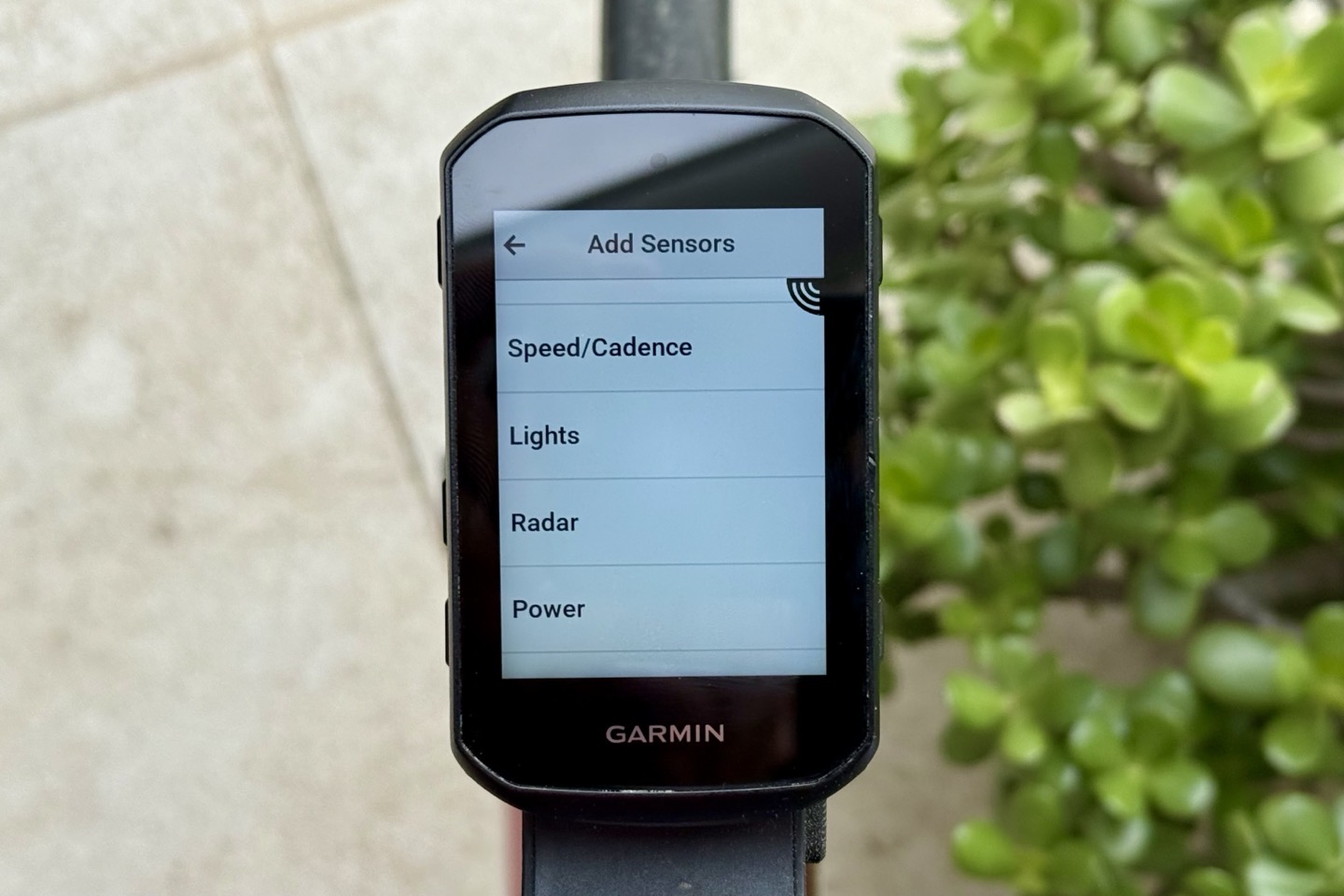
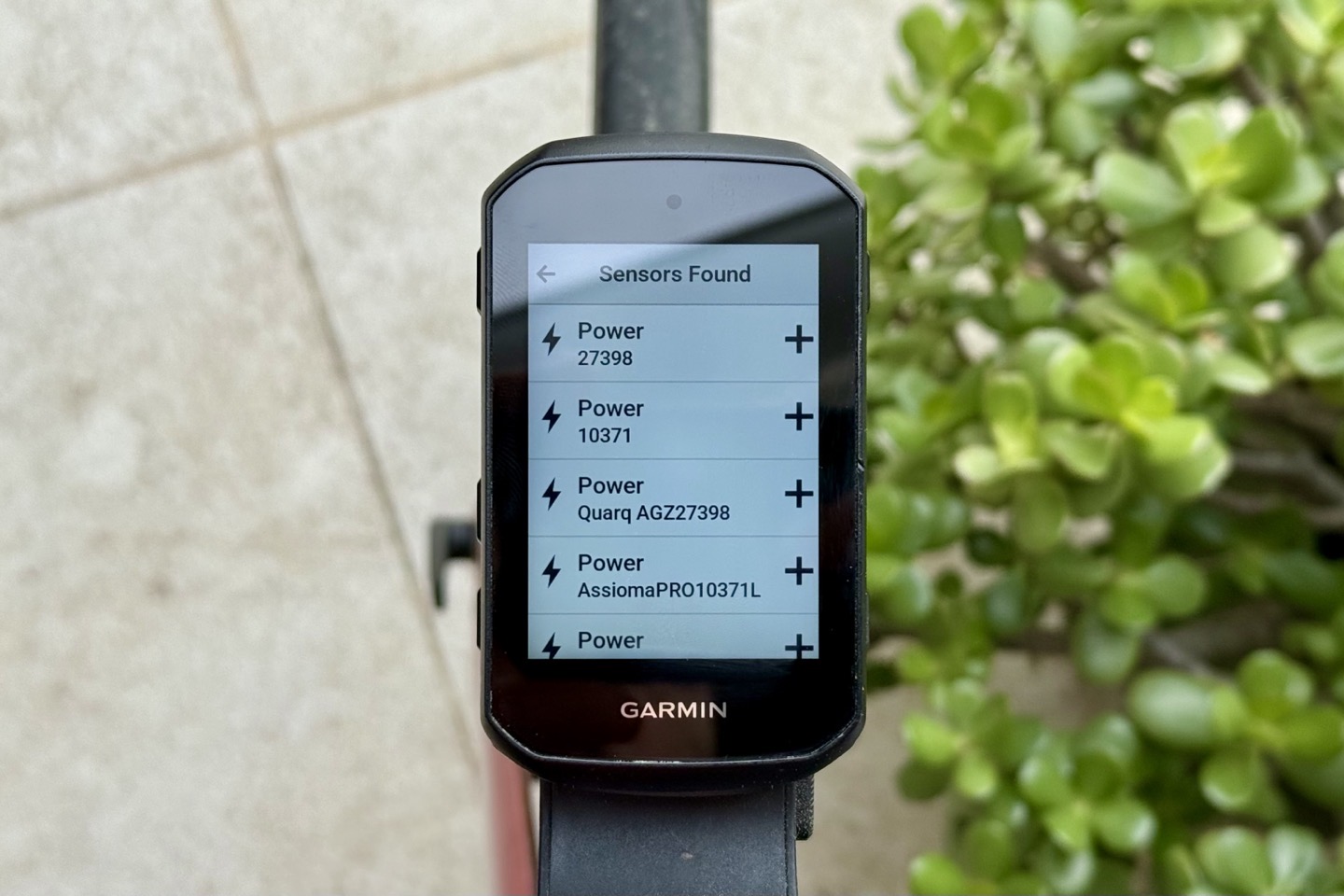
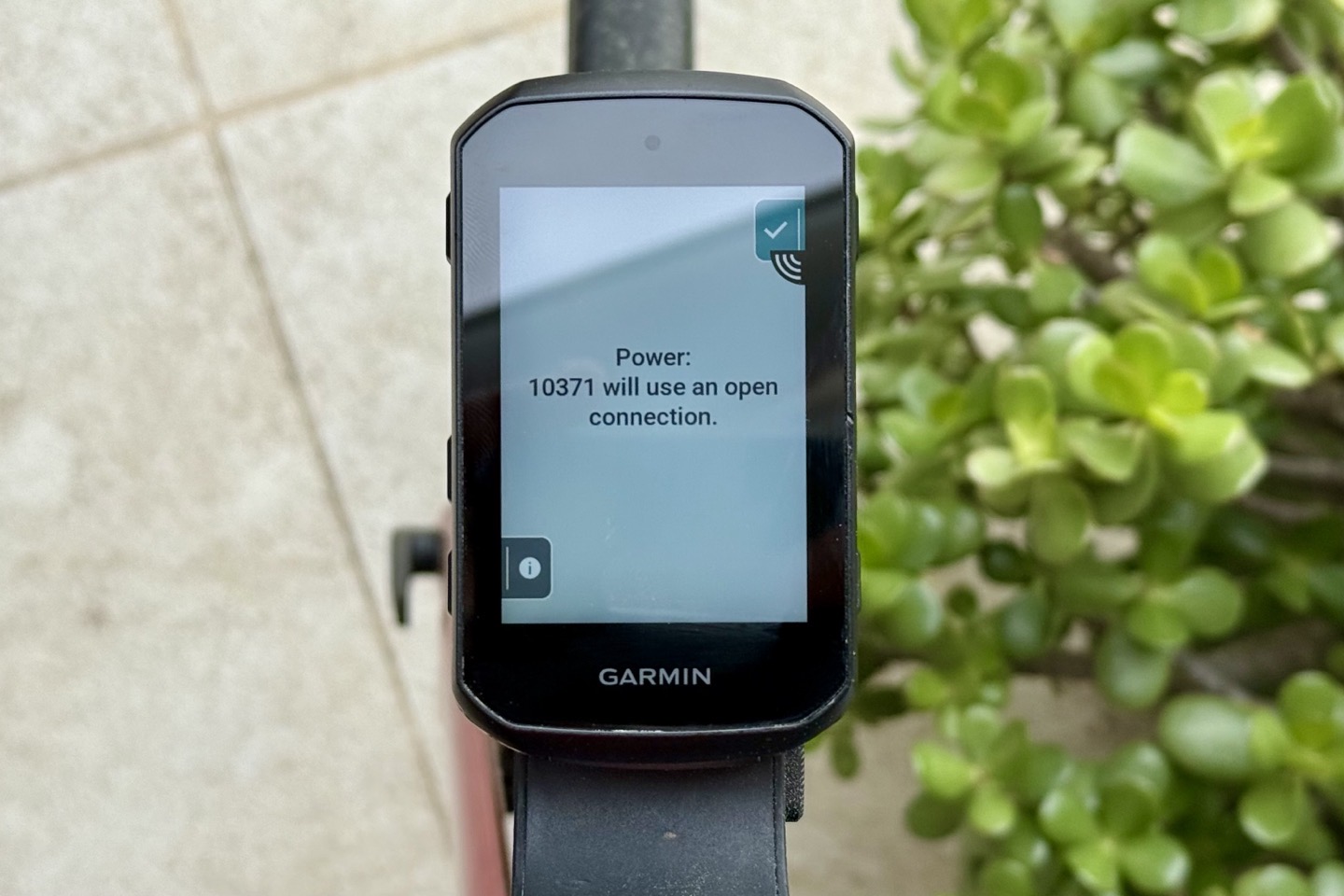
To add the pedals to your bike computer you’ll search for the sensor (power meter):
The Favero pedals can pair over both ANT+ & Bluetooth Smart. For basic power data, it won’t matter to you. Your bike computer will know which is best, and pair appropriately. Generally speaking, you’ll use ANT+ for power meter data, because it’s got more data in it. The standard Bluetooth Smart power meter profile doesn’t have all the additional data ANT+ does, such as lacking pedal smoothness, torque effectiveness, and cycling dynamics (Platform Center Offset, Power Phase, and Seated/Standing Time. This means you won’t get that data when pairing over Bluetooth Smart on watches from Polar, Suunto, Apple, and others.
(Above: My Favero ANT+ ID for this set is 10371, which is also showing as a Bluetooth power meter listed as AssiomaPRO10371L)
Of mild interest here to geeks is that Garmin introduced Secure Bluetooth pairing to their power meter pedals last fall, as well as secure Bluetooth connection pairing on their bike computers/watches in the last year. However, no other power meter company has introduced that (despite upcoming EU regulation requiring it). But more notable here is that as part of that shift, Garmin has added Secure Bluetooth cycling dynamics support, but *NOT* made that available to 3rd parties as they did for ANT+. This means that once Favero implements a secure Bluetooth connection, it’ll likely lose Cycling Dynamics support as part of it. This is unfortunate, and I really hope Garmin re-thinks its stance on this. To me, this would arguably lesson the value-prop of buying a Garmin/Garmin (GPS/power meter pedals) combo, versus saving money and buying a Wahoo/Favero combo.
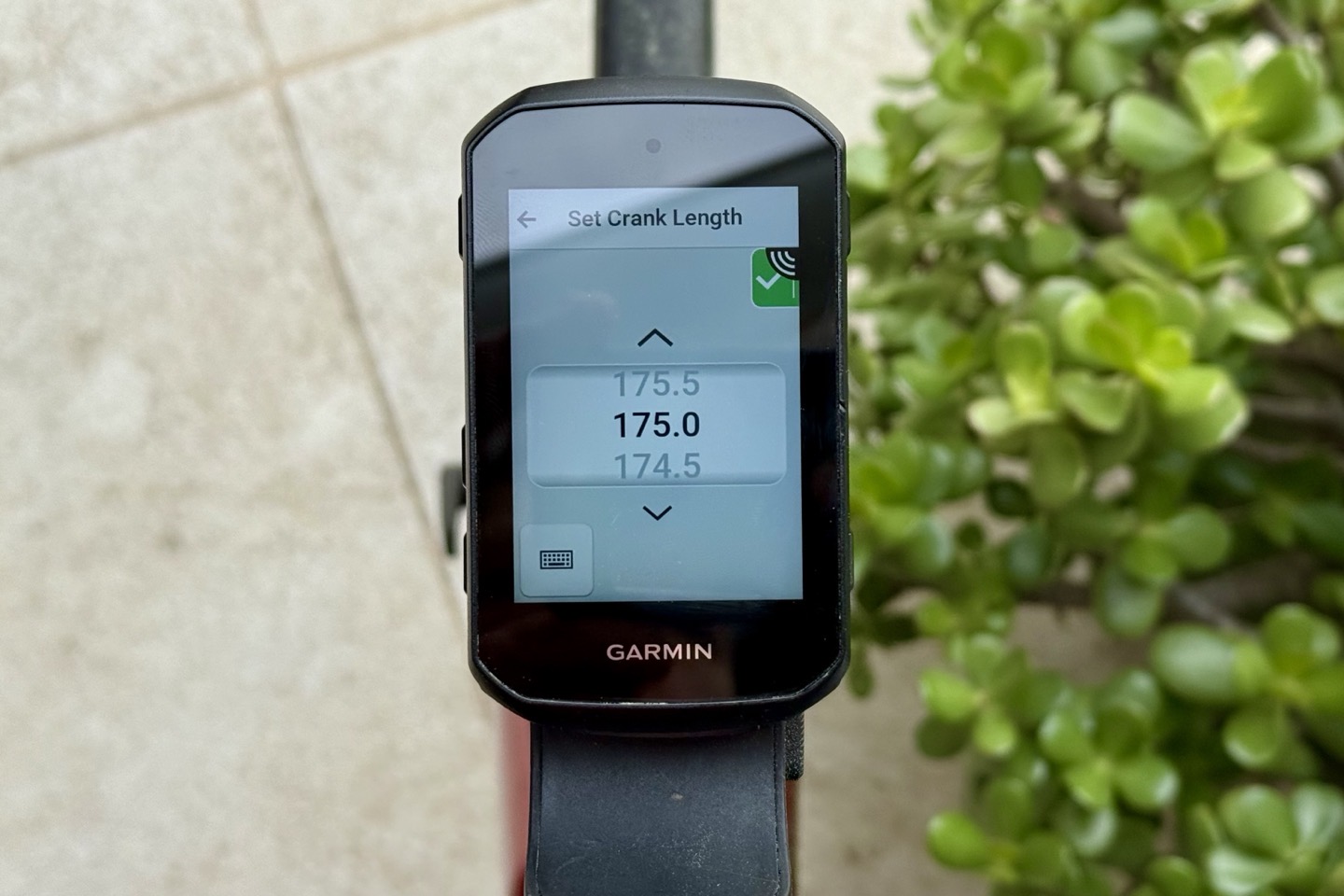
In any case, once paired up to your bike computer, you can (and should) validate that your crank length is correct. This should flow down from what you set in the Favero app, but you should always double-check. Mismatches in crank length between two recording devices (e.g., a watch and bike computer) will lead to all assortment of bad-bad.
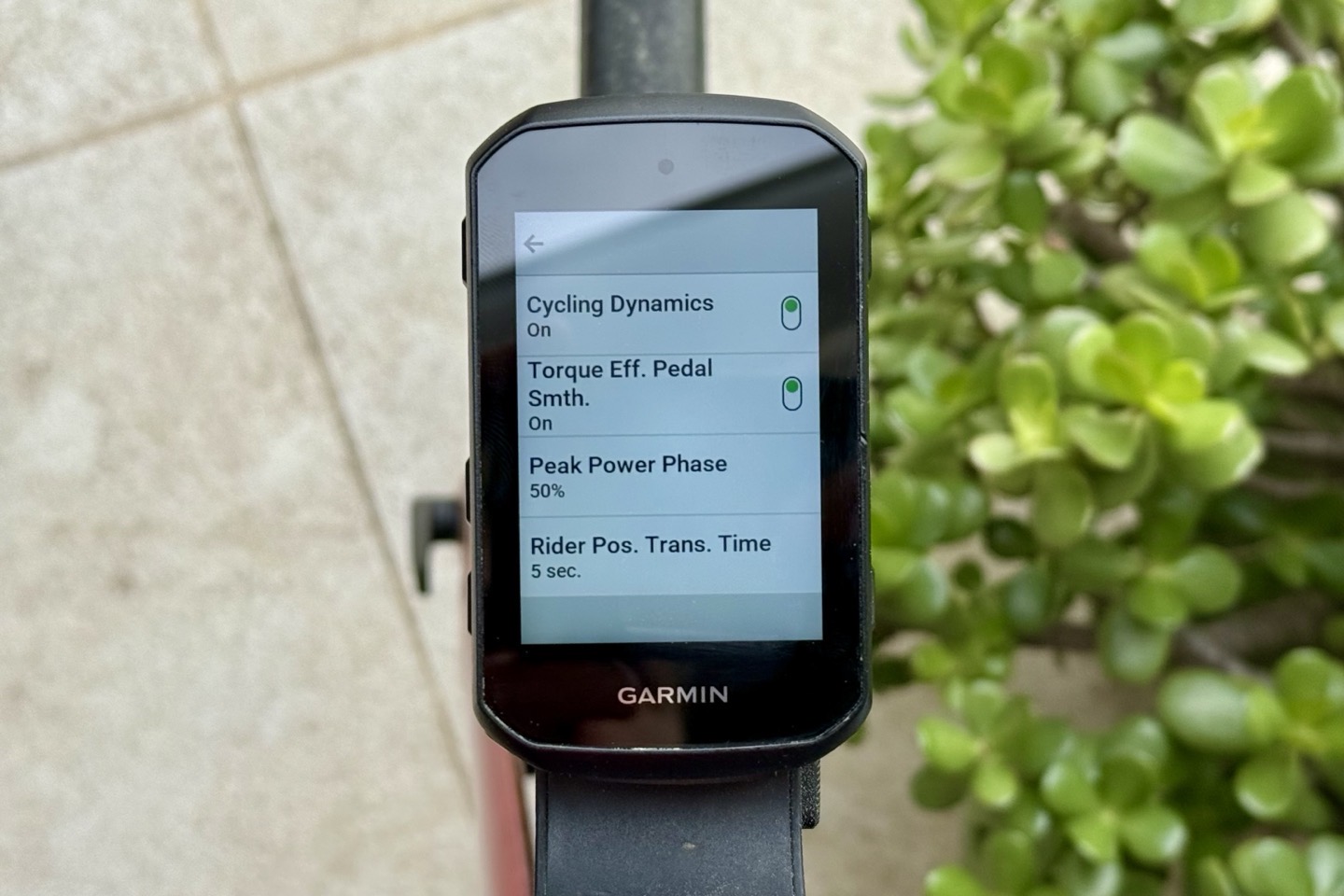
You can also validate that the various Cycling Dynamics settings are configured here as well, specifically paying attention to the ‘Torque Effectiveness and Pedal Smoothing’ setting, which for whatever bizarre reason, Garmin defaults to ‘Off’, rather than showing. One of these days I’ll remember to ask why they simply don’t set that to enabled to record, but, they don’t.
Again, you can configure whatever data fields you want, but in terms of the data the Favero Pro RL pedals will transmit, it’s the following:
– [ANT+/Bluetooth] Total power (combined left/right)
– [ANT+/Bluetooth] Power Balance (left/right split)
– [ANT+/Bluetooth] Cadence (RPM)
– [ANT+] Torque Effectiveness
– [ANT+] Pedal Smoothness
– [ANT+] Platform Center Offset (Cycling Dynamics)
– [ANT+] Seated/Standing Time (Cycling Dynamics)
– [ANT+] Power Phase (Cycling Dynamics)
Now, technically speaking, it’s transmitting torque and cadence, and your bike computer figures out power. But that’s just a minor technicality.
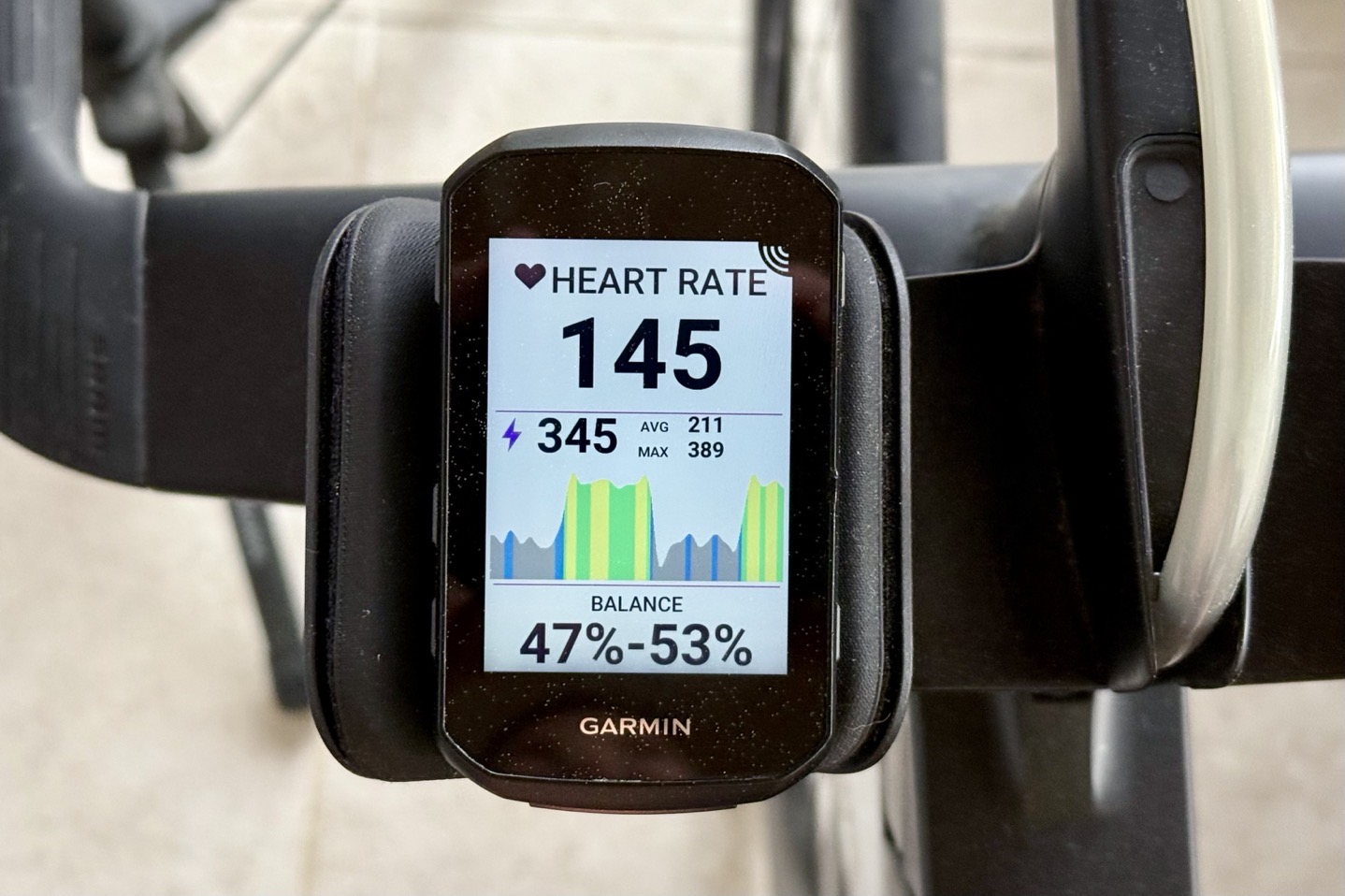
With all that sorted, once you start pedaling, you’ll get your cycling data on any data pages you’ve configured. For example below showing my power in the center chart, and then left/right power balance lower down.
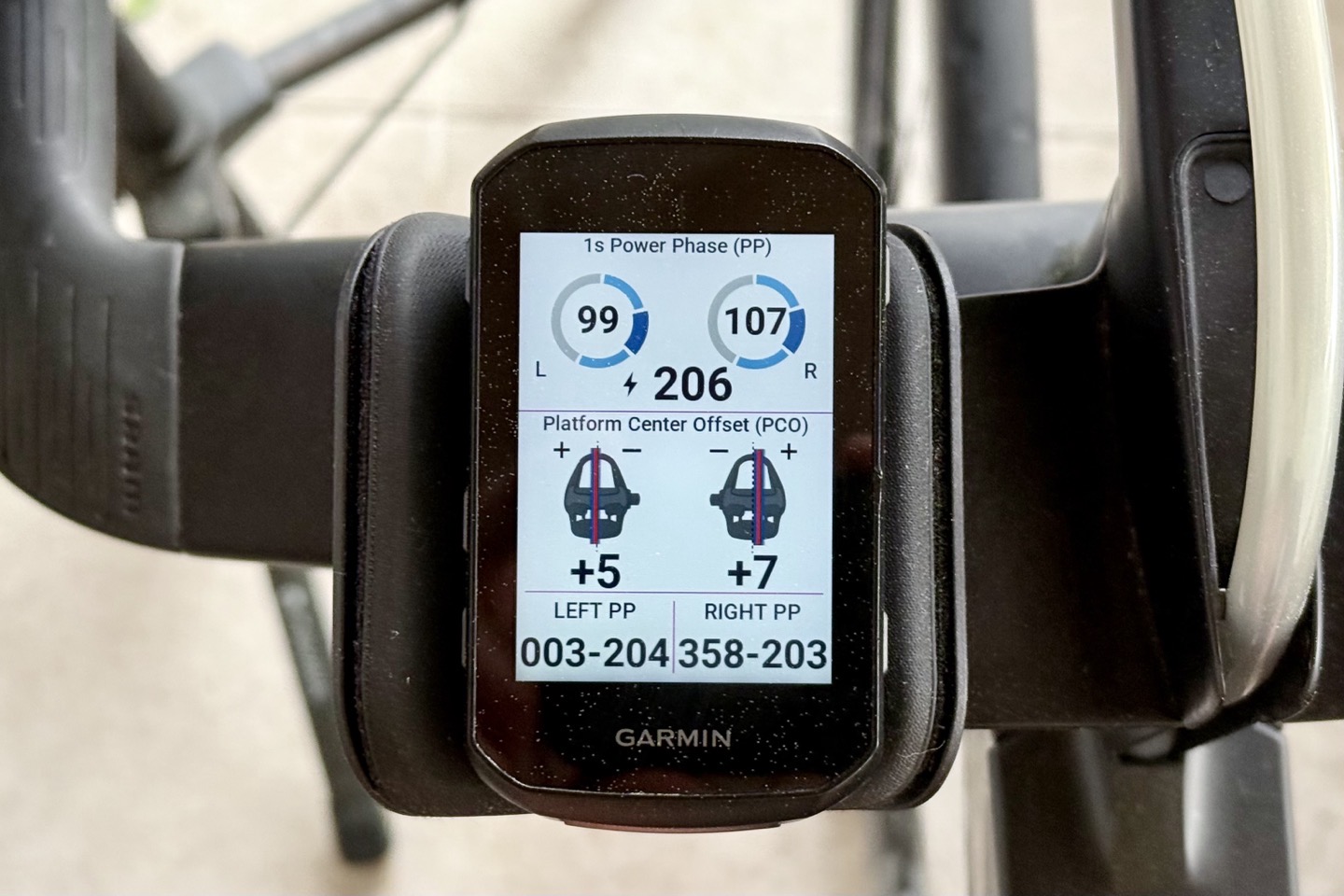
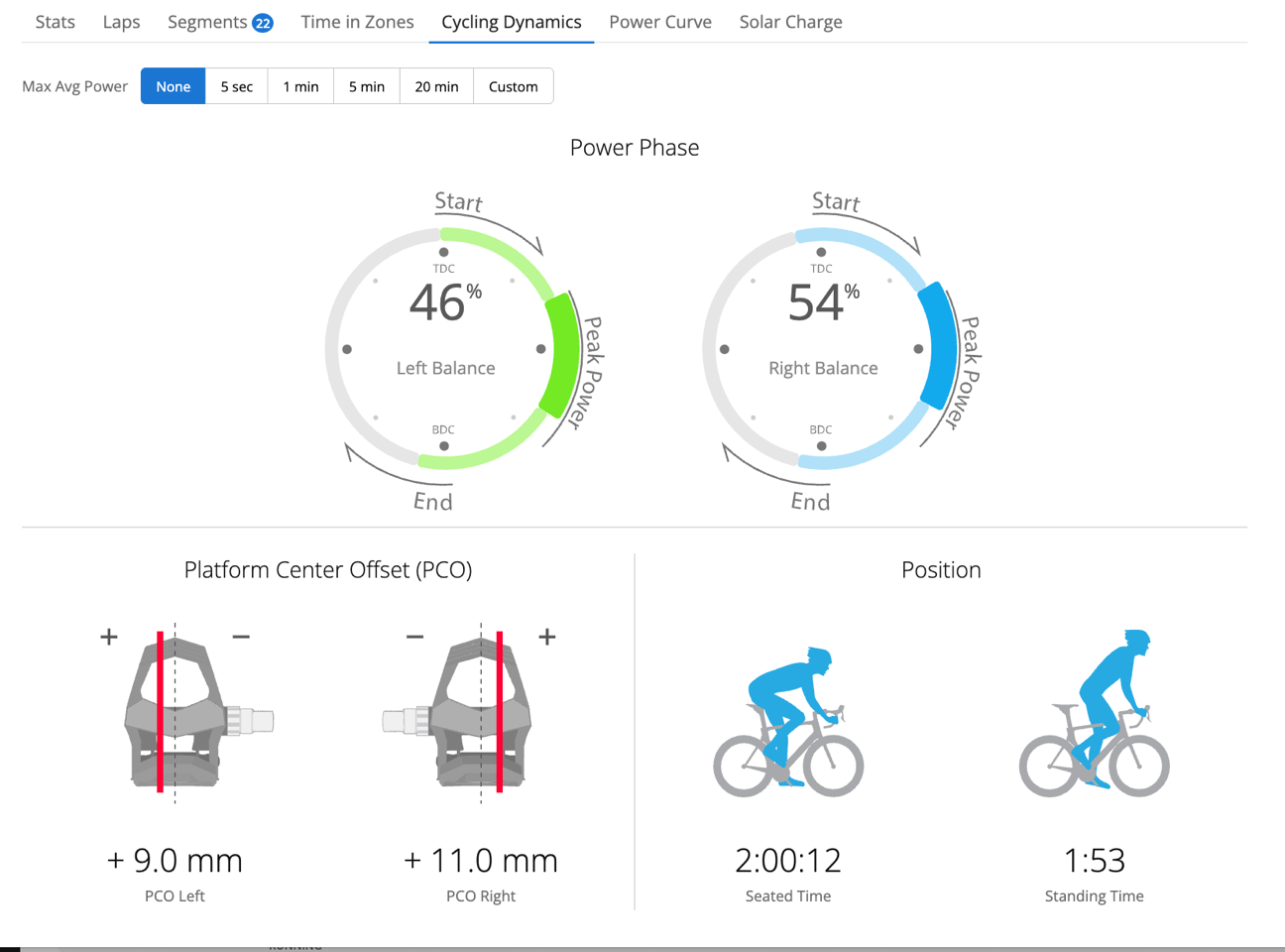
This can also include the Cycling Dynamics data page as well, if you have it added. For the most part, the main appeal of cycling dynamics probably PCO, which can be used in bike fitting scenarios, as well as cleat placement. Here, we can see there’s probably some room for adjusting my cleats very slightly. Though, I’ll also likely be too lazy to do anything about it.
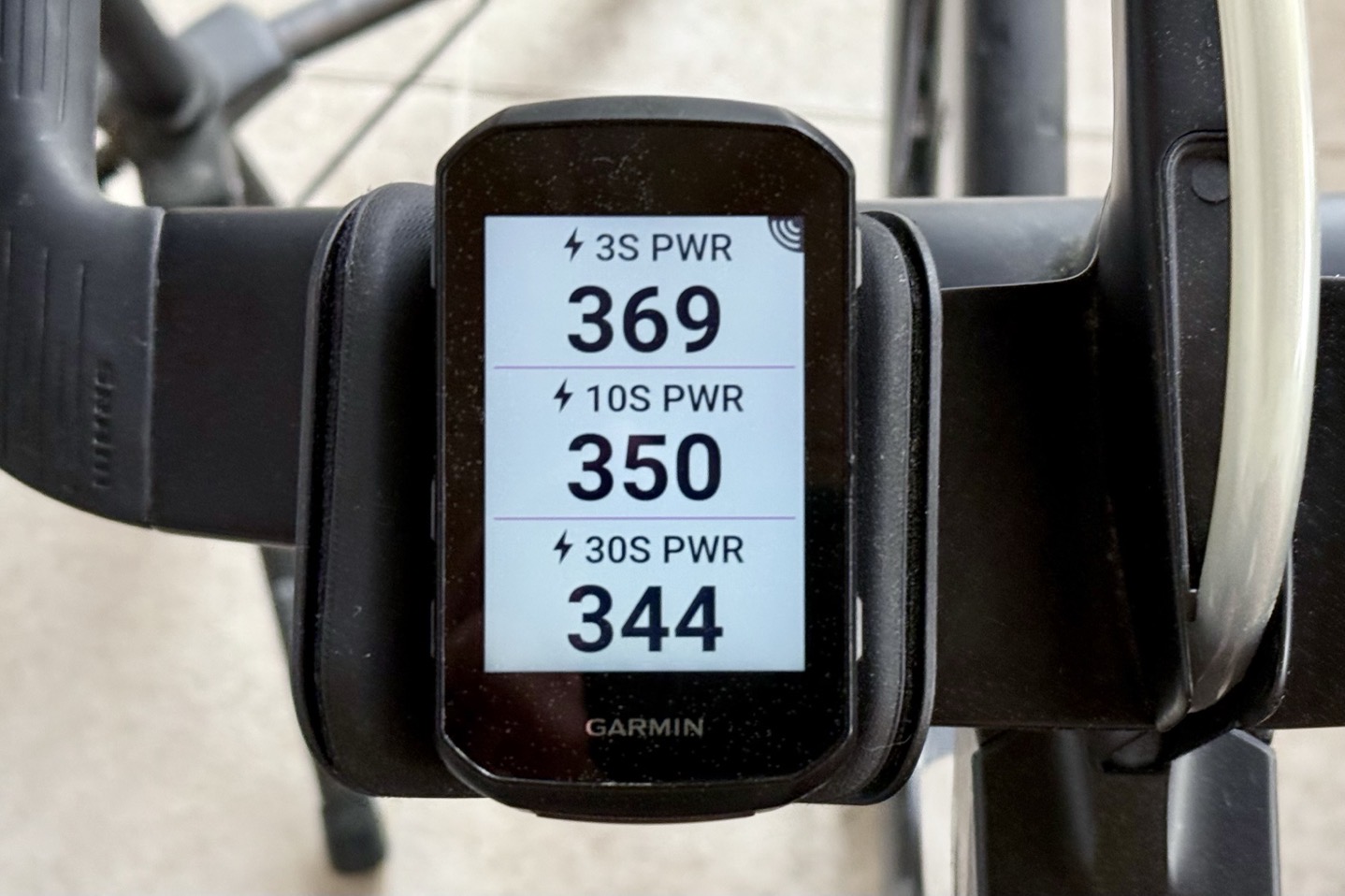
Plus any other data pages you want, using any of the power data fields you want. For example, your bike computer will do calculations for things like 3-second or 3-second smoothed power. The pedals themselves are just transmitting the instantaneous data, and then the bike computer does any extra math from there.
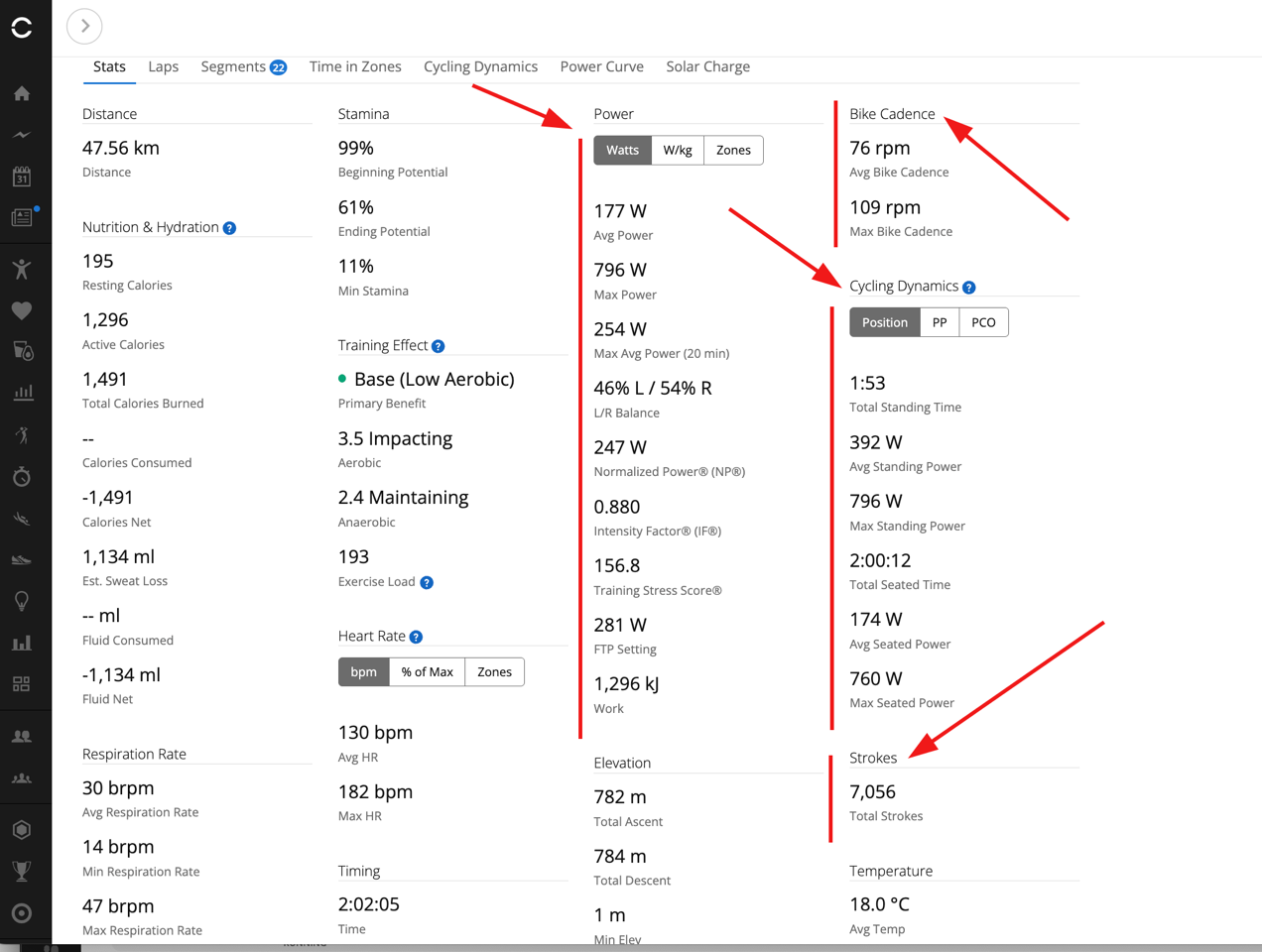
And then at the end of the ride you’ll get any summary data. If you were on Garmin, you’d see stuff like this too in Garmin Connect:
And same goes for the Cycling Dynamics data, assuming you’re paired on ANT+:
At the end of the day, you’ve got the underlying data to fulfill any data fields you’d want to use for training/racing. Of course, the most common are power and cadence, though some people do find value in the Cycling Dynamics pieces, or the left/right balance pieces. I don’t tend to find value in either, and think that the left/right balances are mostly limited in appeal to those recovering from injury. In many ways, the same largely applies to Cycling Dynamics – at nearly a decade later, nobody has really come up with a practical way to utilize that to get faster (and most people that try to change their pedal style forcefully, end up losing power gains). Just pedal your bike, it’ll work out.
Power Meter Accuracy:
In this section I’ll take a look at how the power meter compares to various other sources. This includes three different bike setups. I’ve got my road bike, my triathlon bike, and my wife’s bike.
That said, since it’s the exact same spindle as the Favero Assioma Pro MX and Pro RS that I’ve been using now for nearly 2 years, and comparing against countless power meters, trainers, smart bikes, and more (as a reference device no less), there are really very few surprises here. Instead, my focus was on validating that nothing weird popped up (since that does happen from time to time in other products that seemingly should be the same). You can see my accuracy testing in both of those reviews, or frankly, any other trainer/smart bike, or power meter review since.
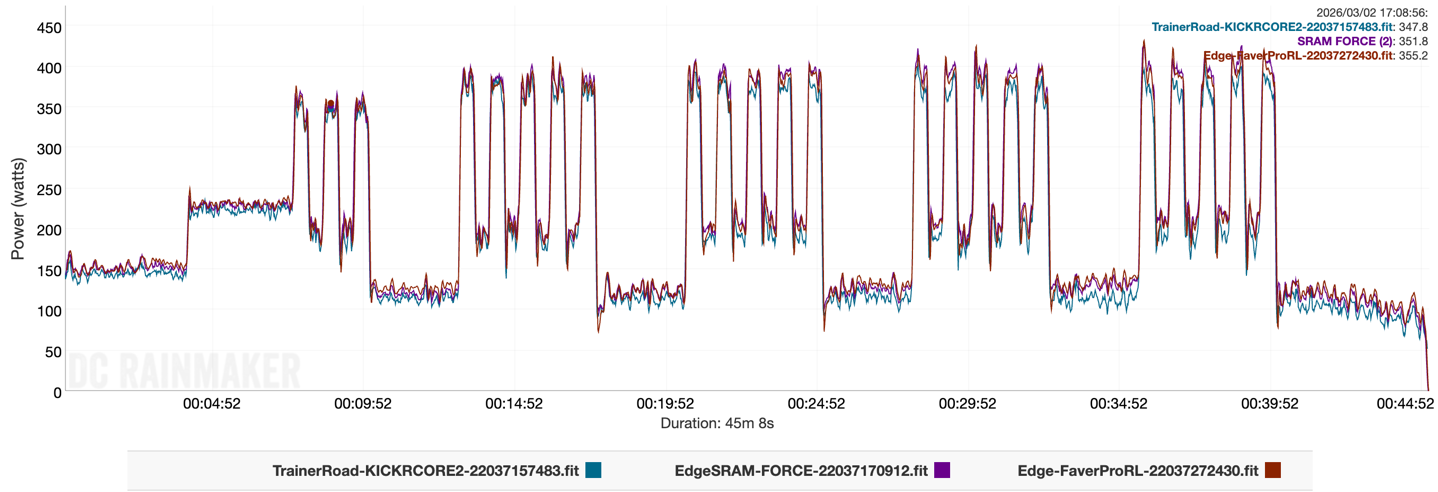
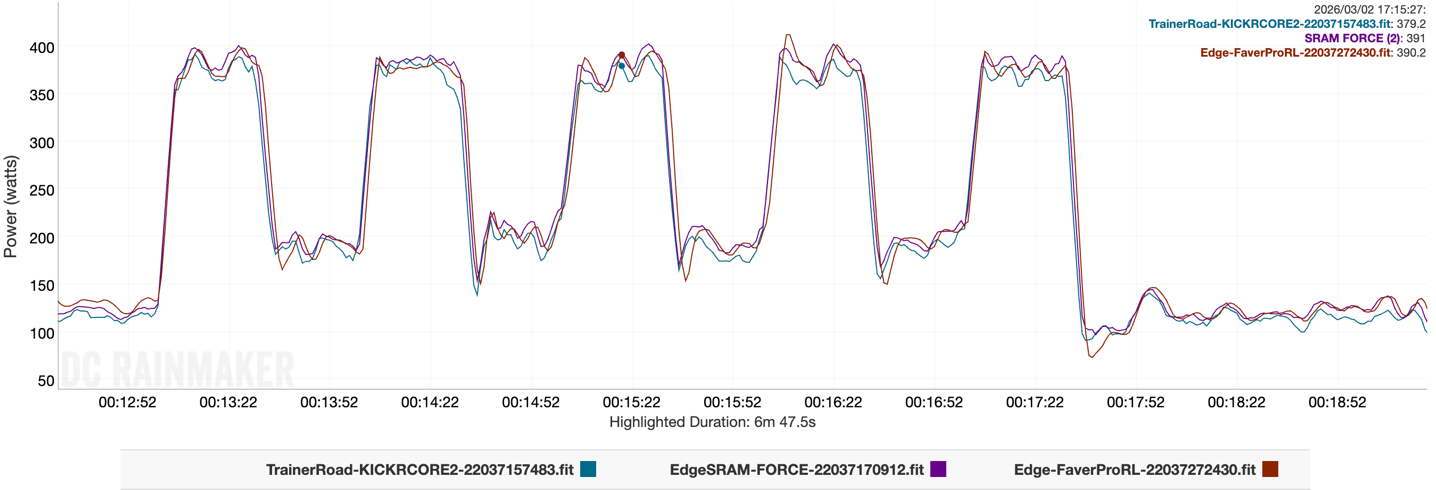
First up, here’s a trainer ride I did this..well…ending 12 minutes ago. This is compared to a SRAM crankset with spider-based power meter, and a Wahoo KICKR CORE 2 (with a mechanical cassette):
It’s definitely interesting (and frankly, unusual), to see that drift from the KICKR CORE 2 today. Might be related to some temperature shifts, though, it only dropped about 2*C during the workout. Equally, I shifted throughout the workout to a lower ring in the cassette, to try and get a lower speed, which usually increases accuracy of trainers by reducing flywheel speed, though today apparently not. Reminds me to just get out the Tacx NEO 3M and not deal with having to think about it.
In any case, the SRAM & Favero units remained close throughout, though you’ll see slight variation second to second.
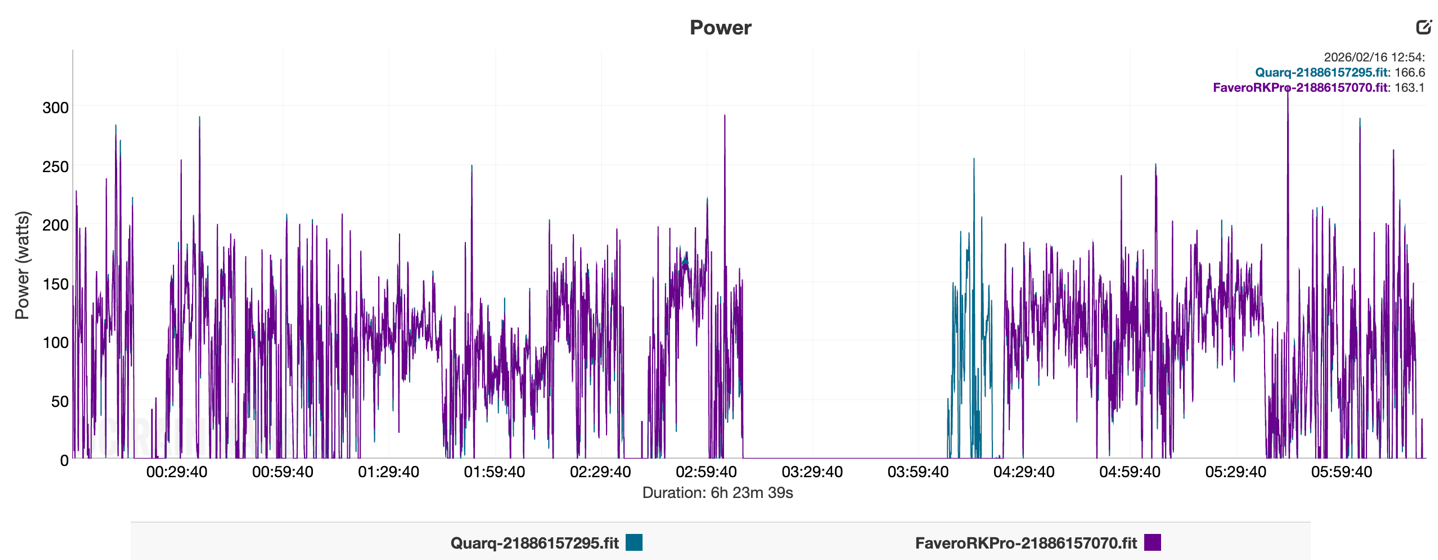
Next, we’ve got a 5-hour ride my wife did (block time was 6hrs 30 minutes, but that included a long cafe stop…as one does on Spanish rides). This was a pretty chill ride, so nothing super-crazy power-meter-wise here, but more just a validation that nothing wonky came up:
Note the brief moment after a cafe stop that the bike computer didn’t reconnect to one of the power meters. She noticed it immediately, and then manually forced the connection to reconnect. I’ve seen this on both Garmin & Wahoo bike computers where when a connection times out for a long time, the automatic search to resume that connection doesn’t always happen instantly (I suspect they do this for background battery savings, else otherwise it’s searching for every sensor in your library constantly).
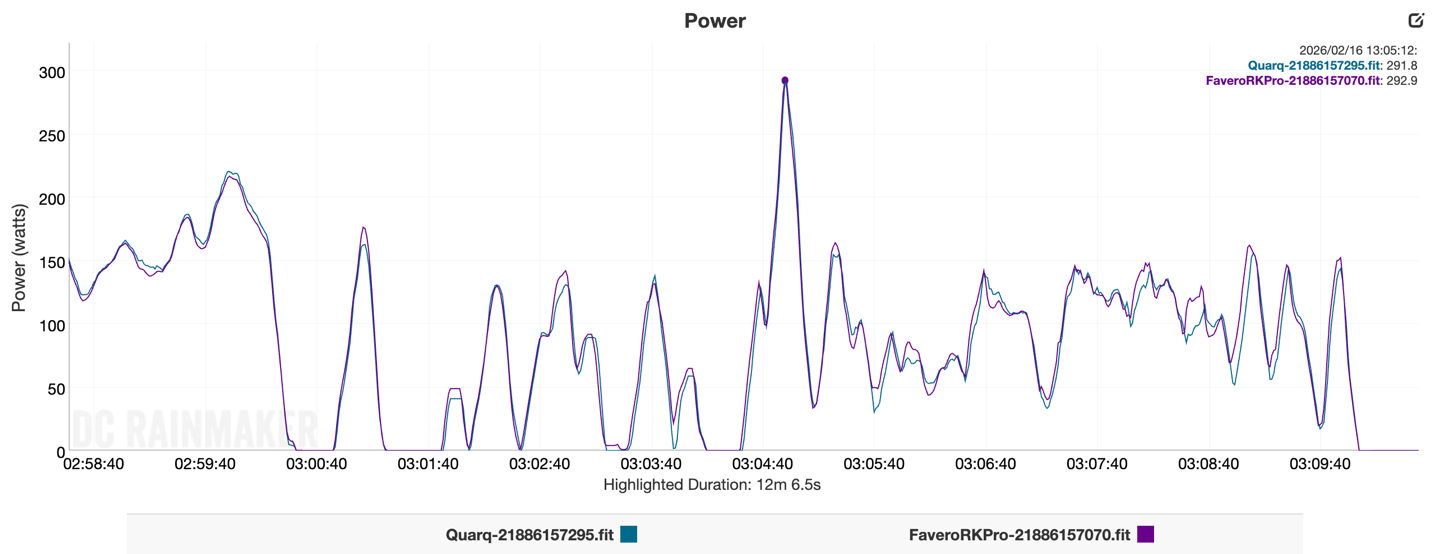
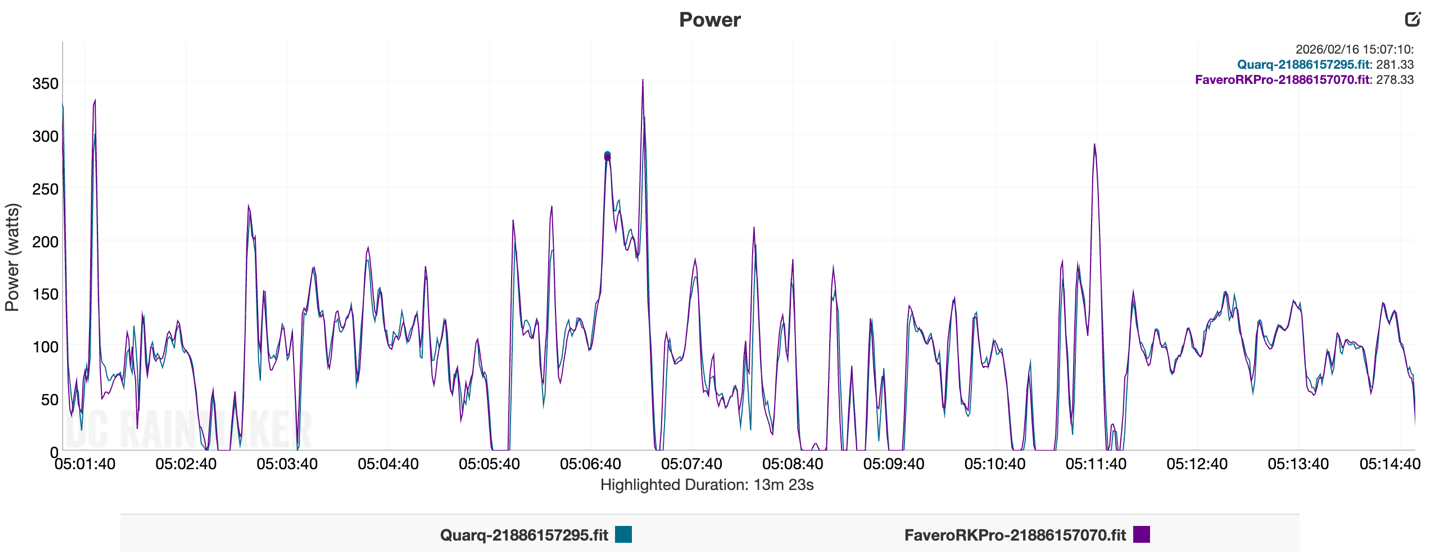
In any case, looking at a random snippet, looks spot-on:
As always, you’re going to see slight variations second-by-second in these sorts of things, though I’m not seeing much of a difference here:
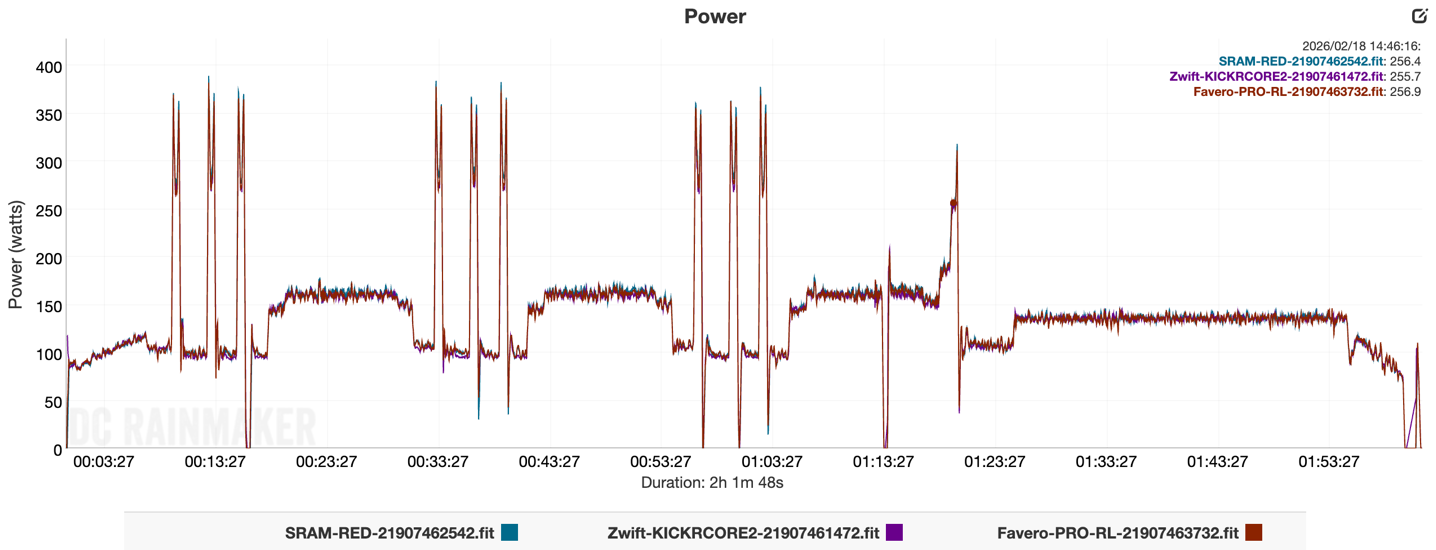
Next, here’s another one of her rides, this time a 2hr trainer ride. This is compared SRAM RED power meter, and a Wahoo KICKR CORE 2 (this one with a Zwift Cog on it).
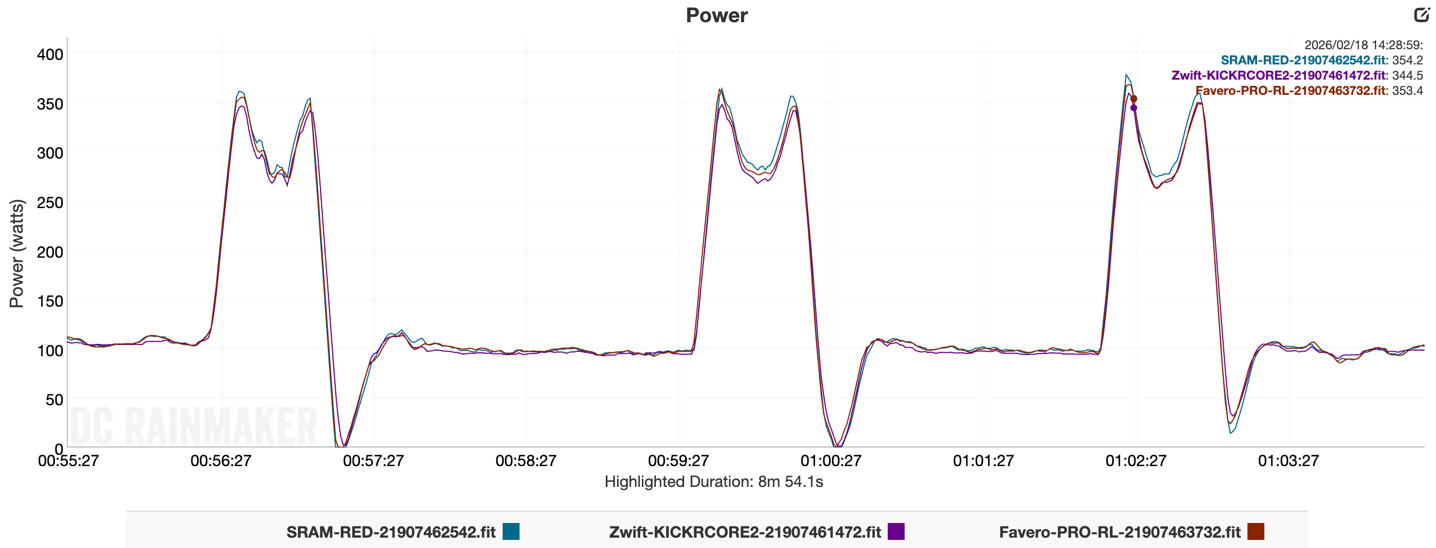
Zooming in on one of the intervals, you can see pretty close alignment. I tend too see the SRAM a tiny it higher at this point, but not massively so.
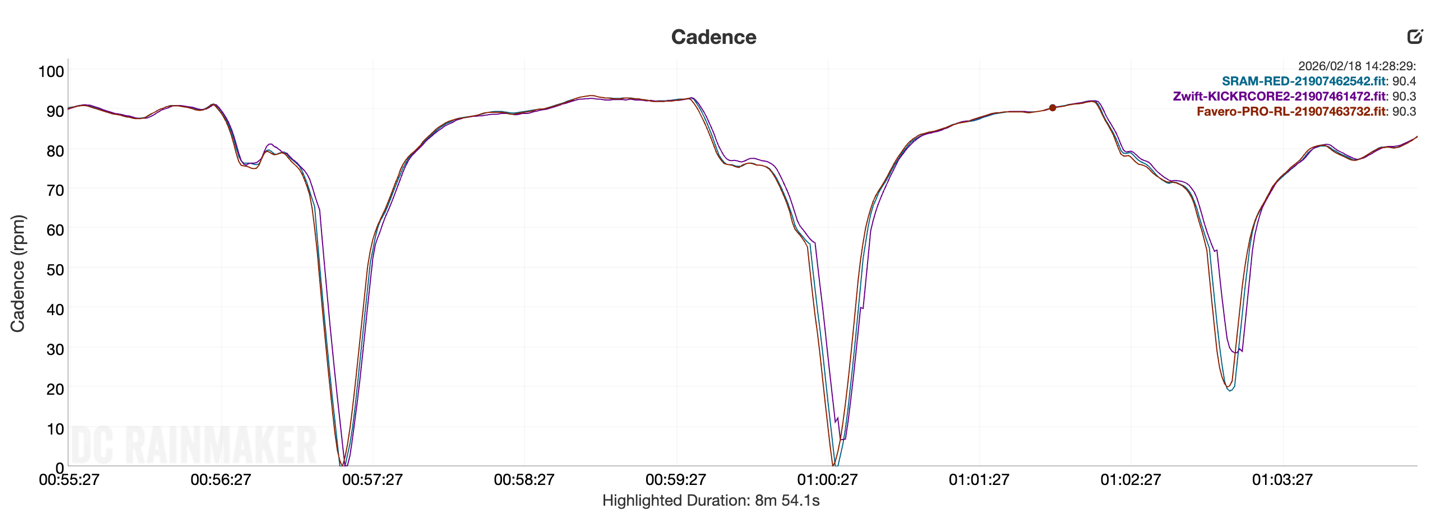
Meanwhile, over on cadence, everyone is identical:
There’s nothing here that concerns me from the Favero side, and everything continues to line up nicely as I’ve seen from all my existing RS & MX pedals.
(Note: All of the charts in these accuracy portions were created using the DCR Analyzer tool. It allows you to compare power meters/trainers, heart rate, cadence, speed/pace, running power, GPS tracks and plenty more. You can use it as well for your own gadget comparisons, more details here.)
Power Meter Pedal Comparison:
When it comes to power meter pedals, the main options today are:
A few other companies also make pedals, including Magene, though the accuracy of these units is still in question (granted, I see that also the case for Look’s pedals too, though admittedly I haven’t revisited them recently).
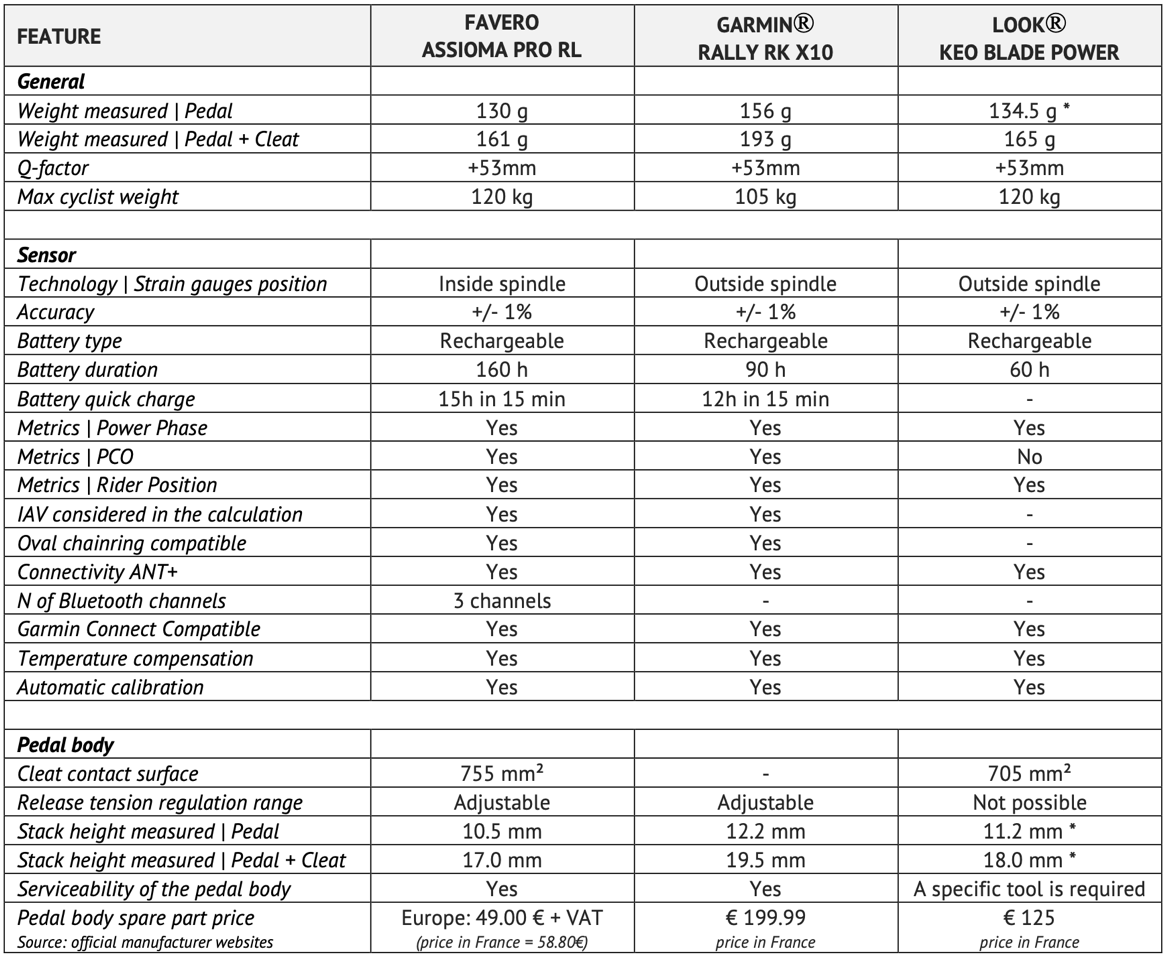
In terms of comparison, Favero made a chart showing the difference, and having checked through every line, I don’t have any accuracy concerns on this chart, save the extra bits I’m going to talk about after I show you this chart:
All of the above is correct, though, if fairness/completeness, I’d note the following:
– Inside/Outside spindle strain gauges: This hasn’t had any real-world impact for any brands over the last decade, in terms of spindle vulnerability/protection, thus, I wouldn’t overthink this. – Garmin has Secure Bluetooth connections: This was introduced on the Rally x10 series last fall. Just like inside/outside strain gauges, this really isn’t something people have asked/cared about to be honest (aside from EU regulators). Nobody else has this for power meter data at this time aside from Garmin. – Bluetooth channels: Since it’s missing from the chart above, Garmin has three concurrent BT channels, the same as Favero. – Shows direct force measurements: Garmin added direct force measurement display in the Rally x10 series of pedals, but again, it’s not something that anyone is doing much with. But hey, it’s there if you want it.
Realistically, the biggest single item here not shown is just price. The pricing of Garmin’s power meter pedals are $1,200-$1,300 per pair (depending on cleat type), whereas Favero’s are $789USD per pair. The factors like pedal body spares are also notable, at $100/set for Favero, or $400/set for Garmin. Garmin does have a bundle where they sell road+offroad kit of your choice of Look or SPD-SL road pedal plus the XC off-road pedal bodies for $1,450 (so you can move back and forth). But again, you’d be within about $130 of buying two full sets of Favero power meter pedals, with no spindle swapping required. Spend that spindle swapping time eating ice cream, or doing other calorie burning activities.
As I alluded to earlier, there are probably scenarios – specific countries, where having Garmin’s support teams/policies local to the country may make more sense. I’m thinking of scenarios like Brazil or others that have super-high import taxes that can often cause inbound shipments to get all dorked up (even when companies try to do all the paperwork correctly). So that may be something to consider.
Wrap-Up:
At the end of the day, Favero completing their cleat choice lineup is a good thing for consumers. It goes them more options, and more critically, keeps the pricing low for those that want highly accurate Look cleat based power meter pedals. As I’ve said repeatedly over the past few years, while I think that Garmin & Favero make equally accurate and reliable power meter pedal units, when it be equipping my fleet of bikes (for both myself and my wife), I continue to spend my own money on the Favero Pro series units, due to one single factor: Price.
I can nearly buy two Favero power meter pedal sets for the price of a single Garmin set. This means I can equip both a gravel bike and a road bike with power meter pedals that I don’t have to move around/change spindles, for almost the price of a single Garmin set. And with the latest battery firmware update, that increases the battery substantially on Favero. And again, durability/accuracy is the same on both in all my testing. I will note that I think there are support reasons in certain countries where Garmin is probably easier/faster than Favero (because Garmin has local support centers vs Favero only in Italy), but Favero has made good progress there in recent years.
But back to Favero alone, all of my Pro series sets have been rock solid over the past few years. I’ve beaten the crap out of them, especially the Pro MX series ones, but also road ones too (Pro RS). I can reliably use them for power meter accuracy testing of other power meters (e.g. cranksets), as well as indoor smart trainers. That’s really the key metric to consider, can I use these as an accurate baseline for testing? And the answer to that is a clear yes.
With that, thanks for reading!
FOUND THIS POST USEFUL? SUPPORT THE SITE!
Hopefully, you found this post useful. The website is really a labor of love, so please consider becoming a DC RAINMAKER Supporter. This gets you an ad-free experience, and access to our (mostly) bi-monthly behind-the-scenes video series of “Shed Talkin’”.
Otherwise, perhaps consider using the below link if shopping on Amazon. As an Amazon Associate, I earn from qualifying purchases. It doesn’t cost you anything extra, but your purchases help support this website a lot. It could simply be buying toilet paper, or this pizza oven we use and love.
This is slightly OT, but I want to chime in to say the Favero Pro SPD pedals (which use the same spindles) are a really great product. I’m glad they’ve expanded to include Look cleats.
I swim, bike and run. Then, I come here and write about my adventures. It’s as simple as that. Most of the time. If you’re new around these parts, here’s the long version of my story.
You'll support the site, and get ad-free DCR! Plus, you'll be more awesome. Click above for all the details. Oh, and you can sign-up for the newsletter here!
Here’s how to save!
Wanna save some cash and support the site? These companies help support the site! With Backcountry.com or Competitive Cyclist with either the coupon code DCRAINMAKER for first time users saving 15% on applicable products.
You can also pick-up tons of gear at REI via these links, which is a long-time supporter as well:
Alternatively, for everything else on the planet, simply buy your goods from Amazon via the link below and I get a tiny bit back as an Amazon Associate. No cost to you, easy as pie!
You can use the above link for any Amazon country and it (should) automatically redirect to your local Amazon site.
While I don't partner with many companies, there's a few that I love, and support the site. Full details!
Want to compare the features of each product, down to the nitty-gritty? No problem, the product comparison data is constantly updated with new products and new features added to old products!
Wanna create comparison chart graphs just like I do for GPS, heart rate, power meters and more? No problem, here's the platform I use - you can too!
Think my written reviews are deep? You should check out my videos. I take things to a whole new level of interactive depth!
Smart Trainers Buyers Guide: Looking at a smart trainer this winter? I cover all the units to buy (and avoid) for indoor training. The good, the bad, and the ugly.
Check out
my weekly podcast - with DesFit, which is packed with both gadget and non-gadget goodness!
Get all your awesome DC Rainmaker gear here!
FAQ’s
I have built an extensive list of my most frequently asked questions. Below are the most popular.
You probably stumbled upon here looking for a review of a sports gadget. If you’re trying to decide which unit to buy – check out my in-depth reviews section. Some reviews are over 60 pages long when printed out, with hundreds of photos! I aim to leave no stone unturned.
I travel a fair bit, both for work and for fun. Here’s a bunch of random trip reports and daily trip-logs that I’ve put together and posted. I’ve sorted it all by world geography, in an attempt to make it easy to figure out where I’ve been.
The most common question I receive outside of the “what’s the best GPS watch for me” variant, are photography-esq based. So in efforts to combat the amount of emails I need to sort through on a daily basis, I’ve complied this “My Photography Gear” post for your curious minds (including drones & action cams!)! It’s a nice break from the day-to-day sports-tech talk, and I hope you get something out of it!
Many readers stumble into my website in search of information on the latest and greatest sports tech products. But at the end of the day, you might just be wondering “What does Ray use when not testing new products?”. So here is the most up to date list of products I like and fit the bill for me and my training needs best! DC Rainmaker 2024 swim, bike, run, and general gear list. But wait, are you a female and feel like these things might not apply to you? If that’s the case (but certainly not saying my choices aren’t good for women), and you just want to see a different gear junkies “picks”, check out The Girl’s Gear Guide too.




















Glad to see these released, after switching to Look cleats 8 years ago when I bought the Assioma Duos I haven’t wanted to switch back to SPD-SL.
Only problem is my Assioma Duos still work perfectly after 8 years of hard life!
Of course, this will be the successor to my old Assioma and not Garmin.
This is slightly OT, but I want to chime in to say the Favero Pro SPD pedals (which use the same spindles) are a really great product. I’m glad they’ve expanded to include Look cleats.
The best option right now for a budget solution is to buy the old Favero Duo, saw them now for close to 400€ which is really good.