



After nearly 6 years, we finally get a new Garmin radar, the Varia RearVue 820, which brings with a host of new features…and USB-C. Finally, USB-C to their base radar (only their camera edition had it previously). The new unit increases vehicle detection claims to 170m, though far higher in real life, and increases battery life claims to upwards of 30 hours (depending on mode). Did I mention USB-C? It also adds a brake light, adds steady-state traffic tracking, and lets you see the size of vehicles (e.g., truck vs moto). Further, you can also adjust exact blink patterns and brightness, as well as it having a brighter light than previously (visible up to 2km/1.24mi vs the 1.61km/1mi previously).
Of course, with all these new features comes a new price – $299 (compared to the existing $199…though really $149 most of the time). That said, Wahoo’s new radar is also in roughly the same ballpark at $249, though the new Lezyne radar is less expensive at $179. But more on some of those quick comparisons a bit later.
And more importantly than all that: Does it actually work? Are these new features useful, or just a marketing gimmick? As you’ll see, the answer is mixed. There’s a lot of good here, but also some minor fires to address too.
Lastly, this is a media loaner from Garmin. I’ve already ordered my own unit at regular price, for long-term usage purposes. As always, I don’t accept advertising from any company I review, and no company sees my reviews before you do. So, if you found this review useful, consider becoming a DCR Supporter, which gets you an ad-free site, plus the behind-the-scenes video series between both myself (and my wife) on everything that happens in the DCR Sports Tech Cave/universe.
What’s New:
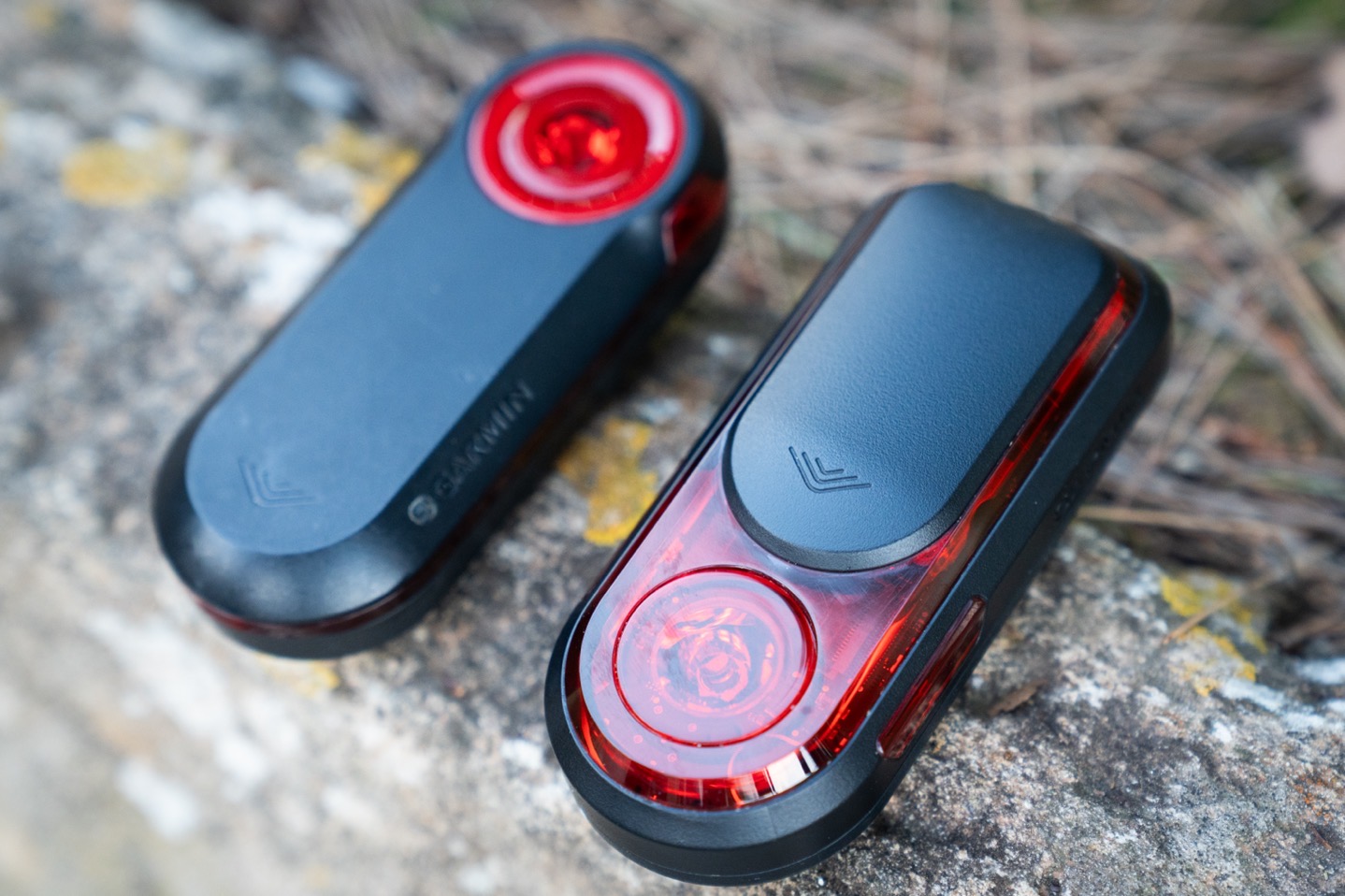
Here’s everything that’s changed compared to the existing RTL-515 that so many of you have:
– Added/switched to USB-C (from MicroUSB)
– Increased battery life from 16 hours to 24/30 hours (24 hours with day flash, 30 hours radar only, see battery chart below)
– Increased vehicle detection range to 170m from 140m
– Increased brake light visibility to 2km/1.24mi, from 1.61km/1mi previously
– Increased radar beam width (from 45 degrees to 60 degrees)
– Added brake light function
– Added vehicle size tracking (e.g., car, truck/bus, bike)
– Added vehicle position tracking (e.g., which lane)
– Added light pattern customization and light intensity customization (create your own)
– Added new radar-only mode (no light)
– Added secure Bluetooth pairing option
– Added new radar data field option (uses full side column)
– Added same-speed vehicle tracking (even same-speed bike tracking, in a group)
– Added ability to configure orientation, mounting it either direction (or have it auto-detect, by default)
– Added ability to user-replace the internal battery (designed for battery end of life, not daily usage)
– Changed from 2.4Ghz & 24Ghz frequencies to ~2400Mhz & 57-69Ghz ranges
– Increased weight (from 71g to 90g)
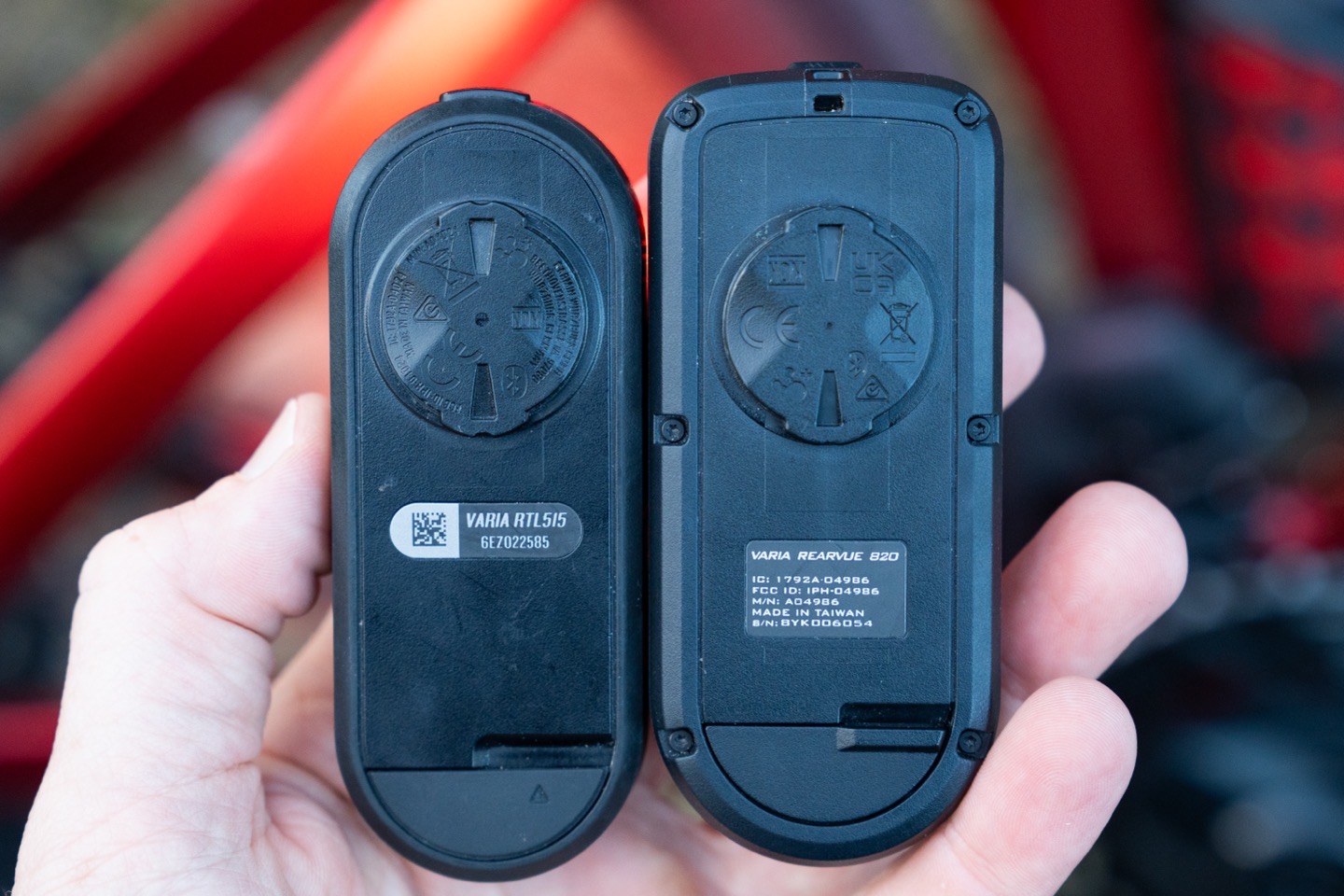
– Similar height dimensions, but a bit thicker (98.9 x 25.9 x 43.2mm vs RTL-515at 98.6 x 19.7 x 39.6mm)
– Light lumens all increased (see chart below), except peloton mode, which you want to stay the same
– Slight decrease in minimum operating temp from -20°c/-4°f to -15°c/5°F. Max operating temp remains 50°c/122°f
– Increased price from $199 to $299
From a battery standpoint, here’s the specific claims:
– 10 hours solid (was 6hrs)
– 15 hours peloton (was 8hrs)
– 11 hours night flash (was 6hrs)
– 24 hours day flash (was 16hrs)
– 30 hours radar-only tail-light off (no previous battery spec/claim)
Next, from a light standpoint, the changes are:
– Solid: 25 lumens (was 20 lumens)
– Peloton: 8 lumens (was 8 lumens, you want this to stay the same)
– Night flash: 40 lumens (was 29 lumens)
– Day flash: 100 lumens (was 65 lumens)
On the whole, these changes essentially make it the most ‘powerful’ cycling radar out there (in terms of detection distance, visibility, battery life, etc), with by far the most features. Keeping in mind, it still retains:
– ANT+ connectivity (with ANT+ Radar standard, and ANT+ light standard)
– Bluetooth Smart connection for 3rd party apps
– Smartphone app for displaying vehicles and alerts with free Garmin Varia app
– IPX7 water resistance (30 minutes at 1-meter deep, in the event you really effed up on your ride)
– Solid light mode, night flash, day flash, and peloton light mode
– Firmware update capability
Got all that? Good. The unit started shipping last Friday, February 6th.
In the Box:
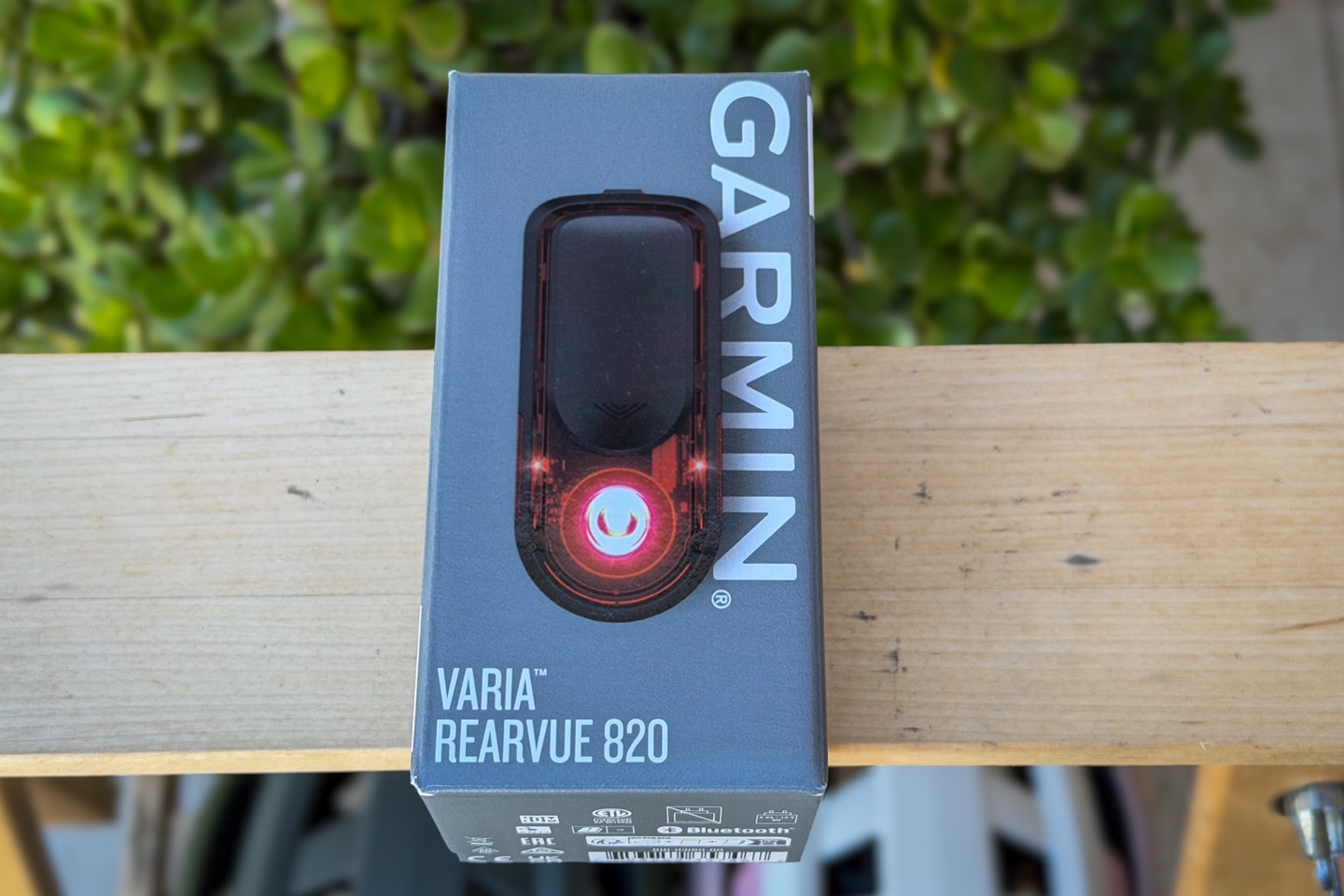
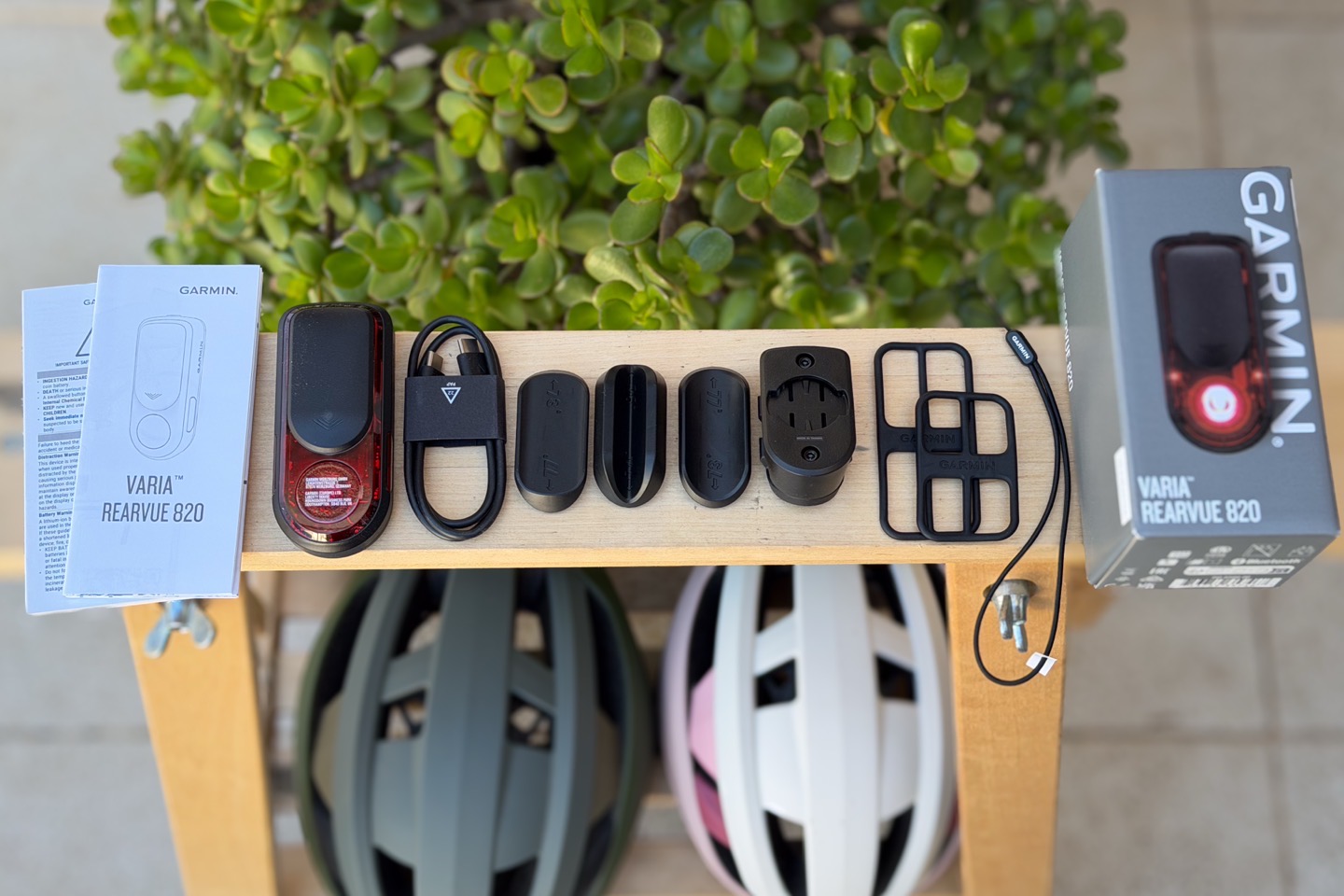
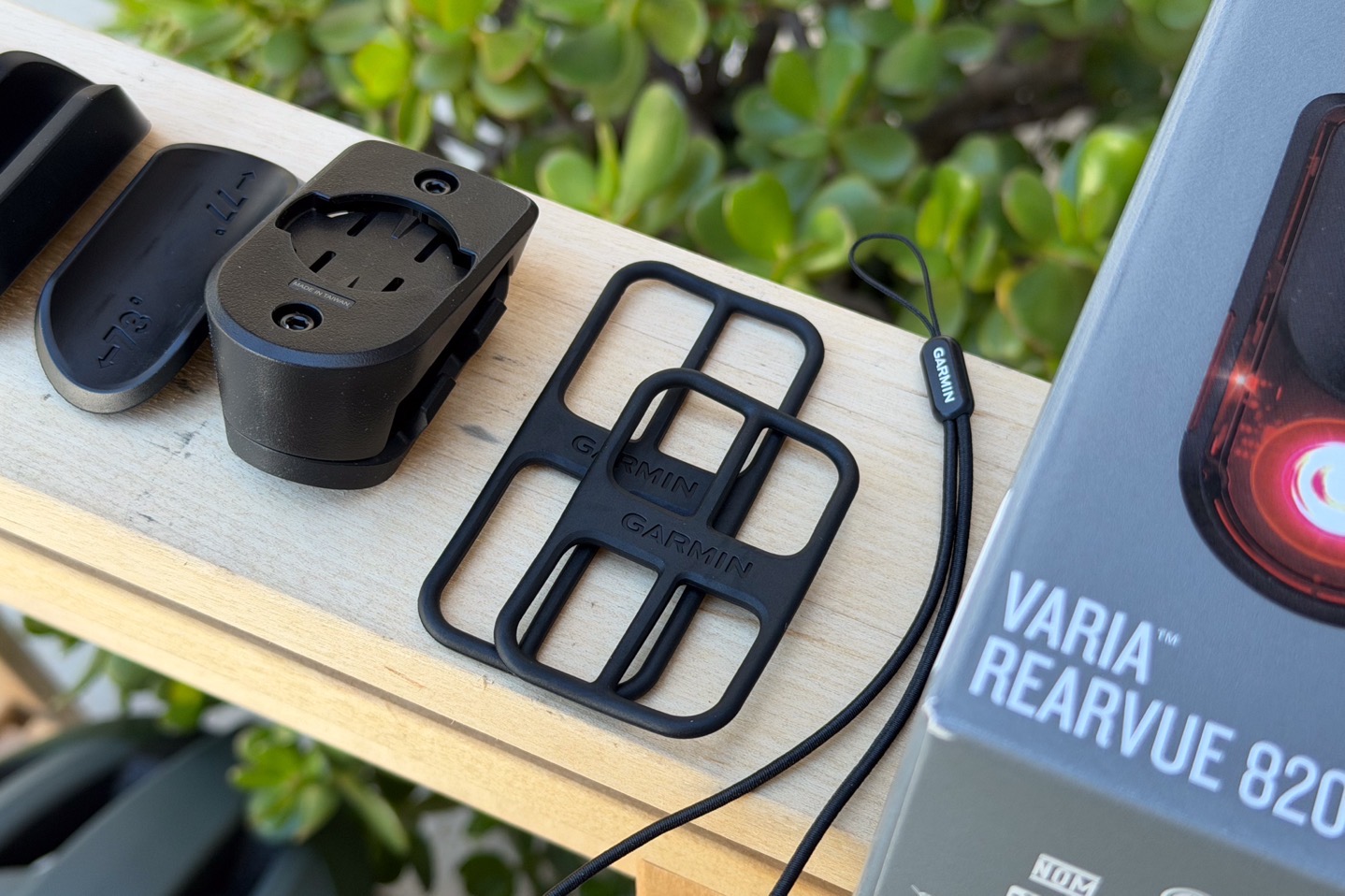
Here’s the box above, and everything that’s in the box below.
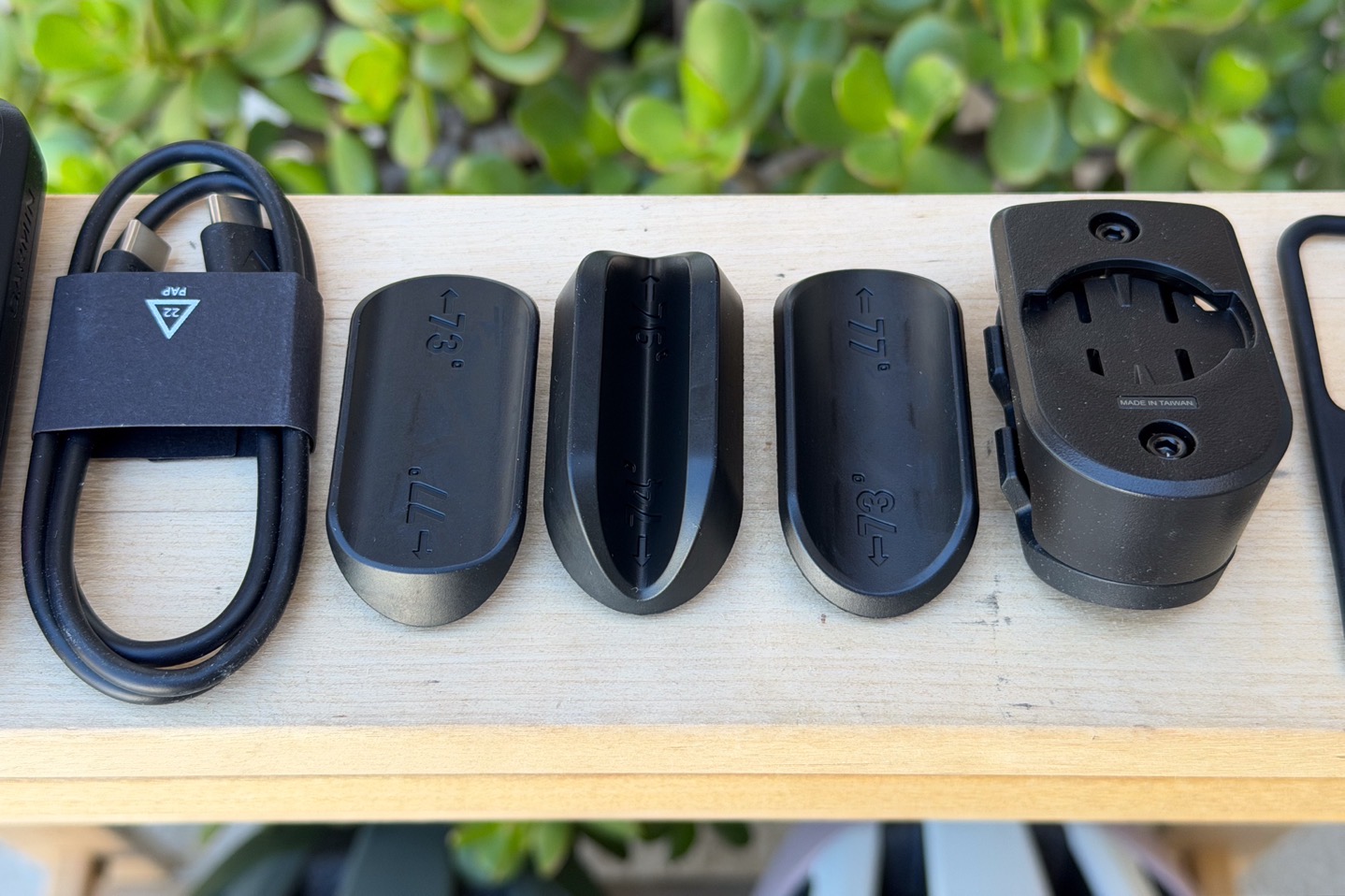
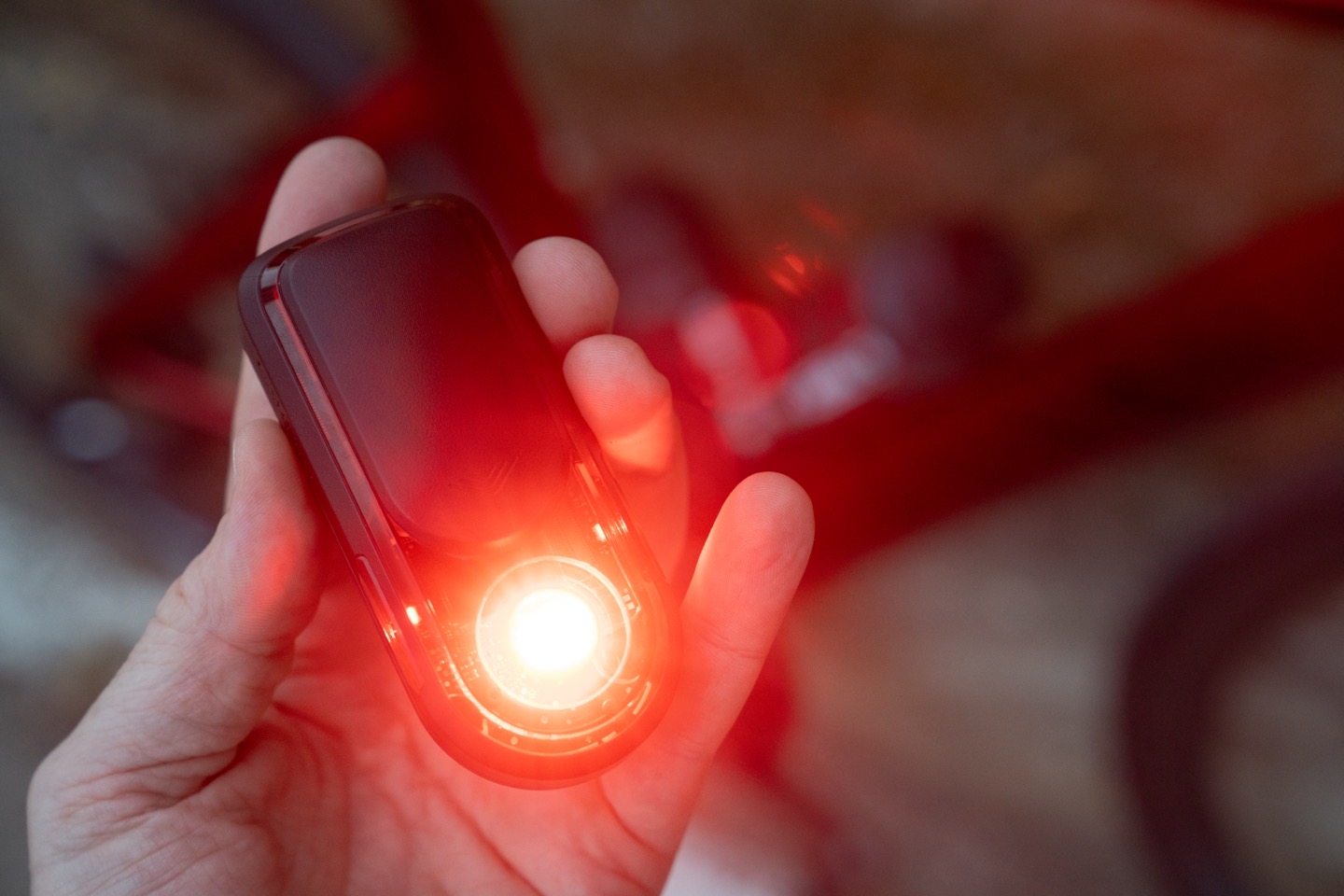
There’s a slightly redesigned seat post mount (the connector to the radar remains the same, though), which includes a d-style seat post mount, a rounded seat post mount, and an aero seatpost mount. All of which connect to the plastic piece at right.
From there, you use the now double-wide rubber band to attach it to your seat post. They also toss in a tether, just in case. See that, Garmin inReach Team? A $299 product can indeed include a tether…
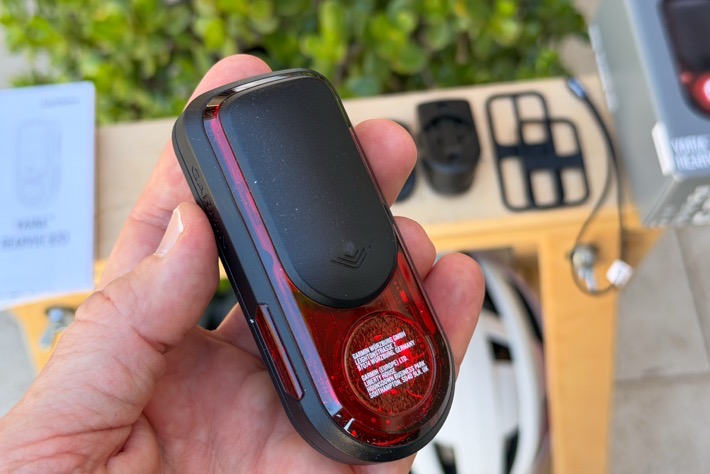
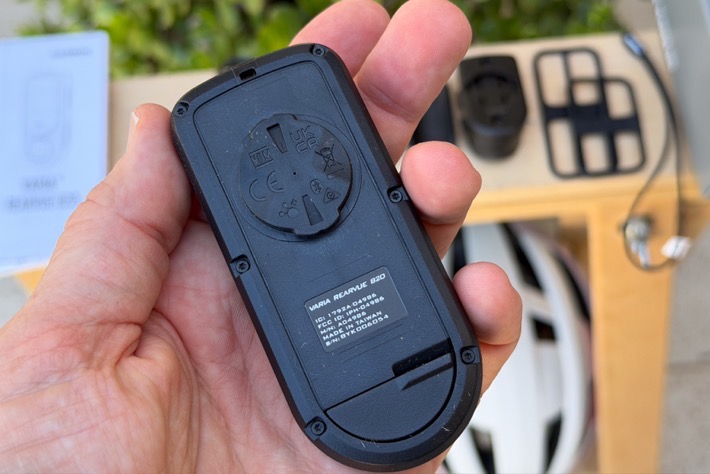
Here’s the front side, complete with a sticker, along with the backside.
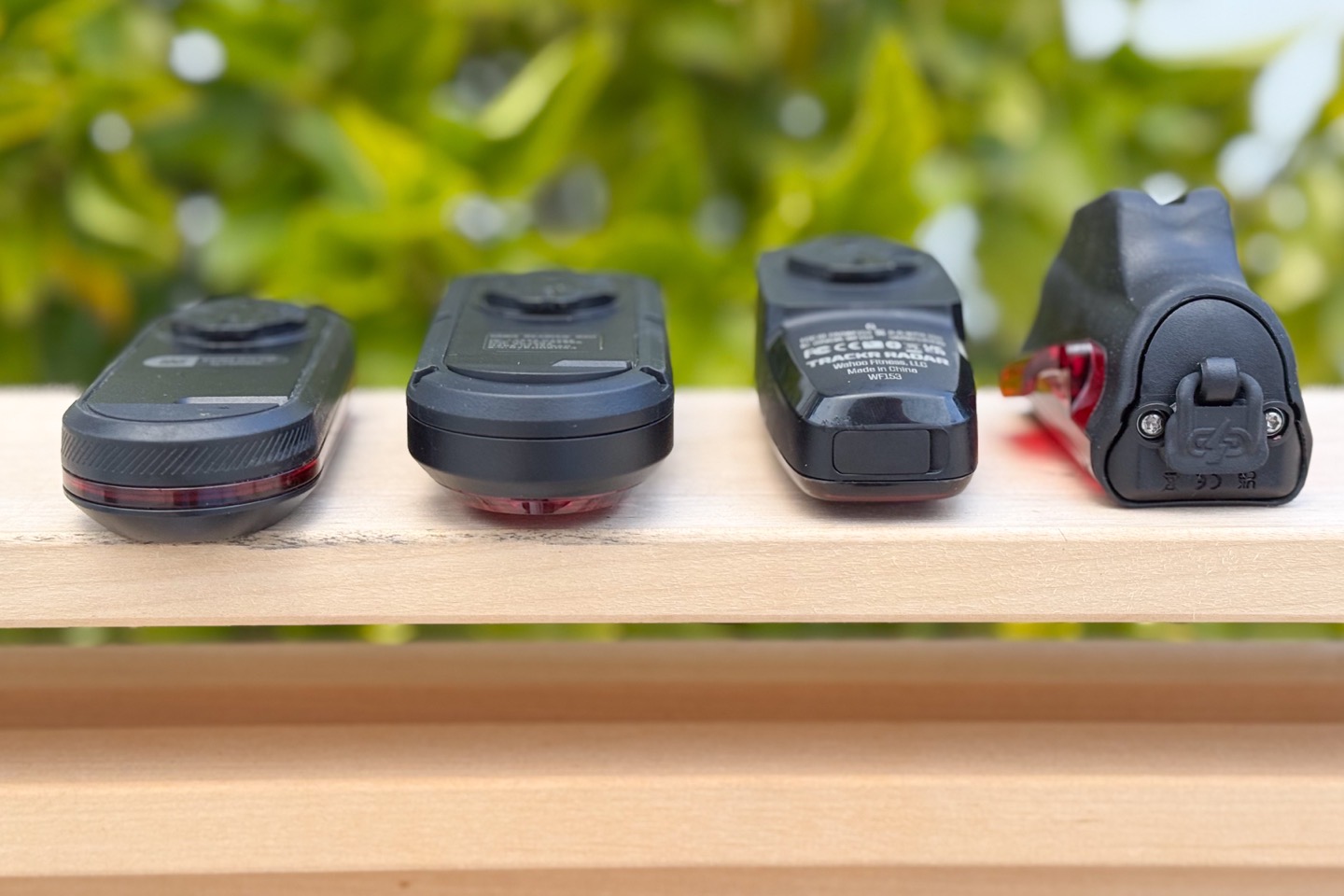
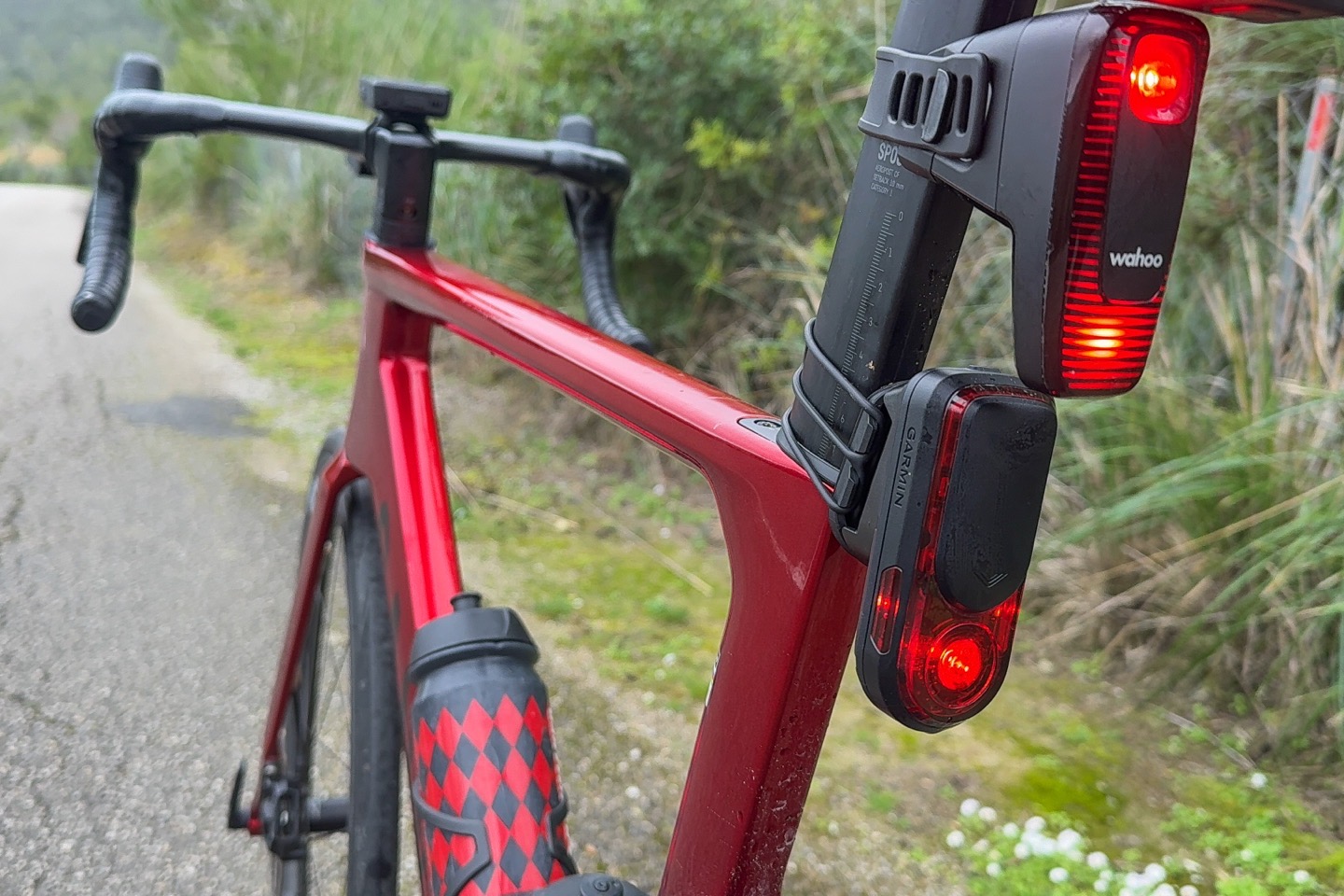
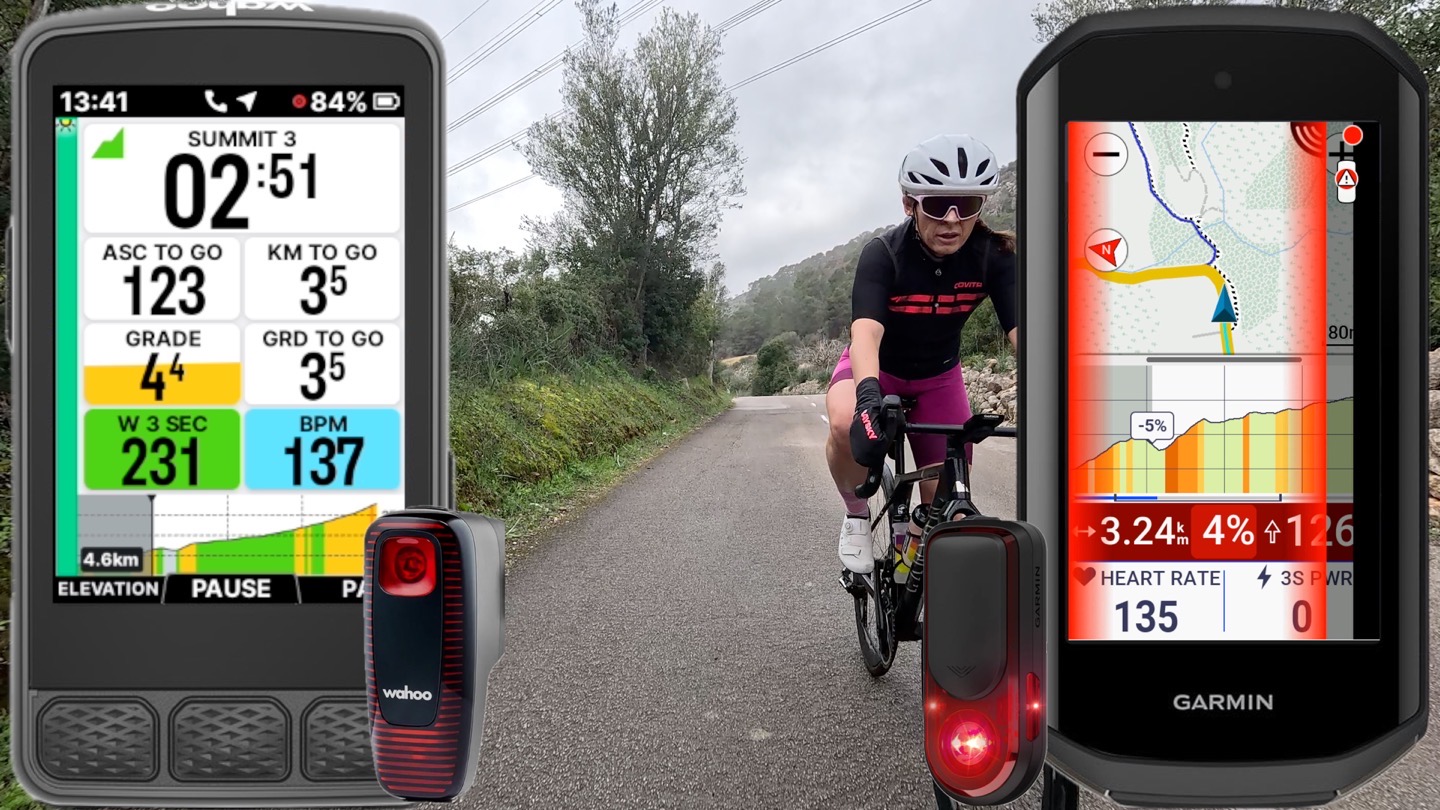
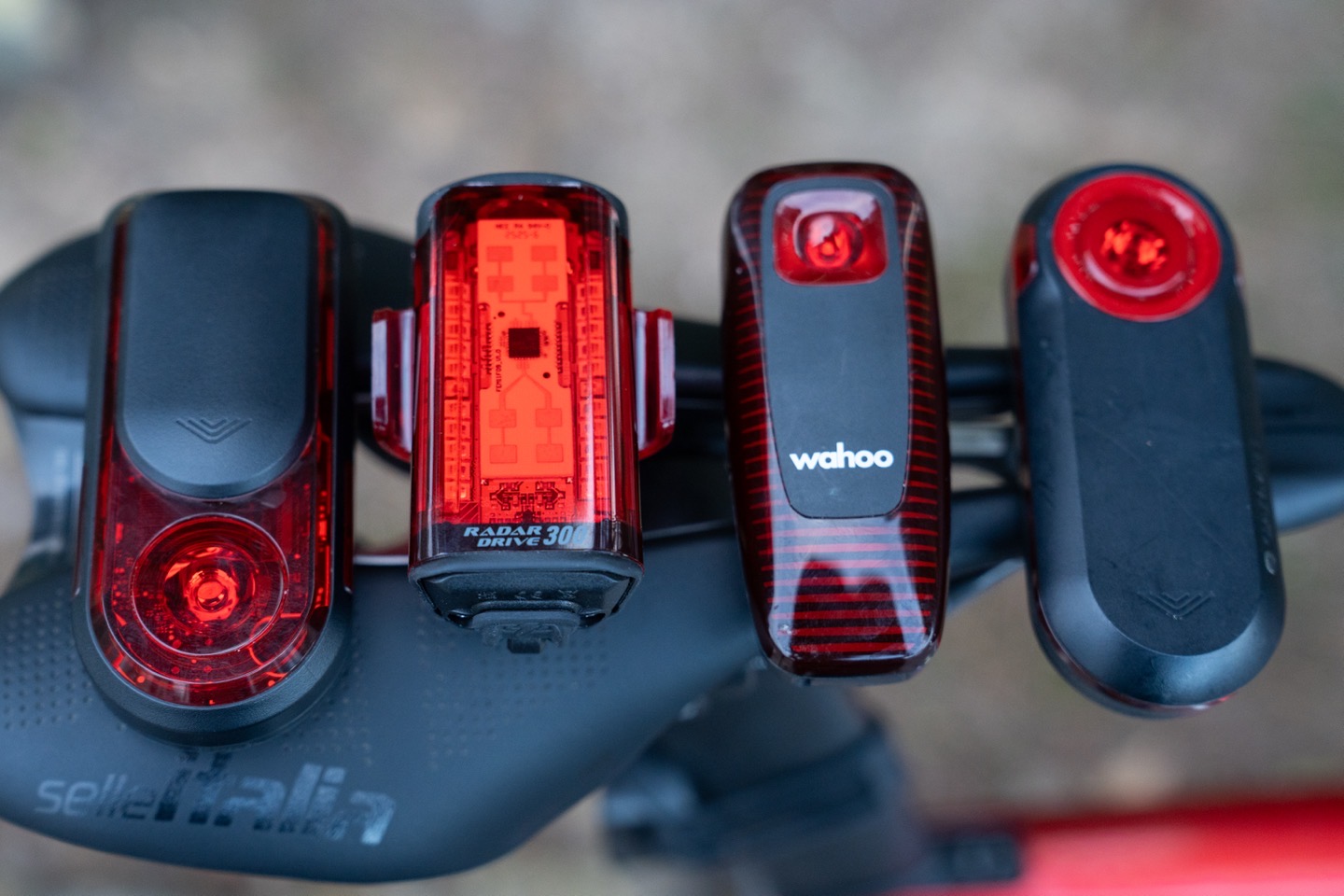
Here’s a look at how this unit compares in size to that of the existing Garmin Varia RTL-515 radar, the Wahoo TRACKR Radar, and the Lezyne Radar Drive. They each have their differences, though on the whole they’re kinda similar honestly. I think Wahoo has the cleanest looking design, though of course Garmin bulks up on size to translate to better battery (and better accuracy/reliability).
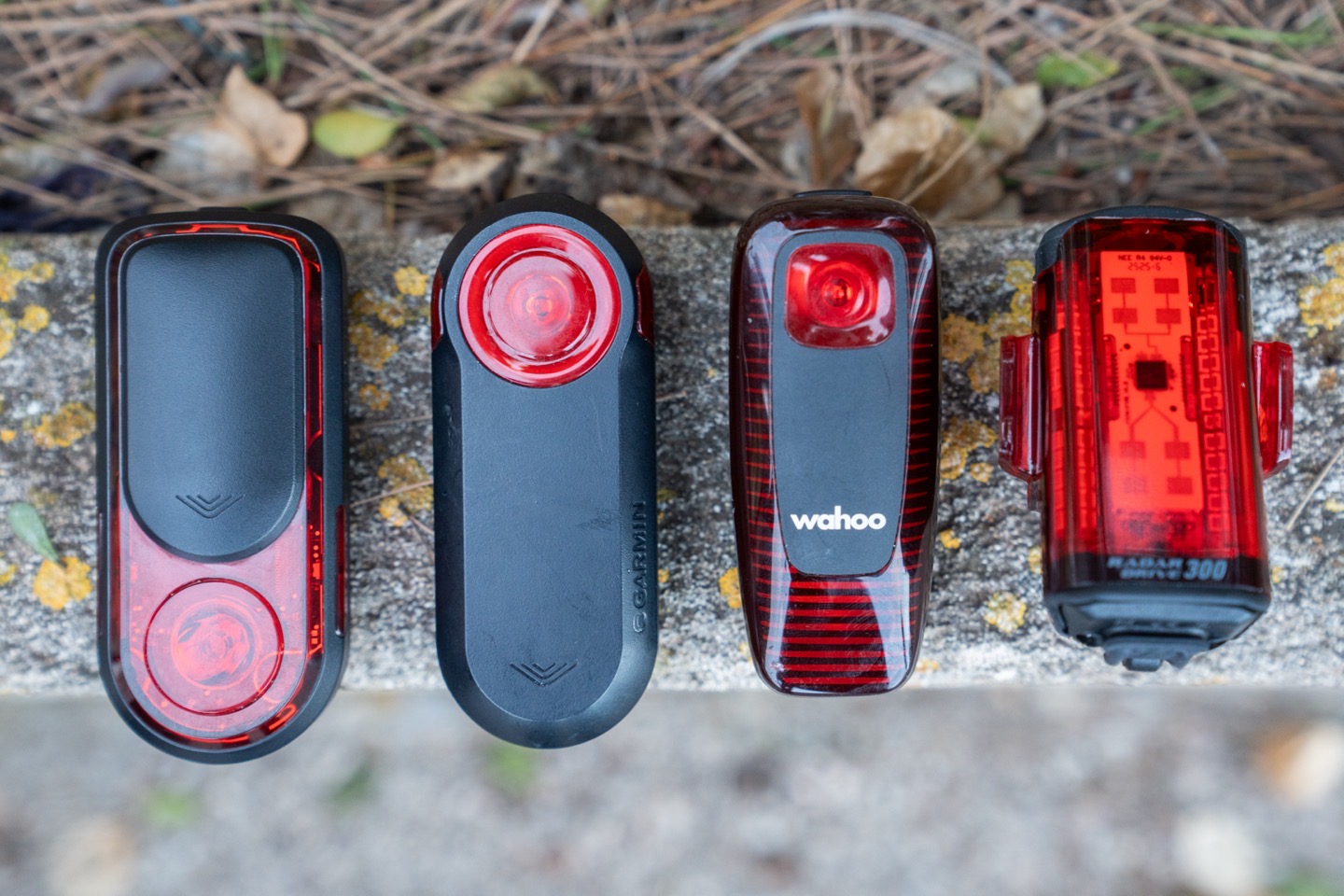
Here’s another angle (note the two Garmin radars switched places for the next photo, apologies!):
Note that mounts are an entirely different beast, so here’s each of them on the same bike, for comparisons:
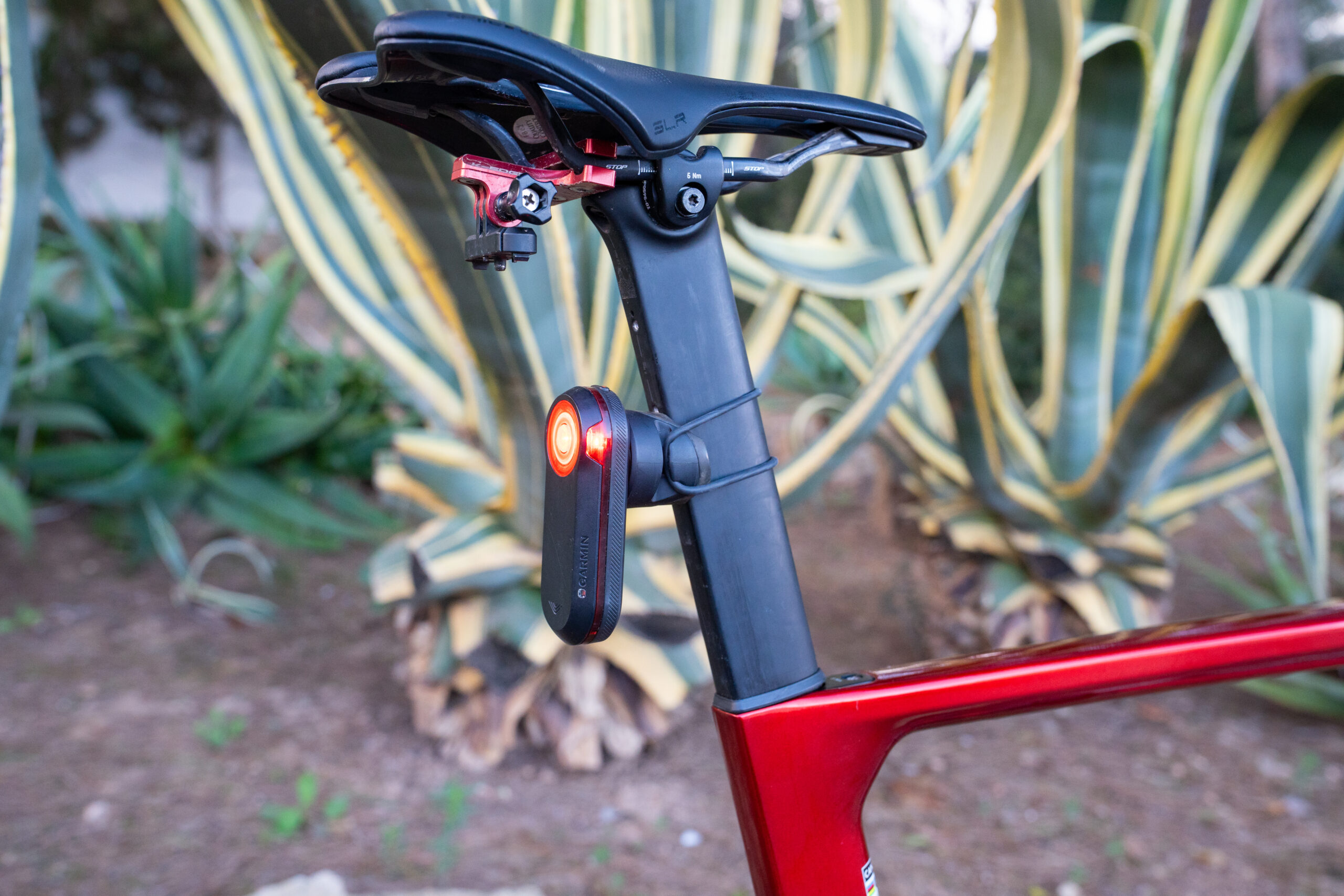
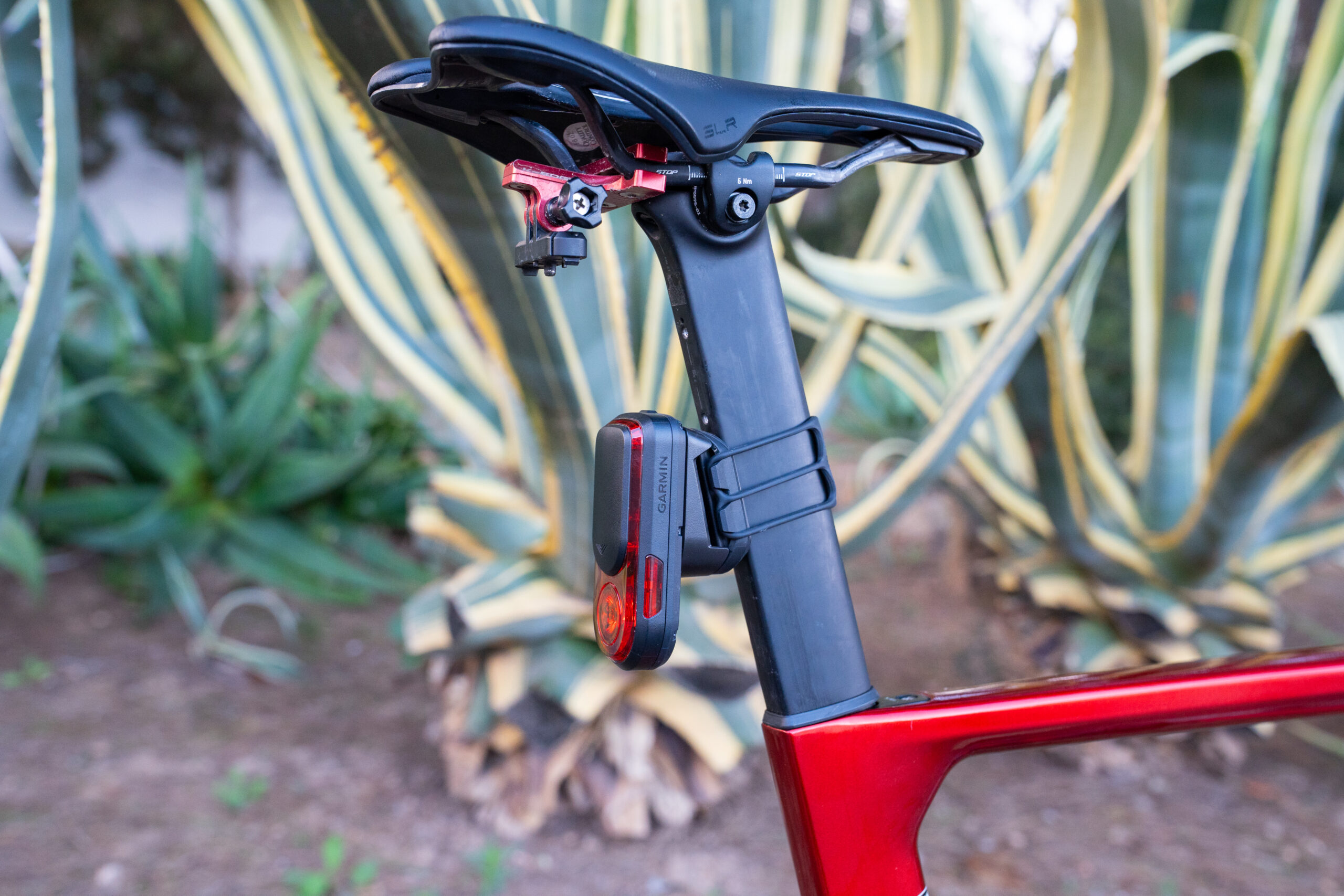
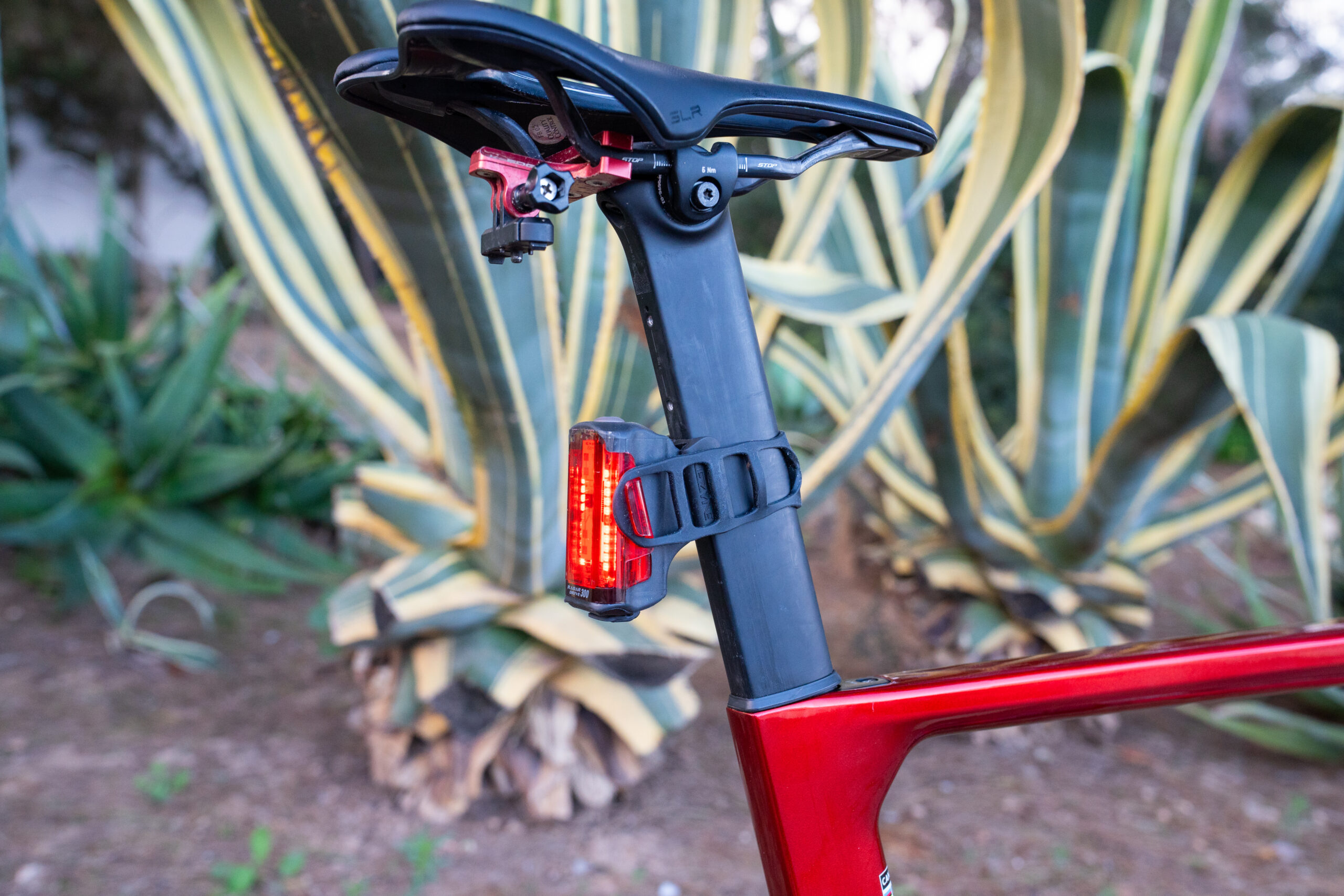
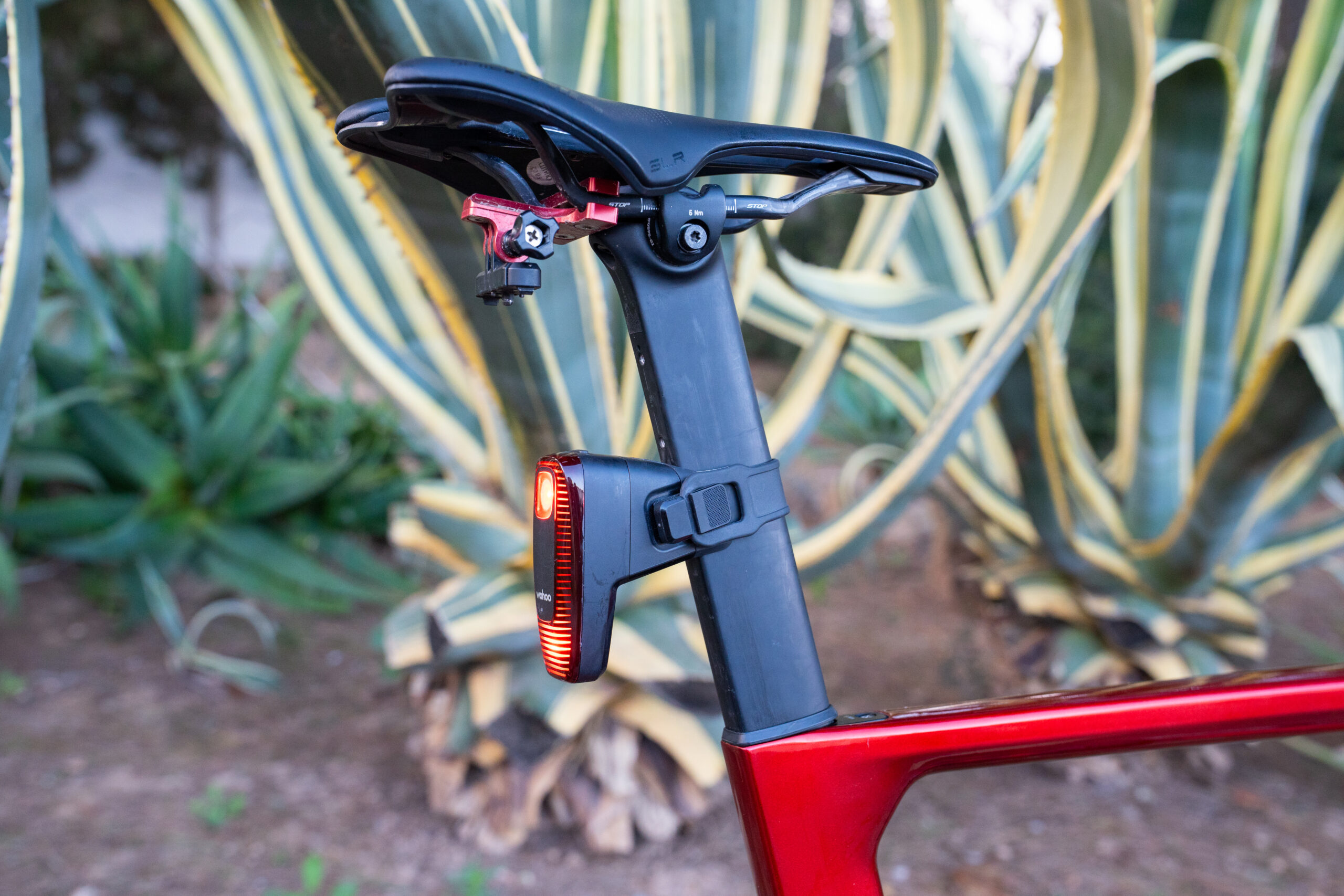
I dive into the exact spec/feature/etc differences of these models later in the review (just before the conclusion).
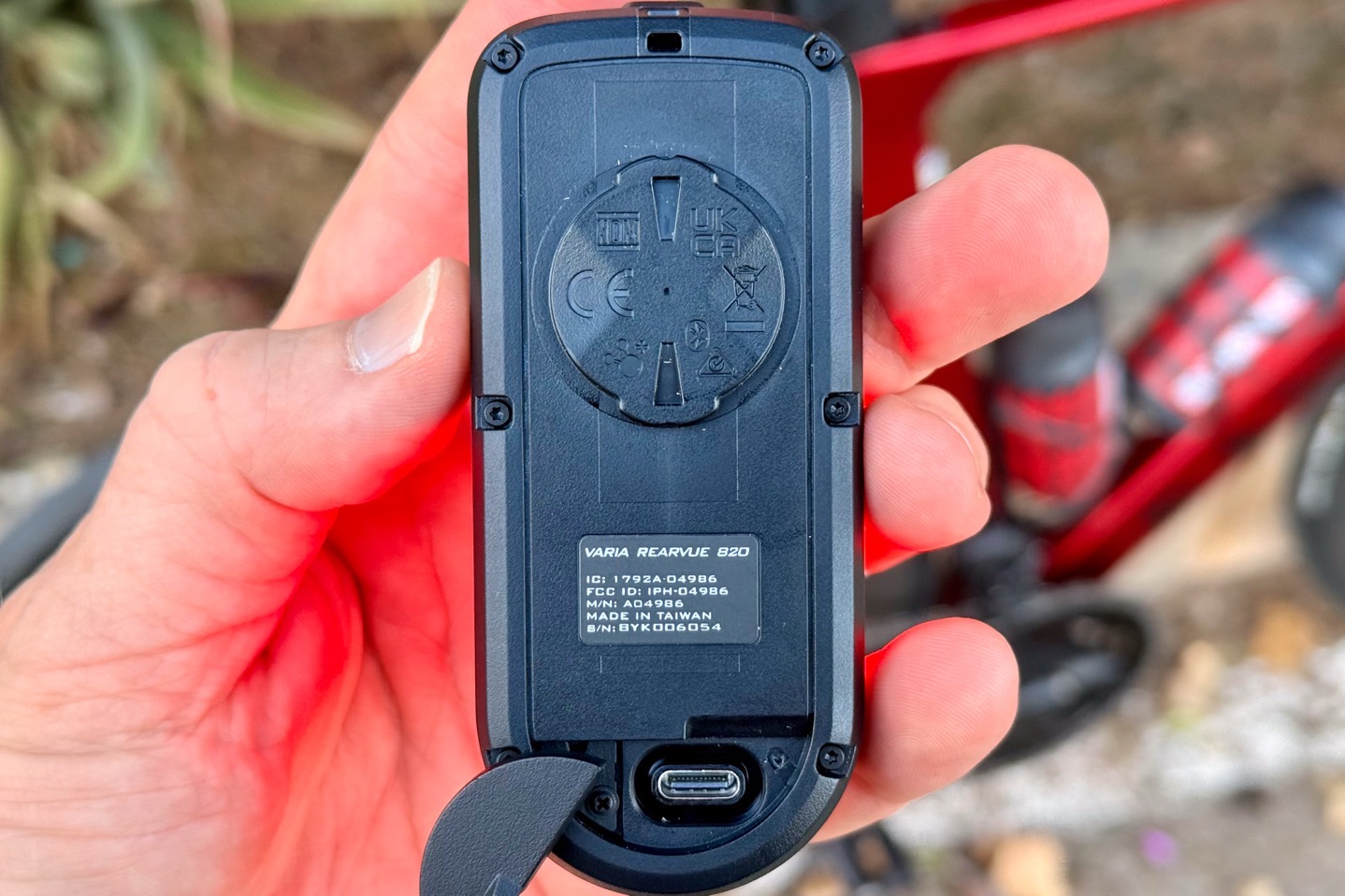
The USB-C Port:
Yes, I’m doing it. I’m making an entire section that is fully dedicated to one photo, and one photo only: The USB-C port.
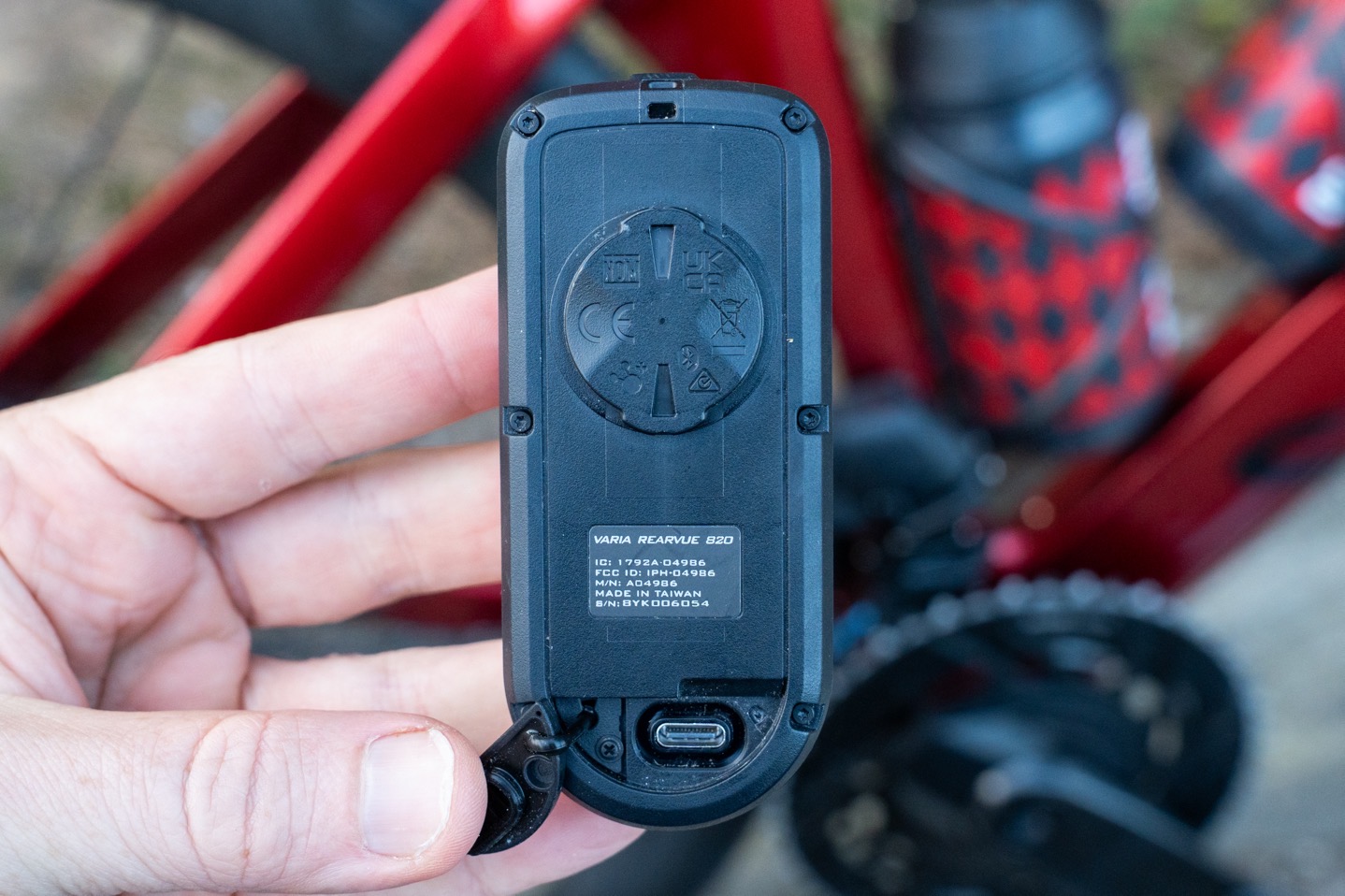
There, finally. Done. Took ya long enough, Garmin.
The Basics:
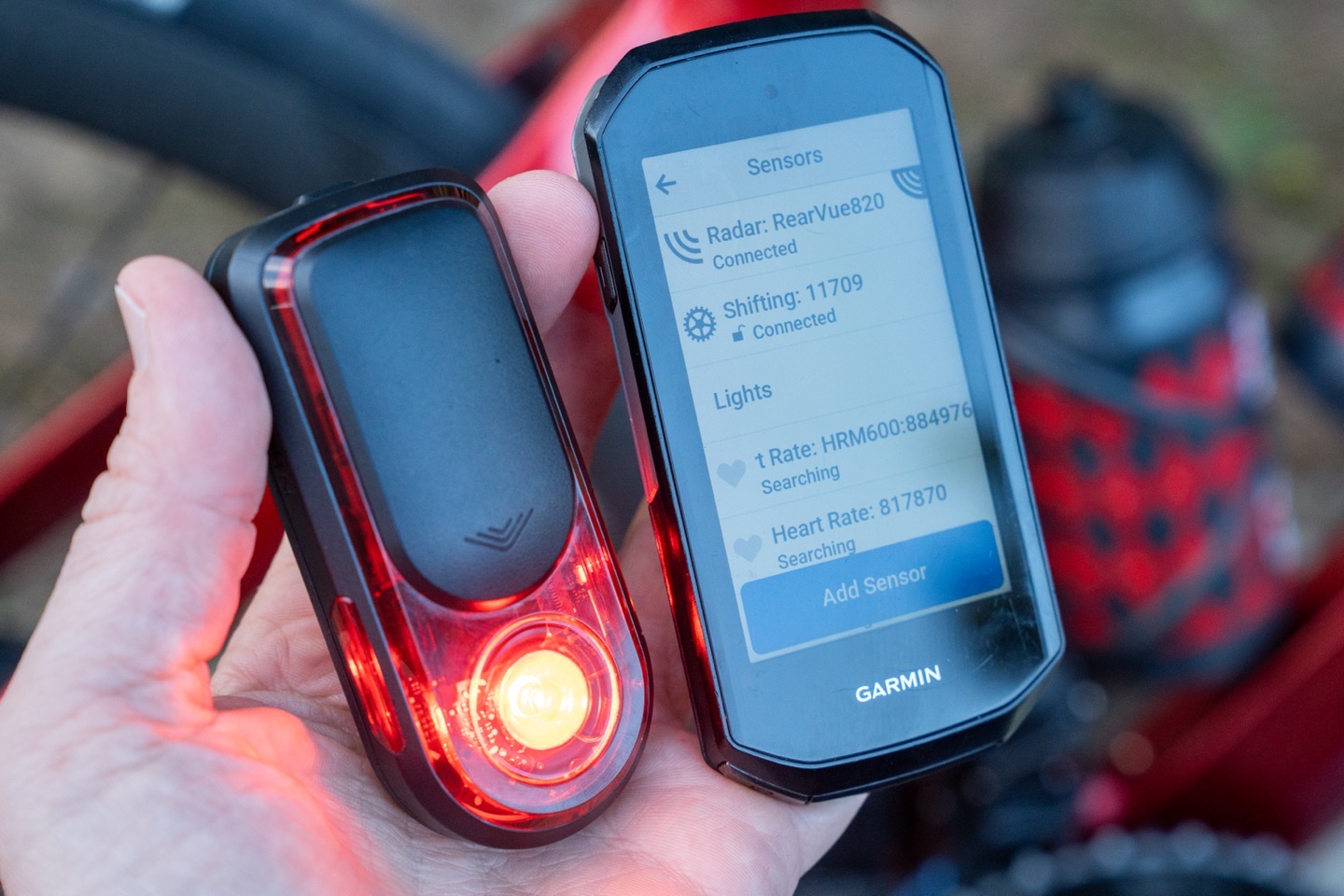
Note, if you’ve already used a cycling radar before, then I’d skip this section and just go to the next section. However, there is a new braking feature, which I’m including in this section, since it’s the singular new software feature that works across all existing bike computers (whereas the new fancy vehicle info bits, only work on newish Garmin bike computers). I’ve placed the braking bits at the end of this section.
With that, let’s take a quick look at the mounting situation first. Thankfully, the mount port itself hasn’t changed, which is great news for owners of existing Garmin Varia 3rd party mounts (of which there are tons on the market, including saddle mounts).
An example of a 3rd party mount that I’ve bought and have on almost all my bikes is this one here. It’s $20, fully metal, and not only supports all of the Garmin Varia radar editions (RCT510/515, RVR315, and new 820), but also the camera-combo edition (RCT715) is one of the two options.
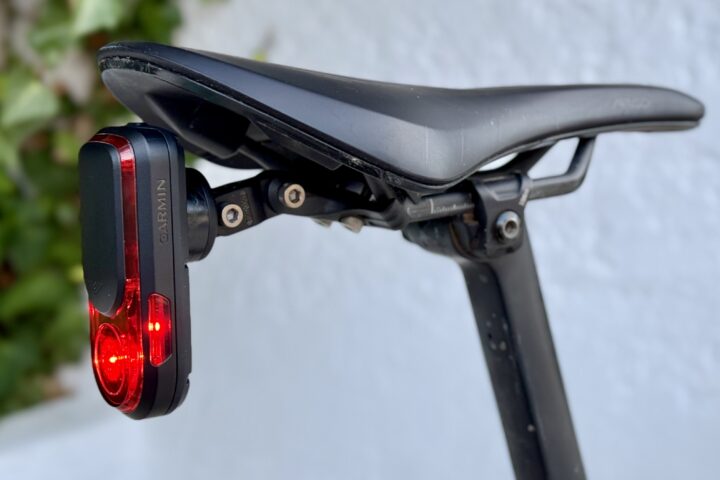
And best of all – the foundation of the mount is a standard GoPro mount.
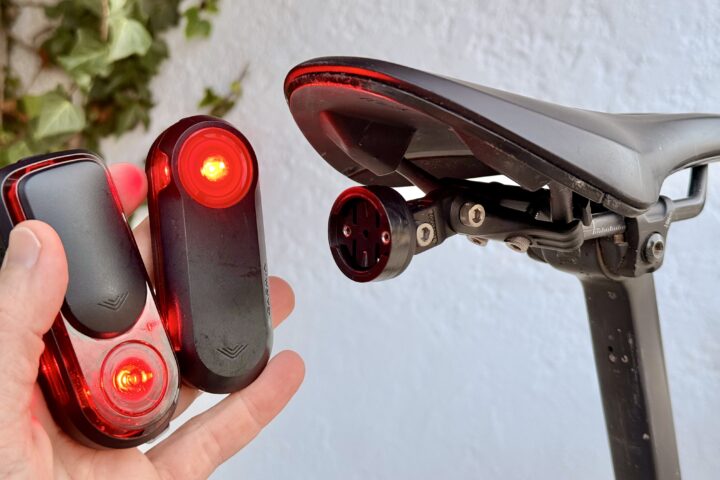
The Varia bit simply attaches to the end.
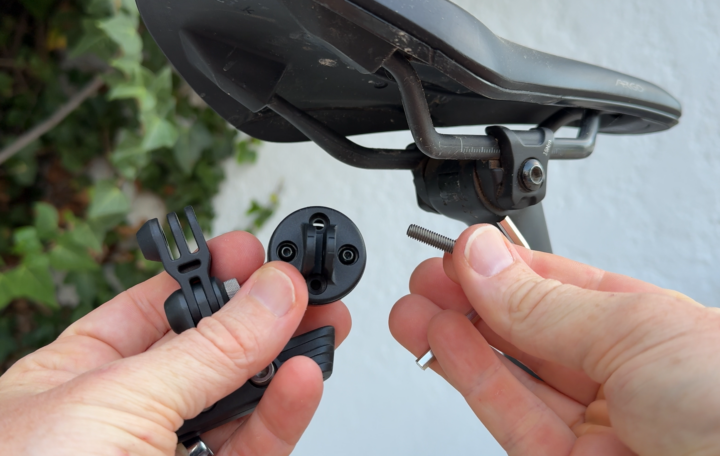
But Amazon is packed full of mount options, this is just one of the ones I’ve used, heavily overloaded with multi-camera and multi-radar mounts, and all is good.
In any case, the in-box mount attachment to your bike has changed and been beefed up. Gone is a single, simple band, and now a full strap:
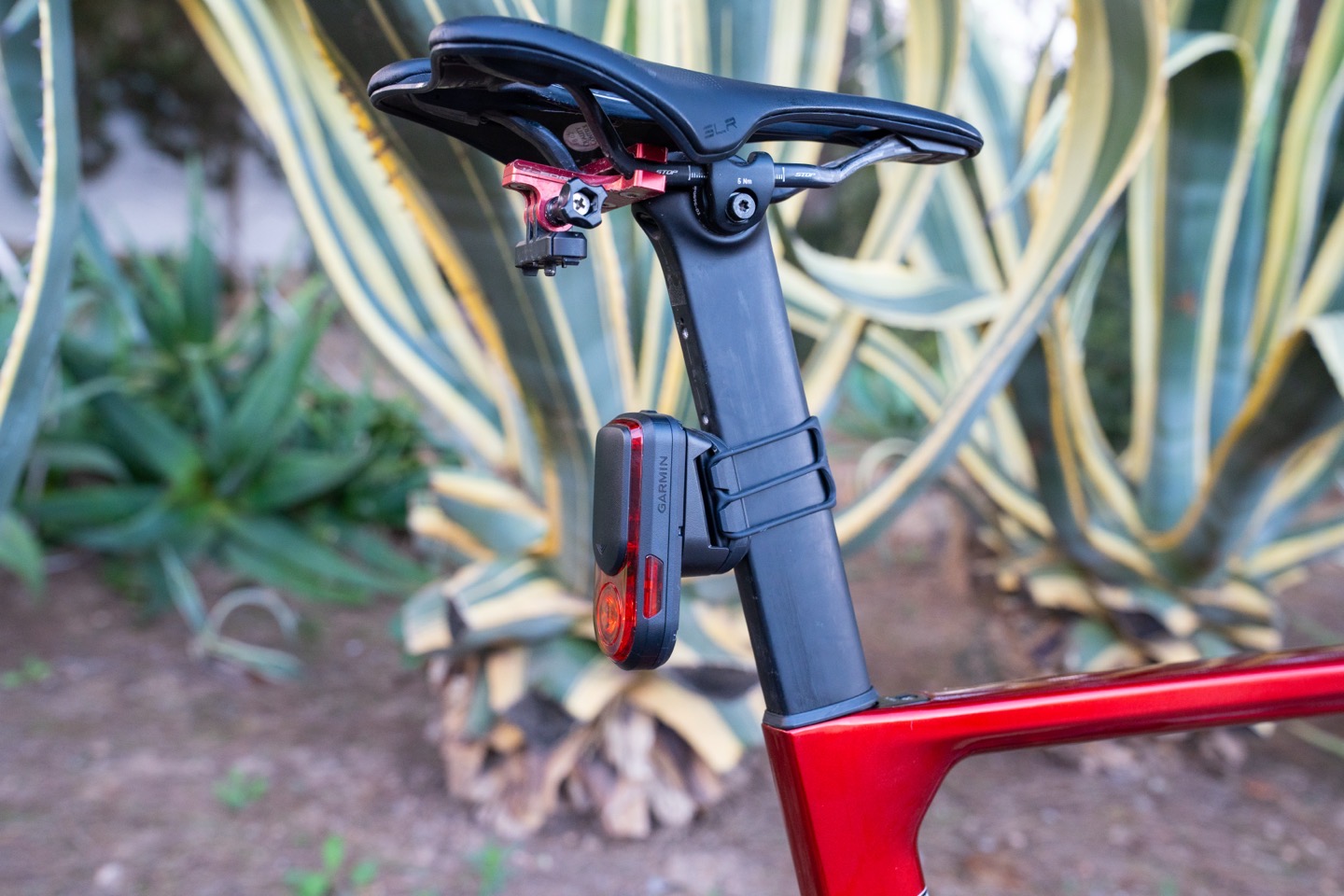
You’ve got numerous seatpost mounts, per the unboxing section earlier.
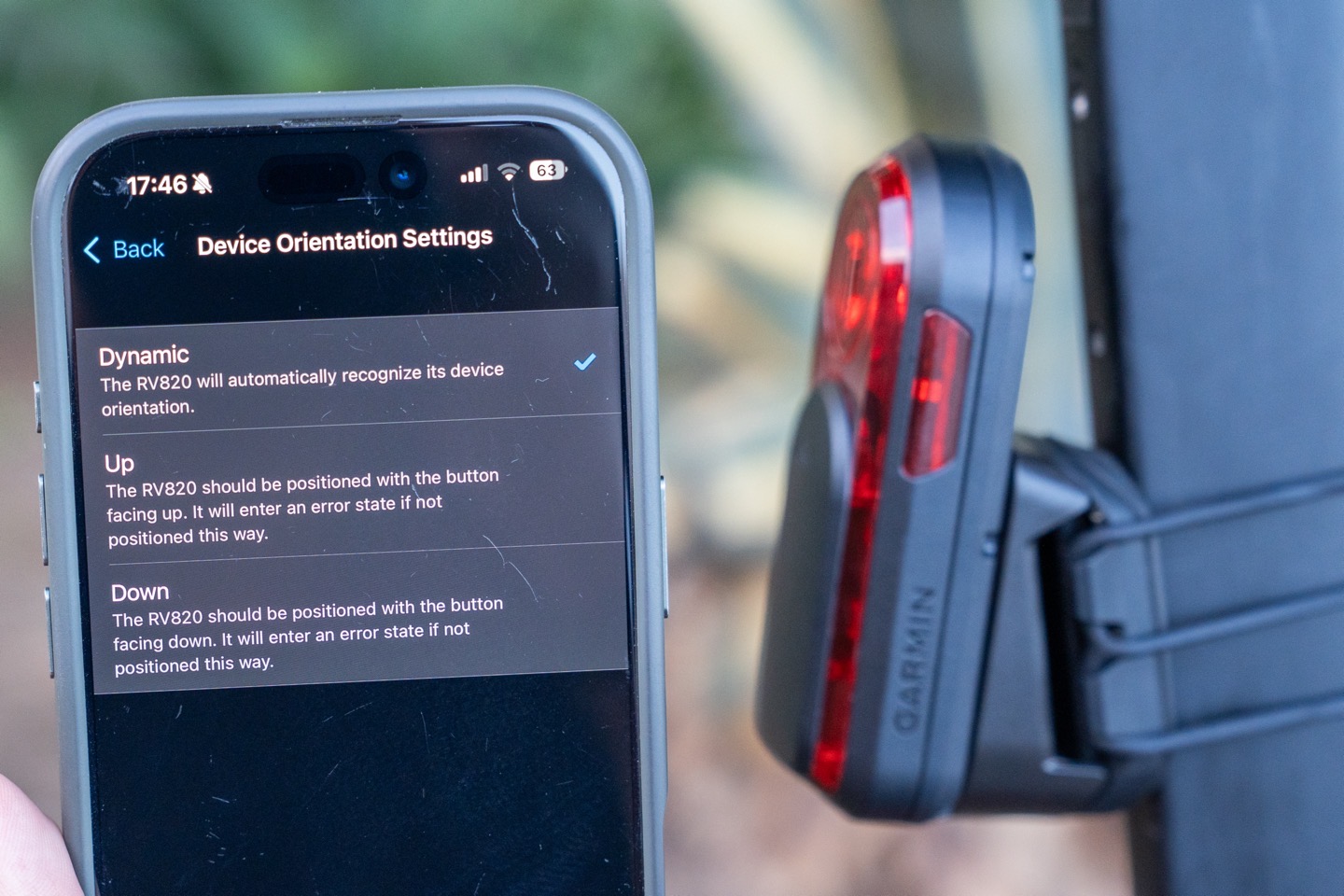
What’s notable is that there’s now a setting to switch the orientation, so you can mount it upside-down if you want. Normal mounting puts the button on top, but there’s actually a setting to manually force it one way or the other. But by default, it’ll actually automatically detect orientation. Fun tidbit: If you leave it halfway (so totally wrong), it’ll actually warn you on the phone that it’s positioned incorrectly, and the message will instantly disappear when you move/fix it.
With that set, you’ll get it paired to your bike computer. On a Garmin Edge x40 or x50 series unit, it’ll offer to pair it via secure Bluetooth. Note that if you haven’t updated your firmware on your Garmin Edge unit since before February 2026, you’ll want to do that (otherwise the new features won’t show up). You’ll search for a radar sensor in the settings, and it’ll quickly pair up:
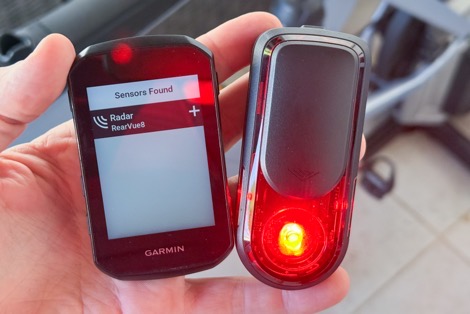
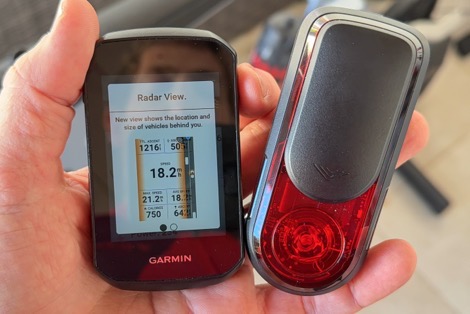
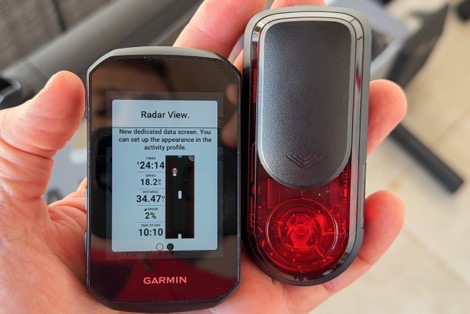
You’ll notice above that on a newer x40/x50 series device, when you pair it up, it’ll give you a quick overview of the user interface. For all other bike computers, it’ll just pair as normal.
This is because for these newer Edge computers, this will automatically pair the radar via secure Bluetooth, rather than ANT+ (more on this later on), however, it’ll still pair over the ANT+ lighting network for regular bicycle light features (technically speaking, the radar broadcasts as two different device types: Radar and Bicycle Light).
Just for documentation purposes, here’s how the Garmin Varia RearVue 820 broadcasts:
– ANT+ Radar Profile (open standard)
– ANT+ Bicycle Light Profile (open standard)
– Bluetooth Smart Secured Connection for Cycling Radar (Garmin proprietary)
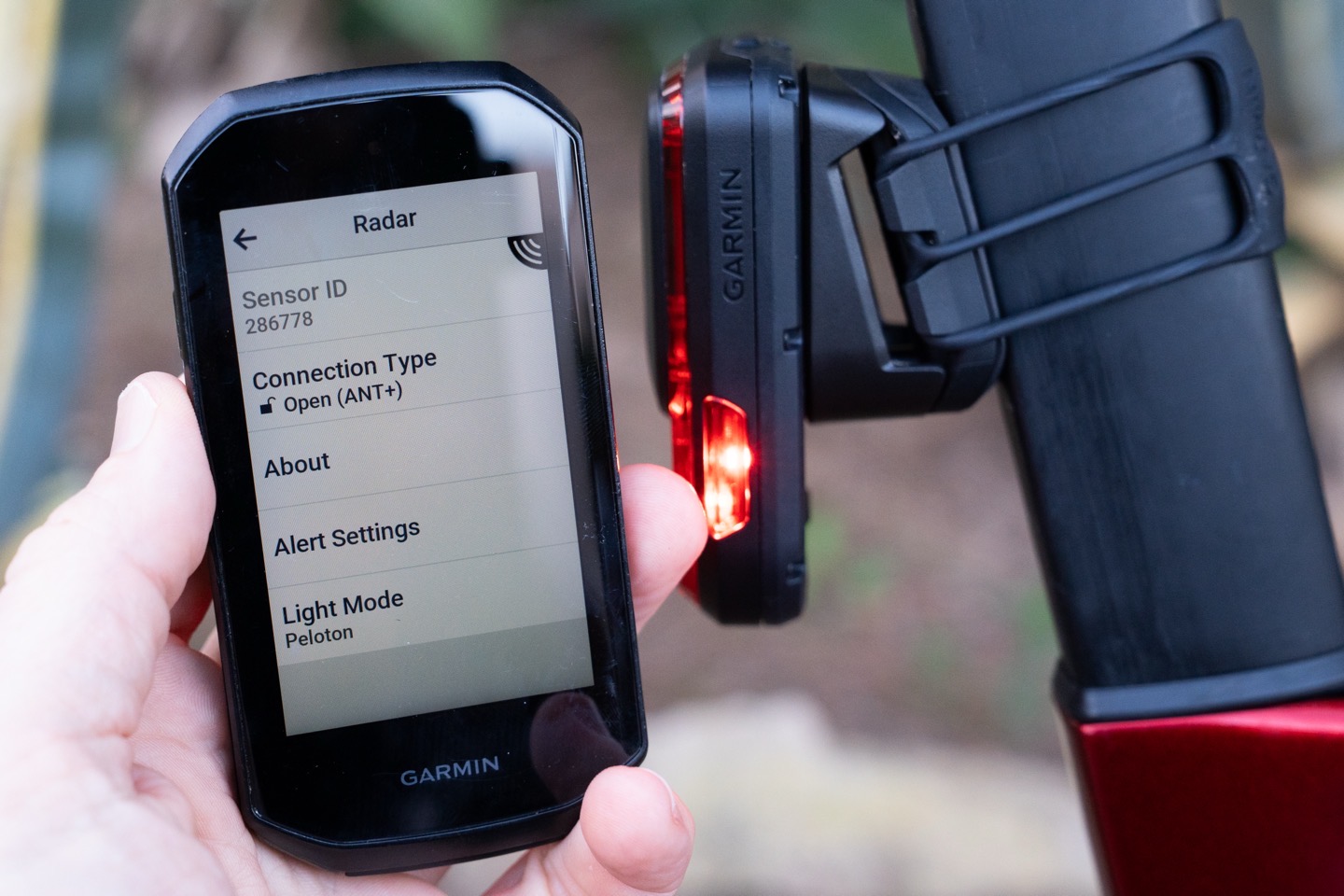
It does all of those concurrently, and according to Garmin, there’s no meaningful impact on the number of concurrent connections you have (which matches how these chipsets work). Note that if you’re pairing to any other bike computer (aside from x40/x50), you’ll see the Varia radar listed as a number instead, and you’ll just tap that instead, and it’ll save as a number instead of (in my case 286778, which is the ANT+ ID of my unit):
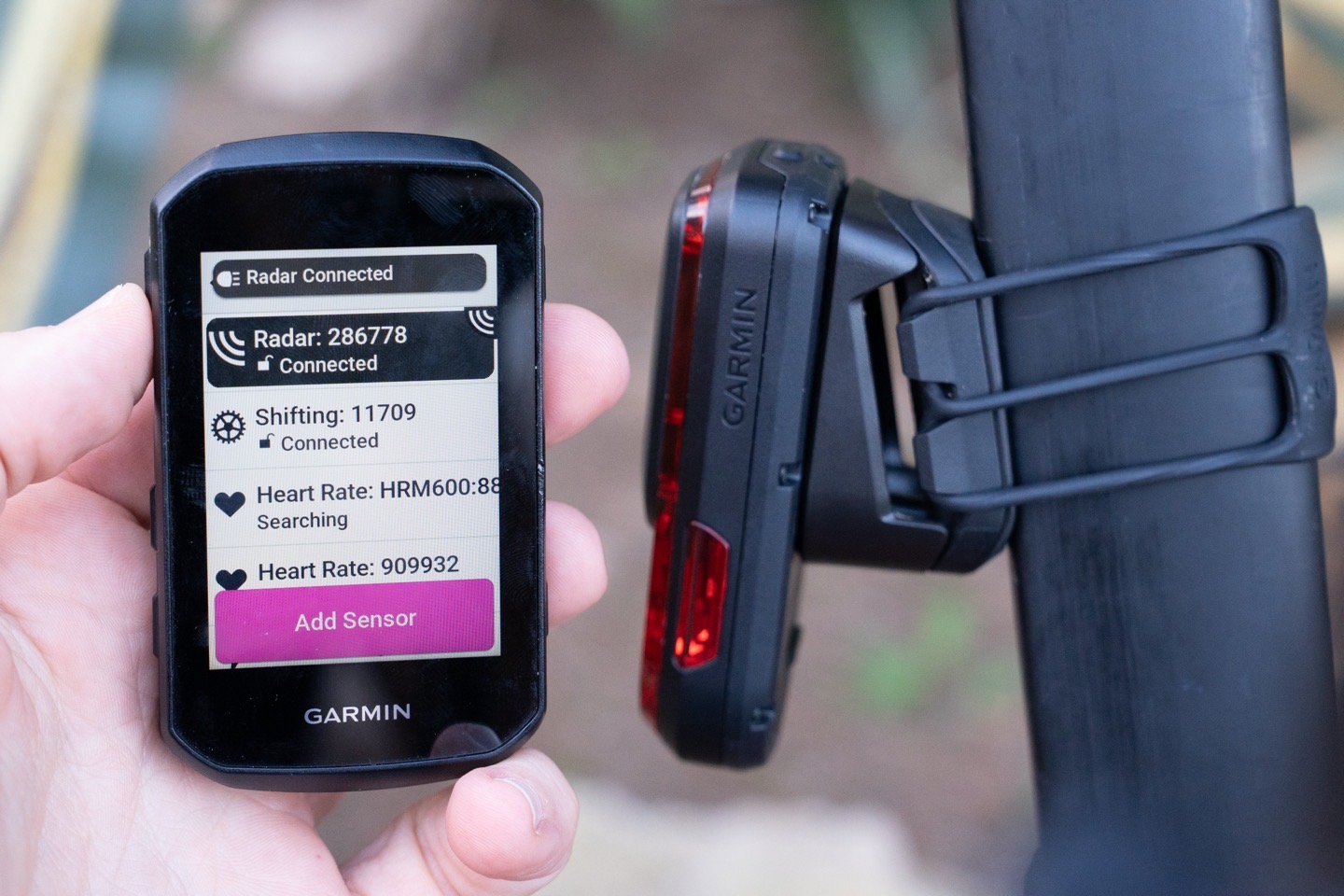
At the end of the day, your radar is paired (as both radar and bike lights) and you’re ready to ride. You’ll notice a little WiFi-looking symbol in the upper right corner, indicating an active connection to the radar. If the radar runs out of battery, it’ll actually alert you that the connection is lost, so you know there’s no longer radar coverage.
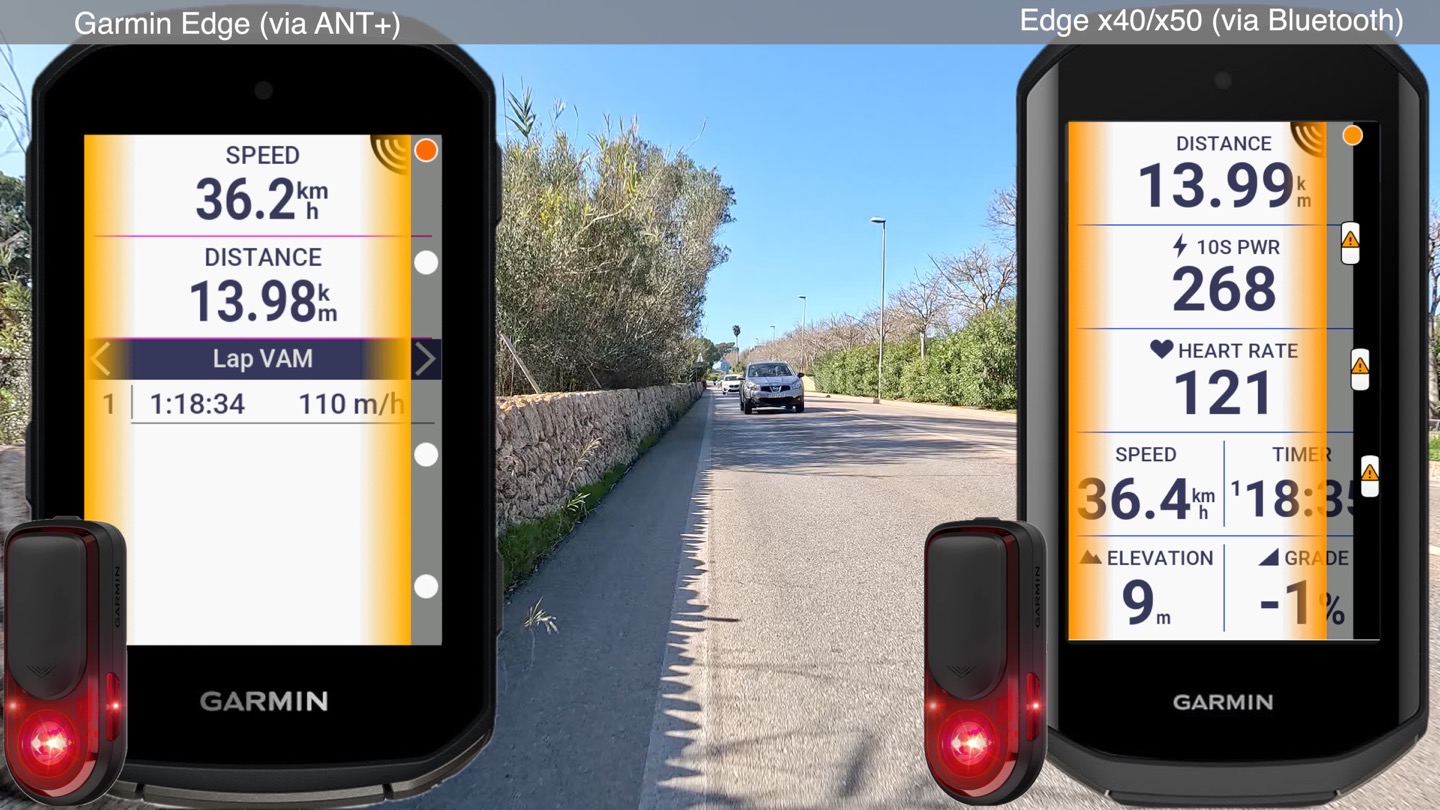
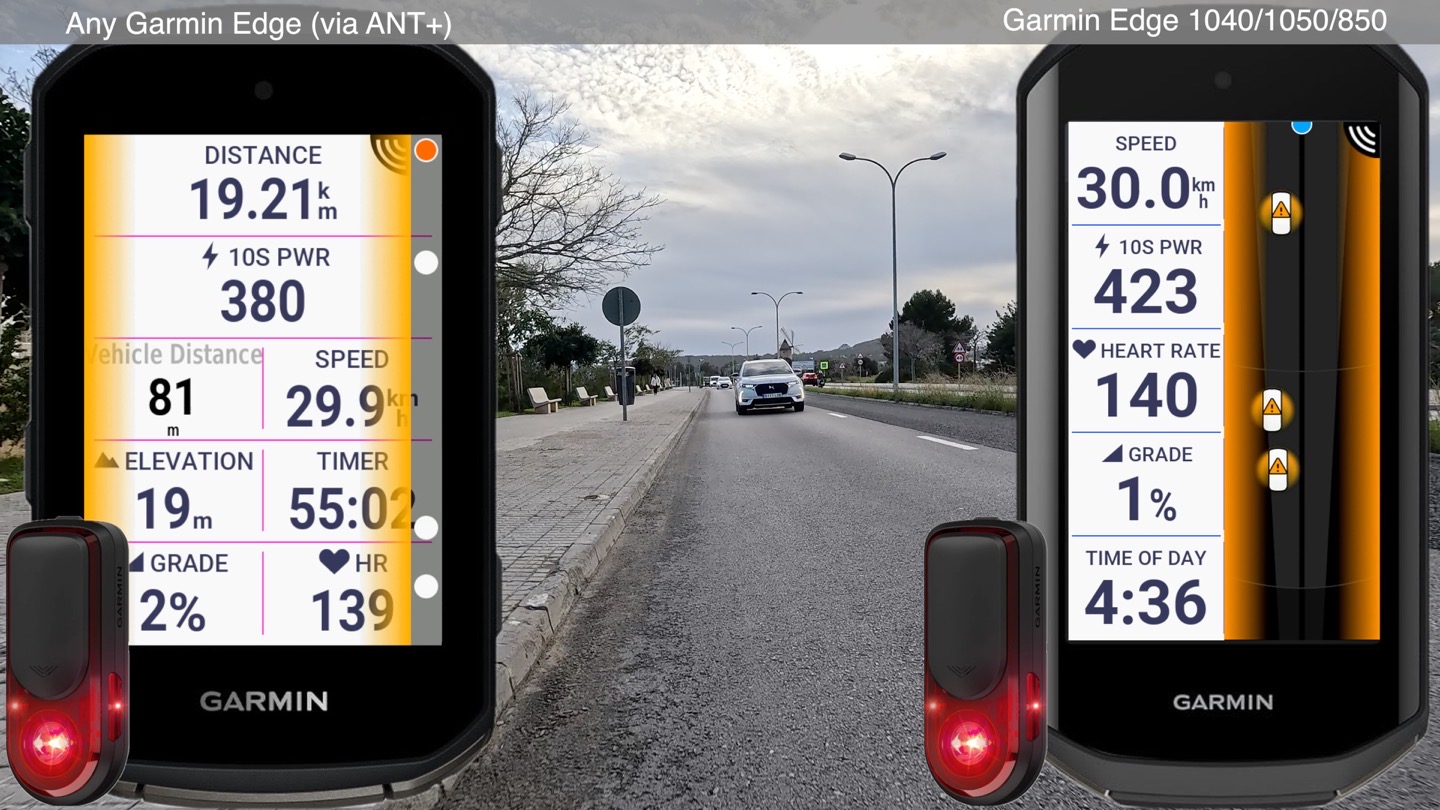
Once you start playing in traffic, you’ll see a stripe on the side of your bike computer. You can configure which side this is shown, as well as on the x40/x50 units, configure if you want this double-wide or single-column. Further, the Edge 1040, and 1050 also have a new half-screen option.
To begin, though, here’s the single-column option at right (most similar to the older option at left):
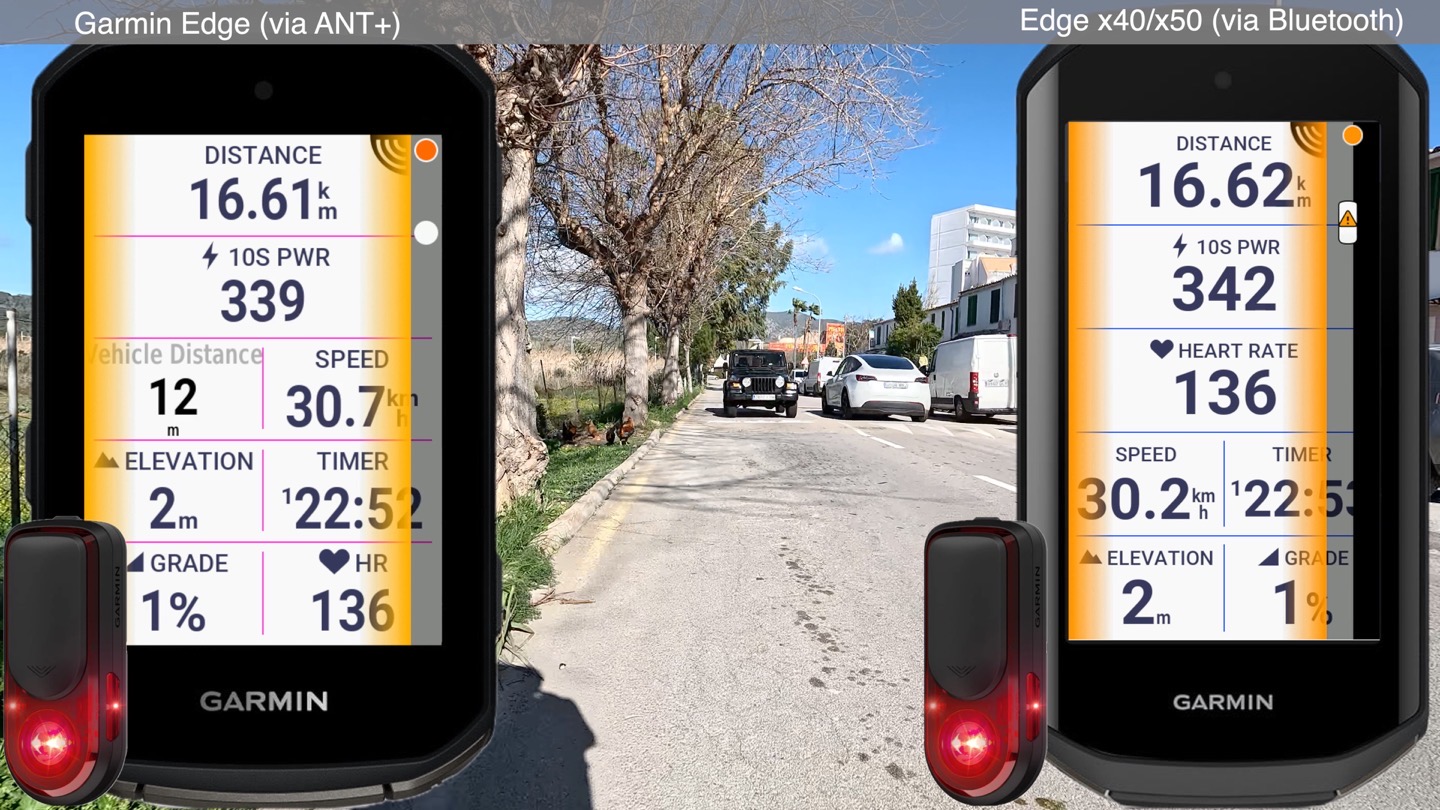
Here’s the double-column option (showing two lanes at right), notice the wider column (more on that in a minute)
And here’s the half-wide new data page option on the Edge 1040/1050/850 (no idea why the 550 is left out given it’s an identical screen as the 850), which lets you customize those data fields seen on the left side (or right side, if you configure it that way):
You can also do a full-screen view too, though this is really targeted more at bike commuters than typical everyday riding for sport.
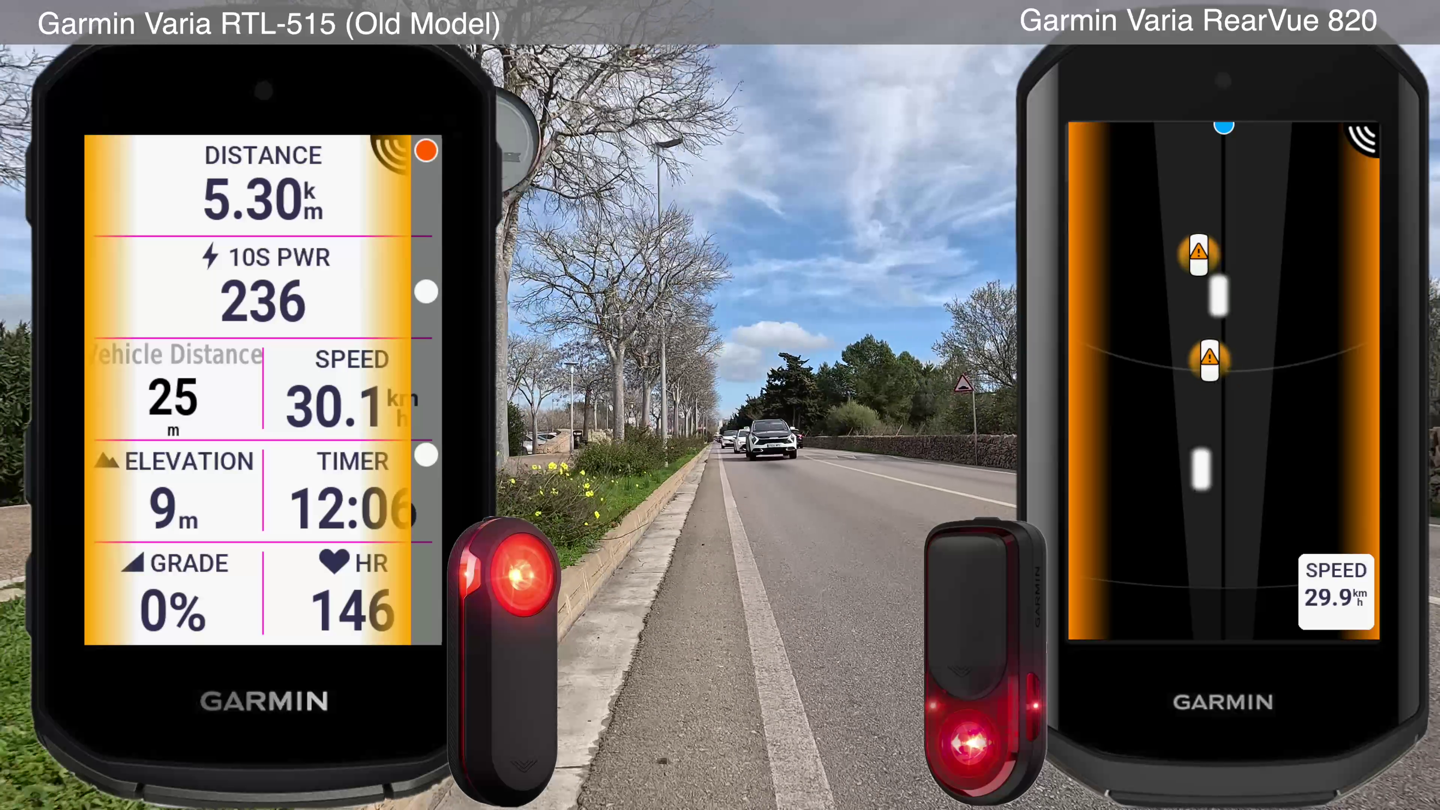
Now, before we go too far, I just want to be really clear on something: Cycling radars are historically all about tracking “overtaking” objects, so things that are closing in on you. Whether it be a semi-truck, a car, a cyclist, or even yes…a runner:
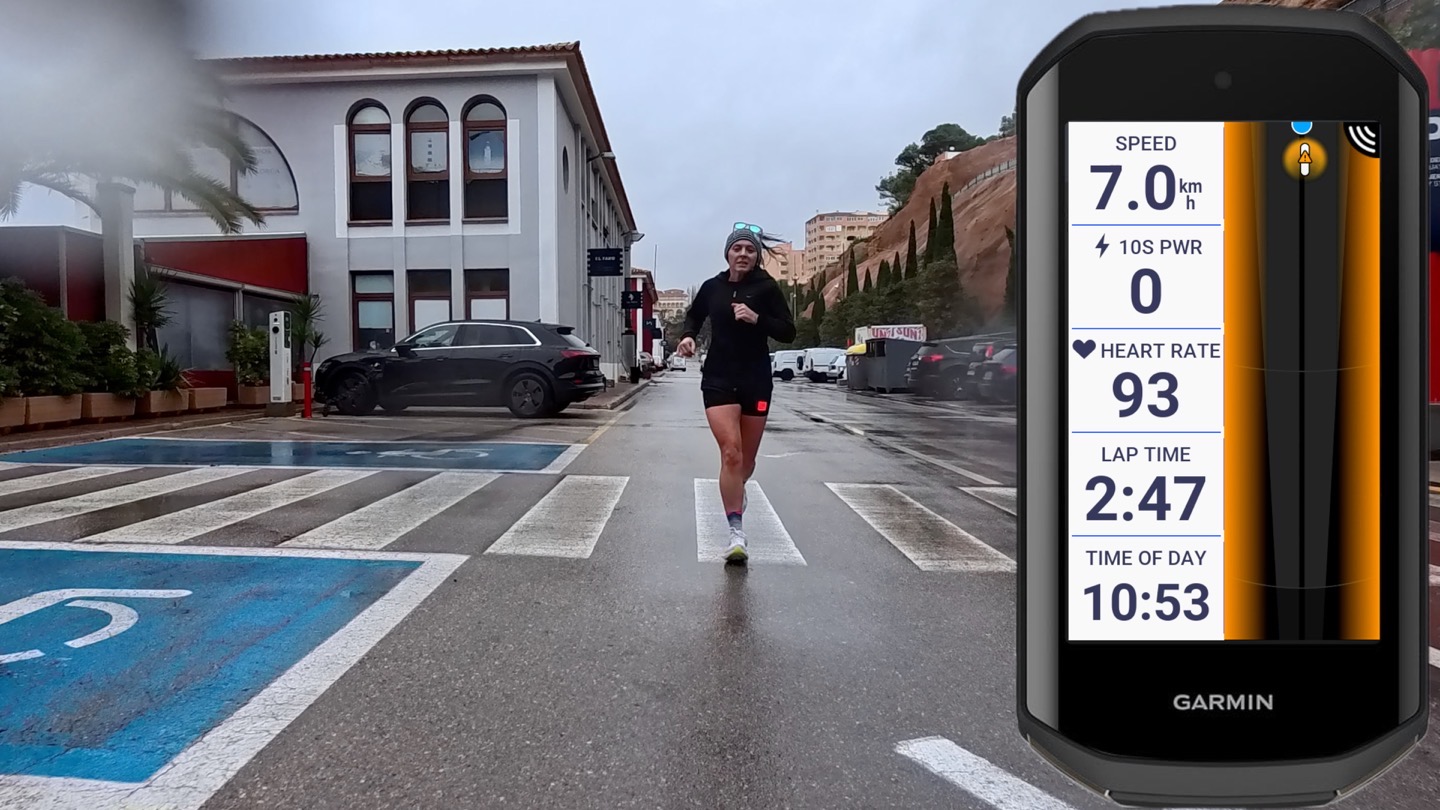
Or, horses (note that the full-size horse was seen as a red threat approaching, but the smaller pony behind it was not considered a threat):
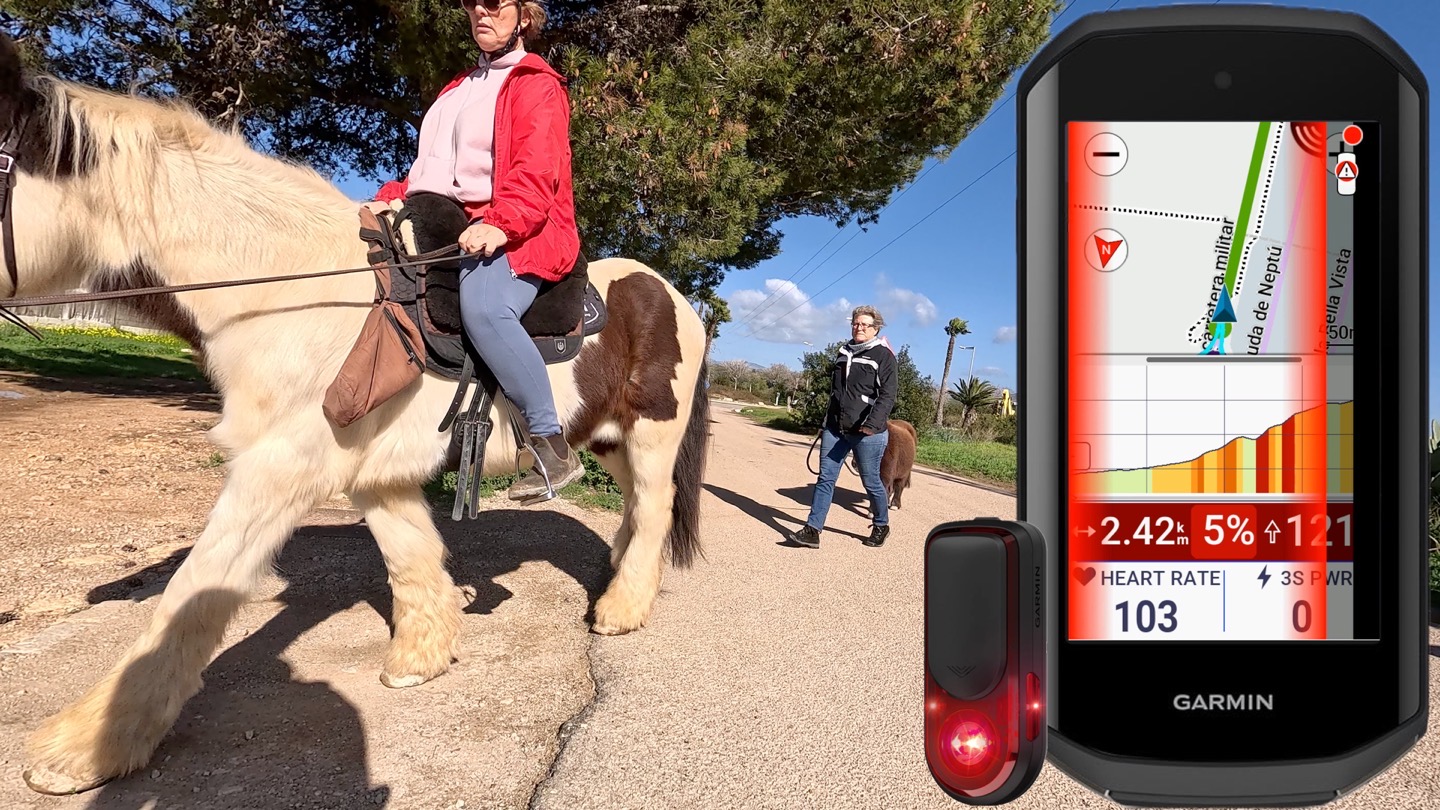
However, Garmin’s newest feature is to also be able to track vehicles/objects that are moving at the same speed as you. More on that in a moment.
Next, from a radar standpoint, you’ll see cars as they approach from behind on the screen. Each vehicle shows as a little oblong shape, with three different classifications for newer bike computers (bike/motorcycle, regular car, and large truck). For all other bike computers, you’ll simply see a dot per vehicle.
As the car overtakes you, it’ll be classified from a threat level, which includes *both* the overtake speed (relative to you), as well as the angular direction (which is new on the 820). Meaning, if it’s coming from a far lane to cross towards you at the last second, it’ll potentially escalate to red threat level. Otherwise, almost everything is orange:
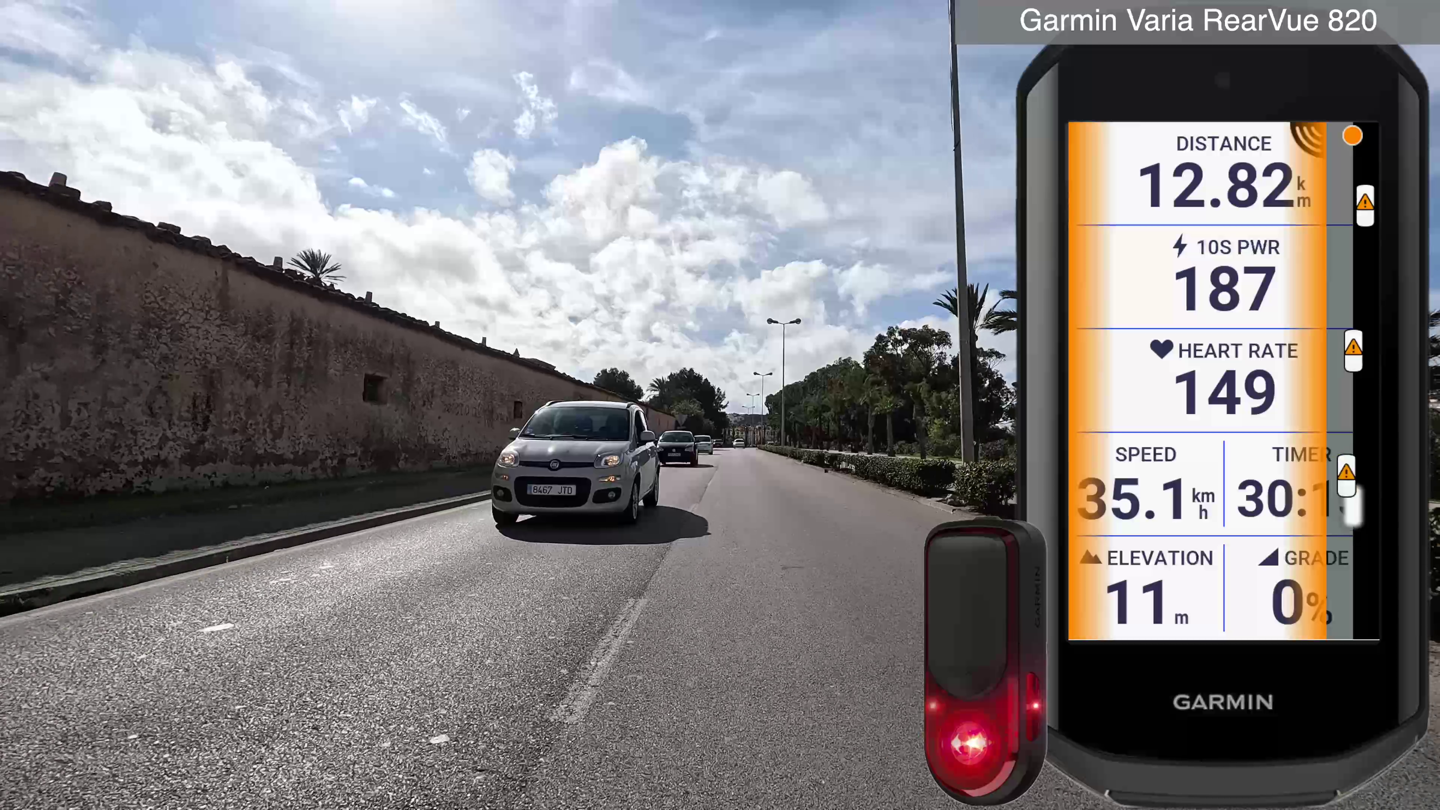
Then the higher speed/threat ones show as red, such as this truck:
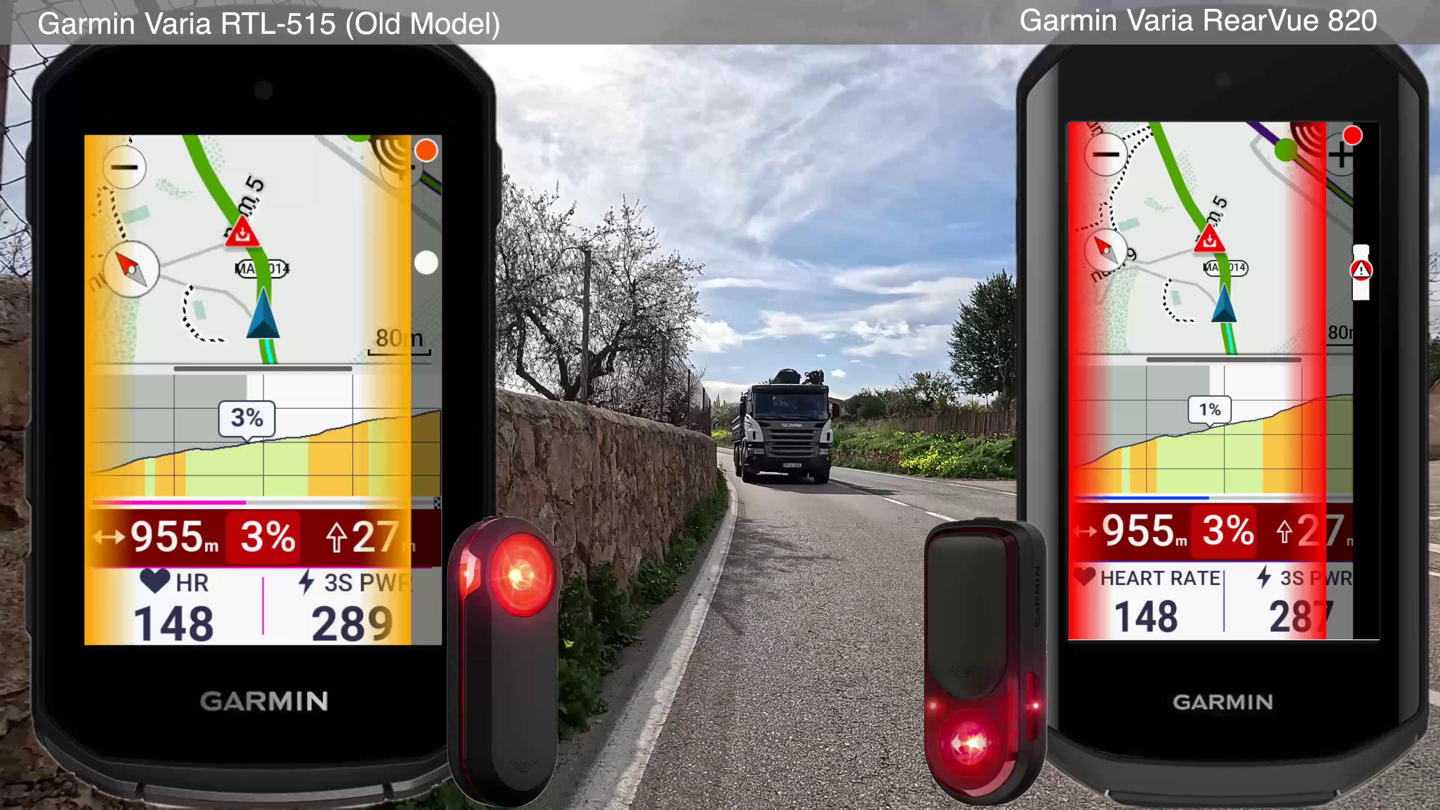
By default, when a car gets picked up on the radar, the rear light will start to blink to get the driver’s attention. You can turn this off, and likewise, you can enable so-called ‘peloton mode’, which turns off blinking altogether when riding in groups (to not annoy your buddies).
Once a car passes you, it’ll shift to a brief all-clear green:
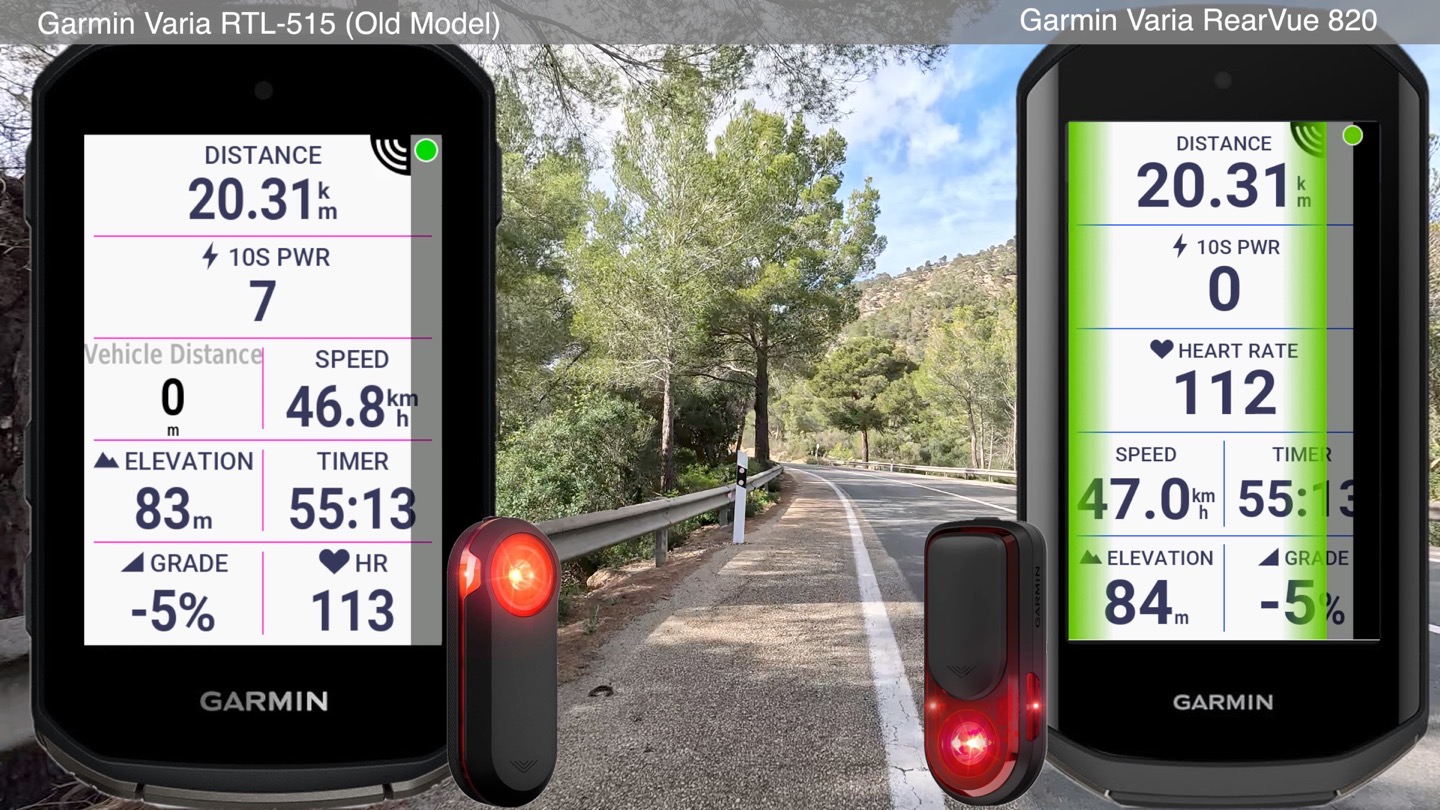
As you can see from earlier screenshots, it can track multiple cars at once, including in separate lanes.
In a nutshell, the above is cycling radar – a concept that hasn’t really changed in a decade, and continues to be one of the few cycling tech products that there’s no real debate about being genuinely useful. The only people debating this (still) are the ones who haven’t used it. However, that’s not to say it’s valuable in all scenarios.
I don’t personally find cycling radars all that useful in the city, since there are just so many cars around, it’s just non-stop action. Inversely, I find them super valuable descending mountain passes, where higher velocity speeds means it can be hard to hear overtaking vehicles. Likewise, I find it really useful out on long rides in the middle of nowhere, when you rarely see a car and may have slowly worked your way towards the center of the lane. It’s a nice mental reminder to be in a better spot before that vehicle blows by, especially if you’re hours into a long workout and mentally a bit tired.
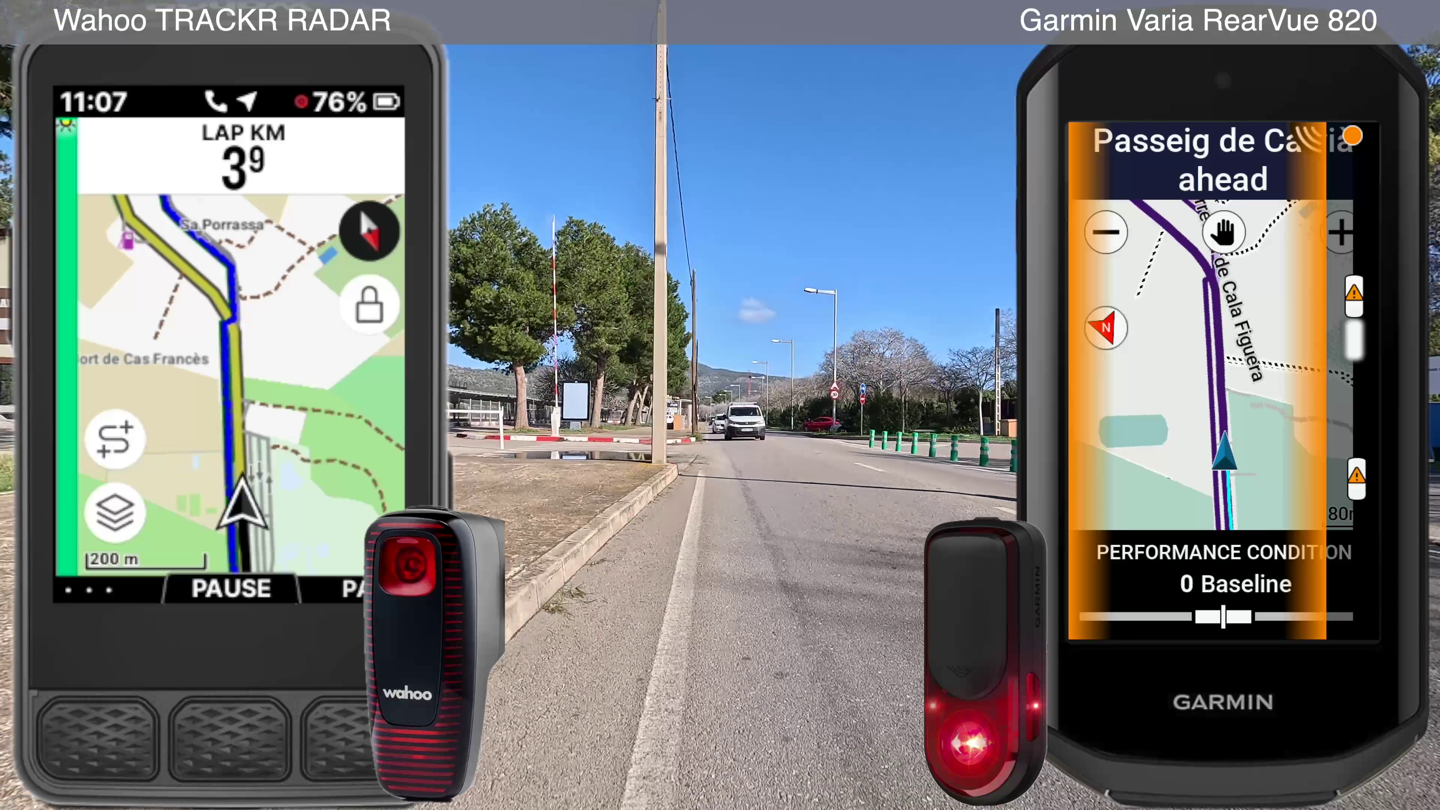
Now, the next feature here (this one is new) is the ability to track vehicles (or cyclists) that are maintaining the same speed as you. Historically speaking, cycling radars have really struggled here. Without something closing in on you, radars would just drop the object. But here, Varia does a really really good job at holding the object. These cars, all traveling at relatively low speed with me, were kept on the screen:
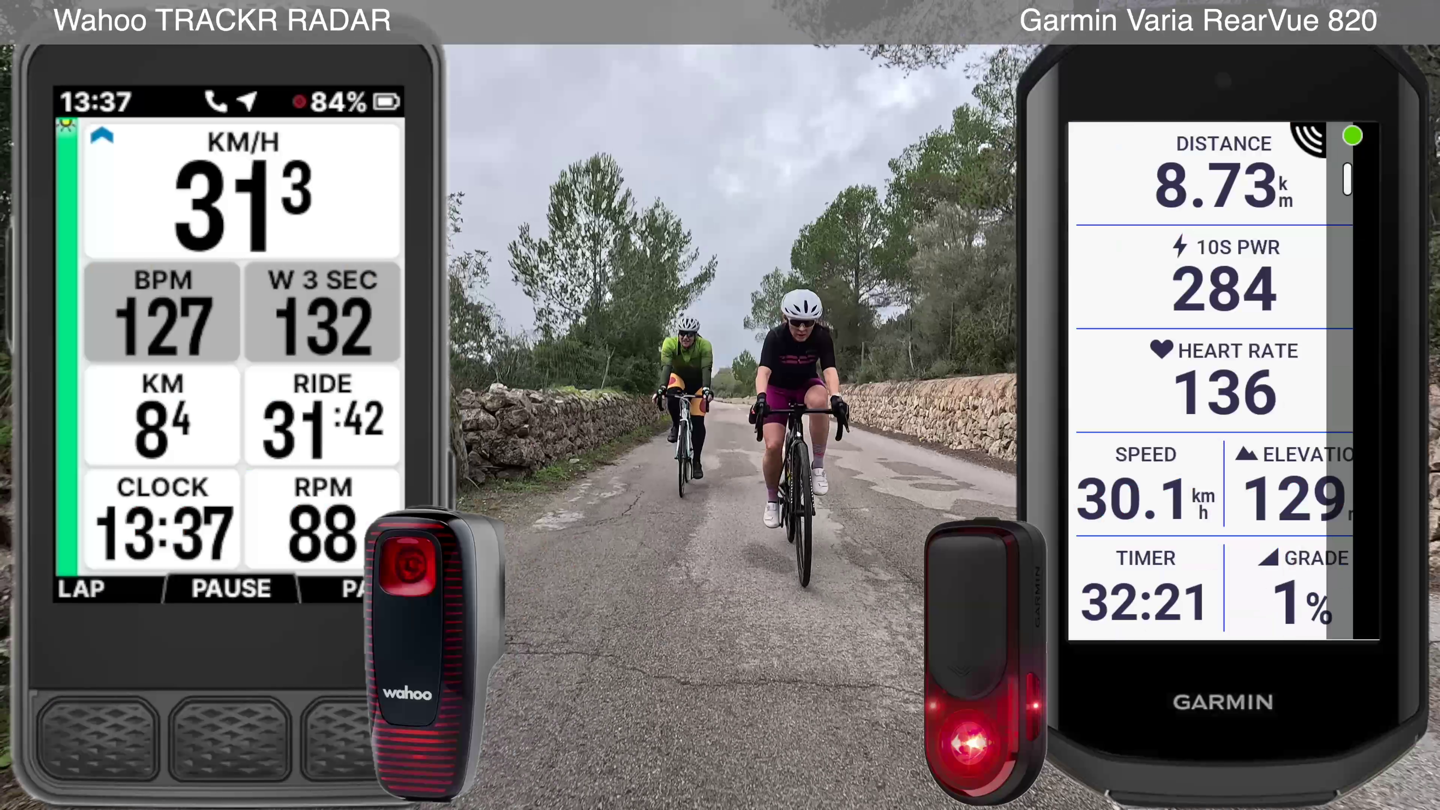
And heck, even my wife cycling just behind me, would stay on the radar forever, largely correctly showing as a cyclist:
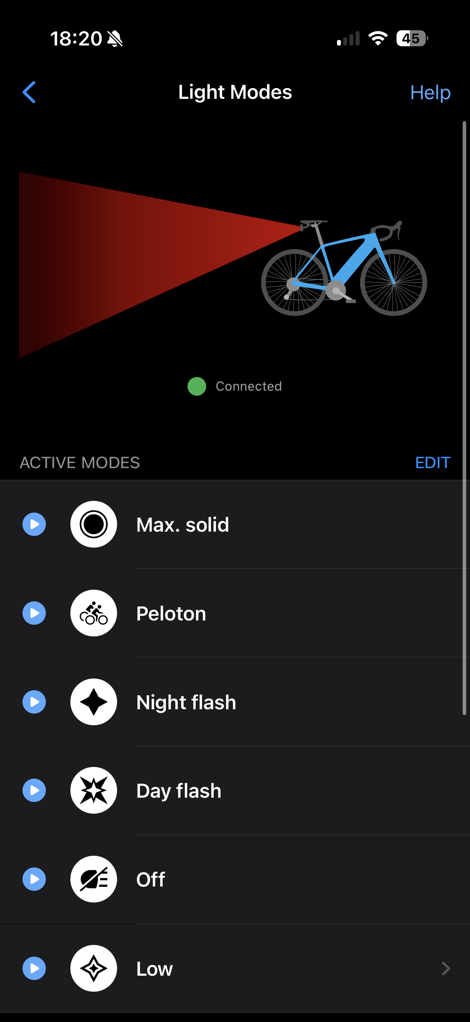
Now, the second piece is the light side of the equation. The radar unit is considered an ANT+ Bicycle Light, which virtually all bike computers support (and have for about a decade). This lets you control multiple lights in a group (e.g., front/back), as well as automatically turning the light on when you press start on a ride. Further, it lets you configure different bike light modes (flashing, intensity, etc…). You can access these in the settings:
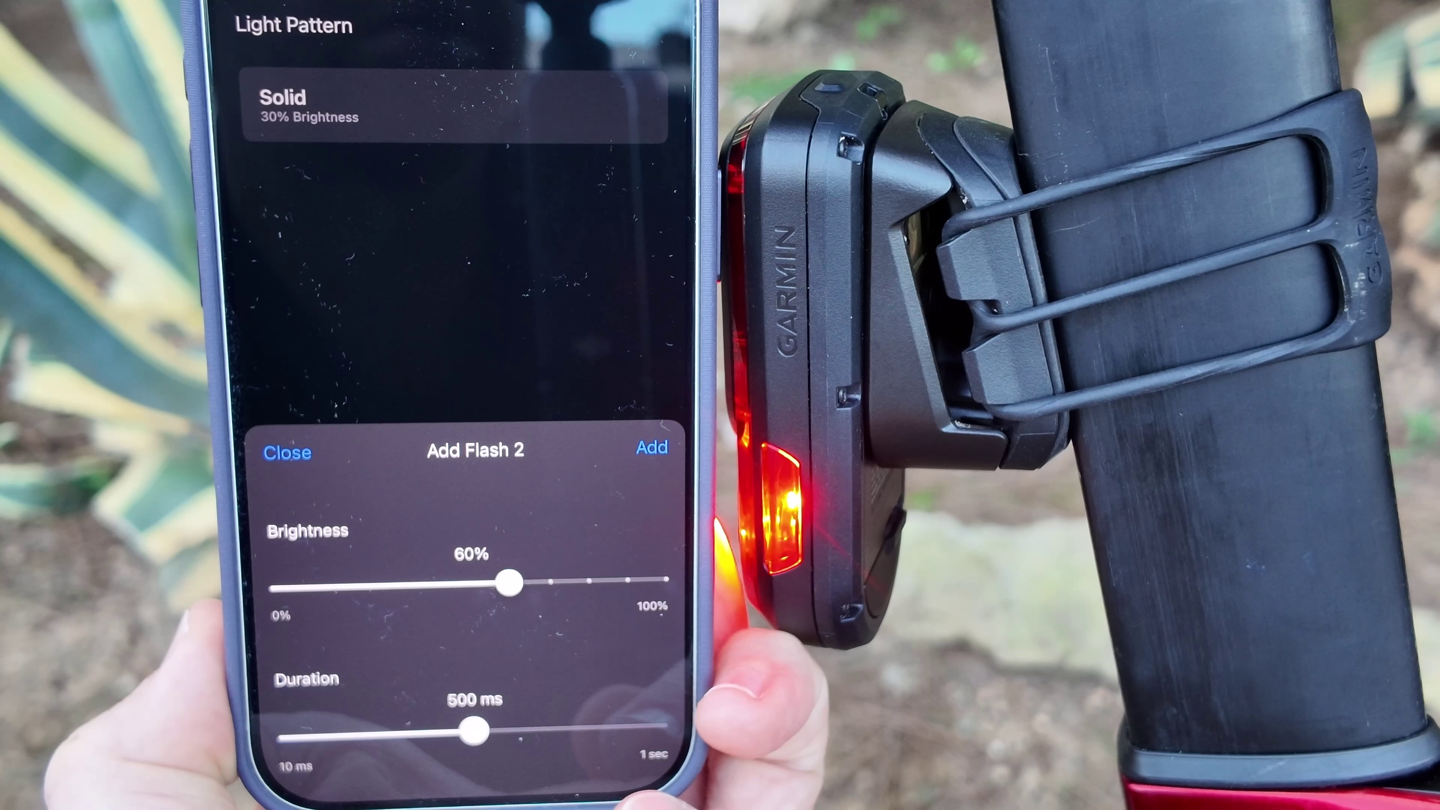
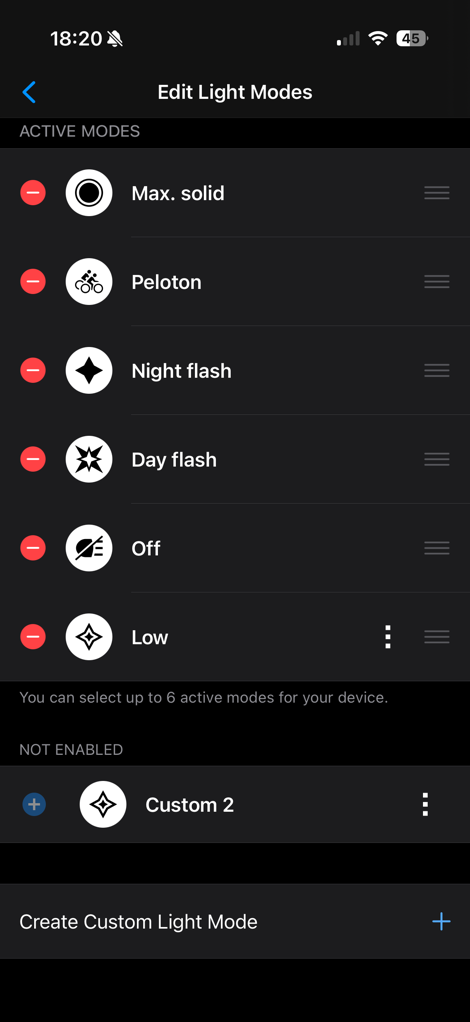
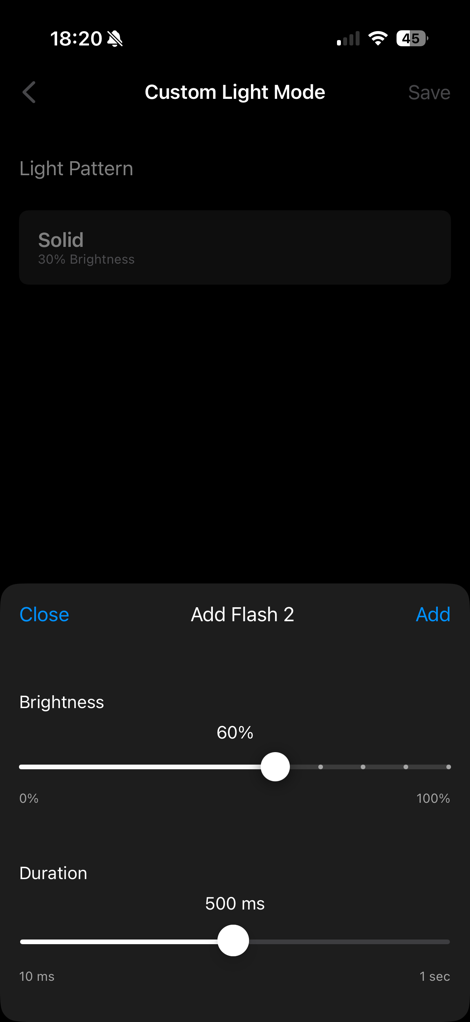
These core modes haven’t really changed, though there is a new radar-only mode, which gets significantly higher battery life by turning off the light. However, there is a new option letting you create and configure your own light modes, with configurable blink patterns as well as intensity levels. You’ll create these via the smartphone Varia app:
That app also lets you monitor traffic in the same way as your bike computer would. This is handy for folks who don’t have dedicated bike computers, or may not use them on certain bikes (such as a commuter bike). Perhaps you’ve got your phone mounted on a commuter bike, and an extra mount on the back of that bike for your radar. Either way, you can see the same details on that too (at left, the Garmin Varia app on my iPhone, at right, the Garmin Edge 1050):
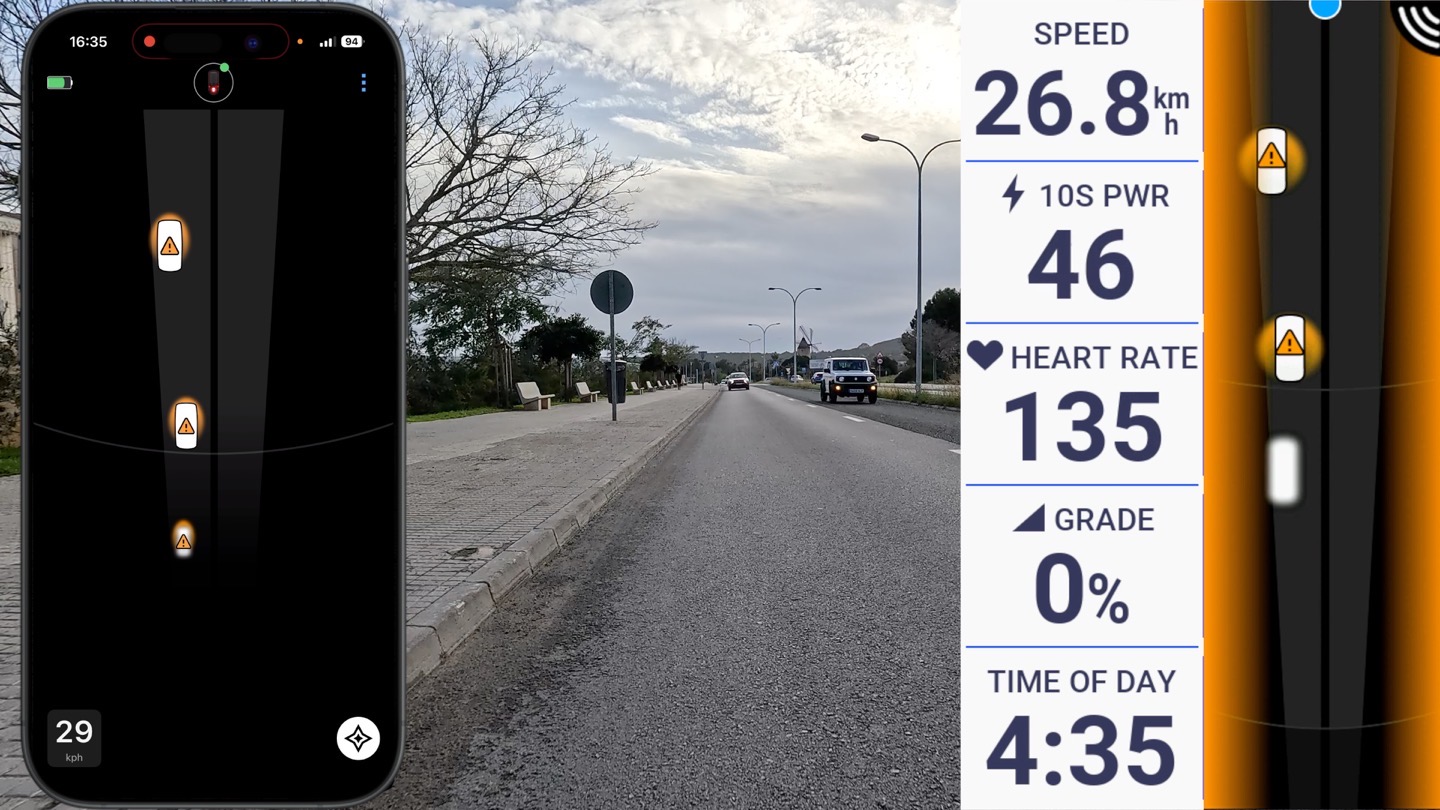
It’s also handy because you’ll get alerts via not just your phone, but any connected headphones (any connected Bluetooth audio device). So, for example, if you’ve got a pair of Oakley Vanguard’s, which have speakers in them, it’ll play the traffic alerts there too (again, in case you don’t have a dedicated bike computer).
This is notable, as Wahoo doesn’t have this feature in their ecosystem (though some other cheaper units do, such as the one from Lezyne).
Finally, last but not least is the new braking feature. This uses an accelerometer inside the unit to determine braking action, and will illuminate the light brighter as you brake. We’ve seen this on other lights in various forms for years, and are finally now seeing it on the Garmin radar units. In my testing of this (see the video), the changes in brightness level are honestly kinda hard to see. Yes, you see it, but it doesn’t slap you in the face, at least not in solid mode. It’s better in flashing mode, but not all countries permit flashing bike lights.
With all the basics covered, let’s get into the new advanced vehicle tracking a bit more deeply.
The New Features (Advanced Vehicle Tracking):
If you’re already familiar with how bike radars work, then this section is for you. You can skip all the basics and get right into all the new ‘fancy’ features here, such as advanced vehicle tracking, multi-lane tracking, and more (whereas increased things like distance, battery, etc… are covered in the next section).
Now, the first thing to know is that everything in this section requires compatible firmware on your Edge unit, and is supported on the Edge x40 and x50 series devices (with the latest versions released/releasing this week). Note that other bike computers are still compatible with the radar for the existing radar functions, just not the new advanced vehicle tracking. Likewise, Garmin has confirmed that 3rd party display computers will not get access to the advanced vehicle metrics, saying:
“3rd parties will not have access to the advanced vehicle tracking metrics, but will continue to have access to the same basic radar tracking as supported on RTL515.”
To be fair, the last umpteen times over more than a decade that Garmin has offered unique/additional metrics to competitors, none of them bothered to take advantage of it, such as Wahoo never implementing cycling dynamics, or running dynamics.
In any case, the unit pairs up just like existing radars from Garmin, so that part is relatively straightforward (see the previous section of this review). From there, out on the road, here’s what you’ll see on a multi-lane road (took me a while to actually find one of those around here, almost everything is single-lane, or a highway).
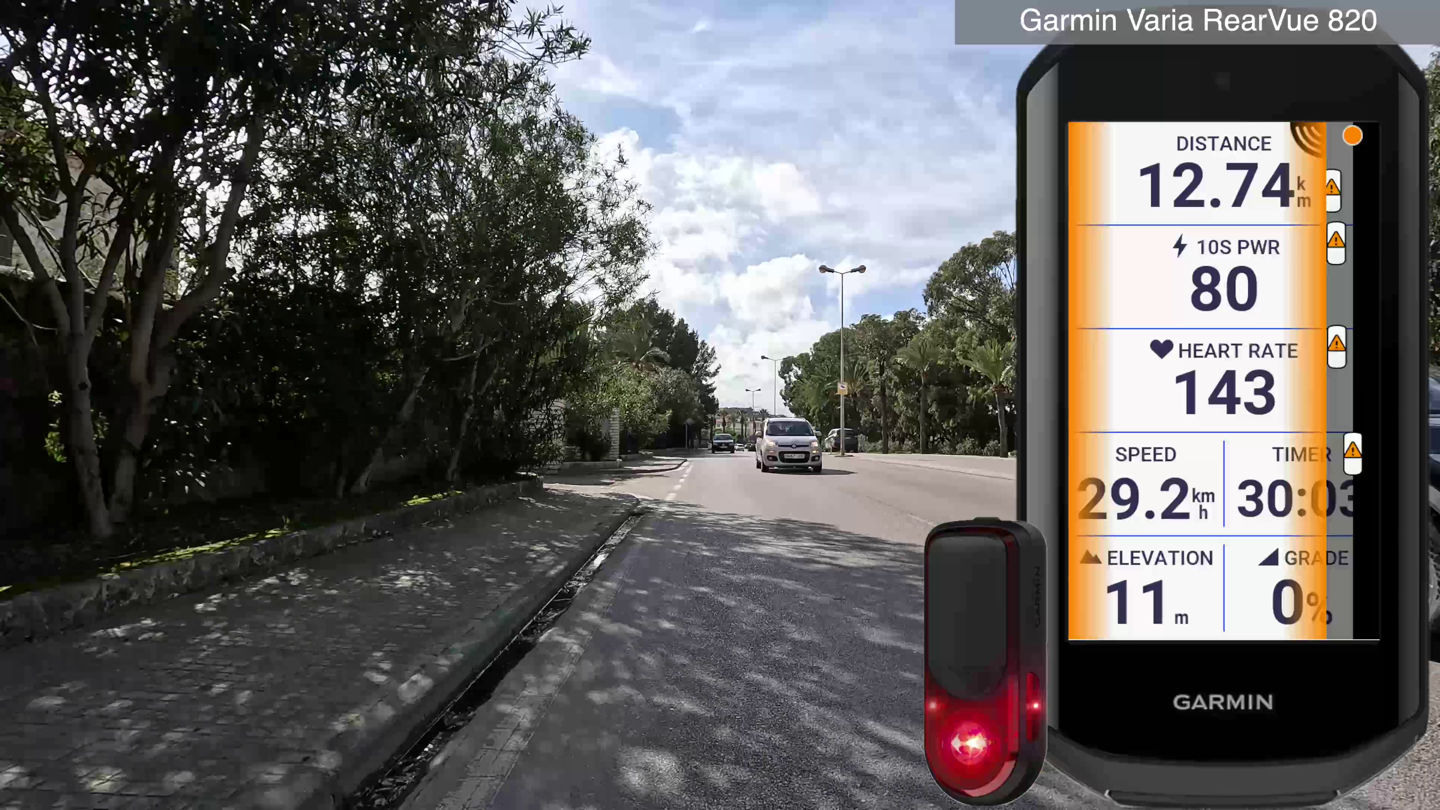
The cars will roughly shift within the position of the radar line. So if a car is in a lane further from you, it’ll appear more towards the data fields, and if it’s closer to you, it’ll appear more to the edge. What’s notable here is that this is super useful in places where you have bike lanes (or general lanes) requiring cars pass on both sides of you, such as this situation here due to a highway onramp for cars:
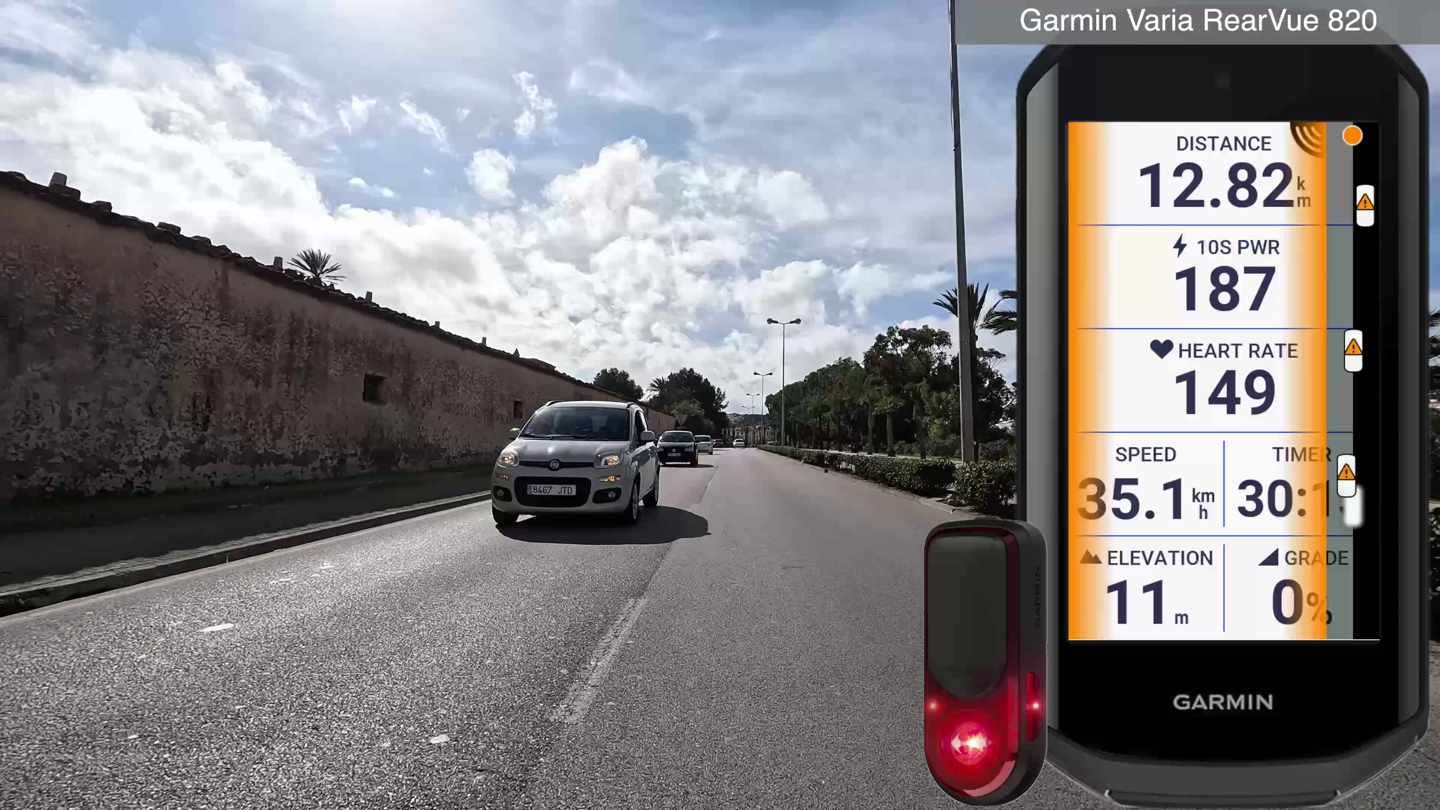
Or, any number of the bicycle lane death traps you’ll find across the US. Being able to see which side of you the car is coming up on is helpful, even if it’s not for every road (or even most of my roads).
In fact, it’s so sensitive I could even see my wife on the radar swerving around this sewer grate:
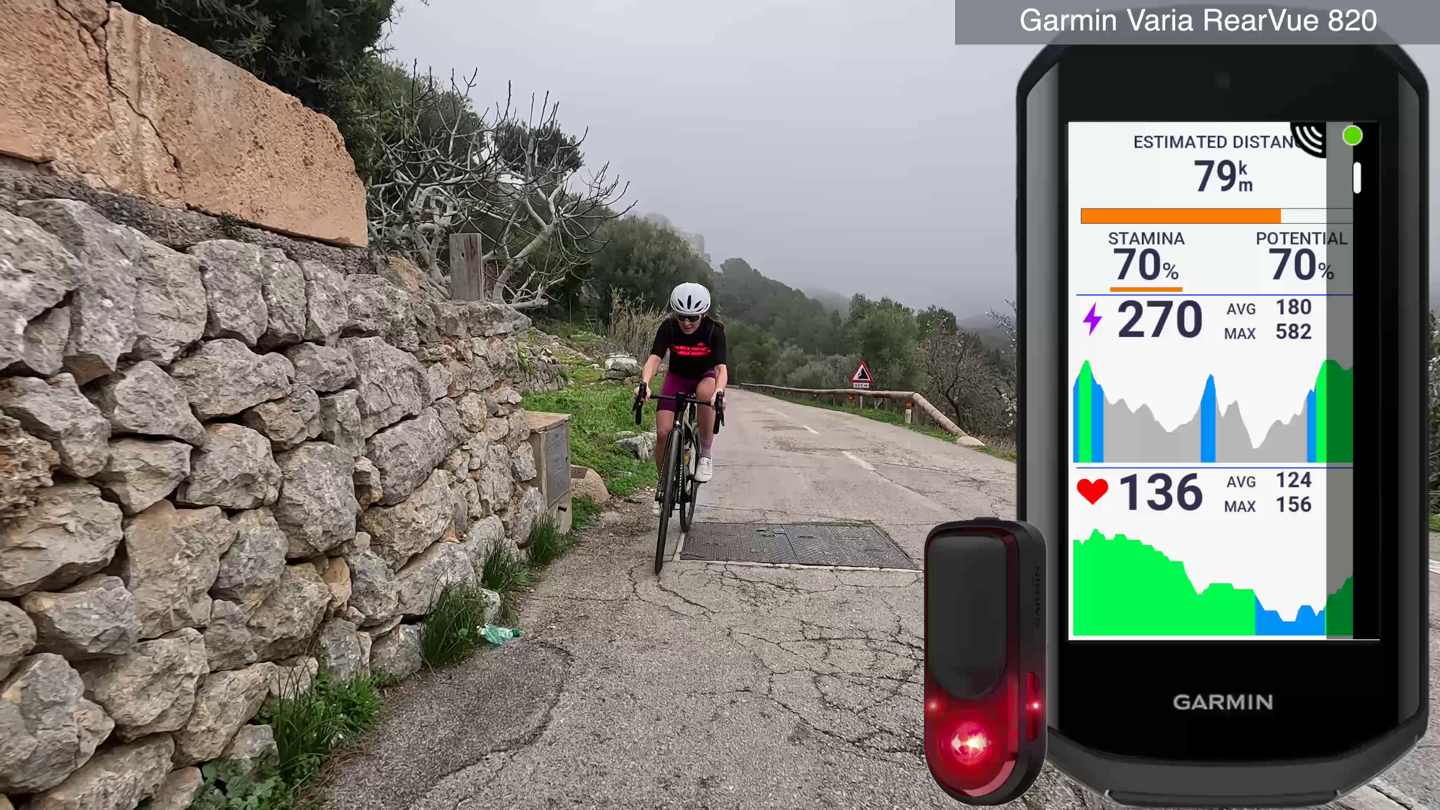
Next, you’ll notice there’s a bunch of color-coding going on here. Basically, cars are assigned a top-color based on their potential risk to you, from a direction of travel. So a car that’s not yet determined (size) is fuzzy white, then it shifts to crispy white, an orange car is a medium threat, and a red car is a high threat. But unlike radar of past where it was purely speed, this is taking into account trajectory. Also, all trucks/buses are always red threat level.
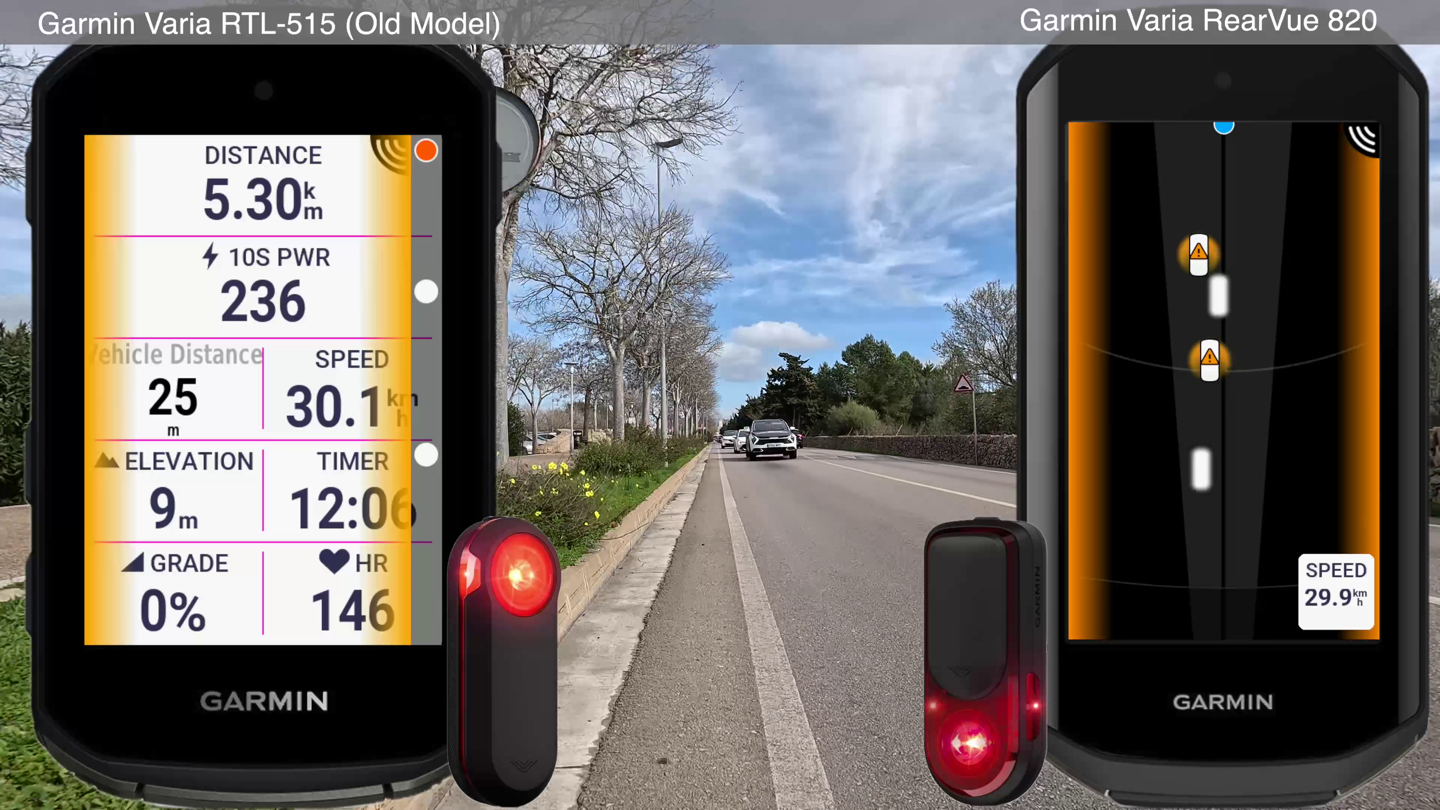
This whole-orange-topped thing is a mess. I couldn’t find a single piece of footage that didn’t show a car as orange (or red) by the time it passed me. Notably, *ALL* large trucks/vehicles will be classified as red threat, no matter the speed. Ultimately, it makes every car a threat, no matter how slow it is, which means if everything is a threat, nothing is a threat. Likewise, we already had orange sidebars anyways, why do the tops of cars need it too?
In any case, as for the sizing of trucks, in concept, knowing when a big truck is about to pass you is super useful. Especially for smaller riders, where the draft/wind from the truck is significant. And in my testing, the vast majority of the time, trucks or buses trigger correctly as the larger truck/bus.
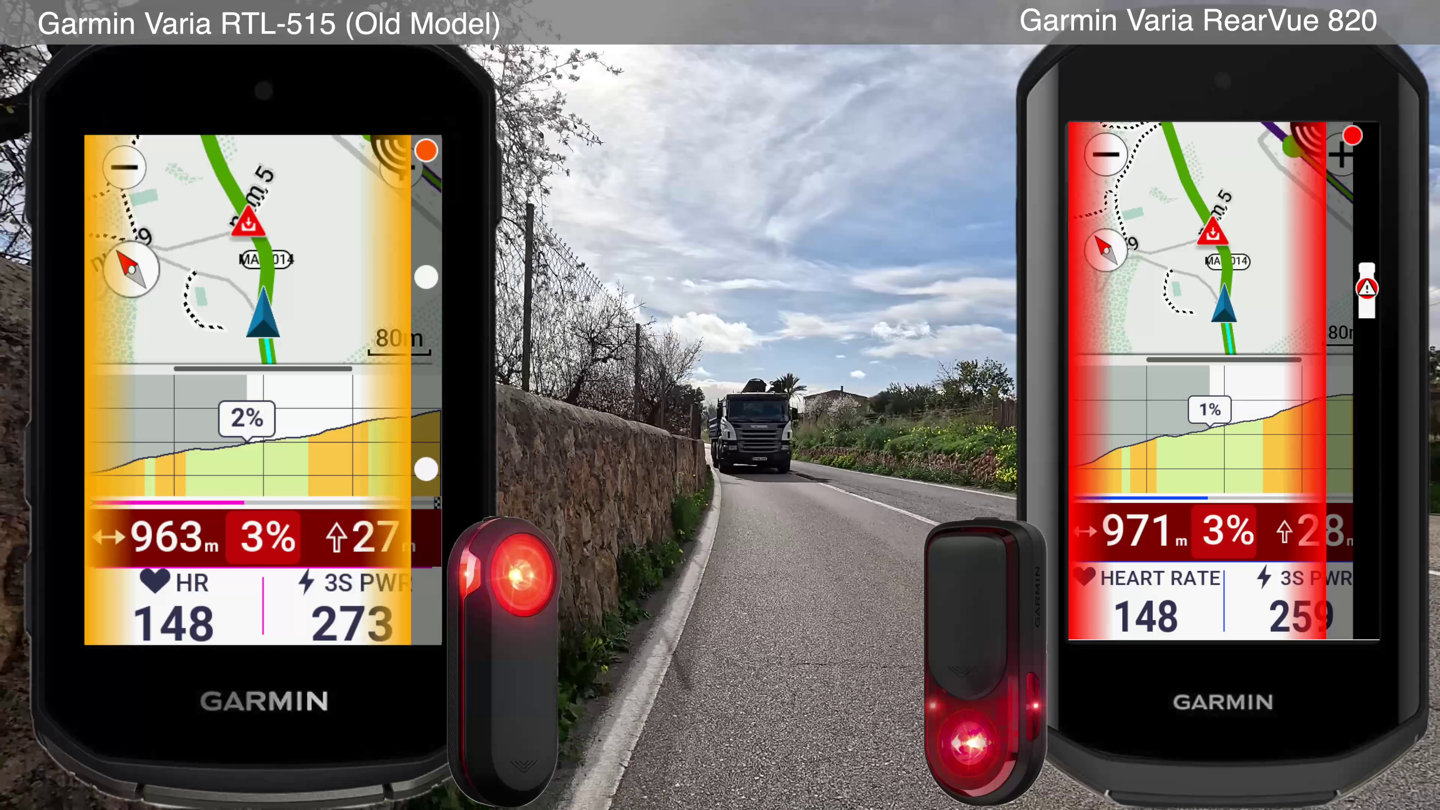
Another example here, this bus:
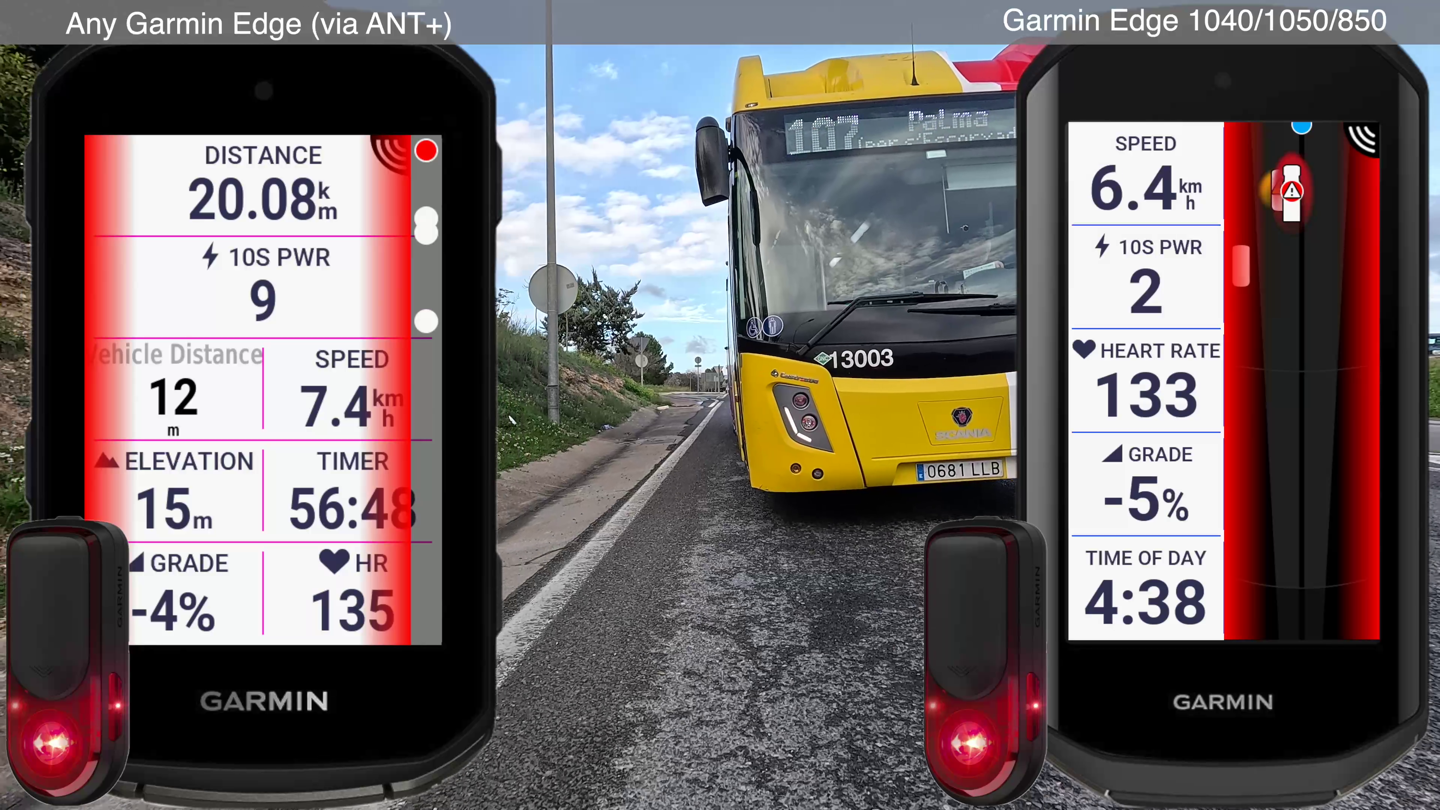
In terms of cyclists and cars though, cyclists do sometimes show up as cars, especially if not directly head-on (such as swerving a bit), like here. Further, the threat levels always often match reality, like my wife turning into a red-threat level cyclist while climbing.
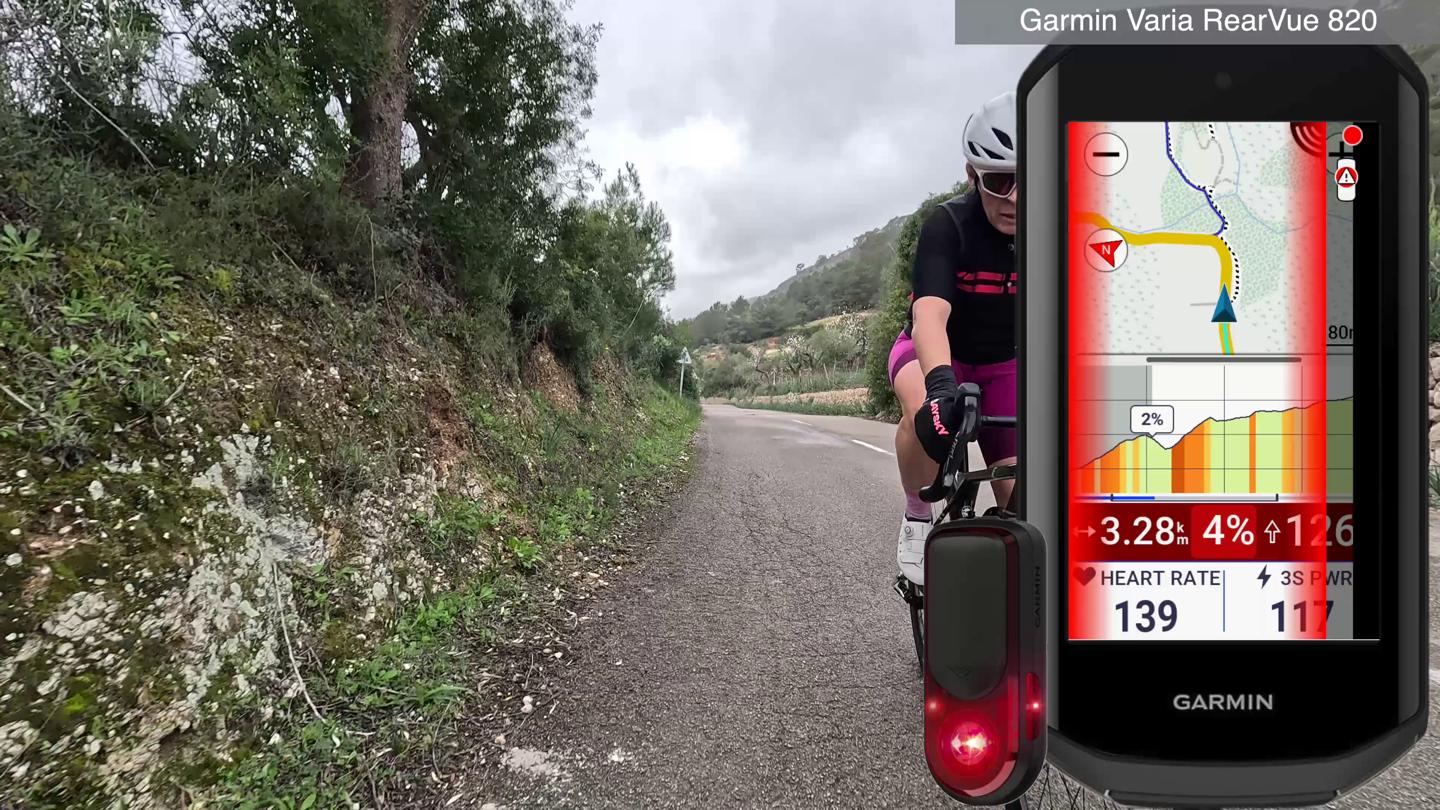
And then if there’s rain, the entire vehicle classification bits fall apart entirely. More on that in a minute:
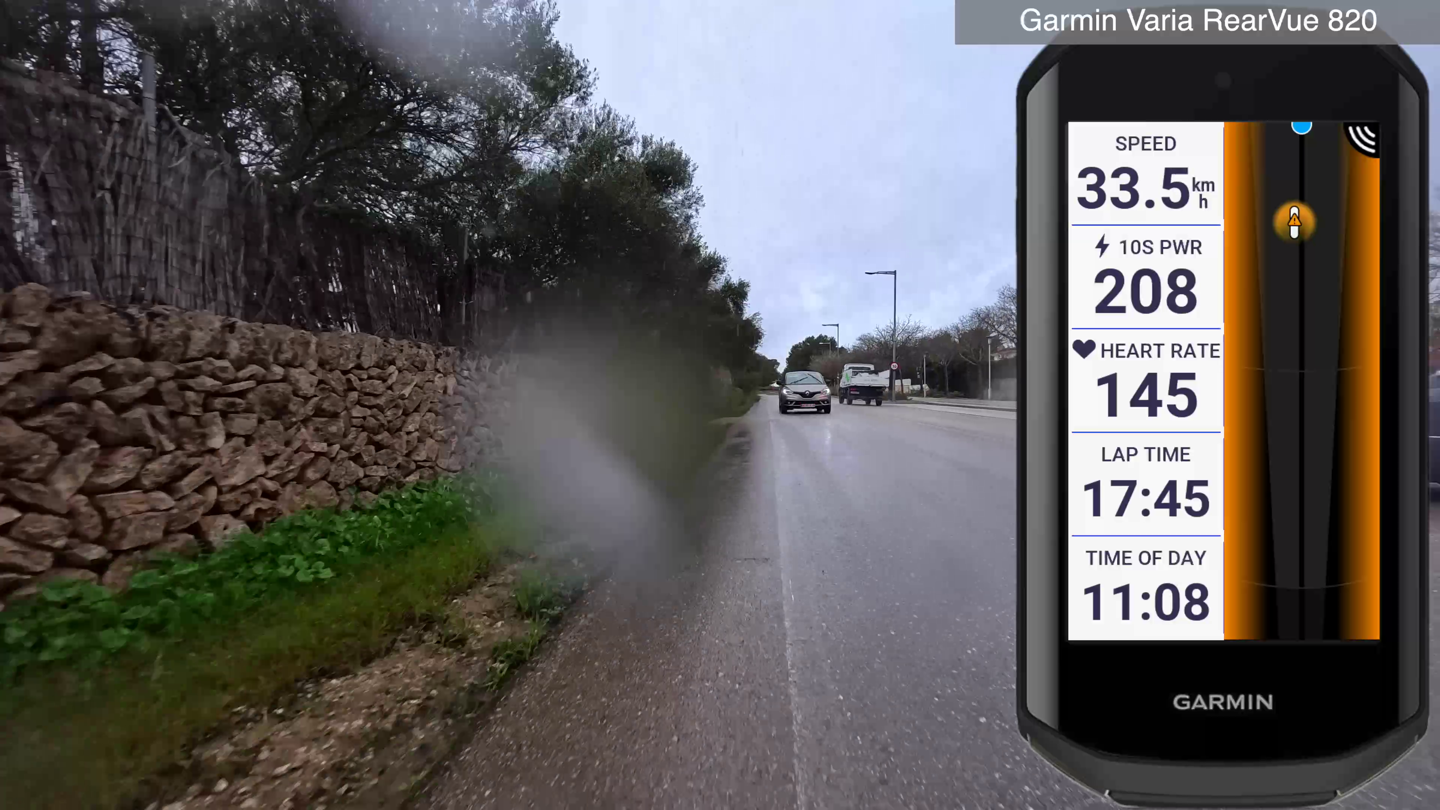
So looking at the new advanced vehicle metrics, I’m a bit mixed. There’s some elements that are pretty interesting in certain scenarios, such as knowing a big semi-truck is about to fly past you. Or, seeing cars properly tracked while keeping the same speed. Equally, the multi-lane piece, while taking more than just a ride or two to get used to, can provide super valuable insights to those cyclists needing to ride in the literal middle of traffic.
Old Compatibility Mode (and Disabling The New Features):
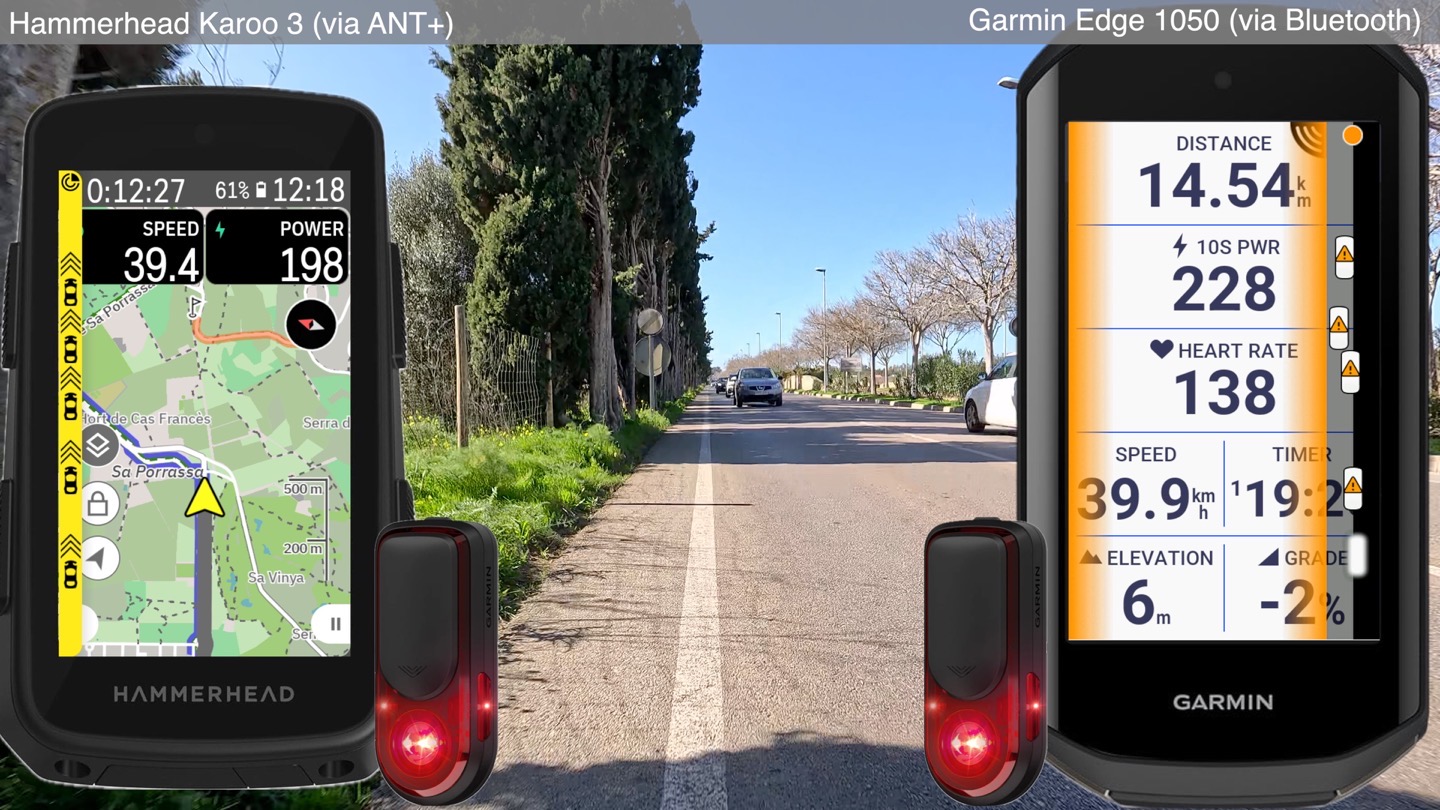
Now, I just want to be really clear that existing bike computers can still work with the Varia RearVue 820 radar just fine. They simply don’t know the new features exist (because those new features are only shown with a secured Bluetooth channel). So doesn’t matter whether you have an Edge 530 device, an older Stages bike computer, an older Wahoo bike computer, or even a brand new Hammerhead Karoo 3 – all of them continue to function *EXACTLY* the same as before. Here’s the Karoo 3 with the Varia RearVue 820:
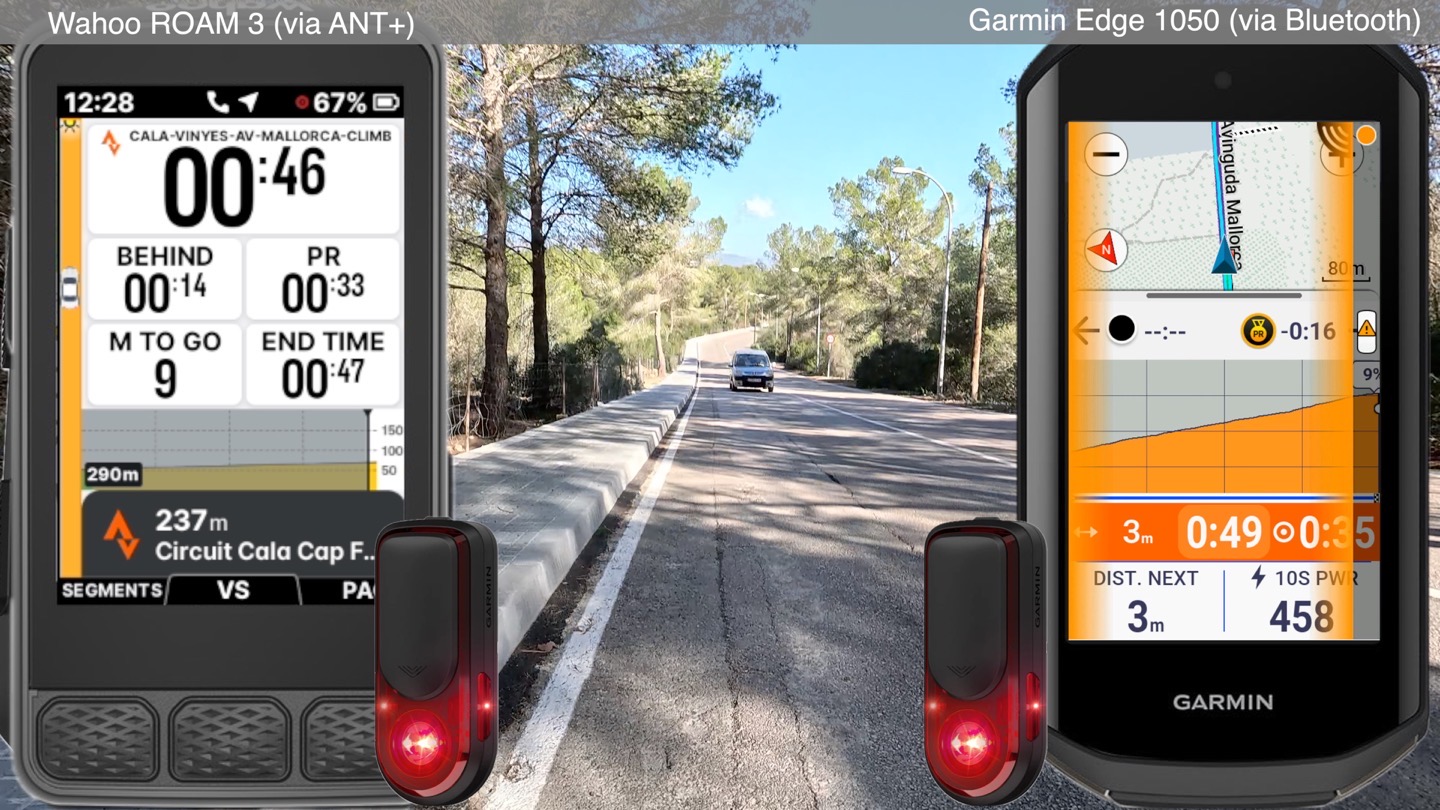
And here’s the Wahoo ROAM 3 with the Garmin Varia RearVue 820:
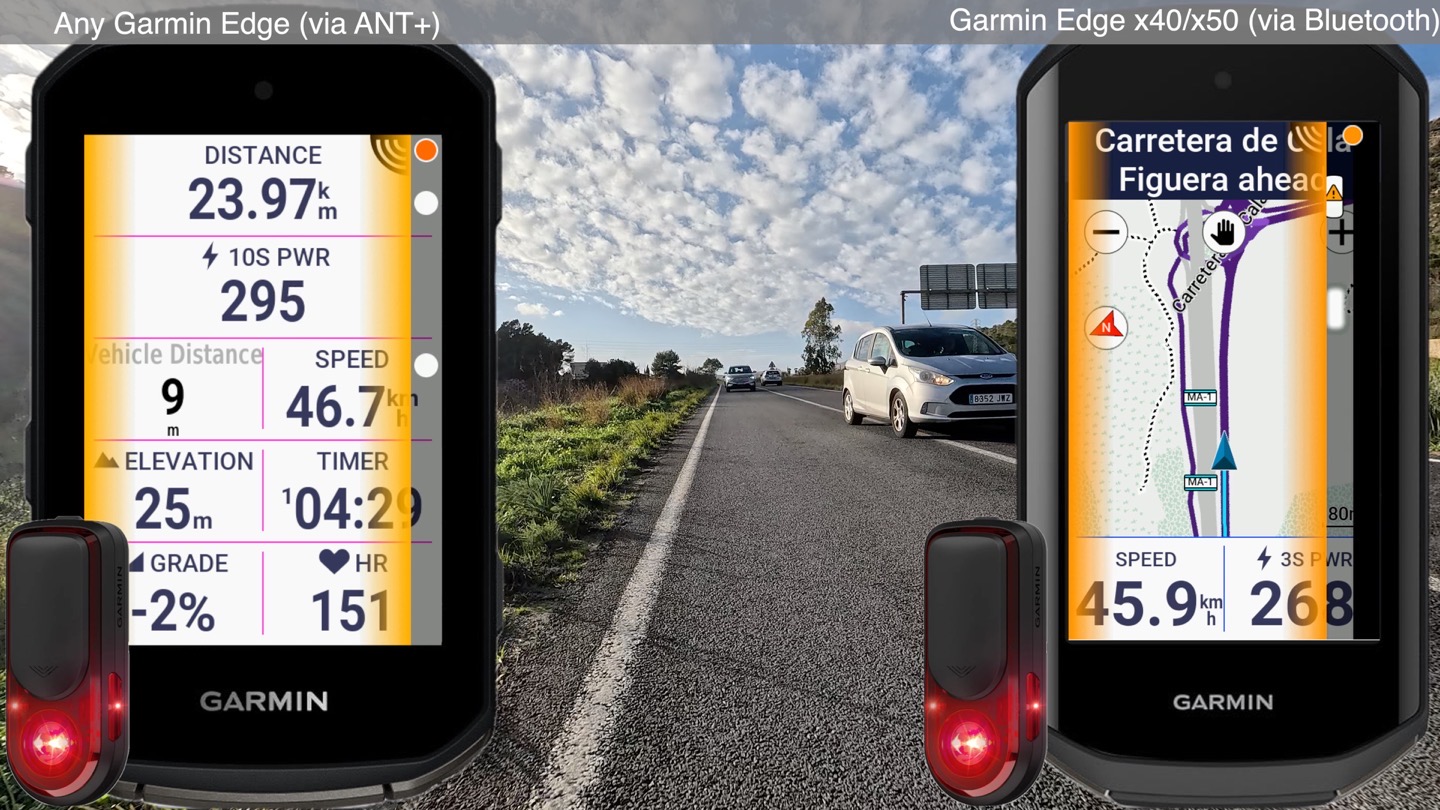
All is good there, and it works just like before. The thing you *won’t* get is the lateral vehicle placement, or the vehicle sizing. Also, you won’t get the color-topped cars (but you will still get red-threat level notifications like before). As an example of this within even the Garmin ecosystem, here’s the exact same moment connected to two bike computers. On the right is the Edge 1050 with the newer firmware, whereas on the left is a Garmin Edge using the regular ANT+ mode. You’ll notice how they display exactly the same number of vehicles, positions, and threat level (color coding). However, there’s no lane placement on the older units, small/medium/large vehicle sizing, or orange-topped vehicles:
Now, what if you’re like me with a newer Edge x40 or x50 series device, and hate the new orange-topped vehicles? And perhaps want all vehicles to be circles again? Fear not, you can still get that variant back; it’s just a bit cumbersome. Basically, you need to pair with the Varia RearVue 820 in ANT+ mode, as opposed to the newer secure Bluetooth mode.
At first thought, you might believe that was as simple as choosing the pairing mode. But in reality, you can’t do that. Nor can you switch it after you pair up. So instead, you need to clog the pipes. No, not with Taco Bell, but with secure Bluetooth connections. In short, you need to temporarily clog up all three concurrent Bluetooth connections to the Varia Radar, and *then* go and pair your Edge x40 or x50 device, this way it shows the legacy ANT+ connection for radar instead.
That basically requires having a bunch of phones/iPads/whatever with the Garmin Varia app installed and paired via Bluetooth Smart, and actively on. You could do this with three phones, three iPads, two Phones, and another newer Garmin device paired up in Secure Bluetooth mode, etc.. Doesn’t natter how you get there, you just gotta fill them up (temporarily).
So basically, here’s what you’re doing if you want to force legacy mode on a newer Edge x40/x50:
Step 1) Phone/iPad 1: Open the Garmin Varia app, pair it to the Varia 820 (remember to long-hold on Varia 820 to enable pink/purple pairing light)
Step 2) Phone/iPad 2: Open the Garmin Varia app, pair it to the Varia 820 (remember to long-hold on Varia 820 to re-enable pink/purple pairing light)
Step 3) Phone/iPad 3: Open the Garmin Varia app, pair it to the Varia 820 (remember to long-hold on Varia 820 to re-enable pink/purple pairing light)
Step 4) Now, with all that done (and active/open/showing connected), once again enable pairing mode on the Varia 820, and go into your Garmin Edge device and search for radars. You need to ensure it shows a number (your ANT+ ID), and *NOT* show “VariaVue820″, as the number means it’s ANT+, and the pretty name means it’s secure Bluetooth. It should look like this:
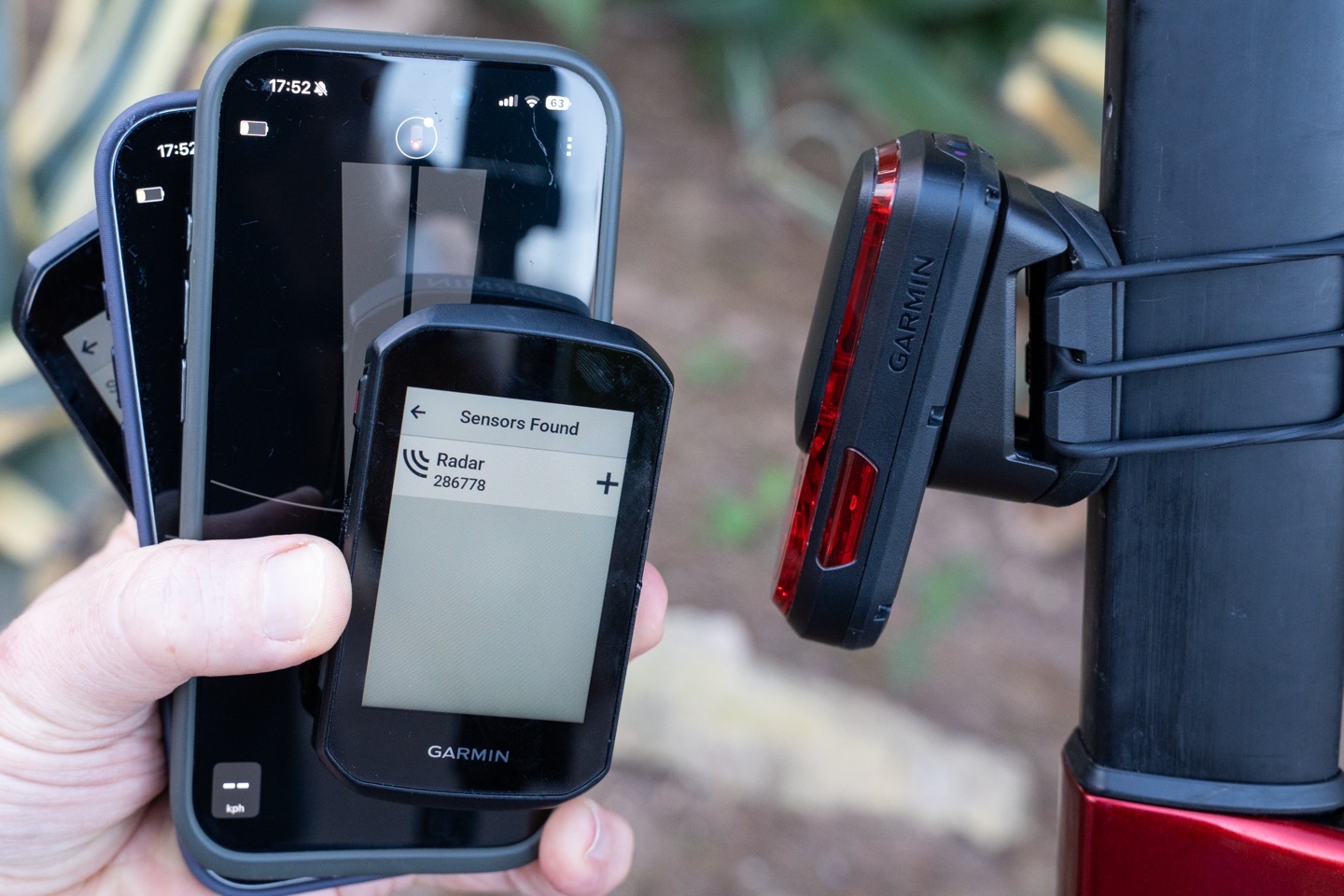
Step 5) Next, complete the pairing wizard. You’re done. That’s it. You’ll now see it listed as an ANT+ radar; you can rename it in the settings if you want to.
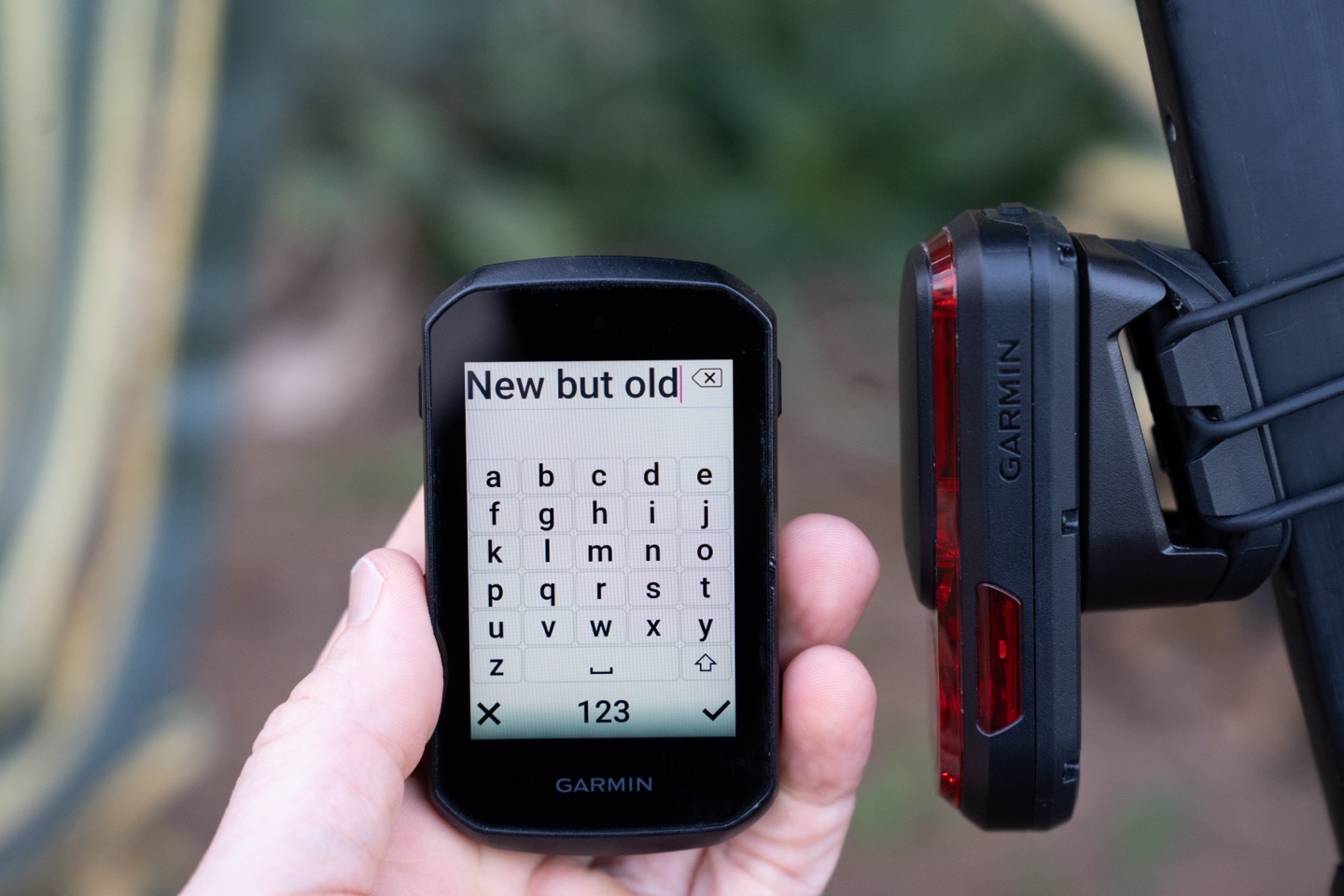
Step 6) Go forth and ride, free of orange-topped vehicles and misidentified vehicle sizes
Again, I’m hoping Garmin just simply adds a setting/toggle to the Edge x40/x50 series to disable the orange vehicle coloring and vehicle size pieces, especially given they don’t work well in the rain (and the orange piece provides no value anyway, as the screen is already illuminated orange).
Accuracy, Distance, and Battery Testing:
First up is distance testing. Many radars make all sorts of crazy claims. It’s easy to make a claim, but it’s hard to back it up in the real world. Keeping in mind that there’s a difference between tricky range scenarios (e.g., in rain/fog, or of course around a corner), and then also optimal range scenarios (straightaways with nothing around).
Testing this is basically two pieces. First is the on-bike pieces as you’re riding. In this scenario, you’re looking to ensure that cars that come within this 170m (while overtaking speed) are triggered. It’s frankly as simple as that. In my case, I had a second Garmin device running the MyBikeRadar app, which shows the vehicle distance (according to radar), in order to validate some of these claims. When I’d see higher numbers, I’d see if that roughly matched reality. And it always seemed to.
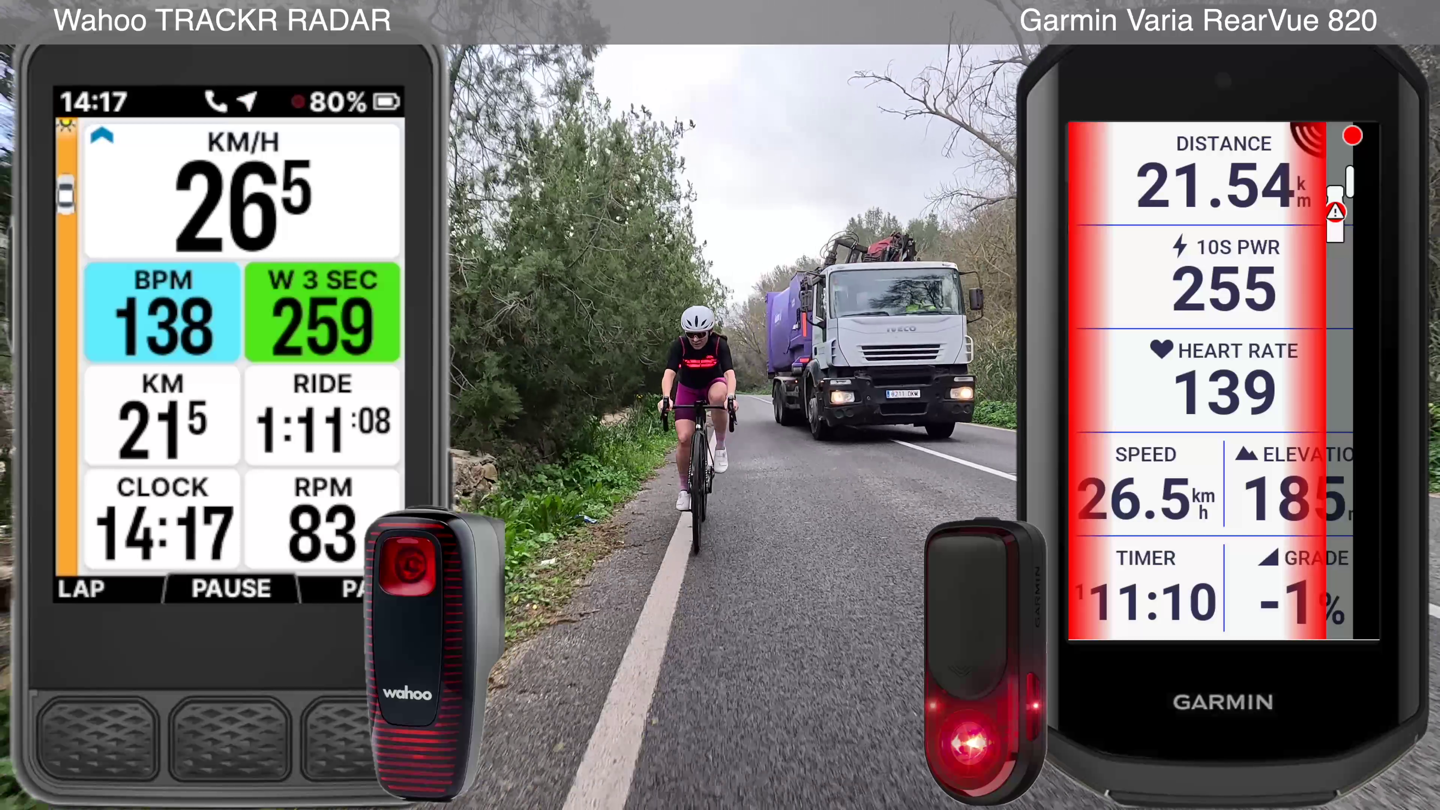
Looking back at normal riding, on the bike yesterday, I rode with a Wahoo TRACKR radar, while my wife rode with the Garmin RTL-515 radar. Given it’s off/quiet season here, we could largely ride side-by-side, or with her directly behind me the entire time. Thus, while I was dual-recording the exact timings of the Garmin VariaVue 820 radar and Wahoo TRACKR radar, I could instantly hear her RTL-515 radar (since the bike computer was at most 1-2m behind my head). In *EVERY SINGLE* case, the Garmin VariaVue 820 picked up detection prior to Wahoo. In most cases (with usually slightly curving roads), this was often 3 seconds before Wahoo picked it up. Comparing to the old Garmin RTL-515, that unit also beat the Wahoo, and was generally only 1-2 seconds behind the Varia 820, if any difference at all (most of the time it was identical).
Here you can see the Garmin already detected the vehicle, and it’d be upwards of 3 seconds further until Wahoo detected it:
Or here, simply out on real roads, where here the Wahoo stops tracking the cars behind my wife, because they are now same-speed with us. Whereas the Garmin shows both my wife as a cyclist, and then the first car behind her as a car (a few seconds later it’d pick up that second car too):
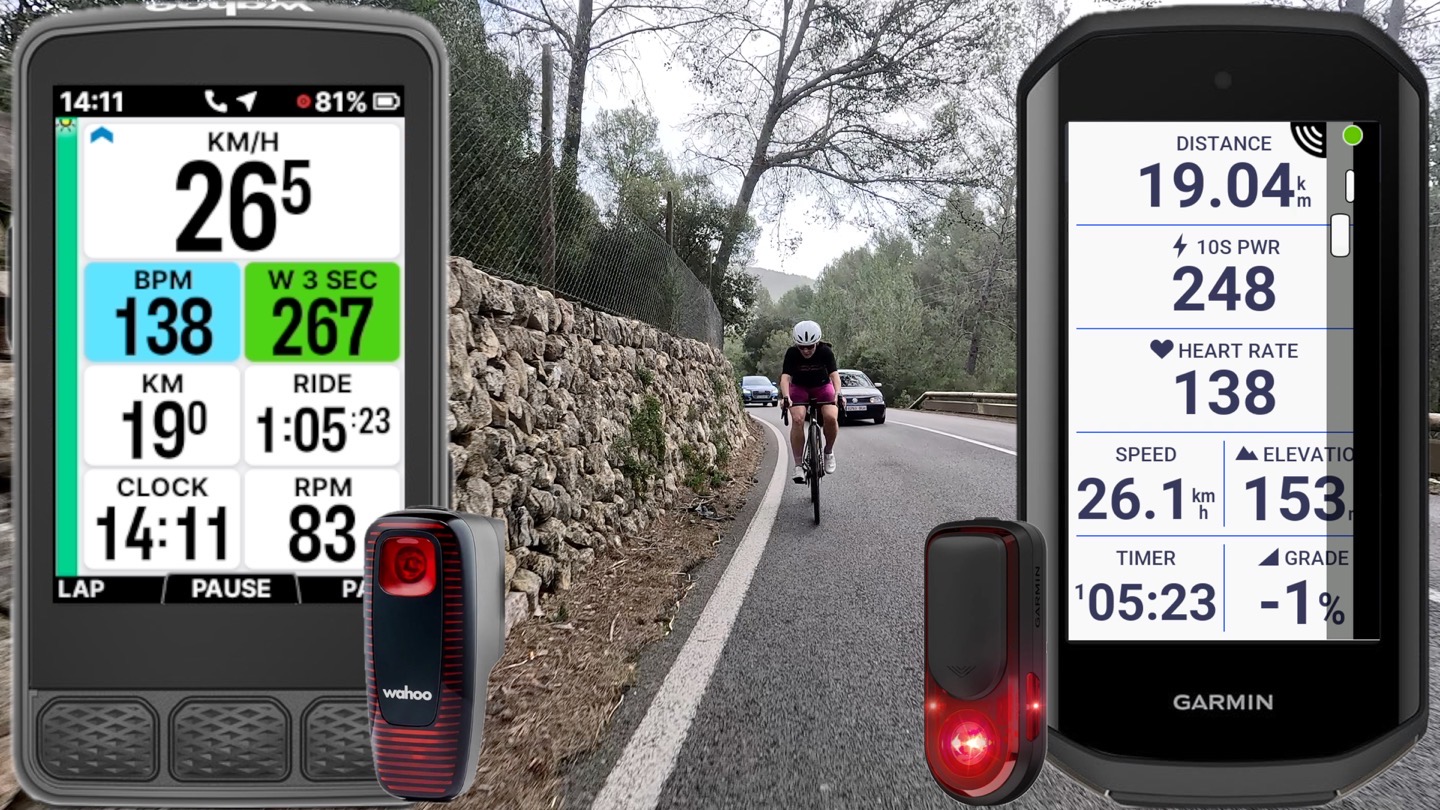
This performance from Wahoo matches nearly 10 months of testing on that unit. A unit that hasn’t seen a firmware update since last June, despite repeated claims by the company that they “have a new firmware coming any moment now to fix issues”. They’ve readily acknowledged numerous times, yet ultimately not fixed.
(Side note about testing: I usually flip the position of the radars throughout testing. But even when giving Wahoo the ‘better’ position higher up, it still performed worse than the Varia 820. Also note that these radars do not interfere with each other, and all radar companies test radars this exact same way).
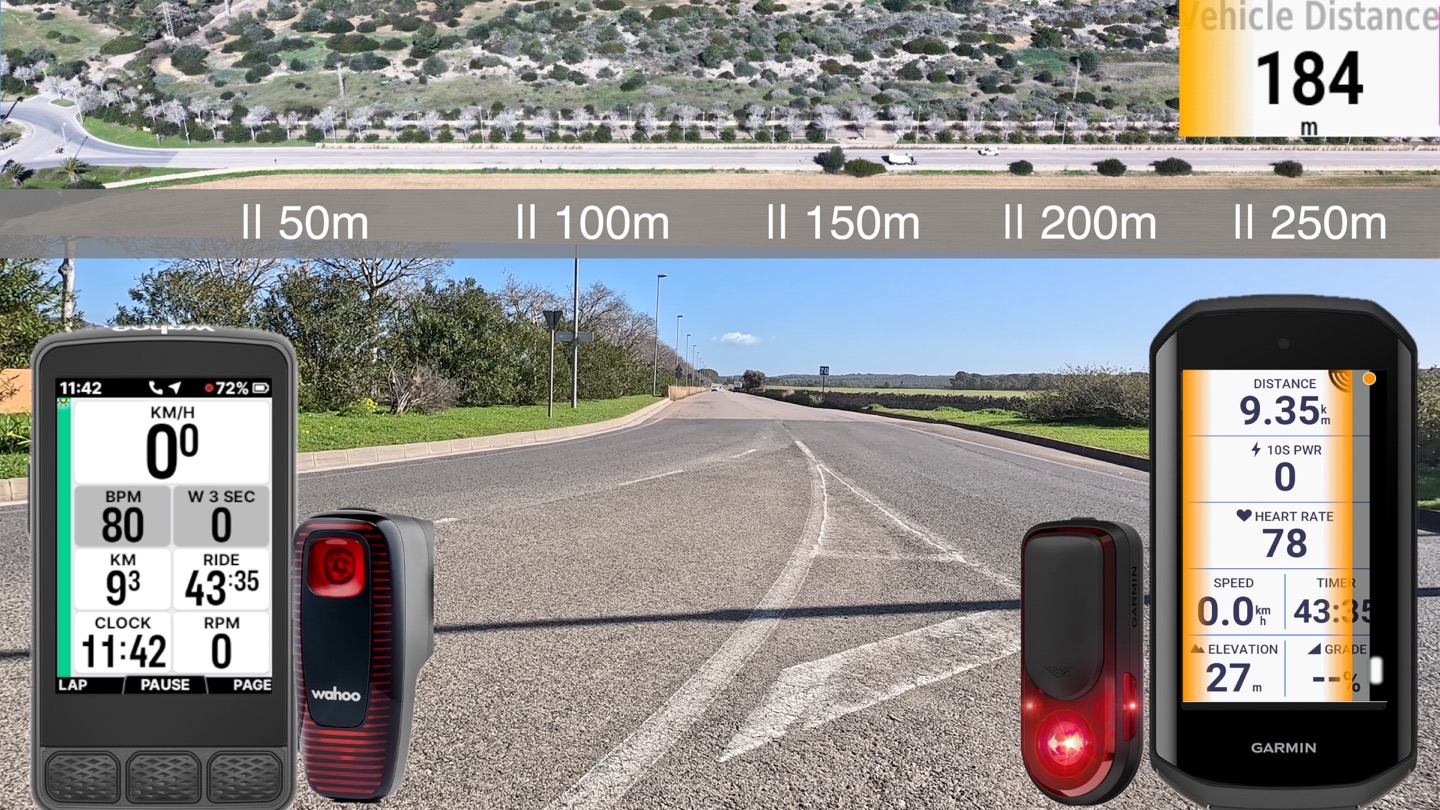
In any case, the next piece of distance testing is best done in a controlled environment. In this case, I put the radars side-by-side simply to eliminate any vertical differences (though frankly at 170m+ away, a few centimeters won’t matter much), and placed them on the saddle of the bike. Then, I marked out distance markers from my position, so I could tell exactly when a car was picked up. Finally, I stuck a drone in the air to pull it all together. I did this on a perfectly straight road, that’s virtually flat, on a clear day, in order to give it the ‘best possible’ scenario.
For example, this detection at 190m (though it showed up a few seconds earlier on the Edge 1050), so realistically even a touch higher than that:
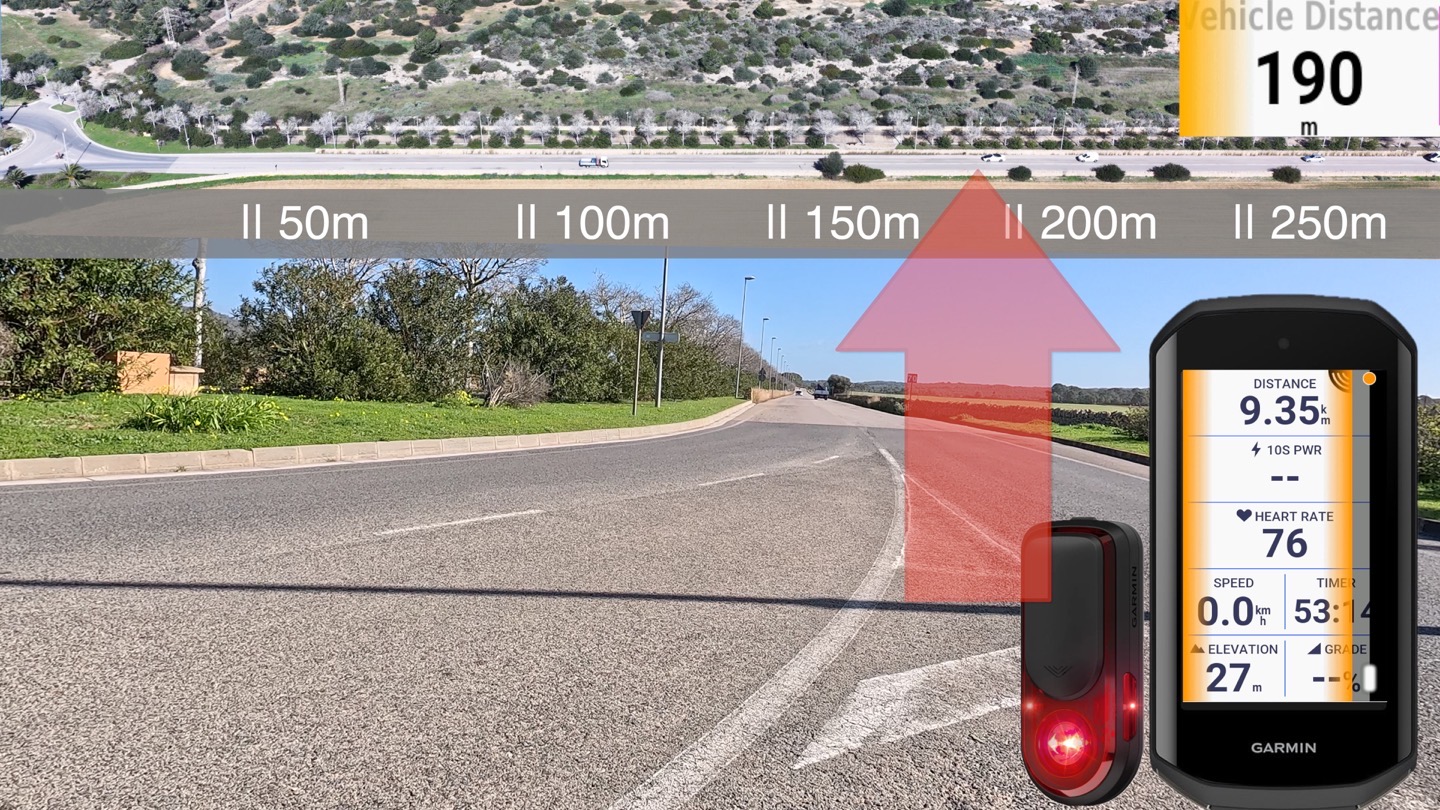
Now, just to explain the setup here a bit more:
1) The road is perfectly straight, and almost perfectly flat as well (for this stretch)
2) I placed my bike directly in the middle of the lane, at a warning post ahead of a roundabout (worked out great)
3) I then placed a drone in the sky, and went and measured every 50m, chalk-marking it as well
4) I used the MyBikeRadar app, which reports the vehicle detection distance transmitted by the radar itself (up to 196m)
5) Finally, I used Google Maps’ measuring tool to reconfirm the distances.
All in, the longest confirmable detect I had was 224.96m away. Here’s the detect occurring in the footage, note that the MyBikeRadar detect won’t show true distances above 196m, and itself takes about 2 seconds before it shows an estimated distance above 196m. Point is, that’s why it shows 0m, since it hasn’t been calculated there yet, but is showing up as a detect on the Edge 1050 shown below:
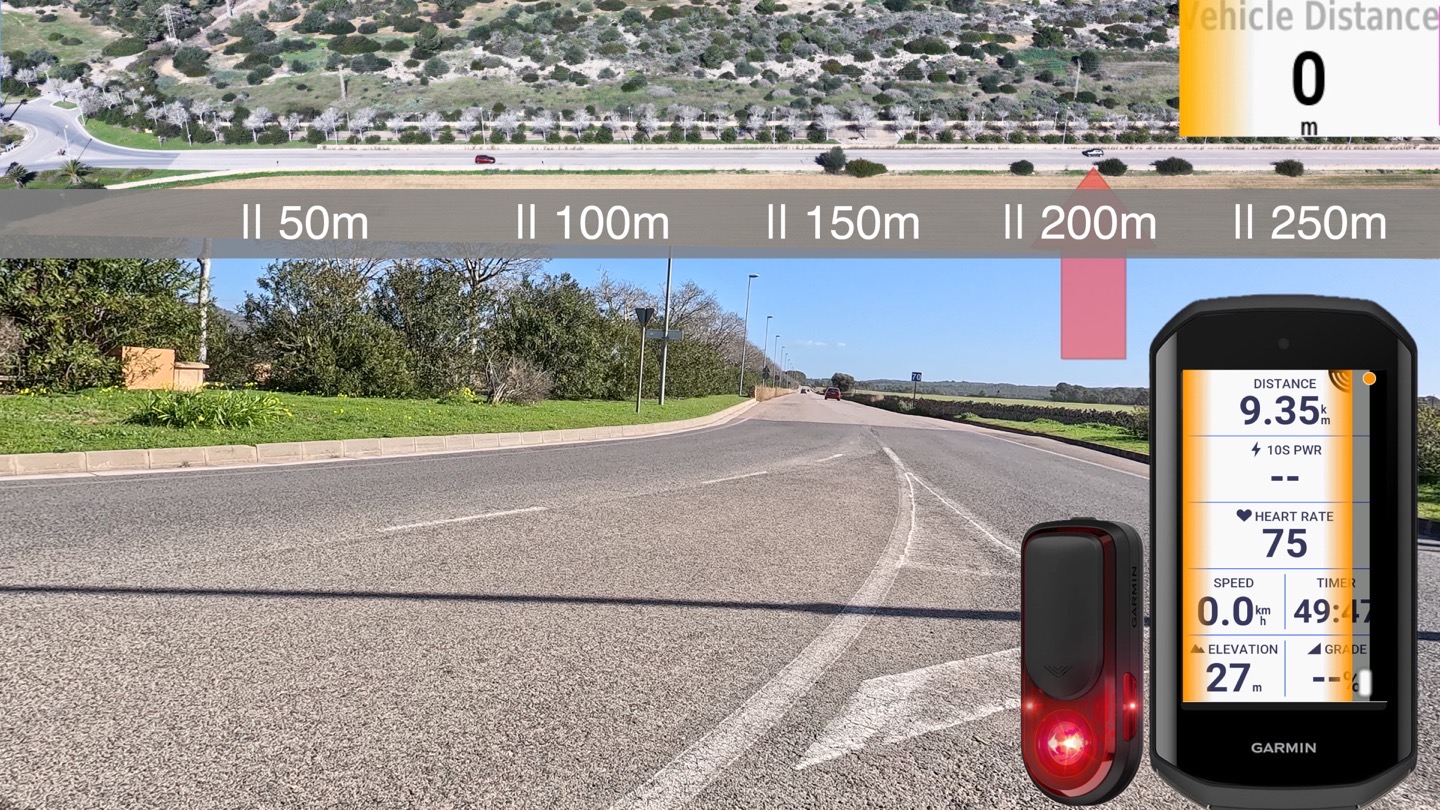
Note that, due to the placement of the drone closer to the 200m marker, the perspective skews things very slightly for the 50/100m markers.
And then here it is re-confirmed on Google Maps/Earth (note the position of the tree):
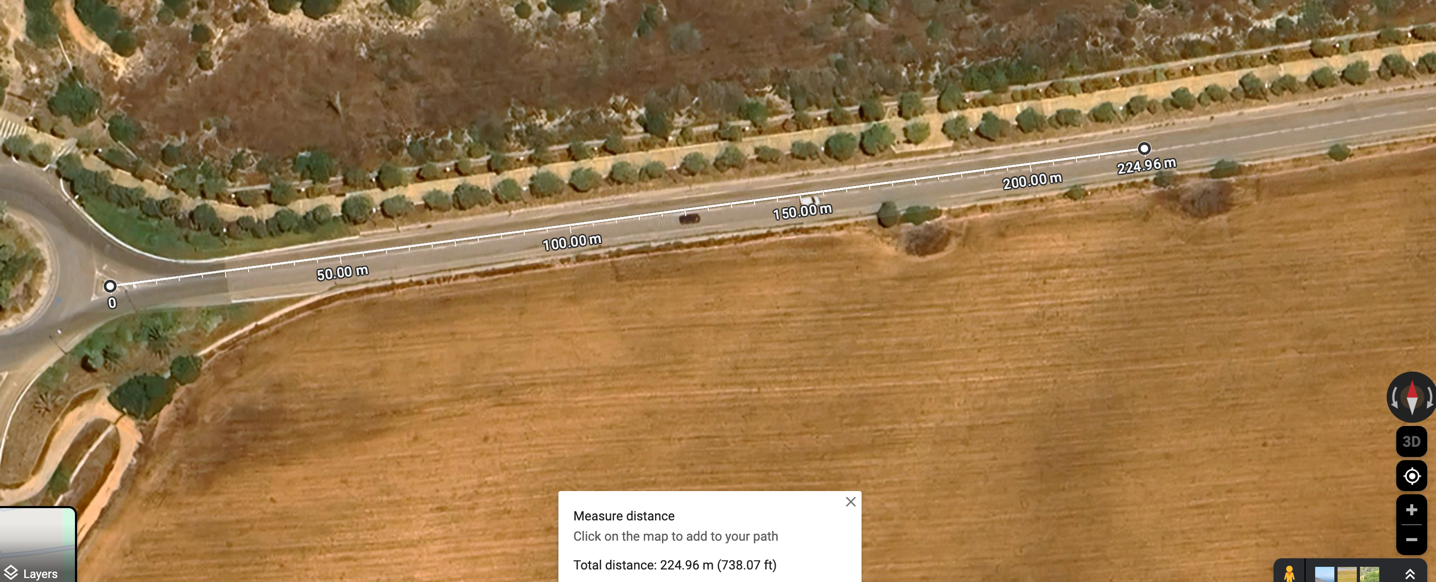
Over and over again on this straightaway road in perfect conditions, I was getting detects in the 190m+ range.
Now, there’s also a little quirk here, initially stumbled upon by GPLAMA. He noticed that when a vehicle was detected beyond the range of 196m, it could cause non-Edge x40/x50 bike computers to see it briefly (for a second or two) as closer than reality.
That’s because the ANT+ radar spec has a capped distance of 196m, and thus when Garmin transmits on that protocol (vs secured Bluetooth), if the vehicle is beyond 196m, then it’ll show it as a lower value first. So if a vehicle is at 210m, it’ll show as only 14m beyond you, then when the vehicle hits 196m, it’ll then show it back at 196m again, correctly. You don’t see the actual value, but you *will* see the car jump from nearly running you over, to far far far away again. It doesn’t do this on the x40/x50 series devices with secured Bluetooth. Anyways, here’s a good example of this comparing a Wahoo ROAM showing the car directly behind me for a split second, before it shows the correct placement once it hits 196m:
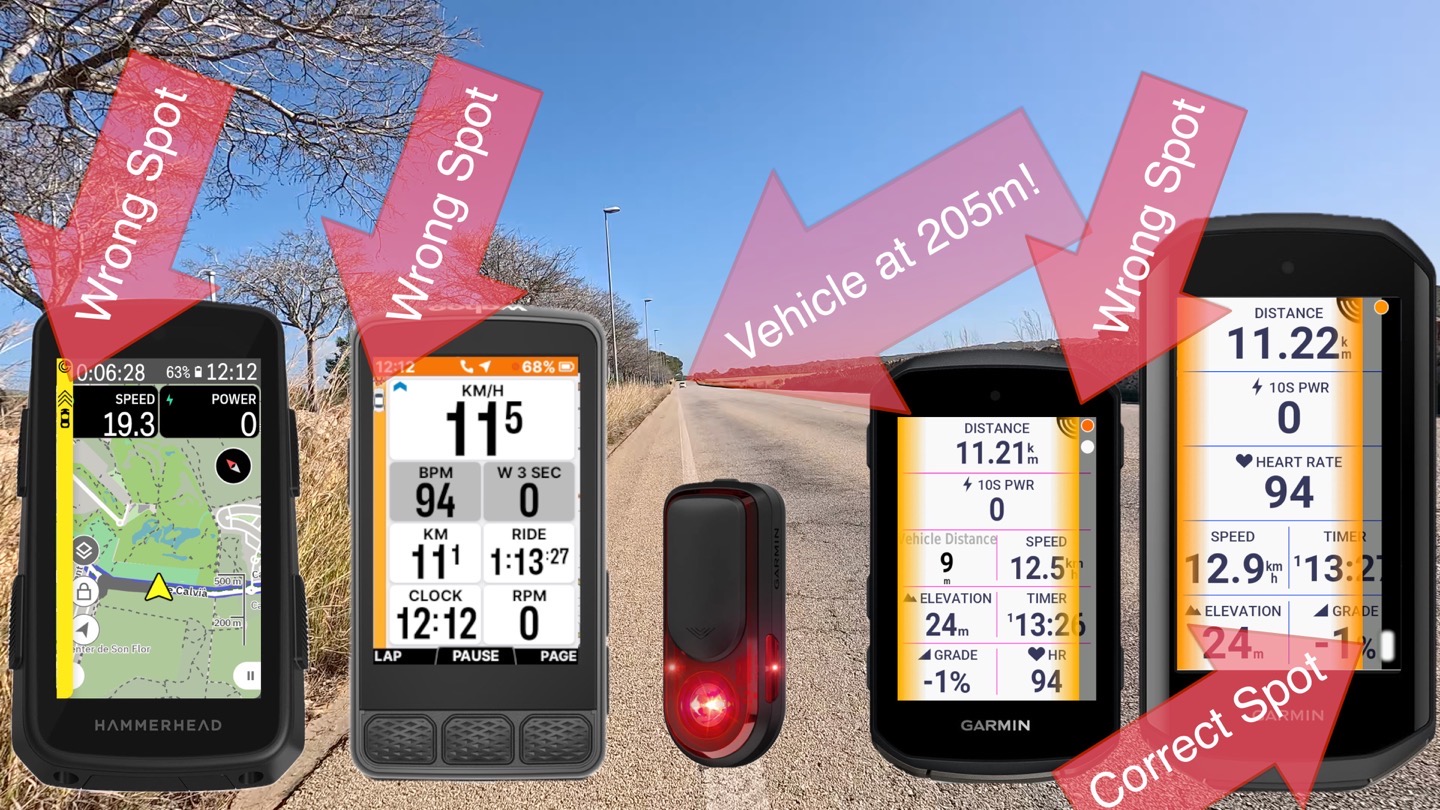
(Above: All units connected to Garmin Varia 820 radar. Hammerhead Karoo 3 via ANT+, Wahoo ROAM 3 via ANT+, Garmin Edge 850 via ANT+, and Garmin Edge 1050 via Bluetooth.)
To be clear, this is a legit problem. And specifically, a problem for anyone with a non-Edge x40/x50 bike computer that has really straight roads. In my case, I never saw this problem in real life until I specifically went out and stayed on a super-straight road and tried to test it. That’s simply because my area doesn’t have a ton of roads like this. Whereas if I went to other areas (e.g., the Netherlands), this would be every day with super straight roads (well, assuming the constant rain didn’t reduce that top-end range a bit).
The good news is I think the fix here for Garmin is silly-simple: Just cap the ANT+ broadcast value to 196m. So if a vehicle is at 224m, just show 196m (putting it at the end of the distance bar). Once it gets below 196m, display value as normal. This would be super easy for Garmin to do on the Varia 820, and would instantly fix the issue (because changing the ANT+ spec is a non-starter at this point).
Update: As of Feb 10th, 2025, Garmin has confirmed a fix will arrive tomorrow for this via public beta.
Next comes accuracy, which revolves around false positives and false negatives. False positives are when the radar detects something that’s not there. In most cycling radars, this tends to happen around metallic surfaces that the signal can bounce off of (such as in a city, or sometimes a metal garage door). Whereas false negatives are when it simply doesn’t detect a car at all. That’s bad. Really bad. False negatives are virtually unheard of on the Garmin RTL-515. Whereas false negatives are much more common on the cheaper no-name radars.
Let me be super clear: There’s no reason to buy a radar if it has false negatives. It’s useless. Thankfully, that’s not the case here.
Whereas false positives, if rare enough, aren’t necessarily a deal breaker. By rare, I mean usually less than one per ride, or if there’s a specific spot it happens on a given ride. Again, it’s not ideal, but it’s not a deal breaker.
In my testing with the Garmin Varia Vue 820, I’ve seen no false negatives. And likewise, out riding I’ve surprisingly seen no false positives either. Even on rides where the Wahoo TRACKR had false positives, the Varia Vue 820 didn’t. Which isn’t to say that I won’t eventually get one, I just haven’t had one yet while riding. Whereas I have seen two false positives standing off to the side of a quiet intersection, when an approaching vehicle from a side the radar couldn’t see reflected off all assortment of cars/etc to momentarily flag before disappearing. But that’s it.
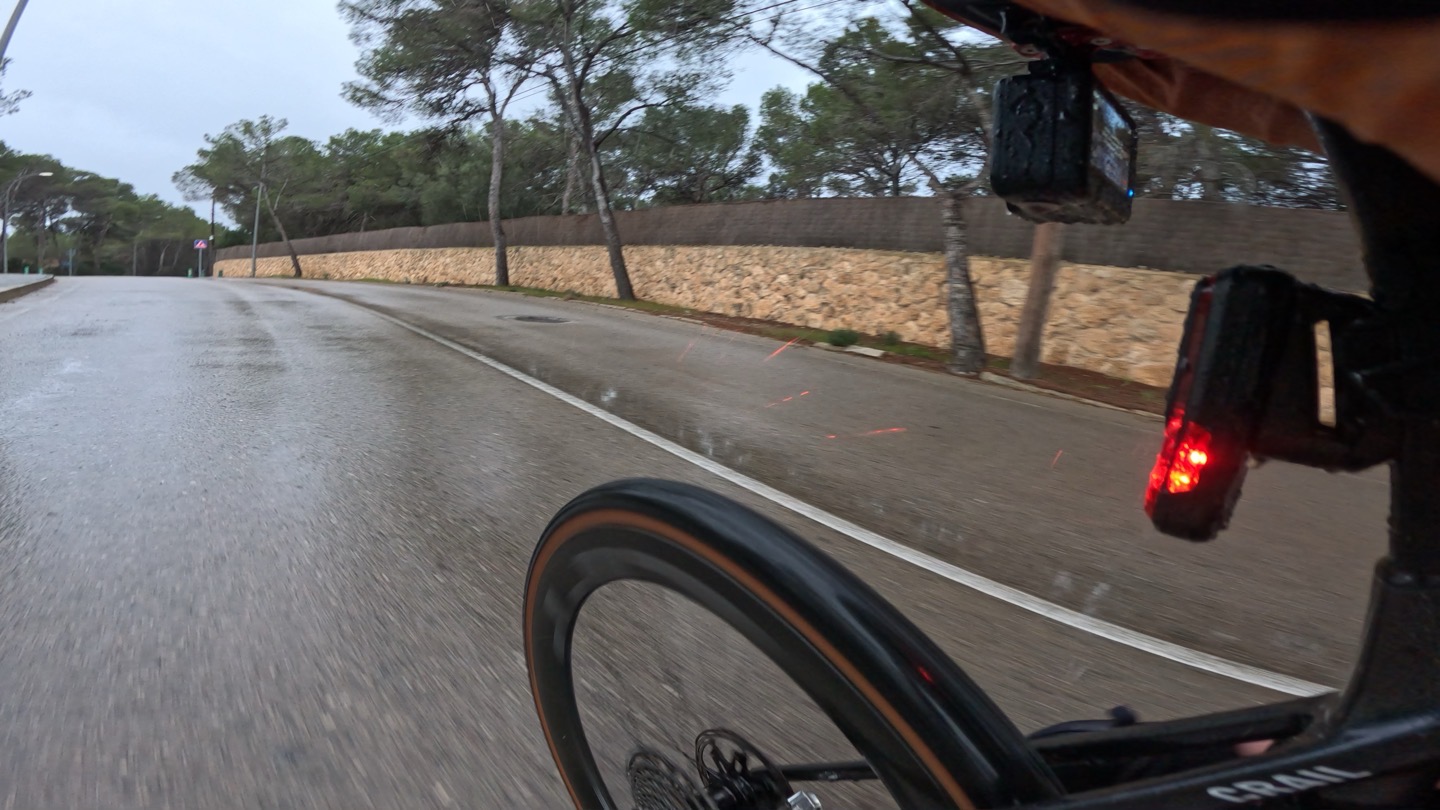
Now, the singular area where I see ‘accuracy’ issues is the *type/size* of vehicle it detects, when it rains out (or, when the radar gets wet from a puddle). To be super clear, this is not impacting whether or not the vehicle is detected, but rather, whether it detects it correctly. I find that the split-second water gets on the radar, the accuracy of the vehicle size goes out the window. Cars become cyclists, my wife riding her bike becomes a bus/truck, and cyclists become cars. It’s a mess.
Likewise, the way Garmin uses theoretical vehicle size as an element for threat level means that my wife on the bike can quickly escalate to a red-level threat if it mis-detects her as a vehicle, such as this moment:
Or here as a cyclist, but with orange level threat:
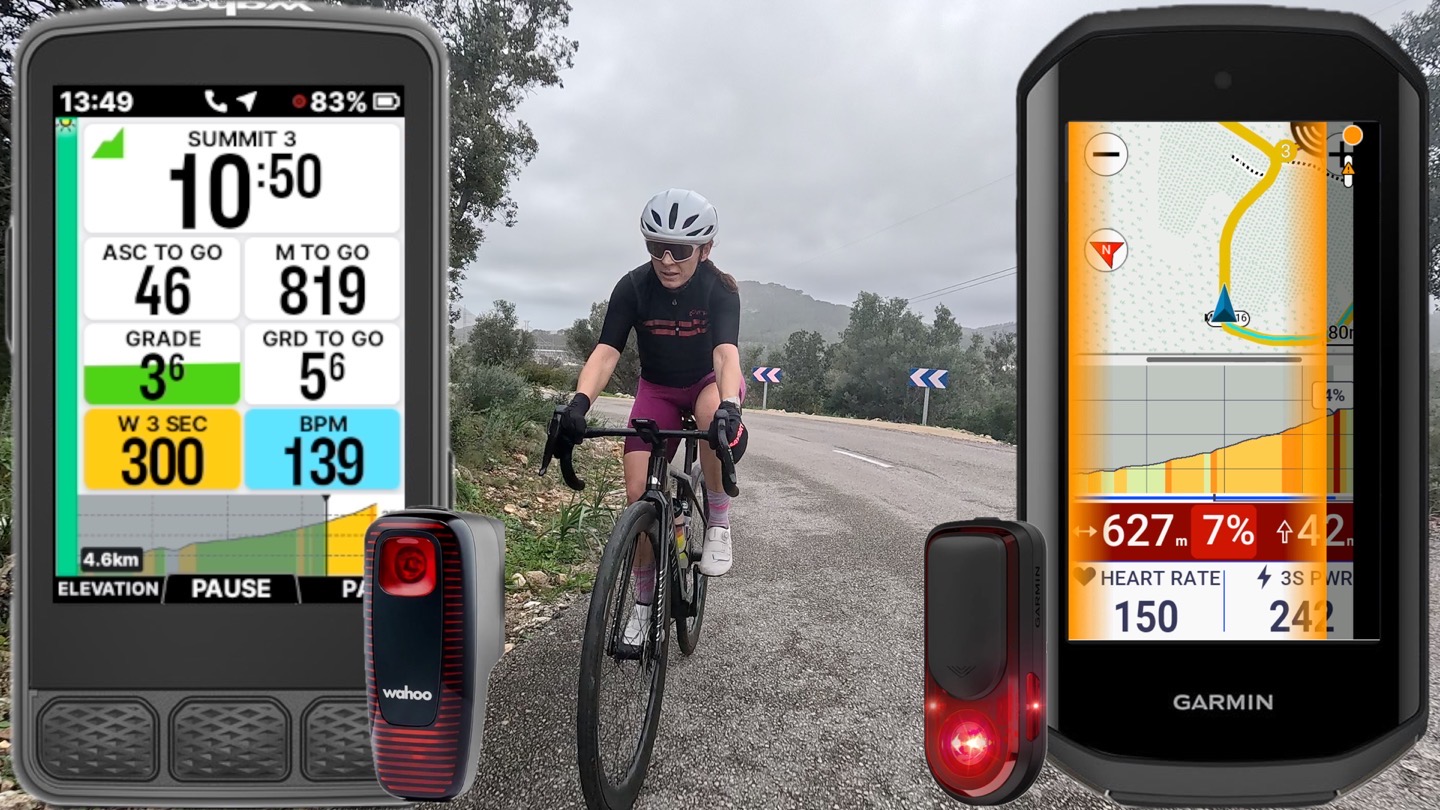
And that’s in addition to the number of times a vehicle is detected as a cyclist if it’s behind a cyclist, such as this, which shows two cyclists and then a car. There are actually two cars back there (which it sees correctly a few seconds later). Mind you, Wahoo only ever saw one car here.
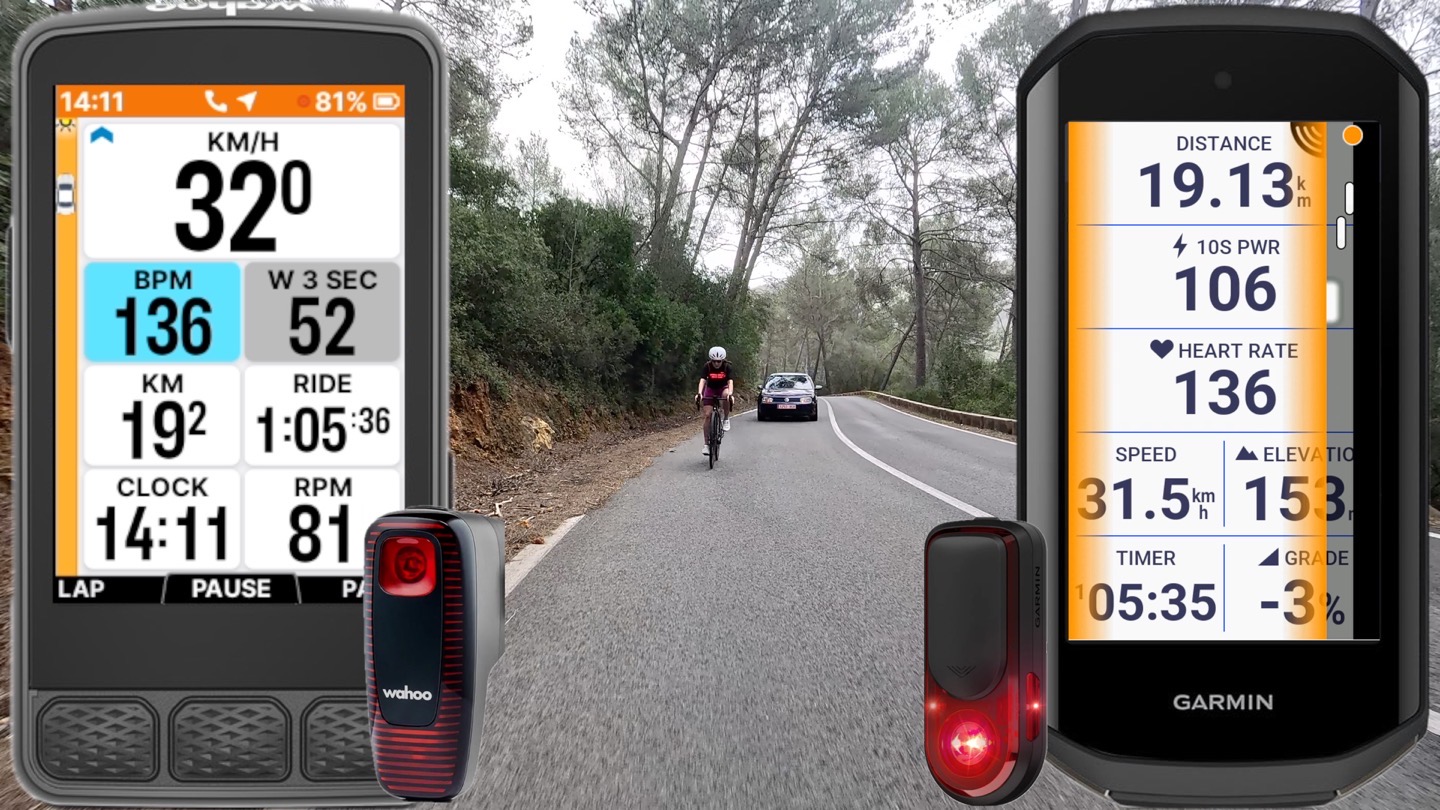
But if we set aside the vehicle classification pieces, the range/detection/etc bits are still really good. Just not the actual vehicle size, which in turn means it can (and often does) misclassify threat levels. I’d strongly encourage Garmin to add an option to simply turn off vehicle sizing, as it becomes a distraction with the vehicles constantly changing size and unnecessarily escalating threat levels.
When it comes to battery, I tested the two core modes I’d use: Solid-on and peloton mode (solid on, but reduced brightness for group riding, with no flash when a vehicle overtakes). Here in Europe, constant flash is frowned upon, so that’s not something I tested, though that gets higher battery life than the modes I was testing.
Solid-On (Low Setting): I used this during daylight hours, and the claim is 10 hours of battery life. In testing at 1hr intervals, the battery did indeed deplete at approx. 10%/hour. For example, starting one ride at 82%, I then checked it 1hr 20mins later, and it showed 68%. This repeated for all of my other rides in this mode (which are most of them), near-identical.
Peloton Mode (Solid-on): In this mode, Garmin’s claim is 15 hours of battery life. In a ride yesterday for 2hrs 20mins, I checked at the 2hr marker, and the battery had gone from 65%to 50%, so an estimate of 13.33hrs. The only slight caveat is the first 10-15 minutes of that I was in solid-on mode (which burns 50% more/hour), before my wife reminded me to switch. Thus the very slight undercutting of the 15 hours claim.
Radar-Only Mode (Light off): In this mode, the light was only activated as a flashing light when a vehicle approached, otherwise it was off (you can turn that off too).In this scenario, I took measurements on the hour, and after the first hour it went from 98% to 94%, thus a 4% decrease, or 25 hours battery life. Thus falls short of the battery claim of 30 hours in Light Off mode, but perhaps that mode also includes turning vehicle detection flash off entirely (which, currently a bug is preventing me from doing, once the Edge connects to it).
One thing to keep in mind with claims around battery life is that, like watches, it’s really hard to just put these in a dark room overnight and estimate battery life. First, there’s no vehicle activity to work the radar tracking components. And second, a static/still environment won’t work/trigger the accelerometer and gyroscope used to detect braking action. So while this is good for light testing, it’s not super practical for other applications.
Nonetheless, for fun, I set it on low mode, put it in the bathroom overnight, and let it roll:
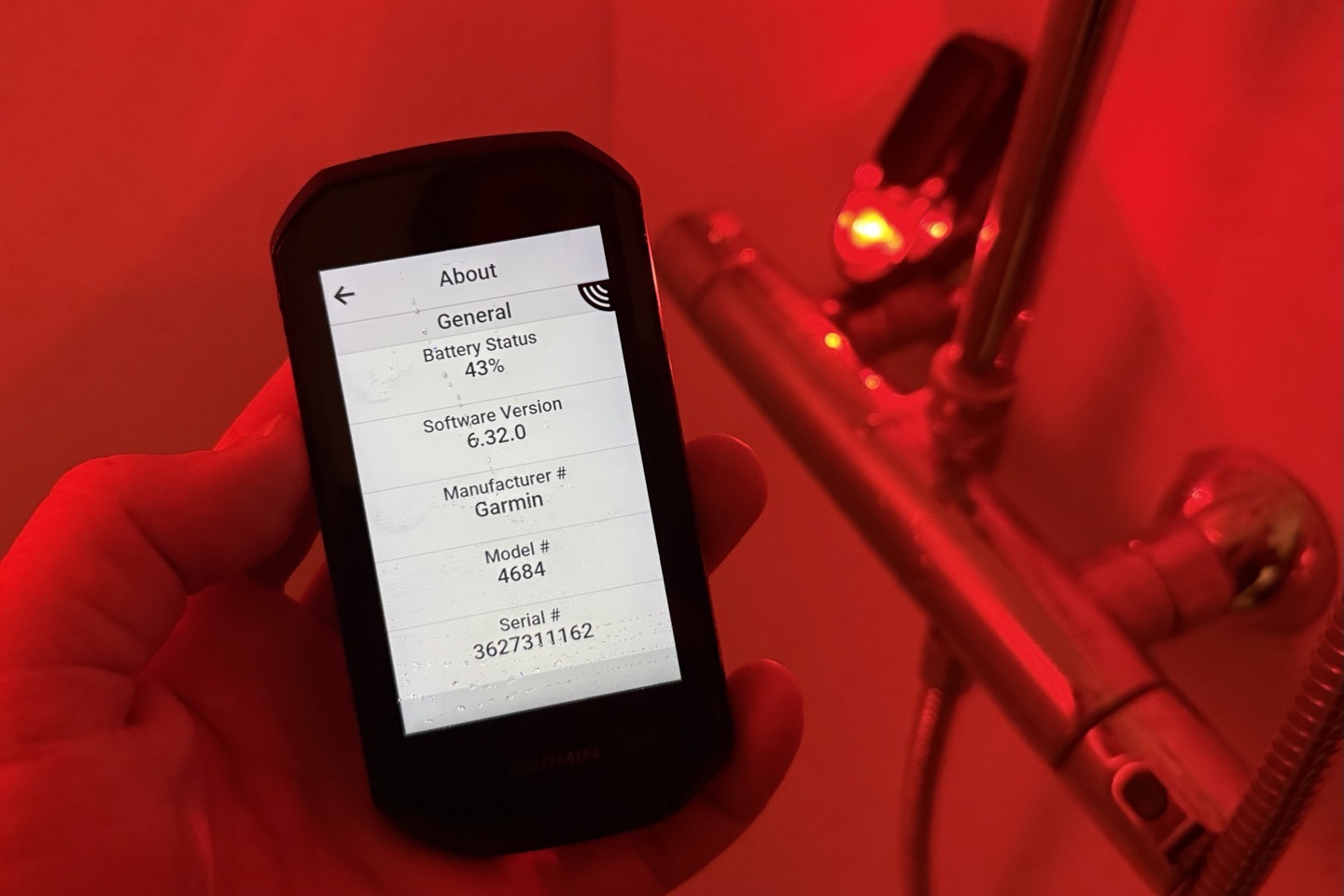
Starting point, at 2:20AM was 98%, and by 8:20AM it was 43%, so it burned a bit less than the usual 10%/hour, but not massively so, closer to 9%/hour.
Thus, from an overall specs/claims standpoint, it’s meeting or exceeding nearly all of its claims, and easily beating most competitor claims.
User Replaceable Battery:
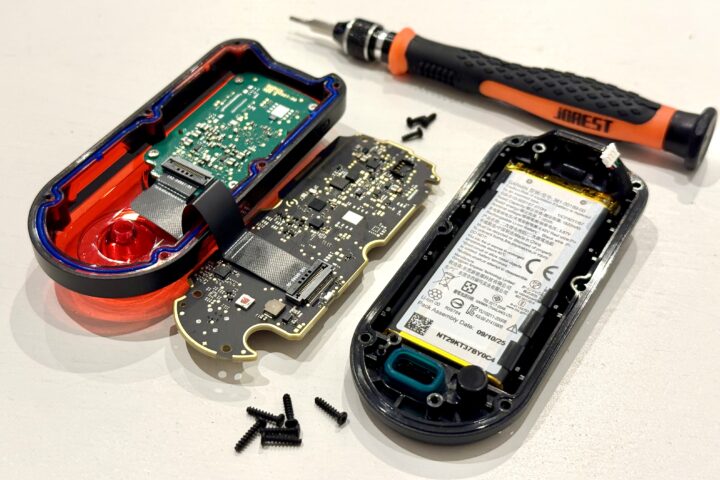
I just wanted to very quickly note that the unit does have a user-replaceable battery. This is required per EU regulations, and we saw the Garmin Edge 550 & 850 implement it this past fall. Now the Garmin Varia RearVue 820 has joined that club.
It’s designed for when your battery dies many years down the road, not for just swapping batteries on a long trip. Garmin will be required to make replacement batteries available at pretty much their cost, thus the replacement prices should be reasonable.
Changing the battery requires a T5 Torx bit, and then there are six screws on the outer case, followed by three more screws inside. There’s a single ribbon cable attaching the battery that just easily pops off. The entire disassembly took me about 90 seconds.
Radar Model Comparison:
Perhaps I’ll expand out this section into its own dedicated post at some point, but in terms of features and a product tech spec comparison, here’s all the official claims in a single comparison chart (remember comparison shots up earlier in the post):
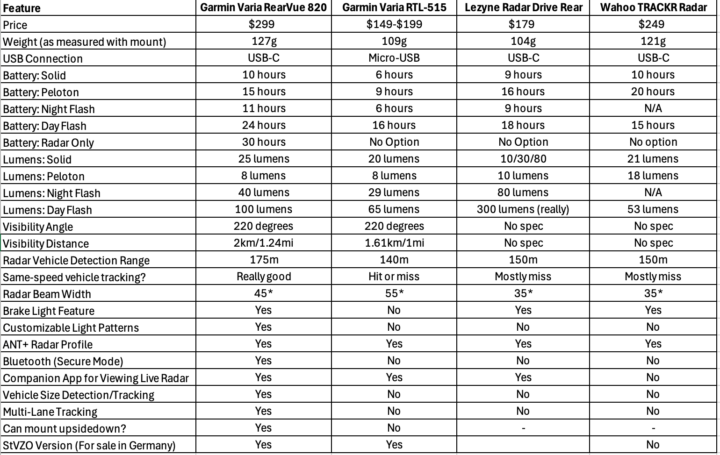
Of course, on paper, some of these seem similar. But in reality, the big-ticket item here is accuracy and detection of the radar. It’s clear Garmin is using a new underlying radar chipset here, and certainly, their existing one is widely considered the gold standard. In my continued testing, the existing model easily beats Wahoo’s TRACKR radar in terms of accuracy/reliability (side-by-side), while the newer Lezyne radar is really good in my testing thus far, though not quite as good as either Garmin unit (but better than Wahoo).
Final Thoughts and Recommendations:
The Garmin Varia RearVue 820 is clearly the best radar on the market. There’s simply no comparison there in terms of real-world detection range, accuracy, same-speed vehicle detection, and solid performance around things like false-negatives and false-positives. It’s clearly the new gold standard in underlying radar hardware. But with it are a host of new software features too, some of which are super useful in certain messy-lane scenarios, like lane detection. And equally, knowing when a giant truck is about to pass you.
At the same time, some of these new software features can be a bit overwhelming, especially in the first few days of riding. Thankfully, most of them are optional and can be easily turned off. But there are still some that are less reliable, such as vehicle type classification in the rain, that clearly need more work. The same goes for how it color-codes every single vehicle as orange, defeating the purpose of color classification. I’d like to see Garmin offer two toggles in the radar settings, one to disable vehicle classification, and one to disable some of the excessive color-coding. They already have similar toggles for other features in the radar, so these aren’t too much of a stretch.
Beyond that, there’s the 196m bug for other ANT+ bike computers, which I mentioned earlier. Literally minutes before publishing, Garmin confirmed via e-mail that this bug will be resolved tomorrow in a public beta update. It’s a silly easy fix for a mostly minor issue, but equally, this never should have slipped out of testing. In Garmin’s push to reduce leaks over the last year, it’s dramatically shrunk its external beta testing pool, and as a result, we’ve seen a very clear rise in launch-day bugs/issues across the majority of Garmin’s marquee products. Bugs that should have been caught, and equally, we’ve seen a rise in reviews highlighting these issues. It seems like Garmin needs to find a better way to navigate that situation.
Setting that aside, though, in terms of this radar, it’s ultimately the best product on the market today – and from a pricing standpoint, Garmin knows it. They know if you buy a random $100 knock-off radar, it’s going to miss cars and be pointless (as countless reviewers have shown), and they know if you want the previous gold-standard radar (the RTL-515), you can still buy that micro-USB-laden unit for $149. Ultimately, I’d love to see a USB-C version without all the new lane detection/etc bits for $199 (but including the increased range). Whether or not that happens, I guess I can dream.
With that, thanks for reading!
Found This Post Useful? Support The Site!
Hopefully you found this review/post useful. At the end of the day, I’m an athlete just like you looking for the most detail possible on a new purchase – so my review is written from the standpoint of how I used the device. The reviews generally take a lot of hours to put together, so it’s a fair bit of work (and labor of love). As you probably noticed by looking below, I also take time to answer all the questions posted in the comments – and there’s quite a bit of detail in there as well.
If you're shopping for the Garmin Varia RearView 820 Cycling Radar or any other accessory items, please consider using the affiliate links below! As an Amazon Associate I earn from qualifying purchases. It doesn’t cost you anything extra, but your purchases help support this website a lot.
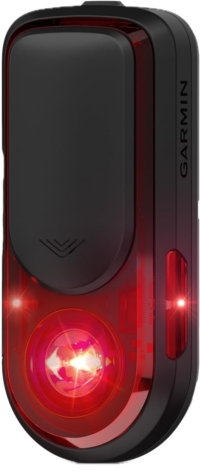
Here's a few other variants or sibling products that are worth considering:
Saddle Rail Mount (GoPro, All Garmin Varia)
And of course – you can always sign-up to be a DCR Supporter! That gets you an ad-free DCR, access to the DCR Shed Talkin' video series packed with behind the scenes tidbits...and it also makes you awesome. And being awesome is what it’s all about!
Thanks for reading! And as always, feel free to post comments or questions in the comments section below, I’ll be happy to try and answer them as quickly as possible. And lastly, if you felt this review was useful – I always appreciate feedback in the comments below. Thanks!

















This is a device that should be getting cheaper, even with better capabilities. But Garmin doesn’t play that way.
I’m not sure I follow that line of thinking. It’s got an entirely different internal radar component, and adding/creating those new features definitely cost something. Looking at the hardware components here (especially after taking it apart), there’s clearly more to this device than the previous one, in terms of cost/etc (thinking as well components like the accelerometer, brighter lights, etc…).
Ultimately, prices have risen. Looking at the inflation index alone, the original $199 device released just shy of 6 years ago, would be $247 in today’s money. And that’s not even accounting for tariffs on the US side. And given that Wahoo priced their unit at $249, it’s hard to see any scenario where Garmin would have kept it at $249, since Garmin’s unit is objectively bettery in virutally every spec.
I’m not saying it should be this cheap, but mmwave sensors at 24 and 60 GHz are roughly $10-30 at retail (and therefore far cheaper at volume).
I know a lot of engineering went into these things but the jump in price all the way to $300 is just insane to me, even taking into account the tariff situation.
For now I’ll stick with my Magene that I paid under $100 for (and ever since an early firmware blip, has been every bit as accurate as the RTL515 I ended up giving away.) At $200, Garmin would have gotten me back, but not for $300.
The question is if it was necessary to overengineer such simple device.
I think many people just asked for USB-C upgraded RTL515 which is still more than good enough for its job.
Probably new profiles settings is useful, other novelties like lanes and break light I doubt. Not to mention Garmin’s attitude to testing new products and fixing bugs.
That’s a misleading comparison because that wahoo price listing includes the trump tariffs whereas the garmin’s doesn’t. Look at the pricing in gbp, and wahoo’s is only £10 more than the rtl515 rrp while garmin’s rv820 is £80 more than wahoo’s. £170, £180 and £260.
“That’s a misleading comparison because that wahoo price listing includes the trump tariffs whereas the garmin’s doesn’t.”
At this point, all companies’ prices include tariffs. It’s just how they expose it to you. Garmin has made clear in their earnings calls that they plan to keep USD/EUR pricing parity, though as a result, that means that in most cases, Garmin is spreading the offset globally. Thus effectively keeping the USD price a bit lower, but raising the non-USD price.
Thanks for the in depth review. FWIW, the claimed radar beam width for the 820 and 515 are 60° and 40°, respectively, per their site. Your comparison chart has 45 and 55.
You’re assuming by keeping USD/EUR pricing parity they are including the tariffs in Europe, but they could just as likely be eating the American tariffs for now while they wait to see how the Costco lawsuit goes. (Remember Garmin has their own giant legal team) And even if they were specifically increasing EU prices to compensate for Americans shooting themselves in the foot isn’t this something we should be naming and shaming them for, because it’s certainly not the norm.
I wasn’t even considering a Varia with the previous lumen and battery specs. This is way more than a USB C improvement. For me, the specs are finally big enough to justify a purchase.
Where do you see the 40*? I’ve had long conversations about this over the previous months. The 40* was for the older versions, but the 45* is for the 515.
Quote from the PM about it: “the long-range angles for FOV from RTL515 onward is 45 degrees (22.5 to each side).”
Assuming this was a reply to TC? I see 40* on the specs for the RTL515. Screenshot uploaded (hopefully) but if not see the following page, under Specs –> Radar beam width link to garmin.com
Cool, I’ll send that along to the right person to get corrected. Should read 45*. It’s 22.5* in either direction (according to extensive e-mail discussions I’ve had on the topic).
I would love a follow-up about watch compatibility when those features are fully released. Some marketing and pre-release materials mentioned haptic feedback when paired with newer watches. I’m most interested in whether that requires the watch be recording an activity. For me, the ideal group ride setup would be the normal visual display on the computer with audio alerts muted, but concurrent haptic alerts on a watch since you can’t always pay very close attention to a headunit during spicier group rides or technical sections or descents, and ideally you could get the watch alerts without having to be recording on that device as well since that will lead to an extra activity you will have to delete.
I’m not aware of any plans for expanded watch compatibiltiy (in terms of lane detection/vehicle size/etc features). But watches do already have Garmin Varia radar support today, and do include vibration alerts as part of that.
But yeah, for the second piece of your comment around getting vibration alerts without recording, no way to do that today, though, you could just discard the activity at the end, which is what my wife does when she uses her Fenix watch for HR.
Interesting, I’ve only had my Fenix 8 for a little bit and haven’t been riding outside much, so I wasn’t aware of the existing compatibility. It’s probably a niche use case, so I wouldn’t expect Garmin to go out of its way to create a non-recording peripheral mode. I’ll give it a shot and probably just adopt the same workflow as your wife.
In this quarters beta FW for watches, there are even new (spoken) audio alerts via headphones when the radar detects something.
With my 515 the button can get jammed if it picks up enough silt thrown off the back wheel. Curious if the new version is better. Please look for this during your long-term test. Thanks!
GPLama addresses this in his review
UPS hasn’t delivered mine yet, but one of the reviews I watched yesterday (Shane’s?) said that the button is fully covered, so no grit should get in. Punxsutawney Phil said 6 more weeks, so it’ll probably be another 4 weeks before I get to use it.
My 510 died because of silt in the button. Was not able to turn it off or connect it to something new anymore. Permanent stand by wasn’t that good for the battery.
My 515 lives now with a pies of black electricians tape above the button.
Ray imagine the camera equipped radar update is around the corner (Varia RCT715)
For expectations, has the garmin software been ironed out?
Interestingly, with an RTL-516 (i.e. the German version of the RTL-515) and a Wahoo Bolt v2, I could already have a radar-only mode as the light could be fully turned off from the Wahoo (or only turned on when detectining a vehicle plus x seconds after losing the last vehicle) .
As I don’t have a Garmin Edge at hand to verify this, was/is this feature unique to Wahoo?
On the RTL 515, the light is paired as an ANT+ light independently of the radar. You can just turn off the light via the lights menu on the garmin edge. For turning on the light if a car is detected, this cannot be done natively via the edge. It MAY be possible via a connect IQ app like Smart Bike Lights, but I’m not 100% on that
If you own a 515, there is the same option in the Varia app the 820 uses to toggle off the light activation by radar: it’s the threat mode.
It was implemented when France banned blinking rear lights to make the 515 compliant.
This way: it makes much more sense to buy a 515/820 standard version than a 516/820 StVZO.
Yes, that feature is on my Garmin Edge as well.
It also effectively means that the Wahoo TRACKR _does_ have a ‘radar only’ mode.
But without a camera. People are killed by morons running into them. Great, the radar, in effect, tells you, in 5secs you will die. Then when the investigation takes place there is no evidence
Radar tells you ‘hey, there’s something behind you, are you where you want to be?’.
This hasn’t changed in a decade, the value is significant.
Cameras are remarkably poor forcefields.
Hi! Does it finally have a mode where the light is off, but flashes only when a vehicle is detected or do we still have to use a 3rd party app to achieve this?
You could always do it with the 510/511 515/516: swipe down the lights control widget on your edge and push „off“
Doing so, the light would be OFF even if a car is detected, or? There is a 3rd party app where you can set up a Smart mode where the light is OFF, but it still flashes when a car is detected. I think this should be a supported mode out of the box.
What 3rd party app is that? That’s an interesting mode to use when gravel riding.
You dont need any 3rd party app. Use the lights controll on the Edge.
It will turn the light off for the purpose of being a light.
The radar will work and the light will flash when the radar detects something.
If you have a „German“ version, it will turn on solid because those don’t flash.
This was always supported out of the box.
The Varia has to be connected to the Edge, that’s all
Thanks, didn’t knew that.
The Smart Bike Lights Data field is awesome & very configurable
link to apps.garmin.com
Thanks for the review. I hope they can fix the vehicle size classification. I have some mixed feelings about the same speed stickiness: On the one hand it’s nice to know if a car is still there. On the other hand, if you ride with a cyclist behind you it feels a bit bothersome to have the overlay active all the time. On the other hand again knowing if you’re dropping someone seems usefull again. How did you feel about it during your rides with your wife?
It was so-so for cyclists. When it was there in non-orange mode (you can see in some bits in video/screenshot), that was fine. But when it escalated to orange mode but still showing a cyclist just behind you, that was unnecessary.
Okay I see, thanks!
Is there a light-off mode that still has the brake light? Or is that something you can set up as a custom mode in the app?
Yes, by default the light-mode off still triggers brake light. Whether it’s supposed to is a different question I suppose.
Is it possible to use a zip tie instead of the rubberbabds to attach the mount to the seat post?
Yes, there’s gaps/slots for up to three individual zipties (basically matching the rubber band horizontal portions).
Thanks:-)
If someone wants to use zipties, there is a company called Grip Lock Ties. They have a rubber lining on them that should protect your bike vs regular zipties. link to griplockties.com
In the comparison table, the Varia 515 seems to be damn heavy — 1095 grams :)
Thanks, fixed!
The weight of the Varia RTL-515 in the comparison table looks a little bit high.
Doh, thanks, fixed!
To bad they don’t supply German dealers with the normal version. I think it will be like with the 515: you have to import it.
I really wish for a software addition in the Edge computers: temporarily mute radar warnings. It would be super helpful for bike paths parallel but separated from the car lanes. For now, it’s always beeping when there is no threat because you are separated by a row of tree trunks.
Put a crossed out speaker next to the radar symbol to inform the rider that the radar is muted. Put the mute button directly in the lights control widget.
“To bad they don’t supply German dealers with the normal version.”
I suspect legally, they wouldn’t be allowed to.
As far as i know there is no law prohibiting the sales of flashing rear lights, only an executive order prohibiting the use.
So sales are legal. Every other manufacturer, even German once’s, sell their flashing version here in Germany.
I suspect they don’t want to be held liable by the customer.
Would be interesting to know what version is sold in France nowadays.
Even if there was a legal problem, they solved it with the radar threat mode toggle in software.
I for myself can’t understand the need for two different SKUs.
This review seems unrealistic to me.
Most of the comparisons are with Wahoo.
And here it’s like the 820 is great?!?
I was expecting a comparison with the Varia 515…
Not sure I follow, there’s boatloads of footage in the video comparing to the RTL-515, and Wahoo, and Lezyne.
I could add more screenshots here from the RTL-515 footage, and maybe I will, though the written text covers it.
In addition to Ray’s reply, I would say most of the comparisons specifically with the Wahoo Trackr in the article above can be better viewed as comparisons of the 820’s “new” features (particularly size detection and same-speed detection) against devices that just offer “basic” detection. So the Trackr can be considered a suitable proxy for the 515. E.g. in the comparison where the Trackr loses the cars because they are travelling at the same speed, it would be reasonable to assume the 515 would lose them too. In the comparison where the Trackr just shows “something” where as the 820 is getting confused about sizes and threat levels due to the rain, you can assume the 515 would just show “something” too.
It might not be a perfect proxy (there’s one example where Ray notes the Wahoo only detected a single car, when there were two – maybe the 515 would have identified both), but I don’t think that matters. The purpose of those sections is to highlight the utility (or otherwise) of the 820’s new features, and I think that is achieved adequately by the comparison provided.
Thank you Ray for the excellent review and rival comparisons.
If you are hard of hearing, deaf, or legally deaf then you know first hand how tremendously important and useful the rear radar is. I’ve owned a bunch and my favorite has been the Garmin Varia RTL515 until the battery eventually wears out. And it will. I’ve owned at least three, so I know. The least favorite was Trek’s Carback. What’s important is the visual screen notification, battery life, and various flash modes. The size of the vehicle is not important. What’s important is the notification a vehicle or vehicles that are approaching from the rear, so you can prepare or anticipate it’s presence. While the new version is impressive the price point doesn’t really make sense. The RTL515 can be had for $150 in the US. Paying $300 for the 820 is questionable when the RTL515 is an excellent contender. However, it’s about time Garmin’s rear radar had USB-C connectivity. My hunch says 70% of folks will be happy with the RTL515. For remaining 30%, money is either not an issue or they absolutely must have the latest new new thing. Hope that helps.
I think the Garmin RTL-515 in the “table comparison” needs to go on a diet? Or get it checked for swollen battery?
I don’t think my RTL-515 is1095 gram? (>1kg/2.2lbs)
So I do think and hope it is a typo.
/k
“I think the Garmin RTL-515 in the “table comparison” needs to go on a diet?”
It was a long six years of watching fellow electronics get USB-C. After the first few years of trying to remain upbeat and hoping for a new USB-C port, it started drowning its sorrows in eating donuts. It just couldn’t control itself. Before it knew it, it was a kilo overweight.
Mmm, donuts…
Nice job Garmin. I’ll be buying for sure but need to update my computer as well. The current Garmin radar is a life saver but I still almost got hit a couple years ago on a two lane with no shoulder. I watched (on the radar) two vehicles approach and slide past me around a tractor-trailer pulling a long wind generator blade. I saw a third approaching car and assumed it would take the same path as the previous two. However, the old lady who could barely see over the steering wheel was focusing on the generator blade and drifted into my part of the lane never seeing me. It appears this new radar would have alerted me to this. She missed me, probably going 75 mph, by just a few inches. I haven’t ridden that road since. This is just fantastic that Garmin is pushing the technology on safety. Thanks for the great review.
In my experience you were completely wrong on Garmin false + and – on your 515 review, and I put no credibility into this review either. I don’t want it to alert me there is a car when there are 4+ cyclists riding behind me in a pace line at my speed – or 1 ebike. I want it to tell me when there is a car. More often than not, pace line riders block my Garmin radar from detecting cars – false negatives constantly. And false positive for bikes at my same speed. Maybe a wider beam might help. I’m on my 2nd 515 after the first on fell off on a rough gravel section. It’s nice to see that after I called support to see if there was any poor sucker discount for a replacement (no) that they listened and added the tether.
Your comment is confused.
The 515 doesn’t tell you a car but only that something faster is approaching you from behind. If its a pace line or 1 e-bike, its a positive, nothing false.
If the pace line is blocking the view, blame the pace line and not the riders. If you want to look outside of your house and look at the wall and not through window, you can’t blame the window.
Bikes at your exactly speed will blend out and reappear as soon as there is the smallest delta in speed. Coasting for a few seconds is mostly enough. And that’s still no false positive because there is something faster than you behind you at the moment.
Either you didn’t understand how to use that tool or you want to blame someone else, in this case Ray.
“In my experience you were completely wrong”
Honestly, as Benedikt noted, you’re really confused in how the device you purchased works. I’d recommend reading the manual first.
A false negative doens’t count if you literally block the radar. That’s not a false negative, nor understanding how radar works.
So the UPS truck finally arrived. Went through the firmware upgrade for both the Varia and my 1040, and paired them. Had some trouble pairing with BLE at the beginning because I had paired to the Varia app on my phone to begin with, and apparently that used up the BLE connection. But I nuked the app and repaired with the 1040, and it’s now ready to go. Looking at the forecast, I may be able to get out next week. (The 4 inches of snow disappeared from the forecast, and it’s well above freezing at the moment, so my two weeks of XC skiing are at an end.) I was surprised that the Varia shows up on the desktop as a disk; I can’t imagine that being useful.
Does the half-screen display (if enabled) always take up half the screen or does it expand to half-screen only when something is detected?
It’s always there. but it’s just another data page, one of umpteen you can have.
So basically I keep it around for fun, and since I can have 5 data fields on the left, it’s not a complete waste. If you dislike it temporarily, just swipe to another data page, and your existing single/double column radar sidebar appears (the thin ones).
As always, appreciate your first class reviews.
Any insight on whether they take this device and pair it with an improved (rear) camera offering?
Nice device, but my good old 516 is still in good shape, so no reason for me to move to the 820. Some of the new functionality perhaps leads the user to look to often at the device display and it may distract (?).
Wondering what the blinking light is that your wife is wearing on the front of her jersey in you Varia 829 video is.
Liked the Video review. I’ve had the original one & camera one.
Her jersey appears to have reflective stripes and they are mirroring the light from Ray’s 820 radar.
You can see that the reflected light is normally constant but will then start flashing as a vehicle approaches.
“You can see that the reflected light is normally constant but will then start flashing as a vehicle approaches.”
Yup, correct!
Great review, thanks Ray. Why do you say that radar only was not an option on the RTL-515? You can turn the light off via the ANT+ light control.
I have done this routinely on long rides because my 5 year old 515 was definitely not lasting 16 hours on day flash any more. (TBH I’m not sure it ever did.)
Oh so this didn’t actually stop it blinking at cars? I never realized. Not a bad mode though.
Correct, it wasn’t a proper mode. Now it’s a proper mode, with toggles and battery specs and all.
Effectively the earlier config/option was tweaking the light settings.
I get that micro-usb is objectively worse than usb-c, but is it really that much of a deal? I mean I take my bike out, do my ride, and then (if needed) unclip my 515, take it inside and plug it in. I might have to look at the connector and the port before doing so, but that adds, what, 2 seconds to the procedure? And if it then takes longer to charge, is that really a problem for a device like this?
I’m glad everything is moving to usb-c, but I really find it hard to understand the wailing and gnashing of teeth about micro-usb.
It’s just one of those little life annoyances. I have a bunch of double ended USB C cables and chargers that I use for most of my stuff, but I have to pack and find my one USB Micro cable and USB A charger for that one device that needs it. Not the end of the world, but just one more thing to keep track of (I also have one older, excellent Dinnote bike light that takes a USB Mini. I love that light, but I cringe a little every time I plug it in ).
I’ve also been a fan of DiNotte lights for a number of years now. The last one I got also moved to USB C. The problems with micro usb is it seems to be a less robust connector and I can’t tell you how many time my brain understands how to orient but my fingers still try it the wrong way at first. Even the original USB A connector has a similar problem but because it’s not keyed. Years of my life have been spent pushing a USB A in one way, then turning it around and trying and going back to the first orientation.
Some people ding lots of USB C stuff for not supporting PD. They are really just switching out the port but you still have to charge at 5V. I’d rather have PD but can live with this limitation.
I’ll definitely be upgrading to this unit as I’m still using the original RTL 500 for about 8 years now. There came a point where I just refused to buy another micro usb thing for anything in our house.
Glad to see updates. I use the 715 and sometimes 515 on our tandem with garmin 1040. Roughly 3-4 x per hour the head unit alerts me of disconnected status to the radar, then reestablishes after a few seconds. As such, I always wonder about accuracy of the readings. I’m guessing these drops are due to the extended distance to the head unit and two human bodies interfering with reception. Does the newer radar have more “oomf” to the head unit?
Huh, that’s odd. I’ve never seen the disconnected status here.
I don’t have a good way of testing that otherwise. :-/ Maybe I could look at BT signal strength between the two.
A small number of units of the 515 had dropouts. Mine was one of them and had many errors every ride. Last year Garmin offered to replace those units if you sent the old one back.
A friend and I both have the 515 and one of us will have regular disconnects if the other is around. It’s weird. Can also happen solo in specific locations (some sort of local 2.4GHz interference?).
I have approx 1 or 2 drops per hour, but only ever since my Edge 530 was replaced by a refurbished one after a crash. I guess the 516 is fine, but the edge is not.
On the other hand, it wo’t bother me enough to send it in.
Any plans to review and compare with the Sigma Reco 81 Link radar?
We’ll see. Not opposed to it, but also not being available outside of Europe makes it tough to justify ahead of other reviews (e.g. Lezyne, or even finishing the Wahoo one).
Fair. It’s not even widely available in Germany as there doesn’t appear to be an StVZO compliant version.
Great review! Does any of the internal hardware or software suggest it may be compatible with the Apple Watch in the future (recognizing this is likely mostly an Apple issue versus a Garmin issue)? Thanks!!
Nothing there, I’d say we won’t see that unfortunately.
This was such a detailed review. Thank you!! I ordered one.
Do you have any recommendations on a seat rail style mount?
I’ve just got random no-name ones. The one seen in this review with the dual-mount is this one: link to amzn.to
I selected it simply because Amazon Spain could actually deliver it. It’s all metal, and seems durable enough, since I’ve actually connected two units and some extra mounting hardware below it.
Obvious question, but as nobody seems to have asked it yet: do you think any of these new features will trickle-down to the RCT715 camera version, or are they all hardware-dependent?
I would have to imagine that at 4 years old, Garmin will probably create a new version instead.
As an added bonus can this unit act solely as a radar speed gun? I’d love to quantify the near highway speeds vehicles are traveling down our narrow low visibility road which is officially 25 mph and should probably even be posted lower.
I’ll still buy this for the cycling features, but would love to play around with a possible capability that is no doubt inside the unit but who knows if it’s exposed.
Yes, if you pair it via ANT+, then you can use the various ANT+ data fields (like MyBikeRadar) to see the live speed of the approaching vehicle.
I may just pass on my 510 & 515 because to me the replaceable battery is one of the best features. My old 510 is good only for rides of a couple of hours due to age degradation. With the 820 that is no longer an issue love that.
If you intend to keep a radar more than 5 years buying the 820 just makes financial sense and justifies the higher price.
If this is a Euro requirement then the Edge computers must be getting this at some point right? I have replaced all my batteries on my old Edge/Fenix devices but it can be a PIA and you can and have ruined it if you are not careful
“If this is a Euro requirement then the Edge computers must be getting this at some point right?”
Yup, the Edge 550/850 got replaceable batteries last fall already: link to dcrainmaker.com
Hello, thank you for the thorough review of the new radar. Mine arrived yesterday, and I saw that it only works with the MyBikeRadar data field I created if paired in Ant+ mode as you have mentioned. I have contacted Garmin to see if there is a way to make it work when paired using the new “Secure Bluetooth” protocol. Garmin will hopefully expose data coming from Bluetooth paired devices such as the new Rearview 820 to Connect IQ developers, and then I will be able to update the data field to display extra data such as the lateral distance readings.
Thanks for the note! Indeed, I’ve made a strong case as well to Garmin to try and get that compatible on the BT site. They didn’t answer that question (plausible it got lost in the many lists of long questions, and they just wanted to answer my other questions quickly, which is fair).
My case was that secure HR data still comes across in CIQ just fine, and ultimately, if the path forward is reducing CIQ access to secure-transmission data, that’ll quickly reduce the benefit of CIQ. Not saying that’s the case, it could really be as simple as “we simply didn’t map those fields on those Edge beta versions yet, and we were already 6 days behind pushing those to production…so…hang tight a moment”.
Thanks for comprehensive and informative review. Three part question:
What is the camera that you have mounted on your saddle in the review?
Do you use this every ride for safety or just in the context of reviews (such as this)?
This may very well be answered in other corners of the internet but nevertheless: If this radar was paired with an Edge 840 (asking for a friend), in the event of a crash would any of the radar data dynamics (ie the speed of an approaching car) be captured on its internal storage as part of the ride data? Assuming no as this would be generally highlighted but I figured I’d ask.
Thanks for taking the time to answer!
In most cases in the review, I’ve just got a GoPro Hero 13 mounted there. I had started with an Insta360 Ace Pro 2, but kept having odd recording issues with it randomly stopping. I’ve never had that issue before, so not sure if it was a new firmware thing, or something else, but I couldn’t keep troubleshooting it…so just switched.
Either way, it’s mounted to a saddle rail mount. I have both K-Edge ones and these ones (link to amzn.to) that work well, since the Varia mount one is actually based on an underlying GoPro mount. All metal.
I don’t tend to ride with a Varia camera, though, normally. Mostly cause I’ve already got too many things to keep charged, and generally the vehicles in this area are really good with cyclists (well…save the summer when a certain country floods the island with drivers who drive on the wrong side of the road). So mostly just for review-related purposes.
As for the vehicle data being stored, it is if you use one of the CIQ apps (MyBikeRadar). If you don’t use that app, it’s not publicly accessible, though I’d be willing to wager a high amount that it is recorded in private data fields within the .FIT file (like so many other hidden Garmin metrics).
I got my unit yesterday and paired it to my iPhone and Edge 850. I updated the firmware immediately. When trying out the radar, it doesnt work. Not sure if this is due to the firmware update. I was looking forward to replacing my Magene radar which gives me heaps of false positives. The error messages I am getting on both my iPhone and Edge 850 are attached. Ray, have you updated the firmware on your device? If so, does the radar still work? I contacted Garmin and they got me to send the unit back to them in exchange for another unit.
Here is the message from my Edge.
In my case, up until last night, I still have/had the same .32 production firmware as you. And, also the public beta Garmin Edge 850/1050 firmware (which was required till it got pushed to production yesterday). I’ve only seen a single message like that once, while I was fiddling with it inside on the table next to me, getting some settings screenshots while writing the review.
Interesting that Garmin swapped it out quickly.
Great review Ray! One question – does the combined ANT+ and secure Bluetooth connection have any impact on Edge 850 battery life over the TRL515?
Nope, Garmin says it’s negligible. I asked.
That matches over a decade’s worth of my experiance talking to chipset vendors about dual ANT+/BLE pieces. Sending concurrent simply has no meaningful (or even detectable) battery, especially since that component is crazy low-draw (compared to the light or radar). Like a literal ant taking a bite out of a piece of toast.
I was wondering the same thing, not so much the conection type but if the added display features use up the computer battery faster.
Mine arrived last night, and I hope to take it on its first spin tomorrow.
Question for you, Ray, and/or a suggested feature for Garmin to add, if this isn’t possible.
Like you, I believe the best use cases for the radars are in more sparse traffic areas, and also where there aren’t dedicated bike lanes or even any usable shoulder to the road.
I use mine for suburban commuting, rural highways, gravel roads, mountain and fire roads that occasionally cross busy highways and/or have logging trucks, etc. that sometime blaze past me, too close.
And not infrequently when traveling rural paved and unpaved roads, there are either distracted drivers, or people who will purposely swerve at me “for fun”.
Nearly all of my riding is in fairly bike-unfriendly places, and much of that in Garmin’s Kansas backyard.
With the new lane/width detection of the vehicle, I’d love to see (or maybe this is already available) Garmin add a higher level alert/threat detection for vehicles that appear to be swerving at me (or slowly veering toward, like distracted drivers sometimes do), AND at the same time to create a burst flash mode on the light, to try to get their attention (or make them think they might be being recorded).
Any chance the software or apps/widgets could be added to the light, to do this?
The swerving back and forth it doesn’t do today, but the angular direction it actually does do now on the 820.
It’s harder for me to find/capture it, because I simply don’t have many two-lane (in one direction) roads to play on around here, but you can see it if a car starts going from an outer lane to the lane behind you, it’ll escalate it to a red car in the right scenario.
I stumbled upon it in some roundabouts I have on single-lane roads, where basically we went into the roundabout at the same speed (relatively slow), but because of the angular direction at one point as I shifted more towards the right, and the car appeared to then get closer, it instantly escalated to a red threat. Sadly, the action cam had died a few mins before on that ride. :-/
My gosh – what a detailed write up. This was extremely informative.
My 515 has saved me a number of times. I don’t ride road without it. I do have a question – the specs for daylight flash and night flash battery life seem swapped. The daylight flash should be brighter, yet has a longer battery life? Is that a typo, or is the duty cycle of the daylight mode that much lower than the night mode? I leave mine on daylight flash so haven’t made any comparisons.
That’s because the “night flash” is actually a pulsing mode. So while the peak lumens are brighter on the day flash it’s only lighting up for the tiniest amount of time. If you were to average the lumens out over a minute the night flash would have a higher number.
I assume to use the custom light mode function one doesn’t need the Varia phone app to be active? Also, does the radar remembers the last light mode setting upon a power cycle? Thanks.
If I was to start cycliong this( or the previous model) would be my first purchase. I would even save on the bike’s price to get one radar.
I saw several times the varia in action while driving my car and overtaking cyclist.
But what baffle me th emost was beeing detected on a twisty road while riding a motorbike from quite far away.
That is proper technology and not a gadget.
I got the STVZO which is the only version I can get locally. But seems like it is missing the Peloton mode, as I can only find it having high solid or off…..
Did they forget to add Peloton mode to the STVZO, or is the 516 the same?
Coming from a 515 which I use Peloton mode all the time while riding with my wife or daughters, the high solid is annoying, but would like to have some light.
Worst case I need to buy a regular version when travelling abroad, and sell my STVZO unit.
The solid mode on the StVZO version is already a lot less bright than on the regular unit, so a separate peloton mode would add nothing. (the StVZO version has a battery life of 16 hours, vs 15 hours for the regular model in peloton mode)
Aha, yes I was not overly impressed with the light level so that makes sense.
Can you also confirm that it wont blink when it picks up cars?
Starting to regret getting this one, so might have to look at getting a regular unit
Hi Ray,
Thanks for the review. I notice all screenshots are with 1050 devices, which has a notably nicer screen than the 1040. The 1050 also has a bell, the 1040 not. So my question is… How do the screens look and the sounds sound at the 1040. I could see the less good screen, making the two lane view even more difficult to look at.
Can you post some 1040 screen shorts/clips?
KR
I’d also like to see a couple of Edge 1040 screenshots. Also, thanks Ray for such an in-depth review of the new Varia. I still have an RTL510.
Yeah, I need to go get my 1040 charged up and updated. I had two problems there, first, my 1040 Solar charging port is like a toddler; some days it works, some days it doesn’t. And then second, I was trying to limit just how painful my screen recording situation was for editing. This was by far the longest I’ve ever spent editing a video. Not because of product complexity, but all of the pieces that went into the footage from every ride.
Even in a Final Cut Pro screenshot, I can only get about half the layers in a single screenshot. And this one ride is 4hrs worth of screen recording variants (e.g. some with 850, some 1050, some wahoo, some karoo, some Wahoo radar, some RTL515 radar, some 820 radar, and on and one…all just from one ride, let alone all of my rides).
But it’s a good reminder, I’ll go grab the 1040 now and see if it wants to charge today.
Can someone confirm or refute whether non-Garmin computers (e.g. Wahoo Roam) will detect/show the “same vehicle speed detection” feature that is new on the RearVue 820. Your review mentions it in the section before the other new features section, that do require only recent Garmin computers. Thanks for clarifying.
It does. It’ll show vehicles identically to the x40/x50 series (in terms of whether they exist). It just doesn’t show the lateral, or vehicle size aspects.
I’ve tested this on both Wahoo and Hammerhead units.
Agree with Ray, wish they took the 515, added the longer range, battery life and brighter light and kept the price down to 200-225. I dont need big/small tracking and the left/right stuff as the beep alone is enough to watch my back. I still fee like 300$ is allot for this, but I guess when people spend 5-6k+ on their bikes this is pocket change.
I find though the battery tends to die within 3-4 years, so having the replaceable batter is nice. Any idea on that pricing?
Not sure yet. I suspect it might be two years before we know, since they’d just handle any battery issues before that under warranty.
But given the EU mandates that companies provide battery replacement at a “reasonable and non-discriminatory price”, so I’d imagine it’ll be pretty darn cheap in the grand scheme of things. Though, Garmin also noted last fall that they’ll further offer a battery replacement service. The EU requires that to be no more than 30% the price of the device itself, and notes that the price of a single battery should be “well below” that price.
There’s no reason why this shouldn’t work fully with the Edge Explore 2. Absolutely no technical reason at all. Especially when Garmin pushes the Edge Explore 2 for ebike commuting and touring where the advanced tracking would tremendously help safety. It’s so annoying they do this.
Yup, totally agree here.
Excuse to push the Edge Explore 3?!?!?
The rtl515/516 was the best garmin product.
Wrong way is to make a security product a nintento buggy playgame.
Do you think any new watch models will have a user replaceable battery? Maybe even a user replaceable screen?
Do you know if the 820 supports pass thru charging? The new battery is great, but it’d be awesome to get more time. Thanks for the review
link to support.garmin.com
Yes it does. Although I had trouble extending duration with the 515. Hopefully this one will run better from a battery bank.
Hello there…
Any word on the Sigma Reco 81? Thanks.
Sorry for the hijack.
Great review. I’m tempted but I just bought the Lezyne Rear Drive partly due to USB-C, but also the rightness of the light. Your chart shows the Lezyne has a rear brake function but I can’t find that in any of the documentation. Are you sure that is correct?
First outdoor ride of ’26 and first use of the RearVue 820. Today’s lesson is that the 820 might be more sensitive to how it’s mounted than the RTL515. I took my gravel bike on a road ride (wanted to try out the new tires and new plastic tubes) and the mount on this bike is a clip on third party Varia mount attached to my seat bag. So the radar isn’t quite vertical, and it probably rattles around a bit. I got a few false positives, but the biggest problem is that often cars only popped up on my 1040 when they were around 30 meters away. I could hear them and see them in my helmet rearview before the radar caught them. This was never a problem with the 515. So I’ll probably look into getting a better mount, although I’m not getting rid of my seat bag so it’ll have to be a stay mount or something similar. Eventually I’ll use it on my eMTB with the dropper post and seat rail radar mount, but it’ll be a month or more before the snow clears from the mountains.
I just purchased the 820 and took my first ride with it today after using a Varia 315 for 5+ years. Like you I mounted it to my saddle bag using a 3rd party clip. The unit doesn’t sit quite vertical, maybe off 15 to 20 degrees. The Garmin instructions say to set the radar orientation manually if you the unit isn’t installed vertically. I’m seeing the same issues that you are. Frequently, it doesn’t notify me of cars until they are overtaking me. Sometimes it doesn’t notify me of passing cars at all. I’m going to try adjusting the mount so it’s a bit more vertical and see if that changes things. My Varia 315 did a much better job. It’s only been one ride, but if I can’t improve the performance I’m going to return it.
I’ve ridden with my 820 several times since. My road bike also has a (different) seat bag which I’ve put a Garmin quarter turn on (same one that comes with an Edge turned 90 degrees), and the radar on those rides worked normally. The 820 is vertical on this mount. (So I bought the same bag for my gravel bike, but I haven’t ridden it yet.). My eMTB has a seat mount and again the radar worked normally since it’s vertical. My guess is that the antenna pattern of the 820 is different and narrower in the vertical than my 515. (I also suspect that there are two emitters for the side to side detection.)
One thing I was surprised by looking for another way to mount to my gravel bike is that no one makes a seat stay mount that clamps to a stay and has an adjustable quarter turn mount. The mount that comes with the 820 didn’t look like it would work (too far from vertical) and the mount that came with my RTL 515, while closer to vertical, still didn’t look like it would work.
Great article as always.
One note on the “Changed from 2.4Ghz & 24Ghz frequencies to ~2400Mhz & 57-69Ghz ranges” comparison.
2400Mhz = 2.4Ghz, both are the Bluetooth frequency band
I have the RVR315 and am tempted by the 820 as an upgrade. The biggest drawback to the 315 is battery life – it gets 3-4 hours only. Other drawbacks are that you can’t tell when it’s on (it has a light that is nearly impossible to see in daylight, and doesn’t connect reliably to Garmin bike computers so you can’t tell just based on the connection whether it’s on or off), and it has frequent connection drop-outs when in various geographical areas so seems very sensitive; other ANT devices such as power meters maintain their connections where the Varia drops out. It seems clear that the battery life of this would meet my needs for even my longest rides. But how are the power on/off switch, on/off indicator (if not using the light), reliability of establishing connection to Garmin computers, and stability of the computer connection? it’s tempting to upgrade just for the battery life alone, but at this price it would be disappointing if the other downsides have not been improved on.
And I thought they’d improve the layout and appearance of the radar on the Edge screen. Still, those ugly red and orange stripes. The object icons are hideous. Garmin really doesn’t have a dedicated aesthetics and appearance department for Edge screen.
Thanks!
Will there also be a review of the Sigma radar?
I understand this is a different frequency from the 515 – does this reduce the dropouts from interference? I get dropouts from temporary traffic lights and other times which I think must be vehicle sensors.
Did you receive sensor errors? 0xFC? Seems to work well but I’ve received this error over 25 times.
I got mine last week and used it for one ride. I think I’m probably going to return it. The downside to this device for me is that MyBikeRadar does not work at all when the 820 is paired via BT to my Edge 1050. I really find the radar info very useful during rides. OTOH, if paired via ANT+, the 820 functionality goes way down. It will give me the MyBikeRadar info, but if I’m on a group ride it shows a “vehicle” behind me at all times (my fellow riders, unless I’m at the back) making it less useful, and it does not show vehicle sizing. This makes the 515 much more functional for my use case.
I’ll probably return the device and repurchase it at a later date when Garmin makes it compatible with MyBikeRadar.
If you look at the MyBikeRadarTraffic page in the ConnectIQ app, the developer says that he’s “currently working with Garmin to add full support”.
Gee what a disappointment. I got it and nothing happens when try to pair it with the 1050. Edge screen just says searching.
I guess it’s return it!
It took me four tries to connect mine to a 1050. Had to turn Varia off, restart and hold it close to 1050 while the Bluetooth connection light was flashing. Took almost 20 minutes to connect and update software. Connected to iPhone 17 immediately.
Thanks as always for a great review. Is there any word on if a model with a camera is in the works? I’m afraid to ask how much that one will cost.
Also wondering if there is a way to connect the audio alarms to a phone while the radar unit is still connected to a head unit. I have a 1050 and I’ve found at times in high wind or if I’m on a fast downhill the highest volume is barely audible.
I have the Garmin Varia app installed on my iPhone 17. I’ve only used my 820 twice so far, and each time when I turned it on my phone chirped, so I think the Varia app must run a component in the background. While riding, sometimes I heard a beep when a car approached. Since my 1040 doesn’t have a speaker, it must have come from my phone. So just by installing and pairing the Varia app you may get what you want. You might want to install the app and see if it does what you want.
I bought the radar. It was a bit of challenge to get on Lanzarote island Spain. I couldn’t find a webshop that delivers here. But the bike shop across the street, was able to order it and had it next day, after I paid a deposit.
For those interested: support of the varia 820 by Cadence iOS app over Bluetooth is hit/miss: link to reddit.com
Hey Ray,
I use the RearVue 820 now over two weeks and I am actually not so happy with it compared to the old Varia RTL515. The RTL 515 does not give me an false alarm when in my case my wife is cycling behind me. When a object travels with same speed behind me it did not alarm. The new 820 however is alarming me every few minutes (it seems when my wife goes around a corner or when she increase or decrease in speed it start to alarm again. This is not how it should work. The rest of the new UI, I like but for this feature I would like to go back to how the Varia RTL 515 worked as their I almost never got any false positive warning. Wonder what your view is on that and wondering if you are still in contact with Garmin, as I saw it is also reported on the Garmin Forums already. Thanks for your view on this
My new RearVue 820 is great – for where I live, I like the info it provides. That said, in a very busy environment, I can see why going back to dots might be preferable. Would be great if they make this a simple configuration option. Unfortunately, my battery lasts less than 3 hours – so I have opened a case with Garmin… maybe just a faulty unit.
Kinda dissapointed by the unit. I was using it with a Karoo 3 and limiting functions only to Garmin devices makes it way less useful for me so I sent it back. Right now i switched to an IGSport SR mini which works without any errors so far (just 20 hours so far). Downside is that the light is not smart though you can program it a bit via app but it only costs about 80€. The rearvue costs nearly four times as much which makes it kind of obsolete since the RCT716 costs only 40€ more and comes with a dashcam. Waited so long for it and now this…
I bought the Garmin Varia RearVue 820 a few days ago and in the Garmin app I can’t adjust the lights. Basically it only has one option for the light. On or off and nothing else. I have the Garmin Edge 830 bike computer and the Samsung Galaxy S21 FE. I synced the two devices with the radar. The bike computer doesn’t see the radar as a bike light at all. In the app, in the tail light mode, it only has two options: max solid and off. From the radar, it also only has these two options. Is that reasonable? If for example I buy the Garmin Edge 1050, will the above issues be solved in the app as well?
Unfortunately, the new radar disappointed me very much. Yesterday, after 2 hours of driving, it stopped showing vehicles. This has never happened to me with a radar in the last 10 years. Video here: link to youtube.com
Restart helped.
I’ve had my 820 about a month now and have used it regularly in town as well as in the hills of California. Overall I enjoy it (coming from RTL515), particularly the battery. And getting alerts for oncoming objects earlier is nice. Fits right on my same saddle rail mount as well.
There are some weird issues though (on updated firmware). The device will not go into sleep mode unless it has been “seen” by my Edge 1030+. On the 515 I can charge it, turn it on into sleep mode, and be ready to go. On the 820 the radar stays alive with no light – actually had a low battery one morning because of this. Not a big deal, HOWEVER, there’s some weird glitches with the Edge making a handshake with the 820. Sometimes I get a “Sensor Error 0.9” which I then have restart both devices, and sometimes that doesn’t fix it. Also, with my bike stationary in the garage and the Edge on, the radar will just keep activating itself even if I don’t have the light mode on. Absolutely strange behavior. I hope they can iron some of this stuff out – or maybe its just me? I still have my 515 as backup, I kind of miss how out of my mind that thing is.
I have been using the Varia820 a few weeks now for commuting together with my Fenix8. I am very impressed with the car detection and do like how it shows on my Fenix.
What needs updating (urgently) is how it pairs with devices.
– I tried to update it via the Varia app on my iphone and had to pair it from scratch again because the app wouldn´t recognize the unit any more.
– The bummer happened yesterday night when riding home from the office: My watch kept telling me that the radar was not connected (every 10 seconds with a beep) and I had to leave the radar (and my backlight) turned off in order to get rid of the annoying beeps. This really sucks – I was w/o my backlight in the dark commuting through Frankfurt.
I suspect, that the latest firmware of the Fenix8 which installed itself yesterday during the day, is the root cause of this.
I am quite disappointed after all because Garmin up until now had delivered a very nice ux with the Fenix8. The Varia seems to need a lot of updating until it is a solid device.
Cheers Nils
Battery life in day flash mode is not even close to what Garmin says. It’s more or less 50% of what Garmin claims. I’ve got my first device replaced for this reason but the second one is not any different. Not more that 12-13 hours. Just like my old RTL 515. I really don’t know how they tested this device.
Very precise, extremely detailed review, as always. I just bought one. Chicago might get real warm real soon. I especially like the super intelligent way this radar’s software shows me not just how close, but also, hands me a size description of the vehicle just behind. What’ll they think of next!
In your table comparison you entered “No Option” for Battery only on the 515. This matches the taillight modes information from the 515 manual, however here (link to support.garmin.com) it’s described how this mode can bet set (even without 3rd party apps like smart lights). So I assume the 515 also has a radar only mode?
*Battery mode radar only