



The Garmin inReach Mini 3 & Mini 3 Plus is the most substantial update to the Garmin inReach lineup in years. If not, ever. At first glance it might seem like perhaps just a color change, and for the base unit, that might be a bit true. However, for the inReach Mini 3 Plus, it’s definitely a big update with a ton of changes. It continues to solidify Garmin’s position
However, before you get too excited, there are also some big caveats. Not just the price of the unit or the activation/subscription fees, but rather the fact that I had some pretty big satellite failures in my testing. Leaving me questioning how well this unit would work if I needed the emergency features to get out of a bad situation. A concern I’ve never really had in my many years of using many different inReach devices, across many different adventures, well outside of cellular range.
I’ve been putting this unit through its paces in all sorts of activities. From long hikes deep into the wilderness, to rides (road and mountain), to runs, sailing, skiing, and more. Testing both new features, and existing ones alike.
Finally, note that I purchased the inReach Mini 3 Plus myself, though I have borrowed the secondary base unit. As always, I don’t accept advertising from any company I review, and no company sees my reviews before you do. So, if you found this review useful, consider becoming a DCR Supporter, which gets you an ad-free site, plus the behind-the-scenes video series between both myself (and my wife) on everything that happens in the DCR Sports Tech Cave/universe.
What’s New:
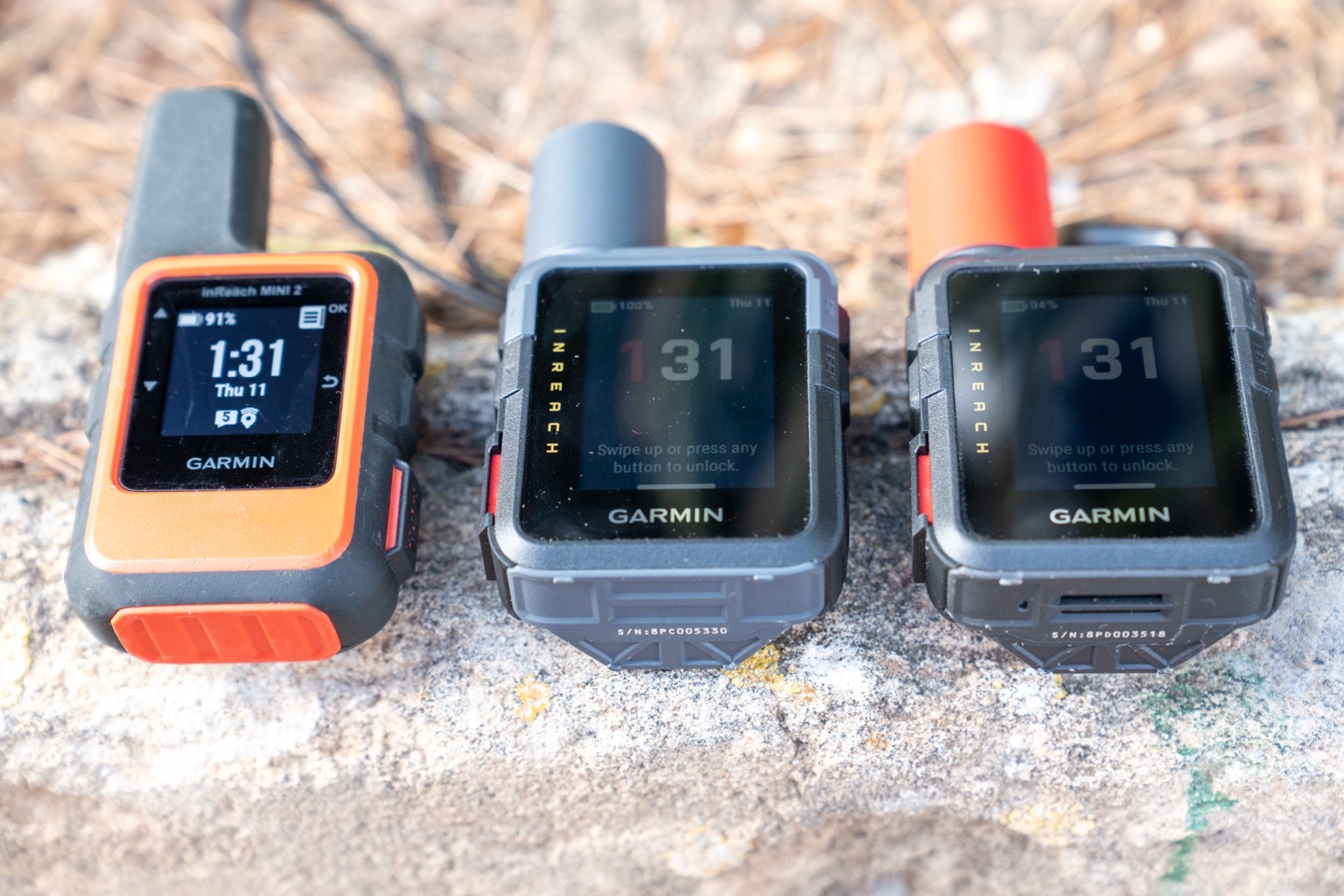
(Above left to right: inReach Mini 2, inReach Mini 3, inReach Mini 3 Plus)
There are two models for the inReach Mini 3, which share many of the base features, but actually have some notable differences. In any case, in comparison to the inReach Mini 2, here are the differences:
– Added ability to send/receive 30-second voice messages (Plus model only)
– Added ability to send/receive photo messages (Plus model only)
– Added microphone/speaker (Plus model only)
– Added larger 1,600-character message support (Plus model only)
– Switched from beeper to true speaker (Plus model only)
– Increased speed of sending messages (Plus model only)
– Added emergency siren (Plus model only)
– Changed antenna type to Iridium IMT module design (Plus model only)
– Enlarged exterior antenna design
– Increased display size from 0.9” to 1.9” display
– Increased from monochrome MIP display to 64-color MIP display
– Increased resolution from 176x176px to 306x230px
– Added touchscreen (still also has button controls too)
– Increased weight from 100g to 122g (125g for the Mini 3 Plus)
– Increased protection rating from IPX7 to IP67 (same 1-meter at 30 mins immersion, but increases dust protection)
– Added MIL-STD-810 rating
– Added barely usable base map (it is *NOT* a TopoActive map)
– Added Multi-Band GNSS/GPS (incl Beidou support)
– Added passcode protection
– Added Garmin Share
– Added Voice Notes (Plus model only)
– Added Voice Commands (Plus model only)
– Added controls menu
– Added sport profiles (aka activity types)
– Increased storage from 20MB previously to ~3.5GB
– Increased to ‘unlimited’ courses (previous was 100 limit)
– Increased to ‘unlimited’ activities (previous was 200 limit)
– Increased to ‘unlimited’ waypoints/favorites (previous was 1,000)
– Same USB-C connector (inReach Mini 2 had that, inReach Mini 1 had Micro-USB)
– Same battery life as before
– Price increased from $399 to $449 for the base unit/features, and $499 for the inReach Mini 3 Plus unit
– The Plus unit includes the carabiner clip/tether, yet somehow inexplicably, the base unit does not
Note that ‘unlimited’ means within the confines of the storage space of 3.5GB, rather than a hard-set quantity limit like before.
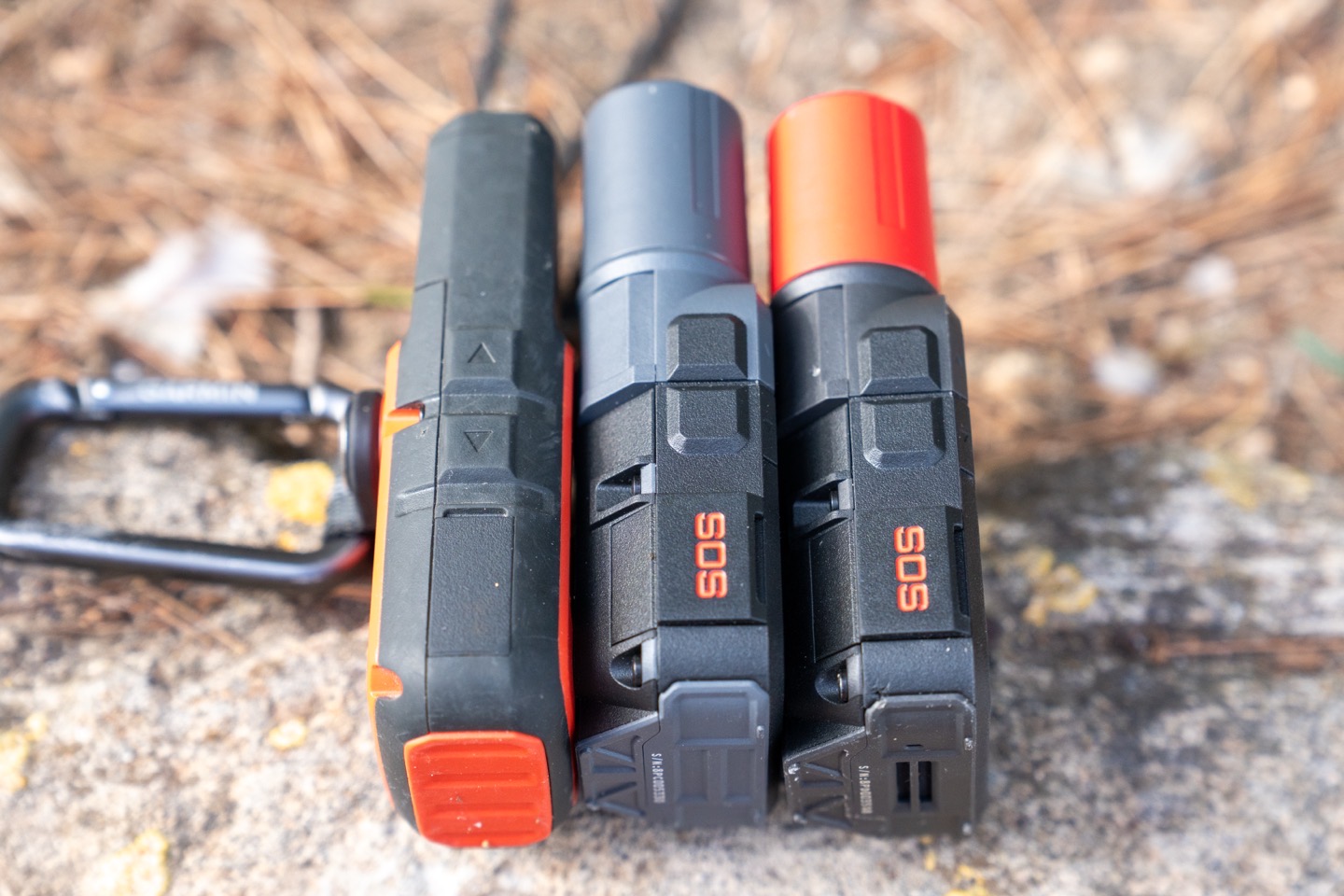
Here’s a quick look at the current and previous units side-by-side. Note that the two inReach Mini 3 variants are identical from an external shell standpoint, though have slightly different weights due to the different antennas/components that they use. In any case, here’s the inReach Mini 2 vs Mini 3 Plus from the side:
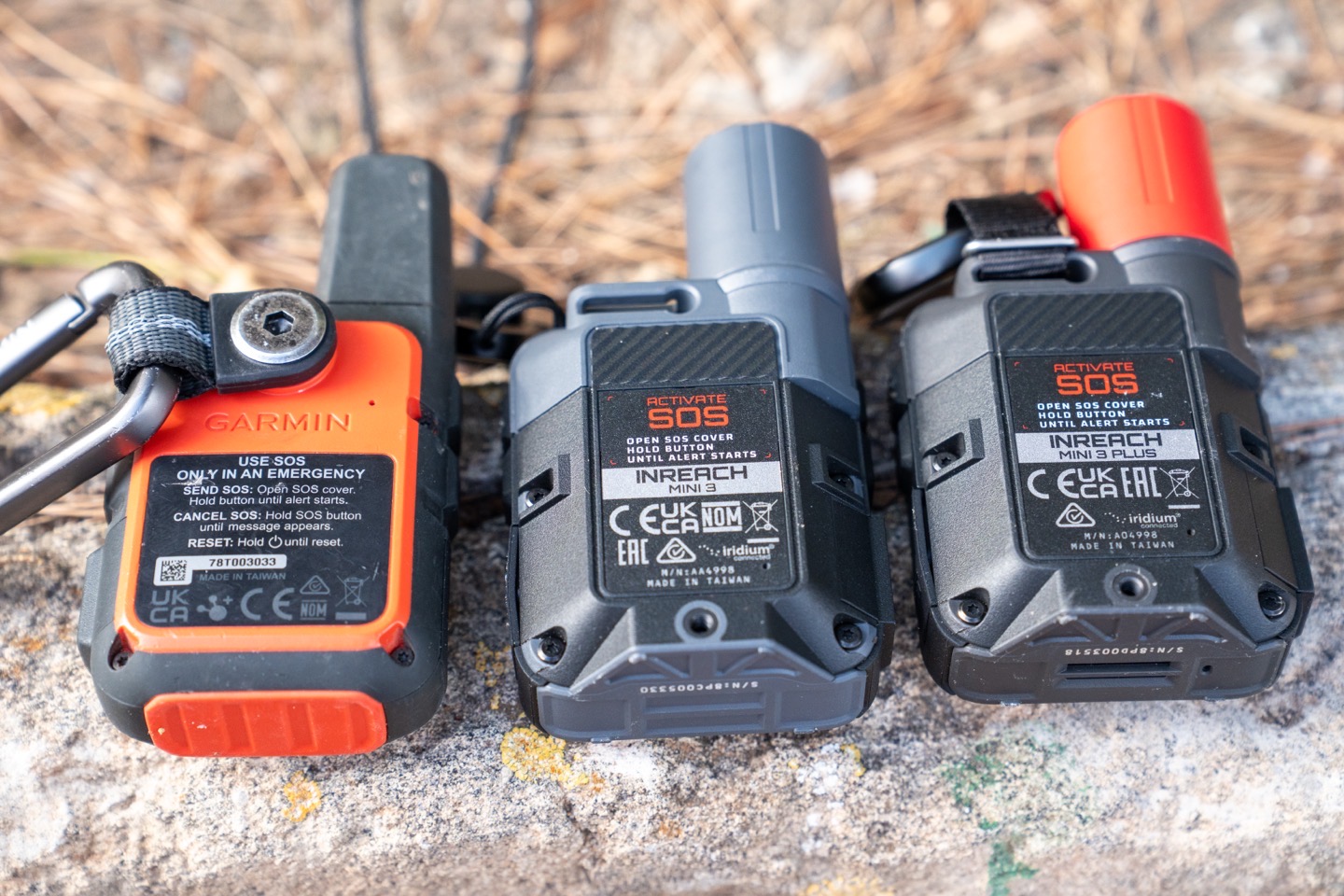
And the back. Note the new clip holder design towards the top (upper edge), which allows Garmin to upsell you an expensive clip adapter that you can then attach to various other accessories.
And here’s the weights (measured per my scale):
inReach Mini 2: 112g (with included carabiner)
inReach Mini 3 Base: 122g (without anything, cause it didn’t include any clips/tethers)
inReach Mini 3 Plus: 139g (with included carabiner, which adds 13g, so the Plus is ~4g heavier)
Next, let’s quickly look at the key differences between the two flavors of the Garmin inReach Mini 3 series.
Mini 3 Base vs Mini 3 Plus:
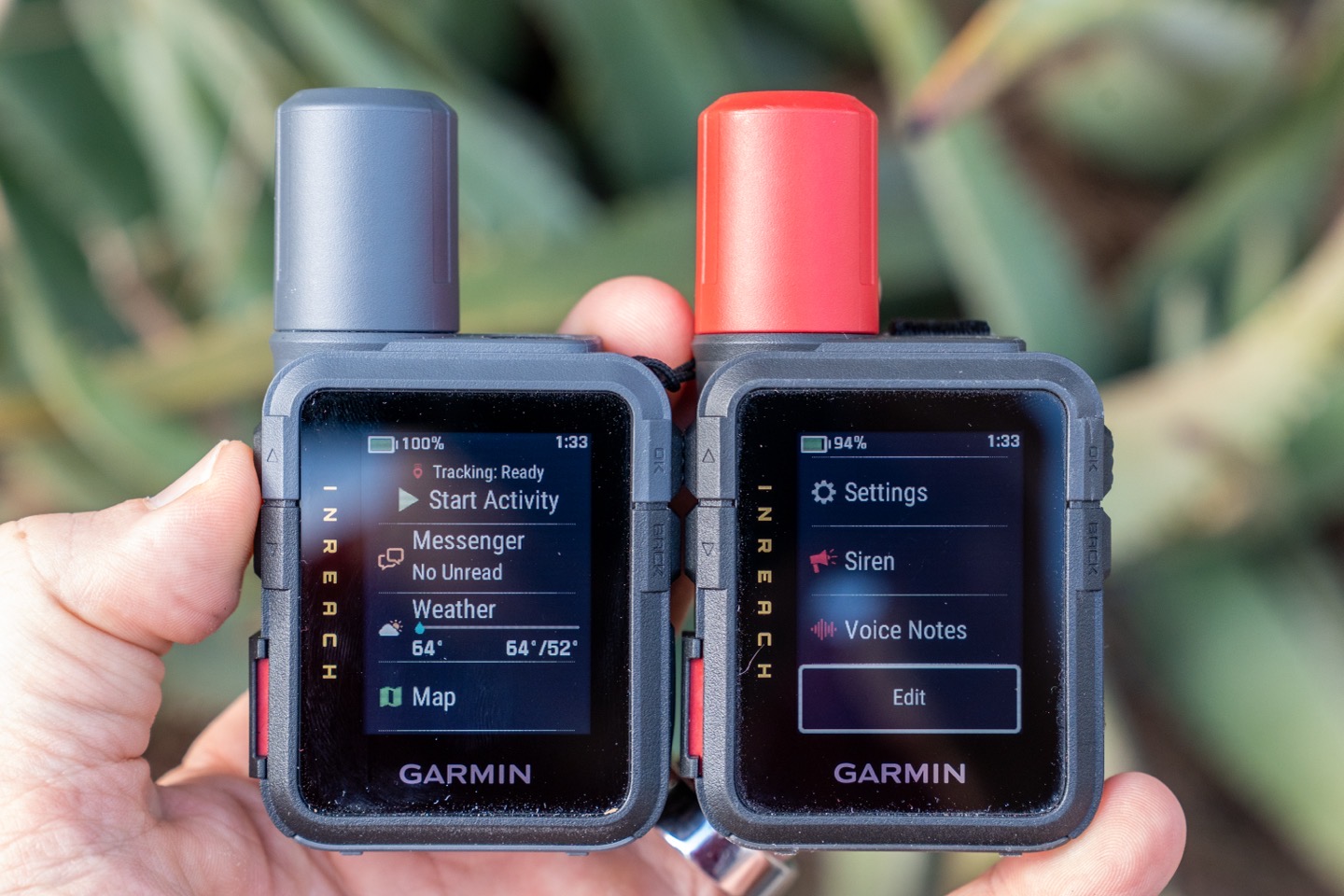
There are, of course, two versions here: the base unit at $449, and then the Plus units at $499. As you can probably surmise from earlier, there are some substantial hardware differences here, especially in relation to the antenna design. The inReach Mini 3 base is basically the same satellite antenna design as the inReach Mini 2. Whereas the inReach Mini 3 Plus is the much newer IMT antenna module, which is faster, and can support higher-bandwidth things like photos and audio. Likewise, the Plus unit has all the new speaker/microphone features, including the emergency siren. To be really frank upfront, at the current retail price difference of $50, it makes no sense to buy the base model.
Nonetheless, here are all the differences between them:
– Mini 3 Plus has Iridium IMT antenna module design (base unit has Iridium SBD – short burst data, module design)
– Mini 3 Plus has ability to send/receive 30-second voice messages
– Mini 3 Plus has ability to send/receive photo messages
– Mini 3 Plus has larger 1,600-character message support (versus 160 characters)
– Mini 3 Plus sends messages faster (due to different antenna/chipset design)
– Mini 3 Plus has true speaker (versus beeper)
– Mini 3 Plus has full microphone/speaker
– Mini 3 Plus supports voice notes
– Mini 3 Plus supports voice commands
– Mini 3 Plus has an emergency siren
– Mini 3 Plus maps have barely higher details that show more secondary roads than base map model (still mostly useless)
– Mini 3 Plus model includes the carabiner (Mini 3 includes no lanyard/tether/carabiner)
– Mini 3 Plus model has red antenna (and all black case border), base model has grey antenna (and grayish case border)
Again, I can’t see any reason that someone spending $449 for the base model wouldn’t just spend $499 for the Plus model. Concurrently, I don’t see any reason to buy the inReach Mini 3 *base* model over the existing Garmin inReach Mini 2, which is currently on sale for $249. At their core, they do the same things in terms of satellite tracking and messaging, whereas the inReach Mini 3 base model basically gets a new user interface and some increased course/route limits that almost nobody is going to hit in the real world (because it’s a nightmare to manage more than 100 routes on the device anyway).
Got all that? Good, let’s get onto it.
Subscription Requirements:
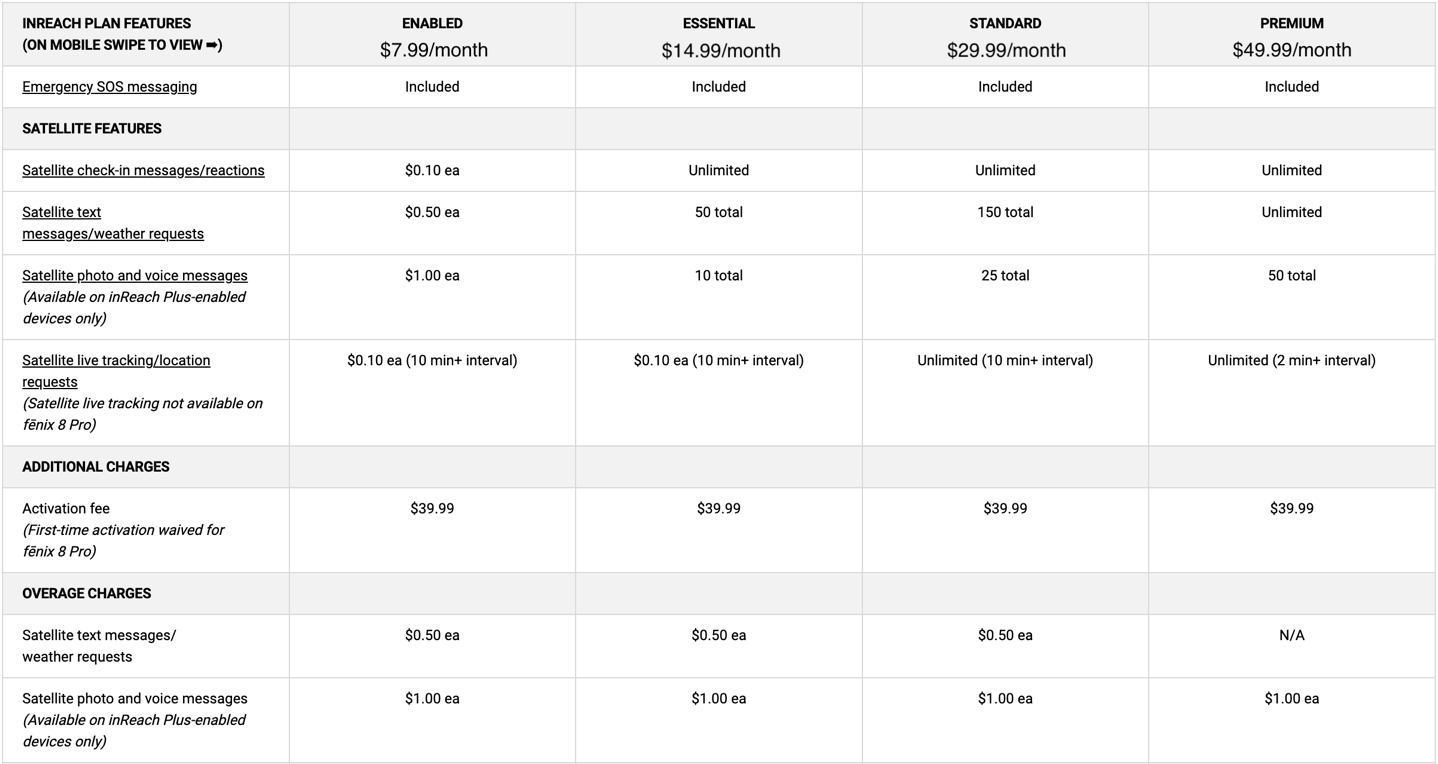
Before we get into things too deeply, I want to very briefly point out how the subscription pieces work. Below is a table of your options. Note the completely insane $39 activation fee for a new device. I could kinda-barely-sorta see this if you were constantly deactivating/reactivating a device (and even with that, I can’t really understand, though Garmin has semi-recently allowed you to resume a plan within 12 months to avoid a reactivation fee). But to buy a brand-new $500 inReach Mini 3 Plus and then get whacked with a $40 activation fee plus the subscription fee? C’mon.
Nonetheless, here’s that chart:
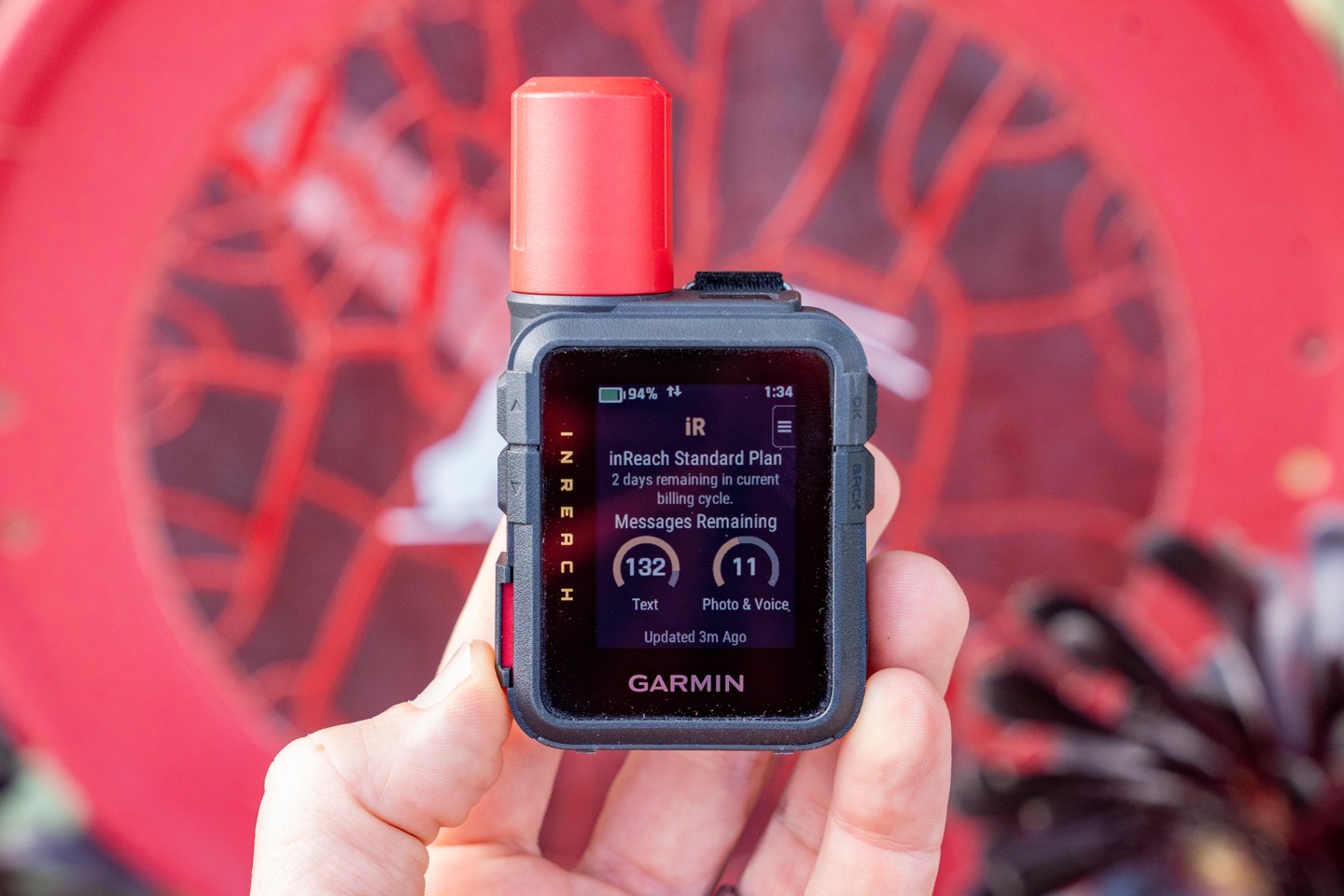
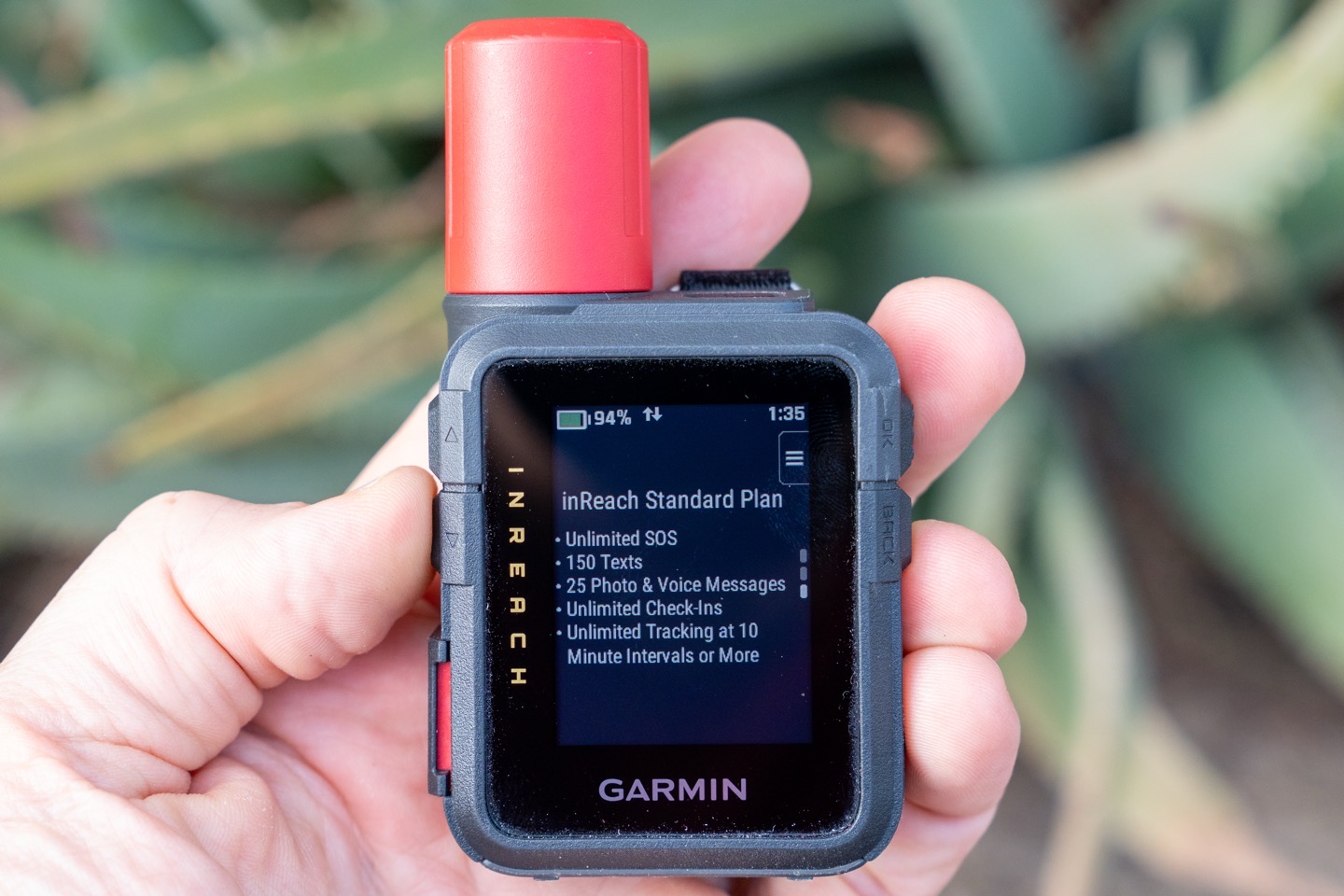
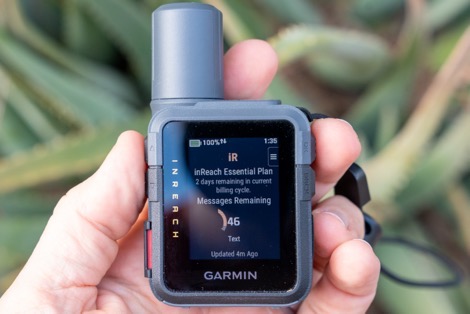
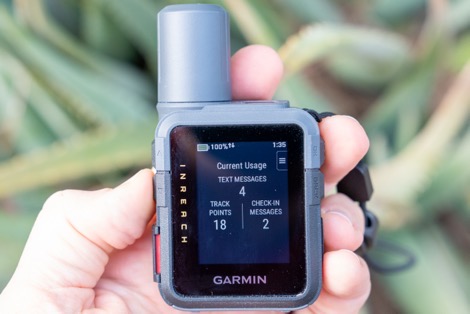
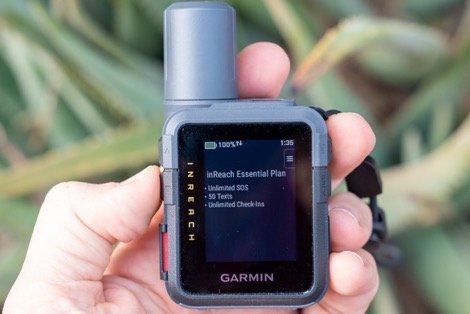
Note that the unit will automatically detect your plan, and even show you details of your current consumption, which I appreciate:
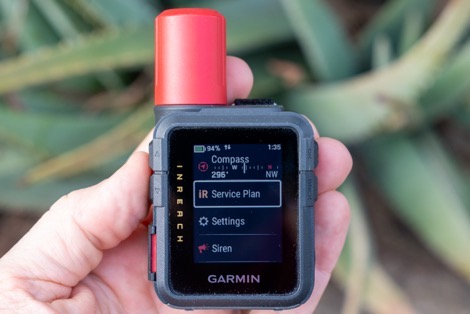
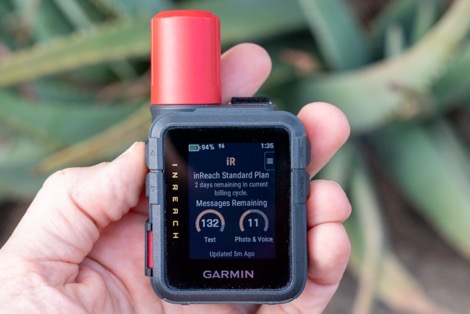
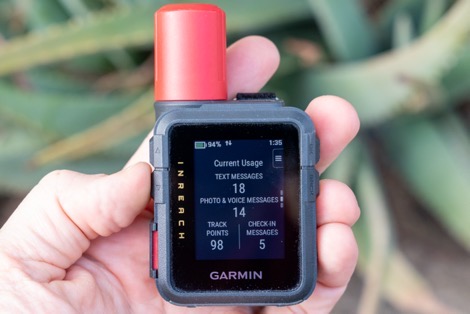
Thus, if you haven’t paid for the 2-minute tracking option (on Premium), it won’t show that as a tracking option (handy so you can’t get yourself in a financial pickle, racking up 2-minute charges for a two-week adventure).
Also, super importantly, if you have your phone with you, and the Garmin Messenger app open in the background, it’ll leverage that connection for any messages within cellular range. Meaning, you won’t pay for those messages. Said differently, if it sends via cellular on your phone instead of satellite, it’s free. You can see next to each message how it was sent, by the little satellite icon indicating it was sent that way. More on all that in a moment.
Thus, consider how much out of cellular range you’ll actually be, and then do some quick napkin math for track points. At 10/cents per 10 minutes tracking points, you’re basically looking at ~$5/day for an 8-hour day’s worth of tracking, assuming every point is non-cellular. But, if you’re just sorta mostly in cellular range, then you might be better off with an essentials plan and just paying the overages each month if the device is sparingly used. Or, used purely for SOS and some text messages.
Finally, it’s important to note that there are certain countries where inReach devices are banned (well, all satellite communicators are banned). Most of these countries (official list here) won’t be an issue for most inReach users; however, three countries in particular are more popular with Western travelers – specifically India, Thailand, and Vietnam. There have been a number of cases of people with Garmin inReach devices getting arrested in India, simply for possessing an inReach device. So just be aware of that.
In the Box:
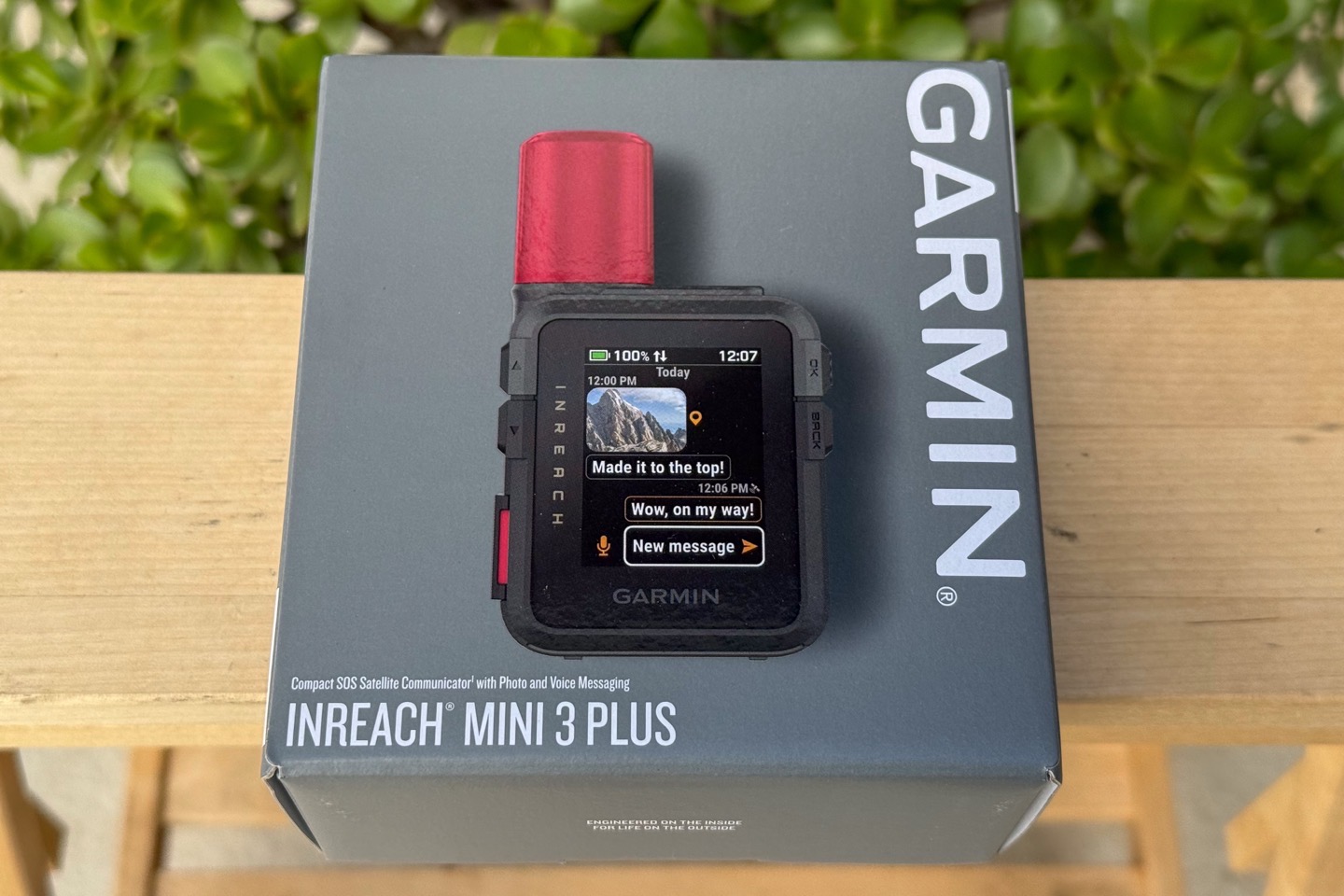
The box components are pretty straightforward here, and in the case of the base model, really exemplify an astounding level of cheapness on Garmin’s part. For a company that prides itself on being “premium”, the lack of a lanyard here is a solid slap in the face to consumers of a $449 device. Especially considering every one of their cycling devices, down to the cheapest bike computers they’ve ever made, has had a lanyard.
In any event, first up, the Plus model:
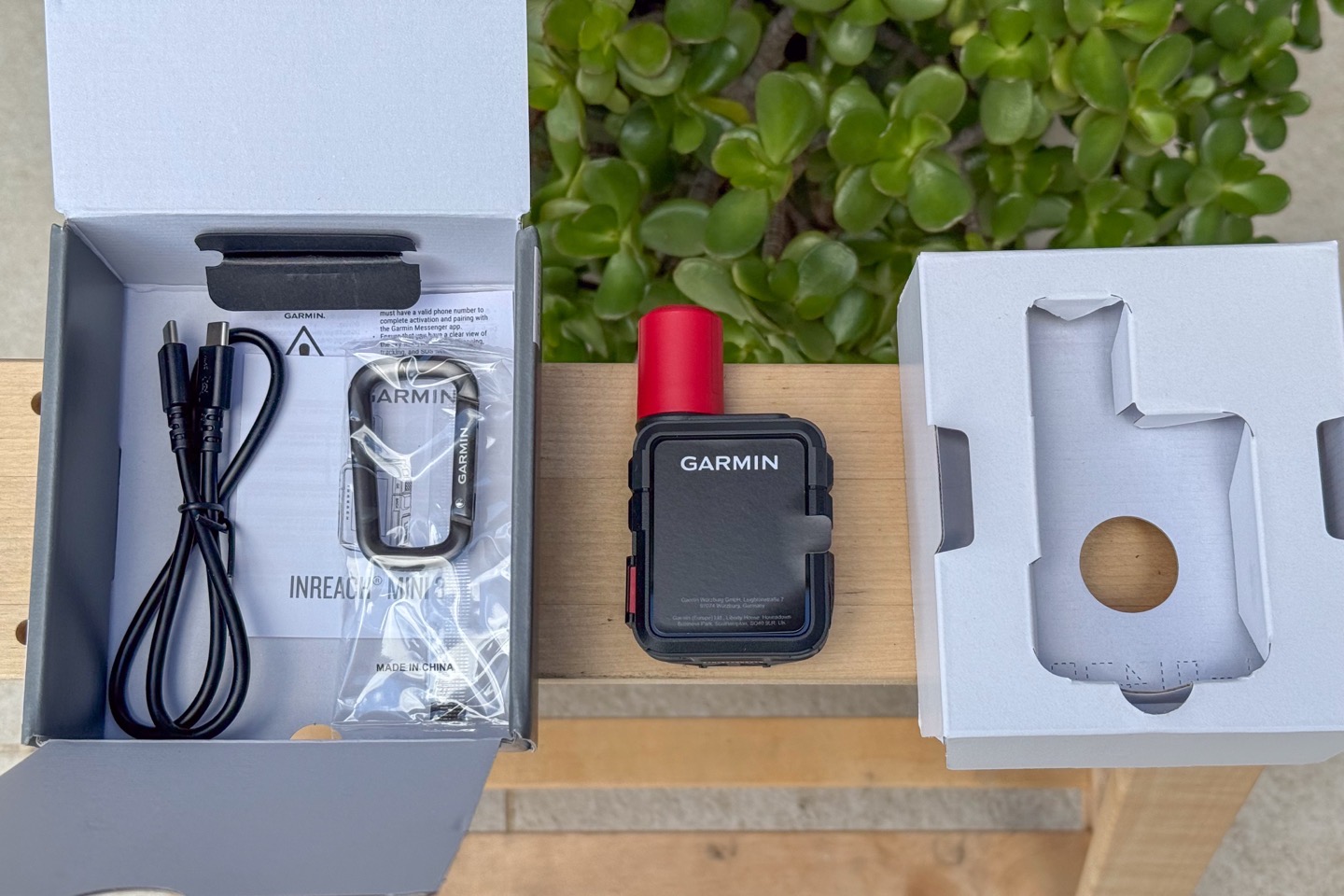
And those parts all laid out:
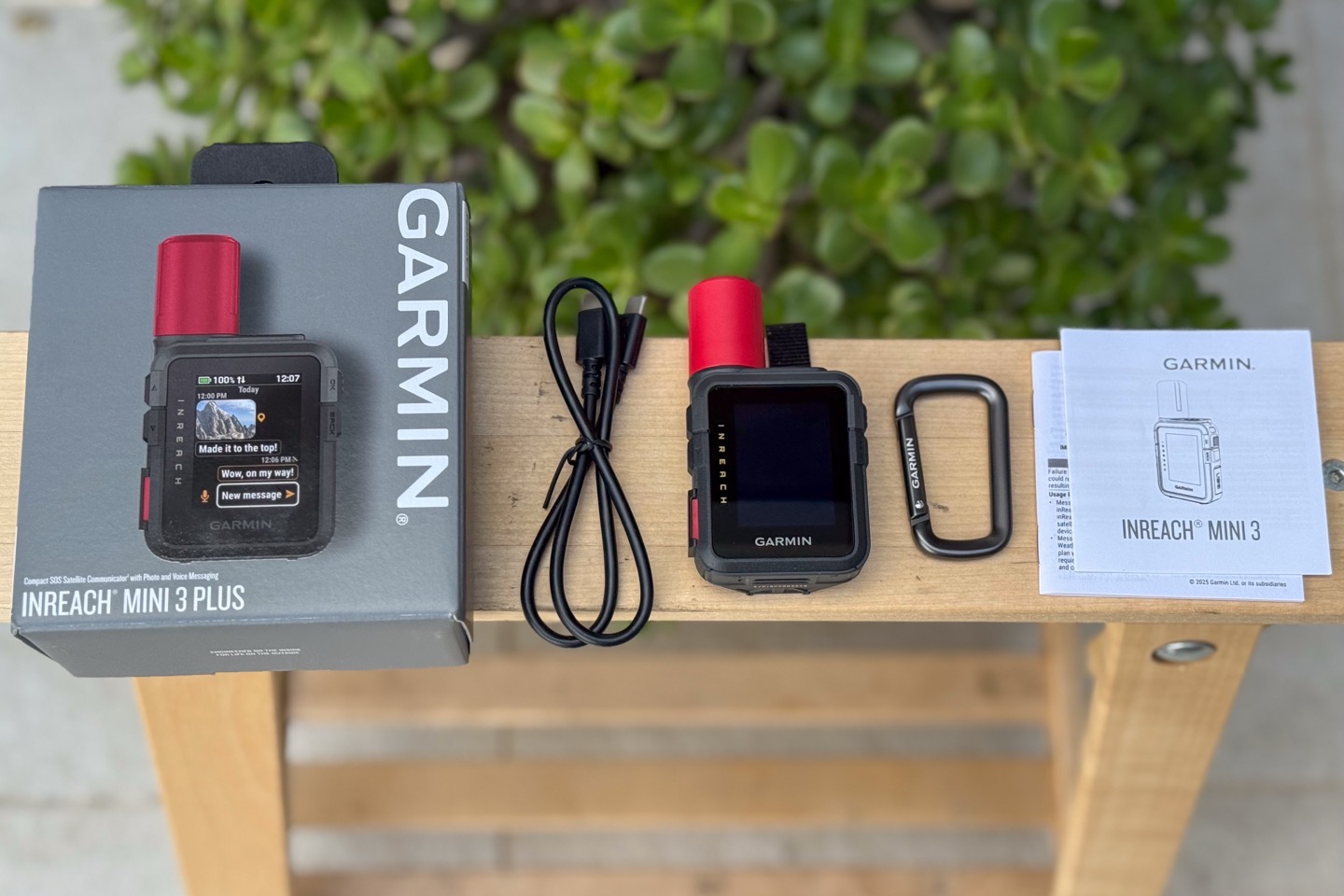
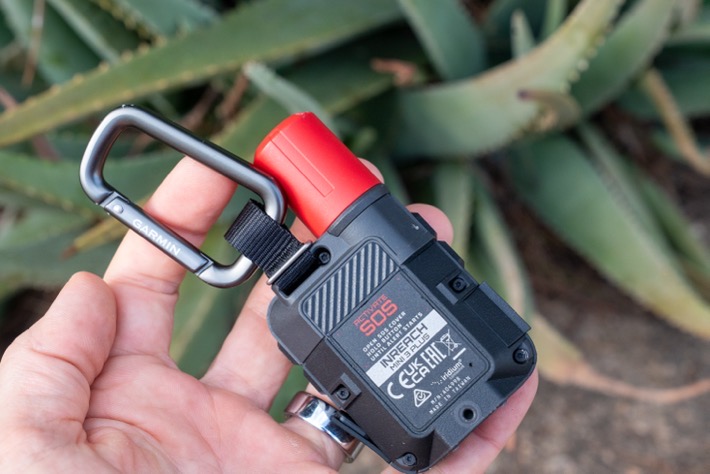
You can see the Plus model has a carabiner included, like all past Garmin inReach devices (all of which were cheaper). That carabiner attaches to a fabric portion you’ll see closer up later. But there’s also a small lanyard attachment point in the upper right corner, separate from that (on both units).
Meanwhile, here’s the base unit:
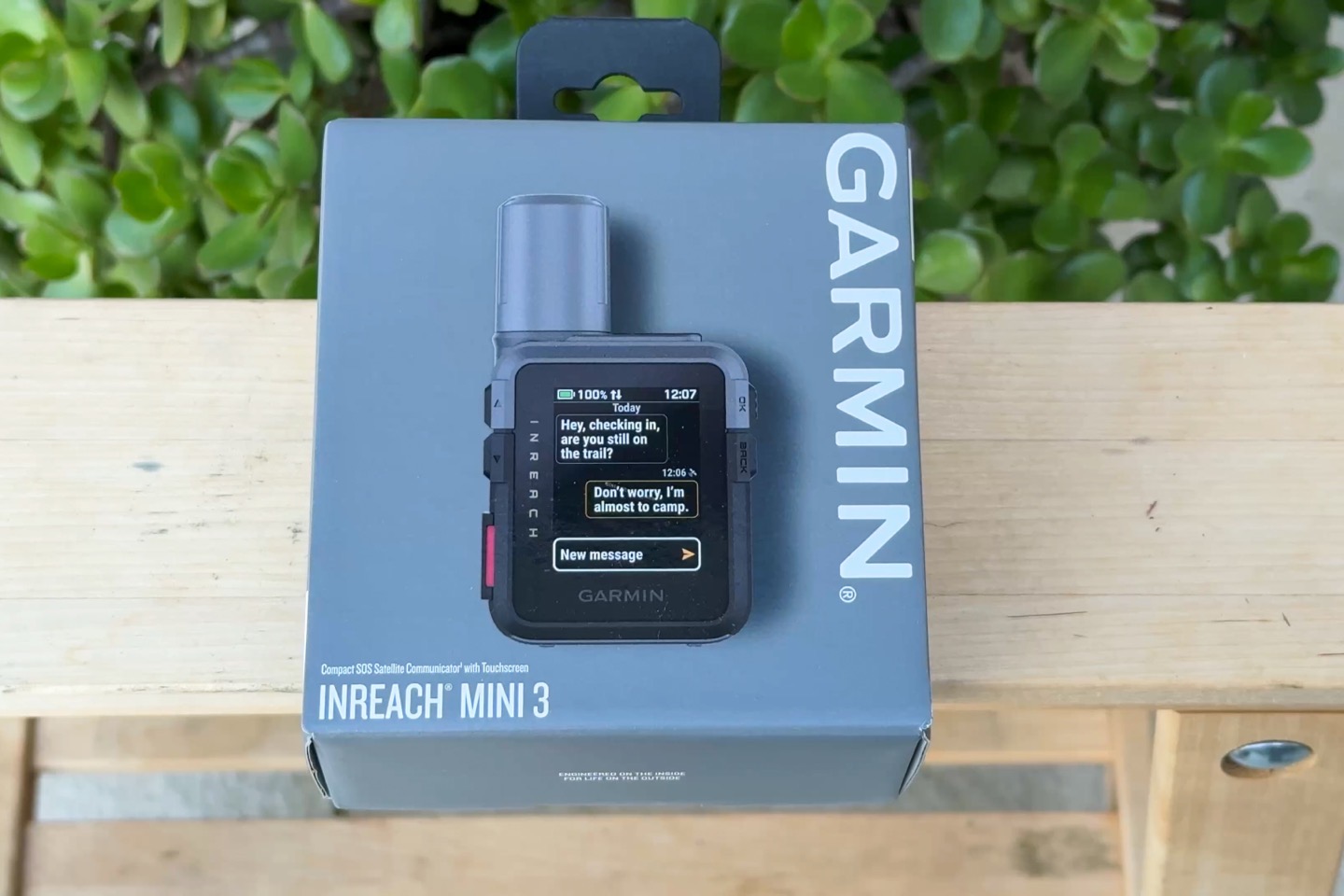
And here’s the box contents of that unit:
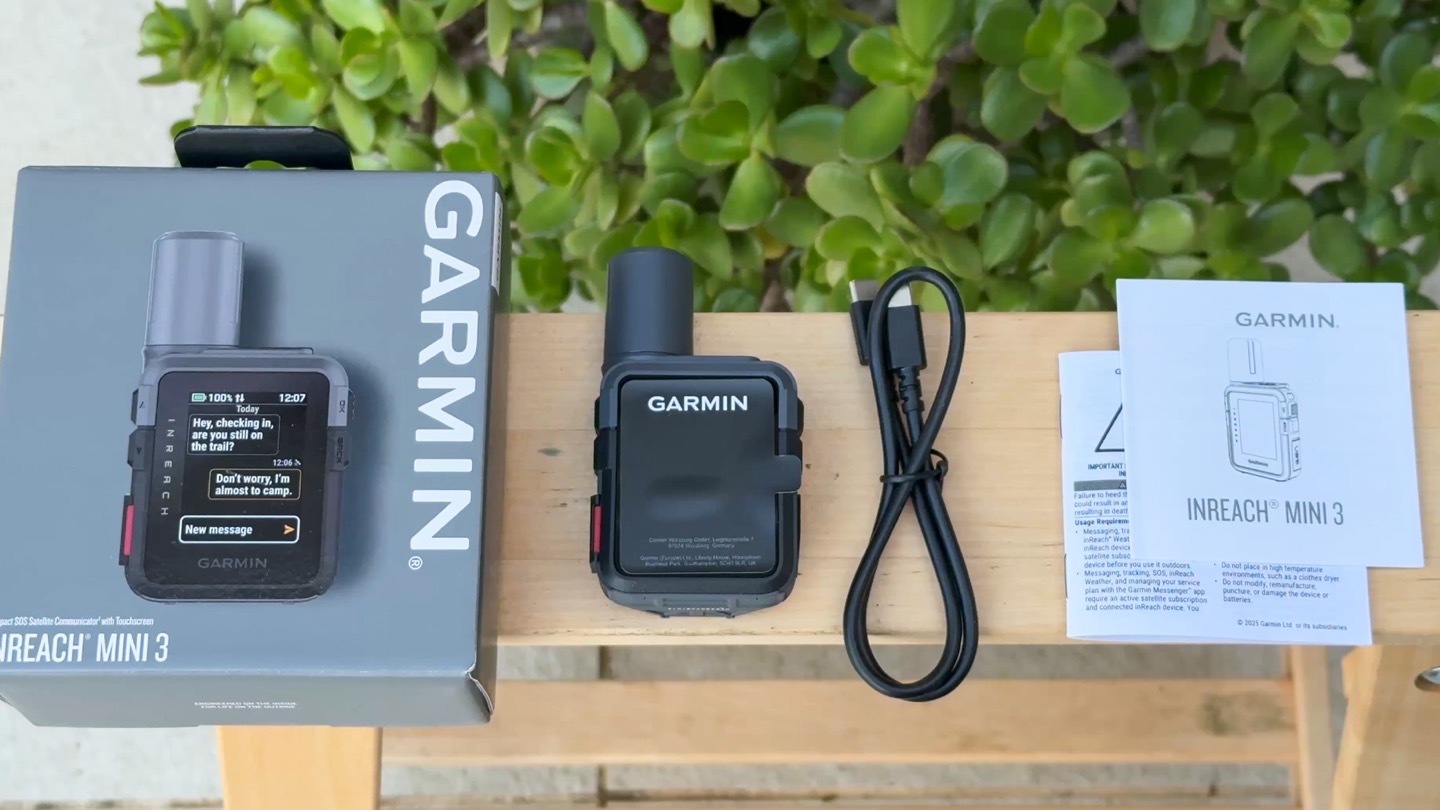
As you can see, no carabiner or lanyard. Look, I can (barely, but not really) understand the lack of carabiner. But no lanyard?!? C’mon. Garmin’s least expensive bike computer, currently the Garmin Edge 130 Plus at $149USD, includes a tether. This tether can’t cost them more than 20 to 30 cents.
Look, Garmin, you can’t have it both ways. You can’t be the premium brand, and then be cheap on things that every other company doing anything in this space is including for far far far lower prices (including yourself). On the bright side, as you’ll see repeatedly in this review, there’s no reason for you to purchase the base Mini 3 anyway, so…there’s that at least.
Basic Usage:
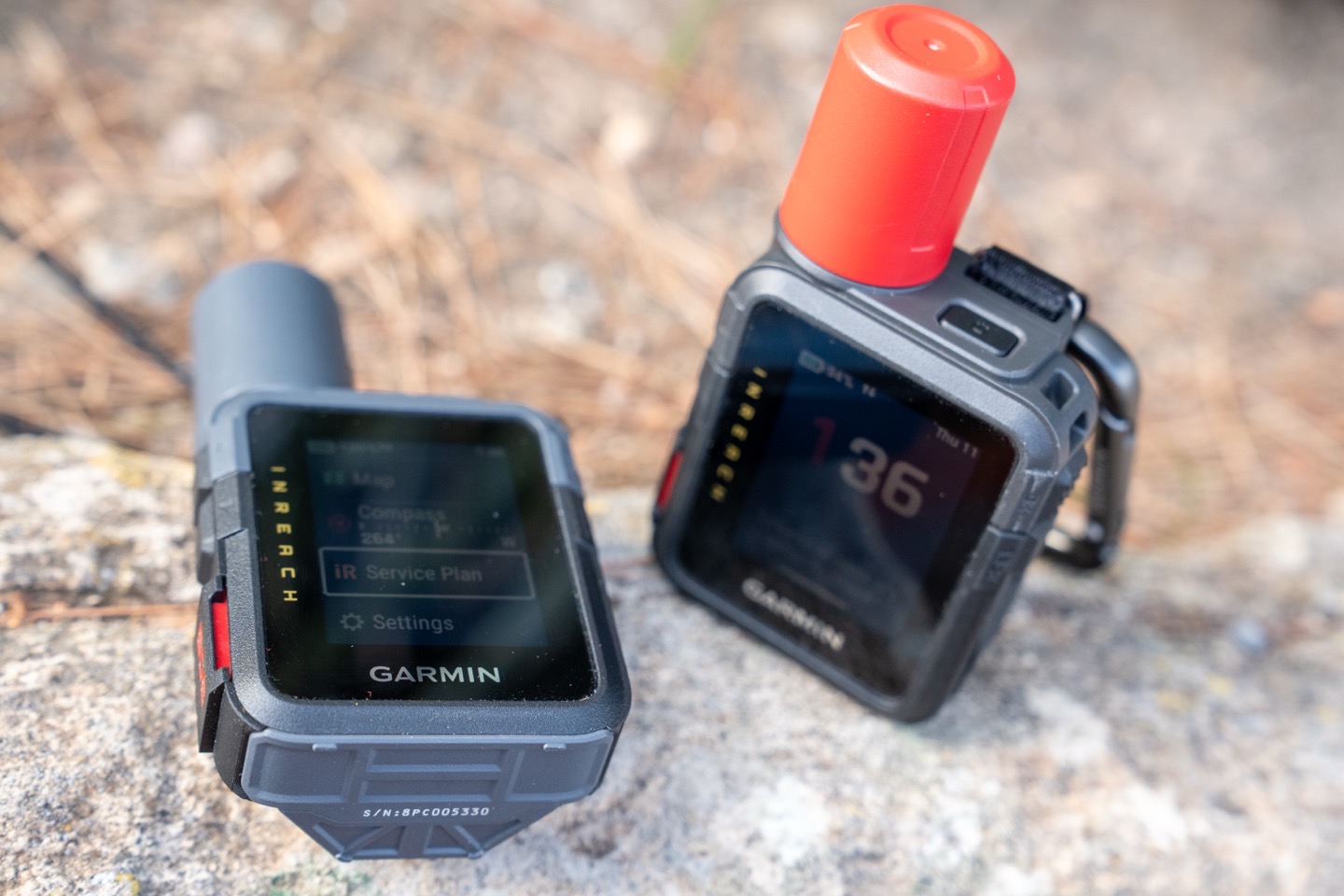
In this section, I’ll go through the hardware basics, as well as sending messages and starting activities.
First up, looking at the buttons, you’ve got five normal buttons in total, plus the touchscreen. Then, there is a dedicated SOS button under a cover. There’s a power button up top, then two buttons on the left and right sides (and again, the SOS button is separate, I’ll dig into that lower down).
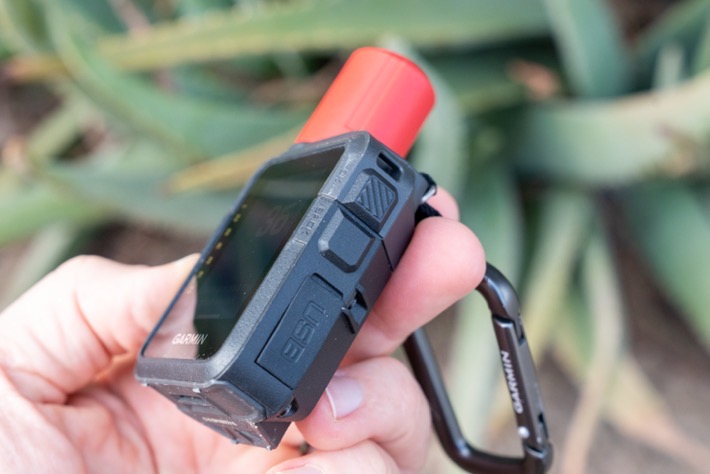
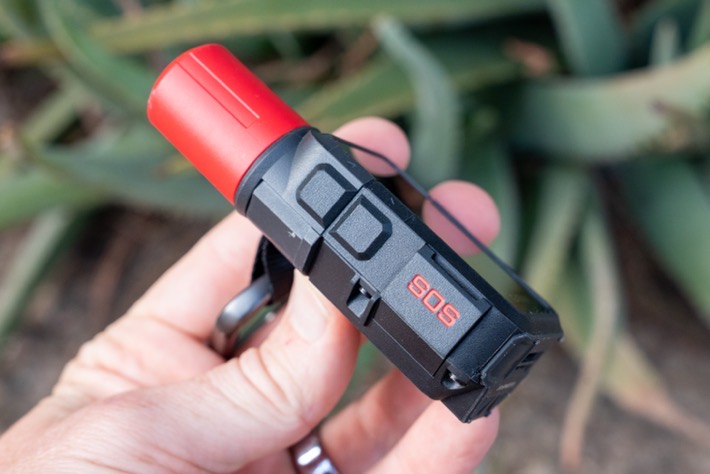
You can perform just about all of the functions using regular buttons, rather than the touchscreen. Still, that touchscreen does exist, which can make some things faster (such as typing messages). Though for typing long messages, I’d recommend just using your phone paired to it and typing them out there. Or, using voice messages on the Plus model.
In terms of usage with gloves or rain/water, the touchscreen does work with both, though it is sometimes fiddly, like most touchscreens. But still, it’s mostly good for swiping, but less ideal for typing.
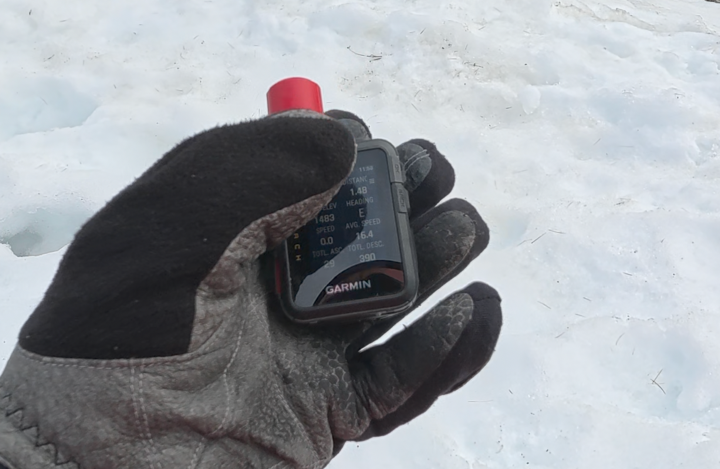
The USB-C charging port is located under a cover on the lower right side. The entire unit, even with the USB-C port open, has an IP67 water-resistance rating, so it can be submerged to 1 meter deep for 30 minutes.
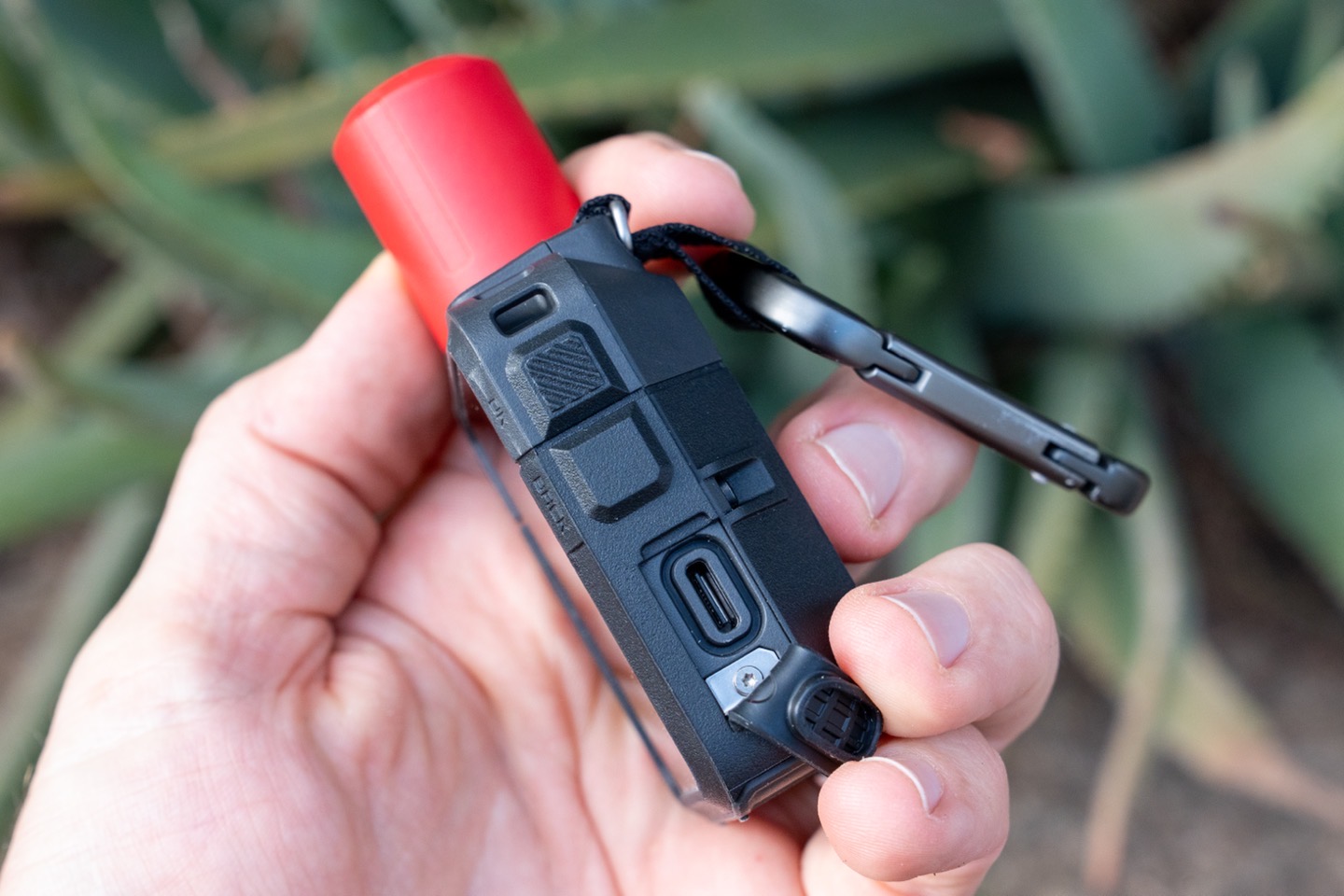
Thus, there are no issues with saltwater spray or anything else. In fact, I let it float in the saltwater for an hour or so on one of my sailing days…just for fun. Of course, you’d normally want it attached to your person if doing any water sport where detaching/ejecting oneself from the boat in question is a viable/likely/prominent scenario.
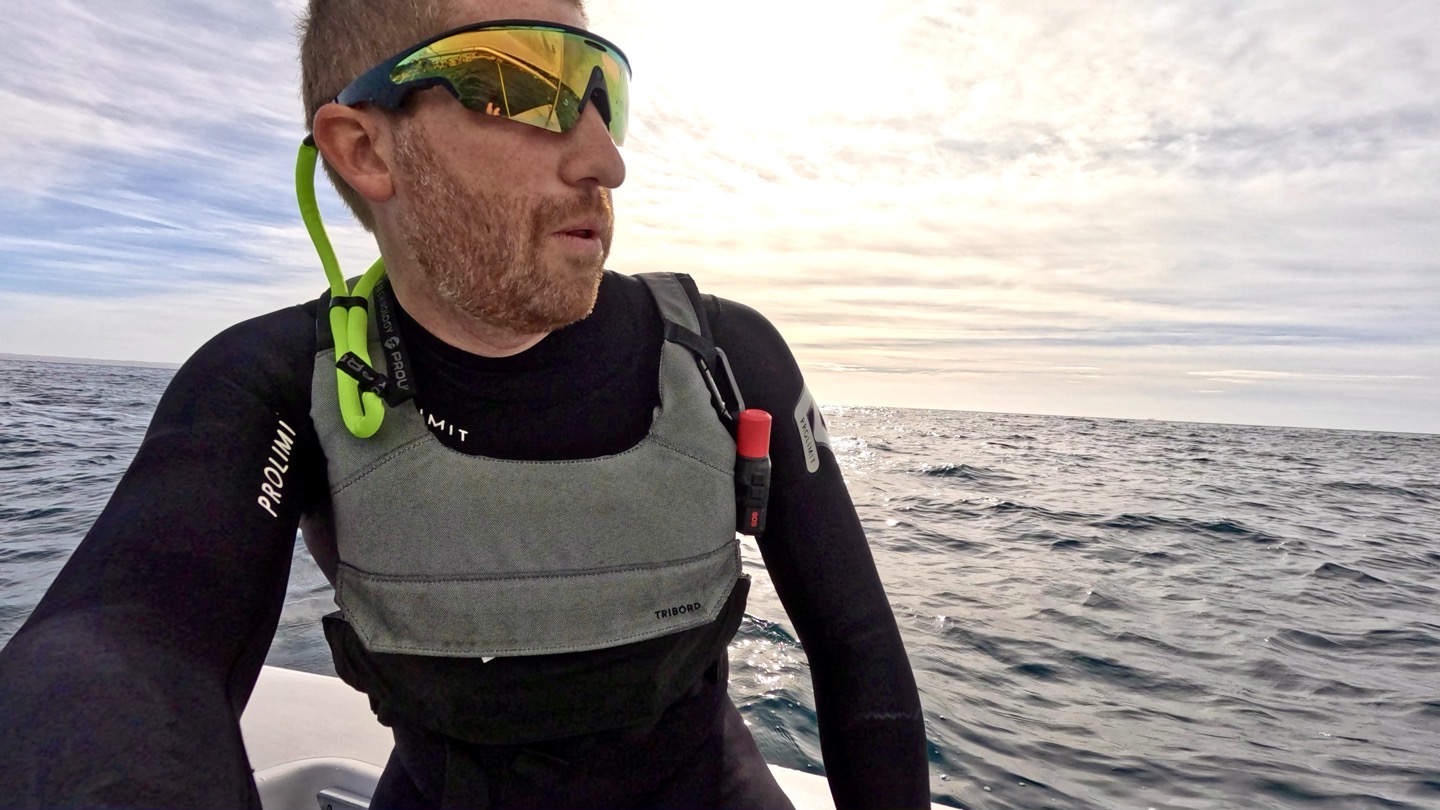
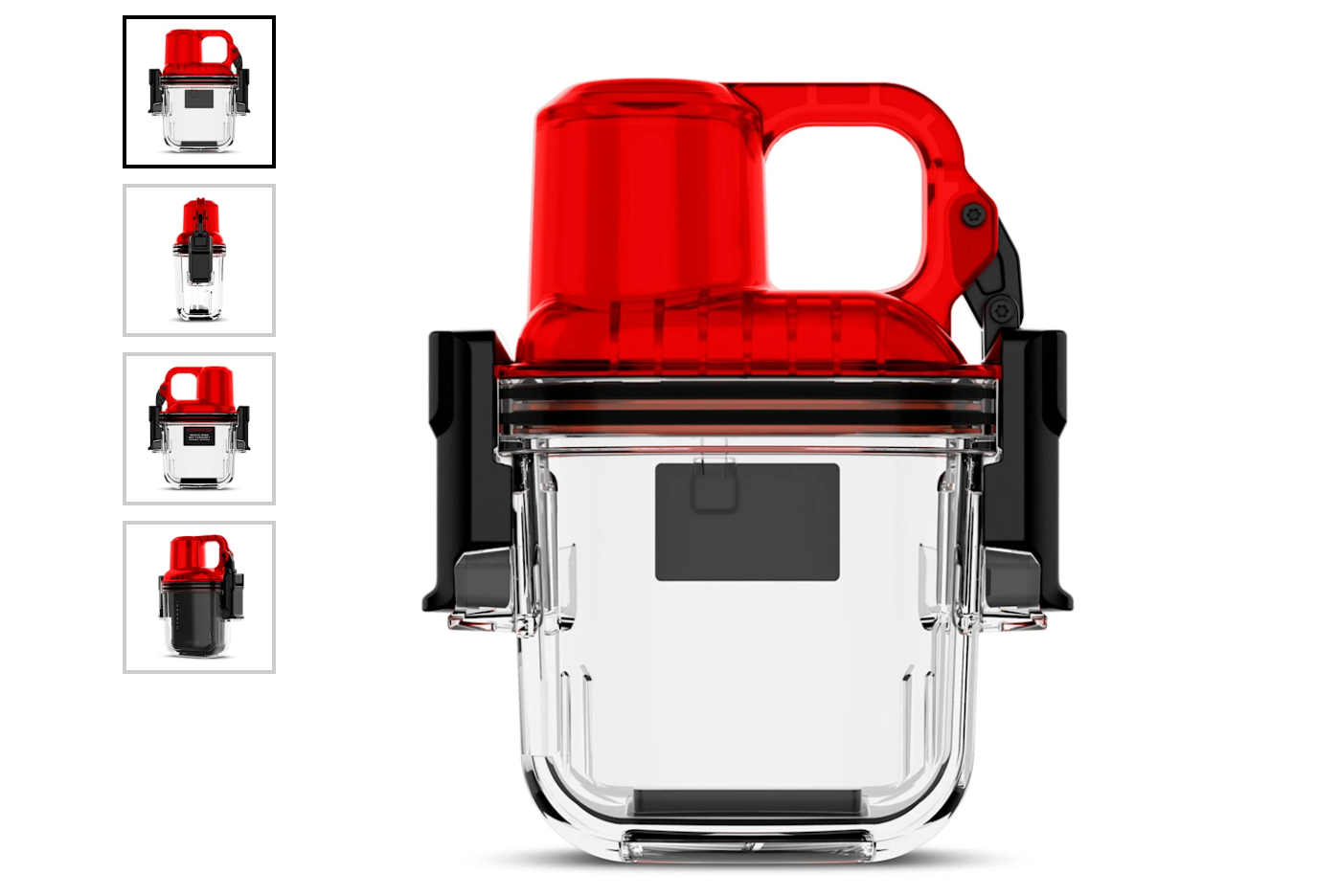
For those diving, you can also get a dedicated waterproof case for it (good down to 100m/328ft). While the messages won’t transmit once underwater, this lets you bring it down to that 100m depth, and then once you surface, you can send text messages to the boat that apparently left you in the middle of the ocean. I have one on order, but it still hasn’t shipped yet.
Note that the inReach Mini 3 case is physically different than the inReach Mini 2 case, and unfortunately, they are not cross-compatible.
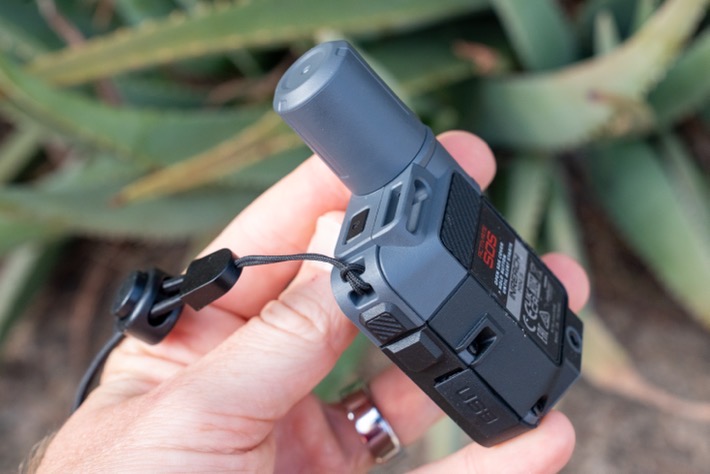
As noted earlier, you can see the carabiner clip on the Plus model. Whereas for the base model, I stole a tether from a GoPro selfie stick I had, and that worked just fine. You can see the tether attachment point on the corner (on both units).
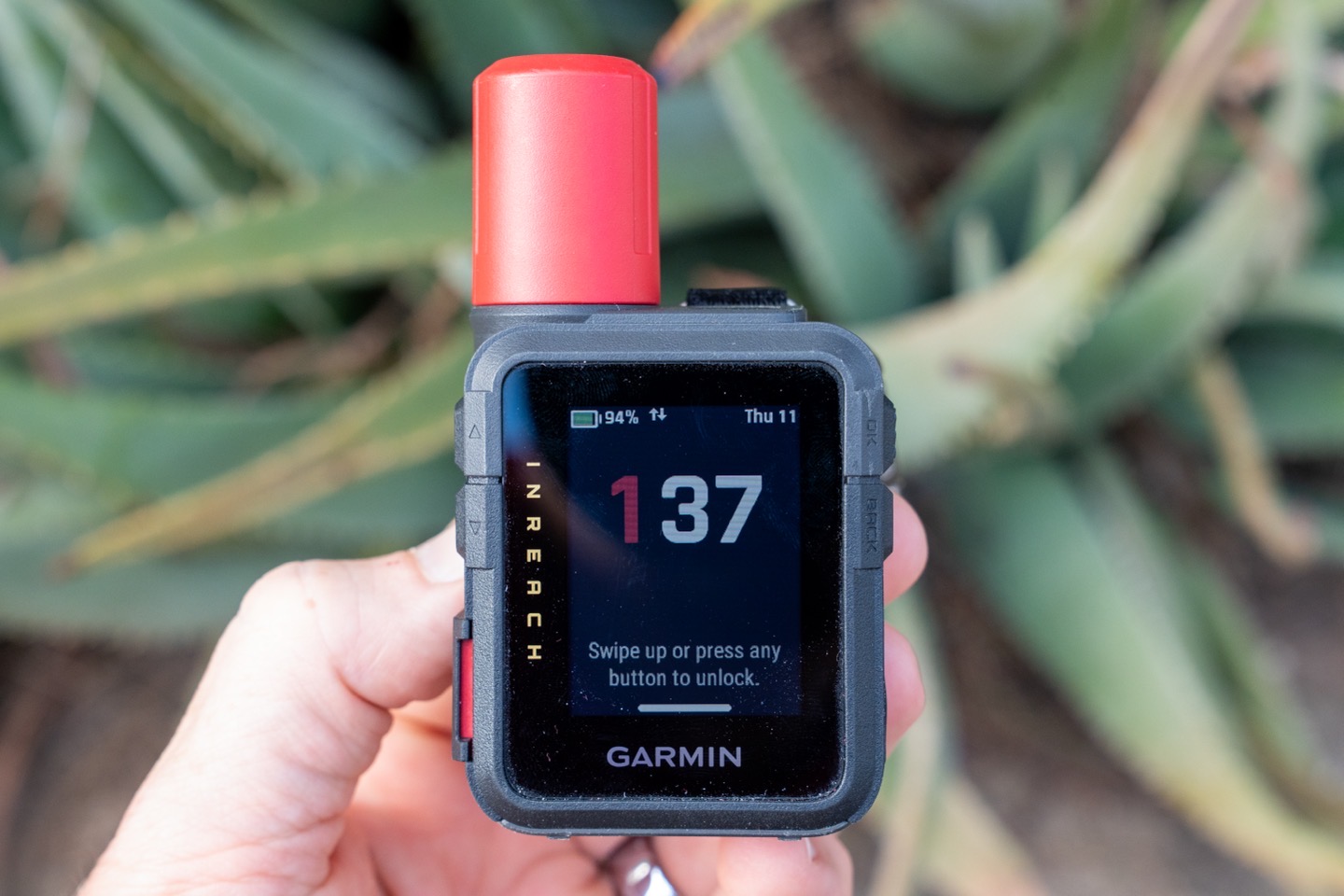
Once powered on, it’ll by default show the time, along with battery status and date on the upper edge (it’ll also show if it’s sending messages here too):
If you press one of the buttons, you’ll be on the main screen. This is kinda like your main widgets panel on a watch, and you can customize the order of some of these here (for example, adding/removing widgets you don’t care about like the compass or map, etc…). In my case, I added the Siren to this list.
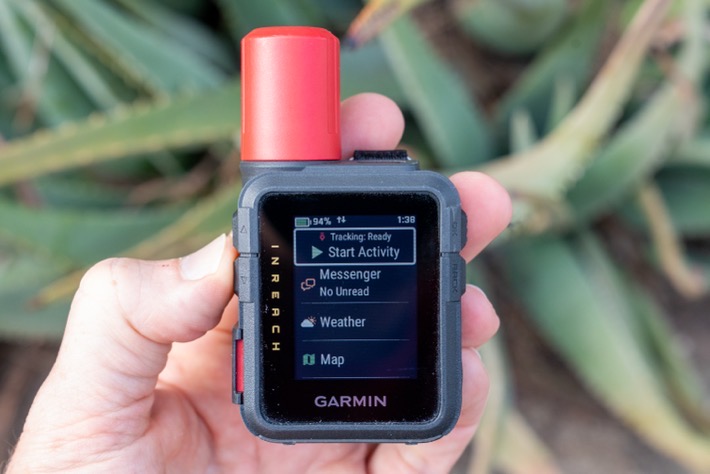
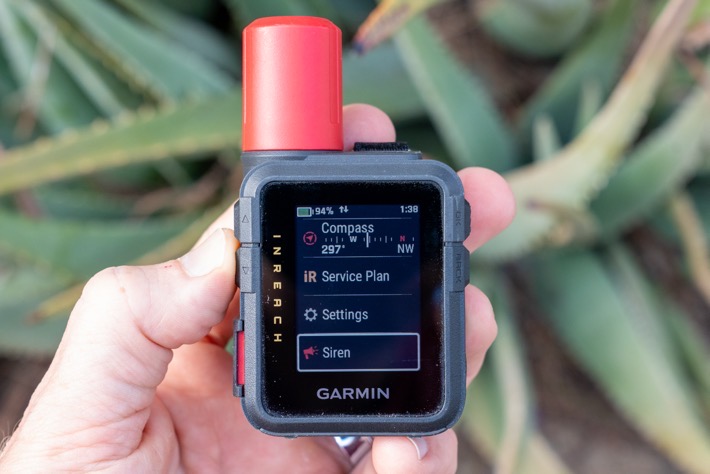
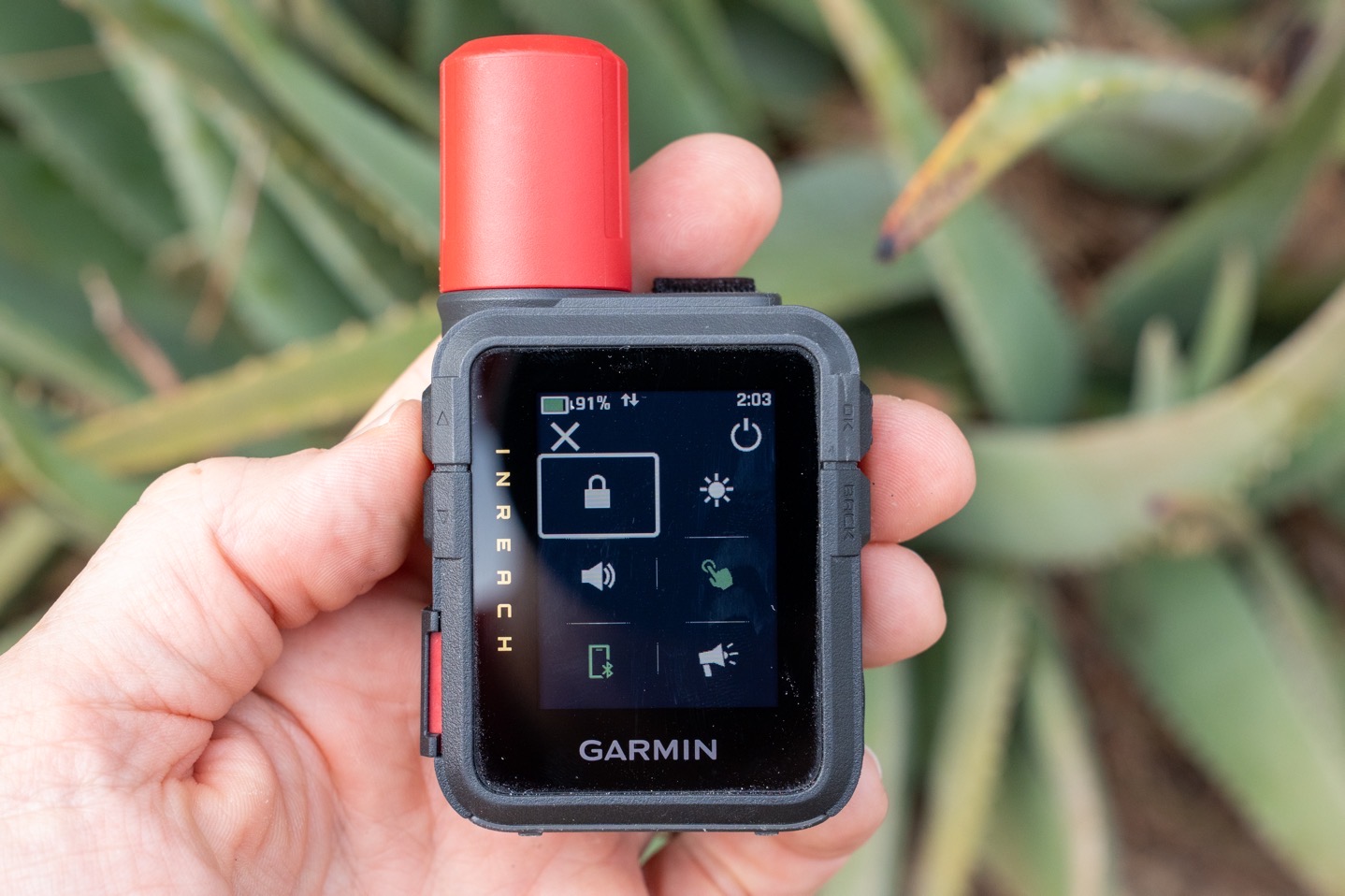
In addition, you can swipe down from the top to access a bit of a quick-access controls menu. This is the one UI element I found a bit fiddly though, and didn’t always respond quickly (or at all), when I’d try and swipe down. Garmin noted that if you long-hold the power button for 2 seconds, it’ll also bring up the menu.
Now, getting into some of the basics of the way inReach works from a tracking standpoint, there are technically two different levels of recording an adventure/activity:
Activity Tracking: This is when you want to record your activity (like a hike), and want that time/distance/etc data as well
Satellite Tracking: This is when you send your position out, and someone can track you (e.g., at 10-minute intervals)
You can do an activity without satellite tracking, though by default will stay in sync. So when you start an activity/workout, it’ll start the satellite tracking too. Here you can see the default page when you’re about to start an activity/tracking:
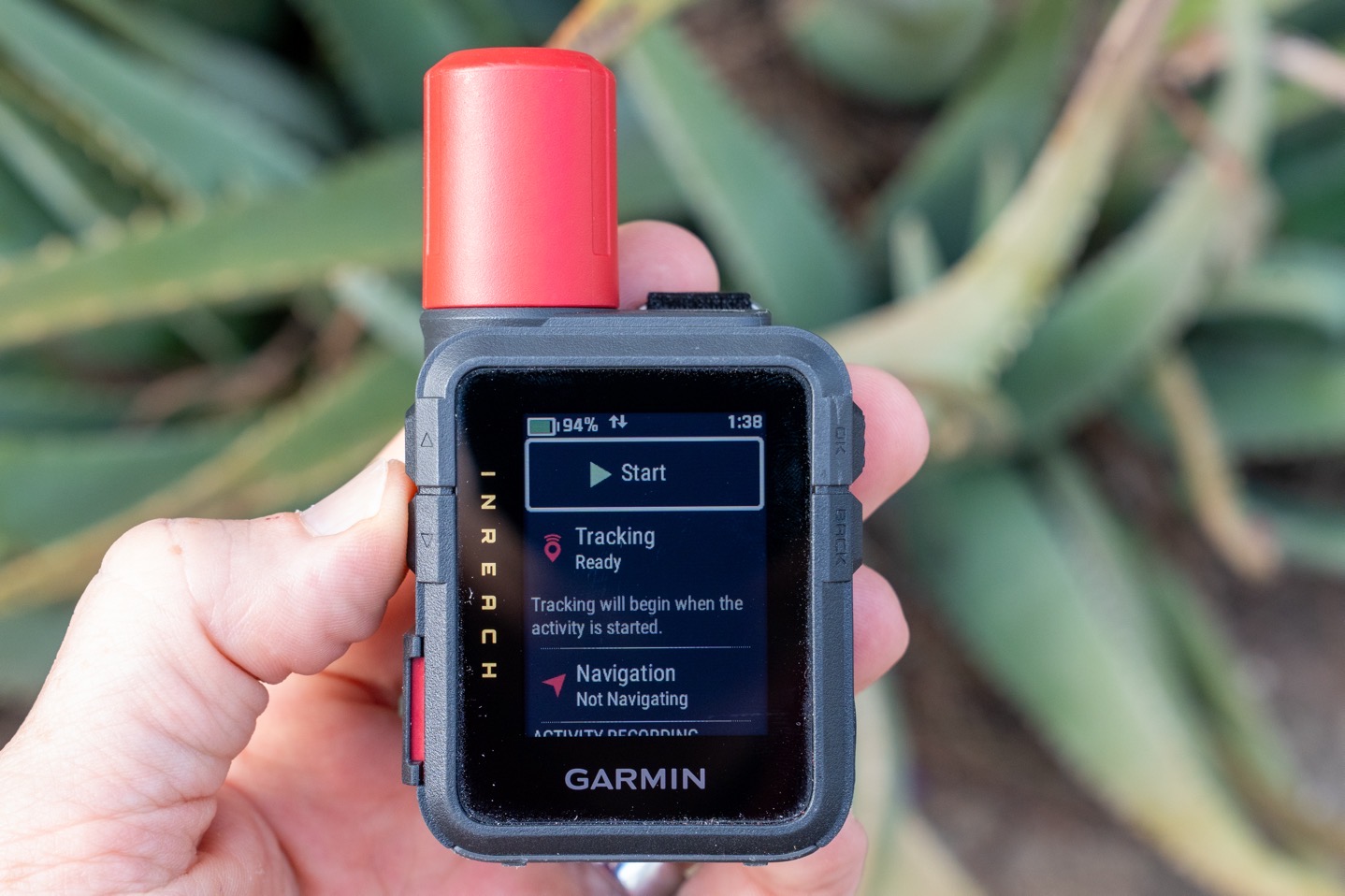
If you scroll down from there, you can change the sport type as well. This is new on the inReach 3, and allows you to categorize things a bit easier later on:
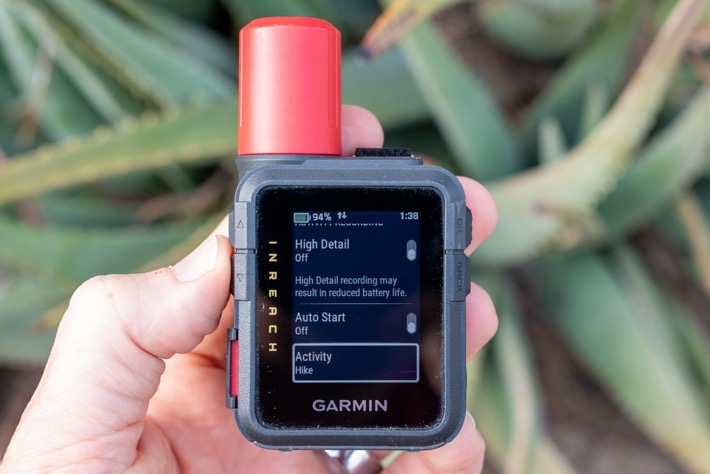
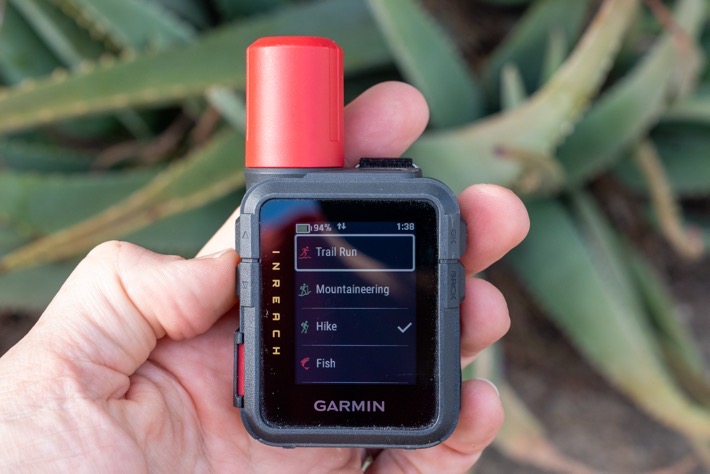
Here are the sport types it has, though, again, don’t overthink this. It doesn’t have any meaningful extra features for different sport types like a watch might. Likewise, you can’t pair up any fitness sensors like ANT+/Bluetooth chest straps, power meters, or things like that.
inReach 3 Sport/Activity Types: Trail Run, Mountaineering, Hike, Fish, Hunt, Flying, Track Me, Boat, Kayak, Sail, Bike, MTB, Ski, Snowboard, Snowmobile, Overland, Drive
In addition, there’s the option to turn on ‘High Detail’ for Activity Recording. This is specifically going to increase the recording rate from ‘every once in a while’ to ‘every second’. This does *NOT* change how often it transmits your track via satellite. Nor does it even change what it transmits via satellite to be higher resolution. It is simply changing the track detail on the recorded file for later reference.
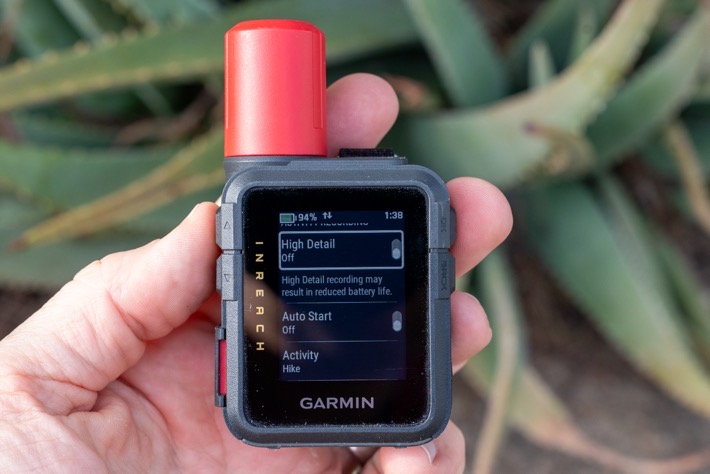
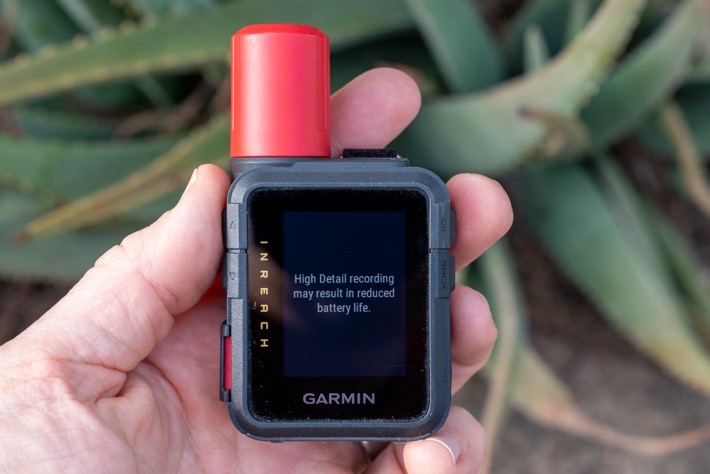
This does increase battery usage a fair bit, though. However, it makes your distances shown on the unit spot-on perfectly accurate. However, the distance transmitted on Garmin LiveTrack/MapShare will still be wrong/shorter.
As a simple example of this, you can see below the difference between what the unit sent out via satellite (10-minute tracking), and my actual recorded track in the boat:
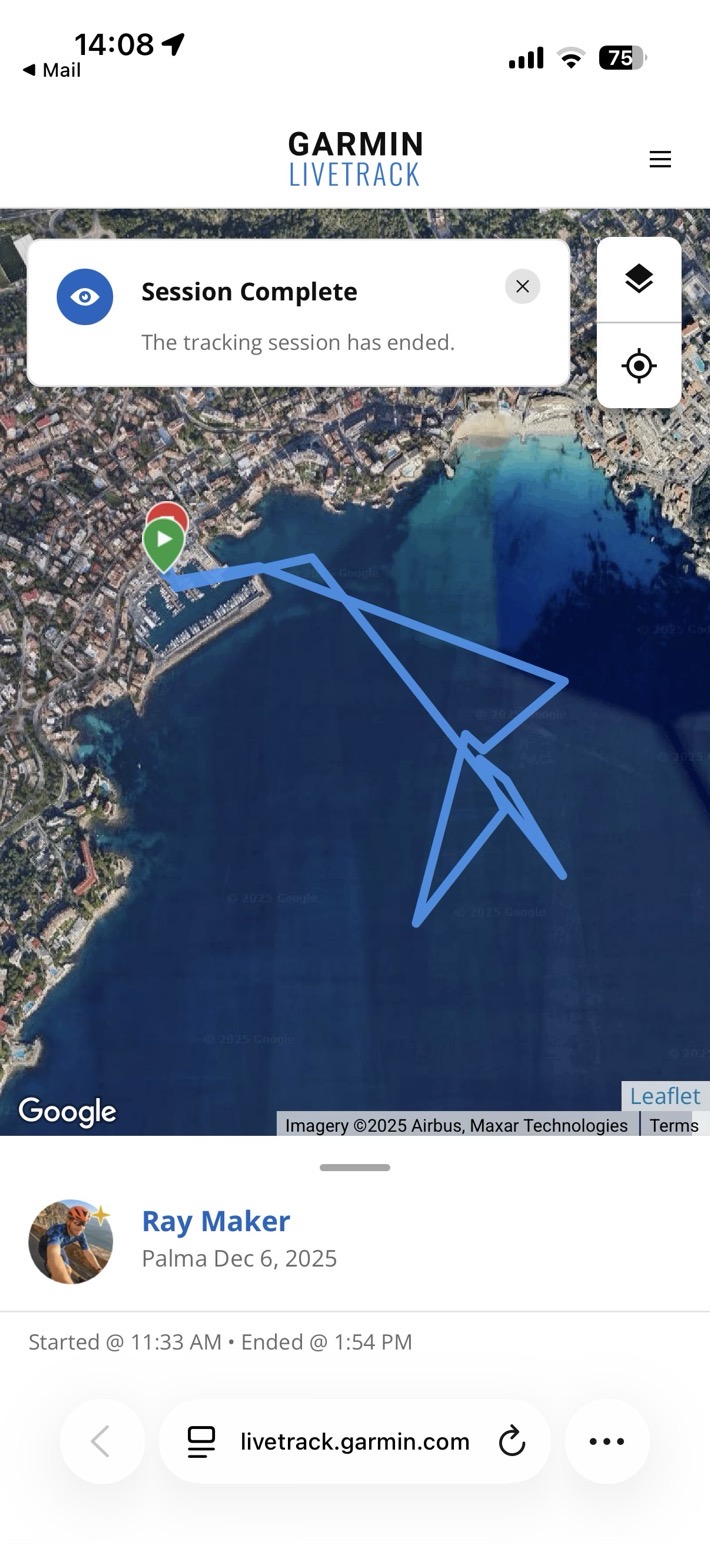
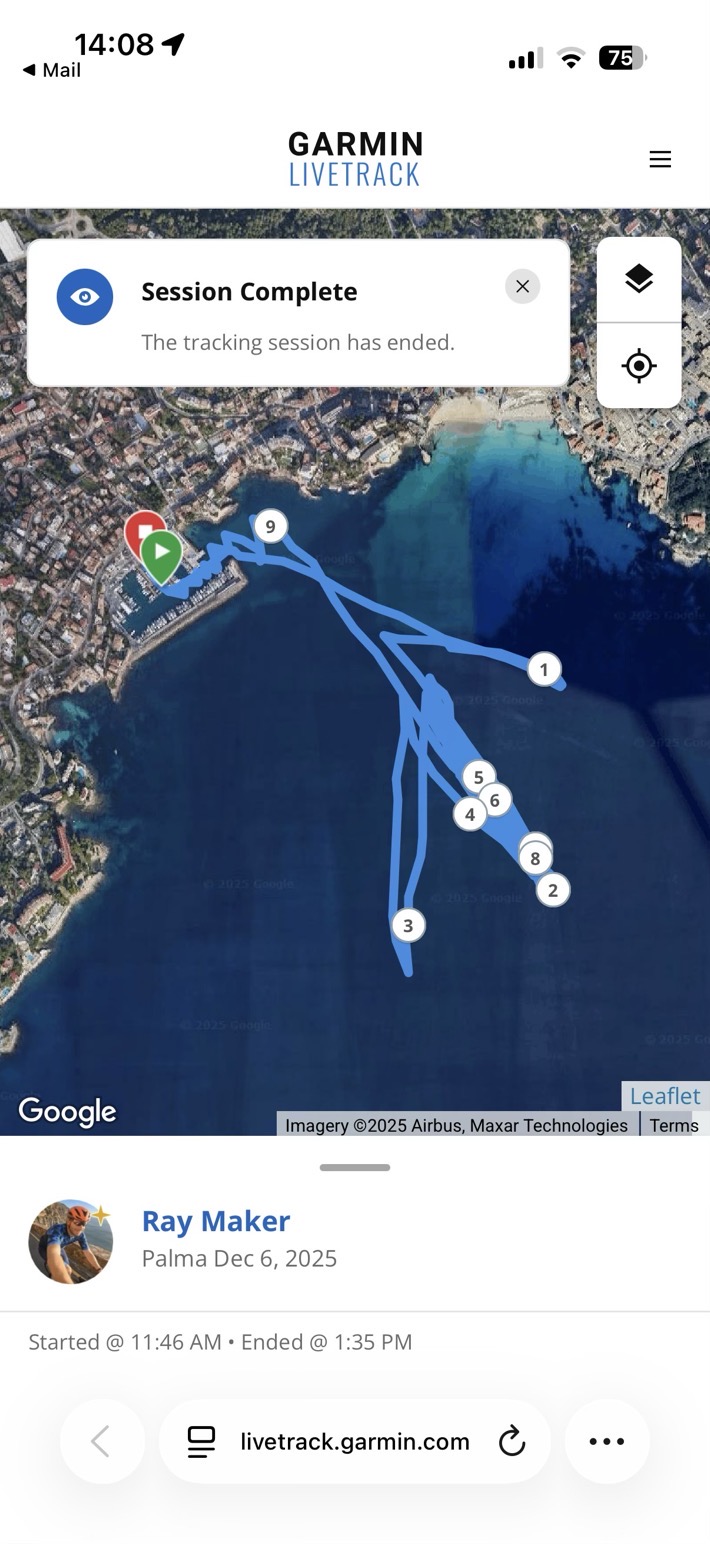
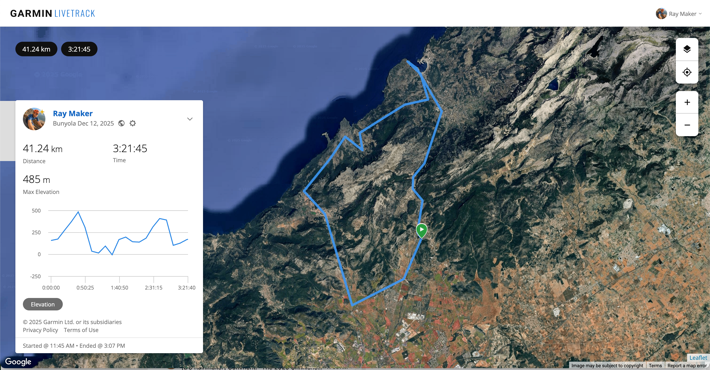
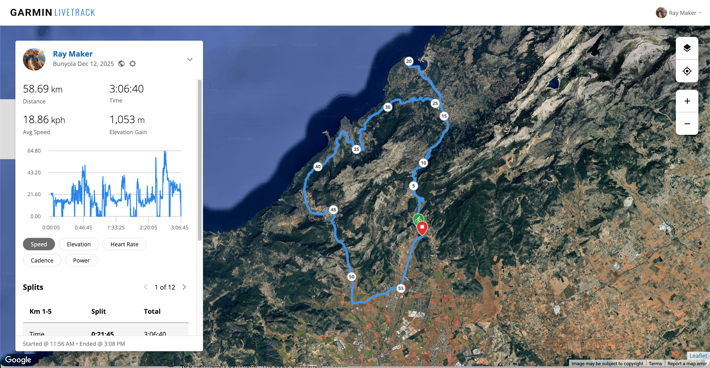
Another example would be this 3-hour ride, which I recorded in the high detail mode, but again, it only transmits at 10-minute intervals. In this case, you can see the total track length recorded on the unit was 41.24KM (on the inReach 3). But in reality, I went 58.69KM (on an Edge device). That’s because it’s only occasionally updating the GPS track file, and thus skipping switchbacks and such (which is notably different than the Garmin watches/bike computers that do backfill in data at an every-few-second rate).
With all that set, you’ll start your activity. From this point, it’ll start recording your data points locally, as well as sending updates via satellite, at your predefined update rates. By default, this would be 10 minutes for most plans, or not at all for the cheaper plans. You can set the update rate to 2 minutes on the premium plan.
So this is a good time to talk about how tracking works, as well as the options you have there. But first, I want to briefly note that there are two core apps you’ll use with the Garmin inReach Mini 3:
Garmin Messenger App: This is for using your phone to send messages via the inReach device, and also letting the inReach device leverage your cellular connection when within range of cell towers, to save you satellite message costs. You can also see the weather here too.
Garmin Explore App: This is mainly used for sending routes to/from the inReach device, but, can also be used to send messages (but not audio/photo messages). This supports downloading offline maps too, and creating route collections, and more. This used to be the main inReach app, before they added the Messenger app for doing messaging things.
Garmin Connect App: This can be used to pair up to the Garmin inReach Mini 3, where you can then send completed routes to Garmin Connect (and onwards to Strava/etc…). Of course, this could introduce duplicates if you also recorded on another Garmin device. Still, at least it’s an option. Note that inversely though, courses/routes can’t flow from Garmin Connect back to inReach devices, like they can on watches.
Garmin EarthMate App: This is Garmin’s much older Delorme-based app, that was compatible with the inReach Mini 1. But it’s not compatible with the inReach Mini 2 or Mini 3. Basically, it had some of the features of the Explore app, before Garmin decided they needed another app. But again, it’s not a factor here, because it doesn’t support any of the newer inReach devices of the last many years.
As you can probably guess, Garmin’s app-gone-wild strategy with inReach devices is just baffling. I can see how they talked themselves into these distinct apps, but I can’t see how they are so disconnected from each other. Especially the Garmin Connect and Garmin Explore apps. These should be totally seamless. If they want to have separate apps, fine, but my route/course data should be identical between them, and likewise completed activities. Anything else is just bonkers.
LiveTrack & MapShare Options:
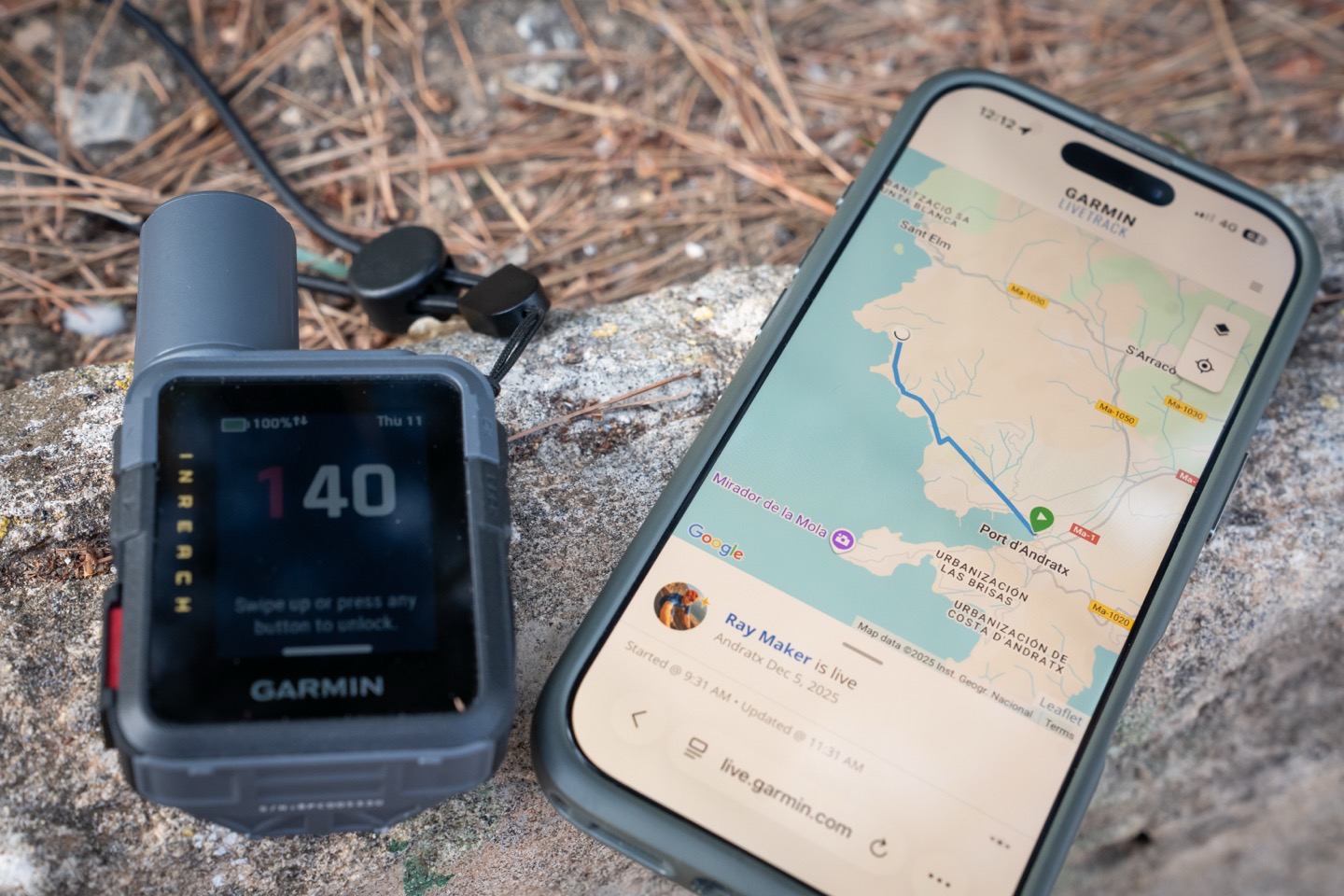
To begin, it’s worthwhile noting that this section is really the biggest differentiator between an inReach device, and using your (newish) phone’s satellite messaging features. On phones, there isn’t any sort of continually updating live track type page or concept. Instead, the location updates via satellite are manual when you trigger them, and just show your current position, not where you were (or where you are going). For most people, it’s this section (and the next) that is the key reason you buy these sorts of devices, aside from SOS scenarios you hope never happen.
Now, when it comes to sharing your track with other people, you actually have two options: Garmin LiveTrack and Garmin MapShare. For many years, Garmin MapShare was the only option, but starting recently, you can now choose whether you want to use LiveTrack or MapShare, and even switch back and forth between them.
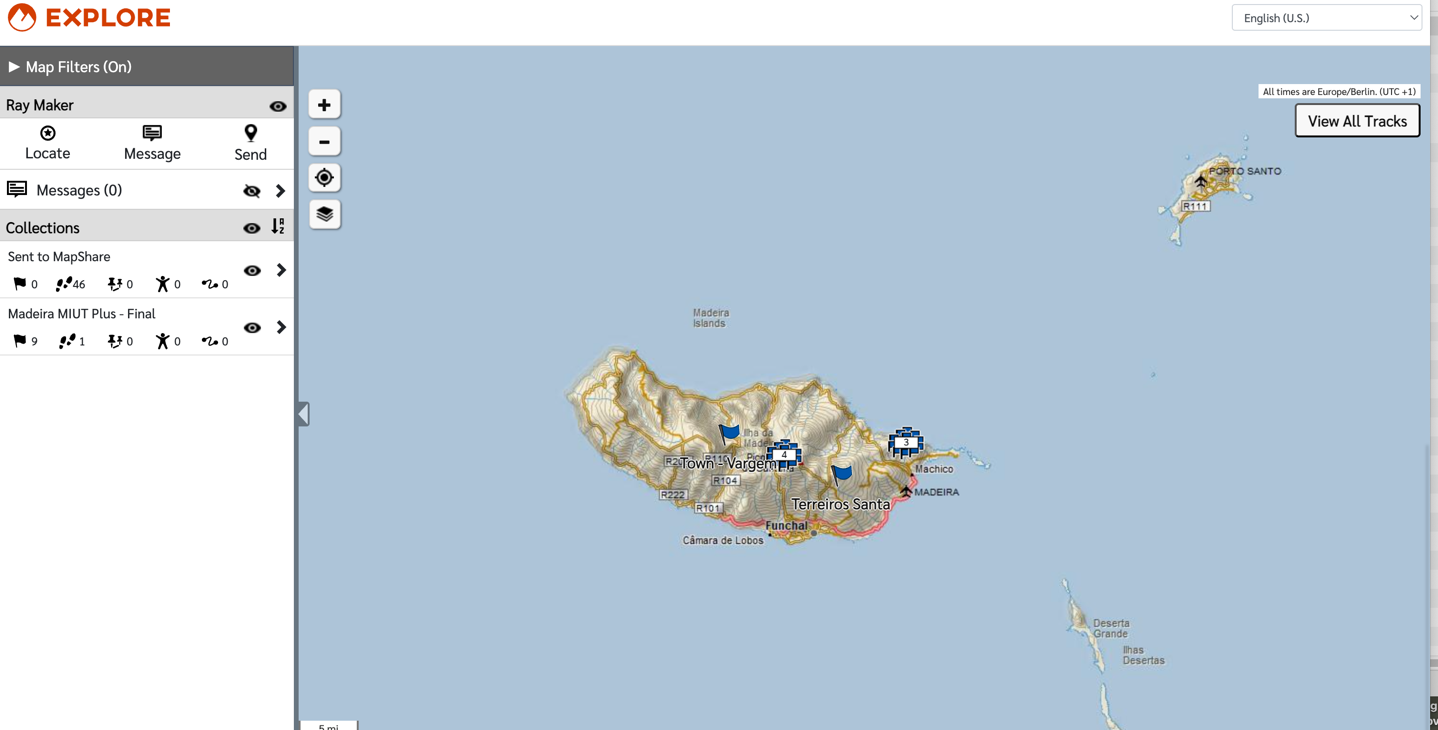
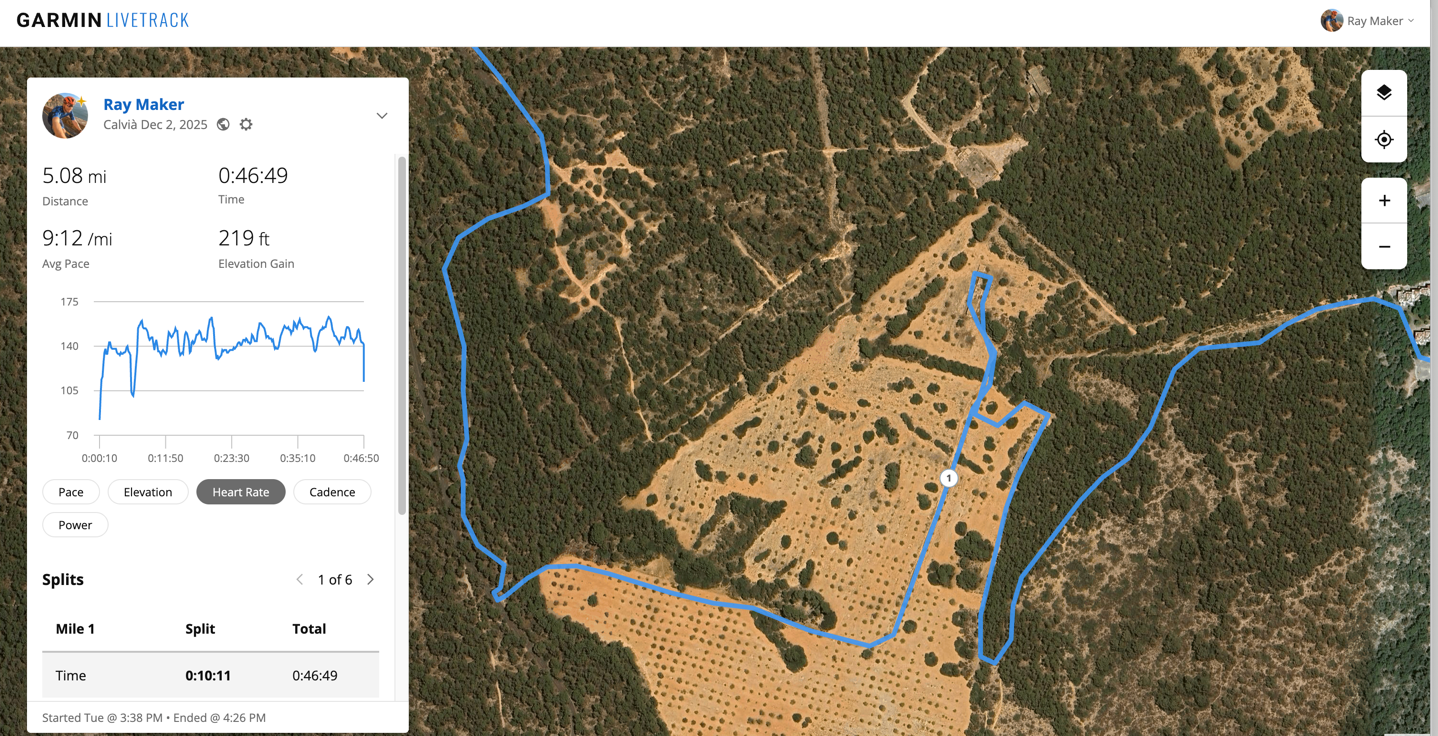
In general, I find LiveTrack a *FAR* better experience for my friends and family, in terms of following along. It’s much simpler and easier to use, and a much cleaner experience. Here’s an example of a MapShare page:
And here’s an example of a LiveTrack page:
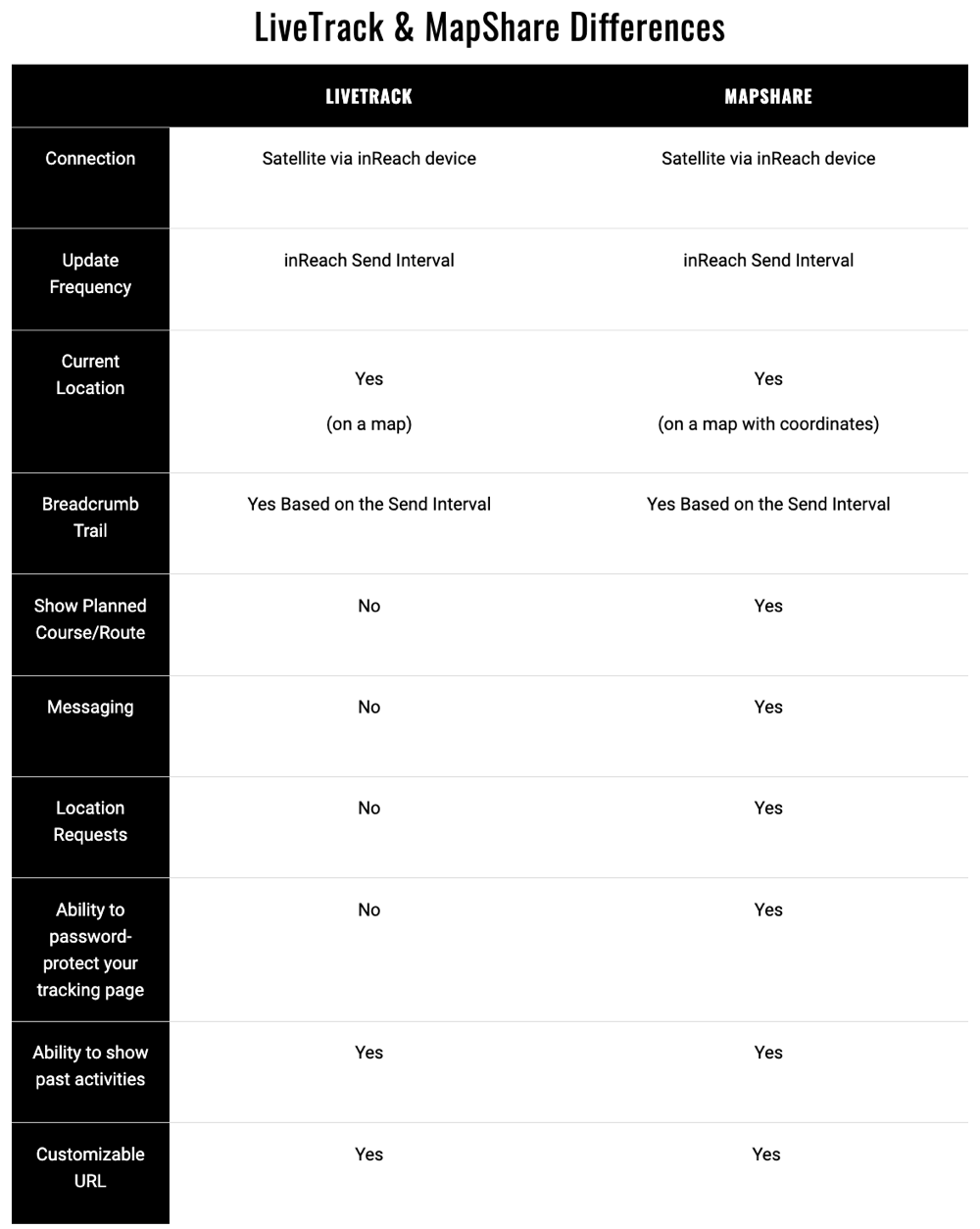
That said, there are specific reasons why you’d want one over the other. Here’s Garmin’s full list, which makes the older MapShare seem better, though significantly underrepresents how clunky MapShare is for people receiving that link:
In any case, to configure this, within the Garmin Explore app you’ll:
1) Open Explore app, choose your profile picture in upper left
2) Scroll down, choose “MapShare” from settings list (it’ll show “LiveTrack” if you’ve switched already)
3) You’ll now see the below option, to toggle between them (“Switch to LiveTrack”):
Within the LiveTrack option, you can create a custom URL (just like in MapShare), and you can choose whether or not past activities are private, as well as how current (live) activities are displayed:
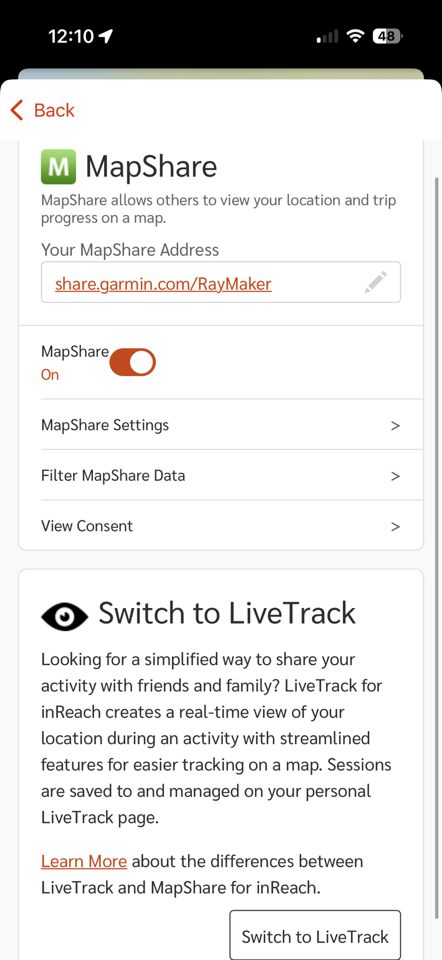
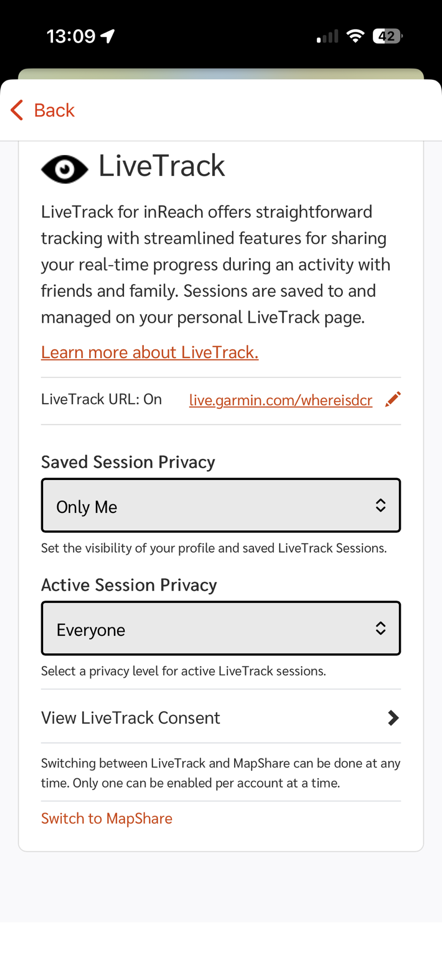
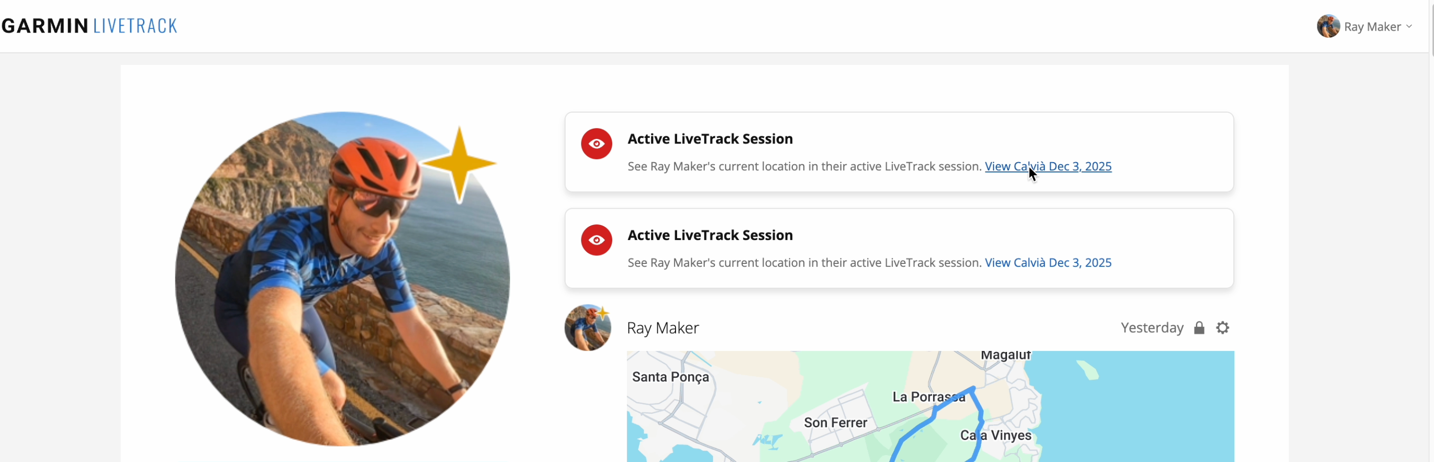
On the LiveTrack side, you’ll see your current activity shown on your custom URL page. Plus of course, your contacts will get a link to the activity directly, depending on how you have things configured. Here’s an example of the custom landing page, with an active activity:
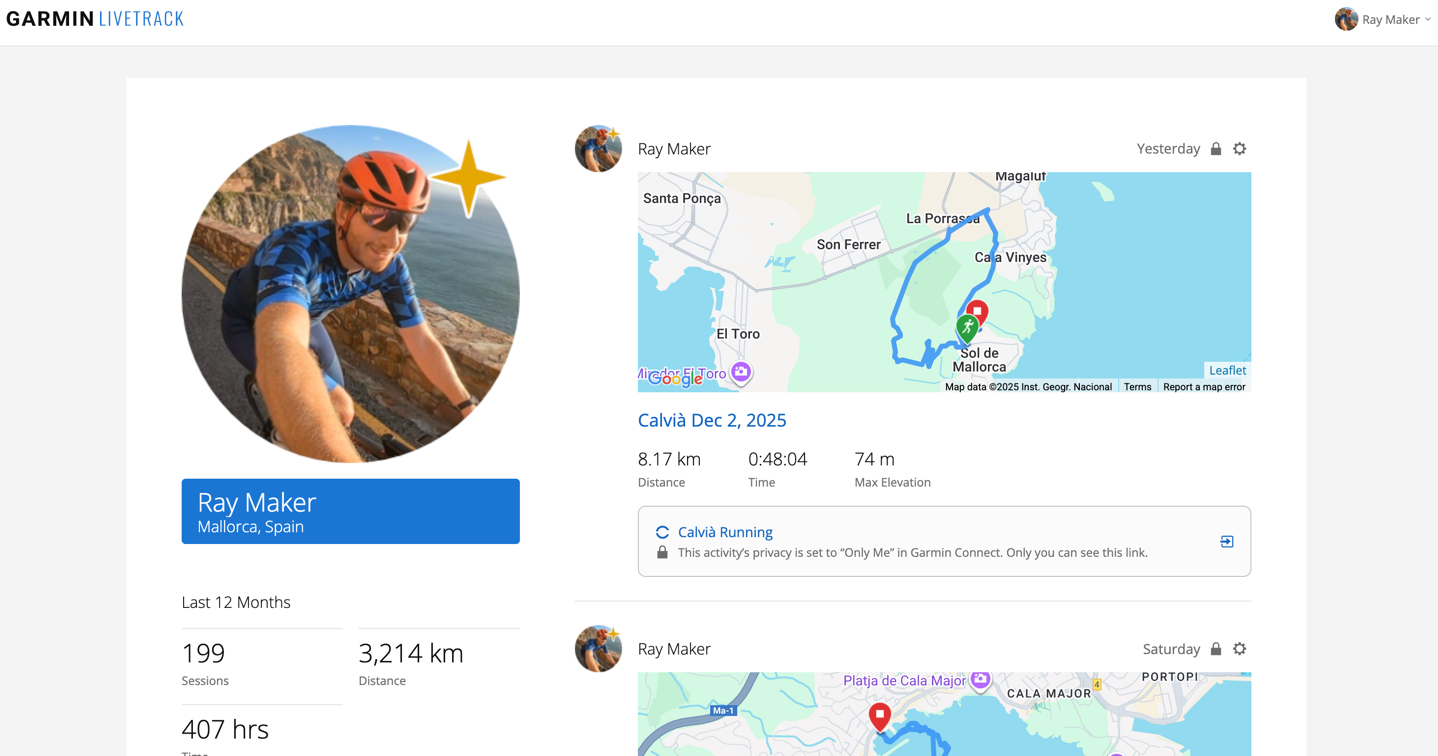
If you enable past activity history, you’ll see a big list of those below it, like this (except mine are all locked as private, per the icon):
Meanwhile, if you decide you want MapShare, you can switch back to that at any time, as often as you’d like (see it at the bottom of the screenshots above).
Anyways, it’s important to note that on tracking, you’ll be seeing the update frequency as configured on the device (e.g., every 10 minutes), rather than the actual track. If you’re hiking slowly on straight paths, that won’t make much of a difference. But if you’re doing switchbacks (even hiking), it’ll significantly cut down distance. The same goes for cycling, where, due to speed differences, it’s much more pronounced.
Take for example, this ride. You can see the inReach at left, and the actual GPS watch on the right (which has a 1-second update rate):
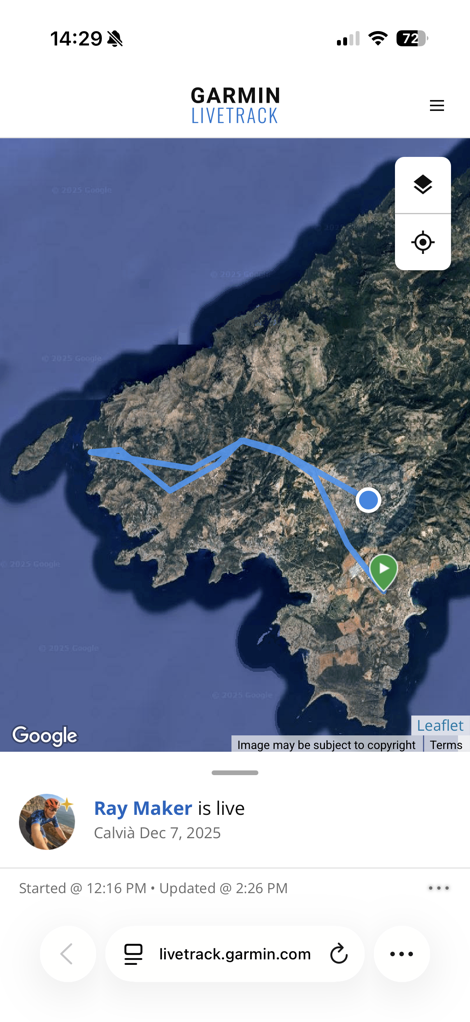
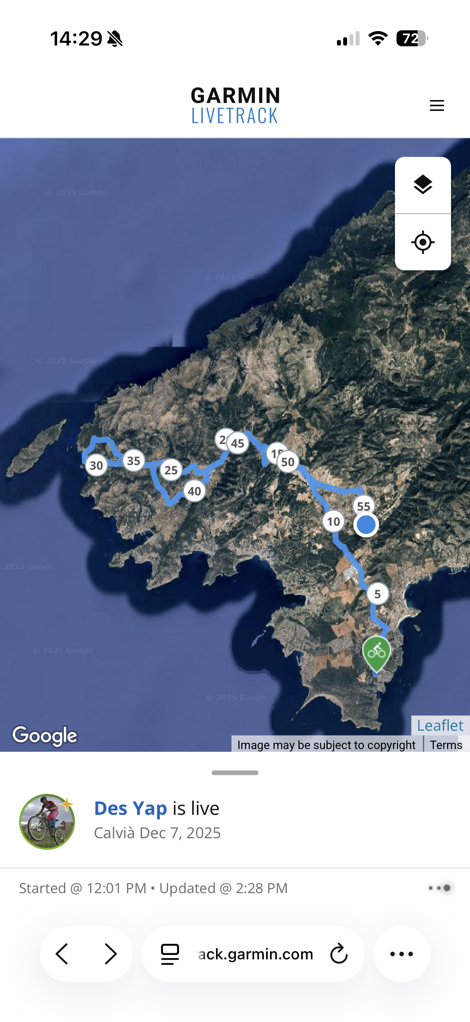
And a bit closer look at one section in particular:
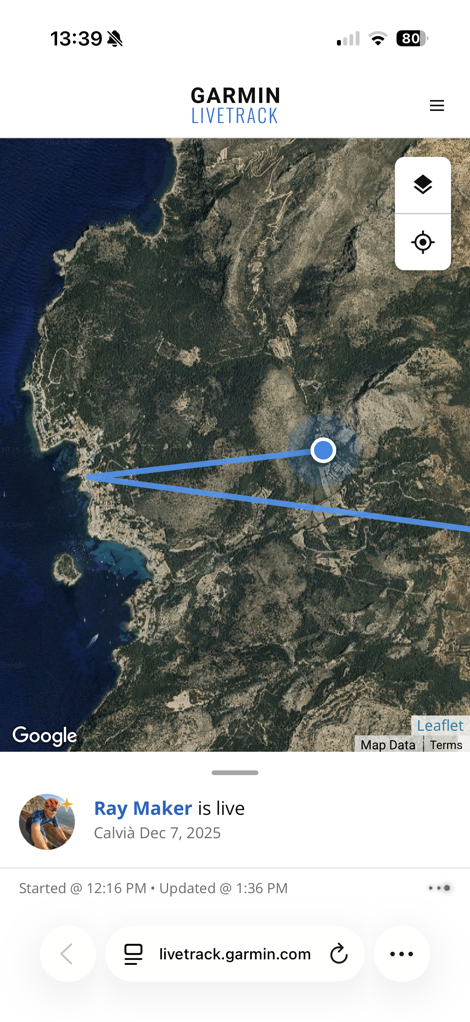
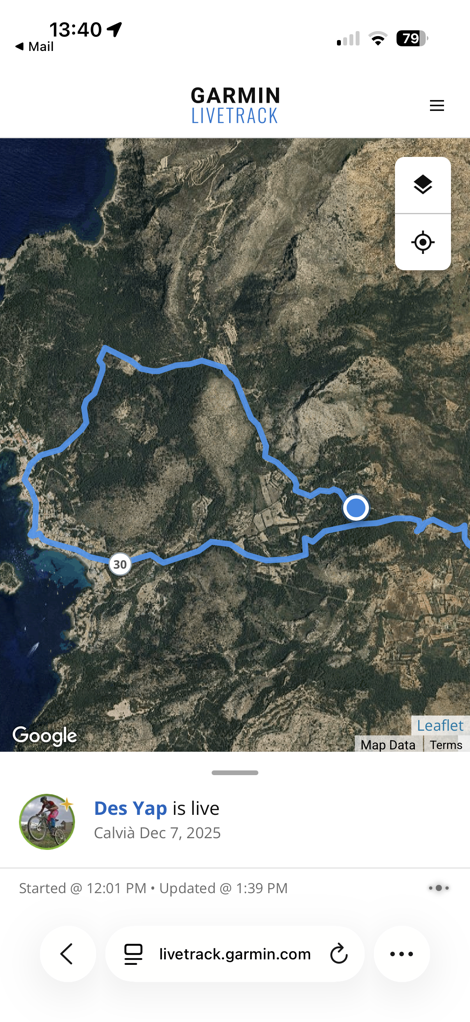
Of course, to be super clear, you can increase the recording rate on the inReach Mini 3, though at the sacrifice of battery life. But it will then perfectly match your actual track (and other GPS watches). It just won’t update the tracks seen on the LiveTrack/MapShare sites any more frequently.
I would love for Garmin to find some middle ground on doing backfill of my route, similar to what they do on their wearables, at those 10-minute intervals. Perhaps on the higher-end plans (where they have 2-minute tracking) and with the inReach Mini 3 Plus, they could still offer 10-minute tracking, but include the extra actual-travelled details once every 10 minutes to make it more clear where you actually went.
Still, at the end of the day, for what I mostly care about, which is that my friends/family roughly know where I am on longer treks in non-cellular zones, this does the trick just fine.
Satellite Text Messaging:
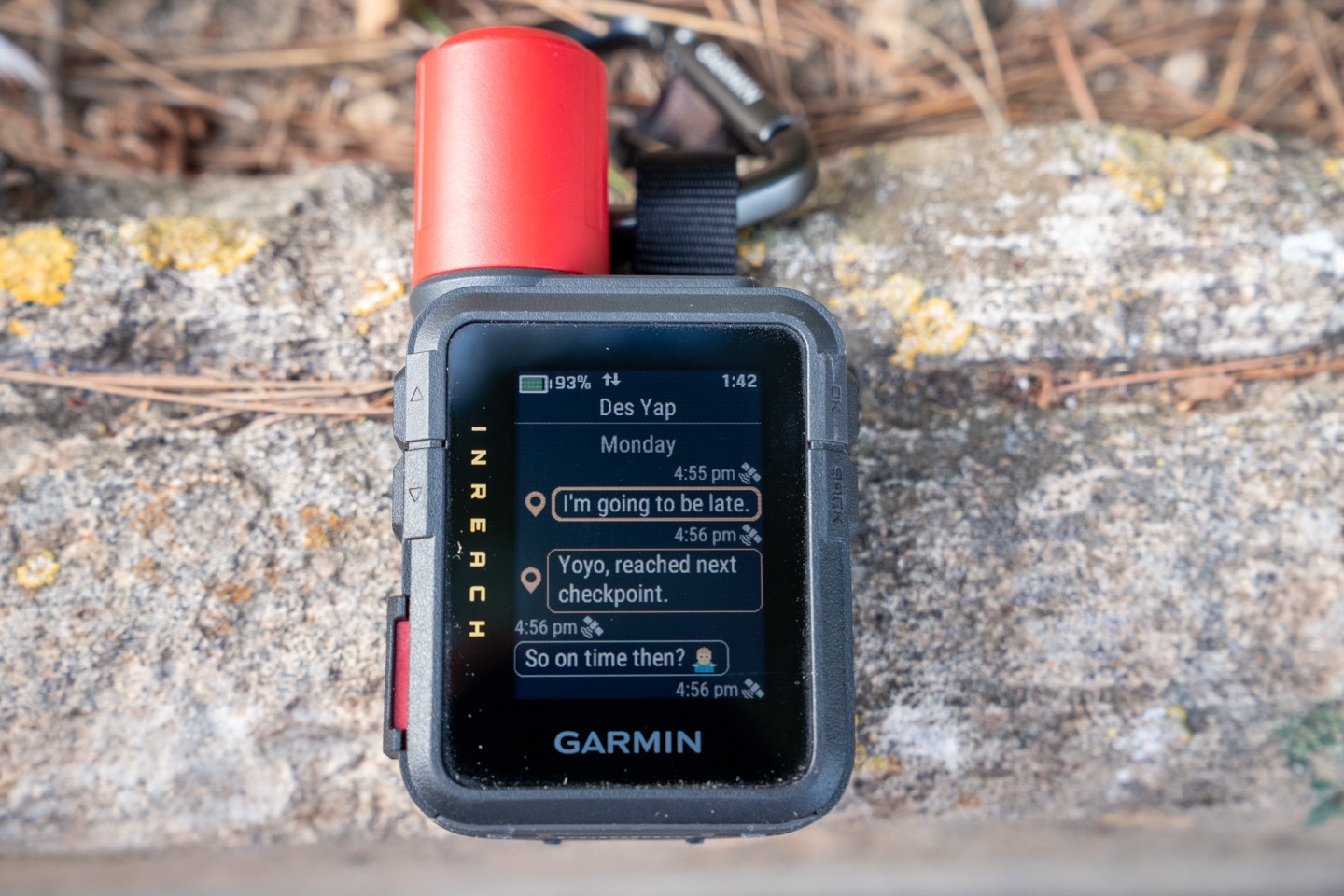
Next, we’ve got satellite messaging. This allows you to send text messages back and forth to people either within the Garmin Messenger app, or simply to their normal text phone number. These text messages can be manually typed out, or selected from a customizable list of quick-access text messages that you’ve defined.
To send a message, you’ll go to the ‘Messenger’ widget within the inReach device:
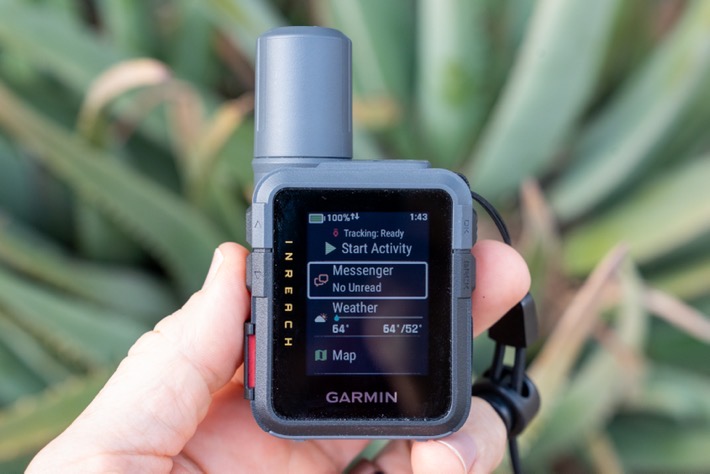
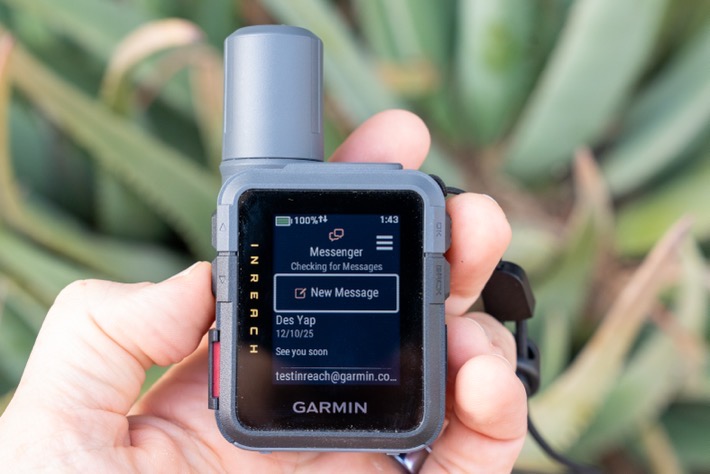
From there, you can see a list of your existing text conversations, or you can choose a contact you’ve previously defined. Again, these can be straightforward phone numbers, or, within the Garmin Messenger app, if they’ve loaded that on their phone. You can also group contacts together, for what is effectively group messaging.
Here, you can then type out your message using the mini-keyboard on the screen. It’ll also offer quick-complete options. I do, though, find that typing on this tiny touchscreen is challenging due to my fingers being normal-sized. Small children might find this viable.
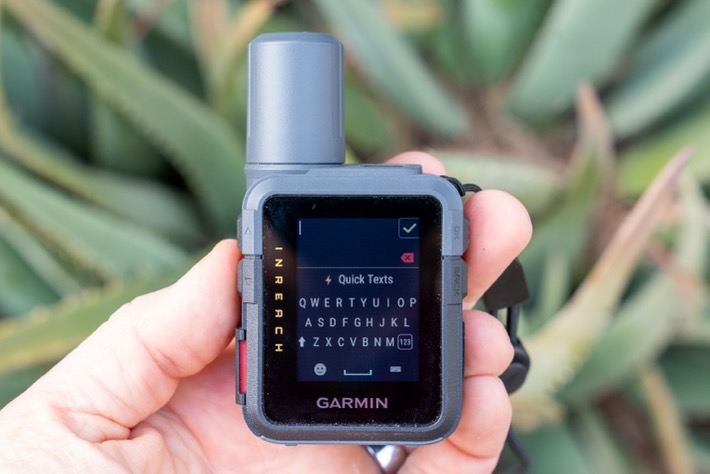
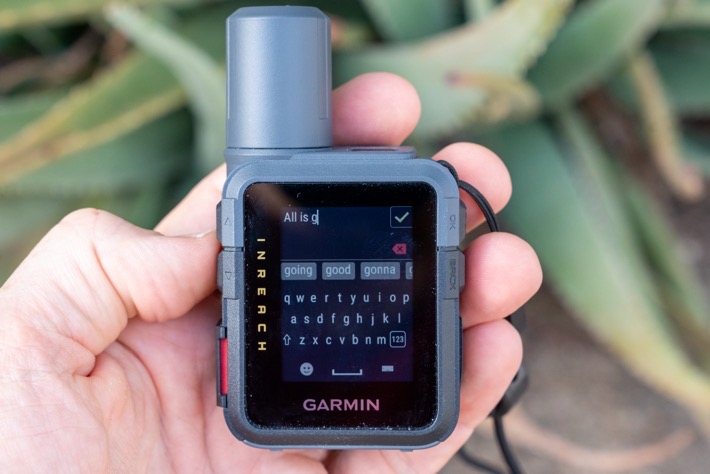
Or, you can select from one of the quick-response texts. Garmin includes a long list of default ones, but you can also customize a pile of your own, as I did.
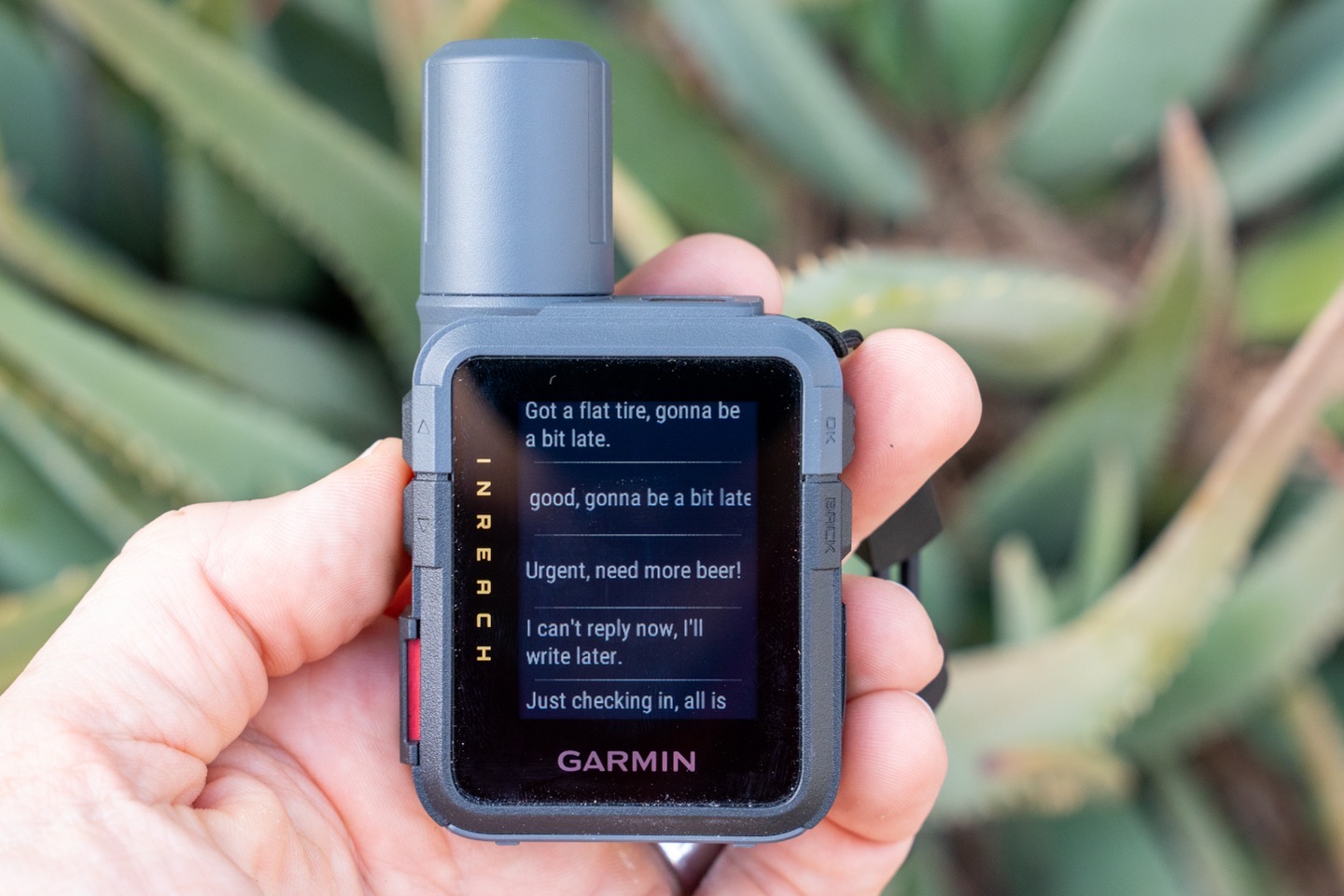
Once you’ve typed what you want to type, simply hit send. At this point, it’ll show it sending the message, and on the main screen at the upper/top edge, it’ll show two arrows indicating it’s sending the message. And you’ll see that little half-circle swirling next to the message(s) currently being sent.
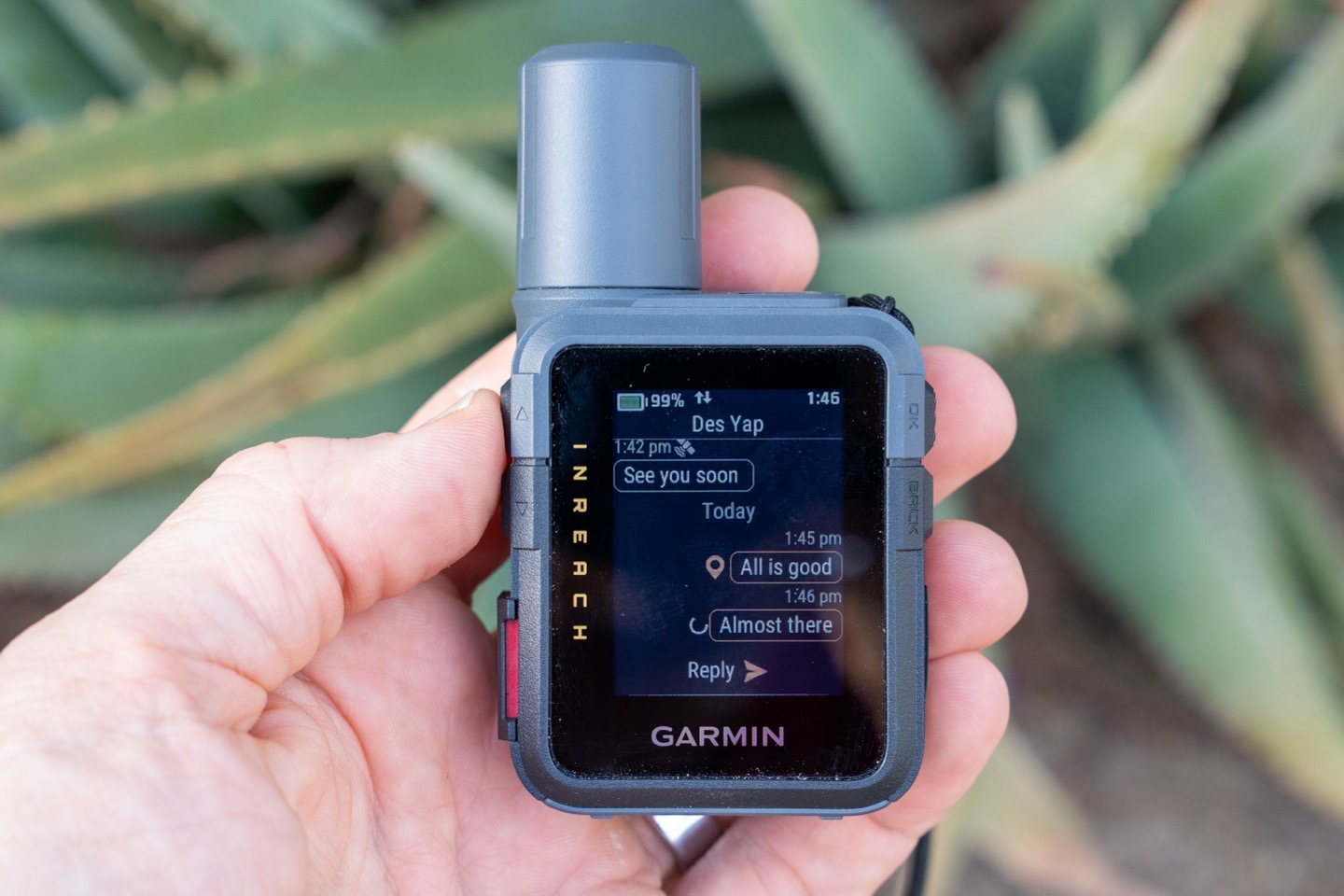
Notice below, you’ll see a satellite icon above texts that were sent via satellite (the “Almost there” message), and then see nothing above texts that were sent via my phone’s cellular connection (the “All is good” message). Both show a location icon next to it, indicating it’s been successfully sent.
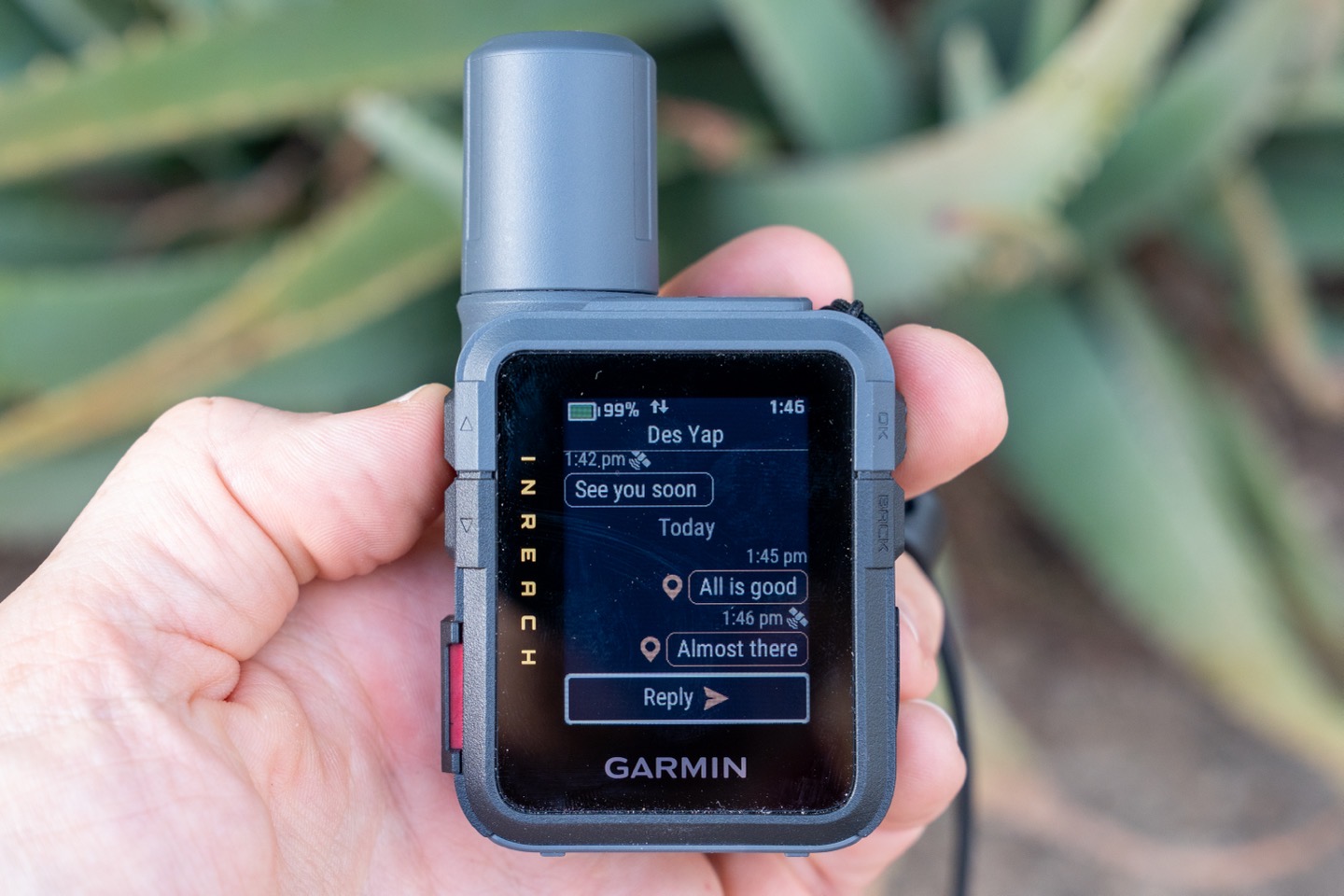
By default, the unit will give a unique little chirp sound when it completes sending the message. Because this can take anywhere from a few seconds to a minute or more, depending on the environment, the little chirp sound is nice if you want to keep hiking/etc, and just have it clipped onto your pack.
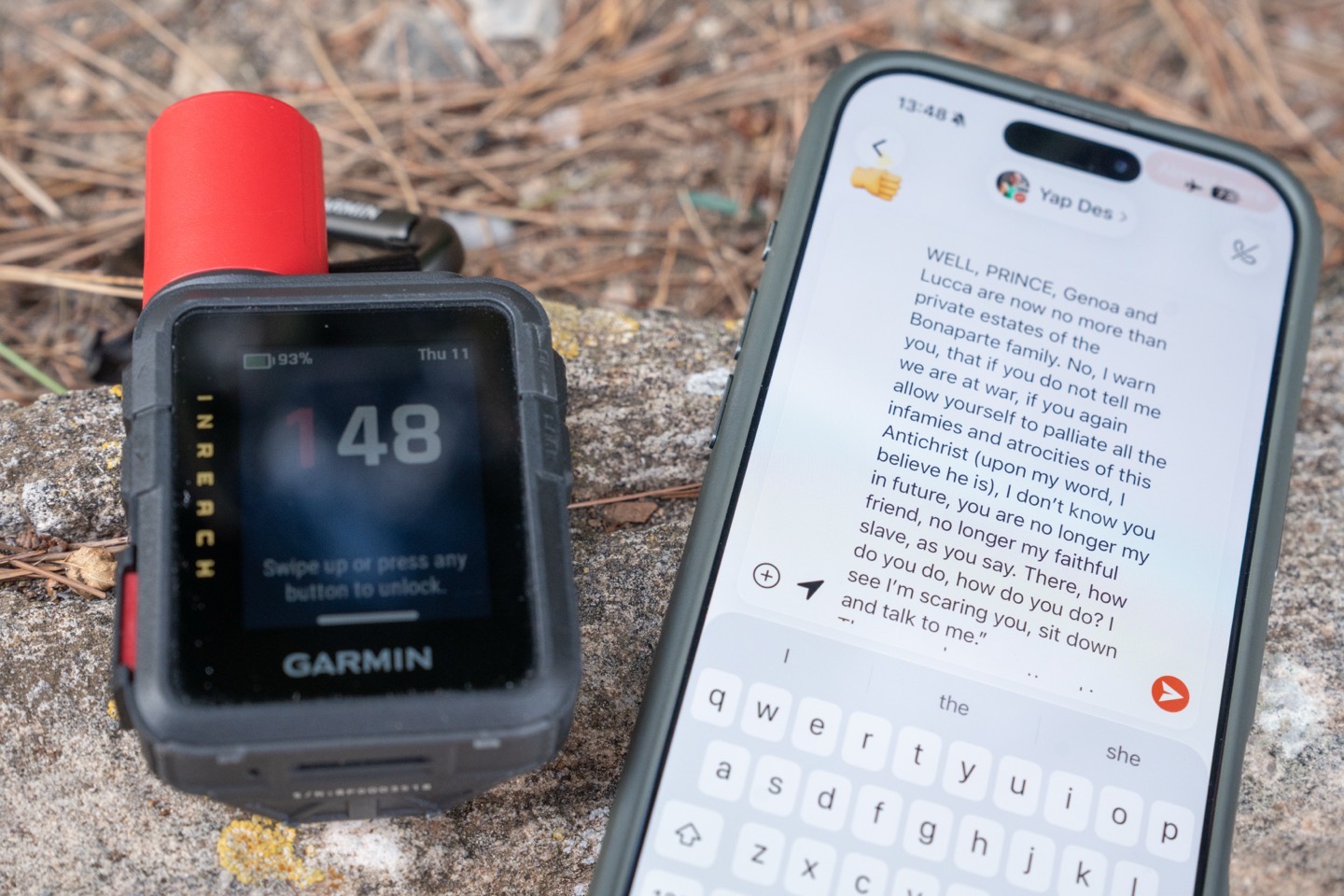
Now, in addition to doing this on the device itself, you can also use the Garmin Messenger app on your phone, which will send information via Bluetooth to the device. This makes it much-much-much easier to send longer messages (the Mini 3 Plus supports up to 1,600 characters per message). Think of a scenario where you might be in your tent at night and need to convey something rather extensive via text, literary perhaps. This allows you to do that.
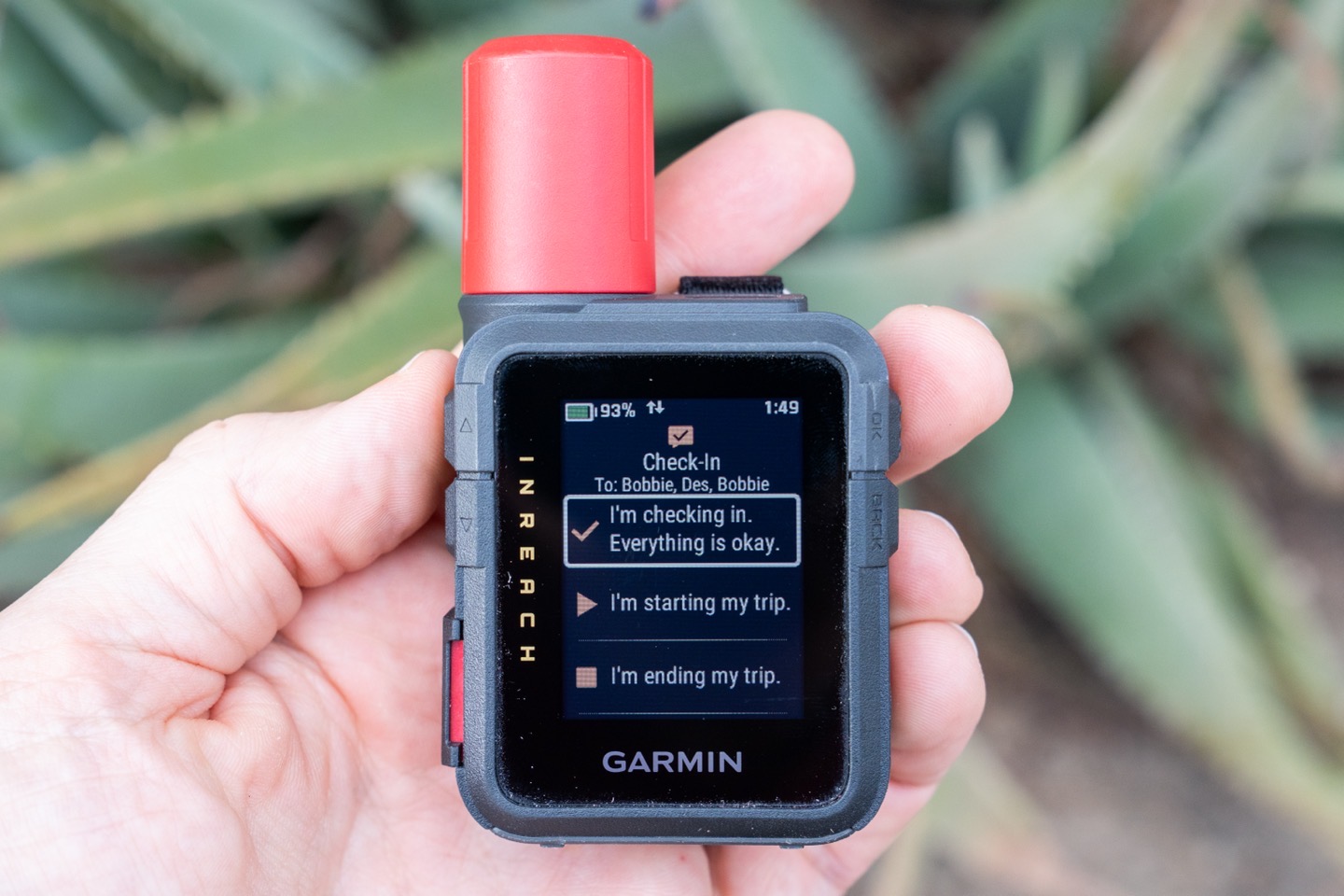
In addition to text messages, there’s also the concept of a ‘Check-in’ message, which is basically just a pre-defined text message that lets a pre-defined group of people know that you’ve started for the day, ended for the day, or are doing just fine. Note that check-in messages do come from a different ‘bucket’ in most subscription plans, compared to text messages – so that can be semi-advantageous to use them that way.
Nonetheless, all of this is basically the same as in past models, so instead, let’s move to the next section, for the Plus model, which adds in the voice and photo features.
Satellite Voice & Photos (Plus Model):
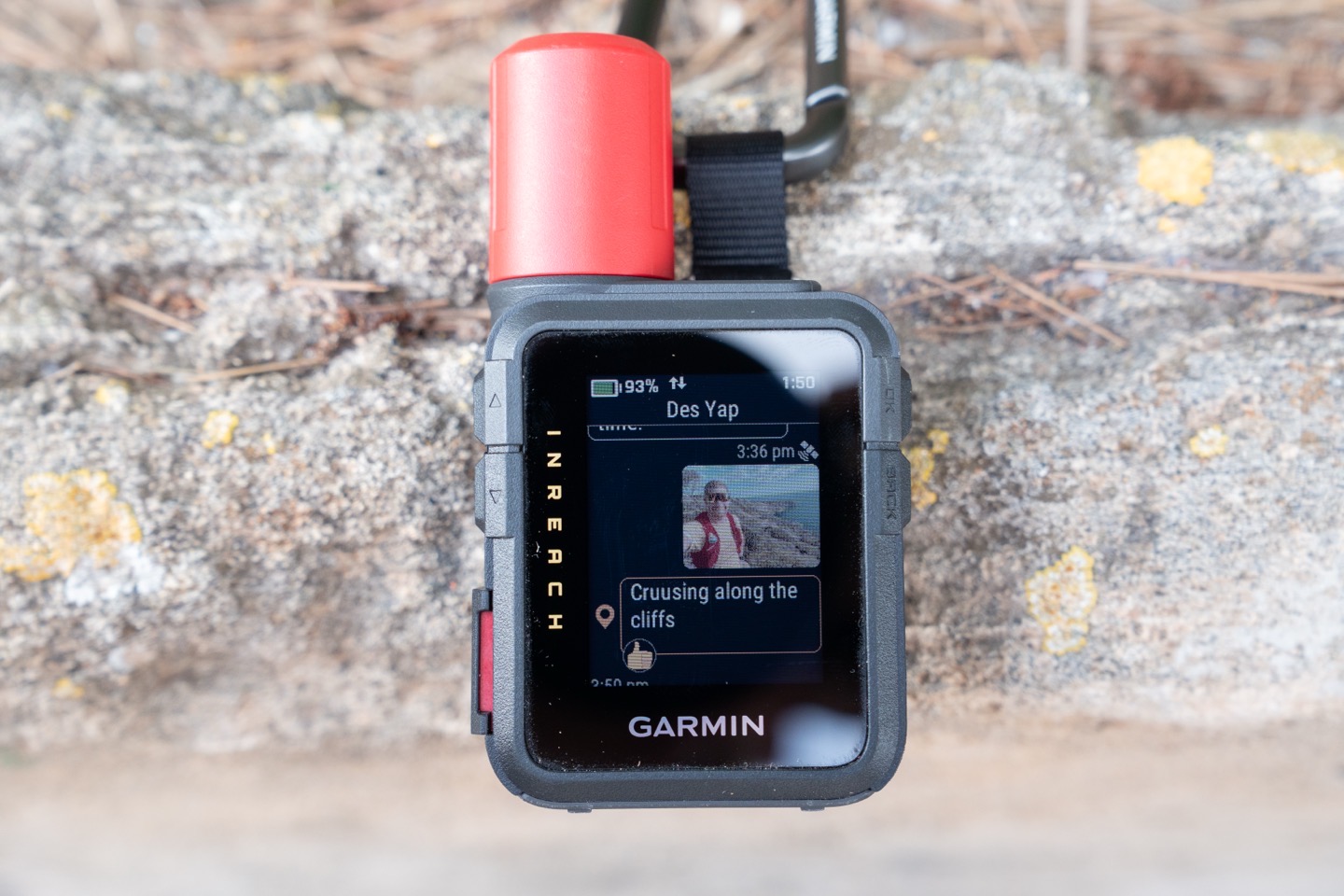
Next up, we’ve got voice and photo capabilities only on the Plus model. This includes extra hardware (including a speaker/microphone on the device), but also a different satellite component to handle the extra bandwidth required for these items. This essentially expands out the ability to send the following things:
1) Voice messages from the inReach unit directly (using speaker/mic on inReach)
2) Voice messages from your phone’s mic/etc (via the inReach)
3) Photos from your phone Messenger app (sent via the inReach unit)
4) See received photos on either the inReach or your phone Messenger app
5) Voice Commands
6) Recording/Playing Back a Voice Note
First up, is sending a voice message from the unit itself. To do this, you’ll go to send a regular message, but see the little microphone option. Simply tap that, and then start recording:
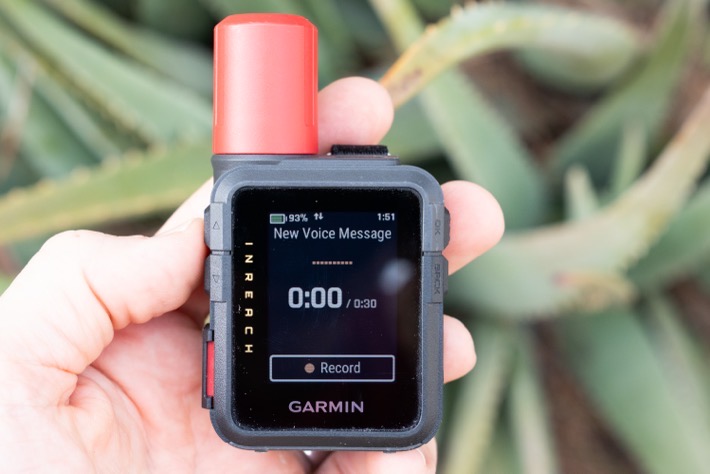
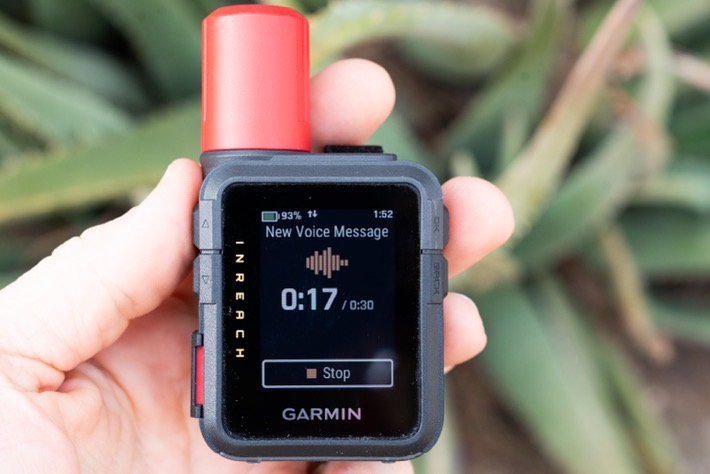
You’ve got 30 seconds worth of talkity-talkity before it ends the message. You can play it back before you send it, and if you hosed up, you can simply discard and try/record again.
Likewise, inversely, if people send you voice messages, you can play it back directly from the unit. However, handily, it’ll also transcribe the message too. Letting you see the text details:
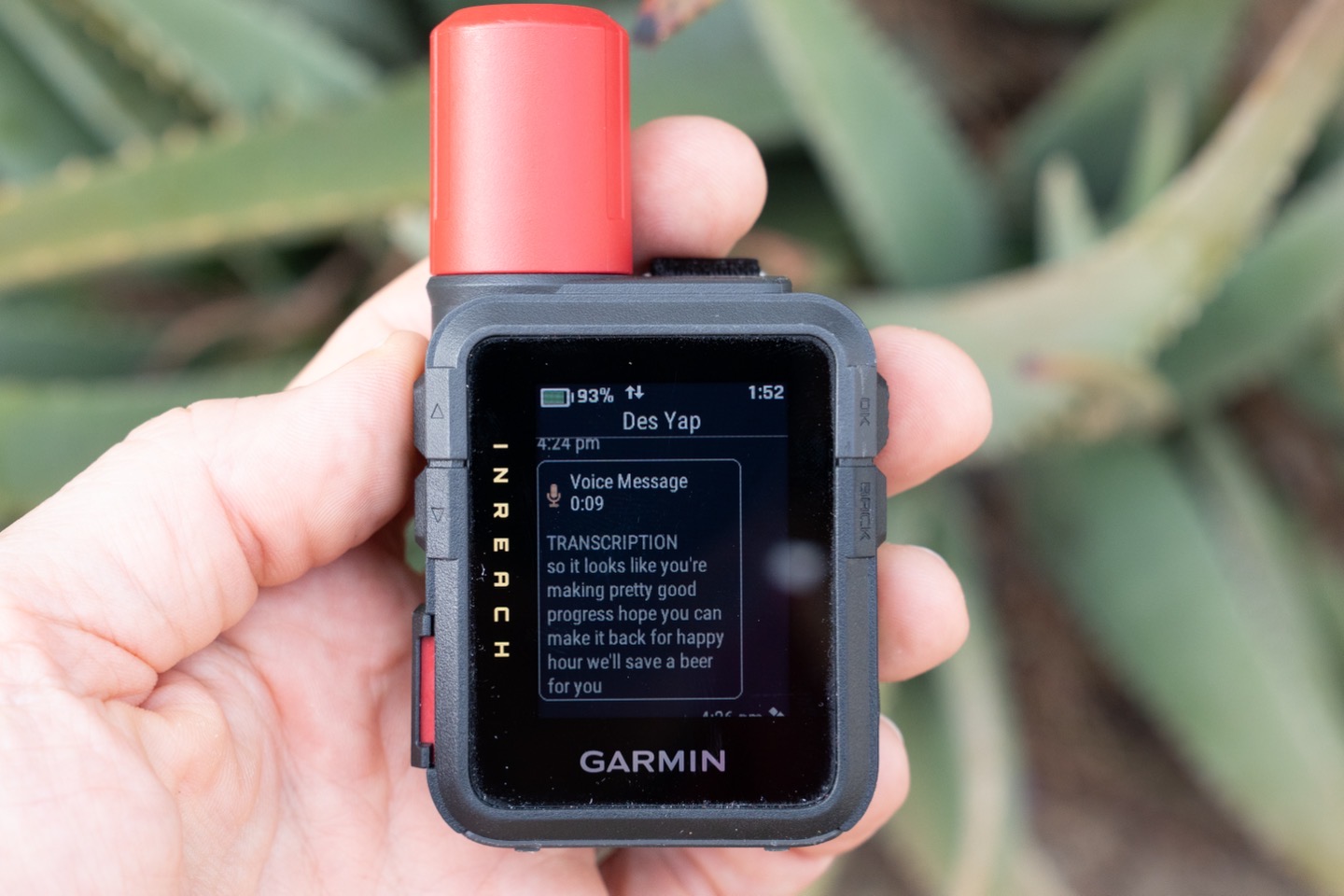
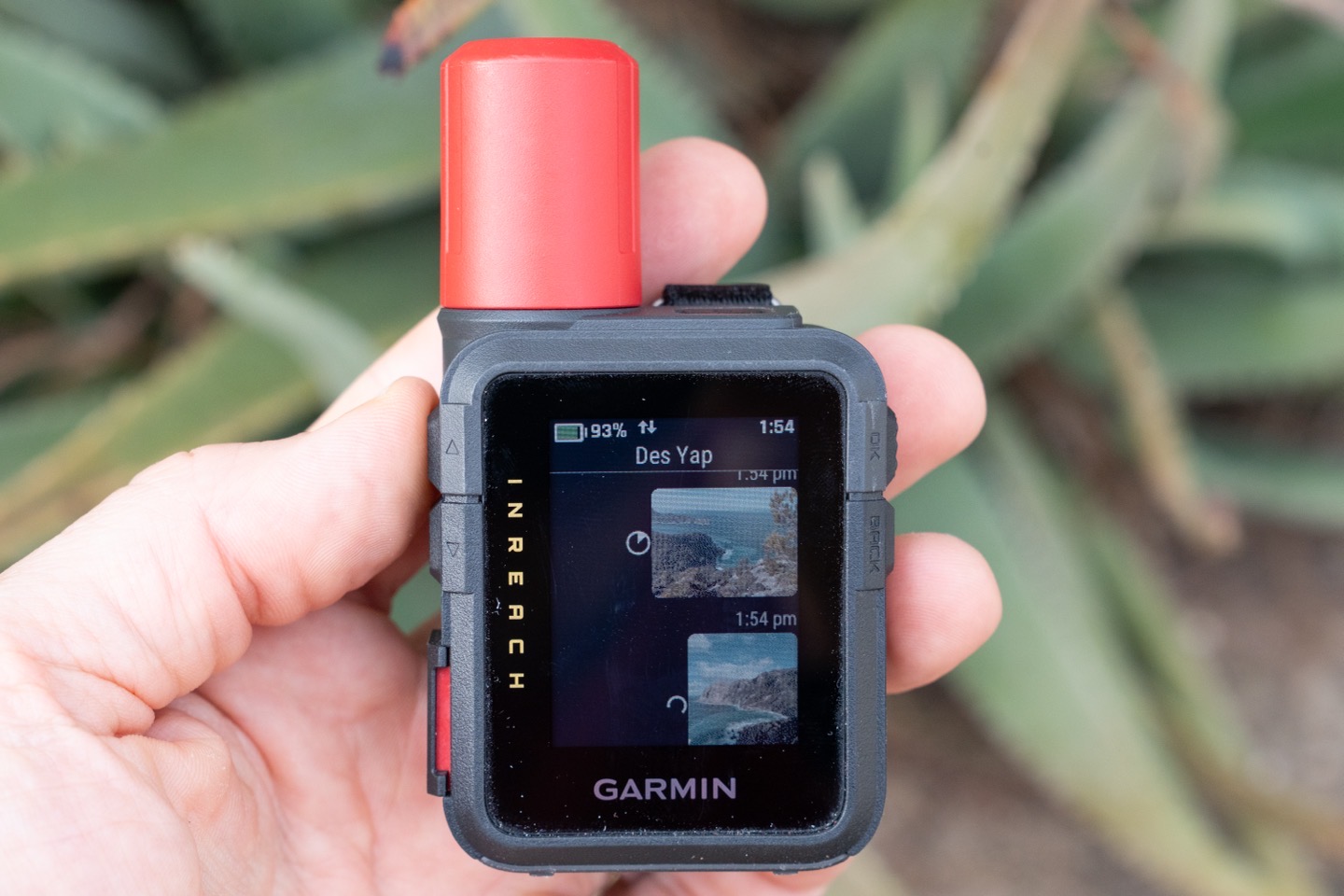
You can also do this exact same thing from your phone, with the Garmin Messenger app. And in fact, the Messenger app is what you’ll use to send photos. To do this, you’ll simply attach a photo (or multiple photos) to the contacts you want, and off they go. However, handily, you don’t have to use the messenger app to see/receive photos; that portion can be done directly on the unit. But of course, it’ll be at a much lower resolution/detail than on your phone, but still acceptable to get the gist of things:
Next, there are voice commands. These allow you to talk to the in reach by long-holding the upper right button, which enables the microphone:
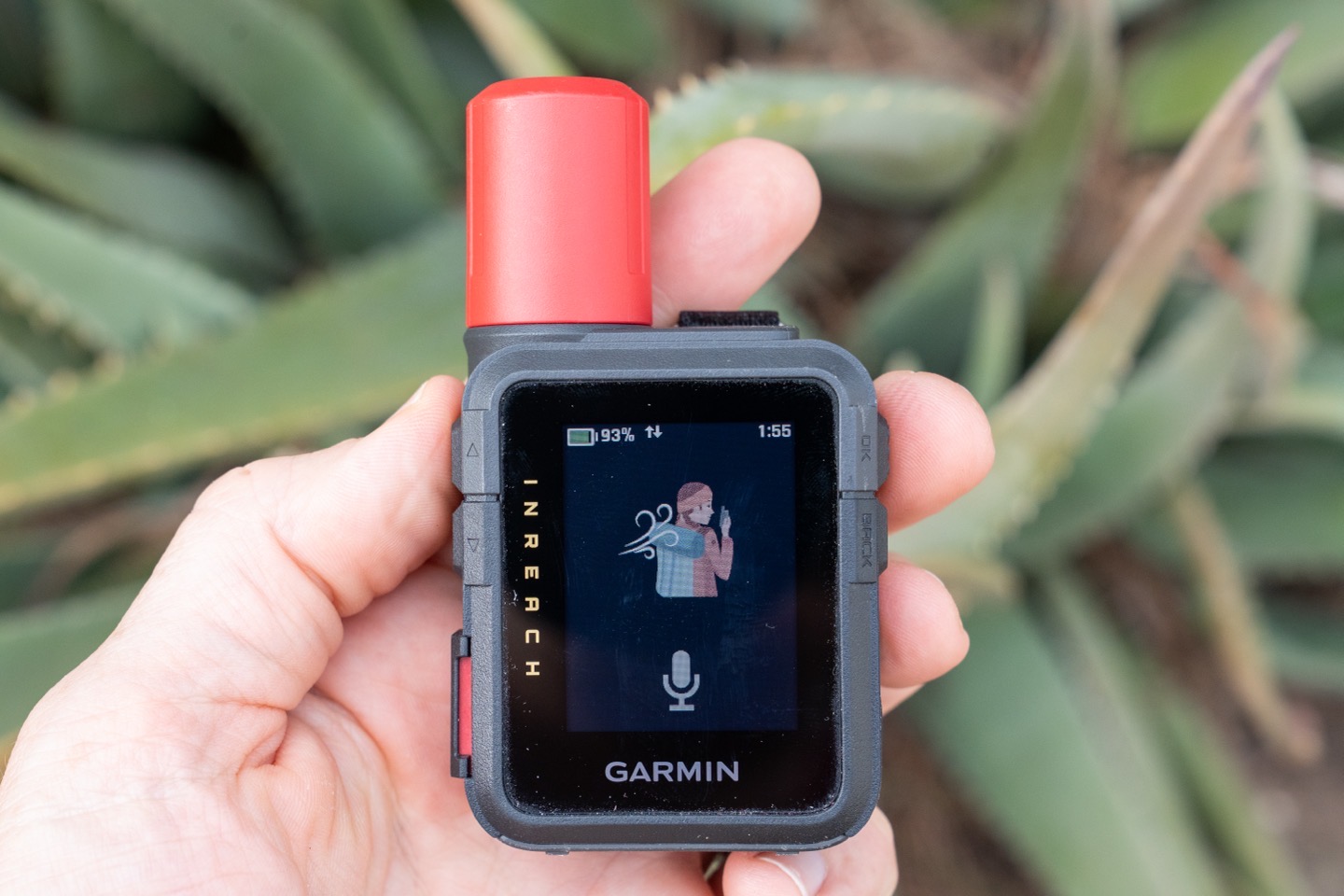
Here’s a linked full list of all the voice commands, and a few examples below:
– “Check-in” or “Send Check-in”
– “Read my Messages” (which triggers app on the phone)
– “Navigate”
– “Mark WayPoint”
– “Turn on Siren”
– “Increase Brightness”
– “Lower Volume”
Again, the above is just a few samples from each category in the full list. In my testing, this actually worked better than I expected. Kudos on this. Especially for doing the otherwise finicky-to-access commands, such as turning on the Emergency Siren, which best I can tell, requires the touchscreen to use otherwise (unless you’ve saved it into the widget roll). Note that all of these work totally offline; there’s no server-side processing or anything.
Finally, there’s the voice note feature. This allows you to create a voice note using the microphone, and then to record that note for later:
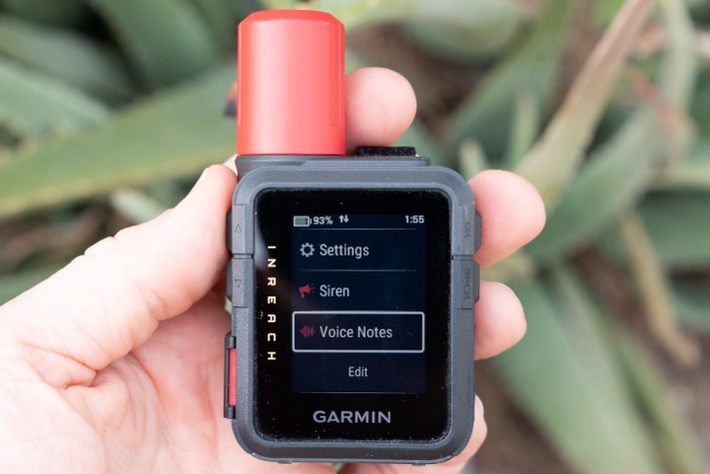
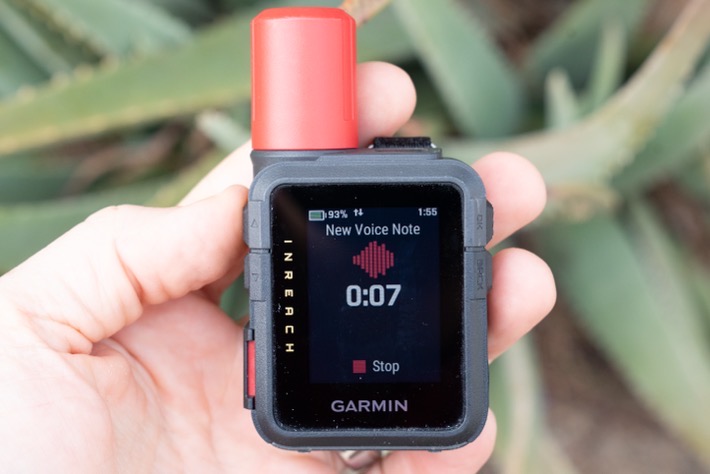
You can replay these voice notes on the device, but sadly, these aren’t transferred to your phone for easy access/retrieval/viewing later on. This is one area that COROS has really sorted out on their watches, and Garmin needs to as well for both the watches that added this a year ago, as well as now the inReach devices too.
Navigation and Routes:
When it comes to navigation, the inReach Mini 3 has a barely useful level of new mapping features. Realistically, you should set your expectation level at ‘entirely useless’, and then be pleasantly surprised that the compass works. Beyond that, it’s slim pickings, despite Garmin’s claim of added maps.
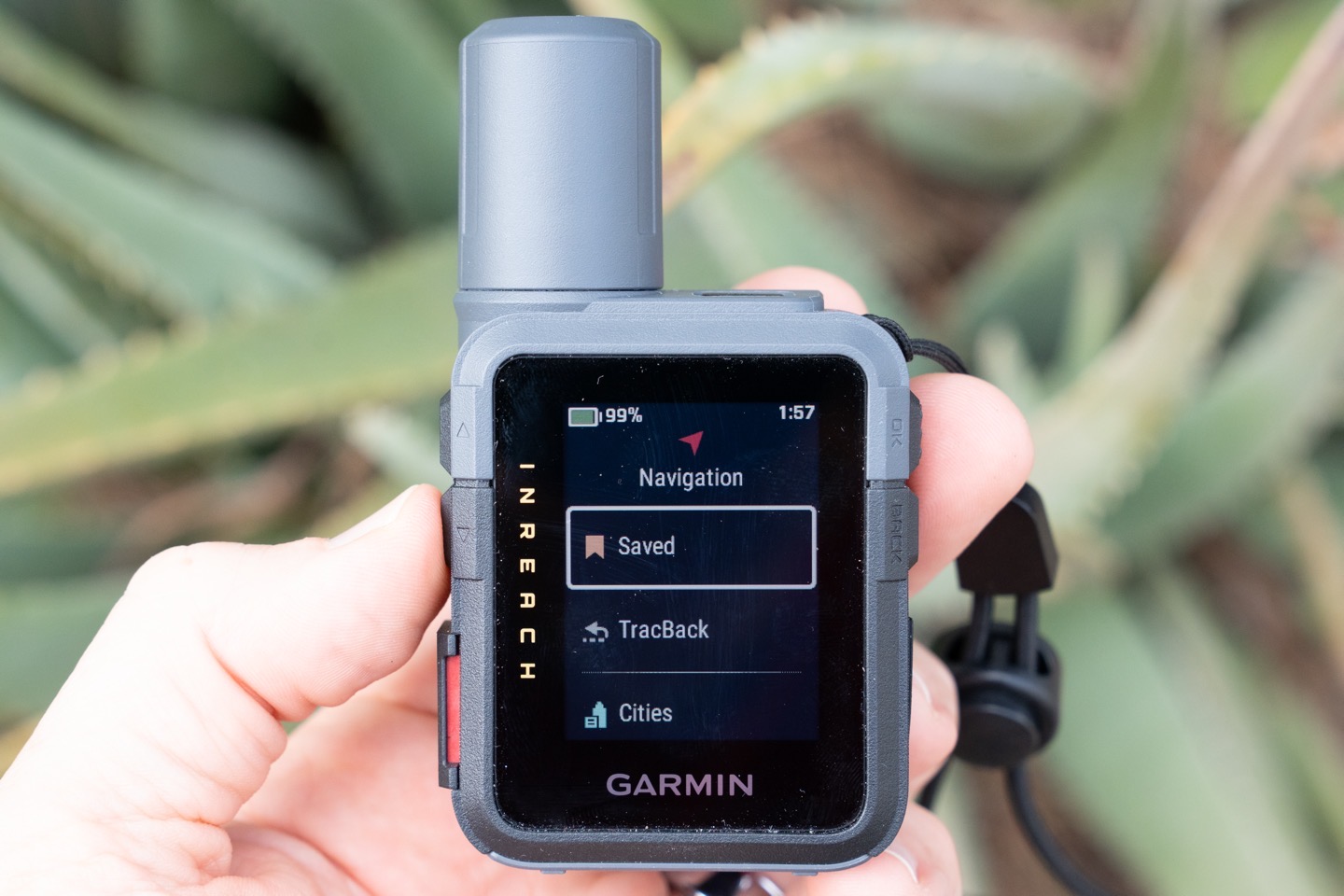
When it comes to navigation, you’ve basically got the following features:
– Saved (Waypoints/Courses/Routes)
– TracBack (follows your route backwards)
– Cities (direct route to a big city, as the crow flies)
– Coordinates (direct route to a set of coordinates)
– Sight ’N Go (holds/locks a given compass heading)
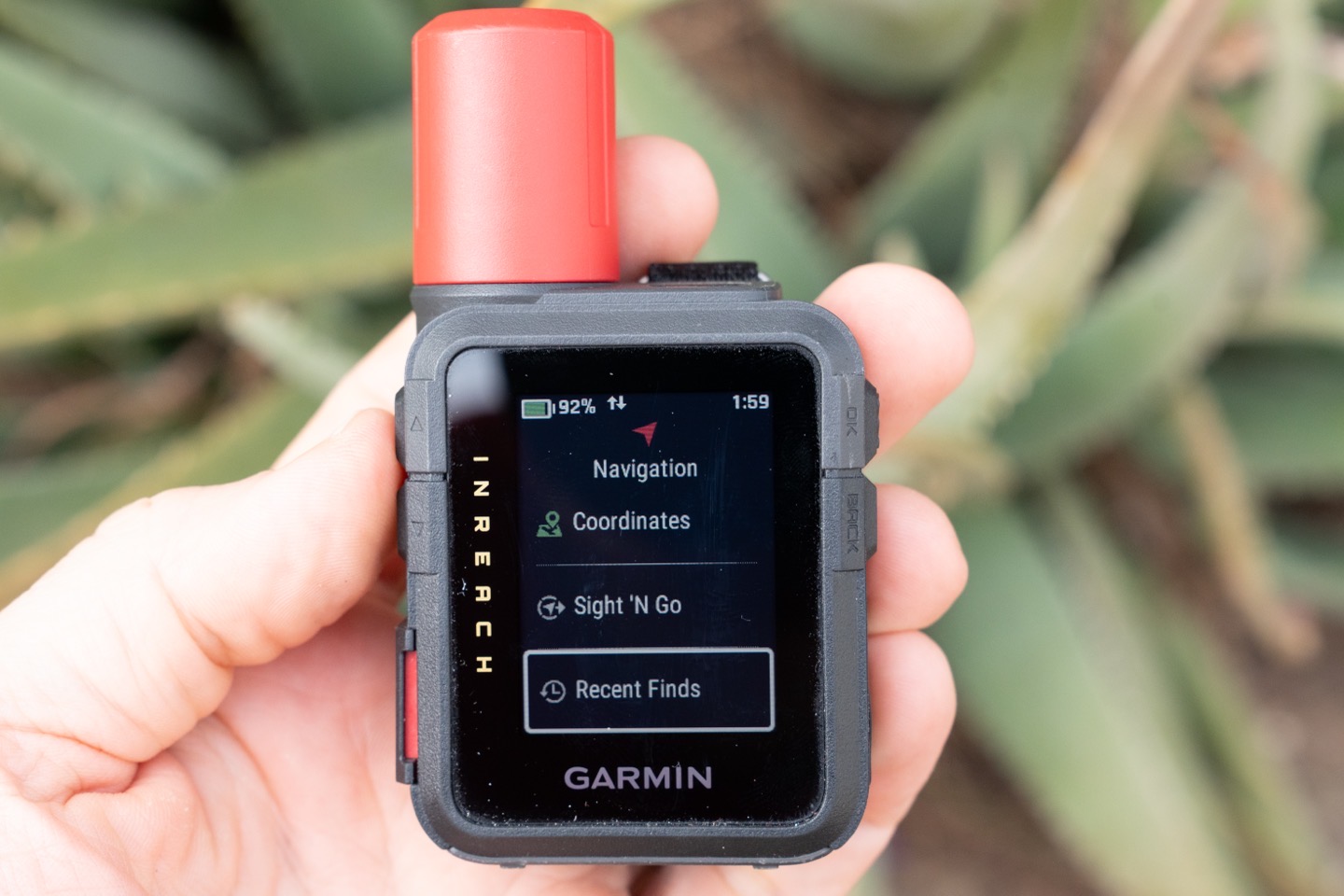
– Recent Finds (shows a blank page on my device)
However, the main one most people are probably going to use is route following (such as following a GPX route, or other created route). From there, the inReach Mini 3 device can show you what is effectively a breadcrumb trail of the route. This is basically like past inReach devices, except now there’s a non-useful map layer behind it. More on that in a second.
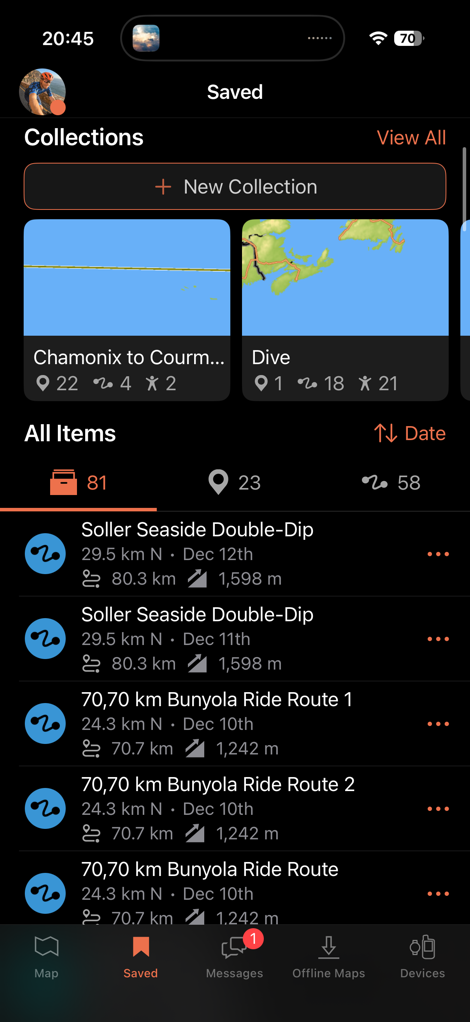
To create/load a route, you’ll need to use the Garmin Explore app (or side-load the GPX file using a USB cable). The entire process here is hilariously cumbersome for most users. In theory, Garmin’s idea of ‘Collections’ would be useful if it weren’t constantly freezing the app. The idea being that you can create collections for routes (such as for a multi-day hike). But in practice, everything just takes forever to respond, with the app constantly hanging, on even modest collections.
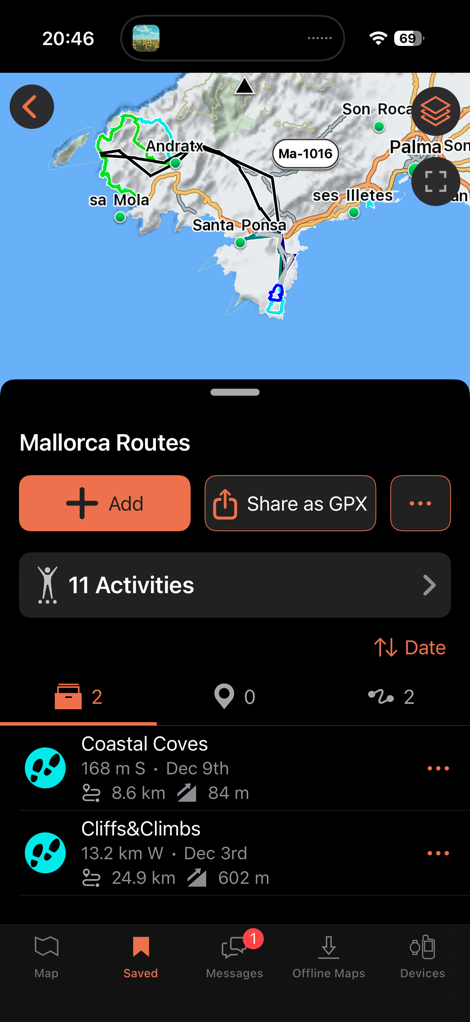
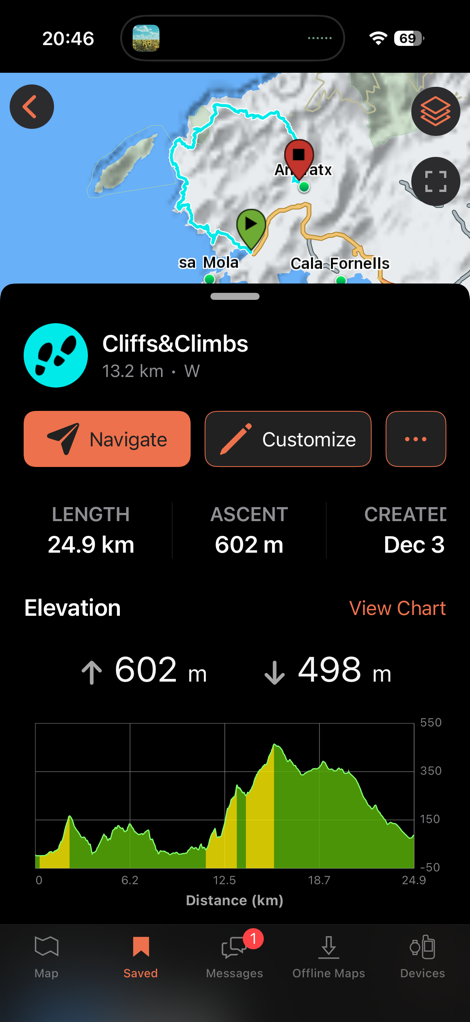
The trick, though, is that if you were to create routes in popular platforms like Strava or Komoot, you can’t natively sync those to Garmin Explore. Instead, they go to Garmin Connect, then you manually export out the .GPX file, to re-import into the Garmin Explore app, to then put in a collection and sync it to the inReach 3.
In talking to Garmin about this (quite in-depth, actually), they do seem to understand this is far from awesome. And it sounds like things will probably be getting notably better in 2026 on this software dance. Part of the challenge here is organizational in nature. The inReach devices historically came from Delorme, which had its own app, and then that team became part of Outdoor, which somewhat continued that tradition while adding another app, which never really talked to the Fitness side of the house way-back-when, that largely drove Garmin Connect. While users of a Fenix device (which is part of Outdoor) probably wouldn’t notice these walls very much, the inReach devices aren’t as well integrated into the Connect platform realm.
In addition to downloading the files from a phone/computer, you can use the new Garmin Share integration to send routes from other newish Garmin devices. This means that if you or someone in your group has a Garmin watch, handheld, or bike computer made in the last few years, you can have the two talk to each other to send those files wirelessly between them, no internet required:
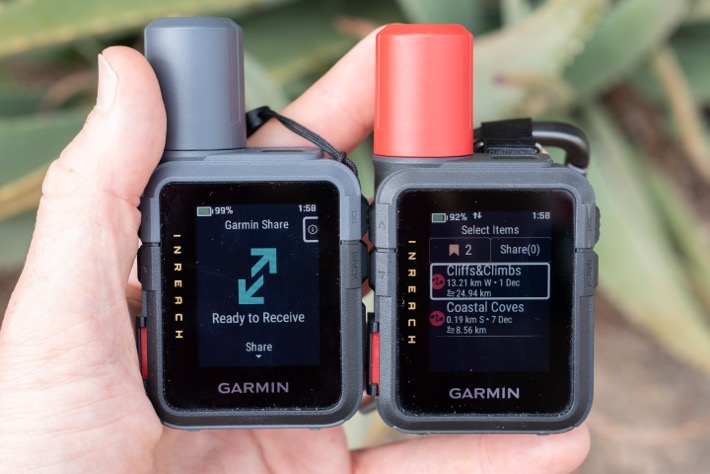
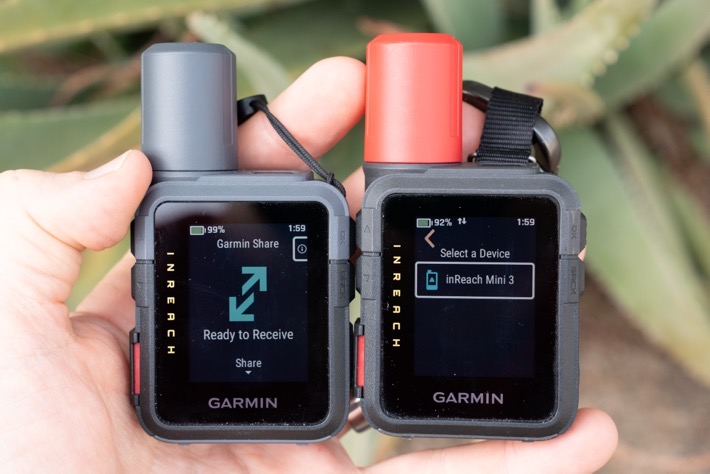
Ok, with it on your device, you’ll see it here to load up and navigate:
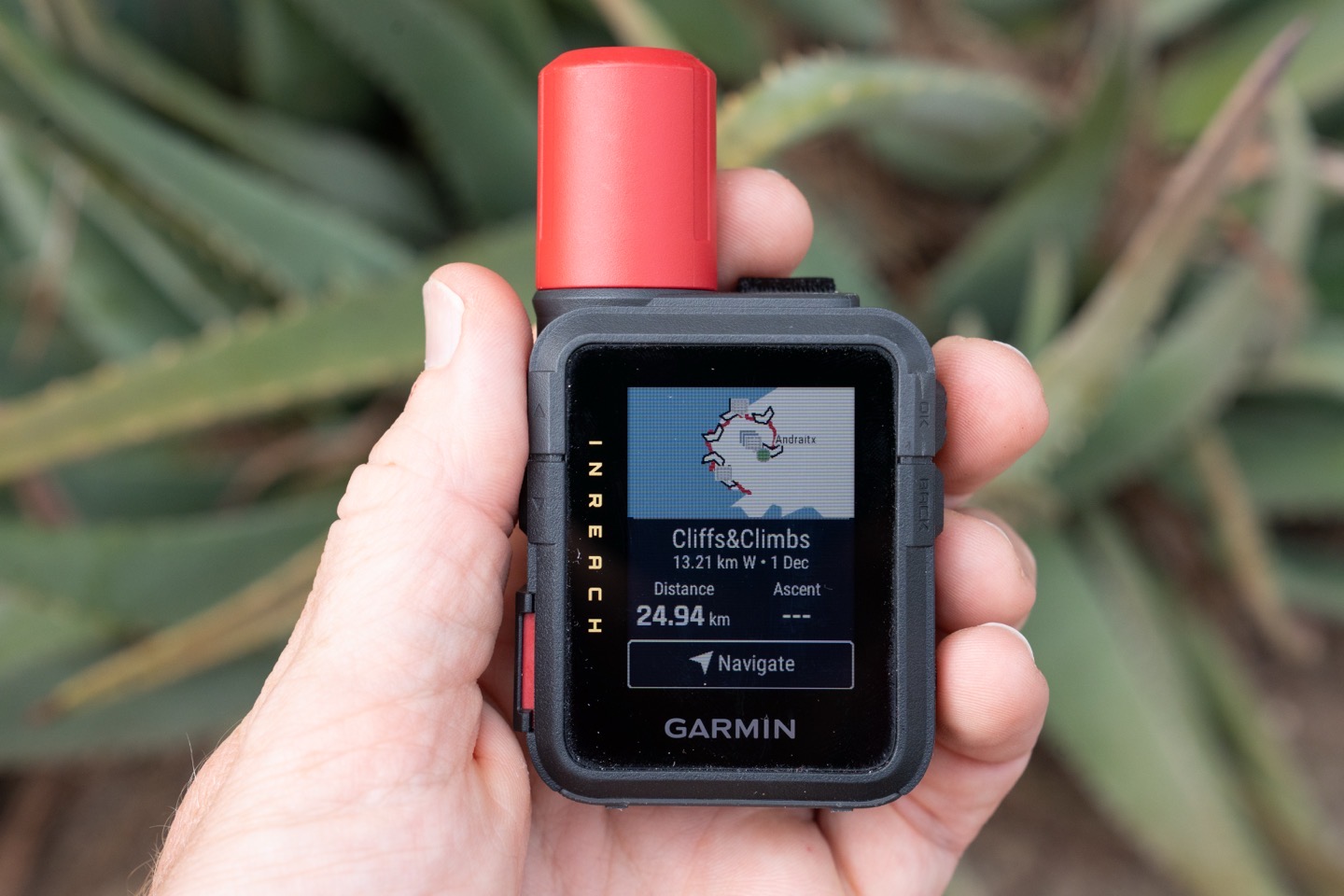
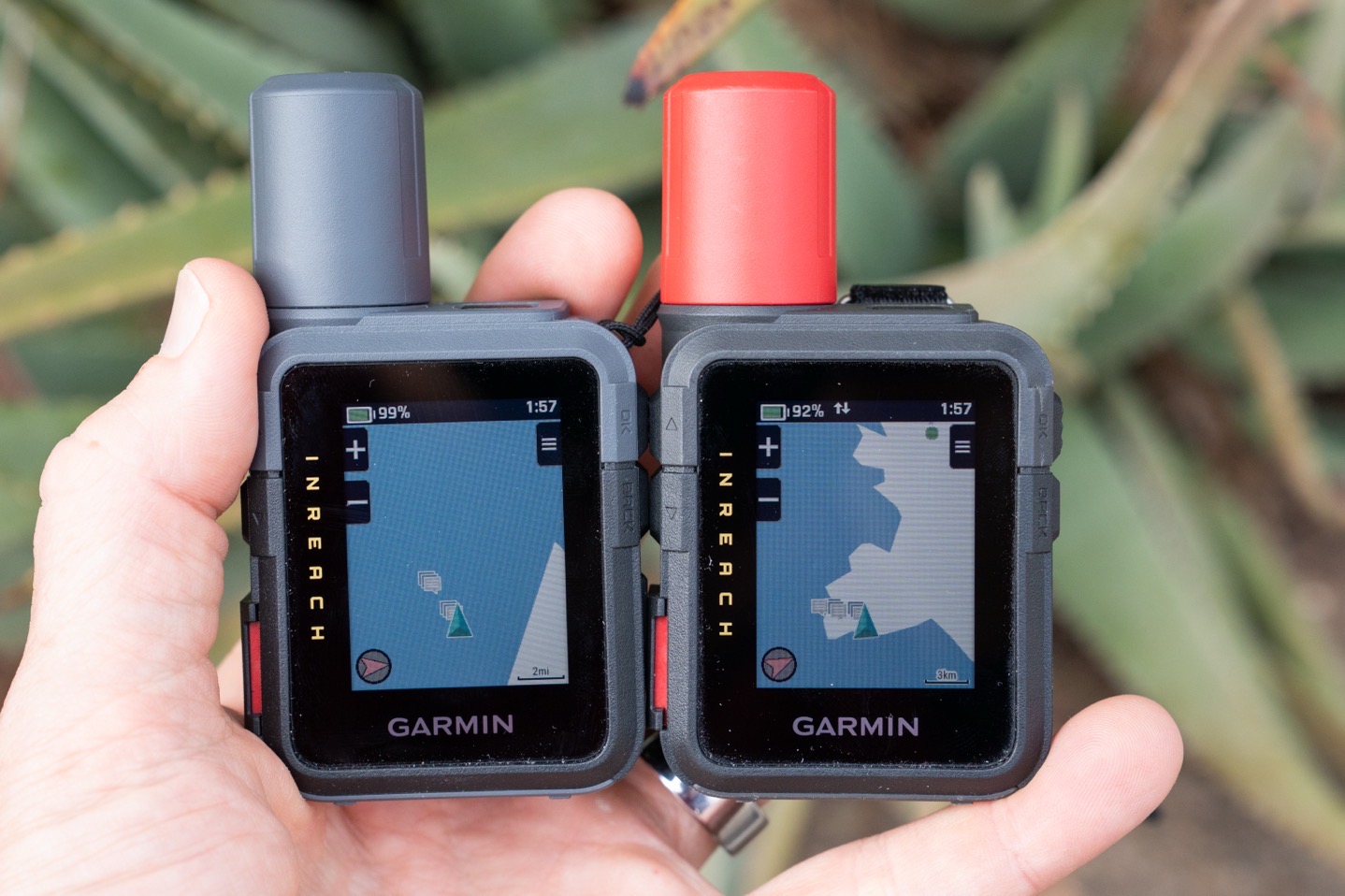
From there, you’ll see a line showing your route, as well as your current position on the route. To understand the differences in the ‘maps’, you can see the two units side-by-side:
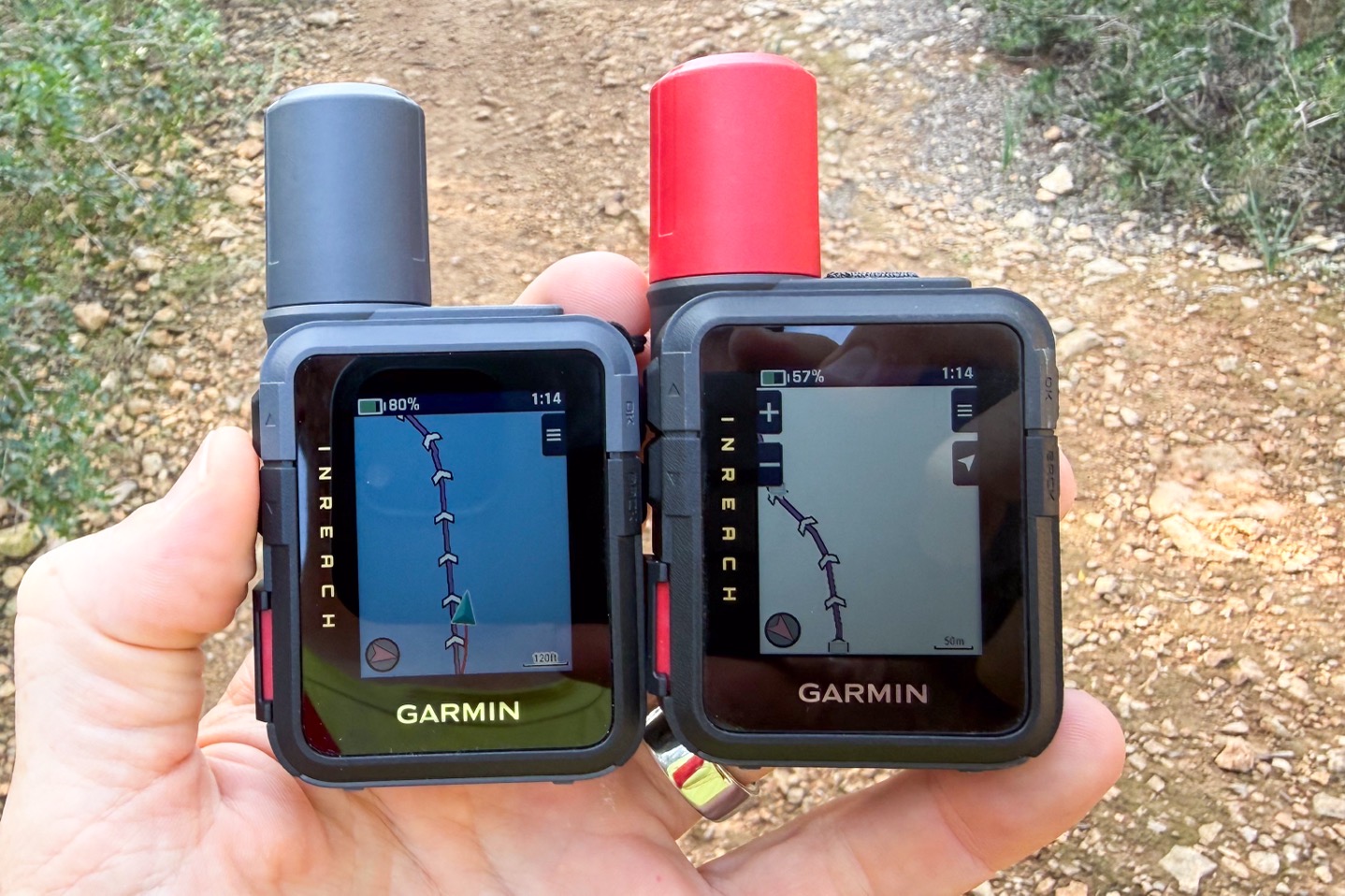
In this case, you’ll note that on the base inReach Mini 3 unit, the entirety of my side of the island (Mallorca) doesn’t exist. Whereas, on the Plus unit, a vague outline exists, but basically nothing other than a few random dots for cities. To be clear, these maps are entirely useless in every possible definition of the word. It’s really disappointing that Garmin continues to draw this weird hard line of roughly $500 as their minimum threshold for mapping on a device (and is probably closer to $700 now).
Just as another example, here on a route that is entirely missing viable maps:
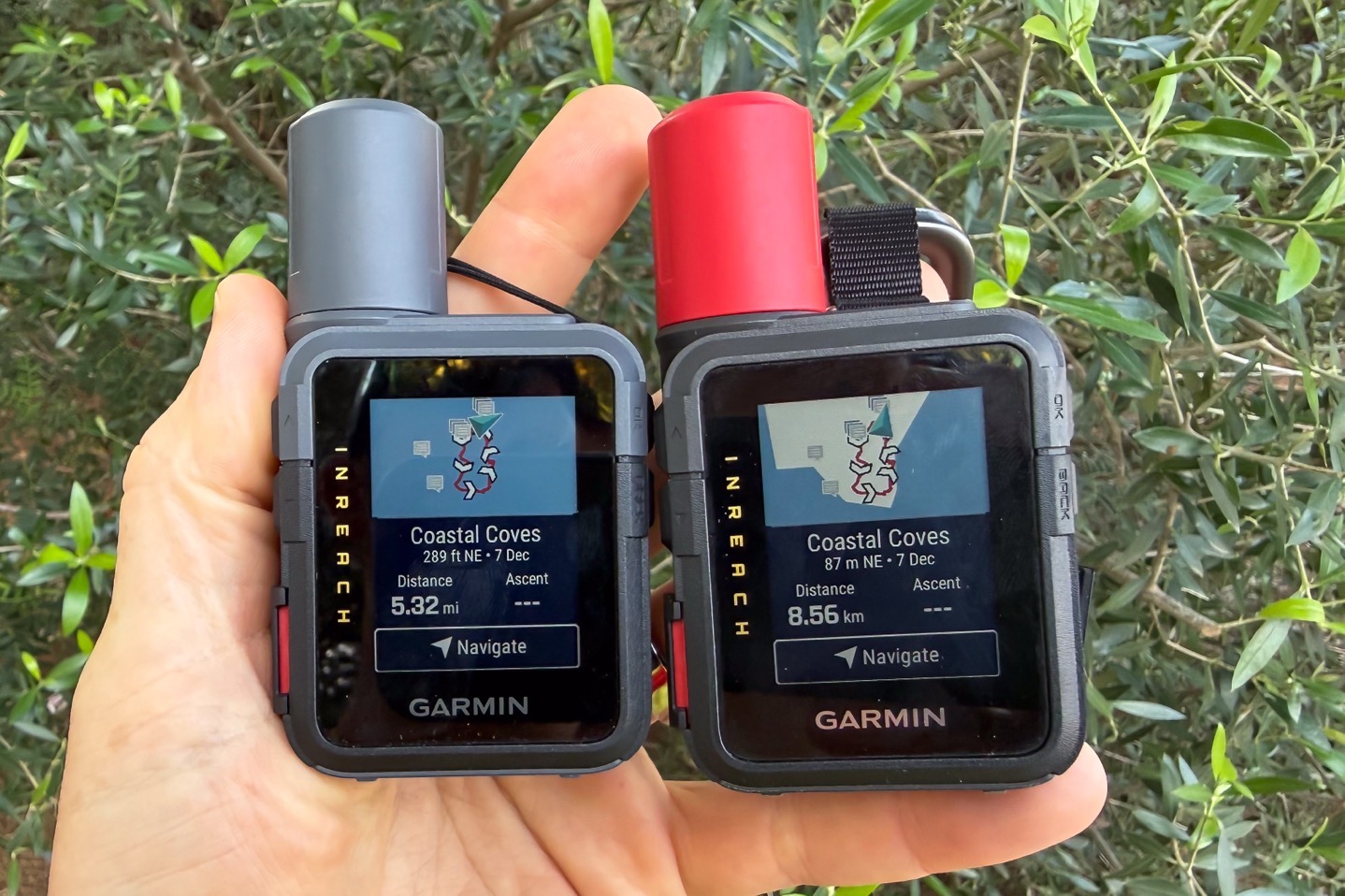
Heck, I probably would have even been OK if they wanted to upsell the map functionality here and say it was only available with a Garmin Outdoor+ subscription. But instead, they delivered something that has no practical use.
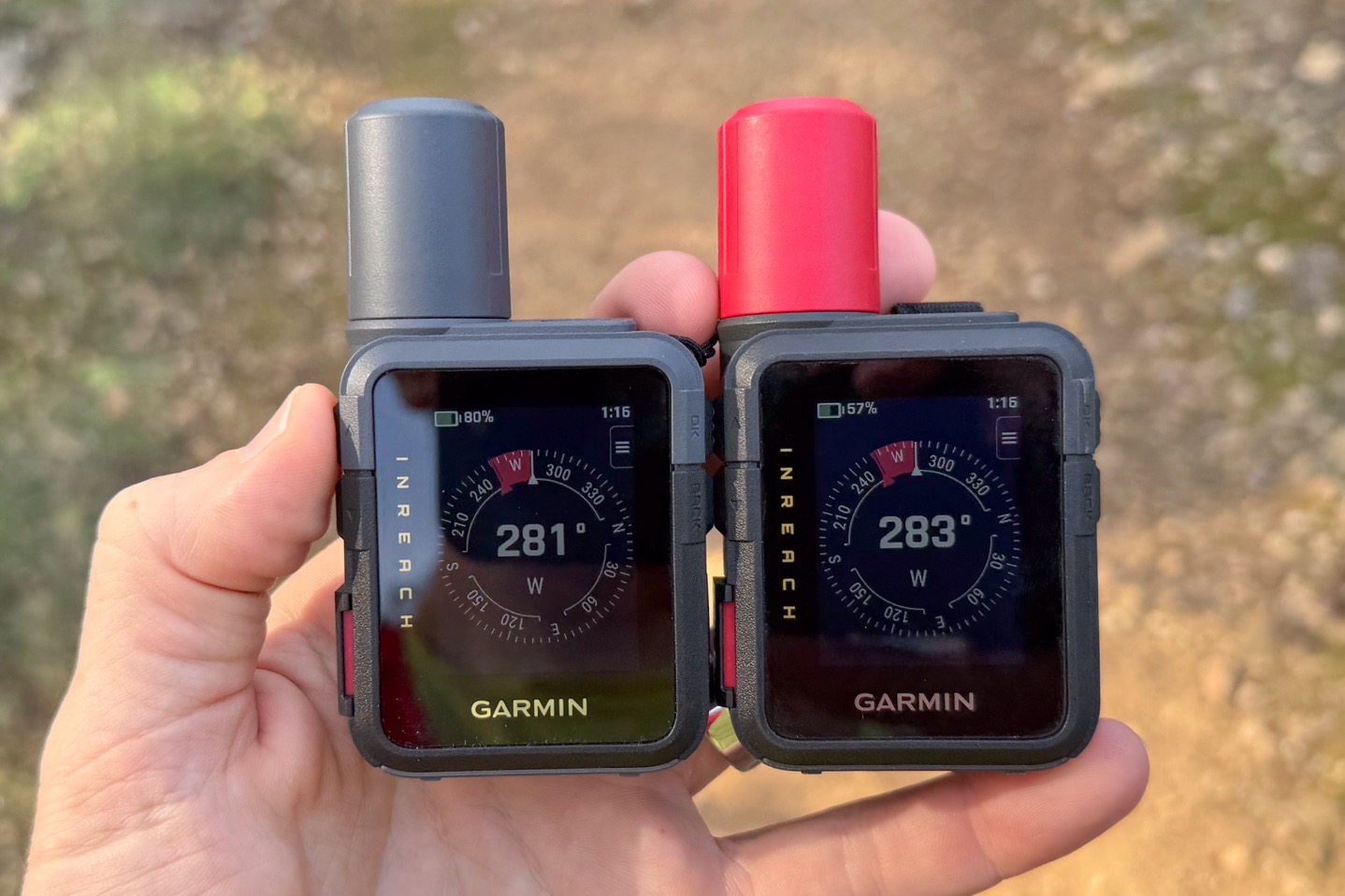
Anyway, as for navigation, it won’t tell you about any upcoming turns, but will tell you (once) when you go about 50m or so off-course. Also, if you’re on the compass page, it’ll show deviation from the route’s heading in red:
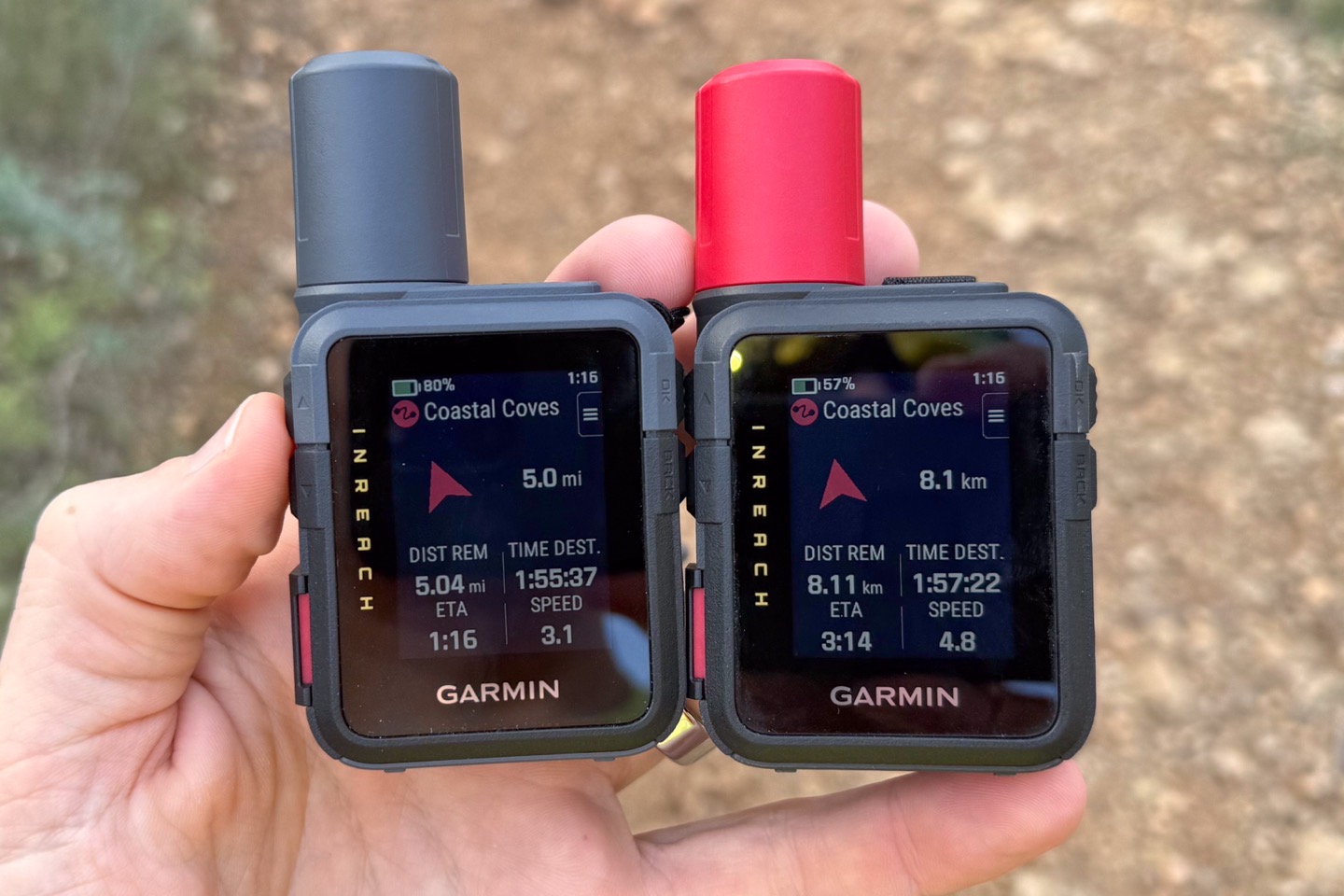
You’ll also see stats about your route as well (in either miles or kilometers):
In terms of other navigation features that don’t involve maps, they are more useful in terms of getting yourself out of a pickle. These include the ability to lock a given compass heading, navigate directly towards a GPS coordinate, etc… Note that for all of these, these are as-the-crow-flies type things. So again, not super useful in most outdoor scenarios where you have mountains/rivers/canyons/etc in between you, but in a worst-case scenario, can at least point you in the general direction of where you’re going:
The most useful one here is likely going to be TracBack, which allows you to follow your route backwards. So this will at least get you back to the start.
Now, I know I’m being hard on some of these features here, but for a $500 device, tons of watches at half that price have full maps and far better navigation. To me, putting a nicer screen on this device is entirely wasted when it comes to just a better menu, and that’s about it.
Emergency SOS Usage:
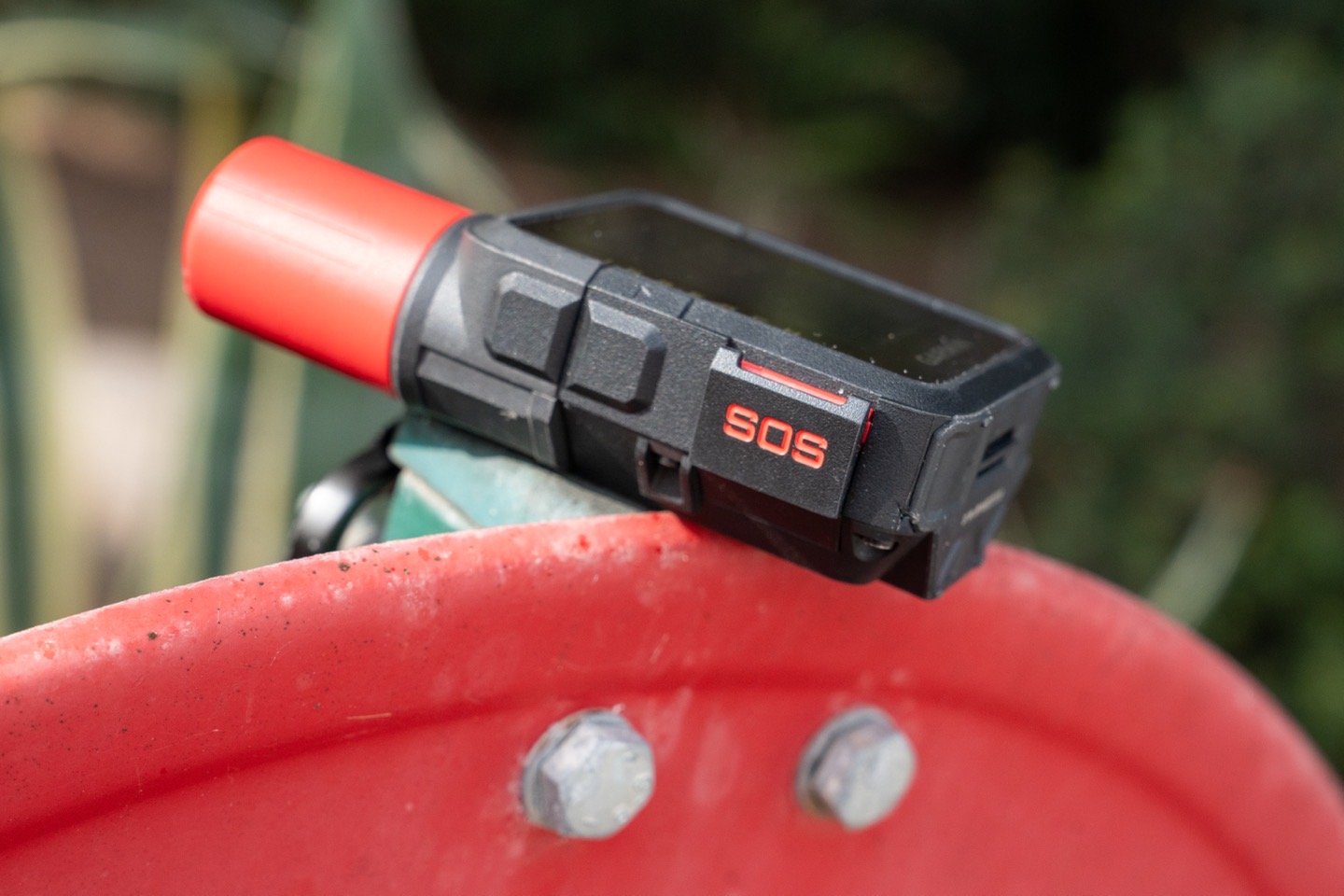
In an ideal world, you’ll never need to use the emergency functions on the Garmin inReach devices, including the Mini 3. And while certainly a compelling reason for why you’d buy this device is to get yourself out of a pickle, I actually find the most value in it primarily just for keeping friends/family updated on backcountry progress.
Nonetheless, here’s a look at how the emergency pieces work. First up, you’ll see the SOS button on the left side. That’s actually a hard plastic cover. So, you’ll pull it open, and under it is the actual SOS button:
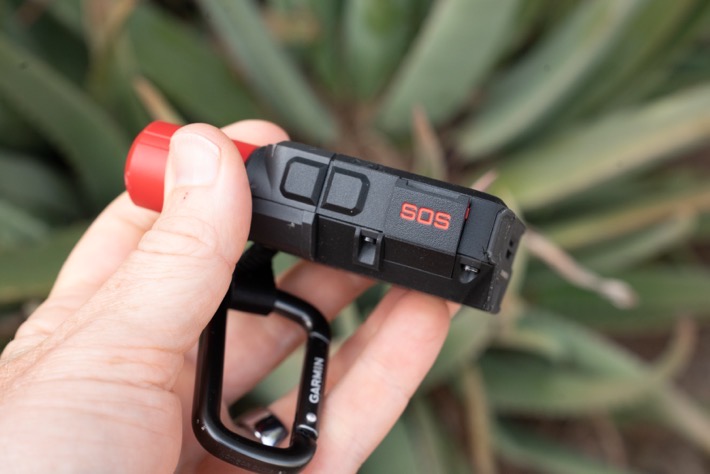
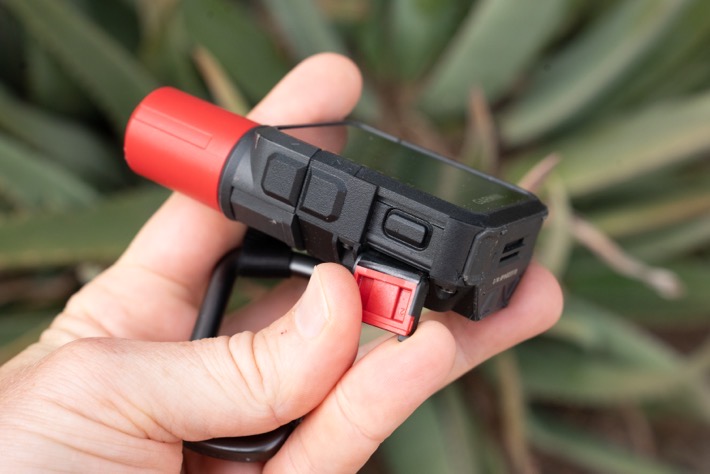
Once you press that, it starts a 20-second countdown to initiating a connection with the Garmin Response Center:
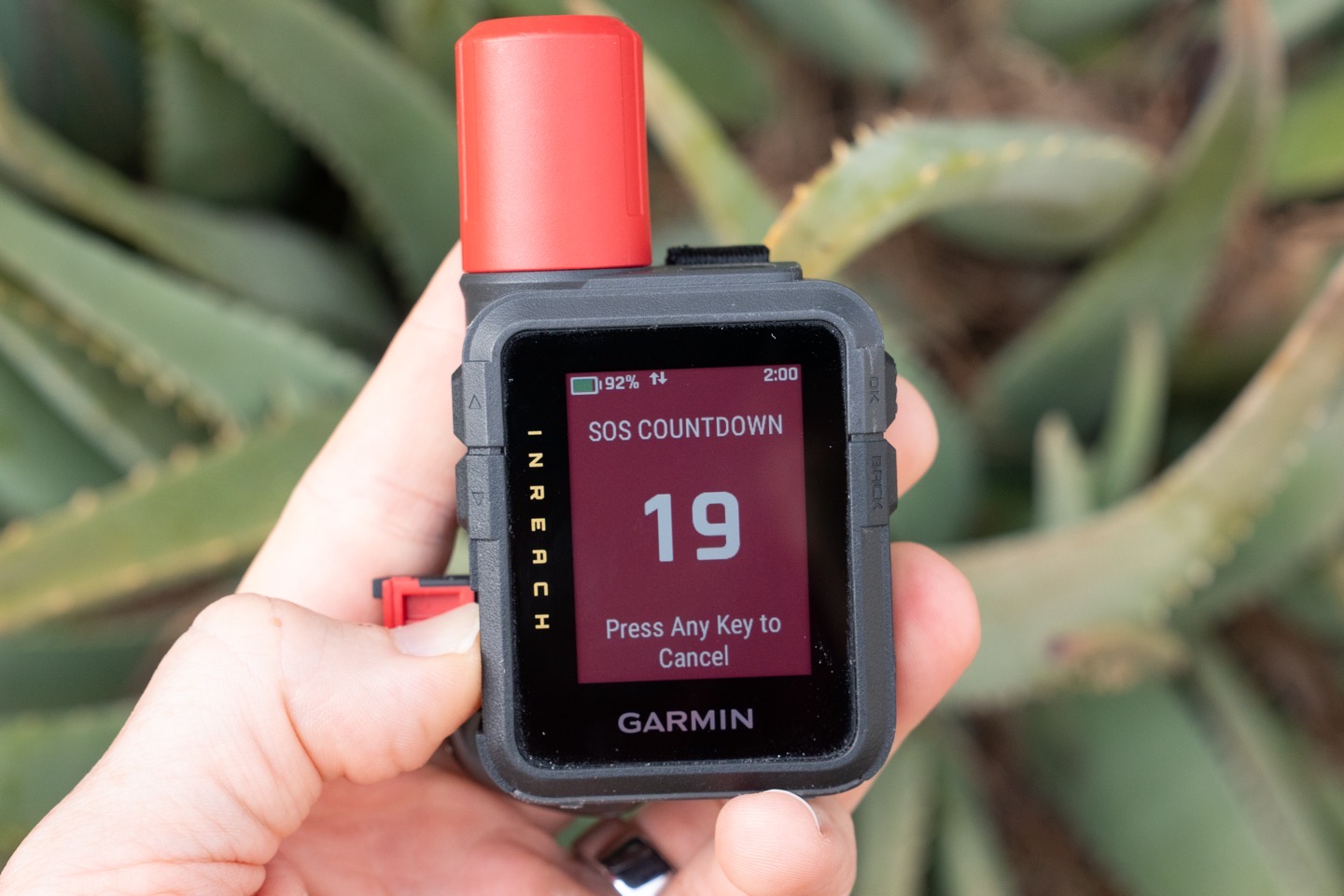
At this point, it’ll trigger a sequence that gathers information about the emergency, to ensure they have everything they need, in case you stop responding or such. This includes (automatically) your exact GPS position.
I’ve done an entire post/video showing what happens when you call the Garmin Emergency Response center (from start to finish), in case you’re interested. That flow, which has been honed over many years, hasn’t really changed here with the inReach 3.
Emergency Siren (Plus Model only):
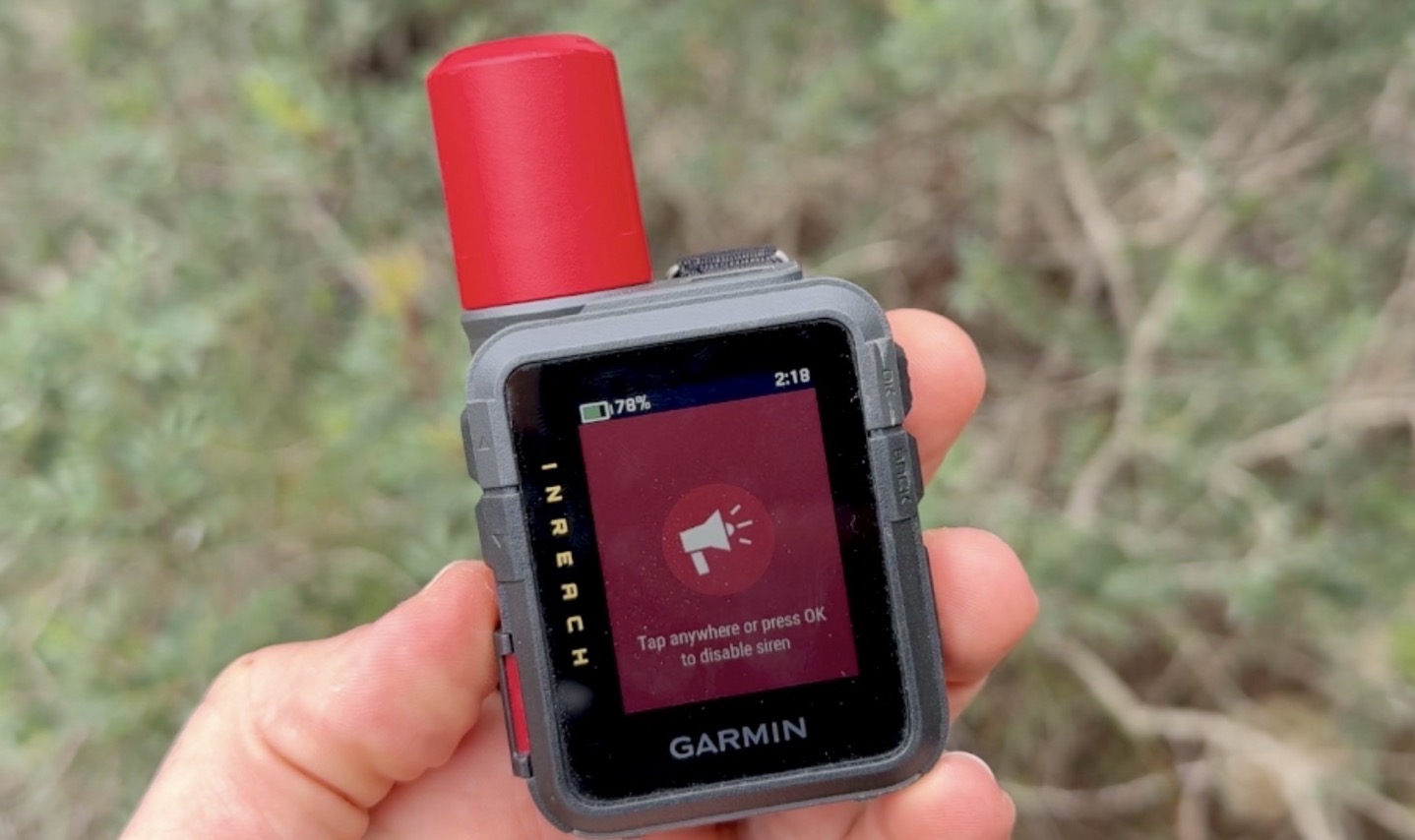
Finally, there’s the emergency siren. This is very similar to what Apple introduced on the Apple Watch Ultra a few years back, and it’s good to see other companies adding such features (Samsung added this to their Ultra watch last year too). This siren is designed to be heard at a distance, though Garmin provides no claims/specifications that I can find in that realm.
By default, you’ll get to the siren by swiping down from the top, and it’s in the lower right corner of the controls menu.
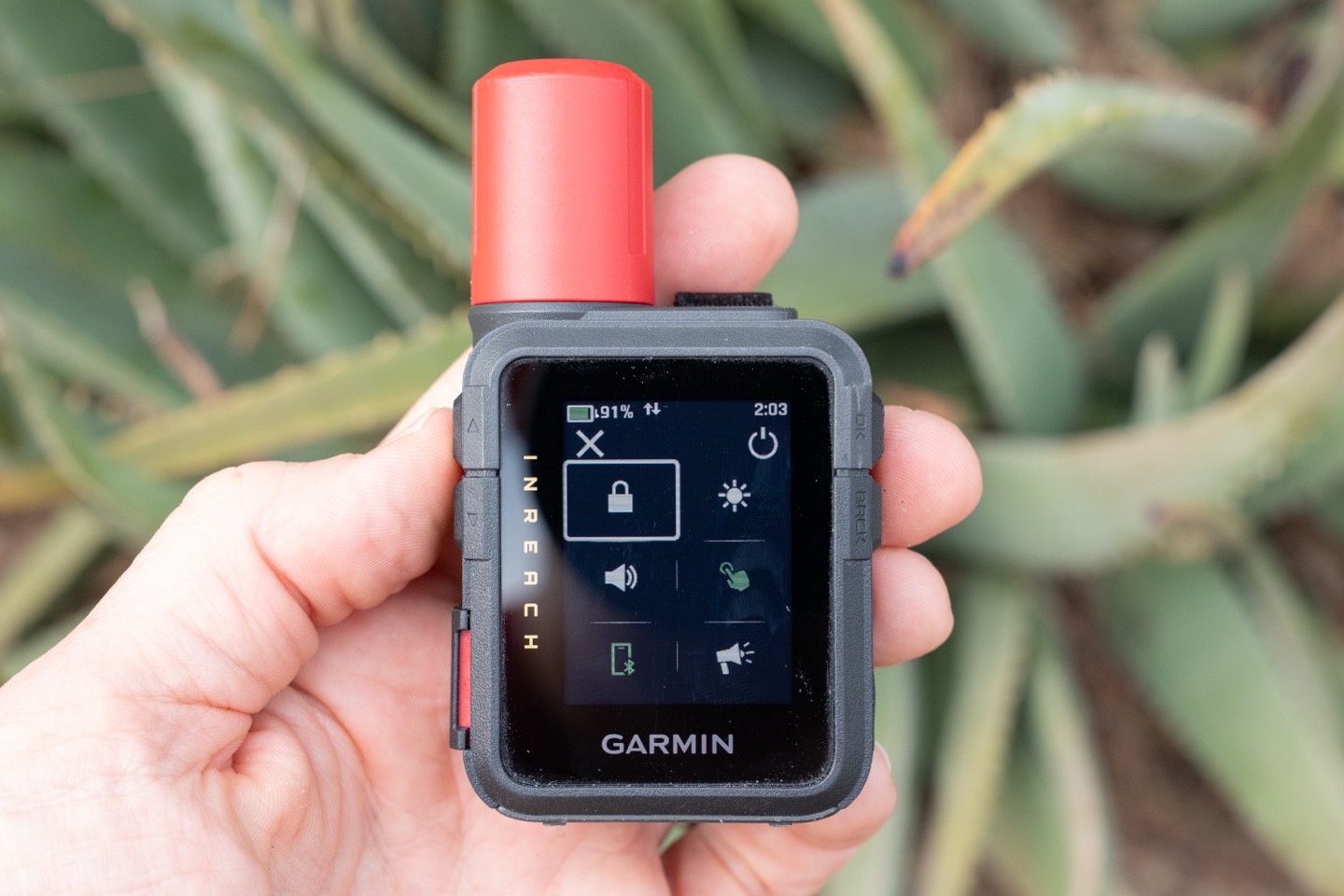
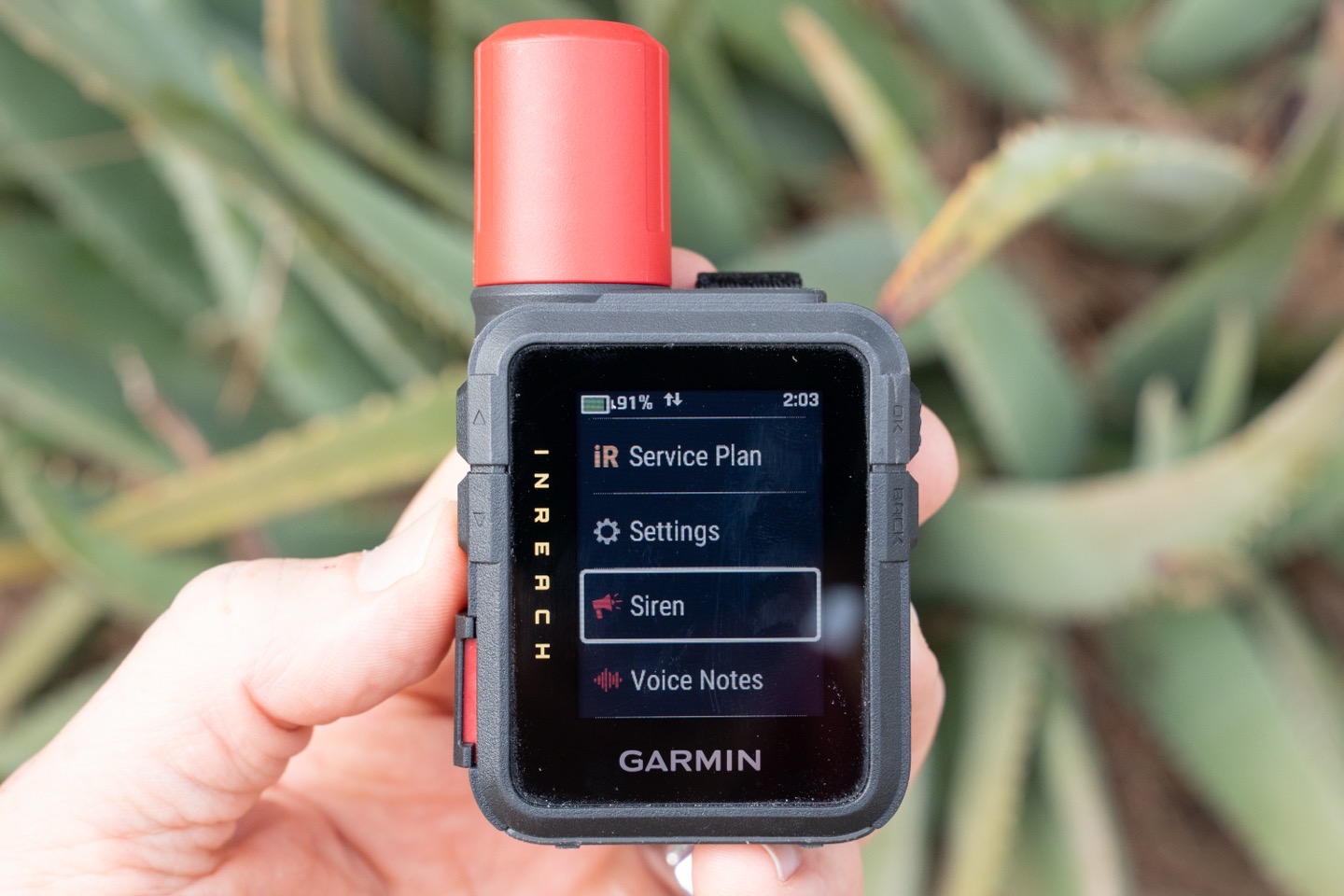
However, I find this finicky to get to (since it involves touch), and instead, I’ve added it as an ‘app’ on the main widgets section. You can do that by just scrolling down the page of widgets, and then tapping ‘Edit’, to add it.
In any case, once you tap it, you’ll see this screen, which indicates it’s doing the siren thing:
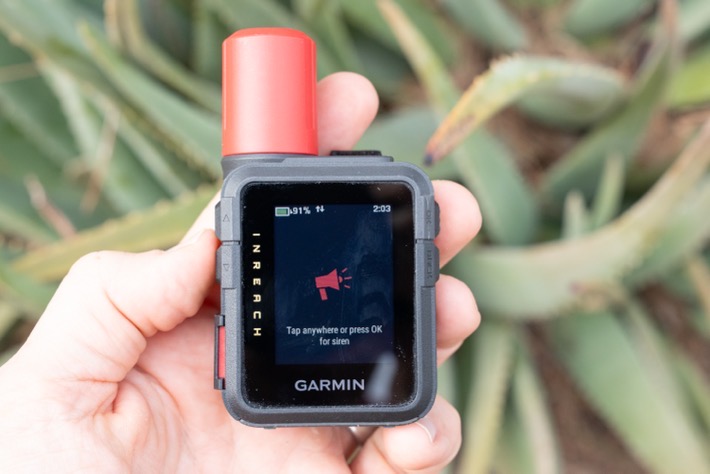

The sound (heard in the video up above, see the chapter markers in video), is super variable, and is designed to catch your attention. The point of it is to stand out amongst any other sounds in the forest/etc, and certainly it very much does that.
So I went out into the woods to test this, and here’s what I found:
Heavily wooded/vegetation: I could hear it to about 170m, with it very clear at 150m and below
Wide open space (but with wind sounds): I could easily hear it to 300m, at 400m, it was very challenging to hear
I suspect that on a calm/windless night, the sounds would travel substantially farther, especially out from a cliff or such with absolutely nothing in the way. Also, these are just my ears; other ears may be better than mine. And again, keeping in mind the device is already sending your exact location to emergency responders, so the siren isn’t as critical in this scenario.
From a battery burn standpoint, I tested that as well. In one scenario, I placed it under a pile of towels (so I and others around me didn’t have to hear it), and then let it roll for two hours. In this case, it burned approximately 16%/hour.
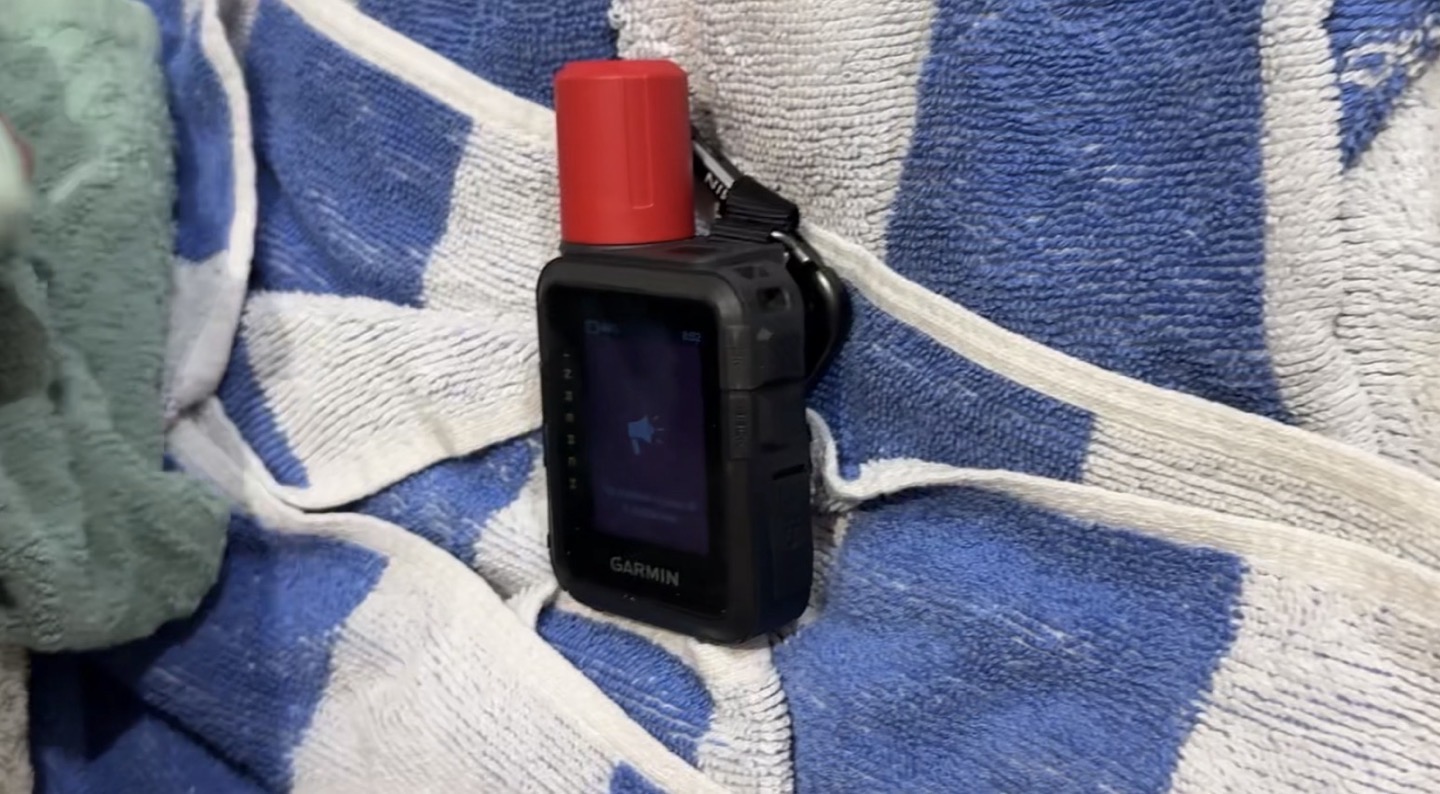
Now, this test could be considered slightly flawed for at least one reason: GPS signal was blocked inside, which typically increases GPS battery burn. But that said, given the inReach can transmit exact coordinates to rescuers, the emergency siren’s usage is actually more relevant in poor GPS conditions (such as falling into a crevasse where GPS wouldn’t work and drive the same battery drain). So hey, real world, sorta…kinda…right?
Either way, I very much appreciate the emergency siren as another tool in your belt. I think for most short-term scenarios, a simple whistle is obviously better. But trying to blow a whistle for hours and hours on end is a different matter.
Battery Burn Bits:

Before we get into the testing, let’s start off with the official battery charge for the inReach Mini 3 series, which you’ll find below, from the manual:
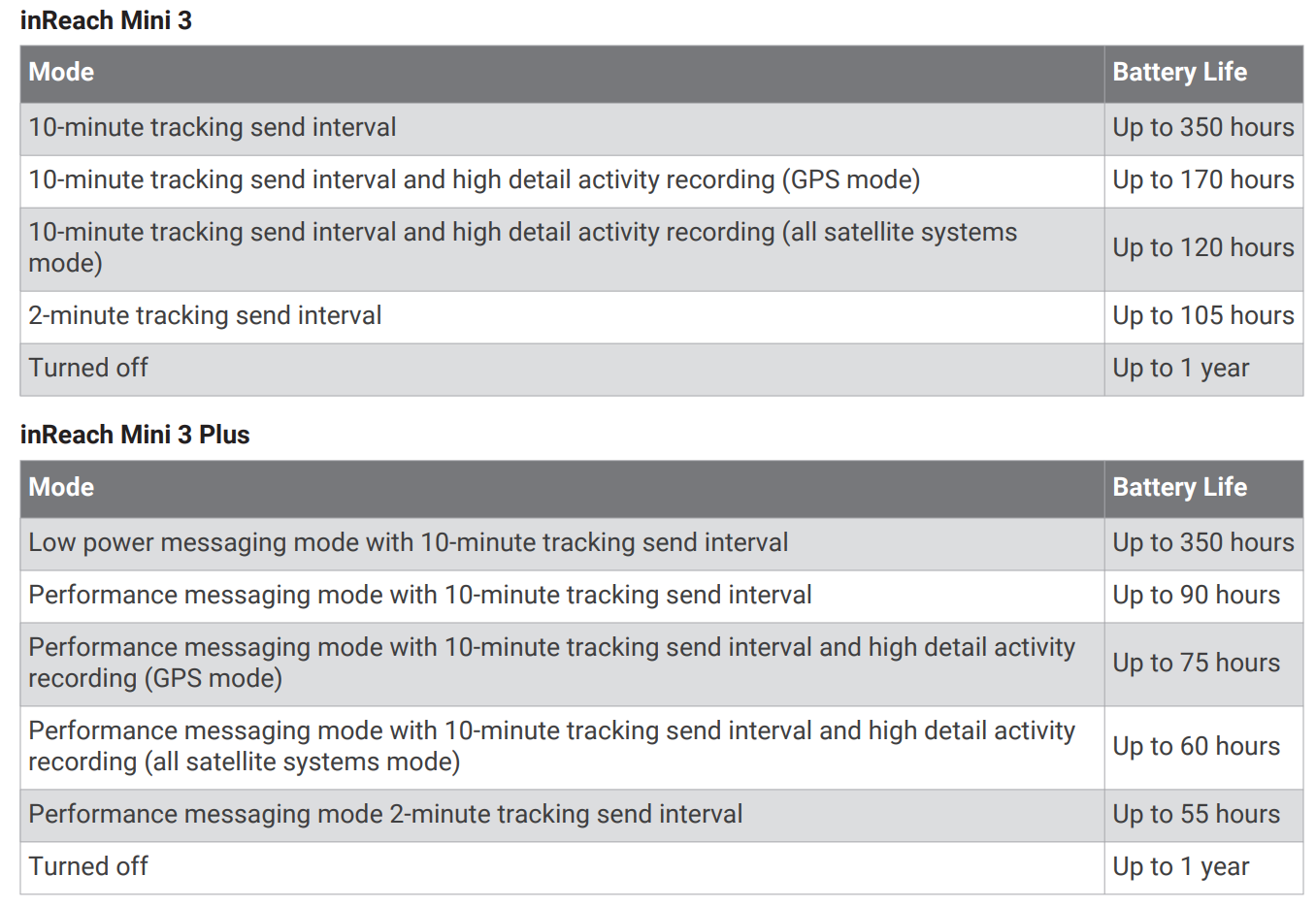
Now, I’ve done a bunch of testing on this, trying to suss out how close to these claims it is, and I think it’s actually pretty close, but it’s also pretty tricky to tell. I’ve done hikes up to 7 hours in duration, as well as put it on longer runs/rides/sails up to 3 hours, to try and figure things out in different modes. All of these modes used the base GPS setting, and all of them had the phone disconnected entirely, or almost entirely.
The tricky part here from a data collection standpoint being when you get really close to the edge of a percentage, such as if you were at 90.00%, and then went 3.56hrs, it would drop to 88%, even if it was actually at 88.95%, because the unit only displays whole digits (e.g., 88%).
Point is, here’s some (of many) examples:
– 3-hour ride with 10-minute tracking: Burned 2% (went from 83% to 81%)
– 7-hour hike with a few photo messages, a few text messages, and 10-minute updates, first 3 hours in ‘low power’ mode burned 1%/hour (100% to 97%), and next 4 hours in ‘performance’ mode burned 2%/hour (97% to 89%).
– 10 hours ‘at camp’ (static overnight) 10-minute tracking: Burned 1% (went from 84% to 83%)
– 11 hours ‘at camp’ (overnight, slight/constant movement all night) 10-minute tracking: Burned 4% (went from 42% to 38%%).
Likewise, when it came to battery burn in different detail modes (GPS recording rates), Des and I went for another 3.5-hour road-cycling ride, this time testing the default low-update mode (for GPS track, not transmission, which was set at 10-minutes), versus the every-second track update mode.
– inReach Mini 2 – High Detail Mode: 98% to 94%
– inReach Mini 3 Base – High Detail Mode: 100% to 96%
– inReach Mini 3 Plus – Low Detail Mode: 41% to 38%
Now, let’s go on a fun little diversion into how being in a static position impacts battery life (for the better).
On those overnight ‘at camp’ scenarios, I noticed something interesting. The first one sitting still all night long with clear skies, it didn’t update the position very often. A few times skipping many hours in between transmissions (despite the 10-minute update rate). Which, I thought was odd. But then again, perhaps it used accelerometers and gyros to detect motion, and reduce update rates within that (logically smart, but also tricking my test).

So I tried again, this time thinking about a way I could keep it moving around. I had all sorts of creative machines figured out in my head, and then I realized the easiest way was to put the unit on a swimming kickboard and let it just float around the pool all night long. The output valves from the filter, combined with a bit of a breeze, would keep it forever bouncing around and wobbling.
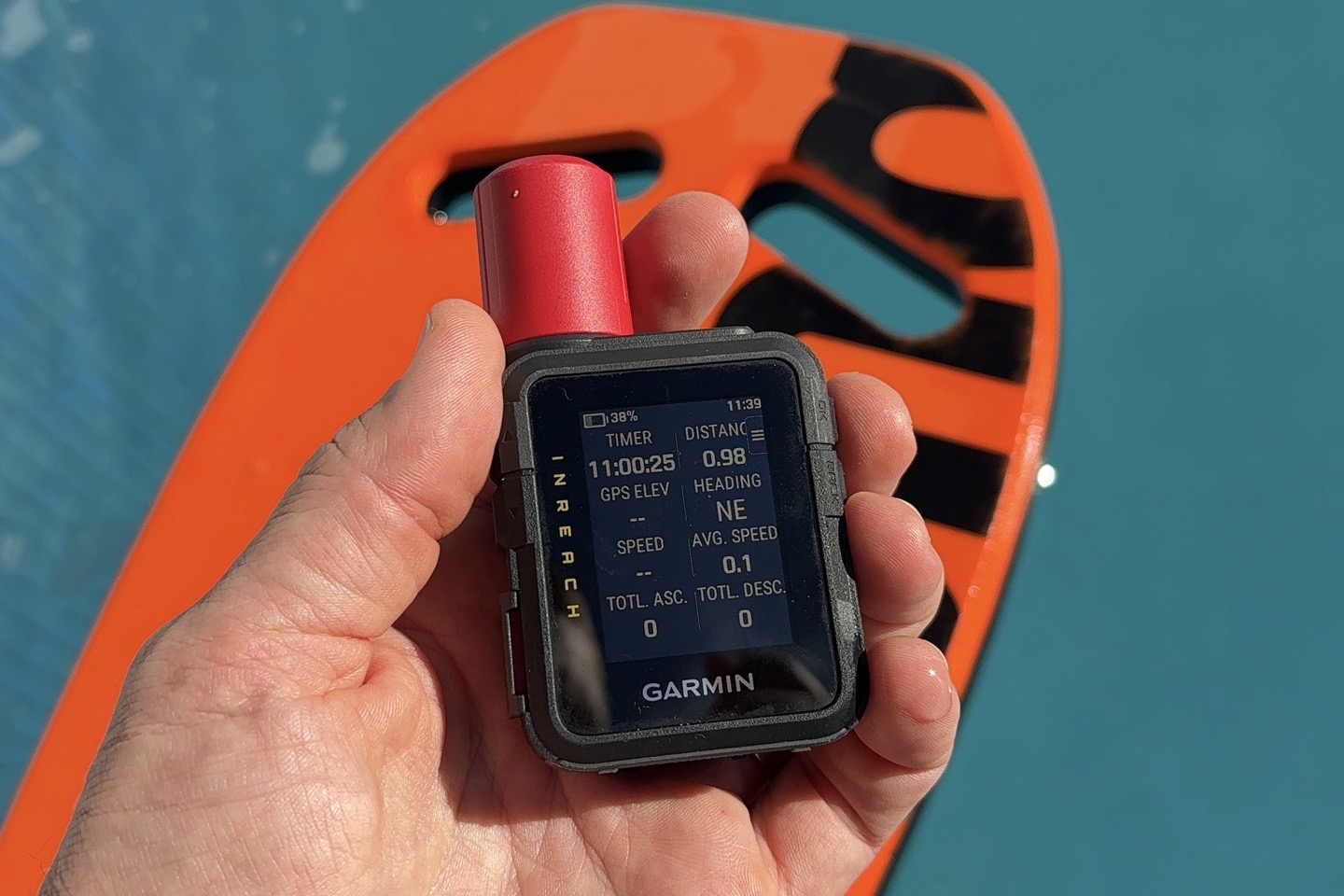
Still, it only updated three times during the night again (the elevation graph handily shows each update point most clearly), which is a bit surprising:
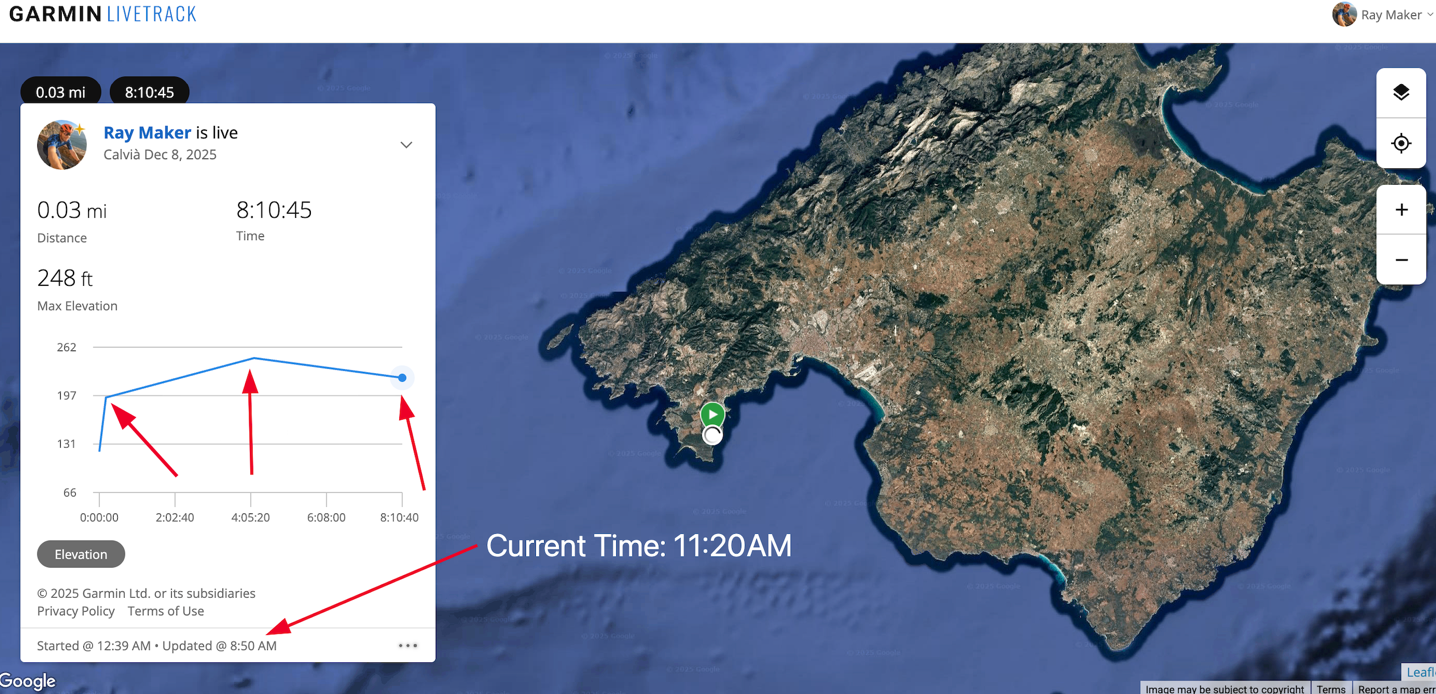
In bringing this up with Garmin, they noted that the unit actually will use a combination of GPS and sensors to decide whether or not it’s actually moved, and then significantly reduce the update rate to save battery life. Specifically, if the unit hasn’t moved about 33m/100ft, it’ll reduce the update rate down to every 4 hours, which, is exactly what I see above. That’s a clever solution, though, it does put some doubt in the minds of friends/family following along, as to whether or not your unit is actually working (since, for them, they just see an update some 3hrs+ ago).
Anyways, all the other battery tests are pretty straightforward. As one might expect, there’s a ton of variables here, most critically things like overhead tree/etc coverage, which will impact retry rates for the satellite transmissions, as well as impact battery burn rates for the GPS signal (if heavily/entirely blocked).
Nonetheless, at the end of the day, I’m happy with all these battery burn rates, and they fit well into how I’d use these devices – even for longer adventures (since I’d be recharging other devices, doing one more isn’t a big issue). And of course, remember you can turn down the tracking rate even further, to get more battery too.
Bugs and Failures:
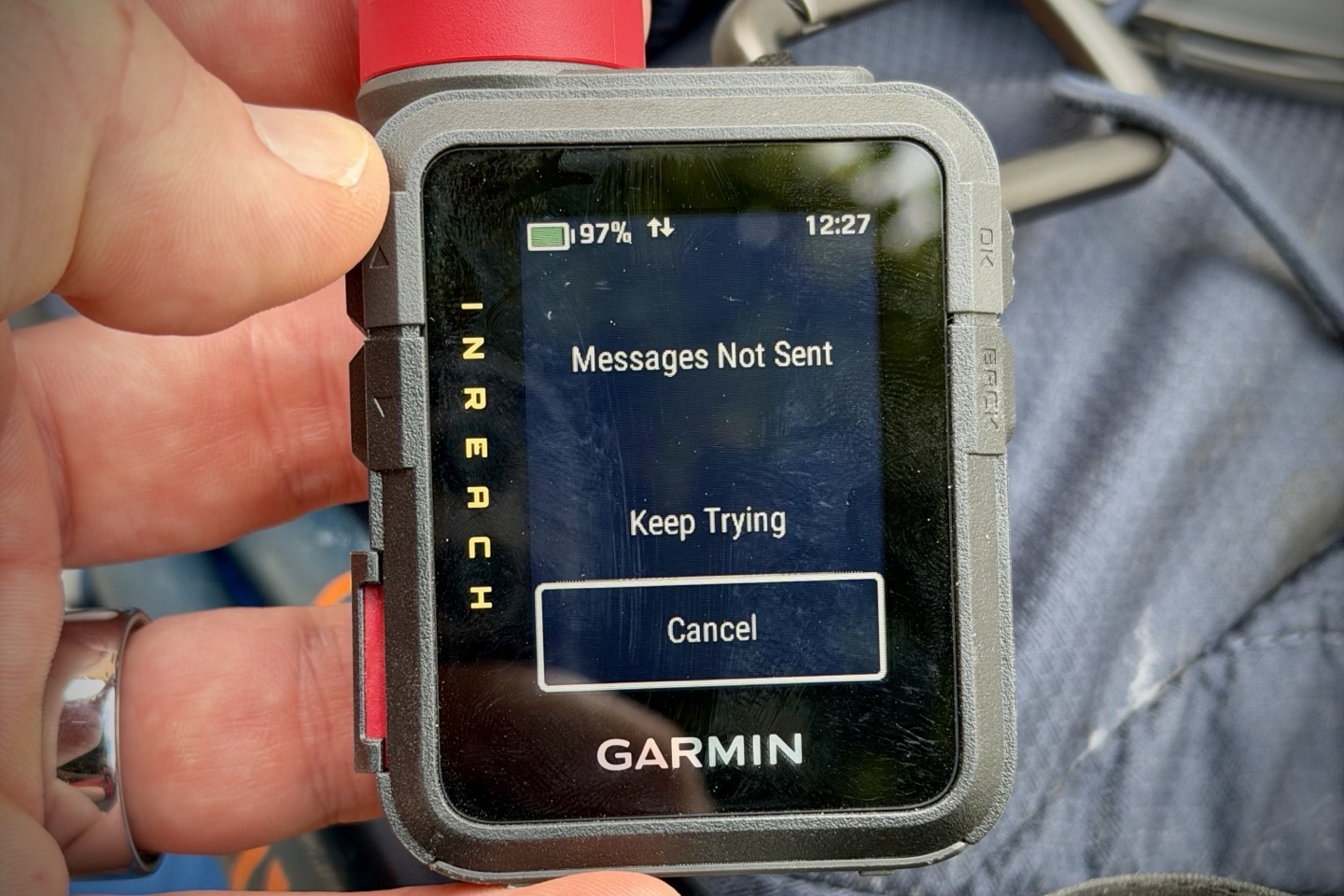
Now, as I noted earlier, there was one substantial issue I had on one of my longer hikes out of cellular range, which was the failure of the inReach Mini 3 Plus device to send satellite messages. No matter what I tried or how long I waited (even 30+ minutes with clear conditions overhead), it could not send a satellite message of any type. This persisted for hours. During this time, the inReach Mini 2 had no issues sending messages every 10 minutes as configured.
Obviously, this was a pretty big deal. Had there been an emergency, that message would not have ever been sent. Period.
In the end, the only ‘fix’ for the issue was rebooting the device entirely. After which, it worked flawlessly for the rest of the hike. Of course, that might sound like an obvious/easy fix, but when you’re dealing with a device where the default ‘fix’ is to simply wait longer for the message to send, in an emergency, it might not be obvious to reboot it.
So, I went back to Garmin and their engineering teams to find out what was up. Over the course of a 10-day period, their engineering teams created a special firmware version to get additional logging data from my unit (the one I bought), as well as then spent about 7 days working to recreate the issue in their labs, and ultimately figure out what caused the issue (along with an upcoming firmware update).
Specifically, here’s what they said first:
“The team followed up with me this evening and shared that they have found what lead to the issue you observed. They’re now actively working on a fix for those issues. Based on what we know about the issues that collectively lead to what you experienced, you or anyone, are highly unlikely to see this issue. We will work diligently to resolve, test and release this patch to the public as soon as we are able.”
After which, I asked for a bit more detail on what happened. Specifically, why they think nobody else will stumble into it, and they came back with this:
“We identified and fixed issues that could result in a device not attempting to send traffic via satellite when connected to a paired phone that does not have access to the internet. The reason we believe these issues are unlikely to occur again for you or others is that, through targeted testing, we have been unable to replicate the conditions that cause this problem. Nor have we had reports of this occurring through our development cycle across multiple devices and varying users. “
Obviously, the above statement is a bit light on specifics, though, I think I can probably translate. My guess here is that there’s a bug in the connection between the Garmin inReach Mini 3 device and the Garmin Messenger/Explore apps, which was causing the device to think the app had a live connection, when in reality, the phone was in airplane mode and had no cellular coverage anyway (I usually stick my phone in airplane mode when I know I’ll be trekking mostly out of cellular range, to save battery).
I have no doubt that we’ll see a firmware/app update for this very shortly. And I have no doubt the inReach team has historically tested things deeply. But at the same time, this is unfortunately just another example in calendar year 2025 for specific products where Garmin has reduced/eliminated external testing pools, and in concert, I’ve seen a significant increase in show-stopper bugs. Bugs that I don’t see on the products they kept external tester pools, nor have I seen to this extent in recent years. The pattern is painfully clear.
Finally, it should be noted that on the piles and piles of other activities, I haven’t seen this happen at all. It only happened on this singular activity, and even when I tried to replicate this exact workflow, the issue didn’t happen again for me. Hopefully, that update will release soon though, and I’ll update here when it does.
Final Thoughts:
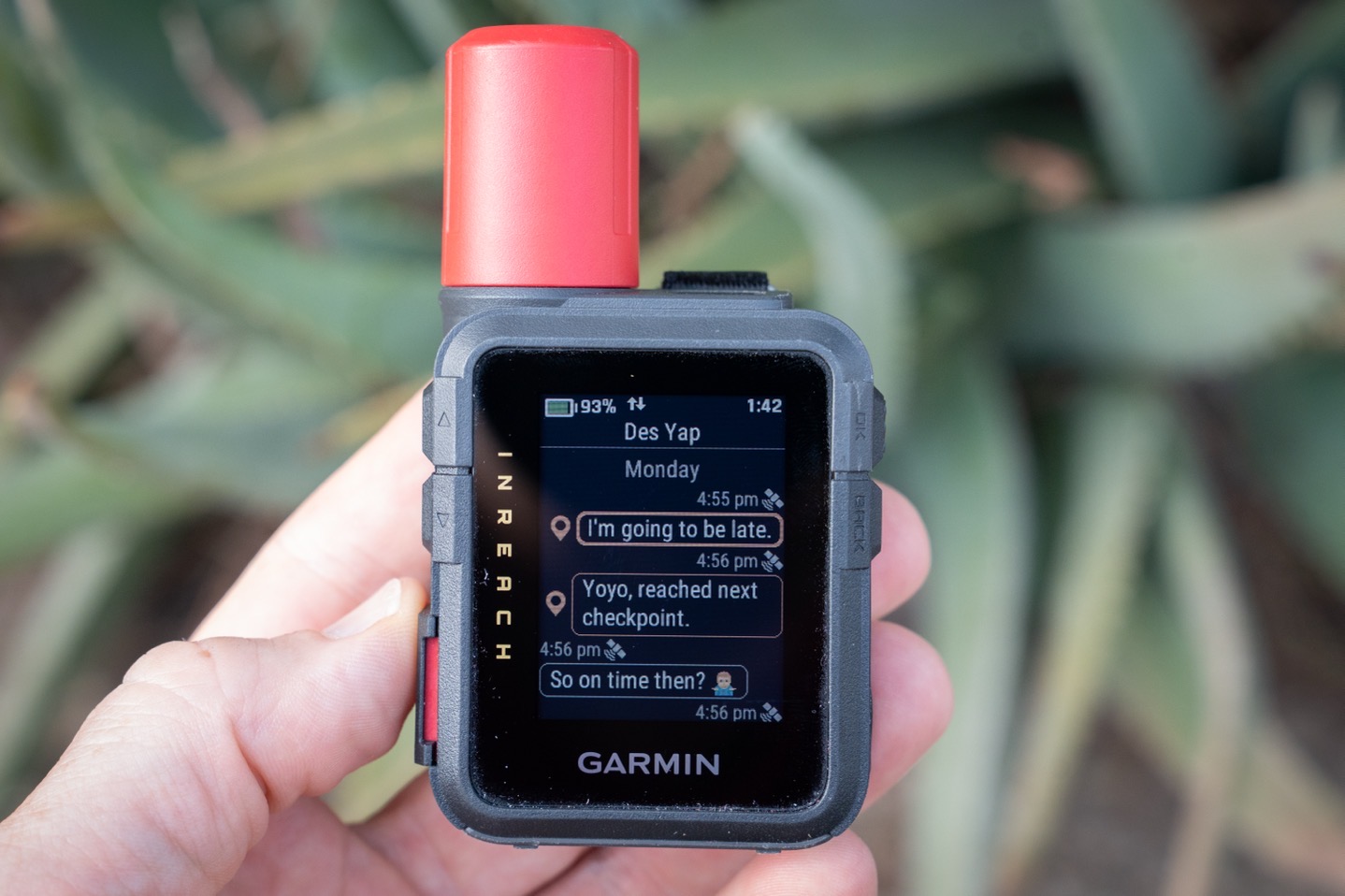
The inReach Mini 3 series is about as true-to-form of a Garmin update as I can think of. It’s not a massive shift in product, or by itself a massive increase in features. Instead, it’s a notable list of features updates that make for a compelling upgrade for those holding out with notably older generations of the product (e.g., inReach Mini 1). However, unlike most past Garmin product launches, this one includes a slightly cheaper unit that doesn’t include the key new features. It’s ostensibly being used purely to upsell you on the slightly more expensive inReach Mini 3 Plus.
At the moment, there’s absolutely zero reason to buy the base inReach Mini 3 unit. You can get effectively the same core experience in a $249 inReach Mini 2, albeit without some of the user interface updates, but in terms of satellite messaging bits – all effectively the same. Of course, where these prices shift over time is more interesting. Had Garmin priced the base unit at $349 or $399 (and perhaps with the inReach Mini 2 disappeared), then there’d be much more decision hand-wringing. But in this case, the decision is easy: $249 for the inReach Mini 2, or $499 for the inReach Mini 3 Plus.
The good news is that, setting aside the singular activity where I had an issue, the inReach Mini 3 Plus has been flawless for me, and it works well. The new user interface is genuinely better/cleaner, and aligns more easily with the experience you’d find on their watches. And I appreciate having the ability to more clearly delineate activity types, as well as the siren in case I needed it. And of course, the big ticket item – photos and voice notes, are super easy to send/use, and just make it far quicker to get out a more nuanced/complicated message to family/friends. As for the “maps”? Well, sigh…they’re pretty much useless. Can’t win them all I guess.
With that – thanks for reading!
Found This Post Useful? Support The Site!
Hopefully you found this review/post useful. At the end of the day, I’m an athlete just like you looking for the most detail possible on a new purchase – so my review is written from the standpoint of how I used the device. The reviews generally take a lot of hours to put together, so it’s a fair bit of work (and labor of love). As you probably noticed by looking below, I also take time to answer all the questions posted in the comments – and there’s quite a bit of detail in there as well.
If you're shopping for the Garmin inReach Mini 3 Plus or any other accessory items, please consider using the affiliate links below! As an Amazon Associate I earn from qualifying purchases. It doesn’t cost you anything extra, but your purchases help support this website a lot.
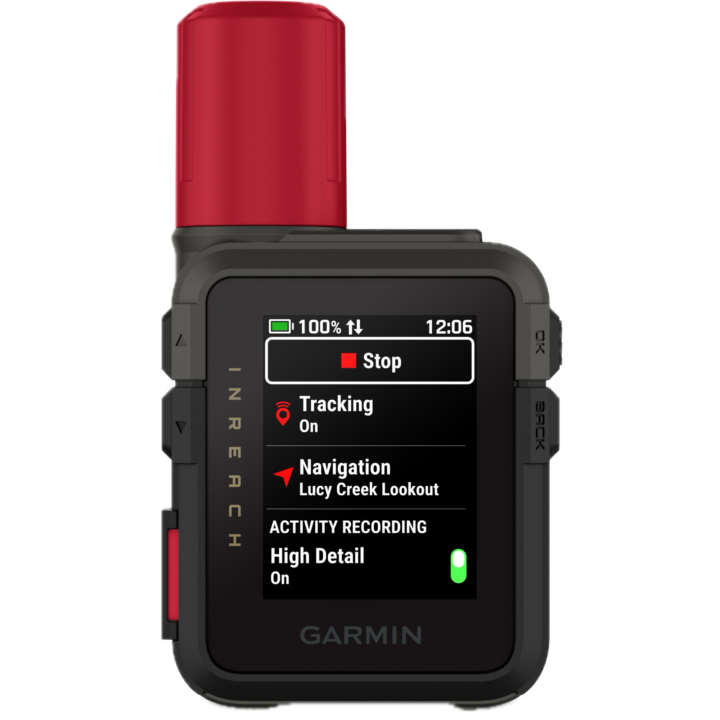
Here's a few other variants or sibling products that are worth considering:
And of course – you can always sign-up to be a DCR Supporter! That gets you an ad-free DCR, access to the DCR Shed Talkin' video series packed with behind the scenes tidbits...and it also makes you awesome. And being awesome is what it’s all about!
Thanks for reading! And as always, feel free to post comments or questions in the comments section below, I’ll be happy to try and answer them as quickly as possible. And lastly, if you felt this review was useful – I always appreciate feedback in the comments below. Thanks!


















I’m really interested in this line “The entire unit, even with the USB-C port open, has an IP67 water-resistance rating” regarding the water resistance with the USB port open. I’ve always been annoyed by the understanding that the rubber cover is an integral part of the water resistance on the mini 2 and I’m curious to find confirmation that isn’t the case any more.
Yup! It’s actually always been fully waterproofed within the connector, even back to the Garmin mini-USB days and micro-USB days.
Here’s a super old post/video where I talked about it (15 years ago): link to dcrainmaker.com
Thanks for the review! I asked this on another article but not sure you saw. Do you have any idea when the satellite features on Apple Watch/Fenix/Pixel are coming to Brazil? I run in the mountains here where there’s no cellular service and it gives my wife anxiety. Barring satellite on watches, it seems like I’m left with this. I can swallow the cost of the device but stomaching the subscription is harder.
I don’t know there.
It’s notable for Garmin/Google that Skylo does actually have coverage over Brazil, which means that portion is at least covered from a coverage standpoint (Skylo is the provider for both companies there). The next piece would be Garmin putting in place LTE agreements there.
Would be great to see a comparison between Garmin’s service and T-Mobile’s $10/month T-satellite service for smartphone users in the US.
I can tell you that my T-Mobile T satellite on a s25 ultra works seamlessly in the mountains of the Sierra Nevada’s and updates caltopo Maps seamlessly. Meanwhile garmin is charging stupid money for a montly service with buggy software.
This is the big thing in my head as well. I was seriously thinking about an InReach Mini for diving which is good for “left behind” (less likely) and “crap at navigating underwater in a current” (plenty likely). But now that I’m thinking about tmobile satellite coverage, an Oceanic phone housing that also lets me use that as a camera underwater feels like a great bet.
Thanks for your interesting and informative review! I wasn’t aware of the “map” differences of M3 and M3+. I absolutely agree about your thoughts about the available “maps“. The siren use is really blocking the gps signal? Is it an issue or by design? Or have I confused something? Two remarks: If you get a pic on M3+, you can forward it without phone/Messenger app. The M3 + has about 3,5 gb free memory, the M has?
Meant is above:” The M3 + has about 3,5 gb free memory, the M 3 has? Be: I am really glad the the M3/+ have the same form factor as the Mini 2 and that the dimensions are only a little bigger and heavier, while the touch display is much bigger.
Never mind: overlooked the part with free memory M3+:M3.
“The siren use is really blocking the gps signal? Is it an issue or by design? Or have I confused something?”
Thanks – in this case I’m talking about my test setup, under the blankets inside, which would impact GPS signal acquisition, which in turn would increase the device power consumption at a higher rate than outdoors in open skies.
But inversely, I’d argue that the siren is most useful (for long stretches of time anyway) in a scenario with low/no GPS or satellite coverage, since otherwise you’d have the satellite coverage for people to know exactly where you are.
Hopefully that makes sense…
Btw: I am really astonished that there even are differences between the used (very rudimentary) base maps on M3+:M3.
Sorry me again: M3+ + bike mount + loop carabiner + spine mount adapter
link to forums.garmin.com
That’s almost more cost in accessories there than the unit itself. 😂
On the separate apps thing, just be careful what you wish for. We’ve had Navionics for a while for sail cruising and set the account to our boat name. Garmin consolidated the backend and my many years of Connect history now has me called the boat name. I can change it to my own name, but then my name is displayed on the chart for people to track our boat.
We have no desire for all my rowing, climbing, cycling, swimming etc. activities to merge with the boat log either.
I’m with you in spirit, but we’d need much better software people to do the implementation and those folks aren’t in Kansas.
Yeah, agree, I don’t necessarily want every activity pushed to Garmin Connect from my inReach. But I do kinda want every starred/favorited course synced there, or at least the option to sync direct from Garmin Connect.
I proposed basically two things:
A) On Garmin Connect, where the button exists to push a course to a device, I should simply have the option to push to an inReach device (onwards via Explore/Messenger)
B) Inversely, on the Explore side, I should have a simple tap button to push over to Connect.
That’s all.
Instead, I js
Yup, this gets really yucky across domains. I have a Zumo for car/motorcycle, and Edge/Fenix for sports. Managing routes and the like isn’t good.
Little typo/missing “0”: “ it can be submerged to 1 meter deep for 3 minutes.”
Good catch, thanks!
Main question here is why have you subscribed to Garmin Plus 😁
Because I cancelled it literally about 2 hours too late last spring, and thus it was on my account for the next year, whether I wanted it or not. Sigh.
I have a Garmin Messenger Plus. It looks like the Mini 3 Plus and Messenger Plus have the same features when using the Garmin apps on a phone. Beyond the microphone, speaker, and touch interface on the device, are there functional features in the Mini 3 Plus when used with the phone apps that add to what the Messenger Plus offers?
As always, thanks. for the great reviews!
Yeah, I’m wondering the same with the Messenger Plus staying cheaper I think
If your primary use is through the phone, Messenger Plus is probably the best overall option of any inReach. For one, it actually has the best antenna of any inReach. And pretty sure it will have the best battery life. As pointed out, it has all the same multi-media over satellite options as the Mini 3.
Mini 3 primarily shines if you are using it as a standalone device where the speaker, microphone, and bread crumb map is important. That’s important if you are doing excursions where you can’t rely on the phone.
One thing to know about the antenna of the Messenger Plus is that it’s specifically designed to be placed on a surface, facing upwards. Sure, it can kinda work in other orientations, but it’s really designed to be put in a car windshield, or some other surface where the top faces the sky.
Whereas the inReach Mini series has a conical antenna that works in basically any orientation as long as the antenna isn’t shoved into the ground.
Here’s a little tidbit the inReach product lead sent me a few years ago, when it came out:
“[inReach Mini] has a an omni-directional helical antenna and I like the carabiner it hangs from for guaranteeing that it is always oriented with the antenna pointed up. Having said that, the inReach Messenger has a large patch antenna that has proven to be a great performer in all of our field and beta tests. The form factor of the device allowed us to use a large antenna so you’ll find that it also works well when slipped vertically in a side pocket on a backpack or in the top pouch. Ideally it should be pointed up to the sky but it is proving itself in most orientations that aren’t totally upside down pointed at the ground.”
As for software features, the inReach Mini 3 has more features around the activity tracking (different modes like bike/run/etc, though, I find those somewhat debateable in actual usage), plus of course the ‘map’ which…yeah. But it does have the speaker/mic that you noted, and the new UI, which I think is an improvement.
Interesting you say that about orientation. I’ve directly compared the Mini 2 to the Messenger+ pretty extensively during trail runs in challenging canyon conditions (including the Grand Canyon, but mostly around Sedona). Both devices are always in my shorts hip pockets (so vertically oriented) and the Messenger+ is always quicker at sending/receiving messages and track points than the Mini 2. I’ve played with the Mini 3 and have seen it perform similar to the Mini 2.
When I first got the Messenger+, I was really surprised how quickly it would send out messages regardless of how it was oriented.
I fail to see the purpose of mapping on these units at all. Wouldn’t one simply pony up the cash for something like a GPSMAP H1 or Montana?
Why? Because of the display size? Detailed mapping can help for a better orientation, for example. And the display size of Garmin wearables with mapping is even smaller….
I agree, and I think the other reason is simply that the H1 is gigantic in comparison; people don’t necessarily want that.
It’s just kinda funny to me that Garmin, literally a map company to it’s core, has kinda become the anti-map company when it comes to anything below $500 (and I think now closer to $700 actually, for new devices), when their competitors offer maps at…checks notes…$199-$229.
BTW, Ray: have you perhaps recently tested the iR remote widget (not MFW) on a Garmin wearable with the M3+? Any thoughts about that?
I don’t tend to use the widget as much to be honest. Mostly cause it just feels like I get notified in three places (unit, phone, widget). Of course, it all depends a bit on where/how you carry which devices. For someone carrying an inReach on the back of a big pack, then on-watch makes sense (assuming they didn’t have it also paired to phone).
If you happen to share a course from a watch using the Share app – or side load it as a .fit file from a watch – it will beep for turns and custom course points. .GPX courses never includes those I believe. That’s one problem with the Explore app – pretty sure it does everything through .GPX, but the Mini 3 does seem to accept course.fit files.
I’ve been on hold getting an InReach for long. Having a perfectly working GPSMAP 66sr, the 67i is not much of an upgrade besides InReach, and the new big H1i does not look like a ready product as for now.
After reading all the Mini 3+ reviews, I ended up with a Mini 2 on sale. The core functionality for an SOS device — no bells and whistles.
Regarding the sub-par mapping capabilities mentioned here, there is one additional option available with “inReach Plus” technology: The GPSMAP H1i Plus. This device — also from the “Outdoor” division of Garmin (as opposed to the Fitness division) — is about as full-featured as it gets in the mapping and navigation areas, and it appears to support photos and voice messages via satellite.
I don’t own this particular model, but I’ve often chosen a handheld “Outdoor” Garmin GPS instead of my Edge on multi-day cycle touring trips. I’ve found that these devices allow me to be much more precise with route planning and navigation — particularly when things change and a route needs to be recalculated on-the-fly (my Edge assumes I want a “Cyclling” route, which may not always be the correct decision in every circumstance).
The higher-end “Outdoor” models also let me show multiple tracks on the map at once with colors of my choosing — useful when I may have multiple alternatives for a route, and I want to see all of them in context during a ride.
What you lose with the “Outdoor” models is power meter support and a lot of the fitness metrics. While I’d love to know how many watts I’m pushing when I have a bike with fully-loaded panniers, the flexible navigation of my GPSMAP 67 wins out. That and the fact that I’m stopping for ice cream too much to care about the fitness metrics when cycle touring.
But it’s a shame that with all these pricey devices, Garmin can’t offer one that provides the fitness-related features to folks who also want advanced navigation. And speaking of “pricey”, did I mention that the GPSMAP H1i Plus is a thousand bucks?!
Hi Ray, i dont usually comment on things publicly but wanted to say that i found your review most refreshing. Its honest, informative, detailed and looks at the hardware and platform from a users perspective, this has been an extremely worthwhile read and one im grateful for. I bought a ZOLEO GPS unit for my wife as she spends a lot of time in the state forests around our farm in NSW Australia riding her horses, i wanted to ensure she had access to emergency services , SOS and location transmissions while out there, it can be a rugged and unforgiving place the Australian bush. The Zoleo works just fine for her, my needs are somewhat different as i am looking for a GPS system that has maps, SOS and the usual abilities to track etc, this is a legal requirement for one of my hunting licences within Australian state forests. I have the Garmin Fenix 8 watch but know that it loses satellite tracking under the canopies of trees etc, was considering the Mini 3 Plus but must have visible GPS maps to show if stopped by a ranger. Your review has convinced me that i would need a more suitable platform, Thank you for the review, great site and unbiased opinions.
Your Fenix 8 loses GPS under the canopies? Do you have it set to Multi-Band? I could see it having some issues with precision, but not lose GPS altogether. I would have expected it to be as good as any device and not sure any of these handhelds will be any better. The Mini 3 definitely wouldn’t work for you since it doesn’t have anywhere near the map capabilities of the Fenix 8. You’d need something like the GPSMap H1i+ but I doubt that would give better GPS results than the F8.
Hi Shaun – thanks for the note! Glad it was helpful.
I agree with Ekutter here, if your Fenix 8 is getting bad GPS (of really any recent type) under tree cover, something is honestly wrong with the unit, or, as he pointed out, perhaps somehow in one of the lower modes.
I’d try Auto/SatIQ first (which will escalate to Multi-Band), and failing that, force it into Multiband. But even in some of the hardest GPS conditions out there, it’s going to be impossible to find anything more accurate than the Fenix 8 units. I can’t think of any unit that’s beat it from a GPS accuracy standpoint these days. It’s pretty widely considered the most accurate consumer watch GPS unit on the market.
Cheers!
Picked up the base Mini 3. Skipped the voice and photo model as they looked like gimmicks. Turns out Garmin buried the real differences where no one would notice. Not helpful. No lanyard in the box either. Basic stuff, and they cheaped out. Had to rip one off an old rangefinder. Not impressed.
Mapping? Still a mystery why it’s half-baked. But I can work with route lines and waypoints on the device. Cross-check with the Explore app when needed. Gets the job done. But for now, Instinct 3 and the Explorer app covers me. Now, if they want to make this thing more flexible, how about syncing a course in real-time across the inReach, the watch, and the app? That’d be smart.
If I turn the device on once/twice a day, send a location message, and turn it off, what kind of battery life can I expect? I’m surprised Garmin doesn’t list battery life for some “expedition” mode.
Really great review. I recently switches to the Inreach 3 and love the new design and functions.
For the attachment to a backpack it’s now possible to install a clip with a screw. This is a great improvement.
Great in depth review. In your continuing communications with the Garmin tech team, it would be great if they have any feedback at all on whether they will offer an update to make the maps even barely usable?
Also, a very annoying thing that people receiving image or voice messages must download the Messenger app to view/hear them. Super annoying that now I have to school recipients on multiple modes of replying or viewing messages. If this then that. It’s really a mess and poorly executed/lazy UI. Either way, my M3+ sends and receives much faster than my OG Mini. Also GPS fix is exponentially faster. Voice commands and touch screen are good advances too so I feel like I got my money’s worth. A few small tweaks and it could a been a contender. Mini 3 is a worthless money grub though.
Thanks for another great review – I wish I saw it before I bought the Mini 3 Plus. I would’ve used your link but I had concluded the same thing – either the 3 or the 3+. I am happy with the unit although getting it to work with Messenger took a 30 minute call with their excellent support guys (my account is like 20 years old with many devices and it got confused and never could connect). All fixed and all features work.
Read your comment on Antennae’s between the mini series and messenger. Any idea if the messenger is just overall better ? Reason I ask is that directional antennas (generally) are better for the size of pointed correctly. Wasn’t sure if “helical” on the inReach mini meant it was directional or not.
Also really makes me wonder if the new devices have the same battery life as the 2 – especially with the larger screen and new antenna. Going to research these options but I also wonder how the 2/3 and 3 plus antennae’s compare in terms of power consumption and range
Or I could just have the battery replaced in my small PLB and use that for emergencies …..