


I’ve long wanted a way to link Philips Hue lights with Zwift (or my trainer), but the solutions were never that awesome. In fact, one of Zwift’s co-founders’ earliest geekery side projects was controlling smart home lighting via Zwift. Sadly, over the years, there really haven’t been any easily usable solutions, except paying a ton of money for an HDMI pass-through box. And while cool, that (or the Hue Sync app) still didn’t really mirror your power/heart rate intensity; it just mirrored the screen colors.
That was until last month, when a developer created a simple $3 app that lets you pair your smart trainer (or power meter, or heart rate sensor) to your Philips Hue light setup. It would automatically change the lights to match your intensity. And best of all? It works with any smart trainer, any power meter, any heart rate strap, and in turn…any app. It’s not limited to Zwift. So, both my wife and I have been giving things a whirl, and here’s how it all works.
The Gear:
Using the app integration is super easy, but you’ll need basically three things:
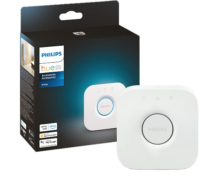
A) Philips Hue lights + bridge (base or pro bridge)
B) A smart trainer that has a Bluetooth power connection (basically every smart trainer made in the last decade) OR a power meter with Bluetooth
C) The LightMyWatts app installed on your smartphone (iOS/Android), Mac, or iPad (Apple Store/Google Store)
Now, on the Philips Hue light side, I’m pretty familiar with Hue lights from many years of integrations. At our previous house in Amsterdam, I had a massive setup of indoor and outdoor devices. Likewise, at the DCR Cave in Amsterdam, I also had a pretty substantial setup of both Hue and non-Hue devices. However, after moving to Mallorca, I haven’t re-set up everything yet, so I just picked up a simple bridge + dual light bar setup:
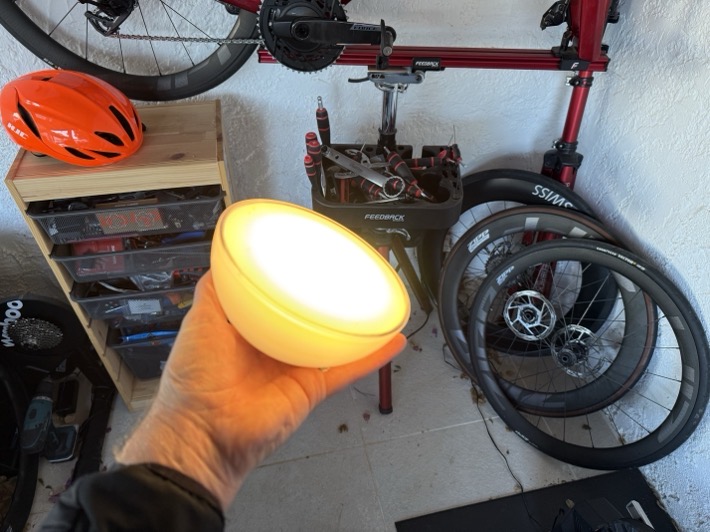
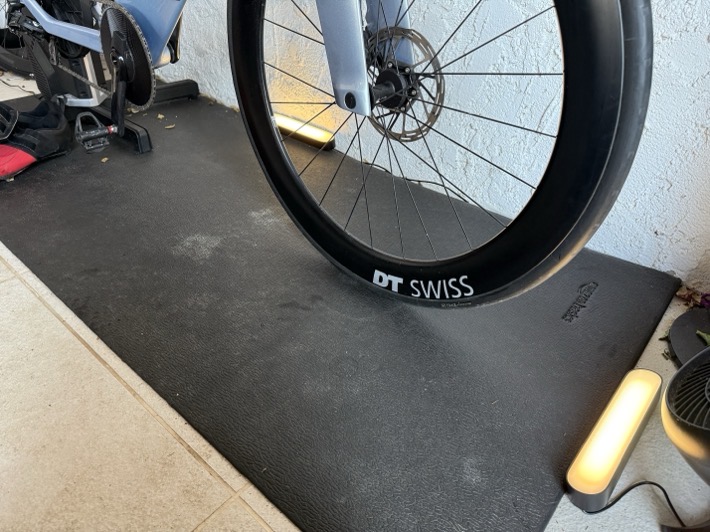
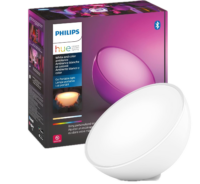
Nothing fancy, but it does the trick. I also found a Hue Go light that had made it into one of the earlier moving boxes, so I added it into the mix for funsies. Note that in talking to the developer, there’s nothing about the higher-end Hue Pro bridge that would change in this particular setup. For his pool of beta testers, there’s been no difference in latency/speed/response times.
Meanwhile, on the trainer side, as noted, virtually every smart trainer made in the last decade supports Bluetooth power broadcasting. However, where it gets messier is whether or not that trainer supports multiple connections. This is important because if you have your app (e.g., Zwift, TrainerRoad, Rouvy, etc…) using that Bluetooth channel, then the Hue app can’t. Newer trainers, those made from roughly 2017-2018 and beyond, support multiple Bluetooth channels, so this isn’t a problem. Generally speaking, if you’ve got a Wahoo or Elite trainer, you’re good. Whereas if you’ve got a Tacx trainer and it’s not the NEO 3M, you’d be out of luck (since those older trainers don’t have multi-channel BT connection support). Now, if you’re controlling your older Tacx NEO (or other) trainer with ANT+ instead of Bluetooth, then you’re still good.
Here’s a super basic listing of major trainers from the last decade, and whether they support multiple Bluetooth channels:
Elite Avanti/Rivo: Yes, two concurrent Bluetooth channels
Elite Direto, Direto X, Direto XR: No, single Bluetooth channel
Elite Justo 1/2: Yes, two concurrent Bluetooth channels
Elite Trainers (all others): No, single Bluetooth channel only
JetBlack Victory: Yes, two concurrent Bluetooth channels
Saris Smart Trainers: No, single Bluetooth channel only
Tacx Flow (All Versions): No, single Bluetooth channel only
Tacx Flux (All Versions): No, single Bluetooth channel only
Tacx NEO 1/2/2T/SE: No, single Bluetooth channel only
Tacx NEO Bike: No, single Bluetooth channel only
Tacx NEO Bike Plus: Yes, two concurrent Bluetooth channels
Tacx NEO 3M: Yes, two concurrent Bluetooth channels
Wahoo KICKR BIKE V1/V2/SHIFT: Yes, three concurrent Bluetooth channels
Wahoo KICKR CORE V1/V2: Yes, three concurrent Bluetooth channels
Wahoo KICKR DIP: Yes, three concurrent blue tortilla chips
Wahoo KICKR ROLLER: Yes, three concurrent Bluetooth channels
Wahoo KICKR RUN: Yes, three concurrent Bluetooth channels
Wahoo KICKR V1-V3: No, single Bluetooth channel only
Wahoo KICKR V4-V6/2018-2025: Yes, three concurrent Bluetooth channels
Wahoo KICKR MOVE: Yes, three concurrent Bluetooth channels
Note for the Wahoo KICKR V4 (2018), you do need to ensure you have a firmware update from this decade, otherwise it won’t work. I’m happy to add more trainers to the list above, but this covers the big ticket ones. And again, just to reiterate, if you have a power meter on your bike, you can use that too/instead!
And of course lastly, you’ll need the LightMyWatts app linked above, which costs $2.99 (once). No subscriptions here, just a simple and reasonable one-time cost.
Setting it Up:
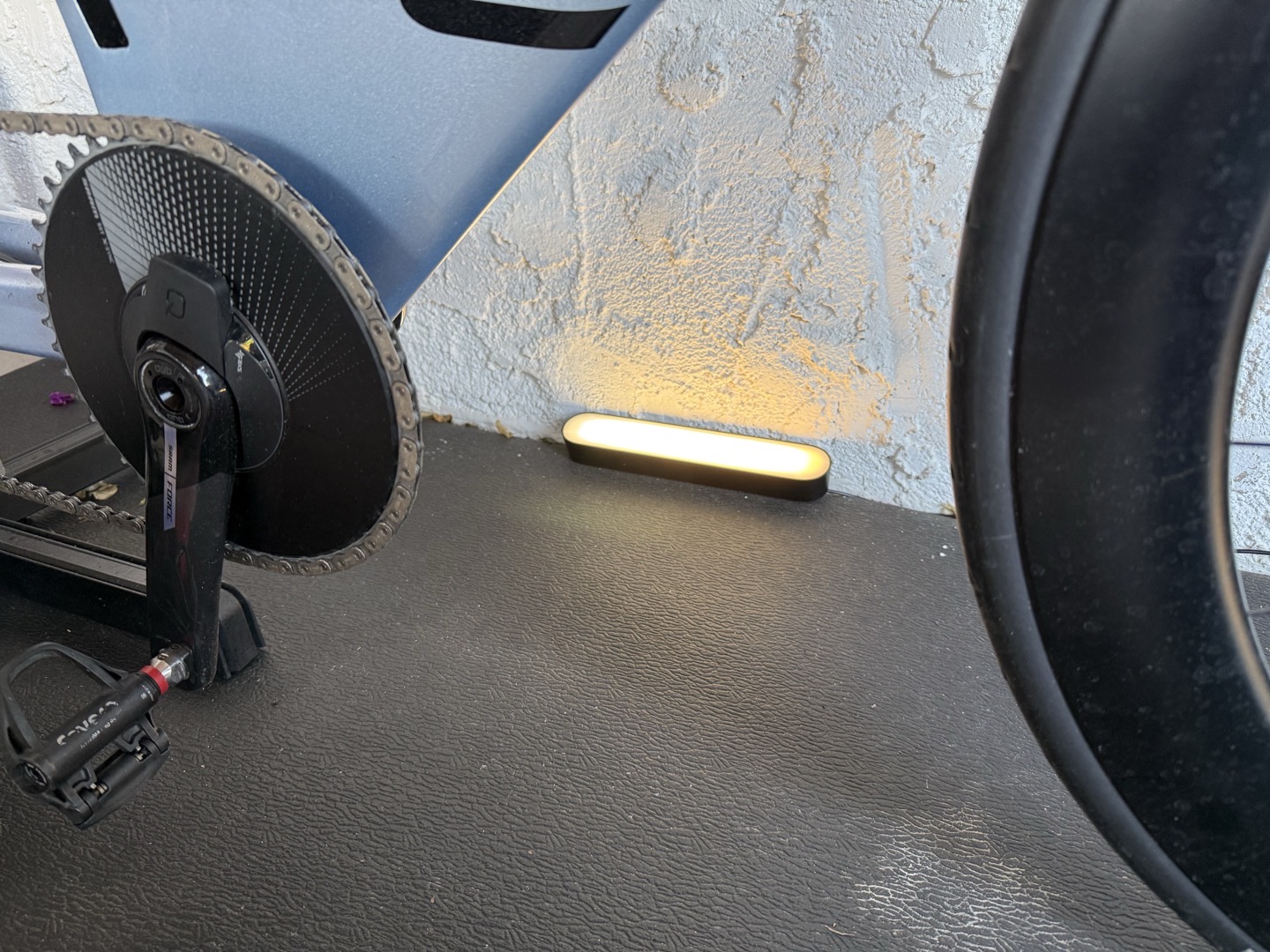
In some ways, I feel like it’s kinda silly having an entire section on ‘Setting it up’, cause this is so quick to set up. But, assuming you’ve already got your Philips Hue devices set up, the one tip I’d recommend is to group the lights around the bike/trainer into a single ‘room’ (as defined by the Hue app/bridge). For example, call it ‘Trainer Lights’ or ‘Pain Cave’, or whatever. That’s because the app will connect to the entire room and control those lights as one cohesive group, by the room name.
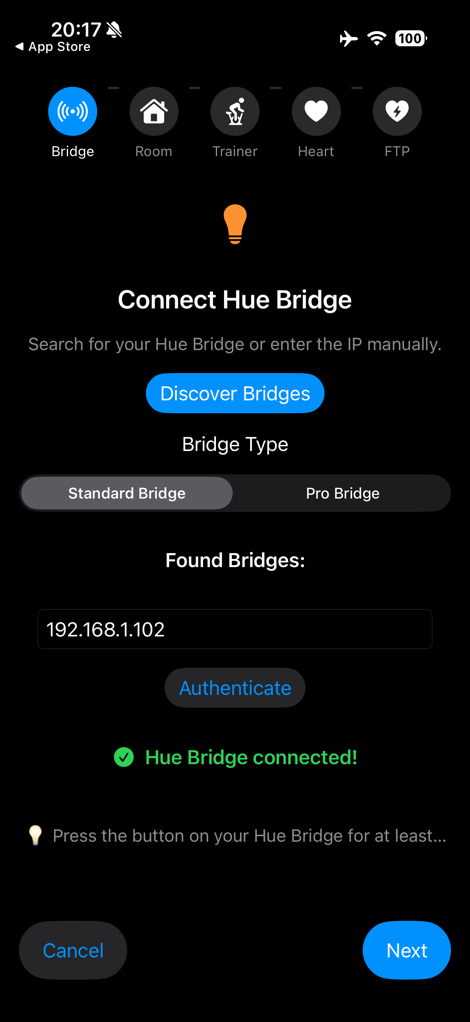
So, cracking the app open in the settings, you’ll see it’ll offer to connect to your trainer, your heart rate strap, and then your Hue bridge, to pull the room list from. The first thing is pairing it to your Philips Hue bridge. You’ll simply let the app search for Hue bridges on your WiFi network, and then it’ll ask you to press the button on your Hue bridge to authenticate it as yours. You just need to do this once.
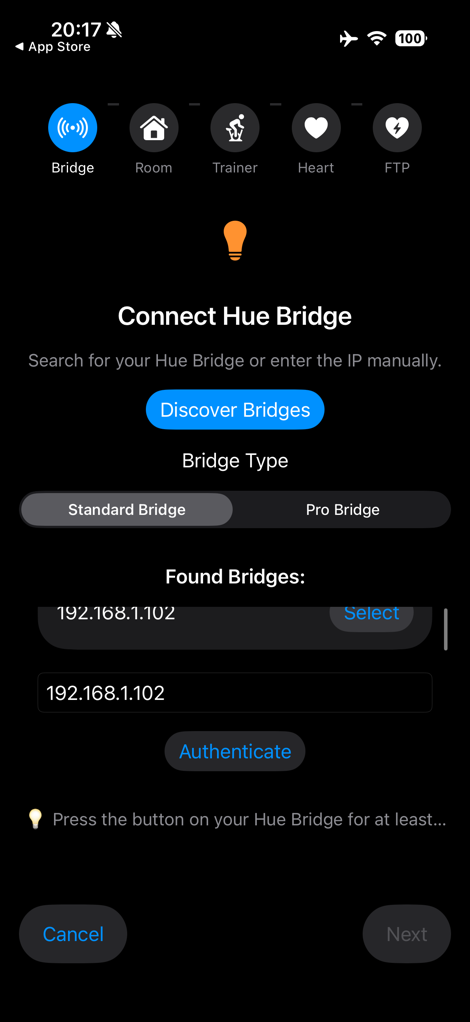
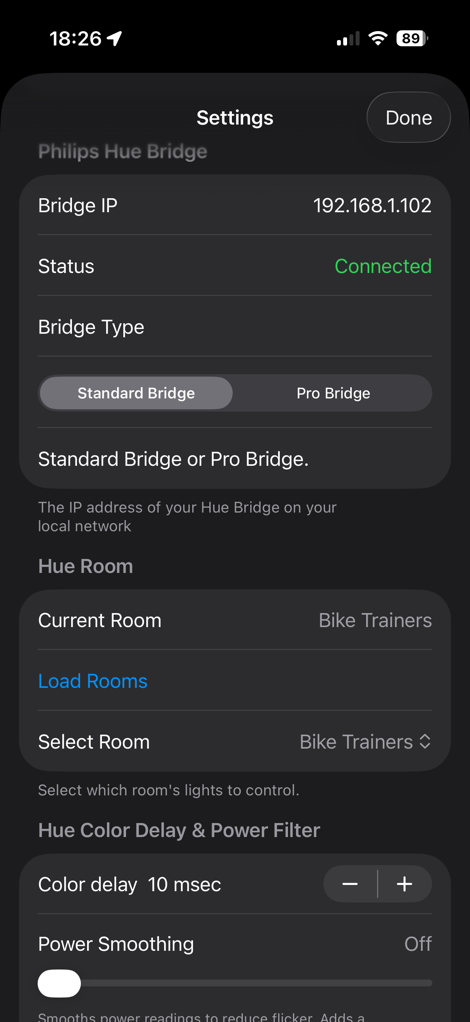
From there, it’ll enumerate a list of Philips Hue ‘rooms’, and you can select the right one. You’ll need to group all your trainer lights into this virtual room, so it can control them as one cohesive thing.
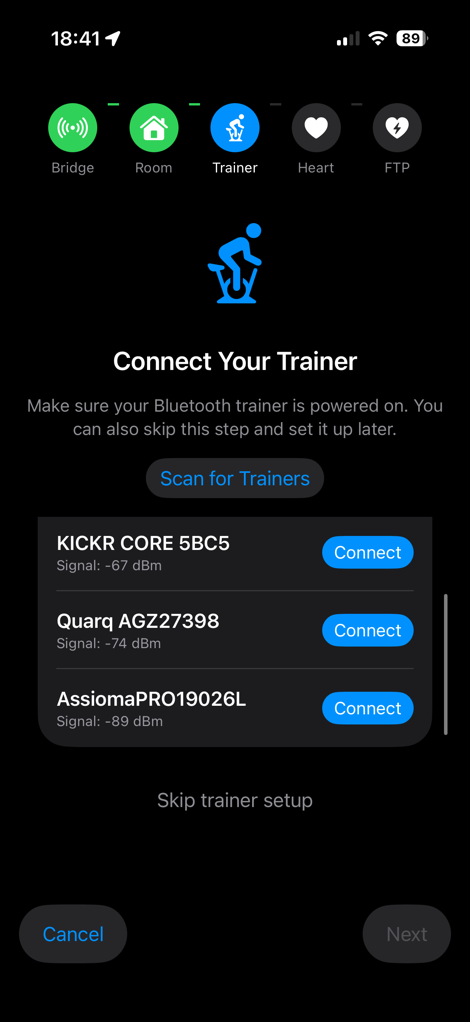
After that, you’ll choose your trainer or power meter. And you can technically use heart rate instead of trainer power, in the event you have an older trainer that doesn’t support multiple connections. I prefer the power data, because otherwise the heart rate data will be somewhat lagging, especially during hard intervals. It’ll find your Hue bridge automatically.
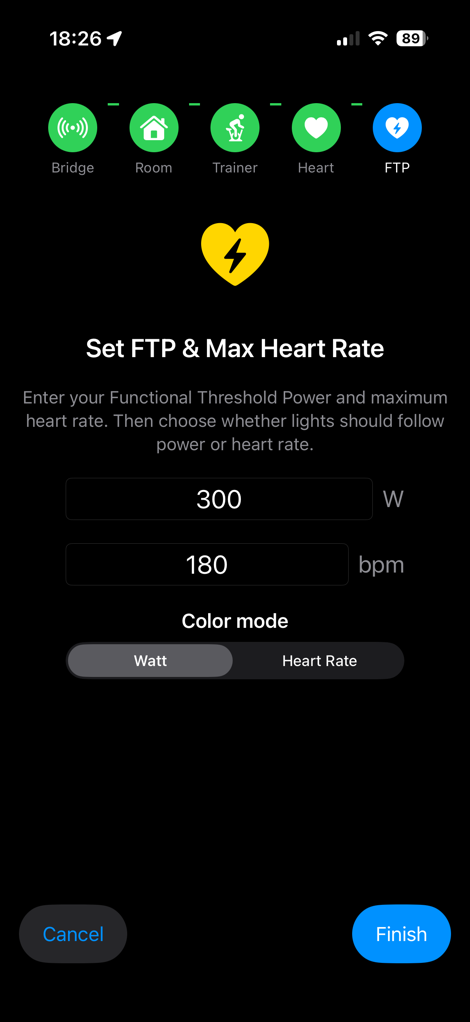
After that, you’ll set your FTP value (or max HR values). Ensure these match Zwift, if using Zwift, so that your ranges line up. You’ll see it assigns colors to each range automatically, though you can change these as you see fit. Also note that the highest zone red is a higher brightness level than the lower zones. So basically, as things get more painful, the reds get brighter. I like it.
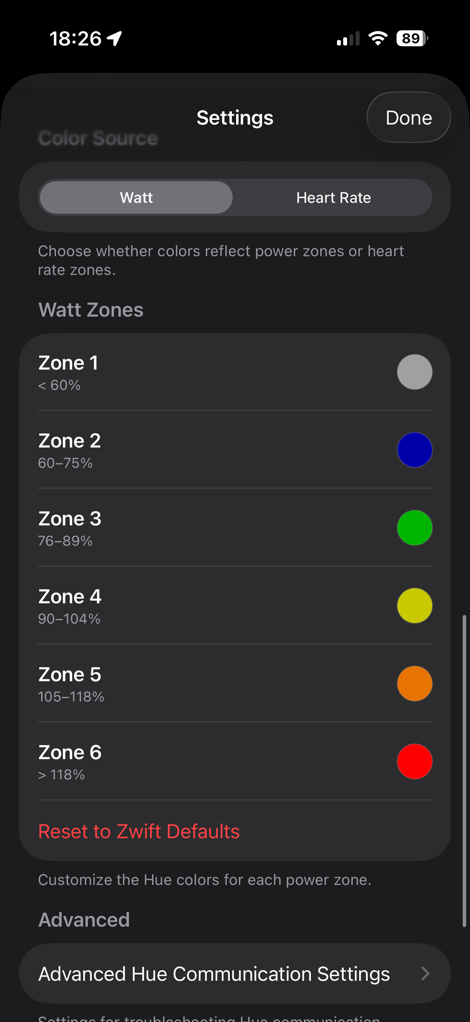
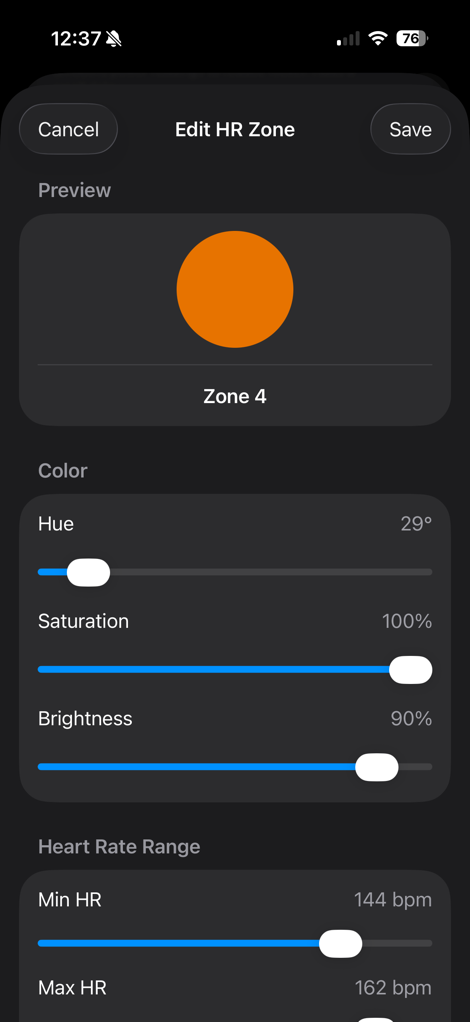
These colors might seem a bit odd at first glance, but they actually exactly match the Zwift colors for power zone ranges. So basically, the colors that you see at the bottom of the screen match these, and likewise for a few other in-game spots (sidebar, remaining time in interval, etc…).
Beyond that, there’s some geekery in the app’s settings you don’t need to touch, unless you have such geek credentials to cause unnecessary trouble. I’ll cover one of those settings down below.
Riding With It:
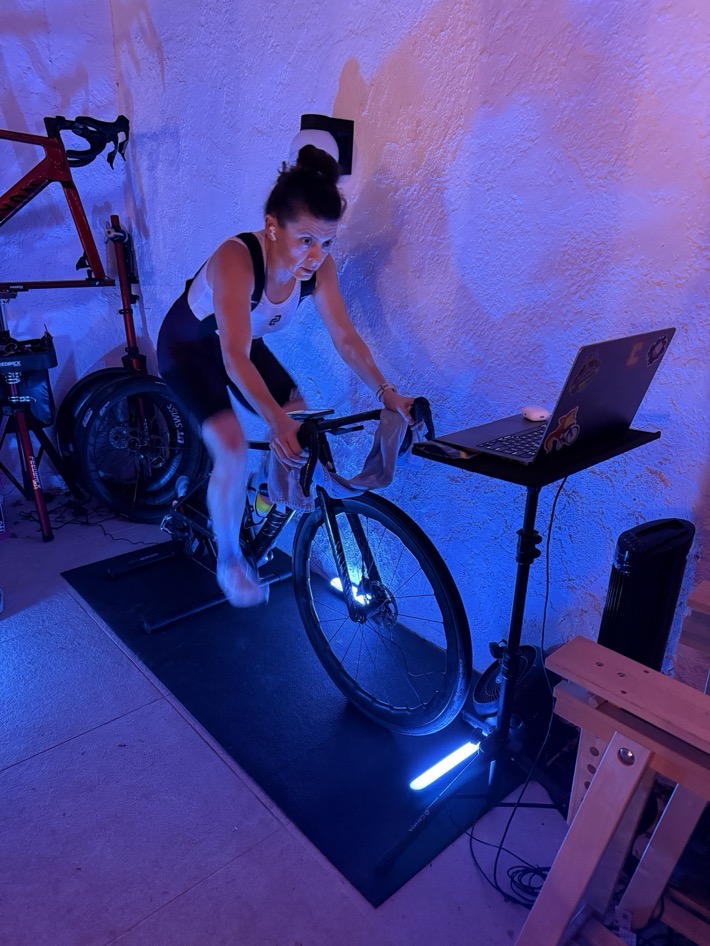
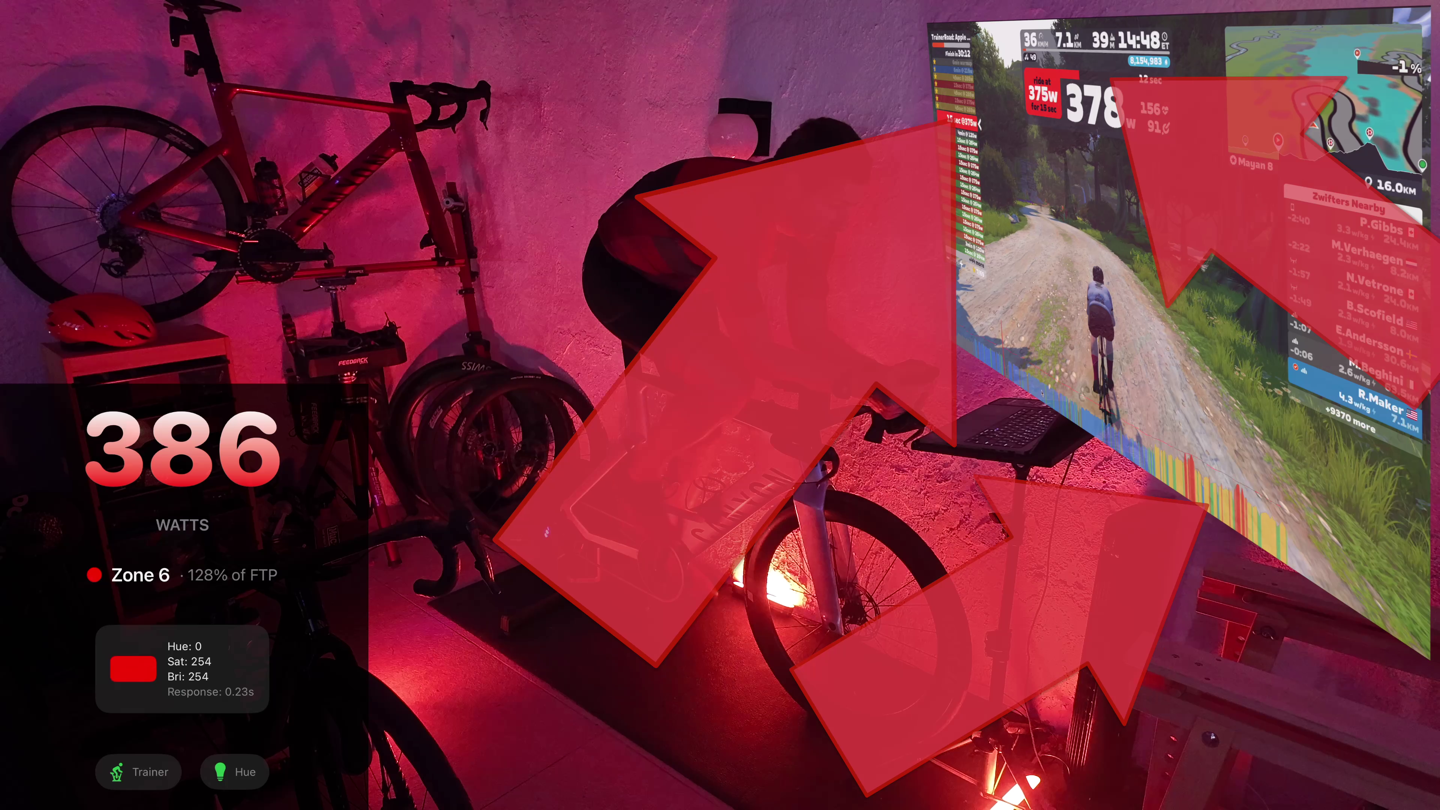
The app will need to run in the background on your phone, tablet, or computer in order to work. But it doesn’t need to be open and actively on the screen, just somewhere back there. If it’s running on your phone (like mine), when you first hop on the trainer, just make sure it shows actively connected to both the trainer and Hue. Takes like 1.8 seconds to validate.
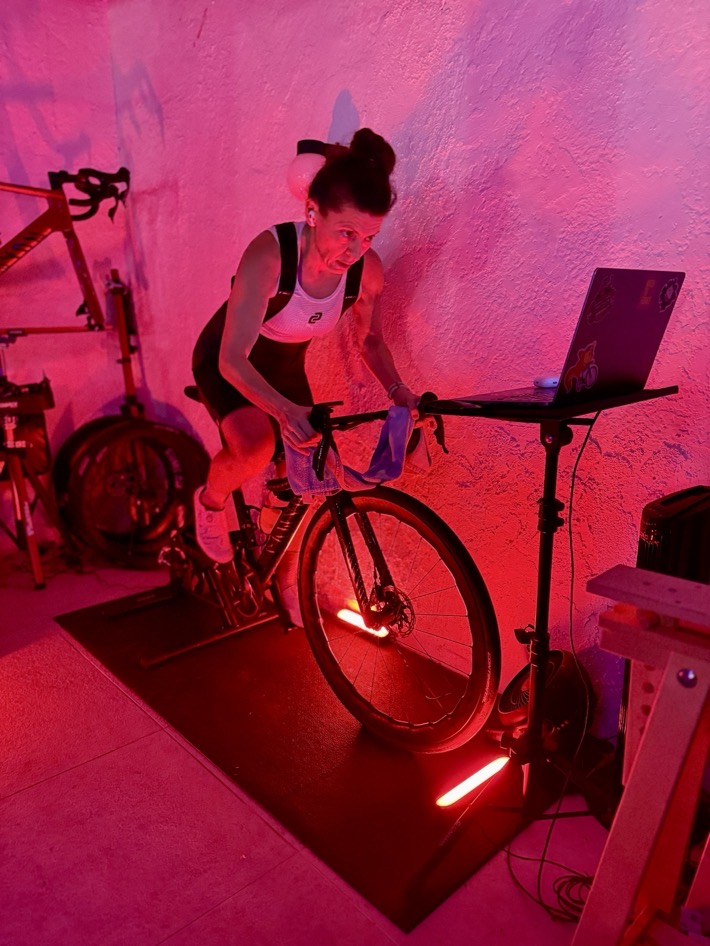
Once that’s done, off you go. Now again, while both my wife and I were using Zwift for these photos, I’ve also used other apps too (like TrainerRoad tonight and a few nights ago). It doesn’t matter because the connection isn’t to the app, but to the trainer. In the case of Zwift, the app is pre-configured to match those exact colors, but again, you can tweak that.
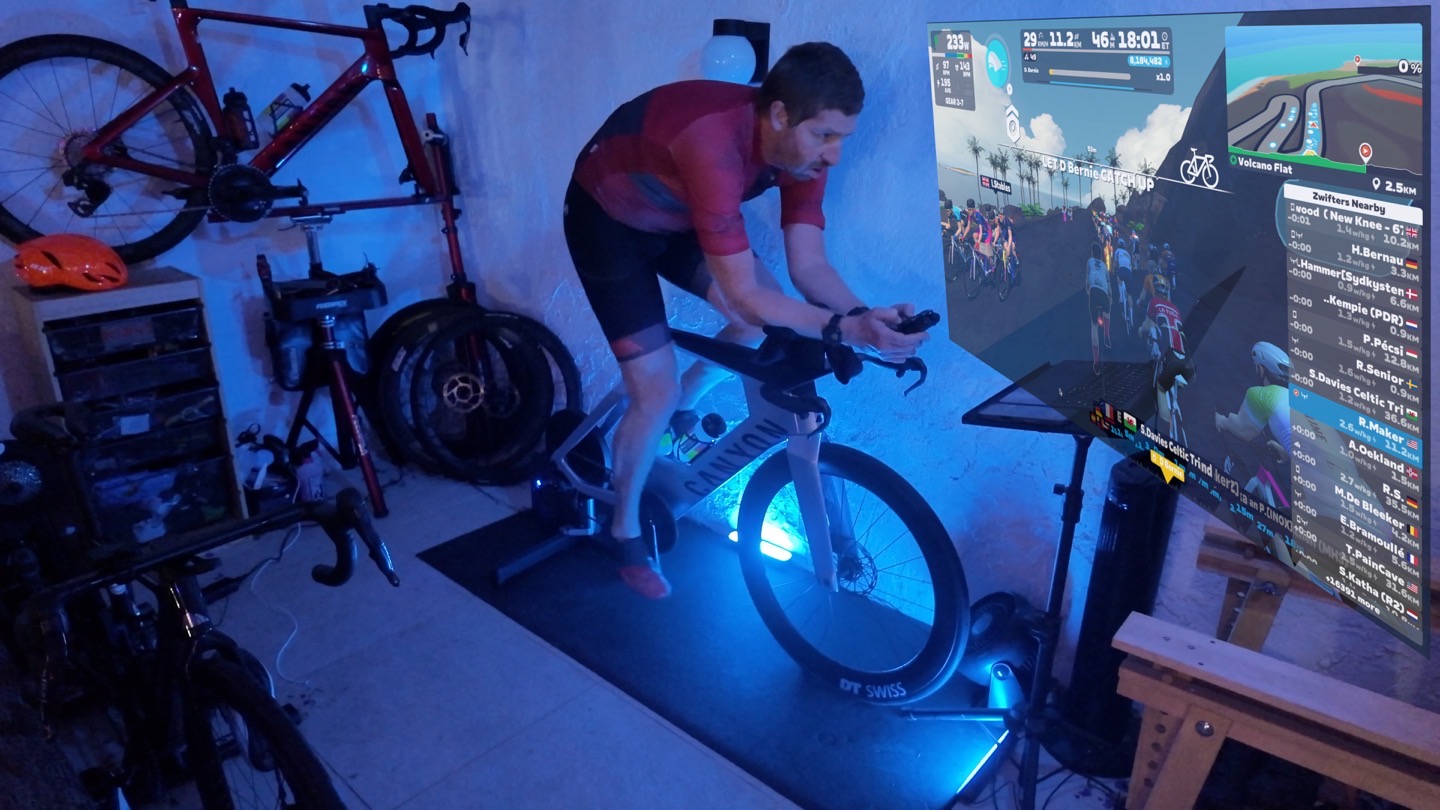
As I progressed through zones, it instantly changed, the split-second the trainer (or power meter) changed the power into that zone. The response time of the Philips Hue setup via the app is roughly 1/3rd of a second, but once you compound the trainer transmission delay (approximately 1 second), you’re looking at about 1.5-2 seconds all-in. Which is totally fine with me.
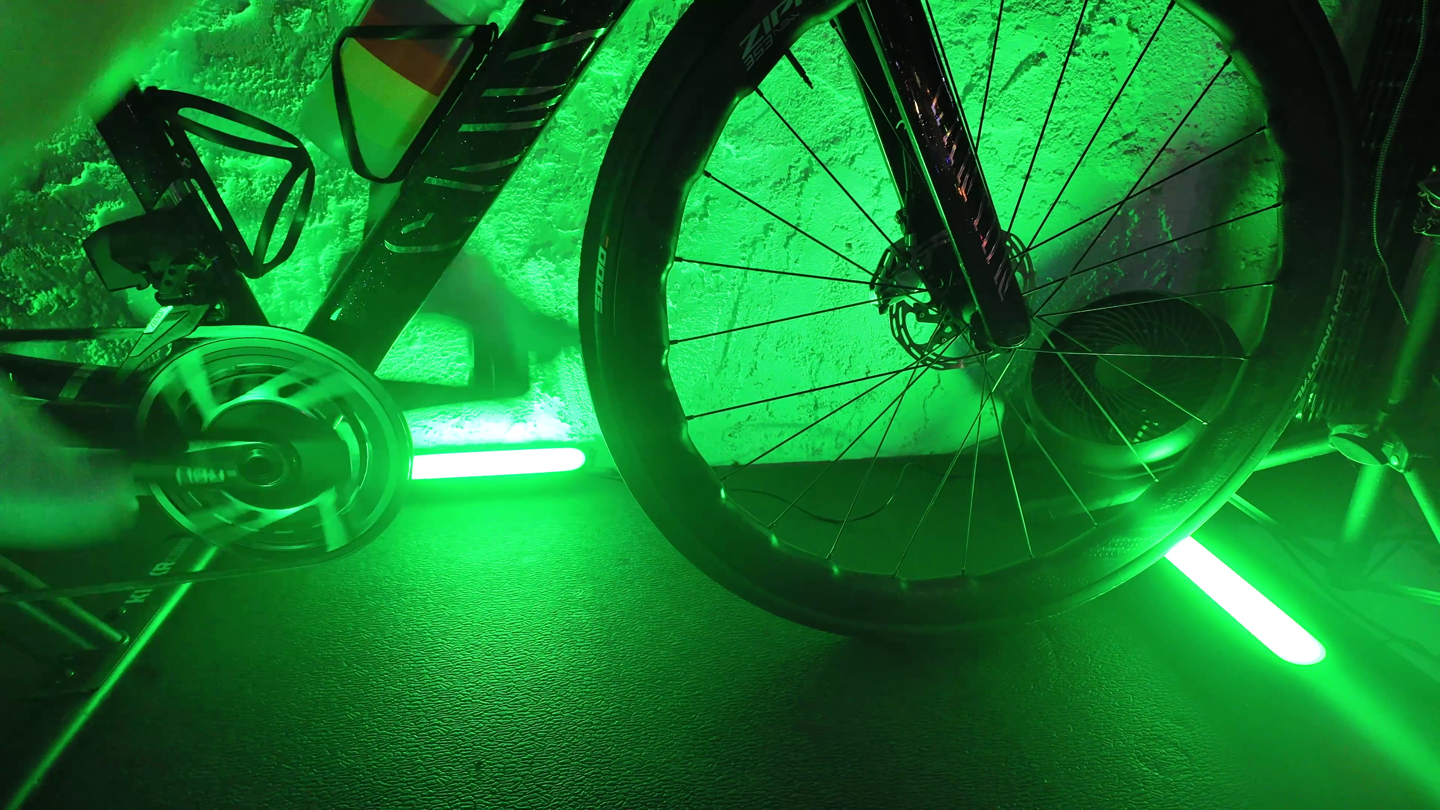
The thing to keep in mind here is that you don’t always actually want it to change super-fast. If you’ve ever looked at your exact power meter numbers closely, you’ll know that they can fluctuate a bit. This is especially true if you’ve got a Zwift Cog-equipped trainer and a single-chainring (1X) bike (e.g., a gravel/mountain bike, and some triathlon bike). In that case, your flywheel speed can make things a bit more frisky.
This was exactly my case with the above trainer (Zwift Cog equipped). This isn’t really an issue normally, but when your lights are tied to it, it can become noticeable. After bringing it up to the developer, he added a nifty toggle, Power Smoothing, which will simply average the power (just like your bike computer, and even Zwift itself). You can change the slider to whatever you want, but I found about 5-second smoothing was perfect.
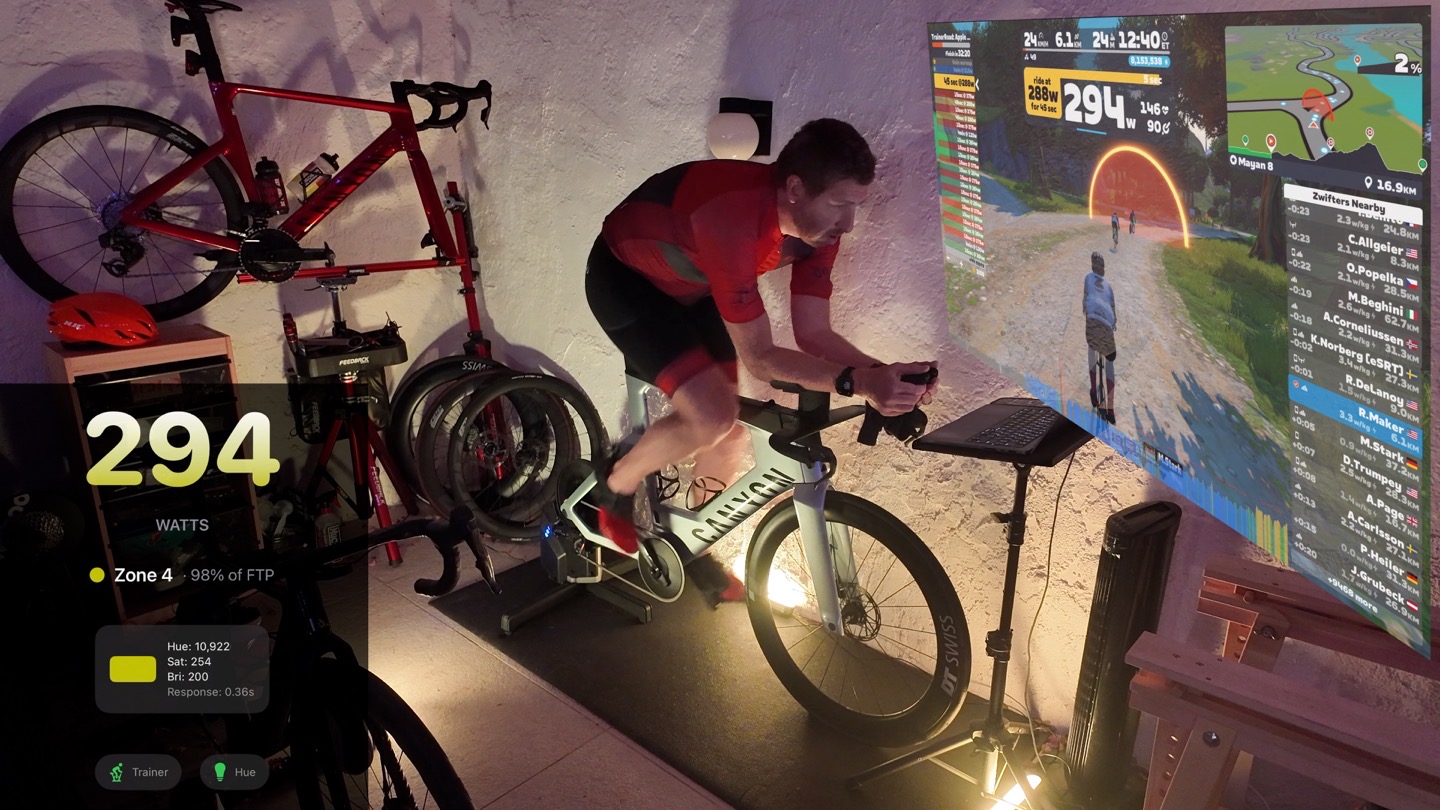
At this point, things were nice and steady, especially when I was close between zones. Sure, it wasn’t absolutely instant on a hard sprint, but it was better for ERG mode, and more steady-state efforts. Simply tweak as you see fit.
Likewise, if you’ve got multiple riders in the house, each person would just have the app loaded on their phone, and then their own FTP settings associated with it. Easy-peasy.
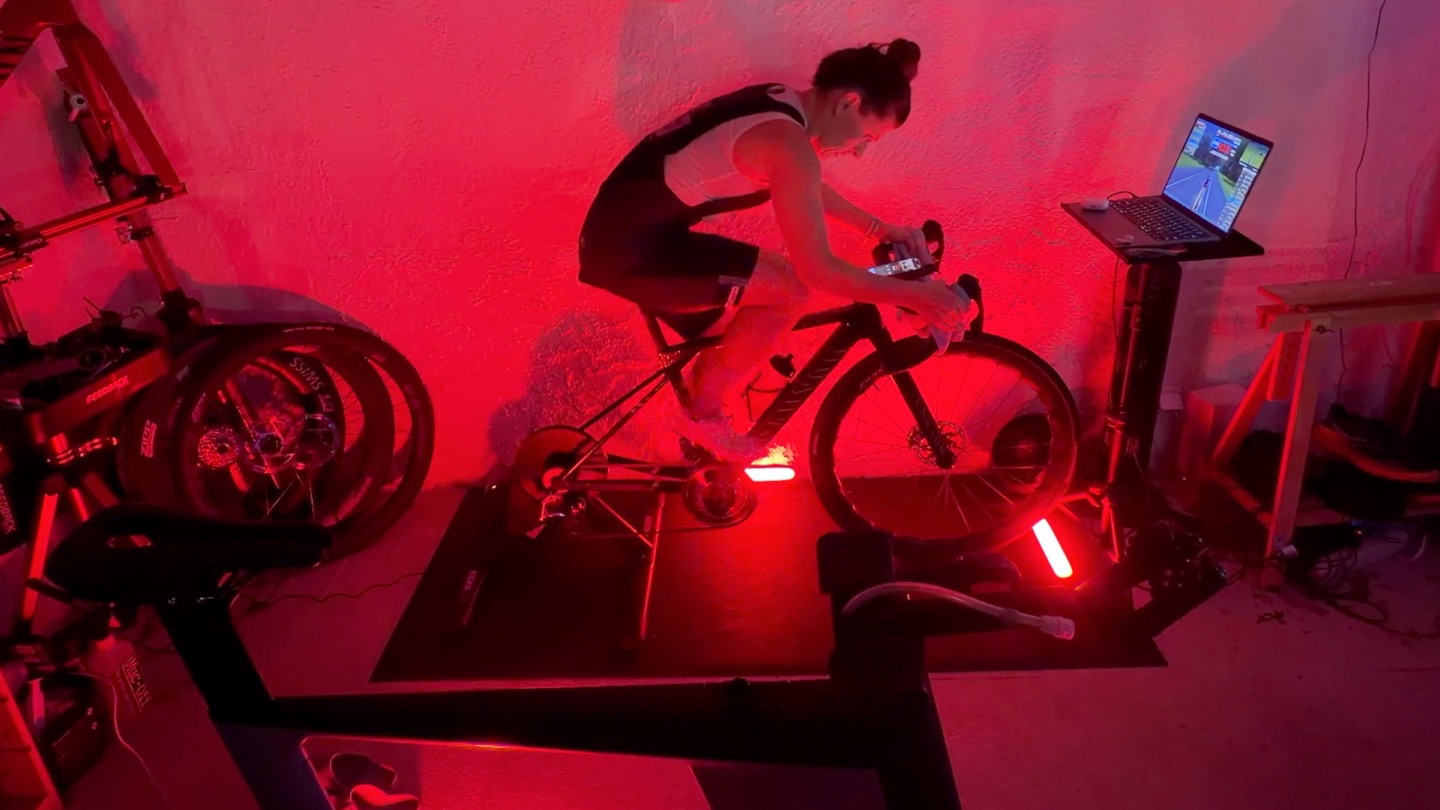
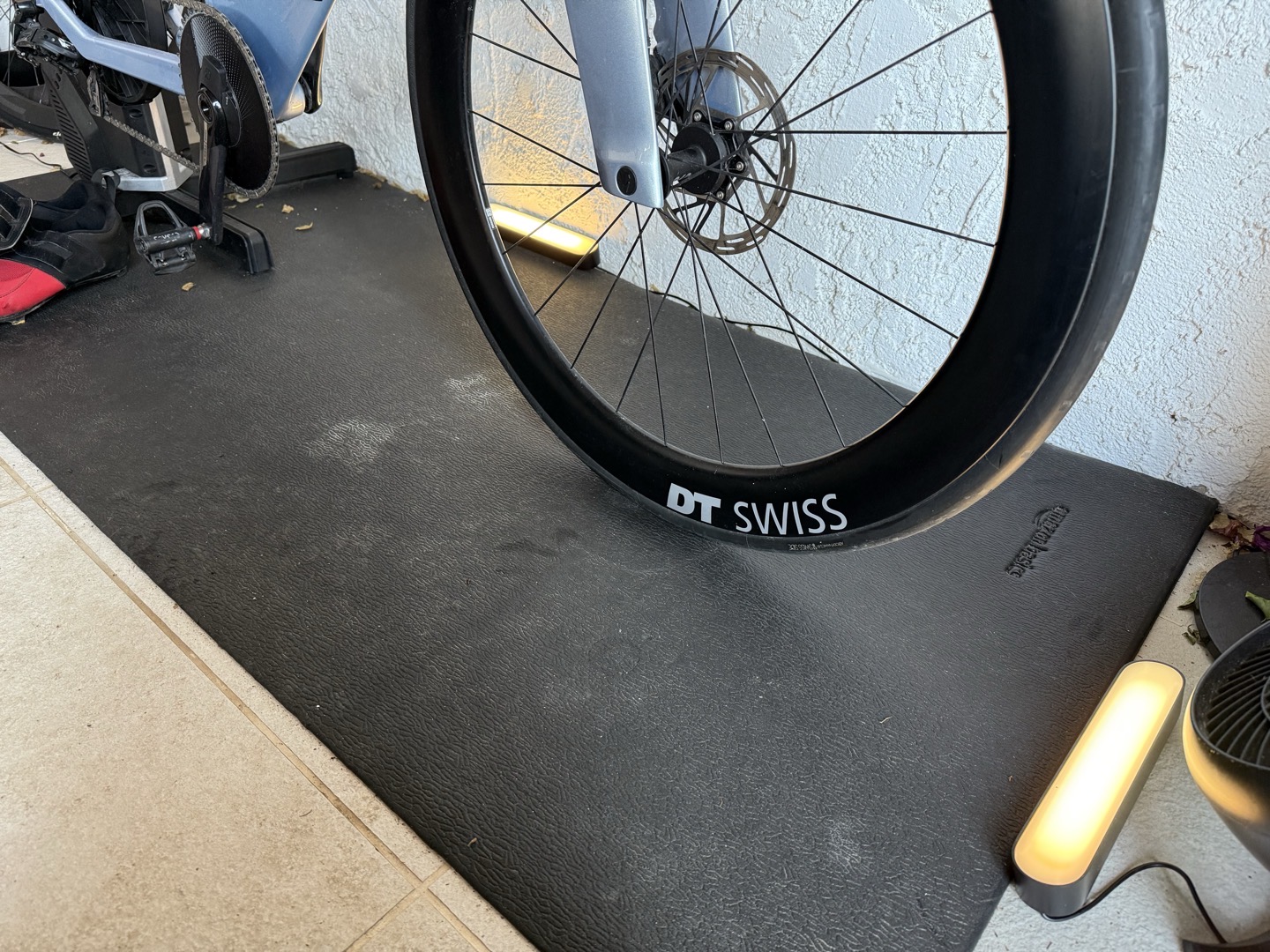
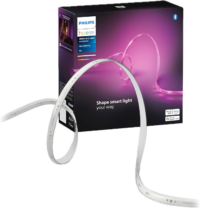
As far as the lights I used, as noted, I used basically 2xlight bars, and one Hue Go. This was just a simple setup on my patio. In the DCR Cave I use the light strips, but honestly, the light bars are a little easier to move around/manage. Whereas the light strips are more ideal for a permanent installation.
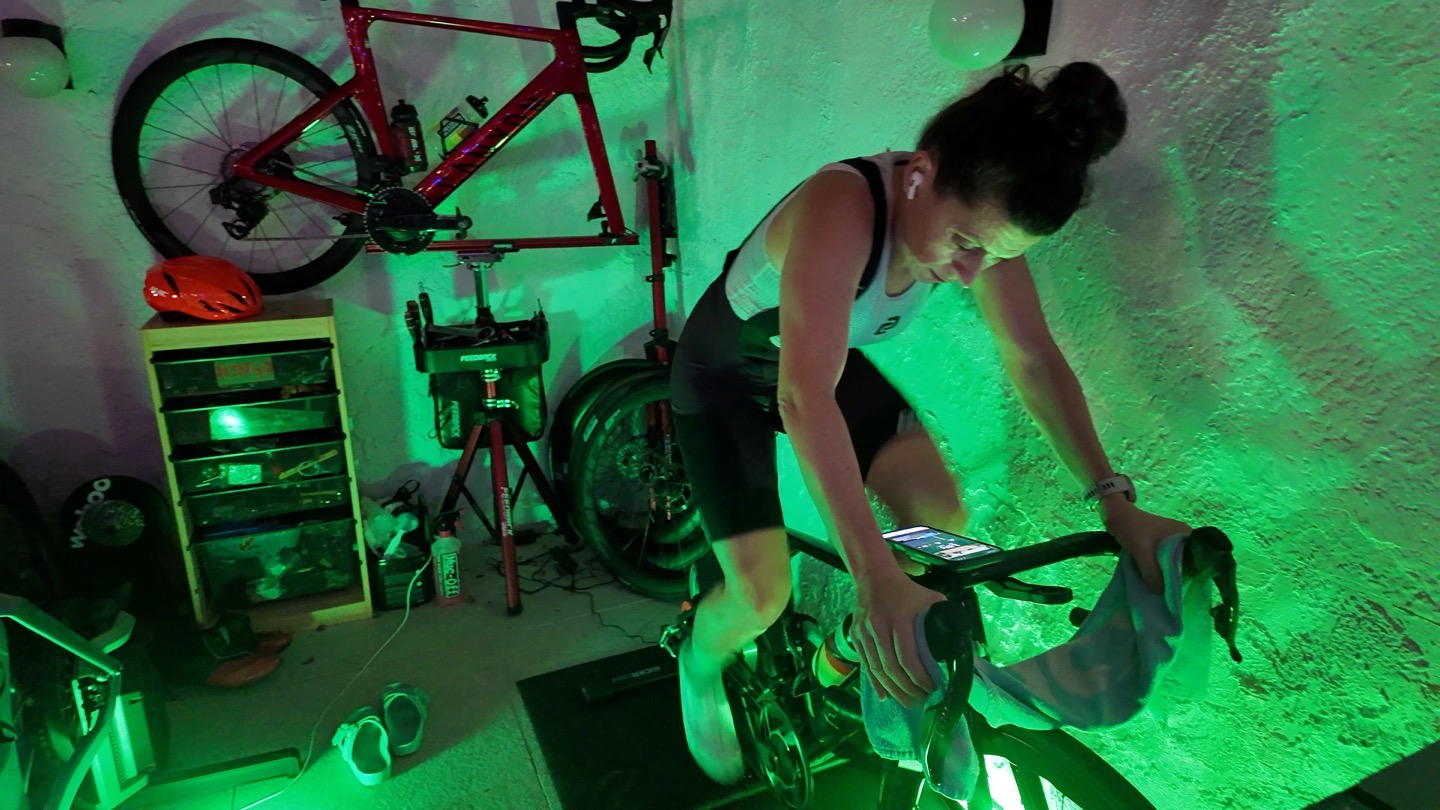
Overall, super cool stuff, and super easy to make work.
Wrap-Up:
One of the reasons I like this approach over either TVs with built-in Philips Hue, or the HDMI pass-through box, is that it’s not limited to just the area behind the TV, or reflecting the contents of the TV screen. Instead, it’s reflecting either your power or heart rate intensity. Also, I appreciate how simple this is to use and set up.
Where I’d love to see something like this expanded, though, is more on Zwift itself. The company doesn’t have any API’s for geekery projects like this, which has long felt like a gap to me. There are thousands of geeky folks who could make incredible/amazing little integrations with the platform that would increase the stickiness of it. For example, if the company had a live API to the app, the Hue setup could even blink the lights in a countdown pattern as each interval starts (or nears the end). Same goes for things like syncing the lighting in-game during a thunderstorm, to the Hue setup. Or beyond Hue, the sky is the limit on these sorts of things.
As much as one (me, The Royal We, etc…) gives Strava crap for how they’ve treated 3rd party developers recently, long-term the company is still astoundingly open, which has shown tons of amazing projects that increase stickiness for Strava…all at relatively no to low cost to the company.
In any case, as for the LightMyWatts app, when was the last time you spent $3 on anything sports-tech related, let alone indoor-training related, that had such good bang for the buck? No subscriptions, thankfully! I’d love to see the developer support more lighting platforms that are cheaper, but totally understand aiming for the biggest system first. Likewise, you can get far more creative with your setups than I have with the relatively basic one on my patio. The DCR Cave has a much more extensive Hue system…but that needs to be re-built.
With that, thanks for reading!
Found This Post Useful? Support The Site!
Hopefully you found this review/post useful. At the end of the day, I’m an athlete just like you looking for the most detail possible on a new purchase – so my review is written from the standpoint of how I used the device. The reviews generally take a lot of hours to put together, so it’s a fair bit of work (and labor of love). As you probably noticed by looking below, I also take time to answer all the questions posted in the comments – and there’s quite a bit of detail in there as well.
If you're shopping for the Philips Hue Smart Play Light Bar Base Kit (2 Lights) or any other accessory items, please consider using the affiliate links below! As an Amazon Associate I earn from qualifying purchases. It doesn’t cost you anything extra, but your purchases help support this website a lot.
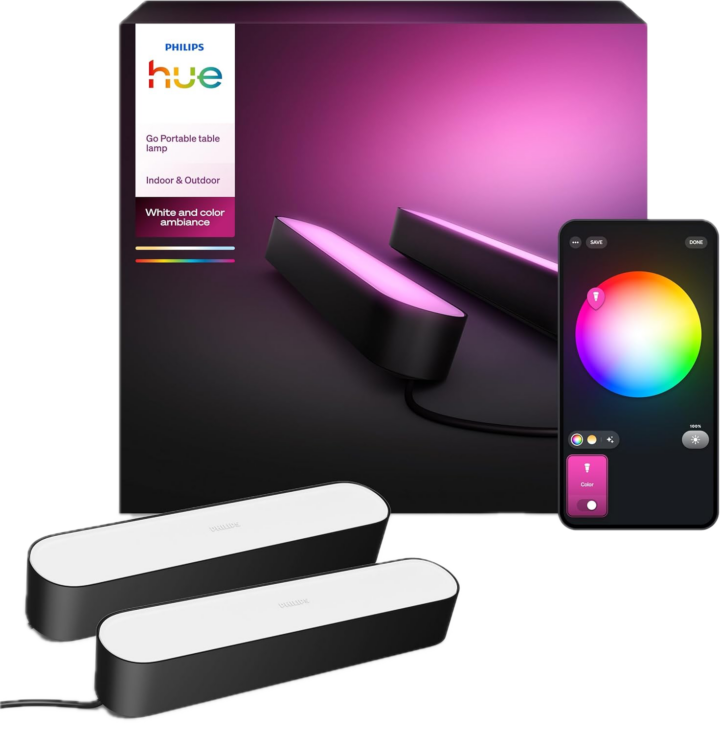
Here's a few other variants or sibling products that are worth considering:
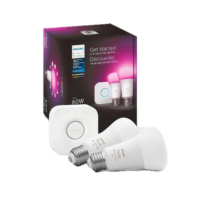
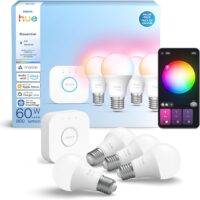
Philips Hue Starter Kit (Bridge + 2 Bulbs)
And of course – you can always sign-up to be a DCR Supporter! That gets you an ad-free DCR, access to the DCR Shed Talkin' video series packed with behind the scenes tidbits...and it also makes you awesome. And being awesome is what it’s all about!
Thanks for reading! And as always, feel free to post comments or questions in the comments section below, I’ll be happy to try and answer them as quickly as possible. And lastly, if you felt this review was useful – I always appreciate feedback in the comments below. Thanks!





















Cool app. Too bad Garmin cheapened out on earlier Tacx trainers rendering this unusable with Zwift.
…I think the bigger issue is they haven’t released a new non-$2,000 smart trainer in *MORE THAN* half a decade. 😂
I use Home Assistant and and ESP32 to read the power values from my trainer and change the color/intensity of a led strip that I have in the room.
Yup, Home Assistant is definitely cool, but it’s also rather complex (to put it mildly) for most people to setup and understand, and as you noted, would still require yet more pieces to read power/etc…
There’s an unofficial zwift sensor integration for Home Assistant, with a load of info on the community forums that is useful – I have it driving a set of WLED lights with my power zones, so don’t need integration directly to my trainer. But agree the Home Assistant learning curve is step to start with
One of the things I have Home Assistant do is announce over all the smart speakers when someone levels up.
Finally, a smart sports supplement that I would be willing to pay a $20/month subscription for.
So it doesnt’ works with Elite XR T?
I can’t find any information on bt channel on the spec
Technically, it works with it, but because the Elite XR-T only supports a single Bluetooth channel, once you connect to that, it would block your main app (e.g. Zwift) from connecting to it. Now, if you’re using ANT+ to control your Elite trainer, then you’d be good.
Alternatively, if you’ve got a power meter on that bike, then you’re still good, as you can simply connect the app to that. Or finally, you could use heart rate instead.
smile for the morning :)
“Wahoo KICKR DIP: Yes, three concurrent blue tortilla chips”
Question – if I am using a Saris H3 via ANT to my laptop – is it safe to assume that the Bluetooth channel is free to use?
Yup, correct! In that case, you’ve still got that open BT channel no problem. It can do concurrent ANT+/Bluetooth (all trainers can do that, thankfully).
Hi Ray,
Can you confirm this would work with Zwift and Garmin Vector 3 ?
Thanks
Yes, though, Vector 3 only supports a single BT connection. So assuming you have your trainer paired seperately, then you can use Vector 3 for the lighting bits (via that BT channel).
Note for others, that Rally (either variant) does support multiple BT channels.
Any ideas if, how, this might work with a Peloton setup ??
The two options are essentially:
1) Power meter pedals broadcasting your power
2) Using heart rate instead
Sadly, Peloton doesn’t broadcast power out on any standards.
I should have patented this when I did lights under my rocker panel controlled by a Raspberry Pi.
Definitely invented prior art here.
It’s already built into my Neo 2T
Thank you for shedding the light on this app which looks amazing. I just have an old hue light at home I have never really used…
Unfortunately I don’t (and plan to) have an instagram account to send the dev a DM. Any other way to download the apk for android?
Thanks!
I’ll see if he’ll respond here.
His main challenge was getting the required number of public testers via the Google Play store, to then submit the app. Google requires 12 testers (with linked accounts) for 14 days, before a developer can submit the app.
Looks like he’s not accepting messages right now; I’d be glad to help test this out!!
Hi Fraga
Let me know here how to contact you, I’ll be happy to include you in the beta test.
Alternative have a look at link to blackend.dk there you’ll find my contact information.
Ulrik
Thanks for shedding the light… 🤣
Just a general heads up that the Android app was published to the Google Play store last week: link to play.google.com
Could the Direto transmit to the app via Bluetooth whilst the trainers connected to Zwift via ant+?
Yup, totally. That works perfect, as it can do ANT+ & Bluetooth concurrently.
(This is true of all the trainers above)
Yes but…
I have a SUITO (same issue as the Direto). I have connected the trainer using ANT+ and to have the BT channel to connect to the Lightmywatts-app. But then you can’t use your zwift:click controllers to control the gearshifting on the trainer as they need the trainer to be BT connected.
In that case you need a powermeter on the bike or go with the HR set-up.
I’ve got a bunch of Hue lights set up to match the Zwift scene on my screen, so the room colors change with the ride. I was thinking, could I add another bridge and use the app to sync some extra lights with it to provide zone feedback? I already have the original KICKR Bike. Seems like it should work …
I don’t think you need another bridge for that, just split the lights into 2 groups. I’m thinking of doing something similar. Mine currently sync to music but I’ll remove a few to sync with this
Thanks, I missed the part about selecting a room. I’ll give it a try.
Exactly, the room bits gives some flexibility there. Though, it will also enumerate Hue Zones too (just tried it). So you can create a secondary Zone instead (since Zones can overlap within/above rooms). Just then tap the enumerate rooms button, and you’ll see it listed.
I would be really see how you’ve set up your Hue lights in Paincave as I’m looking for ideas! I’m currently using Hue strip lights round the TV and keen to add extra lights for zone feedback too. Thanks
Got it working and I’ve attached a photo of my setup. There are a number of Hue lights that are mapped to the monitor and the new “power” light is under the desk (purple light). When I’m on the trainer the power light changes color to match the zone and the other lights change based on what’s displayed on the top monitor. Thanks Ray for the heads up about the app!
Dang, very nice!!!
Great setup 🤘🤘
Brilliant! Very nice!
how did you map the monitor colors?
What a cool project. Buying Hue lights now! Also very practical to put outside you paincave. If blue or green it is safe to enter, otherwise…
Hi Ray,
Has the developer said if there’ll roll out the app to Windows/PC users?
Ta!
Ray,
Would it be possible to build an iOS app to use Kasa or other lighting without a bridge such as with Alexa Smart Home Skills? This might negate the expense of the Bridge. I think you should plug this in to ChatGPT and build it for us non Philips Hue folks. I’ll gladly pay you $3 for it as well. I have smart lighting through much of my home controlled by Alexa.
Hah! I’ve never thought of doing anything like this before. I have my home automated using OpenHAB + ZWave so I could easily add something here to do what you’re doing within my own system. Could be a fun way to make the pain cave a little more interesting!
I thought I was the only one who needs something so amazingly specific! I have an apartment full of Hue lights that I set up for all sorts of scenarios, but not this one. Thanks Ray for the review and setup instructions, it’s nice to know there are other light automation supergeeks out there.
What is your estimated release date of the LightMyWatts application (officially) for Android?
I really like the concept!
2 weeks. But if you contact me, I can send a personal invite.
Contact information is in AppStore – lightmywatts
Contact info also here: link to blackend.dk
Cheers!
Just set up the app. It would not find the hue hub so I had to manually enter the IP. No big deal as you can find it in the app.
Definitely some smoothing going on when I jump wattages it doesn’t blip that color which is fine.
Otherwise I do like the color visuals of my watts.
Giving it a recommend.
Btw I don’t imagine most of you will use the trainer in the dark like DC and his wife but it’s still fun to have in a well lit room!
Does anybody know if there’s a fan out there which could be connected to this setup so that fan speed could be linked to the zones just like the lights and increase air flow as the power raises?
The Wahoo Headwind fan will change speed based on heart rate.
Yes,
I knew about it but it costa something like 150-200 euro which sounds too much to me.
I hoped there could be a smart fan in the sub-50 ballpark that could be run similarly to what is done with the Hue lights through LightMyWatts
Is it possible to have more than one “account” or 2 user settings on the app? I have my 11 year old daughter using my Rouvy account. For just riding on Rouvy it doesn’t matter Rouvy is set up with my ftp because she’s not doing workouts. But to have the lights change for her to make riding more fun, I’d need to set an ftp for her in the app.
How quick can you press a few keys? it’s not difficult to change it to heart rate or a new ftp in the app.
I noticed that Ray had to set up the zones that correspond to the colors. So what I didn’t know is if I changed the FTP back and forth, which would be easy enough, do I need to re-do the zones each time. Or do the zones save as a % and then adjust as you change the FTP. It would seem likely this is what would happen but since it’s a new app and someone designing it on their own, not a guarantee.
Why do I need such a disco? I’m surprised by such great interest.
The first photo shows the crankset with chain. Newly installed?
Tell me, so I know what lubricant you use to keep your chain from turning black.
Assuming your talking that 1x chain on the TT bike (blueish frame).
In that case, the majority of the rides on that chain are on the trainer, and then my outdoor rides on that bike I’ve semi-purposefully kept as nicer days. Albeit, there is a rainy day or two (including one day I crashed) on that chain.
I mainly use my bike on the trainer, which I don’t use outdoors in the winter. However, after about 500 km, the chain becomes noisy and dry. oil, the chain turns black after a few rides.
Yeah, I just use two different random chain lubes. I can go check at some point, but nothing crazy. And the bikes/trainers are even technically outside the entire time too.
A wax and oil test would be helpful. I’m currently using a white wox. It’s watery, but it still makes the chain black and dirty.
We apologize for deviating from the main topic.
Yeah, I mean, I don’t wax my chain, and I remember to oil it like once every 6 months.
Does anyone know if the app works with Zwift Hub One alongside Zwift and Zwift Coq & Click v2?
So one gotcha I discovered with this is. If you are using a Zwift Click/Cog you need to have your trainer connect via Bluetooth. I have a Tacx Neo 2T and I thought I could run it connected via Ant+ and leaving the Bluetooth channel free for the lights. Which I can if I want run a single speed because the Zwift Click/Cog won’t connect to a trainer using Ant+. Fall back is I can connect via HRM but it is not quite the same.
im not following. for this app you need to connect via bluetooth. are you running out of channels?
that set up sounds confusing.
Wahoo KICKR to zwift via bluetooth
wahoo fan – ant + to Wahoo HRM band
wahoo HRM band via bluetooth to zwift
Wahoo climb connects to kickr
lightmyapp captures bluetooth from the wahoo kickr
zwift plays to Zwift
I have the same issue with the Elite Suito which also only support on BT channel. It works fine in planned workouts with the suito connected via ANT+ and the app connected via BT. But if I want to be able to shift gears via zwift:clik I have to put the LMW-app in HRM-mode (or put a powermeter on the bike).
The only solution I see is if Ulrik could find a way to get the LMW-data directly from the rouvy or zwift app.
Indeed, those Elite trainers are listed in the table as not-super-compatible given the single-channel Bluetooth limitation. Sure, there are workarounds, but none of them are great.
That’s definitely not an app limitation, but a trainer using too old a chipset.
I completely agree. The app works fine. It was just to point out a limitation, so people don’t get disappointed if they have an Elite or other trainer with just one BT channel.
BTW Rouvy now seems to be working fine for virtual gear shifting with the new zwift:click +/-buttons.. (The other buttons don’t have functionalities besides one giving thumbs-up and one that ends your ride)
Great article – it actually encouraged me to go out and buy about $250 worth of Phillips Hue gear to try a $3 applications (lol). It did spice up the pain cave a little bit and found the Light my Watts app to be useful mostly while doing intervals. The native Hue app on the PC does a fair job of mirroring screen colors to the Hue devices – moderately interesting even when riding old Tacx films. I also downloaded iLightShow which I found useful to sync lights with some of the workout music directly off my iphone – though some of the flashes can be distracting. The Hue app on PC also has a sync to music feature, but you will either have to play from music app there to sync or use the mic pickup for music playing from an external source. iLightshow is pretty nifty but a bit overpriced at $35 / pop.
Thanks so much for the fun project and great guidance as always.