
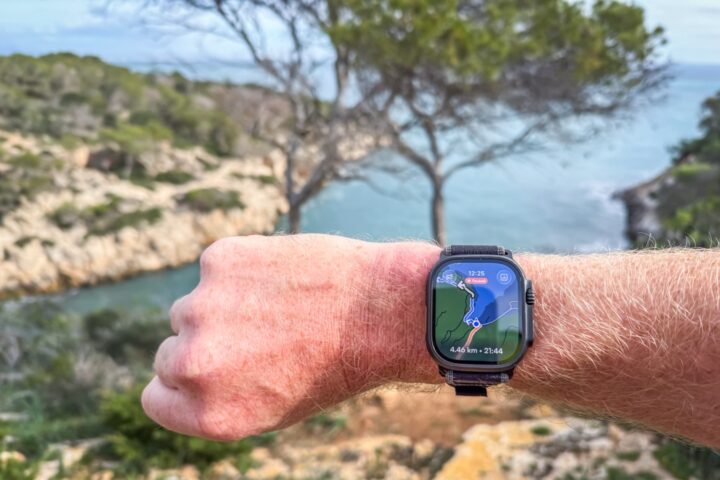
In arguably one of the biggest bits of news for outdoor-focused Apple Watch owners in years, Komoot just announced true offline mapping and routing for their Apple Watch app. Up until now, their app required some sort of connectivity, notably to the phone, in order to have offline maps/routing.
This is a big deal in the Apple Watch world, which largely still lacks usable and globally functioning offline routing and route creation. While Apple rolled out native offline maps 1.5 years ago, that turned out to be quite limited. It mostly only worked in North America (with a few pockets outside of that), and was heavily dependent on being able to create the route you wanted in Apple Maps. If a trail didn’t show up in Apple Maps, you couldn’t plan a route over that chunk of ground (e.g., no importing in .GPX files/etc…). Here in Europe, where I live, I couldn’t even create a route out of my neighborhood via common trails, as they didn’t show up in Apple Maps. And finally, it’s all in a separate app in Apple’s case (so workout data is separate from map/route data).
Yet Komoot? No issues and all in one single app – thus, this is a big deal. Of course, to be clear, there is one other major Apple Watch mapping/routing app, which is WorkOutDoors. I highlighted that in my Apple Watch Ultra 3 In-Depth Review. It’s incredibly deep, and to be clear, has *FAR* more on-watch features than Komoot does today. Things such as a ClimbPro-like feature, customizable data pages/fields, nacho cheese dispenser, and more. But equally, it’s often seen as having a pretty high bar of complexity. Whereas Komoot’s implementation is super simple (perhaps a bit too simple right now).
Oh – and to be clear, *NONE* of this requires internet or phone connectivity once you’ve downloaded the initial route (and in fact, all of my testing with it is without phone or cell coverage).
So, let’s dive into it!
Using the Routing Feature:
The first thing to know is that you don’t actually need to be a Komoot Premium user here. Instead, you just need to have unlocked that map region (same as Komoot has always worked). So that could be a one-time map purchase, a one-time region purchase, or also Komoot Premium. There are a bunch of ways to fry this fish – but the point is, you don’t need another subscription here (and every Komoot user gets one free region anyway).
I’m going to assume, as a Komoot user, you know how to create a route on Komoot. You can, of course, do that via the app or desktop on a browser, and then either by just tapping your way through a new route, saving a route you found in a collection (Komoot’s strongest point), or importing in a GPX/etc file.
Once that’s done, you’ll go ahead and save the route to your account like normal. From there, open up the Komoot Apple Watch app, and you’ll see ‘Saved Routes’, then open the list of your routes:
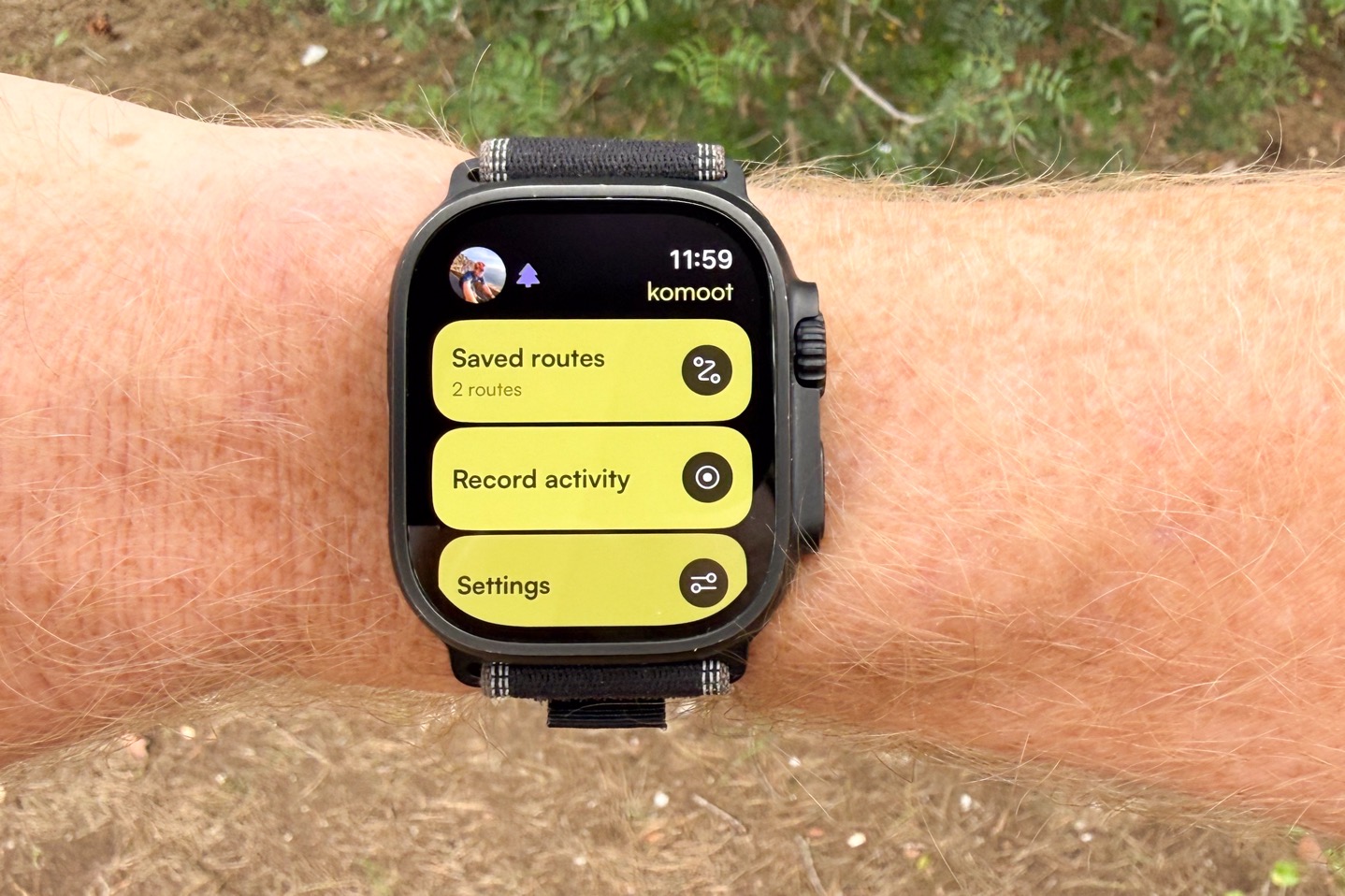
From there, simply tap ‘Save Offline’. It’ll go ahead and start downloading the route, as well as the map area required for the route. In discussing this with Komoot, it’ll sync not just the route, but a buffer around the route too. Here’s what they said it does today:
Route downloads: It will download a 3 km-wide strip of map tiles around the route (roughly 1.5 km on each side – if you imagine the route as a straight line).
Recording: When you start a recording, it will automatically download a 5.5 x 5.5 km square around your current location. If you keep recording outside that square, you’ll need to be online so the app can fetch more tiles as you go.
Refresh: stored map tiles are refreshed every 7 days to ensure up-to-date info.
Note that today, you can’t simply select a big chunk/region to download ahead of time (regardless of route plans), though Komoot says that’s high on their priority list and is coming.
In any case, simply tap Navigate:
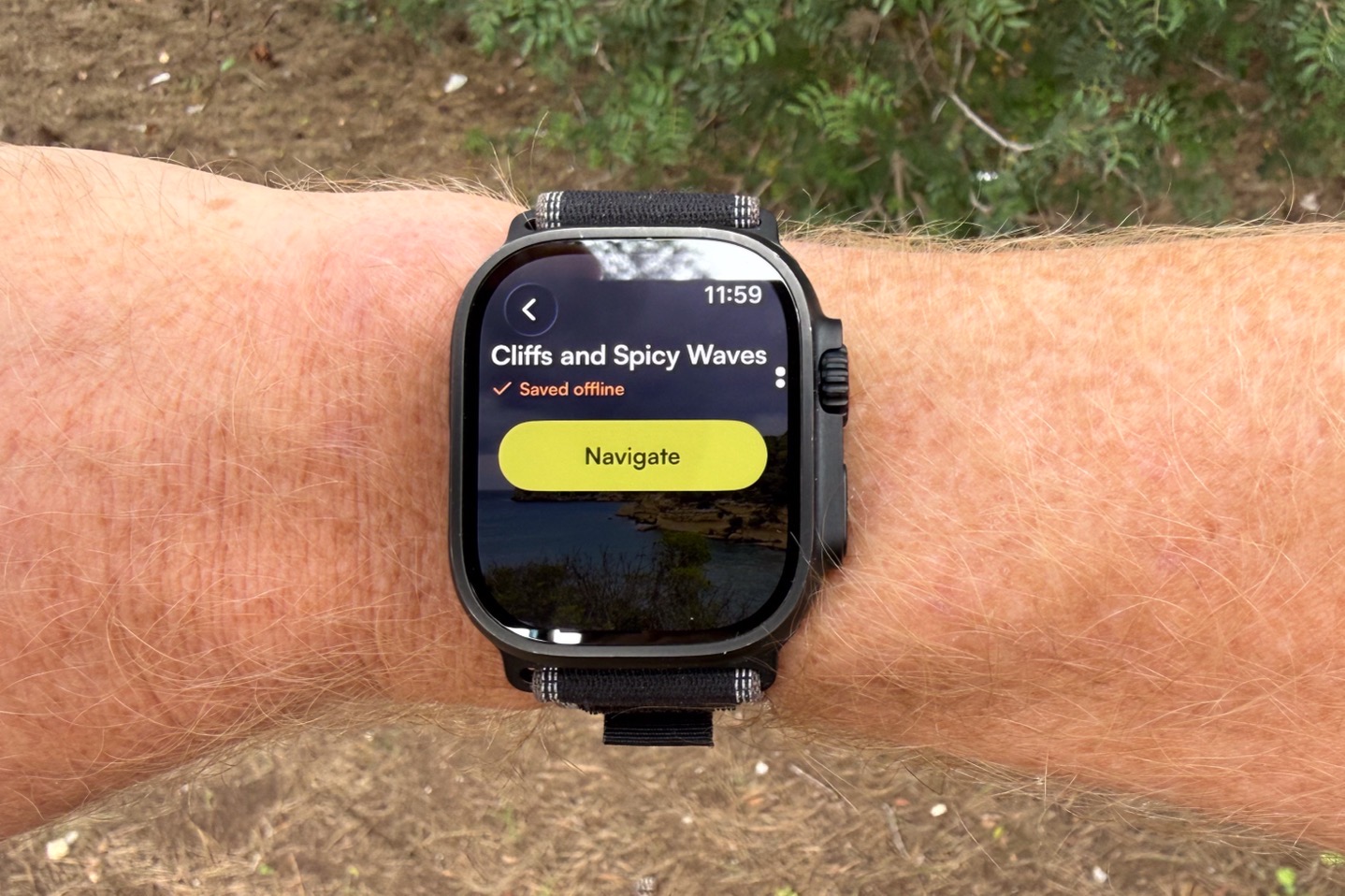
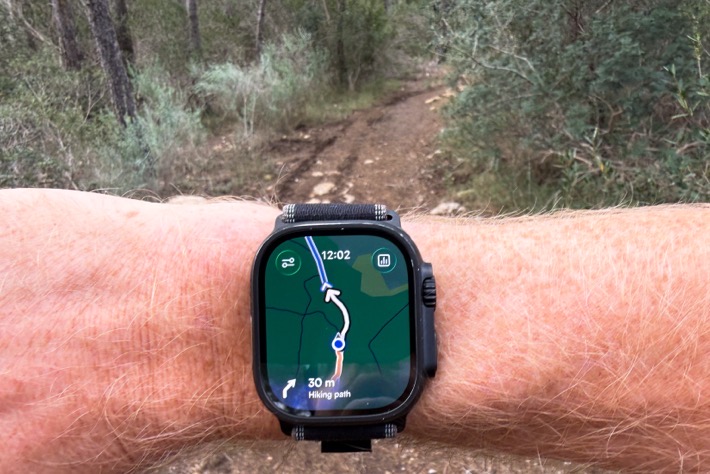
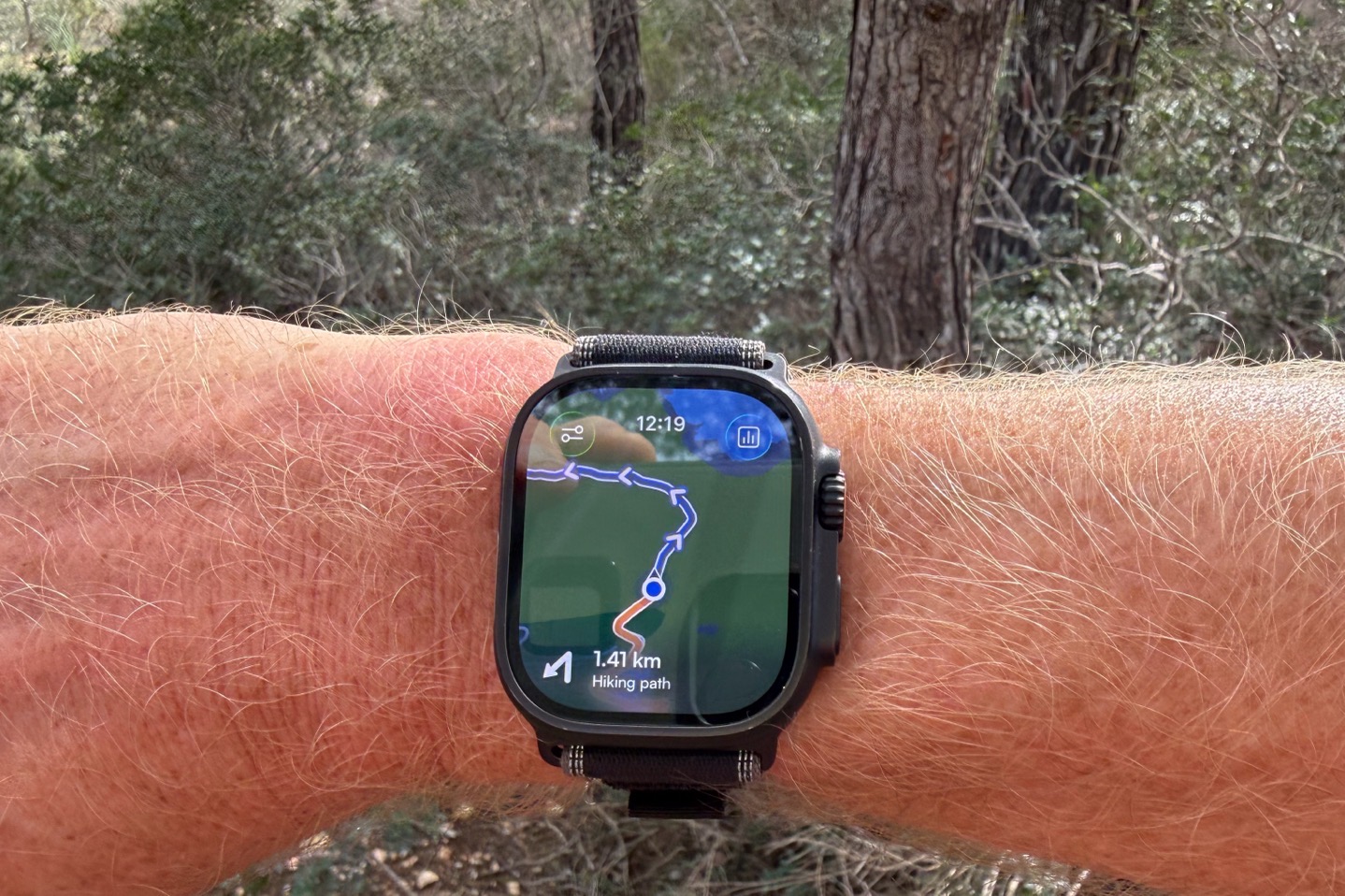
Note that the first time you do this, it’ll re-confirm some Apple Health settings (around rights to write the workout data/etc…). At this point, though, you’re off and following the route. You’ll see the route up ahead, directional arrows, as well as the distance until the next turn (and name details if applicable).
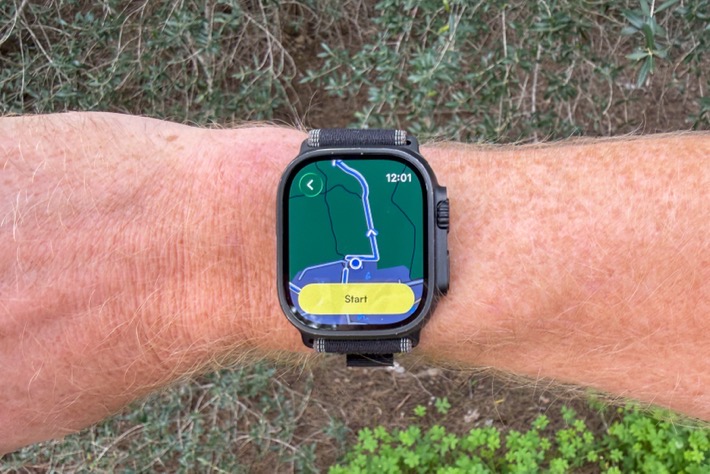
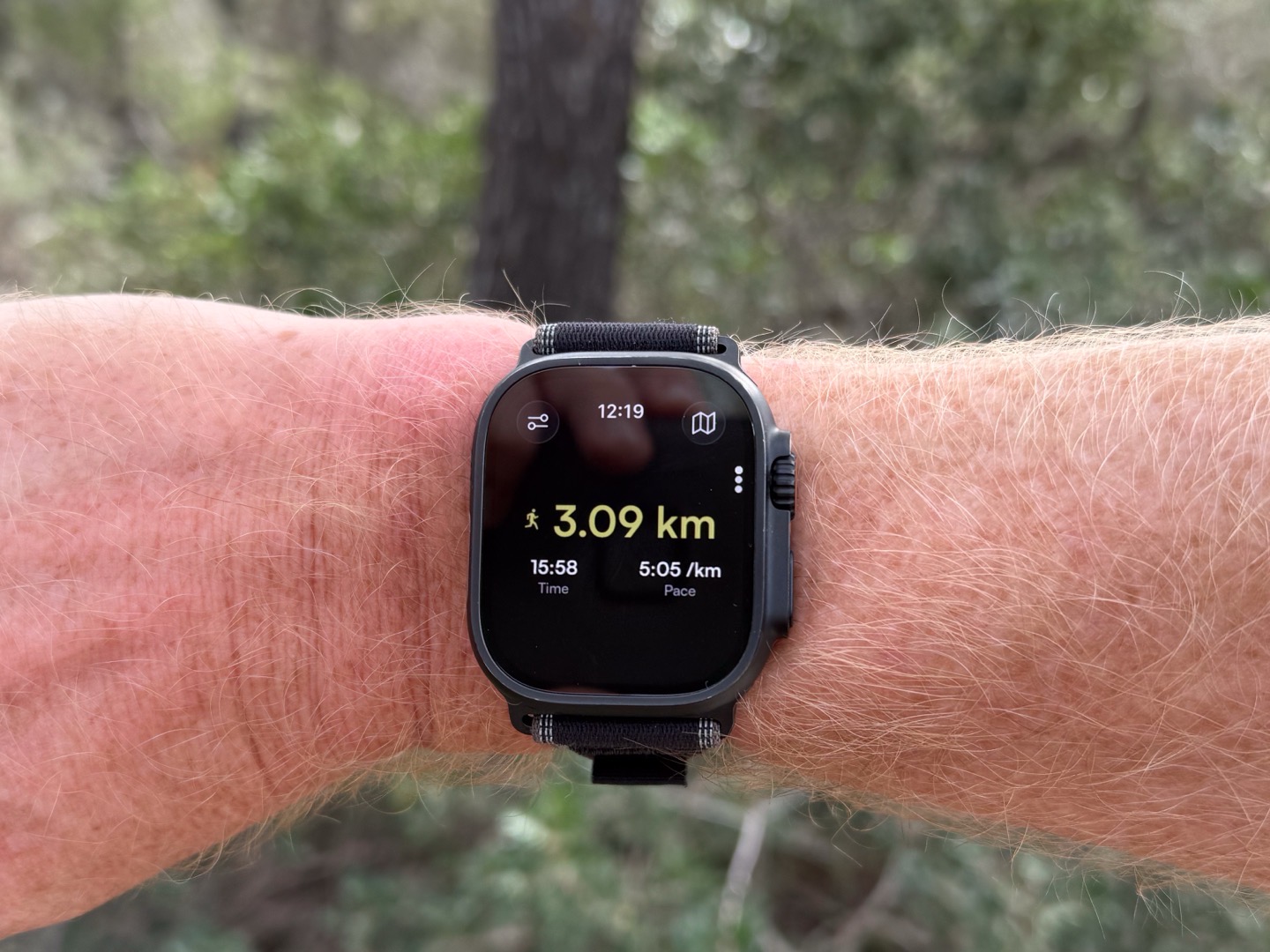
There’s also a data page that shows your total distance, total time, and current pace.
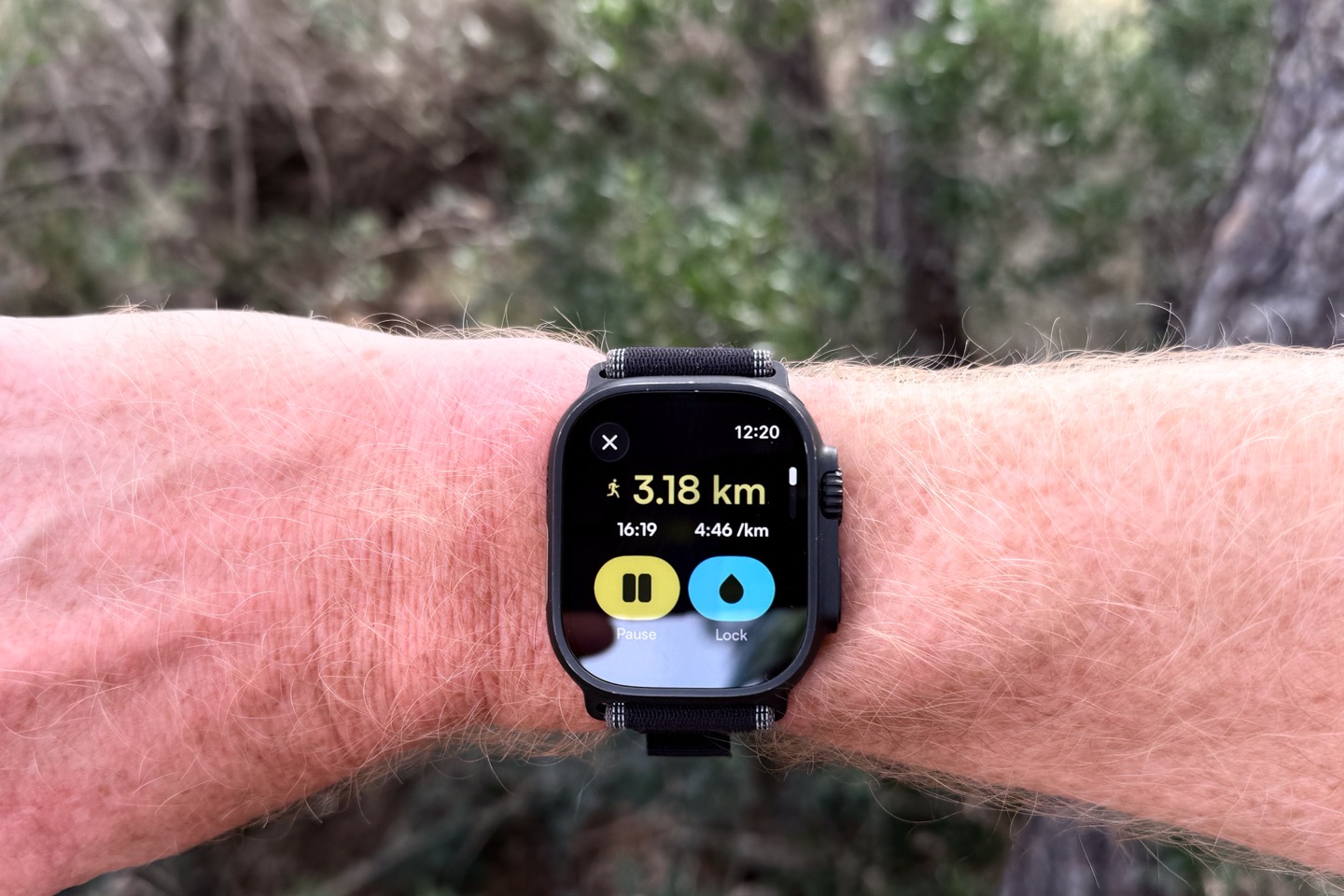
Additionally, if you tap the controls menu, you get the biggest pause and screen lock buttons you’ve ever seen in your life. Unfortunately, this page isn’t customizable yet.
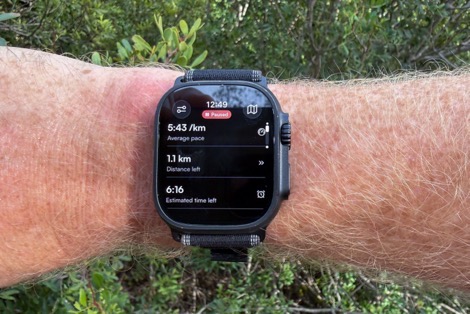
You can use the Digital Crown to rotate through a slate of other metrics. And I mean a literal slate of them, it’s like a giant biblical scroll of all these data metrics (5 scrollable-down pages worth). And look, I’m the first one on team data metrics, but this isn’t super usable this way to render these. This feels more like a workout summary (post-workout), than it does something I should see mid-workout.
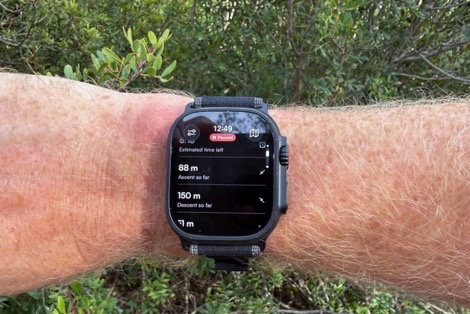
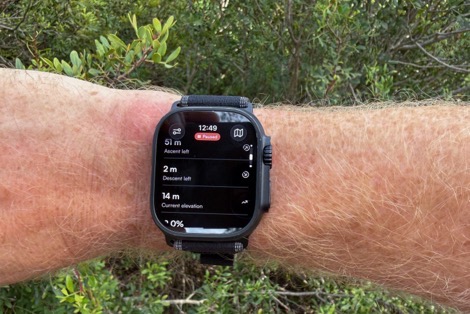
Instead, I want customizable data pages (like every other watch/device ever made), with customizable data fields. Right now, I can’t see heart rate on my main data page, or other metrics I want. Fear not though, Komoot says it’s coming. Specifically saying on this request:
“…the plan is to allow people to customise which data fields they want to prioritise, for each sport type. Either while viewing the map or on the data screen itself, we’ll make sure it’s customisable. Estimate about 3 weeks from now.”
So just to be clear, I’m looking for at least 2-3 customizable data pages, with at least 4 pieces of data per page. Why that many? Well, most people going long are going to have total-journey metrics (e.g., total distance/time/distance remaining, etc…), as well as close metics (e.g., lap time/distance/HR/etc…), and then if in mountains, also some ascent/etc metrics page (e.g., current grade, total ascent, total descent, etc…). And then ultimately, I want/need a ClimbPro-like page showing current/upcoming climbs.
For the ClimbPro side of things, Komoot says they know this is a gap area that they’re looking at closing (on more than just the Apple Watch app). But they don’t have a specific timeframe for it. Meanwhile, they did list a slate of other things that are near-term; check out the next section for that.
Anyway, back to my meander.. if you go off-course it’ll notify you that you’re off-course, and the distance away from the track. Unfortunately, due to a bug introduced in the most recent build, it’s not triggering an actual audible alert. Komoot says that’ll be fixed in an update this week.
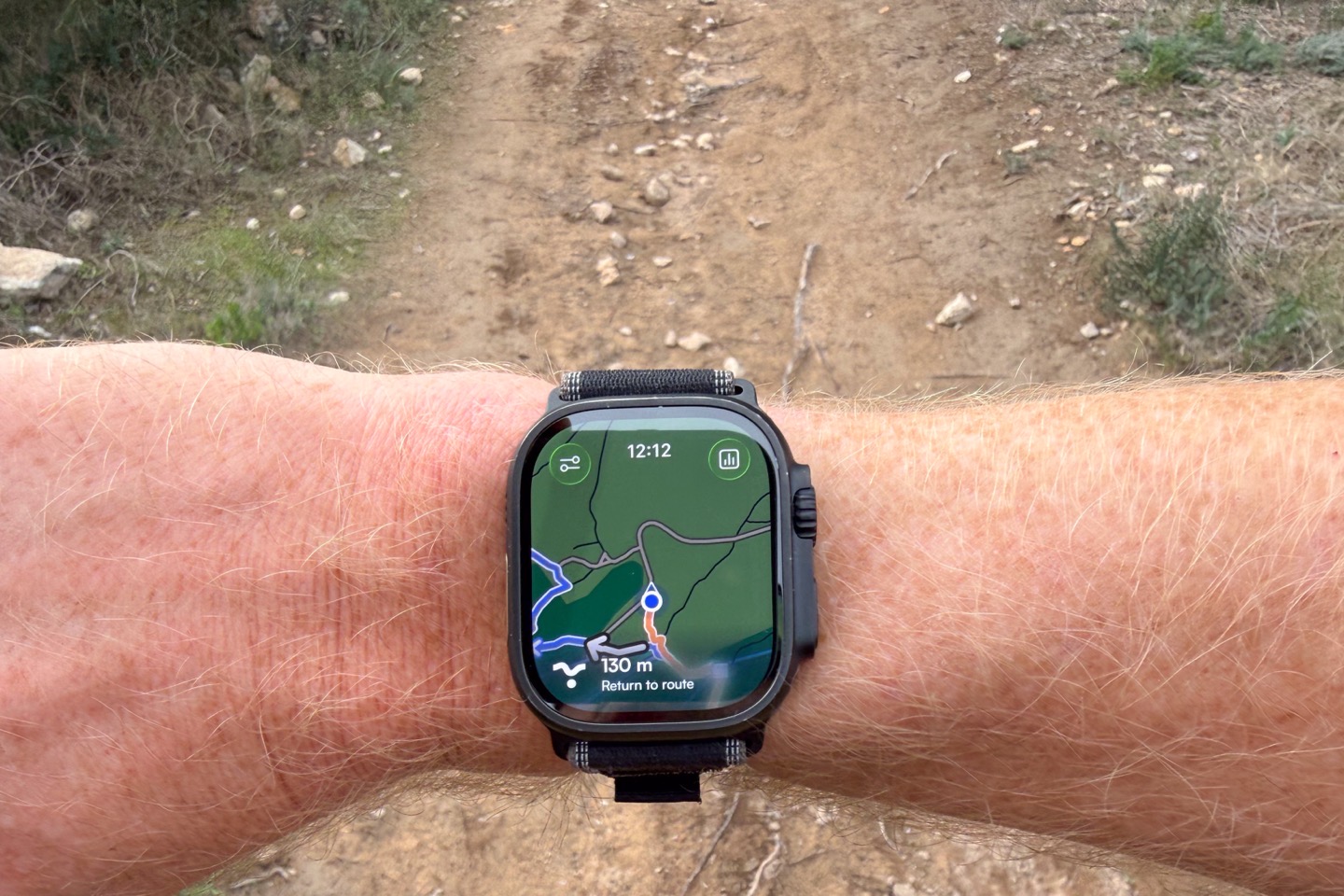
In terms of re-routing, the app *will* re-route if you have connectivity, but it will not re-route today without connectivity. But, you’ll still, of course, retain the maps that are downloaded (per the earlier explanation), so you can see where you’re routing.
Speaking of which, you can’t zoom out very far on the route, though you can use the touchscreen to move around instantly. I’d prefer they allow me to zoom out a heck of a lot larger (like, my entire route if I wanted). But those are minor things.
There are a few other minor bugs that are being fixed on the hopefully-Wednesday release, such as Auto Pause not honoring the watch setting (it was pausing every time I stopped to take a picture, despite me having it set as off).
In any case, once you’re done with the route, you can save it as normal, and you’ll get a summary screen, and another slate of summary metrics.
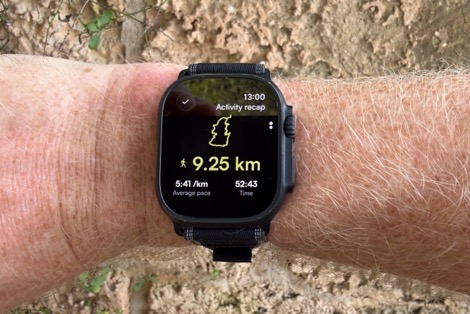
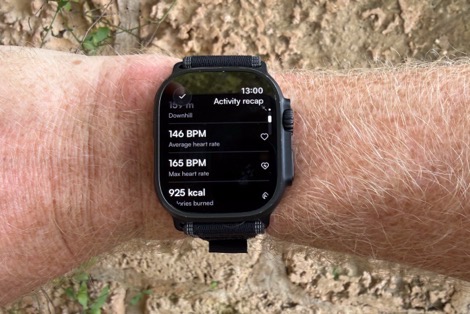
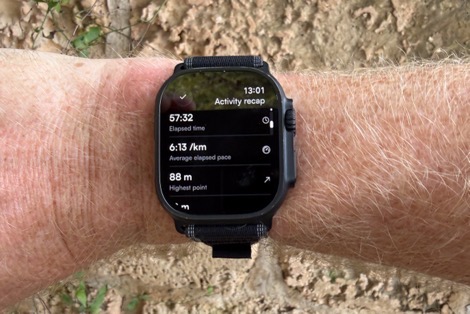
After that, it’ll stay queued in the Apple Watch app until it regains connectivity to Komoot, at which point it’ll sync with your Komoot account.
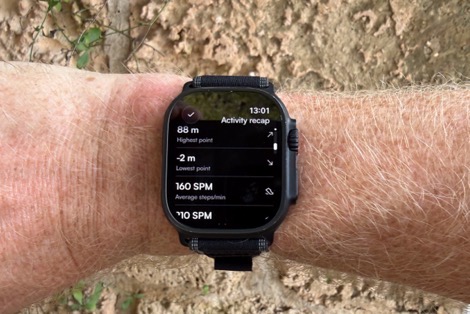
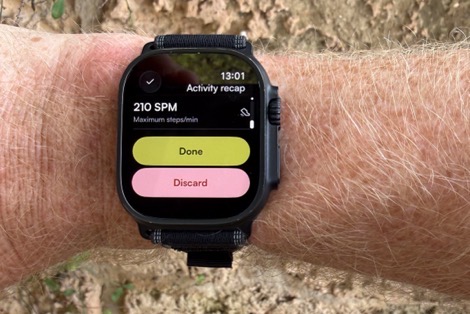
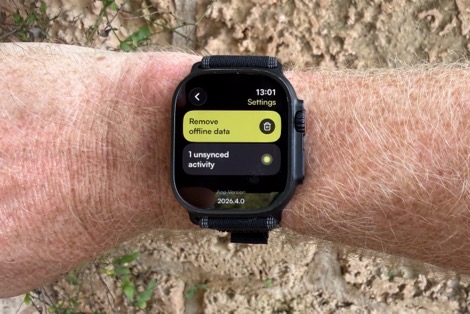
Meaning again, you can be fully out in the woods without cellular/connectivity (or even your phone), and everything eventually syncs in properly.
Upcoming Changes & Features:
Here’s what Komoot says is coming specifically to the Apple Watch app in the near term:
Live route editing and sync: Make changes to a route on iPhone and see them reflected on the watch without pausing or restarting the recording
Auto-rerouting: Automatic route recalculation after a deviation from the planned route.
Live tracking: Share real-time location with selected contacts for safety
Map-view improvements: Zoom out to see more of the map with a broader view and download additional map regions for offline use
Organization: Sort and filter saved routes
Customization: Alter the order of data fields displayed when recording or navigating
Map and route details: See Highlights, Points of Interest, and relevant alerts (such as dangerous sections) along the route
Notably, this is separate to the larger list of changes that Komoot has published as their 2026 priority list.
There are also some other quirks that probably need addressing. I noticed in the Apple Fitness app, it doesn’t show the map (and DesFit noticed it doesn’t have calories showing there, but does in the activity summary on the watch). Seems like they aren’t quite doing the workout population correctly into Apple Health. So hopefully they can take care of those things too.
Wrap-Up:
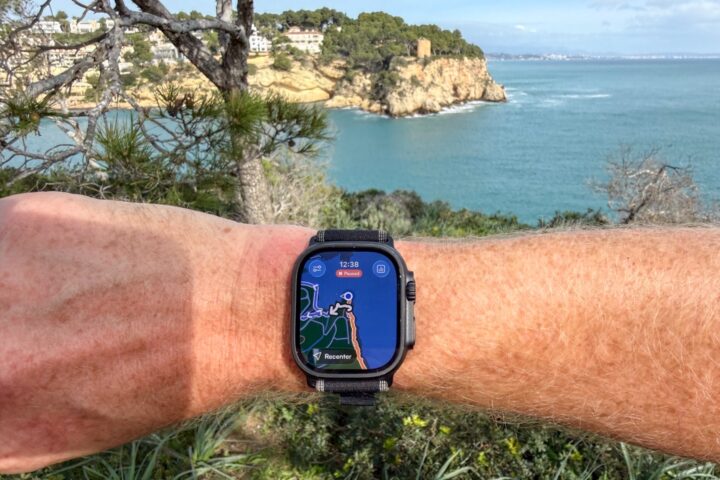
Overall, this is a really strong start to things for Komoot in terms of offline mapping/routing. Sure, it doesn’t yet have the same features as a native Garmin implementation, or even Komoot’s own Garmin Connect IQ app. But, it’s a huge leap over Apple’s own native features, and easier to use than WorkOutdoors. Plus again, no subscription required here, which is great.
I’ll give Komoot some credit. Back when Bending Spoons bought them out (and basically fired everyone), I was very concerned we’d see the end of meaningful development (like most of the other companies Bending Spoons has acquired). But to their credit, Bending Spoons has actually invested here in getting a product out the door, and some of their other semi-recent acquisitions have also shown a bit of a change in policy on how they deal with growth after the firings (to be clear, they still fire basically everyone, as they did last week with Vimeo). How things go at Vimeo, of course, also remains to be seen.
Still, at least for Apple users who want to be outdoors with offline navigation and routing, this is a big step forward. I’m hoping Komoot can execute on the promises they outlined up above (some of which are planned for even just two days away), and of course, continue to improve the platform beyond that.
With that – thanks for reading!
FOUND THIS POST USEFUL? SUPPORT THE SITE!
Hopefully, you found this post useful. The website is really a labor of love, so please consider becoming a DC RAINMAKER Supporter. This gets you an ad-free experience, and access to our (mostly) bi-monthly behind-the-scenes video series of “Shed Talkin’”.
Support DCRainMaker - Shop on Amazon
Otherwise, perhaps consider using the below link if shopping on Amazon. As an Amazon Associate, I earn from qualifying purchases. It doesn’t cost you anything extra, but your purchases help support this website a lot. It could simply be buying toilet paper, or this pizza oven we use and love.

















A few typos:
“Unfortunately, due to a big introduced in the most recent build,[…]” – bug
“There’s a few other minor bugs that are being fixed on the hopefully-Wednesday bug […]” – bugfix? update?
“I noticed in the Apple Fitness app, it doesn’t the map […]” – it doesn’t show?
“(to be clear, they still fire basically everyone, as they last week with Vimeo)” – as they did?
Ahh thanks, my bugs related to their bugs have been fixed! 😂
It looks like it’s the month of maps on Apple Watch – I’ve seen mentions of Strava Apple Watch app showing maps and course navigation as well.
Ahh, you are correct.
Nice to see this development. You should also be aware of the Footpath app. http://www.footpathapp.com
It offers offline navigation, a wide range of maps, elevation profiles that zoom in for the climbs, custom metric screens, scand is very well polished. It’s also an inexpensive one-time purchase. I think it offers all the things you would like to see in the Komoot app.
The app looks polished, but their website clearly states “yearly / monthly subscription.”
Ahh, yes you are correct.
What about battery life?
I agree about Komoot and Bending Spoons. I was concerned the app/website would slowly deteriorate and/or never get updated. But everything still works well and their 2026 roadmap looks good. I do feel for all the people let go but am impressed there is still commitment to the product.
I’m actually finding the app and website a bit simpler and easier to use since the acquisition. It seems like they’ve tried to move away from being a social media platform and I think this was a wise move.
Nice update of the App! But still missing the support for the Action button on the AW Ultra. Have you heard something about this feature for the Komoot App?
Hi Axel. Support for the action button on the ultra is coming on Wednesday :)
Oh, cool, thanks!
Why is every Apple Watch workout app so anti-larger font? Let’s use the tiniest fonts possible for things like your current pace – no need to use all that empty screen real estate.
They spent so much on the really big pause/lock button font/button sizes, that they had to reduce the budget for the data field fonts.
You can tell the testers the companies use are all youngish – they do seem to forget that older users exist with weaker eyesight. (And obviously younger ones, too, but weaker eyesight is something that will affect all of us as we age…)
It is unfortunate that Komoot did not apply the same license logic to the Garmin app. In Garmin you have to pay subscription to show regions you own on the watch
It’s actually the exact same logic.
You either need to:
1) Use the free unlock region
2) One-time buy a single region
3) One-time buy a multi-pack or entire world ($29)
4) Be a subscriber
Ah, great: I have: entire world ($29)
Oh, I forgot: I have no AW🤣🤘🏴☠️
My account is showing “you own the world pack” but when I go to navigate on the Komoot app on a FR265 it says “get premium to navigate”.
Similarly, if I create a route in Komoot and go to navigate options, Garmin shows as a premium only option.
Anyone managed to get map or navigation without premium subscription?
Found my answer on Komoot site. You don’t get married on Garmin without subscription even if you own the region.
Note: Displaying komoot maps on your Garmin requires a Premium subscription and komoot navigation. A Free Region lets you send Routes inside that region but does not show komoot map backgrounds. The World Pack also does not include street maps on the watch; it provides a breadcrumb line.
Ahh, you might be right, my apologies – I was thinking about route sync, not the non-mapping devices on-dervice mapping (e.g. your FR265). :-/
You don’t need to record a specific workout to contribute to your Activity Rings. The Komoot Watch app doesn’t need to do anything; you just need to wear your Apple Watch.
Regarding why the active calories and map aren’t showing up in the Apple Fitness app: if you look at the permissions screen in DesFit’s video, you’ll notice that Komoot doesn’t even request permission to write Workout Routes or Active Energy. It’s no surprise, then, that this data doesn’t appear in the Apple Fitness app.
I’m not sure if the missing route is a bug or a deliberate choice. Many major players don’t sync workout routes to Apple Health—Garmin being the most notable example…
Can you use the mapping as a separate data page in the workout app? Or you need to be in Koomot app all the time?
You need to be in Komoot app all the time. Native Workouts app doesn’t support any kind of plug-ins or third-party data screens. Maybe WatchOS 27 will give us something.
I did not like Workoutdoors. Mostly because I did not like the look of the app. I found Mappa trough a post on Reddit and it was what I needed. Nice user interface where you could track either a Strava route or a GPX file. Nice for trail running and backcountry skiing (what i use it for) link to mappawatch.com Not sure what I would miss from the Komoot offering?
WorkOutDoors provides total privacy, whereas Mappa links to your Health and Fitness data, as well as your location—just like Komoot does. (Privacy Nutrition Labels on the App Store).
If the lack of privacy does not bother you, that’s fine…
Erm, how things are going in Vimeo only yesterday. link to engadget.com
Thank you! Does this give you all the trail info to download for backcountry routes and frontcountry trail systems, like Trailforks? If so then how great. If not then maybe less use to MTBrs?
Nice progress for the Apple community.
On battery burn, I clicked back to your WatchOutdoprs section and am reminded you’d seen much higher battery burn to Apple’s stock mapping app. Is it still the same and any guidance on want Komoot was like?
I didn’t get into battery burn yet on this one. I was going to let them get through some of this slate of changes planned for the coming days first.
As for WorkOutdoors, in talking to WorkOutdoors app developer, he noted that I should be seeing relatively similar battery performance if I was on data pages akin to the default app (versus the mapping pages that I was on).
Actually WorkOutDoors uses about the same amount of battery as the native app regardless of whether or not it is displaying a map.
What makes a difference is how often you raise your wrist to look at the app because the resulting extra screen brightness is what uses more power. So if you are looking at it more frequently (e.g. when using it for the first time, or when doing a thorough review) then it will use more power. But if you do not look at the screen more often then WorkOutDoors will use the same battery as the native Workout app.
This is why one of the best things you can do to save power (with any app) is to disable Wake on Raise in the watchOS settings. This will greatly reduce the number of times that the screen is bright and greatly increase the battery life.
However it means that you need to tap the screen to see it, which can be a hassle, so it’s only worth doing if you are planning a very long workout, or if you notice that your battery level is getting worryingly low.
My 2 cents:
– wasn’t the original question about comparing WorkOutdoors to Apple’s stock *mapping* app? The first reply seems to be comparing WorkOutdoors to Apple’s stock *Workouts* app, although maybe I’m misinterpreting things here.
– shouldn’t we tend to believe the WorkOutdoors dev if he says that his own app consumes more battery when the map is displayed? It seems to me that all other things being equal, it would take more CPU power (and thus more battery power) to render a map then it would to render some data pages with text and charts.
Sure, I don’t doubt that the battery life impact for having the screen at full/high brightness vs low brightness is much more dramatic than anything else, but that doesn’t really negate the impact of those other things.
The original question/statement wasn’t “what facet of workoutdoors (or any other app) has the highest battery impact in practical terms?”
It was: “I clicked back to your WatchOutdoprs section and am reminded you’d seen much higher battery burn to Apple’s stock mapping app”.
Imagine if 2 people were trying to compare fuel efficiency of 2 vehicles, and someone responds “well actually, fuel efficiency doesn’t matter because the biggest impact on fuel consumption is how far and fast you drive”. (Just a fake example, I’m not claiming that’s actually true. Maybe it is and maybe it isn’t.) Even if it were true, that wouldn’t really address the argument about relative fuel efficiency in the first (except to claim it doesn’t matter at all). But what if – in my fake example – both vehicles would be driven at the same distance and speed? Then fuel efficiency would start to matter after all.
Similarly, if someone took the advice of disabling Wake on Raise, then the relative battery usage of Workoutdoors vs. the default mapping app (or the default workout app) would *still* matter, wouldn’t it? You’ve saved a bunch of battery life by turning off Wake on Raise, but all things being equal, battery life would still be affected differently by 2 apps which use energy at different rates.
The Ian guy above you is the WorkOutdoors dev.
Sorry, I should have mentioned that I am the developer of WorkOutDoors. It’s so long ago that I became a DCR supporter that I forgot that my account is in my name rather than the app’s name.
In terms of battery usage it really is the case that displaying the map doesn’t have much effect. Yes it will make a very slight difference, but the power draw by hardware functions like the screen, GPS, HR sensor etc is much higher.
I tried to test it many years ago. I would do the same workouts with and without a map and got varying battery usage, but without any correlation with whether the map was used. I eventually realised that it was how often I looked at the screen that made the difference.
I even added logging in the app that says how long and for what percentage of time the screen was active, as well as logging the battery level. This screen usage varies from under 1% for some people to 20+% for others, so whenever people mention the app using a lot of power I will point them at the log (which is in the last tab of a workout in the iPhone app)
The reason that the map is so power-efficient is because it uses the GPU much more than the CPU. When a map tile is drawn (which is very rarely if you don’t zoom or pan) the CPU calculates the necessary triangles and loads them into the GPU.
After that the CPU has almost no involvement until the next tile is required, which could be many minutes or more later. It only tells the GPU the position and orientation to use and the GPU does the rest. And even on the watch the GPU is designed for much more intensive tasks than drawing a 2D map.
When I wrote the map renderer in late 2016 the most common Apple Watch was the original series 0. I spent many months making the map work smoothly on that old device, especially in terms of the CPU calculating the triangles. This involved making it as CPU-efficient and therefore as power-efficient as possible.
I’m not saying that there is no difference because I am sure the GPU and the occasional tile rendering both use some power. However it really is negligible compared to the varying power draws by hardware components.
The GPS and HR can also vary in their power usage, especially at the start when trying to get a lock, but the user can’t control that (unless they use an external HR sensor), so the only thing they can control is how often the screen is displayed, which is why I focussed on that in my previous reply.
Apologies for the long reply but I understand that it is hard to accept that showing the map doesn’t make much difference, so I wanted to explain why that is the case.
Haha oops I deserved that!
Thanks for the detailed explanation and sorry for the extremely dumb reply.
Also, wanted to say that I love WorkOutdoors! I’m a Garmin user, but I tried out Apple Watch and your app briefly. If I ever switch to AW, WorkOutdoors will be first app I install.
> I’m not saying that there is no difference because I am sure the GPU and the occasional tile rendering both use some power. However it really is negligible compared to the varying power draws by hardware components.
> The GPS and HR can also vary in their power usage, especially at the start when trying to get a lock, but the user can’t control that (unless they use an external HR sensor), so the only thing they can control is how often the screen is displayed, which is why I focussed on that in my previous reply.
Point well taken. Sorry, if I’m being real, my reply was contrarian for its own sake and kinda condescending. Obv I should avoid that no matter who I’m replying to, so in this case, I really did get what I deserved.
No worries – I should have mentioned in my first post that I was the developer. Thanks for your reply; we are all contrarian at times but it is rare to admit it so honestly afterwards.
Glad you liked the app when you tried it!
Nice development! But I would not call this offline ‘routing’, more like offline ‘navigation’.
Are you also going to review the new Apple Watch version of Mapy.com app?
Thank you for the article!
What about WorkOutdoors?
Using that for quite sometime now and is free as i recall…
Uups…
Should have read the comments first 😁
Typically, my Apple Watch series 9 battery lasts the whole day with a workout. If I have my phone with me as well as my watch, I can use the watch to record running a full marathon and still have 70%+ remaining when I’ve finished.
Updated the Komoot app on my Apple Watch, downloaded at 14km route and went for a run with battery at 85%. Battery died an hour later before I completed the run and my heart rate wasn’t recorded. Nowhere near good enough or ready for release.
Just out of curiosity, what’s the significance of having your phone with you? Do you mean that your AW uses the phone’s GPS, and does that mean that the battery drain on the watch is a lot lower than it would be without the phone?
If so, how much battery would you have left if you ran a marathon without your phone? And how long does it take you to run a marathon?
The watch offloads some of the functions to the phone if it’s nearby (even in Airplane Mode). It’s a well integrated system, but limited information on which device does what and under which conditions exactly? Suffice it to say that the drain is significantly lower if the phone is with you as well.
When I say lasts a marathon, I’m talking about getting to the start line, waiting in the pens, running the race. So we’re talking about over five hours, including about 3:30 hrs of marathon tracking itself. Essentially, I need my watch to last from the moment I leave my room until the time I get back with full sensor tracking, all of the waiting and travel to and from. It easily does that if I have my phone with me, vs a 50/50 chance of dying if I don’t.
Gotcha. Thanks!
Not to sound like an insufferable Garmin fanboy, but a 3:30 race is no problem for a Garmin Forerunner watch, with plenty of juice left over for the rest of the day (before and after the race). No need to bring my phone with me (and it really wouldn’t help anyway, since Garmins don’t use phone-assisted GPS or anything like that.)
In general, if I listen to music with connected earbuds while I run with GPS (using the “best possible accuracy” satellite options), battery drain is about 10% per hour. (I wouldn’t listen to music during a race though). I don’t know what the impact of navigation is, except that it doesn’t seem to be noticeable at all.
Personally I almost never run with a phone, especially not races. (It’s just a personal preference where I can’t stand to have something that bulky/heavy on me when I run. To me it’s not just the weight itself, but the distribution of the weight. I tried running with my phone in a spibelt or armband, but it never felt right to me.)
Obviously an Apple Watch is a lot better for general-purpose smartwatch stuff than any Garmin watch tho. If I didn’t run and I wanted a smartwatch, AW would be a no-brainer.
Agreed, I’ve used many different sports watches, including a couple of Garmin Forerunners before, but switched to an Apple Watch a few years back for the smarts and the seamless ecosystem integration that I really needed. For that it is without a doubt the best solution. Garmin provides a ton more stuff and battery life, but it is superfluous to my requirements and doesn’t give me the things that I actually need.
I only run away events with my phone for practical reasons. I use a compressive belt that has zero bounce, so I don’t even notice the phone when it’s there. For daily runs, I don’t take my phone with me, simply use my Apple Watch with cellular, which does everything I need.
thanks for the detail. From a runner’s point of view, offline routing on the Watch is a big step, especially for trail runs where phone signal is patchy. One thing I’m curious about, does a Komoot-recorded run on Apple Watch push the full route map through to Strava, or is it still just a breadcrumb line? Would be good to know how clean that Strava sync looks for people who plan routes in Komoot but analyse runs there.
I did my first activity on weekend with Komoot on AW. Was 3 hour hike. Had to manually transfer the GPX file to Strava as I’m not a Komoot premium member but it transferred all information with map etc.
I remember a lot of people complaining about the aquiering of Komoot by Bending Spoons. But to be honest: The App and the website have improved a lot since then. They introduced so many useful features, so the selling was definitely a win. (And, just to notice: Same happened when Bending Spoons acquired Evernote. The App improved a lot!).
Maybe now Komoot offers more functionality, but everyone talking about the topic like if offline maps in Apple Watch didn’t exist before this makes me think Wikiloc has the worst marketing of all sports app ever.
What I miss is an option to follow the route simultaneously on your phone, when starting i from the watch app. That would allow you to use the larger screen and easier interaction of the phone when you need it, while still having it mostly in your pocket and being able to quickly glance the route on your wrist. Being able to “seamlessly” continue on the phone when the watch battery would die would also be a plus of the combination. .
Or tracking fully/mostly on the phone, but still having it use heartrate etc from the watch.