

As expected by leaks over the holidays, Garmin has announced food and nutrition logging to Garmin Connect. Or rather, more specifically, their paid platform, Connect+.
The feature largely replaces the functionality long provided by MyFitnessPal, which allowed for food logging on the MFP platform (including scanning foods and a food barcode database), and then that’d sync over to Garmin Connect. In this case, all of this is done within the Garmin Connect app, as well as Nutrition widgets on some watches.
To be clear, the existing MyFitnessPal integration continues to work. They offer a basic free option, but in order to get food scanning, you’ll need their premium tier, which runs $80/year (unless you were grandfathered in on a free plan from last decade). So basically, you get that feature within Garmin’s cost of $69/year, plus Garmin throws in a free golden star for your profile picture. So, there’s that for you.
With that, let’s dive into things with a quick look at the food logging pieces, and how it integrates with your calorie burn data from Garmin devices (which is sorta the whole point here).
Initial Setup:
First up, I’ll assume you’ve got Garmin Connect+ already enabled on your account. To be clear, this is a Connect+ feature, and thus you must have that enabled. If not, it’ll offer to help you subscribe.
Once that’s set, in the app you’ll go to More > Health Stats > Nutrition. Alternatively, you can add a widget to your Garmin Connect Home Screen under the ‘At a Glance’ portion.
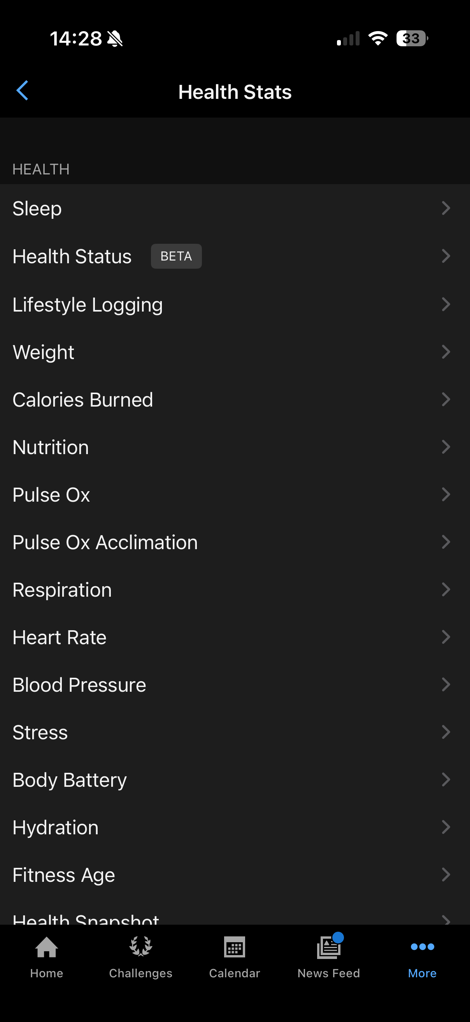
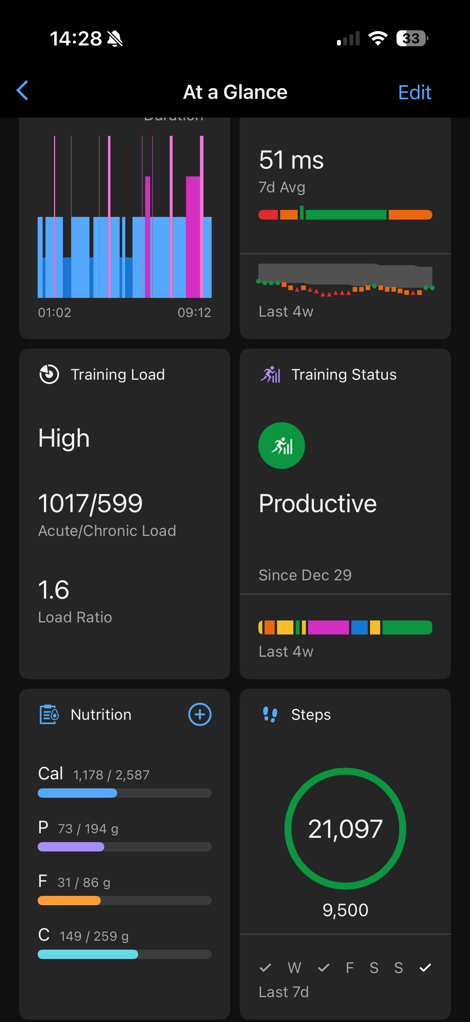
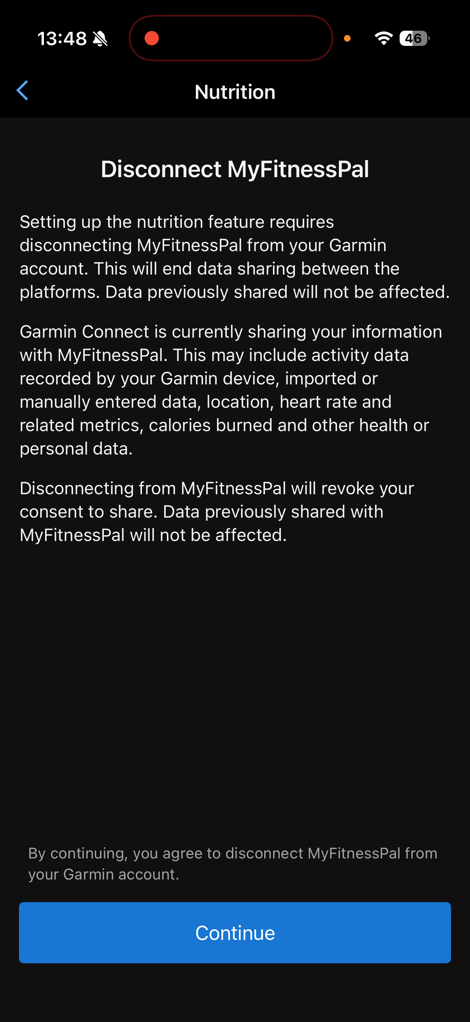
Once you open this up, if you have MyFitnessPal activated, it’ll disconnect that integration entirely. This is notable because it also whacks any workout data sharing with MyFitnessPal. It’s not clear to me if I can re-establish that for only workout data or not, maybe I’ll try later. Also notable is that MyFitnessPal is kinda an old backdoor way to sync other weight scales into Garmin Connect. So this kills that too.
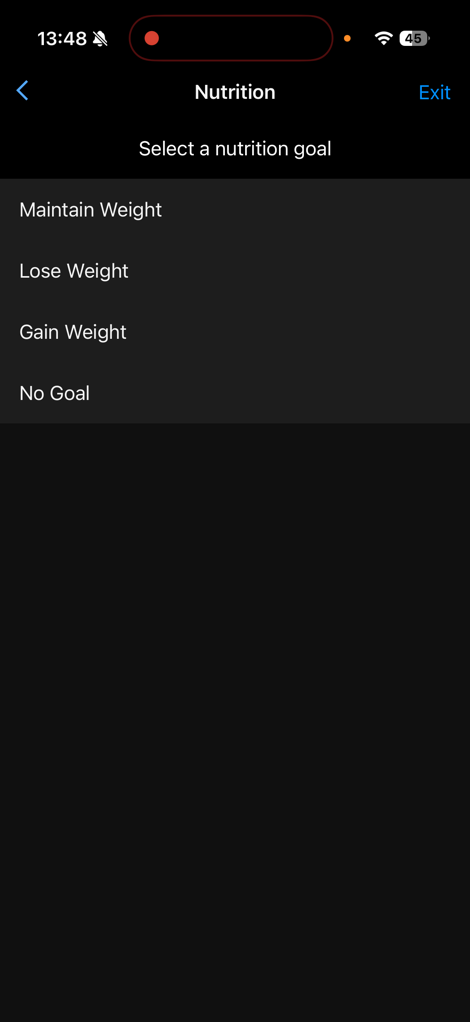
In any case, from there, it’ll ask you some bits about your goals here, along with confirming your stats. If you’ve got a Garmin Index scale, it’ll automatically pull in your weight for you. Obviously, I enjoyed ‘relaxing’ during the holidays. But, back at it already. You can change all of these details, I just left them mostly as-is, though I increased the weight loss per week up to 0.5kg (1.10lbs), which given how much I work out, will be pretty easy.
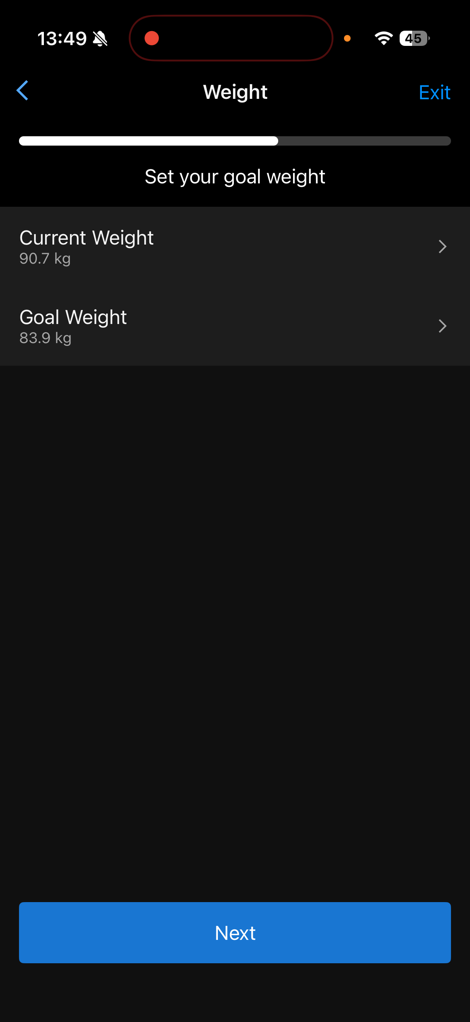
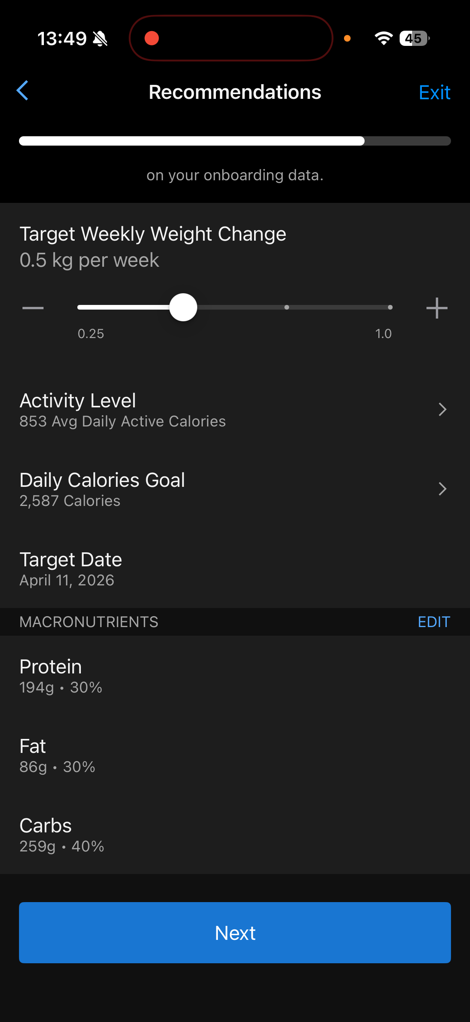
It’ll then summarize all this information and confirm the plan is set up:
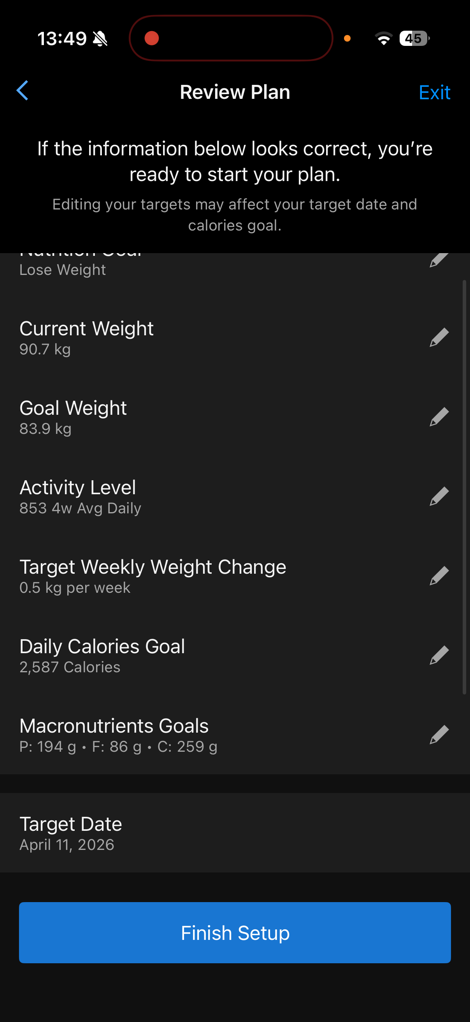
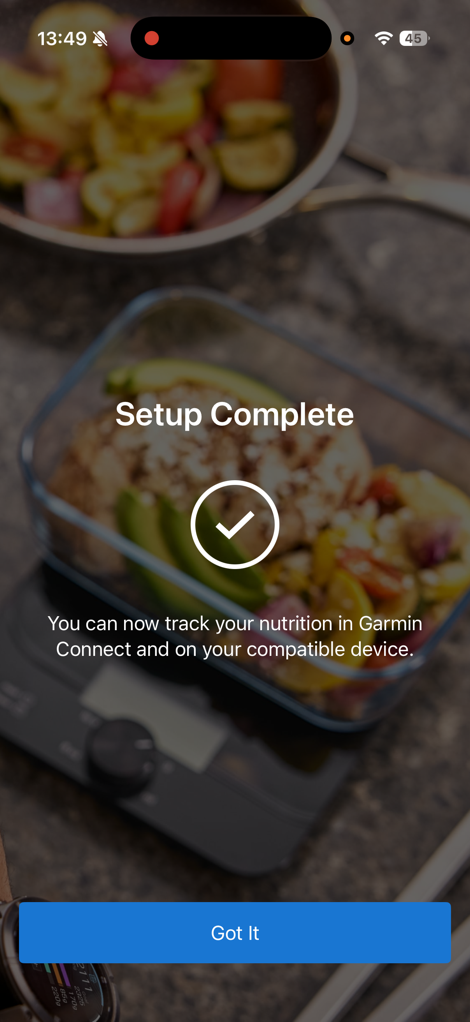
From there, it’s time to start logging things.
Daily Logging:
At this point, it’ll be pulling in your data from your Garmin devices, while concurrently waiting for you to populate food/nutrition data into the app.
You can do this from one of two places:
1) Your watch (limited subset of features, but it exists)
2) The Garmin Connect smartphone app, within the Nutrition feature
When you go to your smartphone, you can access that Nutrition feature from a few different spots, including both the main page if you add a glance, or down into the Health menu.
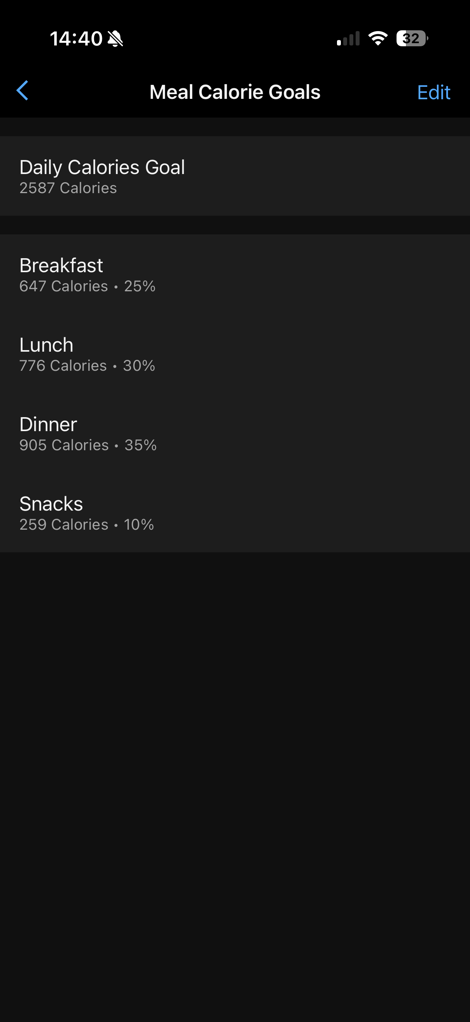
Once opened up, you’ll see your live Calories & Macros at the top (also note the 1-day/7-day/4-week/1-year options), and then below that a daily timeline that’s divided up into Breakfast, Lunch, Dinner, with the hours of the day as well.
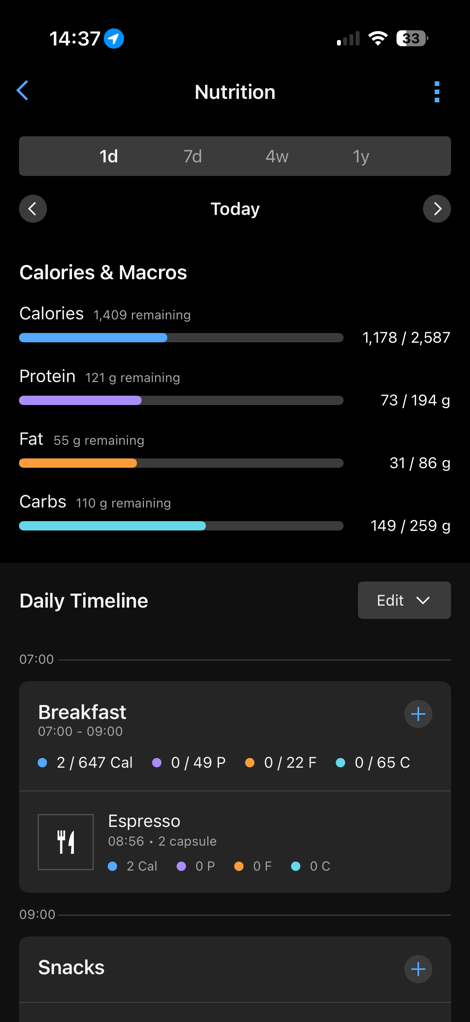
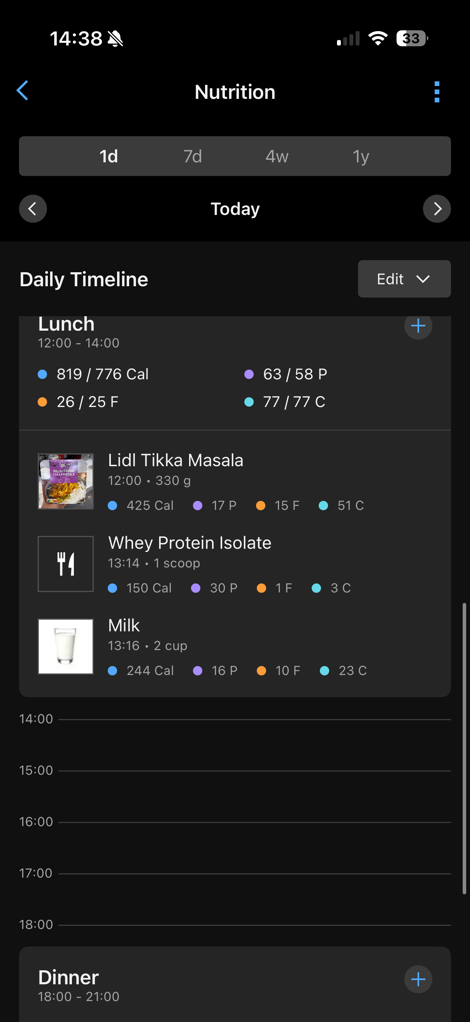
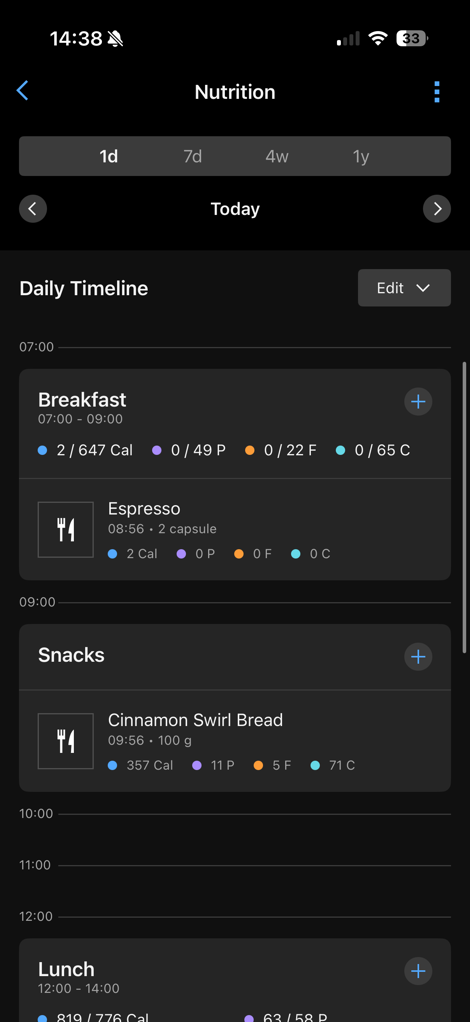
Note that you can tweak these windows in the settings (upper right corner) if you’d like.
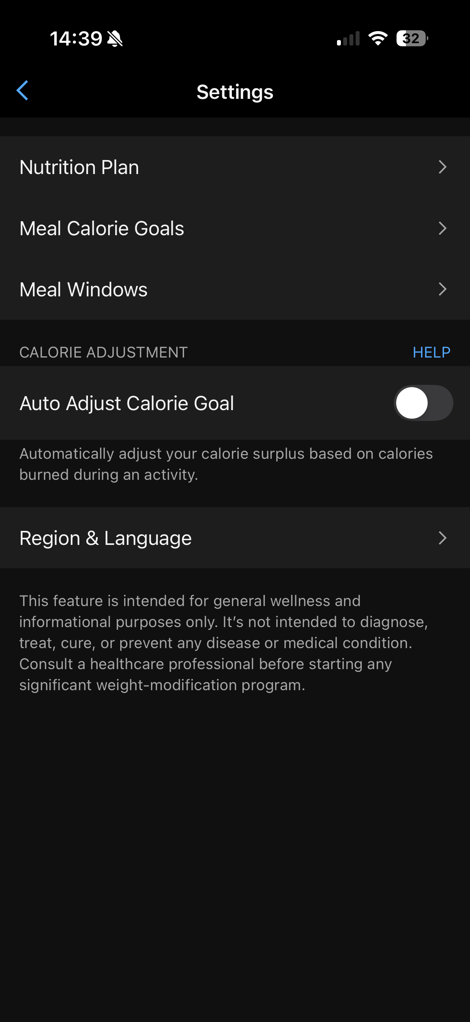

Also notable in there, you can change the country you’re scanning foods in. This is *SUPER* important if you’re traveling outside your home country as defined in Garmin Connect. Note that this won’t change the rest of your Garmin Connect settings, but unless you change it, absolutely nothing will scan. Trust me, I tried. In my case, my Garmin account is set for United States, but I live in Spain. Initially, not a single food was found when the barcodes were scanned. However, once I changed it, every single food I could scan in my fridge and cabinets, except for a container of eggs, was found (thankfully, the easiest possible thing to know stats on). I’d argue that Garmin could have some logic that knows based on the phone’s current location that it should ask/suggest to switch to a different country…
In any case, let’s look at food scanning/adding. Next to each meal chunk (breakfast/lunch/dinner), there’s an option to add a food. When you tap that you get into a menu that has:
– All recently logged foods (for quick access)
– Favorite foods
– My foods (things you’ve manually created based on knowing exact values)
– My meals (entire meals you’ve created with a collection of foods)
– Scan food (upper right corner)
You can see these here, with one of them opened up:
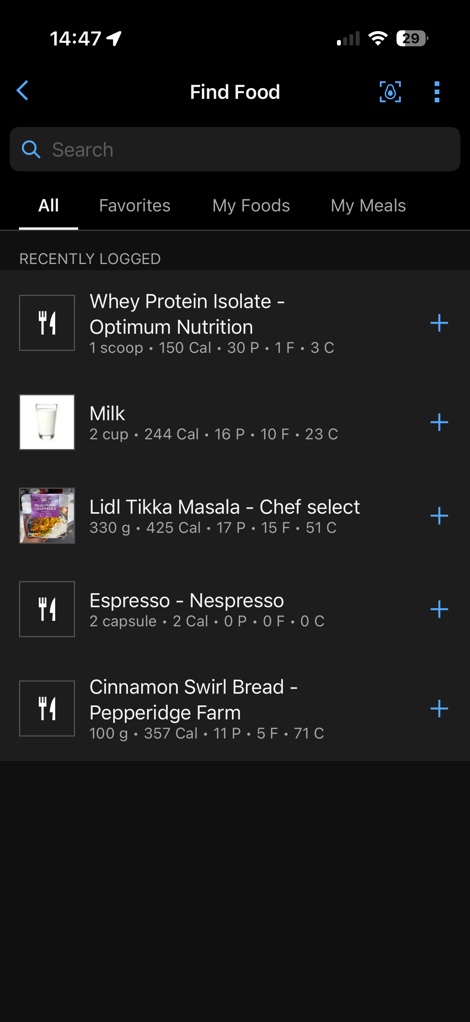
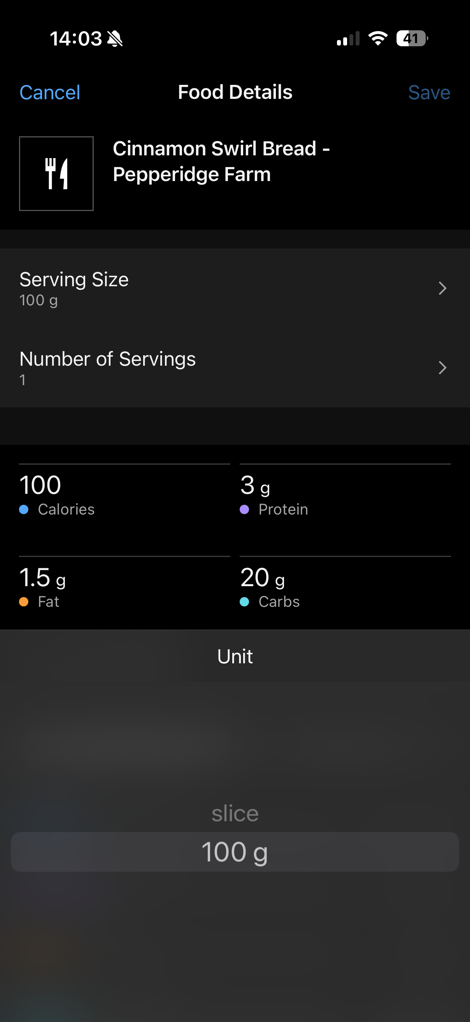
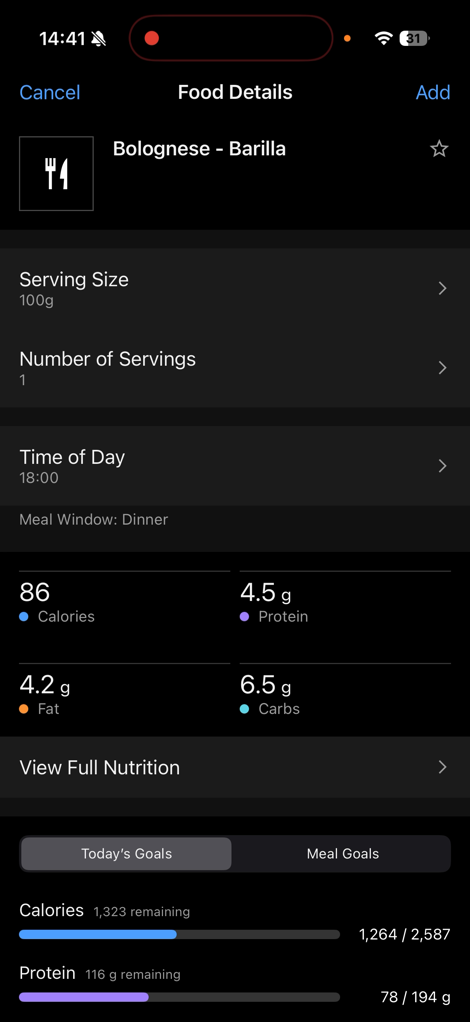
The main ones are pretty self-explanatory, noting that you can tweak serving amounts. However, let’s scan something instead. When you do that, you’ve got two options: Scan the food, or scan the barcode. Starting off with scanning the barcode, I went through my kitchen and scanned just about everything I could find. Almost everything scanned without issue, and in under 1 second. Super fast. Note below you can select the serving size, by weight or portion, depending on the product. It then shows the full details of that portion down below.
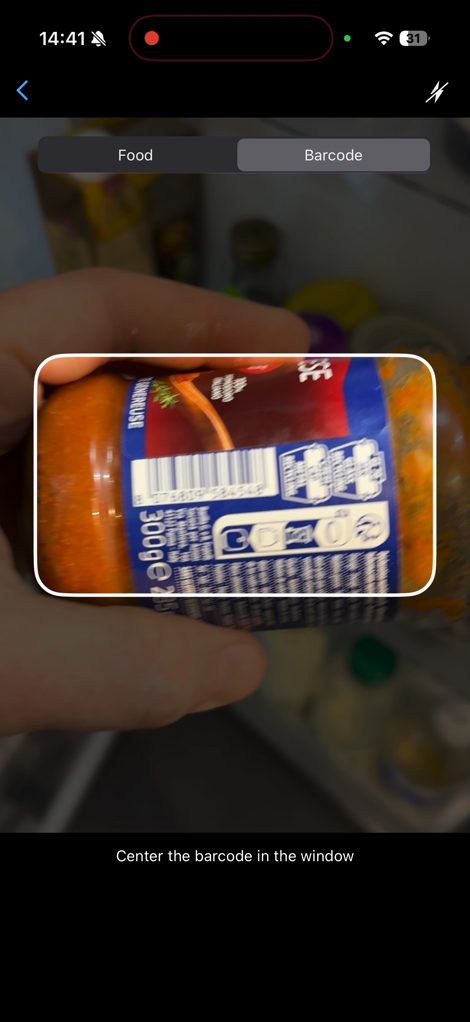
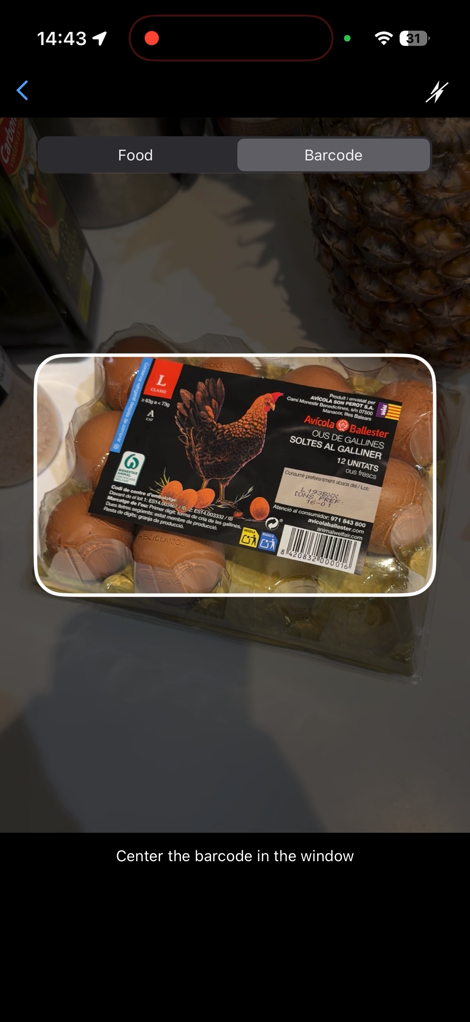
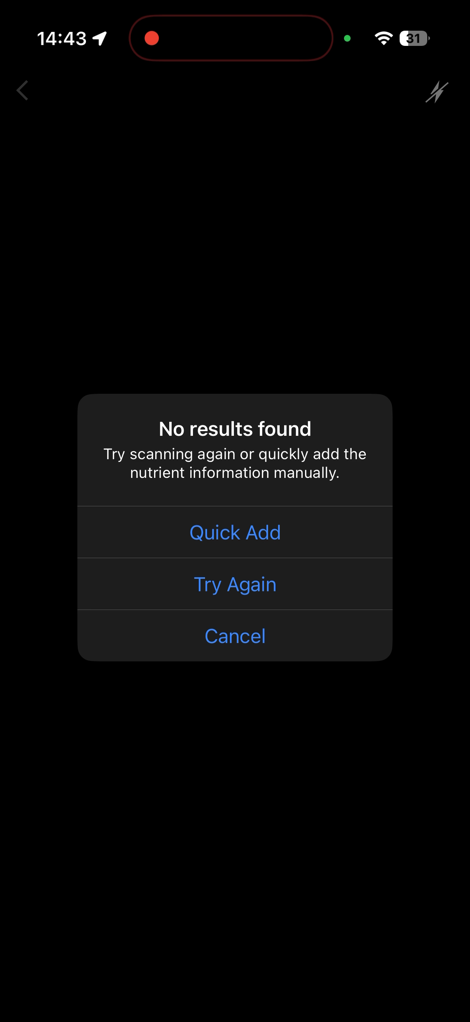
The only one that didn’t work was this package of eggs. In which case, it just says tough nuggets. However, you can then manually add that if you want to. For some products that’s easy enough with a nutrition label on the outside, whereas others might require a bit more work.
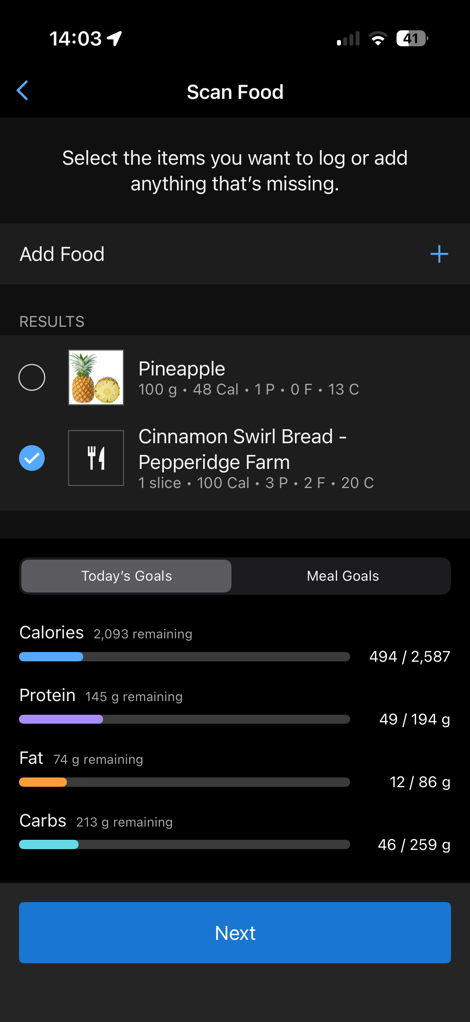
The other way to add products is by taking a photo of it. In this case, you can simply point the camera at something and take a picture. It’ll try to figure out the weight of the product and find a match. Below, I had some bread from a bakery in the US that DesFit bought over last month (it was frozen). This isn’t in a database, but did have a reasonably good guess on what it was:
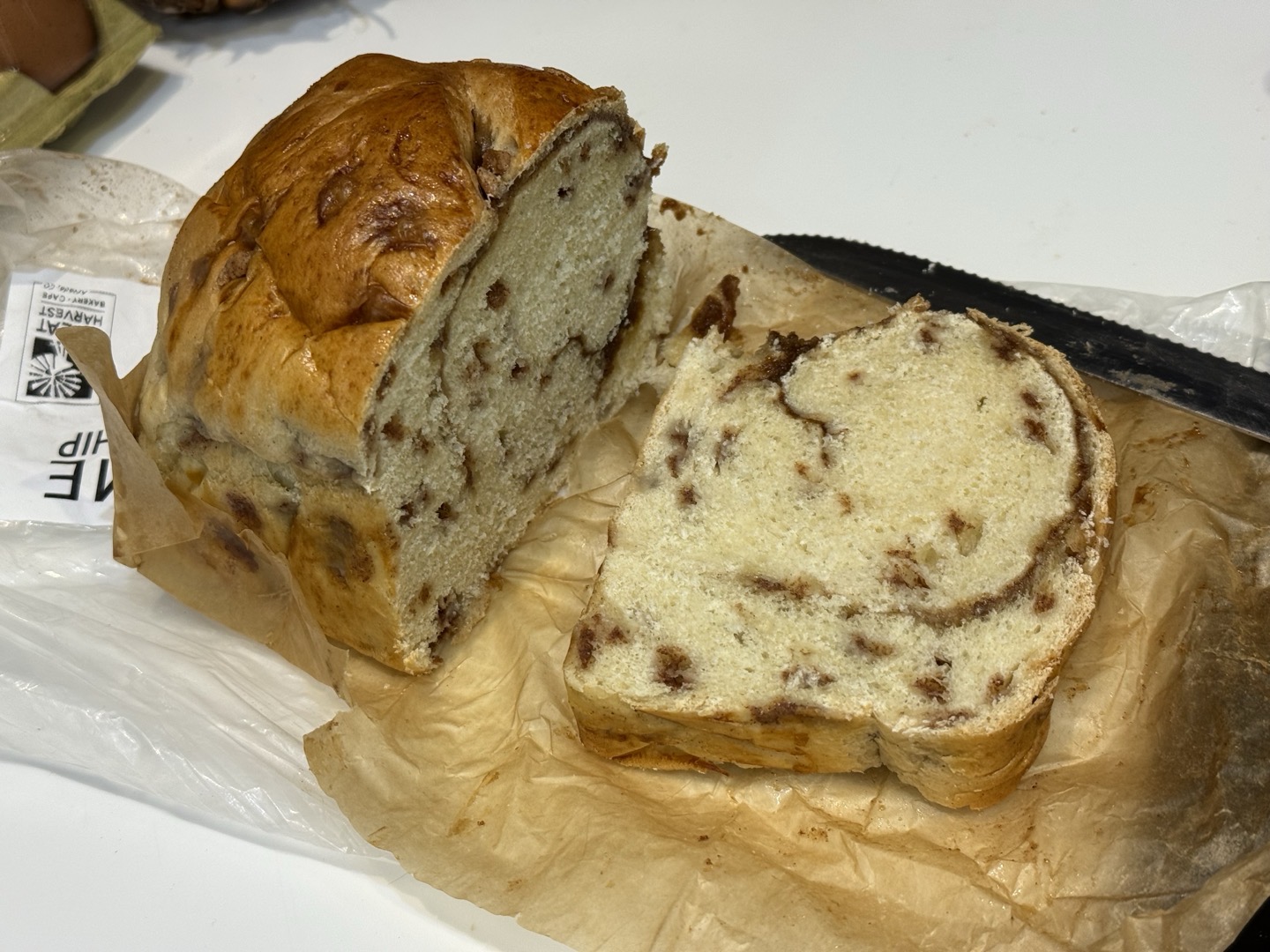
I don’t know if those calories/macros are correct, but they probably are. I checked the weight of the slice I cut, which was slightly higher, but good enough. I thought it was funny that it also grabbed the pineapple that was in the background. But that was easy to de-select.

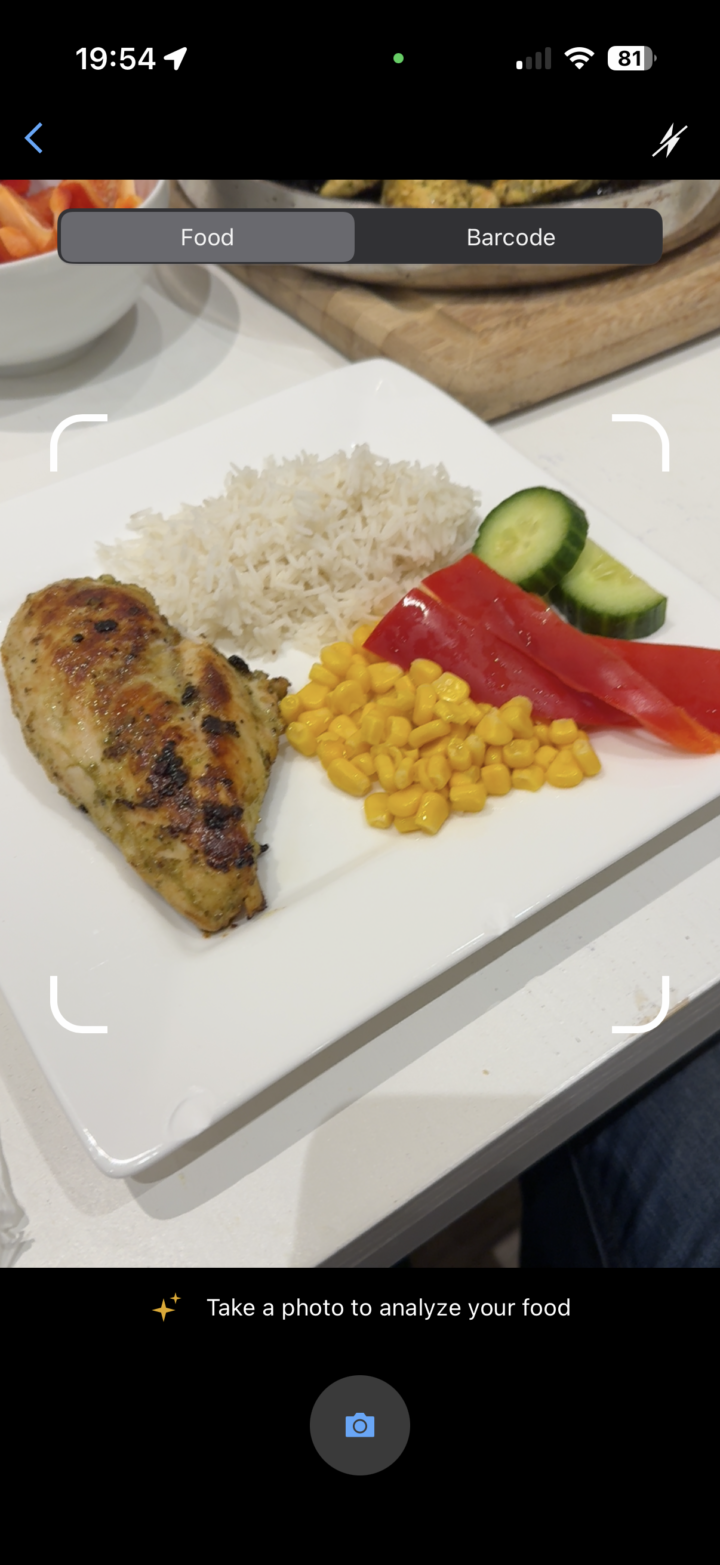
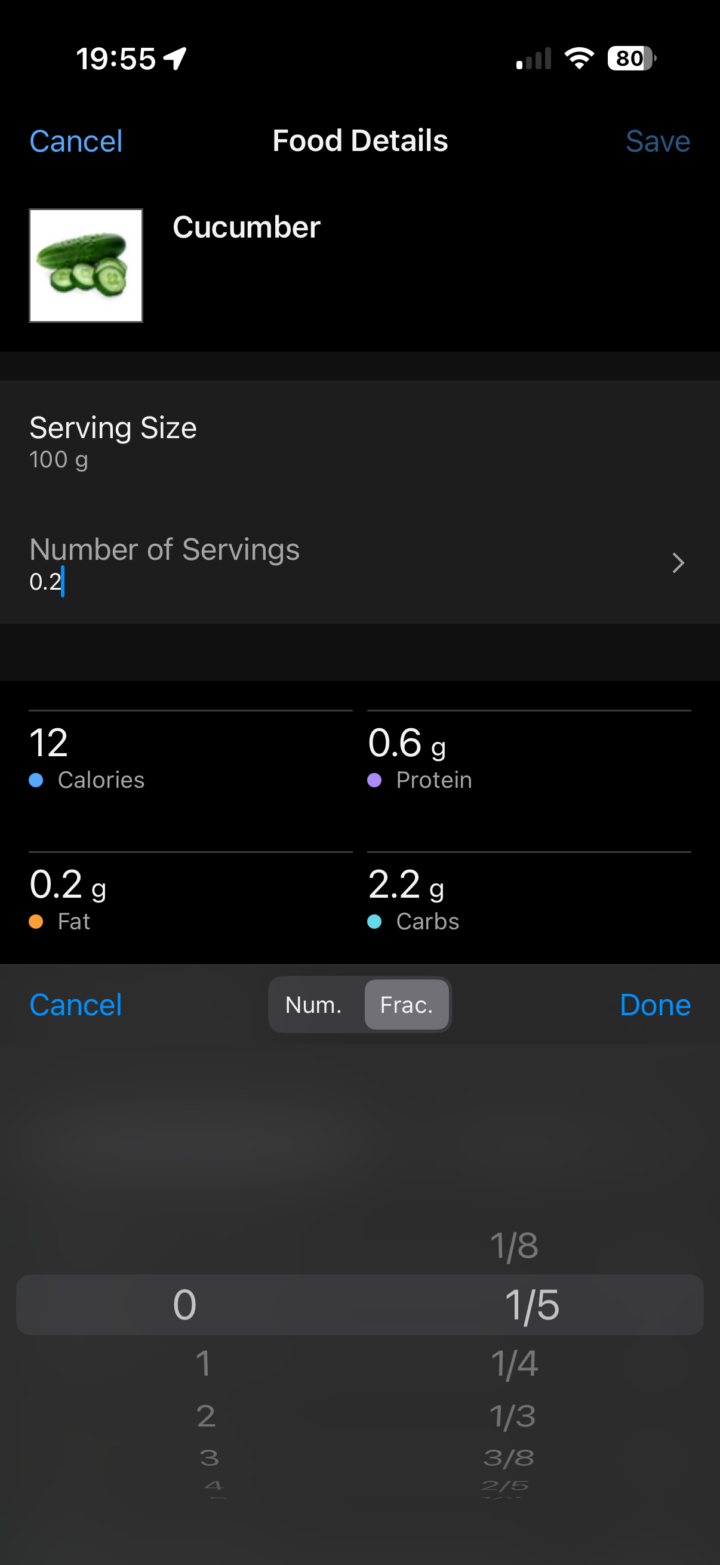
So what about an entire plate? Here’s my dinner from last night – where it detected everything correctly. However, one would probably need to slightly tweak some of the portion sizes, namely the vegetables (I ended up eating far more than what was on my plate to begin with, so just leave the portion sizes mostly as-is).
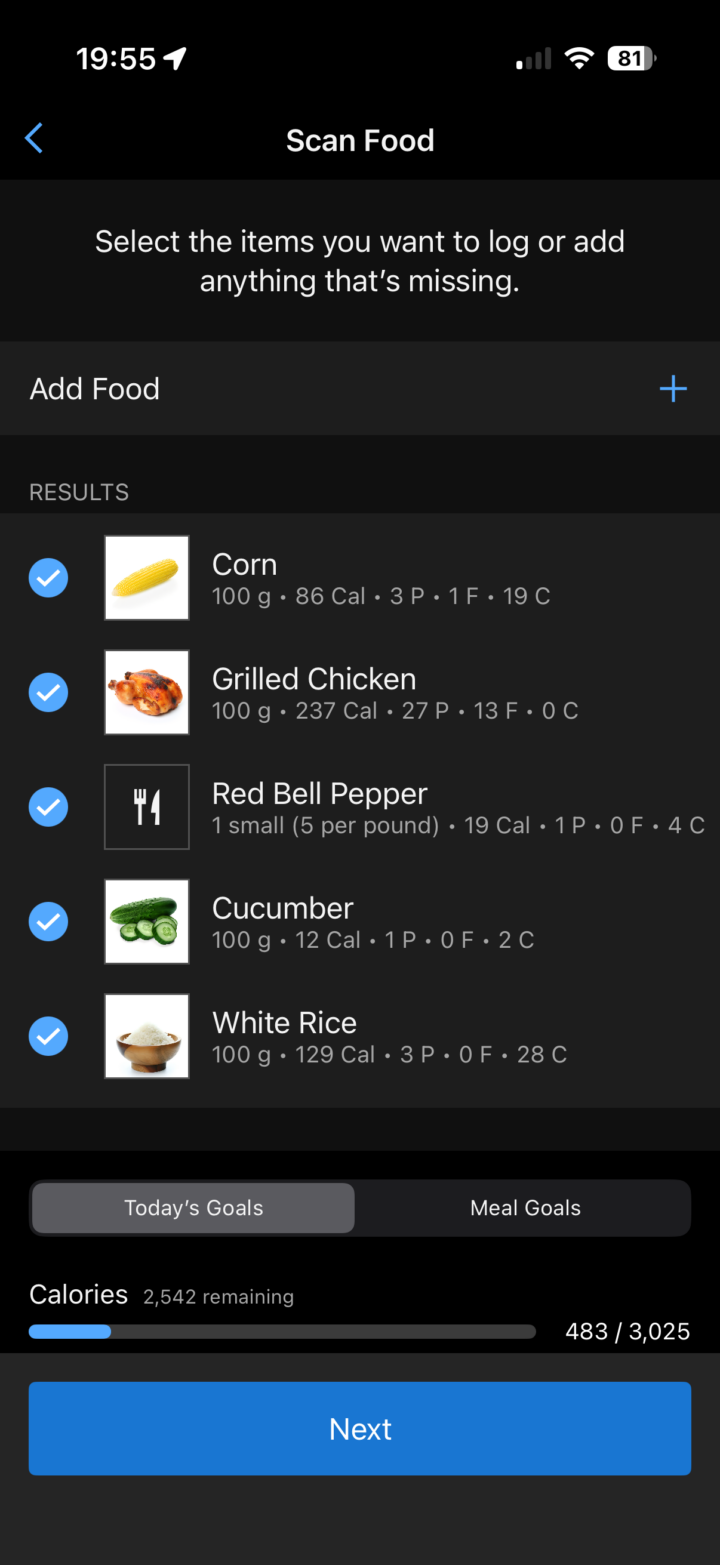
Of course, the challenge with all of these food-recongnition platforms isn’t whether it figures out you’re having chicken or lasagna, but that they don’t know how you prepared it. For example, how much butter might be in a dish will *dramatically* change the end-result in terms of calories/fat, but would otherwise be invisible in a photo.
Oh, and as a funny aside, later in the day I went to our local mini-grocery store, and just took a random picture of an entire shelf. Surprisingly, it got virtually everything:
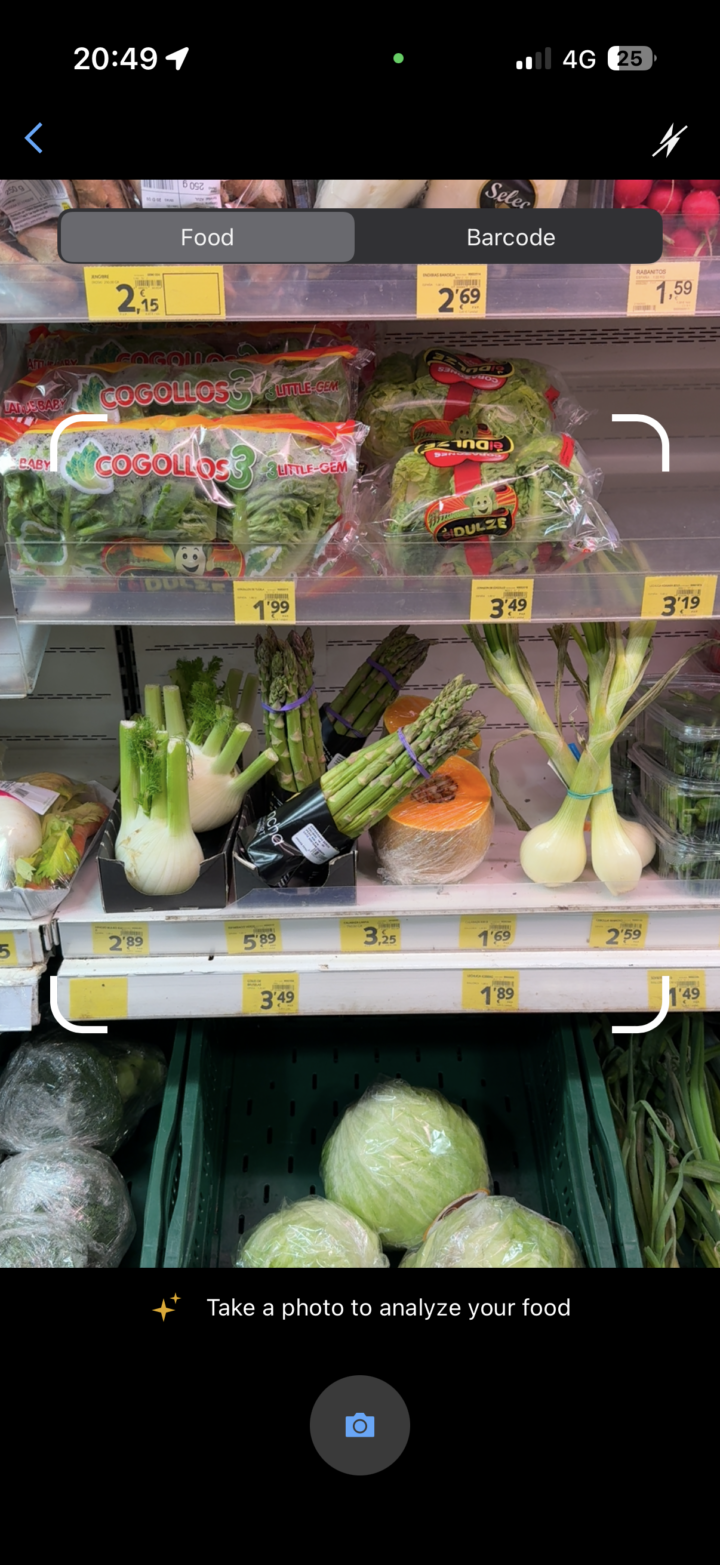
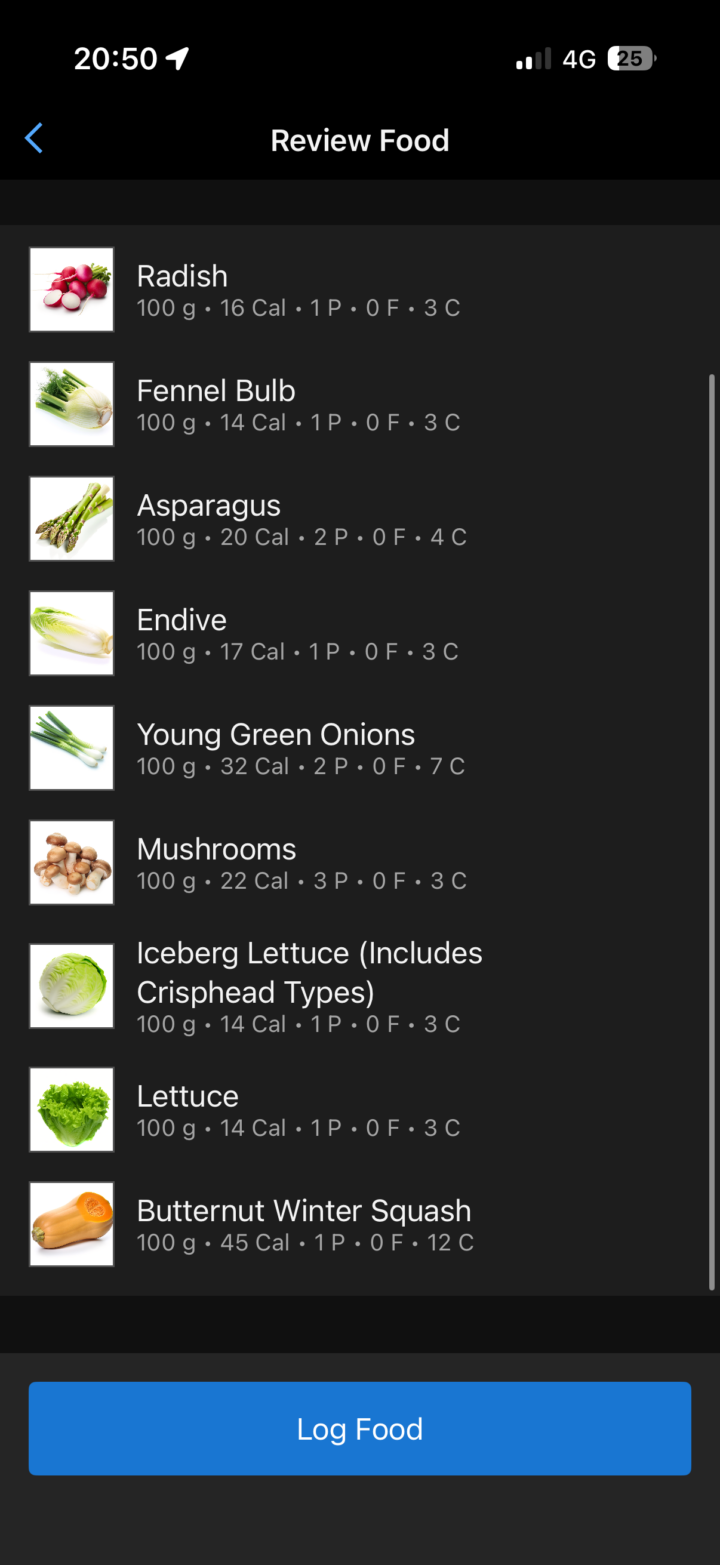
The only thing it mixed up is that barely visible package of brown stuff at the top, which is ginger (not mushrooms), but it’d be very hard to tell with this wide of a shot and most of the package/shelf blocking it. Crazy impressive (even if this has no practical use).
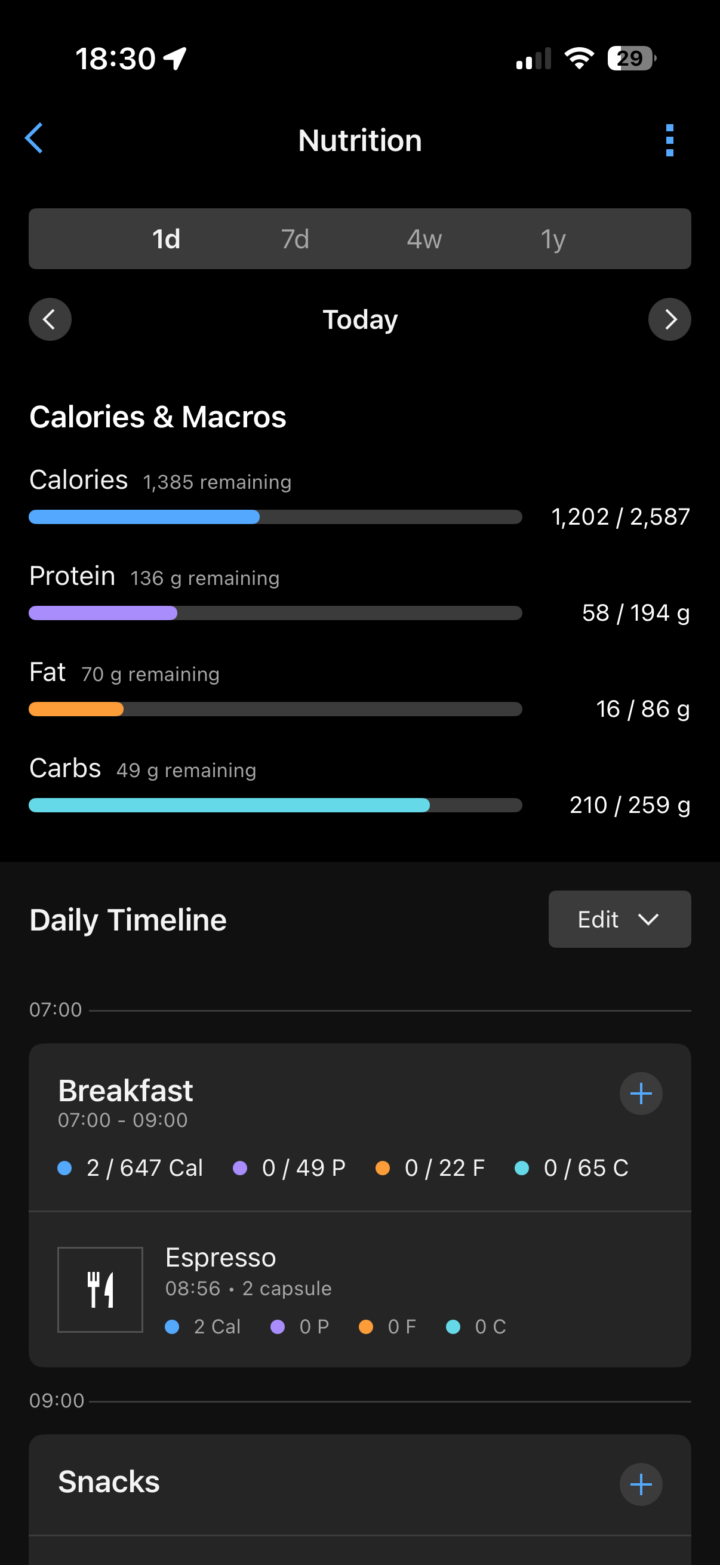
With all that set, I added my breakfast items, post-14mi/22km run recovery drink, and a lunch that I haven’t quite had yet. All of which now shows at the top. Eventually, I’ll add the few gel packets from my run in there too.
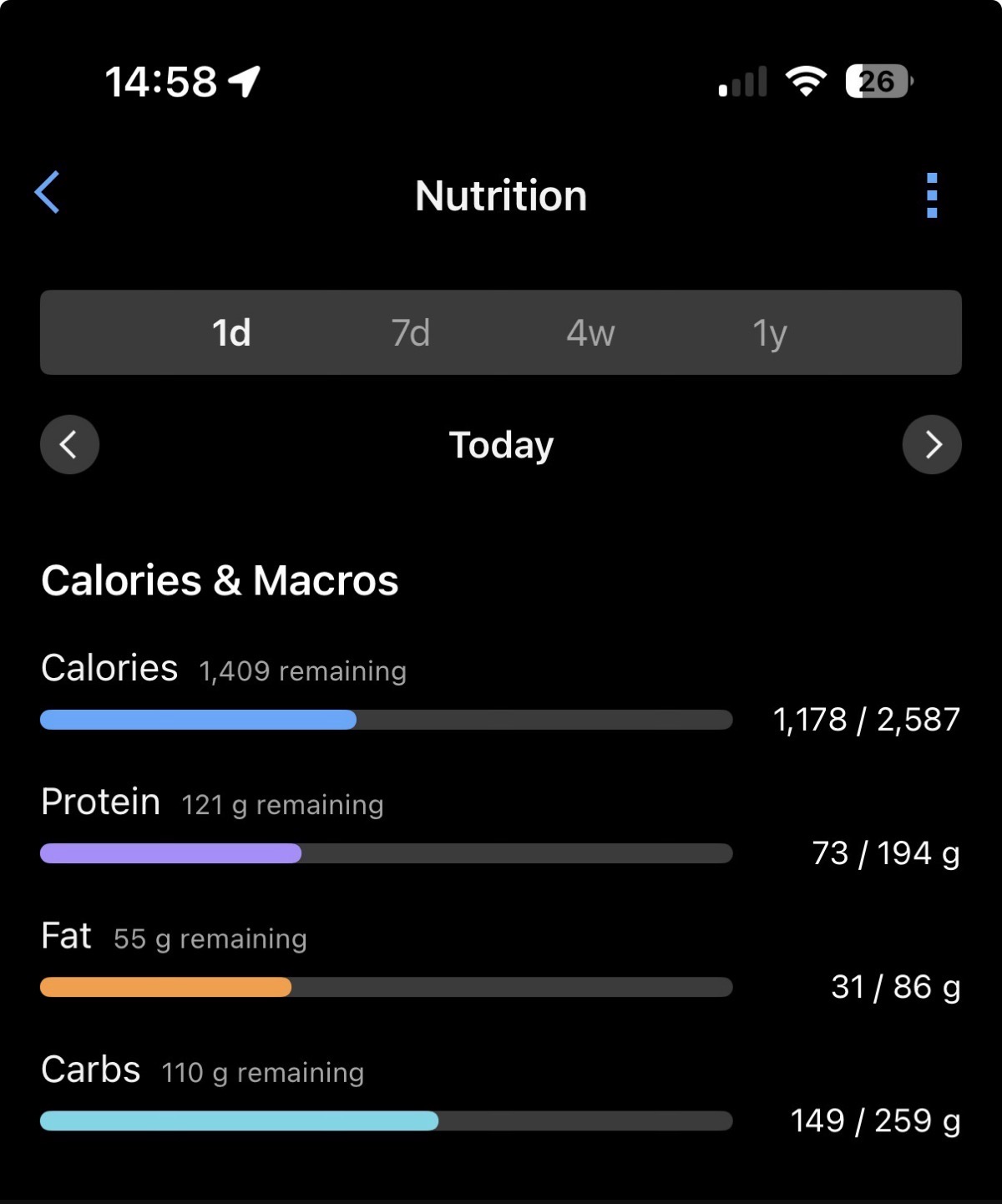
Also, by default, it won’t account for your completed workouts/activity in the calories, however, if you look in the settings, there’s an option for that. Here’s the before/after screenshots of how that accounts for my run.
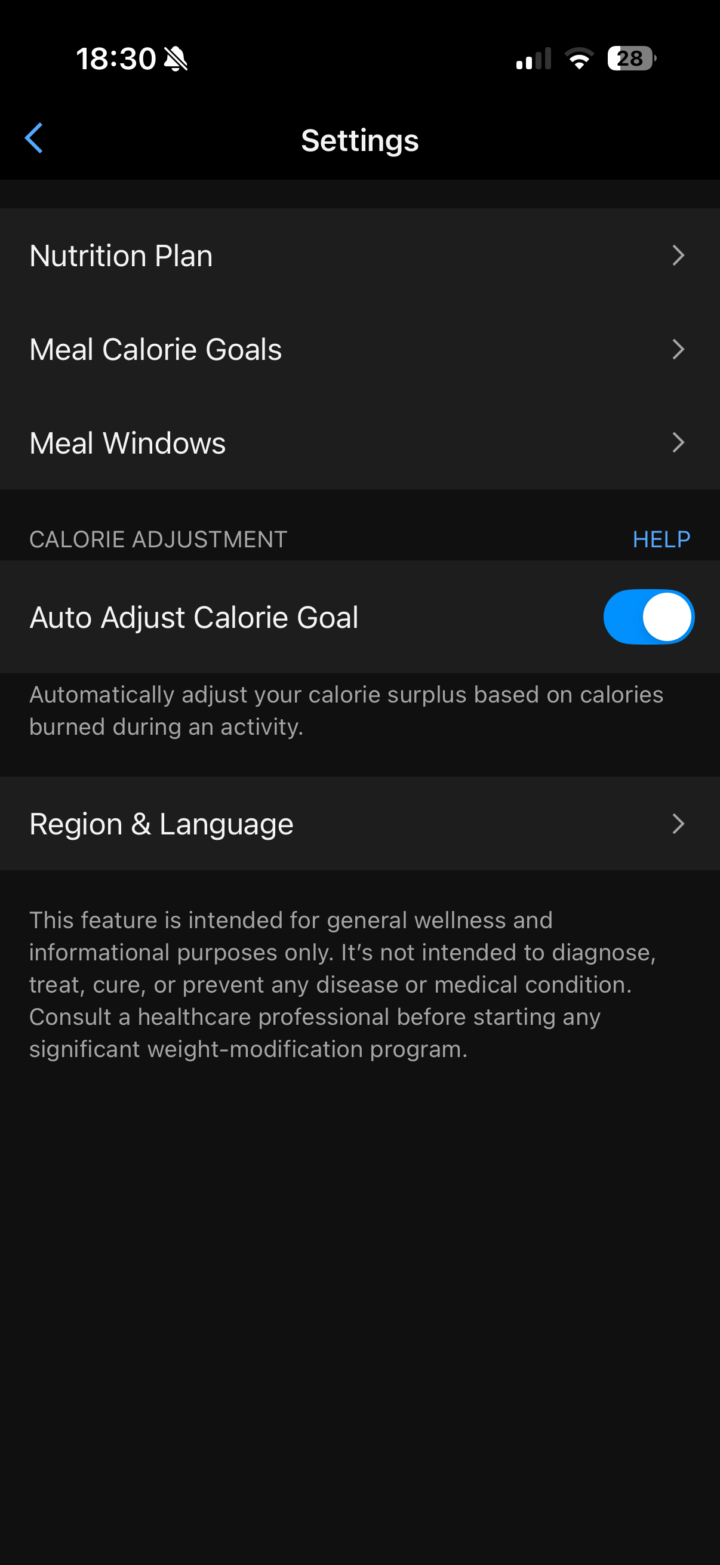
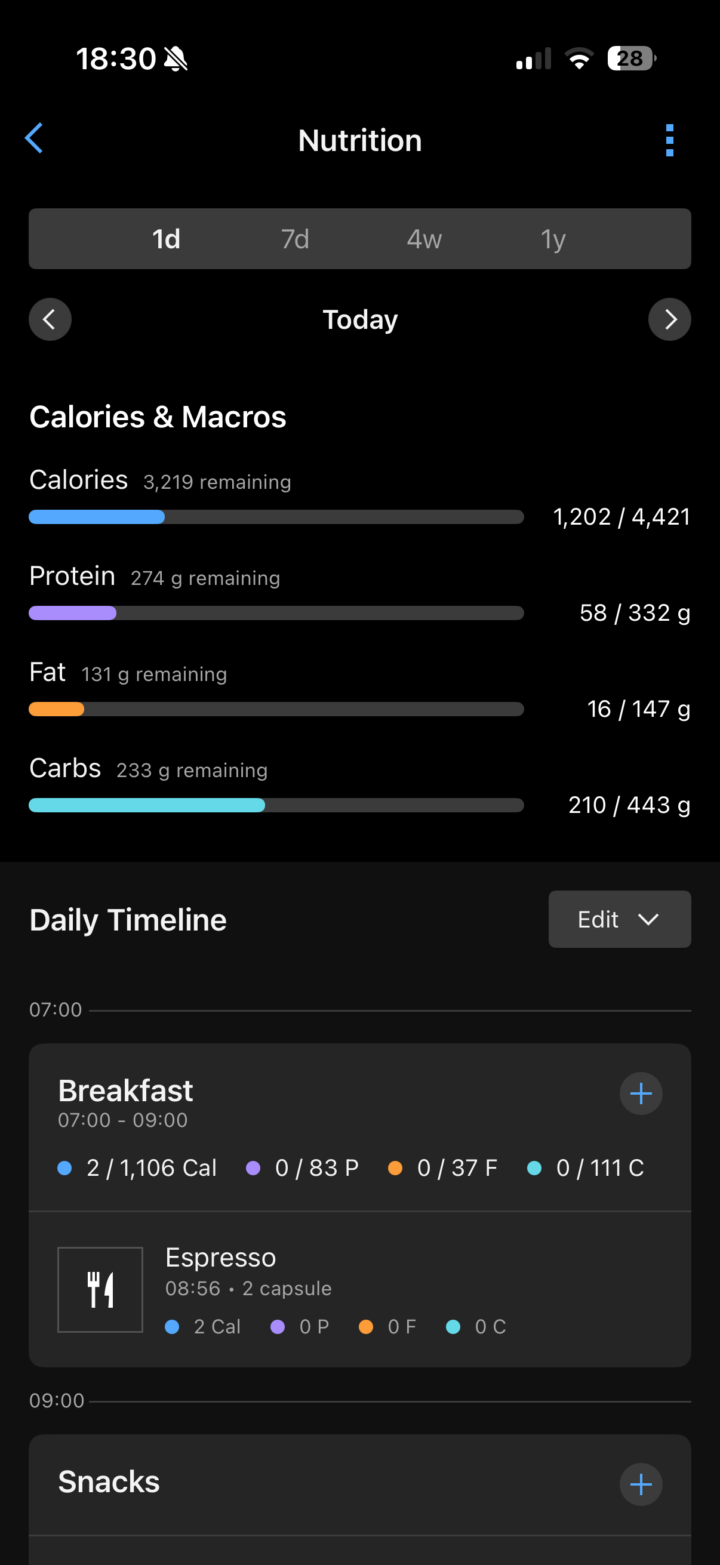
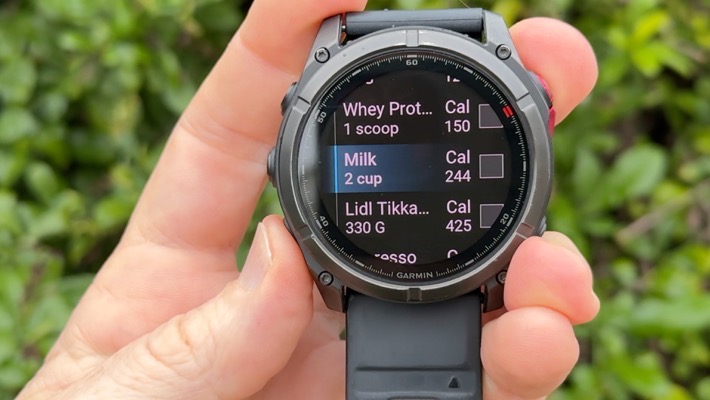
Now, there’s also the option to log items within the Nutrition app on your Garmin watch. I’m running the most recent Garmin Fenix 8 public beta, and while I can see this screen, it immediately crashes the moment I touch it. Though the very last try during my video up above, it finally didn’t crash. In short, it basically lets you see a duplicate of the data above, and also lets you log foods that you’ve already defined.

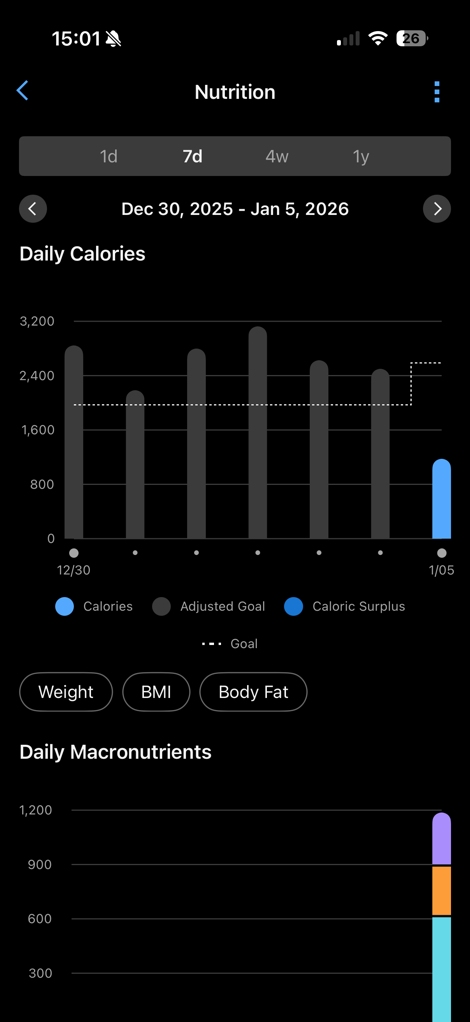
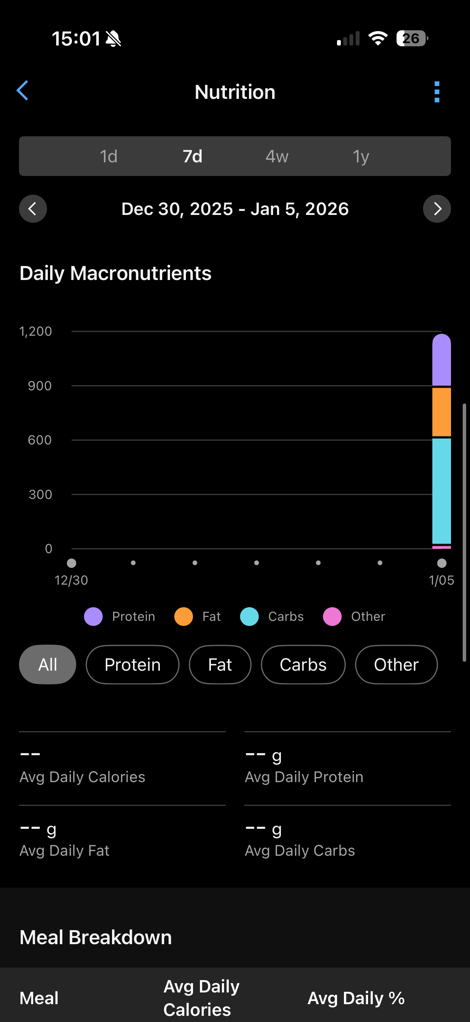
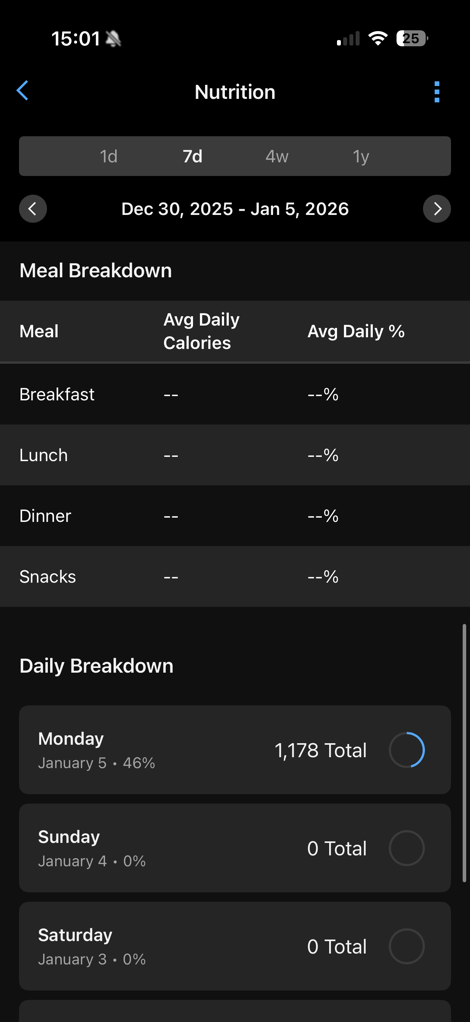
Finally, beyond the daily bits, you can also see summary data for the date ranges at the top. Obviously, I haven’t been logging, and Garmin didn’t include any screenshots of that in their announcement, so here are some empty ones to show you the general features:
With that, let’s wrap things up.
Wrap-Up:

Beyond that, Garmin says that Garmin Connect Active Intelligence tidbits will show up at the top of the Garmin Connect app, related to your nutrition pieces. Obviously, I’ll push this to the extremes with substantial ice cream, to see how it reacts. Currently, it hasn’t said anything about my nutrition, and is just focused on my long-run from today (which is fair enough).
Now admittedly, while I had connected the MyFitnessPal feature up long ago (like, a decade ago), I don’t generally do food logging myself. So I can’t really compare side-by-side how these two companies compete in this space. For example, MyFitnessPal also includes meal planning aspects as well.
Though, in terms of the core things I’d want (quick adding my favorite foods/meals, barcodes actually working, fast entry), this seems to check all the boxes. Obviously, from a price standpoint, it’s not free, but it’s at least competitive with MyFitnessPal. And, I’d argue for the first time since launch of Connect+, at least adds a feature that makes for a mildly compelling case to subscribe to Connect+ if you were previously subscribed to MyFitnessPal.
With that, thanks for reading!
FOUND THIS POST USEFUL? SUPPORT THE SITE!
Hopefully, you found this post useful. The website is really a labor of love, so please consider becoming a DC RAINMAKER Supporter. This gets you an ad-free experience, and access to our (mostly) bi-monthly behind-the-scenes video series of “Shed Talkin’”.
Support DCRainMaker - Shop on Amazon
Otherwise, perhaps consider using the below link if shopping on Amazon. As an Amazon Associate, I earn from qualifying purchases. It doesn’t cost you anything extra, but your purchases help support this website a lot. It could simply be buying toilet paper, or this pizza oven we use and love.

















Hmm. $40 in Cronometer or $70 to Garmin for this plus useless AI.
Admittedly, my Cronometer subscription auto renewed like a month ago, I guess in 11 months I’ll have to revisit that, but as of right now it still seems like a no-brainer. (But I really hope nobody is using MFP because that one is really the worst option and not just on price).
They have my money if they get these things from Macrofactror.
1) Ability to import my Macrofactor history
2) Similar Insights & Analytics such as goal progress, weight trend, energy expenditure (with nutrition factored in) & energy balance
3) Good AI coaching. Right now the MF ai coaching is kinda meh. But if Garmin can take my activity data and nutritional information and give much better insight and nutrition adjustments, this would be an auto switch.
Agree. MF is my jam right now. Love it
Out of curiosity I’ve checked prices for me (the Netherlands) and it’s surprisingly different: instead of $80/year for MyFitnessPal vs $70/year for Garmin Connect+ I see €50/year for MyFitnessPal (and yes, I’ve double-checked – it does support meal scanning) vs €90/year for Garmin Connect+.
It’s nice to have all the components in a single place and log everything through Garmin Connect, but the price difference is way too steep for “single place convenience”. Not to mention that it breaks the scale data synchronization and I’m definitely not replacing my trusty old Withings scale with Garmin Index.
Things I regret in regard to Sports tech:
(Buying the NPE Wyur, got reimbursed because advertised functionality wasn’t there and still isn’t 3 years later ((BT FTMS support))
Replacing my Withings 1 generation scale with an Index. I still can’t understand how Garmin can’t display multiple weight ins like Withings did. Funniest thing is that is does a good graphic for Index BPM data.
For what it’s worth, there’s a python script out there to sync directly from the Withings data service to Garmin. My Withings scale died so eventually I switched to an Index S2 anyway, but the script works great.
Just Google withings-sync python and you should find it on Github.
That’s great to know, cuz I already went down the rabbit hole of considering replacing my Withings body+ with an index and the index just doesn’t cut it for me.
There I also a website that will sync Withings to muliutple apps / websites. I use link to smartscalesync.com. I have it set-up to sync to Garmin, TrainerRoad, Strava and Zwift.
Ray, does Garmin allow for the nutrition log to be shared, like MFP?
I work with a nutritionist. They can review my MFP food log and we can compare it against the Dexcom glucose data to see what food, I should or should not be eating.
I would need to be able to share the Garmin food log, before I even consider switching.
Also, if you could put a word in with Garmin. It would be great if they pull in some additional data from Apple/Google Health, for example, Blood Glucose, Hydration.
-marc
No, not that I can see at this point.
Thanks for being a DCR Supporter!
Ray, Thanks.
Rant mode enabled.
I applauded Garmin for adding this, no issues with it being behind a paywall, as I already pay for MFP Premium.
I am getting more and more frustrated with all the fitness apps that say, we give you a holistic view of your activities/nutrition/hydration, etc. However, they really don’t.
Not every app out there can afford to pay for the licensing fees required in order to connect with Garmin, Wahoo, Hammerhead, Coros, Polar, etc. I understand that.
The health and fitness apps feel that the central hub for this data is either Apple Health or Google Health/Fit. I can’t fault them on that. It makes sense. It is part of the API for the iOS and Android. Both Apple and Google are pushing that view.
There the platform specific Health APIs have by default become an athletes central data store for all their metrics.
For example, I work with an personal trainer online via an app called Future.IO. All the workouts I complete in that app are logged into Apple Heath.
The Dexcom G7 and Stelo apps only work with Apple/Google Health, so they will pick up activities there, but they don’t pick up nutrition from MFP or Apple Health.
I use an app for jump rope called CrossRope. The jump rope activities are pushed to Apple Health and Strava, but not anywhere else.
Garmin doesn’t read those activities from Apple Health. Therefore they don’t have a holistic view of what I am doing. Neither do Rouvy and Zwift.
Rouvy and Zwift both made statements last year, about showing your fitness holistically, so they now pick up outside rides. However, they don’t see virtual rides done on the other platform. They don’t see walks, strength sessions, etc. Therefore they really don’t have a holistic view of what I am doing.
I have to use a third party app to get my activity data from Apple Health that was logged by Future or CrossRope and push it to TrainingPeaks, and a few other places. Just not Connect.
One solution to this issue would be for Garmin to get off their [fill in colorful adjective] and start reading non-Garmin activities from Apple/Goolge Health, as well as other data that might be available that did not originate from a Garmin device.
If Garmin really wants Connect Plus to be worth the cost, I would like to see it include any non-Garmin originating activity from Apple/Google Health, Blood Glucose, Hydration.
I know of several apps that can push activities into Garmin from other sources. There are two issues with that (1) that is technically against the Garmin T&C. They are doing it by using your password to authenticate against Connect Web; (2) It creates loops and duplication of activities. You would need to disable all integrations with other apps that write activities to Connect, (Rouvy, Zwift)
Ray, I don’t know what level of connection you have with Garmin, hopefully, you can express to them that it is time for their policies around how data gets into their eco-system to change and hopefully become more open.
Rant mode disabled.
Ray, enjoy Vegas and CES.
-marc
HI Marc – always appreciate a good rant!
A few thoughts:
“Not every app out there can afford to pay for the licensing fees required in order to connect with Garmin, Wahoo, Hammerhead, Coros, Polar, etc. I understand that.”
Actually, Garmin hasn’t charged an API fee since…well…sometime last decade. I can’t remember if it was 2018 or 2019, maybe even 2017. Either way, they annoucned it at an in-person event pre-COVID, so…sometime last decade.
However….
“I know of several apps that can push activities into Garmin from other sources. There are two issues with that (1) that is technically against the Garmin T&C. They are doing it by using your password to authenticate against Connect Web; (2) It creates loops and duplication of activities. You would need to disable all integrations with other apps that write activities to Connect, (Rouvy, Zwift)”
Yes, only a handful of apps are actually allowed to push into Garmin’s platform (officially). Effectively, these are the apps that Garmin sees has ‘major business opportunities’, and are nessessary for Garmin in some capacity. Basically Zwift, TrainerRoad, and a few others that lucked out from that era before they thought Tacx was a major cycling platform (major training company yes, cycling platform no).
“Ray, I don’t know what level of connection you have with Garmin, hopefully, you can express to them that it is time for their policies around how data gets into their eco-system to change and hopefully become more open.”
I’ve had more fights (privately) with Garmin about this for the last 15 years, than I can possibly recount. In fact, the vast majority of my private fights…err…conversations with them center around this. Sometimes you’ll of course see those spill out into posts/videos too.
I think this is part of the (unfortunate) greater industry trend. On one hand, there’s still no company in this space that’s actually more open than Garmin, in terms of ways developers can run apps on devices, get data from the Garmin platform, and so-on. Nobody comes close, with Apple the closest, but only within the Apple ecosystem, and only within a very strict set of rules. One could however have a healthy debate on this point.
But beyond that, we have seen Garmin start to slowly raise those walled gardens. The closure of ANT+ is only going to either fasten that process, or, cause a shift. After all, at some point Garmin (or someone) needs to publish a Bluetooth spec for cycling radars (to pick one), where no such spec exists today. Rather today, each company does their own private thing. Garmin could choose to lead that effort, or, they could let it fragment. As of right now, Garmin continues to make the best radar on the market in terms of accuracy (despite it’s @#$@# micro-USB port). Eventually, they’ll need to make a new one, what will that new one be protocol-wise?
Part of the challenges though that exist for Garmin when pulling in other data, is how to evaluate it. For example the jump-rope one, it’d be reasonably easy for Garmin to pull in calories or such, but when you extend beyond it (for the reasons I presume you use it, counting jumps), Garmin would have to figure out a way to convert that data.
Anyways…rant away!
Hi Ray:
While I use the CrossRope Jump Rope app to count jumps, do I really need that info in Connect. What I need is the duration, calories burned, heart rate.
I think for most activities, those are the only metrics that would effect nutrition and hydration. Also, if I understand correctly, duration, calories burned, and heart rate are effect fatigue, training readiness/status. In the past, when I have manually entered those into Connect Web, those are the only values I enter besides a title and comments.
I realize there are tons of different activities that are not easy to capture especially if being sourced from the mobile health platforms.
I am just looking for enough data, so when my Fenix or Edge tells me what it thinks my training readiness/status is or where my body battery stands, it has the full picture.
Yes, I use my Fenix to broadcast HR to my iPhone during jump rope or strength sessions, but I don’t use it to capture an activity.as I will get duplicates down stream from Garmin (Training Peaks, Intervals.icu, frenemy Strava)..
I have thought about building something automated for my own use, using the Terra API (tryterra.co). Unfortunately, the pricing for a hobby project is just not reasonable. I have also reached out to Garmin to see if I can use their API. Unfortunately, that is a non-started since I am not developing a product. I have even made the argument, how do I know if I want to develop a product, until I understand what I can/can’t do with your Connect API.
I know that anyone can use the Dexcom API and I think the Strava API is still open for anyone to use. I get that Garmin doesn’t want to overload and crash their system. That the hardware infrastructure behind the API cost big $$ yearly. So restrictions need to be in place, but …
It is 2026, everyone still wants their own sandbox.
Maybe Des, Shane, and you need to spear head an effort to get everyone to play nice with each other. Be more open,
I am more than happy to chat with a Garmin product manager, if they reach out to me. I think it is good to hear from the users of your product.
I am a software developer for a retail company in the US. When ever I go into a store I try to chat with the team members and managers to understand how they use the software I build, pain points, things I didn’t get right. I just don’t rely on what the application’s product manager or home office users tell me. You would not be surprised at how many times I was told the store team uses does it one way, only for me to find out that most of the store team doesn’t do it that way, only the person in a specific role.
Thanks and happy new year.
What Fenix do you own? Check if its a generation with Jump Rope activity. This would be the easiest way to get the data into Connect.
Ray – this article doesnt appear on the homepage fyi only within the blogs section
Thanks for the heads up, I purged a cache, does it show now?
Yes
I’ve been using MFP for over 8 years (with a few stretches of several months at a time where I didn’t use it).
When you disconnected MFP and switched to Garmin+ Nutrition, did you loose all of your previous entries for net calories in Garmin Connect? I just looked at connect and see the new interface, in my case showing calories and macros with calories populated and macros empty since I currently use MFP and do not have Garmin+.
This is the only Garmin+ feature I’ve been interested in so far. I just renewed MFP in August, so maybe I’ll wait a bit to see how the community feels about Garmin+ Nutrition.
I hadn’t logged anything in MFP in years, sohonestly not sure there. Maybe someone else can log something into a few days ago, see it show up in GCM, before whacking the connection.
I didn’t lose any previous data
I asked Gemini and it stated the old net calories will stay after MFP is disconnected and provided several examples from Garmin documentation and forums, but I’m still not completely convinced. That said, all the other limitations others are pointing out – especially creation of recipes with a defined serving size and inability to have more meal categories (I use breakfast, morning snack, lunch, afternoon snack, dinner, and evening snack in MFP) – are big game stoppers. I think Garmin will need to practically replicate every single capability the MFP food diary has to get me to change. I did not really use anything else in MFP (all the social stuff), but their diary is awesome.
I see Garmin’s new nutrition as a win for folks that are currently not using something better and want to start nutrition tracking. Hopefully it will evolve to where it will be a better option than alternatives.
Snacks work. They are one category and time of day based. So they go on a timeline not in a category
And all my fitness pal data disappeared when I enabled Garmin nutrition tracking
Speaking as a diabetic, it’s. Bit of a fail it does not tell me how much sugar I have consumed.
Yeah, I don’t see any sugar summaries, though, it does actually show it on a per-food basis (you have to expand it out, then there’s a bunch of other fields).
OK, interesting. Thanks
Does it provide training-aware macro and calorie targets? That’s the killer feature that has me locked in to The Athlete’s Food Coach, which is extremely buggy and barely functional as a food log with a mostly unusable food database.
Nothing at this point. Perhaps there will be insights via the AI bits they talked about, but nothing I can specifically open up.
I just started using this because I’m curious enough – unless I’m mistaken, there’s no way to input a recipe and have it divide up serving sizes across the ingredients selected. Hopefully a quick and easy fix, but it’s difficult if you’re cooking something more than a simple protein or vegetable to get the macros right.
Correct, no way to enter in recipes at this point. :(
You can enter all the ingredients for a recipe via My Meals, but there’s no serving size to divide it up for a meal unfortunately.
IIRC Cronometer did get that right. You could create your own recipes and note how many serving sizes you get from it. Also the final weight, if you cooked/baked something and want to account for weight loss during cooking/baking.
Been a MFP user for almost 15 years, currently on their Premium plan. One feature I like with the Free or Paid version is a widget on my iPhone that shows my calories remaining. I assume I could add a widget to my FR970 Home Screen that shows this, but is there any indication it can be displayed via iOS widget?
There are still no IOS widgets for anything Garmin on my iPhone, at least (so unfortunately, no).
Yeah, always been strange to not have iOS widgets. Back like 5 years ago there was an app called Flink .run that basically did that via the Garmin API, but that’s long-gone (some old screenshots): link to reddit.com
I love widgets for my phone, so a couple of years ago I decided to create my own. Unfortunately, I couldn’t get the garmin api to work, so I connected them to Strava.
The app is called Run Ride Studio in App Store
link to apps.apple.com
Just started with Bevel Health.
Great app. Without AI stuff it is free.
I will try the Connect+ feature. Hope it is half that good as Bevel
Does it allow to set custom macronutrient targets for workout/activity calories? MFP does and it’s really key, since those would normally be mostly (if not 100%) carbs, which of course is very different from the non-activity macro targets.
Hi,
Agreed – it seems like at the moment they add (active) calories and split it based on predefined ratio. Better than noting, but doe snot work for “athletes” (I mean people who do dedicated training). Yes, if I just walk the dog it is fine, but if I do 6 hours bicycle ride……
Let’s hope, this feature does not seem like super complicated tbh.
Are the tracked calories synced to Training Peaks?
Haven’t used MFP in a while but I seem to remember that they were pushed into Training Peaks.
Thanks
It doesn’t seem to be syncing those calories to TP. Or at least, not to my account.
If this works, I’ll switch from MFP to Connect+. It syncs everything else Garmin (weight, sleep, etc), so can’t imagine why they wouldn’t sync the nutrition. I’ve been in the Garmin ecosystem since early 2000, and this makes the $69 a no-brainer for me. I prefer native over multiple apps. However, my coach seeing the nutrition in TP is important to me.
Same. If Garmin can send this information back to TP i’ll for sure subscribe to Connect+.
If not, there are cheaper (free) ways to track calories…
For now I’m using the Connect+ free trial to test it out.
I put a support request into Training Peaks and got an immediate (AI) response that no, this nutrition data will not be synced to TP because they have an exclusive partnership with MyFitness Pal. Bummer because I use TP as my main data aggregator of both heath and sport.
Is there any way to go back to MFP after trying the garmin nutrition? It seemed a good thing but the implementation is not so good, lacks recipes, the meal schedule is too inflexible, somedays I have breakfast at 4am and others at 10am, regional lock is going to be a pain for travelling, no widget, no ability to share between users. All in all there is potential but it is not on same level of dedicated apps. But my real question is how to go back and at least link garmin to MFP again? I cant find it anywhere
Yeah I think the option to link Garmin and MFP is currently broken; hopefully just a temporary issue needing an update MFP side but right now there is no connection option as far as I can see.
I am fracked.
I tried to use the new Nutrition feature to see if I can stop paying for MFP.
Turns out no, 75% of things I scan and I known are in MFP are not in their database.
So I tried going back. I reconnected MFP and still it shows me the friggin nutrition.
So, since nutrition is more important to me than Garmin itself, seems I am going to have to use my Samsung Galaxy Watch Ultra until they fix it or just leave Garmin.
Is there a way to log the food separated by time and not just under the snack category? For example log foods for pre-run to see how carb load may have impacted the runf?
You can specify an exact time for every food (down to the minute). Or do you mean something else?
Are all the foods then listed under the snack category with different times or can the different times be separated so I can clearly see what was taken prior to a run or race vs seeing all my “snacks” listed together?
The are time stamped
Excellent explanation
Hi! Do you know if Garmin have any plans to integrate algorithms similar to MacroFactor to calculate how much you should actual be eating based on weight trend?
The Garmin database is missing the protein drink I occasionally have and the first random thing in my pantry that I scanned which was a packet of Ghirardelli hot chocolate mix. That’s fine, but if I try to add it manually there is no option to tie that to a barcode for future scans. That’s crazy.
Also, the UI of the nutrition page is kind of awful, isn’t it? I mean, where’s the big button to just scan an item / add something? Instead I have to scroll down to the specific meal and press the plus arrow at the bottom of the page?
Honestly, I didn’t even last one meal through the Garmin 30-day trial before realizing I will be cancelling this.
Honestly this looks pretty awesome. Once its been out long enough for some in depth reviews of how data tracking works over time this could be what gets me to sign up to connect+.
What this has also made me realise is how utterly ripped off Australians are getting by MFP. Just checked and an annual subscription to their premium is AU$129. Thats simply outrageous. I’ve thankfully been with MFP since it was a free platform so am grandfathered in to lifetime scanning, but their ads and constant popups to “try premium” are starting to gnaw at me
using this now. so far so good.It’s not as feature rich as MFP and the UI is not as nice, but I’ll gladly drop MFP subscription if those are the only issues. Scanning barcodes worked for everything I ate today, but the app did lockup one time.
After all this time Garmin finally starts to do this and does not include an ‘import all your meals and recipes from MFP’. So, all the super MFP users will just stay there as the cost of doing all that over again is too high. This seems to be the first feature of Connect+ that might be worth paying for, but again, fail, as the cost vs MFP is 100% more for less functionality.
So – Question for Garmin: Walk me though the strategy here please. Is this aimed at MFP super users and if so where is the import function to get you to switch? If aimed at getting people to Connect+ then it isn’t worth it so maybe you need a Connect+ (minus) that ONLY does this for 50% of Connect+ cost.
P.s. I worked at Microsoft for many years – The idea of creating a competitive feature to an existing product without an import from existing product would have got me fired. While I would not copy everything MS does, it does competitive work really really well – learn from it.
I have 10+ years of MFP logging history and from an user perspective, this change negatively impacted my user experience:
1. The “new” tile within GC app now shows calories against daily target as a bar — previously it used to show a single number, which was a great way to see if I am over/under
2. The nacro nutritient data in the tile isn’t populated, making 75% of the space of the tile effectively “dead space”
3. The 7 day average now shows average of 7 day calorie consumption, which is quite useless. Previously it was a 7 day average vs target, allowing me to quickly see if I was supposed to gain/lose/maintain weight
For someone who’s logging food primarily to keep weight trends under control, this is quite a bit less useful now, although I guess I can live with it.
Also, is there any way to export GC food data via an API? Currently I am exporting my MFP data to a database for additional analyses, and if I were to switch, I would need an export functionality.
Can you import your myfitnesspal saved foods/recipies into the app? I have lots of saved re pies and don’t want to manually re-enter.
Thanks for your great reviews!
Does this allow you to specifically log nutrition to workouts? So rather than to a meal I can log 4 gels to my 2hr run Garmin has?
No, not at this point. Just to a specific time (and workouts don’t appear on that timeline either, in nutrition).
The current implementation seems to be on the simplistic side. Do Garmin improve the Connect+ services continously? Or is more of single release and move on to something else?
With GC+ less than a year old, the data points are limited.
But thus far, Garmin has introduced a feature, but I can’t remember cases where they’ve notably changed/improved that feature once it launched. About the only exception would be the trails thingy they added*, where they expanded supported countries later.
Now, I’m sure behind the scenes there are plenty of small tweaks happening, but just not ones I’m really noticing (then again, there’s been so few useful features anyway).
That said, I’d argue the Nutrition feature is an entirely different beast compared to everything else in GC+ thus far. Meaning, it feels like a legit meaningful feature that could/should be expanded. Whereas, it’s kinda hard to expand the ‘Add star to your profile picture’ feature.
*This: link to dcrainmaker.com
Have Garmin given any love to the AI Insights Connect+ feature? Are the insights more useful today than they wer
I’m currently using the free version on myfitnesspal…. I don’t really see much added benefit to switching to Garmin apart from that it would be nice to have everything in the same place.
Myfitnesspal do seem to be more aggressively marketing their paid subscription recently but as long as they keep all the features currently on the free version I can cope with the ads.
Yeah, one thing to keep in mind is that only much older users (in terms of sign-up date) can keep their existing food scanning features. It looks like that date was Sept 1st, 2022* for barcode scanning, though it’s not clear to me if there was a separate date for food photos, or if that came later and fell under that umbrella.
* link to blog.myfitnesspal.com
Ah I see.
For info I’ve used free MFP for around a decade and have “barcode scanning” but selecting “food scanning” takes me to the premium subscription onboarding…
Which makes Garmin+ more appealing if MFP were to shut off barcode scanning for me.
Not there yet for me but Connect+ is starting to get mildly interesting. If Garmin keep adding features but, more importantly, start giving me insights from having all of my nutrition data, fitness aspirations and activities in one place then they could create something really compelling.
Just a question: “food and nutrition logging”: Isn´t that something for only some people and most of the Garmin user don´t care about it? What’s next? But it is good that this is behind the connect+ paywall…
“Isn´t that something for only some people and most of the Garmin user don´t care about it?”
I’d actually argue that fundamental point (not everything is for everyone) is precisely why Garmin has gotten to be as big as they are. Instead of trying to make every feature for everyone, they make a feature for everyone. It’s the 1% feature thing Garmin has done for years. Everyone has their “most important feature” on a Garmin watch, a feature potentially/likely not on competitor watches, and that’s what keeps them on a Gamrin watch. But critically – that feature isn’t often the same as the next person’s feature.
For one person it’s ClimbPro, another it’s PacePro, another it’s satellite messaging in Europe, another it’s Acute Load on a rolling 7-day basis, another it’s offline re-routing, and on and on and on.
Now, whether or not it should be behind a paywall is a different discussion. But they’re applying the same template they did to their watches, here to GC+.
This sounds like a great addition to GC+. I currently use MFP to log nutrition so my coach can see/monitor it in Training Peaks. The other benefit is the data pass through that MFP provides for the Withings Scale. I do not see any other way around getting the scale information into GC. Along those lines, I also do not see any point in getting a new scale when my current one works well. So this is kind of a great feature that has downsides that would prevent me from consolidating everything into GC+. Getting rid of all of these single purpose apps would be so nice for the sake of managing things.
There’s a service called smartscalesync.com which I’ve been using for years. Its sole use is to get the weight from my Withings scale relayed to Garmin Connect and a few other places. It costs but it’s not expensive.
This was supposed to be reply to Ray’s post #51. But too much christmas food have obviously made my fingers fat and I pressed the wrobg Reply-link. So tried I tried to correct my errors by copy-pasting my answer to the right place and failed 😀
Time to go out and enjoy today’s last rays of sunshine in the crisp -8 C.
Hope Garmin add all triathlete supplements
Well the only downside I have seen so far is that I lost all my historical macros from MyFitnessPal which really sucks. I called Garmin support and they said this was by design. Crappy design…anyone found a way to import that data?
Is there a plan to extend the currently supported regions? ( like Hungary)
Did you managed to link Myfitnespal again? ( I am logging weight to Garmin since more than 5 years over it, but it is broking this link and with Android I cannot see any other option.)
I feel like this has been the missing piece from Garmin Connect. I never liked my fitness pal and with a lack of integration with another nutrition app it left a big hole in Garmin connect. This makes the premium worth it in my opinion, since any other nutrition app pretty much costs the same.
I was quite excited to have things all in one place, but after using it for a bit…. It’s a good start, but it could be better.
My main issue is that if I take a photo of food, the food identification works fine but the portions are always 100g. That the portion size is 100g fine, but the amount of portions is always 1. So if I have 800g of French fries and 5g of ketchup on a plate, it just assumes that both are 1x 100g. The whole reason I took a photo is because I didn’t want to weigh every single ingredient on my plate!
Compare this to Cronometer, Bevel or Superhlth, they all correctly identify what’s on the plate and the portion sizes with surprisingly good accuracy!
The second issue I have is the barcode scanning, for work I often have to travel to many countries on the EU, it’s going to be a pain to have to switch the region each time I want to scan something, that’s just silly….
Again, other apps don’t have this limitation.
If Garmin fix these 2x things, I’d be more than happy to use it
Something else which would be useful (which the other apps do) is let you write a comment along with the photo so that you can give a short description of what it is, which in turn improves the accuracy of the identification
Hey Ray, thanks for this thoughtful summary per usual.
I recently was told about CalAI from a friend, where you can take a picture of an entire meal (let’s say a rice bowl with chicken, sauce, veggies, etc) and it will estimate calories, macros, etc. I’m assuming this has varying accuracy and needs to be tweaked, etc.
But, the appeal of just a single picture to capture an entire meal is there, even if it isn’t 100% accurate.
Is it safe to assume the scanning food feature will not do this, and will only report on individual foods it recognizes (like your grocery store example?)
The food scanning feature (where you take a picture of an entire dish or single object), does do this as well. I just added in some screenshots as an example.
On the day I saw this feature mentioned on Reddit I was going to buy a years subscription to MFP. I bought Connect+ instead, well, the free trial first. I appreciate this is still being developed but even so I am impressed. I’d like to see Garmin make a widget for quick access from the ‘home screen’ on my Android.
Garmin’s software and integration is SO BAD, that it almost doesan;t matter what they add, without them REDEFINING the tech to take it from 2010s to 2026.
Why do these Garmin Connect features feel second-rate to me? This logging does not compare to Chronometer in terms of features and the details you get. The lifestyle logging does not hold a candle to Whoop’s. The AI implementation is basic at best. Perhaps they are rushing features just to “have them there,” but if you come out with something new, don’t you want to knock the pants off of what already exists? WIN? That said, in general I LOVE my Garmin and the many tried and true athletic insights that it offers!
How well does it handle taking a photo of a dinner plate and determining what’s there? It’s a long shot but I don’t suppose you can take a picture of your before plate and after plate and have it subtract out what you didn’t eat?
I’m further inspection from your screenshots, it looks like at best it can identify what foods are present but not the portions. Is that correct?
No problem, I just added taking a photo of my dinner plate last night to the post.
Cheers!
I’ve just started the trial, like you I found an anomaly, first item I scanned, semi-skimmed milk, not recognised. It’s there in there database, listed by retailers in my country (UK), I wish I tried this last week whilst I was in Mallorca to see the local foods listed.
Same thing with Bevel but free ……
It’s been interesting comparing the two of them.
Bevel is a bit more efficient to get to the food scanning/etc page, though inversely, slow AF to actually scan things and enumerate them. Whereas Garmin is cumbersome to get that scanner, but once there, fast AF to actually enumerate food items.
In my testing side-by-side, Bevel consistently could not find barcodes for everything that Garmin could (fridge test). For non-barcode food accuracy, it didn’t have any meaningful differences to Garmin. However, Bevel likes to add all sorts of totally random icons/emoji for foods that aren’t accurate (for example, if I type in lasana for food, it shows a bowl of spaghetti). That’s sorta the general theme with all of Bevel’s random AI-stuff, just…kinda…random.
I’ll probably do a bit more of a comparison at some point, but am looking into Bevel more closely as more of an Apple Watch booster (I’m not yet seeing it providing much value for most Garmin watch users, unless you have a really old watch, or really budget watch).
Amazfit also has a free food logger, with AI image or text.
Hi Ray,
Have you tried Fuelin? Would love to get your opinion on it.
You are invited to get exclusive two-week access to Fuelin, plus 10% off membership if they decide to join after.
Two-Week Access Link – 10% discount is built into the price after the two-week access is completed.
link to fuelin.pro.typeform.com
.
Trying out the nution logging, as a previous user of Nutracheck, which worked, and adjusted targets using acitivty data from garmin.
Garin’s is good but:
A few common items not found – e.g. a brand of coconut milk I like.
Default portion sizes are a simply odd – 100g of mayo anyone? Pickled Beetroot ? Nutracheck gives options of number of “Small” beets, to get a fair estimate, which avoids weighing or estimating new food, Garmin, defaults to 100g. Gonna take some time to get used to this, and if it doesn’t improve I will go back.
Feels like an Easy fix, even a crowd source exercise / ai to work out a good portion estiamte would do.
Signed up to connect + to try this, on the fence weather it is worth it…a bit unrefined compared to the competition.
I haven’t tried the Garmin offering, but in reading this review and its comments, I think I see three things that are valuable to me in MyFitnessPal but missing in Garmin Nutrition:
–1– A Crowdsourced Food Database. Scanning bar codes is one thing, but sometimes you want to record the Egg McMuffin you got at a drive-thru earlier that day. MFP lets you search for that if others have entered it, and shows a little green checkmark if that entry has been “verified” (whatever that means).
–2– Nutrition data beyond macros. MFP nags me if I’m going crazy with the sodium intake, for instance.
–3– Shortcuts for meal entry (e.g., copy yesterday’s breakfast, move lunch to dinner, etc.).
Am I wrong on any of these?
Garmin won’t let me revert back to MFP. It shows “reconnect” and nothing changes. Any ideas?
Garmin database has almost no Korean food and doesn’t have Infinit nutrition. Even a barcode scan of Infinit failed to work.
It looks like MFP at first but is a long way away, and I’m not a power user of MFP at all. Just log food and big three macros is all I use.
Tested this morning and I am back now on MFP.
Yesterday it was not working, today morning I could revert and it syncs again.
You are invited to get exclusive two-week access to Fuelin, plus 10% off membership if they decide to join after.
Two-Week Access Link – 10% discount is built into the price after the two-week access is completed.
link to fuelin.pro.typeform.com
Does it also send notifications to the head unit, like EatMyApp does? If so, that would be brilliant.
My country is not included in the country list. “Greece”
Do you have any information about adding more countries in the country list and a timeline?
Would love to hear everyones view on Fuelin. Have you used it?
The DCRainmaker community is invited to get exclusive two-week access to Fuelin, plus 10% off membership if they decide to join after.
Two-Week Access Link – 10% discount is built into the price after the two-week access is completed.
link to fuelin.pro.typeform.com
I am living in Norway, and I tested it both yesterday and today, but I can’t find a way to use it at all. The barcode scanning doesn’t find any matches, regardless of which product I try to register. Taking a photo doesn’t work either. The only thing that works is manually searching for the name of a food item, and even then I can only approximately find a match.
I also tried changing the language and region to see if that would solve the problem, but it didn’t. Still not working.
When I tried to create a meal, that also failed. Very strange.
Would you be willing to try Fuelin and let us know your thoughts
Two-Week Access Link – 10% discount is built into the price after the two-week access is completed.
link to fuelin.pro.typeform.com
Some background: In the past I’ve used MFP on a few ocassions when I wanted to lose weight but after I had done that I quit entering stuff. Always used the free version. But also having trouble with syncing stuff from MFP to Garmin, e.g. my weight which was measured with a Renpho scale and then synced to MFP and then it should sync to Garmin. Sometimes it worked but most of the time it didn’t and also not after reconnecting to I got an Index scale last year.
After reading your post a few days ago and again being a bit too heavy and want to lose some weight I decided to step in and got a 30day trial of Connect+ and would later decided if I would continue it or not. It’s ridiculous that we have to pay 90 euros, which is about 100 dollars, whereas on the other side of the pond you have to pay 69 dollars, which is around 60 euros. Why do we have to pay 1,5 times as much?
But started using it and it works really nice. Only when you scan a barcode it comes up with portions of ‘100 g’ of ‘100g’ . So if I scan the code of a loaf of bread I have to enter that and measure or estimate the grams for one slice. But it’s also knowing Dutch products and that’s a nice thing. Hadn’t used the scanning feature in the past (maybe for the last time 1,5 year ago) of MFP. Maybe it wasn’t there at that time or just for premium users. And so far it really helps me as it gives me a good insight so that when my son asked me if I wanted a part of the chocolate bar he got I couldn’t resist but weighed it to find out that it was a lot of calories. :-) And got me outside in the snow for an extra walk.
But overall I like this feature and am already planning to continue it. It might cost 90 euros but maybe I spare some money by eating less. :-) And lost already about a kilogram since logging.
Two things annoying me, first, we shop at the largest supermarket in the UK, the barcode reader does not find some of their products, in fact, even searching with text you can get the same result. Second, the same applies for SIS Gels. It’s one of the major sports nutrition companies and things aren’t there. I will say that it’s a massive improvement on the past but, a long way to go I think. Also, why is auto adjust calorie count not set ‘on’ by default?
I have been using the MFP free tier on and off for the past years. Already being in the Garmin ecosystem I was excited to try this so hopped on the 30 days trial for connect+. As it stands I would not be paying for this due to a number of issues, most of which have been mentioned both in the article and the comments. Main dealbreakers:
– The region setting: having chosen my region Sweden, I have been able to find most local foods, however I can’t find a single Science in sports product, for that I have to switch to UK. Also not able to find foods from other countries, frozen dumplings for instance.
– Recipies: Not being able to create a recipe and divide it be servings basically renders this ususable for logging things I cook myself.
– The fractions: really weird choice to have 1/2, 3/8 etc. instead of just letting the user input the exact decimals they want (Is this a US/Europe thing perhaps?)
There are other smaller nags as well (not having a “Snacks” category or simlilar to log food outside of main meals for instance), but I i reckon I’d actually fork up the money for C+ if the above three were fixed, just to have everything in one place.
Love your site and videos, great source for thorough reviews and (garmin) comparisons.
Thought I’d try out those precision fuel gels as well, and throw in the DCR discount code (assuming we’d both benefit). However, they offer free shipping without the discount code and with the DCR code, they suddenly add shipping costs (same order, same delivery address). Thought I’d let you know, also wrote them. Keep up the good work!
This is very interesting. I would use this over Myfitnesspal, but there are better options in the market like Mynetdiary, Macrofactor, and Cronometer. I use Mynetdiary myself and don’t see the point of switching if this has less features (like different micronutrients) and ease of use. I’m curious about how seriously Garmin takes this and if they will update it to try to make it more competitive.
Hi Richard,
Have you used Fuelin? Would love to hear your experience of using it compared to a standard food tracker.
One problem with the nutrition function is that all macros are scaled to caloric intake. Nutritionally this doesn’t make sense. Preferably protein should (generally) scale to body weight (and age to some extent) then as caloric intake scales up with activity the balance is filled with greater carb intake. You can manually adjust the macros but the app still scales according to the set ratio.
Can you import your myfitnesspal saved foods/recipies into the app? I have lots of saved re pies and don’t want to manually re-enter.
Thanks for your great reviews!