
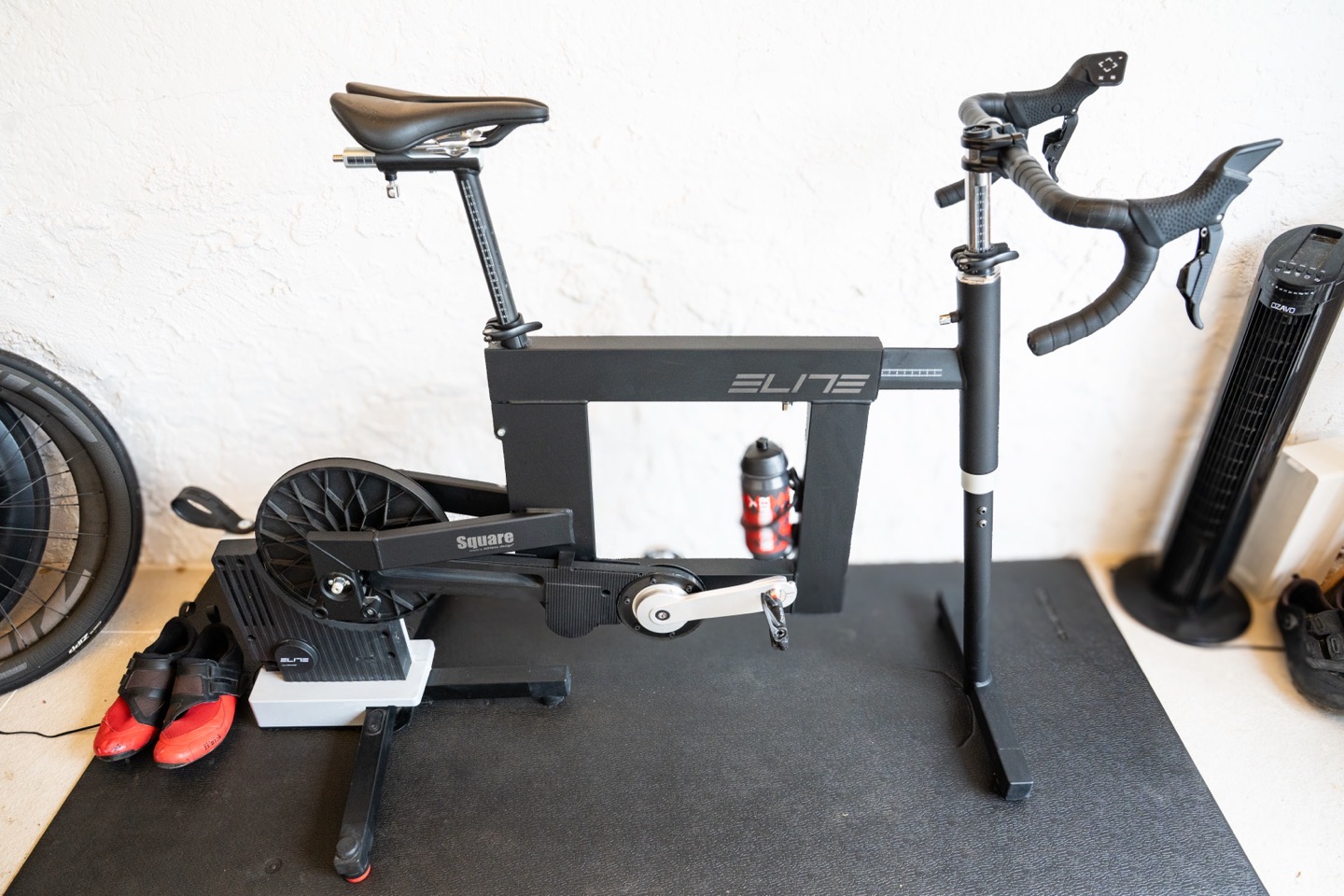
The Elite Square is one of those reviews where I just couldn’t figure out how/where to review it, as the goalposts seemed to keep on shifting, both in terms of the product and how to review the product. So instead of doing a crazy detailed review of every tiny bit that you probably already know, I’m going to do a slightly more streamlined in-depth review focusing on the unique aspects (and what does and doesn’t work). This is based on usage last spring/summer, and then revisiting the unit this week after ensuring it had all the latest updates as of December 16th on it. The goal of this streamlined review is to simply get this review out the door for those who need the information, and then tackle any extra bits in the comments section (or future updates).
Elite’s goal here was to break the mold on indoor smart bikes, or rather, smart bike frames (bike frames that go atop trainers). Up til now, that was Zwift with the Zwift Ride. In Zwift’s case, they allowed multiple trainer brands (including Elite) to integrate with the Zwift Ride frame via both proprietary hardware (Zwift Cog), and proprietary software (Zwift Protocol), all linked to a proprietary software platform (the Zwift app). End to end, it 100% required being committed to the Zwift platform. It did not use any long-established industry standards in terms of communications or compatibility.
Whereas smart indoor bikes from traditional trainer companies up till now have largely been platform-agnostic, exempting some like Peloton or such. But otherwise, indoor smart bikes from Wahoo, Tacx, Elite, and Technogym have all worked with any indoor cycling app/platform, across industry standard protocols (ANT+ FE-C, Bluetooth Smart FTMS, etc…).
Thus the Elite Square aimed to split the difference. Elite wanted a smart bike frame that was compatible with not just any platform, but also any trainer. Meaning you could theoretically take a Wahoo KICKR trainer, put the Elite Square atop it, and use it with Zwift, Rouvy, or BikeTerra. Your choice.
In reality? This is incredibly difficult technically, mostly because there are, in fact, no virtual shifting industry standards. They couldn’t use the Zwift Protocol to connect to 3rd party apps, let alone the problem of having the smart bike frame tell the trainer what to do, which wasn’t going to listen to a different company’s commands it didn’t understand. Thus, Elite would have to add a software layer on top of this, trying to trick both trainers and apps that it was just another normal smart bike.
If Elite could pull it off, it would be a great way to thread the needle between what Zwift wanted, and what the rest of the industry wanted. The question is: Could they pull it off?
Change in Plans:
Spoiler: Elite did not pull this technical needle-threading feat off. Well, at least not for now, for 3rd-party trainers. But fear not, it’s not all bad news. Nor the final news.
This past fall, Elite largely admitted temporary defeat in their ability to act as a smart bike frame for non-Elite trainers. Meaning, if you had a Wahoo/Tacx/Magene/Saris/whatever trainer, Elite was no longer going to try to be that middle-man option. They formally removed those claims from their marketing, and issued a statement as such, noting that if you had an Elite trainer, you were good to go, but that for now, they didn’t want to mislead people on the experience.
Here’s a message sent out in late October 2025:
Dear Partners,
We initially announced that our Smart Frame Square was fully compatible with all third-party trainers on the market. However, we have noticed that, in some configurations with trainers other than Elite, performance is not always optimal, and the user experience may not meet the quality standards we aim to ensure.
We deeply regret this situation, which was not identified in our internal testing, and we want to ensure that communication with customers is as clear and transparent as possible.
For this reason, we have decided to update our communication regarding compatibility to 100%, to avoid conflicting expectations.
The Elite trainer + Square + software configuration is fully guaranteed.
The trainer configuration from other manufacturers + Square + software cannot be fully guaranteed at this time.
In the meantime, our technical team is working on firmware improvements that will allow us to further expand compatibility: we expect to be able to offer an optimal solution in the coming months.
We will keep you updated on developments, confident that this path will lead to an increasingly complete and satisfying experience for all Square users.
Kind Regards,
Elite srl
Now, there is some good news. As of December 17th, 2025, Elite has confirmed they are still working on 3rd-party compatibility. In fact, their current target date for a new firmware version, that is more stable for 3rd party trainers, is March 2026. They sent over a beta version of said firmware this morning as well, but I’m traveling today and haven’t had a chance to try it yet.
But that still left a question: Was it worth it for Elite trainers? After all, for Europeans (where it’s more readily available), the Elite solution could still be more compelling than the Zwift solution. Even with an Elite-only trainer, it would offer multi-platform compatibility (e.g., Zwift, Rouvy, etc.), and it would offer more adjustability than the Zwift Ride in terms of rider fit/positioning (especially around the saddle position).
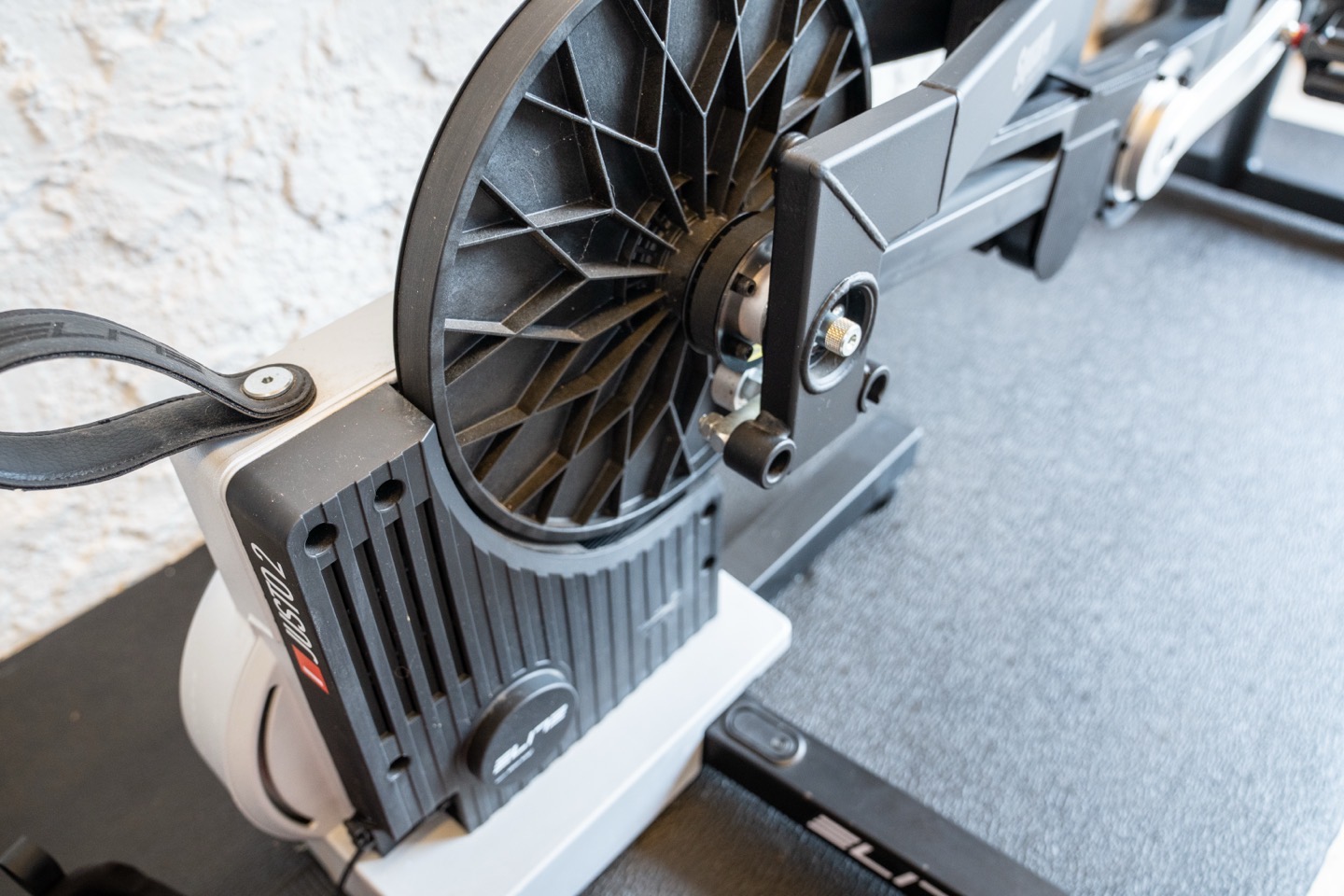
Further, it also worked with the Elite Rizer, which can lift the bike up/down, which the Zwift Ride doesn’t have. And finally, it’s far quieter – virtually silent due to the belt design.
So, let’s talk about where it sits today.
In the Box & Building It:
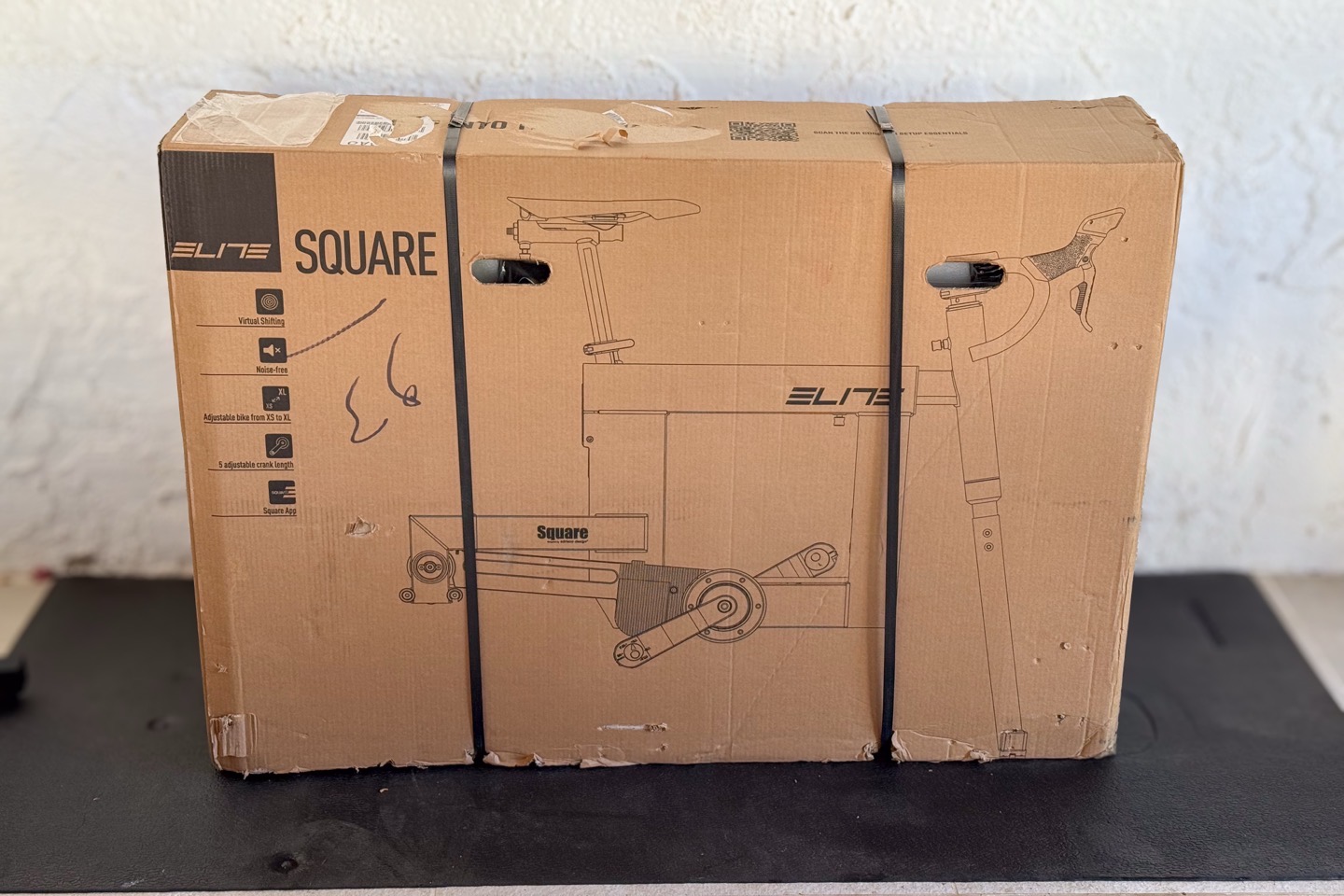
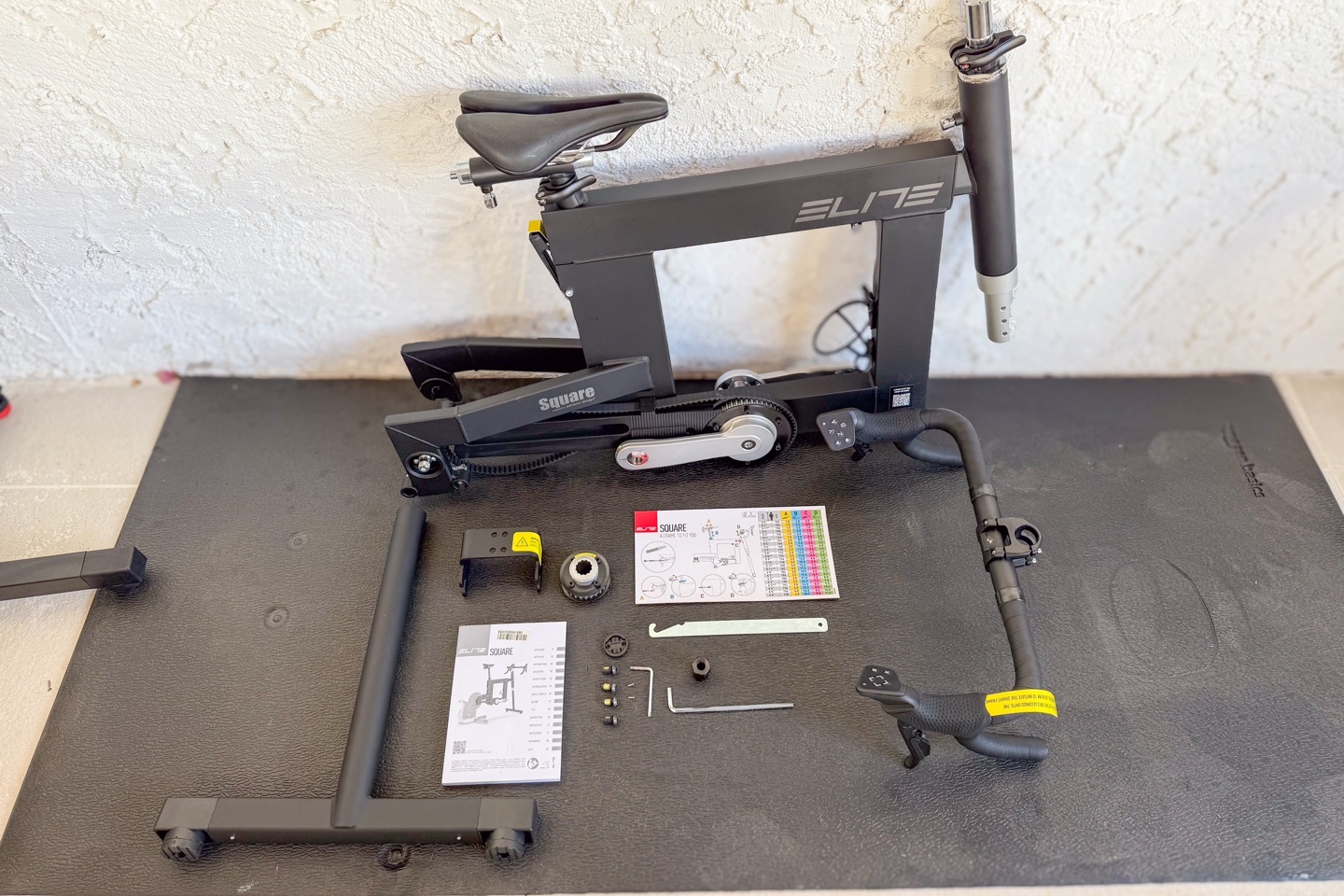
The Elite Square comes in one big box, which in turn contains multiple boxes inside of it. The core of the Elite Square frame is pre-assembled, but there are a bunch of accessory bits that need to be attached, as well as, of course, the trainer itself.
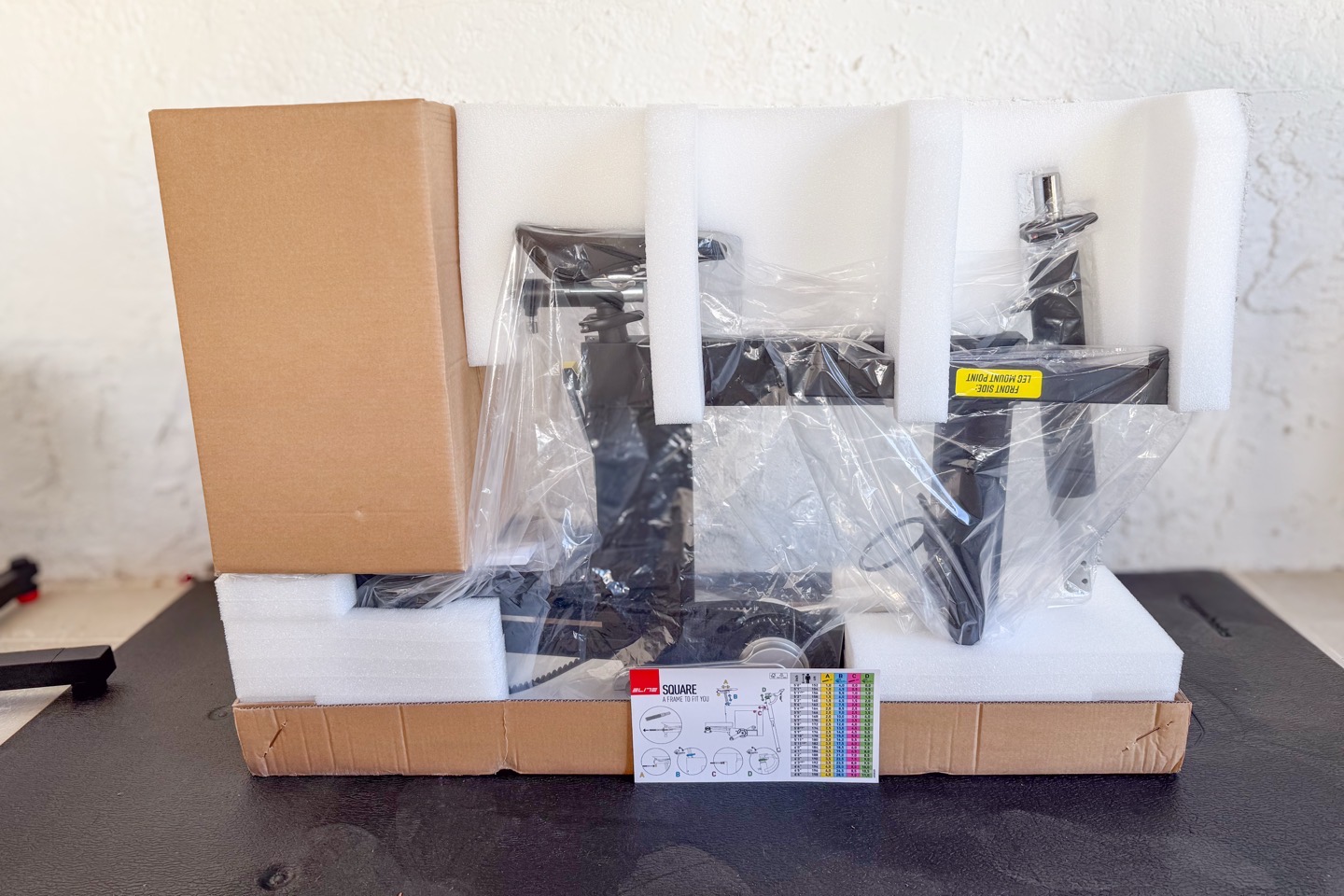
Here are all the parts laid out:
And here’s a little gallery of said parts, more close-up:
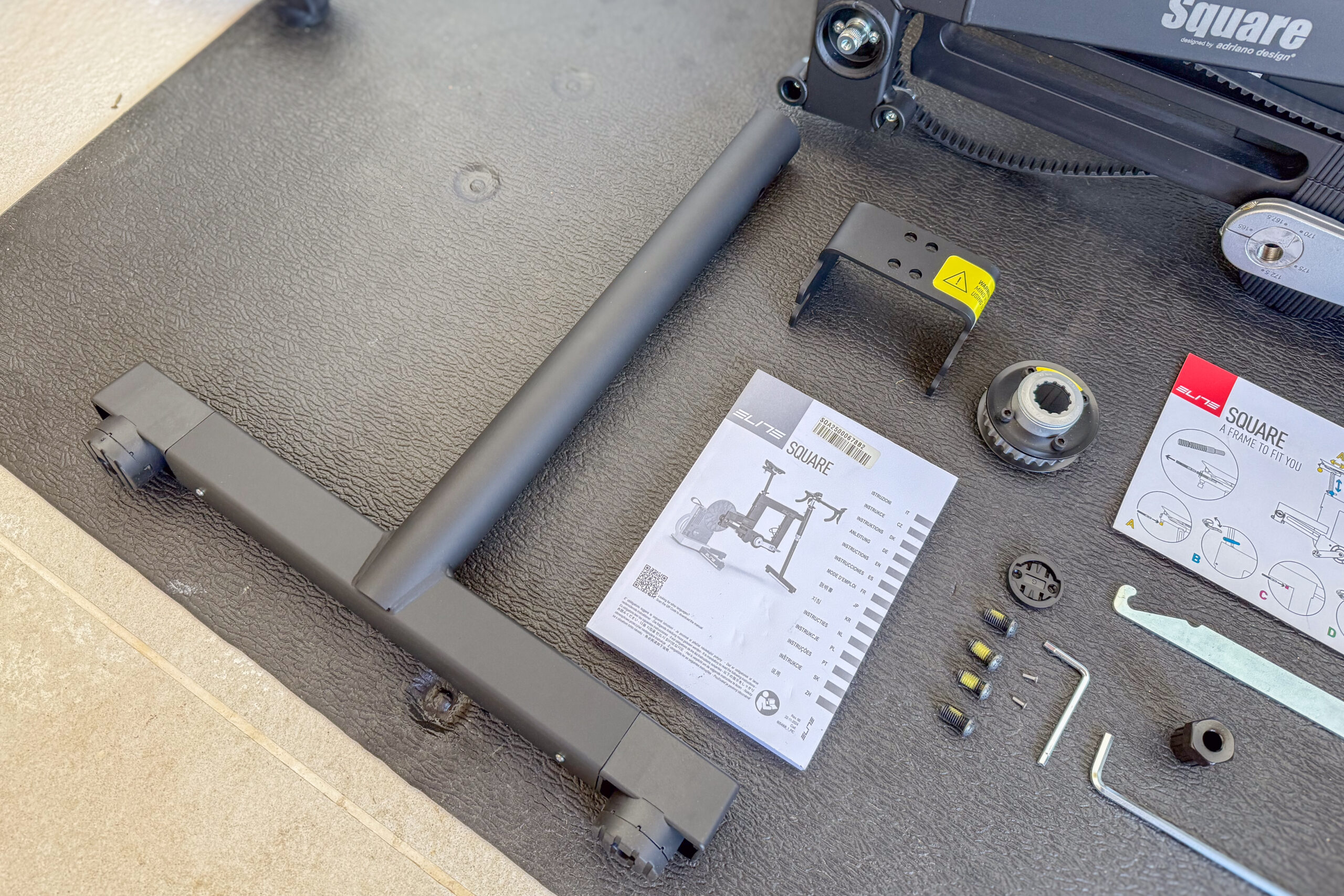
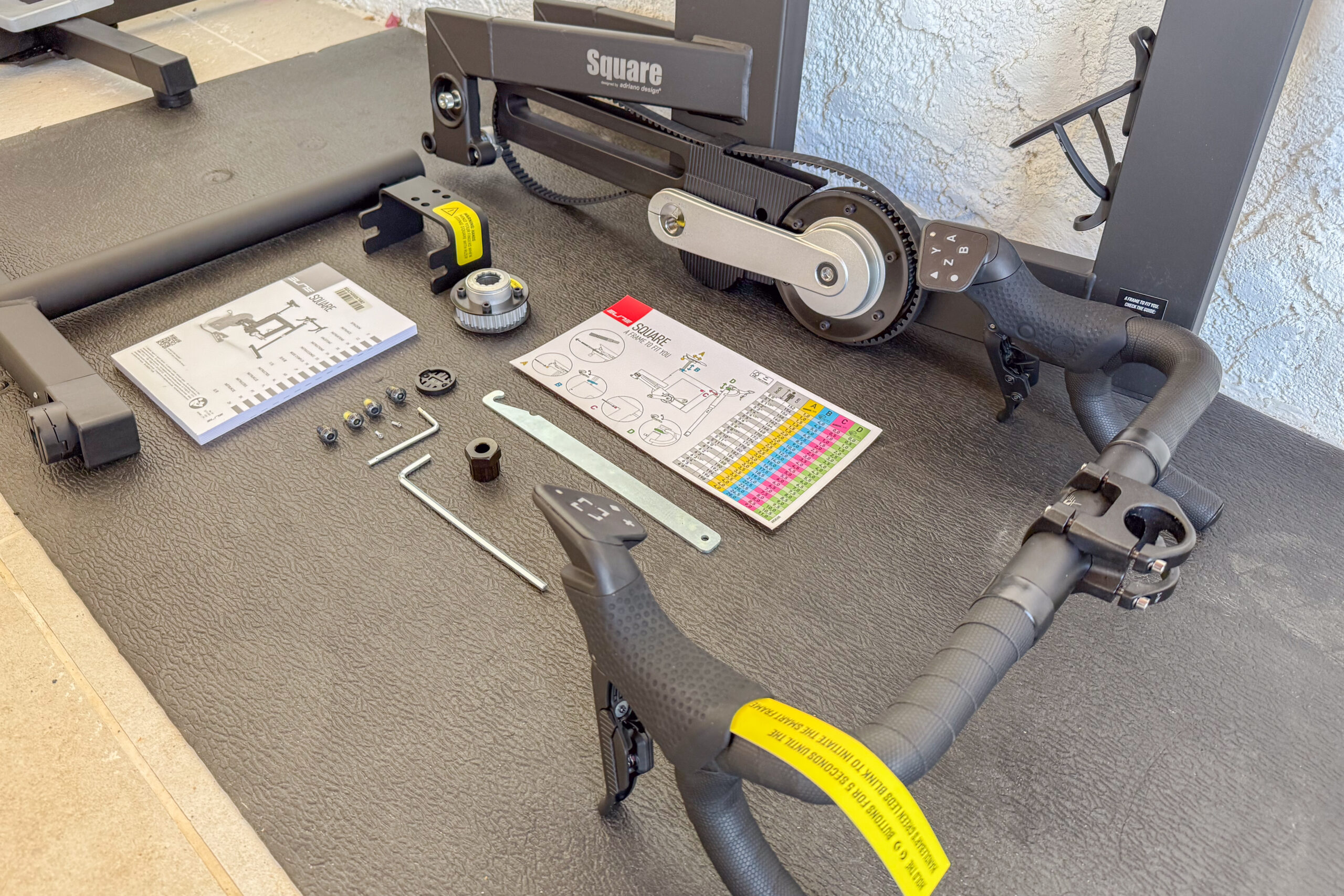
When it comes to assembly of the main unit, essentially, you’re attaching the main front ‘fork’ piece and handlebars. If you had an Elite Rizer, you’d skip attaching the front fork, and would attach that instead. This was quick and easy.
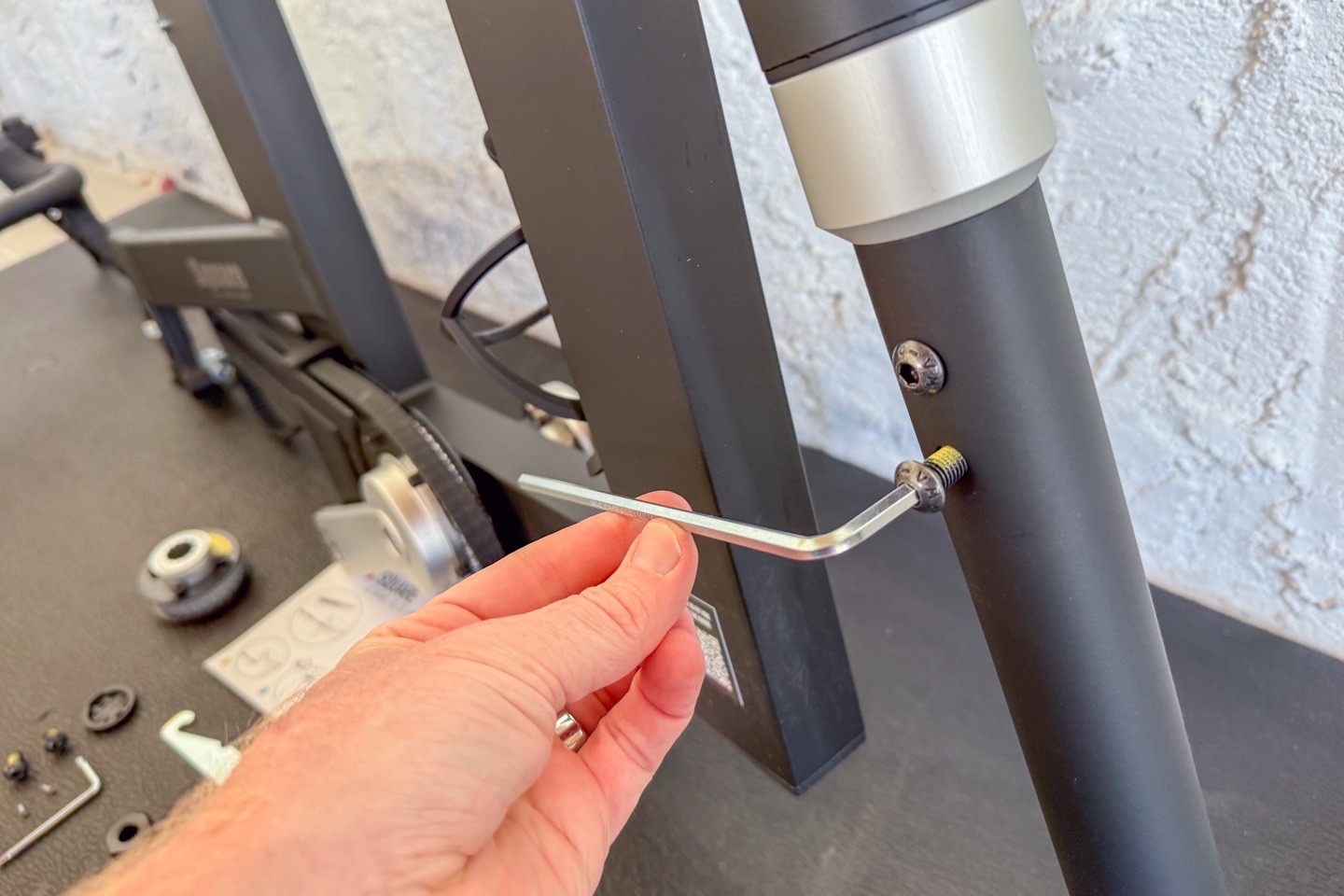
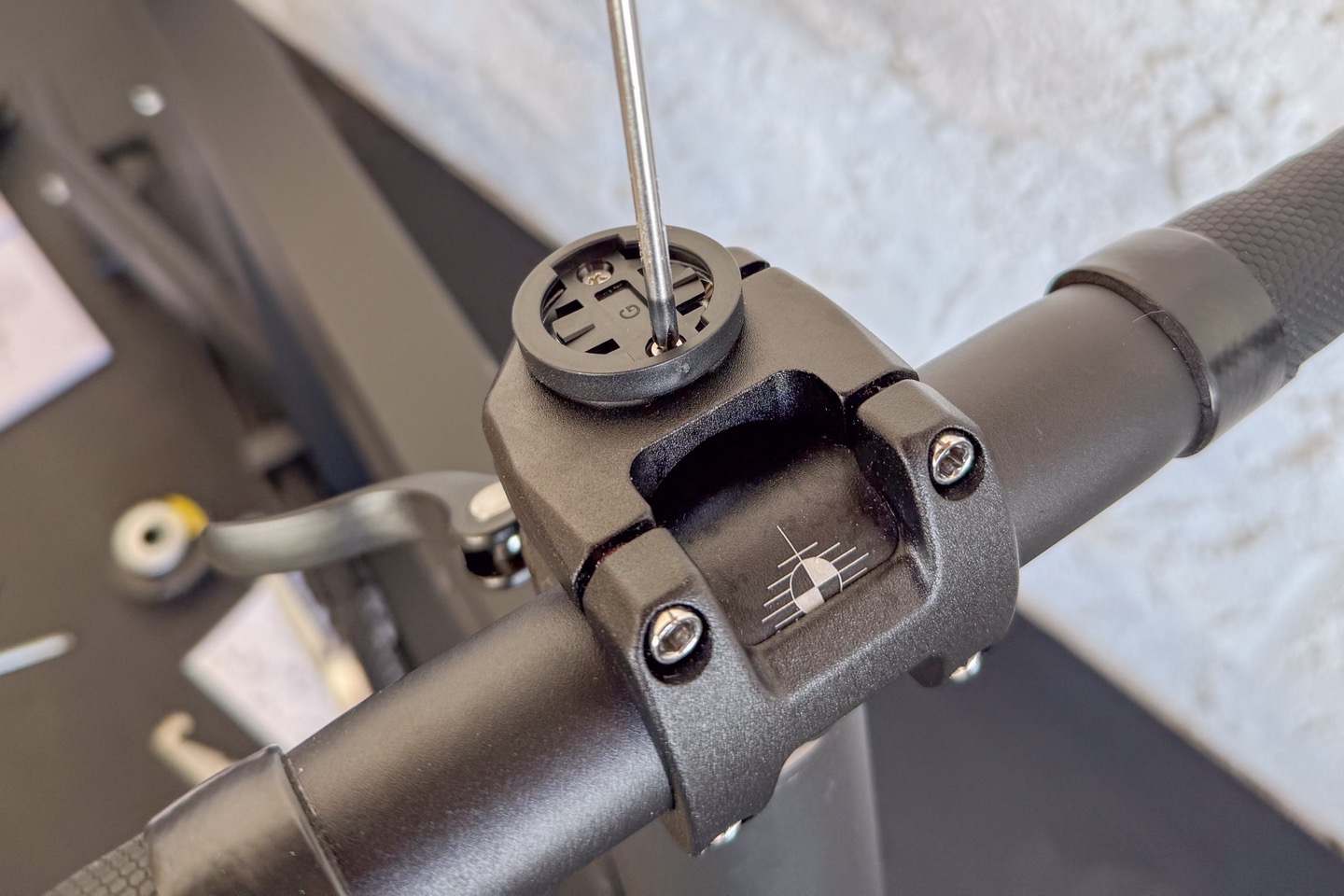
Notably, up front there’s an inclusion of a small Garmin/Wahoo mount. This is a nice touch, making it easy to mount your bike computer. You could also mount phones here too, with adapters.
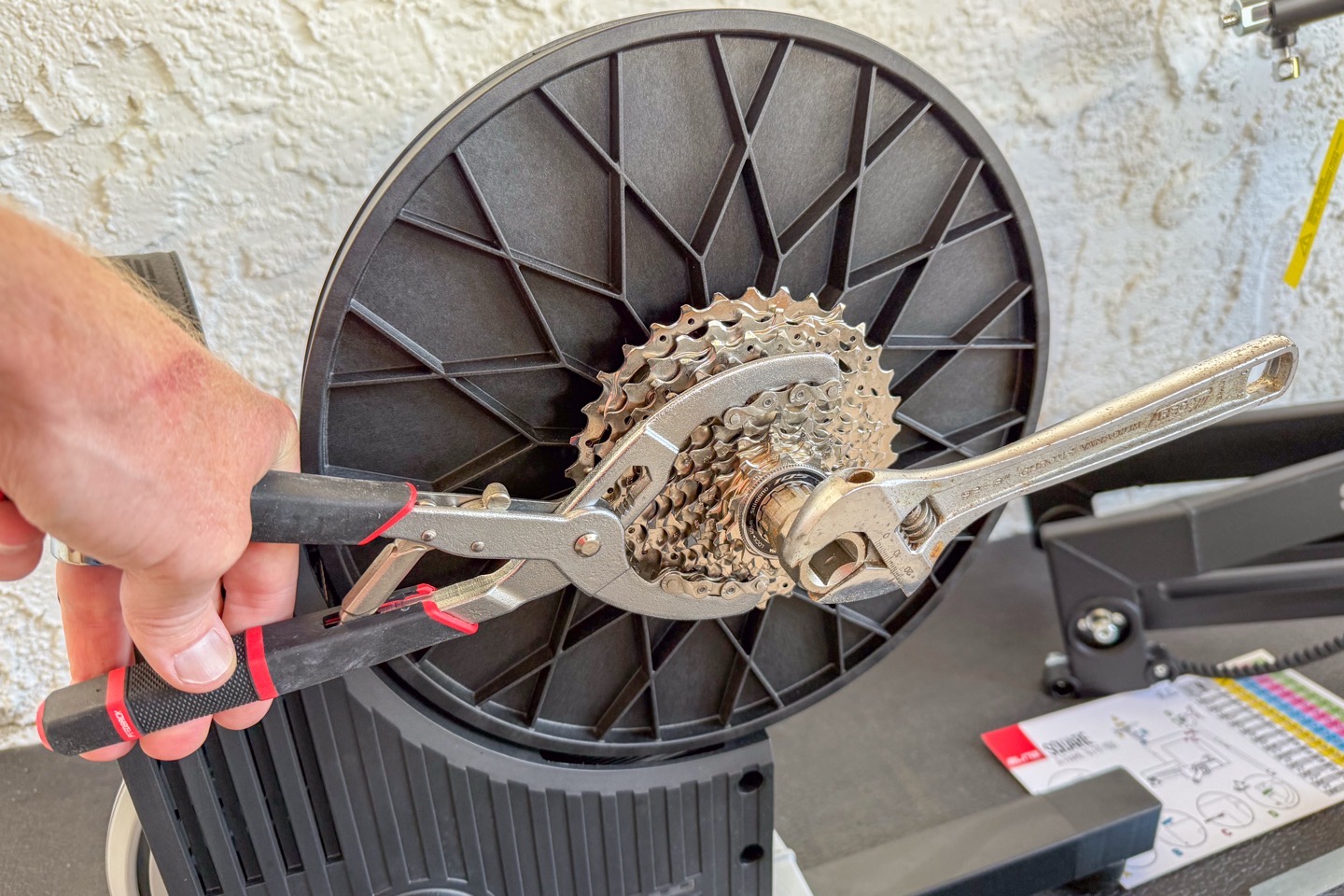
Next, you need to swap out the cassette on your trainer for the Elite Square belt drive system. First, remove your old cassette using a cassette tool:
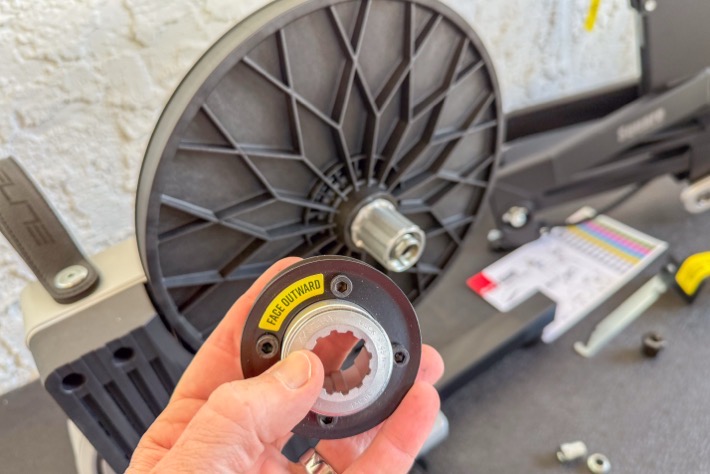
Then, grab the new belt-drive cog, and toss that on. This is not hard, just like swapping any other cassette, and takes about 30 seconds.
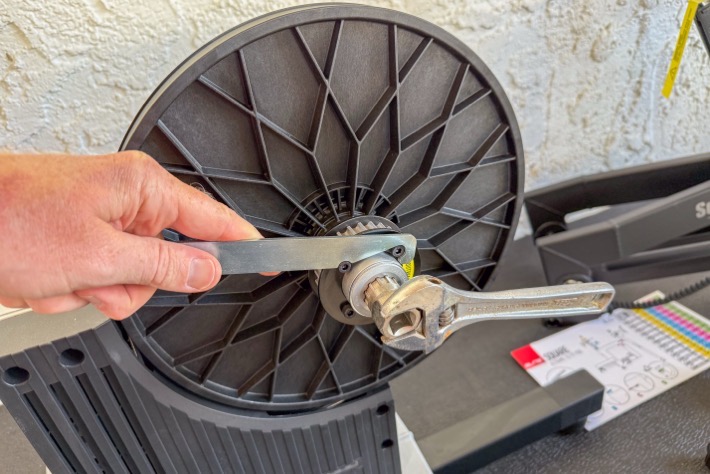
After that, you’ll install the actual frame onto the unit. This part did require multiple confirmations with the manual to figure out, specifically around this skewer. I wasn’t exactly expecting this.
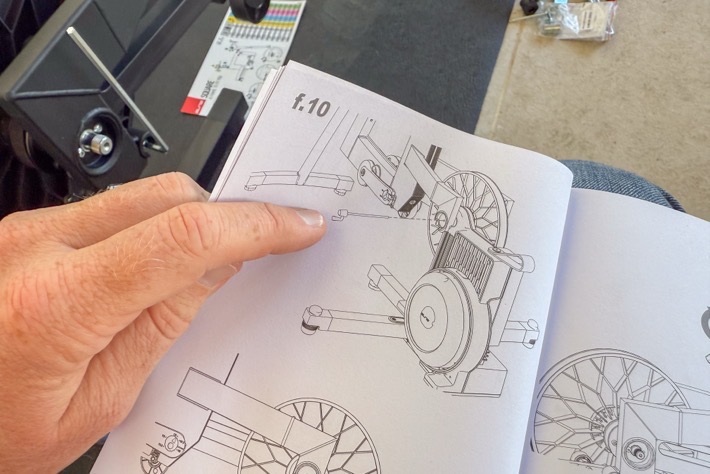
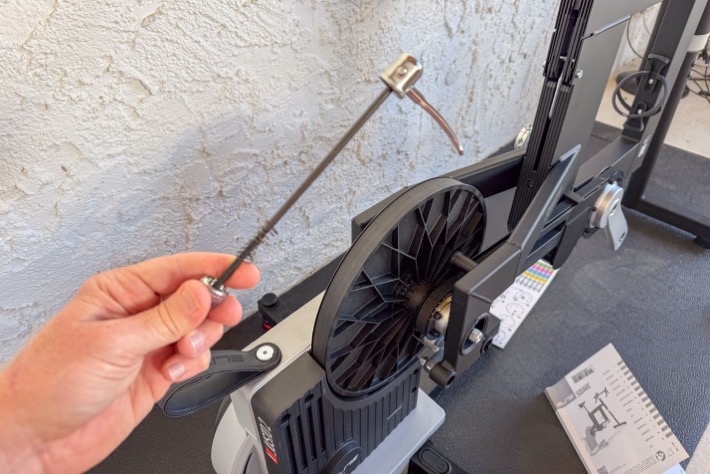
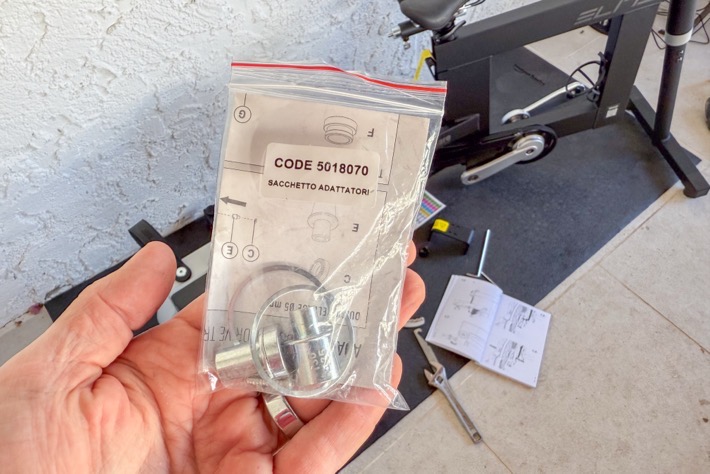
And more critically, I wasn’t expecting to need to have the Elite trainer quick-release skewer adapters handy. Neither the skewer nor the adapters came with the Elite Square, but rather, your existing trainer. I don’t know about you, but I don’t often put these in a logical place after my initial setup. Especially for people who may have thru-axle bikes. Luckily, in my case, I had semi-recently unboxed a different Elite trainer that I could steal these from. Nonetheless, I feel like Elite should include these in the Square box.
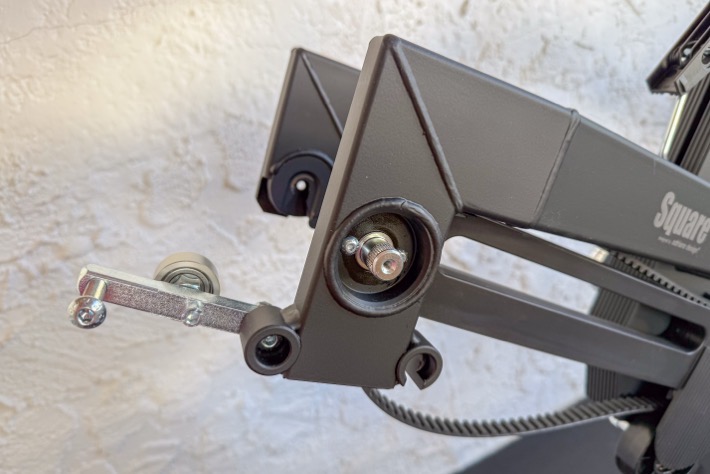
After that, there was some wrangling to understand exactly which levers to push up/down to apply tension to the belt. This was not hard at all (mere seconds), but just understanding what the manual wanted was slightly confusing. The setup videos Elite has are far better though, so I’d recommend just watching those instead first.
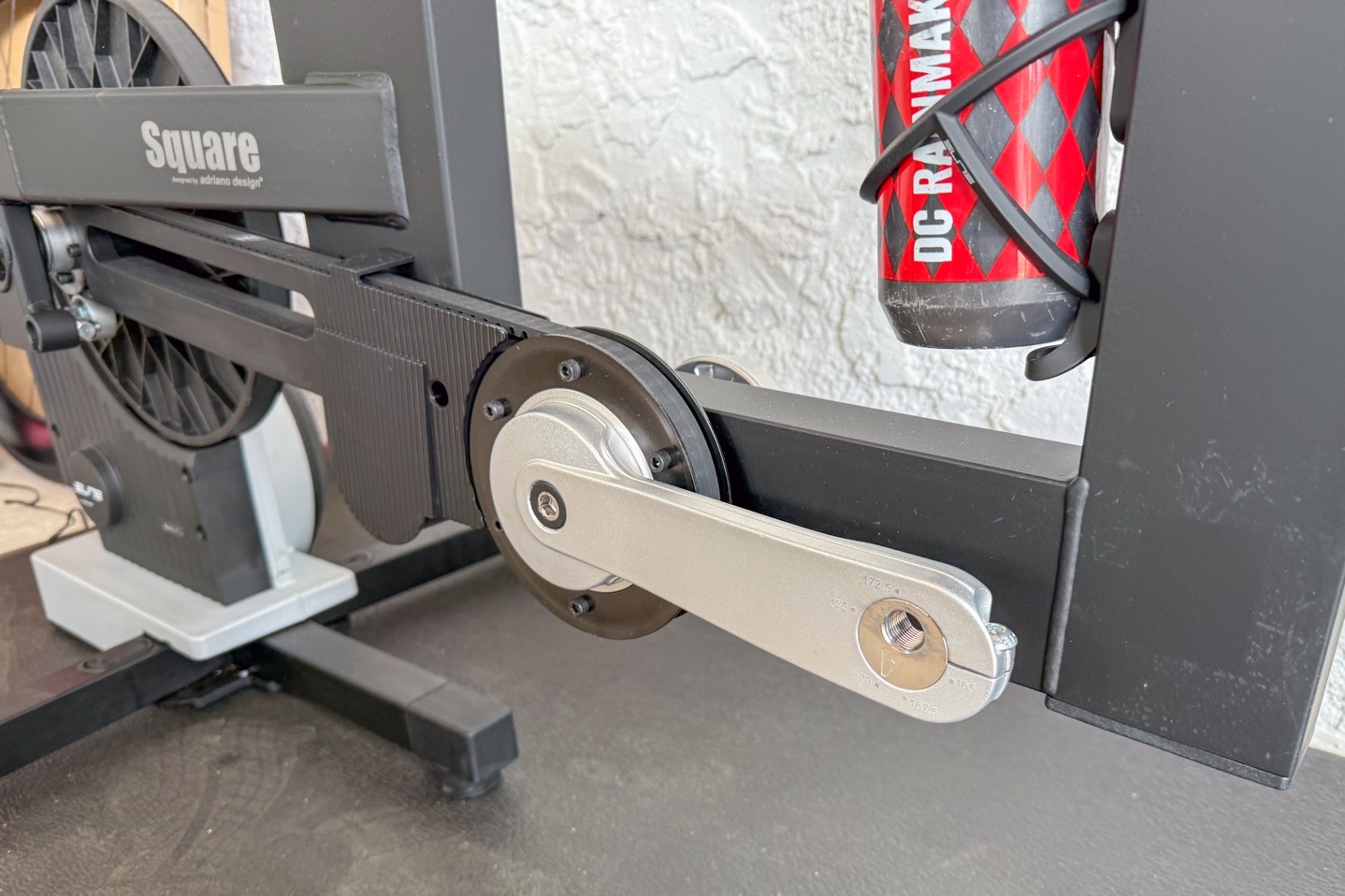
With that, stick on your pedals, and you’re ready to roll. I’ll talk about the pedals in the next section, though.
Oh, and for lack of anywhere else to stick it, here’s the current compatibility list of Elite trainers with the Elite Square:
– Avanti, Avanti Cog
– All Direto home trainers (Direto, Direto X, Direto XR, Direto XR-T, Direto XR Team, Direto XR Cog)
– Justo and Justo 2
– Rivo, Rivo Cog
– Suito, Suito-T
In case this changes over time, you’ll find that list here.
The Hardware Basics:
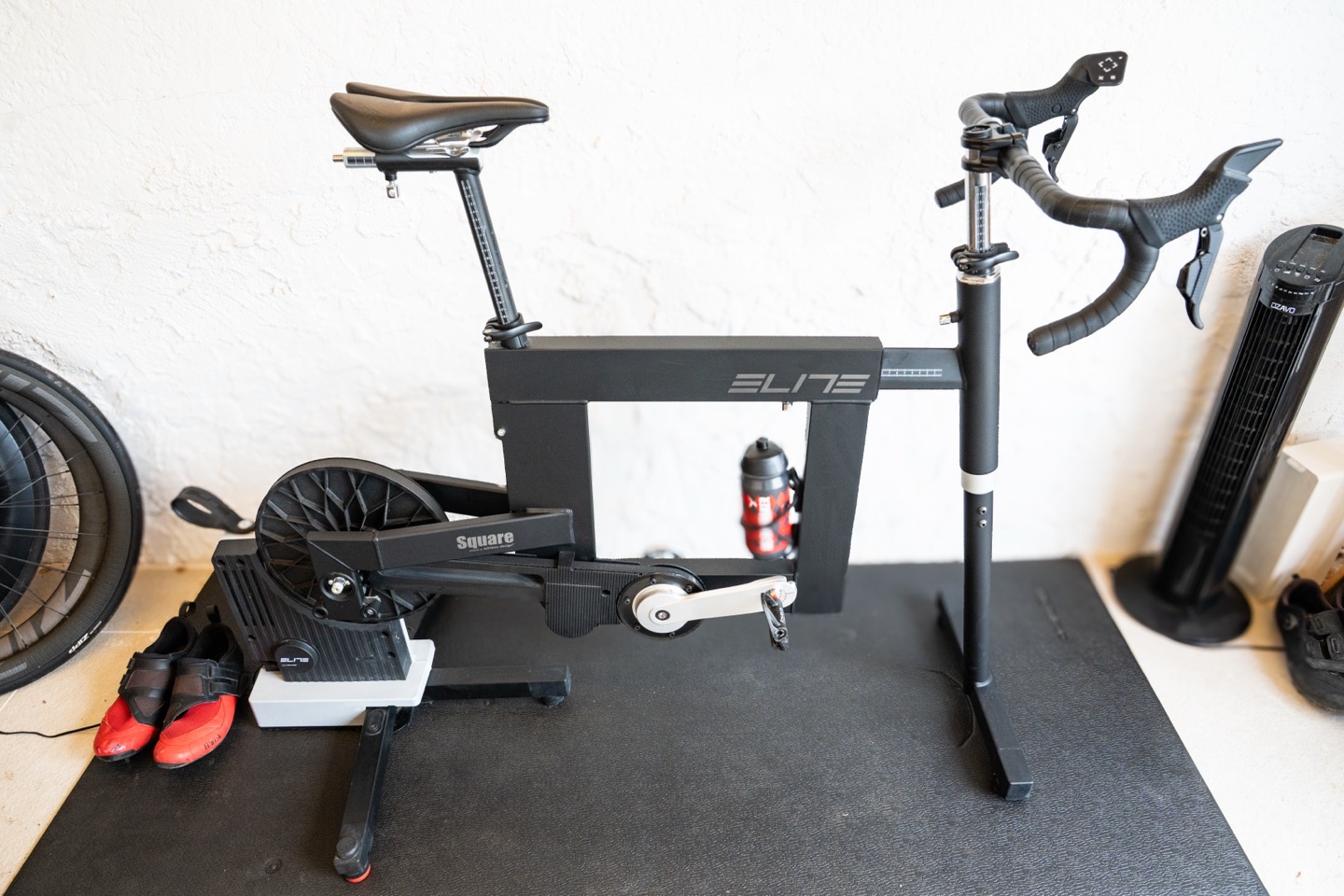
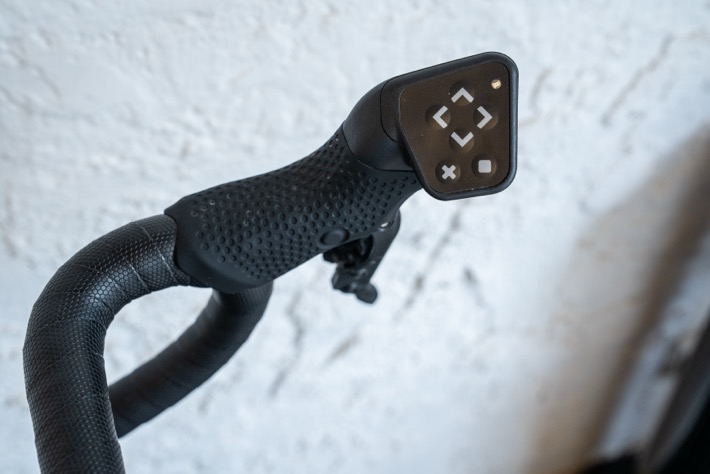
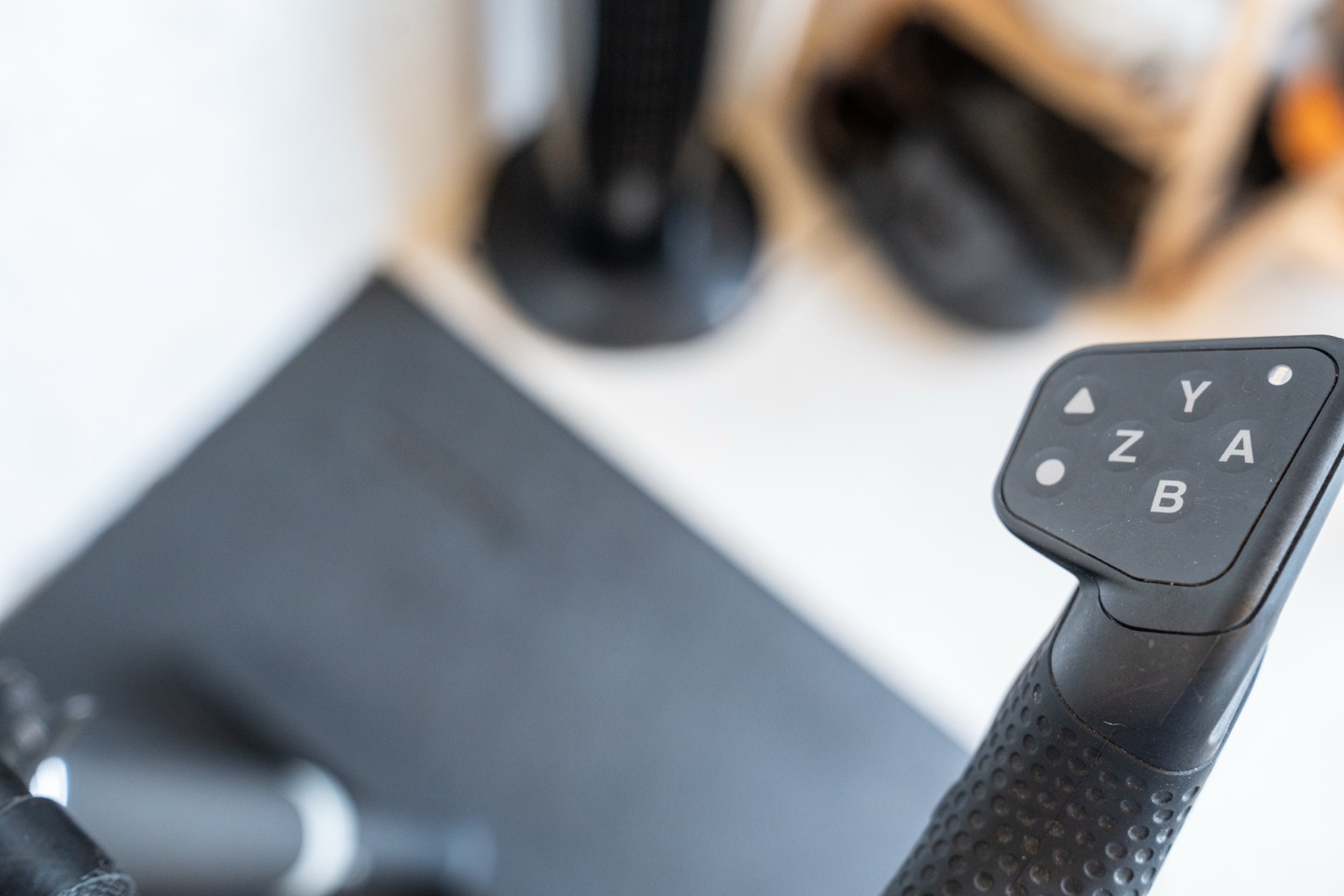
Let’s quickly run through the post-build hardware aspect, most notably (and starting with), the handlebars. That’s where you’ve got a set of buttons on top for interacting with various apps, including steering:
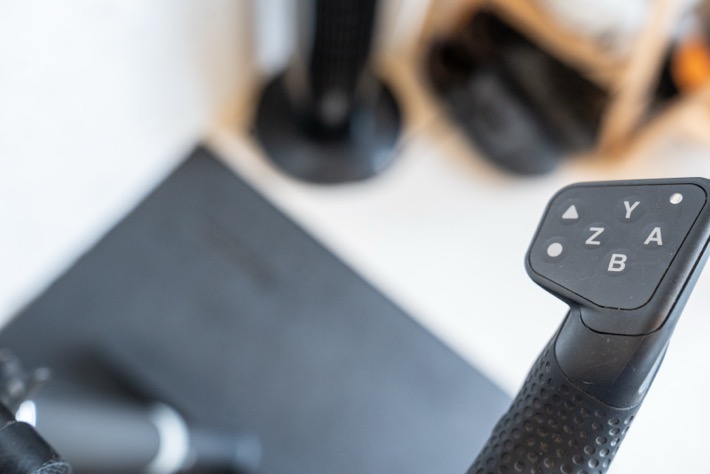
Then, down below, you’ve got your shifters, which are mechanical in nature (thank you!!!). I much prefer these real-life style shifters over those found on the Zwift Ride. As I’ve said many times, the indoor bike industry has done so much to try and replicate the ‘real’ feel of a bike. So, changing to non-tactile buttons for shifting on the Zwift Ride has always been counterintuitive to me.
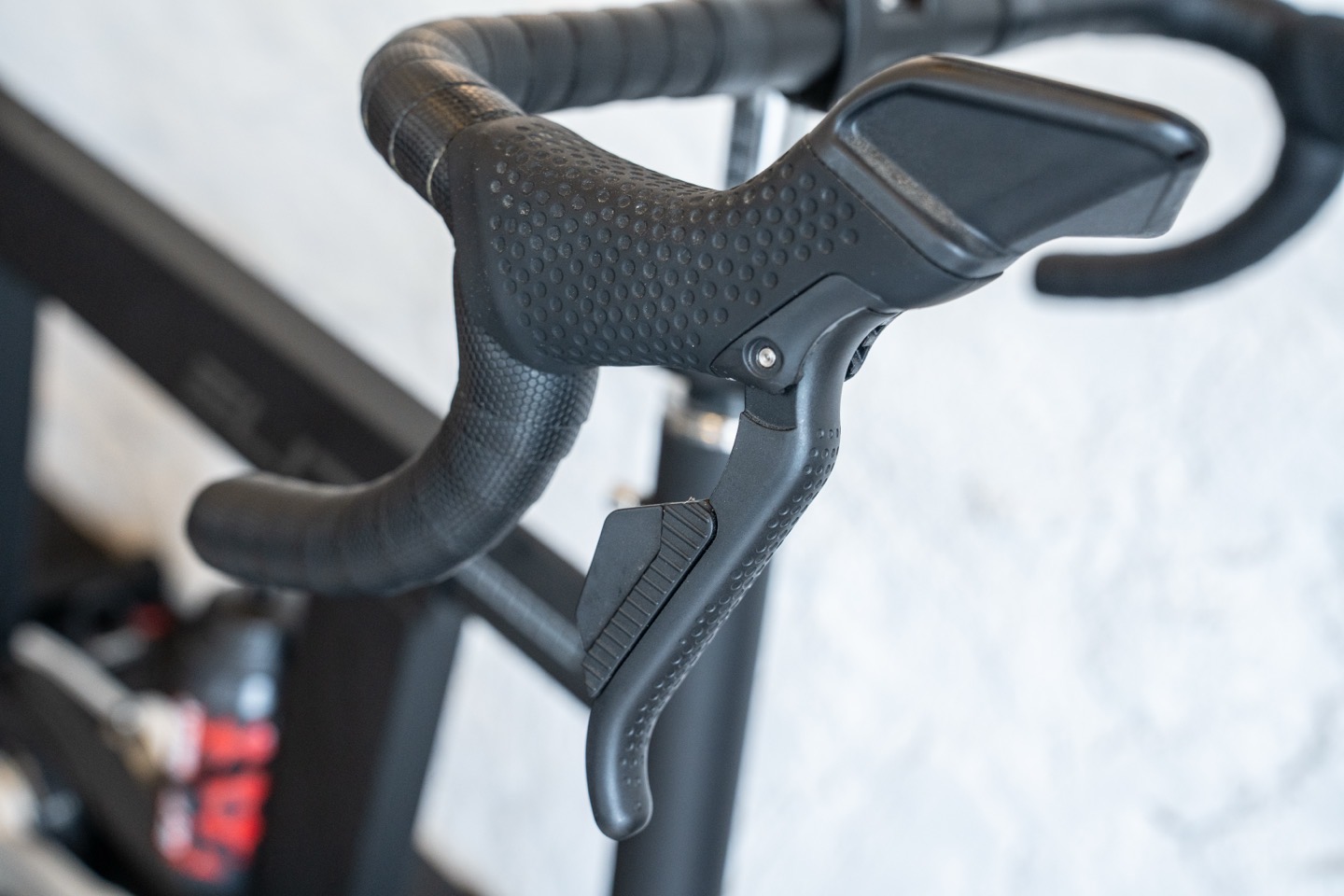
And, as you can see, there are also brake levers as well. These worked without issue in Zwift. And on the inside of the shifters is another button as well, which, like most buttons, doesn’t have any purpose at this point in time. [Update per commentor below, if you switch to Campagnolo shifting mode, then this inner button is utilized. Woot!]
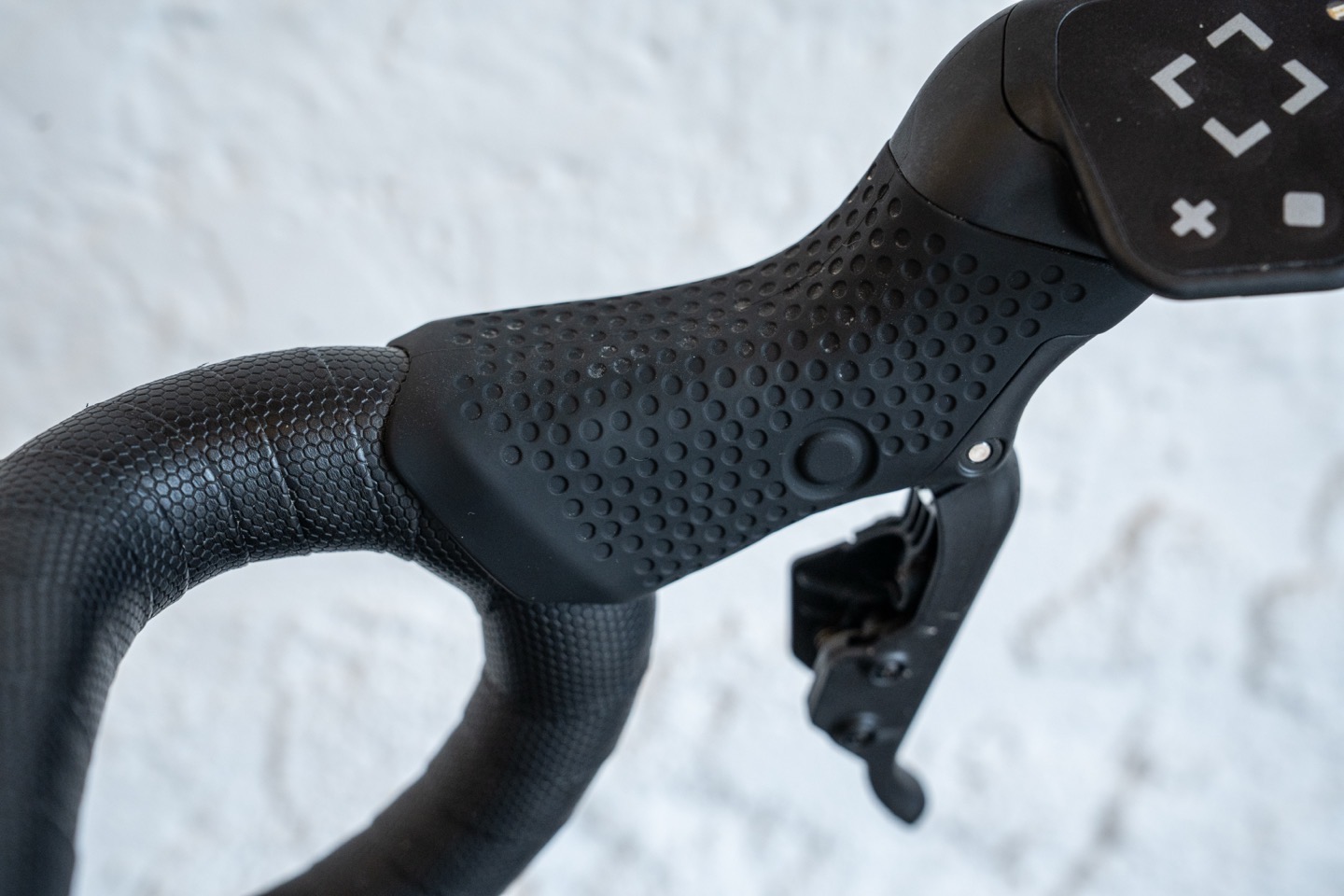
Note that all of the Elite Square handlebar components are powered by battery. There’s no plug-in power for the Elite Square itself, just your trainer.
Next, on the frame side, there are multiple adjustment points. And, quite handily, Elite includes this nifty card that shows you a starting point for your height, and where each adjustment should be made. Obviously, everyone is going to be slightly different in terms of their body (e.g., longer legs vs torso), but this is at least a rough guide for where to begin.
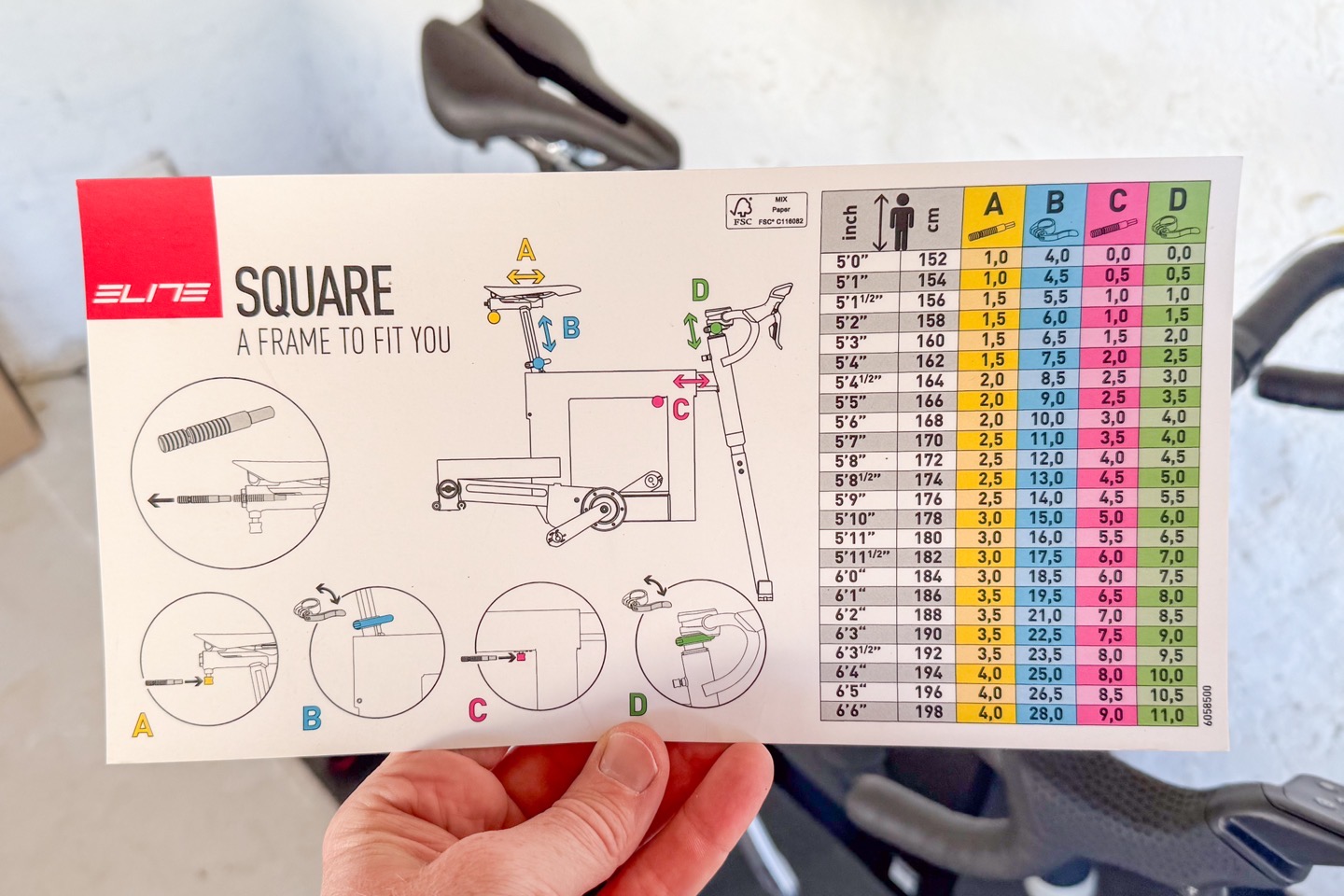
From a fit standpoint, here’s the official specs:
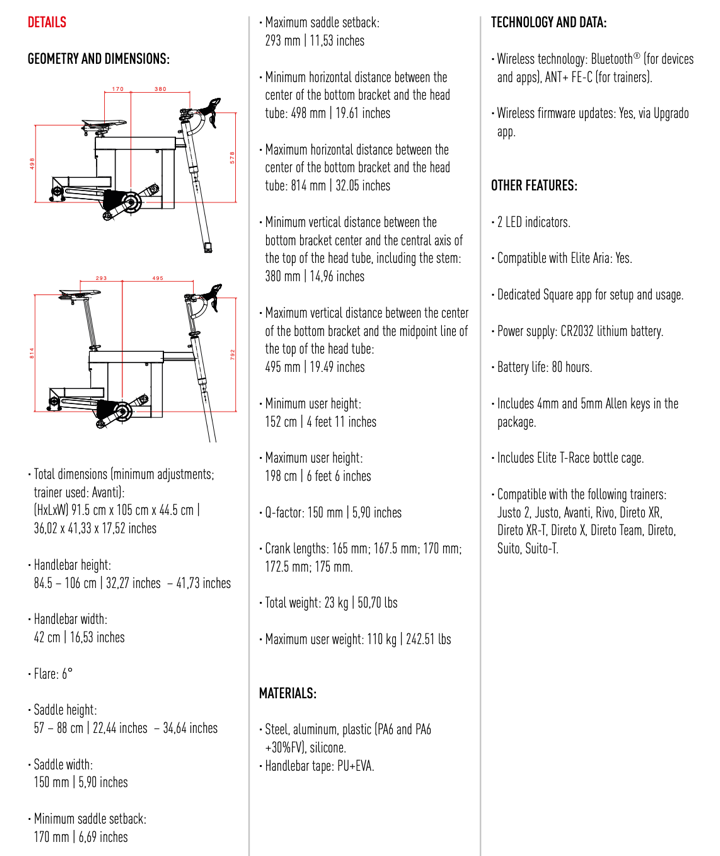
For the remaining adjustability, here’s some fit-type spec goodness:
– Minimum rider height: 152cm / 4’11”
– Maximum rider height: 198cm / 6’6”
– Maximum rider weight: 110kg / 242.51lbs
And then here’s a quick page of all the rest of the fit coordinates:
Next up is the front-end adjustment. To begin, you can increase the height up/down of the handlebars, followed by a clamp to adjust the forward/back position of said fork (located just underneath the ‘I’ in Elite on the frame).
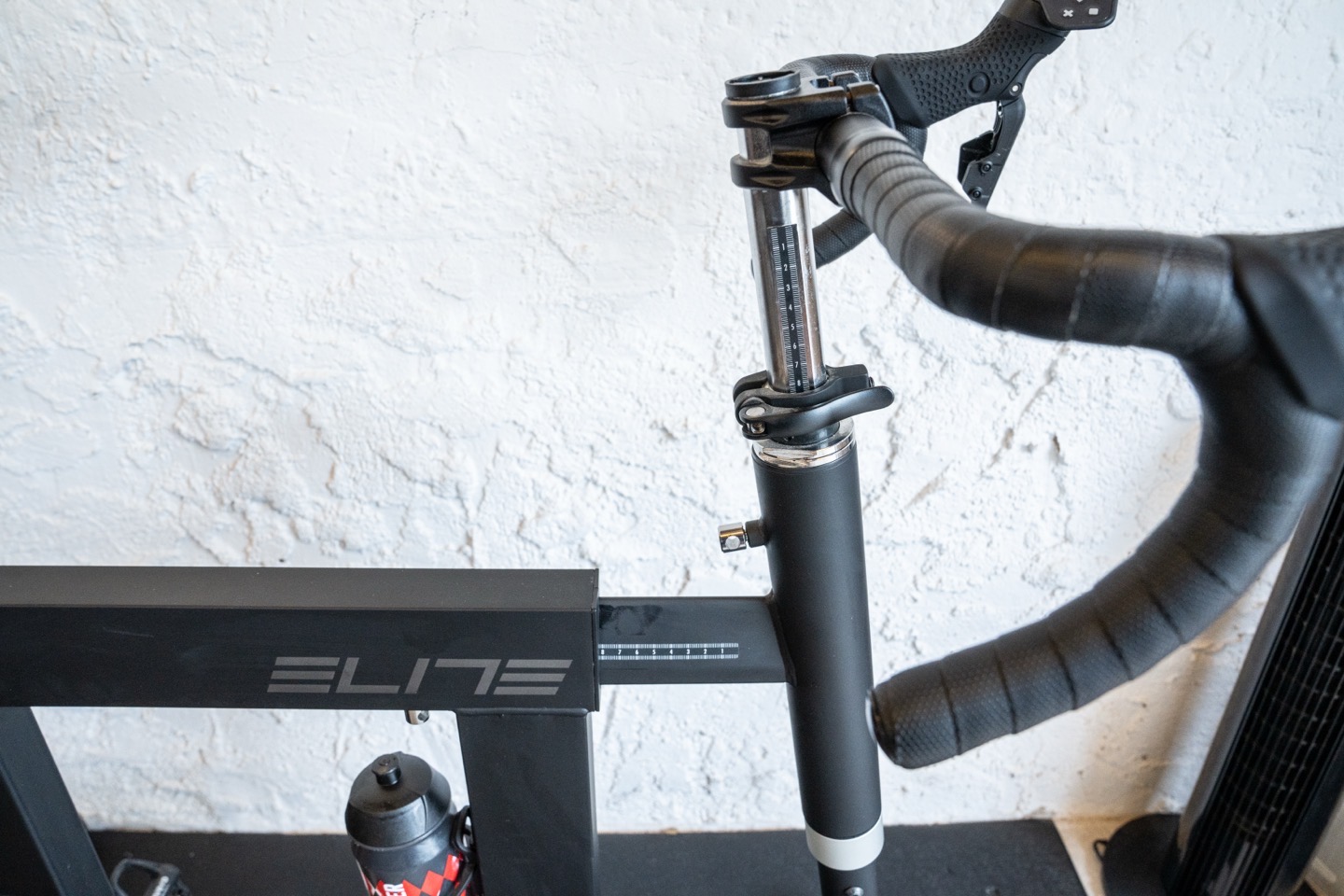
Speaking of that fork, if you’ve got an Elite Rizer, it’ll of course attach to that, and allow the bike to go up/down accordingly.
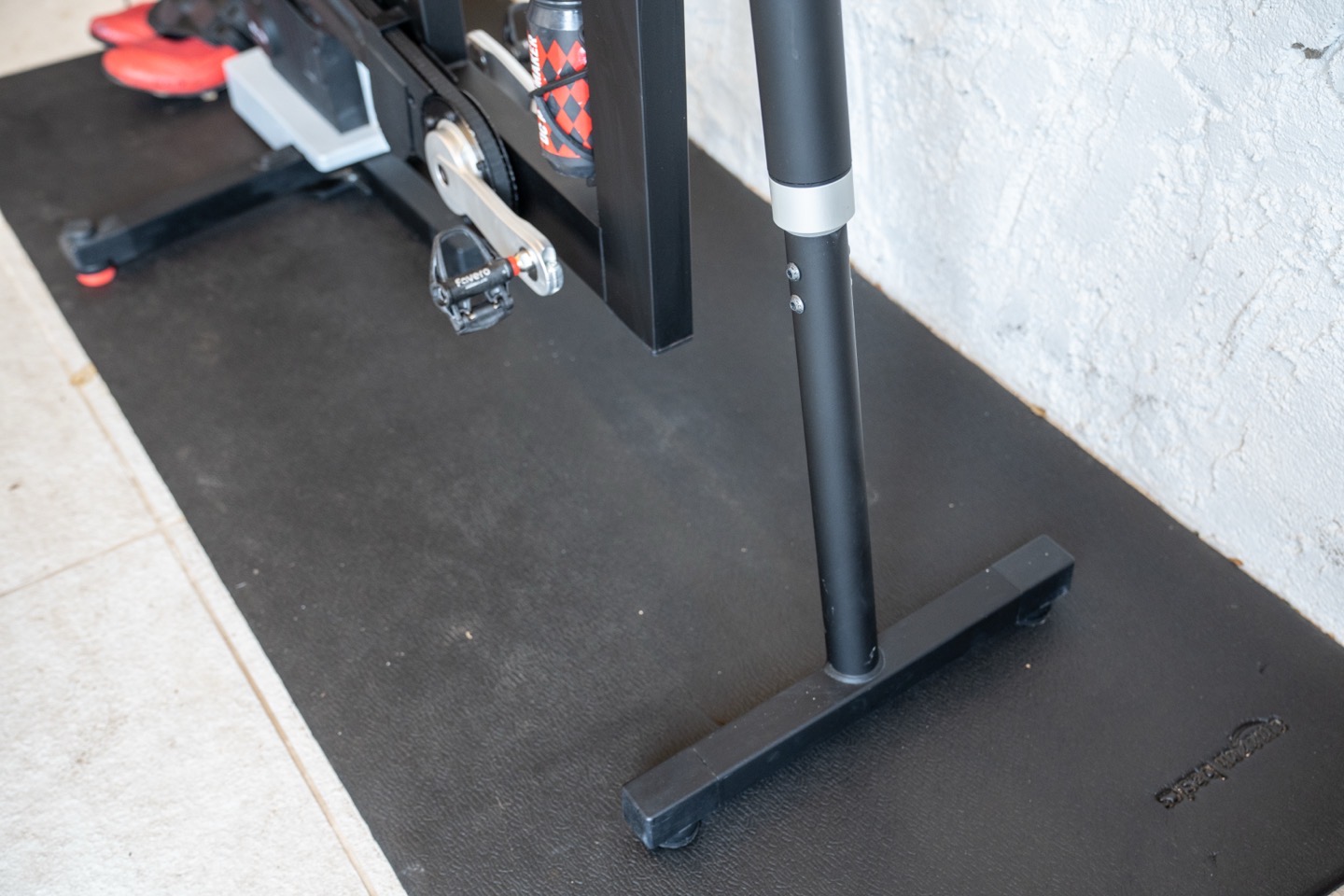
Next, working our way back, there’s no method to raise the entire Square frame, but instead, you just move the seat post up:
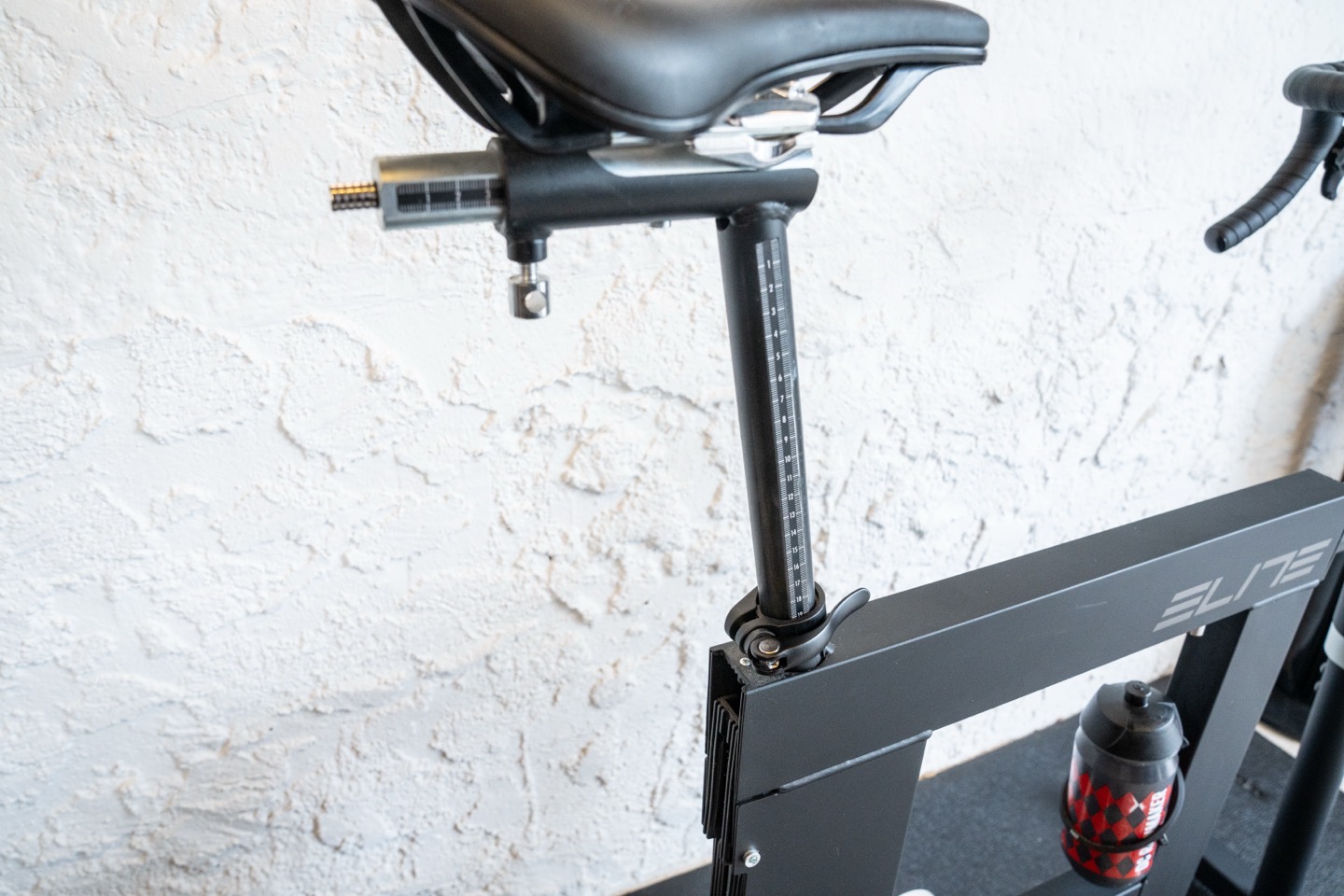
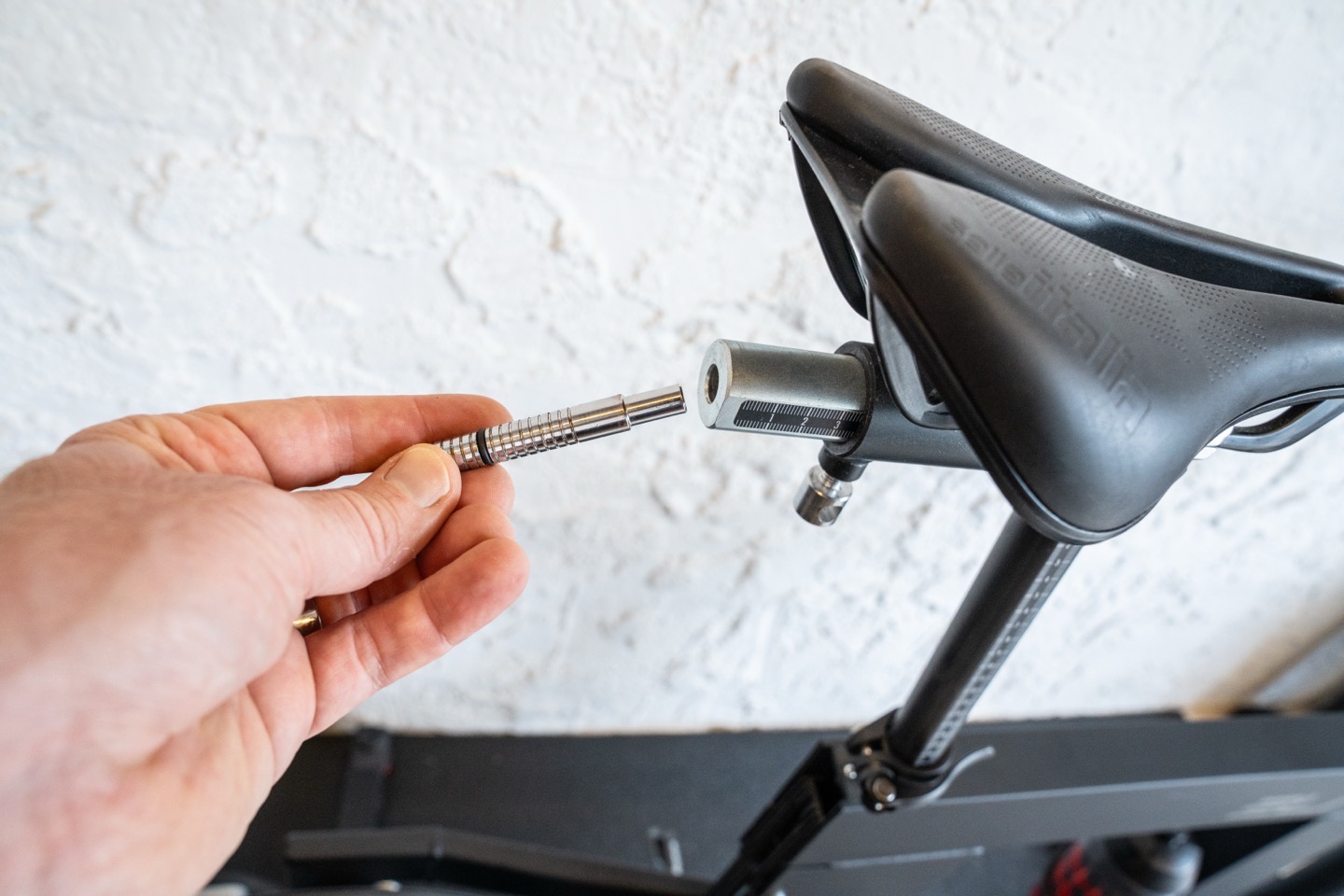
And then additionally, up near the saddle, you’ve got adjustments as well by shifting the entire saddle forward/back, as well as shifting within the saddle rail system. In fact, now’s a good time to note that all of the adjustments are made with this handy tool that just slides into the back of the saddle rail system. Super clean and clever:
As with all these bikes, you can put on any pedal type you want. In fact, we had some non-cycling friends staying with us at one point who didn’t have cycling shoes but did Peloton normally. We ended up throwing some flat pedals on there, and then just used the app to adjust resistance levels in a simple manner.
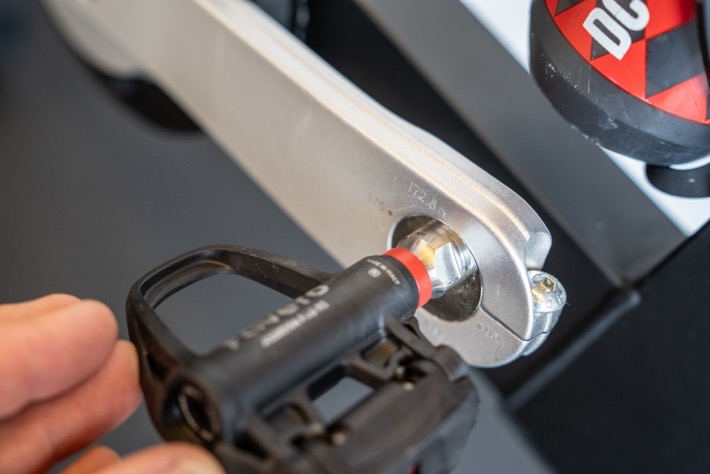
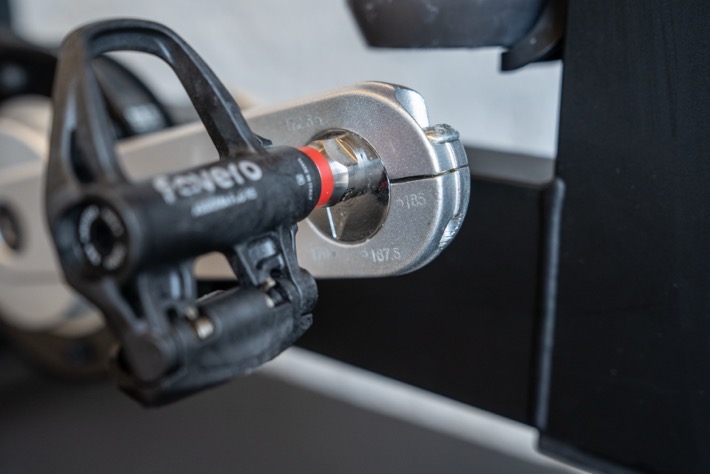
However, more notable is that you can adjust the crank length, by adjusting this little component. This is a bit different than the bear-claw style crank length setups we’ve seen elsewhere. Still, it supports 165mm ,167.5mm, 170mm, 172.5mm, and 175mm crank lengths.
With all that done, it’s time to talk software.
The Software Basics:
Next, there are effectively three apps you might use from Elite. Well, at least one or two that you have to use. They are:
Elite Square App: This is used for pairing the Square to your trainer, configuring various other settings, as well as configuring virtual shifting profiles. Finally, it lets you see what gear you’re in, from a virtual shifting standpoint.
Elite Upgrado App: This is for updating the firmware on the Elite Square, as well as any other Elite product (including their smart trainers).
Elite myETraining App: This is Elite’s training app, if you want to do/create workouts and other training bits without use of another 3rd party app like Zwift. It’s not the most glamorous app, but, it gets the job done.
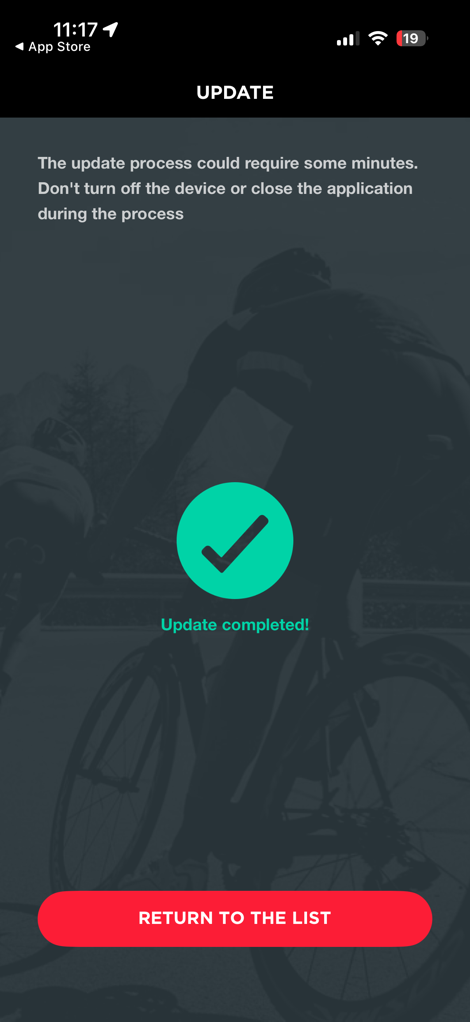
From an upgrade standpoint, that’s all super straightforward and easy to do, taking a few minutes at most to upgrade the Elite Square when a firmware update comes along.
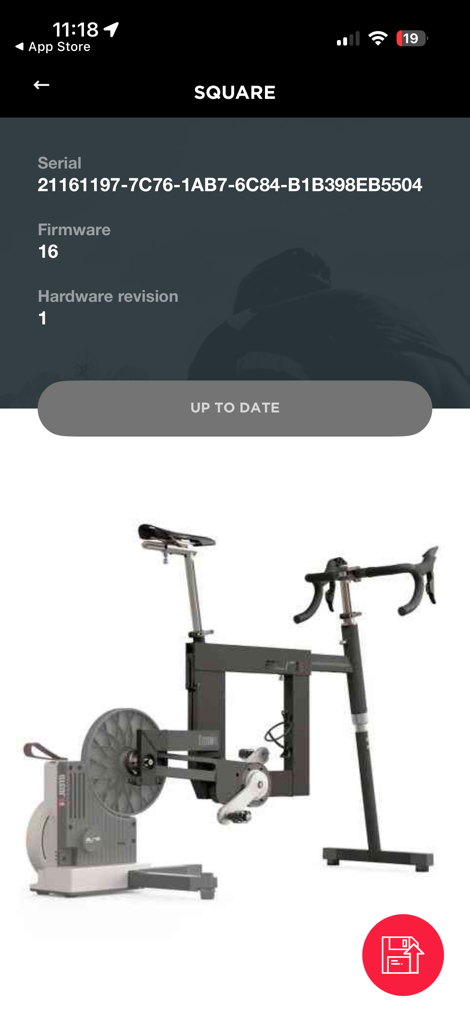
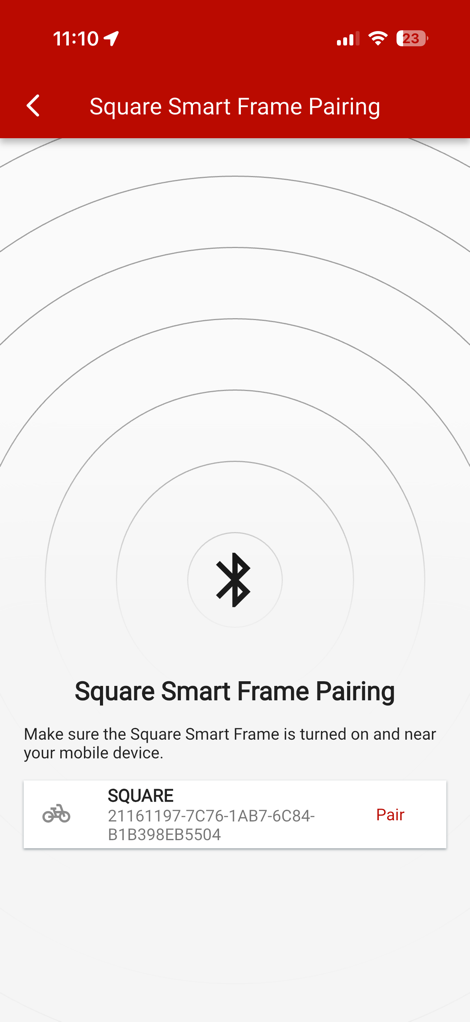
Instead, let’s look at the Elite Square app. The two key pieces that it does here are around virtual shifting; by allowing you to create your own virtual shifting profiles, as well as seeing the current gear status. Plus of course, it lets you pair the trainer to the Square frame (last screenshot above). Virtual shifting profiles are ‘required’ because they tell the gearing how to shift. For example, do you want one big set of 24 years that just sequentially shift? Or, do you want to mirror your Shimano or SRAM shifting? And then within that, you can get even more fancy.
On the virtual shifting profile side, you can create a pile of different virtual shifting profiles, each based on a core shifting pattern first (Sequential, SRAM, Shimano, Campagnolo), and then from there, the number of gears you want, followed by a quick-gear setup (e.g., flat, hilly, mountain), followed finally by the ability to customize every single cog if you want:
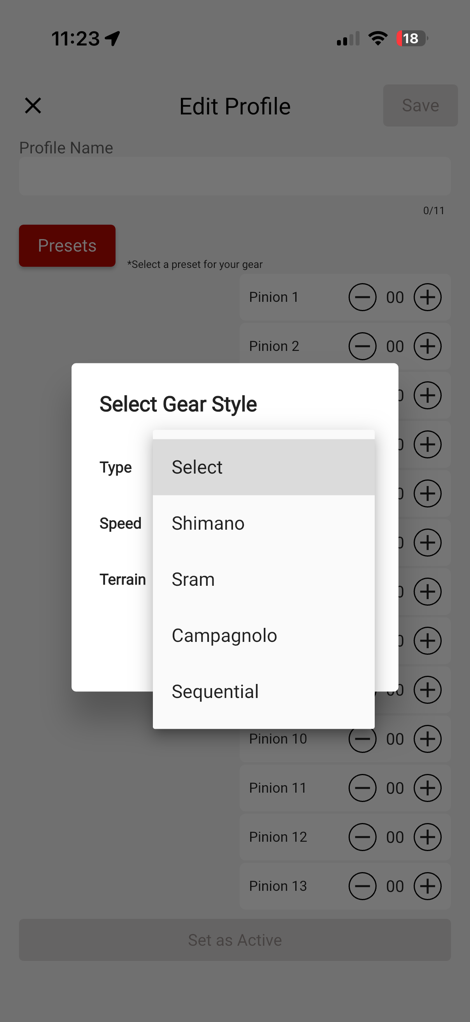
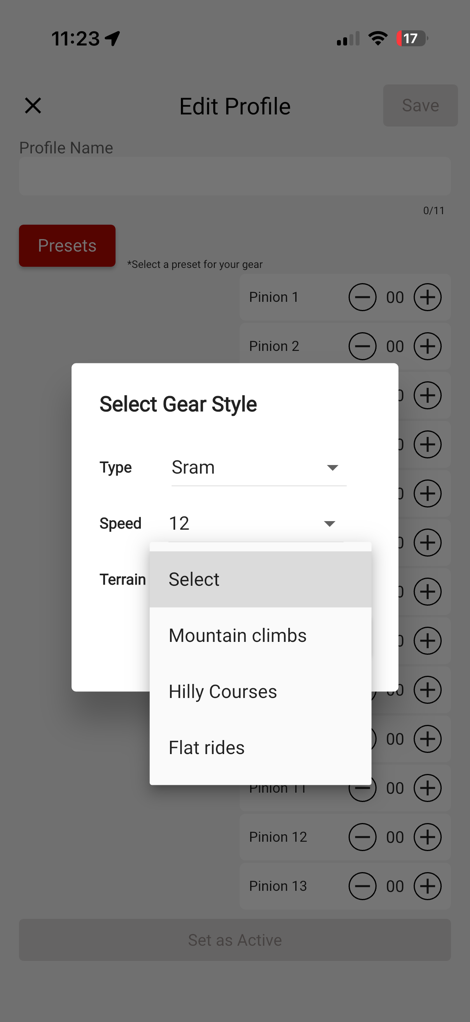
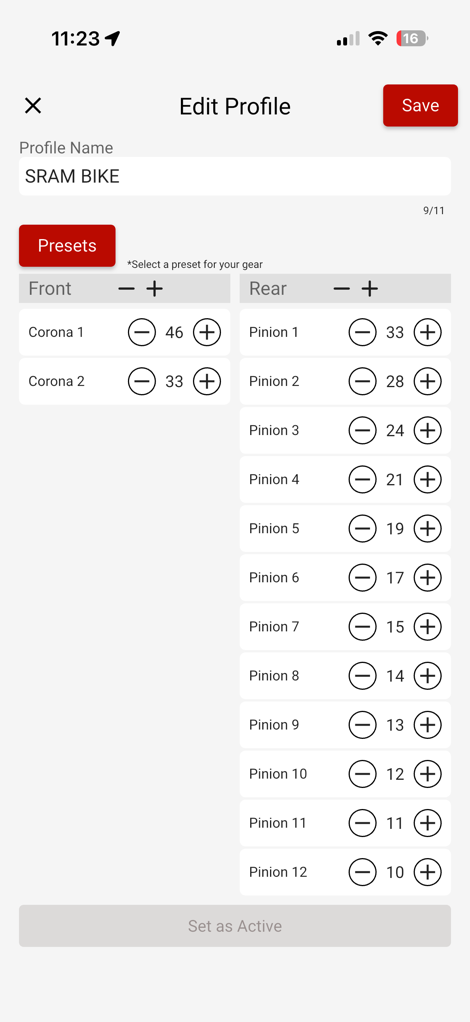
This is cool, but my only complaint here is that the Elite Square app is super fiddly. It crashed like 3 times just getting these screenshots, and the rest of the time it hung a bit (like, a long long bit) between each profile creation piece. Thankfully, you have to do that rather rarely.
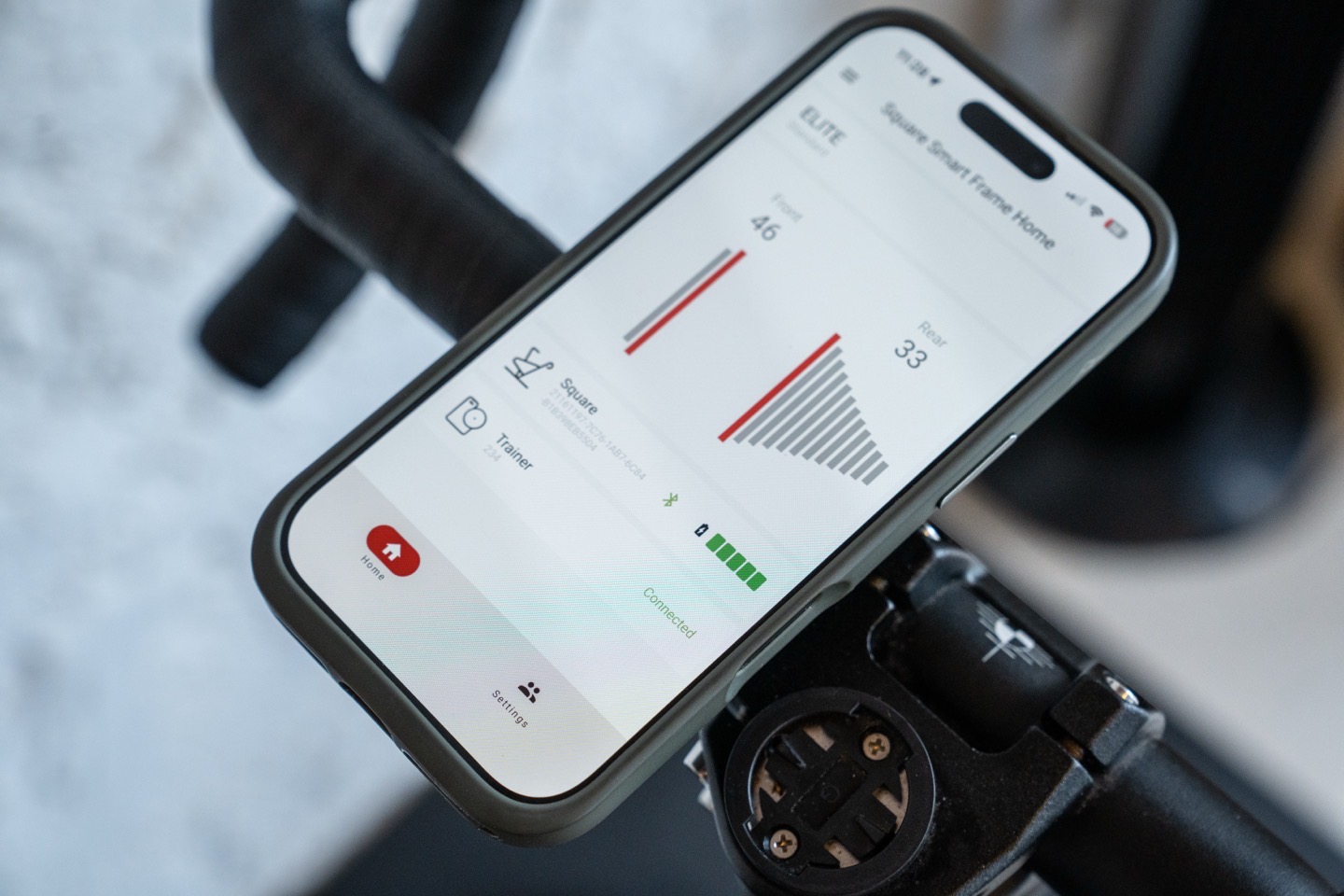
Instead, the second core piece, aside from pairing a trainer, is to see your gearing live, on your phone. You can then place your phone wherever you want, to be able to see exactly which gear you’re in.

In my case, I’d just use a phone case mount for my handlebars, to do this most easily:
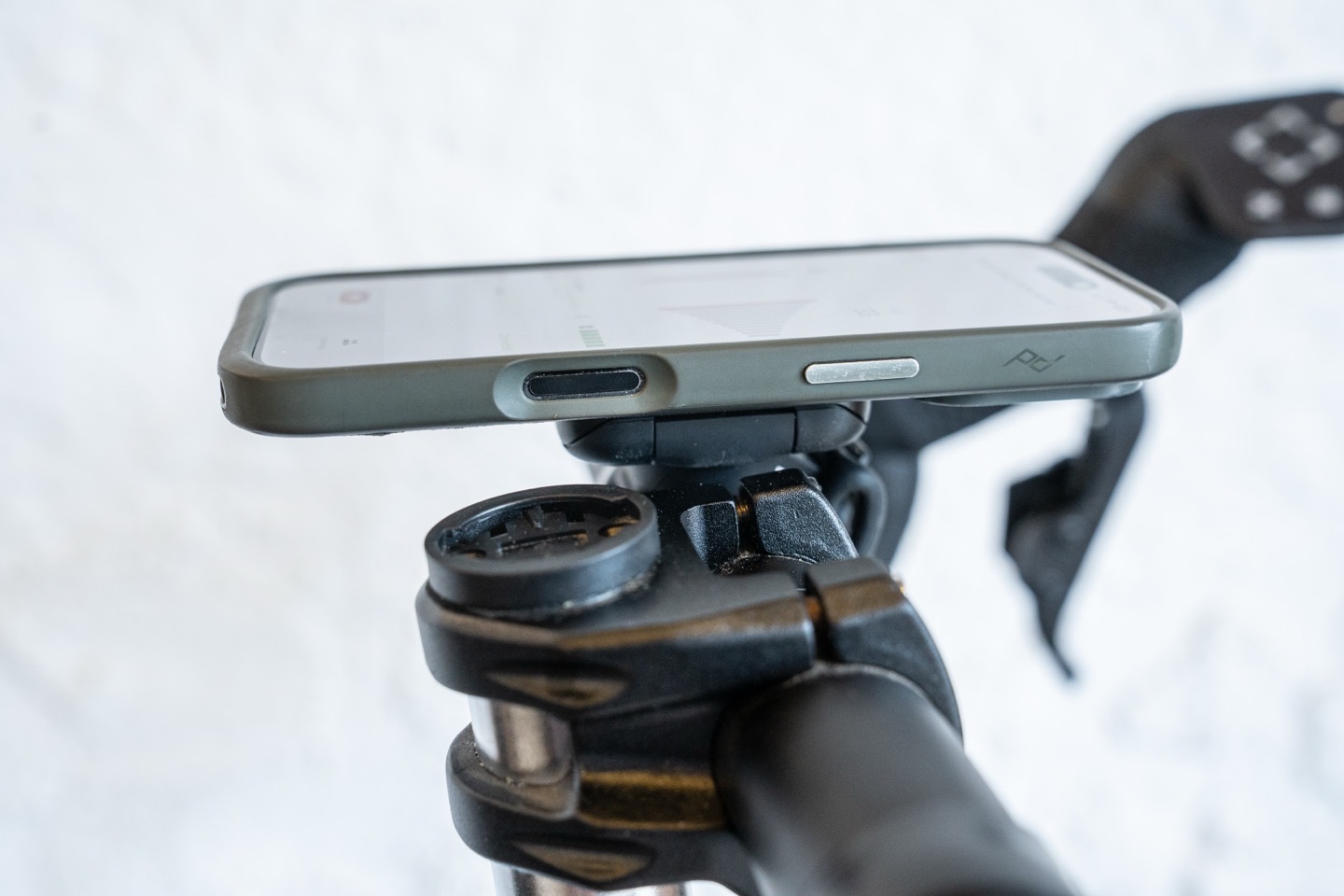
These gear shifts are instantaneous when it comes to the app display. Beyond that, there’s really no other Square-specific software pieces. The Elite myETraining app is the same as used with any other trainer of theirs, and honestly hasn’t changed in about a decade.
So, with that sorted, let’s start with Zwift.
Riding With Zwift:
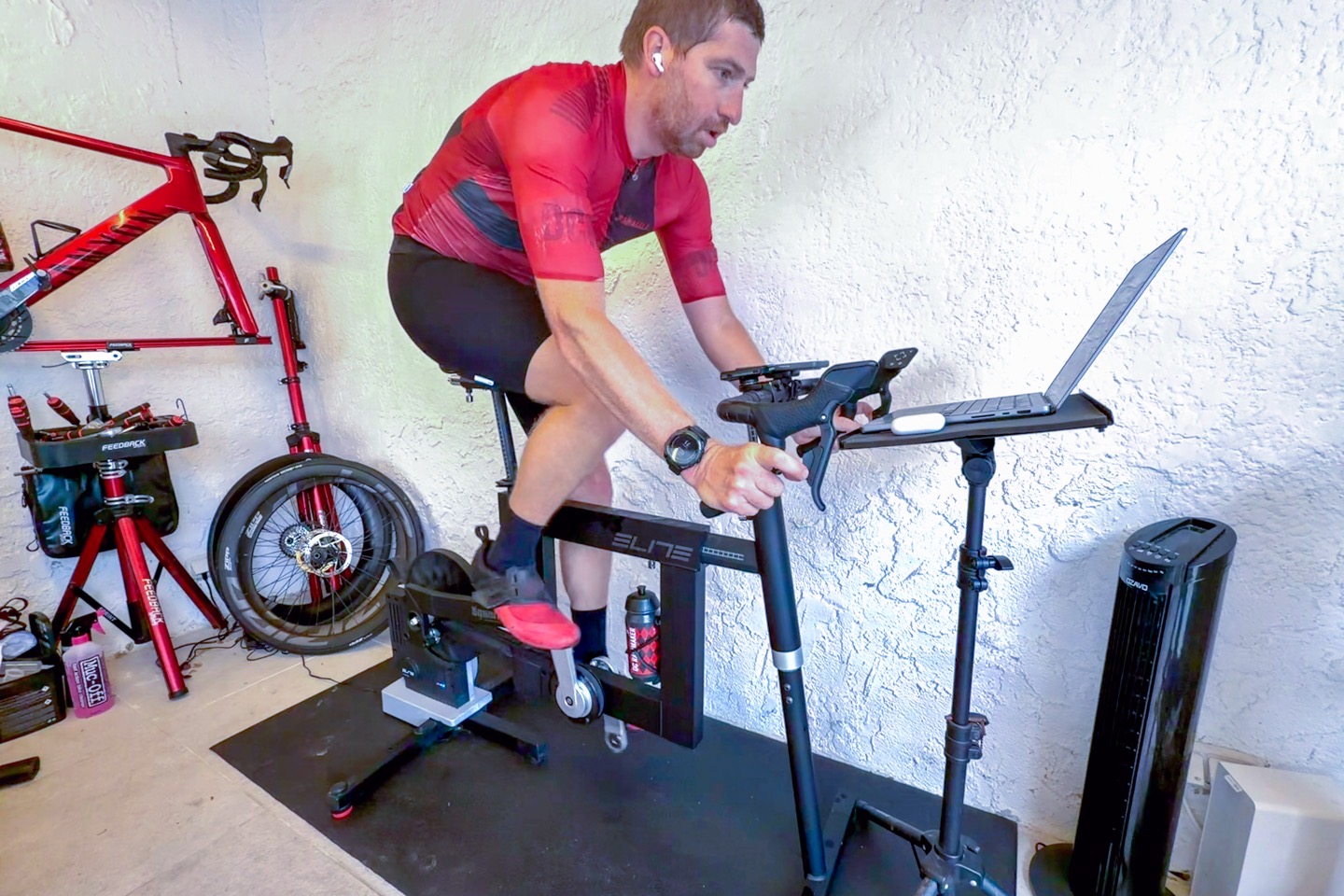
With that, we’ll load up Zwift. In the pairing screen, you’ll see your Elite trainer as usual, and you’ll pair to that as normal. The Square doesn’t show up here yet.
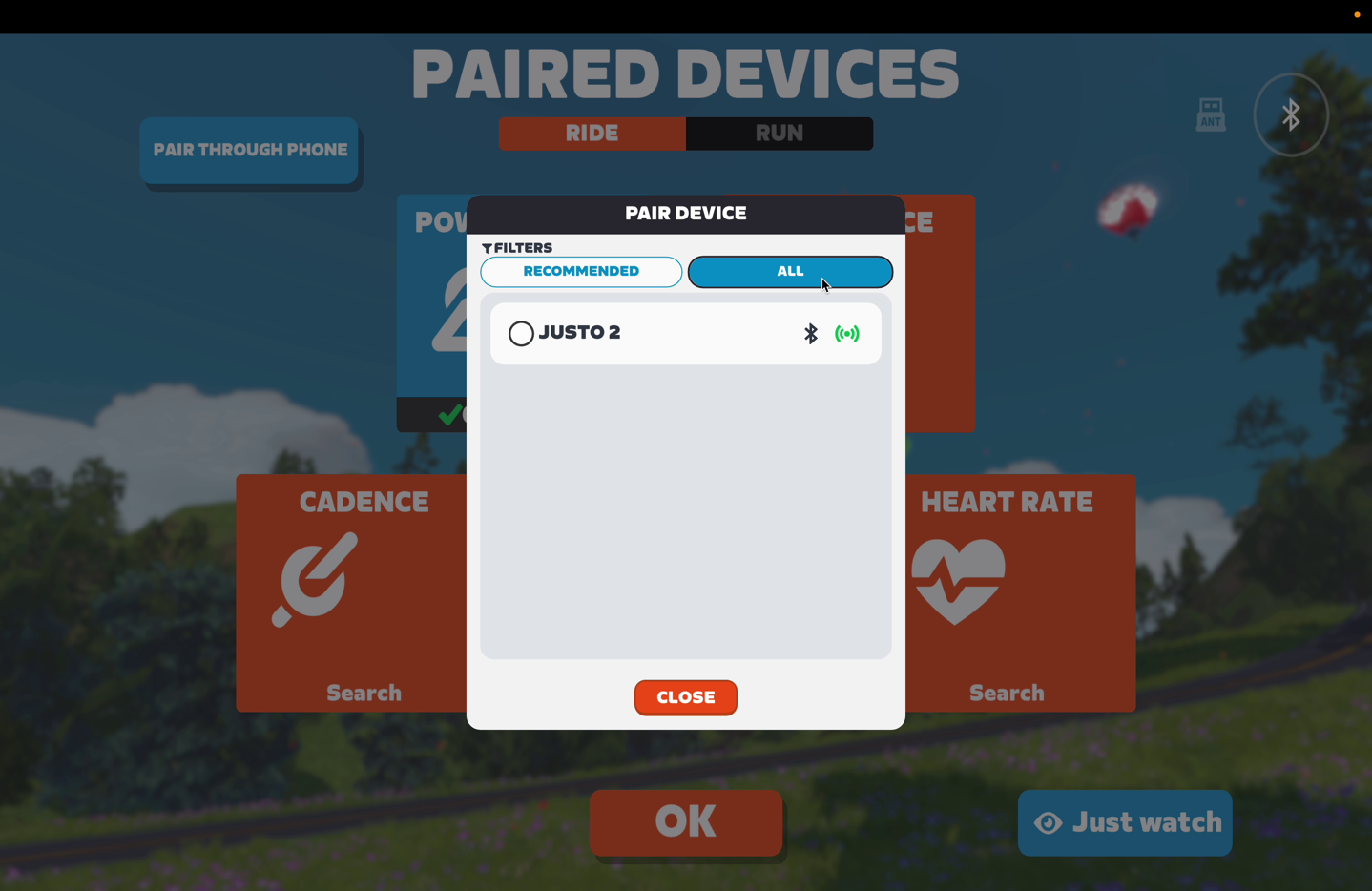
Note however, previously, when Elite was supporting 3rd party trainers (e.g., a Tacx NEO or Wahoo KICKR), this is where, after pairing your non-Elite trainer to the Elite Square, it’d create a new ‘trainer’ connection called Square, and you’d have paired your app (e.g., Zwift) to that Square ‘trainer’. This would have allowed the Square frame to act as a middleman and control the trainer. Whereas with Elite trainers, they have special firmware (just like trainers compatible with Zwift Cog) that knows about the Elite Square frame and handles it all behind the scenes.
In any case, in order to have controls within Zwift (specifically, steering controls), you’ll go to the controls menu and pair up the Elite Square there:
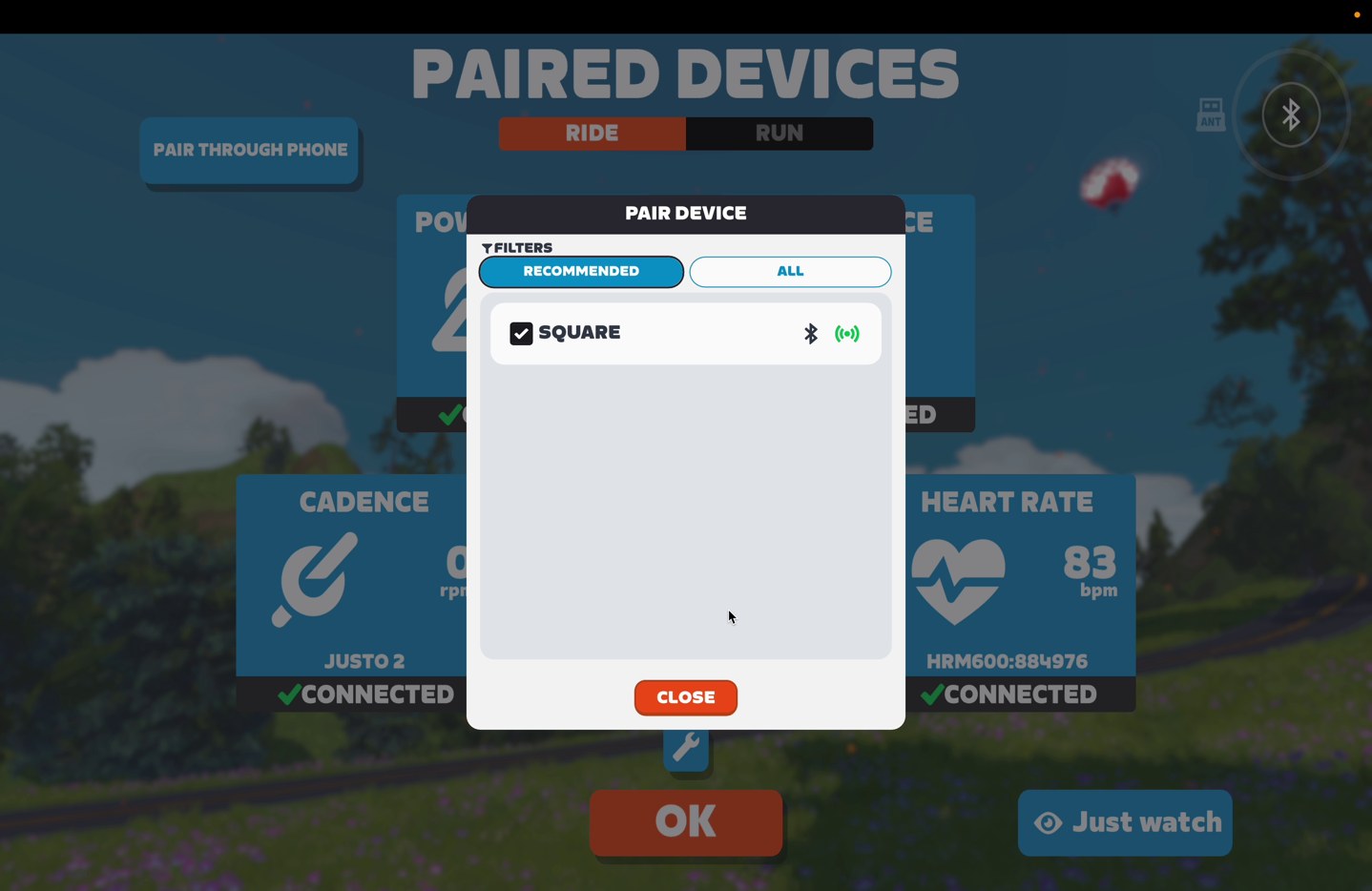
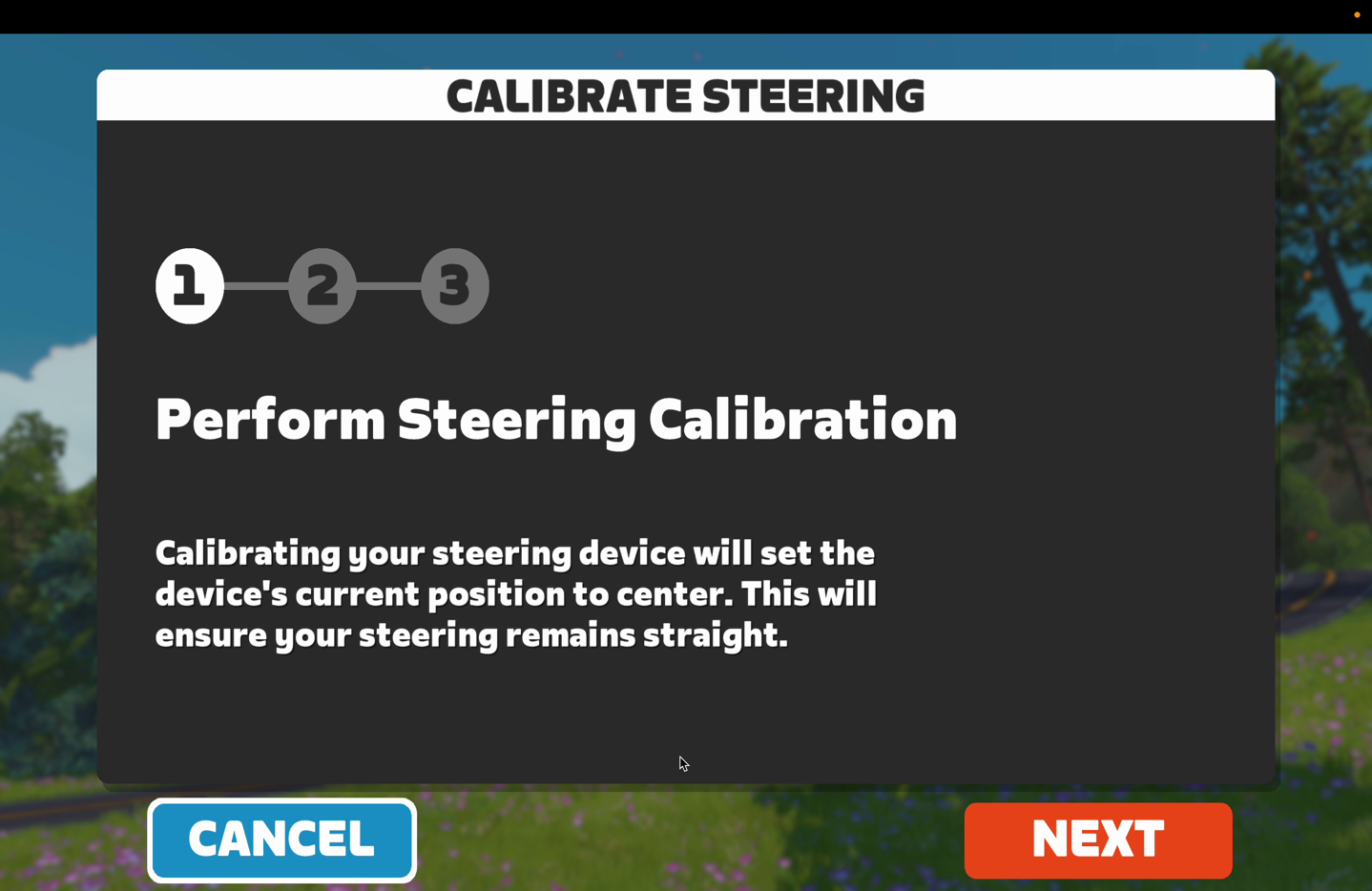
It’ll also offer to do a steering calibration, though, that’s not applicable here. We’re just going to use the controller buttons to steer, akin to any other Zwift controller.
With that, off we go to start our ride. As always, it doesn’t really matter what we do, but I chose a rolling/hilly course, in order to validate the latest firmware. One of the first things you’ll notice is a lack of a gearing indicator on the screen. While most smart bikes (and all Zwift Cog implementations) do show the gearing indicator, it doesn’t show on the Elite Square today.
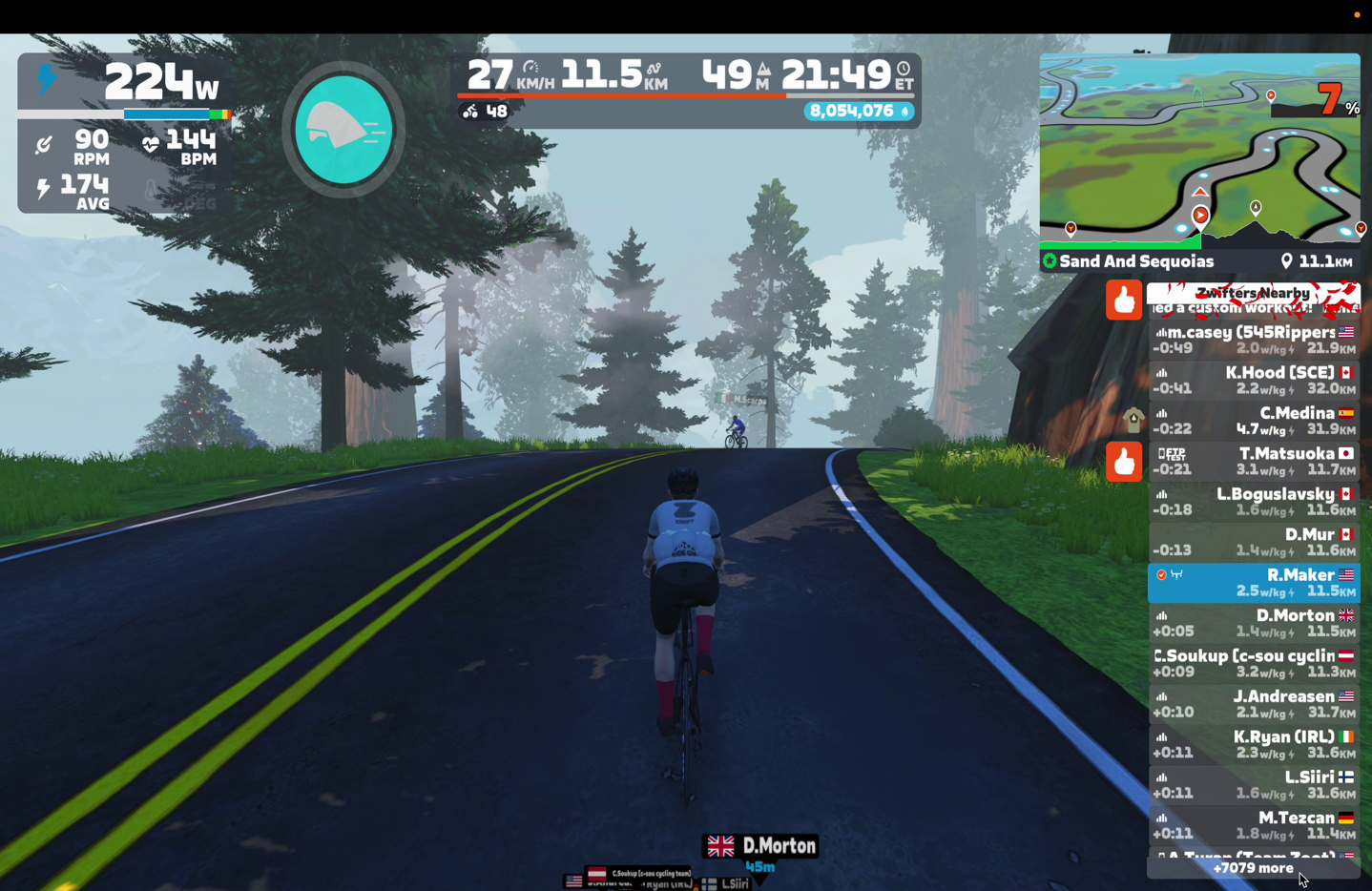
I found this challenging, and instead, really had to use the Elite app on my handlebars to show current gear indications:
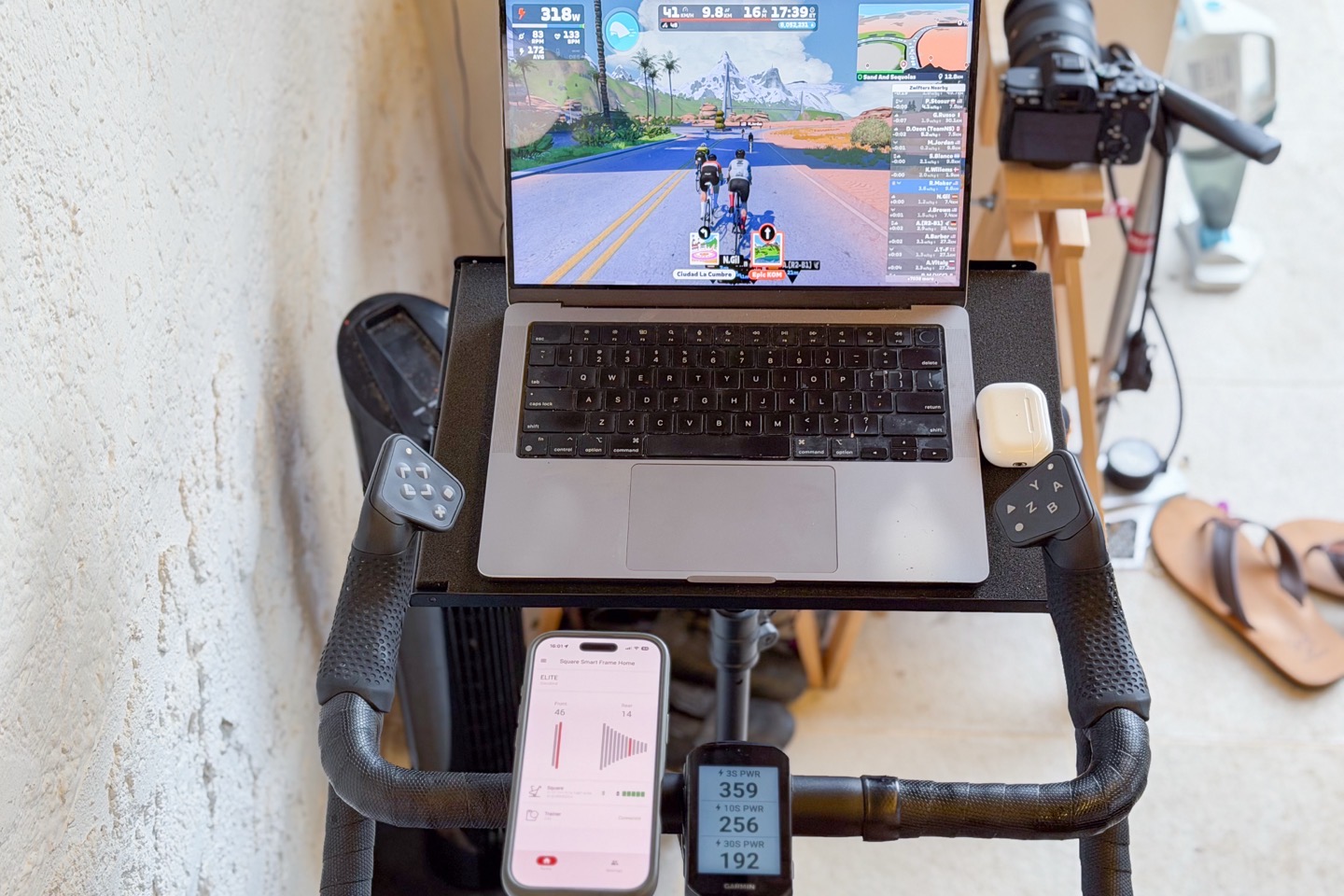
For reference, here’s what a typical gear indication screen looks like on Zwift (see upper left corner, Gear 2-7). But unfortunately, this isn’t shown with the Elite Square. The example screen below is with the Zwift Cog.
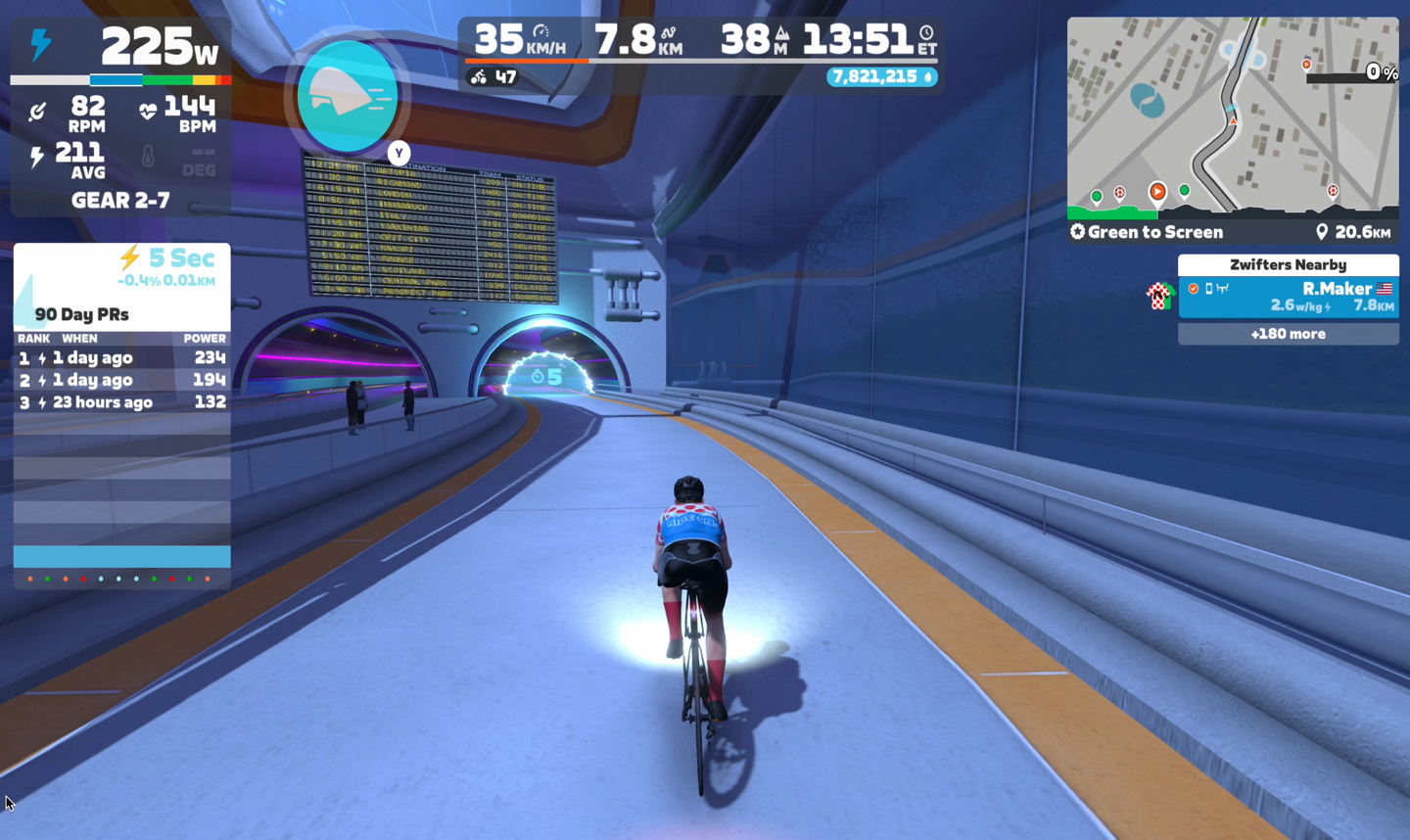
The reason this was more challenging than the handful of other smart bikes that lack gear indications is the speed to shift. While Elite has made tremendous progress here on the speed to shift, it feels slower than others. In reality, I don’t think it’s actually slower, but rather, is ‘smoothed’. Meaning, when I shift on most smart bikes/cog implementations, there’s a near instant change in resistance. But in the case of the Elite Square, the power change is gradual, so it’s hard to know in that first 1 second whether or not the shift actually happened.
This means that shifting just once or twice is really challenging to detect immediately, whereas if you fly through the entire virtual cassette shifting quickly, you’ll notice this since it does get through that cassette quickly, but does it in a very ‘smoothed’ way. Ultimately, this smoothed aspect is what requires (in my opinion) the gear shifting indicator, so you know whether or not it’s actually shifting and just hasn’t seemingly caught up yet.
I’d say this is really my single biggest criticism of the ride feel. In a realm where most smart bikes are actually aiming to trigger a slight ‘jolt’ on each shift (akin to your real bike), this feels like that super fancy limo driver who accelerates in the most gradual and smooth way possible.
In any case, the next bit is the steering. With Zwift, you’ll use the X/+ (left side) and O (circle, right side) buttons to steer left and right. This is pretty much the same as most other indoor bike (or Zwift controller) implementations. No biggie, this worked fine.
The biggest gap though, that exists here compared to the Zwift Ride, is the lack of any use for all the other buttons. The other buttons don’t do anything in Zwift today, there’s nothing connected. In talking to Elite this morning (December 17th, 2025), they noted that Elite is close to finishing the Zwift Protocol implementation, which will include lighting up these buttons to effectively act like a Zwift Play controller. This would be a *HUGE* step up, and really make this a much more compelling purchase for Zwift users.
When I asked about the timelines for this, Elite said they are aiming to release by March 2026. So not really ideal for this winter, even assuming no delays.
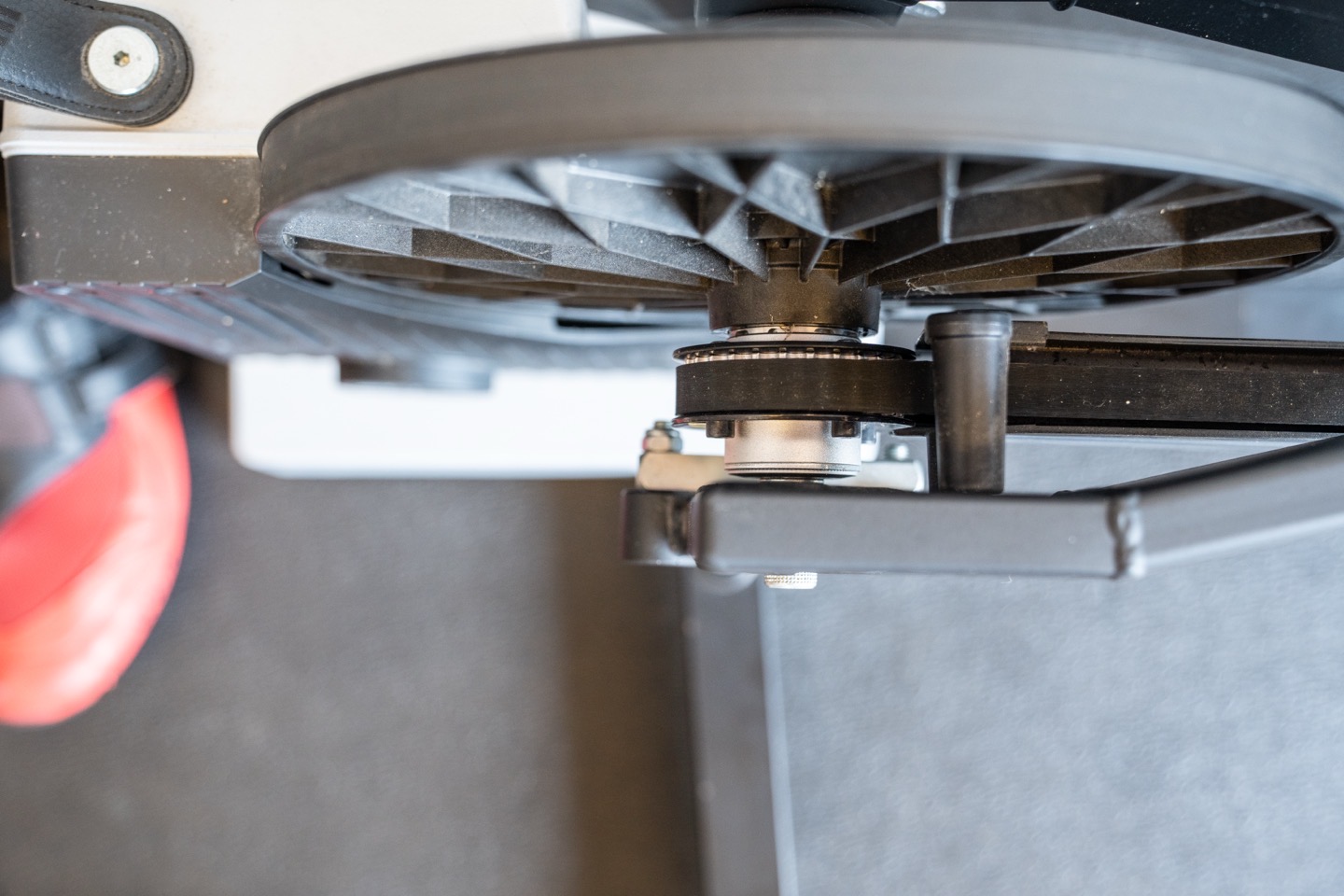
Beyond that, riding in Zwift is just like any other trainer/bike: You pedal, you suffer, you sweat, no biggie. However, one thing that’s worth mentioning is that it’s entirely silent. Very much like a Peloton bike or such, rather than the Zwift Ride, which, due to its chain-based design, has more noise (though, not a ton). The only sound you’ll hear is very faint noises from the trainer internals, but again, since there’s no cassette with metal bits touching other metal bits, it’s very very quiet.
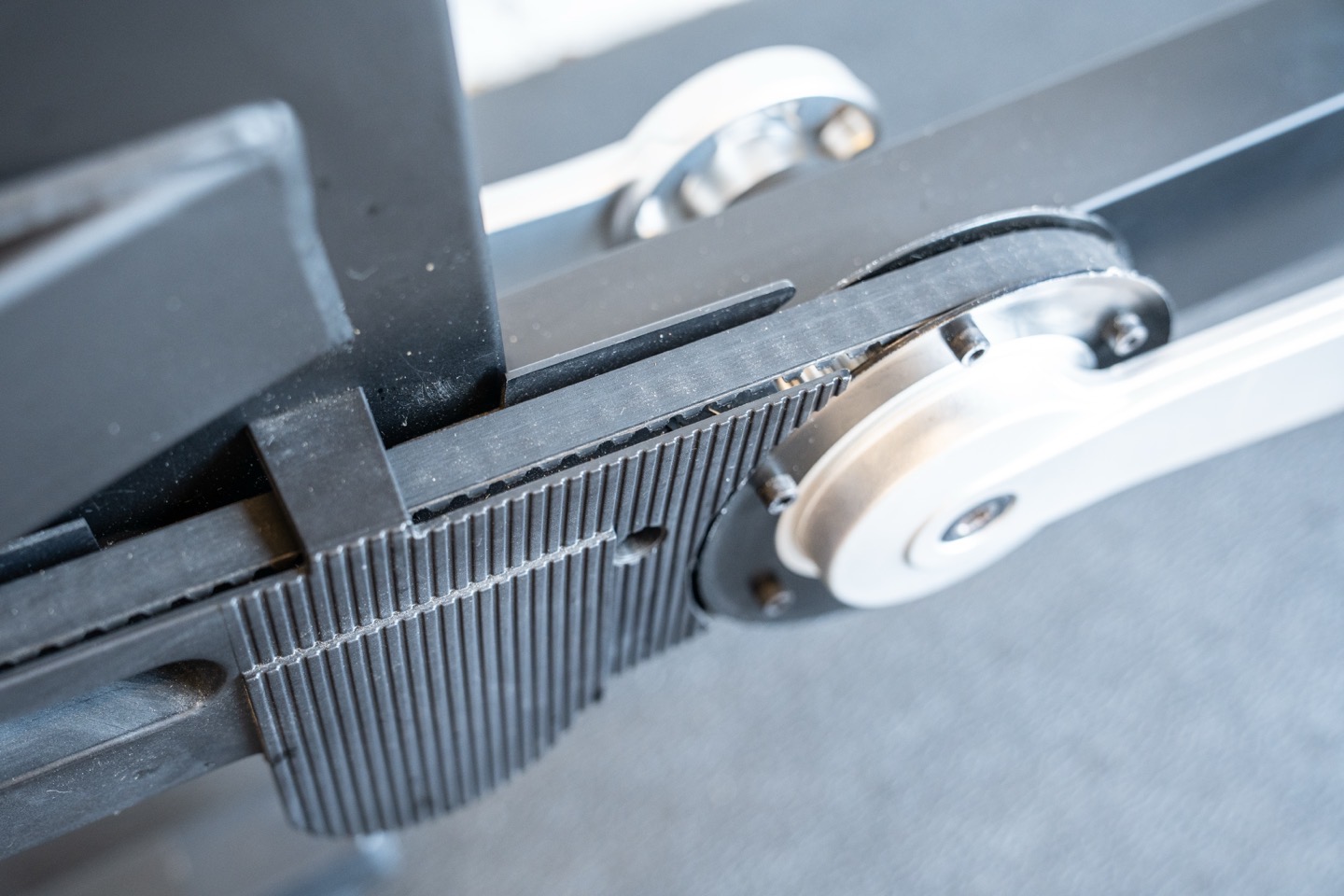
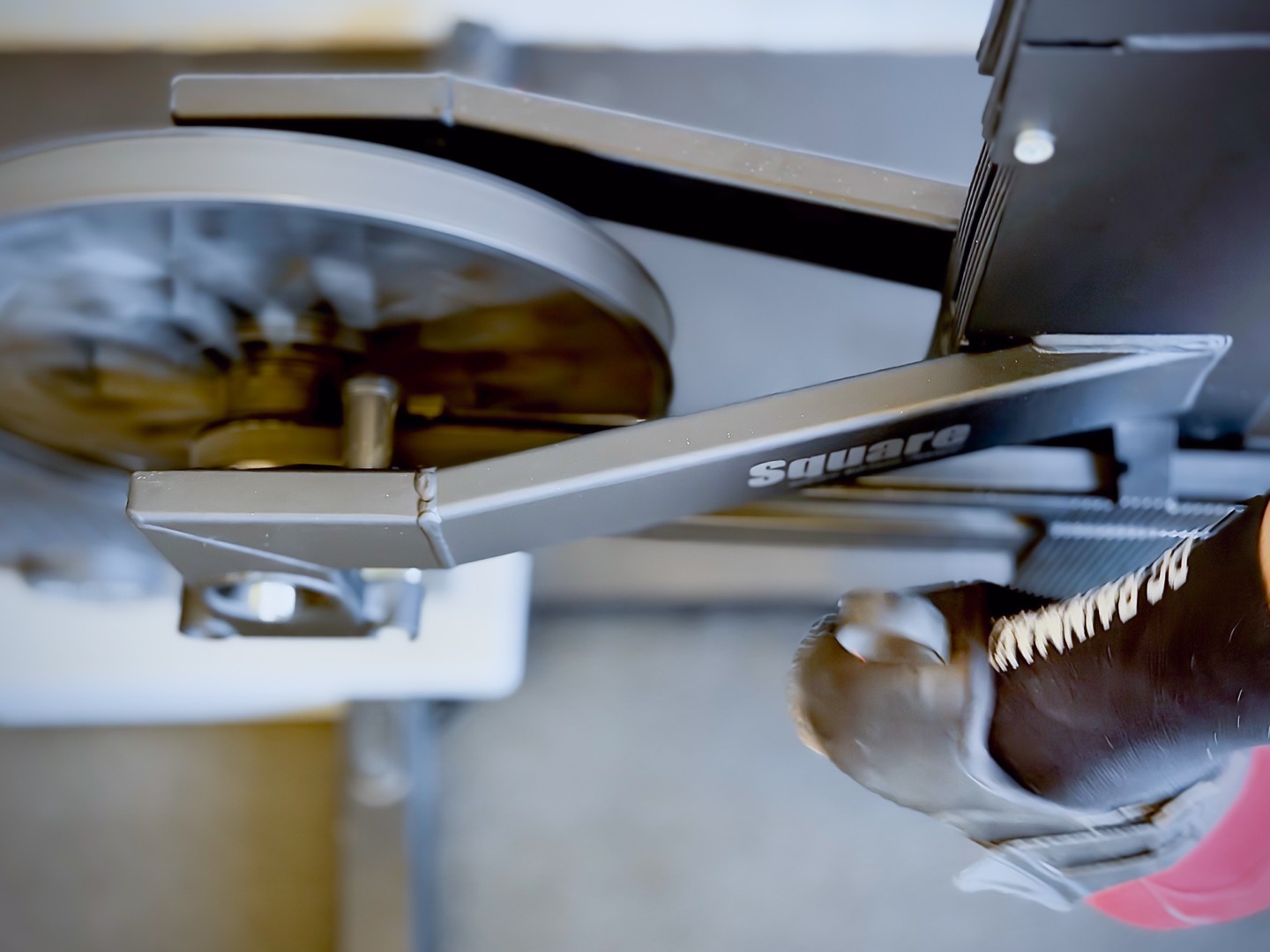
I will note that at the start of some of my rides, I did hear a slight squeaking sound from somewhere down there. I don’t know where it came from, or why it exists, or why it stops within a minute or so of the start of my ride. It’s not loud, and unlikely that someone sitting in the same room reading a book would even look up and ask about it, but it was faintly there, briefly most times.
In any case, here’s a quick look at the accuracy from a Zwift SIM ride:
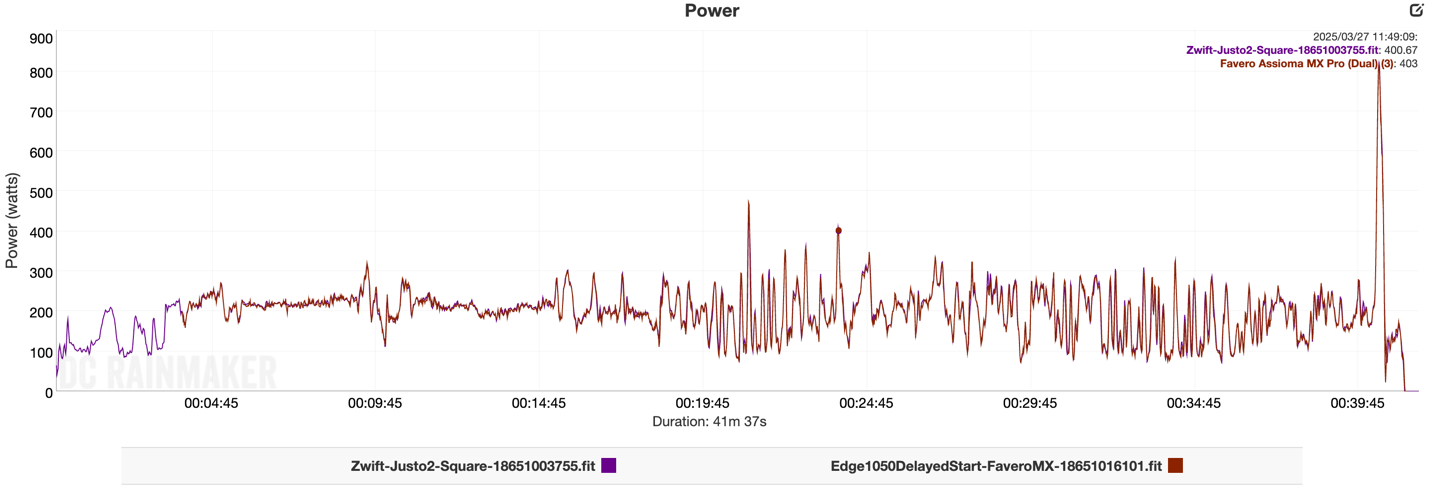
As you can see, virtually identical to the power meter pedals. Crazy close.
I point this out because there had been some concern from folks (prior to shipping) around the belt and tension impacting accuracy, but I’m just not seeing it in real life. And this is across rides from last winter till now, so plenty of time for the belt to do some drifting, but that just hasn’t happened. And the unit has effectively been ‘outside’, albeit undercover, so searing hot temps in the summer, and some cooler near-freezing temps at colder points (though not quite freezing). Meaning, lots of environmental variability. Albeit, less riding than a typical user, probably.
And then another ride just yesterday, to validate the latest firmware, as well as any shifts that might have happened since last winter in terms of the belt stretching or whatever.
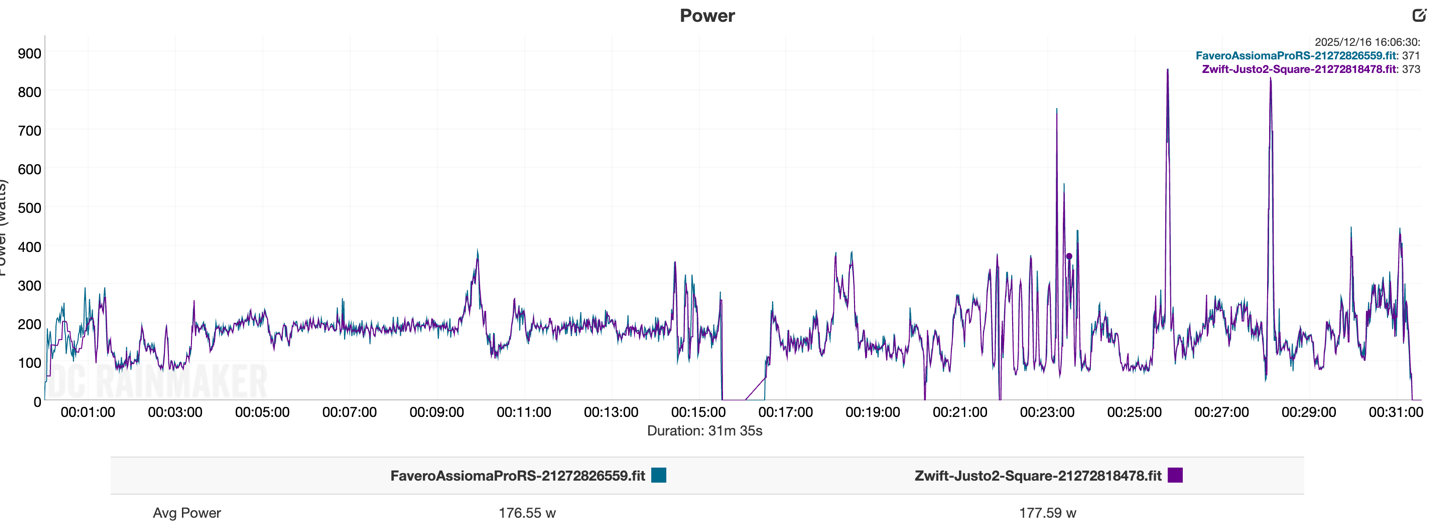
As you can see, spot-on with the Favero Assioma Pro RS. So, let’s move on to the next bit.
Riding with Rouvy and 3rd Party Platforms:
In most ways, it’s the same as Zwift, except no integration for steering. So, starting off at the beginning, you’ll pair up with your trainer as before. In my case, again, that’s the Justo 2, but practically speaking, it doesn’t really matter.
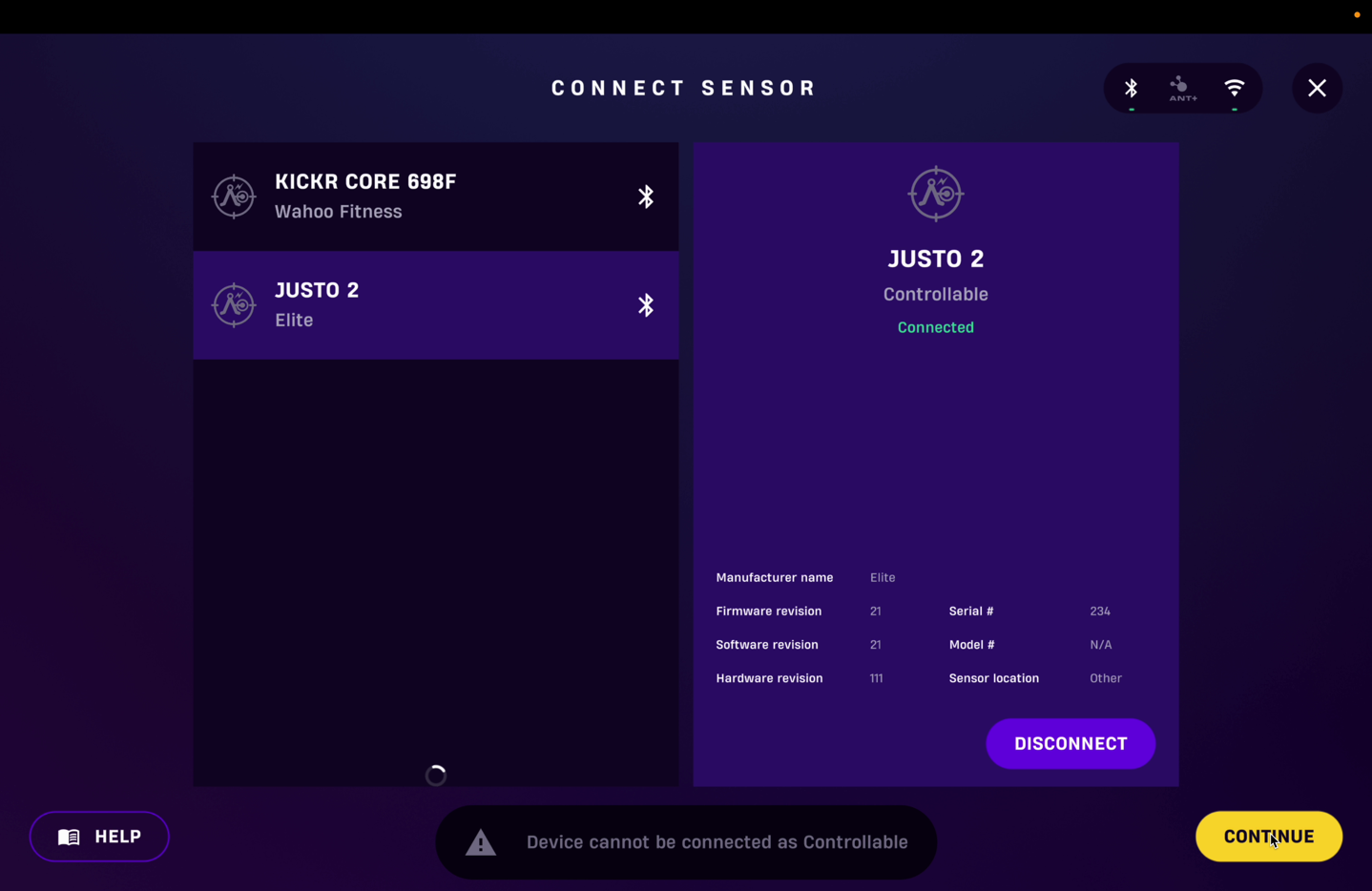
I then went to try to pair the ‘Virtual Shifting’ option:
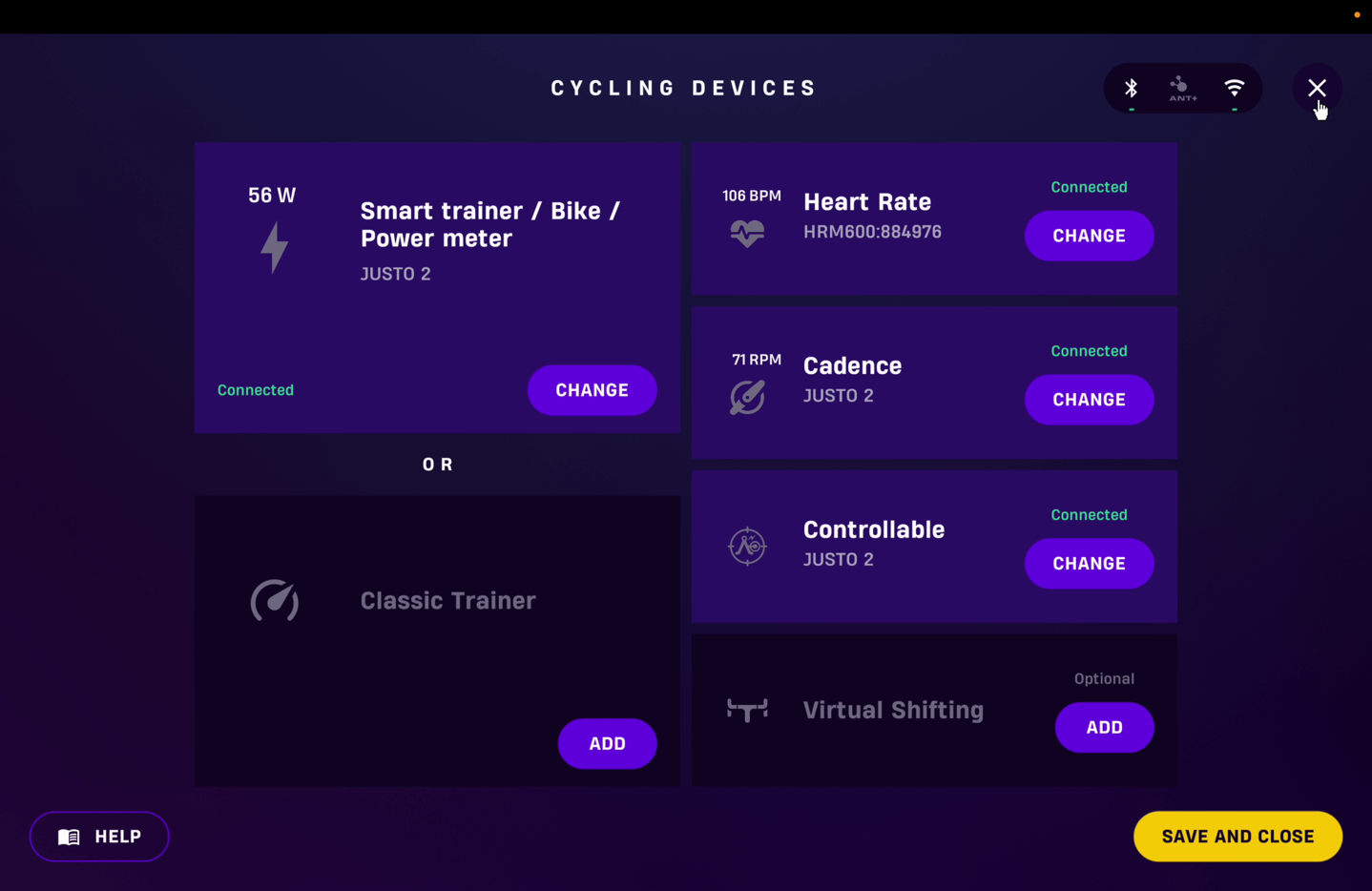
But nothing would enumerate:
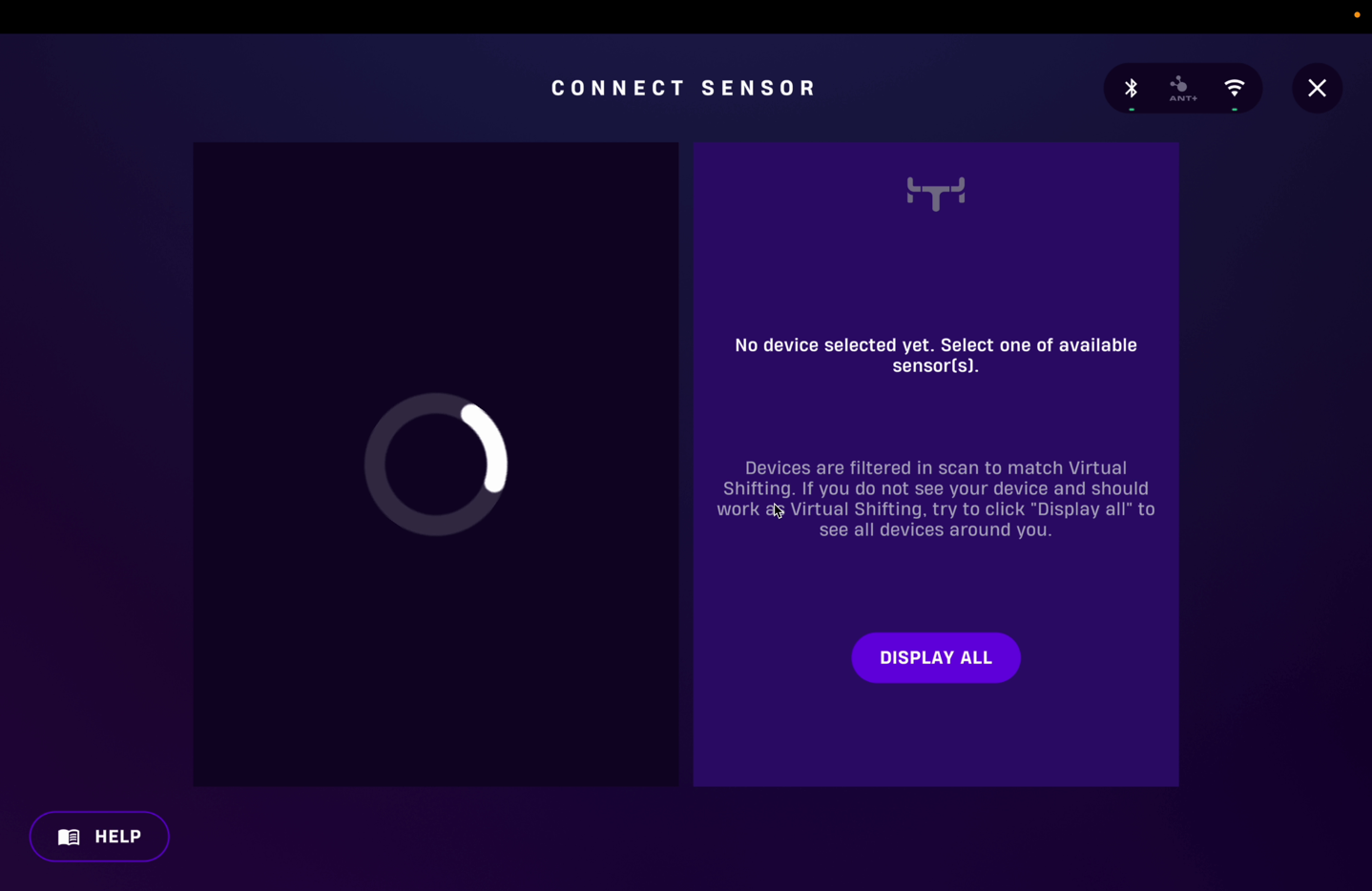
So I tried the ‘Display all and search for everything in my city’ button you see above, and that did find the Elite Square:
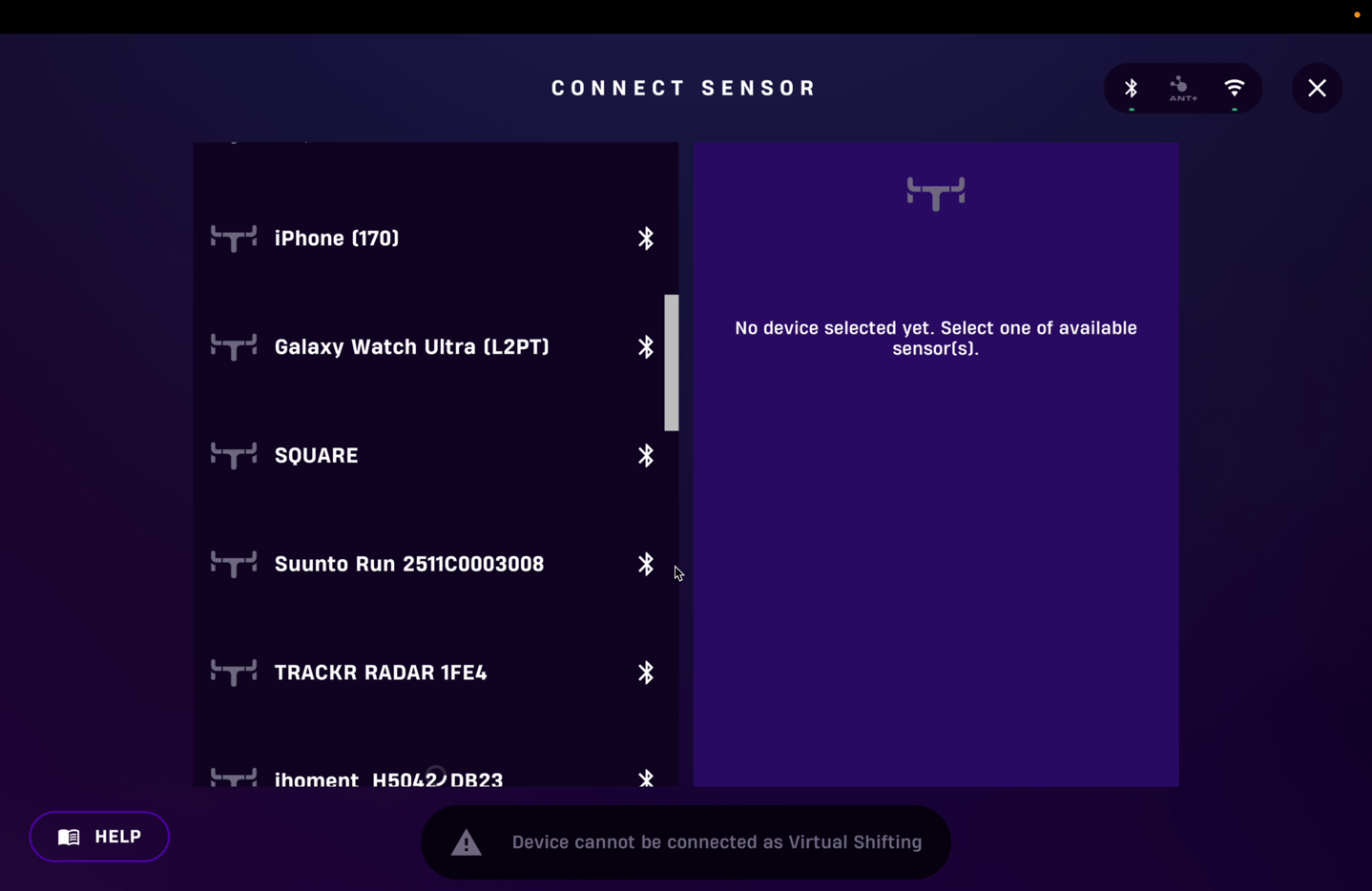
However, upon tapping it, it just circled forever and never connected. I’ve confirmed with Elite that there are no controls integration today with Rouvy, so this wasn’t supposed to work either. Elite did however say that they are working on 3rd party integrations with various apps, but that’s a bit further away than the Zwift controller integration, and there’s no timeline for that.
In any case, once riding, it’s just like Zwift. Shifting worked identically there.
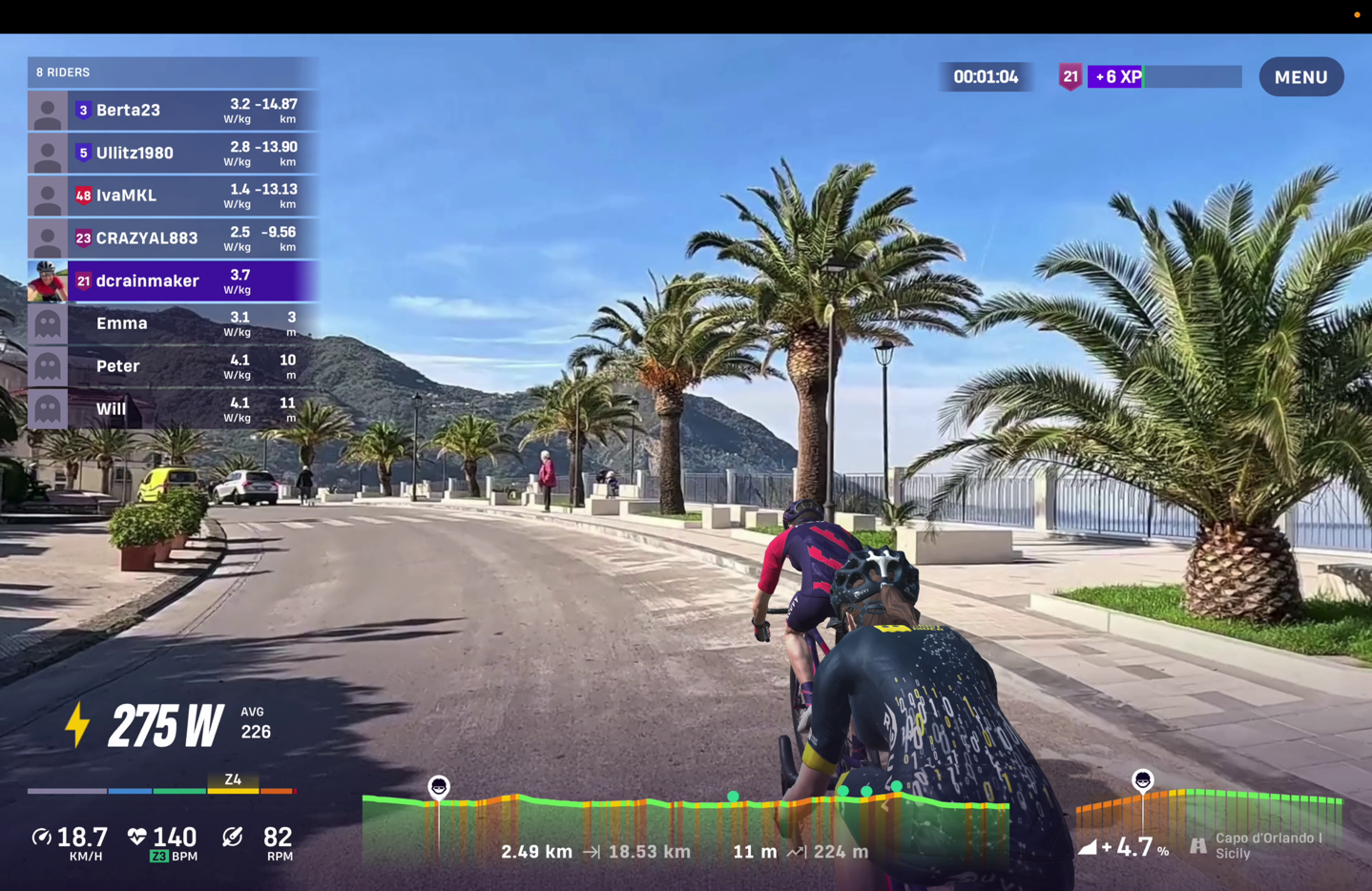
I’d expect this to translate to other apps as well as being the same, since there’s literally no awareness from these apps that they’re talking to a virtual shifting unit. Everything is just happening outside the purview of the app, akin to a normal smart bike. To these apps, it’s just a smart trainer.
Riding with TrainerRoad (ERG Mode):
This section is easy because it’s the one that Elite does best at, since there’s no shifting involved. Here, the trainer is doing all the work internally, just as any other trainer on any other platform is. In fact, ERG mode is the one mode that you can use non-Zwift apps for on the Zwift Ride (or equally, any other trainer with the Elite Square). The trainer app simply uses an industry-standard protocol (ANT+ FE-C or Bluetooth FTMS) to tell the trainer what wattage to set it for, and then boom, it’s done.
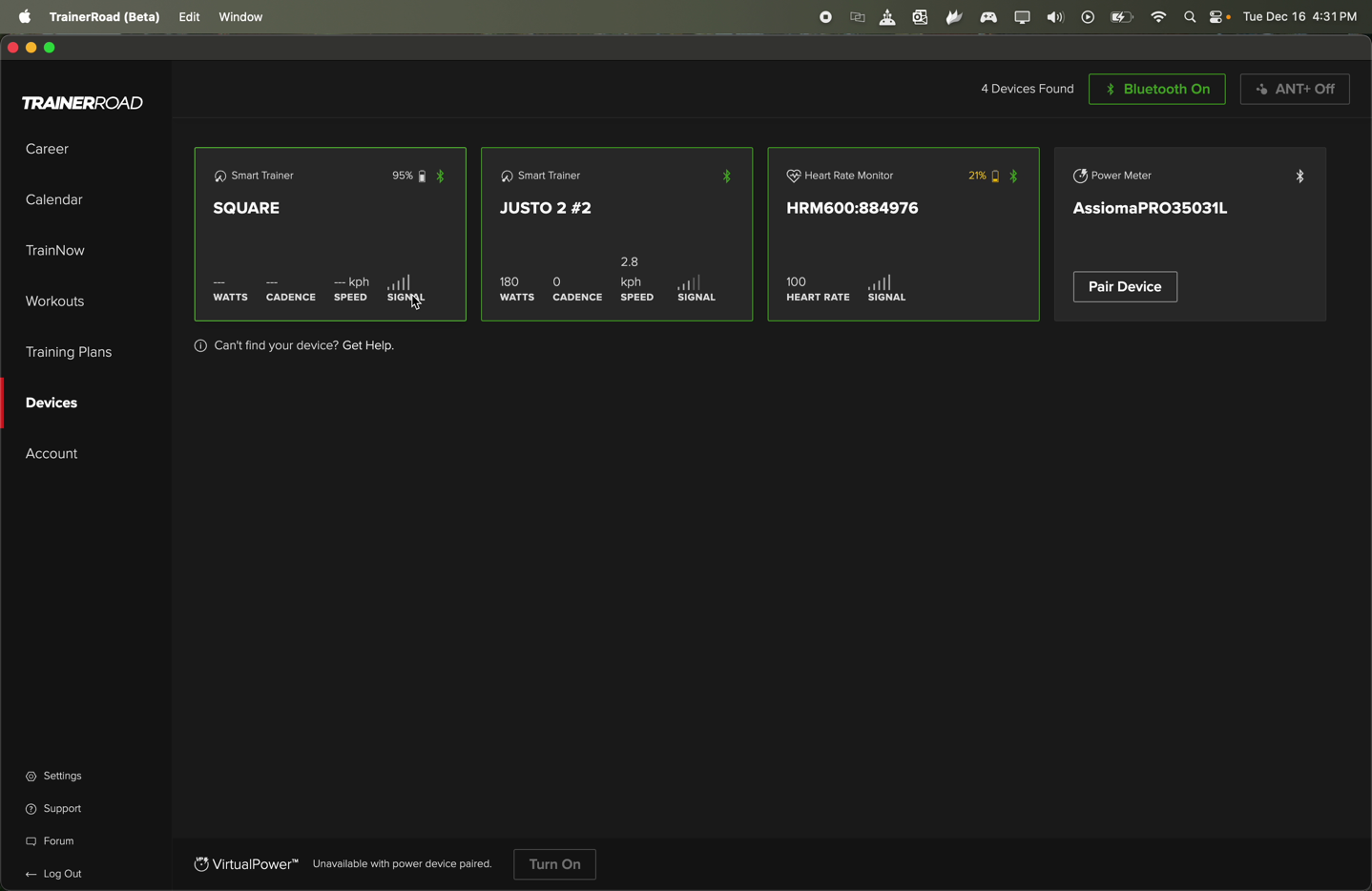
In my case, I had zero issues on either TrainerRoad or Zwift using ERG mode. It worked, and worked flawlessly. And again, critically, did so entirely silently. Note that while TrainerRoad did show ‘Square’ as a pairable thing, and could pair to it, nothing happened with an Elite trainer connected (and no data came through). You can see below, as I pedal, that the Justo 2 shows my current wattage, but the Square option doesn’t.
For fun, from an accuracy standpoint, here’s how ERG mode looked on one ERG ride I had handy.
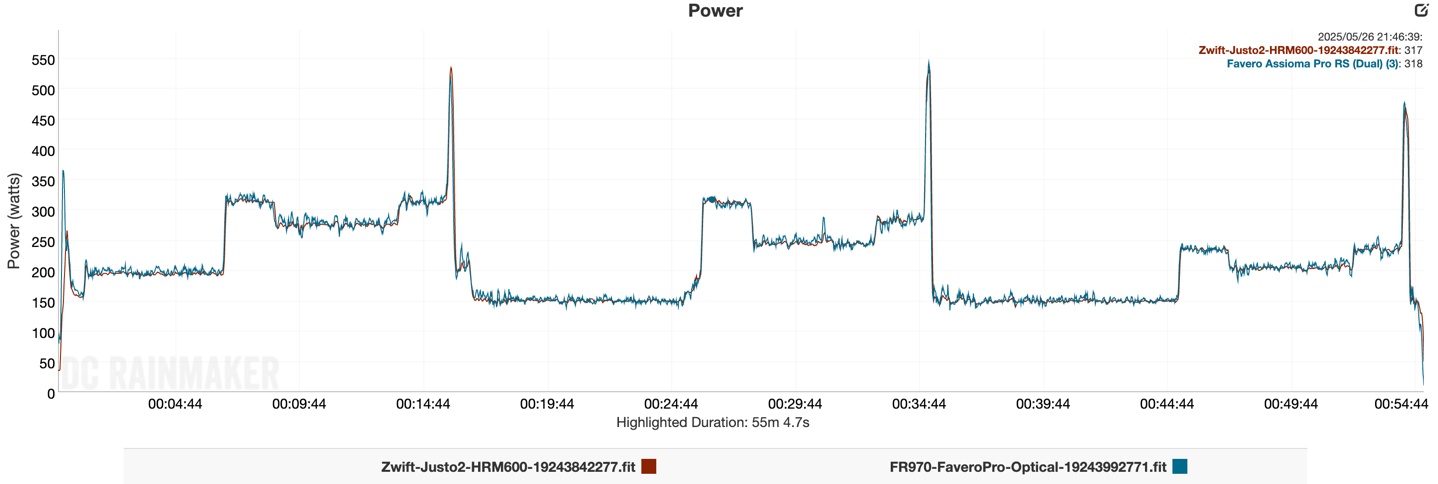
Others all looked the same. Again, any initial announcement-era concerns around belt impacts here on accuracy just aren’t manifesting themselves.
Wrap-Up:
There are many times in life where doing the principled thing is the right thing, and works out as the best overall solution, both for users and the world at large. But when it comes to technology and walled gardens, those two don’t always mix. In the case of the Elite Square, Elite clearly set out to do the best thing for consumers in making a smart indoor bike frame that was widely compatible with any trainer and any app, and didn’t lock users into a given ecosystem like the Zwift Ride. And likewise, aimed to even allow users to choose non-Elite trainers too.
The challenge though came in the implementation of that. Whether by choice or forced hands, Elite wasn’t really able to achieve that level of independence due to a lack of industry standards. Each of the trainer companies has effectively created silos for how trainers interact with new controllers, accessory hardware, and new features, largely driven by the way Zwift has forced the industry’s hand on the Zwift Protocol (and avoiding existing common standards, or expanding them). While the Zwift Protocol is indeed great for *Zwift* consumers, it’s caused the trainer manufacturers and the rest of the trainer app realm to fracture, and the Elite Square as a product has suffered the ramifications of that.
Roughly a year on from announcing the Zwift Square, Elite finally came to grips with that, and thus the change in marketing stance on 3rd party trainer compatibility, and now focusing on implementing Zwift Protocol for better Zwift support. These changes will at least make the Zwift-specific experience great, but it’s unclear what the path forward is for other apps. Those experiences remain similar to existing smart trainer integrations, so there isn’t any real loss there (plus, you get the added benefits of multi-user smart bike usage).
Point is, I think the Elite Square still has an audience, especially for existing Elite trainer users who want to upgrade to a smart frame that is cross-compatible with apps, even without all the nifty button functionality. In effect, that portion remains quite compelling as an alternative to buying a fully $3,000+ smart bike. Thus, while I don’t think the Square has the same appeal as the Zwift Ride for Zwift users, it’s still super interesting for everyone else. And once Elite completes the firmware for Zwift Protocol, then it becomes very compelling for primarily Zwift folks, too.
Finally, the Elite Square itself feels incredibly well built. I’m reasonably sure that if this were to ever fall down the stairs, the stairs would lose. Plus, the silence from the belt drive is great (riding, not falling down the stairs).
With that – thanks for reading!
FOUND THIS POST USEFUL? SUPPORT THE SITE!
Hopefully, you found this post useful. The website is really a labor of love, so please consider becoming a DC RAINMAKER Supporter. This gets you an ad-free experience, and access to our (mostly) bi-monthly behind-the-scenes video series of “Shed Talkin’”.
Support DCRainMaker - Shop on Amazon
Otherwise, perhaps consider using the below link if shopping on Amazon. As an Amazon Associate, I earn from qualifying purchases. It doesn’t cost you anything extra, but your purchases help support this website a lot. It could simply be buying toilet paper, or this pizza oven we use and love.





















I really wish this has worked well with other trainers. I have the Victory and I keep an an old road bike on it. For space and maintenance reasons, I’d love to just have a dumb frame like this.
It’s a bummer that they haven’t been able to realize their initial claims (yet), but I’m still impressed by the idea. Here’s hoping they find a way to get the gear display onto screen once they fully implement Zwift protocol because it would seem that using their app for gear display blocks the ability to use the same device for the Companion app (at least being able to see it, could probably still use it as a bridge).
Not in my plans at the current time, but I love the idea of a smart frame that is platform and trainer agnostic (even though I have a Direto XR and spend 90+% of my indoor riding on Zwift).
I use a Garmin bike computer to display the virtual gear info from the square instead of the app. I like the display better than the app and it keeps the phone free to use the companion app.
Would you mind sharing how to achieve that? How do you connect the bike computer to the square?
You just connect it as a sensor.
I don’t undertand this products when you can buy a complete bike for less and put it on the trainer.
My family has three very differently sized people with a mix of 11s and 12s bikes that use a trainer. Not having to constantly switch bikes on and off and switch cassettes (which casual riders don’t want to deal with) makes this worthwhile.
I wish the other platforms would just develop a standard that trainer companies could build to for shifting and steering. Or that Zwift opened theirs up, but that’s obviously never happening.
Exactly.
Indoor smart bikes have never been about trying to compete with an old frame you’ve got lying around, or even a cheap frame. Because that frame is specific to you. They’re about trying to have a bike that fits multiple people, and reduces people dragging dirty bikes through the house.
Now, that’s not to say that ‘single-rider’ people don’t buy smart bikes for themselves. Obviously, they do. In which case, in most scenarios, money is no longer a major factor (since they’re already trading money for not having to use their main bikefor whatever reason).
The appeal of a ‘smart bike frame’ (vs whole smart bike), is that over time you can upgrade the trainer component, or, re-use an existing trainer.
Thanks Ray! PS “And on the inside of the shifters is another button as well, which like most buttons, doesn’t have any purpose at this point and time.” that button works for Campagnolo shift protocol! Oh yes!
As someone who drank the Koolaid and was an early adopter and had to eventually buy an Elite trainer… I am still pretty happy with the Square and hopefully one day I can get it back on the Neo 2T!
Hi Charlie, I’m Gaetano from Elite.
If you’re interested, we’d like you to try a new firmware we are currently testing that improves the experience with non-Elite trainers. We would love to get your feedback on how it works. If you’re available, please contact us at: support@elite-it.com
Thanks!
Thanks Gaetano, I have sent you an email! Avanti, andiamo!
Hi Gaetano and anyone else reading this – using new software and with Square on Neo 2T I will say the virtual shifting is night and day better – well done Elite!
Hello Gaetano,
I’m using a Wahoo Kickr V6 with the Square frame. Any chance for me to test out this new firmware?
Can’t wait to experience the update like Charlie did.
Thanks!
Hey Gert, email info@elite-it.com (YES NOT support@ !) and ask them for the new upgrade to square. You will get a zip file plus detailed instructions on how to execute a JSON file with upgrado app. Good luck and happy new year.
Hi Charlie,
Did you have any issues prompting the upgrado app to start the manual update process on the square? Elite sent me the latest update to test with my Jetblack Victory but I am stuck at the moment trying to prompt the update.
It says it loads to the upgrado app but that’s it, no further options available to start a manual update.
Not sure what device you used but im on an iphone 12.
I’m waiting from a response from Elite but figured I would ask here also.
Hi Matt, my update came as a zip file attachment and here are the instructions I received…
To try this please follow this procedure with the ZIP file on attached:
1. Download the ZIP file attached and transfer it to your phone
2. Using the Upgrado app, follow this guide: Execute a JSON file with Upgrado, but doinf the manual upgrade you have to select the second field, where you can load a ZIP file (Radio field)
3. Once done, you will be able to test the behavior of the Square with your hometrainer
good luck
I got the same instructions… however the button in the bottom right never appears.
OH :( stating the obvious but you need to select ‘square’ as the equipment to link to in upgrado. if you don’t see the screen with square serial number etc then you haven’t gone far enough. sorry I cannot be of more help
For anyone else curious about this, I heard back from support regarding this issue. They blame the apple/ ios ecosystem and suggest I try an android device, of which I don’t have… Yay!
“if you can’t see the red button in the down right corner this means that the file is not in correct folder or your phone can’t see it correctly.
In this case i can suggest to you to use an Android phone, they are always easier device to use than an ios or by the itunes.”
For reference I have tried to upload this manual JSON update with 2 different iphones and an ipad, using both methods described in the instructions (itunes and locally just on the devices) with no such luck…
Matt… bummer! as a software developer I can probably concur that sometimes apple devices don’t handle popups or overlaid buttons well IF you dont code for them specifically in the first place – bit lame, so sorry for you :( I just tried on an ipad and for sure no red button shows
Funny….I had the opposite issue. I couldn’t for the life of me get the upgrade to work on Android. When I took a chance on my iPad, it worked like a charm. Hmmm.
Just an update from my past few months with the Square.
At the end of January, I was able to successfully prompt the manual update process to load the test firmware 18. Honestly not 100% sure what the problem was but I did try a new download of the firmware, and it worked. My process for anyone else attempting this: I downloaded the ZIP file again, created a folder on my iPhone and named it “upgrado”, and used iTunes (original not the windows version) to save/ sync the ZIP to the new “upgrado” folder on my iPhone. I then woke up the square but made sure the trainer was still in standby mode/ asleep. When I launched the upgrado app the red button appeared and I was able to update the square to the latest firmware 18.
I have been using the Square with my JetBlack Victory exclusively on mywhoosh. At first, I had issues when using the virtual shifting on the square where once I shifted to the absolute highest gearing it would stop me dead in my tracks (pedals would not move). I messed around with the different virtual gearing options and concluded that as long as I never set the gearing up with the smallest tooth available on the app, it would work fine.
Other than that, I have had no issues with the Square. Both my wife and I have enjoyed riding it during this time, and the adjustment process is quick and easy between her frame settings and mine (I am 5’7” and she’s 5’0”). The shifting seems pretty responsive. I noticed other comments mention a delay, but I cannot relate. I had previously been using a Bluetooth audio controller to simulate keyboard strokes on mywhoosh to control their virtual gearing, and this feels the same to me. I can rapid shift up, down, or both front/ back simultaneously without issue.
This thing is very quiet! We love the belt drive. For an indoor trainer, this is the way to go.
Now for areas of improvement. Currently none of the other buttons do anything to my knowledge (at least on mywhoosh). Seeing as most of these cycling apps (mywhoosh, zwift, rouvy, etc.) have the option to utilize keys on a keyboard to control various app components, I would think that it would be easier if the square app had and option to simulate a Bluetooth keyboard/ key strokes than needing them to “approve” the square to communicate with their program directly. This would allow for key mapping, like what people are doing with Bluetooth remotes or generation 1 click buttons/ play controllers without the extra coding hassle or 3rd party bridging software.
Another area that I wish were different is the power supply to the square controls. I feel like this should be a wired connection (not a battery) and plan to retrofit mine with some sort of adapter in the future. It seems like this thing will go through batteries… The one that shipped with the unit was practically dead on arrival, so within a couple days use I had to install a new one. Not a big deal, pretty easy to replace. Well, the fresh battery just died the other day, so 1.5 months of use. Our typical use is around 2-3 hours combined, every other day.
All in all, no regrets. I just really hope they continue progress with getting the buttons functional.
I had a full Elite setup for a period:
Square Frame
Justo 2
Rizer
Frame:
The handlebars are awful and the drops are worse. You cannot swap handlebars as there is a wire that connects the two shifters together. This was deeply annoying. The shifters themselves come very close to the handlebars (little gap between the lever and the curve of the handlebars – a bit like if you have used the reach adjustment screw for someone with the smallest possible hands). I ended up using other handlebars and using Zwift Play controllers for shifting eventually. I do like everything else about the frame itself and the ability for my wife and I to share the same setup is great. We previously had a Wahoo Kickr Bike and the shifters broke on that every 6-9 months. The seatpost clamp had also snapped off.
Justo 2:
The lag/smoothing DCR describes is from the Justo 2, not the Square. I found it nearly impossible to appropriately do sprint workouts. Knowing how many gears to grab was such a guessing game. This turned out to not be much of an issue as after 5 months the adjustment motor on the Justo 2 died on me and Elite’s response was for me to ship it from NA back to Europe. I went with a Neo 3M and that has been great.
Did Elite indicate why they are using a quick release and not through axle? This feels like a perfect through axle use case.
Never brought it up. It’s been fine. I assume it lowers manufacturing costs?
One of the main reasons I bought the Square was the originally announced compatibility with any trainer – I own Wahoo CORE. The unmentioned elephant in the room is the additional power metering lag when you connect to the Square acting as a middle man to the trainer, right? Which is when it is paired with non-Elite trainers, correct?
I mostly ride in ERG mode, so I ended up connecting directly to my CORE and the frame works like a charm. Except when I press any button by mistake – then Square turns on, takes over the paired trainer and breaks everything. To turn it off and fix stuff you need the Campagnolo buttons – so those are useful, after all :-)
I occasionally use MyWhoosh. There I can also directly connect to the trainer, use virtual shifting in the app and there is no lag. If you don’t care about the lag, you can connect to the frame as well. I can also connect to the frame as a controller, but strangely no buttons work. Except the shifting outside of the app, of course. And the breaking maxes out the trainer resistance, but the avatar does not stop.
The frame is solid and mostly well made, but as others have already noted, the handlebars are not comfortable and not replaceable without losing functionality. My model also didn’t have some holes drilled completely and I can’t loosen the screws to change the crank length, so maybe some things are too solid ;-)
I love the belt system, but if started producing some noise after a season of heavy use. I hope it does not get worse than that.
Dear Marcin,
this is Gaetano from Elite.
There 2 ways to disable the effect of the keys:
1. Reset the pairing with the trainer. If the Square is not connected to the trainer, it can’t disturb your training even if you press any buttons/levers/ecc..
To reset the pairing:
a. Turn the trainer off
b. Start a new trainer search, by pressing O and X for about 5-6 seconds
c. Wait for the Square to search the trainer. About 1 minute.
d. Once the Square times out (LED flashes 5 times quickly), the procedure is complete and the Square has reset the pairing and won’t connect to the trainer any more.
This is needed only once.
In future, if you need to connect the trainer, just start a new trainer search (with trainer on, of course 😉)
2. Remove the battery. This is a much less elegant way.
As indicated to Charlie, we’d love if you can test the new firmware that improves the behavior with non-Elite trainers and give us your feedbacks If you’re available, please contact us at: support@elite-it.com
Thank you Gaetano! Your email server is rejecting emails to support@elite-it.com with the following error message:
554 5.7.1 : Recipient address rejected: Access denied
I have, however, filed a ticket online, the numer is 240980. Looking forward to your response and improved Square!
Marcin, my fault. the right email address is info@elite-it.com.
Many people are already stating, that the handlebar can’t be swapped. That is not true. The wire that connects the controllers can be unplugged. You then can take of the shifter/controllers and the wire. Using the holes for shifter cables in your alternative handlebar the controllers can be connected again with the wire routed through the handlebar. I had to drill the holes a bit to make rerouting easier. The last step is a bit fiddly but with enough patience it is doable. I have done and it works. But it might affect warranty. I didn’t check that.
I asked Elite support. It 100% voids your warranty. But based on my Justo experience it wasn’t much of a warranty to begin with.
I get that Zwift wanted the compatibility with the existing drivetrains and that required going for chain instead of a belt, but, IMHO, for indoor setting with virtual shifting belt is much better (and quieter). Of course, outdoors it’s a different story with belt drives requiring an heavy hub or gearbox for shifting.
Elite Square (Elite Justo + Rouvy) owner here.
My saddle post starts creaking after 10-15 minutes of riding.
Has anyone else had the same issue? I put some seat post paste on it, I tightened it more, but it always comes back and it’s very annoying.
If Rouvy could display the gears , it would be great. 😊
Thanks
Same issue for me with the saddle post and indeed very annoying.
I’ve tried the same “solutions” but the creaking keeps coming back.
Is it the seatpost or the ‘setback rail’? I’ve experienced creaks if I slide the silver setback rail all the way forward. Adjusting that rail back a few mm even fixed that issue.
If it is the seatpost itself I’ve not had that issue myself.
creaking can come from the joints in the belt tensioning mechanism behind the seatpost – open it up… I put some grease in there on all the little contact points – no more creaks. just my experience
It surely comes from the seat post or the rail; there is no noise if I stand while riding. I even added more grease, but I couldn’t get rid of it.
And what’s more, I broke the bolt while trying to loosen the rail bolt :(
I’m going to contact the seller.
Thank you for all your answers.
As of today after 6 months my indoor set-up with the elite square stopped functioning properly. Until today the use was limited (no buttons working in shift) but kinda do-able.
My set-up:
– Elite square
– Wahoo Kickr V5
– Updated to the latest Firmware 16 (Revision hardware 1)
– I’m using Zwift on a macbook pro an the companion app on an iphone.
Before when I opened Zwift in the pairing screen “square” would pop-up for “power source, resistance and cadence. As of today that is gone and I can only pair with my trainer. Also the square is invisible in “bluetooth” both on my iphone and macbook pro.But after doing so (pairing to my trainer in Zwift), in Zwift when I start riding, the resistance goes through the roof immidiately and makes it impossible to ride. Shifting is no solution because that’s not working.
And I noticed that as of today the led’s on the handlebars stop working after pairing in Zwift (before pairing they could blink as expected when I pushed the buttons).
So right now the square is pretty useless…..
Hi Eric,
I suggest you to check the battery and repeat the configuration with Square APP to pairing Square with your trainer.
The battery is >80% and done repeat pairing several times allready. Does not solve the problem.
Try to turn off the Trainer , Square and Zwift for some minutes and after Tunr On the device with this sequence, 1 Trainer, 2 Square, 3 Zwift ; with this procedure Zwift should find the square in the list
Hi Charlie, I’m Gaetano from Elite.
If you’re interested, we’d like you to try a new firmware we are currently testing that improves the experience with non-Elite trainers. We would love to get your feedback on how it works. If you’re available, please contact us at: support@elite-it.com
Thanks!
I’ve allready tried that before. No result…..
Hi Gaetano, I guess you meant “Eric” (not Charlie). This morning I did send an email to support@elite-it.com but no answer until now.
Hi Eric,
I’m Edoardo from Elite.
We checked on the tickets list and none of those seems related to your name or email address.
Please try to send the email once again, or use the official form on link to support.elite-it.com
Thanks
Eric, I gave you the wrong email address. it’s info@elite-it.com !
Your picture of your phone mount just reminds me that it’s crazy to me that Peak Design doesn’t have an official version of their mount that connects to a quarter turn mount. Literally they would just need to make an alternate bottom plate instead of the rubber strap plate on their universal bar mount. Seems like a no brainer, and yet…. 🤬
If I may can I check your views on the Square plus an Avanti or Justo to achieve a one set up fits all so that my wife who simply does Zoom based spin sessions can share my kit. Having had both hips replaced my wife would appreciate a fully adjustable set up rather than using her present Stages SC3. As far as I can see it is possible to replace my bike and trainer and her spin bike with the Elite Square and an Avanti or Justo and I can Zwift etc and she can do her spin stuff all on the same pieces of kit.
From a technical standpoin,t it deosn’t really matter which of those two trainers you choose – both would meet your requirements.
In a nutshell, the Justo 2 (assuming you’re talking Justo 2), would basically give you a bit more inertial feeling on things, and feel a bit better. But most might not notice the difference.
Thanks, Ray
I read that you say taht in ERG you don’t need shifting, however in my experience there are ERG workouts where I like to shift that are those in which I have to switch from 100+ rpm to 50-60rpm
Is it still possible to shift to accomodate this, or is virtual shifting disabled in ERG mode?
I don’t believe the trainer distinguishes the mode. The mode simply indicates whether the resistance set by an app is fixed (or following some virtual terrain) or adjusted according to the power output (increased when it drops, and the other way around, to compensate).
With a regular bike you can change gears in ERG mode. If you hit trainer resistance limits, you even have to. So if you connect to Square rather than the trainer, the virtual shifting should work the same – you should be able to change the virtual gear and the app should compensate after a while, within trainer’s limits.
You could use it to make some interval transitions easier, if it helps you, but from my experience it’s not really necessary.
Great review! I am another early adopter of the Elite Square. Not sure if it is the same in your case, but the squeak actually comes from the seatpost. I initially thought it was coming from the bottom bracket as you mentioned, but after applying some grease to the seatpost, it went away. This is a minor limitation for taller riders, as I have to have the seatpost quite far out of the frame.
Herkese merhaba.
Yaklaşık iki yıldan beridir Elite direto XR-T modelini yol bisikleti ile kullanıyordum. Bisiklet kadrosu sadece benim boyuma uygun olduğu, fakat ailecek(Eşim, oğlum) bisiklet sürdüğümüz için benim haricimde kimse traineri kullanamıyordu. Boy ölçülerine göre 7 farklı şekilde ayarlanabilir olduğu için kare kadroya geçmeyi uygun gördük. Tabi deneyimledikten sonra çok mu aceleci davrandım diye kendime soru sormuyor değilim!
Kayış-kasnak sisteminin sessizliği, komşulara rahatsızlık vermeden artık her saatte tedirgin olmadan sürüş yapma keyfi ve kadroda sele, gidon, orta kadro ve pedalda boy ölçüsüne göre ayarlama yapılması gerçekten çok güzel. Uygulamanın yüklenme(Square) ve güncelleştirme(Upgrado) işlemleri biraz sıkıcı olabilir. Vites geçişleri çok az gecikmeli olsa da sistemin uyguladığı yumuşak geçişler güç dengesinde tatlı bir sürüş yapılmasını sağlıyor. Sürüş yaparken sele arkasında bulunan mandal-vida sökme aparatını kesinlikle çıkartın. Çok ses yapıyor. Üzerinde bulunan oring-conta sesi kesmiyor. Çok az bir süre kullanmama rağmen krank kolu üzerinden az da olsa sesler geliyor. 10 Adet kullanılabilir tuşun bulunduğu gidon üzerinde sadece iki tuşu kullanabiliyor olmamız(Kullandığım Mywhoosh uygulaması ile bu tuşları da kullanmadan vites geçişi yapabiliyorum)yazılım adına çok büyük bir eksiklik.
1)Gidon üzerinde bulunan tuşlara işlevsellik kazandırarak garmin bisiklet bilgisayarı, zwift haricinde üçüncü parti uygulamalarla kullanılabilir hale getirilmesi gerekiyor. Vites geçişi, iç mekan uygulamasına doğrudan bağlanma, garmin bisiklet bilgisayarı sayfa geçişi, v.s.
2)Trainer kullanırken garmin(Garmin Edge 1040) bisiklet bilgisayarını kullanmayı seven biriyim. Mywhoosh uygulamasını açtığımda eğim ve direnç kontrolünü uygulamaya veriyor, garmin bisiklet bilgisayarında traineri hız, kadans ve güç sensörü olarak ayarlıyorum. Bunun en önemli nedeni de şu; Eğim ve ve direnç kontrolünü garmin bisiklet bilgisayarına verdiğimde uygulamada 30 olan hızım garminde 15 veya daha altında gözüküyor(Otomatik kalibrasyon yapmama rağmen). Direto XR-T manuel kalibrasyon için çerçeve değerini(mm) bilen arkadaşımız varsa yazabilirse çok sevinirim.
3)Ne Garmin bisiklet bilgisayarı nede Mywhoosh uygulaması hiçbir şekilde kare kadroyu görmedi. Garmin bisiklet bilgisayarına farklı tipte sensörler(Akıllı antrenör, di2, ebike, vites,v.s) tanıtmak istedim. Fakat bir sonuç alamadım.
4)Piyasada sadece zwift uygulaması yok. Türkiye için 2023 yılında yıllık fiyatları 8 kat artırıldı. Bütçem için çok uçuk bir fiyat. Yaklaşık dört ay sonrasına sadece zwift için bir güncelleme yapılmasının belirtilmesi de gerçekten iç açıcı değil. Diğer uygulamalar için de en kısa zamanda bir güncelleme hazırlanıp kullanıcılara sunulması gerekiyor.
5)Böylesi bir cihaz satılırken trainer montajının yapılması için gerekli hızlı mandal, v.s kutu içeriğinde olması gerekirdi.
Kullanıcı deneyimlerinin olumlu yönde ilerlemesi ve talebin artması için en azından yukarıda belirtilen eksikliklerden birkaçı hakkında ilerleme kaydedilmesi gerekiyor.
Kanalımda hazırladığım inceleme videosu için link; link to youtu.be
Hello everyone.
I have been riding the Elite direto XR-T model with a road bike for about two years. The bike frame was only suitable for my height, but since we were riding as a family (my wife, son), no one could use the trainer except me. We deemed it appropriate to switch to the square frame because it can be adjusted in 7 different ways according to height measurements. Of course, I don’t ask myself questions about whether I acted too hastily after experiencing it!
The silence of the belt-pulley system, the pleasure of driving at any hour without disturbing the neighbors, and the adjustment of the seat, handlebars, middle frame and pedal according to height is really nice. The installation (Square) and update (Upgrado) processes of the application can be a bit tedious. Although gear shifts are slightly delayed, the smooth transitions applied by the system provide a sweet ride in the balance of power. While riding, be sure to remove the latch-screw remover behind the saddle. It makes a lot of noise. The o-ring-gasket on it does not stop the sound. Although I use it for a very short time, there are a little noises from the crank handle. The fact that we can only use two buttons on the handlebars with 10 usable buttons (I can shift gears without using these buttons with the Mywhoosh application I use) is a huge deficiency in terms of software.
1) By adding functionality to the buttons on the handlebars, the garmin bike computer needs to be made usable with third-party applications other than zwift. Gear shifting, direct connection to the indoor app, garmin bike computer page switching, etc.
2) I am someone who likes to use the garmin (Garmin Edge 1040) cycling computer while using the trainer. When I open the Mywhoosh application, I give the incline and resistance control to the application, and I set the trainer as speed, cadence and power sensor on the garmin cycling computer. The most important reason for this is this; When I give the tilt and resistance control to the garmin bike computer, my speed, which is 30 in practice, appears to be 15 or less in garmin (even though I do automatic calibration). If we have a friend who knows the frame value (mm) for Direto XR-T manual calibration, I would be very happy if he could write.
3) Neither the Garmin bike computer nor the Mywhoosh application saw the square frame in any way. I wanted to introduce different types of sensors (Smart trainer, di2, ebike, gear, etc.) to the Garmin bike computer. But I didn’t get any results.
4) There is not only zwift application on the market. Annual prices for Turkey were increased 8 times in 2023. A very high price for my budget. It is not really encouraging to mention an update only for zwift about four months later. For other applications, an update should be prepared and presented to users as soon as possible.
5) When selling such a device, the quick latch, etc. required for the trainer assembly should have been included in the box.
For user experiences to progress positively and demand to increase, progress needs to be made on at least a few of the shortcomings mentioned above.
Link for the review video I prepared on my channel; link to youtu.be
Hello everyone.
I have been riding the Elite direto XR-T model with a road bike for about two years. The bike frame was only suitable for my height, but since we were riding as a family (my wife, son), no one could use the trainer except me. We deemed it appropriate to switch to the square frame because it can be adjusted in 7 different ways according to height measurements. Of course, I don’t ask myself questions about whether I acted too hastily after experiencing it!
The silence of the belt-pulley system, the pleasure of driving at any hour without disturbing the neighbors, and the adjustment of the seat, handlebars, middle frame and pedal according to height is really nice. The installation (Square) and update (Upgrado) processes of the application can be a bit tedious. Although gear shifts are slightly delayed, the smooth transitions applied by the system provide a sweet ride in the balance of power. While riding, be sure to remove the latch-screw remover behind the saddle. It makes a lot of noise. The o-ring-gasket on it does not stop the sound. Although I use it for a very short time, there are a little noises from the crank handle. The fact that we can only use two buttons on the handlebars with 10 usable buttons (I can shift gears without using these buttons with the Mywhoosh application I use) is a huge deficiency in terms of software.
1) By adding functionality to the buttons on the handlebars, the garmin bike computer needs to be made usable with third-party applications other than zwift. Gear shifting, direct connection to the indoor app, garmin bike computer page switching, etc.
2) I am someone who likes to use the garmin (Garmin Edge 1040) cycling computer while using the trainer. When I open the Mywhoosh application, I give the incline and resistance control to the application, and I set the trainer as speed, cadence and power sensor on the garmin cycling computer. The most important reason for this is this; When I give the tilt and resistance control to the garmin bike computer, my speed, which is 30 in practice, appears to be 15 or less in garmin (even though I do automatic calibration). If we have a friend who knows the frame value (mm) for Direto XR-T manual calibration, I would be very happy if he could write.
3) Neither the Garmin bike computer nor the Mywhoosh application saw the square frame in any way. I wanted to introduce different types of sensors (Smart trainer, di2, ebike, gear, etc.) to the Garmin bike computer. But I didn’t get any results.
4) There is not only zwift application on the market. Annual prices for Turkey were increased 8 times in 2023. A very high price for my budget. It is not really encouraging to mention an update only for zwift about four months later. For other applications, an update should be prepared and presented to users as soon as possible.
5) When selling such a device, the quick latch, etc. required for the trainer assembly should have been included in the box.
For user experiences to progress positively and demand to increase, progress needs to be made on at least a few of the shortcomings mentioned above.
Link for the review video I prepared on my channel; link to youtu.be
From the looks of it this Elite frame (nor Zwift ride frame especially as saddle is too far) won’t accomodate for TT bike position. Saddle does seem like have ample amount of adjustment to be moved more to the front but still seems too far behind from the bottom bracket. And as for the handlebars – I guess you can stick dumb clip-on aero bars in there. But changing handlebars will void the warranty – it’s what I see from reddit comments.
That’s really a bummer as I wanted to have TT-like smart frame without sacrificing my race bike.
Yes, the geometry is strange.
The “seat tube” starts way behind the bottom bracket but still has kind of a standard slope. This means that you have to move the saddle almost to the front of the available adjustment to get even a road bike like position. The frame has a lot a of range to move the saddle backwards but IMO that range will not be useful to anyone.
With the saddle in the correct position I ran out of forward adjustment for the handlebars and had to put on a longer stem.
As many have said the handlebar is not good. The included saddle is horrible too. The plastic shell is very flexible and the saddle will sag in the middle.
Actually, I hadn’t noticed how far back the saddle is in relation to the bottom bracket. It’s huge. I don’t understand how it’s possible to replicate your road bike position, let alone your TT position. The Zwift ride seems to suffer from the same problem. All in all, it’s difficult to find a dedicated HT frame. We’ll have to see if the CYCPLUS T7 is any better.
Hi Ray,
Do you know if there is a Headtube Height mark? I see that you can raise the handlebars up using the adjustment clamp (D) but is there a way to show the frame height? Im asking as id like to measure Stack and Reach once I have set the Square up to my position. Is this possible do you think?
I have a Square, and there is a handlebar height mark, as well as a mark to measure how far the handlebars extend from the frame.
Super, Thanks for this Beau. Out of curiosity, have you been able to measure a Stack and Reach?
Thanks for the review. Does anyone know if you can turn the handlebars sideways with this and store it on a wall. I have limited space, if this can be done this may be my best option.
Yes, you can do that as you can rotate 90° the handlebar, but the front foot doesn’t lay anymore. So, if just for storing then it’s ok. it’s not an “elegant” solution but it works.
Another option is to loose the 2 screws that fixes the handlebar stem. So you can turn just the handlebar without turning the front foot.
Thanks for the reply. I would be hanging it off the wall during storage so if the foot rotates with the bars that would actually be better for me.
I need to be able to pack stuff away as small as possible on the wall. I live in a city and space is at a premium.
How much does the frame weigh? I can’t find figures anywhere.
Hi Sean,
the weight of the Square is about 21kg/46lb.
Hej jeg har holdt meget øje med elite square den siden kom frem, jeg har haft et stort interesse for denne cykel ramme da jeg for det første på en 1 sal og min underbo er plaget af at kunne høre mig cykel, det andet problem jeg har er at min min hometrainer er en kickr v5 og jeg ønsker mig meget virsuelle gear skift. Vil elite squarer løse dette.
Jeg kan se dc rainmaker sidste rewive af square at den fungere bedst med elites egne hometraine og der har været lidt problem med den men det bliver måske løst med en snare fremtidlig opdatering
Så kan jeg trygt købe elite square til min hometrainer og få løst mine problemer.
Anders Vestergård Jensen
maler-anders@hotmail.com
Hi I have been keeping a close eye on the elite square since it came out, I have had a great interest in this bike frame because firstly I live on the 1st floor and my downstairs neighbor is bothered by being able to hear me bike, the other problem I have is that my home trainer is a kickr v5 and I really want virtual gear shifting. Will elite squarer solve this.
I can see dc rainmaker’s last review of square that it works best with elite’s own hometraine and there has been a little problem with it but it may be solved with a soon future update
Then I can safely buy elite square for my home trainer and get my problems solved.
Anders Vestergård Jensen
A new update is coming i can now move my avatar with elite square i use a kickr v5
Thank you for all the videos you publish.
With the Zwift Cog and Elite Justo 2, the solution dont seems not to be optimal.
If i have it in the large chainring, the minimum watt is around 130Watts at 80rpm.
If i have it in the small chainring, it seems to max out early.
How is it with the Square. Any problems regarding minimum, or maximum watts with the viritual shifting on Zwift?
I dont have any problems after the News update frome elite support i have the Square frame
Hey Ray,
Any plans to drop a YT review that includes updates on this trainer? I am trying to find a reliable source that can declare what currently works, what doesn’t work and what the product plans are by Elite especially with regards to Zwift integration. Thanks Ray.
Dean
I honestly don’t have plans to drop a YT review at the moment on it, largely due to semi-low availability/interest of the product globally. And, it’s easier to make changes here in the post.
At the moment, I’m not aware of any changes since my publishing back a few months ago. I know there were some beta firmware, but I don’t think those went to production yet (though, someone feel free to correct me).
Thank you for your insights. I recently bought the Elite Square and I am happy with it. It is hooked up on a Kickr Core v2 and the two seem to work smooth with the stock firmware(s). In the Square app, I searched and added for the trainer and it did connect to it.
After aprox. 250k in Zwift and 250k in MyWhoosh the shifting works quite good. The lack of display of the virtual gear is at the beginning an issue. However I also do not have that on my real bike – ok I could look down to see it :-)
Anyhow, so far, a clear recommendation. My option have been one of the kickr indoor trainers (kicker pro or kicker shift) or this one. At the end I thought about the flexibility if the trainer can be exchanged rather than having one piece of hardware to become obsolete. And I definately wanted the silent drive.
I realize it’s not yet the end of March, and technical/software release plans being what they are, it’s entirely possible that “by March 2026” will mean “not yet” but just the same… any news on firmware update to make the controllers work better with Zwift?
I had high hopes for the Square, even being a bit more expensive than the Zwift Ride. For one, it’s actually available and supported in Switzerland. I do have an Elite, so the lack of integration with 3rd party trainers might not be such a big issue (though do I still prefer my Neo).
I’m hoping that this will eventually be a case of “took a while but we got there”.