


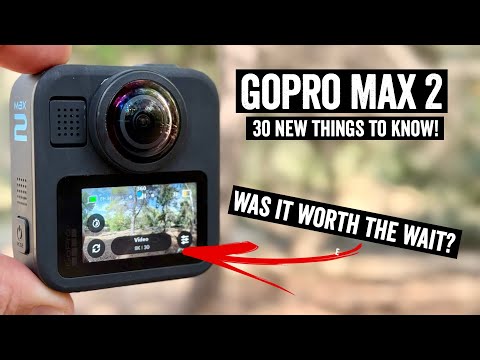
After 6 years, the next GoPro MAX model is finally out, the GoPro MAX 2. This unit is basically an entire overhaul of the GoPro MAX, with upgraded everything. From new sensors giving a full 8K of usable footage, to almost all the modes/features found on a GoPro Hero 13 Black, and plenty more.
Of course, there are also compromises too. Be it lower light limitations, as well as the desktop editing software, I dive into all these features and how they compare to the DJI OSMO 360 and Insta360 X5. Here’s all the chapters (obviously, cannonball is where it’s at):
0:00 Quick Overview & Pricing
0:57 Size & Weight Comparisons (Insta360 X5 & DJI OSMO 360)
1:33 Mounting Options
2:18 ‘True’ 8K, is it real?
3:44 Comparison Footage
4:21 Reframing Explainer
5:04 GoPro Quick AI Reframing
6:06 GoPro Desktop App Options
6:29 USB-C Fast Offload to Smartphones
6:51 POV Quick Mode
7:19 Selfie Quick Mode
7:37 Single Lens Mode
7:58 GoPro Max Lens Modes
8:31 Slow Motion
8:44 Cannonball Footage/Comparisons
9:41 Low Light Footage/Comparisons
10:31 User replaceable lens dome
11:26 Trying to break the lens dome
12:12 GPS & Speed Overlay Stickers
12:24 Battery Specs & Testing
12:51 Overheating Testing
13:18 Underwater Usage
13:59 Bluetooth Audio
14:23 Internal Mic Testing
14:54 Photo Modes
15:17 Timelapse Modes
15:23 Night Effect Modes
15:38 10-Bit & LOG Support
15:47 GoPro Labs
16:15 GoPro Quik CameraFX
16:36 GoPro Cloud Support
16:58 My Recommenations
I suspect I won’t be doing a full written review, but, ya never know (depends a bit on interest, as action cam coverage tends to do far better for me on YouTube than the site). In the meantime, check out my full in-depth review above. From swimming to cycling to running, to flying, you name – it’s all there.
With that – thanks for watching!
Found This Post Useful? Support The Site!
At the end of the day, I’m an athlete just like you looking for the most detail possible on a new purchase. These posts generally take a lot of time to put together, so if you're shopping for the GoPro Max 2 or any other accessory items, please consider using the affiliate links below! As an Amazon Associate I earn from qualifying purchases. It doesn’t cost you anything extra, but your purchases help support this website a lot.
And of course – you can always sign-up to be a DCR Supporter! That gets you an ad-free DCR, access to the DCR Shed Talkin' video series packed with behind the scenes tidbits...and it also makes you awesome. And being awesome is what it’s all about!


















You talked about slo-mo, what about the opposite, time lapse? Does it have my favorite Hero 11 mode, Time Warp? For both 360 and single lens?
Yup, it’s got TimeWarp, in both 5.6K and 8K (360).
And then in single-lens mode, it has it in: 16:9, 9:16, and 4:3. With resolutions offered at 1080p & 4K, and Digital lenses of: Linear, Wide, UltraWide, Max Hyper View. Plus Horizon Lock as an option.
The usual extra ProTune/etc options below all that too.
Will you be doing a Hero Lit review too? Please 😌
Yup!
£369.99 in Uk if you already have a gopro subscription.
I understand low light performance lags current competitor models, but how does the MAX2 compare to the original MAX in that respect? If it’s at least as good or slightly better, replaceable lenses and mag mount might be enough for me to upgrade.
What is the best way to attach one of these overhead, behind a bike?
Hmm, I can’t really think of a viable way to do that to be honest. At least in terms of a relatively sustainable (over longer periods of time) way (safety aside).
Probably the closest would be to use a saddle rail mount that extens slightly out beyond the back of the back of the saddle, then, attach a super lightweight telescoping pole upwards, with the camera atop it.
Ray, are you selling those awesome DCR hats that you’re wearing in the video?
You can buy them at the DCR Open House each year. :)
I haven’t really figured out shipping logistics or such. :(
Did I hear you say you were going to do a footage comparison video? When’s should we expect that? Im currently deciding whether to buy or not.
Goal is the weekend. Albeit, my goals are often…optimistic.
Oh man, I’m here for it. I’m super interested in the comparison between the Max 2 and X5. (Osmo costs $120 USD, incl shipping to replace one lens in my country, plus it would be gone a month so that’s a deal breaker for me)
I came here to understand how Max 2 stabilization compared to say the GP13. As a mountain biker, that is important. I don’t see that covered.
From a stabilization standpoint, you pretty much can’t “break” the 360 cameras. They can stabilize basically anything, to whatever extent you want (for better or worse).
That said, the Hero 13 is extremely good from a stabilization standpoint, though doesn’t have quite as much framing capability, or wide angle options (at least without going to the Max Lens Mod 2.0).
The main benefit of using the Max 2 on the chest mount for MTB would mostly be for the wider POV.
Do the battery doors for the Max with a USB-C hole work on the Max 2?
I think I ordered one, although I’m not sure. No email confirmation, a $1 charge to my credit card, and my $100 subscrIber discount is marked as used, although there’s no other indication that I made an order. (This is the only camera I ever ordered direct from GoPro.) I’ll wait until Tuesday to see what shows up. It’s intended to replace both my Hero 11 and my VIRB 360.
watch out for the “world” mode ( keeps camera “looking” in one direction.) on by default in gopro player export ( still no embedded original time code)
a quick look to the side will be taken out resulting in a few frames of blur on the transcoded flat image.
As a cyclist im interested in speed, hr and power visualizations as part of videos. What are the options here?
I use Telemetry Overlay for my GoPro video. It works, but it doesn’t understand my favorite mode, Time Warp, so I don’t use it much. For regular video modes, it works great, and looks better than VIRB Edit. It’s certainly not free.
GoPro itself has software, but I’ve never used it, and the results I’ve seen look like it’s pretty limited.
Yeah, I believe the official GoPro editing or viewing tools may not have supported displaying overlays for the MAX’s telemetry data. So functionally the max didn’t work the same as the hero with their software, Curious if that is different with the new Max2?
You have to frame into a flat-file first, before the GoPro stickers work.
That said, this is a key area (for readers here), where GoPro is far behind what DJI & Insta360 do with connections to Garmin/COROS/etc… for your data overlays, including power.
You mentioned the waterproofness!
As a wingfoiler, paddleboarder, sailor and mountain/road/gravel biker, most of my footage is water related and hence it needs to be waterproof. With wingfoiling it also needs to be fairly light as well, so it doesn’t affect how the wing flies.
Q. Is this less waterproof than the original?
Q. Does it weigh less than the original?
I currently have the GoPro Max and have not really been that impressed with the quality of the footage and the workflow is a real bugbear. I was hoping for a desktop version of the software ideally but they seem to be moving away from this. I’ve also found that with the current Max, it needs to upload to the cloud so you can then download the footage, otherwise you only end up with a bt of the footage (if you try to directly download it from the Max or the card). This takes hours and is a complete nightmare if you’re trying to get footage out same day!
Q. Is the Max2 any better, can you download ALL of the footage directly on to a desktop machine or ipad relatively quickly.
I keep looking at the other options but hear rumours about them not being that waterproof or poor customer service, so I keep sticking to the GoPro route as I know these have always been waterproof (I still use my GoPro Hero 4 and people are still amazed at the footage i get out of this).
Thanks for the great reviews as always.
Chunks
with my old max, i transfer the camera files ( 8min 4GB each) to my desktop
(What us the size of the new Max2 files?). storage ( using hedge software to simultaneously save a backup, and error check) out if the camera using an adaptor.
then the tedious bit select sections i want and use gopro player one at a time to generate (large) ProRes rectilinear files for use in Resolve ( or premiere pro) and use plugin to “pan and scan” to a flat image in my edit timeline.
Or i can drop all of the clips into Gopro player and transcode them all (. 32GB/ file) and wait a long time.
we need to be able to import the 360 files directly into a desktop editor and process from there.
Amazing ‘bommetjes’ by the girl, she’s awesome!
any suggestions for sd cards to use with 8k action cameras ? V90 ??
what is provided with the gopro max 2 ? (and other cameras)
with 120 mb max out of the box and a much quoted 300mb with gopro lab ?
300mb micro sd cards are very expensive !
I’ve been using the Max for 3-4 years, and I feel like I know how to shoot with it for my use case (kitesurfing). The things that dont work for me are
1) the editing options, i’ve got too much footage to do mobile only
2) water drops on curved lenses…. Many this is so annoying… the curved lenses seem like magnets for droplets of water compared to my GoPro 12 and gopro 11 mini. Would love to see this improve.
3) the resolution – i definitely want more, it looks bad compared to my gopro 12 when they are side by side. And sometimes I shoot stuff I want to get closer to.
3) Frame rates – I’m almost always shooting action, so it would be useful to be able to slow it down.
I dont care about low light shooting, and can’t quite figure out why people want to use action cameras in low light (use a phone).
one reason to use at night is for my dark commutes when max is fitted to my helmet cam,
i agree the max1 resolution isnt good when zoomed to flatten to put in an edit, where a slight zoom would help the composition, when mixed with other cameras.
max has been very good when attached to music stands to give lots of camera angles in 1080p.
Cause I do not know where else to ask: Are you going to test the new SRM PM with adjustable cranklength?
Looks like a nice idea to me, but since it’s SRM, it’s pricy.
Would be interested whether they can maintain a high accuracy (since it is SRM, I am not worried that much).
So after a week with the Max 2, I have some impressions. I’ve used it both single lens and 360 and it works well. The major problem compared to the Hero 11 is that I don’t yet have a battery door with a hole in it to run it from an external battery. Fortunately GoPro itself has one for sale, although it doesn’t seem to be available quite yet (ordered one from Amazon, I wasn’t willing to pay the $20 GoPro wanted for shipping). Video quality is great both single lens and 360, that is provided I can actually see the 360 video.
My major problems are with GoPro Player for macOS (obtained from the App Store). On my M1 MacBook Air with macOS 26.0.1 it works well enough, but only if the video is on internal storage. It freezes up if I try to open a file on external storage. VLC doesn’t understand the 360 projection used, so GoPro Player is the only choice. On my M2 Mac mini (also 26.0.1), GoPro Player also freezes up trying to open a file on external storage, and shows only a black window for a file on internal storage. Weirdly enough, although the window is black you can take stills that show up. So compared to the VIRB 360, the major problem is right now is software. But the video quality is noticeably better, and time lapse video (Time Warp) is actually stabilized, which I could never do on the VIRB.
Hi,
Since two weeks GoPro seems to have issues with registration of new cameras (does not seem to be isolated to Max 2) and as a result the Auto-Upload function is not working. Users see the camera twice under their account (same serial number) and none of the two can be removed. Example is here: link to community.gopro.com
GoPro has no fix and their response is in a way “it is not working but you can upload manually via mobile or computer”. They say there is no ETA for the fix.
@Ray did you hear about this?
Cheers
Problem seems to be reall affecting majority of new customers…. link to community.gopro.com
Indeed, I’ve seen some of the comments the last few days. Going to reach out to GoPro here and find out what’s up.They’re just likely arriving into workabout now (Pacific timezone based)
Appreciated. Group of us was exchanging emails and forum comments with them, but so far the attitude is not really customer centric…. They seem to forgot that it is paid service; and in fact one of the selling points for premium: “Save time + storage space. Your footage automatically uploads while your camera charges”.
It is pretty shocking software, considering it’s almost a forced way to go. Otherwise, it’s almost impossible to get all your files off the GoPro Max any other way!
Workflow is very slow as i have to upload to the cloud, to then download to my machine (to get all the full-size files), may as well give up a day for that! It’s certainly not a quick film and post to social instant type of kit.
Not sure I follow. All other cameras work exactly the same in terms of offload otherwise. You connect via wired or WiFi (you can simply connect via USB-C cable to your phone to download).
Honestly, going via the cloud as part of ones regular workflow is super slow and cumbersome. I’d just grab the files I need directly via SD card, cable, or WiFi download from camera.
I have tried this and more often than not i can only get the first file, the other files under that batch aren’t there to download. Say i record for an hour, I only get the first file (maybe 15 minutes). So I’ve had to upload to the cloud and then download all the files, which has been a nightmare, and the main reason i haven’t purchased the Max 2.
And this is the answer GoPro gave me!!!
Not really an acceptable workaround.
Maybe I do not know how to do it, but can I upload directly to cloud without storing the files locally? I mean without Auto-Upload. I was always happy with the cloud upload; just come home, plug it in and while I take the shower and maybe eat something I can grab my iPad and review the media.
And for me it is also kind of “what else does not work?”
Ray, I thought that connecting the camera via cable to iPhone/iPad downloads the media to iPhone/iPad. Is that not the case? And if it goes directly to cloud (also not eating my limited storage), why it would be better than built-in GoPro Auto-Upload? Thanks!
I have tried this and more often than not i can only get the first file, the other files under that batch aren’t there to download or say they are 0mb. Say i record for an hour, I only get the first file (maybe 15 minutes). So I’ve had to upload to the cloud and then download all the files, which has been a nightmare, and the main reason I haven’t purchased the Max 2.
And this is the answer GoPro gave me!!!
Not really an acceptable workaround.
Sorry, which way are you trying?
You basically have five ways to get the files off the camera:
1) MicroSD card directly into computer, or MicroSD card reader into phone
2) Connect USB-C cable from GoPro to computer, offload as regular USB drive
3) Connect USB-C cable from GoPro to phone, offload via GoPro Quik (option appears for faster downloads
4) Connect from GoPro Quik app to GoPro Max, download via WiFi
5) Let Max sync up to GoPro cloud, and then (very slowly) pull down the files you need
In all scenarios, #5 is the slowest by far, especially for larger 360 content. I always let me GoPro cameras sync (just tried it, they all are still syncing), but I ony grab content from the GoPro cloud when I need it later. Otherwise, if I’m doing a project with something, I’m pulling it direct from the camera.
The cost of SD cards are so cheap right now, that deleting files off the camera (that option on GoPro Cloud uploads) just doesn’t make a lot of sense to me.
Thanks dc, I’m pretty sure I tried all of the options and the only way I could get the files (all of them the correct size) was to upload and download to the cloud.
I’ll do some testing again, various ways to see if it’s still an issue.
Thanks again for the replies and your great content.
Hi Ray,
So what do you think is the best way to edit GoPro media when I only have iPhone and iPad? I always thought uploading directly to GoPro cloud was the best, because I do not the limited storage on my devices.
Based on what was said here, I question that approach. Would Quik in the end really download full quality media to my iPhone/iPad anyway (I mean when I want to edit it)?
Can you advise please? Thnx.
Generally speaking, if i’m editing something, I’m pulling the files directly via WiFi from camera to my iPhone/etc. Sure, I could use the cable, but usually I just grab what I need via WiFi.
Quik will always download the full quality files, regardless of which route you go. Given the cost of MicroSD cards are so inexpensive, I just have bigger cards (256-512GB usually), and leave the files on there till I eventually delete them months down the road. By then they’re already backed up to GoPro Cloud, in the event I really need the footage again.
So basically, short to medium term edits, I grab direct from camera when I need it. And long-term edits/files, I’ll grab from Cloud.
Thanks Ray!
To translate it to my CzEnlish: when I use GoPro Quik to edit, I will always utilize the (limited) storage on my iPad. Is there any way to skip GoPro Quik completely? I mean skip it for Max 2 recorded 360 videos. For “normal” GoPro it is not an issue, I guess, because those Hero 13 media are pretty normal video files which can be edited in any software (which supports external SSD, for example).
OK, I tried to research and…. notthing positive, unfortunately.
It seems like, especially for 360 from Max 2, the step with GoPro Quik or GoPro plugin is not avoidable. GoPro Quik is only available for mobile devices (iPad/iPhone) and does not support external SSD. So the concern is the mobile device storage. GoPro plugins are only available for desktops (Macs/PCs) for Resolve (beta) and for Premiere. This option works with external SSD but in my case would require investment to purchase laptop and the software (Resolve/Premiere) seems to be overkill anyway.
For the Quik app solution the GoPro Auto-Upload seems to be the best way to go (again: to avoid storing too much data locally on iPad/iPhone), but unfortunately Auto-Upload does not work currently for newly registered cameras.
The next best options seems to be to take the SD card out of the camera, and use card reader to upload the media to GoPro cloud via their web interface; after the media are available in Quik app on iPad/iPhone…..
My understanding is that GoPro pretty much intentionally locked the ability to use external drive to force us to pay for the GoPro cloud – unless you are ready to use desktop and more complex software; and honestly if you that kind of user you probably would not use the Quik app anyway.
Sad but true.
Hi Marek-
I think there might be some confusion on workflow.
To be clear, there’s zero reason to involve GoPro Cloud, if you plan to edit in other platforms.
Most people do indeed take the MicroSD card out of their camera (regardless of brand), when transferring large sets of files, especially bigger 8K 360 files, given the size.
I guess I’m struggling to understand why you want to funnel through GoPro cloud in order to edit. For backup? Totally. But to simply edit it immediately in GoPro Quik (or anything else on your phone), then the easiest way is the simple direct WiFi transfer from camera to GoPro Quik (smartphone/iPad). If talking desktop, then it’s definitely recommended for all camera companies to just pull the MicroSD card out.
Now, I agree on allowing AutoUpload regardless to GoPro Cloud, so you don’t take up too much local space on your phone/iPad/whatever for files you might not need to edit. But once you select files to edit, those transfer to your device anyway. So it’s a wash.
Cheers!
Thanks again Ray!
The reasons I am so focused on GoPro cloud are:
– automated backup of media
– I only work on iPad/iPhone and reframing of 360° videos can only be done in Quik app on that platform (my understanding). And I find it a bit easier to have media in one place, be able to do preview/review without using that “limited” storage. It is also my understanding, that when I use Quik and edit media stored in GoPro cloud, I do not need to care about removing the media from the iPad (I may be wrong) because it is just a “cache”.
Ideally there was an option to use external SSD connected to my iPad, but I did not find the way to do the 360° reframing without Quik on iPad.
Cheers
Hello,
I would just chime in that I received a MAX2 within the last week as a gift and had the same registration and auto-upload problems. I currently have three MAX2’s registered to my account, all with the same serial number, and I am unable to remove them. The auto-upload process never worked, and I had to use the direct connect method to get them to my device, then have that upload them to the cloud. I would mention that the HERO12 my son has still works fine.
I have also started a support case with GoPro. After a few back and forths, they had me provide a video showing the following:
“To help us investigate further, could you kindly provide a sample video recording showing how you perform an Auto‑Upload via the Quik app? This will allow us to see exactly what happens when:
1) You manually trigger the upload from the camera menu and the settings reset in the Quik app.
2)You enter the Auto‑Upload settings in the Quik app and it takes you back to the initial configuration instead of showing the on/off switches.”
I have sent the videos off, and the response was the same. “We’ll coordinate this with our internal team for further investigation. Once we receive an update, we’ll get back to you right away with the next steps.”
No timeframe for any type of fix.
Cheers,
Scott
So…… Update after going back and forth with a support case and sending the videos off to GoPro, their official response is below. In summary, it is “we don’t have any idea how to fix this problem, good luck”
“Our internal team has reviewed this, and unfortunately, at this time we do not have a solution to fully resolve the problem.
For now, the workaround is:
1)Use mobile upload through the GoPro Quik app.
2) Or manually upload via GoPro.com.
Please let me know if you need guidance on either of these options.
Best regards,
GoPro Support”
Unfortunately…. what they (GoPro) and also many other users in forums etc do realize how painful the suggested workarounds can be….
Quik is mobile only and does not support external drives – camera does not support direct upload to cload via wired connection – you need card reader to be able to upload directly to gopro.com or huge storage on your mobile device so that can play the middle-man.
Honestly, if I need to go via computer I can very well skip the GoPro cloud completely and backup to my NAS. I was willing to pay for their cloud to make the mobile editing a bit smoother.
I know even Rays says “skip auto-upload”;
but fact is that I do not have 2TB iPad and if I need to connect take the card and connect it….laptop/desktop starts to sound like better solution….
“I know even Rays says “skip auto-upload”
Just to be clear, I’m fully on team auto-upload. I’m just not on team ‘use the GoPro cloud upload as a way to regularly edit videos from my device’. Instead, I use that primarily as a backup platform, and long-term archival of my GoPro stuffs. But again, to each their own!
In any case, as to the problematic issue at hand (failed uploads), I talked with GoPro a bit last night about it. There’s two different issues at play. One related to the app and processing, which sounds like a fix should go out next week (in the app). The second issue however is still being sorted out, and there isn’t an exact fix date yet (doesn’t mean a fix isn’t near, just means they haven’t solved it yet). But they did note they think they are close on that second one.
I did not phrase it best way; apologies :-).
As I wrote in my post: for me GoPro cloud without auto-upload has much lower value… camera replacement is not available in my country. And if I need to physically take the card…. I can save money and use NAS & computer.
But as you said Ray: it is subjective and individual.
Cheers
I do find it amazing that their app doesn’t support external drives on IOS, this is supposed to be a “Pro” device; surely it should have a basic feature like this.
I have an iPad Pro but I wouldn’t be able to download a sessions worth of 360 footage and work on it directly, i’d have to do it in bits, which isn’t practical.
Having the cloud backup is fine (for backup), but if you have that in your editing workflow then it’s painfully slow.
No Quick App on desktop is not great, so I now need to go through the GoPro Player and then into Final Cut Pro to work on editing things together.
I’ve also tried the Insta360 Studio software which does seem to work ok with the footage but you do still need to convert the footage from.360.
Unfortunately, there’s no simple way of working with 360 footage unless you have an ipad with at least 1Tb of space to work with.
I have always been a GoPro user and have always looked for other options, but as most of my footage is water based (WingFoiling, Sailing, Windsurfing, Paddleboarding) along with mountain biking, road/gravel biking, i’ve always steered towards the GoPro robustness. I’ve never had a water ingress issue.
So, I suppose i’m staying with GoPro, I just need to find a workflow that works well, else i’ll just end up not using it, which would be a real shame.
Thanks for sharing the thoughts from GoPro. I got another response from my support case that they were working on it and should have a fix in the next firmware so 🤞🏻.
Exactly… to make it clear: iPad is powerful enought (Pro and/or new Air) and supports external drive. It is GoPro Quik app that is not supporting it. I believe it is to push us to their cloud…. One thing I am not able to confirm (but i think it works like that): when you have media uploaded to GoPro cloud and you edit in Quik app, I do not think that the full quality media are being downloaded to iPad. Which is sort of solving that challenge with limited storage. Yet again, if they unlocked external drive suoport the cloud would not be needed…..
This whole thing can get complicated quickly: SD-Card reader for iPad blocks the USB-C port => no charging while uploading (unless you are willing to purchase the Apple keabord which has charging USB-C port).
This issue with Auto-Upload got me on edge to start to consider going back to laptop, use local NAS for backups and external SSD as “working” storage. GoPro Player or plugin for Resolve/Premiere can be used to reframe. But…. I do not think they offer comparable functionalite to Quik (for example object tracking).
Theres a fix for this now, if you were running into this you can setup auto upload via the app and start backing up your footage.
Looks like people are now saying its fixed and should try again link to community.gopro.com
I can confirm that it has been fixed and Auto Upload started working.
yes! seems to work!