




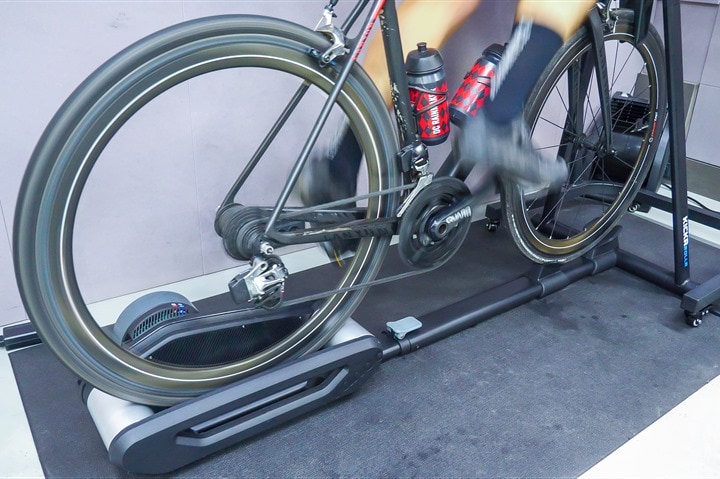
Wahoo first teased the KICKR ROLLR in 2021, and then rolled it out in 2022. However, it’s always had a bit of a quirky use case, primarily due to the lack of power estimation (or even measurement). Meaning that, unlike all the other Wahoo trainers/bikes, this actually couldn’t broadcast power to apps or other devices. Instead, you needed an external power meter on your bike. Then, in 2023, they added integration into RGT & Zwift, to effectively provide a virtual power estimate. But it didn’t follow any broadcast standards otherwise; those were integrations with specific apps.
Today though, Wahoo has released a firmware update that adds in that power data broadcasting, akin to what their other units do. I gave it a whirl over the weekend, to see how it works, and how it compares.
First up, you’ll need to get the firmware updated using the Wahoo mobile app. That takes just a minute or two, and is akin to any other firmware update.
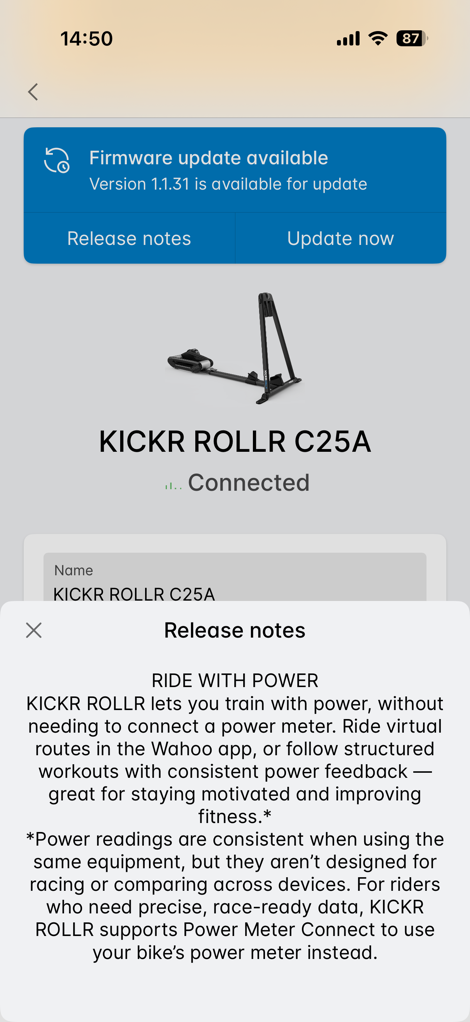
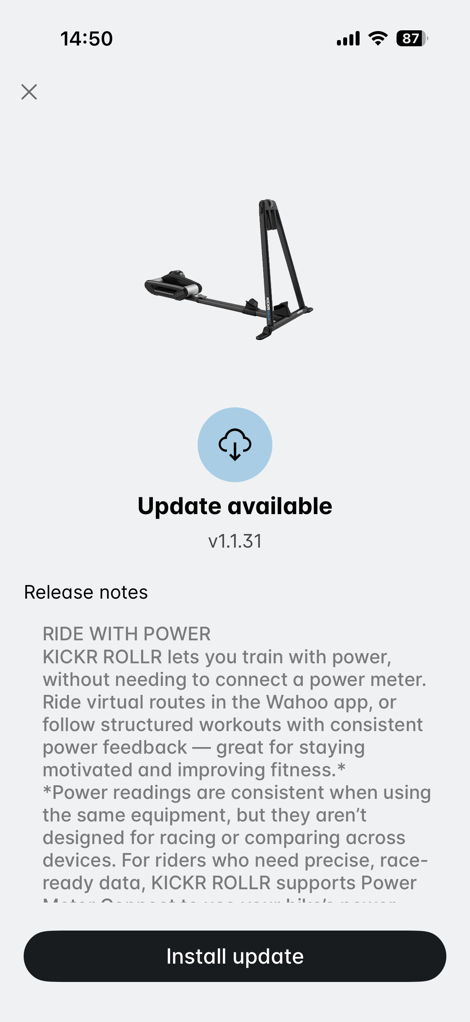
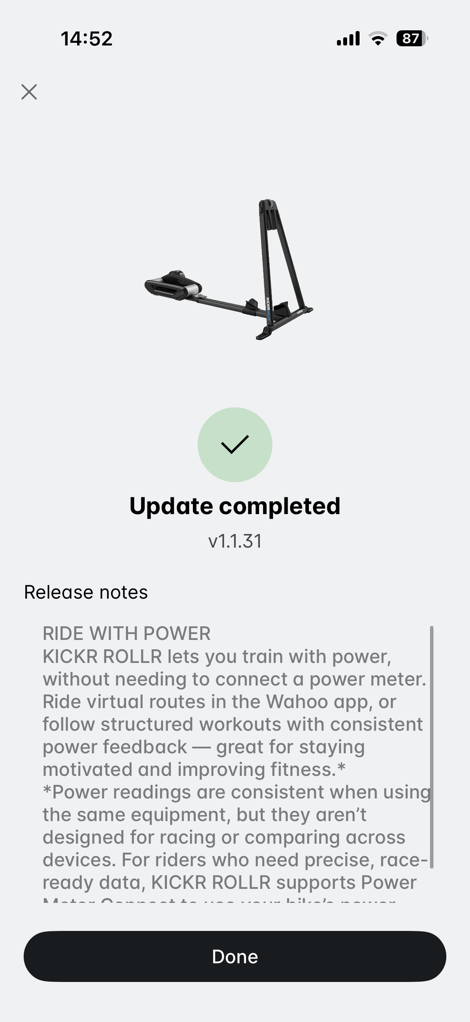
Once that’s done, you’ll notice an option for how it broadcasts power. You’ve still got the old option to pair up to an existing power meter, or now, you can yolo-it with the built-in estimate.
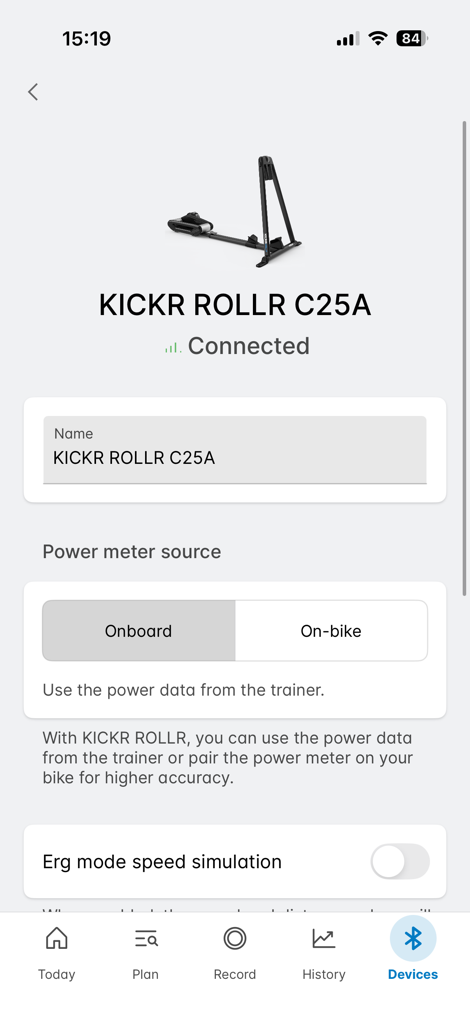
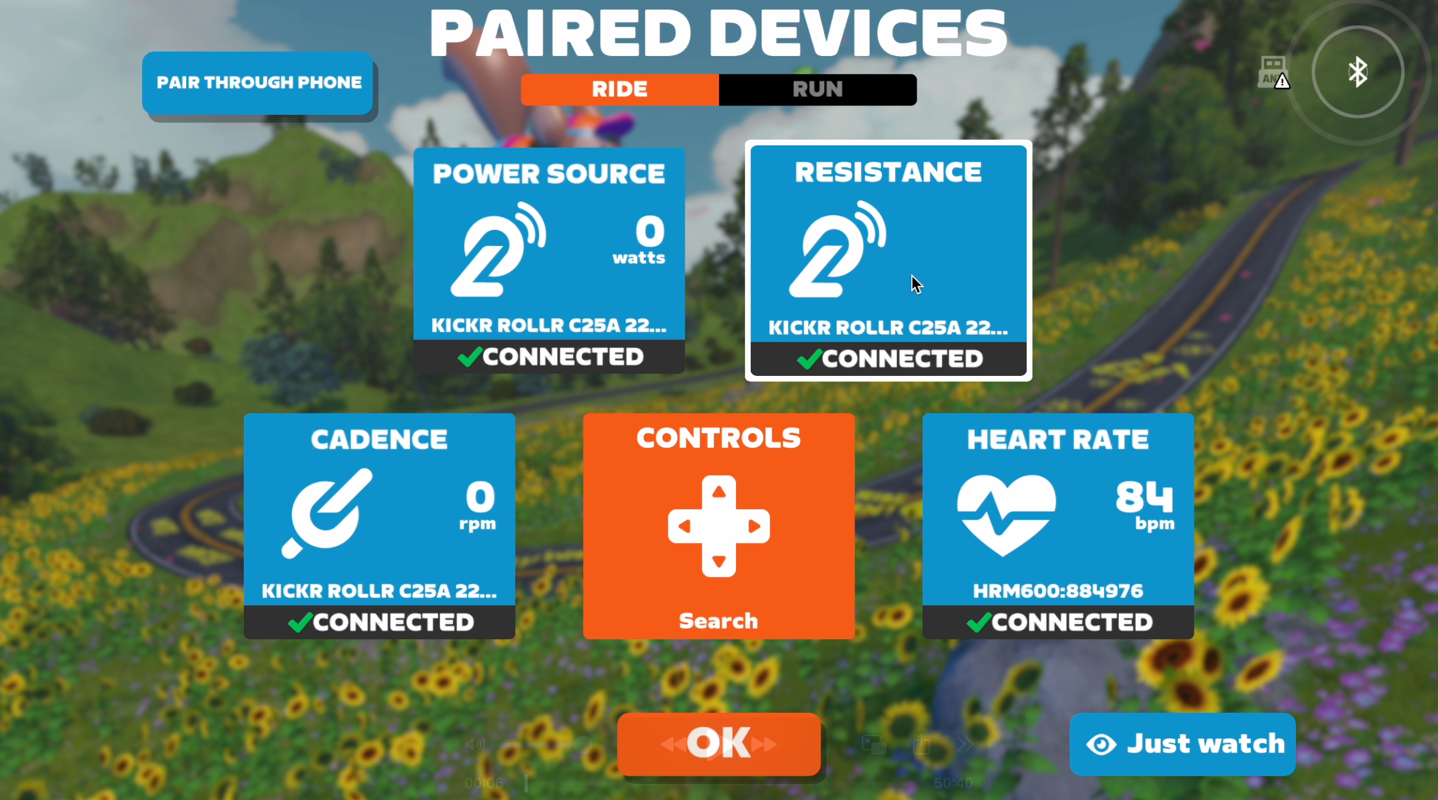
Armed with my built-in estimate, I went to Zwift to pair it up, first as a power source, then as a controllable trainer.
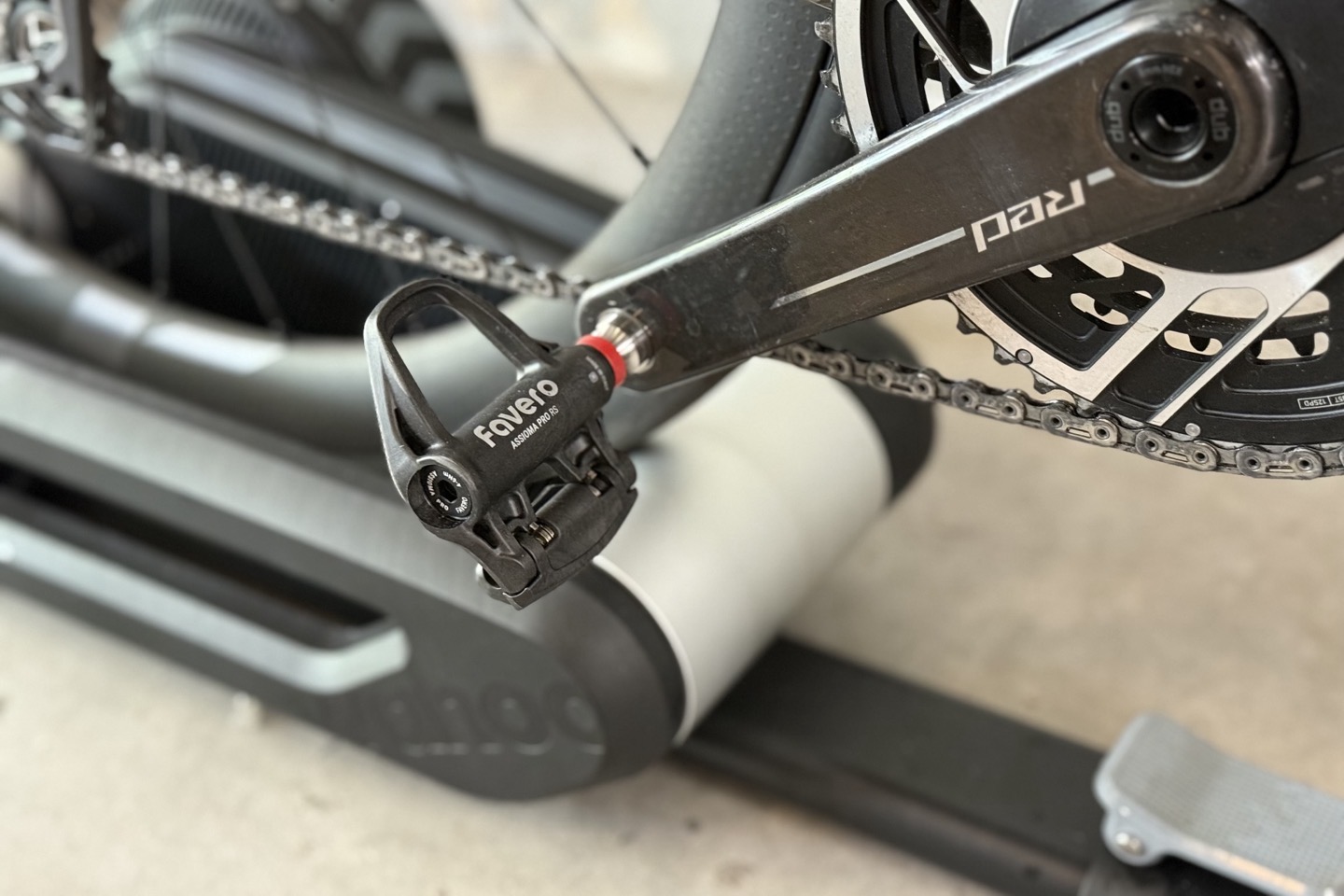
In my case, I was doing a structured ERG mode workout, simply because it makes it easier to see power variations. On this bike I had both a SRAM RED/Quarq power meter, and a set of Favero Assioma RS (dual-sided) power meter pedals.
With that, I set off to do my workout:
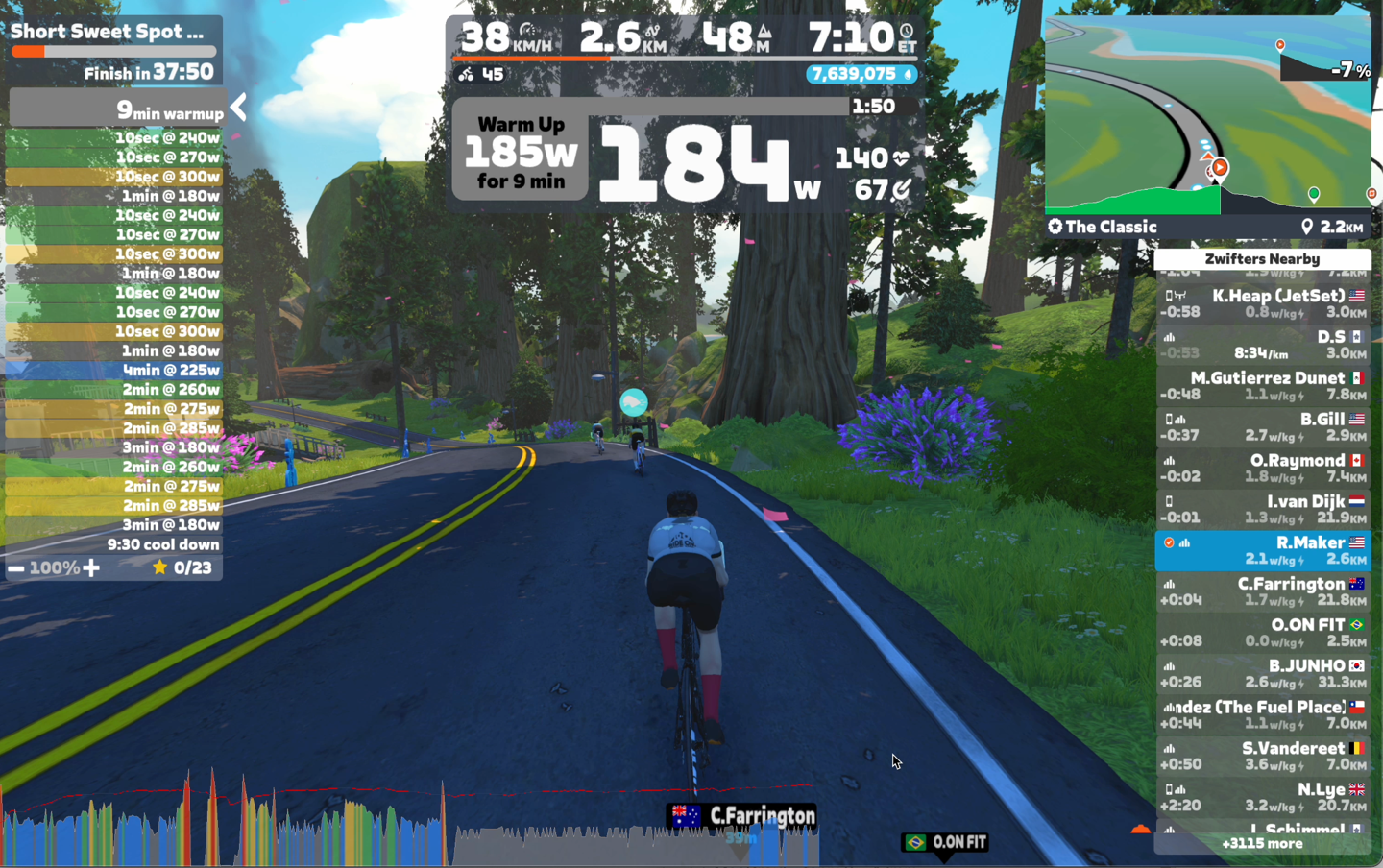
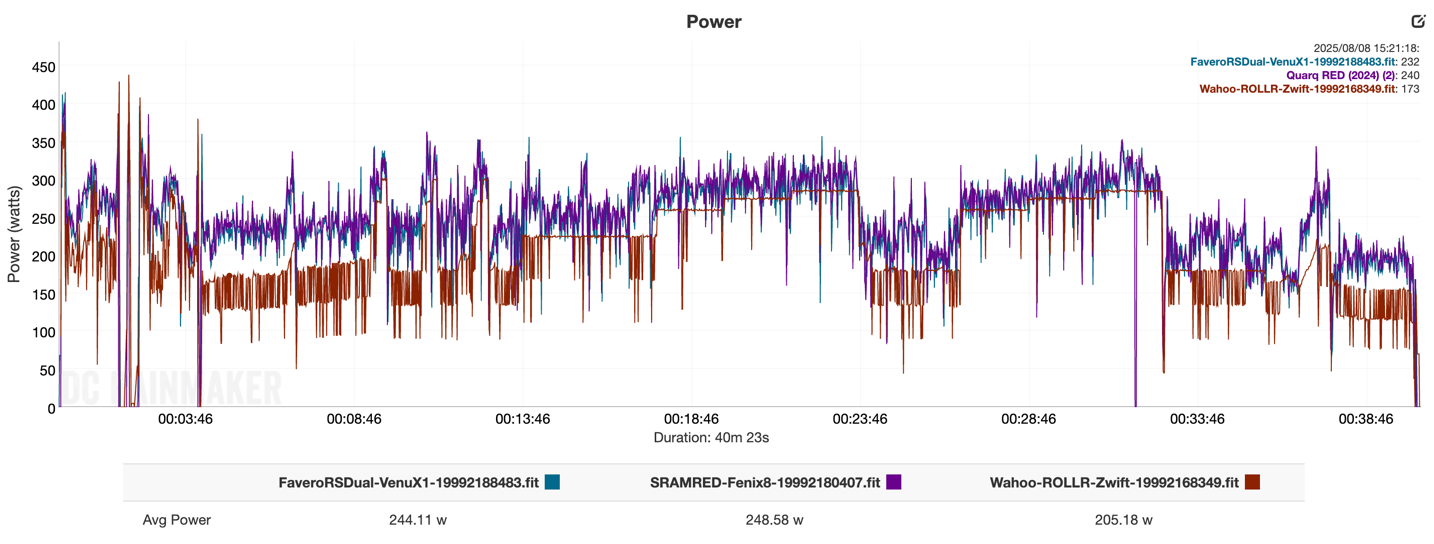
Immediately, things didn’t feel right. The warm-up started off around 180w, yet my power meters were showing me putting out ~250w, give or take. Meaning, it was under-reporting my power by 50-70w, depending on the moment in time. That effectively made this workout *far* more difficult than I had signed up for, because the ROLLR was thinking I was only doing 180w.
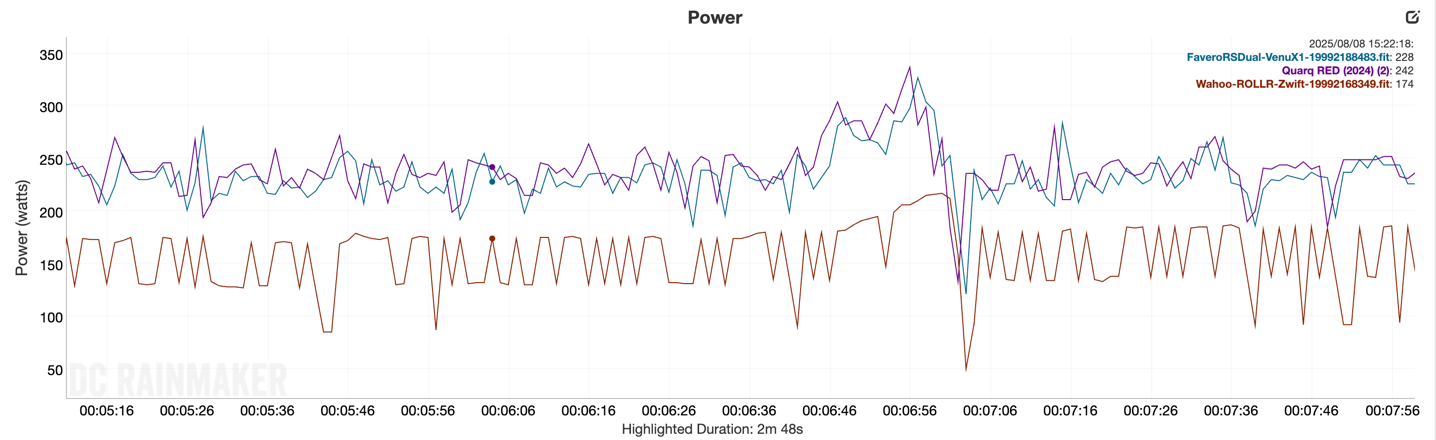
In any case, I…err…let it roll. And just did the workout anyway. It was also doing this weird oscillation thing you see above. I asked Wahoo about that, and they haven’t seen that before, but are digging into it.
As I was going through it, it became clear that at higher wattages, it seemed to get much closer in wattage. Sometimes about 15-20w offset (like below). I toyed around with differing speeds/gearing combinations/cadences, but it didn’t really seem to meaningfully change the power variations (after a brief moment of stabilizing each time).
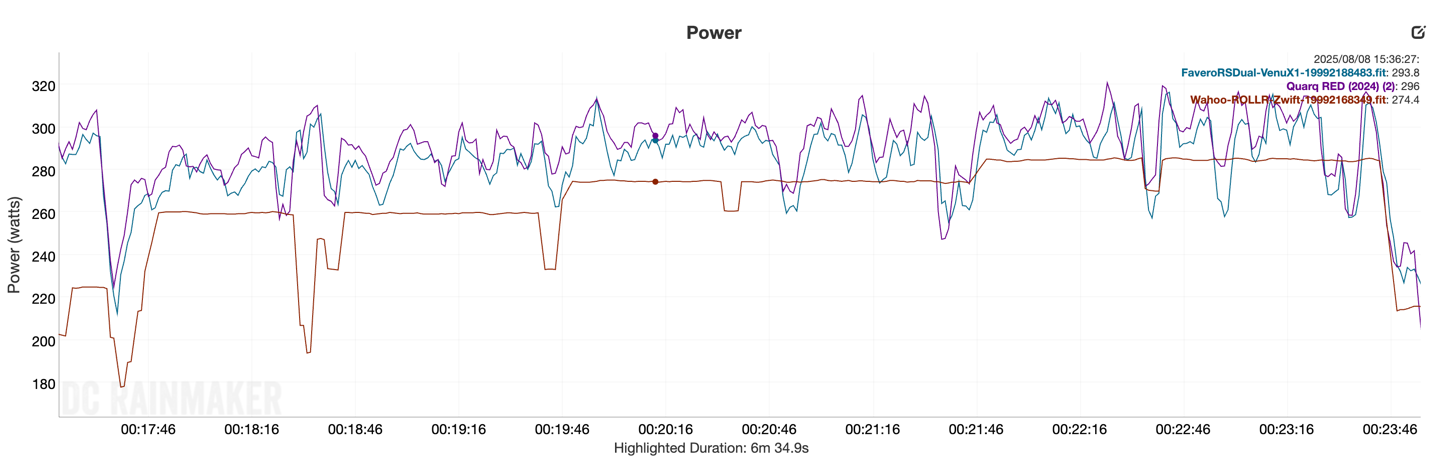
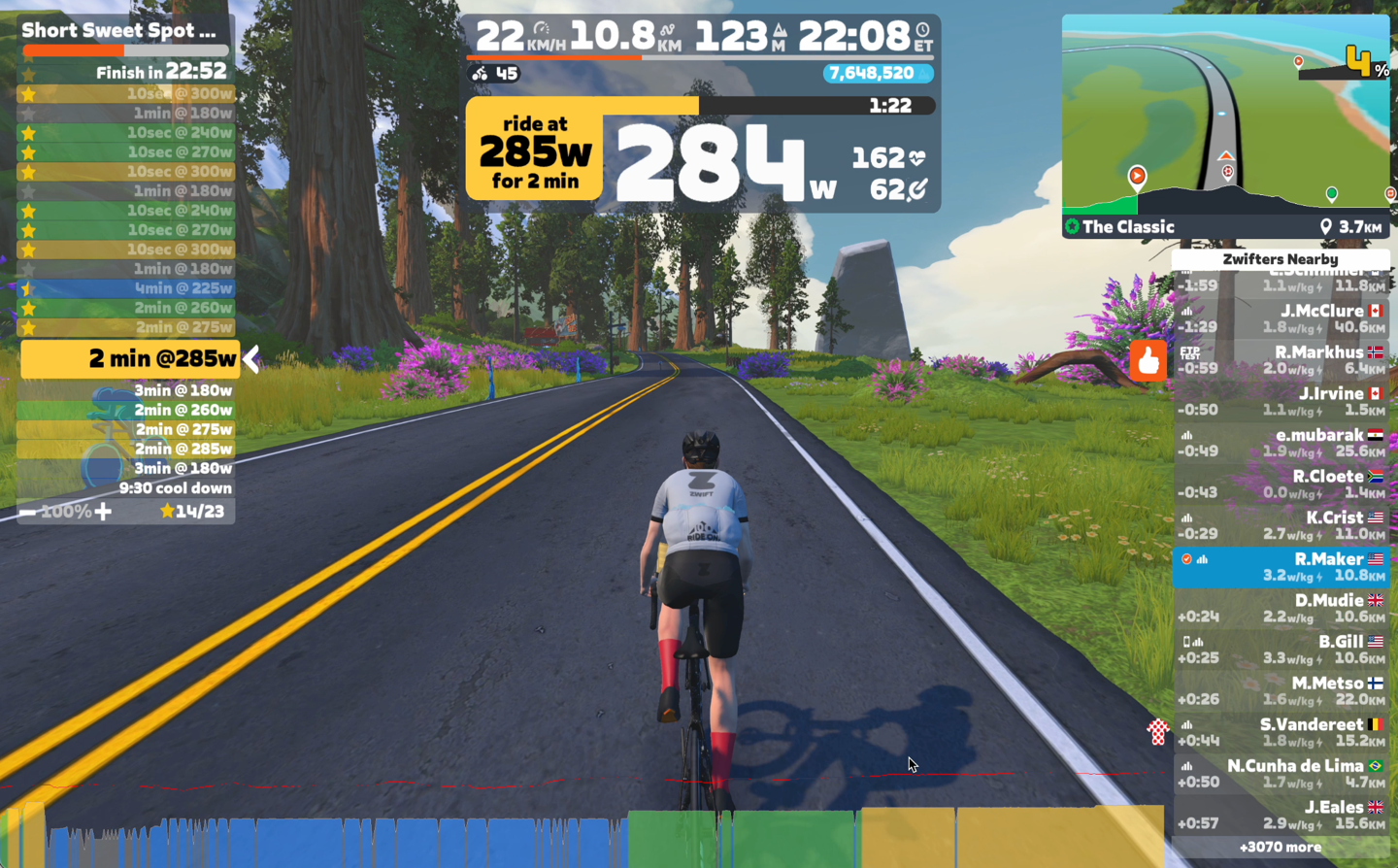
During each set, it was clear that lower power values were a challenge, while higher power values were vaguely in the ballpark. And remember that Zwift, in this specific configuration of just pulling from ROLLR, isn’t any wiser. It’s being told I’m at 284w (with a set point of 285w), so it thinks life is great.
The challenge with rollers and accuracy is that there’s no sensor here to measure pressure or strain. Instead, it’s just math. Except, math is tricky because the variables are constantly changing, and more importantly: Unknown. This isn’t unique to Wahoo, and is the exact same challenges that many other roller companies in this space face, including Elite, Tacx, and more. All of which are basically in the same boat.
The following impacts accuracy:
– Pressure of the tire
– Rolling resistance of the tire (e.g., MTB vs road)
– Your body/bike weight (which increases downwards pressure)
– Whether or not you’re seated or standing/sprinting
– Whether or not you’re leaning forward pressing on the handlebars, or sitting upright
– If you had burritos last night for dinner
And the problem here being that Wahoo literally knows none of the above. They might know your body weight, but that doesn’t matter if they don’t know your bike weight, water bottles, and everything else.
In fact, this is *precisely* the reason three years ago, when Wahoo introduced the KICKR ROLLR, that they stated in media calls that they weren’t going to include power, it simply wasn’t accurate enough, with far too many variables.
Now however, Wahoo says that more people are using the KICKR ROLLR to get into the indoor space (due to how easy it is to mount the bike), and they wanted to make it easier for them to experience indoor riding, even if the power isn’t accurate. Further, Wahoo says they’ve specifically erred on the side of underreporting, such that it won’t cause crazy high power overages that events/races/etc hate. And to be fair, that’s been the case for me. No overages. Just substantial under-reporting.
I thought this tidbit from Wahoo was notable, with one of their product managers saying:
“This is not an attempt to replace a power meter, but to get new users without power moving in virtual training and riding platforms. If and when a user does upgrade to power we are hoping they see a power boost vs a decline. Often when using virtual power and upgrading to a power meter users see a decline in power, which can be disappointing.”
That’s a fair way of looking at it.
Ultimately, for people who want power meter-level accuracy, this won’t replace that. But equally, it will at least give options to those without them, as ideally, an interim step up to power meter goodness.
With that, thanks for reading!
Found This Post Useful? Support The Site!
At the end of the day, I’m an athlete just like you looking for the most detail possible on a new purchase. These posts generally take a lot of time to put together, so if you're shopping for the Wahoo KICKR ROLLR or any other accessory items, please consider using the affiliate links below! As an Amazon Associate I earn from qualifying purchases. It doesn’t cost you anything extra, but your purchases help support this website a lot.
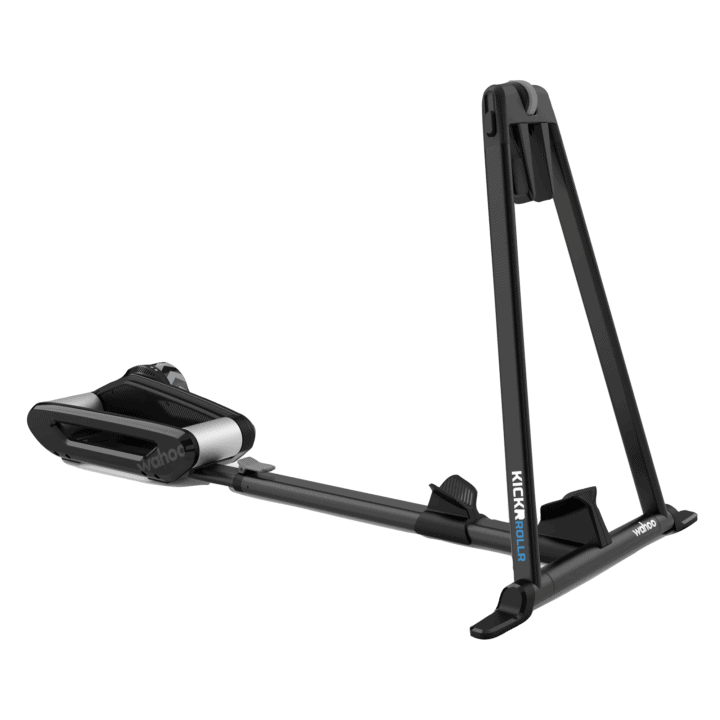
Wahoo KICKR ROLLR
And of course – you can always sign-up to be a DCR Supporter! That gets you an ad-free DCR, access to the DCR Shed Talkin' video series packed with behind the scenes tidbits...and it also makes you awesome. And being awesome is what it’s all about!


















We have a Peloton Bike+ but I’ve been interested in Zwift. I already have a road bike with a single sided SRAM Rival power meter. If I were to purchase a Rollr would I be better off using the built in power or the single sided on the bike?
Hi Ian, based on my post below I would say definitely put your power meter in control in Zwift instead of the Rollr. You should see a lot less power oscillations that way, and won’t have to worry about things like tire pressure/temperature/weight/etc affecting what you see reported in Zwift vs your actual effort on the pedals.
Were any spindown tests used to help tweak its performance?
I agree the accuracy and power oscillations are no surprise. I did some testing with a Wahoo Kickr Snap wheel-on trainer. It has fewer variables than this roller since the bike/rider weight isn’t supported by the tire. It had significant power oscillations compared to a Garmin Rally power meter. Even using both the factory / advanced spindown test and the regular spindown test had difficulty maintaining a good match between the Kickr Snap and the Rally across the power range, throughout the duration of a session, and between sessions/days. It can be quite sensitive to tire pressure (and thus temperature). So I’d expect the Roller to be even more so with the added variables.
I quickly switched Zwift to use the Rally for control instead, and that “solved” the power oscillations in Zwift. In a later test I found the Snap under-reporting power compared to the Rally, tho the gap narrowed as the session progressed. (I stopped analyzing it at that point, tho I have lots of data I could go review if I wanted…)
Overall I found the Snap’s spindown tests improved the power matching with the Rally considerably. But if the Snap is controlling in Zwift, the power oscillations can still be a nuisance (especially if you’re used to direct-drive). I didn’t try any other apps to assess whether that’s a Kickr sensor issue, or a Zwift+Kickr control loop issue, or just a trait of wheel-on trainers.
But it still powers the Zwift avatar well enough with the feel of going up and down hills etc, so I think you’re right that it still gives the indoor riding experience for a lot of users.
“Were any spindown tests used to help tweak its performance?”
No, there’s no spindown option/tests unfortunately.
Well that’s curious… 🤔 I was about to say I guess that’s in line with “keep it simple”, but then I saw how up-market this thing’s MSRP is…
I’ve read that some recent Wahoo products do “auto spindown calibration” so that manual ones aren’t required, but even those still support a “factory spindown test” option when that doesn’t pan out. But it’s intentionally hidden in the Wahoo app (ref: link to zwiftinsider.com).
Maybe the Rollr has “auto spindown cal” too? But it’d be curious if it still doesn’t support the hidden “factory spindown test” like the Snap, etc.
I realize this is a rabbit hole tho, nobody gonna do this (except me lol).
I’m not at all surprised. I moved from a Kickr Core to a Rollr when I realised that I was having difficulty staying on the bike for longer sets (more than about 90 minutes); the Rollr is definitely better in that respect.
But I have noticed that the simple act of sitting up from the aerobars means an immediate jump in the power I do, until the Rollr notices and reduces the resistance. (And going back to the aerobars sees an immediate drop in the power level until the Rollr increases the resistance accordingly.) That doesn’t surprise or bother me, since that act shifts the weight further back, and hence means more resistance coming from the Rollr, but it also means that any attempt to measure power accurately from the Rollr is going to be… challenging.
I’m not entirely convinced that having the Rollr estimate power is the right move, but if Wahoo is set on doing that, I think they’ve made the right choice in erring on the low side. Serious cyclists will get a more accurate power meter. Less serious cyclists… well, they’re getting a number, and I guess that number will at least be reasonably consistent with itself, so it’s not an entirely useless exercise.
The power spike (drop) when sitting up from (down on) the handlebars is pretty notmal – also happens with the regular KICKR. So that is not a specific issue with the ROLLR.
Thanks, great article.
I have a rollr, simply because it’s so easy to dump the thing on and take off depending on the weather, etc. – I’ve always used it as a dumb trainer, but even as such, the stats on the wahoo app are incredibly understated; riding at 30kph outdoor pace usually results in possibly 17kph on the trainer. I have no idea what it’s doing, or why. The tire circumference is correct.
Perhaps now that this functionality exists, I’ll get the zwift trial and see if it does anything reasonable, but since I tend to ride relatively low wattages, it would appear that it will show turtle speeds based on the review.
Nice when they update and add a feature with firmware.
Now, how about they update the kickr bike v2 to broadcast a simple ant+ speed sensor (I think speed and distance is broadcast in the ant+ fe-c profile along with power and cadence, but I want to record power and cadence from my assioma pedals, so I need the csc profile of the simulated speed and distance separately for my annual mileage logs).
My crappy programmer attempts to vibe code an ant+ fe-c to ant+ csc bridge on an nrf52840 dongle have not been able to compile yet.
That would be great – if the Kickr can actually measure/estimate speed accurately enough. My Kickr Core is a mess in that respect: Despite knowing the rear wheel circumference (entered in settings/in the app) and _wheel_ rpm and total revolutions, it reports a much lower speed than implied by those variables. Correspondingly, it also severely underestimates speed and distance for any given (average) power.
Always baffled me…
The implication is that I include the power and duration numbers from my trainer workouts for my training program (both for planning and tracking) but mostly ignore the distance and speed numbers.
@SG The wheel speed is a meaningless metric tho. Smart trainers are built to absorb power, and the actual wheel/cassette speed that requires varies dynamically and between trainers, apps, sim modes, etc. So ignore what the wheel/cassette is doing, it’s all “inside the machine” now.
The simulated speed/distance/elevation reported by your app’s road sim mode is the closest you’ll ever get to “semi-realistic” values…, and in many cases still way off outdoor performance. But still a useful volume tracker.
It is _not_ meaningless, though. I agree that it does not really matter for ERG/purely power based workouts.
But for SIM based workouts (e.g., following an actual course ‘virtually’) it absolutely is relevant. Requires some degree of calibration (either manually or based on system weight, riding position, etc. – which the trainer already _has_) to have the correct resistance/power requirement, but there is no reason why the effort (power and wheel RPM (not cadence!)) cannot approximate real world speed distance.
For instance, when simulating and actual course, my Neo 2T reports speed numbers close to what I would get in the real world (for the same power and wheel RPM numbers) but the Kickr does not.
I had a Kickr V4 and I had placed a magnet and speed-sensor on the wheel that rotates 1:1 with the cogset, and while dual recording on my Garmin and looking at mileage in Zwift, I had it calibrated pretty well (i.e. whether I did a flat workout or a workout with a lot of climbing and slower average MPH, the distances and average speeds matched pretty closely, and I considered it adequate to keep track of my overall mileage/volume throughout the year with riding indoors and outside. For me, hours and miles of cycling seem to mean more in that context and are easier to retrieve than some other metric like watt-hours generated (average watts x hours).
When I switched to the Kickr Bike V2, I was able to put a very thin magnet on the flywheel, but I have found that it seems to always spin at about an 18-20mph speed whether I’m climbing or riding on the flats in Zwift, and it’s useless. Since I like to record power from Assioma pedals as primary (actually, I dual record and compare the Kickr and Assioma pedal power with an extra ConnectIQ field) I haven’t checked to see if the kickr bike reported speed via FE-C is adequate enough, and I probably should do that before I spend a bunch more time trying to bridge it to the ant+ csc profile.
@SG Sorry but it’s a common misconception in trainer-related discussions, and many (all?) of us go through it because it’s not intuitive compared to our outdoor biking experience. I can only try to pass on what I’ve learned but literally millions of ride data files demonstrate the point.
Outdoors there is a physical connection between our wheel and the road, and so a fixed relation between wheel speed and road speed. On a trainer/app combo there is an entire machine inserted that has no such constraints (physical+virtual).
A smart trainer has an electric motor that can dynamically brake or drive the wheel/cassette across a very wide range of power-speed combinations (“many-to-many”). This lets the controlling app simulate changes in aero resistance, gradient, road surface, bike type, etc in the virtual world. The trainer data that matters to the app is *power*, which is used to *calculate* the rider’s virtual speed, distance, elevation, etc in the simulated world. So there is no fixed one-to-one relation between the speed the trainer is spinning and the virtual road speed simulated in the app.
Ride the same steady power on a simulated flat without drafting, then again in a draft pack, then again on a climb, then again on dirt… All have the same steady power so the bike/trainer-reported speed could be the same, but the virtual speed in the sim app will be very different for each.
It’s similar even for “dumb” turbo trainers (fluid/mag/etc) with static power curves. The app does take wheel speed in that case, but only to look up the estimated power from the app’s database of trainer power curves, and from that point onward it uses only power in the same calculations as above for smart trainers. Since the app can’t control a “dumb” trainer, simulating the extra effort of climbing a hill requires the user to spin their turbo unit *faster* (and if they don’t, their virtual speed will drop while the trainer speed remains the same).
So whenever the speed sensor value from a bike or trainer seems to closely match the virtual speed from a road sim app, it’s only coincidental, and will not remain that way across the full range of simulated course conditions. So always take the virtual speed/distance/elevation/etc from the app and disregard anything coming direct from the trainer or bike speed sensor.
@LoneLeaf No, that is not correct.
You have the basics concepts of the trainer _mostly_ correct. Specifically, the “many-to-many” point of there being “a very wide range of power-speed combinations”, depending on resistance.
But that does not take away from the fact, that each “wheel speed” corresponds to a virtual (moving) speed (based on wheel size).
That virtual (moving) speed might or might not be realistic, based on what conditions the trainer is supposed to simulate (your examples of inclines, drafting, etc.).
_That_ is where power comes in: It is _not_ that power matters to the trainer app, but rather the other way around – there is an implied power for each speed given the inputs of simulated conditions, system weight, etc. and the trainer adjusts the _resistance_ accordingly.
Hence, the following statement is not correct:
“Ride the same steady power on a simulated flat without drafting, then again in a draft pack, then again on a climb, then again on dirt… All have the same steady power so the bike/trainer-reported speed could be the same, but the virtual speed in the sim app will be very different for each.”
Rather, the trainer/app picks the correct resistance _via implied power_ for any virtual speed and there is no reason that it cannot do so while matching the virtual speed with the actual wheel speed. (There might be some edge case limitations because of the amount of resistance the trainer can produce, but conceptually it does not matter).
That is exactly the difference between a smart trainer and dumb trainer (with the latter just following one fixed resistance/power curve _without_ being able to incorporate the other inputs).
So “whenever the speed sensor value from a bike or trainer seems to closely match the virtual speed from a road sim app” that is _not_ only coincidental but a reflection of the trainer/app using the ‘correct’ power/resistance equivalent.
My TACX achieves that, but my KICKR does not.
@SG
The info I provided on this aspect of smart trainers and dynamic simulation apps has been explained on every site in the indoor trainer space for years (including here on DCR). Just a few examples…
Garmin: “The actual speed of your rear wheel or smart trainer is not factored into the virtual speed calculation.”
WaHoo: “Virtual speed is calculated based on your power output and more closely represents outdoor speed than straight speed reported from a speed sensor.”
ZwiftInsider: “Simply put, Zwift calculates speed (and therefore distance) based on power, while your Garmin calculates speed based on wheel revolutions..”
FulGaz: “This is a question a lot of people new to indoor cycling ask – why is the distance and speed on my head unit different to FulGaz? The short answer is, it doesn’t matter.”
TrainerRoad: “A common area of confusion involves the relevance of speed readings when doing indoor rides. Are indoor speed readings accurate? Do indoor speed readings matter? The short answer is — no.”
Etc, etc.
So you have many options to answer why your data doesn’t match, plus learn the different methods people use to work around that reality.
Thanks for your feedback on the Rollr. There’s not much out there! I love it, but agree with your observations on ERG stability. Regarding power output from trainer – I think they should just bin the feature if they can’t guarantee a certain level of accuracy, which is impossible for the reasons you’ve highlighted. Thanks man!