
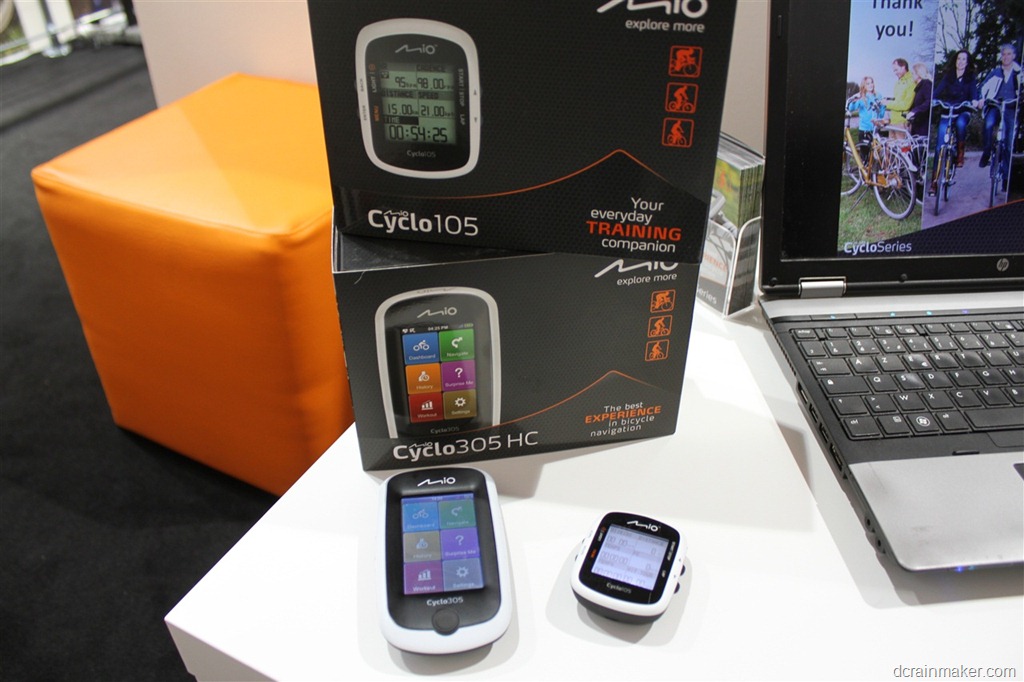
One of the areas I was looking forward to checking out with coming to Eurobike this year was companies which aren’t offering products in the US market – but rather focus on the European market exclusively. Of course, within the bike industry as a whole, the majority of major sports technology players do tend to offer products in more than one market – but there are some companies, such as Mio that are focusing exclusively on Europe. Even if you are in the North America – I think you’ll still find this post interesting. First to understand what the market looks like elsewhere, and then how companies here are putting out new products just as innovative as their counterparts back in North America.
I had a chance to sit down with the Mio folks on Thursday and get brought up to speed on their product line; how it’s different – and how here in Europe it gives Garmin and their Edge 800 a fair run for its money in certain categories. Now interestingly, despite Mio not being a common household name in the US – it’s actually closely related to a US company many folks in North America know- Magellan (the GPS company). See, both Magellan and Mio are part of a larger company called Mitac (based on Taiwan). In effect, they’re siblings. Small world, eh?
Before diving into the exact models – it’s important to understand a bit of cultural differences when it comes to the bike computer market here in Europe vs the US. In Europe, there’s a much larger emphasis on navigation over performance metrics. I’ve heard this message over and over while here at Eurobike. There are certainly many Europeans that love all the detailed performance stats found on something like the Edge 500 and Edge 800 – but there’s a massive number of folks here that just want to go find someplace new to ride and enjoy simply being on a bike. Whereas in the US, there just aren’t that many people (comparatively) that want deep directional navigation on their bike.
Mio is focusing on two core models (with significant software updates) this fall. The first is the Mio Cycleo305 – which is a full featured navigation and mapping computer. For those familiar to the Garmin lineup, this is sorta like the Edge 800 – except with some important differences I’ll talk through.
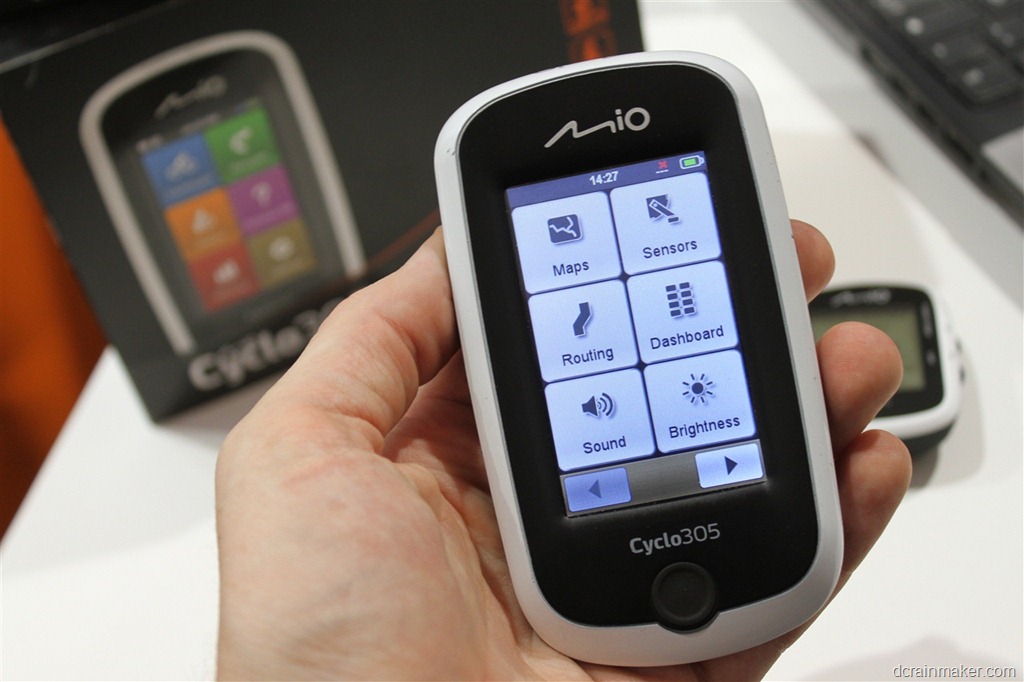
First is that while the unit offers connectivity to ANT+ devices (including heart rate, speed, and cadence) – it doesn’t connect to power meters. Again, in the Garmin lineup – the focus is on high performance as well as navigation. Here with the Cyclo305, it’s on enhanced navigation first and then basic data capture. High performance metrics like FTP just aren’t of significant interest to them at this time.
So what are the navigation differences? Well, take for example the ‘Surprise Me’ feature. This enables you to simply tell the computer how long/far you’d like to ride for – and it’ll produce three random routes for you to choose from. Like a menu. You then pick the route you’d like to ride. In theory it won’t ever repeat these offerings to you. You can see below it offering up three routes:
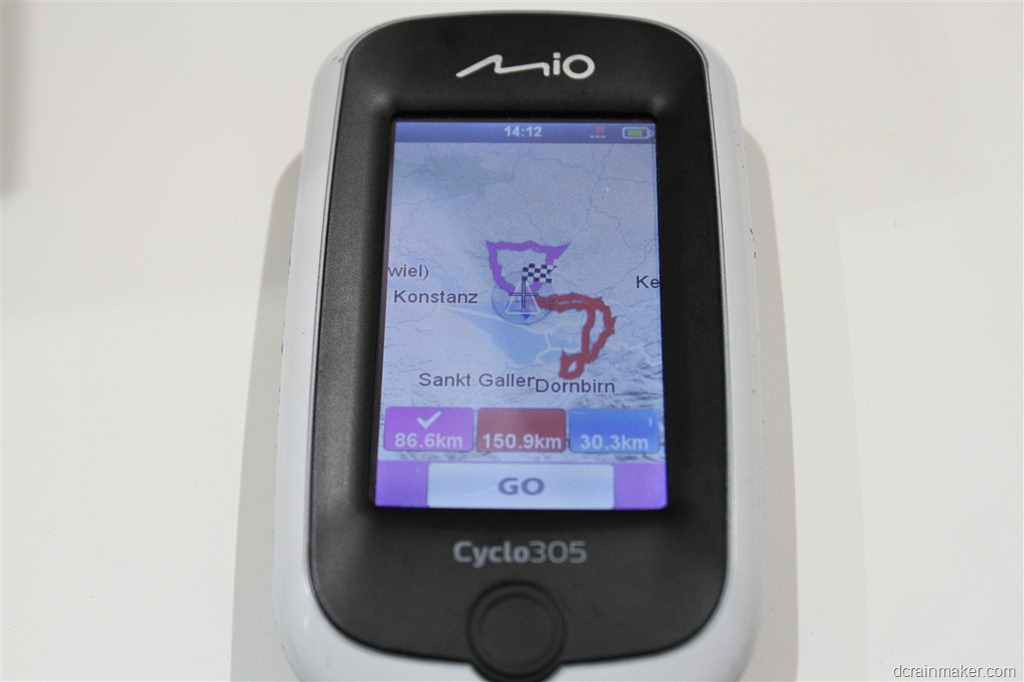
For those Cycle305 users already, there’s some improvements coming here with an update in October 2012. For example, the ability to create a Surprise Me route to a given destination (point on map, POI, or address) with a certain max distance. The idea being if you bike to/from work every day you could mix it up a bit if you wanted. Additionally they’re adding new options to control the max slope difficulty (i.e. no big hills) as well as the road type (i.e. no bike trails, or bigger/smaller roads only).
Again, these are all ideas and concepts that simply don’t exist on the Garmin Edge lineup. Speaking of things that don’t exist in the Garmin lineup… The Cyclo305 includes the maps in the box. As you may remember, the Edge 800 doesn’t include any useful maps and instead forces you to buy them – generally at about $100 a shot. The Cyclo305 on the other hand offers two base editions – one for your local country at €300, and one with maps for all of Western Europe at €350
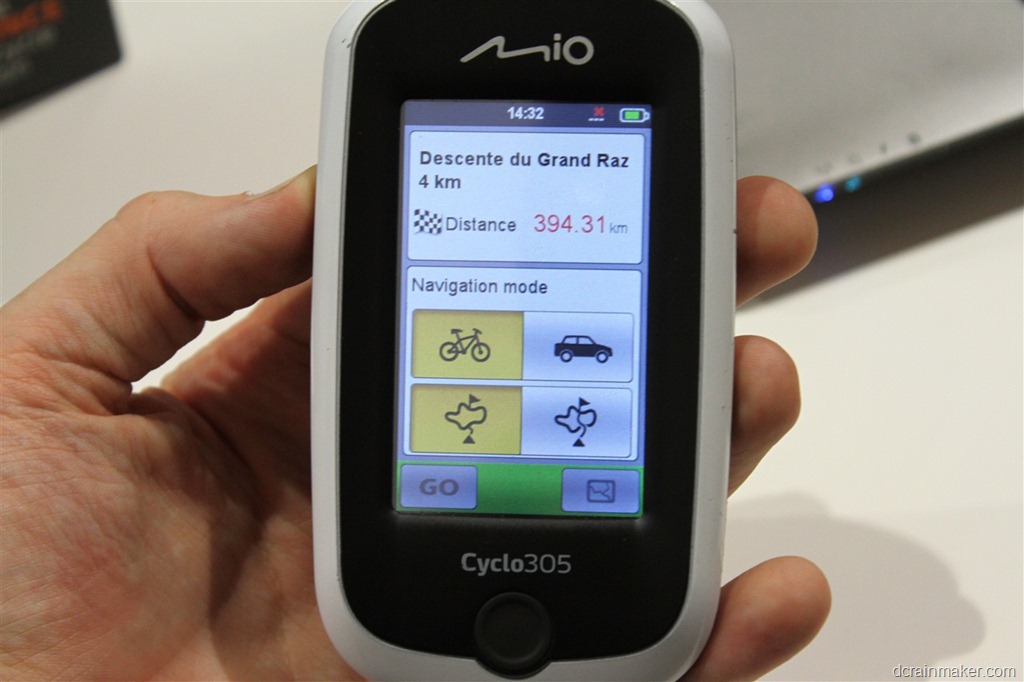
Along those same lines is the ability to route to a known ride/route. Take for example the below photo. It’s showing you a route that’s saved on the bike computer itself. A ride in effect. This could be something like “Paris Triathlon Route” – which might by the bike course for the Paris triathlon. This option allows you two sliders that you can see below. The first is to get bike navigational directions to the course, and the second is to do the same via car (yup, driving directions from a bike computer). But it’s that second toggle that is the cooler option.
Imagine a long route like a Tour de France stage (100+ miles) that might be a loop. This option finds the closest point on the course and routes you to that. This is really ideal for looped courses where you don’t need to go to the specific starting point as noted in the file – but rather anywhere will do.
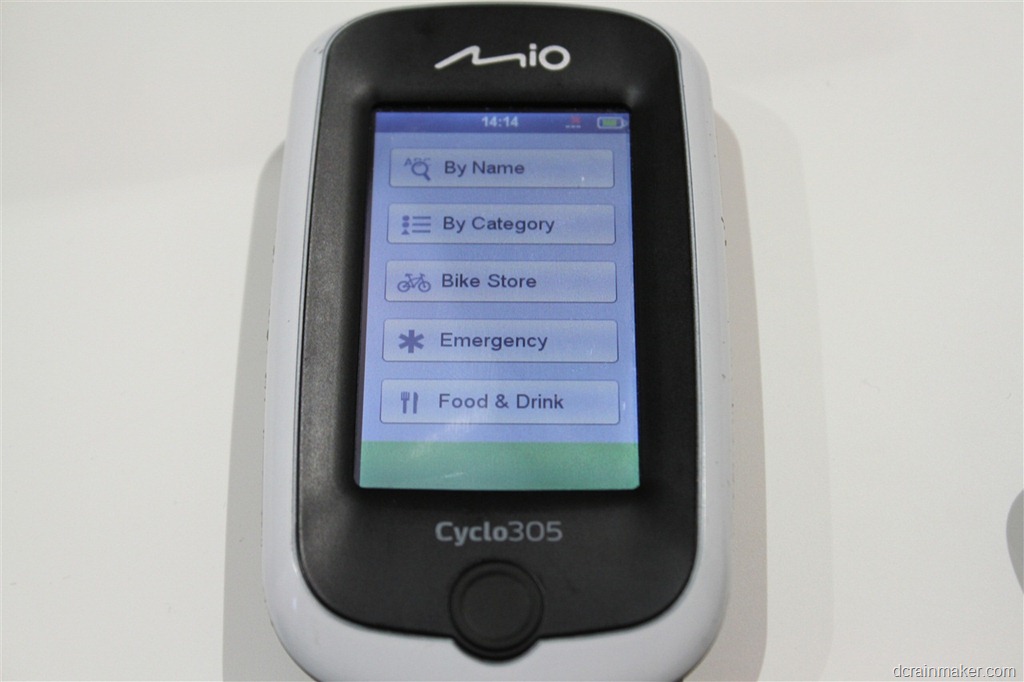
Like the Edge 800, the unit also allows routing to various points of interest – by all sorts of categories. I thought it was interesting that as I was scrolling through the menu’s, I saw the category listing for ‘Pub’.
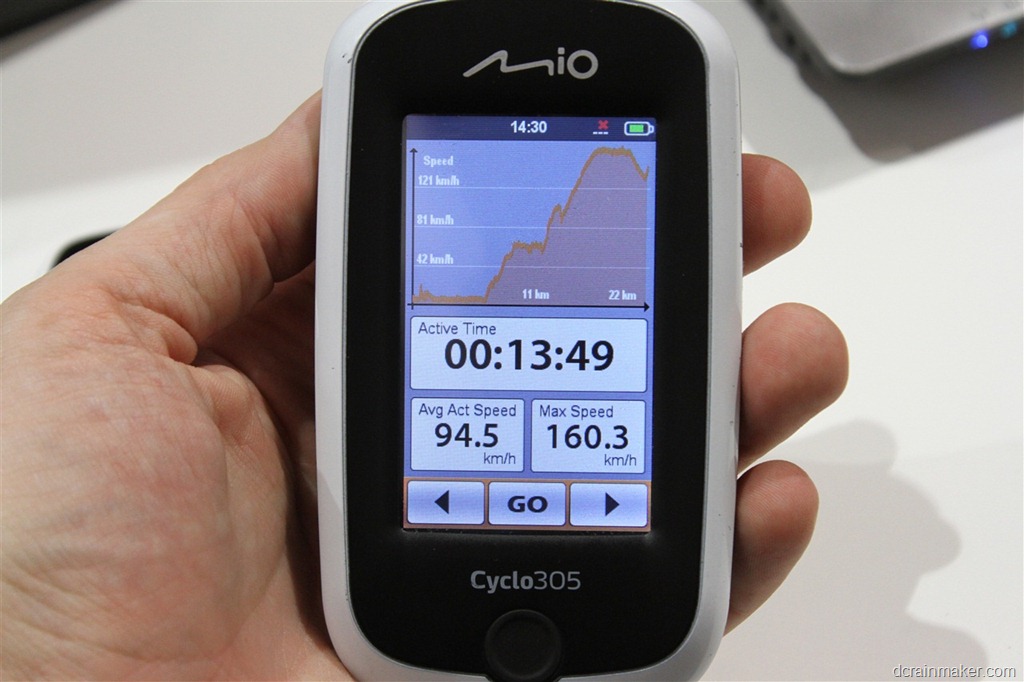
The touchscreen unit takes a bit more advantage of the graphical engine – offering more graphs and charts than the Edge 800 (the below was taken on a TGV train ride).
In talking with them though – I’m still surprised they haven’t gone the tiny step further to offer power meter connectivity. In looking at this unit and the data arrangements (ability to customize number of data fields displayed, types of fields, etc) – it’s so close to what higher end cyclists would want – that it seems kinda silly to not add that tiny bit extra to make a viable offering to that market as well.
In either case, when I get back they are sending me both units noted in this post to check out and play with. I’m looking forward to giving them a shot and getting more hands on time with them.
The second unit I’m going to mention very briefly is the Cyclo105. This unit is competitive with the Garmin Edge 500 and designed mostly to record data. Like the Edge 500, the unit does record power meter data, but does not offer any navigational support (no maps).
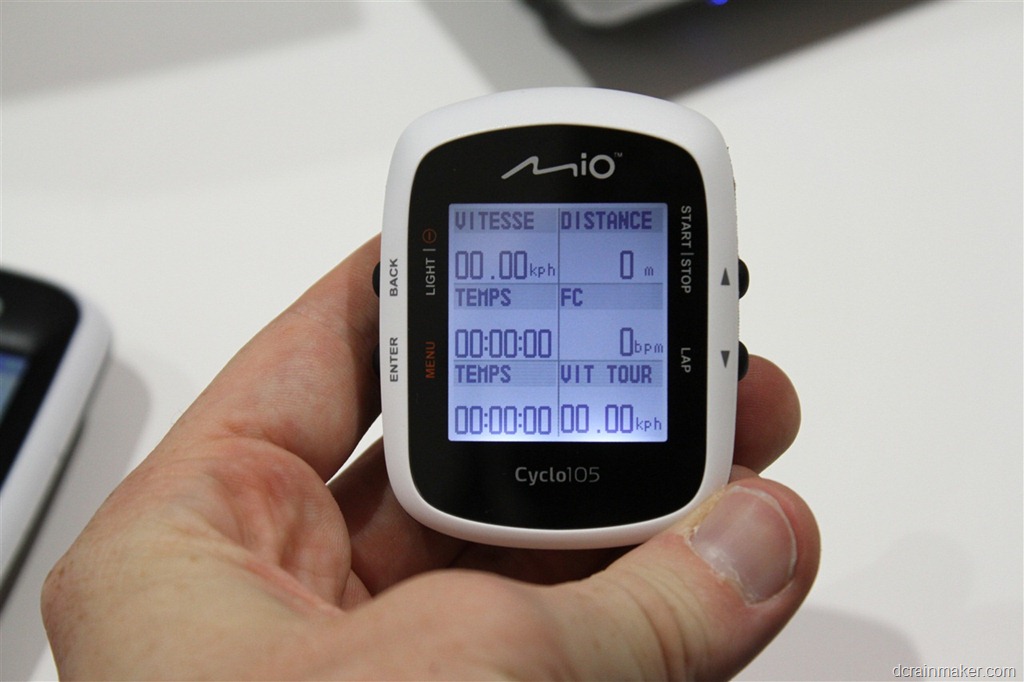
For those that are familiar with the new Timex GPS Cycle Trainer, you might think it looks awfully similar. That’s because…well, it is. In fact – it’s basically the exact same base body – just tweaked slightly for Mio.
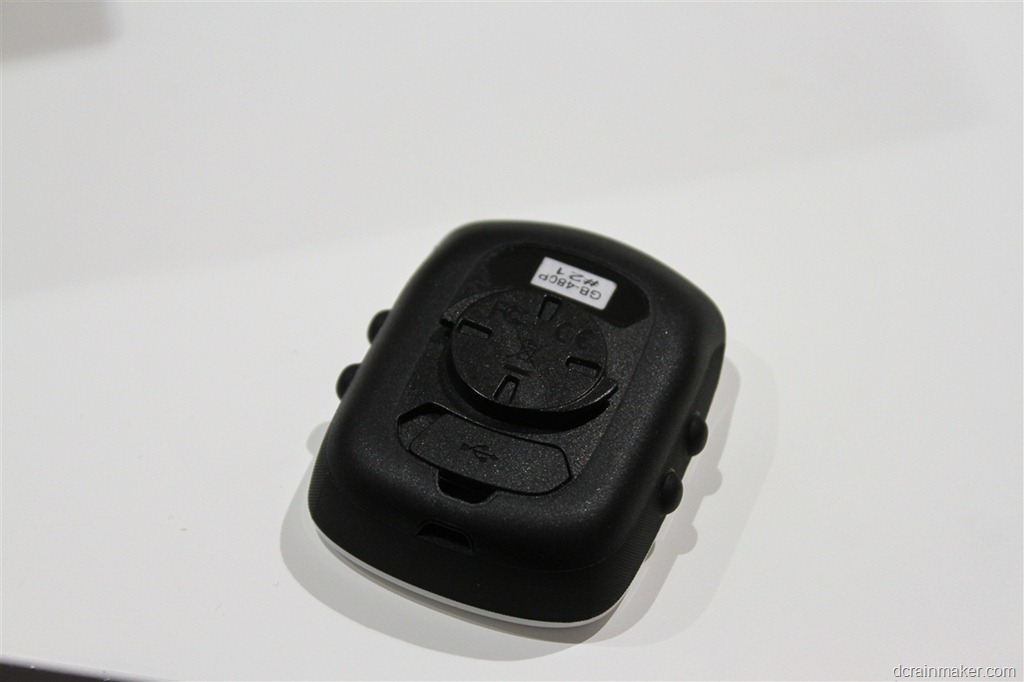
Interestingly though, unlike Timex, Mio went ahead and added a quarter turn mount system to the back of theirs (Timex has a funky non-quarter turn mount). Though, Mio does unfortunately use zip ties instead of industrial rubber bands when it comes to attaching the mount to the bike computer.
The Mio Cyclo105 units start at €140 for the non-ANT+ version, and €170 for the one that supports ANT+. The 105H includes a heart rate strap, and the 105HC includes both a strap and a cadence sensor. Similar bundle strategy to what we see with Garmin.
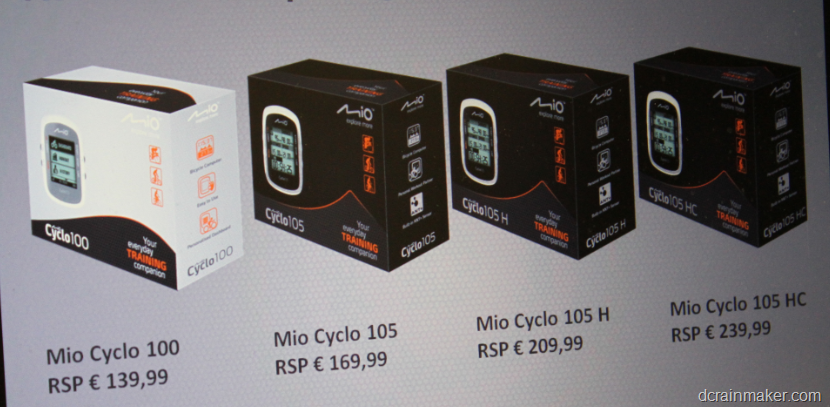
With that, I’ll be looking forward to playing with these units and the October 2012 updates (which they boasted adds more than 200 new features and functionality enhancements) over the coming months. Given I’m enjoying exploring new bike routes here in Europe – I’m particularly interested in the Surprise Me functionality and to see how well that works in real life.
As always, if you have any questions – feel free to drop them below. Thanks for reading!
FOUND THIS POST USEFUL? SUPPORT THE SITE!
Hopefully, you found this post useful. The website is really a labor of love, so please consider becoming a DC RAINMAKER Supporter. This gets you an ad-free experience, and access to our (mostly) bi-monthly behind-the-scenes video series of “Shed Talkin’”.
Support DCRainMaker - Shop on Amazon
Otherwise, perhaps consider using the below link if shopping on Amazon. As an Amazon Associate, I earn from qualifying purchases. It doesn’t cost you anything extra, but your purchases help support this website a lot. It could simply be buying toilet paper, or this pizza oven we use and love.
















Surely the fact that they only supply maps of Europe becomes useless to those out of the area, so that comparison to the Edge 800 unit falls away.
I do like the function that you can join a route from wherever you are on a route and not necessarily have to start at the official start point.
Love the reviews – keep it up!
Really curious for this and the Bryton instruments. When my 795 is getting old, all these instruments are potential replacements, although I have to read a DCR-review first….!
It seems the Mio uses OpenStreetMap based mapping. Hopefully that means you will be able to download updated maps for free/cheap, plus add maps for other countries.
Also OpenStreetMap contains a lot of bike paths etc that are not present in commercial maps. It would be very useful if the Mio could use these for navigating.
Yup, Mio does indeed use OSM.
In fact, I actually brought up the question with them about folks that travel outside of Western Europe (keeping in mind it’s only sold within Europe).
They said they are working on a method to swap out maps for other OSM map regions. The unit has 4GB of memory in it, so you’d have to likely remove some maps to make room for others. But you can swap around as you saw fit based on your travel.
There wasn’t a timeline set for this functionality, but they are working on it.
Two years later and by all reports that functionality still does not exist. That a global company selling a product based on GPS technology drops the ball on the most basic of functions is quite unbelievable.
The MioShare website in the UK has instructions for adding France mapping to the device (albeit that you do have to remove other maps because of the memory limit as Ray says).
So I guess that the functionality does exist and has been implemented?
Thanks for the heads-up. Will investigate further. Interesting that other forums are seeing posts saying not possible. I wonder why this is not more widely known.
Although Mio Cyclo HDW platform is similar as Timex GPS Cycle Trainer, the user interface has been improved to simplify user operations.
Cyclo 100 functions keys are much easier and comfortable to press than Timex GPS Cycle Trainer. No misspress issues. Small details but that make a big difference when you ride in all conditions including rainy freezing winter.
Last but not least, the design is seems bit more friendly and attractive than Timex GPS Cycle Trainer “Box” design.
Too bad they used the exact same HR strap as Timex.
Mine lasted for about 20-25 runs and them started to
split and tear (yes I washed it after every session)…
@DCRainmaker
Whenever you do your review on them, remember the
“computer” aspect of such devices. It is really important
to know whether or not we will able to actually work with
the data, export them, analyse them, third party software
compatibility etc.
As for the 305, the main question is ease on exporting and
importing maps, creating routes, importing routes, file format
compatibility etc.
The last we would want is to pay 200 Euros just to be tied with
specific software and limited functionality.
That’s always part of every review I do. Some might say too big a part of my reviews, in that I’m especially hard on companies and products that aren’t compatible with 3rd party services.
I’m even refusing to do reviews on products that don’t do that well today (see: Any products from Soleus going forward until they address it).
I have a 105+. Not sure if you can confirm this. It can definitely show power meter readings while you go.
The only way to download from the device appears to be through mioshare which does not seem to download the power data. The only output from the mioshare is gpx which does not seem to contain power data. So it can receive power data you just can’t use it in any useful manner at the moment.
Even when reviewing the ride on the mio105 it does not seem to display any power data.
For many readers then the mio105 may be useless.
Has Mio fixed this problem? I recently bought the Cyclo 105 and I’m experiencing the same problem. I can’t view my power data at all. It’s really frustrating. I’ve sent Mio an email a few days ago but they have yet to reply.
I also like the same difficulty, also sent email, but not yet answered me.
Question: Is the only way to get data off using the Mioshare application? The device doesn’t work as a mass storage device when plugged in via USB?
Linux user, wondering if it will work.
I also like the same difficulty, also sent email, but not yet answered me.
Late to the game, but did anyone ever sort this?
Looks like there is a 505 series now: link to eu.mio.com
Wifi, bluetooth 4 (Doesn’t say anything about BLE though so unsure about that), and Ant+ (including power meter support now)
Guess it might make a good Edge 800 competitor (well, except not available in the US from the look of it)
I just checked out this 505 series from MIO.
Amazing!
It seems to me the Mio 505 can be to cycling what the FR620 is to running.
WIFI, Ant+, BTSmart, – All the maps of Europe ready to go, and of course all the regular performance sensors connected.. Remains to know how much verstatility we have for display on the device and export/play with data on the software.
I can t wait for a review from you Ray if you are planning to do one indeed!
thanks for all your reviews!
6co
@rainmaker
are you planning a review of the new mio cycle 310 and/or 505 serie?
thx
It’s something I’m looking at. Right now though, they are only offered in a few markets (and not the US). Typically I try and focus on products that have complete/total global availability – or at least US/Europe/AUS-NZ.
That said, I did get to play with one last spring and it’s nicely done.
Just discovered your website and find it awesome!
Would like to invest in a GPS unit and can’t wait to read your review about the mio cyclo 505 even if I have already read some good comments on the web here and there.
I am really hesitating between the mio 505 and garmin 810.
Did you ever do any more work with these devices Ray?
For the newer smaller one, we were oddly enough scheduled to have a meeting last week here in Paris, but they had to cancel at the last second. We’re currently targeting next week, but my schedule doesn’t look like that’s quite going to work out – so probably the week after.
Thanks
I’ll keep an eye out for any updates.
These units have just been release in Australia under the Magellan Brand :-
Magellan Cyclo 500 (no ANT+) for AU$379
Magellan Cyclo 505 (ANT+) for AU$399
They come bundled with both Here maps and Open street maps – showing all cycling facilities.
Price and features look very attractive.
link to magellangps.com.au
I bought the Magellan version of the 505HC last week and love it. I have not tried all the features but up until now but what I have tried shows great thinking and execution. That said, I have found some weaknesses.
Today, I was on my daily commute to work and it rained. I thought no problem, but i was wrong. The rain did play havoc with the screen which seemed to wonder from one screen to another and when I stopped would not take an input. I thought there has to be a workaround and by the afternoon I had worked it out.
I had left the lock screen time at 5 minutes, which meant that once the water had started causing false inputs I was never going to get control over it. So in the afternoon I set the lock screen time to one minute and the problem was solved. Worked perfectly. When I got home I wiped the screen clean, unlocked it and hit the WiFi button and it was all done. Love it.
One thing I would like though is a way to manually put the screen into lock rather than having to wait for it to time out.
Carmine,
Like you, I just bought one of these (in Brisbane Aus) and love it so far. I had a similar issue with my commute in the rain the other day, so I think I will suggest to Magellan that they incorporate a manual lock feature – perhaps by adding another option in the power-off menu.
The device has a running profile in it, so I took it for a run just holding it in my hand to try it out – it worked well, but a manual lock screen would be helpful to prevent unexpected screen presses.
I have found a couple of issues with the mapping/routing not using a trunk cycleway, but this is a fault of the source data. not the unit itself. I will contact Magellan with my comments.
Ive got the 305. When I plug it into my usb its not recognised when running win 8.1 and internet explorer 11. It is recognised on a machine with windows 7. Does anyone else have this problem and more importantly a solution. I’ve emailed Mio and tried there fix which didn’t work. They are looking into it (that was 3 months ago) Love the 305 but it is a pain having to borrow a laptop to upload the info. Thanks all. PS Excellent site DC R.